Our Science-Fair Project
A Project by: XX, XX, XX
Template by:
Joshua E. Marks
SUMMARY
In this section, you should provide your viewers with an overview of your topic. This can vary
from anything - whether Space Stations or Robots, or Computer Science to Magnetics - It’s all
up to you, however, I do have some suggestions below on how to succeed in creating a
successful Summary section.
- Remember, it’s an overview, not a biography, meaning that you should limit this section to only a few
words that describe your topic in an organized, relevant fashion. You will further explain it later on.
- Limit overviews and further descriptions to only a paragraph-long (4-8 sentences).
- Use formatting properly. Do not obnoxiously use bold and/or italics. These formats should only be used
for clarification or pointing out a specific detail that may have been missed, otherwise.
- Keep text-colors in-between, meaning not too bright, nor not too dark. Also, be sure that you limit the
colors’ hues to be relevant to the color scheme.
- Use Highlight tools only if necessary. If Highlighting is unecessary, please do not enable it. Disable it
immediately when it is not required for usage.
HYPOTHESIS
In this section, you should provide your viewers with a general hypothesis on your
explanation. Remember, a Hypothesis is a well-explained Scientific Theory that supports
your project big time. Please do keep in mind that a Hypothesis is not a claim for declaring
whether you think what is correct, or what is incorrect. Hypothesis are theories, which are
not entirely based on your personal opinion. Please do not format it that way, for the best
viewer experience. It’s a Hypothesis, not a Personal Idea that only one (1) or a few people
agreed upon.
SUPPORTING EVIDENCE
Supporting Evidence is typically backed-up evidence that you have found while researching. Be sure
to research your topic, so that way you have ‘background-research’ paraphrased here, on this slide.
This is amongst one of the most important stages to building a successful Science-Fair
Presentation. However, there are some guidelines and suggestions below to help you succeed in
researching properly.
- When gathering sources from the internet, it is best to use sources that have come from real people who have actually
researched the same topic and spent a worthwhile studying it. This relates back to facts vs. fiction. If you were to find a
blog-orientated website, the chances are that about 90% of the results on that site are opinions, not actual facts. If you
were to visit a university-orientated website (.edu), most of the results would be facts, rather than false opinions.
(Recommended site-TLDs: .edu, .org, .gov).
- Use common sense and general internet safety when researching on the internet. Do not trust every-single resource
you find.
- Be sure to actually paraphrase your evidence, rather than pasteurizing your evidence. Pasteurization is the act of
directly pasting a piece of information, generally found on the internet somewhere, into a word-processor-based
application, such as Microsoft Word. This is not the best way to use research in projects, especially not for
school-orientated projects. When you paraphrase something, you are basically re-phrasing the given information in
your own words, which is most recommended for conducting background research, typically in school-orientated projects.
- Please note that you can not only find background information online, but you can find them in books, typically books sold
at the local library.
IMAGES
In this slide, you will want to provide your viewers with relevant images regarding your topic. These
images will be displayed below, as the minimum amount for images on this slide would be three (3) or
less. I highly recommend this due to the fact that too much contrast wouldn’t look good on a
presentation, whether if it’s for school or home. Please view the tips and suggestions below for
creating image-based slides: successfully.
- When gathering images on the internet, please make sure that they are not subject to copyright
claims of any form. If so, your project might be counted towards copyright infringement. A
single image can cause you a ticket, as the saying goes.
- Please, do not get carried away and overload the presentation with images. This is never
required, and unnecessary. There is no need for five (5) or more images stacked on top of each
other just to prove a claim or support a point.
- Please find high-resolution images for the best viewing experience possible.
- Please do keep in mind that this presentation is limited to images and depictions, meaning that
its purpose does not call for thousands of images spread widely across the presentation. You
may do this at your own personal risk, but I have not designed this presentation to look as a
photo album.
MATERIALS
In this slide, you will provide your viewers with a list of materials that you have may have used while
constructing your experiment. Remember to be as specific as you can and to view my example of a
material-list below:
● For this project, we have used the following materials:
- School Glue
- Glitter
- Cardboard Slabs
- Aluminum Foil
- Plastic Benches and Lamp-Post Sets
- Tape
Description: We will use the two (2) cardboard slabs for the sidewalk and the wall behind it, whereas the glue will come in
handy when we decide to glue the slabs together. After that, we will apply Glitter to the cracks of which the glue has situated in,
and then set it out to dry. We will use an additional piece of cardboard (optional) for a shade-like phenomenon, and we will set
this out to dry again, due to attaching the additional cardboard to the cardboard wall. Once that finishes, we will then attach the
Aluminum Foil onto the edges of the Cardboard-shade with Tape, (generally a Dollar-store type, nothing too weak, nor strong),
and then we will attach the plastic benches and accessories inside the ‘station’ with glue (Krazy Glue prefered).
PROCEDURE
In this slide, you will want to provide your viewers with a step-to-step overview of your procedure. Remember
to be as specific as you can, and limit the captions to three (3) short sentences long, in length. Be sure to
provide information formatted in a stepping-stone sort of way so that your viewers can also learn how to
attempt your experiment at home. Of course, delete my example! You may duplicate this slide, depending
on your needs. I recommend that you do not add any sort of image files onto this slide, as it will distract your
viewers’ attention span away from the chronologically-ordered timeline. Try to limit the text size, also, and
font-type, considering that it’s a caption.
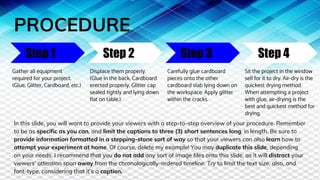
Step 1 Step 2 Step 3 Step 4
Gather all equipment
required for your project.
(Glue, Glitter, Cardboard, etc.)
Displace them properly.
(Glue in the back, Cardboard
erected properly, Glitter cap
sealed tightly and lying down
flat on table.).
Carefully glue cardboard
pieces onto the other
cardboard slab lying down on
the workspace. Apply glitter
within the cracks.
Sit the project in the window
sell for it to dry. Air-dry is the
quickest drying method.
When attempting a project
with glue, air-drying is the
best and quickest method for
drying.
STATISTIC GRAPHS
In this slide, you will provide your viewers with some graphs that represent the statistics of your
project. This is a very important part to your presentation, and you may have made graphs with
application tools such as Google Sheets (a division of Google Docs), and/or some online
graph-manipulating service, such as meta-chart.net. I prefer using an online tool such as
meta-chart.net, especially if you’re just beginning. You can make Pie-Charts, Bar Graphs, Tape
Diagrams, and so much more! The link to the site: meta-chart.net.
LITERATURE CITED
In this slide, we will be wrapping up this project, however, you must provide your viewers with your
resources formatted into a short, simple, yet useful link of information, known as a citation. Using
tools and applications such as citation-machine, you can get this done with ease. Just visit
citation-machine.net and you will be guided through the process with easy-written, and
understandable steps, that will help you to providing a successful citation, to be listed here in this
section of the presentation. Be sure to credit sources of images, as well.
CONCLUSION
In this slide, you will be wrapping up your project with a short overview of what you have previously
done and how it affects your modern sense of Science. Try to throw a little bit of your input in it, as
well. Try to include how it made you feel and your favorite and least favorite parts of this project.
However, try to limit all of this information into one, simple paragraph, yet easy and fascinating to
read.
THE END
Presentation Proudly Created By: XX, XX, XX
Template by:
Joshua E. Marks
@2017. I own no background
images used in this presentation,
as they were borrowed from the
internet. This presentation is not
in anyway subject to copyright
infringements, as if any profits
made from this template thus
are not relevant to copyrighted
activity. No content in this
presentation is subject to
copyright infringement.
Geogropedia @2017.

Science-Fair Project - (Template)

  • 1.
    Our Science-Fair Project AProject by: XX, XX, XX Template by: Joshua E. Marks
  • 2.
    SUMMARY In this section,you should provide your viewers with an overview of your topic. This can vary from anything - whether Space Stations or Robots, or Computer Science to Magnetics - It’s all up to you, however, I do have some suggestions below on how to succeed in creating a successful Summary section. - Remember, it’s an overview, not a biography, meaning that you should limit this section to only a few words that describe your topic in an organized, relevant fashion. You will further explain it later on. - Limit overviews and further descriptions to only a paragraph-long (4-8 sentences). - Use formatting properly. Do not obnoxiously use bold and/or italics. These formats should only be used for clarification or pointing out a specific detail that may have been missed, otherwise. - Keep text-colors in-between, meaning not too bright, nor not too dark. Also, be sure that you limit the colors’ hues to be relevant to the color scheme. - Use Highlight tools only if necessary. If Highlighting is unecessary, please do not enable it. Disable it immediately when it is not required for usage.
  • 3.
    HYPOTHESIS In this section,you should provide your viewers with a general hypothesis on your explanation. Remember, a Hypothesis is a well-explained Scientific Theory that supports your project big time. Please do keep in mind that a Hypothesis is not a claim for declaring whether you think what is correct, or what is incorrect. Hypothesis are theories, which are not entirely based on your personal opinion. Please do not format it that way, for the best viewer experience. It’s a Hypothesis, not a Personal Idea that only one (1) or a few people agreed upon.
  • 4.
    SUPPORTING EVIDENCE Supporting Evidenceis typically backed-up evidence that you have found while researching. Be sure to research your topic, so that way you have ‘background-research’ paraphrased here, on this slide. This is amongst one of the most important stages to building a successful Science-Fair Presentation. However, there are some guidelines and suggestions below to help you succeed in researching properly. - When gathering sources from the internet, it is best to use sources that have come from real people who have actually researched the same topic and spent a worthwhile studying it. This relates back to facts vs. fiction. If you were to find a blog-orientated website, the chances are that about 90% of the results on that site are opinions, not actual facts. If you were to visit a university-orientated website (.edu), most of the results would be facts, rather than false opinions. (Recommended site-TLDs: .edu, .org, .gov). - Use common sense and general internet safety when researching on the internet. Do not trust every-single resource you find. - Be sure to actually paraphrase your evidence, rather than pasteurizing your evidence. Pasteurization is the act of directly pasting a piece of information, generally found on the internet somewhere, into a word-processor-based application, such as Microsoft Word. This is not the best way to use research in projects, especially not for school-orientated projects. When you paraphrase something, you are basically re-phrasing the given information in your own words, which is most recommended for conducting background research, typically in school-orientated projects. - Please note that you can not only find background information online, but you can find them in books, typically books sold at the local library.
  • 5.
    IMAGES In this slide,you will want to provide your viewers with relevant images regarding your topic. These images will be displayed below, as the minimum amount for images on this slide would be three (3) or less. I highly recommend this due to the fact that too much contrast wouldn’t look good on a presentation, whether if it’s for school or home. Please view the tips and suggestions below for creating image-based slides: successfully. - When gathering images on the internet, please make sure that they are not subject to copyright claims of any form. If so, your project might be counted towards copyright infringement. A single image can cause you a ticket, as the saying goes. - Please, do not get carried away and overload the presentation with images. This is never required, and unnecessary. There is no need for five (5) or more images stacked on top of each other just to prove a claim or support a point. - Please find high-resolution images for the best viewing experience possible. - Please do keep in mind that this presentation is limited to images and depictions, meaning that its purpose does not call for thousands of images spread widely across the presentation. You may do this at your own personal risk, but I have not designed this presentation to look as a photo album.
  • 6.
    MATERIALS In this slide,you will provide your viewers with a list of materials that you have may have used while constructing your experiment. Remember to be as specific as you can and to view my example of a material-list below: ● For this project, we have used the following materials: - School Glue - Glitter - Cardboard Slabs - Aluminum Foil - Plastic Benches and Lamp-Post Sets - Tape Description: We will use the two (2) cardboard slabs for the sidewalk and the wall behind it, whereas the glue will come in handy when we decide to glue the slabs together. After that, we will apply Glitter to the cracks of which the glue has situated in, and then set it out to dry. We will use an additional piece of cardboard (optional) for a shade-like phenomenon, and we will set this out to dry again, due to attaching the additional cardboard to the cardboard wall. Once that finishes, we will then attach the Aluminum Foil onto the edges of the Cardboard-shade with Tape, (generally a Dollar-store type, nothing too weak, nor strong), and then we will attach the plastic benches and accessories inside the ‘station’ with glue (Krazy Glue prefered).
  • 7.
    PROCEDURE In this slide,you will want to provide your viewers with a step-to-step overview of your procedure. Remember to be as specific as you can, and limit the captions to three (3) short sentences long, in length. Be sure to provide information formatted in a stepping-stone sort of way so that your viewers can also learn how to attempt your experiment at home. Of course, delete my example! You may duplicate this slide, depending on your needs. I recommend that you do not add any sort of image files onto this slide, as it will distract your viewers’ attention span away from the chronologically-ordered timeline. Try to limit the text size, also, and font-type, considering that it’s a caption. Step 1 Step 2 Step 3 Step 4 Gather all equipment required for your project. (Glue, Glitter, Cardboard, etc.) Displace them properly. (Glue in the back, Cardboard erected properly, Glitter cap sealed tightly and lying down flat on table.). Carefully glue cardboard pieces onto the other cardboard slab lying down on the workspace. Apply glitter within the cracks. Sit the project in the window sell for it to dry. Air-dry is the quickest drying method. When attempting a project with glue, air-drying is the best and quickest method for drying.
  • 8.
    STATISTIC GRAPHS In thisslide, you will provide your viewers with some graphs that represent the statistics of your project. This is a very important part to your presentation, and you may have made graphs with application tools such as Google Sheets (a division of Google Docs), and/or some online graph-manipulating service, such as meta-chart.net. I prefer using an online tool such as meta-chart.net, especially if you’re just beginning. You can make Pie-Charts, Bar Graphs, Tape Diagrams, and so much more! The link to the site: meta-chart.net.
  • 9.
    LITERATURE CITED In thisslide, we will be wrapping up this project, however, you must provide your viewers with your resources formatted into a short, simple, yet useful link of information, known as a citation. Using tools and applications such as citation-machine, you can get this done with ease. Just visit citation-machine.net and you will be guided through the process with easy-written, and understandable steps, that will help you to providing a successful citation, to be listed here in this section of the presentation. Be sure to credit sources of images, as well.
  • 10.
    CONCLUSION In this slide,you will be wrapping up your project with a short overview of what you have previously done and how it affects your modern sense of Science. Try to throw a little bit of your input in it, as well. Try to include how it made you feel and your favorite and least favorite parts of this project. However, try to limit all of this information into one, simple paragraph, yet easy and fascinating to read.
  • 11.
    THE END Presentation ProudlyCreated By: XX, XX, XX Template by: Joshua E. Marks @2017. I own no background images used in this presentation, as they were borrowed from the internet. This presentation is not in anyway subject to copyright infringements, as if any profits made from this template thus are not relevant to copyrighted activity. No content in this presentation is subject to copyright infringement. Geogropedia @2017.