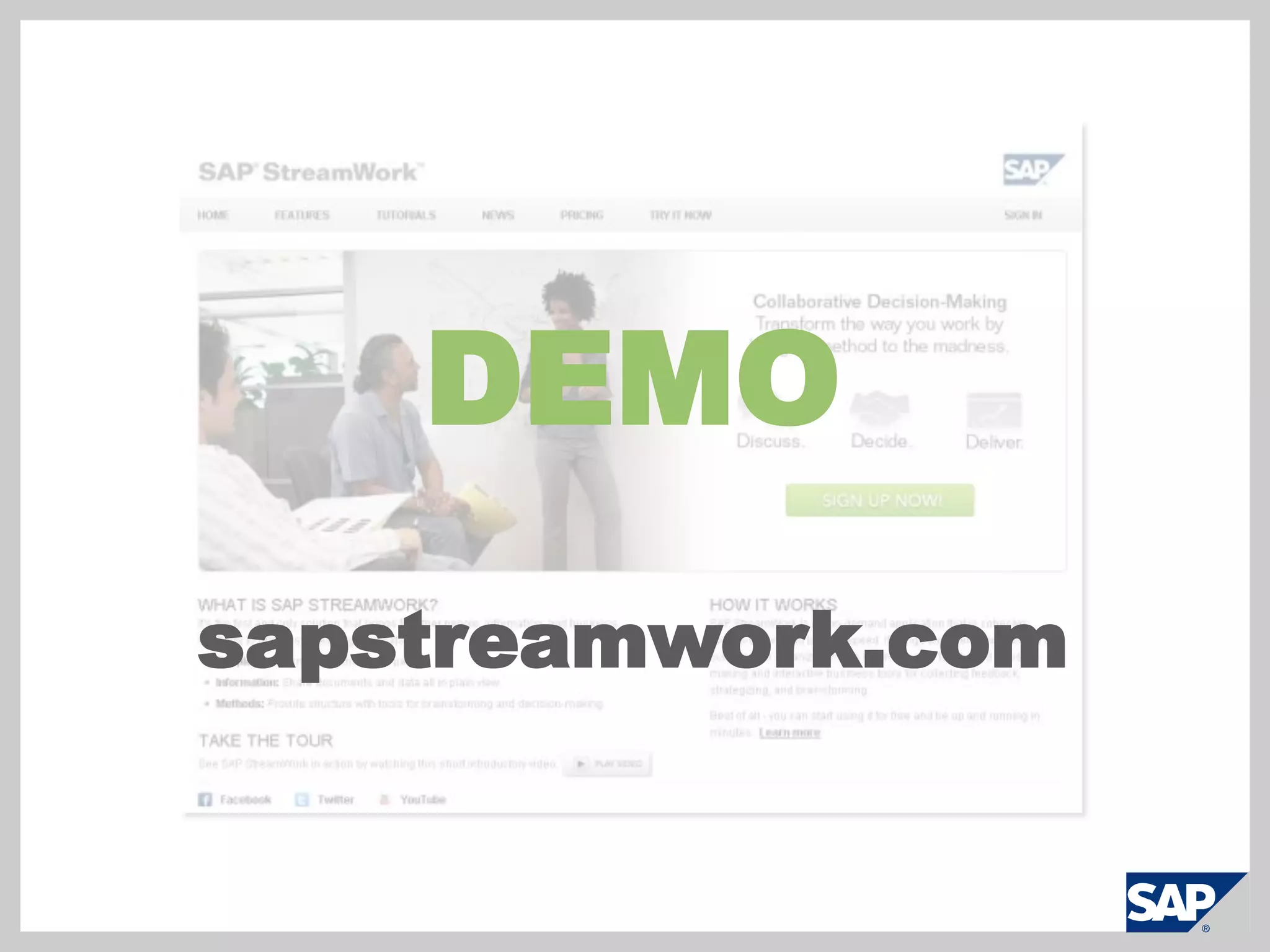
SAP StreamWork overviewNameTitleIntroducing SAP StreamWorkTransform the Way You WorkBy Bringing Method to the Madnesssapstreamwork.com
Video:  What is Collaborative Decision-Making?
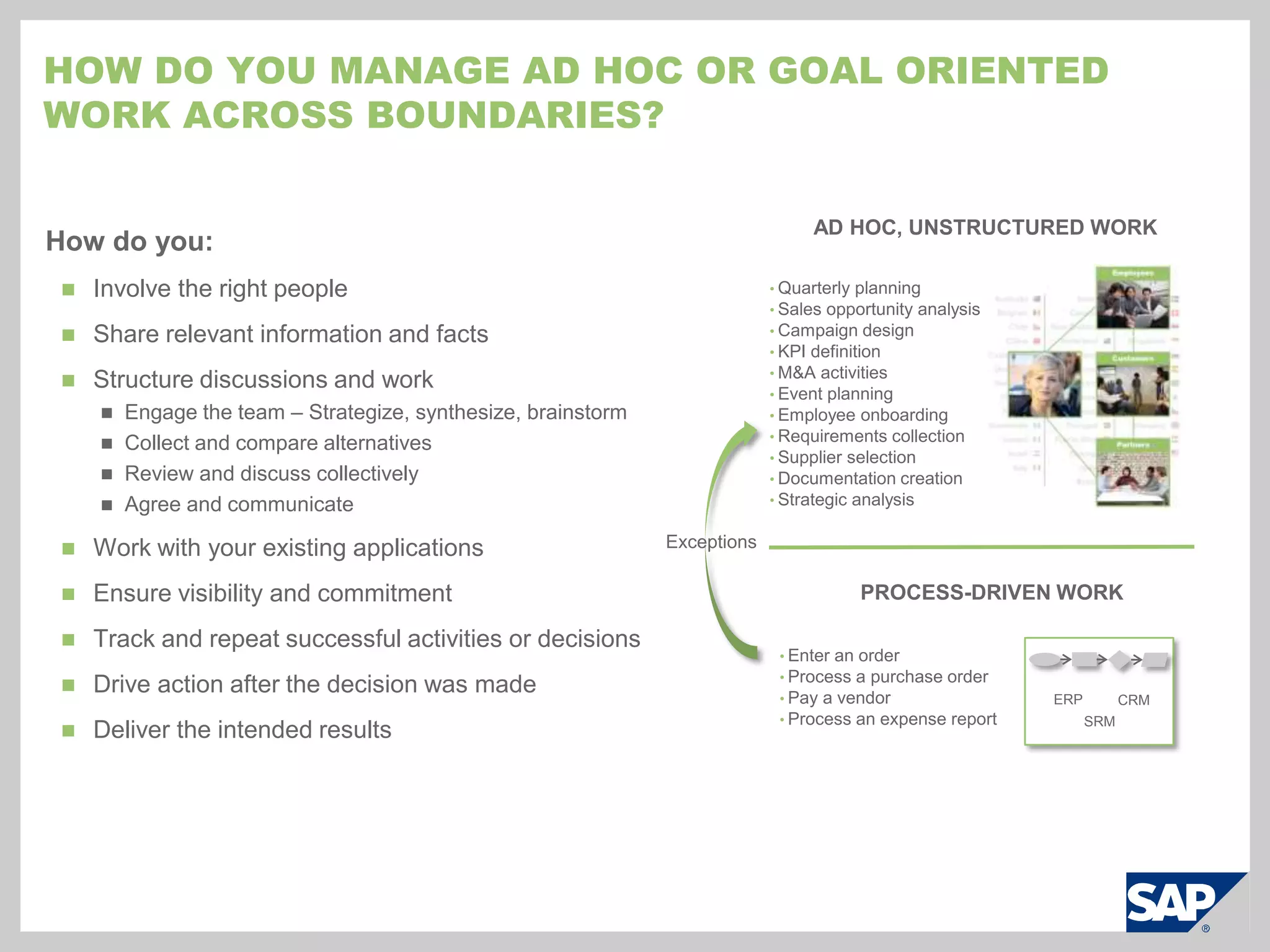
How do you Manage ad hoc or goal oriented work across boundaries?Ad hoc, unstructured workHow do you:Involve the right people
Share relevant information and facts
Structure discussions and work
Engage the team – Strategize, synthesize, brainstorm
Collect and compare alternatives
Review and discuss collectively
Agree and communicate
Work with your existing applications
Ensure visibility and commitment
Track and repeat successful activities or decisions
Drive action after the decision was made
Deliver the intended results
Quarterly planning
Sales opportunity analysis
Campaign design
KPI definition
M&A activities
Event planning
Employee onboarding
Requirements collection
Supplier selection
Documentation creation
Strategic analysisExceptionsProcess-Driven WorkEnter an order
Process a purchase order
Pay a vendor
Process an expense reportERPCRMSRM
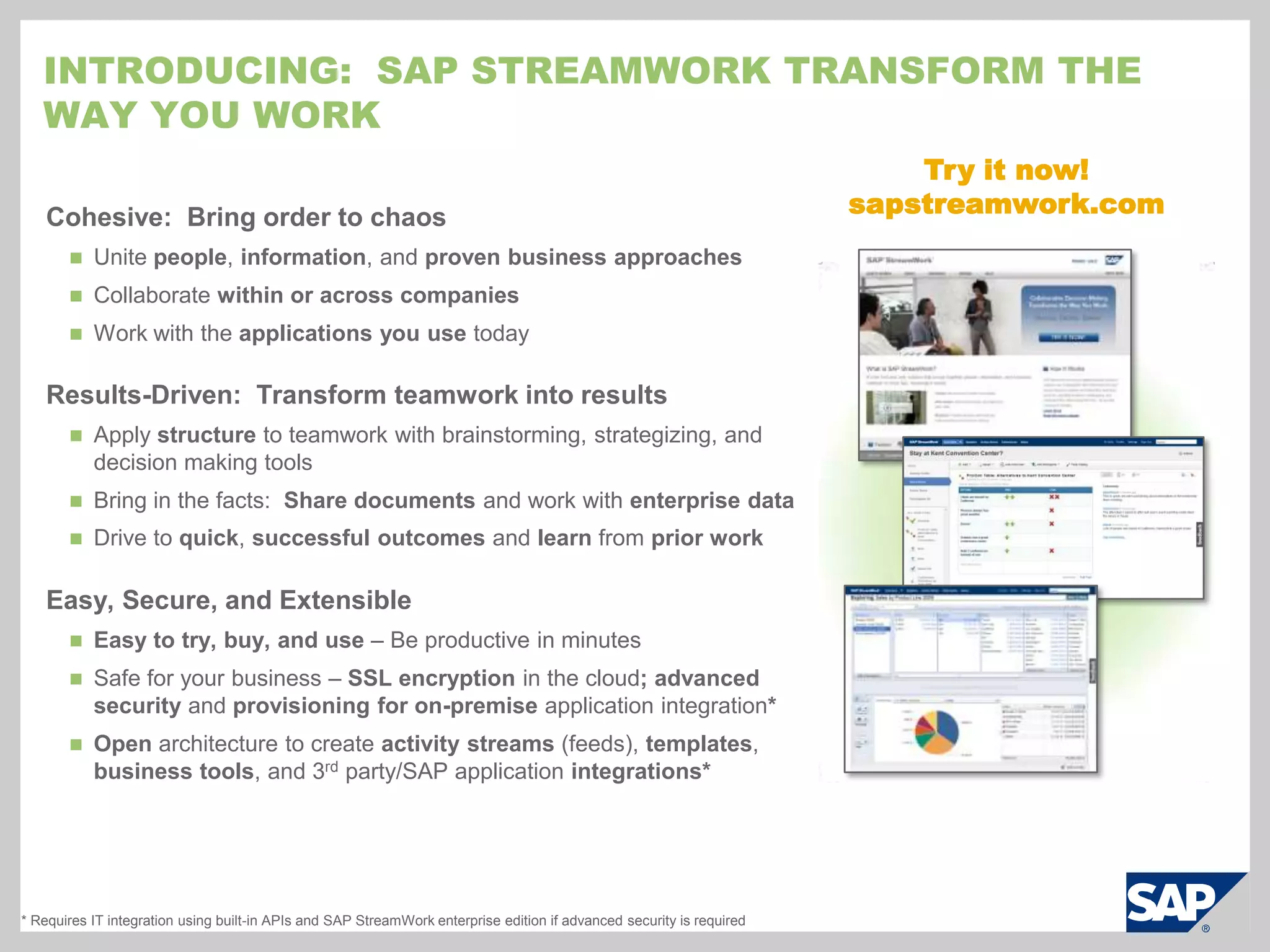
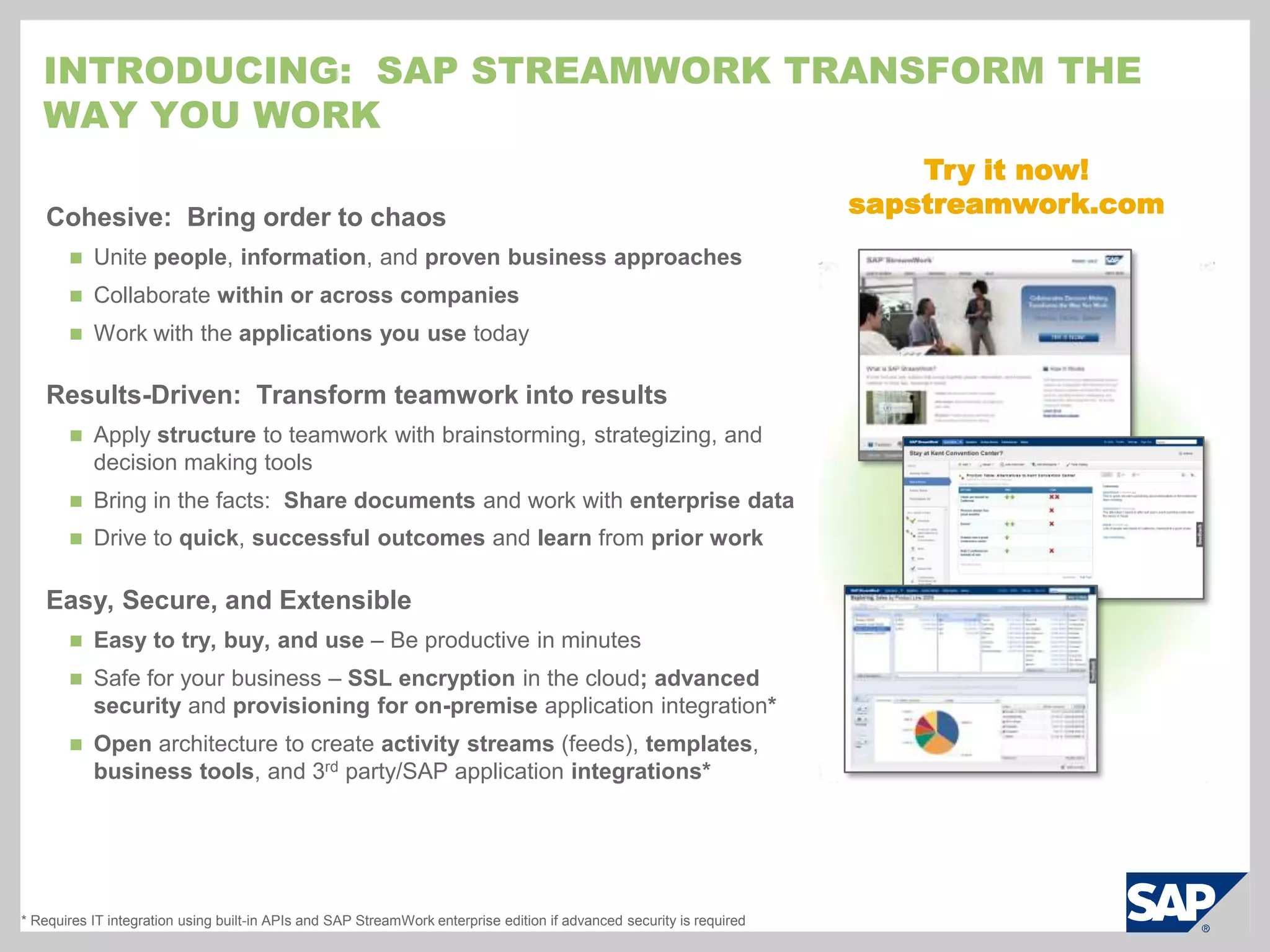
Introducing:  SAP StreamWork transform the way you workTry it now!sapstreamwork.comCohesive:  Bring order to chaosUnite people, information, and provenbusiness approaches
Collaborate within or across companies
Work with the applications you use todayResults-Driven:  Transform teamwork into resultsApply structure to teamwork with brainstorming, strategizing, and decision making tools
Bring in the facts:  Share documents and work with enterprise data
Drive to quick, successful outcomes and learn from prior workEasy, Secure, and ExtensibleEasy to try, buy, and use – Be productive in minutes
Safe for your business – SSL encryption in the cloud; advanced security and provisioning for on-premise application integration*
Open architecture to create activity streams (feeds), templates, business tools, and 3rd party/SAP application integrations** Requires IT integration using built-in APIs and SAP StreamWork enterprise edition if advanced security is required
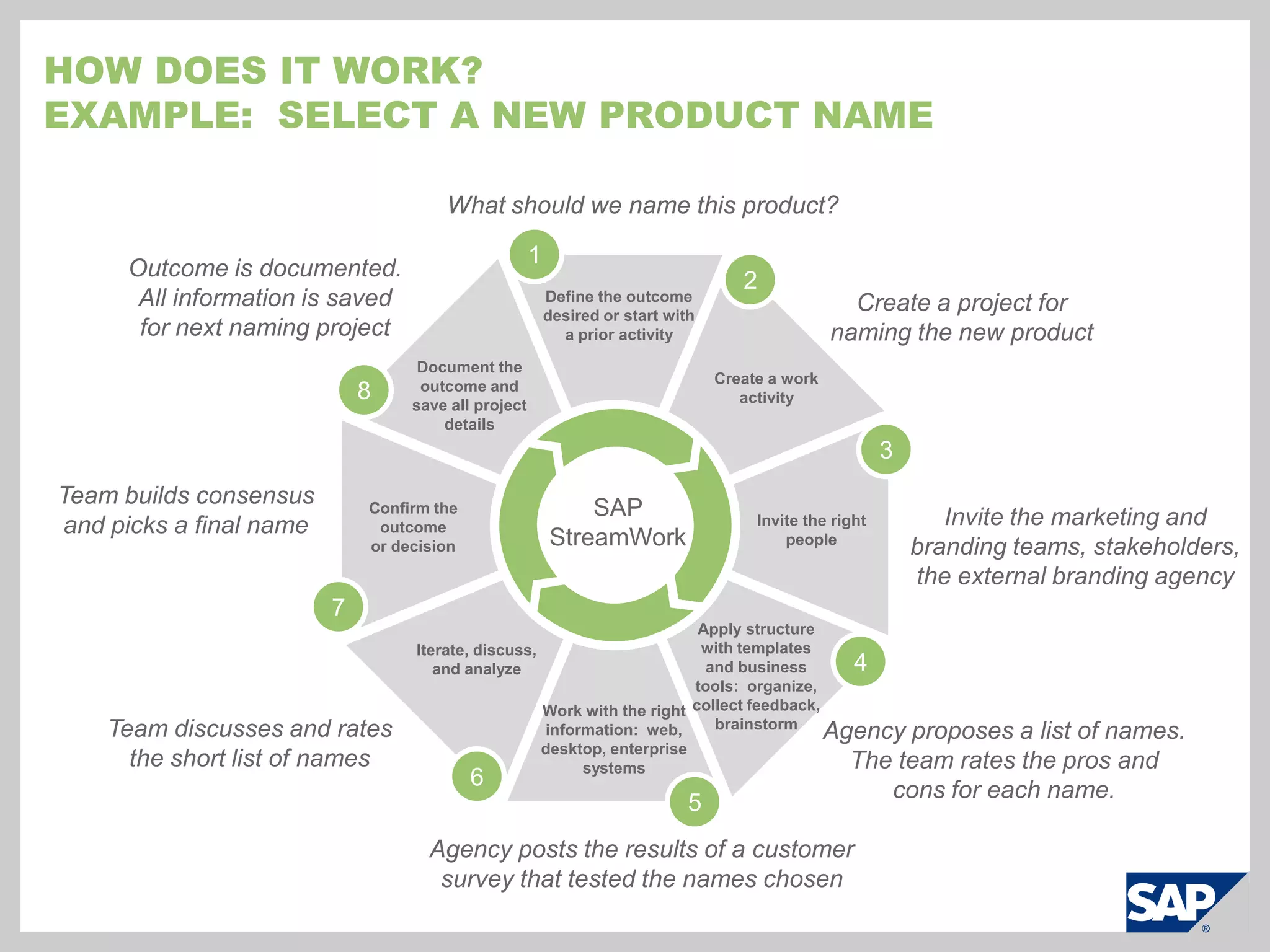
How does it work?Example:  Select a new product nameWhat should we name this product?12Define the outcome desired or start with a prior activityCreate a project for naming the new productOutcome is documented.  All information is saved for next naming projectDocument the outcome and save all project detailsCreate a work activity83Team builds consensus and picks a final nameSAP StreamWorkConfirm the outcome or decisionInvite the right peopleInvite the marketing and branding teams, stakeholders, the external branding agency7Iterate, discuss, and analyzeApply structure with templates and business tools:  organize, collect feedback, brainstorm4Work with the right information:  web, desktop, enterprise systemsTeam discusses and rates the short list of namesAgency proposes a list of names.The team rates the pros and cons for each name.65Agency posts the results of a customer survey that tested the names chosen
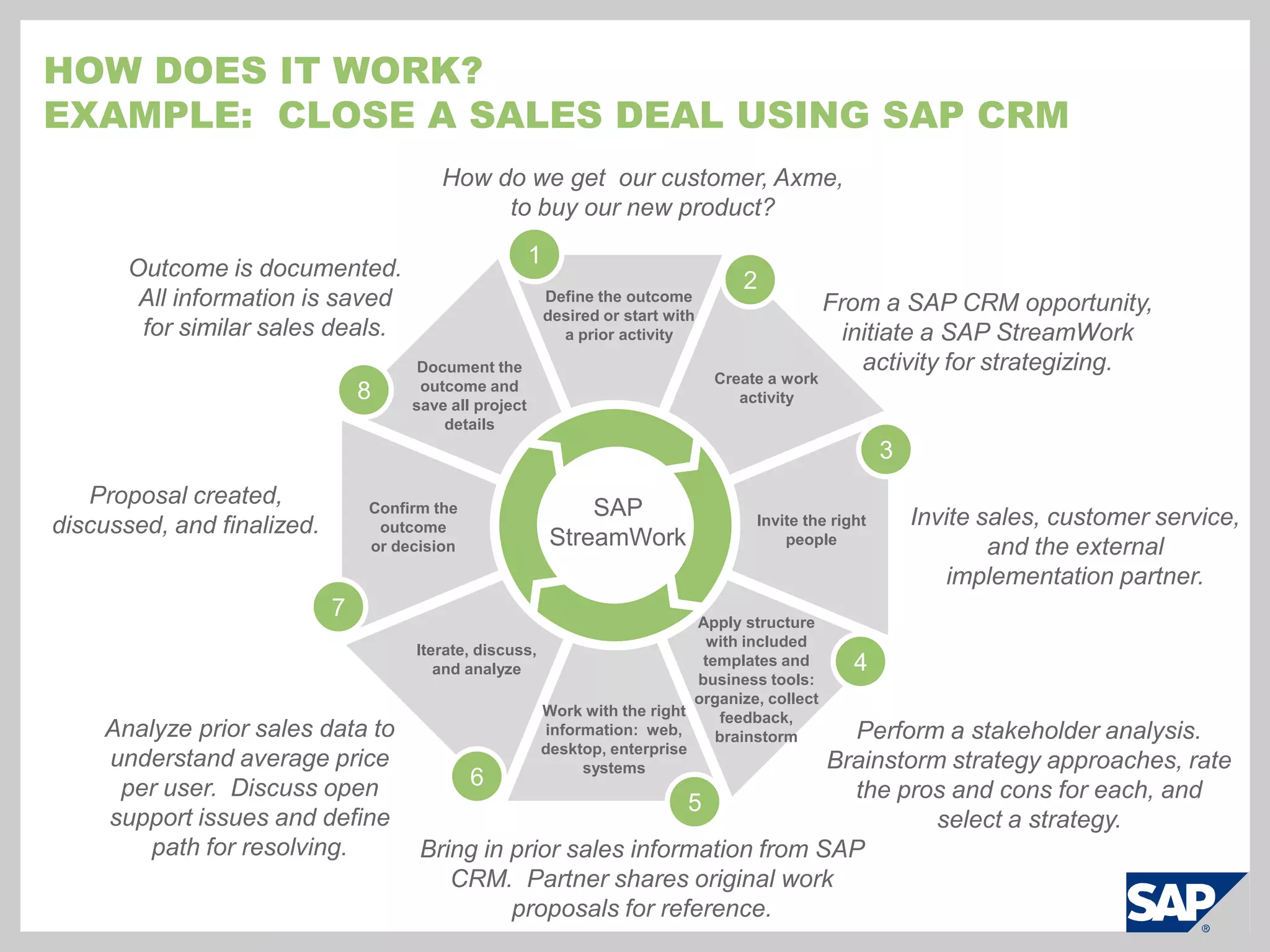
How does it work?Example:  Close a sales deal using SAP CRMHow do we get  our customer, Axme,  to buy our new product?12Define the outcome desired or start with a prior activityFrom a SAP CRM opportunity, initiate a SAP StreamWork activity for strategizing.Outcome is documented.  All information is saved for similar sales deals.Document the outcome and save all project detailsCreate a work activity83Proposal created, discussed, and finalized.SAP StreamWorkConfirm the outcome or decisionInvite the right peopleInvite sales, customer service, and the external implementation partner.7Iterate, discuss, and analyzeApply structure with included templates and business tools:  organize, collect feedback, brainstorm4Work with the right information:  web, desktop, enterprise systemsAnalyze prior sales data to understand average price per user.  Discuss open support issues and define path for resolving.Perform a stakeholder analysis.  Brainstorm strategy approaches, rate the pros and cons for each, and select a strategy.65Bring in prior sales information from SAP CRM.  Partner shares original work proposals for reference.
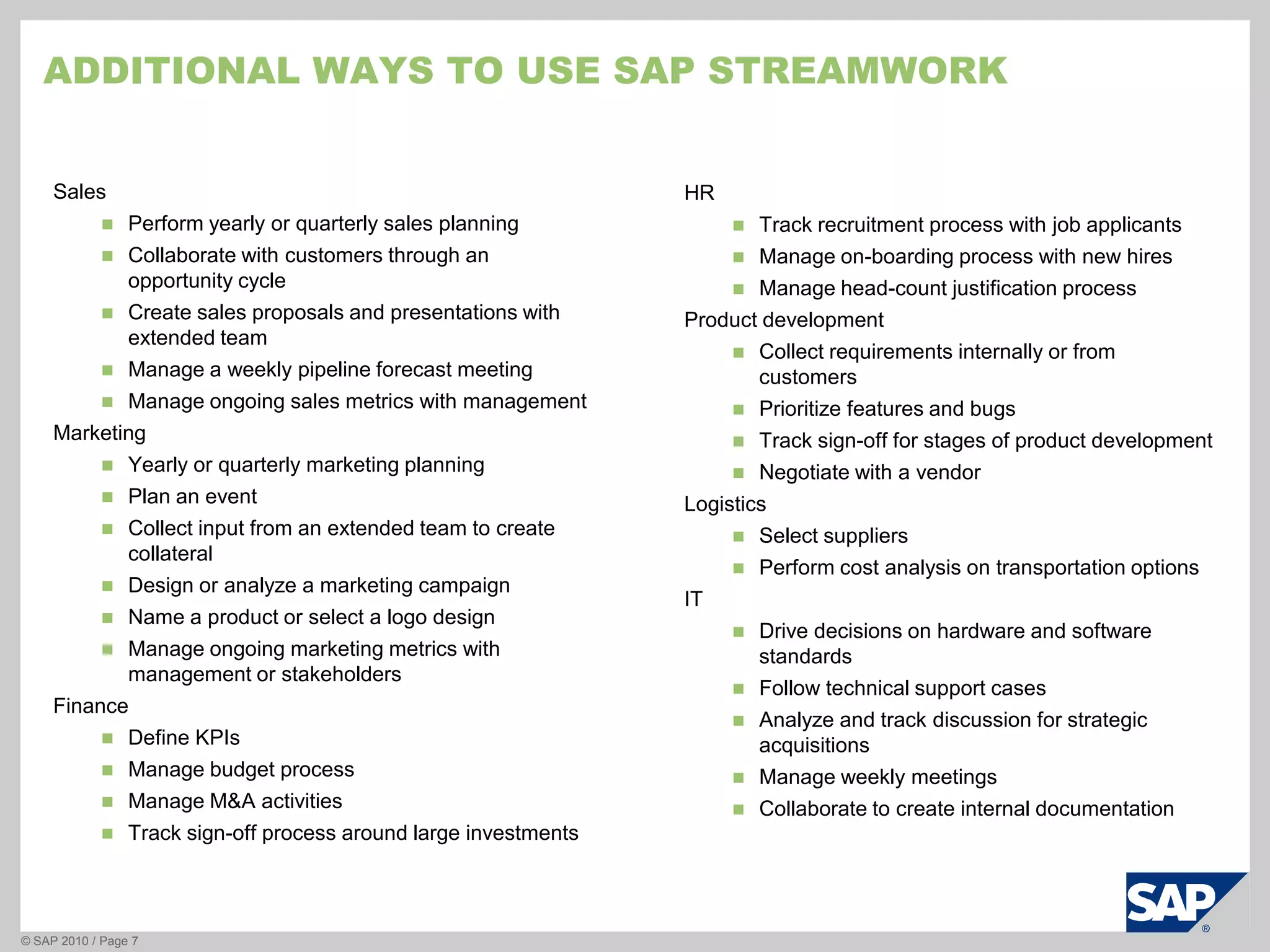
Additional ways to use sAPStreamworkSalesPerform yearly or quarterly sales planningCollaborate with customers through an opportunity cycleCreate sales proposals and presentations with extended teamManage a weekly pipeline forecast meetingManage ongoing sales metrics with managementMarketingYearly or quarterly marketing planningPlan an eventCollect input from an extended team to create collateralDesign or analyze a marketing campaignName a product or select a logo designManage ongoing marketing metrics with management or stakeholdersFinanceDefine KPIsManage budget processManage M&A activitiesTrack sign-off process around large investments © SAP 2010 / Page 7HRTrack recruitment process with job applicants
Manage on-boarding process with new hires
Manage head-count justification processProduct developmentCollect requirements internally or from customers
Prioritize features and bugs
Track sign-off for stages of product development
Negotiate with a vendor LogisticsSelectsuppliers
Perform cost analysis on transportation optionsITDrive decisions on hardware and software standards
Follow technical support cases
Analyze and track discussion for strategic acquisitions
Manage weekly meetings
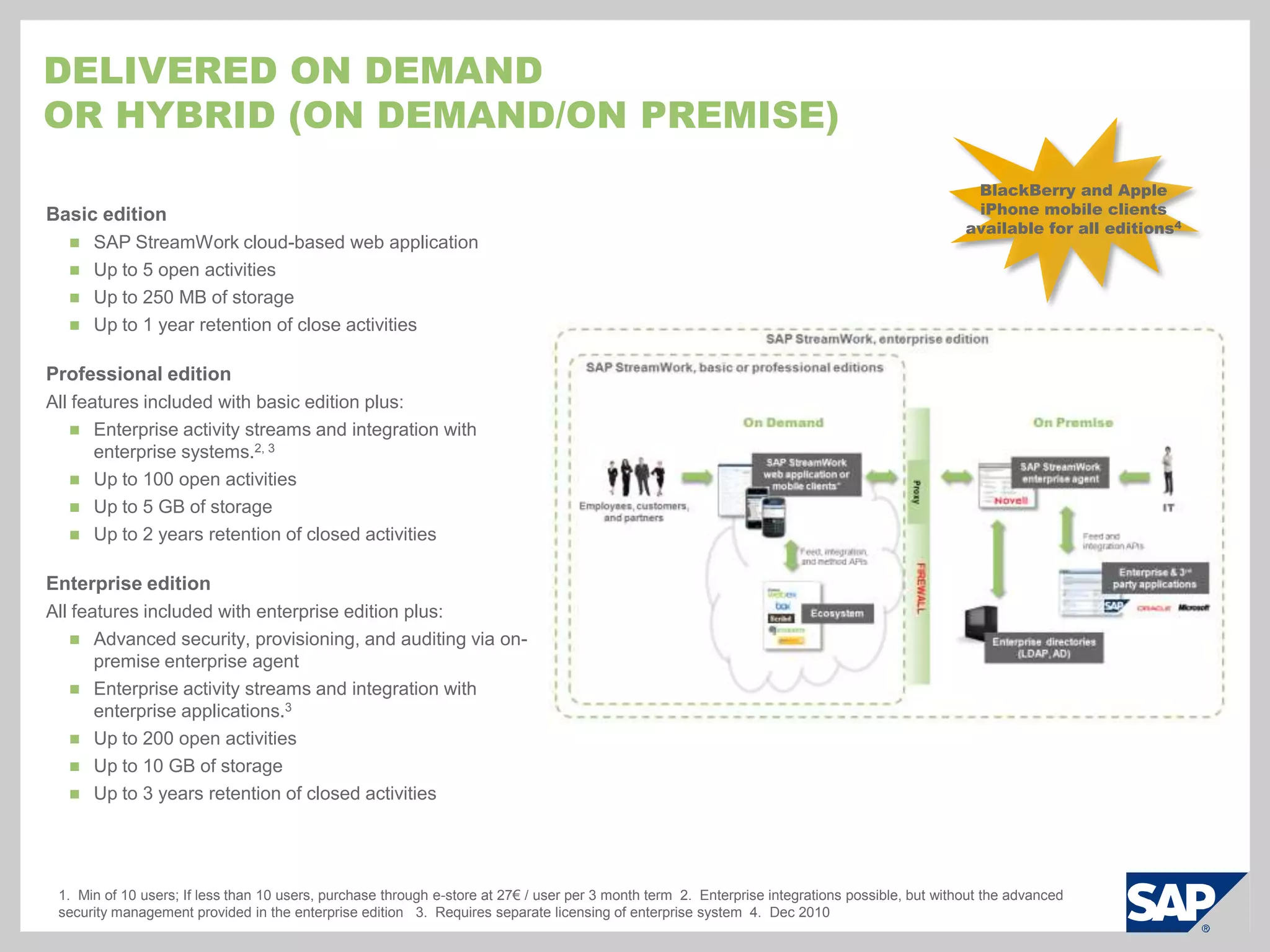
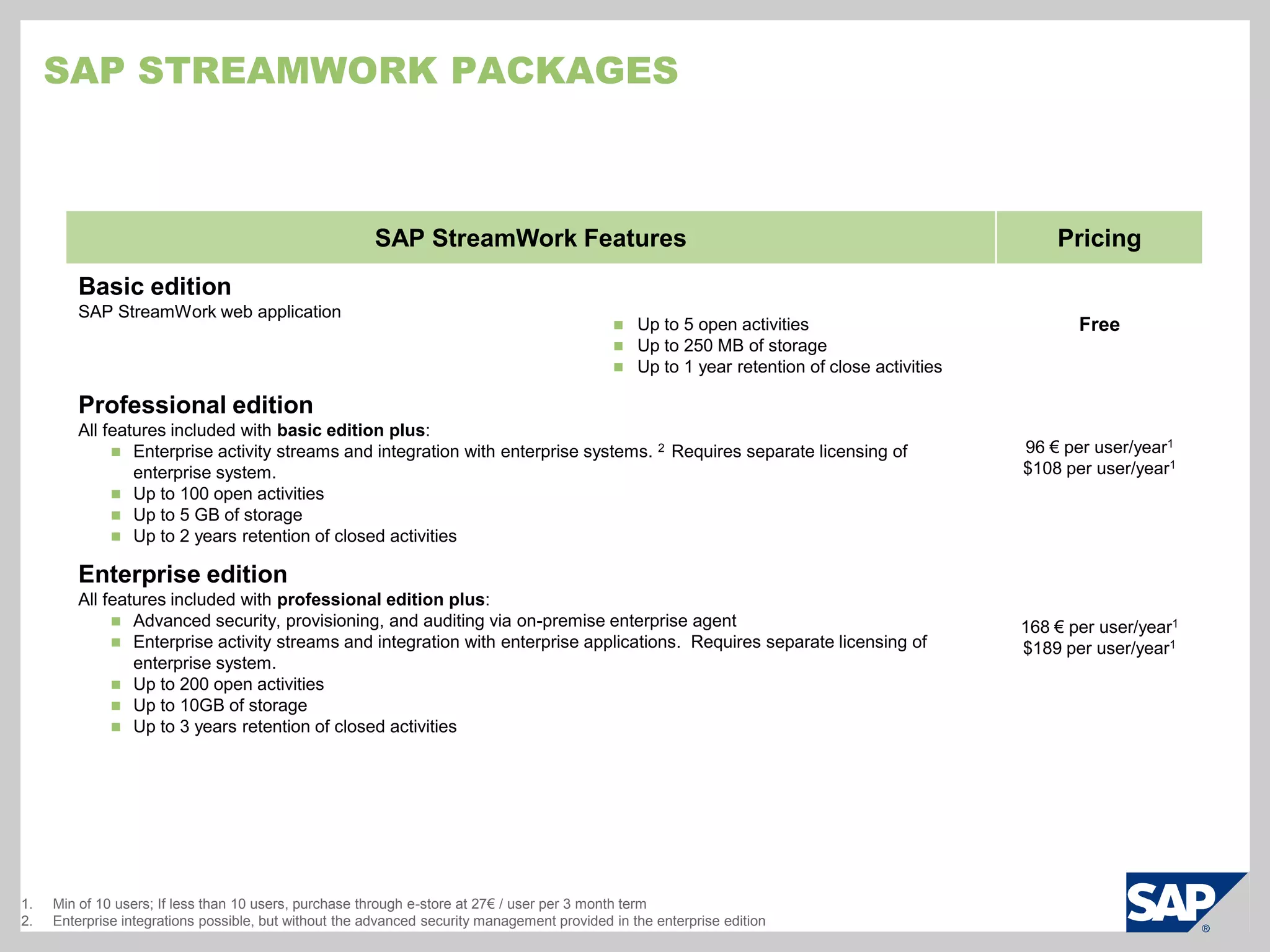
Collaborate to create internal documentationDelivered on dEmandor hybrid (on demand/on premise)BlackBerry and Apple iPhone mobile clients available for all editions4Basic editionSAP StreamWork cloud-based web application
Up to 5 open activities
Up to 250 MB of storage
Up to 1 year retention of close activitiesProfessional editionAll features included with basic edition plus:Enterprise activity streams and integration with enterprise systems.2, 3
Up to 100 open activities
Up to 5 GB of storage
Up to 2 years retention of closed activitiesEnterprise editionAll features included with enterprise edition plus:Advanced security, provisioning, and auditing via on-premise enterprise agent
Enterprise activity streams and integration with enterprise applications.3
Up to 200 open activities
Up to 10 GB of storage
Up to 3 years retention of closed activities1.  Min of 10 users; If less than 10 users, purchase through e-store at 27€ / user per 3 month term  2.  Enterprise integrations possible, but without the advanced security management provided in the enterprise edition   3.  Requires separate licensing of enterprise system  4.  Dec 2010
Cloud applications:  Challenges for ITRogue acquisition, usage, and lack of standardizationHow do I manage the applications that my users are acquiring without IT’s participation?
How do I standardize among these collaboration and related technologies?Security and security policy managementHow do I manage application access?
How can I ensure only the right users can access corporate applications and data?User control and managementWhat if one of my users leaves the company?
Who will guarantee that every account is deactivated properly and in time?
What happens to their content? Can it be reassigned or is it lost?Visibilityinto user and system activityFrom where are users accessing corporate content?
What controls do you have to manage your company’s intellectual property?Integration with enterprise systemsHow do I marry cloud applications with my on premise systems, but ensure I have the control I need?
How do I support single sign on for users across all systems, on demand or on premise?SAP StreamWork Enterprise edition:  Why Hybrid?BenefitsLeverage back-end systems without giving up the benefits of SaaSSecure the application without bringing it on-premise (provisioning, audit, etc)Maintain management ability while outsourcing capacity-sensitive tasksLess complexity than deploying an on-premise solutionReduced hardware and time commitments because it’s delivered as a virtual applianceStandardize collaboration technologies to reduce security riskImprove the user experience and productivity with single sign-on (SSO)
Sap streamwork product overview
Introducing:  SAP StreamWork transform the way you workTry it now!sapstreamwork.comCohesive:  Bring order to chaosUnite people, information, and provenbusiness approaches
Collaborate within or across companies
Work with the applications you use todayResults-Driven:  Transform teamwork into resultsApply structure to teamwork with brainstorming, strategizing, and decision making tools
Bring in the facts:  Share documents and work with enterprise data
Drive to quick, successful outcomes and learn from prior workEasy, Secure, and ExtensibleEasy to try, buy, and use – Be productive in minutes

Sap stream workoverviewforcustomer_sept_2010_v8

  • 1.
    SAP StreamWork overviewNameTitleIntroducingSAP StreamWorkTransform the Way You WorkBy Bringing Method to the Madnesssapstreamwork.com
  • 2.
    Video: Whatis Collaborative Decision-Making?
  • 3.
    How do youManage ad hoc or goal oriented work across boundaries?Ad hoc, unstructured workHow do you:Involve the right people
  • 4.
  • 5.
  • 6.
    Engage the team– Strategize, synthesize, brainstorm
  • 7.
  • 8.
    Review and discusscollectively
  • 9.
  • 10.
    Work with yourexisting applications
  • 11.
  • 12.
    Track and repeatsuccessful activities or decisions
  • 13.
    Drive action afterthe decision was made
  • 14.
  • 15.
  • 16.
  • 17.
  • 18.
  • 19.
  • 20.
  • 21.
  • 22.
  • 23.
  • 24.
  • 25.
  • 26.
  • 27.
  • 28.
    Process an expensereportERPCRMSRM
  • 29.
    Introducing: SAPStreamWork transform the way you workTry it now!sapstreamwork.comCohesive: Bring order to chaosUnite people, information, and provenbusiness approaches
  • 30.
    Collaborate within oracross companies
  • 31.
    Work with theapplications you use todayResults-Driven: Transform teamwork into resultsApply structure to teamwork with brainstorming, strategizing, and decision making tools
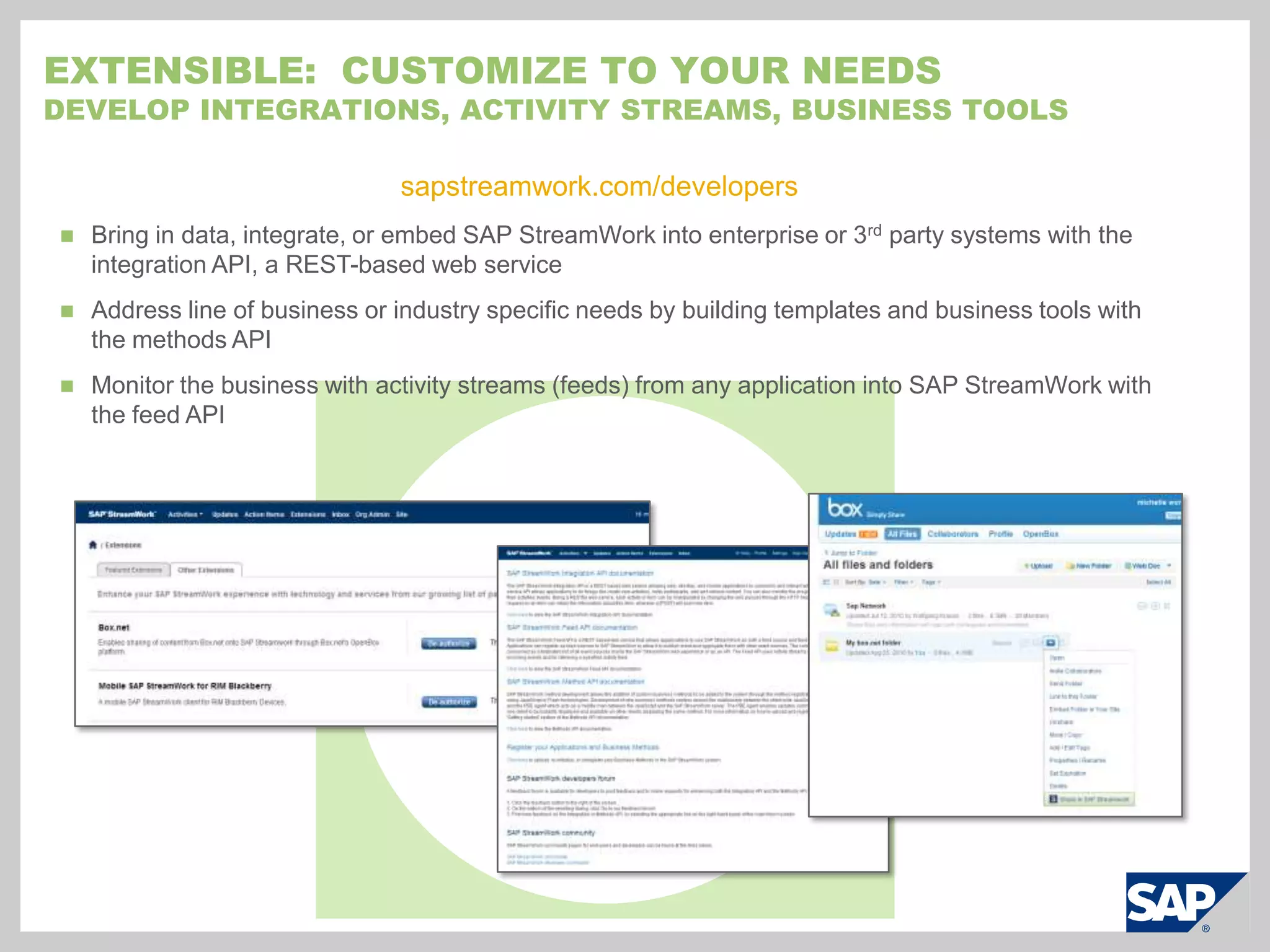
  • 32.
    Bring in thefacts: Share documents and work with enterprise data
  • 33.
    Drive to quick,successful outcomes and learn from prior workEasy, Secure, and ExtensibleEasy to try, buy, and use – Be productive in minutes
  • 34.
    Safe for yourbusiness – SSL encryption in the cloud; advanced security and provisioning for on-premise application integration*
  • 35.
    Open architecture tocreate activity streams (feeds), templates, business tools, and 3rd party/SAP application integrations** Requires IT integration using built-in APIs and SAP StreamWork enterprise edition if advanced security is required
  • 36.
    How does itwork?Example: Select a new product nameWhat should we name this product?12Define the outcome desired or start with a prior activityCreate a project for naming the new productOutcome is documented. All information is saved for next naming projectDocument the outcome and save all project detailsCreate a work activity83Team builds consensus and picks a final nameSAP StreamWorkConfirm the outcome or decisionInvite the right peopleInvite the marketing and branding teams, stakeholders, the external branding agency7Iterate, discuss, and analyzeApply structure with templates and business tools: organize, collect feedback, brainstorm4Work with the right information: web, desktop, enterprise systemsTeam discusses and rates the short list of namesAgency proposes a list of names.The team rates the pros and cons for each name.65Agency posts the results of a customer survey that tested the names chosen
  • 37.
    How does itwork?Example: Close a sales deal using SAP CRMHow do we get our customer, Axme, to buy our new product?12Define the outcome desired or start with a prior activityFrom a SAP CRM opportunity, initiate a SAP StreamWork activity for strategizing.Outcome is documented. All information is saved for similar sales deals.Document the outcome and save all project detailsCreate a work activity83Proposal created, discussed, and finalized.SAP StreamWorkConfirm the outcome or decisionInvite the right peopleInvite sales, customer service, and the external implementation partner.7Iterate, discuss, and analyzeApply structure with included templates and business tools: organize, collect feedback, brainstorm4Work with the right information: web, desktop, enterprise systemsAnalyze prior sales data to understand average price per user. Discuss open support issues and define path for resolving.Perform a stakeholder analysis. Brainstorm strategy approaches, rate the pros and cons for each, and select a strategy.65Bring in prior sales information from SAP CRM. Partner shares original work proposals for reference.
  • 38.
    Additional ways touse sAPStreamworkSalesPerform yearly or quarterly sales planningCollaborate with customers through an opportunity cycleCreate sales proposals and presentations with extended teamManage a weekly pipeline forecast meetingManage ongoing sales metrics with managementMarketingYearly or quarterly marketing planningPlan an eventCollect input from an extended team to create collateralDesign or analyze a marketing campaignName a product or select a logo designManage ongoing marketing metrics with management or stakeholdersFinanceDefine KPIsManage budget processManage M&A activitiesTrack sign-off process around large investments © SAP 2010 / Page 7HRTrack recruitment process with job applicants
  • 39.
  • 40.
    Manage head-count justificationprocessProduct developmentCollect requirements internally or from customers
  • 41.
  • 42.
    Track sign-off forstages of product development
  • 43.
    Negotiate with avendor LogisticsSelectsuppliers
  • 44.
    Perform cost analysison transportation optionsITDrive decisions on hardware and software standards
  • 45.
  • 46.
    Analyze and trackdiscussion for strategic acquisitions
  • 47.
  • 48.
    Collaborate to createinternal documentationDelivered on dEmandor hybrid (on demand/on premise)BlackBerry and Apple iPhone mobile clients available for all editions4Basic editionSAP StreamWork cloud-based web application
  • 49.
    Up to 5open activities
  • 50.
    Up to 250MB of storage
  • 51.
    Up to 1year retention of close activitiesProfessional editionAll features included with basic edition plus:Enterprise activity streams and integration with enterprise systems.2, 3
  • 52.
    Up to 100open activities
  • 53.
    Up to 5GB of storage
  • 54.
    Up to 2years retention of closed activitiesEnterprise editionAll features included with enterprise edition plus:Advanced security, provisioning, and auditing via on-premise enterprise agent
  • 55.
    Enterprise activity streamsand integration with enterprise applications.3
  • 56.
    Up to 200open activities
  • 57.
    Up to 10GB of storage
  • 58.
    Up to 3years retention of closed activities1. Min of 10 users; If less than 10 users, purchase through e-store at 27€ / user per 3 month term 2. Enterprise integrations possible, but without the advanced security management provided in the enterprise edition 3. Requires separate licensing of enterprise system 4. Dec 2010
  • 59.
    Cloud applications: Challenges for ITRogue acquisition, usage, and lack of standardizationHow do I manage the applications that my users are acquiring without IT’s participation?
  • 60.
    How do Istandardize among these collaboration and related technologies?Security and security policy managementHow do I manage application access?
  • 61.
    How can Iensure only the right users can access corporate applications and data?User control and managementWhat if one of my users leaves the company?
  • 62.
    Who will guaranteethat every account is deactivated properly and in time?
  • 63.
    What happens totheir content? Can it be reassigned or is it lost?Visibilityinto user and system activityFrom where are users accessing corporate content?
  • 64.
    What controls doyou have to manage your company’s intellectual property?Integration with enterprise systemsHow do I marry cloud applications with my on premise systems, but ensure I have the control I need?
  • 65.
    How do Isupport single sign on for users across all systems, on demand or on premise?SAP StreamWork Enterprise edition: Why Hybrid?BenefitsLeverage back-end systems without giving up the benefits of SaaSSecure the application without bringing it on-premise (provisioning, audit, etc)Maintain management ability while outsourcing capacity-sensitive tasksLess complexity than deploying an on-premise solutionReduced hardware and time commitments because it’s delivered as a virtual applianceStandardize collaboration technologies to reduce security riskImprove the user experience and productivity with single sign-on (SSO)
  • 66.
  • 67.
    Introducing: SAPStreamWork transform the way you workTry it now!sapstreamwork.comCohesive: Bring order to chaosUnite people, information, and provenbusiness approaches
  • 68.
    Collaborate within oracross companies
  • 69.
    Work with theapplications you use todayResults-Driven: Transform teamwork into resultsApply structure to teamwork with brainstorming, strategizing, and decision making tools
  • 70.
    Bring in thefacts: Share documents and work with enterprise data
  • 71.
    Drive to quick,successful outcomes and learn from prior workEasy, Secure, and ExtensibleEasy to try, buy, and use – Be productive in minutes
  • 72.
    Safe for yourbusiness – SSL encryption in the cloud; advanced security and provisioning for on-premise application integration*
  • 73.
    Open architecture tocreate activity streams (feeds), templates, business tools, and 3rd party/SAP application integrations** Requires IT integration using built-in APIs and SAP StreamWork enterprise edition if advanced security is required
  • 74.
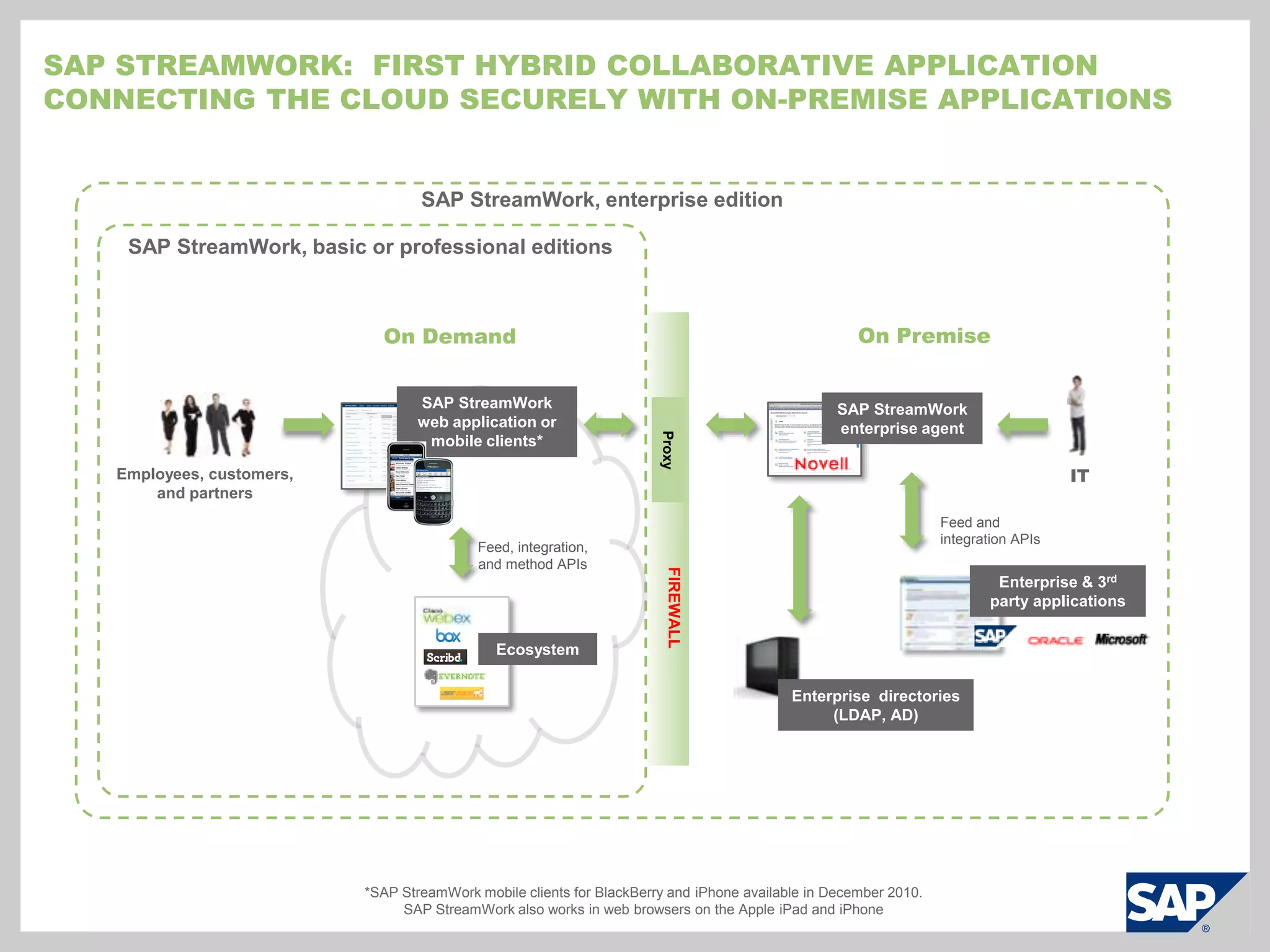
    SAP StreamWork: First hybrid collaborative applicationConnecting the cloud securely with On-premise ApplicationsSAP StreamWork, enterprise editionSAP StreamWork, basic or professional editionsOn PremiseOn DemandSAP StreamWork web application or mobile clients*SAP StreamWork enterprise agentProxyEmployees, customers, and partnersITFeed and integration APIsFIREWALLFeed, integration, and method APIsEcosystemEnterprise & 3rd party applicationsEnterprise directories (LDAP, AD)*SAP StreamWork mobile clients for BlackBerry and iPhone available in December 2010. SAP StreamWork also works in web browsers on the Apple iPad and iPhone
  • 75.
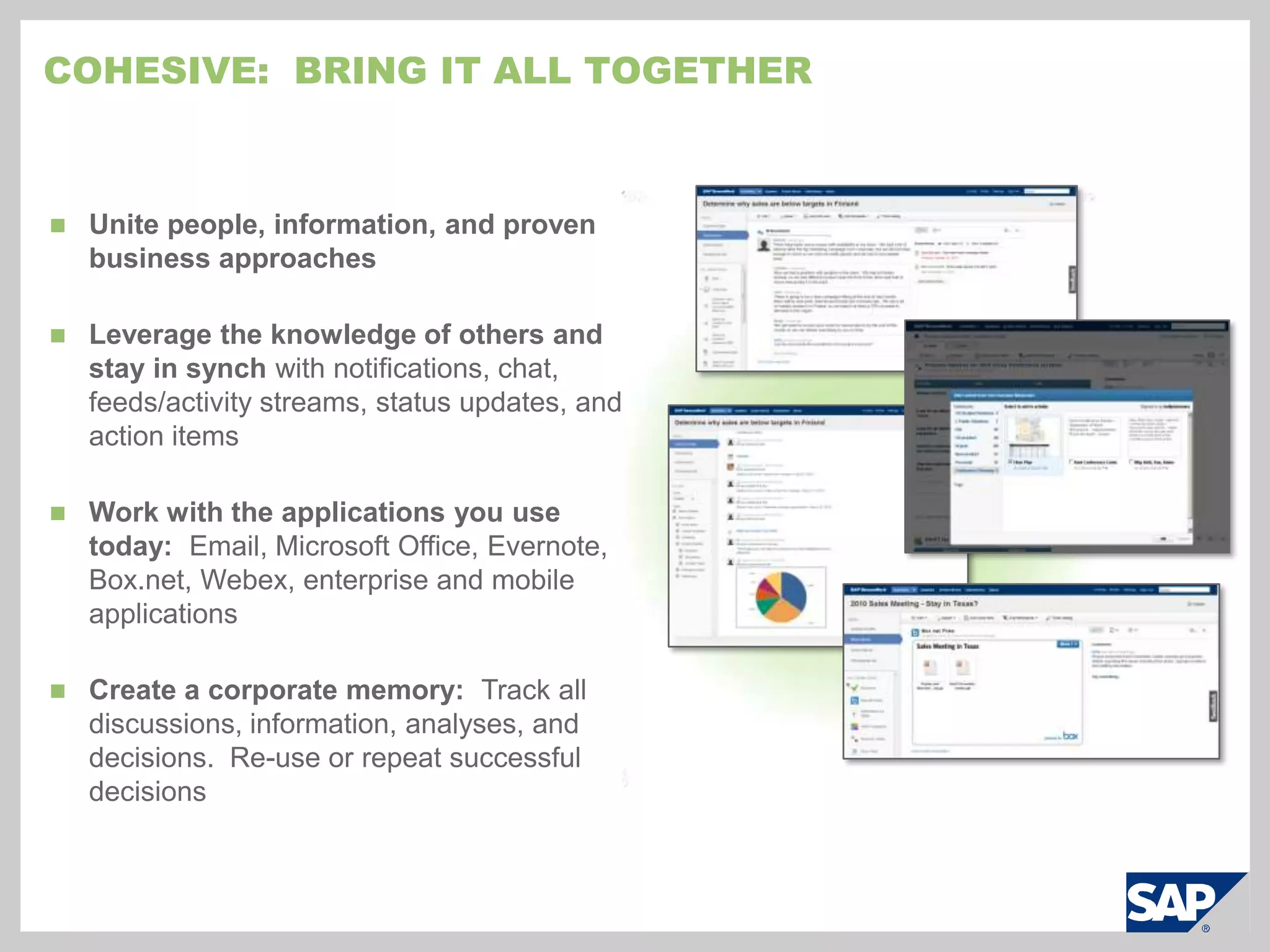
    Unite people, information,and proven business approaches
  • 76.
    Leverage the knowledgeof others and stay in synch with notifications, chat, feeds/activity streams, status updates, and action items
  • 77.
    Work with theapplications you use today: Email, Microsoft Office, Evernote, Box.net, Webex, enterprise and mobile applications
  • 78.
    Create a corporatememory: Track all discussions, information, analyses, and decisions. Re-use or repeat successful decisionsCohesive: Bring It All Together
  • 79.
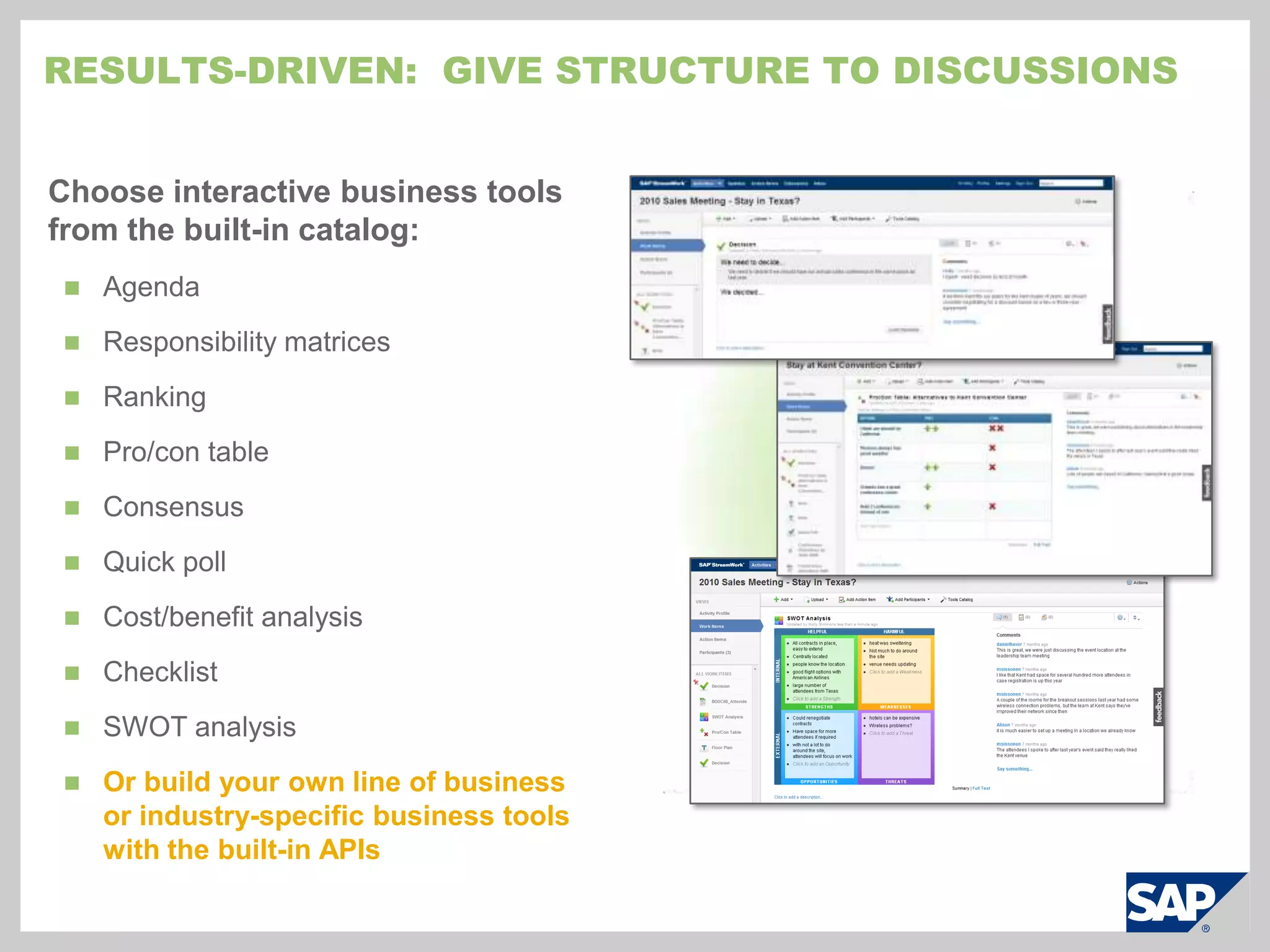
    Choose interactive businesstools from the built-in catalog:Agenda
  • 80.
  • 81.
  • 82.
  • 83.
  • 84.
  • 85.
  • 86.
  • 87.
  • 88.
    Or build yourown line of business or industry-specific business tools with the built-in APIsResults-driven: Give Structure to Discussions
  • 89.
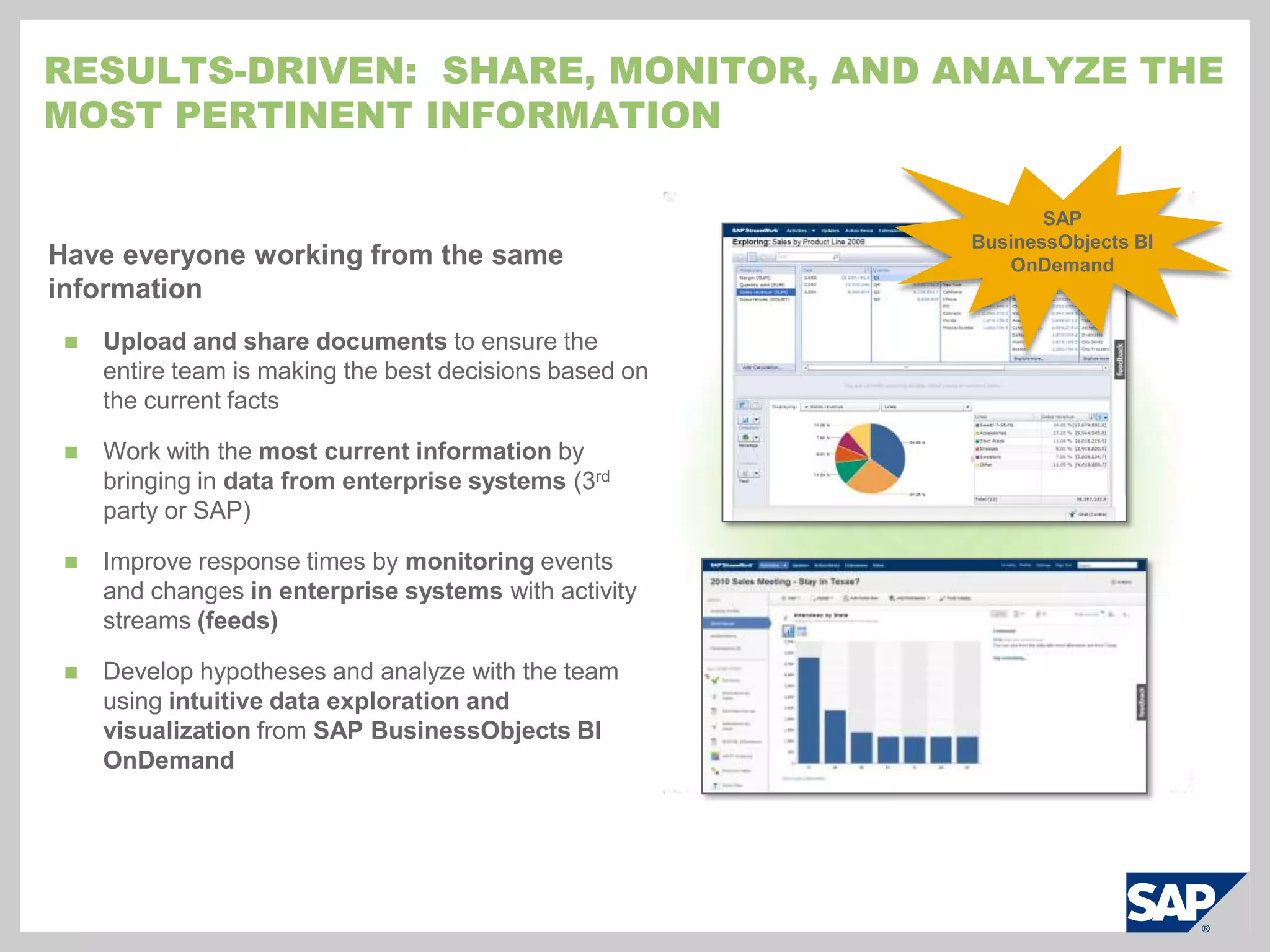
    Have everyone workingfrom the same informationUpload and share documents to ensure the entire team is making the best decisions based on the current facts
  • 90.
    Work with themost current information by bringing in data from enterprise systems (3rd party or SAP)
  • 91.
    Improve response timesby monitoring events and changes in enterprise systems with activity streams (feeds)
  • 92.
    Develop hypotheses andanalyze with the team using intuitive data exploration and visualization from SAP BusinessObjects BI OnDemandResults-driven: Share, monitor, and analyze the Most Pertinent informationSAP BusinessObjects BI OnDemand
  • 93.
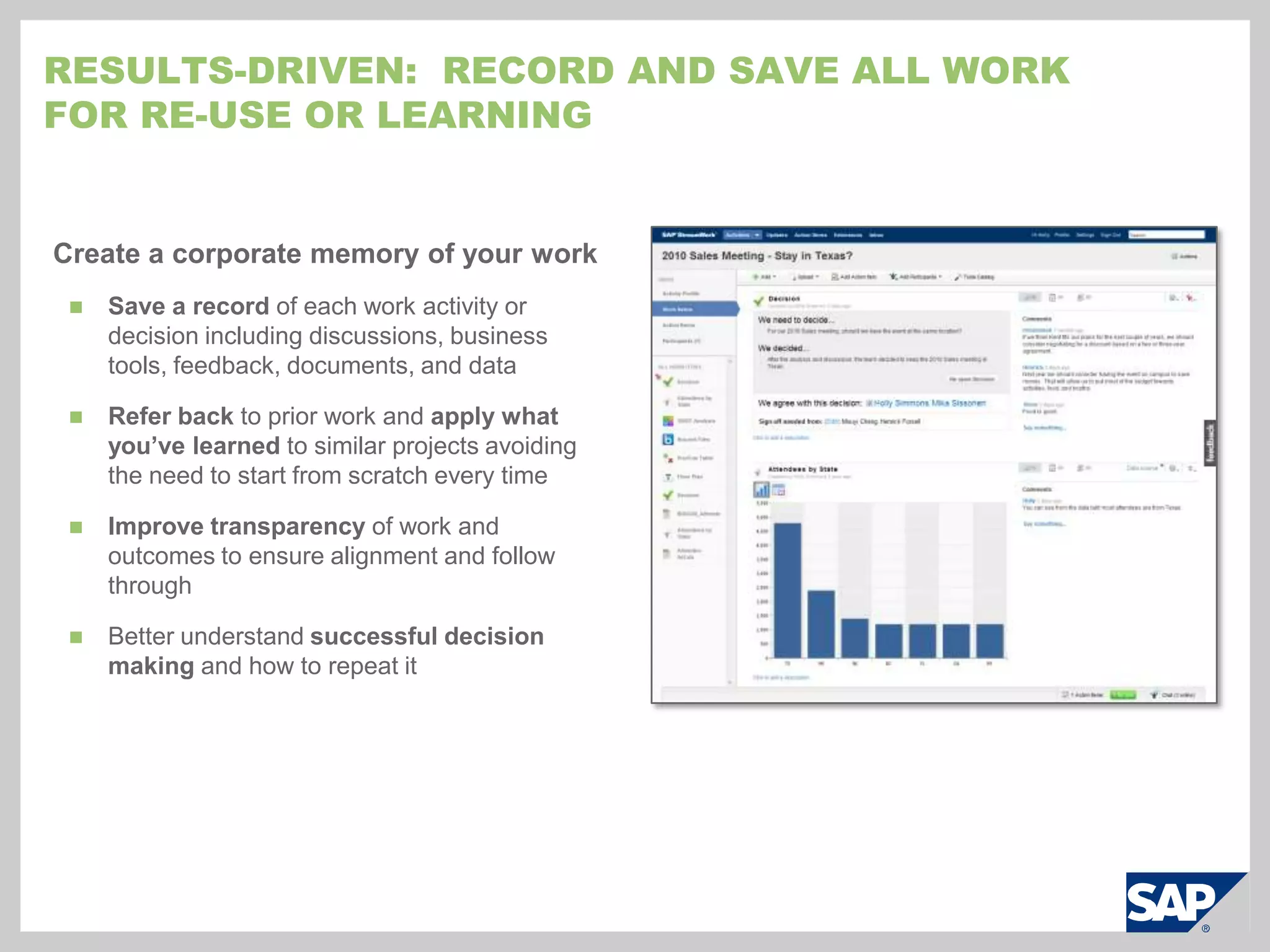
    Create a corporatememory of your workSave a record of each work activity or decision including discussions, business tools, feedback, documents, and data
  • 94.
    Refer back toprior work and apply what you’ve learned to similar projects avoiding the need to start from scratch every time
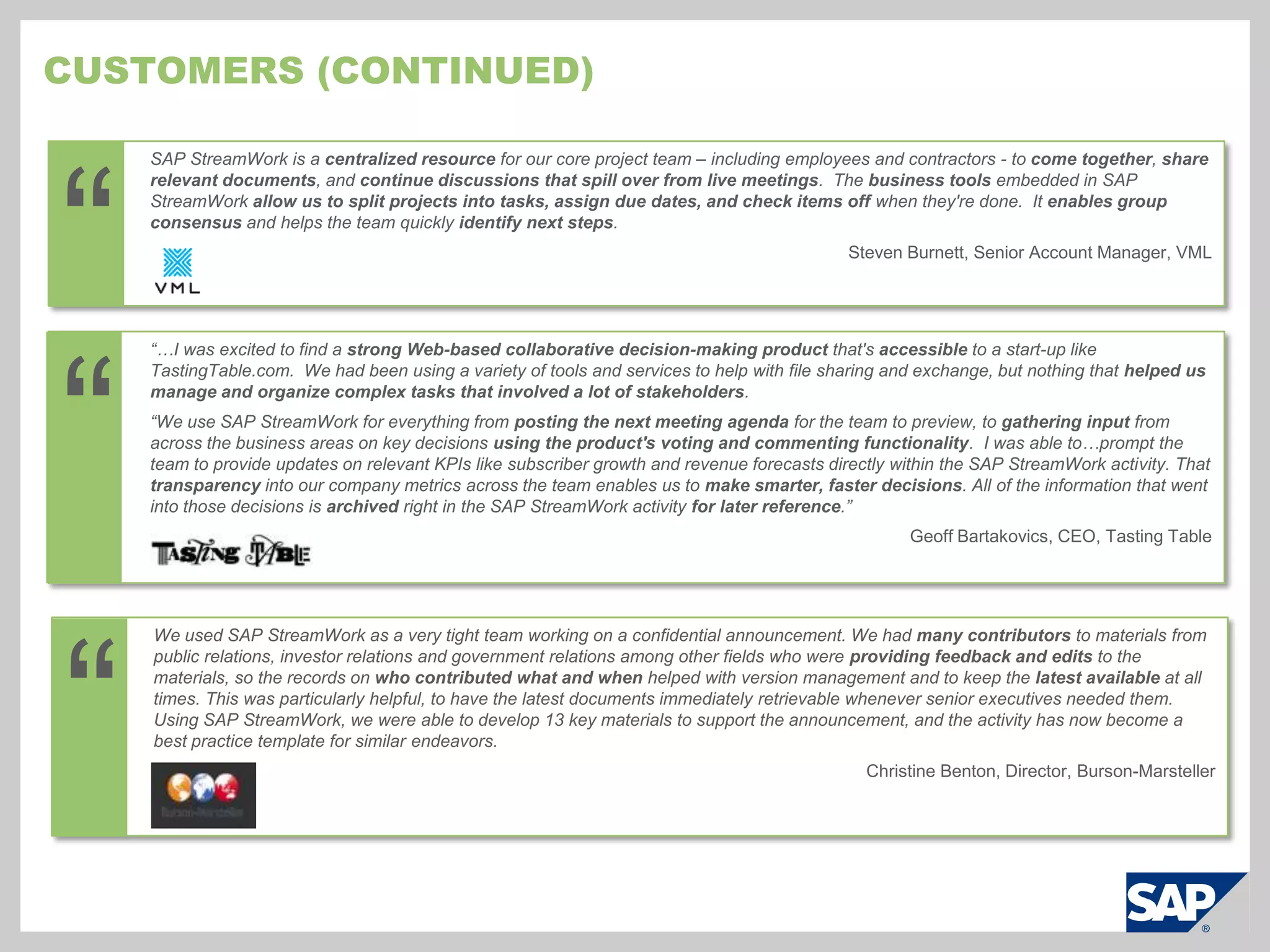
  • 95.
    Improve transparency ofwork and outcomes to ensure alignment and follow through
  • 96.
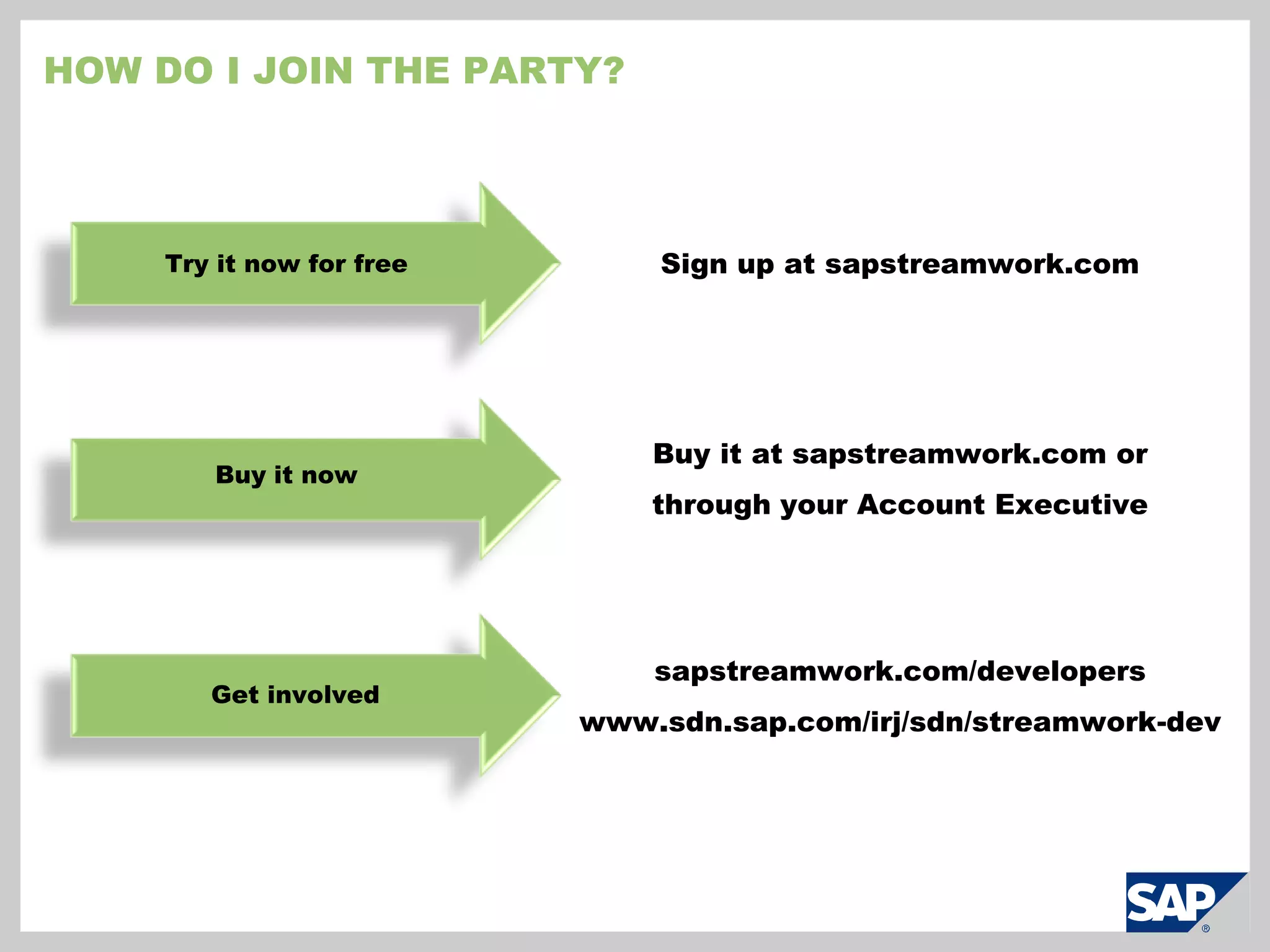
    Better understand successfuldecision making and how to repeat itResults-driven: record and save all work for re-use or learning
  • 97.
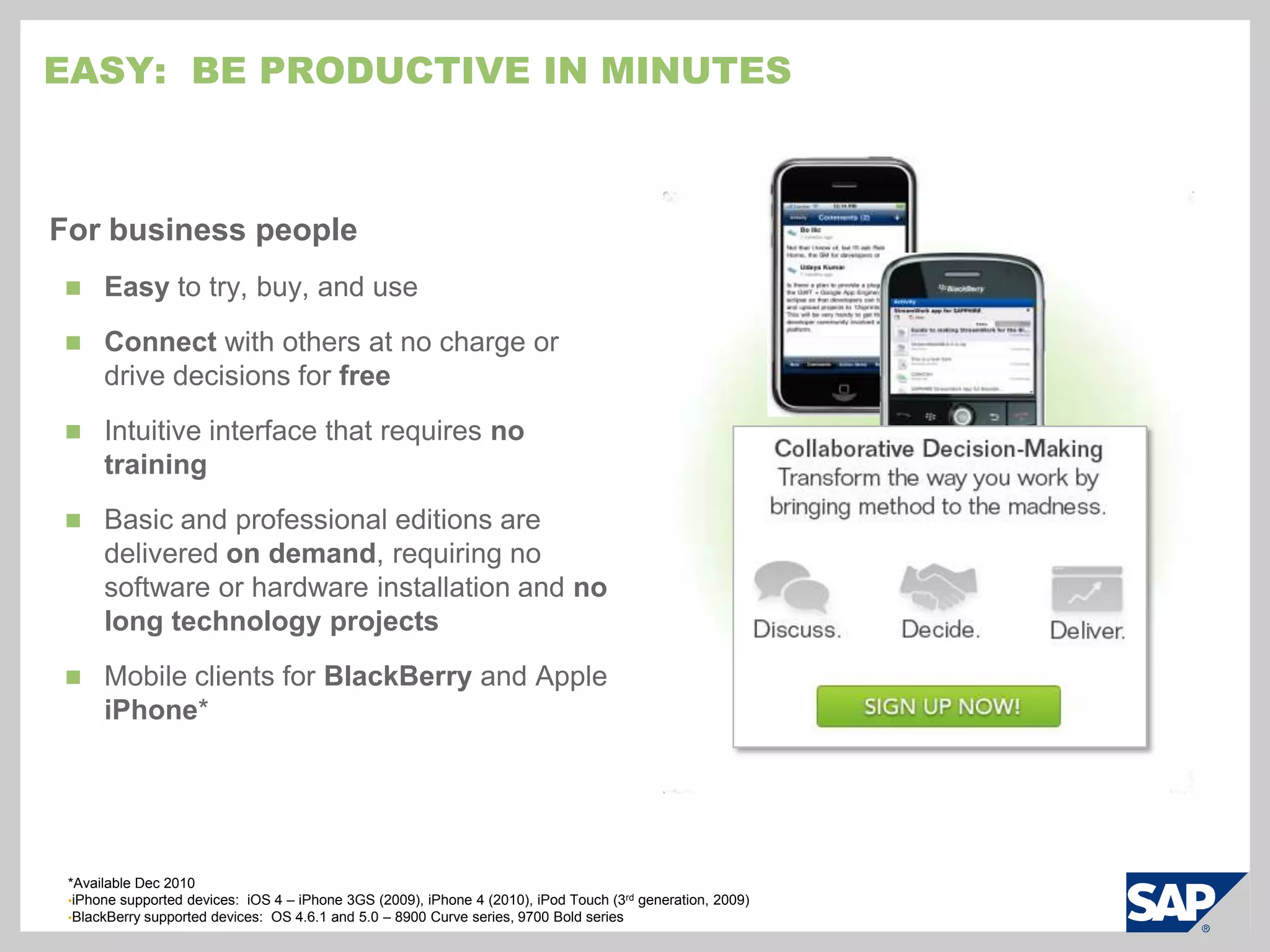
    Easy: Beproductive in minutesFor business peopleEasy to try, buy, and useConnect with others at no charge or drive decisions for free
  • 98.
    Intuitive interface thatrequires no training
  • 99.
    Basic and professionaleditions are delivered on demand, requiring no software or hardware installation and no long technology projects
  • 100.
    Mobile clients forBlackBerry and Apple iPhone**Available Dec 2010iPhone supported devices: iOS 4 – iPhone 3GS (2009), iPhone 4 (2010), iPod Touch (3rd generation, 2009)
  • 101.
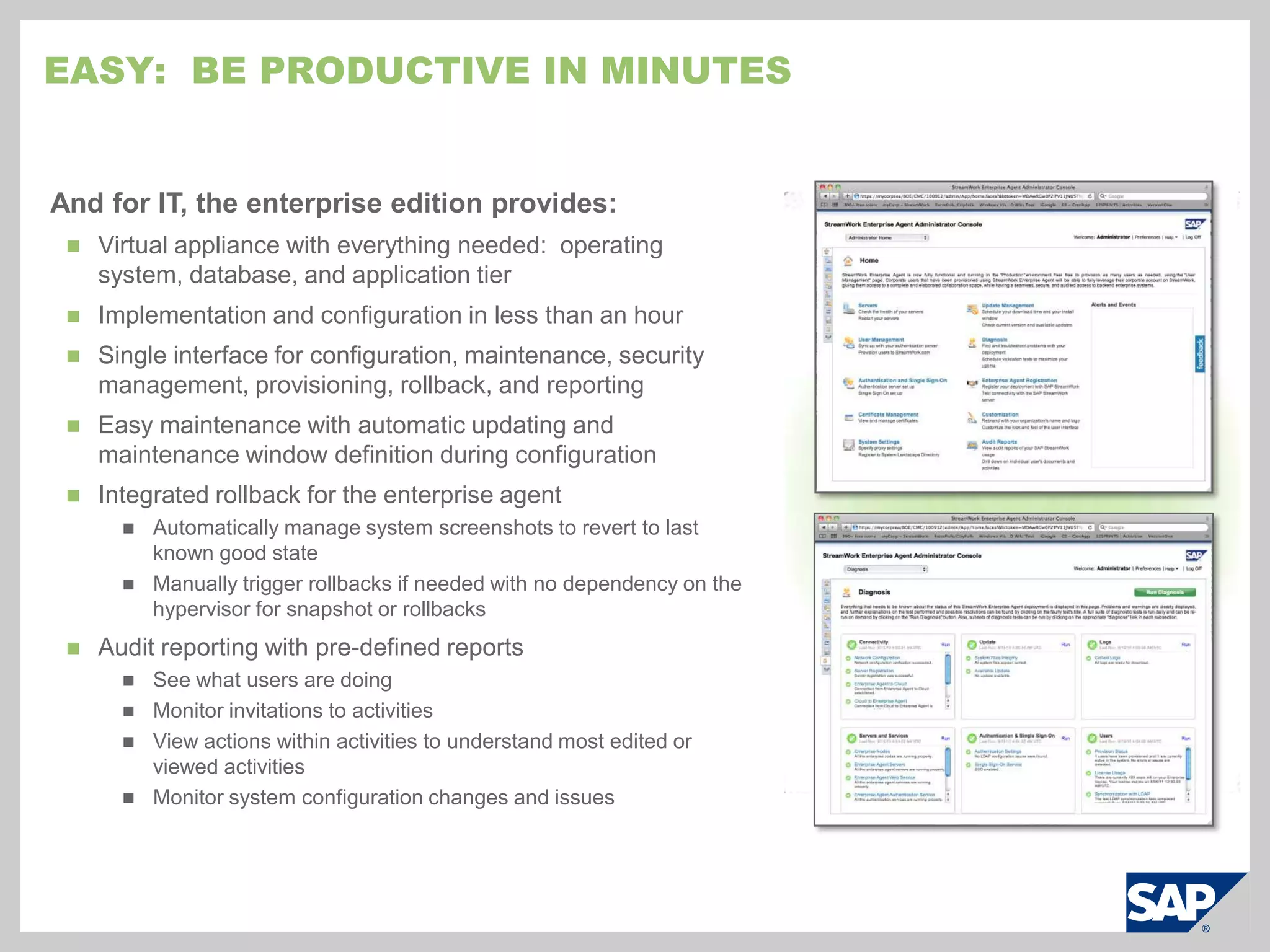
    BlackBerry supported devices: OS 4.6.1 and 5.0 – 8900 Curve series, 9700 Bold seriesEasy: Be productive in minutesAnd for IT, the enterprise edition provides:Virtual appliance with everything needed: operating system, database, and application tier
  • 102.
  • 103.
    Single interface forconfiguration, maintenance, security management, provisioning, rollback, and reporting
  • 104.
    Easy maintenance withautomatic updating and maintenance window definition during configuration
  • 105.
    Integrated rollback forthe enterprise agent
  • 106.
    Automatically manage systemscreenshots to revert to last known good state
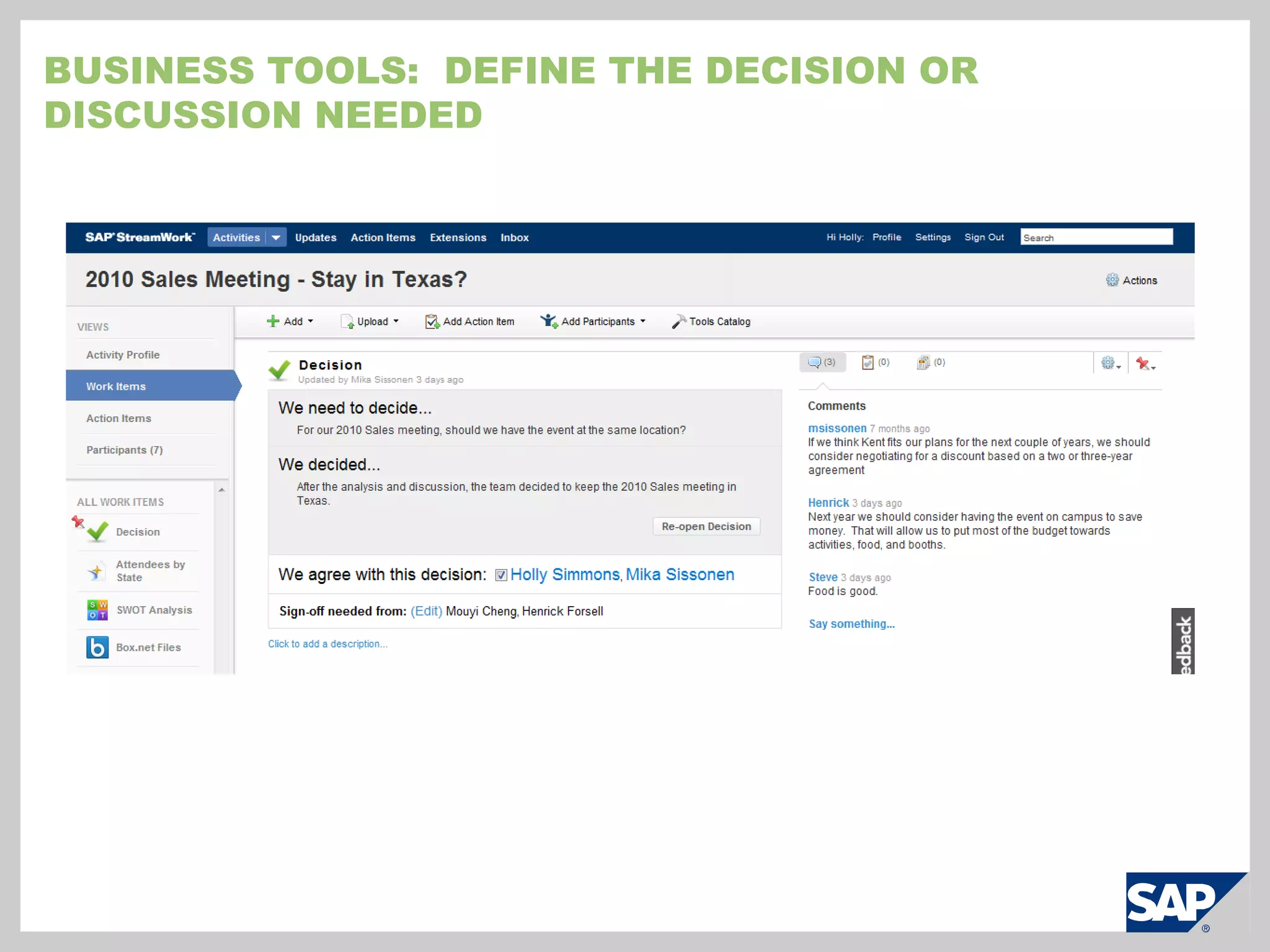
  • 107.
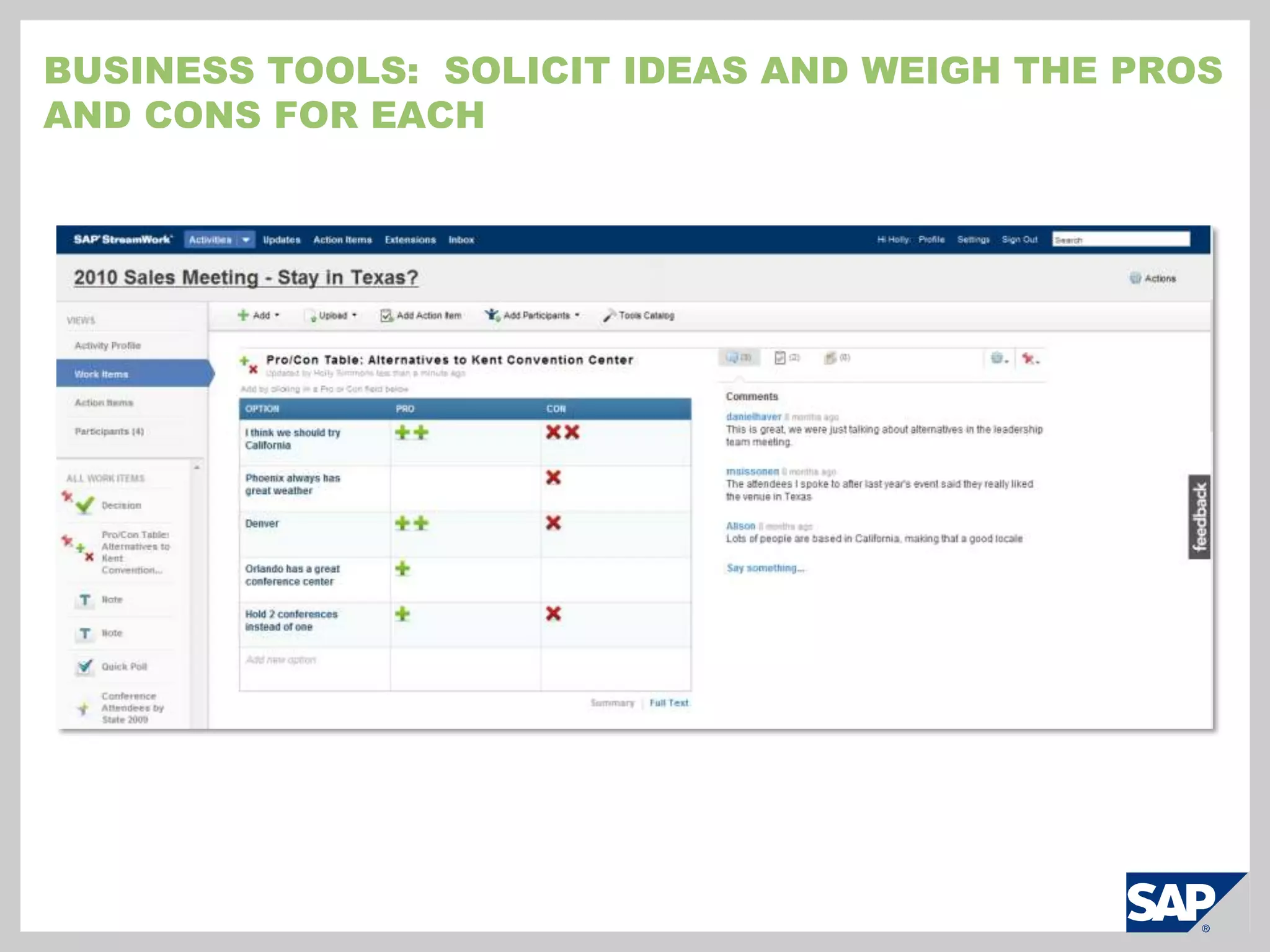
    Manually trigger rollbacksif needed with no dependency on the hypervisor for snapshot or rollbacks
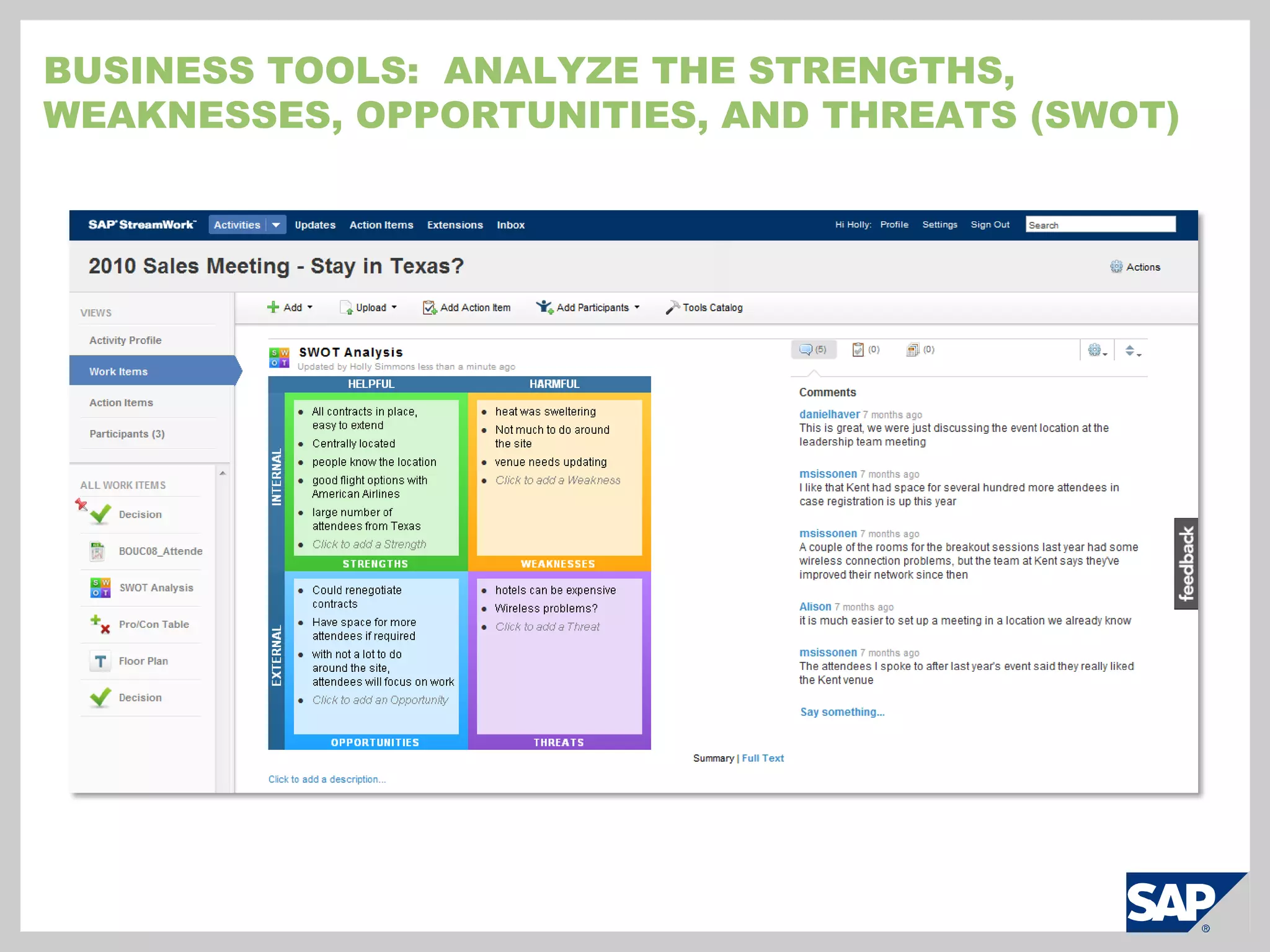
  • 108.
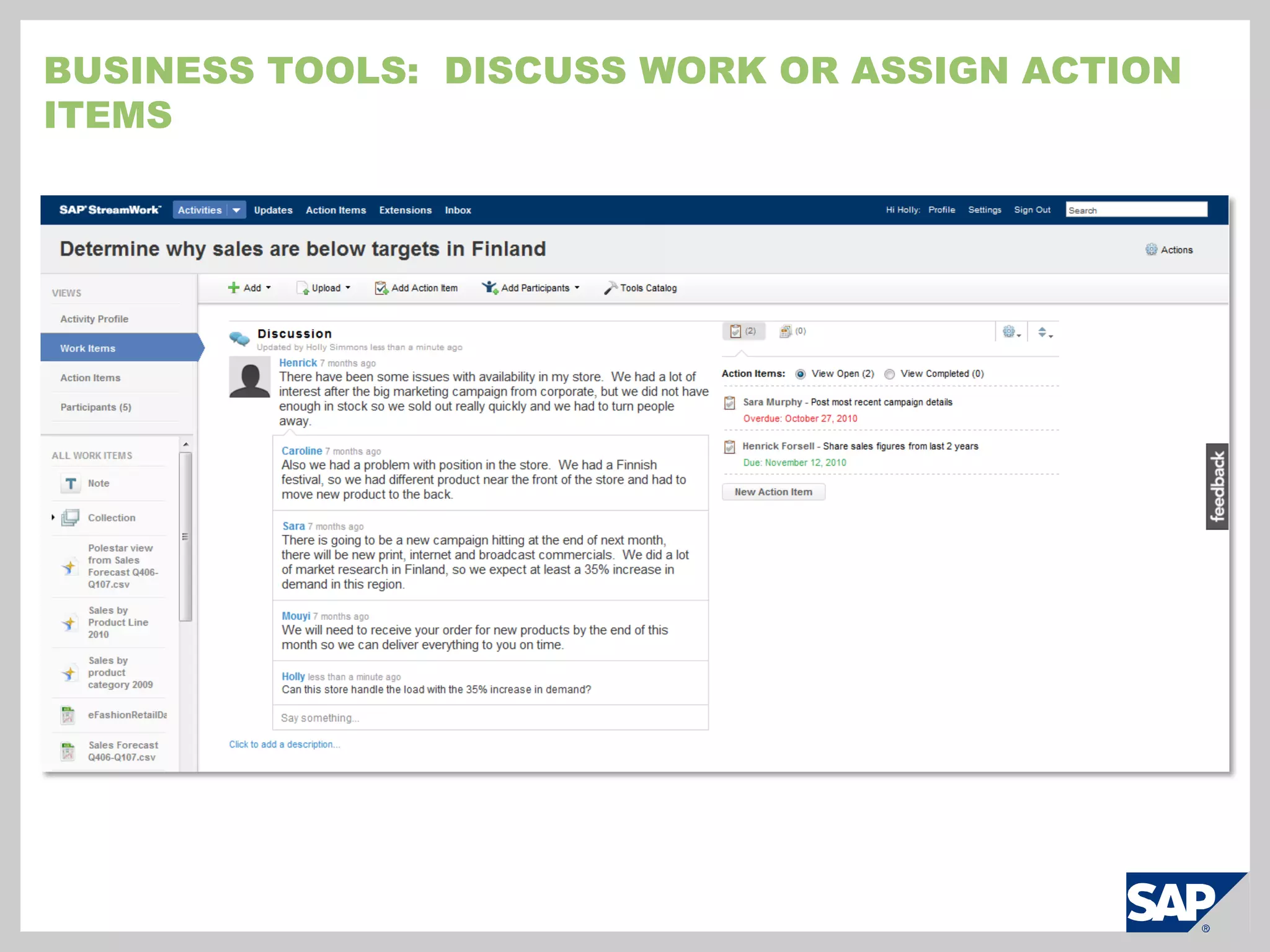
    Audit reporting withpre-defined reports
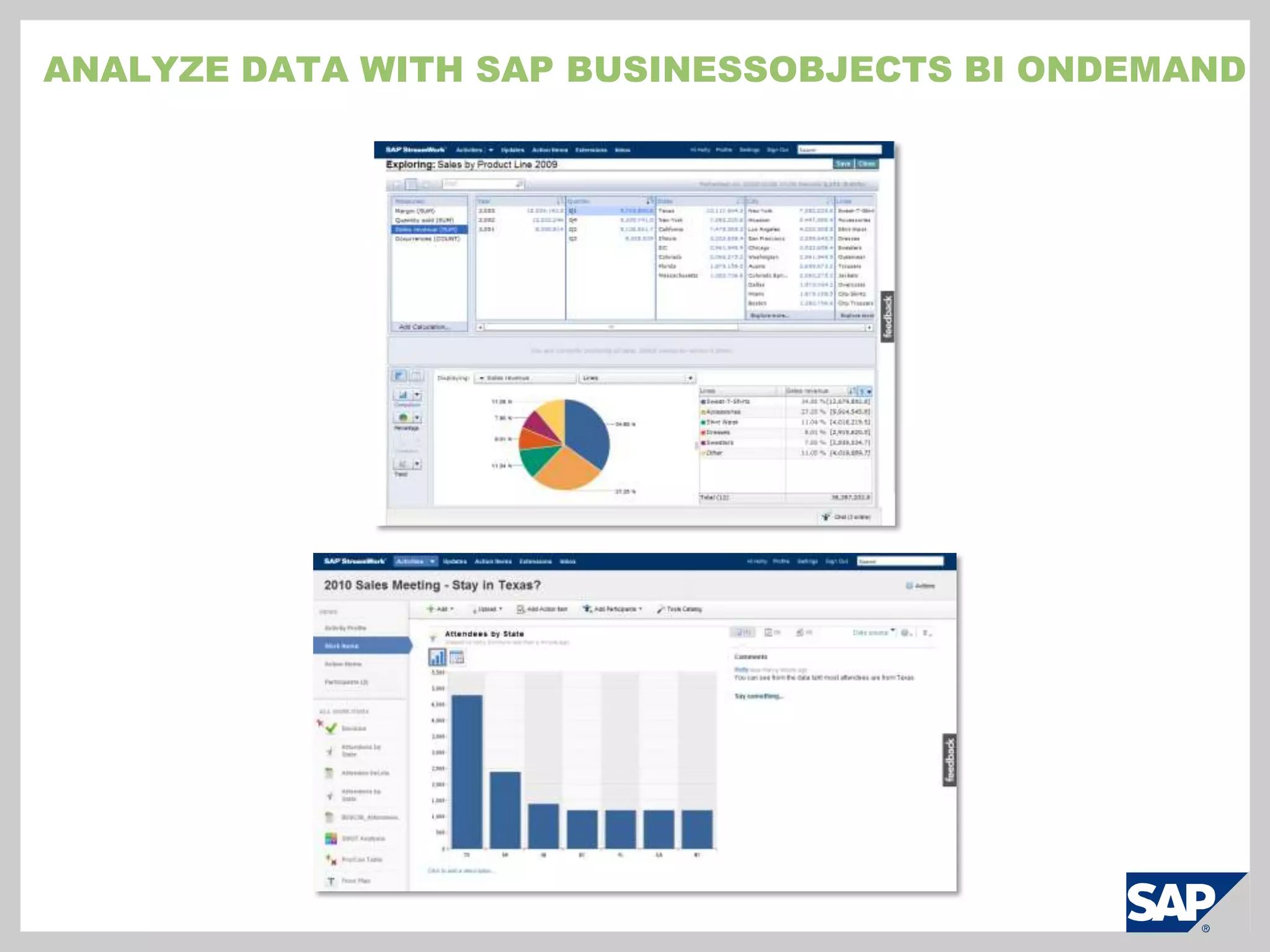
  • 109.
  • 110.
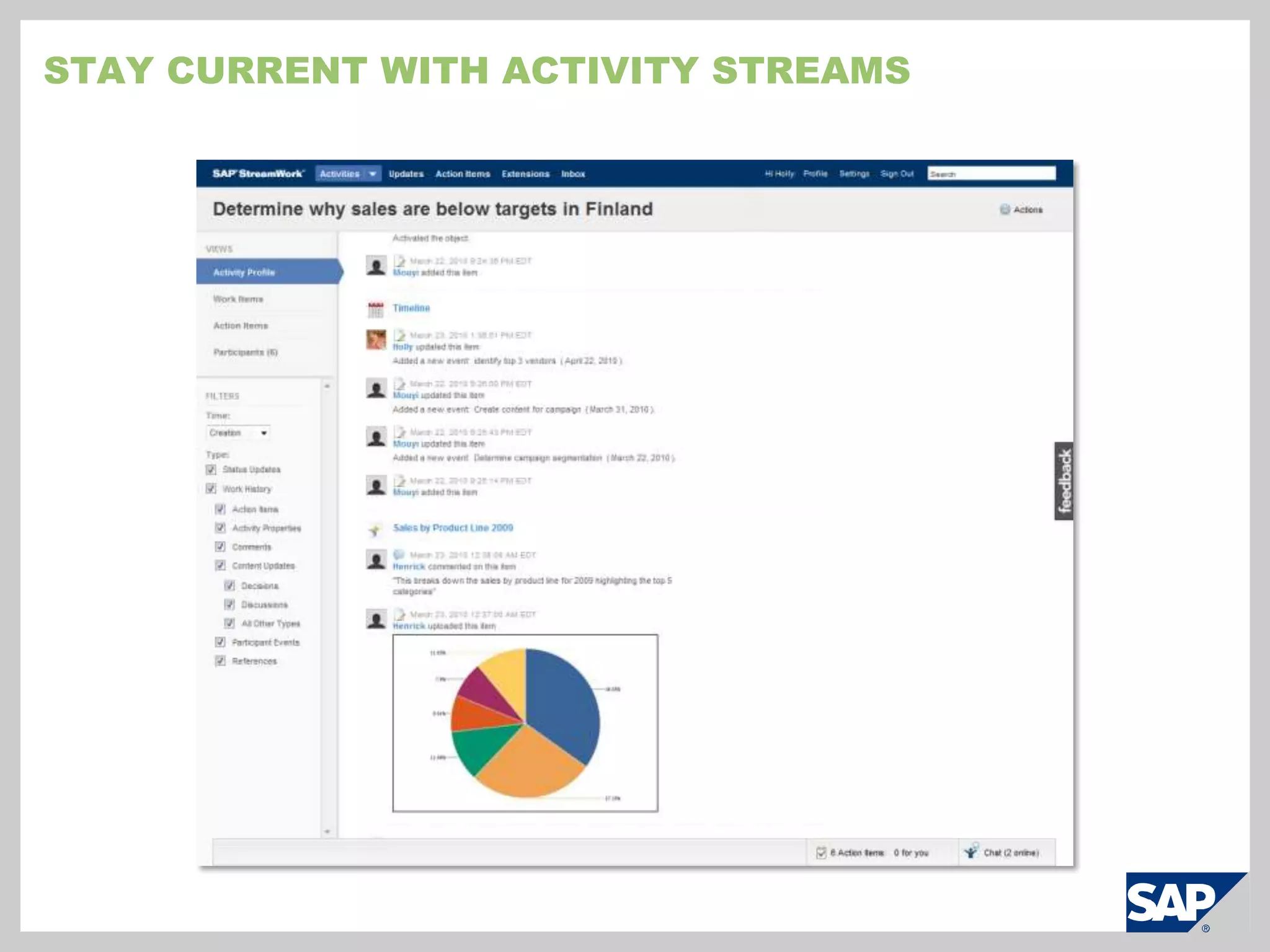
  • 111.
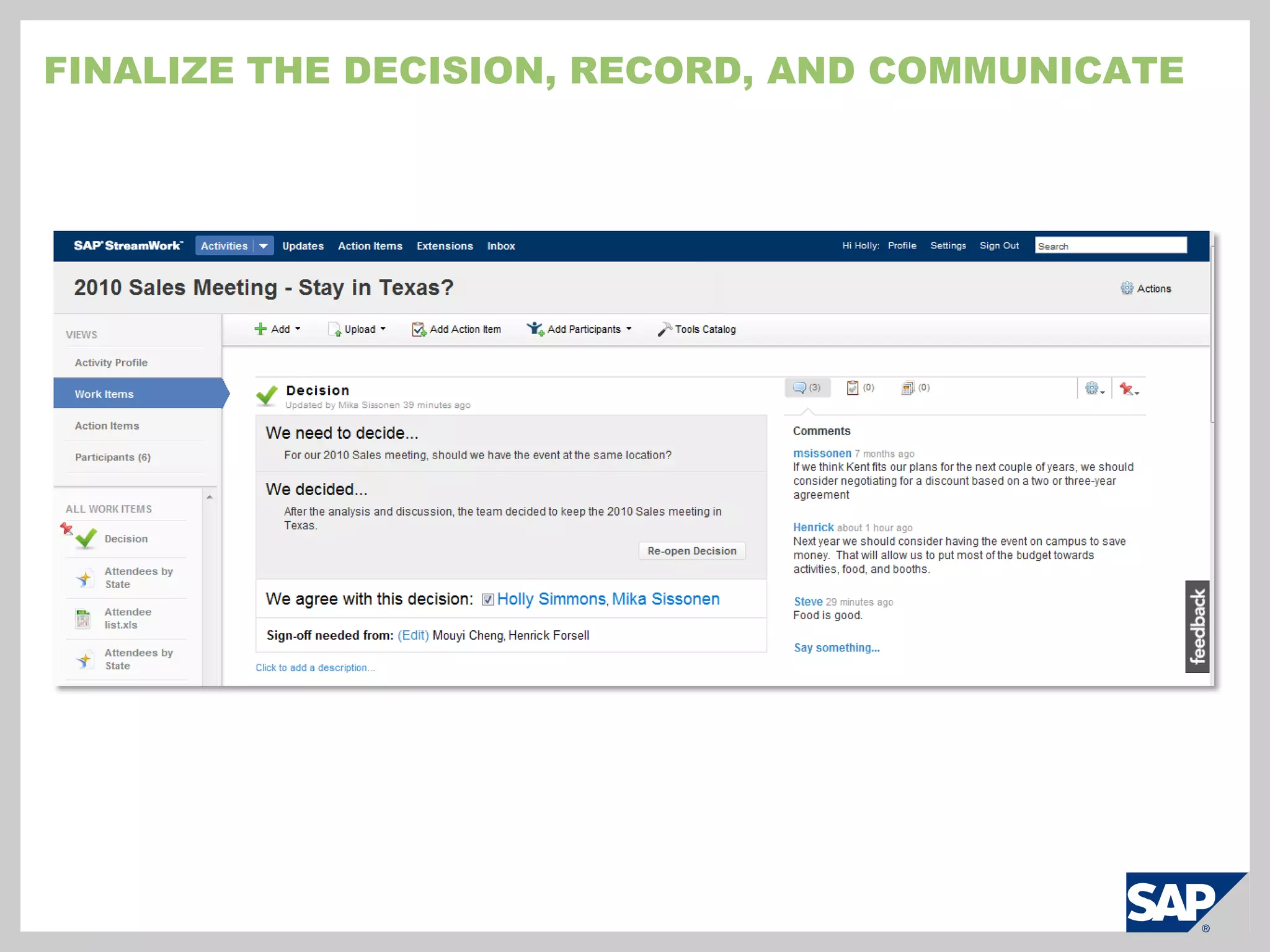
    View actions withinactivities to understand most edited or viewed activities
  • 112.
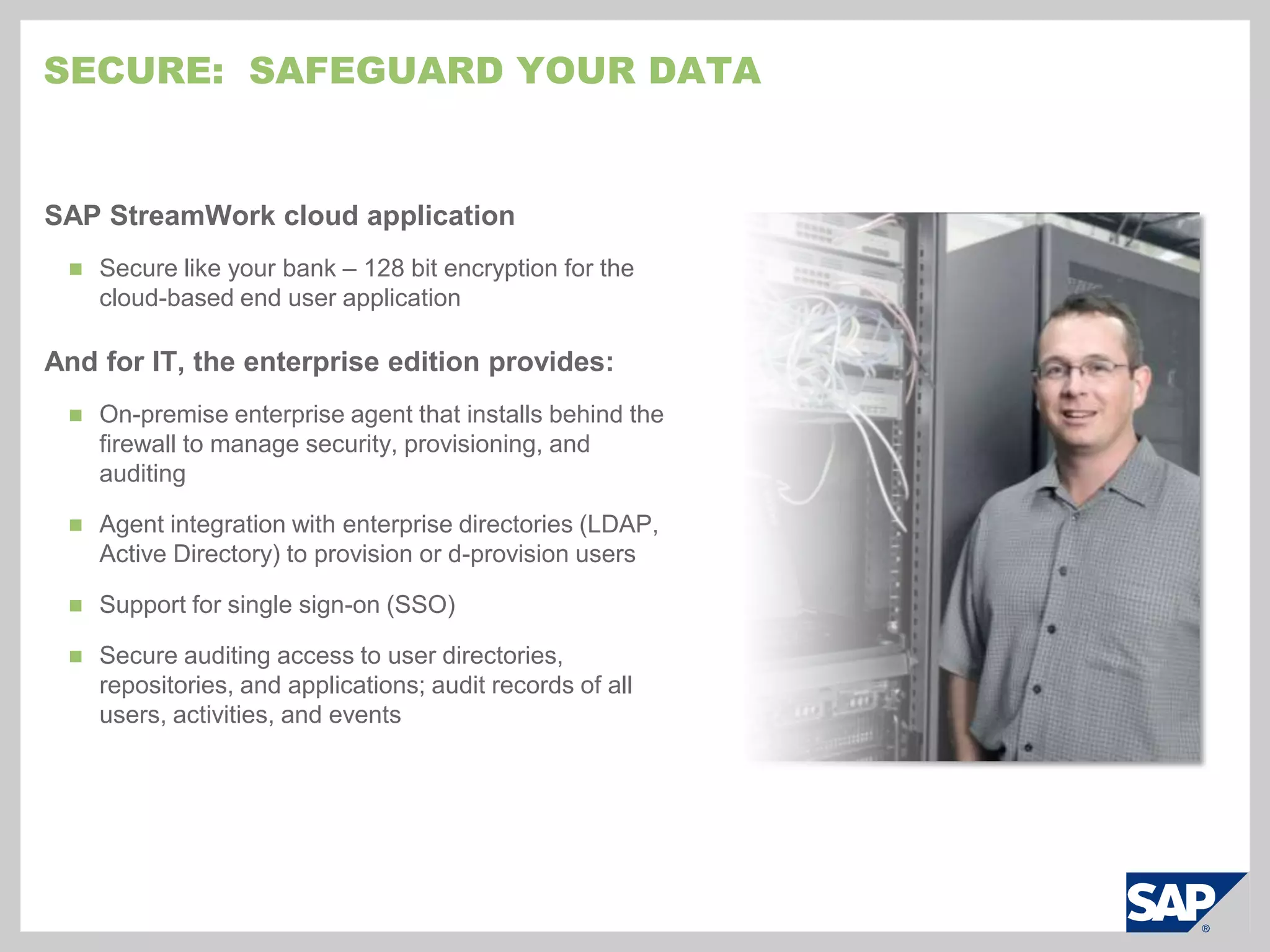
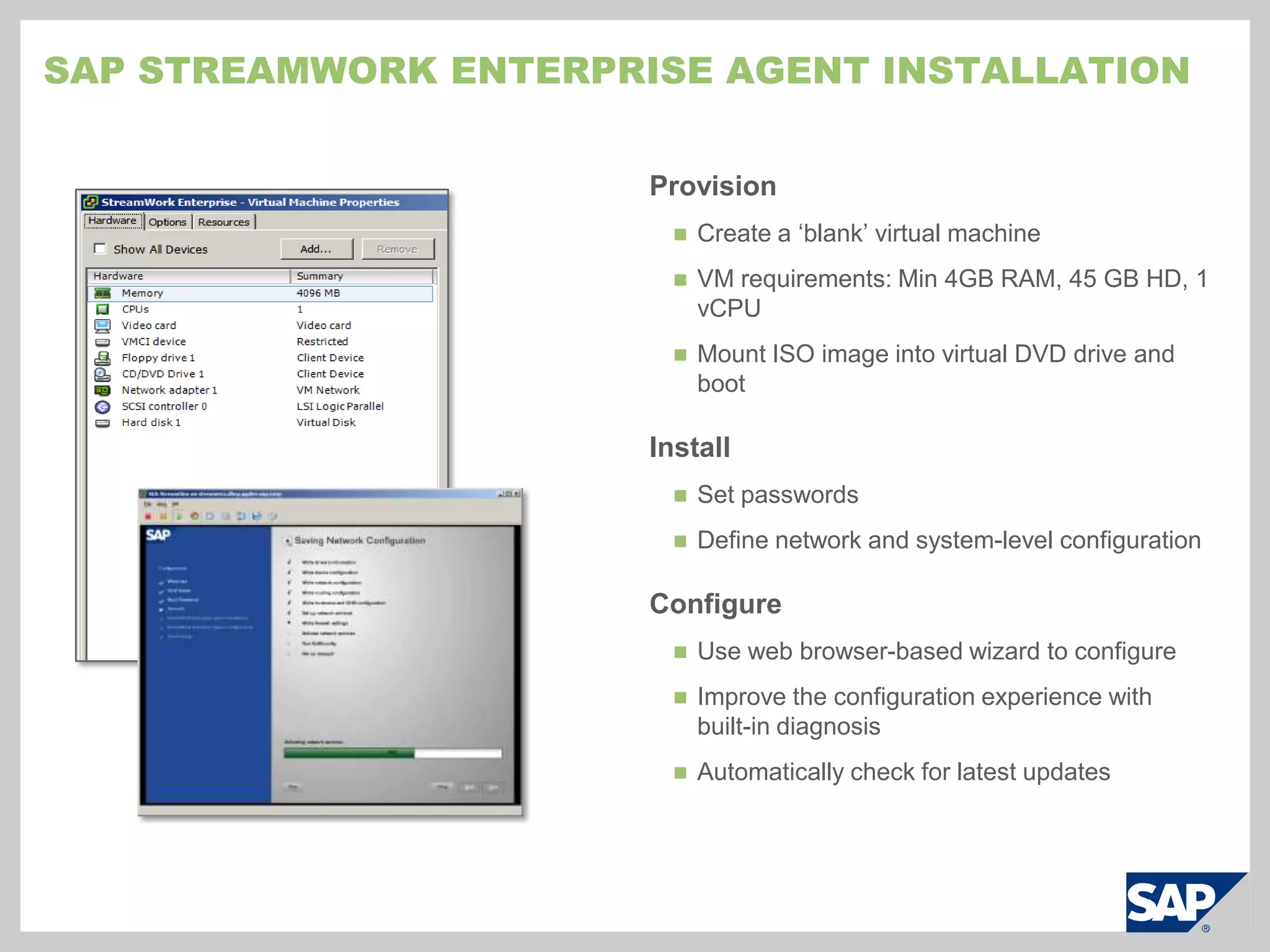
    Monitor system configurationchanges and issuessecure: safeguard your dataSAP StreamWork cloud applicationSecure like your bank – 128 bit encryption for the cloud-based end user applicationAnd for IT, the enterprise edition provides:On-premise enterprise agent that installs behind the firewall to manage security, provisioning, and auditing
  • 113.
    Agent integration withenterprise directories (LDAP, Active Directory) to provision or d-provision users
  • 114.
    Support for singlesign-on (SSO)
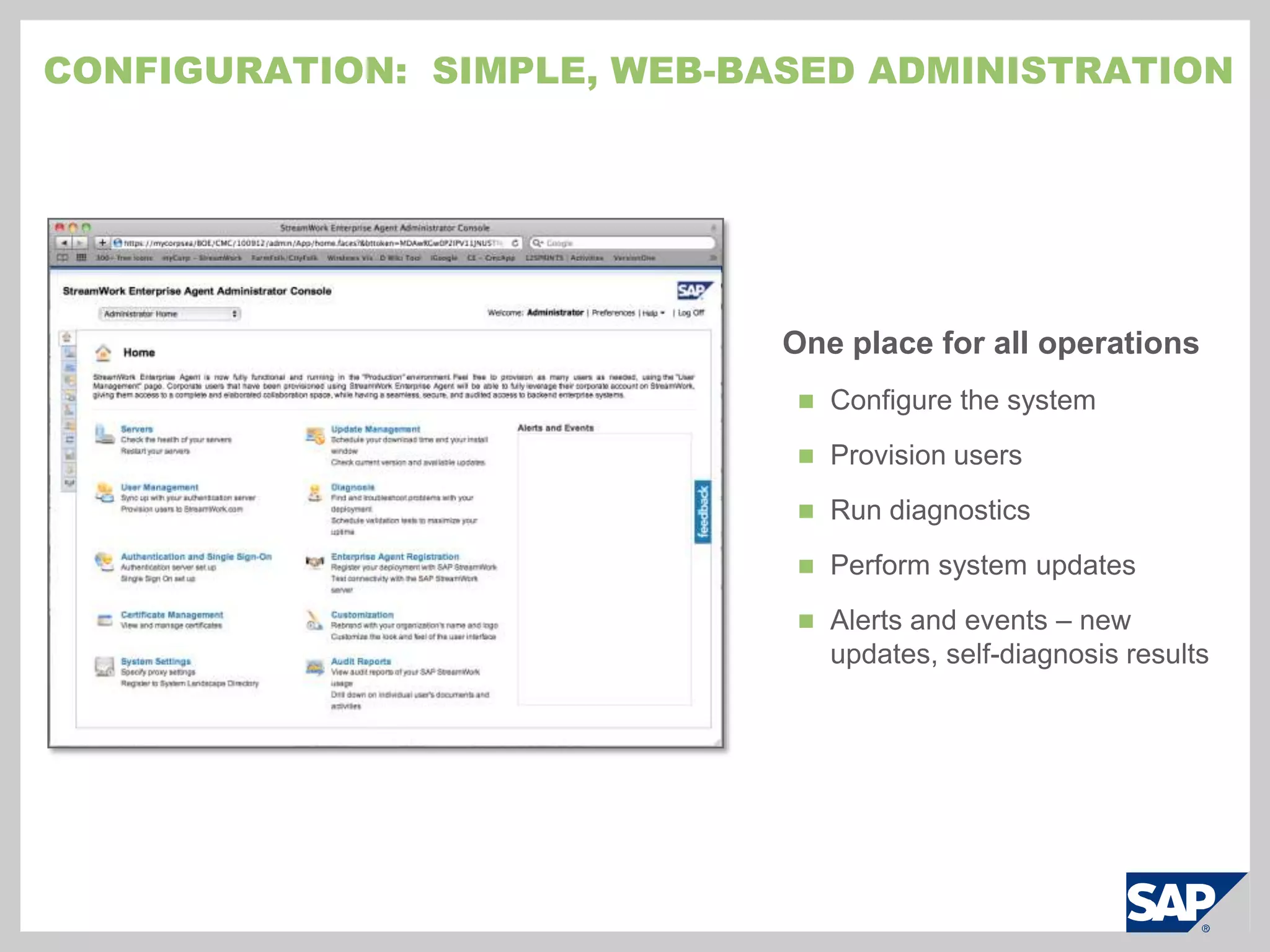
  • 115.
    Secure auditing accessto user directories, repositories, and applications; audit records of all users, activities, and eventsExtensible: Customize to your needsdevelop integrations, activity streams, business toolssapstreamwork.com/developersBring in data, integrate, or embed SAP StreamWork into enterprise or 3rd party systems with the integration API, a REST-based web service
  • 116.
    Address line ofbusiness or industry specific needs by building templates and business tools with the methods API
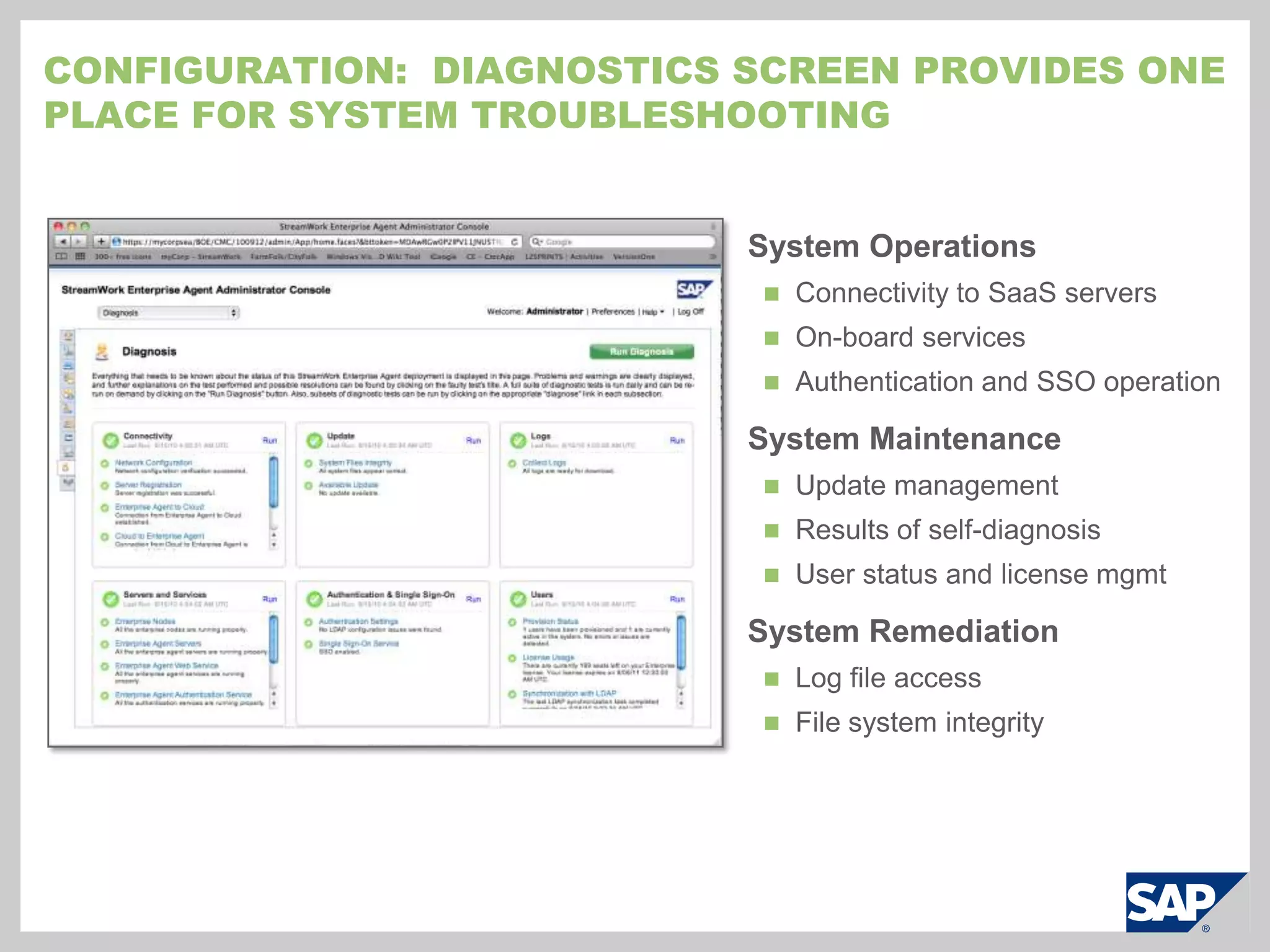
  • 117.
    Monitor the businesswith activity streams (feeds) from any application into SAP StreamWork with the feed APICohesiveInvite people from inside or outside the company
  • 118.
    Participate in sharedwork activities
  • 119.
    Have a discussionor comment on topics
  • 120.
    Stay in synchwith notifications, activity streams (feeds), action items, status updates, and chat
  • 121.
    Automatically initiate ashared activity from email
  • 122.
    Integrated with applicationsyou already have: email, web conferencing, document storage, etc.SAP StreamWork: Feature SummaryFor Business PeopleEasyDelivered on demand – Requires no software or hardware or long technology projects
  • 123.
    Easy to try,buy, use, and maintain
  • 124.
    No learning curve– Be productive in minutesResults-DrivenShare documentsUpload, share, and reference any documents
  • 125.
    Convert any fileinto a web document with Scribd – PDF, Word, or PowerPoint
  • 126.
    Upload documents fromyour computer, Box.net, or Evernote
  • 127.
    Launch a WebExmeeting and save it for later referenceSelect business tools from the included catalog: Choose from proven business templates and approaches in the included business tool catalog
  • 128.
    Plan activities withresponsibility matrices, an agenda planner, or timelines
  • 129.
    Obtain feedback, strategize,or brainstorm with pro/con tables, polls, consensus tables, SWOT analyses, cost/benefit analyses, etcMonitor or analyze informationBring in data from enterprise systems or take advantage of direct integrations with 3rd party or SAP applications*
  • 130.
    Monitor activities ofco-workers or changes in business systems that require action with activity streams (feeds)*
  • 131.
    Explore and visualizedata with the integrated SAP BusinessObjects BI OnDemandRecord and save work for later re-useSave records of all decisions or activities including discussions, business tools, feedback, documents, etc. for later reference and learning
  • 132.
    Provide transparency tothe entire team* Requires IT integration using built-in APIs and SAP StreamWork enterprise edition if advanced security is required
  • 133.
    SAP StreamWork: Feature SummaryFor ITCohesiveProvide business users with a collaborative solution delivering greater productivity and informed decision making to manage the business better
  • 134.
    Allow users towork the way they want and with applications they are already using today
  • 135.
    Provide users withthe ability to consume data in the format they want – activity streams (feeds), direct integrations, etc.*,**Secure128 bit encryption for the cloud end user application
  • 136.
    Enterprise agent deployedbehind the firewall to provide security auditing access user directories, repositories, and applications **
  • 137.
    Securely integrates withyour enterprise directories (LDAP, Active Directory) to provision/de-provision users**
  • 138.
    Validate all logonsto SAP StreamWork cloud**
  • 139.
    Obtain audit recordsof all system users, activities, and events**
  • 140.
    Provide single signon (SSO) to users of the enterprise edition**EasyThe enterprise agent is delivered as a virtual appliance model with everything you need: operating system, database, and application tier**
  • 141.
    Implement and configurethe enterprise agent in less than an hour**
  • 142.
    Easy to usecloud interface for end users ensures minimal training and short ramp up
  • 143.
    Pure subscription model– No per CPU or per node costs
  • 144.
    Easy maintenance –Automatic ‘no hands’ updating and integrated rollback for enterprise agentExtensibleIntegrate 3rd party and SAP applications with the integration API, a REST-based web service*
  • 145.
    Create custom templatesand business tools with the methods API
  • 146.
    Develop activity streamsfrom any application into SAP StreamWork with the feed APIs** Requires IT integration using built-in APIs** Requires SAP StreamWork enterprise edition if advanced security is required
  • 147.
  • 148.
  • 149.
  • 150.
  • 151.
  • 152.
  • 153.
    Email, Microsoft Office,etc. integrationsEasyOn demand
  • 154.
  • 155.
  • 156.
  • 157.
    Business tools andtemplates: Polls, SWOT, Pro/Con, etc.
  • 158.
  • 159.
  • 160.
    Saved work activitiesand decisionsSAP StreamWork: FeaturesFor ITCohesiveProductivity and enterprise integrationEasyVirtual appliance
  • 161.
  • 162.
  • 163.
  • 164.
  • 165.
  • 166.
    Single sign onExtensibleAPIsfor enterprise integration, feeds, business tools* Mobile clients (Blackberry, iPhone) for SAP StreamWork will be available in December 2010. SAP StreamWork also works in iPads and iPhone web browsers.
  • 167.
  • 168.
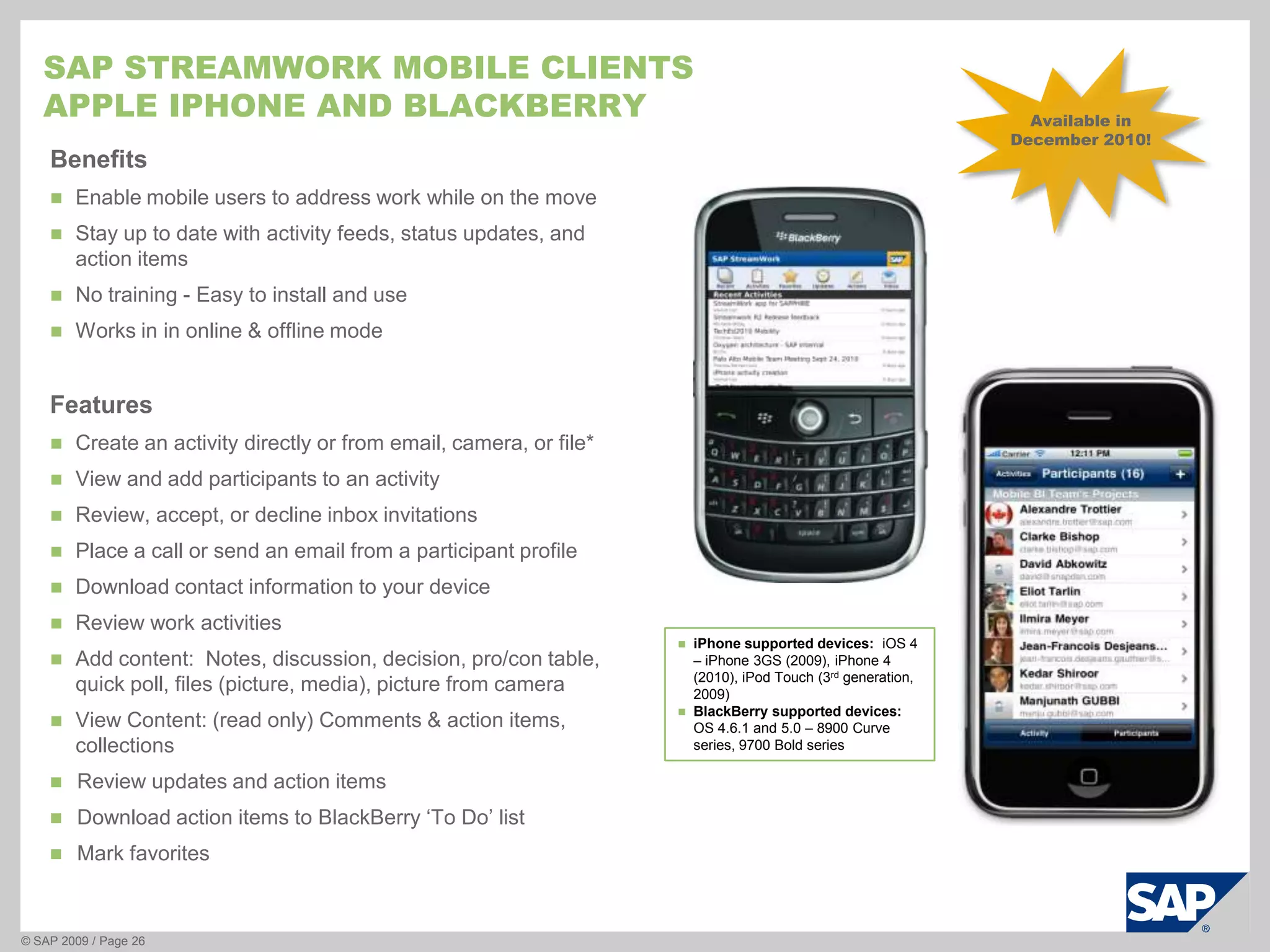
    SAP Streamwork MOBILEclientsApple iphone and blackberry© SAP 2009 / Page 26Available in December 2010!BenefitsEnable mobile users to address work while on the move
  • 169.
    Stay up todate with activity feeds, status updates, and action items
  • 170.
    No training -Easy to install and use
  • 171.
    Works in inonline & offline modeFeaturesCreate an activity directly or from email, camera, or file*
  • 172.
    View and addparticipants to an activity
  • 173.
    Review, accept, ordecline inbox invitations
  • 174.
    Place a callor send an email from a participant profile
  • 175.
  • 176.
  • 177.
    Add content: Notes, discussion, decision, pro/con table, quick poll, files (picture, media), picture from camera
  • 178.
    View Content: (readonly) Comments & action items, collections
  • 179.
    Review updates andaction items
  • 180.
    Download action itemsto BlackBerry ‘To Do’ list
  • 181.
  • 182.
    iPhone supported devices: iOS 4 – iPhone 3GS (2009), iPhone 4 (2010), iPod Touch (3rd generation, 2009)
  • 183.
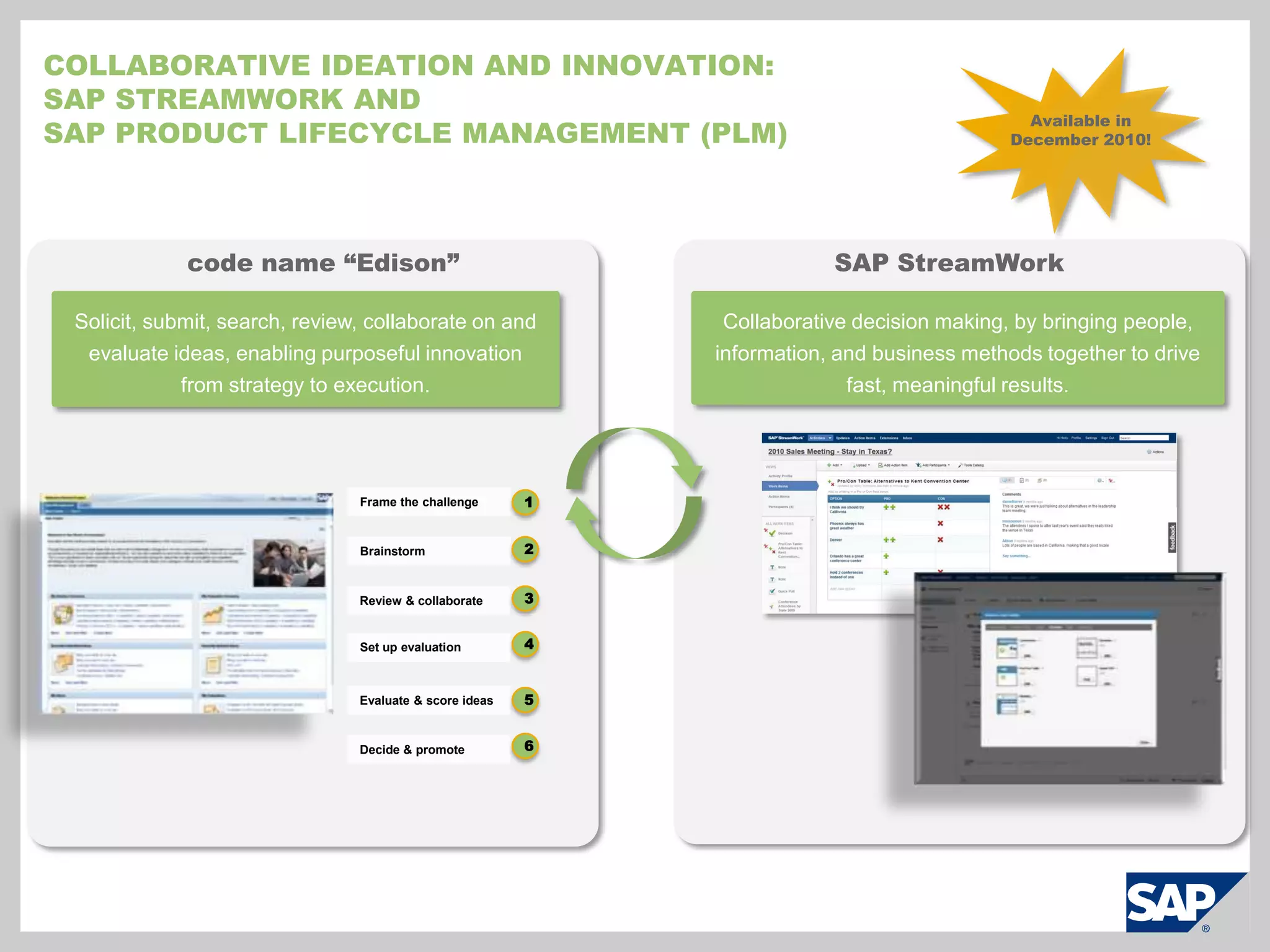
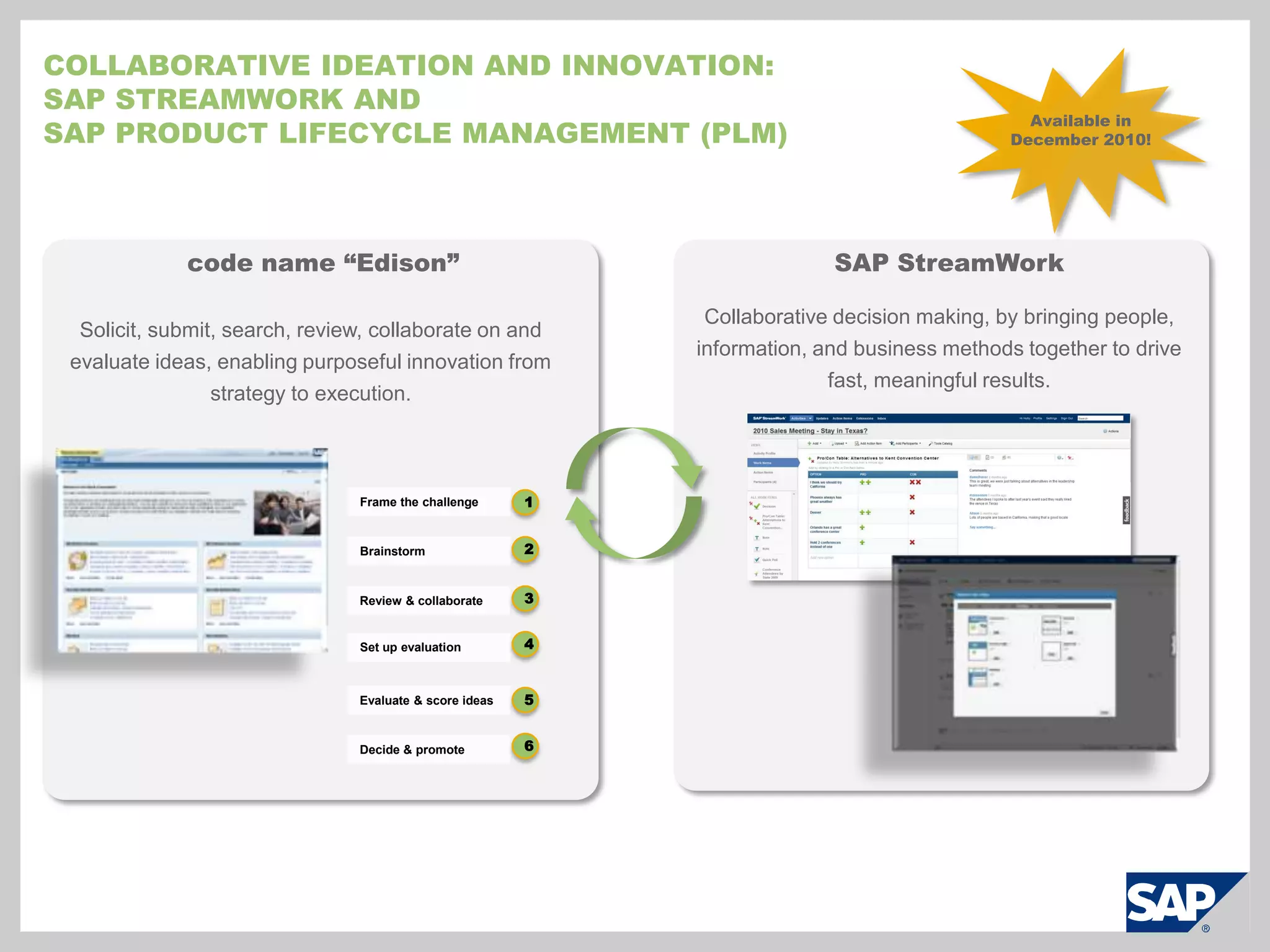
    BlackBerry supported devices: OS 4.6.1 and 5.0 – 8900 Curve series, 9700 Bold seriesCollaborative ideation and innovation:SAP StreamWork and SAP Product lifecycle management (PLM)Available in December 2010!code name “Edison”SAP StreamWorkCollaborative decision making, by bringing people, information, and business methods together to drive fast, meaningful results.Solicit, submit, search, review, collaborate on and evaluate ideas, enabling purposeful innovation from strategy to execution.Frame the challenge1Brainstorm23Review & collaborate4Set up evaluationEvaluate & score ideas56Decide & promote
  • 184.
    Collaborative ideation andinnovation:SAP StreamWork and SAP Product lifecycle management (PLM)Available in December 2010!code name “Edison”SAP StreamWorkCollaborative decision making, by bringing people, information, and business methods together to drive fast, meaningful results.Solicit, submit, search, review, collaborate on and evaluate ideas, enabling purposeful innovation from strategy to execution.Frame the challenge1Brainstorm23Review & collaborate4Set up evaluationEvaluate & score ideas56Decide & promote
  • 185.
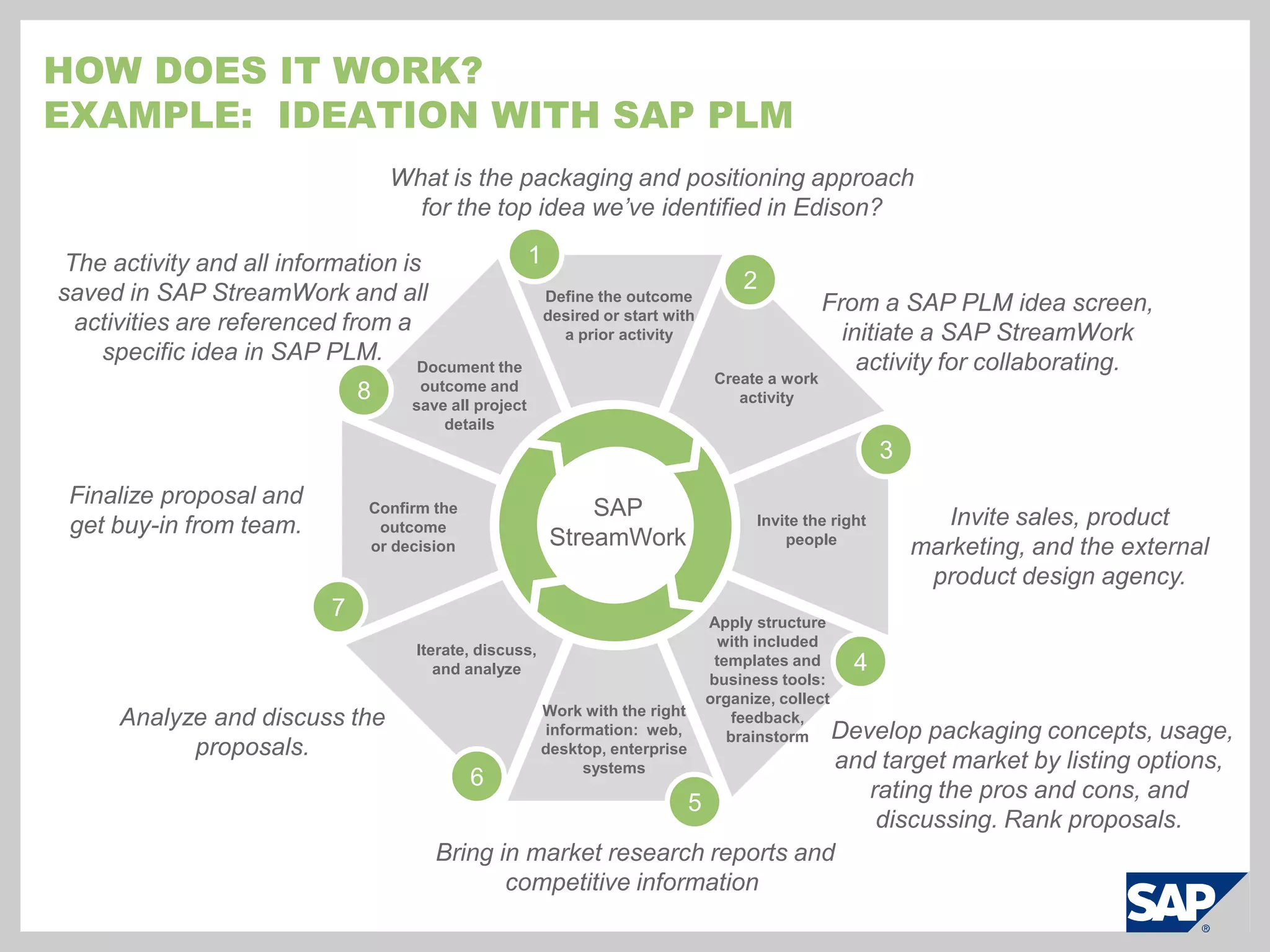
    How does itwork?Example: Ideation with SAP PLMWhat is the packaging and positioning approach for the top idea we’ve identified in Edison?1The activity and all information is saved in SAP StreamWork and all activities are referenced from a specific idea in SAP PLM. 2Define the outcome desired or start with a prior activityFrom a SAP PLM idea screen, initiate a SAP StreamWork activity for collaborating.Document the outcome and save all project detailsCreate a work activity83Finalize proposal and get buy-in from team.SAP StreamWorkConfirm the outcome or decisionInvite the right peopleInvite sales, product marketing, and the external product design agency.7Iterate, discuss, and analyzeApply structure with included templates and business tools: organize, collect feedback, brainstorm4Work with the right information: web, desktop, enterprise systemsAnalyze and discuss the proposals. Develop packaging concepts, usage, and target market by listing options, rating the pros and cons, and discussing. Rank proposals.65 Bring in market research reports and competitive information
  • 186.
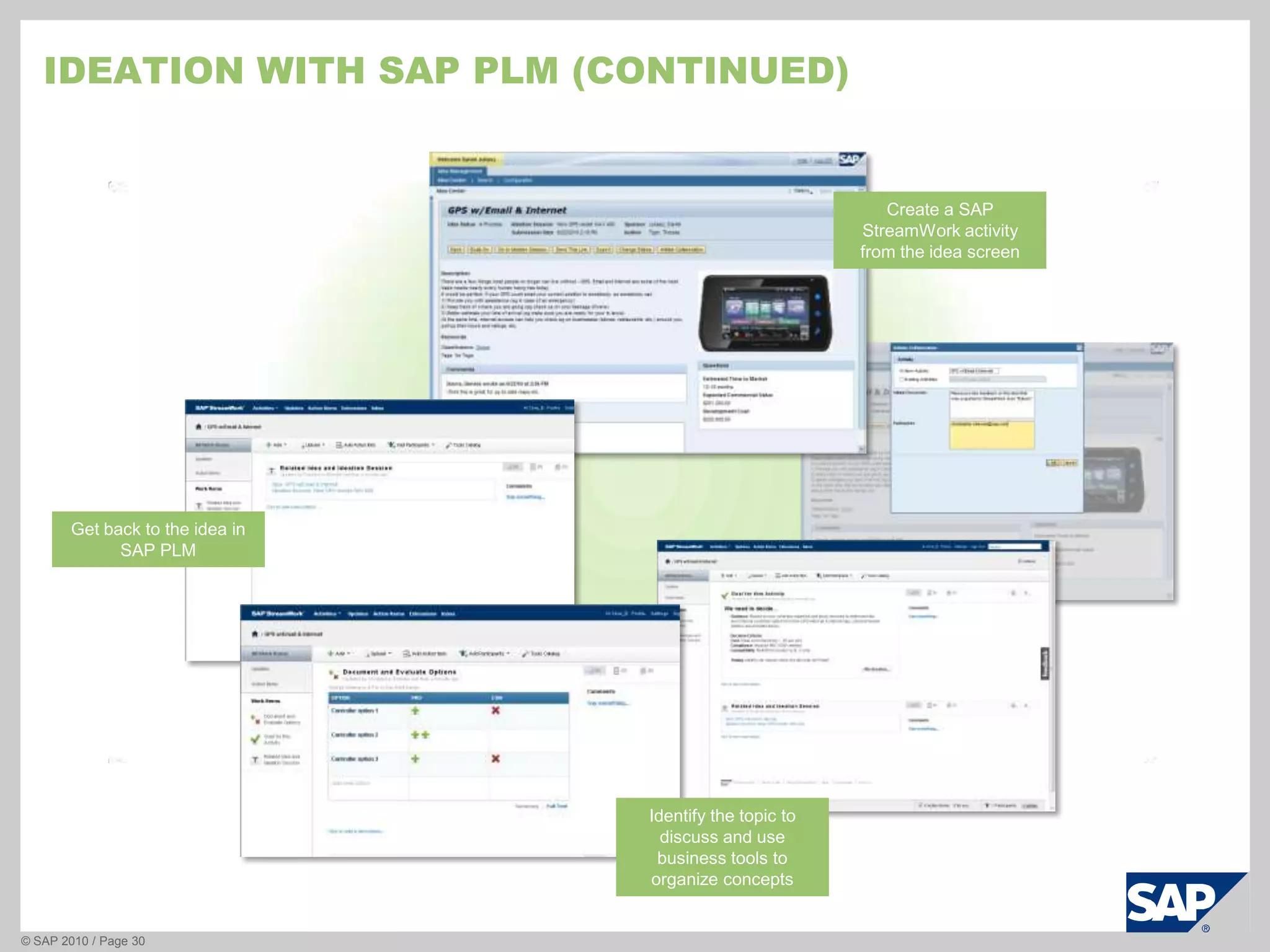
    Ideation with SAPplm (continued)© SAP 2010 / Page 30Create a SAP StreamWork activity from the idea screenGet back to the idea in SAP PLMIdentify the topic to discuss and use business tools to organize concepts
  • 187.
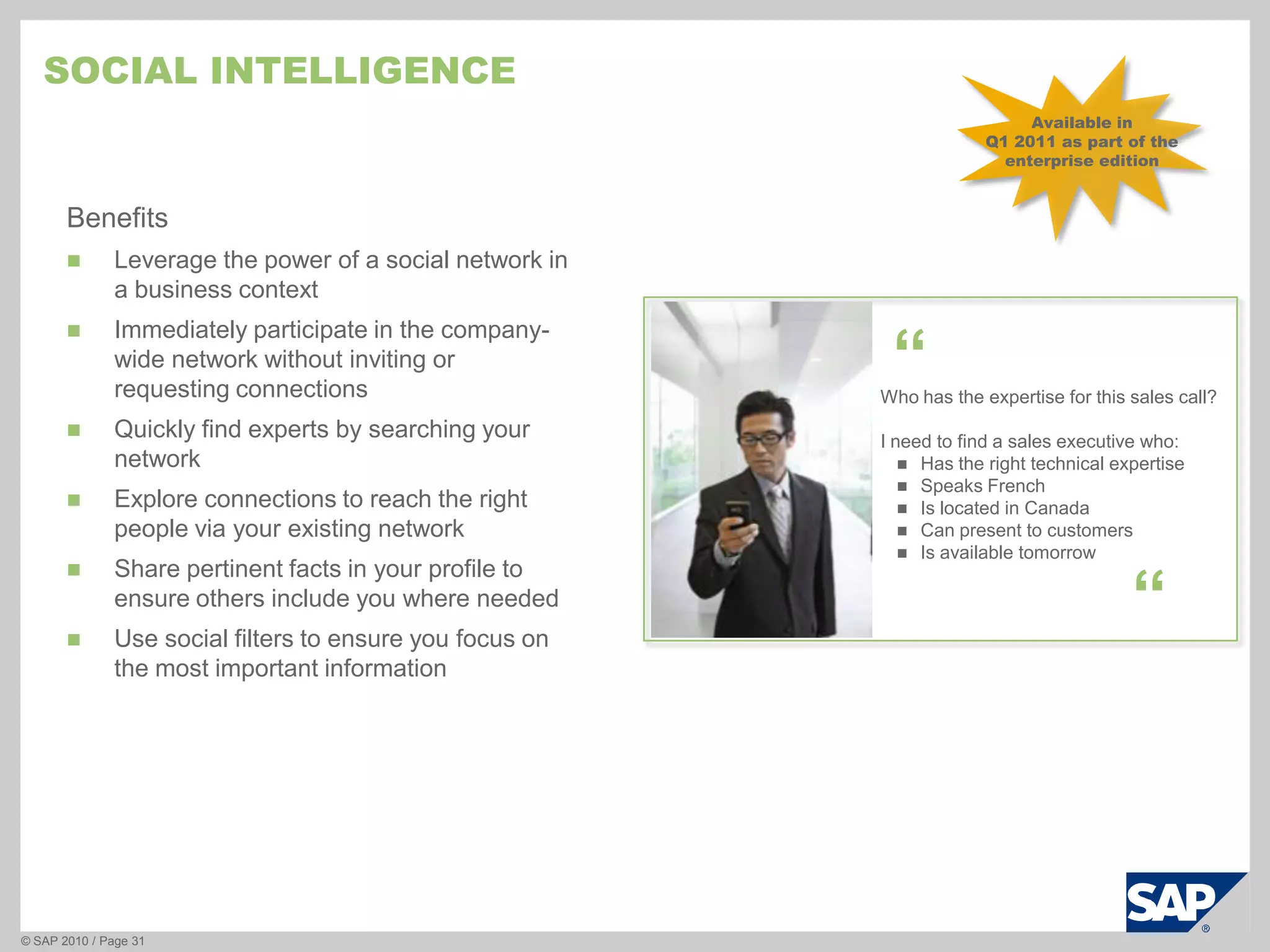
    Social intelligence© SAP2010 / Page 31Available in Q1 2011 as part of the enterprise editionBenefitsLeverage the power of a social network in a business context
  • 188.
    Immediately participate inthe company-wide network without inviting or requesting connections
  • 189.
    Quickly find expertsby searching your network
  • 190.
    Explore connections toreach the right people via your existing network
  • 191.
    Share pertinent factsin your profile to ensure others include you where needed
  • 192.
    Use social filtersto ensure you focus on the most important information“Who has the expertise for this sales call?I need to find a sales executive who:Has the right technical expertise
  • 193.
  • 194.
  • 195.
  • 196.
  • 197.
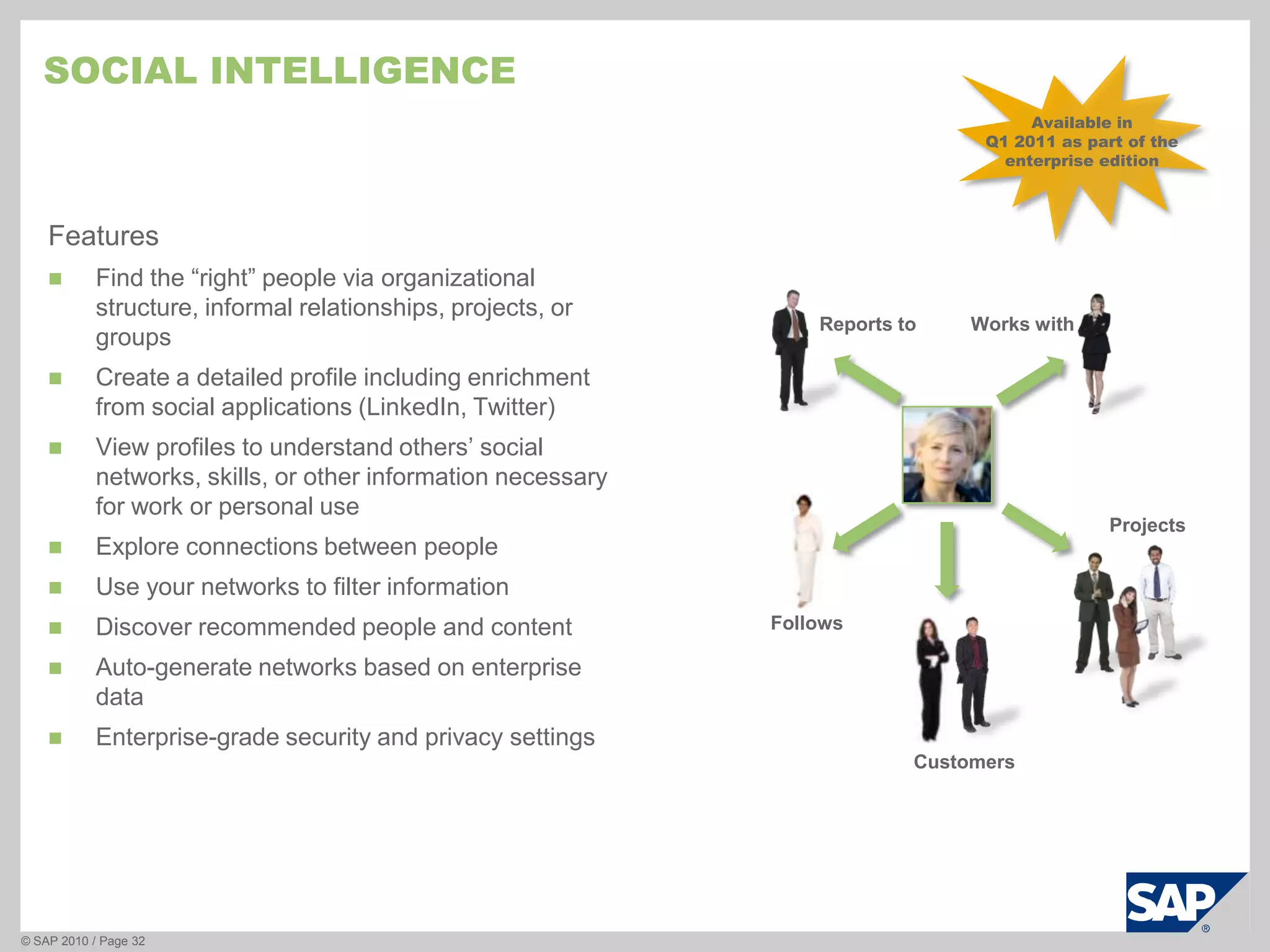
    Social intelligence© SAP2010 / Page 32Available in Q1 2011 as part of the enterprise editionFeaturesFind the “right” people via organizational structure, informal relationships, projects, or groups
  • 198.
    Create a detailedprofile including enrichment from social applications (LinkedIn, Twitter)
  • 199.
    View profiles tounderstand others’ social networks, skills, or other information necessary for work or personal use
  • 200.
  • 201.
    Use your networksto filter information
  • 202.
  • 203.
  • 204.
    Enterprise-grade security andprivacy settingsReports toWorks withProjectsFollowsCustomers
  • 205.
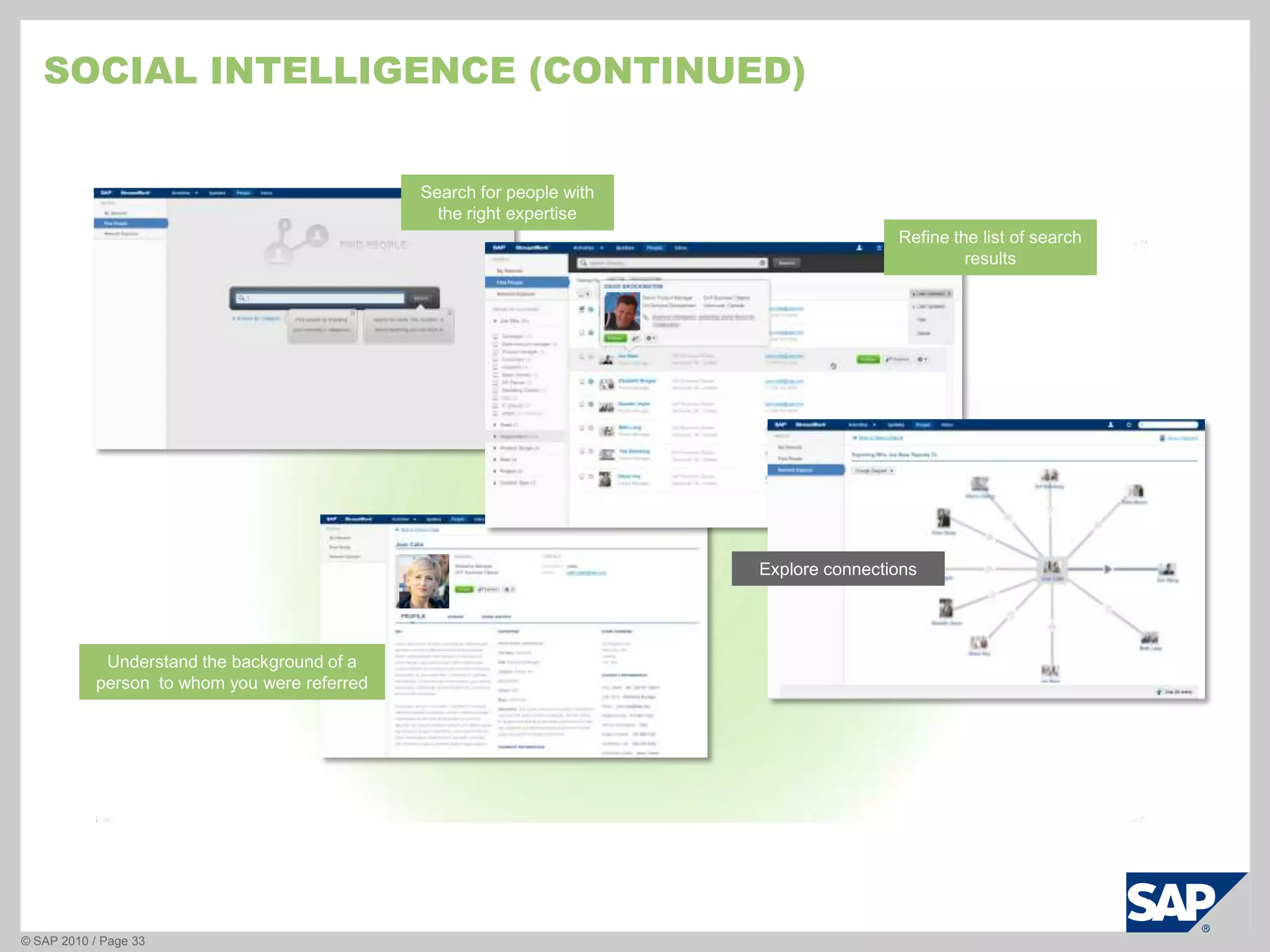
    Social intelligence (continued)©SAP 2010 / Page 33Search for people with the right expertiseRefine the list of search resultsExplore connectionsUnderstand the background of a person to whom you were referred
  • 206.
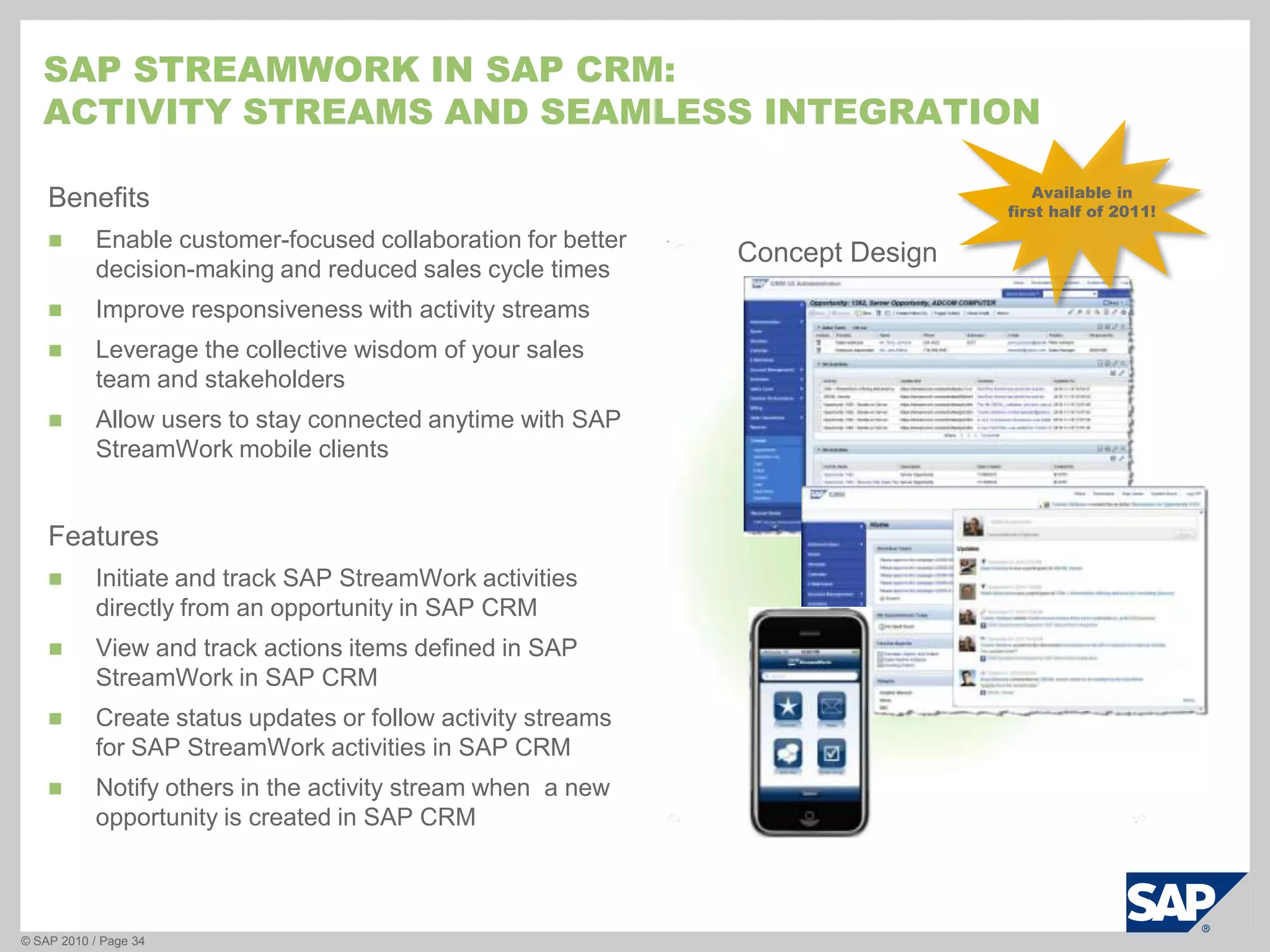
    SAP StreamWork inSAP CRM:Activity Streams and seamless integrationBenefitsEnable customer-focused collaboration for better decision-making and reduced sales cycle times
  • 207.
  • 208.
    Leverage the collectivewisdom of your sales team and stakeholders
  • 209.
    Allow users tostay connected anytime with SAP StreamWork mobile clientsFeaturesInitiate and track SAP StreamWork activities directly from an opportunity in SAP CRM
  • 210.
    View and trackactions items defined in SAP StreamWork in SAP CRM
  • 211.
    Create status updatesor follow activity streams for SAP StreamWork activities in SAP CRM
  • 212.
    Notify others inthe activity stream when a new opportunity is created in SAP CRM© SAP 2010 / Page 34Available in first half of 2011!Concept Design
  • 213.
  • 214.
    SAP StreamWork isa new type of product:Collaborative Decision-making“Bans on internal travel because of the difficult economy will force many companies to find a new way to work, collaborate and make decisions. We believe the information technology market will respond to this need with systems that foster a CDM (collaborative decision-making) process …Organizations already use collaborative or social software to keep informed about what colleagues are doing and thinking, and to mobilize them for urgent projects. Designing collaborative environments that enable decision makers to discuss an issue, brainstorm options, evaluate their pros and cons, and agree on a course of action is a natural evolution of this trend. Adding social software elements (such as tagging, recommendations, ratings and contextual information) enriches the history contained within the collaborative environment, making it (and the results derived from it) more useful in the future.Kurt Schlegel, Rita L. Sallam, Tom Austin, Carol Rozwell, GartnerThe Rise of Collaborative Decision Making, 04/2009
  • 215.
    SAP Streamwork isComplementary, not competitiveComplementaryProductsSAP StreamWorkSocial networks
  • 216.
  • 217.
  • 218.
  • 219.
  • 220.
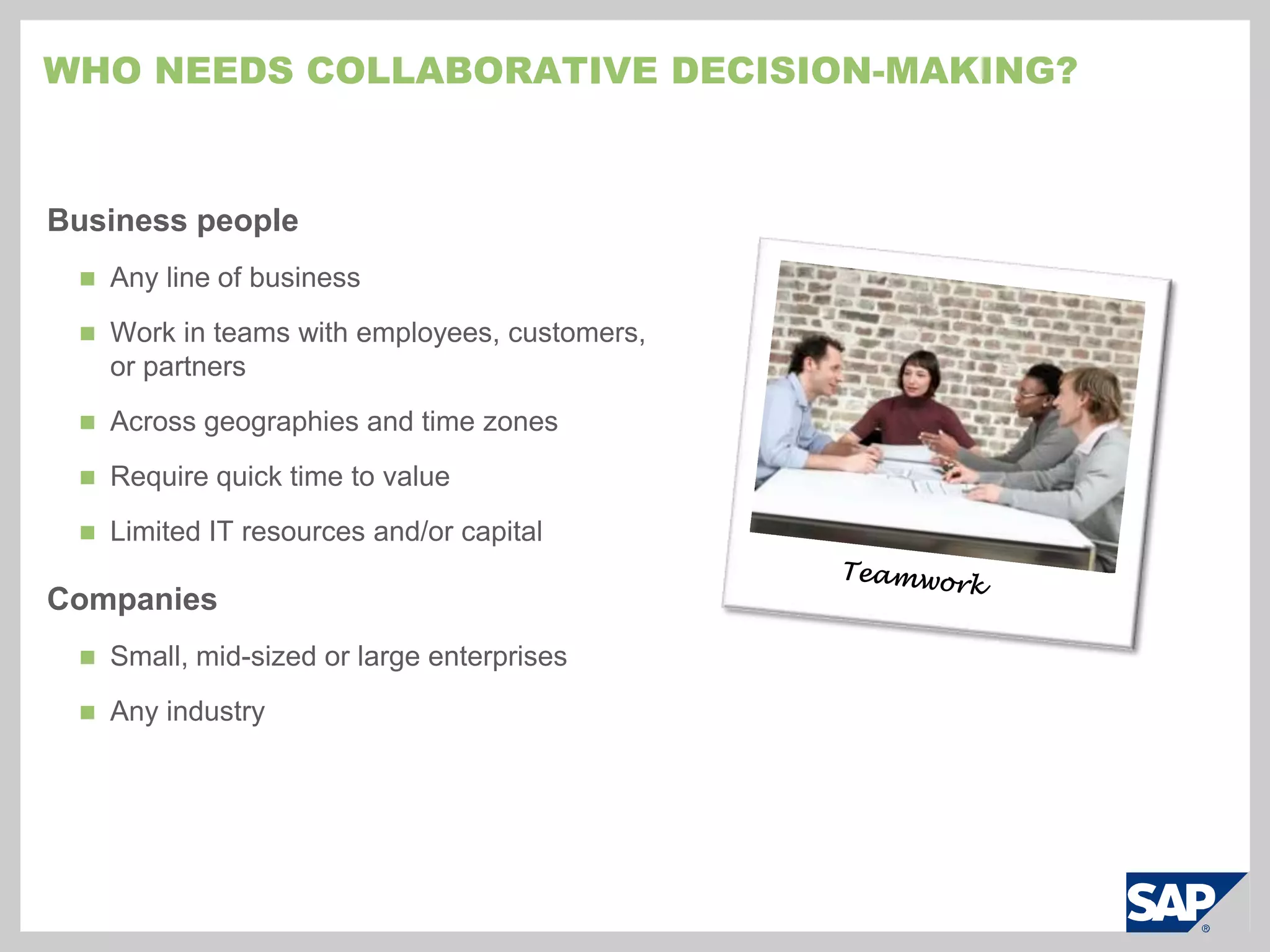
    Expert content, methods,and templates (Analysts, universities, service providers)Who needs Collaborative Decision-making?Business peopleAny line of business
  • 221.
    Work in teamswith employees, customers, or partners
  • 222.
  • 223.
  • 224.
    Limited IT resourcesand/or capitalCompaniesSmall, mid-sized or large enterprises
  • 225.
  • 226.
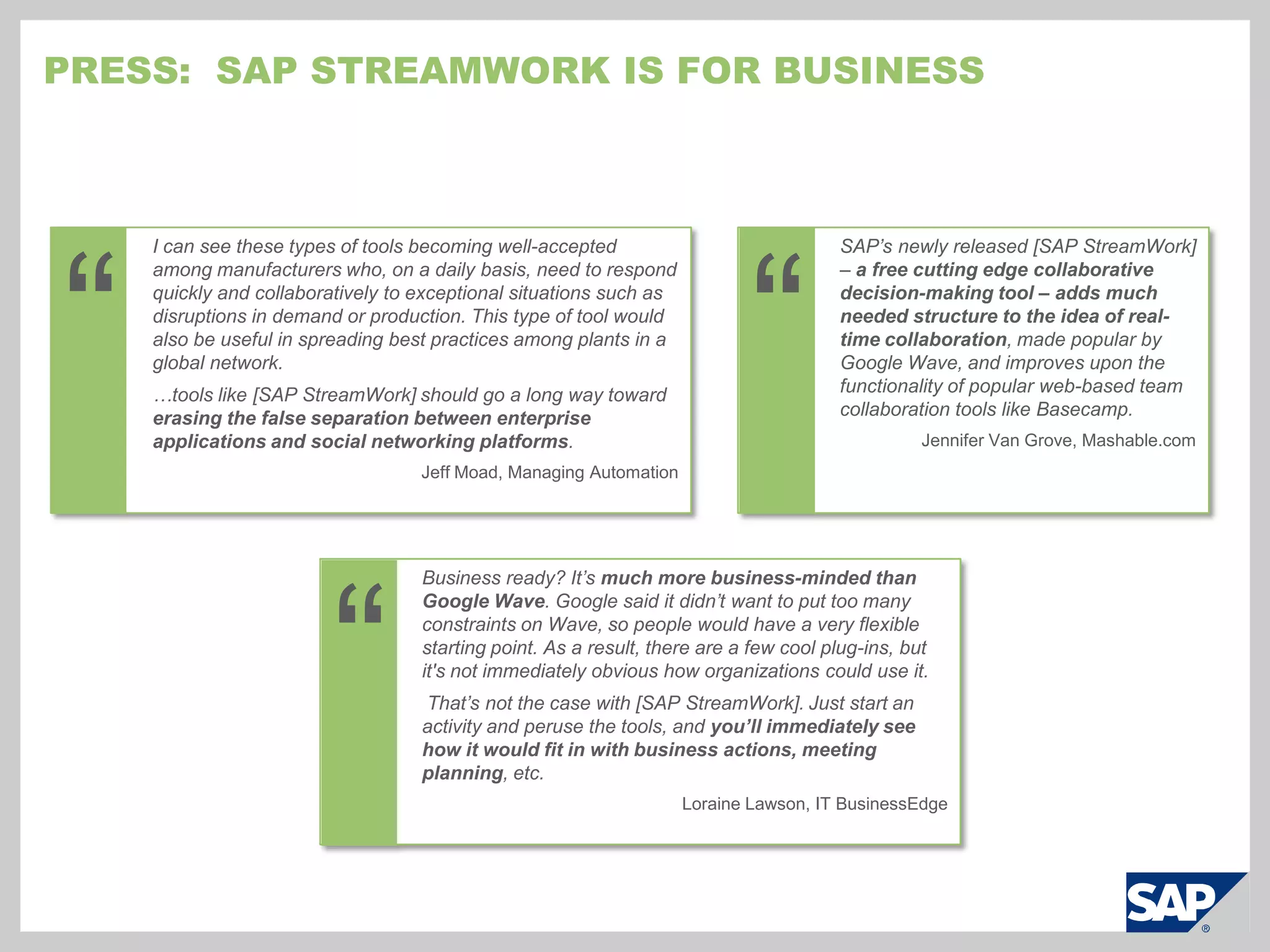
    Press: SAPStreamWork is for business““I can see these types of tools becoming well-accepted among manufacturers who, on a daily basis, need to respond quickly and collaboratively to exceptional situations such as disruptions in demand or production. This type of tool would also be useful in spreading best practices among plants in a global network.…tools like [SAP StreamWork] should go a long way toward erasing the false separation between enterprise applications and social networking platforms.Jeff Moad, Managing AutomationSAP’s newly released [SAP StreamWork] – a free cutting edge collaborative decision-making tool – adds much needed structure to the idea of real-time collaboration, made popular by Google Wave, and improves upon the functionality of popular web-based team collaboration tools like Basecamp.Jennifer Van Grove, Mashable.com“Business ready? It’s much more business-minded than Google Wave. Google said it didn’t want to put too many constraints on Wave, so people would have a very flexible starting point. As a result, there are a few cool plug-ins, but it's not immediately obvious how organizations could use it. That’s not the case with [SAP StreamWork]. Just start an activity and peruse the tools, and you’ll immediately see how it would fit in with business actions, meeting planning, etc.Loraine Lawson, IT BusinessEdge
  • 227.
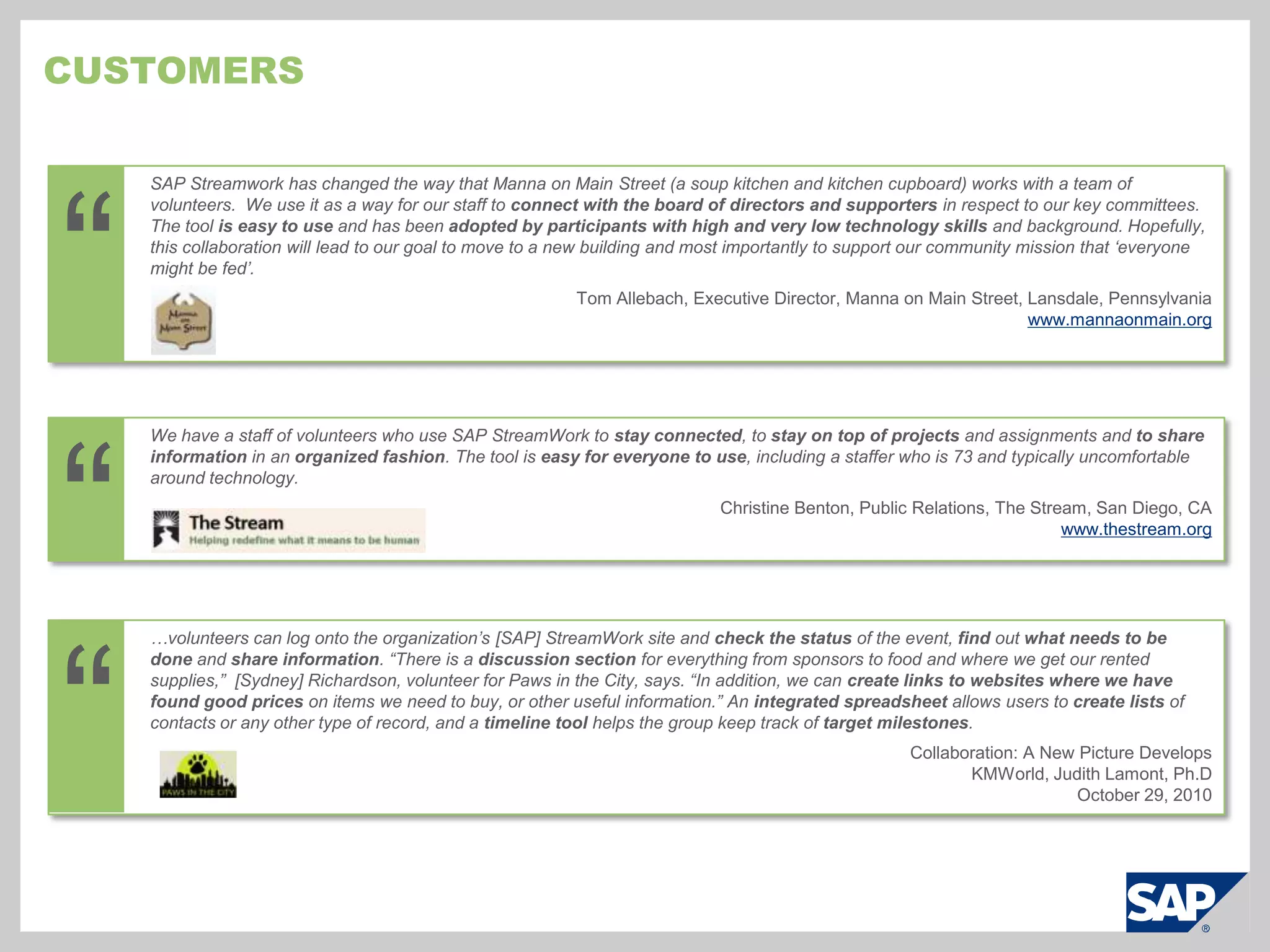
    Customers“SAP Streamwork haschanged the way that Manna on Main Street (a soup kitchen and kitchen cupboard) works with a team of volunteers.  We use it as a way for our staff to connect with the board of directors and supporters in respect to our key committees. The tool is easy to use and has been adopted by participants with high and very low technology skills and background. Hopefully, this collaboration will lead to our goal to move to a new building and most importantly to support our community mission that ‘everyone might be fed’.Tom Allebach, Executive Director, Manna on Main Street, Lansdale, Pennsylvaniawww.mannaonmain.org“We have a staff of volunteers who use SAP StreamWork to stay connected, to stay on top of projects and assignments and to share information in an organized fashion. The tool is easy for everyone to use, including a staffer who is 73 and typically uncomfortable around technology.Christine Benton, Public Relations, The Stream, San Diego, CAwww.thestream.org“…volunteers can log onto the organization’s [SAP] StreamWork site and check the status of the event, find out what needs to be done and share information. “There is a discussion section for everything from sponsors to food and where we get our rented supplies,” [Sydney] Richardson, volunteer for Paws in the City, says. “In addition, we can create links to websites where we have found good prices on items we need to buy, or other useful information.” An integrated spreadsheet allows users to create lists of contacts or any other type of record, and a timeline tool helps the group keep track of target milestones.Collaboration: A New Picture DevelopsKMWorld, Judith Lamont, Ph.DOctober 29, 2010
  • 228.
    Customers (continued)“SAP StreamWorkis a centralized resource for our core project team – including employees and contractors - to come together, share relevant documents, and continue discussions that spill over from live meetings.  The business tools embedded in SAP StreamWork allow us to split projects into tasks, assign due dates, and check items off when they're done.  It enables group consensus and helps the team quickly identify next steps.Steven Burnett, Senior Account Manager, VML““…I was excited to find a strong Web-based collaborative decision-making product that's accessible to a start-up like TastingTable.com. We had been using a variety of tools and services to help with file sharing and exchange, but nothing that helped us manage and organize complex tasks that involved a lot of stakeholders. “We use SAP StreamWork for everything from posting the next meeting agenda for the team to preview, to gathering input from across the business areas on key decisions using the product's voting and commenting functionality. I was able to…prompt the team to provide updates on relevant KPIs like subscriber growth and revenue forecasts directly within the SAP StreamWork activity. That transparency into our company metrics across the team enables us to make smarter, faster decisions. All of the information that went into those decisions is archived right in the SAP StreamWork activity for later reference.”Geoff Bartakovics, CEO, Tasting Table“We used SAP StreamWork as a very tight team working on a confidential announcement. We had many contributors to materials from public relations, investor relations and government relations among other fields who were providing feedback and edits to the materials, so the records on who contributed what and when helped with version management and to keep the latest available at all times. This was particularly helpful, to have the latest documents immediately retrievable whenever senior executives needed them. Using SAP StreamWork, we were able to develop 13 key materials to support the announcement, and the activity has now become a best practice template for similar endeavors.Christine Benton, Director, Burson-Marsteller
  • 229.
    Sap streamwork Pricingand where to get more information
  • 230.
    SAP Streamwork PackagesMinof 10 users; If less than 10 users, purchase through e-store at 27€ / user per 3 month termEnterprise integrations possible, but without the advanced security management provided in the enterprise edition
  • 231.
    Sign up atsapstreamwork.comTry it now for freeBuy it at sapstreamwork.com or through your Account ExecutiveBuy it nowsapstreamwork.com/developerswww.sdn.sap.com/irj/sdn/streamwork-devGet involvedHow Do I Join the Party?
  • 232.
  • 233.
  • 234.
    © SAP 2009/ an EIS presentation / Page 47Thank you!
  • 235.
    Copyright 2010 SAPAGAll Rights ReservedNo part of this publication may be reproduced or transmitted in any form or for any purpose without the express permission of SAP AG. The information contained herein may be changed without prior notice.Some software products marketed by SAP AG and its distributors contain proprietary software components of other software vendors.Microsoft, Windows, Excel, Outlook, and PowerPoint are registered trademarks of Microsoft Corporation. IBM, DB2, DB2 Universal Database, System i, System i5, System p, System p5, System x, System z, System z10, System z9, z10, z9, iSeries, pSeries, xSeries, zSeries, eServer, z/VM, z/OS, i5/OS, S/390, OS/390, OS/400, AS/400, S/390 Parallel Enterprise Server, PowerVM, Power Architecture, POWER6+, POWER6, POWER5+, POWER5, POWER, OpenPower, PowerPC, BatchPipes, BladeCenter, System Storage, GPFS, HACMP, RETAIN, DB2 Connect, RACF, Redbooks, OS/2, Parallel Sysplex, MVS/ESA, AIX, Intelligent Miner, WebSphere, Netfinity, Tivoli and Informix are trademarks or registered trademarks of IBM Corporation.Linux is the registered trademark of LinusTorvalds in the U.S. and other countries.Adobe, the Adobe logo, Acrobat, PostScript, and Reader are either trademarks or registered trademarks of Adobe Systems Incorporated in the United States and/or other countries.Oracle is a registered trademark of Oracle Corporation. UNIX, X/Open, OSF/1, and Motif are registered trademarks of the Open Group.Citrix, ICA, Program Neighborhood, MetaFrame, WinFrame, VideoFrame, and MultiWin are trademarks or registered trademarks of Citrix Systems, Inc.HTML, XML, XHTML and W3C are trademarks or registered trademarks of W3C®, World Wide Web Consortium, Massachusetts Institute of Technology.Java is a registered trademark of Sun Microsystems, Inc.JavaScript is a registered trademark of Sun Microsystems, Inc., used under license for technology invented and implemented by Netscape. SAP, R/3, SAP NetWeaver, Duet, PartnerEdge, ByDesign, SAP Business ByDesign, and other SAP products and services mentioned herein as well as their respective logos are trademarks or registered trademarks of SAP AG in Germany and other countries. Business Objects and the Business Objects logo, BusinessObjects, Crystal Reports, Crystal Decisions, Web Intelligence, Xcelsius, and other Business Objects products and services mentioned herein as well as their respective logos are trademarks or registered trademarks of Business Objects S.A. in the United States and in other countries. Business Objects is an SAP company.All other product and service names mentioned are the trademarks of their respective companies. Data contained in this document serves informational purposes only. National product specifications may vary.These materials are subject to change without notice. These materials are provided by SAP AG and its affiliated companies ("SAP Group") for informational purposes only, without representation or warranty of any kind, and SAP Group shall not be liable for errors or omissions with respect to the materials. The only warranties for SAP Group products and services are those that are set forth in the express warranty statements accompanying such products and services, if any. Nothing herein should be construed as constituting an additional warrant.
  • 236.
  • 237.
  • 238.
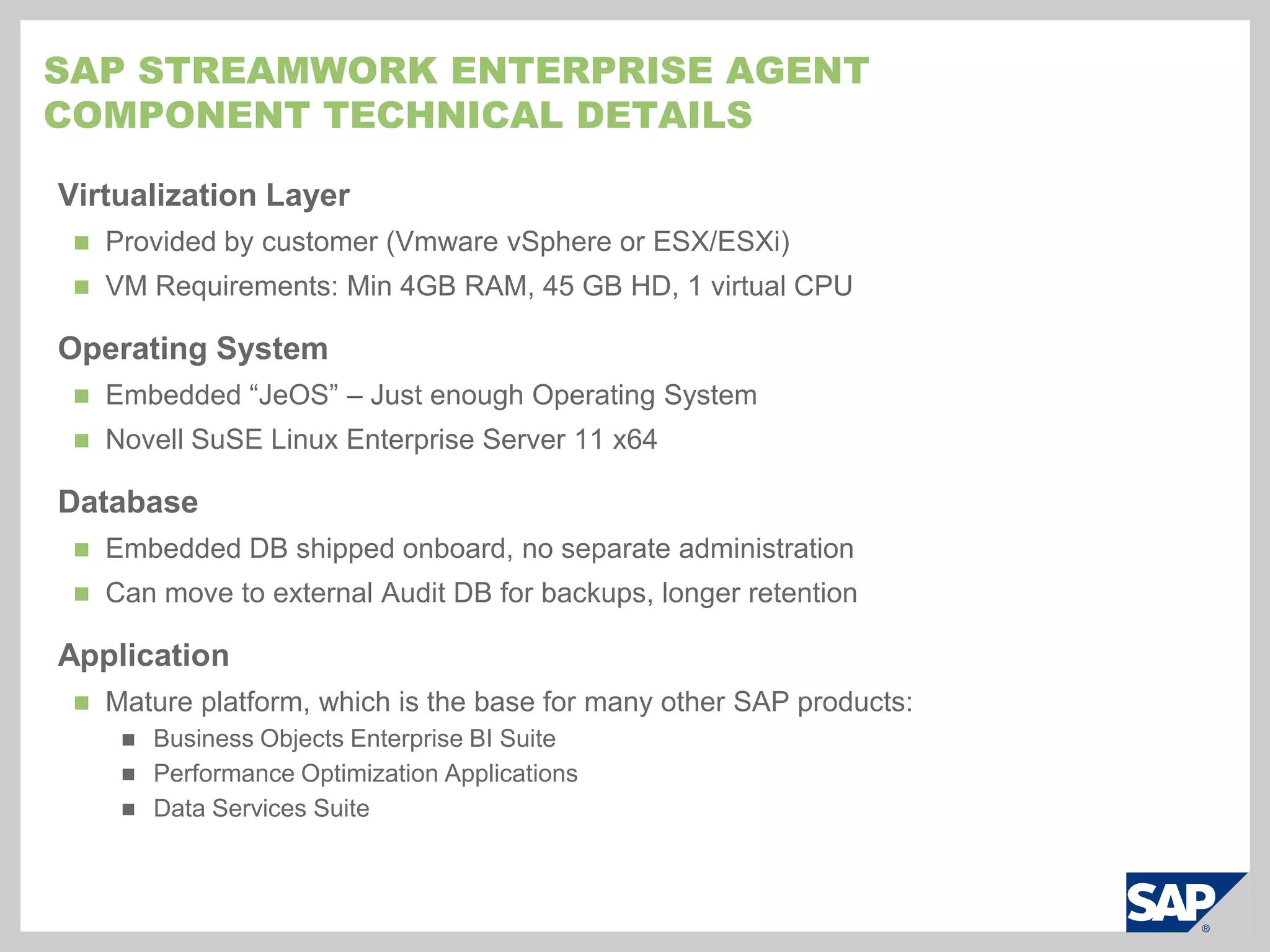
    SAP StreamWork EnterpriseAgentComponent Technical DetailsVirtualization LayerProvided by customer (VmwarevSphere or ESX/ESXi)VM Requirements: Min 4GB RAM, 45 GB HD, 1 virtual CPUOperating SystemEmbedded “JeOS” – Just enough Operating SystemNovell SuSE Linux Enterprise Server 11 x64DatabaseEmbedded DB shipped onboard, no separate administrationCan move to external Audit DB for backups, longer retentionApplicationMature platform, which is the base for many other SAP products:Business Objects Enterprise BI Suite
  • 239.
  • 240.
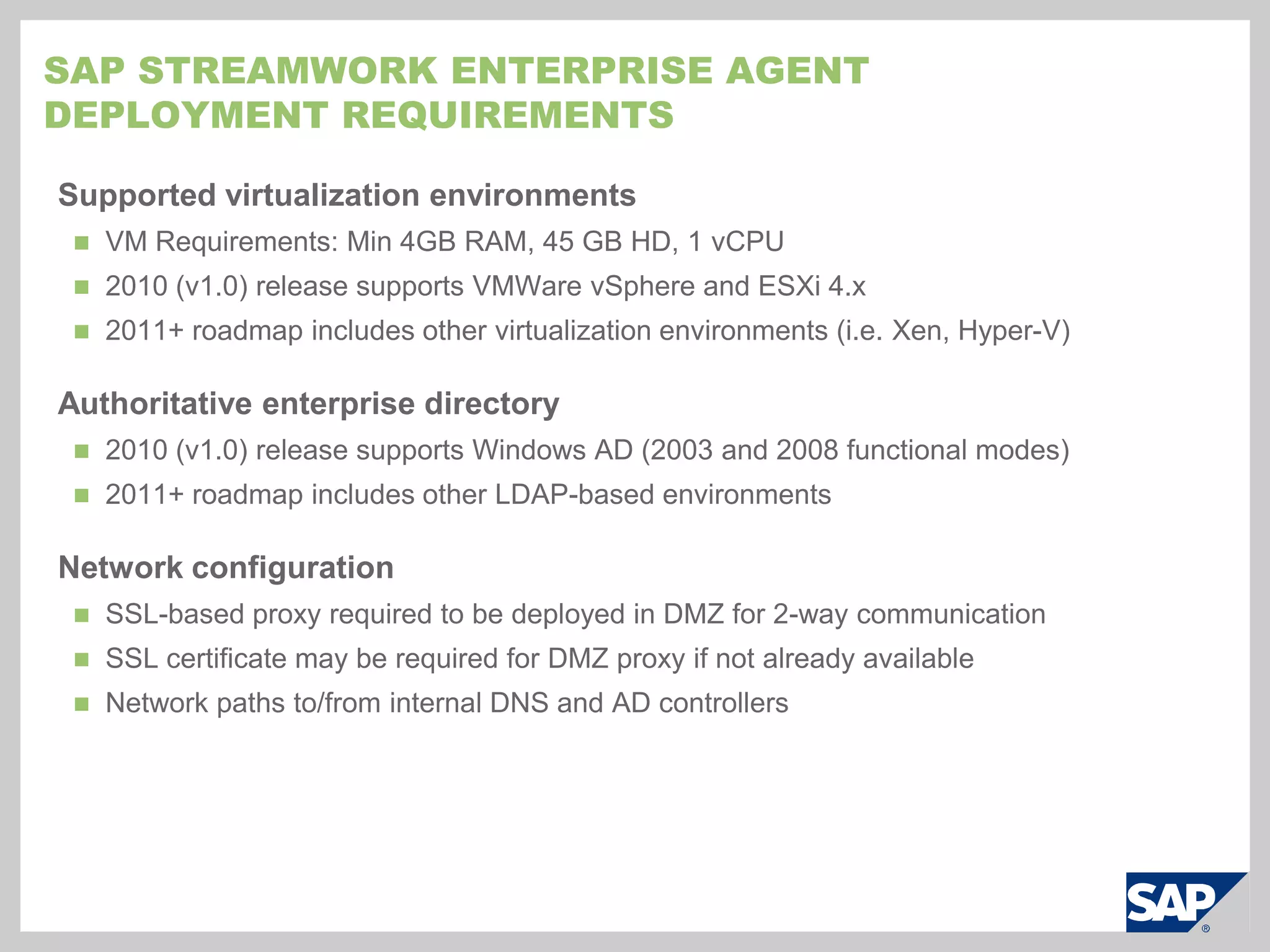
    Data Services SuiteSAPStreamWork Enterprise AgentDeployment RequirementsSupported virtualization environmentsVM Requirements: Min 4GB RAM, 45 GB HD, 1 vCPU
  • 241.
    2010 (v1.0) releasesupports VMWarevSphere and ESXi 4.x
  • 242.
    2011+ roadmap includesother virtualization environments (i.e. Xen, Hyper-V)Authoritative enterprise directory2010 (v1.0) release supports Windows AD (2003 and 2008 functional modes)
  • 243.
    2011+ roadmap includesother LDAP-based environmentsNetwork configurationSSL-based proxy required to be deployed in DMZ for 2-way communication
  • 244.
    SSL certificate maybe required for DMZ proxy if not already available
  • 245.
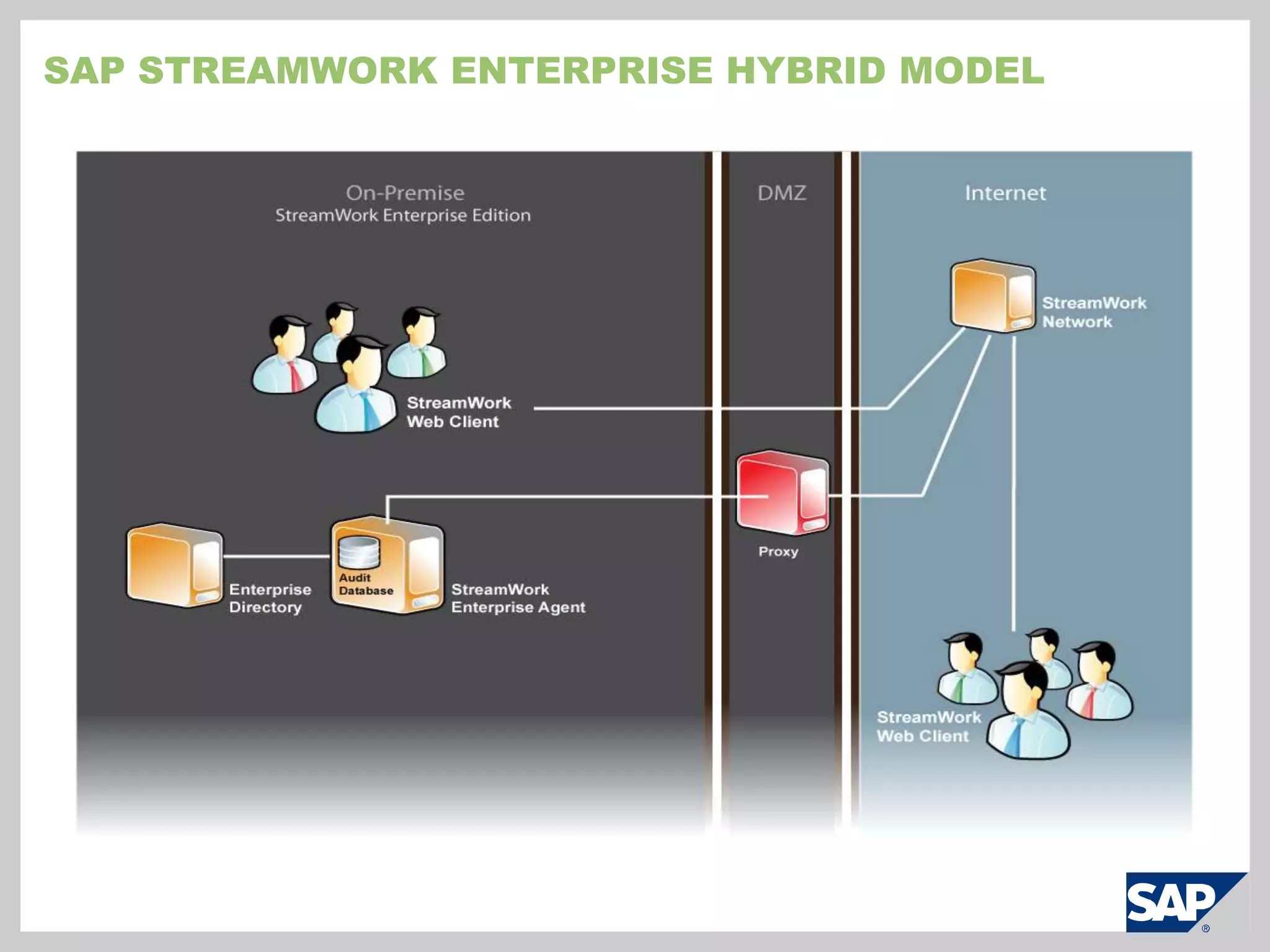
    Network paths to/frominternal DNS and AD controllersSAP StreamWork Enterprise hybrid model
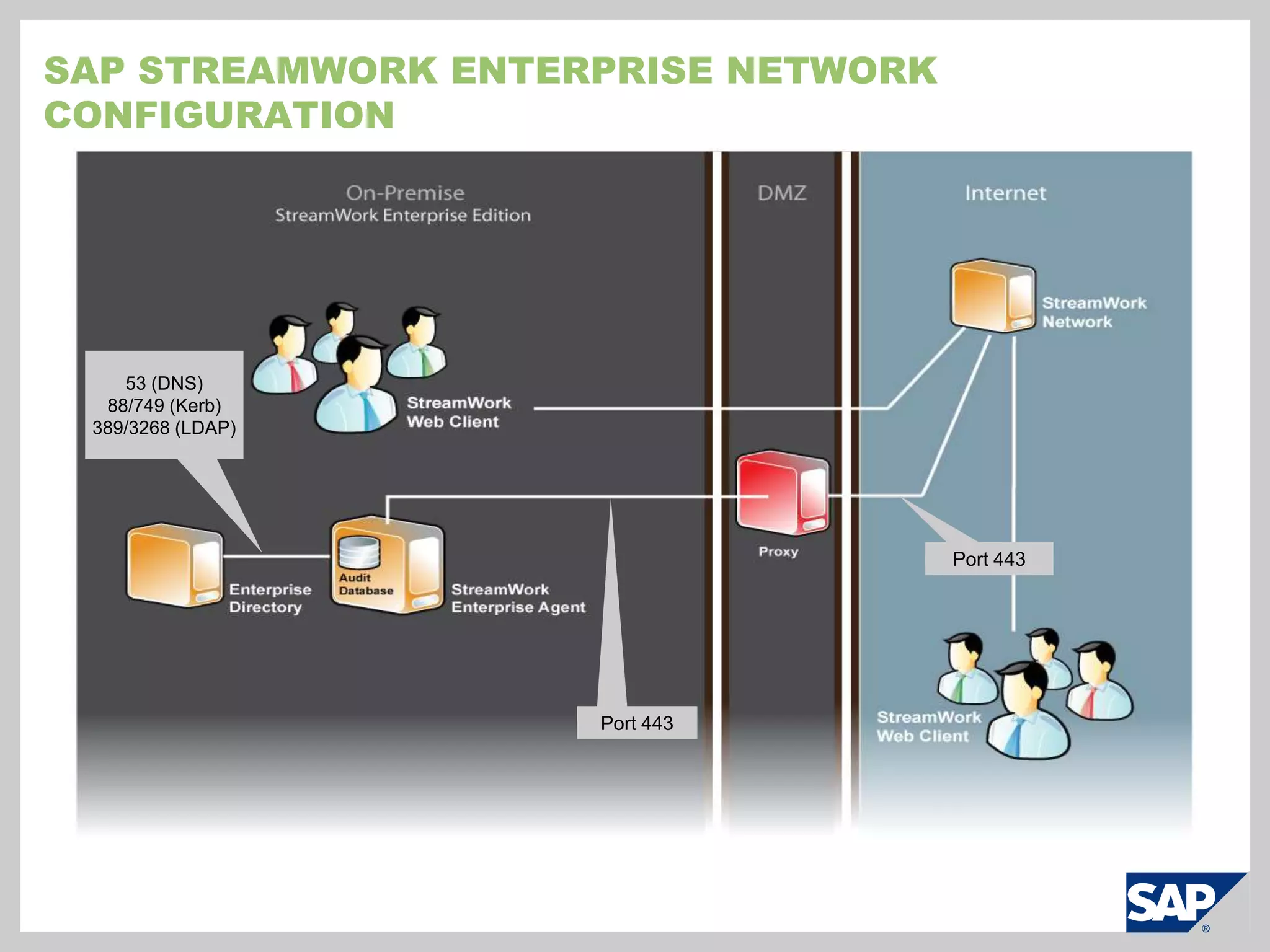
  • 246.
    SAP StreamWork EnterpriseNetwork Configuration53 (DNS)88/749 (Kerb)389/3268 (LDAP)Port 443Port 443
  • 247.
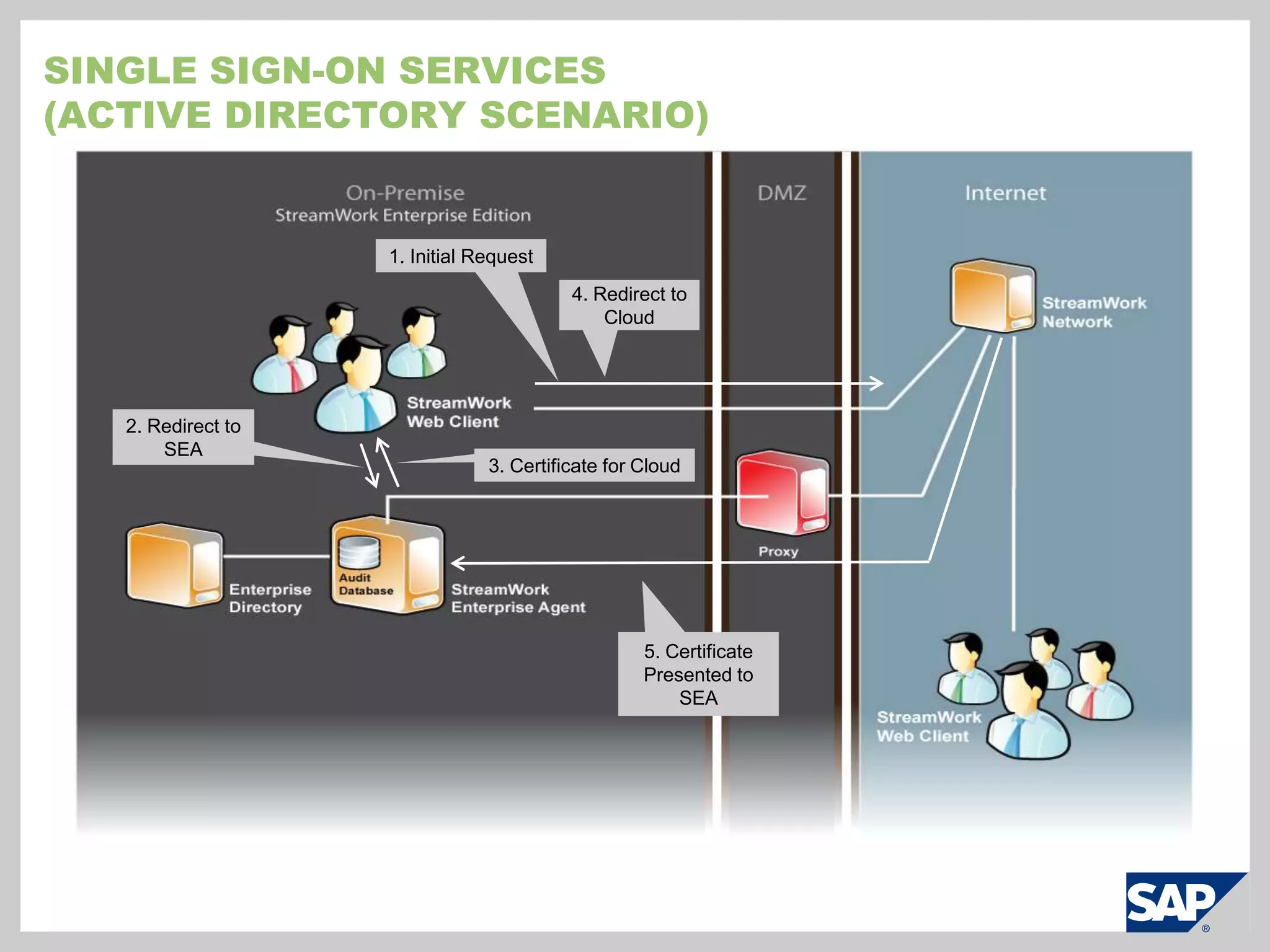
    Single Sign-on Services(ActiveDirectory Scenario)1. Initial Request4. Redirect to Cloud2. Redirect to SEA3. Certificate for Cloud5. Certificate Presented to SEA
  • 248.
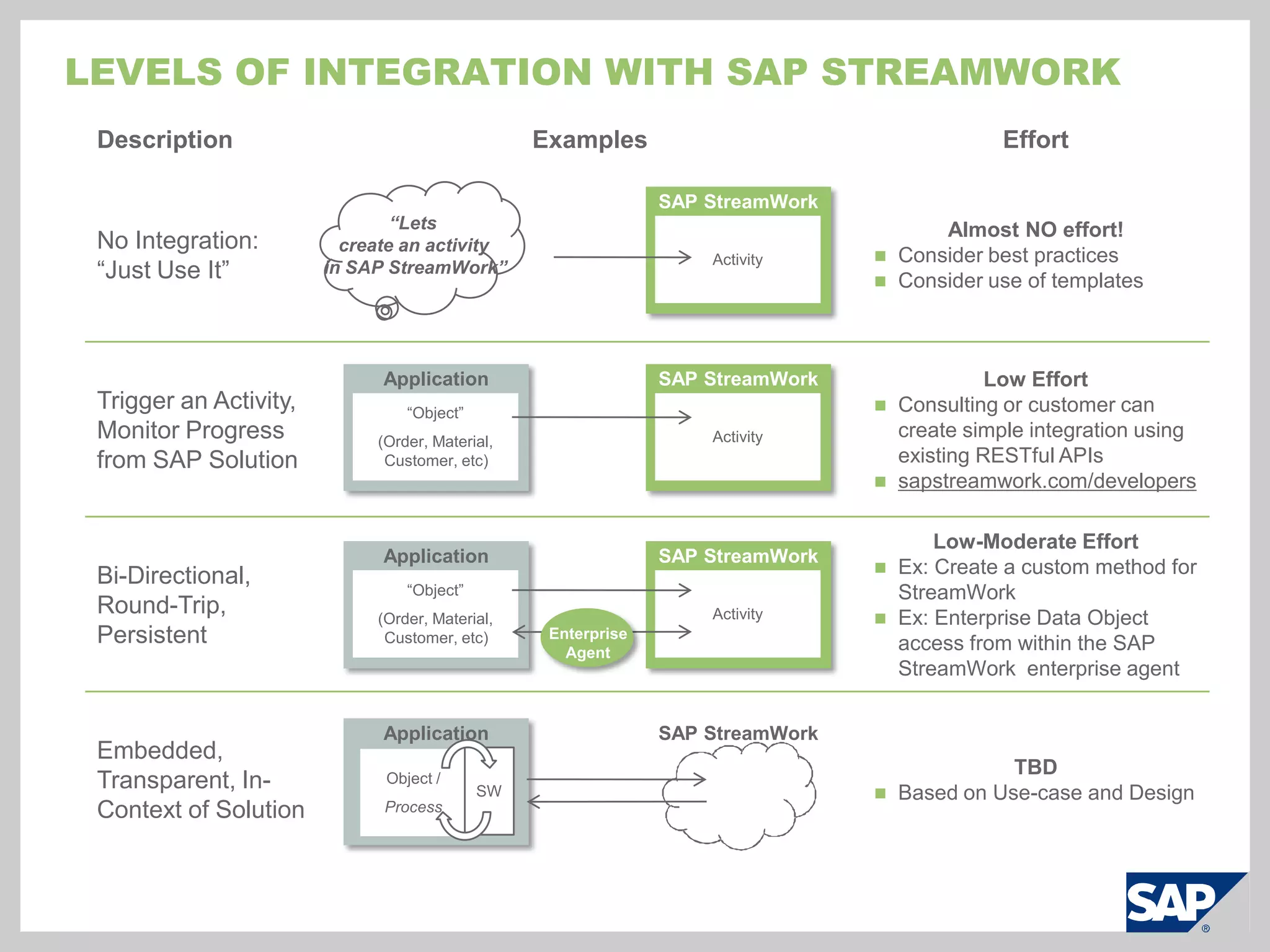
    Levels of IntegrationWith SAP StreamWork“Lets create an activity in SAP StreamWork”SAP StreamWorkActivitySAP StreamWorkApplicationActivity“Object”(Order, Material, Customer, etc)SAP StreamWorkApplicationActivity“Object”(Order, Material, Customer, etc)Enterprise AgentApplicationSAP StreamWorkSWObject / Process
  • 249.
    SAP streamWorkScreen shots(Cloud)© SAP 2009 / Page 57
  • 250.
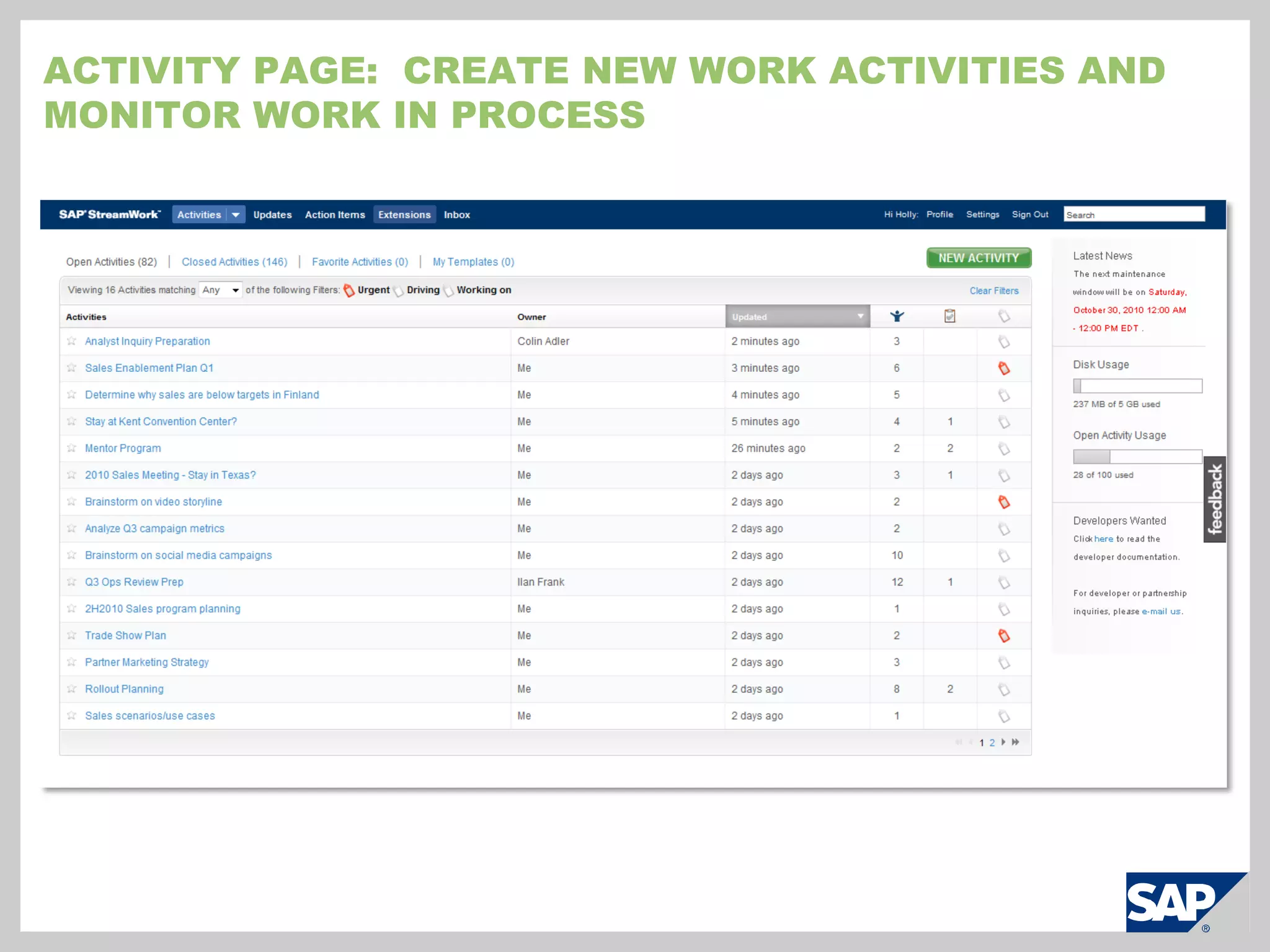
    Activity Page: Create new work activities and monitor work in process
  • 251.
    Business tools: Define the decision or discussion needed
  • 252.
    Business Tools: Solicit ideas and weigh the pros and cons for each
  • 253.
    Business Tools: Analyze the strengths, weaknesses, opportunities, and threats (SWOT)
  • 254.
    Business Tools: Discuss work or assign action items
  • 255.
    Analyze data withSAP BusinessObjects BI OnDemand
  • 256.
  • 257.
    Stay current withActivity streams
  • 258.
    Finalize the decision,Record, and communicate
  • 259.
    SAP streamWorkScreen Shots(Enterprise Agent)© SAP 2009 / Page 67
  • 260.
    SAP StreamWork EnterpriseAgent InstallationProvisionCreate a ‘blank’ virtual machine
  • 261.
    VM requirements: Min4GB RAM, 45 GB HD, 1 vCPU
  • 262.
    Mount ISO imageinto virtual DVD drive and bootInstallSet passwords
  • 263.
    Define network andsystem-level configurationConfigureUse web browser-based wizard to configure
  • 264.
    Improve the configurationexperience with built-in diagnosis
  • 265.
    Automatically check forlatest updatesConfiguration: Simple, web-based administrationOne place for all operationsConfigure the system
  • 266.
  • 267.
  • 268.
  • 269.
    Alerts and events– new updates, self-diagnosis resultsConfiguration: Diagnostics Screen Provides one place for system troubleshootingSystem OperationsConnectivity to SaaS servers
  • 270.
  • 271.
    Authentication and SSOoperationSystem MaintenanceUpdate management
  • 272.
  • 273.
    User status andlicense mgmtSystem RemediationLog file access
  • 274.
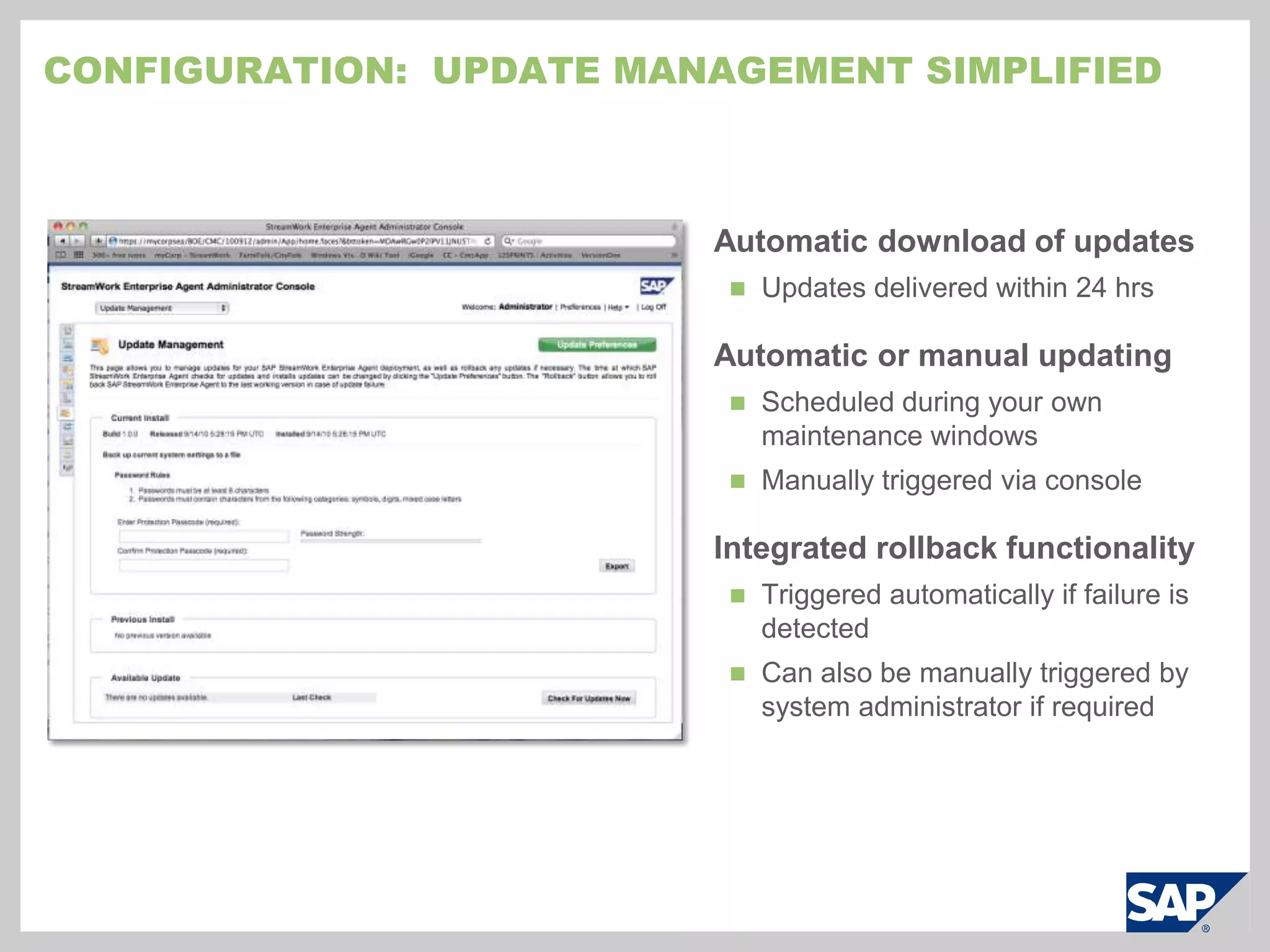
    File system integrityConfiguration: Update Management simplifiedAutomatic download of updatesUpdates delivered within 24 hrsAutomatic or manual updatingScheduled during your own maintenance windows
  • 275.
    Manually triggered viaconsoleIntegrated rollback functionalityTriggered automatically if failure is detected
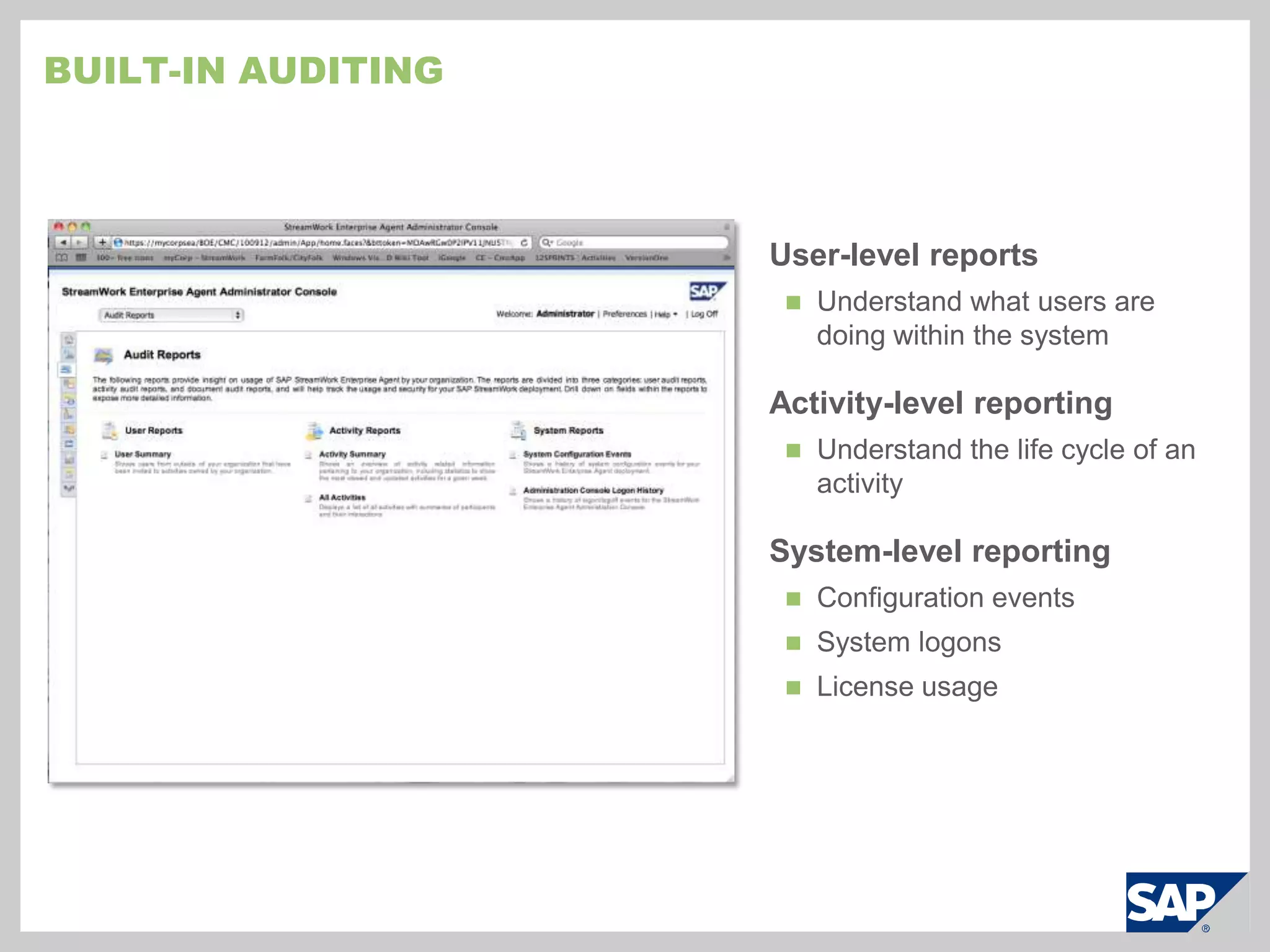
  • 276.
    Can also bemanually triggered by system administrator if requiredBuilt-in auditingUser-level reportsUnderstand what users are doing within the systemActivity-level reportingUnderstand the life cycle of an activitySystem-level reportingConfiguration events
  • 277.
  • 278.

Editor's Notes

  • #3 90 second video is available on SMART at http://download.sap.com/SMIUS/download.epd?context=4E084F4D8EBA6FCA11ECCD45B0D3B6F5A9B13470CE1A98BB6CAF72CB94E11F7DA8384293C4C82D7001308F5F4CF23BB97170A15483D01EA8 Externally, a lower resolution version can be obtained from www.youtube.com/sapstreamworkBefore we discuss SAP StreamWork in more detail, I would like to share a short video that helps to provide more context regarding this new collaborative decision making solution and the kinds of problems it solves.
  • #10 Business people not only have challenges that they are trying to address and are looking to cloud applications to help them, but IT is also trying to ensure they get the most out of cloud applications and how to marry them with their existing infrastructures and applications.
  • #14 Automatic, “no hands” updating mechanism:Appliance updates are “pushed” to the appliance automaticallyMaintenance window set during configuration procedurei.e. “third Thursday of the month at 2 a.m.”, “every Friday at 4 a.m.” ,etcIntegrated “rollback” functionality:System snapshots automatically managed to revert to “last known good state”Not dependent on the hypervisor for snapshot or rollback operationsNo action required from administrator for rollbacksAdministrator can manually trigger a rollback if required
  • #19 Source:Harris Interactive and Tacit Knowledge Systems 67% of workers believe there are colleagues who can help them do their job better39% say they have difficulty locating the right peopleOnly 25% frequently go outside their department to seek or share knowledge38% don’t get asked for their help and information
  • #20 Source:Harris Interactive and Tacit Knowledge Systems 67% of workers believe there are colleagues who can help them do their job better39% say they have difficulty locating the right peopleOnly 25% frequently go outside their department to seek or share knowledge38% don’t get asked for their help and information