The iXBRL Portfolio
Accounts Production
2
Sage’s XBRL / iXBRL Roadmap
Topic
The Sage Approach to XBRL
Overview of development methodology and progress
Demonstration of Page Production and export to XBRL
Q & A
Sage’s Approach to iXBRL
3
• To reduce the level of effort required by accountants down to
the click of a few buttons
• Sage’s iXBRL solution will come as a module to the existing
Sage Accounts Production offering
• The iXBRL solution will incorporate a significant
reengineering of Sage Accounts Production which will see
the generation of financial statement move from the current
“Pages” section to a new module - Interactive Financial
Statement (IFS)
• The IFS interface is designed to be user friendly and is
presented in a word/excel like interface
Exactly what will I be required to do?
4
1. Download the IFS/iXBRL module from the Sage website or run
from a CD
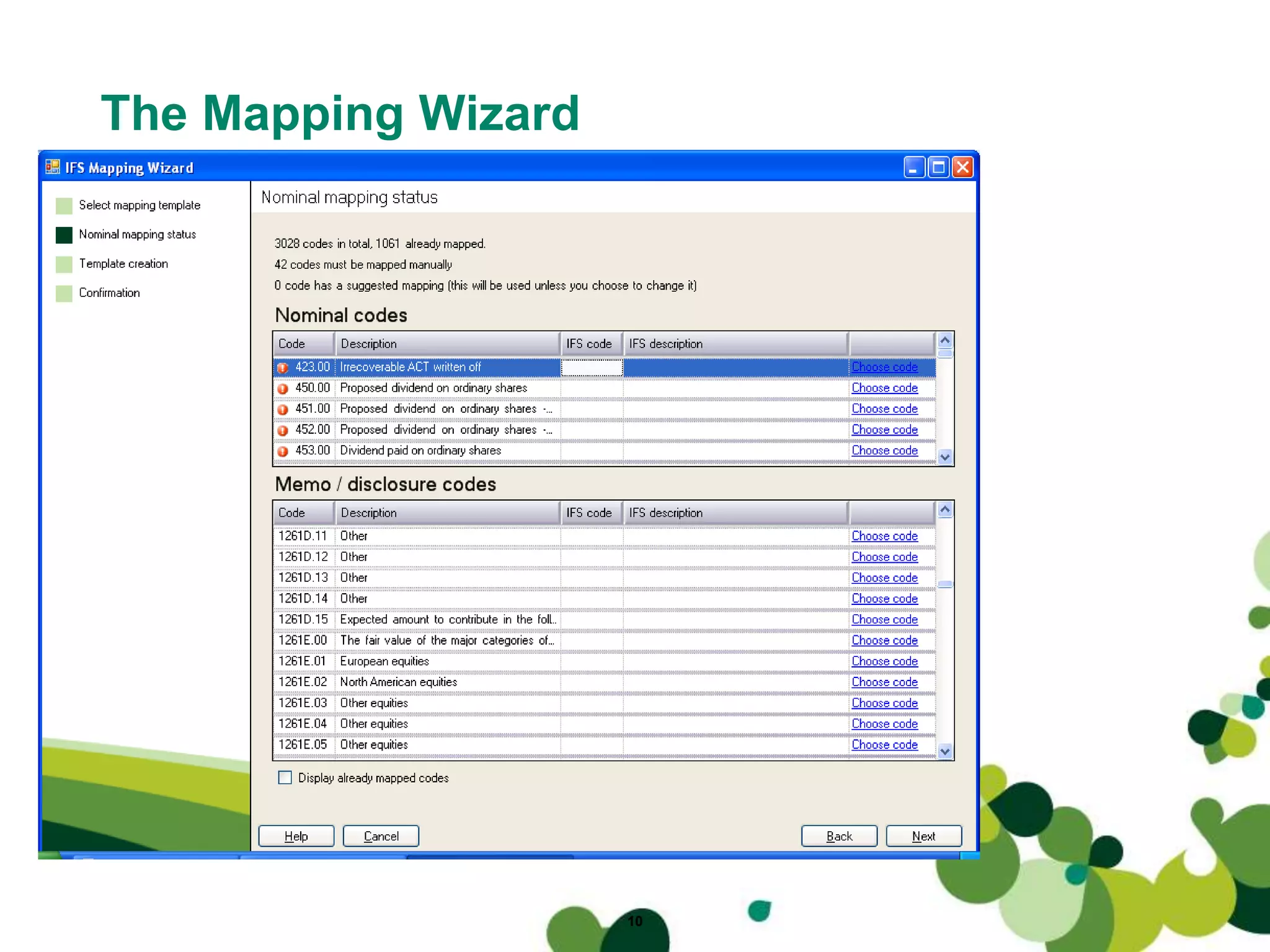
2. Run the mapping wizard:
- The mapping wizard will map the existing chart of accounts to
IFS
- Where the chart of accounts has been altered, the mapping
wizard will allow the user to manually map any remaining nominals
3. Prepare the financial statements from the client’s trial balance as
normal in Sage Accounts Production
4. To view the financial statement - instead of clicking pages, simply
click IFS
5. The financial statements are generated, with the iXBRL tagging in
the background
6. Show iXBRL facility
7. Click submit button
IFS and iXBRL
5
• Fully configurable and customisable financial
statements allow the user to make changes without the
need to export to any other application
• HMRC may eventually require financial statements to
be fully tagged as opposed to partially tagged – the 1st
April 2011 deadline.
• IFS natively supports iXBRL and XBRL from the ground
up and will allow fully tagged accounts to be produced
from initial release
• Our goal at Sage is to limit the impact on how you
create a set of financial statements.
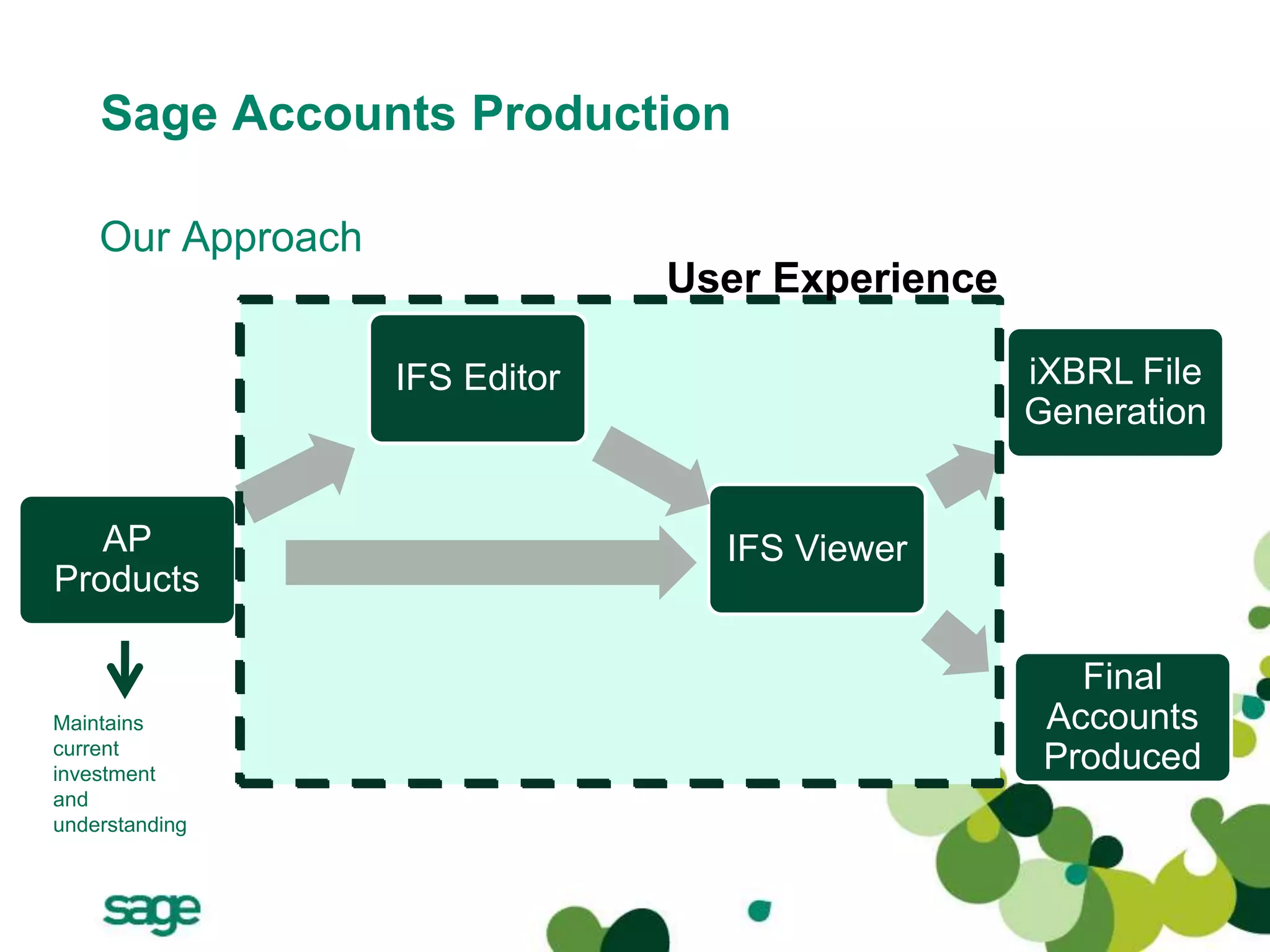
Sage Accounts Production
IFS Editor
Final
Accounts
Produced
AP
Products
IFS Viewer
iXBRL File
Generation
User Experience
Our Approach
Maintains
current
investment
and
understanding
Sage Accounts Production
Benefits of the IFS
• Error Report
– Errors Warnings and Advice
• Report Pads
– User Defined Items
• Drill Down
– Greater functionality on the face
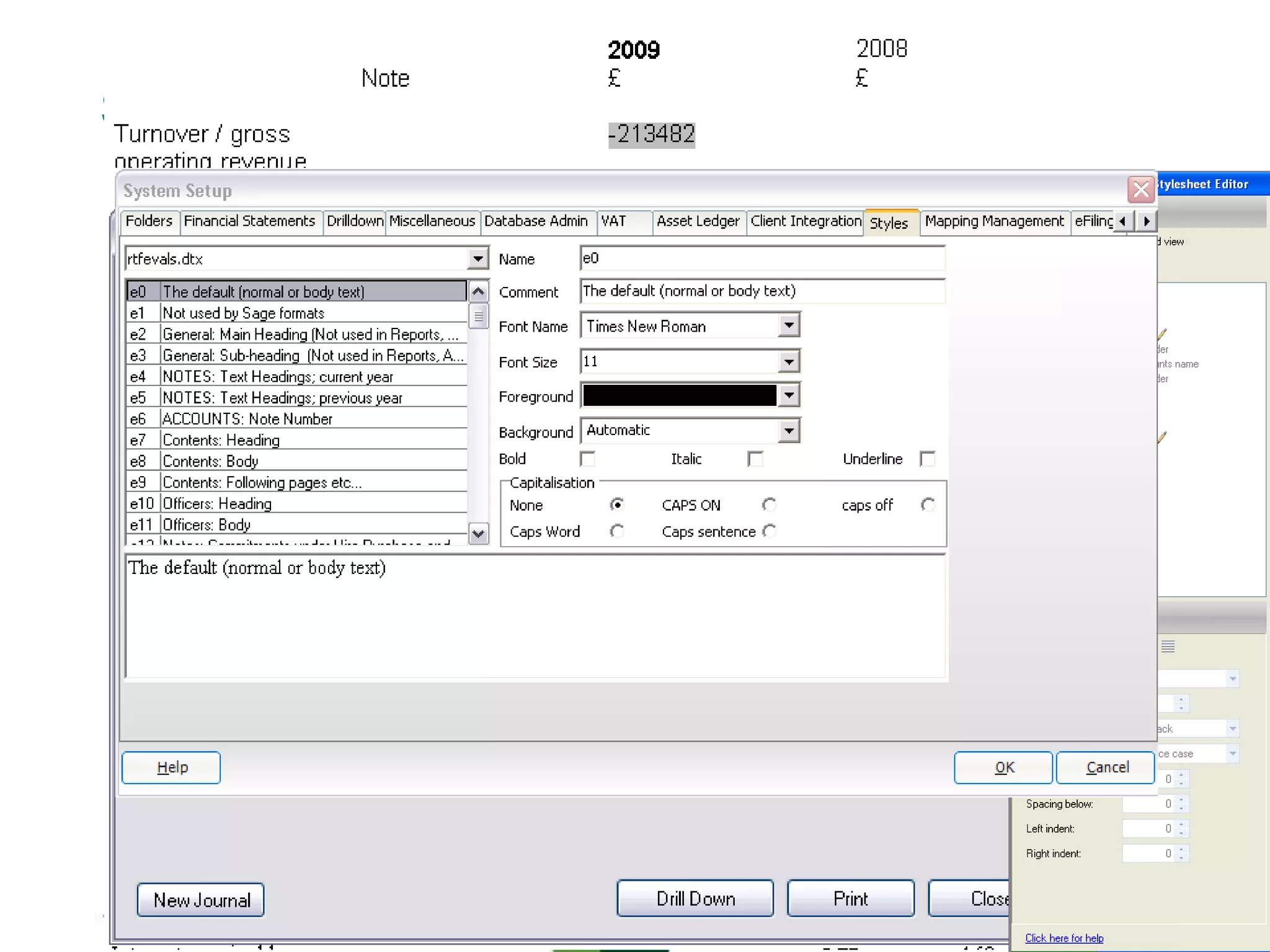
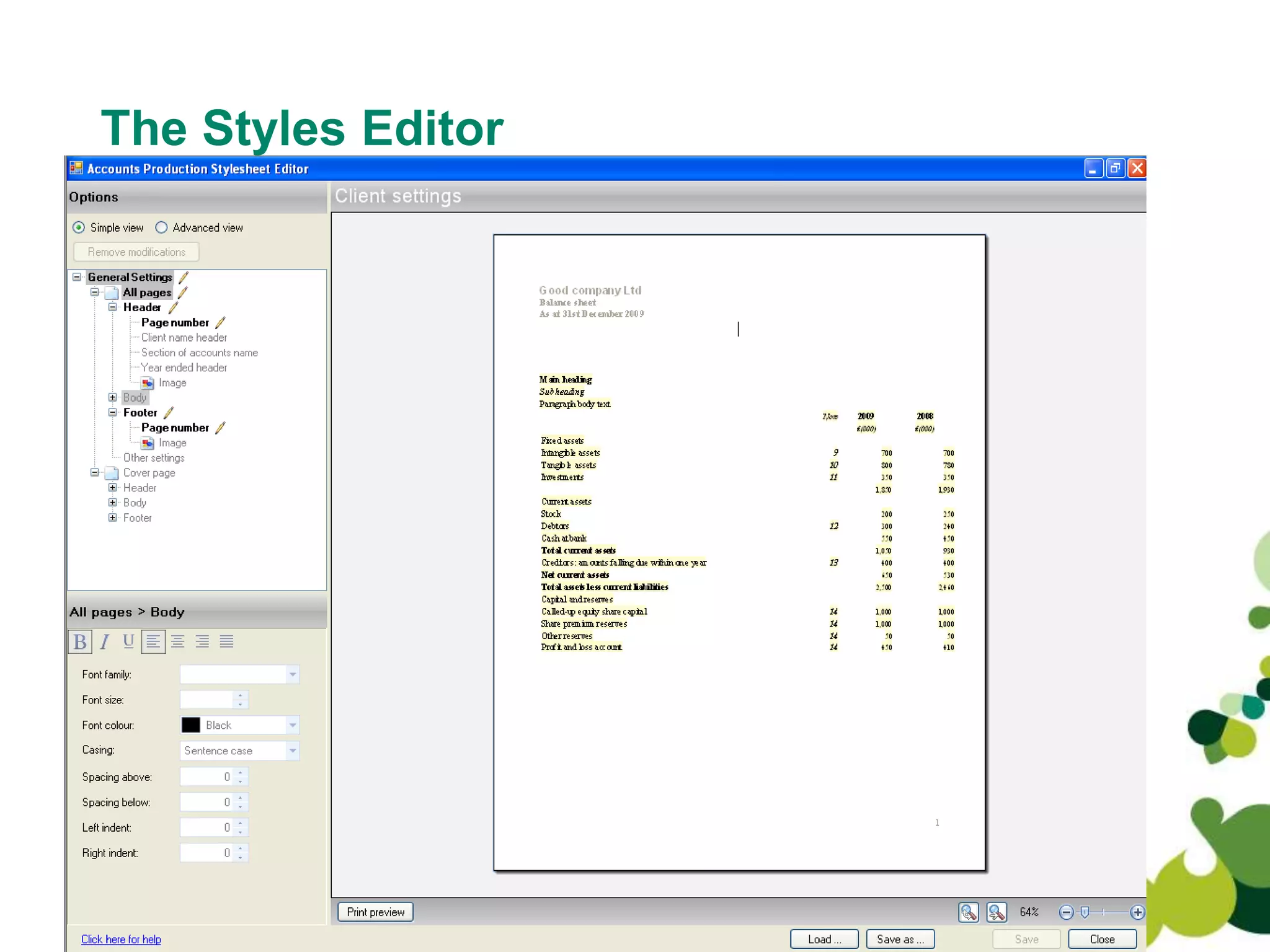
• Styles
– Greater influence over style
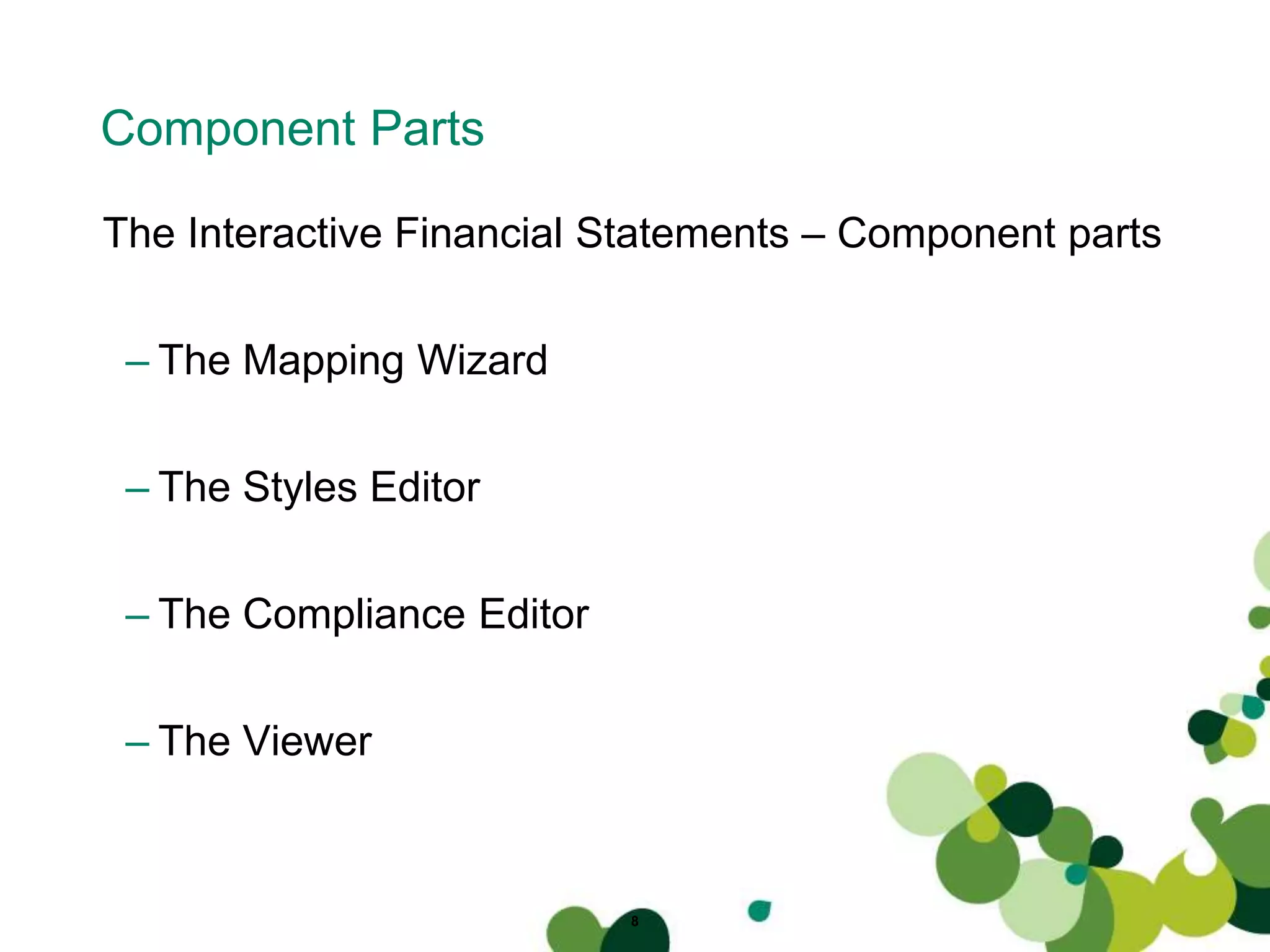
Component Parts
The Interactive Financial Statements – Component parts
– The Mapping Wizard
– The Styles Editor
– The Compliance Editor
– The Viewer
8
The Styles Editor
9
10
The Mapping Wizard
Sage Accounts Production
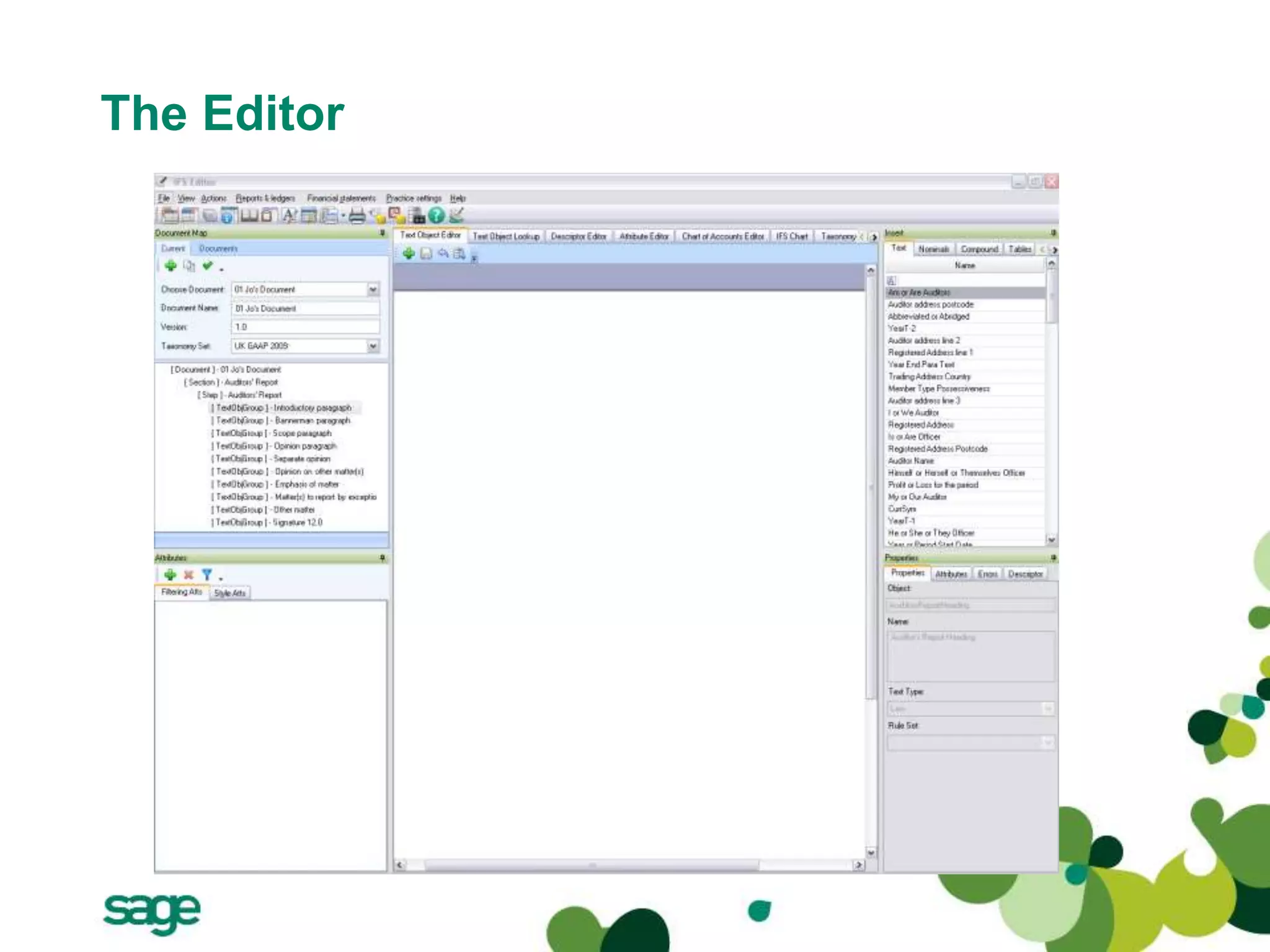
The Editor
• This provides the power behind the IFS
• Ability to specify your output
• Without knowledge of formatting
• Build your own pro-formas
• Specify exactly the tabular output you wish
The Editor
Sage Accounts Production
Viewer
• For 99% of users this will be all that they use
• V1 will still retain current product
• Reads off a templates
• Very user friendly
• Set options / discl / details etc... Within the new IFS module
• Drill down
• Journals posting for V1
• Produce Accounts and iXBRL files
Contact
heather.hamilton@sage.com
peter.hutt@sage.com
14

SAGE iXBRL Portfolio Update

  • 1.
  • 2.
    2 Sage’s XBRL /iXBRL Roadmap Topic The Sage Approach to XBRL Overview of development methodology and progress Demonstration of Page Production and export to XBRL Q & A
  • 3.
    Sage’s Approach toiXBRL 3 • To reduce the level of effort required by accountants down to the click of a few buttons • Sage’s iXBRL solution will come as a module to the existing Sage Accounts Production offering • The iXBRL solution will incorporate a significant reengineering of Sage Accounts Production which will see the generation of financial statement move from the current “Pages” section to a new module - Interactive Financial Statement (IFS) • The IFS interface is designed to be user friendly and is presented in a word/excel like interface
  • 4.
    Exactly what willI be required to do? 4 1. Download the IFS/iXBRL module from the Sage website or run from a CD 2. Run the mapping wizard: - The mapping wizard will map the existing chart of accounts to IFS - Where the chart of accounts has been altered, the mapping wizard will allow the user to manually map any remaining nominals 3. Prepare the financial statements from the client’s trial balance as normal in Sage Accounts Production 4. To view the financial statement - instead of clicking pages, simply click IFS 5. The financial statements are generated, with the iXBRL tagging in the background 6. Show iXBRL facility 7. Click submit button
  • 5.
    IFS and iXBRL 5 •Fully configurable and customisable financial statements allow the user to make changes without the need to export to any other application • HMRC may eventually require financial statements to be fully tagged as opposed to partially tagged – the 1st April 2011 deadline. • IFS natively supports iXBRL and XBRL from the ground up and will allow fully tagged accounts to be produced from initial release • Our goal at Sage is to limit the impact on how you create a set of financial statements.
  • 6.
    Sage Accounts Production IFSEditor Final Accounts Produced AP Products IFS Viewer iXBRL File Generation User Experience Our Approach Maintains current investment and understanding
  • 7.
    Sage Accounts Production Benefitsof the IFS • Error Report – Errors Warnings and Advice • Report Pads – User Defined Items • Drill Down – Greater functionality on the face • Styles – Greater influence over style
  • 8.
    Component Parts The InteractiveFinancial Statements – Component parts – The Mapping Wizard – The Styles Editor – The Compliance Editor – The Viewer 8
  • 9.
  • 10.
  • 11.
    Sage Accounts Production TheEditor • This provides the power behind the IFS • Ability to specify your output • Without knowledge of formatting • Build your own pro-formas • Specify exactly the tabular output you wish
  • 12.
  • 13.
    Sage Accounts Production Viewer •For 99% of users this will be all that they use • V1 will still retain current product • Reads off a templates • Very user friendly • Set options / discl / details etc... Within the new IFS module • Drill down • Journals posting for V1 • Produce Accounts and iXBRL files
  • 14.