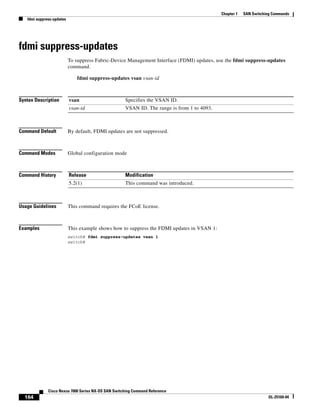
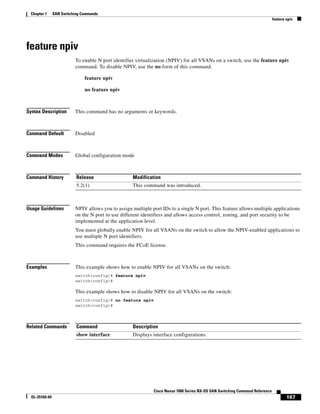
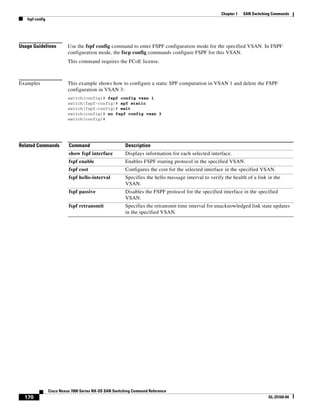
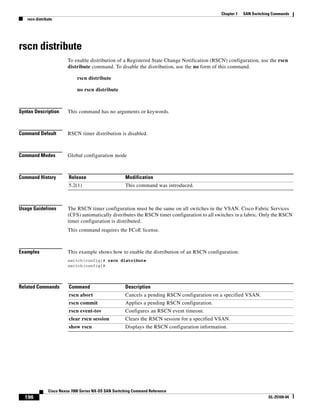
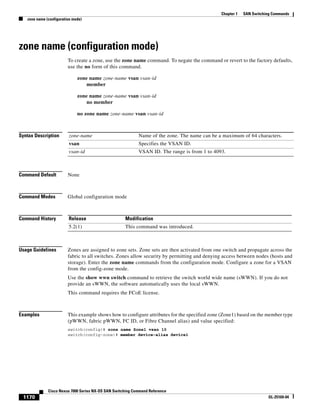
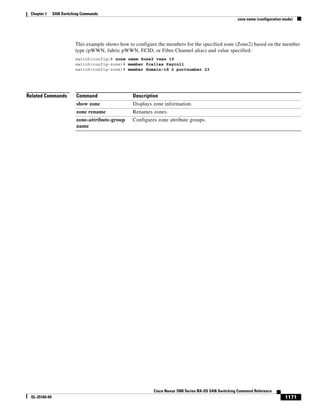
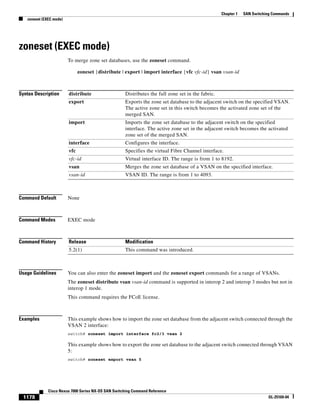
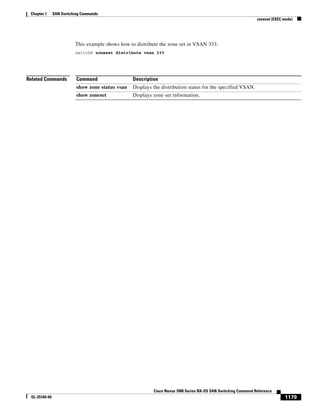
The clear fcdomain command clears the entire list of configured hosts for a specific VSAN. This command does not terminate existing connections, but only clears the configured host list. It must be used in EXEC mode and requires the FCoE license.
Cisco Systems, Inc.
www.cisco.com
Ciscohas more than 200 offices worldwide.
Addresses, phone numbers, and fax numbers
are listed on the Cisco website at
www.cisco.com/go/offices.
Cisco Nexus 7000 Series NX-OS SAN
Switching Command Reference
August 2013
Text Part Number: OL-27653-04
Contents
3
Cisco Nexus 7000Series NX-OS SAN Switching Command Reference
OL-25169-04
fspf hello-interval 176
fspf passive 178
fspf retransmit-interval 180
in-order-guarantee 182
member (fcalias configuration mode) 184
member (zone configuration mode) 186
member (zoneset configuration mode) 188
purge fcdomain fcid 189
rlir preferred-cond fcid 190
rscn 192
rscn abort 194
rscn commit 195
rscn distribute 196
rscn event-tov 197
show device-alias 198
show fabric-binding 1100
show fc2 1102
show fcalias 1106
show fcdomain 1107
show fcdroplatency 1110
show fcid-allocation 1111
show fcns database 1113
show fcns statistics 1115
show fcroute 1116
show fctimer 1118
show fdmi 1120
show flogi 1122
show fspf 1124
show rlir 1126
show rscn 1127
show trunk protocol 1129
show vsan 1130
show wwn 1132
show zone 1133
show zone analysis 1137
6.
Contents
4
Cisco Nexus 7000Series NX-OS SAN Switching Command Reference
OL-25169-04
show zone internal global-info 1140
show zone internal vsan 1141
show zone policy 1142
show zone smart-zoning auto-conv 1143
show zoneset 1144
switchport mode trunk 1145
system default switchport 1146
system default zone default-zone permit 1148
system default zone 1150
system default zone smart-zone 1152
trunk protocol enable 1153
vsan 1154
vsan database 1157
wwn secondary-mac 1158
wwn vsan 1159
zone clone 1161
zone commit 1162
zone compact 1163
zone convert smart-zoning 1164
zone copy 1165
zone default-zone 1167
zone merge-control restrict vsan 1168
zone mode enhanced 1169
zone name (configuration mode) 1170
zone name (zone set configuration mode) 1172
zone rename 1173
zone rscn address-format port 1174
zone smart-zoning enable 1175
zoneset (configuration mode) 1176
zoneset (EXEC mode) 1178
7.
1
Cisco Nexus 7000Series NX-OS SAN Switching Command Reference
OL-25169-04
New and Changed Information
This chapter provides release-specific information for each new and changed feature in the Cisco Nexus
7000 Series NX-OS SAN Switching Command Reference. The latest version of this document is available
at the following Cisco website:
http://www.cisco.com/c/en/us/support/switches/nexus-7000-series-switches/products-command-refere
nce-list.html
To check for additional information about this Cisco NX-OS Release, see the Cisco NX-OS Release
Notes available at the following Cisco website:
http://www.cisco.com/c/en/us/support/switches/nexus-7000-series-switches/products-release-notes-list
.html
The table below summarizes the new and changed features for the Cisco Nexus 7000 Series NX-OS SAN
Switching Command Reference, and tells you where they are documented.
Table 1 New and Changed Information
Feature Description
Changed
in
Release Where Documented
RSCN Port-Address
Format
This feature allows you to
switch between the
fabric-address format and
port-address format.
6.2(2) zone rscn address-format
port
8.
2
Cisco Nexus 7000Series NX-OS SAN Switching Command Reference
OL-25169-04
Chapter New and Changed Information
9.
3
Cisco Nexus 7000Series NX-OS SAN Switching Command Reference
OL-25169-04
Preface
This preface describes the audience, organization, and conventions of the Cisco Nexus 7000 Series
NX-OS SAN Switching Command Reference. It also provides information on how to obtain related
documentation.
This chapter includes the following sections:
• Audience, page 3
• Organization, page 3
• Document Conventions, page 3
• Related Documentation, page 4
• Obtaining Documentation and Submitting a Service Request, page 6
Audience
This publication is for experienced users who configure and maintain Cisco NX-OS devices.
Organization
This reference is organized as follows:
Document Conventions
Command descriptions use these conventions:
Chapter and Title Description
SAN Switching
Commands
Describes the Cisco NX-OS SAN Switching commands.
Convention Description
boldface font Commands and keywords are in boldface.
italic font Arguments for which you supply values are in italics.
10.
4
Cisco Nexus 7000Series NX-OS SAN Switching Command Reference
OL-25169-04
Chapter
Related Documentation
Screen examples use these conventions:
This document uses the following conventions:
Note Means reader take note. Notes contain helpful suggestions or references to material not covered in the
manual.
Caution Means reader be careful. In this situation, you might do something that could result in equipment
damage or loss of data.
Tip Means the following information will help you solve a problem.
Related Documentation
Cisco NX-OS includes the following documents:
Release Notes
Cisco Nexus 7000 Series NX-OS Release Notes, Release 5.x
NX-OS Configuration Guides
Cisco Nexus 7000 Series NX-OS Configuration Examples, Release 5.x
Configuring the Cisco Nexus 2000 Series Fabric Extender
Cisco Nexus 7000 Series NX-OS FabricPath Configuration Guide, Release 5.x
Configuring Feature Set for FabricPath
Cisco NX-OS FCoE Configuration Guide for Cisco Nexus 7000 and Cisco MDS 9500
[ ] Elements in square brackets are optional.
[ x | y | z ] Optional alternative keywords are grouped in brackets and separated by vertical
bars.
string A nonquoted set of characters. Do not use quotation marks around the string or
the string will include the quotation marks.
screen font Terminal sessions and information that the switch displays are in screen font.
boldface screen
font
Information you must enter is in boldface screen font.
italic screen font Arguments for which you supply values are in italic screen font.
< > Nonprinting characters, such as passwords, are in angle brackets.
[ ] Default responses to system prompts are in square brackets.
!, # An exclamation point (!) or a pound sign (#) at the beginning of a line of code
indicates a comment line.
11.
5
Cisco Nexus 7000Series NX-OS SAN Switching Command Reference
OL-25169-04
Chapter
Related Documentation
Cisco Nexus 7000 Series NX-OS Fundamentals Configuration Guide, Release 5.x
Cisco Nexus 7000 Series NX-OS High Availability and Redundancy Guide, Release 5.x
Cisco Nexus 7000 Series NX-OS Interfaces Configuration Guide, Release 5.x
Cisco Nexus 7000 Series NX-OS Layer 2 Switching Configuration Guide, Release 5.x
Cisco Nexus 7000 Series NX-OS LISP Configuration Guide
Cisco Nexus 7000 Series NX-OS MPLS Configuration Guide
Cisco Nexus 7000 Series NX-OS Multicast Routing Configuration Guide, Release 5.x
Cisco Nexus 7000 Series NX-OS OTV Configuration Guide, Release 5.x
Cisco Nexus 7000 Series OTV Quick Start Guide
Cisco Nexus 7000 Series NX-OS Quality of Service Configuration Guide, Release 5.x
Cisco Nexus 7000 Series NX-OS SAN Switching Configuration Guide
Cisco Nexus 7000 Series NX-OS Security Configuration Guide, Release 5.x
Cisco Nexus 7000 Series NX-OS System Management Configuration Guide, Release 5.x
Cisco Nexus 7000 Series NX-OS Unicast Routing Configuration Guide, Release 5.x
Cisco Nexus 7000 Series NX-OS Virtual Device Context Configuration Guide, Release 5.x
Cisco Nexus 7000 Series NX-OS Getting Started with Virtual Device Contexts, Release 5.x
NX-OS Command References
Cisco Nexus 7000 Series NX-OS Command Reference Master Index
Cisco Nexus 7000 Series NX-OS FabricPath Command Reference, Release
Cisco NX-OS FCoE Command Reference for Cisco Nexus 7000 and Cisco MDS 9500
Cisco Nexus 7000 Series NX-OS Fundamentals Command Reference
Cisco NX-OS High Availability and Redundancy Command Reference
Cisco Nexus 7000 Series NX-OS Interfaces Command Reference
Cisco Nexus 7000 Series NX-OS Layer 2 Switching Command Reference
Cisco Nexus 7000 Series NX-OS LISP Command Reference
Cisco Nexus 7000 Series NX-OS MPLS Command Reference
Cisco Nexus 7000 Series NX-OS Multicast Routing Command Reference
Cisco Nexus 7000 Series NX-OS OTV Command Reference
Cisco Nexus 7000 Series NX-OS Quality of Service Command Reference
Cisco Nexus 7000 Series NX-OS SAN Switching Command Reference
Cisco Nexus 7000 Series NX-OS Security Command Reference
Cisco Nexus 7000 Series NX-OS System Management Command Reference
Cisco Nexus 7000 Series NX-OS Unicast Routing Command Reference
Cisco Nexus 7000 Series NX-OS Virtual Device Context Command Reference
12.
6
Cisco Nexus 7000Series NX-OS SAN Switching Command Reference
OL-25169-04
Chapter
Related Documentation
Other Software Documents
Cisco NX-OS Licensing Guide
Cisco Nexus 7000 Series NX-OS MIB Quick Reference
Cisco Nexus 7000 Series NX-OS Software Upgrade and Downgrade Guide, Release 5.x
Cisco NX-OS System Messages Reference
Cisco Nexus 7000 Series NX-OS Troubleshooting Guide
Cisco NX-OS XML Management Interface User Guide, Release 5.x
Obtaining Documentation and Submitting a Service Request
For information on obtaining documentation, using the Cisco Bug Search Tool (BST), submitting a
service request, and gathering additional information, see What’s New in Cisco Product Documentation
at: http://www.cisco.com/c/en/us/td/docs/general/whatsnew/whatsnew.html.
Subscribe to What’s New in Cisco Product Documentation, which lists all new and revised
Cisco technical documentation, as an RSS feed and deliver content directly to your desktop using a
reader application. The RSS feeds are a free service.
.
13.
C H AP T E R
11
Cisco Nexus 7000 Series NX-OS SAN Switching Command Reference
OL-25169-04
1
SAN Switching Commands
This chapter describes the Cisco NX-OS SAN Switching commands available on Cisco NX-OS
switches.
14.
12
Cisco Nexus 7000Series NX-OS SAN Switching Command Reference
OL-25169-04
Chapter 1 SAN Switching Commands
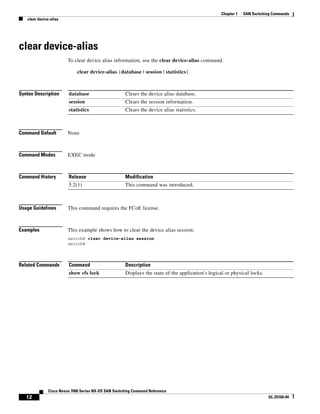
clear device-alias
clear device-alias
To clear device alias information, use the clear device-alias command.
clear device-alias {database | session | statistics}
Syntax Description
Command Default None
Command Modes EXEC mode
Command History
Usage Guidelines This command requires the FCoE license.
Examples This example shows how to clear the device alias session:
switch# clear device-alias session
switch#
Related Commands
database Clears the device alias database.
session Clears the session information.
statistics Clears the device alias statistics.
Release Modification
5.2(1) This command was introduced.
Command Description
show cfs lock Displays the state of the application's logical or physical locks.
15.
13
Cisco Nexus 7000Series NX-OS SAN Switching Command Reference
OL-25169-04
Chapter 1 SAN Switching Commands
clear fcdomain
clear fcdomain
To clear the entire list of configured hosts, use the clear fcdomain command.
clear fcdomain session vsan vsan-id
Syntax Description
Command Default None
Command Modes EXEC mode
Command History
Usage Guidelines This command clears only the list of configured hosts. Existing connections are not terminated.
This command requires the FCoE license.
Examples This example shows how to clear the entire list of configured hosts for remote capture:
switch# clear fcdomain session vsan 10
switch#
Related Commands
session Clears the session information.
vsan Clears the Fibre Channel domains for a specified VSAN.
vsan-id VSAN ID. The range is from 1 to 4093.
Release Modification
5.2(1) This command was introduced.
Command Description
show cfs lock Displays state of application's logical or physical locks.
show cfs application
name fcdomain
Displays local application information by the domain manager.
16.
14
Cisco Nexus 7000Series NX-OS SAN Switching Command Reference
OL-25169-04
Chapter 1 SAN Switching Commands
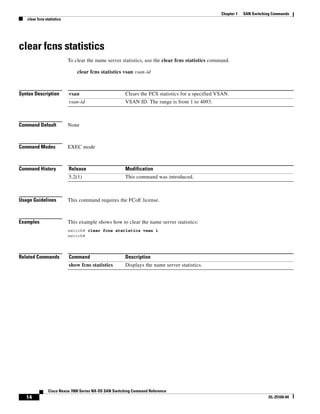
clear fcns statistics
To clear the name server statistics, use the clear fcns statistics command.
clear fcns statistics vsan vsan-id
Syntax Description
Command Default None
Command Modes EXEC mode
Command History
Usage Guidelines This command requires the FCoE license.
Examples This example shows how to clear the name server statistics:
switch# clear fcns statistics vsan 1
switch#
Related Commands
vsan Clears the FCS statistics for a specified VSAN.
vsan-id VSAN ID. The range is from 1 to 4093.
Release Modification
5.2(1) This command was introduced.
Command Description
show fcns statistics Displays the name server statistics.
17.
15
Cisco Nexus 7000Series NX-OS SAN Switching Command Reference
OL-25169-04
Chapter 1 SAN Switching Commands
clear fscm log
clear fscm log
To clear the Fabric Startup Configuration Manager (FSCM) log, use the clear fscm log command.
clear fscm log
Syntax Description This command has no arguments or keywords.
Command Default None
Command Modes EXEC mode
Command History
Usage Guidelines This command requires the FCoE license.
Examples This example shows how to clear the FSCM log:
switch# clear fscm log
switch#
Related Commands
Release Modification
5.2(1) This command was introduced.
Command Description
show cfs lock Displays state of application's logical or physical locks.
show cfs application
name fscm
Displays local application information by the Fabric Startup Configuration
Manager.
18.
16
Cisco Nexus 7000Series NX-OS SAN Switching Command Reference
OL-25169-04
Chapter 1 SAN Switching Commands
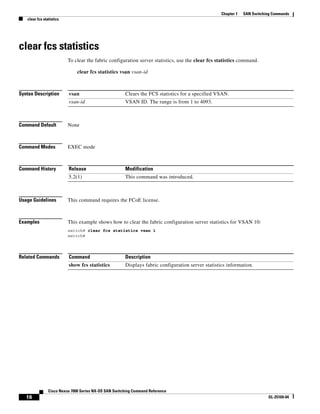
clear fcs statistics
To clear the fabric configuration server statistics, use the clear fcs statistics command.
clear fcs statistics vsan vsan-id
Syntax Description
Command Default None
Command Modes EXEC mode
Command History
Usage Guidelines This command requires the FCoE license.
Examples This example shows how to clear the fabric configuration server statistics for VSAN 10:
switch# clear fcs statistics vsan 1
switch#
Related Commands
vsan Clears the FCS statistics for a specified VSAN.
vsan-id VSAN ID. The range is from 1 to 4093.
Release Modification
5.2(1) This command was introduced.
Command Description
show fcs statistics Displays fabric configuration server statistics information.
19.
17
Cisco Nexus 7000Series NX-OS SAN Switching Command Reference
OL-25169-04
Chapter 1 SAN Switching Commands
clear fctimer session
To clear fctimer Cisco Fabric Services (CFS) session configuration and locks, use the clear fctimer
session command.
clear fctimer session
Syntax Description This command has no arguments or keywords.
Command Default None
Command Modes EXEC mode
Command History
Usage Guidelines You must enable the fctimer for CFS distribution before this command is valid.
This command requires the FCoE license.
Examples This example shows how to clear an fctimer session:
switch# clear fctimer session
switch#
Related Commands
Release Modification
5.2(1) This command was introduced.
Command Description
show cfs lock Displays state of application's logical or physical locks.
show cfs application
name fctimer
Displays local application information by the Fibre Channel timer.
20.
18
Cisco Nexus 7000Series NX-OS SAN Switching Command Reference
OL-25169-04
Chapter 1 SAN Switching Commands
clear fspf counters
clear fspf counters
To clear the Fabric Shortest Path First (FSPF) statistics, use the clear fspf counters command.
clear fspf counters vsan vsan-id [interface type]
Syntax Description
Command Default None
Command Modes EXEC mode
Command History
Usage Guidelines If the interface is not specified, all of the counters of a VSAN are cleared. If the interface is specified,
the counters of the specific interface are cleared.
The only type of valid interface is virtual Fibre Channel (VFC) interface.
This command requires the FCoE license.
Examples This example shows how to clear the FSPF statistics on VSAN 1:
switch# clear fspf counters vsan 1
switch#
This example shows how to clear the FSPF statistics in VSAN 1 for the specified Fibre Channel
interface:
switch# clear fspf counters vsan 100 interface vfc fc 301
switch#
Related Commands
vsan Specifies that the counters are to be cleared for a VSAN.
vsan-id VSAN ID. The range is from 1 to 4093.
interface (Optional) Specifies that the counters are to be cleared for an interface.
type Interface type. The interface types are FC (Fibre Channel) and
san-port-channel (SAN port channel).
Release Modification
5.2(1) This command was introduced.
Command Description
show fspf counter
interface
Displays global FSPF information for a specific VSAN.
21.
19
Cisco Nexus 7000Series NX-OS SAN Switching Command Reference
OL-25169-04
Chapter 1 SAN Switching Commands
clear rlir
clear rlir
To clear Registered Link Incident Report (RLIR) information, use the clear rlir command.
clear rlir {history | recent {interface fc slot/port | portnumber port} | statistics vsan vsan-id}
Syntax Description
Command Default None
Command Modes EXEC mode
Command History
Usage Guidelines This command requires the FCoE license.
Examples This example shows how to clear the RLIR statistics for VSAN 1:
switch# clear rlir statistics vsan 1
switch#
Related Commands
history Clears the RLIR incident link history.
recent Clears the recent link incidents.
interface fc Clears the entries for the specified interface.
slot/port Slot or port number. The range is from 1 to 18.
portnumber Displays the port number for the link incidents.
port Port number. The range is from 1 to 224.
statistics Clears the RLIR statistics.
vsan Clears the RLIR statistics for a VSAN.
vsan-id VSAN ID. The range is from 1 to 4093.
Release Modification
5.2(1) This command was introduced.
Command Description
show rlir Displays RLIR information.
22.
110
Cisco Nexus 7000Series NX-OS SAN Switching Command Reference
OL-25169-04
Chapter 1 SAN Switching Commands
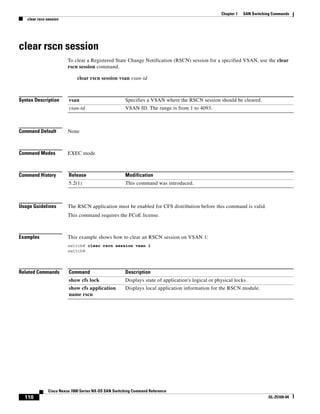
clear rscn session
clear rscn session
To clear a Registered State Change Notification (RSCN) session for a specified VSAN, use the clear
rscn session command.
clear rscn session vsan vsan-id
Syntax Description
Command Default None
Command Modes EXEC mode
Command History
Usage Guidelines The RSCN application must be enabled for CFS distribution before this command is valid.
This command requires the FCoE license.
Examples This example shows how to clear an RSCN session on VSAN 1:
switch# clear rscn session vsan 1
switch#
Related Commands
vsan Specifies a VSAN where the RSCN session should be cleared.
vsan-id VSAN ID. The range is from 1 to 4093.
Release Modification
5.2(1) This command was introduced.
Command Description
show cfs lock Displays state of application's logical or physical locks.
show cfs application
name rscn
Displays local application information for the RSCN module.
23.
111
Cisco Nexus 7000Series NX-OS SAN Switching Command Reference
OL-25169-04
Chapter 1 SAN Switching Commands
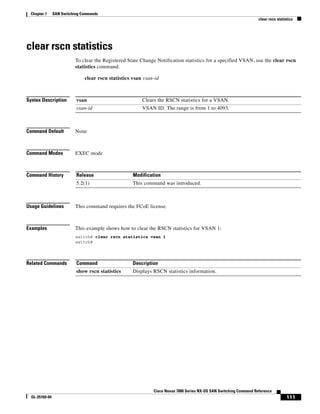
clear rscn statistics
To clear the Registered State Change Notification statistics for a specified VSAN, use the clear rscn
statistics command.
clear rscn statistics vsan vsan-id
Syntax Description
Command Default None
Command Modes EXEC mode
Command History
Usage Guidelines This command requires the FCoE license.
Examples This example shows how to clear the RSCN statistics for VSAN 1:
switch# clear rscn statistics vsan 1
switch#
Related Commands
vsan Clears the RSCN statistics for a VSAN.
vsan-id VSAN ID. The range is from 1 to 4093.
Release Modification
5.2(1) This command was introduced.
Command Description
show rscn statistics Displays RSCN statistics information.
24.
112
Cisco Nexus 7000Series NX-OS SAN Switching Command Reference
OL-25169-04
Chapter 1 SAN Switching Commands
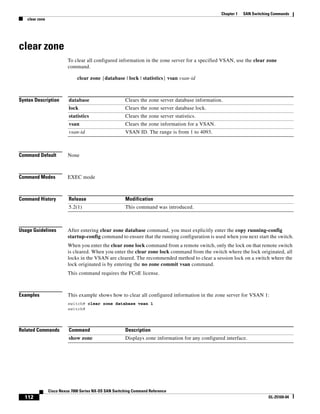
clear zone
clear zone
To clear all configured information in the zone server for a specified VSAN, use the clear zone
command.
clear zone {database | lock | statistics} vsan vsan-id
Syntax Description
Command Default None
Command Modes EXEC mode
Command History
Usage Guidelines After entering clear zone database command, you must explicitly enter the copy running-config
startup-config command to ensure that the running configuration is used when you next start the switch.
When you enter the clear zone lock command from a remote switch, only the lock on that remote switch
is cleared. When you enter the clear zone lock command from the switch where the lock originated, all
locks in the VSAN are cleared. The recommended method to clear a session lock on a switch where the
lock originated is by entering the no zone commit vsan command.
This command requires the FCoE license.
Examples This example shows how to clear all configured information in the zone server for VSAN 1:
switch# clear zone database vsan 1
switch#
Related Commands
database Clears the zone server database information.
lock Clears the zone server database lock.
statistics Clears the zone server statistics.
vsan Clears the zone information for a VSAN.
vsan-id VSAN ID. The range is from 1 to 4093.
Release Modification
5.2(1) This command was introduced.
Command Description
show zone Displays zone information for any configured interface.
25.
113
Cisco Nexus 7000Series NX-OS SAN Switching Command Reference
OL-25169-04
Chapter 1 SAN Switching Commands
clear zone smart-zoning
To clear the smart zoning configuration, use the clear zone smart-zoning command.
clear zone smart-zoning {fcalias name fcalias-name vsan vsan-id | vsan vsan-id | zone name
zone-name vsan vsan-id | zoneset name zoneset-name vsan vsan-id}
Syntax Description
Defaults None.
Command Modes EXEC mode.
Command History
Usage Guidelines None
Examples The following example shows how to clear the smart zoing command for a VSAN:
switch(config)# clear zone smart-zoning vsan 1
WARNING: This command will clear smart zoning configs from the specified zone/zo
neset/fcalias/vsan. Do you want to continue? (y/n) [n] y
switch(config)#
Related Commands
fcalias name Specifies auto-convert commands for an fcalias.
fcalias-name Specifies the fcalias name. The maximum size is 64 characters.
vsan Specifies the auto convert commands for a VSAN.
vsan-id Specifies the VSAN ID. The range is from 1 to 4093.
zone name Specifies the auto convert commands for a given zone.
zone-name Specifies the zone name. The maximum size is 64 characters.
zoneset name Specifies the auto convert commands for a zoneset.
zoneset-name Specifies the zoneset name. The maximum size is 64 characters.
vsan Specifies the VSAN.
vsan-id Specifies the VSAN ID. The range is from 1to 4093.
Release Modification
6.1(3) This command was introduced.
Command Description
show zone Displays zone information for any configured interface.
26.
114
Cisco Nexus 7000Series NX-OS SAN Switching Command Reference
OL-25169-04
Chapter 1 SAN Switching Commands
device-alias abort
device-alias abort
To discard a Distributed Device Alias Services (device alias) Cisco Fabric Services (CFS) distribution
session in progress, use the device-alias abort command.
device-alias abort
Syntax Description This command has no arguments or keywords.
Command Default None
Command Modes Global configuration mode
Command History
Usage Guidelines This command requires the FCoE license.
Examples This example shows how to discard a device alias CFS distribution session in progress:
switch(config)# device-alias abort
There are no changes to abort
switch(config)#
Related Commands
Release Modification
5.2(1) This command was introduced.
Command Description
device-alias database Configures and activates the device alias database.
device-alias distribute Enables CFS distribution for device aliases.
show device-alias Displays device alias information.
27.
115
Cisco Nexus 7000Series NX-OS SAN Switching Command Reference
OL-25169-04
Chapter 1 SAN Switching Commands
device-alias commit
device-alias commit
To apply the pending configuration pertaining to the Distributed Device Alias Services (device alias)
Cisco Fabric Services (CFS) distribution session in progress in the fabric, use the device-alias commit
command.
device-alias commit
Syntax Description This command has no arguments or keywords.
Command Default None
Command Modes Global configuration mode
Command History
Usage Guidelines This command requires the FCoE license.
Examples This example shows how to commit pending changes to the device-alias database:
switch(config)# device-alias commit
switch(config)#
Related Commands
Release Modification
5.2(1) This command was introduced.
Command Description
device-alias database Configures and activates the device alias database.
device-alias distribute Enables CFS distribution for device aliases.
show device-alias Displays device alias information.
28.
116
Cisco Nexus 7000Series NX-OS SAN Switching Command Reference
OL-25169-04
Chapter 1 SAN Switching Commands
device-alias database
To initiate a Distributed Device Alias Services (device alias) session and configure the device alias
database, use the device-alias database command. To deactivate the device alias database, use the no
form of this command.
device-alias database
no device-alias database
Syntax Description This command has no arguments or keywords.
Command Default Deactivated
Command Modes Global configuration mode
Command History
Usage Guidelines The device-alias database command starts a device alias session that locks all the databases on all the
switches in this fabric. When you exit device alias database configuration mode, the device alias session
ends and the locks are released.
You can only perform all modifications in the temporary device alias database. To make the changes
permanent, use the device-alias commit command.
This command requires the FCoE license.
Examples This example shows how to activate a device alias session and enter device alias database configuration
mode:
switch(config)# device-alias database
switch(config-device-alias-db)#
Related Commands
Release Modification
5.2(1) This command was introduced.
Command Description
device-alias commit Commits changes from the temporary device alias database to the active
device alias database.
device-alias abort Discards changes and releases the CFS lock.
show device-alias Displays device alias database information.
29.
117
Cisco Nexus 7000Series NX-OS SAN Switching Command Reference
OL-25169-04
Chapter 1 SAN Switching Commands
device-alias distribute
To enable Cisco Fabric Services (CFS) distribution for Distributed Device Alias Services (device alias),
use the device-alias distribute command. To disable this feature, use the no form of this command.
device-alias distribute
no device-alias distribute
Syntax Description This command has no arguments or keywords.
Command Default Enabled
Command Modes Global configuration mode
Command History
Usage Guidelines Use the device-alias commit command to apply pending changes to the CFS distribution session.
This command requires the FCoE license.
Examples This example shows how to enable distribution for device alias information:
switch(config)# device-alias distribute
switch(config)#
Related Commands
Release Modification
5.2(1) This command was introduced.
Command Description
device-alias commit Commits changes to the active device alias database.
device-alias database Configures and activates the device alias database.
show device-alias Displays device alias information.
30.
118
Cisco Nexus 7000Series NX-OS SAN Switching Command Reference
OL-25169-04
Chapter 1 SAN Switching Commands
device-alias import fcalias
To import device alias database information from another VSAN, use the device-alias import fcalias
command. To revert to the default configuration or factory defaults, use the no form of this command.
device-alias import fcalias vsan vsan-id
no device-alias import fcalias vsan vsan-id
Syntax Description
Command Default None
Command Modes Global configuration mode
Command History
Usage Guidelines You can import legacy device name configurations using this feature without losing data, if they satisfy
the following restrictions:
• Each fcalias has only one member.
• The member type is supported by the device name implementation.
If any name conflict exists, the fcaliases are not imported. The device name database is completely
independent from the VSAN dependent fcalias database.
When the import operation is complete, enter the device-alias distribute command to enable the modified
global fcalias table to distribute device name configuration to all other switches in the physical fabric
command so that new definitions are available everywhere.
This command requires the FCoE license.
Examples This example shows how to import device alias information:
switch(config)# device-alias import fcalias vsan 10
switch(config)#
Related Commands
vsan vsan-id Specifies the VSAN ID. The range is from 1 to 4093.
Release Modification
5.2(1) This command was introduced.
Command Description
device-alias database Configures and activates the device alias database.
device-alias distribute Distributes fcalias database changes to the fabric.
show device-alias Displays device alias database information.
31.
119
Cisco Nexus 7000Series NX-OS SAN Switching Command Reference
OL-25169-04
Chapter 1 SAN Switching Commands
device-alias mode
device-alias mode
To configure device alias enhanced mode, use the device-alias mode command. To remove device alias
enhanced mode, use the no form of this command.
device-alias mode enhanced
no device-alias mode enhanced
Syntax Description
Command Default None
Command Modes Global configuration mode
Command History
Usage Guidelines This command requires the FCoE license.
Examples This example shows how to configure the device alias enhanced mode:
switch(config)# device-alias mode enhanced
switch(config)#
Related Commands
enhanced Specifies enhanced mode.
Release Modification
5.2(1) This command was introduced.
Command Description
device-alias database Enters device alias database configuration mode.
show device-alias Displays device alias database information.
32.
120
Cisco Nexus 7000Series NX-OS SAN Switching Command Reference
OL-25169-04
Chapter 1 SAN Switching Commands
device-alias name
device-alias name
To configure device names in the device alias database, use the device-alias name command. To remove
device names from the device alias database, use the no form of this command.
device-alias name device-name pwwn pwwn-id
no device-alias name device-name
Syntax Description
Command Default None
Command Modes Device alias database configuration mode
Command History
Usage Guidelines This command requires the FCoE license.
Examples This example shows how to configure a device name alias entry in the device name database:
switch(config)# device-alias database
switch(config-device-alias-db)# device-alias name Device1 pwwn 21:00:00:20:37:6f:db:bb
switch(config-device-alias-db)#
Related Commands
device-name Device name. The name can be a maximum of 64 alphanumeric characters.
pwwn pwwn-id Specifies the pWWN ID. The format is hh:hh:hh:hh:hh:hh:hh:hh, where h
is a hexadecimal number.
Release Modification
5.2(1) This command was introduced.
Command Description
device-alias database Enters device alias database configuration mode.
show device-alias Displays device alias database information.
device-alias commit Commits changes to the active device alias database.
device-alias abort Discard changes and release the CFS lock.
33.
121
Cisco Nexus 7000Series NX-OS SAN Switching Command Reference
OL-25169-04
Chapter 1 SAN Switching Commands
device-alias rename
device-alias rename
To rename device names in the device alias database, use the device-alias rename command. To remove
device names from the device alias database, use the no form of this command.
device-alias rename device-name1 device-name2
no device-alias rename device-name
Syntax Description
Command Default None
Command Modes Device alias database configuration mode
Command History
Usage Guidelines This command requires the FCoE license.
Examples This example shows how to rename a device name alias entry in the device name database:
switch(config)# device-alias database
switch(config-device-alias-db)# device-alias rename Device1 Device2
switch(config-device-alias-db)#
Related Commands
device-name1 Current device name.
device-name2 New device name. The maximum length is 64 alphanumeric characters.
Release Modification
5.2(1) This command was introduced.
Command Description
device-alias database Enters device alias database configuration mode.
device-alias commit Commits changes to the active device alias database.
device-alias abort Discard changes and release the CFS lock.
show device-alias Displays device alias database information.
34.
122
Cisco Nexus 7000Series NX-OS SAN Switching Command Reference
OL-25169-04
Chapter 1 SAN Switching Commands
fabric-binding activate
To activate fabric binding in a VSAN, use the fabric-binding activate command. To disable this feature,
use the no form of this command.
fabric-binding activate vsan vsan-id [force]
no fabric-binding activate vsan vsan-id
Syntax Description
Command Default Disabled
Command Modes Global configuration mode
Command History
Usage Guidelines You must enable the fabric-binding feature before you enter the fabric-binding activate command to
work, Also this is licensed feature on ame on N7K.
This command requires the FCoE license.
Examples This example shows how to activate the fabric binding database for the specified VSAN:
switch(config)# fabric-binding activate vsan 1
switch(config)#
This example shows how to deactivate the fabric binding database for the specified VSAN:
switch(config)# no fabric-binding activate vsan 10
switch(config)#
This example shows how to forcefully activate the fabric binding database for the specified VSAN:
switch(config)# fabric-binding activate vsan 3 force
switch(config)#
This example shows how to revert to the previously configured state or to the factory default (if no state
is configured):
switch(config)# no fabric-binding activate vsan 1 force
switch(config)#
vsan Specifies the VSAN.
vsan-id VSAN ID. The range is from 1 to 4093.
force (Optional) Specifies the forces fabric binding activation.
Release Modification
5.2(1) This command was introduced.
35.
123
Cisco Nexus 7000Series NX-OS SAN Switching Command Reference
OL-25169-04
Chapter 1 SAN Switching Commands
fabric-binding activate
Related Commands Command Description
fabric-binding
database
Configures a fabric binding database.
fabric-binding enable Enables fabric binding.
36.
124
Cisco Nexus 7000Series NX-OS SAN Switching Command Reference
OL-25169-04
Chapter 1 SAN Switching Commands
fabric-binding database copy vsan
To copy from the active fabric binding database to the configuration fabric binding database, use the
fabric-binding database copy command.
fabric-binding database copy vsan vsan-id
Syntax Description
Command Default None
Command Modes EXEC mode
Command History
Usage Guidelines Fabric binding is configured on a per-VSAN basis and can be implemented in both Fibre Connection
FICON VSANs and Fibre Channel VSANs.
If the configured database is empty, you cannot use this command.
This command requires the FCoE license.
Examples This example shows how to copy from the active database to the configuration database in VSAN 1:
switch# fabric-binding database copy vsan 1
switch#
Related Commands
vsan Specifies the VSAN.
vsan-id VSAN ID. The range is from 1 to 4093.
Release Modification
5.2(1) This command was introduced.
Command Description
fabric-binding diff Provides the differences between the fabric-binding databases.
37.
125
Cisco Nexus 7000Series NX-OS SAN Switching Command Reference
OL-25169-04
Chapter 1 SAN Switching Commands
fabric-binding database diff
To view the differences between the active database and the configuration database in a VSAN, use the
fabric-binding database diff command.
fabric-binding database diff {active | config} vsan vsan-id
Syntax Description
Command Default None
Command Modes EXEC mode
Command History
Usage Guidelines Fabric binding is configured on a per-VSAN basis and can be implemented in both FICON VSANs and
Fibre Channel VSANs.
You must enable fabric-binding feature before you can use the fabric-binding database diff command.
This command requires the FCoE license.
Examples This example shows how to display the differences between the active database and the configuration
database in VSAN 1:
switch# fabric-binding database diff active vsan 1
switch#
This example shows how to display information about the differences between the configuration
database and the active database:
switch# fabric-binding database diff config vsan 1
switch#
Related Commands
active Provides information about the differences in the active database that relate
to the configuration database.
config Provides information about information on the differences in the
configuration database relate to the active database.
vsan Specifies the Virtual SAN (VSAN).
vsan-id VSAN ID. The range is from 1 to 4093.
Release Modification
5.2(1) This command was introduced.
Command Description
fabric-binding copy Copies from the active to the configuration fabric binding database.
38.
126
Cisco Nexus 7000Series NX-OS SAN Switching Command Reference
OL-25169-04
Chapter 1 SAN Switching Commands
fabric-binding database vsan
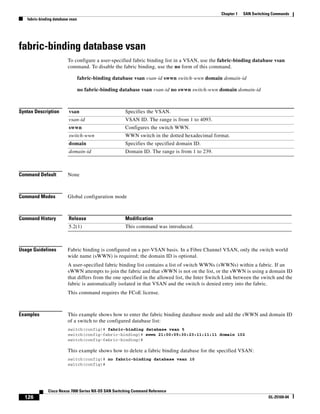
To configure a user-specified fabric binding list in a VSAN, use the fabric-binding database vsan
command. To disable the fabric binding, use the no form of this command.
fabric-binding database vsan vsan-id swwn switch-wwn domain domain-id
no fabric-binding database vsan vsan-id no swwn switch-wwn domain domain-id
Syntax Description
Command Default None
Command Modes Global configuration mode
Command History
Usage Guidelines Fabric binding is configured on a per-VSAN basis. In a Fibre Channel VSAN, only the switch world
wide name (sWWN) is required; the domain ID is optional.
A user-specified fabric binding list contains a list of switch WWNs (sWWNs) within a fabric. If an
sWWN attempts to join the fabric and that sWWN is not on the list, or the sWWN is using a domain ID
that differs from the one specified in the allowed list, the Inter Switch Link between the switch and the
fabric is automatically isolated in that VSAN and the switch is denied entry into the fabric.
This command requires the FCoE license.
Examples This example shows how to enter the fabric binding database mode and add the sWWN and domain ID
of a switch to the configured database list:
switch(config)# fabric-binding database vsan 5
switch(config-fabric-binding)# swwn 21:00:05:30:23:11:11:11 domain 102
switch(config-fabric-binding)#
This example shows how to delete a fabric binding database for the specified VSAN:
switch(config)# no fabric-binding database vsan 10
switch(config)#
vsan Specifies the VSAN.
vsan-id VSAN ID. The range is from 1 to 4093.
swwn Configures the switch WWN.
switch-wwn WWN switch in the dotted hexadecimal format.
domain Specifies the specified domain ID.
domain-id Domain ID. The range is from 1 to 239.
Release Modification
5.2(1) This command was introduced.
39.
127
Cisco Nexus 7000Series NX-OS SAN Switching Command Reference
OL-25169-04
Chapter 1 SAN Switching Commands
fabric-binding database vsan
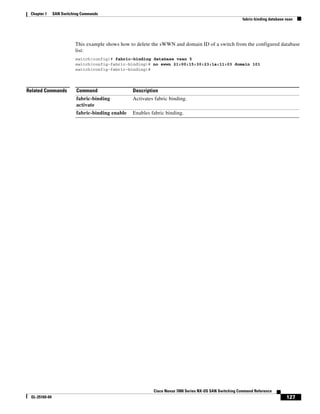
This example shows how to delete the sWWN and domain ID of a switch from the configured database
list:
switch(config)# fabric-binding database vsan 5
switch(config-fabric-binding)# no swwn 21:00:15:30:23:1a:11:03 domain 101
switch(config-fabric-binding)#
Related Commands Command Description
fabric-binding
activate
Activates fabric binding.
fabric-binding enable Enables fabric binding.
40.
128
Cisco Nexus 7000Series NX-OS SAN Switching Command Reference
OL-25169-04
Chapter 1 SAN Switching Commands
feature fabric-binding
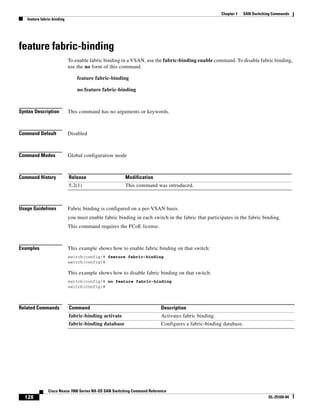
To enable fabric binding in a VSAN, use the fabric-binding enable command. To disable fabric binding,
use the no form of this command.
feature fabric-binding
no feature fabric-binding
Syntax Description This command has no arguments or keywords.
Command Default Disabled
Command Modes Global configuration mode
Command History
Usage Guidelines Fabric binding is configured on a per-VSAN basis.
you must enable fabric binding in each switch in the fabric that participates in the fabric binding.
This command requires the FCoE license.
Examples This example shows how to enable fabric binding on that switch:
switch(config)# feature fabric-binding
switch(config)#
This example shows how to disable fabric binding on that switch:
switch(config)# no feature fabric-binding
switch(config)#
Related Commands
Release Modification
5.2(1) This command was introduced.
Command Description
fabric-binding activate Activates fabric binding.
fabric-binding database Configures a fabric-binding database.
41.
129
Cisco Nexus 7000Series NX-OS SAN Switching Command Reference
OL-25169-04
Chapter 1 SAN Switching Commands
fcalias clone
fcalias clone
To clone a Fibre Channel alias, use the fcalias clone command.
fcalias clone origFcalias-Name cloneFcalias-Name vsan vsan-id
Syntax Description
Command Default None
Command Modes Global configuration mode
Command History
Usage Guidelines To disable a Fibre Channel alias, use the no form of the fcalias name command.
This command requires the FCoE license.
Examples This example shows how to clone a fcalias called origAlias to cloneAlias on VSAN 1:
switch(config)# fcalias clone origAlias cloneAlias vsan 1
Rename requested for a non existing alias
switch(config)#
Related Commands
origFcalias-Name
cloneFcalias-Name
Fibre Channel alias. The name can be a maximum of 64 alphanumeric
characters.
vsan Specifies the clone Fibre Channel alias for a VSAN.
vsan-id VSAN ID. The range is from 1 to 4093.
Release Modification
5.2(1) This command was introduced.
Command Description
show fcalias Displays the member name information in a Fibre Channel alias (fcalias).
42.
130
Cisco Nexus 7000Series NX-OS SAN Switching Command Reference
OL-25169-04
Chapter 1 SAN Switching Commands
fcalias name
fcalias name
To configure a Fibre Channel alias, use the fcalias name command. To disable a Fibre Channel alias,
use the no form of this command.
fcalias name alias-name vsan vsan-id
no fcalias name alias-name vsan vsan-id
Syntax Description
Command Default None
Command Modes Global configuration mode
Command History
Usage Guidelines To include multiple members in any alias, use the FC ID, fWWN, or pWWN values.
This command requires the FCoE license.
Examples This example shows how to configure an fcalias called AliasSample on VSAN 3:
switch(config)# fcalias name AliasSample vsan 3
switch(config-fcalias)#
Related Commands
alias-name Name of the fcalias. The name can a maximum of 64 alphanumeric
characters.
vsan Specifies the fcalias for a VSAN.
vsan-id VSAN ID. The range is from 1 to 4093.
Release Modification
5.2(1) This command was introduced.
Command Description
member (fcalias
configuration mode)
Configures alias members for a specified zone.
43.
131
Cisco Nexus 7000Series NX-OS SAN Switching Command Reference
OL-25169-04
Chapter 1 SAN Switching Commands
fcalias rename
fcalias rename
To rename a Fibre Channel alias (fcalias), use the fcalias rename command. To revert to the defaults,
use the no form of this command.
fcalias rename current-name new-name vsan vsan-id
no fcalias rename current-name new-name vsan vsan-id
Syntax Description
Command Default None
Command Modes Global configuration mode
Command History
Usage Guidelines This command requires the FCoE license.
Examples This example shows how to rename an fcalias:
switch(config)# fcalias rename oldalias newalias vsan 10
switch(config)#
Related Commands
current-name Current fcalias name. The name can be a maximum of 64 alphanumeric
characters.
new-name New fcalias name. The name can be a maximum of 64 alphanumeric
characters.
vsan Specifies the fcalias for a VSAN.
vsan-id VSAN ID. The range is from 1 to 4093.
Release Modification
5.2(1) This command was introduced.
Command Description
fcalias name Configures fcalias names.
show fcalias Displays fcalias information.
44.
132
Cisco Nexus 7000Series NX-OS SAN Switching Command Reference
OL-25169-04
Chapter 1 SAN Switching Commands
fcdomain
fcdomain
To configure the Fibre Channel domain feature, use the fcdomain command. To disable the Fibre
Channel domain, use the no form of this command.
fcdomain {allowed domain vsan vsan-id | auto-reconfigure vsan vsan-id | contiguous-allocation
vsan vsan-id | domain id {preferred | static} vsan vsan-id | fabric-name name vsan vsan-id |
fcid {database | persistent vsan vsan-id} | optimize fast-restart vsan vsan-id | priority value
vsan vsan-id | restart [disruptive] vsan vsan-id | vsan vsan-id}
no fcdomain {allowed domain vsan vsan-id | auto-reconfigure vsan vsan-id |
contiguous-allocation vsan vsan-id | domain id {preferred | static} vsan vsan-id |
fabric-name name vsan vsan-id | fcid {database | persistent vsan vsan-id} | optimize
fast-restart vsan vsan-id | priority value vsan vsan-id | restart [disruptive] vsan vsan-id |
vsan vsan-id}
Syntax Description
Command Default Enabled
allowed Configures the allowed domain ID.
domain Domain ID. The range is from 1 to 239.
vsan Specifies the VSAN.
vsan-id VSAN ID. The range is from 1 to 4093.
auto-reconfigure Configures autoreconfigure.
contiguous-allocation Configures contiguous allocation.
domain Configures the domain ID and its type.
id Domain ID. The range is from 0 to 239.
preferred Configures the domain ID as preferred. By default, the local switch accepts
the domain ID assigned by the principal switch and the assigned domain ID
becomes the runtime domain ID.
static Configures the domain ID as static. The assigned domain ID is discarded, all
local interfaces are isolated, and the local switch assigns itself the configured
domain ID, which becomes the runtime domain ID.
fabric-name Specifies the fabric name.
name Fabric name value. The name format is hh:hh:hh:hh:hh:hh:hh:hh.
fcid Configures Fibre Channel domain persistent FC IDs.
database Enters persistent FC IDs mode.
persistent Enables or disables Fibre Channel domain persistent FC IDs.
optimize fast-restart Enables a domain manager fast restart on a specified VSAN.
priority Specifies the Fibre Channel domain priority.
value Priority value. The range is from 1 to 254.
restart Starts a disruptive or nondisruptive reconfiguration.
disruptive (Optional) Forces the disruptive fabric reconfiguration.
45.
133
Cisco Nexus 7000Series NX-OS SAN Switching Command Reference
OL-25169-04
Chapter 1 SAN Switching Commands
fcdomain
Command Modes Global configuration mode
Command History
Usage Guidelines You can use this command to select the principal switch, configure domain ID distribution, reconfigure
the fabric, and allocate FC IDs.
We recommend using the optimize fast-restart option on most fabrics, especially those with a large
number of logical ports (3200 or more), where a logical port is an instance of a physical port in a VSAN.
This command requires the FCoE license.
Examples This example shows how to configure a preferred domain ID for VSAN 1:
switch(config)# fcdomain domain 3 preferred vsan 1
switch(config)#
This example shows how to specify the disruptive fabric reconfiguration for VSAN 1:
switch(config)# fcdomain restart disruptive vsan 1
switch(config)#
This example shows how to enable the domain manager fast restart for VSANs 7 through 10:
switch(config)# fcdomain optimize fast-restart vsan 7 - 10
This example shows how to configure the fabric world wide name (fWWN) for VSAN 1:
switch(config)# fcdomain fabric-name 20:1:ac:16:5e:0:21:01 vsan 1
switch(config)#
Related Commands
Release Modification
5.2(1) This command was introduced.
Command Description
show fcdomain Displays global information about the Fibre Channel domain configurations.
46.
134
Cisco Nexus 7000Series NX-OS SAN Switching Command Reference
OL-25169-04
Chapter 1 SAN Switching Commands
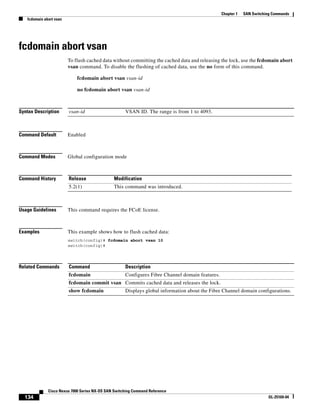
fcdomain abort vsan
fcdomain abort vsan
To flush cached data without committing the cached data and releasing the lock, use the fcdomain abort
vsan command. To disable the flushing of cached data, use the no form of this command.
fcdomain abort vsan vsan-id
no fcdomain abort vsan vsan-id
Syntax Description
Command Default Enabled
Command Modes Global configuration mode
Command History
Usage Guidelines This command requires the FCoE license.
Examples This example shows how to flush cached data:
switch(config)# fcdomain abort vsan 10
switch(config)#
Related Commands
vsan-id VSAN ID. The range is from 1 to 4093.
Release Modification
5.2(1) This command was introduced.
Command Description
fcdomain Configures Fibre Channel domain features.
fcdomain commit vsan Commits cached data and releases the lock.
show fcdomain Displays global information about the Fibre Channel domain configurations.
47.
135
Cisco Nexus 7000Series NX-OS SAN Switching Command Reference
OL-25169-04
Chapter 1 SAN Switching Commands
fcdomain commit vsan
To commit cached data and release the lock, use the fcdomain commit vsan command. To release the
lock without committing the cached data, use the no form of this command.
fcdomain commit vsan vsan-id
no fcdomain commit vsan vsan-id
Syntax Description
Command Default Enabled
Command Modes Global configuration mode
Command History
Usage Guidelines This command requires the FCoE license.
Examples This example shows how to commit cached data:
switch(config)# fcdomain commit vsan 10
switch(config)#
Related Commands
vsan Specifies the VSAN.
vsan-id VSAN ID. The range is from 1 to 4093.
Release Modification
5.2(1) This command was introduced.
Command Description
fcdomain Configures Fibre Channel domain features.
fcdomain abort vsan Flushes cached data without committing and releases the lock.
show fcdomain Displays global information about the Fibre Channel domain configurations.
48.
136
Cisco Nexus 7000Series NX-OS SAN Switching Command Reference
OL-25169-04
Chapter 1 SAN Switching Commands
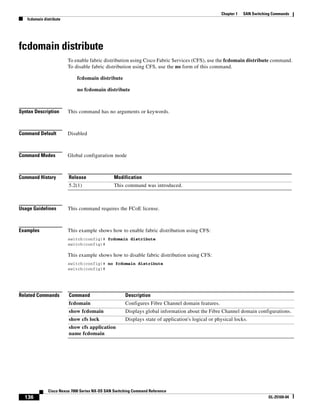
fcdomain distribute
fcdomain distribute
To enable fabric distribution using Cisco Fabric Services (CFS), use the fcdomain distribute command.
To disable fabric distribution using CFS, use the no form of this command.
fcdomain distribute
no fcdomain distribute
Syntax Description This command has no arguments or keywords.
Command Default Disabled
Command Modes Global configuration mode
Command History
Usage Guidelines This command requires the FCoE license.
Examples This example shows how to enable fabric distribution using CFS:
switch(config)# fcdomain distribute
switch(config)#
This example shows how to disable fabric distribution using CFS:
switch(config)# no fcdomain distribute
switch(config)#
Related Commands
Release Modification
5.2(1) This command was introduced.
Command Description
fcdomain Configures Fibre Channel domain features.
show fcdomain Displays global information about the Fibre Channel domain configurations.
show cfs lock Displays state of application's logical or physical locks.
show cfs application
name fcdomain
49.
137
Cisco Nexus 7000Series NX-OS SAN Switching Command Reference
OL-25169-04
Chapter 1 SAN Switching Commands
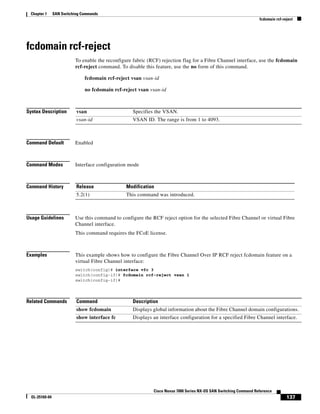
fcdomain rcf-reject
fcdomain rcf-reject
To enable the reconfigure fabric (RCF) rejection flag for a Fibre Channel interface, use the fcdomain
rcf-reject command. To disable this feature, use the no form of this command.
fcdomain rcf-reject vsan vsan-id
no fcdomain rcf-reject vsan vsan-id
Syntax Description
Command Default Enabled
Command Modes Interface configuration mode
Command History
Usage Guidelines Use this command to configure the RCF reject option for the selected Fibre Channel or virtual Fibre
Channel interface.
This command requires the FCoE license.
Examples This example shows how to configure the Fibre Channel Over IP RCF reject fcdomain feature on a
virtual Fibre Channel interface:
switch(config)# interface vfc 3
switch(config-if)# fcdomain rcf-reject vsan 1
switch(config-if)#
Related Commands
vsan Specifies the VSAN.
vsan-id VSAN ID. The range is from 1 to 4093.
Release Modification
5.2(1) This command was introduced.
Command Description
show fcdomain Displays global information about the Fibre Channel domain configurations.
show interface fc Displays an interface configuration for a specified Fibre Channel interface.
50.
138
Cisco Nexus 7000Series NX-OS SAN Switching Command Reference
OL-25169-04
Chapter 1 SAN Switching Commands
fcdroplatency
fcdroplatency
To configure the network and switch Fibre Channel drop latency time, use the fcdroplatency command.
To disable the Fibre Channel latency time, use the no form of this command.
fcdroplatency {network milliseconds [vsan vsan-id] | switch milliseconds}
no fcdroplatency {network milliseconds [vsan vsan-id] | switch milliseconds}
Syntax Description
Command Default 2000 millisecond network latency
500 millisecond switch latency
Command Modes Global configuration mode
Command History
Usage Guidelines This command requires the FCoE license.
Examples This example shows how to configure the network latency to 5000 milliseconds:
switch(config)# fcdroplatency network 5000
switch(config)#
This example shows how to revert to the default switch latency:
switch(config)# no fcdroplatency switch 4000
switch(config)#
Related Commands
network Specifies the network latency.
milliseconds Network latency. The range is from 500 to 60000 milliseconds.
vsan (Optional) Specifies the VSAN.
vsan-id (Optional) VSAN ID. The range is from 1 to 4093.
switch Specifies the switch latency.
milliseconds Switch latency. The range is from 0 to 60000 milliseconds.
Release Modification
5.2(1) This command was introduced.
Command Description
show fcdroplatency Displays the configured Fibre Channel drop latency parameters.
51.
139
Cisco Nexus 7000Series NX-OS SAN Switching Command Reference
OL-25169-04
Chapter 1 SAN Switching Commands
fcid-allocation
fcid-allocation
To manually add a Fibre Channel ID (FC ID) to the default area company ID list, use the fcid-allocation
command. To remove an FC ID from the default area company ID list, use the no form of this command.
fcid-allocation area company-id company-id
no fcid-allocation area company-id company-id
Syntax Description
Command Default None
Command Modes Global configuration mode
Command History
Usage Guidelines Fibre Channel standards require a unique FC ID to be allocated to an N port attached to a Fx port in any
switch. To conserve the number of FCIDs used, Cisco NX-OS switches use a special allocation scheme.
Some Host Bust Adaptors (HBAs) do not discover targets that have FC IDs with the same domain and
area. The switch software maintains a list of tested company IDs that do not exhibit this behavior. These
HBAs were allocated with single FC ID for other HBAs, a full area was allocated.
To allow further scalability for switches with numerous ports, the switch software maintains a list of
HBAs that exhibit this behavior. Each HBA is identified by its company ID (also known as an
Organizational Unique Identifier, or OUI) used in the pWWN during a fabric login. A full area is
allocated to the N ports with company IDs that are listed and for the others, a single FCID is allocated.
Regardless of the type (whole area or single) of FCID allocated, the FCID entries remain persistent.
This command requires the FCoE license.
Examples This example shows how to add a new company FCID to the default area company ID list:
switch(config)# fcid-allocation area company-id 0x003223
switch(config)#
Related Commands
area Modifies the auto area list of company ID.
company-id Configures the company ID.
company-id Company ID.
Release Modification
5.2(1) This command was introduced.
52.
140
Cisco Nexus 7000Series NX-OS SAN Switching Command Reference
OL-25169-04
Chapter 1 SAN Switching Commands
fcid-allocation
Command Description
show fcid-allocation
area
Displays the configured Fibre Channel drop latency parameters.
53.
141
Cisco Nexus 7000Series NX-OS SAN Switching Command Reference
OL-25169-04
Chapter 1 SAN Switching Commands
fcinterop fcid-allocation
To allocate Fibre Channel IDs (FC IDs) on the switch, use the fcinterop fcid-allocation command. To
disable FC IDs on the switch, use the no form of this command.
fcinterop fcid-allocation {auto | flat | none}
no fcinterop fcid-allocation {auto | flat | none}
Syntax Description
Command Default The default is automatic allocation of FC IDs.
Command Modes Global configuration mode
Command History
Usage Guidelines This command requires the FCoE license.
Examples This example shows how to set the FC ID allocation to flat:
switch(config)# fcinterop fcid-allocation flat
switch(config)#
Related Commands
auto Assigns a single FC ID to compatible HBAs.
flat Assign a single FC ID.
none Assigns an FC ID range.
Release Modification
5.2(1) This command was introduced.
Command Description
show flogi database Displays the fabric login (FLOGI) table.
54.
142
Cisco Nexus 7000Series NX-OS SAN Switching Command Reference
OL-25169-04
Chapter 1 SAN Switching Commands
fcns no-auto-poll
fcns no-auto-poll
To enable or disable automatic polling in the name server database, use the fcns no-auto-poll command.
fcns no-auto-poll [vsan vsan-id] | [wwn wwn-id]
no fcns no-auto-poll [vsan vsan-id] | [wwn wwn-id]
Syntax Description
Command Default None
Command Modes Global configuration mode
Command History
Usage Guidelines This command requires the FCoE license.
Examples This example shows how to disable automatic polling for VSAN 2:
switch(config)# fcns no-auto-poll vsan 2
switch(config)#
Related Commands
vsan (Optional) Specifies a VSAN ID.
vsan-id VSAN ID. The range is from 1 to 4093.
wwn (Optional) Specifies the port WWN.
wwn-id Port WWN. The format is hh:hh:hh:hh:hh:hh:hh:hh.
Release Modification
5.2(1) This command was introduced.
Command Description
show fcns Displays the name server database and statistical information for a specified
VSAN or for all VSANs.
55.
143
Cisco Nexus 7000Series NX-OS SAN Switching Command Reference
OL-25169-04
Chapter 1 SAN Switching Commands
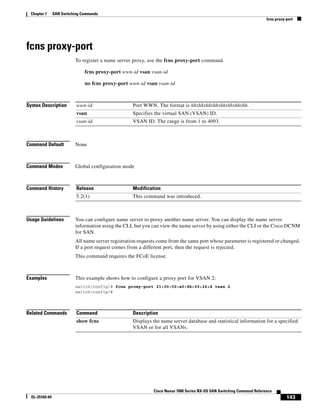
fcns proxy-port
fcns proxy-port
To register a name server proxy, use the fcns proxy-port command.
fcns proxy-port wwn-id vsan vsan-id
no fcns proxy-port wwn-id vsan vsan-id
Syntax Description
Command Default None
Command Modes Global configuration mode
Command History
Usage Guidelines You can configure name server to proxy another name server. You can display the name server
information using the CLI, but you can view the name server by using either the CLI or the Cisco DCNM
for SAN.
All name server registration requests come from the same port whose parameter is registered or changed.
If a port request comes from a different port, then the request is rejected.
This command requires the FCoE license.
Examples This example shows how to configure a proxy port for VSAN 2:
switch(config)# fcns proxy-port 21:00:00:e0:8b:00:26:d vsan 2
switch(config)#
Related Commands
wwn-id Port WWN. The format is hh:hh:hh:hh:hh:hh:hh:hh.
vsan Specifies the virtual SAN (VSAN) ID.
vsan-id VSAN ID. The range is from 1 to 4093.
Release Modification
5.2(1) This command was introduced.
Command Description
show fcns Displays the name server database and statistical information for a specified
VSAN or for all VSANs.
56.
144
Cisco Nexus 7000Series NX-OS SAN Switching Command Reference
OL-25169-04
Chapter 1 SAN Switching Commands
fcns reject-duplicate-pwwn vsan
To reject duplicate the Fibre Channel name server (FCNS) proxies on a VSAN, use the fcns
reject-duplicate-pwwn vsan command.
fcns reject-duplicate-pwwn vsan vsan-id
no fcns reject-duplicate-pwwn vsan vsan-id
Syntax Description
Command Default Disabled
Command Modes Global configuration mode
Command History
Usage Guidelines This command requires the FCoE license.
Examples This example shows how to reject duplicate FCNS PWWNs for VSAN 2:
switch(config)# fcns reject-duplicate-pwwn vsan 2
switch(config)#
Related Commands
vsan (Optional) Specifies the VSAN ID.
vsan-id VSAN ID. The range is from 1 to 4093.
Release Modification
5.2(1) This command was introduced.
Command Description
show fcns Displays the name server database and statistical information for a specified
VSAN or for all VSANs.
57.
145
Cisco Nexus 7000Series NX-OS SAN Switching Command Reference
OL-25169-04
Chapter 1 SAN Switching Commands
fcping
fcping
To ping an N port, use the fcping command.
fcping {device-alias aliasname | fcid {fc-port | domain-controller-id} | pwwn pwwn-id} vsan
vsan-id [count number [timeout value [usr-priority priority]]]
Syntax Description
Command Default None
Command Modes EXEC mode
Command History
Usage Guidelines To obtain the domain controller ID, concatenate the domain ID with FFFC. For example, if the domain
ID is 0xda(218), the concatenated ID is 0xfffcda.
This command requires the FCoE license.
Examples This example shows how to configure an fcping operation for the FC ID of the destination. By default,
five frames are sent.
switch# fcping fcid 0x980000 vsan 200
28 bytes from 0x980000 time = 1102 usec
device-alias Specifies the device alias name.
aliasname Device alias name.The name can be a maximum of 64 characters.
fcid Specifies the FC ID of the destination N port.
fc-port FC ID port. The format is 0xhhhhhh.
domain-controller-id Controller ID to connect to the destination switch.
pwwn Specifies the port WWN of the destination N port.
pwwn-id PWWN ID. The format is hh:hh:hh:hh:hh:hh:hh:hh.
vsan Specifies the virtual SAN (VSAN) ID of the destination N port.
vsan-id VSAN ID. The range is from 1 to 4093.
count (Optional) Specifies the number of frames to send. A value of 0 sends
forever.
number Frame count. The range is from 0 to 2147483647.
timeout (Optional) Specifies the timeout value in seconds.
value The range is from 1 to 10, and the default period to wait is 5 seconds.
usr-priority (Optional) Specifies the priority that the frame receives in the switch fabric.
priority Priority. The range is from 0 to 1.
Release Modification
5.2(1) This command was introduced.
58.
146
Cisco Nexus 7000Series NX-OS SAN Switching Command Reference
OL-25169-04
Chapter 1 SAN Switching Commands
fcping
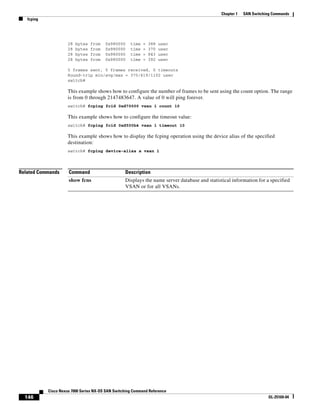
28 bytes from 0x980000 time = 388 usec
28 bytes from 0x980000 time = 370 usec
28 bytes from 0x980000 time = 843 usec
28 bytes from 0x980000 time = 392 usec
5 frames sent, 5 frames received, 0 timeouts
Round-trip min/avg/max = 370/619/1102 usec
switch#
This example shows how to configure the number of frames to be sent using the count option. The range
is from 0 through 2147483647. A value of 0 will ping forever.
switch# fcping fcid 0xd70000 vsan 1 count 10
This example shows how to configure the timeout value:
switch# fcping fcid 0xd500b4 vsan 1 timeout 10
This example shows how to display the fcping operation using the device alias of the specified
destination:
switch# fcping device-alias x vsan 1
Related Commands Command Description
show fcns Displays the name server database and statistical information for a specified
VSAN or for all VSANs.
59.
147
Cisco Nexus 7000Series NX-OS SAN Switching Command Reference
OL-25169-04
Chapter 1 SAN Switching Commands
fcroute
fcroute
To configure Fibre Channel routes and to activate policy routing, use the fcroute command. To remove
a configuration or revert to factory defaults, use the no form of this command.
fcroute {fcid [network-mask] interface {fc slot/port | port-channel port | vfc vfc-id} domain
domain-id {metric number | remote | vsan vsan-id}}
no fcroute {fcid network-mask interface {fc slot/port | port-channel port | vfc vfc-id} domain
domain-id {metric number | remote | vsan vsan-id}}
Syntax Description
Command Default The default cost is 10.
Command Modes Global configuration mode
Command History
Usage Guidelines Use this command to assign forwarding information to the switch and to activate a preferred path route
map.
This command requires the FCoE license.
fcid FC ID. The format is 0xhhhhhh.
network-mask (Optional) Network mask of the FC ID. The format is 0x0 to 0xffffff.
interface Specifies an interface.
fc Specifies the Fibre Channel interface.
slot/port Slot number and port number. The range for the slot number is from 1 to 12
and the range for the port number is from 1 to 48.
port-channel Specifies the SAN port channel interface.
port Port channel number. The range is from 1 to 256.
vfc Specifies the virtual Fibre Channel interface.
vfc-id Virtual Fibre Channel ID.
domain Specifies the route for the domain of the next hop switch.
domain-id Domain ID. The range is from 1 to 239.
metric Specifies the cost of the route.
number The range is from 1 to 65535.
remote Configures the static route for a destination switch that is remotely
connected.
vsan Specifies the VSAN ID.
vsan-id VSAN ID. The range is from 1 to 4093.
Release Modification
5.2(1) This command was introduced.
60.
148
Cisco Nexus 7000Series NX-OS SAN Switching Command Reference
OL-25169-04
Chapter 1 SAN Switching Commands
fcroute
Examples This example shows how to specify the Fibre Channel interface and the route for the domain of the next
hop switch for VSAN 2:
switch(config)# fcroute 0x111211 interface fc9/1 domain 3 vsan 2
switch(config)#
This example shows how to specify the SAN port channel interface and the route for the domain of the
next hop switch for VSAN 4:
switch(config)# fcroute 0x111211 interface port-channel 1 domain 3 vsan 4
switch(config)#
This example shows how to specify the Fibre Channel interface, the route for the domain of the next hop
switch, and the cost of the route for VSAN 1:
switch(config)# fcroute 0x031211 interface fc9/1 domain 3 metric 1 vsan 1
switch(config)#
This example shows how to specify the Fibre Channel interface, the route for the domain of the next hop
switch, the cost of the route, and the static route for a destination switch that is remotely connected for
VSAN 3:
switch(config)# fcroute 0x111112 interface fc9/1 domain 3 metric 3 remote vsan 3
switch(config)#
Related Commands Command Description
show fcroute Displays Fibre Channel routes.
fcroute-map Specifies a preferred path Fibre Channel route map.
show fcroute-map Displays the preferred path route map configuration and status.
fcroute policy
fcroute-map
Activates the preferred path Fibre Channel route map.
61.
149
Cisco Nexus 7000Series NX-OS SAN Switching Command Reference
OL-25169-04
Chapter 1 SAN Switching Commands
fcs plat-check-global
To enable Fabric Configuration Server (FCS) platform and node-name checking fabric wide, use the fcs
plat-check-global command. To disable this feature, use the no form of this command.
fcs plat-check-global vsan vsan-id
no fcs plat-check-global vsan vsan-id
Syntax Description
Command Default None
Command Modes Global configuration mode
Command History
Usage Guidelines This command requires the FCoE license.
Examples This example shows how to enable FCS platform and node-name checking fabric wide:
switch(config)# fcs plat-check-global vsan 2
switch(config)#
Related Commands
vsan Specifies the VSAN ID for platform checking.
vsan-id VSAN ID. The range is from 1 to 4096.
Release Modification
5.2(1) This command was introduced.
Command Description
show fcs Displays fabric configuration server information.
62.
150
Cisco Nexus 7000Series NX-OS SAN Switching Command Reference
OL-25169-04
Chapter 1 SAN Switching Commands
fcs register
fcs register
To register Fabric Configuration Server (FCS) attributes, use the fcs register command. To disable this
feature, use the no form of this command.
fcs register
no fcs register
Syntax Description This command has no arguments or keywords.
Command Default None
Command Modes Global configuration mode
Command History
Usage Guidelines This command requires the FCoE license.
Examples This example shows how to register FCS attributes:
switch(config)# fcs register
switch(config-fcs-register)#
Related Commands
Release Modification
5.2(1) This command was introduced.
Command Description
show fcs Displays fabric configuration server information.
63.
151
Cisco Nexus 7000Series NX-OS SAN Switching Command Reference
OL-25169-04
Chapter 1 SAN Switching Commands
fcs virtual-device-add
To include a virtual device in a query about zone information from a Fabric Configuration Server (FCS),
use the fcs virtual-device-add command. To remove a virtual device, use the no form of this command.
fcs virtual-device-add [vsan-ranges vsan-ids]
no fcs virtual-device-add [vsan-ranges vsan-ids]
Syntax Description
Command Default Disabled
Command Modes Global configuration mode
Command History
Usage Guidelines Enter VSAN ranges as vsan-ids-vsan-ids. When you specify more than one range, separate each range
with a comma. If no range is specified, the command applies to all VSANs.
This command requires the FCoE license.
Examples This example shows how to add to one range of VSANs:
switch(config)# fcs virtual-device-add vsan-ranges 2-4
switch(config)#
This example shows how to add to more than one range of VSANs:
switch(config)# fcs virtual-device-add vsan-ranges 2-4,5-8
switch(config)#
Related Commands
vsan-ranges (Optional) Specifies one or multiple ranges of VSANs.
vsan-ids VSAN IDs. The range is from 1 to 4093.
Release Modification
5.2(1) This command was introduced.
Command Description
show fcs Displays fabric configuration server information.
64.
152
Cisco Nexus 7000Series NX-OS SAN Switching Command Reference
OL-25169-04
Chapter 1 SAN Switching Commands
fcsp
fcsp
To configure a Fibre Channel Security Protocol (FC-SP) authentication mode for a specific interface in
a FC-SP-enabled switch, use the fcsp command. To disable an FC-SP on the interface, use the no form
of this command.
fcsp {auto-active | auto-passive | on | off} [timeout-period]
no fcsp{auto-active | auto-passive | on | off} [timeout-period]
Syntax Description
Command Default Auto-passive mode
Command Modes Interface configuration mode
Command History
Usage Guidelines You must enable FC-SP by using the feature fcsp command before you can use the fcsp command.
This command requires the FCoE license.
Examples This example shows how to turn on the authentication mode for Fibre Channel interface in port 1 of slot
2:
switch(config)# interface fc 2/1
switch(config-if)# fcsp on
switch(config-if)#
This example shows how to revert to the factory default of auto-passive for the selected interface:
switch(config-if)# no fcsp
This example shows how to change the selected interface to initiate FC-SP authentication but do not
permit reaunthentication:
switch(config-if)# fcsp auto-active 0
switch(config-if)#
auto-active Configures the auto-active mode to authenticate the specified interface.
auto-passive Configures the auto-passive mode to authenticate the specified interface.
on Configures the on mode to authenticate the specified interface.
off Configures the off mode to authenticate the specified interface.
timeout-period (Optional) Timeout period to reauthenticate the interface. The range is from
0 (default—no authentication is performed) to 100,000 minutes.
Release Modification
5.2(1) This command was introduced.
65.
153
Cisco Nexus 7000Series NX-OS SAN Switching Command Reference
OL-25169-04
Chapter 1 SAN Switching Commands
fcsp
Related Commands Command Description
feature fcsp Enables FC-SP.
show interface Displays an interface configuration for a specified interface.
66.
154
Cisco Nexus 7000Series NX-OS SAN Switching Command Reference
OL-25169-04
Chapter 1 SAN Switching Commands
fcsp dhchap
fcsp dhchap
To configure Dixie-Hellman Challenge Handshake Protocol (DHCHAP) options in a switch, use the fcsp
dhchap command. To revert to the factory defaults, use the no form of this command.
fcsp dhchap {devicename switch-wwn password [0 | 7] password |
dhgroup [0] [1][2][3][4] | hash [md5 | sha1] | password [0 | 7] password [wwn wwn-id]}
no fcsp dhchap {devicename switch-wwn password [0 | 7] password |
dhgroup [0 | 1| 2 | 3 | 4] | hash [md5] [sha1] | password [0 | 7] password [wwn-id]}
Syntax Description
Command Default Disabled
Command Modes Global configuration mode
Command History
Usage Guidelines You can see only the fcsp dhchap command if you enable FS-CP by using the feature fcsp command.
Using SHA-1 as the hash algorithm might prevent RADIUS or TACACS+ usage.
If you change the DH group configuration, make sure that you change it globally for all switches in the
fabric.
This command requires the FCoE license.
devicename Configures a password of another device in the fabric.
switch-wwn WWN of the device being configured.
password Configures a DHCHAP password for the local switch.
0 (Optional) Specifies a clear text password.
7 (Optional) Specifies a password in encrypted text.
dhgroup Configures a DHCHAP Diffie-Hellman group priority list.
0 (Optional) Specifies Null DH—no exchange is performed (default).
1 | 2 | 3 | 4 (Optional) Specifies one or more of the groups specified by the standards.
hash Configures a DHCHAP hash algorithm priority list in order of preference.
md5 (Optional) Specifies the MD5 hash algorithm.
sha1 (Optional) Specifies the SHA-1 hash algorithm.
wwn (Optional) Specifies the WWN ID.
wwn-id (Optional) WWN ID. The format is hh:hh:hh:hh:hh:hh:hh:hh.
Release Modification
5.2(1) This command was introduced.
67.
155
Cisco Nexus 7000Series NX-OS SAN Switching Command Reference
OL-25169-04
Chapter 1 SAN Switching Commands
fcsp dhchap
Examples This example shows how to enable FC-SP:
switch(config)# # feature fcsp
This example shows how to configure the use of only the SHA-1 hash algorithm:
switch(config)# fcsp dhchap hash sha1
switch(config)#
This example shows how to configure the use of only the MD-5 hash algorithm:
switch(config)# fcsp dhchap hash md5
switch(config)#
This example shows how to define the use of the default hash algorithm priority list of MD-5 followed
by SHA-1 for DHCHAP authentication:
switch(config)# fcsp dhchap hash md5 sha1
switch(config)#
This example shows how to revert to the factory default priority list of the MD-5 hash algorithm followed
by the SHA-1 hash algorithm:
switch(config)# no fcsp dhchap hash sha1
switch(config)#
This example shows how to prioritize the use of DH group 2, 3, and 4 in the configured order:
switch(config)# fcsp dhchap dhgroup 2 3 4
switch(config)#
This example shows how to configure a clear text password for the local switch:
switch(config)# fcsp dhchap password 0 mypassword
This example shows how to configure a clear text password for the local switch to be used for the device
with the specified WWN:
switch(config)# fcsp dhchap password 0 mypassword 30:11:bb:cc:dd:33:11:22
switch(config)#
This example shows how to configure a password entered in an encrypted format for the local switch:
switch(config)# fcsp dhchap password 7 sfsfdf
switch(config)#
Related Commands Command Description
feature fcsp Enables FC-SP.
show fcsp Displays configured FC-SP information.
68.
156
Cisco Nexus 7000Series NX-OS SAN Switching Command Reference
OL-25169-04
Chapter 1 SAN Switching Commands
fcsp reauthenticate
fcsp reauthenticate
To reauthenticate a Fibre Channel or virtual Fibre Channel interface, use the fcsp reauthenticate
command. To revert to the factory defaults, use the no form of this command.
fcsp reauthenticate interface {fc slot/port | vfc vfc-id}
no fcsp reauthenticate interface {fc slot/port | vfc vfc-id}
Syntax Description
Command Default 30 seconds
Command Modes EXEC mode
Command History
Usage Guidelines This command requires the FCoE license.
Examples This example shows how to configure the Fibre Channel Security Protocol (FC-SP) reauthentication on
a virtual Fibre Channel interface:
switch# fcsp reauthenticate interface vfc 1
FC-SP does not know about this port (probably it is not up)
switch#
Related Commands
interface Specifies the interface on which to perform the reauthentication.
interface fc Specifies the Fibre Channel interface by the slot number and port number.
slot/port Slot number and port number. The range for slot numbers is from 1 to 18 and
the range for the port numbers is from 1 to 256.
vfc Specifies the virtual Fibre Channel interface.
vfc-id Virtual interface ID. The range is from 1 to 8192.
Release Modification
5.2(1) This command was introduced.
Command Description
feature fcsp Enables FC-SP.
show fcsp Displays configured FC-SP information.
69.
157
Cisco Nexus 7000Series NX-OS SAN Switching Command Reference
OL-25169-04
Chapter 1 SAN Switching Commands
fcsp timeout
fcsp timeout
To configure the timeout value for a Fibre Channel Security Protocol (FC-SP) message, use the fcsp
timeout command. To revert to the factory defaults, use the no form of this command.
fcsp timeout timeout-period
no fcsp timeout timeout-period
Syntax Description
Command Default 30 seconds
Command Modes Global configuration mode
Command History
Usage Guidelines You can see only the fcsp timeout command if you enable FC-SP by using the feature fcsp command.
This command requires the FCoE license.
Examples This example shows how to configure the FCSP timeout value:
switch(config)# feature fcsp
switch(config)# fcsp timeout 60
Related Commands
timeout-period Timeout period. The range is from 20 to 1000 seconds.
Release Modification
5.2(1) This command was introduced.
Command Description
feature fcsp Enables FC-SP.
show fcsp Displays configured FC-SP information.
70.
158
Cisco Nexus 7000Series NX-OS SAN Switching Command Reference
OL-25169-04
Chapter 1 SAN Switching Commands
fctimer
fctimer
To change the default Fibre Channel timers, use the fctimer command. To revert to the default values,
use the no form of this command.
fctimer {d_s_tov milliseconds | e_d_tov milliseconds | r_a_tov milliseconds} [vsan vsan-id]
no fctimer {d_s_tov milliseconds | e_d_tov milliseconds | r_a_tov milliseconds} [vsan vsan-id]
Syntax Description
Command Default The Fibre Channel timers have the following default values:
• 5 seconds for DS_TOV.
• 2 seconds for ED_TOV.
• 10 seconds for RA_TOV.
Command Modes Global configuration mode
Command History
Usage Guidelines The Cisco, Brocade, and McData FC Error Detect (ED_TOV) and Resource Allocation (RA_TOV)
timers default to the same values. They can be changed if needed. In accordance with the FC-SW2
standard, these values must be the same on each switch in the fabric.
Use the vsan keyword to configure different TOV values for specific VSANs. The VSAN must be
suspended before you can alter the timers.
This command requires the FCoE license.
Examples This example shows how to change the default Fibre Channel timers:
switch(config)# fctimer e_d_tov 5000
d_s_tov Specifies the distributed services timeout value (DS_TOV).
milliseconds DS_TOV. The range is from 5000 to 100000 milliseconds.
e_d_tov Specifies the error detect timeout value (ED_TOV).
milliseconds ED_TOV. The range is from 1000 to 4000 milliseconds with a default of
2000.
r_a_tov Specifies the resolution allocation timeout value (RA_TOV).
milliseconds RA_TOV. The range is from 5000 to 100000 milliseconds with a default of
10000.
vsan (Optional) Specifies the VSAN ID.
vsan-id VSAN ID. The range is from 1 to 4096.
Release Modification
5.2(1) This command was introduced.
71.
159
Cisco Nexus 7000Series NX-OS SAN Switching Command Reference
OL-25169-04
Chapter 1 SAN Switching Commands
fctimer
This configuration would impact whole fabric.
Do you want to continue? (y/n) [n] y
suspend all vsans first
could not update the value
switch(config)#
switch(config)# fctimer r_a_tov 7000
This configuration would impact whole fabric.
Do you want to continue? (y/n) [n] y
suspend all vsans first
could not update the value
switch(config)#
Related Commands Command Description
show fctimer Displays the configured Fibre Channel timer values.
72.
160
Cisco Nexus 7000Series NX-OS SAN Switching Command Reference
OL-25169-04
Chapter 1 SAN Switching Commands
fctimer abort
fctimer abort
To discard a Fibre Channel timer (fctimer) Cisco Fabric Services (CFS) distribution session that is in
progress, use the fctimer abort command.
fctimer abort
Syntax Description This command has no arguments or keywords.
Command Default None
Command Modes Global configuration mode
Command History
Usage Guidelines This command requires the FCoE license.
Examples This example shows how to discard a CFS distribution session in progress:
switch(config)# fctimer abort
switch(config)#
Related Commands
Release Modification
5.2(1) This command was introduced.
Command Description
fctimer distribute Enables CFS distribution for the Fibre Channel timer.
show fctimer Displays Fibre Channel timer information.
show cfs lock name
fctimer
Displays the state of the CFS state for Fibre Channel timer.
73.
161
Cisco Nexus 7000Series NX-OS SAN Switching Command Reference
OL-25169-04
Chapter 1 SAN Switching Commands
fctimer commit
fctimer commit
To commit pending configuration changes for the Fibre Channel timer (fctimer) Cisco Fabric Services
(CFS) distribution session that is in progress, use the fctimer commit command.
fctimer commit
Syntax Description This command has no arguments or keywords.
Command Default None
Command Modes Global configuration mode
Command History
Usage Guidelines This command requires the FCoE license.
Examples This example shows how to commit pending changes to the Fibre Channel timer configuration:
switch(config)# fctimer commit
switch(config)#
Related Commands
Release Modification
5.2(1) This command was introduced.
Command Description
fctimer distribute Enables CFS distribution for the Fibre Channel timer.
show fctimer Displays Fibre Channel timer information.
74.
162
Cisco Nexus 7000Series NX-OS SAN Switching Command Reference
OL-25169-04
Chapter 1 SAN Switching Commands
fctimer distribute
fctimer distribute
To enable Cisco Fabric Services (CFS) distribution for the Fibre Channel timer (fctimer), use the fctimer
distribute command. To disable this feature, use the no form of this command.
fctimer distribute
no fctimer distribute
Syntax Description This command has no arguments or keywords.
Command Default Disabled
Command Modes Global configuration mode
Command History
Usage Guidelines Before distributing the Fibre Channel timer changes to the fabric, you must commit the temporary
changes to the active configuration by using the fctimer commit command.
This command requires the FCoE license.
Examples This example shows how to enable CFS distribution for the fctimer:
switch(config)# fctimer distribute
switch(config)#
Related Commands
Release Modification
5.2(1) This command was introduced.
Command Description
fctimer commit Commits the Fibre Channel timer configuration changes to the active
configuration.
show fctimer Displays Fibre Channel timer information.
75.
163
Cisco Nexus 7000Series NX-OS SAN Switching Command Reference
OL-25169-04
Chapter 1 SAN Switching Commands
fctrace
fctrace
To trace the route to an N port, use the fctrace command.
fctrace {device-alias aliasname | fcid fcid | pwwn pwwn-id} vsan vsan-id [timeout seconds]
Syntax Description
Command Default By default, the period to wait before timing out is 5 seconds.
Command Modes EXEC mode
Command History
Usage Guidelines This command requires the FCoE license.
Examples This example shows how to trace a route to the specified FC ID in VSAN 1:
switch# fctrace fcid 0x660000 vsan 1
switch#
This example shows how to trace a route to the specified device alias in VSAN 1:
switch# fctrace device-alias x vsan 1
switch#
device-alias Specifies the device alias name.
aliasname Device alias name. The name can be a maximum of 64 alphanumeric
characters.
fcid Specifies the FC ID of the destination N port.
fcid FCID. The format is 0xhhhhhh..
pwwn Specifies the PWWN of the destination N port.
pwwn-id PWWN ID. The format is hh:hh:hh:hh:hh:hh:hh:hh.
vsan Specifies the VSAN ID.
vsan-id VSAN ID of the destination port. The range is from 1 to 4093.
timeout (Optional) Specifies the timeout value.
seconds (Optional) Timeout in seconds. The range is from 1 to 10.
Release Modification
5.2(1) This command was introduced.
76.
164
Cisco Nexus 7000Series NX-OS SAN Switching Command Reference
OL-25169-04
Chapter 1 SAN Switching Commands
fdmi suppress-updates
To suppress Fabric-Device Management Interface (FDMI) updates, use the fdmi suppress-updates
command.
fdmi suppress-updates vsan vsan-id
Syntax Description
Command Default By default, FDMI updates are not suppressed.
Command Modes Global configuration mode
Command History
Usage Guidelines This command requires the FCoE license.
Examples This example shows how to suppress the FDMI updates in VSAN 1:
switch# fdmi suppress-updates vsan 1
switch#
vsan Specifies the VSAN ID.
vsan-id VSAN ID. The range is from 1 to 4093.
Release Modification
5.2(1) This command was introduced.
77.
165
Cisco Nexus 7000Series NX-OS SAN Switching Command Reference
OL-25169-04
Chapter 1 SAN Switching Commands
install feature-set fcoe
To install the Fibre Channel over Ethernet (FCoE) feature set in the default virtual device context
(VDC), use the install feature-set fcoe command.
install feature-set fcoe
no install feature-set fcoe
Syntax Description This command has no arguments or keywords.
Defaults None
Command Modes EXEC mode
SupportedUserRoles network-admin
vdc-admin
Command History
Usage Guidelines This command requires the FCoE license.
Examples This example shows how to install the FCoE feature set in the default VDC:
switch# config t
Enter configuration commands, one per line. End with CNTL/Z.
switch(config)# install feature-set fcoe
switch(config)#
Related Commands
Release Modification
5.2(1) This command was introduced on the Cisco Nexus 7000 and 9000 Series
Switches.
Command Description
feature-set fcoe Enables the FCoE feature and all related features.
allow feature-set fcoe Allows you to enable FCoE in this VDC.
78.
166
Cisco Nexus 7000Series NX-OS SAN Switching Command Reference
OL-25169-04
Chapter 1 SAN Switching Commands
feature fcsp
feature fcsp
To enable the Fibre Channel Security Protocol (FC-SP) in a switch, use the feature fcsp command. To
disable FC-SP, use the no form of this command.
feature fcsp
no feature fcsp
Syntax Description This command has no arguments or keywords.
Command Default Disabled
Command Modes Global configuration mode
Command History
Usage Guidelines Additional FC-SP commands are available when you enable the FC-SP feature.
This command requires the FCoE license.
Examples This example shows how to enable FC-SP:
switch(config)# feature fcsp
ENTERPRISE_PKG license not installed. FCSP feature will be shut down after grace
period of approximately 99 day(s).
switch(config)#
Related Commands
Release Modification
5.2(1) This command was introduced.
Command Description
show fcsp Displays configured FC-SP information.
79.
167
Cisco Nexus 7000Series NX-OS SAN Switching Command Reference
OL-25169-04
Chapter 1 SAN Switching Commands
feature npiv
feature npiv
To enable N port identifier virtualization (NPIV) for all VSANs on a switch, use the feature npiv
command. To disable NPIV, use the no form of this command.
feature npiv
no feature npiv
Syntax Description This command has no arguments or keywords.
Command Default Disabled
Command Modes Global configuration mode
Command History
Usage Guidelines NPIV allows you to assign multiple port IDs to a single N port. This feature allows multiple applications
on the N port to use different identifiers and allows access control, zoning, and port security to be
implemented at the application level.
You must globally enable NPIV for all VSANs on the switch to allow the NPIV-enabled applications to
use multiple N port identifiers.
This command requires the FCoE license.
Examples This example shows how to enable NPIV for all VSANs on the switch:
switch(config)# feature npiv
switch(config)#
This example shows how to disable NPIV for all VSANs on the switch:
switch(config)# no feature npiv
switch(config)#
Related Commands
Release Modification
5.2(1) This command was introduced.
Command Description
show interface Displays interface configurations.
80.
168
Cisco Nexus 7000Series NX-OS SAN Switching Command Reference
OL-25169-04
Chapter 1 SAN Switching Commands
feature port-track
feature port-track
To enable port tracking for indirect errors, use the feature port-track command. To disable this feature,
use the no form of this command.
feature port-track
no feature port-track
Syntax Description This command has no arguments or keywords.
Command Default Disabled
Command Modes Global configuration mode
Command History
Usage Guidelines The Cisco NX-OS software brings the linked port down when the tracked port goes down. When the
tracked port recovers from the failure and comes back up again, the tracked port is also brought up
automatically (unless otherwise configured).
This command requires the FCoE license.
Examples This example shows how to enable port tracking:
switch(config)# feature port-track
switch(config)#
This example shows how to disable port tracking:
switch(config)# no feature port-track
switch(config)#
Related Commands
Release Modification
5.2(1) This command was introduced.
Command Description
show interface fc Displays configuration and status information for a specified Fibre Channel
interface.
show interface
san-port-channel
Displays configuration and status information for a specified SAN port
channel interface.
81.
169
Cisco Nexus 7000Series NX-OS SAN Switching Command Reference
OL-25169-04
Chapter 1 SAN Switching Commands
fspf config
fspf config
To configure a Fabric Shortest Path First (FSPF) feature for an entire VSAN, use the fspf config
command. To delete an FSPF configuration for the entire VSAN, use the no form of this command.
fspf config vsan vsan-id {min-ls-arrival ls-arrival-time | min-ls-interval ls-interval-time | region
region-id | spf {hold-time spf-holdtime | static}
no fspf config vsan vsan-id {no min-ls-arrival ls-arrival-time | no min-ls-interval ls-interval-time
| no region region-id | no spf {hold-time spf-holdtime | static}
Syntax Description
Command Default This command is not applicable to virtual Fibre Channel interfaces.
In FSPF configuration mode, the default is dynamic SPF computation.
If configuring the spf hold-time, the default value for FSPF is 0.
If configuring the min-ls-arrival, the default value for FSPF is 1000 milliseconds.
If configuring the min-ls-interval, the default value for FSPF is 5000 milliseconds.
Command Modes Global configuration mode
Command History
vsan Specifies a VSAN ID.
vsan-id VSAN ID. The range is from 1 to 4093.
min-ls-arrival Specifies the minimum time before a new link state update for a domain is
accepted by the switch.
ls-arrival-time Integer that specifies the time in milliseconds. The range is from 0 to 65535.
min-ls-interval Specifies the minimum time before a new link state update for a domain is
generated by the switch.
ls-interval-time Integer that specifies the time in milliseconds. The range is from 0 to 65535.
region region-id Specifies the autonomous region to which the switch belongs. The backbone
region has region-id=0.
region-id Unsigned integer value. The range is from 0 to 255.
spf Specifies parameters related to the Shortest Path First (SPF) route
computation.
hold-time Specifies the time between two consecutive SPF computations. If the time is
small, then routing reacts faster to changes but CPU usage is increased. be
more.
spf-holdtime Integer that specifies time in milliseconds. The range is from 0 to 65535.
static Forces a static SPF computation.
Release Modification
5.2(1) This command was introduced.
82.
170
Cisco Nexus 7000Series NX-OS SAN Switching Command Reference
OL-25169-04
Chapter 1 SAN Switching Commands
fspf config
Usage Guidelines Use the fspf config command to enter FSPF configuration mode for the specified VSAN. In FSPF
configuration mode, the fscp config commands configure FSPF for this VSAN.
This command requires the FCoE license.
Examples This example shows how to configure a static SPF computation in VSAN 1 and delete the FSPF
configuration in VSAN 3:
switch(config)# fspf config vsan 1
switch(fspf-config)# spf static
switch(fspf-config)# exit
switch(config)# no fspf config vsan 3
switch(config)#
Related Commands Command Description
show fspf interface Displays information for each selected interface.
fspf enable Enables FSPF routing protocol in the specified VSAN.
fspf cost Configures the cost for the selected interface in the specified VSAN.
fspf hello-interval Specifies the hello message interval to verify the health of a link in the
VSAN.
fspf passive Disables the FSPF protocol for the specified interface in the specified
VSAN.
fspf retransmit Specifies the retransmit time interval for unacknowledged link state updates
in the specified VSAN.
83.
171
Cisco Nexus 7000Series NX-OS SAN Switching Command Reference
OL-25169-04
Chapter 1 SAN Switching Commands
fspf cost
fspf cost
To configure the Fabric Shortest Path First (FSPF) link cost for a Fibre Channel over IP (FCIP) interface
or virtual Fibre Channel interface, use the fspf cost command. To revert to the default value, use the no
form of this command.
fspf cost link-cost vsan vsan-id
no fspf cost link-cost vsan vsan-id
Syntax Description
Command Default 1000 seconds for 1 6bps interfaces
500 seconds for 2 6bps interfaces
Command Modes Interface configuration mode
Command History
Usage Guidelines FSPF tracks the state of links on all switches in the fabric, associates a cost with each link in its database,
and chooses the path with a minimal cost. You can change the cost associated with an interface can be
changed by using the fspf cost command to implement the FSPF route selection.
For virtual Fibre Channel interfaces, this command configures the FSPF parameters for the virtual E
(VE) port.
This command requires the FCoE license.
Examples This example shows how to configure the FSPF link cost on an FCIP interface:
switch(config)# interface fc 2/1
switch(config-if)# fspf cost 5000 vsan 1
switch(config-if)#
This example shows how to configure the FSPF link cost on a virtual Fibre Channel interface:
switch(config)# interface vfc 5
switch(config-if)# fspf cost 2100 vsan 1
switch(config-if)#
link-cost FSPF link cost, in seconds.
For an FCIP interface, the range is from 1 to 65535.
For a virtual FC interface, the range is from 1 to 30000.
vsan Specifies the VSAN ID.
vsan-id VSAN ID. The range is from 1 to 4093.
Release Modification
5.2(1) This command was introduced.
84.
172
Cisco Nexus 7000Series NX-OS SAN Switching Command Reference
OL-25169-04
Chapter 1 SAN Switching Commands
fspf cost
Related Commands Command Description
show fspf interface Displays information for each selected interface.
show interface fc Displays an interface configuration for a specified Fibre Channel interface.
switchport mode E Configures a virtual Fibre Channel interface as a VE port.
85.
173
Cisco Nexus 7000Series NX-OS SAN Switching Command Reference
OL-25169-04
Chapter 1 SAN Switching Commands
fspf dead-interval
fspf dead-interval
To set the maximum interval for which a hello message must be received before the neighbor is
considered lost, use the fspf dead-interval command. To revert to the default value, use the no form of
this command.
fspf dead-interval seconds vsan vsan-id
no fspf dead-interval seconds vsan vsan-id
Syntax Description
Command Default 80 seconds
Command Modes Interface configuration mode
Command History
Usage Guidelines This value must be the same in the ports at both ends of the Inter-Switch-Link (ISL).
Caution An error is reported at the command prompt if the configured dead time interval is less than the hello
time interval.
For virtual Fibre Channel interfaces, this command configures the FSPF parameters for the virtual E
(VE) port.
Examples This example shows how to configure the maximum interval of 4000 seconds for a hello message before
the neighbor is considered lost:
switch(config)# interface fc 2/1
switch(config-if)# fspf dead-interval 4000 vsan 1
switch(config-if)#
This example shows how to configure the maximum interval of 300 seconds for a hello message in a
virtual Fibre Channel interface before the neighbor is considered lost:
switch(config)# interface vfc 5
switch(config-if)# fspf dead-interval 300 vsan 1
switch(config-if)#
seconds FSPF dead interval in seconds. The range is from 2 to 65535.
vsan Specifies the VSAN ID.
vsan-id VSAN ID. The range is from 1 to 4093.
Release Modification
5.2(1) This command was introduced.
86.
174
Cisco Nexus 7000Series NX-OS SAN Switching Command Reference
OL-25169-04
Chapter 1 SAN Switching Commands
fspf dead-interval
Related Commands Command Description
show fspf interface Displays information for each selected interface.
show interface fc Displays an interface configuration for a specified Fibre Channel interface.
switchport mode E Configures a virtual Fibre Channel interface as a VE port.
87.
175
Cisco Nexus 7000Series NX-OS SAN Switching Command Reference
OL-25169-04
Chapter 1 SAN Switching Commands
fspf enable
fspf enable
To enable Fabric Shortest Path First (FSPF) for a VSAN, use the fspf enable command. To disable FSPF
routing protocols, use the no form of this command.
fspf enable vsan vsan-id
no fspf enable vsan vsan-id
Syntax Description
Command Default Enabled
Command Modes Global configuration mode
Command History
Usage Guidelines This command is not applicable to virtual Fibre Channel interfaces.
This command configures FSPF on VSANs globally.
This command requires the FCoE license.
Examples This example shows how to enable a FSPF in VSAN 5 and disable FSPF in VSAN 7:
switch(config)# fspf enable vsan 5
switch(config)# no fspf enable vsan 7
switch(config)#
Related Commands
vsan Specifies the VSAN ID.
vsan-id VSAN ID. The range is from 1 to 4093.
Release Modification
5.2(1) This command was introduced.
Command Description
fspf config vsan Configures FSPF features for a VSAN.
show fspf interface Displays information for each selected interface.
88.
176
Cisco Nexus 7000Series NX-OS SAN Switching Command Reference
OL-25169-04
Chapter 1 SAN Switching Commands
fspf hello-interval
fspf hello-interval
To verify the health of the link, use the fspf hello-interval command. To revert to the default settings,
use the no form of this command.
fspf hello-interval seconds vsan vsan-id
no fspf hello-interval seconds vsan vsan-id
Syntax Description
Command Default 20 seconds
Command Modes Interface configuration mode
Command History
Usage Guidelines This command configures Fabric Shortest Path First (FSPF) for the specified Fibre Channel interface.
This value must be the same in the ports at both ends of the Inter-Switch-Link (ISL) for Fibre Channel
over IP (FCIP) interfaces.
For virtual Fibre Channel interfaces, this command configures the FSPF parameters for the virtual E
(VE) port.
This command requires the FCoE license.
Examples This example shows how to configure a hello interval of 3 seconds on VSAN 1:
switch(config)# interface fc 2/1
switch(config-if)# fspf hello-interval 3 vsan 1
switch(config-if)#
This example shows how to configure a hello interval of 30 seconds for a virtual Fibre Channel interface
on VSAN 1:
switch(config)# interface vfc 5
switch(config-if)# fspf hello-interval 30 vsan 1
switch(config-if)#
hello-interval Specifies the FSPF hello interval in seconds.
seconds FSPF interval in seconds. The range is from 2 to 65535 for Fibre Channel
over IP (FCIP) interfaces and from 1 to 65534 for virtual Fibre Channel
interfaces.
vsan Specifies the VSAN ID.
vsan-id VSAN ID. The range is from 1 to 4093.
Release Modification
5.2(1) This command was introduced.
89.
177
Cisco Nexus 7000Series NX-OS SAN Switching Command Reference
OL-25169-04
Chapter 1 SAN Switching Commands
fspf hello-interval
Related Commands Command Description
show fspf interface Displays information for each selected interface.
switchport mode E Configures a virtual Fibre Channel interface as a VE port.
90.
178
Cisco Nexus 7000Series NX-OS SAN Switching Command Reference
OL-25169-04
Chapter 1 SAN Switching Commands
fspf passive
fspf passive
To disable the Fabric Shortest Path First (FSPF) protocol for selected interfaces, use the fspf passive
command. To revert to the default state, use the no form of this command.
fspf passive vsan vsan-id
no fspf passive vsan vsan-id
Syntax Description
Command Default FSPF is enabled
Command Modes Interface configuration mode
Command History
Usage Guidelines By default, FSPF is enabled on all E ports and TE ports of an Fibre Channel over IP (FCIP) interface.
You by using the fspf passive command. You must enable FSPF on the ports at both ends of the
Inter-Switch-Link (ISL) for the protocol to operate correctly.
For virtual Fibre Channel interfaces, this command configures the FSPF parameters for the virtual E
(VE) port.
This command requires the FCoE license.
Examples This example shows how to disable the FSPF protocol for a virtual Fibre Channel interface on VSAN 1
and verify the interface configuration:
switch(config)# interface vfc 5
switch(config-if)# fspf passive vsan 1
switch(config-if)# show fspf interface
FSPF interface vfc5 in VSAN 1
FSPF routing administrative state is passive
Timer intervals configured, Hello 30 s, Dead 300 s, Retransmit 5 s
FSPF State is DOWN
switch(config-if)#
Related Commands
vsan Specifies the VSAN ID.
vsan-id VSAN ID. The range is from 1 to 4093.
Release Modification
5.2(1) This command was introduced.
Command Description
show fspf interface Displays information for each selected interface.
91.
179
Cisco Nexus 7000Series NX-OS SAN Switching Command Reference
OL-25169-04
Chapter 1 SAN Switching Commands
fspf passive
show interface fc Displays an interface configuration for a specified FCIP interface.
switchport mode E Configures a virtual Fibre Channel interface as a VE port.
Command Description
92.
180
Cisco Nexus 7000Series NX-OS SAN Switching Command Reference
OL-25169-04
Chapter 1 SAN Switching Commands
fspf retransmit-interval
To specify the time after which an unacknowledged link state update should be transmitted on the
interface, use the fspf retransmit-interval command. To revert to the default settings, use the no form
of this command.
fspf retransmit-interval seconds vsan vsan-id
no spf retransmit-interval seconds vsan vsan-id
Syntax Description
Command Default 5 seconds
Command Modes Interface configuration mode
Command History
Usage Guidelines This value must be the same in the ports at both ends of the ISL for Fibre Channel over IP (FCIP)
interfaces.
For virtual Fibre Channel interfaces, this command configures the FSPF parameters for the virtual E
(VE) port.
This command requires the FCoE license.
Examples This example shows how to specify a retransmit interval of 6 seconds after which an unacknowledged
link state update should be transmitted on the interface for VSAN 1:
switch(config)# interface fc 2/1
switch(config-if)# fspf retransmit-interval 6 vsan 1
This example shows how to specify a retransmit interval of 3 seconds after which an unacknowledged
link state update should be transmitted on the virtual Fibre Channel interface on VSAN 1:
switch(config)# interface vfc 5
switch(config-if)# fspf retransmit-interval 3 vsan 1
seconds Fabric Shortest Path First (FSPF) retransmit interval in seconds. The range
is from 1 to 65535.
vsan Specifies the VSAN ID.
vsan-id VSAN ID. The range is from 1 to 4093.
Release Modification
5.2(1) This command was introduced.
93.
181
Cisco Nexus 7000Series NX-OS SAN Switching Command Reference
OL-25169-04
Chapter 1 SAN Switching Commands
fspf retransmit-interval
Related Commands
er
Command Description
show fspf interface Displays information for each selected interface.
show interface fc Displays an interface configuration for a specified Fibre Channel over IP
(FCIP) interface.
switchport mode E Configures a virtual Fibre Channel interface as a VE port.
94.
182
Cisco Nexus 7000Series NX-OS SAN Switching Command Reference
OL-25169-04
Chapter 1 SAN Switching Commands
in-order-guarantee
in-order-guarantee
To enable in-order delivery, use the in-order-guarantee command. To disable in-order delivery, use the
no form of this command.
in-order-guarantee [vsan vsan-id]
no in-order-guarantee [vsan vsan-id] [,] [-]
Syntax Description
Command Default Disabled
Command Modes Global configuration mode
Command History
Usage Guidelines In-order delivery of data frames guarantees frame delivery to a destination in the same order that they
were sent by the originator.
This command requires the FCoE license.
Examples This example shows how to enable in-order delivery for the entire switch:
switch(config) # in-order-guarantee
switch(config) #
This example shows how to disable in-order delivery for the entire switch:
switch(config)# no in-order-guarantee
switch(config)#
This example shows how to enable in-order delivery for a specific VSAN:
switch(config)# in-order-guarantee vsan 3452
switch(config)#
This example shows how to disable in-order delivery for a specific VSAN:
switch(config)# no in-order-guarantee vsan 101
switch(config)#
vsan Specifies the VSAN ID.
vsan-id VSAN ID. The range is from 1 to 4093.
[,] [-] (Optional) Allows you to enter multiple VSANs separated by commas or a
range of VSANs separated by a dash.
Release Modification
5.2(1) This command was introduced.
95.
183
Cisco Nexus 7000Series NX-OS SAN Switching Command Reference
OL-25169-04
Chapter 1 SAN Switching Commands
in-order-guarantee
Related Commands Command Description
show
in-order-guarantee
Displays the in-order-guarantee status.
96.
184
Cisco Nexus 7000Series NX-OS SAN Switching Command Reference
OL-25169-04
Chapter 1 SAN Switching Commands
member (fcalias configuration mode)
To add a member name to a Fibre Channel alias on a VSAN, use the member command. To remove a
member name from a Fibre Channel alias, use the no form of this command.
member {device-alias devicealias name both initiator target | domain-id domain-id | fcid fc-id
both initiator target | fwwn fwwn-id | interface fc slot/port | ip-address ip-address | pwwn
pwwn-id both initiator target | symbolic-nodename nodename}
no member {device-alias devicealias name both initiator target | domain-id domain-id | fcid fc-id
both initiator target | fwwn fwwn-id | interface fc slot/port | ip-address ip-address | pwwn
pwwn-id both initiator target | symbolic-nodename nodename}
Syntax Description
Command Default None
Command Modes Fcalias configuration mode
Command History
Usage Guidelines This command requires the FCoE license.
device-alias aliasname Specifies the member device alias. The name can be a maximum of 64
alphanumeric characters.
both Specifies the device type as both.
initiator Specifies the device type as initiator.
target Specifies the device type as target.
domain-id domain-id Specifies the member domain ID. The range is from 1 to 239.
fcid fc-id Specifies the member FC ID. The format is 0xhhhhhh, where h is a
hexadecimal digit.
fwwn fwwn-id Specifies the member fWWN ID. The format is hh:hh:hh:hh:hh:hh:hh:hh,
where h is a hexadecimal digit.
interface fc slot/port Specifies the member interface ID.
ip-address ip-address Specifies the IP address.
pwwn pwwn-id Specifies the member pWWN ID. The format is hh:hh:hh:hh:hh:hh:hh:hh,
where h is a hexadecimal digit.
symbolic-nodename
nodename
Specifies the member symbolic node name. The name can be a maximum
length of 255 alphanumeric characters.
Release Modification
6.1(3) Added the keywords both, initiator, target to the syntax description.
5.2(1) This command was introduced.
97.
185
Cisco Nexus 7000Series NX-OS SAN Switching Command Reference
OL-25169-04
Chapter 1 SAN Switching Commands
member (fcalias configuration mode)
Examples This example shows how to add a member to an alias called samplealias:
switch(config)# fcalias name samplealias vsan 1
switch(config)#
This example shows how to define a Fibre Channel interface for the member:
switch(config-fcalias)# member interface fc9/1
switch(config-fcalias)#
This example shows how to delete the specified member:
switch(config-fcalias)# no member interface fc9/1
switch(config-fcalias)#
This example shows how to add the IP address member to fcalias:
switch(config-fcalias)# member ip-address 10.1.1.1
switch(config-fcalias)#
This example shows how to specify the device type as initiator:
switch(config)# fcalias name fc1 vsan 1
switch(config-fcalias)#
switch(config-fcalias)# member fcid 0x111111 initiator
switch(config-fcalias)#
This example shows how to specify the device type as target:
switch(config-fcalias)# member pwwn 11:11:11:11:11:11:11:11 target
switch(config-fcalias)#
This example shows how to specify the device type as both:
switch(config-fcalias)# member device-alias dev1 both
switch(config-fcalias)#
Related Commands Command Description
fcalias name Configures an alias.
show fcalias Displays the member name information in an alias.
98.
186
Cisco Nexus 7000Series NX-OS SAN Switching Command Reference
OL-25169-04
Chapter 1 SAN Switching Commands
member (zone configuration mode)
To add a member name to a Fibre Channel zone, use the member command. To remove a member name
from a zone, use the no form of this command.
member {device-alias devicealiasname [both initiator target] | domain-id domain-id
port-number port | fcalias alias-name | fcid fc-id [both initiator target] | fwwn fwwn-id |
interface fc slot/port [domain-id domain-id | swwn swwn-id] | pwwn pwwn-id [lun lun-id]
[both initiator target] | symbolic-nodename nodename}
no member {device-alias devicealiasname [both initiator target] | domain-id domain-id
port-number port | fcalias alias-name | fcid fc-id [both initiator target] | fwwn fwwn-id |
interface fc slot/port [domain-id domain-id | swwn swwn-id] | pwwn pwwn-id [lun lun-id]
[both initiator target] | symbolic-nodename nodename}
Syntax Description
Command Default None
Command Modes Zone set zone configuration mode and zoneset-zone configuration mode
device-alias aliasname Specifies the member device alias. The name can be a maximum of 64
alphanumeric characters.
both (Optional) specifies the device type as both.
initiator (Optional) specifies the device type as initiator.
target (Optional) specifies the device type as target.
domain-id domain-id Specifies the member domain ID. The range is from 1 to 239.
port-number port Specifies the member port number. The range is from is 0 to 255.
fcalias alias-name Specifies a Fibre Channel alias name. The name can be a maximum of 64
alphanumeric characters.
fcid fc-id Specifies the member FC ID. The format is 0xhhhhhh, where h is a
hexadecimal digit.
fwwn fwwn-id Specifies the member fWWN ID. The format is hh:hh:hh:hh:hh:hh:hh:hh,
where h is a hexadecimal digit.
interface fc slot/port Specifies the member interface ID.
swwn swwn-id (Optional) Specifies the member sWWN ID. The format is
hh:hh:hh:hh:hh:hh:hh:hh, where h is a hexadecimal digit.
pwwn pwwn-id Specifies the member pWWN ID. The format is hh:hh:hh:hh:hh:hh:hh:hh,
where h is a hexadecimal digit.
lun lun-id (Optional) Specifies the member Logical Unit Number (LUN) ID. The
format is 0xhhhh[:hhhh[:hhhh[:hhhh]]], where h is a hexadecimal digit.
symbolic-nodename
nodename
Specifies the member symbolic node name. The name can be a maximum of
255 characters.
99.
187
Cisco Nexus 7000Series NX-OS SAN Switching Command Reference
OL-25169-04
Chapter 1 SAN Switching Commands
member (zone configuration mode)
Command History
Usage Guidelines Create a zone set zone member only if you need to add member to a zone from the zone set prompt.
This command requires the FCoE license.
Examples This example shows how to add a member to a zone called zs1 on VSAN 1:
switch(config)# zone name zs1 vsan 1
switch(config-zone)# member fcid 0x111112
This example shows how to add a zone to a zone set called Zoneset1 on VSAN 1:
switch(config)# zoneset name ZoneSet1 vsan 1
switch(config-zoneset-zone)# member fcid 0x111112
This example shows how to assign a Fibre Channel interface member into a zone:
switch(config)# zoneset name ZoneSet1 vsan 1
switch(config-zoneset-zone)# member interface fc 3/1
This example shows how to delete the specified device from a zone:
switch(config-zoneset-zone)# no member interface fc 3/1
This example shows how to specify the device type as both:
switch(config)# zone name z1 vsan 1
switch(config-zone)# member fcid 0x999999 target
switch(config-zone)# member pwwn 11:11:11:11:11:11:11:22 both
switch(config-zone)#
This example shows how to specify the device type as initiator:
switch(config-zone)# member device-alias dev1 initiator
switch(config-zone)#
Related Commands
Release Modification
6.1(3) Added the keywords both, initiator, target to the syntax description.
5.2(1) This command was introduced.
Command Description
zoneset (configuration
mode)
Specifies a name for a zone set.
zone name (zone set
configuration mode)
Configures a zone in a zone set.
show zoneset Displays zone set information.
100.
188
Cisco Nexus 7000Series NX-OS SAN Switching Command Reference
OL-25169-04
Chapter 1 SAN Switching Commands
member (zoneset configuration mode)
To configure zone set members, use the member command. To remove a zone set member, use the no
form of this command.
member member-name
no member member-name
Syntax Description
Command Default None
Command Modes Zone set configuration mode
Command History
Usage Guidelines This command requires the FCoE license.
Examples This example shows how to add a member zone to a zone set:
switch(config)# zoneset name Zoneset1 vsan 10
switch(config-zoneset)# member ZoneA
switch(config-zoneset)#
Related Commands
member-name Member name. The name can be a maximum of 64 alphanumeric characters.
Release Modification
5.2(1) This command was introduced.
Command Description
show zone Displays zone information.
zoneset name Creates a zone set.
101.
189
Cisco Nexus 7000Series NX-OS SAN Switching Command Reference
OL-25169-04
Chapter 1 SAN Switching Commands
purge fcdomain fcid
purge fcdomain fcid
To purge persistent Fibre Channel IDs (FCIDs), use the purge fcdomain fcid command.
purge fcdomain fcid vsan vsan-id
Syntax Description
Command Default None
Command Modes EXEC mode
Command History
Usage Guidelines This command requires the FCoE license.
Examples This example shows how to purge all dynamic, unused FCIDs in VSAN 4:
switch# purge fcdomain fcid vsan 4
switch#
This example shows how to purge all dynamic, unused FCIDs in VSANs 4, 5, and 6:
switch# purge fcdomain fcid vsan 4-6
switch#
Related Commands
vsan Specifies that FC IDs are to be purged for a VSAN ID.
vsan-id VSAN ID. The range is from 1 to 4093.
Release Modification
5.2(1) This command was introduced.
Command Description
show zone Displays zone information.
zoneset name Creates a zone set.
102.
190
Cisco Nexus 7000Series NX-OS SAN Switching Command Reference
OL-25169-04
Chapter 1 SAN Switching Commands
rlir preferred-cond fcid
To specify a preferred host to receive Registered Link Incident Report (RLIR) frames, use the rlir
preferred-cond fcid command. To remove a preferred host, use the no form of this command.
rlir preferred-cond fcid fc-id vsan vsan-id
no rlir preferred-cond fcid fc-id vsan vsan-id
Syntax Description
Command Default By default, the switch sends RLIR frames to one of the hosts in the VSAN with the register function set
to “conditionally receive” if no hosts have the register function set to “always receive.”
Command Modes Global configuration mode
Command History
Usage Guidelines The switch sends RLIR frames to the preferred host only if it meets the following conditions:
• No host in the VSAN is registered for RLIR with the registration function set to “always receive.”
If one or more hosts in the VSAN are registered as “always receive,” then RLIR sends only to these
hosts and not to the configured preferred host.
• The preferred host is registered with the registration function set to “conditionally receive.” If all
registered hosts have the registration function set to “conditionally receive,” then the preferred host
receives the RLIR frames.
You can specify only one RLIR preferred host per VSAN.
This command requires the FCoE license.
Examples This example shows how to specify the FC ID 0x654321 as the Registered Link IncidentRF Report
(RLIR) preferred host for VSAN 2:
switch(config)# rlir preferred-cond fcid 0x654321 vsan 2
Stub Library could not be opened
*** libficoncmi.so: cannot open shared object file: No such file or directory *
**
switch(config)#
fcid Specifies the Fibre Channel ID (FC ID).
fcid FC ID. The format is 0xhhhhhh.
vsan Specifies the VSAN ID.
vsan-id VSAN ID. The range is from 1 to 4093.
Release Modification
5.2(1) This command was introduced.
103.
191
Cisco Nexus 7000Series NX-OS SAN Switching Command Reference
OL-25169-04
Chapter 1 SAN Switching Commands
rlir preferred-cond fcid
This example shows how to remove the FCID 0x654321 as the RLIR preferred host for VSAN 2:
switch(config)# no rlir preferred-cond fcid 0x654321 vsan 2
switch(config)#
Related Commands Command Description
show rlir Displays information about RLIR, Link Incident Record Registration
(LIRR), and Distribute Registered Link Incident Record (DRLIR) frames.
clear rlir Clears the RLIRs.
debug rlir Enables RLIR debugging.
104.
192
Cisco Nexus 7000Series NX-OS SAN Switching Command Reference
OL-25169-04
Chapter 1 SAN Switching Commands
rscn
rscn
To configure a Registered State Change Notification (RSCN), which is a Fibre Channel service that
informs N ports about changes in the fabric, use the rscn command. To revert to the default settings, use
the no form of this command.
rscn {abort vsan vsan-id | commit vsan vsan-id | distribute | event-tov event-timeout vsan vsan-id
multi-pid vsan vsan-id | restrict swrscn-event vsan vsan-id | suppress domain-swrscn vsan
vsan-id }
no rscn {abort vsan vsan-id | commit vsan vsan-id | distribute | event-tov event-timeout vsan
vsan-id multi-pid vsan vsan-id | restrict swrscn-event vsan vsan-id | suppress
domain-swrscn vsan vsan-id }
Syntax Description
Command Default None
Command Modes Global configuration mode
Command History
Usage Guidelines This command requires the FCoE license.
Examples This example shows how to configure RSCNs in multi-PID format:
switch(config)# rscn multi-pid vsan 1
switch(config)#
abort Aborts the configuration.
commit Commits the configuration.
distribute Enables or disables Cisco Fabric Services (CFS) based distribution for an
RSCN.
event-tov Specifies event timeout value in milliseconds.
event-timeout Event timeout in milliseconds. The range is from 0 to 2000 milliseconds.
multi-pid Sends RSCNs in multiple port ID (multi-PID) format.
suppress
domain-swrscn
Suppresses transmission of the domain format the SW-Registered State
Change Notification (RCSNs).
vsan Specifies the VSAN ID.
vsan-id VSAN ID. The range is from 1 to 4093.
Release Modification
5.2(1) This command was introduced.
105.
193
Cisco Nexus 7000Series NX-OS SAN Switching Command Reference
OL-25169-04
Chapter 1 SAN Switching Commands
rscn
Related Commands Command Description
show rscn src-table Displays the state change registration table.
show rscn statistics Displays RSCN statistics.
106.
194
Cisco Nexus 7000Series NX-OS SAN Switching Command Reference
OL-25169-04
Chapter 1 SAN Switching Commands
rscn abort
rscn abort
To cancel a Registered State Change Notification (RSCN) configuration on a VSAN, use the rscn abort
command. To reverse the cancellation, use the no form of this command.
rscn abort vsan vsan-id
no rscn abort vsan vsan-id
Syntax Description
Command Default None
Command Modes Global configuration mode
Command History
Usage Guidelines This command requires the FCoE license.
Examples This example shows how to cancel an RSCN configuration on VSAN 1:
switch(config)# rscn abort vsan 1
switch(config)#
Related Commands
vsan Specifies the VSAN where the RSCN configuration should be canceled.
vsan-id VSAN ID. The range is from 1 to 4093.
Release Modification
5.2(1) This command was introduced.
Command Description
rscn commit Commits a pending RSCN configuration on a specified VSAN.
rscn distribute Enables the distribution of an RSCN configuration.
rscn event-tov Configures an RSCN event timeout.
clear rscn session vsan Clears the RSCN session for a specified VSAN.
show rscn Displays the RSCN configuration information.
107.
195
Cisco Nexus 7000Series NX-OS SAN Switching Command Reference
OL-25169-04
Chapter 1 SAN Switching Commands
rscn commit
rscn commit
To apply a pending Registered State Change Notification (RSCN) configuration, use the rscn commit
command. To discard a pending RSCN configuration, use the no form of this command.
rscn commit vsan vsan-id
no rscn commit vsan vsan-id
Syntax Description
Command Default None
Command Modes Global configuration mode
Command History
Usage Guidelines If you commit the changes made to the active database, the configuration is committed to all the switches
in the fabric. On a successful commit, the configuration change is applied throughout the fabric and the
lock is released.
This command requires the FCoE license.
Examples This example shows how to commit an RSCN configuration on VSAN 1:
switch(config)# rscn commit vsan 1
switch(config)#
Related Commands
vsan Specifies the VSAN where the RSCN configuration should be committed.
vsan-id VSAN ID. The range is from 1 to 4093.
Release Modification
5.2(1) This command was introduced.
Command Description
rscn abort Cancels a pending RSCN configuration on a specified VSAN.
rscn distribute Enables the distribution of an RSCN configuration.
rscn event-tov Configures an RSCN event timeout.
clear rscn session Clears the RSCN session for a specified VSAN.
show rscn Displays the RSCN configuration information.
108.
196
Cisco Nexus 7000Series NX-OS SAN Switching Command Reference
OL-25169-04
Chapter 1 SAN Switching Commands
rscn distribute
rscn distribute
To enable distribution of a Registered State Change Notification (RSCN) configuration, use the rscn
distribute command. To disable the distribution, use the no form of this command.
rscn distribute
no rscn distribute
Syntax Description This command has no arguments or keywords.
Command Default RSCN timer distribution is disabled.
Command Modes Global configuration mode
Command History
Usage Guidelines The RSCN timer configuration must be the same on all switches in the VSAN. Cisco Fabric Services
(CFS) automatically distributes the RSCN timer configuration to all switches in a fabric. Only the RSCN
timer configuration is distributed.
This command requires the FCoE license.
Examples This example shows how to enable the distribution of an RSCN configuration:
switch(config)# rscn distribute
switch(config)#
Related Commands
Release Modification
5.2(1) This command was introduced.
Command Description
rscn abort Cancels a pending RSCN configuration on a specified VSAN.
rscn commit Applies a pending RSCN configuration.
rscn event-tov Configures an RSCN event timeout.
clear rscn session Clears the RSCN session for a specified VSAN.
show rscn Displays the RSCN configuration information.
109.
197
Cisco Nexus 7000Series NX-OS SAN Switching Command Reference
OL-25169-04
Chapter 1 SAN Switching Commands
rscn event-tov
rscn event-tov
To configure an event timeout value for a Registered State Change Notification (RSCN) on a specified
VSAN, use the rscn event-tov command. To cancel the event timeout value and restore the default value,
use the no form of this command.
rscn event-tov timeout vsan vsan-id
no rscn event-tov timeout vsan vsan-id
Syntax Description
Command Default The default timeout values are 2000 milliseconds for Fibre Channel VSANs.
Command Modes Global configuration mode
Command History
Usage Guidelines Before changing the timeout value, you must enable RSCN configuration distribution by using the rscn
distribute command.
The RSCN timer is registered with Cisco Fabric Services (CFS) during initialization and switchover.
This command requires the FCoE license.
Examples This example shows how to configure an RSCN event timeout value on VSAN 1:
switch(config)# rscn event-tov 1 vsan 1
Successful. Commit should follow for command to take effect.
switch(config)#
Related Commands
timeout Event timeout value in milliseconds. The range is from 0 to 2000.
vsan Specifies the VSAN where the RSCN event timer should be used.
vsan-id VSAN ID. The range is from 1 to 4093.
Release Modification
5.2(1) This command was introduced.
Command Description
rscn abort Cancels a pending RSCN configuration on a specified VSAN.
rscn commit Applies a pending RSCN configuration.
rscn distribute Enables distribution of an RSCN configuration.
clear rscn session Clears the RSCN session for a specified VSAN.
show rscn Displays the RSCN configuration information.
110.
198
Cisco Nexus 7000Series NX-OS SAN Switching Command Reference
OL-25169-04
Chapter 1 SAN Switching Commands
show device-alias
show device-alias
To display the device name information, use the show device-alias command.
show device-alias {database | merge status | name device-name [pending] | pending |
pending-diff | pwwn pwwn-id [pending] | session status | statistics | status}
Syntax Description
Command Default None
Command Modes EXEC mode
Command History
Usage Guidelines To make use of fcaliases as device names instead of using the cryptic device name, add only one member
per fcalias.
This command requires the FCoE license.
Examples This example shows how to display the contents of the device alias database:
switch# show device-alias database
There are no entries in the database
switch#
This example shows how to display all global fcaliases and all VSAN dependent fcaliases:
switch# show device-alias name efg
switch#
database Displays the entire device name database.
merge status Displays the device merge status.
name Displays device name database information for a specific device name.
device-name Device alias name. The maximum length is 64 alphanumeric characters.
pending (Optional) Displays the pending device name database information.
pending-diff Displays pending differences in the device name database information.
pwwn Displays device name database information for a specific PWWN.
pwwn-id PWWN ID. The format is hh:hh:hh:hh:hh:hh:hh:hh, where h is a
hexadecimal digit.
session status Displays the device name session status.
statistics Displays device name database statistics.
status Displays the device name database status.
Release Modification
5.2(1) This command was introduced.
111.
199
Cisco Nexus 7000Series NX-OS SAN Switching Command Reference
OL-25169-04
Chapter 1 SAN Switching Commands
show device-alias
This example shows how to display all global fcaliases and all VSAN-dependent fcaliases:
switch# show device-alias statistics
switch#
Related Commands Command Description
device-alias name Configures device alias names.
device-alias database Configures device alias information.
device-alias distribute Enables device alias CFS distribution.
112.
1100
Cisco Nexus 7000Series NX-OS SAN Switching Command Reference
OL-25169-04
Chapter 1 SAN Switching Commands
show fabric-binding
show fabric-binding
To display configured fabric binding information, use the show fabric-binding command.
show fabric-binding {database [active] [vsan vsan-id] | efmd statistics [vsan vsan-id] | statistics
[vsan vsan-id] | status [vsan vsan-id] | violations [last number]}
Syntax Description
Command Default None
Command Modes EXEC mode
Command History
Usage Guidelines This command requires the FCoE license.
Examples This example shows how to display the configured fabric binding database information:
switch# show fabric-binding database
This example shows how to display the active fabric binding information:
switch# show fabric-binding database active
This example shows how to display the active VSAN-specific fabric binding information for 61:
switch# show fabric-binding database active vsan 61
This example shows how to display the configured VSAN-specific fabric binding information for VSAN
4:
switch# show fabric-binding database vsan 4
database Displays configured database information.
active (Optional) Displays the active database configuration information.
vsan (Optional) Specifies the Fibre Connection (FICON) enabled VSAN ID.
vsan-id (Optional) VSAN ID. The range is from 1 to 4093.
efmd statistics Displays Exchange Fabric Membership Data (EFMD) statistics.
statistics Displays the fabric binding statistics.
status Displays the fabric binding status.
violations Displays violations in the fabric binding configuration.
last (Optional) Specifies the latest n violations.
number (Optional) Violation number. The range is from 1 to 100.
Release Modification
5.2(1) This command was introduced.
113.
1101
Cisco Nexus 7000Series NX-OS SAN Switching Command Reference
OL-25169-04
Chapter 1 SAN Switching Commands
show fabric-binding
This example shows how to display the fabric binding statistics:
switch# show fabric-binding statistics
This example shows how to display the fabric binding status for each VSAN:
switch# show fabric-binding status
This example shows how to display the EFMD statistics:
switch# show fabric-binding efmd statistics
This example shows how to display the EFMD statistics for a specified VSAN:
switch# show fabric-binding efmd statistics vsan 4
This example shows how to display the fabric binding violations:
switch# show fabric-binding violations last 1
-------------------------------------------------------------------------------
VSAN Switch WWN [domain] Last-Time [Repeat count] Reason
-------------------------------------------------------------------------------
switch#
Related Commands Command Description
fabric-binding Configures fabric binding in a VSAN.
114.
1102
Cisco Nexus 7000Series NX-OS SAN Switching Command Reference
OL-25169-04
Chapter 1 SAN Switching Commands
show fc2
show fc2
To display FC2 information, use the show fc2 command.
show fc2 {bind | classf | exchange | exchresp | flogi | nport | plogi | plogi_pwwn | port brief |
socket | sockexch | socknotify | socknport | vsan}
Syntax Description
Command Default None
Command Modes EXEC mode
Command History
Usage Guidelines This command requires the FCoE license.
Examples This example shows how to display the FC2 active socket information:
switch# show fc2 socket
SOCKET REFCNT PROTOCOL FLAGS PID RCVBUF RMEM_USED QLEN NOTSK
e6809920 2 0 0 26397 1075200 0 0 0
e68090c0 3 0 0 26397 1075200 0 0 e6809920
e680a9e0 2 0 0 26397 1075200 0 0 0
e680baa0 3 0 0 26397 1075200 0 0 e680a9e0
e7c84860 2 0 20000 7477 107520 0 0 0
bind Displays FC2 socket bindings.
classf Displays FC2 classf sessions.
exchange Displays FC2 active exchanges.
exchresp Displays FC2 active responder exchanges.
flogi Displays the FC2 FLOGI table.
nport Displays FC2 local N ports.
plogi Displays FC2 PLOGI sessions.
plogi_pwwn Displays FC2 PLOGI pWWN entries.
port Displays the FC2 physical port table.
brief Displays the FC2 physical port table in brief format.
socket Displays FC2 active sockets.
sockexch Displays FC2 active exchanges for each socket.
socknotify Displays FC2 local N port PLOGI/LOGO notifications for each socket.
socknport Displays FC2 local nports per each socket.
vsan Displays the FC2 VSAN table.
Release Modification
5.2(1) This command was introduced.
1106
Cisco Nexus 7000Series NX-OS SAN Switching Command Reference
OL-25169-04
Chapter 1 SAN Switching Commands
show fcalias
show fcalias
To display the member name information in a Fibre Channel alias (fcalias), use the show fcalias
command.
show fcalias [name fcalias-name] [pending] [vsan vsan-id]
Syntax Description
Command Default Displays a list of all global fcaliases and all VSAN-dependent fcaliases.
Command Modes EXEC mode
Command History
Usage Guidelines To make use of fcaliases as device names instead of using the cryptic device name, add only one member
per fcalias.
This command requires the FCoE license.
Examples This example shows how to display the fcalias configuration information for VSAN 1:
switch# show fcalias vsan 1
fcalias name aliasname vsan 1
fcalias name samplealias vsan 1
interface fc3/1 swwn 20:00:00:22:55:79:a4:80
switch#
Related Commands
name (Optional) Displays fcalias information for a specific name.
fcalias-name (Optional) Name. The maximum length is 64 alphanumeric characters.
pending (Optional) Displays pending fcalias information.
vsan (Optional) Displays fcalias information for a VSAN.
vsan-id (Optional) VSAN ID. The range is from 1 to 4093.
Release Modification
5.2(1) This command was introduced.
Command Description
fcalias name Configures fcalias names.
119.
1107
Cisco Nexus 7000Series NX-OS SAN Switching Command Reference
OL-25169-04
Chapter 1 SAN Switching Commands
show fcdomain
show fcdomain
To display the Fibre Channel domain (fcdomain) information, use the show fcdomain command.
show fcdomain [address-allocation [cache] | allowed | domain-list | fcid persistent [unused] |
pending [vsan vsan-id] | pending-diff [vsan vsan-id] | session-status [vsan vsan-id] | statistics
[interface {fc slot/port [vsan vsan-id] } | san-port-channel port [vsan vsan-id]] | status | vsan
vsan-id]
Syntax Description
Command Default None
Command Modes EXEC mode
Command History
address-allocation (Optional) Displays statistics for the FC ID allocation.
cache (Optional) Reassigns the FC IDs for a device (disk or host) that exited and
reentered the fabric for the principal switch. In the cache content, VSAN
refers to the VSAN that contains the device, WWN refers to the device that
owned the FC IDs, and mask refers to a single or entire area of FC IDs.
allowed (Optional) Displays a list of allowed domain IDs.
domain-list (Optional) Displays a list of domain IDs provided by the principal switch.
fcid persistent (Optional) Displays persistent FC IDs (across reboot).
unused (Optional) Displays unused persistent FCIDs (across reboot).
pending (Optional) Displays the pending configuration.
vsan (Optional) Specifies the VSAN ID.
vsan-id (Optonal) VSAN ID. The range is from 1 to 4093.
pending-diff (Optional) Displays the difference between the running configuration and
the pending configuration.
session-status (Optional) Displays the last action performed by an FC domain.
statistics (Optional) Displays the statistics of an FC domain.
interface (Optional) Specifies an interface.
fc (Optional) Specifies a Fibre Channel interface.
slot/port (Optional) Slot number and port number. The range for the slot numbers is
from 1 to 18 and the range for the port numbers is from 1 to 48.
san-port-channel (Optional) Specifies a SAN port channel interface. The range is from 1 to
128.
port (Optional) Port channel number. The range is from 1 to 256.
status (Optional) Displays all VSAN-independent information in an FC domain.
Release Modification
5.2(1) This command was introduced.
120.
1108
Cisco Nexus 7000Series NX-OS SAN Switching Command Reference
OL-25169-04
Chapter 1 SAN Switching Commands
show fcdomain
Usage Guidelines When you enter the show fcdomain with no arguments, all VSANs appear. The VSANs should be active
or you get an error.
This command requires the FCoE license.
Examples This example shows how to display the fcdomain information for VSAN 1:
switch# show fcdomain vsan 1
The local switch is the Principal Switch.
Local switch run time information:
State: Stable
Local switch WWN: 20:01:00:22:55:79:a4:81
Running fabric name: 20:01:00:22:55:79:a4:81
Running priority: 128
Current domain ID: 0x93(147)
Local switch configuration information:
State: Enabled
FCID persistence: Enabled
Auto-reconfiguration: Disabled
Contiguous-allocation: Disabled
Configured fabric name: 20:01:00:05:30:00:28:df
Optimize Mode: Disabled
Configured priority: 128
Configured domain ID: 0x00(0) (preferred)
Principal switch run time information:
Running priority: 128
No interfaces available.
switch#
This example shows how to display the fcdomain domain-list information for VSAN 76:
switch# show fcdomain domain-list vsan 1
Number of domains: 1
Domain ID WWN
--------- -----------------------
0x93(147) 20:01:00:22:55:79:a4:81 [Local] [Principal]
switch#
Table 1-1 describes the significant fields shown in the show fcdomain domain-list command output.
Table 1-1 show fcdomain Field Descriptions
Field Description
Domain ID Lists the domain IDs corresponding to the WWN.
WWN Indicates the WWN of the switch (physical or virtual) that requested the
corresponding domain ID.
Principal Indicates which row of the display lists the WWN and domain ID of the
principal switch in the VSAN.
121.
1109
Cisco Nexus 7000Series NX-OS SAN Switching Command Reference
OL-25169-04
Chapter 1 SAN Switching Commands
show fcdomain
This example shows how to display the allowed domain ID lists for VSAN 1:
switch# show fcdomain allowed vsan 1
This example shows how to display the status of the Cisco Fabroic Services (CFS) distribution for
allowed domain ID lists:
switch# show fcdomain status
Already assigned or reserved domain IDs: none.
[User] configured allowed domain IDs: 1-239.
switch#
This example shows how to display the pending configuration changes for VSAN 10:
switch# show fcdomain pending vsan 10
This example shows how to display the differences between the pending configuration and the current
configuration for VSAN 10:
switch# show fcdomain pending-diff vsan 10
This example shows how to display the status of the distribution session for VSAN 1:
switch# show fcdomain session-status vsan 1
Session parameters for VSAN 1
-----------------------------------
Session Parameters for VSAN: 1
-------------------------------
Last Action Time Stamp : None
Last Action : None
Last Action Result : None
Last Action Failure Reason : none
switch#
Related Commands
Local Indicates which row of the display lists the WWN and domain ID of the local
switch (the switch where you entered the show fcdomain domain-list
command).
Virtual (IVR) Indicates which row of the display lists the WWN of the virtual switch used
by the inter-VSAN routing (IVR) manager to obtain the domain ID.
Table 1-1 show fcdomain Field Descriptions
Field Description
Command Description
fcdomain Configures the Fibre Channel domain feature.
122.
1110
Cisco Nexus 7000Series NX-OS SAN Switching Command Reference
OL-25169-04
Chapter 1 SAN Switching Commands
show fcdroplatency
show fcdroplatency
To display the configured Fibre Channel latency parameters, use the show fcdroplatency command.
show fcdroplatency [network | switch]
Syntax Description
Command Default None
Command Modes EXEC mode
Command History
Usage Guidelines This command requires the FCoE license.
Examples This example shows how to display the configured Fibre Channel latency parameters:
switch# show fcdroplatency
switch latency value:500 milliseconds
global network latency value:2000 milliseconds
VSAN specific network latency settings
vsan 1 network latency:2000 milliseconds
switch#
Related Commands
network (Optional) Displays the network latency in milliseconds.
switch (Optional) Displays the switch latency in milliseconds.
Release Modification
5.2(1) This command was introduced.
Command Description
fcdroplatency Configures the network and switch Fibre Channel drop latency time.
123.
1111
Cisco Nexus 7000Series NX-OS SAN Switching Command Reference
OL-25169-04
Chapter 1 SAN Switching Commands
show fcid-allocation
To display the Fibre Channel area list of company IDs, use the show fcid allocation command.
show fcid-allocation area | company-id-from-wwn wwn [company-id]
Syntax Description
Command Default None
Command Modes EXEC mode
Command History
Usage Guidelines This command requires the FCoE license.
Examples This example shows how to display the Fibre Channel area company list of company IDs:
switch# show fcid-allocation area
Fcid area allocation company id info:
00: 2:6B
00: 5:E6
00: 6:2B
00: 9:6B
00: D:60
00:11:25
00:14:5E
00:1B:32
00:50:2E
00:50:8B
00:60:B0
00:90:A5
00:A0:B8
00:D0:B2
00:E0:69
00:E0:8B
Total company ids: 16
+ - Additional user configured company ids.
* - Explicitly deleted company ids from default list.
area Displays the auto area list of company IDs.
company-id-from-wwn Displays the company ID from the specified world wide name (WWN).
wwn WWN. The format is hh:hh:hh:hh:hh:hh:hh:hh.
company-id (Optional) Company ID (also known as Organizational Unit Identifier, or
OUI) to display.
Release Modification
5.2(1) This command was introduced.
124.
1112
Cisco Nexus 7000Series NX-OS SAN Switching Command Reference
OL-25169-04
Chapter 1 SAN Switching Commands
show fcid-allocation
Table 1-2 describes the significant fields shown in the display.
Related Commands
Table 1-2 show fcid-allocation area company Field Descriptions
Field Description
+ Indicates a company ID added to the default list.
– Indicates a company ID deleted from the default list.
Command Description
fcid-allocation Adds an FC ID to the default area company ID list.
125.
1113
Cisco Nexus 7000Series NX-OS SAN Switching Command Reference
OL-25169-04
Chapter 1 SAN Switching Commands
show fcns database
show fcns database
To display the results of the discovery or to display the name server database for a specified VSAN or
for all VSANs, use the show fcns database command.
show fcns database {detail [vsan vsan-id] | domain domain-id [detail] [vsan vsan-range] | fcid
fcid-id [detail] vsan vsan-range | local [detail] [vsan vsan-range] | vsan vsan-id | npv [detail]
vsan vsan-id node_wwn node_wwn vsan vsan-id proxy-host vsan vsan-id}
Syntax Description
Command Default None
Command Modes EXEC mode
Command History
Usage Guidelines The discovery can take several minutes to complete, especially if the fabric is large or if several devices
are slow to respond.
Virtual enclosure ports can be viewed by using the show fcns database command.
This command requires the FCoE license.
Examples This example shows how to display the contents of the FCNS database:
switch# show fcns database
detail Displays all objects in each entry.
vsan (Optional) Displays entries for a specified VSAN ID.
vsan-id VSAN ID. The range is from 1 to 4093.
domain Displays entries in a domain.
domain-id Domain ID. The range is from 1 to 239.
detail (Optional) Displays detailed entries for the domain.
fcid Displays an entry for the given port.
fcid-id FC ID. The format is 0xhhhhhh.
local Displays local entries.
npv Displays N port virtualization (NPV) entries.
node_wwn Displays end-devices logged in via an npv node.
proxy-host Displays an entry for the proxy host.
Release Modification
5.2(1) This command was introduced.
126.
1114
Cisco Nexus 7000Series NX-OS SAN Switching Command Reference
OL-25169-04
Chapter 1 SAN Switching Commands
show fcns database
This example shows how to display the detailed contents of the FCNS database:
switch# show fcns database detail
This example shows how to display the management VSAN (VSAN 2):
switch# show fcns database vsan 2
This example shows how to display the database for all configured VSANs:
switch# show fcns database
Related Commands Command Description
fcns Specifies the configuration mode command for the name server
configuration.
127.
1115
Cisco Nexus 7000Series NX-OS SAN Switching Command Reference
OL-25169-04
Chapter 1 SAN Switching Commands
show fcns statistics
To display the statistical information for a specified VSAN or for all VSANs, use the show fcns
statistics command.
show fcns statistics [detail] [vsan vsan-id]
Syntax Description
Command Default None
Command Modes EXEC mode
Command History
Usage Guidelines This command requires the FCoE license.
Examples This example shows how to display the statistical information for a specified VSAN:
switch# show fcns statistics
Name server statistics for vsan 1
===================================
registration requests received = 0
deregistration requests received = 0
queries received = 0
queries sent = 0
reject responses sent = 0
RSCNs received = 0
RSCNs sent = 0
switch#
Related Commands
detail (Optional) Displays detailed statistics.
vsan (Optional) Displays statistics for the specified VSAN ID.
vsan-id (Optional) VSAN ID. The range is from 1 to 4093.
Release Modification
5.2(1) This command was introduced.
Command Description
fcns Specifies the configuration mode command for the name server
configuration.
128.
1116
Cisco Nexus 7000Series NX-OS SAN Switching Command Reference
OL-25169-04
Chapter 1 SAN Switching Commands
show fcroute
show fcroute
To view specific information about existing Fibre Channel and Fabric Shortest Path First (FSPF)
configurations, use the show fcroute command.
show fcroute {distance | label [label] vsan vsan-id | multicast [fc-id vsan vsan-id | vsan vsan-id]
| summary [vsan vsan-id] | unicast [[host] fc-id fc-mask vsan vsan-id | vsan vsan-id]}
Syntax Description
Command Default None
Command Modes EXEC mode
Command History
Usage Guidelines When the number of routes is displayed in the command output, both visible and hidden routes are
included in the total number of routes.
This command requires the FCoE license.
Examples This example shows how to display the administrative distance:
switch# show fcroute distance
Route
UUID Distance Name
---- -------- ----
10 20 rib
22 40 fcdomain
39 80 rib-config
distance Displays the FC route preference.
label Displays label routes.
label (Optional) Label routes for the specified label.
vsan (Optional) Specifies the ID of the VSAN.
vsan-id (Optional) VSAN ID. The range is from 1 to 4093.
multicast Displays FC multicast routes.
fc-id (Optional) Fibre Channel ID.
summary Displays the FC routes summary.
unicast Displays FC unicast routes.
host Unicast routes for the specified host.
fc-mask Unicast routes for hosts that match the range of FCIDs that are specified by
the mask.
Release Modification
5.2(1) This command was introduced.
129.
1117
Cisco Nexus 7000Series NX-OS SAN Switching Command Reference
OL-25169-04
Chapter 1 SAN Switching Commands
show fcroute
12 100 fspf
17 120 flogi
64 200 rib-test
switch#
This example shows how to display the multicast routing information:
switch# show fcroute multicast
switch#
This example shows how to display the FC ID information for a specified VSAN:
switch# show fcroute multicast vsan 3
This example shows how to display the FC ID and interface information for a specified VSAN:
switch# show fcroute multicast 0xffffff vsan 2
This example shows how to display the unicast routing information:
switch# show fcroute unicast
This example shows how to display the unicast routing information for a specified VSAN:
switch# show fcroute unicast vsan 4
switch#
This example shows how to display the unicast routing information for a specified FC ID:
switch# show fcroute unicast 0x040101 0xffffff vsan 4
This example shows how to display the route database information:
switch# show fcroute summary
This example shows how to display the route database information for a specified VSAN:
switch# show fcroute summary vsan 4
FC Route Database Created Tue Jul 12 09:46:39 2011
VSAN Ucast Mcast Label Last Modified Time
----- -------- -------- -------- ------------------------
1 1 0 0 Tue Jul 12 09:46:39 2011
----- -------- -------- -------- ------------------------
Total 1 0 0
switch#
Related Commands Command Description
fcroute Configures Fibre Channel routes and activates policy routing.
130.
1118
Cisco Nexus 7000Series NX-OS SAN Switching Command Reference
OL-25169-04
Chapter 1 SAN Switching Commands
show fctimer
show fctimer
To display the Fibre Channel timers (fctimers), use the show fctimer command.
show fctimer [d_s_tov [vsan vsan-id] | e_d_tov [vsan vsan-id] | f_s_tov [vsan vsan-id] | r_a_tov
[vsan vsan-id] | last action status | pending | pending-diff | session status | status | vsan
vsan-id]
Syntax Description
Command Default None
Command Modes EXEC mode
Command History
Usage Guidelines This command requires the FCoE license.
Examples This example shows how to display the configured global TOVs:
switch# show fctimer
F_S_TOV D_S_TOV E_D_TOV R_A_TOV
----------------------------------------
5000 ms 5000 ms 2000 ms 10000 ms
d_s_tov (Optional) Displays the distributed services timeout value (D_S_TOV) in
milliseconds.
vsan (Optional) Displays information for a VSAN.
vsan-id VSAN ID. The range is from 1 to 4093.
e_d_tov (Optional) Displays the error detection timeout value (E_D_TOV) in
milliseconds.
f_s_tov (Optional) Displays the fabric stability timeout value (F_S_TOV) in
milliseconds.
r_a_tov (Optional) Displays the resource allocation timeout value (R_A_TOV) in
milliseconds.
last action status (Optional) Displays the status of the last Cisco Fabric Services (CFS)
commit or discard operation.
pending (Optional) Displays the status of pending fctimer commands.
pending-diff (Optional) Displays the difference between the pending database and
running configuration.
session status (Optional) Displays the state of the fctimer CFS session.
status (Optional) Displays the Fibre Channel timer status.
Release Modification
5.2(1) This command was introduced.
131.
1119
Cisco Nexus 7000Series NX-OS SAN Switching Command Reference
OL-25169-04
Chapter 1 SAN Switching Commands
show fctimer
This example shows how to display the configured TOVs for a specified VSAN:
switch# show fctimer vsan 10
vsan no. F_S_TOV D_S_TOV E_D_TOV R_A_TOV
--------------------------------------------------
1 5000 ms 5000 ms 2000 ms 10000 ms
switch#
Related Commands Command Description
fctimer Configures fctimer parameters.
132.
1120
Cisco Nexus 7000Series NX-OS SAN Switching Command Reference
OL-25169-04
Chapter 1 SAN Switching Commands
show fdmi
show fdmi
To display the Fabric-Device Management Interface (FDMI) database information, use the show fdmi
command.
show fdmi database [detail [hba-id {hba-id vsan vsan-id} | vsan vsan-id] | vsan vsan-id] |
suppress-updates
Syntax Description
Command Default None
Command Modes EXEC mode
Command History
Usage Guidelines This command requires the FCoe license.
Examples This example shows how to display all HBA management servers:
switch# show fdmi database
switch#
This example shows how to display the VSAN 1-specific FDMI information:
switch# show fdmi database detail vsan 1
switch#
This example shows how to display the details for the specified HBA entry in VSAN 1:
switch# show fdmi database detail Hba-id 21:01:00:e0:8b:2a:f6:54 vsan 1
switch#
database Displays the FDMI database contents.
detail (Optional) Specifies detailed FDMI information.
hba-id (Optional) Displays detailed information for the specified host bus adapter
(HBA) entry.
hba-id HBA ID.
vsan (Optional) Specifies FDMI information for the specified VSAN.
vsan-id VSAN ID. The range is from 1 to 4093.
suppress-updates Displays the VSANs that are configured to suppress updates.
Release Modification
5.2(1) This command was introduced.
133.
1121
Cisco Nexus 7000Series NX-OS SAN Switching Command Reference
OL-25169-04
Chapter 1 SAN Switching Commands
show fdmi
Related Commands Command Description
fdmi suppress-updates Suppresses FDMI updates.
134.
1122
Cisco Nexus 7000Series NX-OS SAN Switching Command Reference
OL-25169-04
Chapter 1 SAN Switching Commands
show flogi
show flogi
To list all the fabric login (FLOGI) sessions through all interfaces across all VSANs, use the show flogi
command.
show flogi {auto-area-list} | database {fcid fcid-id | interface {fc slot/port | vfc vfc-id} | vsan
vsan-id}
Syntax Description
Command Default None
Command Modes EXEC mode
Command History
Usage Guidelines The output of this command is sorted by interface numbers and then by VSAN IDs.
In a Fibre Channel fabric, each host or disk requires an FC ID. Use the show flogi database command
to verify if a storage device is displayed in the fabric login (FLOGI) table as in the Examples section. If
the required device is displayed in the FLOGI table, the fabric login is successful. Examine the FLOGI
database on a switch that is directly connected to the host HBA and connected ports.
This command requires the FCoE license.
Examples This example shows how to display the list of Organisational Unit Identifiers that are allocated areas:
switch# show flogi auto-area-list
Fcid area allocation company id info:
auto-area-list Displays the list of Organizational Unit Identifiers (OUIs) that are allocated
areas.
database Displays information about FLOGI sessions.
fcid Displays FLOGI database entries based on the FC ID allocated.
fcid-id FC ID. The format is 0xhhhhhh.
interface Displays FLOGI database entries based on the logged in interface.
fc Specifies the Fibre Channel or virtual Fibre Channel interface.
slot/port Slot and port number. The range for the slot numbers is from 1 to 12 and the
range for the port numbers is from 1 to 48.
vfc Specifies a virtual Fibre Channel interface.
vfc-id Virtual interface ID. The range is from 1 to 8192.
vsan Displays FLOGI database entries based on the VSAN ID.
vsan-id VSAN ID. The range is from 1 to 4093.
Release Modification
5.2(1) This command was introduced.
135.
1123
Cisco Nexus 7000Series NX-OS SAN Switching Command Reference
OL-25169-04
Chapter 1 SAN Switching Commands
show flogi
00: 2:6B
00: 5:E6
00: 6:2B
00: 9:6B
00: D:60
00:11:25
00:14:5E
00:1B:32
00:50:2E
00:50:8B
00:60:B0
00:90:A5
00:A0:B8
00:D0:B2
00:E0:69
00:E0:8B
Total company ids: 16
+ - Additional user configured company ids.
* - Explicitly deleted company ids from default list.
switch#
This example shows how to display the details about the FLOGI database:
switch# show flogi database
--------------------------------------------------------------------------------
INTERFACE VSAN FCID PORT NAME NODE NAME
--------------------------------------------------------------------------------
vfc425 100 0xd40000 21:00:00:c0:dd:14:54:85 20:00:00:c0:dd:14:54:85
vfc426 200 0x980000 21:00:00:c0:dd:14:54:87 20:00:00:c0:dd:14:54:87
Total number of flogi = 2.
This example shows how to display a specific FLOGI interface:
switch# show flogi database interface fc 2/3
This example shows how to display the FLOGI for VSAN 100:
switch# show flogi database vsan 100
--------------------------------------------------------------------------------
INTERFACE VSAN FCID PORT NAME NODE NAME
--------------------------------------------------------------------------------
vfc425 100 0xd40000 21:00:00:c0:dd:14:54:85 20:00:00:c0:dd:14:54:85
Total number of flogi = 1.
This example shows how to display the FLOGI for a specific FC ID:
switch# show flogi database fcid 0xef02e2
Related Commands Command Description
show fcns database Displays all the local and remote name server entries.
136.
1124
Cisco Nexus 7000Series NX-OS SAN Switching Command Reference
OL-25169-04
Chapter 1 SAN Switching Commands
show fspf
show fspf
To display global Fibre Shortest Path First (FSPF) routing information, use the show fspf command.
show fspf [database [vsan vsan-id] [detail | domain domain-id detail] | interface | vsan vsan-id
interface {fc slot/port | port-channel port-channel number | san-port-channel
port-channel-number| vfc vfc-id}]
Syntax Description
Command Default None
Command Modes EXEC mode
Command History
Usage Guidelines If you enter the command without parameters, all the entries in the database are displayed.
This command requires the FCoE license.
Examples This example shows how to display the FSPF interface information:
switch# show fspf vsan 1 fc2/1
This example shows how to display the FSPF database information:
switch# show fspf database vsan 1
database (Optional) Displays the FSPF link state database.
vsan (Optional) Specifies the VSAN ID.
vsan-id (Optional) VSAN ID. The range is from 1 to 4093.
detail (Optional) Displays detailed FSPF information.
domain (Optional) Specifies the domain of the database.
domain-id (Optional) Domain ID. The range is from 0 to 255.
interface (Optional) Specifies the FSPF interface.
fc Specifies the Fibre Channel interface to configure.
slot/port Slot and port number. The range for slot numbers is from 1 to 12
port-channel Specifies the port channel interface.
san-port-channel Specifies the SAN port channel interface.
port-channel number Port channel number. The range for port numbers is from 1 to 256.
vfc Specifies the virtual FC interface.
vfc-id Virtual interface ID. The range is from 1 to 8192.
Release Modification
5.2(1) This command was introduced.
137.
1125
Cisco Nexus 7000Series NX-OS SAN Switching Command Reference
OL-25169-04
Chapter 1 SAN Switching Commands
show fspf
FSPF Link State Database for VSAN 1 Domain 0xc6(198)
LSR Type = 1
Advertising domain ID = 0xc6(198)
LSR Age = 1050
LSR Incarnation number = 0x800007c5
LSR Checksum = 0x35d2
Number of links = 0
NbrDomainId IfIndex NbrIfIndex Link Type Cost
-----------------------------------------------------------------------------
switch#
This command shows how to display the FSPF information for a specified VSAN:
switch# show fspf vsan 1
FSPF routing for VSAN 1
FSPF routing administration status is enabled
FSPF routing operational status is UP
It is an intra-domain router
Autonomous region is 0
SPF hold time is 0 msec
MinLsArrival = 1000 msec , MinLsInterval = 2000 msec
Local Domain is 0xc6(198)
Number of LSRs = 1, Total Checksum = 0x000035d2
Protocol constants :
LS_REFRESH_TIME = 30 minutes (1800 sec)
MAX_AGE = 60 minutes (3600 sec)
Statistics counters :
Number of LSR that reached MaxAge = 0
Number of SPF computations = 0
Number of Checksum Errors = 0
Number of Transmitted packets : LSU 0 LSA 0 Hello 0 Retranmsitted LSU 0
Number of received packets : LSU 0 LSA 0 Hello 0 Error packets 0
switch#
This command shows how to display the FSPF information for all interfaces:
switch# show fspf interface
FSPF interface vfc5 in VSAN 1
FSPF routing administrative state is active
Interface cost is 2100
Timer intervals configured, Hello 20 s, Dead 80 s, Retransmit 5 s
FSPF State is DOWN
switch#
Related Commands Command Description
fspf Configures FSPF.
138.
1126
Cisco Nexus 7000Series NX-OS SAN Switching Command Reference
OL-25169-04
Chapter 1 SAN Switching Commands
show rlir
show rlir
To display Registered Link Incident Report (RLIR) information, use the show rlir command.
show rlir {erl [vsan vsan-id] | history | recent {interface fc slot/port | portnumber port} |
statistics [vsan vsan-id]}
Syntax Description
Command Default None
Command Modes EXEC mode
Command History
Usage Guidelines This command requires the FCoE license.
Examples This example shows how to display the RLIR information for VSAN 1:
switch# show rlir erl vsan 1
This example shows how to display the RLIR statistics for VSAN 1:
switch# show rlir statistics vsan 1
Related Commands
erl Displays the Established Registration List (ERL).
vsan (Optional) Specifies a VSAN ID.
vsan-id (Optional) VSAN ID. The range is from 1 to 4093.
history Displays the link incident history.
recent Displays recent link incidents.
interface fc Specifies a Fibre Channel interface.
slot/port Slot and port number. The range for the slot numbers is from 1 to 12 and the
range for the port numbers is from 1 to 48.
portnumber Displays RLIR information for the specified port number.
port Port number. The range is from 1 to 224.
statistics Displays RLIR statistics for all VSANs or the specified VSAN.
Release Modification
5.2(1) This command was introduced.
Command Description
clear rlir Clears the RLIR commands.
rlir preferred-cond fcid Sets preferred host to receive an RLIR.
139.
1127
Cisco Nexus 7000Series NX-OS SAN Switching Command Reference
OL-25169-04
Chapter 1 SAN Switching Commands
show rscn
show rscn
To display Registered State Change Notification (RSCN) information, use the show rscn command.
show rscn {brief-log | event-tov vsan vsan-id | pending vsan vsan-id | pending-diff vsan vsan-id
| scr-table [vsan vsan-id] | session status vsan vsan-id | statistics [vsan vsan-id]}
Syntax Description
Command Default None
Command Modes EXEC mode
Command History
Usage Guidelines The SCR table cannot be configured. It is only populated if one or more N ports send SCR frames to
register for RSCN information. If the show rscn scr-table command does not return any entries, no N
port is interested in receiving RSCN information.
This command requires the FCoE license.
Examples This example shows how to display the RSCN information on VSAN 1:
switch# show rscn scr-table vsan 1
This example shows how to display the RSCN statistics on VSAN 1:
switch# show rscn statistics vsan 1
This example shows how to display he RSCN event timeout value configured on VSAN 1:
switch# show rscn event-tov vsan 1
brief-log Displays a brief log of the RSCN.
event-tov Displays the event timeout value.
vsan Specifies a VSAN ID.
vsan-id VSAN ID. The range is from 1 to 4093.
pending Displays the pending configuration.
pending-diff Displays the difference between the active and the pending configuration.
scr-table Displays the State Change Registration (SCR) table.
session status Displays the RSCN session status.
statistics Displays RSCN statistics.
Release Modification
5.2(1) This command was introduced.
140.
1128
Cisco Nexus 7000Series NX-OS SAN Switching Command Reference
OL-25169-04
Chapter 1 SAN Switching Commands
show rscn
This example shows how to display the difference between the active RSCN configuration and the
pending RSCN configuration on VSAN 1:
switch# show rscn pending-diff vsan 1
Related Commands Command Description
rscn Configures a registered state change notification (RSCN).
clear rscn session Clears RSCN session configuration.
clear rscn statistics Clears RSCN statistics.
rscn abort Aborts the RSCN configuration.
rscn commit Commits the RSCN configuration.
141.
1129
Cisco Nexus 7000Series NX-OS SAN Switching Command Reference
OL-25169-04
Chapter 1 SAN Switching Commands
show trunk protocol
show trunk protocol
To display the trunk protocol status, use the show trunk protocol command.
show trunk protocol
Syntax Description This command has no arguments or keywords.
Command Default None
Command Modes EXEC mode
Command History
Usage Guidelines This command requires the FCoE license.
Examples This example shows how to display the trunk protocol status:
switch# show trunk protocol
Trunk Protocol is enabled
switch#
Related Commands
Release Modification
5.2(1) This command was introduced.
Command Description
trunk protocol enable Configures the trunking protocol for Fibre Channel interfaces.
142.
1130
Cisco Nexus 7000Series NX-OS SAN Switching Command Reference
OL-25169-04
Chapter 1 SAN Switching Commands
show vsan
show vsan
To display information about configured VSAN, use the show vsan command.
show vsan [vsan-id [membership] | membership [interface {fc slot/port | san-port-channel port
| vfc vfc-id}] | usage]
Syntax Description
Command Default None
Command Modes EXEC mode
Command History
Usage Guidelines When you enter the show vsan membership interface command, interface information appears for
interfaces that are configured in this VSAN.
The interface range must be in ascending order and nonoverlapping. You can specify a range using a
hyphen and several interfaces using commas:
• The interface range format for a Fibre Channel interface range is
fcslot/port - port, fcslot/port, fcslot/port:
For example, show int fc2/1 - 3 , fc2/4 , fc3/2
This command requires the FCoE license.
Examples This example shows how to display the configured VSAN information:
switch# show vsan 1
vsan 1 information
vsan-id (Optional) Information for the specified VSAN ID. The range is from 1 to
4094.
membership (Optional) Displays membership information.
interface (Optional) Specifies the interface type.
fc Specifies a Fibre Channel interface.
slot/port Slot and port number. The slot range is from 1 to 12 and the port range is
from 1 to 48.
san-port-channel Specifies a SAN port channel interface specified by the port channel number.
port Port channel number. The range is from 1 to 256.
vfc Specifies a virtual Fibre Channel interface.
vfc-id Virtual interface ID. The range is from 1 to 8192.
usage (Optional) Displays VSAN usage in the system.
Release Modification
5.2(1) This command was introduced.
143.
1131
Cisco Nexus 7000Series NX-OS SAN Switching Command Reference
OL-25169-04
Chapter 1 SAN Switching Commands
show vsan
name:VSAN0001 state:active
interoperability mode:default
loadbalancing:src-id/dst-id/oxid
operational state:up
switch#
This example shows how to display the membership information for all VSANs:
switch # show vsan membership
vsan 1 interfaces:
vsan 331 interfaces:
fc2/3 fc2/4 san-port-channel 14 vfc1
vfc2 vfc3 vfc4 vfc5
vfc6 vfc7 vfc8 vfc9
vfc10 vfc11 vfc12 vfc13
vfc14 vfc15 vfc16 vfc17
vfc18 vfc19 vfc20
vsan 332 interfaces:
fc2/5 fc2/6 fc2/7 fc2/8
san-port-channel 8 san-port-channel 9 vfc21 vfc22
vfc23 vfc24 vfc25 vfc26
vfc27 vfc28 vfc29 vfc30
vfc31 vfc32 vfc33 vfc34
vfc35 vfc36 vfc37 vfc38
vfc39 vfc40
vsan 333 interfaces:
fc2/1 fc2/2 san-port-channel 13
vsan 334 interfaces:
vsan 336 interfaces:
vsan 337 interfaces:
vsan 4079(evfp_isolated_vsan) interfaces:
vsan 4094(isolated_vsan) interfaces:
switch#
This example shows how to display the membership information for a specified interface:
switch# show vsan membership interface fc2/1
fc2/1
vsan:333
allowed list:1-4078,4080-4093
switch#
Related Commands Command Description
vsan Configures a VSAN.
144.
1132
Cisco Nexus 7000Series NX-OS SAN Switching Command Reference
OL-25169-04
Chapter 1 SAN Switching Commands
show wwn
show wwn
To display the status of the WWN configuration, use the show wwn command.
show wwn {status [block-id number] | switch | vsan-wwn}
Syntax Description
Command Default None
Command Modes EXEC mode
Command History
Usage Guidelines This command requires the FCoE license.
Examples This example shows how to display the WWN of the switch:
switch# show wwn switch
Switch WWN is 20:00:00:22:55:79:a4:80
switch#
This example shows how to display a user-configured VSAN WWN:
switch# show wwn vsan-wwn
Related Commands
status Displays a summary of the WWN usage and alarm status.
block-id (Optional) Displays the WWN usage and alarm status for a block ID.
number Block ID. The range is from 34 to 1793.
switch Displays the switch WWN.
vsan-wwn Displays all user-configured VSAN WWNs.
Release Modification
5.2(1) This command was introduced.
Command Description
wwn vsan Configures a WWN for a suspended VSAN that has interop mode 4 enabled.
145.
1133
Cisco Nexus 7000Series NX-OS SAN Switching Command Reference
OL-25169-04
Chapter 1 SAN Switching Commands
show zone
show zone
To display zone information, use the show zone command.
show zone [active [vsan vsan-id] | analysis {active vsan vsan-id | vsan vsan-id | zoneset
zoneset-name} | ess [vsan vsan-id] | member {fcalias alias-name | fcid fc-id [active | lun lun-id
| vsan vsan-id] | pwwn wwn [active | lun lun-id | vsan vsan-id]} | name string [active]
[pending] [vsan vsan-id] | pending [active] [vsan vsan-id] | pending-diff [vsan vsan-id] |
policy [pending] [vsan vsan-id] | statistics [vsan vsan-id] | status [vsan vsan-id]]
Syntax Description
Command Default None
Command Modes EXEC mode
Command History
active (Optional) Displays zones that are part of the active zone set.
vsan (Optional) Displays zones that belong to the specified VSAN ID.
vsan-id VSAN ID. The range is from 1 to 4093.
analysis (Optional) Displays the analysis of the zone database.
active Displays the analysis of the active zone database.
vsan Displays the analysis of the zone database for the specified VSAN.
zoneset zoneset-name Displays the analysis of the specified zone set.
ess (Optional) Displays the exchange switch support (ESS) information.
member (Optional) Displays all zones in which the given member is part of.
fcalias Displays member information for a specific fcalias.
alias-name Name. The maximum size is 64 characters.
fc-id Displays member information for a specific Fibre Channel ID.
fc-id Fibre Channel ID.
lun lun-id (Optional) Displays the logical unit ID.
pwwn Displays device name information for a specific PWWN.
wwn WWN. The format is hh:hh:hh:hh:hh:hh:hh:hh, where h is a hexadecimal
number.
name string (Optional) Displays members of a specified zone.
pending (Optional) Displays members of a specified zone in the current session.
pending-diff (Optional) Displays pending changes to the zone database.
statistics (Optional) Displays zone server statistics.
status (Optional) Displays the zone server current status.
Release Modification
5.2(1) This command was introduced.
146.
1134
Cisco Nexus 7000Series NX-OS SAN Switching Command Reference
OL-25169-04
Chapter 1 SAN Switching Commands
show zone
Usage Guidelines This command requires the FCoE license.
Examples This example shows how to display the configured zone information:
switch# show zone
This example shows how to display the zone information for a specific VSAN:
switch# show zone vsan 1
This example shows how to display the members of a specific zone:
switch# show zone name Zone1
This example shows how to display all zones to which a member belongs using the PWWN:
switch# show zone member pwwn 21:00:00:20:37:9c:48:e5
This example shows how to display the number of control frames exchanged with other switches:
switch# show zone statistics
Statistics For VSAN: 1
**********************************
Number of Merge Requests Sent: 0
Number of Merge Requests Recvd: 0
Number of Merge Accepts Sent: 0
Number of Merge Accepts Recvd: 0
Number of Merge Rejects Sent: 0
Number of Merge Rejects Recvd: 0
Number of Change Requests Sent: 0
Number of Change Requests Recvd: 0
Number of Change Rejects Sent: 0
Number of Change Rejects Recvd: 0
Number of GS Requests Recvd: 0
Number of GS Requests Rejected: 0
Number of RSCN Sent: 0
switch#
This example shows how to display the status of the configured zones:
switch# show zone status
VSAN: 1 default-zone: deny distribute: active only Interop: default
mode: basic merge-control: allow
session: none
hard-zoning: enabled broadcast: unsupported
Default zone:
qos: none broadcast: unsupported ronly: unsupported
Full Zoning Database :
DB size: 64 bytes
Zonesets:0 Zones:0 Aliases: 2
Active Zoning Database :
Database Not Available
Status:
switch#
This example checks the status of the zoneset distribute vsan command and displays the default zone
attributes of a specific VSAN or all active VSANs:
switch# show zone status vsan 100
VSAN: 100 default-zone: deny distribute: active only Interop: default
mode: basic merge-control: allow
session: none
hard-zoning: enabled broadcast: unsupported
147.
1135
Cisco Nexus 7000Series NX-OS SAN Switching Command Reference
OL-25169-04
Chapter 1 SAN Switching Commands
show zone
Default zone:
qos: none broadcast: unsupported ronly: unsupported
Full Zoning Database :
DB size: 148 bytes
Zonesets:1 Zones:2 Aliases: 0
Active Zoning Database :
DB size: 56 bytes
Name: zs100 Zonesets:1 Zones:1
Status: Activation completed at 15:37:50 UTC Feb 21 2011
This example shows how to display the zone status:
switch# show zone
zone name z425 vsan 100
pwwn 21:00:00:c0:dd:14:54:85
pwwn 21:00:00:04:cf:67:d0:64
zone name inact vsan 100
pwwn 21:00:00:c0:dd:14:54:87
pwwn 21:00:00:04:cf:17:66:b7
zone name z426 vsan 200
pwwn 21:00:00:c0:dd:14:54:87
pwwn 21:00:00:04:cf:17:66:b7
zone name test vsan 200
pwwn 21:00:00:04:cf:17:66:b7
This example shows how to display zones that are part of the active zoneset:
switch# show zone active
zone name z425 vsan 100
* fcid 0xd40000 [pwwn 21:00:00:c0:dd:14:54:85]
* fcid 0x0500cb [pwwn 21:00:00:04:cf:67:d0:64]
zone name z426 vsan 200
* fcid 0x980000 [pwwn 21:00:00:c0:dd:14:54:87]
* fcid 0x1500e4 [pwwn 21:00:00:04:cf:17:66:b7]
Table 1-3 describes the significant fields shown in the show zone status vsan display.
Table 1-3 show zone status Field Descriptions
Field Description
VSAN: VSAN number displayed.
default-zone: Default-zone policy, either permit or deny.
Default zone: Field that displays the attributes for the specified VSAN. The attributes
include Qos level, broadcast zoning enabled/disabled, and read-only zoning
enabled/disabled.
distribute: Distribute full-zone set (full) or active-zone set (active only).
Interop: •Mode 1— Standards based interop mode that requires all other vendors in
the fabric to be in interop mode.
•Mode 2—Brocade native mode (Core PID 0).
•Mode 3—Brocade native mode (Core PID 1).
•Mode 4—McData native mode.
mode: Zoning mode, either basic or enhanced.
148.
1136
Cisco Nexus 7000Series NX-OS SAN Switching Command Reference
OL-25169-04
Chapter 1 SAN Switching Commands
show zone
Related Commands
merge control: Merge policy, either allow or restrict.
Hard zoning is enabled If hardware resources (TCAM) becomes full, hard zoning is automatically
disabled.
Full Zoning Database: Values of the zone database.
Active Zoning
Database:
Values of the active zone database.
Status: Status of the last zone distribution.
Table 1-3 show zone status Field Descriptions (continued)
Field Description
Command Description
zone Configures zone information.
149.
1137
Cisco Nexus 7000Series NX-OS SAN Switching Command Reference
OL-25169-04
Chapter 1 SAN Switching Commands
show zone analysis
show zone analysis
To display detailed analysis and statistical information about the zoning database, use the show zone
analysis command.
show zone analysis {active vsan vsan-id | pending | vsan vsan-id | zoneset name vsan vsan-id}
Syntax Description
Command Default None
Command Modes EXEC mode
Command History
Usage Guidelines This command requires the FCoE license.
Examples This example shows how to display the detailed statistics and analysis of the active zoning database for
VSAN 1:
switch# show zone analysis active vsan 1
This example shows how to display the detailed statistics and analysis of the full zoning database for
VSAN 1:
switch# show zone analysis vsan 1
Zoning database analysis vsan 1
Full zoning database
Last updated at: 14:36:56 UTC Oct 04 2005
Last updated by: Local [CLI / SNMP / GS / CIM / INTERNAL] or
Merge [interface] or
Remote [Domain, IP-Address]
[Switch name]
Num zonesets: 1
Num zones: 1
Num aliases: 0
Num attribute groups: 0
Formatted database size: < 1 Kb / 2000 kb ( < 1% usage)
active Displays analysis information for the active zone set.
pending Displays zone set analysis in the pending database.
vsan Displays analysis information for the specified VSAN ID.
vsan-id VSAN ID. The range is from 1 to 4093.
zoneset Displays zone set analysis information for the specified zone set.
name Zone set name. The maximum size is 64 characters.
Release Modification
5.2(1) This command was introduced.
150.
1138
Cisco Nexus 7000Series NX-OS SAN Switching Command Reference
OL-25169-04
Chapter 1 SAN Switching Commands
show zone analysis
Unassigned zones:
zone name z1 vsan 1
Table 1-4 describes the fields displayed in the output of the show zone analysis command for the full
zoning database.
Table 1-4 show zone analysis Field Descriptions for the Full Zoning Database
Field Description
Last updated at Time stamp that shows when the full zoning database was last updated.
Last Updated by Agent that most recently modified the full zoning database. The agent can be
one of the following three types:
• Local—Indicates that the full database was last modified locally through
a configuration change from one of the following applications:
– CLI—The full zoning database was modified by the user from the
command line interface.
– SNMP—The full zoning database was modified by the user through
the Simple Network Management Protocol (SNMP).
– GS—The full zoning database was modified from the Generic
Services (GS) client.
– CIM—The full zoning database was modified by the applications
using the Common Information Model (CIM).
– INTERNAL—The full zoning database was modified as a result of
an internal activation either from Inter-VSAN Routing (IVR) or
from the IP storage services manager.
• Merge—Indicates that the full database was last modified by the Merge
protocol. In this case, the interface on which the merge occurred is also
displayed.
• Remote—Indicates that the full database was last modified by the
Change protocol, initiated by a remote switch, when the full zone set
distribution was enabled. The domain, IP address, and switch name of
the switch initiating the change are also displayed.
Note The switch name is displayed on the next line, aligned with the
domain, only if the switch name is set. The default switch name
switch and the ip-address are not displayed.
Num zonesets Total number of zone sets in the database.
Num zones Total number of zones in the database, including unassigned zones.
Num aliases Total number of aliases in the database, including unassigned FC aliases.
Num attribute groups Total number of attribute groups in the database. This field applies only
when enhanced zoning is used.
151.
1139
Cisco Nexus 7000Series NX-OS SAN Switching Command Reference
OL-25169-04
Chapter 1 SAN Switching Commands
show zone analysis
This example shows how to display the zone set analysis information for VSAN 100:
switch# show zone analysis zoneset zs100 vsan 100
Zoning database analysis vsan 100
Zoneset analysis: zs100
Num zonesets: 1
Num zones: 1
Num aliases: 0
Num attribute groups: 0
Formatted size: 104 bytes / 2048 Kb
Related Commands
Formatted database size Total size of the full database when formatted to be sent over the wire.
The formatted database size is displayed in kilobytes in this format:
< X KB / Y KB, as in the following example:
Formatted database size: < 1 KB/2000 KB
In this example, the formatted database size is less than 1 KB out of the
maximum size of 2000 KB.
Unassigned zones All the unassigned zones in the VSAN. Only the names of the zones are
displayed. The details about the members of the zone are not displayed in
this section.
Table 1-4 show zone analysis Field Descriptions for the Full Zoning Database (continued)
Field Description
Command Description
zone compact vsan Compacts a zone database in a VSAN.
152.
1140
Cisco Nexus 7000Series NX-OS SAN Switching Command Reference
OL-25169-04
Chapter 1 SAN Switching Commands
show zone internal global-info
To display the zone global information, use the show zone internal global-info command.
show zone internal global-info
Syntax Description This command has no arguments or keywords.
Defaults None.
Command Modes EXEC mode.
Command History
Usage Guidelines None.
Examples The following example displays the zone server internal state for a VSAN:
switch# show zone internal global-info
Global Full Database Counters :
Zonesets: 3 Zones: 3 Huge id zones: 0
Read-only Zones: 0 QoS Zones: 0
Broadcast Zones: 0 Smart-zoning Zones: 0
Aliases: 0 Attribute-groups: 1
Members: 7 LUN Members: 0 DDAS Members: 0 Smart-zoning members: 2
Adv Zoning3 Members(IPv4 + dom-If): 0 IPv6 Members: 0
Global Session Database Counters (diff) :
Zonesets: 0 Zones: 0 Smart-zoning Zones: 0
Aliases: 0 Attribute-groups: 0
Members: 0 LUN Members: 0 DDAS Members: 0 Smart-zoning members: 0
Global Active Database Counters :
Zonesets: 1 Zones: 1 Huge id zones: 0
Read-only Zones: 0 QoS Zones: 0
Broadcast Zones: 0 Smart-zoning Zones: 0
Members: 2 LUN Members: 0 DDAS Members: 0 Smart-zoning members: 0
Adv Zoning3 Members(IPv4 + dom-If): 0 IPv6 Members: 0
Global Session Active Database Counters (diff) :
Zones: 0 Smart-zoning Zones: 0
Members: 0 LUN Members: 0 DDAS Members: 0 Smart-zoning members: 0
Global ISSU Info:
fs_upgrade = 0 system_upg = 0 lc_upgrade = 0
Global RSCN Generation Info: Enabled
Global Smart-zoning vsan counter: 1
switch#
Release Modification
6.1(3) Changed the command output.
153.
1141
Cisco Nexus 7000Series NX-OS SAN Switching Command Reference
OL-25169-04
Chapter 1 SAN Switching Commands
show zone internal vsan
To display the zone server internal state for a VSAN, use the show zone internal vsan command.
show zone internal vsan vsan-id
Syntax Description
Defaults None.
Command Modes EXEC mode.
Command History
Usage Guidelines None.
Examples The following example displays the zone server internal state for a VSAN:
switch# show zone internal vsan 1
VSAN: 1 default-zone: deny(rw) distribute: active only
E_D_TOV: 2000 R_A_TOV: 10000 D_S_TOV: 5000 F_S_TOV: 5000 F_D_TOV: 2000
Interop: default IOD: disable bcast: unsupported dflt-bcast: unsupported dfl
t-qos: 0
Smart-zoning: disabled Inc Tmp SZ mode: 0 Tmp Smart-zoning: 0
DBLock:-(F count:0) Ifindex Table Size: 5 Transit Frame Index: 0
Total Transit Frame Count: 0 Transit Discard Count: 0
Full Database Counters :
Zonesets: 0 Zones: 0 Huge id zones: 0
Read-only Zones: 0 QoS Zones: 0
Broadcast Zones: 0 Smart-zoning Zones: 0
Aliases: 0 Attribute-groups: 0
Members: 0 LUN Members: 0 DDAS Members: 0 Smart-zoning members: 0
Adv Zoning3 Members(IPv4 + dom-If): 0 IPv6 Members: 0
switch#
vsan-id Specifies the VSAN ID. The range is from 1to 4093.
Release Modification
6.1(3) Changed the command output.
154.
1142
Cisco Nexus 7000Series NX-OS SAN Switching Command Reference
OL-25169-04
Chapter 1 SAN Switching Commands
show zone policy
show zone policy
To display the zone policies, use the show zone policy command.
show zone policy
Syntax Description This command has no arguments or keywords.
Defaults None.
Command Modes EXEC mode.
Command History
Usage Guidelines None.
Examples The following example displays the zone policies:
switch# show zone policy
Vsan: 1
Default-zone: deny
Distribute: active only
Broadcast: unsupported
Merge control: allow
Generic Service: read-write
Smart-zone: disabled
switch#
Release Modification
6.1(3) Changed the command output to include (smart-zone disabled).
155.
1143
Cisco Nexus 7000Series NX-OS SAN Switching Command Reference
OL-25169-04
Chapter 1 SAN Switching Commands
show zone smart-zoning auto-conv
To display the previous auto convert status, use the show zone smart-zoning auto-conv command.
show zone smart-zoning auto-conv{log errors | status vsan vsan-id}
Syntax Description
Defaults None.
Command Modes EXEC mode.
Command History
Usage Guidelines None.
Examples The following example displays the previous auto convert status for a VSAN:
switch# show zone smart-zoning auto-conv status vsan 1
zone name z1 vsan 1
fcid 0x380200 init
fcid 0x380220 init
fcid 0x111111 unknown
switch#
log Displays the logged messages.
errors Displays the error logs for smart zoning auto convert.
status Displays the previous auto convert status.
vsan Displays the zones belonging to the specified VSAN.
vsan-id VSAN ID. The range is from 1 to 4093.
Release Modification
6.1(3) This command was introduced.
156.
1144
Cisco Nexus 7000Series NX-OS SAN Switching Command Reference
OL-25169-04
Chapter 1 SAN Switching Commands
show zoneset
show zoneset
To display the configured zone sets, use the show zoneset command.
show zoneset [active [vsan vsan-id] | brief [active [vsan vsan-id] | vsan vsan-id] | name
zoneset-name [active [vsan vsan-id] | brief [active [vsan vsan-id] | vsan vsan-id] | vsan
vsan-id] | pending [active [vsan vsan-id] | brief [active [vsan vsan-id] | vsan vsan-id] | vsan
vsan-id] | vsan vsan-id
Syntax Description
Command Default None
Command Modes EXEC mode
Command History
Usage Guidelines This command requires the FCoE license.
Examples This example shows how to display the configured zone set information for VSAN 1:
switch# show zoneset vsan 1
This example shows how to display the configured zone set information for a VSANs 2 and 3:
switch# show zoneset vsan 2-3
Related Commands
active (Optional) Displays only active zone sets.
vsan (Optional) Displays the VSAN.
vsan-id (Optional) VSAN ID. The range is from 1 to 4093.
brief (Optional) Displays zone set members in a brief list.
name (Optional) Displays members of a specified zone set.
zoneset-name Zone set name. The maximum size is 64 alphanumeric characters.
pending (Optional) Displays zone sets members that are in session.
Release Modification
5.2(1) This command was introduced.
Command Description
zoneset (Global
configuration mode)
Groups zones under one zone set.
zoneset (EXEC mode) Merges zone set databases.
157.
1145
Cisco Nexus 7000Series NX-OS SAN Switching Command Reference
OL-25169-04
Chapter 1 SAN Switching Commands
switchport mode trunk
To configure an Ethernet interface as a trunk port, use the switchport mode trunk command. To remove
the configuration, use the no form of this command.
switchport mode trunk
no switchport mode trunk
Syntax Description This command has no arguments or keywords.
Command Default None
Command Modes • auto Trunk mode auto.
• off Trunk mode off.
• on Trunk mode on.
Command History
Usage Guidelines You must configure the Ethernet interface as a trunk port to allow both Fibre Channel and Ethernet traffic
on the same interface.
Note On Cisco NX-OS 5.0(2)N1(1), the switchport trunk mode is on by default for virtual Fibre Channel
interfaces and cannot be configured.
Examples This example shows how to enable the trunk mode for interface Ethernet 2/1:
switch(config)# interface ethernet 2/1
switch(config-if)# switchport mode trunk
switch(config-if)#
Related Commands
Release Modification
5.2(1) This command was introduced.
Command Description
show interface
switchport
Displays information on all interfaces configured as switch ports.
158.
1146
Cisco Nexus 7000Series NX-OS SAN Switching Command Reference
OL-25169-04
Chapter 1 SAN Switching Commands
system default switchport
To configure port attributes for Fibre Channel interfaces, use the system default switchport command.
To disable port attributes, use the no form of this command.
system default switchport {shutdown | trunk mode {auto | off | on}}
no system default switchport {shutdown | trunk mode {auto | off | on}}
Syntax Description
Command Default Enabled
Command Modes Global configuration mode
Command History
Usage Guidelines Attributes configured using this command are applied globally to all future switch port configurations,
even if you do not individually specify them at that time.
This command changes the configuration of the following ports to administrative mode F:
• All ports that are down.
• All F ports that are up, whose operational mode is F, and whose administrative mode is not F.
This command does not affect non-F ports that are up; however, if non-F ports are down, this command
changes the administrative mode of those ports.
Usage Guidelines This command requires the FCoE license.
Examples This example shows how to configure a port shutdown:
switch(config)# system default switchport shutdown
switch(config)#
shutdown Disables or enables switch ports by default.
trunk Configures the trunking parameters as a default.
mode Configures the trunking mode.
auto Enables autosense trunking.
off Disables trunking.
on Enables trunking.
Release Modification
5.2(1) This command was introduced.
159.
1147
Cisco Nexus 7000Series NX-OS SAN Switching Command Reference
OL-25169-04
Chapter 1 SAN Switching Commands
system default switchport
This example shows how to configure the trunk mode:
switch(config)# system default switchport trunk mode auto
Related Commands Command Description
show system default
switchport
Displays default values for switch port attributes.
show interface brief Displays Fibre Channel port modes.
160.
1148
Cisco Nexus 7000Series NX-OS SAN Switching Command Reference
OL-25169-04
Chapter 1 SAN Switching Commands
system default zone default-zone permit
To configure default values for a zone, use the system default zone default-zone permit command. To
revert to the default settings, use the no form of this command.
system default zone default-zone permit
no system default zone default-zone permit
Syntax Description This command has no arguments or keywords.
Command Default No default values for zones.
Command Modes Global configuration mode
Command History
Usage Guidelines This command defines the default values for the default zone for all Virtual SANs (VSANs). The default
values are used when you initially create a VSAN and it becomes active. If you do not want to use the
default values, use the zone default-zone permit vsan command to define the operational values for the
default zone.
Use the system default zone default-zone permit command only be used with VSANs that have not yet
been created; this command has no effect on existing VSANs.
Because VSAN 1 is the default VSAN and is always present, this command has no effect on it.
This command requires the FCoE license.
Examples This example shows how to set the default zone to use the default values:
switch(config)# system default zone default-zone permit
switch(config)#
This example shows how to restore the default setting:
switch(config)# no system default zone default-zone permit
switch(config)#
Release Modification
5.2(1) This command was introduced.
161.
1149
Cisco Nexus 7000Series NX-OS SAN Switching Command Reference
OL-25169-04
Chapter 1 SAN Switching Commands
system default zone default-zone permit
Related Commands Command Description
zone default-zone
permit vsan
Defines whether a default zone (nodes not assigned a created zone) permits
or denies access to all in the default zone.
show system default
zone
Displays default values for the default zone.
162.
1150
Cisco Nexus 7000Series NX-OS SAN Switching Command Reference
OL-25169-04
Chapter 1 SAN Switching Commands
system default zone
system default zone
To configure default values for a zone, use the system default zone command. To revert to the default
settings, use the no form of this command.
system default zone {default-zone permit | distribute full | gs read read-write | mode enhanced}
no system default zone {default-zone permit | distribute full | gs read read-write | mode
enhanced}
Syntax Description
Command Default Distribution to active zone sets only.
Command Modes Global configuration mode
Command History
Usage Guidelines This command distributes the default values for the default zone to all Virtual SANs (VSANs). The
default values are used when you initially create a VSAN and it becomes active. If you do not want to
use the default values, use the zoneset distribute full vsan command to distribute the operational values
for the default zone.
Use the system default zone distribute full command only be used with VSANs that have not yet been
created; thus command has no effect on existing VSANs.
Because VSAN 1 is the default VSAN and is always present, this command has no effect on it.
This command requires the FCoE license.
Examples This example shows how to configure the default values for enhanced zone mode:
switch(config)# system default zone mode enhanced
switch(config)#
default-zone Specifies default values for the default zone.
permit Specifies the default zone permit.
distribute full Specifies the default values for zone set distribution.
gs Specifies the default zone generic services permission.
read Specifies the default zone generic services permission as read.
read-write Specifies the default zone generic services permission as read-write.
mode Specifies the default values for zone mode.
enhanced Specifies the enhanced default zone mode.
Release Modification
5.2(1) This command was introduced.
163.
1151
Cisco Nexus 7000Series NX-OS SAN Switching Command Reference
OL-25169-04
Chapter 1 SAN Switching Commands
system default zone
This example shows how to configure the default zone generic services permission as read:
switch(config)# system default zone gs read
switch(config)#
This example shows how to configure the default zone generic services permission as read-write:
switch(config)# system default zone gs read-write
switch(config)#
This example shows how to distribute the default values to the active zone set only:
switch(config)# no system default zone distribute full
switch(config)#
Related Commands Command Description
zoneset distribute full
vsan
Distributes the operational values for the default zone to all zone sets.
show system default
zone
Displays default values for the default zone.
164.
1152
Cisco Nexus 7000Series NX-OS SAN Switching Command Reference
OL-25169-04
Chapter 1 SAN Switching Commands
system default zone smart-zone
To configure the default values for smart zoning, use the system default zone smart-zone command in
the configuration mode. To disable this feature, use the no form of the command.
system default zone smart-zone enable
no system default zone smart-zone enable
Syntax Description
Defaults None.
Command Modes Configuration mode
Command History
Usage Guidelines None
Examples The following example shows how to configure the default values for smart-zone:
switch# config
switch(config)# no system default zone smart-zone enable
switch(config)#
Related Commands
enable Specifies the default smart zone enable or disable.
Release Modification
6.1(3) This command was introduced.
Command Description
show system default
zone
Displays the default value of zone mode as basic and enhanced.
165.
1153
Cisco Nexus 7000Series NX-OS SAN Switching Command Reference
OL-25169-04
Chapter 1 SAN Switching Commands
trunk protocol enable
To configure the trunking protocol for virtual Fibre Channel and virtual port channel interfaces, use the
trunk protocol enable command. To disable this feature, use the no form of this command.
trunk protocol enable
no trunk protocol enable
Syntax Description This command has no arguments or keywords.
Command Default Enabled
Command Modes Global configuration mode
Command History
Usage Guidelines You disable the trunking protocol on a switch, no port on that switch can apply new trunk configurations.
Existing trunk configurations are not affected, and the TE port continues to function in trunking mode,
but only supports traffic in Virtual SANs (VSANs) that it negotiated previously (when the trunking
protocol was enabled). Also, other switches that are directly connected to this switch are similarly
affected on the connected interfaces. In some cases, you may need to merge traffic from different port
VSANs across a nontrunking Inter-Switch Link (ISL). Before you merge traffic, you must disable the
trunking protocol.
This command requires the FCoE license.
Examples This example shows how to disable the trunk protocol feature:
switch(config)# no trunk protocol enable
switch(config)#
This example shows how to enable the trunk protocol feature:
switch(config)# trunk protocol enable
switch(config)#
Related Commands
Release Modification
5.2(1) This command was introduced.
Command Description
show trunk protocol Displays the trunk protocol status.
166.
1154
Cisco Nexus 7000Series NX-OS SAN Switching Command Reference
OL-25169-04
Chapter 1 SAN Switching Commands
vsan
vsan
To create multiple fabrics that share the same physical infrastructure, assign ports to Virtual SANs
(VSANs), turn on or off interop mode, load balance either per originator exchange or by
source-destination ID, and create VSAN membership, use the vsan command. To remove a
configuration, use the no form of this command.
vsan vsan-id [interface {fc slot/port | san-port-channel port | vfc vfc-id} | interop [mode]
[loadbalancing {src-dst-id | src-dst-ox-id}] | loadbalancing {src-dst-id | src-dst-ox-id} |
name name [interop [mode] [loadbalancing {src-dst-id | src-dst-ox-id}] | loadbalancing
{src-dst-id | src-dst-ox-id}] | suspend [interop [mode] [loadbalancing {src-dst-id |
src-dst-ox-id}] | loadbalancing {src-dst-id | src-dst-ox-id}] | suspend [interop [mode]
[loadbalancing {src-dst-id | src-dst-ox-id}] | loadbalancing {src-dst-id | src-dst-ox-id}]]
no vsan vsan-id [interface {fc slot/port | san-port-channel port | vfc vfc-id} | interop [mode]
[loadbalancing {src-dst-id | src-dst-ox-id}] | loadbalancing {src-dst-id | src-dst-ox-id} |
name name [interop [mode] [loadbalancing {src-dst-id | src-dst-ox-id}] | loadbalancing
{src-dst-id | src-dst-ox-id}] | suspend [interop [mode] [loadbalancing {src-dst-id |
src-dst-ox-id}] | loadbalancing {src-dst-id | src-dst-ox-id}] | suspend [interop [mode]
[loadbalancing {src-dst-id | src-dst-ox-id}] | loadbalancing {src-dst-id | src-dst-ox-id}]]
Syntax Description
Command Default None
Command Modes VSAN database configuration mode
vsan Specifies the VSAN ID.
vsan-id VSAN ID. The range is from 1 to 4094.
interface fc (Optional) Specifies the Fibre Channel interface by slot and port number
on the switch.
slot/port Slot and port number. The slot range is from 1 to 12 and the port range is
from 1 to 48.
san-port-channel Configures the SAN port channel interface specified by the SAN port
channel number.
port Port channel number. The range is from 1 to 256.
vfc Specifies the Virtual Fibre Channel interface.
vfc-id Virtual Fibre Channel interface ID. The range is from 1 to 8192.
interop (Optional) Turns on interoperability mode.
mode (Optional) Interop mode. The range is from 1 to 4.
loadbalancing (Optional) Configures the load balancing scheme.
src-dst-id Sets src-id/dst-id for load-balancing.
src-dst-ox-id Sets ox-id/src-id/dst-id for load balancing (default).
name Assigns a name to the VSAN.
name VSAN name. The maximum size is 32 alphanumeric characters.
suspend Suspends the VSAN.
167.
1155
Cisco Nexus 7000Series NX-OS SAN Switching Command Reference
OL-25169-04
Chapter 1 SAN Switching Commands
vsan
Command History
Usage Guidelines To use this command, change to the VSAN database mode.
The interface range must be in ascending order and nonoverlapping. You can specify a range using a
hyphen and several interfaces using commas:
• The interface range format for a Virtual Fibre Channel interface range is
fcslot/port - port , fcslot/port , fcslot/port:
For example, show int fc2/1 - 3 , fc2/4 , fc3/2
• The format for a SAN port channel is
san-port-channel portchannel-number.subinterface-number:
For example, show int san-port-channel 5.1
There are four interop modes:
• Interop mode 1 — Standard-based interop mode that requires all other vendors in the fabric to be in
interop mode.
• Interop mode 2 — Brocade native mode (Core PID 0).
• Interop mode 3 — Brocade native mode (Core PID 1).
• Interop mode 4 — McData native mode. Before you configure Interop mode 4 (or remove the
configuration), you must suspend the VSAN. You should unsuspend the VSAN only after you
configure a VSAN-dependent switch WWN with the McData Organisational Unit Identifier (OUI)
[08:00:88].
The no form of the vsan vsan-id interface command is not supported. To remove a VSAN membership
of an interface (for example, interface fc1/8 from VSAN 7), you must assign the interface to another
VSAN. The best practice is to assign the interface back to the default VSAN (VSAN 1).
This command requires the FCoE license.
Examples This example shows how to create multiple fabrics sharing the same physical infrastructure and how to
assign ports to VSANs:
switch(config)# vsan database
switch-config-vsan-db# vsan 2
switch(config-vsan-db)# vsan 2 name TechDoc
switch(config-vsan-db)# vsan 2 loadbalancing src-dst-id
switch(config-vsan-db)# vsan 2 loadbalancing src-dst-ox-id
switch(config-vsan-db)# vsan 2 suspend
switch(config-vsan-db)# no vsan 2 suspend
switch(config-vsan-db)# end
This example shows how to suspend a VSAN and enable Interop mode 4:
switch(config)# vsan database
switch(config-vsan-db)# vsan 100 suspend
switch(config-vsan-db)# vsan 100 interop 4
switch(config-vsan-db)# exit
This example shows how to configure a VSAN to create a Fibre Channel over Ethernet (FCOE)-VLAN
to VSAN mapping:
Release Modification
5.2(1) This command was introduced.
168.
1156
Cisco Nexus 7000Series NX-OS SAN Switching Command Reference
OL-25169-04
Chapter 1 SAN Switching Commands
vsan
switch(config)# vsan database
switch(config-vsan-db)# vsan 377
switch(config-vsan-db)# exit
switch(config)# vlan 30
switch(config-vlan)# fcoe vsan 337
switch(config-vlan)#
This example shows how to remove interface fc2/1 from VSAN 7:
switch(config)# vsan database
switch(config-vsan-db)# vsan 1 interface fc2/1
switch(config-vsan-db)#
Related Commands Command Description
show vsan Displays the configuration information of VSANs.
show vlan fcoe Displays the FCoE VLAN to VSAN mappings.
show vsan
membership
Displays VSAN membership information.
wwn vsan Configures a WWN for a suspended VSAN that has interop mode 4 enabled.
169.
1157
Cisco Nexus 7000Series NX-OS SAN Switching Command Reference
OL-25169-04
Chapter 1 SAN Switching Commands
vsan database
vsan database
To enter VSAN database mode to configure VSAN information and membership, use the vsan database
command.
vsan database
Syntax Description This command has no arguments or keywords.
Command Default None
Command Modes Global configuration mode
Command History
Usage Guidelines To exit from the VSAN database configuration mode, use the exit command.
This command requires the FCoE license.
Examples This example shows how to enter the VSAN database configuration mode:
switch(config)# vsan database
switch(config-vsan-db)# exit
switch(config)#
Related Commands
Release Modification
5.2(1) This command was introduced.
Command Description
show vsan Displays the configuration information of VSANs.
show vlan fcoe Displays the Fibre Channel over Ethernet (FCoE) VLAN to VSAN
mappings.
show vsan
membership
Displays VSAN membership information.
vsan Configures VSAN information or membership.
170.
1158
Cisco Nexus 7000Series NX-OS SAN Switching Command Reference
OL-25169-04
Chapter 1 SAN Switching Commands
wwn secondary-mac
wwn secondary-mac
To allocate a secondary MAC address to a SAN node, use the wwn secondary-mac command.
wwn secondary-mac wwn-id range address-range
Syntax Description
Command Modes Global configuration mode
Command History
Usage Guidelines This command cannot be undone.
Changes to the worldwide names are only performed as required. They should not be changed on a daily
basis. These changes should be made by an administrator or individual who is completely familiar with
switch operations.
This command requires the FCoE license.
Examples This example shows how to allocate a secondary range of MAC addresses:
switch(config)# wwn secondary-mac 00:99:55:77:55:55 range 64
wwn-id Secondary MAC address. The format is hh:hh:hh:hh:hh:hh.
range Specifies the range for the specified WWN.
address-range Range integer. The only valid value is 64.
Release Modification
5.2(1) This command was introduced.
171.
1159
Cisco Nexus 7000Series NX-OS SAN Switching Command Reference
OL-25169-04
Chapter 1 SAN Switching Commands
wwn vsan
wwn vsan
To configure a WWN for a suspended VSAN that has interop mode 4 enabled, use the wwn vsan
command. To discard the configuration, use the no form of this command.
wwn vsan vsan-id vsan-wwn wwn
no wwn vsan vsan-id vsan-wwn wwn
Syntax Description
Command Default None
Command Modes Global configuration mode
Command History
Usage Guidelines This command can succeed only if the following conditions are satisfied:
• The VSAN must be suspended.
• The VSAN must have interop mode 4 enabled before you can specify the switch WWN for it.
• The switch WWN must be unique throughout the entire fabric.
• The configured switch WWN must have McData OUI [08:00:88].
This command requires the FCoE license.
Examples This example shows how to assign a WWN to a VSAN:
switch(config)# wwn vsan 100 vsan-wwn 20:64:08:00:88:0d:5f:81
switch(config)# vsan database
switch(config-vsan-db)# vsan 100 suspend
switch(config-vsan-db)# exit
switch(config)# wwn vsan 100 vsan-wwn 20:64:08:00:88:0d:5f:81
vsan-id VSAN ID. The range is from 1 to 4093.
vsan-wwn Specifies the WWN for the VSAN.
wwn VSAN WWN. The format is hh:hh:hh:hh:hh:hh:hh:hh.
Release Modification
5.2(1) This command was introduced.
172.
1160
Cisco Nexus 7000Series NX-OS SAN Switching Command Reference
OL-25169-04
Chapter 1 SAN Switching Commands
wwn vsan
Related Commands Command Description
vsan database Creates multiple fabrics sharing the same physical infrastructure, assigns
ports to a VSAN, turns on or off interop mode, load balances either per
originator exchange or source-destination ID, and creates VSAN
membership.
173.
1161
Cisco Nexus 7000Series NX-OS SAN Switching Command Reference
OL-25169-04
Chapter 1 SAN Switching Commands
zone clone
zone clone
To clone a zone name, use the zone clone command.
zone clone current-zone-name new-zone-name vsan vsan-id
Syntax Description
Command Default None
Command Modes Global configuration mode
Command History
Usage Guidelines Use the no form of the zone name (configuration mode) command to delete the zone name.
This command requires the FCoE license.
Examples This example shows how to create a clone of the original zone group called origZone into the clone zone
group cloneZone on VSAN 45:
switch(config)# zone clone origZone cloneZone vsan 45
Related Commands
current-zone-name
new-zone-name
Zone attribute group name. The name can be a maximum of 64 characters.
vsan Specifies the VSAN ID.
vsan-id VSAN ID. The range is from 1 to 4093.
Release Modification
5.2(1) This command was introduced.
Command Description
show zone Displays zone information.
174.
1162
Cisco Nexus 7000Series NX-OS SAN Switching Command Reference
OL-25169-04
Chapter 1 SAN Switching Commands
zone commit
zone commit
To commit zoning changes to a VSAN, use the zone commit command. To negate the command, use the
no form of this command.
zone commit vsan vsan-id [force]
no zone commit vsan vsan-id [force]
Syntax Description
Command Default None
Command Modes Global configuration mode
Command History
Usage Guidelines Use the no form of the zone commit command to clear a session lock on a switch where the lock
originated.
This command requires the FCoE license.
Examples This example shows how to commit zoning changes to VSAN 200:
switch(config)# zone commit vsan 200
Related Commands
vsan Specifies the VSAN ID.
vsan-id VSAN ID. The range is from 1 to 4093.
force (Optional) Forces the commit.
Release Modification
5.2(1) This command was introduced.
Command Description
show zone Displays zone information.
175.
1163
Cisco Nexus 7000Series NX-OS SAN Switching Command Reference
OL-25169-04
Chapter 1 SAN Switching Commands
zone compact
zone compact
To compact a zone database in a VSAN, use the zone compact command.
zone compact vsan vsan-id
Syntax Description
Command Default None
Command Modes Global configuration mode
Command History
Usage Guidelines 8000 zones are supported in a Cisco NX-OS switch.
If you attempt to merge VSANs, the merge fails if more than 2000 zones are present in a VSAN and the
neighboring VSAN cannot support more than 2000 zones.
Activation fails if more than 2000 zones are present in the VSAN and one or more switches in the fabric
cannot support more than 2000 zones.
This command requires the FCoE license.
Examples This example shows how to compact a zone database in VSAN 1:
switch(oongif)# zone compact vsan 1
Related Commands
vsan Specifies the VSAN ID.
vsan-id VSAN ID. The range is from 1 to 4093.
Release Modification
5.2(1) This command was introduced.
Command Description
show zone Displays zone information.
show zone analysis Displays detailed analysis and statistical information about the zoning
database.
176.
1164
Cisco Nexus 7000Series NX-OS SAN Switching Command Reference
OL-25169-04
Chapter 1 SAN Switching Commands
zone convert smart-zoning
To configure smart zoning convert commands, use the zone convert smart-zoning command in
configuration mode.
zone convert smart-zoning {fcalias name fcalias-name vsan vsan-id | vsan vsan-id | zone name
zone-name vsan vsan-id | zoneset name zoneset-name vsan vsan-id}
Syntax Description
Defaults None.
Command Modes Configuration mode.
Command History
Usage Guidelines None.
Examples The following example shows how to Specify the auto convert commands for a VSAN.
switch# config terminal
Enter configuration commands, one per line. End with CNTL/Z.
switch(config)# zone convert smart-zoning vsan 1
switch(config)#
Related Commands
fcalias name Specifies auto-convert commands for a fcalias.
fcalias-name Specifies the fcalias name. The maximum size is 64 characters.
vsan Specifies the auto convert commands for a VSAN.
vsan-id Specifies the VSAN ID. The range is from 1 to 4093.
zone name Specifies the auto convert commands for a given zone.
zone-name Specifies the zone name. The maximum size is 64 characters.
zoneset name Specifies the auto convert commands for a zoneset.
zoneset-name Specifies the zoneset name. The maximum size is 64 characters.
vsan Specifies the VSAN.
vsan-id Specifies the VSAN ID. The range is from 1to 4093.
Release Modification
6.1(3) This command was introduced.
Command Description
show zone
smart-zoning auto
conv status
Displays the status of the auto conversion that just happened.
177.
1165
Cisco Nexus 7000Series NX-OS SAN Switching Command Reference
OL-25169-04
Chapter 1 SAN Switching Commands
zone copy
zone copy
To copy the active zone set to the full zone set, use the zone copy command. To negate the command or
revert to the factory defaults, use the no form of this command.
zone copy active-zoneset full-zoneset [include-auto-zones] vsan vsan-id
zone copy vsan vsan-id active-zoneset {bootflash: | ftp: | full-zoneset | scp: | sftp: | tftp: |
volatile:}
no zone copy
Syntax Description
Command Default None
Command Modes EXEC mode
Command History
Usage Guidelines This command requires the FCoE license.
Examples This example shows how to copy the active zone set to the full zone set:
switch# zone copy active-zoneset full-zoneset vsan 1
active-zoneset Copies from the active zone set.
full-zoneset Copies the active zone set to the full zone set.
include-auto-zones (Optional) Specifies that auto-zones be included when copying the active
zone set.
vsan Configures to copy the active zone set on a VSAN to the full zone set.
vsan-id VSAN ID. The range is from 1 to 4093.
bootflash: Copies the active zone set to a location in the bootflash: directory.
ftp: Copies the active zone set to a remote location using the File Transfer
Protocol (FTP).
scp: Copies the active zone set to a remote location using the SCP protocol.
sftp: Copies the active zone set to a remote location using the SFTP protocol.
tftp: Copies the active zone set to a remote location using the TFTP protocol.
volatile: Copies the active zone set to a location in the volatile: directory.
Release Modification
5.2(1) This command was introduced.
178.
1166
Cisco Nexus 7000Series NX-OS SAN Switching Command Reference
OL-25169-04
Chapter 1 SAN Switching Commands
zone copy
This example shows how to copy the active zone set in VSAN 3 to a remote location using SCP:
switch# zone copy vsan 3 active-zoneset scp://guest@myserver/tmp/active_zoneset.txt
Related Commands Command Description
show zone Displays zone information.
179.
1167
Cisco Nexus 7000Series NX-OS SAN Switching Command Reference
OL-25169-04
Chapter 1 SAN Switching Commands
zone default-zone
zone default-zone
To define whether a default zone (assigned to nodes not assigned to a created zone) permits or denies
access to all nodes in the default zone, use the zone default-zone command. To negate the command or
revert to the factory defaults, use the no form of this command.
zone default-zone permit vsan vsan-id
no zone default-zone permit vsan vsan-id
Syntax Description
Command Default All default zones are permitted access.
Command Modes Global configuration mode
Command History
Usage Guidelines Use the zone default-zone permit vsan command to define the operational values for the default zone
in a VSAN. This command applies to existing VSANs; it has no effect on VSANs that have not yet been
created.
Use the system default zone default-zone permit command to use the default values defined for the
default zone for all VSANs. The default values are used when you initially create a VSAN and it
becomes active.
This command requires the FCoE license.
Examples This example shows how to permit the default zoning in VSAN 2:
switch(config)# zone default-zone permit vsan 2
Related Commands
permit Permits access to all nodes in the default zone.
vsan Sets default zoning behavior for the specified VSAN.
vsan-id VSAN ID. The range is from 1 to 4093.
Release Modification
5.2(1) This command was introduced.
Command Description
system default zone
default-zone permit
Configures default values for a zone.
show zone Displays zone information.
180.
1168
Cisco Nexus 7000Series NX-OS SAN Switching Command Reference
OL-25169-04
Chapter 1 SAN Switching Commands
zone merge-control restrict vsan
To restrict zone database merging, use the zone merge-control restrict vsan command. To disable this
feature, use the no form of this command.
zone merge-control restrict vsan vsan-id
no zone merge-control restrict vsan vsan-id
Syntax Description
Command Default Disabled
Command Modes Global configuration mode
Command History
Usage Guidelines If merge control is set to restricted and the two databases are not identical, the merge fails and
Inter-Switch Links (ISLs) between the switches become isolated.
This command requires the FCoE license.
Examples This example shows how to set the zone merge control for VSAN 10 to restricted:
switch(config)# zone merge-control restrict vsan 10
Related Commands
vsan Specifies the VSAN ID.
vsan-id VSAN ID. The range is from 1 to 4093.
Release Modification
Release 2.0(1) This command was introduced.
Command Description
show zone Displays zone information.
181.
1169
Cisco Nexus 7000Series NX-OS SAN Switching Command Reference
OL-25169-04
Chapter 1 SAN Switching Commands
zone mode enhanced
zone mode enhanced
To enable enhanced zoning for a VSAN, use the zone mode enhanced command. To disable this feature,
use the no form of this command.
zone mode enhanced vsan vsan-id
no zone mode enhanced vsan vsan-id
Syntax Description
Command Default Disabled
Command Modes Global configuration mode
Command History
Usage Guidelines Before using the zone mode enhanced command, verify that all switches in the fabric are capable of
working in enhanced zoning mode. If one or more switches are not capable of working in enhanced
zoning mode, the request to enable enhanced zoning mode is rejected.
When the zone mode enhanced vsan command completes successfully, the software automatically
starts a session, distributes the zoning database using the enhanced zoning data structures, applies the
configuration changes, and sends a Release Change Authorization (RCA) to all switches in the fabric.
All switches in the fabric then enable enhanced zoning mode.
This command requires the FCoE license.
Examples This example shows how to enable enhanced zoning mode for VSAN 10:
switch(config)# zone mode enhanced vsan 10
WARNING: This command would distribute the zoning database of this switch throug
hout the fabric. Do you want to continue? (y/n) [n] y
Set zoning mode command initiated. Check zone status
switch(config)#
Related Commands
vsan Specifies the VSAN ID.
vsan-id VSAN ID. The range is from 1 to 4093.
Release Modification
5.2(1) This command was introduced.
Command Description
show zone Displays zone information.
182.
1170
Cisco Nexus 7000Series NX-OS SAN Switching Command Reference
OL-25169-04
Chapter 1 SAN Switching Commands
zone name (configuration mode)
To create a zone, use the zone name command. To negate the command or revert to the factory defaults,
use the no form of this command.
zone name zone-name vsan vsan-id
member
zone name zone-name vsan vsan-id
no member
no zone name zone-name vsan vsan-id
Syntax Description
Command Default None
Command Modes Global configuration mode
Command History
Usage Guidelines Zones are assigned to zone sets. Zone sets are then activated from one switch and propagate across the
fabric to all switches. Zones allow security by permitting and denying access between nodes (hosts and
storage). Enter the zone name commands from the configuration mode. Configure a zone for a VSAN
from the config-zone mode.
Use the show wwn switch command to retrieve the switch world wide name (sWWN). If you do not
provide an sWWN, the software automatically uses the local sWWN.
This command requires the FCoE license.
Examples This example shows how to configure attributes for the specified zone (Zone1) based on the member type
(pWWN, fabric pWWN, FC ID, or Fibre Channel alias) and value specified:
switch(config)# zone name Zone1 vsan 10
switch(config-zone)# member device-alias device1
zone-name Name of the zone. The name can be a maximum of 64 characters.
vsan Specifies the VSAN ID.
vsan-id VSAN ID. The range is from 1 to 4093.
Release Modification
5.2(1) This command was introduced.
183.
1171
Cisco Nexus 7000Series NX-OS SAN Switching Command Reference
OL-25169-04
Chapter 1 SAN Switching Commands
zone name (configuration mode)
This example shows how to configure the members for the specified zone (Zone2) based on the member
type (pWWN, fabric pWWN, FCID, or Fibre Channel alias) and value specified:
switch(config)# zone name Zone2 vsan 10
switch(config-zone)# member fcalias Payroll
switch(config-zone)# member domain-id 2 portnumber 23
Related Commands Command Description
show zone Displays zone information.
zone rename Renames zones.
zone-attribute-group
name
Configures zone attribute groups.
184.
1172
Cisco Nexus 7000Series NX-OS SAN Switching Command Reference
OL-25169-04
Chapter 1 SAN Switching Commands
zone name (zone set configuration mode)
To configure a zone in a zone set, use the zone name command. To delete the zone from the zone set,
use the no form of this command.
zone name zone-name
no zone name zone-name
Syntax Description
Command Default None
Command Modes Zone set configuration mode
Command History
Usage Guidelines This command requires the FCoE license.
Examples This example shows how to configure a zone in a zone set:
switch(config)# zoneset name Sample vsan 1
switch(config-zoneset)# zone name MyZone
This example shows how to delete a zone from a zone set:
switch(config-zoneset)# no zone name Zone2
switch(config-zoneset)#
Related Commands
zone-name Name of the zone. The name can be a maximum of 64 characters.
Release Modification
5.2(1) This command was introduced.
Command Description
show zoneset Displays zone set information.
zone name
(configuration mode)
Configure zones.
zoneset Configures zone set attributes.
185.
1173
Cisco Nexus 7000Series NX-OS SAN Switching Command Reference
OL-25169-04
Chapter 1 SAN Switching Commands
zone rename
zone rename
To rename a zone, use the zone rename command.
zone rename current-name new-name vsan vsan-id
Syntax Description
Command Default None
Command Modes Global configuration mode
Command History
Usage Guidelines This command requires the FCoE license.
Examples This example shows how to rename a zone:
switch# zone rename ZoneA ZoneB vsan 10
Rename requested for a non existing zone
switch(config)#
Related Commands
current-name Current fcalias name. The name can be a maximum of 64 characters.
new-name New fcalias name. The name can be a maximum of 64 characters.
vsan Specifies the VSAN ID.
vsan-id VSAN ID. The range is from 1 to 4093.
Release Modification
5.2(1) This command was introduced.
Command Description
show zone Displays zone information.
zone name Creates and configures zones.
186.
1174
Cisco Nexus 7000Series NX-OS SAN Switching Command Reference
OL-25169-04
Chapter 1 SAN Switching Commands
zone rscn address-format port
To switch the port-address format, use th zone rscn address-format port command. To revert to the
default format, use the no form of this command.
zone rscn address-format port vsan vsan-id
no zone rscn address-format port vsan vsan-id
Syntax Description
Command Default fabric address
Command Modes Global configuration mode
Command History
Usage Guidelines This command does requires a license.
Examples This example shows how to switch the port-address format:
switch# configure terminal
switch(config)# zone rscn address-format port vsan 4
switch(config)#
This example shows how to revert to the default port-address format:
switch(config)# no zone rscn address-format port vsan 4
switch(config)#
Related Commands
vsan Specifies the smart zoning feature on the given VSAN.
vsan-id VSAN ID. The range is from 1 to 4093.
Release Modification
6.2.2 This command was introduced.
Command Description
show zone status vsan Displays the distribution status for the specified VSAN.
187.
1175
Cisco Nexus 7000Series NX-OS SAN Switching Command Reference
OL-25169-04
Chapter 1 SAN Switching Commands
zone smart-zoning enable
To enable the smart zoning feature, use the zone smart-zoning enable command. To disbale this feature,
use the no form of this command.
zone smart-zoning enable vsan vsan-id
no zone smart-zoning enable vsan vsan-id
Syntax Description
Defaults None.
Command Modes Configuration mode.
Command History
Usage Guidelines None.
Examples The following example shows how to enable the smart zoning feature on the given VSAN:
switch# zone smart-zoning enable vsan 10
Related Commands
vsan Specifies the smart zoning feature on the given VSAN.
vsan-id Specifies the VSAN ID. The range is 1 to 4093.
Release Modification
6.1(3) This command was introduced.
Command Description
show zone Displays the zone information.
188.
1176
Cisco Nexus 7000Series NX-OS SAN Switching Command Reference
OL-25169-04
Chapter 1 SAN Switching Commands
zoneset (configuration mode)
To group zones under one zone set, use the zoneset command. To negate the command or revert to the
factory defaults, use the no form of this command.
zoneset {activate [name zoneset-name] vsan vsan-id | capability change-abort distribute full |
clone zoneset-currentName zoneset-cloneName vsan vsan-id | distribute full vsan vsan-id
name zoneset-name vsan vsan-id | rename current-name new-name vsan vsan-id}
no zoneset {activate [name zoneset-name] vsan vsan-id | capability change-abort distribute full
| clone zoneset-currentName zoneset-cloneName vsan vsan-id | distribute full vsan vsan-id
name zoneset-name vsan vsan-id | rename current-name new-name vsan vsan-id}
Syntax Description
Command Default None
Command Modes Global configuration mode
Command History
Usage Guidelines Zones are activated by activating the parent zone set.
activate Activates a zone set.
name (Optional) Specifies a name for a zone set.
zoneset-name (Optional) Zone set name. The name can be a maximum of 64 alphanumeric
characters.
vsan Activates a zone set on the specified VSAN.
vsan-id VSAN ID. The range is from 1 to 4093.
capability Specifies the zone server capability.
change-abort Enables the change abort capability.
distribute Enables the zoneset propagation.
full Enables the full zoneset propagation.
clone
zoneset-currentName
zoneset-cloneName
Clones a zone set from the current name to a new name. The name can be a
maximum of 64 characters.
distribute full Enables zone set propagation.
rename Renames a zone set.
current-name Current fcalias name.
new-name New fcalias name.
Release Modification
5.2(1) This command was introduced.
189.
1177
Cisco Nexus 7000Series NX-OS SAN Switching Command Reference
OL-25169-04
Chapter 1 SAN Switching Commands
zoneset (configuration mode)
Use the zoneset distribute full vsan command to distribute the operational values for the default zone
to all zone sets in a VSAN. If you do not want to distribute the operation values, use the system default
zone distribute full command to distribute the default values.The default values are used when you
initially create a VSAN and it becomes active.
The zoneset distribute full vsan command applies to existing VSANs; it has no effect on VSANs that
have not yet been created.
This command requires the FCoE license.
Examples This example shows how to activate a zone set called zSet1 in VSAN 333:
switch(config)# zoneset activate name zSet1 vsan 333
This example shows how to clone a zone set called zSet1 into a new zone set called zSetClone in VSAN
45:
switch(config)# zoneset clone existing zSet1 zSetClone vsan 45
This example shows how to distribute the operational values for the default zone to all zone sets in VSAN
22:
switch(config)# zoneset distribute full vsan 22
Related Commands Command Description
system default zone
distribute full
Configures default values for distribution to a zone set.
show zoneset Displays zone set information.
190.
1178
Cisco Nexus 7000Series NX-OS SAN Switching Command Reference
OL-25169-04
Chapter 1 SAN Switching Commands
zoneset (EXEC mode)
zoneset (EXEC mode)
To merge zone set databases, use the zoneset command.
zoneset {distribute | export | import interface {vfc vfc-id} vsan vsan-id
Syntax Description
Command Default None
Command Modes EXEC mode
Command History
Usage Guidelines You can also enter the zoneset import and the zoneset export commands for a range of VSANs.
The zoneset distribute vsan vsan-id command is supported in interop 2 and interop 3 modes but not in
interop 1 mode.
This command requires the FCoE license.
Examples This example shows how to import the zone set database from the adjacent switch connected through the
VSAN 2 interface:
switch# zoneset import interface fc2/3 vsan 2
This example shows how to export the zone set database to the adjacent switch connected through VSAN
5:
switch# zoneset export vsan 5
distribute Distributes the full zone set in the fabric.
export Exports the zone set database to the adjacent switch on the specified VSAN.
The active zone set in this switch becomes the activated zone set of the
merged SAN.
import Imports the zone set database to the adjacent switch on the specified
interface. The active zone set in the adjacent switch becomes the activated
zone set of the merged SAN.
interface Configures the interface.
vfc Specifies the virtual Fibre Channel interface.
vfc-id Virtual interface ID. The range is from 1 to 8192.
vsan Merges the zone set database of a VSAN on the specified interface.
vsan-id VSAN ID. The range is from 1 to 4093.
Release Modification
5.2(1) This command was introduced.
191.
1179
Cisco Nexus 7000Series NX-OS SAN Switching Command Reference
OL-25169-04
Chapter 1 SAN Switching Commands
zoneset (EXEC mode)
This example shows how to distribute the zone set in VSAN 333:
switch# zoneset distribute vsan 333
Related Commands Command Description
show zone status vsan Displays the distribution status for the specified VSAN.
show zoneset Displays zone set information.
192.
1180
Cisco Nexus 7000Series NX-OS SAN Switching Command Reference
OL-25169-04
Chapter 1 SAN Switching Commands
zoneset (EXEC mode)