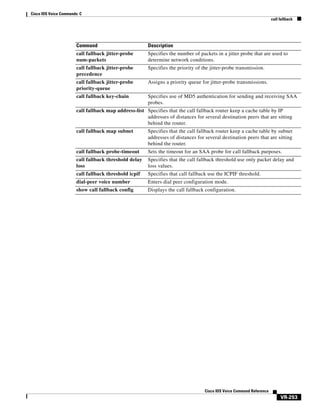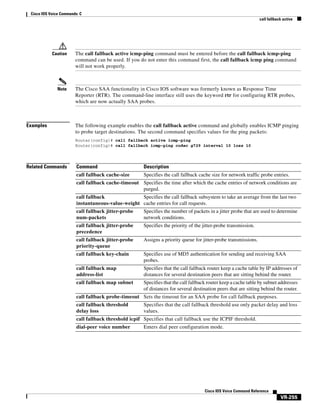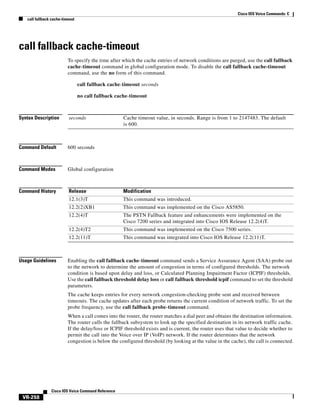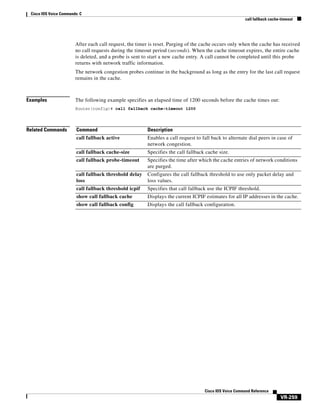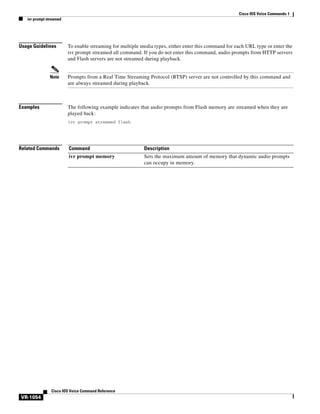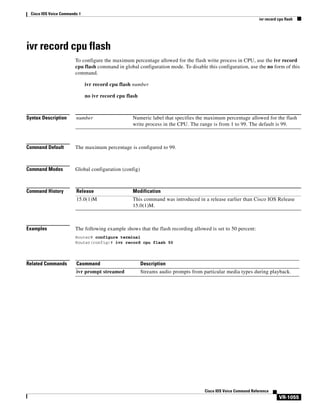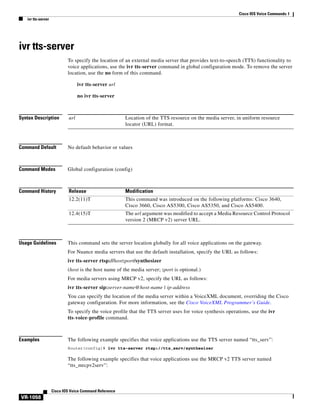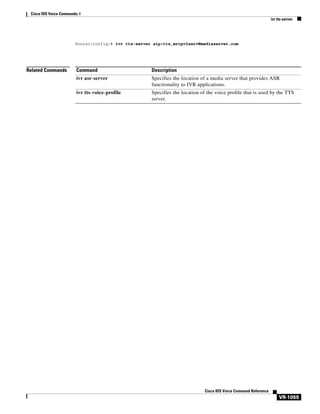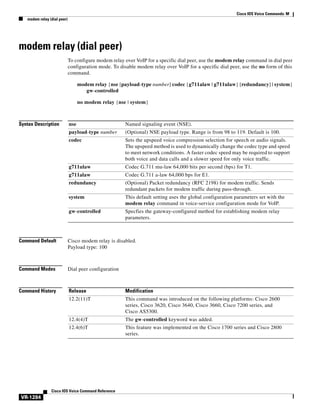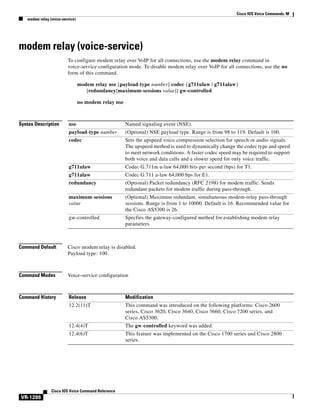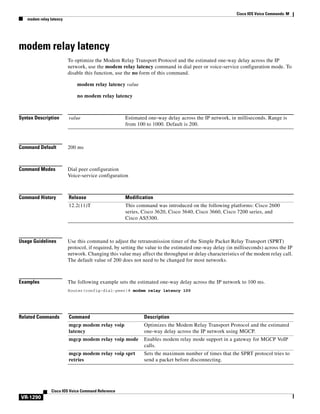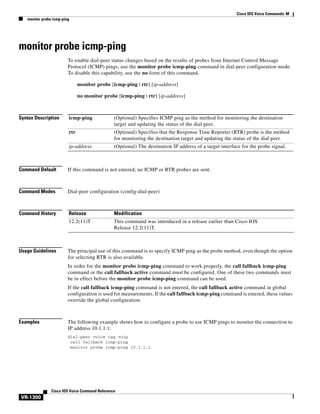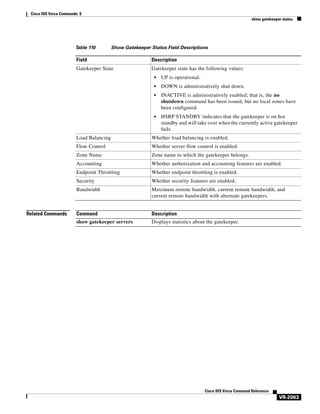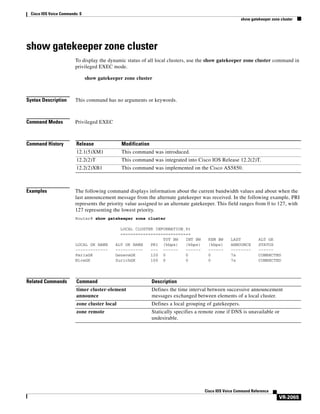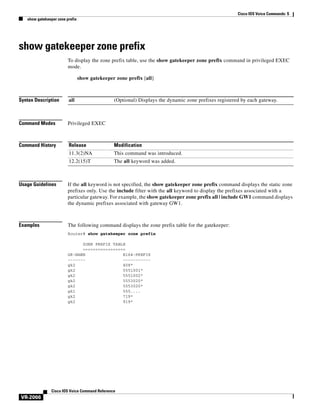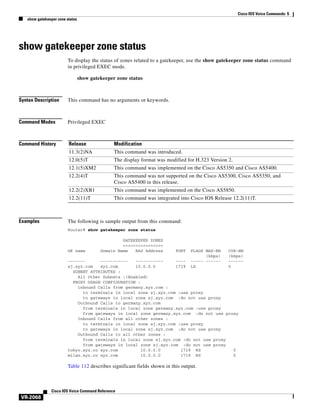
Cisco IOS Voice Command Reference
November 2010

Americas Headquarters
Cisco Systems, Inc.
170 West Tasman Drive
San Jose, CA 95134-1706
USA
http://www.cisco.com
Tel: 408 526-4000
800 553-NETS (6387)
Fax: 408 527-0883
THE SPECIFICATIONS AND INFORMATION REGARDING THE PRODUCTS IN THIS MANUAL ARE SUBJECT TO CHANGE WITHOUT NOTICE. ALL
STATEMENTS, INFORMATION, AND RECOMMENDATIONS IN THIS MANUAL ARE BELIEVED TO BE ACCURATE BUT ARE PRESENTED WITHOUT
WARRANTY OF ANY KIND, EXPRESS OR IMPLIED. USERS MUST TAKE FULL RESPONSIBILITY FOR THEIR APPLICATION OF ANY PRODUCTS.
THE SOFTWARE LICENSE AND LIMITED WARRANTY FOR THE ACCOMPANYING PRODUCT ARE SET FORTH IN THE INFORMATION PACKET THAT
SHIPPED WITH THE PRODUCT AND ARE INCORPORATED HEREIN BY THIS REFERENCE. IF YOU ARE UNABLE TO LOCATE THE SOFTWARE LICENSE
OR LIMITED WARRANTY, CONTACT YOUR CISCO REPRESENTATIVE FOR A COPY.
The Cisco implementation of TCP header compression is an adaptation of a program developed by the University of California, Berkeley (UCB) as part of UCB’s public
domain version of the UNIX operating system. All rights reserved. Copyright © 1981, Regents of the University of California.
NOTWITHSTANDING ANY OTHER WARRANTY HEREIN, ALL DOCUMENT FILES AND SOFTWARE OF THESE SUPPLIERS ARE PROVIDED “AS IS” WITH
ALL FAULTS. CISCO AND THE ABOVE-NAMED SUPPLIERS DISCLAIM ALL WARRANTIES, EXPRESSED OR IMPLIED, INCLUDING, WITHOUT
LIMITATION, THOSE OF MERCHANTABILITY, FITNESS FOR A PARTICULAR PURPOSE AND NONINFRINGEMENT OR ARISING FROM A COURSE OF
DEALING, USAGE, OR TRADE PRACTICE.
IN NO EVENT SHALL CISCO OR ITS SUPPLIERS BE LIABLE FOR ANY INDIRECT, SPECIAL, CONSEQUENTIAL, OR INCIDENTAL DAMAGES, INCLUDING,
WITHOUT LIMITATION, LOST PROFITS OR LOSS OR DAMAGE TO DATA ARISING OUT OF THE USE OR INABILITY TO USE THIS MANUAL, EVEN IF CISCO
OR ITS SUPPLIERS HAVE BEEN ADVISED OF THE POSSIBILITY OF SUCH DAMAGES.
Cisco and the Cisco Logo are trademarks of Cisco Systems, Inc. and/or its affiliates in the U.S. and other countries. A listing of Cisco's trademarks can be found at
www.cisco.com/go/trademarks. Third party trademarks mentioned are the property of their respective owners. The use of the word partner does not imply a partnership
relationship between Cisco and any other company. (1005R)
Any Internet Protocol (IP) addresses used in this document are not intended to be actual addresses. Any examples, command display output, and figures included in the
document are shown for illustrative purposes only. Any use of actual IP addresses in illustrative content is unintentional and coincidental.
Cisco IOS Voice Command Reference
© 2010 Cisco Systems, Inc. All rights reserved.
CONTENTS

Cisco IOS Voice Commands:
A VR-1
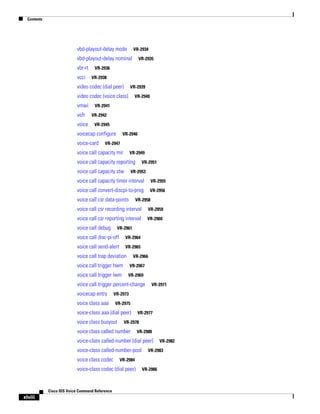
aaa nas port voip
aaa username

VR-2

VR-3

access-list (voice source-group)
access-policy

VR-5

VR-7

accounting (gatekeeper)
accounting method

VR-8

VR-10

accounting suppress

VR-11

accounting template

VR-12

acc-qos

VR-13

acct-template

VR-15

activation-key

VR-17

address-family (tgrep)
address-hiding

VR-20

advertise (annex g)

VR-21

advertise (tgrep)
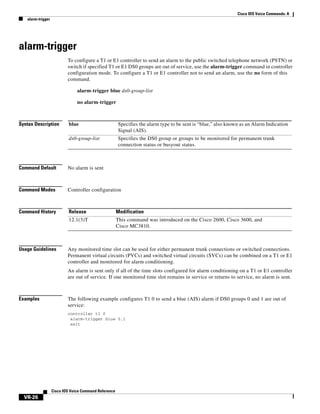
alarm-trigger
alias static

VR-22

VR-24
VR-26

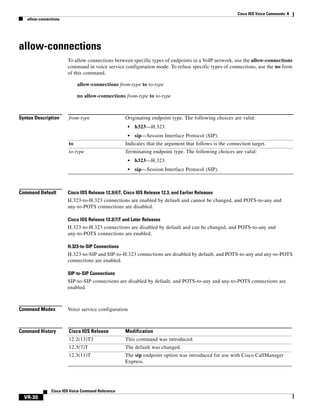
allow-connections
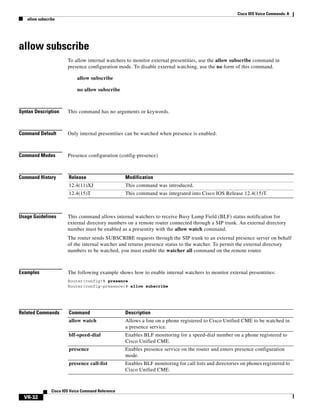
allow subscribe
alt-dial
anat

VR-19

VR-28
VR-30

VR-32
VR-33

ani mapping

VR-34

answer-address

VR-36

application (dial peer)
application (global)

VR-38
VR-41

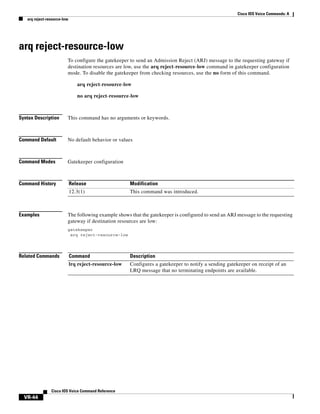
arq reject-resource-low
arq reject-unknown-prefix
as
asp

VR-42
VR-43

VR-45
VR-48
Cisco IOS Voice Command Reference

iii
Contents

asserted-id

VR-51

associate application sccp
associate ccm

VR-53

VR-54

associate profile

VR-55

asymmetric payload

VR-56

atm scramble-enable
atm video aesa

VR-58

VR-59

attribute acct-session-id overloaded
attribute h323-remote-id resolved
audio

VR-61
VR-62

VR-63

audio-prompt load

VR-65

authenticate redirecting-number
authentication (dial peer)

VR-67

VR-69

authentication (SIP UA)

VR-71

authentication method

VR-73

authorization method
auto-config

VR-74

VR-75

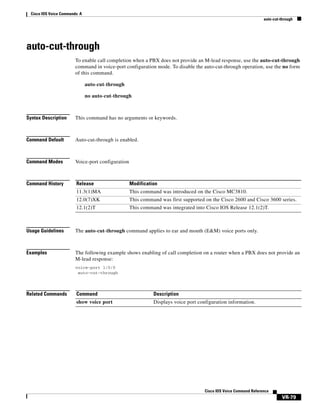
auto-cut-through

VR-76

Cisco IOS Voice Commands:
B VR-77
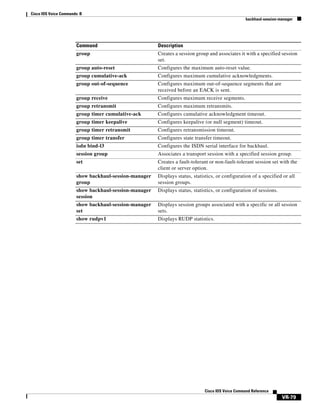
backhaul-session-manager
bandwidth (dial peer)
bandwidth

VR-78

VR-80

VR-81

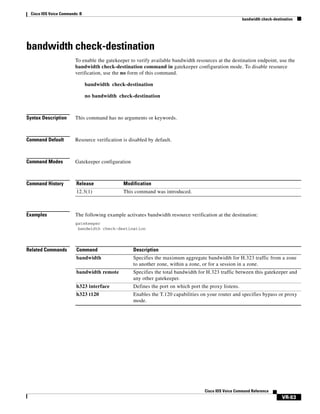
bandwidth check-destination
bandwidth remote
battery-reversal

VR-84
VR-85

bearer-capability clear-channel
billing b-channel
bind
block

VR-89

VR-90

bind interface

VR-92

VR-93

block-caller

VR-95

bootup e-lead off
busyout forced
bus yout monitor

Cisco IOS Voice Command Reference

iv

VR-83

VR-97
VR-98
VR-99

VR-87
Contents

busyout monitor action

VR-102

busyout monitor backhaul

VR-105

busyout monitor gatekeeper
busyout monitor probe
busyout seize

VR-106

VR-108

VR-111

Cisco IOS Voice Commands:
C VR-115
cac master
cac_off

VR-116

VR-117

cache (neighbor BE)

VR-118

cache reload time (global application configuration mode)
cadence

VR-121

cadence-list

VR-123

cadence-max-off-time
cadence-min-on-time
cadence-variation

VR-125
VR-126

VR-127

call accounting-template

VR-129

call accounting-template voice

VR-131

call accounting-template voice reload
call-agent

VR-119

VR-133

VR-134

call application alternate

VR-136

call application cache reload time
call application dump event-log
call application event-log

VR-138
VR-140

VR-141

call application event-log dump ftp
call application event-log error-only

VR-143
VR-145

call application event-log max-buffer-size
call application global

VR-147

VR-149

call application history session event-log save-exception-only
call application history session max-records

VR-153

call application history session retain-timer

VR-151

VR-155

call application interface dump event-log
call application interface event-log

VR-157

VR-158

call application interface event-log dump ftp
call application interface event-log error-only

VR-160
VR-162

Cisco IOS Voice Command Reference

v
Contents

call application interface event-log max-buffer-size
call application interface max-server-records
call application interface stats

VR-166

VR-168

call application session start (global)

VR-170

call application session start (privileged EXEC)
call application session stop

VR-172

VR-174

call application stats

VR-176

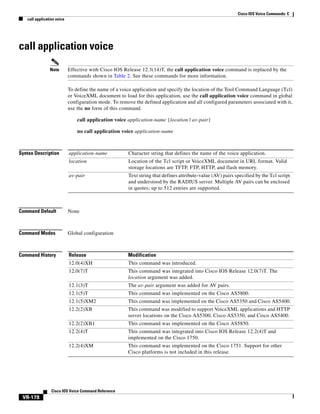
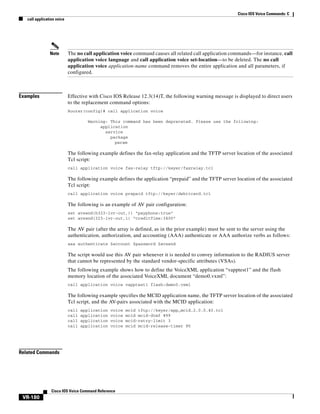
call application voice

VR-178

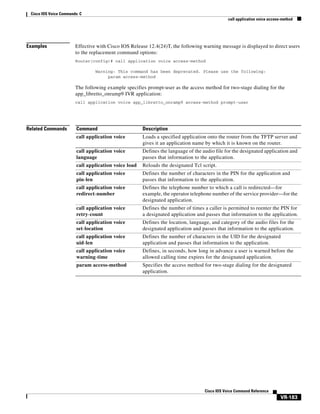
call application voice access-method

VR-182

call application voice account-id-method

VR-184

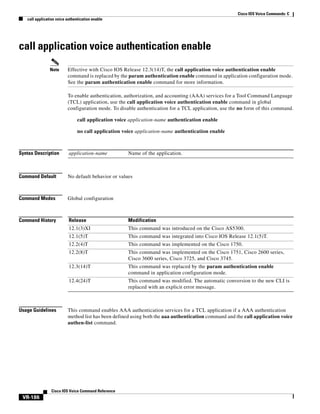
call application voice authentication enable
call application voice accounting-list
call application voice authen-list

VR-186

VR-188

call application voice accounting-template

VR-190

VR-192

call application voice authen-method

VR-194

call application voice accounting enable

VR-196

call application voice default disc-prog-ind-at-connect
call application voice dsn-script

VR-200

call application voice event-log

VR-202

call application voice fax-dtmf

VR-204

call application voice global-password
call application voice language
call application voice load
call application voice mode

VR-206

VR-208

VR-212

call application voice mail-script

VR-214

VR-216

call application voice pin-len

VR-219

call application voice prompt

VR-222

call application voice redirect-number
call application voice retry-count

VR-224

VR-227

call application voice security trusted
call application voice set-location

VR-230

VR-233

call application voice transfer mode

VR-237

call application voice transfer reroute-mode
call application voice uid-length

VR-242

call application voice voice-dtmf

VR-245

Cisco IOS Voice Command Reference

vi

VR-164

VR-240

VR-198
Contents

call application voice warning-time
call-block (dial peer)
call-denial
call fallback

VR-247

VR-250

VR-253
VR-254

call fallback active

VR-256

call fallback cache-size

VR-258

call fallback cache-timeout

VR-260

call fallback expect-factor

VR-262

call fallback instantaneous-value-weight
call fallback jitter-probe dscp

VR-266

call fallback jitter-probe num-packets
call fallback jitter-probe precedence

VR-268
VR-270

call fallback jitter-probe priority-queue
call fallback key-chain

VR-272

VR-274

call fallback map address-list
call fallback map subnet
call fallback monitor

VR-264

VR-275

VR-277

VR-279

call fallback probe-timeout

VR-281

call fallback reject-cause-code

VR-283

call fallback threshold delay loss
call fallback threshold icpif

VR-290

VR-292

call fallback wait-timeout

VR-294

call filter match-list voice

VR-295

call forward all

VR-296

call forward cancel

VR-299

call-forward-to-voicemail
call history max

VR-302

VR-304

call language voice

VR-305

call language voice load
call leg dump event-log
call leg event-log

VR-306
VR-307

VR-308

call leg event-log dump ftp
call leg event-log error-only

VR-310
VR-312

call leg event-log max-buffer-size

VR-313

call leg history event-log save-exception-only

VR-314

Cisco IOS Voice Command Reference

vii
Contents

callmonitor

VR-315

call preserve

VR-316

call-route p-called-party-id
call-router h323-annexg

VR-318
VR-319

call-routing hunt-scheme

VR-320

call rscmon update-timer

VR-321

call rsvp-sync

VR-322

call rsvp-sync resv-timer
call service stop

VR-323

VR-325

call spike

VR-327

call start

VR-329

call threshold global

VR-332

call threshold interface

VR-334

call threshold poll-interval
call treatment action

VR-336

VR-338

call treatment cause-code

VR-340

call treatment isdn-reject
call treatment on
call-waiting

VR-342

VR-344

VR-346

called-number (dial peer)
caller-id (dial peer)

VR-347

VR-349

caller-id alerting dsp-pre-alloc

VR-351

caller-id alerting line-reversal

VR-353

caller-id alerting pre-ring

VR-355

caller-id alerting ring

VR-357

caller-id attenuation

VR-359

caller-id block
caller-id enable

VR-360
VR-362

cancel-call-waiting
caller-number

VR-364

VR-366

calling-info pstn-to-sip

VR-368

calling-info sip-to-pstn

VR-370

calling-number outbound

VR-372

capacity update interval (dial peer)
capacity update interval (trunk group)

Cisco IOS Voice Command Reference

viii

VR-374
VR-375
Contents

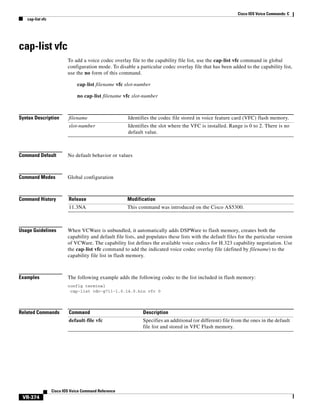
cap-list vfc

VR-376

card type (t1/e1)

VR-377

card type (t3/e3)

VR-378

carrier-id (dial peer)
carrier-id (global)

VR-380
VR-382

carrier-id (trunk group)

VR-383

carrier-id (voice source group)
cause-code

VR-385

VR-387

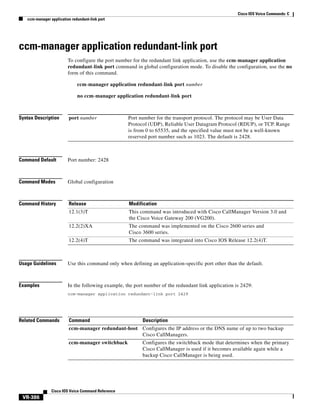
ccm-manager application redundant-link port
ccm-manager config

VR-389

ccm-manager download-tones
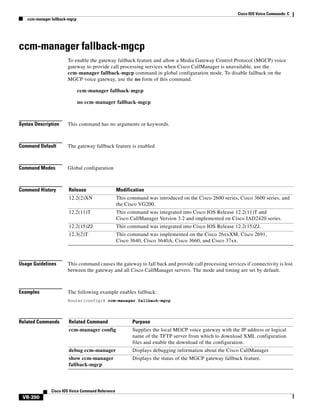
ccm-manager fallback-mgcp
ccm-manager mgcp

VR-391
VR-392

ccm-manager fax protocol

VR-393

VR-395

ccm-manager music-on-hold

VR-397

ccm-manager music-on-hold bind
ccm-manager redundant-host
ccm-manager sccp

VR-388

VR-399

VR-401

VR-403

ccm-manager sccp local

VR-404

ccm-manager shut-backhaul-interfaces

VR-405

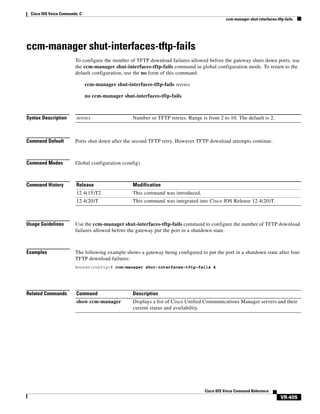
ccm-manager shut-interfaces-tftp-fails

VR-407

ccm-manager switchback

VR-408

ccm-manager switchover-to-backup
ccs connect (controller)

VR-411

ccs connect (interface)

VR-410

VR-413

ccs encap frf11
cdr-format
ces-clock

VR-416
VR-418

cgma-agent

VR-419

channel-group
channel-id

VR-415

VR-422

VR-427

clear backhaul-session-manager group stats
clear call application interface
clear call application stats
clear call fallback cache

VR-429

VR-430

VR-432
VR-433

Cisco IOS Voice Command Reference

ix
Contents

clear call fallback stats
clear call threshold

VR-434

VR-435

clear call treatment stats
clear call voice

VR-437

VR-438

clear call-router routes

VR-439

clear controller call-counters
clear controller t1

VR-440

VR-445

clear csm-statistics modem
clear csm-statistics voice

VR-455
VR-456

clear h323 gatekeeper call

VR-457

clear h323 gatekeeper endpoint

VR-459

clear h323 gatekeeper statistics

VR-461

clear h323 gateway

VR-462

clear http client statistics

VR-464

clear interface cable-modem

VR-465

clear mgcp src-stats

VR-466

clear mgcp statistics

VR-467

clear mrcp client statistics
clear rlm group

VR-468

VR-469

clear rpms-proc counters

VR-471

clear rudpv0 statistics

VR-472

clear rudpv1 statistics

VR-473

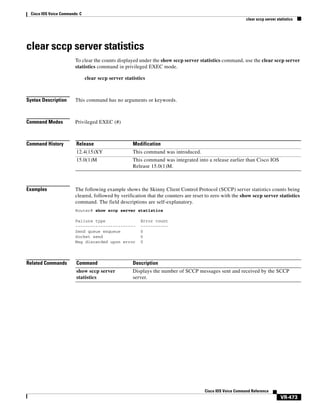
clear sccp server statistics
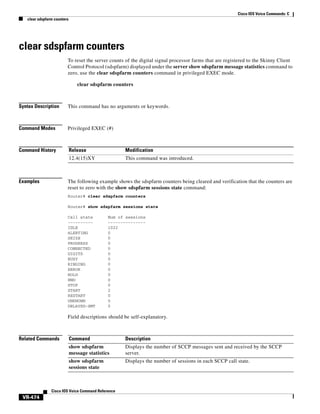
clear sdspfarm counters
clear sgcp statistics

VR-474
VR-475

VR-476

clear sip-ua statistics

VR-477

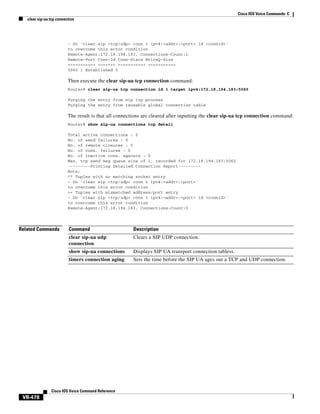
clear sip-ua tcp connection

VR-478

clear sip-ua tcp tls connection
clear sip-ua udp connection
clear ss7 sm stats

VR-489

clear voice statistics

Cisco IOS Voice Command Reference

x

VR-485

VR-487

clear voice accounting method
clear voice dsp

VR-482

VR-484

clear statistics dial-peer voice
clear subscription

VR-480

VR-491

VR-488
Contents

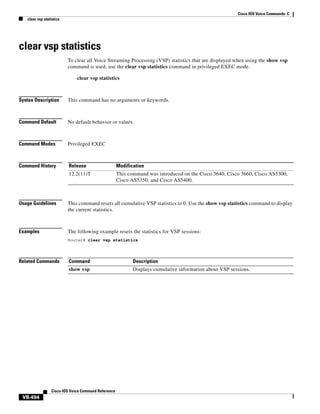
clear vsp statistics
clid

VR-492

VR-493

clid (dial peer)

VR-495

clid (voice-service-voip)
clid strip

VR-498

VR-500

clock-rate (codec-profile)
clock-select

VR-502

VR-503

codec (dial peer)
codec (dsp)

VR-504

VR-510

codec(DSP farm profile)

VR-512

codec (voice-card)

VR-515

codec aal2-profile

VR-519

codec gsmamr-nb

VR-521

codec ilbc

VR-523

codec preference

VR-525

codec profile

VR-530

comfort-noise

VR-531

compand-type

VR-532

conference

VR-533

conference-join custom-cptone

VR-535

conference-leave custom-cptone
condition

VR-537

VR-539

connect (channel bank)
connect (drop-and-insert)
connect atm

VR-543

VR-545

connect interval
connect retries
connection

VR-541

VR-547
VR-548

VR-550

connection-timeout
copy flash vfc
copy tftp vfc

VR-555

VR-557
VR-558

corlist incoming

VR-559

corlist outgoing

VR-561

cptone

VR-562

credential load

VR-565

Cisco IOS Voice Command Reference

xi
Contents

credentials (SIP UA)

VR-566

Cisco IOS Voice Commands:
D VR-569
default (auto-config application)
default (MGCP profile)
default (SIP)

VR-571

VR-573

default-file vfc
define

VR-570

VR-575

VR-576

delete vfc

VR-578

description

VR-579

description (dial peer)

VR-582

description (DSP Farm profile)
description (dspfarm)

VR-583

VR-584

description (SCCP Cisco CallManager)
description (trunk group)

VR-586

description (voice source group)
destination uri

VR-587

VR-588

destination-pattern

VR-590

destination-pattern (interface)
detect v54 channel-group
device-id

VR-585

VR-593

VR-594

VR-595

dhcp interface

VR-596

dial-control-mib

VR-598

dial-peer cor custom
dial-peer cor list

VR-599

VR-600

dial-peer data

VR-601

dial-peer hunt

VR-603

dial-peer inbound selection sip-trunk

VR-605

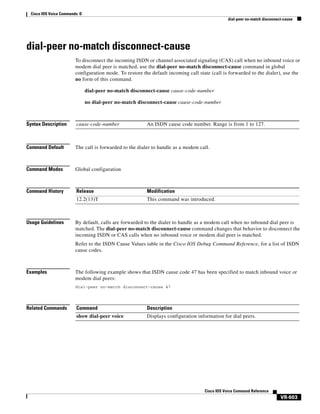
dial-peer no-match disconnect-cause

VR-607

dial-peer outbound status-check pots

VR-608

dial-peer search type
dial-peer terminator

VR-611
VR-612

dial-peer video

VR-614

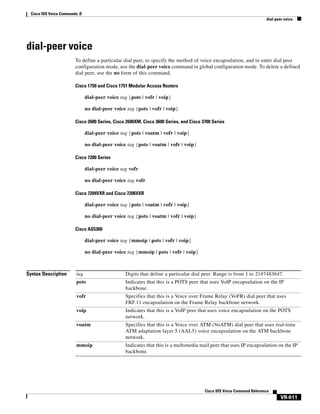
dial-peer voice

VR-615

dial-type

VR-618

Cisco IOS Voice Command Reference

xii
Contents

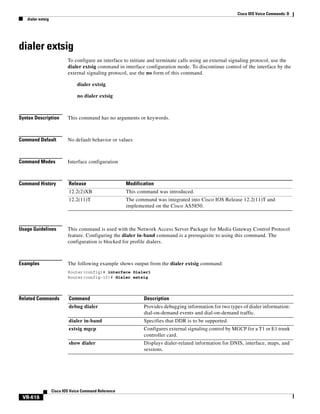
dialer extsig

VR-620

dialer preemption level
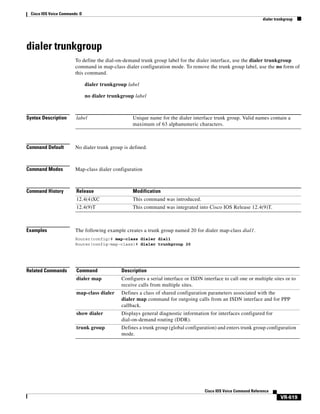
dialer trunkgroup
digit

VR-621

VR-623

VR-624

digit-strip

VR-626

digital-filter

VR-629

direct-inward-dial

VR-630

disable-early-media 180
disc_pi_off

VR-632

disconnect-ack

VR-634

dnis (DNIS group)
dnis-map

VR-631

VR-635

VR-637

domain-name (annex G)

VR-639

drop-last-conferee

VR-640

ds0 busyout (voice)

VR-642

ds0-group (E1)

VR-644

ds0-group (T1)

VR-650

ds0-num
dsn

VR-657

VR-658

dsp allocation signaling dspid
dsp services dspfarm
dspfarm (DSP farm)
dspfarm (voice-card)

VR-661

VR-662
VR-664
VR-666

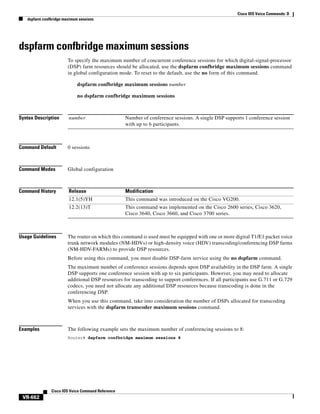
dspfarm confbridge maximum sessions
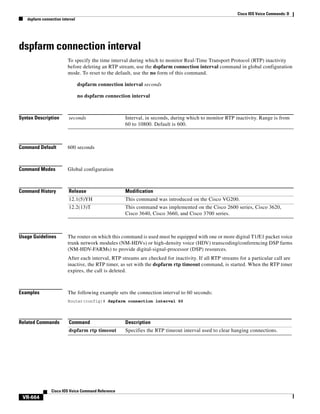
dspfarm connection interval
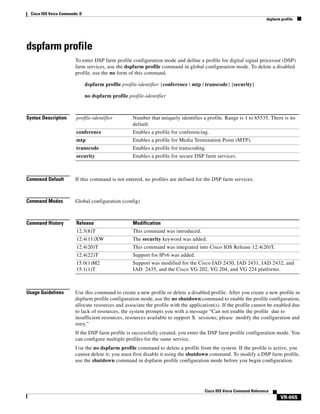
dspfarm profile

VR-670

VR-671

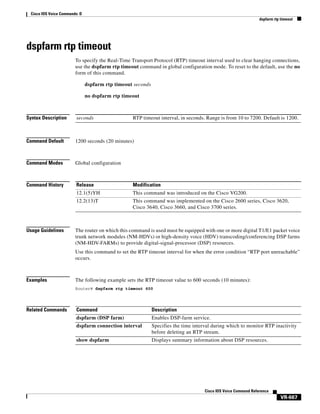
dspfarm rtp timeout

VR-673

dspfarm transcoder maximum sessions
dspint dspfarm

VR-674

VR-676

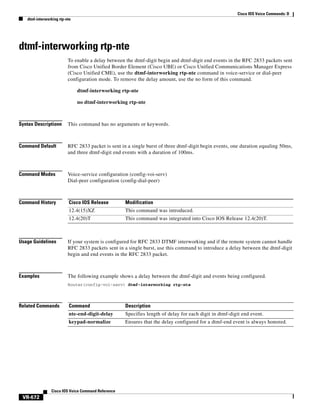
dtmf-interworking rtp-nte
dtmf timer inter-digit

VR-678

VR-679

dtmf-relay (Voice over Frame Relay)
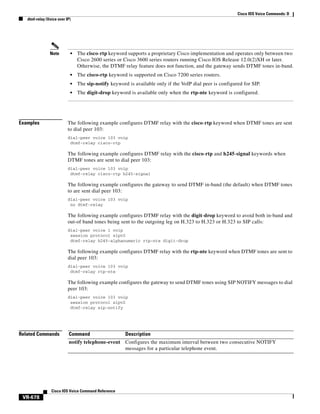
dtmf-relay (Voice over IP)
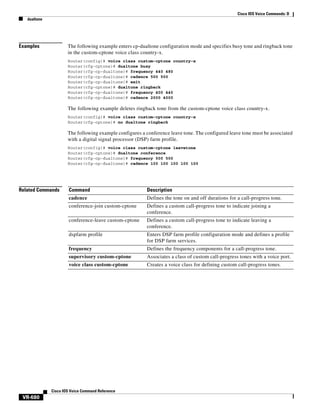
dualtone

VR-668

VR-680

VR-682

VR-685

Cisco IOS Voice Command Reference

xiii
Contents

Cisco IOS Voice Commands:
E VR-687
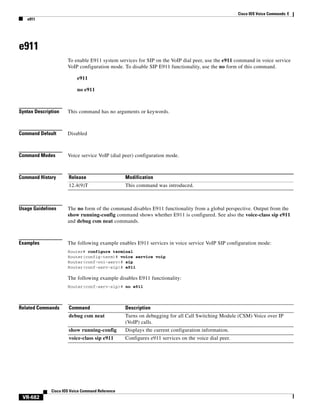
e911

VR-688

VR-689

early-offer

VR-690

echo-cancel comfort-noise

VR-691

echo-cancel compensation

VR-692

echo-cancel coverage

VR-693

echo-cancel enable

VR-695

echo-cancel enable (controller)
echo-cancel erl worst-case
echo-cancel loopback
echo-cancel mode

VR-698

VR-699

VR-700

echo-cancel suppressor
element

VR-697

VR-701

VR-702

emptycapability

VR-703

emulate cisco h323 bandwidth

VR-704

encap clear-channel standard
encapsulation atm-ces

VR-706

VR-708

encoding h450 call-identity

VR-709

encoding h450 call-identity itu
encryption

VR-711

VR-712

endpoint alt-ep collect

VR-714

endpoint alt-ep h323id

VR-716

endpoint circuit-id h323id

VR-718

endpoint max-calls h323id
endpoint naming

VR-720

endpoint resource-threshold
endpoint ttl
erase vfc

VR-719

VR-721

VR-722
VR-723

error-category

VR-724

error-code-override options-keepalive failure
error-correction
event-log

VR-728

VR-730

event-log dump ftp
event-log error-only
Cisco IOS Voice Command Reference

xiv

VR-732
VR-734

VR-726
Contents

event-log max-buffer-size
expect-factor

VR-736

VR-738

extsig mgcp

VR-740

Cisco IOS Voice Commands:
F VR-741
fax interface-type

VR-742

fax protocol (dial peer)

VR-744

fax protocol (voice-service)

VR-746

fax protocol t38 (dial peer)

VR-749

fax protocol t38 (voice-service)
fax rate (dial peer)
fax rate (pots)

VR-752

VR-755

VR-758

fax rate (voice-service)

VR-759

fax receive called-subscriber
fax-relay (dial peer)

VR-761

VR-762

fax send center-header

VR-764

fax send coverpage comment

VR-766

fax send coverpage e-mail-controllable
fax send coverpage enable

VR-770

fax send coverpage show-detail
fax send left-header

VR-772

VR-774

fax send max-speed

VR-768

VR-776

fax send right-header

VR-777

fax send transmitting-subscriber
file-acct flush

VR-780

file-acct reset

VR-779

VR-781

filter voice
fmtp

VR-782

VR-783

forward-alarms
forward-digits

VR-785
VR-786

frame-relay voice bandwidth
freq-max-delay

VR-788

VR-790

freq-max-deviation

VR-792

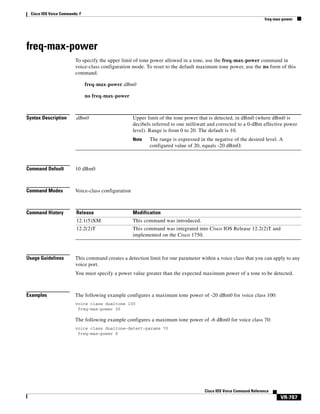
freq-max-power

VR-794

freq-min-power

VR-796

Cisco IOS Voice Command Reference

xv
Contents

freq-pair

VR-798

freq-power-twist

VR-800

frequency (cp-dualtone)

VR-802

Cisco IOS Voice Commands:
G VR-805
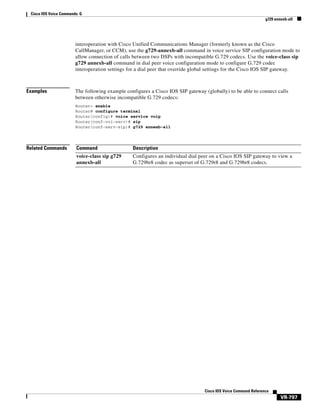
g729 annexb-all
g732 ber

VR-808

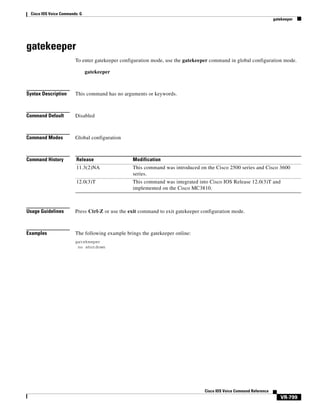
gatekeeper
gateway
gcid

VR-806

VR-809
VR-810

VR-811

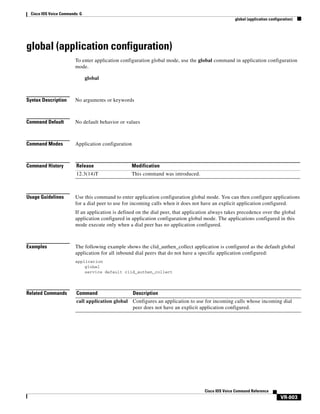
global (application configuration)
groundstart auto-tip
group

VR-813

VR-814

VR-815

group auto-reset

VR-817

group cumulative-ack

VR-819

group out-of-sequence
group receive

VR-822

group retransmit
group set

VR-821

VR-824

VR-825

group timer

VR-827

group-params

VR-829

gw-accounting

VR-830

gw-type-prefix

VR-834

Cisco IOS Voice Commands:
H VR-837
h225 alt-ep hunt

VR-838

h225 connect-passthru
h225 display-ie

VR-842

VR-844

h225 h245-address

VR-846

h225 h245-address on-connect (H.323 voice-class)
h225 h245-address on-connect (H.323 voice-service)
h225 h245-address setup
h225 id-passthru

VR-854

h225 signal overlap
h225 start-h245

Cisco IOS Voice Command Reference

xvi

VR-852

VR-855

VR-856

VR-848
VR-850
Contents

h225 timeout call-proceeding
h225 timeout keepalive
h225 timeout setup

VR-857

VR-859

VR-861

h225 timeout t302

VR-862

h225 timeout t304

VR-863

h225 timeout tcp call-idle (H.323 voice-service)
h225 timeout tcp establish
h225 timeut ntf

VR-865

VR-866

h245 address-check
h245 passthru

VR-868

VR-869

h245 timeout olc
h323

VR-864

VR-870

VR-872

h323 asr

VR-873

h323 call start

VR-874

h323 gatekeeper
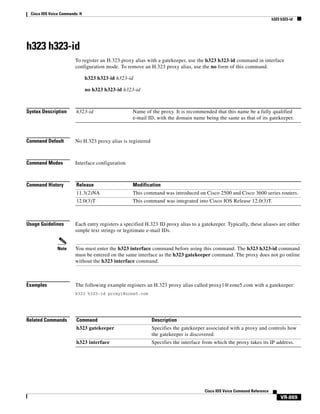
h323 h323-id

VR-877

h323 interface
h323 qos

VR-876

VR-878

VR-880

h323 t120

VR-881

h323-annexg

VR-882

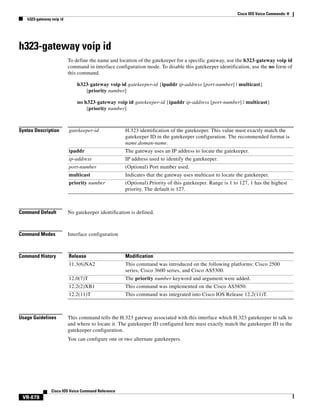
h323-gateway voip bind srcaddr
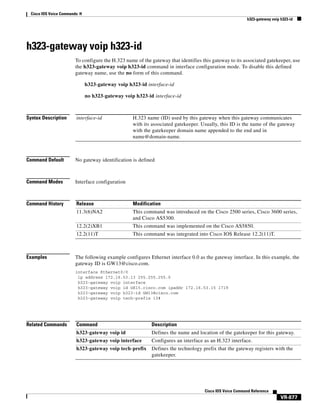
h323-gateway voip h323-id
h323-gateway voip id

VR-885

VR-886

h323-gateway voip interface

VR-888

h323-gateway voip tech-prefix

VR-889

h323zone-id (voice source group)
h450 h450-3 timeout
handle-replaces

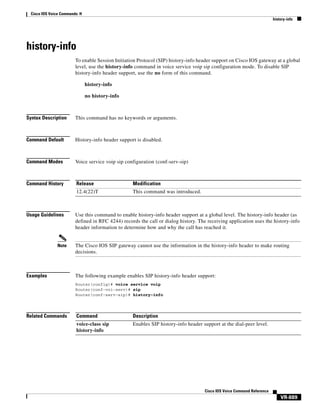
history-info

VR-891

VR-892

VR-893

hangup-last-active-call
header-passing

VR-884

VR-894

VR-896

VR-897

history session event-log save-exception-only
history session max-records

VR-899

history session retain-timer

VR-898

VR-900

hold-resume

VR-902

Cisco IOS Voice Command Reference

xvii
Contents

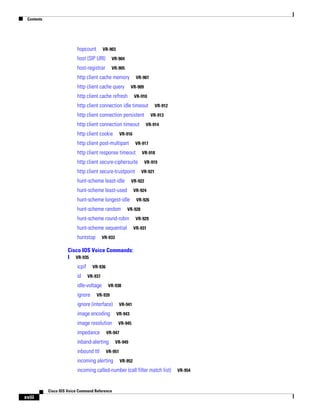
hopcount

VR-903

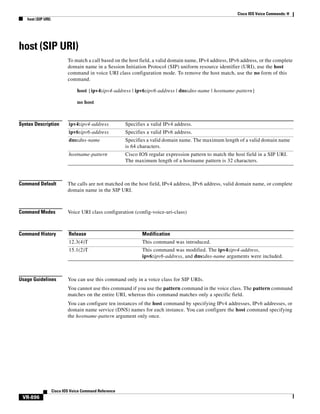
host (SIP URI)

VR-904

host-registrar

VR-905

http client cache memory
http client cache query

VR-907
VR-909

http client cache refresh

VR-910

http client connection idle timeout
http client connection persistent
http client connection timeout
http client cookie

VR-913
VR-914

VR-916

http client post-multipart

VR-917

http client response timeout

VR-918

http client secure-ciphersuite
http client secure-trustpoint
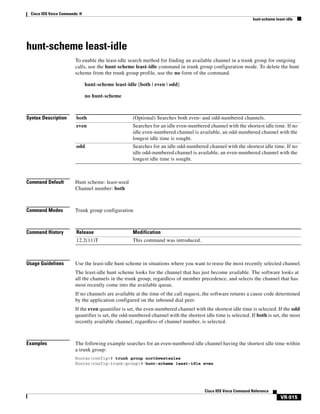
hunt-scheme least-idle

VR-921

VR-924

hunt-scheme longest-idle
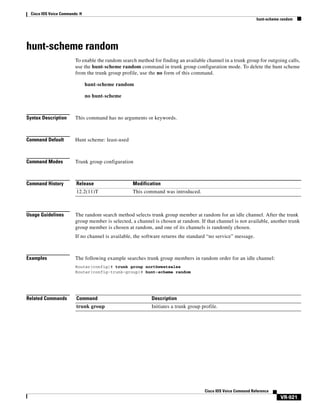
hunt-scheme random

VR-919

VR-922

hunt-scheme least-used

VR-926

VR-928

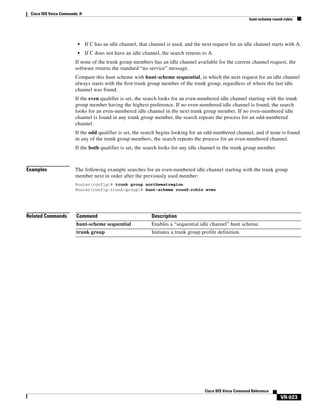
hunt-scheme round-robin
hunt-scheme sequential
huntstop

VR-912

VR-929
VR-931

VR-933

Cisco IOS Voice Commands:
I VR-935
icpif
id

VR-936
VR-937

idle-voltage
ignore

VR-938

VR-939

ignore (interface)
image encoding
image resolution
impedance

VR-943
VR-945

VR-947

inband-alerting
inbound ttl

VR-941

VR-949

VR-951

incoming alerting

VR-952

incoming called-number (call filter match list)

Cisco IOS Voice Command Reference

xviii

VR-954
Contents

incoming called-number (dial peer)

VR-956

incoming calling-number (call filter match list)
incoming dialpeer

VR-961

incoming media local ipv4

VR-962

incoming media remote ipv4
incoming port

VR-963

VR-964

incoming secondary-called-number
incoming signaling local ipv4
incoming uri

VR-967

VR-969

incoming signaling remote ipv4

VR-970

VR-971

index (voice class)
info-digits

VR-959

VR-974

VR-976

information-type

VR-977

inject guard-tone

VR-979

inject pause

VR-980

inject tone

VR-981

input gain

VR-983

interface (RLM server)
interface Dchannel

VR-985

VR-987

interface event-log dump ftp

VR-989

interface event-log error only

VR-991

interface event-log max-buffer-size
interface max-server-records
interface stats
ip circuit

VR-992

VR-994

VR-995

VR-996

ip precedence (dial peer)

VR-998

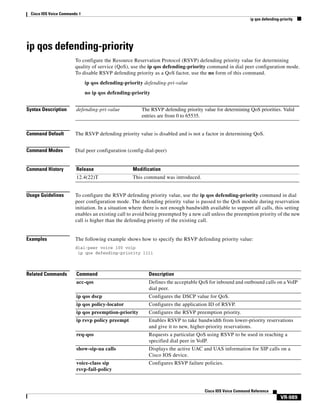
ip qos defending-priority

VR-999

ip qos dscp

VR-1000

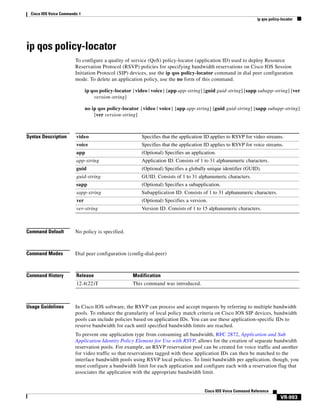
ip qos policy-locator

VR-1003

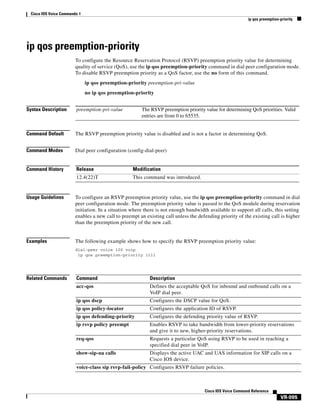
ip qos preemption-priority
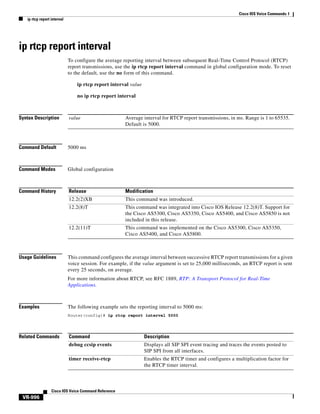
ip rtcp report interval
ip udp checksum
irq global-request
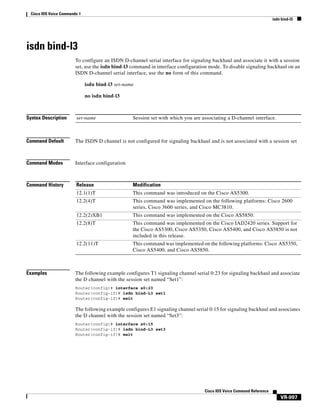
isdn bind-l3

VR-1005

VR-1006

VR-1007
VR-1008

VR-1009

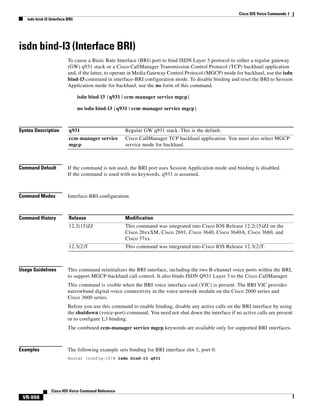
isdn bind-l3 (Interface BRI)

VR-1010

Cisco IOS Voice Command Reference

xix
Contents

isdn bind-l3 ccm-manager

VR-1012

isdn bind-l3 iua-backhaul
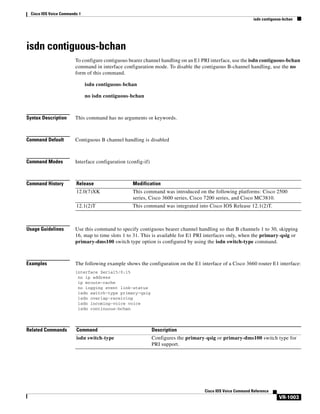
isdn contiguous-bchan
isdn dpnss

VR-1013
VR-1015

VR-1016

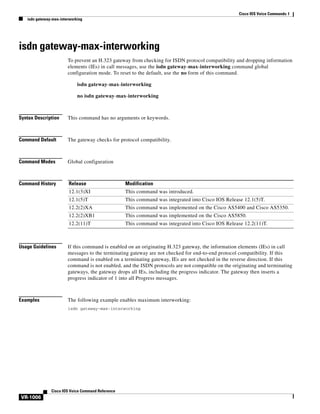
isdn gateway-max-interworking
isdn global-disconnect
isdn gtd

VR-1019

VR-1021

isdn ie oli

VR-1022

isdn integrate calltype all

VR-1023

isdn network-failure-cause
isdn outgoing display-ie
isdn rlm-group

VR-1030

VR-1032

isdn skipsend-idverify
isdn spoofing

VR-1025
VR-1028

isdn protocol-emulate

VR-1034

VR-1037

isdn supp-service calldiversion
isdn supp-service mcid
isdn supp-service tbct
isdn t-activate

VR-1039

VR-1040

isdn supp-service name calling

VR-1041

VR-1043

VR-1045

isdn tei-negotiation (interface)
iua

VR-1018

VR-1047

VR-1050

ivr asr-server

VR-1052

ivr autoload mode

VR-1054

ivr autoload retry
ivr autoload url

VR-1056
VR-1057

ivr contact-center

VR-1059

ivr prompt streamed

VR-1062

ivr record memory session

VR-1064

ivr record memory system

VR-1065

ivr tts-server

VR-1066

ivr tts-voice-profile

VR-1068

ixi application cme

VR-1070

ixi application mib

VR-1071

ixi transport http

Cisco IOS Voice Command Reference

xx

VR-1073
Contents

Cisco IOS Voice Commands:
K VR-1075
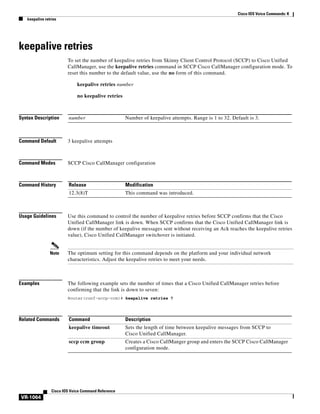
keepalive retries

VR-1076

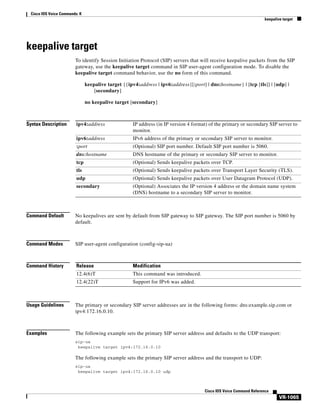
keepalive target

VR-1077

keepalive timeout

VR-1079

keepalive trigger

VR-1080

Cisco IOS Voice Commands:
L VR-1081
link (RLM)

VR-1082

listen-port (SIP)

VR-1083

lmr duplex half

VR-1085

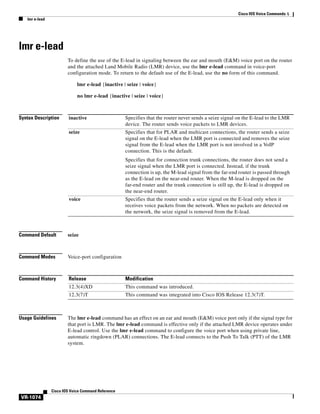
lmr e-lead

VR-1086

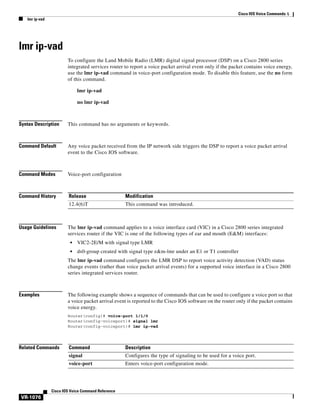
lmr ip-vad

VR-1088

lmr led-on

VR-1089

lmr m-lead

VR-1090

load-balance
local

VR-1092

VR-1093

localhost

VR-1094

loopback (controller)
loop-detect
loss-plan

VR-1096

VR-1098
VR-1099

lrq e164 early-lookup
lrq forward-queries

VR-1101
VR-1102

lrq lrj immediate-advance
lrq reject-resource-low

VR-1105
VR-1107

lrq reject-unknown-circuit

VR-1108

lrq reject-unknown-prefix

VR-1109

lrq timeout blast window

VR-1111

lrq timeout seq delay

VR-1112

Cisco IOS Voice Commands:
M VR-1113
map q850-cause
map resp-code

VR-1114
VR-1116

max1 lookup

VR-1118

max1 retries

VR-1120

Cisco IOS Voice Command Reference

xxi
Contents

max2 lookup

VR-1122

max2 retries

VR-1124

max-calls

VR-1126

max-conn (dial peer)
max-connection

VR-1128

VR-1129

max-forwards

VR-1131

max-redirects

VR-1132

max-subscription

VR-1133

maximum buffer-size

VR-1134

maximum cdrflush-timer

VR-1136

maximum conference-party
maximum fileclose-timer
maximum retry-count

VR-1138
VR-1140

VR-1142

maximum sessions (DSP farm profile)
mdn

VR-1145

media

VR-1146

mediacard

VR-1149

media-inactivity-criteria
meetme-conference

VR-1150

VR-1152

member (dial peer cor list)
method
mgcp

VR-1143

VR-1154

VR-1155
VR-1157

mgcp behavior

VR-1159

mgcp behavior comedia-check-media-src
mgcp behavior comedia-role

VR-1165

mgcp behavior comedia-sdp-force

VR-1166

mgcp behavior g729-variants static-pt
mgcp bind

VR-1168

mgcp block-newcalls
mgcp call-agent
mgcp codec

VR-1170

VR-1171

VR-1174

mgcp codec gsmamr-nb
mgcp codec ilbc

mgcp debug-header

Cisco IOS Voice Command Reference

xxii

VR-1176

VR-1178

mgcp crypto rfc-preferred

VR-1164

VR-1179

VR-1181

VR-1167
Contents

mgcp default-package

VR-1182

mgcp disconnect-delay
mgcp dtmf-relay

VR-1184

VR-1185

mgcp endpoint offset

VR-1187

mgcp explicit hookstate
mgcp fax rate

VR-1189

mgcp fax-relay
mgcp fax t38
mgcp ip-tos

VR-1188

VR-1191
VR-1193
VR-1196

mgcp lawful-intercept

VR-1198

mgcp max-waiting-delay

VR-1199

mgcp modem passthrough codec

VR-1200

mgcp modem passthrough mode

VR-1202

mgcp modem passthrough voip redundancy
mgcp modem passthru

VR-1205

mgcp modem relay voip gateway-xid
mgcp modem relay voip latency
mgcp modem relay voip mode

VR-1210
VR-1212

mgcp modem relay voip sprt retries
mgcp modem relay voip sprt v14
mgcp package-capability

mgcp profile

VR-1214
VR-1215

VR-1217

VR-1221

mgcp piggyback message
mgcp playout

VR-1206

VR-1208

mgcp modem relay voip mode sse

mgcp persistent

VR-1204

VR-1222

VR-1223
VR-1225

mgcp quality-threshold

VR-1227

mgcp quarantine mode

VR-1229

mgcp quarantine persistent-event disable
mgcp request retries

VR-1232

mgcp request timeout
mgcp restart-delay

VR-1233
VR-1235

mgcp rtp payload-type

VR-1236

mgcp rtp unreachable timeout
mgcp rtrcac

VR-1231

VR-1239

VR-1241

Cisco IOS Voice Command Reference

xxiii
Contents

mgcp sdp

VR-1242

mgcp sgcp disconnect notify
mgcp sgcp restart notify
mgcp src-cac
mgcp timer

VR-1246

VR-1247
VR-1248

mgcp tse payload
mgcp vad

VR-1244

VR-1250

VR-1252

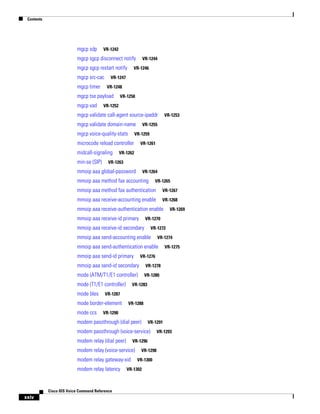
mgcp validate call-agent source-ipaddr
mgcp validate domain-name
mgcp voice-quality-stats

VR-1255

VR-1259

microcode reload controller
midcall-signaling
min-se (SIP)

VR-1253

VR-1261

VR-1262

VR-1263

mmoip aaa global-password

VR-1264

mmoip aaa method fax accounting

VR-1265

mmoip aaa method fax authentication

VR-1267

mmoip aaa receive-accounting enable

VR-1268

mmoip aaa receive-authentication enable
mmoip aaa receive-id primary

VR-1270

mmoip aaa receive-id secondary

VR-1272

mmoip aaa send-accounting enable

VR-1274

mmoip aaa send-authentication enable
mmoip aaa send-id primary

VR-1275

VR-1276

mmoip aaa send-id secondary

VR-1278

mode (ATM/T1/E1 controller)

VR-1280

mode (T1/E1 controller)
mode bles
mode ccs

VR-1283

VR-1287

mode border-element

VR-1288

VR-1290

modem passthrough (dial peer)

VR-1291

modem passthrough (voice-service)
modem relay (dial peer)

VR-1296

modem relay (voice-service)
modem relay gateway-xid
modem relay latency

Cisco IOS Voice Command Reference

xxiv

VR-1269

VR-1298
VR-1300

VR-1302

VR-1293
Contents

modem relay sprt retries
modem relay sprt v14
modem relay sse

VR-1304
VR-1305

VR-1307

monitor call application event-log
monitor call leg event-log

VR-1309

VR-1311

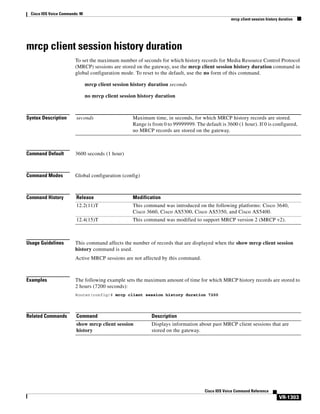
mrcp client session history duration

VR-1312

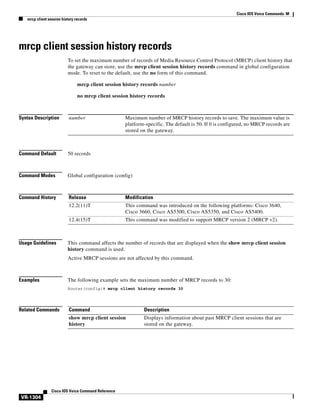
mrcp client session history records

VR-1313

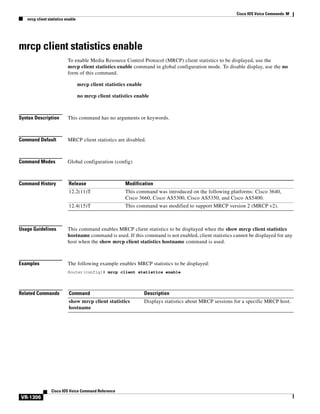
mrcp client statistics enable

VR-1314

mrcp client timeout connect

VR-1315

mrcp client timeout message
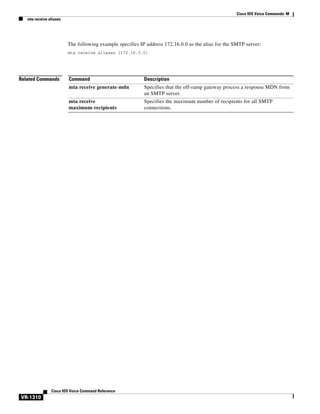
mta receive aliases

VR-1316

VR-1317

mta receive disable-dsn

VR-1319

mta receive generate

VR-1320

mta receive generate-mdn

VR-1322

mta receive maximum-recipients
mta send filename

VR-1326

mta send mail-from

VR-1328

mta send origin-prefix
mta send postmaster

VR-1330
VR-1332

mta send return-receipt-to
mta send server
mta send subject
music-threshold
mwi

VR-1324

VR-1334

VR-1336
VR-1338
VR-1340

VR-1341

mwi-server

VR-1342

Cisco IOS Voice Commands:
N VR-1345
name (dial peer cor custom)

VR-1346

nat symmetric check-media-src
nat symmetric role

VR-1348

neighbor (annex g)

VR-1347

VR-1349

neighbor (tgrep)

VR-1351

network-clock base-rate
network-clock-participate
network-clock-select

VR-1352
VR-1353

VR-1355

Cisco IOS Voice Command Reference

xxv
Contents

network-clock-switch
non-linear

VR-1358

VR-1359

notify (MGCP profile)
notify redirect

VR-1361

VR-1362

notify redirect (dial peer)
notify telephone-event
nsap

VR-1364
VR-1366

VR-1367

null-called-number
numbering-type
num-exp

VR-1368
VR-1369

VR-1371

Cisco IOS Voice Commands:
O VR-1373
offer call-hold
operation

VR-1374

VR-1376

options-ping

VR-1377

options-ping (dial peer)
outbound-proxy

VR-1378

VR-1379

outbound retry-interval

VR-1381

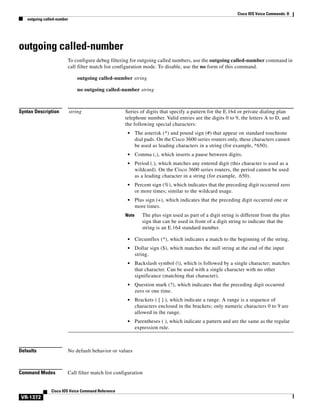
outgoing called-number

VR-1382

outgoing calling-number

VR-1384

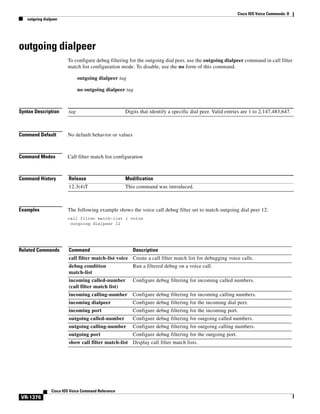
outgoing dialpeer

VR-1386

outgoing media local ipv4

VR-1387

outgoing media remote ipv4
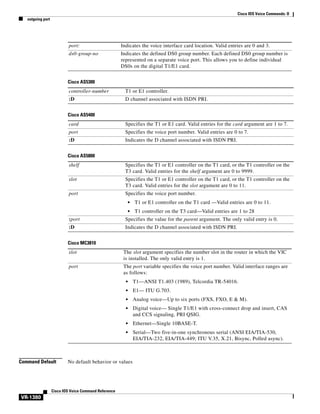
outgoing port

VR-1388

VR-1389

outgoing signaling local ipv4
outgoing signaling remote ipv4
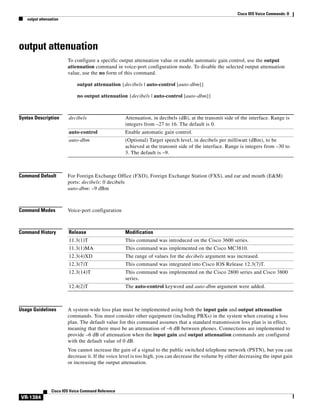
output attenuation

VR-1392
VR-1393

VR-1394

Cisco IOS Voice Commands:
P VR-1397
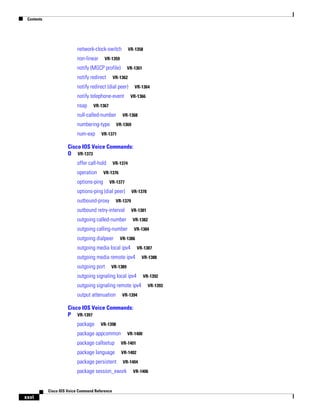
package

VR-1398

package appcommon

VR-1400

package callsetup

VR-1401

package language

VR-1402

package persistent

VR-1404

package session_xwork

Cisco IOS Voice Command Reference

xxvi

VR-1406
Contents

param

VR-1407

param access-method

VR-1409

param account-id-method

VR-1410

param accounting enable

VR-1412

param accounting-list
param authen-list

VR-1413

VR-1415

param authen-method

VR-1417

param authentication enable

VR-1419

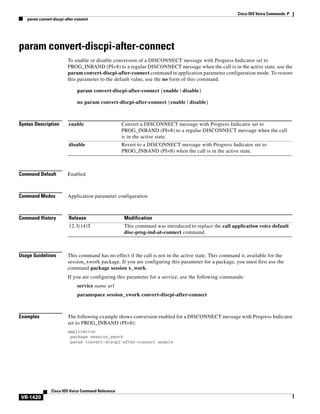
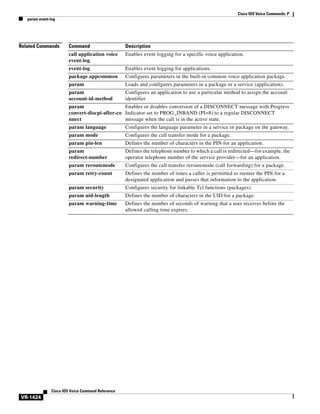
param convert-discpi-after-connect
param dsn-script

VR-1422

param event-log

VR-1420

VR-1423

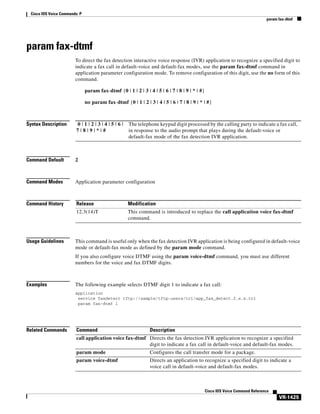
param fax-dtmf

VR-1425

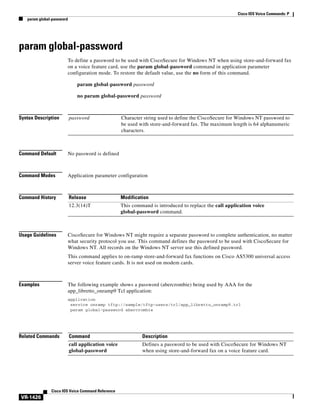
param global-password
param language

VR-1427

param mail-script
param mode

VR-1426

VR-1429

VR-1431

param pin-len

VR-1433

param prompt

VR-1435

param redirect-number
param reroutemode
param retry-count
param security
param uid-len

VR-1438
VR-1440

VR-1442
VR-1444

param voice-dtmf

VR-1446

param warning-time
paramspace

VR-1436

VR-1447

VR-1449

paramspace appcommon event-log
paramspace appcommon security
paramspace callsetup mode

VR-1453

VR-1455

paramspace callsetup reroutemode
paramspace language

VR-1451

VR-1457

VR-1459

paramspace session_xwork convert-discpi-after-connect
pattern

VR-1461

VR-1463

permit hostname (SIP)
phone context

VR-1465

VR-1466

Cisco IOS Voice Command Reference

xxvii
Contents

phone number

VR-1468

pickup direct

VR-1469

pickup group

VR-1472

pickup local

VR-1474

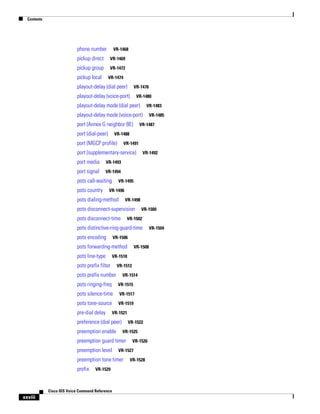
playout-delay (dial peer)

VR-1476

playout-delay (voice-port)

VR-1480

playout-delay mode (dial peer)

VR-1483

playout-delay mode (voice-port)
port (Annex G neighbor BE)
port (dial-peer)

VR-1485

VR-1487

VR-1488

port (MGCP profile)

VR-1491

port (supplementary-service)
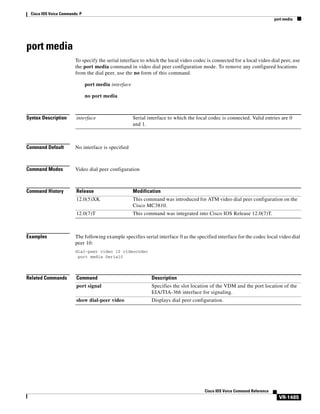
port media

VR-1493

port signal

VR-1492

VR-1494

pots call-waiting
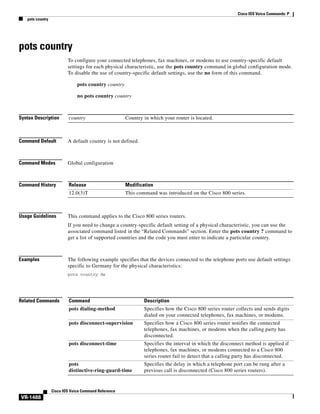
pots country

VR-1495

VR-1496

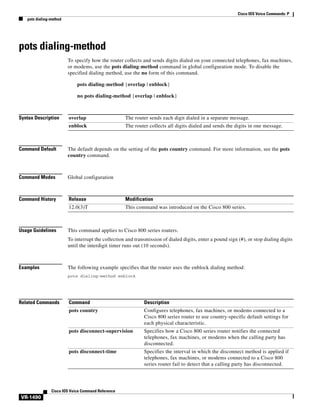
pots dialing-method

VR-1498

pots disconnect-supervision
pots disconnect-time

VR-1500

VR-1502

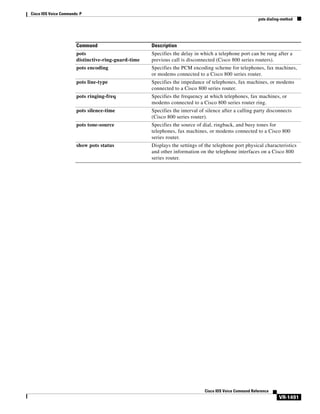
pots distinctive-ring-guard-time
pots encoding

VR-1506

pots forwarding-method
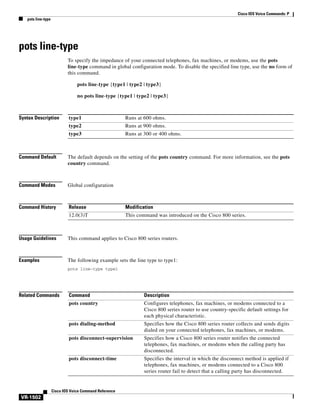
pots line-type

VR-1508

VR-1510

pots prefix filter

VR-1512

pots prefix number

VR-1514

pots ringing-freq

VR-1515

pots silence-time

VR-1517

pots tone-source

VR-1519

pre-dial delay

VR-1521

preference (dial peer)
preemption enable

VR-1522
VR-1525

preemption guard timer
preemption level

VR-1527

preemption tone timer
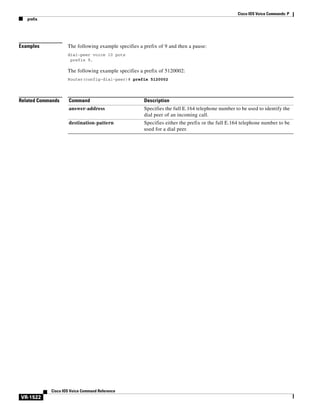
prefix

VR-1529

Cisco IOS Voice Command Reference

xxviii

VR-1526

VR-1528

VR-1504
Contents

prefix (Annex G)

VR-1531

prefix (stcapp-fac)

VR-1532

prefix (stcapp-fsd)

VR-1534

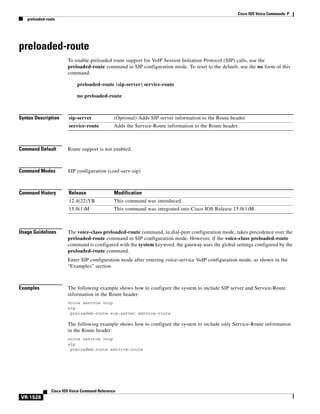
preloaded-route
presence

VR-1536

VR-1538

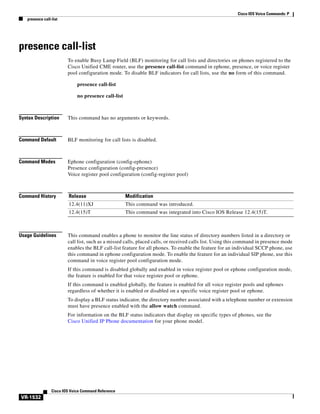
presence call-list

VR-1540

presence enable

VR-1542

pri-group (pri-slt)

VR-1543

pri-group nec-fusion
pri-group timeslots

VR-1546
VR-1547

primary (gateway accounting file)
privacy

VR-1551

VR-1553

privacy-policy

VR-1555

progress_ind

VR-1557

protocol mode

VR-1559

protocol rlm port
proxy h323

VR-1561

VR-1563

Cisco IOS Voice Commands:
Q VR-1565
q850-cause

VR-1566

qsig decode

VR-1567

query-interval

VR-1568

Cisco IOS Voice Commands:
R VR-1569
radius-server attribute 6
random-contact

VR-1570

VR-1572

random-request-uri validate
ras retry

VR-1575

ras retry lrq

VR-1577

ras rrq dynamic prefixes
ras rrq ttl

VR-1578

VR-1579

ras timeout

VR-1580

ras timeout decisec
ras timeout lrq
rbs-zero

VR-1573

VR-1582

VR-1584

VR-1585

Cisco IOS Voice Command Reference

xxix
Contents

reason-header override
redial

VR-1587

VR-1588

redirect contact order

VR-1590

redirect ip2ip (dial peer)

VR-1591

redirect ip2ip (voice service)
redirection (SIP)

VR-1593

refer-ood enable
register e164

VR-1594

VR-1595

registered-caller ring
registrar

VR-1597

VR-1598

registration retries

VR-1601

registration timeout
rel1xx

VR-1602

VR-1603

remote-party-id
req-qos

VR-1605

VR-1606

request (XML transport)
reset

VR-1592

VR-1608

VR-1610

reset timer expires

VR-1611

resource threshold

VR-1613

resource-pool (mediacard)

VR-1615

response (XML application)

VR-1616

response size (XML transport)
response-timeout

VR-1618

retries (auto-config application)
retry bye

VR-1621

retry cancel

VR-1623

retry comet

VR-1625

retry interval
retry invite

VR-1627
VR-1628

retry keepalive (SIP)
retry notify
retry prack

VR-1633

retry refer

VR-1635

retry rel1xx

VR-1636
VR-1637

Cisco IOS Voice Command Reference

xxx

VR-1630

VR-1631

retry register

VR-1617

VR-1620
Contents

retry response

VR-1639

retry subscribe

VR-1641

retry window
retry-delay

VR-1644

retry-limit
ring

VR-1642

VR-1646

VR-1648

ring cadence

VR-1650

ring frequency
ring number

VR-1652
VR-1653

ringing-timeout

VR-1654

roaming (dial peer)

VR-1655

roaming (settlement)

VR-1656

rrq dynamic-prefixes-accept
rsvp

VR-1657

VR-1658

rtp payload-type
rtp send-recv

VR-1659

VR-1662

rtsp client session history duration

VR-1663

rtsp client session history records
rtsp client timeout connect

VR-1665

rtsp client timeout message
rule (ENUM configuration)

VR-1664

VR-1666
VR-1667

rule (voice translation-rule)

VR-1669

Cisco IOS Voice Commands:
S VR-1673
sccp

VR-1674

sccp blf-speed-dial retry-interval
sccp ccm

VR-1677

sccp ccm group

VR-1679

sccp codec mask

VR-1681

sccp ip precedence
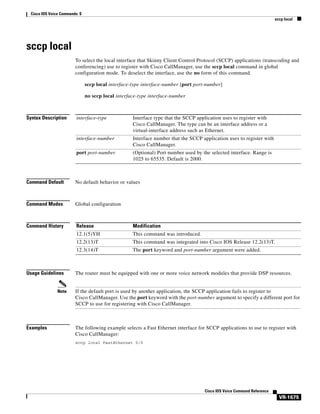
sccp local
sccp plar

VR-1683

VR-1684
VR-1686

sccp switchback timeout guard
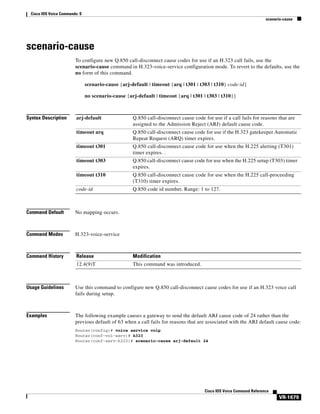
scenario-cause
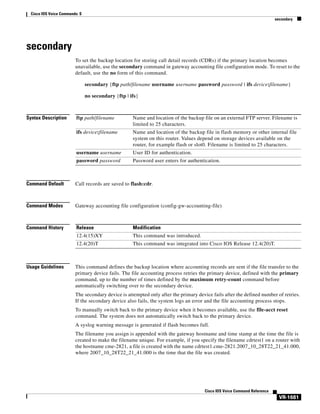
secondary

VR-1676

VR-1687

VR-1688

VR-1690

Cisco IOS Voice Command Reference

xxxi
Contents

security

VR-1692

security acl

VR-1694

security izct

VR-1696

security mode

VR-1698

sequence-numbers

VR-1700

server (auto-config application)
server (presence)
server (RLM)

VR-1702

VR-1703

VR-1705

server absent reject

VR-1707

server flow-control

VR-1708

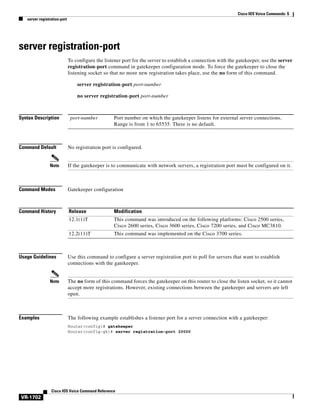
server registration-port
server routing

VR-1711

VR-1713

server trigger arq

VR-1714

server trigger brq

VR-1717

server trigger drq

VR-1720

server trigger irr

VR-1723

server trigger lcf

VR-1726

server trigger lrj

VR-1729

server trigger lrq

VR-1732

server trigger rai

VR-1735

server trigger rrq

VR-1738

server trigger urq

VR-1741

service

VR-1744

service dsapp

VR-1746

service-flow primary upstream
service-relationship

VR-1752

service-type call-check
session

VR-1751

VR-1753

VR-1754

session group

VR-1755

session protocol (dial peer)

VR-1756

session protocol (Voice over Frame Relay)
session protocol aal2

VR-1760

session protocol multicast
session start

VR-1761

VR-1762

session target (MMoIP dial peer)

Cisco IOS Voice Command Reference

xxxii

VR-1764

VR-1758
Contents

session target (POTS dial peer)

VR-1767

session target (VoATM dial peer)

VR-1768

session target (VoFR dial peer)

VR-1771

session target (VoIP dial peer)

VR-1773

session transport

VR-1777

session transport (H.323 voice-service)
session transport (SIP)
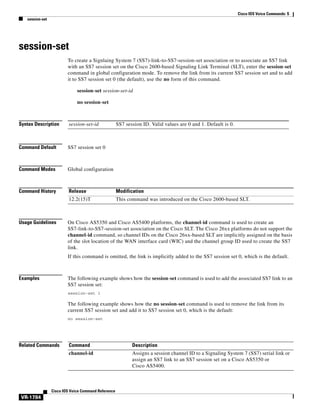
session-set
set

VR-1780

VR-1782

VR-1783

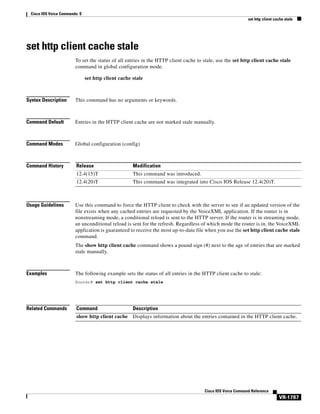
set http client cache stale
set pstn-cause
settle-call
settlement

VR-1785

VR-1786

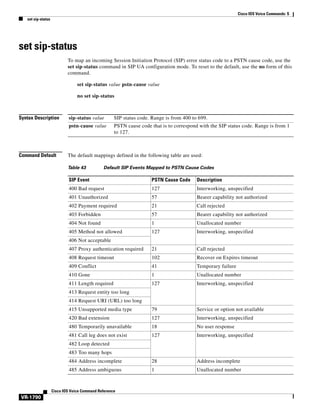
set sip-status

VR-1788

VR-1790
VR-1791

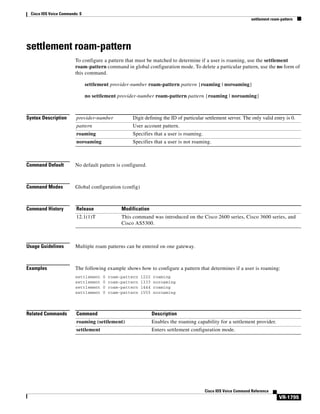
settlement roam-pattern
sgcp

VR-1779

VR-1793

VR-1794

sgcp call-agent

VR-1796

sgcp graceful-shutdown

VR-1798

sgcp max-waiting-delay

VR-1800

sgcp modem passthru

VR-1802

sgcp quarantine-buffer disable
sgcp request retries

VR-1806

sgcp request timeout
sgcp restart

VR-1808

VR-1810

sgcp retransmit timer
sgcp timer

VR-1804

VR-1812

VR-1814

sgcp tse payload

VR-1816

show aal2 profile

VR-1818

show atm video-voice address
show auto-config

VR-1820

VR-1821

show backhaul-session-manager group

VR-1823

show backhaul-session-manager session

VR-1825

show backhaul-session-manager set

VR-1827

show call accounting-template voice

VR-1828

show call active fax

VR-1831

Cisco IOS Voice Command Reference

xxxiii
Contents

show call active media

VR-1840

show call active video

VR-1848

show call active voice

VR-1857

show call application app-level

VR-1877

show call application gateway-level
show call application interface

VR-1881

VR-1884

show call application services registry
show call application session-level
show call application sessions
show call application voice

VR-1890

VR-1902

VR-1905

show call fallback cache

VR-1912

show call fallback config

VR-1914

show call fallback stats

VR-1916

show call filter components
show call filter match-list
show call history fax

VR-1918
VR-1919

VR-1921

show call history media
show call history video

VR-1931
VR-1940

show call history video record
show call history voice

VR-1942

VR-1943

show call language voice
show call leg

VR-1949

VR-1951

show callmon

VR-1957

show call prompt-mem-usage

VR-1959

show call resource voice stats

VR-1962

show call resource voice threshold
show call rsvp-sync conf

VR-1966

show call rsvp-sync stats

VR-1968

show call spike status

VR-1970

show call threshold

VR-1972

show call treatment

VR-1974

show call-router routes

VR-1976

show call-router status

VR-1978

show ccm-manager
show cdapi

VR-1990

Cisco IOS Voice Command Reference

xxxiv

VR-1888

VR-1981

VR-1964
Contents

show ces clock-select
show connect

VR-1992

VR-1993

show controllers rs366

VR-1995

show controllers timeslots
show controllers voice
show crm

VR-1998

VR-2002

show csm

VR-1996

VR-2004

show csm call

VR-2009

show debug condition
show dial-peer

VR-2011

VR-2013

show dial-peer video

VR-2014

show dial-peer voice

VR-2015

show dialplan dialpeer
show dialplan incall

VR-2023
VR-2028

show dialplan incall uri

VR-2031

show dialplan in-carrier

VR-2037

show dialplan in-trunk-group-label
show dialplan number

VR-2039

VR-2041

show dialplan uri

VR-2044

show dn-numbers

VR-2047

show dspfarm

VR-2049

show dspfarm profile
show echo-cancel

VR-2052

VR-2054

show event-manager consumers
show frame-relay vofr

VR-2058

show gatekeeper calls

VR-2056

VR-2060

show gatekeeper circuits

VR-2062

show gatekeeper cluster

VR-2064

show gatekeeper endpoint circuits
show gatekeeper endpoints

VR-2065

VR-2067

show gatekeeper gw-type-prefix

VR-2070

show gatekeeper performance statistics
show gatekeeper servers
show gatekeeper status

VR-2072

VR-2076
VR-2078

show gatekeeper status cluster

VR-2080

Cisco IOS Voice Command Reference

xxxv
Contents

show gatekeeper zone cluster

VR-2081

show gatekeeper zone prefix

VR-2082

show gatekeeper zone status

VR-2084

show gateway

VR-2086

show h323 calls preserved
show h323 gateway

VR-2088

VR-2090

show h323 gateway prefixes
show http client cache

VR-2096

VR-2098

show http client connection

VR-2102

show http client cookie

VR-2104

show http client history

VR-2105

show http client secure status
show http client statistics

VR-2106

VR-2108

show interface dspfarm

VR-2111

show interfaces cable-modem
show iua as

VR-2120

show iua asp

VR-2122

show media resource status
show mediacard
show mgcp

VR-2116

VR-2124

VR-2125

VR-2128

show mgcp connection
show mgcp endpoint
show mgcp nas

VR-2136
VR-2140

VR-2143

show mgcp profile
show mgcp srtp

VR-2147
VR-2151

show mgcp statistics

VR-2154

show modem relay statistics

VR-2158

show mrcp client session active
show mrcp client session history

VR-2164
VR-2167

show mrcp client statistics hostname
show mwi relay clients
show nextport

VR-2174

show nextport vpd
show num-exp

Cisco IOS Voice Command Reference

VR-2180

VR-2182

show piafs status

xxxvi

VR-2173

VR-2184

VR-2171
Contents

show pots csm

VR-2186

show pots status

VR-2187

show pots volume

VR-2191

show presence global

VR-2192

show presence subscription
show proxy h323 calls

VR-2194

VR-2198

show proxy h323 detail-call
show proxy h323 status
show raw

VR-2199

VR-2204

VR-2205

show rawmsg

VR-2207

show rlm group statistics
show rlm group status

VR-2209
VR-2212

show rlm group timer

VR-2214

show rpms-proc counters

VR-2216

show rtsp client session
show rudpv0 failures

VR-2218

VR-2221

show rudpv0 statistics
show rudpv1
show sccp

VR-2223

VR-2225
VR-2229

show sccp ccm group

VR-2232

show sccp connections details

VR-2234

show sccp connections internal
show sccp connections rsvp

VR-2235

VR-2236

show sccp connections summary
show sccp server statistics
show sdspfarm

VR-2238

VR-2240

VR-2241

show settlement

VR-2247

show sgcp connection

VR-2249

show sgcp endpoint

VR-2251

show sgcp statistics

VR-2252

show sip dhcp

VR-2254

show sip service
show sip-ua calls

VR-2256
VR-2257

show sip-ua connections
show sip-ua map

VR-2264

VR-2268

Cisco IOS Voice Command Reference

xxxvii
Contents

show sip-ua min-se
show sip-ua mwi

VR-2271
VR-2272

show sip-ua register status
show sip-ua retry

VR-2274

VR-2276

show sip-ua statistics
show sip-ua status

VR-2278
VR-2285

show sip-ua status refer-ood
show sip-ua timers
show spe voice

VR-2289

VR-2290

VR-2292

show ss7 mtp1 channel-id
show ss7 mtp1 links

VR-2295

VR-2298

show ss7 mtp2 ccb

VR-2301

show ss7 mtp2 state

VR-2305

show ss7 mtp2 stats

VR-2308

show ss7 mtp2 timer

VR-2312

show ss7 mtp2 variant

VR-2314

show ss7 sm session
show ss7 sm set

VR-2316

VR-2318

show ss7 sm stats

VR-2321

show stcapp buffer-history
show stcapp device

VR-2323

VR-2325

show stcapp feature codes
show stcapp statistics
show subscription

VR-2331

VR-2335

VR-2337

show subscription local

VR-2342

show tgrep neighbors

VR-2347

show translation-rule

VR-2349

show trunk group
show trunk hdlc
show vdev
show vfc

VR-2351
VR-2355

VR-2357
VR-2359

show vfc cap-list

VR-2360

show vfc default-file
show vfc directory
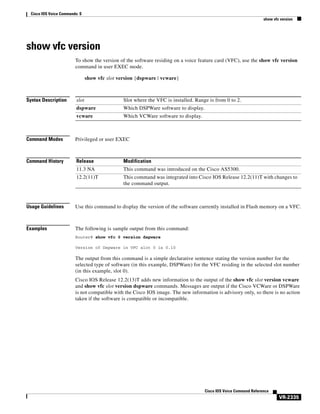
show vfc version

Cisco IOS Voice Command Reference

xxxviii

VR-2361
VR-2362

VR-2364
Contents

show video call summary

VR-2367

show voice accounting method

VR-2368

show voice accounting response pending
show voice busyout
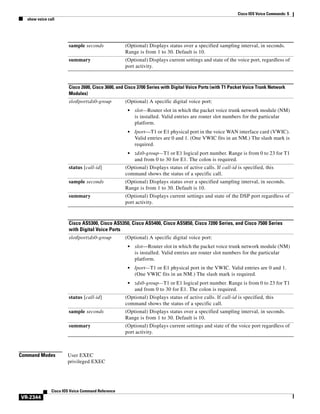
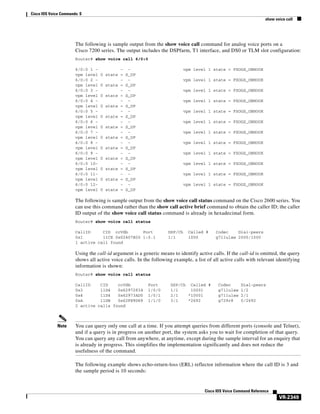
show voice call

VR-2371

VR-2372

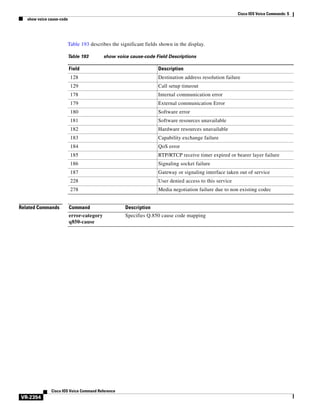
show voice cause-code

VR-2381

show voice class called-number

VR-2383

show voice class called-number-pool
show voice class uri

VR-2388

show voice dsmp stream

VR-2390

VR-2397

show voice dsp crash-dump
show voice eddri prefix

VR-2403

VR-2405

show voice enum-match-table
show voice hpi capture

VR-2408

VR-2410

show voice permanent-call
show voice port

VR-2406

VR-2407

show voice iec description
show voice lmr

VR-2384

VR-2386

show voice dnis-map
show voice dsp

VR-2370

VR-2415

VR-2419

show voice source-group

VR-2428

show voice statistics csr interval accounting

VR-2431

show voice statistics csr interval aggregation

VR-2433

show voice statistics csr since-reset accounting

VR-2437

show voice statistics csr since-reset aggregation-level
show voice statistics csr since-reset all
show voice statistics iec

VR-2444

VR-2448

show voice statistics interval-tag

VR-2450

show voice statistics memory-usage
show voice trace

VR-2452

VR-2455

show voice translation-profile
show voice translation-rule

VR-2456
VR-2458

show voice trunk-conditioning signaling
show voice trunk-conditioning supervisory
show voice vtsp

VR-2439

VR-2460
VR-2463

VR-2466

Cisco IOS Voice Command Reference

xxxix
Contents

show voip debug version
show voip htsp

VR-2468

VR-2469

show voip rtp connections
show vrm active_calls
show vrm vdevices
show vsp

VR-2471

VR-2474

VR-2477

VR-2486

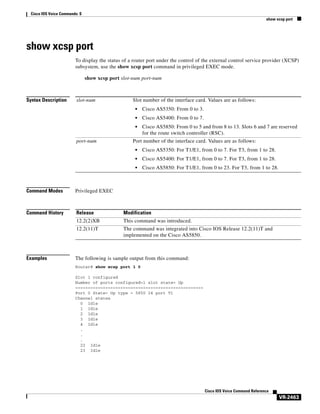
show xcsp port

VR-2490

show xcsp slot

VR-2492

shut

VR-2493

shutdown (Annex G neighbor)
shutdown (Annex G)

VR-2495

shutdown (dial peer)

VR-2494

VR-2496

shutdown (DSP Farm profile)
shutdown (gatekeeper)
shutdown (gateway)

VR-2497

VR-2498
VR-2499

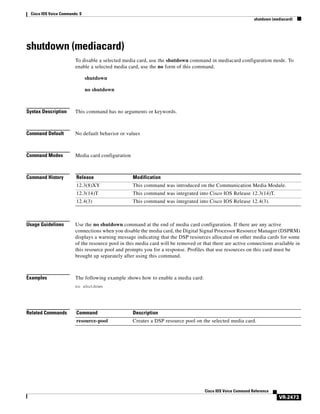
shutdown (mediacard)

VR-2500

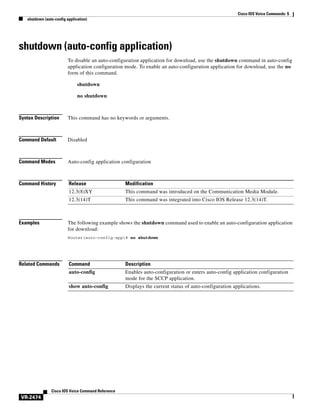
shutdown (auto-config application)
shutdown (RLM)

VR-2502

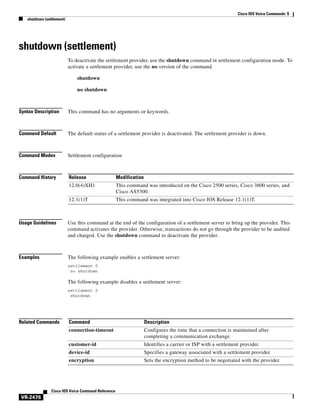
shutdown (settlement)

VR-2503

shutdown (voice-port)
signal

VR-2501

VR-2505

VR-2506

signal did

VR-2510

signal keepalive
signal pattern

VR-2511
VR-2513

signal sequence oos

VR-2517

signal timing idle suppress-voice
signal timing oos

VR-2522

signal timing oos restart

VR-2524

signal timing oos slave-standby
signal timing oos suppress-all
signal timing oos timeout

VR-2538

Cisco IOS Voice Command Reference

xl

VR-2530

VR-2532

VR-2534

signaling forward (dial peer)
signal-type

VR-2526
VR-2528

signal timing oos suppress-voice
signaling forward

VR-2519

VR-2536
Contents

silent-fax
sip

VR-2540

VR-2541

sip-server
sip-ua

VR-2542

VR-2544

snmp enable peer-trap poor-qov
soft-offhook

VR-2547

source carrier-id

VR-2549

source trunk-group-label
speed dial

VR-2546

VR-2550

VR-2551

srtp (dial peer)

VR-2554

srtp (voice)

VR-2556

srv version

VR-2558

ss7 mtp2-variant

VR-2560

ss7 mtp2-variant bellcore

VR-2565

ss7 mtp2-variant itu

VR-2567

ss7 mtp2-variant ntt

VR-2569

ss7 mtp2-variant ttc

VR-2571

ss7 session

VR-2573

ss7 session cumack_t
ss7 session kp_t

VR-2575

VR-2577

ss7 session m_cumack

VR-2579

ss7 session m_outseq

VR-2581

ss7 session m_rcvnum

VR-2583

ss7 session m_retrans

VR-2585

ss7 session retrans_t
ss7 set

VR-2589

ss7 set failover-timer
station-id name
station-id number
stats
stcapp

VR-2587

VR-2591

VR-2592
VR-2594

VR-2596
VR-2598

stcapp call-control mode
stcapp feature callback
stcapp ccm-group

VR-2600
VR-2602

VR-2603

stcapp feature access-code

VR-2604

Cisco IOS Voice Command Reference

xli
Contents

stcapp feature callback

VR-2606

stcapp feature speed-dial

VR-2607

stcapp register capability

VR-2609

stcapp security mode

VR-2611

stcapp security trustpoint

VR-2613

stcapp supplementary-services
stcapp timer
stun

VR-2615

VR-2616

VR-2617

stun flowdata agent-id
stun flowdata catlife

VR-2618
VR-2619

stun flowdata keepalive

VR-2620

stun flowdata shared-secret

VR-2622

stun usage firewall-traversal flowdata
subaddress

VR-2625

subcell-mux

VR-2624

VR-2626

subscription asnl session history
subscription maximum

VR-2628

supervisory answer dualtone
supervisory custom-cptone
supervisory disconnect

VR-2627

VR-2629
VR-2631

VR-2633

supervisory disconnect anytone
supervisory disconnect dualtone

VR-2634
VR-2636

supervisory disconnect dualtone voice-class
supervisory disconnect lcfo

VR-2640

supervisory dualtone-detect-params
supervisory sit us

VR-2638

VR-2641

VR-2643

supplementary-service h225-notify cid-update (dial peer)

VR-2645

supplementary-service h225-notify cid-update (voice-service)
supplementary-service h450.2 (dial peer)

VR-2649

supplementary-service h450.2 (voice-service)
supplementary-service h450.3 (dial peer)

VR-2650

VR-2651

supplementary-service h450.3 (voice-service)
supplementary-service h450.7

VR-2653

VR-2654

supplementary-service h450.12 (dial peer)

VR-2656

supplementary-service h450.12 (voice-service)

Cisco IOS Voice Command Reference

xlii

VR-2658

VR-2647
Contents

supplementary-service media-renegotiate
supplementary-service qsig call-forward
supplementary-service sip
supported language
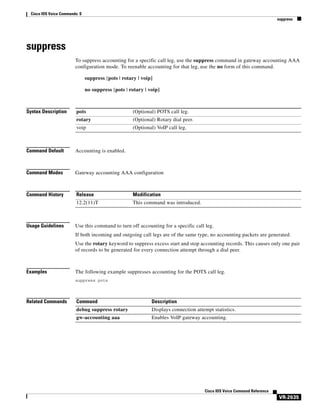
suppress

VR-2660
VR-2661

VR-2663

VR-2665

VR-2667

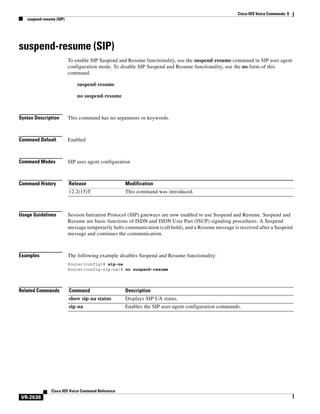
suspend-resume (SIP)

VR-2668

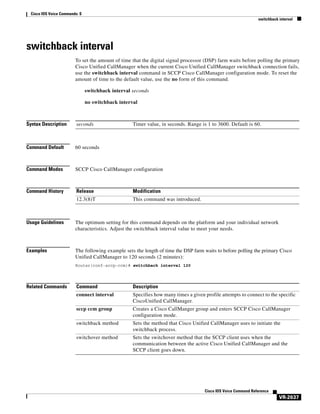
switchback interval

VR-2669

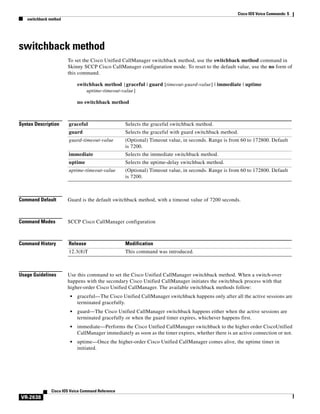
switchback method

VR-2670

switchover method

VR-2672

Cisco IOS Voice Commands:
T VR-2675
target carrier-id

VR-2676

target trunk-group-label
tbct clear call

VR-2677

VR-2678

tbct max call-duration
tbct max calls

VR-2680

VR-2681

tdm-group

VR-2682

tech-prefix

VR-2684

tel-config to-hdr

VR-2686

telephony-service ccm-compatible (H.323 voice-class)
telephony-service ccm-compatible (H.323 voice-service)
test call fallback probe
test call id

VR-2689

VR-2691

VR-2693

test call threshold
test enum

VR-2687

VR-2697

VR-2699

test lmr clear-call
test pots dial

VR-2701

VR-2702

test pots disconnect
test source-group

VR-2703
VR-2704

test translation-rule

VR-2706

test trunkgroup

VR-2708

test voice echo

VR-2710

test voice playout

VR-2715

test voice port detector
test voice port inject-tone

VR-2717
VR-2719

Cisco IOS Voice Command Reference

xliii
Contents

test voice port loopback

VR-2721

test voice port phone-detection
test voice port relay

VR-2725

test voice port switch

VR-2727

test voice port thl-sweep
test voice tone

VR-2723

VR-2729

VR-2731

test voice translation-rule
test vrm busyout
test vrm reset

VR-2736

VR-2738
VR-2739

test vrm unbusyout

VR-2740

text relay modulation
text relay protocol
text relay rtp

VR-2742

VR-2744

VR-2745

tgrep address-family

VR-2747

tgrep advertise (dial peer)

VR-2748

tgrep advertise (trunk group)
tgrep local-itad

VR-2751

threshold noise

VR-2749

VR-2752

timeout (auto-config application)
timeout leg3
timeout ptt

VR-2754
VR-2755

timeout tcrit
timeout tdinit

VR-2756
VR-2758

timeout tdmax

VR-2760

timeout tdmin

VR-2762

timeout thist

VR-2764

timeout tone busy

VR-2765

timeout tone cot1

VR-2766

timeout tone cot2

VR-2767

timeout tone dial

VR-2768

timeout tone dial stutter
timeout tone mwi

VR-2770

timeout tone network
timeout tone reorder
timeout tone ringback

Cisco IOS Voice Command Reference

xliv

VR-2769

VR-2771
VR-2773
VR-2774

VR-2753
Contents

timeout tone ringback connection
timeout tone ringing

VR-2776

timeout tone ringing distinctive
timeout tpar

VR-2775

VR-2777

VR-2778

timeout tsmax

VR-2780

timeouts call-disconnect
timeouts initial

VR-2781

VR-2783

timeouts interdigit (voice port)
timeouts power-denial
timeouts ringing

VR-2784

VR-2785

VR-2786

timeouts wait-release

VR-2788

timeouts teardown lmr

VR-2789

timer accessrequest sequential delay
timer cluster-element
timer irr period

VR-2790

VR-2791

VR-2793

timer lrq seq delay

VR-2795

timer lrq seq delay centisec
timer lrq window

VR-2796

VR-2797

timer lrq window decisec
timer media-inactive
timer receive-rtcp

VR-2798

VR-2799
VR-2801

timer receive-rtp

VR-2803

timer server retry

VR-2804

timer server timeout
timers

VR-2806

VR-2807

timers buffer-invite
timers comet

VR-2809

VR-2810

timers connect

VR-2811

timers connection aging
timers disconnect
timers expires
timers hold

VR-2812

VR-2813

VR-2814
VR-2816

timers keepalive

VR-2817

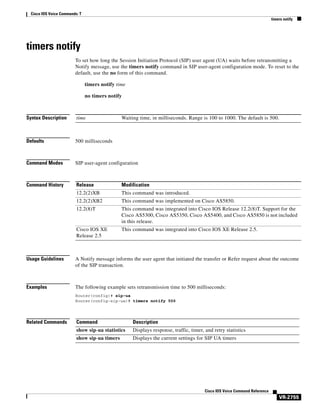
timers notify

VR-2819

timers prack

VR-2820

Cisco IOS Voice Command Reference

xlv
Contents

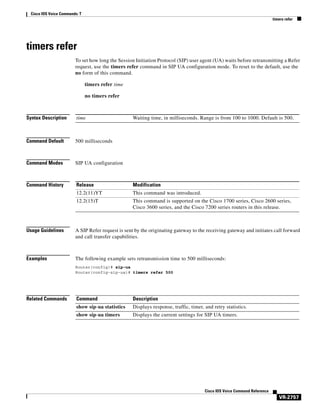
timers refer

VR-2821

timers register

VR-2822

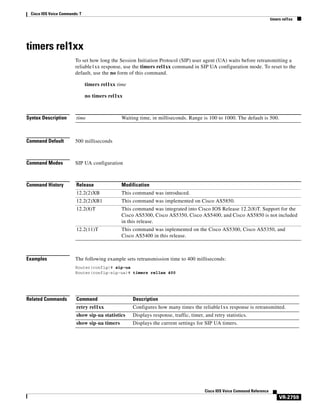
timers rel1xx

VR-2823

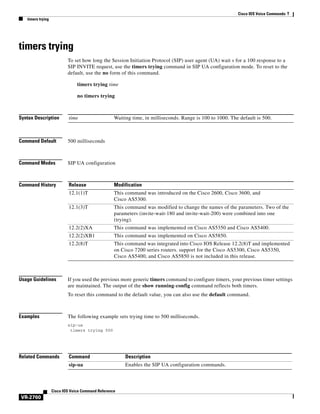
timers trying

VR-2824

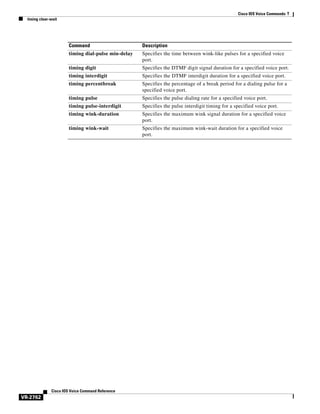
timing clear-wait

VR-2825

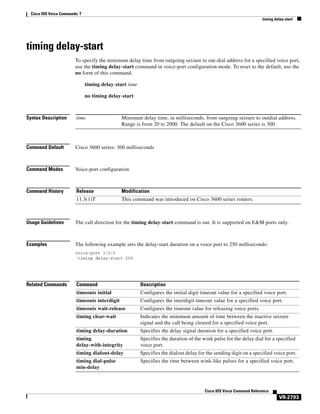
timing delay-duration
timing delay-start

VR-2827

VR-2829

timing delay-voice tdm

VR-2831

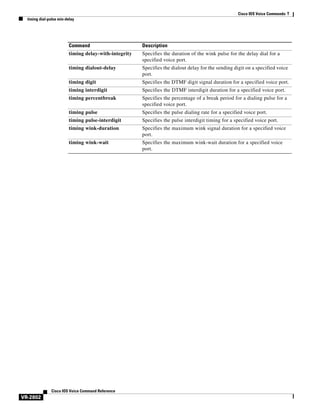
timing delay-with-integrity
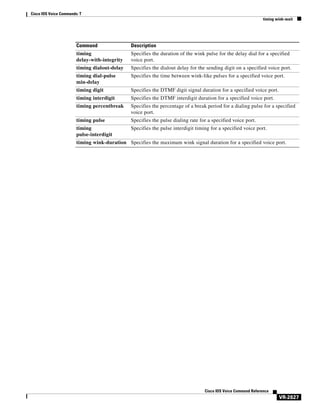
timing dialout-delay

VR-2833

VR-2835

timing dial-pulse min-delay
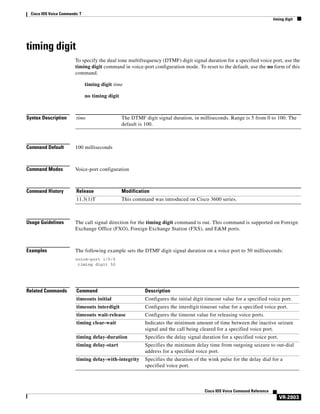
timing digit

VR-2837

VR-2839

timing guard-out

VR-2841

timing hangover

VR-2842

timing hookflash-input

VR-2843

timing hookflash-output
timing ignore m-lead
timing interdigit

VR-2845
VR-2847

VR-2848

timing opx-ringwait

VR-2850

timing percentbreak

VR-2851

timing pulse

VR-2852

timing pulse-interdigit

VR-2854

timing sup-disconnect

VR-2856

timing wait-wink

VR-2858

timing wink-duration
timing wink-wait
tls

VR-2860

VR-2862

VR-2864

toggle-between-two-calls
token-root-name
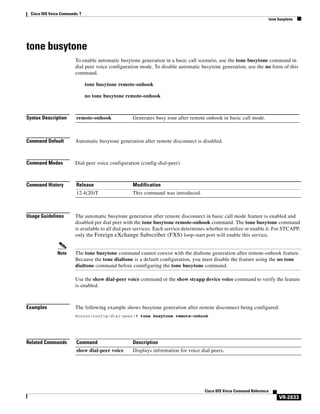
tone busytone
tone dialtone

VR-2867
VR-2869

VR-2871

tone incoming

VR-2873

tone incoming system
tone ringback alert-no-PI
transfer

VR-2878

Cisco IOS Voice Command Reference

xlvi

VR-2865

VR-2875
VR-2877
Contents

translate

VR-2880

translate (translation profiles)
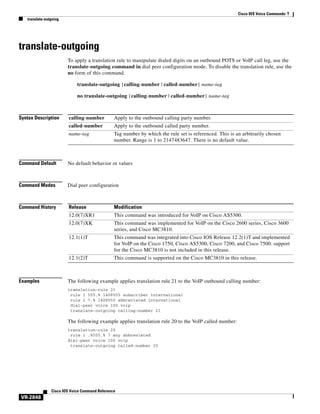
translate-outgoing

VR-2882

VR-2884

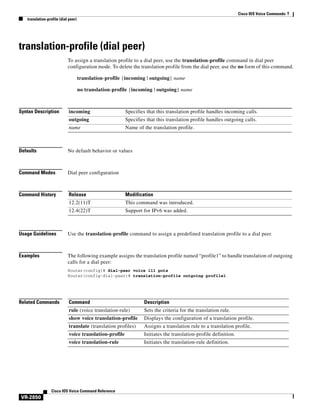
translation-profile (dial peer)

VR-2886

translation-profile (source group)

VR-2887

translation-profile (trunk group)

VR-2888

translation-profile (voice port)

VR-2889

translation-profile (voice service POTS)
translation-rule
transport

VR-2891

VR-2893

transport switch
trunk group

VR-2895

VR-2897

trunk-group (CAS custom)
trunkgroup (dial peer)

VR-2899

VR-2901

trunk-group (interface)
trunk-group (voice port)

VR-2903
VR-2905

trunk-group-label (dial peer)

VR-2907

trunk-group-label (voice source group)
trustpoint (DSP farm profile)
ttl

VR-2890

VR-2908

VR-2910

VR-2911

type (settlement)
type (voice)

VR-2912

VR-2914

Cisco IOS Voice Commands:
U VR-2917
unbundle vfc
url

VR-2918

VR-2919

url ( SIP)

VR-2921

usage-indication
use-proxy
user-id

VR-2923

VR-2924
VR-2927

Cisco IOS Voice Commands:
V VR-2929
vad (dial peer)

VR-2930

vbd-playout-delay maximum

VR-2932

vbd-playout-delay minimum

VR-2933

Cisco IOS Voice Command Reference

xlvii
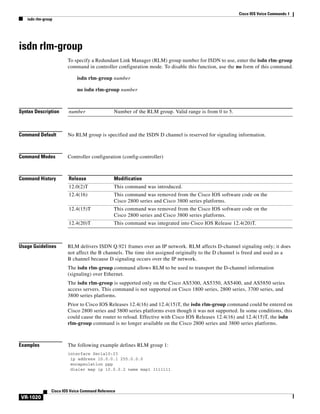
Contents

vbd-playout-delay mode

VR-2934

vbd-playout-delay nominal
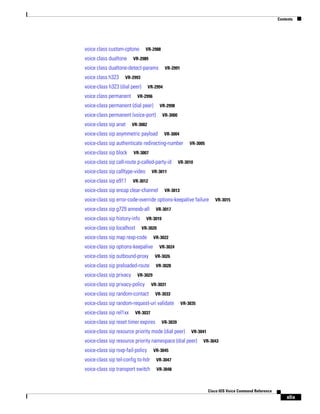
vbr-rt
vcci

VR-2936
VR-2938

video codec (dial peer)

VR-2939

video codec (voice class)
vmwi
vofr
voice

VR-2935

VR-2940

VR-2941
VR-2942
VR-2945

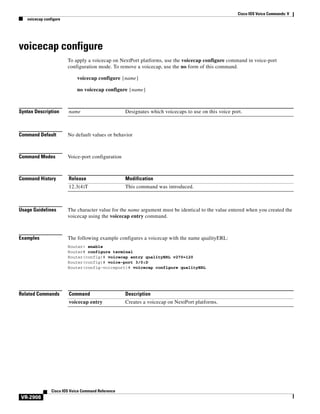
voicecap configure
voice-card

VR-2946

VR-2947

voice call capacity mir

VR-2949

voice call capacity reporting
voice call capacity stw

VR-2951

VR-2953

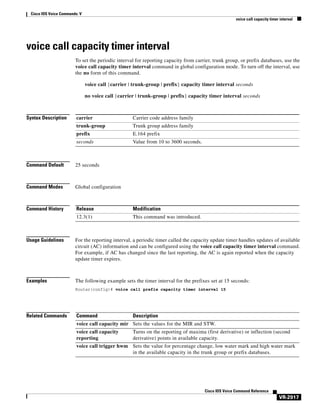
voice call capacity timer interval

VR-2955

voice call convert-discpi-to-prog

VR-2956

voice call csr data-points

VR-2958

voice call csr recording interval

VR-2959

voice call csr reporting interval

VR-2960

voice call debug

VR-2961

voice call disc-pi-off

VR-2964

voice call send-alert

VR-2965

voice call trap deviation

VR-2966

voice call trigger hwm

VR-2967

voice call trigger lwm

VR-2969

voice call trigger percent-change
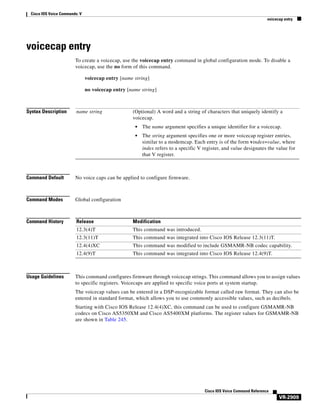
voicecap entry
voice class aaa

VR-2971

VR-2973
VR-2975

voice-class aaa (dial peer)
voice class busyout

VR-2977

VR-2978

voice class called number

VR-2980

voice-class called-number (dial peer)
voice-class called-number-pool
voice class codec

Cisco IOS Voice Command Reference

xlviii

VR-2983

VR-2984

voice-class codec (dial peer)

VR-2982

VR-2986
Contents

voice class custom-cptone
voice class dualtone

VR-2988

VR-2989

voice class dualtone-detect-params
voice class h323

VR-2991

VR-2993

voice-class h323 (dial peer)
voice class permanent

VR-2994

VR-2996

voice-class permanent (dial peer)

VR-2998

voice-class permanent (voice-port)
voice-class sip anat

VR-3000

VR-3002

voice-class sip asymmetric payload

VR-3004

voice-class sip authenticate redirecting-number
voice-class sip block

VR-3007

voice-class sip call-route p-called-party-id
voice-class sip calltype-video
voice-class sip e911

VR-3005

VR-3010

VR-3011

VR-3012

voice-class sip encap clear-channel

VR-3013

voice-class sip error-code-override options-keepalive failure
voice-class sip g729 annexb-all
voice-class sip history-info
voice-class sip localhost

VR-3015

VR-3017

VR-3019
VR-3020

voice-class sip map resp-code

VR-3022

voice-class sip options-keepalive

VR-3024

voice-class sip outbound-proxy

VR-3026

voice-class sip preloaded-route

VR-3028

voice-class sip privacy

VR-3029

voice-class sip privacy-policy
voice-class sip random-contact

VR-3031
VR-3033

voice-class sip random-request-uri validate
voice-class sip rel1xx

VR-3035

VR-3037

voice-class sip reset timer expires

VR-3039

voice-class sip resource priority mode (dial peer)

VR-3041

voice-class sip resource priority namespace (dial peer)
voice-class sip rsvp-fail-policy

VR-3043

VR-3045

voice-class sip tel-config to-hdr

VR-3047

voice-class sip transport switch

VR-3048

Cisco IOS Voice Command Reference

xlix
Contents

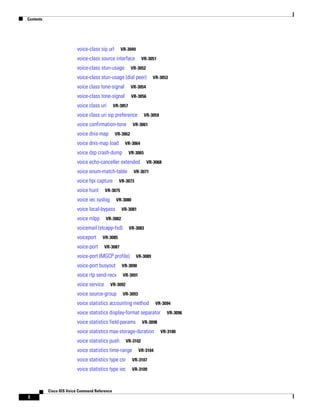
voice-class sip url

VR-3049

voice-class source interface
voice-class stun-usage

VR-3051

VR-3052

voice-class stun-usage (dial peer)
voice class tone-signal

VR-3054

voice-class tone-signal

VR-3053

VR-3056

voice class uri

VR-3057

voice class uri sip preference
voice confirmation-tone
voice dnis-map

VR-3059

VR-3061

VR-3062

voice dnis-map load

VR-3064

voice dsp crash-dump

VR-3065

voice echo-canceller extended
voice enum-match-table
voice hpi capture
voice hunt

VR-3071

VR-3073

VR-3075

voice iec syslog

VR-3080

voice local-bypass
voice mlpp

VR-3081

VR-3082

voicemail (stcapp-fsd)
voiceport

VR-3068

VR-3083

VR-3085

voice-port

VR-3087

voice-port (MGCP profile)

VR-3089

voice-port busyout

VR-3090

voice rtp send-recv

VR-3091

voice service

VR-3092

voice source-group

VR-3093

voice statistics accounting method

VR-3094

voice statistics display-format separator
voice statistics field-params

VR-3098

voice statistics max-storage-duration
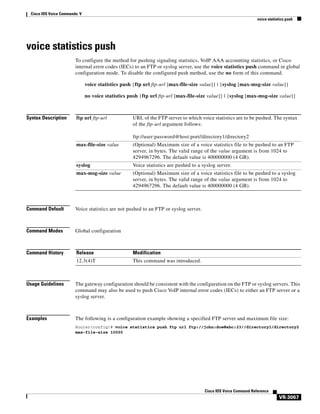
voice statistics push

VR-3102

voice statistics time-range

VR-3104

voice statistics type csr

VR-3107

voice statistics type iec

VR-3109

Cisco IOS Voice Command Reference

l

VR-3096

VR-3100
Contents

voice translation-profile
voice translation-rule
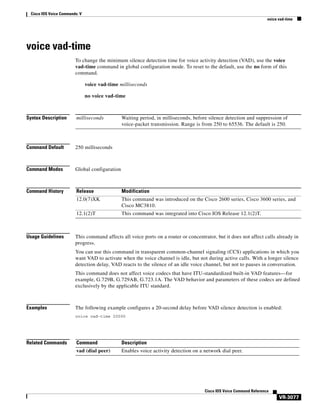
voice vad-time
voice vrf

VR-3110
VR-3111

VR-3112

VR-3113

voip-incoming translation-profile
voip-incoming translation-rule
volume

VR-3114
VR-3115

VR-3117

vxml audioerror

VR-3119

vxml tree memory
vxml version 2.0

VR-3120
VR-3121

Cisco IOS Voice Commands:
W VR-3123
watcher all

VR-3124

Cisco IOS Voice Commands:
Z VR-3127
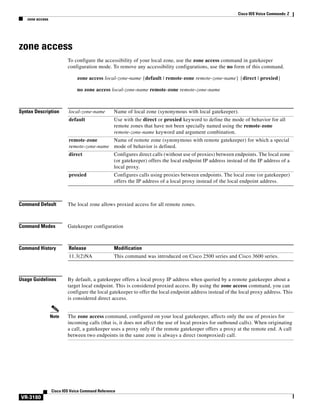
zone access
zone bw

VR-3128

VR-3130

zone circuit-id

VR-3131

zone cluster local

VR-3133

zone cluster remote
zone local
zone prefix

VR-3134

VR-3136
VR-3138

zone remote

VR-3142

zone subnet

VR-3144

Cisco IOS Voice Command Reference

li
Contents

Cisco IOS Voice Command Reference

lii
Cisco IOS Voice Commands:
A
This chapter contains commands to configure and maintain Cisco IOS voice applications. The
commands are presented in alphabetical order. Some commands required for configuring voice may be
found in other Cisco IOS command references. Use the Cisco IOS Master Commands List online to find
these commands.
For detailed information on how to configure these applications and features, refer to the Cisco IOS Voice
Configuration Library.

Cisco IOS Voice Command Reference

VR-1
Cisco IOS Voice Commands: A
aal2-profile custom

aal2-profile custom
To specify custom numbers and user-to-user information (UUI) code points for ATM adaptation layer 2
(AAL2) profiles and codecs, use the aal2-profile custom command in global configuration mode. To
disable the configuration, use the no form of this command.
aal2-profile custom number number number {clear-channel | g711alaw | g711ulaw | g726r32 |
g729br8 | g720r8 | llcc} packet-length minimum-UUI-codepoint maximum-UUI-codepoint
no aal2-profile custom number

Syntax Description

number

AAL profile number. For more information, use the question mark (?)
online help function.

clear-channel | g711alaw | Specifies the types of codec as follows:
g711ulaw | g726r32 |
• Clear Channel
g729br8 | g720r8 | llcc
• G.711 a-law
•

G.711-mu-law

•

G.726r32

•

G.729 ANNEX-B 8000 bits per second

•

G.729 8000 bps

•

Lossless Compression

packet-length

Packet length in octets. The range is from 5 to 64.

minimum-UUI-codepoint

Minimim UUI code point. The range is from 0 to 15.

maximum-UUI-codepoint

Maximum UUI code point. The range is from 0 to 15.

Command Default

One of the predefined International Telecommunication Union - Telecommunication Standardization
Sector (ITU-T) profiles can be used.

Command Modes

Global configuration (config)

Command History

Release

Modification

15.0(1)M

This command was introduced in a release earlier than Cisco IOS
Release 15.0(1)M.

Usage Guidelines

AAL2 custom profiles are used to define additional profiles that are not present in the ITU-T
specifications.
After defining a custom profile, apply that profile under a Voice over ATM (VoATM) dial peer for it to
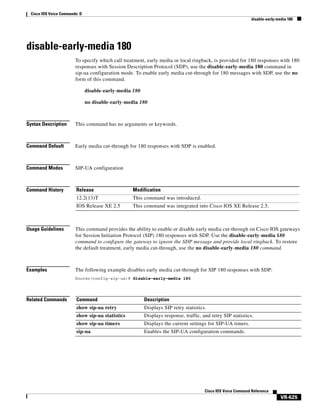
take affect using the codec aal2-profile command. The codec aal2-profile command can be used only
if the session protocol is "aal2-trunk".

Cisco IOS Voice Command Reference

VR-2
Cisco IOS Voice Commands: A
aal2-profile custom

Examples

The following example shows how to specify custom numbers and UUI cod epoints for AAL2 profiles
and codecs:
Router# configure terminal
Router(config)# aal2-profile custom

2 1 1 g711ulaw 6 3 3

Cisco IOS Voice Command Reference

VR-3
Cisco IOS Voice Commands: A
aaa nas port voip

aaa nas port voip
To send out the standard NAS-port attribute (RADIUS IETF Attribute 5) on voice interfaces, use the aaa
nas port voip command in global configuration mode. To disable the command, use the no form of the
command.
aaa nas port voip
no aaa nas port voip

Syntax Description

This command has no arguments or keywords.

Command Default

Disabled

Command Modes

Global configuration

Command History

Release

Modification

12.2(11)T

This command was introduced on the Cisco AS5300.

Usage Guidelines

This command brings back the original behavior of the Authentication, Authorization, and Accounting
(AAA). NAS-Port on VoIP interfaces. By default this feature is disabled.

Examples

The following example shows how to return to the original behavior of the AAA NAS-Port:
aaa nas port voip

Related Commands

Command

Description

aaa nas port extended

Replaces the NAS-port attribute with RADIUS IETF attribute 26 and
displays extended field information.

Cisco IOS Voice Command Reference

VR-4
Cisco IOS Voice Commands: A
aaa username

aaa username
To determine the information with which to populate the username attribute for Authentication,
Authorization, and Accounting (AAA). billing records, use the aaa username command in SIP UA
configuration mode. To achieve default capabilities, use the no form of this command.
aaa username {calling-number | proxy-auth}
no aaa username

Syntax Description

calling-number

Uses the FROM: header in the SIP INVITE (default value). This keyword
is used in most implementations.

proxy-auth

Parses the Proxy-Authorization header. Decodes the Microsoft Passport
user ID (PUID) and password, and then populates the PUID into the
username attribute and a "." into the password attribute.
The username attribute is used for billing, and the “.” is used for the
password, because the user has already been authenticated before this point.

Command Default

calling-number

Command Modes

SIP UA configuration

Command History

Release

Modification

12.2(2)XB

This command was introduced on the Cisco 2600 series, Cisco 3600 series,
Cisco 7200 series, Cisco AS5300, Cisco AS5350, and the Cisco AS5400.

12.2(8)T

This command was integrated into Cisco IOS Release 12.2(8)T. This command
does not support the Cisco AS5300, Cisco AS5350, and Cisco AS5400 in this
release.

12.2(11)T

This command was integrated Cisco IOS Release 12.2(11)T and was
implemented on the Cisco AS5850. This command is supported on the
Cisco AS5300, Cisco AS5350, Cisco AS5400, and Cisco AS5800 in this release.

Usage Guidelines

Parsing the Proxy-Authorization header, decoding the PUID and password, and populating the username
attribute with the PUID must be enabled through this command. If this command is not issued, the
Proxy-Authorization header is ignored.
The keyword proxy-auth is a nonstandard implementation, and Session Initiation Protocol (SIP)
gateways do not normally receive or process the Proxy-Authorization header.

Cisco IOS Voice Command Reference

VR-5
Cisco IOS Voice Commands: A
aaa username

Examples

The following example enables the processing of the SIP username from the Proxy-Authorization
header:
Router(config)# sip-ua
Router(config-sip-ua)# aaa username proxy-auth

Related Commands

Command

Description

show call active voice

Displays sactive call information for voice calls or fax transmissions in
progress.

show call history voice Displays the voice call history table.

Cisco IOS Voice Command Reference

VR-6
Cisco IOS Voice Commands: A
access-list (voice source-group)

access-list (voice source-group)
To assign an access list to a voice source group, use the access-list command in voice source-group
configuration mode. To delete the access list, use the no form of this command.
access-list access-list-number
no access-list access-list-number

Syntax Description

access-list-number

Command Default

No default behavior or values

Command Modes

Voice source-group configuration

Command History

Release

Modification

12.2(11)T

This command was introduced in voice source-group configuration mode.

Usage Guidelines

Number of an access list. The range is from 1 to 99.

An access list defines a range of IP addresses for incoming calls that require additional scrutiny. Two
related commands are used for voice source groups:
•

Use the access-list access-list-number {deny | permit} source [source-wildcard] [log] command in
global configuration mode to define the contents of the access list.

•

Use the access-list access-list-number command in voice source-group configuration mode to
assign the defined access list to the voice source group.

The terminating gateway uses the source IP group to identify the source of the incoming VoIP call before
selecting an inbound dial peer. If the source is found in the access list, then the call is accepted or
rejected, depending on how the access list is defined.
The terminating gateway uses the access list to implement call blocking. If the call is rejected, the
terminating gateway returns a disconnect cause to the source. Use the disconnect-cause command to
specify a disconnect cause to use for rejected calls.
Use the show access-lists privileged EXEC command to display the contents of all access lists.
Use the show ip access-list privileged EXEC command to display the contents of one access list.

Examples

The following example assigns access list 1 to voice source-group alpha. Access list 1 was defined
previously using another command. An incoming source IP group call is checked against the conditions
defined for access list 1 and is processed based on the permit or deny conditions of the access list.
Router(config)# voice source-group alpha
Router(cfg-source-grp)# access-list 1

Cisco IOS Voice Command Reference

VR-7
Cisco IOS Voice Commands: A
access-list (voice source-group)

Related Commands

Command

Description

carrier-id (dial peer)

Specifies the carrier as the source of incoming VoIP calls
(for carrier ID routing).

disconnect-cause

Specifies a cause for blocked calls.

h323zone-id (voice source group)

Associates a zone for an incoming H.323 call.

show access-lists

Displays the contents of all access lists.

show ip access-list

Displays the contents of one access list.

translation-profile (source group)

Associates a translation profile with incoming source IP
group calls.

trunk-group-label (voice source group)

Specifies the trunk group as the source of incoming VoIP
calls (for trunk group label routing).

voice source-group

Initiates the source IP group profile definition.

Cisco IOS Voice Command Reference

VR-8
Cisco IOS Voice Commands: A
access-policy

access-policy
To require that a neighbor be explicitly configured in order for requests to be accepted, use the
access-policy command in Annex G configuration mode. To reset the configuration to accept all
requests, use the no form of this command.
access-policy [neighbors-only]
no access-policy

Syntax Description

neighbors-only

Command Default

Border elements accept any and all requests if service relationships are not configured.

Command Modes

Annex G configuration

Command History

Release

Modification

12.2(11)T

This command was introduced.

(Optional) Requires that a neighbor be configured.

Usage Guidelines

Border elements accept any and all requests if service relationships are not configured. The
access-policy command eliminates arbitrary requests from unknown border elements, and is a required
prerequisite for configuring service relationships.

Examples

The following example shows how to enable the service relationship between border elements:
Router(config-annexg)# access-policy neighbors-only

Related Commands

Command

Description

call-router

Enables the Annex G border element configuration commands.

domain-name

Sets the domain name reported in service relationships.

Cisco IOS Voice Command Reference

VR-9
Cisco IOS Voice Commands: A
accounting (gatekeeper)

accounting (gatekeeper)
To enable and define the gatekeeper-specific accounting method, use the accounting command in
gatekeeper configuration mode. To disable gatekeeper-specific accounting, use the no form of this
command.
accounting {username h323id | vsa}
no accounting

Syntax Description

username
h323id

Enables H323ID in the user name field of accounting record.

vsa

Enables the vendor specific attribute accounting format.

Command Default

Accounting is disabled.

Command Modes

Gatekeeper configuration

Command History

Release

Modification

11.3(2)NA

This command was introduced.

12.0(3)T

This command was integrated into Cisco IOS Release 12.0(3)T.

12.1(5)XM

The vsa keyword was added.

12.2(2)T

The vsa keyword was integrated into Cisco IOS Release 12.2(2)T.

12.2(2)XB1

This command was implemented on the Cisco AS5850 universal gateway.

12.2(33)SRA

This command was integrated into Cisco IOS Release 12.2(33)SRA.

12.3(9)T

This username h323id keyword was added.

Usage Guidelines

To collect basic start-stop connection accounting data, the gatekeeper must be configured to support
gatekeeper-specific H.323 accounting functionality. The accounting command enables you to send
accounting data to the RADIUS server via IETF RADIUS or VSA attriibutes.
Specify a RADIUS server before using the accounting command.
There are three different methods of accounting. The H.323 method sends the call detail record (CDR)
to the RADIUS server, the syslog method uses the system logging facility to record the CDRs, and the
VSA method collects VSAs.

Examples

The following example enables the gateway to report user activity to the RADIUS server in the form of
connection accounting records:
aaa accounting connection start-stop group radius
gatekeeper
accounting

Cisco IOS Voice Command Reference

VR-10
Cisco IOS Voice Commands: A
accounting (gatekeeper)

The following example shows how to enable VSA accounting:
aaa accounting connection start-stop group radius
gatekeeper
accounting exec vsa

The following example configures H.323 accounting using IETF RADIUS attributes:
Router(config-gk)# accounting username h323id

The following example configures H.323 accounting using VSA RADIUS attributes:
Router(config-gk)# accounting vsa

Related Commands

Command

Description

aaa accounting

Enables AAA accounting of requested services for billing or security
purposes.

gatekeeper

Enters gatekeeper configuration mode.

Cisco IOS Voice Command Reference

VR-11
Cisco IOS Voice Commands: A
accounting method

accounting method
To set an accounting method at login for calls that come into a dial peer, use the accounting method
command in voice class AAA configuration mode. To disable the accounting method set at login, use
the no form of this command.
accounting method MethListName [out-bound]
no accounting method MethListName [out-bound]

Syntax Description

MethListName

Defines an accounting method list name.

out-bound

(Optional) Defines the outbound leg.

Command Default

When this command is not used to specify an accounting method, the system uses the aaa accounting
connection h323 command as the default. If the method list name is not specified, the outbound call leg
uses the same method list name as the inbound call leg

Command Modes

Voice class AAA configuration

Command History

Release

Modification

12.2(11)T

This command was introduced on the Cisco 3660, Cisco AS5300,
Cisco AS5350, Cisco AS5400, Cisco AS5800, and Cisco AS5850.

Usage Guidelines

This command sets the accounting method for dial peers in voice class AAA configuration mode. To
initially define a method list, refer to the Cisco IOS Security Configuration Guide, Release 12.2.
If the outbound option is specified, the outbound call leg on the dial peer uses the method list name
specified in the command. If the method list name is not specified, by default, the outbound call leg uses
the same method list name as the inbound call leg.

Examples

The following example sets the dp-out method for the outbound leg:
voice class aaa 1
accounting method dp-out out-bound

Related Commands

Command

Description

aaa accounting connection h323 Defines the accounting method list H.323 with RADIUS, using
stop-only or start-stop accounting options.
voice class aaa

Cisco IOS Voice Command Reference

VR-12

Enables dial-peer-based VoIP AAA configurations.
Cisco IOS Voice Commands: A
accounting suppress

accounting suppress
To disable accounting that is automatically generated by a service provider module for a specific dial
peer, use the accounting suppress command in voice class AAA configuration mode. To allow
accounting to be automatically generated, use the no form of this command.
accounting suppress [in-bound | out-bound]
no accounting suppress [in-bound | out-bound]

Syntax Description

in-bound

(Optional) Defines the call leg for incoming calls.

out-bound

(Optional) Defines the call leg for outbound calls.

Command Default

Accounting is automatically generated by the service provider module.

Command Modes

Voice class AAA configuration

Command History

Release

Modification

12.2(11)T

This command was introduced on the Cisco 3660, Cisco AS5300,
Cisco AS5350, Cisco AS5400, Cisco AS5800, and Cisco AS5850.

Usage Guidelines

If a call leg option is not specified by the command, accounting is disabled for both inbound and
outbound calls. For accounting to be automatically generated in the service provider module, you must
first configure gw-accounting aaa command in global configuration mode before configuring
dial-peer-based accounting in voice class AAA configuration mode.

Examples

In the example below, accounting is suppressed for the incoming call leg.
voice class aaa 1
accounting suppress in-bound

Related Commands

Command

Description

gw-accounting aaa

Enables VoIP gateway accounting.

suppress

Turns off accounting for a call leg on a POTS or VoIP dial peer. This
command is used in gw-accounting aaa configuration mode.

voice class aaa

Enables dial-peer-based VoIP AAA configurations.

Cisco IOS Voice Command Reference

VR-13
Cisco IOS Voice Commands: A
accounting template

accounting template
To allow each dial peer to choose and send a customized accounting template to the RADIUS server, use
the accounting template command in voice class AAA configuration mode. To disable the dial peer
from choosing and sending a customized accounting template, use the no form of this command.
accounting template acctTempName [out-bound]
no accounting template acctTempName [out-bound]

Syntax Description

acctTempName

Defines an accounting template name.

out-bound

(Optional) Defines the outbound leg.

Command Default

The dial peer does not choose and send a customized accounting template to the RADIUS server.

Command Modes

Voice class AAA configuration

Command History

Release

Modification

12.2(11)T

This command was introduced on the Cisco 3660, Cisco AS5300,
Cisco AS5350, Cisco AS5400, Cisco AS5800, and Cisco AS5850.

Usage Guidelines

By default, non-RFC-mandatory vendor-specific attributes (VSAs) are not included in accounting
records if you do not configure the accounting template. The accounting template enables you to manage
accounting records at a per-VSA level. When an accounting template is used for customizing the
accounting record, the VSA name release source has to be included in the template file so that it is
included in the accounting record and sent to the RADIUS server.
This command overrides the acct-template command in gateway accounting AAA configuration mode
when a customized accounting template is used.
If you use a Tool Command Language (Tcl) script, the Tcl verb aaa accounting start
[-t acctTempName] takes precedence over the accounting template command in voice class
AAA configuration mode.

Examples

The following example sets the template temp-dp for the outbound leg
voice class aaa 1
accounting template temp-dp out-bound

Related Commands

Command

Description

acct-template

Sends a selected group of voice accounting VSAs.

voice class aaa

Enables dial-peer-based VoIP AAA configurations.

Cisco IOS Voice Command Reference

VR-14
Cisco IOS Voice Commands: A
acc-qos

acc-qos
To define the acceptable quality of service (QoS) for any inbound and outbound call on a VoIP dial peer,
use the acc-qos command in dial peer configuration mode. To restore the default QoS setting, use the no
form of this command.
acc-qos {best-effort | controlled-load | guaranteed-delay} [audio | video]
no acc-qos

Syntax Description

best-effort

Indicates that Resource Reservation Protocol (RSVP) makes no bandwidth
reservation. This is the default.

controlled-load

Indicates that RSVP guarantees a single level of preferential service, presumed
to correlate to a delay boundary. The controlled load service uses admission (or
capacity) control to ensure that preferential service is received even when the
bandwidth is overloaded.

guaranteed-delay

Indicates that RSVP reserves bandwidth and guarantees a minimum bit rate and
preferential queueing if the bandwidth reserved is not exceeded.

audio

(Optional) Configures acceptable QoS for audio traffic.

video

(Optional) Configures acceptable QoS for video traffic.

Command Default

best-effort

Command Modes

Dial peer configuration

Command History

Release

Modification

11.3(1)T

This command was introduced on the Cisco 3600 series routers.

12.1(5)T

The description of the command was modified.

12.3(4)T

The audio and video keywords were added.

Usage Guidelines

This command is applicable only to VoIP dial peers.
When VoIP dial peers are used, the Cisco IOS software uses RSVP to reserve a certain amount of
bandwidth so that the selected QoS can be provided by the network. Call setup is aborted if the RSVP
resource reservation does not satisfy the acceptable QoS for both peers.
To select the most appropriate value for this command, you need to be familiar with the amount of traffic
this connection supports and what kind of impact you are willing to have on it. The Cisco IOS software
generates a trap message when the bandwidth required to provide the selected quality of service is not
available.
If audio or video is not configured, the bearer capability information element (IE) is not checked against
max values during SETUP.

Cisco IOS Voice Command Reference

VR-15
Cisco IOS Voice Commands: A
acc-qos

You must use the ip rsvp bandwidth command to enable RSVP on an IP interface before you can specify
RSVP QoS.
In order to use this command, you have to have the req-qos statement present.

Examples

The following example selects guaranteed-delay as the acceptable QoS for inbound and outbound audio
calls on VoIP dial peer 10:
dial-peer voice 10 voip
acc-qos guaranteed-delay

The following example selects controlled-load as the acceptable QoS for audio and video:
dial-peer voice 100 voip
acc-qos controlled-load audio
acc-qos controlled-load video

Related Commands

Command

Description

req-qos

Requests a particular QoS using RSVP to be used in reaching a specified dial
peer in VoIP.

Cisco IOS Voice Command Reference

VR-16
Cisco IOS Voice Commands: A
acct-template

acct-template
To select a group of voice attributes to collect in accounting records, use the acct-template command in
gateway accounting AAA or gateway accounting file configuration mode. To disable collection of a
group of voice attributes, use the no form of this command.
acct-template {template-name | callhistory-detail}
no acct-template {template-name | callhistory-detail}

Syntax Description

template-name

Name of the custom accounting template.

callhistory-detail

Collects all voice vendor-specific attributes (VSAs) for accounting.

Command Default

No voice attributes are collected.

Command Modes

Gateway accounting AAA configuration (config-gw-accounting-aaa)
Gateway accounting file configuration (config-gw-accounting-file)

Command History

Release

Modification

12.2(11)T

This command was introduced.

12.4(15)XY

This command was added to gateway accounting file configuration mode.

12.4(20)T

This command was integrated into Cisco IOS Release 12.4(20)T.

Usage Guidelines

Use this command to collect only the voice attributes that are defined in an accounting template. The
accounting template is a text file that you create by selecting specific attributes that are applicable to
your billing needs. Use the call accounting-template voice command to define your accounting
template before using the acct-template command.
The show call accounting-template voice master command displays all the voice attributes that can be
filtered by accounting templates.
Use the callhistory-detail keyword to send all voice VSAs to the accounting server. For a description of
supported voice VSAs, see the “VSAs Supported by Cisco Voice Products” section in the RADIUS VSA
Voice Implementation Guide.
When you send only those VSAs defined in your accounting template, the default call-history records
that are created by the service provider are automatically suppressed.

Examples

The example below uses the acct-template command to specify temp-global, a custom template.
gw-accounting aaa
acct-template temp-global

Cisco IOS Voice Command Reference

VR-17
Cisco IOS Voice Commands: A
acct-template

Related Commands

Command

Description

call accounting-template voice

Defines a customized accounting template.

gw-accounting

Enables the method of collecting accounting data.

show call accounting-template voice Displays attributes defined in accounting templates.

Cisco IOS Voice Command Reference

VR-18
Cisco IOS Voice Commands: A
activation-key

activation-key
To define an activation key that can be dialed by phone users to activate Call Back on Busy on an analog
phone, use the activation-key command in STC application feature callback configuration mode. To
return the code to its default, use the no form of this command.
activation-key string
no activation-key

Syntax Description

string

Command Default

Callback activation key is #1.

Command Modes

STC application feature callback configuration (config-stcapp-callback)

Command History

Release

Modification

12.4(20)YA

This command was introduced.

12.4(22)T

This command was integrated into Cisco IOS Release 12.4(22)T.

Usage Guidelines

Character string that can be dialed on a telephone keypad (0-9, *, #). Length
of string is one to five characters. Default: #1.

This command changes the value of the callback activation key for Call Back on Busy from the default
(#1) to the specified value.
To display information about the Call Back configuration, use the show stcapp feature codes command.

Examples

The following example shows how to change the value of the callback activation key sequence from the
default (#1) to a new value (*22).
Router(config)# stcapp feature callback
Router(config-stcapp-callback)# activation-key *22
Router(config-stcapp-callback)#

The following partial output from the show stcapp feature codes command displays values for the call
back feature:
Router# show stcapp feature codes
.
.
.
stcapp feature callback
key *1
timeout 30

Cisco IOS Voice Command Reference

VR-19
Cisco IOS Voice Commands: A
activation-key

Related Commands

Command

Description

ringing-timeout

Defines the timeout period for Callback on Busy.

show stcapp feature codes

Displays all feature codes for FACs, FSDs, and call back.

Cisco IOS Voice Command Reference

VR-20
Cisco IOS Voice Commands: A
address-family (tgrep)

address-family (tgrep)
To set the global address family to be used on all dial peers, use the address-family command in TGREP
configuration mode. To change back to the default address family, use the no form of this command.
address family {e164 | decimal | penta-decimal}
no address family {e164 | decimal | penta-decimal}

Syntax Description

e164

E.164 address family.

decimal

Digital address family.

penta-decimal

Pentadecimal address family.

Command Default

E.164 address family

Command Modes

TGREP configuration

Command History

Release

Modification

12.3(1)

This command was introduced.

Usage Guidelines

The E. 164 address family is used if the telephony network is a public telephony network. Decimal and
pentadecimal options can be used to advertise private dial plans. For example, if a company wants to use
TRIP in within its enterprise telephony network using five-digit extensions, then the gateway would
advertise the beginning digits of the private numbers as a decimal address family. These calls cannot be
sent out of the company’s private telephony network because they are not E.164-compliant.
The pentadecimal family allows numbers 0 through 9 and alphabetic characters A through E and can be
used in countries where letters are also carried in the called number.

Examples

The following example shows that the address family for itad 1234 is set for E.164 addresses:
Router(config)# tgrep local-itad 1234
Router(config-tgrep)# address family e164

Related Commands

Command

Description

tgrep local-itad

Enters TGREP configuration mode and defines an ITAD.

Cisco IOS Voice Command Reference

VR-21
Cisco IOS Voice Commands: A
address-hiding

address-hiding
To hide signaling and media peer addresses from endpoints other than the gateway use the
address-hidding command in voice-service configuration mode. To allow the peer address known to all
endpoints, use the no form of this command.
address-hiding
no address-hiding

Syntax Description

There are no keywords or aruguments.

Command Default

Signaling and media addresses are visable to all endpoints.

Command Modes

Voice-service configuration mode

Command History

Release

Modification

12.4(9)T

This command was introduced.

Usage Guidelines

Note

Examples

All SIP methods/messages should terminate at IP-to-IP gateway and re-originate with IP-to-IP gateway
address, address hiding makes the peer address known only to the IP-to-IP gateway. Hiding address in
flow-through mode is required for SIP-to-SIP in an IP-to-IP gateway network.

Distinctive ringing headers include ringing information and server address where the ring tone can be
optained. These headers will be forwarded as is to the peer side even if address hiding is enabled.

The following example show address-hiding being configured for all VoIP calls:
Router(config)# voice service voip
Router(config-voi-serv) address-hiding

Related Commands

Command

Description

voice service

Enters voice-service configuration mode.

Cisco IOS Voice Command Reference

VR-22
Cisco IOS Voice Commands: A
advertise (annex g)

advertise (annex g)
To control the types of descriptors that the border element (BE) advertises to its neighbors, use the advertise
command in Annex G configuration mode. To reset this command to the default value, use the no form
of this command.
advertise [static | dynamic | all]
no advertise

Syntax Description

static

(Optional) Only the descriptors provisioned on this BE is advertised. This is
the default.

dynamic

(Optional) Only dynamically learned descriptors is advertised.

all

(Optional) Both static and dynamic descriptors is advertised.

Defaults

Static

Command Modes

Annex G configuration

Command History

Release

Modification

12.2(2)XA

This command was introduced.

12.2(4)T

This command was integrated into Cisco IOS Release 12.2(4)T. Support for the
Cisco AS5300 universal access server, Cisco AS5350, Cisco AS5400 is not
included in this release.

12.2(2)XB1

This command was implemented on the Cisco AS5850 universal gateway.

12.2(11)T

This command was integrated into Cisco IOS Release 12.2(11)T.

Examples

The following example configures a BE that advertises both static and dynamic descriptors to its
neighbors:
Router(config)# call-router h323-annexg be20
Router(config-annexg)# advertise all

Related Commands

Command

Description

call-router

Enables the Annex G border element configuration commands.

show call history

Displays the routes stored in cache for the BE.

show call-router status Displays the Annex G BE status.

Cisco IOS Voice Command Reference

VR-23
Cisco IOS Voice Commands: A
advertise (tgrep)

advertise (tgrep)
To turn on reporting for a specified address family, use the advertise command in TGREP configuration
mode. To turn off reporting for a specified address family, use the no form of this command.
advertise {e164 | decimal | penta-decimal }[csr][ac][tc][trunk-group | carrier]
advertise {trunk-group | carrier}[csr][ac][tc]
no advertise {e164 | decimal | penta-decimal | trunk-group | carrier}

Syntax Description

e164

E.164 address family.

decimal

Decimal address family

penta-decimal

Penta-decimal address family

trunk-group

Trunk group address family

carrier

Carrier code address family

csr

Call success rate

ac

Available circuits

tc

Total circuits

Command Default

No attributes for address families are advertised.

Command Modes

TGREP configuration

Command History

Release

Modification

12.3(1)

This command was introduced.

Usage Guidelines

If you specify e164, decimal or penta-decimal for the address family, you can stipulate whether the
related carrier or trunk-group parameters are advertised. If you stipulate carrier or trunk-group for
the address family, you can stipulate that the related address family prefix is advertised. If you stipulate
carrier or trunk-group for the address family, you cannot stipulate carrier or trunk-group attributes
for advertising.
When the no version of this command is used, it turns off the advertisement of that particular address
family altogether.

Examples

The following example shows that the E.164 address family with call success rate, available circuits,
total circuits, and trunk group attributes is being advertised for ITAD 1234:
Router(config)# tgrep local-itad 1234
Router(config-tgrep)# advertise e164 csr ac tc trunk-group

Cisco IOS Voice Command Reference

VR-24
Cisco IOS Voice Commands: A
advertise (tgrep)

Related Commands

Command

Description

tgrep local-itad

Enters TGREP configuration mode and defines an ITAD.

Cisco IOS Voice Command Reference

VR-25
Cisco IOS Voice Commands: A
alarm-trigger

alarm-trigger
To configure a T1 or E1 controller to send an alarm to the public switched telephone network (PSTN) or
switch if specified T1 or E1 DS0 groups are out of service, use the alarm-trigger command in controller
configuration mode. To configure a T1 or E1 controller not to send an alarm, use the no form of this
command.
alarm-trigger blue ds0-group-list
no alarm-trigger

Syntax Description

blue

Specifies the alarm type to be sent is “blue,” also known as an Alarm Indication
Signal (AIS).

ds0-group-list

Specifies the DS0 group or groups to be monitored for permanent trunk
connection status or busyout status.

Command Default

No alarm is sent

Command Modes

Controller configuration

Command History

Release

Modification

12.1(3)T

This command was introduced on the Cisco 2600, Cisco 3600, and
Cisco MC3810.

Usage Guidelines

Any monitored time slot can be used for either permanent trunk connections or switched connections.
Permanent virtual circuits (PVCs) and switched virtual circuits (SVCs) can be combined on a T1 or E1
controller and monitored for alarm conditioning.
An alarm is sent only if all of the time slots configured for alarm conditioning on a T1 or E1 controller
are out of service. If one monitored time slot remains in service or returns to service, no alarm is sent.

Examples

The following example configures T1 0 to send a blue (AIS) alarm if DS0 groups 0 and 1 are out of
service:
controller t1 0
alarm-trigger blue 0,1
exit

Cisco IOS Voice Command Reference

VR-26
Cisco IOS Voice Commands: A
alarm-trigger

Related Commands

Command

Description

busyout monitor

Configures a voice port to monitor an interface for events that would
trigger a voice-port busyout.

connection trunk

Creates a permanent trunk connection (private line or tie-line) between a
voice port and a PBX.

voice class permanent

Creates a voice class for a Cisco or FRF-11 permanent trunk.

Cisco IOS Voice Command Reference

VR-27
Cisco IOS Voice Commands: A
alias static

alias static
To create a static entry in the local alias table, use the alias static command in gatekeeper configuration
mode. To remove a static entry, use the no form of this command.
alias static ip-signaling-addr [port] gkid gatekeeper-name [ras ip-ras-addr port] [terminal | mcu |
gateway {h320 | h323-proxy | voip}] [e164 e164-address] [h323id h323-id]
no alias static ip-signaling-addr [port] gkid gatekeeper-name [ras ip-ras-addr port] [terminal |
mcu | gateway {h320 | h323-proxy | voip}] [e164 e164-address] [h323id h323-id]

Syntax Description

ip-signaling-addr

IP address of the H.323 node, used as the address to signal when establishing
a call.

port

(Optional) Port number other than the endpoint Call Signaling well-known
port number (1720).

gkid gatekeeper-name Name of the local gatekeeper of whose zone this node is a member.
ras ip-ras-addr

(Optional) Node remote access server (RAS) signaling address. If omitted,
the ip-signaling-addr parameter is used in conjunction with the RAS
well-known port.

port

(Optional) Port number other than the RAS well-known port number (1719).

terminal

(Optional) Indicates that the alias refers to a terminal.

mcu

(Optional) Indicates that the alias refers to a multiple control unit (MCU).

gateway

(Optional) Indicates that the alias refers to a gateway.

h320

(Optional) Indicates that the alias refers to an H.320 node.

h323-proxy

(Optional) Indicates that the alias refers to an H.323 proxy.

voip

(Optional) Indicates that the alias refers to VoIP.

e164 e164-address

(Optional) Specifies the node E.164 address. This keyword and argument can
be used more than once to specify as many E.164 addresses as needed. Note
that there is a maximum number of 128 characters that can be entered for this
address. To avoid exceeding this limit, you can enter multiple alias static
commands with the same call signaling address and different aliases.

h323id h323-id

(Optional) Specifies the node H.323 alias. This keyword and argument can be
used more than once to specify as many H.323 identification (ID) aliases as
needed. Note that there is a maximum number of 256 characters that can be
entered for this address. To avoid exceeding this limit, you can enter multiple
alias static commands with the same call signaling address and different
aliases.

Command Default

No static aliases exist.

Command Modes

Gatekeeper configuration

Cisco IOS Voice Command Reference

VR-28
Cisco IOS Voice Commands: A
alias static

Command History

Modification

11.3(2)NA

This command was introduced on the Cisco 2500 series and Cisco 3600
series.

12.0(3)T

Usage Guidelines

Release

This command was integrated into Cisco IOS Release 12.0(3)T.

The local alias table can be used to load static entries by performing as many of the commands as
necessary. Aliases for the same IP address can be added in different commands, if required.
Typically, static aliases are needed to access endpoints that do not belong to a zone (that is, they are not
registered with any gatekeeper) or whose gatekeeper is inaccessible.

Examples

The following example creates a static terminal alias in the local zone:
zone local gk.zone1.com zone1.com
alias static 192.168.8.5 gkid gk.zone1.com terminal e164 14085551212 h323id terminal1

Cisco IOS Voice Command Reference

VR-29
Cisco IOS Voice Commands: A
allow-connections

allow-connections
To allow connections between specific types of endpoints in a VoIP network, use the allow-connections
command in voice service configuration mode. To refuse specific types of connections, use the no form
of this command.
allow-connections from-type to to-type
no allow-connections from-type to to-type

Syntax Description

from-type

Originating endpoint type. The following choices are valid:
•

h323—H.323.

•

sip—Session Interface Protocol (SIP).

to

Indicates that the argument that follows is the connection target.

to-type

Terminating endpoint type. The following choices are valid:
•
•

Command Default

h323—H.323.
sip—Session Interface Protocol (SIP).

Cisco IOS Release 12.3(4)T, Cisco IOS Release 12.3, and Earlier Releases

H.323-to-H.323 connections are enabled by default and cannot be changed, and POTS-to-any and
any-to-POTS connections are disabled.
Cisco IOS Release 12.3(7)T and Later Releases

H.323-to-H.323 connections are disabled by default and can be changed, and POTS-to-any and
any-to-POTS connections are enabled.
H.323-to-SIP Connections

H.323-to-SIP and SIP-to-H.323 connections are disabled by default, and POTS-to-any and any-to-POTS
connections are enabled.
SIP-to-SIP Connections

SIP-to-SIP connections are disabled by default, and POTS-to-any and any-to-POTS connections are
enabled.

Command Modes

Voice service configuration

Command History

Cisco IOS Release

Modification

12.2(13)T3

This command was introduced.

12.3(7)T

The default was changed.

12.3(11)T

The sip endpoint option was introduced for use with Cisco CallManager
Express.

Cisco IOS Voice Command Reference

VR-30
Cisco IOS Voice Commands: A
allow-connections

Cisco IOS Release
12.2(13)T3

This command was introduced.

12.4(4)T

The sip endpoint option was implemented for use in IP-to-IP gateway
networks.

12.2(33)SB

This command was integrated into Cisco IOS Release 12.2(33)SB.

12.4(22)T

Support for IPv6 was added.

Cisco IOS XE Release
2.5

Usage Guidelines

Modification

This command was integrated into Cisco IOS XE Release 2.5.

Cisco IOS Release 12.3(4)T, Cisco IOS Release 12.3, and Earlier Releases

This command is used to allow connections between specific types of endpoints in a Cisco multiservice
IP-to-IP gateway. The command is enabled by default and cannot be changed. Connections to or from
POTS endpoints are not allowed. Only H.323-to-H.323 connections are allowed.
Cisco IOS Release 12.3(7)T and Later Releases

This command is used with Cisco Unified Communications Manager Express 3.1 or later systems and
with the Cisco Multiservice IP-to-IP Gateway feature. In Cisco Unified Communications Manager
Express, the allow-connections command enables the VoIP-to-VoIP connections used for hairpin call
routing or routing to an H.450 tandem gateway.

Examples

The following example specifies that connections between H.323 and SIP endpoints are allowed:
Router(config-voi-serv)# allow-connections h323 to sip

The following example specifies that connections between H.323 endpoints are allowed:
Router(config-voi-serv)# allow-connections h323 to h323

The following example specifies that connections between SIP endpoints are allowed:
Router(config-voi-serv)# allow-connections sip to sip

Related Commands

Command

Description

voice service

Enters voice service configuration mode.

Cisco IOS Voice Command Reference

VR-31
Cisco IOS Voice Commands: A
allow subscribe

allow subscribe
To allow internal watchers to monitor external presentities, use the allow subscribe command in
presence configuration mode. To disable external watching, use the no form of this command.
allow subscribe
no allow subscribe

Syntax Description

This command has no arguments or keywords.

Command Default

Only internal presentities can be watched when presence is enabled.

Command Modes

Presence configuration (config-presence)

Command History

Release

Modification

12.4(11)XJ

This command was introduced.

12.4(15)T

This command was integrated into Cisco IOS Release 12.4(15)T.

Usage Guidelines

This command allows internal watchers to receive Busy Lamp Field (BLF) status notification for
external directory numbers on a remote router connected through a SIP trunk. An external directory
number must be enabled as a presentity with the allow watch command.
The router sends SUBSCRIBE requests through the SIP trunk to an external presence server on behalf
of the internal watcher and returns presence status to the watcher. To permit the external directory
numbers to be watched, you must enable the watcher all command on the remote router.

Examples

The following example shows how to enable internal watchers to monitor external presentities:
Router(config)# presence
Router(config-presence)# allow subscribe

Related Commands

Command

Description

allow watch

Allows a line on a phone registered to Cisco Unified CME to be watched in
a presence service.

blf-speed-dial

Enables BLF monitoring for a speed-dial number on a phone registered to
Cisco Unified CME.

presence

Enables presence service on the router and enters presence configuration
mode.

presence call-list

Enables BLF monitoring for call lists and directories on phones registered to
Cisco Unified CME.

Cisco IOS Voice Command Reference

VR-32
Cisco IOS Voice Commands: A
allow subscribe

Command

Description

presence enable

Allows incoming presence requests from SIP trunks.

server

Specifies the IP address of a presence server for sending presence requests
from internal watchers to external presence entities.

show presence global

Displays configuration information about the presence service.

show presence
subscription

Displays information about active presence subscriptions.

watcher all

Allows an external watcher to monitor an internal presentity.

Cisco IOS Voice Command Reference

VR-33
Cisco IOS Voice Commands: A
alt-dial

alt-dial
To configure an alternate dial-out string for dial peers, use the alt-dial command in dial peer
configuration mode. To delete the alternate dial-out string, use the no form of this command.
alt-dial string
no alt-dial string

Syntax Description

string

Command Default

No alternate dial-out string is configured

Command Modes

Dial Peer configuration

Command History

Release

Modification

11.3(1)MA

This command was introduced on the Cisco MC3810.

Usage Guidelines

The alternate dial-out string.

This command applies to plain old telephone service (POTS), Voice over Frame Relay (VoFR), and
Voice ATM (VoATM) dial peers.
The alt-dial command is used for the on-net-to-off-net alternative dialing function. The string replaces
the destination-pattern string for dialing out.

Examples

The following example configures an alternate dial-out string of 95550188:
alt-dial 95550188

Cisco IOS Voice Command Reference

VR-34
Cisco IOS Voice Commands: A
anat

anat
To enable Alternative Network Address Types (ANAT) on a Session Initiation Protocol (SIP) trunk, use
the anat command in voice service voip-sip configuration mode or dial peer configuration mode. To
ANAT on SIP trunks, use the no form of this command.
anat
no anat

Syntax Description

This command has no arguments or keywords.

Command Default

ANAT is enabled on SIP trunks.

Command Modes

Voice service voip-sip configuration
Dial peer configuration

Command History

Release

Modification

12.4(22)T

This command was introduced.

Usage Guidelines

Both the Cisco IOS SIP gateway and the Cisco Unified Border Element are required to support Session
Description Protocol (SDP) ANAT semantics for SIP IPv6 sessions. SDP ANAT semantics are intended
to address scenarios that involve different network address families (for example, different IP versions).
Media lines grouped using ANAT semantics provide alternative network addresses of different families
for a single logical media stream. The entity creating a session description with an ANAT group must be
ready to receive or send media over any of the grouped “m” lines.
By default, ANAT is enabled on SIP trunks. However, if the SIP gateway is configured in IPv4-only or
IPv6-only mode, the gateway will not use ANAT semantics in its SDP offer.

Examples

The following example enables ANAT on a SIP trunk:
router(conf-serv-sip)# anat

Cisco IOS Voice Command Reference

VR-35
Cisco IOS Voice Commands: A
ani mapping

ani mapping
To preprogram the Numbering Plan Area (NPA), or area code, into a single Multi Frequency (MF) digit,
use the ani mapping command in voice-port configuration mode. To disable Automatic Number
Identification (ANI) mapping, use the no form of this command.
ani mapping npd-value npa-number
no ani mapping

Syntax Description

npd-value

Value of the Numbering Plan Digit (NPD). Range is 0 to 3. There is no
default.

npa-number

Number (area code) of the NPA. Range is 100 to 999. There is no default
value.

Command Default

No default behavior or values

Command Modes

Voice-port configuration

Command History

Release

Modification

12.2(11)T

This command was introduced.

Usage Guidelines

The ani mapping command table translates the NPA into a single MF digit. The number of NPDs
programmed is determined by local policy as well as by the number of NPAs that the public service
answering point (PSAP) serves. Repeat this command until all NPDs are configured or until the NPD
maximum range is reached.

Examples

The following example shows the voice port preprogramming the NPA into a single MF digit:
voice-port 1/1/0
timing digit 100
timing inter-digit 100
ani mapping 1 408
signal cama KP-NPD-NXX-XXXX-ST
!
voice-port 1/1/1
timing digit 100
timing inter-digit 100
ani mapping 1 408
signal cama KP-NPD-NXX-XXXX-ST

Cisco IOS Voice Command Reference

VR-36
Cisco IOS Voice Commands: A
ani mapping

Related Commands

Command

Description

signal

Specifies the type of signaling for a CAMA port.

voice–port

Enters voice-port configuration mode.

Cisco IOS Voice Command Reference

VR-37
Cisco IOS Voice Commands: A
answer-address

answer-address
To specify the full E.164 telephone number to be used to identify the dial peer of an incoming call, use
the answer-address command in dial peer configuration mode. To disable the configured telephone
number, use the no form of this command.
answer-address [+]string[T]
no answer-address

Syntax Description

+

(Optional) Character that indicates an E.164 standard number.

string

Series of digits that specify a pattern for the E.164 or private dialing plan
telephone number. Valid entries are the digits 0 through 9, the letters
A through D, and the following special characters:
•

The asterisk (*) and pound sign (#) that appear on standard touch-tone dial
pads.

•

Comma (,), which inserts a pause between digits.

•

Period (.), which matches any entered digit (this character is used as a
wildcard).

•

Percent sign (%), which indicates that the preceding digit occurred zero or
more times; similar to the wildcard usage.

•

Plus sign (+), which indicates that the preceding digit occurred one or more
times.

Note

The plus sign used as part of a digit string is different from the plus
sign that can be used in front of a digit string to indicate that the
string is an E.164 standard number.

•
•

Question mark (?), which indicates that the preceding digit occurred zero or
one time.

•

Brackets ( [ ] ), which indicate a range. A range is a sequence of characters
enclosed in the brackets; only numeric characters from 0 to 9 are allowed in
the range.

•

Cisco IOS Voice Command Reference

Backslash symbol (), which is followed by a single character, and matches
that character. Can be used with a single character with no other significance
(matching that character).

•

VR-38

Dollar sign ($), which matches the null string at the end of the input string.

•

T

Circumflex (^), which indicates a match to the beginning of the string.

Parentheses ( ( ) ), which indicate a pattern and are the same as the regular
expression rule.

(Optional) Control character that indicates that the destination-pattern value is
a variable-length dial string. Using this control character enables the router to
wait until all digits are received before routing the call.
Cisco IOS Voice Commands: A
answer-address

Command Default

The default value is enabled with a null string

Command Modes

Dial peer voice configuration

Command History

Release

Modification

11.3(1)T

This command was introduced on Cisco 3600 series routers.

Usage Guidelines

Use the answer-address command to identify the origin (or dial peer) of incoming calls from the IP
network. Cisco IOS software identifies the dial peers of a call in one of two ways: by identifying either
the interface through which the call is received or the telephone number configured with the
answer-address command. In the absence of a configured telephone number, the peer associated with
the interface is associated with the incoming call.
For calls that come in from a plain old telephone service (POTS) interface, the answer-address
command is not used to select an incoming dial peer. The incoming POTS dial peer is selected on the
basis of the port configured for that dial peer.
There are certain areas in the world (for example, certain European countries) where valid telephone
numbers can vary in length. Use the optional control character T to indicate that a particular
answer-address value is a variable-length dial string. In this case, the system does not match the dialed
numbers until the interdigit timeout value has expired.

Note

Examples

Cisco IOS software does not check the validity of the E.164 telephone number; it accepts any series of
digits as a valid number.

The following example shows the E.164 telephone number 555-0104 as the dial peer of an incoming call
being configured:
dial-peer voice 10 pots
answer-address +5550104

Related Commands

Command

Description

destination-pattern

Specifies either the prefix or the full E.164 telephone number to be used for
a dial peer.

port (dial peer)

Associates a dial peer with a specific port.

prefix

Specifies the prefix of the dialed digits for a dial peer.

Cisco IOS Voice Command Reference

VR-39
Cisco IOS Voice Commands: A
application (dial peer)

application (dial peer)
To enable a specific application on a dial peer, use the application command in dial peer configuration
mode. To remove the application from the dial peer, use the no form of this command.
application application-name [out-bound]
no application application-name [out-bound]

Syntax Description

application-name

Name of the predefined application that you wish to enable on the dial peer.
See the “Usage Guidelines” section for valid application names.

out-bound

(Optional) Outbound calls are handed off to the named application. This
keyword is used for store-and-forward fax applications and VoiceXML
applications.

Command Default

No default behavior or values

Command Modes

Dial peer voice configuration

Command History

Release

Modification

11.3(6)NA2

This command was introduced on the Cisco 2500 series, Cisco 3600 series,
and Cisco AS5300.

12.0(5)T

The SGCPAPP application was supported initially on the Cisco AS5300.

12.0(7)XK

Support for the SGCPAPP application was implemented on the Cisco MC3810
and the Cisco 3600 series (except for the Cisco 3620).

12.1(2)T

The SGCPAPP application was integrated into Cisco IOS Release 12.1(2)T.

12.1(3)T

The MGCPAPP application was implemented on the Cisco AS5300.

12.1(3)XI

The out-bound keyword was added for store-and-forward fax on the
Cisco AS5300.

12.1(5)T

The out-bound keyword was integrated into Cisco IOS Release 12.1(5)T, and
the command was implemented on the Cisco AS5800.

12.2(2)T

This command was implemented on the Cisco 7200 series.

12.1(5)XM2

This command was implemented on the Cisco AS5350 and Cisco AS5400.

12.2(2)XB1

This command was implemented on the Cisco AS5850.

12.2(2)XN

Support for enhanced MGCP voice gateway interoperability was added to
Cisco CallManager Version 3.1 for the Cisco 2600 series, Cisco 3600 series,
and Cisco VG200.

12.2(4)T

This command was implemented on the Cisco 1750.

12.2(4)XM

This command was implemented on the Cisco 1751.

Cisco IOS Voice Command Reference

VR-40
Cisco IOS Voice Commands: A
application (dial peer)

Release
12.2(8)T

This command was integrated into Cisco CallManager Version 3.2 and
implemented on the Cisco 1760 and Cisco IAD2420 series routers. This
command is supported on the Cisco AS5300, Cisco AS5350, Cisco AS5400,
Cisco AS5800, and Cisco AS5850 in this release.

12.2(13)T

The application-name argument was removed from the no form of this
command.

12.2(15)T

Malicious Caller Identification (MCID) was added as a valid
application-name argument.

12.2(15)ZJ

The session application referred to by the default value of the
application-name argument was updated to include support for Open
Settlement Protocol (OSP), call transfer, and call forwarding. The version of
the session application referred to by default in Cisco IOS Release 12.2(13)T
and earlier releases was renamed default.c.old.

12.3(4)T

This command was integrated into Cisco IOS Release 12.3(4)T.

12.3(14)T

Note

This command was integrated into Cisco IOS Release 12.2(8)T and
implemented on the following platforms: The Cisco 3725 and Cisco 3745.
Support for the Cisco AS5300, Cisco AS5350, Cisco AS5400, and
Cisco AS5850 is not included in this release.

12.2(11)T

Usage Guidelines

Modification

This command is obsolete in Cisco IOS Release 12.3(14)T. For
Cisco IOS Release 12.3(14)T and later releases, use the application command
in global configuration mode to configure applications on a dial peer.

Use this command when configuring interactive voice response (IVR) or any of the IVR-related features
to associate a predefined session application with an incoming POTS dial peer and an outgoing
Multimedia Mail over IP (MMoIP) dial peer. Calls that use the incoming POTS dial peer and the
outgoing MMoIP dial peer are handed off to the specified predefined session application.

In Cisco IOS Release 12.2(15)T and later releases, the application name default refers to the application
new version of the default session application that supports OSP, call transfer, and call forwarding. The
default session application in Cisco IOS Release 12.2(13)T and earlier releases has been renamed
default.old.c and can still be configure for specific dial peers through the application command or
globally configured for all inbound dial peers through the call application global command.
For Media Gateway Control Protocol (MGCP) and Simple Gateway Control Protocol (SGCP) networks,
enter the application name in uppercase characters. For example, for MGCP networks, you would enter
MGCPAPP for the application-name argument. The application can be applied only to POTS dial peers.
Note that SGCP dial peers do not use dial-peer hunting.

Note

In Cisco IOS Release 12.2, you cannot mix SGCP and non-SGCP endpoints in the same T1 controller,
nor can you mix SGCP and non-SGCP endpoints in the same DS0 group.

Note

MGCP scripting is not supported on the Cisco 1750 router or on Cisco 7200 series routers.

Cisco IOS Voice Command Reference

VR-41
Cisco IOS Voice Commands: A
application (dial peer)

For H.323 networks, the application is defined by a Tool Command Language/interactive voice response
(Tcl/IVR) filename and location. Incoming calls that use POTS dial peers and outgoing calls that use
MMoIP dial peers are handed off to this application.
For Session Initiation Protocol (SIP) networks, use this command to associate a predefined session
application. The default Tcl application (from the Cisco IOS image) for SIP is session and can be applied
to both VoIP and POTS dial peers.

Examples

The following example defines an application and applies it to an outbound MMoIP dial peer for the fax
on-ramp operation:
call application voice fax_on_vfc_onramp http://santa/username/clid_4digits_npw_3.tcl
dial-peer voice 3 mmoip
application fax_on_vfc_onramp out-bound
destination-pattern 57108..
session target mailto:$d$@mail-server.cisco.com

The following example applies the MGCP application to a dial peer:
dial-peer voice 1 pots
application MGCPAPP

The following example applies a predefined application to an incoming POTS dial peer:
dial-peer voice 100 pots
application c4

The following example applies a predefined application to an outbound MMoIP dial peer for the on-ramp
operation:
dial-peer voice 3 mmoip
application fax_on_vfc_onramp_ap out-bound
destination-pattern 57108..
session target mailto:$d$@mail-server.cisco.com

The following example applies the predefined SIP application to a dial peer:
dial-peer voice 10 pots
application session

For Cisco IOS Release 12.2(15)T, MCID was added as a valid application-name argument. The
following is a sample configuration using the MCID application name:
call application voice mcid http://santa/username/app_mcid_dtmf.2.0.0.28.tcl
dial-peer voice 3 pots
application mcid
incoming called-number 222....
direct-inward-dial
port 1:D

Related Commands

Command

Description

application

Enables a specific application on a dial peer.

call application voice

Defines the name to be used for an application and indicates the
location of the appropriate IVR script to be used with this application.

mgcp

Starts the MGCP daemon.

sgcp

Starts and allocates resources for the SGCP daemon.

sgcp call-agent

Defines the IP address of the default SGCP call agent.

Cisco IOS Voice Command Reference

VR-42
Cisco IOS Voice Commands: A
application (global)

application (global)
To enter application configuration mode to configure applications, use the application command in
global configuration mode.
application

Syntax Description

This command has no keywords or arguments.

Command Default

No default behavior or values

Command Modes

Global configuration

Command History

Release

Modification

12.3(14)T

This command was introduced to replace the application command in dial
peer configuration mode.

Usage Guidelines

Use this command to enter application configuration mode. Related commands are used in application
configuration mode to configure standalone applications (services) and linkable functions (packages).

Examples

The following example shows how to enter application configuration mode and configure a debit card
service:
Enter application configuration mode to configure applications and services:
Router(config)# application

Load the debit card script:
Router(config-app)# service debitcard
tftp://server-1/tftpboot/scripts/app_debitcard.2.0.2.8.tcl

Configure language parameters for the debit card service:
Router(config-app-param)# paramspace english language en
paramspace english index 1
paramspace english prefix en
paramspace english location tftp://server-1/tftpboot/scripts/au/en/

Related Commands

Command

Description

call application voice

Defines the name of a voice application and specify the location of the
Tcl or VoiceXML document to load for this application.

Cisco IOS Voice Command Reference

VR-43
Cisco IOS Voice Commands: A
arq reject-resource-low

arq reject-resource-low
To configure the gatekeeper to send an Admission Reject (ARJ) message to the requesting gateway if
destination resources are low, use the arq reject-resource-low command in gatekeeper configuration
mode. To disable the gatekeeper from checking resources, use the no form of this command.
arq reject-resource-low
no arq reject-resource-low

Syntax Description

This command has no arguments or keywords.

Command Default

No default behavior or values

Command Modes

Gatekeeper configuration

Command History

Release

Modification

12.3(1)

This command was introduced.

Examples

The following example shows that the gatekeeper is configured to send an ARJ message to the requesting
gateway if destination resources are low:
gatekeeper
arq reject-resource-low

Related Commands

Command

Description

lrq reject-resource-low

Configures a gatekeeper to notify a sending gatekeeper on receipt of an
LRQ message that no terminating endpoints are available.

Cisco IOS Voice Command Reference

VR-44
Cisco IOS Voice Commands: A
arq reject-unknown-prefix

arq reject-unknown-prefix
To enable the gatekeeper to reject admission requests (ARQs) for zone prefixes that are not configured,
use the arq reject-unknown-prefix command in gatekeeper configuration mode. To reenable the
gatekeeper to accept and process all incoming ARQs, use the no form of this command.
arq reject-unknown-prefix
no arq reject-unknown-prefix

Syntax Description

This command has no arguments or keywords

Command Default

The gatekeeper accepts and processes all incoming ARQs.

Command Modes

Gatekeeper configuration

Command History

Release

Modification

11.3(6)Q,

This command was introduced.

11.3(7)NA

This command was introduced.

12.0(3)T

This command was integrated into Cisco IOS Release 12.0(3)T.

Usage Guidelines

Use the arq reject-unknown-prefix command to configure the gatekeeper to reject any incoming ARQs
for a destination E.164 address that does not match any of the configured zone prefixes.
When an endpoint or gateway initiates an H.323 call, it sends an ARQ to its gatekeeper. The gatekeeper
uses the configured list of zone prefixes to determine where to direct the call. If the called address does
not match any of the known zone prefixes, the gatekeeper attempts to hairpin the call out through a local
gateway. If you do not want your gateway to do this, then use the arq reject-unknown-prefix command.
(The term hairpin is used in telephony. It means to send a call back in the direction from which it came.
For example, if a call cannot be routed over IP to a gateway that is closer to the target phone, the call is
typically sent back out through the local zone, back the way it came.)
This command is typically used to either restrict local gateway calls to a known set of prefixes or
deliberately fail such calls so that an alternate choice on a gateway’s rotary dial peer is selected.

Examples

Consider a gatekeeper configured as follows:
zone
zone
zone
zone

local gk408 cisco.com
remote gk415 cisco.com 172.21.139.91
prefix gk408 1408.......
prefix gk415 1415.......

Cisco IOS Voice Command Reference

VR-45
Cisco IOS Voice Commands: A
arq reject-unknown-prefix

In this example configuration, the gatekeeper manages a zone containing gateways to the 408 area code,
and it knows about a peer gatekeeper that has gateways to the 415 area code. Using the zone prefix
command, the gatekeeper is then configured with the appropriate prefixes so that calls to those area
codes hop off in the optimal zone.
If the arq request-unknown-prefix command is not configured, the gatekeeper handles calls in the
following way:
•

A call to the 408 area code is routed out through a local gateway.

•

A call to the 415 area code is routed to the gk415 zone, where it hops off on a local gateway.

•

A call to the 212 area code is routed to a local gateway in the gk408 zone.

If the arq reject-unknown-prefix command is configured, the gatekeeper handles calls in the following
way:
•
•

A call to the 415 area code is routed to the gk415 zone, where it hops off on a local gateway.

•

Related Commands

A call to the 408 area code is routed out through a local gateway.
A call to the 212 area code is rejected because the destination address does not match any configured
prefix.

Command

Description

zone prefix

Adds a prefix to the gatekeeper zone list.

Cisco IOS Voice Command Reference

VR-46
Cisco IOS Voice Commands: A
as

as
To define an application server for backhaul, use the as command in IUA configuration mode. To disable
the backhaul ability from an application server, use the no form of this command.
as as-name {localip1 [localip2]} [local-sctp-port] [fail-over-timer] [sctp-startup-rtx]
[sctp-streams] [sctp-t1init]
no as name

Syntax Description

as-name

Defines the protocol name (only ISDN is supported).

localip1

Defines the local IP address(es) for all the ASPs in a particular AS.

localip2

(Optional) Defines the local IP address(es) for all the ASPs in a particular
application server .

local-sctp-port

(Optional) Defines a specific local Simple Control Transmission Protocol
(SCTP) port rather than an ISDN Q.921 User Adaptation Layer (IUA)
well-known port.

fail-over-timer

(Optional) Configures the failover timer for a particular application server .

sctp-startup-rtx

(Optional) Configures the SCTP maximum startup retransmission timer.

sctp-streams

(Optional) Configures the number of SCTP streams for a particular
application server .

sctp-t1init

(Optional) Configures the SCTP T1 initiation timer.

Command Default

No application server is defined.

Command Modes

IUA configuration

Command History

Release

Modification

12.2(4)T

This command was introduced.

12.2(11)T

This command was integrated into Cisco IOS Release 12.2(11)T and
support was added for the Cisco AS5300 platform.

12.2(13)T1

This command was implemented on the Cisco AS5850.

12.2(15)T

This command was integrated into Cisco IOS Release 12.2(15)T and
implemented on the Cisco 2420, Cisco 2600 series, Cisco 3600 series, and
Cisco 3700 series; Cisco AS5300, Cisco AS5350, Cisco AS5400, and
Cisco AS5850 network access server (NAS) platforms.

Usage Guidelines

A maximum of two local IP addresses can be specified. (Note that SCTP has built-in support for
multihomed machines.)

Cisco IOS Voice Command Reference

VR-47
Cisco IOS Voice Commands: A
as

Note

All of the ASPs in an application server must be removed before an application server can be
unconfigured.
The default value of the SCTP streams is determined by the hardware that you have installed. The value
of the failover timer is found in the show iua as all command output.
The number of streams to assign to a given association is implementation dependent. During the
initialization of the IUA association, you need to specify the total number of streams that can be used.
Each D channel is associated with a specific stream within the association. With multiple trunk group
support, every interface can potentially be a separate D channel.
At startup, the IUA code checks for all the possible T1, E1, or T3 interfaces and sets the total number of
inbound and outbound streams supported accordingly. In most cases, there is only a need for one
association between the gateway (GW) and the Media Gateway Controller (MGC). For the rare case that
you are configuring multiple AS associations to various MGCs, the overhead from the unused streams
would have minimal impact. The NFAS D channels are configured for one or more interfaces, where
each interface is assigned a unique stream ID.
The total number of streams for the association needs to include an additional stream for the SCTP
management messages. So during startup, the IUA code adds one to the total number of interfaces
(streams) found.
You have the option to manually configure the number of streams per association. In the backhaul
scenario, if the number of D channel links is limited to one, allowing the number of streams to be
configurable avoids the unnecessary allocation of streams in an association that is never used. For
multiple associations between a GW and multiple MGCs, the configuration utility is useful in providing
only the necessary number of streams per association. The overhead from the streams allocated but not
used in the association is negligible.
If the number of streams is manually configured through the CLI, the IUA code cannot distinguish
between a startup event, which automatically sets the streams to the number of interfaces, or if the value
is set manually during runtime. If you are configuring the number of SCTP streams manually, you must
add one plus the number of interfaces using the sctp-streams keyword. Otherwise, IUA needs to always
add one for the management stream, and the total number of streams increments by one after every
reload.
When you set the SCTP stream with the CLI, you cannot change the inbound and outbound stream
support once the association is established with SCTP. The value takes effect when you first remove the
IUA AS configuration and then configure it back as the same application server or a new one. The other
option is to reload the router.

Examples

An application server and the application server process (ASP) should be configured first to allow a
National ISDN-2 with Cisco extensions (NI2+) to be bound to this transport layer protocol. The
application server is a logical representation of the SCTP local endpoint. The local endpoint can have
more than one IP address but must use the same port number.
The following is an example of an application server configuration on a gateway. The configuration
shows that an application server named as5400-3 is configured to use two local IP addresses and a port
number of 2577:
Router(config-iua)# as as5400-3 10.1.2.34 10.1.2.35 2577

The following output shows that the application server (as1) is defined for backhaul:
AS as1 10.21.0.2 9900

Cisco IOS Voice Command Reference

VR-48
Cisco IOS Voice Commands: A
as

Related Commands

Command

Description

asp

Defines an ASP for backhaul.

Cisco IOS Voice Command Reference

VR-49
Cisco IOS Voice Commands: A
asp

asp
To define an application server process (ASP) for backhaul, use the asp command in IUA configuration
mode. To disable the ASP, use the no form of this command.
asp asp-name as as-name {remoteip1 [remoteip2]} [remote-sctp-port] [ip-precedence
[sctp-keepalives] [sctp-max-associations] [sctp-path-retransmissions] [sctp-t3-timeout]
no asp asp-name

Syntax Description

asp-name

Names the current ASP.

as

The application server to which the ASP belongs.

as-name

Name of the application server to which the ASP belongs.

remoteip1

(Optional) Designates the remote IP address for this Simple Control
Transmission Protocol (SCTP) association.

remoteip2

Designates the remote IP address for this SCTP association.

remote-sctp-port

Connects to a remote SCTP port rather than the IUA well-known port.

ip-precedence

(Optional) Sets IP Precedence bits for protocol data units (PDUs).
•

•

sctp-keepalives

IP precedence is expressed in the type of service (ToS) field of the
show ip sctp association parameters output. The default type of
service (ToS) value is 0.
Valid precedence values range from 0 to 7. You can also use the default
IP precedence value for this address by choosing the default option.

(Optional) Modifies the keepalive behavior of an IP address in a particular
ASP.
•

Valid keepalive interval values range from 1000 to 60000. The default
value is 500 ms (see the show ip sctp association parameters output
under heartbeats).

sctp-max-associations

(Optional) Sets the SCTP maximum association retransmissions for a
particular ASP. Valid values range from 2 to 20. The default is 5.

sctp-pathretransmissions

(Optional) Sets the SCTP path retransmissions for a particular ASP. Valid
values range from 2 to 10. The default is 3.

sctp-t3-timeout

(Optional) Sets the SCTP T3 retransmission timeout for a particular ASP.
The default value is 900 ms.

Command Default

No ASP is defined.

Command Modes

IUA configuration

Cisco IOS Voice Command Reference

VR-50
Cisco IOS Voice Commands: A
asp

Command History

This command was introduced.

12.2(8)T

This command was integrated into Cisco IOS Release 12.2(8)T and support
was added for the Cisco AS5300.

12.2(11)T1

This command was implemented on the Cisco AS5850.

12.2(15)T

Note

Modification

12.2(4)T

Usage Guidelines

Release

This command was integrated into Cisco IOS Release 12.2(15)T and
implemented on the Cisco 2420, Cisco 2600 series, Cisco 3600 series, and
Cisco 3700 series; and Cisco AS5300, Cisco AS5350, Cisco AS5400, and
Cisco AS5850 network access server (NAS) platforms.

This command establishes SCTP associations. There can be only a maximum of three ASPs configured per
AS. IP precedence is expressed in the ToS field of show ip sctp association parameters output. The default
ToS value is 0.

All of the ASPs in an application server must be removed before an application serever can be
unconfigured.
You can configure the precedence value in IUA in the range of 0 to 7 for a given IP address. Within IUA,
the upper three bits representing the IP precedence in the ToS byte (used in the IP header) is set based
on the user input before passing down the value to SCTP. In turn, SCTP passes the ToS byte value to IP.
The default value is 0 for “normal” IP precedence handling.
The asp-name argument specifies the name of this ASP. The ip-precedence keyword sets the precedence
and ToS field. The remote-ip-address argument specifies the IP address of the remote end-point (the
address of MGC, for example). The number argument can be any IP precedence bits in the range 1 to 255.
The no form of the command results in precedence bits not being explicitly set by SCTP.
In the case of a hot-standby Cisco PGW2200 pair, from the gateway (GW) perspective there is usually
one ASP active and another in the INACTIVE state. The ASP_UP message is used to bring the ASP state
on the GW to the INACTIVE state, followed by the ASPTM message, ASP_ACTIVE to ready the IUA
link for data exchange. (Eventually the QPTM Establish Request message actually initiates the start of
the D channel for the given interface.) In the event that the GW detects a failure on the active ASP, it can
send a NTFY message to the standby ASP to request that it become active.

Examples

An ASP can be viewed as a local representation of an SCTP association because it specifies a remote
endpoint that is in communication with an AS local endpoint. An ASP is defined for a given AS. For
example, the following configuration defines a remote signaling controller asp-name at two IP addresses
for AS as1. The remote SCTP port number is 2577:
Router(config-iua)# as as1 10.4.8.69, 10.4.9.69 2477
Router(config-iua)# asp asp1 as as1 10.4.8.68 10.4.9.68 2577

Multiple ASPs can be defined for a single AS for the purpose of redundancy, but only one ASP can be
active. The ASPs are inactive and only become active after fail-over.
In the Cisco Media Gateway Controller (MGC) solution, a signaling controller is always the client that
initiates the association with a gateway. During the initiation phase, you can request outbound and
inbound stream numbers, but the gateway only allows a number that is at least one digit higher than the
number of interfaces (T1/E1) allowed for the platform.

Cisco IOS Voice Command Reference

VR-51
Cisco IOS Voice Commands: A
asp

The following example specifies the IP precedence level on the specified IP address. This example uses
IP precedence level 7, which is the maximum level allowed:
Router(config-iua)# asp asp1 as ip-precedence 10.1.2.345 7

The following example specifies the IP address to enable and disable keepalives:
Router(config-iua)# asp asp1 as sctp-keepalive 10.1.2.34

The following example specifies the keepalive interval in milliseconds. In this example, the maximum
value of 60000 ms is used:
Router(config-iua)# asp asp1 as sctp-keepalive 10.10.10.10 60000

The following example specifies the IP address for the SCTP maximum association and the maximum
association value. In this example, a maximum value of 20 is used:
Router(config-iua)# asp asp1 as sctp-max-association 10.10.10.10 20

The following example specifies the IP address for the SCTP path retransmission and the maximum path
retransmission value. In this example, a maximum value of 20 is used:
Router(config-iua)# asp asp1 as sctp-path-retransmissions 10.10.10.10 10

The following example specifies the IP address for SCTP T3 timeout and specifies the T3 timeout value
in milliseconds. In this example, the maximum value of 60000 is used:
Router(config-iua)# asp asp1 as sctp-t3-timeout 10.10.10.10 60000

Related Commands

Command

Description

as

Defines an application server for backhaul.

Cisco IOS Voice Command Reference

VR-52
Cisco IOS Voice Commands: A
asserted-id

asserted-id
To set the privacy level and enable either P-Asserted-Identity (PAI) or P-Preferred-Identity (PPI) privacy
headers in outgoing SIP requests or response messages, use the asserted-id command in voice service
voip-sip configuration mode or on a dial peer. To remove the privacy level of either PAI or PPI, use the
no form of this command.
asserted-id [pai | ppi]
no asserted-id

Syntax Description

pai

(Optional) Enables PAI privacy headers in outgoing SIP requests or response
messages.

ppi

(Optional) Enables PPI privacy headers in outgoing SIP requests or response
messages.

Command Default

The command is disabled.

Command Modes

Voice service voip-sip configuration
Dial-peer configuration

Command History

Release

Modification

12.4(15)T

This command was introduced.

Usage Guidelines

Enter SIP configuration mode from voice-service configuration mode, as shown in the example.
If you configure the asserted-id pai command, the gateway builds a P-Asserted-Identity header into the
common SIP stack. The asserted-id pai command has a priority over the Remote-Party-ID (RPID)
header and removes this header from any outbound message, even if the router is configured to use the
RPID header.
If you configure the asserted-id ppi command, the gateway builds a P-Preferred-Identity header into the
common SIP stack. The asserted-id ppi command has a priority over the Remote-Party-ID (RPID)
header and removes this header from any outbound message, even if the router is configured to use the
RPID header.

Examples

The following example shows how to set the P-Asserted Identity in the privacy header:
router> enable
router# configure terminal
router(config)# voice service voip
router(conf-voi-serv)# sip
router(conf-serv-sip)# asserted-id pai

Cisco IOS Voice Command Reference

VR-53
Cisco IOS Voice Commands: A
asserted-id

Related Commands

Command

Description

calling-info pstn-to-sip Specifies calling information treatment for PSTN-to-SIP calls.
privacy

Cisco IOS Voice Command Reference

VR-54

Sets privacy in support of RFC 3323.
Cisco IOS Voice Commands: A
associate application sccp

associate application sccp
To associate Skinny Client Control Protocol (SCCP) to the digital signal processor (DSP) farm profile,
use the associate application sccp command in DSP farm profile configuration mode. To remove the
protocol, use the no form of this command.
associate application sccp
no associate application sccp

Syntax Description

This command has no arguments or keywords.

Command Default

No SCCP is associated with the DSP farm profile.

Command Modes

DSP farm profile configuration

Command History

Release

Modification

12.3(8)T

This command was introduced.

12.2(33)SB

This command was integrated into Cisco IOS Release 12.2(33)SB.

12.4(22)T

Support for IPv6 was added.

Usage Guidelines

This command enables SCCP as the application control protocol used to interface with
Cisco Unified CallManager.

Examples

The following example associates SCCP to the DSP farm profile:
Router(config-dspfarm-profile)# associate application sccp

Related Commands

Command

Description

codec (dspfarm-profile) Specifies the codecs supported by a DSP farm profile.
description
(dspfarm-profile)

Includes a specific description about the DSP farm profile.

dspfarm profile

Enters DSP farm profile configuration mode and defines a profile for DSP
farm services.

maximum sessions
(dspfarm-profile)

Specifies the maximum number of sessions that need to be supported by the
profile.

shutdown
(dspfarm-profile)

Allocates DSP farm resources and associates with the application.

Cisco IOS Voice Command Reference

VR-55
Cisco IOS Voice Commands: A
associate ccm

associate ccm
To associate a Cisco Unified CallManager with a Cisco CallManager group and establish its priority
within the group, use the associate ccm command in the SCCP Cisco CallManager configuration mode.
To disassociate a Cisco Unified CallManager from a Cisco CallManager group, use the no form of this
command.
associate ccm identifier-number priority priority-number
no associate ccm identifier-number priority priority-number

Syntax Description

identifier-number

Number that identifies the Cisco Unified CallManager. Range is 1 to 65535.
There is no default value.

priority
priority-number

Priority of the Cisco Unified CallManager within the Cisco CallManager
group. Range is 1 to 4. There is no default value. The highest priority is 1.

Command Default

No default behavior or values

Command Modes

SCCP Cisco CallManager configuration

Command History

Release

Modification

12.3(8)T

This command was introduced.

Examples

The following example associates Cisco Unified CallManager 125 with Cisco CallManager group 999
and sets the priority of the Cisco Unified CallManager within the group to 2:
Router(config)# sccp ccm group 999
Router(config-sccp-ccm)# associate ccm 125 priority 2

Related Commands

Command

Description

connect interval

Specifies the amount of time that a DSP farm profile waits before
attempting to connect to a Cisco Unified CallManager when the current
Cisco Unified CallManager fails to connect.

connect retries

Specifies the number of times that a DSP farm attempts to connect to a
Cisco Unified CallManager when the current Cisco Unified CallManager
connections fails.

sccp ccm group

Creates a Cisco CallManger group and enters SCCP Cisco CallManager
configuration mode.

Cisco IOS Voice Command Reference

VR-56
Cisco IOS Voice Commands: A
associate profile

associate profile
To associate a digital signal processor (DSP) farm profile with a Cisco CallManager group, use the
associate profile command in SCCP Cisco CallManager configuration mode. To disassociate a DSP
farm profile from a Cisco Unified CallManager, use the no form of this command.
associate profile profile-identifier register device-name
no associate profile profile-identifier register device-name

Syntax Description

profile-identifier

Number that identifies the DSP farm profile. Range is 1 to 65535. There is
no default value.

register device-name

User-specified device name in Cisco Unified CallManager. A maximum
number of 15 characters can be entered for the device name.

Command Default

This command is not enabled.

Command Modes

SCCP Cisco CallManager configuration

Command History

Release

Modification

12.3(8)T

This command was introduced.

12.4(22)T

Support for IPv6 was added.

Usage Guidelines

Note

Examples

The device name must match the name configured in Cisco UnifiedCallManager; otherwise the profile
is not registered to Cisco Unified CallManager.

Each profile can be associated to only one Cisco CallManager group.

The following example associates DSP farm profile abgz12345 to Cisco CallManager group 999:
Router(config)# sccp ccm group 999
Router(conif-sccp-ccm)# associate profile 1 register abgz12345

Related Commands

Command

Description

bind interface

Binds an interface to a Cisco CallManager group.

dspfarm profile

Enters DSP farm profile configuration mode and defines a profile for DSP
farm services.

sccp ccm group

Creates a Cisco CallManager group and enters SCCP Cisco CallManager
configuration mode.

Cisco IOS Voice Command Reference

VR-57
Cisco IOS Voice Commands: A
associate registered-number

associate registered-number
To associate the preloaded route and outbound proxy details with the registered number, use the
associate registered-number command in voice service VoIP SIP configuration mode. To remove the
association, use the no form of this command.
associate registered-number number
no associate registered-number

Syntax Description

number

Command Default

The preloaded route and outbound proxy details are not associated with the registered number by default.

Command Modes

Voice service VoIP SIP configuration (conf-serv-sip)

Command History

Release

Modification

15.1(2)T

This command was introduced.

Examples

Registered number. The number must be between 4 and 32.

The following example shows how to associate a registered number in the SIP configuration mode:
Router> enable
Router# configure terminal
Router(config)# voice service voip
Router(conf-voi-serv)# sip
Router(conf-serv-sip)# associate registered-number 5

Related Commands

Command

Description

voice-class sip
associate
registered-number

Associates preloaded route and outbound proxy details with the registered
number in the dial-peer configuration level.

Cisco IOS Voice Command Reference

VR-58
Cisco IOS Voice Commands: A
asymmetric payload

asymmetric payload
To configure Session Initiation Protocol (SIP) asymmetric payload support, use the asymmetric
payload command in SIP configuration mode. To disable asymmetric payload support, use the no form
of this command.
asymmetric payload {dtmf | dynamic-codecs | full | system}
no asymmetric payload

Syntax Description

dtmf

(Optional) Specifies that the asymmetric payload support is dual-tone
multi-frequency (DTMF) only.

dynamic-codecs

(Optional) Specifies that the asymmetric payload support is for dynamic
codec payloads only.

full

(Optional) Specifies that the asymmetric payload support is for both DTMF
and dynamic codec payloads.

system

(Optional) Specifies that the asymmetric payload uses the global value.

Command Default

This command is disabled.

Command Modes

Voice service SIP configuration (conf-serv-sip)

Command History

Release

Modification

12.4(15)T

This command was introduced.

Cisco IOS XE
Release 3.1S

This command was integrated into Cisco IOS Release IOS XE 3.1.

Usage Guidelines

Enter SIP configuration mode from voice-service configuration mode, as shown in the example.
For the Cisco UBE the SIP asymmetric payload-type is supported for audio/video codecs, DTMF, and
NSE. Hence, dtmf and dynamic-codecs keywords are internally mapped to the full keyword to provide
asymmetric payload-type support for audio/video codecs , DTMF, and NSE.

Examples

The following example shows how to set up a full asymmetric payload globally on a SIP network for
both DTMF and dynamic codecs:
Router(config)# voice service voip
Router(conf-voi-serv)# sip
Router(conf-serv-sip)# asymmetric payload full

Cisco IOS Voice Command Reference

VR-59
Cisco IOS Voice Commands: A
asymmetric payload

Related Commands

Command

Description

sip

Enters SIP configuration mode from voice-service VoIP configuration mode.

voice-class sip
asymmetric payload

Configures SIP asymmetric payload support on a dial peer.

Cisco IOS Voice Command Reference

VR-60
Cisco IOS Voice Commands: A
atm scramble-enable

atm scramble-enable
To enable scrambling on E1 links, use the atm scramble-enable command in interface configuration
mode. To disable scrambling, use the no form of this command.
atm scramble-enable
no atm scramble-enable

Syntax Description

This command has no arguments or keywords.

Command Default

By default, payload scrambling is set off

Command Modes

Interface configuration

Command History

Release

Modification

12.0(5)XK

This command was introduced for ATM interface configuration on the
Cisco MC3810.

12.0(7)T

This command was integrated into Cisco IOS Release 12.0(7)T.

Usage Guidelines

Enable scrambling on E1 links only. On T1 links, the default binary 8-zero substitution (B8ZS) line
encoding normally ensures sufficient reliability. Scrambling improves data reliability on E1 links by
randomizing the ATM cell payload frames to avoid continuous nonvariable bit patterns and to improve
the efficiency of the ATM cell delineation algorithms.
The scrambling setting must match that of the far end.

Examples

The following example shows how to set the ATM0 E1 link to scramble payload:
interface atm0
atm scramble-enable

Cisco IOS Voice Command Reference

VR-61
Cisco IOS Voice Commands: A
atm video aesa

atm video aesa
To set the unique ATM end-station address (AESA) for an ATM video interface that is using switched
virtual circuit (SVC) mode, use the atm video aesa command in ATM interface configuration mode. To
remove any configured address for the interface, use the no form of this command.
atm video aesa [default | esi-address]
no atm video aesa

Syntax Description

default

(Optional) Automatically creates a network service access point (NSAP)
address for the interface, based on a prefix from the ATM switch (26
hexadecimal characters), the MAC address (12 hexadecimal characters) as
the end station identifier (ESI), and a selector byte (two hexadecimal
characters).

esi-address

(Optional) Defines the 12 hexadecimal characters used as the ESI. The ATM
switch provides the prefix (26 hexadecimal characters), and the video
selector byte provides the remaining two hexadecimal characters.

Command Default

default

Command Modes

ATM Interface configuration

Command History

Release

Modification

12.0(5)XK

This command was introduced.

12.0(7)T

This command was integrated into Cisco IOS Release 12.0(7)T.

Usage Guidelines

You cannot specify the ATM interface NSAP address in its entirety. The system creates either all of the
address or part of it, depending on how you use this command.

Examples

The following example shows the ATM interface NSAP address set automatically:
interface atm0
atm video aesa default

The following example shows the ATM interface NSAP address set to a specific ESI value:
interface atm0/1
atm video aesa 444444444444

Cisco IOS Voice Command Reference

VR-62
Cisco IOS Voice Commands: A
atm video aesa

Related Commands

Command

Description

show atm video-voice
address

Displays the NSAP address for the ATM interface.

Cisco IOS Voice Command Reference

VR-63
Cisco IOS Voice Commands: A
attribute acct-session-id overloaded

attribute acct-session-id overloaded
To overload the acct-session-id attribute with call detail records, use the attribute acct-session-id
overloaded command in gateway accounting AAA configuration mode. To disable overloading the
acct-session-id attribute with call detail records, use the no form of this command.
attribute acct-session-id overloaded
no attribute acct-session-id overloaded

Syntax Description

This command has no arguments or keywords.

Command Default

The acct-session-id attribute is not overloaded with call detail records.

Command Modes

Gateway accounting AAA configuration

Command History

Release

Modification

12.2(11)T

This command was introduced.

Usage Guidelines

The attribute acct-session-id overloaded command replaces the gw-accounting h323 command.

•

The acct-session-id attribute is RADIUS attribute 44. For more information on this attribute, see the
document RADIUS Attribute 44 (Accounting Session ID) in Access Requests.

•

Attributes that cannot be mapped to standard RADIUS attributes are packed into the acct-session-id
attribute field as ASCII strings separated by the forward slash (“/”) character.

•

The Accounting Session ID (acct-session-id) attribute contains the RADIUS account session ID,
which is a unique identifier that links accounting records associated with the same login session for
a user. This unique identifier makes it easy to match start and stop records in a log file.

•

Examples

•

Accounting Session ID numbers restart at 1 each time the router is power-cycled or the software is
reloaded.

The following example shows the acct-session-id attribute being overloaded with call detail records:
gw-accounting aaa
attribute acct-session-id overloaded

Related Commands

Command

Description

call accounting-template voice

Defines and loads the template file at the location defined by the
URL.

gw-accounting aaa

Enables VoIP gateway accounting.

Cisco IOS Voice Command Reference

VR-64
Cisco IOS Voice Commands: A
attribute h323-remote-id resolved

attribute h323-remote-id resolved
To resolve the h323-remote-id attribute, use the attribute h323-remote-id resolved command in
gateway accounting AAA configuration mode. To keep the h323-remote-id attribute unresolved, use the
no form of this command.
attribute h323-remote-id resolved
no attribute h323-remote-id resolved

Syntax Description

This command has no arguments or keywords.

Command Default

The h323-remote-id attribute is not resolved.

Command Modes

gateway accounting aaa configuration

Command History

Release

Modification

12.2(11)T

This command was introduced on the Cisco 3660, Cisco AS5300,
Cisco AS5350, Cisco AS5400, Cisco AS5800, and Cisco AS5850.

Usage Guidelines

In Cisco IOS Release 12.2(11)T, the attribute h323-remote-id resolved command replaces the
gw-accounting h323 resolve command, and the h323-remote-id attribute has been added as a Cisco
vendor-specific attribute (VSA). This attribute is a string that indicates the Domain Name System (DNS)
name or locally defined host name of the remote gateway.
You can obtain the value of the h323-remote-id attribute by doing a DNS lookup of the
h323-remote-address attribute. The h323-remote-address attribute indicates the IP address of the remote
gateway.

Examples

The following example sets the h323-remote-id attribute to resolved:
gw-accounting aaa
attribute h323-remote-id resolved

Related Commands

Command

Description

gw-accounting aaa

Enables VoIP gateway accounting.

Cisco IOS Voice Command Reference

VR-65
Cisco IOS Voice Commands: A
audio

audio
To enable the incoming and outgoing IP-IP call gain/loss feature for audio volume control on the
incoming dial peer and the outgoing dial peer, enter the audio command in dial-peer configuration mode.
To disable this feature, use the no form of this command.
audio {incoming | outgoing} level adjustment value
no audio {incoming | outgoing} level adjustment value

Syntax Description

incoming

Enables the incoming IP-IP call volume control on either the incoming dial
peer or the outgoing dial peer.

outgoing

Enables the outgoing IP-IP call volume control on either the incoming dial
peer or the outgoing dial peer.

value

Range is -27 to 16.

Command Default

This command is disabled by default, and there is no volume control available.

Command Modes

Dial-peer configuration (config-dialpeer)

Command History

Release

Modification

15.0(1)M

This command was introduced.

Usage Guidelines

This feature enables the adjustment of the audio volume within a Cisco Unified Border Element
(Cisco UBE) call. As with codec repacketization, dissimilar networks that have different built-in
loss/gain characteristics may experience connectivity problems. By adding the ability to control the
loss/gain within the Cisco UBE, you can more easily connect your networks.
The DSP requires one level for each stream, so the value for audio incoming level-adjustment and the
value for audio outgoing level-adjustment will be added together. If the combined values are outside of
the limit the DSP can perform, the value sent to the DSP will be either the minimum (-27) or
maximum (+16) supported by the DSP.

Caution

For gain/loss control, be aware that adding gain in a network with echo can generate feedback loud
enough to cause hearing damage. Always exercise extreme caution when configuring gain into your
network.
To configure IP-IP Call Gain/Loss Control on a voice gateway, you must configure the incoming and
outgoing VoIP dial peers.

Cisco IOS Voice Command Reference

VR-66
Cisco IOS Voice Commands: A
audio

Examples

The following example shows how to configure audio incoming level to 5 and the audio outgoing level
to -5:
Router(config-dialpeer)# audio incoming level-adjustment 5
Router(config-dialpeer)# audio outgoing level-adjustment -5

Related Commands

Command

Description

show dial peer voice

Displays the codec setting for dial peers.

Cisco IOS Voice Command Reference

VR-67
Cisco IOS Voice Commands: A
audio-prompt load

audio-prompt load
To initiate loading the selected audio file (.au), which contains the announcement prompt for the caller,
from Flash memory into RAM, use the audio-prompt load command in privileged EXEC mode. This
command does not have a no form.
audio-prompt load name

Syntax Description

name

Command Default

No default behavior or values

Command Modes

Privileged EXEC

Command History

Release

Modification

11.3(6)NA2

This command was introduced.

Location of the audio file that you want to have loaded from memory, flash
memory, an FTP server, an HTTP server, or an HTTPS (HTTP over Secure Socket
Layer (SSL)) server.

Note

With Cisco IOS Release 11.3(6)NA2, the URL pointer refers to the
directory where Flash memory is stored.

12.0(3)T
12.1(5)T

This command was implemented on the Cisco AS5800.

12.1(5)XM2

This command was implemented on the Cisco AS5350 and Cisco AS5400.

12.2(2)XB1

This command was implemented on the Cisco AS5850.

12.2(4)XM

This command was implemented on the Cisco 1750 and Cisco 1751. Support for
other Cisco platforms is not included in this release.

12.2(8)T

This command was integrated into Cisco IOS Release 12.2(8)T and implemented
on the Cisco 7200 series.

12.2(11)T

This command was integrated into Cisco IOS Release 12.2(11)T. This command
is supported on the Cisco AS5350, Cisco AS5400, Cisco AS5800, and
Cisco AS5850 in this release.

12.4(15)T

Usage Guidelines

This command was integrated into Cisco IOS Release 12.0(3)T.

The name argument was modified to accept an HTTPS server URL.

The first time the interactive voice response (IVR) application plays a prompt, it reads it from the URL
(or the specified location for the .au file, such as Flash or FTP) into RAM. Then it plays the script from
RAM. An example of the sequence of events follows:
•

When the first caller is asked to enter the account and personal identification numbers (PINs), the
enter_account.au and enter_pin.au files are loaded into RAM from Flash memory.

•

When the next call comes in, these prompts are played from the RAM copy.

•

If all callers enter valid account numbers and PINs, the auth_failed.au file is not loaded from Flash
memory into RAM.

Cisco IOS Voice Command Reference

VR-68
Cisco IOS Voice Commands: A
audio-prompt load

The router loads the audio file only when the script initially plays that prompt after the router restarts.
If the audio file is changed, you must run this privileged EXEC command to reread the file. This
generates an error message if the file is not accessible or if there is a format error.

Examples

The following example shows how to load the enter_pin.au audio file from Flash memory into RAM:
audio-prompt load flash:enter_pin.au

The following example shows how to load the hello.au audio file from an HTTPS server into RAM:
audio-prompt load https://http-server1/audio/hello.au

Cisco IOS Voice Command Reference

VR-69
Cisco IOS Voice Commands: A
authenticate redirecting-number

authenticate redirecting-number
To enable a Cisco IOS voice gateway to authenticate and pass Session Initiation Protocol (SIP)
credentials based on the redirecting number when available instead of the calling number of a forwarded
call, use the authenticate redirecting-number command in voice service SIP configuration mode. To
return a Cisco IOS voice gateway to the default setting so that the gateway uses only the calling number
for SIP credentials, use the no form of this command.
authenticate redirecting-number
no authenticate redirecting-number

Syntax Description

This command has no arguments or keywords.

Command Default

The Cisco IOS voice gateway uses only the calling number of a forwarded call for SIP credentials even
when the redirecting number information is available for that call.

Command Modes

Voice service SIP configuration (conf-serv-sip)

Command History

Release

Modification

12.4(24)T

This command was introduced.

Usage Guidelines

When an INVITE message sent out by the gateway is challenged, it must respond with the appropriate
SIP credentials before the call is established. The default global behavior for the gateway is to
authenticate and pass SIP credentials based on the calling number and all dial peers on a gateway default
to the global setting. However, for forwarded calls, it is sometimes more appropriate to use the
redirecting number and this can be specified at either the global or dial peer level (configuring behavior
for a specific dial peer supersedes the global setting).
Use the authenticate redirecting-number command in voice service SIP configuration mode to
globally enable a Cisco IOS voice gateway to authenticate and pass SIP credentials based on the
redirecting number when available. Use the no form of this command to configure the gateway to
authenticate and pass SIP credentials based only on the calling number of forwarded calls unless
otherwise configured at the dial peer level:
•

Use the voice-class sip authenticate redirecting-number command in dial peer voice
configuration mode to supersede global settings and force a specific dial peer on the gateway to
authenticate and pass SIP credentials based on the redirecting number when available.

•

Use the no form of the voice-class sip authenticate redirecting-number command in dial peer
voice configuration mode to supersede global settings and force a specific dial peer on the gateway
to authenticate and pass SIP credentials based only on the calling number regardless of the global
setting.

The redirecting number is present only in the headers of forwarded calls. When this command is disabled
or the redirecting number is not available (nonforwarded calls), the gateway uses the calling number for
SIP credentials.

Cisco IOS Voice Command Reference

VR-70
Cisco IOS Voice Commands: A
authenticate redirecting-number

Examples

The following example shows how to globally enable a Cisco IOS voice gateway to authenticate and pass
the redirecting number of a forwarded call when a SIP INVITE message is challenged:
Router> enable
Router# configure terminal
Router(config)# voice service voip
Router(conf-voi-serv)# sip
Router(conf-serv-sip)# authenticate redirecting-number

Related Commands

Command

Description

voice-class sip authenticate Supersedes global settings and enables a dial peer on a Cisco IOS voice
redirecting-number
gateway to authenticate and pass SIP credentials based on the
redirecting number of forwarded calls.

Cisco IOS Voice Command Reference

VR-71
Cisco IOS Voice Commands: A
authentication (dial peer)

authentication (dial peer)
To enable SIP digest authentication on an individual dial peer, use the authentication command in dial
peer voice configuration mode. To disable SIP digest authentication, use the no form of this command.
authentication username username password [0 | 7] password [realm realm [challenge]]
no authentication username username [password [0 | 7] password [realm realm [challenge]]]

Syntax Description

username

Specifies the username for the user who is providing authentication.

username

A string representing the username for the user who is providing
authentication. A username must be at least four characters.

password

Specifies password settings for authentication.

0

(Optional) Specifies encryption type as cleartext (no encryption). This is the
default.

7

(Optional) Specifies encryption type as encrypted.

password

A string representing the password for authentication. If no encryption type
is specified, the password will be cleartext format. The string must be
between 4 and 128 characters.

realm

(Optional) Specifies the domain where the credentials are applicable.

realm

(Optional) A string representing the domain where the credentials are
applicable.

Command Default

SIP digest authentication is disabled.

Command Modes

Dial peer voice configuration (config-dial-peer)

Command History

Release

Modification

12.3(8)T

This command was introduced.

15.1(3)T

This command was modified. The challenge keyword was added.

Usage Guidelines

The following configuration rules are applicable when enabling digest authentication:
•

Only one username can be configured per dial peer. Any existing username configuration must be
removed before configuring a different username.

•

A maximum of five password or realm arguments can be configured for any one username.
The username and password arguments are used to authenticate a user. An authenticating
server/proxy issuing a 407/401 challenge response includes a realm in the challenge response and
the user provides credentials that are valid for that realm. Because it is assumed that a maximum of
five proxy servers in the signaling path can try to authenticate a given request from a user-agent
client (UAC) to a user-agent server (UAS), a user can configure up to five password and realm
combinations for a configured username.

Cisco IOS Voice Command Reference

VR-72
Cisco IOS Voice Commands: A
authentication (dial peer)

Note

The user provides the password in plain text but it is encrypted and saved for 401 challenge
response. If the password is not saved in encrypted form, a junk password is sent and the
authentication fails.

•

The realm specification is optional. If omitted, the password configured for that username applies
to all realms that attempt to authenticate.

•

Only one password can be configured at a time for all configured realms. If a new password is
configured, it overwrites any previously configured password.
This means that only one global password (one without a specified realm) can be configured. If you
configure a new password without configuring a corresponding realm, the new password overwrites
the previous one.

•

•

Examples

If a realm is configured for a previously configured username and password, that realm specification
is added to that existing username and password configuration. However, once a realm is added to
a username and password configuration, that username and password combination is valid only for
that realm. A configured realm cannot be removed from a username and password configuration
without first removing the entire configuration for that username and password—you can then
reconfigure that username and password combination with or without a different realm.
In an entry with both a password and realm, you can change either the password or realm.

The following example shows how to enable the digest authentication:
Router> enable
Router# configure terminal
Router(config)# dial-peer voice 1 pots
Router(config-dial-peer)# authentication username MyUser password 7 MyPassword realm
MyRealm.example.com

The following example shows how to remove a previously configured digest authentication:
Router> enable
Router# configure terminal
Router(config)# dial-peer voice 1 pots
Router(config-dial-peer)# no authentication username MyUser password MyPassword

Related Commands

Command

Description

authentication (SIP UA)

Enables SIP digest authentication globally.

credentials (SIP UA)

Configures a Cisco UBE to send a SIP registration message when in the
UP state.

localhost

Configures global settings for substituting a DNS local hostname in
place of the physical IP address in the From, Call-ID, and
Remote-Party-ID headers of outgoing messages.

registrar

Enables Cisco IOS SIP gateways to register E.164 numbers on behalf of
FXS, EFXS, and SCCP phones with an external SIP proxy or SIP
registrar.

voice-class sip localhost

Configures settings for substituting a DNS local hostname in place of
the physical IP address in the From, Call-ID, and Remote-Party-ID
headers of outgoing messages on an individual dial peer, overriding the
global setting.

Cisco IOS Voice Command Reference

VR-73
Cisco IOS Voice Commands: A
authentication (SIP UA)

authentication (SIP UA)
To enable SIP digest authentication, use the authentication command in SIP UA configuration mode.
To disable SIP digest authentication, use the no form of this command.
authentication username username password [0 | 7] password [realm realm]
no authentication username username [password [0 | 7] password [realm realm]]

Syntax Description

username username

A string representing the username for the user who is providing
authentication (must be at least four characters).

password

Specifies password settings for authentication.

0

(Optional) Specifies encryption type as cleartext (no encryption). This is the
default.

7

(Optional) Specifies encryption type as encrypted.

password

A string representing the password for authentication. If no encryption type
is specified, the password will be cleartext format. The string must be
between 4 and 128 characters.

realm realm

(Optional) A string representing the domain where the credentials are
applicable.

Command Default

SIP digest authentication is disabled.

Command Modes

SIP UA configuration (config-sip-ua)

Command History

Release

Modification

12.3(8)T

This command was introduced.

Usage Guidelines

The following configuration rules are applicable when enabling digest access authentication:
•

Only one username can be configured globally in SIP UA configuration mode. Any existing
username configuration must be removed before configuring a different username.

•

A maximum of five password or realm arguments are allowed for a given username argument.
The username and password arguments are used to authenticate a user. An authenticating
server/proxy issuing a 407/401 challenge response includes a realm in the challenge response and
the user provides credentials that are valid for that realm. Because it is assumed that a maximum of
five proxy servers in the signaling path can try to authenticate a given request from a user-agent
client (UAC) to a user-agent server (UAS), a user can configure up to five password and realm
combinations for a configured username.

•

The realm specification is optional. If omitted, the password configured for that username applies
to all realms that attempt to authenticate.

Cisco IOS Voice Command Reference

VR-74
Cisco IOS Voice Commands: A
authentication (SIP UA)

•

Only one password can be configured at a time for all configured realms. If a new password is
configured, it overwrites any previously configured password.
This means that only one global password (one without a specified realm) can be configured. If you
configure a new password without configuring a corresponding realm, the new password overwrites
the previous one.

•

•

Examples

If a realm is configured for a previously configured username and password, that realm specification
is added to that existing username and password configuration. However, once a realm is added to
a username and password configuration, that username and password combination is valid only for
that realm. A configured realm cannot be removed from a username and password configuration
without first removing the entire configuration for that username and password—you can then
reconfigure that username and password combination with or without a different realm.
In an entry with both a password and realm, you can change either the password or realm.

The following example shows how to enable digest access authentication:
Router> enable
Router# configure terminal
Router(config)# sip-ua
Router(config-sip-ua)# authentication username MyUser password MyPassword realm
example.com

The following example shows how to remove a previously configured digest access authentication:
Router> enable
Router# configure terminal
Router(config)# sip-ua
Router(config-sip-ua)# no authentication username MyUser password MyPassword realm
example.com

Related Commands

Command

Description

authentication (dial peer)

Enables SIP digest authentication on an individual dial peer.

credentials (SIP UA)

Configures a Cisco UBE to send a SIP registration message when in the
UP state.

localhost

Configures global settings for substituting a DNS localhost name in
place of the physical IP address in the From, Call-ID, and
Remote-Party-ID headers of outgoing messages.

registrar

Enables Cisco IOS SIP gateways to register E.164 numbers on behalf of
FXS, EFXS, and SCCP phones with an external SIP proxy or SIP
registrar.

voice-class sip localhost

Configures settings for substituting a DNS localhost name in place of
the physical IP address in the From, Call-ID, and Remote-Party-ID
headers of outgoing messages on an individual dial peer, overriding the
global setting.

Cisco IOS Voice Command Reference

VR-75
Cisco IOS Voice Commands: A
authentication method

authentication method
To set an authentication method at login for calls that come into a dial peer, use the authentication
method command in voice class AAA configuration mode. To disable the authentication method set at
login, use the no form of this command.
authentication method MethListName
no authentication method MethListName

Syntax Description

MethListName

Command Default

When this command is not used to specify a login authentication method, the system uses the aaa
authentication login h323 command as the default.

Command Modes

Voice class AAA configuration

Command History

Release

Modification

12.2(11)T

This command was introduced on the Cisco 3660, Cisco AS5300,
Cisco AS5350, Cisco AS5400, Cisco AS5800, and Cisco AS5850.

Usage Guidelines

Authentication method list name.

This command is used to direct authentication requests to a RADIUS server based on dialed number
information service (DNIS) or trunk grouping.
This command is used for directing dial-peer-based authentication requests. The method list must be
defined during initial authentication setup.

Examples

In the example below, “dp” is the method list name used for authentication. The method list name is
defined during initial authentication setup.
voice class aaa 1
authentication method dp

Related Commands

Command

Description

aaa authentication login Sets AAA authentication at login.
voice class aaa

Cisco IOS Voice Command Reference

VR-76

Enables dial-peer-based VoIP AAA configurations.
Cisco IOS Voice Commands: A
authorization method

authorization method
To set an authorization method at login for calls that are into a dial peer, use the authorization method
command in voice class AAA configuration mode. To disable the authorization method set at login, use
the no form of this command.
authorization method MethListName
no authorization method MethListName

Syntax Description

MethListName

Command Default

When this command is not used to specifiy a login authorization method, the system uses the aaa
authorization exec h323 command as the default.

Command Modes

Voice class AAA configuration

Command History

Release

Modification

12.2(11)T

This command was introduced on the Cisco 3660, Cisco AS5300,
Cisco AS5350, Cisco AS5400, Cisco AS5800, and Cisco AS5850.

Usage Guidelines

Defines an authorization method list name.

This command is used to direct authentication requests to a RADIUS server based on dialed number
information service (DNIS) or trunk grouping.
This command is used for directing dial-peer-based authentication requests. The method list must be
defined during initial authentication setup.

Examples

The following example set an authorization method of “dp”:
voice class aaa 1
authorization method dp

Related Commands

Command

Description

aaa authorization exec Runs authorization to determine if the user is allowed to run an EXEC shell.
voice class aaa

Enables dial-peer-based VoIP AAA configurations.

Cisco IOS Voice Command Reference

VR-77
Cisco IOS Voice Commands: A
auto-config

auto-config
To enable auto-configuration or to enter auto-config application configuration mode for the Skinny
Client Control Protocol (SCCP) application, use the auto-config command in global configuration
mode. To disable auto-configuration, use the no form of this command.
auto-config [application sccp]
no auto-config

Syntax Description

application sccp

Command Default

Auto-configuration is disabled.

Command Modes

Global configuration

Command History

Release

Modification

12.3(8)XY

This command was introduced on the Communication Media Module for the
SCCP application.

12.3(14)T

This command was integrated into Cisco IOS Release 12.3(14)T.

Examples

(Optional) Enters auto-config application configuration mode for the SCCP
application.

The following example shows the auto-config command used to enter auto-configuration application
configuration mode for the SCCP application and the no shutdown command used to enable the SCCP
application for download:
Router(config)# auto-config application sccp
Router(auto-config-app)# no shutdown

Related Commands

Command

Description

shutdown (auto-config
application)

Disables an auto-configuration application for download.

show auto-config

Displays the current status of auto-configuration applications.

Cisco IOS Voice Command Reference

VR-78
Cisco IOS Voice Commands: A
auto-cut-through

auto-cut-through
To enable call completion when a PBX does not provide an M-lead response, use the auto-cut-through
command in voice-port configuration mode. To disable the auto-cut-through operation, use the no form
of this command.
auto-cut-through
no auto-cut-through

Syntax Description

This command has no arguments or keywords.

Command Default

Auto-cut-through is enabled.

Command Modes

Voice-port configuration

Command History

Release

Modification

11.3(1)MA

This command was introduced on the Cisco MC3810.

12.0(7)XK

This command was first supported on the Cisco 2600 and Cisco 3600 series.

12.1(2)T

This command was integrated into Cisco IOS Release 12.1(2)T.

Usage Guidelines

The auto-cut-through command applies to ear and mouth (E&M) voice ports only.

Examples

The following example shows enabling of call completion on a router when a PBX does not provide an
M-lead response:
voice-port 1/0/0
auto-cut-through

Related Commands

Command

Description

show voice port

Displays voice port configuration information.

Cisco IOS Voice Command Reference

VR-79
Cisco IOS Voice Commands: A
auto-cut-through

Cisco IOS Voice Command Reference

VR-80
Cisco IOS Voice Commands:
B
This chapter contains commands to configure and maintain Cisco IOS voice applications. The
commands are presented in alphabetical order. Some commands required for configuring voice may be
found in other Cisco IOS command references. Use the command reference master index or search
online to find these commands.
For detailed information on how to configure these applications and features, refer to the Cisco IOS Voice
Configuration Library.

Cisco IOS Voice Command Reference

VR-77
Cisco IOS Voice Commands: B
backhaul-session-manager

backhaul-session-manager
To enter backhaul session manager configuration mode, use the backhaul-session-manager command
in global configuration mode.
backhaul-session-manager

Syntax Description

This command has no arguments or keywords.

Command Default

No default behavior or values

Command Modes

Global configuration

Command History

Release

Modification

12.1(1)T

This command was introduced.

12.2(2)T

This command was implemented on the Cisco 7200.

12.2(4)T

This command was implemented on the following platforms: Cisco 2600 series,
Cisco 3600 series, and Cisco MC3810.

12.2(2)XB

This command was implemented on the Cisco AS5350 and Cisco AS5400.

12.2(2)XB1

This command was implemented on the Cisco AS5850 platform.

12.2(8)T

This command was implemented on Cisco IAD2420. Support for the
Cisco AS5350, Cisco AS5400, and Cisco AS5850 is not included in this
release.

12.2(11)T

This command is supported on the Cisco AS5350, Cisco AS5400, and
Cisco AS5850 in this release.

Usage Guidelines

Use the backhaul-session-manager command to switch to backhaul session manager configuration
mode from global configuration mode. Use the exit command to exit backhaul session manager
configuration mode and return to global configuration mode.

Examples

The following example enters backhaul session manager configuration mode:
Router(config)# backhaul-session-manager
Router(config-bsm)#

Related Commands

Command

Description

clear backhaul-session-manager
group

Resets the statistics or traffic counters for a specified session
group.

clear rudpv1 statistics

Clears the RUDP statistics and failure counters.

Cisco IOS Voice Command Reference

VR-78
Cisco IOS Voice Commands: B
backhaul-session-manager

Command

Description

group

Creates a session group and associates it with a specified session
set.

group auto-reset

Configures the maximum auto-reset value.

group cumulative-ack

Configures maximum cumulative acknowledgments.

group out-of-sequence

Configures maximum out-of-sequence segments that are
received before an EACK is sent.

group receive

Configures maximum receive segments.

group retransmit

Configures maximum retransmits.

group timer cumulative-ack

Configures cumulative acknowledgment timeout.

group timer keepalive

Configures keepalive (or null segment) timeout.

group timer retransmit

Configures retransmission timeout.

group timer transfer

Configures state transfer timeout.

isdn bind-l3

Configures the ISDN serial interface for backhaul.

session group

Associates a transport session with a specified session group.

set

Creates a fault-tolerant or non-fault-tolerant session set with the
client or server option.

show backhaul-session-manager
group

Displays status, statistics, or configuration of a specified or all
session groups.

show backhaul-session-manager
session

Displays status, statistics, or configuration of sessions.

show backhaul-session-manager
set

Displays session groups associated with a specific or all session
sets.

show rudpv1

Displays RUDP statistics.

Cisco IOS Voice Command Reference

VR-79
Cisco IOS Voice Commands: B
bandwidth (dial peer)

bandwidth (dial peer)
To set the maximum bandwidth on a POTS dial peer for an H.320 call, use the bandwidth command in
dial peer configuration mode. To remove the bandwidth setting, use the no form of this command.
bandwidth maximum value [maximum value]
no bandwidth

Syntax Description

maximum value

Sets the maximum bandwidth for an H.320 call on a POTS dial peer. The
range is 64 to 1024, entered in increments of 64 kilobits per second (kbps).
The default is 64.

minimum value

(Optional) Sets the minimum bandwidth. Acceptable values are 64 kbps or
minimum value=maximum value.

Command Default

No maximum bandwidth is set.

Command Modes

Dial peer configuration

Command History

Release

Modification

12.4(11)T

This command was introduced.

Usage Guidelines

Use this command to set the maximum and minimum bandwidth for an H.320 POTS dial-peer. Only the
maximum bandwidth is required. The value must be entered in increments of 64 kbps. The minimum
bandwidth setting is optional, and the value must be either 64 kbps or equal to the maximum value
setting.

Examples

The following example shows configuration for POTS dial peer 200 with a maximum bandwidth of
1024 kbps:
dial-peer voice 200 pots
bandwidth maximum 1024

The following example shows configuration for POTS dial peer 11 with a maximum bandwidth of 640
and a minimum of 64:
dial-peer voice 11 pots
bandwidth maximum 640 minimum 64

Related Commands

Command

Description

bandwidth

Specifies the maximum aggregate bandwidth for H.323 traffic and verifies
the available bandwidth of the destination gatekeeper.

Cisco IOS Voice Command Reference

VR-80
Cisco IOS Voice Commands: B
bandwidth

bandwidth
To specify the maximum aggregate bandwidth for H.323 traffic and verify the available bandwidth of the
destination gatekeeper, use the bandwidth command in gatekeeper configuration mode. To disable
maximum aggregate bandwidth, use the no form of this command.
bandwidth {interzone | total | session} {default | zone zone-name} bandwidth-size
no bandwidth {interzone | total | session} {default | zone zone-name}

Syntax Description

interzone

Total amount of bandwidth for H.323 traffic from the zone to any other zone.

total

Total amount of bandwidth for H.323 traffic allowed in the zone.

session

Maximum bandwidth allowed for a session in the zone.

default

Default value for all zones.

zone

A particular zone.

zone-name

Name of the particular zone.

bandwidth-size

Maximum bandwidth, in kbps. For interzone and total, range : 1 to 10000000.
For session, range:1 to 5000.

Command Default

Maximum aggregate bandwidth is unlimited by default.

Command Modes

Gatekeeper configuration

Command History

Release

Modification

11.3(2)NA

This command was introduced on the Cisco 2500, Cisco 3600 series and the
Cisco AS5300.

12.1(5)T

This command was integrated into Cisco IOS Release 12.1(5)T. The bandwidth
command replaced the zone bw command.

12.1(5)XM

The bandwidth command was recognized without using the zone gatekeeper
command.

12.2(2)T

The changes in Cisco IOS Release 12.1(5)XM were integrated into Cisco IOS
Release 12.2(2)T.

12.2(2)XB1

This command was implemented on the Cisco AS5850.

Usage Guidelines

This command, in conjunction with the bandwidth remote command, replaces the zone gatekeeper
command.
To specify maximum bandwidth for traffic between one zone and any other zone, use the default
keyword with the interzone keyword.
To specify maximum bandwidth for traffic within one zone or for traffic between that zone and another
zone (interzone or intrazone), use the default keyword with the total keyword.

Cisco IOS Voice Command Reference

VR-81
Cisco IOS Voice Commands: B
bandwidth

To specify maximum bandwidth for a single session within a specific zone, use the zone keyword with
the session keyword.
To specify maximum bandwidth for a single session within any zone, use the default keyword with the
session keyword.

Examples

The following example configures the default maximum bandwidth for traffic between one zone and
another zone to 5000 kbps:
gatekeeper
bandwidth interzone default 5000

The following example configures the default maximum bandwidth for all zones to 5000 kbps:
gatekeeper
bandwidth total default 5000

The following example configures the default maximum bandwidth for a single session within any zone
to 2000 kbps:
gatekeeper
bandwidth session default 2000

The following example configures the default maximum bandwidth for a single session with a specific
zone to 1000 kbps:
gatekeeper
bandwidth session zone example 1000

Related Commands

Command

Description

bandwidth
check-destination

Enables the gatekeeper to verify available bandwidth resources at the
destination endpoint.

bandwidth remote

Specifies the total bandwidth for H.323 traffic between this gatekeeper and
any other gatekeeper.

h323 interface

Defines on which port the proxy listens.

h323 t120

Enables the T.120 capabilities on the router and specifies bypass or proxy
mode.

Cisco IOS Voice Command Reference

VR-82
Cisco IOS Voice Commands: B
bandwidth check-destination

bandwidth check-destination
To enable the gatekeeper to verify available bandwidth resources at the destination endpoint, use the
bandwidth check-destination command in gatekeeper configuration mode. To disable resource
verification, use the no form of this command.
bandwidth check-destination
no bandwidth check-destination

Syntax Description

This command has no arguments or keywords.

Command Default

Resource verification is disabled by default.

Command Modes

Gatekeeper configuration

Command History

Release

Modification

12.3(1)

This command was introduced.

Examples

The following example activates bandwidth resource verification at the destination:
gatekeeper
bandwidth check-destination

Related Commands

Command

Description

bandwidth

Specifies the maximum aggregate bandwidth for H.323 traffic from a zone
to another zone, within a zone, or for a session in a zone.

bandwidth remote

Specifies the total bandwidth for H.323 traffic between this gatekeeper and
any other gatekeeper.

h323 interface

Defines the port on which port the proxy listens.

h323 t120

Enables the T.120 capabilities on your router and specifies bypass or proxy
mode.

Cisco IOS Voice Command Reference

VR-83
Cisco IOS Voice Commands: B
bandwidth remote

bandwidth remote
To specify the total bandwidth for H.323 traffic between this gatekeeper and any other gatekeeper, use
the bandwidth remote command in gatekeeper configuration mode. To disable total bandwidth
specified, use the no form of this command.
bandwidth remote bandwidth-size
no bandwidth remote

Syntax Description

bandwidth-size

Command Default

Total bandwidth is unlimited by default.

Command Modes

Gatekeeper configuration

Command History

Release

Modification

12.1(3)XI

This command was introduced on the Cisco 2600 series, Cisco 3600 series, and
Cisco 7200 series.

12.2(2)T

This command was integrated into Cisco IOS Release 12.2(2)T.

12.2(2)XB1

This command was implemented on the Cisco AS5850.

Maximum bandwidth, in kbps. Range: 1 to 10000000.

Usage Guidelines

This command, with the bandwidth command, replaces the zone gatekeeper command.

Examples

The following example configures the remote maximum bandwidth to 100,000 kbps:
gatekeeper
bandwidth remote 100000

Related Commands

Command

Description

bandwidth

Specifies the maximum aggregate bandwidth for H.323 traffic from a zone
to another zone, within a zone, or for a session in a zone.

bandwidth
check-destination

Enables the gatekeeper to verify available bandwidth resources at the
destination endpoint.

h323 interface

Defines which port the proxy listens on.

h323 t120

Enables the T.120 capabilities on your router and specifies bypass or proxy
mode.

Cisco IOS Voice Command Reference

VR-84
Cisco IOS Voice Commands: B
battery-reversal

battery-reversal
To specify battery polarity reversal on a Foreign Exchange Office (FXO) or Foreign Exchange Station
(FXS) port, use the battery-reversal command in voice-port configuration mode. To disable battery
reversal, use the no form of this command.
battery-reversal [answer]
no battery-reversal [answer]

Syntax Description

answer

Command Default

Battery reversal is enabled

Command Modes

Voice-port configuration

Command History

Release

Modification

12.0(7)XK

This command was introduced on the Cisco 2600 series and Cisco 3600 series
and on the Cisco MC3810.

12.1(2)T

This command was integrated into Cisco IOS Release 12.1(2)T.

12.2(2)T

The answer keyword was added.

Usage Guidelines

(Optional) Configures an FXO port to support answer supervision by detection
of battery reversal.

The battery-reversal command applies to FXO and FXS voice ports. On Cisco 2600 and 3600 series
routers, only analog voice ports in VIC-2FXO-M1 and VIC-2FXO-M2 voice interface cards are able to
detect battery reversal; analog voice ports in VIC-2FXO and VIC-2FXO-EU voice interface cards do not
detect battery reversal. On digital voice ports, battery reversal is supported only on E1 Mercury
Exchange Limited Channel Associated Signaling (MEL CAS); it is not supported in T1 channel
associated signaling (CAS) or E1 CAS.
FXS ports normally reverse battery upon call connection. If an FXS port is connected to an FXO port
that does not support battery reversal detection, you can use the no battery-reversal command on the
FXS port to prevent unexpected behavior.
FXO ports in loopstart mode normally disconnect calls when they detect a second battery reversal (back
to normal). You can use the no battery-reversal command on FXO ports to disable this action.
The battery-reversal command restores voice ports to their default battery-reversal operation.
If an FXO voice port is connected to the PSTN and supports battery reversal, use the battery-reversal
command with the answer keyword to configure answer supervision. This configures the FXO voice
port to detect when a call is answered in order to provide correct billing information.
If the voice port, PSTN, or PBX does not support battery reversal, do not use the battery-reversal
command because it prevents outgoing calls from being connected. Use the supervisory answer
dualtone command instead.

Cisco IOS Voice Command Reference

VR-85
Cisco IOS Voice Commands: B
battery-reversal

If an FXO port or its peer FXS port does not support battery reversal, avoid configuring battery-reversal
or battery-reversal answer on the FXO port. On FXO ports that do not support battery reversal, the
battery-reversal command can cause unpredictable behavior, and the battery-reversal answer
command prevents calls from being answered. To ensure that battery reversal answer is disabled on FXO
ports that do not support battery reversal, use the no battery-reversal command.

Examples

The following example disables battery reversal on voice port 1/0/0 on a router:
voice-port 1/0/0
no battery-reversal

The following example enables battery reversal to provide answer supervision on voice port 1/0/0 on a
router:
voice-port 1/0/0
battery-reversal answer

Related Commands

Command

Description

show voice port

Displays voice port configuration information.

supervisory answer dualtone Enables answer supervision on an FXO voice port on which battery
reversal is not supported.

Cisco IOS Voice Command Reference

VR-86
Cisco IOS Voice Commands: B
bearer-capability clear-channel

bearer-capability clear-channel
To specify the information transfer capability of the bearer capability information element (IE) in the
outgoing ISDN SETUP message for Session Initiation Protocol (SIP) early-media calls that negotiate the
clear-channel codec, use the bearer-capability clear-channel command in SIP configuration mode. To
reset the information transfer capability of the bearer capability IE to speech (default), use the no form
of this command.
bearer-capability clear-channel {speech | udi | rdi | audio | tones | video}
no bearer-capability clear-channel

Syntax Description

speech

Specifies speech as the information transfer capability (default).

udi

Specifies untrestricted digital information (UDI).

rdi

Specifies restricted digital information (RDI).

audio

Specifies 3.1 kHz audio.

tones

Specifies UDI with tones and announcements.

video

Specifies video as the information transfer capability.

Command Default

The default information transfer capability setting for the bearer-capability IE is speech.

Command Modes

SIP configuration (conf-serv-sip)

Command History

Release

Modification

12.4(15)T

This command was introduced.

Usage Guidelines

Note

When a Cisco voice gateway receives a SIP early-media call and negotiates the clear-channel codec, the
default for the information transfer capability octet (octet 3) of the bearer capability IE in the outgoing
ISDN SETUP message is set to speech. Use the bearer-capability clear-channel command to change
the information transfer capability of the bearer capability IE to a different value.

Changing the information transfer capability of the bearer capability IE affects only SIP early-media
calls. The information transfer capability value is always speech for SIP delayed-media calls, even when
the clear-channel codec is negotiated.
You can display the current information transfer capability setting for the bearer capability IE using the
show running-config command. To show only voice service configuration information, limit the display
output to the section on voice service (see the “Examples” section).

Note

When the information transfer capability is set to the default value (speech), the output of the show
running-config command does not include the bearer-capability information line.

Cisco IOS Voice Command Reference

VR-87
Cisco IOS Voice Commands: B
bearer-capability clear-channel

Examples

The following examples show how to configure the information transfer capability of the bearer
capability IE to UDI to allow for 64 kb/s data transfer over ISDN and how to display the current setting.
Use the following commands to change the information transfer capability setting in the bearer
capability IE to udi:
voice service voip
sip
bearer-capability clear-channel udi

Use the following command to display the current information transfer capability setting:
Router# show running-config | section voice service
voice service voip
h323
sip
bearer-capability clear-channel udi

Cisco IOS Voice Command Reference

VR-88
Cisco IOS Voice Commands: B
billing b-channel

billing b-channel
To enable the H.323 gateway to access B-channel information for all H.323 calls, use the billing
b-channel command in H.323 voice service configuration mode. To return to the default setting, use the
no form of this command.
billing b-channel
no billing b-channel

Syntax Description

This command has no arguments or keywords.

Command Default

B-channel information is disabled.

Command Modes

H.323 voice service configuration

Command History

Release

Modification

12.3(7)T

This command was introduced.

Usage Guidelines

This command enables the H.323 application to receive B-channel information of incoming ISDN calls.
The B-channel information appears in H.323 ARQ / LRQ messages and can be used during call transfer
or to route a call.

Examples

The following example adds B-channel information to the H.323 gateway:
Router(config)# voice service voip
Router(conf-voi-serv)# h323
Router(conf-serv-h323)# billing b-channel

Related Commands

Command

Description

h323

Enables H.323 voice service configuration commands.

voice service

Enters voice-service configuration mode and specifies the voice
encapsulation type.

Cisco IOS Voice Command Reference

VR-89
Cisco IOS Voice Commands: B
bind

bind
To bind the source address for signaling and media packets to the IPv4 or IPv6 address of a specific
interface, use the bind command in SIP configuration mode. To disable binding, use the no form of this
command.
bind {control | media | all} source-interface interface-id [ipv4-address ipv4-address |
ipv6-address ipv6-address]
no bind

Syntax Description

control

Binds Session Initiation Protocol (SIP) signaling packets.

media

Binds only media packets.

all

Binds SIP signaling and media packets. The source address (the address that
shows where the SIP request came from) of the signaling and media packets
is set to the IPv4 or IPv6 address of the specified interface.

source-interface

Specifies an interface as the source address of SIP packets.

interface-id

Specifies one of the following interfaces:
•

Async: ATM interface

•

BVI: Bridge-Group Virtual Interface

•

CTunnel: CTunnel interface

•

Dialer: Dialer interface

•

Ethernet: IEEE 802.3

•

FastEthernet: Fast Ethernet

•

Lex: Lex interface

•

Loopback: Loopback interface

•

Multilink: Multilink-group interface

•

Null: Null interface

•

Serial: Serial interface (Frame Relay)

•

Tunnel: Tunnel interface

•

Vif: PGM Multicast Host interface

•

Virtual-Template: Virtual template interface

•

Virtual-TokenRing: Virtual token ring

ipv4-address
ipv4-address
ipv6-address
ipv6-address

Command Default

(Optional) Configures the IPv4 address. Several IPv4 addresses can be
configured under one interface.
(Optional) Configures the IPv6 address under an IPv4 interface. Several
IPv6 addresses can be configured under one IPv4 interface.

Binding is disabled.

Cisco IOS Voice Command Reference

VR-90
Cisco IOS Voice Commands: B
bind

Command Modes

SIP configuration (conf-serv-sip)

Command History

Release

Modification

12.2(2)XB

This command was introduced on the Cisco 2600 series, Cisco 3600 series,
Cisco 7200 series, Cisco AS5300, Cisco AS5350, and Cisco AS5400.

12.2(2)XB2

This command was implemented on the Cisco AS5850.

12.2(8)T

This command was integrated into Cisco IOS Release 12.2(8)T. This command
does not support the Cisco AS5300, Cisco AS5350, Cisco AS5850, and
Cisco AS5400 in this release.

12.3(4)T

The media keyword was added.

12.4(22)T

Support for IPv6 was added.

Cisco IOS XE
Release 2.5

This command was integrated into Cisco IOS XE Release 2.5

Usage Guidelines

Async, Ethernet, FastEthernet, Loopback, and Serial (including Frame Relay) are interfaces within the
SIP application.
If the bind command is not enabled, the IPv4 layer still provides the best local address.

Examples

The following example sets up binding on a SIP network:
Router(config)# voice serv voip
Router(config-voi-serv)# sip
Router(config-serv-sip)# bind control source-interface FastEthernet 0

Related Commands

Command

Description

sip

Enters SIP configuration mode from voice service VoIP configuration mode.

Cisco IOS Voice Command Reference

VR-91
Cisco IOS Voice Commands: B
bind interface

bind interface
To bind an interface to a Cisco CallManager group, use the bind interface command in SCCP
Cisco CallManager configuration mode. To unbind the selected interface, use the no form of this
command.
bind interface interface-type interface-number
no bind interface interface-type interface-number

Syntax Description

interface-type

Type of selected interface.

interface-number

Number of the selected interface.

Command Default

Interfaces are not associated with any Cisco CallManager group.

Command Modes

SCCP Cisco CallManager configuration

Command History

Release

Modification

12.3(8)T

This command was introduced.

Usage Guidelines

Note

Examples

The selected interface is used for all calls that belong to the profiles that are associated to this
Cisco CallManager group. If the interface is not selected, it selects the best interface’s IP address in the
gateway. Interfaces are selected according to user requirements. If there is only one group interface,
configuration is not needed.

Only one interface can be selected. A given interface can be bound to more than one Cisco CallManager
group.

The following example binds the interface to a specific Cisco CallManager group:
Router(config-sccp-ccm)# bind interface fastethernet 2:1

Related Commands

Command

Description

associate profile

Associates a DSP farm profile with a Cisco CallManager group.

sccp ccm group

Creates a Cisco CallManger group and enters SCCP Cisco CallManager
configuration mode.

Cisco IOS Voice Command Reference

VR-92
Cisco IOS Voice Commands: B
block

block
To configure global settings to drop (not pass) specific incoming Session Initiation Protocol (SIP)
provisional response messages on a Cisco IOS voice gateway or Cisco Unified Border Element
(Cisco UBE), use the block command in voice service SIP configuration mode. To disable a global
configuration to drop incoming SIP provisional response messages, use the no form of this command.
block {180 | 181 | 183} [sdp {absent | present}]
no block {180 | 181 | 183}

Syntax Description

180

Specifies that incoming SIP 180 Ringing messages should be dropped (not
passed to the other leg).

181

Specifies that incoming SIP 181 Call is Being Forwarded messages should
be dropped (not passed to the other leg).

183

Specifies that incoming SIP 183 Session in Progress messages should be
dropped (not passed to the other leg).

sdp

(Optional) Specifies that either the presence or absence of Session
Description Protocol (SDP) information in the received response determines
when the dropping of specified incoming SIP messages takes place.

absent

Configures the SDP option so that specified incoming SIP messages are
dropped only if SDP is absent from the received provisional response.

present

Configures the SDP option so that specified incoming SIP messages are
dropped only if SDP is present in the received provisional response.

Command Default

Incoming SIP 180, 181, and 183 provisional responses are forwarded.

Command Modes

Voice service SIP configuration (conf-serv-sip)

Command History

Release

Modification

12.4(22)YB

This command was introduced. Only SIP 180 and SIP 183 messages are
supported on Cisco UBEs.

15.0(1)M

This command was integrated into Cisco IOS Release 15.0(1)M.

15.0(1)XA

This command was modified. Support was added for SIP 181 messages on
the Cisco IOS SIP gateway, SIP-SIP Cisco UBEs, and the SIP trunk of
Cisco Unified Communications Manager Express (Cisco Unified CME).

15.1(1)T

This command was integrated into Cisco IOS Release 15.1(1)T.

Usage Guidelines

Use the block command in voice service SIP configuration mode to globally configure Cisco IOS voice
gateways and Cisco UBEs to drop specified SIP provisional response messages. Additionally, you can
use the sdp keyword to further control when the specified SIP message is dropped based on either the
absence or presence of SDP information.

Cisco IOS Voice Command Reference

VR-93
Cisco IOS Voice Commands: B
block

To configure settings for an individual dial peer, use the voice-class sip block command in dial peer
voice configuration mode. To disable global configurations for dropping specified incoming SIP
messages on a Cisco IOS voice gateway or Cisco UBE, use the no block command in voice service SIP
configuration mode.
Note

Examples

This command is supported only on outbound dial peers—it is nonoperational if configured on inbound
dial peers. You should configure this command on the outbound SIP leg that sends out the initial INVITE
message. Additionally, this feature applies only to SIP-to-SIP calls and will have no effect on
H.323-to-SIP calls.

The following example shows how to globally configure dropping of incoming SIP provisional response
messages:
Router> enable
Router# configure terminal
Router(config)# voice service voip
Router(conf-voi-serv)# sip
Router(conf-serv-sip)# block 181

The following example shows how to globally configure dropping of incoming SIP with SDP provisional
response messages:
Router> enable
Router# configure terminal
Router(config)# voice service voip
Router(conf-voi-serv)# sip
Router(conf-serv-sip)# block 183 sdp present

The following example shows how to globally configure dropping of incoming SIP without SDP
provisional response messages:
Router> enable
Router# configure terminal
Router(config)# voice service voip
Router(conf-voi-serv)# sip
Router(conf-serv-sip)# block 180 sdp absent

The following example shows how to globally configure passing all specified incoming SIP provisional
response messages (except for those on individual dial peers that are configured to override the global
configuration):
Router> enable
Router# configure terminal
Router(config)# voice service voip
Router(conf-voi-serv)# sip
Router(conf-serv-sip)# no block 181

Related Commands

Command

Description

map resp-code

Configures global settings on a Cisco UBE for mapping specific incoming
SIP provisional response messages to a different SIP response message.

voice-class sip block

Configures an individual dial peer on a Cisco IOS voice gateway or
Cisco UBE to drop specified SIP provisional response messages.

voice-class sip map
resp-code

Configures a specific dial peer on a Cisco UBE to map specific incoming SIP
provisional response messages to a different SIP response message.

Cisco IOS Voice Command Reference

VR-94
Cisco IOS Voice Commands: B
block-caller

block-caller
To configure call blocking on caller ID, use the block-caller command in dial peer voice configuration
mode. To disable call blocking on caller ID, use the no form of this command.
block-caller number
no block-caller number

Syntax Description

number

Command Default

Call blocking is disabled; the router does not block any calls for any listed directory numbers (LDNs)
based on caller ID numbers

Command Modes

Dial peer voice configuration

Command History

Release

Modification

12.1(2)XF

This command was introduced on the Cisco 800 series routers.

12.1(5)T

This command was integrated into Cisco IOS Release 12.1(5)T.

Specifies the telephone number to block. You can use a period (.) as a digit
wildcard. For example, the command block-caller 5.51234 blocks all
numbers beginning with the digit 5, followed by any digit, and then
sequentially followed by the digits 5, 1, 2, 3, and 4.

This command is available on Cisco 800 series routers that have plain old telephone service (POTS)
ports. For each dial peer, you can enter up to ten caller ID numbers to block. The routers do not accept
additional caller ID numbers if ten numbers are already present. In that case, a number must be removed
before another caller ID number can be added for blocking.
If you do not specify the block-caller command for a local directory, all voice calls to that local directory
are accepted. If you specify the block-caller command for a local directory, the router verifies that the
incoming calling-party number does not match any caller ID numbers in that local directory before
processing or accepting the voice call. Each specified caller ID number and incoming calling-party
number is compared from right to left, up to the number of digits in the specified caller ID number or
incoming calling-party number, whichever has fewer digits.
This command is effective only if you subscribe to caller ID service. If you enable call blocking on caller
ID without subscribing to the caller ID service, the routers do not perform the verification process on
calling-party numbers and do not block any calls.

Examples

The following example configures a router to block calls from a caller whose caller ID number is
408-555-0134.
dial-peer voice 1 pots
block-caller 4085550134

Cisco IOS Voice Command Reference

VR-95
Cisco IOS Voice Commands: B
block-caller

Related Commands

Command

Description

caller-id

Identifies incoming calls with caller ID.

debug pots csm csm

Activates events from which an application can determine and display
the status and progress of calls to and from POTS ports.

isdn i-number

Configures several terminal devices to use one subscriber line.

pots call-waiting

Enables local call waiting on a router.

registered-caller ring

Configures the Nariwake service registered caller ring cadence.

Cisco IOS Voice Command Reference

VR-96
Cisco IOS Voice Commands: B
bootup e-lead off

bootup e-lead off
To prevent an analog ear and mouth (E&M) voice port from keying the attached radio on router boot up,
use the bootup e-lead off command in voice-port configuration mode. To allow the analog E&M voice
port to key the attached radio on boot up, use the no form of this command.
bootup e-lead off
no bootup e-lead off

Syntax Description

This command has no arguments or keywords.

Command Default

The analog E&M voice port keys the attached radio on radio boot up.

Command Modes

Voice-port configuration

Command History

Release

Modification

12.3(4)XD

This command was introduced.

12.3(7)T

This command was integrated into Cisco IOS Release 12.3(7)T.

Usage Guidelines

This command configures the E-lead behavior on boot up for both voice ports on the voice interface card
(VIC).

Examples

The following example configures the analog E&M voice port to not key the attached radio on router
boot up:
voice-port 1/0/0
bootup e-lead off

Cisco IOS Voice Command Reference

VR-97
Cisco IOS Voice Commands: B
busyout forced

busyout forced
To force a voice port into the busyout state, use the busyout forced command in voice-port configuration
mode. To remove the voice port from the busyout state, use the no form of this command.
busyout forced
no busyout forced

Syntax Description

This command has no arguments or keywords.

Command Default

The voice-port is not in the busyout state.

Command Modes

Voice-port configuration

Command History

Release

Modification

12.0(3)T

This command was introduced on the Cisco MC3810.

12.0(7)XK

This command was implemented on the Cisco 2600s series and Cisco 3600
series. On the Cisco MC3810, the voice-port busyout command was eliminated
in favor of this command.

12.1(2)T

The command was integrated into Cisco IOS Release 12.1(2)T.

Usage Guidelines

If a voice port is in the forced busyout state, only the no busyout forced command can restore the voice
port to service.
To avoid conflicting command-line interface (CLI) commands, do not use the busyout forced command
and the ds0 busyout command on the same controller.

Examples

The following example forces analog voice port 3/1/1 on a Cisco 3600 router into the busyout state:
voice-port 3/1/1
busyout forced

The following example forces digital voice port 0/0:12 on a Cisco 3600 router into the busyout state:
voice-port 0/0:12
busyout forced

Related Commands

Command

Description

busyout-monitor interface

Configures a voice port to monitor a serial interface for events that
would trigger a voice-port busyout.

busyout seize

Changes the busyout seize procedure for a voice port.

show voice busyout

Displays information about the voice busyout state.

Cisco IOS Voice Command Reference

VR-98
Cisco IOS Voice Commands: B
busyout monitor

busyout monitor
To place a voice port into the busyout monitor state, enter the busyout monitor command in voice-port
configuration mode. To remove the busyout monitor state from the voice port, use the no form of this
command.
busyout monitor {serial interface-number | ethernet interface-number | keepalive} [in-service]
no busyout monitor {serial interface-number | ethernet interface-number | keepalive}

Syntax Description

serial

Specifies monitoring of a serial interface. More than one interface can be
entered for a voice port.

ethernet

Specifies monitoring of an Ethernet interface. More than one interface can be
entered for a voice port.

interface-number

The interface to be monitored for the voice port busyout function.

keepalive

In case of keepalive failures, the selected voice port or ports is busied out.

in-service

(Optional) Configures the voice port to be busied out when any monitored
interface comes into service (its state changes to up). If the keyword is not
entered, the voice port is busied out when all monitored interfaces go out of
service (their state changes to down).

Command Default

The voice port does not monitor any interfaces.

Command Modes

Voice-port configuration

Command History

Release

Modification

12.0(3)T

This command was introduced on the Cisco MC3810.

12.0(5)XE

This command was implemented on the Cisco 7200 series.

12.0(5)XK

This command was implemented on the Cisco 2600 series and Cisco 3600 series.

12.0(7)T

This command was implemented on the Cisco 2600 series and Cisco 3600 series
and integrated into Cisco IOS Release 12.0(7)T.

12.0(7)XK

The ability to monitor an Ethernet port was introduced and the in-service
keyword was added. The serial keyword was first supported on the Cisco 2600
series and Cisco 3600 series.

12.1(1)T

The implementation of this command on the Cisco 7200 series was integrated
into Cisco IOS Release 12.1(1)T.

12.1(2)T

The serial and ethernet keywords were added, the in-service keyword was
integrated into Cisco IOS Release 12.1(2)T, and the interface-number argument
was added to the serial and ethernet keywords.

12.1(3)T

The interface keyword was removed.

12.4(6)T

The keepalive keyword was added.

Cisco IOS Voice Command Reference

VR-99
Cisco IOS Voice Commands: B
busyout monitor

Usage Guidelines

When you place a voice port in the busyout monitor state, the voice port monitors the specified interface
and enters the busyout state when the interface is down. This down state forces the rerouting of calls.
The busyout monitor command monitors only the up or down status of an interface—not end-to-end
TCP/IP connectivity.
When an interface is operational, a busied-out voice port returns to its normal state.
This feature can monitor LAN, WAN, and virtual subinterfaces.
A voice port can monitor multiple interfaces at the same time. To configure a voice port to monitor
multiple interfaces, reenter the busyout monitor command for each additional interface to be monitored.
If you specify more than one monitored interface for a voice port, all the monitored interfaces must be
down to trigger busyout on the voice port.
You can combine in-service and out-of-service monitoring on a voice port. The following rule describes
the action if monitored interfaces change state. A voice port is busied out if either of the following
occurs:
•
•

Examples

Any interface monitored for coming into service comes up.
All interfaces monitored for going out of service go down.

The following example shows configuration of analog voice port 1/2 to busy out if serial port 0 or 1
comes into service:
voice-port 1/2
busyout monitor serial 0 in-service
busyout monitor serial 1 in-service

The following example shows configuration of digital voice port 1/2/2 on a Cisco 3600 series router to
busy out if serial port 0 goes out of service:
voice-port 1/2/2
busyout monitor serial 0

The following example shows configuration of the voice port to monitor two serial interfaces and an
Ethernet interface. When all these interfaces are down, the voice port is busied out. When at least one
interface is operating, the voice port is put back into a normal state.
voice-port 3/0:0
busyout monitor ethernet 0/0
busyout monitor serial 1/0
busyout monitor serial 2/0

The following example shows configuration of the voice port to be busied out in case of a keepalive
failure:
voice-port 10
busyout monitor keepalive

Related Commands

Command

Description

busyout forced

Forces a voice port into the busyout state.

busyout monitor probe

Configures a voice port to enter busyout state if an SAA probe signal
returned from a remote interface crosses a delay or loss threshold.

Cisco IOS Voice Command Reference

VR-100
Cisco IOS Voice Commands: B
busyout monitor

busyout seize

Changes the busyout seize procedure for a voice port.

show voice busyout

Displays information about the voice busyout state.

voice-port busyout

Places all voice ports associated with a serial or ATM interface into a
busyout state.

Cisco IOS Voice Command Reference

VR-101
Cisco IOS Voice Commands: B
busyout monitor action

busyout monitor action
To place a voice port into graceful or shutdown busyout state when triggered by the busyout monitor, use
the busyout monitor action command in voice-port configuration mode. To remove the voice port from
the busyout state, use the no form of this command.
busyout monitor action {graceful | shutdown | alarm blue}
no busyout monitor action {graceful | shutdown | alarm blue}

Syntax Description

Graceful busyout state.

shutdown

D-channel shutdown busyout state.

alarm blue

Command Default

graceful

Shutdown state with a blue alarm, also known as an alarm-indication signal (AIS).

Default voice busyout behavior without this command is a forced busyout.
Default voice busyout behavior for PRI depends on whether or not the ISDN switch type supports service
messages:
•

If the switch type supports service messages, default voice busyout behavior is to transmit B-channel
out-of-service (OOS) messages and to keep the D channel active. D-Channel service-messages are
supported on the following ISDN switch-types: NI, 4ESS (User Side only), 5ESS (User Side only),
DMS100.

•

If the switch type does not support service messages, default voice busyout behavior is to bring
down the D channel.

•

For switch-types not specified above, the D-channel is taken down when the busyout monitor
action graceful is configured.

Command Modes

Voice-port configuration

Command History

Release

Modification

12.2(13)T

The busyout monitor action graceful command was introduced on the
following platforms: Cisco 2600 series, Cisco 2600XM, Cisco 2691,
Cisco 3640, Cisco 3660, Cisco 3725, and Cisco VG200.

12.3(6)

The busyout monitor action shutdown command was introduced on the
following platforms: Cisco 1700 series, Cisco IAD2420 series, Cisco 2600
series, Cisco 2600XM series, Cisco 2691, Cisco 3600 series, Cisco 3700
series, Cisco 4224, Cisco 7200 series, Cisco 7301, Cisco 7400 series,
Cisco MC3810, Cisco WS-X4604-GWY, and Cisco VG200.

12.3(7)T

The busyout monitor action shutdown command was integrated into
Cisco IOS Release 12.3(7)T and support was added for the Cisco IAD2430
series.

Cisco IOS Voice Command Reference

VR-102
Cisco IOS Voice Commands: B
busyout monitor action

Release
12.4(6)T

The busyout monitor action graceful and busyout monitor action
shutdown commands were introduced to replace the busyout action
graceful and busyout action shutdown commands.

12.4(9)T

Usage Guidelines

Modification

The busyout monitor action command was introduced to combine the
busyout monitor action graceful and busyout monitor action shutdown
commands. The shutdown alarm blue keywords were added.

Use this command to control busyout behavior that is triggered by the busyout monitor command.
This command with the graceful keyword busies out the voice port immediately or, if there is an active
call on this voice port, waits until the call is over.
This command with the shutdown keyword has the following attributes:
•

•

This keyword is available only for PRI voice ports.

•

Examples

Before Cisco IOS Release 12.2(8)T, when voice busyout is triggered on a PRI voice port, the
D channel is deactivated until the busyout trigger is cleared. Some ISDN switch types, however,
support in-service and OOS Q.931 messages that permit B channels to be taken out of service while
still keeping the D channel active. Starting in Cisco IOS Release 12.3(8)T for these ISDN switch
types, OOS messages are sent and the D channel is kept active when a voice busyout is triggered.
For switch-types not specified above, the D-channel is be taken down when the busyout monitor
action graceful command is configured.

The following example shows analog voice-port busyout state set to graceful:
voice-port 2/0:15
busyout monitor action graceful

The following example shows E1 PRI voice-port busyout state set to shutdown:
voice-port 1/1:15 (E1 PRI)
busyout monitor gatekeeper
busyout monitor action shutdown

The following example shows T1 PRI voice-port busyout state set to shutdown:
voice-port 0/1:23 (T1 PRI)
busyout monitor gatekeeper
busyout monitor action shutdown

Related Commands

Command

Description

busyout forced

Forces a voice port into busyout state.

busyout monitor

Configures a voice port to monitor an interface for events that would trigger
voice-port busyout.

busyout monitor
backhaul

Configures a voice port to enter busyout-monitor state with backhaul-L3
connectivity monitoring during a WAN failure.

busyout monitor
gatekeeper

Configures a voice port to enter busyout state if connectivity to the
gatekeeper is lost.

Cisco IOS Voice Command Reference

VR-103
Cisco IOS Voice Commands: B
busyout monitor action

Command

Description

busyout monitor probe Configures a voice port to enter busyout state if an SAA probe signal
returned from a remote, IP-addressable interface crosses a specified delay or
loss threshold.
busyout seize

Changes the busyout seize procedure for a voice port.

show voice busyout

Displays information about voice-busyout state.

voice-port

Enters voice-port configuration mode and identifies the voice port to be
configured.

Cisco IOS Voice Command Reference

VR-104
Cisco IOS Voice Commands: B
busyout monitor backhaul

busyout monitor backhaul
To configure a voice port to enter busyout-monitor state with backhaul-L3 connectivity monitoring
during a wide-area-network (WAN) failure, use the busyout monitor backhaul command in voice-port
configuration mode. To disable busyout-monitor state, use the no form of this command.
busyout monitor backhaul
no busyout monitor backhaul

Syntax Description

This command has no arguments or keywords.

Command Default

If this command is not used, the voice port is not configured to enter busyout state during a WAN failure.

Command Modes

Voice-port configuration

Command History

Release

Modification

12.4(9)T

This command was introduced.

Usage Guidelines

Use this command to implement backhaul-L3 connectivity monitoring.

Examples

The following example configures a voice port to enter busyout-monitor state with backhaul-L3
connectivity monitoring during a WAN failure:
Router(config-voiceport)# busyout monitor backhaul

Related Commands

Command

Description

busyout monitor
action

Places a voice port into busyout state.

busyout monitor

Configures a voice port to enter busyout-monitor state.

Cisco IOS Voice Command Reference

VR-105
Cisco IOS Voice Commands: B
busyout monitor gatekeeper

busyout monitor gatekeeper
To configure a voice port to enter the busyout state if connectivity to the gatekeeper is lost, use the
busyout monitor gatekeeper command in voice-port configuration mode. To configure the monitor to
trigger a busyout when any voice port assigned to a specific voice class loses connectivity to the
gatekeeper, use the busyout monitor gatekeeper command in voice-class configuration mode. To
disable the busyout monitoring state for the gatekeeper, use the no form of this command.
busyout monitor gatekeeper
no busyout monitor gatekeeper

Syntax Description

This command has no arguments or keywords.

Command Default

If this command is not used, the voice port or voice class is not configured to enter a busyout state if
connectivity to the gatekeeper is lost.

Command Modes

Voice-port configuration
Voice-class configuration

Command History

Release

Modification

12.2(13)T

This command was introduced on the following platforms: Cisco 2600
series, Cisco 2600XM, Cisco 2691, Cisco 3640, Cisco 3660, Cisco 3725
and Cisco VG200.

12.4(6)T

This command was extended to include functionality in voice-class
configuration mode.

Usage Guidelines

Use this command to monitor the connection between the gateway and gatekeeper.

Examples

The following example shows the busyout monitor state set to busyout the port according to the state of
the gatekeeper:
voice-port 1/1/1
busyout monitor gatekeeper

The following example enters voice-class (busyout) configuration mode and creates a voice class named
33. The monitor is set to busyout when any voice port in voice class 33 loses connectivity to the
gatekeeper:
voice-class busyout 33
busyout monitor gatekeeper

Cisco IOS Voice Command Reference

VR-106
Cisco IOS Voice Commands: B
busyout monitor gatekeeper

Related Commands

Command

Description

busyout monitor
action graceful

Places a voice port into the graceful busyout state when triggered by the
busyout monitor.

busyout monitor
action graceful

Shuts down the voice port immediately, but if there is an active call it waits
until the call is over.

busyout forced

Forces a voice port into the busyout state.

busyout monitor

Configures a voice port to monitor an interface for events that would trigger
a voice-port busyout.

busyout monitor probe Configures a voice port to enter the busyout state if an SAA probe signal
returned from a remote, IP-addressable interface crosses a specified delay or
loss threshold.
busyout seize

Changes the busyout seize procedure for a voice port.

show voice busyout

Displays information about the voice busyout state.

voice-port

Enters voice-port configuration mode and identifies the voice port to be
configured.

Cisco IOS Voice Command Reference

VR-107
Cisco IOS Voice Commands: B
busyout monitor probe

busyout monitor probe
To configure a voice port to enter the busyout state if a Service Assurance Agent (SAA) probe signal is
returned from a remote IP-addressable interface after the expiration of a specified delay or loss
threshold, use the busyout monitor probe command in voice-port configuration mode or voice class
busyout mode. To configure a voice port not to monitor SAA probe signals, use the no form of this
command.
busyout monitor probe [icmp-ping] ip-address [codec codec-type | size bytes] [icpif number | loss
percent delay milliseconds ] [grace-period seconds] size
no busyout monitor probe ip-address

Syntax Description

icmp-ping

(Optional) Configures voice-port parameters to use ICMP pings to monitor IP
destinations.

ip-address

The IP address of a target interface for the SAA probe signal.

codec

(Optional) Configures the profile of the SAA probe signal to mimic the packet
size and interval of a specific codec type.

codec-type

(Optional) The codec type for the SAA probe signal. Available options are as
follows:
•

g711a—G.711 a-law

•

g711u—G.711 mu-law (the default)

•

g729—G.729

•

g729a—G.729 Annex A

•

g729b—G.729 Annex B

size bytes

(Optional) Size (in bytes) of the ping packet. Default is 32.

icpif

(Optional) Configures the busyout monitor probe to use an
Impairment/Calculated Planning Impairment Factor (ICPIF) loss/delay busyout
threshold, in accordance with ITU-T G.113. The ICPIF numbers represent
predefined combinations of loss and delay.

number

(Optional) The ICPIF threshold for initiating a busyout condition. Range is from
0 to 30. Low numbers are equivalent to low loss and delay thresholds.

loss

(Optional) Configures the percentage-of-packets-lost threshold for initiating a
busyout condition.

percent

(Optional) The loss value (expressed as a percentage) for initiating a busyout
condition. Range is from 1 to 100.

delay

(Optional) Configures the average packet delay threshold for initiating a busyout
condition.

milliseconds

(Optional) The delay threshold, in milliseconds, for initiating a busyout
condition. Range is from 1 to 2,147,483,647.

grace-period

(Optional) Configures a time limit that the system waits before initiating a
busyout condition after the loss of SAA probe connectivity.

seconds

(Optional) Number of seconds for the duration of the grace period. Range is
from 30 to 300.

Cisco IOS Voice Command Reference

VR-108
Cisco IOS Voice Commands: B
busyout monitor probe

Command Default

If the busyout monitor probe command is not entered, the voice port does not monitor SAA probe
signals.
If the busyout monitor probe command is entered with no optional keywords or arguments, the default
codec type is G.711 a-law, the default loss and delay thresholds are the threshold values that are
configured with the call fallback threshold delay-loss command, and the loss of SAA connectivity
causes an immediate forced busyout condition.

Command Modes

Voice-port configuration and voice class busyout

Command History

Release

Modification

12.1(3)T

This command was introduced on the Cisco 2600 and Cisco 3600 series and on
the Cisco MC3810.

12.3(15)

This command was integrated into Cisco IOS Release 12.3(15) and the
grace-period keyword and seconds argument were added.

12.4(1)

This command was integrated into Cisco IOS Release 12.4(1).

12.4(2)T

This command was integrated into Cisco IOS Release 12.4(2)T.

Usage Guidelines

Caution

A voice port can monitor multiple interfaces at the same time. To configure a voice port to monitor
multiple interfaces, enter the busyout monitor probe command for each additional interface to be
monitored.

The busyout monitor probe command is effective only if the call fallback function is enabled on the
source router, and the SAA responder is enabled on the target router. To enable the call fallback function,
you must enter the call fallback active command for the busyout monitor probe command to work.
The SAA probe is transmitted periodically with a period determined by the call fallback function.
Low thresholds of ICPIF, loss, and delay result in early busyout when the link deteriorates, thereby
raising the voice minimum quality level. High thresholds prevent busyout until loss and delay are long,
allowing transmission of lower-quality voice.

Caution

If thresholds are set too low, the link can alternate between in-service and out-of-service states, causing
repeated interruptions of traffic.
Before the introduction of the grace-period keyword to the busyout monitor probe command, the loss
of SAA probe connectivity was sufficient to immediately enforce busyout, causing service and
connectivity problems in some networks because busyout conditions could occur frequently and
abruptly. To improve busyout monitoring via SAA probes, the grace-period setting allows for an
additional timer that must expire before a busyout condition is enforced. That is, the SAA probes and
the period of grace must both expire before a busyout condition is invoked. If the SAA IP connectivity
is restored within the period of grace, the busyout condition does not occur.

Cisco IOS Voice Command Reference

VR-109
Cisco IOS Voice Commands: B
busyout monitor probe

Note

To disable the grace-period option, you must first enter the no busyout monitor probe command and
then re-enter the busyout monitor probe command without the grace-period option.
The grace-period keyword is not available in Cisco IOS Release 12.3T.

Examples

The following example shows how to configure analog voice port 1/1/0 to use an SAA probe with a
G.711a-law profile to probe the link to two remote interfaces that have IP addresses and to busy out the
voice port if SAA probe connectivity is lost for at least 5 seconds. Both links have a loss exceeding 25
percent or a packet delay of more than 1.5 seconds.
voice-port 1/1/0
busyout monitor probe 209.165.202.128 codec g711a loss 25 delay 1500 grace-period 45
busyout monitor probe 209.165.202.129 codec g711a loss 25 delay 1500 grace-period 45

Related Commands

Command

Description

busyout monitor

Places a voice port into the busyout monitor state.

call fallback active

Enables the ICMP-ping or SAA (formerly RTR) probe mechanism
for use with the dial-peer monitor probe or voice-port busyout
monitor probe commands.

call fallback threshold
delay-loss

Forces a voice port into the busyout state.

show voice busyout

Displays information about the voice busyout state.

voice class busyout

Creates a voice class for local voice busyout functions.

Cisco IOS Voice Command Reference

VR-110
Cisco IOS Voice Commands: B
busyout seize

busyout seize
To change the busyout action for a Foreign Exchange Office (FXO) or Foreign Exchange Station (FXS)
voice port, use the busyout seize command in voice-port configuration mode. To restore the default
busyout action, use the no form of this command.
busyout seize {ignore | repeat}
no busyout seize

Syntax Description

ignore

Specifies the type of ignore procedure, depending on the type of voice port
signaling. See Table 1 for more information.

repeat

Specifies the type of repeat procedure, depending on the type of voice port
signaling. See Table 1 for more information.

Command Default

See Table 1 for the default actions for different voice ports and signaling types

Command Modes

Voice-port configuration

Command History

Release

Modification

12.0(3)T

This command was introduced on the Cisco MC3810.

12.0(7)XK

This command was implemented on the Cisco 2600 and Cisco 3600 series.

12.1(2)T

This command was integrated into Cisco IOS Release 12.1(2)T.

Usage Guidelines

The busyout seize command is valid for both analog and digital voice ports. On digital voice ports, the
busyout actions are valid whether the busyout results from a voice-port busyout event or from the
ds0-busyout command.
The voice port returns to an idle state when the event that triggered the busyout disappears.
Table 1 describes the busyout actions for the busyout seize settings on each voice port type.
The busyout action for E and M voice ports is to seize the far end by setting lead busy.

Cisco IOS Voice Command Reference

VR-111
Cisco IOS Voice Commands: B
busyout seize

Table 1

Busyout Seize Actions for Voice Ports

Voice Port
Signaling Type

Procedure Setting
(busyout-option command)

FXS loop start

Default

Removes the power from the loop. For analog voice ports, this is equivalent
to removing the ground from the tip lead. For digital voice ports, the port
generates the bit pattern equivalent to removing the ground from the tip
lead, or it busies out if the bit pattern exists.

FXS loop start

Ignore

Ignores the ground on the ring lead.

FXS ground start Default
FXS ground start Ignore

Busyout Actions

Grounds the tip lead and stays at this state.

Waits for the far end to close the loop.
The far end closes the loop.
If the far end then opens the loop, FXS removes the ground from the
tip lead.

5.

Ignore

Grounds the tip lead.

4.

FXO loop start

1.

3.

Default

Ignores the ground on the ring lead.

2.

FXO loop start

Leaves the tip lead open.

2.

FXS ground start Repeat

1.

FXS waits for several seconds before returning to Step 1.

Closes the loop and stays at this state.

FXO ground start Ignore

1.

Closes the loop.
After the detected far end starts the power denial procedure, FXO
opens the loop.

3.

FXO ground start Default

Ignores the ringing current on the ring level.

2.

Repeat

Leaves the loop open.

2.

FXO loop start

1.

After the detected far end has completed the power denial procedure,
FXO waits for several seconds before returning to Step 1.

Grounds the tip lead.

1.

Grounds the ring lead.
Removes the ground from the ring lead and closes the loop after the
detected far end grounds the tip lead.

3.

When the detected far end removes the ground from tip lead, FXO
opens the loop.

4.

FXO waits for several seconds before returning to Step 1.

The following example shows configuration of analog voice port 1/1 to perform the ignore actions when
busied out:
voice-port 1/1
busyout seize ignore

Cisco IOS Voice Command Reference

VR-112

Ignores the running current on the ring lead, or the ground current on
the tip lead.

2.

Examples

Leaves the loop open.

2.

FXO ground start Repeat

1.
Cisco IOS Voice Commands: B
busyout seize

The following example shows configuration of digital voice port 0:2 to perform the repeat actions when
busied out:
voice-port 0:2
busyout seize repeat

Related Commands

Command

Description

busyout forced

Forces a voice port into the busyout state.

busyout-monitor interface

Configures a voice port to monitor an interface for events that would
trigger a voice port busyout.

ds0 busyout

Forces a DS0 time slot on a controller into the busyout state.

show voice busyout

Displays information about the voice busyout state.

voice-port busyout

Places all voice ports associated with a serial or ATM interface into a
busyout state.

Cisco IOS Voice Command Reference

VR-113
Cisco IOS Voice Commands: B
busyout seize

Cisco IOS Voice Command Reference

VR-114
Cisco IOS Voice Commands:
C
This chapter contains commands to configure and maintain Cisco IOS voice applications. The
commands are presented in alphabetical order. Some commands required for configuring voice may be
found in other Cisco IOS command references. Use the command reference master index or search
online to find these commands.
For detailed information on how to configure these applications and features, refer to the Cisco IOS Voice
Configuration Library.

Cisco IOS Voice Command Reference

VR-115
Cisco IOS Voice Commands: C
cac master

cac master
To configure the call admission control (CAC) operation as master, enter the cac master command in
voice-service configuration mode. To restore CAC operation to slave, use the no form of this command.
cac master
no cac master

Syntax Description

This command has no arguments or keywords.

Defaults

CAC operation is slave

Command Modes

Voice-service configuration

Command History

Release

Modification

12.1(1)XA

This command was introduced on the Cisco MC3810.

12.1(2)T

This command was integrated into Cisco IOS Release 12.1(2)T.

12.2(2)T

This command was implemented on the Cisco 7200 series.

Usage Guidelines

You should configure the router at opposite ends of an ATM adaptation layer 2 (AAL2) trunk for the
opposite CAC operation—master at one end and slave at the other end.
A router configured as a master always performs CAC during fax and modem upspeed. A router
configured as a slave sends a request for CAC to the CAC master.

Examples

The following example shows configuration of the CAC operation of a router as master:
voice service voatm
session protocol aal2
cac master

The following example shows configuration of these entities being returned to slave status:
voice service voatm
session protocol aal2
no cac master

Cisco IOS Voice Command Reference

VR-116
Cisco IOS Voice Commands: C
cac_off

cac_off
To disable connection admission control (CAC), use the cac_off command in interface-ATM-VC
configuration mode. To enable CAC, use the no form of this command.
cac_off
no cac_off

Syntax Description

This command has no keywords or arguments.

Command Default

Call admission control is enabled.

Command Modes

Interface-ATM-VC configuration

Command History

Release

Modification

12.3(4)XD

This command was introduced.

12.3(7)T

This command was integrated into Cisco IOS Release 12.3(7)T.

Usage Guidelines

Connection admission control (CAC) is a set of actions taken by each ATM switch during connection
setup to determine whether the requested quality of service (QoS) will violate the QoS guarantees for
established connections. CAC reserves bandwidth for voice calls, however, the bandwidth required when
the lossless compression codec (LLCC) is used is dynamic and usually less than what is generally
reserved by CAC. Disabling CAC can help in better utilization of bandwidth when LLCC is used.

Examples

The following example disables call admission control on a PVC:
interface ATM0/IMA1.1 point-to-point
pvc test1 15/135
cac_off

Cisco IOS Voice Command Reference

VR-117
Cisco IOS Voice Commands: C
cache (neighbor BE)

cache (neighbor BE)
To configure the local border element (BE) to cache the descriptors received from its neighbors, use the
cache command in neighbor BE configuration mode. To disable caching, use the no form of this command.
cache
no cache

Syntax Description

This command has no arguments or keywords.

Defaults

Caching is not enabled

Command Modes

Neighbor BE configuration

Command History

Release

Modification

12.2(2)XA

This command was introduced.

12.2(4)T

This command was integrated into Cisco IOS Release 12.2(4)T. Support for
the Cisco AS5300 universal access server, Cisco AS5350, Cisco AS5400 is
not included in this release.

12.2(2)XB1

This command was implemented on the Cisco AS5850.

12.2(11)T

This command was integrated into Cisco IOS Release 12.2(11)T.

Usage Guidelines

Use this command to configure the local BE to cache the descriptors received from its neighbor. If caching
is enabled, the neighbors are queried at the specified interval for their descriptors.

Examples

The following example shows the border element enabled to cache the descriptors from its neighbors.
Router(config-annexg-neigh)# id neighbor-id
Router(config-annexg-neigh)# cache

Related Commands

Command

Description

id

Configures the local ID of the neighboring BE.

port

Configures the neighbor’s port number that is used for exchanging
Annex G messages.

query-interval

Configures the interval at which the local BE queries the neighboring
BE.

Cisco IOS Voice Command Reference

VR-118
Cisco IOS Voice Commands: C
cache reload time (global application configuration mode)

cache reload time (global application configuration mode)
To configure the router to reload scripts from cache on a regular interval, use the cache reload time
command in global application configuration mode. To set the value to the default, use the no form of
this command.
cache reload time bg-minutes
no cache reload time

Syntax Description

bg-minutes

Number of minutes after which the background process is awakened. This
background process checks the time elapsed since the script was last used and
whether the script is current:
•

If the script has not been used in the last “unload time,” it unloads the
script and quits. The unload time is not configurable.

•

If the script has been used, the background process loads the script from
the URL. It compares the scripts, and if they do not match, it begins using
the new script for new calls.

Command Default

30 minutes

Command Modes

Global application configuration

Command History

Release

Modification

12.3(14)T

The call application cache reload time command was moved to global
application configuration mode and changed to cache reload time.

Examples

The following example displays the cache reload time command configured to specify 15 minutes
before a background process is awakened:
Enter application configuration mode to configure applications and services:
application

Enter global application configuration mode:
global

Configure the cache reload time:
cache reload time 15

Cisco IOS Voice Command Reference

VR-119
Cisco IOS Voice Commands: C
cache reload time (global application configuration mode)

Related Commands

Command

Description

call application cache
reload time

Configures the router to reload the MGCP scripts from cache on a
regular interval.

show call application voice Displays all Tcl or MGCP scripts that are loaded.

Cisco IOS Voice Command Reference

VR-120
Cisco IOS Voice Commands: C
cadence

cadence
To define the tone-on and tone-off durations for a call-progress tone, use the cadence command in
call-progress dualtone configuration mode. To restore the default cadence, use the no form of this
command.
cadence {cycle-1-on-time cycle-1-off-time [cycle-2-on-time cycle-2-off-time] [cycle-3-on-time
cycle-3-off-time] [cycle-4-on-time cycle-4-off-time]} | continuous
no cadence

Syntax Description

cycle-1-on-time

Tone-on duration for the first cycle of the cadence pattern, in milliseconds
(ms). Range is from 0 to 1000. The default is 0.

cycle-1-off-time

Tone-off duration for the first cycle of the cadence pattern, in milliseconds.
Range is from 0 to 1000. The default is 0.

cycle-2-on-time

(Optional) Tone-on duration for the second cycle of the cadence pattern, in
milliseconds. Range is from 0 to 1000. The default is 0.

cycle-2-off-time

(Optional) Tone-off duration for the second cycle of the cadence pattern, in
milliseconds. Range is from 0 to 1000. The default is 0.

cycle-3-on-time

(Optional) Tone-on duration for the third cycle of the cadence pattern, in
milliseconds. Range is from 0 to 1000. The default is 0.

cycle-3-off-time

(Optional) Tone-off duration for the third cycle of the cadence pattern, in
milliseconds. Range is from 0 to 1000. The default is 0.

cycle-4-on-time

(Optional) Tone-on duration for the fourth cycle of the cadence pattern, in
milliseconds. Range is from 0 to 1000. The default is 0.

cycle-4-off-time

(Optional) Tone-off duration for the fourth cycle of the cadence pattern, in
milliseconds. Range is from 0 to 1000. The default is 0.

continuous

Continuous call-progress tone is detected.

Command Default

Continuous

Command Modes

Call-progress dualtone configuration

Command History

Release

Modification

12.1(5)XM

This command was introduced on the Cisco 2600 series, Cisco 3600 series,
and the Cisco MC3810.

12.2(2)T

This command was implemented on the Cisco 1750 and integrated into
Cisco IOS Release 12.2(2)T.

Cisco IOS Voice Command Reference

VR-121
Cisco IOS Voice Commands: C
cadence

Usage Guidelines

This command specifies the cadence for a class of custom call-progress tones.
You must define each cadence that you want a voice port to detect. Reenter the command for each
additional cadence to be detected.
You must associate the class of custom call-progress tones with a voice port for this command to affect
tone detection.

Examples

The following example defines a cadence for a busy tone in the custom-cptone voice class with the name
“country-x.” This example defines 500 ms tone on and 500 ms tone off.
voice class custom-cptone country-x
dualtone busy
cadence 500 500

The following example configures detection of the default frequency and cadence values for the busy
tone in the custom-cptone voice class with the name “country-x”. The default frequency is a 300 Hz tone,
and the default cadence is continuous.
voice class custom-cptone country-x
dualtone busy
no cadence
no frequency

Related Commands

Command

Description

supervisory custom-cptone Associates a class of custom call-progress tones with a voice port.
voice class custom-cptone

Creates a voice class for defining custom call-progress tones.

voice class
dualtone-detect-params

Modifies the boundaries and limits for custom call-progress tones
defined by the voice class custom-cptone command.

Cisco IOS Voice Command Reference

VR-122
Cisco IOS Voice Commands: C
cadence-list

cadence-list
To specify a tone cadence pattern to be detected, use the cadence-list command in voice-class
configuration mode. To delete a cadence pattern, use the no form of this command.
cadence-list cadence-id cycle-1-on-time cycle-1-off-time [cycle-2-on-time cycle-2-off-time]
[cycle-3-on-time cycle-3-off-time] [cycle-4-on-time cycle-4-off-time]
no cadence-list cadence-id

Syntax Description

cadence-id

A tag to identify this cadence list. The range is from 1 to 10.

cycle-1-on-time

The tone duration for the first cycle of the cadence pattern. Range is from 0
to 1000 (0 milliseconds to 100 seconds). The default is 0.

cycle-1-off-time

The silence duration for the first cycle of the cadence pattern. Range is from
0 to 1000 (0 milliseconds to 100 seconds). The default is 0.

cycle-2-on-time

(Optional) The tone duration for the second cycle of the cadence pattern.
Range is from 0 to 1000 (0 milliseconds to 100 seconds). The default is 0.

cycle-2-off-time

(Optional) The silence duration for the second cycle of the cadence pattern.
Range is from 0 to 1000 (0 milliseconds to 100 seconds). The default is 0.

cycle-3-on-time

(Optional) The tone duration for the third cycle of the cadence pattern. Range
is from 0 to 1000 (0 milliseconds to 100 seconds). The default is 0.

cycle-3-off-time

(Optional) The silence duration for the third cycle of the cadence pattern.
Range is from 0 to 1000 (0 milliseconds to 100 seconds). The default is 0.

cycle-4-on-time

(Optional) The tone duration for the fourth cycle of the cadence pattern.
Range is from 0 to 1000 (0 milliseconds to 100 seconds). The default is 0.

cycle-4-off-time

(Optional) The silence duration for the fourth cycle of the cadence pattern.
Range is from 0 to 1000 (0 milliseconds to 100 seconds). The default is 0.

Command Default

No cadence pattern is configured.

Command Modes

Voice-class configuration

Command History

Release

Modification

12.1(3)T

This command was introduced on the Cisco 2600 series, Cisco 3600 series,
the Cisco MC3810.

Usage Guidelines

A cadence list enables the router to match a complex tone pattern from a PBX or public switched
telephone network (PSTN). A tone is detected if it matches any configured cadence list. You can create
up to ten cadence lists, enabling the router to detect up to ten different tone patterns. If the tone to be
detected consists of only one on-off cycle, you can configure this in either of two ways:
•

Create a cadence list using only the cycle-1-on-time and cycle-1-off-time variables.

•

Use the cadence-max-off-time and cadence-min-on-time commands.

Cisco IOS Voice Command Reference

VR-123
Cisco IOS Voice Commands: C
cadence-list

You must also configure the times of the cadence-max-off-time and cadence-min-on-time commands
to be compatible with the on and off times specified by the cadence-list command. The time of the
cadence-max-off-time must be equal to or greater than the longest off-time in the cadence list; the
cadence-min-on-time must be equal to or less than the shortest on-time in the cadence list.

Examples

The following example shows configuration of cadence list 1 with three on/off cycles and cadence list 2
with two on/off cycles for voice class 100:
voice class dualtone 100
cadence-list 1 100 100 300 300 100 200
cadence-list 2 100 200 100 400

Related Commands

Command

Description

cadence-max-off-time

Specifies the maximum off duration for detection of a tone.

cadence-min-on-time

Specifies the minimum on duration for detection of a tone.

voice class dualtone

Creates a voice class for FXO tone detection parameters.

Cisco IOS Voice Command Reference

VR-124
Cisco IOS Voice Commands: C
cadence-max-off-time

cadence-max-off-time
To specify the maximum time that a tone can be off and still detected as part of a cadence, use the
cadence-max-off-time command in voice-class configuration mode. To restore the default, use the no
form of this command.
cadence-max-off-time time
no cadence-max-off-time

Syntax Description

time

Command Default

0 (no off time)

Command Modes

Voice-class configuration

Command History

Release

Modification

12.1(3)T

This command was introduced on the Cisco 2600 series, Cisco 3600 series
and the Cisco MC3810.

The maximum off time of a tone that can be detected, in 10-millisecond
increments. Range is from 0 to 5000 (0 milliseconds to 50 seconds). The
default is 0.

Usage Guidelines

Specify a time value greater than the off time of the tone to be detected, and use a time value greater than
0 to enable detection of a cadenced tone. With the default (0), the router detects only a continuous tone.

Examples

The following example shows configuration of a maximum off duration of 20 seconds for voice class
100:
voice class dualtone 100
cadence-max-off-time 2000

Related Commands

Command

Description

cadence-min-on-time

Specifies the minimum on duration for detection of a tone.

cadence-variation

Specifies the cadence variation time allowed for detection of a tone.

voice class dualtone

Creates a voice class for FXO tone detection parameters.

Cisco IOS Voice Command Reference

VR-125
Cisco IOS Voice Commands: C
cadence-min-on-time

cadence-min-on-time
To specify the minimum time that a tone can be on and still detected as part of a cadence, use the
cadence-min-on-time command in voice-class configuration mode. To restore the default, use the no
form of this command.
cadence-min-on-time time
no cadence-min-on-time

Syntax Description

time

Command Default

0 (no minimum on time)

Command Modes

Voice-class configuration

Command History

Release

Modification

12.1(3)T

This command was introduced on the Cisco 2600 series, Cisco 3600 series and
the Cisco MC3810.

The minimum on time of a tone that can be detected, in 10-millisecond
increments. Range is from 0 to 100 (0 milliseconds to 1 seconds). The default
is 0.

Usage Guidelines

Specify a time value shorter than the on time of the tone to be detected. With the default (0), a tone of
any length is detected.

Examples

The following example shows configuration of a minimum on duration of 30 milliseconds (three 10-ms
time intervals) for voice class 100:
voice class dualtone 100
cadence-min-on-time 3

Related Commands

Command

Description

cadence-max-off-time

Specifies the maximum off duration for detection of a tone.

cadence-variation

Specifies the cadence variation time allowed for detection of a tone.

voice class dualtone

Creates a voice class for FXO tone detection parameters.

Cisco IOS Voice Command Reference

VR-126
Cisco IOS Voice Commands: C
cadence-variation

cadence-variation
To specify the cadence variation time allowed for detection of a tone, use the cadence-variation
command in voice-class configuration mode. To restore the default cadence variation time, use the no
form of this command.
cadence-variation time
no cadence-variation

Syntax Description

time

Command Default

0 milliseconds

Command Modes

Voice-class configuration

Command History

Release

Modification

12.1(3)T

This command was introduced on the Cisco 2600 series, Cisco 3600 series,
and the Cisco MC3810.

12.1(5)XM

This command was implemented on the Cisco 2600 series, Cisco 3600
series, and the Cisco MC3810.

12.2(2)T

This command was integrated into Cisco IOS Release 12.2(2)T and
implemented on the Cisco 1750 router.

Usage Guidelines

The maximum time by which the tone onset can vary from the specified
onset time and still be detected, in 10-millisecond increments. Range is
from 0 to 200 (0 milliseconds to 2 seconds). The default is 0.

Specify a time value greater than the cadence variation of the tone to be detected. With the default of 0,
only those tones that match the configured cadence are detected.
This command creates a detection limit for one parameter within a voice class. You can apply the
detection limit to any voice port.

Examples

The following example specifies a cadence variation time of 30 milliseconds for voice class 100:
voice class dualtone 100
cadence-variation 3

The following example specifies 80 ms (eight 10-ms time intervals) as the maximum allowable cadence
variation in voice class 70:
voice class dualtone-detect-params 70
cadence-variation 8

Cisco IOS Voice Command Reference

VR-127
Cisco IOS Voice Commands: C
cadence-variation

Related Commands

Command

Description

cadence-max-off-time

Specifies the maximum off duration for detection of a tone.

cadence-min-on-time

Specifies the minimum on duration for detection of a tone.

supervisory answer
dualtone

Enables answer supervision on a voice port.

supervisory
dualtone-detect-params

Assigns the boundary and detection tolerance parameters defined by
the voice class dualtone-detect-params command to a voice port.

Cisco IOS Voice Command Reference

VR-128
Cisco IOS Voice Commands: C
call accounting-template

call accounting-template
To select an accounting template at a specific location, use the call accounting-template command in
global configuration or application configuration mode. To deselect a specific accounting template, use
the no form of this command.
call accounting-template acctTempName url
no call accounting-template acctTempName url

Syntax Description

acctTempName

Template name.

url

Location of the template.

Command Default

No default behavior or values

Command Modes

Global configuration
Application configuration

Command History

Release

Modification

12.2(11)T

This command was introduced on the following platforms: Cisco 3660,
Cisco AS5300, Cisco AS5350, Cisco AS5400, Cisco AS5800, and
Cisco AS5850.

12.3(14)T

This command was added to the application configuration mode to replace
the call application voice accounting-template command.

Usage Guidelines

For call detail records, the template name must have a .cdr extension. To select call records based on
your accounting needs and to specify the location of an accounting template that defines the applicable
vendor-specific attributes (VSAs) for generating those selected call records, use the call
accounting-template command in global configuration mode.
The acctTempName argument refers to a specific accounting template file that you want to send to the
RADIUS server. This template file defines only specific VSAs selected by you to control your call
records based on your accounting needs.

Examples

The example below shows the accounting template cdr1 selected from a specific TFTP address.
call accounting-template temp-ivr tftp://kyer/sample/cdr/cdr1.cdr

Cisco IOS Voice Command Reference

VR-129
Cisco IOS Voice Commands: C
call accounting-template

Related Commands

Command

Description

call application voice
accounting-template

Configures T.37 fax accounting with VoIP AAA nonblocking API.

show call
accounting-template voice

Selects an accounting template at a specific location.

Cisco IOS Voice Command Reference

VR-130
Cisco IOS Voice Commands: C
call accounting-template voice

call accounting-template voice
To select an accounting template at a specific location, use the call accounting-template voice
command in global configuration mode. To remove a specific accounting template, use the no form of
this command.
call accounting-template voice acctTempName url
no call accounting-template voice acctTempName url

Syntax Description

acctTempName

Template name.

url

Location of the template.

Command Default

No default behavior or values

Command Modes

Global configuration

Command History

Release

Modification

12.2(11)T

This command was introduced on the following platforms: Cisco 3660,
Cisco AS5300, Cisco AS5350, Cisco AS5400, Cisco AS5800, and
Cisco AS5850.

12.3(14)T

The call accounting-template voice command is replaced by the call
accounting-template command in application configuration mode. See the
call accounting-template command for more information.

Usage Guidelines

The template name must have a .cdr extension.
To select call records based on your accounting needs and to specify the location of an accounting
template that defines the applicable vendor-specific attributes (VSAs) for generating those selected call
records, use the call accounting-template voice command in global configuration mode.
The acctTempName argument refers to a specific accounting template file that you want to send to the
RADIUS server. This template file defines only specific VSAs selected by you to control your call
records based on your accounting needs.

Examples

The example below shows the accounting template cdr1 selected from a specific TFTP address.
call accounting-template voice temp-ivr tftp://kyer/sample/cdr/cdr1.cdr

Cisco IOS Voice Command Reference

VR-131
Cisco IOS Voice Commands: C
call accounting-template voice

Related Commands

Command

Description

call accounting-template
voice reload

Reloads the accounting template.

show call
accounting-template voice

Selects an accounting template at a specific location.

Cisco IOS Voice Command Reference

VR-132
Cisco IOS Voice Commands: C
call accounting-template voice reload

call accounting-template voice reload
To reload the accounting template, use the call accounting-template voice reload command in
privileged EXEC mode.
call accounting-template voice reload acctTempName

Syntax Description

reload

Reloads the accounting template from the address (for example, a tftp
address) where the template is stored.

acctTempName

Name of the accounting template.

Command Modes

Privileged EXEC

Command History

Release

Modification

12.2(11)T

This command was introduced on the following platforms: Cisco 3660,
Cisco AS5300, Cisco AS5350, Cisco AS5400, Cisco AS5800, and
Cisco AS5850.

Usage Guidelines

Use the call accounting-template voice reload command to reload the template from the URL defined
in the call accounting-template voice command. After bootup, if the template file fails to load from the
TFTP server, the system tries to automatically reload the file at 5-minute intervals.

Examples

The example below shows how to reload accounting template cdr2:
call accounting-template voice reload cdr2

Related Commands

Command

Description

call accounting-template
voice

Selects an accounting template at a specific location

gw-accounting aaa

Defines and loads the template file at the location defined by the
URL.

show call
accounting-template voice

Displays the VSAs that are contained in the accounting template.

Cisco IOS Voice Command Reference

VR-133
Cisco IOS Voice Commands: C
call-agent

call-agent
To define the call agent for a Media Gateway Control Protocol (MGCP) profile, use the call-agent
command in MGCP profile configuration mode. To return to the default values, use the no form of this
command.
call-agent {dns-name | ip-address} [port] [service-type type] [version protocol-version]
no call-agent

Syntax Description

dns-name

Fully qualified domain name (including host portion) for the call agent. For
example, “ca123.example.net”.

ip-address

IP address of the call agent.

port

(Optional) User Datagram Protocol (UDP) port number over which the
gateway sends messages to the call agent. Range is from 1025 to 65535.
•

The default call-agent UDP port is 2727 for MGCP 1.0, Network-based Call
Signaling (NCS) 1.0, and Trunking Gateway Control Protocol (TGCP) 1.0.

•

The default call-agent UDP port is 2427 for MGCP 0.1 and Simple
Gateway Control Protocol (SGCP).

service-type type

(Optional) Protocol service type valid values for the type argument are mgcp,
ncs, sgcp, and tgcp. The default service type is mgcp.

version
protocol-version

(Optional) Version number of the protocol. Valid values follow:
•

Service-type MGCP—0.1, 1.0

•

Service-type NCS—1.0

•

Service-type SGCP—1.1, 1.5

•

Service-type TGCP—1.0

The default service type and version are mgcp and 0.1.

Command Default

The default call-agent UDP port is 2727 for MGCP 1.0, Network-based Call Signaling (NCS) 1.0, and
Trunking Gateway Control Protocol (TGCP) 1.0.
The default call-agent UDP port is 2427 for MGCP 0.1 and Simple Gateway Control Protocol (SGCP).
The default service type and version are MGCP 0.1.

Command Modes

MGCP profile configuration

Command History

Release

Modification

12.2(2)XA

This command was introduced.

12.2(4)T

This command was integrated into Cisco IOS Release 12.2(4)T.

12.2(11)T

This command was implemented on the Cisco AS5300 and Cisco AS5850.

Cisco IOS Voice Command Reference

VR-134
Cisco IOS Voice Commands: C
call-agent

Usage Guidelines

This command is used when values for a MGCP profile are configured.
Call-agent configuration for an MGCP profile (with this command) and global call-agent configuration
(with the mgcp call-agent command) are mutually exclusive; the first to be configured on an endpoint
blocks configuration of the other on the same endpoint.
Identifying call agents by Domain Name System (DNS) name rather than by IP address in the call-agent
command provides call-agent redundancy, because a DNS name can have more than one IP address
associated with it. If a call agent is identified by a DNS name and a message from the gateway fails to
reach the call agent, the max1 lookup and max2 lookup commands enable a search from the DNS
lookup table for a backup call agent at a different IP address.
The port argument configures the call agent port number (the UDP port over which the gateway sends
messages to the call agent). The reverse, or the gateway port number (the UDP port over which the
gateway receives messages from the call agent), is configured by specifying a port number in the mgcp
command.
The service type mgcp supports the Restart In Progress (RSIP) error messages sent by the gateway if the
mgcp sgcp restart notify command is enabled. The service type sgcp ignores the RSIP messages.

Examples

The following example defines a call agent for the MGCP profile named “tgcp_trunk”:
Router(config)# mgcp profile tgcp_trunk
Router(config-mgcp-profile)# call-agent 10.13.93.3 2500 service-type tgcp version 1.0

Related Commands

Command

Description

max1 lookup

Enables DNS lookup of the MGCP call agent address when the
suspicion threshold value is reached.

max2 lookup

Enables DNS lookup of the MGCP call agent address when the
disconnect threshold value is reached.

mgcp

Starts and allocates resources for the MGCP daemon.

mgcp call-agent

Configures the address of the call agent (media gateway controller).

mgcp profile

Initiates MGCP profile mode to create and configure a named MGCP
profile associated with one or more endpoints or to configure the
default profile.

Cisco IOS Voice Command Reference

VR-135
Cisco IOS Voice Commands: C
call application alternate

call application alternate
Note

Effective with Cisco IOS Release 12.3(14)T, the call application alternate command is replaced by the
service command in global application configuration mode. See the service command for more
information.
To specify an alternate application to use if the application that is configured in the dial peer fails, use
the call application alternate command in global configuration mode. To return to the default behavior,
use the no form of this command.
call application alternate [application-name]
no call application alternate

Syntax Description

application-name

Command Default

The call is rejected if the application in the dial peer fails.

Command Modes

Global configuration

Command History

Release

Modification

12.2(11)T

This command was introduced.

12.3(14)T

This command was replaced by the service command in global application
configuration mode.

12.4(24)T

This command was modified. The automatic conversion to the new CLI is
replaced with an explicit error message.

Usage Guidelines

(Optional) Name of the specific voice application to use if the application in
the dial peer fails. If a specific application name is not entered, the gateway
uses the DEFAULT application.

If this command is not configured, calls are rejected when the dial peer that matches the call does not
specify a valid voice application.
In releases before Cisco IOS Release 12.2(11)T, the default application (DEFAULT) was automatically
triggered if no application was configured in the dial peer or if the configured application failed. The
default application is no longer automatically executed unless the call application alternate command
is configured.
The application named DEFAULT is a simple application that outputs dial tone, collects digits, and
places a call to the dialed number. This application is included in Cisco IOS software; you do not have
to download it or configure it by using the call application voice command.

Cisco IOS Voice Command Reference

VR-136
Cisco IOS Voice Commands: C
call application alternate

The call application alternate command specifies that if the application that is configured in the dial
peer fails, the default voice application is executed. If the name of a specific application is entered, that
application is triggered if the application configured in the dial peer fails. If the alternate application also
fails, the call is rejected.
If an application name is entered, that application must first be configured on the gateway by using the
call application voice command.

Examples

Effective with Cisco IOS Release 12.4(24)T, the following warning message is displayed to direct users
to the replacement command options:
Router(config)# call application alternate
Warning: This command has been deprecated. Please use the following:
service

The following example configures the DEFAULT application as the alternate:
call application alternate

The following example configures the application session as the alternate:
call application alternate session

Related Commands

Command

Description

application

Enables a voice application on a dial peer.

call application voice

Defines the name of a voice application and specifies the location of
the Tcl or VoiceXML document to load for this application.

service

Loads and configures a specific, standalone application on a dial
peer.

show call application voice

Displays information about voice applications.

Cisco IOS Voice Command Reference

VR-137
Cisco IOS Voice Commands: C
call application cache reload time

call application cache reload time
Note

Effective with Cisco IOS Release 12.3(14)T, the call application cache reload time command is
replaced by the cache reload time command in application configuration global mode. See the cache
reload time command for more information.
To configure the router to reload the Media Gateway Control Protocol (MGCP) scripts from cache on a
regular interval, use the call application cache reload time command in global configuration mode. To
set the value to the default, use the no form of this command.
call application cache reload time bg-minutes
no call application cache reload time

Syntax Description

bg-minutes

Specifies the number of minutes after which the background process is
awakened. This background process checks the time elapsed since the script
was last used and whether the script is current:
•

If the script has not been used in the last “unload time,” it unloads the
script and quits. The unload time is not configurable.

•

If the script has been used, the background process loads the script from
the URL. It compares the scripts, and if they do not match, it begins using
the new script for new calls.

Command Default

30 minutes

Command Modes

Global configuration

Command History

Release

Modification

12.1(3)T

This command was introduced on the Cisco AS5300.

12.3(14)T

This command was replaced by the cache reload time command in application
configuration global mode.

12.4(24)T

This command was modified. The automatic conversion to the new CLI is
replaced with an explicit error message.

Cisco IOS Voice Command Reference

VR-138
Cisco IOS Voice Commands: C
call application cache reload time

Examples

Effective with Cisco IOS Release 12.4(24)T, the following warning message is displayed to direct users
to the replacement command options:
Router(config)# call application cache reload 20
Warning: This command has been deprecated. Please use the following:
cache reload time

The following example displays the call application cache reload time command configured to specify
30 minutes before a background process is awakened:
call application cache reload time 30

Related Commands

Command

Description

cache reload time

Configures the router to reload scripts from cache on a regular interval.

call application voice load

Allows reload of an application that was loaded via the MGCP scripting
package.

show call application voice Displays all Tcl or MGCP scripts that are loaded.

Cisco IOS Voice Command Reference

VR-139
Cisco IOS Voice Commands: C
call application dump event-log

call application dump event-log
To flush the event log buffer for application instances to an external file, use the call application dump
event-log command in privileged EXEC mode.
call application dump event-log

Syntax Description

This command has no arguments or keywords.

Command Modes

Privileged EXEC

Command History

Release

Modification

12.3(8)T

This command was introduced.

Usage Guidelines

Note

Examples

This command immediately writes the event log buffer to the external file whose location is defined with
the call application event-log dump ftp command in global configuration mode.

The call application dump event-log command and the call application event-log dump ftp command
are two different commands.

The following example flushes the application event log buffer:
Router# call application dump event-log

Related Commands

Command

Description

call application event-log

Enables event logging for voice application instances.

call application event-log
dump ftp

Enables the gateway to write the contents of the application event log
buffer to an external file.

call application event-log
max-buffer-size

Sets the maximum size of the event log buffer for each application
instance.

show call application
session-level

Displays event logs and statistics for voice application instances.

Cisco IOS Voice Command Reference

VR-140
Cisco IOS Voice Commands: C
call application event-log

call application event-log
Note

Effective with Cisco IOS Release 12.3(14)T, the call application event-log command is replaced by the
event-log command in application configuration monitor mode. See the event-log command for more
information.
To enable event logging for all voice application instances, use the call application event-log command
in global configuration mode. To reset to the default, use the no form of this command.
call application event-log
no call application event-log

Syntax Description

This command has no arguments or keywords.

Command Default

Event logging for voice applications is disabled.

Command Modes

Global configuration

Command History

Release

Modification

12.3(8)T

This command was introduced.

12.3(14)T

This command was replaced by the event-log command in application
configuration monitor mode.

12.4(24)T

This command was modified. The automatic conversion to the new CLI
is replaced with an explicit error message.

Usage Guidelines

Note

This command enables event logging globally for all voice application instances. To enable or disable
event logging for a specific application, use the call application voice event-log command.

To prevent event logging from adversely impacting system resources for production traffic, the gateway
uses a throttling mechanism. When free processor memory drops below 20%, the gateway automatically
disables all event logging. It resumes event logging when free memory rises above 30%. While throttling
is occurring, the gateway does not capture any new event logs even if event logging is enabled. You
should monitor free memory and enable event logging only when necessary for isolating faults.

Cisco IOS Voice Command Reference

VR-141
Cisco IOS Voice Commands: C
call application event-log

Examples

Effective with Cisco IOS Release 12.4(24)T, the following warning message is displayed to direct users
to the replacement command options:
Router(config)# call application event-log
Warning: This command has been deprecated. Please use the following:
event-log

The following example enables event logging for all application instances:
call application event-log

Related Commands

Command

Description

call application event-log
error-only

Restricts event logging to error events only for application instances.

call application event-log
max-buffer-size

Sets the maximum size of the event log buffer for each application
instance.

call application interface
event-log

Enables event logging for external interfaces used by voice applications.

call application stats

Enables statistics collection for voice applications.

call application voice
event-log

Enables event logging for a specific voice application.

call leg event-log

Enables event logging for voice, fax, and modem call legs.

event-log

Enables event logging for applications.

monitor call application
event-log

Displays the event log for an active application instance in real-time.

show call application
session-level

Displays event logs and statistics for voice application instances.

Cisco IOS Voice Command Reference

VR-142
Cisco IOS Voice Commands: C
call application event-log dump ftp

call application event-log dump ftp
Note

Effective with Cisco IOS Release 12.3(14)T, the call application event-log dump ftp command is
replaced by the event-log dump ftp command in application configuration monitor mode. See the
event-log dump ftp command for more information.
To enable the gateway to write the contents of the application event log buffer to an external file, use the
call application event-log dump ftp command in global configuration mode. To reset to the default, use
the no form of this command.
call application event-log dump ftp server[:port]/file username username password
[encryption-type] password
no call application event-log dump ftp

Syntax Description

server

Name or IP address of FTP server where file is located.

:port

(Optional) Specific port number on server.

/file

Name and path of file.

username

Username required to access file.

encryption-type

(Optional) The Cisco proprietary algorithm used to encrypt the
password. Values are 0 or 7. To disable encryption enter 0; to enable
encryption enter 7. If you specify 7, you must enter an encrypted
password (a password already encrypted by a Cisco router).

password

Password required to access file.

Command Default

No default behavior or values

Command Modes

Global configuration

Command History

Release

Modification

12.3(8)T

This command was introduced.

12.3(14)T

This command was replaced by the event-log dump ftp command in
application configuration monitor mode.

12.4(24)T

This command was modified. The automatic conversion to the new CLI
is replaced with an explicit error message.

Usage Guidelines

This command enables the gateway to automatically write the event log buffer to the named file either
after an active application instance terminates or when the event log buffer becomes full. The default
buffer size is 4 KB. To modify the size of the buffer, use the call application event-log max-buffer-size
command. To manually flush the event log buffer, use the call application dump event-log command
in privileged EXEC mode.

Cisco IOS Voice Command Reference

VR-143
Cisco IOS Voice Commands: C
call application event-log dump ftp

Note

The call application dump event-log command and the call application event-log dump ftp command
are two different commands.

Note

Enabling the gateway to write event logs to FTP could adversely impact gateway memory resources in
some scenarios, for example, when:
•

The gateway is consuming high processor resources and FTP does not have enough processor
resources to flush the logged buffers to the FTP server.

•

The designated FTP server is not powerful enough to perform FTP transfers quickly

•

Bandwidth on the link between the gateway and the FTP server is not large enough

•

The gateway is receiving a high volume of short-duration calls or calls that are failing

You should enable FTP dumping only when necessary and not enable it in situations where it might
adversely impact system performance.

Examples

Effective with Cisco IOS Release 12.4(24)T, the following warning message is displayed to direct users
to the replacement command options:
Router(config)# call application dump event-log
Warning: This command has been deprecated. Please use the following:
event-log dump ftp

The following example enables the gateway to write application event logs to an external file named
app_elogs.log on a server named ftp-server:
call application event-log dump ftp ftp-server/:elogs/app-elogs.log username myname
password 0 mypass

The following example specifies that application event logs are written to an external file named
app_elogs.log on a server with the IP address of 10.10.10.101:
call application event-log dump ftp 10.10.10.101/:elogs/app-elogs.log username myname
password 0 mypass

Related Commands

Command

Description

call application dump
event-log

Flushes the event log buffer for application instances to an external file.

call application event-log

Enables event logging for voice application instances.

call application event-log
max-buffer-size

Sets the maximum size of the event log buffer for each application
instance.

event-log dump ftp

Enables the gateway to write the contents of the application event log
buffer to an external file.

show call application
session-level

Displays event logs and statistics for voice application instances.

Cisco IOS Voice Command Reference

VR-144
Cisco IOS Voice Commands: C
call application event-log error-only

call application event-log error-only
Note

Effective with Cisco IOS Release 12.3(14)T, the call application event-log error-only command is
replaced by the event-log error-only command in application configuration monitor mode. See the
event-log error-only command for more information.
To restrict event logging to error events only for application instances, use the call application event-log
error-only command in global configuration mode. To reset to the default, use the no form of this
command.
call application event-log error-only
no call application event-log error-only

Syntax Description

This command has no arguments or keywords.

Command Default

All application events are logged.

Command Modes

Global configuration

Command History

Release

Modification

12.3(8)T

This command was introduced.

12.3(14)T

This command was replaced by the event-log error-only command in
application configuration monitor mode.

12.4(24)T

This command was modified. The automatic conversion to the new CLI
is replaced with an explicit error message.

Usage Guidelines

This command limits new event logging to error events only; it does not enable logging. You must use
this command with either the call application event-log command, which enables event logging for all
voice applications, or with the call application voice event-log command, which enables event logging
for a specific application. Any events logged before this command is issued are not affected.

Cisco IOS Voice Command Reference

VR-145
Cisco IOS Voice Commands: C
call application event-log error-only

Examples

Effective with Cisco IOS Release 12.4(24)T, the following warning message is displayed to direct users
to the replacement command options:
Router(config)# call application event-log error-only
Warning: This command has been deprecated. Please use the following:
event-log error-only

The following example enables event logging for error events only:
call application event-log
call application event-log error-only

Related Commands

Command

Description

call application event-log

Enables event logging for voice application instances.

call application history
session event-log
save-exception-only

Saves in history only the event logs for application instances that have
at least one error.

call application voice
event-log

Enables event logging for a specific voice application.

event-log error-only

Restricts event logging to error events only for application instances.

show call application
app-level

Displays application-level statistics for voice applications.

show call application
session-level

Displays event logs and statistics for voice application instances.

Cisco IOS Voice Command Reference

VR-146
Cisco IOS Voice Commands: C
call application event-log max-buffer-size

call application event-log max-buffer-size
Note

Effective with Cisco IOS Release 12.3(14)T, the call application event-log max-buffer-size command
is replaced by the event-log max-buffer-size command in application configuration monitor mode. See
the event-log max-buffer-size command for more information.
To set the maximum size of the event log buffer for each application instance, use the call application
event-log max-buffer-size command in global configuration mode. To reset to the default, use the no
form of this command.
call application event-log max-buffer-size kilobytes
no call application event-log max-buffer-size

Syntax Description

kilobytes

Command Default

4 kilobytes

Command Modes

Global configuration

Command History

Release

Modification

12.3(8)T

This command was introduced.

12.3(14)T

This command was replaced by the event-log max-buffer-size command in
application configuration monitor mode.

12.4(24)T

This command was modified. The automatic conversion to the new CLI is
replaced with an explicit error message.

Usage Guidelines

Maximum buffer size, in kilobytes. Range is 1 to 50. Default is 4.

If the event log buffer reaches the limit set by this command, the gateway allocates a second buffer of
equal size. The contents of both buffers is displayed when you use the show call application
session-level command. When the first event log buffer becomes full, the gateway automatically appends
its contents to an external FTP location if the call application event-log dump ftp command is used.
A maximum of two buffers are allocated for an event log. If both buffers are filled, the first buffer is
deleted and another buffer is allocated for new events (buffer wraps around). If the call application
event-log dump ftp command is configured and the second buffer becomes full before the first buffer is
dumped, event messages are dropped and are not recorded in the buffer.

Cisco IOS Voice Command Reference

VR-147
Cisco IOS Voice Commands: C
call application event-log max-buffer-size

Note

Do not set the maximum buffer size to more than you need for a typical application session. After an
active session terminates, the amount of memory used by the buffer is allocated to the history table and
is maintained for the length of time set by the call application history session retain-timer command.
Also consider that most fatal errors are captured at the end of an event log.
To conserve memory resources, write the event log buffer to FTP by using the call application event-log
dump ftp command.

Examples

Effective with Cisco IOS Release 12.4(24)T, the following warning message is displayed to direct users
to the replacement command options:
Router(config)# call application event-log max-buffer-size
Warning: This command has been deprecated. Please use the following:
event-log max-buffer-size

The following example sets the application event log buffer to 8 kilobytes:
call application event-log
call application event-log max-buffer-size 8

Related Commands

Command

Description

call application dump
event-log

Flushes the event log buffer for application instances to an external file.

call application event-log

Enables event logging for voice application instances.

call application event-log
dump ftp

Enables the gateway to write the contents of the application event log
buffer to an external file.

event-log max-buffer-size

Sets the maximum size of the event log buffer for each application
instance.

show call application
session-level

Displays event logs and statistics for voice application instances.

Cisco IOS Voice Command Reference

VR-148
Cisco IOS Voice Commands: C
call application global

call application global
Note

Effective with Cisco IOS Release 12.3(14)T, the call application global command is replaced by the
global command in application configuration mode. See the global command for more information.
To configure an application to use for incoming calls whose incoming dial peer does not have an explicit
application configured, use the call application global command in global configuration mode. To
remove the application, use the no form of this command.
call application global application-name
no call application global application-name

Syntax Description

application-name

Command Default

The default application is default for all dial peers.

Command Modes

Global configuration

Command History

Release

Modification

12.2(15)ZJ

This command was introduced.

12.3(4)T

This command was integrated into Cisco IOS Release 12.3(4)T.

12.3(14)T

This command was replaced by the global command in application
configuration mode.

12.4(24)T

This command was modified. The automatic conversion to the new CLI is
replaced with an explicit error message.

Usage Guidelines

Character string that defines the name of the application.

The application defined in the dial peer always takes precedence over the global application configured
with the call application global command. The application configured with this command executes only
when a dial peer has no application configured.
The application you configure with this command can be an application other than the default session
application, but it must be included with the Cisco IOS software or be loaded onto the gateway with the
call application voice command before using this command. If the application does not exist in
Cisco IOS software or has not been loaded onto the gateway, this command will have no effect.

Note

In Cisco IOS Release 12.3(4)T and later releases, the application-name default refers to the
applicationCall Admission Control Based on CPU Utilization that supports Open Settlement Protocol
(OSP), call transfer, and call forwarding. The default session application in Cisco IOS Release 12.2(13)T

Cisco IOS Voice Command Reference

VR-149
Cisco IOS Voice Commands: C
call application global

and earlier releases has been renamed default.old.c and can still be configured for specific dial peers
through the application command or globally configured for all inbound dial peers through the call
application global command.

Examples

Effective with Cisco IOS Release 12.4(24)T, the following warning message is displayed to direct users
to the replacement command options:
Router(config)# call application global
Warning: This command has been deprecated. Please use the following:
global

In the following example, the clid_authen_collect application is configured as the global application for
all inbound dial peers that do not have a specific application configured:
call application global clid_authen_collect

Related Commands

Command

Description

application

Enables a specific IVR application on a dial peer.

call application voice

Defines the name to be used for an application and indicates the
location of the appropriate IVR script to be used with this application.

global

Enters application configuration mode.

Cisco IOS Voice Command Reference

VR-150
Cisco IOS Voice Commands: C
call application history session event-log save-exception-only

call application history session event-log save-exception-only
Note

Effective with Cisco IOS Release 12.3(14)T, the call application history session event-log
save-exception-only command is replaced by the history session event-log save-exception-only
command in application configuration monitor mode. See the history session event-log
save-exception-only command for more information.
To save in history only the event logs for application sessions that have at least one error, use the call
application history session event-log save-exception-only command in global configuration mode. To
reset to the default, use the no form of this command.
call application history session event-log save-exception-only
no call application history session event-log save-exception-only

Syntax Description

This command has no arguments or keywords.

Command Default

All event logs for sessions are saved to history.

Command Modes

Global configuration

Command History

Release

Modification

12.3(8)T

This command was introduced.

12.3(14)T

This command was replaced by the history session event-log
save-exception-only command in application configuration monitor mode.

12.4(24)T

This command was modified. The automatic conversion to the new CLI is
replaced with an explicit error message.

Usage Guidelines

Note

Application event logs move from active to history after an instance terminates. If you use this command,
the voice gateway saves event logs only for instances that had one or more errors. Event logs for normal
instances that do not contain any errors are not saved to history.

This command does not affect records saved to an FTP server by using the call application dump
event-log command.

Cisco IOS Voice Command Reference

VR-151
Cisco IOS Voice Commands: C
call application history session event-log save-exception-only

Examples

Effective with Cisco IOS Release 12.4(24)T, the following warning message is displayed to direct users
to the replacement command options:
Router(config)# call application history session event-log save-exception-only
Warning: This command has been deprecated. Please use the following:
history session event-log save-exception-only

The following example saves an event log in history only if the instance had an error:
call application history session event-log save-exception-only

Related Commands

Command

Description

call application event-log

Enables event logging for voice application instances.

call application event-log
error-only

Restricts event logging to error events only for application instances.

call application event-log
max-buffer-size

Sets the maximum size of the event log buffer for each application
instance.

call application history
session max-records

Sets the maximum number of application instance records saved in
history.

call application history
session retain-timer

Sets the maximum number of minutes for which application instance
records are saved in history.

history session event-log
save-exception-only

Saves in history only the event logs for application sessions that have at
least one error.

Cisco IOS Voice Command Reference

VR-152
Cisco IOS Voice Commands: C
call application history session max-records

call application history session max-records
Note

Effective with Cisco IOS Release 12.3(14)T, the call application history session max-records
command is replaced by the history session max-records command in application configuration
monitor mode. See the history session max-records command for more information.
To set the maximum number of application instance records saved in history, use the call application
history session max-records command in global configuration mode. To reset to the default, use the no
form of this command.
call application history session max-records number
no call application history session max-records

Syntax Description

number

Command Default

360

Command Modes

Global configuration

Command History

Release

Modification

12.3(8)T

This command was introduced.

12.3(14)T

This command was replaced by the history session max-records
command in application configuration monitor mode.

12.4(24)T

This command was modified. The automatic conversion to the new CLI
is replaced with an explicit error message.

Maximum number of records to save in history. Range is 0 to 2000. Default
is 360.

Usage Guidelines

This command affects the number of records that display when you use the show call application
history session-level command.

Examples

Effective with Cisco IOS Release 12.4(24)T, the following warning message is displayed to direct users
to the replacement command options:
Router(config)# call application history session max-records
Warning: This command has been deprecated. Please use the following:
history session max-records

The following example sets the maximum record limit to 500:
call application history session max-records 500

Cisco IOS Voice Command Reference

VR-153
Cisco IOS Voice Commands: C
call application history session max-records

Related Commands

Command

Description

call application event-log

Enables event logging for voice application instances.

call application history
session event-log
save-exception-only

Saves in history only the event logs for application instances that have
at least one error.

call application history
session retain-timer

Sets the maximum number of minutes that application instance records
are saved in history.

history session
max-records

Sets the maximum number of application instance records saved in
history.

show call application
session-level

Displays event logs and statistics for voice application instances.

Cisco IOS Voice Command Reference

VR-154
Cisco IOS Voice Commands: C
call application history session retain-timer

call application history session retain-timer
Note

Effective with Cisco IOS Release 12.3(14)T, the call application history session retain-timer
command is replaced by the history session retain-timer command in application configuration
monitor mode. See the history session retain-timer command for more information.
To set the maximum number of minutes for which application instance records are saved in history, use
the call application history session retain-timer command in global configuration mode. To reset to
the default, use the no form of this command.
call application history session retain-timer minutes
no call application history session retain-timer

Syntax Description

minutes

Command Default

15

Command Modes

Global configuration

Command History

Release

Modification

12.3(8)T

This command was introduced.

12.3(14)T

This command was replaced by the history session retain-timer command
in application configuration monitor mode.

12.4(24)T

This command was modified. The automatic conversion to the new CLI is
replaced with an explicit error message.

Maximum time, in minutes, for which history records are saved. Range is
0 to 4294,967,295. Default is 15.

Usage Guidelines

This command affects the number of records that display when you use the show call application
history session-level command.

Examples

Effective with Cisco IOS Release 12.4(24)T, the following warning message is displayed to direct users
to the replacement command options:
Router(config)# call application history session retain-timer
Warning: This command has been deprecated. Please use the following:
history session retain-timer

The following example sets the maximum time to save history records to 1 hour:
call application history session retain-timer 60

Cisco IOS Voice Command Reference

VR-155
Cisco IOS Voice Commands: C
call application history session retain-timer

Related Commands

Command

Description

call application event-log

Enables event logging for voice application instances.

call application history
session event-log
save-exception-only

Saves in history only the event logs for application instances that have
at least one error.

call application history
session max-records

Sets the maximum number of application instance records saved in
history.

history session
retain-timer

Sets the maximum number of minutes for which application instance
records are saved in history.

show call application
session-level

Displays event logs and statistics for voice application instances.

Cisco IOS Voice Command Reference

VR-156
Cisco IOS Voice Commands: C
call application interface dump event-log

call application interface dump event-log
To flush the event log buffer for application interfaces to an external file, use the call application
interface dump event-log command in privileged EXEC mode.
call application interface dump event-log

Syntax Description

This command has no arguments or keywords.

Command Modes

Privileged EXEC

Command History

Release

Modification

12.3(8)T

This command was introduced.

Usage Guidelines

Note

Examples

This command immediately writes the event log buffer to the external file whose location is defined with
the call application interface event-log dump ftp command in global configuration mode.

The call application interface dump event-log command and the call application interface event-log
dump ftp command are two different commands.

The following example writes the event log buffer to the external file named int_elogs:
Router(config)# call application interface event-log dump ftp ftp-server/int_elogs.log
username myname password 0 mypass
Router(config)# exit
Router# call application interface dump event-log

Related Commands

Command

Description

call application interface
event-log

Enables event logging for external interfaces used by voice applications.

call application interface
event-log dump ftp

Enables the voice gateway to write the contents of the interface event log
buffer to an external file.

call application interface
event-log max-buffer-size

Sets the maximum size of the event log buffer for each application
interface.

show call application
interface

Displays event logs and statistics for application interfaces.

Cisco IOS Voice Command Reference

VR-157
Cisco IOS Voice Commands: C
call application interface event-log

call application interface event-log
Note

Effective with Cisco IOS Release 12.3(14)T, the call application interface event-log command is
replaced by the interface event-log command in application configuration monitor mode. See the
interface event-log command for more information.
To enable event logging for interfaces that provide services to voice applications, use the call
application interface event-log command in global configuration mode. To reset to the default, use the
no form of this command.
call application interface event-log [{aaa | asr | flash | http | ram | rtsp | smtp | tftp | tts}
[server server] [disable]]
no call application interface event-log [{aaa | asr | flash | http | ram | rtsp | smtp | tftp | tts}
[server server] [disable]]

Syntax Description

aaa

Authentication, authorization, and accounting (AAA) interface type.

asr

Automatic speech recognition (ASR) interface type.

flash

Flash memory of the Cisco gateway.

http

Hypertext Transfer Protocol (HTTP) interface type.

ram

Memory of the Cisco gateway.

rtsp

Real Time Streaming Protocol (RTSP) interface type.

smtp

Simple Mail Transfer Protocol (SMTP) interface type.

tftp

Trivial File Transfer Protocol (TFTP) interface type.

tts

Text-to-speech (TTS) interface type.

server server

(Optional) Server name or IP address.

disable

(Optional) Disables event logging for the specified interface type or server.

Command Default

Event logging for application interfaces is disabled.

Command Modes

Global configuration

Command History

Release

Modification

12.3(8)T

This command was introduced.

12.3(14)T

This command was replaced by the interface event-log command in
application configuration monitor mode.

12.4(24)T

This command was modified. The automatic conversion to the new CLI is
replaced with an explicit error message.

Cisco IOS Voice Command Reference

VR-158
Cisco IOS Voice Commands: C
call application interface event-log

Usage Guidelines

Note

Examples

This command enables event logging globally for all interface types and servers unless you select a
specific interface type or server. Specifying an interface type takes precedence over the global command
for a specific interface type. Specifying an individual server takes precedence over the interface type.

To prevent event logging from adversely impacting system resources for production traffic, the gateway
uses a throttling mechanism. When free processor memory drops below 20%, the gateway automatically
disables all event logging. It resumes event logging when free memory rises above 30%. While throttling
is occurring, the gateway does not capture any new event logs even if event logging is enabled. You
should monitor free memory and enable event logging only when necessary for isolating faults.

Effective with Cisco IOS Release 12.4(24)T, the following warning message is displayed to direct users
to the replacement command options:
Router(config)# call application interface event-log
Warning: This command has been deprecated. Please use the following:
interface event-log

The following example enables event logging for all interfaces:
call application interface event-log

The following example enables event logging for HTTP interfaces only:
call application interface event-log http

The following example enables event logging for all interfaces except HTTP:
call application interface event-log
call application interface event-log http disable

The following example enables event logging for all HTTP servers except the server with the IP address
of 10.10.1.1:
call application interface event-log http
call application interface event-log http server http://10.10.1.1 disable

Related Commands

Command

Description

call application interface
event-log dump ftp

Enables the gateway to write the contents of the interface event log
buffer to an external file.

call application interface
event-log error-only

Restricts event logging to error events only for application interfaces.

call application interface
event-log max-buffer-size

Sets the maximum size of the event log buffer for each application
interface.

call application interface
max-server-records

Sets the maximum number of application interface records that are
saved.

call application interface
stats

Enables statistics collection for application interfaces.

interface event-log

Enables event logging for interfaces providing services to voice
applications.

show call application
interface

Displays event logs and statistics for application interfaces.

Cisco IOS Voice Command Reference

VR-159
Cisco IOS Voice Commands: C
call application interface event-log dump ftp

call application interface event-log dump ftp
Note

Effective with Cisco IOS Release 12.3(14)T, the call application interface event-log dump ftp
command is replaced by the interface event-log dump ftp command in application configuration
monitor mode. See the interface event-log dump ftp command for more information.
To enable the gateway to write the contents of the interface event log buffer to an external file, use the
call application interface event-log dump ftp command in global configuration mode. To reset to the
default, use the no form of this command.
call application interface event-log dump ftp server[:port]/file username username password
[encryption-type] password
no call application interface event-log dump ftp

Syntax Description

server

Name or IP address of FTP server where the file is located.

:port

(Optional) Specific port number on server.

/file

Name and path of file.

username username

Username required to access file.

encryption-type

(Optional) Cisco proprietary algorithm used to encrypt the password.
Values are 0 or 7. To disable encryption enter 0; to enable encryption
enter 7. If you specify 7, you must enter an encrypted password (a
password already encrypted by a Cisco router).

password password

Password required to access file.

Command Default

Interface event log buffer is not written to an external file.

Command Modes

Global configuration

Command History

Release

Modification

12.3(8)T

This command was introduced.

12.3(14)T

This command was replaced by the interface event-log dump ftp
command in application configuration monitor mode.

12.4(24)T

This command was modified. The automatic conversion to the new CLI
is replaced with an explicit error message.

Usage Guidelines

This command enables the gateway to automatically write the interface event log buffer to the named
file when the buffer becomes full. The default buffer size is 4 KB. To modify the size of the buffer, use
the call application interface event-log max-buffer-size command. To manually flush the event log
buffer, use the call application interface dump event-log command in privileged EXEC mode.

Cisco IOS Voice Command Reference

VR-160
Cisco IOS Voice Commands: C
call application interface event-log dump ftp

•

The call application interface dump event-log command and the call application interface
event-log dump ftp command are two different commands.

•

Note

Enabling the gateway to write event logs to FTP can adversely impact gateway-memory resources
in scenarios such as the following:
– The gateway is consuming high processor resources and FTP does not have enough processor

resources to flush the logged buffers to the FTP server.
– The designated FTP server is not powerful enough to perform FTP transfers quickly
– Bandwidth on the link between the gateway and the FTP server is not large enough
– The gateway is receiving a high volume of short-duration calls or calls that are failing

You should enable FTP dumping only when necessary and not enable it in situations where it might
adversely impact system performance.

Examples

Effective with Cisco IOS Release 12.4(24)T, the following warning message is displayed to direct users
to the replacement command options:
Router(config)# call application interface event-log dump ftp
Warning: This command has been deprecated. Please use the following:
interface event-log dump ftp

The following example specifies that interface event log are written to an external file named
int_elogs.log on a server named ftp-server:
call application interface event-log dump ftp ftp-server/elogs/int_elogs.log username
myname password 0 mypass

The following example specifies that application event logs are written to an external file named
int_elogs.log on a server with the IP address of 10.10.10.101:
call application interface event-log dump ftp 10.10.10.101/elogs/int_elogs.log username
myname password 0 mypass

Related Commands

Command

Description

call application interface
dump event-log

Flushes the event log buffer for application interfaces to an external file.

call application interface
event-log

Enables event logging for external interfaces used by voice applications.

call application interface
event-log max-buffer-size

Sets the maximum size of the event log buffer for each application
interface.

call application interface
max-server-records

Sets the maximum number of application interface records that are
saved.

interface event-log dump
ftp

Enables the gateway to write the contents of the interface event log
buffer to an external file.

show call application
interface

Displays event logs and statistics for application interfaces.

Cisco IOS Voice Command Reference

VR-161
Cisco IOS Voice Commands: C
call application interface event-log error-only

call application interface event-log error-only
Note

Effective with Cisco IOS Release 12.3(14)T, the call application interface event-log error-only
command is replaced by the interface event-log error only command in application configuration
monitor mode. See the interface event-log error only command for more information.
To restrict event logging to error events only for application interfaces, use the call application
interface event-log error-only command in global configuration mode. To reset to the default, use the
no form of this command.
call application interface event-log error-only
no call application interface event-log error-only

Syntax Description

This command has no arguments or keywords.

Command Default

All events are logged.

Command Modes

Global configuration

Command History

Release

Modification

12.3(8)T

This command was introduced.

12.3(14)T

This command was replaced by the interface event-log error only
command in application configuration monitor mode.

12.4(24)T

This command was modified. The automatic conversion to the new CLI is
replaced with an explicit error message.

Usage Guidelines

This command limits the severity level of the events that are logged; it does not enable logging. You must
use this command with the call application interface event-log command, which enables event logging
for all application interfaces.

Examples

Effective with Cisco IOS Release 12.4(24)T, the following warning message is displayed to direct users
to the replacement command options:
Router(config)# call application interface event-log error-only
Warning: This command has been deprecated. Please use the following:
interface event-log error only

The following example enables event logging for error events only:
call application interface event-log error-only

Cisco IOS Voice Command Reference

VR-162
Cisco IOS Voice Commands: C
call application interface event-log error-only

Related Commands

Command

Description

call application interface
event-log

Enables event logging for external interfaces used by voice applications.

call application interface
event-log max-buffer-size

Sets the maximum size of the event log buffer for each application
interface.

call application interface
max-server-records

Sets the maximum number of application interface records that are
saved.

interface event-log
error-only

Restricts event logging to error events only for application interfaces.

show call application
interface

Displays event logs and statistics for application interfaces.

Cisco IOS Voice Command Reference

VR-163
Cisco IOS Voice Commands: C
call application interface event-log max-buffer-size

call application interface event-log max-buffer-size
Note

Effective with Cisco IOS Release 12.3(14)T, the call application interface event-log max-buffer-size
command is replaced by the interface event-log max-buffer-size command in application configuration
monitor mode. See the interface event-log max-buffer-size command for more information.
To set the maximum size of the event log buffer for each application interface, use the call application
interface event-log max-buffer-size command in global configuration mode. To reset to the default, use
the no form of this command.
call application interface event-log max-buffer-size kilobytes
no call application interface event-log max-buffer-size

Syntax Description

kilobytes

Command Default

4 kilobytes

Command Modes

Global configuration

Command History

Release

Modification

12.3(8)T

This command was introduced.

12.3(14)T

This command was replaced by the interface event-log max-buffer-size
command in application configuration monitor mode.

12.4(24)T

This command was modified. The automatic conversion to the new CLI is
replaced with an explicit error message.

Usage Guidelines

Maximum buffer size, in kilobytes. Range is 1 to 10. Default is 4.

If the event log buffer reaches the limit set by this command, the gateway allocates a second buffer of
equal size. The contents of both buffers is displayed when you use the show call application interface
command. When the first event log buffer becomes full, the gateway automatically appends its contents
to an external FTP location if the call application interface event-log dump ftp command is used.
A maximum of two buffers are allocated for an event log. If both buffers are filled, the first buffer is
deleted and another buffer is allocated for new events (buffer wraps around). If the call application
interface event-log dump ftp command is configured and the second buffer becomes full before the first
buffer is dumped, event messages are dropped and are not recorded in the buffer.

Cisco IOS Voice Command Reference

VR-164
Cisco IOS Voice Commands: C
call application interface event-log max-buffer-size

Examples

Effective with Cisco IOS Release 12.4(24)T, the following warning message is displayed to direct users
to the replacement command options:
Router(config)# call application interface event-log max-buffer-size
Warning: This command has been deprecated. Please use the following:
interface event-log max-buffer-size

The following example sets the maximum buffer size to 8 kilobytes:
call application interface event-log max-buffer-size 8

Related Commands

Command

Description

call application interface
dump event-log

Flushes the event log buffer for application interfaces to an external file.

call application interface
event-log dump ftp

Enables the gateway to write the contents of the interface event log
buffer to an external file.

call application interface
max-server-records

Sets the maximum number of application interface records that are
saved.

interface event-log
max-buffer-size

Sets the maximum size of the event log buffer for each application
interface.

show call application
interface

Displays event logs and statistics for application interfaces.

Cisco IOS Voice Command Reference

VR-165
Cisco IOS Voice Commands: C
call application interface max-server-records

call application interface max-server-records
Note

Effective with Cisco IOS Release 12.3(14)T, the call application interface max-server-records
command is replaced by the interface max-server-records command in application configuration
monitor mode. See the interface max-server-records command for more information.
To set the maximum number of application interface records that are saved, use the call application
interface max-server-records command in global configuration mode. To reset to the default, use the
no form of this command.
call application interface max-server-records number
no call application interface max-server-records

Syntax Description

number

Command Default

10

Command Modes

Global configuration

Command History

Release

Modification

12.3(8)T

This command was introduced.

12.3(14)T

This command was replaced by the interface max-server-records
command in application configuration monitor mode.

12.4(24)T

This command was modified. The automatic conversion to the new CLI is
replaced with an explicit error message.

Maximum number of records to save. Range is 1 to 100. Default is 10.

Usage Guidelines

Only the specified number of records from the most recently accessed servers are kept.

Examples

Effective with Cisco IOS Release 12.4(24)T, the following warning message is displayed to direct users
to the replacement command options:
Router(config)# call application interface max-server-records
Warning: This command has been deprecated. Please use the following:
interface max-server-records

The following example sets the maximum saved records to 50:
call application interface max-server-records 50

Cisco IOS Voice Command Reference

VR-166
Cisco IOS Voice Commands: C
call application interface max-server-records

Related Commands

Command

Description

call application interface
event-log

Enables event logging for external interfaces used by voice applications.

call application interface
event-log max-buffer-size

Sets the maximum size of the event log buffer for each application
interface.

interface
max-server-records

Sets the maximum number of application interface records that are
saved.

show call application
interface

Displays event logs and statistics for application interfaces.

Cisco IOS Voice Command Reference

VR-167
Cisco IOS Voice Commands: C
call application interface stats

call application interface stats
Note

Effective with Cisco IOS Release 12.3(14)T, the call application interface stats command is replaced
by the interface stats command in application configuration monitor mode. See the interface stats
command for more information.
To enable statistics collection for application interfaces, use the call application interface stats
command in global configuration mode. To reset to the default, use the no form of this command.
call application interface stats
no call application interface stats

Syntax Description

This command has no arguments or keywords.

Command Default

Statistics collection is disabled.

Command Modes

Global configuration

Command History

Release

Modification

12.3(8)T

This command was introduced.

12.3(14)T

This command was replaced by the interface stats command in
application configuration monitor mode.

12.4(24)T

This command was modified. The automatic conversion to the new CLI
is replaced with an explicit error message.

Usage Guidelines

To display the interface statistics enabled by this command, use the show call application interface
command. To reset the interface counters to zero, use the clear call application interface command.

Examples

Effective with Cisco IOS Release 12.4(24)T, the following warning message is displayed to direct users
to the replacement command options:
Router(config)# call application interface stats
Warning: This command has been deprecated. Please use the following:
interface stats

The following example enables statistics collection for application interfaces:
call application interface stats

Related Commands

Cisco IOS Voice Command Reference

VR-168
Cisco IOS Voice Commands: C
call application interface stats

Command

Description

call application interface
event-log

Enables event logging for external interfaces used by voice applications.

clear call application
interface

Clears application interface statistics or event logs.

interface stats

Enables statistics collection for application interfaces.

show call application
interface

Displays event logs and statistics for application interfaces.

stats

Enables statistics collection for voice applications.

Cisco IOS Voice Command Reference

VR-169
Cisco IOS Voice Commands: C
call application session start (global)

call application session start (global)
Note

Effective with Cisco IOS Release 12.3(14)T, the call application session start (global) command is
replaced by the the session start command in application configuration mode. See the session start
command for more information.
To start a new instance (session) of a Tcl IVR 2.0 application, use the call application session start
command in global configuration mode. To stop the session and remove the configuration, use the no
form of this command.
call application session start instance-name application-name
no call application session start instance-name

Syntax Description

instance-name

Alphanumeric label that uniquely identifies this application instance.

application-name

Name of the Tcl application. This is the name of the application that was
assigned with the call application voice command.

Command Default

This command has no default behavior or values.

Command Modes

Global configuration

Command History

Release

Modification

12.3(4)T

This command was introduced.

12.3(14)T

The call application session start (global configuration) command
was replaced by the session start command in application
configuration mode.

12.4(24)T

This command was modified. The automatic conversion to the new
CLI is replaced with an explicit error message.

Usage Guidelines

This command starts a new session, or instance, of a Tcl IVR 2.0 application. It cannot start a session
for a VoiceXML application because Cisco IOS software cannot start a VoiceXML application without
an active call leg.
You can start an application instance only after the Tcl application is loaded onto the gateway with the
call application voice command.
If this command is used, the session restarts if the gateway reboots.
The no call application session start command stops the Tcl session and removes the configuration
from the gateway. You can stop an application session without removing the configuration by using the
call application session stop command.

Cisco IOS Voice Command Reference

VR-170
Cisco IOS Voice Commands: C
call application session start (global)

VoiceXML sessions cannot be stopped with the no call application session start command because
VoiceXML sessions cannot be started with Cisco IOS commands.
If the application session stops running, it does not restart unless the gateway reboots. A Tcl script might
intentionally stop running by executing a “call close” command for example, or it might fail because of
a script error.
You can start multiple instances of the same application by using different instance names.

Examples

Effective with Cisco IOS Release 12.4(24)T, the following warning message is displayed to direct users
to the replacement command options:
Router(config)# call application session start
Warning: This command has been deprecated. Please use the following:
session start

The following example starts a session named my_instance for the application named demo:
call application session start my_instance demo

The following example starts another session for the application named demo:
call application session start my_instance2 demo

Related Commands

Command

Description

call application session start
(privileged EXEC)

Starts a new instance (session) of a Tcl application from privileged
EXEC mode.

call application session stop

Stops a voice application session that is running.

debug voip ivr

Displays debug messages for VoIP IVR interactions.

session start

Starts a new instance (session) of a Tcl IVR 2.0 application.

show call application services Displays a one-line summary of all registered services.
registry
show call application sessions Displays summary or detailed information about voice application
sessions.

Cisco IOS Voice Command Reference

VR-171
Cisco IOS Voice Commands: C
call application session start (privileged EXEC)

call application session start (privileged EXEC)
To start a new instance (session) of a Tcl IVR 2.0 application, use the call application session start
command in privileged EXEC mode.
call application session start instance-name [application-name]

Syntax Description

instance-name

Alphanumeric label that uniquely identifies this application instance.

application-name

(Optional) Name of the Tcl application. This is the name of the application
that was assigned with the call application voice command.
Note

This argument is optional if the application instance was previously
started and stopped.

Command Default

None

Command Modes

Privileged EXEC

Command History

Release

Modification

12.3(4)T

This command was introduced.

Usage Guidelines

This command starts a new session, or instance, of a Tcl IVR 2.0 application. It cannot start a session
for a VoiceXML application because Cisco IOS software cannot start a VoiceXML application without
an active call leg.
You can start an application instance only after the Tcl application is loaded onto the gateway with the
call application voice command.
Using this command does not restart the session if the gateway reboots. To automatically restart the
session if the gateway reboots, use the call application session start command in global configuration
mode.
To stop an application session once it starts running, use the call application session stop command.
If the application session stops running, it does not restart unless the gateway reboots and the
call application session start command is used in global configuration mode. A Tcl script might
intentionally stop running by executing a “call close” command for example, or it might fail due to a
script error.
You can start multiple instances of the same application by using different instance names.

Examples

The following example restarts an application session called my_instance:
call application session start my_instance

Cisco IOS Voice Command Reference

VR-172
Cisco IOS Voice Commands: C
call application session start (privileged EXEC)

Related Commands

Command

Description

call application session start
(global configuration)

Starts a new instance (session) of a Tcl application in global
configuration mode.

call application session stop

Stops a voice application session that is running.

show call application services Displays a one-line summary of all registered services.
registry
show call application sessions Displays summary or detailed information about voice application
sessions.

Cisco IOS Voice Command Reference

VR-173
Cisco IOS Voice Commands: C
call application session stop

call application session stop
To stop a voice application session that is running, use the call application session stop command in
privileged EXEC mode.
call application session stop {callid call-id | handle handle | id session-id | name instance-name}

Syntax Description

callid call-id

Call-leg ID that can be displayed in the output from the debug voip ivr
script command if the Tcl script uses puts commands.

handle handle

Handle of a session from the Tcl mod_handle infotag.

id session-id

Session ID that can be displayed with the show call application sessions
command.

name instance-name

Instance name that was configured with the call application session start
command.

Command Default

None

Command Modes

Privileged EXEC

Command History

Release

Modification

12.3(4)T

This command was introduced.

Usage Guidelines

This command stops a Tcl IVR 2.0 or VoiceXML application session that is identified by one of four
different methods: call ID, handle, session ID, or instance name. To see a list of currently running
applications, use the show call application sessions command.
A Tcl session that is stopped with this command receives a session terminate event. The session is
expected to close all call legs and stop. If a session does not close itself after a 10-second timer, it is
forcibly stopped and all call legs that it controls disconnect.
Using this command to stop a VoiceXML session immediately stops the document interpretation and
disconnects the call leg. No VoiceXML events are thrown.
If you stop a Tcl session that is configured to start with the call application session start command in
global configuration mode, you must remove the session by using the no call application session start
command before you can restart it.
To see a list of stopped sessions, use the show call application sessions command. Only stopped
sessions that are configured to start with the call application session start command in global
configuration mode are displayed. If a session was started with the call application session start
command in privileged EXEC mode, it is not tracked by the system and it is not shown as stopped in the
output of the show call application sessions command.

Cisco IOS Voice Command Reference

VR-174
Cisco IOS Voice Commands: C
call application session stop

Examples

The following example stops an application session called my_instance:
call application session stop name my_instance

Related Commands

Command

Description

call application session start
(global configuration)

Starts a new instance (session) of a Tcl application from global
configuration mode.

show call application services
registry

Displays a one-line summary of all registered services.

show call application sessions

Displays summary or detailed information about voice
application sessions.

Cisco IOS Voice Command Reference

VR-175
Cisco IOS Voice Commands: C
call application stats

call application stats
Note

Effective with Cisco IOS Release 12.3(14)T, the call application stats command is replaced by the stats
command in application configuration monitor mode. See the stats command for more information.
To enable statistics collection for voice applications, use the call application stats command in global
configuration mode. To reset to the default, use the no form of this command.
call application stats
no call application stats

Syntax Description

This command has no arguments or keywords.

Command Default

Statistics collection is disabled.

Command Modes

Global configuration

Command History

Release

Modification

12.3(8)T

This command was introduced.

12.3(14)T

This command was replaced by the stats command in application
configuration monitor mode.

12.4(24)T

This command was modified. The automatic conversion to the new CLI
is replaced with an explicit error message.

Usage Guidelines

To display the application statistics, use the show call application session-level, show call application
app-level, or show call application gateway-level command. To reset the application counters in
history to zero, use the clear call application stats command.

Examples

Effective with Cisco IOS Release 12.4(24)T, the following warning message is displayed to direct users
to the replacement command options:
Router(config)# call application stats
Warning: This command has been deprecated. Please use the following:
stats

The following example enables statistics collection for voice applications:
call application stats

Cisco IOS Voice Command Reference

VR-176
Cisco IOS Voice Commands: C
call application stats

Related Commands

Command

Description

call application event-log

Enables event logging for voice application instances.

call application interface
stats

Enables statistics collection for application interfaces.

clear call application stats Clears application-level statistics in history and subtracts the statistics
from the gateway-level statistics.
show call application
app-level

Displays application-level statistics for voice applications.

show call application
gateway-level

Displays gateway-level statistics for voice application instances.

show call application
session-level

Displays event logs and statistics for voice application instances.

stats

Enables statistics collection for voice applications.

Cisco IOS Voice Command Reference

VR-177
Cisco IOS Voice Commands: C
call application voice

call application voice
Note

Effective with Cisco IOS Release 12.3(14)T, the call application voice command is replaced by the
commands shown in Table 2. See these commands for more information.
To define the name of a voice application and specify the location of the Tool Command Language (Tcl)
or VoiceXML document to load for this application, use the call application voice command in global
configuration mode. To remove the defined application and all configured parameters associated with it,
use the no form of this command.
call application voice application-name {location | av-pair}
no call application voice application-name

Syntax Description

application-name

Character string that defines the name of the voice application.

location

Location of the Tcl script or VoiceXML document in URL format. Valid
storage locations are TFTP, FTP, HTTP, and flash memory.

av-pair

Text string that defines attribute-value (AV) pairs specified by the Tcl script
and understood by the RADIUS server. Multiple AV pairs can be enclosed
in quotes; up to 512 entries are supported.

Command Default

None

Command Modes

Global configuration

Command History

Release

Modification

12.0(4)XH

This command was introduced.

12.0(7)T

This command was integrated into Cisco IOS Release 12.0(7)T. The
location argument was added.

12.1(3)T

The av-pair argument was added for AV pairs.

12.1(5)T

This command was implemented on the Cisco AS5800.

12.1(5)XM2

This command was implemented on the Cisco AS5350 and Cisco AS5400.

12.2(2)XB

This command was modified to support VoiceXML applications and HTTP
server locations on the Cisco AS5300, Cisco AS5350, and Cisco AS5400.

12.2(2)XB1

This command was implemented on the Cisco AS5850.

12.2(4)T

This command was integrated into Cisco IOS Release 12.2(4)T and
implemented on the Cisco 1750.

12.2(4)XM

This command was implemented on the Cisco 1751. Support for other
Cisco platforms is not included in this release.

Cisco IOS Voice Command Reference

VR-178
Cisco IOS Voice Commands: C
call application voice

Release
12.2(8)T

This command was integrated into Cisco IOS Release 12.2(8)T and
implemented on the Cisco 2600 series, Cisco 3600 series, Cisco 3725,
Cisco 3745, and Cisco 7200 series.

12.2(11)T

This command was implemented for VoiceXML applications. This
command is supported on the Cisco AS5300, Cisco AS5350,
Cisco AS5400, Cisco AS5800, and Cisco AS5850 in this release.

12.2(15)T

MCID AV-pairs were added for the av-pair argument; they are mcid-dtmf,
mcid-release-timer, and mcid-retry-limit.

12.3(8)T

Support was added to allow up to 512 multiple AV pairs (enclosed in
quotes) to be used in a single command.

12.3(14)T

This command was replaced. The call application voice command was
replaced by the commands shown in Table 2.

12.4(24)T

Usage Guidelines

Modification

This command was modified. The automatic conversion to the new CLI is
replaced with an explicit error message.

The call application voice command was replaced by the commands shown in Table 2.
Table 2

call application voice Command Replacements

Command

Command Mode

Purpose

application

Global configuration Enters application configuration mode to configure voice
applications and services.

service

Application
configuration

Enters service configuration mode to configure a
standalone application, such as a debit card script.

package

Application
configuration

Use to load and configure a package. A package is a
linkable set of C or Tcl functions that provide functionality
invoked by applications or other packages.

param

Application
parameter
configuration

Use to configure parameters for services or packages.

Use this command when configuring interactive voice response (IVR) or one of the IVR-related features
(such as Debit Card) to define the name of an application and to identify the location of the Tcl script or
VoiceXML document associated with the application.
A voice application must be configured by using this command before the application can be configured
with the application command in a dial peer.
Tcl scripts and VoiceXML documents can be stored in any of the following locations: on TFTP, FTP, or
HTTP servers, in the flash memory of the gateway, or on the removable disks of the Cisco 3600 series.
The audio files that they use can be stored in any of these locations, and on Real-Time Streaming
Protocol (RTSP) servers.
HTTP is the recommended protocol for loading applications and audio prompts because of its efficient
design for loading information over the web. For example, it has methods for determining how long a
file can be cached and whether a cached file is still valid.
Include the file type extension in the filename (.vxml or .tcl) when specifying the document used by the
application. Tcl files require the extension .tcl, and VoiceXML documents require .vxml.

Cisco IOS Voice Command Reference

VR-179
Cisco IOS Voice Commands: C
call application voice

Note

Examples

The no call application voice command causes all related call application commands—for instance, call
application voice language and call application voice set-location—to be deleted. The no call
application voice application-name command removes the entire application and all parameters, if
configured.

Effective with Cisco IOS Release 12.3(14)T, the following warning message is displayed to direct users
to the replacement command options:
Router(config)# call application voice
Warning: This command has been deprecated. Please use the following:
application
service
package
param

The following example defines the fax-relay application and the TFTP server location of the associated
Tcl script:
call application voice fax-relay tftp://keyer/faxrelay.tcl

The following example defines the application “prepaid” and the TFTP server location of the associated
Tcl script:
call application voice prepaid tftp://keyer/debitcard.tcl

The following is an example of AV pair configuration:
set avsend(h323-ivr-out,)) “payphone:true”
set avsend(323-ivr-out,1) “creditTime:3400”

The AV pair (after the array is defined, as in the prior example) must be sent to the server using the
authentication, authorization, and accounting (AAA) authenticate or AAA authorize verbs as follows:
aaa authenticate $account $password $avsend

The script would use this AV pair whenever it is needed to convey information to the RADIUS server
that cannot be represented by the standard vendor-specific attributes (VSAs).
The following example shows how to define the VoiceXML application “vapptest1” and the flash
memory location of the associated VoiceXML document “demo0.vxml”:
call application voice vapptest1 flash:demo0.vxml

The following example specifies the MCID application name, the TFTP server location of the associated
Tcl script, and the AV-pairs associated with the MCID application:
call
call
call
call

application
application
application
application

voice
voice
voice
voice

Related Commands

Cisco IOS Voice Command Reference

VR-180

mcid tftp://keyer/app_mcid.2.0.0.40.tcl
mcid mcid-dtmf #99
mcid-retry-limit 3
mcid mcid-release-timer 90
Cisco IOS Voice Commands: C
call application voice

Command

Description

application (dial peer)

Defines the call application in the dial peer.

application (global
configuation)

Enters application configuration mode to configure applications.

call application voice
language

Defines the language of the audio file for the designated application
and passes that information to the application.

call application voice load

Reloads the designated Tcl script or VoiceXML document.

call application voice pin-len

Defines the number of characters in the PIN for the application and
passes that information to the application.

call application voice
redirect-number

Defines the telephone number to which a call is redirected for the
designated application.

call application voice
retry-count

Defines the number of times a caller is permitted to reenter the PIN
for a designated application and passes that information to the
application.

call application voice security Sets the security level of a VoiceXML application to trusted so that
trusted
ANI is not blocked.
call application voice
set-location

Defines the location, language, and category of the audio files for the
designated application and passes that information to the application.

call application voice uid-len

Defines the number of characters in the UID for the designated
application and passes that information to the application.

call application voice
warning-time

Defines, in seconds, how long in advance a user is warned before the
allowed calling time expires for the designated application.

package

Enters application parameter configuration mode to load and
configure a package.

param

Loads and configures parameters in a package or a service
(application) on the gateway.

service

Loads and configures a specific, standalone application on a dial
peer.

show call application voice

Displays information about voice applications.

Cisco IOS Voice Command Reference

VR-181
Cisco IOS Voice Commands: C
call application voice access-method

call application voice access-method
Note

Effective with Cisco IOS Release 12.3(14)T, the call application voice access-method command was
replaced by the param access-method command in application parameter configuration mode. See the
param access-method command for more information.
To specify the access method for two-stage dialing for the designated application, use the call
application voice access-method command in global configuration mode. To restore default values for
this command, use the no form of this command.
call application voice application-name access-method {prompt-user | redialer}
no call application voice application-name access-method

Syntax Description

application-name

Name of the application.

prompt-user

Specifies that no DID is set in the incoming POTS dial peer and that a Tcl script in
the incoming POTS dial peer is used for two-stage dialing.

redialer

Specifies that no DID is set in the incoming POTS dial peer and that the redialer
device are used for two-stage dialing.

Command Default

Prompt-user (when DID is not set in the dial peer)

Command Modes

Global configuration

Command History

Release

Modification

12.1(3)XI

This command was introduced on the Cisco AS5300.

12.1(5)T

This command was integrated into the Cisco IOS Release 12.1(5)T.

12.2(4)T

This command was introduced on the Cisco 1750.

12.3(14)T

This command was replaced by the param access-method command in
application parameter configuration mode.

12.4(24)T

This command was modified. The automatic conversion to the new CLI is
replaced with an explicit error message.

Usage Guidelines

Use the call application voice access-method command to specify the access method for two-stage
dialing when DID is disabled in the POTS dial peer.

Cisco IOS Voice Command Reference

VR-182
Cisco IOS Voice Commands: C
call application voice access-method

Examples

Effective with Cisco IOS Release 12.4(24)T, the following warning message is displayed to direct users
to the replacement command options:
Router(config)# call application voice access-method
Warning: This command has been deprecated. Please use the following:
param access-method

The following example specifies prompt-user as the access method for two-stage dialing for the
app_libretto_onramp9 IVR application:
call application voice app_libretto_onramp9 access-method prompt-user

Related Commands

Command

Description

call application voice

Loads a specified application onto the router from the TFTP server and
gives it an application name by which it is known on the router.

call application voice
language

Defines the language of the audio file for the designated application and
passes that information to the application.

call application voice load

Reloads the designated Tcl script.

call application voice
pin-len

Defines the number of characters in the PIN for the application and
passes that information to the application.

call application voice
redirect-number

Defines the telephone number to which a call is redirected—for
example, the operator telephone number of the service provider—for the
designated application.

call application voice
retry-count

Defines the number of times a caller is permitted to reenter the PIN for
a designated application and passes that information to the application.

call application voice
set-location

Defines the location, language, and category of the audio files for the
designated application and passes that information to the application.

call application voice
uid-len

Defines the number of characters in the UID for the designated
application and passes that information to the application.

call application voice
warning-time

Defines, in seconds, how long in advance a user is warned before the
allowed calling time expires for the designated application.

param access-method

Specifies the access method for two-stage dialing for the designated
application.

Cisco IOS Voice Command Reference

VR-183
Cisco IOS Voice Commands: C
call application voice account-id-method

call application voice account-id-method
Note

Effective with Cisco IOS Release 12.3(14)T, the call application voice account-id-method command
is replaced by the param account-id-method command in application parameter configuration mode.
See the param account-id-method command for more information.
To configure the fax detection IVR application to use a particular method to assign the account identifier,
use the call application voice account-id-method command in global configuration mode. To remove
configuration of this account identifier, use the no form of this command.
call application voice application-name account-id-method {none | ani | dnis | gateway}
no call application voice application-name account-id-method

Syntax Description

application-name

Name of the defined fax detection IVR application.

none

Account identifier is blank. This is the default.

ani

Account identifier is the calling party telephone number (automatic number
identification, or ANI).

dnis

Account identifier is the dialed party telephone number (dialed number
identification service, or DNIS).

gateway

Account identifier is a router-specific name derived from the hostname and
domain name, displayed in the following format: router-name.domain-name.

Command Default

No default behavior or values.

Command Modes

Global configuration

Command History

Release

Modification

12.1(5)XM

This command was introduced for the Cisco AS5300.

12.2(2)XB

This command was implemented on the Cisco AS5400 and Cisco AS5350.

12.2(8)T

This command was integrated into Cisco IOS Release 12.2(8)T and
implemented on the Cisco 1751, Cisco 2600 series, Cisco 3600 series,
Cisco 3725, and Cisco 3745.

12.2(11)T

This command was implemented on the Cisco AS5300, the Cisco AS5350, and
Cisco AS5400.

12.3(14)T

This command was replaced by the param account-id-method command in
application parameter configuration mode.

12.4(24)T

This command was modified. The automatic conversion to the new CLI is
replaced with an explicit error message.

Cisco IOS Voice Command Reference

VR-184
Cisco IOS Voice Commands: C
call application voice account-id-method

Usage Guidelines

When an on-ramp application converts a fax into an e-mail, the e-mail contains a field called
x-account-id, which can be used for accounting or authentication. The x-account-id field can contain
information supplied as a result of this command, such as the calling party’s telephone number (ani), the
called party’s telephone number (dnis), or the name of the gateway (gateway).
This command is not supported by Cisco IOS help; that is, if you type the call application voice
fax_detect account-id-method command and a question mark (?), the Cisco IOS help does not supply
a list of entries that are valid in place of the question mark.

Examples

Effective with Cisco IOS Release 12.4(24)T, the following warning message is displayed to direct users
to the replacement command options:
Router(config)# call application fax_detect account-id-method gateway
Warning: This command has been deprecated. Please use the following:
param account-id-method

The following example sets the fax detection IVR application account identifier to the router-specific
name derived from the hostname and domain name:
call application voice fax_detect account-id-method gateway

Related Commands

Command

Description

call application voice

Loads a specified IVR application onto the router from the TFTP
server and gives it an application name by which it is known on the
router.

call application voice
fax-dtmf

Configures the fax detection IVR application to recognize a specified
digit that indicates a fax call in default-voice and default-fax modes.

call application voice mode

Configures the fax detection IVR application to operate in one of its
four modes.

call application voice prompt

Configures the fax detection IVR application to use the specified
audio file as a user prompt in listen-first mode, default-voice mode,
or default-fax mode.

call application voice
voice-dtmf

Configures the fax detection IVR application to recognize a specified
digit that indicate a voice call in default-voice and default-fax
modes.

param account-id-method

Configures an application to use a particular method to assign the
account identifier.

Cisco IOS Voice Command Reference

VR-185
Cisco IOS Voice Commands: C
call application voice authentication enable

call application voice authentication enable
Note

Effective with Cisco IOS Release 12.3(14)T, the call application voice authentication enable
command is replaced by the param authentication enable command in application configuration mode.
See the param authentication enable command for more information.
To enable authentication, authorization, and accounting (AAA) services for a Tool Command Language
(TCL) application, use the call application voice authentication enable command in global
configuration mode. To disable authentication for a TCL application, use the no form of this command.
call application voice application-name authentication enable
no call application voice application-name authentication enable

Syntax Description

application-name

Command Default

No default behavior or values

Command Modes

Global configuration

Command History

Release

Modification

12.1(3)XI

This command was introduced on the Cisco AS5300.

12.1(5)T

This command was integrated into Cisco IOS Release 12.1(5)T.

12.2(4)T

This command was implemented on the Cisco 1750.

12.2(8)T

This command was implemented on the Cisco 1751, Cisco 2600 series,
Cisco 3600 series, Cisco 3725, and Cisco 3745.

12.3(14)T

This command was replaced by the param authentication enable
command in application configuration mode.

12.4(24)T

This command was modified. The automatic conversion to the new CLI is
replaced with an explicit error message.

Usage Guidelines

This command enables AAA authentication services for a TCL application if a AAA authentication
method list has been defined using both the aaa authentication command and the call application voice
authen-list command.

Cisco IOS Voice Command Reference

VR-186

Name of the application.
Cisco IOS Voice Commands: C
call application voice authentication enable

Examples

Effective with Cisco IOS Release 12.4(24)T, the following warning message is displayed to direct users
to the replacement command options:
Router(config)# call application voice authentication enable
Warning: This command has been deprecated. Please use the following:
param authentication enable

The following example enables a AAA authentication method list (called “sample”) to be used with
outbound store-and-forward fax.
call application voice app_eaample_onramp9 authen-list sample
call application voice app_example_onramp9 authentication enable

Related Commands

Command

Description

aaa authentication

Enables AAA accounting of requested services when you use
RADIUS or TACACS+.

call application voice
authen-list

Specifies the name of an authentication method list for a TCL
application.

call application voice
authen-method

Specifies the authentication method for a TCL application.

Cisco IOS Voice Command Reference

VR-187
Cisco IOS Voice Commands: C
call application voice accounting-list

call application voice accounting-list
Note

Effective with Cisco IOS Release 12.3(14)T, the call application voice accounting-list command is
replaced by the param accounting-list in application configuration mode. See the param
accounting-list command for more information.
To define the name of the accounting method list to be used for authentication, authorization, and
accounting (AAA) with store-and-forward fax on a voice feature card (VFC), use the call application
voice accounting-list command in global configuration mode. To undefine the accounting method list,
use the no form of this command.
call application voice application-name accounting-list method-list-name
no call application voice application-name accounting-list method-list-name

Syntax Description

application-name

Name of the application.

method-list-name

Character string used to name a list of accounting methods to be used with
store-and-forward fax.

Command Default

No AAA accounting method list is defined

Command Modes

Global configuration

Command History

Release

Modification

12.1(3)XI

This command was introduced on the Cisco AS5300.

12.1(5)T

This command was integrated into Cisco IOS Release 12.1(5)T.

12.2(4)T

This command was implemented on the Cisco 1750.

12.2(8)T

This command was implemented on the following platforms: Cisco 1751,
Cisco 2600 series, Cisco 3600 series, Cisco 3725, and Cisco 3745.

12.3(14)T

This command was replaced by the param accounting-list in application
configuration mode.

12.4(24)T

This command was modified. The automatic conversion to the new CLI is
replaced with an explicit error message.

Cisco IOS Voice Command Reference

VR-188
Cisco IOS Voice Commands: C
call application voice accounting-list

Usage Guidelines

This command defines the name of the AAA accounting method list to be used with store-and-forward
fax. The method list itself, which defines the type of accounting services provided for store-and-forward
fax, is defined using the aaa accounting command. Unlike standard AAA (in which each defined
method list can be applied to specific interfaces and lines), the AAA accounting method lists that are
used in store-and-forward fax are applied globally.
After the accounting method lists have been defined, they are enabled by using the mmoip aaa
receive-accounting enable command.
This command applies to both on-ramp and off-ramp store-and-forward fax functions on VFCs. The
command is not used on modem cards.

Examples

Effective with Cisco IOS Release 12.4(24)T, the following warning message is displayed to direct users
to the replacement command options:
Router(config)# call application voice accounting-list
Warning: This command has been deprecated. Please use the following:
param accounting-list

The following example defines a AAA accounting method list “example” to be used with
store-and-forward fax:
aaa new-model
call application voice app_libretto_onramp9 accounting-list example

Related Commands

Command

Description

aaa accounting

Enables AAA accounting of requested services when you use
RADIUS or TACACS+.

call application voice
accounting enable

Enables AAA accounting for a TCL application.

mmoip aaa receive-accounting
enable

Enables on-ramp AAA accounting services.

Cisco IOS Voice Command Reference

VR-189
Cisco IOS Voice Commands: C
call application voice accounting-template

call application voice accounting-template
Note

Effective with Cisco IOS Release 12.3(14)T, the call application voice accounting-template command
is obsolete. Use the call accounting-template command in application configuration mode to configure
a voice accounting template.
To configure T.37 fax accounting with VoIP authentication, authorization, and accounting (AAA)
nonblocking Application Programming Interface (API), use the call application voice
accounting-template command in global configuration mode. To remove the defined application and all
configured parameters associated with it, use the no form of this command.
call application voice application-name accounting-template template-name
no call application voice application-name accounting-template template-name

Syntax Description

application-name

Defines the name of the T.37 voice application.
•

template-name

Use the call application voice command to define the name of a voice
application and specify the location of the Tool Command Language
(Tcl) or VoiceXML document to load for this application.

Defines the name of the template.
•

Use the call accounting-template voice command to define the
template name.

Command Default

Disabled

Command Modes

Global configuration

Command History

Release

Modification

12.3(1)

This command was introduced.

12.3(14)T

This command is obsolete. Use the call accounting-template command in
application configuration mode to configure a voice accounting template.

12.4(24)T

This command was modified. The automatic conversion to the new CLI is
replaced with an explicit error message.

Usage Guidelines

This command enables T.37 fax to be consistent with VoIP AAA accounting services, which uses the
Cisco IOS software nonblocking APIs. This command creates accounting templates for faxes by
associating the template name with the T.37 onramp or offramp application.
You can define an accounting template to specify information that is included in an accounting packet.

Note

This command applies only to T.37 fax.

Cisco IOS Voice Command Reference

VR-190
Cisco IOS Voice Commands: C
call application voice accounting-template

Use the show call active fax and the show call history fax commands to check the configuration.

Examples

Effective with Cisco IOS Release 12.4(24)T, the following warning message is displayed to direct users
to the replacement command options:
Router(config)# call application voice accounting-template
Warning: This command has been deprecated. Please use the following:
call accounting-template

The following is an example configuration using the T.37 accounting template:
Router(config)# call application voice t37_onramp accounting-template sample-name
Router(config)# call application voice t37_offramp accounting-template sample-name

Related Commands

Command

Description

application

Defines the call application in the dial peer.

call accounting-template

Selects an accounting template at a specific location.

call accounting-template
voice

Selects an accounting template at a specific location.

call application voice

Defines the name of a voice application and specifies the location of the
Tcl or VoiceXML document to load for this application.

call application voice
language

Defines the language of the audio file for the designated application and
passes that information to the application.

call application voice load

Reloads the designated Tcl script or VoiceXML document.

call application voice
pin-len

Defines the number of characters in the PIN for the application and
passes that information to the application.

call application voice
redirect-number

Defines the telephone number to which a call is redirected for the
designated application.

call application voice
retry-count

Defines the number of times a caller is permitted to reenter the PIN for
a designated application and passes that information to the application.

call application voice
security trusted

Sets the security level of a VoiceXML application to trusted so that ANI
is not blocked.

call application voice
set-location

Defines the location, language, and category of the audio files for the
designated application and passes that information to the application.

call application voice
uid-len

Defines the number of characters in the UID for the designated
application and passes that information to the application.

call application voice
warning-time

Defines, in seconds, how long in advance a user is warned before the
allowed calling time expires for the designated application.

show call active fax

Displays call information for fax transmissions in progress.

show call application voice Displays information about voice applications.
show call history fax

Displays the call history table for fax transmissions.

Cisco IOS Voice Command Reference

VR-191
Cisco IOS Voice Commands: C
call application voice authen-list

call application voice authen-list
Note

Effective with Cisco IOS Release 12.3(14)T, the call application voice authen-list command was
replaced by the param authen-list command in application configuration mode. See the param
authen-list command for more information.
To specify the name of an authentication method list for a Tool Command Language (Tcl) application,
use the call application voice authen-list command in global configuration mode. To disable the
authentication method list for a Tcl application, use the no form of this command.
call application voice application-name authen-list method-list-name
no call application voice application-name authen-list method-list-name

Syntax Description

application-name

Name of the application.

method-list-name

Character string used to name a list of authentication methods to be used
with T.38 fax relay and T.37 store-and-forward fax.

Command Default

No default behavior or values.

Command Modes

Global configuration

Command History

Release

Modification

12.1(3)XI

This command was introduced on the Cisco AS5300.

12.1(5)T

This command was integrated into Cisco IOS Release 12.1(5)T.

12.2(4)T

This command was implemented on the Cisco 1750.

12.2(8)T

This command was implemented on the Cisco 1751, Cisco 2600 series and
Cisco 3600 series, Cisco 3725, and Cisco 3745.

12.3(14)T

This command was replaced by the param authen-list command in
application configuration mode.

12.4(24)T

This command was modified. The automatic conversion to the new CLI is
replaced with an explicit error message.

Usage Guidelines

This command defines the name of the authentication, authorization, and accounting (AAA) method list
to be used with fax applications on voice feature cards. The method list itself, which defines the type of
authentication services provided for store-and-forward fax, is defined using the aaa authentication
command. Unlike standard AAA (in which each defined method list can be applied to specific interfaces
and lines), AAA method lists that are used with fax applications are applied globally.
After the authentication method lists have been defined, they are enabled by using the call application
voice authentication enable command.

Cisco IOS Voice Command Reference

VR-192
Cisco IOS Voice Commands: C
call application voice authen-list

Examples

Effective with Cisco IOS Release 12.4(24)T, the following warning message is displayed to direct users
to the replacement command options:
Router(config)# call application voice authen-list
Warning: This command has been deprecated. Please use the following:
param authen-list

The following example defines a AAA authentication method list (called “fax”) to be used with T.38 fax
relay and T.37 store-and-forward fax:
call application voice app_libretto_onramp9 authen-list fax

Related Commands

Command

Description

aaa authentication

Enable AAA accounting of requested services for billing or security
purposes.

call application voice
authen-method

Specifies the authentication method for a Tcl application.

call application voice
authentication enable

Enables AAA authentication services for a Tcl application.

Cisco IOS Voice Command Reference

VR-193
Cisco IOS Voice Commands: C
call application voice authen-method

call application voice authen-method
Note

Effective with Cisco IOS Release 12.3(14)T, the call application voice authen-method command is
replaced by the param authen-method command in application configuration mode. See the param
authen-method command for more information.
To specify an authentication, authorization, and accounting (AAA) authentication method for a Tool
Command Language (Tcl) application, use the call application voice authen-method command in
global configuration mode. To disable the authentication method for a Tcl application, use the no form
of this command.
call application voice application-name authen-method {prompt-user | ani | dnis | gateway |
redialer-id | redialer-dnis}
no call application voice application-name authen-method {prompt-user | ani | dnis | gateway |
redialer-id | redialer-dnis}

Syntax Description

application-name

Name of the application.

prompt-user

User is prompted for the Tcl application account identifier.

ani

Calling party telephone number (automatic number identification or ANI)
is used as the Tcl application account identifier.

dnis

Called party telephone number (dialed number identification service or
DNIS) is used as the Tcl application account identifier.

gateway

Router-specific name derived from the host name and domain name is used
as the Tcl application account identifier, displayed in the following format:
router-name.domain-name.

redialer-id

Account string returned by the external redialer device is used as the Tcl
application account identifier. In this case, the redialer ID is either the
redialer serial number or the redialer account number.

redialer-dnis

Called party telephone number (dialed number identification service or
DNIS) is used as the Tcl application account identifier captured by the
redialer if a redialer device is present.

Command Default

No default behavior or values

Command Modes

Global configuration

Command History

Release

Modification

12.1(3)XI

This command was introduced on the Cisco AS5300.

12.1(5)T

This command was integrated into Cisco IOS Release 12.1(5)T.

12.2(4)T

This command was implemented on the Cisco 1750.

Cisco IOS Voice Command Reference

VR-194
Cisco IOS Voice Commands: C
call application voice authen-method

Release

Modification

12.2(8)T

This command was implemented on the Cisco 1751, Cisco 2600 series,
Cisco 3600 series, Cisco 3725, and Cisco 3745.

12.3(14)T

This command was replaced by the param authen-method command in
application configuration mode.

12.4(24)T

This command was modified. The automatic conversion to the new CLI is
replaced with an explicit error message.

Usage Guidelines

Normally, when AAA is used for simple user authentication, AAA uses the username information
defined in the user profile for authentication. With T.37 store-and-forward fax and T.38 real-time fax,
you can specify that the ANI, DNIS, gateway ID, redialer ID, or redialer DNIS be used to identify the
user for authentication or that the user be prompted for the Tcl application.

Examples

Effective with Cisco IOS Release 12.4(24)T, the following warning message is displayed to direct users
to the replacement command options:
Router(config)# call application voice authen-method
Warning: This command has been deprecated. Please use the following:
param authen-method

The following example configures the router-specific name derived from the hostname and domain name as
he Tcl application account identifier for the app_sample_onramp9 Tcl application:
call application voice app_sample_onramp9 authen-method gateway

Related Commands

Command

Description

call application voice
authentication enable

Enables AAA authentication services for a Tcl application.

call application voice
authen-list

Specifies the name of an authentication method list for a Tcl application.

Cisco IOS Voice Command Reference

VR-195
Cisco IOS Voice Commands: C
call application voice accounting enable

call application voice accounting enable
Note

Effective with Cisco IOS Release 12.3(14)T, the call application voice accounting enable command is
replaced by the param accounting enable command in application configuration mode. See the param
accounting enable command for more information.
To enable authentication, authorization, and accounting (AAA) accounting for a Tool Command
Language (Tcl) application, use the call application voice accounting enable command in global
configuration mode. To disable accounting for a Tcl application, use the no form of this command.
call application voice application-name accounting enable
no call application voice application-name accounting enable

Syntax Description

application-name

Defaults

Disabled

Command Modes

Global configuration

Command History

Release

Modification

12.1(3)XI

This command was introduced on the Cisco AS5300.

12.1(5)T

This command was integrated into Cisco IOS Release 12.1(5)T.

12.2(4)T

This command was implemented on the Cisco 1750.

12.2(8)T

This command was implemented on the Cisco 1751, Cisco 2600 series and
Cisco 3600 series, Cisco 3725, and Cisco 3745.

12.3(14)T

This command was replaced by the param accounting enable command in
application configuration mode.

12.4(24)T

This command was modified. The automatic conversion to the new CLI is
replaced with an explicit error message.

Usage Guidelines

Name of the application.

This command enables AAA accounting services if a AAA accounting method list has been defined
using both the aaa accounting command and the mmoip aaa method fax accounting command.
This command applies to off-ramp store-and-forward fax functions.

Cisco IOS Voice Command Reference

VR-196
Cisco IOS Voice Commands: C
call application voice accounting enable

Examples

Effective with Cisco IOS Release 12.4(24)T, the following warning message is displayed to direct users
to the replacement command options:
Router(config)# call application voice accounting enable
Warning: This command has been deprecated. Please use the following:
param accounting enable

The following example enables AAA accounting to be used with outbound store-and-forward fax:
call application voice app_libretto_onramp9 accounting enable

Related Commands

Command

Description

aaa accounting

Enables AAA accounting of requested services when you use RADIUS
or TACACS+.

mmoip aaa method fax
accounting

Defines the name of the method list to be used for AAA accounting with
store-and-forward fax.

Cisco IOS Voice Command Reference

VR-197
Cisco IOS Voice Commands: C
call application voice default disc-prog-ind-at-connect

call application voice default disc-prog-ind-at-connect
Note

Effective with Cisco IOS Release 12.3(14)T, the call application voice default
disc-prog-ind-at-connect command is replaced. Use one of the following commands:
•

param convert-discpi-after-connect (application parameter configuration mode)

•

paramspace session_xwork convert-discpi-after-connect (service configuration mode)

To convert a DISCONNECT message with Progress Indicator set to PROG_INBAND (PI=8) to a regular
DISCONNECT message when the call is in the active state, use the call application voice default
disc-prog-ind-at-connect command in global configuration mode. To revert to a DISCONNECT
message with Progress Indicator set to PROG_INBAND (PI=8) when the call is in the active state, use
the no form of this command.
call application voice default disc-prog-ind-at-connect [1 | 0]
no call application voice default disc-prog-ind-at-connect [1 | 0]

Syntax Description

1

(Optional) Convert a DISCONNECT message with Progress Indicator set to
PROG_INBAND (PI=8) to a regular DISCONNECT message when the call is
in the active state.

0

(Optional) Revert to a DISCONNECT message with Progress Indicator set to
PROG_INBAND (PI=8) when the call is in the active state.

Command Default

The DISCONNECT message has Progress Indicator set to PROG_INBAND (PI=8) when the call is in
the active state.

Command Modes

Global configuration

Command History

Release

Modification

12.2(15)ZJ

This command was introduced.

12.3(4)T

This command was integrated into Cisco IOS Release 12.3(4)T.

12.3(14)T

The call application voice default disc-prog-ind-at-connect command was
replaced. Use one of the following commands:
•
•

12.4(24)T

Cisco IOS Voice Command Reference

VR-198

param convert-discpi-after-connect (application parameter
configuration mode)
paramspace session_xwork convert-discpi-after-connect (service
configuration mode)

This command was modified. The automatic conversion to the new CLI is
replaced with an explicit error message.
Cisco IOS Voice Commands: C
call application voice default disc-prog-ind-at-connect

Usage Guidelines

This command has no effect if the call is not in the active state.
This command is available for the default voice application. It may not be available when using some
Tcl IVR applications.
The Cisco IOS command-line interface command completion and help features do not work with this
command.

Examples

Effective with Cisco IOS Release 12.4(24)T, the following warning message is displayed to direct users
to the replacement command options:
Router(config)# call application voice default disc-prog-ind-at-connect
Warning: This command has been deprecated. Please use the following:
param convert-discpi-after-connect
paramspace session_xwork convert-discpi-after-connec

In the following example, a DISCONNECT message with Progress Indicator set to PROG_INBAND
(PI=8) is converted to a regular DISCONNECT message when the call is in the active state:
call application voice default disc-prog-ind-at-connect 1

Related Commands

Command

Description

param
convert-discpi-after-connect

Enables or disables conversion of a DISCONNECT message with
Progress Indicator set to PROG_INBAND (PI=8) to a regular
DISCONNECT message when the call is in the active state.

paramspace session_xwork
convert-discpi-after-connect

Enables or disables conversion of a DISCONNECT message with
Progress Indicator set to PROG_INBAND (PI=8) to a regular
DISCONNECT message when the call is in the active state.

Cisco IOS Voice Command Reference

VR-199
Cisco IOS Voice Commands: C
call application voice dsn-script

call application voice dsn-script
Note

Effective with Cisco IOS Release 12.3(14)T, the call application voice dsn-script command is replaced
by the param dsn-script command in application parameter configuration mode.
To specify the VoiceXML application to which the off-ramp mail application hands off calls for off-ramp
delivery status notification (DSN) and message disposition notification (MDN) e-mail messages, use the
call application voice dsn-script command in global configuration mode. To remove the application,
use the no form of this command.
call application voice mail-application-name dsn-script application-name
no call application voice mail-application-name dsn-script application-name

Syntax Description

mail-application-name

Name of the off-ramp mail application that launches the
app_voicemail_offramp.tcl script when the gateway receives an e-mail
trigger.

application-name

Name of the VoiceXML application to which the off-ramp mail application
hands off the call when the destination answers.

Command Default

No default behavior or values

Command Modes

Global configuration

Command History

Release

Modification

12.2(11)T

This command was introduced on the Cisco 3640, Cisco 3660,
Cisco AS5300, Cisco AS5350, and Cisco AS5400.

12.3(14)T

This command was replaced by the param dsn-script command in
application parameter configuration mode.

12.4(24)T

This command was modified. The automatic conversion to the new CLI is
replaced with an explicit error message.

Usage Guidelines

When the off-ramp gateway receives a DSN or MDN e-mail message, it handles it in the same way as a
voice e-mail trigger message. The dial peer is selected on the basis of dialed number identification
service (DNIS), and the mail application hands off the call to the VoiceXML application that is
configured with this command.

Cisco IOS Voice Command Reference

VR-200
Cisco IOS Voice Commands: C
call application voice dsn-script

Examples

Effective with Cisco IOS Release 12.4(24)T, the following warning message is displayed to direct users
to the replacement command options:
Router(config)# call application voice dsn-script
Warning: This command has been deprecated. Please use the following:
param dsn-script

The following example shows how to define the DSN application and how to apply it to a dial peer:
call application voice offramp-mapp tftp://sample/tftp-users/tcl/app_voicemail_offramp.tcl
call application voice dsn-mapp-test tftp://sample/tftp-users/vxml/dsn-mapp-test.vxml
call application voice offramp-mapp dsn-script dsn-mapp-test
!
dial-peer voice 1000 mmoip
application offramp-mapp
incoming called-number 555....
information-type voice

Related Commands

Command

Description

application

Defines a specific voice application in the dial peer.

call application voice

Defines the name of a voice application and specifies the location
of the document (Tcl or VoiceXML) to load for the application.

param dsn-script

Specifies the VoiceXML application to which the off-ramp mail
application hands off calls for off-ramp DSN and MDN e-mail
messages.

show call application voice

Displays information about the configured voice applications.

Cisco IOS Voice Command Reference

VR-201
Cisco IOS Voice Commands: C
call application voice event-log

call application voice event-log
Note

Effective with Cisco IOS Release 12.3(14)T, the call application voice event-log is obsolete. To enable
event logging for a specific voice application, use one of the following commands:
•

param event-log (application parameter configuration mode)

•

paramspace appcommon event-log (service configuration mod

To enable event logging for a specific voice application, use the call application voice event-log
command in global configuration mode. To reset to the default, use the no form of this command.
call application voice application-name event-log [disable]
no call application voice application-name event-log

Syntax Description

application-name

Name of the voice application.

disable

(Optional) Disables event logging for the named application.

Command Default

No default behavior or values

Command Modes

Global configuration

Command History

Release

Modification

12.3(8)T

This command was introduced.

12.3(14)T

The call application voice event-log is obsolete. To enable event
logging for a specific voice application, use one of the following
commands:
•
•

12.4(24)T

Cisco IOS Voice Command Reference

VR-202

param event-log (application parameter configuration mode)
paramspace appcommon event-log (service configuration mode)

This command was modified. The automatic conversion to the new CLI
is replaced with an explicit error message.
Cisco IOS Voice Commands: C
call application voice event-log

Usage Guidelines

This command is application-specific; it takes precedence over the global configuration command,
call application event-log, which enables event logging for all voice applications.
Before you can use this command, you must configure the named application on the gateway by using
the call application voice command.

Note

Examples

To prevent event logging from adversely impacting system resources for production traffic, the gateway
uses a throttling mechanism. When free processor memory drops below 20 percent, the gateway
automatically disables all event logging. It resumes event logging when free memory rises above 30
percent. While throttling is occurring, the gateway does not capture any new event logs even if event
logging is enabled. You should monitor free memory and enable event logging only when necessary for
isolating faults.

Effective with Cisco IOS Release 12.4(24)T, the following warning message is displayed to direct users
to the replacement command options:
Router(config)# call call application voice event-log
Warning: This command has been deprecated. Please use the following:
param event-log
paramspace appcommon event-log

The following example enables event logging for all instances of the application named sample_app:
call application voice sample_app event-log

The following example enables event logging for all applications except the application sample_app:
call application event-log
call application voice sample_app event-log disable

Related Commands

Command

Description

call application event-log

Enables event logging for voice application instances.

call application event-log
max-buffer-size

Sets the maximum size of the event log buffer for each application
instance.

call application voice

Defines the name of a voice application and specifies the location of the
script to load for the application.

monitor call application
event-log

Displays the event log for an active application instance in real-time.

param event-log

Enables or disables logging for linkable Tcl functions (packages).

paramspace appcommon
event-log

Enable or disables logging for a service (application).

show call application
session-level

Displays event logs and statistics for voice application instances.

Cisco IOS Voice Command Reference

VR-203
Cisco IOS Voice Commands: C
call application voice fax-dtmf

call application voice fax-dtmf
Note

Effective with Cisco IOS Release 12.3(14)T, the call application voice fax-dtmf command is replaced
by the param fax-dtmf command in application parameter configuration mode. See the param
fax-dtmf command for more information.
To direct the fax detection interactive voice response (IVR) application to recognize a specified digit to
indicate a fax call in default-voice and default-fax modes, use the call application voice fax-dtmf
command in global configuration mode. To remove configuration of this digit, use the no form of this
command.
call application voice application-name fax-dtmf {0 | 1 | 2 | 3 | 4 | 5 | 6 | 7 | 8 | 9 | * | #}
no call application voice application-name fax-dtmf {0 | 1 | 2 | 3 | 4 | 5 | 6 | 7 | 8 | 9 | * | #}

Syntax Description

application-name

The name of the fax detection IVR application that you defined when you
loaded the application on the router.

0|1|2|3|4|5|6|
7|8|9|*|#

The telephone keypad digit processed by the calling party to indicate a fax call,
in response to the audio prompt that plays during the default-voice or
default-fax mode of the fax detection IVR application.

Command Default

2

Command Modes

Global configuration

Command History

Release

Modification

12.1(5)XM

This command was introduced for the Cisco AS5300.

12.2(2)T

This command was integrated into Cisco IOS Release 12.2(2)T.

12.2(2)XB

This command was implemented on the Cisco AS5400 and Cisco AS5350.

12.2(8)T

This command was implemented on the Cisco 1751, Cisco 2600 series,
Cisco 3600 series, Cisco 3725, and Cisco 3745.

12.2(11)T

This command was implemented on the Cisco AS5300, Cisco AS5350, and
Cisco AS5400.

12.3(14)T

This command was replaced by the param fax-dtmf command in application
parameter configuration mode.

12.4(24)T

This command was modified. The automatic conversion to the new CLI is
replaced with an explicit error message.

Cisco IOS Voice Command Reference

VR-204
Cisco IOS Voice Commands: C
call application voice fax-dtmf

Usage Guidelines

This command is useful only when the fax detection IVR application is being configured in default-voice
mode or default-fax mode as defined by the call application voice mode command.
Only one digit can be specified in this command, and that digit must be different from the digit specified
in the call application voice voice-dtmf command. You are not notified immediately if you make the
error of configuring them both to the same digit. To find this error, you must start the debugging with
the debug voip ivr script command and then observe some failing calls.
This command is not supported by Cisco IOS help; that is, if you type call application voice fax_detect
fax-dtmf and a question mark (?), Cisco IOS help does not supply a list of entries that are valid in place
of the question mark.

Examples

Effective with Cisco IOS Release 12.4(24)T, the following warning message is displayed to direct users
to the replacement command options:
Router(config)# call application voice fax-dtmf
Warning: This command has been deprecated. Please use the following:
param fax-dtmf

The following example selects DTMF digit 1 to indicate a fax call:
call application voice fax_detect script_url
call application voice fax_detect fax-dtmf 1
dial-peer voice 302 pots
application fax_detect

Related Commands

Command

Description

call application voice

Loads an IVR application onto a router and gives it an application
name.

call application voice
account-id-method

Configures the fax detection IVR application to use a particular
method to assign the account identifier.

call application voice mode

Configures the fax detection IVR application to operate in one of its
four modes.

call application voice prompt

Configures the fax detection IVR application to use the specified
audio file as a user prompt.

call application voice
voice-dtmf

Configures the fax detection IVR application to recognize the
specified digit to indicate a voice call.

debug voip ivr script

Displays debug information from the fax detection IVR script.

param fax-dtmf

Directs the fax detection IVR application to recognize a specified
digit to indicate a fax call in default-voice and default-fax modes.

Cisco IOS Voice Command Reference

VR-205
Cisco IOS Voice Commands: C
call application voice global-password

call application voice global-password
Note

Effective with Cisco IOS Release 12.3(14)T, the call application voice global-password command is
replaced by the param global-password command in application parameter configuration mode. See
the param global-password command for more information.
To define a password to be used with CiscoSecure for Windows NT when using store-and-forward fax
on a voice feature card, use the call application voice global-password command in global
configuration mode. To restore the default value, use the no form of this command.
call application voice application-name global-password password
no call application voice application-name global-password password

Syntax Description

application-name

The name of the application.

password

Character string used to define the CiscoSecure for Windows NT password to
be used with store-and-forward fax. The maximum length is 64 alphanumeric
characters.

Command Default

No password is defined

Command Modes

Global configuration

Command History

Release

Modification

12.1(3)XI

This command was introduced on the Cisco AS5300.

12.1(5)T

This command was integrated into Cisco IOS Release 12.1(5)T.

12.3(14)T

This command is replaced by the param global-password command in
application parameter configuration mode.

12.4(24)T

This command was modified. The automatic conversion to the new CLI is
replaced with an explicit error message.

Usage Guidelines

CiscoSecure for Windows NT might require a separate password to complete authentication, no matter
what security protocol you use. This command defines the password to be used with CiscoSecure for
Windows NT. All records on the Windows NT server use this defined password.
This command applies to on-ramp store-and-forward fax functions on Cisco AS5300 universal access
server voice feature cards. It is not used on modem cards.

Cisco IOS Voice Command Reference

VR-206
Cisco IOS Voice Commands: C
call application voice global-password

Examples

Effective with Cisco IOS Release 12.4(24)T, the following warning message is displayed to direct users
to the replacement command options:
Router(config)# call application voice global-password
Warning: This command has been deprecated. Please use the following:
param global-password

The following example shows a password (abercrombie) being used by AAA for the
app_sample_onramp9 Tcl application:
call application voice app_sample_onramp9 global-password abercrombie

Related Commands

Command

Description

param global-password

Defines a password to be used with CiscoSecure for Windows NT
when using store-and-forward fax on a voice feature card.

Cisco IOS Voice Command Reference

VR-207
Cisco IOS Voice Commands: C
call application voice language

call application voice language
Note

Effective with Cisco IOS Release 12.3(14)T, the call application voice language is replaced by the
following commands:
•

param language (application parameter configuration mode)

•

paramspace language (service configuration mode)

See these commands for more information.

To specify the language for dynamic prompts used by an interactive voice response (IVR) application
(Tool Command Language (Tcl) or VoiceXML), use the call application voice language command in
global configuration mode. To remove this language specification from the application, use the no form
of this command.
call application voice application-name language digit language
no call application voice application-name language digit language

Syntax Description

application-name

Name of the application to which the language parameters are being
passed.

digit

Number that identifies the language used by the audio files. Any number
can represent any language. Enter 1 to indicate the primary language and 2
to indicate the secondary language. Range is from 0 to 9.

language

Two-character code that identifies the language of the associated audio
files. Valid entries are as follows:
•

en—English

•

sp—Spanish

•

ch—Mandarin

•

aa—all

Command Default

If this command is not configured, the default language is English.

Command Modes

Global configuration

Command History

Release

Modification

12.0(7)T

This command was introduced.

12.1(5)T

This command was implemented on the Cisco AS5800.

12.1(5)XM2

This command was implemented on the Cisco AS5350 and Cisco AS5400.

12.2(2)XB

This command was modified to support VoiceXML applications on the
Cisco AS5300, Cisco AS5350, and Cisco AS5400.

Cisco IOS Voice Command Reference

VR-208
Cisco IOS Voice Commands: C
call application voice language

Release

Modification

12.2(2)XB1

This command was implemented on the Cisco AS5850.

12.2(4)T

This command was implemented on the Cisco 1750.

12.2(4)XM

This command was implemented on the Cisco 1751.

12.2(8)T

This command was integrated into Cisco IOS Release 12.2(8)T and
implemented on the Cisco 7200 series. Support for the Cisco AS5300,
Cisco AS5350, Cisco AS5400, Cisco AS5800 and Cisco AS5850 is not
included in this release.

12.2(11)T

This command was integrated into Cisco IOS Release 12.2(11)T for
VoiceXML applications. This command is supported on the Cisco AS5300,
Cisco AS5350, Cisco AS5400, Cisco 5800, and Cisco AS5850 in this
release.

12.3(14)T

The call application voice language was replaced by the following
commands:
param language (application parameter configuration mode)
paramspace language (service configuration mode)

12.4(24)T

Usage Guidelines

This command was modified. The automatic conversion to the new CLI is
replaced with an explicit error message.

This command identifies the number that users enter for a language; for example, “Enter 1 for English.
Enter 2 for French.”
This number is used only with the Tcl IVR Debit Card feature. Although it is not used by VoiceXML,
you still must enter a number from 0 to 9.
Instead of using this command, you can configure the language and location of the prerecorded audio
files within a Tcl script or VoiceXML document. For more information, see the Tcl IVR API Version 2.0
Programmer’s Guide or Cisco VoiceXML Programmer’s Guide, respectively.
To identify the location of the language audio files that are used for the dynamic prompts, use the
call application voice set-location command.
Tcl scripts and VoiceXML documents can be stored in any of the following locations: On the TFTP, FTP,
or HTTP servers, in the flash memory of the gateway, or on the removable disks of the Cisco 3600 series.
The audio files that they use can be stored in any of these locations, and on RTSP servers.
With the Pre-Paid Debitcard Multi-Language feature, you can create Tcl scripts and a two-character code
for any language. See the Cisco Pre-Paid Debitcard Multi-Language Programmer's Reference.
With the multilanguage support for Cisco IOS IVR, you can create a Tcl language module for any
language and any set of TTS notations for use with Tcl and VoiceXML applications. See the Enhanced
Multi-Language Support for Cisco IOS Interactive Voice Response document.

Cisco IOS Voice Command Reference

VR-209
Cisco IOS Voice Commands: C
call application voice language

Table 3 lists Tcl script names and the corresponding commands that are required for each Tcl script.
Table 3

Tcl Scripts and Commands

Tcl Script Name

Description

Commands to Configure

app_libretto_onramp9.tcl

Authenticates the account and personal identification
number (PIN) using the following: prompt-user, using
automatic number identification (ANI), dialed number
identification service (DNIS), gateway ID, redialer ID,
and redialer DNIS.

None

app_libretto_offramp5.tcl

Authenticates the account and PIN using the following:
envelope-from, envelope-to, gateway ID, and x-account
ID.

None

clid_4digits_npw_3_cli.tcl

This script authenticates the account number and PIN,
respectively, using ANI and NULL. The number of digits
allowed for the account number and password,
respectively, are configurable through the command-line
interface (CLI). If the authentication fails, the script
allows the caller to retry. The retry number is also
configured through the CLI.

call application voice uid-length
Range is 1 to 20. The default is 10.
call application voice pin-length
Range is 0 to 10. The default is 4.
call application voice
retry-count
Range is 1 to 5. The default is 3.

clid_authen_col_npw_cli.tcl

This script authenticates the account number and PIN,
call application voice
respectively, using ANI and NULL. If the authentication retry-count
fails, it allows the caller to retry. The retry number is
Range is 1 to 5. The default is 3.
configured through CLI. The account number and PIN
are collected separately.

clid_authen_collect_cli.tcl

This script authenticates the account number and PIN
using ANI and DNIS. If the authentication fails, the
script allows the caller to retry. The retry number is
configured through the CLI. The account number and
PIN are collected separately.

clid_col_npw_3_cli.tcl

This script authenticates using ANI and NULL for
call application voice
account numbers and PINs, respectively. If the
retry-count
authentication fails, it allows the caller to retry. The retry Range is 1 to 5. The default is 3.
number is configured through the CLI.

clid_col_npw_npw_cli.tcl

This script authenticates using ANI and NULL for
call application voice
account and PIN, respectively. If authentication fails, it retry-count
allows the caller to retry. The retry number is configured Range is 1 to 5. The default is 3.
through the CLI. The account number and PIN are
collected together.

fax_rollover_on_busy.tcl

Used for on-ramp T.38 fax rollover to T.37 fax when the voice hunt user-busy
destination fax line is busy.

Cisco IOS Voice Command Reference

VR-210

call application voice
retry-count
Range is 1 to 5. The default is 3.
Cisco IOS Voice Commands: C
call application voice language

Examples

Effective with Cisco IOS Release 12.4(24)T, the following warning message is displayed to direct users
to the replacement command options:
Router(config)# call application voice language
Warning: This command has been deprecated. Please use the following:
param language
paramspace language

The following example shows how to define the application “prepaid” and then selects English and
Spanish as the languages of the audio files that are associated with the application:
call application voice prepaid tftp://keyer/debitcard.tcl
call application voice prepaid language 1 en
call application voice prepaid language 2 sp

Related Commands

Command

Description

call application voice

Specifies the name to be used for an application and indicates the
location of the appropriate IVR script to be used with this application.

call application voice load

Reloads the designated Tcl script.

call application voice pin-len Defines the number of characters in the PIN for the application and
passes that information to the application.
call application voice
redirect-number

Specifies the telephone number to which a call is redirected for the
designated application.

call application voice
retry-count

Defines the number of times a caller is permitted to reenter the PIN
for a designated application and passes that information to the
application.

call application voice
set-location

Defines the location, language, and category of the audio files for the
designated application and passes that information to the application.

call application voice uid-len Defines the number of characters in the UID for the designated
application and passes that information to the application.
call application voice
warning-time

Defines, in seconds, how long in advance a user is warned before the
allowed calling time expires for the designated application.

param language

Configures the language parameter in a service or package on the
gateway.

paramspace language

Defines the category and location of audio files that are used for
dynamic prompts by an IVR application (Tcl or VoiceXML).

show call application voice

Displays information about voice applications.

Cisco IOS Voice Command Reference

VR-211
Cisco IOS Voice Commands: C
call application voice load

call application voice load
To reload the selected voice application script after it has been modified, use the call application voice
load command in privileged EXEC mode. This command does not have a no form.
call application voice load application-name

Syntax Description

application-name

Command Default

No default behavior or values

Command Modes

Privileged EXEC

Command History

Release

Modification

12.0(7)T

This command was introduced on the Cisco 2600 series and Cisco 3600
series (except for the Cisco 3660), and on the Cisco AS5300.

12.1(3)T

Support for dynamic script loading of Media Gateway Control Protocol
(MGCP) was added.

12.1(5)XM2

This command was implemented on the Cisco AS5350 and Cisco AS5400.

12.2(2)XB

This command was modified to support VoiceXML applications.

12.2(2)XB1

This command was implemented on the Cisco AS5850.

12.2(4)XM

This command was implemented on the Cisco 1751.

12.2(4)T

This command was integrated into Cisco IOS Release 12.2(4)T and
implemented on the Cisco 1750.

12.2(8)T

This command and implemented on the Cisco 7200 series.

12.2(11)T

This command was integrated into Cisco IOS Release 12.2(11)T for
VoiceXML applications. This command is supported on the Cisco AS5300,
Cisco AS5350, Cisco AS5400, Cisco AS5800, and the Cisco AS5850 in
this release.

Usage Guidelines

Name of the Tcl or VoiceXML application to reload.

Use this command to reload an application Tcl script or VoiceXML document onto the gateway after it
has been modified.
The location of the Tcl script or VoiceXML document for the specified application must have already
been configured using the call application voice command.
Do not include the file type extension in the filename (.vxml or .tcl) when specifying the document used
by the application.
Tcl scripts and VoiceXML documents can be stored in any of the following locations: on TFTP, FTP, or
HTTP servers, in the flash memory of the gateway, or on the removable disks of the Cisco 3600 series.
The audio files that they use can be stored on any of these locations, and on RTSP servers.

Cisco IOS Voice Command Reference

VR-212
Cisco IOS Voice Commands: C
call application voice load

Before Cisco IOS Release 12.1(3)T, the software checked the signature in a Tcl script to ensure that it
was supported by Cisco. A signature on Tcl scripts is no longer required. A signature has never been
required for VoiceXML documents.
A Tcl script or VoiceXML document cannot be reloaded if it has active calls. Use the show call
application voice command to verify that no active calls are using this application.

Tip

If the call application voice load command fails to load the Tcl script or VoiceXML document that is
associated with the application, enable the debug voip ivr command and retry. This debugging command
can provide information on why loading fails.

Note

MGCP scripting is not supported on the Cisco 1750 router or on Cisco 7200 series routers.

Examples

The following example shows the loading of a Tcl script called “clid_4digits_npw_3.tcl”:
call application voice load clid_4digits_npw_3.tcl

The following example shows how to reload the VoiceXML application called “vapptest”:
call application voice load vapptest

Related Commands

Command

Description

call application cache
reload time

Configures the interval for reloading MGCP scripts.

call application voice

Creates and calls the application that interacts with the IVR feature.

debug http client

Displays information about the load an application that was loaded with
HTTP.

show call application voice Displays a list of the voice applications that are configured.

Cisco IOS Voice Command Reference

VR-213
Cisco IOS Voice Commands: C
call application voice mail-script

call application voice mail-script
Note

Effective with Cisco IOS Release 12.3(14)T, the call application voice mail-script command is
replaced by the param mail-script command in application parameter configuration mode. See the
param mail-script command for more information.
To specify the VoiceXML application to which the off-ramp mail application hands off a call when the
destination telephone answers, use the call application voice mail-script command in global
configuration mode. To remove the application, use the no form of this command.
call application voice mail-application-name mail-script application-name
no call application voice mail-application-name mail-script application-name

Syntax Description

mail-application-name

Name of the off-ramp mail application that launches the
app_voicemail_offramp.tcl script when the gateway receives an e-mail
trigger.

application-name

Name of the VoiceXML application to which the off-ramp mail application
hands off the call when the destination answers.

Command Default

No default behavior or values

Command Modes

Global configuration

Command History

Release

Modification

12.2(11)T

This command was introduced on the Cisco 3640, Cisco 3660,
Cisco AS5300, Cisco AS5350, and Cisco AS5400.

12.3(14)T

This command was replaced by the param mail-script command in
application parameter configuration mode.

12.4(24)T

This command was modified. The automatic conversion to the new CLI is
replaced with an explicit error message.

Usage Guidelines

To load the mail application onto the gateway, use the call application voice command.
The off-ramp mail application must be configured in the Multimedia Mail over Internet Protocol
(MMoIP) dial peer that matches the telephone number contained in the header of the incoming e-mail
message.
The off-ramp mail application must use the Tool Command Language (Tcl) script named
“app_voicemail_offramp.tcl” that is provided by Cisco. This Tcl script can be downloaded from the
Cisco website by following this path: Cisco > Technical Support Help - TAC > Select & Download
Software > Software Center > Access Software > TclWare.

Cisco IOS Voice Command Reference

VR-214
Cisco IOS Voice Commands: C
call application voice mail-script

Examples

Effective with Cisco IOS Release 12.4(24)T, the following warning message is displayed to direct users
to the replacement command options:
Router(config)# call application voice mail-script
Warning: This command has been deprecated. Please use the following:
param mail-script

The following example shows that the off-ramp mail application named “offramp-mapp” hands calls to
the application named “mapp-test” if the telephone number in the e-mail header is seven digits beginning
with 555:
call application voice offramp-mapp tftp://sample/tftp-users/tcl/app_voicemail_offramp.tcl
call application voice mapp-test tftp://sample/tftp-users/vxml/user-test.vxml
call application voice offramp-mapp mail-script mapp-test
!
dial-peer voice 1001 mmoip
application offramp-mapp
incoming called-number 555....
information-type voice

Related Commands

Command

Description

application

Defines a specific voice application in the dial peer.

call application voice

Defines the name of a voice application and specifies the location of
the document (Tcl or VoiceXML) to load for the application.

param mail-script

Specifies the VoiceXML application to which the off-ramp mail
application hands off a call when the destination telephone answers.

show call application voice

Displays information about the configured voice applications.

Cisco IOS Voice Command Reference

VR-215
Cisco IOS Voice Commands: C
call application voice mode

call application voice mode
Note

Effective with Cisco IOS Release 12.3(14)T, the call application voice mode command is replaced by
the param mode command in application parameter configuration mode. See the param mode
command for more information.
To direct the fax detection interactive voice response (IVR) application to operate in one of its four
connection modes, use the call application voice mode command in global configuration mode. To
return to the default connection mode, use the no form of this command.
call application voice application-name mode {connect-first | listen-first | default-voice |
default-fax}
no call application voice application-name mode {connect-first | listen-first | default-voice |
default-fax}

Syntax Description

application-name

Fax detection IVR application that was defined when the application was
loaded on the router.

connect-first

Incoming calls are connected to the Real-Time Streaming Protocol (RTSP)
server. This is the default.

listen-first

The gateway listens to the call first and then connects to the RTSP server.
Any Dual tone multifrequency (DTMF) tones take the call to the voice
server, but subsequent DTMF is forwarded as configured.

default-voice

Incoming calls are connected as voice calls to the RTSP server.

default-fax

Incoming calls are connected to the fax relay or store-and-forward fax
application that is configured on the gateway.

Command Default

connect-first

Command Modes

Global configuration

Command History

Release

Modification

12.1(5)XM

This command was introduced on the Cisco AS5300.

12.2(2)XB

This command was implemented on the Cisco AS5350 and Cisco AS5400.

12.2(8)T

This command was integrated into Cisco IOS Release 12.2(8)T and
implemented on the Cisco 1751, Cisco 2600 series, Cisco 3600 series,
Cisco 3725, and Cisco 3745.

12.2(11)T

This command is supported on the Cisco AS5300, Cisco AS5350, and
Cisco AS5400 in this release.

Cisco IOS Voice Command Reference

VR-216
Cisco IOS Voice Commands: C
call application voice mode

Release
12.3(14)T

This command was replaced by the param mode command in application
parameter configuration mode.

12.4(24)T

Usage Guidelines

Modification

This command was modified. The automatic conversion to the new CLI is
replaced with an explicit error message.

The call application voice mode commands control the way that the gateway handles fax detection IVR
applications calls.
When the connect-first keyword is selected and CNG (calling) tones from the originating fax machine
are detected, the voice application is disconnected and the call is passed to the configured fax
application. If the listen-first keyword is selected, the gateway listens for CNG and, if it is detected,
passes the call to the fax relay or store-and-forward fax application, whichever is configured on the
gateway. When the default-voice and default-fax keywords are selected, the gateway defaults to voice
after listening for CNG or passes the call to the fax relay or store-and-forward fax application, whichever
was configured on the gateway. If the gateway hears the Dual tone multifrequency (DTMF) tones that
are specified in the call application voice voice-dtmf or call application voice fax-dtmf commands,
the call is forwarded as appropriate.
Note that in all four connection modes, the router continues to listen for CNG throughout the call, even
if the call has been connected to the voice server; if CNG is detected, the call is connected to fax relay
or store-and-forward fax, whichever has been configured.
This command is not supported by Cisco IOS help. If you type the call application voice fax_detect mode
command and a question mark (?), Cisco IOS help does not supply a list of valid entries in place of the
question mark.

Examples

Effective with Cisco IOS Release 12.4(24)T, the following warning message is displayed to direct users
to the replacement command options:
Router(config)# call application voice mode
Warning: This command has been deprecated. Please use the following:
param mode

The following example shows a selection of default-voice mode for the fax detection application:
call application voice fax_detect script_url
call application voice fax_detect mode default-voice
dial-peer voice 302 pots
application fax_detect

Related Commands

Command

Description

call application voice

Loads a specified IVR application onto the router from the TFTP server
and gives it an application name by which it is known on the router.

call application voice
account-id-method

Configures the fax detection IVR application to use a particular method
to assign the account identifier.

call application voice
fax-dtmf

Configures the fax detection IVR application to recognize a specified
digit to indicate a fax call.

Cisco IOS Voice Command Reference

VR-217
Cisco IOS Voice Commands: C
call application voice mode

Command

Description

call application voice
prompt

Configures the fax detection IVR application to use the specified audio
file as a user prompt in listen-first mode, default-voice mode, or
default-fax mode.

call application voice
voice-dtmf

Configures the fax detection IVR application to recognize a specified
digit to indicate a voice call.

param mode

Configures the call transfer mode for a package.

Cisco IOS Voice Command Reference

VR-218
Cisco IOS Voice Commands: C
call application voice pin-len

call application voice pin-len
Note

Effective with Cisco IOS Release 12.3(14)T, the call application voice pin-len command is replaced
with the param pin-len command in application parameter configuration mode. See the param pin-len
command for more information.
To define the number of characters in the personal identification number (PIN) for the designated
application, use the call application voice pin-len command in global configuration mode. To disable
the PIN for the designated application, use the no form of this command.
call application voice application-name pin-len number
no call application voice application-name pin-len number

Syntax Description

application-name

Application name to which the PIN length parameter is being passed.

number

Number of allowable characters in PINs associated with the specified
application. Range is from 0 to 10. The default is 4.

Command Default

No default behavior or values

Command Modes

Global configuration

Command History

Release

Modification

12.0(7)T

This command was introduced.

12.1(5)T

This command was implemented on the Cisco AS5800.

12.1(5)XM2

This command was implemented on the Cisco AS5350 and Cisco AS5400.

12.2(2)XB1

This command was implemented on the Cisco AS5850.

12.2(4)T

This command was integrated into Cisco IOS Release 12.2(4)T and
implemented on the Cisco 1750.

12.2(4)XM

This command was implemented on the Cisco 1751.

12.2(8)T

This command was integrated into Cisco IOS Release 12.2(8)T and
implemented on the Cisco 7200 series.

12.2(11)T

This command is supported on the Cisco AS5350, Cisco AS5400
Cisco AS5800, and the Cisco AS5850 in this release.

12.3(14)T

The call application voice pin-len command was replaced with the param
pin-len command in application parameter configuration mode.

12.4(24)T

This command was modified. The automatic conversion to the new CLI is
replaced with an explicit error message.

Cisco IOS Voice Command Reference

VR-219
Cisco IOS Voice Commands: C
call application voice pin-len

Usage Guidelines

Use this command when configuring interactive voice response (IVR)—depending on the Tool
Command Language (Tcl) script being used—or one of the IVR-related features (such as Debit Card) to
define the number of allowable characters in a PIN for the specified application and to pass that
information to the specified application.
Table 4 lists Tcl script names and the corresponding commands that are required for each Tcl script.

Table 4

Tcl Scripts and Commands

Tcl Script Name

Description

Commands to Configure

app_libretto_onramp9.tcl

Authenticates the account and personal identification
number (PIN) using the following: prompt-user, using
automatic number identification (ANI), dialed number
identification service (DNIS), gateway ID, redialer ID,
and redialer DNIS.

None

app_libretto_offramp5.tcl

Authenticates the account and PIN using the following:
envelope-from, envelope-to, gateway ID, and x-account
ID.

None

clid_4digits_npw_3_cli.tcl

This script authenticates the account number and PIN,
respectively, using ANI and NULL. The number of digits
allowed for the account number and password,
respectively, are configurable through the command-line
interface (CLI). If the authentication fails, the script
allows the caller to retry. The retry number is also
configured through the CLI.

call application voice uid-length
Range is 1 to 20. The default is 10.
call application voice pin-length
Range is 0 to 10. The default is 4
call application voice retry-count
Range is 1 to 5. The default is 3.

clid_authen_col_npw_cli.tcl This script authenticates the account number and PIN,
call application voice retry-count
respectively, using ANI and NULL. If the authentication Range is 1 to 5. The default is 3.
fails, it allows the caller to retry. The retry number is
configured through CLI. The account number and PIN
are collected separately.
clid_authen_collect_cli.tcl

This script authenticates the account number and PIN
call application voice retry-count
using ANI and DNIS. If the authentication fails, the script Range is 1 to 5. The default is 3.
allows the caller to retry. The retry number is configured
through the CLI. The account number and PIN are
collected separately.

clid_col_npw_3_cli.tcl

This script authenticates using ANI and NULL for
call application voice retry-count
account numbers and PINs, respectively. If the
Range is 1 to 5. The default is 3.
authentication fails, it allows the caller to retry. The retry
number is configured through the CLI.

clid_col_npw_npw_cli.tcl

This script authenticates using ANI and NULL for
call application voice retry-count
account and PIN, respectively. If authentication fails, it Range is 1 to 5. The default is 3.
allows the caller to retry. The retry number is configured
through the CLI. The account number and PIN are
collected together.

fax_rollover_on_busy.tcl

Used for on-ramp T.38 fax rollover to T.37 fax when the voice hunt user-busy
destination fax line is busy.

Cisco IOS Voice Command Reference

VR-220
Cisco IOS Voice Commands: C
call application voice pin-len

Examples

Effective with Cisco IOS Release 12.4(24)T, the following warning message is displayed to direct users
to the replacement command options:
Router(config)# call application voice pin-len
Warning: This command has been deprecated. Please use the following:
param pin-len

The following example shows how to define a PIN length of 4 characters for the application named
“prepaid”:
call application voice prepaid pin-len 4

Related Commands

Command

Description

call application voice

Specifies the name to be used for an application and indicates the
location of the appropriate IVR script to be used with the application.

call application voice
language

Specifies the language of the audio file for the designated application
and passes that information to the application.

call application voice load

Reloads the designated Tcl script.

call application voice
redirect-number

Specifies the telephone number to which a call is redirected for the
designated application.

call application voice
retry-count

Defines the number of times a caller is permitted to reenter the PIN
for a designated application and passes that information to the
application.

call application voice
set-location

Defines the location, language, and category of the audio files for the
designated application and passes that information to the
application.

call application voice uid-len

Defines the number of characters in the UID for the designated
application and passes that information to the application.

call application voice
warning-time

Defines, in seconds, how long in advance a user is warned before the
allowed calling time expires for the designated application.

param pin-len

Defines the number of characters in the PIN for an application.

Cisco IOS Voice Command Reference

VR-221
Cisco IOS Voice Commands: C
call application voice prompt

call application voice prompt
Note

Effective with Cisco IOS Release 12.3(14)T, the call application voice prompt command is replaced
by the param prompt command. See the param prompt command for more information.
To direct the fax detection interactive voice response (IVR) application to use the specified audio file as
a user prompt, use the call application voice prompt command in global configuration mode. To disable
use of this audio file, use the no form of this command.
call application voice application-name prompt prompt-url
no call application voice application-name prompt prompt-url

Syntax Description

application-name

Name of the fax detection IVR application that you defined when you loaded
the application on the router.

prompt-url

URL or Cisco IOS file system location on the TFTP server for the audio file
containing the prompt for the application.

Command Default

The prompt space is empty and no prompt is played.

Command Modes

Global configuration

Command History

Release

Modification

12.1(5)XM

This command was introduced for the Cisco AS5300.

12.2(2)XB

This command was implemented on the Cisco AS5400 and Cisco AS5350.

12.2(8)T

This command was integrated into Cisco IOS Release 12.2(8)T and
implemented on the Cisco 1751, Cisco 2600 series, Cisco 3600 series,
Cisco 3725, and Cisco 3745.

12.2(11)T

This command was implemented on the Cisco AS5300, Cisco AS5350, and
Cisco AS5400.

12.3(14)T

This command was replaced by the param prompt command.

12.4(24)T

This command was modified. The automatic conversion to the new CLI is
replaced with an explicit error message.

Usage Guidelines

This command is useful only in the listen-first, default-voice, and default-fax modes of the fax detection
application.
Audio files should be a minimum of 9 seconds long so that callers do not hear silence during the initial
CNG detection period. Any .au file can be used; formats are described in the Cisco IOS Voice, Video,
and Fax Configuration Guide, Release 12.2.

Cisco IOS Voice Command Reference

VR-222
Cisco IOS Voice Commands: C
call application voice prompt

This command is not supported by Cisco IOS help. If you type the call application voice fax_detect
prompt command with a question (?), the Cisco IOS help does not supply a list of entries that are valid
in place of the question mark.

Examples

Effective with Cisco IOS Release 12.4(24)T, the following warning message is displayed to direct users
to the replacement command options:
Router(config)# call application voice prompt
Warning: This command has been deprecated. Please use the following:
param prompt

The following example associates the audio file” promptfile.au” with the application file “fax_detect”,
and the application with the inbound POTS dial peer:
call application voice fax_detect script_url
call application voice fax_detect mode default-voice
call application voice fax_detect prompt promptfile.au
dial-peer voice 302 pots
application fax_detect

Related Commands

Command

Description

call application voice

Loads a specified IVR application onto the router from the TFTP
server and gives it an application name by which it is known on the
router.

call application voice
account-id-method

Configures the fax detection IVR application to use a particular
method to assign the account identifier.

call application voice fax-dtmf Configures the fax detection IVR application to recognize a
specified digit to indicate a fax call.
call application voice mode

Configures the fax detection IVR application to operate in one of its
four modes.

call application voice
voice-dtmf

Configures the fax detection IVR application to recognize a
specified digit to indicate a voice call.

param prompt

Directs the fax detection IVR application to use the specified audio
file as a user prompt.

Cisco IOS Voice Command Reference

VR-223
Cisco IOS Voice Commands: C
call application voice redirect-number

call application voice redirect-number
Note

Effective with Cisco IOS Release 12.3(14)T, the call application voice redirect-number command is
replaced with the param redirect-number command in application parameter configuration mode. See
the the param redirect-number command for more information.
To define the telephone number to which a call is redirected—for example, the operator telephone
number of the service provider—for the designated application, use the call application voice
redirect-number command in global configuration mode. To cancel the redirect telephone number, use
the no form of this command.
call application voice application-name redirect-number number
no call application voice application-name redirect-number number

Syntax Description

application-name

Name of the application to which the redirect telephone number parameter is
being passed.

number

Designated operator telephone number of the service provider (or any other
number designated by the customer). This is the number where calls are
terminated when, for example, allowed debit time has run out or the debit
amount is exceeded.

Command Default

No default behavior or values

Command Modes

Global configuration

Command History

Release

Modification

12.0(7)T

This command was introduced on the Cisco 2600 series, the Cisco 3600 series,
and the Cisco AS5300.

12.1(5)T

This command was implemented on the Cisco AS5800.

12.1(5)XM2

This command was implemented on the Cisco AS5350 and Cisco AS5400.

12.2(2)XB1

This command was implemented on the Cisco AS5850.

12.2(4)XM

This command was implemented on the Cisco 1751.

12.2(4)T

This command was implemented on the Cisco 1750.

12.2(8)T

This command was integrated into Cisco IOS Release 12.2(8)T and
implemented on the Cisco 7200 series. Support for the Cisco AS5300,
Cisco AS5350, Cisco AS5400, and Cisco AS5850 is not included in this release.

12.2(11)T

This command was integrated into Cisco IOS Release 12.2(11)T. This command
is supported on the Cisco AS5300, Cisco AS5350, Cisco AS5400,
Cisco AS5800, and Cisco AS5850 in this release.

Cisco IOS Voice Command Reference

VR-224
Cisco IOS Voice Commands: C
call application voice redirect-number

Release
12.3(14)T

This command was replaced by the param redirect-number.

12.4(24)T

Usage Guidelines

Modification
This command was modified. The automatic conversion to the new CLI is
replaced with an explicit error message.

Use this command when configuring interactive voice response (IVR)—depending on the Tool
Command Language (Tcl) script being used—or one of the IVR-related features (such as Debit Card) to
define the telephone number to which a call is redirected.
Table 5 lists Tcl script names and the corresponding commands that are required for each Tcl script.

Table 5

Tcl Scripts and Commands

Tcl Script Name

Description

Commands to Configure

app_libretto_onramp9.tcl

Authenticates the account and personal identification
number (PIN) using the following: prompt-user, using
automatic number identification (ANI), dialed number
identification service (DNIS), gateway ID, redialer ID,
and redialer DNIS.

None

app_libretto_offramp5.tcl

Authenticates the account and PIN using the following:
envelope-from, envelope-to, gateway ID, and x-account
ID.

None

clid_4digits_npw_3_cli.tcl

This script authenticates the account number and PIN,
respectively, using ANI and NULL. The number of digits
allowed for the account number and password,
respectively, are configurable through the command-line
interface (CLI). If the authentication fails, the script
allows the caller to retry. The retry number is also
configured through the CLI.

call application voice uid-length
Range is 1 to 20. The default is 10.
call application voice pin-length
Range is 0 to 10. The default is 4.
call application voice
retry-count
Range is 1 to 5. The default is 3.

clid_authen_col_npw_cli.tcl This script authenticates the account number and PIN,
call application voice
respectively, using ANI and NULL. If the authentication retry-count
fails, it allows the caller to retry. The retry number is
Range is 1 to 5. The default is 3.
configured through the CLI. The account number and PIN
are collected separately.
clid_authen_collect_cli.tcl

This script authenticates the account number and PIN
call application voice
using ANI and DNIS. If the authentication fails, the script retry-count
allows the caller to retry. The retry number is configured Range is 1 to 5. The default is 3.
through the CLI. The account number and PIN are
collected separately.

clid_col_npw_3_cli.tcl

This script authenticates using ANI and NULL for
call application voice
account numbers and PINs, respectively. If the
retry-count
authentication fails, it allows the caller to retry. The retry Range is 1 to 5. The default is 3.
number is configured through the CLI.

Cisco IOS Voice Command Reference

VR-225
Cisco IOS Voice Commands: C
call application voice redirect-number

Table 5

Tcl Scripts and Commands (continued)

Tcl Script Name

Description

clid_col_npw_npw_cli.tcl

This script authenticates using ANI and NULL for
call application voice
account and PIN, respectively. If authentication fails, it retry-count
allows the caller to retry. The retry number is configured Range is 1 to 5. The default is 3.
through the CLI. The account number and PIN are
collected together.

fax_rollover_on_busy.tcl

Used for on-ramp T.38 fax rollover to T.37 fax when the
destination fax line is busy.

Examples

Commands to Configure

voice hunt user-busy

Effective with Cisco IOS Release 12.4(24)T, the following warning message is displayed to direct users
to the replacement command options:
Router(config)# call application voice redirect-number
Warning: This command has been deprecated. Please use the following:
param redirect-number

The following example shows how to define a redirect number for the application named “prepaid”:
call application voice prepaid redirect-number 5550111

Related Commands

Command

Description

call application voice

Specifies the name to be used for an application and indicates the
location of the appropriate IVR script to be used with this application.

call application voice
language

Specifies the language of the audio file for the designated application
and passes that information to the application.

call application voice load

Reloads the designated Tcl script.

call application voice
pin-len

Defines the number of characters in the PIN for the application and
passes that information to the application.

call application voice
retry-count

Defines the number of times a caller is permitted to reenter the PIN for
a designated application and passes that information to the application.

call application voice
set-location

Defines the location, language, and category of the audio files for the
designated application and passes that information to the application.

call application voice
uid-len

Defines the number of characters in the UID for the designated
application and passes that information to the application.

call application voice
warning-time

Defines, in seconds, how long in advance a user is warned before the
allowed calling time expires for the designated application.

param redirect-number

Defines the telephone number to which a call is redirected—for
example, the operator telephone number of the service provider—for an
application.

Cisco IOS Voice Command Reference

VR-226
Cisco IOS Voice Commands: C
call application voice retry-count

call application voice retry-count
Note

Effective with Cisco IOS Release 12.3(14)T, the call application voice retry-count command is
replaced by the param retry-count command in application parameter configuration mode. See the the
param retry-count command for more information.
To define the number of times that a caller is permitted to reenter the personal identification number
(PIN) for the designated application, use the call application voice retry-count command in global
configuration mode. To cancel the retry count, use the no form of this command.
call application voice application-name retry-count number
no call application voice application-name retry-count number

Syntax Description

application-name

Name of the application to which the number of possible retries is being
passed.

number

Number of times the caller is permitted to reenter PIN digits. Range is 1
to 5. The default is 3.

Command Default

No default behavior or values

Command Modes

Global configuration

Command History

Release

Modification

12.0(7)T

This command was introduced.

12.1(5)T

This command was implemented on the Cisco AS5800.

12.1(5)XM2

This command was implemented on the Cisco AS5350 and Cisco AS5400.

12.2(2)XB1

This command was implemented on the Cisco AS5850.

12.2(4)XM

This command was implemented on the Cisco 1751.

12.2(4)T

This command was introduced on the Cisco 1750.

12.2(8)T

This command was integrated into Cisco IOS Release 12.2(8)T and
implemented on the Cisco 7200 series. Support for the Cisco AS5350,
Cisco AS5400, and Cisco AS5850 is not included in this release.

12.2(11)T

This command was integrated into Cisco IOS Release 12.2(11)T. This
command is supported on the Cisco AS5350, Cisco AS5400,
Cisco AS5800, and Cisco AS5850 in this release.

12.3(14)T

This command was replaced by the param retry-count command.

12.4(24)T

This command was modified. The automatic conversion to the new CLI is
replaced with an explicit error message.

Cisco IOS Voice Command Reference

VR-227
Cisco IOS Voice Commands: C
call application voice retry-count

Usage Guidelines

Use this command when configuring interactive voice response (IVR)—depending on the Tool
Command Language (Tcl) script being used—or one of the IVR-related features (such as Debit Card) to
define how many times a user can reenter a PIN.
Table 6 lists Tcl script names and the corresponding commands that are required for each Tcl script.

Table 6

Tcl Scripts and Commands

Tcl Script Name

Description

app_libretto_onramp9.tcl

Authenticates the account and personal identification
None
number (PIN) using the following: prompt-user, using
automatic number identification (ANI), dialed number
identification service (DNIS), gateway ID, redialer ID,
and redialer DNIS.

app_libretto_offramp5.tcl

Authenticates the account and PIN using the following: None
envelope-from, envelope-to, gateway ID, and x-account
ID.

clid_4digits_npw_3_cli.tcl

This script authenticates the account number and PIN,
respectively, using ANI and NULL. The number of
digits allowed for the account number and password,
respectively, are configurable through the
command-line interface (CLI). If the authentication
fails, the script allows the caller to retry. The retry
number is also configured through the CLI.

call application voice uid-length
Range is 1 to 20. The default is 10.

clid_authen_col_npw_cli.tcl

This script authenticates the account number and PIN,
respectively, using ANI and NULL. If the
authentication fails, it allows the caller to retry. The
retry number is configured through the CLI. The
account number and PIN are collected separately.

call application voice retry-count
Range is 1 to 5. The default is 3.

clid_authen_collect_cli.tcl

This script authenticates the account number and PIN
using ANI and DNIS. If the authentication fails, the
script allows the caller to retry. The retry number is
configured through the CLI. The account number and
PIN are collected separately.

call application voice retry-count
Range is 1 to 5. The default is 3.

clid_col_npw_3_cli.tcl

This script authenticates using ANI and NULL for
account numbers and PINs, respectively. If the
authentication fails, it allows the caller to retry. The
retry number is configured through the CLI.

call application voice retry-count
Range is 1 to 5. The default is 3.

clid_col_npw_npw_cli.tcl

This script authenticates using ANI and NULL for
call application voice retry-count
account and PIN, respectively. If authentication fails, it Range is 1 to 5. The default is 3.
allows the caller to retry. The retry number is
configured through the CLI. The account number and
PIN are collected together.

fax_rollover_on_busy.tcl

Used for on-ramp T.38 fax rollover to T.37 fax when the voice hunt user-busy
destination fax line is busy.

Cisco IOS Voice Command Reference

VR-228

Commands to Configure

call application voice pin-length
Range is 0 to 10. The default is 4.
call application voice retry-count
Range is 1 to 5. The default is 3.
Cisco IOS Voice Commands: C
call application voice retry-count

Examples

Effective with Cisco IOS Release 12.4(24)T, the following warning message is displayed to direct users
to the replacement command options:
Router(config)# call application retry-count
Warning: This command has been deprecated. Please use the following:
param retry-count

The following example shows how to define that for the application named “prepaid” that a user can
reenter a PIN three times before being disconnected:
call application voice prepaid retry-count 3

Related Commands

Command

Description

call application voice

Specifies the name to be used for an application and indicates the
location of the appropriate IVR script to be used with this application.

call application voice
language

Specifies the language of the audio file for the designated application
and passes that information to the application.

call application voice load

Reloads the designated Tcl script.

call application voice pin-len Defines the number of characters in the PIN for the application and
passes that information to the application.
call application voice
redirect-number

Specifies the telephone number to which a call is redirected for the
designated application.

call application voice
set-location

Defines the location, language, and category of the audio files for the
designated application and passes that information to the application.

call application voice uid-len Defines the number of characters in the UID for the designated
application and passes that information to the application.
call application voice
warning-time

Defines, in seconds, how long in advance a user is warned before the
allowed calling time expires for the designated application.

param retry-count

Defines the number of times that a caller is permitted to reenter the
PIN for a package.

Cisco IOS Voice Command Reference

VR-229
Cisco IOS Voice Commands: C
call application voice security trusted

call application voice security trusted
Note

Effective with Cisco IOS Release 12.3(14)T, the call application voice security trusted command is
replaced by the the following commands:
•

param security trusted (application parameter configuration mode)

•

paramspace appcommon security trusted (service configuration mode)

See these commands for more information.

To set the security level of a VoiceXML application to “trusted” so that automatic number identification
(ANI) is not blocked, use the call application voice security trusted command in global configuration
mode. To restore the default condition, use the no form of this command.
call application voice application-name security trusted
no call application voice application-name security trusted

Syntax Description

application-name

Command Default

The security level of the application is not set to trusted, and ANI is blocked.

Command Modes

Global configuration

Command History

Release

Modification

12.2(2)XB

This command was introduced on the Cisco AS5300, Cisco AS5350, and
Cisco AS5400.

12.2(11)T

This command was integrated into Cisco IOS Release 12.2(11)T and
implemented on the Cisco 3640 and Cisco 3660.

12.3(14)T

The call application voice security trusted command was replaced by the
following commands:

Name of the application being configured as trusted.

•
•

12.4(24)T

Usage Guidelines

Note

paramspace appcommon security trusted (service configuration mode)

This command was modified. The automatic conversion to the new CLI is
replaced with an explicit error message.

This command is applicable only for VoiceXML applications.

Tool Command Language (Tcl) applications provide the security parameter to the application but do not
use it.

Cisco IOS Voice Command Reference

VR-230

param security trusted (application parameter configuration mode)
Cisco IOS Voice Commands: C
call application voice security trusted

If an application is configured as a trusted application, it is trusted not to provide the calling number to
the destination party, so ANI is always provided if available.
Normally, the voice gateway does not provide the calling number (ANI) to a VoiceXML application if
the caller ID is blocked. Caller ID is blocked if a call that comes into the voice gateway has the
presentation indication field set to “presentation restricted”. The session.telephone.ani variable is set to
“blocked”. When the call application voice security trusted command is configured, the gateway does
not block caller ID; it provides the calling number to the VoiceXML application.
If the keyword of this command is set to anything other than trusted, the value is accepted and the
application is treated as not trusted. For example, in the following configuration, the application
“sample” is treated as not trusted, and caller ID is blocked:
call application voice sample security not_trusted

To enable Generic Transparency Descriptor (GTD) parameters in call signaling messages to map to
VoiceXML and Tcl session variables, configure the call application voice security trusted command.
If this command is not configured, the VoiceXML variables that correspond to GTD parameters are
marked as not available. For a detailed description of the VoiceXML and Tcl session variables, see the
Cisco VoiceXML Programmer’s Guide and the Tcl IVR API Version 2.0 Programmer’s Guide,
respectively.

Examples

Effective with Cisco IOS Release 12.4(24)T, the following warning message is displayed to direct users
to the replacement command options:
Router(config)# call application voice security trusted
Warning: This command has been deprecated. Please use the following:
param security trusted (application parameter configuration mode)
paramspace appcommon security trusted

The following example configures the application “sample” as a trusted application. Caller ID is
available to this VoiceXML application if it is supported by the service provider.
call application voice sample flash:sample.vxml
call application voice sample security trusted

The following example configures the application “example” as not trusted. Caller ID can be blocked.
call application voice coldcall tftp://joeserver/sellcars.vxml
no call application voice example security trusted

Related Commands

Command

Description

call application voice

Defines the name of a voice application and specifies the location of the
document (Tcl or VoiceXML) to load for the application.

call application voice
language

Defines the language of the audio files used for dynamic prompts by the
designated application.

call application voice load

Reloads a Tcl or VoiceXML document.

call application voice
pin-len

Defines the number of characters in the PIN for the Tcl application.

call application voice
redirect-number

Defines the telephone number to which a call is redirected for the
designated application.

Cisco IOS Voice Command Reference

VR-231
Cisco IOS Voice Commands: C
call application voice security trusted

Command

Description

call application voice
retry-count

Defines the number of times that a caller is permitted to reenter the PIN
for a designated application.

call application voice
uid-len

Defines the number of characters in the UID for the designated
application.

call application voice
warning-time

Defines the number of seconds for which a warning prompt is played
before a user’s account time runs out.

param security

Configures security for linkable Tcl functions (packages).

paramspace appcommon
security

Configures security for a service (application).

show call application voice

Displays the following information associated with a voice application:
the audio files, the prompts, the caller interaction, and the abort key
operation.

Cisco IOS Voice Command Reference

VR-232
Cisco IOS Voice Commands: C
call application voice set-location

call application voice set-location
Note

Effective with Cisco IOS Release 12.3(14)T, the call application voice set-location command is
replaced by the paramspace language command. See the paramspace language command for more
information.
To define the category and location of audio files that are used for dynamic prompts by the specified IVR
application (Tcl or VoiceXML), use the call application voice set-location command in global
configuration mode. To remove these definitions, use the no form of this command.
call application voice application-name set-location language category location
no call application voice application-name set-location language category location

Syntax Description

application-name

Name of the application to which the set-location parameters are being passed.

language

Two-character code that identifies the language associated with the audio files.
Valid entries are as follows:
•

en—English

•

sp—Spanish

•

ch—Mandarin

•

aa—All

This is the same language code that was entered when configuring the call
application voice language command .
category

Category group of the audio files (from 0 to 4). For example, audio files
representing the days and months can be category 1, audio files representing
units of currency can be category 2, and audio files representing units of
time—seconds, minutes, and hours—can be category 3. Range is from 0 to 4;
0 means all categories.

location

URL of the audio files. Valid URLs refer to TFTP, FTP, HTTP, or RTSP servers,
flash memory, or the removable disks on the Cisco 3600 series.

Command Default

No location or category is set.

Command Modes

Global configuration

Command History

Release

Modification

12.0(7)T

This command was introduced on the Cisco 2600 series, Cisco 3600 series, and
the Cisco AS5300.

12.1(5)T

This command was implemented on the Cisco AS5800.

12.1(5)XM2

This command was implemented on the Cisco AS5350 and Cisco AS5400.

Cisco IOS Voice Command Reference

VR-233
Cisco IOS Voice Commands: C
call application voice set-location

Release
12.2(2)XB

This command was modified to support VoiceXML applications on the
Cisco AS5300, Cisco AS5350, and Cisco AS5400.

12.2(2)XB1

This command was implemented on the Cisco AS5850.

12.2(4)XM

This command was implemented on the Cisco 1751.

12.2(4)T

This command was integrated into Cisco IOS Release 12.2(4)T and
implemented on the Cisco 1750.

12.2(8)T

This command was implemented on the Cisco 2600 series, Cisco 3600 series,
Cisco 3725, and Cisco 3745.

12.2(11)T

This command was integrated into Cisco IOS Release 12.2(11)T for VoiceXML
applications. This command is supported on the Cisco AS5300, Cisco AS5350,
Cisco AS5400, Cisco AS5800, and Cisco AS5850 in this release.

12.3(14)T

This command was replaced by the paramspace language command.

12.4(24)T

Usage Guidelines

Modification

This command was modified. The automatic conversion to the new CLI is
replaced with an explicit error message.

Instead of using this command, you can configure the language and location of prerecorded audio files
within a Tcl script or VoiceXML document. For more information, see the Tcl IVR API Version 2.0
Programmer’s Guide or Cisco VoiceXML Programmer’s Guide, respectively.
To identify the language of the audio files, use the call application voice language command.
Tcl scripts and VoiceXML documents can be stored in any of the following locations: On TFTP, FTP, or
HTTP servers, in the flash memory on the gateway, or on the removable disks of the Cisco 3600 series.
The audio files that they use can be stored in any of these locations, and on RTSP servers.
You can configure multiple set-location lines for a single application.
With the Pre-Paid Debitcard Multi-Language feature, you can create Tcl scripts and a two-character code
for any language. See the Cisco Pre-Paid Debitcard Multi-Language Programmer's Reference.
With the multilanguage support for Cisco IOS IVR, you can create a Tcl language module for any
language and any set of Text-to-Speech (TTS) notations for use with Tcl and VoiceXML applications.
See the Enhanced Multi-Language Support for Cisco IOS Interactive Voice Response document.
Table 7 lists Tcl script names and the corresponding commands that are required for each Tcl script.

Table 7

Tcl Scripts and Commands

Tcl Script Name

Description

Commands to Configure

app_libretto_onramp9.tcl

Authenticates the account and personal identification
number (PIN) using the following: prompt-user, using
automatic number identification (ANI), dialed number
identification service (DNIS), gateway ID, redialer ID,
and redialer DNIS.

None

app_libretto_offramp5.tcl

Authenticates the account and PIN using the following:
envelope-from, envelope-to, gateway ID, and x-account
ID.

None

Cisco IOS Voice Command Reference

VR-234
Cisco IOS Voice Commands: C
call application voice set-location

Table 7

Tcl Scripts and Commands (continued)

Tcl Script Name

Description

Commands to Configure

clid_4digits_npw_3_cli.tcl

Authenticates the account number and PIN, respectively,
using ANI and NULL. The number of digits allowed for
the account number and password, respectively, are
configurable through the command-line interface (CLI).
If the authentication fails, the script allows the caller to
retry. The retry number is also configured through the
CLI.

call application voice uid-length
Range is 1 to 20. The default is 10.
call application voice pin-length
Range is 0 to 10. The default is 4.
call application voice retry-count
Range is 1 to 5. The default is 3.

clid_authen_col_npw_cli.tcl Authenticates the account number and PIN, respectively, call application voice retry-count
using ANI and NULL. If the authentication fails, it allows Range is 1 to 5. The default is 3.
the caller to retry. The retry number is configured through
the CLI. The account number and PIN are collected
separately.
clid_authen_collect_cli.tcl

Authenticates the account number and PIN using ANI
call application voice retry-count
and DNIS. If the authentication fails, the script allows the Range is 1 to 5. The default is 3.
caller to retry. The retry number is configured through the
CLI. The account number and PIN are collected
separately.

clid_col_npw_3_cli.tcl

Authenticates using ANI and NULL for account numbers call application voice retry-count
and PINs, respectively. If the authentication fails, it
Range is 1 to 5. The default is 3.
allows the caller to retry. The retry number is configured
through the CLI.

clid_col_npw_npw_cli.tcl

Authenticates using ANI and NULL for account and PIN, call application voice retry-count
respectively. If authentication fails, it allows the caller to Range is 1 to 5. The default is 3.
retry. The retry number is configured through the CLI.
The account number and PIN are collected together.

fax_rollover_on_busy.tcl

Used for on-ramp T.38 fax rollover to T.37 fax when the voice hunt user-busy
destination fax line is busy.

Examples

Effective with Cisco IOS Release 12.4(24)T, the following warning message is displayed to direct users
to the replacement command options:
Router(config)# call application voice set-location
Warning: This command has been deprecated. Please use the following:
paramspace language

The following example shows how to configure the call application voice set-location command for the
application named “prepaid.” In this example, the language specified is English, the category into which
the audio files are grouped is category 0 (meaning all), and the location is the keyer directory on the
TFTP server.
call application voice prepaid set-location en 0 tftp://keyer/

The following example shows how to configure the call application voice set-location command for a
fictitious VoiceXML application named “sample.” In this example, as in the preceding example, the
language defined is English, the category into which the audio files are grouped is category 0
(meaning “all”) and the location is the example directory on an HTTP server.
call application voice sample set-location en 0 http://example/

Cisco IOS Voice Command Reference

VR-235
Cisco IOS Voice Commands: C
call application voice set-location

The following example shows how to configure the call application voice set-location command for
multiple set locations:
call application voice sample set-location en 0 http://example/en_msg/
call application voice sample set-location sp 0 http://example/sp_msg/
call application voice sample set-location ch 0 http://example/ch_msg/

Related Commands

Command

Description

call application voice

Specifies the application name and indicates the location of the IVR
script to be used with this application.

call application voice
language

Specifies the audio file language for the designated application.

call application voice load

Reloads the designated Tcl script.

call application voice
pin-len

Specifies the number of characters in the PIN.

call application voice
redirect-number

Specifies the telephone number to which a call is redirected.

call application voice
retry-count

Defines the number of times a caller is permitted to reenter the PIN.

call application voice
uid-len

Defines the number of characters in the UID for the designated
application.

call application voice
warning-time

Defines, in seconds, how long in advance a user is warned before the
allowed calling time expires for the designated application.

paramspace language

Defines the category and location of audio files that are used for
dynamic prompts by an IVR application (Tcl or VoiceXML).

show call application voice

Displays information about voice applications.

Cisco IOS Voice Command Reference

VR-236
Cisco IOS Voice Commands: C
call application voice transfer mode

call application voice transfer mode
Note

Effective with Cisco IOS Release 12.3(14)T, the call application voice transfer mode command is
replaced by the following commands:
•

param mode (application parameter configuration mode)

•

paramspace callsetup mode (service configuration mode)

See these commands for more information.

To specify the call-transfer method for Tool Command Language (Tcl) or VoiceXML applications, use
the call application voice transfer mode command in global configuration mode. To reset to the
default, use the no form of this command.
call application voice application-name transfer mode {redirect | redirect-at-alert |
redirect-at-connect | redirect-rotary | rotary}
no call application voice application-name transfer mode

Syntax Description

application-name

Name of the voice application for which the transfer method is set.

redirect

Gateway redirects the call leg to the redirected destination number.

redirect-at-alert

Gateway places a new call to the redirected destination number and initiates
a call transfer when the outgoing call leg is in the alert state. If the call
transfer is successful, the two call legs are disconnected on the gateway. If
the transfer fails, the gateway bridges the two call legs. Provides support for
Two B-Channel Transfer (TBCT).

redirect-at-connect

Gateway places a new call to the redirected destination number and initiates
a call transfer when the outgoing call leg is in the connect state. If the call
transfer is successful, the two call legs are disconnected on the gateway. If
the transfer fails, the gateway bridges the two call legs. Provides support for
TBCT.

redirect-rotary

Gateway redirects the call leg to the redirected destination number. If
redirection fails, the gateway places a rotary call to the redirected
destination number and hairpins the two call legs. For TBCT, this mode is
the same as for the redirect-at-connect keyword.

rotary

Gateway places a rotary call for the outgoing call leg and hairpins the two
call legs. Call redirection is not invoked. This is the default.

Command Default

Rotary method; call redirection is not invoked.

Command Modes

Global configuration

Cisco IOS Voice Command Reference

VR-237
Cisco IOS Voice Commands: C
call application voice transfer mode

Command History

Release

Modification

12.3(1)

This command was introduced.

12.3(14)T

This command was replaced by the following commands:
•
•

12.4(24)T

Usage Guidelines

param mode (application parameter configuration mode)
paramspace callsetup mode (service configuration mode)

This command was modified. The automatic conversion to the new CLI is
replaced with an explicit error message.

This command determines whether a voice application can invoke TBCT or RTPvt. Before you can use
this command, you must configure the named application on the gateway by using the call application
voice command.
Redirect-rotary is the preferred transfer method because it ensures that a call-redirect method is always
selected if the call leg is capable of it.
Tcl scripts can read the value of this command by using the info tag get cfg_avpair transfer-mode
statement. For detailed information, see the Tcl IVR API Version 2.0 Programmer’s Guide.
For VoiceXML applications, the value of this command becomes the default behavior if the
com.cisco.transfer.mode property is not specified in the VoiceXML document. For detailed information,
see the Cisco VoiceXML Programmer's Guide. The VoiceXML document property takes precedence over
the gateway configuration.

Examples

Effective with Cisco IOS Release 12.4(24)T, the following warning message is displayed to direct users
to the replacement command options:
Router(config)# call application voice transfer mode
Warning: This command has been deprecated. Please use the following:
param mode
paramspace callsetup mode

The following example sets the transfer method to redirect for the application callme:
call application voice callme transfer mode redirect

Related Commands

Command

Description

application

Enables a voice application on a dial peer.

call application voice

Defines the name of a voice application and specifies the location of
the Tcl or VoiceXML document to load for this application.

call application voice transfer
reroute-mode

Specifies the call-forwarding behavior of a Tcl application.

debug voip ivr callsetup
redirect

Displays debugging information about H.450 calls that are
redirected during setup.

debug voip ivr redirect

Displays debugging information about redirected H.450 calls.

isdn supp-service tbct

Enables ISDN TBCT on PRI trunks.

param mode

Configures the call transfer mode for a package.

Cisco IOS Voice Command Reference

VR-238
Cisco IOS Voice Commands: C
call application voice transfer mode

Command

Description

paramspace callsetup mode

Configures the call transfer mode for an application.

show call active voice redirect

Displays information about active calls that are being redirected
using RTPvt or TBCT.

show call application voice

Displays information about voice applications.

show call history voice redirect Displays history information about calls that were redirected using
RTPvt or TBCT.

Cisco IOS Voice Command Reference

VR-239
Cisco IOS Voice Commands: C
call application voice transfer reroute-mode

call application voice transfer reroute-mode
Note

Effective with Cisco IOS Release 12.3(14)T, the call application voice transfer reroute-mode
command is replaced by the following commands:
•

param reroutemode (application parameter configuration mode)

•

paramspace callsetup reroutemode (service configuration mode)

See these commands for more information.

To specify the call-forwarding behavior of a Tool Command Language (Tcl) application, use the
call application voice transfer reroute-mode command in global configuration mode. To reset to the
default, use the no form of this command.
call application voice application-name transfer reroute-mode {none | redirect | redirect-rotary
| rotary}
no call application voice application-name transfer reroute-mode

Syntax Description

application-name

Name of the voice application for which the transfer reroute method is set.

none

Call forwarding is not performed by the voice application.

redirect

Two call legs are directly connected. Provides support for RTPvt.

redirect-rotary

Two call legs are directly connected (redirect). If that fails, the two call legs
are hairpinned on the gateway (rotary).

rotary

Gateway places a rotary call for the outgoing call leg and hairpins the two
calls together. RTPvt is not invoked. This is the default.

Command Default

Rotary method; RTPvt is not invoked.

Command Modes

Global configuration

Command History

Release

Modification

12.3(1)

This command was introduced.

12.3(14)T

This command was replaced by the following commands:
•
•

12.4(24)T

Cisco IOS Voice Command Reference

VR-240

param reroutemode (application parameter configuration mode)
paramspace callsetup reroutemode (service configuration mode)

This command was modified. The automatic conversion to the new CLI is
replaced with an explicit error message.
Cisco IOS Voice Commands: C
call application voice transfer reroute-mode

Usage Guidelines

Before you can use this command, you must configure the named application on the gateway by using
the call application voice command. This command is not supported for VoiceXML applications or for
TBCT.
Redirect-rotary is the preferred transfer method because it ensures that a call-redirect method is always
selected, provided that the call leg is capable of it.
Tcl scripts can read the value of this command by using the info tag get cfg_avpair reroute-mode
statement. For detailed information, see the Tcl IVR API Version 2.0 Programmer’s Guide.

Examples

Effective with Cisco IOS Release 12.4(24)T, the following warning message is displayed to direct users
to the replacement command options:
Router(config)# call application voice transfer reroute-mode
Warning: This command has been deprecated. Please use the following:
param reroutemode (application parameter configuration mode)
paramspace callsetup reroutemode

The following example sets the call forwarding method to redirect for the application callme:
call application voice callme transfer reroute-mode redirect

Related Commands

Command

Description

application

Enables a voice application on a dial peer.

call application voice

Defines the name of a voice application and specifies the location of
the Tcl or VoiceXML document to load for this application.

call application voice transfer
mode

Specifies the call-transfer behavior of a Tcl or VoiceXML
application.

isdn supp-service tbct

Enables ISDN TBCT on PRI trunks.

param reroutemode

Configures the call transfer reroutemode (call forwarding) for a
package.

paramspace callsetup
reroutemode

Configures the call reroute mode (call forwarding) for an
application.

show call active voice redirect

Displays information about active calls that are being redirected
using RTPvt or TBCT.

show call application voice

Displays information about voice applications.

show call history voice redirect Displays history information about calls that were redirected using
RTPvt or TBCT.

Cisco IOS Voice Command Reference

VR-241
Cisco IOS Voice Commands: C
call application voice uid-length

call application voice uid-length
Note

Effective with Cisco IOS Release 12.3(14)T, the call application voice uid-length command is replaced
by the param uid-len command. See the param uid-len command for more information.
To define the number of characters in the user identification (UID) number for the designated application
and to pass that information to the specified application, use the call application voice uid-length
command in global configuration mode. To restore the default setting for this command, use the no form
of this command.
call application voice application-name uid-length number
no call application voice application-name uid-length number

Syntax Description

application-name

Name of the application to which the UID length parameter is passed.

number

Number of allowable characters in UIDs that are associated with the specified
application. Range is from 1 to 20. The default is 10.

Command Default

number

Command Modes

Global configuration

Command History

Release

Modification

12.0(7)T

This command was introduced on the Cisco 2600 series, Cisco 3600 series,
and the Cisco AS5300.

12.1(5)T

This command was implemented on the Cisco AS5800.

12.1(5)XM2

This command was implemented on the Cisco AS5350 and Cisco AS5400.

12.2(2)XB1

This command was implemented on the Cisco AS5850.

12.2(4)XM

This command was implemented on the Cisco 1751. This release does not
support any other Cisco platforms.

12.2(4)T

Support was added for the Cisco 1750.

12.2(8)T

This command was implemented on the Cisco 7200 series.

12.2(11)T

This command was integrated into Cisco IOS Release 12.2(11)T. This
command is supported on the Cisco AS5300, Cisco AS5350, Cisco AS5400,
Cisco AS5800, and Cisco AS5850 in this release.

12.3(14)T

This command was replaced by the param uid-len command.

12.4(24)T

This command was modified. The automatic conversion to the new CLI is
replaced with an explicit error message.

Cisco IOS Voice Command Reference

VR-242
Cisco IOS Voice Commands: C
call application voice uid-length

Usage Guidelines

Use this command when configuring interactive voice response (IVR)—depending on the Tool
Command Language (Tcl) script being used—or one of the IVR-related features (such as Debit Card) to
define the number of allowable characters in a UID for the specified application and to pass that
information to the specified application.
Table 8 lists Tcl script names and the corresponding commands that are required for each Tcl script.

Table 8

Tcl Scripts and Commands

Tcl Script Name

Description

Commands to Configure

app_libretto_onramp9.tcl

Authenticates the account and personal identification
number (PIN) using the following: prompt-user, using
automatic number identification (ANI), dialed number
identification service (DNIS), gateway ID, redialer ID,
and redialer DNIS.

None

app_libretto_offramp5.tcl

Authenticates the account and PIN using the following:
envelope-from, envelope-to, gateway ID, and x-account
ID.

None

clid_4digits_npw_3_cli.tcl

Authenticates the account number and PIN, respectively,
using ANI and NULL. The number of digits allowed for
the account number and password, respectively, are
configurable through the command-line interface (CLI).
If the authentication fails, the script allows the caller to
retry. The retry number is also configured through the
CLI.

call application voice uid-length
Range is 1 to 20. The default is 10.
call application voice pin-length
Range is 0 to 10. The default is 4.
call application voice
retry-count
Range is 1 to 5. The default is 3.

clid_authen_col_npw_cli.tcl Authenticates the account number and PIN, respectively, call application voice
using ANI and NULL. If the authentication fails, it allows retry-count
the caller to retry. The retry number is configured through Range is 1 to 5. The default is 3.
the CLI. The account number and PIN are collected
separately.
clid_authen_collect_cli.tcl

Authenticates the account number and PIN using ANI and call application voice
DNIS. If the authentication fails, the script allows the
retry-count
caller to retry. The retry number is configured through the Range is 1 to 5. The default is 3.
CLI. The account number and PIN are collected
separately.

clid_col_npw_3_cli.tcl

Authenticates using ANI and NULL for account numbers call application voice
and PINs, respectively. If the authentication fails, it
retry-count
allows the caller to retry. The retry number is configured Range is 1 to 5. The default is 3.
through the CLI.

clid_col_npw_npw_cli.tcl

Authenticates using ANI and NULL for account and PIN, call application voice
respectively. If authentication fails, it allows the caller to retry-count
retry. The retry number is configured through the CLI.
Range is 1 to 5. The default is 3.
The account number and PIN are collected together.

fax_rollover_on_busy.tcl

Used for on-ramp T.38 fax rollover to T.37 fax when the
destination fax line is busy.

voice hunt user-busy

Cisco IOS Voice Command Reference

VR-243
Cisco IOS Voice Commands: C
call application voice uid-length

Examples

Effective with Cisco IOS Release 12.4(24)T, the following warning message is displayed to direct users
to the replacement command options:
Router(config)# call application voice uid-length
Warning: This command has been deprecated. Please use the following:
param uid-len

The following example shows how to configure four allowable characters in the UID for the application
named “sample”:
call application voice sample uid-length 4

Related Commands

Command

Description

call application voice

Specifies the name to be used for an application and indicates the
location of the appropriate IVR script to be used with this application.

call application voice
language

Specifies the language of the audio file for the designated application
and passes that information to the application.

call application voice load

Reloads the designated Tcl script.

call application voice pin-len Defines the number of characters in the PIN for the application and
passes that information to the application.
call application voice
redirect-number

Specifies the telephone number to which a call is redirected for the
designated application.

call application voice
retry-count

Defines the number of times a caller is permitted to reenter the PIN for
a designated application and passes that information to the
application.

call application voice
set-location

Defines the location, language, and category of the audio files for the
designated application and passes that information to the application.

call application voice
warning-time

Defines, in seconds, how long in advance a user is warned before the
allowed calling time expires for the designated application.

param uid-length

Defines the number of characters in the UID for a package.

Cisco IOS Voice Command Reference

VR-244
Cisco IOS Voice Commands: C
call application voice voice-dtmf

call application voice voice-dtmf
Note

Effective with Cisco IOS Release 12.3(14)T, the call application voice voice-dtmf command is replaced
by the param voice-dtmf command. See the param voice-dtmf command for more information.
To direct the fax detection interactive voice response (IVR) application to recognize a specified digit to
indicate a voice call, use the call application voice voice-dtmf command in global configuration mode.
To remove configuration of this digit, use the no form of this command.
call application voice application-name voice-dtmf {keypad-character}
no call application voice application-name voice-dtmf {keypad-character}

Syntax Description

application-name

The name of the fax detection application that you defined when you loaded
the application on the router.

keypad-character

Single character that can be dialed on a telephone keypad pressed by the
calling party to indicate a voice call, in response to the audio prompt
configured in default-voice and default-fax mode of the fax detection IVR
application. Default is 1.

Command Default

1

Command Modes

Global configuration

Command History

Release

Modification

12.1(5)XM

This command was introduced for the Cisco AS5300.

12.2(2)XB

This command was implemented on the Cisco AS5400 and Cisco AS5350.

12.2(8)T

This command was integrated into Cisco IOS Release 12.2(8)T and
implemented on the Cisco 1751, Cisco 2600 series, Cisco 3600 series,
Cisco 3725, and Cisco 3745. Support for the Cisco AS5300,
Cisco AS5350, and Cisco AS5400 is not included in this release.

12.2(11)T

This command was supported on the Cisco AS5300, Cisco AS5350, and
Cisco AS5400 in this release.

12.3(14)T

This command was replaced by the param voice-dtmf command.

12.4(24)T

This command was modified. The automatic conversion to the new CLI is
replaced with an explicit error message.

Usage Guidelines

This command is useful only when the fax detection IVR application is being configured in default-voice
mode or default-fax mode, as defined by the call application voice mode command. Only one digit can
be specified in this command, and that digit must be different from the digit specified in the call

Cisco IOS Voice Command Reference

VR-245
Cisco IOS Voice Commands: C
call application voice voice-dtmf

application voice fax-dtmf command. You are not notified immediately if you make the error of
configuring them both to the same digit. To find this error, you must start debugging with the
debug voip ivr script command and then observe some failing calls.
This command is not supported by Cisco IOS help. If you type the call application voice fax_detect
voice-dtmf command and a question mark (?), the Cisco IOS help does not supply a list of entries that
are valid in place of the question mark.

Examples

Effective with Cisco IOS Release 12.4(24)T, the following warning message is displayed to direct users
to the replacement command options:
Router(config)# call application voice voice-dtmf
Warning: This command has been deprecated. Please use the following:
param voice-dtmf

The following example selects digit 2 dual tone multifrequency (DTMF) to indicate a voice call:
call application voice fax_detect script_url
call application voice fax_detect voice-dtmf 2
dial-peer voice 302 pots
application fax_detect

Related Commands

Command

Description

call application voice

Loads a specified IVR application onto the router from the TFTP server
and gives it an application name by which it is known on the router.

call application voice
account-id-method

Configures the fax detection IVR application to use a particular method
to assign the account identifier.

call application voice
fax-dtmf

Configures the fax detection IVR application to recognize a specified
digit to indicate a fax call.

call application voice
mode

Configures the fax detection IVR application to operate in one of its four
modes.

call application voice
prompt

Configures the fax detection IVR application to use the specified audio
file as a user prompt.

param voice-dtmf

Directs the fax detection IVR application to recognize a specified digit to
indicate a voice call.

Cisco IOS Voice Command Reference

VR-246
Cisco IOS Voice Commands: C
call application voice warning-time

call application voice warning-time
Note

Effective with Cisco IOS Release 12.3(14)T, the call application voice warning-time command is
replaced by the param warning-time command. See the param warning-time command for more
information.
To define the number of seconds of warning that a user receives before the allowed calling time expires
use the call application voice warning-time command in global configuration mode. To remove the
configured warning period, use the no form of this command.
call application voice application-name warning-time seconds
no call application voice application-name warning-time seconds

Syntax Description

application-name

Name of the application to which the warning time parameter is being
passed.

seconds

Length of the warning period, in seconds, before the allowed calling time
expires. Range is from 10 to 600. This argument has no default value.

Command Default

No default behavior or values

Command Modes

Global configuration

Command History

Release

Modification

12.0(7)T

This command was introduced on the Cisco 2600 series, Cisco 3600 series,
and Cisco AS5300.

12.1(5)T

This command was implemented on the Cisco AS5800.

12.1(5)XM2

This command was implemented on the Cisco AS5350 and Cisco AS5400.

12.2(2)XB1

This command was implemented on the Cisco AS5850.

12.2(4)XM

This command was implemented on the Cisco 1751. Support for other
Cisco platforms is not included in this release.

12.2(4)T

This command was integrated into Cisco IOS Release 12.2(4)T and
implemented on the Cisco 1750.

12.2(8)T

This command was implemented on the Cisco 7200 series.

12.2(11)T

This command was implemented on the Cisco AS5300, Cisco AS5350,
Cisco AS5400, Cisco AS5800, and Cisco AS5850 in this release.

12.3(14)T

This command was replaced by the param warning-time command.

12.4(24)T

This command was modified. The automatic conversion to the new CLI is
replaced with an explicit error message.

Cisco IOS Voice Command Reference

VR-247
Cisco IOS Voice Commands: C
call application voice warning-time

Usage Guidelines

Use this command when configuring interactive voice response (IVR)—depending on the Tool
Command Language (Tcl) script being used—or one of the IVR-related features (such as Debit Card) to
define the number of seconds in the warning period before the allowed calling time expires for the
specified application and to pass that information to the specified application.
Table 9 lists Tcl script names and the corresponding commands that are required for each Tcl script.

Table 9

Tcl Scripts and Commands

Tcl Script Name

Description

Commands to Configure

app_libretto_onramp9.tcl

Authenticates the account and personal identification
number (PIN) using the following: prompt-user, using
automatic number identification (ANI), dialed number
identification service (DNIS), gateway ID, redialer ID,
and redialer DNIS.

None

app_libretto_offramp5.tcl

Authenticates the account and PIN using the following:
envelope-from, envelope-to, gateway ID, and x-account
ID.

None

clid_4digits_npw_3_cli.tcl

This script authenticates the account number and PIN,
respectively, using ANI and NULL. The number of digits
allowed for the account number and password,
respectively, are configurable through the command-line
interface (CLI). If the authentication fails, the script
allows the caller to retry. The retry number is also
configured through the CLI.

call application voice uid-length
Range is 1 to 20. The default is 10.
call application voice pin-length
Range is 0 to 10. The default is 4.
call application voice
retry-count
Range is 1 to 5. The default is 3.

clid_authen_col_npw_cli.tcl

This script authenticates the account number and PIN,
call application voice
respectively, using ANI and NULL. If the authentication retry-count
fails, it allows the caller to retry. The retry number is
Range is 1 to 5. The default is 3.
configured through the CLI. The account number and PIN
are collected separately.

clid_authen_collect_cli.tcl

This script authenticates the account number and PIN
call application voice
using ANI and DNIS. If the authentication fails, the script retry-count
allows the caller to retry. The retry number is configured Range is 1 to 5. The default is 3.
through the CLI. The account number and PIN are
collected separately.

clid_col_npw_3_cli.tcl

This script authenticates using ANI and NULL for
call application voice
account numbers and PINs, respectively. If the
retry-count
authentication fails, it allows the caller to retry. The retry Range is 1 to 5. The default is 3.
number is configured through the CLI.

clid_col_npw_npw_cli.tcl

This script authenticates using ANI and NULL for
call application voice
account and PIN, respectively. If authentication fails, it retry-count
allows the caller to retry. The retry number is configured Range is 1 to 5. The default is 3.
through the CLI. The account number and PIN are
collected together.

fax_rollover_on_busy.tcl

Used for on-ramp T.38 fax rollover to T.37 fax when the voice hunt user-busy
destination fax line is busy.

Cisco IOS Voice Command Reference

VR-248
Cisco IOS Voice Commands: C
call application voice warning-time

Examples
Effective with Cisco IOS Release 12.4(24)T, the following warning message is displayed to direct users
to the replacement command options:
Router(config)# call application voice param warning-time
Warning: This command has been deprecated. Please use the following:
param warning-time

The following example shows how to configure a 30-second warning time for the application named
“sample”:
call application voice sample warning-time 30

Related Commands

Command

Description

call application voice language Specifies the language of the audio file for the designated
application and passes that information to the application.
call application voice load

Reloads the designated Tcl script.

call application voice location

Specifies the name to be used for an application and indicates the
location of the appropriate IVR script to be used with this
application.

call application voice pin-len

Defines the number of characters in the PIN for the application and
passes that information to the application.

call application voice
redirect-number

Specifies the telephone number to which a call is redirected for the
designated application.

call application voice
retry-count

Defines the number of times a caller is permitted to reenter the PIN
for a designated application and passes that information to the
application.

call application voice
set-location

Defines the location, language, and category of the audio files for
the designated application and passes that information to the
application.

call application voice
uid-length

Defines the number of characters in the UID for the designated
application and passes that information to the application.

param warning-time

Defines the number of seconds of warning that a user receives before
the allowed calling time expires.

Cisco IOS Voice Command Reference

VR-249
Cisco IOS Voice Commands: C
call-block (dial peer)

call-block (dial peer)
To enable blocking of incoming calls, use the call-block command in dial peer configuration mode. To
return to the default value, use the no form of this command.
call-block {disconnect-cause incoming {call-reject | invalid-number | unassigned-number |
user-busy} | translation-profile incoming name}
no call-block {disconnect-cause incoming {call-reject | invalid-number | unassigned-number |
user-busy} | translation-profile incoming name}

Syntax Description

disconnect-cause
incoming

Associates a disconnect cause of incoming calls.

call-reject

Specifies call rejection as the cause for blocking a call during incoming
call-number translation.

invalid-number

Specifies invalid number as the cause for blocking a call during incoming
call-number translation.

unassigned-number

Specifies unassigned number as the cause for blocking a call during incoming
call-number translation.

user-busy

Specifies busy as the cause for blocking a call during incoming call-number
translation.

translation-profile
incoming

Associates the translation profile for incoming calls.

name

Name of the translation profile.

Command Default

Disconnect cause: No Service (once the call-blocking translation profile is defined)
Translation profile: No default behavior or values

Command Modes

Dial peer configuration

Command History

Release

Modification

12.2(11)T

This command was introduced.

Usage Guidelines

An incoming call can be blocked from the gateway if one of the call numbers (calling, called, or redirect)
is matched with the reject translation rule of the incoming call-blocking translation profile.
The cause value is returned to the source of the call when a call is blocked during the incoming
call-number translation.
This command is supported in POTS, VoIP, VoFR, and VoATM dial-peer configuration. For VoATM,
only ATM Adaptation Layer 5 (AAL5) calls are supported.

Cisco IOS Voice Command Reference

VR-250
Cisco IOS Voice Commands: C
call-block (dial peer)

The only option for call blocking is in the incoming direction. From the perspective of the voice gateway,
the incoming direction can be either of the following:
•

Incoming from a telephony device directly attached to a voice port on the gateway toward the
gateway itself

•

Incoming by way of an inbound Voice over X (VoX) call from a peer gateway

To configure incoming call blocking, define a translation rule with a reject keyword. For example:
voice translation-rule 1
rule 1 reject /408252*/

Apply the rule to a translation profile for called, calling, or redirect-called numbers, such as:
voice translation profile call_block_profile
translate calling 1

Include the translation profile within a dial peer definition. For example:
dial-peer voice 111 pots
call-block translation-profile incoming call_block_profile
call-block disconnect-cause incoming invalid_number

In this example, the gateway blocks any incoming time-division multiplexing (TDM) call that
successfully matches inbound dial-peer 111 and has a calling number that starts with 408252. The
gateway also returns the disconnect cause “invalid number” to the source of the call. (Other disconnect
causes can be assigned: unassigned-number, user-busy, or call-rejected.)

Examples

The following example assigns the translation profile “example” to be used for incoming calls and
returns the message “invalid number” as a cause for blocked calls:
Router(config)# dial-peer voice 5 pots
Router(config-dial-peer)# call-block translation-profile incoming example
Router(config-dial-peer)# call-block disconnect-cause incoming invalid-number

Following are two possible call-blocking scenarios:
Scenario 1: Block Inbound Calls from the PSTN/PBX/CO

We place the rejection profile on a POTS dial peer that is associated with the voice port on which we
expect the inbound call. When the inbound call attempt is made, we see in the CCAPI debugs that POTS
dial-peer 9 is matched for the telephony call leg. The call-block rule is checked and we send back
user-busy to the switch.
voice translation-rule 1
rule 1 reject /9193927582/

<<<<-------- filter out calls from this CallerID

voice translation-profile reject_ANI
translate calling 1
dial-peer voice 9 pots
destination-pattern 9T
direct-inward-dial
port 1/0:23
call-block translation-profile incoming reject_ANI
call-block disconnect-cause incoming user-busy

Cisco IOS Voice Command Reference

VR-251
Cisco IOS Voice Commands: C
call-block (dial peer)

Scenario 2: Block Inbound VoX Calls from Using Local POTS Resources

We place the rejection profile on a VoIP/VoATM/VoFR dial peer that matches an inbound VoX call
attempt. When the inbound call attempt is made, we see in the CCAPI debugs that VoIP dial-peer 7 is
matched for the IP call leg. The call-block rule is checked and we send back user-busy to the switch.
voice translation-rule 1
rule 1 reject /9193927582/

<<<<-------- filter out calls from this CallerID

voice translation-profile reject_ANI
translate calling 1
dial-peer voice 7 voip
destination-pattern 7T
session target ipv4:A.B.C.D
incoming called-number .
<<<<-------- force inbound IP call-leg match
call-block translation-profile incoming reject_ANI
call-block disconnect-cause incoming user-busy

Related Commands

Command

Description

dial-peer voice

Initiates the dial-peer voice configuration mode.

voice translation-profile

Defines a translation profile for voice calls.

voice translation-rule

Defines a translation rule for voice calls.

Cisco IOS Voice Command Reference

VR-252
Cisco IOS Voice Commands: C
call-denial

call-denial
The call-denial command is replaced by the call threshold global command. See the call threshold
global command for more information.

Cisco IOS Voice Command Reference

VR-253
Cisco IOS Voice Commands: C
call fallback

call fallback
To enable a call request to fall back to a specific dial peer in case of network congestion, use the call
fallback command in dial peer configuration mode. To disable PSTN fallback for a specific dial peer,
use the no form of this command.
call fallback
no call fallback

Syntax Description

This command has no arguments or keywords.

Command Default

This command is enabled by default if the call fallback active command is enabled in global
configuration mode

Command Modes

Dial peer configuration

Command History

Release

Modification

12.2(2)XA

This command was introduced.

12.2(4)T

The PSTN Fallback feature and enhancements were introduced on
Cisco 7200 series and integrated into Cisco IOS Release 12.2(4)T.

12.2(4)T2

This command was implemented on the Cisco 7500 series.

Usage Guidelines

Disabling the call fallback command for a dial peer causes the call fallback subsystem not to fall back
to the specified dial peer. Disabling the command is useful when internetworking fallback capable H.323
gateways with the Cisco CallManager or third-party equipment that does not run fallback. Connected
calls are not affected by this feature.

Examples

The following example disables a PSTN fallback for a specific dial peer:
no call fallback

Related Commands

Command

Description

call fallback active

Enables a call request to fall back to alternate dial peers.

call fallback cache-size

Specifies the call fallback cache size for network traffic probe entries.

call fallback cache-timeout

Specifies the time after which the cache entries of network conditions
are purged.

call fallback
instantaneous-value-weight

Configures the call fallback subsystem to take an average from the
last two cache entries for call requests.

Cisco IOS Voice Command Reference

VR-252
Cisco IOS Voice Commands: C
call fallback

Command

Description

call fallback jitter-probe
num-packets

Specifies the number of packets in a jitter probe that are used to
determine network conditions.

call fallback jitter-probe
precedence

Specifies the priority of the jitter-probe transmission.

call fallback jitter-probe
priority-queue

Assigns a priority queue for jitter-probe transmissions.

call fallback key-chain

Specifies use of MD5 authentication for sending and receiving SAA
probes.

call fallback map address-list Specifies that the call fallback router keep a cache table by IP
addresses of distances for several destination peers that are sitting
behind the router.
call fallback map subnet

Specifies that the call fallback router keep a cache table by subnet
addresses of distances for several destination peers that are sitting
behind the router.

call fallback probe-timeout

Sets the timeout for an SAA probe for call fallback purposes.

call fallback threshold delay
loss

Specifies that the call fallback threshold use only packet delay and
loss values.

call fallback threshold icpif

Specifies that call fallback use the ICPIF threshold.

dial-peer voice number

Enters dial peer configuration mode.

show call fallback config

Displays the call fallback configuration.

Cisco IOS Voice Command Reference

VR-253
Cisco IOS Voice Commands: C
call fallback active

call fallback active
To enable the Internet Control Message Protocol (ICMP)-ping or Service Assurance Agent (SAA)
(formerly Response Time Reporter [RTR]) probe mechanism for use with the dial-peer monitor probe
or voice-port busyout monitor probe commands, use the call fallback active command in global
configuration mode. To disable these probe mechanisms, use the no form of this command.
call fallback active [icmp-ping | rtr]
no call fallback active [icmp-ping | rtr]

Syntax Description

icmp-ping

Uses ICMP pings to monitor the IP destinations.

rtr

Uses SAA (formerly RTR) probes to monitor the IP destinations. SAA
(RTR) probes are the default.

Command Default

This command is disabled by default. If the command is entered without an optional keyword, the default
is RTR.

Command Modes

Global configuration (config)

Command History

Release

Modification

12.1(3)T

This command was introduced.

12.2(2)XB1

This command was implemented on the Cisco AS5850.

12.2(4)T

The PSTN Fallback feature and enhancements were implemented on the
Cisco 7200 series and integrated into Cisco IOS Release 12.2(4)T.

12.2(4)T2

This command was implemented for Cisco 7500 series.

12.2(11)T

This command was integrated into Cisco IOS Release 12.2(11)T.

Usage Guidelines

The call fallback active command creates and maintains a consolidated cache of probe results for use
by the dial-peer monitor probe or voice-port busyout monitor probe commands.
Enabling the call fallback active command determines whether calls should be accepted or rejected on
the basis of probing of network conditions. The call fallback active command checks each call request
and rejects the call if the network congestion parameters are greater than the value of the configured
threshold parameters of the destination. If this is the case, alternative dial peers are tried from the session
application layer.
Use the call fallback threshold delay loss or call fallback threshold icpif command to set the threshold
parameters.
Connected calls are not affected by this command.

Cisco IOS Voice Command Reference

VR-254
Cisco IOS Voice Commands: C
call fallback active

Caution

The call fallback active icmp-ping command must be entered before the call fallback icmp-ping
command can be used. If you do not enter this command first, the call fallback icmp ping command
will not work properly.

Note

The Cisco SAA functionality in Cisco IOS software was formerly known as Response Time
Reporter (RTR). The command-line interface still uses the keyword rtr for configuring RTR probes,
which are now actually SAA probes.

Examples

The following example enables the call fallback active command and globally enables ICMP pinging
to probe target destinations. The second command specifies values for the ping packets:
Router(config)# call fallback active icmp-ping
Router(config)# call fallback icmp-ping codec g729 interval 10 loss 10

Related Commands

Command

Description

call fallback cache-size

Specifies the call fallback cache size for network traffic probe entries.

call fallback cache-timeout Specifies the time after which the cache entries of network conditions are
purged.
call fallback
Specifies the call fallback subsystem to take an average from the last two
instantaneous-value-weight cache entries for call requests.
call fallback jitter-probe
num-packets

Specifies the number of packets in a jitter probe that are used to determine
network conditions.

call fallback jitter-probe
precedence

Specifies the priority of the jitter-probe transmission.

call fallback jitter-probe
priority-queue

Assigns a priority queue for jitter-probe transmissions.

call fallback key-chain

Specifies use of MD5 authentication for sending and receiving SAA
probes.

call fallback map
address-list

Specifies that the call fallback router keep a cache table by IP addresses of
distances for several destination peers that are sitting behind the router.

call fallback map subnet

Specifies that the call fallback router keep a cache table by subnet addresses
of distances for several destination peers that are sitting behind the router.

call fallback probe-timeout Sets the timeout for an SAA probe for call fallback purposes.
call fallback threshold
delay loss

Specifies that the call fallback threshold use only packet delay and loss
values.

call fallback threshold icpif Specifies that call fallback use the ICPIF threshold.
dial-peer voice number

Enters dial peer configuration mode.

Cisco IOS Voice Command Reference

VR-255
Cisco IOS Voice Commands: C
call fallback cache-size

call fallback cache-size
To specify the call fallback cache size for network traffic probe entries, use the call fallback cache-size
command in global configuration mode. To restore the default value, use the no form of this command.
call fallback cache-size number
no call fallback cache-size

Syntax Description

number

Command Default

128 entries

Command Modes

Global configuration

Command History

Release

Modification

12.1(3)T

This command was introduced..

12.2(2)XB1

This command was implemented on the Cisco AS5850.

12.2(4)T

The PSTN Fallback feature and enhancements were introduced on the
Cisco 7200 series and integrated into Cisco IOS Release 12.2(4)T.

12.2(4)T2

This command was implemented on the Cisco 7500 series.

12.2(11)T

This command was integrated into Cisco IOS Release 12.2(11)T.

Usage Guidelines

Cache size, in number of entries. Range is from 1 to 256. The default is 128.

The cache size can be changed only when the call fallback active command is not enabled.
The overflow process deletes up to one-fourth of the cache entries to allow for additional calls beyond
the specified cache size. The cache entries chosen for deletion are the oldest entries in the cache.
If the cache size is left unchanged, it can be changed only when fallback is off. Use the no form of the
call fallback command to turn fallback off.

Examples

The following example specifies 120 cache entries:
Router(config)# call fallback cache-size 120

Related Commands

Command

Description

call fallback

Enables a call request to fall back to a specific dial peer in case of
network congestion

call fallback active

Enables a call request to fall back to alternate dial peers in case of
network congestion.

Cisco IOS Voice Command Reference

VR-256
Cisco IOS Voice Commands: C
call fallback cache-size

Command

Description

call fallback cache-timeout Specifies the time after which the cache entries of network conditions
are purged.
show call fallback cache

Displays the current ICPIF estimates for all IP addresses in the cache.

show call fallback config

Displays the call fallback configuration.

Cisco IOS Voice Command Reference

VR-257
Cisco IOS Voice Commands: C
call fallback cache-timeout

call fallback cache-timeout
To specify the time after which the cache entries of network conditions are purged, use the call fallback
cache-timeout command in global configuration mode. To disable the call fallback cache-timeout
command, use the no form of this command.
call fallback cache-timeout seconds
no call fallback cache-timeout

Syntax Description

seconds

Command Default

600 seconds

Command Modes

Global configuration

Command History

Release

Modification

12.1(3)T

This command was introduced.

12.2(2)XB1

This command was implemented on the Cisco AS5850.

12.2(4)T

The PSTN Fallback feature and enhancements were implemented on the
Cisco 7200 series and integrated into Cisco IOS Release 12.2(4)T.

12.2(4)T2

This command was implemented on the Cisco 7500 series.

12.2(11)T

This command was integrated into Cisco IOS Release 12.2(11)T.

Usage Guidelines

Cache timeout value, in seconds. Range is from 1 to 2147483. The default
is 600.

Enabling the call fallback cache-timeout command sends a Service Assurance Agent (SAA) probe out
to the network to determine the amount of congestion in terms of configured thresholds. The network
condition is based upon delay and loss, or Calculated Planning Impairment Factor (ICPIF) thresholds.
Use the call fallback threshold delay loss or call fallback threshold icpif command to set the threshold
parameters.
The cache keeps entries for every network congestion-checking probe sent and received between
timeouts. The cache updates after each probe returns the current condition of network traffic. To set the
probe frequency, use the call fallback probe-timeout command.
When a call comes into the router, the router matches a dial peer and obtains the destination information.
The router calls the fallback subsystem to look up the specified destination in its network traffic cache.
If the delay/loss or ICPIF threshold exists and is current, the router uses that value to decide whether to
permit the call into the Voice over IP (VoIP) network. If the router determines that the network
congestion is below the configured threshold (by looking at the value in the cache), the call is connected.

Cisco IOS Voice Command Reference

VR-258
Cisco IOS Voice Commands: C
call fallback cache-timeout

After each call request, the timer is reset. Purging of the cache occurs only when the cache has received
no call requests during the timeout period (seconds). When the cache timeout expires, the entire cache
is deleted, and a probe is sent to start a new cache entry. A call cannot be completed until this probe
returns with network traffic information.
The network congestion probes continue in the background as long as the entry for the last call request
remains in the cache.

Examples

The following example specifies an elapsed time of 1200 seconds before the cache times out:
Router(config)# call fallback cache-timeout 1200

Related Commands

Command

Description

call fallback active

Enables a call request to fall back to alternate dial peers in case of
network congestion.

call fallback cache-size

Specifies the call fallback cache size.

call fallback probe-timeout

Specifies the time after which the cache entries of network conditions
are purged.

call fallback threshold delay
loss

Configures the call fallback threshold to use only packet delay and
loss values.

call fallback threshold icpif

Specifies that call fallback use the ICPIF threshold.

show call fallback cache

Displays the current ICPIF estimates for all IP addresses in the cache.

show call fallback config

Displays the call fallback configuration.

Cisco IOS Voice Command Reference

VR-259
Cisco IOS Voice Commands: C
call fallback expect-factor

call fallback expect-factor
To set a configurable value by which the call fallback expect factor feature will be activated, use the call
fallback expect-factor command in global configuration mode. To disable the expect factor, use the no
form of this command.
call fallback expect-factor value
no call fallback expect-factor

Syntax Description

value

Command Default

No value for the expect-factor is configured.

Command Modes

Global configuration

Command History

Release

Modification

12.3(3)

This command was introduced.

12.3(4)T

This command was integrated into Cisco IOS Release 12.3(4)T.

Usage Guidelines

Configures the expect-factor A. Range: 0 to 20. Default: 10.

The expect-factor is the level of expected voice quality that the user may have during a call. For example,
you expect higher voice quality from a call on your home than on your cell phone. The expect-factor is
a subjective value determined by the local administrators.
Call fallback is used by the software to generate a series of probes across an IP network to help make a
Impairment/Calculated Impairment Planning Factor (ICPIF) calculation. The value calculated by the
probes, ICPIF, is modified by the configured expect factor using the following formula:
ICPIF = Idd + Ie–A
Idd represents the impairment due to end-end delay, Ie, represents the impairment due to packet loss and
the impact of the codec being used on the call, and A represents the expect-factor value. The
expect-factor is the value to be subtracted from the calculated ICPIF value. This expect factor is known
as the Advantage Factor (A) as specified in G.107 and takes into account the user’s expected level of
voice quality based upon the type of call being made.

Examples

The following example shows the call fallback expect-factor command and the call fallback threshold
icpicf command being configured. A calculated ICPIF value of 20 based on Idd and Ie from the probes
set on a IP network would not activate the call fallback feature in this configuration. Even though the
calculated ICPIF value of 20 exceeds the configured threshold of 10, subtraction of the expect-value of
15 would leave a value of 5, which is below the threshold value.
Router(config)# call fallback expect-factor 15
Router(config)# call fallback threshold icpif 10

Cisco IOS Voice Command Reference

VR-260
Cisco IOS Voice Commands: C
call fallback expect-factor

Related Commands

Command

Description

call fallback active

Enables a call request to fall back to alternate dial peers.

call fallback cache-size

Specifies the call fallback cache size for network traffic probe
entries.

call fallback cache-timeout

Specifies the time after which the cache entries of network
conditions are purged.

call fallback
instantaneous-value-weight

Configures the call fallback subsystem to take an average from the
last two cache entries for call requests.

call fallback jitter-probe
num-packets

Specifies the number of packets in a jitter probe that are used to
determine network conditions.

call fallback jitter-probe
precedence

Specifies the priority of the jitter-probe transmission.

call fallback jitter-probe
priority-queue

Assigns a priority queue for jitter-probe transmissions.

call fallback key-chain

Specifies use of MD5 authentication for sending and receiving SAA
probes.

call fallback map address-list

Specifies that the call fallback router keep a cache table by IP
addresses of distances for several destination peers that are sitting
behind the router.

call fallback map subnet

Specifies that the call fallback router keep a cache table by subnet
addresses of distances for several destination peers that are sitting
behind the router.

call fallback probe-timeout

Sets the timeout for an SAA probe for call fallback purposes.

call fallback threshold delay
loss

Specifies that the call fallback threshold use only packet delay and
loss values.

call fallback threshold icpif

Specifies that call fallback use the ICPIF threshold.

dial-peer voice number

Enters dial peer configuration mode.

show call fallback config

Displays the call fallback configuration.

Cisco IOS Voice Command Reference

VR-261
Cisco IOS Voice Commands: C
call fallback icmp-ping

call fallback icmp-ping
To specify Internet Control Message Protocol (ICMP) ping as the method for network traffic probe entries to
IP destinations and configure parameters for the ping packets, use the call fallback icmp-ping command in
global configuration mode. To restore the default value, use the no form of this command.
call fallback icmp-ping [count packets] [codec codec-type | size bytes] interval seconds [loss
percent] timeout milliseconds ]
no call fallback icmp-ping [count packets] [codec codec-type | size bytes] interval seconds [loss
percent] timeout milliseconds ]

Syntax Description

count packets

(Optional) Number of ping packets that are sent to the destination address.

codec

(Optional) Configures the profile of the SAA probe signal to mimic the packet
size and interval of a specific codec type.

codec-type

(Optional) The codec type for the SAA probe signal. Available options are as
follows:
•

g711a—G.711 a-law

•

g711u—G.711 mu-law

•

g729—G.729 (the default)

•

g729b—G.729 Annex B

size bytes

(Optional) Size (in bytes) of the ping packet. Default is 32.

interval seconds

Time (in seconds) between ping packet sets. Default is 5. This number should be
higher than the timeout milliseconds value.

loss percent

(Optional) Configures the percentage-of-packets-lost threshold for initiating a
busyout condition.

timeout
milliseconds

(Optional) Timeout (in milliseconds) for echo packets. Default is 500.

Command Default

If this command is not configured, Response Time Reporter (RTR) is the probe method used.

Command Modes

Global configuration (config)

Command History

Release

Modification

12.4(2)T

This command was introduced in a release earlier than Cisco IOS
Release 12.4(2)T.

Usage Guidelines

The values configured by the global configuration version of the call fallback icmp-ping command are
appllied globally for measurements on probes and pings. If the call fallback icmp-ping is configured in
dial-peer configuration mode, these values override the global configuration for the specific dial peer.

Cisco IOS Voice Command Reference

VR-262
Cisco IOS Voice Commands: C
call fallback icmp-ping

One of these two commands must be in effect before the monitor probe icmp-ping command can be
used. If neither of the call fallback commands is in effect, the monitor probe icmp-ping command will
not work properly.

Examples

The following example shows how to configure an ICMP ping probe with a G.729 profile to probe the
link with an interval value of 10 seconds and a packet-loss threshold of 10 percent:
call fallback active icmp-ping
call fallback icmp-ping codec g729 interval 10 loss 10

Related Commands

Command

Description

call fallback active

Forces a voice port into the busyout state.

call fallback icmp-ping
(dial peer)

Specifies Internet Control Message Protocol (ICMP) ping as the method
for network traffic probe entries to IP destinations.

monitor probe icmp-ping

Enables dial-peer status changes based on the results of probes.

Cisco IOS Voice Command Reference

VR-263
Cisco IOS Voice Commands: C
call fallback icmp-ping (dial peer)

call fallback icmp-ping (dial peer)
To specify Internet Control Message Protocol (ICMP) ping as the method for network traffic probe entries to
IP destinations, use the call fallback icmp-ping command in dial-peer configuration mode. To restore the
default value, use the no form of this command.
call fallback [icmp-ping | rtr]
no call fallback [icmp-ping | rtr]

Syntax Description

icmp-ping

(Optional) Specifies ICMP ping as the method for monitoring the session
target and updating the status of the dial peer.

rtr

(Optional) Specifies that the Response Time Reporter (RTR) probe is the
method for monitoring the session target and updating the status of the dial
peer.

Command Default

If this command is not entered, the globally configured method is used for measurements.

Command Modes

Dial-peer configuration (config-dial-peer)

Command History

Release

Modification

12.2(11)T

This command was introduced in a release earlier than Cisco IOS
Release 12.2(11)T.

Usage Guidelines

The principal use of this command is to specify ICMP ping as the probe method, even though the option
for selecting RTR is also available.
If the call fallback icmp-ping command is not entered, the call fallback active command in global
configuration is used for measurements. If the call fallback icmp-ping command is entered, these values
override the global configuration.
One of these two commands must be in effect before the monitor probe icmp-ping command can be
used. If neither of the call fallback commands is in effect, the monitor probe icmp-ping command will
not work properly.

Note

The Cisco Service Assurance Agent (SAA) functionality in Cisco IOS software was formerly known as
Response Time Reporter (RTR). The command-line interface still uses the keyword rtr for configuring
RTR probes, which are now actually the SAA probes.

Cisco IOS Voice Command Reference

VR-264
Cisco IOS Voice Commands: C
call fallback icmp-ping (dial peer)

Examples

The following example specifies that ICMP ping is used for monitoring the session target IP address and for
updating the status of the dial peer:
Router(config)# dial-peer voice 10 voip
Router(config-dial-peer)# call fallback icmp-ping

Related Commands

Command

Description

call fallback

Enables a call request to fall back to a specific dial peer in case of
network congestion

call fallback active

Enables a call request to fall back to alternate dial peers in case of
network congestion.

monitor probe icmp-ping

Specifies that ICMP ping is the method used for probes.

show call fallback config

Displays the call fallback configuration.

Cisco IOS Voice Command Reference

VR-265
Cisco IOS Voice Commands: C
call fallback instantaneous-value-weight

call fallback instantaneous-value-weight
To configure the call fallback subsystem to take an average from the last two probes registered in the
cache for call requests, use the call fallback instantaneous-value-weight command in global
configuration mode. To return to the default before the average was calculated, use the no form of this
command.
call fallback instantaneous-value-weight percent
no call fallback instantaneous-value-weight

Syntax Description

percent

Command Default

66 percent

Command Modes

Global configuration

Command History

Release

Modification

12.1(3)T

This command was introduced.

12.2(2)XB1

This command was implemented on the Cisco AS5850.

12.2(4)T

The PSTN Fallback feature and enhancements were implemented on the
Cisco 7200 series and integrated into Cisco IOS Release 12.2(4)T.

12.2(4)T2

This command was implemented on the Cisco 7500 series.

12.2(11)T

This command was integrated into Cisco IOS Release 12.2(11)T.

Usage Guidelines

Instantaneous value weight, in expressed as a percentage. Range is from 0
to 100. The default is 66.

Probes that return the network congestion information are logged into the cache to determine whether
the next call request is granted. When the network is regularly busy, the cache entries reflect the heavy
traffic conditions. However, one probe may return with low traffic conditions, which is in contrast to
normal conditions. All call requests received between the time of this probe and the next use this entry
to determine call acceptance. These calls are allowed through the network, but before the next probe is
sent and received, the normal, heavy traffic conditions must have returned. The calls sent through
congest the network and cause worsen traffic conditions.
Use the call fallback instantaneous-value-weight command to gradually recover from heavy traffic
network conditions. While the system waits for a call, probes update the cache. When a new probe is
received, the percentage is set and indicates how much the system is to rely upon the new probe and the
previous cache entry. If the percentage is set to 50 percent, the system enters a cache entry based upon
an average from the new probe and the most recent entry in the cache. Call requests use this blended
entry to determine acceptance. This allows the call fallback subsystem to keep conservative measures of
network congestion.
The configured percentate applies to the new probe first. If the call fallback
instantaneous-value-weight command is configured with the default percentage of 66 percent, the new
probe is given a higher value to calculate the average for the new cache entry.

Cisco IOS Voice Command Reference

VR-266
Cisco IOS Voice Commands: C
call fallback instantaneous-value-weight

Examples

The following example specifies a fallback value weight of 50 percent:
Router(config)# call fallback instantaneous-value-weight 50

Related Commands

Command

Description

call fallback active

Enables a call request to fall back to alternate dial peers in case of
network congestion.

show call fallback config

Displays the call fallback configuration.

Cisco IOS Voice Command Reference

VR-267
Cisco IOS Voice Commands: C
call fallback jitter-probe dscp

call fallback jitter-probe dscp
To specify the differentiated services code point (DSCP) of the jitter-probe transmission, use the call
fallback jitter-probe dscp command in global configuration mode. To disable this feature and restore
the default value of jitter-probe precedence, use the no form of this command.
call fallback jitter-probe dscp dscp-number
no call fallback jitter-probe dscp

Syntax Description

dscp-number

Command Default

None

Command Modes

Global configuration

Command History

Release

Modification

12.3(8)T

This command was introduced.

12.3(9)

This command was implemented in Cisco IOS Release 12.3(9).

Usage Guidelines

DSCP value. Range is from 0 to 63.

Network devices that support differentiated services (DiffServ) use a DSCP in the IP header to select a
per-hop behavior (PHB) for a packet. Cisco implements queuing techniques that can base their PHB on
the IP precedence or DSCP value in the IP header of a packet. On the basic of DSCP or IP precedence,
traffic can be put into a particular service class. Packets within a service class are treated alike.
The call fallback jitter-probe dscp command allows you to set a DSCP for jitter-probe packets. The
specified DSCP is stored, displayed, and passed in probing packets to the Service Assurance Agent
(SAA). This command enables the router to reserve some bandwidth so that during network congestion
some of the jitter-probe packets do not get dropped. This command avoids the conflict that occurs with
traditional precedence bits.
The call fallback jitter-probe dscp command is mutually exclusive with the call fallback jitter-probe
precedence command. Only one of these command can be enabled on the router. When the call fallback
jitter-probe dscp command is configured, the precedence value is replaced with the DSCP value. The
no call fallback jitter-probe dscp command restores the default value for precedence.

Examples

The following example specifies the jitter-probe DSCP as 10. DSCP configuration replaces the set
jitter-probe precedence value with the DSCP value.
call fallback jitter-probe dscp 10

The following configuration disables the DSCP value and restores the default value for precedence,
which is set to 2:
no call fallback jitter-probe dscp

Cisco IOS Voice Command Reference

VR-268
Cisco IOS Voice Commands: C
call fallback jitter-probe dscp

Related Commands

Command

Description

call fallback active

Enables a call request to fall back to alternate dial peers in case of
network congestion.

call fallback jitter-probe
num-packets

Specifies the number of packets in a jitter probe that are used to
determine network conditions.

call fallback jitter-probe
precedence

Specifies the priority of the jitter-probe transmission.

call fallback jitter-probe
priority-queue

Assigns a priority queue for jitter-probe transmissions.

show call fallback config

Displays the call fallback configuration.

Cisco IOS Voice Command Reference

VR-269
Cisco IOS Voice Commands: C
call fallback jitter-probe num-packets

call fallback jitter-probe num-packets
To specify the number of packets in a jitter probe used to determine network conditions, use the
call fallback jitter-probe num-packets command in global configuration mode. To restore the default
number of packets, use the no form of this command.
call fallback jitter-probe num-packets number-of-packets
no call fallback jitter-probe num-packets

Syntax Description

number-of-packets

Command Default

15 packets

Command Modes

Global configuration

Command History

Release

Modification

12.1(3)T

This command was introduced.

12.2(2)XB1

This command was implemented on the Cisco AS5850.

12.2(4)T

The PSTN Fallback feature and enhancements were implemented on
Cisco 7200 series and integrated into Cisco IOS Release 12.2(4)T.

12.2(4)T2

This command was implemented on the Cisco 7500 series.

12.2(11)T

This command was integrated into Cisco IOS Release 12.2(11)T.

Usage Guidelines

Number of packets. Range is from 2 to 50. The default is 15.

A jitter probe, consisting of 2 to 50 packets, details the conditions of the network. More than one packet
is used by the probe to calculate an average of delay/loss or Calculated Planning Impairment Factor
(ICPIF). After the packets return to the probe, the probe delivers the traffic information to the cache
where it is logged for call acceptance/denial. Use the call fallback threshold delay loss or
call fallback threshold icpif command to set the threshold parameters. The newly specified number of
packets take effect only for new probes.
To get a more realistic estimate on the network congestion, increase the number of packets. If more
probing packets are sent, better estimates of network conditions are obtained, but the bandwidth for other
network operations is negatively affected. Use fewer packets when you need to maximize bandwidth.

Examples

The following example specifies 20 packets in a jitter probe:
Router(config)# call fallback jitter-probe num-packets 20

Cisco IOS Voice Command Reference

VR-270
Cisco IOS Voice Commands: C
call fallback jitter-probe num-packets

Related Commands

Command

Description

call fallback threshold icpif

Specifies the ICPIF threshold.

call fallback threshold delay loss Specifies the call fallback threshold delay and loss values.

Cisco IOS Voice Command Reference

VR-271
Cisco IOS Voice Commands: C
call fallback jitter-probe precedence

call fallback jitter-probe precedence
To specify the priority of the jitter-probe transmission, use the call fallback jitter-probe precedence
command in global configuration mode. To restore the default priority, use the no form of this command.
call fallback jitter-probe precedence precedence-value
no call fallback jitter-probe precedence

Syntax Description

precedence-value

Defaults

Enabled
Value set to 2

Command Modes

Global configuration

Command History

Release

Modification

12.1(3)T

This command was introduced.

12.2(2)XB1

This command was implemented on the Cisco AS5850.

12.2(4)T

The PSTN Fallback feature and enhancements were implemented on the
Cisco 7200 series and integrated into Cisco IOS Release 12.2(4)T.

12.2(4)T2

This command was implemented on the Cisco 7500 series.

12.2(8)T

Support for the Cisco AS5850 is not included in this release.

12.2(11)T

This command was implemented on the Cisco AS5850.

Usage Guidelines

Jitter-probe precedence. Range is from 0 to 6. The default is 2.

Every IP packet has a precedence header. Precedence is used by various queueing mechanisms in routers
to determine the priority of traffic passing through the system.
Use the call fallback jitter-probe precedence command if there are different queueing mechanisms in
your network. Enabling the call fallback jitter-probe precedence command sets the precedence for
jitter probes to pass through your network.
If you require your probes to be sent and returned quickly, set the precedence to a low number (0 or 1):
the lower the precedence, the higher the priority given.
The call fallback jitter-probe precedence command is mutually exclusive with the call fallback
jitter-probe dscp command. Only one of these commands can be enabled on the router. Usually the call
fallback jitter-probe precedence command is enabled. When the call fallback jitter-probe dscp
command is configured, the precedence value is replaced by the DSCP value. To disable DSCP and
restore the default jitter probe precedence value, use the no call fallback jitter-probe dscp command.

Cisco IOS Voice Command Reference

VR-272
Cisco IOS Voice Commands: C
call fallback jitter-probe precedence

Examples

The following example specifies a jitter-probe precedence of 5, or low priority.
call fallback jitter-probe precedence 5

The following configuration restores the default value for precedence:
no call fallback jitter-probe precedence

Related Commands

Command

Description

call fallback active

Enables a call request to fall back to alternate dial peers in case of
network congestion.

call fallback jitter-probe dscp Specifies the dscp of the jitter-probe transmission.
call fallback jitter-probe
num-packets

Specifies the number of packets in a jitter probe that are used to
determine network conditions.

call fallback jitter-probe
priority-queue

Assigns a priority queue for jitter-probe transmissions.

show call fallback config

Displays the call fallback configuration.

Cisco IOS Voice Command Reference

VR-273
Cisco IOS Voice Commands: C
call fallback jitter-probe priority-queue

call fallback jitter-probe priority-queue
To assign a priority queue for jitter-probe transmissions, use the call fallback jitter-probe
priority-queue command in global configuration mode. To return to the default state, use the no form
of this command.
call fallback jitter-probe priority-queue
no call fallback jitter-probe priority-queue

Syntax Description

This command has no arguments or keywords.

Command Default

Disabled

Command Modes

Global configuration

Command History

Release

Modification

12.1(3)T

This command was introduced.

12.2(2)XB1

This command was implemented on the Cisco AS5850.

12.2(4)T

The PSTN Fallback feature and enhancements were implemented on the
Cisco 7200 series and integrated into Cisco IOS Release 12.2(4)T.

12.2(4)T2

This command was implemented on the Cisco 7500 series.

12.2(8)T

Support for the Cisco AS5850 is not included in this release.

12.2(11)T

This command was implemented on the Cisco AS5850.

Usage Guidelines

This command is applicable only if the queueing method used is IP Real-Time Transport Protocol (RTP)
priority. This command is unnecessary when low latency queueing (LLQ) is used because these packets
follow the priority queue path (or not) based on the LLQ classification criteria.
This command works by choosing between sending the probe on an odd or even Service Assurance
Agent (SAA) port number. The SAA probe packets go out on randomly selected ports chosen from
within the top end of the audio User Datagram Protocol (UDP) defined port range (16384 to 32767). The
port pair (RTP Control Protocol [RTCP] port) is selected, and by default, SAA probes for call fallback
use the RTCP port (odd) to avoid going into the priority queue, if enabled. If call fallback is configured
to use the priority queue, the RTP port (even) is selected.

Examples

The following example specifies that a probe be sent to an SAA port:
Router(config)# call fallback jitter-probe priority-queue

Note

In order for this command to have any effect on the probes, the IP priority queueing must be set for UDP
voice ports numbered from 16384 to 32767.

Cisco IOS Voice Command Reference

VR-274
Cisco IOS Voice Commands: C
call fallback jitter-probe priority-queue

Related Commands

Command

Description

call fallback active

Enables a call request to fall back to alternate dial peers in case of
network congestion.

call fallback jitter-probe
num-packets

Specifies the number of packets in a jitter probe that are used to
determine network conditions.

call fallback jitter-probe
precedence

Specifies the jitter-probe precedence.

ip rtp priority

Provides a strict priority queueing scheme for delay-sensitive data.

show call fallback config

Displays the call fallback configuration.

Cisco IOS Voice Command Reference

VR-275
Cisco IOS Voice Commands: C
call fallback key-chain

call fallback key-chain
To specify the use of message digest algorithm 5 (MD5) authentication for sending and receiving Service
Assurance Agents (SAA) probes, use the call fallback key-chain command in global configuration
mode. To disable MD5, use the no form of this command.
call fallback key-chain name-of-chain
no call fallback key-chain name-of-chain

Syntax Description

name-of-chain

Command Default

MD5 authentication is not used.

Command Modes

Global configuration

Command History

Release

Modification

12.1(3)T

This command was introduced.

12.2(2)XB1

This command was implemented on the Cisco AS5850.

12.2(4)T

The PSTN Fallback feature and enhancements were implemented on the
Cisco 7200 series and integrated into Cisco IOS Release 12.2(4)T.

12.2(4)T2

This command was implemented on the Cisco 7500 series.

12.2(8)T

Support for the Cisco AS5850 is not included in this release.

12.2(11)T

This command was implemented on the Cisco AS5850.

Name of the chain. This name is alphanumeric and case-sensitive text. There is
no default value.

Usage Guidelines

This command is used to enable the SAA probe authentication using MD5. If MD5 authentication is
used, the keys on the sender and receiver routers must match.

Examples

The following example specifies “sample” as the fallback key chain:
Router(config)# call fallback key-chain sample

Related Commands

Command

Description

call fallback active

Enables a call request to fall back to alternate dial peers in case of
network congestion.

key chain

Enables authentication for routing protocols by identifying a group of
authentication keys.

key-string

Specifies the authentication string for a key.

show call fallback config

Displays the call fallback configuration.

Cisco IOS Voice Command Reference

VR-276
Cisco IOS Voice Commands: C
call fallback map address-list

call fallback map address-list
To specify that the call fallback router keep a cache table by IP addresses of distances for several
destination peers, use the call fallback map address-list command in global configuration mode. To
restore the default values, use the no form of this command.
call fallback map map target ip-address address-list ip-address1 ... ip-address7
no call fallback map map target ip-address address-list ip-address1 ... ip-address7

Syntax Description

map

Fallback map. Range is from 1 to 16. There is no default.

target ip-address

Target IP address.

ip-address1 ...
ip-address7

Lists the IP addresses that are kept in the cache table. The maximum number of
IP addresses is seven.

Command Default

No call fallback maps are defined.

Command Modes

Global configuration

Command History

Release

Modification

12.1(3)T

This command was introduced.

12.2(2)XB1

This command was implemented on the Cisco AS5850.

12.2(4)T

The PSTN Fallback feature and enhancements were implemented on the
Cisco 7200 series and integrated into Cisco IOS Release 12.2(4)T.

12.2(4)T2

This command was implemented on the Cisco 7500 series.

12.2(8)T

Support for the Cisco AS5850 is not included in this release.

12.2(11)T

This command was implemented on the Cisco AS5850.

Usage Guidelines

Use this command when several destination peers are in one common node.
Call fallback map setup allows the decongestion of traffic caused by a high volume of call probes sent
across a network to query a large number of dial peers. One router/common node can keep the distances
in a cache table of the numerous IP addresses/destination peers in a network. When the fallback is
queried for network congestion to a particular IP address (that is, the common node), the map addresses
are searched to find the target IP address. If a match is determined, the probes are sent to the target
address rather than to the particular IP address.
In Figure 1, the three routers (1, 2, and 3) keep the cache tables of distances for the destination peers
behind them. When a call probe comes from somewhere in the IP cloud, the cache routers check their
distance tables for the IP address/destination peer where the call probe is destined. This distance
checking limits congestion on the networks behind these routers by directing the probe to the particular
IP address and not to the entire network.

Cisco IOS Voice Command Reference

VR-277
Cisco IOS Voice Commands: C
call fallback map address-list

Call Fallback Map with IP Addresses

172.16.10.8
172.16.10.7

172.26.10.7

172.31.10.7
172.16.10.6

172.16.10.5
172.16.10.4

172.26.10.5
172.26.10.4

172.31.10.4
172.26.10.3

172.31.10.3
172.16.10.2

172.16.10.1

172.26.10.6

172.31.10.6
172.31.10.5

172.16.10.3

172.26.10.8

172.31.10.8

172.26.10.2

172.31.10.2

172.26.10.1

172.31.10.1
Router 1

Router 2

Router 3

IP
cloud

Examples

30467

Figure 1

The following example specifies call fallback map address-list configurations for 172.32.10.1 and
172.46.10.1:
Router(config)# call fallback map 1 target 172.32.10.1 address-list 172.32.10.2
172.32.10.3 172.32.10.4 172.32.10.5 172.32.10.6 172.32.10.7 172.32.10.8
Router(config)# call fallback map 2 target 172.46.10.1 address-list 172.46.10.2
172.46.10.3 172.46.10.4 172.46.10.5 172.46.10.6 172.46.10.7 172.46.10.8

Related Commands

Command

Description

call fallback active

Enables a call request to fall back to alternate dial peers in case of
network congestion.

call fallback map subnet

Specifies that the call fallback router keep a cache table by subnet
addresses of distances for several destination peers that are sitting
behind the router.

show call fallback config

Displays the call fallback configuration.

Cisco IOS Voice Command Reference

VR-278
Cisco IOS Voice Commands: C
call fallback map subnet

call fallback map subnet
To specify that the call fallback router keep a cache table by subnet addresses of distances for several
destination peers, use the call fallback map subnet command in global configuration mode. To restore
the default values, use the no form of this command.
call fallback map map target ip-address subnet ip-network netmask
no call fallback map map target ip-address subnet ip-network netmask

Syntax Description

map

Fallback map. Range is from 1 to 16. There is no default.

target ip-address

Target IP address.

subnet ip-network

Subnet IP address.

netmask

Network mask number.

Command Default

No call fallback maps are defined.

Command Modes

Global configuration

Command History

Release

Modification

12.1(3)T

This command was introduced.

12.2(2)XB1

This command was implemented on the Cisco AS5850.

12.2(4)T

The PSTN Fallback feature and enhancements were implemented on the Cisco
7200 series and integrated into Cisco IOS Release 12.2(4)T.

12.2(4)T2

This command was implemented on the Cisco 7500 series.

12.2(8)T

Support for the Cisco AS5850 is not included in this release.

12.2(11)T

This command is supported on the Cisco AS5850 in this release.

Usage Guidelines

Use this command when several destination peers are in one common node.
Call fallback map setup allows the decongestion of traffic caused by a high volume of call probes sent
across a network to query a large number of dial peers. One router/common node can keep the distances
in a cache table of the numerous IP addresses within a subnet (destination peers) in a network. When the
fallback is queried for network congestion to a particular IP address (that is, the common node), the map
addresses are searched to find the target IP address. If a match is determined, the probes are sent to the
target address rather than to the particular IP address.
In Figure 2, the three routers (1, 2, and 3) keep the cache tables of distances for the destination peers
behind them. When a call probe comes from somewhere in the IP cloud, the cache routers check their
distance tables for the subnet address/destination peer where the call probe is destined. This distance
checking limits congestion on the networks behind these routers by directing the probe to the particular
subnet address and not to the entire network.

Cisco IOS Voice Command Reference

VR-279
Cisco IOS Voice Commands: C
call fallback map subnet

Figure 2

Call Fallback Map with Subnet Addresses
209.165.200.254

209.165.201.30

209.165.202.158

209.165.200.233

209.165.201.8

209.165.202.136

209.165.201.7
209.165.200.230

209.165.200.229

209.165.202.135
209.165.201.6

209.165.201.5
209.165.200.228

209.165.200.227

209.165.202.133
209.165.201.4

209.165.201.3
209.165.200.226

209.165.200.225
255.255.255.224

209.165.202.134

209.165.202.132
209.165.202.131

209.165.201.2

209.165.201.1
255.255.255.224
Router 1

209.165.202.130

209.165.202.129
255.255.255.224
Router 2

Router 3

IP
cloud

Examples

30466

209.165.200.231

The following examples specify the call fallback map subnet configuration for two different IP
addresses:
Router(config)# call fallback map 1 target 209.165.201.225 subnet
209.165.201.224 255.255.255.224
Router(config)# call fallback map 2 target 209.165.202.225 subnet
209.165.202.224 255.255.255.224

Related Commands

Command

Description

call fallback active

Enables a call request to fall back to alternate dial peers in case of
network congestion.

call fallback map address-list

Specifies that the call fallback router keep a cache table by IP
addresses of distances for several destination peers that are sitting
behind the router.

show call fallback config

Displays the call fallback configuration.

Cisco IOS Voice Command Reference

VR-280
Cisco IOS Voice Commands: C
call fallback monitor

call fallback monitor
To enable the monitoring of destinations without call fallback to alternate dial peers, use the
call fallback monitor command in global configuration mode. To disable monitoring without fallback,
use the no form of this command.
call fallback monitor
no call fallback monitor

Syntax Description

This command has no arguments or keywords.

Command Default

Disabled

Command Modes

Global configuration

Command History

Release

Modification

12.1(3)T

This command was introduced.

12.2(2)XB1

This command was implemented on the Cisco AS5850.

12.2(4)T

The PSTN Fallback feature and enhancements were introduced on the
Cisco 7200 series and integrated into Cisco IOS Release 12.2(4)T.

12.2(4)T2

This command was implemented on the Cisco 7500 series.

12.2(8)T

Support for the Cisco AS5850 is not included in this release.

12.2(11)T

This command was implemented on the Cisco AS5850.

Usage Guidelines

The call fallback monitor command is used as a statistics collector of network conditions based upon
probes (detailing network traffic) and connected calls. There is no H.323 call checking/rejecting as with
the call fallback active command. All call requests are granted regardless of network traffic conditions.
Configure the call fallback threshold delay loss or call fallback threshold icpif command to set
threshold parameters. The thresholds are ignored, but for statistics collecting, configuring one of the
thresholds allows you to monitor cache entries for either delay/loss or Calculated Planning Impairment
Factor (ICPIF) values.

Examples

The following example enables the call fallback monitor command:
Router(config)# call fallback monitor

Cisco IOS Voice Command Reference

VR-281
Cisco IOS Voice Commands: C
call fallback monitor

Related Commands

Command

Description

call fallback active

Enables a call request to fall back to alternate dial peers in case of
network congestion.

call fallback threshold
delay loss

Specifies that the call fallback threshold use only packet delay and loss
values.

call fallback threshold icpif Specifies that call fallback use the ICPIF threshold.
show call fallback config

Cisco IOS Voice Command Reference

VR-282

Displays the call fallback configuration.
Cisco IOS Voice Commands: C
call fallback probe-timeout

call fallback probe-timeout
To set the timeout for a Service Assurance Agent (SAA) probe for call fallback purposes, use the call
fallback probe-timeout command in global configuration mode. To restore the default value, use the no
form of this command.
call fallback probe-timeout seconds
no call fallback probe-timeout

Syntax Description

seconds

Command Default

30 seconds

Command Modes

Global configuration

Command History

Release

Modification

12.1(3)T

This command was introduced.

12.2(2)XB1

This command was implemented on the Cisco AS5850.

12.2(4)T

The PSTN Fallback feature and enhancements were implemented on the
Cisco 7200 series and integrated into Cisco IOS Release 12.2(4)T.

12.2(4)T2

This command was implemented on the Cisco 7500 series.

12.2(8)T

Support for the Cisco AS5850 is not included in this release.

12.2(11)T

This command was implemented on the Cisco AS5850.

Usage Guidelines

Interval, in seconds. Range is from 1 to 2147483. The default is 30.

SAA probes collect network traffic information based upon configured delay and loss or Calculated
Planning Impairment Factor (ICPIF) values and report this information to the cache for call request
determination. Use the call fallback threshold delay loss or call fallback threshold icpif command to
set the threshold parameters.
When the probe timeout expires, a new probe is sent to collect network statistics. To reduce the
bandwidth taken up by the probes, increase the probe-timeout interval (seconds). Probes do not have a
great effect upon bandwidth unless several thousand destinations are involved. If this is the case in your
network, use a longer timeout. If you need more network traffic information, and bandwidth is not an
issue, use a lower timeout. The default interval, 30 seconds, is a low timeout.
When the call fallback cache-timeout command is configured or expires, new probes are initiated for
data collection.

Examples

The following example configures a 120-second interval:
Router(config)# call fallback probe-timeout 120

Cisco IOS Voice Command Reference

VR-283
Cisco IOS Voice Commands: C
call fallback probe-timeout

Related Commands

Command

Description

call fallback active

Enables a call request to fall back to alternate dial peers in case of
network congestion.

call fallback cache-timeout

Specifies the time after which the cache entries of network conditions
are purged.

call fallback threshold delay Specifies that the call fallback threshold use only packet delay and
loss
loss values.
call fallback threshold icpif

Specifies that call fallback use the ICPIF threshold.

show call fallback config

Displays the call fallback configuration.

Cisco IOS Voice Command Reference

VR-284
Cisco IOS Voice Commands: C
call fallback reject-cause-code

call fallback reject-cause-code
To enable a specific call fallback reject cause code in case of network congestion, use the call fallback
reject-cause-code command in global configuration mode. To reset the code to the default of 49, use the
no form of this command.
call fallback reject-cause-code number
no call fallback reject-cause-code

Syntax Description

number

Command Default

49 (quality of service is unavailable)

Command Modes

Global configuration

Command History

Release

Modification

12.2(2)XA

This command was introduced.

12.2(4)T

The PSTN Fallback feature and enhancements were implemented on Cisco 7200
series and integrated into Cisco IOS Release 12.2(4)T.

12.2(4)T2

This command was implemented on the Cisco 7500 series.

Usage Guidelines

Enabling the call fallback reject-cause-code command determines the code to display when calls are
rejected because of probing of network conditions.

Note

Table 10

Specifies the cause code as defined in the International Telecommunication
Union (ITU) standard Q.850 except the code for normal call clearing, which is
code 16. The default is 49. See Table 10 for ITU cause-code numbers.

Connected calls are not affected by this command.

ITU cause codes and their associated display message and meanings.

Cause Code

Displayed Message

Meaning

1

Unallocated (unassigned)
number

Indicates that the called party cannot be reached because, although the called party
number is in a valid format, it is not currently allocated (assigned).

2

No route to specified
transit network (national
use)

Indicates that the equipment that is sending this code has received a request to
route the call through a particular transit network that it does not recognize. The
equipment that is sending this code does not recognize the transit network either
because the transit network does not exist or because that particular transit
network, although it does exist, does not serve the equipment that is sending this
cause. This code is supported on a network-dependent basis.

Cisco IOS Voice Command Reference

VR-285
Cisco IOS Voice Commands: C
call fallback reject-cause-code

Table 10

ITU cause codes and their associated display message and meanings. (continued)

Cause Code

Displayed Message

Meaning

3

No route to destination

Indicates that the called party cannot be reached because the network through
which the call has been routed does not serve the destination desired. This code is
supported on a network-dependent basis.

4

Send special information
tone

Indicates that the called party cannot be reached for reasons that are of a long-term
nature and that the special information tone should be returned to the calling party.

5

Misdialed trunk prefix
(national use)

Indicates the erroneous inclusion of a trunk prefix in the called party number.

6

Channel unacceptable

Indicates that the channel most recently identified is not acceptable to the sending
entity for use in this call.

7

Call awarded and being
Indicates that the user has been awarded the incoming call and that the incoming
delivered in an established call is being connected to a channel that is already established to that user for
channel
similar calls (for example, packet-mode X.25 virtual calls).

8

Preemption

Indicates that the call is being preempted.

9

Preemption - circuit
reserved for reuse

Indicates that the call is being preempted and that the circuit is reserved for reuse
by the preempting exchange.

16

Normal call clearing

Indicates that the call is being cleared because one of the users involved in the call
has requested that the call be cleared. Under normal situations, the source of this
code is not the network.

17

User busy

Indicates that the called party is unable to accept another call. The user busy code
may be generated by the called user or by the network. If the called user generates
the user busy code, it is noted that the user equipment is compatible with the call.

18

No user responding

Indicates when a called party does not respond to a call establishment message
with either an alerting or a connect indication within the prescribed period of time
allocated.

19

No answer from user (user Indicates when the called party has been alerted but does not respond with a
alerted)
connect indication within a prescribed period of time.
Note

This code is not necessarily generated by ITU standard Q.931 procedures
but may be generated by internal network timers.

20

Subscriber absent

Indicates when a mobile station has logged off, when radio contact is not obtained
with a mobile station, or when a personal telecommunication user is temporarily
not addressable at any user-network interface.

21

Call rejected

Indicates that the equipment that is sending this code does not want to accept this
call although it could have accepted the call because the equipment that is sending
this code is neither busy nor incompatible.
The network may also generate this code, indicating that the call was cleared
because of a supplementary service constraint. The diagnostic field may contain
additional information about the supplementary service and reason for rejection.

22

Number changed

Indicates when the called-party number indicated by the calling party is no longer
assigned. The new called-party number may be included in the diagnostic field. If
a network does not support this code, codeNo. 1, an unallocated (unassigned)
number, shall be used.

26

Non-selected user clearing Indicates that the user has not been sent the incoming call.

Cisco IOS Voice Command Reference

VR-286
Cisco IOS Voice Commands: C
call fallback reject-cause-code

Table 10

ITU cause codes and their associated display message and meanings. (continued)

Cause Code

Displayed Message

Meaning

27

Destination out of order

Indicates that the destination indicated by the user cannot be reached because the
interface to the destination is not functioning correctly. The term “not functioning
correctly” indicates that a signaling message was unable to be delivered to the
remote party; for example, a physical layer or data link layer failure at the remote
party, or the equipment of the user is offline.

28

Invalid number format
(address incomplete)

Indicates that the called party cannot be reached because the called party number
is not in a valid format or is not complete.

29

Facility rejected

Indicates when a supplementary service requested by the user cannot be provided
by the network.

30

Response to STATUS
ENQUIRY

Indicates when the reason for generating the STATUS message was the prior
receipt of a STATUS ENQUIRY message.

31

Normal, unspecified

Reports a normal event only when no other code in the normal class applies.

34

No circuit/channel
available

Indicates that no appropriate circuit or channel is available to handle the call.

38

Network out of order

Indicates that the network is not functioning correctly and that the condition is
likely to last a relatively long period of time; for example, immediately
reattempting the call is not likely to be successful.

39

Permanent frame mode
connection out-of-service

Indicates in a STATUS message that a permanently established frame mode
connection is out-of-service (for example, due to equipment or section failure) (see
the ITU standard, Annex A/Q.933).

40

Permanent frame mode
connection operational

Indicates in a STATUS message to indicate that a permanently established frame
mode connection is operational and capable of carrying user information (see the
ITU standard, Annex A/Q.933).

41

Temporary failure

Indicates that the network is not functioning correctly and that the condition is not
likely to last a long period of time; for example, the user may want to try another
call attempt almost immediately.

42

Switching equipment
congestion

Indicates that the switching equipment that is generating this code is experiencing
a period of high traffic.

43

Access information
discarded

Indicates that the network could not deliver access information to the remote user
as requested, that is, user-to-user information, low layer compatibility, high layer
compatibility, or subaddress, as indicated in the diagnostic. It is noted that the
particular type of access information discarded is optionally included in the
diagnostic.

44

Requested circuit/channel Indicates when the circuit or channel indicated by the requesting entity cannot be
not available
provided by the other side of the interface.

46

Precedence call blocked

Indicates that there are no preemptable circuits or that the called user is busy with
a call of an equal or higher preemptable level.

47

Resource unavailable,
unspecified

Reports a resource-unavailable event only when no other cause in the
resource-unavailable class applies.

49

Quality of service not
available

Reports that the requested quality of service, as defined in ITU recommendation
X.213, cannot be provided (for example, throughput or transit delay cannot be
supported).

Cisco IOS Voice Command Reference

VR-287
Cisco IOS Voice Commands: C
call fallback reject-cause-code

Table 10

ITU cause codes and their associated display message and meanings. (continued)

Cause Code

Displayed Message

Meaning

50

Requested facility not
subscribed

Indicates that the user has requested a supplementary service that is implemented
by the equipment that generated this cause but that the user is not authorized to use
this service.

53

Outgoing calls barred
within CUG

Indicates that, although the calling party is a member of the closed user group
(CUG) for the outgoing CUG call, outgoing calls are not allowed for this member
of the CUG.

55

Incoming calls barred
within CUG

Indicates that, although the called party is a member of the CUG for the incoming
CUG call, incoming calls are not allowed for this member of the CUG.

57

Bearer capability not
authorized

Indicates that the user has requested a bearer capability that is implemented by the
equipment that generated this cause but that the user is not authorized to use this
capability.

58

Bearer capability not
presently available

Indicates that the user has requested a bearer capability that is implemented by the
equipment that generated this cause but that is not available at this time.

62

Inconsistency in
designated outgoing
access information and
subscriber class

Indicates that there is an inconsistency in the designated outgoing access
information and subscriber class.

63

Service or option not
available, unspecified

Reports a service or option not available event only when no other cause in the
service or option not available class applies.

65

Bearer capability not
implemented

Indicates that the equipment that is sending this code does not support the bearer
capability requested.

66

Channel type not
implemented

Indicates that the equipment that is sending this code does not support the channel
type requested.

69

Requested facility not
implemented

Indicates that the equipment that is sending this code does not support the
requested supplementary service.

70

Only restricted digital
information bearer
capability is available
(national use)

Indicates that the calling party has requested an unrestricted bearer service but that
the equipment that is sending this cause supports only the restricted version of the
requested bearer capability.

79

Service or option not
implemented, unspecified

Reports a service or option not implemented event only when no other code in the
service or option not implemented class applies.

81

Invalid call reference
value

Indicates that the equipment that is sending this code has received a message with
a call reference that is not currently in use on the user-network interface.

82

Identified channel does
not exist

Indicates that the equipment that is sending this code has received a request to use
a channel not activated on the interface for a call. For example, if a user has
subscribed to those channels on a PRI numbered from 1 to 12 and the user
equipment or the network attempts to use channels 13 through 23, this cause is
generated.

83

A suspended call exists,
but this call identity does
not

Indicates that a call resume has been attempted with a call identity that differs from
that in use for any suspended calls.

84

Call identity in use

Indicates that the network has received a call suspended request that contains a call
identity (including the null call identity) that is already in use for a suspended call
within the domain of interfaces over which the call might be resumed.

Cisco IOS Voice Command Reference

VR-288
Cisco IOS Voice Commands: C
call fallback reject-cause-code

Table 10

ITU cause codes and their associated display message and meanings. (continued)

Cause Code

Displayed Message

Meaning

85

No call suspended

Indicates that the network has received a call resume request that contains a call
identity information element that does not indicate any suspended call within the
domain of interfaces over which calls may be resumed.

86

Call having the requested
call identity has been
cleared

Indicates that the network has received a call resume request that contains a call
identity information element that indicates a suspended call that has in the
meantime been cleared while suspended (either by network timeout or by the
remote user).

87

User not member of CUG Indicates that the called user for the incoming CUG call is not a member of the
specified CUG or that the calling user is an ordinary subscriber that is calling a
CUG subscriber.

88

Incompatible destination

Indicates that the equipment that is sending this code has received a request to
establish a call that has low layer compatibility, high layer compatibility, or other
compatibility attributes (for example, data rate) that cannot be accommodated.

90

Non-existent CUG

Indicates that the specified CUG does not exist.

91

Invalid transit network
selection (national use)

Indicates that a transit network identification was received that is of an incorrect
format as defined in ITU standard Annex C/Q.931.

95

Invalid message,
unspecified

Reports an invalid message event only when no other code in the invalid message
class applies.

96

Mandatory information
element is missing

Indicates that the equipment that is sending this code has received a message that
is missing an information element that must be present in the message before that
message can be processed.

97

Message type non-existent Indicates that the equipment that is sending this code has received a message with
or not implemented
a message type that it does not recognize because this is a message not defined or
defined but not implemented by the equipment that is sending this cause.

98

Message not compatible
with call state or message
type non-existent or not
implemented

Indicates that the equipment that is sending this code has received a message that
the procedures do not indicate as a permissible message to receive while in the call
state, or that a STATUS message that indicates an incompatible call state was
received.

99

Information
element/parameter
non-existent or not
implemented

Indicates that the equipment that is sending this code has received a message that
includes information elements or parameters not recognized because the
information element identifiers or parameter names are not defined or are defined
but not implemented by the equipment sending the code. This code indicates that
the information elements or parameters were discarded. However, the information
element is not required to be present in the message for the equipment that is
sending the code to process the message.

100

Invalid information
element contents

Indicates that the equipment that is sending this code has received an information
element that it has implemented; however, one or more fields in the information
element are coded in a way that has not been implemented by the equipment that
is sending this code.

101

Message not compatible
with call state

Indicates that a message has been received that is incompatible with the call state.

102

Recovery on timer expired Indicates that a procedure has been initiated by the expiration of a timer in
association with error-handling procedures.

Cisco IOS Voice Command Reference

VR-289
Cisco IOS Voice Commands: C
call fallback reject-cause-code

Table 10

ITU cause codes and their associated display message and meanings. (continued)

Cause Code

Displayed Message

Meaning

103

Parameter non-existent or
not implemented - passed
on

Indicates that the equipment that is sending this code has received a message that
includes parameters not recognized because the parameters are not defined or are
defined but not implemented by the equipment that is sending the code. The code
indicates that the parameters were ignored. In addition, if the equipment that is
sending this code is an intermediate point, this code indicates that the parameters
were passed on unchanged.

110

Message with
unrecognized parameter
discarded

Indicates that the equipment that is sending this code has discarded a received
message that includes a parameter that is not recognized.

111

Protocol error, unspecified Reports a protocol error event only when no other code in the protocol error class
applies.

127

Interworking, unspecified

Examples

Indicates that there has been interworking with a network that does not provide
codes for actions it takes. Thus, the precise code for a message that is being sent
cannot be ascertained.

The following example enables the call fallback reject-cause-code command and specifies
cause code 34:
call fallback reject-cause-code 34

Related Commands

Command

Description

call fallback cache-size

Specifies the call fallback cache size for network traffic probe
entries.

call fallback cache-timeout

Specifies the time after which the cache entries of network
conditions are purged.

call fallback
instantaneous-value-weight

Specifies that the call fallback subsystem take an average from the
last two cache entries for call requests.

call fallback jitter-probe
num-packets

Specifies the number of packets in a jitter probe that are used to
determine network conditions.

call fallback jitter-probe
precedence

Specifies the priority of the jitter-probe transmission.

call fallback jitter-probe
priority-queue

Assigns a priority queue for jitter-probe transmissions.

call fallback key-chain

Specifies MD5 authentication for sending and receiving SAA
probes.

call fallback map address-list

Specifies that the call fallback router keep a cache table by IP
addresses of distances for several destination peers that are sitting
behind the router.

call fallback map subnet

Specifies that the call fallback router keep a cache table by subnet
addresses of distances for several destination peers that are sitting
behind the router.

call fallback probe-timeout

Sets the timeout for an SAA probe for call fallback purposes.

Cisco IOS Voice Command Reference

VR-290
Cisco IOS Voice Commands: C
call fallback reject-cause-code

Command

Description

call fallback threshold delay
loss

Specifies that the call fallback threshold use only packet delay and
loss values.

call fallback threshold icpif

Specifies that call fallback use the ICPIF threshold.

show call fallback config

Displays the call fallback configuration.

Cisco IOS Voice Command Reference

VR-291
Cisco IOS Voice Commands: C
call fallback threshold delay loss

call fallback threshold delay loss
To specify that the call fallback threshold use only packet delay and loss values, use the call fallback
threshold delay loss command in global configuration mode. To restore the default value, use the no
form of this command.
call fallback threshold delay milliseconds loss percent
no call fallback threshold delay milliseconds loss percent

Syntax Description

milliseconds

The delay value, in milliseconds (ms). Range is from 1 to 2147483647.
There is no default value.

percent

The loss value, expressed as a percentage. The valid range is from 0 to 100.
There is no default value.

Command Default

None

Command Modes

Global configuration

Command History

Release

Modification

12.1(3)T

This command was introduced.

Usage Guidelines

During times of heavy voice traffic, two parties in a conversation may notice a significant delay in
transmission or hear only part of a conversation because of voice-packet loss.
Use the call fallback threshold delay loss command to configure parameters for voice quality. Lower
values of delay and loss allow higher quality of voice. Call requests match the network information in
the cache with the configured thresholds of delay and loss.
The amount of delay set by the call fallback threshold delay loss command should not be more than
half the amount of the time-to-wait value set by the call fallback wait-timeout command; otherwise the
threshold delay will not work correctly. Because the default value of the call fallback wait-timeout
command is set to 300 ms, the user can configure a delay of up to 150 ms for the call fallback threshold
delay loss command. If the user wants to configure a higher threshold, the time-to-wait delay has to be
increased from its default (300 ms) using the call fallback wait-timeout command.

Note

The delay configured by the call fallback threshold delay loss command corresponds to a one-way
delay, whereas the time-to-wait period configured by the call fallback wait-timeout command
corresponds to a round-trip delay.

Cisco IOS Voice Command Reference

VR-292
Cisco IOS Voice Commands: C
call fallback threshold delay loss

If you enable the call fallback active command, the call fallback subsystem uses the last cache entry
compared with the configured delay/loss threshold to determine whether the call is connected or denied.
If you enable the call fallback monitor command, all calls are connected, regardless of the configured
threshold or voice quality. In this case, configuring the call fallback threshold delay loss command
allows you to collect network statistics for further tracking.

Note

The call fallback threshold delay loss command differs from the call fallback threshold icpif
command because the call fallback threshold delay loss command uses only packet delay and loss
parameters, and the call fallback threshold icpif command uses packet delay and loss parameters plus
other International Telecommunication Union (ITU) G.113 factors to gather impairment information.
Setting this command does not affect bandwidth. Available bandwidth for call requests is determined by
the call fallback subsystem using probes. The number of probes on the network affects bandwidth.

Examples

The following example configures a threshold delay of 20 ms and a threshold loss of 50 percent:
Router(config)# call fallback threshold delay 20 loss 50

Related Commands

Command

Description

call fallback active

Enables a call request to fall back to alternate dial peers in case of
network congestion.

call fallback monitor

Enable the monitoring of destinations without call fallback to alternate
dial peers.

call fallback threshold
icpif

Specifies the ICPIF threshold.

call fallback wait-timeout Specifies the time to wait for a response to a probe.
show call fallback config

Displays the call fallback configuration.

Cisco IOS Voice Command Reference

VR-293
Cisco IOS Voice Commands: C
call fallback threshold icpif

call fallback threshold icpif
To specify that call fallback use the Calculated Planning Impairment Factor (ICPIF) threshold, use the
call fallback threshold icpif command in global configuration mode. To restore the default value, use
the no form of this command.
call fallback threshold icpif threshold-value
no call fallback threshold icpif

Syntax Description

threshold-value

Command Default

5

Command Modes

Global configuration

Command History

Release

Modification

12.1(3)T

This command was introduced.

12.2(2)XB1

This command was implemented on the Cisco AS5850.

12.2(4)T

The PSTN Fallback feature and enhancements were introduced on the
Cisco 7200 series routers and integrated into Cisco IOS Release 12.2(4)T.

12.2(4)T2

This command was implemented on the Cisco 7500 series.

12.2(8)T

Support for the Cisco AS5850 is not included in this release.

12.2(11)T

This command was implemented on the Cisco AS5850.

Usage Guidelines

Threshold value. Range is from 0 to 34. The default is 5.

During times of heavy voice traffic, the parties in a conversation may notice a significant delay in
transmission or hear only part of a conversation because of voice-packet loss.
Use the call fallback threshold icpif command to configure parameters for voice quality. A low ICPIF
value allows for higher quality of voice. Call requests match the network information in the cache with
the configured ICPIF threshold. If you enable the call fallback active command, the call fallback
subsystem uses the last cache entry compared with the configured ICPIF threshold to determine whether
the call is connected or denied. If you enable the call fallback monitor command, all calls are connected
regardless of the configured threshold or voice quality. In this case, configuring the call fallback
threshold icpif command allows you to collect network statistics for further tracking.
A lower ICPIF value tolerates less delay and loss of voice packets (according to ICPIF calculations). Use
lower values for higher quality of voice. Configuring a value of 34 equates to 100 percent packet loss.
The ICPIF is calculated and used according to the International Telecommunication Union (ITU) G.113
specification.

Cisco IOS Voice Command Reference

VR-294
Cisco IOS Voice Commands: C
call fallback threshold icpif

Note

The call fallback threshold delay loss command differs from the call fallback threshold icpif
command because the call fallback threshold delay loss command uses only packet delay and loss
parameters, while the call fallback threshold icpif command uses packet delay and loss parameters plus
other ITU G.113 factors to gather impairment information.
Setting this command does not affect bandwidth. Available bandwidth for call requests is determined by
the call fallback subsystem using probes. The number of probes on the network affects bandwidth.

Examples

The following example sets the ICPIF threshold to 20:
Router(config)# call fallback threshold icpif 20

Related Commands

Command

Description

call fallback active

Enables a call request to fall back to alternate dial peers in case of
network congestion.

call fallback monitor

Enables the monitoring of destinations without call fallback to alternate
dial peers.

call fallback threshold
delay loss

Specifies the call fallback threshold delay and loss values.

show call fallback config

Displays the call fallback configuration.

Cisco IOS Voice Command Reference

VR-295
Cisco IOS Voice Commands: C
call fallback wait-timeout

call fallback wait-timeout
To modify the time to wait for a response to a probe, use the call fallback wait-timeout command in
global configuration mode. To return to the default value, use the no form of this command.
call fallback wait-timeout milliseconds
no call fallback wait-timeout milliseconds

Syntax Description

milliseconds

Command Default

300 milliseconds

Command Modes

Global configuration

Command History

Release

Modification

12.2(15)T9

This command was introduced.

Usage Guidelines

The time-to-wait value in milliseconds (ms). The range is 100 to
3000 milliseconds.

This command is enabled by default. The time to wait for a response to a probe is set to 300 ms. This
command allows the user to modify the amount of time to wait for a response to a probe. The
milliseconds argument allows the user to configure a time-to-wait value from 100 ms and 3000 ms. A
user that has a higher-latency network may want to increase the value of the default timer.
The time-to-wait period set by the call fallback wait-timeout command should always be greater than
or equal to twice the amount of the threshold delay time set by the call fallback threshold delay loss
command; otherwise the probe will fail.

Note

Examples

The delay configured by the call fallback threshold delay loss command corresponds to a one-way
delay, whereas the time-to-wait period configured by call fallback wait-timeout command corresponds
to a round-trip delay. The threshold delay time should be set at half the value of the time-to-wait value.

The following example sets the amount of time to wait for a response to a probe to 200 ms:
call fallback wait-timeout 200

Related Commands

Command

Description

call fallback threshold Specifies the call fallback threshold delay and loss values.
delay loss

Cisco IOS Voice Command Reference

VR-296
Cisco IOS Voice Commands: C
call filter match-list voice

call filter match-list voice
To enter the call filter match list configuration mode and create a call filter match list for debugging voice
calls, use the call filter match-list voice command in global configuration mode. To remove the filter,
use the no form of this command.
call filter match-list number voice
no call filter match-list number voice

Syntax Description

number

Command Default

None

Command Modes

Global configuration

Command History

Release

Modification

12.3(4)T

This command was introduced.

Numeric label that uniquely identifies the match list. Range is 1 to 16.

Usage Guidelines

Configure the call filter match-list voice command to set the conditions for filtering voice call
debugging. After the conditions are set with this command, use the debug condition match-list
command in privileged EXEC mode to get the filtered debug output.

Examples

The following example shows that the call filter match list designated as list 1 filters the debug output
for an incoming calling number matching 8288807, an incoming called number matching 6560729, and
on incoming port 7/0:D:
call filter match-list 1 voice
incoming calling-number 8288807
incoming called-number 6560729
incoming port 7/0:D

Related Commands

Command

Description

debug condition
match-list

Runs a filtered debug on a voice call.

show call filter match-list Displays call filter match lists.

Cisco IOS Voice Command Reference

VR-297
Cisco IOS Voice Commands: C
call forward all

call forward all
To define a a feature code for a Feature Access Code (FAC) to access Call Forward All (CFA) on an
analog phone, use the call forward all command in STC application feature access-code configuration
mode. To return the code to its default, use the no form of this command.
call forward all keypad-character
no call forward all

Syntax Description

keypad-character

Character string that can be dialed on a telephone keypad (0-9, *, #).
Default: 1.
Before Cisco IOS Release 12.4(20)YA, this is a single character. In
Cisco IOS Release 12.5(20)YA and later releases, the string can be any of
the following:
•

A single character (0-9, *, #)

•

Two digits (00-99)

•

Two to four characters (0-9, *, #) and the leading or ending character
must be an asterisk (*) or number sign (#)

In Cisco IOS Release 15.0(1)M and later releases, the string can also be any
of the following:
•

Three digits (000-999)

•

Four digits (0000-9999)

Command Default

The default value of the feature code for CFA is 1.

Command Modes

STC application feature access-code configuration (config-stcapp-fac).

Command History

Release

Modification

12.4(2)T

This command was introduced.

12.4(20)YA

This command was modified. The length of the keypad-character argument
was changed to 1 to 4 characters.

12.4(22)T

This command was integrated into Cisco IOS Release 12.4(22)T.

15.0(1)M

This command was modified.

Cisco IOS Voice Command Reference

VR-298
Cisco IOS Voice Commands: C
call forward all

Usage Guidelines

This command changes the value of the feature code for Call Forward All from the default (1) to the
specified value.
In Cisco IOS Release 12.4(20)YA and later releases, if the length of the keypad-character argument is
at least two characters and the leading or ending character of the string is an asterisk (*) or a number
sign (#), phone users are not required to dial a prefix to access this feature. Typically, phone users dial
a special feature access code (FAC) consisting of a prefix plus a feature code, for example **2. If the
feature code is 78#, the phone user dials only 78#, without the FAC prefix, to access the corresponding
feature.
In Cisco IOS Release 15.0(1)M and later releases, if the length of the keypad-character argument is three
or four digits, phone users are not required to dial a prefix or any special characters to access this feature.
Typically, phone users dial a special feature access code (FAC) consisting of a prefix plus a feature code,
for example **2. If the feature code is 788, the phone user dials only 788, without the FAC prefix, to
access the corresponding feature.
In Cisco IOS Release 12.4(20)YA and later releases, if you attempt to configure this command with a
value that is already configured for another FAC, for a speed-dial code, or for the Redial FSD, you
receive a message. If you configure a duplicate code, the system implements the first matching feature
in the order of precedence shown in the output of the show stcapp feature codes command.
In Cisco IOS Release 12.4(20)YA and later releases, if you attempt to configure this command with a
value that precludes or is precluded by another FAC, by a speed-dial code, or by the Redial FSD, you
receive a message. If you configure a feature code to a value that precludes or is precluded by another
code, the system always executes the call feature with the shortest code and ignores the longer code. For
example, #1 will always preclude #12 and #123. You must configure a new value for the precluded code
in order to enable phone user access to that feature.
To display a list of all FACs, use the show stcapp feature codes command.

Examples

The following example shows how to change the value of the feature code for Call Forward All from the
default (1). This configuration also changes the value of the prefix for all FACs from the default (**) to
##. With this configuration, a phone user must press ##3 on the keypad and then dial a target number, to
forward all incoming calls to the target number.
Router(config)# stcapp feature access-code
Router(config-stcapp-fac)# prefix ##
Router(config-stcapp-fac)# call forward all 3
Router(config-stcapp-fac)# exit

The following example shows how to configure all-numeric three or four digit flexible feature access
codes so that users are not required to dial a prefix or special characters:
VG224(config-stcapp-fac)# call forward all 111
do not use prefix. call forward all is 111

Related Commands

Command

Description

call-forward all

Configures call forwarding so that all incoming calls to a particular directory
number are forwarded to another directory number.

call forward cancel

Defines a feature code for a feature access code (FAC) to cancel the
call-forward-all condition.

call forward to
voicemail

Configures call forwarding to voicemail so that all incoming calls are
forwarded to voicemail.

prefix (stcapp-fac)

Defines the prefix for feature access codes (FACs).

Cisco IOS Voice Command Reference

VR-299
Cisco IOS Voice Commands: C
call forward all

Command

Description

show stcapp feature
codes

Displays all feature access codes (FACs).

stcapp feature
access-code

Enables feature access codes (FACs) and enters STC application feature
access-code configuration mode for changing values of the prefix and
features codes from the default.

Cisco IOS Voice Command Reference

VR-300
Cisco IOS Voice Commands: C
call forward cancel

call forward cancel
To define a a feature code for a Feature Access Code (FAC) to access Call Forward All Cancel, use the
call forward cancel command in STC application feature access-code configuration mode. To return the
feature code to its default, use the no form of this command.
call forward cancel keypad-character
no call forward cancel

Syntax Description

keypad-character

Character string that can be dialed on a telephone keypad (0-9, *, #).
Default: 2.
Before Cisco IOS Release 12.4(20)YA, this is a single character. In
Cisco IOS Release 12.4(20)YA and later releases, the string can be any of
the following:
•

A single character (0-9, *, #)

•

Two digits (00-99)

•

Two to four characters (0-9, *, #) and the leading or ending character
must be an asterisk (*) or number sign (#)

In Cisco IOS Release 15.0(1)M and later releases, the string can also be any
of the following:
•

Three digits (000-999)

•

Four digits (0000-9999)

Command Default

The default value of the feature code is 2.

Command Modes

STC application feature access-code configuration (config-stcapp-fac)

Command History

Release

Modification

12.4(2)T

This command was introduced.

12.4(20)YA

The length of the keypad-character argument was changed to 1 to 4
characters.

12.4(22)T

This command was integrated into Cisco IOS Release 12.4(22)T.

15.0(1)M

This command was modified.

Cisco IOS Voice Command Reference

VR-301
Cisco IOS Voice Commands: C
call forward cancel

Usage Guidelines

This command changes the value of the feature code for Call Forward All Cancel from the default (2) to
the specified value.
In Cisco IOS Release 12.4(20)YA and later releases, if the length of the keypad-character argument is
at least two characters and the leading or ending character of the string is an asterisk (*) or a number
sign (#), phone users are not required to dial a prefix to access this feature. Typically, phone users dial
a special feature access code (FAC) consisting of a prefix plus a feature code, for example **2. If the
feature code is 78#, the phone user dials only 78#, without the FAC prefix, to access the corresponding
feature.
In Cisco IOS Release 15.0(1)M and later releases, if the length of the keypad-character argument is three
or four digits, phone users are not required to dial a prefix or any special characters to access this feature.
Typically, phone users dial a special feature access code (FAC) consisting of a prefix plus a feature code,
for example **2. If the feature code is 788, the phone user dials only 788, without the FAC prefix, to
access the corresponding feature.
In Cisco IOS Release 12.4(20)YA and later releases, if you attempt to configure this command with a
value that is already configured for another FAC, for a speed-dial code, or for the Redial FSD, you
receive a message. If you configure a duplicate code, the system implements the first matching feature
in the order of precedence shown in the output of the show stcapp feature codes command.
In Cisco IOS Release 12.4(20)YA and later releases, if you attempt to configure this command with a
value that precludes or is precluded by another FAC, by a speed-dial code, or by the Redial FSD, you
receive a message. If you configure a feature code to a value that precludes or is precluded by another
code, the system always executes the call feature with the shortest code and ignores the longer code. For
example, #1 will always preclude #12 and #123. You must configure a new value for the precluded code
in order to enable phone user access to that feature.
To display a list of all FACs, use the show stcapp feature codes command.

Note

Examples

To disable call-forward-all on a particular directory number associated with SCCP endpoints connected
to Cisco Unified CME through an analog voice gateway, use the no call-forward all command in
ephone-dn or ephone-dn-template configuration mode.

The following example shows how to change the value of the feature code for Call Forward Cancel from
the default (2). This configuration also changes the value of the prefix for all FACs from the default (**)
to ##. With this configuration, a phone user must press ##3 on the phone keypad to cancel all-call
forwarding.
Router(config)# stcapp feature access-code
Router(config-stcapp-fac)# prefix ##
Router(config-stcapp-fac)# call forward cancel 3
Router(config-stcapp-fac)# exit

Related Commands

Command

Description

call forward all

Defines the feature code in the feature access code (FAC) for forwarding all
calls.

call-forward all

Configures call forwarding so that all incoming calls to a particular directory
number are forwarded to another directory number.

prefix (stcapp-fac)

Defines the prefix for feature access codes (FACs).

Cisco IOS Voice Command Reference

VR-302
Cisco IOS Voice Commands: C
call forward cancel

Command

Description

show stcapp feature
codes

Displays all feature access codes (FACs).

stcapp feature
access-code

Enables feature access codes (FACs) and enters STC application feature
access-code configuration mode for changing values of the prefix and
features codes from the default.

Cisco IOS Voice Command Reference

VR-303
Cisco IOS Voice Commands: C
call-forward-to-voicemail

call-forward-to-voicemail
To configure forwarding of calls to voicemail so that all incoming calls to a directory number are
forwarded to voicemail, use the forward-to-voicemail command. The stcapp feature access-code
command must be enabled on the Cisco voice gateway. To disable call forwarding, use the no form of
this command.
forward-to-voicemail forward-to-voicemail-code
no forward-to-voicemail

Syntax Description

forward-to-voicemail-code

Default prefix and code is **7.

keypad-character

In Cisco IOS Release 15.0(1)M and later releases, the string can be either
of the following:
•

Three digits (000-999)

•

Four digits (0000-9999)

Command Default

Call forwarding to voicemail is not set.

Command Modes

STC application feature access-code configuration (config-stcapp-fac).

Command History

Cisco IOS
Release

Cisco Product

Modification

12.4(11)T

Cisco Unified CME 4.0(3)

This command was introduced.

15.0(1)M

—

This command was modified. The default user
behavior of the feature access code was modified.

Usage Guidelines

In Cisco IOS Release 15.0(1)M and later releases, if the length of the keypad-character argument is three
or four digits, phone users are not required to dial a prefix or any special characters to access this feature.
Typically, phone users dial a special feature access code (FAC) consisting of a prefix plus a feature code,
for example **2. If the feature code is 788, the phone user dials only 788, without the FAC prefix, to
access the corresponding feature.
The FAC for forward-to-voicemail follows the same rules as for other FAC, such as call forward all, in
terms of allowable string as its FAC code.

Examples

The following example show how to configure forward-to-voicemail using a four digit code:
VG224(config-stcapp-fac)# forward-to-voicemail 1234
do not use prefix. forward-to-voicemail is 1234

Cisco IOS Voice Command Reference

VR-304
Cisco IOS Voice Commands: C
call-forward-to-voicemail

Related Commands

Command

Description

call-forward all

Configures call forwarding so that all incoming calls to a particular
directory number are forwarded to another directory number.

call forward cancel

Defines a feature code for a FAC to cancel the call-forward-all
condition.

show stcapp feature codes

Displays all FACs.

stcapp feature access-code Enables FACs and enters STC application feature access-code
configuration mode for changing values of the prefix and features codes
from the default.

Cisco IOS Voice Command Reference

VR-305
Cisco IOS Voice Commands: C
call history max

call history max
To retain call history information and to specify the number of call records to be retained, use the call
history max command in global configuration mode.
call history max number

Syntax Description

number

Command Default

If this command is not configured, no call history is maintained for disconnected calls. If the command
is configured, the default value for number of records is 15.

Command Modes

Global configuration

Command History

Release

Modification

12.4(4)T

This command was introduced.

The maximum number of call history records to be retained in the history
table. Values are from 0 to 1200. The default is 15.

Usage Guidelines

The number of disconnected calls displayed is the number specified in the number argument. This
maximum number helps to reduce CPU usage in the storage and reporting of this information.

Examples

The following example configures the history table on the gatekeeper to retain 25 records:
Router# call history max 25

Related Commands

Command

Description

show call history voice Displays historical information on disconnected calls.

Cisco IOS Voice Command Reference

VR-306
Cisco IOS Voice Commands: C
call-history-mib

call-history-mib
To define the history MIB parameters, use the call-history-mib command in global configuration mode.
To disable the configured parameters, use the no form of this command.
call-history-mib {max-size num-of-entries | retain-timer seconds}
no call-history-mib {max-size num-of-entries | retain-timer seconds}

Syntax Description

max-size

Specifies the maximum size of the call history MIB table.

number-of-entries

Number of entries in the call history MIB table. The valid range is from
0 to 500. The default value is 100.

retain-timer

Specifies the timer for entries in the call history MIB table.

seconds

Time in minutes, for removing an entry. The valid range is from 0 to 500.
The default time is 15 minutes.

Command Default

The default values are set if the command is not enabled.

Command Modes

Global configuration (config)

Command History

Release

Modification

15.0(1)M

This command was introduced in a release earlier than Cisco IOS
Release 15.0(1)M.

Usage Guidelines

CISCO-CALL-HISTORY-MIB describes the objects defined and used for storing the call information
for all calls. The MIB contains a table that stores the past call information. The call information will
include the destination number, the call connect time, the call disconnect time and the disconnection
cause. These calls could be circuit switched or they could be virtual circuits. The history of each call will
be stored. An entry will be created when a call gets disconnected. At the time of creation, the entry will
contain the connect time and the disconnect time and other call information.
The history table is characterized by two values, the maximum number (number-of-entries) of entries
that could be stored in a period of time (seconds).
The max-size value specifies the maximum size of the call history MIB table.
The retain-timer value specifies the length of time, in minutes, that entries will remain in the call history
MIB table. Setting the value to 0 prevents any call history from being retained.

Examples

The following examples shows how to set call history MIB parameters:
Router# configure terminal
Router(config)# call-history-mib max-size 250
Router# configure terminal
Router(config)# call-history-mib retain-timer 250

Cisco IOS Voice Command Reference

VR-307
Cisco IOS Voice Commands: C
call-history-mib

Related Commands

Command

Description

show startup-config

Displays the contents of the startup configuration file.

Cisco IOS Voice Command Reference

VR-308
Cisco IOS Voice Commands: C
call language voice

call language voice
To configure an external Tool Command Language (Tcl) module for use with an interactive voice
response (IVR) application, use the call language voice command in global configuration mode.
call language voice language url

Syntax Description

language

Two-character abbreviation for the language; for example, “en” for English or
“ru” for Russian.

url

URL that points to the Tcl module.

Command Default

No default behavior or values

Command Modes

Global configuration

Command History

Release

Modification

12.2(2)T

This command was introduced.

12.3(14)T

This is obsolete in Cisco IOS Release 12.3(14)T. Use the param language
command in application parameter configuration mode.

Usage Guidelines

The built-in languages are English (en), Chinese (ch), and Spanish (sp). If you specify “en”, “ch”, or
sp”, the new Tcl module replaces the built-in language functionality. When you add a new Tcl module,
you create your own prefix to identify the language. When you configure and load the new languages,
any upper-layer application (Tcl IVR) can use the language.
You can use the language abbreviation in the language argument of any call application voice
command. The language and the text-to-speech (TTS) notations are available for the IVR application to
use after they are defined by the Tcl module.

Examples

The following example adds Russian (ru) as a Tcl module:
call language voice ru tftp://box/unix/scripts/multi-lang/ru_translate.tcl

Related Commands

Command

Description

call application voice

Configures an application.

debug voip ivr

Specifies the type of VoIP IVR debug output that you want to view.

param language

Configures the language parameter in a service or package on the
gateway.

show language voice

Displays information about configured languages and applications.

Cisco IOS Voice Command Reference

VR-309
Cisco IOS Voice Commands: C
call language voice load

call language voice load
To load or reload a Tool Command Language (Tcl) module from the configured URL location, use the
call language voice load command in EXEC mode.
call language voice load language

Syntax Description

language

Command Default

No default behavior or values

Command Modes

EXEC

Command History

Release

Modification

12.2(2)T

This command was introduced.

The two-character prefix configured with the call language voice
command in global configuration mode; for example, “en” for English or
“ru” for Russian.

Usage Guidelines

You cannot use this command if the interactive voice response (IVR) application using the language that
you want to configure has an active call. A language that is configured under an IVR application is not
necessarily in use. To determine if a call is active, use the show call application voice command.

Examples

The following example loads French (fr) into memory:
call language voice load fr

Related Commands

Command

Description

call application voice load

Loads an application.

debug voip ivr

Specifies the type of VoIP IVR debug output that you want to view.

show language voice

Displays information about configured languages and applications.

Cisco IOS Voice Command Reference

VR-310
Cisco IOS Voice Commands: C
call leg dump event-log

call leg dump event-log
To flush the event log buffer for call legs to an external file, use the call leg dump event-log command
in privileged EXEC mode.
call leg dump event-log

Syntax Description

This command has no arguments or keywords.

Command Modes

Privileged EXEC

Command History

Release

Modification

12.3(8)T

This command was introduced.

Usage Guidelines

Note

Examples

This command immediately writes the event log buffer to the external file whose location is defined with
the call leg event-log dump ftp command in global configuration mode.

The call leg dump event-log command and the call leg event-log dump ftp command are two different
commands.

The following example writes the event log buffer to an external file named leg_elogs:
Router(config)# call leg event-log dump ftp ftp-server/elogs/leg_elogs.log username myname
password 0 mypass
Router(config)# exit
Router# call leg dump event-log

Related Commands

Command

Description

call leg event-log

Enables event logging for voice, fax, and modem call legs.

call leg event-log dump ftp Enables the voice gateway to write the contents of the call-leg event log
buffer to an external file.
call leg event-log
max-buffer-size

Sets the maximum size of the event log buffer for each call leg.

monitor call leg event-log

Displays the event log for an active call leg in real-time.

show call leg

Displays event logs and statistics for voice call legs.

Cisco IOS Voice Command Reference

VR-311
Cisco IOS Voice Commands: C
call leg event-log

call leg event-log
To enable event logging for voice, fax, and modem call legs, use the call leg event-log command in
global configuration mode. To reset to the default, use the no form of this command.
call leg event-log
no call leg event-log

Syntax Description

This command has no arguments or keywords.

Command Default

Event logging for call legs is disabled.

Command Modes

Global configuration

Command History

Release

Modification

12.3(8)T

This command was introduced.

Usage Guidelines

Note

Examples

This command enables event logging for telephony call legs. IP call legs are not supported.

To prevent event logging from adversely impacting system performance for production traffic, the
system includes a throttling mechanism. When free processor memory drops below 20%, the gateway
automatically disables all event logging. It resumes event logging when free memory rises above 30%.
While throttling is occurring, the gateway does not capture any new event logs even if event logging is
enabled. You should monitor free memory on the gateway and enable event logging only when necessary
to isolate faults.

The following example enables event logging for all telephony call legs:
call leg event-log

Related Commands

Command

Description

call leg dump event-log

Flushes the event log buffer for call legs to an external file.

call leg event-log dump ftp Enables the voice gateway to write the contents of the call-leg event log
buffer to an external file.
call leg event-log
error-only

Restricts event logging to error events only for voice call legs.

call leg event-log
max-buffer-size

Sets the maximum size of the event log buffer for each call leg.

Cisco IOS Voice Command Reference

VR-312
Cisco IOS Voice Commands: C
call leg event-log

Command

Description

call leg history event-log
save-exception-only

Saves to history only event logs for call legs that had at least one error.

monitor call leg event-log

Displays the event log for an active call leg in real-time.

show call leg

Displays event logs and statistics for voice call legs.

Cisco IOS Voice Command Reference

VR-313
Cisco IOS Voice Commands: C
call leg event-log dump ftp

call leg event-log dump ftp
To enable the gateway to write the contents of the call-leg event log buffer to an external file, use the
call leg event-log dump ftp command in global configuration mode. To reset to the default, use the no
form of this command.
call leg event-log dump ftp server[:port]/file username username password [encryption-type]
password
no call leg event-log dump ftp

Syntax Description

server

Name or IP address of FTP server where the file is located.

port

(Optional) Specific port number on server.

file

Name and path of file.

username

Username required for accessing file.

encryption-type

(Optional) The Cisco proprietary algorithm used to encrypt the password.
Values are 0 or 7. 0 disables encryption; 7 enables encryption. If you specify
7, you must enter an encrypted password (a password already encrypted by
a Cisco router).

password

Password required for accessing the file.

Command Default

Event logs are not written to an external file.

Command Modes

Global configuration

Command History

Release

Modification

12.3(8)T

This command was introduced.

Usage Guidelines

Note

This command enables the gateway to automatically write the event log buffer to the named file either
after an active call leg terminates or when the event log buffer becomes full. The default buffer size is 4
KB. To modify the size of the buffer, use the call leg event-log max-buffer-size command. To manually
flush the event log buffer, use the call leg dump event-log command in privileged EXEC mode.

The call leg dump event-log command and the call leg event-log dump ftp command are two different
commands.

Cisco IOS Voice Command Reference

VR-314
Cisco IOS Voice Commands: C
call leg event-log dump ftp

Note

Enabling the gateway to write event logs to FTP could adversely impact gateway memory resources in
some scenarios, for example, when:
•

The gateway is consuming high processor resources and FTP does not have enough processor
resources to flush the logged buffers to the FTP server.

•

The designated FTP server is not powerful enough to perform FTP transfers quickly

•

Bandwidth on the link between the gateway and the FTP server is not large enough

•

The gateway is receiving a high volume of short-duration calls or calls that are failing

You should enable FTP dumping only when necessary and not enable it in situations where it might
adversely impact system performance.

Examples

The following example enables the gateway to write call leg event logs to an external file named
leg_elogs.log on a server named ftp-server:
call leg event-log dump ftp ftp-server/elogs/leg_elogs.log username myname password 0
mypass

The following example specifies that call leg event logs are written to an external file named
leg_elogs.log on a server with the IP address 10.10.10.101:
call leg event-log dump ftp 10.10.10.101/elogs/leg_elogs.log username myname password 0
mypass

Related Commands

Command

Description

call leg dump event-log

Flushes the event log buffer for call legs to an external file.

call leg event-log

Enables event logging for voice, fax, and modem call legs.

call leg event-log
error-only

Restricts event logging to error events only for voice call legs.

call leg event-log
max-buffer-size

Sets the maximum size of the event log buffer for each call leg.

call leg history event-log
save-exception-only

Saves to history only event logs for call legs that had at least one error.

monitor call leg event-log

Displays the event log for an active call leg in real-time.

show call leg

Displays event logs and statistics for voice call legs.

Cisco IOS Voice Command Reference

VR-315
Cisco IOS Voice Commands: C
call leg event-log errors-only

call leg event-log errors-only
To restrict event logging to error events only for voice call legs, use the call leg event-log errors-only
command in global configuration mode. To reset to the default, use the no form of this command.
call leg event-log errors-only
no call leg event-log errors-only

Syntax Description

This command has no arguments or keywords.

Command Default

All call leg events are logged.

Command Modes

Global configuration (config)

Command History

Release

Modification

12.3(8)T

This command was introduced.

Usage Guidelines

This command limits the severity level of the events that are logged; it does not enable logging. You must
use this command with the call leg event-log command, which enables event logging for call legs.

Examples

The following example shows how to capture event logs only for call legs with errors:
Router(config)# call leg event-log
Router(config)# call leg event-log errors-only

Related Commands

Command

Description

call leg event-log

Enables event logging for voice, fax, and modem call legs.

call leg event-log dump ftp Enables the gateway to write the contents of the call-leg event log buffer
to an external file.
call leg event-log
max-buffer-size

Sets the maximum size of the event log buffer for each call leg.

call leg history event-log
save-exception-only

Saves to history only event logs for call legs that had at least one error.

monitor call leg event-log

Displays the event log for an active call leg in real-time.

show call leg

Displays event logs and statistics for voice call legs.

Cisco IOS Voice Command Reference

VR-316
Cisco IOS Voice Commands: C
call leg event-log max-buffer-size

call leg event-log max-buffer-size
To set the maximum size of the event log buffer for each call leg, use the call leg event-log
max-buffer-size command in global configuration mode. To reset to the default, use the no form of this
command.
call leg event-log max-buffer-size kbytes
no call leg event-log max-buffer-size

Syntax Description

kbytes

Command Default

4 KB

Command Modes

Global configuration

Command History

Release

Modification

12.3(8)T

This command was introduced.

Usage Guidelines

Maximum buffer size, in kilobytes (KB). Range is 1 to 20. Default is 4.

If the event log buffer reaches the limit set by this command, the gateway allocates a second buffer of
equal size. The contents of both buffers is displayed when you use the show call leg command. When
the first event log buffer becomes full, the gateway automatically appends its contents to an external FTP
location if the call leg event-log dump ftp command is used.
A maximum of two buffers are allocated for an event log. If both buffers are filled, the first buffer is
deleted and another buffer is allocated for new events (buffer wraps around). If the call leg event-log
dump ftp command is configured and the second buffer becomes full before the first buffer is dumped,
event messages are dropped and are not recorded in the buffer.

Examples

The following example sets the maximum buffer size to 8 KB:
call leg event-log max-buffer-size 8

Related Commands

Command

Description

call leg dump event-log

Flushes the event log buffer for call legs to an external file.

call leg event-log dump ftp Enables the voice gateway to write the contents of the call-leg event log
buffer to an external file.
monitor call leg event-log

Displays the event log for an active call leg in real-time.

show call leg

Displays event logs and statistics for voice call legs.

Cisco IOS Voice Command Reference

VR-317
Cisco IOS Voice Commands: C
call leg history event-log save-exception-only

call leg history event-log save-exception-only
To save to history only event logs for call legs that had at least one error, use the call leg history
event-log save-exception-only command in global configuration mode. To reset to the default, use the
no form of this command.
call leg history event-log save-exception-only
no call leg history event-log save-exception-only

Syntax Description

This command has no arguments or keywords.

Command Default

By default all the events will be logged.

Command Modes

Global configuration

Command History

Release

Modification

12.3(8)T

This command was introduced.

Usage Guidelines

Note

Examples

Call leg event logs move from the active to the history table after the call leg terminates. If you use this
command, event logs are saved only for those legs that had errors. Event logs for normal legs that do not
contain any errors are not saved.

This command does not affect records saved to an FTP server by using the call leg dump event-log
command.

The following example saves to history only call leg records that have errors:
call leg history event-log save-exception-only

Related Commands

Command

Description

call leg dump event-log Flushes the event log buffer for call legs to an external file.
call leg event-log

Enables event logging for voice, fax, and modem call legs.

call leg event-log
error-only

Restricts event logging to error events only for voice call legs.

call leg event-log
max-buffer-size

Sets the maximum size of the event log buffer for each call leg.

show call leg

Displays event logs and statistics for voice call legs.

Cisco IOS Voice Command Reference

VR-318
Cisco IOS Voice Commands: C
callmonitor

callmonitor
To enable call monitoring messaging functionality on a SIP endpoint in a VoIP network, use the
callmonitor command in voice-service configuration mode. To return to the default, use the no form of
this command.
callmonitor
no callmonitor

Syntax Description

This command has no arguments or keywords.

Command Default

Monitoring service is disabled.

Command Modes

Voice-service configuration (config-voi-serv)

Command History

Cisco IOS Release

Modification

12.4(11)XW2

This command was introduced.

12.4(20)T

This command was integrated into Cisco IOS Release 12.4(20)T.

Usage Guidelines

Use this command in voice service configuration mode to allow a SIP endpoint, such as an external
feature server, to watch call activity on a VoIP network.
To view call activity, use the show callmon command.

Examples

The following example enables call monitoring messaging functionality on a SIP endpoint:
Router(config-voi-serv)# callmonitor

Related Commands

Command

Description

show callmon

Displays call-monitor information.

Cisco IOS Voice Command Reference

VR-319
Cisco IOS Voice Commands: C
call preserve

call preserve
To enable the preservation of H.323 VoIP calls, use the call preserve command in h323, voice-class
h323, and voice service voip configuration modes. To reset to the default, use the no form of this
command.
call preserve [limit-media-detection]
no call preserve [limit-media-detection]

Syntax Description

limit-media-detection

Command Default

H.323 VoIP call preservation is disabled.

Command Modes

h323, voice-class h323, or voice service voip

Command History

Release

Modification

12.4(4)XC

This command was introduced.

12.4(9)T

This command was integrated into Cisco IOS Release 12.4(9)T.

Usage Guidelines

Limits RTP and RTCP inactivity detection and bidirectional silence
detection (if configured) to H.323 VoIP preserved calls only.

The call preserve command activates H.323 VoIP call preservation for following types of failures and
connections:
Failure Types
•

WAN failures that include WAN links flapping or degraded WAN links

•

Cisco Unified CallManager software failure, such as when the ccm.exe service crashes on a Cisco
Unified CallManager server.

•

LAN connectivity failure, except when a failure occurs at the local branch

Connection Types
•

Calls between two Cisco Unified CallManager controlled endpoints
– During Cisco Unified CallManager reloads
– When a Transmission Control Protocol (TCP) connection between one or both endpoints and

Cisco Unified CallManager used for signaling H.225.0 or H.245 messages is lost or flapping
– Between endpoints that are registered to different Cisco Unified CallManagers in a cluster and

the TCP connection between the two Cisco Unified CallManagers is lost
– Between IP phones and the PSTN at the same site
•

Calls between Cisco IOS gateway and an endpoint controlled by a softswitch where the signaling
(H.225.0, H.245 or both) flows between the gateway and the softswitch and media flows between
the gateway and the endpoint.

Cisco IOS Voice Command Reference

VR-320
Cisco IOS Voice Commands: C
call preserve

– When the softswitch reloads.
– When the H.225.0 or H.245 TCP connection between the gateway and the softswitch is lost, and

the softswitch does not clear the call on the endpoint
– When the H.225.0 or H.245 TCP connection between softswitch and the endpoint is lost, and

the soft-switch does not clear the call on the gateway
•

Call flows that involve a Cisco IP in IP (IPIP) gateway running in media flow-around mode that
reload or lose connection with the rest of the network

When bidirectional silence and RTP and RTCP inactivity detection are configured, they are enabled for
all calls by default. To enable them for H.323 VoIP preserved calls only, you must use the call preserve
command’s limit-media-detection keyword.
H.323 VoIP call preservation can be applied globally to all calls and to a dial peer.

Examples

The following example enables H.323 VoIP call preservation for all calls.
voice service voip
h323
call preserve

The following configuration example enables H.323 VoIP call preservation for dial peer 1.
voice-class h323 4
call preserve
dial-peer voice 1 voip
voice-class h323 4

The following example enables H.323 VoIP call preservation and enables RTP and RTCP inactivity
detection and bidirectional silence detection for preserved calls only:
voice service voip
h323
call preserve limit-media-detection

The following example enables RTP and RTCP inactivity detection. Note that for H.323 VoIP call
preservation VAD must be set to off (no vad command).
dial-peer voice 10 voip
no vad
gateway
timer receive-rtcp
ip rtcp report-interval

The following configuration example enables bidirectional silence detection:
gateway
timer media-inactive
ip rtcp report interval

Related Commands

Command

Description

h323

Enables the H.323 voice service configuration commands.

show h323 calls preserved

Displays data about active H.323 VoIP preserved calls.

voice-class h323

Assigns an H.323 voice class to a VoIP dial peer.

voice service voip

Enters voice-service configuration mode

Cisco IOS Voice Command Reference

VR-321
Cisco IOS Voice Commands: C
call-route

call-route
To enable header-based routing, at the global configuration level, use the call-route command in voice
service VoIP SIP configuration mode. To disable header-based routing, use the no form of this command.
call-route {p-called-party-id | history-info}
no call-route {p-called-party-id | history-info}

Syntax Description

p-called-party-id

Enables call routing based on the p-called-party-id header.

history-info

Enables call routing based on the history-info header.

Command Default

Support for call routing based on the header in a received INVITE message is disabled.

Command Modes

Voice service VoIP SIP configuration (conf-serv-sip)

Command History

Release

Modification

12.4(22)YB

This command was introduced.

15.0(1)M

This command was integrated into Cisco IOS Release 15.0(1)M.

15.1(2)T

This keyword was modified. The history-info keyword was added.

Usage Guidelines

Use the call-route command to enable the Cisco Unified Border Element to route calls based on the
P-Called-Party-ID or history-header in a received INVITE message.

Examples

The following example shows how to enable call routing based on the header value:
Router> enable
Router# configure terminal
Router(config)# voice service voip
Router(conf-voi-serv)# sip
Router(conf-serv-sip)# call-route p-called-party-id
Router(conf-serv-sip)# call-route history-info

Related Commands

Command

Description

voice-class sip
call-route

Enables call routing based on the p-called-party-id and history-info header
values at the dial-peer configuration level.

Cisco IOS Voice Command Reference

VR-322
Cisco IOS Voice Commands: C
call-router h323-annexg

call-router h323-annexg
To enable the Annex G border element (BE) configuration commands by invoking H.323 Annex G
configuration mode, use the call-router command in global configuration mode. To remove the
definition of a BE, use the no form of this command.
call-router h323-annexg border-element-id
no call-router h323-annexg

Syntax Description

border-element-id

Command Default

No default behaviors or values

Command Modes

Global configuration (config)

Command History

Release

Modification

12.2(2)XA

This command was introduced.

12.2(4)T

This command was integrated into Cisco IOS Release 12.2(4)T. This
command does not support the Cisco AS5300, Cisco AS5350, and
Cisco AS5400 series in this release.

12.2(2)XB1

This command was implemented on the Cisco AS5850.

12.2(11)T

This command was integrated into Cisco IOS Release 12.2(11)T.

Identifier of the BE that you are provisioning. Possible values are any
International Alphabet 5 (IA5) string, without spaces and up to 20 characters
in length. This value must match the value that you specified for the BE ID
in the border-element command.

Usage Guidelines

Use this command to enter Annex G configuration mode and to identify BEs.

Examples

The following example shows that Annex G configuration mode is being entered for a BE named “be20”:
Router(config)# call-router h323-annexg be20

Related Commands

Command

Description

show call history

Displays the fax call history table for a fax transmission.

show call-router status

Displays the Annex G BE status.

Cisco IOS Voice Command Reference

VR-323
Cisco IOS Voice Commands: C
call-routing hunt-scheme

call-routing hunt-scheme
To enable capacity based load-balancing, use the call-routing hunt-scheme command in gatekeeper
configuration mode. To disable this function, use the no form of this command.
call-routing hunt-scheme percentage-capacity-util
no call-routing hunt-scheme

Syntax Description

percentage-capacity-util Selects the one with least percentage capacity utilized among the
gateways.

Command Default

This command is disabled.

Command Modes

Gatekeeper configuration

Command History

Release

Modification

12.4(11)T

This command was introduced.

Usage Guidelines

Use the call-routing hunt-scheme command to turn on load balancing based on capacity of gateway and
verify that the gateway capacity reporting is enabled.

Examples

The following example shows the gateway with the with least percentage capacity being selected:
Router(gk-config)# call-routing hunt-scheme percentage-capacity-util

Related Commands

Command

Description

timer cluster-element

Sets the time between resource update messages to gatekeepers in local
cluster.

Cisco IOS Voice Command Reference

VR-324
Cisco IOS Voice Commands: C
call rscmon update-timer

call rscmon update-timer
To change the value of the resource monitor throttle timer, use the call rscmon update-timer command
in privileged EXEC mode. To revert to the default value, use the no form of this command.
call rscmon update-timer milliseconds
no call rscmon update-timer

Syntax Description

milliseconds

Command Default

2000 ms

Command Modes

Privileged EXEC

Command History

Release

Modification

12.2(2)XA

This command was introduced.

12.2(4)T

This command was integrated into Cisco IOS Release 12.2(4)T. This
command does not support the Cisco AS5300, Cisco AS5350, and
Cisco AS5400 series in this release.

12.2(2)XB1

This command was implemented on the Cisco AS5850.

12.2(11)T

This command was integrated into Cisco IOS Release 12.2(11)T.

Duration of the resource monitor throttle timer, in milliseconds (ms). Range
is from 20 to 3500. The default is 2000.

Usage Guidelines

This command specifies the duration of the resource monitor throttle timer. When events are delivered
to the resource monitor process, the throttle timer is started and the event is processed after the timer
expires (unless the event is a high-priority event). The timer ultimately affects the time it takes the
gateway to send Resource Availability Indicator (RAI) messages to the gatekeeper. This command
allows you to vary the timer according to your needs.

Examples

The following example shows how the timer is to be configured:
Router(config)# call rscmon update-timer 1000

Related Commands

Command

Description

resource threshold

Configures a gateway to report H.323 resource availability to its
gatekeeper.

Cisco IOS Voice Command Reference

VR-325
Cisco IOS Voice Commands: C
call rsvp-sync

call rsvp-sync
To enable synchronization between Resource Reservation Protocol (RSVP) signaling and the voice
signaling protocol, use the call rsvp-sync command in global configuration mode. To disable
synchronization, use the no form of this command.
call rsvp-sync
no call rsvp-sync

Syntax Description

This command has no keywords or arguments.

Command Default

Synchronization is enabled between RSVP and the voice signaling protocol (for example, H.323).

Command Modes

Global configuration

Command History

Release

Modification

12.1(3)XI

This command was introduced on the Cisco 2600 series, 3600 series,
7200 series, Cisco AS5300, Cisco AS5800, and Cisco MC3810.

12.1(5)T

This command was integrated into Cisco IOS Release 12.1(5)T.

12.2(2)XB1

This command was implemented on the Cisco AS5850.

12.2(11)T

This command was integrated into Cisco IOS Release 12.2(11)T.

Usage Guidelines

The call rsvp-sync command is enabled by default.

Examples

The following example enables synchronization between RSVP and the voice signaling protocol:
call rsvp-sync

Related Commands

Command

Description

call rsvp-sync resv-timer

Sets the timer for reservation requests.

call start

Forces the H.323 Version 2 gateway to use fast connect or slow
connect procedures for a dial peer.

debug call rsvp-sync events

Displays the events that occur during RSVP synchronization.

h323 call start

Forces an H.323 Version 2 gateway to use fast connect or slow
connect procedures for all VoIP services.

ip rsvp bandwidth

Enables the use of RSVP on an interface.

show call rsvp-sync conf

Displays the RSVP synchronization configuration.

show call rsvp-sync stats

Displays statistics for calls that have attempted RSVP reservation.

Cisco IOS Voice Command Reference

VR-326
Cisco IOS Voice Commands: C
call rsvp-sync resv-timer

call rsvp-sync resv-timer
To set the timer on the terminating VoIP gateway for completing RSVP reservation setups, use the
call rsvp-sync resv-timer command in global configuration mode. To restore the default value, use the
no form of this command.
call rsvp-sync resv-timer seconds
no call rsvp-sync resv-timer

Syntax Description

seconds

Command Default

10 seconds

Command Modes

Global configuration

Command History

Release

Modification

12.1(3)XI

This command was introduced on the following platforms: Cisco 2600
series, Cisco 3600 series, Cisco 7200 series, Cisco AS5300,
Cisco AS5800, and Cisco MC3810.

12.1(5)T

This command was integrated into Cisco IOS Release 12.1(5)T.

12.2(2)XB1

This command was implemented on the Cisco AS5850.

12.2(11)T

This command was integrated into Cisco IOS Release 12.2(11)T.

Number of seconds in which the reservation setup must be completed, in
both directions. Range is from 1 to 60. The default is 10.

Usage Guidelines

The reservation timer is started on the terminating gateway when the session protocol receives an
indication of the incoming call. This timer is not set on the originating gateway because the resource
reservation is confirmed at the terminating gateway. If the reservation timer expires before the RSVP
setup is complete, the outcome of the call depends on the acceptable quality of service (QoS) level
configured in the dial peer; either the call proceeds without any bandwidth reservation or it is released.
The timer must be set long enough to allow calls to complete but short enough to free up resources. The
optimum number of seconds depends on the number of hops between the participating gateways and the
delay characteristics of the network.

Examples

The following example sets the reservation timer to 30 seconds:
call rsvp-sync resv-timer 30

Cisco IOS Voice Command Reference

VR-327
Cisco IOS Voice Commands: C
call rsvp-sync resv-timer

Related Commands

Command

Description

call rsvp-sync

Enables synchronization of RSVP and the H.323 voice signaling
protocol.

debug call rsvp-sync
events

Displays the events that occur during RSVP synchronization.

show call rsvp-sync conf

Displays the RSVP synchronization configuration.

show call rsvp-sync stats

Displays statistics for calls that have attempted RSVP reservation.

Cisco IOS Voice Command Reference

VR-328
Cisco IOS Voice Commands: C
call service stop

call service stop
To shut down VoIP call service on a gateway, use the call service stop command in voice service SIP or
voice service H.323 configuration mode. To enable VoIP call service, use the no form of this command.
To set the command to its defaults, use the default call service stop command
call service stop [forced] [maintain-registration]
no call service stop
default call service stop

Syntax Description

forced

(Optional) Forces the gateway to immediately terminate all in-progress calls.

maintain-registration

(Optional) Forces the gateway to remain registered with the gatekeeper.

Command Default

VoIP call service is enabled.

Command Modes

Voice service SIP configuration (conf-serv-sip)
Voice service H.323 configuration (conf-serv-h323)

Command History

Release

Modification

12.3(1)

This command was introduced.

12.4(22)T

Support for IPv6 was added.

12.4(23.08)T01

The default behavior was clarified for SIP and H.323 protocols.

Usage Guidelines

Use the call service stop command to shut down the SIP or H.323 services regardless of whether the
shutdown or no shutdown command was configured in voice service configuration mode.
Use the no call service stop command to enable SIP or H.323 services regardless of whether the
shutdown or no shutdown command was configured in voice service configuration mode.
Use the default call service stop command to set the command to its defaults. The defaults are as
follows:
•

Shut down SIP or H.323 service, if the shutdown command was configured in voice service
configuration mode.

•

Enable SIP or H.323 service, if the no shutdown command was configured in voice service
configuration mode.

Cisco IOS Voice Command Reference

VR-329
Cisco IOS Voice Commands: C
call service stop

Examples

The following example shows SIP call service being shut down on a Cisco gateway:
Router> enable
Router# configure terminal
Router(config)# voice service voip
Router(conf-voi-serv)# sip
Router(conf-serv-sip)# call service stop

The following example shows H.323 call service being enabled on a Cisco gateway:
Router> enable
Router# configure terminal
Router(config)# voice service voip
Router(conf-voi-serv)# h323
Router(conf-serv-h323)# no call service stop

The following example shows SIP call service being enabled on a Cisco gateway because the no
shutdown command was configured in voice service configuration mode:
Router> enable
Router# configure terminal
Router(config)#voice service voip
Router(conf-voi-serv)# no shutdown
Router(conf-voi-serv)# sip
Router(conf-serv-sip)# default call service stop

The following example shows H.323 call service being shut down on a Cisco gateway because the
shutdown command was configured in voice configuration mode:
Router> enable
Router# configure terminal
Router(config)# voice service voip
Router(conf-voi-serv)# shutdown
Router(conf-voi-serv)# h323
Router(conf-serv-h323)# default call service stop

Related Commands

Command

Description

bandwidth audio as-modifier

Allows SIP SDP bandwidth-related options.

billing b-channel

Enables the H.323 gateway to access B-channel information for
all H.323 calls.

outbound-proxy

Configures an outbound proxy server.

telephony-service ccm-compatible Enables the detection of a Cisco CallManager system in the
network and allows the exchange of calls.

Cisco IOS Voice Command Reference

VR-330
Cisco IOS Voice Commands: C
call spike

call spike
To configure the limit on the number of incoming calls received in a short period of time (a call spike),
use the call spike command in global or dial peer voice configuration mode. To disable this command,
use the no form of this command.
call spike call-number [steps number-of-steps size milliseconds]
no call spike
Dial Peer Voice Configuration Mode

call spike threshold [steps number-of-steps size milliseconds]

Syntax Description

call-number

Incoming call count for the spiking threshold. Range is 1 to 2147483647.

steps number-of-steps

(Optional) Specifies the number of steps for the spiking sliding window.
Range is from 3 to 10. The default is 5.steps for the spiking sliding window.

size milliseconds

(Optional) Specifies step size in milliseconds. Range is from 100 to 250.
The default is 200.

threshold

Threshold for the incoming call count for spiking. Range is 1 to
2147483647.

Command Default

The limit on the number of incoming calls received during a specified period is not configured.

Command Modes

Global configuration (config)
Dial peer voice configuration (config-dial-peer)

Command History

Release

Modification

12.2(2)XA

This command was introduced.

12.2(4)T

The command was integrated into Cisco IOS Release 12.2(4)T. This release
does not support the Cisco AS5300, Cisco AS5350, and Cisco AS5400
series.

12.2(2)XB1

This command was implemented on the Cisco AS5850.

12.2(4)XM

This command was implemented on Cisco 1750 and Cisco 1751 routers.
Support for other Cisco platforms was not included in this release.

12.2(8)T

This command was integrated into Cisco IOS Release 12.2(8)T and
implemented on Cisco 7200 series routers. Support for the Cisco AS5300,
Cisco AS5350, Cisco AS5400, and Cisco AS5850 was not included in this
release.

12.2(11)T

Support was added for the Cisco AS5300, Cisco AS5350, Cisco AS5400,
Cisco AS5800, and Cisco AS5850.

15.1(3)T

This command was modified. Support for this command was added in the
dial peer level.

Cisco IOS Voice Command Reference

VR-331
Cisco IOS Voice Commands: C
call spike

Usage Guidelines

A call spike occurs when a large number of incoming calls arrive from the Public Switched Telephone
Network (PSTN) in a short period of time (for example, 100 incoming calls in 10 milliseconds). Setting
this command allows you to control the number of call requests that can be received in a configured time
period. The sliding window buffers the number of calls that get through. The counter resets according to
the specified step size.
The period of the sliding window is calculated by multiplying the number of steps by the size. If an
incoming call exceeds the configured call number during the period of the sliding window the call is
rejected.
If the call spike is configured at both the global and dial-peer levels, the dial-peer level takes precedence
and the call spike is calculated. If the call spike threshold is exceeded the call gets rejected, and the call
spike calculation is done at the global level.

Examples

The following example shows how to configure the call spike command with a call-number and the of
1, a sliding window of 10 steps, and a step size of 200 milliseconds. The period of the sliding window
is 2 seconds. If the gateway receives more than 1 call within 2 seconds the call is rejected.
Router(config)# call spike 1 steps 10 size 200

The following example shows how to configure the call spike command with a call number of 30, a
sliding window of 10 steps, and a step size of 2000 milliseconds:
Router(config)# call spike 30 steps 10 size 2000

The following example shows how to configure the call spike command in dial peer voice mode with
threshold of 20, a sliding window of 7, and a step size of 2000 milliseconds:
Router(config)# dial-peer voice 400 voip
Router(config-dial-peer)# call spike 20 steps 7 size 2000

Related Commands

Command

Description

dtmf-relay (Voice over IP) Specifies how an H.323 gateway relays DTMF tones between telephony
interfaces and an IP network.
show call spike status

Cisco IOS Voice Command Reference

VR-332

Displays the configuration of the threshold for incoming calls.
Cisco IOS Voice Commands: C
call start

call start
To force an H.323 Version 2 gateway to use either fast connect or slow connect procedures for a dial
peer, use the call start command in H.323 voice-service configuration mode. To restore the default
setting, use the no form of this command.
call start {fast | slow | system | interwork} [sync-rsvp slow-start]
no call start

Syntax Description

fast

Gateway uses H.323 Version 2 (fast connect) procedures.

slow

Gateway uses H.323 Version 1 (slow connect) procedures.

system

Gateway defaults to voice-service configuration mode.

interwork

(Optional) Gateway interoperates between fast-connect and slow-connect
procedures.

Note

sync-rsvp slow-start

The interwork keyword is applicable to IP-to-IP gateways only and
supports basic audio calls Dual-tone multi-frequency (DTMF), fax,
and audio transcoding calls are not supported).

(Optional) Gateway uses Resource Reservation Protocol (RSVP)
synchronization for slow-start calls.

Command Default

system

Command Modes

H.323 voice-service configuration

Command History

Release

Modification

12.1(3)XI

This command was introduced on the following platforms: Cisco 2600
series, Cisco 3600 series, Cisco 7200 series, Cisco AS5300,
Cisco AS5800, and Cisco MC3810.

12.1(5)T

This command was integrated into Cisco IOS Release 12.1(5)T.

12.2(2)XA

This command was changed to use the H.323 voice-service configuration
mode from the voice-class configuration mode.

12.2(4)T

This command was integrated into Cisco IOS Release 12.2(4)T.

12.2(2)XB1

This command was implemented on the Cisco AS5850.

12.2(8)T

This command was integrated into Cisco IOS Release 12.2(8)T. Support
for the Cisco AS5300, Cisco AS5350, Cisco AS5400, and Cisco AS5850
is not included in this release.

12.2(11)T

This command was implemented on the Cisco AS5300, Cisco AS5350,
Cisco AS5400, Cisco AS5800, and Cisco AS5850.

12.3(4)T

The synch-rsvp slow-start keywords were added.

12.3(8)T

The interwork keyword was added.

Cisco IOS Voice Command Reference

VR-333
Cisco IOS Voice Commands: C
call start

Usage Guidelines

In Cisco IOS Release 12.1(3)XI and later releases, H.323 VoIP gateways by default use H.323 Version
2 (fast connect) for all calls, including those initiating RSVP. Previously, gateways used only
slow-connect procedures for RSVP calls. To enable Cisco IOS Release 12.1(3)XI gateways to be
backward-compatible with earlier releases of Cisco IOS Release 12.1T, the call start command allows
the originating gateway to initiate calls using slow connect.
The call start command is configured as part of the voice class assigned to an individual VoIP dial peer.
It takes precedence over the h323 call start command that is enabled globally to all VoIP calls, unless
the system keyword is used, in which case the gateway defaults to Version 2.
The sync-rsvp slow-start keyword, when used in H.323 voice-class configuration mode, controls RSVP
synchronization for all slow-start calls handled by the gateway. When the sync-rsvp slow-start
keyword is used in an H.323 voice-class definition, the behavior can be specified for individual dial
peers by invoking the voice class in dial-peer voice configuration mode. This command is enabled by
default in some Cisco IOS images, and in this situation the show running-config command displays this
information only when the no form of the command is used.

Note

The call start command supports only H.323 to H.323 calls.
The interwork keyword is only used with IP-to-IP gateways connecting fast connect from one side to
slow connect on the other for basic audio calls. Configure the interwork keyword in voice-class H.323
configuration mode or on both the incoming and outgoing dial peers. Codecs must be specified on both
dial peers for interworking to function. When the interwork keyword is configured, codecs need to be
specified on both dial-peers and the codec transparent command should not be configured.

Examples

The following example shows slow connect for the voice class 1000 being selected:
voice service class h323 1000
call start slow
!
dial-peer voice 210 voip
voice-class h323 1000

The following example shows the gateway configured to use the H.323 Version 1 (slow connect)
procedures:
h323
call start slow

Related Commands

Command

Description

acc-qos

Selects the acceptable quality of service for a dial peer.

call rsvp-sync

Enables synchronization between RSVP and the H.323 voice signaling
protocol.

call rsvp-sync resv-timer

Sets the timer for RSVP reservation setup.

codec transparent

Enables codec capabilities to be passed transparently between endpoints
in a Cisco IPIPGW.

debug call rsvp-sync
events

Displays the events that occur during RSVP synchronization.

h323

Enables H.323 voice service configuration commands.

req-qos

Selects the desired quality of service to use in reaching a dial peer.

Cisco IOS Voice Command Reference

VR-334
Cisco IOS Voice Commands: C
call start

show call rsvp-sync conf

Displays the RSVP synchronization configuration.

show call rsvp-sync stats

Displays statistics for calls that attempted RSVP reservation.

show running-config

Displays the contents of the currently running configuration file.

voice class h323

Enters voice-class configuration mode and creates a voice class for H.323
attributes.

Cisco IOS Voice Command Reference

VR-335
Cisco IOS Voice Commands: C
call threshold global

call threshold global
To enable the global resources of a gateway, use the call threshold global command in global
configuration mode. To disable the global resources of the gateway, use the no form of this command.
call threshold global trigger-name low percent high percent [busyout] [treatment]
no call threshold global trigger-name

Syntax Description

trigger-name

Specifies the global resources on the gateway.
The trigger-name argument can be one of the following:
•

cpu-5sec—CPU utilization in the last 5 seconds.

•

cpu-avg—Average CPU utilization.

•

io-mem—I/O memory utilization.

•

proc-mem—Processor memory utilization.

•

total-calls—Total number of calls.

•

total-mem—Total memory utilization.

low percent

Value of low threshold: Range is from 1 to 100% for the utilization triggers;
1 to 10000 calls for the total-calls.

high percent

Value of high threshold: Range is from 1 to 100% for the utilization
triggers; 1 to 10000 calls for the total-calls.

busyout

(Optional) Busy out the T1/E1 channels if the resource is not available.

treatment

(Optional) Applies call treatment from the session application if the
resource is not available.

Command Default

The default is busyout and treatment for global resource triggers.

Command Modes

Global configuration

Command History

Release

Modification

12.2(2)XA

This command was introduced.

12.2(4)T

The command was integrated into Cisco IOS Release 12.2(4)T. Support for
the Cisco AS5300, Cisco AS5350, and Cisco AS5400 is not included in this
release.

12.2(2)XB1

This command was implemented on the Cisco AS5850.

12.2(4)XM

This command was implemented on the Cisco 1750 and Cisco 1751
routers. Support for other Cisco platforms is not included in this release

Cisco IOS Voice Command Reference

VR-336
Cisco IOS Voice Commands: C
call threshold global

Release
12.2(8)T

This command was integrated into Cisco IOS Release 12.2(8)T and
implemented on Cisco 7200 series routers. Support for the Cisco AS5300,
Cisco AS5350, Cisco AS5400, and Cisco AS5850 is not included in this
release.

12.2(11)T

Usage Guidelines

Modification

This command was implemented on the Cisco AS5300, Cisco AS5350,
Cisco AS5400, and Cisco AS5800 in this release.

Use this command to enable a trigger and define associated parameters to allow or disallow new calls on
the router. Action is enabled when the trigger value goes above the value specified by the high keyword
and is disabled when the trigger drops below the value specified by the low keyword.
You can configure these triggers to calculate Resource Availability Indicator (RAI) information. An RAI
is forwarded to a gatekeeper so that it can make call admission decisions. You can configure a trigger
that is global to a router or is specific to an interface.

Examples

The following example shows how to busy out the total calls when a low of 5 or a high of 5000 is reached:
call threshold global total-calls low 5 high 5000 busyout

The following example shows how to busy out the average CPU utilization if a low of 5 percent or a high
of 65 percent is reached:
call threshold global cpu-avg low 5 high 65 busyout

Related Commands

Command

Description

call threshold (interface)

Enables interface resources of a gateway.

call threshold
poll-interval

Enables a polling interval threshold for CPU or memory.

clear call threshold

Clears enabled triggers and their associated parameters.

show call threshold

Displays enabled triggers, current values for configured triggers, and
number of API calls that were made to global and interface resources.

Cisco IOS Voice Command Reference

VR-337
Cisco IOS Voice Commands: C
call threshold interface

call threshold interface
To enable the interface resources of a gateway, use the call threshold interface command in global
configuration mode. To disable the interface resources of the gateway, use the no form of this command.
call threshold interface name number int-calls low value high value
no call threshold interface name number int-calls

Syntax Description

name

Specifies the interface name.

number

Number of calls through the interface.

int-calls

Number of calls transmitted through the interface.

low value

Low threshold number of calls allowed: Range is 1 to 10000 calls.

high value

High threshold numer of calls allowed: Range is 1 to 10000 calls.

Command Default

No default behavior or values

Command Modes

Global configuration

Command History

Release

Modification

12.2(2)XA

This command was introduced.

12.2(4)T

The command was integrated into Cisco IOS Release 12.2(4)T. Support for
the Cisco AS5300, Cisco AS5350, and Cisco AS5400 is not included in this
release.

12.2(2)XB1

This command was implemented on the Cisco AS5850.

12.2(4)XM

This command was implemented on the Cisco 1750 and Cisco 1751
routers. This command does not support any other Cisco platforms in this
release.

12.2(8)T

This command was integrated into Cisco IOS Release 12.2(8)T and
implemented on the Cisco 7200 series routers. This command does not
support the Cisco AS5300, Cisco AS5350, Cisco AS5400, and Cisco
AS5850 in this release.

Usage Guidelines

Use this command to specify thresholds that allow or disallow new calls on the router.

Examples

The following example enables thresholds as low as 5 and as high as 2500 for interface calls on interface
Ethernet interface 0/1:
call threshold interface Ethernet 0/1 int-calls low 5 high 2500

Cisco IOS Voice Command Reference

VR-338
Cisco IOS Voice Commands: C
call threshold interface

Related Commands

Command

Description

call threshold (global)

Enables global resources of a gateway.

call threshold
poll-interval

Enables a polling interval threshold for CPU or memory.

clear call threshold

Clears enabled triggers and their associated parameters.

show call threshold

Displays enabled triggers, current values for configured triggers, and
number of API calls that were made to global and interface resources.

Cisco IOS Voice Command Reference

VR-339
Cisco IOS Voice Commands: C
call threshold poll-interval

call threshold poll-interval
To enable a polling interval threshold for assessing CPU or memory thresholds, use the call threshold
poll-interval command in global configuration mode. To disable this command, use the no form of this
command.
call threshold poll-interval {cpu-average | memory} seconds
no call threshold poll-interval {cpu-average | memory}

Syntax Description

cpu-average

The CPU average interval, in seconds. The default is 60.

memory

The average polling interval for the memory, in seconds. The default is 5.

seconds

Window of polling interval, in seconds. Range is from 10 to 300 for the
CPU average interval, and from 1 to 60 for the memory average polling
interval.

Command Default

cpu-average: 60 seconds
memory: 5 seconds

Command Modes

Global configuration

Command History

Release

Modification

12.2(2)XA

This command was introduced.

12.2(4)T

The command was integrated into Cisco IOS Release 12.2(4)T. Support for
the Cisco AS5300, Cisco AS5350, and Cisco AS5400 is not included in this
release.

12.2(2)XB1

This command was implemented on the Cisco AS5850.

12.2(4)XM

This command was implemented on Cisco 1750 and Cisco 1751 routers.
This release does not support any other Cisco platforms in this release.

12.2(8)T

This command was integrated into Cisco IOS Release 12.2(8)T and
implemented on the Cisco 7200 series routers. This release does not
support the Cisco AS5300, Cisco AS5350, Cisco AS5400, and
Cisco AS5850.

12.2(11)T

This command was integrated into Cisco IOS Release 12.2(11)T and
support was added for the Cisco AS5300, Cisco AS5350, Cisco AS5400,
and Cisco AS5800.

Examples

The following example shows how to specify that memory thresholds be polled every 10 seconds:
call threshold poll-interval memory 10

Cisco IOS Voice Command Reference

VR-340
Cisco IOS Voice Commands: C
call threshold poll-interval

Related Commands

Command

Description

call threshold

Enables the global resources of the gateway.

clear call threshold

Clears enabled triggers and their associated parameters.

show call threshold

Displays enabled triggers, current values for configured triggers, and
number of API calls that were made to global and interface resources.

Cisco IOS Voice Command Reference

VR-341
Cisco IOS Voice Commands: C
call treatment action

call treatment action
To configure the action that the router takes when local resources are unavailable, use the
call treatment action command in global configuration mode. To disable call treatment action, use the
no form of this command.
call treatment action{hairpin | playmsg url | reject}
no call treatment action

Syntax Description

hairpin

Hairpins the calls through the POTS dial peer.
Note

The hairpin keyword is not available on Cisco 1750 and Cisco 1751
routers.

playmsg

Plays a specified message to the caller.

url

Specifies the URL of the audio file to play.

reject

Disconnects the call and pass-down cause code.

Command Default

No treatment is applied.

Command Modes

Global configuration

Command History

Release

Modification

12.2(2)XA

This command was introduced.

12.2(4)T

The command was integrated into Cisco IOS Release 12.2(4)T. This command
does not support the Cisco AS5300, Cisco AS5350, and Cisco AS5400 series
in this release.

12.2(2)XB1

This command was implemented on the Cisco AS5850.

12.2(4)XM

This command was implemented on the Cisco 1750 and Cisco 1751 routers.
This command does not support any other Cisco platforms in this release.

12.2(8)T

This command was integrated into Cisco IOS Release 12.2(8)T and
implemented on the Cisco 7200 series routers. This command does not support
the Cisco AS5300, Cisco AS5350, Cisco AS5400, and Cisco AS5850 in this
release.

12.2(11)T

This command was integrated into Cisco IOS Release 12.2(11)T. Support was
added for the Cisco AS5300, Cisco AS5350, Cisco AS5400, and Cisco AS5800.

Usage Guidelines

Use this command to define parameters to disconnect (with cause code), or hairpin, or whether a
message or busy tone is played to the user.

Cisco IOS Voice Command Reference

VR-342
Cisco IOS Voice Commands: C
call treatment action

Examples

The following example shows how to enable the call treatment feature with a “hairpin” action:
call treatment on
call treatment action hairpin

The following example shows how to enable the call treatment feature with a “playmsg” action. The file
“congestion.au” plays to the caller when local resources are not available to handle the call.
call treatment on
call treatment action playmsg tftp://keyer/prompts/conjestion.au

Related Commands

Command

Description

call threshold

Clears enabled triggers and their associated parameters.

call treatment on

Enables call treatment to process calls when local resources are
unavailable.

clear call treatment stats

Clears the call treatment statistics.

show call treatment

Displays the call treatment configuration and statistics for handling
calls on the basis of resource availability.

Cisco IOS Voice Command Reference

VR-343
Cisco IOS Voice Commands: C
call treatment cause-code

call treatment cause-code
To specify the reason for the disconnection to the caller when local resources are unavailable, use the
call treatment cause-code command in global configuration mode. To disable the call treatment
cause-code specification, use the no form of this command.
call treatment cause-code {busy | no-QoS | no-resource}
no call treatment cause-code

Syntax Description

busy

Indicates that the gateway is busy.

no-QoS

Indicates that the gateway cannot provide quality of service (QoS).

no-resource

Indicates that the gateway has no resources available.

Command Default

Disconnect reason is not specified to the caller.

Command Modes

Global configuration

Command History

Release

Modification

12.2(2)XA

This command was introduced.

12.2(4)T

The command was integrated into Cisco IOS Release 12.2(4)T. This command
does not support the Cisco AS5300, Cisco AS5350, and Cisco AS5400 series
in this release.

12.2(2)XB1

This command was implemented on the Cisco AS5850.

12.2(4)XM

This command was implemented on the Cisco 1750 and Cisco 1751 routers.
This command does not support any other Cisco platforms in this release.

12.2(8)T

This command was integrated into Cisco IOS Release 12.2(8)T and
implemented on the Cisco 7200 series routers. This command does not support
the Cisco AS5300, Cisco AS5350, Cisco AS5400, and Cisco AS5850 in this
release.

12.2(11)T

This command was integrated into Cisco IOS Release 12.2(11)T. Support was
added for the Cisco AS5300, Cisco AS5350, Cisco AS5400, and Cisco AS5800.

Usage Guidelines

Use this command to associate a cause-code with a disconnect event.

Examples

The following example shows how to configure a call treatment cause code to reply with “no-Qos” when
local resources are unavailable to process a call:
call treatment on
call treatment cause-code no-Qos

Cisco IOS Voice Command Reference

VR-344
Cisco IOS Voice Commands: C
call treatment cause-code

Related Commands

Command

Description

call threshold

Clears enabled triggers and their associated parameters.

call treatment on

Enables call treatment to process calls when local resources are
unavailable.

clear call treatment stats

Clears the call treatment statistics.

show call treatment

Displays the call treatment configuration and statistics for handling
calls on the basis of resource availability.

Cisco IOS Voice Command Reference

VR-345
Cisco IOS Voice Commands: C
call treatment isdn-reject

call treatment isdn-reject
To specify the rejection cause code for ISDN calls when all ISDN trunks are busied out and the switch
ignores the busyout trunks and still sends ISDN calls into the gateway, use the call treatment
isdn-reject command in global configuration mode. To disable call treatment, use the no form of this
command.
call treatment isdn-reject cause-code
no call treatment isdn-reject

Syntax Description

cause-code

Selects the ISDN reject cause code. Valid entries are as follows:
Code

Description

34

No circuit/channel available—The connection cannot be established
because no appropriate channel is available to take the call.

38

Network out of order—The destination cannot be reached because the
network is not functioning correctly, and the condition might last for
an extended period of time. An immediate reconnect attempt will
probably be unsuccessful.

41

Temporary failure—An error occurred because the network is not
functioning correctly. The problem will be resolved shortly.

42

Switching equipment congestion—The destination cannot be reached
because the network switching equipment is temporarily overloaded.

43

Access information discarded—Discarded information element
identifier. The network cannot provide the requested access
information.

44

Requested circuit/channel not available—The remote equipment
cannot provide the requested channel for an unknown reason. This
might be a temporary problem.

47

Resources unavailable, unspecified—The requested channel or
service is unavailable for an unknown reason. This might be a
temporary problem.

Command Default

No value is specified.

Command Modes

Global configuration

Command History

Release

Modification

12.2(2)XA

This command was introduced.

12.2(4)T

The command was integrated into Cisco IOS Release 12.2(4)T. This command
does not support the Cisco AS5300, Cisco AS5350, and Cisco AS5400 series
in this release.

12.2(2)XB1

This command was implemented on the Cisco AS5850.

Cisco IOS Voice Command Reference

VR-346
Cisco IOS Voice Commands: C
call treatment isdn-reject

Release
12.2(4)XM

This command was implemented on the Cisco 1750 and Cisco 1751 routers.
This command does not support any other Cisco platforms in this release.

12.2(8)T

This command was integrated into Cisco IOS Release 12.2(8)T and
implemented on the Cisco 7200 series routers. This command does not support
the Cisco AS5300, Cisco AS5350, Cisco AS5400, and Cisco AS5850 in this
release.

12.2(11)T

Usage Guidelines

Modification

This command was integrated into Cisco IOS Release 12.2(11)T and support
was added for the Cisco AS5300, Cisco AS5350, Cisco AS5400, and
Cisco AS5800.

Use this command only when all ISDN trunks are busied out and the switch ignores the busyout trunks
and still sends ISDN calls into the gateway. The gateway should reject the call in the ISDN stack using
the configured cause code.
Under any other conditions, the command has no effect.

Examples

The following example shows how to configure the call treatment to reply to an ISDN call with an ISDN
rejection code for “temporary failure” when local resources are unavailable to process a call:
call treatment on
call treatment isdn-reject 41

Related Commands

Command

Description

call threshold

Clears enabled triggers and their associated parameters.

call treatment on

Enables call treatment to process calls when local resources are
unavailable.

clear call treatment stats

Clears the call treatment statistics.

show call treatment

Displays the call treatment configuration and statistics for handling
calls on the basis of resource availability.

Cisco IOS Voice Command Reference

VR-347
Cisco IOS Voice Commands: C
call treatment on

call treatment on
To enable call treatment to process calls when local resources are unavailable, use the call treatment on
command in global configuration mode. To disable call treatment, use the no form of this command.
call treatment on
no call treatment on

Syntax Description

This command has no arguments or keywords.

Command Default

Treatment is inactive.

Command Modes

Global configuration

Command History

Release

Modification

12.2(2)XA

This command was introduced.

12.2(4)T

The command was integrated into Cisco IOS Release 12.2(4)T. This command
does not support the Cisco AS5300, Cisco AS5350, and Cisco AS5400 series
in this release.

12.2(2)XB1

This command was implemented on the Cisco AS5850.

12.2(4)XM

This command was implemented on the Cisco 1750 and Cisco 1751 routers.
This command does not support any other Cisco platforms in this release.

12.2(8)T

This command was integrated into Cisco IOS Release 12.2(8)T and
implemented on the Cisco 7200 series routers. This command does not support
the Cisco AS5300, Cisco AS5350, Cisco AS5400, and Cisco AS5850 in this
release.

12.2(11)T

This command was integrated into Cisco IOS Release 12.2(11)T. Support was
added for the Cisco AS5300, Cisco AS5350, Cisco AS5400, and Cisco AS5800.

Usage Guidelines

Use this command to enable a trigger and define associated parameters to disconnect (with cause code),
or hairpin, or whether a message or busy tone is played to the user.

Examples

The following example shows how to enable the call treatment feature with a “hairpin” action:
call treatment on
call treatment action hairpin

The following example shows how to enable the call treatment feature with a “playmsg” action. The file
“congestion.au” plays to the caller when local resources are not available to handle the call.
call treatment on
call treatment action playmsg tftp://keyer/prompts/conjestion.au

Cisco IOS Voice Command Reference

VR-348
Cisco IOS Voice Commands: C
call treatment on

The following example shows how to configure a call treatment cause code to reply with “no-QoS” when
local resources are unavailable to process a call:
call treatment on
call treatment cause-code no-QoS

Related Commands

Command

Description

call threshold

Clears enabled triggers and their associated parameters.

call treatment action

Configures the action that the router takes when local resources are
unavailable.

call treatment cause-code

Specifies the reason for the disconnection to the caller when local
resources are unavailable.

call treatment isdn-reject

Specifies the rejection cause-code for ISDN calls when local
resources are unavailable.

clear call treatment stats

Clears the call treatment statistics.

show call treatment

Displays the call treatment configuration and statistics for handling
calls on the basis of resource availability.

Cisco IOS Voice Command Reference

VR-349
Cisco IOS Voice Commands: C
call-waiting

call-waiting
To enable call waiting, use the call-waiting command in interface configuration mode. To disable call
waiting, use the no form of this command.
call-waiting
no call-waiting

Syntax Description

This command has no arguments or keywords.

Command Default

Call waiting is enabled.

Command Modes

Interface configuration

Command History

Release

Modification

12.0(3)T

This command was introduced on the Cisco 800 series.

Usage Guidelines

This command is applicable to Cisco 800 series routers.
You must specify this command when creating a dial peer. This command does not work if it is not
specified within the context of a dial peer. For information on creating a dial peer, refer to the
Cisco 800 Series Routers Software Configuration Guide.

Examples

The following example disables call waiting:
no call-waiting

Related Commands

Command

Description

destination-pattern

Specifies either the prefix, the full E.164 telephone number, or an ISDN
directory number (depending on the dial plan) to be used for a dial peer.

dial peer voice

Enters dial peer configuration mode, defines the type of dial peer, and
defines the tag number associated with a dial peer.

port (dial peer)

Enables an interface on a PA-4R-DTR port adapter to operate as a
concentrator port.

ring

Sets up a distinctive ring for telephones, fax machines, or modems
connected to a Cisco 800 series router.

show dial peer voice

Displays configuration information and call statistics for dial peers.

Cisco IOS Voice Command Reference

VR-350
Cisco IOS Voice Commands: C
called-number (dial peer)

called-number (dial peer)
To enable an incoming Voice over Frame Relay (VoFR) call leg to get bridged to the correct plain old
telephone service (POTS) call leg when a static FRF.11 trunk connection is used, use the called-number
command in dial peer configuration mode. To disable a static trunk connection, use the no form of this
command.
called-number string
no called-number

Syntax Description

string

Command Default

This command is disabled.

Command Modes

Dial peer configuration

Command History

Release

Modification

12.0(4)T

This command was introduced on the Cisco 2600 series and Cisco 3600
series.

Usage Guidelines

A string of digits, including wildcards, that specifies the telephone number
of the voice port dial peer.

The called-number command is used only when the dial peer type is VoFR and you are using the
frf11-trunk (FRF.11) session protocol. It is ignored at all times on all other platforms using the
Cisco-switched session protocol.
Because FRF.11 does not provide any end-to-end messaging to manage a trunk, the called-number
command is necessary to allow the router to establish an incoming trunk connection. The E.164 number
is used to find a matching dial peer during call setup.

Examples

The following example shows how to configure a static FRF.11 trunk connection to a specific telephone
number (555-0150), beginning in global configuration mode:
voice-port 1/0/0
connection trunk 55Router0
exit
dial-peer voice 100 pots
destination pattern 5550150
exit
dial-peer voice 200 vofr
session protocol frf11-trunk
called-number 5550150
destination pattern 55Router0

Cisco IOS Voice Command Reference

VR-351
Cisco IOS Voice Commands: C
called-number (dial peer)

Related Commands

Command

Description

codec (dial peer)

Specifies the voice coder rate of speech for a VoFR dial peer.

connection

Specifies a connection mode for a voice port.

destination-pattern

Specifies either the prefix, the full E.164 telephone number, or an ISDN
directory number (depending on the dial plan) to be used for a dial peer.

dtmf-relay (VoFR)

Enables the generation of FRF.11 Annex A frames for a dial peer.

fax-rate

Establishes the rate at which a fax is sent to the specified dial peer.

preference

Indicates the preferred order of a dial peer within a rotary hunt group.

session protocol

Establishes a session protocol for calls between the local and remote
routers via the packet network.

session target

Specifies a network-specific address for a specified dial peer or
destination gatekeeper.

signal-type

Sets the signaling type to be used when connecting to a dial peer.

vad (dial peer)

Enables VAD for the calls using a particular dial peer.

Cisco IOS Voice Command Reference

VR-352
Cisco IOS Voice Commands: C
caller-id (dial peer)

caller-id (dial peer)
To enable caller ID, use the caller-id command in dial peer configuration mode. To disable caller ID,
use the no form of the command.
caller-id
no caller-id

Syntax Description

This command contains no arguments or keywords.

Command Default

Caller ID is disabled

Command Modes

Dial peer configuration

Command History

Release

Modification

12.1.(2)XF

This command was introduced on the Cisco 800 series routers.

12.1(5)T

This command was integrated into Cisco IOS Release 12.1(5)T.

Usage Guidelines

This command is available on Cisco 800 series routers that have plain old telephone service (POTS)
ports. The command is effective only if you subscribe to caller ID service. If you enable caller ID on a
router without subscribing to the caller ID service, caller ID information does not appear on the
telephone display.
The configuration of caller ID must match the device connected to the POTS port. That is, if a telephone
supports the caller ID feature, use the command caller-id to enable the feature. If the telephone does not
support the caller ID feature, use the command default or disable the caller ID feature. Odd ringing
behavior might occur if the caller ID feature is disabled when it is a supported telephone feature or
enabled when it is not a supported telephone feature.

Note

Examples

Specific hardware is required to provide full support for the Caller ID features. To determine support for
these features in your configuration, review the appropriate hardware documentation and data sheets.
This information is available on Cisco.com.

The following example enables a router to use the caller ID feature:
dial-peer voice 1 pots
caller-id

Cisco IOS Voice Command Reference

VR-347
Cisco IOS Voice Commands: C
caller-id (dial peer)

Related Commands

Command

Description

block-caller

Configures call blocking on caller ID.

debug pots csm csm

Activates events from which an application can determine and display the
status and progress of calls to and from POTS ports.

isdn i-number

Configures several terminal devices to use one subscriber line.

pots call-waiting

Enables local call waiting on a router.

registered-caller ring

Configures the Nariwake service-registered caller ring cadence.

Cisco IOS Voice Command Reference

VR-348
Cisco IOS Voice Commands: C
caller-id alerting dsp-pre-alloc

caller-id alerting dsp-pre-alloc
To statically allocate a digital signal processor (DSP) resource for receiving caller ID information for
on-hook (Type 1) caller ID at a receiving Foreign Exchange Office (FXO) voice port, use the caller-id
alerting dsp-pre-alloc command in voice-port configuration mode. To disable the command’s effect,
use the no form of this command.
caller-id alerting dsp-pre-alloc
no caller-id alerting dsp-pre-alloc

Syntax Description

This command contains no arguments or keywords.

Command Default

No preallocation of DSP resources

Command Modes

Voice-port configuration

Command History

Release

Modification

12.1(2)XH

This command was introduced on the Cisco MC3810, Cisco 2600 series,
and Cisco 3600 series.

12.1(3)T

This command was integrated into Cisco IOS Release 12.1(3)T.

Usage Guidelines

The caller-id alerting dsp-pre-alloc command may be required on an FXO port if the central office uses
line polarity reversal to signal the start of caller-ID information transmission. Preallocating a DSP allows
the DSP to listen for caller-ID information continuously without requiring an alerting signal from the
central office (CO).
This command is the FXO counterpart to the caller-id alerting line-reversal command, which is applied
to the Foreign Exchange Station (sending) end of the caller-ID call.

Note

Examples

Specific hardware is required to provide full support for the caller ID features. To determine support for
these features in your configuration, review the appropriate hardware documentation and data sheets.
This information is available on Cisco.com.

The following example configures a voice port where caller-ID information is received:
voice-port 1/0/1
cptone US
caller-id enable
caller-id alerting line-reversal
caller-id alerting dsp-pre-alloc

Cisco IOS Voice Command Reference

VR-349
Cisco IOS Voice Commands: C
caller-id alerting dsp-pre-alloc

Related Commands

Command

Description

caller-id alerting
line-reversal

Sets the line-reversal method of caller-ID call alerting.

Cisco IOS Voice Command Reference

VR-350
Cisco IOS Voice Commands: C
caller-id alerting line-reversal

caller-id alerting line-reversal
To set the line-reversal alerting method for caller-ID information for on-hook (Type 1) caller ID at a
sending Foreign Exchange Station (FXS) voice port, use the caller-id alerting line-reversal command
in voice-port configuration mode. To disable the command’s effect, use the no form of this command.
caller-id alerting line-reversal
no caller-id alerting line-reversal

Syntax Description

This command has no arguments or keywords.

Command Default

No line-reversal alert

Command Modes

Voice-port configuration

Command History

Release

Modification

12.1(2)XH

This command was introduced.

12.1(3)T

This command was integrated into Cisco IOS Release 12.1(3)T.

Usage Guidelines

This command is required only when the telephone device attached to an FXS port requires the
line-reversal method to signal the start of a caller-ID transmission. Use it on FXS voice ports that send
caller-ID information.
This command is the FXS counterpart to the caller-id alerting dsp-pre-alloc command, which is
applied to the FXO (receiving) end of the caller-ID call with the line-reversal alerting method.

Note

Examples

Specific hardware is required to provide full support for the caller ID features. To determine support for
these features in your configuration, review the appropriate hardware documentation and data sheets.
This information is available on Cisco.com.

The following example configures a voice port from which caller-ID information is sent:
voice-port 1/0/1
cptone US
station name A. sample
station number 4085550111
caller-id alerting line-reversal
caller-id alerting dsp-pre-alloc

Cisco IOS Voice Command Reference

VR-351
Cisco IOS Voice Commands: C
caller-id alerting line-reversal

Related Commands

Command

Description

caller-id alerting
dsp-pre-alloc

At the receiving end of a line-reversal alerting caller-ID call, preallocates
DSPs for caller ID calls.

Cisco IOS Voice Command Reference

VR-352
Cisco IOS Voice Commands: C
caller-id alerting pre-ring

caller-id alerting pre-ring
To set a 250-millisecond prering alerting method for caller ID information for on-hook (Type 1) caller ID
at a sending Foreign Exchange Station (FXS) voice port, use the caller-id alerting pre-ring command
in voice-port configuration mode. To disable the command, use the no form of this command.
caller-id alerting pre-ring
no caller-id alerting pre-ring

Syntax Description

This command has no arguments or keywords.

Defaults

No prering alert

Command Modes

Voice-port configuration

Command History

Release

Modification

12.1(2)XH

This command was introduced on the Cisco MC3810, Cisco 2600 series,
and Cisco 3600 series.

12.1(3)T

This command was integrated into Cisco IOS Release 12.1(3)T.

Usage Guidelines

Note

Examples

This command is required only when the telephone device attached to an FXS port requires the prering
(immediate ring) method to signal the start of caller ID transmission. Use it on FXS voice ports that send
caller ID information. This command allows the FXS port to send a short prering preceding the normal
ring cadence. On an FXO port, an incoming prering (immediate ring) is simply counted as a normal ring
using the caller-id alerting ring command.

Specific hardware is required to provide full support for the caller ID features. To determine support for
these features in your configuration, review the appropriate hardware documentation and data sheets.
This information is available on Cisco.com.

The following example configures a voice port from which caller ID information is sent:
voice-port 1/0/1
cptone US
station name A. sample
station number 4085550111
caller-id alerting pre-ring

Cisco IOS Voice Command Reference

VR-353
Cisco IOS Voice Commands: C
caller-id alerting pre-ring

Related Commands

Command

Description

caller-id alerting
line-reversal

Enables caller ID operation and sets the line-reversal alerting type at an
FXS port.

caller-id alerting ring

Enables caller ID operation and sets an alerting ring type at an FXO or
FXS port.

Cisco IOS Voice Command Reference

VR-354
Cisco IOS Voice Commands: C
caller-id alerting ring

caller-id alerting ring
To set the ring-cycle method for receiving caller ID information for on-hook (Type 1) caller ID at a
receiving Foreign Exchange Office (FXO) or a sending Foreign Exchange Station (FXS) voice port, use
the caller-id alerting ring command in voice-port configuration mode. To set the command to the
default, use the no form of this command.
caller-id alerting ring {1 | 2}
no caller-id alerting ring

Syntax Description

1

Use this setting if your telephone service provider specifies it to provide
caller ID alerting (display) after the first ring at the receiving station. This
is the most common setting.

2

Use this setting if your telephone service provider specifies it to provide
caller ID alerting (display) after the second ring. This setting is used in
Australia, where the caller ID information is sent following two short rings
(double-pulse ring).

Command Default

1

Command Modes

Voice-port configuration

Command History

Release

Modification

12.1(2)XH

This command was introduced.

12.1(3)T

This command was integrated into Cisco IOS Release 12.1(3)T.

Usage Guidelines

This setting is determined by the Bellcore/Telcordia or ETSI standard that your telephone service
provider uses for caller ID. Use it on FXO loop-start and ground-start voice ports where caller ID
information arrives and on FXS voice ports from which caller ID information is sent.
This setting must match on the sending and receiving ends of the telephone line connection.

Note

Specific hardware is required to provide full support for the caller ID features. To determine support for
these features in your configuration, review the appropriate hardware documentation and data sheets.
This information is available on line.

Cisco IOS Voice Command Reference

VR-355
Cisco IOS Voice Commands: C
caller-id alerting ring

Examples

The following example configures a voice port where caller ID information is received:
voice-port 1/0/1
cptone US
caller-id alerting ring 1

The following example configures a voice port from which caller ID information is sent:
voice-port 1/0/1
cptone northamerica
station name A. sample
station number 4085550111
caller-id alerting ring 1

Related Commands

Command

Description

caller-id alerting
line-reversal

Enables caller ID operation and sets the line-reversal alerting type at an
FXS port.

caller-id alerting pre-ring Enables caller ID operation and sets the pre-ring alerting method at an
FXS port.

Cisco IOS Voice Command Reference

VR-356
Cisco IOS Voice Commands: C
caller-id attenuation

caller-id attenuation
To set the attenuation for caller ID at a receiving Foreign Exchange Office (FXO) voice port, use the
caller-id attenuation command in voice-port configuration mode. To set the command to the default,
use the no form of this command.
caller-id attenuation [attenuation]
no caller-id attenuation

Syntax Description

attenuation

Command Default

The default value is 14 dB, signal level of –14 dBm.

Command Modes

Voice-port configuration

Command History

Release

Modification

12.1(2)XH

This command was introduced.

12.1(3)T

This command was integrated into Cisco IOS Release 12.1(3)T.

Usage Guidelines

Note

Examples

(Optional) specifies the attenuation, in decibels (dB). Range is from 0 to
64. The default is 14.

Use this setting to specify the attenuation for a caller ID FXO port. If the setting is not used, the
attenuation is set to 14 dB, signal level of –14 dBm.

Specific hardware is required to provide full support for the caller ID features. To determine support for
these features in your configuration, review the appropriate hardware documentation and data sheets.
This information is available on line.

The following example configures a voice port where caller ID information is received:
voice-port 1/0/1
cptone US
caller-id attenuation 0

Cisco IOS Voice Command Reference

VR-357
Cisco IOS Voice Commands: C
caller-id block

caller-id block
To request the blocking of the display of caller ID information at the far end of a call from calls
originated at a Foreign Exchange Station (FXS) port, use the caller-id block command in voice-port
configuration mode at the originating FXS voice port. To allow the display of caller ID information, use
the no form of this command.
caller-id block
no caller-id block

Syntax Description

This command has no arguments or keywords.

Command Default

No blocking of caller ID information

Command Modes

Voice-port configuration

Command History

Release

Modification

12.1(2)XH

This command was introduced.

12.1(3)T

This command was integrated into Cisco IOS Release 12.1(3)T.

Usage Guidelines

This command is used on FXS voice ports that are used to originate on-net telephone calls. This
command affects all calls sent to a far-end FXS station from the configured originating FXS station.
Calling number and called number are provided in the H.225 setup message for VoIP, through the H.225
Octet 3A field. Calling name information is included in a display information element.

Note

Cisco-switched calls using Voice over Frame Relay (VoFR) and Voice over ATM (VoATM) carry calling
party information in the Cisco proprietary setup message. For standards-based, point-to-point VoFR
(FRF.11) trunks where transparent signaling is applied for FXS-to-FXO calls, only pass-through of
in-band automatic number identification (ANI) is supported. ANI information is always unblocked for
these communications. Interface technology using transparent channel-associated signaling (CAS) can
support only ANI through Feature Group D (in-band MF signaling). The Caller ID feature cannot be
used with fixed point-to-point trunk connects created using the connection trunk command.

Note

Specific hardware is required to provide full support for the caller ID features. To determine support for
these features in your configuration, review the appropriate hardware documentation and data sheets.
This information is available on Cisco.com.

Cisco IOS Voice Command Reference

VR-358
Cisco IOS Voice Commands: C
caller-id block

Examples

The following example configures a voice port from which caller ID information is sent:
voice-port 1/0/1
cptone US
station name A. sample
station number 4085550111
caller-id block

Related Commands

Command

Description

caller-id enable

Enables caller ID operation.

Cisco IOS Voice Command Reference

VR-359
Cisco IOS Voice Commands: C
caller-id enable

caller-id enable
To allow the sending or receiving of caller-ID information, use the caller-id enable command in
voice-port configuration mode at the sending foreign exchange station (FXS) voice port or the receiving
foreign exchange office (FXO) voice port. To disable the sending and receiving of caller-ID information,
use the no form of this command.
caller-id enable [type {1 | 2}]
no caller-id enable [type {1 | 2}]

Syntax Description

type

(Optional) Indicates that the following keyword is a caller-ID type.
•

1—Type I only. Type I transmits the signal when the receiving phone
is on hook.

•

2—Type II only. Type II transmits the signal when the receiving phone
is off hook, for instance to display the caller ID of an incoming call
when the receiving phone is busy (call-waiting caller ID).

Command Default

The sending and receiving of caller-ID information is disabled.

Command Modes

Voice-port configuration

Command History

Release

Modification

12.1(2)XH

This command was introduced.

12.1(3)T

This command was integrated into Cisco IOS Release 12.1(3)T.

12.3(7)T

The type 1 and type 2 keywords were added.

Usage Guidelines

This command applies to FXS voice ports that send caller-ID information and to FXO ports that receive
caller-ID information. Calling number and called number are provided in the H.225.0 setup message for
VoIP through the H.225.0 Octet 3A field. Calling name information is included in a display information
element.
Some users that do not have caller ID type II support on their phones hear noise when type II caller ID
is enabled. The caller-id enable type 1 command allows only type I on the voice port and disables
type II, so that the user does not hear this noise.
If this command is used without the optional type keyword, both type I and type II caller ID are enabled.

Note

The no form of this command also clears all other caller-ID configuration settings for the voice port.

Cisco IOS Voice Command Reference

VR-360
Cisco IOS Voice Commands: C
caller-id enable

Note

Cisco-switched calls using Voice over Frame Relay (VoFR) and Voice over ATM (VoATM) carry
calling-party information in the Cisco-proprietary setup message. For standards-based, point-to-point
VoFR (FRF.11) trunks where transparent signaling is applied for FXS-to-FXO calls, only pass-through
of in-band automatic number identification (ANI) is supported. ANI information is always unblocked
for these communications. Interface technology using transparent channel-associated signaling (CAS)
can support only ANI through Feature Group D (in-band multifrequency signaling). Caller ID cannot be
used with fixed point-to-point trunk connections created using the connection trunk command.
If the station name, station number, or a caller-id alerting command is configured on the voice port,
caller ID is automatically enabled, and the caller-id enable command is not necessary.

Note

Examples

Specific hardware is required to provide full support for the caller-ID features. To determine support for
these features in your configuration, review the appropriate hardware documentation and data sheets.
This information is available on line.

The following example configures a Cisco 2600 series or Cisco 3600 series router voice port at which
caller-ID information is received:
voice-port 1/0/1
cptone US
caller-id enable

The following example configures a Cisco 2600 series or Cisco 3600 series router voice port from which
caller-ID information is sent:
voice-port 1/0/1
cptone northamerica
station name A. sample
station number 4085550111
caller-id enable

The following example enables only type I caller ID on port 2/0:
voice-port 2/0
caller-id enable type 1

Related Commands

Command

Description

caller-id alerting
line-reversal

Enables caller ID operation and sets the line-reversal alerting type at an
FXS port.

caller-id alerting pre-ring Enables caller ID operation and sets the pre-ring alerting method at an
FXS port.
caller-id alerting ring

Enables caller ID operation and sets an alerting ring type at an FXO or
FXS port.

caller-id block

Disables the sending of caller ID information from an FXS port.

station name

Enables caller ID operation and sets the name sent from an FXS port.

station number

Enables caller ID operation and sets the number sent from an FXS port.

Cisco IOS Voice Command Reference

VR-361
Cisco IOS Voice Commands: C
cancel-call-waiting

cancel-call-waiting
To define a feature code for a Feature Access Code (FAC) to enable the Cancel Call Waiting feature, use
the cancel-call-waiting command in STC application feature access-code configuration mode. To reset
the feature code to its default, use the no form of this command.
cancel-call-waiting keypad-character
no cancel-call-waiting

Syntax Description

keypad-character

Character string that can be dialed on a telephone keypad (0-9, *, #).
Default: 8.
The string can be any of the following:
•

A single character (0-9, *, #)

•

Two digits (00-99)

•

Two to four characters (0-9, *, #) and the leading or ending character
must be an asterisk (*) or number sign (#)

Command Default

Feature code for Cancel Call Waiting is 8.

Command Modes

STC application feature access-code configuration (config-stcapp-fac)

Command History

Release

Modification

15.0(1)XA

This command was introduced.

15.1(1)T

This command was integrated into Cisco IOS Release 15.1(1)T.

Usage Guidelines

This command changes the default value of the feature code for Cancel Call Waiting (8).
If you attempt to configure this command with a value that is already configured for another FAC,
speed-dial code, or the Redial FSD, you receive a message. If you configure a duplicate code, the system
implements the first matching feature in the order of precedence shown in the output of the show stcapp
feature codes command.
If you attempt to configure this command with a value that precludes or is precluded by another FAC,
speed-dial code, or the Redial FSD, you receive a message. If you configure a feature code to a value
that precludes or is precluded by another code, the system always executes the call feature with the
shortest code and ignores the longer code. For example, #1 will always preclude #12 and #123. You must
configure a new value for the precluded code in order to enable phone user access to that feature.
To display a list of all FACs, use the show stcapp feature codes command.

Cisco IOS Voice Command Reference

VR-362
Cisco IOS Voice Commands: C
cancel-call-waiting

Examples

The following example shows how to change the value of the feature code for cancel call waiting. With
this configuration, a phone user must press **9 on the phone keypad to cancel call waiting.
Router(config)# stcapp feature access-code
Router(config-stcapp-fac)# cancel-call-waiting **9

Related Commands

Command

Description

prefix (stcapp-fac)

Defines the prefix for FACs.

show stcapp feature codes

Displays all FACs.

Cisco IOS Voice Command Reference

VR-363
Cisco IOS Voice Commands: C
caller-number

caller-number
To associate a type of ring cadence with a specific caller ID, use the caller-number command in dial
peer voice configuration mode. To disable the type of ring cadence for a specific caller ID, use the no
form of this command.
caller-number number ring cadence
no caller-number number ring cadence

Syntax Description

number

Caller ID for which the user wants to set the cadence. Twenty numbers
along with their respective cadences may be set for each of the plain old
telephone service (POTS) ports.

ring cadence

Ring cadence level. The three cadence levels (0, 1, and 2), which differ in
duration and cadence, are as follows:
•

0—The ring cadence is 1 second on and 2 seconds off (NTT-defined
regular ring).

•

1—The ring cadence is 0.25 seconds on, 0.2 seconds off, 0.25 seconds
on, and 2.3 seconds off (NTT-defined nonregular ring).

•

2—The ring cadence is 0.5 seconds on, 0.25 seconds off, 0.25 seconds
on, and 2 seconds off (Cisco-defined nonregular ring).

Command Default

The router does not associate any caller ID with a cadence level. Therefore, there is no distinctive ring.

Command Modes

Dial peer voice configuration

Command History

Release

Modification

12.2(8)T

This command was introduced on the Cisco 803, Cisco 804, and Cisco 813
routers.

Usage Guidelines

You can enter the caller-number command for each POTS port. A maximum of 20 caller IDs can be
associated with distinct ring cadences. After 20 numbers per port have been set, you cannot set more
numbers (and their ring cadences) for that port until you have removed any of the numbers that have
already been set. To remove already-set numbers and their ring cadences, use the no form of the
caller-number command.
The command must be set within each dial peer. Six dial peers are available, you can specify 20 caller
IDs per port, for a maximum of 120 caller ID numbers.

Note

If you have already subscribed to Nariwake service, the priority goes to the Nariwake caller ID cadence.

Cisco IOS Voice Command Reference

VR-364
Cisco IOS Voice Commands: C
caller-number

To disable distinctive ringing based on a caller ID number, configure the no caller-number command.
Disabling the ringing removes the specific cadence that has been set for that particular number. If you
have set 20 numbers and their ring cadences, you need to set the no caller-number command for each
of the 20 numbers.
Use the show running-config command to check distinctive ringing status.

Examples

The following output examples show that three caller ID numbers and their ring cadences have been set
for POTS port 1 and that five caller ID numbers and their ring cadences have been set for POTS port 2:
dial-peer voice 1 pots
destination-pattern 5550102
port 1
no call-waiting
ring 0
volume 4
caller-number 1111111 ring 2
caller-number 2222222 ring 1
caller-number 3333333 ring 1
dial-peer voice 2 pots
destination-pattern 5550110
port 2
no call-waiting
ring 0
volume 2
caller-number 4444444 ring 1
caller-number 6666666 ring 2
caller-number 7777777 ring 0
caller-number 8888888 ring 1
caller-number 9999999 ring 2

Related Commands

Command

Description

call-waiting

Enables call waiting.

volume

Configures the receiver volume level in the router.

Cisco IOS Voice Command Reference

VR-365
Cisco IOS Voice Commands: C
calling-info pstn-to-sip

calling-info pstn-to-sip
To specify calling information treatment for public switched telephone network (PSTN) to Session
Initiation Protocol (SIP) calls, use the calling-info pstn-to-sip command in SIP user agent configuration
mode. To disable calling information treatment for PSTN-to-SIP calls, use the no form of this command.
calling-info pstn-to-sip {unscreened discard | {from | remote-party-id | asserted-id {name set
name | number set number}}}
no calling-info pstn-to-sip

Syntax Description

unscreened discard

(Optional) Specifies that the calling name and number be discarded.

from name set name

(Optional) Specifies that the display-name of the From header is
unconditionally set to the configured ASCII string in the forwarded INVITE
message.

from number set
number

(Optional) Specifies that the user part of the From header is unconditionally
set to the configured ASCII string in the forwarded INVITE message.

remote-party-id name
set name

(Optional) Specifies that the display-name of the Remote-Party-ID header
is unconditionally set to the configured ASCII string in the forwarded
INVITE message.

remote-party-id
number set number

(Optional) Specifies that the user part of the Remote-Party-ID header is
unconditionally set to the configured ASCII string in the forwarded INVITE
message.

asserted-id name set
name

(Optional) Specifies that the display-name in the Asserted-ID header is
unconditionally set to the configured ASCII string in the forwarded INVITE
message.

asserted-id number set (Optional) Specifies that the user part in the Asserted-ID header is
number
unconditionally set to the configured ASCII string in the forwarded INVITE
message.

Command Default

This command is disabled.

Command Modes

SIP UA configuration (config-sip-ua)

Command History

Release

Modification

12.2(13)T

This command was introduced.

12.4(15)T

The asserted-id keyword was added.

Usage Guidelines

When a call exits the gateway, the calling-info pstn-to-sip treatments are applied.

Cisco IOS Voice Command Reference

VR-366
Cisco IOS Voice Commands: C
calling-info pstn-to-sip

Examples

The following example enables calling information treatment for PSTN-to-SIP calls and sets the
company name and number:
Router(config-sip-ua)# calling-info pstn-to-sip from name set CompanyA
Router(config-sip-ua)# calling-info pstn-to-sip from number set 5550101
Router(config-sip-ua)# exit
Router(config)# exit
Router# show running-config
Building configuration...
.
.
.
!
sip-ua
calling-info pstn-to-sip from name set CompanyA
calling-info pstn-to-sip from number set 5550101
no remote-party-id
!
.
.
.

Related Commands

Command

Description

asserted-id

Sets the privacy level and enables either P-Asserted-Identity (PAI) or
P-Preferred-Identity (PPI) privacy headers in outgoing SIP requests or
response messages.

calling-info sip-to-pstn Specifies calling information treatment for SIP-to-PSTN calls.
debug ccsip events

Enables tracing of SIP SPI events.

debug ccsip messages

Enables tracing SIP messages exchanged between the SIP UA client and the
access server.

debug isdn q931

Displays call setup and teardown of ISDN connections.

debug voice ccapi
error

Enables tracing error logs in the call control API.

debug voip ccapi in out Enables tracing the execution path through the call control API.

Cisco IOS Voice Command Reference

VR-367
Cisco IOS Voice Commands: C
calling-info sip-to-pstn

calling-info sip-to-pstn
To specify calling information treatment for Session Initiation Protocol (SIP) to public switched
telephone network (PSTN) calls, use the calling-info sip-to-pstn command in SIP UA configuration
mode. To disable calling information treatment for SIP-to-PSTN calls, use the no form of this command.
calling-info sip-to-pstn {unscreened discard | name set name | number set number}
no calling-info sip-to-pstn

Syntax Description

unscreened discard

(Optional) Specifies that the calling name and number be discarded.

name set name

(Optional) Specifies that the calling name be unconditionally set to the
configured ASCII string in the forwarded Setup mesage.

number set number

(Optional) Specifies that the calling number be unconditionally set to the
configured ASCII string in the forwarded Setup message.

Command Default

This command is disabled.

Command Modes

SIP UA configuration

Command History

Release

Modification

12.2(13)T

This command was introduced.

Usage Guidelines

When a call enters the gateway, the calling-info sip-to-pstn treatments are applied.

Examples

The following example enables calling information treatment for SIP-to-PSTN calls and sets the
company name to CompanyA and the number to 5550100:
Router(config-sip-ua)# calling-info sip-to-pstn name set CompanyA
Router(config-sip-ua)# calling-info sip-to-pstn number set 5550100
Router(config-sip-ua)# exit
Router(config)# exit
Router# show running-config
Building configuration...
.
.
.
!
sip-ua
calling-info sip-to-pstn name set CompanyA
calling-info sip-to-pstn number set 5550100
!
.
.

Cisco IOS Voice Command Reference

VR-368
Cisco IOS Voice Commands: C
calling-info sip-to-pstn

Related Commands

Command

Description

debug ccsip events

Enables tracing of SIP SPI events.

debug ccsip messages

Enables SIP SPI message tracing.

debug isdn q931

Displays call setup and teardown of ISDN connections.

debug voip ccapi in out Enables tracing the execution path through the call control API.
calling-info pstn-to-sip Specifies calling information treatment for PSTN-to-SIP calls.

Cisco IOS Voice Command Reference

VR-369
Cisco IOS Voice Commands: C
calling-number outbound

calling-number outbound
To specify automatic number identification (ANI) to be sent out when T1-channel-associated signaling
(T1-CAS) Feature Group D-Exchange Access North American (FGD-EANA) is configured as the
signaling type, use the calling-number outbound command in dial peer or voice-port configuration
mode. To disable this command, use no form of this command.
calling-number outbound {range string1 string2 | sequence string1... string5 | null}
no calling-number outbound {range string1 string2 | sequence string1... string5 | null}

Syntax Description

range

Generates the sequence of ANI by rotating through the specified range
(string1 to string2).

sequence

Configures a sequence of discrete strings (string1... string5) to be passed
out as ANI for successive calls using the peer
Note

The ellipses (...) is entered as shown above.

null

Suppresses ANI. If used, no ANI is passed when this dial peer is selected.

string#...

Valid E.164 telephone number strings. Strings must be of equal length and
cannot be more than 32 digits long.

Command Default

No outbound calling number is specified.

Command Modes

Dial peer configuration
Voice-port configuration

Command History

Release

Modification

12.1(3)T

This command was introduced on the Cisco AS5300.

Usage Guidelines

This command is effective only for FGD-EANA signaling.

Examples

Use the calling-number outbound command to enable or disable the passing of ANI on a T1-CAS
FGD-EANA configured T1 interface for outgoing calls. Syntax for this command is the same for both
voice-port mode and dial peer mode. Examples are given for both modes.
calling-number outbound Range
calling-number outbound range string1 string2

The values string1 and string2 are valid E.164 telephone number strings. Both strings must be of the
same length and cannot be more than 32 digits long. Only the last four digits are used for specifying the
range (string1 to string2) and for generating the sequence of ANI by rotating through the range until
string2 is reached and then starting from string1 again. If strings are fewer than four digits in length,
then entire strings are used.

Cisco IOS Voice Command Reference

VR-370
Cisco IOS Voice Commands: C
calling-number outbound

ANI is generated by using the 408555 prefix and by rotating through 0100 to 0101 for each call using
this peer.
Dial peer configuration mode:
dial-peer voice 1 pots
calling-number outbound range 4085550100 4085550101
calling Number Outbound is effective only for fgd_eana signaling

Voice-port configuration mode:
voice-port 1:D
calling-number outbound range 4085550100 4085550105
Calling Number Outbound is effective only for fgd_eana signaling

calling-number outbound Sequence
calling-number outbound sequence string1 string2 string3
string4 string5

This option configures a sequence of discrete strings (string1... string5) to be passed out as ANI for
successive calls using the peer. The limit is five strings. All strings must be valid E.164 numbers, up to
32 digits in length.
Dial peer configuration mode:
dial-peer voice 1 pots
calling-number outbound sequence 6000 6006 4000 5000 5025
Calling Number Outbound is effective only for fgd_eana signaling

Voice-port configuration mode:
voice-port 1:D
calling-number outbound sequence 6000 6006 4000 5000 5025
Calling Number Outbound is effective only for fgd_eana signaling

calling-number outbound Null
calling-number outbound null

This option suppresses ANI. If used, no ANI is passed when this dial peer is selected.
Dial peer configuration mode:
dial-peer voice 1 pots
calling-number outbound null
Calling Number Outbound is effective only for fgd_eana signaling

Voice-port configuration mode:
voice-port 1:D
calling-number outbound null
Calling Number Outbound is effective only for fgd_eana signaling

Related Commands

Command

Description

info-digits string1

Configures two information digits to be prepended to the ANI string.

Cisco IOS Voice Command Reference

VR-371
Cisco IOS Voice Commands: C
capacity update interval (dial peer)

capacity update interval (dial peer)
To change the capacity update for prefixes associated with this dial peer, use the capacity update
interval command in dial peer configuration mode. To return to the default, use the no form of this
command.
capacity update interval seconds
no capacity update interval seconds

Syntax Description

seconds

Command Default

25 seconds

Command Modes

Dial peer configuration

Command History

Release

Modification

12.3(1)

This command was introduced.

Usage Guidelines

Interval, in seconds, between the sending of periodic capacity updates. This
can be a number in the range 10 to 1000. The default value is 25 seconds.

The update interval should be set depending how many updates that are sent. Updates are sent more often
when more calls are coming in, which can lead to data getting out of synchrony. If the interval is too
short for the number of updates, the location server can be overwhelmed.
If a dial peer gets too much traffic, set the seconds argument to a higher value.

Examples

The following example shows that POTS dial peer 10 is having the capacity update occur every
35 seconds:
Router(config)# dial-peer voice 10 pots
Router(config-dial-peer)# capacity update interval 35

Related Commands

Command

Description

dial-peer voice

Enters dial-peer configuration mode and specifies the method of
voice-related encapsulation.

Cisco IOS Voice Command Reference

VR-372
Cisco IOS Voice Commands: C
capacity update interval (trunk group)

capacity update interval (trunk group)
To change the capacity update for carriers or trunk groups, use the capacity update interval command
in trunk group configuration mode. To return to the default, use the no form of this command.
capacity {carrier | trunk-group} update interval seconds
no capacity {carrier | trunk-group}

Syntax Description

carrier

Carrier capacity.

trunk-group

Trunk group capacity.

seconds

Interval, in seconds, between the sending of periodic capacity updates. This
can be a number in the range 10 to 1000. The default value is 25 seconds.

Command Default

25 seconds

Command Modes

Trunk group configuration

Command History

Release

Modification

12.3(1)

This command was introduced.

Usage Guidelines

The update interval should be set depending how many updates that are sent. Updates are sent more often
when more calls are coming in, which can lead to data getting out of synchrony. If the interval is too
short for the number of updates, the location server can be overwhelmed.
If a dial peer gets too much traffic, set the seconds argument to a higher value.

Examples

The following example sets the capacity update for trunk group 101 to occur every 45 seconds:
Router(config)# trunk group 101
Router(config-trunkgroup)# capacity trunk-group update interval 45

Related Commands

Command

Description

trunk group

Defines the trunk group and enters trunk group configuration mode.

Cisco IOS Voice Command Reference

VR-373
Cisco IOS Voice Commands: C
cap-list vfc

cap-list vfc
To add a voice codec overlay file to the capability file list, use the cap-list vfc command in global
configuration mode. To disable a particular codec overlay file that has been added to the capability list,
use the no form of this command.
cap-list filename vfc slot-number
no cap-list filename vfc slot-number

Syntax Description

filename

Identifies the codec file stored in voice feature card (VFC) flash memory.

slot-number

Identifies the slot where the VFC is installed. Range is 0 to 2. There is no
default value.

Command Default

No default behavior or values

Command Modes

Global configuration

Command History

Release

Modification

11.3NA

This command was introduced on the Cisco AS5300.

Usage Guidelines

When VCWare is unbundled, it automatically adds DSPWare to flash memory, creates both the
capability and default file lists, and populates these lists with the default files for the particular version
of VCWare. The capability list defines the available voice codecs for H.323 capability negotiation. Use
the cap-list vfc command to add the indicated voice codec overlay file (defined by filename) to the
capability file list in flash memory.

Examples

The following example adds the following codec to the list included in flash memory:
config terminal
cap-list cdc-g711-1.0.14.0.bin vfc 0

Related Commands

Command

Description

default-file vfc

Specifies an additional (or different) file from the ones in the default
file list and stored in VFC Flash memory.

Cisco IOS Voice Command Reference

VR-374
Cisco IOS Voice Commands: C
card type (t1/e1)

card type (t1/e1)
To configure the card type, use the card type command in global configuration mode. To restore the
default value, use the no form of this command.
card type {t1 | e1} slot [bay]
no card type {t1 | e1} slot [bay]

Syntax Description

t1

Specifies T1 connectivity of 1.544 Mbps through the telephone switching
network, using AMI or B8ZS coding.

e1

Specifies a wide-area digital transmission scheme used predominantly in
Europe that carries data at a rate of 2.048 Mbps.

slot

Slot (port) number of the interface.

bay

(Optional) Card interface bay number in a slot (route/switch processor [RSP]
platform only). This option is not available on other platforms.

Command Default

No default behavior or values

Command Modes

Global configuration

Command History

Release

Modification

12.0(5)XE

This command was introduced.

12.0(7)T

This command was integrated into Cisco IOS Release 12.0(7)T.

12.3(1)

This command was integrated into Cisco IOS Release 12.3(1) and support
was added for Cisco 2610XM, Cisco 2611XM, Cisco 2620XM,
Cisco 2621XM, Cisco 2650XM, Cisco 2651XM, Cisco 2691, Cisco 3631,
Cisco 3660, Cisco 3725, and Cisco 3745 platforms.

Usage Guidelines

Changes made using this command do not take effect unless the reload command is used or the router
is rebooted.

Examples

The following example configures T1 data transmission on slot 1 (port 1) of the router:
card type t1 1

Related Commands

Command

Description

controller

Configures a T1 or E1 controller and enters controller configuration mode.

reload

Reloads the operating system.

Cisco IOS Voice Command Reference

VR-375
Cisco IOS Voice Commands: C
card type (t3/e3)

card type (t3/e3)
To configure the card type on the T3 or E3 controller, use the card type command in global
configuration mode. To restore the default value, use the no form of this command.
card type {t3 | e3} slot
no card type {t3 | e3} slot

Syntax Description

t3

Specifies T3 connectivity of 44210 kbps through the network, using
B8ZS coding.

e3

Specifies a wide-area digital transmission scheme used predominantly
in Europe that carries data at a rate of 34010 kbps.

slot

Slot number of the interface.

Command Default

No default behavior or values.

Command Modes

Global configuration

Command History

Release

Modification

12.1(1)T

This command was introduced.

12.2(11)YT

This command was integrated into Cisco IOS Release 12.2(11)YT and
implemented on the following platforms: Cisco 2650XM,
Cisco 2651XM, Cisco 2691, Cisco 3660 series, Cisco 3725, and
Cisco 3745 routers.

12.2(15)T

This command was integrated into Cisco IOS Release 12.2(15)T.

Usage Guidelines

Once a card type is issued, the user can enter the no card type command and then another card type
command to configure a new card type. The user must save the configuration to the NVRAM and reboot
the router in order for the new configuration to take effect.
When the router comes up, the software comes up with the new card type. Note that the software will
reject the configuration associated with the old controller and old interface. The user will now have to
configure the new controller and serial interface and save it.

Examples

The following example shows T3 data transmission configured in slot 1:
card type t3 1

Cisco IOS Voice Command Reference

VR-376
Cisco IOS Voice Commands: C
card type (t3/e3)

Related Commands

Command

Description

controller

Configures a T3 or E3 controller and enters controller configuration mode.

reload

Reloads the operating system.

Cisco IOS Voice Command Reference

VR-377
Cisco IOS Voice Commands: C
carrier-id (dial peer)

carrier-id (dial peer)
To specify the carrier associated with a VoIP call in a dial peer, use the carrier-id command in dial peer
configuration mode. To delete the source carrier ID, use the no form of this command.
carrier-id {source | target} name
no carrier-id {source | target} name

Syntax Description

source

Indicates the carrier that the dial peer uses as a matching key for inbound
dial-peer matching.

target

Indicates the carrier that the dial peer uses as a matching key for outbound
dial-peer matching.

name

Specifies the ID of the carrier to use for the call. Valid carrier IDs contain
a maximum of 127 alphanumeric characters.

Command Default

No default behavior or values

Command Modes

Dial peer configuration

Command History

Release

Modification

12.2(11)T

This command was introduced.

Usage Guidelines

A Gatekeeper Transaction Message Protocol (GKTMP) route server-based application at the terminating
gateway uses the source carrier ID to select a target carrier that routes the call over a plain old telephone
service (POTS) line.
The terminating gateway uses the target carrier ID to select a dial peer for routing the call over a POTS
line.

Examples

The following example indicates that dial peer 112 should use carrier ID “east17” for outbound dial-peer
matching in the terminating gateway:
Router(config)# dial-peer voice 112 pots
Router(config-dial-peer)# carrier-id target east17

The following example indicates that dial peer 111 should use carrier ID “beta23” for inbound dial-peer
matching in the terminating gateway:
Router(config)# dial-peer voice 111 voip
Router(config-dial-peer)# carrier-id source beta23

Cisco IOS Voice Command Reference

VR-378
Cisco IOS Voice Commands: C
carrier-id (dial peer)

Related Commands

Command

Description

translation-profile (dial
peer)

Associates a translation profile with a dial peer.

trunkgroup (dial peer)

Assigns a trunk group to a source IP group or dial peer for trunk group
label routing.

Cisco IOS Voice Command Reference

VR-379
Cisco IOS Voice Commands: C
carrier-id (global)

carrier-id (global)
To set the carrier ID for trunk groups when a local carrier ID is not configured, use the carrier-id
command in global configuration mode. To disable the carrier ID, use the no form of this command.
carrier-id name [cic]
no carrier-id name [cic]

Syntax Description

name

Identifier for the carrier ID. Must be four-digit numeric carrier
identification code to be advertised as a TRIP carrier family but can be
alphanumeric if used otherwise.

cic

(Optional) Specifies that the carrier ID is a circuit identification code (CIC).

Command Default

No default behavior or values

Command Modes

Global configuration

Command History

Release

Modification

12.3(1)

This command was introduced.

Usage Guidelines

To advertise the carrier as a TRIP carrier family, the cic keyword must be used. When the cic keyword
is used, only numeric values can be accepted for the name value. If the cic keyword is not used, the name
value can be alphanumeric but is not advertised to TRIP location servers.

Examples

The following example shows a carrier ID using the circuit identification code:
Router(config)# carrier-id 1234 cic

Related Commands

Command

Description

carrier-id (trunk
group)

Configures the carrier ID locally on the trunk group.

Cisco IOS Voice Command Reference

VR-380
Cisco IOS Voice Commands: C
carrier-id (trunk group)

carrier-id (trunk group)
To specify the carrier associated with a trunk group, use the carrier-id command in trunk group
configuration mode. To delete the source carrier ID, use the no form of this command.
carrier-id name [cic]
no carrier-id name [cic]

Syntax Description

name

The ID of the carrier to use for the call. Valid carrier IDs contain a
maximum of 127 alphanumeric characters.
To be advertised as a TRIP carrier family, this must be set to a four-digit
numeric carrier identification code.

cic

(Optional) Specifies that the carrier ID is a circuit identification code.

Command Default

No default behavior or values

Command Modes

Trunk group configuration

Command History

Release

Modification

12.2(11)T

This command was introduced.

12.3(1)

The cic keyword was added.

Usage Guidelines

In a network, calls are routed over incoming trunk groups and outgoing trunk groups. The name
arguments identifies the carrier that handles the calls for a specific trunk group. In some cases, the same
trunk group may be used to carry both incoming calls and outgoing calls.
The carrier ID configured locally on the trunk group supersedes the globally configured carrier ID.
To advertise the carrier as a TRIP carrier family, the cic keyword must be used. When cic is used, only
numeric values can be accepted for the name value. If cic is not used, the name value can be
alphanumeric but is not advertised to TRIP location servers.

Examples

The following example indicates that carrier “alpha1” carries calls for trunk group 5:
Router(config)# trunk group 5
Router(config-trunk-group)# carrier-id alpha1

The following example shows that the carrier with circuit identification code 1234 carries calls for trunk
group 101. This trunk group can carry TRIP advertisements.
Router(config)# trunk group 101
Router(config-trunk-group)# carrier-id 1234 cic

Cisco IOS Voice Command Reference

VR-381
Cisco IOS Voice Commands: C
carrier-id (trunk group)

Related Commands

Command

Description

carrier-id (global)

Configures the carrier ID globally for all trunk groups.

translation-profile (trunk
group)

Associates a translation profile with a trunk group.

trunk group

Initiates the definition of a trunk group.

Cisco IOS Voice Command Reference

VR-382
Cisco IOS Voice Commands: C
carrier-id (voice source group)

carrier-id (voice source group)
To specify the carrier associated with a VoIP call, use the carrier-id command in voice source group
configuration mode. To delete the source carrier ID, use the no form of this command.
carrier-id {source | target} name
no carrier-id {source | target} name

Syntax Description

source

Indicates the carrier ID associated with an incoming VoIP call at the terminating
gateway.

target

Indicates the carrier ID used by the terminating gateway to match an outbound
dial peer.

name

The ID of the carrier to use for the call. Valid carrier IDs contain a maximum of
127 alphanumeric characters.

Command Default

No default behavior or values

Command Modes

Voice source group configuration

Command History

Release

Modification

12.2(11)T

This command was introduced.

Usage Guidelines

Note

Examples

A Gatekeeper Transaction Message Protocol (GKTMP) server application at the terminating gateway
uses the source carrier ID to select a target carrier that routes the call over a plain old telephone service
(POTS) line. The terminating gateway uses the target carrier ID to select a dial peer for routing the call
over a POTS line.

If an incoming H.323 VoIP call matches a source IP group that has a target carrier ID, the source IP
group’s target carrier ID overrides the VoIP call’s H.323 setup message.

The following example indicates that voice source IP group “group1” should use carrier ID named
“source3” for incoming VoIP calls and carrier ID named “target17” for outbound dial-peer matching in
the terminating gateway:
Router(config)# voice source-group group1
Router(cfg-source-grp)# carrier-id source source3
Router(cfg-source-grp)# carrier-id target target17

Cisco IOS Voice Command Reference

VR-383
Cisco IOS Voice Commands: C
carrier-id (voice source group)

Related Commands

Command

Description

voice source-group

Initiates the definition of a source IP group.

Cisco IOS Voice Command Reference

VR-384
Cisco IOS Voice Commands: C
cause-code

cause-code
To represent internal failures with former and nonstandard H.323 or Session Initiation Protocol (SIP)
cause codes, use the cause-code command in voice service VoIP configuration mode. To use standard
cause-code categories, use the no form of this command.
cause-code legacy
no cause-code legacy

Syntax Description

legacy

Command Default

The default for SIP and H.323 is to use standard cause-code categories, so the command is disabled.

Command Modes

Voice service VoIP configuration

Command History

Release

Modification

12.2(11)T

This command was introduced.

Sets the internal cause code to the former and nonstandard set of H.323 and SIP
values.

Usage Guidelines

This command is used for backward compatibility purposes.

Examples

The following example sets the internal cause codes to the former and nonstandard set of SIP and H.323
values for backward compatibility:
Router(config)# voice service voip
Router(config-voi-srv)# cause-code legacy

Related Commands

Command

Description

show call history voice

Displays the call history table for voice calls.

Cisco IOS Voice Command Reference

VR-385
Cisco IOS Voice Commands: C
ccm-manager application redundant-link port

ccm-manager application redundant-link port
To configure the port number for the redundant link application, use the ccm-manager application
redundant-link port command in global configuration mode. To disable the configuration, use the no
form of this command.
ccm-manager application redundant-link port number
no ccm-manager application redundant-link port

Syntax Description

port number

Command Default

Port number: 2428

Command Modes

Global configuration

Command History

Release

Modification

12.1(3)T

This command was introduced with Cisco CallManager Version 3.0 and
the Cisco Voice Gateway 200 (VG200).

12.2(2)XA

The command was implemented on the Cisco 2600 series and
Cisco 3600 series.

12.2(4)T

The command was integrated into Cisco IOS Release 12.2(4)T.

Port number for the transport protocol. The protocol may be User Data
Protocol (UDP), Reliable User Datagram Protocol (RDUP), or TCP. Range
is from 0 to 65535, and the specified value must not be a well-known
reserved port number such as 1023. The default is 2428.

Usage Guidelines

Use this command only when defining an application-specific port other than the default.

Examples

In the following example, the port number of the redundant link application is 2429:
ccm-manager application redundant-link port 2429

Related Commands

Command

Description

ccm-manager redundant-host Configures the IP address or the DNS name of up to two backup
Cisco CallManagers.
ccm-manager switchback

Cisco IOS Voice Command Reference

VR-386

Configures the switchback mode that determines when the primary
Cisco CallManager is used if it becomes available again while a
backup Cisco CallManager is being used.
Cisco IOS Voice Commands: C
ccm-manager config

ccm-manager config
To specify the TFTP server from which the Media Gateway Control Protocol (MGCP) gateway
downloads Cisco Unified Communications Manager (Cisco UCM) Extensible Markup
Language (XML) configuration files and to enable the download of the configuration, use the
ccm-manager config command in global configuration mode. To disable the dial-peer and server
configurations, use the no form of this command.
ccm-manager config [dialpeer-prefix prefix | server {ip-address | name}]
no ccm-manager config [dialpeer-prefix prefix | server]

Syntax Description

dialpeer-prefix prefix

(Optional) Specifies the prefix to use for autogenerated dial peers.
Range is 1 to 2147483647. The default is 999.
Note

When manually adding a dial peers prefix, select a prefix
number other than the default.

server {ip-address | name} (Optional) Specifies the IP address or logical name of the TFTP server
from which the XML configuration files are downloaded.
The arguments are as follows:
•

ip-address—IP address of the TFTP server from which to download
the XML configuration files to the local MGCP voice gateway.

•

name—Logical (symbolic) name of the TFTP server from which to
download XML configuration files to the local MGCP voice
gateway.

Command Default

The configuration download feature is disabled.

Command Modes

Global configuration (config)

Command History

Release

Modification

12.2(2)XN

This command was introduced and implemented on the Cisco 2600
series, Cisco 3600 series, and the Cisco VG200.

12.2(11)T

This command was integrated into Cisco IOS Release 12.2(11)T and
implemented on the Cisco IAD2420 series.

Cisco IOS Voice Command Reference

VR-387
Cisco IOS Voice Commands: C
ccm-manager config

Usage Guidelines

Note

The ccm-manager config command is required to enable the download of Cisco UCM XML
configuration files. If you separate the MGCP and H.323 dial peers under different dial-peer tags, ensure
that the MGCP dial peers are configured before the H.323 dial peers. Direct-inward-dial (DID) is
required for E1 PRI dial peers.

To keep manually added dial peers from being deleted from the running configuration when Cisco UCM
downloads the configuration to the gateway, use a dial peer-prefix value other than the default (999).
Do not delete the POTS dial peer created by the automatic download process. However, if a dial peer has
been deleted, you can restore the deleted dial peer by entering the following commands to repeat the
download of the configuration file:
no mgcp
no ccm-manager config
ccm-manager config
mgcp

After you enter these commands, use the show ccm-manager config-download command to display the
the configuration file downloaded from the TFTP server via the interface specified. The following is an
example of the output:
Loading sample.cnf.xml from 9.13.22.100 (via GigabitEthernet0/0): !
[OK - 12759 bytes]

Examples

The following example shows how to enable the automatic download of configuration files:
ccm-manager config

In the following example, the IP address of the TFTP server from which a configuration file is
downloaded is identified:
ccm-manager config server 10.10.0.21

Related Commands

Command

Description

debug ccm-manager
config-download

Displays dialog during configuration download from the Cisco UCM to
the gateway.

show ccm-manager
config-download

Displays whether the Cisco UCM configuration is enabled.

Cisco IOS Voice Command Reference

VR-388
Cisco IOS Voice Commands: C
ccm-manager download-tones

ccm-manager download-tones
To configure a Cisco IOS gateway to download a XML configuration file that contains custom tone
information from a TFTP server at the time of gateway registration, use the ccm-manager
download-tones command in global configuration mode. To disable this functionality, use the no form
of this command.
ccm-manager download-tones
no ccm-manager download-tones

Syntax Description

This command has no arguments or keywords.

Command Default

Cisco CallManager download tones are disabled.

Command Modes

Global configuration

Command History

Release

Modification

12.2(15)ZJ

This command was introduced.

12.3(4)T

This command was integrated into Cisco IOS Release 12.3(4)T.

Examples

The following example shows a Cisco IOS gateway being configured to download an XML configuration
file that contains custom tone information from a TFTP server:
Router(config)# ccm-manager download-tones

Related Commands

Command

Description

cptone

Specifies a regional voice-interface-related tone, ring, and cadence setting.

debug ccm-manager

Displays debugging of Cisco CallManager.

show ccm-manager

Displays a list of Cisco CallManager servers and their current status and
availability.

Cisco IOS Voice Command Reference

VR-389
Cisco IOS Voice Commands: C
ccm-manager fallback-mgcp

ccm-manager fallback-mgcp
To enable the gateway fallback feature and allow a Media Gateway Control Protocol (MGCP) voice
gateway to provide call processing services when Cisco CallManager is unavailable, use the
ccm-manager fallback-mgcp command in global configuration mode. To disable fallback on the
MGCP voice gateway, use the no form of this command.
ccm-manager fallback-mgcp
no ccm-manager fallback-mgcp

Syntax Description

This command has no arguments or keywords.

Command Default

The gateway fallback feature is enabled

Command Modes

Global configuration

Command History

Release

Modification

12.2(2)XN

This command was introduced on the Cisco 2600 series, Cisco 3600 series, and
the Cisco VG200.

12.2(11)T

This command was integrated into Cisco IOS Release 12.2(11)T and
Cisco CallManager Version 3.2 and implemented on Cisco IAD2420 series.

12.2(15)ZJ

This command was integrated into Cisco IOS Release 12.2(15)ZJ.

12.3(2)T

This command was implemented on the Cisco 26xxXM, Cisco 2691,
Cisco 3640, Cisco 3640A, Cisco 3660, and Cisco 37xx.

Usage Guidelines

This command causes the gateway to fall back and provide call processing services if connectivity is lost
between the gateway and all Cisco CallManager servers. The mode and timing are set by default.

Examples

The following example enables fallback:
Router(config)# ccm-manager fallback-mgcp

Related Commands

Related Command

Purpose

ccm-manager config

Supplies the local MGCP voice gateway with the IP address or logical
name of the TFTP server from which to download XML configuration
files and enable the download of the configuration.

debug ccm-manager

Displays debugging information about the Cisco CallManager.

show ccm-manager
fallback-mgcp

Displays the status of the MGCP gateway fallback feature.

Cisco IOS Voice Command Reference

VR-390
Cisco IOS Voice Commands: C
ccm-manager fax protocol

ccm-manager fax protocol
To enable fax-relay protocol for endpoints on a gateway, use the ccm-manager fax protocol command
in global configuration mode. To disable fax-relay protocol, use the no form of this command.
ccm-manager fax protocol cisco
no ccm-manager fax protocol cisco

Syntax Description

protocol cisco

Command Default

Cisco-proprietary fax-relay protocol is enabled by default.

Command Default

protocol cisco

Command Modes

Global configuration

Command History

Release

Modification

12.2(9)T

This command was introduced.

Usage Guidelines

Cisco-proprietary fax-relay protocol. This is the only choice.

Use the no form of this command to disable fax relay.
Because fax relay is enabled by default, the show running-config command does not explicitly show it
to be enabled.
Fax over IP enables interoperability of traditional analog fax machines with IP telephony networks. In
its original form, fax data is digital. For transmission across a traditional public switched telephone
network (PSTN), it is converted to analog form. For transmission across the IP (packet) network, it is
reconverted to digital form, and then, at the destination fax machine, converted again to analog form.
Most Cisco voice gateways support two methods of transmitting fax traffic across the IP network:
•
•

Examples

Cisco fax relay—The gateway terminates the T.30 fax signaling. This is the preferred method.
Fax pass-through—The gateway does not distinguish a fax call from a voice call. All Cisco voice
gateways support fax pass-through.

The following example configures a Media Gateway Control Protocol (MGCP) gateway for Cisco fax
relay:
Router(config)# ccm-manager fax protocol cisco
Router(config)# mgcp fax t38 inhibit

Cisco IOS Voice Command Reference

VR-391
Cisco IOS Voice Commands: C
ccm-manager fax protocol

The following example configures an MGCP gateway for fax pass-through:
Router(config)# ccm-manager fax protocol cisco
Router(config)# mgcp modem passthrough voip mode nse
Router(config)# mgcp modem passthrough voip codec g711ulaw

Related Commands

Command

Description

debug ccm-manager

Displays debugging of Cisco CallManager.

show ccm-manager

Displays a list of Cisco CallManager servers and their current status and
availability.

show running-config

Displays the contents of the currently running configuration file.

Cisco IOS Voice Command Reference

VR-392
Cisco IOS Voice Commands: C
ccm-manager mgcp

ccm-manager mgcp
To enable the gateway to communicate with Cisco CallManager through the Media Gateway Control
Protocol (MGCP) and to supply redundant control agent services, use the ccm-manager mgcp command
in global configuration mode. To disable communication with Cisco CallManager and redundant control
agent services, use the no form of this command.
ccm-manager mgcp [codec-all]
no ccm-manager mgcp [codec-all]

Syntax Description

codec-all

Command Default

Cisco CallManager does not communicate with the gateway through MGCP.

Command Modes

Global configuration (config)

Command History

Release

Modification

12.1(3)T

This command was introduced with Cisco CallManager Version 3.0 on the
Cisco VG200.

12.2(2)XA

The command was integrated into Cisco IOS Release 12.2(2)XA and
implemented on the Cisco 2600 series and Cisco 3600 series.

12.2(2)XN

Support for enhanced MGCP voice gateway interoperability was added to
Cisco CallManager Version 3.1 for the Cisco 2600 series, 3600 series, and
Cisco VG200.

12.2(4)T

The command was integrated into Cisco IOS Release 12.2(4)T.

12.2(11)T

This command was integrated into the Cisco IOS Release 12.2(11)T and
Cisco CallManager Version 3.2 and was implemented on the
Cisco IAD2420 series routers.

12.2(11)YU

This command was integrated into Cisco IOS Release 12.2(11)YU and
implemented on the Cisco 1760 gateway.

15.0(1)M

This command was modified in a release earlier than Cisco IOS Release
15.0(1)M. The codec-all keyword was added.

(Optional) Enables all codec on the gateway for the Cisco CallManager.

Usage Guidelines

This command enables the gateway to communicate with Cisco CallManager through MGCP. This
command also enables control agent redundancy when a backup Cisco CallManager server is available.

Examples

In the following example, support for Cisco CallManager and redundancy is enabled within MGCP:
Router# configure terminal
Router(config)# ccm-manager mgcp

Cisco IOS Voice Command Reference

VR-393
Cisco IOS Voice Commands: C
ccm-manager mgcp

Related Commands

Command

Description

ccm-manager
redundant-host

Configures the IP address or the DNS name of up to two backup
Cisco CallManagers.

ccm-manager switchback

Configures the switchback mode that determines when the primary
Cisco CallManager is used if it becomes available again while a backup
Cisco CallManager is being used.

mgcp

Enables Media Gateway Control Protocol mode.

Cisco IOS Voice Command Reference

VR-394
Cisco IOS Voice Commands: C
ccm-manager music-on-hold

ccm-manager music-on-hold
To enable the multicast music-on-hold (MOH) feature on a voice gateway, use the ccm-manager
music-on-hold command in global configuration mode. To disable the MOH feature, use the no form of
this command.
ccm-manager music-on-hold
no ccm-manager music-on-hold

Syntax Description

This command has no arguments or keywords.

Command Default

Disabled

Command Modes

Global configuration

Command History

Release

Modification

12.2(2)XN

This command was introduced on the Cisco 2600 series, Cisco 3600 series,
and Cisco VG200.

12.2(11)T

This command was integrated into Cisco IOS Release 12.2(11)T and
Cisco CallManager Version 3.2 and implemented on the Cisco IAD 2420
series routers.

Examples

The following example shows multicast MOH configured for a MGCP voice gateway:
mgcp call-agent 10.0.0.21 2427 service-type mgcp version 0.1
mgcp dtmf-relay voip codec all mode out-of-band
mgcp rtp unreachable timeout 1000
mgcp modem passthrough voip mode cisco
mgcp package-capability rtp-package
mgcp package-capability sst-package
no mgcp timer receive-rtcp
call rsvp-sync
!
ccm-manager redundant-host 10.0.0.21
ccm-manager mgcp
ccm-manager music-on-hold
ccm-manager config server 10.0.0.21
!

Cisco IOS Voice Command Reference

VR-395
Cisco IOS Voice Commands: C
ccm-manager music-on-hold

Related Commands

Command

Description

ccm-manager
music-on-hold bind

Enables the multicast MOH feature on a voice gateways.

debug ccm-manager
music-on-hold

Displays debugging information for MOH.

show ccm-manager
music-on-hold

Displays MOH information.

Cisco IOS Voice Command Reference

VR-396
Cisco IOS Voice Commands: C
ccm-manager music-on-hold bind

ccm-manager music-on-hold bind
To bind the multicast music-on-hold (MOH) feature to an interface type, use the ccm-manager
music-on-hold bind command in global configuration mode. To unbind the MOH feature on the
interface type, use the no form of this command.
ccm-manager music-on-hold bind type slot/port
no ccm-manager music-on-hold bind type slot/port

Syntax Description

type

Interface type to which the MOH feature is bound. The options follow:
•
•

bvi—Bridge-Group Virtual Interface

•

ctunnel—CTunnel interface

•

dialer—Dialer interface

•

ethernet—IEEE 802.3

•

lex—Lex interface

•

loopback—Loopback interface

•

mfr—Multilink Frame Relay bundle interface

•

multilink—Multilink interface

•

null—Null interface

•

serial—Serial interface

•

tunnel—Tunnel interface

•

vif—PGM Multicast Host interface

•

virtual-FrameRelay—Virtual Frame Relay interface

•

virtual-Template—Virtual template interface

•

slot/port

async—Asynchronous interface

virtual-TokenRing—Virtual Token Ring

Number of the slot being configured. See the appropriate hardware manual
for slot and port information.

Command Default

This command is disabled by default, so the MOH feature is not bound to an interface type.

Command Modes

Global configuration (config)

Command History

Release

Modification

12.2(11)T

This command was introduced.

Cisco IOS Voice Command Reference

VR-397
Cisco IOS Voice Commands: C
ccm-manager music-on-hold bind

Usage Guidelines

Use the ccm-manager music-on-hold bind command to bind the multicast music-on-hold (MOH)
feature to an interface type. Dynamic configuration of multicast MOH bind is not supported.

Examples

The following example shows multicast MOH bound to serial interface 0/0:
ccm-manager music-on-hold bind serial 0/0

Related Commands

Command

Description

ccm-manager
music-on-hold

Enables the MOH feature.

debug ccm-manager
music-on-hold

Displays debugging information for MOH.

show ccm-manager
music-on-hold

Displays MOH information.

Cisco IOS Voice Command Reference

VR-398
Cisco IOS Voice Commands: C
ccm-manager redundant-host

ccm-manager redundant-host
To configure the IP address or the Domain Name System (DNS) name of one or two backup
Cisco CallManager servers, use the ccm-manager redundant-host command in global configuration
mode. To disable the use of backup Cisco CallManager servers as call agents, use the no form of this
command.
ccm-manager redundant-host {ip-address | dns-name} [ip-address | dns-name]
no ccm-manager redundant-host {ip-address | dns-name} [ip-address | dns-name]

Syntax Description

ip-address

IP address of the backup Cisco CallManager server.

dns-name

DNS name of the backup Cisco CallManager server.

Command Default

If you do not configure a backup Cisco CallManager, the redundancy is disabled.

Command Modes

Global configuration

Command History

Release

Modification

12.1(3)T

This command was introduced with Cisco CallManager Version 3.0 on the
Cisco Voice Gateway 200 (VG200).

12.2(2)XA

The command was implemented on the Cisco 2600 series and Cisco 3600
series. The dns-name argument was added.

12.2(4)T

The command was integrated into Cisco IOS Release 12.2(4)T.

12.2(2)XN

Support for enhanced MGCP voice gateway interoperability was added to
Cisco CallManager Version 3.1 for the Cisco 2600 series, 3600 series, and
the Cisco VG200.

12.2(11)T

This command was integrated into the Cisco IOS Release 12.2(11)T and
Cisco CallManager Version 3.2 and implemented on the Cisco IAD2420
series routers.

Usage Guidelines

The list of IP addresses or DNS names is an ordered and prioritized list. The Cisco CallManager server
that was defined with the mgcp call-agent command has the highest priority—it is the primary
Cisco CallManager server. The gateway selects a Cisco CallManager server on the basis of the order of
its appearance in this list.

Examples

In the following example, the IP address 10.0.0.50 is configured as the backup Cisco CallManager :
ccm-manager redundant-host 10.0.0.50

Cisco IOS Voice Command Reference

VR-399
Cisco IOS Voice Commands: C
ccm-manager redundant-host

Related Commands

Command

Description

ccm-manager application Configures the port number for the redundant link application.
ccm-manager switchback Configures the switchback mode that determines when the primary
Cisco CallManager is used if it becomes available again while a backup
Cisco CallManager is being used.
ccm-manager
switchover-to-backup

Redirects (manually and immediately) a Cisco 2600 series router or
Cisco 3600 series router to the backup Cisco CallManager server.

mgcp call-agent

Defines the Cisco CallManager server as the highest priority.

Cisco IOS Voice Command Reference

VR-400
Cisco IOS Voice Commands: C
ccm-manager sccp

ccm-manager sccp
To enable Cisco CallManager autoconfiguration of the Cisco IOS gateway, use the ccm manager sccp
command in global configuration mode. To disable autoconfiguration, use the no form of this command.
ccm-manager sccp
no ccm-manager sccp

Syntax Description

This command has no arguments or keywords.

Command Default

Autoconfiguration is disabled.

Command Modes

Global configuration

Command History

Release

Modification

12.3(14)T

This command was introduced.

Usage Guidelines

Use this command to trigger TFTP download of the eXtensible Markup Language (XML) configuration
file. Issuing this command immediately triggers the download, and also enables the Skinny Client
Control Protocol (SCCP) and SCCP Telephony Control Application (STCAPP), applications that enable
Cisco CallManager control of gateway-connected telephony endpoints.

Examples

The following example enables autoconfiguration of gateway-connected endpoints:
Router(config)# ccm-manager sccp

Related Commands

Command

Description

ccm-manager config

Specifies the TFTP server from which the Cisco IOS gateway downloads
Cisco CallManager XML configuration files.

ccm-manager sccp
local

Selects the local interface for SCCP application use for Cisco CallManager
registration.

show ccm-manager
config-download

Displays information about the status of the Cisco IOS gateway
configuration download.

Cisco IOS Voice Command Reference

VR-401
Cisco IOS Voice Commands: C
ccm-manager sccp local

ccm-manager sccp local
To select the local interface that the Skinny Client Control Protocol (SCCP) application uses to register
with Cisco CallManager, use the ccm-manager sccp local command in global configuration mode. To
deselect the interface, use the no form of this command.
ccm-manager sccp local interface-type interface-number
no ccm-manager sccp local interface-type interface-number

Syntax Description

interface-type

Interface type that the SCCP application uses for Cisco CallManager
registration.

interface-number

Interface number that the SCCP application uses for Cisco CallManager
registration.

Command Default

No local interface is selected.

Command Modes

Global configuration

Command History

Release

Modification

12.3(14)T

This command was introduced.

Usage Guidelines

You must specify this interface before enabling the Cisco CallManager autoconfiguration process. The
MAC address of this interface is used to identify gateway endpoints.

Examples

The following example configures a FastEthernet interface for SCCP application use for
Cisco CallManager registration:
Router(config)# ccm-manager sccp local fastethernet 0/0

Related Commands

Command

Description

show ccm-manager

Displays a list of Cisco CallManager servers and their current status and
availability.

Cisco IOS Voice Command Reference

VR-402
Cisco IOS Voice Commands: C
ccm-manager shut-backhaul-interfaces

ccm-manager shut-backhaul-interfaces
To disable ISDN Layer 2 connectivity on a Cisco Call Manager Media Gateway Control
Protocol (MGCP) PRI or BRI backhauled trunk when communication is lost between the
Cisco Call Manager and the MGCP gateway, use the ccm-manager shut-backhaul-interfaces
command in global configuration mode. To restore the default behavior, where ISDN Layer 2 is
maintained between the MGCP gateway and the ISDN switch even when no connectivity exists between
the MGCP gateway and any Cisco Call Manager, use the no form of this command.
ccm-manager shut-backhaul-interfaces
no ccm-manager shut-backhaul-interfaces

Syntax Description

This command has no arguments or keywords.

Command Default

The default behavior is for the ISDN Layer 2 connection to be maintained (to make the
Cisco Call Manager MGCP PRI or BRI backhaul continue to function) between the MGCP gateway and
the ISDN switch even if no connectivity exists between the MGCP gateway and any Cisco Call Manager.

Command Modes

Global configuration

Command History

Release

Modification

12.4(8)

This command was introduced.

12.4(9)T

This command was integrated into Cisco IOS Release 12.4(9)T.

12.4(3f)

This command was integrated into Cisco IOS Release 12.4(3f).

12.4(5c)

This command was integrated into Cisco IOS Release 12.4(5c).

12.4(7c)

This command was integrated into Cisco IOS Release 12.4(7c).

12.4(4)T5

This command was integrated into Cisco IOS Release 12.4(4)T5.

12.4(6)T4

This command was integrated into Cisco IOS Release 12.4(6)T4.

Usage Guidelines

Use this command on Cisco IOS voice routers configured for Cisco Call Manager MGCP PRI or BRI
backhaul.
Prior to the introduction of the ccm-manager shut-backhaul-interfaces command, a
Cisco Call Manager MGCP PRI or BRI backhaul trunk would maintain ISDN Layer 2 connectivity
between the MGCP gateway and the ISDN switch in a MULTIPLE_FRAMES_ESTABLISHED state
even if Layer 3 Q.931 backhaul connectivity between the Cisco Call Manager and the MGCP gateway
was unavailable. This causes problems because the ISDN switch interprets the PRI or BRI trunk as being
active and continues to place calls to the MGCP gateway, even though all of the calls fail. After you enter
the ccm-manager shut-backhaul-interfaces command, Layer 2 is disabled when connectivity between
the Cisco Call Manager and the MGCP gateway is unavailable.

Cisco IOS Voice Command Reference

VR-403
Cisco IOS Voice Commands: C
ccm-manager shut-backhaul-interfaces

Examples

The following example disables ISDN Layer 2 connectivity on a Cisco Call Manager MGCP PRI or BRI
backhauled trunk when communication is lost between Cisco Call Manager and the MGCP gateway:
ccm-manager shut-backhaul-interfaces

The following example restores the default behavior (functionality of the ccm-manager
shut-backhaul-interfaces command is disabled) so that the ISDN Layer 2 connection is maintained
between the MGCP gateway and the ISDN switch, even when no connectivity exists between the MGCP
gateway and any Cisco Call Manager:
no ccm-manager mgcp
no ccm-manager shut-backhaul-interfaces
ccm-manager mgcp

Related Commands

Command

Description

ccm-manager mgcp

Enables the gateway to communicate with the Cisco Call Manager through
the MGCP and to supply redundant control agent services.

Cisco IOS Voice Command Reference

VR-404
Cisco IOS Voice Commands: C
ccm-manager shut-interfaces-tftp-fails

ccm-manager shut-interfaces-tftp-fails
To configure the number of TFTP download failures allowed before the gateway shuts down ports, use
the ccm-manager shut-interfaces-tftp-fails command in global configuration mode. To return to the
default configuration, use the no form of this command.
ccm-manager shut-interfaces-tftp-fails retries
no ccm-manager shut-interfaces-tftp-fails

Syntax Description

retries

Command Default

Ports shut down after the second TFTP retry. However TFTP download attempts continue.

Command Modes

Global configuration (config)

Command History

Release

Modification

12.4(15)T2

This command was introduced.

12.4(20)T

This command was integrated into Cisco IOS Release 12.4(20)T.

Number or TFTP retries. Range is from 2 to 10. The default is 2.

Usage Guidelines

Use the ccm-manager shut-interfaces-tftp-fails command to configure the number of TFTP download
failures allowed before the gateway put the port in a shutdown state.

Examples

The following example shows a gateway being configured to put the port in a shutdown state after four
TFTP download failures:
Router(config)# ccm-manager shut-interfaces-tftp-fails 4

Related Commands

Command

Description

show ccm-manager

Displays a list of Cisco Unified Communications Manager servers and their
current status and availability.

Cisco IOS Voice Command Reference

VR-405
Cisco IOS Voice Commands: C
ccm-manager switchback

ccm-manager switchback
To specify the time when control is to be returned to the primary Cisco CallManager server once it
becomes available, use the ccm-manager switchback command in global configuration mode. To reset
to the default, use the no form of this command.
ccm-manager switchback {graceful | immediate | never | schedule-time hh:mm | uptime-delay
minutes}
no ccm-manager switchback

Syntax Description

graceful

Specifies that control is returned to the primary Cisco CallManager server
after the last active call ends (when there is no voice call in active setup
mode on the gateway). Default value.

immediate

Specifies an immediate switchback to the primary Cisco CallManager
server when the TCP link to the primary Cisco CallManager server is
established, regardless of current call conditions.

never

Specifies not to return control to the primary Cisco CallManager server, as
long as the secondary is up and running. The gateway registers to primary
if the secondary is down and when the primary is up and running.

schedule-time hh:mm

Specifies an hour and minute, based on a 24-hour clock, when control is
returned to the primary Cisco CallManager server. If the specified time is
earlier than the current time, the switchback occurs at the specified time on
the following day.

uptime-delay minutes

Specifies the number of minutes the primary Cisco CallManager server
must run after the TCP link to is reestablished and control is returned to that
primary call agent. Valid values are from 1 to 1440 (1 minute to 24 hours).

Command Default

Graceful switchback

Command Modes

Global configuration (config)

Command History

Release

Modification

12.1(3)T

This command was modified. This command was introduced with
Cisco CallManager Version 3.0 on the Cisco VG200.

12.2(2)XA

The command was implemented on the Cisco 2600 series and Cisco 3600
series.

12.2(2)XN

Support for enhanced Media Gateway Control Protocol (MGCP) voice
gateway interoperability was added to Cisco CallManager Version 3.1 for
the Cisco 2600 series, 3600 series, and the Cisco VG200.

12.2(4)T

The command was integrated into Cisco IOS Release 12.2(4)T.

12.2(11)T

This command was implemented on the Cisco IAD2420 series routers.

15.0(1)M

This command was modified in a release earlier than Cisco IOS
Release 15.0(1)M. The never keyword was added.

Cisco IOS Voice Command Reference

VR-406
Cisco IOS Voice Commands: C
ccm-manager switchback

Usage Guidelines

This command allows you to configure switchback to the higher priority Cisco CallManager when it
becomes available. Switchback allows call control to revert to the original (primary) Cisco CallManager
once service has been restored.

Examples

In the following example, the primary Cisco CallManager is configured to be used as soon as it becomes
available:
Router# configure terminal
Router(config)# ccm-manager switchback immediate

Related Commands

Command

Description

ccm-manager application

Configures the port number for the redundant link application.

ccm-manager
redundant-host

Configures the IP address or the DNS name of up to two backup
Cisco CallManagers.

ccm-manager
switchover-to-backup

Redirects a Cisco 2600 series or Cisco 3600 series router to the backup
Cisco CallManager.

Cisco IOS Voice Command Reference

VR-407
Cisco IOS Voice Commands: C
ccm-manager switchover-to-backup

ccm-manager switchover-to-backup
To manually redirect a gateway to the backup Cisco CallManager server, use the ccm-manager
switchover-to-backup command in privileged EXEC mode.
ccm-manager switchover-to-backup

Syntax Description

This command has no arguments or keywords.

Command Default

No default behavior or values

Command Modes

Privileged EXEC

Command History

Release

Modification

12.2(2)XN

This command was introduced on the Cisco 2600 series, Cisco 3600 series,
and Cisco VG200.

12.2(11)T

This command was integrated into Cisco IOS Release 12.2(11)T and
Cisco CallManager Version 3.2 and implemented on the Cisco IAD2420
series.

Usage Guidelines

Switchover to the backup Cisco CallManager server occurs immediately. This command does not switch
the gateway to the backup Cisco CallManager server if you have the ccm-manager switchback
command option set to “immediate” and the primary Cisco CallManager server is still running.

Examples

In the following example, the backup Cisco CallManager server is configured to be used as soon as it
becomes available:
ccm-manager switchover-to-backup

Related Commands

Command

Description

ccm-manager application
redundant-link

Configures the port number for the redundant link application (that
is, for the secondary Cisco CallManager server).

ccm-manager redundant-host Configures the IP address or the DNS name of up to two backup
Cisco CallManager servers.
ccm-manager switchback

Cisco IOS Voice Command Reference

VR-408

Specifies the time at which control is returned to the primary Cisco
CallManager server once the server is available.
Cisco IOS Voice Commands: C
ccs connect (controller)

ccs connect (controller)
To configure a common channel signaling (CCS) connection on an interface configured to support CCS
frame forwarding, use the ccs connect command in controller configuration mode. To disable the CCS
connection on the interface, use the no form of this command.
ccs connect {serial | atm} number [dlci | pvc vpi/vci | pvc name] [cidnumber]
no ccs connect {serial | atm} number [dlci | pvc vpi/vci | pvc name] [cidnumber]

Syntax Description

serial

Makes a serial CCS connection for Frame Relay.

atm

Makes an Asynchronous Transfer Mode (ATM) CCS connection.

dlci

(Optional) Specifies the data link connection identifier (DLCI) number.

pvc vpi/vci

(Optional) Specifies the permanent virtual circuit (PVC) virtual path identifier
or virtual channel identifier. Range is from 0 to 255; the slash is required.

pvc name

(Optional) Specifies the PVC string that names the PVC for recognition.

cidnumber

(Optional) If you have executed the ccs encap frf11 command, the cidnumber
argument allows you to specify any channel identification (CID) number from
5 to 255.

Command Default

No CCS connection is made.

Command Modes

Controller configuration

Command History

Release

Modification

12.0(2)T

This command was introduced on the Cisco MC3810.

12.0(7)XK

The cidnumber argument was added; the dlci keyword and vcd options were
removed.

12.1(2)T

The CID syntax addition and removal of the dlci keyword and vcd options were
integrated into Cisco IOS Release 12.1(2)T.

12.1(2)XH

This command was implemented on the Cisco 2600 series, Cisco 3600 series,
Cisco 7200 series, and Cisco 7500 series.

12.1(3)T

This command was integrated into Cisco IOS Release 12.1(3)T.

Usage Guidelines

Use this command to configure a CCS connection. If the CCS connection is over Frame Relay, specify
a serial interface and the DLCI. If the CCS connection is over ATM, specify atm, the slot number, and
the PVC.

Cisco IOS Voice Command Reference

VR-409
Cisco IOS Voice Commands: C
ccs connect (controller)

If you have executed the ccs encap frf11 command, the cidnumber option allows you to specify any CID
from 5 to 255. If you do not issue the ccs encap frf11 command, Cisco encapsulation is used, and any
CID value other than 254 is ignored.

Note

Examples

CDP and keepalives are disabled by default on a D-channel interface.

To configure a Frame Relay CCS frame-forwarding connection on DLCI 100 by using the default CID
of 254, enter the following command:
ccs connect serial 1 100

or:
ccs connect serial 1 100 10

To configure a CCS frame-forwarding connection over an ATM PVC, enter the following command:
ccs connect atm0 pvc 100/10

or:
ccs connect atm0 pvc 10/100 21

or:
ccs connect atm0 pvc mypvc_10 21

To configure a Frame Relay CCS frame-forwarding connection on DLCI 100 using a CID of 110, enter
the following command:
ccs connect serial 1 100 110

Related Commands

Command

Description

ccs encap frf11

Allows the specification of the standard Annex-C FRF.11 format.

Cisco IOS Voice Command Reference

VR-410
Cisco IOS Voice Commands: C
ccs connect (interface)

ccs connect (interface)
To configure a common channel signaling (CCS) connection on an interface configured to support CCS
frame forwarding, use the ccs connect command in interface configuration mode. To disable the CCS
connection on the interface, use the no form of this command.
ccs connect {serial | atm} number [dlci | pvc vpi/vci | pvc name] [cid-number]
no ccs connect {serial | atm} number [dlci | pvc vpi/vci | pvc name] [cid-number]

Syntax Description

serial

Makes a serial CCS connection for Frame Relay.

atm

Makes an Asynchronous Transfer Mode (ATM) CCS connection.

dlci

(Optional) Data-link connection identifier (DLCI) number.

pvc vpi/vci

(Optional) Permanent virtual circuit (PVC) virtual path identifier or
virtual channel identifier. Range is from 0 to 255; the slash is required.

pvc name

(Optional) PVC string that names the PVC for recognition.

cid-number

(Optional) If you have executed the ccs encap frf11 command, the
cid-number argument allows you to specify any channel identification
(CID) number from 5 to 255.

Command Default

No CCS connection is made.

Command Modes

Interface configuration

Command History

Release

Modification

12.0(2)T

This command was introduced on the Cisco MC3810.

12.0(7)XK

The cid-number argument was added; the dlci keyword and vcd options were
removed.

12.1(2)T

This command was integrated into Cisco IOS Release 12.1(2)T.

12.2(2)T

This command was implemented on the Cisco 7200 series router and integrated
into Cisco IOS Release 12.2(2)T.

Usage Guidelines

Note

Use this command to configure a CCS connection. If the CCS connection is over Frame Relay, specify
a serial interface and the DLCI. If the CCS connection is over ATM, specify atm, the interface number
(0), and the PVC. If you have executed the ccs encap frf11 command, the cid-number option allows you
to specify any CID from 5 to 255. If you do not issue the ccs encap frf11 command, Cisco encapsulation
is used, and any CID value other than 254 is ignored.

Cisco Discovery Protocol (CDP) and keepalives are disabled by default on a D-channel interface.

Cisco IOS Voice Command Reference

VR-411
Cisco IOS Voice Commands: C
ccs connect (interface)

Examples

To configure a Frame Relay CCS frame-forwarding connection on DLCI 100 by using the default CID
of 254, enter the following command:
ccs connect serial 1 100

or
ccs connect serial 1 100 10

To configure a CCS frame-forwarding connection over an ATM PVC, enter the following command:
ccs connect atm0 pvc 100/10

or
ccs connect atm0 pvc 10/100 21

or
ccs connect atm0 pvc mypvc_10 21

To configure a Frame Relay CCS frame-forwarding connection on DLCI 100 using a CID of 110, enter
the following command:
ccs connect serial 1 100 110

Related Commands

Command

Description

ccs encap frf11

Allows the specification of the standard Annex-C FRF.11 format.

Cisco IOS Voice Command Reference

VR-412
Cisco IOS Voice Commands: C
ccs encap frf11

ccs encap frf11
To configure the common channel signaling (CCS) packet encapsulation format for FRF.11, use the
ccs encap frf11 command in interface configuration mode. To disable CCS encapsulation for FRF11,
use the no form of this command.
ccs encap frf11
no ccs encap frf11

Syntax Description

This command has no keywords or arguments.

Command Default

By default, the format is a Cisco packet format, using a channel ID (CID) of 254

Command Modes

Interface configuration

Command History

Release

Modification

12.0(7)XK

This command was introduced for the Cisco MC3810.

12.1(2)T

This command was integrated into Cisco IOS Release 12.1(2)T.

12.1(2)XH

This command was implemented on the Cisco 2600 series, Cisco 3600 series,
Cisco 7200 series, and Cisco 7500 series.

12.1(3)T

This command was integrated into Cisco IOS Release 12.1(3)T.

Usage Guidelines

This command allows the specification of the standard Annex-C format. Use this command to define the
packet format for the CCS packet; it places the FRF.11 Annex-C (Data Transfer Syntax) standard header
on the CCS packets only.
Once the ccs encap frf11 command is executed, you can use the ccs connect command to specify a CID
other than 254.

Examples

The following example shows how to configure a serial interface for Frame Relay:
interface Serial1:15
ccs encap frf11
ccs connect Serial0 990 100

Related Commands

Command

Description

mode ccs
frame-forwarding

Set to forward frames on the controller.

Cisco IOS Voice Command Reference

VR-413
Cisco IOS Voice Commands: C
cdr-format

cdr-format
To select the format of the call detail records (CDRs) generated for file accounting, use the cdr-format
command in gateway accounting configuration mode. To reset to the default, use the no form of this
command.
cdr-format {compact | detailed}
no cdr-format

Syntax Description

compact

Compact set of voice attributes is generated in CDRs.

detailed

Full set of voice attributes is generated in CDRs. Default value.

Command Default

Detailed (full version of CDRs is generated).

Command Modes

Gateway accounting file configuration (config-gw-accounting-file)

Command History

Release

Modification

12.4(15)XY

This command was introduced.

12.4(20)T

This command was integrated into Cisco IOS Release 12.4(20)T.

Usage Guidelines

This command determines whether the CDRs generated by the file accounting process contain the
complete set of voice attributes or a compact set of 17 voice attributes.
For a list of the complete set of voice attributes generated with the detailed keyword, see the
“VSAs Supported by Cisco Voice Products” section in the RADIUS VSA Voice Implementation Guide.
The name and order of the attributes generated with the compact keyword are: CallLegType,
ConnectionId, SetupTime, PeerAddress, PeerSubAddress, DisconnectCause, DisconnectText,
ConnectTime, DisconnectTime, CallOrigin, ChargedUnits, InfoType, TransmitPackets, TransmitBytes,
ReceivePackets, ReceiveBytes, feature_vsa.

Examples

The following example shows the CDR format set to compact:
gw-accounting file
primary ftp server1/cdrtest1 username bob password temp
maximum buffer-size 60
maximum fileclose-timer 720
cdr-format compact

Cisco IOS Voice Command Reference

VR-414
Cisco IOS Voice Commands: C
cdr-format

Related Commands

Command

Description

acct-template

Selects a group of voice vendor-specific attributes to collect in
accounting records.

maximum buffer-size

Sets the maximum size of the file accounting buffer.

maximum fileclose-timer

Sets the maximum time for saving records to an accounting file before
closing the file and creating a new one.

primary

Sets the primary location for storing the CDRs generated for file
accounting.

Cisco IOS Voice Command Reference

VR-415
Cisco IOS Voice Commands: C
ces-clock

ces-clock
To configure the clock for the CES interface, use the ces-clock command in controller configuration
mode. To disable the ces clock, use the no form of this command.
ces-clock {adaptive | srts | synchronous}
no ces-clock {adaptive | srts | synchronous}

Syntax Description

adaptive

Adjusts output clock on a received ATM Adaptation Layer 1 (AAL1) on
first-in, first-out basis. Use in unstructured mode.

srts

Sets the clocking mode to synchronous residual time stamp.

synchronous

Configures the timing recovery to synchronous for structured mode.

Command Default

The default setting is synchronous

Command Modes

Controller configuration

Command History

Release

Modification

12.1(2)T

This command was introduced.

Usage Guidelines

This command is used on Cisco 3600 series routers that have OC-3/STM-1 ATM CES network modules.

Examples

The following example configures the CES clock mode for synchronous residual time stamp:
ces-clock srts

Related Commands

Command

Description

controller

Configures the T1 or E1 controller.

Cisco IOS Voice Command Reference

VR-416
Cisco IOS Voice Commands: C
cgma-agent

cgma-agent
To enable the Cisco Gateway Management Agent (CGMA) on the Cisco IOS gateway, use the
cgma-agent command in global configuration mode. To disable the CGMA, use the no form of this
command.
cgma-agent [tcp-port number] | [time-period seconds]
no cgma-agent

Syntax Description

tcp-port number

(Optional) Specifies the TCP port number for the CGMA to use in
communication with a third-party management system. Range is from 5000
to 65535. The default is 5000.

time-period seconds

(Optional) Specifies the maximum time period, in seconds for maintaining
the link between the CGMA and the third-party management system during
a period of inactivity. If twice the timeout value is met or exceeded with no
message received from the client, the TCP connection is closed.
Additionally, a 60-second timer is maintained in the CGMA, which closes
the connection if no handshake query message is received from the
third-party management system for 60 seconds. Range is from 45 to 300.
The default is 45.

Command Default

Default number value is 5000.
Default seconds value is 45.

Command History

Release

Modification

12.2(2)XB

This command was introduced on the Cisco 2600 series, Cisco 3600 series,
Cisco AS5300, Cisco AS5350, and Cisco AS5400.

12.2(2)XB1

This command was implemented on the Cisco AS5800 for this Cisco IOS
release only.

12.2(8)T

This command was integrated into Cisco IOS Release 12.2(8)T and
implemented on the Cisco 2600 series, Cisco 3600 series, and Cisco 7200
series. Support for the Cisco AS5300, Cisco AS5350, Cisco AS5400, and
Cisco AS5800 is not included in this release.

Usage Guidelines

Use this command to enable the CGMA on the Cisco IOS gateway. The CGMA communicates with the
third-party management system to provide real-time information for gateway management, including the
following:
•

Handshake query, status query, and response messages between the CGMA and the third-party
management system

•

Call information such as start and end of call from call detail records (CDRs) sent using extensible
markup language (XML) over TCP/IP

•

Shows if T1 or E1 controllers and analog ports are up or down, and are also generated at the removal
or addition of a “pri-group” or “ds0-group” under the T1 or E1 controller.

Cisco IOS Voice Command Reference

VR-417
Cisco IOS Voice Commands: C
cgma-agent

Examples

The following example shows that the CGMA is enabled on TCP port 5300 and that the CGMA times
out after 300 seconds and closes its connection to the third-party management system because of
inactivity in the link:
Router(config)# cgma-agent tcp-port 5300 time-period 300
Router# show running-config
Building configuration...
Current configuration : 1797 bytes
!
version 12.2
service config
no service single-slot-reload-enable
service timestamps debug uptime
service timestamps log uptime
no service password-encryption
!
hostname gw1
!
.
.
.
resource-pool disable
!
ip subnet-zero
no ip domain-lookup
!
no ip dhcp-client network-discovery
isdn switch-type primary-ni
!
!
!
!
!
!
cgma-agent tcp-port 5300 time-period 300
fax interface-type modem
mta receive maximum-recipients 2
!
!
controller T1 0
framing esf
linecode b8zs
pri-group timeslots 1-24
!
!
interface Ethernet0
ip address 209.165.200.225 255.255.255.0
!
interface Serial0:23
no ip address
isdn switch-type primary-ni
isdn protocol-emulate network
isdn incoming-voice modem
isdn T310 10000
no cdp enable
!
voice-port 0:D
!
dial-peer voice 1213 voip

Cisco IOS Voice Command Reference

VR-418
Cisco IOS Voice Commands: C
cgma-agent

destination-pattern 12135551000
session target ipv4:209.165.200.229
!
dial-peer voice 1415 pots
destination-pattern 14155551000
direct-inward-dial
port 0:D
!
dial-peer voice 12136 voip
destination-pattern 12136661000
session target ipv4:209.165.200.229
!
dial-peer voice 14156 pots
incoming called-number .
direct-inward-dial
!
gateway
!
end

Cisco IOS Voice Command Reference

VR-419
Cisco IOS Voice Commands: C
channel-group

channel-group
To configure serial WAN on a T1 or E1 interface, use the channel-group command in controller
configuration mode. To clear a channel group, use the no form of this command.
Cisco 2600 Series

channel-group channel-group-number timeslots range [speed kbps] [aim aim-slot-number]
no channel-group channel-group-number
Cisco 2611 (Cisco Signaling Link Terminal [SLT])

channel-group channel-number
no channel-group channel-number
Cisco 2600XM Series, Cisco 2691, Cisco 3631, Cisco 3660, Cisco 3725, and Cisco 3745

channel-group channel-group-number {timeslots range [speed {56 | 64}] | unframed}
[aim aim-slot-number]
no channel-group [channel-group-number timeslots range]
Cisco AS5350 and Cisco AS5400 Series

channel-group channel-group-number
no channel-group channel-group-number
Cisco MC3810

channel-group channel-number timeslots range [speed kbps}]
no channel-group [channel-number timeslots range]

Syntax Description

channel-group-number

Channel-group number on the Cisco 2600 series, Cisco 2600XM,
Cisco 2691, Cisco 3631, Cisco 3660, Cisco 3725, and Cisco 3745 routers.
When a T1 data line is configured, channel-group numbers can be values
from 0 to 23. When an E1 data line is configured, channel-group numbers
can be values from 0 to 30. Valid values can be 0 or 1 on the Cisco AS5350
and Cisco AS5400.

timeslots range

Specifies one or more time slots separated by commas, or ranges of time slots
belonging to the channel group separated by a dash. The first time slot is
numbered 1. For a T1 controller, the time slots range from 1 to 24. For an E1
controller, the time slots range from 1 to 31. You can specify a time slot range
(for example, 1-29), individual time slots separated by commas (for example
1, 3, 5), or a combination of the two (for example 1-14, 15, 17-31). See the
“Examples” section for samples of different timeslot ranges.

Cisco IOS Voice Command Reference

VR-420
Cisco IOS Voice Commands: C
channel-group

speed {56 | 64}

(Optional) Specifies the speed of the underlying DS0s in kilobits per second.
Valid values are 56 and 64.
The default line speed when configuring a T1 controller is 56 kbps on the
Cisco 2600 series, Cisco 2600XM series, Cisco 2691, Cisco 3631,
Cisco 3660, Cisco 3725, Cisco 3745, and the Cisco MC3810.
The default line speed when configuring an E1 controller is 64 kbps on the
Cisco 2600 series, Cisco 2600XM series, Cisco 2691, Cisco 3631,
Cisco 3660, Cisco 3725, Cisco 3745, and the Cisco MC3810.
The line speed controls real-time (VBR-RT) traffic shaping, and the
maximum burst size (MBS) is 255 cells.

aim aim-slot-number

channel-number

Number of the channel. Valid values can be 0 or 1 on the Cisco SLT
(Cisco 2611).

unframed

Command Default

(Optional) Directs HDLC traffic from the T1/E1 interface to the
AIM-ATM-VOICE-30 digital signaling processor (DSP) card on the
Cisco 2600 series, Cisco 2600XM series, Cisco 2691, Cisco 3631,
Cisco 3660, Cisco 3725, and Cisco 3745.

Specifies the use of all 32 time slots for data. None of the 32 time slots are
used for framing signals on the Cisco 2600XM series, Cisco 2691,
Cisco 3631, Cisco 3660, Cisco 3725, and Cisco 3745. This is applicable to
E1 only.

The T1/E1 line is connected to the Motorola MPC-860x processor serial communication controller
(SCC) or network module with two voice or WAN interface card (VIC or WIC) slots and 0/1/2
FastEthernet ports DSCC4 by default on Cisco 2600 series, Cisco 2600XM, Cisco 2691, Cisco 3631,
Cisco 3660, Cisco 3725, and Cisco 3745 routers.
There is no default behavior or values on the Cisco SLT (Cisco 2611).
The serial interface object encapsulation is set to HDLC on a network access server (NAS)
(Cisco AS5350 and Cisco AS5400 series routers).
The default line speed is 56 kbps when a T1 controller is configured on the Cisco 2600 series,
Cisco 2600XM series, Cisco 2691, Cisco 3631, Cisco 3660, Cisco 3725, Cisco 3745, and the
Cisco MC3810.
The default line speed is 64 kbps when an E1 controller is configured on the Cisco 2600 series,
Cisco 2600XM series, Cisco 2691, Cisco 3631, Cisco 3660, Cisco 3725, Cisco 3745, and the
Cisco MC3810.

Command Modes

Controller configuration

Command History

Release

Modification

11.3 MA

This command was introduced on the Cisco MC3810.

12.0

This command was integrated into Cisco IOS Release 12.0 on the
Cisco MC3810.

12.0(7)XE

This command was implemented on the Catalyst 6000 family switches.

12.1(1)E

This command was integrated into Cisco IOS Release 12.1(1)E.

Cisco IOS Voice Command Reference

VR-421
Cisco IOS Voice Commands: C
channel-group

Release
12.1(1)T

The number of valid values for kbps was changed on the Cisco MC3810; see
the “Usage Guidelines” section for valid values.

12.2(11)T

This command was modified for use on the Cisco AS5350 and
Cisco AS5400.

12.2(11)T

The aim keyword was added for use on the Cisco 2600 series (including the
Cisco 2691), Cisco 2600XM, Cisco 3660, Cisco 3725, and Cisco 3745.

12.3(1)

Note

This command was modified to accommodate two channel groups on a port
on 1- and 2-port T1/E1 Multiflex voice or WAN interface cards on the
Cisco 2600 and Cisco 3600 series routers.

12.1(3a)E3

Usage Guidelines

Modification

The unframed keyword was added for use on the Cisco 2600XM series,
Cisco 2691, Cisco 3631, Cisco 3660, Cisco 3725, and Cisco 3745.

Use this command to direct High-Level Data Link Control (HDLC) traffic from the T1/E1 interface to
the AIM-ATM-VOICE-30 DSP card. A channel group is created using Advanced Integration Module
(AIM) HDLC resources when a channel-group command with the aim keyword is parsed during system
initialization or when the command is entered during configuration. You must specify the aim keyword
under a T1/E1 controller port to direct HDLC traffic from the T1/E1 interface to the
AIM-ATM-VOICE-30 DSP card on the Cisco 2600 series, Cisco 2600XM series, Cisco 2691,
Cisco 3631, Cisco 3660, Cisco 3725, and Cisco 3745.

Neither the Cisco AS5400 series NAS nor the Cisco MC3810 is supported with the integrated voice and
data WAN on T1/E1 interfaces using the AIM-ATM-VOICE-30 module.
If previous channel-group commands are configured with the aim keyword, subsequent channel-group
commands without the aim keyword are rejected. Similarly, if a regular channel-group command is
followed by another channel-group command with the aim keyword implemented, the second command
is rejected on the Cisco 2600 and Cisco 2600XM.
A channel group using AIM HDLC resources is deleted only when a no channel-group command is
entered.
By default, the channel-group command on a NAS sets the serial interface object encapsulation to
HDLC. You must override the default by entering the encapsulation ss7 command for that serial
interface object. Once you override the default, encapsulation cannot be changed again for that object.
The SS7 encapsulation option is new to the Integrated Signaling Link Terminal feature and is
available only for interface serial objects created by the channel-group command. The Integrated
Signaling Link Terminal feature added SLT functionality on Cisco AS5350 and Cisco AS5400
platforms.
A digital SS7 link can be deleted by entering the no channel-group channel-group-number command
on the associated T1/E1 controller. The link must first be stopped using the no shutdown command. It
is not necessary to remove the channel ID association first.
Use the channel-group command in configurations where the router or access server must communicate
with a T1 or E1 fractional data line. The channel group number may be arbitrarily assigned and must be
unique for the controller. The time slot range must match the time slots assigned to the channel group.
The service provider defines the time slots that comprise a channel group.

Cisco IOS Voice Command Reference

VR-422
Cisco IOS Voice Commands: C
channel-group

Note

Channel groups, channel-associated signaling (CAS) voice groups, DS0 groups, and time-division
multiplexing (TDM) groups all use group numbers. All group numbers configured for channel groups,
CAS voice groups, and TDM groups must be unique on the local Cisco MC3810 concentrator. For
example, you cannot use the same group number for a channel group and for a TDM group. Furthermore,
on the Cisco MC3810, only one channel group can be configured on a controller.
The channel group number can be 0 or 1 on the Cisco SLT (Cisco 2611).
The channel-group command also applies to Voice over Frame Relay, Voice over ATM, and Voice over
HDLC on the Cisco MC3810.

Examples

The following example shows basic configuration directing HDLC traffic from the T1/E1 interface to
the AIM-ATM-VOICE-30 DSP card, starting in global configuration mode:
Router(config)# controller e1 1/0
Router(config-controller)# clock source internal
Router(config-controller)# channel-group 0 timeslots 1-31 aim 0

The following example explicitly sets the encapsulation type to PPP to override the HDLC default:
Router# configure terminal
Router(config)# controller t1 6/0
Router(config-controller)# channel-group 2 timeslots 3 aim 0
Router(config-controller)# exit
Router(config)# interface serial 6/0:2
Router(config-if)# encapsulation ppp
Router(config-if)# ip address 12.0.0.1 255.0.0.0
Router(config-if)# no shutdown
Router(config-if)# end

The following example shows how to explicitly set the encapsulation type to SS7 to override the HDLC
default using the Integrated Signaling Link Terminal feature. This example uses an 8PRI DFC card
inserted into slot 7, and DS0-timeslot 3 on trunk 5 of that card is used as an SS7 link:
Router# configure terminal
Router(config)# controller t1 7/5
Router(config-controller)# channel-group 2 timeslots 3
Router(config-controller)# exit
Router(config)# interface serial 7/5:2
Router(config-if)# encapsulation ss7
Router(config-if)# channel-id 0
Router(config-if)# no shutdown
Router(config-if)# end

The following example defines three channel groups. Channel-group 0 consists of a single time slot,
channel-group 8 consists of seven time slots and runs at a speed of 64 kbps per time slot, and
channel-group 12 consists of two time slots.
Router(config-controller)# channel-group 0 timeslots 1
Router(config-controller)# channel-group 8 timeslots 5,7,12-15,20 speed 64
Router(config-controller)# channel-group 12 timeslots 2

The following example configures a channel group on controller T1 0 on a Cisco MC3810:
Router(config)# controller T1 0
Router(config-controller)# channel-group 10 timeslots 10-64

Cisco IOS Voice Command Reference

VR-423
Cisco IOS Voice Commands: C
channel-group

The following example configures a channel group on controller E1 1 and specifies that all time slots are
used for data:
controller e1 1
channel-group 1 unframed

Note

Related Commands

SS7 digital F-link support for the 8PRI line card requires use of a third onboard TDM stream to route
trunk DS0 messages to the onboard Media Gateway Controllers (MGCs).

Command

Description

framing

Specifies the frame type for the T1 or E1 data line.

invert data

Enables channel inversion.

linecode

Specifies the line code type for the T1 or E1 line.

voice-card

Configures a card with voice processing resources and enters voice card
configuration mode.

Cisco IOS Voice Command Reference

VR-424
Cisco IOS Voice Commands: C
channel-id

channel-id
To assign a session channel ID to an SS7 serial link or assign an SS7 link to an SS7 session set on a
Cisco AS5350 or Cisco AS5400, use the channel-id command in interface configuration mode. To
disable a session channel ID link, use the no form of this command.
channel-id channel-id [session-set session-set-id]
no channel-id

Syntax Description

channel-id

Selects a unique session channel ID. This session channel ID is needed when the
link with a Reliable User Datagram Protocol (RUDP) session to the media
gateway controller (MGC) is associated.

session-set
session-set-id

(Optional) Creates an SS7-link-to-SS7-session-set association on the
Cisco AS5350- and Cisco AS5400-based Cisco Signaling Link Terminals
(SLTs).
The session-set-id argument represents the SS7 session ID. Valid values are 0 or
1. Default is 0.

Command Default

No default behavior or values

Command Modes

Interface configuration

Command History

Release

Modification

12.2(11)T

This command was introduced on the Cisco AS5350 and Cisco AS5400.

12.2(15)T

The session-set session-set-id keyword and argument were added.

Usage Guidelines

The channel-id command is visible only if the object’s encapsulation type is changed to SS7.
Before an SS7 serial link can be enabled using the no shutdown command, you must enter the
channel-id command in interface configuration mode to assign a session channel ID to the SS7 serial
link. This ID is unique to the Cisco AS5350 and Cisco AS5400, and the command is visible only for
provisioned objects whose encapsulation type is the new SS7 value.
The channel identifier is reserved when you explicitly assign an ID using the channel-id command for
the associated serial interface object. This fails if the selected channel identifier is currently assigned to
another link or if all channel identifiers are already assigned.
A channel identifier is released when the no channel-id command is entered. The link must first be shut
down to do this. If the no channel-id command is used with the Mulitple OPC Support for the Cisco
Signaling Link Terminal feature, the associated SS7 link has no channel ID. In this state the link is not
fully configured and is incapable of supporting signaling traffic.
If the session-set keyword is omitted, the command is applied to SS7 session set 0, which is the default.
Reissuing the session-set keyword with a different SS7 session ID is sufficient to remove the associated
SS7 link from its existing SS7 session set and add it to the new one.

Cisco IOS Voice Command Reference

VR-425
Cisco IOS Voice Commands: C
channel-id

Examples

The following example shows a unique session channel ID zero being assigned to the Cisco AS5350 or
Cisco AS5400:
Router(config-if)# channel-id 0

The following example assigns an SS7 link to an SS7 session set on a Cisco AS5350 or Cisco AS5400:
Router(config-if)# channel-id 0 session-set 1

Related Commands

Command

Description

channel-group

Assigns a channel group and selects the DS0 timeslot(s) desired for SS7
links.

encapsulation ss7

Sets the encapsulation type to SS7.

no shutdown

Changes the administrative state of a port from out-of-service to
in-service.

session-set

Creates a Signaling System 7 (SS7)-link-to-SS7-session-set association
or to associate an SS7 link with an SS7 session set on the
Cisco 2600-based Signaling Link Terminal (SLT).

ss7 mtp2 variant bellcore Configures the device for Telcordia (formerly Bellcore) standards. This
command is hidden in the running configuration with this feature.

Cisco IOS Voice Command Reference

VR-426
Cisco IOS Voice Commands: C
clear backhaul-session-manager group stats

clear backhaul-session-manager group stats
To reset the statistics or traffic counters for a specified session group, use the clear
backhaul-session-manager group stats command in privileged EXEC mode.
clear backhaul-session-manager group stats {all | name group-name}

Syntax Description

all

All available session groups.

name group-name

A specified session group.

Command Default

The statistical information accumulates

Command Modes

Privileged EXEC

Command History

Release

Modification

12.1(1)T

This command was introduced.

12.2(2)T

This command was implemented on the Cisco 7200.

12.2(4)T

This command was implemented on the Cisco 2600 series, Cisco 3600 series, and
Cisco MC3810.

12.2(2)XB1

This command was implemented on the Cisco AS5850.

12.2(8)T

This command was integrated into Cisco IOS Release 12.2(8)T and implemented
on Cisco IAD2420 series.

12.2(11)T

This command was implemented on the Cisco AS5350, Cisco AS5400, and
Cisco AS5850.

Usage Guidelines

A session is the connection between a client and a server, and a session group is a collection of sessions
in a group to implement switchover in case of a session failure. This command clears all statistics that
pertain to the backhaul session manager group.

Examples

The following example clears all statistics for all available session groups:
Router(config)# clear backhaul-session-manager group stats all

Related Commands

Command

Description

show
Displays status, statistics, or configuration of a specified group or all
backhaul-session-manager session groups.
group

Cisco IOS Voice Command Reference

VR-427
Cisco IOS Voice Commands: C
clear call application interface

clear call application interface
To clear application interface statistics and event logs, use the clear call application interface command
in privileged EXEC mode.
clear call application interface [[{aaa | asr | flash | http | ram | rtsp | smtp | tftp | tts}
[server server]] [event-log | stats]]

Syntax Description

event-log

(Optional) Clears event logs.

stats

(Optional) Clears statistic counters.

aaa

Authentication, authorization, and accounting (AAA) interface type.

asr

Automatic speech recognition (ASR) interface type.

flash

Flash memory of the Cisco gateway.

http

Hypertext Transfer Protocol (HTTP) interface type.

ram

Memory of the Cisco gateway.

rtsp

Real-time Streaming Protocol (RTSP) interface type.

smtp

Simple Mail Transfer Protocol (SMTP) interface type.

tftp

Trivial File Transfer Protocol (TFTP) interface type.

tts

Text-to-speech (TTS) interface type.

server server

(Optional) Clears statistics or event logs for the specified server.

Command Modes

Privileged EXEC

Command History

Release

Modification

12.3(8)T

This command was introduced.

Usage Guidelines

This command resets statistic counters to zero and clears event logs for application interfaces. If you do
not use any keywords or arguments, this command clears statistics and event logs for all application
interfaces.

Examples

The following example clears statistics and event logs for application interfaces:
Router# clear call application interface

Related Commands

Command

Description

call application interface
event-log

Enables event logging for external interfaces used by voice applications.

call application interface
stats

Enables statistics collection for application interfaces.

Cisco IOS Voice Command Reference

VR-428
Cisco IOS Voice Commands: C
clear call application interface

Command

Description

clear call application stats Clears application-level statistics in history and subtracts the statistics
from the gateway-level statistics.
show call application
interface

Displays event logs and statistics for application interfaces.

Cisco IOS Voice Command Reference

VR-429
Cisco IOS Voice Commands: C
clear call application stats

clear call application stats
To clear application-level statistics in history and subtract the statistics from the gateway-level statistics,
use the clear call application stats command in privileged EXEC mode.
clear call application [app-tag application-name] stats

Syntax Description

app-tag application-name

Command Modes

Privileged EXEC

Command History

Release

Modification

12.3(8)T

This command was introduced.

Usage Guidelines

Note

Examples

(Optional) Clears statistics for the specified voice application.

This command resets application-level counters in history to zero and subtracts the counters from the
gateway-level history. If you do not specify an application name, this command clears statistics for all
applications at the application level and gateway level.

Statistic counters are automatically cleared for an application if the application is deleted with the
no call application voice command or the script is reloaded with the call application voice load
command.

The following example clears statistics for the application named sample_app:
Router# clear call application stats sample_app

Related Commands

Command

Description

call application stats

Enables statistics collection for voice applications.

clear call application
interface

Clears application interface statistics and event logs.

show call application
app-level

Displays application-level statistics for voice applications.

show call application
gateway-level

Displays gateway-level statistics for voice application instances.

Cisco IOS Voice Command Reference

VR-430
Cisco IOS Voice Commands: C
clear call fallback cache

clear call fallback cache
To clear the cache of the current Calculated Planning Impairment Factor (ICPIF) estimates for all IP
addresses or a specific IP address, use the clear call fallback cache command in EXEC mode.
clear call fallback cache [ip-address]

Syntax Description

ip-address

Command Default

If no IP address is specified, all IP addresses are cleared.

Command Modes

EXEC

Command History

Release

Modification

12.1(3)T

This command was introduced on Cisco 2600 series, Cisco 3600 series,
and Cisco MC3810.

12.2(2)XB1

This command was implemented on the Cisco AS5850.

12.2(4)T

The PSTN Fallback feature and enhancements were implemented on
Cisco 7200 series routers and integrated into Cisco IOS Release 12.2(4)T.

12.2(4)T2

This command was implemented on the Cisco 7500 series.

12.2(11)T

This command was integrated into Cisco IOS Release 12.2(11)T.

(Optional) Specifies the target IP address. If no IP address is specified, all
IP addresses are cleared.

Usage Guidelines

If no IP address is specified, this command clears the cache of all ICPIF estimates for all IP addresses.

Examples

The following example clears the cache of the ICPIF estimate for IP address 10.0.0.0:
Router# clear call fallback cache 10.0.0.0

Related Commands

Command

Description

show call fallback cache

Displays the current ICPIF estimates for all IP addresses in the call
fallback cache.

Cisco IOS Voice Command Reference

VR-431
Cisco IOS Voice Commands: C
clear call fallback stats

clear call fallback stats
To clear the call fallback statistics, use the clear call fallback stats command in EXEC mode.
clear call fallback stats

Syntax Description

This command has no arguments or keywords.

Command Modes

EXEC

Command History

Release

Modification

12.1(3)T

This command was introduced on Cisco 2600 series, Cisco 3600 series, and
Cisco MC3810.

12.2(2)XB1

This command was implemented on the Cisco AS5850 platform.

12.2(4)T

The PSTN Fallback feature and enhancements were implemented on Cisco 7200
series and integrated into Cisco IOS Release 12.2(4)T.

12.2(4)T2

This command was implemented on the Cisco 7500 series.

12.2(11)T

This command was integrated into Cisco IOS Release 12.2(11)T.

Examples

The following example clears the call fallback statistics:
Router# clear call fallback stats

Related Commands

Command

Description

show call fallback stats

Displays the call fallback statistics.

Cisco IOS Voice Command Reference

VR-432
Cisco IOS Voice Commands: C
clear callmon

clear callmon
To clear call monitor logs, use the clear callmon command in privileged EXEC mode.
clear callmon {dead-memory | trace}

Syntax Description

dead-memory

Clears unreleased Communication Media Module (CMM) line card memory.

trace

Clears CMM trace buffers.

Command Modes

Privileged EXEC (#)

Command History

Release

Modification

15.0(1)M

This command was introduced in a release earlier than Cisco IOS
Release 15.0(1)M.

Examples

The following example shows how to clear unreleased CMM memory:
Router# clear callmon dead-memory

The following example shows how to clear CMM trace buffers:
Router# clear callmon trace

Related Commands

Command

Description

clear tgrep neighbor

Clears TGREP counters and sessions.

Cisco IOS Voice Command Reference

VR-433
Cisco IOS Voice Commands: C
clear call threshold

clear call threshold
To clear enabled call threshold statistics, use the clear call threshold command in privileged EXEC
mode.
clear call threshold {stats | total-calls [value] | interface int-name int-calls [value]}

Syntax Description

stats

Resets all call threshold statistics.

total-calls

Resets the counter when the call volume reaches the specified number.

value

Represents call volume. Range is from 0 to 10000 calls. The default is 0.

interface int-name

Specifies the interface through which calls arrive. Types of interfaces and their
numbers depends upon the configured interfaces.

int-calls

Number of calls transmitted through the interface.

value

Clears calls when they reach a specified volume through the interface. Range is
from 0 to 10000 calls. The default is 0.

Command Default

The default setting of 0 for total-calls and int-calls resets all threshold statistics immediately.
stats is the default keyword.

Command Modes

Privileged EXEC

Command History

Release

Modification

12.2(2)XA

This command was introduced.

12.2(4)T

The command was integrated into Cisco IOS Release 12.2(4)T. Support for the
Cisco AS5300, Cisco AS5350, and Cisco AS5400, is not included in this release.

12.2(2)XB1

This command was implemented on the Cisco AS5850.

12.2(4)XM

This command was implemented on Cisco 1750 and Cisco 1751 routers. Support
for other Cisco platforms is not included in this release.

12.2(8)T

This command was integrated into Cisco IOS Release 12.2(8)T and implemented
on Cisco 7200 series routers. Support for Cisco AS5300, Cisco AS5350, Cisco
AS5400, and Cisco AS5850 is not included in this release.

12.2(11)T

This command is supported on the Cisco AS5300, Cisco AS5350,
Cisco AS5400, Cisco AS5800, and Cisco AS5850 in this release.

Examples

The following example resets all call threshold statistics:
clear call threshold stats

The following example also resets the counter for all call volume in the gateway:
clear call threshold total-calls

Cisco IOS Voice Command Reference

VR-434
Cisco IOS Voice Commands: C
clear call threshold

The following example resets the counter when the call volume on Ethernet interface 0/1 reaches 5000
calls:
clear call threshold interface ethernet 0/1 int-calls 5000

Related Commands

Command

Description

call threshold

Enables the global resources of a gateway.

call threshold poll-interval

Enables a polling interval threshold for CPU or memory.

show call treatment

Displays the call treatment configuration and statistics for handling
the calls on the basis of resource availability.

Cisco IOS Voice Command Reference

VR-435
Cisco IOS Voice Commands: C
clear call treatment stats

clear call treatment stats
To clear call treatment statistics, use the clear call treatment stats command in privileged EXEC mode.
clear call treatment stats

Syntax Description

This command has no arguments or keywords.

Command Modes

Privileged EXEC

Command History

Release

Modification

12.2(2)XA

This command was introduced.

12.2(4)T

The command was integrated into Cisco IOS Release 12.2(4)T. Support for the
Cisco AS5300, Cisco AS5350, and Cisco AS5400 series is not included in this
release.

12.2(2)XB1

This command was implemented on the Cisco AS5850.

12.2(4)XM

This command was implemented on Cisco 1750 and Cisco 1751 routers. Support
for other Cisco platforms is not included in this release.

12.2(8)T

This command was integrated into Cisco IOS Release 12.2(8)T and
implemented on Cisco 7200 series routers. Support for the Cisco AS5300, Cisco
AS5350, Cisco AS5400, and Cisco AS5850 is not included in this release.

12.2(11)T

This feature was integrated into Cisco IOS Release 12.2(11)T and support was
added for Cisco AS5300, Cisco AS5350, Cisco AS5400, and Cisco AS5800.

Examples

The following example clears the call treatment statistics:
clear call treatment stats

Related Commands

Command

Description

call treatment on

Enables call treatment to process calls when local resources are
unavailable.

call treatment action

Configures the action that the router takes when local resources are
unavailable.

call treatment cause-code Specifies the reason for the disconnection to the caller when local
resources are unavailable.
call treatment isdn-reject Specifies the rejection cause-code for ISDN calls when local resources
are unavailable.
show call treatment

Cisco IOS Voice Command Reference

VR-436

Displays the call treatment configuration and statistics for handling calls
on the basis of resource availability.
Cisco IOS Voice Commands: C
clear call voice

clear call voice
To clear one or more voice calls detected as inactive because there is no RTP or RTCP activity, use the
clear call voice command in EXEC or privileged EXEC mode.
clear call voice causecode identifier{id identifier | media-inactive | calling-number number |
called-number number}

Syntax Description

causecode

Specifies a Q.850 disconnect cause code.

identifier

Numeric cause code identifier; a number 1 through 127.

id

Clears one specific call with the ID specified.

identifier

Call identifier as shown in brief format.

media-inactive

Clears calls wherever a status of media inactive is detected and notified.

calling-number

Clears a call with a specific calling number pattern.

called-number

Clears a call with a specific called number pattern.

number

Specific call number pattern of a called number or calling number.

Command Default

This command is disabled, and no calls are cleared.

Command Modes

User EXEC
Privileged EXEC

Command History

Release

Modification

12.1(3)T

This command was introduced.

12.2

This command was integrated into Cisco IOS Release 12.2.

12.3(4)T

The voice keyword was added.

12.4(4)T

The calling-number and called-number keywords were added.

Usage Guidelines

This command can be used to clear all voice calls detected as media inactive or it can be used to clear
individual voice calls. There is no no form of this command.

Examples

The following example clears inactive voice calls with the cause code ID of 112B:
Router# clear call voice causecode 1 id 112B

Related Commands

Command

Description

show call active voice

Displays active voice calls, based on specified parameters.

Cisco IOS Voice Command Reference

VR-437
Cisco IOS Voice Commands: C
clear call-router routes

clear call-router routes
To remove the dynamic routes cached in the border element (BE), enter the clear call-router routes
command in privileged EXEC mode.
clear call-router routes

Syntax Description

This command has no arguments or keywords.

Command Modes

Privileged EXEC

Command History

Release

Modification

12.2(2)XA

This command was introduced.

12.2(4)T

This command was integrated into Cisco IOS Release 12.2(4)T. Support for
the Cisco AS5300, Cisco AS5350, and Cisco AS5400 is not included in this
release.

12.2(2)XB1

This command was implemented on the Cisco AS5850.

12.2(11)T

This command was integrated into Cisco IOS Release 12.2(11)T. This
command is supported on the Cisco AS5300, Cisco AS5350,
Cisco AS5400, and Cisco AS5850 in this release.

Examples

The following example shows how to remove dynamic routes cached in the BE:
Router# clear call-router routes

Related Commands

Command

Description

call-router

Enables the Annex G BE configuration commands.

show call history

Displays the fax history table for a fax transmission.

Cisco IOS Voice Command Reference

VR-438
Cisco IOS Voice Commands: C
clear controller call-counters

clear controller call-counters
To clear the system DS0 high water marks (HWM) and all individual controller statistics, use the clear
controller call-counters command in privileged EXEC mode.
clear controller call-counters {system-hwm | all}

Syntax Description

system-hwm

Clears the system HWMs only.

all

Clears all controller call counters including the individual controller time
slots in use and the number of calls on those time slots since the last reset
was done. The HWMs are set to 0.

Command Default

No default behavior or values

Command Modes

Privileged EXEC

Command History

Release

Modification

12.0(1)T

This command was introduced.

12.1(1)T

This command was implemented on the voice/WAN interface cards
(VWICs) for Cisco 2600 series and Cisco 3600 series.

12.1(2)T

This command was implemented on the Cisco AS5300, Cisco AS5400, and
Cisco AS5800.

Usage Guidelines

The clear controller call-counters all command clears the system DS0 HWMs and all individual
controller statistics, including Total Calls and Total Duration. The clear controller call-counters
system-hwm command clears the system DS0 HWMs and leaves all other call-counter statistics
untouched.
Refer to the comments below for the meaning of call counters displayed before and after executing clear
controller call-counters and clear controller t1 call-counters related commands.
•

The numbers displayed under TotalCalls for each time slot represent total calls that were connected
successfully. If a call comes into time slot 10, then the show controllers t1 call-counters command
displays 1 under the TotalCalls column for time slot 10. A value of 20 displayed under TotalCalls
for time slot 10 indicates a total of 20 calls connected on time slot 10 since the last time call counters
were cleared.

•

The DS0s Active field indicates the number of active calls on the specified controller. This number
indicates the current number of calls on the controller at any given time.

•

The DS0s Active High Water Mark field indicates the peak number of calls on the controller since
the last time HWMs or calls were cleared. If the number of active calls “DS0s Active” is less than
DS0s HWM, then HWM remains untouched. If new calls come in and the active DS0s are more than
the HWM, then the HWM is incremented to reflect the new peak number of calls on that controller.

Cisco IOS Voice Command Reference

VR-439
Cisco IOS Voice Commands: C
clear controller call-counters

This value is reset to the current and active DS0s when call counters are cleared. For example,
initially the HWM is 0. When a new call comes in, the HWM is 1. When the next call comes in, the
HWM is 2.
If 20 calls come in, the HWM is 20 and the active DS0s are 20. If 5 calls get disconnected, the DS0
active is 15, but the HWM is 20. When a clear controller command is input for the specified
controller, the HWM is reset to 15, which is the current and active DS0s also. If 10 calls get
disconnected, the Active DS0s is set to 5 and the HWM remains at 15 until another clear controller
command is input. If Active DS0s exceed 15, then the HWM is updated.
•

Examples

The System DS0s High Water Mark field reflects the HWM at a system level including all DS0s
controllers.

The following sample output shows what happens after the HWMs are cleared:
Router# clear controller call-counters system-hwm
!
Router# show controllers t1 call-counters
T1 1/3/0:3:
DS0's Active: 2
DS0's Active High
TimeSlot
Type
1
pri
2
pri
3
pri
4
pri
5
pri
6
pri
7
pri
8
pri
9
pri
10
pri
11
pri
12
pri
13
pri
14
pri
15
pri
16
pri
17
pri
18
pri
19
pri
20
pri
21
pri
22
pri
23
pri
T1 1/3/0:8:
DS0's Active: 1
DS0's Active High
TimeSlot
Type
1
pri
2
pri
3
pri
4
pri
5
pri
6
pri
7
pri
8
pri
9
pri
10
pri
11
pri

Cisco IOS Voice Command Reference

VR-440

Water Mark: 2
TotalCalls
TotalDuration
0
00:00:00
0
00:00:00
0
00:00:00
0
00:00:00
0
00:00:00
0
00:00:00
0
00:00:00
0
00:00:00
0
00:00:00
0
00:00:00
0
00:00:00
0
00:00:00
0
00:00:00
0
00:00:00
0
00:00:00
0
00:00:00
0
00:00:00
0
00:00:00
0
00:00:00
0
00:00:00
0
00:00:00
1
00:08:51
1
00:09:21

Water Mark: 1
TotalCalls
TotalDuration
0
00:00:00
0
00:00:00
0
00:00:00
0
00:00:00
0
00:00:00
0
00:00:00
0
00:00:00
0
00:00:00
0
00:00:00
0
00:00:00
0
00:00:00
Cisco IOS Voice Commands: C
clear controller call-counters

12
13
14
15
16
17
18
19
20
21
22
23

pri
pri
pri
pri
pri
pri
pri
pri
pri
pri
pri
pri

0
0
0
0
0
0
0
0
0
0
0
0

00:00:00
00:00:00
00:00:00
00:00:00
00:00:00
00:00:00
00:00:00
00:00:00
00:00:00
00:00:00
00:01:39
00:00:00

System's DS0's Active High Water Mark: 3

In the example above, the system HWM is reset to the total number of active calls in the system, which
is 3. The number was 4. When a call goes down, HWM values are untouched. Only the DS0 Active value
changes. Above, there is only one call on 1/3/0:3. Observe the HWM for individual controllers. Total
number of active calls is 1.
The following is sample output when the clear controller call-counters system-hwm command is used:
Router# clear controller call-counters system-hwm
!
Router# show controllers t1 call-counters
T1 1/3/0:3:
DS0's Active: 1
DS0's Active High Water Mark: 2
TimeSlot
Type
TotalCalls
TotalDuration
1
pri
0
00:00:00
2
pri
0
00:00:00
3
pri
0
00:00:00
4
pri
0
00:00:00
5
pri
0
00:00:00
6
pri
0
00:00:00
7
pri
0
00:00:00
8
pri
0
00:00:00
9
pri
0
00:00:00
10
pri
0
00:00:00
11
pri
0
00:00:00
12
pri
0
00:00:00
13
pri
0
00:00:00
14
pri
0
00:00:00
15
pri
0
00:00:00
16
pri
0
00:00:00
17
pri
0
00:00:00
18
pri
0
00:00:00
19
pri
0
00:00:00
20
pri
0
00:00:00
21
pri
0
00:00:00
22
pri
1
00:12:16
23
pri
1
00:10:20
T1 1/3/0:8:
DS0's Active: 0
DS0's Active High Water Mark: 1
TimeSlot
Type
TotalCalls
TotalDuration
1
pri
0
00:00:00
2
pri
0
00:00:00
3
pri
0
00:00:00
4
pri
0
00:00:00
5
pri
0
00:00:00
6
pri
0
00:00:00
7
pri
0
00:00:00
8
pri
0
00:00:00

Cisco IOS Voice Command Reference

VR-441
Cisco IOS Voice Commands: C
clear controller call-counters

9
10
11
12
13
14
15
16
17
18
19
20
21
22
23

pri
pri
pri
pri
pri
pri
pri
pri
pri
pri
pri
pri
pri
pri
pri

0
0
0
0
0
0
0
0
0
0
0
0
0
0
0

00:00:00
00:00:00
00:00:00
00:00:00
00:00:00
00:00:00
00:00:00
00:00:00
00:00:00
00:00:00
00:00:00
00:00:00
00:00:00
00:02:50
00:00:00

System's DS0's Active High Water Mark: 1

In the previous example, only the system HWM is reset to active. For controllers 1/3/0:3 and 1/3/0:8, the
HWMs are untouched.
The following is sample output when the all keyword is used, clearing at the system level:
Router# clear controller call-counters all
!
Router# show controllers t1 call-counters
T1 1/3/0:3:
DS0's Active: 0
DS0's Active High
TimeSlot
Type
1
pri
2
pri
3
pri
4
pri
5
pri
6
pri
7
pri
8
pri
9
pri
10
pri
11
pri
12
pri
13
pri
14
pri
15
pri
16
pri
17
pri
18
pri
19
pri
20
pri
21
pri
22
pri
23
pri
T1 1/3/0:8:
DS0's Active: 0
DS0's Active High
TimeSlot
Type
1
pri
2
pri
3
pri
4
pri
5
pri
6
pri

Cisco IOS Voice Command Reference

VR-442

Water Mark: 0
TotalCalls
TotalDuration
0
00:00:00
0
00:00:00
0
00:00:00
0
00:00:00
0
00:00:00
0
00:00:00
0
00:00:00
0
00:00:00
0
00:00:00
0
00:00:00
0
00:00:00
0
00:00:00
0
00:00:00
0
00:00:00
0
00:00:00
0
00:00:00
0
00:00:00
0
00:00:00
0
00:00:00
0
00:00:00
0
00:00:00
0
00:00:00
0
00:00:00

Water Mark: 0
TotalCalls
TotalDuration
0
00:00:00
0
00:00:00
0
00:00:00
0
00:00:00
0
00:00:00
0
00:00:00
Cisco IOS Voice Commands: C
clear controller call-counters

7
pri
0
00:00:00
8
pri
0
00:00:00
9
pri
0
00:00:00
10
pri
0
00:00:00
11
pri
0
00:00:00
12
pri
0
00:00:00
13
pri
0
00:00:00
14
pri
0
00:00:00
15
pri
0
00:00:00
16
pri
0
00:00:00
17
pri
0
00:00:00
18
pri
0
00:00:00
19
pri
0
00:00:00
20
pri
0
00:00:00
21
pri
0
00:00:00
22
pri
0
00:00:00
23
pri
0
00:00:00
System's DS0's Active High Water Mark: 0

In the previous example, clearing at the system level using the clear controller call-counters command
clears all DS0 controllers in the system and also clears the system HWMs.
The following is sample output showing four active calls:

Related Commands

Command

Description

clear controller t1
call-counters

Clears call statistics on a specific T1 controller.

controller

Enters controller configuration mode.

show controllers t1
call-counters

Displays the total number of calls and call durations on a T1
controller.

Cisco IOS Voice Command Reference

VR-443
Cisco IOS Voice Commands: C
clear controller t1

clear controller t1
To clear the system DS0 high water marks (HWM) and all individual controller statistics, use the clear
controller t1 command in privileged EXEC mode.
clear controller t1 [slot] call-counters timeslots | firmware-status
slot

(Optional) Clears an individual T1 controller.

call-counters timeslots

Clears the call counters in the specified T1 time slots.

firmware-status

Clears the Neat crash history.

Command Default

No default behavior or values

Command Modes

Privileged EXEC

Command History

Release

Modification

12.0(1)T

This command was introduced.

12.1(1)T

This command was implemented on the voice and WAN interface cards
(VWICs) for Cisco 2600 series and Cisco 3600 series.

12.1(2)T

This command was implemented on the Cisco AS5300, Cisco AS5400, and
Cisco AS5800.

Usage Guidelines

Refer to the comments below for the meaning of call counters displayed before and after executing
clear controller t1 call-counters related commands.
•

The numbers displayed under TotalCalls for each time slot represent total calls that were connected
successfully. If a call comes into time slot 10, then the show controllers t1 call-counters command
displays 1 under the TotalCalls column for time slot 10. A value of 20 displayed under TotalCalls
for time slot 10 indicates a total of 20 calls connected on time slot 10 since the last time call counters
were cleared.
If a timeslot or timeslot range is specified, only the counters for those channels are cleared. The
TotalCalls field shows the time slots that have calls connected since the last clear was done and does
not show the number of active calls in the controller. The TotalDuration field shows the same
information as the TotalCalls field.

•

The DS0s Active field indicates the number of active calls on the specified controller. This number
indicates the current number of calls on the controller at any given time.

•

The DS0s Active High Water Mark field indicates the peak number of calls on the controller since
the last clear controller t1 1/0/0 call-counters command was entered. If the number of active calls
“DS0s Active” is less than DS0s HWM, then HWM remains untouched. If new calls come in and
the active DS0s are more than the HWM, then the HWM is incremented to reflect the new peak
number of calls on that controller.
This value is reset to the current and active DS0s when the clear controller t1 1/3/0 call-counters
command is entered. For example, initially the HWM is 0. When a new call comes in, the HWM is
1. When the next call comes in, the HWM is 2.

Cisco IOS Voice Command Reference

VR-444
Cisco IOS Voice Commands: C
clear controller t1

If 20 calls come in, the HWM is 20 and the active DS0s are 20. If 5 calls get disconnected, the DS0
active is 15, but the HWM is 20. When a clear controller command is input for the specified
controller, the HWM is reset to 15, which is the current and active DS0s also. If 10 calls get
disconnected, the Active DS0s is set to 5 and the HWM remains at 15 until another clear controller
command is input. If Active DS0s exceed 15, then the HWM is updated.
•

Examples

The System DS0s High Water Mark field reflects the HWM at a system level including all DS0s
controllers.

The following is sample output that shows two controllers numbered 1/3/0:3 and 1/3/0:8. Note the
differences in the output shown by the show controllers t1 call-counters command and how the clear
controller t1 call-counters command affects the output:
Router# show controllers t1 call-counters
T1 1/3/0:3:
DS0's Active: 0
DS0's Active High Water Mark: 0
TimeSlot
Type
TotalCalls
TotalDuration
1
pri
0
00:00:00
2
pri
0
00:00:00
3
pri
0
00:00:00
4
pri
0
00:00:00
5
pri
0
00:00:00
6
pri
0
00:00:00
7
pri
0
00:00:00
8
pri
0
00:00:00
9
pri
0
00:00:00
10
pri
0
00:00:00
11
pri
0
00:00:00
12
pri
0
00:00:00
13
pri
0
00:00:00
14
pri
0
00:00:00
15
pri
0
00:00:00
16
pri
0
00:00:00
17
pri
0
00:00:00
18
pri
0
00:00:00
19
pri
0
00:00:00
20
pri
0
00:00:00
21
pri
0
00:00:00
22
pri
0
00:00:00
23
pri
0
00:00:00
T1 1/3/0:8:
DS0's Active: 0
DS0's Active High Water Mark: 0
TimeSlot
Type
TotalCalls
TotalDuration
1
pri
0
00:00:00
2
pri
0
00:00:00
3
pri
0
00:00:00
4
pri
0
00:00:00
5
pri
0
00:00:00
6
pri
0
00:00:00
7
pri
0
00:00:00
8
pri
0
00:00:00
9
pri
0
00:00:00
10
pri
0
00:00:00
11
pri
0
00:00:00
12
pri
0
00:00:00
13
pri
0
00:00:00
14
pri
0
00:00:00
15
pri
0
00:00:00
16
pri
0
00:00:00

Cisco IOS Voice Command Reference

VR-445
Cisco IOS Voice Commands: C
clear controller t1

17
18
19
20
21
22
23

pri
pri
pri
pri
pri
pri
pri

0
0
0
0
0
0
0

00:00:00
00:00:00
00:00:00
00:00:00
00:00:00
00:00:00
00:00:00

System's DS0's Active High Water Mark: 0

Note

In the previous example, all the fields are zero indicating that no calls have come in since system startup
or since the last clear was made by the clear controller command.
The following is sample output that shows that four calls have been initiated on the 1/5/12, 1/5/13,
1/5/14, and 1/5/15 controllers:
Router# show users

*

Line
0 con 0
tty 1/5/12
tty 1/5/13
tty 1/5/14
tty 1/5/15
Interface

User
Router
Router
Router
Router
User

Host(s)
idle
Async interface
Async interface
Async interface
Async interface

Idle
Location
00:00:00
00:01:05
PPP: 55.61.1.1
00:00:48
PPP: 55.62.1.1
00:00:33
PPP: 55.54.1.1
00:00:19
PPP: 55.52.1.1

Mode

Router# show controllers t1 call-counters
T1 1/3/0:3:
DS0's Active: 2
DS0's Active High
TimeSlot
Type
1
pri
2
pri
3
pri
4
pri
5
pri
6
pri
7
pri
8
pri
9
pri
10
pri
11
pri
12
pri
13
pri
14
pri
15
pri
16
pri
17
pri
18
pri
19
pri
20
pri
21
pri
22
pri
23
pri
T1 1/3/0:8:
DS0's Active: 2
DS0's Active High
TimeSlot
Type
1
pri

Cisco IOS Voice Command Reference

VR-446

Water Mark: 2
TotalCalls
TotalDuration
0
00:00:00
0
00:00:00
0
00:00:00
0
00:00:00
0
00:00:00
0
00:00:00
0
00:00:00
0
00:00:00
0
00:00:00
0
00:00:00
0
00:00:00
0
00:00:00
0
00:00:00
0
00:00:00
0
00:00:00
0
00:00:00
0
00:00:00
0
00:00:00
0
00:00:00
0
00:00:00
0
00:00:00
1
00:01:58
1
00:02:27

Water Mark: 2
TotalCalls
TotalDuration
0
00:00:00

Idle Peer Address
Cisco IOS Voice Commands: C
clear controller t1

2
3
4
5
6
7
8
9
10
11
12
13
14
15
16
17
18
19
20
21
22
23

pri
pri
pri
pri
pri
pri
pri
pri
pri
pri
pri
pri
pri
pri
pri
pri
pri
pri
pri
pri
pri
pri

0
0
0
0
0
0
0
0
0
0
0
0
0
0
0
0
0
0
0
0
1
1

00:00:00
00:00:00
00:00:00
00:00:00
00:00:00
00:00:00
00:00:00
00:00:00
00:00:00
00:00:00
00:00:00
00:00:00
00:00:00
00:00:00
00:00:00
00:00:00
00:00:00
00:00:00
00:00:00
00:00:00
00:02:14
00:02:46

System's DS0's Active High Water Mark: 4

In the example above, if a clear controller command is entered for a controller that has active calls,
which have been connected during the last 30 minutes, the TotalCalls and TotalDuration fields are reset
to zero.
The following is sample output that shows controller 1/3/0:3, with time slots 22 and 23 connected and
active. When the clear controller t1 1/3/0:3 call-counters command is entered, the corresponding fields
are set to zero.
Router# clear controller t1 1/3/0:3 call-counters
!
Router# show controllers t1 call-counters
T1 1/3/0:3:
DS0's Active: 2
DS0's Active High Water Mark: 2
TimeSlot
Type
TotalCalls
TotalDuration
1
pri
0
00:00:00
2
pri
0
00:00:00
3
pri
0
00:00:00
4
pri
0
00:00:00
5
pri
0
00:00:00
6
pri
0
00:00:00
7
pri
0
00:00:00
8
pri
0
00:00:00
9
pri
0
00:00:00
10
pri
0
00:00:00
11
pri
0
00:00:00
12
pri
0
00:00:00
13
pri
0
00:00:00
14
pri
0
00:00:00
15
pri
0
00:00:00
16
pri
0
00:00:00
17
pri
0
00:00:00
18
pri
0
00:00:00
19
pri
0
00:00:00
20
pri
0
00:00:00
21
pri
0
00:00:00
22
pri
1
00:29:14

Cisco IOS Voice Command Reference

VR-447
Cisco IOS Voice Commands: C
clear controller t1

23

pri

1

00:29:47

Router# clear controller t1 1/3/0:3 call-counters
Router# show controllers t1 call-counters
T1 1/3/0:3:
DS0's Active: 2
DS0's Active High Water Mark: 2
TimeSlot
Type
TotalCalls
TotalDuration
1
pri
0
00:00:00
2
pri
0
00:00:00
3
pri
0
00:00:00
4
pri
0
00:00:00
5
pri
0
00:00:00
6
pri
0
00:00:00
7
pri
0
00:00:00
8
pri
0
00:00:00
9
pri
0
00:00:00
10
pri
0
00:00:00
11
pri
0
00:00:00
12
pri
0
00:00:00
13
pri
0
00:00:00
14
pri
0
00:00:00
15
pri
0
00:00:00
16
pri
0
00:00:00
17
pri
0
00:00:00
18
pri
0
00:00:00
19
pri
0
00:00:00
20
pri
0
00:00:00
21
pri
0
00:00:00
22
pri
0
00:00:10
<<<<<<
23
pri
0
00:00:10
<<<<<<

The following is sample output when a call is cleared on 1/5/12:
Router# clear line 1/5/12
[confirm]
[OK]
!
Router# show users
Line
User
Host(s)
* 0 con 0
idle
tty 1/5/13
Router Async interface
tty 1/5/14
Router Async interface
tty 1/5/15
Router Async interface
Interface

User

Idle
Location
00:00:00
00:03:04
PPP: 55.62.1.1
00:02:49
PPP: 55.54.1.1
00:02:35
PPP: 55.52.1.1

Mode

Router# show controllers t1 call-counters
T1 1/3/0:3:
DS0's Active: 2
DS0's Active High Water Mark: 2
TimeSlot
Type
TotalCalls
TotalDuration
1
pri
0
00:00:00
2
pri
0
00:00:00
3
pri
0
00:00:00
4
pri
0
00:00:00
5
pri
0
00:00:00
6
pri
0
00:00:00
7
pri
0
00:00:00
8
pri
0
00:00:00

Cisco IOS Voice Command Reference

VR-448

Idle Peer Address
Cisco IOS Voice Commands: C
clear controller t1

9
pri
0
00:00:00
10
pri
0
00:00:00
11
pri
0
00:00:00
12
pri
0
00:00:00
13
pri
0
00:00:00
14
pri
0
00:00:00
15
pri
0
00:00:00
16
pri
0
00:00:00
17
pri
0
00:00:00
18
pri
0
00:00:00
19
pri
0
00:00:00
20
pri
0
00:00:00
21
pri
0
00:00:00
22
pri
1
00:03:44
23
pri
1
00:04:14
T1 1/3/0:8:
DS0's Active: 1
DS0's Active High Water Mark: 2
TimeSlot
Type
TotalCalls
TotalDuration
1
pri
0
00:00:00
2
pri
0
00:00:00
3
pri
0
00:00:00
4
pri
0
00:00:00
5
pri
0
00:00:00
6
pri
0
00:00:00
7
pri
0
00:00:00
8
pri
0
00:00:00
9
pri
0
00:00:00
10
pri
0
00:00:00
11
pri
0
00:00:00
12
pri
0
00:00:00
13
pri
0
00:00:00
14
pri
0
00:00:00
15
pri
0
00:00:00
16
pri
0
00:00:00
17
pri
0
00:00:00
18
pri
0
00:00:00
19
pri
0
00:00:00
20
pri
0
00:00:00
21
pri
0
00:00:00
22
pri
1
00:04:00
23
pri
1
00:03:34
System's DS0's Active High Water Mark: 4

After a call gets disconnected, only the DS0 Active field changes to reflect the current active call on the
controller. In the above example, 1/3/0:8 DS0 Active is changed to 1.
The following is sample output that shows call counters are cleared for an individual controller on
1/3/0:8:
Router# clear controller t1 1/3/0:8 call-counters
!
Router# show controllers t1 call-counters
T1 1/3/0:3:
DS0's Active: 2
DS0's Active High Water Mark: 2
TimeSlot
Type
TotalCalls
TotalDuration
1
pri
0
00:00:00
2
pri
0
00:00:00
3
pri
0
00:00:00
4
pri
0
00:00:00
5
pri
0
00:00:00

Cisco IOS Voice Command Reference

VR-449
Cisco IOS Voice Commands: C
clear controller t1

6
pri
0
00:00:00
7
pri
0
00:00:00
8
pri
0
00:00:00
9
pri
0
00:00:00
10
pri
0
00:00:00
11
pri
0
00:00:00
12
pri
0
00:00:00
13
pri
0
00:00:00
14
pri
0
00:00:00
15
pri
0
00:00:00
16
pri
0
00:00:00
17
pri
0
00:00:00
18
pri
0
00:00:00
19
pri
0
00:00:00
20
pri
0
00:00:00
21
pri
0
00:00:00
22
pri
1
00:07:46
23
pri
1
00:08:15
T1 1/3/0:8:
DS0's Active: 1
DS0's Active High Water Mark: 1
TimeSlot
Type
TotalCalls
TotalDuration
1
pri
0
00:00:00
2
pri
0
00:00:00
3
pri
0
00:00:00
4
pri
0
00:00:00
5
pri
0
00:00:00
6
pri
0
00:00:00
7
pri
0
00:00:00
8
pri
0
00:00:00
9
pri
0
00:00:00
10
pri
0
00:00:00
11
pri
0
00:00:00
12
pri
0
00:00:00
13
pri
0
00:00:00
14
pri
0
00:00:00
15
pri
0
00:00:00
16
pri
0
00:00:00
17
pri
0
00:00:00
18
pri
0
00:00:00
19
pri
0
00:00:00
20
pri
0
00:00:00
21
pri
0
00:00:00
22
pri
0
00:00:35
23
pri
0
00:00:00
System's DS0's Active High Water Mark: 4

In the previous example, after clearing call counters for controller 1/3/0:8, TotalCalls and TotalDuration
reset. In addition the DS0 HWM is also cleared to the number of active DS0s. Whenever the DS0 HWM
is cleared, it does not reset to zero, but rather it is set to Active DS0s. For 1/3/0:8, the HWM is 1 after
clearing because DS0 Active is 1 (1 active call). TotalDuration is 35 seconds for time slot 22, and
TotalCall is 0 because they got reset when the clear controller call-counters command was entered.
Total calls on this time slot is incremented when a new call comes in on this time slot.
The following is sample output when controller 1/5/15 is cleared:
Router# clear line 1/5/15
[confirm]
[OK]
Router# show controllers t1 call-counters
T1 1/3/0:3:

Cisco IOS Voice Command Reference

VR-450
Cisco IOS Voice Commands: C
clear controller t1

DS0's Active: 0
DS0's Active High
TimeSlot
Type
1
pri
2
pri
3
pri
4
pri
5
pri
6
pri
7
pri
8
pri
9
pri
10
pri
11
pri
12
pri
13
pri
14
pri
15
pri
16
pri
17
pri
18
pri
19
pri
20
pri
21
pri
22
pri
23
pri
T1 1/3/0:8:
DS0's Active: 0
DS0's Active High
TimeSlot
Type
1
pri
2
pri
3
pri
4
pri
5
pri
6
pri
7
pri
8
pri
9
pri
10
pri
11
pri
12
pri
13
pri
14
pri
15
pri
16
pri
17
pri
18
pri
19
pri
20
pri
21
pri
22
pri
23
pri

Water Mark: 2
TotalCalls
TotalDuration
0
00:00:00
0
00:00:00
0
00:00:00
0
00:00:00
0
00:00:00
0
00:00:00
0
00:00:00
0
00:00:00
0
00:00:00
0
00:00:00
0
00:00:00
0
00:00:00
0
00:00:00
0
00:00:00
0
00:00:00
0
00:00:00
0
00:00:00
0
00:00:00
0
00:00:00
0
00:00:00
0
00:00:00
1
00:12:40
1
00:10:20

Water Mark: 1
TotalCalls
TotalDuration
0
00:00:00
0
00:00:00
0
00:00:00
0
00:00:00
0
00:00:00
0
00:00:00
0
00:00:00
0
00:00:00
0
00:00:00
0
00:00:00
0
00:00:00
0
00:00:00
0
00:00:00
0
00:00:00
0
00:00:00
0
00:00:00
0
00:00:00
0
00:00:00
0
00:00:00
0
00:00:00
0
00:00:00
0
00:02:50
0
00:00:00

System's DS0's Active High Water Mark: 1

The following is sample output showing four active calls:
Router# show users
Line
User
Host(s)
* 0 con 0
idle
tty 1/5/16
Router Async interface
tty 1/5/17
Router Async interface

Idle

Location
00:00:00
00:01:01
PPP: 55.1.1.1
00:00:47
PPP: 55.2.1.1

Cisco IOS Voice Command Reference

VR-451
Cisco IOS Voice Commands: C
clear controller t1

tty 1/5/18
tty 1/5/19
Interface

Router Async interface
User

00:00:28
00:00:14

Mode

Router# show controllers t1 call-counters
T1 1/3/0:3:
DS0's Active: 2
DS0's Active High
TimeSlot
Type
1
pri
2
pri
3
pri
4
pri
5
pri
6
pri
7
pri
8
pri
9
pri
10
pri
11
pri
12
pri
13
pri
14
pri
15
pri
16
pri
17
pri
18
pri
19
pri
20
pri
21
pri
22
pri
23
pri
T1 1/3/0:8:
DS0's Active: 2
DS0's Active High
TimeSlot
Type
1
pri
2
pri
3
pri
4
pri
5
pri
6
pri
7
pri
8
pri
9
pri
10
pri
11
pri
12
pri
13
pri
14
pri
15
pri
16
pri
17
pri
18
pri
19
pri
20
pri
21
pri
22
pri
23
pri

Water Mark: 2
TotalCalls
TotalDuration
0
00:00:00
0
00:00:00
0
00:00:00
0
00:00:00
0
00:00:00
0
00:00:00
0
00:00:00
0
00:00:00
0
00:00:00
0
00:00:00
0
00:00:00
0
00:00:00
0
00:00:00
0
00:00:00
0
00:00:00
0
00:00:00
0
00:00:00
0
00:00:00
0
00:00:00
0
00:00:00
0
00:00:00
1
00:00:57
1
00:01:30

Water Mark: 2
TotalCalls
TotalDuration
0
00:00:00
0
00:00:00
0
00:00:00
0
00:00:00
0
00:00:00
0
00:00:00
0
00:00:00
0
00:00:00
0
00:00:00
0
00:00:00
0
00:00:00
0
00:00:00
0
00:00:00
0
00:00:00
0
00:00:00
0
00:00:00
0
00:00:00
0
00:00:00
0
00:00:00
0
00:00:00
0
00:00:00
1
00:01:12
1
00:01:45

System's DS0's Active High Water Mark: 4

Cisco IOS Voice Command Reference

VR-452

PPP: 55.3.1.1
PPP: 55.4.1.1

Idle Peer Address
Cisco IOS Voice Commands: C
clear controller t1

Related Commands

Command

Description

clear controller call-counters

Clears all call statistics or system HWMs on a router.

controller

Enters controller configuration mode.

show controllers t1
call-counters

Displays the total number of calls and call durations on a T1
controller.

Cisco IOS Voice Command Reference

VR-453
Cisco IOS Voice Commands: C
clear csm-statistics modem

clear csm-statistics modem
To clear the call switching module (CSM) statistics for a modem or group of modems, use the clear
csm-statistics modem command in privileged EXEC mode.
clear csm-statistics modem [slot/port | modem-group-number]

Syntax Description

slot/port

(Optional) Identifies the location (and thereby the identity) of a specific
modem.

modem-group-number (Optional) Designates a defined modem group.

Command Default

No default behaviors or values

Command Modes

Privileged EXEC

Command History

Release

Modification

11.3 NA

This command was introduced.

Usage Guidelines

Use the clear csm-statistics modem command to clear CSM statistics for a particular modem or group
of modems. If the slot/port argument is specified, the CSM call statistics for calls using the identified
modem is cleared. If a modem group number is specified, then the CSM call statistics for calls using the
modems associated with that group are cleared. If no argument is specified, all CSM call statistics for
all modems are cleared.

Examples

The following example clears CSM call statistics for calls coming in on modems associated with modem
group 2:
Router# clear csm-statistics modem 2

Related Commands

Command

Description

clear csm-statistics voice

Clears the CSM statistics for a particular or for all DSP channels.

Cisco IOS Voice Command Reference

VR-454
Cisco IOS Voice Commands: C
clear csm-statistics voice

clear csm-statistics voice
To clear the call switching module (CSM) statistics for a particular or for all digital signal processor
(DSP) channels, use the clear csm-statistics voice command in privileged EXEC mode.
clear csm-statistics voice [slot/dspm/dsp/dsp-channel]

Syntax Description

slot/dspm/dsp/dsp-channel (Optional) Identifies the location of a particular DSP channel.

Command Default

No default behaviors or values

Command Modes

Privileged EXEC

Command History

Release

Modification

11.3 NA

This command was introduced.

Usage Guidelines

Use the clear csm-statistics voice command to clear CSM statistics for a particular DSP channel. If the
slot/dspm/dsp/dsp-channel argument is specified, the CSM call statistics for calls using the identified
DSP channel are cleared. If no argument is specified, all CSM call statistics for all DSP channels are
cleared.

Examples

The following example clears CSM call statistics for calls coming in on all DSP channels:
Router# clear csm-statistics voice

Related Commands

Command

Description

clear csm-statistics modem

Clears the CSM statistics for a modem or group of modems.

Cisco IOS Voice Command Reference

VR-455
Cisco IOS Voice Commands: C
clear h323 gatekeeper call

clear h323 gatekeeper call
To force the disconnection of a specific call or of all calls active on a particular gatekeeper, use the clear
h323 gatekeeper call command in privileged EXEC mode.
clear h323 gatekeeper call {all | local-callID local-callID}

Syntax Description

all

Forces all active calls currently associated with this gatekeeper to be
disconnected.

local-callID

Forces a single active call associated with this gatekeeper to be disconnected.

local-callID

Specifies the local call identification number (CallID) that identifies the call to
be disconnected.

Command Default

No default behaviors or values

Command Modes

Privileged EXEC

Command History

Release

Modification

12.0(5)T

This command was introduced on the Cisco 2600 series, Cisco 3600 series, and
on the Cisco MC3810.

12.1(5)XM2

The command was introduced for the Cisco AS5350 and Cisco AS5400.

12.2(4)T

This command was integrated into Cisco IOS Release 12.2(4)T and implemented
on the Cisco AS5300. Support for the Cisco AS5350, and Cisco AS5400 is not
included in this release.

12.2(2)XB1

This command was implemented on the Cisco AS5850.

Usage Guidelines

If you want to force a particular call to be disconnected (as opposed to all active calls on the gatekeeper),
use the CallID number to identify that specific call. You can find the local CallID number for a specific
call by using the show gatekeeper calls command; the ID number is displayed in the LocalCallID
column.

Examples

The following example shows that an active call on the gatekeeper is being forced to disconnect. The
local ID number of the active call is 12-3339.
Router# clear h323 gatekeeper call local-callID 12-3339

The following example shows that all active calls on the gatekeeper are being forced to disconnect:
Router# clear h323 gatekeeper call all

The following sample output from the show gatekeeper calls command displays information about a
specific active call having a call ID of 12-3339:
Router# show gatekeeper calls

Cisco IOS Voice Command Reference

VR-456
Cisco IOS Voice Commands: C
clear h323 gatekeeper call

Total number of active calls =1
Gatekeeper Call Info
====================
LocalCallID
Age (secs)
BW
12-3339
94
768
Endpt(s): Alias
E.164Addr
CallSignalAddr
src EP: epA
10.0.0.11
dst EP: epB2zoneB.com
src PX: pxA
10.0.0.1
dst PX: pxB
172.21.139.90

Related Commands

(Kbps)
Port
RASSignalAddr
1720
10.0.0.11

Port
1700

1720
1720

24999
24999

10.0.0.11
172.21.139.90

Command

Description

show gatekeeper calls

Displays the status of each ongoing call of which a gatekeeper is aware.

Cisco IOS Voice Command Reference

VR-457
Cisco IOS Voice Commands: C
clear h323 gatekeeper endpoint

clear h323 gatekeeper endpoint
To unregister endpoints, use the clear h323 gatekeeper endpoint command in privileged EXEC mode.
clear h323 gatekeeper endpoint {alias e164 digits | alias h323id name | all | id number | ipaddr
address [port]}

Syntax Description

alias e164 digits

E.164 alphanumeric address that is specified in the local alias table.

alias h323id name

H.323 ID name that is specified in the local alias table and is an alternate
way to reach an endpoint.

all

All endpoints.

id number

ID of the endpoint.

ipaddr address [port]

Call signaling address and port (optional) of the endpoint. If a value for
the port argument is not specified, the default is 1720.

Command Default

Default for the port argument is 1720.

Command Modes

Privileged EXEC

Command History

Release

Modification

12.2(11)T

This command was integrated into Cisco IOS Release 12.2(11)T and
implemented on the Cisco 3660 and Cisco MC3810.

Usage Guidelines

Using this command forces the gatekeeper to send an unregistration request (URQ) message to the
specified endpoint or all endpoints and removes the endpoint from the gatekeeper registration database.
For gatekeeper cluster configurations, this command must be entered on the gatekeeper where the
endpoint is registered. Use the show gatekeeper endpoints command to locate the endpoint in a
gatekeeper cluster.

Note

Examples

The endpoint that was unregistered using this command can come back if it sends the registration request
(RRQ) back to the gatekeeper after the unregistration.

The following example shows how to unregister all endpoints:
GK# clear h323 gatekeeper endpoint all
GK# show gatekeeper endpoints
GATEKEEPER ENDPOINT REGISTRATION
================================
CallSignalAddr Port RASSignalAddr
Port Zone Name
--------------- ----- --------------- ----- --------Total number of active registrations = 0

Cisco IOS Voice Command Reference

VR-458

Type
----

Flags
-----
Cisco IOS Voice Commands: C
clear h323 gatekeeper endpoint

Related Commands

Command

Description

show gatekeeper endpoints

Locates the endpoint in a gatekeeper cluster.

Cisco IOS Voice Command Reference

VR-459
Cisco IOS Voice Commands: C
clear h323 gatekeeper statistics

clear h323 gatekeeper statistics
To clear statistics about gatekeeper performance, use the clear h323 gatekeeper statistics command in
privileged EXEC mode.
clear h323 gatekeeper statistics

Syntax Description

This command has no arguments or keywords.

Command Default

No default behavior or values

Command Modes

Privileged EXEC

Command History

Release

Modification

12.1(5)XM

This command was introduced.

12.2(2)T

This command was integrated into Cisco IOS Release 12.2(2)T.

12.2(2)XB1

This command was implemented on the Cisco AS5850.

Usage Guidelines

This command resets the gatekeeper performance counters to zero and records the time at which the last
clear was performed.

Examples

The following example shows output for the show gatekeeper performance statistics command. See
the show gatekeeper performance statistics command for more information.
clear h323 gatekeeper statistics
show gatekeeper performance statistics
RAS inbound message counters:
Originating ARQ: 0 Terminating ARQ: 0 LRQ: 0
RAS outbound message counters:
ACF: 2 ARJ: 0 LCF: 2 LRJ: 0
ARJ due to overload: 0
LRJ due to overload: 0
Load balancing events: 0
Real endpoints: 2

Related Commands

Command

Description

show gatekeeper
performance statistics

Displays information about the number of calls accepted and rejected by
the gatekeeper.

Cisco IOS Voice Command Reference

VR-460
Cisco IOS Voice Commands: C
clear h323 gateway

clear h323 gateway
To clear the H.323 gateway counters, use the clear h323 gateway command in privileged EXEC mode.
clear h323 gateway [cause-code stats | h225 | ras]

Syntax Description

cause-code stats

(Optional) Clears only the disconnect cause-code statistics counters.

h225

(Optional) Clears only the H.225 counters.

ras

(Optional) Clears only the Registration, Admission, and Status (RAS)
counters.

Command Modes

Privileged EXEC

Command History

Release

Modification

12.2(4)T

This command was introduced on all Cisco H.323 platforms except for the
Cisco AS5300, Cisco AS5350, and Cisco AS5400.

Usage Guidelines

To clear all H.323 counters, use the clear h323 gateway command without any of the optional keywords.
After you have used the clear h323 gateway command, the respective counters are set to zero.

Examples

In the following example from a Cisco 3640 router, the clear h323 gateway command is used without
keywords to clear all H.323 counters:
Router# clear h323 gateway
All H.323 stats cleared at 01:54:38

In the following example from a Cisco 3640 router, the clear h323 gateway command is used with the
cause-code stats keyword to clear the disconnect cause-code stats counters:
Router# clear h323 gateway cause-code stats
Cause code stats cleared at 01:54:08

In the following example from a Cisco 3640 router, the clear h323 gateway command is used with the
h225 keyword to clear the H.225 counters:
Router# show h323 gateway h225
H.225 stats cleared at 01:53:18

In the following example from a Cisco 3640 router, the clear h323 gateway command is used with the
ras keyword to clear the RAS counters:
Router# clear h323 gateway ras
RAS stats cleared at 01:53:25

Cisco IOS Voice Command Reference

VR-461
Cisco IOS Voice Commands: C
clear h323 gateway

Related Commands

Command

Description

debug cch323

Provides debug output for various components within the H.323
subsystem.

show h323 gateway

Displays the statistics for H.323 gateway messages that have been sent
and received and displays the reasons for which H.323 calls have been
disconnected.

Cisco IOS Voice Command Reference

VR-462
Cisco IOS Voice Commands: C
clear http client statistics

clear http client statistics
To reset to zero all the counters that collect the information about the communication between the HTTP
server and the client displayed in the output from the show http client statistics command, use the clear
http client statistics command in user EXEC or privileged EXEC mode.
clear http client statistics

Syntax Description

This command has no arguments or keywords.

Command Modes

User EXEC (>)
Privileged EXEC (#)

Command History

Release

Modification

12.4(15)T

This command was introduced.

Usage Guidelines

Use the show http client statistics command to display the data collected by the counters the clear http
client statistics command resets to zero.

Examples

The following example resets the counters to zero:
Router# clear http client statistics

Related Commands

Command

Description

show http client statistics

Displays information about the communication between the HTTP
server and the client.

Cisco IOS Voice Command Reference

VR-463
Cisco IOS Voice Commands: C
clear interface cable-modem

clear interface cable-modem
To reset the controller for a specified cable modem daughter card, use the clear interface cable-modem
command in privileged EXEC mode. This command does not have a no version.
clear interface cable-modem

Syntax Description

This command has no arguments or keywords.

Command Modes

Privileged EXEC

Command History

Release

Modification

12.4(11)T

This command was introduced.

Examples

The following example shows how the clear interface cable-modem command clears the interface on
the selected slot and port:
Router# clear interface cable-modem
*May 17 16:36:57.344:
reset: clear command
*May 17 16:37:05.348:
*May 17 16:37:06.348:
changed state to down
*May 17 16:37:19.740:
*May 17 16:37:27.996:
changed state to up

Related Commands

%CABLE_MODEM_HWIC-6-RESET: Interface Cable-Modem0/2/0 has been
%LINK-3-UPDOWN: Interface Cable-Modem0/2/0, changed state to down
%LINEPROTO-5-UPDOWN: Line protocol on Interface Cable-Modem0/2/0,
%LINK-3-UPDOWN: Interface Cable-Modem0/2/0, changed state to up
%LINEPROTO-5-UPDOWN: Line protocol on Interface Cable-Modem0/2/0,

Command

Description

show interfaces

Displays statistics for all interfaces configured.

show interfaces
cable-modem

Displays statistics for all interfaces configured on the port.

Cisco IOS Voice Command Reference

VR-464
Cisco IOS Voice Commands: C
clear mgcp src-stats

clear mgcp src-stats
To clear the statistics gathered for Media Gateway Control Protocol (MGCP) System Resource Check
(SRC) Call Admission Control (CAC) on an MGCP gateway, use the clear mgcp src-stats command in
privileged EXEC mode.
clear mgcp src-stats

Syntax Description

This command has no arguments or keywords.

Command Modes

Privileged EXEC

Command History

Release

Modification

12.2(2)XB

This command was introduced.

12.2(8)T

This command was integrated into Cisco IOS Release 12.2(8)T.

12.2(11)T

This command was implemented on the Cisco AS5350, Cisco AS5400, and
Cisco AS5850.

Usage Guidelines

Use the clear mgcp src-stats command to clear the MGCP gateway buffer that holds SRC CAC statistics
gathered during the most recent inspection interval.

Examples

The following example clears MGCP VoIP SRC CAC statistics:
Router# clear mgcp src-stats

Related Commands

Command

Description

show mgcp statistics

Displays MGCP statistics regarding received and transmitted
network messages.

Cisco IOS Voice Command Reference

VR-465
Cisco IOS Voice Commands: C
clear mgcp statistics

clear mgcp statistics
To reset the Media Gateway Control Protocol (MGCP) statistical counters, use the clear mgcp statistics
command in privileged EXEC mode.
clear mgcp statistics

Syntax Description

This command has no arguments or keywords.

Command Modes

Privileged EXEC

Command History

Release

Modification

12.1(1)T

This command was introduced for the Cisco AS5300.

12.1(3)T

This command was implemented on the Cisco 3660, Cisco UBR924, and
Cisco 2600 series.

12.2(11)T

This command was implemented on the Cisco AS5850.

Usage Guidelines

None

Examples

The following is an example of how to enter the command:
Router# clear mgcp statistics

Related Commands

Command

Description

mgcp

Starts the MGCP daemon.

show mgcp statistics

Displays statistics for received and transmitted packets.

Cisco IOS Voice Command Reference

VR-466
Cisco IOS Voice Commands: C
clear mrcp client statistics

clear mrcp client statistics
To clear all Media Resource Control Protocol (MRCP) statistics, use the clear mrcp client statistics
command in privileged EXEC mode.
clear mrcp client statistics {all | hostname {hostname | ip-address}}

Syntax Description

all

Clears the accumulated MRCP session statistics for all hosts.

hostname

Clears the accumulated MRCP session statistics for the specified host.

hostname

Host name of the MRCP server. Format uses host name only or
hostname:port.

ip-address

IP address of the MRCP server.

Command Modes

Privileged EXEC

Command History

Release

Modification

12.2(11)T

This command was introduced on the Cisco 3640, Cisco 3660,
Cisco AS5300, Cisco AS5350, and Cisco AS5400.

Usage Guidelines

This command resets all MRCP session statistics to 0. Use the show mrcp client statistics hostname
command to display the current statistics.

Examples

The following example resets the statistics for the host called “asr_server”:
Router# clear mrcp client statistics hostname asr_server

Related Commands

Command

Description

show mrcp client statistics
hostname

Displays cumulative information about MRCP sessions.

Cisco IOS Voice Command Reference

VR-467
Cisco IOS Voice Commands: C
clear rlm group

clear rlm group
To reset all Redundant Link Manager (RLM) time stamps to zero, use the clear rlm group command in
privileged EXEC mode.
clear rlm group [group-number] [link | statistics]

Syntax Description

group-number

(Optional) RLM group number. Range is from 0 to 255. There is no default value.

link

(Optional) Specifies the RLM group link.

statistics

(Optional) Specifies the RLM group statistics.

Command Modes

Privileged EXEC (#)

Command History

Release

Modification

11.3(7)

This command was introduced.

15.0(1)M

This command was modified in a release earlier than Cisco IOS
Release 15.0(1)M. The statistics keyword was added.

Examples

The following example resets the time stamps on RLM group 1:
Router# clear
!
02:48:17: rlm
10.1.4.1]
02:48:17: rlm
02:48:17: rlm
02:48:17: rlm
02:48:17: rlm
02:48:17: rlm
10.1.4.1] for
02:48:17: rlm
02:48:17: rlm
02:48:17: rlm
10.1.4.2] for
02:48:17: rlm
02:48:17: rlm
02:48:17: rlm
10.1.5.1] for
02:48:17: rlm
02:48:17: rlm
02:48:17: rlm
10.1.5.2] for
02:48:17: rlm
02:48:17: rlm
02:48:17: rlm
02:48:17: rlm
02:48:17: rlm
02:48:17: rlm

rlm group 1 link
1: [State_Up, rx ACTIVE_LINK_BROKEN] over link [10.1.1.1(Loopback1),
1: link [10.1.1.2(Loopback2), 10.1.4.2] requests activation
1: link [10.1.1.1(Loopback1), 10.1.4.1] is deactivated
1: [State_Recover, rx LINK_BROKEN] over link [10.1.1.2(Loopback2), 10.1.4.2]
1: link [10.1.1.1(Loopback1), 10.1.4.1] = socket[10.1.1.1, 10.1.4.1]
1: [State_Recover, rx USER_SOCKET_OPENED] over link [10.1.1.1(Loopback1),
user RLM_MGR
1: link [10.1.1.1(Loopback1), 10.1.4.1] is opened
1: link [10.1.1.2(Loopback2), 10.1.4.2] = socket[10.1.1.2, 10.1.4.2]
1: [State_Recover, rx USER_SOCKET_OPENED] over link [10.1.1.2(Loopback2),
user RLM_MGR
1: link [10.1.1.2(Loopback2), 10.1.4.2] is opened
1: link [10.1.1.1(Loopback1), 10.1.5.1] = socket[10.1.1.1, 10.1.5.1]
1: [State_Recover, rx USER_SOCKET_OPENED] over link [10.1.1.1(Loopback1),
user RLM_MGR
1: link [10.1.1.1(Loopback1), 10.1.5.1] is opened
1: link [10.1.1.2(Loopback2), 10.1.5.2] = socket[10.1.1.2, 10.1.5.2]
1: [State_Recover, rx USER_SOCKET_OPENED] over link [10.1.1.2(Loopback2),
user RLM_MGR
1: link [10.1.1.2(Loopback2), 10.1.5.2] is opened
1: [State_Recover, rx LINK_OPENED] over link [10.1.1.1(Loopback1), 10.1.4.1]
1: link [10.1.1.1(Loopback1), 10.1.4.1] requests activation
1: [State_Recover, rx LINK_OPENED] over link [10.1.1.2(Loopback2), 10.1.4.2]
1: [State_Recover, rx START_ACK] over link [10.1.1.1(Loopback1), 10.1.4.1]
1: link [10.1.1.1(Loopback1), 10.1.4.1] is activated

Cisco IOS Voice Command Reference

VR-468
Cisco IOS Voice Commands: C
clear rlm group

Related Commands

Command

Description

clear interface

Resets the hardware logic on an interface.

interface

Defines the IP addresses of the server, configures an interface type,
and enters interface configuration mode.

link (RLM)

Specifies the link preference.

protocol rlm port

Reconfigures the port number for the basic RLM connection for the
whole RLM group.

retry keepalive

Allows consecutive keepalive failures a certain amount of time
before the link is declared down.

server (RLM)

Defines the IP addresses of the server.

show rlm group statistics

Displays the network latency of the RLM group.

show rlm group status

Displays the status of the RLM group.

show rlm group timer

Displays the current RLM group timer values.

timer

Overwrites the default setting of timeout values.

Cisco IOS Voice Command Reference

VR-469
Cisco IOS Voice Commands: C
clear rpms-proc counters

clear rpms-proc counters
To clear statistics counters for the number of leg 3 authentication, authorization, and accounting (AAA)
preauthentication requests, successes, and rejects, use the clear rpms-proc counters command in
privileged EXEC mode.
clear rpms-proc counters

Syntax Description

This command has no arguments or keywords.

Command Modes

Privileged EXEC

Command History

Release

Modification

12.2(11)T

This command was introduced.

Examples

The following example clears statistics counters for leg 3 AAA preauthentication requests, successes,
and rejects:
Router# clear rpms-proc counters

Related Commands

Command

Description

show rpms-proc
counters

Displays statistics for the number of leg 3 AAA preauthentication requests,
successes, and rejects.

Cisco IOS Voice Command Reference

VR-470
Cisco IOS Voice Commands: C
clear rudpv0 statistics

clear rudpv0 statistics
To clear the counters that track RUDP statistics, enter the clear rudpv0 statistics command in privileged
EXEC mode.
clear rudpv0 statistics

Syntax Description

This command has no arguments or keywords.

Command Default

The statistical information accumulates.

Command Modes

Privileged EXEC

Command History

Release

Modification

12.0(7)XR

This command was introduced.

12.1(1)T

This command was integrated into Cisco IOS Release 12.1(1)T.

Examples

The following example shows how to clear RUDP statistics on a Cisco 2611 (Cisco SLT):
clear rudpv0 statistics

Related Commands

Command

Description

show rudpv0 failures

Displays RUDP information about failed connections and the
reasons for them.

show rudpv0 statistics

Displays RUDP information about number of packets sent, received,
and so forth.

Cisco IOS Voice Command Reference

VR-471
Cisco IOS Voice Commands: C
clear rudpv1 statistics

clear rudpv1 statistics
To clear the counters that track Reliable User Datagram Protocol (RUDP) statistics, use the clear
rudpv1 statistics command in privileged EXEC mode.
clear rudpv1 statistics

Syntax Description

This command has no arguments or keywords.

Command Default

The statistical information accumulates.

Command Modes

Privileged EXEC

Command History

Release

Modification

12.1(1)T

This command was introduced.

12.2(2)T

This command was implemented on Cisco 7200.

12.2(4)T

This command was implemented on the Cisco 2600 series, Cisco 3600 series,
and Cisco MC3810.

12.2(2)XB1

This command was implemented on the Cisco AS5850.

12.2(8)T

This command was integrated into Cisco IOS Release 12.2(8)T and
implemented on Cisco IAD2420 series.

12.2(11)T

This command is supported on the Cisco AS5300, Cisco AS5350,
Cisco AS5400, Cisco AS5800, and Cisco AS5850 in this release.

Examples

The following example clears all RUDP statistics for all available session groups:
Router# clear rudpv1 statistics

Related Commands

Command

Description

debug rudpv1

Displays debugging information for RUDP.

show rudpv1

Displays RUDP information.

Cisco IOS Voice Command Reference

VR-472
Cisco IOS Voice Commands: C
clear sccp server statistics

clear sccp server statistics
To clear the counts displayed under the show sccp server statistics command, use the clear sccp server
statistics command in privileged EXEC mode.
clear sccp server statistics

Syntax Description

This command has no arguments or keywords.

Command Modes

Privileged EXEC (#)

Command History

Release

Modification

12.4(15)XY

This command was introduced.

15.0(1)M

This command was integrated into a release earlier than Cisco IOS
Release 15.0(1)M.

Examples

The following example shows the Skinny Client Control Protocol (SCCP) server statistics counts being
cleared, followed by verification that the counters are reset to zero with the show sccp server statistics
command. The field descriptions are self-explanatory.
Router# show sccp server statistics
Failure type
-----------------------Send queue enqueue
Socket send
Msg discarded upon error

Related Commands

Error count
----------0
0
0

Command

Description

show sccp server
statistics

Displays the number of SCCP messages sent and received by the SCCP
server.

Cisco IOS Voice Command Reference

VR-473
Cisco IOS Voice Commands: C
clear sdspfarm counters

clear sdspfarm counters
To reset the server counts of the digital signal processor farms that are registered to the Skinny Client
Control Protocol (sdspfarm) displayed under the server show sdspfarm message statistics command to
zero, use the clear sdspfarm counters command in privileged EXEC mode.
clear sdspfarm counters

Syntax Description

This command has no arguments or keywords.

Command Modes

Privileged EXEC (#)

Command History

Release

Modification

12.4(15)XY

This command was introduced.

Examples

The following example shows the sdspfarm counters being cleared and verification that the counters are
reset to zero with the show sdspfarm sessions state command:
Router# clear sdspfarm counters
Router# show sdspfarm sessions state
Call state
---------IDLE
ALERTING
SEIZE
PROGRESS
CONNECTED
DIGITS
BUSY
RINGING
ERROR
HOLD
END
STOP
START
RESTART
UNKNOWN
DELAYED-SMT

Num of sessions
--------------1022
0
0
0
0
0
0
0
0
0
0
0
2
0
0
0

Field descriptions should be self-explanatory.

Related Commands

Command

Description

show sdspfarm
message statistics

Displays the number of SCCP messages sent and received by the SCCP
server.

show sdspfarm
sessions state

Displays the number of sessions in each SCCP call state.

Cisco IOS Voice Command Reference

VR-474
Cisco IOS Voice Commands: C
clear sgcp statistics

clear sgcp statistics
To clear all Simple Gateway Control Protocol (SGCP) statistics, use the clear sgcp statistics command
in privileged EXEC mode.
clear sgcp statistics

Syntax Description

This command has no arguments or keywords.

Command Default

No default behavior or values

Command Modes

Privileged EXEC

Command History

Release

Modification

12.0(5)T

This command was introduced in a private release on the Cisco AS5300
only and was not generally available.

12.0(7)XK

This command was implemented on the Cisco MC3810 and the Cisco 3600
series (except for the Cisco 3620) in a private release that was not generally
available.

12.1(2)T

This command was integrated into Cisco IOS Release 12.1(2)T.

Usage Guidelines

None

Examples

The following example shows all SGCP statistics being cleared:
Router# clear sgcp statistics

Related Commands

Command

Description

show sgcp statistics

Displays global statistics for SGCP packet counts.

Cisco IOS Voice Command Reference

VR-475
Cisco IOS Voice Commands: C
clear sip-ua statistics

clear sip-ua statistics
To reset the Session Initiation Protocol (SIP) user-agent (UA) statistical counters, use the clear sip-ua
statistics command in privileged EXEC mode.
clear sip-ua statistics

Syntax Description

This command has no arguments or keywords.

Command Modes

Privileged EXEC

Command History

Release

Modification

12.2(13)T

This command was introduced.

Usage Guidelines

Use this command to clear all SIP statistics counters that are displayed by the show sip-ua statistics
command.

Examples

The following example shows all SIP-UA statistics being cleared:
Router# clear sip-ua statistics

Related Commands

Command

Description

show sip-ua statistics

Displays response, traffic, and retry SIP statistics.

Cisco IOS Voice Command Reference

VR-476
Cisco IOS Voice Commands: C
clear sip-ua tcp connection

clear sip-ua tcp connection
To clear a session initiation protocol (SIP) TCP connection, use the clear sip-ua tcp connection
command in privileged EXEC mode.
clear sip-ua tcp connection {id connection-id [target ipv4:address:port] | [id connection-id]
target ipv4:address:port}

Syntax Description

id connection-id

Specifies the ID of the connection that needs to be closed in the SIP TCP
process. The connection-id argument represents the connection ID. The
range is from 1 to 2048.

target ipv4:address:port Specifies the target address for the connection that needs to be closed in the
SIP transport layer.

Command Modes

Privileged EXEC

Command History

Release

Modification

12.3(8)T

This command was introduced.

12.4(6)T

This command was replaced by the clear sip-ua tcp tls connection command.

Usage Guidelines

Inappropriate usage of the clear sip-ua tcp connection command can lead to erroneous call behavior,
inappropriate usage of connections, and failure of calls.

Examples

To cear the connection entry only at the upper transport layer, assign the target IP address and port:
Router# clear sip-ua tcp connection target ipv4:172.18.194.183:5060

To clear the connection entry only at the lower TCP or User Datagram Protocol (UDP) layer, specify the
connection:
Router# clear sip-ua tcp connection id 1

To completely clear a valid connection to target 172.18.194.183, port 5060, consider the following
output example from the show sip-ua connections command:
Router# show sip-ua connections tcp detail
Total active connections : 1
No. of send failures : 0
No. of remote closures : 0
No. of conn. failures : 0
No. of inactive conn. ageouts : 0
Max. tcp send msg queue size of 1, recorded for 172.18.194.183:5060
---------Printing Detailed Connection Report--------Note:
** Tuples with no matching socket entry
- Do 'clear sip <tcp/udp> conn t ipv4:<addr>:<port>'
to overcome this error condition
++ Tuples with mismatched address/port entry

Cisco IOS Voice Command Reference

VR-477
Cisco IOS Voice Commands: C
clear sip-ua tcp connection

- Do 'clear sip <tcp/udp> conn t ipv4:<addr>:<port> id <connid>'
to overcome this error condition
Remote-Agent:172.18.194.183, Connections-Count:1
Remote-Port Conn-Id Conn-State WriteQ-Size
=========== ======= =========== ===========
5060 1 Established 0

Then execute the clear sip-ua tcp connection command:
Router# clear sip-ua tcp connection id 1 target ipv4:172.18.194.183:5060
Purging the entry from sip tcp process
Purging the entry from reusable global connection table

The result is that all connections are cleared after inputting the clear sip-ua tcp connection command:
Router# show sip-ua connections tcp detail
Total active connections : 0
No. of send failures : 0
No. of remote closures : 0
No. of conn. failures : 0
No. of inactive conn. ageouts : 0
Max. tcp send msg queue size of 1, recorded for 172.18.194.183:5060
---------Printing Detailed Connection Report--------Note:
** Tuples with no matching socket entry
- Do 'clear sip <tcp/udp> conn t ipv4:<addr>:<port>'
to overcome this error condition
++ Tuples with mismatched address/port entry
- Do 'clear sip <tcp/udp> conn t ipv4:<addr>:<port> id <connid>'
to overcome this error condition
Remote-Agent:172.18.194.183, Connections-Count:0

Related Commands

Command

Description

clear sip-ua udp
connection

Clears a SIP UDP connection.

show sip-ua connections

Displays SIP UA transport connection tabless.

timers connection aging

Sets the time before the SIP UA ages out a TCP and UDP connection.

Cisco IOS Voice Command Reference

VR-478
Cisco IOS Voice Commands: C
clear sip-ua tcp tls connection

clear sip-ua tcp tls connection
To clear a session initiation protocol (SIP) TCP connection, use the clear sip-ua tcp tls connection
command in privileged EXEC mode.
clear sip-ua tcp tls connection {id connection-id [target ipv4:address:port] | [id connection-id]
target ipv4:address:port}

Syntax Description

id connection-id

Specifies the ID of the connection that needs to be closed in the SIP TCP
process. The connection-id argument represents the connection ID. The
range is from 1 to 2048.

target ipv4:address:port Specifies the target address for the connection that needs to be closed in the
SIP transport layer.

Command Modes

Privileged EXEC

Command History

Release

Modification

12.4(6)T

This command was introducted to replace the clear sip-ua tcp connection
command.

Usage Guidelines

Inappropriate usage of the clear sip-ua tcp tls connection command can lead to erroneous call behavior,
inappropriate usage of connections, and failure of calls.

Examples

To cear the connection entry only at the upper transport layer, assign the target IP address and port:
Router# clear sip-ua tcp tls connection target ipv4:172.18.194.183:5060

To clear the connection entry only at the lower TCP or User Datagram Protocol (UDP) layer, specify the
connection:
Router# clear sip-ua tcp tls connection id 1

To completely clear a valid connection to target 172.18.194.183, port 5060, consider the following
output example from the show sip-ua connections command:
Router# show sip-ua connections tcp tls detail
Total active connections : 1
No. of send failures : 0
No. of remote closures : 0
No. of conn. failures : 0
No. of inactive conn. ageouts : 0
Max. tcp send msg queue size of 1, recorded for 172.18.194.183:5060
---------Printing Detailed Connection Report--------Note:
** Tuples with no matching socket entry
- Do 'clear sip <tcp/udp> conn t ipv4:<addr>:<port>'
to overcome this error condition
++ Tuples with mismatched address/port entry

Cisco IOS Voice Command Reference

VR-479
Cisco IOS Voice Commands: C
clear sip-ua tcp tls connection

- Do 'clear sip <tcp/udp> conn t ipv4:<addr>:<port> id <connid>'
to overcome this error condition
Remote-Agent:172.18.194.183, Connections-Count:1
Remote-Port Conn-Id Conn-State WriteQ-Size
=========== ======= =========== ===========
5060 1 Established 0

Then execute the clear sip-ua tcp connection command:
Router# clear sip-ua tcp tls connection id 1 target ipv4:172.18.194.183:5060
Purging the entry from sip tcp process
Purging the entry from reusable global connection table

The result is that all connections are cleared after inputting the clear sip-ua tcp connection command:
Router# show sip-ua connections tcp tls detail
Total active connections : 0
No. of send failures : 0
No. of remote closures : 0
No. of conn. failures : 0
No. of inactive conn. ageouts : 0
Max. tcp send msg queue size of 1, recorded for 172.18.194.183:5060
---------Printing Detailed Connection Report--------Note:
** Tuples with no matching socket entry
- Do 'clear sip <tcp/udp> conn t ipv4:<addr>:<port>'
to overcome this error condition
++ Tuples with mismatched address/port entry
- Do 'clear sip <tcp/udp> conn t ipv4:<addr>:<port> id <connid>'
to overcome this error condition
Remote-Agent:172.18.194.183, Connections-Count:0

Related Commands

Command

Description

clear sip-ua udp
connection

Clears a SIP UDP connection.

show sip-ua connections

Displays SIP UA transport connection tabless.

timers connection aging

Sets the time before the SIP UA ages out a TCP and UDP connection.

Cisco IOS Voice Command Reference

VR-480
Cisco IOS Voice Commands: C
clear sip-ua udp connection

clear sip-ua udp connection
To clear a SIP UDP connection, use the clear sip-ua udp connection command in privileged EXEC
mode.
clear sip-ua udp connection {id value [target ip-address] | [id value] target ip-address}

Syntax Description

id value

Specifies the ID of the connection that needs to be closed in the SIP UDP
process. The value argument represents the value of the connection ID. The
range is from 1 to 2048.

target ip-address

Specifies the target address for the connection that needs to be closed in the
SIP transport layer. The ip-address argument is the target address in the
form of ipv4:address:port.

Command Modes

Privileged EXEC

Command History

Release

Modification

12.3(8)T

This command was introduced.

Usage Guidelines

Inappropriate usage of the clear sip-ua udp connection command without understanding the issue or
the implications can lead to erroneous call behavior, inappropriate usage of connections, and failure of
calls.

Examples

To purge the connection entry only at the upper transport layer, assign the target IP address and port.
Router# clear sip-ua udp connection target ipv4:172.18.194.183:5060

To purge the connection entry only at the lower TCP/UDP layer, assign the connection ID.
Router# clear sip-ua udp connection id 1

Note

Inappropriate usage of the clear command without understanding the issue or the implications would
lead to erroneous call behavior, inappropriate usage of connections, and failure of calls.
To completely purge a valid connection to target 172.18.194.183, port 5060, consider the following
example.
Before executing the clear sip-ua udp connection command, running the show sip-ua connections
command gave the following output.
Router# show sip-ua connections udp detail
Total active connections : 1
No. of send failures : 0
No. of remote closures : 0
No. of conn. failures : 0
No. of inactive conn. ageouts : 0
Max. udp send msg queue size of 1, recorded for 172.18.194.183:5060

Cisco IOS Voice Command Reference

VR-481
Cisco IOS Voice Commands: C
clear sip-ua udp connection

---------Printing Detailed Connection Report--------Note:
** Tuples with no matching socket entry
- Do 'clear sip <tcp/udp> conn t ipv4:<addr>:<port>'
to overcome this error condition
++ Tuples with mismatched address/port entry
- Do 'clear sip <tcp/udp> conn t ipv4:<addr>:<port> id <connid>'
to overcome this error condition
Remote-Agent:172.18.194.183, Connections-Count:1
Remote-Port Conn-Id Conn-State WriteQ-Size
=========== ======= =========== ===========
5060 1 Established 0

Then execute the clear sip-ua udp connection command:
Router# clear sip-ua udp connection id 1 target ipv4:172.18.194.183:5060
Purging the entry from sip udp process
Purging the entry from reusable global connection table

The final result is that all connections are cleared after executing the clear sip-ua udp connection
command:
Router# show sip-ua connections udp detail
Total active connections : 0
No. of send failures : 0
No. of remote closures : 0
No. of conn. failures : 0
No. of inactive conn. ageouts : 0
Max. udp send msg queue size of 1, recorded for 172.18.194.183:5060
---------Printing Detailed Connection Report--------Note:
** Tuples with no matching socket entry
- Do 'clear sip <tcp/udp> conn t ipv4:<addr>:<port>'
to overcome this error condition
++ Tuples with mismatched address/port entry
- Do 'clear sip <tcp/udp> conn t ipv4:<addr>:<port> id <connid>'
to overcome this error condition
Remote-Agent:172.18.194.183, Connections-Count:0

Related Commands

Command

Description

clear sip-ua tcp
connection

Clears a SIP TCP connection.

show sip-ua connections

Displays SIP UA transport connections.

timers connection aging

Sets the time before the SIP UA ages out a TCP and UDP connection.

Cisco IOS Voice Command Reference

VR-482
Cisco IOS Voice Commands: C
clear ss7 sm-stats

clear ss7 sm-stats
To clear the counters that track session manager statistics, use the clear ss7 sm-stats command in
privileged EXEC mode.
clear ss7 sm-stats [session-set number]

Syntax Description

session-set

(Optional) Specifies the session set.

number

(Optional) Specifies the session-set number. The range is from 0 to 3.

Command Default

The statistical information accumulates.

Command Modes

Privileged EXEC (#)

Command History

Release

Modification

12.0(7)XR

This command was introduced.

12.1(1)T

This command was integrated into Cisco IOS Release 12.1(1)T.

15.0(1)M

This command was modified in a release earlier than Cisco IOS
Release 15.0(1)M. The session-set keyword and number argument were added.

Examples

The following example shows how to clear session manager statistics:
Router# clear ss7 sm-stats session-set 2

Related Commands

Command

Description

show ss7 sm stats

Displays session manager information about number of packets queued,
received, and so forth.

Cisco IOS Voice Command Reference

VR-483
Cisco IOS Voice Commands: C
clear statistics dial-peer voice

clear statistics dial-peer voice
To reset voice call counters and recent call details stored in a dial peer, use the clear statistics dial-peer
voice command in privileged EXEC mode.
clear statistics dial-peer voice [tag| busy-trigger-counter]

Syntax Description

tag

(Optional) Identification tag number of a specific dial peer. A valid entry is
any integer that identifies a specific dial peer. Range is from 1 to 2147483647.

busy-trigger-counter

(Optional) Specifies to clear the dial peer busy trigger call counter.

Command Default

If the tag argument is not used, counters in all the configured voice dial peers are cleared.

Command Modes

Privileged EXEC (#)

Command History

Release

Modification

12.2(8)T

This command was introduced on the Cisco AS5300.

15.0(1)M

This command was modified in a release earlier than Cisco IOS
Release 15.0(1)M. The busy-trigger-counter keyword was added.

Cisco IOS XE
Release 2.1

This command was integrated into Cisco IOS XE Release 2.1 and
implemented on the Cisco ASR 1000 Series Aggregation Services Routers.

Usage Guidelines

The clear statistics dial-peer voice command resets the following statistical information about calls:
•

Time elapsed since last clearing of statistics

•

Connect time

•

Charged units

•

Accepted calls

•

Refused calls

•

Successful calls

•

Failed calls

•

Incomplete calls

•

Last disconnect cause

•

Last disconnect text

•

Last setup time

Cisco IOS Voice Command Reference

VR-484
Cisco IOS Voice Commands: C
clear statistics dial-peer voice

Examples

The following example shows how to clear voice dial peer statistics using tag 1234:
Router# clear statistics dial-peer voice 1234
Clear voice call statistics stored in this voice dial-peer [confirm]y

The following example shows how to clear statistics in all the configured voice dial peers:
Router# clear statistics dial-peer voice
Clear voice call statistics stored in all voice dial-peers [confirm]y

Related Commands

Command

Description

dial-peer voice

Enters dial peer configuration mode and specifies the method of voice
encapsulation.

show call history voice
record

Displays CDR events in the call history table.

show dial-peer voice

Displays configuration information for dial peers.

Cisco IOS Voice Command Reference

VR-485
Cisco IOS Voice Commands: C
clear stcapp statistics

clear stcapp statistics
To clear SCCP Telephony Control Application (STCAPP) statistics, use the clear stcapp statistics
command in privileged EXEC mode.
clear stcapp statistics {all | port slot-number}

Syntax Description

all

Clears all STCAPP statistics.

port

Clears port-level STCAPP statistics.

slot-number

Voice interface slot number. The range is from 0 to 2147483647.

Command Modes

Privileged EXEC (#)

Command History

Release

Modification

15.0(1)M

This command was introduced in a release earlier than Cisco IOS
Release 15.0(1)M.

Examples

The following example show how to clear all STCAPP statistics:
Router# clear stcapp statistics all

Related Commands

Command

Description

stcapp

Enables the STCAPP.

Cisco IOS Voice Command Reference

VR-486
Cisco IOS Voice Commands: C
clear subscription

clear subscription
To clear all active subscriptions or a specific subscription, use the clear subscription command in
privileged EXEC mode.
clear subscription {all | session-id session-id | statistics}

Syntax Description

all

All active subscriptions.

session-id session-id

Subscription session to be cleared.

statistics

Global subscription statistics and all subscription history records.

Command Default

No default behavior or values

Command Modes

Privileged EXEC

Command History

Release

Modification

12.3(4)T

This command was introduced.

Usage Guidelines

To cancel a specific subscription, use the session-id argument. You can obtain the session ID by viewing
show subscriptions output. When this command is used, the applications associated with subscriptions
receive the ev_subscribe_cleanup event. On receiving this event, the script closes the subscription.

Examples

The following example shows global statistics and history records being cleared:
Router# clear subscription statistics

Related Commands

Command

Description

retry subscribe

Configures the number of retries for SUBSCRIBE messages.

show subscription sip

Displays active SIP subscriptions.

subscription maximum

Specifies the maximum number of outstanding subscriptions to be
accepted or originated by the gateway.

Cisco IOS Voice Command Reference

VR-487
Cisco IOS Voice Commands: C
clear tgrep counters

clear tgrep counters
To clear Telephony Gateway Registration Protocol (TGREP) counters, use the clear tgrep counters
command in privileged EXEC mode.
clear tgrep counters {* | carrier string | csr | dial-peer tag | trunk-group label} [csr] [ac]

Syntax Description

*

Clears all TGREP counters.

carrier

Clears available circuit counters.

string

Carrier ID.

dial-peer

Clears dial-peer.

tag

Dial peer tag. The range is from 1 to 2147483647.

trunk-group label

Clears the trunk-group counters.

csr

(Optional) Clears the call success rate counters.

ac

(Optional) Clears all the available circuit counters.

Command Modes

Privileged EXEC (#)

Command History

Release

Modification

15.0(1)M

This command was introduced in a release earlier than Cisco IOS
Release 15.0(1)M.

Examples

The following example show how to clear all tgrep counter information:
Router# clear tgrep counters *

Related Commands

Command

Description

clear tgrep neighbor

Clears all neighbor sessions.

Cisco IOS Voice Command Reference

VR-488
Cisco IOS Voice Commands: C
clear tgrep neighbor

clear tgrep neighbor
To clear Telephony Gateway Registration Protocol (TGREP) neighbor sessions, use the clear tgrep
neighbor command in privileged EXEC mode.
clear tgrep neighbor {* | ip-address}

Syntax Description

*

Clears all neighbor sessions.

ip-address

IP addresses of neighbor sessions.

Command Modes

Privileged EXEC (#)

Command History

Release

Modification

15.0(1)M

This command was introduced in a release earlier than Cisco IOS
Release 15.0(1)M.

Examples

The following example shows how to clear neighbor sessions:
Router# clear tgrep neighbor *

Related Commands

Command

Description

clear tgrep counters

Clears TGREP counters.

Cisco IOS Voice Command Reference

VR-489
Cisco IOS Voice Commands: C
clear voice accounting method

clear voice accounting method
To clear VoIP AAA accounting statistics for a specific accounting method on the gateway, use the clear
voice accounting method command in privileged EXEC mode.
clear voice accounting method method-list-name

Syntax Description

method-list-name

Command Modes

Privileged EXEC

Command History

Release

Modification

12.3(4)T

This command was introduced.

Examples

Name of the method list.

The following example clears accounting statistics for method list “h323”:
Router# clear voice accounting method h323

Related Commands

Command

Description

voice statistics type csr Configures the collection of signaling and VoIP AAA accounting statistics.

Cisco IOS Voice Command Reference

VR-490
Cisco IOS Voice Commands: C
clear voice dsp

clear voice dsp
To “cold-start” one or more digital signal processor (DSP) voice channels, use the clear voice dsp
command in privileged EXEC mode.
clear voice dsp {channels | error} [slot[/dsp][/channel]] [slot[/dsp][/channel]]

Syntax Description

channels

Clears DSP calls on a specific channel or a range of channels.

error

Clears DSP error statistics.

slot

(Optional) Specifies either a single slot or the first slot in a range. To specify a
range of slots, you can enter a second slot in the syntax of this argument. The
second slot specifies the end of the range. All slots in the range are affected by
the command.

/dsp

(Optional) Specifies either a single DSP on the slot or the first DSP in a range.
To specify a range of DSPs, you can enter a second DSP in the syntax of this
argument. The second DSP specifies the end of the range. All DSPs in the
range are affected by the command.

/channel

(Optional) Specifies either a single channel on the DSP or the first channel in a
range. To specify a range of channels, you can enter a second channel in the
syntax of this argument. The second channel specifies the end of the range.
All channels in the range are affected by the command.

Command Default

If this command is not used, active calls continue on the DSP voice channels.

Command Modes

Privileged EXEC

Command History

Release

Modification

12.4(4)XC

This command was introduced.

12.4(9)T

This command was integrated into Cisco IOS Release 12.4(9)T.

Usage Guidelines

The clear voice dsp command allows you to cold-start DSPs. Execution of this command causes the
configured firmware to be downloaded to the specified DSP or a range of DSPs. This command can be
executed irrespective of the state of the DSPs. All the active channels of the DSPs are prematurely
terminated.

Examples

The following example clears all active calls on slot 2, DSP 1:
Router# clear voice dsp 2/1

The following example clears the active calls on slot 2, DSP 1, channel 1:
Router# clear voice dsp 2/1/1

Cisco IOS Voice Command Reference

VR-491
Cisco IOS Voice Commands: C
clear voice dsp

Related Commands

Command

Description

show voice dsp

Displays the current status or selective statistics of DSP voice
channels

Cisco IOS Voice Command Reference

VR-492
Cisco IOS Voice Commands: C
clear voice statistics

clear voice statistics
To clear voice-statistic collection settings on the gateway to reset the statistics collection, use the clear
voice statistics command in privileged EXEC mode.
clear voice statistics [csr [accounting | signaling]] | [iec]

Syntax Description

csr

(Optional) All accounting and signaling statistics are cleared, but Cisco VoIP
internal error codes (IECs) are not cleared.

accounting

(Optional) Only accounting statistics are cleared.

signaling

(Optional) Only signaling statistics are cleared.

iec

(Optional) Only Cisco VoIP IECs are cleared.

Command Default

If no keywords are specified, all accounting and signaling statistics, and all IECs are cleared.

Command Modes

Privileged EXEC

Command History

Release

Modification

12.3(4)T

This command was introduced.

Examples

The following example clears all accounting and signaling statistics, and all Cisco VoIP IECs:
Router# clear voice statistics

The following example clears all accounting and signaling statistics:
Router# clear voice statistics csr

The following example clears only accounting statistics:
Router# clear voice statistics csr accounting

The following example clears only signaling statistics:
Router# clear voice statistics csr signaling

The following example clears only Cisco VoIP IECs:
Router# clear voice statistics iec

Related Commands

Command

Description

voice statistics type csr Configures the collection of signaling and VoIP AAA accounting statistics.

Cisco IOS Voice Command Reference

VR-493
Cisco IOS Voice Commands: C
clear vsp statistics

clear vsp statistics
To clear all Voice Streaming Processing (VSP) statistics that are displayed when using the show vsp
command is used, use the clear vsp statistics command in privileged EXEC mode.
clear vsp statistics

Syntax Description

This command has no arguments or keywords.

Command Default

No default behavior or values

Command Modes

Privileged EXEC

Command History

Release

Modification

12.2(11)T

This command was introduced on the Cisco 3640, Cisco 3660, Cisco AS5300,
Cisco AS5350, and Cisco AS5400.

Usage Guidelines

This command resets all cumulative VSP statistics to 0. Use the show vsp statistics command to display
the current statistics.

Examples

The following example resets the statistics for VSP sessions:
Router# clear vsp statistics

Related Commands

Command

Description

show vsp

Displays cumulative information about VSP sessions.

Cisco IOS Voice Command Reference

VR-494
Cisco IOS Voice Commands: C
clid

clid
To preauthenticate calls on the basis of the Calling Line Identification (CLID) number, use the clid
command in AAA preauthentication configuration mode. To remove the clid command from your
configuration, use the no form of this command.
clid [if-avail | required] [accept-stop] [password password]
no clid [if-avail | required] [accept-stop] [password password]

Syntax Description

(Optional) Implies that if the switch provides the data, RADIUS must be
reachable and must accept the string in order for preauthentication to pass. If
the switch does not provide the data, preauthentication passes.

required

(Optional) Implies that the switch must provide the associated data, that
RADIUS must be reachable, and that RADIUS must accept the string in order
for preauthentication to pass. If these three conditions are not met,
preauthentication fails.

accept-stop

(Optional) Prevents subsequent preauthentication elements such as ctype or
dnis from being tried once preauthentication has succeeded for a call element.

password password

Command Default

if-avail

(Optional) Defines the password for the preauthentication element.

The if-avail and required keywords are mutually exclusive. If the if-avail keyword is not configured,
the preauthentication setting defaults to required.
The default password string is cisco.

Command Modes

AAA preauthentication configuration

Command History

Release

Modification

12.1(2)T

This command was introduced.

Usage Guidelines

You may configure more than one of the authentication, authorization and accounting (AAA)
preauthentication commands (clid, ctype, dnis) to set conditions for preauthentication. The sequence of
the command configuration decides the sequence of the preauthentication conditions. For example, if
you configure dnis, then clid, then ctype, in this order, then this is the order of the conditions considered
in the preauthentication process.
In addition to using the preauthentication commands to configure preauthentication on the Cisco router,
you must set up the preauthentication profiles on the RADIUS server.

Cisco IOS Voice Command Reference

VR-491
Cisco IOS Voice Commands: C
clid

Examples

The following example specifies that incoming calls be preauthenticated on the basis of the CLID
number:
aaa preauth
group radius
clid required

Related Commands

Command

Description

ctype

Preauthenticates calls on the basis of the call type.

dnis (RADIUS)

Preauthenticates calls on the basis of the DNIS number.

dnis bypass (AAA
preauthentication configuration)

Specifies a group of DNIS numbers that will be bypassed for
preauthentication.

group (RADIUS)

Specifies the AAA RADIUS server group to use for
preauthentication.

Cisco IOS Voice Command Reference

VR-492
Cisco IOS Voice Commands: C
clid (dial peer)

clid (dial peer)
To control the presentation and use of calling-line ID (CLID) information, use the clid command in dial
peer configuration mode. To remove CLID controls, use the no form of this command.
clid {network-number number [second-number strip] | network-provided | override rdnis |
restrict | strip [name | pi-restrict [all]] | substitute name}
no clid {network-number number [second-number strip] | network-provided | override rdnis |
restrict | strip [name | pi-restrict [all]] | substitute name}

Syntax Description

network-number number

Network number. Establishes the calling-party network number in
the CLID for this router.

network-provided

Allows you to set the screening indicator to reflect the number that
was provided by the network.

override rdnis

Supported for POTS dial peers only Overrides the CLID with the
redirected dialed number identification service (RDNIS) if
available.

pi-restrict

Restricted progress indicator (PI). Causes removal of the
calling-party number from the CLID when the PI is restricted.

restrict

Restricts presentation of the caller ID in the CLID.

second-number strip

(Optional) Removes a previously configured second network
number from the CLID.

strip

Strips the calling-party number from the CLID.
•
•

substitute name

name—(Optional) Calling-party name. Causes removal of the
calling-party name from the CLID.
pi-restrict [all]—(Optional) Restricted PI. Causes removal of
all calling-party names and numbers from the CLID when the
PI is restricted.

Copies the calling number into the display name if PI allows it (and
the calling name is empty).

Command Default

No default behavior or values

Command Modes

Dial Peer configuration

Command History

Release

Modification

12.2(11)T

This command was introduced.

12.2(13)T

The override rdnis keywords were added.

12.4(4)T

The following keywords were added: network-provided, pi-restrict all,
and substitute name.

Cisco IOS Voice Command Reference

VR-493
Cisco IOS Voice Commands: C
clid (dial peer)

Usage Guidelines

The override rdnis keywords are supported only for POTS dial peers.
CLID is the collection of information about the billing telephone number from which a call originated.
The CLID value might be the entire phone number, the area code, or the area code plus the local
exchange. It is also known as caller ID. The various keywords to this command manage the presentation,
restriction, or stripping of the various CLID elements.
The clid network-number command sets the presentation indicator to “y” and the screening indicator
to “network-provided.” The second-number strip keyword strips from the H.225 source-address field
the original calling-party number, and is valid only if a network number was previously configured.
The clid override rdnis command overrides the CLID with the RDNIS if it is available.
The clid restrict command causes the calling-party number to be present in the information element, but
the presentation indicator is set to “n” to prevent its presentation to the called party.
The clid strip command causes the calling-party number to be null in the information element, and the
presentation indicator is set to “n” to prevent its presentation to the called party.

Examples

The following example sets the calling-party network number to 98765 for POTS dial peer 4321:
Router(config)# dial-peer voice 4321 pots
Router(config-dial-peer)# clid network-number 98765

An alternative method of accomplishing this result is to enter the second-number strip keywords as part
of the clid network-number command. The following example sets the calling-party network number
to 56789 for VoIP dial peer 1234 and also prevents the second network number from being sent:
Router(config)# dial-peer voice 1234 voip
Router(config-dial-peer)# clid network-number 56789 second-number strip

The following example overrides the calling-party number with RDNIS if available:
Router(config-dial-peer)# clid override rdnis

The following example prevents the calling-party number from being presented:
Router(config-dial-peer)# clid restrict

The following example removes the calling-party number from the CLID information and prevents the
calling-party number from being presented:
Router(config-dial-peer)# clid strip

The following example strips the name from the CLID information and prevents the name from being
presented:
Router(config-dial-peer)# clid strip name

The following example strips the calling party number when PI is set to restrict clid strip from the CLID
information and prevents the calling party number from being presented:
Router(config-dial-peer)# clid strip pi-restrict

The following example strips calling party name and number when the PI is set to the restrict all clid
strip from the CLID information and prevents the calling party name and number from being presented:
Router(config-dial-peer)# clid strip pi-restrict all

Cisco IOS Voice Command Reference

VR-494
Cisco IOS Voice Commands: C
clid (dial peer)

The following example substitutes the calling party number into the display name:
Router(config-dial-peer)# clid substitute name

The following example allows you to set the screening indicator to reflect that the number was provided
by the network:
Router(config-dial-peer)# clid network-provided

Related Commands

Command

Description

clid (voice-service-voip)

Passes the network provided ISDN numbers in an ISDN calling party
information element screening indicator field, removes the calling party
name and number from the calling-line identifier in voice service voip
configuration mode, or allows a presentation of the calling number by
substituting for the missing Display Name field in the Remote-Party-ID
and From headers.

Cisco IOS Voice Command Reference

VR-495
Cisco IOS Voice Commands: C
clid (voice-service-voip)

clid (voice-service-voip)
To pass the network-provided ISDN numbers in an ISDN calling party information element screening
indicator field, and remove the calling party name and number from the calling-line identifier in voice
service voip configuration mode, or allow a presentation of the calling number by substituting for the
missing Display Name field in the Remote-Party-ID and From headers use the clid command in voice
service voip configuration mode. To return to the default configuration, use the no form of this
command.
clid {network-provided | strip pi-restrict all | substitute name}
no clid {network-provided | strip pi-restrict all | substitute name}

Syntax Description

network-provided

Sets the screen indicator as network-provided.

strip pi-restrict all

Removes the CLID when the progress indicator (PI) is restricted for PSTN
to SIP operations and removes the calling party name and number when the
PI is restricted for PSTN to SIP operations.

substitute name

Copies the calling number to the display name if unavailable for PSTN to
SIP operations.

Command Default

The clid command passes along user-provided ISDN numbers in an ISDN calling party information
element screening indicator field.

Command Modes

Voice-service-VoIP configuration

Command History

Release

Modification

12.4(4)T

This command was introduced.

Usage Guidelines

Use the clid network-provided keyword to pass along network-provided ISDN numbers in an ISDN
calling party information element screening indicator field.
Use the clid strip pi-restrict all keyword to remove the Calling Party Name and Calling Party Number
from the CLID.
Use the clid substitute name keyword to allow a presentation of the Display Name field in the
Remote-Party-ID and From headers. The Calling Number is substituted for the Display Name field.

Examples

The following example passes along network-provided ISDN numbers in an ISDN calling party
information element screening indicator field:
Router(conf-voi-serv)# clid network-provided

Cisco IOS Voice Command Reference

VR-496
Cisco IOS Voice Commands: C
clid (voice-service-voip)

The following example passes along user-provided ISDN numbers in an ISDN calling party information
element screening indicator field:
Router(conf-voi-serv)# no clid network-provided

The following example removes the calling party name and number from the calling-line identifier
(CLID):
Router(conf-voi-serv)# clid strip pi-restrict all

The following example does not remove the calling party name and number from the CLID:
Router(conf-voi-serv)# no clid strip pi-restrict all

The following example allows the presentation of the calling number to be substituted for the missing
Display Name field in the Remote-Party-ID and From headers:
Router(conf-voi-serv)# clid substitute name

The following example disallows the presentation of the calling number to be substituted for the missing
Display Name field in the Remote-Party-ID and From headers:
Router(conf-voi-serv)# no clid substitute name

Related Commands

Command

Description

clid (dial-peer)

Controls the presentation and use of CLID information in dial peer
configuration mode.

Cisco IOS Voice Command Reference

VR-497
Cisco IOS Voice Commands: C
clid strip

clid strip
To remove the calling-party number from calling-line-ID (CLID) information and to prevent the
calling-party number from being presented to the called party, use the clid strip command in dial peer
configuration mode. To remove the restriction, use the no form of this command.
clid strip [name]
no clid strip [name]

Syntax Description

name

Command Default

Calling-party number and name are included in the CLID information.

Command Modes

Dial peer configuration

Command History

Cisco IOS Release

Cisco CME Version

Modification

12.2(11)T

2.01

This command was introduced.

12.2(15)ZJ1

3.0

The name keyword was added.

12.3(4)T

3.0

This command was integrated into Cisco IOS
Release 12.3(4)T.

Usage Guidelines

(Optional) Removes the calling-party name for both incoming and outgoing
calls.

If the clid strip command is issued, the calling-party number is null in the information element, and the
presentation indicator is set to “n” to prevent the presentation of the number to the called party.
If you want to remove both the number and the name, you must issue the command twice, once with the
name keyword.

Examples

The following example removes the calling-party number from the CLID information and prevents the
calling-party number from being presented:
Router(config-dial-peer)# clid strip

The following example removes both the calling-party number and the calling-party name from the
caller-ID display:
Router(config-dial-peer)# clid strip
Router(config-dial-peer)# clid strip name

Cisco IOS Voice Command Reference

VR-498
Cisco IOS Voice Commands: C
clid strip

Related Commands

Command

Description

clid network-number

Configures a network number in the router for CLID and uses it as the
calling-party number.

clid restrict

Prevents the calling-party number from being presented by CLID.

clid second-number
strip

Prevents the second network number from being sent in the CLID
information.

Cisco IOS Voice Command Reference

VR-499
Cisco IOS Voice Commands: C
clid strip reason

clid strip reason
To remove the calling-line ID (CLID) reason code and to prevent it from being displayed on the phone,
use the clid strip reason command in dial peer voice configuration mode. To disable the configuration,
use the no form of this command.
clid strip reason
no clid strip reason

Syntax Description

This command has no arguments or keywords.

Command Default

The CLID reason code is not removed.

Command Modes

Dial peer voice configuration (config-dial-peer)

Command History

Release

Modification

12.4(15)T

This command was introduced.

Usage Guidelines

When the caller-id enable command is enabled on the gateway so that the gateway forwards information
depending on the preference of the caller, client layer interface port (CLIP), or calling line identification
restriction (CLIR), an “unavailable” message is displayed on the terminating phone. An “unavailable”
message is a standard message that indicates the reason for the absence of calling party name.
You can use the clid strip reason command to remove the message and have only the call parameters
forwarded.

Examples

The following example shows how to remove the CLID reason code:
Router# configure terminal
Router(config)# dial-peer voice 88 voip
Router(config-dial-peer)# clid strip reason

Related Commands

Command

Description

caller-id enable

Allows the sending or receiving of caller-ID information.

clid strip

Removes the calling-party number from CLID information and prevents the
calling-party number from being presented to the called party.

dial-peer voice

Defines a particular dial peer, specifies the method of voice encapsulation,
and enters dial peer configuration mode.

Cisco IOS Voice Command Reference

VR-500
Cisco IOS Voice Commands: C
clock-rate (codec-profile)

clock-rate (codec-profile)
To set the clock rate, in Hz, for the codec, use the clock-rate command in codec-profile configuration
mode. To return to the default value, use the no form of this command.
clock-rate clock-rate
no clock-rate

Syntax Description

clock-rate

Command Default

The default clock rate is 0.

Command Modes

Codec-profile configuration (config-codec-profile)

Command History

Release

Modification

12.4(22)T

This command was introduced.

Number in the range of 1 to 1000000.

Usage Guidelines

The clock-rate must be set to 90000 for H.263/H.264.

Examples

The following example shows:
codec profile 116 h263
clock-rate 500000
fmtp "fmtp "fmtp:120 SQCIF=1;QCIF=1;CIF=1;CIF4=2;MAXBR=3840;I=1""
!

Related Commands

Command

Description

codec profile

Defines video capabilities needed for video endpoints.

Cisco IOS Voice Command Reference

VR-501
Cisco IOS Voice Commands: C
clock-select

clock-select
To establish the sources and priorities of the requisite clocking signals for the OC-3/STM-1 ATM Circuit
Emulation Service network module, use the clock-select command in CES configuration mode.
clock-select priority-number interface slot/port

Syntax Description

priority-number

Priority of the clock source. Range is from 1 (high priority) to 4 (low priority).
There is no default value.

interface

Specifies the interface to supply the clock source.

slot/port

Backplane slot number and port number on the interface.

Command Default

No default behavior or values

Command Modes

CES configuration

Command History

Release

Modification

12.1(2)T

This command was introduced on the Cisco 3600 series.

Usage Guidelines

This command is used on Cisco 3600 series routers that have OC-3/STM-1 ATM CES network modules.
To support synchronous or synchronous residual time stamp (SRTS) clocking modes, you must specify
a primary reference source to synchronize the flow of constant bit rate (CBR) data from its source to its
destination.
You can specify up to four clock priorities. The highest priority active interface in the router supplies
primary reference source to all other interfaces that require network clock synchronization services. The
fifth priority is the local oscillator on the network module.
Use the show ces clock-select command to display the currently configured clock priorities on the
router.

Examples

The following example defines two clock priorities on the router:
clock-select 1 cbr 2/0
clock-select 2 atm 2/0

Related Commands

Command

Description

channel-group

Configures the timing recovery clock for the CES interface.

clock source

Configures a transmit clock source for the CES interface.

show ces clock

Displays which ports are designated as network clock sources.

Cisco IOS Voice Command Reference

VR-502
Cisco IOS Voice Commands: C
codec (dial peer)

codec (dial peer)
To specify the voice coder rate of speech for a dial peer, use the codec command in dial peer voice
configuration mode. To reset command settings to the default value, use the no form of this command.
Cisco 1750 and Cisco 1751 Modular Access Routers, Cisco AS5300 and AS5800 Universal Access Servers, and
Cisco MC3810 Multiservice Concentrators

codec codec [bytes payload-size] [fixed-bytes] [mode {independent | adaptive} [bit-rate value]
[framesize {30 | 60} [fixed]]
no codec codec [bytes payload-size] [fixed-bytes] [mode {independent | adaptive} [bit-rate
value] [framesize {30 | 60} [fixed]]
Cisco 2600, 3600, 7200, and 7500 Series Routers

codec {codec [bytes payload-size] | transparent} [fixed-bytes] [mode {independent | adaptive}
[bit-rate value] [framesize {30 | 60} [fixed]]
no codec {codec [bytes payload-size] | transparent} [fixed-bytes] [mode {independent |
adaptive} [bit-rate value] [framesize {30 | 60} [fixed]]

Syntax Description

codec

Specifies the voice coder rate for speech. Codec options available for
various platforms are described in Table 11.

bytes

(Optional) Precedes the argument that specifies the number of bytes in the
voice payload of each frame.

payload-size

(Optional) Number of bytes in the voice payload of each frame. See
Table 12 for valid entries and default values.

transparent

Enables codec capabilities to be passed transparently between endpoints in
a Cisco Unified Border Element.
Note

The transparent keyword is available only on the Cisco 2600,
3600, 7200, and 7500 series router platforms.

fixed-bytes

(Optional) Indicates that the codec byte size is fixed and non-negotiable.

mode

(Optional) For iSAC codec only. Specifies the iSAC operating frame mode
that is encapsulated in each packet.

independent | adaptive

(Optional) For iSAC codec only. Determines whether configuration mode
(VBR) is independent (value 1) or adaptive (value 0).

bit rate value

(Optional) For iSAC codec only. Configures the target bit rate. The range
is 10 to 32 kbps.

frame-size

(Optional) For iSAC codec only. Specifies the operating frame in
milliseconds (ms). Valid entries are:
•

30—30-ms frames

•

60—60-ms frames

•

fixed—This keyword is applicable only for adaptive mode.

Cisco IOS Voice Command Reference

VR-503
Cisco IOS Voice Commands: C
codec (dial peer)

Command Default

g729r8, 30-byte payload for VoFR and VoATM.
g729r8, 20-byte payload for VoIP.
See Table 12 for valid entries and default values for codecs.

Command Modes

Dial peer configuration (config-dialpeer)

Command History

Release

Modification

11.3(1)T

This command was introduced on the Cisco 3600 series.

11.3(3)T

This command was implemented on the Cisco 2600 series.

12.0(3)T

This command was implemented on the Cisco AS5300. This release does not
support the clear-channel keyword.

12.0(4)T

This command was implemented on the Cisco 3600 series, Cisco 7200 series,
and Cisco MC3810, and the command was modified for VoFR dial peers.

12.0(5)XE

Additional codec choices and other options were implemented.

12.0(5)XK

The g729br8 and pre-ietf codec choices were added for the Cisco 2600 and
Cisco 3600 series.

12.0(7)T

This command was integrated into Cisco IOS Release 12.0.(7)T and
implemented on the Cisco AS5800. Voice coder rates of speech were added.
This release does not support the clear-channel keyword were added on this
platform.

12.0(7)XK

g729abr8 and g729ar8 codec choices were for the Cisco MC3810, and the
keyword pre-ietf was deleted.

12.1(1)T

This command was integrated in Cisco IOS Release 12.1(1)T.

12.1(5)T

gsmefr and gsmfr codec keywords were added.

12.2(8)T

The command was implemented on the Cisco 1750 and Cisco 1751.

12.2(13)T3

The transparent keyword was added for use with H.323 to H.323
connections. This keyword is available only in js2 images.

12.4(11)XJ2

gsmefr and gsmfr keywords were removed as configurable codec options for
all platforms with the exception of the gsmfr codec on the Cisco AS5400 and
AS5350 with MSAv6 DSPs. The transparent keyword now supports H.323
to SIP connections.

12.4(15)T

This command was integrated into Cisco IOS Release 12.4(15)T.

12.4(15)XY

The g722-64 keyword was added.

12.4(20)T

This command was integrated into Cisco IOS Release 12.4(20)T.

15.0(1)M

The fixed-bytes keyword was added.

15.1(1)T

This command was modified. The isac keyword was added as a codec type,
and the mode, independent, adaptive, bit rate, and fixed keywords were
added as configurable parameters.

Usage Guidelines

Use this command to define a specific voice coder rate of speech and payload size for a VoIP or VoFR
dial peer. This command is also used for VoATM.

Cisco IOS Voice Command Reference

VR-504
Cisco IOS Voice Commands: C
codec (dial peer)

Table 11

Codec Support by Platform

Cisco 1750 and
Cisco 1751
Modular Access
Routers

Cisco 2600 and
3600 Series
Routers and Cisco
7200 and 7500
Series Routers

Cisco AS5300
and AS5800
Cisco MC3810
Universal Access Multiservice
Servers
Concentrators

clear-channel—Clear channel at 64,000 bits
per second (bps)

Yes

Yes

—

Yes

g711alaw—G.711 A-Law at 64,000 bps

Yes

Yes

Yes

Yes

g711ulaw—G.711 mu-Law at 64,000 bps

Yes

Yes

Yes

Yes

g722-64—G.722-64 at 64,000 bps

Yes

Yes

Yes

—

g723ar53—G.723.1 Annex A at 5300 bps

—

Yes

Yes

Yes

g723ar63—G.723.1 Annex A at 6300 bps

—

Yes

Yes

Yes

g723r53—G.723.1 at 5300 bps

—

Yes

Yes

Yes

g723r63—G.723.1 at 6300 bps

—

Yes

Yes

Yes

g726r16—G.726 at 16,000 bps

Yes

Yes

Yes

Yes

g726r24—G.726 at 24,000 bps

Yes

Yes

Yes

Yes

g726r32—G.726 at 32,000 bps

Yes

Yes

Yes

Yes

g726r53—G.726 at 53,000 bps

Yes

Yes

Yes

—

g726r63—G.726 at 63,000 bps

Yes

Yes

Yes

—

g728—G.728 at 16,000 bps

—

Yes

Yes

Yes

g729abr8—G.729 Annex A and B at 8000 bps Yes

Yes

Yes

Yes

g729ar8—G.729 Annex A at 8000 bps

Yes

Yes

Yes

Yes

g729br8—G.729 Annex B at 8000 bps

Yes

Yes

Yes

Yes

g729r8—G.729 at 8000 bps. This is the default Yes
codec.

Yes

Yes

Yes

isac—Cisco internet Speech Audio Codec
(iSAC) codec.

Yes

Yes

Yes

Codec

Yes

A specific codec type can be configured on the dial peer as long as the codec is supported by the setting
used with the codec complexity voice-card configuration command. The codec complexity command
is voice-card specific and platform specific. The codec complexity voice-card configuration command
is set to either high or medium.
If the codec complexity command is set to high, the following keywords are available: g711alaw,
g711ulaw, g722-64, g723ar53, g723ar63, g723r53, g723r63, g726r16, g726r24, g726r32, g728,
g729r8, and g729br8.
If the codec complexity command is set to medium, the following keywords are available: g711alaw,
g711ulaw, g726r16, g726r24, g726r32, g729r8, and g729br8.
The codec dial peer configuration command is particularly useful when you must change to a
small-bandwidth codec. Large-bandwidth codecs, such as G.711, do not fit in a small-bandwidth link.
However, the g711alaw and g711ulaw codecs provide higher quality voice transmission than other
codecs. The g729r8 codec provides near-toll quality with considerable bandwidth savings.

Cisco IOS Voice Command Reference

VR-505
Cisco IOS Voice Commands: C
codec (dial peer)

The transparent keyword is available with H.323 to H.323 call connections beginning in
Cisco IOS Release 12.2(13)T3. Support for the keyword in H.32 to SIP call connections begins
in Cisco IOS Release 12.4(11)XJ2.
If codec values for the dial peers of a connection do not match, the call fails.
You can change the payload of each VoIP frame by using the bytes keyword; you can change the payload
of each VoFR frame by using the bytes keyword with the payload-size argument. However, increasing
the payload size can add processing delay for each voice packet.
Table 12 describes the voice payload options and default values for the codecs and packet voice
protocols.
Table 12

Voice Payload-per-Frame Options and Defaults

Codec

Protocol

Voice Payload Options (in Bytes)

Default Voice
Payload (in Bytes)

g711alaw
g711ulaw

VoIP
VoFR
VoATM

80, 160
40 to 240 in multiples of 40

160
240
240

g722-64

VoIP

80, 160, 240

160

g723ar53
g723r53

VoIP
VoFR
VoATM

20 to 220 in multiples of 20
20 to 240 in multiples of 20

20
20
20

g723ar63
g723r63

VoIP
VoFR
VoATM

24 to 216 in multiples of 24
24 to 240 in multiples of 24

24
24
24

g726r16

VoIP
VoFR
VoATM

20 to 220 in multiples of 20
10 to 240 in multiples of 10

40
60
60

g726r24

VoIP
VoFR
VoATM

30 to 210 in multiples of 30
15 to 240 in multiples of 15
30 to 240 in multiples of 15

60
90
90

g726r32

VoIP
VoFR
VoATM

40 to 200 in multiples of 40
20 to 240 in multiples of 20
40 to 240 in multiples of 20

80
120
120

g728

VoIP
VoFR
VoATM

10 to 230 in multiples of 10
10 to 240 in multiples of 10

40
60
60

g729abr8
g729ar8
g729br8
g729r8

VoIP
VoFR
VoATM

10 to 230 in multiples of 10
10 to 240 in multiples of 10

20
30
30

isac

VoIP

10 to 230 in multiples of 10

30
60

Note

If you are configuring G.729r8 or G.723 as the codec-type, the maximum value for the
payload-size argument is 60 bytes.

Cisco IOS Voice Command Reference

VR-506
Cisco IOS Voice Commands: C
codec (dial peer)

For toll quality, use the g711alaw or g711ulaw keyword. These values provide high-quality voice
transmission but use a significant amount of bandwidth. For nearly toll quality (and a significant savings
in bandwidth), use the g729r8 keyword.

Note

Note

The clear-channel keyword is not supported on the Cisco AS5300.

Note

Examples

The G.723 and G.728 codecs are not supported on the Cisco 1700 platform for Cisco Hoot and Holler
applications.

The G.722-64 codec is supported only for H.323 and SIP.

The following example shows how to configure a voice coder rate that provides toll quality voice with a
payload of 120 bytes per voice frame on a router that acts as a terminating node. The sample
configuration begins in global configuration mode and is for VoFR dial peer 200.
dial-peer voice 200 vofr
codec g711ulaw bytes 240

The following example shows how to configure a voice coder rate for VoIP dial peer 10 that provides
toll quality but uses a relatively high amount of bandwidth:
dial-peer voice 10 voip
codec g711alaw

The following example shows how to configure the transparent codec used by the Cisco Unified Border
Element:
dial-peer voice 1 voip
incoming called-number .T
destination-pattern .T
session target ras
codec transparent

Cisco IOS Voice Command Reference

VR-507
Cisco IOS Voice Commands: C
codec (dial peer)

Related Commands

Command

Description

codec (DSP interface dsp
farm)

Specifies call density and codec complexity.

codec (voice port)

Specifies voice compression.

codec complexity

Specifies call density and codec complexity based on the codec used.

show dial peer voice

Displays the codec setting for dial peers.

Cisco IOS Voice Command Reference

VR-508
Cisco IOS Voice Commands: C
codec (dsp)

codec (dsp)
To specify call density and codec complexity based on a particular codec standard, use the codec
command in DSP interface DSP farm configuration mode. To reset the card type to the default, use the
no form of the command.
codec {high | med}
no codec {high | med}

Syntax Description

high

Specifies high complexity: two channels of any mix of codec.

med

Specifies medium complexity: four channels of g711/g726/g729a/fax.

Command Default

Medium complexity

Command Modes

DSP interface DSP farm

Command History

Release

Modification

12.0(5)XE

This command was introduced on the Cisco 7200 series.

12.1(1)T

This command was integrated into Cisco Release 12.1(1)T.

12.1(3)T

This command was implemented on the Cisco 7500 series.

Usage Guidelines

This command is supported on only the Cisco 7200 series and Cisco 7500 series routers.
Codec complexity refers to the amount of processing required to perform compression. Codec
complexity affects the number of calls, referred to as call density, that can take place on the DSPfarm
interfaces. The greater the codec complexity, the fewer the calls that are handled. For example, G.711
requires less DSP processing than G.728, so as long as the bandwidth is available, more calls can be
handled simultaneously by using the G.711 standard than by using G.728.
The DSPinterface dspfarm codec complexity setting affects the options available for the codec dial peer
configuration command.
To change codec complexity, you must first remove any configured channel associated signaling (CAS)
or DS0 groups and then reinstate them after the change.

Note

Examples

On the Cisco 2600 series routers, and 3600 series codec complexity is configured using the codec
complexity command in voice-card configuration mode.

The following example configures the DSPfarm interface 1/0 on the Cisco 7200 series routers to support
high compression:
dspint DSPFarm 1/0
codec high

Cisco IOS Voice Command Reference

VR-509
Cisco IOS Voice Commands: C
codec (dsp)

Related Commands

Command

Description

codec (dial peer)

Specifies the voice codec rate of speech for a dial peer.

codec complexity

Specifies call density and codec complexity based on the codec standard
you are using.

Cisco IOS Voice Command Reference

VR-510
Cisco IOS Voice Commands: C
codec(DSP farm profile)

codec(DSP farm profile)
To specify the codecs that are supported by a digital signal processor (DSP) farm profile, use the codec
command in DSP farm profile configuration mode. To remove the codec, use the no form of this
command.
codec {codec-type | pass-through}
no codec {codec-type | pass-through}

Syntax Description

codec-type

Specifies the codec preferred.
•
•

g722r-64—G.722-64 at 64,000 bps

•

g729abr8—G.729 ANNEX A and B 8000 bps.

•

g729ar8—G.729 ANNEX A and R 8000 bps.

•

g729br8—G.729 ANNEX B 8000 bps.

•

g729r8—G.729 8000 bps.

•

Command Default

g711ulaw—G.711 mu-law 64,000 bps.

•

pass-through

g711alaw—G.711 a-law 64,000 bits per second (bps).

isac—Cisco internet Speech Audio Codec (iSAC) codec.

Enables codec pass-through. Supported for transcoding and MTP profiles.

Transcoding
•

g711alaw

•

g711ulaw

•

g729abr8

•

g729ar8

Conferencing
•

g711alaw

•

g711ulaw

•

g729abr8

•

g729ar8

•

g729br8

•

g729r8

MTP
•

Command Modes

g711ulaw

DSP farm profile configuration (config-dspfarm-profile)

Cisco IOS Voice Command Reference

VR-511
Cisco IOS Voice Commands: C
codec(DSP farm profile)

Command History

Modification

12.3(8)T

This command was introduced.

12.4(4)T

The pass-through keyword was added.

12.4(11)XJ2

The gsmefr and gsmfr keywords were removed as configurable codec
options for all platforms.

12.4(15)T

This command was integrated into Cisco IOS Release 12.4(15)T.

12.4(15)XY

The g722r-64 keyword was added.

12.4(20)T

This command was integrated into Cisco IOS Release 12.4(20)T.

12.4(22)T

Support for IPv6 was added.

15.1(1))T

Usage Guidelines

Release

This command was modified. The isac keyword was added.

Only one codec is supported for each media termination point (MTP) profile. To support multiple
codecs, you must define a separate MTP profile for each codec.
Table 13 shows the relationship between DSP farm functions and codecs.
Table 13

DSP Farm Functions and Codec Relationships

DSP Farm Function
Transcoding

Supported Codec
g711ulaw

•

g729abr8

•

g729ar8

•

iSAC

•

g711alaw

•

g711ulaw

•

g729abr8

•

g729ar8

•

g729br8

•

g729r8

•

g711ulaw

•

MTP

g711alaw

•

Conferencing

•

iSAC

Hardware MTPs support only G.711 a-law and G.711 mu-law. If you configure a profile as a hardware
MTP and you want to change the codec to other than G.711, you must first remove the hardware MTP
by using the no maximum sessions hardware command.
The pass-through keyword is supported for transcoding and MTP profiles only; the keyword is not
supported for conferencing profiles. To support the Resource Reservation Protocol (RSVP) agent on a
Skinny Client Control Protocol (SCCP) device, you must use the codec pass-through command. In the
pass-through mode, the SCCP device processes the media stream by using a pure software MTP,
regardless of the nature of the stream. This enables video and data streams to be processed in addition

Cisco IOS Voice Command Reference

VR-512
Cisco IOS Voice Commands: C
codec(DSP farm profile)

to audio. When the pass-through mode is set in a transcoding profile, no transcoding is done for the
session; the transcoding device performs a pure software MTP function. The pass-through mode can be
used for secure RTP sessions.

Examples

The following example shows the call density and codec complexity set to g729abr8:
Router(config)# dspfarm profile 123 transcode
Router(config-dspfarm-profile)# codec g729abr8

Related Commands

Command

Description

associate application

Associates the SCCP protocol to the DSP farm profile.

dspfarm profile

Enters DSP farm profile configuration mode and defines a profile for DSP
farm services.

maximum sessions
(DSP Farm profile)

Specifies the maximum number of sessions that are supported by the profile.

rsvp

Enables RSVP support on a transcoding or MTP device.

shutdown (DSP Farm
profile)

Disables a DSP farm profile.

Cisco IOS Voice Command Reference

VR-513
Cisco IOS Voice Commands: C
codec (voice-card)

codec (voice-card)
To specify call density and codec complexity according to the codec standard that is being used or to
increase processing frequency for the G.711 codec, use the codec command in voice-card configuration
mode. To reset the flex complexity default or to disable configured values, use the no form of this
command.
codec {complexity {flex [reservation-fixed {high | medium}] | high | medium | secure} |
sub-sample}
no codec complexity

Syntax Description

complexity

Manages the complexity and density of codecs used in voice processing.

flex

When the flex keyword is used, up to 16 calls can be completed per digital signal
processor (DSP). The number of supported calls varies from 6 to 16, depending
on the codec used for a call. In this mode, reservation for analog voice interface
cards (VICs) may be needed for certain applications such as Central Automatic
Message Accounting (CAMA) E-911 calls because oversubscription of DSPs is
possible. If this is true, enable the reservation-fixed keyword. There is no
reservation by default.

reservation-fixed

(Optional) If you have specified the flex keyword, the reservation-fixed
keyword ensures that sufficient DSP resources are available to handle a call. If
you enter the reservation-fixed keyword, set the complexity for high or
medium. (See the guidelines following to understand the effects of the
keywords.) This option appears only when there is an analog VIC present.

high

If you specify the high keyword to define the complexity, each DSP supports two
voice channels encoded in any of the following formats:
•
•

g723ar53—G.723.1 Annex A 5300 bps.

•

g723ar63—G.723.1 Annex A 6300 bps.

•

g723r53—G.723.1 5300 bps.

•

g723r63—G.723.1 6300 bps.

•

g726r16—G.726 16,000 bps.

•

g726r24—G726 24,000 bps.

•

g726r32—G.726 32,000 bps.

•

g728—G.728 16,000 bps.

•

g729r8—G.729 8000 bps. This is the default.

•

g729br8—G.729 Annex B 8000 bps.

•

fax relay—2400 bps, 4800 bps, 7200 bps, 9600 bps, 12 kbps, and 14.4 kbps.

Note

Cisco IOS Voice Command Reference

g711ulaw—G.711 mu-law 64,000 bps.

•

VR-514

g711alaw—G.711 a-law 64,000 bps.

Codecs G.723.1 and G.728 are not supported on Cisco 1750 and
Cisco 1751 modular access routers for Cisco Hoot and Holler over IP
applications.
Cisco IOS Voice Commands: C
codec (voice-card)

medium

If you specify the medium keyword to define the complexity, each DSP supports
four voice channels encoded in any of the following formats:
•
•

g711ulaw—G.711 mu-law 64,000 bps.

•

g726r16—G.726 16,000 bps.

•

g726r24—G.726 24,000 bps.

•

g726r32—G.726 32,000 bps.

•

g729r8—G.729 Annex A 8000 bps.

•

g729br8—G.729 Annex B with Annex A 8000 bps.

•

secure

g711alaw—G.711 a-law 64,000 bps.

fax relay—2400 bps, 4800 bps, 7200 bps, 9600 bps, 12 kbps, and 14.4 kbps.
Fax relay is the default.

If you specify the secure keyword to define complexity, each DSP on an
NM-HDV network module supports two voice channels encoded in any of the
following formats:
•
•

g711ulaw—G.711 mu-law 64,000 bps.

•

g729—G.729 8000 bps.

•

sub-sample

g711alaw—G.711 a-law 64,000 bps.

g729A—G.729 8000 bps.

Increases the processing frequency for the G.711 codec with reduced 5510 DSP
density.

Defaults

The default type of codec complexity is flex. The default value for the G.711 codec is
10 milliseconds (ms).

Command Modes

Voice-card configuration (config-voice-card)

Command History

Release

Modification

12.0(5)XK

This command was introduced as the codec complexity on the Cisco 2600
and Cisco 3600 series.

12.0(7)T

This command was integrated into Cisco IOS Release 12.0(7)T.

12.0(7)XK

This command was implemented on the Cisco MC3810 for use with the
high-performance compression module (HCM).

12.1(2)T

This command was integrated into Cisco IOS Release 12.1(2)T.

12.2(8)T

This command was implemented on the Cisco 1750 and Cisco 1751.

12.2(13)T

The ecan-extended keyword was added.

12.2(15)T

This command was integrated into Cisco IOS Release 12.2(15)T with
support for the Cisco 2600 series, Cisco 2600XM, Cisco 3660, Cisco 3725,
and Cisco 3745 routers. High codec complexity is supported for DSP
processing on these platforms.

Cisco IOS Voice Command Reference

VR-515
Cisco IOS Voice Commands: C
codec (voice-card)

Release
12.2(15)ZJ

This command was integrated into Cisco IOS Release 12.2(15)ZJ and the
flex keyword was added. The ecan-extended keyword was removed and
G.168 echo-cancellation compliance became the default.

12.3(4)T

This command was integrated into Cisco IOS Release 12.3(4)T.

12.3(7)T

This command was integrated into Cisco IOS Release 12.3(7)T and the
reservation-fixed keyword was added.

12.3(14)T

This command was integrated into Cisco IOS Release 12.3(14)T and the
secure keyword was added to provide secure codec complexity for TI-549
DSP processing on the NM-HDV network module.

12.4(22)T1

Usage Guidelines

Modification

The codec complexity command was changed to the codec (voice-card)
command and the sub-sample keyword was added for the 5510 DSP.

Codec complexity refers to the amount of processing required to perform voice compression. Codec
complexity affects the call density—the number of calls reconciled on the DSPs. With higher codec
complexity, fewer calls can be handled. Select a higher codec complexity if that is required to support a
particular codec or combination of codecs. Select a lower codec complexity to support the greatest
number of voice channels, provided that the lower complexity is compatible with the particular codecs
in use.
For codec complexity to change, all of the DSP voice channels must be in the idle state.
When you have specified the flex keyword, you can connect (or configure in the case of DS0 groups and
PRI groups) more voice channels to the module than the DSPs can accommodate. If all voice channels
should go active simultaneously, the DSPs become oversubscribed, and calls that are unable to allocate
a DSP resource fail to connect. The flex keyword allows the DSP to process up to 16 channels. In
addition to continuing support for configuring a fixed number of channels per DSP, the flex keyword
enables the DSP to handle a flexible number of channels. The total number of supported channels varies
from 6 to 16, depending on which codec is used for a call. Therefore, the channel density varies from 6
per DSP (high-complexity codec) to 16 per DSP (g.711 codec).
The high keyword selects a higher codec complexity if that is required to support a particular codec or
combination of codecs. When you use the codec complexity high command to change codec
complexity, the system prompts you to remove all existing DS0 or PRI groups using the specified voice
card, then all DSPs are reset, loaded with the specified firmware image, and released.
The medium keyword selects a lower codec complexity to support the greatest number of voice
channels, provided that the lower complexity is compatible with the particular codecs in use.
The secure keyword restricts the number of TI-549 DSP channels to 2, which is the lower codec
complexity required to support Secure Real-Time Transport Protocol (SRTP) package capability on the
NM-HDV and enable media authentication and encryption. If the secure command is not configured
then the gateway will not advertise secure capability to Cisco CallManager, resulting in nonsecure calls.
You do not need to use any command to specify secure codec complexity for TI-5510 DSPs, which
support SRTP capability in all modes. Use the mgcp package-capability srtp-package command to
enable MGCP gateway capability to process SRTP packages. Use the show voice dsp command to
display codec complexity status.
Voice quality issues may occur when there are more than 15 G.711 channels on one 5510 DSP. To resolve
the voice-quality issue, change the processing period (or segment size) of the G.711 codec from 5 ms to
10 ms. (The segment size of most voice codecs is 10 ms.) However, a voice call with 10-ms segment size
has longer end-to-end delay (+ 5ms to 10 ms) than a call with 5-ms segment size.

Cisco IOS Voice Command Reference

VR-516
Cisco IOS Voice Commands: C
codec (voice-card)

Beginning in Cisco IOS Release 12.4(22)T1, the sub-sample keyword is added for applications that have
strict requirements for round-trip delay times for VoIP. You can now accept the default G.711 (10 ms
with lower MIPS) or enter the codec sub-sample command to select 5-ms G.711 (lower delay with
higher MIPS). The sub-sample keyword is enabled only for the 5510 DSP.
The codec sub-sample command enables 5-ms processing for the G.711 codec inside the DSP to reduce
the delay. However, this reduces the channel density of G.711 channels from 16 to 14. There is no
difference in secure channel density when this mode is enabled.

Examples

The following example sets the codec complexity to high on voice card 1 installed on a router, and
configures local calls to bypass the DSP:
voice-card 1
codec complexity high
local-bypass

The following example sets the codec complexity to secure on voice card 1 installed on the NM-HDV,
and configures it to support SRTP package processing, media authentication, and encryption:
voice-card 1
codec complexity secure

The following example shows how to enable 5-ms processing for the G.711 codec inside the 5510 DSP:
voice-card 1
codec sub-sample

Related Commands

Command

Description

ds0-group

Defines T1/E1 channels for compressed voice calls and the CAS
method by which the router connects to the PBX or PSTN.

mgcp package-capability

Enables MGCP gateway capability to process SRTP packages.

show voice dsp

Displays the current status of all DSP voice channels.

Cisco IOS Voice Command Reference

VR-517
Cisco IOS Voice Commands: C
codec aal2-profile

codec aal2-profile
To set the codec profile for a digital signal processor (DSP) on a per-call basis, use the
codec aal2-profile command in dial peer configuration mode. To restore the default codec profile, use
the no form of this command.
codec aal2-profile {itut | custom | atmf} profile-number codec
no codec aal2-profile

Syntax Description

itut

The profile-number as an ITU-T type.

custom

The profile-number as a custom type.

atmf

The profile-number as an Asynchronous Transfer Mode Forum (ATMF) type.

profile-number

The available profile-number selections depend on the profile type.
For ITU-T:
•

1 = G.711 mu-law

•

2 = G.711 mu-law with silence insertion descriptor (SID)

•

7 = G.711 mu-law and G.729ar8

For ATMF:
9 = Broadband Loop Emulation Services (BLES) support for VoAAL2
For custom:
•
•

codec

100 = G.711 mu-law and G.726r32
110 = G.711 mu-law, G.726r32, and G.729ar8

Enter one codec for the DSP. The possible codec entries depend on the
profile-number value. The valid entries are as follows:
•

For ITU 1—g711 mu-law

•

For ITU 2—g711 mu-law

•

For ITU 7—g711 mu-law or g729ar8

•

For ATMF—g711 mu-law

•

For custom 100—g711 mu-law or g726r32

•

For custom 110—g711 mu-law or g726r32 or g729ar8

•

For lossless compression—llcc

Command Default

ITU-T profile 1 (G.711 mu-law)

Command Modes

Dial peer configuration

Cisco IOS Voice Command Reference

VR-518
Cisco IOS Voice Commands: C
codec aal2-profile

Command History

Modification

12.1(1)XA

This command was introduced on the Cisco MC3810.

12.1(2)T

This command was integrated into Cisco IOS Release 12.1(2)T.

12.2(2)T

This command was implemented on the Cisco 7200 series.

12.2(11)T

This command was implemented on the Cisco IAD2420 series.

12.3(4)XD

The lossless compression codec (llcc) keyword was added.

12.3(7)T

Usage Guidelines

Release

This command was integrated into Cisco IOS Release 12.3(7)T.

Use this command to configure the DSP to operate with a specified profile type and codecs.
You must enter the session protocol aal2-trunk command before configuring the codec ATM adaptation
Layer 2 (AAL2) profile.
This command is used instead of the codec (dial peer) command for AAL2 trunk applications.

Examples

The following example sets the codec AAL2 profile type to ITU-T and configures a profile number of 7,
enabling codec G.729ar8:
dial-peer voice 100 voatm
session protocol aal2-trunk
codec aal2-profile itut 7 g729ar8

The following example sets the codec AAL2 profile type to custom and configures a profile number of
100, enabling codec G.726r32:
dial-peer voice 200 voatm
session protocol aal2-trunk
codec aal2-profile custom 100 g726r32

Related Commands

Command

Description

session protocol (dial peer)

Establishes a session protocol for calls between the local and remote
routers via the packet network.

Cisco IOS Voice Command Reference

VR-519
Cisco IOS Voice Commands: C
codec gsmamr-nb

codec gsmamr-nb
To specify the Global System for Mobile Adaptive Multi-Rate Narrow Band (GSMAMR-NB) codec for
a dial peer, use the codec gsmamr-nb command in dial peer voice configuration mode. To disable the
GSMAMR-NB codec, use the no form of this command.
codec gsmamr-nb [packetization-period 20] [encap rfc3267] [frame-format
{bandwidth-efficient | octet-aligned [crc | no-crc]}] [modes modes-value]
no codec gsmamr-nb

Syntax Description

packetization-period 20

(Optional) Sets the packetization period at 20 ms.

encap rfc3267

(Optional) Sets the encapsulation value to comply with RFC 3267.

frame-format

(Optional) Specifies a frame format. Supported values are octet-aligned
and bandwidth-efficient. The default is octet-aligned.

crc | no-crc

(Optional) CRC is applicable only for octet-aligned frame format. If you
enter bandwidth-efficient frame format, the crc | no-crc options will not be
available because they are inapplicable.

modes

(Optional) The eight speech-encoding modes (bit rates between 4.75 and
12.2 kbps) available in the GSMAMR-NB codec.

modes-value

(Optional) Valid values are from 0 to 7. You can specify modes as a range
(for example, 0-2), or individual modes separated by commas (for example,
2,4,6), or a combination of the two (for example, 0-2,4,6-7).

Command Default

Packetization period is 20 ms.
Encapsulation is rfc3267.
Frame format is octet-aligned.
CRC is no-crc.
Modes value is 0-7.

Command Modes

Dial peer voice configuration

Command History

Release

Modification

12.4(4)XC

This command was introduced.

12.4(9)T

This command was integrated into Cisco IOS Release 12.4(9)T.

Usage Guidelines

The codec gsmamr-nb command configures the GSMAMR-NB codec and its parameters on the
Cisco AS5350XM and Cisco AS5400XM platforms.

Cisco IOS Voice Command Reference

VR-520
Cisco IOS Voice Commands: C
codec gsmamr-nb

Examples

The following example sets the codec to gsmamr-nb and sets parameters:
Router(config-dial-peer)# codec gsmamr-nb packetization-period 20 encap rfc3267
frame-format octet-aligned crc

Related Commands

Command

Description

codec complexity

Specifies call density and codec complexity based on the codec used.

show dial peer voice

Displays the codec setting for dial peers.

Cisco IOS Voice Command Reference

VR-521
Cisco IOS Voice Commands: C
codec ilbc

codec ilbc
To specify the voice coder rate of speech for a dial peer using the internet Low Bandwidth Codec (iLBC),
use the codec ilbc command in dial peer configuration mode. To reset the default value, use the no form
of this command.
codec ilbc [mode frame_size [bytes payload_size]]
no codec ilbc [mode frame_size [bytes payload_size]]

Syntax Description

mode

(Optional) Specifies the iLBC operating frame mode that is encapsulated
in each packet.

frame_size

(Optional) iLBC operating frame in milliseconds (ms). Valid entries are:
•

20—20ms frames for 15.2kbps bit rate

•

30—30ms frames for 13.33 kbps bit rate

Default is 20.
bytes

(Optional) Specifies the number of bytes in the voice payload of each
frame.

payload_size

(Optional) Number of bytes in the voice payload of each frame. Valid
entries are:
•

For mode 20—38, 76, 114, 152, 190, 228. Default is 38.

•

For mode 30—50, 100, 150, 200. Default is 50.

Command Default

20ms frames with a 15.2kbps bit rate.

Command Modes

Dial peer configuration

Command History

Release

Modification

12.4(11)T

This command was introduced.

IOS Release XE 2.5

This command was integrated into Cisco IOS XE Release 2.5.

Usage Guidelines

Use this command to define a specific voice coder rate of speech and payload size for a VoIP dial peer
using an iLBC codec.
If codec values for the dial peers of a connection do not match, the call fails.
You can change the payload of each VoIP frame by using the bytes keyword. However, increasing the
payload size can add processing delay for each voice packet.

Cisco IOS Voice Command Reference

VR-522
Cisco IOS Voice Commands: C
codec ilbc

Examples

The following example shows how to configure the iLBC codec on an IP-to-IP Gateway:
dial-peer voice 1 voip
rtp payload-type cisco-codec-ilbc 100
codec ilbc mode 30 bytes 200

Related Commands

Command

Description

show dial peer voice

Displays the codec setting for dial peers.

Cisco IOS Voice Command Reference

VR-523
Cisco IOS Voice Commands: C
codec preference

codec preference
To specify a list of preferred codecs to use on a dial peer, use the codec preference command in
voice-class configuration mode. To disable this functionality, use the no form of this command.
codec preference value codec-type [mode {independent | adaptive}] [frame-size {20 | 30 | 60 |
fixed] [bit rate value] [bytes payload-size] [packetization-period 20] [encap rfc3267]
[frame-format {bandwidth-efficient | octet-aligned [crc | no-crc]}] [modes modes-value]
no codec preference value codec-type

Syntax Description

value

The order of preference; 1 is the most preferred and 14 is the least preferred.

codec-type

The codec preferred. Values are as follows:
•

clear-channel—Clear Channel 64,000 bps.

•

g711alaw—G.711 a-law 64,000 bps.

•

g711ulaw—G.711 mu-law 64,000 bps.

•

g722r-64—G.722-64 at 64,000 bps.

•

g723ar53—G.723.1 Annex-A 5300 bps.

•

g723ar63—G.723.1 Annex-A 6300 bps.

•

g723r53—G.723.1 5300 bps.

•

g723r63—G.723.1 6300 bps.

•

g726r16—G.726 16,000 bps

•

g726r24—G.726 24,000 bps

•

g726r32—G.726 32,000 bps.

•

g728—G.728 16,000 bps.

•

g729abr8—G.729 ANNEX-A and B 8000 bps.

•

g729br8—G.729 ANNEX-B 8000 bps.

•

g729r8—G.729 8000 bps.

•

gsmamr-nb—Enables GSMAMR-NB codec capability.

•

gsmfr—Global System for Mobile Communications Full Rate
(GSMFR) 13,200 bps.

Note

The gsmfr keyword is configurable only on the Cisco AS5350 and
AS5400 with MSAv6 digital signal processors (DSPs).

•

ilbc—internet Low Bitrate Codec (iLBC) at 13,330 bps or 15,200 bps.

•

isac—Cisco internet Speech Audio Codec (iSAC) codec.

•

transparent—Enables codec capabilities to be passed transparently
between endpoints.

Note

mode

Cisco IOS Voice Command Reference

VR-524

The transparent keyword is not supported when the call-start
command is configured.

(Optional) For iLBC and iSAC codecs only. Specifies the iLBC or iSAC
operating frame mode that is encapsulated in each packet.
Cisco IOS Voice Commands: C
codec preference

independent

(Optional) For iSAC codec only. Specifies that the configuration mode
variable bit rate (VBR) is independent (value 1).

adaptive

(Optional) For iSAC codec only. Specifies that the configuration mode VBR
is adaptive (value 0).

frame-size

(Optional) For iLBC and iSAC codecs only. Specifies the operating frame in
milliseconds (ms). Valid entries are:
•

20—20-ms frames (iLBC only)

•

30—30-ms frames (iLBC or iSAC)

•

60—60-ms frames (iLBC or iSAC)

•

fixed—This keyword is applicable only for adaptive mode.

bit rate value
bytes

(Optional) Specifies that the size of the voice frame is in bytes.

payload-size

(Optional) Number of bytes that you specify as the voice payload of each
frame. Values depend on the codec type and the packet voice protocol.

packetization-period
20

(Optional) Sets the packetization period at 20 ms. This keyword is
applicable only to GSMAMR-NB codec support.

encap rfc3267

(Optional) Sets the encapsulation value to comply with RFC 3267. This
keyword is applicable only to GSMAMR-NB codec support.

frame-format

(Optional) Specifies a frame format. Supported values are octet-aligned and
bandwidth-efficient. The default is octet-aligned. This keyword is
applicable only to GSMAMR-NB codec support.

crc | no-crc

(Optional) Cyclic Redundancy Check (CRC) is applicable only for
octet-aligned frame format. If you enter bandwidth-efficient frame format,
the crc | no-crc options are not available because they are inapplicable. This
keyword is applicable only to GSMAMR-NB codec support.

modes modes-values

Command Default

(Optional) Configures the target bit rate in kilobits per second. The range is
10 to 32.

(Optional) Valid values are from 0 to 7. You can specify modes as a range
(for example, 0-2), or individual modes separated by commas (for example,
2,4,6), or a combination of the two (for example, 0-2,4,6-7). This argument
is applicable only to GSMAMR-NB codec support.

If this command is not entered, no specific types of codecs are identified with preference.
If you enter the gsmamr-nb keyword, the default values are as follows:
Packetization period is 20 ms.
Encap is rfc3267.
Frame format is octet-aligned.
CRC is no-crc.
Modes value is 0-7.
If you enter the isac keyword, the default values are as follows:
Mode is independent.
Target bit-rate is 32000 bps.
Framesize is 30ms.

Cisco IOS Voice Command Reference

VR-525
Cisco IOS Voice Commands: C
codec preference

Command Modes

Voice-class configuration (config-voice-class)

Command History

Release

Modification

12.0(2)XH

This command was introduced on the Cisco AS5300.

12.0(7)T

This command was implemented on the Cisco 2600 series and Cisco 3600
series.

12.0(7)XK

This command was implemented on the Cisco MC3810.

12.1(2)T

This command was integrated into Cisco Release IOS Release 12.1(2)T.

12.1(5)T

This command was modified. The gsmefr and gsmfr keywords were added.

12.2(13)T3

This command was modified.The transparent keyword was added.

12.4(4)XC

This command was extended to include GSMAMR-NB codec parameters
on the Cisco AS5350XM and Cisco AS5400XM platforms.

12.4(9)T

This command was integrated into Cisco IOS Release 12.4(9)T.

12.4(11)T

This command was modified. The ilbc and mode keywords were added.

12.4(11)XJ2

This command was modified. The gsmefr and gsmfr keywords were
removed as configurable codec options for all platforms with the exception
of the gsmfr codec on the Cisco AS5400 and AS5350 with MSAv6 dsps.

12.4(15)T

This command was integrated into Cisco IOS Release 12.4(15)T.

12.4(15)XY

This command was modified. The g722r-64 keyword was added.

12.4(20)T

This command was integrated into Cisco IOS Release 12.4(20)T.

IOS Release XE 2.5

This command was integrated into Cisco IOS XE Release 2.5.

15.1(1)T

This command was modified. The isac keyword was added as a codec type,
and the independent, adaptive, bit rate, and fixed keywords were added
as configurable parameters.

Usage Guidelines

Note

The routers at opposite ends of the WAN may have to negotiate the codec selection for the network dial
peers. The codec preference command specifies the order of preference for selecting a negotiated codec
for the connection. Table 14 describes the voice payload options and default values for the codecs and
packet voice protocols.

The transparent keyword is not supported when the call start command is configured.
Table 14

Voice Payload-per-Frame Options and Defaults

Codec

Protocol

Voice Payload Options (in Bytes)

Default Voice
Payload (in Bytes)

g711alaw
g711ulaw

VoIP
VoFR
VoATM

80, 160
40 to 240 in multiples of 40

160
240
240

g722r-64

VoIP

80, 160, 240

160

Cisco IOS Voice Command Reference

VR-526
Cisco IOS Voice Commands: C
codec preference

Table 14

Codec

Protocol

Voice Payload Options (in Bytes)

Default Voice
Payload (in Bytes)

g723ar53
g723r53

VoIP
VoFR
VoATM

20 to 220 in multiples of 20
20 to 240 in multiples of 20

20
20
20

g723ar63
g723r63

VoIP
VoFR
VoATM

24 to 216 in multiples of 24
24 to 240 in multiples of 24

24
24
24

g726r16

VoIP
VoFR
VoATM

20 to 220 in multiples of 20
10 to 240 in multiples of 10

40
60
60

g726r24

VoIP
VoFR
VoATM

30 to 210 in multiples of 30
15 to 240 in multiples of 15
30 to 240 in multiples of 15

60
90
90

g726r32

VoIP
VoFR
VoATM

40 to 200 in multiples of 40
20 to 240 in multiples of 20
40 to 240 in multiples of 20

80
120
120

g728

VoIP
VoFR
VoATM

10 to 230 in multiples of 10
10 to 240 in multiples of 10

40
60
60

g729abr8
g729ar8
g729br8
g729r8

VoIP
VoFR
VoATM

10 to 230 in multiples of 10
10 to 240 in multiples of 10

20
30
30

ilbc

VoIP

For the mode 20 keyword, 38, 76, 114, 152, 38
190, 228
50
For the mode 30 keyword, 50, 100, 150, 200

iSAC

Examples

Voice Payload-per-Frame Options and Defaults (continued)

VoIP

—

—

The following example show how to set the codec preference to the GSMAMR-NB codec and specify
parameters:
Router(config-voice-class)# codec preference 1 gsmamr-nb packetization-period 20 encap
rfc3267 frame-format octet-aligned crc

The following example shows how to create codec preference list 99 and applies it to dial peer 1919:
voice
codec
codec
codec
codec
codec
codec
codec
codec
codec
codec
codec
end

class codec 99
preference 1 g711alaw
preference 2 g711ulaw bytes 80
preference 3 g723ar53
preference 4 g723ar63 bytes 144
preference 5 g723r53
preference 6 g723r63 bytes 120
preference 7 g726r16
preference 8 g726r24
preference 9 g726r32 bytes 80
preference 10 g729br8
preference 11 g729r8 bytes 50

Cisco IOS Voice Command Reference

VR-527
Cisco IOS Voice Commands: C
codec preference

dial-peer voice 1919 voip
voice-class codec 99

The following example shows how to configure the transparent codec used by the Cisco Unified Border
Element:
voice class codec 99
codec preference 1 transparent

Note

You can assign a preference value of 1 only to the transparent codec. Additional codecs assigned to other
preference values are ignored if the transparent codec is used.
The following example shows how to configure the iLBC codec used by the Cisco Unified Border
Element:
voice class codec 99
codec preference 1 ilbc mode 30 bytes 200

Related Commands

Command

Description

call-start

Forces an H.323 Version 2 gateway to use fast connect or slow connect
procedures for a dial peer.

voice class codec

Enters voice-class configuration mode and assigns an identification tag
number to a codec voice class.

voice-class codec (dial
peer)

Assigns a previously configured codec selection preference list to a dial
peer.

Cisco IOS Voice Command Reference

VR-528
Cisco IOS Voice Commands: C
codec profile

codec profile
To define video capabilities needed for video endpoints, use the codec profile command in
telephony-service configuration mode. To disable the codec profile, use the no form of this command.
codec profile tag profile
no codec profile

Syntax Description

tag

A number in the range of 1 to 1000000.

profile

The name of the audio or video codec profile:
•

aacld

•

h263

•

h263+

•

h264

Command Default

No codec profile is configured.

Command Modes

Global configuration (config)

Command History

Release

Modification

12.4(22)T

This command was introduced.

Usage Guidelines

For the Cisco Unified Customer Voice Portal solution, only h263 and h263+ are supported profile
options.

Examples

The following example shows the codec tagged 116 assigned to the H263 profile.
codec profile 116 H263
clockrate 90000
fmtp "fmtp:120 SQCIF=1;QCIF=1;CIF=1;CIF4=2;MAXBR=3840;I=1"

The codec profile can then be added to a voice class codec list, or the VoIP dial peer:
voice class codec 998
codec preference 1 g711ulaw
video codec h263 profile 116

Related Commands

Command

Description

clockrate

Sets the clock rate for the codec.

fmtp

Defines a string for video endpoints.

Cisco IOS Voice Command Reference

VR-529
Cisco IOS Voice Commands: C
comfort-noise

comfort-noise
To generate background noise to fill silent gaps during calls if voice activity detection (VAD) is
activated, use the comfort-noise command in voice-port configuration mode. To provide silence when
the remote party is not speaking and VAD is enabled at the remote end of the connection, use the no form
of this command.
comfort-noise
no comfort-noise

Syntax Description

This command has no arguments or keywords.

Command Default

Background noise is generated by default.

Command Modes

Voice-port configuration

Command History

Release

Modification

11.3(1)T

This command was introduced on the Cisco 3600 series.

12.2(13)T

This command was integrated into Cisco IOS Release 12.2(13)T and was
implemented on the Cisco 2600 series, the Cisco 7200 series, and the Cisco 7500
series using the extended echo canceller.

Usage Guidelines

Use the comfort-noise command to generate background noise to fill silent gaps during calls if VAD is
activated. If the comfort-noise command is not enabled, and VAD is enabled at the remote end of the
connection, the user hears dead silence when the remote party is not speaking.
The configuration of the comfort-noise command affects only the silence generated at the local
interface; it does not affect the use of VAD on either end of the connection or the silence generated at
the remote end of the connection.

Examples

The following example enables background noise on voice port 1/0/0:
voice-port 1/0/0
comfort-noise

Related Commands

Command

Description

vad (dial peer configuration)

Enables VAD for the calls using a particular dial peer.

vad (voice-port configuration) Enables VAD for the calls using a particular voice port.

Cisco IOS Voice Command Reference

VR-530
Cisco IOS Voice Commands: C
compand-type

compand-type
To specify the companding standard used to convert between analog and digital signals in pulse code
modulation (PCM) systems, use the compand-type command in voice-port configuration mode. To
disable the compand type, use the no form of this command.
compand-type {u-law | a-law}
no compand-type {u-law | a-law}

Syntax Description

u-law

Specifies the North American mu-law ITU-T PCM encoding standard.

a-law

Specifies the European a-law ITU-T PCM encoding standard.

Command Default

mu-law (T1 digital)
a-law (E1 digital)

Command Modes

Voice-port configuration

Command History

Release

Modification

11.3(1)MA

This command was introduced.

Usage Guidelines

The Cisco 2660 and the Cisco 3640 routers do not require configuration of the compand-type a-law
command. However, if you request a list of commands, the compand-type a-law command displays.

Note

On the Cisco 3600 series routers router, the mu-law and a-law settings are configured using the codec
dial peer configuration command.

Note

This command is not supported on the Cisco AS 5300/5350/5400 and 5850 Universal Gateway series
which use the Nextport DSP.

Examples

The following example configures a-law encoding on voice port 1/1:
voice-port 1/1
compand-type a-law

Related Commands

Command

Description

codec (voice-port configuration) Configures voice compression.

Cisco IOS Voice Command Reference

VR-531
Cisco IOS Voice Commands: C
conference

conference
To define a Feature Access Code (FAC) to initiate a three-party conference in feature mode on analog
phones connected to FXS ports, use the conference command in STC application feature-mode
call-control configuration mode. To return the code to its default, use the no form of this command.
conference keypad-character
no conference

Syntax Description

keypad-character

Command Default

The default value is #3.

Command Modes

STC application feature-mode call-control configuration (config-stcapp-fmcode)

Command History

Release

Modification

15.0(1)M

This command was introduced.

Usage Guidelines

Character string of one to four characters that can be dialed on a telephone
keypad (0—9, *, #). Default is #3.

This command changes the value of the FAC for the Call Conference feature from the default (#3) to the
specified value.
If you attempt to configure this command with a value that is already configured for another FAC in
feature mode, you receive a message. This message will not prevent you from configuring the feature
code. If you configure a duplicate FAC, the system implements the first feature it matches in the order
of precedence as determined by the value for each FAC (#1 to #5).
If you attempt to configure this command with a value that precludes or is precluded by another FAC in
feature mode, you receive a message. If you configure a FAC to a value that precludes or is precluded
by another FAC in feature mode, the system always executes the call feature with the shortest code and
ignores the longer code. For example, 1 will always preclude 12 and 123. These messages will not
prevent you from configuring the feature code. You must configure a new value for the precluded code
in order to enable phone user access to that feature.

Examples

The following example shows how to change the value of the feature code for Call Conference from the
default (#3). With this configuration, a phone user presses hook flash to get the first dial tone, then dials
an extension number to connect to a second call. When the second call is established, the user presses
hook flash to get the feature tone and then dials 33 to initiate a three-party conference.
Router(config)# stcapp call-control mode feature
Router(config-stcapp-fmcode)# conference 33
Router(config-stcapp-fmcode)# exit

Cisco IOS Voice Command Reference

VR-532
Cisco IOS Voice Commands: C
conference

Related Commands

Command

Description

drop-last-conferee

Defines FAC in feature mode to use to drop last active call during a
three-party conference.

hangup-last-active-call

Defines FAC in feature mode to drop last active call during a three-party
conferencee.

toggle-between-two-calls Defines FAC in feature mode to toggle between two active calls.
transfer

Defines FAC in feature mode to connect a call to a third party that the
phone user dials.

Cisco IOS Voice Command Reference

VR-533
Cisco IOS Voice Commands: C
conference-join custom-cptone

conference-join custom-cptone
To associate a custom call-progress tone to indicate joining a conference with a DSP farm profile, use
the conference-join custom-cptone command in DSP farm profile configuration mode. To remove the
custom call-progress tone association and disable the tone for the conference profile, use the no form of
this command.
conference-join custom-cptone cptone-name
no conference-join custom-cptone cptone-name

Syntax Description

cptone-name

Command Default

No custom call-progress tone to indicate joining a conference is associated with the DSP farm profile.

Command Modes

DSP farm profile configuration

Command History

Cisco IOS Release

Version

12.4(11)XJ2

Cisco Unified CME 4.1 This command was introduced.

12.4(15)T

Cisco Unified CME 4.1 This command was integrated into Cisco IOS Release
12.4(15)T

Usage Guidelines

Descriptive identifier for this custom call-progress tone that indicates
joining a conference.

Modification

To have a tone played when a party joins a conference, define the join tone, then associate it with the
DSP farm profile for that conference.
•
•

Use the cadence and frequency commands to define the characteristics of the join tone.

•

Examples

Use the voice class custom-cptone command to create a voice class for defining custom
call-progress tones to indicate joining a conference.
Use the conference-join custom-cptone command to associate the join tone to the DSP farm profile
for that conference. Use the show dspfarm profile command to display the DSP farm profile.

The following example defines a custom call-progress tone to indicate joining a conference and
associates that join tone to a DSP farm profile defined for conferencing. Note that the custom
call-progress tone names in the voice class custom-cptone and conference-join custom-cptone
commands must be the same.
Router(config)# voice class custom-cptone jointone
Router(cfg-cptone)# dualtone conference
Router(cfg-cp-dualtone)# frequency 500 500
Router(cfg-cp-dualtone)# cadence 100 100 100 100 100
!
Router(config)# dspfarm profile 1 conference
Router(config-dspfarm-profile)# conference-join custom-cptone jointone

Cisco IOS Voice Command Reference

VR-534
Cisco IOS Voice Commands: C
conference-join custom-cptone

Related Commands

Command

Description

cadence

Defines the tone-on and tone-off durations for a call-progress tone.

conference-leave

Associates a custom call-progress tone to indicate leaving a conference with
a DSP farm profile.

daultone conference

Enters cp-dualtone configuration mode for specifying a custom call-progress
tone.

frequency

Defines the frequency components for a call-progress tone.

show dspfarm profile

Display configured digital signal processor (DSP) farm profile information.

voice class
custom-cptone

Creates a voice class for defining custom call-progress tones to be detected.

Cisco IOS Voice Command Reference

VR-535
Cisco IOS Voice Commands: C
conference-leave custom-cptone

conference-leave custom-cptone
To associate a custom call-progress tone to indicate leaving a conference with a DSP farm profile, use
the conference-leave custom-cptone command in DSP farm profile configuration mode. To remove the
custom call-progress tone association and disable the tone for the conference profile, use the no form of
this command.
conference-leave custom-cptone cptone-name
no conference-leave custom-cptone cptone-name

Syntax Description

cptone-name

Command Default

No custom call-progress tone to indicate leaving a conference is is associated with the DSP farm profile.

Command Modes

DSP farm profile configuration

Command History

Cisco IOS Release

Version

12.4(11)XJ2

Cisco Unified CME 4.1 This command was introduced.

12.4(15)T

Cisco Unified CME 4.1 This command was integrated into Cisco IOS Release
12.4(15)T

Usage Guidelines

Descriptive identifier for this custom call-progress tone that indicates
leaving a conference.

Modification

For a tone to be played when a party leaves a conference, define the leave tone, then associate it with the
DSP farm profile for that conference.
Use the voice class custom-cptone command to create a voice class for defining custom call-progress
tones to indicate leaving a conference.
Use the cadence and frequency commands to define the characteristics of the leave tone.
Use the conference-join custom-cptone command to associate the leave tone to the DSP farm profile
for that conference. Use the show dspfarm profile command to display the DSP farm profile.

Examples

The following example defines a custom call-progress tone to indicate leaving a conference and
associates that leave tone to a DSP farm profile defined for conferencing. Note that the custom
call-progress tone names in the voice class custom-cptone and conference-join custom-cptone
commands must be the same.
Router(config)# voice class custom-cptone leavetone
Router(cfg-cptone)# dualtone conference
Router(cfg-cp-dualtone)# frequency 500 500
Router(cfg-cp-dualtone)# cadence 100 100 100 100 100
!
Router(config)# dspfarm profile 1 conference
Router(config-dspfarm-profile)# conference-join custom-cptone leavetone

Cisco IOS Voice Command Reference

VR-536
Cisco IOS Voice Commands: C
conference-leave custom-cptone

Related Commands

Command

Description

cadence

Defines the tone-on and tone-off durations for a call-progress tone.

conference-join

Associates a custom call-progress tone to indicate joining a conference with
a DSP farm profile.

dualtone conference

Enters cp-dualtone configuration mode for specifying a custom call-progress
tone.

frequency

Defines the frequency components for a call-progress tone.

show dspfarm profile

Display configured digital signal processor (DSP) farm profile information.

voice class
custom-cptone

Creates a voice class for defining custom call-progress tones to be detected.

Cisco IOS Voice Command Reference

VR-537
Cisco IOS Voice Commands: C
condition

condition
To manipulate the signaling format bit-pattern for all voice signaling types, use the condition command
in voice-port configuration mode. To turn off conditioning on the voice port, use the no form of this
command.
condition {tx-a-bit | tx-b-bit| tx-c-bit| tx-d-bit} {rx-a-bit | rx-b-bit| rx-c-bit| rx-d-bit} {on | off
| invert}
no condition {tx-a-bit | tx-b-bit| tx-c-bit| tx-d-bit} {rx-a-bit | rx-b-bit| rx-c-bit| rx-d-bit}
{on | off | invert}

Syntax Description

tx-a-bit

Sends A bit.

tx-b-bit

Sends B bit.

tx-c-bit

Sends C bit.

tx-d-bit

Sends D bit.

rx-a-bit

Receives A bit.

rx-b-bit

Receives B bit.

rx-c-bit

Receives C bit.

rx-d-bit

Receives D bit.

on

Forces the bit state to 1.

off

Forces the bit state to 0.

invert

Inverts the bit state.

Command Default

The signaling format is not manipulated (for all sent or received A, B, C, and D bits).

Command Modes

Voice-port configuration

Command History

Release

Modification

11.3(1)MA

This command was introduced on the Cisco MC3810.

12.0(7)XK

This command was implemented on the Cisco 2600 series and 3600 series.

12.1(2)T

This command was integrated into Cisco IOS Release 12.1(2)T.

Usage Guidelines

Use the condition command to manipulate the sent or received bit patterns to match expected patterns
on a connected device. Be careful not to destroy the information content of the bit pattern. For example,
forcing the a-bit on or off prevents Foreign Exchange Office (FXO) interfaces from being able to
generate both an on-hook and off-hook state.
The condition command is applicable to digital voice ports only.

Cisco IOS Voice Command Reference

VR-538
Cisco IOS Voice Commands: C
condition

Examples

The following example manipulates the signaling format bit pattern on digital voice port 0:5:
voice-port 0:5
condition tx-a-bit invert
condition rx-a-bit invert

The following example manipulates the signaling format bit pattern on voice port 1/0:0:
voice-port 1/0:0
condition tx-a-bit invert
condition rx-a-bit invert

Related Commands

Command

Description

define

Defines the transmit and receive bits for North American E&M and
E&M MELCAS voice signaling.

ignore

Configures the North American E&M or E&M MELCAS voice port
to ignore specific receive bits.

Cisco IOS Voice Command Reference

VR-539
Cisco IOS Voice Commands: C
connect (channel bank)

connect (channel bank)
To define connections between T1 or E1 controller ports for the channel bank feature, use the connect
command in global configuration mode. To restore default values, use the no form of this command.
connect connection-id voice-port voice-port-number {t1 | e1} controller-number
ds0-group-number
no connect connection-id voice-port voice-port-number {t1 | e1} controller-number
ds0-group-number

Syntax Description

connection-id

A name for this connection.

voice-port

Specifies that a voice port is used in the connection.

voice-port-number

The voice port slot number and port number.

t1

Specifies a T1 port.

e1

Specifies an E1 port.

controller-number

The location of the first T1 or E1 controller to be connected. Valid values
for the slot and port are 0 and 1.

ds0-group-number

The number identifier of the DS0 group associated with the first T1 or E1
controller port. The number is created by using the ds0-group command.
Valid values are from 0 to 23 for T1 and from 0 to 30 for E1.

Command Default

There is no drop-and-insert connection between the ports.

Command Modes

Global configuration

Command History

Release

Modification

12.0(5)XK

This command was introduced.

12.0(7)T

This command was integrated into Cisco IOS Release 12.0(7)T.

12.2(15)ZJ

The voice-port keyword was added.

12.3(4)T

This command was integrated into Cisco IOS Release 12.3(4)T.

Usage Guidelines

The connect command creates a named connection between two DS0 groups associated with voice ports
on T1 or E1 interfaces where the groups have been defined by the ds0-group command.

Cisco IOS Voice Command Reference

VR-540
Cisco IOS Voice Commands: C
connect (channel bank)

Examples

The following example shows how to configure a channel bank connection for FXS loop-start signaling:
Router(config)# controller t1 1/0
Router(config-controller)# ds0-group 1 timeslot 0 type fxo-loop-start
Router(config-controller)# exit
Router(config)# voice-port 1/1/0
Router(config-voiceport)# signal-type fxs-loop-start
Router(config-voiceport)# exit
Router(config)# connect connection1 voice-port 1/1/0 t1 1/0 0

Related Commands

Command

Description

ds0-group

Specifies the DS0 time slots that make up a logical voice port on a T1 or E1
controller and the signaling type by which the router communicates with the
PBX or PSTN.

show connect

Displays configuration information about drop-and-insert connections that
have been configured on a router.

Cisco IOS Voice Command Reference

VR-541
Cisco IOS Voice Commands: C
connect (drop-and-insert)

connect (drop-and-insert)
To define connections among T1 or E1 controller ports for drop-and-insert (also called TDM
cross-connect), use the connect command in global configuration mode. To restore default values, use
the no form of this command.
connect connection-id {t1 | e1} slot/port-1 tdm-group-no-1 {t1 | e1} slot/port-2 tdm-group-no-2
no connect connection-id {t1 | e1} slot/port-1 tdm-group-no-1 {t1 | e1} slot/port-2 tdm-group-no-2

Syntax Description

connection-id

A name for this connection.

t1

Specifies a T1 port.

e1

Specifies an E1 port.

slot/port-1

The location of the first T1 or E1 controller to be connected. Range for slot
and port is 0 and 1.

tdm-group-no-1

The number identifier of the TDM) group associated with the first T1 or E1
controller port and created by using the tdm-group command. Range is
from 0 to 23 for T1 and from 0 to 30 for E1.

slot/port-2

The location of the second T1 or E1 controller port to be connected. Range
for slot is from 0 to 5, depending on the platform. Range for port is from 0
to 3, depending on the platform and the presence of a network module.

tdm-group-no-2

The number identifier of the TDM group associated with the second T1 or
E1 controller and created by using the tdm-group command. Range is from
0 to 23 for T1 and from 0 to 30 for E1.

Command Default

There is no drop-and-insert connection between the ports.

Command Modes

Global configuration

Command History

Release

Modification

12.0(5)XK

The command was introduced on the Cisco 2600 series and Cisco 3600
series.

12.0(7)T

This command was integrated into Cisco IOS Release 12.0(7)T.

12.1(1)T

The command was modified to accommodate two channel groups on a port
for 1- and 2-port T1/E1 multiflex voice/WAN interface cards (VWICs) on
the Cisco 3600 series.

Usage Guidelines

The connect command creates a named connection between two TDM groups associated with
drop-and-insert ports on T1 or E1 interfaces where you have already defined the groups by using the
tdm-group command.

Cisco IOS Voice Command Reference

VR-542
Cisco IOS Voice Commands: C
connect (drop-and-insert)

Once TDM groups are created on two different physical ports, use the connect command to start the
passage of data between the ports. If a crosspoint switch is provided in the AIM slot, the connections
can extend between ports on different cards. Otherwise, the connection is restricted to ports on the same
VWIC.
The VWIC can make a connection only if the number of time slots at the source and destination are the
same. For the connection to be error-free, the two ports must be driven by the same clock source;
otherwise, slips occur.

Examples

The following example shows a fractional T1 terminated on port 0 using time slots 1 through 8, a
fractional T1 is terminated on port 1 using time slots 2 through 12, and time slots 13 through 20 from
port 0 are connected to time slots 14 through 21 on port 1 by using the connect command:
controller t1 0/0
channel-group 1 timeslots 1-8
tdm-group 1 timeslots 13-20
exit
controller t1 0/1
channel-group 1 timeslots 2-12
tdm-group 2 timeslot 14-21
exit
connect exampleconnection t1 0/0 1 t1 0/1 2

Related Commands

Command

Description

show connect

Displays configuration information about drop-and-insert connections
that have been configured on a router.

tdm-group

Configures a list of time slots for creating clear channel groups
(pass-through) for TDM cross-connect.

Cisco IOS Voice Command Reference

VR-543
Cisco IOS Voice Commands: C
connect atm

connect atm
To define connections between T1 or E1 controller ports and the ATM interface, enter the connect atm
command in global configuration mode. Use the no form of this command to restore the default values.
connect connection-id atm slot/port-1 virtual-circuit-name | vpi/vci {atm | T1 | E1} slot/port-2
TDM-group-number | {virtual-circuit-name | vpi/vci}
no connect connection-id atm slot/port-1 virtual-circuit-name | vpi/vci {atm | T1 | E1} slot/port-2
TDM-group-number | {virtual-circuit-name | vpi/vci}

Syntax Description

connection-id

A name for this connection.

atm

Specifies the first ATM interface.

slot/port-1

The location of the ATM controller to be connected.

virtual-circuit- name

Specifies the permanent virtual circuit (PVC) or switched virtual circuit
(SVC).

vpi/vci

Specifies a virtual path identifier (VPI) and virtual channel identifier (VCI).

atm

Specifies the second ATM interface.

T1

Specifies a T1 port.

E1

Specifies an E1 port.

slot/port-2

The location of the T1 or E1 controller to be connected.

TDM-group-number

The number identifier of the time-division multiplexing (TDM) group
associated with the T1 or E1 controller port and created by using the
tdm-group command. Range is 0 to 23 for T1 and 0 to 30 for E1.

Command Default

No default behavior or values

Command Modes

Global configuration

Command History

Release

Modification

12.1(2)T

This command was introduced for ATM interfaces on the Cisco 2600 series
and Cisco 3600 series.

12.3(4)XD

ATM-to-ATM connections are allowed.

12.3(7)T

Support for ATM-to-ATM connections was integrated into Cisco IOS
Release 12.3(7)T.

Usage Guidelines

This command is used on Cisco 2600, Cisco 3600, and Cisco 3700 series routers to provide connections
between T1/E1 and ATM interfaces. This command is used after all interfaces are configured.

Cisco IOS Voice Command Reference

VR-544
Cisco IOS Voice Commands: C
connect atm

After TDM groups are created on two different physical ports, you can use the connect atm command
to start the passage of data between the ports. If a crosspoint switch is provided in the advanced
integration module (AIM) slot, the connections can extend between ports on different cards. Otherwise,
the connection is restricted to ports on the same VWIC card.
The VWIC can make a connection only if the number of time slots at the source and destination are the
same. For the connection to be error free, the two ports must be driven by the same clock source;
otherwise, slips occur.

Examples

The following example shows how the ATM permanent virtual circuit (PVC) and T1 TDM group are set
up and then connected:
interface atm 1/0
pvc pvc1 10/100 ces
exit
controller T1 1/1
tdm-group 3 timeslots 13-24 type e&m
exit
connect tdm1 atm 1/0 pvc1 10/100 T1 1/1 3

Related Commands

Command

Description

tdm-group

Creates TDM groups that can be connected.

pvc

Creates a private virtual circuit.

Cisco IOS Voice Command Reference

VR-545
Cisco IOS Voice Commands: C
connect interval

connect interval
To specify the amount of time that a given digital signal processor (DSP) farm profile waits before
attempting to connect to a Cisco Unified CallManager when the current Cisco Unified CallManager fails
to connect, use the connect interval command in SCCP Cisco Unified CallManager configuration mode.
To reset to the default value, use the no form of this command.
connect interval seconds
no connect interval

Syntax Description

seconds

Command Default

60 seconds

Command Modes

SCCP Cisco Unified CallManager configuration (config-sccp-ccm)

Command History

Release

Modification

12.3(8)T

This command was introduced.

Timer value, in seconds. Range is 1 to 3600. Default is 60.

Usage Guidelines

The optimum setting for this command depends on the platform and your individual network
characteristics. Adjust the connect interval value to meet your needs.

Examples

The following example specifies that the profile attempts to connect to another Cisco Unified
CallManager after 1200 seconds (20 minutes) when the current Cisco Unified CallManager connection
fails:
Router(config-sccp-ccm)# connect interval 1200

Related Commands

Command

Description

associate ccm

Associates a Cisco Unified CallManager with a Cisco Unified CallManager
group and establishes its priority within the group.

associate profile

Associates a DSP farm profile with a Cisco Unified CallManager group.

bind interface

Binds an interface to a Cisco Unified CallManager group.

connect retries

Specifies the number of times that a DSP farm attempts to connect to a
Cisco Unified CallManager when the current Cisco Unified CallManager
connections fails.

sccp ccm group

Creates a Cisco Unified CallManager group and enters SCCP Cisco Unified
CallManager configuration mode.

Cisco IOS Voice Command Reference

VR-546
Cisco IOS Voice Commands: C
connect retries

connect retries
To specify the number of times that a digital signal processor (DSP) farm attempts to connect to a
Cisco Unified CallManager when the current Cisco Unified CallManager connections fails, use the
connect retries command in SCCP Cisco CallManager configuration mode. To reset this number to the
default value, use the no form of this command.
connect retries number
no connect retries

Syntax Description

number

Command Default

3 connection attempts

Command Modes

SCCP Cisco CallManager configuration

Command History

Release

Modification

12.3(8)T

This command was introduced.

Usage Guidelines

Note

Examples

Number of connection attempts. Range is 1 to 32. Default is 3.

The value of this command specifies the number of times that the given DSP farm attempts to connect
to the higher-priority Cisco Unified CallManager before it gives up and attempts to connect to the next
Cisco Unified CallManager.

The optimum setting for this command depends on the platform and your individual network
characteristics. Adjust the connect retries value to meet your needs.

The following example allows a DSP farm to make 5 attempts to connect to the Cisco Unified
CallManager before giving up and attempting to connect to the next Cisco Unified CallManager
specified in the group:
Router(config-sccp-ccm)# connect retries 5

Related Commands

Command

Description

associate ccm

Associates a Cisco Unified CallManager with a Cisco CallManager group
and establishes its priority within the group.

associate profile

Associates a DSP farm profile with a Cisco CallManager group.

bind interface

Binds an interface to a Cisco CallManager group.

Cisco IOS Voice Command Reference

VR-547
Cisco IOS Voice Commands: C
connect retries

Command

Description

connect interval

Specifies how many times a given profile attempts to connect to the specific
Cisco Unified CallManager.

sccp ccm group

Creates a Cisco CallManger group and enters SCCP Cisco CallManager
configuration mode.

Cisco IOS Voice Command Reference

VR-548
Cisco IOS Voice Commands: C
connection

connection
To specify a connection mode for a voice port, use the connection command in voice-port configuration
mode. To disable the selected connection mode, use the no form of this command.
connection {plar | tie-line | plar opx [cut-through-wait | immediate]} phone-number | {trunk
phone-number [answer-mode]}
connection {plar | tie-line | plar opx [cut-through-wait | immediate]} phone-number | {trunk
phone-number [answer-mode]}

Syntax Description

plar

Specifies a private line automatic ringdown (PLAR) connection. PLAR is an
autodialing mechanism that permanently associates a voice interface with a
far-end voice interface, allowing call completion to a specific telephone
number or PBX without dialing. When the calling telephone goes off-hook,
a predefined network dial peer is automatically matched, which sets up a call
to the destination telephone or PBX.

tie-line

Specifies a connection that emulates a temporary tie-line trunk to a private
branch exchange (PBX). A tie-line connection is automatically set up for
each call and torn down when the call ends.

plar opx

Specifies a PLAR off-premises extension (OPX) connection. Using this
option, the local voice port provides a local response before the remote voice
port receives an answer. On Foreign Exchange Office (FXO) interfaces, the
voice port does not answer until the remote side has answered.

cut-through-wait

(Optional) Specifies that the router waits for the off-hook signal before
cutting through the audio path.
Note

immediate

This keyword suppresses the subtle clicking sound that is heard when
a phone goes off-hook. Users may have difficulty perceiving when
the local FXO port has gone off-hook.

(Optional) Configures the FXO port to set up calls immediately (without
waiting for Caller ID information) so the ring-cycle perception is identical
for the caller and the called party. When the Caller ID is available, it is
forwarded to the called number if the called party has not already answered
the call.
Note

This option cannot be configured on an FXO port that is configured
as a Centralized Automatic Message Accounting (CAMA) port.

phone-number
trunk

Specifies a connection that emulates a permanent trunk connection to a PBX.
A trunk connection remains permanent in the absence of any active calls.

answer-mode

Command Default

Specifies the destination telephone number. Valid entries are any series of
digits that specify the E.164 telephone number.

(Optional) Specifies that the router does not initiate a trunk connection but
waits for an incoming call before establishing the trunk. Use only with the
trunk keyword.

No connection mode is specified, and the standard session application outputs a dial tone when the
interface goes off-hook until enough digits are collected to match a dial peer and complete the call.

Cisco IOS Voice Command Reference

VR-549
Cisco IOS Voice Commands: C
connection

Command Modes

Voice-port configuration (config-voiceport)

Command History

Release

Modification

11.3(1)T

This command was introduced on the Cisco 3600 series.

11.3(1)MA1

This command was implemented on the Cisco MC3810, and the tie-line
keyword added.

11.3(1)MA5

The plar opx keyword was implemented on the Cisco MC3810 as the
plar-opx-ringrelay keyword. The keyword was shortened in a subsequent
release.

12.0(2)T

This command was integrated into Cisco IOS Release 12.0(2)T.

12.0(3)XG

The trunk keyword was implemented on the Cisco MC3810. The trunk
answer-mode option was added.

12.0(4)T

This command was integrated in Cisco IOS Release 12.0(4)T.

12.0(7)XK

This command was unified across the Cisco 2600, Cisco 3600, and
Cisco MC3810.

12.1(2)T

This command was integrated into Cisco IOS Release 12.1(2)T.

12.3(8)T

The cut-through-wait keyword was added.

12.4(11)XW

The immediate keyword was added.

12.4(20)T

This command was integrated into Cisco IOS Release 12.4(20)T.

Usage Guidelines

Use the connection command to specify a connection mode for a specific interface. For example, use
the connection plar command to specify a PLAR interface. The string you configure for this command
is used as the called number for all incoming calls over this connection. The destination peer is
determined by the called number.
The connection plar opx immediate option enables FXO ports to set up calls with no ring discrepancy
for Caller ID between the caller and the called party. To implement the FXO Delayed Caller ID Delivery
feature, you must have a configured network with a Cisco 2800 or Cisco 3800 series integrated services
router running Cisco IOS Release 12.4(11)XW. The integrated services router must have at least one
voice interface card. Cisco CallManager Release 4.2.3 SR1 or later releases must be installed on the
network to support this feature.
Figure 3 and Figure 4 show the network topology and call flow for the FXO Delayed Caller ID feature.
The caller is in the PSTN, and the call arrives via an FXO port at the gateway. In Figure 3, the gateway
is connected via H.323 to Cisco CallManager. Cisco CallManager extends the call to the called party
which is a SCCP-based IP phone (Cisco 7941).
Figure 3

Network Topology for the FXO Delayed Caller ID Delivery Feature
M

H.323

V
FXO

Cisco IOS Voice Command Reference

VR-550

IP

SCCP
IP

240292

PSTN
Cisco IOS Voice Commands: C
connection

In Figure 4, the gateway is on the same router, and Survivable Remote Site Telephony (SRST) is active.
SRST extends the call to the called party, which is a Skinny Client Control Protocol (SCCP)-based IP
phone (Cisco 7941).
Figure 4

Network Topology for the FXO Delayed Caller ID Delivery Feature (using SRST)
M

SRST
IP

V

SCCP

FXO

240293

PSTN

IP
IP

Use the connection trunk command to specify a permanent tie-line connection to a PBX. VoIP
simulates a trunk connection by creating virtual trunk tie lines between PBXs connected to Cisco devices
on each side of a VoIP connection (see Figure 5). In this example, two PBXs are connected using a
virtual trunk. PBX-A is connected to Router A via an E&M voice port; PBX-B is connected to Router B
via an E&M voice port. The Cisco routers spoof the connected PBXs into believing that a permanent
trunk tie line exists between them.
Figure 5

Virtual Trunk Connection

1(308)555-1000
PBX-A

172.19.10.10

Router B

Router A
IP cloud

PBX-B
E&M
23958

E&M

1(510)555-4000

172.20.10.10

Virtual trunk connection

When configuring virtual trunk connections in VoIP, the following restrictions apply:
•

You can use the following voice port combinations:
– E&M to E&M (same type)
– Foreign Exchange Station (FXS) to Foreign Exchange Office (FXO)
– FXS to FXS (with no signaling)

•

Do not perform number expansion on the destination pattern telephone numbers configured for
trunk connection.

•

Configure both end routers for trunk connections.

Note

Because virtual trunk connections do not support number expansion, the destination patterns on
each side of the trunk connection must match exactly.

To configure one of the devices in the trunk connection to act as slave and only receive calls, use the
answer-mode option with the connection trunk command when configuring that device.

Cisco IOS Voice Command Reference

VR-551
Cisco IOS Voice Commands: C
connection

Note

When using the connection trunk command, you must enter the shutdown command followed by the
no shutdown command on the voice port.
VoIP establishes the trunk connection immediately after configuration. Both ports on either end of the
connection are dedicated until you disable trunking for that connection. If for some reason the link
between the two switching systems goes down, the virtual trunk reestablishes itself after the link comes
back up.
Use the connection tie-line command when the dial plan requires you to add digits in front of any digits
dialed by the PBX, and the combined set of digits is used to route the call onto the network. The
operation is similar to the connection plar command operation, but in this case, the tie-line port waits
to collect thedigits from the PBX. Tie-line digits are automatically stripped by a terminating port.

Examples

The following example shows PLAR as the connection mode with a destination telephone number of
555-0100:
voice-port 1/0/0
connection trunk 5550100

The following example shows the tie-line as the connection mode with a destination telephone number
of 555-0100:
voice-port 1/1
connection tie-line 5550100

The following example shows a PLAR off-premises extension connection with a destination telephone
number of 555-0100:
voice-port 1/0/0
connection plar-opx 5550100

The following example shows a trunk connection configuration that is established only when the trunk
receives an incoming call:
voice-port 1/0/0
connection trunk 5550100 answer-mode

The following example shows a PLAR off-premises extension connection with a destination telephone
number of 0199. The router waits for the off-hook signal before cutting through the audio path:
voice-port 2/0/0
connection plar opx 0199 cut-through-wait

The following examples show configuration of the routers on both sides of a VoIP connection (as
illustrated in Figure 5) to support trunk connections.
Router A
voice-port 1/0/0
connection trunk +15105550190
dial-peer voice 10 pots
destination-pattern +13085550181
port 1/0/0
dial-peer voice 100 voip
session-target ipv4:172.20.10.10
destination-pattern +15105550190

Cisco IOS Voice Command Reference

VR-552
Cisco IOS Voice Commands: C
connection

Router B
voice-port 1/0/0
connection trunk +13085550180
dial-peer voice 20 pots
destination-pattern +15105550191
port 1/0/0
dial-peer voice 200 voip
session-target ipv4:172.19.10.10
destination-pattern +13085550180

Related Commands

Command

Description

destination-pattern

Specifies the prefix or the full E.164 telephone number for a dial peer.

dial peer voice

Enters dial peer configuration mode and specifies the voice
encapsulation type.

session-protocol

Establishes a session protocol for calls between the local and remote
routers via the packet network.

session-target

Configures a network-specific address for a dial peer.

shutdown

Takes a specific voice port or voice interface card offline.

voice-port

Enters voice-port configuration mode.

Cisco IOS Voice Command Reference

VR-553
Cisco IOS Voice Commands: C
connection-timeout

connection-timeout
To configure the time in seconds for which a connection is maintained after completion of a
communication exchange, use the connection-timeout command in settlement configuration mode. To
return to the default value, use the no form of this command.
connection-timeout seconds
no connection-timeout seconds

Syntax Description

seconds

Command Default

3600 seconds (1 hour)

Command Modes

Settlement configuration

Command History

Release

Modification

12.0(4)XH1

This command was introduced on the Cisco 2600 series, Cisco 3600 series,
and Cisco AS5300.

12.0(7)T

This command was integrated into Cisco IOS Release 12.0(7)T.

Time, in seconds, for which a connection is maintained after the
communication exchange is completed. Range is from 0 to 86400; 0 means
that the connection does not time out. The default is 3600 (1 hour).

Usage Guidelines

The router maintains the connection for the configured period in anticipation of future communication
exchanges to the same server.

Examples

The following example shows a connection configured to be maintained for 3600 seconds after
completion of a communications exchange:
settlement 0
connection-timeout 3600

Related Commands

Command

Description

customer-id

Sets the customer identification.

device-id

Sets the device identification.

encryption

Specifies the encryption method.

max-connection

Sets the maximum simultaneous connections.

response-timeout

Sets the response timeout.

retry-delay

Sets the retry delay.

retry-limit

Sets the connection retry limit.

Cisco IOS Voice Command Reference

VR-554
Cisco IOS Voice Commands: C
connection-timeout

Command

Description

session-timeout

Sets the session timeout.

settlement

Enters settlement configuration mode.

show settlement

Displays the configuration for all settlement server transactions.

shutdown

Brings up or shuts down the settlement provider.

type

Specifies the provider type.

url

Specifies the Internet service provider address.

Cisco IOS Voice Command Reference

VR-555
Cisco IOS Voice Commands: C
copy flash vfc

copy flash vfc
To copy a new version of VCWare from the Cisco AS5300 universal access server motherboard to voice
feature card (VFC) flash memory, use the copy flash vfc command in privileged EXEC mode.
copy flash vfc slot-number

Syntax Description

slot-number

Command Modes

Privileged EXEC

Command History

Release

Modification

11.3NA

This command was introduced on the Cisco AS5300.

Usage Guidelines

Slot on the Cisco AS5300 in which the VFC is installed. Range is from
0 to 2.

Use the copy flash vfc command to use the standard copy user interface in order to copy a new version
of VCWare from the Cisco AS5300 universal access server motherboard to VFC flash memory. The VFC
is a plug-in feature card for the Cisco AS5300 universal access server and has its own Flash memory
storage for embedded firmware. For more information about VFCs, refer to Voice-over-IP Card.
Once the VCWare file has been copied, use the unbundle vfc command to uncompress and install
VCWare.

Examples

The following example copies a new version of VCWare from the Cisco AS5300 universal access server
motherboard to VFC flash memory:
Router# copy flash vfc 0

Related Commands

Command

Description

copy tftp vfc

Copies a new version of VCWare from a TFTP server to VFC flash
memory.

unbundle vfc

Unbundles the current running image of VCWare or DSPWare into
separate files.

Cisco IOS Voice Command Reference

VR-556
Cisco IOS Voice Commands: C
copy tftp vfc

copy tftp vfc
To copy a new version of VCWare from a TFTP server to voice feature card (VFC) flash memory, use
the copy tftp vfc command in privileged EXEC mode.
copy tftp vfc slot-number

Syntax Description

slot-number

Command Default

No default behavior or values

Command Modes

Privileged EXEC

Command History

Release

Modification

11.3NA

This command was introduced on the Cisco AS5300.

Usage Guidelines

Slot on the Cisco AS5300 in which the VFC is installed. Range is from 0 to 2.
There is no default.

Use the copy tftp vfc command to copy a new version of VCWare from a TFTP server to VFC flash
memory. The VFC is a plug-in feature card for the Cisco AS5300 universal access server and has its own
flash storage for embedded firmware. For more information about VFCs, refer to Voice-over-IP Card.
Once the VCWare file has been copied, use the unbundle vfc command to uncompress and install
VCWare.

Examples

The following example copies a file from the TFTP server to VFC flash memory:
Router# copy tftp vfc 0

Related Commands

Command

Description

copy flash vfc

Copies a new version of VCWare from the Cisco AS5300 motherboard
to VFC flash memory.

unbundle vfc

Unbundles the current running image of VCWare or DSPWare into
separate files.

Cisco IOS Voice Command Reference

VR-557
Cisco IOS Voice Commands: C
corlist incoming

corlist incoming
To specify the class of restrictions (COR) list to be used when a specified dial peer acts as the incoming
dial peer, use the corlist incoming command in dial peer configuration mode. To clear the previously
defined incoming COR list in preparation for redefining the incoming COR list, use the no form of this
command.
corlist incoming cor-list-name
no corlist incoming cor-list-name

Syntax Description

cor-list-name

Command Default

No default behavior or values.

Command Modes

Dial peer configuration

Command History

Release

Modification

12.1(3)T

This command was introduced.

Name of the dial peer COR list that defines the capabilities that the specified dial
peer has when it is used as an incoming dial peer.

Usage Guidelines

The dial-peer cor list and member commands define a set of capabilities (a COR list). These lists are
used in dial peers to indicate the capability set that a dial peer has when it is used as an incoming dial
peer (the corlist incoming command) or to indicate the capability set that is required for an incoming
dial peer to make an outgoing call through the dial peer (the corlist outgoing command). For example,
if dial peer 100 is the incoming dial peer and its incoming COR list name is list100, dial peer 200 has
list200 as the outgoing COR list name. If list100 does not include all the members of list200 (that is, if
list100 is not a superset of list200), it is not possible to have a call from dial peer 100 that uses dial peer
200 as the outgoing dial peer.

Examples

In the following example, incoming calls from 526.... are blocked from being switched to outgoing calls
to 1900.... because the COR list for the incoming dial peer (list2) is not a superset of the COR list for
the outgoing dial peer (list1):
dial-peer list list1
member 900call
dial-peer list list2
member 800call
member othercall
dial-peer voice 526 pots
answer-address 408555....
corlist incoming list2
direct-inward-dial

Cisco IOS Voice Command Reference

VR-558
Cisco IOS Voice Commands: C
corlist incoming

dial-peer voice 900 pots
destination pattern 1900.......
direct-inward-dial
trunkgroup 101
prefix 333
corlist outgoing list1

Related Commands

Command

Description

corlist outgoing

Specifies the COR list to be used by outgoing dial peers.

dial-peer cor list

Defines a COR list name.

member

Adds a member to a dial peer COR list.

Cisco IOS Voice Command Reference

VR-559
Cisco IOS Voice Commands: C
corlist outgoing

corlist outgoing
To specify the class of restrictions (COR) list to be used by outgoing dial peers, use the corlist outgoing
command in dial peer configuration mode. To clear the previously defined outgoing COR list in
preparation for redefining the outgoing COR list, use the no form of this command.
corlist outgoing cor-list-name
no corlist outgoing cor-list-name

Syntax Description

cor-list-name

Command Default

No default behavior or values.

Command Modes

Dial peer configuration

Command History

Release

Modification

12.1(3)T

This command was introduced.

Required name of the dial peer COR list for outgoing calls to the configured
number using this dial peer.

Usage Guidelines

If the COR list for the incoming dial peer is not a superset of the COR list for the outgoing dial peer,
calls from the incoming dial peer cannot use that outgoing dial peer.

Examples

In the following example, incoming calls from 526.... are blocked from being switched to outgoing calls
to 1900.... because the COR list for the incoming dial peer (list2) is not a superset of the COR list for
the outgoing dial peer (list1):
dial-peer list list1
member 900call
dial-peer list list2
member 800call
member othercall
dial-peer voice 526 pots
answer-address 408555....
corlist incoming list2
direct-inward-dial
dial-peer voice 900 pots
destination pattern 1900.......
direct-inward-dial
trunk group 101
prefix 333
corlist outgoing list1

Cisco IOS Voice Command Reference

VR-560
Cisco IOS Voice Commands: C
cptone

cptone
To specify a regional analog voice-interface-related tone, ring, and cadence setting for a voice port, use
the cptone command in voice-port configuration mode. To disable the selected tone, use the no form of
this command.
cptone locale
no cptone locale

Syntax Description

locale

Command Default

The default keyword is us for all supported gateways and interfaces in Cisco IOS Release 12.0(4)T and
later releases.

Command Modes

Voice-port configuration

Command History

Release

Modification

11.3(1)T

This command was introduced on the Cisco 3600 series.

11.3(1)MA

This command was modified. The full keyword names for the countries were
first added on the Cisco MC3810.

12.0(4)T

This command was modified. ISO 3166 two-letter country codes were added
on the Cisco MC3810.

12.1(5)XM

This command was modified. The following keywords were added: eg, gh,
jo, ke, lb, ng, np, pa, pk, sa, and zw.

12.2(2)T

This command was implemented on the Cisco 1750 and integrated into
Cisco IOS Release 12.2(2)T.

12.2(15)ZJ

This command was modified. The c1 and c2 keywords were added for the
following platforms: Cisco 2610XM, Cisco 2611XM, Cisco 2620XM,
Cisco 2621XM, Cisco 2650XM, Cisco 2651XM, Cisco 2691, Cisco 3640A,
Cisco 3660, Cisco 3725, and Cisco 3745.

12.3(4)T

This command was integrated into Cisco IOS Release 12.3(4)T.

12.4(15)T

This command was modified. The following keywords were added: ae, kw,
and om.

15.0(1)M

This command was modified. The cl keyword was added.

15.1(3)T

This command was modified. The mt keyword was added.

Country-specific voice-interface-related default tone, ring, and cadence
setting (for ISDN PRI and E1 R2 signaling). Keywords are shown in
Table 15. The default keyword is us in Cisco IOS Release 12.0(4)T and later
releases.

Cisco IOS Voice Command Reference

VR-561
Cisco IOS Voice Commands: C
cptone

Usage Guidelines

This command defines the detection of call-progress tones generated at the local interface. It does not
affect any information passed to the remote end of a connection, and it does not define the detection of
tones generated at the remote end of a connection. Use the cptone command to specify a regional analog
voice interface-related default tone, ring, and cadence setting for a specified voice port.
If your device is configured to support E1 R2 signaling, the E1 R2 signaling type (whether ITU, ITU
variant, or local variant as defined by the cas-custom command) must match the appropriate pulse code
modulation (PCM) encoding type as defined by the cptone command. For countries for which a cptone
value has not yet been defined, you can try the following:
•

If the country uses a-law E1 R2 signaling, use the gb value for the cptone command.

•

If the country uses mu-law E1 R2 signaling, use the us value for the cptone command.

Table 15 lists valid entries for the locale argument.
Table 15

Valid Command Entries for locale Argument

Country

cptone locale
Command Entry

Country

cptone locale
Command Entry

Argentina

ar

Lebanon

lb

Australia

au

Luxembourg

lu

Austria

at

Malaysia

my

Belgium

be

Malta

mt

Brazil

br

Mexico

mx

Canada

ca

Nepal

np

Chile

cl

Netherlands

nl

China

cn

New Zealand

nz

Colombia

co

Nigeria

ng

1

c1

Norway

no

Custom 21

c2

Oman

om

Czech Republic

cz

Pakistan

pk

Denmark

dk

Panama

pa

Egypt

eg

Peru

pe

Finland

fi

Philippines

ph

France

fr

Poland

pl

Germany

de

Portugal

pt

Ghana

gh

Russian Federation

ru

Great Britain

gb

Saudi Arabia

sa

Greece

gr

Singapore

sg

Hong Kong

hk

Slovakia

sk

Hungary

hu

Slovenia

si

Iceland

is

South Africa

za

India

in

Spain

es

Indonesia

id

Sweden

se

Custom 1

Cisco IOS Voice Command Reference

VR-562
Cisco IOS Voice Commands: C
cptone

Table 15

Valid Command Entries for locale Argument (continued)

Country

cptone locale
Command Entry

Country

cptone locale
Command Entry

Ireland

ie

Switzerland

ch

Israel

il

Taiwan

tw

Italy

it

Thailand

th

Japan

jp

Turkey

tr

Jordan

jo

United Arab Emirates

ae

Kenya

ke

United States

us

Korea Republic

kr

Venezuela

ve

Kuwait

kw

Zimbabwe

zw

1. Automatically configured the first time the XML file is downloaded to the gateway.

Examples

The following example configures United States as the call-progress tone locale:
voice-port 1/0/0
cptone us

The following example configures Brazil as the call-progress tone locale on a Cisco universal access
server:
voice-port 1:0
cptone br
description Brasil Tone

Related Commands

Command

Description

voice-port

Enters voice-port configuration mode.

cas-custom

Customizes signaling parameters for a particular E1 or T1 channel
group on a channelized line.

Cisco IOS Voice Command Reference

VR-563
Cisco IOS Voice Commands: C
credential load

credential load
To reload a credential file into flash memory, use the credential load command in privileged EXEC
mode.
credential load tag

Syntax Description

tag

Command Default

The credential file is not reloaded.

Command Modes

Privileged EXEC

Command History

Release

Modification

12.4(11)XJ

This command was introduced.

12.4(15)T

This command was integrated into Cisco IOS Release 12.4(15)T.

Usage Guidelines

Number that identifies the credential (.csv) file to load. Range: 1 to 5. This
is the number that was defined with the authenticate credential command.

This command provides a shortcut to reload credential files that were defined with the authenticate
credential command.
Up to five .csv files can be configured and loaded into the system. The contents of these five files are
mutually exclusive, that is, the username/password pairs must be unique across all the files. For
Cisco Unified CME, these username/password pairs cannot be the same ones defined for SCCP or SIP
phones with the username command.

Examples

The following example shows how to reload credential file 3:
credential load 3

Related Commands

Command

Description

authenticate (voice register
global)

Defines the authenticate mode for SIP phones in a
Cisco Unified CME or Cisco Unified SRST system.

username (ephone)

Defines a username and password for SCCP phones.

username (voice register
pool)

Defines a username and password for authenticating SIP phones.

Cisco IOS Voice Command Reference

VR-564
Cisco IOS Voice Commands: C
credentials (SIP UA)

credentials (SIP UA)
To configure a Cisco IOS Session Initiation Protocol (SIP) time-division multiplexing (TDM) gateway,
a Cisco Unified Border Element (Cisco UBE), or Cisco Unified Communications Manager Express
(Cisco Unified CME) to send a SIP registration message when in the UP state, use the credentials
command in SIP UA configuration mode. To disable SIP digest credentials, use the no form of this
command.
credentials {dhcp | number number username username} password [0 | 7] password realm realm
no credentials {dhcp | number number username username} password [0 | 7] password realm
realm

Syntax Description

dhcp

(Optional) Specifies the Dynamic Host Configuration Protocol (DHCP) is to be
used to send the SIP message.

number number

(Optional) A string representing the registrar with which the SIP trunk will
register (must be at least four characters).

username username

A string representing the username for the user who is providing authentication
(must be at least four characters). This option is only valid when configuring a
specific registrar using the number keyword.

password

Specifies password settings for authentication.

0

(Optional) Specifies the encryption type as cleartext (no encryption). This is the
default.

7

(Optional) Specifies the encryption type as encrypted.

password

A string representing the password for authentication. If no encryption type is
specified, the password will be cleartext format. The string must be between 4
and 128 characters.

realm realm

(Optional) A string representing the domain where the credentials are
applicable.

Command Default

SIP digest credentials are disabled.

Command Modes

SIP UA configuration (sip-ua)

Command History

Release

Modification

12.3(8)T

This command was introduced.

12.4(22)T

This command was integrated into Cisco IOS Release 12.4(22)T.

12.4(22)YB

This command was modified. The dhcp keyword was added and the username
keyword and username argument were removed.

15.0(1)M

This command was integrated into Cisco IOS Release 15.0(1)M.

15.0(1)XA

This command was modified. The number keyword and number argument were
added and the username keyword and username argument reintroduced to
configure credentials for a given registrar when multiple registrars are configured.

15.1(1)T

This command was integrated into Cisco IOS Release 15.1(1)T.

Cisco IOS Voice Command Reference

VR-565
Cisco IOS Voice Commands: C
credentials (SIP UA)

Usage Guidelines

The following configuration rules are applicable when credentials are enabled:
•

Only one password is valid for all domain names. A new configured password overwrites any
previously configured password.

•

The password will always be displayed in encrypted format when the credentials command is
configured and the show running-config command is used.

The dhcp keyword in the command signifies that the primary number is obtained via DHCP and the
Cisco IOS SIP TDM gateway, Cisco UBE, or Cisco Unified CME on which the command is enabled uses
this number to register or unregister the received primary number.

Examples

The following example shows how to configure SIP digest credentials without specifying the password
encryption type:
Router> enable
Router# configure terminal
Router(config)# sip-ua
Router(config-sip-ua)# credentials dhcp password MyPassword realm example.com

The following example shows how to configure SIP digest credentials using the encrypted format:
Router> enable
Router# configure terminal
Router(config)# sip-ua
Router(config-sip-ua)# credentials dhcp password 7 095FB01AA000401 realm example.com

The following example shows how to disable SIP digest credentials where the encryption type was
specified:
Router> enable
Router# configure terminal
Router(config)# sip-ua
Router(config-sip-ua)# no credentials dhcp password 7 095FB01AA000401 realm example.com

The following example shows how to configure SIP digest credentials for two different realms without
specifying the encryption type:
Router> enable
Router# configure terminal
Router(config)# sip-ua
Router(config-sip-ua)# credentials number 1111 username MyUser password MyPassword realm
MyLocation1.example.com
Router(config-sip-ua)# credentials number 1111 username MyUser password MyPassword realm
MyLocation2.example.com

Related Commands

Command

Description

authentication (dial peer)

Enables SIP digest authentication on an individual dial peer.

authentication (SIP UA)

Enables SIP digest authentication.

localhost

Configures global settings for substituting a DNS localhost name in
place of the physical IP address in the From, Call-ID, and
Remote-Party-ID headers of outgoing messages.

registrar

Enables Cisco IOS SIP TDM gateways to register E.164 numbers for
FXS, EFXS, and SCCP phones on an external SIP proxy or SIP registrar.

voice-class sip localhost

Configures settings for substituting a DNS localhost name in place of
the physical IP address in the From, Call-ID, and Remote-Party-ID
headers of outgoing messages on an individual dial peer, overriding the
global setting.

Cisco IOS Voice Command Reference

VR-566
Cisco IOS Voice Commands:
D
This chapter contains commands to configure and maintain Cisco IOS voice applications. The
commands are presented in alphabetical order beginning with the letter D. Some commands required for
configuring voice may be found in other Cisco IOS command references. Use the master index of
commands or search online to find these commands.
For detailed information on how to configure these applications and features, refer to the Cisco IOS Voice
Configuration Library.

Cisco IOS Voice Command Reference

VR-565
Cisco IOS Voice Commands: D
default (auto-config application)

default (auto-config application)
To configure an auto-config application configuration command to its default value, use the default
command in auto-config application configuration mode.
default command

Syntax Description

command

One of the auto-config application configuration commands. Valid choices
are as follows:
•

retries

•

server

•

shutdown

•

timeout

Command Default

No default behavior or values

Command Modes

Auto-config application configuration

Command History

Release

Modification

12.3(8)XY

This command was introduced on the Communication Media Module.

12.3(14)T

This command was integrated into Cisco IOS Release 12.3(14)T.

Examples

The following example shows the default command used to set the number of download retry attempts
for an auto-configuration application to its default value.
Router(auto-config-app)# default retries

Related Commands

Command

Description

auto-config

Enables auto-configuration or enters auto-config application configuration
mode for the SCCP application.

show auto-config

Displays the current status of auto-config applications.

Cisco IOS Voice Command Reference

VR-566
Cisco IOS Voice Commands: D
default (MGCP profile)

default (MGCP profile)
To configure a Media Gateway Control Protocol (MGCP profile) command to its default value, use the
default command in MGCP profile configuration mode. To disable the default command, use the no
form of the command for that profile parameter.
default command
no default command

Syntax Description

command

One of the MGCP profile commands. Valid choices are as follows:
•

call-agent

•

description (MGCP profile)

•

max1 lookup

•

max1 retries

•

max2 lookup

•

max2 retries

•

package persistent

•

timeout tcrit

•

timeout tdinit

•

timeout tdmax

•

timeout tdmin

•

timeout thist

•

timeout tone busy

•

timeout tone cot1

•

timeout tone cot2

•

timeout tone dial

•

timeout tone dial stutter

•

timeout tone mwi

•

timeout tone network congestion

•

timeout tone reorder

•

timeout tone ringback

•

timeout tone ringback connection

•

timeout tone ringing

•

timeout tone ringing distinctive

•

timeout tpar

•

timeout tsmax

•

voice-port (MGCP profile)

Cisco IOS Voice Command Reference

VR-567
Cisco IOS Voice Commands: D
default (MGCP profile)

Command Default

No default behaviors or values

Command Modes

MGCP profile configuration

Command History

Release

Modification

12.2(2)XA

This command was introduced.

12.2(4)T

This command was integrated into Cisco IOS Release 12.2(4)T.

12.2(11)T

This command implemented on the Cisco AS5300 and Cisco AS5850.

Usage Guidelines

This command is used when configuring values for an MGCP profile.
The default (MGCP profile) command instructs the MGCP profile to use the default value of the
specified command whenever the profile is called. This has the same effect as using the no form of the
specified command, but the default command clearly specifies which commands are using their default
values.
To use the default values for more than one command, enter each command on a separate line.

Examples

The following example shows how to configure the default values for three MGCP profile commands:
Router(config)# mgcp profile
Router(config-mgcp-profile)#

Related Commands

newyork
default max1 retries
default timeout tdinit
default timeout tone mwi

Command

Description

mgcp

Starts and allocates resources for the MGCP daemon.

mgcp profile

Initiates MGCP profile mode to create and configure a named MGCP
profile associated with one or more endpoints or to configure the
default profile.

Cisco IOS Voice Command Reference

VR-568
Cisco IOS Voice Commands: D
default (SIP)

default (SIP)
To reset a SIP command to its default value, use the default command in SIP configuration mode.
default command

Syntax Description

command

One of the SIP configuration commands. Valid choices are:
•

bind: Configures the source address of signaling and media packets to
a specific interface’s IP address.

•

rel1xx: Enables all SIP provisional responses (other than 100 Trying)
to be sent reliably to the remote SIP endpoint.

•

session-transport: Configures the underlying transport layer protocol
for SIP messages to TCP or UDP.

•

url: Configures URLs to either the SIP or TEL format for your voip sip
calls.

Defaults

The default is that binding is disabled (no bind).

Command Modes

SIP configuration

Command History

Release

Modification

12.2(2)XB

This command was introduced on the Cisco 2600 series, Cisco 3600 series,
Cisco 7200 series, Cisco AS5300, Cisco AS5350, and Cisco AS5400
platforms.

12.2(2)XB2

This command was implemented on the Cisco AS5850 platform.

12.2(8)T

This command was integrated into Cisco IOS Release 12.2(8)T and support
was added for the Cisco 3700 series. Cisco AS5300, Cisco AS5350,
Cisco AS5850, and Cisco AS5400 platforms were not supported in this
release.

12.2(11)T

Support was added for the Cisco AS5300, Cisco AS5350, Cisco AS5400,
and Cisco AS5850 platforms.

Cisco IOS XE Release
2.5

This command was integrated into Cisco IOS XE Release 2.5.

Examples

The following example shows how to reset the value of the SIP bind command:
Router(config)# voice serv voip
Router(conf-voi-serv)# sip
Router(conf-serv-sip)# default bind

Cisco IOS Voice Command Reference

VR-569
Cisco IOS Voice Commands: D
default (SIP)

Related Commands

Command

Description

sip

Enter SIP configuration mode from voice-service VoIP configuration mode.

Cisco IOS Voice Command Reference

VR-570
Cisco IOS Voice Commands: D
default-file vfc

default-file vfc
To specify an additional (or different) file from the ones in the default file list and stored in voice feature
card (VFC) Flash memory, use the default-file vfc command in global configuration mode. To delete the
file from the default file list, use the no form of this command.
default-file filename vfc slot
no default-file filename vfc slot

Syntax Description

filename

Indicates the file to be retrieved from VFC Flash memory and used to boot
up the system.

slot

Indicates the slot on the Cisco AS5300 in which the VFC is installed. Range
is to 2. There is no default value.

Command Default

No default behavior or values

Command Modes

Global configuration

Command History

Release

Modification

11.3(1)NA

This command was introduced on the Cisco AS5300.

12.0(3)T

This command was integrated into Cisco IOS Release 12.0(3)T.

Usage Guidelines

When VCWare is unbundled, it automatically adds DSPWare to Flash memory, creates both the
capability and default file lists, and populates these lists with the default files for that version of VCWare.
The default file list includes the files that is used to boot up the system.
Use the default-file vfc command to add a specified file to the default file list, replacing the existing
default for that extension type.

Examples

The following example specifies that the bas-vfc-1.0.14.0.bin file, which is stored in VFC Flash memory,
be added to the default file list:
default-file bas-vfc-1.0.14.0.bin vfc 0

Related Commands

Command

Description

cap-list vfc

Adds a voice codec overlay file to the capability file list.

delete vfc

Deletes a file from VFC Flash memory.

Cisco IOS Voice Command Reference

VR-571
Cisco IOS Voice Commands: D
define

define
To define the transmit and receive bits for North American ear and mouth (E&M), E&M Mercury
Exchange Limited Channel-Associated Signaling (MELCAS), and Land Mobile Radio (LMR) voice
signaling, use the define command in voice-port configuration mode. To restore the default value, use
the no form of this command.
define {tx-bits | rx-bits} {seize | idle} {0000 | 0001 | 0010 | 0011 | 0100 | 0101 | 0110 | 0111 | 1000
| 1001 | 1010 | 1011 | 1100 | 1101 | 1110 | 1111}
no define {tx-bits | rx-bits} {seize | idle} {0000 | 0001 | 0010 | 0011 | 0100 | 0101 | 0110 | 0111 |
1000 | 1001 | 1010 | 1011 | 1100 | 1101 | 1110 | 1111}

Syntax Description

The bit pattern applies to the transmit signaling bits.

rx-bits

The bit pattern applies to the receive signaling bits.

seize

The bit pattern defines the seized state.

idle

The bit pattern defines the idle state.

0000 through 1111

Command Default

tx-bits

Specifies the bit pattern.

The default is to use the preset signaling patterns as defined in American National Standards Institute
(ANSI) and European Conference of Postal and Telecommunications Administrations (CEPT)
standards, as follows:
•

For North American E&M:
– tx-bits idle 0000 (0001 if on E1 trunk)
– tx-bits seize 1111
– rx-bits idle 0000
– rx-bits seize 1111

•

For E&M MELCAS:
– tx-bits idle 1101
– tx-bits seize 0101
– rx-bits idle 1101
– rx-bits seize 0101

•

For LMR:
– tx-bits idle 0000
– tx-bits seize 1111
– rx-bits idle 0000
– rx-bits seize 1111

Command Modes

Voice-port configuration

Cisco IOS Voice Command Reference

VR-572
Cisco IOS Voice Commands: D
define

Command History

Modification

11.3(1)MA3

This command was introduced on the Cisco MC3810.

12.0(7)XK

This command was implemented on the Cisco 2600 series and Cisco 3600
series.

12.1(2)T

The command was integrated into Cisco IOS Release 12.1(2)T.

12.3(4)XD

The LMR signaling type was added to the signaling types to which this
command applies.

12.3(7)T

This command was integrated into Cisco IOS Release 12.3(7)T.

12.3(14)T

This command was implemented on the Cisco 2800 series and Cisco 3800
series.

12.4(2)T

Usage Guidelines

Release

This command was integrated into Cisco IOS Release 12.4(2)T.

The define command applies to E&M digital voice ports associated with T1/E1 controllers.
Use the define command to match the E&M bit patterns with the attached telephony device. Be careful
not to define invalid configurations, such as all 0000 on E1, or identical seized and idle states. Use this
command with the ignore command.
In LMR signaling, the define command is used to define polarity on E&M analog and digital voice ports.

Examples

To configure a voice port on a Cisco 2600 or Cisco 3600 series router that is sending traffic in North
American E&M signaling format to convert the signaling to MELCAS format, enter the following
commands:
voice-port 1/0/0
define rx-bits idle 1101
define rx-bits seize 0101
define tx-bits idle 1101
define tx-bits seize 0101

In this example, reverse polarity is configured on a voice port on a Cisco 3700 series router that is
sending traffic in LMR signaling format:
voice-port 1/0/0
define rx-bits idle 1111
define rx-bits seize 0000
define tx-bits idle 1111
define tx-bits seize 0000

Related Commands

Command

Description

condition

Manipulates the signaling bit-pattern for all voice signaling types.

ignore

Configures a North American E&M or E&M MELCAS voice port
to ignore specific receive bits.

Cisco IOS Voice Command Reference

VR-573
Cisco IOS Voice Commands: D
delete vfc

delete vfc
To delete a file from voice feature card (VFC) Flash memory, use the delete vfc command in privileged
EXEC mode.
delete filename vfc slot

Syntax Description

filename

Specifies the file in VFC Flash memory to be deleted.

slot

Specifies the slot on the Cisco AS5300 in which the specified VFC resides.
Range is from 0 to 2.

Command Modes

Privileged EXEC

Command History

Release

Modification

11.3(1)NA

This command was introduced on the Cisco AS5300.

12.0(3)T

This command was integrated into Cisco IOS Release 12.0(3)T.

Usage Guidelines

Note

Examples

Use the delete vfc command to delete a specific file from VFC Flash memory and to remove the file from
the default list or capability list if the specified file is included in those lists.

Deleting a file from VFC Flash memory does not free the VFC Flash memory space that the file
occupied. To free VFC Flash memory space, use the erase vfc command.

The following example deletes the bas-vfc-1.0.14.0.bin file, which is stored in VFC Flash memory of
the VFC located in slot 0:
Router# delete bas-vfc-1.0.14.0.bin vfc 0

Related Commands

Command

Description

default-file vfc

Specifies an additional (or different) file from the ones in the default
file list and stored in VFC Flash memory.

erase vfc

Erases the Flash memory of a specified VFC.

show vfc directory

Displays the list of all files that reside on this VFC.

Cisco IOS Voice Command Reference

VR-574
Cisco IOS Voice Commands: D
description

description
To specify a description of the digital signal processor (DSP) interface, use the description command in
voice-port or DSP farm interface configuration mode. To describe a MGCP profile that is being defined,
use the description command in MGCP profile configuration mode. To specify the name or a brief
description of a charging profile, use the description command in charging profile configuration mode.
To delete a configured description, use the no form of the command in the appropriate configuration
mode.
description string
no description

Syntax Description

string

Command Default

Enabled with a null string.
The MGCP profile has no default description.
Charging profiles have no default description.

Command Modes

Voice-port configuration
DSP farm interface configuration
MGCP profile configuration
Charging profile configuration

Command History

Release

Modification

11.3(1)T

This command was introduced on the Cisco 3600 series and Cisco 7200.

11.3(1)MA

This command in voice-port configuration mode was implemented on the
Cisco MC3810.

12.0(5)XE

This command in DSP farm interface configuration mode was modified.

12.1(1)T

The DSP farm interface configuration mode modification was integrated
into Cisco IOS Release 12.1(1)T.

12.2(2)XA

This command was implemented on the Cisco AS5300.

12.2(11)T

Support for the Cisco AS5300 and Cisco AS5850 was added.

12.3(8)XU

This command was introduced in charging profile configuration mode.

12.3(11)YJ

This command in charging profile configuration mode was integrated into
Cisco IOS Release 12.3(11)YJ.

12.3(14)YQ

This command in charging profile configuration mode was integrated into
Cisco IOS Release 12.3(14)YQ.

12.4(9)T

This command in charging profile configuration mode was integrated into
Cisco IOS Release 12.4(9)T.

Character string from 1 to 80 characters for DSP interfaces and MGCP
profiles, or from 1 to 99 characters for charging profiles.

Cisco IOS Voice Command Reference

VR-575
Cisco IOS Voice Commands: D
description

Usage Guidelines

Use the description command to describe the DSP interface connection or a defined MGCP profile. The
information is displayed when a show command is used, and it does not affect the operation of the
interface in any way.

Examples

The following example identifies voice port 1/0/0 as being connected to the purchasing department:
voice-port 1/0/0
description purchasing_dept

The following example identifies DSP farm interface 1/0 as being connected to the marketing
department:
dspint dspfarm 1/0
description marketing_dept

The following example shows a description for an MGCP profile:
mgcp profile newyork
description This is the head sales office in New York.
dot ...(socket=0)
S:.
R:250 NAA09092 Message accepted for delivery
S:QUIT
R:221 madeup@abc.com closing connection
Freeing SMTP ctx at 0x6121D454
returned from work_routine, context freed

Related Commands

Command

Description

category

Identifies the subscriber category to which a charging profile applies.

cdr suppression

Specifies that CDRs be suppressed as a charging characteristic in a
charging profile.

charging profile
content dcca profile

Defines a DCCA client profile in a GGSN charging profile.

content postpaid time

Specifies, as a trigger condition for postpaid users in a charging profile,
the time duration limit that when exceeded causes the GGSN to collect
upstream and downstream traffic byte counts and close and update the
G-CDR for a particular PDP context.

content postpaid validity

Specifies, as a trigger condition in a charging profile, that the amount
of time quota granted to a postpaid user is valid.

content postpaid volume

Specifies, as a trigger condition for postpaid users in a charging profile,
the maximum number of bytes that the GGSN maintains across all
containers for a particular PDP context before closing and updating the
G-CDR.

content rulebase

Associates a default rule-base ID with a charging profile.

gprs charging
characteristics reject

Specifies that create PDP context requests for which no charging
profile can be selected be rejected by the GGSN.

gprs charging container
time-trigger
gprs charging profile

Cisco IOS Voice Command Reference

VR-576

Creates a new charging profile (or modifies an existing one) and enters
charging profile configuration mode.
Cisco IOS Voice Commands: D
description

Command

Description

limit duration

Specifies, as a trigger condition in a charging profile, the time duration
limit that when exceeded causes the GGSN to collect upstream and
downstream traffic byte counts and close and update the G-CDR for a
particular PDP context.

limit sgsn-change

Specifies, as a trigger condition in a charging profile, the maximum
number of GGSN changes that can occur before closing and updating
the G-CDR for a particular PDP context.

limit volume

Specifies, as a trigger condition in a charging profile, the maximum
number of bytes that the GGSN maintains across all containers for a
particular PDP context before closing and updating the G-CDR.

mgcp

Starts and allocates resources for the MGCP daemon.

mgcp profile

Initiates MGCP profile mode to create and configure a named MGCP
profile associated with one or more endpoints or to configure the
default profile.

tariff-time

Specifies that a charging profile use the tariff changes configured using
the gprs charging tariff-time global configuration command.

Cisco IOS Voice Command Reference

VR-577
Cisco IOS Voice Commands: D
description (dial peer)

description (dial peer)
To add a description to a dial peer, use the description command in dial peer configuration mode. To
remove the description, use the no form of this command.
description description
no description

Syntax Description

description

Command Default

Disabled

Command Modes

Dial peer configuration

Command History

Release

Modification

12.2(2)T

This command was introduced.

Text string up to 64 alphanumeric characters.

Usage Guidelines

Use this command to include descriptive text about the dial peer. The description displays in show
command output and does not affect the operation of the dial peer.

Examples

The following example shows a description included in a dial peer:
dial-peer voice 1 pots
description inbound PSTN calls

Related Commands

Command

Description

dial-peer voice

Defines a dial peer.

show dial-peer voice

Displays configuration information for dial peers.

Cisco IOS Voice Command Reference

VR-578
Cisco IOS Voice Commands: D
description (DSP Farm profile)

description (DSP Farm profile)
To include a description about the digital signal processor (DSP) farm profile, use the description
command in DSP farm profile configuration mode. To remove a description, use the no form of this
command.
description text
no description

Syntax Description

text

Command Default

No default behavior or values

Command Modes

DSP farm profile configuration

Command History

Release

Modification

12.3(8)T

This command was introduced.

Character string from 1 to 80 characters.

Usage Guidelines

Use this command to include descriptive text about this DSP farm profile. This information displays in
show commands and does not affect the operation of the interface.

Examples

The following example identifies the DSP farm profile as being designated to the art department:
Router(config-dspfarm-profile)# description art_dept

Related Commands

Command

Description

codec
(DSP Farm profile)

Specifies the codecs supported by a DSP farm profile.

dspfarm profile

Enters DSP farm profile configuration mode and defines a profile for DSP
farm services.

maximum sessions
(DSP Farm profile)

Specifies the maximum number of sessions that need to be supported by the
profile.

shutdown
(DSP Farm profile)

Allocates DSP farm resources and associates with the application.

Cisco IOS Voice Command Reference

VR-579
Cisco IOS Voice Commands: D
description (dspfarm)

description (dspfarm)
To include a specific description about the digital signal processor (DSP) interface, use the description
command in DSPfarm interface configuration mode. To disable this feature, use the no form of this
command.
description string
no description string

Syntax Description

string

Command Default

Enabled with a null string.

Command Modes

DSPfarm interface configuration

Command History

Release

Modification

11.3(1)T

This command was introduced for the Cisco 7200 series routers.

12.0(5)XE

This command was modified to reduce the maximum number of allowable
characters in a text string from 255 to 80.

12.1(1)T

This command was integrated into Cisco IOS Release 12.1(1)T.

Character string from 1 to 80 characters.

Usage Guidelines

Use the description command to include descriptive text about this DSP interface connection. This
information is displayed when you issue a show command and does not affect the operation of the
interface in any way.

Examples

The following example identifies DSPfarm interface 1/0 on the Cisco 7200 series routers router as being
connected to the marketing department:
dspint dspfarm 1/0
description marketing_dept

Cisco IOS Voice Command Reference

VR-580
Cisco IOS Voice Commands: D
description (SCCP Cisco CallManager)

description (SCCP Cisco CallManager)
To include a description about the Cisco CallManager group, use the description command in SCCP
Cisco CallManager configuration mode. To remove a description, use the no form of this command.
description text
no description

Syntax Description

text

Command Default

No default behavior or values

Command Modes

SCCP Cisco CallManager configuration

Command History

Release

Modification

12.3(8)T

This command was introduced.

Character string from 1 to 80 characters.

Usage Guidelines

Use this command to include descriptive text about a Cisco CallManager group. This information is
displayed in show commands and does not affect the operation of the interface.

Examples

The following example identifies SCCP as being designated to the Boston office:
Router(config-sccp-ccm)# description boston office

Related Commands

Command

Description

associate ccm

Associates a Cisco CallManager with a Cisco CallManager group and
establishes its priority within the group.

connect retries

Specifies the number of times that a DSP farm attempts to connect to a
Cisco CallManager when the current Cisco CallManager connections fails.

sccp ccm group

Creates a Cisco CallManager group and enters SCCP Cisco CallManager
configuration mode.

Cisco IOS Voice Command Reference

VR-581
Cisco IOS Voice Commands: D
description (trunk group)

description (trunk group)
To add a description to a trunk group, use the description command in trunk group configuration mode.
To delete the description, use the no form of this command.
description text
no description text

Syntax Description

text

Command Default

No default behavior or values

Command Modes

Trunk group configuration

Command History

Release

Modification

12.2(11)T

This command was introduced.

Examples

Trunk group description. Maximum length is 63 alphanumeric characters.

The following example shows a description for a trunk group:
Router(config)# trunk group alpha1
Router(config-trunk-group)# description carrierAgroup1

Related Commands

Command

Description

trunk group

Initiates the definition of a trunk group.

Cisco IOS Voice Command Reference

VR-582
Cisco IOS Voice Commands: D
description (voice source group)

description (voice source group)
To add a description to a voice source group, use the description command in voice source-group
configuration mode. To delete the description, use the no form of this command.
description text
no description text

Syntax Description

text

Command Default

No default behavior or values

Command Modes

Voice source-group configuration

Command History

Release

Modification

12.2(11)T

This command was introduced.

Examples

Describes a voice source group, Maximum length of the voice source group
description is 63 alphanumeric characters.

The following example shows a description for a voice source group:
Router(config)# voice source-group northern1
Router(cfg-source-grp)# description carrierBgroup3

Related Commands

Command

Description

voice source-group

Defines a source group for voice calls.

Cisco IOS Voice Command Reference

VR-583
Cisco IOS Voice Commands: D
destination uri

destination uri
To specify the voice class used to match a dial peer to the destination uniform resource identifier (URI)
of an outgoing call, use the destination uri command in dial peer configuration mode. To remove the
URI voice class, use the no form of this command.
destination uri tag
no destination uri

Syntax Description

tag

Command Default

No default behavior or values

Command Modes

Dial peer configuration

Command History

Release

Modification

12.3(4)T

This command was introduced.

Usage Guidelines

Alphanumeric label that uniquely identifies the voice class. This tag must be
configured with the voice class uri command.

•

Before you use this command, configure the voice class by using the voice class uri command.

•

This command applies new rules for dial-peer matching. Table 16 shows the rules and the order in
which they are applied when the destination uri command is used. The gateway compares the
dial-peer command to the call parameter in its search to match an outbound call to a dial peer. All
dial peers are searched based on the first match criteria. Only if no match is found does the gateway
move on to the next criteria.

Table 16

Dial-Peer Matching Rules for Outbound URI

Match
Order Cisco IOS Command

Outgoing Call Parameter

1

destination uri and carrier-id target

Application-provided URI and target carrier ID
associated with the call

2

destination-pattern and carrier-id
target

Called number and target carrier ID associated
with the call

3

destination uri

Application-provided URI

4

destination-pattern

Called number

5

carrier-id target

Target carrier ID associated with the call

Cisco IOS Voice Command Reference

VR-584
Cisco IOS Voice Commands: D
destination uri

Note

Examples

Calls whose destination is an E.164 number, rather than a URI, use the previously existing dial-peer
matching rules. For information, see the Dial Peer Configuration on Voice Gateway Routers document,
Cisco IOS Voice Library.

The following example matches the destination URI in the outgoing call by using voice class ab100:
dial-peer voice 100 voip
destination uri ab100

Related Commands

Command

Description

answer-address

Specifies calling number to match for a dial peer.

debug voice uri

Displays debugging messages related to URI voice classes.

destination-pattern

Specifies telephone number to match for a dial peer.

dial-peer voice

Enters dial peer configuration mode to create or modify a dial peer.

incoming uri

Specifies the voice class that a VoIP dial peer uses to match the URI
of an incoming call.

pattern

Matches a call based on the entire SIP or TEL URI.

session protocol

Specifies a session protocol for calls between local and remote
routers using the packet network.

show dialplan uri

Displays which outbound dial peer is matched for a specific
destination URI.

voice class uri

Creates or modifies a voice class for matching dial peers to calls
containing a SIP or TEL URI.

Cisco IOS Voice Command Reference

VR-585
Cisco IOS Voice Commands: D
destination-pattern

destination-pattern
To specify either the prefix or the full E.164 telephone number to be used for a dial peer, use the
destination-pattern command in dial peer configuration mode. To disable the configured prefix or
telephone number, use the no form of this command.
destination-pattern [+]string[T]
no destination-pattern [+]string[T]

Syntax Description

+

(Optional) Character that indicates an E.164 standard number.

string

Series of digits that specify a pattern for the E.164 or private dialing plan
telephone number. Valid entries are the digits 0 through 9, the letters
A through D, and the following special characters:
•

The asterisk (*) and pound sign (#) that appear on standard touch-tone dial
pads.

•

Comma (,), which inserts a pause between digits.

•

Period (.), which matches any entered digit (this character is used as a
wildcard).

•

Percent sign (%), which indicates that the preceding digit occurred zero or
more times; similar to the wildcard usage.

•

Plus sign (+), which indicates that the preceding digit occurred one or more
times.

Note

The plus sign used as part of a digit string is different from the plus
sign that can be used preceding a digit string to indicate that the
string is an E.164 standard number.

•
•

Question mark (?), which indicates that the preceding digit occurred zero or
one time.

•

Brackets ([ ]), which indicate a range. A range is a sequence of characters
enclosed in the brackets; only numeric characters from 0 to 9 are allowed in
the range.

•

Cisco IOS Voice Command Reference

Backslash symbol (), which is followed by a single character, and matches
that character. Can be used with a single character with no other significance
(matching that character).

•

VR-586

Dollar sign ($), which matches the null string at the end of the input string.

•

T

Circumflex (^), which indicates a match to the beginning of the string.

Parentheses (( )), which indicate a pattern and are the same as the regular
expression rule.

(Optional) Control character that indicates that the destination-pattern value is
a variable-length dial string. Using this control character enables the router to
wait until all digits are received before routing the call.
Cisco IOS Voice Commands: D
destination-pattern

Command Default

The command is enabled with a null string.

Command Modes

Dial peer configuration

Command History

Release

Modification

11.3(1)T

This command was introduced on the Cisco 3600 series.

11.3(1)MA

This command was implemented on the Cisco MC3810.

12.0(4)XJ

This command was modified for store-and-forward fax.

12.1(1)

The command was integrated into Cisco IOS Release 12.1(1).

12.0(7)XR

This command was implemented on the Cisco AS5300 and modified to
support the plus sign, percent sign, question mark, brackets, and parentheses
symbols in the dial string.

12.0(7)XK

This command was modified. Support for the plus sign, percent sign,
question mark, brackets, and parentheses in the dial string was added to the
Cisco 2600 series, Cisco 3600 series, and Cisco MC3810.

12.1(1)T

This command was integrated into Cisco IOS Release 12.1(1)T and
implemented on the Cisco 1750, Cisco 7200 series, and Cisco 7500 series.
The modifications for the Cisco MC3810 in Cisco IOS Release12.0(7)XK
are not supported in this release.

12.1(2)T

The modifications made in Cisco IOS Release 12.0(7)XK for the
Cisco MC3810 were integrated into Cisco IOS Release 12.1(2)T.

12.2(8)T

This command was implemented on the Cisco 1751, Cisco 2600 series and
Cisco 3600 series, Cisco 3725, and Cisco 3745.

12.2(13)T

This command was integrated into Cisco IOS Release 12.2(13)T and
implemented on the Cisco 2600XM, the Cisco ICS7750, and the
Cisco VG200.

12.4(22)T

Support for IPv6 was added.

Usage Guidelines

Use the destination-pattern command to define the E.164 telephone number for a dial peer.
The pattern you configure is used to match dialed digits to a dial peer. The dial peer is then used to
complete the call. When a router receives voice data, it compares the called number (the full E.164
telephone number) in the packet header with the number configured as the destination pattern for the
voice-telephony peer. The router then strips out the left-justified numbers that correspond to the
destination pattern. If you have configured a prefix, the prefix is prepended to the remaining numbers,
creating a dial string that the router then dials. If all numbers in the destination pattern are stripped out,
the user receives a dial tone.
There are areas in the world (for example, certain European countries) where valid telephone numbers
can vary in length. Use the optional control character T to indicate that a particular destination-pattern
value is a variable-length dial string. In this case, the system does not match the dialed numbers until the
interdigit timeout value has expired.

Note

Cisco IOS software does not verify the validity of the E.164 telephone number; it accepts any series of
digits as a valid number.

Cisco IOS Voice Command Reference

VR-587
Cisco IOS Voice Commands: D
destination-pattern

Examples

The following example shows configuration of the E.164 telephone number 555-0179 for a dial peer:
dial-peer voice 10 pots
destination-pattern +5550179

The following example shows configuration of a destination pattern in which the pattern “43” is repeated
multiple times preceding the digits “555”:
dial-peer voice 1 voip
destination-pattern 555(43)+

The following example shows configuration of a destination pattern in which the preceding digit pattern
is repeated multiple times:
dial-peer voice 2 voip
destination-pattern 555%

The following example shows configuration of a destination pattern in which the possible numeric values
are between 5550109 and 5550199:
dial-peer voice 3 vofr
destination-pattern 55501[0-9]9

The following example shows configuration of a destination pattern in which the possible numeric values
are between 5550439, 5553439, 5555439, 5557439, and 5559439:
dial-peer voice 4 voatm
destination-pattern 555[03579]439

The following example shows configuration of a destination pattern in which the digit-by-digit matching
is prevented and the entire string is received:
dial-peer voice 2 voip
destination-pattern 555T

Related Commands

Command

Description

answer-address

Specifies the full E.164 telephone number to be used to identify the dial
peer of an incoming call.

dial-peer terminator

Designates a special character to be used as a terminator for
variable-length dialed numbers.

incoming called-number
(dial peer)

Specifies a digit string that can be matched by an incoming call to
associate that call with a dial peer.

prefix

Specifies the prefix of the dialed digits for a dial peer.

timeouts interdigit

Configures the interdigit timeout value for a specified voice port.

Cisco IOS Voice Command Reference

VR-588
Cisco IOS Voice Commands: D
destination-pattern (interface)

destination-pattern (interface)
To specify the ISDN directory number for the telephone interface, use the destination-pattern
command in interface configuration mode. To disable the specified ISDN directory number, use the no
form of this command.
destination-pattern isdn
no destination-pattern

Syntax Description

isdn

Command Default

A default ISDN directory number is not defined for this interface.

Command Modes

Interface configuration

Command History

Release

Modification

12.0(3)T

This command was introduced on the Cisco 800 series.

Usage Guidelines

Local ISDN directory number assigned by your telephone service provider.

This command is applicable to the Cisco 800 series routers.
You must specify this command when creating a dial peer. This command does not work if it is not
specified within the context of a dial peer. For information on creating a dial peer, refer to the
Cisco 800 Series Routers Software Configuration Guide.
Do not specify an area code with the local ISDN directory number.

Examples

The following example specifies 555-0101 as the local ISDN directory number:
destination-pattern 5550101

Related Commands

Command

Description

dial-peer voice

Enters dial peer configuration mode, defines the type of dial peer,
and defines the tag number associated with a dial peer.

no call-waiting

Disables call waiting.

port (dial peer)

Enables an interface on a PA-4R-DTR port adapter to operate as a
concentrator port.

ring

Sets up a distinctive ring for telephones, fax machines, or modems
connected to a Cisco 800 series router.

show dial-peer voice

Displays configuration information and call statistics for dial peers.

Cisco IOS Voice Command Reference

VR-589
Cisco IOS Voice Commands: D
detect v54 channel-group

detect v54 channel-group
To enable V.54 loopback detection for the command sent from the remote device, use the detect v54
channel-group command in controller configuration mode. To disable the V.54 loopback detection, use
the no form of this command.
detect v54 channel-group channel-number
no detect v54 channel-group channel-number

Syntax Description

channel-number

Command Default

V.54 loopback detection is disabled.

Command Modes

Controller configuration

Command History

Release

Modification

12.1(1)T

This command was introduced on the Cisco 2600 series and Cisco 3600 series.

Channel number from 1 to 24 (T1) or from 1 to 31 (E1).

Usage Guidelines

Use the detect v54 channel-group controller configuration command to enable V.54 loopback
detection. The remote device sends a loopup inband payload command sequence in fractional T1 (FT1).

Examples

The following example sets the loopback detection for channel-group 1; then the loopback detection is
disabled for channel-group 1.
detect v54 channel-group 1
no detect v54 channel-group 1

Related Commands

Command

Description

loopback remote v54
channel-group

Activates a remote V.54 loopback for the channel group on the far end.

Cisco IOS Voice Command Reference

VR-590
Cisco IOS Voice Commands: D
device-id

device-id
To identify a gateway associated with a settlement provider, use the device-id command in settlement
configuration mode. To reset to the default value, use the no form of this command.
device-id number
no device-id number

Syntax Description

number

Command Default

The default device ID is 0

Command Modes

Settlement configuration

Command History

Release

Modification

12.0(4)XH1

This command was introduced on the Cisco 2600 series, Cisco 3600 series,
and Cisco AS5300.

12.1(1)T

This command was integrated into Cisco IOS Release 12.1(1)T.

Device ID number as provided by the settlement server. Range is from
0 to 2147483647.

Usage Guidelines

It is optional to identify a gateway associated with a settlement provider.

Examples

The following example sets the device ID to 1000:
settlement 0
device-id 1000

Related Commands

Command

Description

customer-id

Identifies a carrier or Internet service provider with the settlement
provider.

settlement

Enters settlement configuration mode.

Cisco IOS Voice Command Reference

VR-591
Cisco IOS Voice Commands: D
dhcp interface

dhcp interface
To configure an interface type for Dynamic Host Configuration Protocol (DHCP) provisioning of
Session Initiation Protocol (SIP) parameters, use the dhcp interface command in SIP user-agent
configuration mode.
dhcp interface type number

Syntax Description

type

Type of interface to be configured.

number

Port, connector, or interface card number.
Note

The number format varies depending on the network module or line
card type and the router’s chassis slot it is installed in. The numbers
are assigned at the factory at the time of installation or when they are
added to a system; they can be displayed with the show interfaces
command.

Command Default

No interface type is configured for DHCP provisioning of SIP parameters.

Command Modes

SIP user-agent configuration (sip-ua)

Command History

Release

Modification

12.4(22)YB

This command was introduced.

15.0(1)M

This command was integrated in Cisco IOS Release 15.0(1)M.

Usage Guidelines

Multiple interfaces on the Cisco Unified Border Element can be configured with DHCP. The dhcp
interface command specifies which one is the DHCP interface used with SIP.
This command does not have a no form.
Table 17 displays the keywords that represent the types of interfaces that can be configured with the
dhcp interface command. Replace the type argument with the appropriate keyword from the table.
Table 17

Interface Type Keywords

Keyword

Interface Type

ethernet

Ethernet IEEE 802.3 interface.

fastethernet

100-Mbps Ethernet interface. In RITE configuration mode, specifies the
outgoing (monitored) interface for exported IP traffic.

gigabitethernet

1000-Mbps Ethernet interface.

tengigabitethernet

10-Gigabit Ethernet interface.

Cisco IOS Voice Command Reference

VR-592
Cisco IOS Voice Commands: D
dhcp interface

Examples

The following example configures the Gigabit Ethernet interface of slot 0 port 0 as the DHCP interface
for DHCP provisioning of SIP parameters:
Router> enable
Router# configure terminal
Router(config)# interface gigabitethernet 0/0
Router(config-if)# ip address dhcp
Router(config-if)# sip-ua
Router(sip-ua)# dhcp interface gigabitethernet 0/0

Related Commands

Command

Description

show interfaces

Displays information about interfaces.

sip-ua

Enters SIP user-agent configuration mode.

Cisco IOS Voice Command Reference

VR-593
Cisco IOS Voice Commands: D
dial-control-mib

dial-control-mib
To specify attributes for the call history table, use the dial-control-mib command in global
configuration mode. To restore the default maximum size or retention time of the call history table, use
the no form of this command.
dial-control-mib {max-size number | retain-timer number}
no dial-control-mib {max-size number | retain-timer number}

Syntax Description

max-size number

Specifies the maximum size of the call history table. Range is from 0 to 1200
table entries.
Note

retain-timer number

Specifying a value of 0 prevents any further entries from being added
to the table. Any existing table entries will be preserved for the
duration specified with the retain-timer keyword.

Specifies the duration, in minutes, for entries to remain in the call history
table. Range is from 0 to 35791.
Note

Specifying a value of 0 prevents any further table entries from being
retained, but does not affect any timer currently in effect. Therefore,
any existing table entries will remain for the duration previously
specified with the retain-timer keyword.

Command Default

The default call history table length is 50 table entries. The default retain timer is 15 minutes.

Command Modes

Global configuration

Command History

Release

Modification

11.3(1)T

This command was introduced on the Cisco 3600 series routers.

12.0(1)XA

This command was first applied to the CDR feature on the Cisco MC3810.

12.0(2)T

The command was integrated into Cisco IOS Release 12.0(2)T.

12.3T

The maximum value for the number argument following the max-size keyword
was increased to 1200 entries.

12.3(8)T

The maximum value of the number argument following the retain-timer
keyword was decreased to 35791 minutes.

Examples

The following example configures the call history table to hold 400 entries, with each entry remaining
in the table for 10 minutes:
dial-control-mib max-size 400
dial-control-mib retain-timer 10

Cisco IOS Voice Command Reference

VR-594
Cisco IOS Voice Commands: D
dial-peer cor custom

dial-peer cor custom
To specify that named class of restrictions (COR) apply to dial peers, use the dial-peer cor custom
command in global configuration mode.
dial-peer cor custom

Syntax Description

This command has no arguments or keywords.

Command Default

No default behavior or keywords.

Command Modes

Global configuration

Command History

Release

Modification

12.1(3)T

This command was introduced.

Usage Guidelines

You must use the dial-peer cor custom command and the name command to define the names of
capabilities before you can specify COR rules and apply them to specific dial peers.
Examples of possible names might include the following: call1900, call527, call9, and call911.

Note

Examples

You can define a maximum of 64 COR names.

The following example defines two COR names:
dial-peer cor custom
name 900blackhole
name CatchAll

Related Commands

Command

Description

name (dial peer cor custom) Provides a name for a custom COR.

Cisco IOS Voice Command Reference

VR-595
Cisco IOS Voice Commands: D
dial-peer cor list

dial-peer cor list
To define a class of restrictions (COR) list name, use the dial-peer cor list command in global
configuration mode. To remove a previously defined COR list name, use the no form of this command.
dial-peer cor list list-name
no dial-peer cor list list-name

Syntax Description

list-name

Command Default

No default behavior or keywords.

Command Modes

Global configuration

Command History

Release

Modification

12.1(3)T

This command was introduced.

List name that is applied to incoming or outgoing calls to specific numbers or
exchanges.

Usage Guidelines

A COR list defines a capability set that is used in the COR checking between incoming and outgoing
dial peers.

Examples

The following example adds two members to the COR list named list1:
dial-peer cor list list1
member 900block
member 800_call

Related Commands

Command

Description

dial-peer cor custom

Specifies that named COR apply to dial peers.

member (dial peer cor list)

Adds a member to a dial peer COR list.

name (dial peer cor custom)

Provides a name for a custom COR.

Cisco IOS Voice Command Reference

VR-596
Cisco IOS Voice Commands: D
dial-peer data

dial-peer data
To create a data dial peer and to enter dial-peer configuration mode, use the dial-peer data command in
global configuration mode. To remove a data dial peer, use the no form of this command.
dial-peer data tag pots
no dial-peer data tag

Syntax Description

tag

Specifies the dial-peer identifying number. Range is from 1 to 2147483647.

pots

Specifies an incoming POTS dial peer.

Command Default

No default behavior or values

Command Modes

Global configuration

Command History

Release

Modification

12.2(13)T

This command was introduced.

12.4(4)XC

This command was implemented on the Cisco 2600XM series, Cisco 2800
series, Cisco 3700 series, and Cisco 3800 series.

12.4(9)T

This command was integrated into Cisco IOS Release 12.4(9)T.

Usage Guidelines

A data dial peer should be defined only for incoming data calls. The incoming called-number and
shutdown commands on the data dial peer are allowed. However, the following POTS dial-peer
commands are disabled on a data dial peer:
•
•

carrier-id

•

destination-pattern

•

information-type

•

port

•

Examples

answer-address

trunk-group-label

The following example is a data dial peer configuration:
dial-peer data 100 pots
incoming called-number 100

Cisco IOS Voice Command Reference

VR-597
Cisco IOS Voice Commands: D
dial-peer data

The following example is a voice dial peer configuration:
dial-peer voice 2001 pots
destination-pattern 2001
no digit-strip
port 3/1:1

Related Commands

Command

Description

dial-peer search

Optimizes voice or data dial-peer searches.

incoming called-number

Specifies an incoming called number of an MMoIP or POTS dial peer.

shutdown (dial peer)

Changes the administrative state of a selected dial peer from up to down.

Cisco IOS Voice Command Reference

VR-598
Cisco IOS Voice Commands: D
dial-peer hunt

dial-peer hunt
To specify a hunt selection order for dial peers, use the dial-peer hunt command in global configuration
mode. To restore the default selection order, use the no form of this command.
dial-peer hunt hunt-order-number
no dial-peer hunt

Syntax Description

hunt-order-number

A number from 0 to 7 that selects a predefined hunting selection order:
0—Longest match in phone number, explicit preference, random selection.
This is the default hunt order number.
1—Longest match in phone number, explicit preference, least recent use.
2—Explicit preference, longest match in phone number, random selection.
3—Explicit preference, longest match in phone number, least recent use.
4—Least recent use, longest match in phone number, explicit preference.
5—Least recent use, explicit preference, longest match in phone number.
6—Random selection.
7—Least recent use.

Command Default

The default is the longest match in the phone number, explicit preference, random selection (hunt order
number 0).

Command Modes

Global configuration

Command History

Release

Modification

12.0(7)XK

This command was introduced on the following platforms: Cisco 2600
series, Cisco 3600 series, Cisco 7200 series, Cisco MC3810, and
Cisco AS5300.

12.1(2)T

This command was integrated into Cisco IOS Release 12.1(2)T.

Usage Guidelines

Use the dial-peer hunt dial peer configuration command if you have configured hunt groups. “Longest
match in phone number” refers to the destination pattern that matches the greatest number of the dialed
digits. “Explicit preference” refers to the preference setting in the dial peer configuration. “Least recent
use” refers to the destination pattern that has waited the longest since being selected. “Random
selection” weights all of the destination patterns equally in a random selection mode.
This command applies to POTS, VoIP, Voice over Frame Relay (VoFR), Voice over ATM (VoATM), and
Multimedia Mail over Internet Protocol (MMOIP) dial peers.

Cisco IOS Voice Command Reference

VR-599
Cisco IOS Voice Commands: D
dial-peer hunt

Examples

The following example configures the dial peers to hunt in the following order: (1) longest match in
phone number, (2) explicit preference, (3) random selection.
dial-peer hunt 0

Related Commands

Command

Description

destination-pattern

Specifies the prefix or the complete telephone number for a dial peer.

preference

Specifies the preferred selection order of a dial peer within a hunt
group.

show dial-peer voice

Displays configuration information for dial peers.

Cisco IOS Voice Command Reference

VR-600
Cisco IOS Voice Commands: D
dial-peer inbound selection sip-trunk

dial-peer inbound selection sip-trunk
To enable incoming SIP line-side calls to use the same dial-peer matching rules as SIP trunk-side calls,
use the dial-peer inbound selection sip-trunk command in global configuration mode. To revert to the
default behavior, use the no form of this command.
dial-peer inbound selection sip-trunk
no dial-peer inbound selection sip-trunk

Syntax Description

This command has no arguments or keywords.

Command Default

Disabled (SIP line-side and SIP trunk-side calls use different dial-peer matching rules).

Command Modes

Global configuration (config)

Command History

Release

Modification

12.4(11)T2

This command was introduced.

Usage Guidelines

This command applies the same dial-peer matching rules used for calls from SIP trunks to incoming calls
from SIP phones (line side). Table 18 shows the rules and the order in which they are applied by default
to SIP line-side calls. Table 19 shows the rules and the order in which they are applied to SIP trunk-side
calls and to SIP line-side calls when the dial-peer inbound selection sip-trunk command is used.
The router compares the dial-peer configuration to the call parameter in its search to match an inbound
call to a dial peer. All dial peers are searched based on the first match criteria. The router moves on to
the next criteria only if no match is found.
Table 18

Dial-Peer Matching Rules for Inbound Calls from SIP Phones (Line Side)

Match
Order Cisco IOS Command

Incoming Call Parameter

1

destination-pattern

Calling number

2

answer-address

Calling number

3

incoming called-number

Called number

4

incoming uri request

Request-URI

5

incoming uri to

To URI

6

incoming uri from

From URI

7

carrier-id source

Carrier-is associated with the call

Cisco IOS Voice Command Reference

VR-601
Cisco IOS Voice Commands: D
dial-peer inbound selection sip-trunk

Table 19

Dial-Peer Matching Rules for Inbound Calls from SIP Trunks

Match
Order Cisco IOS Command
1

incoming uri request

Request-URI

2

incoming uri to

To URI

3

incoming uri from

From URI

4

incoming called-number

Called number

5

answer-address

Calling number

6

destination-pattern

Calling number

7

Examples

Incoming Call Parameter

carrier-id source

Carrier-is associated with the call

The following example shows SIP line-side calls use the same matching rules as trunk-side calls:
dial-peer inbound selection sip-trunk

Related Commands

Command

Description

answer-address

Specifies calling number to match for a dial peer.

destination-pattern

Specifies telephone number to match for a dial peer.

dial-peer voice

Defines a specific dial peer.

incoming called-number

Incoming called number matched to a dial peer.

incoming uri

Specifies the voice class used to match a VoIP dial peer to the uniform
resource identifier (URI) of an incoming call.

show dial-peer voice

Displays configuration information for voice dial peers.

Cisco IOS Voice Command Reference

VR-602
Cisco IOS Voice Commands: D
dial-peer no-match disconnect-cause

dial-peer no-match disconnect-cause
To disconnect the incoming ISDN or channel associated signaling (CAS) call when no inbound voice or
modem dial peer is matched, use the dial-peer no-match disconnect-cause command in global
configuration mode. To restore the default incoming call state (call is forwarded to the dialer), use the
no form of this command.
dial-peer no-match disconnect-cause cause-code-number
no dial-peer no-match disconnect-cause cause-code-number

Syntax Description

cause-code-number

Command Default

The call is forwarded to the dialer to handle as a modem call.

Command Modes

Global configuration

Command History

Release

Modification

12.2(13)T

This command was introduced.

Usage Guidelines

An ISDN cause code number. Range is from 1 to 127.

By default, calls are forwarded to the dialer to handle as a modem call when no inbound dial peer is
matched. The dial-peer no-match disconnect-cause command changes that behavior to disconnect the
incoming ISDN or CAS calls when no inbound voice or modem dial peer is matched.
Refer to the ISDN Cause Values table in the Cisco IOS Debug Command Reference, for a list of ISDN
cause codes.

Examples

The following example shows that ISDN cause code 47 has been specified to match inbound voice or
modem dial peers:
dial-peer no-match disconnect-cause 47

Related Commands

Command

Description

show dial-peer voice

Displays configuration information for dial peers.

Cisco IOS Voice Command Reference

VR-603
Cisco IOS Voice Commands: D
dial-peer outbound status-check pots

dial-peer outbound status-check pots
To check the status of outbound POTS dial peers during call setup and to disallow, for that call, any
whose status is down, use the dial-peer outbound status-check pots command in privileged EXEC
mode. To disable status checking, use the no form of this command.
dial-peer outbound status-check pots
no dial-peer outbound status-check pots

Command Default

None

Command Modes

Privileged EXEC

Command History

Release

Modification

12.3

This command was introduced.

Usage Guidelines

Use this command to disallow, during call setup, outbound POTS dial peers (except those for e-phones)
whose endpoints (voice ports or trunk groups) are down.
When the dial-peer outbound status-check pots command is configured, if the voice-port configured
under an outbound POTS dial-peer is down, that dial-peer is excluded while matching the corresponding
destination-pattern. Therefore, if there are no other matching outbound POTS dial-peers for the specified
destination-pattern, the gateway will disconnect the call with a cause code of 1 (Unallocated/unassigned
number), which is mapped to the “404 Not Found” SIP response by default. When the no form of this
command is configured, the outbound POTS dial-peer is matched even if the voice-port configured under
is down and the gateway disconnects the call with a cause code of 34 (No circuit/channel available),
which is mapped to the “503 Service Unavailable” SIP response by default.

Note

“503 Service Unavailable” was the default behavior before the dial-peer outbound status-check pots
command was introduced. Users who need the original behavior should configure the no form of this
command.
Table 20 shows conditions under which an outbound POTS dial peer may be up or down.
Table 20

Conditions Under Which an Outbound POTS Dial Peer Is Up or Down

If a Dial Peer’s,,,

And If...

Then the Dial Peer Is...

Operational state is up

Its voice port is up

Up

Its trunk groups and any
associated trunks are up
Operational state is down

—

Voice port is down
Trunk groups are down

Cisco IOS Voice Command Reference

VR-604

All associated trunks are down

Down
Cisco IOS Voice Commands: D
dial-peer outbound status-check pots

To show or verify the status (up or down) of all or selected dial peers, use the show dial-peer voice
command.

Examples

The following examples of output for the related show dial-peer voice command show the status of all
or selected dial peers. You can use the dial-peer outbound status-check pots command to disallow the
outbound POTS dial peers that are down.
The following example shows a short summary status for all dial peers. Outbound status is displayed in
the OUT STAT field. POTS dial peers 31 and 42 are shown as down.
Router# show dial-peer voice summary
dial-peer hunt 0
AD
TAG
TYPE MIN
444
voip up
22
voip up
12
pots up
311
voip up
31
pots up
421
voip up
42
pots up

OPER PREFIX
up
up
up
up
up
up
up

PRE PASS
OUT
FER THRU SESS-TARGET
STAT PORT
0
0 syst
up
4/0:15
0 syst
0
down 4/1:15
syst ipv4:1.8.56.2
0
down

DEST-PATTERN

5550123 0
5550111
5550199 0

The following example shows the status for dial peer 12. Outbound status is displayed in the Outbound
state field. The dial peer is shown as up.
Router# show dial-peer voice 12
VoiceEncapPeer12
peer type = voice, information type = voice,
description = `',
tag = 12, destination-pattern = `5550123',
answer-address = `', preference=0,
CLID Restriction = None
CLID Network Number = `'
CLID Second Number sent
source carrier-id =
Comandos voz cisco
Comandos voz cisco
Comandos voz cisco
Comandos voz cisco
Comandos voz cisco
Comandos voz cisco
Comandos voz cisco
Comandos voz cisco
Comandos voz cisco
Comandos voz cisco
Comandos voz cisco
Comandos voz cisco
Comandos voz cisco
Comandos voz cisco
Comandos voz cisco
Comandos voz cisco
Comandos voz cisco
Comandos voz cisco
Comandos voz cisco
Comandos voz cisco
Comandos voz cisco
Comandos voz cisco
Comandos voz cisco
Comandos voz cisco
Comandos voz cisco
Comandos voz cisco
Comandos voz cisco
Comandos voz cisco
Comandos voz cisco
Comandos voz cisco
Comandos voz cisco
Comandos voz cisco
Comandos voz cisco
Comandos voz cisco
Comandos voz cisco
Comandos voz cisco
Comandos voz cisco
Comandos voz cisco
Comandos voz cisco
Comandos voz cisco
Comandos voz cisco
Comandos voz cisco
Comandos voz cisco
Comandos voz cisco
Comandos voz cisco
Comandos voz cisco
Comandos voz cisco
Comandos voz cisco
Comandos voz cisco
Comandos voz cisco
Comandos voz cisco
Comandos voz cisco
Comandos voz cisco
Comandos voz cisco
Comandos voz cisco
Comandos voz cisco
Comandos voz cisco
Comandos voz cisco
Comandos voz cisco
Comandos voz cisco
Comandos voz cisco
Comandos voz cisco
Comandos voz cisco
Comandos voz cisco
Comandos voz cisco
Comandos voz cisco
Comandos voz cisco
Comandos voz cisco
Comandos voz cisco
Comandos voz cisco
Comandos voz cisco
Comandos voz cisco
Comandos voz cisco
Comandos voz cisco
Comandos voz cisco
Comandos voz cisco
Comandos voz cisco
Comandos voz cisco
Comandos voz cisco
Comandos voz cisco
Comandos voz cisco
Comandos voz cisco
Comandos voz cisco
Comandos voz cisco
Comandos voz cisco
Comandos voz cisco
Comandos voz cisco
Comandos voz cisco
Comandos voz cisco
Comandos voz cisco
Comandos voz cisco
Comandos voz cisco
Comandos voz cisco
Comandos voz cisco
Comandos voz cisco
Comandos voz cisco
Comandos voz cisco
Comandos voz cisco
Comandos voz cisco
Comandos voz cisco
Comandos voz cisco
Comandos voz cisco
Comandos voz cisco
Comandos voz cisco
Comandos voz cisco
Comandos voz cisco
Comandos voz cisco
Comandos voz cisco
Comandos voz cisco
Comandos voz cisco
Comandos voz cisco
Comandos voz cisco
Comandos voz cisco
Comandos voz cisco
Comandos voz cisco
Comandos voz cisco
Comandos voz cisco
Comandos voz cisco
Comandos voz cisco
Comandos voz cisco
Comandos voz cisco
Comandos voz cisco
Comandos voz cisco
Comandos voz cisco
Comandos voz cisco
Comandos voz cisco
Comandos voz cisco
Comandos voz cisco
Comandos voz cisco
Comandos voz cisco
Comandos voz cisco
Comandos voz cisco
Comandos voz cisco
Comandos voz cisco
Comandos voz cisco
Comandos voz cisco
Comandos voz cisco
Comandos voz cisco
Comandos voz cisco
Comandos voz cisco
Comandos voz cisco
Comandos voz cisco
Comandos voz cisco
Comandos voz cisco
Comandos voz cisco
Comandos voz cisco
Comandos voz cisco
Comandos voz cisco
Comandos voz cisco
Comandos voz cisco
Comandos voz cisco
Comandos voz cisco
Comandos voz cisco
Comandos voz cisco
Comandos voz cisco
Comandos voz cisco
Comandos voz cisco
Comandos voz cisco
Comandos voz cisco
Comandos voz cisco
Comandos voz cisco
Comandos voz cisco
Comandos voz cisco
Comandos voz cisco
Comandos voz cisco
Comandos voz cisco
Comandos voz cisco
Comandos voz cisco
Comandos voz cisco
Comandos voz cisco
Comandos voz cisco
Comandos voz cisco
Comandos voz cisco
Comandos voz cisco
Comandos voz cisco
Comandos voz cisco
Comandos voz cisco
Comandos voz cisco
Comandos voz cisco
Comandos voz cisco
Comandos voz cisco
Comandos voz cisco
Comandos voz cisco
Comandos voz cisco
Comandos voz cisco
Comandos voz cisco
Comandos voz cisco
Comandos voz cisco
Comandos voz cisco
Comandos voz cisco
Comandos voz cisco
Comandos voz cisco
Comandos voz cisco
Comandos voz cisco
Comandos voz cisco
Comandos voz cisco
Comandos voz cisco
Comandos voz cisco
Comandos voz cisco
Comandos voz cisco
Comandos voz cisco
Comandos voz cisco
Comandos voz cisco
Comandos voz cisco
Comandos voz cisco
Comandos voz cisco
Comandos voz cisco
Comandos voz cisco
Comandos voz cisco
Comandos voz cisco
Comandos voz cisco
Comandos voz cisco
Comandos voz cisco
Comandos voz cisco
Comandos voz cisco
Comandos voz cisco
Comandos voz cisco
Comandos voz cisco
Comandos voz cisco
Comandos voz cisco
Comandos voz cisco
Comandos voz cisco
Comandos voz cisco
Comandos voz cisco
Comandos voz cisco
Comandos voz cisco
Comandos voz cisco
Comandos voz cisco
Comandos voz cisco
Comandos voz cisco
Comandos voz cisco
Comandos voz cisco
Comandos voz cisco
Comandos voz cisco
Comandos voz cisco
Comandos voz cisco
Comandos voz cisco
Comandos voz cisco
Comandos voz cisco
Comandos voz cisco
Comandos voz cisco
Comandos voz cisco
Comandos voz cisco
Comandos voz cisco
Comandos voz cisco
Comandos voz cisco
Comandos voz cisco
Comandos voz cisco
Comandos voz cisco
Comandos voz cisco
Comandos voz cisco
Comandos voz cisco
Comandos voz cisco
Comandos voz cisco
Comandos voz cisco
Comandos voz cisco
Comandos voz cisco
Comandos voz cisco
Comandos voz cisco
Comandos voz cisco
Comandos voz cisco
Comandos voz cisco
Comandos voz cisco
Comandos voz cisco
Comandos voz cisco
Comandos voz cisco
Comandos voz cisco
Comandos voz cisco
Comandos voz cisco
Comandos voz cisco
Comandos voz cisco
Comandos voz cisco
Comandos voz cisco
Comandos voz cisco
Comandos voz cisco
Comandos voz cisco
Comandos voz cisco
Comandos voz cisco
Comandos voz cisco
Comandos voz cisco
Comandos voz cisco
Comandos voz cisco
Comandos voz cisco
Comandos voz cisco
Comandos voz cisco
Comandos voz cisco
Comandos voz cisco
Comandos voz cisco
Comandos voz cisco
Comandos voz cisco
Comandos voz cisco
Comandos voz cisco
Comandos voz cisco
Comandos voz cisco
Comandos voz cisco
Comandos voz cisco
Comandos voz cisco
Comandos voz cisco
Comandos voz cisco
Comandos voz cisco
Comandos voz cisco
Comandos voz cisco
Comandos voz cisco
Comandos voz cisco
Comandos voz cisco
Comandos voz cisco
Comandos voz cisco
Comandos voz cisco
Comandos voz cisco
Comandos voz cisco
Comandos voz cisco
Comandos voz cisco
Comandos voz cisco
Comandos voz cisco
Comandos voz cisco
Comandos voz cisco
Comandos voz cisco
Comandos voz cisco
Comandos voz cisco
Comandos voz cisco
Comandos voz cisco
Comandos voz cisco
Comandos voz cisco
Comandos voz cisco
Comandos voz cisco
Comandos voz cisco
Comandos voz cisco
Comandos voz cisco
Comandos voz cisco
Comandos voz cisco
Comandos voz cisco
Comandos voz cisco
Comandos voz cisco
Comandos voz cisco
Comandos voz cisco
Comandos voz cisco
Comandos voz cisco
Comandos voz cisco
Comandos voz cisco
Comandos voz cisco
Comandos voz cisco
Comandos voz cisco
Comandos voz cisco
Comandos voz cisco
Comandos voz cisco
Comandos voz cisco
Comandos voz cisco
Comandos voz cisco
Comandos voz cisco
Comandos voz cisco
Comandos voz cisco
Comandos voz cisco
Comandos voz cisco
Comandos voz cisco
Comandos voz cisco
Comandos voz cisco
Comandos voz cisco
Comandos voz cisco
Comandos voz cisco
Comandos voz cisco
Comandos voz cisco
Comandos voz cisco
Comandos voz cisco
Comandos voz cisco
Comandos voz cisco
Comandos voz cisco
Comandos voz cisco
Comandos voz cisco
Comandos voz cisco
Comandos voz cisco
Comandos voz cisco
Comandos voz cisco
Comandos voz cisco
Comandos voz cisco
Comandos voz cisco
Comandos voz cisco
Comandos voz cisco
Comandos voz cisco
Comandos voz cisco
Comandos voz cisco
Comandos voz cisco
Comandos voz cisco
Comandos voz cisco
Comandos voz cisco
Comandos voz cisco
Comandos voz cisco
Comandos voz cisco
Comandos voz cisco
Comandos voz cisco
Comandos voz cisco
Comandos voz cisco
Comandos voz cisco
Comandos voz cisco
Comandos voz cisco
Comandos voz cisco
Comandos voz cisco
Comandos voz cisco
Comandos voz cisco
Comandos voz cisco
Comandos voz cisco
Comandos voz cisco
Comandos voz cisco
Comandos voz cisco
Comandos voz cisco
Comandos voz cisco
Comandos voz cisco
Comandos voz cisco
Comandos voz cisco
Comandos voz cisco
Comandos voz cisco
Comandos voz cisco
Comandos voz cisco
Comandos voz cisco
Comandos voz cisco
Comandos voz cisco
Comandos voz cisco
Comandos voz cisco
Comandos voz cisco
Comandos voz cisco
Comandos voz cisco
Comandos voz cisco
Comandos voz cisco
Comandos voz cisco
Comandos voz cisco
Comandos voz cisco
Comandos voz cisco
Comandos voz cisco
Comandos voz cisco
Comandos voz cisco
Comandos voz cisco
Comandos voz cisco
Comandos voz cisco
Comandos voz cisco
Comandos voz cisco
Comandos voz cisco
Comandos voz cisco
Comandos voz cisco
Comandos voz cisco
Comandos voz cisco
Comandos voz cisco
Comandos voz cisco
Comandos voz cisco
Comandos voz cisco
Comandos voz cisco
Comandos voz cisco
Comandos voz cisco
Comandos voz cisco
Comandos voz cisco
Comandos voz cisco
Comandos voz cisco
Comandos voz cisco
Comandos voz cisco
Comandos voz cisco
Comandos voz cisco
Comandos voz cisco
Comandos voz cisco
Comandos voz cisco
Comandos voz cisco
Comandos voz cisco
Comandos voz cisco
Comandos voz cisco
Comandos voz cisco
Comandos voz cisco
Comandos voz cisco
Comandos voz cisco
Comandos voz cisco
Comandos voz cisco
Comandos voz cisco
Comandos voz cisco
Comandos voz cisco
Comandos voz cisco
Comandos voz cisco
Comandos voz cisco
Comandos voz cisco
Comandos voz cisco
Comandos voz cisco
Comandos voz cisco
Comandos voz cisco
Comandos voz cisco
Comandos voz cisco
Comandos voz cisco
Comandos voz cisco
Comandos voz cisco
Comandos voz cisco
Comandos voz cisco
Comandos voz cisco
Comandos voz cisco
Comandos voz cisco
Comandos voz cisco
Comandos voz cisco
Comandos voz cisco
Comandos voz cisco
Comandos voz cisco
Comandos voz cisco
Comandos voz cisco
Comandos voz cisco
Comandos voz cisco
Comandos voz cisco
Comandos voz cisco
Comandos voz cisco
Comandos voz cisco
Comandos voz cisco
Comandos voz cisco
Comandos voz cisco
Comandos voz cisco
Comandos voz cisco
Comandos voz cisco
Comandos voz cisco
Comandos voz cisco
Comandos voz cisco
Comandos voz cisco
Comandos voz cisco
Comandos voz cisco
Comandos voz cisco
Comandos voz cisco
Comandos voz cisco
Comandos voz cisco
Comandos voz cisco
Comandos voz cisco
Comandos voz cisco
Comandos voz cisco
Comandos voz cisco
Comandos voz cisco
Comandos voz cisco
Comandos voz cisco
Comandos voz cisco
Comandos voz cisco
Comandos voz cisco
Comandos voz cisco
Comandos voz cisco
Comandos voz cisco
Comandos voz cisco
Comandos voz cisco
Comandos voz cisco
Comandos voz cisco
Comandos voz cisco
Comandos voz cisco
Comandos voz cisco
Comandos voz cisco
Comandos voz cisco
Comandos voz cisco
Comandos voz cisco
Comandos voz cisco
Comandos voz cisco
Comandos voz cisco
Comandos voz cisco
Comandos voz cisco
Comandos voz cisco
Comandos voz cisco
Comandos voz cisco
Comandos voz cisco
Comandos voz cisco
Comandos voz cisco
Comandos voz cisco
Comandos voz cisco
Comandos voz cisco
Comandos voz cisco
Comandos voz cisco
Comandos voz cisco
Comandos voz cisco
Comandos voz cisco
Comandos voz cisco
Comandos voz cisco
Comandos voz cisco
Comandos voz cisco
Comandos voz cisco
Comandos voz cisco
Comandos voz cisco
Comandos voz cisco
Comandos voz cisco
Comandos voz cisco
Comandos voz cisco
Comandos voz cisco
Comandos voz cisco
Comandos voz cisco
Comandos voz cisco
Comandos voz cisco
Comandos voz cisco
Comandos voz cisco
Comandos voz cisco
Comandos voz cisco
Comandos voz cisco
Comandos voz cisco
Comandos voz cisco
Comandos voz cisco
Comandos voz cisco
Comandos voz cisco
Comandos voz cisco
Comandos voz cisco
Comandos voz cisco
Comandos voz cisco
Comandos voz cisco
Comandos voz cisco
Comandos voz cisco
Comandos voz cisco
Comandos voz cisco
Comandos voz cisco
Comandos voz cisco
Comandos voz cisco
Comandos voz cisco
Comandos voz cisco
Comandos voz cisco
Comandos voz cisco
Comandos voz cisco
Comandos voz cisco
Comandos voz cisco
Comandos voz cisco
Comandos voz cisco
Comandos voz cisco
Comandos voz cisco
Comandos voz cisco
Comandos voz cisco
Comandos voz cisco
Comandos voz cisco
Comandos voz cisco
Comandos voz cisco
Comandos voz cisco
Comandos voz cisco
Comandos voz cisco
Comandos voz cisco
Comandos voz cisco
Comandos voz cisco
Comandos voz cisco
Comandos voz cisco
Comandos voz cisco
Comandos voz cisco
Comandos voz cisco
Comandos voz cisco
Comandos voz cisco
Comandos voz cisco
Comandos voz cisco
Comandos voz cisco
Comandos voz cisco
Comandos voz cisco
Comandos voz cisco
Comandos voz cisco
Comandos voz cisco
Comandos voz cisco
Comandos voz cisco
Comandos voz cisco
Comandos voz cisco
Comandos voz cisco
Comandos voz cisco
Comandos voz cisco
Comandos voz cisco
Comandos voz cisco
Comandos voz cisco
Comandos voz cisco
Comandos voz cisco
Comandos voz cisco
Comandos voz cisco
Comandos voz cisco
Comandos voz cisco
Comandos voz cisco
Comandos voz cisco
Comandos voz cisco
Comandos voz cisco
Comandos voz cisco
Comandos voz cisco
Comandos voz cisco
Comandos voz cisco
Comandos voz cisco
Comandos voz cisco
Comandos voz cisco
Comandos voz cisco
Comandos voz cisco
Comandos voz cisco
Comandos voz cisco
Comandos voz cisco
Comandos voz cisco
Comandos voz cisco
Comandos voz cisco
Comandos voz cisco
Comandos voz cisco
Comandos voz cisco
Comandos voz cisco
Comandos voz cisco
Comandos voz cisco
Comandos voz cisco
Comandos voz cisco
Comandos voz cisco
Comandos voz cisco
Comandos voz cisco
Comandos voz cisco
Comandos voz cisco
Comandos voz cisco
Comandos voz cisco
Comandos voz cisco
Comandos voz cisco
Comandos voz cisco
Comandos voz cisco
Comandos voz cisco
Comandos voz cisco
Comandos voz cisco
Comandos voz cisco
Comandos voz cisco
Comandos voz cisco
Comandos voz cisco
Comandos voz cisco
Comandos voz cisco
Comandos voz cisco
Comandos voz cisco
Comandos voz cisco
Comandos voz cisco
Comandos voz cisco
Comandos voz cisco
Comandos voz cisco
Comandos voz cisco
Comandos voz cisco
Comandos voz cisco
Comandos voz cisco
Comandos voz cisco
Comandos voz cisco
Comandos voz cisco
Comandos voz cisco
Comandos voz cisco
Comandos voz cisco
Comandos voz cisco
Comandos voz cisco
Comandos voz cisco
Comandos voz cisco
Comandos voz cisco
Comandos voz cisco
Comandos voz cisco
Comandos voz cisco
Comandos voz cisco
Comandos voz cisco
Comandos voz cisco
Comandos voz cisco
Comandos voz cisco
Comandos voz cisco
Comandos voz cisco
Comandos voz cisco
Comandos voz cisco
Comandos voz cisco
Comandos voz cisco
Comandos voz cisco
Comandos voz cisco
Comandos voz cisco
Comandos voz cisco
Comandos voz cisco
Comandos voz cisco
Comandos voz cisco
Comandos voz cisco
Comandos voz cisco
Comandos voz cisco
Comandos voz cisco
Comandos voz cisco
Comandos voz cisco
Comandos voz cisco
Comandos voz cisco
Comandos voz cisco
Comandos voz cisco
Comandos voz cisco
Comandos voz cisco
Comandos voz cisco
Comandos voz cisco
Comandos voz cisco
Comandos voz cisco
Comandos voz cisco
Comandos voz cisco
Comandos voz cisco
Comandos voz cisco
Comandos voz cisco
Comandos voz cisco
Comandos voz cisco
Comandos voz cisco
Comandos voz cisco
Comandos voz cisco
Comandos voz cisco
Comandos voz cisco
Comandos voz cisco
Comandos voz cisco
Comandos voz cisco
Comandos voz cisco
Comandos voz cisco
Comandos voz cisco
Comandos voz cisco
Comandos voz cisco
Comandos voz cisco
Comandos voz cisco
Comandos voz cisco
Comandos voz cisco
Comandos voz cisco
Comandos voz cisco
Comandos voz cisco
Comandos voz cisco
Comandos voz cisco
Comandos voz cisco
Comandos voz cisco
Comandos voz cisco
Comandos voz cisco
Comandos voz cisco
Comandos voz cisco
Comandos voz cisco
Comandos voz cisco
Comandos voz cisco
Comandos voz cisco
Comandos voz cisco
Comandos voz cisco
Comandos voz cisco
Comandos voz cisco
Comandos voz cisco
Comandos voz cisco
Comandos voz cisco
Comandos voz cisco
Comandos voz cisco
Comandos voz cisco
Comandos voz cisco
Comandos voz cisco
Comandos voz cisco
Comandos voz cisco
Comandos voz cisco
Comandos voz cisco
Comandos voz cisco
Comandos voz cisco
Comandos voz cisco
Comandos voz cisco
Comandos voz cisco
Comandos voz cisco
Comandos voz cisco
Comandos voz cisco
Comandos voz cisco
Comandos voz cisco
Comandos voz cisco
Comandos voz cisco
Comandos voz cisco
Comandos voz cisco
Comandos voz cisco
Comandos voz cisco
Comandos voz cisco
Comandos voz cisco
Comandos voz cisco
Comandos voz cisco
Comandos voz cisco
Comandos voz cisco
Comandos voz cisco
Comandos voz cisco
Comandos voz cisco
Comandos voz cisco
Comandos voz cisco
Comandos voz cisco
Comandos voz cisco
Comandos voz cisco
Comandos voz cisco
Comandos voz cisco
Comandos voz cisco
Comandos voz cisco
Comandos voz cisco
Comandos voz cisco
Comandos voz cisco
Comandos voz cisco
Comandos voz cisco
Comandos voz cisco
Comandos voz cisco
Comandos voz cisco
Comandos voz cisco
Comandos voz cisco
Comandos voz cisco
Comandos voz cisco
Comandos voz cisco
Comandos voz cisco
Comandos voz cisco
Comandos voz cisco
Comandos voz cisco
Comandos voz cisco
Comandos voz cisco
Comandos voz cisco
Comandos voz cisco
Comandos voz cisco
Comandos voz cisco
Comandos voz cisco
Comandos voz cisco
Comandos voz cisco
Comandos voz cisco
Comandos voz cisco
Comandos voz cisco
Comandos voz cisco
Comandos voz cisco
Comandos voz cisco
Comandos voz cisco
Comandos voz cisco
Comandos voz cisco
Comandos voz cisco
Comandos voz cisco
Comandos voz cisco
Comandos voz cisco
Comandos voz cisco
Comandos voz cisco
Comandos voz cisco
Comandos voz cisco
Comandos voz cisco
Comandos voz cisco
Comandos voz cisco
Comandos voz cisco
Comandos voz cisco
Comandos voz cisco
Comandos voz cisco
Comandos voz cisco
Comandos voz cisco
Comandos voz cisco
Comandos voz cisco
Comandos voz cisco
Comandos voz cisco
Comandos voz cisco
Comandos voz cisco
Comandos voz cisco
Comandos voz cisco
Comandos voz cisco
Comandos voz cisco
Comandos voz cisco
Comandos voz cisco
Comandos voz cisco
Comandos voz cisco
Comandos voz cisco
Comandos voz cisco
Comandos voz cisco
Comandos voz cisco
Comandos voz cisco
Comandos voz cisco
Comandos voz cisco
Comandos voz cisco
Comandos voz cisco
Comandos voz cisco
Comandos voz cisco
Comandos voz cisco
Comandos voz cisco
Comandos voz cisco
Comandos voz cisco
Comandos voz cisco
Comandos voz cisco
Comandos voz cisco
Comandos voz cisco
Comandos voz cisco
Comandos voz cisco
Comandos voz cisco
Comandos voz cisco
Comandos voz cisco
Comandos voz cisco
Comandos voz cisco
Comandos voz cisco
Comandos voz cisco
Comandos voz cisco
Comandos voz cisco
Comandos voz cisco
Comandos voz cisco
Comandos voz cisco
Comandos voz cisco
Comandos voz cisco
Comandos voz cisco
Comandos voz cisco
Comandos voz cisco
Comandos voz cisco
Comandos voz cisco
Comandos voz cisco
Comandos voz cisco
Comandos voz cisco
Comandos voz cisco
Comandos voz cisco
Comandos voz cisco
Comandos voz cisco
Comandos voz cisco
Comandos voz cisco
Comandos voz cisco
Comandos voz cisco
Comandos voz cisco
Comandos voz cisco
Comandos voz cisco
Comandos voz cisco
Comandos voz cisco
Comandos voz cisco
Comandos voz cisco
Comandos voz cisco
Comandos voz cisco
Comandos voz cisco
Comandos voz cisco
Comandos voz cisco
Comandos voz cisco
Comandos voz cisco
Comandos voz cisco
Comandos voz cisco
Comandos voz cisco
Comandos voz cisco
Comandos voz cisco
Comandos voz cisco
Comandos voz cisco
Comandos voz cisco
Comandos voz cisco
Comandos voz cisco
Comandos voz cisco
Comandos voz cisco
Comandos voz cisco
Comandos voz cisco
Comandos voz cisco
Comandos voz cisco
Comandos voz cisco
Comandos voz cisco
Comandos voz cisco
Comandos voz cisco
Comandos voz cisco
Comandos voz cisco
Comandos voz cisco
Comandos voz cisco
Comandos voz cisco
Comandos voz cisco
Comandos voz cisco
Comandos voz cisco
Comandos voz cisco
Comandos voz cisco
Comandos voz cisco
Comandos voz cisco
Comandos voz cisco
Comandos voz cisco
Comandos voz cisco
Comandos voz cisco
Comandos voz cisco
Comandos voz cisco
Comandos voz cisco
Comandos voz cisco
Comandos voz cisco
Comandos voz cisco
Comandos voz cisco
Comandos voz cisco
Comandos voz cisco
Comandos voz cisco
Comandos voz cisco
Comandos voz cisco
Comandos voz cisco
Comandos voz cisco
Comandos voz cisco
Comandos voz cisco
Comandos voz cisco
Comandos voz cisco
Comandos voz cisco
Comandos voz cisco
Comandos voz cisco
Comandos voz cisco
Comandos voz cisco
Comandos voz cisco
Comandos voz cisco
Comandos voz cisco
Comandos voz cisco
Comandos voz cisco
Comandos voz cisco
Comandos voz cisco
Comandos voz cisco
Comandos voz cisco
Comandos voz cisco
Comandos voz cisco
Comandos voz cisco
Comandos voz cisco
Comandos voz cisco
Comandos voz cisco
Comandos voz cisco
Comandos voz cisco
Comandos voz cisco
Comandos voz cisco
Comandos voz cisco
Comandos voz cisco
Comandos voz cisco
Comandos voz cisco
Comandos voz cisco
Comandos voz cisco
Comandos voz cisco
Comandos voz cisco
Comandos voz cisco
Comandos voz cisco
Comandos voz cisco
Comandos voz cisco
Comandos voz cisco
Comandos voz cisco
Comandos voz cisco
Comandos voz cisco
Comandos voz cisco
Comandos voz cisco
Comandos voz cisco
Comandos voz cisco
Comandos voz cisco
Comandos voz cisco
Comandos voz cisco
Comandos voz cisco
Comandos voz cisco
Comandos voz cisco
Comandos voz cisco
Comandos voz cisco
Comandos voz cisco
Comandos voz cisco
Comandos voz cisco
Comandos voz cisco
Comandos voz cisco
Comandos voz cisco
Comandos voz cisco
Comandos voz cisco
Comandos voz cisco
Comandos voz cisco
Comandos voz cisco
Comandos voz cisco
Comandos voz cisco
Comandos voz cisco
Comandos voz cisco
Comandos voz cisco
Comandos voz cisco
Comandos voz cisco
Comandos voz cisco
Comandos voz cisco
Comandos voz cisco
Comandos voz cisco
Comandos voz cisco
Comandos voz cisco
Comandos voz cisco
Comandos voz cisco
Comandos voz cisco
Comandos voz cisco
Comandos voz cisco
Comandos voz cisco
Comandos voz cisco
Comandos voz cisco
Comandos voz cisco
Comandos voz cisco
Comandos voz cisco
Comandos voz cisco
Comandos voz cisco
Comandos voz cisco
Comandos voz cisco
Comandos voz cisco
Comandos voz cisco
Comandos voz cisco
Comandos voz cisco
Comandos voz cisco
Comandos voz cisco
Comandos voz cisco
Comandos voz cisco
Comandos voz cisco
Comandos voz cisco
Comandos voz cisco
Comandos voz cisco
Comandos voz cisco
Comandos voz cisco
Comandos voz cisco
Comandos voz cisco
Comandos voz cisco
Comandos voz cisco
Comandos voz cisco
Comandos voz cisco
Comandos voz cisco
Comandos voz cisco
Comandos voz cisco
Comandos voz cisco
Comandos voz cisco
Comandos voz cisco
Comandos voz cisco
Comandos voz cisco
Comandos voz cisco
Comandos voz cisco
Comandos voz cisco
Comandos voz cisco
Comandos voz cisco
Comandos voz cisco
Comandos voz cisco
Comandos voz cisco
Comandos voz cisco
Comandos voz cisco
Comandos voz cisco
Comandos voz cisco
Comandos voz cisco
Comandos voz cisco
Comandos voz cisco
Comandos voz cisco
Comandos voz cisco
Comandos voz cisco
Comandos voz cisco
Comandos voz cisco
Comandos voz cisco
Comandos voz cisco
Comandos voz cisco
Comandos voz cisco
Comandos voz cisco
Comandos voz cisco
Comandos voz cisco
Comandos voz cisco
Comandos voz cisco
Comandos voz cisco
Comandos voz cisco
Comandos voz cisco
Comandos voz cisco
Comandos voz cisco
Comandos voz cisco
Comandos voz cisco
Comandos voz cisco
Comandos voz cisco
Comandos voz cisco
Comandos voz cisco
Comandos voz cisco
Comandos voz cisco
Comandos voz cisco
Comandos voz cisco
Comandos voz cisco
Comandos voz cisco
Comandos voz cisco
Comandos voz cisco
Comandos voz cisco
Comandos voz cisco
Comandos voz cisco
Comandos voz cisco
Comandos voz cisco
Comandos voz cisco
Comandos voz cisco
Comandos voz cisco
Comandos voz cisco
Comandos voz cisco
Comandos voz cisco
Comandos voz cisco
Comandos voz cisco
Comandos voz cisco
Comandos voz cisco
Comandos voz cisco
Comandos voz cisco
Comandos voz cisco
Comandos voz cisco
Comandos voz cisco
Comandos voz cisco
Comandos voz cisco
Comandos voz cisco
Comandos voz cisco
Comandos voz cisco
Comandos voz cisco
Comandos voz cisco
Comandos voz cisco
Comandos voz cisco
Comandos voz cisco
Comandos voz cisco
Comandos voz cisco
Comandos voz cisco
Comandos voz cisco
Comandos voz cisco
Comandos voz cisco
Comandos voz cisco
Comandos voz cisco
Comandos voz cisco
Comandos voz cisco
Comandos voz cisco
Comandos voz cisco
Comandos voz cisco
Comandos voz cisco
Comandos voz cisco
Comandos voz cisco
Comandos voz cisco
Comandos voz cisco
Comandos voz cisco
Comandos voz cisco
Comandos voz cisco
Comandos voz cisco
Comandos voz cisco
Comandos voz cisco
Comandos voz cisco
Comandos voz cisco
Comandos voz cisco
Comandos voz cisco
Comandos voz cisco
Comandos voz cisco
Comandos voz cisco
Comandos voz cisco
Comandos voz cisco
Comandos voz cisco
Comandos voz cisco
Comandos voz cisco
Comandos voz cisco
Comandos voz cisco
Comandos voz cisco
Comandos voz cisco
Comandos voz cisco
Comandos voz cisco
Comandos voz cisco
Comandos voz cisco
Comandos voz cisco
Comandos voz cisco
Comandos voz cisco
Comandos voz cisco
Comandos voz cisco
Comandos voz cisco
Comandos voz cisco
Comandos voz cisco
Comandos voz cisco
Comandos voz cisco
Comandos voz cisco
Comandos voz cisco
Comandos voz cisco
Comandos voz cisco
Comandos voz cisco
Comandos voz cisco
Comandos voz cisco
Comandos voz cisco
Comandos voz cisco
Comandos voz cisco
Comandos voz cisco
Comandos voz cisco
Comandos voz cisco
Comandos voz cisco
Comandos voz cisco
Comandos voz cisco
Comandos voz cisco
Comandos voz cisco
Comandos voz cisco
Comandos voz cisco
Comandos voz cisco
Comandos voz cisco
Comandos voz cisco
Comandos voz cisco
Comandos voz cisco
Comandos voz cisco
Comandos voz cisco
Comandos voz cisco
Comandos voz cisco
Comandos voz cisco
Comandos voz cisco
Comandos voz cisco
Comandos voz cisco
Comandos voz cisco
Comandos voz cisco
Comandos voz cisco
Comandos voz cisco
Comandos voz cisco
Comandos voz cisco
Comandos voz cisco
Comandos voz cisco
Comandos voz cisco
Comandos voz cisco
Comandos voz cisco
Comandos voz cisco
Comandos voz cisco
Comandos voz cisco
Comandos voz cisco
Comandos voz cisco
Comandos voz cisco
Comandos voz cisco
Comandos voz cisco
Comandos voz cisco
Comandos voz cisco
Comandos voz cisco
Comandos voz cisco
Comandos voz cisco
Comandos voz cisco
Comandos voz cisco
Comandos voz cisco
Comandos voz cisco
Comandos voz cisco
Comandos voz cisco
Comandos voz cisco
Comandos voz cisco
Comandos voz cisco
Comandos voz cisco
Comandos voz cisco
Comandos voz cisco
Comandos voz cisco
Comandos voz cisco
Comandos voz cisco
Comandos voz cisco
Comandos voz cisco
Comandos voz cisco
Comandos voz cisco
Comandos voz cisco
Comandos voz cisco
Comandos voz cisco
Comandos voz cisco
Comandos voz cisco
Comandos voz cisco
Comandos voz cisco
Comandos voz cisco
Comandos voz cisco
Comandos voz cisco
Comandos voz cisco
Comandos voz cisco
Comandos voz cisco
Comandos voz cisco
Comandos voz cisco
Comandos voz cisco
Comandos voz cisco
Comandos voz cisco
Comandos voz cisco
Comandos voz cisco
Comandos voz cisco
Comandos voz cisco
Comandos voz cisco
Comandos voz cisco
Comandos voz cisco
Comandos voz cisco
Comandos voz cisco
Comandos voz cisco
Comandos voz cisco
Comandos voz cisco
Comandos voz cisco
Comandos voz cisco
Comandos voz cisco
Comandos voz cisco
Comandos voz cisco
Comandos voz cisco
Comandos voz cisco
Comandos voz cisco
Comandos voz cisco
Comandos voz cisco
Comandos voz cisco
Comandos voz cisco
Comandos voz cisco
Comandos voz cisco
Comandos voz cisco
Comandos voz cisco
Comandos voz cisco
Comandos voz cisco
Comandos voz cisco
Comandos voz cisco
Comandos voz cisco
Comandos voz cisco
Comandos voz cisco
Comandos voz cisco
Comandos voz cisco
Comandos voz cisco
Comandos voz cisco
Comandos voz cisco
Comandos voz cisco
Comandos voz cisco
Comandos voz cisco
Comandos voz cisco
Comandos voz cisco
Comandos voz cisco
Comandos voz cisco
Comandos voz cisco
Comandos voz cisco
Comandos voz cisco
Comandos voz cisco
Comandos voz cisco
Comandos voz cisco
Comandos voz cisco
Comandos voz cisco
Comandos voz cisco
Comandos voz cisco
Comandos voz cisco
Comandos voz cisco
Comandos voz cisco
Comandos voz cisco
Comandos voz cisco
Comandos voz cisco
Comandos voz cisco
Comandos voz cisco
Comandos voz cisco
Comandos voz cisco
Comandos voz cisco
Comandos voz cisco
Comandos voz cisco
Comandos voz cisco
Comandos voz cisco
Comandos voz cisco
Comandos voz cisco
Comandos voz cisco
Comandos voz cisco
Comandos voz cisco
Comandos voz cisco
Comandos voz cisco
Comandos voz cisco
Comandos voz cisco
Comandos voz cisco
Comandos voz cisco
Comandos voz cisco
Comandos voz cisco
Comandos voz cisco
Comandos voz cisco
Comandos voz cisco
Comandos voz cisco
Comandos voz cisco
Comandos voz cisco
Comandos voz cisco
Comandos voz cisco
Comandos voz cisco
Comandos voz cisco
Comandos voz cisco
Comandos voz cisco
Comandos voz cisco
Comandos voz cisco
Comandos voz cisco
Comandos voz cisco
Comandos voz cisco
Comandos voz cisco
Comandos voz cisco
Comandos voz cisco
Comandos voz cisco
Comandos voz cisco
Comandos voz cisco
Comandos voz cisco
Comandos voz cisco
Comandos voz cisco
Comandos voz cisco
Comandos voz cisco
Comandos voz cisco
Comandos voz cisco
Comandos voz cisco
Comandos voz cisco
Comandos voz cisco
Comandos voz cisco
Comandos voz cisco
Comandos voz cisco
Comandos voz cisco
Comandos voz cisco
Comandos voz cisco
Comandos voz cisco
Comandos voz cisco
Comandos voz cisco
Comandos voz cisco
Comandos voz cisco
Comandos voz cisco
Comandos voz cisco
Comandos voz cisco
Comandos voz cisco
Comandos voz cisco
Comandos voz cisco
Comandos voz cisco
Comandos voz cisco
Comandos voz cisco
Comandos voz cisco
Comandos voz cisco
Comandos voz cisco
Comandos voz cisco
Comandos voz cisco
Comandos voz cisco
Comandos voz cisco
Comandos voz cisco
Comandos voz cisco
Comandos voz cisco
Comandos voz cisco
Comandos voz cisco
Comandos voz cisco
Comandos voz cisco
Comandos voz cisco
Comandos voz cisco
Comandos voz cisco
Comandos voz cisco
Comandos voz cisco
Comandos voz cisco
Comandos voz cisco
Comandos voz cisco
Comandos voz cisco
Comandos voz cisco
Comandos voz cisco
Comandos voz cisco
Comandos voz cisco
Comandos voz cisco
Comandos voz cisco
Comandos voz cisco
Comandos voz cisco
Comandos voz cisco
Comandos voz cisco
Comandos voz cisco
Comandos voz cisco
Comandos voz cisco
Comandos voz cisco
Comandos voz cisco
Comandos voz cisco
Comandos voz cisco
Comandos voz cisco
Comandos voz cisco
Comandos voz cisco
Comandos voz cisco
Comandos voz cisco
Comandos voz cisco
Comandos voz cisco
Comandos voz cisco
Comandos voz cisco
Comandos voz cisco
Comandos voz cisco
Comandos voz cisco
Comandos voz cisco
Comandos voz cisco
Comandos voz cisco
Comandos voz cisco
Comandos voz cisco
Comandos voz cisco
Comandos voz cisco
Comandos voz cisco
Comandos voz cisco
Comandos voz cisco
Comandos voz cisco
Comandos voz cisco
Comandos voz cisco
Comandos voz cisco
Comandos voz cisco
Comandos voz cisco
Comandos voz cisco
Comandos voz cisco
Comandos voz cisco
Comandos voz cisco
Comandos voz cisco
Comandos voz cisco
Comandos voz cisco
Comandos voz cisco
Comandos voz cisco
Comandos voz cisco
Comandos voz cisco
Comandos voz cisco
Comandos voz cisco
Comandos voz cisco
Comandos voz cisco
Comandos voz cisco
Comandos voz cisco
Comandos voz cisco
Comandos voz cisco
Comandos voz cisco
Comandos voz cisco
Comandos voz cisco
Comandos voz cisco
Comandos voz cisco
Comandos voz cisco
Comandos voz cisco
Comandos voz cisco
Comandos voz cisco
Comandos voz cisco
Comandos voz cisco
Comandos voz cisco
Comandos voz cisco
Comandos voz cisco
Comandos voz cisco
Comandos voz cisco
Comandos voz cisco
Comandos voz cisco
Comandos voz cisco
Comandos voz cisco
Comandos voz cisco
Comandos voz cisco
Comandos voz cisco
Comandos voz cisco
Comandos voz cisco
Comandos voz cisco
Comandos voz cisco
Comandos voz cisco
Comandos voz cisco
Comandos voz cisco
Comandos voz cisco
Comandos voz cisco
Comandos voz cisco
Comandos voz cisco
Comandos voz cisco
Comandos voz cisco
Comandos voz cisco
Comandos voz cisco
Comandos voz cisco
Comandos voz cisco
Comandos voz cisco
Comandos voz cisco
Comandos voz cisco
Comandos voz cisco
Comandos voz cisco
Comandos voz cisco
Comandos voz cisco
Comandos voz cisco
Comandos voz cisco
Comandos voz cisco
Comandos voz cisco
Comandos voz cisco
Comandos voz cisco
Comandos voz cisco
Comandos voz cisco
Comandos voz cisco
Comandos voz cisco
Comandos voz cisco
Comandos voz cisco
Comandos voz cisco
Comandos voz cisco
Comandos voz cisco
Comandos voz cisco
Comandos voz cisco
Comandos voz cisco
Comandos voz cisco
Comandos voz cisco
Comandos voz cisco
Comandos voz cisco
Comandos voz cisco
Comandos voz cisco
Comandos voz cisco
Comandos voz cisco
Comandos voz cisco
Comandos voz cisco
Comandos voz cisco
Comandos voz cisco
Comandos voz cisco
Comandos voz cisco
Comandos voz cisco
Comandos voz cisco
Comandos voz cisco
Comandos voz cisco
Comandos voz cisco
Comandos voz cisco
Comandos voz cisco
Comandos voz cisco
Comandos voz cisco
Comandos voz cisco
Comandos voz cisco
Comandos voz cisco
Comandos voz cisco
Comandos voz cisco
Comandos voz cisco
Comandos voz cisco
Comandos voz cisco
Comandos voz cisco
Comandos voz cisco
Comandos voz cisco
Comandos voz cisco
Comandos voz cisco
Comandos voz cisco
Comandos voz cisco
Comandos voz cisco
Comandos voz cisco
Comandos voz cisco
Comandos voz cisco
Comandos voz cisco
Comandos voz cisco
Comandos voz cisco
Comandos voz cisco
Comandos voz cisco
Comandos voz cisco
Comandos voz cisco
Comandos voz cisco
Comandos voz cisco
Comandos voz cisco
Comandos voz cisco
Comandos voz cisco
Comandos voz cisco
Comandos voz cisco
Comandos voz cisco
Comandos voz cisco
Comandos voz cisco
Comandos voz cisco
Comandos voz cisco
Comandos voz cisco
Comandos voz cisco
Comandos voz cisco
Comandos voz cisco
Comandos voz cisco
Comandos voz cisco
Comandos voz cisco
Comandos voz cisco
Comandos voz cisco
Comandos voz cisco
Comandos voz cisco
Comandos voz cisco
Comandos voz cisco
Comandos voz cisco
Comandos voz cisco
Comandos voz cisco
Comandos voz cisco
Comandos voz cisco
Comandos voz cisco
Comandos voz cisco
Comandos voz cisco
Comandos voz cisco
Comandos voz cisco
Comandos voz cisco
Comandos voz cisco
Comandos voz cisco
Comandos voz cisco
Comandos voz cisco
Comandos voz cisco
Comandos voz cisco
Comandos voz cisco
Comandos voz cisco
Comandos voz cisco
Comandos voz cisco
Comandos voz cisco
Comandos voz cisco
Comandos voz cisco
Comandos voz cisco
Comandos voz cisco
Comandos voz cisco
Comandos voz cisco
Comandos voz cisco
Comandos voz cisco
Comandos voz cisco
Comandos voz cisco
Comandos voz cisco
Comandos voz cisco
Comandos voz cisco
Comandos voz cisco
Comandos voz cisco
Comandos voz cisco
Comandos voz cisco
Comandos voz cisco
Comandos voz cisco
Comandos voz cisco
Comandos voz cisco
Comandos voz cisco
Comandos voz cisco
Comandos voz cisco
Comandos voz cisco
Comandos voz cisco
Comandos voz cisco
Comandos voz cisco
Comandos voz cisco
Comandos voz cisco
Comandos voz cisco
Comandos voz cisco
Comandos voz cisco
Comandos voz cisco
Comandos voz cisco
Comandos voz cisco
Comandos voz cisco
Comandos voz cisco
Comandos voz cisco
Comandos voz cisco
Comandos voz cisco
Comandos voz cisco
Comandos voz cisco
Comandos voz cisco
Comandos voz cisco
Comandos voz cisco
Comandos voz cisco
Comandos voz cisco
Comandos voz cisco
Comandos voz cisco
Comandos voz cisco
Comandos voz cisco
Comandos voz cisco
Comandos voz cisco
Comandos voz cisco
Comandos voz cisco
Comandos voz cisco
Comandos voz cisco
Comandos voz cisco
Comandos voz cisco
Comandos voz cisco
Comandos voz cisco
Comandos voz cisco
Comandos voz cisco
Comandos voz cisco
Comandos voz cisco
Comandos voz cisco
Comandos voz cisco
Comandos voz cisco
Comandos voz cisco
Comandos voz cisco
Comandos voz cisco
Comandos voz cisco
Comandos voz cisco
Comandos voz cisco
Comandos voz cisco
Comandos voz cisco
Comandos voz cisco
Comandos voz cisco
Comandos voz cisco
Comandos voz cisco
Comandos voz cisco
Comandos voz cisco
Comandos voz cisco
Comandos voz cisco
Comandos voz cisco
Comandos voz cisco
Comandos voz cisco
Comandos voz cisco
Comandos voz cisco
Comandos voz cisco
Comandos voz cisco
Comandos voz cisco
Comandos voz cisco
Comandos voz cisco
Comandos voz cisco
Comandos voz cisco
Comandos voz cisco
Comandos voz cisco
Comandos voz cisco
Comandos voz cisco
Comandos voz cisco
Comandos voz cisco
Comandos voz cisco
Comandos voz cisco
Comandos voz cisco
Comandos voz cisco
Comandos voz cisco
Comandos voz cisco
Comandos voz cisco
Comandos voz cisco
Comandos voz cisco
Comandos voz cisco
Comandos voz cisco
Comandos voz cisco
Comandos voz cisco
Comandos voz cisco
Comandos voz cisco
Comandos voz cisco
Comandos voz cisco
Comandos voz cisco
Comandos voz cisco
Comandos voz cisco
Comandos voz cisco
Comandos voz cisco
Comandos voz cisco
Comandos voz cisco
Comandos voz cisco
Comandos voz cisco
Comandos voz cisco
Comandos voz cisco
Comandos voz cisco
Comandos voz cisco
Comandos voz cisco
Comandos voz cisco
Comandos voz cisco
Comandos voz cisco
Comandos voz cisco
Comandos voz cisco
Comandos voz cisco
Comandos voz cisco
Comandos voz cisco
Comandos voz cisco
Comandos voz cisco
Comandos voz cisco
Comandos voz cisco
Comandos voz cisco
Comandos voz cisco
Comandos voz cisco
Comandos voz cisco
Comandos voz cisco
Comandos voz cisco
Comandos voz cisco
Comandos voz cisco
Comandos voz cisco
Comandos voz cisco
Comandos voz cisco
Comandos voz cisco
Comandos voz cisco
Comandos voz cisco
Comandos voz cisco
Comandos voz cisco
Comandos voz cisco
Comandos voz cisco
Comandos voz cisco
Comandos voz cisco
Comandos voz cisco
Comandos voz cisco
Comandos voz cisco
Comandos voz cisco
Comandos voz cisco
Comandos voz cisco
Comandos voz cisco
Comandos voz cisco
Comandos voz cisco
Comandos voz cisco
Comandos voz cisco
Comandos voz cisco
Comandos voz cisco
Comandos voz cisco
Comandos voz cisco
Comandos voz cisco
Comandos voz cisco
Comandos voz cisco
Comandos voz cisco
Comandos voz cisco
Comandos voz cisco
Comandos voz cisco
Comandos voz cisco
Comandos voz cisco
Comandos voz cisco
Comandos voz cisco
Comandos voz cisco
Comandos voz cisco
Comandos voz cisco
Comandos voz cisco
Comandos voz cisco
Comandos voz cisco
Comandos voz cisco
Comandos voz cisco
Comandos voz cisco
Comandos voz cisco
Comandos voz cisco
Comandos voz cisco
Comandos voz cisco
Comandos voz cisco
Comandos voz cisco
Comandos voz cisco
Comandos voz cisco
Comandos voz cisco
Comandos voz cisco
Comandos voz cisco
Comandos voz cisco
Comandos voz cisco
Comandos voz cisco
Comandos voz cisco
Comandos voz cisco
Comandos voz cisco
Comandos voz cisco
Comandos voz cisco
Comandos voz cisco
Comandos voz cisco
Comandos voz cisco
Comandos voz cisco
Comandos voz cisco
Comandos voz cisco
Comandos voz cisco
Comandos voz cisco
Comandos voz cisco
Comandos voz cisco
Comandos voz cisco
Comandos voz cisco
Comandos voz cisco
Comandos voz cisco
Comandos voz cisco
Comandos voz cisco
Comandos voz cisco
Comandos voz cisco
Comandos voz cisco
Comandos voz cisco
Comandos voz cisco
Comandos voz cisco
Comandos voz cisco
Comandos voz cisco
Comandos voz cisco
Comandos voz cisco
Comandos voz cisco
Comandos voz cisco
Comandos voz cisco
Comandos voz cisco
Comandos voz cisco
Comandos voz cisco
Comandos voz cisco
Comandos voz cisco
Comandos voz cisco
Comandos voz cisco
Comandos voz cisco
Comandos voz cisco
Comandos voz cisco
Comandos voz cisco
Comandos voz cisco
Comandos voz cisco
Comandos voz cisco
Comandos voz cisco
Comandos voz cisco
Comandos voz cisco
Comandos voz cisco
Comandos voz cisco
Comandos voz cisco
Comandos voz cisco
Comandos voz cisco
Comandos voz cisco
Comandos voz cisco
Comandos voz cisco
Comandos voz cisco
Comandos voz cisco
Comandos voz cisco
Comandos voz cisco
Comandos voz cisco
Comandos voz cisco
Comandos voz cisco
Comandos voz cisco
Comandos voz cisco
Comandos voz cisco
Comandos voz cisco
Comandos voz cisco
Comandos voz cisco
Comandos voz cisco
Comandos voz cisco
Comandos voz cisco
Comandos voz cisco
Comandos voz cisco
Comandos voz cisco
Comandos voz cisco
Comandos voz cisco
Comandos voz cisco
Comandos voz cisco
Comandos voz cisco
Comandos voz cisco
Comandos voz cisco
Comandos voz cisco
Comandos voz cisco
Comandos voz cisco
Comandos voz cisco
Comandos voz cisco
Comandos voz cisco
Comandos voz cisco
Comandos voz cisco
Comandos voz cisco
Comandos voz cisco
Comandos voz cisco
Comandos voz cisco
Comandos voz cisco
Comandos voz cisco
Comandos voz cisco
Comandos voz cisco
Comandos voz cisco
Comandos voz cisco
Comandos voz cisco
Comandos voz cisco
Comandos voz cisco
Comandos voz cisco
Comandos voz cisco
Comandos voz cisco
Comandos voz cisco
Comandos voz cisco
Comandos voz cisco
Comandos voz cisco
Comandos voz cisco
Comandos voz cisco
Comandos voz cisco
Comandos voz cisco
Comandos voz cisco
Comandos voz cisco
Comandos voz cisco
Comandos voz cisco
Comandos voz cisco
Comandos voz cisco
Comandos voz cisco
Comandos voz cisco
Comandos voz cisco
Comandos voz cisco
Comandos voz cisco
Comandos voz cisco
Comandos voz cisco
Comandos voz cisco
Comandos voz cisco
Comandos voz cisco
Comandos voz cisco
Comandos voz cisco
Comandos voz cisco
Comandos voz cisco
Comandos voz cisco
Comandos voz cisco
Comandos voz cisco
Comandos voz cisco
Comandos voz cisco
Comandos voz cisco
Comandos voz cisco
Comandos voz cisco
Comandos voz cisco
Comandos voz cisco
Comandos voz cisco
Comandos voz cisco
Comandos voz cisco
Comandos voz cisco
Comandos voz cisco
Comandos voz cisco
Comandos voz cisco
Comandos voz cisco
Comandos voz cisco
Comandos voz cisco
Comandos voz cisco
Comandos voz cisco
Comandos voz cisco
Comandos voz cisco
Comandos voz cisco
Comandos voz cisco
Comandos voz cisco
Comandos voz cisco
Comandos voz cisco
Comandos voz cisco
Comandos voz cisco
Comandos voz cisco
Comandos voz cisco
Comandos voz cisco
Comandos voz cisco
Comandos voz cisco
Comandos voz cisco
Comandos voz cisco
Comandos voz cisco
Comandos voz cisco
Comandos voz cisco
Comandos voz cisco
Comandos voz cisco
Comandos voz cisco
Comandos voz cisco
Comandos voz cisco
Comandos voz cisco
Comandos voz cisco
Comandos voz cisco
Comandos voz cisco
Comandos voz cisco
Comandos voz cisco
Comandos voz cisco
Comandos voz cisco
Comandos voz cisco
Comandos voz cisco
Comandos voz cisco
Comandos voz cisco
Comandos voz cisco
Comandos voz cisco
Comandos voz cisco
Comandos voz cisco
Comandos voz cisco
Comandos voz cisco
Comandos voz cisco
Comandos voz cisco
Comandos voz cisco
Comandos voz cisco
Comandos voz cisco
Comandos voz cisco
Comandos voz cisco
Comandos voz cisco
Comandos voz cisco
Comandos voz cisco
Comandos voz cisco
Comandos voz cisco
Comandos voz cisco
Comandos voz cisco
Comandos voz cisco
Comandos voz cisco
Comandos voz cisco
Comandos voz cisco
Comandos voz cisco
Comandos voz cisco
Comandos voz cisco
Comandos voz cisco
Comandos voz cisco
Comandos voz cisco
Comandos voz cisco
Comandos voz cisco
Comandos voz cisco
Comandos voz cisco
Comandos voz cisco
Comandos voz cisco
Comandos voz cisco
Comandos voz cisco
Comandos voz cisco
Comandos voz cisco
Comandos voz cisco
Comandos voz cisco
Comandos voz cisco
Comandos voz cisco
Comandos voz cisco
Comandos voz cisco
Comandos voz cisco
Comandos voz cisco
Comandos voz cisco
Comandos voz cisco
Comandos voz cisco
Comandos voz cisco
Comandos voz cisco
Comandos voz cisco
Comandos voz cisco
Comandos voz cisco
Comandos voz cisco
Comandos voz cisco
Comandos voz cisco
Comandos voz cisco
Comandos voz cisco
Comandos voz cisco
Comandos voz cisco
Comandos voz cisco
Comandos voz cisco
Comandos voz cisco
Comandos voz cisco
Comandos voz cisco
Comandos voz cisco
Comandos voz cisco
Comandos voz cisco
Comandos voz cisco
Comandos voz cisco
Comandos voz cisco
Comandos voz cisco
Comandos voz cisco
Comandos voz cisco
Comandos voz cisco
Comandos voz cisco
Comandos voz cisco
Comandos voz cisco
Comandos voz cisco
Comandos voz cisco
Comandos voz cisco
Comandos voz cisco
Comandos voz cisco
Comandos voz cisco
Comandos voz cisco
Comandos voz cisco
Comandos voz cisco
Comandos voz cisco
Comandos voz cisco
Comandos voz cisco
Comandos voz cisco
Comandos voz cisco
Comandos voz cisco
Comandos voz cisco
Comandos voz cisco
Comandos voz cisco
Comandos voz cisco
Comandos voz cisco
Comandos voz cisco
Comandos voz cisco
Comandos voz cisco
Comandos voz cisco
Comandos voz cisco
Comandos voz cisco
Comandos voz cisco
Comandos voz cisco
Comandos voz cisco
Comandos voz cisco
Comandos voz cisco
Comandos voz cisco
Comandos voz cisco
Comandos voz cisco
Comandos voz cisco
Comandos voz cisco
Comandos voz cisco
Comandos voz cisco
Comandos voz cisco
Comandos voz cisco
Comandos voz cisco
Comandos voz cisco
Comandos voz cisco
Comandos voz cisco
Comandos voz cisco
Comandos voz cisco
Comandos voz cisco
Comandos voz cisco
Comandos voz cisco
Comandos voz cisco
Comandos voz cisco
Comandos voz cisco
Comandos voz cisco
Comandos voz cisco
Comandos voz cisco
Comandos voz cisco
Comandos voz cisco
Comandos voz cisco
Comandos voz cisco
Comandos voz cisco
Comandos voz cisco
Comandos voz cisco
Comandos voz cisco
Comandos voz cisco
Comandos voz cisco
Comandos voz cisco
Comandos voz cisco
Comandos voz cisco
Comandos voz cisco
Comandos voz cisco
Comandos voz cisco
Comandos voz cisco
Comandos voz cisco
Comandos voz cisco
Comandos voz cisco
Comandos voz cisco
Comandos voz cisco
Comandos voz cisco
Comandos voz cisco
Comandos voz cisco
Comandos voz cisco
Comandos voz cisco
Comandos voz cisco
Comandos voz cisco
Comandos voz cisco
Comandos voz cisco
Comandos voz cisco
Comandos voz cisco
Comandos voz cisco
Comandos voz cisco
Comandos voz cisco
Comandos voz cisco
Comandos voz cisco
Comandos voz cisco
Comandos voz cisco
Comandos voz cisco
Comandos voz cisco
Comandos voz cisco
Comandos voz cisco
Comandos voz cisco
Comandos voz cisco
Comandos voz cisco
Comandos voz cisco
Comandos voz cisco
Comandos voz cisco
Comandos voz cisco
Comandos voz cisco
Comandos voz cisco
Comandos voz cisco
Comandos voz cisco
Comandos voz cisco
Comandos voz cisco
Comandos voz cisco
Comandos voz cisco
Comandos voz cisco
Comandos voz cisco
Comandos voz cisco
Comandos voz cisco
Comandos voz cisco
Comandos voz cisco
Comandos voz cisco
Comandos voz cisco
Comandos voz cisco
Comandos voz cisco
Comandos voz cisco
Comandos voz cisco
Comandos voz cisco
Comandos voz cisco
Comandos voz cisco
Comandos voz cisco
Comandos voz cisco
Comandos voz cisco
Comandos voz cisco
Comandos voz cisco
Comandos voz cisco
Comandos voz cisco
Comandos voz cisco
Comandos voz cisco
Comandos voz cisco
Comandos voz cisco
Comandos voz cisco
Comandos voz cisco
Comandos voz cisco
Comandos voz cisco
Comandos voz cisco
Comandos voz cisco
Comandos voz cisco
Comandos voz cisco
Comandos voz cisco
Comandos voz cisco
Comandos voz cisco
Comandos voz cisco
Comandos voz cisco
Comandos voz cisco
Comandos voz cisco
Comandos voz cisco
Comandos voz cisco
Comandos voz cisco
Comandos voz cisco
Comandos voz cisco
Comandos voz cisco
Comandos voz cisco
Comandos voz cisco
Comandos voz cisco
Comandos voz cisco
Comandos voz cisco
Comandos voz cisco
Comandos voz cisco
Comandos voz cisco
Comandos voz cisco
Comandos voz cisco
Comandos voz cisco
Comandos voz cisco
Comandos voz cisco
Comandos voz cisco
Comandos voz cisco
Comandos voz cisco
Comandos voz cisco
Comandos voz cisco
Comandos voz cisco
Comandos voz cisco
Comandos voz cisco
Comandos voz cisco
Comandos voz cisco
Comandos voz cisco
Comandos voz cisco
Comandos voz cisco
Comandos voz cisco
Comandos voz cisco
Comandos voz cisco
Comandos voz cisco
Comandos voz cisco
Comandos voz cisco
Comandos voz cisco
Comandos voz cisco
Comandos voz cisco
Comandos voz cisco
Comandos voz cisco
Comandos voz cisco
Comandos voz cisco
Comandos voz cisco
Comandos voz cisco
Comandos voz cisco
Comandos voz cisco
Comandos voz cisco
Comandos voz cisco
Comandos voz cisco
Comandos voz cisco
Comandos voz cisco
Comandos voz cisco
Comandos voz cisco
Comandos voz cisco
Comandos voz cisco
Comandos voz cisco
Comandos voz cisco
Comandos voz cisco
Comandos voz cisco
Comandos voz cisco
Comandos voz cisco
Comandos voz cisco
Comandos voz cisco
Comandos voz cisco
Comandos voz cisco
Comandos voz cisco
Comandos voz cisco
Comandos voz cisco
Comandos voz cisco
Comandos voz cisco
Comandos voz cisco
Comandos voz cisco
Comandos voz cisco
Comandos voz cisco
Comandos voz cisco
Comandos voz cisco
Comandos voz cisco
Comandos voz cisco
Comandos voz cisco
Comandos voz cisco
Comandos voz cisco
Comandos voz cisco
Comandos voz cisco
Comandos voz cisco
Comandos voz cisco
Comandos voz cisco
Comandos voz cisco
Comandos voz cisco
Comandos voz cisco
Comandos voz cisco
Comandos voz cisco
Comandos voz cisco
Comandos voz cisco
Comandos voz cisco
Comandos voz cisco
Comandos voz cisco
Comandos voz cisco
Comandos voz cisco
Comandos voz cisco
Comandos voz cisco
Comandos voz cisco
Comandos voz cisco
Comandos voz cisco
Comandos voz cisco
Comandos voz cisco
Comandos voz cisco
Comandos voz cisco
Comandos voz cisco
Comandos voz cisco
Comandos voz cisco
Comandos voz cisco
Comandos voz cisco
Comandos voz cisco
Comandos voz cisco
Comandos voz cisco
Comandos voz cisco
Comandos voz cisco
Comandos voz cisco
Comandos voz cisco
Comandos voz cisco
Comandos voz cisco
Comandos voz cisco
Comandos voz cisco
Comandos voz cisco
Comandos voz cisco
Comandos voz cisco
Comandos voz cisco
Comandos voz cisco
Comandos voz cisco
Comandos voz cisco
Comandos voz cisco
Comandos voz cisco
Comandos voz cisco
Comandos voz cisco
Comandos voz cisco
Comandos voz cisco
Comandos voz cisco
Comandos voz cisco
Comandos voz cisco
Comandos voz cisco
Comandos voz cisco
Comandos voz cisco
Comandos voz cisco
Comandos voz cisco
Comandos voz cisco
Comandos voz cisco
Comandos voz cisco
Comandos voz cisco
Comandos voz cisco
Comandos voz cisco
Comandos voz cisco
Comandos voz cisco
Comandos voz cisco
Comandos voz cisco
Comandos voz cisco
Comandos voz cisco
Comandos voz cisco
Comandos voz cisco
Comandos voz cisco
Comandos voz cisco
Comandos voz cisco
Comandos voz cisco
Comandos voz cisco
Comandos voz cisco
Comandos voz cisco
Comandos voz cisco
Comandos voz cisco

Comandos voz cisco

  • 1.
    Cisco IOS VoiceCommand Reference November 2010 Americas Headquarters Cisco Systems, Inc. 170 West Tasman Drive San Jose, CA 95134-1706 USA http://www.cisco.com Tel: 408 526-4000 800 553-NETS (6387) Fax: 408 527-0883
  • 2.
    THE SPECIFICATIONS ANDINFORMATION REGARDING THE PRODUCTS IN THIS MANUAL ARE SUBJECT TO CHANGE WITHOUT NOTICE. ALL STATEMENTS, INFORMATION, AND RECOMMENDATIONS IN THIS MANUAL ARE BELIEVED TO BE ACCURATE BUT ARE PRESENTED WITHOUT WARRANTY OF ANY KIND, EXPRESS OR IMPLIED. USERS MUST TAKE FULL RESPONSIBILITY FOR THEIR APPLICATION OF ANY PRODUCTS. THE SOFTWARE LICENSE AND LIMITED WARRANTY FOR THE ACCOMPANYING PRODUCT ARE SET FORTH IN THE INFORMATION PACKET THAT SHIPPED WITH THE PRODUCT AND ARE INCORPORATED HEREIN BY THIS REFERENCE. IF YOU ARE UNABLE TO LOCATE THE SOFTWARE LICENSE OR LIMITED WARRANTY, CONTACT YOUR CISCO REPRESENTATIVE FOR A COPY. The Cisco implementation of TCP header compression is an adaptation of a program developed by the University of California, Berkeley (UCB) as part of UCB’s public domain version of the UNIX operating system. All rights reserved. Copyright © 1981, Regents of the University of California. NOTWITHSTANDING ANY OTHER WARRANTY HEREIN, ALL DOCUMENT FILES AND SOFTWARE OF THESE SUPPLIERS ARE PROVIDED “AS IS” WITH ALL FAULTS. CISCO AND THE ABOVE-NAMED SUPPLIERS DISCLAIM ALL WARRANTIES, EXPRESSED OR IMPLIED, INCLUDING, WITHOUT LIMITATION, THOSE OF MERCHANTABILITY, FITNESS FOR A PARTICULAR PURPOSE AND NONINFRINGEMENT OR ARISING FROM A COURSE OF DEALING, USAGE, OR TRADE PRACTICE. IN NO EVENT SHALL CISCO OR ITS SUPPLIERS BE LIABLE FOR ANY INDIRECT, SPECIAL, CONSEQUENTIAL, OR INCIDENTAL DAMAGES, INCLUDING, WITHOUT LIMITATION, LOST PROFITS OR LOSS OR DAMAGE TO DATA ARISING OUT OF THE USE OR INABILITY TO USE THIS MANUAL, EVEN IF CISCO OR ITS SUPPLIERS HAVE BEEN ADVISED OF THE POSSIBILITY OF SUCH DAMAGES. Cisco and the Cisco Logo are trademarks of Cisco Systems, Inc. and/or its affiliates in the U.S. and other countries. A listing of Cisco's trademarks can be found at www.cisco.com/go/trademarks. Third party trademarks mentioned are the property of their respective owners. The use of the word partner does not imply a partnership relationship between Cisco and any other company. (1005R) Any Internet Protocol (IP) addresses used in this document are not intended to be actual addresses. Any examples, command display output, and figures included in the document are shown for illustrative purposes only. Any use of actual IP addresses in illustrative content is unintentional and coincidental. Cisco IOS Voice Command Reference © 2010 Cisco Systems, Inc. All rights reserved.
  • 3.
    CONTENTS Cisco IOS VoiceCommands: A VR-1 aaa nas port voip aaa username VR-2 VR-3 access-list (voice source-group) access-policy VR-5 VR-7 accounting (gatekeeper) accounting method VR-8 VR-10 accounting suppress VR-11 accounting template VR-12 acc-qos VR-13 acct-template VR-15 activation-key VR-17 address-family (tgrep) address-hiding VR-20 advertise (annex g) VR-21 advertise (tgrep) alarm-trigger alias static VR-22 VR-24 VR-26 allow-connections allow subscribe alt-dial anat VR-19 VR-28 VR-30 VR-32 VR-33 ani mapping VR-34 answer-address VR-36 application (dial peer) application (global) VR-38 VR-41 arq reject-resource-low arq reject-unknown-prefix as asp VR-42 VR-43 VR-45 VR-48 Cisco IOS Voice Command Reference iii
  • 4.
    Contents asserted-id VR-51 associate application sccp associateccm VR-53 VR-54 associate profile VR-55 asymmetric payload VR-56 atm scramble-enable atm video aesa VR-58 VR-59 attribute acct-session-id overloaded attribute h323-remote-id resolved audio VR-61 VR-62 VR-63 audio-prompt load VR-65 authenticate redirecting-number authentication (dial peer) VR-67 VR-69 authentication (SIP UA) VR-71 authentication method VR-73 authorization method auto-config VR-74 VR-75 auto-cut-through VR-76 Cisco IOS Voice Commands: B VR-77 backhaul-session-manager bandwidth (dial peer) bandwidth VR-78 VR-80 VR-81 bandwidth check-destination bandwidth remote battery-reversal VR-84 VR-85 bearer-capability clear-channel billing b-channel bind block VR-89 VR-90 bind interface VR-92 VR-93 block-caller VR-95 bootup e-lead off busyout forced bus yout monitor Cisco IOS Voice Command Reference iv VR-83 VR-97 VR-98 VR-99 VR-87
  • 5.
    Contents busyout monitor action VR-102 busyoutmonitor backhaul VR-105 busyout monitor gatekeeper busyout monitor probe busyout seize VR-106 VR-108 VR-111 Cisco IOS Voice Commands: C VR-115 cac master cac_off VR-116 VR-117 cache (neighbor BE) VR-118 cache reload time (global application configuration mode) cadence VR-121 cadence-list VR-123 cadence-max-off-time cadence-min-on-time cadence-variation VR-125 VR-126 VR-127 call accounting-template VR-129 call accounting-template voice VR-131 call accounting-template voice reload call-agent VR-119 VR-133 VR-134 call application alternate VR-136 call application cache reload time call application dump event-log call application event-log VR-138 VR-140 VR-141 call application event-log dump ftp call application event-log error-only VR-143 VR-145 call application event-log max-buffer-size call application global VR-147 VR-149 call application history session event-log save-exception-only call application history session max-records VR-153 call application history session retain-timer VR-151 VR-155 call application interface dump event-log call application interface event-log VR-157 VR-158 call application interface event-log dump ftp call application interface event-log error-only VR-160 VR-162 Cisco IOS Voice Command Reference v
  • 6.
    Contents call application interfaceevent-log max-buffer-size call application interface max-server-records call application interface stats VR-166 VR-168 call application session start (global) VR-170 call application session start (privileged EXEC) call application session stop VR-172 VR-174 call application stats VR-176 call application voice VR-178 call application voice access-method VR-182 call application voice account-id-method VR-184 call application voice authentication enable call application voice accounting-list call application voice authen-list VR-186 VR-188 call application voice accounting-template VR-190 VR-192 call application voice authen-method VR-194 call application voice accounting enable VR-196 call application voice default disc-prog-ind-at-connect call application voice dsn-script VR-200 call application voice event-log VR-202 call application voice fax-dtmf VR-204 call application voice global-password call application voice language call application voice load call application voice mode VR-206 VR-208 VR-212 call application voice mail-script VR-214 VR-216 call application voice pin-len VR-219 call application voice prompt VR-222 call application voice redirect-number call application voice retry-count VR-224 VR-227 call application voice security trusted call application voice set-location VR-230 VR-233 call application voice transfer mode VR-237 call application voice transfer reroute-mode call application voice uid-length VR-242 call application voice voice-dtmf VR-245 Cisco IOS Voice Command Reference vi VR-164 VR-240 VR-198
  • 7.
    Contents call application voicewarning-time call-block (dial peer) call-denial call fallback VR-247 VR-250 VR-253 VR-254 call fallback active VR-256 call fallback cache-size VR-258 call fallback cache-timeout VR-260 call fallback expect-factor VR-262 call fallback instantaneous-value-weight call fallback jitter-probe dscp VR-266 call fallback jitter-probe num-packets call fallback jitter-probe precedence VR-268 VR-270 call fallback jitter-probe priority-queue call fallback key-chain VR-272 VR-274 call fallback map address-list call fallback map subnet call fallback monitor VR-264 VR-275 VR-277 VR-279 call fallback probe-timeout VR-281 call fallback reject-cause-code VR-283 call fallback threshold delay loss call fallback threshold icpif VR-290 VR-292 call fallback wait-timeout VR-294 call filter match-list voice VR-295 call forward all VR-296 call forward cancel VR-299 call-forward-to-voicemail call history max VR-302 VR-304 call language voice VR-305 call language voice load call leg dump event-log call leg event-log VR-306 VR-307 VR-308 call leg event-log dump ftp call leg event-log error-only VR-310 VR-312 call leg event-log max-buffer-size VR-313 call leg history event-log save-exception-only VR-314 Cisco IOS Voice Command Reference vii
  • 8.
    Contents callmonitor VR-315 call preserve VR-316 call-route p-called-party-id call-routerh323-annexg VR-318 VR-319 call-routing hunt-scheme VR-320 call rscmon update-timer VR-321 call rsvp-sync VR-322 call rsvp-sync resv-timer call service stop VR-323 VR-325 call spike VR-327 call start VR-329 call threshold global VR-332 call threshold interface VR-334 call threshold poll-interval call treatment action VR-336 VR-338 call treatment cause-code VR-340 call treatment isdn-reject call treatment on call-waiting VR-342 VR-344 VR-346 called-number (dial peer) caller-id (dial peer) VR-347 VR-349 caller-id alerting dsp-pre-alloc VR-351 caller-id alerting line-reversal VR-353 caller-id alerting pre-ring VR-355 caller-id alerting ring VR-357 caller-id attenuation VR-359 caller-id block caller-id enable VR-360 VR-362 cancel-call-waiting caller-number VR-364 VR-366 calling-info pstn-to-sip VR-368 calling-info sip-to-pstn VR-370 calling-number outbound VR-372 capacity update interval (dial peer) capacity update interval (trunk group) Cisco IOS Voice Command Reference viii VR-374 VR-375
  • 9.
    Contents cap-list vfc VR-376 card type(t1/e1) VR-377 card type (t3/e3) VR-378 carrier-id (dial peer) carrier-id (global) VR-380 VR-382 carrier-id (trunk group) VR-383 carrier-id (voice source group) cause-code VR-385 VR-387 ccm-manager application redundant-link port ccm-manager config VR-389 ccm-manager download-tones ccm-manager fallback-mgcp ccm-manager mgcp VR-391 VR-392 ccm-manager fax protocol VR-393 VR-395 ccm-manager music-on-hold VR-397 ccm-manager music-on-hold bind ccm-manager redundant-host ccm-manager sccp VR-388 VR-399 VR-401 VR-403 ccm-manager sccp local VR-404 ccm-manager shut-backhaul-interfaces VR-405 ccm-manager shut-interfaces-tftp-fails VR-407 ccm-manager switchback VR-408 ccm-manager switchover-to-backup ccs connect (controller) VR-411 ccs connect (interface) VR-410 VR-413 ccs encap frf11 cdr-format ces-clock VR-416 VR-418 cgma-agent VR-419 channel-group channel-id VR-415 VR-422 VR-427 clear backhaul-session-manager group stats clear call application interface clear call application stats clear call fallback cache VR-429 VR-430 VR-432 VR-433 Cisco IOS Voice Command Reference ix
  • 10.
    Contents clear call fallbackstats clear call threshold VR-434 VR-435 clear call treatment stats clear call voice VR-437 VR-438 clear call-router routes VR-439 clear controller call-counters clear controller t1 VR-440 VR-445 clear csm-statistics modem clear csm-statistics voice VR-455 VR-456 clear h323 gatekeeper call VR-457 clear h323 gatekeeper endpoint VR-459 clear h323 gatekeeper statistics VR-461 clear h323 gateway VR-462 clear http client statistics VR-464 clear interface cable-modem VR-465 clear mgcp src-stats VR-466 clear mgcp statistics VR-467 clear mrcp client statistics clear rlm group VR-468 VR-469 clear rpms-proc counters VR-471 clear rudpv0 statistics VR-472 clear rudpv1 statistics VR-473 clear sccp server statistics clear sdspfarm counters clear sgcp statistics VR-474 VR-475 VR-476 clear sip-ua statistics VR-477 clear sip-ua tcp connection VR-478 clear sip-ua tcp tls connection clear sip-ua udp connection clear ss7 sm stats VR-489 clear voice statistics Cisco IOS Voice Command Reference x VR-485 VR-487 clear voice accounting method clear voice dsp VR-482 VR-484 clear statistics dial-peer voice clear subscription VR-480 VR-491 VR-488
  • 11.
    Contents clear vsp statistics clid VR-492 VR-493 clid(dial peer) VR-495 clid (voice-service-voip) clid strip VR-498 VR-500 clock-rate (codec-profile) clock-select VR-502 VR-503 codec (dial peer) codec (dsp) VR-504 VR-510 codec(DSP farm profile) VR-512 codec (voice-card) VR-515 codec aal2-profile VR-519 codec gsmamr-nb VR-521 codec ilbc VR-523 codec preference VR-525 codec profile VR-530 comfort-noise VR-531 compand-type VR-532 conference VR-533 conference-join custom-cptone VR-535 conference-leave custom-cptone condition VR-537 VR-539 connect (channel bank) connect (drop-and-insert) connect atm VR-543 VR-545 connect interval connect retries connection VR-541 VR-547 VR-548 VR-550 connection-timeout copy flash vfc copy tftp vfc VR-555 VR-557 VR-558 corlist incoming VR-559 corlist outgoing VR-561 cptone VR-562 credential load VR-565 Cisco IOS Voice Command Reference xi
  • 12.
    Contents credentials (SIP UA) VR-566 CiscoIOS Voice Commands: D VR-569 default (auto-config application) default (MGCP profile) default (SIP) VR-571 VR-573 default-file vfc define VR-570 VR-575 VR-576 delete vfc VR-578 description VR-579 description (dial peer) VR-582 description (DSP Farm profile) description (dspfarm) VR-583 VR-584 description (SCCP Cisco CallManager) description (trunk group) VR-586 description (voice source group) destination uri VR-587 VR-588 destination-pattern VR-590 destination-pattern (interface) detect v54 channel-group device-id VR-585 VR-593 VR-594 VR-595 dhcp interface VR-596 dial-control-mib VR-598 dial-peer cor custom dial-peer cor list VR-599 VR-600 dial-peer data VR-601 dial-peer hunt VR-603 dial-peer inbound selection sip-trunk VR-605 dial-peer no-match disconnect-cause VR-607 dial-peer outbound status-check pots VR-608 dial-peer search type dial-peer terminator VR-611 VR-612 dial-peer video VR-614 dial-peer voice VR-615 dial-type VR-618 Cisco IOS Voice Command Reference xii
  • 13.
    Contents dialer extsig VR-620 dialer preemptionlevel dialer trunkgroup digit VR-621 VR-623 VR-624 digit-strip VR-626 digital-filter VR-629 direct-inward-dial VR-630 disable-early-media 180 disc_pi_off VR-632 disconnect-ack VR-634 dnis (DNIS group) dnis-map VR-631 VR-635 VR-637 domain-name (annex G) VR-639 drop-last-conferee VR-640 ds0 busyout (voice) VR-642 ds0-group (E1) VR-644 ds0-group (T1) VR-650 ds0-num dsn VR-657 VR-658 dsp allocation signaling dspid dsp services dspfarm dspfarm (DSP farm) dspfarm (voice-card) VR-661 VR-662 VR-664 VR-666 dspfarm confbridge maximum sessions dspfarm connection interval dspfarm profile VR-670 VR-671 dspfarm rtp timeout VR-673 dspfarm transcoder maximum sessions dspint dspfarm VR-674 VR-676 dtmf-interworking rtp-nte dtmf timer inter-digit VR-678 VR-679 dtmf-relay (Voice over Frame Relay) dtmf-relay (Voice over IP) dualtone VR-668 VR-680 VR-682 VR-685 Cisco IOS Voice Command Reference xiii
  • 14.
    Contents Cisco IOS VoiceCommands: E VR-687 e911 VR-688 VR-689 early-offer VR-690 echo-cancel comfort-noise VR-691 echo-cancel compensation VR-692 echo-cancel coverage VR-693 echo-cancel enable VR-695 echo-cancel enable (controller) echo-cancel erl worst-case echo-cancel loopback echo-cancel mode VR-698 VR-699 VR-700 echo-cancel suppressor element VR-697 VR-701 VR-702 emptycapability VR-703 emulate cisco h323 bandwidth VR-704 encap clear-channel standard encapsulation atm-ces VR-706 VR-708 encoding h450 call-identity VR-709 encoding h450 call-identity itu encryption VR-711 VR-712 endpoint alt-ep collect VR-714 endpoint alt-ep h323id VR-716 endpoint circuit-id h323id VR-718 endpoint max-calls h323id endpoint naming VR-720 endpoint resource-threshold endpoint ttl erase vfc VR-719 VR-721 VR-722 VR-723 error-category VR-724 error-code-override options-keepalive failure error-correction event-log VR-728 VR-730 event-log dump ftp event-log error-only Cisco IOS Voice Command Reference xiv VR-732 VR-734 VR-726
  • 15.
    Contents event-log max-buffer-size expect-factor VR-736 VR-738 extsig mgcp VR-740 CiscoIOS Voice Commands: F VR-741 fax interface-type VR-742 fax protocol (dial peer) VR-744 fax protocol (voice-service) VR-746 fax protocol t38 (dial peer) VR-749 fax protocol t38 (voice-service) fax rate (dial peer) fax rate (pots) VR-752 VR-755 VR-758 fax rate (voice-service) VR-759 fax receive called-subscriber fax-relay (dial peer) VR-761 VR-762 fax send center-header VR-764 fax send coverpage comment VR-766 fax send coverpage e-mail-controllable fax send coverpage enable VR-770 fax send coverpage show-detail fax send left-header VR-772 VR-774 fax send max-speed VR-768 VR-776 fax send right-header VR-777 fax send transmitting-subscriber file-acct flush VR-780 file-acct reset VR-779 VR-781 filter voice fmtp VR-782 VR-783 forward-alarms forward-digits VR-785 VR-786 frame-relay voice bandwidth freq-max-delay VR-788 VR-790 freq-max-deviation VR-792 freq-max-power VR-794 freq-min-power VR-796 Cisco IOS Voice Command Reference xv
  • 16.
    Contents freq-pair VR-798 freq-power-twist VR-800 frequency (cp-dualtone) VR-802 Cisco IOSVoice Commands: G VR-805 g729 annexb-all g732 ber VR-808 gatekeeper gateway gcid VR-806 VR-809 VR-810 VR-811 global (application configuration) groundstart auto-tip group VR-813 VR-814 VR-815 group auto-reset VR-817 group cumulative-ack VR-819 group out-of-sequence group receive VR-822 group retransmit group set VR-821 VR-824 VR-825 group timer VR-827 group-params VR-829 gw-accounting VR-830 gw-type-prefix VR-834 Cisco IOS Voice Commands: H VR-837 h225 alt-ep hunt VR-838 h225 connect-passthru h225 display-ie VR-842 VR-844 h225 h245-address VR-846 h225 h245-address on-connect (H.323 voice-class) h225 h245-address on-connect (H.323 voice-service) h225 h245-address setup h225 id-passthru VR-854 h225 signal overlap h225 start-h245 Cisco IOS Voice Command Reference xvi VR-852 VR-855 VR-856 VR-848 VR-850
  • 17.
    Contents h225 timeout call-proceeding h225timeout keepalive h225 timeout setup VR-857 VR-859 VR-861 h225 timeout t302 VR-862 h225 timeout t304 VR-863 h225 timeout tcp call-idle (H.323 voice-service) h225 timeout tcp establish h225 timeut ntf VR-865 VR-866 h245 address-check h245 passthru VR-868 VR-869 h245 timeout olc h323 VR-864 VR-870 VR-872 h323 asr VR-873 h323 call start VR-874 h323 gatekeeper h323 h323-id VR-877 h323 interface h323 qos VR-876 VR-878 VR-880 h323 t120 VR-881 h323-annexg VR-882 h323-gateway voip bind srcaddr h323-gateway voip h323-id h323-gateway voip id VR-885 VR-886 h323-gateway voip interface VR-888 h323-gateway voip tech-prefix VR-889 h323zone-id (voice source group) h450 h450-3 timeout handle-replaces history-info VR-891 VR-892 VR-893 hangup-last-active-call header-passing VR-884 VR-894 VR-896 VR-897 history session event-log save-exception-only history session max-records VR-899 history session retain-timer VR-898 VR-900 hold-resume VR-902 Cisco IOS Voice Command Reference xvii
  • 18.
    Contents hopcount VR-903 host (SIP URI) VR-904 host-registrar VR-905 httpclient cache memory http client cache query VR-907 VR-909 http client cache refresh VR-910 http client connection idle timeout http client connection persistent http client connection timeout http client cookie VR-913 VR-914 VR-916 http client post-multipart VR-917 http client response timeout VR-918 http client secure-ciphersuite http client secure-trustpoint hunt-scheme least-idle VR-921 VR-924 hunt-scheme longest-idle hunt-scheme random VR-919 VR-922 hunt-scheme least-used VR-926 VR-928 hunt-scheme round-robin hunt-scheme sequential huntstop VR-912 VR-929 VR-931 VR-933 Cisco IOS Voice Commands: I VR-935 icpif id VR-936 VR-937 idle-voltage ignore VR-938 VR-939 ignore (interface) image encoding image resolution impedance VR-943 VR-945 VR-947 inband-alerting inbound ttl VR-941 VR-949 VR-951 incoming alerting VR-952 incoming called-number (call filter match list) Cisco IOS Voice Command Reference xviii VR-954
  • 19.
    Contents incoming called-number (dialpeer) VR-956 incoming calling-number (call filter match list) incoming dialpeer VR-961 incoming media local ipv4 VR-962 incoming media remote ipv4 incoming port VR-963 VR-964 incoming secondary-called-number incoming signaling local ipv4 incoming uri VR-967 VR-969 incoming signaling remote ipv4 VR-970 VR-971 index (voice class) info-digits VR-959 VR-974 VR-976 information-type VR-977 inject guard-tone VR-979 inject pause VR-980 inject tone VR-981 input gain VR-983 interface (RLM server) interface Dchannel VR-985 VR-987 interface event-log dump ftp VR-989 interface event-log error only VR-991 interface event-log max-buffer-size interface max-server-records interface stats ip circuit VR-992 VR-994 VR-995 VR-996 ip precedence (dial peer) VR-998 ip qos defending-priority VR-999 ip qos dscp VR-1000 ip qos policy-locator VR-1003 ip qos preemption-priority ip rtcp report interval ip udp checksum irq global-request isdn bind-l3 VR-1005 VR-1006 VR-1007 VR-1008 VR-1009 isdn bind-l3 (Interface BRI) VR-1010 Cisco IOS Voice Command Reference xix
  • 20.
    Contents isdn bind-l3 ccm-manager VR-1012 isdnbind-l3 iua-backhaul isdn contiguous-bchan isdn dpnss VR-1013 VR-1015 VR-1016 isdn gateway-max-interworking isdn global-disconnect isdn gtd VR-1019 VR-1021 isdn ie oli VR-1022 isdn integrate calltype all VR-1023 isdn network-failure-cause isdn outgoing display-ie isdn rlm-group VR-1030 VR-1032 isdn skipsend-idverify isdn spoofing VR-1025 VR-1028 isdn protocol-emulate VR-1034 VR-1037 isdn supp-service calldiversion isdn supp-service mcid isdn supp-service tbct isdn t-activate VR-1039 VR-1040 isdn supp-service name calling VR-1041 VR-1043 VR-1045 isdn tei-negotiation (interface) iua VR-1018 VR-1047 VR-1050 ivr asr-server VR-1052 ivr autoload mode VR-1054 ivr autoload retry ivr autoload url VR-1056 VR-1057 ivr contact-center VR-1059 ivr prompt streamed VR-1062 ivr record memory session VR-1064 ivr record memory system VR-1065 ivr tts-server VR-1066 ivr tts-voice-profile VR-1068 ixi application cme VR-1070 ixi application mib VR-1071 ixi transport http Cisco IOS Voice Command Reference xx VR-1073
  • 21.
    Contents Cisco IOS VoiceCommands: K VR-1075 keepalive retries VR-1076 keepalive target VR-1077 keepalive timeout VR-1079 keepalive trigger VR-1080 Cisco IOS Voice Commands: L VR-1081 link (RLM) VR-1082 listen-port (SIP) VR-1083 lmr duplex half VR-1085 lmr e-lead VR-1086 lmr ip-vad VR-1088 lmr led-on VR-1089 lmr m-lead VR-1090 load-balance local VR-1092 VR-1093 localhost VR-1094 loopback (controller) loop-detect loss-plan VR-1096 VR-1098 VR-1099 lrq e164 early-lookup lrq forward-queries VR-1101 VR-1102 lrq lrj immediate-advance lrq reject-resource-low VR-1105 VR-1107 lrq reject-unknown-circuit VR-1108 lrq reject-unknown-prefix VR-1109 lrq timeout blast window VR-1111 lrq timeout seq delay VR-1112 Cisco IOS Voice Commands: M VR-1113 map q850-cause map resp-code VR-1114 VR-1116 max1 lookup VR-1118 max1 retries VR-1120 Cisco IOS Voice Command Reference xxi
  • 22.
    Contents max2 lookup VR-1122 max2 retries VR-1124 max-calls VR-1126 max-conn(dial peer) max-connection VR-1128 VR-1129 max-forwards VR-1131 max-redirects VR-1132 max-subscription VR-1133 maximum buffer-size VR-1134 maximum cdrflush-timer VR-1136 maximum conference-party maximum fileclose-timer maximum retry-count VR-1138 VR-1140 VR-1142 maximum sessions (DSP farm profile) mdn VR-1145 media VR-1146 mediacard VR-1149 media-inactivity-criteria meetme-conference VR-1150 VR-1152 member (dial peer cor list) method mgcp VR-1143 VR-1154 VR-1155 VR-1157 mgcp behavior VR-1159 mgcp behavior comedia-check-media-src mgcp behavior comedia-role VR-1165 mgcp behavior comedia-sdp-force VR-1166 mgcp behavior g729-variants static-pt mgcp bind VR-1168 mgcp block-newcalls mgcp call-agent mgcp codec VR-1170 VR-1171 VR-1174 mgcp codec gsmamr-nb mgcp codec ilbc mgcp debug-header Cisco IOS Voice Command Reference xxii VR-1176 VR-1178 mgcp crypto rfc-preferred VR-1164 VR-1179 VR-1181 VR-1167
  • 23.
    Contents mgcp default-package VR-1182 mgcp disconnect-delay mgcpdtmf-relay VR-1184 VR-1185 mgcp endpoint offset VR-1187 mgcp explicit hookstate mgcp fax rate VR-1189 mgcp fax-relay mgcp fax t38 mgcp ip-tos VR-1188 VR-1191 VR-1193 VR-1196 mgcp lawful-intercept VR-1198 mgcp max-waiting-delay VR-1199 mgcp modem passthrough codec VR-1200 mgcp modem passthrough mode VR-1202 mgcp modem passthrough voip redundancy mgcp modem passthru VR-1205 mgcp modem relay voip gateway-xid mgcp modem relay voip latency mgcp modem relay voip mode VR-1210 VR-1212 mgcp modem relay voip sprt retries mgcp modem relay voip sprt v14 mgcp package-capability mgcp profile VR-1214 VR-1215 VR-1217 VR-1221 mgcp piggyback message mgcp playout VR-1206 VR-1208 mgcp modem relay voip mode sse mgcp persistent VR-1204 VR-1222 VR-1223 VR-1225 mgcp quality-threshold VR-1227 mgcp quarantine mode VR-1229 mgcp quarantine persistent-event disable mgcp request retries VR-1232 mgcp request timeout mgcp restart-delay VR-1233 VR-1235 mgcp rtp payload-type VR-1236 mgcp rtp unreachable timeout mgcp rtrcac VR-1231 VR-1239 VR-1241 Cisco IOS Voice Command Reference xxiii
  • 24.
    Contents mgcp sdp VR-1242 mgcp sgcpdisconnect notify mgcp sgcp restart notify mgcp src-cac mgcp timer VR-1246 VR-1247 VR-1248 mgcp tse payload mgcp vad VR-1244 VR-1250 VR-1252 mgcp validate call-agent source-ipaddr mgcp validate domain-name mgcp voice-quality-stats VR-1255 VR-1259 microcode reload controller midcall-signaling min-se (SIP) VR-1253 VR-1261 VR-1262 VR-1263 mmoip aaa global-password VR-1264 mmoip aaa method fax accounting VR-1265 mmoip aaa method fax authentication VR-1267 mmoip aaa receive-accounting enable VR-1268 mmoip aaa receive-authentication enable mmoip aaa receive-id primary VR-1270 mmoip aaa receive-id secondary VR-1272 mmoip aaa send-accounting enable VR-1274 mmoip aaa send-authentication enable mmoip aaa send-id primary VR-1275 VR-1276 mmoip aaa send-id secondary VR-1278 mode (ATM/T1/E1 controller) VR-1280 mode (T1/E1 controller) mode bles mode ccs VR-1283 VR-1287 mode border-element VR-1288 VR-1290 modem passthrough (dial peer) VR-1291 modem passthrough (voice-service) modem relay (dial peer) VR-1296 modem relay (voice-service) modem relay gateway-xid modem relay latency Cisco IOS Voice Command Reference xxiv VR-1269 VR-1298 VR-1300 VR-1302 VR-1293
  • 25.
    Contents modem relay sprtretries modem relay sprt v14 modem relay sse VR-1304 VR-1305 VR-1307 monitor call application event-log monitor call leg event-log VR-1309 VR-1311 mrcp client session history duration VR-1312 mrcp client session history records VR-1313 mrcp client statistics enable VR-1314 mrcp client timeout connect VR-1315 mrcp client timeout message mta receive aliases VR-1316 VR-1317 mta receive disable-dsn VR-1319 mta receive generate VR-1320 mta receive generate-mdn VR-1322 mta receive maximum-recipients mta send filename VR-1326 mta send mail-from VR-1328 mta send origin-prefix mta send postmaster VR-1330 VR-1332 mta send return-receipt-to mta send server mta send subject music-threshold mwi VR-1324 VR-1334 VR-1336 VR-1338 VR-1340 VR-1341 mwi-server VR-1342 Cisco IOS Voice Commands: N VR-1345 name (dial peer cor custom) VR-1346 nat symmetric check-media-src nat symmetric role VR-1348 neighbor (annex g) VR-1347 VR-1349 neighbor (tgrep) VR-1351 network-clock base-rate network-clock-participate network-clock-select VR-1352 VR-1353 VR-1355 Cisco IOS Voice Command Reference xxv
  • 26.
    Contents network-clock-switch non-linear VR-1358 VR-1359 notify (MGCP profile) notifyredirect VR-1361 VR-1362 notify redirect (dial peer) notify telephone-event nsap VR-1364 VR-1366 VR-1367 null-called-number numbering-type num-exp VR-1368 VR-1369 VR-1371 Cisco IOS Voice Commands: O VR-1373 offer call-hold operation VR-1374 VR-1376 options-ping VR-1377 options-ping (dial peer) outbound-proxy VR-1378 VR-1379 outbound retry-interval VR-1381 outgoing called-number VR-1382 outgoing calling-number VR-1384 outgoing dialpeer VR-1386 outgoing media local ipv4 VR-1387 outgoing media remote ipv4 outgoing port VR-1388 VR-1389 outgoing signaling local ipv4 outgoing signaling remote ipv4 output attenuation VR-1392 VR-1393 VR-1394 Cisco IOS Voice Commands: P VR-1397 package VR-1398 package appcommon VR-1400 package callsetup VR-1401 package language VR-1402 package persistent VR-1404 package session_xwork Cisco IOS Voice Command Reference xxvi VR-1406
  • 27.
    Contents param VR-1407 param access-method VR-1409 param account-id-method VR-1410 paramaccounting enable VR-1412 param accounting-list param authen-list VR-1413 VR-1415 param authen-method VR-1417 param authentication enable VR-1419 param convert-discpi-after-connect param dsn-script VR-1422 param event-log VR-1420 VR-1423 param fax-dtmf VR-1425 param global-password param language VR-1427 param mail-script param mode VR-1426 VR-1429 VR-1431 param pin-len VR-1433 param prompt VR-1435 param redirect-number param reroutemode param retry-count param security param uid-len VR-1438 VR-1440 VR-1442 VR-1444 param voice-dtmf VR-1446 param warning-time paramspace VR-1436 VR-1447 VR-1449 paramspace appcommon event-log paramspace appcommon security paramspace callsetup mode VR-1453 VR-1455 paramspace callsetup reroutemode paramspace language VR-1451 VR-1457 VR-1459 paramspace session_xwork convert-discpi-after-connect pattern VR-1461 VR-1463 permit hostname (SIP) phone context VR-1465 VR-1466 Cisco IOS Voice Command Reference xxvii
  • 28.
    Contents phone number VR-1468 pickup direct VR-1469 pickupgroup VR-1472 pickup local VR-1474 playout-delay (dial peer) VR-1476 playout-delay (voice-port) VR-1480 playout-delay mode (dial peer) VR-1483 playout-delay mode (voice-port) port (Annex G neighbor BE) port (dial-peer) VR-1485 VR-1487 VR-1488 port (MGCP profile) VR-1491 port (supplementary-service) port media VR-1493 port signal VR-1492 VR-1494 pots call-waiting pots country VR-1495 VR-1496 pots dialing-method VR-1498 pots disconnect-supervision pots disconnect-time VR-1500 VR-1502 pots distinctive-ring-guard-time pots encoding VR-1506 pots forwarding-method pots line-type VR-1508 VR-1510 pots prefix filter VR-1512 pots prefix number VR-1514 pots ringing-freq VR-1515 pots silence-time VR-1517 pots tone-source VR-1519 pre-dial delay VR-1521 preference (dial peer) preemption enable VR-1522 VR-1525 preemption guard timer preemption level VR-1527 preemption tone timer prefix VR-1529 Cisco IOS Voice Command Reference xxviii VR-1526 VR-1528 VR-1504
  • 29.
    Contents prefix (Annex G) VR-1531 prefix(stcapp-fac) VR-1532 prefix (stcapp-fsd) VR-1534 preloaded-route presence VR-1536 VR-1538 presence call-list VR-1540 presence enable VR-1542 pri-group (pri-slt) VR-1543 pri-group nec-fusion pri-group timeslots VR-1546 VR-1547 primary (gateway accounting file) privacy VR-1551 VR-1553 privacy-policy VR-1555 progress_ind VR-1557 protocol mode VR-1559 protocol rlm port proxy h323 VR-1561 VR-1563 Cisco IOS Voice Commands: Q VR-1565 q850-cause VR-1566 qsig decode VR-1567 query-interval VR-1568 Cisco IOS Voice Commands: R VR-1569 radius-server attribute 6 random-contact VR-1570 VR-1572 random-request-uri validate ras retry VR-1575 ras retry lrq VR-1577 ras rrq dynamic prefixes ras rrq ttl VR-1578 VR-1579 ras timeout VR-1580 ras timeout decisec ras timeout lrq rbs-zero VR-1573 VR-1582 VR-1584 VR-1585 Cisco IOS Voice Command Reference xxix
  • 30.
    Contents reason-header override redial VR-1587 VR-1588 redirect contactorder VR-1590 redirect ip2ip (dial peer) VR-1591 redirect ip2ip (voice service) redirection (SIP) VR-1593 refer-ood enable register e164 VR-1594 VR-1595 registered-caller ring registrar VR-1597 VR-1598 registration retries VR-1601 registration timeout rel1xx VR-1602 VR-1603 remote-party-id req-qos VR-1605 VR-1606 request (XML transport) reset VR-1592 VR-1608 VR-1610 reset timer expires VR-1611 resource threshold VR-1613 resource-pool (mediacard) VR-1615 response (XML application) VR-1616 response size (XML transport) response-timeout VR-1618 retries (auto-config application) retry bye VR-1621 retry cancel VR-1623 retry comet VR-1625 retry interval retry invite VR-1627 VR-1628 retry keepalive (SIP) retry notify retry prack VR-1633 retry refer VR-1635 retry rel1xx VR-1636 VR-1637 Cisco IOS Voice Command Reference xxx VR-1630 VR-1631 retry register VR-1617 VR-1620
  • 31.
    Contents retry response VR-1639 retry subscribe VR-1641 retrywindow retry-delay VR-1644 retry-limit ring VR-1642 VR-1646 VR-1648 ring cadence VR-1650 ring frequency ring number VR-1652 VR-1653 ringing-timeout VR-1654 roaming (dial peer) VR-1655 roaming (settlement) VR-1656 rrq dynamic-prefixes-accept rsvp VR-1657 VR-1658 rtp payload-type rtp send-recv VR-1659 VR-1662 rtsp client session history duration VR-1663 rtsp client session history records rtsp client timeout connect VR-1665 rtsp client timeout message rule (ENUM configuration) VR-1664 VR-1666 VR-1667 rule (voice translation-rule) VR-1669 Cisco IOS Voice Commands: S VR-1673 sccp VR-1674 sccp blf-speed-dial retry-interval sccp ccm VR-1677 sccp ccm group VR-1679 sccp codec mask VR-1681 sccp ip precedence sccp local sccp plar VR-1683 VR-1684 VR-1686 sccp switchback timeout guard scenario-cause secondary VR-1676 VR-1687 VR-1688 VR-1690 Cisco IOS Voice Command Reference xxxi
  • 32.
    Contents security VR-1692 security acl VR-1694 security izct VR-1696 securitymode VR-1698 sequence-numbers VR-1700 server (auto-config application) server (presence) server (RLM) VR-1702 VR-1703 VR-1705 server absent reject VR-1707 server flow-control VR-1708 server registration-port server routing VR-1711 VR-1713 server trigger arq VR-1714 server trigger brq VR-1717 server trigger drq VR-1720 server trigger irr VR-1723 server trigger lcf VR-1726 server trigger lrj VR-1729 server trigger lrq VR-1732 server trigger rai VR-1735 server trigger rrq VR-1738 server trigger urq VR-1741 service VR-1744 service dsapp VR-1746 service-flow primary upstream service-relationship VR-1752 service-type call-check session VR-1751 VR-1753 VR-1754 session group VR-1755 session protocol (dial peer) VR-1756 session protocol (Voice over Frame Relay) session protocol aal2 VR-1760 session protocol multicast session start VR-1761 VR-1762 session target (MMoIP dial peer) Cisco IOS Voice Command Reference xxxii VR-1764 VR-1758
  • 33.
    Contents session target (POTSdial peer) VR-1767 session target (VoATM dial peer) VR-1768 session target (VoFR dial peer) VR-1771 session target (VoIP dial peer) VR-1773 session transport VR-1777 session transport (H.323 voice-service) session transport (SIP) session-set set VR-1780 VR-1782 VR-1783 set http client cache stale set pstn-cause settle-call settlement VR-1785 VR-1786 set sip-status VR-1788 VR-1790 VR-1791 settlement roam-pattern sgcp VR-1779 VR-1793 VR-1794 sgcp call-agent VR-1796 sgcp graceful-shutdown VR-1798 sgcp max-waiting-delay VR-1800 sgcp modem passthru VR-1802 sgcp quarantine-buffer disable sgcp request retries VR-1806 sgcp request timeout sgcp restart VR-1808 VR-1810 sgcp retransmit timer sgcp timer VR-1804 VR-1812 VR-1814 sgcp tse payload VR-1816 show aal2 profile VR-1818 show atm video-voice address show auto-config VR-1820 VR-1821 show backhaul-session-manager group VR-1823 show backhaul-session-manager session VR-1825 show backhaul-session-manager set VR-1827 show call accounting-template voice VR-1828 show call active fax VR-1831 Cisco IOS Voice Command Reference xxxiii
  • 34.
    Contents show call activemedia VR-1840 show call active video VR-1848 show call active voice VR-1857 show call application app-level VR-1877 show call application gateway-level show call application interface VR-1881 VR-1884 show call application services registry show call application session-level show call application sessions show call application voice VR-1890 VR-1902 VR-1905 show call fallback cache VR-1912 show call fallback config VR-1914 show call fallback stats VR-1916 show call filter components show call filter match-list show call history fax VR-1918 VR-1919 VR-1921 show call history media show call history video VR-1931 VR-1940 show call history video record show call history voice VR-1942 VR-1943 show call language voice show call leg VR-1949 VR-1951 show callmon VR-1957 show call prompt-mem-usage VR-1959 show call resource voice stats VR-1962 show call resource voice threshold show call rsvp-sync conf VR-1966 show call rsvp-sync stats VR-1968 show call spike status VR-1970 show call threshold VR-1972 show call treatment VR-1974 show call-router routes VR-1976 show call-router status VR-1978 show ccm-manager show cdapi VR-1990 Cisco IOS Voice Command Reference xxxiv VR-1888 VR-1981 VR-1964
  • 35.
    Contents show ces clock-select showconnect VR-1992 VR-1993 show controllers rs366 VR-1995 show controllers timeslots show controllers voice show crm VR-1998 VR-2002 show csm VR-1996 VR-2004 show csm call VR-2009 show debug condition show dial-peer VR-2011 VR-2013 show dial-peer video VR-2014 show dial-peer voice VR-2015 show dialplan dialpeer show dialplan incall VR-2023 VR-2028 show dialplan incall uri VR-2031 show dialplan in-carrier VR-2037 show dialplan in-trunk-group-label show dialplan number VR-2039 VR-2041 show dialplan uri VR-2044 show dn-numbers VR-2047 show dspfarm VR-2049 show dspfarm profile show echo-cancel VR-2052 VR-2054 show event-manager consumers show frame-relay vofr VR-2058 show gatekeeper calls VR-2056 VR-2060 show gatekeeper circuits VR-2062 show gatekeeper cluster VR-2064 show gatekeeper endpoint circuits show gatekeeper endpoints VR-2065 VR-2067 show gatekeeper gw-type-prefix VR-2070 show gatekeeper performance statistics show gatekeeper servers show gatekeeper status VR-2072 VR-2076 VR-2078 show gatekeeper status cluster VR-2080 Cisco IOS Voice Command Reference xxxv
  • 36.
    Contents show gatekeeper zonecluster VR-2081 show gatekeeper zone prefix VR-2082 show gatekeeper zone status VR-2084 show gateway VR-2086 show h323 calls preserved show h323 gateway VR-2088 VR-2090 show h323 gateway prefixes show http client cache VR-2096 VR-2098 show http client connection VR-2102 show http client cookie VR-2104 show http client history VR-2105 show http client secure status show http client statistics VR-2106 VR-2108 show interface dspfarm VR-2111 show interfaces cable-modem show iua as VR-2120 show iua asp VR-2122 show media resource status show mediacard show mgcp VR-2116 VR-2124 VR-2125 VR-2128 show mgcp connection show mgcp endpoint show mgcp nas VR-2136 VR-2140 VR-2143 show mgcp profile show mgcp srtp VR-2147 VR-2151 show mgcp statistics VR-2154 show modem relay statistics VR-2158 show mrcp client session active show mrcp client session history VR-2164 VR-2167 show mrcp client statistics hostname show mwi relay clients show nextport VR-2174 show nextport vpd show num-exp Cisco IOS Voice Command Reference VR-2180 VR-2182 show piafs status xxxvi VR-2173 VR-2184 VR-2171
  • 37.
    Contents show pots csm VR-2186 showpots status VR-2187 show pots volume VR-2191 show presence global VR-2192 show presence subscription show proxy h323 calls VR-2194 VR-2198 show proxy h323 detail-call show proxy h323 status show raw VR-2199 VR-2204 VR-2205 show rawmsg VR-2207 show rlm group statistics show rlm group status VR-2209 VR-2212 show rlm group timer VR-2214 show rpms-proc counters VR-2216 show rtsp client session show rudpv0 failures VR-2218 VR-2221 show rudpv0 statistics show rudpv1 show sccp VR-2223 VR-2225 VR-2229 show sccp ccm group VR-2232 show sccp connections details VR-2234 show sccp connections internal show sccp connections rsvp VR-2235 VR-2236 show sccp connections summary show sccp server statistics show sdspfarm VR-2238 VR-2240 VR-2241 show settlement VR-2247 show sgcp connection VR-2249 show sgcp endpoint VR-2251 show sgcp statistics VR-2252 show sip dhcp VR-2254 show sip service show sip-ua calls VR-2256 VR-2257 show sip-ua connections show sip-ua map VR-2264 VR-2268 Cisco IOS Voice Command Reference xxxvii
  • 38.
    Contents show sip-ua min-se showsip-ua mwi VR-2271 VR-2272 show sip-ua register status show sip-ua retry VR-2274 VR-2276 show sip-ua statistics show sip-ua status VR-2278 VR-2285 show sip-ua status refer-ood show sip-ua timers show spe voice VR-2289 VR-2290 VR-2292 show ss7 mtp1 channel-id show ss7 mtp1 links VR-2295 VR-2298 show ss7 mtp2 ccb VR-2301 show ss7 mtp2 state VR-2305 show ss7 mtp2 stats VR-2308 show ss7 mtp2 timer VR-2312 show ss7 mtp2 variant VR-2314 show ss7 sm session show ss7 sm set VR-2316 VR-2318 show ss7 sm stats VR-2321 show stcapp buffer-history show stcapp device VR-2323 VR-2325 show stcapp feature codes show stcapp statistics show subscription VR-2331 VR-2335 VR-2337 show subscription local VR-2342 show tgrep neighbors VR-2347 show translation-rule VR-2349 show trunk group show trunk hdlc show vdev show vfc VR-2351 VR-2355 VR-2357 VR-2359 show vfc cap-list VR-2360 show vfc default-file show vfc directory show vfc version Cisco IOS Voice Command Reference xxxviii VR-2361 VR-2362 VR-2364
  • 39.
    Contents show video callsummary VR-2367 show voice accounting method VR-2368 show voice accounting response pending show voice busyout show voice call VR-2371 VR-2372 show voice cause-code VR-2381 show voice class called-number VR-2383 show voice class called-number-pool show voice class uri VR-2388 show voice dsmp stream VR-2390 VR-2397 show voice dsp crash-dump show voice eddri prefix VR-2403 VR-2405 show voice enum-match-table show voice hpi capture VR-2408 VR-2410 show voice permanent-call show voice port VR-2406 VR-2407 show voice iec description show voice lmr VR-2384 VR-2386 show voice dnis-map show voice dsp VR-2370 VR-2415 VR-2419 show voice source-group VR-2428 show voice statistics csr interval accounting VR-2431 show voice statistics csr interval aggregation VR-2433 show voice statistics csr since-reset accounting VR-2437 show voice statistics csr since-reset aggregation-level show voice statistics csr since-reset all show voice statistics iec VR-2444 VR-2448 show voice statistics interval-tag VR-2450 show voice statistics memory-usage show voice trace VR-2452 VR-2455 show voice translation-profile show voice translation-rule VR-2456 VR-2458 show voice trunk-conditioning signaling show voice trunk-conditioning supervisory show voice vtsp VR-2439 VR-2460 VR-2463 VR-2466 Cisco IOS Voice Command Reference xxxix
  • 40.
    Contents show voip debugversion show voip htsp VR-2468 VR-2469 show voip rtp connections show vrm active_calls show vrm vdevices show vsp VR-2471 VR-2474 VR-2477 VR-2486 show xcsp port VR-2490 show xcsp slot VR-2492 shut VR-2493 shutdown (Annex G neighbor) shutdown (Annex G) VR-2495 shutdown (dial peer) VR-2494 VR-2496 shutdown (DSP Farm profile) shutdown (gatekeeper) shutdown (gateway) VR-2497 VR-2498 VR-2499 shutdown (mediacard) VR-2500 shutdown (auto-config application) shutdown (RLM) VR-2502 shutdown (settlement) VR-2503 shutdown (voice-port) signal VR-2501 VR-2505 VR-2506 signal did VR-2510 signal keepalive signal pattern VR-2511 VR-2513 signal sequence oos VR-2517 signal timing idle suppress-voice signal timing oos VR-2522 signal timing oos restart VR-2524 signal timing oos slave-standby signal timing oos suppress-all signal timing oos timeout VR-2538 Cisco IOS Voice Command Reference xl VR-2530 VR-2532 VR-2534 signaling forward (dial peer) signal-type VR-2526 VR-2528 signal timing oos suppress-voice signaling forward VR-2519 VR-2536
  • 41.
    Contents silent-fax sip VR-2540 VR-2541 sip-server sip-ua VR-2542 VR-2544 snmp enable peer-trappoor-qov soft-offhook VR-2547 source carrier-id VR-2549 source trunk-group-label speed dial VR-2546 VR-2550 VR-2551 srtp (dial peer) VR-2554 srtp (voice) VR-2556 srv version VR-2558 ss7 mtp2-variant VR-2560 ss7 mtp2-variant bellcore VR-2565 ss7 mtp2-variant itu VR-2567 ss7 mtp2-variant ntt VR-2569 ss7 mtp2-variant ttc VR-2571 ss7 session VR-2573 ss7 session cumack_t ss7 session kp_t VR-2575 VR-2577 ss7 session m_cumack VR-2579 ss7 session m_outseq VR-2581 ss7 session m_rcvnum VR-2583 ss7 session m_retrans VR-2585 ss7 session retrans_t ss7 set VR-2589 ss7 set failover-timer station-id name station-id number stats stcapp VR-2587 VR-2591 VR-2592 VR-2594 VR-2596 VR-2598 stcapp call-control mode stcapp feature callback stcapp ccm-group VR-2600 VR-2602 VR-2603 stcapp feature access-code VR-2604 Cisco IOS Voice Command Reference xli
  • 42.
    Contents stcapp feature callback VR-2606 stcappfeature speed-dial VR-2607 stcapp register capability VR-2609 stcapp security mode VR-2611 stcapp security trustpoint VR-2613 stcapp supplementary-services stcapp timer stun VR-2615 VR-2616 VR-2617 stun flowdata agent-id stun flowdata catlife VR-2618 VR-2619 stun flowdata keepalive VR-2620 stun flowdata shared-secret VR-2622 stun usage firewall-traversal flowdata subaddress VR-2625 subcell-mux VR-2624 VR-2626 subscription asnl session history subscription maximum VR-2628 supervisory answer dualtone supervisory custom-cptone supervisory disconnect VR-2627 VR-2629 VR-2631 VR-2633 supervisory disconnect anytone supervisory disconnect dualtone VR-2634 VR-2636 supervisory disconnect dualtone voice-class supervisory disconnect lcfo VR-2640 supervisory dualtone-detect-params supervisory sit us VR-2638 VR-2641 VR-2643 supplementary-service h225-notify cid-update (dial peer) VR-2645 supplementary-service h225-notify cid-update (voice-service) supplementary-service h450.2 (dial peer) VR-2649 supplementary-service h450.2 (voice-service) supplementary-service h450.3 (dial peer) VR-2650 VR-2651 supplementary-service h450.3 (voice-service) supplementary-service h450.7 VR-2653 VR-2654 supplementary-service h450.12 (dial peer) VR-2656 supplementary-service h450.12 (voice-service) Cisco IOS Voice Command Reference xlii VR-2658 VR-2647
  • 43.
    Contents supplementary-service media-renegotiate supplementary-service qsigcall-forward supplementary-service sip supported language suppress VR-2660 VR-2661 VR-2663 VR-2665 VR-2667 suspend-resume (SIP) VR-2668 switchback interval VR-2669 switchback method VR-2670 switchover method VR-2672 Cisco IOS Voice Commands: T VR-2675 target carrier-id VR-2676 target trunk-group-label tbct clear call VR-2677 VR-2678 tbct max call-duration tbct max calls VR-2680 VR-2681 tdm-group VR-2682 tech-prefix VR-2684 tel-config to-hdr VR-2686 telephony-service ccm-compatible (H.323 voice-class) telephony-service ccm-compatible (H.323 voice-service) test call fallback probe test call id VR-2689 VR-2691 VR-2693 test call threshold test enum VR-2687 VR-2697 VR-2699 test lmr clear-call test pots dial VR-2701 VR-2702 test pots disconnect test source-group VR-2703 VR-2704 test translation-rule VR-2706 test trunkgroup VR-2708 test voice echo VR-2710 test voice playout VR-2715 test voice port detector test voice port inject-tone VR-2717 VR-2719 Cisco IOS Voice Command Reference xliii
  • 44.
    Contents test voice portloopback VR-2721 test voice port phone-detection test voice port relay VR-2725 test voice port switch VR-2727 test voice port thl-sweep test voice tone VR-2723 VR-2729 VR-2731 test voice translation-rule test vrm busyout test vrm reset VR-2736 VR-2738 VR-2739 test vrm unbusyout VR-2740 text relay modulation text relay protocol text relay rtp VR-2742 VR-2744 VR-2745 tgrep address-family VR-2747 tgrep advertise (dial peer) VR-2748 tgrep advertise (trunk group) tgrep local-itad VR-2751 threshold noise VR-2749 VR-2752 timeout (auto-config application) timeout leg3 timeout ptt VR-2754 VR-2755 timeout tcrit timeout tdinit VR-2756 VR-2758 timeout tdmax VR-2760 timeout tdmin VR-2762 timeout thist VR-2764 timeout tone busy VR-2765 timeout tone cot1 VR-2766 timeout tone cot2 VR-2767 timeout tone dial VR-2768 timeout tone dial stutter timeout tone mwi VR-2770 timeout tone network timeout tone reorder timeout tone ringback Cisco IOS Voice Command Reference xliv VR-2769 VR-2771 VR-2773 VR-2774 VR-2753
  • 45.
    Contents timeout tone ringbackconnection timeout tone ringing VR-2776 timeout tone ringing distinctive timeout tpar VR-2775 VR-2777 VR-2778 timeout tsmax VR-2780 timeouts call-disconnect timeouts initial VR-2781 VR-2783 timeouts interdigit (voice port) timeouts power-denial timeouts ringing VR-2784 VR-2785 VR-2786 timeouts wait-release VR-2788 timeouts teardown lmr VR-2789 timer accessrequest sequential delay timer cluster-element timer irr period VR-2790 VR-2791 VR-2793 timer lrq seq delay VR-2795 timer lrq seq delay centisec timer lrq window VR-2796 VR-2797 timer lrq window decisec timer media-inactive timer receive-rtcp VR-2798 VR-2799 VR-2801 timer receive-rtp VR-2803 timer server retry VR-2804 timer server timeout timers VR-2806 VR-2807 timers buffer-invite timers comet VR-2809 VR-2810 timers connect VR-2811 timers connection aging timers disconnect timers expires timers hold VR-2812 VR-2813 VR-2814 VR-2816 timers keepalive VR-2817 timers notify VR-2819 timers prack VR-2820 Cisco IOS Voice Command Reference xlv
  • 46.
    Contents timers refer VR-2821 timers register VR-2822 timersrel1xx VR-2823 timers trying VR-2824 timing clear-wait VR-2825 timing delay-duration timing delay-start VR-2827 VR-2829 timing delay-voice tdm VR-2831 timing delay-with-integrity timing dialout-delay VR-2833 VR-2835 timing dial-pulse min-delay timing digit VR-2837 VR-2839 timing guard-out VR-2841 timing hangover VR-2842 timing hookflash-input VR-2843 timing hookflash-output timing ignore m-lead timing interdigit VR-2845 VR-2847 VR-2848 timing opx-ringwait VR-2850 timing percentbreak VR-2851 timing pulse VR-2852 timing pulse-interdigit VR-2854 timing sup-disconnect VR-2856 timing wait-wink VR-2858 timing wink-duration timing wink-wait tls VR-2860 VR-2862 VR-2864 toggle-between-two-calls token-root-name tone busytone tone dialtone VR-2867 VR-2869 VR-2871 tone incoming VR-2873 tone incoming system tone ringback alert-no-PI transfer VR-2878 Cisco IOS Voice Command Reference xlvi VR-2865 VR-2875 VR-2877
  • 47.
    Contents translate VR-2880 translate (translation profiles) translate-outgoing VR-2882 VR-2884 translation-profile(dial peer) VR-2886 translation-profile (source group) VR-2887 translation-profile (trunk group) VR-2888 translation-profile (voice port) VR-2889 translation-profile (voice service POTS) translation-rule transport VR-2891 VR-2893 transport switch trunk group VR-2895 VR-2897 trunk-group (CAS custom) trunkgroup (dial peer) VR-2899 VR-2901 trunk-group (interface) trunk-group (voice port) VR-2903 VR-2905 trunk-group-label (dial peer) VR-2907 trunk-group-label (voice source group) trustpoint (DSP farm profile) ttl VR-2890 VR-2908 VR-2910 VR-2911 type (settlement) type (voice) VR-2912 VR-2914 Cisco IOS Voice Commands: U VR-2917 unbundle vfc url VR-2918 VR-2919 url ( SIP) VR-2921 usage-indication use-proxy user-id VR-2923 VR-2924 VR-2927 Cisco IOS Voice Commands: V VR-2929 vad (dial peer) VR-2930 vbd-playout-delay maximum VR-2932 vbd-playout-delay minimum VR-2933 Cisco IOS Voice Command Reference xlvii
  • 48.
    Contents vbd-playout-delay mode VR-2934 vbd-playout-delay nominal vbr-rt vcci VR-2936 VR-2938 videocodec (dial peer) VR-2939 video codec (voice class) vmwi vofr voice VR-2935 VR-2940 VR-2941 VR-2942 VR-2945 voicecap configure voice-card VR-2946 VR-2947 voice call capacity mir VR-2949 voice call capacity reporting voice call capacity stw VR-2951 VR-2953 voice call capacity timer interval VR-2955 voice call convert-discpi-to-prog VR-2956 voice call csr data-points VR-2958 voice call csr recording interval VR-2959 voice call csr reporting interval VR-2960 voice call debug VR-2961 voice call disc-pi-off VR-2964 voice call send-alert VR-2965 voice call trap deviation VR-2966 voice call trigger hwm VR-2967 voice call trigger lwm VR-2969 voice call trigger percent-change voicecap entry voice class aaa VR-2971 VR-2973 VR-2975 voice-class aaa (dial peer) voice class busyout VR-2977 VR-2978 voice class called number VR-2980 voice-class called-number (dial peer) voice-class called-number-pool voice class codec Cisco IOS Voice Command Reference xlviii VR-2983 VR-2984 voice-class codec (dial peer) VR-2982 VR-2986
  • 49.
    Contents voice class custom-cptone voiceclass dualtone VR-2988 VR-2989 voice class dualtone-detect-params voice class h323 VR-2991 VR-2993 voice-class h323 (dial peer) voice class permanent VR-2994 VR-2996 voice-class permanent (dial peer) VR-2998 voice-class permanent (voice-port) voice-class sip anat VR-3000 VR-3002 voice-class sip asymmetric payload VR-3004 voice-class sip authenticate redirecting-number voice-class sip block VR-3007 voice-class sip call-route p-called-party-id voice-class sip calltype-video voice-class sip e911 VR-3005 VR-3010 VR-3011 VR-3012 voice-class sip encap clear-channel VR-3013 voice-class sip error-code-override options-keepalive failure voice-class sip g729 annexb-all voice-class sip history-info voice-class sip localhost VR-3015 VR-3017 VR-3019 VR-3020 voice-class sip map resp-code VR-3022 voice-class sip options-keepalive VR-3024 voice-class sip outbound-proxy VR-3026 voice-class sip preloaded-route VR-3028 voice-class sip privacy VR-3029 voice-class sip privacy-policy voice-class sip random-contact VR-3031 VR-3033 voice-class sip random-request-uri validate voice-class sip rel1xx VR-3035 VR-3037 voice-class sip reset timer expires VR-3039 voice-class sip resource priority mode (dial peer) VR-3041 voice-class sip resource priority namespace (dial peer) voice-class sip rsvp-fail-policy VR-3043 VR-3045 voice-class sip tel-config to-hdr VR-3047 voice-class sip transport switch VR-3048 Cisco IOS Voice Command Reference xlix
  • 50.
    Contents voice-class sip url VR-3049 voice-classsource interface voice-class stun-usage VR-3051 VR-3052 voice-class stun-usage (dial peer) voice class tone-signal VR-3054 voice-class tone-signal VR-3053 VR-3056 voice class uri VR-3057 voice class uri sip preference voice confirmation-tone voice dnis-map VR-3059 VR-3061 VR-3062 voice dnis-map load VR-3064 voice dsp crash-dump VR-3065 voice echo-canceller extended voice enum-match-table voice hpi capture voice hunt VR-3071 VR-3073 VR-3075 voice iec syslog VR-3080 voice local-bypass voice mlpp VR-3081 VR-3082 voicemail (stcapp-fsd) voiceport VR-3068 VR-3083 VR-3085 voice-port VR-3087 voice-port (MGCP profile) VR-3089 voice-port busyout VR-3090 voice rtp send-recv VR-3091 voice service VR-3092 voice source-group VR-3093 voice statistics accounting method VR-3094 voice statistics display-format separator voice statistics field-params VR-3098 voice statistics max-storage-duration voice statistics push VR-3102 voice statistics time-range VR-3104 voice statistics type csr VR-3107 voice statistics type iec VR-3109 Cisco IOS Voice Command Reference l VR-3096 VR-3100
  • 51.
    Contents voice translation-profile voice translation-rule voicevad-time voice vrf VR-3110 VR-3111 VR-3112 VR-3113 voip-incoming translation-profile voip-incoming translation-rule volume VR-3114 VR-3115 VR-3117 vxml audioerror VR-3119 vxml tree memory vxml version 2.0 VR-3120 VR-3121 Cisco IOS Voice Commands: W VR-3123 watcher all VR-3124 Cisco IOS Voice Commands: Z VR-3127 zone access zone bw VR-3128 VR-3130 zone circuit-id VR-3131 zone cluster local VR-3133 zone cluster remote zone local zone prefix VR-3134 VR-3136 VR-3138 zone remote VR-3142 zone subnet VR-3144 Cisco IOS Voice Command Reference li
  • 52.
    Contents Cisco IOS VoiceCommand Reference lii
  • 53.
    Cisco IOS VoiceCommands: A This chapter contains commands to configure and maintain Cisco IOS voice applications. The commands are presented in alphabetical order. Some commands required for configuring voice may be found in other Cisco IOS command references. Use the Cisco IOS Master Commands List online to find these commands. For detailed information on how to configure these applications and features, refer to the Cisco IOS Voice Configuration Library. Cisco IOS Voice Command Reference VR-1
  • 54.
    Cisco IOS VoiceCommands: A aal2-profile custom aal2-profile custom To specify custom numbers and user-to-user information (UUI) code points for ATM adaptation layer 2 (AAL2) profiles and codecs, use the aal2-profile custom command in global configuration mode. To disable the configuration, use the no form of this command. aal2-profile custom number number number {clear-channel | g711alaw | g711ulaw | g726r32 | g729br8 | g720r8 | llcc} packet-length minimum-UUI-codepoint maximum-UUI-codepoint no aal2-profile custom number Syntax Description number AAL profile number. For more information, use the question mark (?) online help function. clear-channel | g711alaw | Specifies the types of codec as follows: g711ulaw | g726r32 | • Clear Channel g729br8 | g720r8 | llcc • G.711 a-law • G.711-mu-law • G.726r32 • G.729 ANNEX-B 8000 bits per second • G.729 8000 bps • Lossless Compression packet-length Packet length in octets. The range is from 5 to 64. minimum-UUI-codepoint Minimim UUI code point. The range is from 0 to 15. maximum-UUI-codepoint Maximum UUI code point. The range is from 0 to 15. Command Default One of the predefined International Telecommunication Union - Telecommunication Standardization Sector (ITU-T) profiles can be used. Command Modes Global configuration (config) Command History Release Modification 15.0(1)M This command was introduced in a release earlier than Cisco IOS Release 15.0(1)M. Usage Guidelines AAL2 custom profiles are used to define additional profiles that are not present in the ITU-T specifications. After defining a custom profile, apply that profile under a Voice over ATM (VoATM) dial peer for it to take affect using the codec aal2-profile command. The codec aal2-profile command can be used only if the session protocol is "aal2-trunk". Cisco IOS Voice Command Reference VR-2
  • 55.
    Cisco IOS VoiceCommands: A aal2-profile custom Examples The following example shows how to specify custom numbers and UUI cod epoints for AAL2 profiles and codecs: Router# configure terminal Router(config)# aal2-profile custom 2 1 1 g711ulaw 6 3 3 Cisco IOS Voice Command Reference VR-3
  • 56.
    Cisco IOS VoiceCommands: A aaa nas port voip aaa nas port voip To send out the standard NAS-port attribute (RADIUS IETF Attribute 5) on voice interfaces, use the aaa nas port voip command in global configuration mode. To disable the command, use the no form of the command. aaa nas port voip no aaa nas port voip Syntax Description This command has no arguments or keywords. Command Default Disabled Command Modes Global configuration Command History Release Modification 12.2(11)T This command was introduced on the Cisco AS5300. Usage Guidelines This command brings back the original behavior of the Authentication, Authorization, and Accounting (AAA). NAS-Port on VoIP interfaces. By default this feature is disabled. Examples The following example shows how to return to the original behavior of the AAA NAS-Port: aaa nas port voip Related Commands Command Description aaa nas port extended Replaces the NAS-port attribute with RADIUS IETF attribute 26 and displays extended field information. Cisco IOS Voice Command Reference VR-4
  • 57.
    Cisco IOS VoiceCommands: A aaa username aaa username To determine the information with which to populate the username attribute for Authentication, Authorization, and Accounting (AAA). billing records, use the aaa username command in SIP UA configuration mode. To achieve default capabilities, use the no form of this command. aaa username {calling-number | proxy-auth} no aaa username Syntax Description calling-number Uses the FROM: header in the SIP INVITE (default value). This keyword is used in most implementations. proxy-auth Parses the Proxy-Authorization header. Decodes the Microsoft Passport user ID (PUID) and password, and then populates the PUID into the username attribute and a "." into the password attribute. The username attribute is used for billing, and the “.” is used for the password, because the user has already been authenticated before this point. Command Default calling-number Command Modes SIP UA configuration Command History Release Modification 12.2(2)XB This command was introduced on the Cisco 2600 series, Cisco 3600 series, Cisco 7200 series, Cisco AS5300, Cisco AS5350, and the Cisco AS5400. 12.2(8)T This command was integrated into Cisco IOS Release 12.2(8)T. This command does not support the Cisco AS5300, Cisco AS5350, and Cisco AS5400 in this release. 12.2(11)T This command was integrated Cisco IOS Release 12.2(11)T and was implemented on the Cisco AS5850. This command is supported on the Cisco AS5300, Cisco AS5350, Cisco AS5400, and Cisco AS5800 in this release. Usage Guidelines Parsing the Proxy-Authorization header, decoding the PUID and password, and populating the username attribute with the PUID must be enabled through this command. If this command is not issued, the Proxy-Authorization header is ignored. The keyword proxy-auth is a nonstandard implementation, and Session Initiation Protocol (SIP) gateways do not normally receive or process the Proxy-Authorization header. Cisco IOS Voice Command Reference VR-5
  • 58.
    Cisco IOS VoiceCommands: A aaa username Examples The following example enables the processing of the SIP username from the Proxy-Authorization header: Router(config)# sip-ua Router(config-sip-ua)# aaa username proxy-auth Related Commands Command Description show call active voice Displays sactive call information for voice calls or fax transmissions in progress. show call history voice Displays the voice call history table. Cisco IOS Voice Command Reference VR-6
  • 59.
    Cisco IOS VoiceCommands: A access-list (voice source-group) access-list (voice source-group) To assign an access list to a voice source group, use the access-list command in voice source-group configuration mode. To delete the access list, use the no form of this command. access-list access-list-number no access-list access-list-number Syntax Description access-list-number Command Default No default behavior or values Command Modes Voice source-group configuration Command History Release Modification 12.2(11)T This command was introduced in voice source-group configuration mode. Usage Guidelines Number of an access list. The range is from 1 to 99. An access list defines a range of IP addresses for incoming calls that require additional scrutiny. Two related commands are used for voice source groups: • Use the access-list access-list-number {deny | permit} source [source-wildcard] [log] command in global configuration mode to define the contents of the access list. • Use the access-list access-list-number command in voice source-group configuration mode to assign the defined access list to the voice source group. The terminating gateway uses the source IP group to identify the source of the incoming VoIP call before selecting an inbound dial peer. If the source is found in the access list, then the call is accepted or rejected, depending on how the access list is defined. The terminating gateway uses the access list to implement call blocking. If the call is rejected, the terminating gateway returns a disconnect cause to the source. Use the disconnect-cause command to specify a disconnect cause to use for rejected calls. Use the show access-lists privileged EXEC command to display the contents of all access lists. Use the show ip access-list privileged EXEC command to display the contents of one access list. Examples The following example assigns access list 1 to voice source-group alpha. Access list 1 was defined previously using another command. An incoming source IP group call is checked against the conditions defined for access list 1 and is processed based on the permit or deny conditions of the access list. Router(config)# voice source-group alpha Router(cfg-source-grp)# access-list 1 Cisco IOS Voice Command Reference VR-7
  • 60.
    Cisco IOS VoiceCommands: A access-list (voice source-group) Related Commands Command Description carrier-id (dial peer) Specifies the carrier as the source of incoming VoIP calls (for carrier ID routing). disconnect-cause Specifies a cause for blocked calls. h323zone-id (voice source group) Associates a zone for an incoming H.323 call. show access-lists Displays the contents of all access lists. show ip access-list Displays the contents of one access list. translation-profile (source group) Associates a translation profile with incoming source IP group calls. trunk-group-label (voice source group) Specifies the trunk group as the source of incoming VoIP calls (for trunk group label routing). voice source-group Initiates the source IP group profile definition. Cisco IOS Voice Command Reference VR-8
  • 61.
    Cisco IOS VoiceCommands: A access-policy access-policy To require that a neighbor be explicitly configured in order for requests to be accepted, use the access-policy command in Annex G configuration mode. To reset the configuration to accept all requests, use the no form of this command. access-policy [neighbors-only] no access-policy Syntax Description neighbors-only Command Default Border elements accept any and all requests if service relationships are not configured. Command Modes Annex G configuration Command History Release Modification 12.2(11)T This command was introduced. (Optional) Requires that a neighbor be configured. Usage Guidelines Border elements accept any and all requests if service relationships are not configured. The access-policy command eliminates arbitrary requests from unknown border elements, and is a required prerequisite for configuring service relationships. Examples The following example shows how to enable the service relationship between border elements: Router(config-annexg)# access-policy neighbors-only Related Commands Command Description call-router Enables the Annex G border element configuration commands. domain-name Sets the domain name reported in service relationships. Cisco IOS Voice Command Reference VR-9
  • 62.
    Cisco IOS VoiceCommands: A accounting (gatekeeper) accounting (gatekeeper) To enable and define the gatekeeper-specific accounting method, use the accounting command in gatekeeper configuration mode. To disable gatekeeper-specific accounting, use the no form of this command. accounting {username h323id | vsa} no accounting Syntax Description username h323id Enables H323ID in the user name field of accounting record. vsa Enables the vendor specific attribute accounting format. Command Default Accounting is disabled. Command Modes Gatekeeper configuration Command History Release Modification 11.3(2)NA This command was introduced. 12.0(3)T This command was integrated into Cisco IOS Release 12.0(3)T. 12.1(5)XM The vsa keyword was added. 12.2(2)T The vsa keyword was integrated into Cisco IOS Release 12.2(2)T. 12.2(2)XB1 This command was implemented on the Cisco AS5850 universal gateway. 12.2(33)SRA This command was integrated into Cisco IOS Release 12.2(33)SRA. 12.3(9)T This username h323id keyword was added. Usage Guidelines To collect basic start-stop connection accounting data, the gatekeeper must be configured to support gatekeeper-specific H.323 accounting functionality. The accounting command enables you to send accounting data to the RADIUS server via IETF RADIUS or VSA attriibutes. Specify a RADIUS server before using the accounting command. There are three different methods of accounting. The H.323 method sends the call detail record (CDR) to the RADIUS server, the syslog method uses the system logging facility to record the CDRs, and the VSA method collects VSAs. Examples The following example enables the gateway to report user activity to the RADIUS server in the form of connection accounting records: aaa accounting connection start-stop group radius gatekeeper accounting Cisco IOS Voice Command Reference VR-10
  • 63.
    Cisco IOS VoiceCommands: A accounting (gatekeeper) The following example shows how to enable VSA accounting: aaa accounting connection start-stop group radius gatekeeper accounting exec vsa The following example configures H.323 accounting using IETF RADIUS attributes: Router(config-gk)# accounting username h323id The following example configures H.323 accounting using VSA RADIUS attributes: Router(config-gk)# accounting vsa Related Commands Command Description aaa accounting Enables AAA accounting of requested services for billing or security purposes. gatekeeper Enters gatekeeper configuration mode. Cisco IOS Voice Command Reference VR-11
  • 64.
    Cisco IOS VoiceCommands: A accounting method accounting method To set an accounting method at login for calls that come into a dial peer, use the accounting method command in voice class AAA configuration mode. To disable the accounting method set at login, use the no form of this command. accounting method MethListName [out-bound] no accounting method MethListName [out-bound] Syntax Description MethListName Defines an accounting method list name. out-bound (Optional) Defines the outbound leg. Command Default When this command is not used to specify an accounting method, the system uses the aaa accounting connection h323 command as the default. If the method list name is not specified, the outbound call leg uses the same method list name as the inbound call leg Command Modes Voice class AAA configuration Command History Release Modification 12.2(11)T This command was introduced on the Cisco 3660, Cisco AS5300, Cisco AS5350, Cisco AS5400, Cisco AS5800, and Cisco AS5850. Usage Guidelines This command sets the accounting method for dial peers in voice class AAA configuration mode. To initially define a method list, refer to the Cisco IOS Security Configuration Guide, Release 12.2. If the outbound option is specified, the outbound call leg on the dial peer uses the method list name specified in the command. If the method list name is not specified, by default, the outbound call leg uses the same method list name as the inbound call leg. Examples The following example sets the dp-out method for the outbound leg: voice class aaa 1 accounting method dp-out out-bound Related Commands Command Description aaa accounting connection h323 Defines the accounting method list H.323 with RADIUS, using stop-only or start-stop accounting options. voice class aaa Cisco IOS Voice Command Reference VR-12 Enables dial-peer-based VoIP AAA configurations.
  • 65.
    Cisco IOS VoiceCommands: A accounting suppress accounting suppress To disable accounting that is automatically generated by a service provider module for a specific dial peer, use the accounting suppress command in voice class AAA configuration mode. To allow accounting to be automatically generated, use the no form of this command. accounting suppress [in-bound | out-bound] no accounting suppress [in-bound | out-bound] Syntax Description in-bound (Optional) Defines the call leg for incoming calls. out-bound (Optional) Defines the call leg for outbound calls. Command Default Accounting is automatically generated by the service provider module. Command Modes Voice class AAA configuration Command History Release Modification 12.2(11)T This command was introduced on the Cisco 3660, Cisco AS5300, Cisco AS5350, Cisco AS5400, Cisco AS5800, and Cisco AS5850. Usage Guidelines If a call leg option is not specified by the command, accounting is disabled for both inbound and outbound calls. For accounting to be automatically generated in the service provider module, you must first configure gw-accounting aaa command in global configuration mode before configuring dial-peer-based accounting in voice class AAA configuration mode. Examples In the example below, accounting is suppressed for the incoming call leg. voice class aaa 1 accounting suppress in-bound Related Commands Command Description gw-accounting aaa Enables VoIP gateway accounting. suppress Turns off accounting for a call leg on a POTS or VoIP dial peer. This command is used in gw-accounting aaa configuration mode. voice class aaa Enables dial-peer-based VoIP AAA configurations. Cisco IOS Voice Command Reference VR-13
  • 66.
    Cisco IOS VoiceCommands: A accounting template accounting template To allow each dial peer to choose and send a customized accounting template to the RADIUS server, use the accounting template command in voice class AAA configuration mode. To disable the dial peer from choosing and sending a customized accounting template, use the no form of this command. accounting template acctTempName [out-bound] no accounting template acctTempName [out-bound] Syntax Description acctTempName Defines an accounting template name. out-bound (Optional) Defines the outbound leg. Command Default The dial peer does not choose and send a customized accounting template to the RADIUS server. Command Modes Voice class AAA configuration Command History Release Modification 12.2(11)T This command was introduced on the Cisco 3660, Cisco AS5300, Cisco AS5350, Cisco AS5400, Cisco AS5800, and Cisco AS5850. Usage Guidelines By default, non-RFC-mandatory vendor-specific attributes (VSAs) are not included in accounting records if you do not configure the accounting template. The accounting template enables you to manage accounting records at a per-VSA level. When an accounting template is used for customizing the accounting record, the VSA name release source has to be included in the template file so that it is included in the accounting record and sent to the RADIUS server. This command overrides the acct-template command in gateway accounting AAA configuration mode when a customized accounting template is used. If you use a Tool Command Language (Tcl) script, the Tcl verb aaa accounting start [-t acctTempName] takes precedence over the accounting template command in voice class AAA configuration mode. Examples The following example sets the template temp-dp for the outbound leg voice class aaa 1 accounting template temp-dp out-bound Related Commands Command Description acct-template Sends a selected group of voice accounting VSAs. voice class aaa Enables dial-peer-based VoIP AAA configurations. Cisco IOS Voice Command Reference VR-14
  • 67.
    Cisco IOS VoiceCommands: A acc-qos acc-qos To define the acceptable quality of service (QoS) for any inbound and outbound call on a VoIP dial peer, use the acc-qos command in dial peer configuration mode. To restore the default QoS setting, use the no form of this command. acc-qos {best-effort | controlled-load | guaranteed-delay} [audio | video] no acc-qos Syntax Description best-effort Indicates that Resource Reservation Protocol (RSVP) makes no bandwidth reservation. This is the default. controlled-load Indicates that RSVP guarantees a single level of preferential service, presumed to correlate to a delay boundary. The controlled load service uses admission (or capacity) control to ensure that preferential service is received even when the bandwidth is overloaded. guaranteed-delay Indicates that RSVP reserves bandwidth and guarantees a minimum bit rate and preferential queueing if the bandwidth reserved is not exceeded. audio (Optional) Configures acceptable QoS for audio traffic. video (Optional) Configures acceptable QoS for video traffic. Command Default best-effort Command Modes Dial peer configuration Command History Release Modification 11.3(1)T This command was introduced on the Cisco 3600 series routers. 12.1(5)T The description of the command was modified. 12.3(4)T The audio and video keywords were added. Usage Guidelines This command is applicable only to VoIP dial peers. When VoIP dial peers are used, the Cisco IOS software uses RSVP to reserve a certain amount of bandwidth so that the selected QoS can be provided by the network. Call setup is aborted if the RSVP resource reservation does not satisfy the acceptable QoS for both peers. To select the most appropriate value for this command, you need to be familiar with the amount of traffic this connection supports and what kind of impact you are willing to have on it. The Cisco IOS software generates a trap message when the bandwidth required to provide the selected quality of service is not available. If audio or video is not configured, the bearer capability information element (IE) is not checked against max values during SETUP. Cisco IOS Voice Command Reference VR-15
  • 68.
    Cisco IOS VoiceCommands: A acc-qos You must use the ip rsvp bandwidth command to enable RSVP on an IP interface before you can specify RSVP QoS. In order to use this command, you have to have the req-qos statement present. Examples The following example selects guaranteed-delay as the acceptable QoS for inbound and outbound audio calls on VoIP dial peer 10: dial-peer voice 10 voip acc-qos guaranteed-delay The following example selects controlled-load as the acceptable QoS for audio and video: dial-peer voice 100 voip acc-qos controlled-load audio acc-qos controlled-load video Related Commands Command Description req-qos Requests a particular QoS using RSVP to be used in reaching a specified dial peer in VoIP. Cisco IOS Voice Command Reference VR-16
  • 69.
    Cisco IOS VoiceCommands: A acct-template acct-template To select a group of voice attributes to collect in accounting records, use the acct-template command in gateway accounting AAA or gateway accounting file configuration mode. To disable collection of a group of voice attributes, use the no form of this command. acct-template {template-name | callhistory-detail} no acct-template {template-name | callhistory-detail} Syntax Description template-name Name of the custom accounting template. callhistory-detail Collects all voice vendor-specific attributes (VSAs) for accounting. Command Default No voice attributes are collected. Command Modes Gateway accounting AAA configuration (config-gw-accounting-aaa) Gateway accounting file configuration (config-gw-accounting-file) Command History Release Modification 12.2(11)T This command was introduced. 12.4(15)XY This command was added to gateway accounting file configuration mode. 12.4(20)T This command was integrated into Cisco IOS Release 12.4(20)T. Usage Guidelines Use this command to collect only the voice attributes that are defined in an accounting template. The accounting template is a text file that you create by selecting specific attributes that are applicable to your billing needs. Use the call accounting-template voice command to define your accounting template before using the acct-template command. The show call accounting-template voice master command displays all the voice attributes that can be filtered by accounting templates. Use the callhistory-detail keyword to send all voice VSAs to the accounting server. For a description of supported voice VSAs, see the “VSAs Supported by Cisco Voice Products” section in the RADIUS VSA Voice Implementation Guide. When you send only those VSAs defined in your accounting template, the default call-history records that are created by the service provider are automatically suppressed. Examples The example below uses the acct-template command to specify temp-global, a custom template. gw-accounting aaa acct-template temp-global Cisco IOS Voice Command Reference VR-17
  • 70.
    Cisco IOS VoiceCommands: A acct-template Related Commands Command Description call accounting-template voice Defines a customized accounting template. gw-accounting Enables the method of collecting accounting data. show call accounting-template voice Displays attributes defined in accounting templates. Cisco IOS Voice Command Reference VR-18
  • 71.
    Cisco IOS VoiceCommands: A activation-key activation-key To define an activation key that can be dialed by phone users to activate Call Back on Busy on an analog phone, use the activation-key command in STC application feature callback configuration mode. To return the code to its default, use the no form of this command. activation-key string no activation-key Syntax Description string Command Default Callback activation key is #1. Command Modes STC application feature callback configuration (config-stcapp-callback) Command History Release Modification 12.4(20)YA This command was introduced. 12.4(22)T This command was integrated into Cisco IOS Release 12.4(22)T. Usage Guidelines Character string that can be dialed on a telephone keypad (0-9, *, #). Length of string is one to five characters. Default: #1. This command changes the value of the callback activation key for Call Back on Busy from the default (#1) to the specified value. To display information about the Call Back configuration, use the show stcapp feature codes command. Examples The following example shows how to change the value of the callback activation key sequence from the default (#1) to a new value (*22). Router(config)# stcapp feature callback Router(config-stcapp-callback)# activation-key *22 Router(config-stcapp-callback)# The following partial output from the show stcapp feature codes command displays values for the call back feature: Router# show stcapp feature codes . . . stcapp feature callback key *1 timeout 30 Cisco IOS Voice Command Reference VR-19
  • 72.
    Cisco IOS VoiceCommands: A activation-key Related Commands Command Description ringing-timeout Defines the timeout period for Callback on Busy. show stcapp feature codes Displays all feature codes for FACs, FSDs, and call back. Cisco IOS Voice Command Reference VR-20
  • 73.
    Cisco IOS VoiceCommands: A address-family (tgrep) address-family (tgrep) To set the global address family to be used on all dial peers, use the address-family command in TGREP configuration mode. To change back to the default address family, use the no form of this command. address family {e164 | decimal | penta-decimal} no address family {e164 | decimal | penta-decimal} Syntax Description e164 E.164 address family. decimal Digital address family. penta-decimal Pentadecimal address family. Command Default E.164 address family Command Modes TGREP configuration Command History Release Modification 12.3(1) This command was introduced. Usage Guidelines The E. 164 address family is used if the telephony network is a public telephony network. Decimal and pentadecimal options can be used to advertise private dial plans. For example, if a company wants to use TRIP in within its enterprise telephony network using five-digit extensions, then the gateway would advertise the beginning digits of the private numbers as a decimal address family. These calls cannot be sent out of the company’s private telephony network because they are not E.164-compliant. The pentadecimal family allows numbers 0 through 9 and alphabetic characters A through E and can be used in countries where letters are also carried in the called number. Examples The following example shows that the address family for itad 1234 is set for E.164 addresses: Router(config)# tgrep local-itad 1234 Router(config-tgrep)# address family e164 Related Commands Command Description tgrep local-itad Enters TGREP configuration mode and defines an ITAD. Cisco IOS Voice Command Reference VR-21
  • 74.
    Cisco IOS VoiceCommands: A address-hiding address-hiding To hide signaling and media peer addresses from endpoints other than the gateway use the address-hidding command in voice-service configuration mode. To allow the peer address known to all endpoints, use the no form of this command. address-hiding no address-hiding Syntax Description There are no keywords or aruguments. Command Default Signaling and media addresses are visable to all endpoints. Command Modes Voice-service configuration mode Command History Release Modification 12.4(9)T This command was introduced. Usage Guidelines Note Examples All SIP methods/messages should terminate at IP-to-IP gateway and re-originate with IP-to-IP gateway address, address hiding makes the peer address known only to the IP-to-IP gateway. Hiding address in flow-through mode is required for SIP-to-SIP in an IP-to-IP gateway network. Distinctive ringing headers include ringing information and server address where the ring tone can be optained. These headers will be forwarded as is to the peer side even if address hiding is enabled. The following example show address-hiding being configured for all VoIP calls: Router(config)# voice service voip Router(config-voi-serv) address-hiding Related Commands Command Description voice service Enters voice-service configuration mode. Cisco IOS Voice Command Reference VR-22
  • 75.
    Cisco IOS VoiceCommands: A advertise (annex g) advertise (annex g) To control the types of descriptors that the border element (BE) advertises to its neighbors, use the advertise command in Annex G configuration mode. To reset this command to the default value, use the no form of this command. advertise [static | dynamic | all] no advertise Syntax Description static (Optional) Only the descriptors provisioned on this BE is advertised. This is the default. dynamic (Optional) Only dynamically learned descriptors is advertised. all (Optional) Both static and dynamic descriptors is advertised. Defaults Static Command Modes Annex G configuration Command History Release Modification 12.2(2)XA This command was introduced. 12.2(4)T This command was integrated into Cisco IOS Release 12.2(4)T. Support for the Cisco AS5300 universal access server, Cisco AS5350, Cisco AS5400 is not included in this release. 12.2(2)XB1 This command was implemented on the Cisco AS5850 universal gateway. 12.2(11)T This command was integrated into Cisco IOS Release 12.2(11)T. Examples The following example configures a BE that advertises both static and dynamic descriptors to its neighbors: Router(config)# call-router h323-annexg be20 Router(config-annexg)# advertise all Related Commands Command Description call-router Enables the Annex G border element configuration commands. show call history Displays the routes stored in cache for the BE. show call-router status Displays the Annex G BE status. Cisco IOS Voice Command Reference VR-23
  • 76.
    Cisco IOS VoiceCommands: A advertise (tgrep) advertise (tgrep) To turn on reporting for a specified address family, use the advertise command in TGREP configuration mode. To turn off reporting for a specified address family, use the no form of this command. advertise {e164 | decimal | penta-decimal }[csr][ac][tc][trunk-group | carrier] advertise {trunk-group | carrier}[csr][ac][tc] no advertise {e164 | decimal | penta-decimal | trunk-group | carrier} Syntax Description e164 E.164 address family. decimal Decimal address family penta-decimal Penta-decimal address family trunk-group Trunk group address family carrier Carrier code address family csr Call success rate ac Available circuits tc Total circuits Command Default No attributes for address families are advertised. Command Modes TGREP configuration Command History Release Modification 12.3(1) This command was introduced. Usage Guidelines If you specify e164, decimal or penta-decimal for the address family, you can stipulate whether the related carrier or trunk-group parameters are advertised. If you stipulate carrier or trunk-group for the address family, you can stipulate that the related address family prefix is advertised. If you stipulate carrier or trunk-group for the address family, you cannot stipulate carrier or trunk-group attributes for advertising. When the no version of this command is used, it turns off the advertisement of that particular address family altogether. Examples The following example shows that the E.164 address family with call success rate, available circuits, total circuits, and trunk group attributes is being advertised for ITAD 1234: Router(config)# tgrep local-itad 1234 Router(config-tgrep)# advertise e164 csr ac tc trunk-group Cisco IOS Voice Command Reference VR-24
  • 77.
    Cisco IOS VoiceCommands: A advertise (tgrep) Related Commands Command Description tgrep local-itad Enters TGREP configuration mode and defines an ITAD. Cisco IOS Voice Command Reference VR-25
  • 78.
    Cisco IOS VoiceCommands: A alarm-trigger alarm-trigger To configure a T1 or E1 controller to send an alarm to the public switched telephone network (PSTN) or switch if specified T1 or E1 DS0 groups are out of service, use the alarm-trigger command in controller configuration mode. To configure a T1 or E1 controller not to send an alarm, use the no form of this command. alarm-trigger blue ds0-group-list no alarm-trigger Syntax Description blue Specifies the alarm type to be sent is “blue,” also known as an Alarm Indication Signal (AIS). ds0-group-list Specifies the DS0 group or groups to be monitored for permanent trunk connection status or busyout status. Command Default No alarm is sent Command Modes Controller configuration Command History Release Modification 12.1(3)T This command was introduced on the Cisco 2600, Cisco 3600, and Cisco MC3810. Usage Guidelines Any monitored time slot can be used for either permanent trunk connections or switched connections. Permanent virtual circuits (PVCs) and switched virtual circuits (SVCs) can be combined on a T1 or E1 controller and monitored for alarm conditioning. An alarm is sent only if all of the time slots configured for alarm conditioning on a T1 or E1 controller are out of service. If one monitored time slot remains in service or returns to service, no alarm is sent. Examples The following example configures T1 0 to send a blue (AIS) alarm if DS0 groups 0 and 1 are out of service: controller t1 0 alarm-trigger blue 0,1 exit Cisco IOS Voice Command Reference VR-26
  • 79.
    Cisco IOS VoiceCommands: A alarm-trigger Related Commands Command Description busyout monitor Configures a voice port to monitor an interface for events that would trigger a voice-port busyout. connection trunk Creates a permanent trunk connection (private line or tie-line) between a voice port and a PBX. voice class permanent Creates a voice class for a Cisco or FRF-11 permanent trunk. Cisco IOS Voice Command Reference VR-27
  • 80.
    Cisco IOS VoiceCommands: A alias static alias static To create a static entry in the local alias table, use the alias static command in gatekeeper configuration mode. To remove a static entry, use the no form of this command. alias static ip-signaling-addr [port] gkid gatekeeper-name [ras ip-ras-addr port] [terminal | mcu | gateway {h320 | h323-proxy | voip}] [e164 e164-address] [h323id h323-id] no alias static ip-signaling-addr [port] gkid gatekeeper-name [ras ip-ras-addr port] [terminal | mcu | gateway {h320 | h323-proxy | voip}] [e164 e164-address] [h323id h323-id] Syntax Description ip-signaling-addr IP address of the H.323 node, used as the address to signal when establishing a call. port (Optional) Port number other than the endpoint Call Signaling well-known port number (1720). gkid gatekeeper-name Name of the local gatekeeper of whose zone this node is a member. ras ip-ras-addr (Optional) Node remote access server (RAS) signaling address. If omitted, the ip-signaling-addr parameter is used in conjunction with the RAS well-known port. port (Optional) Port number other than the RAS well-known port number (1719). terminal (Optional) Indicates that the alias refers to a terminal. mcu (Optional) Indicates that the alias refers to a multiple control unit (MCU). gateway (Optional) Indicates that the alias refers to a gateway. h320 (Optional) Indicates that the alias refers to an H.320 node. h323-proxy (Optional) Indicates that the alias refers to an H.323 proxy. voip (Optional) Indicates that the alias refers to VoIP. e164 e164-address (Optional) Specifies the node E.164 address. This keyword and argument can be used more than once to specify as many E.164 addresses as needed. Note that there is a maximum number of 128 characters that can be entered for this address. To avoid exceeding this limit, you can enter multiple alias static commands with the same call signaling address and different aliases. h323id h323-id (Optional) Specifies the node H.323 alias. This keyword and argument can be used more than once to specify as many H.323 identification (ID) aliases as needed. Note that there is a maximum number of 256 characters that can be entered for this address. To avoid exceeding this limit, you can enter multiple alias static commands with the same call signaling address and different aliases. Command Default No static aliases exist. Command Modes Gatekeeper configuration Cisco IOS Voice Command Reference VR-28
  • 81.
    Cisco IOS VoiceCommands: A alias static Command History Modification 11.3(2)NA This command was introduced on the Cisco 2500 series and Cisco 3600 series. 12.0(3)T Usage Guidelines Release This command was integrated into Cisco IOS Release 12.0(3)T. The local alias table can be used to load static entries by performing as many of the commands as necessary. Aliases for the same IP address can be added in different commands, if required. Typically, static aliases are needed to access endpoints that do not belong to a zone (that is, they are not registered with any gatekeeper) or whose gatekeeper is inaccessible. Examples The following example creates a static terminal alias in the local zone: zone local gk.zone1.com zone1.com alias static 192.168.8.5 gkid gk.zone1.com terminal e164 14085551212 h323id terminal1 Cisco IOS Voice Command Reference VR-29
  • 82.
    Cisco IOS VoiceCommands: A allow-connections allow-connections To allow connections between specific types of endpoints in a VoIP network, use the allow-connections command in voice service configuration mode. To refuse specific types of connections, use the no form of this command. allow-connections from-type to to-type no allow-connections from-type to to-type Syntax Description from-type Originating endpoint type. The following choices are valid: • h323—H.323. • sip—Session Interface Protocol (SIP). to Indicates that the argument that follows is the connection target. to-type Terminating endpoint type. The following choices are valid: • • Command Default h323—H.323. sip—Session Interface Protocol (SIP). Cisco IOS Release 12.3(4)T, Cisco IOS Release 12.3, and Earlier Releases H.323-to-H.323 connections are enabled by default and cannot be changed, and POTS-to-any and any-to-POTS connections are disabled. Cisco IOS Release 12.3(7)T and Later Releases H.323-to-H.323 connections are disabled by default and can be changed, and POTS-to-any and any-to-POTS connections are enabled. H.323-to-SIP Connections H.323-to-SIP and SIP-to-H.323 connections are disabled by default, and POTS-to-any and any-to-POTS connections are enabled. SIP-to-SIP Connections SIP-to-SIP connections are disabled by default, and POTS-to-any and any-to-POTS connections are enabled. Command Modes Voice service configuration Command History Cisco IOS Release Modification 12.2(13)T3 This command was introduced. 12.3(7)T The default was changed. 12.3(11)T The sip endpoint option was introduced for use with Cisco CallManager Express. Cisco IOS Voice Command Reference VR-30
  • 83.
    Cisco IOS VoiceCommands: A allow-connections Cisco IOS Release 12.2(13)T3 This command was introduced. 12.4(4)T The sip endpoint option was implemented for use in IP-to-IP gateway networks. 12.2(33)SB This command was integrated into Cisco IOS Release 12.2(33)SB. 12.4(22)T Support for IPv6 was added. Cisco IOS XE Release 2.5 Usage Guidelines Modification This command was integrated into Cisco IOS XE Release 2.5. Cisco IOS Release 12.3(4)T, Cisco IOS Release 12.3, and Earlier Releases This command is used to allow connections between specific types of endpoints in a Cisco multiservice IP-to-IP gateway. The command is enabled by default and cannot be changed. Connections to or from POTS endpoints are not allowed. Only H.323-to-H.323 connections are allowed. Cisco IOS Release 12.3(7)T and Later Releases This command is used with Cisco Unified Communications Manager Express 3.1 or later systems and with the Cisco Multiservice IP-to-IP Gateway feature. In Cisco Unified Communications Manager Express, the allow-connections command enables the VoIP-to-VoIP connections used for hairpin call routing or routing to an H.450 tandem gateway. Examples The following example specifies that connections between H.323 and SIP endpoints are allowed: Router(config-voi-serv)# allow-connections h323 to sip The following example specifies that connections between H.323 endpoints are allowed: Router(config-voi-serv)# allow-connections h323 to h323 The following example specifies that connections between SIP endpoints are allowed: Router(config-voi-serv)# allow-connections sip to sip Related Commands Command Description voice service Enters voice service configuration mode. Cisco IOS Voice Command Reference VR-31
  • 84.
    Cisco IOS VoiceCommands: A allow subscribe allow subscribe To allow internal watchers to monitor external presentities, use the allow subscribe command in presence configuration mode. To disable external watching, use the no form of this command. allow subscribe no allow subscribe Syntax Description This command has no arguments or keywords. Command Default Only internal presentities can be watched when presence is enabled. Command Modes Presence configuration (config-presence) Command History Release Modification 12.4(11)XJ This command was introduced. 12.4(15)T This command was integrated into Cisco IOS Release 12.4(15)T. Usage Guidelines This command allows internal watchers to receive Busy Lamp Field (BLF) status notification for external directory numbers on a remote router connected through a SIP trunk. An external directory number must be enabled as a presentity with the allow watch command. The router sends SUBSCRIBE requests through the SIP trunk to an external presence server on behalf of the internal watcher and returns presence status to the watcher. To permit the external directory numbers to be watched, you must enable the watcher all command on the remote router. Examples The following example shows how to enable internal watchers to monitor external presentities: Router(config)# presence Router(config-presence)# allow subscribe Related Commands Command Description allow watch Allows a line on a phone registered to Cisco Unified CME to be watched in a presence service. blf-speed-dial Enables BLF monitoring for a speed-dial number on a phone registered to Cisco Unified CME. presence Enables presence service on the router and enters presence configuration mode. presence call-list Enables BLF monitoring for call lists and directories on phones registered to Cisco Unified CME. Cisco IOS Voice Command Reference VR-32
  • 85.
    Cisco IOS VoiceCommands: A allow subscribe Command Description presence enable Allows incoming presence requests from SIP trunks. server Specifies the IP address of a presence server for sending presence requests from internal watchers to external presence entities. show presence global Displays configuration information about the presence service. show presence subscription Displays information about active presence subscriptions. watcher all Allows an external watcher to monitor an internal presentity. Cisco IOS Voice Command Reference VR-33
  • 86.
    Cisco IOS VoiceCommands: A alt-dial alt-dial To configure an alternate dial-out string for dial peers, use the alt-dial command in dial peer configuration mode. To delete the alternate dial-out string, use the no form of this command. alt-dial string no alt-dial string Syntax Description string Command Default No alternate dial-out string is configured Command Modes Dial Peer configuration Command History Release Modification 11.3(1)MA This command was introduced on the Cisco MC3810. Usage Guidelines The alternate dial-out string. This command applies to plain old telephone service (POTS), Voice over Frame Relay (VoFR), and Voice ATM (VoATM) dial peers. The alt-dial command is used for the on-net-to-off-net alternative dialing function. The string replaces the destination-pattern string for dialing out. Examples The following example configures an alternate dial-out string of 95550188: alt-dial 95550188 Cisco IOS Voice Command Reference VR-34
  • 87.
    Cisco IOS VoiceCommands: A anat anat To enable Alternative Network Address Types (ANAT) on a Session Initiation Protocol (SIP) trunk, use the anat command in voice service voip-sip configuration mode or dial peer configuration mode. To ANAT on SIP trunks, use the no form of this command. anat no anat Syntax Description This command has no arguments or keywords. Command Default ANAT is enabled on SIP trunks. Command Modes Voice service voip-sip configuration Dial peer configuration Command History Release Modification 12.4(22)T This command was introduced. Usage Guidelines Both the Cisco IOS SIP gateway and the Cisco Unified Border Element are required to support Session Description Protocol (SDP) ANAT semantics for SIP IPv6 sessions. SDP ANAT semantics are intended to address scenarios that involve different network address families (for example, different IP versions). Media lines grouped using ANAT semantics provide alternative network addresses of different families for a single logical media stream. The entity creating a session description with an ANAT group must be ready to receive or send media over any of the grouped “m” lines. By default, ANAT is enabled on SIP trunks. However, if the SIP gateway is configured in IPv4-only or IPv6-only mode, the gateway will not use ANAT semantics in its SDP offer. Examples The following example enables ANAT on a SIP trunk: router(conf-serv-sip)# anat Cisco IOS Voice Command Reference VR-35
  • 88.
    Cisco IOS VoiceCommands: A ani mapping ani mapping To preprogram the Numbering Plan Area (NPA), or area code, into a single Multi Frequency (MF) digit, use the ani mapping command in voice-port configuration mode. To disable Automatic Number Identification (ANI) mapping, use the no form of this command. ani mapping npd-value npa-number no ani mapping Syntax Description npd-value Value of the Numbering Plan Digit (NPD). Range is 0 to 3. There is no default. npa-number Number (area code) of the NPA. Range is 100 to 999. There is no default value. Command Default No default behavior or values Command Modes Voice-port configuration Command History Release Modification 12.2(11)T This command was introduced. Usage Guidelines The ani mapping command table translates the NPA into a single MF digit. The number of NPDs programmed is determined by local policy as well as by the number of NPAs that the public service answering point (PSAP) serves. Repeat this command until all NPDs are configured or until the NPD maximum range is reached. Examples The following example shows the voice port preprogramming the NPA into a single MF digit: voice-port 1/1/0 timing digit 100 timing inter-digit 100 ani mapping 1 408 signal cama KP-NPD-NXX-XXXX-ST ! voice-port 1/1/1 timing digit 100 timing inter-digit 100 ani mapping 1 408 signal cama KP-NPD-NXX-XXXX-ST Cisco IOS Voice Command Reference VR-36
  • 89.
    Cisco IOS VoiceCommands: A ani mapping Related Commands Command Description signal Specifies the type of signaling for a CAMA port. voice–port Enters voice-port configuration mode. Cisco IOS Voice Command Reference VR-37
  • 90.
    Cisco IOS VoiceCommands: A answer-address answer-address To specify the full E.164 telephone number to be used to identify the dial peer of an incoming call, use the answer-address command in dial peer configuration mode. To disable the configured telephone number, use the no form of this command. answer-address [+]string[T] no answer-address Syntax Description + (Optional) Character that indicates an E.164 standard number. string Series of digits that specify a pattern for the E.164 or private dialing plan telephone number. Valid entries are the digits 0 through 9, the letters A through D, and the following special characters: • The asterisk (*) and pound sign (#) that appear on standard touch-tone dial pads. • Comma (,), which inserts a pause between digits. • Period (.), which matches any entered digit (this character is used as a wildcard). • Percent sign (%), which indicates that the preceding digit occurred zero or more times; similar to the wildcard usage. • Plus sign (+), which indicates that the preceding digit occurred one or more times. Note The plus sign used as part of a digit string is different from the plus sign that can be used in front of a digit string to indicate that the string is an E.164 standard number. • • Question mark (?), which indicates that the preceding digit occurred zero or one time. • Brackets ( [ ] ), which indicate a range. A range is a sequence of characters enclosed in the brackets; only numeric characters from 0 to 9 are allowed in the range. • Cisco IOS Voice Command Reference Backslash symbol (), which is followed by a single character, and matches that character. Can be used with a single character with no other significance (matching that character). • VR-38 Dollar sign ($), which matches the null string at the end of the input string. • T Circumflex (^), which indicates a match to the beginning of the string. Parentheses ( ( ) ), which indicate a pattern and are the same as the regular expression rule. (Optional) Control character that indicates that the destination-pattern value is a variable-length dial string. Using this control character enables the router to wait until all digits are received before routing the call.
  • 91.
    Cisco IOS VoiceCommands: A answer-address Command Default The default value is enabled with a null string Command Modes Dial peer voice configuration Command History Release Modification 11.3(1)T This command was introduced on Cisco 3600 series routers. Usage Guidelines Use the answer-address command to identify the origin (or dial peer) of incoming calls from the IP network. Cisco IOS software identifies the dial peers of a call in one of two ways: by identifying either the interface through which the call is received or the telephone number configured with the answer-address command. In the absence of a configured telephone number, the peer associated with the interface is associated with the incoming call. For calls that come in from a plain old telephone service (POTS) interface, the answer-address command is not used to select an incoming dial peer. The incoming POTS dial peer is selected on the basis of the port configured for that dial peer. There are certain areas in the world (for example, certain European countries) where valid telephone numbers can vary in length. Use the optional control character T to indicate that a particular answer-address value is a variable-length dial string. In this case, the system does not match the dialed numbers until the interdigit timeout value has expired. Note Examples Cisco IOS software does not check the validity of the E.164 telephone number; it accepts any series of digits as a valid number. The following example shows the E.164 telephone number 555-0104 as the dial peer of an incoming call being configured: dial-peer voice 10 pots answer-address +5550104 Related Commands Command Description destination-pattern Specifies either the prefix or the full E.164 telephone number to be used for a dial peer. port (dial peer) Associates a dial peer with a specific port. prefix Specifies the prefix of the dialed digits for a dial peer. Cisco IOS Voice Command Reference VR-39
  • 92.
    Cisco IOS VoiceCommands: A application (dial peer) application (dial peer) To enable a specific application on a dial peer, use the application command in dial peer configuration mode. To remove the application from the dial peer, use the no form of this command. application application-name [out-bound] no application application-name [out-bound] Syntax Description application-name Name of the predefined application that you wish to enable on the dial peer. See the “Usage Guidelines” section for valid application names. out-bound (Optional) Outbound calls are handed off to the named application. This keyword is used for store-and-forward fax applications and VoiceXML applications. Command Default No default behavior or values Command Modes Dial peer voice configuration Command History Release Modification 11.3(6)NA2 This command was introduced on the Cisco 2500 series, Cisco 3600 series, and Cisco AS5300. 12.0(5)T The SGCPAPP application was supported initially on the Cisco AS5300. 12.0(7)XK Support for the SGCPAPP application was implemented on the Cisco MC3810 and the Cisco 3600 series (except for the Cisco 3620). 12.1(2)T The SGCPAPP application was integrated into Cisco IOS Release 12.1(2)T. 12.1(3)T The MGCPAPP application was implemented on the Cisco AS5300. 12.1(3)XI The out-bound keyword was added for store-and-forward fax on the Cisco AS5300. 12.1(5)T The out-bound keyword was integrated into Cisco IOS Release 12.1(5)T, and the command was implemented on the Cisco AS5800. 12.2(2)T This command was implemented on the Cisco 7200 series. 12.1(5)XM2 This command was implemented on the Cisco AS5350 and Cisco AS5400. 12.2(2)XB1 This command was implemented on the Cisco AS5850. 12.2(2)XN Support for enhanced MGCP voice gateway interoperability was added to Cisco CallManager Version 3.1 for the Cisco 2600 series, Cisco 3600 series, and Cisco VG200. 12.2(4)T This command was implemented on the Cisco 1750. 12.2(4)XM This command was implemented on the Cisco 1751. Cisco IOS Voice Command Reference VR-40
  • 93.
    Cisco IOS VoiceCommands: A application (dial peer) Release 12.2(8)T This command was integrated into Cisco CallManager Version 3.2 and implemented on the Cisco 1760 and Cisco IAD2420 series routers. This command is supported on the Cisco AS5300, Cisco AS5350, Cisco AS5400, Cisco AS5800, and Cisco AS5850 in this release. 12.2(13)T The application-name argument was removed from the no form of this command. 12.2(15)T Malicious Caller Identification (MCID) was added as a valid application-name argument. 12.2(15)ZJ The session application referred to by the default value of the application-name argument was updated to include support for Open Settlement Protocol (OSP), call transfer, and call forwarding. The version of the session application referred to by default in Cisco IOS Release 12.2(13)T and earlier releases was renamed default.c.old. 12.3(4)T This command was integrated into Cisco IOS Release 12.3(4)T. 12.3(14)T Note This command was integrated into Cisco IOS Release 12.2(8)T and implemented on the following platforms: The Cisco 3725 and Cisco 3745. Support for the Cisco AS5300, Cisco AS5350, Cisco AS5400, and Cisco AS5850 is not included in this release. 12.2(11)T Usage Guidelines Modification This command is obsolete in Cisco IOS Release 12.3(14)T. For Cisco IOS Release 12.3(14)T and later releases, use the application command in global configuration mode to configure applications on a dial peer. Use this command when configuring interactive voice response (IVR) or any of the IVR-related features to associate a predefined session application with an incoming POTS dial peer and an outgoing Multimedia Mail over IP (MMoIP) dial peer. Calls that use the incoming POTS dial peer and the outgoing MMoIP dial peer are handed off to the specified predefined session application. In Cisco IOS Release 12.2(15)T and later releases, the application name default refers to the application new version of the default session application that supports OSP, call transfer, and call forwarding. The default session application in Cisco IOS Release 12.2(13)T and earlier releases has been renamed default.old.c and can still be configure for specific dial peers through the application command or globally configured for all inbound dial peers through the call application global command. For Media Gateway Control Protocol (MGCP) and Simple Gateway Control Protocol (SGCP) networks, enter the application name in uppercase characters. For example, for MGCP networks, you would enter MGCPAPP for the application-name argument. The application can be applied only to POTS dial peers. Note that SGCP dial peers do not use dial-peer hunting. Note In Cisco IOS Release 12.2, you cannot mix SGCP and non-SGCP endpoints in the same T1 controller, nor can you mix SGCP and non-SGCP endpoints in the same DS0 group. Note MGCP scripting is not supported on the Cisco 1750 router or on Cisco 7200 series routers. Cisco IOS Voice Command Reference VR-41
  • 94.
    Cisco IOS VoiceCommands: A application (dial peer) For H.323 networks, the application is defined by a Tool Command Language/interactive voice response (Tcl/IVR) filename and location. Incoming calls that use POTS dial peers and outgoing calls that use MMoIP dial peers are handed off to this application. For Session Initiation Protocol (SIP) networks, use this command to associate a predefined session application. The default Tcl application (from the Cisco IOS image) for SIP is session and can be applied to both VoIP and POTS dial peers. Examples The following example defines an application and applies it to an outbound MMoIP dial peer for the fax on-ramp operation: call application voice fax_on_vfc_onramp http://santa/username/clid_4digits_npw_3.tcl dial-peer voice 3 mmoip application fax_on_vfc_onramp out-bound destination-pattern 57108.. session target mailto:$d$@mail-server.cisco.com The following example applies the MGCP application to a dial peer: dial-peer voice 1 pots application MGCPAPP The following example applies a predefined application to an incoming POTS dial peer: dial-peer voice 100 pots application c4 The following example applies a predefined application to an outbound MMoIP dial peer for the on-ramp operation: dial-peer voice 3 mmoip application fax_on_vfc_onramp_ap out-bound destination-pattern 57108.. session target mailto:$d$@mail-server.cisco.com The following example applies the predefined SIP application to a dial peer: dial-peer voice 10 pots application session For Cisco IOS Release 12.2(15)T, MCID was added as a valid application-name argument. The following is a sample configuration using the MCID application name: call application voice mcid http://santa/username/app_mcid_dtmf.2.0.0.28.tcl dial-peer voice 3 pots application mcid incoming called-number 222.... direct-inward-dial port 1:D Related Commands Command Description application Enables a specific application on a dial peer. call application voice Defines the name to be used for an application and indicates the location of the appropriate IVR script to be used with this application. mgcp Starts the MGCP daemon. sgcp Starts and allocates resources for the SGCP daemon. sgcp call-agent Defines the IP address of the default SGCP call agent. Cisco IOS Voice Command Reference VR-42
  • 95.
    Cisco IOS VoiceCommands: A application (global) application (global) To enter application configuration mode to configure applications, use the application command in global configuration mode. application Syntax Description This command has no keywords or arguments. Command Default No default behavior or values Command Modes Global configuration Command History Release Modification 12.3(14)T This command was introduced to replace the application command in dial peer configuration mode. Usage Guidelines Use this command to enter application configuration mode. Related commands are used in application configuration mode to configure standalone applications (services) and linkable functions (packages). Examples The following example shows how to enter application configuration mode and configure a debit card service: Enter application configuration mode to configure applications and services: Router(config)# application Load the debit card script: Router(config-app)# service debitcard tftp://server-1/tftpboot/scripts/app_debitcard.2.0.2.8.tcl Configure language parameters for the debit card service: Router(config-app-param)# paramspace english language en paramspace english index 1 paramspace english prefix en paramspace english location tftp://server-1/tftpboot/scripts/au/en/ Related Commands Command Description call application voice Defines the name of a voice application and specify the location of the Tcl or VoiceXML document to load for this application. Cisco IOS Voice Command Reference VR-43
  • 96.
    Cisco IOS VoiceCommands: A arq reject-resource-low arq reject-resource-low To configure the gatekeeper to send an Admission Reject (ARJ) message to the requesting gateway if destination resources are low, use the arq reject-resource-low command in gatekeeper configuration mode. To disable the gatekeeper from checking resources, use the no form of this command. arq reject-resource-low no arq reject-resource-low Syntax Description This command has no arguments or keywords. Command Default No default behavior or values Command Modes Gatekeeper configuration Command History Release Modification 12.3(1) This command was introduced. Examples The following example shows that the gatekeeper is configured to send an ARJ message to the requesting gateway if destination resources are low: gatekeeper arq reject-resource-low Related Commands Command Description lrq reject-resource-low Configures a gatekeeper to notify a sending gatekeeper on receipt of an LRQ message that no terminating endpoints are available. Cisco IOS Voice Command Reference VR-44
  • 97.
    Cisco IOS VoiceCommands: A arq reject-unknown-prefix arq reject-unknown-prefix To enable the gatekeeper to reject admission requests (ARQs) for zone prefixes that are not configured, use the arq reject-unknown-prefix command in gatekeeper configuration mode. To reenable the gatekeeper to accept and process all incoming ARQs, use the no form of this command. arq reject-unknown-prefix no arq reject-unknown-prefix Syntax Description This command has no arguments or keywords Command Default The gatekeeper accepts and processes all incoming ARQs. Command Modes Gatekeeper configuration Command History Release Modification 11.3(6)Q, This command was introduced. 11.3(7)NA This command was introduced. 12.0(3)T This command was integrated into Cisco IOS Release 12.0(3)T. Usage Guidelines Use the arq reject-unknown-prefix command to configure the gatekeeper to reject any incoming ARQs for a destination E.164 address that does not match any of the configured zone prefixes. When an endpoint or gateway initiates an H.323 call, it sends an ARQ to its gatekeeper. The gatekeeper uses the configured list of zone prefixes to determine where to direct the call. If the called address does not match any of the known zone prefixes, the gatekeeper attempts to hairpin the call out through a local gateway. If you do not want your gateway to do this, then use the arq reject-unknown-prefix command. (The term hairpin is used in telephony. It means to send a call back in the direction from which it came. For example, if a call cannot be routed over IP to a gateway that is closer to the target phone, the call is typically sent back out through the local zone, back the way it came.) This command is typically used to either restrict local gateway calls to a known set of prefixes or deliberately fail such calls so that an alternate choice on a gateway’s rotary dial peer is selected. Examples Consider a gatekeeper configured as follows: zone zone zone zone local gk408 cisco.com remote gk415 cisco.com 172.21.139.91 prefix gk408 1408....... prefix gk415 1415....... Cisco IOS Voice Command Reference VR-45
  • 98.
    Cisco IOS VoiceCommands: A arq reject-unknown-prefix In this example configuration, the gatekeeper manages a zone containing gateways to the 408 area code, and it knows about a peer gatekeeper that has gateways to the 415 area code. Using the zone prefix command, the gatekeeper is then configured with the appropriate prefixes so that calls to those area codes hop off in the optimal zone. If the arq request-unknown-prefix command is not configured, the gatekeeper handles calls in the following way: • A call to the 408 area code is routed out through a local gateway. • A call to the 415 area code is routed to the gk415 zone, where it hops off on a local gateway. • A call to the 212 area code is routed to a local gateway in the gk408 zone. If the arq reject-unknown-prefix command is configured, the gatekeeper handles calls in the following way: • • A call to the 415 area code is routed to the gk415 zone, where it hops off on a local gateway. • Related Commands A call to the 408 area code is routed out through a local gateway. A call to the 212 area code is rejected because the destination address does not match any configured prefix. Command Description zone prefix Adds a prefix to the gatekeeper zone list. Cisco IOS Voice Command Reference VR-46
  • 99.
    Cisco IOS VoiceCommands: A as as To define an application server for backhaul, use the as command in IUA configuration mode. To disable the backhaul ability from an application server, use the no form of this command. as as-name {localip1 [localip2]} [local-sctp-port] [fail-over-timer] [sctp-startup-rtx] [sctp-streams] [sctp-t1init] no as name Syntax Description as-name Defines the protocol name (only ISDN is supported). localip1 Defines the local IP address(es) for all the ASPs in a particular AS. localip2 (Optional) Defines the local IP address(es) for all the ASPs in a particular application server . local-sctp-port (Optional) Defines a specific local Simple Control Transmission Protocol (SCTP) port rather than an ISDN Q.921 User Adaptation Layer (IUA) well-known port. fail-over-timer (Optional) Configures the failover timer for a particular application server . sctp-startup-rtx (Optional) Configures the SCTP maximum startup retransmission timer. sctp-streams (Optional) Configures the number of SCTP streams for a particular application server . sctp-t1init (Optional) Configures the SCTP T1 initiation timer. Command Default No application server is defined. Command Modes IUA configuration Command History Release Modification 12.2(4)T This command was introduced. 12.2(11)T This command was integrated into Cisco IOS Release 12.2(11)T and support was added for the Cisco AS5300 platform. 12.2(13)T1 This command was implemented on the Cisco AS5850. 12.2(15)T This command was integrated into Cisco IOS Release 12.2(15)T and implemented on the Cisco 2420, Cisco 2600 series, Cisco 3600 series, and Cisco 3700 series; Cisco AS5300, Cisco AS5350, Cisco AS5400, and Cisco AS5850 network access server (NAS) platforms. Usage Guidelines A maximum of two local IP addresses can be specified. (Note that SCTP has built-in support for multihomed machines.) Cisco IOS Voice Command Reference VR-47
  • 100.
    Cisco IOS VoiceCommands: A as Note All of the ASPs in an application server must be removed before an application server can be unconfigured. The default value of the SCTP streams is determined by the hardware that you have installed. The value of the failover timer is found in the show iua as all command output. The number of streams to assign to a given association is implementation dependent. During the initialization of the IUA association, you need to specify the total number of streams that can be used. Each D channel is associated with a specific stream within the association. With multiple trunk group support, every interface can potentially be a separate D channel. At startup, the IUA code checks for all the possible T1, E1, or T3 interfaces and sets the total number of inbound and outbound streams supported accordingly. In most cases, there is only a need for one association between the gateway (GW) and the Media Gateway Controller (MGC). For the rare case that you are configuring multiple AS associations to various MGCs, the overhead from the unused streams would have minimal impact. The NFAS D channels are configured for one or more interfaces, where each interface is assigned a unique stream ID. The total number of streams for the association needs to include an additional stream for the SCTP management messages. So during startup, the IUA code adds one to the total number of interfaces (streams) found. You have the option to manually configure the number of streams per association. In the backhaul scenario, if the number of D channel links is limited to one, allowing the number of streams to be configurable avoids the unnecessary allocation of streams in an association that is never used. For multiple associations between a GW and multiple MGCs, the configuration utility is useful in providing only the necessary number of streams per association. The overhead from the streams allocated but not used in the association is negligible. If the number of streams is manually configured through the CLI, the IUA code cannot distinguish between a startup event, which automatically sets the streams to the number of interfaces, or if the value is set manually during runtime. If you are configuring the number of SCTP streams manually, you must add one plus the number of interfaces using the sctp-streams keyword. Otherwise, IUA needs to always add one for the management stream, and the total number of streams increments by one after every reload. When you set the SCTP stream with the CLI, you cannot change the inbound and outbound stream support once the association is established with SCTP. The value takes effect when you first remove the IUA AS configuration and then configure it back as the same application server or a new one. The other option is to reload the router. Examples An application server and the application server process (ASP) should be configured first to allow a National ISDN-2 with Cisco extensions (NI2+) to be bound to this transport layer protocol. The application server is a logical representation of the SCTP local endpoint. The local endpoint can have more than one IP address but must use the same port number. The following is an example of an application server configuration on a gateway. The configuration shows that an application server named as5400-3 is configured to use two local IP addresses and a port number of 2577: Router(config-iua)# as as5400-3 10.1.2.34 10.1.2.35 2577 The following output shows that the application server (as1) is defined for backhaul: AS as1 10.21.0.2 9900 Cisco IOS Voice Command Reference VR-48
  • 101.
    Cisco IOS VoiceCommands: A as Related Commands Command Description asp Defines an ASP for backhaul. Cisco IOS Voice Command Reference VR-49
  • 102.
    Cisco IOS VoiceCommands: A asp asp To define an application server process (ASP) for backhaul, use the asp command in IUA configuration mode. To disable the ASP, use the no form of this command. asp asp-name as as-name {remoteip1 [remoteip2]} [remote-sctp-port] [ip-precedence [sctp-keepalives] [sctp-max-associations] [sctp-path-retransmissions] [sctp-t3-timeout] no asp asp-name Syntax Description asp-name Names the current ASP. as The application server to which the ASP belongs. as-name Name of the application server to which the ASP belongs. remoteip1 (Optional) Designates the remote IP address for this Simple Control Transmission Protocol (SCTP) association. remoteip2 Designates the remote IP address for this SCTP association. remote-sctp-port Connects to a remote SCTP port rather than the IUA well-known port. ip-precedence (Optional) Sets IP Precedence bits for protocol data units (PDUs). • • sctp-keepalives IP precedence is expressed in the type of service (ToS) field of the show ip sctp association parameters output. The default type of service (ToS) value is 0. Valid precedence values range from 0 to 7. You can also use the default IP precedence value for this address by choosing the default option. (Optional) Modifies the keepalive behavior of an IP address in a particular ASP. • Valid keepalive interval values range from 1000 to 60000. The default value is 500 ms (see the show ip sctp association parameters output under heartbeats). sctp-max-associations (Optional) Sets the SCTP maximum association retransmissions for a particular ASP. Valid values range from 2 to 20. The default is 5. sctp-pathretransmissions (Optional) Sets the SCTP path retransmissions for a particular ASP. Valid values range from 2 to 10. The default is 3. sctp-t3-timeout (Optional) Sets the SCTP T3 retransmission timeout for a particular ASP. The default value is 900 ms. Command Default No ASP is defined. Command Modes IUA configuration Cisco IOS Voice Command Reference VR-50
  • 103.
    Cisco IOS VoiceCommands: A asp Command History This command was introduced. 12.2(8)T This command was integrated into Cisco IOS Release 12.2(8)T and support was added for the Cisco AS5300. 12.2(11)T1 This command was implemented on the Cisco AS5850. 12.2(15)T Note Modification 12.2(4)T Usage Guidelines Release This command was integrated into Cisco IOS Release 12.2(15)T and implemented on the Cisco 2420, Cisco 2600 series, Cisco 3600 series, and Cisco 3700 series; and Cisco AS5300, Cisco AS5350, Cisco AS5400, and Cisco AS5850 network access server (NAS) platforms. This command establishes SCTP associations. There can be only a maximum of three ASPs configured per AS. IP precedence is expressed in the ToS field of show ip sctp association parameters output. The default ToS value is 0. All of the ASPs in an application server must be removed before an application serever can be unconfigured. You can configure the precedence value in IUA in the range of 0 to 7 for a given IP address. Within IUA, the upper three bits representing the IP precedence in the ToS byte (used in the IP header) is set based on the user input before passing down the value to SCTP. In turn, SCTP passes the ToS byte value to IP. The default value is 0 for “normal” IP precedence handling. The asp-name argument specifies the name of this ASP. The ip-precedence keyword sets the precedence and ToS field. The remote-ip-address argument specifies the IP address of the remote end-point (the address of MGC, for example). The number argument can be any IP precedence bits in the range 1 to 255. The no form of the command results in precedence bits not being explicitly set by SCTP. In the case of a hot-standby Cisco PGW2200 pair, from the gateway (GW) perspective there is usually one ASP active and another in the INACTIVE state. The ASP_UP message is used to bring the ASP state on the GW to the INACTIVE state, followed by the ASPTM message, ASP_ACTIVE to ready the IUA link for data exchange. (Eventually the QPTM Establish Request message actually initiates the start of the D channel for the given interface.) In the event that the GW detects a failure on the active ASP, it can send a NTFY message to the standby ASP to request that it become active. Examples An ASP can be viewed as a local representation of an SCTP association because it specifies a remote endpoint that is in communication with an AS local endpoint. An ASP is defined for a given AS. For example, the following configuration defines a remote signaling controller asp-name at two IP addresses for AS as1. The remote SCTP port number is 2577: Router(config-iua)# as as1 10.4.8.69, 10.4.9.69 2477 Router(config-iua)# asp asp1 as as1 10.4.8.68 10.4.9.68 2577 Multiple ASPs can be defined for a single AS for the purpose of redundancy, but only one ASP can be active. The ASPs are inactive and only become active after fail-over. In the Cisco Media Gateway Controller (MGC) solution, a signaling controller is always the client that initiates the association with a gateway. During the initiation phase, you can request outbound and inbound stream numbers, but the gateway only allows a number that is at least one digit higher than the number of interfaces (T1/E1) allowed for the platform. Cisco IOS Voice Command Reference VR-51
  • 104.
    Cisco IOS VoiceCommands: A asp The following example specifies the IP precedence level on the specified IP address. This example uses IP precedence level 7, which is the maximum level allowed: Router(config-iua)# asp asp1 as ip-precedence 10.1.2.345 7 The following example specifies the IP address to enable and disable keepalives: Router(config-iua)# asp asp1 as sctp-keepalive 10.1.2.34 The following example specifies the keepalive interval in milliseconds. In this example, the maximum value of 60000 ms is used: Router(config-iua)# asp asp1 as sctp-keepalive 10.10.10.10 60000 The following example specifies the IP address for the SCTP maximum association and the maximum association value. In this example, a maximum value of 20 is used: Router(config-iua)# asp asp1 as sctp-max-association 10.10.10.10 20 The following example specifies the IP address for the SCTP path retransmission and the maximum path retransmission value. In this example, a maximum value of 20 is used: Router(config-iua)# asp asp1 as sctp-path-retransmissions 10.10.10.10 10 The following example specifies the IP address for SCTP T3 timeout and specifies the T3 timeout value in milliseconds. In this example, the maximum value of 60000 is used: Router(config-iua)# asp asp1 as sctp-t3-timeout 10.10.10.10 60000 Related Commands Command Description as Defines an application server for backhaul. Cisco IOS Voice Command Reference VR-52
  • 105.
    Cisco IOS VoiceCommands: A asserted-id asserted-id To set the privacy level and enable either P-Asserted-Identity (PAI) or P-Preferred-Identity (PPI) privacy headers in outgoing SIP requests or response messages, use the asserted-id command in voice service voip-sip configuration mode or on a dial peer. To remove the privacy level of either PAI or PPI, use the no form of this command. asserted-id [pai | ppi] no asserted-id Syntax Description pai (Optional) Enables PAI privacy headers in outgoing SIP requests or response messages. ppi (Optional) Enables PPI privacy headers in outgoing SIP requests or response messages. Command Default The command is disabled. Command Modes Voice service voip-sip configuration Dial-peer configuration Command History Release Modification 12.4(15)T This command was introduced. Usage Guidelines Enter SIP configuration mode from voice-service configuration mode, as shown in the example. If you configure the asserted-id pai command, the gateway builds a P-Asserted-Identity header into the common SIP stack. The asserted-id pai command has a priority over the Remote-Party-ID (RPID) header and removes this header from any outbound message, even if the router is configured to use the RPID header. If you configure the asserted-id ppi command, the gateway builds a P-Preferred-Identity header into the common SIP stack. The asserted-id ppi command has a priority over the Remote-Party-ID (RPID) header and removes this header from any outbound message, even if the router is configured to use the RPID header. Examples The following example shows how to set the P-Asserted Identity in the privacy header: router> enable router# configure terminal router(config)# voice service voip router(conf-voi-serv)# sip router(conf-serv-sip)# asserted-id pai Cisco IOS Voice Command Reference VR-53
  • 106.
    Cisco IOS VoiceCommands: A asserted-id Related Commands Command Description calling-info pstn-to-sip Specifies calling information treatment for PSTN-to-SIP calls. privacy Cisco IOS Voice Command Reference VR-54 Sets privacy in support of RFC 3323.
  • 107.
    Cisco IOS VoiceCommands: A associate application sccp associate application sccp To associate Skinny Client Control Protocol (SCCP) to the digital signal processor (DSP) farm profile, use the associate application sccp command in DSP farm profile configuration mode. To remove the protocol, use the no form of this command. associate application sccp no associate application sccp Syntax Description This command has no arguments or keywords. Command Default No SCCP is associated with the DSP farm profile. Command Modes DSP farm profile configuration Command History Release Modification 12.3(8)T This command was introduced. 12.2(33)SB This command was integrated into Cisco IOS Release 12.2(33)SB. 12.4(22)T Support for IPv6 was added. Usage Guidelines This command enables SCCP as the application control protocol used to interface with Cisco Unified CallManager. Examples The following example associates SCCP to the DSP farm profile: Router(config-dspfarm-profile)# associate application sccp Related Commands Command Description codec (dspfarm-profile) Specifies the codecs supported by a DSP farm profile. description (dspfarm-profile) Includes a specific description about the DSP farm profile. dspfarm profile Enters DSP farm profile configuration mode and defines a profile for DSP farm services. maximum sessions (dspfarm-profile) Specifies the maximum number of sessions that need to be supported by the profile. shutdown (dspfarm-profile) Allocates DSP farm resources and associates with the application. Cisco IOS Voice Command Reference VR-55
  • 108.
    Cisco IOS VoiceCommands: A associate ccm associate ccm To associate a Cisco Unified CallManager with a Cisco CallManager group and establish its priority within the group, use the associate ccm command in the SCCP Cisco CallManager configuration mode. To disassociate a Cisco Unified CallManager from a Cisco CallManager group, use the no form of this command. associate ccm identifier-number priority priority-number no associate ccm identifier-number priority priority-number Syntax Description identifier-number Number that identifies the Cisco Unified CallManager. Range is 1 to 65535. There is no default value. priority priority-number Priority of the Cisco Unified CallManager within the Cisco CallManager group. Range is 1 to 4. There is no default value. The highest priority is 1. Command Default No default behavior or values Command Modes SCCP Cisco CallManager configuration Command History Release Modification 12.3(8)T This command was introduced. Examples The following example associates Cisco Unified CallManager 125 with Cisco CallManager group 999 and sets the priority of the Cisco Unified CallManager within the group to 2: Router(config)# sccp ccm group 999 Router(config-sccp-ccm)# associate ccm 125 priority 2 Related Commands Command Description connect interval Specifies the amount of time that a DSP farm profile waits before attempting to connect to a Cisco Unified CallManager when the current Cisco Unified CallManager fails to connect. connect retries Specifies the number of times that a DSP farm attempts to connect to a Cisco Unified CallManager when the current Cisco Unified CallManager connections fails. sccp ccm group Creates a Cisco CallManger group and enters SCCP Cisco CallManager configuration mode. Cisco IOS Voice Command Reference VR-56
  • 109.
    Cisco IOS VoiceCommands: A associate profile associate profile To associate a digital signal processor (DSP) farm profile with a Cisco CallManager group, use the associate profile command in SCCP Cisco CallManager configuration mode. To disassociate a DSP farm profile from a Cisco Unified CallManager, use the no form of this command. associate profile profile-identifier register device-name no associate profile profile-identifier register device-name Syntax Description profile-identifier Number that identifies the DSP farm profile. Range is 1 to 65535. There is no default value. register device-name User-specified device name in Cisco Unified CallManager. A maximum number of 15 characters can be entered for the device name. Command Default This command is not enabled. Command Modes SCCP Cisco CallManager configuration Command History Release Modification 12.3(8)T This command was introduced. 12.4(22)T Support for IPv6 was added. Usage Guidelines Note Examples The device name must match the name configured in Cisco UnifiedCallManager; otherwise the profile is not registered to Cisco Unified CallManager. Each profile can be associated to only one Cisco CallManager group. The following example associates DSP farm profile abgz12345 to Cisco CallManager group 999: Router(config)# sccp ccm group 999 Router(conif-sccp-ccm)# associate profile 1 register abgz12345 Related Commands Command Description bind interface Binds an interface to a Cisco CallManager group. dspfarm profile Enters DSP farm profile configuration mode and defines a profile for DSP farm services. sccp ccm group Creates a Cisco CallManager group and enters SCCP Cisco CallManager configuration mode. Cisco IOS Voice Command Reference VR-57
  • 110.
    Cisco IOS VoiceCommands: A associate registered-number associate registered-number To associate the preloaded route and outbound proxy details with the registered number, use the associate registered-number command in voice service VoIP SIP configuration mode. To remove the association, use the no form of this command. associate registered-number number no associate registered-number Syntax Description number Command Default The preloaded route and outbound proxy details are not associated with the registered number by default. Command Modes Voice service VoIP SIP configuration (conf-serv-sip) Command History Release Modification 15.1(2)T This command was introduced. Examples Registered number. The number must be between 4 and 32. The following example shows how to associate a registered number in the SIP configuration mode: Router> enable Router# configure terminal Router(config)# voice service voip Router(conf-voi-serv)# sip Router(conf-serv-sip)# associate registered-number 5 Related Commands Command Description voice-class sip associate registered-number Associates preloaded route and outbound proxy details with the registered number in the dial-peer configuration level. Cisco IOS Voice Command Reference VR-58
  • 111.
    Cisco IOS VoiceCommands: A asymmetric payload asymmetric payload To configure Session Initiation Protocol (SIP) asymmetric payload support, use the asymmetric payload command in SIP configuration mode. To disable asymmetric payload support, use the no form of this command. asymmetric payload {dtmf | dynamic-codecs | full | system} no asymmetric payload Syntax Description dtmf (Optional) Specifies that the asymmetric payload support is dual-tone multi-frequency (DTMF) only. dynamic-codecs (Optional) Specifies that the asymmetric payload support is for dynamic codec payloads only. full (Optional) Specifies that the asymmetric payload support is for both DTMF and dynamic codec payloads. system (Optional) Specifies that the asymmetric payload uses the global value. Command Default This command is disabled. Command Modes Voice service SIP configuration (conf-serv-sip) Command History Release Modification 12.4(15)T This command was introduced. Cisco IOS XE Release 3.1S This command was integrated into Cisco IOS Release IOS XE 3.1. Usage Guidelines Enter SIP configuration mode from voice-service configuration mode, as shown in the example. For the Cisco UBE the SIP asymmetric payload-type is supported for audio/video codecs, DTMF, and NSE. Hence, dtmf and dynamic-codecs keywords are internally mapped to the full keyword to provide asymmetric payload-type support for audio/video codecs , DTMF, and NSE. Examples The following example shows how to set up a full asymmetric payload globally on a SIP network for both DTMF and dynamic codecs: Router(config)# voice service voip Router(conf-voi-serv)# sip Router(conf-serv-sip)# asymmetric payload full Cisco IOS Voice Command Reference VR-59
  • 112.
    Cisco IOS VoiceCommands: A asymmetric payload Related Commands Command Description sip Enters SIP configuration mode from voice-service VoIP configuration mode. voice-class sip asymmetric payload Configures SIP asymmetric payload support on a dial peer. Cisco IOS Voice Command Reference VR-60
  • 113.
    Cisco IOS VoiceCommands: A atm scramble-enable atm scramble-enable To enable scrambling on E1 links, use the atm scramble-enable command in interface configuration mode. To disable scrambling, use the no form of this command. atm scramble-enable no atm scramble-enable Syntax Description This command has no arguments or keywords. Command Default By default, payload scrambling is set off Command Modes Interface configuration Command History Release Modification 12.0(5)XK This command was introduced for ATM interface configuration on the Cisco MC3810. 12.0(7)T This command was integrated into Cisco IOS Release 12.0(7)T. Usage Guidelines Enable scrambling on E1 links only. On T1 links, the default binary 8-zero substitution (B8ZS) line encoding normally ensures sufficient reliability. Scrambling improves data reliability on E1 links by randomizing the ATM cell payload frames to avoid continuous nonvariable bit patterns and to improve the efficiency of the ATM cell delineation algorithms. The scrambling setting must match that of the far end. Examples The following example shows how to set the ATM0 E1 link to scramble payload: interface atm0 atm scramble-enable Cisco IOS Voice Command Reference VR-61
  • 114.
    Cisco IOS VoiceCommands: A atm video aesa atm video aesa To set the unique ATM end-station address (AESA) for an ATM video interface that is using switched virtual circuit (SVC) mode, use the atm video aesa command in ATM interface configuration mode. To remove any configured address for the interface, use the no form of this command. atm video aesa [default | esi-address] no atm video aesa Syntax Description default (Optional) Automatically creates a network service access point (NSAP) address for the interface, based on a prefix from the ATM switch (26 hexadecimal characters), the MAC address (12 hexadecimal characters) as the end station identifier (ESI), and a selector byte (two hexadecimal characters). esi-address (Optional) Defines the 12 hexadecimal characters used as the ESI. The ATM switch provides the prefix (26 hexadecimal characters), and the video selector byte provides the remaining two hexadecimal characters. Command Default default Command Modes ATM Interface configuration Command History Release Modification 12.0(5)XK This command was introduced. 12.0(7)T This command was integrated into Cisco IOS Release 12.0(7)T. Usage Guidelines You cannot specify the ATM interface NSAP address in its entirety. The system creates either all of the address or part of it, depending on how you use this command. Examples The following example shows the ATM interface NSAP address set automatically: interface atm0 atm video aesa default The following example shows the ATM interface NSAP address set to a specific ESI value: interface atm0/1 atm video aesa 444444444444 Cisco IOS Voice Command Reference VR-62
  • 115.
    Cisco IOS VoiceCommands: A atm video aesa Related Commands Command Description show atm video-voice address Displays the NSAP address for the ATM interface. Cisco IOS Voice Command Reference VR-63
  • 116.
    Cisco IOS VoiceCommands: A attribute acct-session-id overloaded attribute acct-session-id overloaded To overload the acct-session-id attribute with call detail records, use the attribute acct-session-id overloaded command in gateway accounting AAA configuration mode. To disable overloading the acct-session-id attribute with call detail records, use the no form of this command. attribute acct-session-id overloaded no attribute acct-session-id overloaded Syntax Description This command has no arguments or keywords. Command Default The acct-session-id attribute is not overloaded with call detail records. Command Modes Gateway accounting AAA configuration Command History Release Modification 12.2(11)T This command was introduced. Usage Guidelines The attribute acct-session-id overloaded command replaces the gw-accounting h323 command. • The acct-session-id attribute is RADIUS attribute 44. For more information on this attribute, see the document RADIUS Attribute 44 (Accounting Session ID) in Access Requests. • Attributes that cannot be mapped to standard RADIUS attributes are packed into the acct-session-id attribute field as ASCII strings separated by the forward slash (“/”) character. • The Accounting Session ID (acct-session-id) attribute contains the RADIUS account session ID, which is a unique identifier that links accounting records associated with the same login session for a user. This unique identifier makes it easy to match start and stop records in a log file. • Examples • Accounting Session ID numbers restart at 1 each time the router is power-cycled or the software is reloaded. The following example shows the acct-session-id attribute being overloaded with call detail records: gw-accounting aaa attribute acct-session-id overloaded Related Commands Command Description call accounting-template voice Defines and loads the template file at the location defined by the URL. gw-accounting aaa Enables VoIP gateway accounting. Cisco IOS Voice Command Reference VR-64
  • 117.
    Cisco IOS VoiceCommands: A attribute h323-remote-id resolved attribute h323-remote-id resolved To resolve the h323-remote-id attribute, use the attribute h323-remote-id resolved command in gateway accounting AAA configuration mode. To keep the h323-remote-id attribute unresolved, use the no form of this command. attribute h323-remote-id resolved no attribute h323-remote-id resolved Syntax Description This command has no arguments or keywords. Command Default The h323-remote-id attribute is not resolved. Command Modes gateway accounting aaa configuration Command History Release Modification 12.2(11)T This command was introduced on the Cisco 3660, Cisco AS5300, Cisco AS5350, Cisco AS5400, Cisco AS5800, and Cisco AS5850. Usage Guidelines In Cisco IOS Release 12.2(11)T, the attribute h323-remote-id resolved command replaces the gw-accounting h323 resolve command, and the h323-remote-id attribute has been added as a Cisco vendor-specific attribute (VSA). This attribute is a string that indicates the Domain Name System (DNS) name or locally defined host name of the remote gateway. You can obtain the value of the h323-remote-id attribute by doing a DNS lookup of the h323-remote-address attribute. The h323-remote-address attribute indicates the IP address of the remote gateway. Examples The following example sets the h323-remote-id attribute to resolved: gw-accounting aaa attribute h323-remote-id resolved Related Commands Command Description gw-accounting aaa Enables VoIP gateway accounting. Cisco IOS Voice Command Reference VR-65
  • 118.
    Cisco IOS VoiceCommands: A audio audio To enable the incoming and outgoing IP-IP call gain/loss feature for audio volume control on the incoming dial peer and the outgoing dial peer, enter the audio command in dial-peer configuration mode. To disable this feature, use the no form of this command. audio {incoming | outgoing} level adjustment value no audio {incoming | outgoing} level adjustment value Syntax Description incoming Enables the incoming IP-IP call volume control on either the incoming dial peer or the outgoing dial peer. outgoing Enables the outgoing IP-IP call volume control on either the incoming dial peer or the outgoing dial peer. value Range is -27 to 16. Command Default This command is disabled by default, and there is no volume control available. Command Modes Dial-peer configuration (config-dialpeer) Command History Release Modification 15.0(1)M This command was introduced. Usage Guidelines This feature enables the adjustment of the audio volume within a Cisco Unified Border Element (Cisco UBE) call. As with codec repacketization, dissimilar networks that have different built-in loss/gain characteristics may experience connectivity problems. By adding the ability to control the loss/gain within the Cisco UBE, you can more easily connect your networks. The DSP requires one level for each stream, so the value for audio incoming level-adjustment and the value for audio outgoing level-adjustment will be added together. If the combined values are outside of the limit the DSP can perform, the value sent to the DSP will be either the minimum (-27) or maximum (+16) supported by the DSP. Caution For gain/loss control, be aware that adding gain in a network with echo can generate feedback loud enough to cause hearing damage. Always exercise extreme caution when configuring gain into your network. To configure IP-IP Call Gain/Loss Control on a voice gateway, you must configure the incoming and outgoing VoIP dial peers. Cisco IOS Voice Command Reference VR-66
  • 119.
    Cisco IOS VoiceCommands: A audio Examples The following example shows how to configure audio incoming level to 5 and the audio outgoing level to -5: Router(config-dialpeer)# audio incoming level-adjustment 5 Router(config-dialpeer)# audio outgoing level-adjustment -5 Related Commands Command Description show dial peer voice Displays the codec setting for dial peers. Cisco IOS Voice Command Reference VR-67
  • 120.
    Cisco IOS VoiceCommands: A audio-prompt load audio-prompt load To initiate loading the selected audio file (.au), which contains the announcement prompt for the caller, from Flash memory into RAM, use the audio-prompt load command in privileged EXEC mode. This command does not have a no form. audio-prompt load name Syntax Description name Command Default No default behavior or values Command Modes Privileged EXEC Command History Release Modification 11.3(6)NA2 This command was introduced. Location of the audio file that you want to have loaded from memory, flash memory, an FTP server, an HTTP server, or an HTTPS (HTTP over Secure Socket Layer (SSL)) server. Note With Cisco IOS Release 11.3(6)NA2, the URL pointer refers to the directory where Flash memory is stored. 12.0(3)T 12.1(5)T This command was implemented on the Cisco AS5800. 12.1(5)XM2 This command was implemented on the Cisco AS5350 and Cisco AS5400. 12.2(2)XB1 This command was implemented on the Cisco AS5850. 12.2(4)XM This command was implemented on the Cisco 1750 and Cisco 1751. Support for other Cisco platforms is not included in this release. 12.2(8)T This command was integrated into Cisco IOS Release 12.2(8)T and implemented on the Cisco 7200 series. 12.2(11)T This command was integrated into Cisco IOS Release 12.2(11)T. This command is supported on the Cisco AS5350, Cisco AS5400, Cisco AS5800, and Cisco AS5850 in this release. 12.4(15)T Usage Guidelines This command was integrated into Cisco IOS Release 12.0(3)T. The name argument was modified to accept an HTTPS server URL. The first time the interactive voice response (IVR) application plays a prompt, it reads it from the URL (or the specified location for the .au file, such as Flash or FTP) into RAM. Then it plays the script from RAM. An example of the sequence of events follows: • When the first caller is asked to enter the account and personal identification numbers (PINs), the enter_account.au and enter_pin.au files are loaded into RAM from Flash memory. • When the next call comes in, these prompts are played from the RAM copy. • If all callers enter valid account numbers and PINs, the auth_failed.au file is not loaded from Flash memory into RAM. Cisco IOS Voice Command Reference VR-68
  • 121.
    Cisco IOS VoiceCommands: A audio-prompt load The router loads the audio file only when the script initially plays that prompt after the router restarts. If the audio file is changed, you must run this privileged EXEC command to reread the file. This generates an error message if the file is not accessible or if there is a format error. Examples The following example shows how to load the enter_pin.au audio file from Flash memory into RAM: audio-prompt load flash:enter_pin.au The following example shows how to load the hello.au audio file from an HTTPS server into RAM: audio-prompt load https://http-server1/audio/hello.au Cisco IOS Voice Command Reference VR-69
  • 122.
    Cisco IOS VoiceCommands: A authenticate redirecting-number authenticate redirecting-number To enable a Cisco IOS voice gateway to authenticate and pass Session Initiation Protocol (SIP) credentials based on the redirecting number when available instead of the calling number of a forwarded call, use the authenticate redirecting-number command in voice service SIP configuration mode. To return a Cisco IOS voice gateway to the default setting so that the gateway uses only the calling number for SIP credentials, use the no form of this command. authenticate redirecting-number no authenticate redirecting-number Syntax Description This command has no arguments or keywords. Command Default The Cisco IOS voice gateway uses only the calling number of a forwarded call for SIP credentials even when the redirecting number information is available for that call. Command Modes Voice service SIP configuration (conf-serv-sip) Command History Release Modification 12.4(24)T This command was introduced. Usage Guidelines When an INVITE message sent out by the gateway is challenged, it must respond with the appropriate SIP credentials before the call is established. The default global behavior for the gateway is to authenticate and pass SIP credentials based on the calling number and all dial peers on a gateway default to the global setting. However, for forwarded calls, it is sometimes more appropriate to use the redirecting number and this can be specified at either the global or dial peer level (configuring behavior for a specific dial peer supersedes the global setting). Use the authenticate redirecting-number command in voice service SIP configuration mode to globally enable a Cisco IOS voice gateway to authenticate and pass SIP credentials based on the redirecting number when available. Use the no form of this command to configure the gateway to authenticate and pass SIP credentials based only on the calling number of forwarded calls unless otherwise configured at the dial peer level: • Use the voice-class sip authenticate redirecting-number command in dial peer voice configuration mode to supersede global settings and force a specific dial peer on the gateway to authenticate and pass SIP credentials based on the redirecting number when available. • Use the no form of the voice-class sip authenticate redirecting-number command in dial peer voice configuration mode to supersede global settings and force a specific dial peer on the gateway to authenticate and pass SIP credentials based only on the calling number regardless of the global setting. The redirecting number is present only in the headers of forwarded calls. When this command is disabled or the redirecting number is not available (nonforwarded calls), the gateway uses the calling number for SIP credentials. Cisco IOS Voice Command Reference VR-70
  • 123.
    Cisco IOS VoiceCommands: A authenticate redirecting-number Examples The following example shows how to globally enable a Cisco IOS voice gateway to authenticate and pass the redirecting number of a forwarded call when a SIP INVITE message is challenged: Router> enable Router# configure terminal Router(config)# voice service voip Router(conf-voi-serv)# sip Router(conf-serv-sip)# authenticate redirecting-number Related Commands Command Description voice-class sip authenticate Supersedes global settings and enables a dial peer on a Cisco IOS voice redirecting-number gateway to authenticate and pass SIP credentials based on the redirecting number of forwarded calls. Cisco IOS Voice Command Reference VR-71
  • 124.
    Cisco IOS VoiceCommands: A authentication (dial peer) authentication (dial peer) To enable SIP digest authentication on an individual dial peer, use the authentication command in dial peer voice configuration mode. To disable SIP digest authentication, use the no form of this command. authentication username username password [0 | 7] password [realm realm [challenge]] no authentication username username [password [0 | 7] password [realm realm [challenge]]] Syntax Description username Specifies the username for the user who is providing authentication. username A string representing the username for the user who is providing authentication. A username must be at least four characters. password Specifies password settings for authentication. 0 (Optional) Specifies encryption type as cleartext (no encryption). This is the default. 7 (Optional) Specifies encryption type as encrypted. password A string representing the password for authentication. If no encryption type is specified, the password will be cleartext format. The string must be between 4 and 128 characters. realm (Optional) Specifies the domain where the credentials are applicable. realm (Optional) A string representing the domain where the credentials are applicable. Command Default SIP digest authentication is disabled. Command Modes Dial peer voice configuration (config-dial-peer) Command History Release Modification 12.3(8)T This command was introduced. 15.1(3)T This command was modified. The challenge keyword was added. Usage Guidelines The following configuration rules are applicable when enabling digest authentication: • Only one username can be configured per dial peer. Any existing username configuration must be removed before configuring a different username. • A maximum of five password or realm arguments can be configured for any one username. The username and password arguments are used to authenticate a user. An authenticating server/proxy issuing a 407/401 challenge response includes a realm in the challenge response and the user provides credentials that are valid for that realm. Because it is assumed that a maximum of five proxy servers in the signaling path can try to authenticate a given request from a user-agent client (UAC) to a user-agent server (UAS), a user can configure up to five password and realm combinations for a configured username. Cisco IOS Voice Command Reference VR-72
  • 125.
    Cisco IOS VoiceCommands: A authentication (dial peer) Note The user provides the password in plain text but it is encrypted and saved for 401 challenge response. If the password is not saved in encrypted form, a junk password is sent and the authentication fails. • The realm specification is optional. If omitted, the password configured for that username applies to all realms that attempt to authenticate. • Only one password can be configured at a time for all configured realms. If a new password is configured, it overwrites any previously configured password. This means that only one global password (one without a specified realm) can be configured. If you configure a new password without configuring a corresponding realm, the new password overwrites the previous one. • • Examples If a realm is configured for a previously configured username and password, that realm specification is added to that existing username and password configuration. However, once a realm is added to a username and password configuration, that username and password combination is valid only for that realm. A configured realm cannot be removed from a username and password configuration without first removing the entire configuration for that username and password—you can then reconfigure that username and password combination with or without a different realm. In an entry with both a password and realm, you can change either the password or realm. The following example shows how to enable the digest authentication: Router> enable Router# configure terminal Router(config)# dial-peer voice 1 pots Router(config-dial-peer)# authentication username MyUser password 7 MyPassword realm MyRealm.example.com The following example shows how to remove a previously configured digest authentication: Router> enable Router# configure terminal Router(config)# dial-peer voice 1 pots Router(config-dial-peer)# no authentication username MyUser password MyPassword Related Commands Command Description authentication (SIP UA) Enables SIP digest authentication globally. credentials (SIP UA) Configures a Cisco UBE to send a SIP registration message when in the UP state. localhost Configures global settings for substituting a DNS local hostname in place of the physical IP address in the From, Call-ID, and Remote-Party-ID headers of outgoing messages. registrar Enables Cisco IOS SIP gateways to register E.164 numbers on behalf of FXS, EFXS, and SCCP phones with an external SIP proxy or SIP registrar. voice-class sip localhost Configures settings for substituting a DNS local hostname in place of the physical IP address in the From, Call-ID, and Remote-Party-ID headers of outgoing messages on an individual dial peer, overriding the global setting. Cisco IOS Voice Command Reference VR-73
  • 126.
    Cisco IOS VoiceCommands: A authentication (SIP UA) authentication (SIP UA) To enable SIP digest authentication, use the authentication command in SIP UA configuration mode. To disable SIP digest authentication, use the no form of this command. authentication username username password [0 | 7] password [realm realm] no authentication username username [password [0 | 7] password [realm realm]] Syntax Description username username A string representing the username for the user who is providing authentication (must be at least four characters). password Specifies password settings for authentication. 0 (Optional) Specifies encryption type as cleartext (no encryption). This is the default. 7 (Optional) Specifies encryption type as encrypted. password A string representing the password for authentication. If no encryption type is specified, the password will be cleartext format. The string must be between 4 and 128 characters. realm realm (Optional) A string representing the domain where the credentials are applicable. Command Default SIP digest authentication is disabled. Command Modes SIP UA configuration (config-sip-ua) Command History Release Modification 12.3(8)T This command was introduced. Usage Guidelines The following configuration rules are applicable when enabling digest access authentication: • Only one username can be configured globally in SIP UA configuration mode. Any existing username configuration must be removed before configuring a different username. • A maximum of five password or realm arguments are allowed for a given username argument. The username and password arguments are used to authenticate a user. An authenticating server/proxy issuing a 407/401 challenge response includes a realm in the challenge response and the user provides credentials that are valid for that realm. Because it is assumed that a maximum of five proxy servers in the signaling path can try to authenticate a given request from a user-agent client (UAC) to a user-agent server (UAS), a user can configure up to five password and realm combinations for a configured username. • The realm specification is optional. If omitted, the password configured for that username applies to all realms that attempt to authenticate. Cisco IOS Voice Command Reference VR-74
  • 127.
    Cisco IOS VoiceCommands: A authentication (SIP UA) • Only one password can be configured at a time for all configured realms. If a new password is configured, it overwrites any previously configured password. This means that only one global password (one without a specified realm) can be configured. If you configure a new password without configuring a corresponding realm, the new password overwrites the previous one. • • Examples If a realm is configured for a previously configured username and password, that realm specification is added to that existing username and password configuration. However, once a realm is added to a username and password configuration, that username and password combination is valid only for that realm. A configured realm cannot be removed from a username and password configuration without first removing the entire configuration for that username and password—you can then reconfigure that username and password combination with or without a different realm. In an entry with both a password and realm, you can change either the password or realm. The following example shows how to enable digest access authentication: Router> enable Router# configure terminal Router(config)# sip-ua Router(config-sip-ua)# authentication username MyUser password MyPassword realm example.com The following example shows how to remove a previously configured digest access authentication: Router> enable Router# configure terminal Router(config)# sip-ua Router(config-sip-ua)# no authentication username MyUser password MyPassword realm example.com Related Commands Command Description authentication (dial peer) Enables SIP digest authentication on an individual dial peer. credentials (SIP UA) Configures a Cisco UBE to send a SIP registration message when in the UP state. localhost Configures global settings for substituting a DNS localhost name in place of the physical IP address in the From, Call-ID, and Remote-Party-ID headers of outgoing messages. registrar Enables Cisco IOS SIP gateways to register E.164 numbers on behalf of FXS, EFXS, and SCCP phones with an external SIP proxy or SIP registrar. voice-class sip localhost Configures settings for substituting a DNS localhost name in place of the physical IP address in the From, Call-ID, and Remote-Party-ID headers of outgoing messages on an individual dial peer, overriding the global setting. Cisco IOS Voice Command Reference VR-75
  • 128.
    Cisco IOS VoiceCommands: A authentication method authentication method To set an authentication method at login for calls that come into a dial peer, use the authentication method command in voice class AAA configuration mode. To disable the authentication method set at login, use the no form of this command. authentication method MethListName no authentication method MethListName Syntax Description MethListName Command Default When this command is not used to specify a login authentication method, the system uses the aaa authentication login h323 command as the default. Command Modes Voice class AAA configuration Command History Release Modification 12.2(11)T This command was introduced on the Cisco 3660, Cisco AS5300, Cisco AS5350, Cisco AS5400, Cisco AS5800, and Cisco AS5850. Usage Guidelines Authentication method list name. This command is used to direct authentication requests to a RADIUS server based on dialed number information service (DNIS) or trunk grouping. This command is used for directing dial-peer-based authentication requests. The method list must be defined during initial authentication setup. Examples In the example below, “dp” is the method list name used for authentication. The method list name is defined during initial authentication setup. voice class aaa 1 authentication method dp Related Commands Command Description aaa authentication login Sets AAA authentication at login. voice class aaa Cisco IOS Voice Command Reference VR-76 Enables dial-peer-based VoIP AAA configurations.
  • 129.
    Cisco IOS VoiceCommands: A authorization method authorization method To set an authorization method at login for calls that are into a dial peer, use the authorization method command in voice class AAA configuration mode. To disable the authorization method set at login, use the no form of this command. authorization method MethListName no authorization method MethListName Syntax Description MethListName Command Default When this command is not used to specifiy a login authorization method, the system uses the aaa authorization exec h323 command as the default. Command Modes Voice class AAA configuration Command History Release Modification 12.2(11)T This command was introduced on the Cisco 3660, Cisco AS5300, Cisco AS5350, Cisco AS5400, Cisco AS5800, and Cisco AS5850. Usage Guidelines Defines an authorization method list name. This command is used to direct authentication requests to a RADIUS server based on dialed number information service (DNIS) or trunk grouping. This command is used for directing dial-peer-based authentication requests. The method list must be defined during initial authentication setup. Examples The following example set an authorization method of “dp”: voice class aaa 1 authorization method dp Related Commands Command Description aaa authorization exec Runs authorization to determine if the user is allowed to run an EXEC shell. voice class aaa Enables dial-peer-based VoIP AAA configurations. Cisco IOS Voice Command Reference VR-77
  • 130.
    Cisco IOS VoiceCommands: A auto-config auto-config To enable auto-configuration or to enter auto-config application configuration mode for the Skinny Client Control Protocol (SCCP) application, use the auto-config command in global configuration mode. To disable auto-configuration, use the no form of this command. auto-config [application sccp] no auto-config Syntax Description application sccp Command Default Auto-configuration is disabled. Command Modes Global configuration Command History Release Modification 12.3(8)XY This command was introduced on the Communication Media Module for the SCCP application. 12.3(14)T This command was integrated into Cisco IOS Release 12.3(14)T. Examples (Optional) Enters auto-config application configuration mode for the SCCP application. The following example shows the auto-config command used to enter auto-configuration application configuration mode for the SCCP application and the no shutdown command used to enable the SCCP application for download: Router(config)# auto-config application sccp Router(auto-config-app)# no shutdown Related Commands Command Description shutdown (auto-config application) Disables an auto-configuration application for download. show auto-config Displays the current status of auto-configuration applications. Cisco IOS Voice Command Reference VR-78
  • 131.
    Cisco IOS VoiceCommands: A auto-cut-through auto-cut-through To enable call completion when a PBX does not provide an M-lead response, use the auto-cut-through command in voice-port configuration mode. To disable the auto-cut-through operation, use the no form of this command. auto-cut-through no auto-cut-through Syntax Description This command has no arguments or keywords. Command Default Auto-cut-through is enabled. Command Modes Voice-port configuration Command History Release Modification 11.3(1)MA This command was introduced on the Cisco MC3810. 12.0(7)XK This command was first supported on the Cisco 2600 and Cisco 3600 series. 12.1(2)T This command was integrated into Cisco IOS Release 12.1(2)T. Usage Guidelines The auto-cut-through command applies to ear and mouth (E&M) voice ports only. Examples The following example shows enabling of call completion on a router when a PBX does not provide an M-lead response: voice-port 1/0/0 auto-cut-through Related Commands Command Description show voice port Displays voice port configuration information. Cisco IOS Voice Command Reference VR-79
  • 132.
    Cisco IOS VoiceCommands: A auto-cut-through Cisco IOS Voice Command Reference VR-80
  • 133.
    Cisco IOS VoiceCommands: B This chapter contains commands to configure and maintain Cisco IOS voice applications. The commands are presented in alphabetical order. Some commands required for configuring voice may be found in other Cisco IOS command references. Use the command reference master index or search online to find these commands. For detailed information on how to configure these applications and features, refer to the Cisco IOS Voice Configuration Library. Cisco IOS Voice Command Reference VR-77
  • 134.
    Cisco IOS VoiceCommands: B backhaul-session-manager backhaul-session-manager To enter backhaul session manager configuration mode, use the backhaul-session-manager command in global configuration mode. backhaul-session-manager Syntax Description This command has no arguments or keywords. Command Default No default behavior or values Command Modes Global configuration Command History Release Modification 12.1(1)T This command was introduced. 12.2(2)T This command was implemented on the Cisco 7200. 12.2(4)T This command was implemented on the following platforms: Cisco 2600 series, Cisco 3600 series, and Cisco MC3810. 12.2(2)XB This command was implemented on the Cisco AS5350 and Cisco AS5400. 12.2(2)XB1 This command was implemented on the Cisco AS5850 platform. 12.2(8)T This command was implemented on Cisco IAD2420. Support for the Cisco AS5350, Cisco AS5400, and Cisco AS5850 is not included in this release. 12.2(11)T This command is supported on the Cisco AS5350, Cisco AS5400, and Cisco AS5850 in this release. Usage Guidelines Use the backhaul-session-manager command to switch to backhaul session manager configuration mode from global configuration mode. Use the exit command to exit backhaul session manager configuration mode and return to global configuration mode. Examples The following example enters backhaul session manager configuration mode: Router(config)# backhaul-session-manager Router(config-bsm)# Related Commands Command Description clear backhaul-session-manager group Resets the statistics or traffic counters for a specified session group. clear rudpv1 statistics Clears the RUDP statistics and failure counters. Cisco IOS Voice Command Reference VR-78
  • 135.
    Cisco IOS VoiceCommands: B backhaul-session-manager Command Description group Creates a session group and associates it with a specified session set. group auto-reset Configures the maximum auto-reset value. group cumulative-ack Configures maximum cumulative acknowledgments. group out-of-sequence Configures maximum out-of-sequence segments that are received before an EACK is sent. group receive Configures maximum receive segments. group retransmit Configures maximum retransmits. group timer cumulative-ack Configures cumulative acknowledgment timeout. group timer keepalive Configures keepalive (or null segment) timeout. group timer retransmit Configures retransmission timeout. group timer transfer Configures state transfer timeout. isdn bind-l3 Configures the ISDN serial interface for backhaul. session group Associates a transport session with a specified session group. set Creates a fault-tolerant or non-fault-tolerant session set with the client or server option. show backhaul-session-manager group Displays status, statistics, or configuration of a specified or all session groups. show backhaul-session-manager session Displays status, statistics, or configuration of sessions. show backhaul-session-manager set Displays session groups associated with a specific or all session sets. show rudpv1 Displays RUDP statistics. Cisco IOS Voice Command Reference VR-79
  • 136.
    Cisco IOS VoiceCommands: B bandwidth (dial peer) bandwidth (dial peer) To set the maximum bandwidth on a POTS dial peer for an H.320 call, use the bandwidth command in dial peer configuration mode. To remove the bandwidth setting, use the no form of this command. bandwidth maximum value [maximum value] no bandwidth Syntax Description maximum value Sets the maximum bandwidth for an H.320 call on a POTS dial peer. The range is 64 to 1024, entered in increments of 64 kilobits per second (kbps). The default is 64. minimum value (Optional) Sets the minimum bandwidth. Acceptable values are 64 kbps or minimum value=maximum value. Command Default No maximum bandwidth is set. Command Modes Dial peer configuration Command History Release Modification 12.4(11)T This command was introduced. Usage Guidelines Use this command to set the maximum and minimum bandwidth for an H.320 POTS dial-peer. Only the maximum bandwidth is required. The value must be entered in increments of 64 kbps. The minimum bandwidth setting is optional, and the value must be either 64 kbps or equal to the maximum value setting. Examples The following example shows configuration for POTS dial peer 200 with a maximum bandwidth of 1024 kbps: dial-peer voice 200 pots bandwidth maximum 1024 The following example shows configuration for POTS dial peer 11 with a maximum bandwidth of 640 and a minimum of 64: dial-peer voice 11 pots bandwidth maximum 640 minimum 64 Related Commands Command Description bandwidth Specifies the maximum aggregate bandwidth for H.323 traffic and verifies the available bandwidth of the destination gatekeeper. Cisco IOS Voice Command Reference VR-80
  • 137.
    Cisco IOS VoiceCommands: B bandwidth bandwidth To specify the maximum aggregate bandwidth for H.323 traffic and verify the available bandwidth of the destination gatekeeper, use the bandwidth command in gatekeeper configuration mode. To disable maximum aggregate bandwidth, use the no form of this command. bandwidth {interzone | total | session} {default | zone zone-name} bandwidth-size no bandwidth {interzone | total | session} {default | zone zone-name} Syntax Description interzone Total amount of bandwidth for H.323 traffic from the zone to any other zone. total Total amount of bandwidth for H.323 traffic allowed in the zone. session Maximum bandwidth allowed for a session in the zone. default Default value for all zones. zone A particular zone. zone-name Name of the particular zone. bandwidth-size Maximum bandwidth, in kbps. For interzone and total, range : 1 to 10000000. For session, range:1 to 5000. Command Default Maximum aggregate bandwidth is unlimited by default. Command Modes Gatekeeper configuration Command History Release Modification 11.3(2)NA This command was introduced on the Cisco 2500, Cisco 3600 series and the Cisco AS5300. 12.1(5)T This command was integrated into Cisco IOS Release 12.1(5)T. The bandwidth command replaced the zone bw command. 12.1(5)XM The bandwidth command was recognized without using the zone gatekeeper command. 12.2(2)T The changes in Cisco IOS Release 12.1(5)XM were integrated into Cisco IOS Release 12.2(2)T. 12.2(2)XB1 This command was implemented on the Cisco AS5850. Usage Guidelines This command, in conjunction with the bandwidth remote command, replaces the zone gatekeeper command. To specify maximum bandwidth for traffic between one zone and any other zone, use the default keyword with the interzone keyword. To specify maximum bandwidth for traffic within one zone or for traffic between that zone and another zone (interzone or intrazone), use the default keyword with the total keyword. Cisco IOS Voice Command Reference VR-81
  • 138.
    Cisco IOS VoiceCommands: B bandwidth To specify maximum bandwidth for a single session within a specific zone, use the zone keyword with the session keyword. To specify maximum bandwidth for a single session within any zone, use the default keyword with the session keyword. Examples The following example configures the default maximum bandwidth for traffic between one zone and another zone to 5000 kbps: gatekeeper bandwidth interzone default 5000 The following example configures the default maximum bandwidth for all zones to 5000 kbps: gatekeeper bandwidth total default 5000 The following example configures the default maximum bandwidth for a single session within any zone to 2000 kbps: gatekeeper bandwidth session default 2000 The following example configures the default maximum bandwidth for a single session with a specific zone to 1000 kbps: gatekeeper bandwidth session zone example 1000 Related Commands Command Description bandwidth check-destination Enables the gatekeeper to verify available bandwidth resources at the destination endpoint. bandwidth remote Specifies the total bandwidth for H.323 traffic between this gatekeeper and any other gatekeeper. h323 interface Defines on which port the proxy listens. h323 t120 Enables the T.120 capabilities on the router and specifies bypass or proxy mode. Cisco IOS Voice Command Reference VR-82
  • 139.
    Cisco IOS VoiceCommands: B bandwidth check-destination bandwidth check-destination To enable the gatekeeper to verify available bandwidth resources at the destination endpoint, use the bandwidth check-destination command in gatekeeper configuration mode. To disable resource verification, use the no form of this command. bandwidth check-destination no bandwidth check-destination Syntax Description This command has no arguments or keywords. Command Default Resource verification is disabled by default. Command Modes Gatekeeper configuration Command History Release Modification 12.3(1) This command was introduced. Examples The following example activates bandwidth resource verification at the destination: gatekeeper bandwidth check-destination Related Commands Command Description bandwidth Specifies the maximum aggregate bandwidth for H.323 traffic from a zone to another zone, within a zone, or for a session in a zone. bandwidth remote Specifies the total bandwidth for H.323 traffic between this gatekeeper and any other gatekeeper. h323 interface Defines the port on which port the proxy listens. h323 t120 Enables the T.120 capabilities on your router and specifies bypass or proxy mode. Cisco IOS Voice Command Reference VR-83
  • 140.
    Cisco IOS VoiceCommands: B bandwidth remote bandwidth remote To specify the total bandwidth for H.323 traffic between this gatekeeper and any other gatekeeper, use the bandwidth remote command in gatekeeper configuration mode. To disable total bandwidth specified, use the no form of this command. bandwidth remote bandwidth-size no bandwidth remote Syntax Description bandwidth-size Command Default Total bandwidth is unlimited by default. Command Modes Gatekeeper configuration Command History Release Modification 12.1(3)XI This command was introduced on the Cisco 2600 series, Cisco 3600 series, and Cisco 7200 series. 12.2(2)T This command was integrated into Cisco IOS Release 12.2(2)T. 12.2(2)XB1 This command was implemented on the Cisco AS5850. Maximum bandwidth, in kbps. Range: 1 to 10000000. Usage Guidelines This command, with the bandwidth command, replaces the zone gatekeeper command. Examples The following example configures the remote maximum bandwidth to 100,000 kbps: gatekeeper bandwidth remote 100000 Related Commands Command Description bandwidth Specifies the maximum aggregate bandwidth for H.323 traffic from a zone to another zone, within a zone, or for a session in a zone. bandwidth check-destination Enables the gatekeeper to verify available bandwidth resources at the destination endpoint. h323 interface Defines which port the proxy listens on. h323 t120 Enables the T.120 capabilities on your router and specifies bypass or proxy mode. Cisco IOS Voice Command Reference VR-84
  • 141.
    Cisco IOS VoiceCommands: B battery-reversal battery-reversal To specify battery polarity reversal on a Foreign Exchange Office (FXO) or Foreign Exchange Station (FXS) port, use the battery-reversal command in voice-port configuration mode. To disable battery reversal, use the no form of this command. battery-reversal [answer] no battery-reversal [answer] Syntax Description answer Command Default Battery reversal is enabled Command Modes Voice-port configuration Command History Release Modification 12.0(7)XK This command was introduced on the Cisco 2600 series and Cisco 3600 series and on the Cisco MC3810. 12.1(2)T This command was integrated into Cisco IOS Release 12.1(2)T. 12.2(2)T The answer keyword was added. Usage Guidelines (Optional) Configures an FXO port to support answer supervision by detection of battery reversal. The battery-reversal command applies to FXO and FXS voice ports. On Cisco 2600 and 3600 series routers, only analog voice ports in VIC-2FXO-M1 and VIC-2FXO-M2 voice interface cards are able to detect battery reversal; analog voice ports in VIC-2FXO and VIC-2FXO-EU voice interface cards do not detect battery reversal. On digital voice ports, battery reversal is supported only on E1 Mercury Exchange Limited Channel Associated Signaling (MEL CAS); it is not supported in T1 channel associated signaling (CAS) or E1 CAS. FXS ports normally reverse battery upon call connection. If an FXS port is connected to an FXO port that does not support battery reversal detection, you can use the no battery-reversal command on the FXS port to prevent unexpected behavior. FXO ports in loopstart mode normally disconnect calls when they detect a second battery reversal (back to normal). You can use the no battery-reversal command on FXO ports to disable this action. The battery-reversal command restores voice ports to their default battery-reversal operation. If an FXO voice port is connected to the PSTN and supports battery reversal, use the battery-reversal command with the answer keyword to configure answer supervision. This configures the FXO voice port to detect when a call is answered in order to provide correct billing information. If the voice port, PSTN, or PBX does not support battery reversal, do not use the battery-reversal command because it prevents outgoing calls from being connected. Use the supervisory answer dualtone command instead. Cisco IOS Voice Command Reference VR-85
  • 142.
    Cisco IOS VoiceCommands: B battery-reversal If an FXO port or its peer FXS port does not support battery reversal, avoid configuring battery-reversal or battery-reversal answer on the FXO port. On FXO ports that do not support battery reversal, the battery-reversal command can cause unpredictable behavior, and the battery-reversal answer command prevents calls from being answered. To ensure that battery reversal answer is disabled on FXO ports that do not support battery reversal, use the no battery-reversal command. Examples The following example disables battery reversal on voice port 1/0/0 on a router: voice-port 1/0/0 no battery-reversal The following example enables battery reversal to provide answer supervision on voice port 1/0/0 on a router: voice-port 1/0/0 battery-reversal answer Related Commands Command Description show voice port Displays voice port configuration information. supervisory answer dualtone Enables answer supervision on an FXO voice port on which battery reversal is not supported. Cisco IOS Voice Command Reference VR-86
  • 143.
    Cisco IOS VoiceCommands: B bearer-capability clear-channel bearer-capability clear-channel To specify the information transfer capability of the bearer capability information element (IE) in the outgoing ISDN SETUP message for Session Initiation Protocol (SIP) early-media calls that negotiate the clear-channel codec, use the bearer-capability clear-channel command in SIP configuration mode. To reset the information transfer capability of the bearer capability IE to speech (default), use the no form of this command. bearer-capability clear-channel {speech | udi | rdi | audio | tones | video} no bearer-capability clear-channel Syntax Description speech Specifies speech as the information transfer capability (default). udi Specifies untrestricted digital information (UDI). rdi Specifies restricted digital information (RDI). audio Specifies 3.1 kHz audio. tones Specifies UDI with tones and announcements. video Specifies video as the information transfer capability. Command Default The default information transfer capability setting for the bearer-capability IE is speech. Command Modes SIP configuration (conf-serv-sip) Command History Release Modification 12.4(15)T This command was introduced. Usage Guidelines Note When a Cisco voice gateway receives a SIP early-media call and negotiates the clear-channel codec, the default for the information transfer capability octet (octet 3) of the bearer capability IE in the outgoing ISDN SETUP message is set to speech. Use the bearer-capability clear-channel command to change the information transfer capability of the bearer capability IE to a different value. Changing the information transfer capability of the bearer capability IE affects only SIP early-media calls. The information transfer capability value is always speech for SIP delayed-media calls, even when the clear-channel codec is negotiated. You can display the current information transfer capability setting for the bearer capability IE using the show running-config command. To show only voice service configuration information, limit the display output to the section on voice service (see the “Examples” section). Note When the information transfer capability is set to the default value (speech), the output of the show running-config command does not include the bearer-capability information line. Cisco IOS Voice Command Reference VR-87
  • 144.
    Cisco IOS VoiceCommands: B bearer-capability clear-channel Examples The following examples show how to configure the information transfer capability of the bearer capability IE to UDI to allow for 64 kb/s data transfer over ISDN and how to display the current setting. Use the following commands to change the information transfer capability setting in the bearer capability IE to udi: voice service voip sip bearer-capability clear-channel udi Use the following command to display the current information transfer capability setting: Router# show running-config | section voice service voice service voip h323 sip bearer-capability clear-channel udi Cisco IOS Voice Command Reference VR-88
  • 145.
    Cisco IOS VoiceCommands: B billing b-channel billing b-channel To enable the H.323 gateway to access B-channel information for all H.323 calls, use the billing b-channel command in H.323 voice service configuration mode. To return to the default setting, use the no form of this command. billing b-channel no billing b-channel Syntax Description This command has no arguments or keywords. Command Default B-channel information is disabled. Command Modes H.323 voice service configuration Command History Release Modification 12.3(7)T This command was introduced. Usage Guidelines This command enables the H.323 application to receive B-channel information of incoming ISDN calls. The B-channel information appears in H.323 ARQ / LRQ messages and can be used during call transfer or to route a call. Examples The following example adds B-channel information to the H.323 gateway: Router(config)# voice service voip Router(conf-voi-serv)# h323 Router(conf-serv-h323)# billing b-channel Related Commands Command Description h323 Enables H.323 voice service configuration commands. voice service Enters voice-service configuration mode and specifies the voice encapsulation type. Cisco IOS Voice Command Reference VR-89
  • 146.
    Cisco IOS VoiceCommands: B bind bind To bind the source address for signaling and media packets to the IPv4 or IPv6 address of a specific interface, use the bind command in SIP configuration mode. To disable binding, use the no form of this command. bind {control | media | all} source-interface interface-id [ipv4-address ipv4-address | ipv6-address ipv6-address] no bind Syntax Description control Binds Session Initiation Protocol (SIP) signaling packets. media Binds only media packets. all Binds SIP signaling and media packets. The source address (the address that shows where the SIP request came from) of the signaling and media packets is set to the IPv4 or IPv6 address of the specified interface. source-interface Specifies an interface as the source address of SIP packets. interface-id Specifies one of the following interfaces: • Async: ATM interface • BVI: Bridge-Group Virtual Interface • CTunnel: CTunnel interface • Dialer: Dialer interface • Ethernet: IEEE 802.3 • FastEthernet: Fast Ethernet • Lex: Lex interface • Loopback: Loopback interface • Multilink: Multilink-group interface • Null: Null interface • Serial: Serial interface (Frame Relay) • Tunnel: Tunnel interface • Vif: PGM Multicast Host interface • Virtual-Template: Virtual template interface • Virtual-TokenRing: Virtual token ring ipv4-address ipv4-address ipv6-address ipv6-address Command Default (Optional) Configures the IPv4 address. Several IPv4 addresses can be configured under one interface. (Optional) Configures the IPv6 address under an IPv4 interface. Several IPv6 addresses can be configured under one IPv4 interface. Binding is disabled. Cisco IOS Voice Command Reference VR-90
  • 147.
    Cisco IOS VoiceCommands: B bind Command Modes SIP configuration (conf-serv-sip) Command History Release Modification 12.2(2)XB This command was introduced on the Cisco 2600 series, Cisco 3600 series, Cisco 7200 series, Cisco AS5300, Cisco AS5350, and Cisco AS5400. 12.2(2)XB2 This command was implemented on the Cisco AS5850. 12.2(8)T This command was integrated into Cisco IOS Release 12.2(8)T. This command does not support the Cisco AS5300, Cisco AS5350, Cisco AS5850, and Cisco AS5400 in this release. 12.3(4)T The media keyword was added. 12.4(22)T Support for IPv6 was added. Cisco IOS XE Release 2.5 This command was integrated into Cisco IOS XE Release 2.5 Usage Guidelines Async, Ethernet, FastEthernet, Loopback, and Serial (including Frame Relay) are interfaces within the SIP application. If the bind command is not enabled, the IPv4 layer still provides the best local address. Examples The following example sets up binding on a SIP network: Router(config)# voice serv voip Router(config-voi-serv)# sip Router(config-serv-sip)# bind control source-interface FastEthernet 0 Related Commands Command Description sip Enters SIP configuration mode from voice service VoIP configuration mode. Cisco IOS Voice Command Reference VR-91
  • 148.
    Cisco IOS VoiceCommands: B bind interface bind interface To bind an interface to a Cisco CallManager group, use the bind interface command in SCCP Cisco CallManager configuration mode. To unbind the selected interface, use the no form of this command. bind interface interface-type interface-number no bind interface interface-type interface-number Syntax Description interface-type Type of selected interface. interface-number Number of the selected interface. Command Default Interfaces are not associated with any Cisco CallManager group. Command Modes SCCP Cisco CallManager configuration Command History Release Modification 12.3(8)T This command was introduced. Usage Guidelines Note Examples The selected interface is used for all calls that belong to the profiles that are associated to this Cisco CallManager group. If the interface is not selected, it selects the best interface’s IP address in the gateway. Interfaces are selected according to user requirements. If there is only one group interface, configuration is not needed. Only one interface can be selected. A given interface can be bound to more than one Cisco CallManager group. The following example binds the interface to a specific Cisco CallManager group: Router(config-sccp-ccm)# bind interface fastethernet 2:1 Related Commands Command Description associate profile Associates a DSP farm profile with a Cisco CallManager group. sccp ccm group Creates a Cisco CallManger group and enters SCCP Cisco CallManager configuration mode. Cisco IOS Voice Command Reference VR-92
  • 149.
    Cisco IOS VoiceCommands: B block block To configure global settings to drop (not pass) specific incoming Session Initiation Protocol (SIP) provisional response messages on a Cisco IOS voice gateway or Cisco Unified Border Element (Cisco UBE), use the block command in voice service SIP configuration mode. To disable a global configuration to drop incoming SIP provisional response messages, use the no form of this command. block {180 | 181 | 183} [sdp {absent | present}] no block {180 | 181 | 183} Syntax Description 180 Specifies that incoming SIP 180 Ringing messages should be dropped (not passed to the other leg). 181 Specifies that incoming SIP 181 Call is Being Forwarded messages should be dropped (not passed to the other leg). 183 Specifies that incoming SIP 183 Session in Progress messages should be dropped (not passed to the other leg). sdp (Optional) Specifies that either the presence or absence of Session Description Protocol (SDP) information in the received response determines when the dropping of specified incoming SIP messages takes place. absent Configures the SDP option so that specified incoming SIP messages are dropped only if SDP is absent from the received provisional response. present Configures the SDP option so that specified incoming SIP messages are dropped only if SDP is present in the received provisional response. Command Default Incoming SIP 180, 181, and 183 provisional responses are forwarded. Command Modes Voice service SIP configuration (conf-serv-sip) Command History Release Modification 12.4(22)YB This command was introduced. Only SIP 180 and SIP 183 messages are supported on Cisco UBEs. 15.0(1)M This command was integrated into Cisco IOS Release 15.0(1)M. 15.0(1)XA This command was modified. Support was added for SIP 181 messages on the Cisco IOS SIP gateway, SIP-SIP Cisco UBEs, and the SIP trunk of Cisco Unified Communications Manager Express (Cisco Unified CME). 15.1(1)T This command was integrated into Cisco IOS Release 15.1(1)T. Usage Guidelines Use the block command in voice service SIP configuration mode to globally configure Cisco IOS voice gateways and Cisco UBEs to drop specified SIP provisional response messages. Additionally, you can use the sdp keyword to further control when the specified SIP message is dropped based on either the absence or presence of SDP information. Cisco IOS Voice Command Reference VR-93
  • 150.
    Cisco IOS VoiceCommands: B block To configure settings for an individual dial peer, use the voice-class sip block command in dial peer voice configuration mode. To disable global configurations for dropping specified incoming SIP messages on a Cisco IOS voice gateway or Cisco UBE, use the no block command in voice service SIP configuration mode. Note Examples This command is supported only on outbound dial peers—it is nonoperational if configured on inbound dial peers. You should configure this command on the outbound SIP leg that sends out the initial INVITE message. Additionally, this feature applies only to SIP-to-SIP calls and will have no effect on H.323-to-SIP calls. The following example shows how to globally configure dropping of incoming SIP provisional response messages: Router> enable Router# configure terminal Router(config)# voice service voip Router(conf-voi-serv)# sip Router(conf-serv-sip)# block 181 The following example shows how to globally configure dropping of incoming SIP with SDP provisional response messages: Router> enable Router# configure terminal Router(config)# voice service voip Router(conf-voi-serv)# sip Router(conf-serv-sip)# block 183 sdp present The following example shows how to globally configure dropping of incoming SIP without SDP provisional response messages: Router> enable Router# configure terminal Router(config)# voice service voip Router(conf-voi-serv)# sip Router(conf-serv-sip)# block 180 sdp absent The following example shows how to globally configure passing all specified incoming SIP provisional response messages (except for those on individual dial peers that are configured to override the global configuration): Router> enable Router# configure terminal Router(config)# voice service voip Router(conf-voi-serv)# sip Router(conf-serv-sip)# no block 181 Related Commands Command Description map resp-code Configures global settings on a Cisco UBE for mapping specific incoming SIP provisional response messages to a different SIP response message. voice-class sip block Configures an individual dial peer on a Cisco IOS voice gateway or Cisco UBE to drop specified SIP provisional response messages. voice-class sip map resp-code Configures a specific dial peer on a Cisco UBE to map specific incoming SIP provisional response messages to a different SIP response message. Cisco IOS Voice Command Reference VR-94
  • 151.
    Cisco IOS VoiceCommands: B block-caller block-caller To configure call blocking on caller ID, use the block-caller command in dial peer voice configuration mode. To disable call blocking on caller ID, use the no form of this command. block-caller number no block-caller number Syntax Description number Command Default Call blocking is disabled; the router does not block any calls for any listed directory numbers (LDNs) based on caller ID numbers Command Modes Dial peer voice configuration Command History Release Modification 12.1(2)XF This command was introduced on the Cisco 800 series routers. 12.1(5)T This command was integrated into Cisco IOS Release 12.1(5)T. Specifies the telephone number to block. You can use a period (.) as a digit wildcard. For example, the command block-caller 5.51234 blocks all numbers beginning with the digit 5, followed by any digit, and then sequentially followed by the digits 5, 1, 2, 3, and 4. This command is available on Cisco 800 series routers that have plain old telephone service (POTS) ports. For each dial peer, you can enter up to ten caller ID numbers to block. The routers do not accept additional caller ID numbers if ten numbers are already present. In that case, a number must be removed before another caller ID number can be added for blocking. If you do not specify the block-caller command for a local directory, all voice calls to that local directory are accepted. If you specify the block-caller command for a local directory, the router verifies that the incoming calling-party number does not match any caller ID numbers in that local directory before processing or accepting the voice call. Each specified caller ID number and incoming calling-party number is compared from right to left, up to the number of digits in the specified caller ID number or incoming calling-party number, whichever has fewer digits. This command is effective only if you subscribe to caller ID service. If you enable call blocking on caller ID without subscribing to the caller ID service, the routers do not perform the verification process on calling-party numbers and do not block any calls. Examples The following example configures a router to block calls from a caller whose caller ID number is 408-555-0134. dial-peer voice 1 pots block-caller 4085550134 Cisco IOS Voice Command Reference VR-95
  • 152.
    Cisco IOS VoiceCommands: B block-caller Related Commands Command Description caller-id Identifies incoming calls with caller ID. debug pots csm csm Activates events from which an application can determine and display the status and progress of calls to and from POTS ports. isdn i-number Configures several terminal devices to use one subscriber line. pots call-waiting Enables local call waiting on a router. registered-caller ring Configures the Nariwake service registered caller ring cadence. Cisco IOS Voice Command Reference VR-96
  • 153.
    Cisco IOS VoiceCommands: B bootup e-lead off bootup e-lead off To prevent an analog ear and mouth (E&M) voice port from keying the attached radio on router boot up, use the bootup e-lead off command in voice-port configuration mode. To allow the analog E&M voice port to key the attached radio on boot up, use the no form of this command. bootup e-lead off no bootup e-lead off Syntax Description This command has no arguments or keywords. Command Default The analog E&M voice port keys the attached radio on radio boot up. Command Modes Voice-port configuration Command History Release Modification 12.3(4)XD This command was introduced. 12.3(7)T This command was integrated into Cisco IOS Release 12.3(7)T. Usage Guidelines This command configures the E-lead behavior on boot up for both voice ports on the voice interface card (VIC). Examples The following example configures the analog E&M voice port to not key the attached radio on router boot up: voice-port 1/0/0 bootup e-lead off Cisco IOS Voice Command Reference VR-97
  • 154.
    Cisco IOS VoiceCommands: B busyout forced busyout forced To force a voice port into the busyout state, use the busyout forced command in voice-port configuration mode. To remove the voice port from the busyout state, use the no form of this command. busyout forced no busyout forced Syntax Description This command has no arguments or keywords. Command Default The voice-port is not in the busyout state. Command Modes Voice-port configuration Command History Release Modification 12.0(3)T This command was introduced on the Cisco MC3810. 12.0(7)XK This command was implemented on the Cisco 2600s series and Cisco 3600 series. On the Cisco MC3810, the voice-port busyout command was eliminated in favor of this command. 12.1(2)T The command was integrated into Cisco IOS Release 12.1(2)T. Usage Guidelines If a voice port is in the forced busyout state, only the no busyout forced command can restore the voice port to service. To avoid conflicting command-line interface (CLI) commands, do not use the busyout forced command and the ds0 busyout command on the same controller. Examples The following example forces analog voice port 3/1/1 on a Cisco 3600 router into the busyout state: voice-port 3/1/1 busyout forced The following example forces digital voice port 0/0:12 on a Cisco 3600 router into the busyout state: voice-port 0/0:12 busyout forced Related Commands Command Description busyout-monitor interface Configures a voice port to monitor a serial interface for events that would trigger a voice-port busyout. busyout seize Changes the busyout seize procedure for a voice port. show voice busyout Displays information about the voice busyout state. Cisco IOS Voice Command Reference VR-98
  • 155.
    Cisco IOS VoiceCommands: B busyout monitor busyout monitor To place a voice port into the busyout monitor state, enter the busyout monitor command in voice-port configuration mode. To remove the busyout monitor state from the voice port, use the no form of this command. busyout monitor {serial interface-number | ethernet interface-number | keepalive} [in-service] no busyout monitor {serial interface-number | ethernet interface-number | keepalive} Syntax Description serial Specifies monitoring of a serial interface. More than one interface can be entered for a voice port. ethernet Specifies monitoring of an Ethernet interface. More than one interface can be entered for a voice port. interface-number The interface to be monitored for the voice port busyout function. keepalive In case of keepalive failures, the selected voice port or ports is busied out. in-service (Optional) Configures the voice port to be busied out when any monitored interface comes into service (its state changes to up). If the keyword is not entered, the voice port is busied out when all monitored interfaces go out of service (their state changes to down). Command Default The voice port does not monitor any interfaces. Command Modes Voice-port configuration Command History Release Modification 12.0(3)T This command was introduced on the Cisco MC3810. 12.0(5)XE This command was implemented on the Cisco 7200 series. 12.0(5)XK This command was implemented on the Cisco 2600 series and Cisco 3600 series. 12.0(7)T This command was implemented on the Cisco 2600 series and Cisco 3600 series and integrated into Cisco IOS Release 12.0(7)T. 12.0(7)XK The ability to monitor an Ethernet port was introduced and the in-service keyword was added. The serial keyword was first supported on the Cisco 2600 series and Cisco 3600 series. 12.1(1)T The implementation of this command on the Cisco 7200 series was integrated into Cisco IOS Release 12.1(1)T. 12.1(2)T The serial and ethernet keywords were added, the in-service keyword was integrated into Cisco IOS Release 12.1(2)T, and the interface-number argument was added to the serial and ethernet keywords. 12.1(3)T The interface keyword was removed. 12.4(6)T The keepalive keyword was added. Cisco IOS Voice Command Reference VR-99
  • 156.
    Cisco IOS VoiceCommands: B busyout monitor Usage Guidelines When you place a voice port in the busyout monitor state, the voice port monitors the specified interface and enters the busyout state when the interface is down. This down state forces the rerouting of calls. The busyout monitor command monitors only the up or down status of an interface—not end-to-end TCP/IP connectivity. When an interface is operational, a busied-out voice port returns to its normal state. This feature can monitor LAN, WAN, and virtual subinterfaces. A voice port can monitor multiple interfaces at the same time. To configure a voice port to monitor multiple interfaces, reenter the busyout monitor command for each additional interface to be monitored. If you specify more than one monitored interface for a voice port, all the monitored interfaces must be down to trigger busyout on the voice port. You can combine in-service and out-of-service monitoring on a voice port. The following rule describes the action if monitored interfaces change state. A voice port is busied out if either of the following occurs: • • Examples Any interface monitored for coming into service comes up. All interfaces monitored for going out of service go down. The following example shows configuration of analog voice port 1/2 to busy out if serial port 0 or 1 comes into service: voice-port 1/2 busyout monitor serial 0 in-service busyout monitor serial 1 in-service The following example shows configuration of digital voice port 1/2/2 on a Cisco 3600 series router to busy out if serial port 0 goes out of service: voice-port 1/2/2 busyout monitor serial 0 The following example shows configuration of the voice port to monitor two serial interfaces and an Ethernet interface. When all these interfaces are down, the voice port is busied out. When at least one interface is operating, the voice port is put back into a normal state. voice-port 3/0:0 busyout monitor ethernet 0/0 busyout monitor serial 1/0 busyout monitor serial 2/0 The following example shows configuration of the voice port to be busied out in case of a keepalive failure: voice-port 10 busyout monitor keepalive Related Commands Command Description busyout forced Forces a voice port into the busyout state. busyout monitor probe Configures a voice port to enter busyout state if an SAA probe signal returned from a remote interface crosses a delay or loss threshold. Cisco IOS Voice Command Reference VR-100
  • 157.
    Cisco IOS VoiceCommands: B busyout monitor busyout seize Changes the busyout seize procedure for a voice port. show voice busyout Displays information about the voice busyout state. voice-port busyout Places all voice ports associated with a serial or ATM interface into a busyout state. Cisco IOS Voice Command Reference VR-101
  • 158.
    Cisco IOS VoiceCommands: B busyout monitor action busyout monitor action To place a voice port into graceful or shutdown busyout state when triggered by the busyout monitor, use the busyout monitor action command in voice-port configuration mode. To remove the voice port from the busyout state, use the no form of this command. busyout monitor action {graceful | shutdown | alarm blue} no busyout monitor action {graceful | shutdown | alarm blue} Syntax Description Graceful busyout state. shutdown D-channel shutdown busyout state. alarm blue Command Default graceful Shutdown state with a blue alarm, also known as an alarm-indication signal (AIS). Default voice busyout behavior without this command is a forced busyout. Default voice busyout behavior for PRI depends on whether or not the ISDN switch type supports service messages: • If the switch type supports service messages, default voice busyout behavior is to transmit B-channel out-of-service (OOS) messages and to keep the D channel active. D-Channel service-messages are supported on the following ISDN switch-types: NI, 4ESS (User Side only), 5ESS (User Side only), DMS100. • If the switch type does not support service messages, default voice busyout behavior is to bring down the D channel. • For switch-types not specified above, the D-channel is taken down when the busyout monitor action graceful is configured. Command Modes Voice-port configuration Command History Release Modification 12.2(13)T The busyout monitor action graceful command was introduced on the following platforms: Cisco 2600 series, Cisco 2600XM, Cisco 2691, Cisco 3640, Cisco 3660, Cisco 3725, and Cisco VG200. 12.3(6) The busyout monitor action shutdown command was introduced on the following platforms: Cisco 1700 series, Cisco IAD2420 series, Cisco 2600 series, Cisco 2600XM series, Cisco 2691, Cisco 3600 series, Cisco 3700 series, Cisco 4224, Cisco 7200 series, Cisco 7301, Cisco 7400 series, Cisco MC3810, Cisco WS-X4604-GWY, and Cisco VG200. 12.3(7)T The busyout monitor action shutdown command was integrated into Cisco IOS Release 12.3(7)T and support was added for the Cisco IAD2430 series. Cisco IOS Voice Command Reference VR-102
  • 159.
    Cisco IOS VoiceCommands: B busyout monitor action Release 12.4(6)T The busyout monitor action graceful and busyout monitor action shutdown commands were introduced to replace the busyout action graceful and busyout action shutdown commands. 12.4(9)T Usage Guidelines Modification The busyout monitor action command was introduced to combine the busyout monitor action graceful and busyout monitor action shutdown commands. The shutdown alarm blue keywords were added. Use this command to control busyout behavior that is triggered by the busyout monitor command. This command with the graceful keyword busies out the voice port immediately or, if there is an active call on this voice port, waits until the call is over. This command with the shutdown keyword has the following attributes: • • This keyword is available only for PRI voice ports. • Examples Before Cisco IOS Release 12.2(8)T, when voice busyout is triggered on a PRI voice port, the D channel is deactivated until the busyout trigger is cleared. Some ISDN switch types, however, support in-service and OOS Q.931 messages that permit B channels to be taken out of service while still keeping the D channel active. Starting in Cisco IOS Release 12.3(8)T for these ISDN switch types, OOS messages are sent and the D channel is kept active when a voice busyout is triggered. For switch-types not specified above, the D-channel is be taken down when the busyout monitor action graceful command is configured. The following example shows analog voice-port busyout state set to graceful: voice-port 2/0:15 busyout monitor action graceful The following example shows E1 PRI voice-port busyout state set to shutdown: voice-port 1/1:15 (E1 PRI) busyout monitor gatekeeper busyout monitor action shutdown The following example shows T1 PRI voice-port busyout state set to shutdown: voice-port 0/1:23 (T1 PRI) busyout monitor gatekeeper busyout monitor action shutdown Related Commands Command Description busyout forced Forces a voice port into busyout state. busyout monitor Configures a voice port to monitor an interface for events that would trigger voice-port busyout. busyout monitor backhaul Configures a voice port to enter busyout-monitor state with backhaul-L3 connectivity monitoring during a WAN failure. busyout monitor gatekeeper Configures a voice port to enter busyout state if connectivity to the gatekeeper is lost. Cisco IOS Voice Command Reference VR-103
  • 160.
    Cisco IOS VoiceCommands: B busyout monitor action Command Description busyout monitor probe Configures a voice port to enter busyout state if an SAA probe signal returned from a remote, IP-addressable interface crosses a specified delay or loss threshold. busyout seize Changes the busyout seize procedure for a voice port. show voice busyout Displays information about voice-busyout state. voice-port Enters voice-port configuration mode and identifies the voice port to be configured. Cisco IOS Voice Command Reference VR-104
  • 161.
    Cisco IOS VoiceCommands: B busyout monitor backhaul busyout monitor backhaul To configure a voice port to enter busyout-monitor state with backhaul-L3 connectivity monitoring during a wide-area-network (WAN) failure, use the busyout monitor backhaul command in voice-port configuration mode. To disable busyout-monitor state, use the no form of this command. busyout monitor backhaul no busyout monitor backhaul Syntax Description This command has no arguments or keywords. Command Default If this command is not used, the voice port is not configured to enter busyout state during a WAN failure. Command Modes Voice-port configuration Command History Release Modification 12.4(9)T This command was introduced. Usage Guidelines Use this command to implement backhaul-L3 connectivity monitoring. Examples The following example configures a voice port to enter busyout-monitor state with backhaul-L3 connectivity monitoring during a WAN failure: Router(config-voiceport)# busyout monitor backhaul Related Commands Command Description busyout monitor action Places a voice port into busyout state. busyout monitor Configures a voice port to enter busyout-monitor state. Cisco IOS Voice Command Reference VR-105
  • 162.
    Cisco IOS VoiceCommands: B busyout monitor gatekeeper busyout monitor gatekeeper To configure a voice port to enter the busyout state if connectivity to the gatekeeper is lost, use the busyout monitor gatekeeper command in voice-port configuration mode. To configure the monitor to trigger a busyout when any voice port assigned to a specific voice class loses connectivity to the gatekeeper, use the busyout monitor gatekeeper command in voice-class configuration mode. To disable the busyout monitoring state for the gatekeeper, use the no form of this command. busyout monitor gatekeeper no busyout monitor gatekeeper Syntax Description This command has no arguments or keywords. Command Default If this command is not used, the voice port or voice class is not configured to enter a busyout state if connectivity to the gatekeeper is lost. Command Modes Voice-port configuration Voice-class configuration Command History Release Modification 12.2(13)T This command was introduced on the following platforms: Cisco 2600 series, Cisco 2600XM, Cisco 2691, Cisco 3640, Cisco 3660, Cisco 3725 and Cisco VG200. 12.4(6)T This command was extended to include functionality in voice-class configuration mode. Usage Guidelines Use this command to monitor the connection between the gateway and gatekeeper. Examples The following example shows the busyout monitor state set to busyout the port according to the state of the gatekeeper: voice-port 1/1/1 busyout monitor gatekeeper The following example enters voice-class (busyout) configuration mode and creates a voice class named 33. The monitor is set to busyout when any voice port in voice class 33 loses connectivity to the gatekeeper: voice-class busyout 33 busyout monitor gatekeeper Cisco IOS Voice Command Reference VR-106
  • 163.
    Cisco IOS VoiceCommands: B busyout monitor gatekeeper Related Commands Command Description busyout monitor action graceful Places a voice port into the graceful busyout state when triggered by the busyout monitor. busyout monitor action graceful Shuts down the voice port immediately, but if there is an active call it waits until the call is over. busyout forced Forces a voice port into the busyout state. busyout monitor Configures a voice port to monitor an interface for events that would trigger a voice-port busyout. busyout monitor probe Configures a voice port to enter the busyout state if an SAA probe signal returned from a remote, IP-addressable interface crosses a specified delay or loss threshold. busyout seize Changes the busyout seize procedure for a voice port. show voice busyout Displays information about the voice busyout state. voice-port Enters voice-port configuration mode and identifies the voice port to be configured. Cisco IOS Voice Command Reference VR-107
  • 164.
    Cisco IOS VoiceCommands: B busyout monitor probe busyout monitor probe To configure a voice port to enter the busyout state if a Service Assurance Agent (SAA) probe signal is returned from a remote IP-addressable interface after the expiration of a specified delay or loss threshold, use the busyout monitor probe command in voice-port configuration mode or voice class busyout mode. To configure a voice port not to monitor SAA probe signals, use the no form of this command. busyout monitor probe [icmp-ping] ip-address [codec codec-type | size bytes] [icpif number | loss percent delay milliseconds ] [grace-period seconds] size no busyout monitor probe ip-address Syntax Description icmp-ping (Optional) Configures voice-port parameters to use ICMP pings to monitor IP destinations. ip-address The IP address of a target interface for the SAA probe signal. codec (Optional) Configures the profile of the SAA probe signal to mimic the packet size and interval of a specific codec type. codec-type (Optional) The codec type for the SAA probe signal. Available options are as follows: • g711a—G.711 a-law • g711u—G.711 mu-law (the default) • g729—G.729 • g729a—G.729 Annex A • g729b—G.729 Annex B size bytes (Optional) Size (in bytes) of the ping packet. Default is 32. icpif (Optional) Configures the busyout monitor probe to use an Impairment/Calculated Planning Impairment Factor (ICPIF) loss/delay busyout threshold, in accordance with ITU-T G.113. The ICPIF numbers represent predefined combinations of loss and delay. number (Optional) The ICPIF threshold for initiating a busyout condition. Range is from 0 to 30. Low numbers are equivalent to low loss and delay thresholds. loss (Optional) Configures the percentage-of-packets-lost threshold for initiating a busyout condition. percent (Optional) The loss value (expressed as a percentage) for initiating a busyout condition. Range is from 1 to 100. delay (Optional) Configures the average packet delay threshold for initiating a busyout condition. milliseconds (Optional) The delay threshold, in milliseconds, for initiating a busyout condition. Range is from 1 to 2,147,483,647. grace-period (Optional) Configures a time limit that the system waits before initiating a busyout condition after the loss of SAA probe connectivity. seconds (Optional) Number of seconds for the duration of the grace period. Range is from 30 to 300. Cisco IOS Voice Command Reference VR-108
  • 165.
    Cisco IOS VoiceCommands: B busyout monitor probe Command Default If the busyout monitor probe command is not entered, the voice port does not monitor SAA probe signals. If the busyout monitor probe command is entered with no optional keywords or arguments, the default codec type is G.711 a-law, the default loss and delay thresholds are the threshold values that are configured with the call fallback threshold delay-loss command, and the loss of SAA connectivity causes an immediate forced busyout condition. Command Modes Voice-port configuration and voice class busyout Command History Release Modification 12.1(3)T This command was introduced on the Cisco 2600 and Cisco 3600 series and on the Cisco MC3810. 12.3(15) This command was integrated into Cisco IOS Release 12.3(15) and the grace-period keyword and seconds argument were added. 12.4(1) This command was integrated into Cisco IOS Release 12.4(1). 12.4(2)T This command was integrated into Cisco IOS Release 12.4(2)T. Usage Guidelines Caution A voice port can monitor multiple interfaces at the same time. To configure a voice port to monitor multiple interfaces, enter the busyout monitor probe command for each additional interface to be monitored. The busyout monitor probe command is effective only if the call fallback function is enabled on the source router, and the SAA responder is enabled on the target router. To enable the call fallback function, you must enter the call fallback active command for the busyout monitor probe command to work. The SAA probe is transmitted periodically with a period determined by the call fallback function. Low thresholds of ICPIF, loss, and delay result in early busyout when the link deteriorates, thereby raising the voice minimum quality level. High thresholds prevent busyout until loss and delay are long, allowing transmission of lower-quality voice. Caution If thresholds are set too low, the link can alternate between in-service and out-of-service states, causing repeated interruptions of traffic. Before the introduction of the grace-period keyword to the busyout monitor probe command, the loss of SAA probe connectivity was sufficient to immediately enforce busyout, causing service and connectivity problems in some networks because busyout conditions could occur frequently and abruptly. To improve busyout monitoring via SAA probes, the grace-period setting allows for an additional timer that must expire before a busyout condition is enforced. That is, the SAA probes and the period of grace must both expire before a busyout condition is invoked. If the SAA IP connectivity is restored within the period of grace, the busyout condition does not occur. Cisco IOS Voice Command Reference VR-109
  • 166.
    Cisco IOS VoiceCommands: B busyout monitor probe Note To disable the grace-period option, you must first enter the no busyout monitor probe command and then re-enter the busyout monitor probe command without the grace-period option. The grace-period keyword is not available in Cisco IOS Release 12.3T. Examples The following example shows how to configure analog voice port 1/1/0 to use an SAA probe with a G.711a-law profile to probe the link to two remote interfaces that have IP addresses and to busy out the voice port if SAA probe connectivity is lost for at least 5 seconds. Both links have a loss exceeding 25 percent or a packet delay of more than 1.5 seconds. voice-port 1/1/0 busyout monitor probe 209.165.202.128 codec g711a loss 25 delay 1500 grace-period 45 busyout monitor probe 209.165.202.129 codec g711a loss 25 delay 1500 grace-period 45 Related Commands Command Description busyout monitor Places a voice port into the busyout monitor state. call fallback active Enables the ICMP-ping or SAA (formerly RTR) probe mechanism for use with the dial-peer monitor probe or voice-port busyout monitor probe commands. call fallback threshold delay-loss Forces a voice port into the busyout state. show voice busyout Displays information about the voice busyout state. voice class busyout Creates a voice class for local voice busyout functions. Cisco IOS Voice Command Reference VR-110
  • 167.
    Cisco IOS VoiceCommands: B busyout seize busyout seize To change the busyout action for a Foreign Exchange Office (FXO) or Foreign Exchange Station (FXS) voice port, use the busyout seize command in voice-port configuration mode. To restore the default busyout action, use the no form of this command. busyout seize {ignore | repeat} no busyout seize Syntax Description ignore Specifies the type of ignore procedure, depending on the type of voice port signaling. See Table 1 for more information. repeat Specifies the type of repeat procedure, depending on the type of voice port signaling. See Table 1 for more information. Command Default See Table 1 for the default actions for different voice ports and signaling types Command Modes Voice-port configuration Command History Release Modification 12.0(3)T This command was introduced on the Cisco MC3810. 12.0(7)XK This command was implemented on the Cisco 2600 and Cisco 3600 series. 12.1(2)T This command was integrated into Cisco IOS Release 12.1(2)T. Usage Guidelines The busyout seize command is valid for both analog and digital voice ports. On digital voice ports, the busyout actions are valid whether the busyout results from a voice-port busyout event or from the ds0-busyout command. The voice port returns to an idle state when the event that triggered the busyout disappears. Table 1 describes the busyout actions for the busyout seize settings on each voice port type. The busyout action for E and M voice ports is to seize the far end by setting lead busy. Cisco IOS Voice Command Reference VR-111
  • 168.
    Cisco IOS VoiceCommands: B busyout seize Table 1 Busyout Seize Actions for Voice Ports Voice Port Signaling Type Procedure Setting (busyout-option command) FXS loop start Default Removes the power from the loop. For analog voice ports, this is equivalent to removing the ground from the tip lead. For digital voice ports, the port generates the bit pattern equivalent to removing the ground from the tip lead, or it busies out if the bit pattern exists. FXS loop start Ignore Ignores the ground on the ring lead. FXS ground start Default FXS ground start Ignore Busyout Actions Grounds the tip lead and stays at this state. Waits for the far end to close the loop. The far end closes the loop. If the far end then opens the loop, FXS removes the ground from the tip lead. 5. Ignore Grounds the tip lead. 4. FXO loop start 1. 3. Default Ignores the ground on the ring lead. 2. FXO loop start Leaves the tip lead open. 2. FXS ground start Repeat 1. FXS waits for several seconds before returning to Step 1. Closes the loop and stays at this state. FXO ground start Ignore 1. Closes the loop. After the detected far end starts the power denial procedure, FXO opens the loop. 3. FXO ground start Default Ignores the ringing current on the ring level. 2. Repeat Leaves the loop open. 2. FXO loop start 1. After the detected far end has completed the power denial procedure, FXO waits for several seconds before returning to Step 1. Grounds the tip lead. 1. Grounds the ring lead. Removes the ground from the ring lead and closes the loop after the detected far end grounds the tip lead. 3. When the detected far end removes the ground from tip lead, FXO opens the loop. 4. FXO waits for several seconds before returning to Step 1. The following example shows configuration of analog voice port 1/1 to perform the ignore actions when busied out: voice-port 1/1 busyout seize ignore Cisco IOS Voice Command Reference VR-112 Ignores the running current on the ring lead, or the ground current on the tip lead. 2. Examples Leaves the loop open. 2. FXO ground start Repeat 1.
  • 169.
    Cisco IOS VoiceCommands: B busyout seize The following example shows configuration of digital voice port 0:2 to perform the repeat actions when busied out: voice-port 0:2 busyout seize repeat Related Commands Command Description busyout forced Forces a voice port into the busyout state. busyout-monitor interface Configures a voice port to monitor an interface for events that would trigger a voice port busyout. ds0 busyout Forces a DS0 time slot on a controller into the busyout state. show voice busyout Displays information about the voice busyout state. voice-port busyout Places all voice ports associated with a serial or ATM interface into a busyout state. Cisco IOS Voice Command Reference VR-113
  • 170.
    Cisco IOS VoiceCommands: B busyout seize Cisco IOS Voice Command Reference VR-114
  • 171.
    Cisco IOS VoiceCommands: C This chapter contains commands to configure and maintain Cisco IOS voice applications. The commands are presented in alphabetical order. Some commands required for configuring voice may be found in other Cisco IOS command references. Use the command reference master index or search online to find these commands. For detailed information on how to configure these applications and features, refer to the Cisco IOS Voice Configuration Library. Cisco IOS Voice Command Reference VR-115
  • 172.
    Cisco IOS VoiceCommands: C cac master cac master To configure the call admission control (CAC) operation as master, enter the cac master command in voice-service configuration mode. To restore CAC operation to slave, use the no form of this command. cac master no cac master Syntax Description This command has no arguments or keywords. Defaults CAC operation is slave Command Modes Voice-service configuration Command History Release Modification 12.1(1)XA This command was introduced on the Cisco MC3810. 12.1(2)T This command was integrated into Cisco IOS Release 12.1(2)T. 12.2(2)T This command was implemented on the Cisco 7200 series. Usage Guidelines You should configure the router at opposite ends of an ATM adaptation layer 2 (AAL2) trunk for the opposite CAC operation—master at one end and slave at the other end. A router configured as a master always performs CAC during fax and modem upspeed. A router configured as a slave sends a request for CAC to the CAC master. Examples The following example shows configuration of the CAC operation of a router as master: voice service voatm session protocol aal2 cac master The following example shows configuration of these entities being returned to slave status: voice service voatm session protocol aal2 no cac master Cisco IOS Voice Command Reference VR-116
  • 173.
    Cisco IOS VoiceCommands: C cac_off cac_off To disable connection admission control (CAC), use the cac_off command in interface-ATM-VC configuration mode. To enable CAC, use the no form of this command. cac_off no cac_off Syntax Description This command has no keywords or arguments. Command Default Call admission control is enabled. Command Modes Interface-ATM-VC configuration Command History Release Modification 12.3(4)XD This command was introduced. 12.3(7)T This command was integrated into Cisco IOS Release 12.3(7)T. Usage Guidelines Connection admission control (CAC) is a set of actions taken by each ATM switch during connection setup to determine whether the requested quality of service (QoS) will violate the QoS guarantees for established connections. CAC reserves bandwidth for voice calls, however, the bandwidth required when the lossless compression codec (LLCC) is used is dynamic and usually less than what is generally reserved by CAC. Disabling CAC can help in better utilization of bandwidth when LLCC is used. Examples The following example disables call admission control on a PVC: interface ATM0/IMA1.1 point-to-point pvc test1 15/135 cac_off Cisco IOS Voice Command Reference VR-117
  • 174.
    Cisco IOS VoiceCommands: C cache (neighbor BE) cache (neighbor BE) To configure the local border element (BE) to cache the descriptors received from its neighbors, use the cache command in neighbor BE configuration mode. To disable caching, use the no form of this command. cache no cache Syntax Description This command has no arguments or keywords. Defaults Caching is not enabled Command Modes Neighbor BE configuration Command History Release Modification 12.2(2)XA This command was introduced. 12.2(4)T This command was integrated into Cisco IOS Release 12.2(4)T. Support for the Cisco AS5300 universal access server, Cisco AS5350, Cisco AS5400 is not included in this release. 12.2(2)XB1 This command was implemented on the Cisco AS5850. 12.2(11)T This command was integrated into Cisco IOS Release 12.2(11)T. Usage Guidelines Use this command to configure the local BE to cache the descriptors received from its neighbor. If caching is enabled, the neighbors are queried at the specified interval for their descriptors. Examples The following example shows the border element enabled to cache the descriptors from its neighbors. Router(config-annexg-neigh)# id neighbor-id Router(config-annexg-neigh)# cache Related Commands Command Description id Configures the local ID of the neighboring BE. port Configures the neighbor’s port number that is used for exchanging Annex G messages. query-interval Configures the interval at which the local BE queries the neighboring BE. Cisco IOS Voice Command Reference VR-118
  • 175.
    Cisco IOS VoiceCommands: C cache reload time (global application configuration mode) cache reload time (global application configuration mode) To configure the router to reload scripts from cache on a regular interval, use the cache reload time command in global application configuration mode. To set the value to the default, use the no form of this command. cache reload time bg-minutes no cache reload time Syntax Description bg-minutes Number of minutes after which the background process is awakened. This background process checks the time elapsed since the script was last used and whether the script is current: • If the script has not been used in the last “unload time,” it unloads the script and quits. The unload time is not configurable. • If the script has been used, the background process loads the script from the URL. It compares the scripts, and if they do not match, it begins using the new script for new calls. Command Default 30 minutes Command Modes Global application configuration Command History Release Modification 12.3(14)T The call application cache reload time command was moved to global application configuration mode and changed to cache reload time. Examples The following example displays the cache reload time command configured to specify 15 minutes before a background process is awakened: Enter application configuration mode to configure applications and services: application Enter global application configuration mode: global Configure the cache reload time: cache reload time 15 Cisco IOS Voice Command Reference VR-119
  • 176.
    Cisco IOS VoiceCommands: C cache reload time (global application configuration mode) Related Commands Command Description call application cache reload time Configures the router to reload the MGCP scripts from cache on a regular interval. show call application voice Displays all Tcl or MGCP scripts that are loaded. Cisco IOS Voice Command Reference VR-120
  • 177.
    Cisco IOS VoiceCommands: C cadence cadence To define the tone-on and tone-off durations for a call-progress tone, use the cadence command in call-progress dualtone configuration mode. To restore the default cadence, use the no form of this command. cadence {cycle-1-on-time cycle-1-off-time [cycle-2-on-time cycle-2-off-time] [cycle-3-on-time cycle-3-off-time] [cycle-4-on-time cycle-4-off-time]} | continuous no cadence Syntax Description cycle-1-on-time Tone-on duration for the first cycle of the cadence pattern, in milliseconds (ms). Range is from 0 to 1000. The default is 0. cycle-1-off-time Tone-off duration for the first cycle of the cadence pattern, in milliseconds. Range is from 0 to 1000. The default is 0. cycle-2-on-time (Optional) Tone-on duration for the second cycle of the cadence pattern, in milliseconds. Range is from 0 to 1000. The default is 0. cycle-2-off-time (Optional) Tone-off duration for the second cycle of the cadence pattern, in milliseconds. Range is from 0 to 1000. The default is 0. cycle-3-on-time (Optional) Tone-on duration for the third cycle of the cadence pattern, in milliseconds. Range is from 0 to 1000. The default is 0. cycle-3-off-time (Optional) Tone-off duration for the third cycle of the cadence pattern, in milliseconds. Range is from 0 to 1000. The default is 0. cycle-4-on-time (Optional) Tone-on duration for the fourth cycle of the cadence pattern, in milliseconds. Range is from 0 to 1000. The default is 0. cycle-4-off-time (Optional) Tone-off duration for the fourth cycle of the cadence pattern, in milliseconds. Range is from 0 to 1000. The default is 0. continuous Continuous call-progress tone is detected. Command Default Continuous Command Modes Call-progress dualtone configuration Command History Release Modification 12.1(5)XM This command was introduced on the Cisco 2600 series, Cisco 3600 series, and the Cisco MC3810. 12.2(2)T This command was implemented on the Cisco 1750 and integrated into Cisco IOS Release 12.2(2)T. Cisco IOS Voice Command Reference VR-121
  • 178.
    Cisco IOS VoiceCommands: C cadence Usage Guidelines This command specifies the cadence for a class of custom call-progress tones. You must define each cadence that you want a voice port to detect. Reenter the command for each additional cadence to be detected. You must associate the class of custom call-progress tones with a voice port for this command to affect tone detection. Examples The following example defines a cadence for a busy tone in the custom-cptone voice class with the name “country-x.” This example defines 500 ms tone on and 500 ms tone off. voice class custom-cptone country-x dualtone busy cadence 500 500 The following example configures detection of the default frequency and cadence values for the busy tone in the custom-cptone voice class with the name “country-x”. The default frequency is a 300 Hz tone, and the default cadence is continuous. voice class custom-cptone country-x dualtone busy no cadence no frequency Related Commands Command Description supervisory custom-cptone Associates a class of custom call-progress tones with a voice port. voice class custom-cptone Creates a voice class for defining custom call-progress tones. voice class dualtone-detect-params Modifies the boundaries and limits for custom call-progress tones defined by the voice class custom-cptone command. Cisco IOS Voice Command Reference VR-122
  • 179.
    Cisco IOS VoiceCommands: C cadence-list cadence-list To specify a tone cadence pattern to be detected, use the cadence-list command in voice-class configuration mode. To delete a cadence pattern, use the no form of this command. cadence-list cadence-id cycle-1-on-time cycle-1-off-time [cycle-2-on-time cycle-2-off-time] [cycle-3-on-time cycle-3-off-time] [cycle-4-on-time cycle-4-off-time] no cadence-list cadence-id Syntax Description cadence-id A tag to identify this cadence list. The range is from 1 to 10. cycle-1-on-time The tone duration for the first cycle of the cadence pattern. Range is from 0 to 1000 (0 milliseconds to 100 seconds). The default is 0. cycle-1-off-time The silence duration for the first cycle of the cadence pattern. Range is from 0 to 1000 (0 milliseconds to 100 seconds). The default is 0. cycle-2-on-time (Optional) The tone duration for the second cycle of the cadence pattern. Range is from 0 to 1000 (0 milliseconds to 100 seconds). The default is 0. cycle-2-off-time (Optional) The silence duration for the second cycle of the cadence pattern. Range is from 0 to 1000 (0 milliseconds to 100 seconds). The default is 0. cycle-3-on-time (Optional) The tone duration for the third cycle of the cadence pattern. Range is from 0 to 1000 (0 milliseconds to 100 seconds). The default is 0. cycle-3-off-time (Optional) The silence duration for the third cycle of the cadence pattern. Range is from 0 to 1000 (0 milliseconds to 100 seconds). The default is 0. cycle-4-on-time (Optional) The tone duration for the fourth cycle of the cadence pattern. Range is from 0 to 1000 (0 milliseconds to 100 seconds). The default is 0. cycle-4-off-time (Optional) The silence duration for the fourth cycle of the cadence pattern. Range is from 0 to 1000 (0 milliseconds to 100 seconds). The default is 0. Command Default No cadence pattern is configured. Command Modes Voice-class configuration Command History Release Modification 12.1(3)T This command was introduced on the Cisco 2600 series, Cisco 3600 series, the Cisco MC3810. Usage Guidelines A cadence list enables the router to match a complex tone pattern from a PBX or public switched telephone network (PSTN). A tone is detected if it matches any configured cadence list. You can create up to ten cadence lists, enabling the router to detect up to ten different tone patterns. If the tone to be detected consists of only one on-off cycle, you can configure this in either of two ways: • Create a cadence list using only the cycle-1-on-time and cycle-1-off-time variables. • Use the cadence-max-off-time and cadence-min-on-time commands. Cisco IOS Voice Command Reference VR-123
  • 180.
    Cisco IOS VoiceCommands: C cadence-list You must also configure the times of the cadence-max-off-time and cadence-min-on-time commands to be compatible with the on and off times specified by the cadence-list command. The time of the cadence-max-off-time must be equal to or greater than the longest off-time in the cadence list; the cadence-min-on-time must be equal to or less than the shortest on-time in the cadence list. Examples The following example shows configuration of cadence list 1 with three on/off cycles and cadence list 2 with two on/off cycles for voice class 100: voice class dualtone 100 cadence-list 1 100 100 300 300 100 200 cadence-list 2 100 200 100 400 Related Commands Command Description cadence-max-off-time Specifies the maximum off duration for detection of a tone. cadence-min-on-time Specifies the minimum on duration for detection of a tone. voice class dualtone Creates a voice class for FXO tone detection parameters. Cisco IOS Voice Command Reference VR-124
  • 181.
    Cisco IOS VoiceCommands: C cadence-max-off-time cadence-max-off-time To specify the maximum time that a tone can be off and still detected as part of a cadence, use the cadence-max-off-time command in voice-class configuration mode. To restore the default, use the no form of this command. cadence-max-off-time time no cadence-max-off-time Syntax Description time Command Default 0 (no off time) Command Modes Voice-class configuration Command History Release Modification 12.1(3)T This command was introduced on the Cisco 2600 series, Cisco 3600 series and the Cisco MC3810. The maximum off time of a tone that can be detected, in 10-millisecond increments. Range is from 0 to 5000 (0 milliseconds to 50 seconds). The default is 0. Usage Guidelines Specify a time value greater than the off time of the tone to be detected, and use a time value greater than 0 to enable detection of a cadenced tone. With the default (0), the router detects only a continuous tone. Examples The following example shows configuration of a maximum off duration of 20 seconds for voice class 100: voice class dualtone 100 cadence-max-off-time 2000 Related Commands Command Description cadence-min-on-time Specifies the minimum on duration for detection of a tone. cadence-variation Specifies the cadence variation time allowed for detection of a tone. voice class dualtone Creates a voice class for FXO tone detection parameters. Cisco IOS Voice Command Reference VR-125
  • 182.
    Cisco IOS VoiceCommands: C cadence-min-on-time cadence-min-on-time To specify the minimum time that a tone can be on and still detected as part of a cadence, use the cadence-min-on-time command in voice-class configuration mode. To restore the default, use the no form of this command. cadence-min-on-time time no cadence-min-on-time Syntax Description time Command Default 0 (no minimum on time) Command Modes Voice-class configuration Command History Release Modification 12.1(3)T This command was introduced on the Cisco 2600 series, Cisco 3600 series and the Cisco MC3810. The minimum on time of a tone that can be detected, in 10-millisecond increments. Range is from 0 to 100 (0 milliseconds to 1 seconds). The default is 0. Usage Guidelines Specify a time value shorter than the on time of the tone to be detected. With the default (0), a tone of any length is detected. Examples The following example shows configuration of a minimum on duration of 30 milliseconds (three 10-ms time intervals) for voice class 100: voice class dualtone 100 cadence-min-on-time 3 Related Commands Command Description cadence-max-off-time Specifies the maximum off duration for detection of a tone. cadence-variation Specifies the cadence variation time allowed for detection of a tone. voice class dualtone Creates a voice class for FXO tone detection parameters. Cisco IOS Voice Command Reference VR-126
  • 183.
    Cisco IOS VoiceCommands: C cadence-variation cadence-variation To specify the cadence variation time allowed for detection of a tone, use the cadence-variation command in voice-class configuration mode. To restore the default cadence variation time, use the no form of this command. cadence-variation time no cadence-variation Syntax Description time Command Default 0 milliseconds Command Modes Voice-class configuration Command History Release Modification 12.1(3)T This command was introduced on the Cisco 2600 series, Cisco 3600 series, and the Cisco MC3810. 12.1(5)XM This command was implemented on the Cisco 2600 series, Cisco 3600 series, and the Cisco MC3810. 12.2(2)T This command was integrated into Cisco IOS Release 12.2(2)T and implemented on the Cisco 1750 router. Usage Guidelines The maximum time by which the tone onset can vary from the specified onset time and still be detected, in 10-millisecond increments. Range is from 0 to 200 (0 milliseconds to 2 seconds). The default is 0. Specify a time value greater than the cadence variation of the tone to be detected. With the default of 0, only those tones that match the configured cadence are detected. This command creates a detection limit for one parameter within a voice class. You can apply the detection limit to any voice port. Examples The following example specifies a cadence variation time of 30 milliseconds for voice class 100: voice class dualtone 100 cadence-variation 3 The following example specifies 80 ms (eight 10-ms time intervals) as the maximum allowable cadence variation in voice class 70: voice class dualtone-detect-params 70 cadence-variation 8 Cisco IOS Voice Command Reference VR-127
  • 184.
    Cisco IOS VoiceCommands: C cadence-variation Related Commands Command Description cadence-max-off-time Specifies the maximum off duration for detection of a tone. cadence-min-on-time Specifies the minimum on duration for detection of a tone. supervisory answer dualtone Enables answer supervision on a voice port. supervisory dualtone-detect-params Assigns the boundary and detection tolerance parameters defined by the voice class dualtone-detect-params command to a voice port. Cisco IOS Voice Command Reference VR-128
  • 185.
    Cisco IOS VoiceCommands: C call accounting-template call accounting-template To select an accounting template at a specific location, use the call accounting-template command in global configuration or application configuration mode. To deselect a specific accounting template, use the no form of this command. call accounting-template acctTempName url no call accounting-template acctTempName url Syntax Description acctTempName Template name. url Location of the template. Command Default No default behavior or values Command Modes Global configuration Application configuration Command History Release Modification 12.2(11)T This command was introduced on the following platforms: Cisco 3660, Cisco AS5300, Cisco AS5350, Cisco AS5400, Cisco AS5800, and Cisco AS5850. 12.3(14)T This command was added to the application configuration mode to replace the call application voice accounting-template command. Usage Guidelines For call detail records, the template name must have a .cdr extension. To select call records based on your accounting needs and to specify the location of an accounting template that defines the applicable vendor-specific attributes (VSAs) for generating those selected call records, use the call accounting-template command in global configuration mode. The acctTempName argument refers to a specific accounting template file that you want to send to the RADIUS server. This template file defines only specific VSAs selected by you to control your call records based on your accounting needs. Examples The example below shows the accounting template cdr1 selected from a specific TFTP address. call accounting-template temp-ivr tftp://kyer/sample/cdr/cdr1.cdr Cisco IOS Voice Command Reference VR-129
  • 186.
    Cisco IOS VoiceCommands: C call accounting-template Related Commands Command Description call application voice accounting-template Configures T.37 fax accounting with VoIP AAA nonblocking API. show call accounting-template voice Selects an accounting template at a specific location. Cisco IOS Voice Command Reference VR-130
  • 187.
    Cisco IOS VoiceCommands: C call accounting-template voice call accounting-template voice To select an accounting template at a specific location, use the call accounting-template voice command in global configuration mode. To remove a specific accounting template, use the no form of this command. call accounting-template voice acctTempName url no call accounting-template voice acctTempName url Syntax Description acctTempName Template name. url Location of the template. Command Default No default behavior or values Command Modes Global configuration Command History Release Modification 12.2(11)T This command was introduced on the following platforms: Cisco 3660, Cisco AS5300, Cisco AS5350, Cisco AS5400, Cisco AS5800, and Cisco AS5850. 12.3(14)T The call accounting-template voice command is replaced by the call accounting-template command in application configuration mode. See the call accounting-template command for more information. Usage Guidelines The template name must have a .cdr extension. To select call records based on your accounting needs and to specify the location of an accounting template that defines the applicable vendor-specific attributes (VSAs) for generating those selected call records, use the call accounting-template voice command in global configuration mode. The acctTempName argument refers to a specific accounting template file that you want to send to the RADIUS server. This template file defines only specific VSAs selected by you to control your call records based on your accounting needs. Examples The example below shows the accounting template cdr1 selected from a specific TFTP address. call accounting-template voice temp-ivr tftp://kyer/sample/cdr/cdr1.cdr Cisco IOS Voice Command Reference VR-131
  • 188.
    Cisco IOS VoiceCommands: C call accounting-template voice Related Commands Command Description call accounting-template voice reload Reloads the accounting template. show call accounting-template voice Selects an accounting template at a specific location. Cisco IOS Voice Command Reference VR-132
  • 189.
    Cisco IOS VoiceCommands: C call accounting-template voice reload call accounting-template voice reload To reload the accounting template, use the call accounting-template voice reload command in privileged EXEC mode. call accounting-template voice reload acctTempName Syntax Description reload Reloads the accounting template from the address (for example, a tftp address) where the template is stored. acctTempName Name of the accounting template. Command Modes Privileged EXEC Command History Release Modification 12.2(11)T This command was introduced on the following platforms: Cisco 3660, Cisco AS5300, Cisco AS5350, Cisco AS5400, Cisco AS5800, and Cisco AS5850. Usage Guidelines Use the call accounting-template voice reload command to reload the template from the URL defined in the call accounting-template voice command. After bootup, if the template file fails to load from the TFTP server, the system tries to automatically reload the file at 5-minute intervals. Examples The example below shows how to reload accounting template cdr2: call accounting-template voice reload cdr2 Related Commands Command Description call accounting-template voice Selects an accounting template at a specific location gw-accounting aaa Defines and loads the template file at the location defined by the URL. show call accounting-template voice Displays the VSAs that are contained in the accounting template. Cisco IOS Voice Command Reference VR-133
  • 190.
    Cisco IOS VoiceCommands: C call-agent call-agent To define the call agent for a Media Gateway Control Protocol (MGCP) profile, use the call-agent command in MGCP profile configuration mode. To return to the default values, use the no form of this command. call-agent {dns-name | ip-address} [port] [service-type type] [version protocol-version] no call-agent Syntax Description dns-name Fully qualified domain name (including host portion) for the call agent. For example, “ca123.example.net”. ip-address IP address of the call agent. port (Optional) User Datagram Protocol (UDP) port number over which the gateway sends messages to the call agent. Range is from 1025 to 65535. • The default call-agent UDP port is 2727 for MGCP 1.0, Network-based Call Signaling (NCS) 1.0, and Trunking Gateway Control Protocol (TGCP) 1.0. • The default call-agent UDP port is 2427 for MGCP 0.1 and Simple Gateway Control Protocol (SGCP). service-type type (Optional) Protocol service type valid values for the type argument are mgcp, ncs, sgcp, and tgcp. The default service type is mgcp. version protocol-version (Optional) Version number of the protocol. Valid values follow: • Service-type MGCP—0.1, 1.0 • Service-type NCS—1.0 • Service-type SGCP—1.1, 1.5 • Service-type TGCP—1.0 The default service type and version are mgcp and 0.1. Command Default The default call-agent UDP port is 2727 for MGCP 1.0, Network-based Call Signaling (NCS) 1.0, and Trunking Gateway Control Protocol (TGCP) 1.0. The default call-agent UDP port is 2427 for MGCP 0.1 and Simple Gateway Control Protocol (SGCP). The default service type and version are MGCP 0.1. Command Modes MGCP profile configuration Command History Release Modification 12.2(2)XA This command was introduced. 12.2(4)T This command was integrated into Cisco IOS Release 12.2(4)T. 12.2(11)T This command was implemented on the Cisco AS5300 and Cisco AS5850. Cisco IOS Voice Command Reference VR-134
  • 191.
    Cisco IOS VoiceCommands: C call-agent Usage Guidelines This command is used when values for a MGCP profile are configured. Call-agent configuration for an MGCP profile (with this command) and global call-agent configuration (with the mgcp call-agent command) are mutually exclusive; the first to be configured on an endpoint blocks configuration of the other on the same endpoint. Identifying call agents by Domain Name System (DNS) name rather than by IP address in the call-agent command provides call-agent redundancy, because a DNS name can have more than one IP address associated with it. If a call agent is identified by a DNS name and a message from the gateway fails to reach the call agent, the max1 lookup and max2 lookup commands enable a search from the DNS lookup table for a backup call agent at a different IP address. The port argument configures the call agent port number (the UDP port over which the gateway sends messages to the call agent). The reverse, or the gateway port number (the UDP port over which the gateway receives messages from the call agent), is configured by specifying a port number in the mgcp command. The service type mgcp supports the Restart In Progress (RSIP) error messages sent by the gateway if the mgcp sgcp restart notify command is enabled. The service type sgcp ignores the RSIP messages. Examples The following example defines a call agent for the MGCP profile named “tgcp_trunk”: Router(config)# mgcp profile tgcp_trunk Router(config-mgcp-profile)# call-agent 10.13.93.3 2500 service-type tgcp version 1.0 Related Commands Command Description max1 lookup Enables DNS lookup of the MGCP call agent address when the suspicion threshold value is reached. max2 lookup Enables DNS lookup of the MGCP call agent address when the disconnect threshold value is reached. mgcp Starts and allocates resources for the MGCP daemon. mgcp call-agent Configures the address of the call agent (media gateway controller). mgcp profile Initiates MGCP profile mode to create and configure a named MGCP profile associated with one or more endpoints or to configure the default profile. Cisco IOS Voice Command Reference VR-135
  • 192.
    Cisco IOS VoiceCommands: C call application alternate call application alternate Note Effective with Cisco IOS Release 12.3(14)T, the call application alternate command is replaced by the service command in global application configuration mode. See the service command for more information. To specify an alternate application to use if the application that is configured in the dial peer fails, use the call application alternate command in global configuration mode. To return to the default behavior, use the no form of this command. call application alternate [application-name] no call application alternate Syntax Description application-name Command Default The call is rejected if the application in the dial peer fails. Command Modes Global configuration Command History Release Modification 12.2(11)T This command was introduced. 12.3(14)T This command was replaced by the service command in global application configuration mode. 12.4(24)T This command was modified. The automatic conversion to the new CLI is replaced with an explicit error message. Usage Guidelines (Optional) Name of the specific voice application to use if the application in the dial peer fails. If a specific application name is not entered, the gateway uses the DEFAULT application. If this command is not configured, calls are rejected when the dial peer that matches the call does not specify a valid voice application. In releases before Cisco IOS Release 12.2(11)T, the default application (DEFAULT) was automatically triggered if no application was configured in the dial peer or if the configured application failed. The default application is no longer automatically executed unless the call application alternate command is configured. The application named DEFAULT is a simple application that outputs dial tone, collects digits, and places a call to the dialed number. This application is included in Cisco IOS software; you do not have to download it or configure it by using the call application voice command. Cisco IOS Voice Command Reference VR-136
  • 193.
    Cisco IOS VoiceCommands: C call application alternate The call application alternate command specifies that if the application that is configured in the dial peer fails, the default voice application is executed. If the name of a specific application is entered, that application is triggered if the application configured in the dial peer fails. If the alternate application also fails, the call is rejected. If an application name is entered, that application must first be configured on the gateway by using the call application voice command. Examples Effective with Cisco IOS Release 12.4(24)T, the following warning message is displayed to direct users to the replacement command options: Router(config)# call application alternate Warning: This command has been deprecated. Please use the following: service The following example configures the DEFAULT application as the alternate: call application alternate The following example configures the application session as the alternate: call application alternate session Related Commands Command Description application Enables a voice application on a dial peer. call application voice Defines the name of a voice application and specifies the location of the Tcl or VoiceXML document to load for this application. service Loads and configures a specific, standalone application on a dial peer. show call application voice Displays information about voice applications. Cisco IOS Voice Command Reference VR-137
  • 194.
    Cisco IOS VoiceCommands: C call application cache reload time call application cache reload time Note Effective with Cisco IOS Release 12.3(14)T, the call application cache reload time command is replaced by the cache reload time command in application configuration global mode. See the cache reload time command for more information. To configure the router to reload the Media Gateway Control Protocol (MGCP) scripts from cache on a regular interval, use the call application cache reload time command in global configuration mode. To set the value to the default, use the no form of this command. call application cache reload time bg-minutes no call application cache reload time Syntax Description bg-minutes Specifies the number of minutes after which the background process is awakened. This background process checks the time elapsed since the script was last used and whether the script is current: • If the script has not been used in the last “unload time,” it unloads the script and quits. The unload time is not configurable. • If the script has been used, the background process loads the script from the URL. It compares the scripts, and if they do not match, it begins using the new script for new calls. Command Default 30 minutes Command Modes Global configuration Command History Release Modification 12.1(3)T This command was introduced on the Cisco AS5300. 12.3(14)T This command was replaced by the cache reload time command in application configuration global mode. 12.4(24)T This command was modified. The automatic conversion to the new CLI is replaced with an explicit error message. Cisco IOS Voice Command Reference VR-138
  • 195.
    Cisco IOS VoiceCommands: C call application cache reload time Examples Effective with Cisco IOS Release 12.4(24)T, the following warning message is displayed to direct users to the replacement command options: Router(config)# call application cache reload 20 Warning: This command has been deprecated. Please use the following: cache reload time The following example displays the call application cache reload time command configured to specify 30 minutes before a background process is awakened: call application cache reload time 30 Related Commands Command Description cache reload time Configures the router to reload scripts from cache on a regular interval. call application voice load Allows reload of an application that was loaded via the MGCP scripting package. show call application voice Displays all Tcl or MGCP scripts that are loaded. Cisco IOS Voice Command Reference VR-139
  • 196.
    Cisco IOS VoiceCommands: C call application dump event-log call application dump event-log To flush the event log buffer for application instances to an external file, use the call application dump event-log command in privileged EXEC mode. call application dump event-log Syntax Description This command has no arguments or keywords. Command Modes Privileged EXEC Command History Release Modification 12.3(8)T This command was introduced. Usage Guidelines Note Examples This command immediately writes the event log buffer to the external file whose location is defined with the call application event-log dump ftp command in global configuration mode. The call application dump event-log command and the call application event-log dump ftp command are two different commands. The following example flushes the application event log buffer: Router# call application dump event-log Related Commands Command Description call application event-log Enables event logging for voice application instances. call application event-log dump ftp Enables the gateway to write the contents of the application event log buffer to an external file. call application event-log max-buffer-size Sets the maximum size of the event log buffer for each application instance. show call application session-level Displays event logs and statistics for voice application instances. Cisco IOS Voice Command Reference VR-140
  • 197.
    Cisco IOS VoiceCommands: C call application event-log call application event-log Note Effective with Cisco IOS Release 12.3(14)T, the call application event-log command is replaced by the event-log command in application configuration monitor mode. See the event-log command for more information. To enable event logging for all voice application instances, use the call application event-log command in global configuration mode. To reset to the default, use the no form of this command. call application event-log no call application event-log Syntax Description This command has no arguments or keywords. Command Default Event logging for voice applications is disabled. Command Modes Global configuration Command History Release Modification 12.3(8)T This command was introduced. 12.3(14)T This command was replaced by the event-log command in application configuration monitor mode. 12.4(24)T This command was modified. The automatic conversion to the new CLI is replaced with an explicit error message. Usage Guidelines Note This command enables event logging globally for all voice application instances. To enable or disable event logging for a specific application, use the call application voice event-log command. To prevent event logging from adversely impacting system resources for production traffic, the gateway uses a throttling mechanism. When free processor memory drops below 20%, the gateway automatically disables all event logging. It resumes event logging when free memory rises above 30%. While throttling is occurring, the gateway does not capture any new event logs even if event logging is enabled. You should monitor free memory and enable event logging only when necessary for isolating faults. Cisco IOS Voice Command Reference VR-141
  • 198.
    Cisco IOS VoiceCommands: C call application event-log Examples Effective with Cisco IOS Release 12.4(24)T, the following warning message is displayed to direct users to the replacement command options: Router(config)# call application event-log Warning: This command has been deprecated. Please use the following: event-log The following example enables event logging for all application instances: call application event-log Related Commands Command Description call application event-log error-only Restricts event logging to error events only for application instances. call application event-log max-buffer-size Sets the maximum size of the event log buffer for each application instance. call application interface event-log Enables event logging for external interfaces used by voice applications. call application stats Enables statistics collection for voice applications. call application voice event-log Enables event logging for a specific voice application. call leg event-log Enables event logging for voice, fax, and modem call legs. event-log Enables event logging for applications. monitor call application event-log Displays the event log for an active application instance in real-time. show call application session-level Displays event logs and statistics for voice application instances. Cisco IOS Voice Command Reference VR-142
  • 199.
    Cisco IOS VoiceCommands: C call application event-log dump ftp call application event-log dump ftp Note Effective with Cisco IOS Release 12.3(14)T, the call application event-log dump ftp command is replaced by the event-log dump ftp command in application configuration monitor mode. See the event-log dump ftp command for more information. To enable the gateway to write the contents of the application event log buffer to an external file, use the call application event-log dump ftp command in global configuration mode. To reset to the default, use the no form of this command. call application event-log dump ftp server[:port]/file username username password [encryption-type] password no call application event-log dump ftp Syntax Description server Name or IP address of FTP server where file is located. :port (Optional) Specific port number on server. /file Name and path of file. username Username required to access file. encryption-type (Optional) The Cisco proprietary algorithm used to encrypt the password. Values are 0 or 7. To disable encryption enter 0; to enable encryption enter 7. If you specify 7, you must enter an encrypted password (a password already encrypted by a Cisco router). password Password required to access file. Command Default No default behavior or values Command Modes Global configuration Command History Release Modification 12.3(8)T This command was introduced. 12.3(14)T This command was replaced by the event-log dump ftp command in application configuration monitor mode. 12.4(24)T This command was modified. The automatic conversion to the new CLI is replaced with an explicit error message. Usage Guidelines This command enables the gateway to automatically write the event log buffer to the named file either after an active application instance terminates or when the event log buffer becomes full. The default buffer size is 4 KB. To modify the size of the buffer, use the call application event-log max-buffer-size command. To manually flush the event log buffer, use the call application dump event-log command in privileged EXEC mode. Cisco IOS Voice Command Reference VR-143
  • 200.
    Cisco IOS VoiceCommands: C call application event-log dump ftp Note The call application dump event-log command and the call application event-log dump ftp command are two different commands. Note Enabling the gateway to write event logs to FTP could adversely impact gateway memory resources in some scenarios, for example, when: • The gateway is consuming high processor resources and FTP does not have enough processor resources to flush the logged buffers to the FTP server. • The designated FTP server is not powerful enough to perform FTP transfers quickly • Bandwidth on the link between the gateway and the FTP server is not large enough • The gateway is receiving a high volume of short-duration calls or calls that are failing You should enable FTP dumping only when necessary and not enable it in situations where it might adversely impact system performance. Examples Effective with Cisco IOS Release 12.4(24)T, the following warning message is displayed to direct users to the replacement command options: Router(config)# call application dump event-log Warning: This command has been deprecated. Please use the following: event-log dump ftp The following example enables the gateway to write application event logs to an external file named app_elogs.log on a server named ftp-server: call application event-log dump ftp ftp-server/:elogs/app-elogs.log username myname password 0 mypass The following example specifies that application event logs are written to an external file named app_elogs.log on a server with the IP address of 10.10.10.101: call application event-log dump ftp 10.10.10.101/:elogs/app-elogs.log username myname password 0 mypass Related Commands Command Description call application dump event-log Flushes the event log buffer for application instances to an external file. call application event-log Enables event logging for voice application instances. call application event-log max-buffer-size Sets the maximum size of the event log buffer for each application instance. event-log dump ftp Enables the gateway to write the contents of the application event log buffer to an external file. show call application session-level Displays event logs and statistics for voice application instances. Cisco IOS Voice Command Reference VR-144
  • 201.
    Cisco IOS VoiceCommands: C call application event-log error-only call application event-log error-only Note Effective with Cisco IOS Release 12.3(14)T, the call application event-log error-only command is replaced by the event-log error-only command in application configuration monitor mode. See the event-log error-only command for more information. To restrict event logging to error events only for application instances, use the call application event-log error-only command in global configuration mode. To reset to the default, use the no form of this command. call application event-log error-only no call application event-log error-only Syntax Description This command has no arguments or keywords. Command Default All application events are logged. Command Modes Global configuration Command History Release Modification 12.3(8)T This command was introduced. 12.3(14)T This command was replaced by the event-log error-only command in application configuration monitor mode. 12.4(24)T This command was modified. The automatic conversion to the new CLI is replaced with an explicit error message. Usage Guidelines This command limits new event logging to error events only; it does not enable logging. You must use this command with either the call application event-log command, which enables event logging for all voice applications, or with the call application voice event-log command, which enables event logging for a specific application. Any events logged before this command is issued are not affected. Cisco IOS Voice Command Reference VR-145
  • 202.
    Cisco IOS VoiceCommands: C call application event-log error-only Examples Effective with Cisco IOS Release 12.4(24)T, the following warning message is displayed to direct users to the replacement command options: Router(config)# call application event-log error-only Warning: This command has been deprecated. Please use the following: event-log error-only The following example enables event logging for error events only: call application event-log call application event-log error-only Related Commands Command Description call application event-log Enables event logging for voice application instances. call application history session event-log save-exception-only Saves in history only the event logs for application instances that have at least one error. call application voice event-log Enables event logging for a specific voice application. event-log error-only Restricts event logging to error events only for application instances. show call application app-level Displays application-level statistics for voice applications. show call application session-level Displays event logs and statistics for voice application instances. Cisco IOS Voice Command Reference VR-146
  • 203.
    Cisco IOS VoiceCommands: C call application event-log max-buffer-size call application event-log max-buffer-size Note Effective with Cisco IOS Release 12.3(14)T, the call application event-log max-buffer-size command is replaced by the event-log max-buffer-size command in application configuration monitor mode. See the event-log max-buffer-size command for more information. To set the maximum size of the event log buffer for each application instance, use the call application event-log max-buffer-size command in global configuration mode. To reset to the default, use the no form of this command. call application event-log max-buffer-size kilobytes no call application event-log max-buffer-size Syntax Description kilobytes Command Default 4 kilobytes Command Modes Global configuration Command History Release Modification 12.3(8)T This command was introduced. 12.3(14)T This command was replaced by the event-log max-buffer-size command in application configuration monitor mode. 12.4(24)T This command was modified. The automatic conversion to the new CLI is replaced with an explicit error message. Usage Guidelines Maximum buffer size, in kilobytes. Range is 1 to 50. Default is 4. If the event log buffer reaches the limit set by this command, the gateway allocates a second buffer of equal size. The contents of both buffers is displayed when you use the show call application session-level command. When the first event log buffer becomes full, the gateway automatically appends its contents to an external FTP location if the call application event-log dump ftp command is used. A maximum of two buffers are allocated for an event log. If both buffers are filled, the first buffer is deleted and another buffer is allocated for new events (buffer wraps around). If the call application event-log dump ftp command is configured and the second buffer becomes full before the first buffer is dumped, event messages are dropped and are not recorded in the buffer. Cisco IOS Voice Command Reference VR-147
  • 204.
    Cisco IOS VoiceCommands: C call application event-log max-buffer-size Note Do not set the maximum buffer size to more than you need for a typical application session. After an active session terminates, the amount of memory used by the buffer is allocated to the history table and is maintained for the length of time set by the call application history session retain-timer command. Also consider that most fatal errors are captured at the end of an event log. To conserve memory resources, write the event log buffer to FTP by using the call application event-log dump ftp command. Examples Effective with Cisco IOS Release 12.4(24)T, the following warning message is displayed to direct users to the replacement command options: Router(config)# call application event-log max-buffer-size Warning: This command has been deprecated. Please use the following: event-log max-buffer-size The following example sets the application event log buffer to 8 kilobytes: call application event-log call application event-log max-buffer-size 8 Related Commands Command Description call application dump event-log Flushes the event log buffer for application instances to an external file. call application event-log Enables event logging for voice application instances. call application event-log dump ftp Enables the gateway to write the contents of the application event log buffer to an external file. event-log max-buffer-size Sets the maximum size of the event log buffer for each application instance. show call application session-level Displays event logs and statistics for voice application instances. Cisco IOS Voice Command Reference VR-148
  • 205.
    Cisco IOS VoiceCommands: C call application global call application global Note Effective with Cisco IOS Release 12.3(14)T, the call application global command is replaced by the global command in application configuration mode. See the global command for more information. To configure an application to use for incoming calls whose incoming dial peer does not have an explicit application configured, use the call application global command in global configuration mode. To remove the application, use the no form of this command. call application global application-name no call application global application-name Syntax Description application-name Command Default The default application is default for all dial peers. Command Modes Global configuration Command History Release Modification 12.2(15)ZJ This command was introduced. 12.3(4)T This command was integrated into Cisco IOS Release 12.3(4)T. 12.3(14)T This command was replaced by the global command in application configuration mode. 12.4(24)T This command was modified. The automatic conversion to the new CLI is replaced with an explicit error message. Usage Guidelines Character string that defines the name of the application. The application defined in the dial peer always takes precedence over the global application configured with the call application global command. The application configured with this command executes only when a dial peer has no application configured. The application you configure with this command can be an application other than the default session application, but it must be included with the Cisco IOS software or be loaded onto the gateway with the call application voice command before using this command. If the application does not exist in Cisco IOS software or has not been loaded onto the gateway, this command will have no effect. Note In Cisco IOS Release 12.3(4)T and later releases, the application-name default refers to the applicationCall Admission Control Based on CPU Utilization that supports Open Settlement Protocol (OSP), call transfer, and call forwarding. The default session application in Cisco IOS Release 12.2(13)T Cisco IOS Voice Command Reference VR-149
  • 206.
    Cisco IOS VoiceCommands: C call application global and earlier releases has been renamed default.old.c and can still be configured for specific dial peers through the application command or globally configured for all inbound dial peers through the call application global command. Examples Effective with Cisco IOS Release 12.4(24)T, the following warning message is displayed to direct users to the replacement command options: Router(config)# call application global Warning: This command has been deprecated. Please use the following: global In the following example, the clid_authen_collect application is configured as the global application for all inbound dial peers that do not have a specific application configured: call application global clid_authen_collect Related Commands Command Description application Enables a specific IVR application on a dial peer. call application voice Defines the name to be used for an application and indicates the location of the appropriate IVR script to be used with this application. global Enters application configuration mode. Cisco IOS Voice Command Reference VR-150
  • 207.
    Cisco IOS VoiceCommands: C call application history session event-log save-exception-only call application history session event-log save-exception-only Note Effective with Cisco IOS Release 12.3(14)T, the call application history session event-log save-exception-only command is replaced by the history session event-log save-exception-only command in application configuration monitor mode. See the history session event-log save-exception-only command for more information. To save in history only the event logs for application sessions that have at least one error, use the call application history session event-log save-exception-only command in global configuration mode. To reset to the default, use the no form of this command. call application history session event-log save-exception-only no call application history session event-log save-exception-only Syntax Description This command has no arguments or keywords. Command Default All event logs for sessions are saved to history. Command Modes Global configuration Command History Release Modification 12.3(8)T This command was introduced. 12.3(14)T This command was replaced by the history session event-log save-exception-only command in application configuration monitor mode. 12.4(24)T This command was modified. The automatic conversion to the new CLI is replaced with an explicit error message. Usage Guidelines Note Application event logs move from active to history after an instance terminates. If you use this command, the voice gateway saves event logs only for instances that had one or more errors. Event logs for normal instances that do not contain any errors are not saved to history. This command does not affect records saved to an FTP server by using the call application dump event-log command. Cisco IOS Voice Command Reference VR-151
  • 208.
    Cisco IOS VoiceCommands: C call application history session event-log save-exception-only Examples Effective with Cisco IOS Release 12.4(24)T, the following warning message is displayed to direct users to the replacement command options: Router(config)# call application history session event-log save-exception-only Warning: This command has been deprecated. Please use the following: history session event-log save-exception-only The following example saves an event log in history only if the instance had an error: call application history session event-log save-exception-only Related Commands Command Description call application event-log Enables event logging for voice application instances. call application event-log error-only Restricts event logging to error events only for application instances. call application event-log max-buffer-size Sets the maximum size of the event log buffer for each application instance. call application history session max-records Sets the maximum number of application instance records saved in history. call application history session retain-timer Sets the maximum number of minutes for which application instance records are saved in history. history session event-log save-exception-only Saves in history only the event logs for application sessions that have at least one error. Cisco IOS Voice Command Reference VR-152
  • 209.
    Cisco IOS VoiceCommands: C call application history session max-records call application history session max-records Note Effective with Cisco IOS Release 12.3(14)T, the call application history session max-records command is replaced by the history session max-records command in application configuration monitor mode. See the history session max-records command for more information. To set the maximum number of application instance records saved in history, use the call application history session max-records command in global configuration mode. To reset to the default, use the no form of this command. call application history session max-records number no call application history session max-records Syntax Description number Command Default 360 Command Modes Global configuration Command History Release Modification 12.3(8)T This command was introduced. 12.3(14)T This command was replaced by the history session max-records command in application configuration monitor mode. 12.4(24)T This command was modified. The automatic conversion to the new CLI is replaced with an explicit error message. Maximum number of records to save in history. Range is 0 to 2000. Default is 360. Usage Guidelines This command affects the number of records that display when you use the show call application history session-level command. Examples Effective with Cisco IOS Release 12.4(24)T, the following warning message is displayed to direct users to the replacement command options: Router(config)# call application history session max-records Warning: This command has been deprecated. Please use the following: history session max-records The following example sets the maximum record limit to 500: call application history session max-records 500 Cisco IOS Voice Command Reference VR-153
  • 210.
    Cisco IOS VoiceCommands: C call application history session max-records Related Commands Command Description call application event-log Enables event logging for voice application instances. call application history session event-log save-exception-only Saves in history only the event logs for application instances that have at least one error. call application history session retain-timer Sets the maximum number of minutes that application instance records are saved in history. history session max-records Sets the maximum number of application instance records saved in history. show call application session-level Displays event logs and statistics for voice application instances. Cisco IOS Voice Command Reference VR-154
  • 211.
    Cisco IOS VoiceCommands: C call application history session retain-timer call application history session retain-timer Note Effective with Cisco IOS Release 12.3(14)T, the call application history session retain-timer command is replaced by the history session retain-timer command in application configuration monitor mode. See the history session retain-timer command for more information. To set the maximum number of minutes for which application instance records are saved in history, use the call application history session retain-timer command in global configuration mode. To reset to the default, use the no form of this command. call application history session retain-timer minutes no call application history session retain-timer Syntax Description minutes Command Default 15 Command Modes Global configuration Command History Release Modification 12.3(8)T This command was introduced. 12.3(14)T This command was replaced by the history session retain-timer command in application configuration monitor mode. 12.4(24)T This command was modified. The automatic conversion to the new CLI is replaced with an explicit error message. Maximum time, in minutes, for which history records are saved. Range is 0 to 4294,967,295. Default is 15. Usage Guidelines This command affects the number of records that display when you use the show call application history session-level command. Examples Effective with Cisco IOS Release 12.4(24)T, the following warning message is displayed to direct users to the replacement command options: Router(config)# call application history session retain-timer Warning: This command has been deprecated. Please use the following: history session retain-timer The following example sets the maximum time to save history records to 1 hour: call application history session retain-timer 60 Cisco IOS Voice Command Reference VR-155
  • 212.
    Cisco IOS VoiceCommands: C call application history session retain-timer Related Commands Command Description call application event-log Enables event logging for voice application instances. call application history session event-log save-exception-only Saves in history only the event logs for application instances that have at least one error. call application history session max-records Sets the maximum number of application instance records saved in history. history session retain-timer Sets the maximum number of minutes for which application instance records are saved in history. show call application session-level Displays event logs and statistics for voice application instances. Cisco IOS Voice Command Reference VR-156
  • 213.
    Cisco IOS VoiceCommands: C call application interface dump event-log call application interface dump event-log To flush the event log buffer for application interfaces to an external file, use the call application interface dump event-log command in privileged EXEC mode. call application interface dump event-log Syntax Description This command has no arguments or keywords. Command Modes Privileged EXEC Command History Release Modification 12.3(8)T This command was introduced. Usage Guidelines Note Examples This command immediately writes the event log buffer to the external file whose location is defined with the call application interface event-log dump ftp command in global configuration mode. The call application interface dump event-log command and the call application interface event-log dump ftp command are two different commands. The following example writes the event log buffer to the external file named int_elogs: Router(config)# call application interface event-log dump ftp ftp-server/int_elogs.log username myname password 0 mypass Router(config)# exit Router# call application interface dump event-log Related Commands Command Description call application interface event-log Enables event logging for external interfaces used by voice applications. call application interface event-log dump ftp Enables the voice gateway to write the contents of the interface event log buffer to an external file. call application interface event-log max-buffer-size Sets the maximum size of the event log buffer for each application interface. show call application interface Displays event logs and statistics for application interfaces. Cisco IOS Voice Command Reference VR-157
  • 214.
    Cisco IOS VoiceCommands: C call application interface event-log call application interface event-log Note Effective with Cisco IOS Release 12.3(14)T, the call application interface event-log command is replaced by the interface event-log command in application configuration monitor mode. See the interface event-log command for more information. To enable event logging for interfaces that provide services to voice applications, use the call application interface event-log command in global configuration mode. To reset to the default, use the no form of this command. call application interface event-log [{aaa | asr | flash | http | ram | rtsp | smtp | tftp | tts} [server server] [disable]] no call application interface event-log [{aaa | asr | flash | http | ram | rtsp | smtp | tftp | tts} [server server] [disable]] Syntax Description aaa Authentication, authorization, and accounting (AAA) interface type. asr Automatic speech recognition (ASR) interface type. flash Flash memory of the Cisco gateway. http Hypertext Transfer Protocol (HTTP) interface type. ram Memory of the Cisco gateway. rtsp Real Time Streaming Protocol (RTSP) interface type. smtp Simple Mail Transfer Protocol (SMTP) interface type. tftp Trivial File Transfer Protocol (TFTP) interface type. tts Text-to-speech (TTS) interface type. server server (Optional) Server name or IP address. disable (Optional) Disables event logging for the specified interface type or server. Command Default Event logging for application interfaces is disabled. Command Modes Global configuration Command History Release Modification 12.3(8)T This command was introduced. 12.3(14)T This command was replaced by the interface event-log command in application configuration monitor mode. 12.4(24)T This command was modified. The automatic conversion to the new CLI is replaced with an explicit error message. Cisco IOS Voice Command Reference VR-158
  • 215.
    Cisco IOS VoiceCommands: C call application interface event-log Usage Guidelines Note Examples This command enables event logging globally for all interface types and servers unless you select a specific interface type or server. Specifying an interface type takes precedence over the global command for a specific interface type. Specifying an individual server takes precedence over the interface type. To prevent event logging from adversely impacting system resources for production traffic, the gateway uses a throttling mechanism. When free processor memory drops below 20%, the gateway automatically disables all event logging. It resumes event logging when free memory rises above 30%. While throttling is occurring, the gateway does not capture any new event logs even if event logging is enabled. You should monitor free memory and enable event logging only when necessary for isolating faults. Effective with Cisco IOS Release 12.4(24)T, the following warning message is displayed to direct users to the replacement command options: Router(config)# call application interface event-log Warning: This command has been deprecated. Please use the following: interface event-log The following example enables event logging for all interfaces: call application interface event-log The following example enables event logging for HTTP interfaces only: call application interface event-log http The following example enables event logging for all interfaces except HTTP: call application interface event-log call application interface event-log http disable The following example enables event logging for all HTTP servers except the server with the IP address of 10.10.1.1: call application interface event-log http call application interface event-log http server http://10.10.1.1 disable Related Commands Command Description call application interface event-log dump ftp Enables the gateway to write the contents of the interface event log buffer to an external file. call application interface event-log error-only Restricts event logging to error events only for application interfaces. call application interface event-log max-buffer-size Sets the maximum size of the event log buffer for each application interface. call application interface max-server-records Sets the maximum number of application interface records that are saved. call application interface stats Enables statistics collection for application interfaces. interface event-log Enables event logging for interfaces providing services to voice applications. show call application interface Displays event logs and statistics for application interfaces. Cisco IOS Voice Command Reference VR-159
  • 216.
    Cisco IOS VoiceCommands: C call application interface event-log dump ftp call application interface event-log dump ftp Note Effective with Cisco IOS Release 12.3(14)T, the call application interface event-log dump ftp command is replaced by the interface event-log dump ftp command in application configuration monitor mode. See the interface event-log dump ftp command for more information. To enable the gateway to write the contents of the interface event log buffer to an external file, use the call application interface event-log dump ftp command in global configuration mode. To reset to the default, use the no form of this command. call application interface event-log dump ftp server[:port]/file username username password [encryption-type] password no call application interface event-log dump ftp Syntax Description server Name or IP address of FTP server where the file is located. :port (Optional) Specific port number on server. /file Name and path of file. username username Username required to access file. encryption-type (Optional) Cisco proprietary algorithm used to encrypt the password. Values are 0 or 7. To disable encryption enter 0; to enable encryption enter 7. If you specify 7, you must enter an encrypted password (a password already encrypted by a Cisco router). password password Password required to access file. Command Default Interface event log buffer is not written to an external file. Command Modes Global configuration Command History Release Modification 12.3(8)T This command was introduced. 12.3(14)T This command was replaced by the interface event-log dump ftp command in application configuration monitor mode. 12.4(24)T This command was modified. The automatic conversion to the new CLI is replaced with an explicit error message. Usage Guidelines This command enables the gateway to automatically write the interface event log buffer to the named file when the buffer becomes full. The default buffer size is 4 KB. To modify the size of the buffer, use the call application interface event-log max-buffer-size command. To manually flush the event log buffer, use the call application interface dump event-log command in privileged EXEC mode. Cisco IOS Voice Command Reference VR-160
  • 217.
    Cisco IOS VoiceCommands: C call application interface event-log dump ftp • The call application interface dump event-log command and the call application interface event-log dump ftp command are two different commands. • Note Enabling the gateway to write event logs to FTP can adversely impact gateway-memory resources in scenarios such as the following: – The gateway is consuming high processor resources and FTP does not have enough processor resources to flush the logged buffers to the FTP server. – The designated FTP server is not powerful enough to perform FTP transfers quickly – Bandwidth on the link between the gateway and the FTP server is not large enough – The gateway is receiving a high volume of short-duration calls or calls that are failing You should enable FTP dumping only when necessary and not enable it in situations where it might adversely impact system performance. Examples Effective with Cisco IOS Release 12.4(24)T, the following warning message is displayed to direct users to the replacement command options: Router(config)# call application interface event-log dump ftp Warning: This command has been deprecated. Please use the following: interface event-log dump ftp The following example specifies that interface event log are written to an external file named int_elogs.log on a server named ftp-server: call application interface event-log dump ftp ftp-server/elogs/int_elogs.log username myname password 0 mypass The following example specifies that application event logs are written to an external file named int_elogs.log on a server with the IP address of 10.10.10.101: call application interface event-log dump ftp 10.10.10.101/elogs/int_elogs.log username myname password 0 mypass Related Commands Command Description call application interface dump event-log Flushes the event log buffer for application interfaces to an external file. call application interface event-log Enables event logging for external interfaces used by voice applications. call application interface event-log max-buffer-size Sets the maximum size of the event log buffer for each application interface. call application interface max-server-records Sets the maximum number of application interface records that are saved. interface event-log dump ftp Enables the gateway to write the contents of the interface event log buffer to an external file. show call application interface Displays event logs and statistics for application interfaces. Cisco IOS Voice Command Reference VR-161
  • 218.
    Cisco IOS VoiceCommands: C call application interface event-log error-only call application interface event-log error-only Note Effective with Cisco IOS Release 12.3(14)T, the call application interface event-log error-only command is replaced by the interface event-log error only command in application configuration monitor mode. See the interface event-log error only command for more information. To restrict event logging to error events only for application interfaces, use the call application interface event-log error-only command in global configuration mode. To reset to the default, use the no form of this command. call application interface event-log error-only no call application interface event-log error-only Syntax Description This command has no arguments or keywords. Command Default All events are logged. Command Modes Global configuration Command History Release Modification 12.3(8)T This command was introduced. 12.3(14)T This command was replaced by the interface event-log error only command in application configuration monitor mode. 12.4(24)T This command was modified. The automatic conversion to the new CLI is replaced with an explicit error message. Usage Guidelines This command limits the severity level of the events that are logged; it does not enable logging. You must use this command with the call application interface event-log command, which enables event logging for all application interfaces. Examples Effective with Cisco IOS Release 12.4(24)T, the following warning message is displayed to direct users to the replacement command options: Router(config)# call application interface event-log error-only Warning: This command has been deprecated. Please use the following: interface event-log error only The following example enables event logging for error events only: call application interface event-log error-only Cisco IOS Voice Command Reference VR-162
  • 219.
    Cisco IOS VoiceCommands: C call application interface event-log error-only Related Commands Command Description call application interface event-log Enables event logging for external interfaces used by voice applications. call application interface event-log max-buffer-size Sets the maximum size of the event log buffer for each application interface. call application interface max-server-records Sets the maximum number of application interface records that are saved. interface event-log error-only Restricts event logging to error events only for application interfaces. show call application interface Displays event logs and statistics for application interfaces. Cisco IOS Voice Command Reference VR-163
  • 220.
    Cisco IOS VoiceCommands: C call application interface event-log max-buffer-size call application interface event-log max-buffer-size Note Effective with Cisco IOS Release 12.3(14)T, the call application interface event-log max-buffer-size command is replaced by the interface event-log max-buffer-size command in application configuration monitor mode. See the interface event-log max-buffer-size command for more information. To set the maximum size of the event log buffer for each application interface, use the call application interface event-log max-buffer-size command in global configuration mode. To reset to the default, use the no form of this command. call application interface event-log max-buffer-size kilobytes no call application interface event-log max-buffer-size Syntax Description kilobytes Command Default 4 kilobytes Command Modes Global configuration Command History Release Modification 12.3(8)T This command was introduced. 12.3(14)T This command was replaced by the interface event-log max-buffer-size command in application configuration monitor mode. 12.4(24)T This command was modified. The automatic conversion to the new CLI is replaced with an explicit error message. Usage Guidelines Maximum buffer size, in kilobytes. Range is 1 to 10. Default is 4. If the event log buffer reaches the limit set by this command, the gateway allocates a second buffer of equal size. The contents of both buffers is displayed when you use the show call application interface command. When the first event log buffer becomes full, the gateway automatically appends its contents to an external FTP location if the call application interface event-log dump ftp command is used. A maximum of two buffers are allocated for an event log. If both buffers are filled, the first buffer is deleted and another buffer is allocated for new events (buffer wraps around). If the call application interface event-log dump ftp command is configured and the second buffer becomes full before the first buffer is dumped, event messages are dropped and are not recorded in the buffer. Cisco IOS Voice Command Reference VR-164
  • 221.
    Cisco IOS VoiceCommands: C call application interface event-log max-buffer-size Examples Effective with Cisco IOS Release 12.4(24)T, the following warning message is displayed to direct users to the replacement command options: Router(config)# call application interface event-log max-buffer-size Warning: This command has been deprecated. Please use the following: interface event-log max-buffer-size The following example sets the maximum buffer size to 8 kilobytes: call application interface event-log max-buffer-size 8 Related Commands Command Description call application interface dump event-log Flushes the event log buffer for application interfaces to an external file. call application interface event-log dump ftp Enables the gateway to write the contents of the interface event log buffer to an external file. call application interface max-server-records Sets the maximum number of application interface records that are saved. interface event-log max-buffer-size Sets the maximum size of the event log buffer for each application interface. show call application interface Displays event logs and statistics for application interfaces. Cisco IOS Voice Command Reference VR-165
  • 222.
    Cisco IOS VoiceCommands: C call application interface max-server-records call application interface max-server-records Note Effective with Cisco IOS Release 12.3(14)T, the call application interface max-server-records command is replaced by the interface max-server-records command in application configuration monitor mode. See the interface max-server-records command for more information. To set the maximum number of application interface records that are saved, use the call application interface max-server-records command in global configuration mode. To reset to the default, use the no form of this command. call application interface max-server-records number no call application interface max-server-records Syntax Description number Command Default 10 Command Modes Global configuration Command History Release Modification 12.3(8)T This command was introduced. 12.3(14)T This command was replaced by the interface max-server-records command in application configuration monitor mode. 12.4(24)T This command was modified. The automatic conversion to the new CLI is replaced with an explicit error message. Maximum number of records to save. Range is 1 to 100. Default is 10. Usage Guidelines Only the specified number of records from the most recently accessed servers are kept. Examples Effective with Cisco IOS Release 12.4(24)T, the following warning message is displayed to direct users to the replacement command options: Router(config)# call application interface max-server-records Warning: This command has been deprecated. Please use the following: interface max-server-records The following example sets the maximum saved records to 50: call application interface max-server-records 50 Cisco IOS Voice Command Reference VR-166
  • 223.
    Cisco IOS VoiceCommands: C call application interface max-server-records Related Commands Command Description call application interface event-log Enables event logging for external interfaces used by voice applications. call application interface event-log max-buffer-size Sets the maximum size of the event log buffer for each application interface. interface max-server-records Sets the maximum number of application interface records that are saved. show call application interface Displays event logs and statistics for application interfaces. Cisco IOS Voice Command Reference VR-167
  • 224.
    Cisco IOS VoiceCommands: C call application interface stats call application interface stats Note Effective with Cisco IOS Release 12.3(14)T, the call application interface stats command is replaced by the interface stats command in application configuration monitor mode. See the interface stats command for more information. To enable statistics collection for application interfaces, use the call application interface stats command in global configuration mode. To reset to the default, use the no form of this command. call application interface stats no call application interface stats Syntax Description This command has no arguments or keywords. Command Default Statistics collection is disabled. Command Modes Global configuration Command History Release Modification 12.3(8)T This command was introduced. 12.3(14)T This command was replaced by the interface stats command in application configuration monitor mode. 12.4(24)T This command was modified. The automatic conversion to the new CLI is replaced with an explicit error message. Usage Guidelines To display the interface statistics enabled by this command, use the show call application interface command. To reset the interface counters to zero, use the clear call application interface command. Examples Effective with Cisco IOS Release 12.4(24)T, the following warning message is displayed to direct users to the replacement command options: Router(config)# call application interface stats Warning: This command has been deprecated. Please use the following: interface stats The following example enables statistics collection for application interfaces: call application interface stats Related Commands Cisco IOS Voice Command Reference VR-168
  • 225.
    Cisco IOS VoiceCommands: C call application interface stats Command Description call application interface event-log Enables event logging for external interfaces used by voice applications. clear call application interface Clears application interface statistics or event logs. interface stats Enables statistics collection for application interfaces. show call application interface Displays event logs and statistics for application interfaces. stats Enables statistics collection for voice applications. Cisco IOS Voice Command Reference VR-169
  • 226.
    Cisco IOS VoiceCommands: C call application session start (global) call application session start (global) Note Effective with Cisco IOS Release 12.3(14)T, the call application session start (global) command is replaced by the the session start command in application configuration mode. See the session start command for more information. To start a new instance (session) of a Tcl IVR 2.0 application, use the call application session start command in global configuration mode. To stop the session and remove the configuration, use the no form of this command. call application session start instance-name application-name no call application session start instance-name Syntax Description instance-name Alphanumeric label that uniquely identifies this application instance. application-name Name of the Tcl application. This is the name of the application that was assigned with the call application voice command. Command Default This command has no default behavior or values. Command Modes Global configuration Command History Release Modification 12.3(4)T This command was introduced. 12.3(14)T The call application session start (global configuration) command was replaced by the session start command in application configuration mode. 12.4(24)T This command was modified. The automatic conversion to the new CLI is replaced with an explicit error message. Usage Guidelines This command starts a new session, or instance, of a Tcl IVR 2.0 application. It cannot start a session for a VoiceXML application because Cisco IOS software cannot start a VoiceXML application without an active call leg. You can start an application instance only after the Tcl application is loaded onto the gateway with the call application voice command. If this command is used, the session restarts if the gateway reboots. The no call application session start command stops the Tcl session and removes the configuration from the gateway. You can stop an application session without removing the configuration by using the call application session stop command. Cisco IOS Voice Command Reference VR-170
  • 227.
    Cisco IOS VoiceCommands: C call application session start (global) VoiceXML sessions cannot be stopped with the no call application session start command because VoiceXML sessions cannot be started with Cisco IOS commands. If the application session stops running, it does not restart unless the gateway reboots. A Tcl script might intentionally stop running by executing a “call close” command for example, or it might fail because of a script error. You can start multiple instances of the same application by using different instance names. Examples Effective with Cisco IOS Release 12.4(24)T, the following warning message is displayed to direct users to the replacement command options: Router(config)# call application session start Warning: This command has been deprecated. Please use the following: session start The following example starts a session named my_instance for the application named demo: call application session start my_instance demo The following example starts another session for the application named demo: call application session start my_instance2 demo Related Commands Command Description call application session start (privileged EXEC) Starts a new instance (session) of a Tcl application from privileged EXEC mode. call application session stop Stops a voice application session that is running. debug voip ivr Displays debug messages for VoIP IVR interactions. session start Starts a new instance (session) of a Tcl IVR 2.0 application. show call application services Displays a one-line summary of all registered services. registry show call application sessions Displays summary or detailed information about voice application sessions. Cisco IOS Voice Command Reference VR-171
  • 228.
    Cisco IOS VoiceCommands: C call application session start (privileged EXEC) call application session start (privileged EXEC) To start a new instance (session) of a Tcl IVR 2.0 application, use the call application session start command in privileged EXEC mode. call application session start instance-name [application-name] Syntax Description instance-name Alphanumeric label that uniquely identifies this application instance. application-name (Optional) Name of the Tcl application. This is the name of the application that was assigned with the call application voice command. Note This argument is optional if the application instance was previously started and stopped. Command Default None Command Modes Privileged EXEC Command History Release Modification 12.3(4)T This command was introduced. Usage Guidelines This command starts a new session, or instance, of a Tcl IVR 2.0 application. It cannot start a session for a VoiceXML application because Cisco IOS software cannot start a VoiceXML application without an active call leg. You can start an application instance only after the Tcl application is loaded onto the gateway with the call application voice command. Using this command does not restart the session if the gateway reboots. To automatically restart the session if the gateway reboots, use the call application session start command in global configuration mode. To stop an application session once it starts running, use the call application session stop command. If the application session stops running, it does not restart unless the gateway reboots and the call application session start command is used in global configuration mode. A Tcl script might intentionally stop running by executing a “call close” command for example, or it might fail due to a script error. You can start multiple instances of the same application by using different instance names. Examples The following example restarts an application session called my_instance: call application session start my_instance Cisco IOS Voice Command Reference VR-172
  • 229.
    Cisco IOS VoiceCommands: C call application session start (privileged EXEC) Related Commands Command Description call application session start (global configuration) Starts a new instance (session) of a Tcl application in global configuration mode. call application session stop Stops a voice application session that is running. show call application services Displays a one-line summary of all registered services. registry show call application sessions Displays summary or detailed information about voice application sessions. Cisco IOS Voice Command Reference VR-173
  • 230.
    Cisco IOS VoiceCommands: C call application session stop call application session stop To stop a voice application session that is running, use the call application session stop command in privileged EXEC mode. call application session stop {callid call-id | handle handle | id session-id | name instance-name} Syntax Description callid call-id Call-leg ID that can be displayed in the output from the debug voip ivr script command if the Tcl script uses puts commands. handle handle Handle of a session from the Tcl mod_handle infotag. id session-id Session ID that can be displayed with the show call application sessions command. name instance-name Instance name that was configured with the call application session start command. Command Default None Command Modes Privileged EXEC Command History Release Modification 12.3(4)T This command was introduced. Usage Guidelines This command stops a Tcl IVR 2.0 or VoiceXML application session that is identified by one of four different methods: call ID, handle, session ID, or instance name. To see a list of currently running applications, use the show call application sessions command. A Tcl session that is stopped with this command receives a session terminate event. The session is expected to close all call legs and stop. If a session does not close itself after a 10-second timer, it is forcibly stopped and all call legs that it controls disconnect. Using this command to stop a VoiceXML session immediately stops the document interpretation and disconnects the call leg. No VoiceXML events are thrown. If you stop a Tcl session that is configured to start with the call application session start command in global configuration mode, you must remove the session by using the no call application session start command before you can restart it. To see a list of stopped sessions, use the show call application sessions command. Only stopped sessions that are configured to start with the call application session start command in global configuration mode are displayed. If a session was started with the call application session start command in privileged EXEC mode, it is not tracked by the system and it is not shown as stopped in the output of the show call application sessions command. Cisco IOS Voice Command Reference VR-174
  • 231.
    Cisco IOS VoiceCommands: C call application session stop Examples The following example stops an application session called my_instance: call application session stop name my_instance Related Commands Command Description call application session start (global configuration) Starts a new instance (session) of a Tcl application from global configuration mode. show call application services registry Displays a one-line summary of all registered services. show call application sessions Displays summary or detailed information about voice application sessions. Cisco IOS Voice Command Reference VR-175
  • 232.
    Cisco IOS VoiceCommands: C call application stats call application stats Note Effective with Cisco IOS Release 12.3(14)T, the call application stats command is replaced by the stats command in application configuration monitor mode. See the stats command for more information. To enable statistics collection for voice applications, use the call application stats command in global configuration mode. To reset to the default, use the no form of this command. call application stats no call application stats Syntax Description This command has no arguments or keywords. Command Default Statistics collection is disabled. Command Modes Global configuration Command History Release Modification 12.3(8)T This command was introduced. 12.3(14)T This command was replaced by the stats command in application configuration monitor mode. 12.4(24)T This command was modified. The automatic conversion to the new CLI is replaced with an explicit error message. Usage Guidelines To display the application statistics, use the show call application session-level, show call application app-level, or show call application gateway-level command. To reset the application counters in history to zero, use the clear call application stats command. Examples Effective with Cisco IOS Release 12.4(24)T, the following warning message is displayed to direct users to the replacement command options: Router(config)# call application stats Warning: This command has been deprecated. Please use the following: stats The following example enables statistics collection for voice applications: call application stats Cisco IOS Voice Command Reference VR-176
  • 233.
    Cisco IOS VoiceCommands: C call application stats Related Commands Command Description call application event-log Enables event logging for voice application instances. call application interface stats Enables statistics collection for application interfaces. clear call application stats Clears application-level statistics in history and subtracts the statistics from the gateway-level statistics. show call application app-level Displays application-level statistics for voice applications. show call application gateway-level Displays gateway-level statistics for voice application instances. show call application session-level Displays event logs and statistics for voice application instances. stats Enables statistics collection for voice applications. Cisco IOS Voice Command Reference VR-177
  • 234.
    Cisco IOS VoiceCommands: C call application voice call application voice Note Effective with Cisco IOS Release 12.3(14)T, the call application voice command is replaced by the commands shown in Table 2. See these commands for more information. To define the name of a voice application and specify the location of the Tool Command Language (Tcl) or VoiceXML document to load for this application, use the call application voice command in global configuration mode. To remove the defined application and all configured parameters associated with it, use the no form of this command. call application voice application-name {location | av-pair} no call application voice application-name Syntax Description application-name Character string that defines the name of the voice application. location Location of the Tcl script or VoiceXML document in URL format. Valid storage locations are TFTP, FTP, HTTP, and flash memory. av-pair Text string that defines attribute-value (AV) pairs specified by the Tcl script and understood by the RADIUS server. Multiple AV pairs can be enclosed in quotes; up to 512 entries are supported. Command Default None Command Modes Global configuration Command History Release Modification 12.0(4)XH This command was introduced. 12.0(7)T This command was integrated into Cisco IOS Release 12.0(7)T. The location argument was added. 12.1(3)T The av-pair argument was added for AV pairs. 12.1(5)T This command was implemented on the Cisco AS5800. 12.1(5)XM2 This command was implemented on the Cisco AS5350 and Cisco AS5400. 12.2(2)XB This command was modified to support VoiceXML applications and HTTP server locations on the Cisco AS5300, Cisco AS5350, and Cisco AS5400. 12.2(2)XB1 This command was implemented on the Cisco AS5850. 12.2(4)T This command was integrated into Cisco IOS Release 12.2(4)T and implemented on the Cisco 1750. 12.2(4)XM This command was implemented on the Cisco 1751. Support for other Cisco platforms is not included in this release. Cisco IOS Voice Command Reference VR-178
  • 235.
    Cisco IOS VoiceCommands: C call application voice Release 12.2(8)T This command was integrated into Cisco IOS Release 12.2(8)T and implemented on the Cisco 2600 series, Cisco 3600 series, Cisco 3725, Cisco 3745, and Cisco 7200 series. 12.2(11)T This command was implemented for VoiceXML applications. This command is supported on the Cisco AS5300, Cisco AS5350, Cisco AS5400, Cisco AS5800, and Cisco AS5850 in this release. 12.2(15)T MCID AV-pairs were added for the av-pair argument; they are mcid-dtmf, mcid-release-timer, and mcid-retry-limit. 12.3(8)T Support was added to allow up to 512 multiple AV pairs (enclosed in quotes) to be used in a single command. 12.3(14)T This command was replaced. The call application voice command was replaced by the commands shown in Table 2. 12.4(24)T Usage Guidelines Modification This command was modified. The automatic conversion to the new CLI is replaced with an explicit error message. The call application voice command was replaced by the commands shown in Table 2. Table 2 call application voice Command Replacements Command Command Mode Purpose application Global configuration Enters application configuration mode to configure voice applications and services. service Application configuration Enters service configuration mode to configure a standalone application, such as a debit card script. package Application configuration Use to load and configure a package. A package is a linkable set of C or Tcl functions that provide functionality invoked by applications or other packages. param Application parameter configuration Use to configure parameters for services or packages. Use this command when configuring interactive voice response (IVR) or one of the IVR-related features (such as Debit Card) to define the name of an application and to identify the location of the Tcl script or VoiceXML document associated with the application. A voice application must be configured by using this command before the application can be configured with the application command in a dial peer. Tcl scripts and VoiceXML documents can be stored in any of the following locations: on TFTP, FTP, or HTTP servers, in the flash memory of the gateway, or on the removable disks of the Cisco 3600 series. The audio files that they use can be stored in any of these locations, and on Real-Time Streaming Protocol (RTSP) servers. HTTP is the recommended protocol for loading applications and audio prompts because of its efficient design for loading information over the web. For example, it has methods for determining how long a file can be cached and whether a cached file is still valid. Include the file type extension in the filename (.vxml or .tcl) when specifying the document used by the application. Tcl files require the extension .tcl, and VoiceXML documents require .vxml. Cisco IOS Voice Command Reference VR-179
  • 236.
    Cisco IOS VoiceCommands: C call application voice Note Examples The no call application voice command causes all related call application commands—for instance, call application voice language and call application voice set-location—to be deleted. The no call application voice application-name command removes the entire application and all parameters, if configured. Effective with Cisco IOS Release 12.3(14)T, the following warning message is displayed to direct users to the replacement command options: Router(config)# call application voice Warning: This command has been deprecated. Please use the following: application service package param The following example defines the fax-relay application and the TFTP server location of the associated Tcl script: call application voice fax-relay tftp://keyer/faxrelay.tcl The following example defines the application “prepaid” and the TFTP server location of the associated Tcl script: call application voice prepaid tftp://keyer/debitcard.tcl The following is an example of AV pair configuration: set avsend(h323-ivr-out,)) “payphone:true” set avsend(323-ivr-out,1) “creditTime:3400” The AV pair (after the array is defined, as in the prior example) must be sent to the server using the authentication, authorization, and accounting (AAA) authenticate or AAA authorize verbs as follows: aaa authenticate $account $password $avsend The script would use this AV pair whenever it is needed to convey information to the RADIUS server that cannot be represented by the standard vendor-specific attributes (VSAs). The following example shows how to define the VoiceXML application “vapptest1” and the flash memory location of the associated VoiceXML document “demo0.vxml”: call application voice vapptest1 flash:demo0.vxml The following example specifies the MCID application name, the TFTP server location of the associated Tcl script, and the AV-pairs associated with the MCID application: call call call call application application application application voice voice voice voice Related Commands Cisco IOS Voice Command Reference VR-180 mcid tftp://keyer/app_mcid.2.0.0.40.tcl mcid mcid-dtmf #99 mcid-retry-limit 3 mcid mcid-release-timer 90
  • 237.
    Cisco IOS VoiceCommands: C call application voice Command Description application (dial peer) Defines the call application in the dial peer. application (global configuation) Enters application configuration mode to configure applications. call application voice language Defines the language of the audio file for the designated application and passes that information to the application. call application voice load Reloads the designated Tcl script or VoiceXML document. call application voice pin-len Defines the number of characters in the PIN for the application and passes that information to the application. call application voice redirect-number Defines the telephone number to which a call is redirected for the designated application. call application voice retry-count Defines the number of times a caller is permitted to reenter the PIN for a designated application and passes that information to the application. call application voice security Sets the security level of a VoiceXML application to trusted so that trusted ANI is not blocked. call application voice set-location Defines the location, language, and category of the audio files for the designated application and passes that information to the application. call application voice uid-len Defines the number of characters in the UID for the designated application and passes that information to the application. call application voice warning-time Defines, in seconds, how long in advance a user is warned before the allowed calling time expires for the designated application. package Enters application parameter configuration mode to load and configure a package. param Loads and configures parameters in a package or a service (application) on the gateway. service Loads and configures a specific, standalone application on a dial peer. show call application voice Displays information about voice applications. Cisco IOS Voice Command Reference VR-181
  • 238.
    Cisco IOS VoiceCommands: C call application voice access-method call application voice access-method Note Effective with Cisco IOS Release 12.3(14)T, the call application voice access-method command was replaced by the param access-method command in application parameter configuration mode. See the param access-method command for more information. To specify the access method for two-stage dialing for the designated application, use the call application voice access-method command in global configuration mode. To restore default values for this command, use the no form of this command. call application voice application-name access-method {prompt-user | redialer} no call application voice application-name access-method Syntax Description application-name Name of the application. prompt-user Specifies that no DID is set in the incoming POTS dial peer and that a Tcl script in the incoming POTS dial peer is used for two-stage dialing. redialer Specifies that no DID is set in the incoming POTS dial peer and that the redialer device are used for two-stage dialing. Command Default Prompt-user (when DID is not set in the dial peer) Command Modes Global configuration Command History Release Modification 12.1(3)XI This command was introduced on the Cisco AS5300. 12.1(5)T This command was integrated into the Cisco IOS Release 12.1(5)T. 12.2(4)T This command was introduced on the Cisco 1750. 12.3(14)T This command was replaced by the param access-method command in application parameter configuration mode. 12.4(24)T This command was modified. The automatic conversion to the new CLI is replaced with an explicit error message. Usage Guidelines Use the call application voice access-method command to specify the access method for two-stage dialing when DID is disabled in the POTS dial peer. Cisco IOS Voice Command Reference VR-182
  • 239.
    Cisco IOS VoiceCommands: C call application voice access-method Examples Effective with Cisco IOS Release 12.4(24)T, the following warning message is displayed to direct users to the replacement command options: Router(config)# call application voice access-method Warning: This command has been deprecated. Please use the following: param access-method The following example specifies prompt-user as the access method for two-stage dialing for the app_libretto_onramp9 IVR application: call application voice app_libretto_onramp9 access-method prompt-user Related Commands Command Description call application voice Loads a specified application onto the router from the TFTP server and gives it an application name by which it is known on the router. call application voice language Defines the language of the audio file for the designated application and passes that information to the application. call application voice load Reloads the designated Tcl script. call application voice pin-len Defines the number of characters in the PIN for the application and passes that information to the application. call application voice redirect-number Defines the telephone number to which a call is redirected—for example, the operator telephone number of the service provider—for the designated application. call application voice retry-count Defines the number of times a caller is permitted to reenter the PIN for a designated application and passes that information to the application. call application voice set-location Defines the location, language, and category of the audio files for the designated application and passes that information to the application. call application voice uid-len Defines the number of characters in the UID for the designated application and passes that information to the application. call application voice warning-time Defines, in seconds, how long in advance a user is warned before the allowed calling time expires for the designated application. param access-method Specifies the access method for two-stage dialing for the designated application. Cisco IOS Voice Command Reference VR-183
  • 240.
    Cisco IOS VoiceCommands: C call application voice account-id-method call application voice account-id-method Note Effective with Cisco IOS Release 12.3(14)T, the call application voice account-id-method command is replaced by the param account-id-method command in application parameter configuration mode. See the param account-id-method command for more information. To configure the fax detection IVR application to use a particular method to assign the account identifier, use the call application voice account-id-method command in global configuration mode. To remove configuration of this account identifier, use the no form of this command. call application voice application-name account-id-method {none | ani | dnis | gateway} no call application voice application-name account-id-method Syntax Description application-name Name of the defined fax detection IVR application. none Account identifier is blank. This is the default. ani Account identifier is the calling party telephone number (automatic number identification, or ANI). dnis Account identifier is the dialed party telephone number (dialed number identification service, or DNIS). gateway Account identifier is a router-specific name derived from the hostname and domain name, displayed in the following format: router-name.domain-name. Command Default No default behavior or values. Command Modes Global configuration Command History Release Modification 12.1(5)XM This command was introduced for the Cisco AS5300. 12.2(2)XB This command was implemented on the Cisco AS5400 and Cisco AS5350. 12.2(8)T This command was integrated into Cisco IOS Release 12.2(8)T and implemented on the Cisco 1751, Cisco 2600 series, Cisco 3600 series, Cisco 3725, and Cisco 3745. 12.2(11)T This command was implemented on the Cisco AS5300, the Cisco AS5350, and Cisco AS5400. 12.3(14)T This command was replaced by the param account-id-method command in application parameter configuration mode. 12.4(24)T This command was modified. The automatic conversion to the new CLI is replaced with an explicit error message. Cisco IOS Voice Command Reference VR-184
  • 241.
    Cisco IOS VoiceCommands: C call application voice account-id-method Usage Guidelines When an on-ramp application converts a fax into an e-mail, the e-mail contains a field called x-account-id, which can be used for accounting or authentication. The x-account-id field can contain information supplied as a result of this command, such as the calling party’s telephone number (ani), the called party’s telephone number (dnis), or the name of the gateway (gateway). This command is not supported by Cisco IOS help; that is, if you type the call application voice fax_detect account-id-method command and a question mark (?), the Cisco IOS help does not supply a list of entries that are valid in place of the question mark. Examples Effective with Cisco IOS Release 12.4(24)T, the following warning message is displayed to direct users to the replacement command options: Router(config)# call application fax_detect account-id-method gateway Warning: This command has been deprecated. Please use the following: param account-id-method The following example sets the fax detection IVR application account identifier to the router-specific name derived from the hostname and domain name: call application voice fax_detect account-id-method gateway Related Commands Command Description call application voice Loads a specified IVR application onto the router from the TFTP server and gives it an application name by which it is known on the router. call application voice fax-dtmf Configures the fax detection IVR application to recognize a specified digit that indicates a fax call in default-voice and default-fax modes. call application voice mode Configures the fax detection IVR application to operate in one of its four modes. call application voice prompt Configures the fax detection IVR application to use the specified audio file as a user prompt in listen-first mode, default-voice mode, or default-fax mode. call application voice voice-dtmf Configures the fax detection IVR application to recognize a specified digit that indicate a voice call in default-voice and default-fax modes. param account-id-method Configures an application to use a particular method to assign the account identifier. Cisco IOS Voice Command Reference VR-185
  • 242.
    Cisco IOS VoiceCommands: C call application voice authentication enable call application voice authentication enable Note Effective with Cisco IOS Release 12.3(14)T, the call application voice authentication enable command is replaced by the param authentication enable command in application configuration mode. See the param authentication enable command for more information. To enable authentication, authorization, and accounting (AAA) services for a Tool Command Language (TCL) application, use the call application voice authentication enable command in global configuration mode. To disable authentication for a TCL application, use the no form of this command. call application voice application-name authentication enable no call application voice application-name authentication enable Syntax Description application-name Command Default No default behavior or values Command Modes Global configuration Command History Release Modification 12.1(3)XI This command was introduced on the Cisco AS5300. 12.1(5)T This command was integrated into Cisco IOS Release 12.1(5)T. 12.2(4)T This command was implemented on the Cisco 1750. 12.2(8)T This command was implemented on the Cisco 1751, Cisco 2600 series, Cisco 3600 series, Cisco 3725, and Cisco 3745. 12.3(14)T This command was replaced by the param authentication enable command in application configuration mode. 12.4(24)T This command was modified. The automatic conversion to the new CLI is replaced with an explicit error message. Usage Guidelines This command enables AAA authentication services for a TCL application if a AAA authentication method list has been defined using both the aaa authentication command and the call application voice authen-list command. Cisco IOS Voice Command Reference VR-186 Name of the application.
  • 243.
    Cisco IOS VoiceCommands: C call application voice authentication enable Examples Effective with Cisco IOS Release 12.4(24)T, the following warning message is displayed to direct users to the replacement command options: Router(config)# call application voice authentication enable Warning: This command has been deprecated. Please use the following: param authentication enable The following example enables a AAA authentication method list (called “sample”) to be used with outbound store-and-forward fax. call application voice app_eaample_onramp9 authen-list sample call application voice app_example_onramp9 authentication enable Related Commands Command Description aaa authentication Enables AAA accounting of requested services when you use RADIUS or TACACS+. call application voice authen-list Specifies the name of an authentication method list for a TCL application. call application voice authen-method Specifies the authentication method for a TCL application. Cisco IOS Voice Command Reference VR-187
  • 244.
    Cisco IOS VoiceCommands: C call application voice accounting-list call application voice accounting-list Note Effective with Cisco IOS Release 12.3(14)T, the call application voice accounting-list command is replaced by the param accounting-list in application configuration mode. See the param accounting-list command for more information. To define the name of the accounting method list to be used for authentication, authorization, and accounting (AAA) with store-and-forward fax on a voice feature card (VFC), use the call application voice accounting-list command in global configuration mode. To undefine the accounting method list, use the no form of this command. call application voice application-name accounting-list method-list-name no call application voice application-name accounting-list method-list-name Syntax Description application-name Name of the application. method-list-name Character string used to name a list of accounting methods to be used with store-and-forward fax. Command Default No AAA accounting method list is defined Command Modes Global configuration Command History Release Modification 12.1(3)XI This command was introduced on the Cisco AS5300. 12.1(5)T This command was integrated into Cisco IOS Release 12.1(5)T. 12.2(4)T This command was implemented on the Cisco 1750. 12.2(8)T This command was implemented on the following platforms: Cisco 1751, Cisco 2600 series, Cisco 3600 series, Cisco 3725, and Cisco 3745. 12.3(14)T This command was replaced by the param accounting-list in application configuration mode. 12.4(24)T This command was modified. The automatic conversion to the new CLI is replaced with an explicit error message. Cisco IOS Voice Command Reference VR-188
  • 245.
    Cisco IOS VoiceCommands: C call application voice accounting-list Usage Guidelines This command defines the name of the AAA accounting method list to be used with store-and-forward fax. The method list itself, which defines the type of accounting services provided for store-and-forward fax, is defined using the aaa accounting command. Unlike standard AAA (in which each defined method list can be applied to specific interfaces and lines), the AAA accounting method lists that are used in store-and-forward fax are applied globally. After the accounting method lists have been defined, they are enabled by using the mmoip aaa receive-accounting enable command. This command applies to both on-ramp and off-ramp store-and-forward fax functions on VFCs. The command is not used on modem cards. Examples Effective with Cisco IOS Release 12.4(24)T, the following warning message is displayed to direct users to the replacement command options: Router(config)# call application voice accounting-list Warning: This command has been deprecated. Please use the following: param accounting-list The following example defines a AAA accounting method list “example” to be used with store-and-forward fax: aaa new-model call application voice app_libretto_onramp9 accounting-list example Related Commands Command Description aaa accounting Enables AAA accounting of requested services when you use RADIUS or TACACS+. call application voice accounting enable Enables AAA accounting for a TCL application. mmoip aaa receive-accounting enable Enables on-ramp AAA accounting services. Cisco IOS Voice Command Reference VR-189
  • 246.
    Cisco IOS VoiceCommands: C call application voice accounting-template call application voice accounting-template Note Effective with Cisco IOS Release 12.3(14)T, the call application voice accounting-template command is obsolete. Use the call accounting-template command in application configuration mode to configure a voice accounting template. To configure T.37 fax accounting with VoIP authentication, authorization, and accounting (AAA) nonblocking Application Programming Interface (API), use the call application voice accounting-template command in global configuration mode. To remove the defined application and all configured parameters associated with it, use the no form of this command. call application voice application-name accounting-template template-name no call application voice application-name accounting-template template-name Syntax Description application-name Defines the name of the T.37 voice application. • template-name Use the call application voice command to define the name of a voice application and specify the location of the Tool Command Language (Tcl) or VoiceXML document to load for this application. Defines the name of the template. • Use the call accounting-template voice command to define the template name. Command Default Disabled Command Modes Global configuration Command History Release Modification 12.3(1) This command was introduced. 12.3(14)T This command is obsolete. Use the call accounting-template command in application configuration mode to configure a voice accounting template. 12.4(24)T This command was modified. The automatic conversion to the new CLI is replaced with an explicit error message. Usage Guidelines This command enables T.37 fax to be consistent with VoIP AAA accounting services, which uses the Cisco IOS software nonblocking APIs. This command creates accounting templates for faxes by associating the template name with the T.37 onramp or offramp application. You can define an accounting template to specify information that is included in an accounting packet. Note This command applies only to T.37 fax. Cisco IOS Voice Command Reference VR-190
  • 247.
    Cisco IOS VoiceCommands: C call application voice accounting-template Use the show call active fax and the show call history fax commands to check the configuration. Examples Effective with Cisco IOS Release 12.4(24)T, the following warning message is displayed to direct users to the replacement command options: Router(config)# call application voice accounting-template Warning: This command has been deprecated. Please use the following: call accounting-template The following is an example configuration using the T.37 accounting template: Router(config)# call application voice t37_onramp accounting-template sample-name Router(config)# call application voice t37_offramp accounting-template sample-name Related Commands Command Description application Defines the call application in the dial peer. call accounting-template Selects an accounting template at a specific location. call accounting-template voice Selects an accounting template at a specific location. call application voice Defines the name of a voice application and specifies the location of the Tcl or VoiceXML document to load for this application. call application voice language Defines the language of the audio file for the designated application and passes that information to the application. call application voice load Reloads the designated Tcl script or VoiceXML document. call application voice pin-len Defines the number of characters in the PIN for the application and passes that information to the application. call application voice redirect-number Defines the telephone number to which a call is redirected for the designated application. call application voice retry-count Defines the number of times a caller is permitted to reenter the PIN for a designated application and passes that information to the application. call application voice security trusted Sets the security level of a VoiceXML application to trusted so that ANI is not blocked. call application voice set-location Defines the location, language, and category of the audio files for the designated application and passes that information to the application. call application voice uid-len Defines the number of characters in the UID for the designated application and passes that information to the application. call application voice warning-time Defines, in seconds, how long in advance a user is warned before the allowed calling time expires for the designated application. show call active fax Displays call information for fax transmissions in progress. show call application voice Displays information about voice applications. show call history fax Displays the call history table for fax transmissions. Cisco IOS Voice Command Reference VR-191
  • 248.
    Cisco IOS VoiceCommands: C call application voice authen-list call application voice authen-list Note Effective with Cisco IOS Release 12.3(14)T, the call application voice authen-list command was replaced by the param authen-list command in application configuration mode. See the param authen-list command for more information. To specify the name of an authentication method list for a Tool Command Language (Tcl) application, use the call application voice authen-list command in global configuration mode. To disable the authentication method list for a Tcl application, use the no form of this command. call application voice application-name authen-list method-list-name no call application voice application-name authen-list method-list-name Syntax Description application-name Name of the application. method-list-name Character string used to name a list of authentication methods to be used with T.38 fax relay and T.37 store-and-forward fax. Command Default No default behavior or values. Command Modes Global configuration Command History Release Modification 12.1(3)XI This command was introduced on the Cisco AS5300. 12.1(5)T This command was integrated into Cisco IOS Release 12.1(5)T. 12.2(4)T This command was implemented on the Cisco 1750. 12.2(8)T This command was implemented on the Cisco 1751, Cisco 2600 series and Cisco 3600 series, Cisco 3725, and Cisco 3745. 12.3(14)T This command was replaced by the param authen-list command in application configuration mode. 12.4(24)T This command was modified. The automatic conversion to the new CLI is replaced with an explicit error message. Usage Guidelines This command defines the name of the authentication, authorization, and accounting (AAA) method list to be used with fax applications on voice feature cards. The method list itself, which defines the type of authentication services provided for store-and-forward fax, is defined using the aaa authentication command. Unlike standard AAA (in which each defined method list can be applied to specific interfaces and lines), AAA method lists that are used with fax applications are applied globally. After the authentication method lists have been defined, they are enabled by using the call application voice authentication enable command. Cisco IOS Voice Command Reference VR-192
  • 249.
    Cisco IOS VoiceCommands: C call application voice authen-list Examples Effective with Cisco IOS Release 12.4(24)T, the following warning message is displayed to direct users to the replacement command options: Router(config)# call application voice authen-list Warning: This command has been deprecated. Please use the following: param authen-list The following example defines a AAA authentication method list (called “fax”) to be used with T.38 fax relay and T.37 store-and-forward fax: call application voice app_libretto_onramp9 authen-list fax Related Commands Command Description aaa authentication Enable AAA accounting of requested services for billing or security purposes. call application voice authen-method Specifies the authentication method for a Tcl application. call application voice authentication enable Enables AAA authentication services for a Tcl application. Cisco IOS Voice Command Reference VR-193
  • 250.
    Cisco IOS VoiceCommands: C call application voice authen-method call application voice authen-method Note Effective with Cisco IOS Release 12.3(14)T, the call application voice authen-method command is replaced by the param authen-method command in application configuration mode. See the param authen-method command for more information. To specify an authentication, authorization, and accounting (AAA) authentication method for a Tool Command Language (Tcl) application, use the call application voice authen-method command in global configuration mode. To disable the authentication method for a Tcl application, use the no form of this command. call application voice application-name authen-method {prompt-user | ani | dnis | gateway | redialer-id | redialer-dnis} no call application voice application-name authen-method {prompt-user | ani | dnis | gateway | redialer-id | redialer-dnis} Syntax Description application-name Name of the application. prompt-user User is prompted for the Tcl application account identifier. ani Calling party telephone number (automatic number identification or ANI) is used as the Tcl application account identifier. dnis Called party telephone number (dialed number identification service or DNIS) is used as the Tcl application account identifier. gateway Router-specific name derived from the host name and domain name is used as the Tcl application account identifier, displayed in the following format: router-name.domain-name. redialer-id Account string returned by the external redialer device is used as the Tcl application account identifier. In this case, the redialer ID is either the redialer serial number or the redialer account number. redialer-dnis Called party telephone number (dialed number identification service or DNIS) is used as the Tcl application account identifier captured by the redialer if a redialer device is present. Command Default No default behavior or values Command Modes Global configuration Command History Release Modification 12.1(3)XI This command was introduced on the Cisco AS5300. 12.1(5)T This command was integrated into Cisco IOS Release 12.1(5)T. 12.2(4)T This command was implemented on the Cisco 1750. Cisco IOS Voice Command Reference VR-194
  • 251.
    Cisco IOS VoiceCommands: C call application voice authen-method Release Modification 12.2(8)T This command was implemented on the Cisco 1751, Cisco 2600 series, Cisco 3600 series, Cisco 3725, and Cisco 3745. 12.3(14)T This command was replaced by the param authen-method command in application configuration mode. 12.4(24)T This command was modified. The automatic conversion to the new CLI is replaced with an explicit error message. Usage Guidelines Normally, when AAA is used for simple user authentication, AAA uses the username information defined in the user profile for authentication. With T.37 store-and-forward fax and T.38 real-time fax, you can specify that the ANI, DNIS, gateway ID, redialer ID, or redialer DNIS be used to identify the user for authentication or that the user be prompted for the Tcl application. Examples Effective with Cisco IOS Release 12.4(24)T, the following warning message is displayed to direct users to the replacement command options: Router(config)# call application voice authen-method Warning: This command has been deprecated. Please use the following: param authen-method The following example configures the router-specific name derived from the hostname and domain name as he Tcl application account identifier for the app_sample_onramp9 Tcl application: call application voice app_sample_onramp9 authen-method gateway Related Commands Command Description call application voice authentication enable Enables AAA authentication services for a Tcl application. call application voice authen-list Specifies the name of an authentication method list for a Tcl application. Cisco IOS Voice Command Reference VR-195
  • 252.
    Cisco IOS VoiceCommands: C call application voice accounting enable call application voice accounting enable Note Effective with Cisco IOS Release 12.3(14)T, the call application voice accounting enable command is replaced by the param accounting enable command in application configuration mode. See the param accounting enable command for more information. To enable authentication, authorization, and accounting (AAA) accounting for a Tool Command Language (Tcl) application, use the call application voice accounting enable command in global configuration mode. To disable accounting for a Tcl application, use the no form of this command. call application voice application-name accounting enable no call application voice application-name accounting enable Syntax Description application-name Defaults Disabled Command Modes Global configuration Command History Release Modification 12.1(3)XI This command was introduced on the Cisco AS5300. 12.1(5)T This command was integrated into Cisco IOS Release 12.1(5)T. 12.2(4)T This command was implemented on the Cisco 1750. 12.2(8)T This command was implemented on the Cisco 1751, Cisco 2600 series and Cisco 3600 series, Cisco 3725, and Cisco 3745. 12.3(14)T This command was replaced by the param accounting enable command in application configuration mode. 12.4(24)T This command was modified. The automatic conversion to the new CLI is replaced with an explicit error message. Usage Guidelines Name of the application. This command enables AAA accounting services if a AAA accounting method list has been defined using both the aaa accounting command and the mmoip aaa method fax accounting command. This command applies to off-ramp store-and-forward fax functions. Cisco IOS Voice Command Reference VR-196
  • 253.
    Cisco IOS VoiceCommands: C call application voice accounting enable Examples Effective with Cisco IOS Release 12.4(24)T, the following warning message is displayed to direct users to the replacement command options: Router(config)# call application voice accounting enable Warning: This command has been deprecated. Please use the following: param accounting enable The following example enables AAA accounting to be used with outbound store-and-forward fax: call application voice app_libretto_onramp9 accounting enable Related Commands Command Description aaa accounting Enables AAA accounting of requested services when you use RADIUS or TACACS+. mmoip aaa method fax accounting Defines the name of the method list to be used for AAA accounting with store-and-forward fax. Cisco IOS Voice Command Reference VR-197
  • 254.
    Cisco IOS VoiceCommands: C call application voice default disc-prog-ind-at-connect call application voice default disc-prog-ind-at-connect Note Effective with Cisco IOS Release 12.3(14)T, the call application voice default disc-prog-ind-at-connect command is replaced. Use one of the following commands: • param convert-discpi-after-connect (application parameter configuration mode) • paramspace session_xwork convert-discpi-after-connect (service configuration mode) To convert a DISCONNECT message with Progress Indicator set to PROG_INBAND (PI=8) to a regular DISCONNECT message when the call is in the active state, use the call application voice default disc-prog-ind-at-connect command in global configuration mode. To revert to a DISCONNECT message with Progress Indicator set to PROG_INBAND (PI=8) when the call is in the active state, use the no form of this command. call application voice default disc-prog-ind-at-connect [1 | 0] no call application voice default disc-prog-ind-at-connect [1 | 0] Syntax Description 1 (Optional) Convert a DISCONNECT message with Progress Indicator set to PROG_INBAND (PI=8) to a regular DISCONNECT message when the call is in the active state. 0 (Optional) Revert to a DISCONNECT message with Progress Indicator set to PROG_INBAND (PI=8) when the call is in the active state. Command Default The DISCONNECT message has Progress Indicator set to PROG_INBAND (PI=8) when the call is in the active state. Command Modes Global configuration Command History Release Modification 12.2(15)ZJ This command was introduced. 12.3(4)T This command was integrated into Cisco IOS Release 12.3(4)T. 12.3(14)T The call application voice default disc-prog-ind-at-connect command was replaced. Use one of the following commands: • • 12.4(24)T Cisco IOS Voice Command Reference VR-198 param convert-discpi-after-connect (application parameter configuration mode) paramspace session_xwork convert-discpi-after-connect (service configuration mode) This command was modified. The automatic conversion to the new CLI is replaced with an explicit error message.
  • 255.
    Cisco IOS VoiceCommands: C call application voice default disc-prog-ind-at-connect Usage Guidelines This command has no effect if the call is not in the active state. This command is available for the default voice application. It may not be available when using some Tcl IVR applications. The Cisco IOS command-line interface command completion and help features do not work with this command. Examples Effective with Cisco IOS Release 12.4(24)T, the following warning message is displayed to direct users to the replacement command options: Router(config)# call application voice default disc-prog-ind-at-connect Warning: This command has been deprecated. Please use the following: param convert-discpi-after-connect paramspace session_xwork convert-discpi-after-connec In the following example, a DISCONNECT message with Progress Indicator set to PROG_INBAND (PI=8) is converted to a regular DISCONNECT message when the call is in the active state: call application voice default disc-prog-ind-at-connect 1 Related Commands Command Description param convert-discpi-after-connect Enables or disables conversion of a DISCONNECT message with Progress Indicator set to PROG_INBAND (PI=8) to a regular DISCONNECT message when the call is in the active state. paramspace session_xwork convert-discpi-after-connect Enables or disables conversion of a DISCONNECT message with Progress Indicator set to PROG_INBAND (PI=8) to a regular DISCONNECT message when the call is in the active state. Cisco IOS Voice Command Reference VR-199
  • 256.
    Cisco IOS VoiceCommands: C call application voice dsn-script call application voice dsn-script Note Effective with Cisco IOS Release 12.3(14)T, the call application voice dsn-script command is replaced by the param dsn-script command in application parameter configuration mode. To specify the VoiceXML application to which the off-ramp mail application hands off calls for off-ramp delivery status notification (DSN) and message disposition notification (MDN) e-mail messages, use the call application voice dsn-script command in global configuration mode. To remove the application, use the no form of this command. call application voice mail-application-name dsn-script application-name no call application voice mail-application-name dsn-script application-name Syntax Description mail-application-name Name of the off-ramp mail application that launches the app_voicemail_offramp.tcl script when the gateway receives an e-mail trigger. application-name Name of the VoiceXML application to which the off-ramp mail application hands off the call when the destination answers. Command Default No default behavior or values Command Modes Global configuration Command History Release Modification 12.2(11)T This command was introduced on the Cisco 3640, Cisco 3660, Cisco AS5300, Cisco AS5350, and Cisco AS5400. 12.3(14)T This command was replaced by the param dsn-script command in application parameter configuration mode. 12.4(24)T This command was modified. The automatic conversion to the new CLI is replaced with an explicit error message. Usage Guidelines When the off-ramp gateway receives a DSN or MDN e-mail message, it handles it in the same way as a voice e-mail trigger message. The dial peer is selected on the basis of dialed number identification service (DNIS), and the mail application hands off the call to the VoiceXML application that is configured with this command. Cisco IOS Voice Command Reference VR-200
  • 257.
    Cisco IOS VoiceCommands: C call application voice dsn-script Examples Effective with Cisco IOS Release 12.4(24)T, the following warning message is displayed to direct users to the replacement command options: Router(config)# call application voice dsn-script Warning: This command has been deprecated. Please use the following: param dsn-script The following example shows how to define the DSN application and how to apply it to a dial peer: call application voice offramp-mapp tftp://sample/tftp-users/tcl/app_voicemail_offramp.tcl call application voice dsn-mapp-test tftp://sample/tftp-users/vxml/dsn-mapp-test.vxml call application voice offramp-mapp dsn-script dsn-mapp-test ! dial-peer voice 1000 mmoip application offramp-mapp incoming called-number 555.... information-type voice Related Commands Command Description application Defines a specific voice application in the dial peer. call application voice Defines the name of a voice application and specifies the location of the document (Tcl or VoiceXML) to load for the application. param dsn-script Specifies the VoiceXML application to which the off-ramp mail application hands off calls for off-ramp DSN and MDN e-mail messages. show call application voice Displays information about the configured voice applications. Cisco IOS Voice Command Reference VR-201
  • 258.
    Cisco IOS VoiceCommands: C call application voice event-log call application voice event-log Note Effective with Cisco IOS Release 12.3(14)T, the call application voice event-log is obsolete. To enable event logging for a specific voice application, use one of the following commands: • param event-log (application parameter configuration mode) • paramspace appcommon event-log (service configuration mod To enable event logging for a specific voice application, use the call application voice event-log command in global configuration mode. To reset to the default, use the no form of this command. call application voice application-name event-log [disable] no call application voice application-name event-log Syntax Description application-name Name of the voice application. disable (Optional) Disables event logging for the named application. Command Default No default behavior or values Command Modes Global configuration Command History Release Modification 12.3(8)T This command was introduced. 12.3(14)T The call application voice event-log is obsolete. To enable event logging for a specific voice application, use one of the following commands: • • 12.4(24)T Cisco IOS Voice Command Reference VR-202 param event-log (application parameter configuration mode) paramspace appcommon event-log (service configuration mode) This command was modified. The automatic conversion to the new CLI is replaced with an explicit error message.
  • 259.
    Cisco IOS VoiceCommands: C call application voice event-log Usage Guidelines This command is application-specific; it takes precedence over the global configuration command, call application event-log, which enables event logging for all voice applications. Before you can use this command, you must configure the named application on the gateway by using the call application voice command. Note Examples To prevent event logging from adversely impacting system resources for production traffic, the gateway uses a throttling mechanism. When free processor memory drops below 20 percent, the gateway automatically disables all event logging. It resumes event logging when free memory rises above 30 percent. While throttling is occurring, the gateway does not capture any new event logs even if event logging is enabled. You should monitor free memory and enable event logging only when necessary for isolating faults. Effective with Cisco IOS Release 12.4(24)T, the following warning message is displayed to direct users to the replacement command options: Router(config)# call call application voice event-log Warning: This command has been deprecated. Please use the following: param event-log paramspace appcommon event-log The following example enables event logging for all instances of the application named sample_app: call application voice sample_app event-log The following example enables event logging for all applications except the application sample_app: call application event-log call application voice sample_app event-log disable Related Commands Command Description call application event-log Enables event logging for voice application instances. call application event-log max-buffer-size Sets the maximum size of the event log buffer for each application instance. call application voice Defines the name of a voice application and specifies the location of the script to load for the application. monitor call application event-log Displays the event log for an active application instance in real-time. param event-log Enables or disables logging for linkable Tcl functions (packages). paramspace appcommon event-log Enable or disables logging for a service (application). show call application session-level Displays event logs and statistics for voice application instances. Cisco IOS Voice Command Reference VR-203
  • 260.
    Cisco IOS VoiceCommands: C call application voice fax-dtmf call application voice fax-dtmf Note Effective with Cisco IOS Release 12.3(14)T, the call application voice fax-dtmf command is replaced by the param fax-dtmf command in application parameter configuration mode. See the param fax-dtmf command for more information. To direct the fax detection interactive voice response (IVR) application to recognize a specified digit to indicate a fax call in default-voice and default-fax modes, use the call application voice fax-dtmf command in global configuration mode. To remove configuration of this digit, use the no form of this command. call application voice application-name fax-dtmf {0 | 1 | 2 | 3 | 4 | 5 | 6 | 7 | 8 | 9 | * | #} no call application voice application-name fax-dtmf {0 | 1 | 2 | 3 | 4 | 5 | 6 | 7 | 8 | 9 | * | #} Syntax Description application-name The name of the fax detection IVR application that you defined when you loaded the application on the router. 0|1|2|3|4|5|6| 7|8|9|*|# The telephone keypad digit processed by the calling party to indicate a fax call, in response to the audio prompt that plays during the default-voice or default-fax mode of the fax detection IVR application. Command Default 2 Command Modes Global configuration Command History Release Modification 12.1(5)XM This command was introduced for the Cisco AS5300. 12.2(2)T This command was integrated into Cisco IOS Release 12.2(2)T. 12.2(2)XB This command was implemented on the Cisco AS5400 and Cisco AS5350. 12.2(8)T This command was implemented on the Cisco 1751, Cisco 2600 series, Cisco 3600 series, Cisco 3725, and Cisco 3745. 12.2(11)T This command was implemented on the Cisco AS5300, Cisco AS5350, and Cisco AS5400. 12.3(14)T This command was replaced by the param fax-dtmf command in application parameter configuration mode. 12.4(24)T This command was modified. The automatic conversion to the new CLI is replaced with an explicit error message. Cisco IOS Voice Command Reference VR-204
  • 261.
    Cisco IOS VoiceCommands: C call application voice fax-dtmf Usage Guidelines This command is useful only when the fax detection IVR application is being configured in default-voice mode or default-fax mode as defined by the call application voice mode command. Only one digit can be specified in this command, and that digit must be different from the digit specified in the call application voice voice-dtmf command. You are not notified immediately if you make the error of configuring them both to the same digit. To find this error, you must start the debugging with the debug voip ivr script command and then observe some failing calls. This command is not supported by Cisco IOS help; that is, if you type call application voice fax_detect fax-dtmf and a question mark (?), Cisco IOS help does not supply a list of entries that are valid in place of the question mark. Examples Effective with Cisco IOS Release 12.4(24)T, the following warning message is displayed to direct users to the replacement command options: Router(config)# call application voice fax-dtmf Warning: This command has been deprecated. Please use the following: param fax-dtmf The following example selects DTMF digit 1 to indicate a fax call: call application voice fax_detect script_url call application voice fax_detect fax-dtmf 1 dial-peer voice 302 pots application fax_detect Related Commands Command Description call application voice Loads an IVR application onto a router and gives it an application name. call application voice account-id-method Configures the fax detection IVR application to use a particular method to assign the account identifier. call application voice mode Configures the fax detection IVR application to operate in one of its four modes. call application voice prompt Configures the fax detection IVR application to use the specified audio file as a user prompt. call application voice voice-dtmf Configures the fax detection IVR application to recognize the specified digit to indicate a voice call. debug voip ivr script Displays debug information from the fax detection IVR script. param fax-dtmf Directs the fax detection IVR application to recognize a specified digit to indicate a fax call in default-voice and default-fax modes. Cisco IOS Voice Command Reference VR-205
  • 262.
    Cisco IOS VoiceCommands: C call application voice global-password call application voice global-password Note Effective with Cisco IOS Release 12.3(14)T, the call application voice global-password command is replaced by the param global-password command in application parameter configuration mode. See the param global-password command for more information. To define a password to be used with CiscoSecure for Windows NT when using store-and-forward fax on a voice feature card, use the call application voice global-password command in global configuration mode. To restore the default value, use the no form of this command. call application voice application-name global-password password no call application voice application-name global-password password Syntax Description application-name The name of the application. password Character string used to define the CiscoSecure for Windows NT password to be used with store-and-forward fax. The maximum length is 64 alphanumeric characters. Command Default No password is defined Command Modes Global configuration Command History Release Modification 12.1(3)XI This command was introduced on the Cisco AS5300. 12.1(5)T This command was integrated into Cisco IOS Release 12.1(5)T. 12.3(14)T This command is replaced by the param global-password command in application parameter configuration mode. 12.4(24)T This command was modified. The automatic conversion to the new CLI is replaced with an explicit error message. Usage Guidelines CiscoSecure for Windows NT might require a separate password to complete authentication, no matter what security protocol you use. This command defines the password to be used with CiscoSecure for Windows NT. All records on the Windows NT server use this defined password. This command applies to on-ramp store-and-forward fax functions on Cisco AS5300 universal access server voice feature cards. It is not used on modem cards. Cisco IOS Voice Command Reference VR-206
  • 263.
    Cisco IOS VoiceCommands: C call application voice global-password Examples Effective with Cisco IOS Release 12.4(24)T, the following warning message is displayed to direct users to the replacement command options: Router(config)# call application voice global-password Warning: This command has been deprecated. Please use the following: param global-password The following example shows a password (abercrombie) being used by AAA for the app_sample_onramp9 Tcl application: call application voice app_sample_onramp9 global-password abercrombie Related Commands Command Description param global-password Defines a password to be used with CiscoSecure for Windows NT when using store-and-forward fax on a voice feature card. Cisco IOS Voice Command Reference VR-207
  • 264.
    Cisco IOS VoiceCommands: C call application voice language call application voice language Note Effective with Cisco IOS Release 12.3(14)T, the call application voice language is replaced by the following commands: • param language (application parameter configuration mode) • paramspace language (service configuration mode) See these commands for more information. To specify the language for dynamic prompts used by an interactive voice response (IVR) application (Tool Command Language (Tcl) or VoiceXML), use the call application voice language command in global configuration mode. To remove this language specification from the application, use the no form of this command. call application voice application-name language digit language no call application voice application-name language digit language Syntax Description application-name Name of the application to which the language parameters are being passed. digit Number that identifies the language used by the audio files. Any number can represent any language. Enter 1 to indicate the primary language and 2 to indicate the secondary language. Range is from 0 to 9. language Two-character code that identifies the language of the associated audio files. Valid entries are as follows: • en—English • sp—Spanish • ch—Mandarin • aa—all Command Default If this command is not configured, the default language is English. Command Modes Global configuration Command History Release Modification 12.0(7)T This command was introduced. 12.1(5)T This command was implemented on the Cisco AS5800. 12.1(5)XM2 This command was implemented on the Cisco AS5350 and Cisco AS5400. 12.2(2)XB This command was modified to support VoiceXML applications on the Cisco AS5300, Cisco AS5350, and Cisco AS5400. Cisco IOS Voice Command Reference VR-208
  • 265.
    Cisco IOS VoiceCommands: C call application voice language Release Modification 12.2(2)XB1 This command was implemented on the Cisco AS5850. 12.2(4)T This command was implemented on the Cisco 1750. 12.2(4)XM This command was implemented on the Cisco 1751. 12.2(8)T This command was integrated into Cisco IOS Release 12.2(8)T and implemented on the Cisco 7200 series. Support for the Cisco AS5300, Cisco AS5350, Cisco AS5400, Cisco AS5800 and Cisco AS5850 is not included in this release. 12.2(11)T This command was integrated into Cisco IOS Release 12.2(11)T for VoiceXML applications. This command is supported on the Cisco AS5300, Cisco AS5350, Cisco AS5400, Cisco 5800, and Cisco AS5850 in this release. 12.3(14)T The call application voice language was replaced by the following commands: param language (application parameter configuration mode) paramspace language (service configuration mode) 12.4(24)T Usage Guidelines This command was modified. The automatic conversion to the new CLI is replaced with an explicit error message. This command identifies the number that users enter for a language; for example, “Enter 1 for English. Enter 2 for French.” This number is used only with the Tcl IVR Debit Card feature. Although it is not used by VoiceXML, you still must enter a number from 0 to 9. Instead of using this command, you can configure the language and location of the prerecorded audio files within a Tcl script or VoiceXML document. For more information, see the Tcl IVR API Version 2.0 Programmer’s Guide or Cisco VoiceXML Programmer’s Guide, respectively. To identify the location of the language audio files that are used for the dynamic prompts, use the call application voice set-location command. Tcl scripts and VoiceXML documents can be stored in any of the following locations: On the TFTP, FTP, or HTTP servers, in the flash memory of the gateway, or on the removable disks of the Cisco 3600 series. The audio files that they use can be stored in any of these locations, and on RTSP servers. With the Pre-Paid Debitcard Multi-Language feature, you can create Tcl scripts and a two-character code for any language. See the Cisco Pre-Paid Debitcard Multi-Language Programmer's Reference. With the multilanguage support for Cisco IOS IVR, you can create a Tcl language module for any language and any set of TTS notations for use with Tcl and VoiceXML applications. See the Enhanced Multi-Language Support for Cisco IOS Interactive Voice Response document. Cisco IOS Voice Command Reference VR-209
  • 266.
    Cisco IOS VoiceCommands: C call application voice language Table 3 lists Tcl script names and the corresponding commands that are required for each Tcl script. Table 3 Tcl Scripts and Commands Tcl Script Name Description Commands to Configure app_libretto_onramp9.tcl Authenticates the account and personal identification number (PIN) using the following: prompt-user, using automatic number identification (ANI), dialed number identification service (DNIS), gateway ID, redialer ID, and redialer DNIS. None app_libretto_offramp5.tcl Authenticates the account and PIN using the following: envelope-from, envelope-to, gateway ID, and x-account ID. None clid_4digits_npw_3_cli.tcl This script authenticates the account number and PIN, respectively, using ANI and NULL. The number of digits allowed for the account number and password, respectively, are configurable through the command-line interface (CLI). If the authentication fails, the script allows the caller to retry. The retry number is also configured through the CLI. call application voice uid-length Range is 1 to 20. The default is 10. call application voice pin-length Range is 0 to 10. The default is 4. call application voice retry-count Range is 1 to 5. The default is 3. clid_authen_col_npw_cli.tcl This script authenticates the account number and PIN, call application voice respectively, using ANI and NULL. If the authentication retry-count fails, it allows the caller to retry. The retry number is Range is 1 to 5. The default is 3. configured through CLI. The account number and PIN are collected separately. clid_authen_collect_cli.tcl This script authenticates the account number and PIN using ANI and DNIS. If the authentication fails, the script allows the caller to retry. The retry number is configured through the CLI. The account number and PIN are collected separately. clid_col_npw_3_cli.tcl This script authenticates using ANI and NULL for call application voice account numbers and PINs, respectively. If the retry-count authentication fails, it allows the caller to retry. The retry Range is 1 to 5. The default is 3. number is configured through the CLI. clid_col_npw_npw_cli.tcl This script authenticates using ANI and NULL for call application voice account and PIN, respectively. If authentication fails, it retry-count allows the caller to retry. The retry number is configured Range is 1 to 5. The default is 3. through the CLI. The account number and PIN are collected together. fax_rollover_on_busy.tcl Used for on-ramp T.38 fax rollover to T.37 fax when the voice hunt user-busy destination fax line is busy. Cisco IOS Voice Command Reference VR-210 call application voice retry-count Range is 1 to 5. The default is 3.
  • 267.
    Cisco IOS VoiceCommands: C call application voice language Examples Effective with Cisco IOS Release 12.4(24)T, the following warning message is displayed to direct users to the replacement command options: Router(config)# call application voice language Warning: This command has been deprecated. Please use the following: param language paramspace language The following example shows how to define the application “prepaid” and then selects English and Spanish as the languages of the audio files that are associated with the application: call application voice prepaid tftp://keyer/debitcard.tcl call application voice prepaid language 1 en call application voice prepaid language 2 sp Related Commands Command Description call application voice Specifies the name to be used for an application and indicates the location of the appropriate IVR script to be used with this application. call application voice load Reloads the designated Tcl script. call application voice pin-len Defines the number of characters in the PIN for the application and passes that information to the application. call application voice redirect-number Specifies the telephone number to which a call is redirected for the designated application. call application voice retry-count Defines the number of times a caller is permitted to reenter the PIN for a designated application and passes that information to the application. call application voice set-location Defines the location, language, and category of the audio files for the designated application and passes that information to the application. call application voice uid-len Defines the number of characters in the UID for the designated application and passes that information to the application. call application voice warning-time Defines, in seconds, how long in advance a user is warned before the allowed calling time expires for the designated application. param language Configures the language parameter in a service or package on the gateway. paramspace language Defines the category and location of audio files that are used for dynamic prompts by an IVR application (Tcl or VoiceXML). show call application voice Displays information about voice applications. Cisco IOS Voice Command Reference VR-211
  • 268.
    Cisco IOS VoiceCommands: C call application voice load call application voice load To reload the selected voice application script after it has been modified, use the call application voice load command in privileged EXEC mode. This command does not have a no form. call application voice load application-name Syntax Description application-name Command Default No default behavior or values Command Modes Privileged EXEC Command History Release Modification 12.0(7)T This command was introduced on the Cisco 2600 series and Cisco 3600 series (except for the Cisco 3660), and on the Cisco AS5300. 12.1(3)T Support for dynamic script loading of Media Gateway Control Protocol (MGCP) was added. 12.1(5)XM2 This command was implemented on the Cisco AS5350 and Cisco AS5400. 12.2(2)XB This command was modified to support VoiceXML applications. 12.2(2)XB1 This command was implemented on the Cisco AS5850. 12.2(4)XM This command was implemented on the Cisco 1751. 12.2(4)T This command was integrated into Cisco IOS Release 12.2(4)T and implemented on the Cisco 1750. 12.2(8)T This command and implemented on the Cisco 7200 series. 12.2(11)T This command was integrated into Cisco IOS Release 12.2(11)T for VoiceXML applications. This command is supported on the Cisco AS5300, Cisco AS5350, Cisco AS5400, Cisco AS5800, and the Cisco AS5850 in this release. Usage Guidelines Name of the Tcl or VoiceXML application to reload. Use this command to reload an application Tcl script or VoiceXML document onto the gateway after it has been modified. The location of the Tcl script or VoiceXML document for the specified application must have already been configured using the call application voice command. Do not include the file type extension in the filename (.vxml or .tcl) when specifying the document used by the application. Tcl scripts and VoiceXML documents can be stored in any of the following locations: on TFTP, FTP, or HTTP servers, in the flash memory of the gateway, or on the removable disks of the Cisco 3600 series. The audio files that they use can be stored on any of these locations, and on RTSP servers. Cisco IOS Voice Command Reference VR-212
  • 269.
    Cisco IOS VoiceCommands: C call application voice load Before Cisco IOS Release 12.1(3)T, the software checked the signature in a Tcl script to ensure that it was supported by Cisco. A signature on Tcl scripts is no longer required. A signature has never been required for VoiceXML documents. A Tcl script or VoiceXML document cannot be reloaded if it has active calls. Use the show call application voice command to verify that no active calls are using this application. Tip If the call application voice load command fails to load the Tcl script or VoiceXML document that is associated with the application, enable the debug voip ivr command and retry. This debugging command can provide information on why loading fails. Note MGCP scripting is not supported on the Cisco 1750 router or on Cisco 7200 series routers. Examples The following example shows the loading of a Tcl script called “clid_4digits_npw_3.tcl”: call application voice load clid_4digits_npw_3.tcl The following example shows how to reload the VoiceXML application called “vapptest”: call application voice load vapptest Related Commands Command Description call application cache reload time Configures the interval for reloading MGCP scripts. call application voice Creates and calls the application that interacts with the IVR feature. debug http client Displays information about the load an application that was loaded with HTTP. show call application voice Displays a list of the voice applications that are configured. Cisco IOS Voice Command Reference VR-213
  • 270.
    Cisco IOS VoiceCommands: C call application voice mail-script call application voice mail-script Note Effective with Cisco IOS Release 12.3(14)T, the call application voice mail-script command is replaced by the param mail-script command in application parameter configuration mode. See the param mail-script command for more information. To specify the VoiceXML application to which the off-ramp mail application hands off a call when the destination telephone answers, use the call application voice mail-script command in global configuration mode. To remove the application, use the no form of this command. call application voice mail-application-name mail-script application-name no call application voice mail-application-name mail-script application-name Syntax Description mail-application-name Name of the off-ramp mail application that launches the app_voicemail_offramp.tcl script when the gateway receives an e-mail trigger. application-name Name of the VoiceXML application to which the off-ramp mail application hands off the call when the destination answers. Command Default No default behavior or values Command Modes Global configuration Command History Release Modification 12.2(11)T This command was introduced on the Cisco 3640, Cisco 3660, Cisco AS5300, Cisco AS5350, and Cisco AS5400. 12.3(14)T This command was replaced by the param mail-script command in application parameter configuration mode. 12.4(24)T This command was modified. The automatic conversion to the new CLI is replaced with an explicit error message. Usage Guidelines To load the mail application onto the gateway, use the call application voice command. The off-ramp mail application must be configured in the Multimedia Mail over Internet Protocol (MMoIP) dial peer that matches the telephone number contained in the header of the incoming e-mail message. The off-ramp mail application must use the Tool Command Language (Tcl) script named “app_voicemail_offramp.tcl” that is provided by Cisco. This Tcl script can be downloaded from the Cisco website by following this path: Cisco > Technical Support Help - TAC > Select & Download Software > Software Center > Access Software > TclWare. Cisco IOS Voice Command Reference VR-214
  • 271.
    Cisco IOS VoiceCommands: C call application voice mail-script Examples Effective with Cisco IOS Release 12.4(24)T, the following warning message is displayed to direct users to the replacement command options: Router(config)# call application voice mail-script Warning: This command has been deprecated. Please use the following: param mail-script The following example shows that the off-ramp mail application named “offramp-mapp” hands calls to the application named “mapp-test” if the telephone number in the e-mail header is seven digits beginning with 555: call application voice offramp-mapp tftp://sample/tftp-users/tcl/app_voicemail_offramp.tcl call application voice mapp-test tftp://sample/tftp-users/vxml/user-test.vxml call application voice offramp-mapp mail-script mapp-test ! dial-peer voice 1001 mmoip application offramp-mapp incoming called-number 555.... information-type voice Related Commands Command Description application Defines a specific voice application in the dial peer. call application voice Defines the name of a voice application and specifies the location of the document (Tcl or VoiceXML) to load for the application. param mail-script Specifies the VoiceXML application to which the off-ramp mail application hands off a call when the destination telephone answers. show call application voice Displays information about the configured voice applications. Cisco IOS Voice Command Reference VR-215
  • 272.
    Cisco IOS VoiceCommands: C call application voice mode call application voice mode Note Effective with Cisco IOS Release 12.3(14)T, the call application voice mode command is replaced by the param mode command in application parameter configuration mode. See the param mode command for more information. To direct the fax detection interactive voice response (IVR) application to operate in one of its four connection modes, use the call application voice mode command in global configuration mode. To return to the default connection mode, use the no form of this command. call application voice application-name mode {connect-first | listen-first | default-voice | default-fax} no call application voice application-name mode {connect-first | listen-first | default-voice | default-fax} Syntax Description application-name Fax detection IVR application that was defined when the application was loaded on the router. connect-first Incoming calls are connected to the Real-Time Streaming Protocol (RTSP) server. This is the default. listen-first The gateway listens to the call first and then connects to the RTSP server. Any Dual tone multifrequency (DTMF) tones take the call to the voice server, but subsequent DTMF is forwarded as configured. default-voice Incoming calls are connected as voice calls to the RTSP server. default-fax Incoming calls are connected to the fax relay or store-and-forward fax application that is configured on the gateway. Command Default connect-first Command Modes Global configuration Command History Release Modification 12.1(5)XM This command was introduced on the Cisco AS5300. 12.2(2)XB This command was implemented on the Cisco AS5350 and Cisco AS5400. 12.2(8)T This command was integrated into Cisco IOS Release 12.2(8)T and implemented on the Cisco 1751, Cisco 2600 series, Cisco 3600 series, Cisco 3725, and Cisco 3745. 12.2(11)T This command is supported on the Cisco AS5300, Cisco AS5350, and Cisco AS5400 in this release. Cisco IOS Voice Command Reference VR-216
  • 273.
    Cisco IOS VoiceCommands: C call application voice mode Release 12.3(14)T This command was replaced by the param mode command in application parameter configuration mode. 12.4(24)T Usage Guidelines Modification This command was modified. The automatic conversion to the new CLI is replaced with an explicit error message. The call application voice mode commands control the way that the gateway handles fax detection IVR applications calls. When the connect-first keyword is selected and CNG (calling) tones from the originating fax machine are detected, the voice application is disconnected and the call is passed to the configured fax application. If the listen-first keyword is selected, the gateway listens for CNG and, if it is detected, passes the call to the fax relay or store-and-forward fax application, whichever is configured on the gateway. When the default-voice and default-fax keywords are selected, the gateway defaults to voice after listening for CNG or passes the call to the fax relay or store-and-forward fax application, whichever was configured on the gateway. If the gateway hears the Dual tone multifrequency (DTMF) tones that are specified in the call application voice voice-dtmf or call application voice fax-dtmf commands, the call is forwarded as appropriate. Note that in all four connection modes, the router continues to listen for CNG throughout the call, even if the call has been connected to the voice server; if CNG is detected, the call is connected to fax relay or store-and-forward fax, whichever has been configured. This command is not supported by Cisco IOS help. If you type the call application voice fax_detect mode command and a question mark (?), Cisco IOS help does not supply a list of valid entries in place of the question mark. Examples Effective with Cisco IOS Release 12.4(24)T, the following warning message is displayed to direct users to the replacement command options: Router(config)# call application voice mode Warning: This command has been deprecated. Please use the following: param mode The following example shows a selection of default-voice mode for the fax detection application: call application voice fax_detect script_url call application voice fax_detect mode default-voice dial-peer voice 302 pots application fax_detect Related Commands Command Description call application voice Loads a specified IVR application onto the router from the TFTP server and gives it an application name by which it is known on the router. call application voice account-id-method Configures the fax detection IVR application to use a particular method to assign the account identifier. call application voice fax-dtmf Configures the fax detection IVR application to recognize a specified digit to indicate a fax call. Cisco IOS Voice Command Reference VR-217
  • 274.
    Cisco IOS VoiceCommands: C call application voice mode Command Description call application voice prompt Configures the fax detection IVR application to use the specified audio file as a user prompt in listen-first mode, default-voice mode, or default-fax mode. call application voice voice-dtmf Configures the fax detection IVR application to recognize a specified digit to indicate a voice call. param mode Configures the call transfer mode for a package. Cisco IOS Voice Command Reference VR-218
  • 275.
    Cisco IOS VoiceCommands: C call application voice pin-len call application voice pin-len Note Effective with Cisco IOS Release 12.3(14)T, the call application voice pin-len command is replaced with the param pin-len command in application parameter configuration mode. See the param pin-len command for more information. To define the number of characters in the personal identification number (PIN) for the designated application, use the call application voice pin-len command in global configuration mode. To disable the PIN for the designated application, use the no form of this command. call application voice application-name pin-len number no call application voice application-name pin-len number Syntax Description application-name Application name to which the PIN length parameter is being passed. number Number of allowable characters in PINs associated with the specified application. Range is from 0 to 10. The default is 4. Command Default No default behavior or values Command Modes Global configuration Command History Release Modification 12.0(7)T This command was introduced. 12.1(5)T This command was implemented on the Cisco AS5800. 12.1(5)XM2 This command was implemented on the Cisco AS5350 and Cisco AS5400. 12.2(2)XB1 This command was implemented on the Cisco AS5850. 12.2(4)T This command was integrated into Cisco IOS Release 12.2(4)T and implemented on the Cisco 1750. 12.2(4)XM This command was implemented on the Cisco 1751. 12.2(8)T This command was integrated into Cisco IOS Release 12.2(8)T and implemented on the Cisco 7200 series. 12.2(11)T This command is supported on the Cisco AS5350, Cisco AS5400 Cisco AS5800, and the Cisco AS5850 in this release. 12.3(14)T The call application voice pin-len command was replaced with the param pin-len command in application parameter configuration mode. 12.4(24)T This command was modified. The automatic conversion to the new CLI is replaced with an explicit error message. Cisco IOS Voice Command Reference VR-219
  • 276.
    Cisco IOS VoiceCommands: C call application voice pin-len Usage Guidelines Use this command when configuring interactive voice response (IVR)—depending on the Tool Command Language (Tcl) script being used—or one of the IVR-related features (such as Debit Card) to define the number of allowable characters in a PIN for the specified application and to pass that information to the specified application. Table 4 lists Tcl script names and the corresponding commands that are required for each Tcl script. Table 4 Tcl Scripts and Commands Tcl Script Name Description Commands to Configure app_libretto_onramp9.tcl Authenticates the account and personal identification number (PIN) using the following: prompt-user, using automatic number identification (ANI), dialed number identification service (DNIS), gateway ID, redialer ID, and redialer DNIS. None app_libretto_offramp5.tcl Authenticates the account and PIN using the following: envelope-from, envelope-to, gateway ID, and x-account ID. None clid_4digits_npw_3_cli.tcl This script authenticates the account number and PIN, respectively, using ANI and NULL. The number of digits allowed for the account number and password, respectively, are configurable through the command-line interface (CLI). If the authentication fails, the script allows the caller to retry. The retry number is also configured through the CLI. call application voice uid-length Range is 1 to 20. The default is 10. call application voice pin-length Range is 0 to 10. The default is 4 call application voice retry-count Range is 1 to 5. The default is 3. clid_authen_col_npw_cli.tcl This script authenticates the account number and PIN, call application voice retry-count respectively, using ANI and NULL. If the authentication Range is 1 to 5. The default is 3. fails, it allows the caller to retry. The retry number is configured through CLI. The account number and PIN are collected separately. clid_authen_collect_cli.tcl This script authenticates the account number and PIN call application voice retry-count using ANI and DNIS. If the authentication fails, the script Range is 1 to 5. The default is 3. allows the caller to retry. The retry number is configured through the CLI. The account number and PIN are collected separately. clid_col_npw_3_cli.tcl This script authenticates using ANI and NULL for call application voice retry-count account numbers and PINs, respectively. If the Range is 1 to 5. The default is 3. authentication fails, it allows the caller to retry. The retry number is configured through the CLI. clid_col_npw_npw_cli.tcl This script authenticates using ANI and NULL for call application voice retry-count account and PIN, respectively. If authentication fails, it Range is 1 to 5. The default is 3. allows the caller to retry. The retry number is configured through the CLI. The account number and PIN are collected together. fax_rollover_on_busy.tcl Used for on-ramp T.38 fax rollover to T.37 fax when the voice hunt user-busy destination fax line is busy. Cisco IOS Voice Command Reference VR-220
  • 277.
    Cisco IOS VoiceCommands: C call application voice pin-len Examples Effective with Cisco IOS Release 12.4(24)T, the following warning message is displayed to direct users to the replacement command options: Router(config)# call application voice pin-len Warning: This command has been deprecated. Please use the following: param pin-len The following example shows how to define a PIN length of 4 characters for the application named “prepaid”: call application voice prepaid pin-len 4 Related Commands Command Description call application voice Specifies the name to be used for an application and indicates the location of the appropriate IVR script to be used with the application. call application voice language Specifies the language of the audio file for the designated application and passes that information to the application. call application voice load Reloads the designated Tcl script. call application voice redirect-number Specifies the telephone number to which a call is redirected for the designated application. call application voice retry-count Defines the number of times a caller is permitted to reenter the PIN for a designated application and passes that information to the application. call application voice set-location Defines the location, language, and category of the audio files for the designated application and passes that information to the application. call application voice uid-len Defines the number of characters in the UID for the designated application and passes that information to the application. call application voice warning-time Defines, in seconds, how long in advance a user is warned before the allowed calling time expires for the designated application. param pin-len Defines the number of characters in the PIN for an application. Cisco IOS Voice Command Reference VR-221
  • 278.
    Cisco IOS VoiceCommands: C call application voice prompt call application voice prompt Note Effective with Cisco IOS Release 12.3(14)T, the call application voice prompt command is replaced by the param prompt command. See the param prompt command for more information. To direct the fax detection interactive voice response (IVR) application to use the specified audio file as a user prompt, use the call application voice prompt command in global configuration mode. To disable use of this audio file, use the no form of this command. call application voice application-name prompt prompt-url no call application voice application-name prompt prompt-url Syntax Description application-name Name of the fax detection IVR application that you defined when you loaded the application on the router. prompt-url URL or Cisco IOS file system location on the TFTP server for the audio file containing the prompt for the application. Command Default The prompt space is empty and no prompt is played. Command Modes Global configuration Command History Release Modification 12.1(5)XM This command was introduced for the Cisco AS5300. 12.2(2)XB This command was implemented on the Cisco AS5400 and Cisco AS5350. 12.2(8)T This command was integrated into Cisco IOS Release 12.2(8)T and implemented on the Cisco 1751, Cisco 2600 series, Cisco 3600 series, Cisco 3725, and Cisco 3745. 12.2(11)T This command was implemented on the Cisco AS5300, Cisco AS5350, and Cisco AS5400. 12.3(14)T This command was replaced by the param prompt command. 12.4(24)T This command was modified. The automatic conversion to the new CLI is replaced with an explicit error message. Usage Guidelines This command is useful only in the listen-first, default-voice, and default-fax modes of the fax detection application. Audio files should be a minimum of 9 seconds long so that callers do not hear silence during the initial CNG detection period. Any .au file can be used; formats are described in the Cisco IOS Voice, Video, and Fax Configuration Guide, Release 12.2. Cisco IOS Voice Command Reference VR-222
  • 279.
    Cisco IOS VoiceCommands: C call application voice prompt This command is not supported by Cisco IOS help. If you type the call application voice fax_detect prompt command with a question (?), the Cisco IOS help does not supply a list of entries that are valid in place of the question mark. Examples Effective with Cisco IOS Release 12.4(24)T, the following warning message is displayed to direct users to the replacement command options: Router(config)# call application voice prompt Warning: This command has been deprecated. Please use the following: param prompt The following example associates the audio file” promptfile.au” with the application file “fax_detect”, and the application with the inbound POTS dial peer: call application voice fax_detect script_url call application voice fax_detect mode default-voice call application voice fax_detect prompt promptfile.au dial-peer voice 302 pots application fax_detect Related Commands Command Description call application voice Loads a specified IVR application onto the router from the TFTP server and gives it an application name by which it is known on the router. call application voice account-id-method Configures the fax detection IVR application to use a particular method to assign the account identifier. call application voice fax-dtmf Configures the fax detection IVR application to recognize a specified digit to indicate a fax call. call application voice mode Configures the fax detection IVR application to operate in one of its four modes. call application voice voice-dtmf Configures the fax detection IVR application to recognize a specified digit to indicate a voice call. param prompt Directs the fax detection IVR application to use the specified audio file as a user prompt. Cisco IOS Voice Command Reference VR-223
  • 280.
    Cisco IOS VoiceCommands: C call application voice redirect-number call application voice redirect-number Note Effective with Cisco IOS Release 12.3(14)T, the call application voice redirect-number command is replaced with the param redirect-number command in application parameter configuration mode. See the the param redirect-number command for more information. To define the telephone number to which a call is redirected—for example, the operator telephone number of the service provider—for the designated application, use the call application voice redirect-number command in global configuration mode. To cancel the redirect telephone number, use the no form of this command. call application voice application-name redirect-number number no call application voice application-name redirect-number number Syntax Description application-name Name of the application to which the redirect telephone number parameter is being passed. number Designated operator telephone number of the service provider (or any other number designated by the customer). This is the number where calls are terminated when, for example, allowed debit time has run out or the debit amount is exceeded. Command Default No default behavior or values Command Modes Global configuration Command History Release Modification 12.0(7)T This command was introduced on the Cisco 2600 series, the Cisco 3600 series, and the Cisco AS5300. 12.1(5)T This command was implemented on the Cisco AS5800. 12.1(5)XM2 This command was implemented on the Cisco AS5350 and Cisco AS5400. 12.2(2)XB1 This command was implemented on the Cisco AS5850. 12.2(4)XM This command was implemented on the Cisco 1751. 12.2(4)T This command was implemented on the Cisco 1750. 12.2(8)T This command was integrated into Cisco IOS Release 12.2(8)T and implemented on the Cisco 7200 series. Support for the Cisco AS5300, Cisco AS5350, Cisco AS5400, and Cisco AS5850 is not included in this release. 12.2(11)T This command was integrated into Cisco IOS Release 12.2(11)T. This command is supported on the Cisco AS5300, Cisco AS5350, Cisco AS5400, Cisco AS5800, and Cisco AS5850 in this release. Cisco IOS Voice Command Reference VR-224
  • 281.
    Cisco IOS VoiceCommands: C call application voice redirect-number Release 12.3(14)T This command was replaced by the param redirect-number. 12.4(24)T Usage Guidelines Modification This command was modified. The automatic conversion to the new CLI is replaced with an explicit error message. Use this command when configuring interactive voice response (IVR)—depending on the Tool Command Language (Tcl) script being used—or one of the IVR-related features (such as Debit Card) to define the telephone number to which a call is redirected. Table 5 lists Tcl script names and the corresponding commands that are required for each Tcl script. Table 5 Tcl Scripts and Commands Tcl Script Name Description Commands to Configure app_libretto_onramp9.tcl Authenticates the account and personal identification number (PIN) using the following: prompt-user, using automatic number identification (ANI), dialed number identification service (DNIS), gateway ID, redialer ID, and redialer DNIS. None app_libretto_offramp5.tcl Authenticates the account and PIN using the following: envelope-from, envelope-to, gateway ID, and x-account ID. None clid_4digits_npw_3_cli.tcl This script authenticates the account number and PIN, respectively, using ANI and NULL. The number of digits allowed for the account number and password, respectively, are configurable through the command-line interface (CLI). If the authentication fails, the script allows the caller to retry. The retry number is also configured through the CLI. call application voice uid-length Range is 1 to 20. The default is 10. call application voice pin-length Range is 0 to 10. The default is 4. call application voice retry-count Range is 1 to 5. The default is 3. clid_authen_col_npw_cli.tcl This script authenticates the account number and PIN, call application voice respectively, using ANI and NULL. If the authentication retry-count fails, it allows the caller to retry. The retry number is Range is 1 to 5. The default is 3. configured through the CLI. The account number and PIN are collected separately. clid_authen_collect_cli.tcl This script authenticates the account number and PIN call application voice using ANI and DNIS. If the authentication fails, the script retry-count allows the caller to retry. The retry number is configured Range is 1 to 5. The default is 3. through the CLI. The account number and PIN are collected separately. clid_col_npw_3_cli.tcl This script authenticates using ANI and NULL for call application voice account numbers and PINs, respectively. If the retry-count authentication fails, it allows the caller to retry. The retry Range is 1 to 5. The default is 3. number is configured through the CLI. Cisco IOS Voice Command Reference VR-225
  • 282.
    Cisco IOS VoiceCommands: C call application voice redirect-number Table 5 Tcl Scripts and Commands (continued) Tcl Script Name Description clid_col_npw_npw_cli.tcl This script authenticates using ANI and NULL for call application voice account and PIN, respectively. If authentication fails, it retry-count allows the caller to retry. The retry number is configured Range is 1 to 5. The default is 3. through the CLI. The account number and PIN are collected together. fax_rollover_on_busy.tcl Used for on-ramp T.38 fax rollover to T.37 fax when the destination fax line is busy. Examples Commands to Configure voice hunt user-busy Effective with Cisco IOS Release 12.4(24)T, the following warning message is displayed to direct users to the replacement command options: Router(config)# call application voice redirect-number Warning: This command has been deprecated. Please use the following: param redirect-number The following example shows how to define a redirect number for the application named “prepaid”: call application voice prepaid redirect-number 5550111 Related Commands Command Description call application voice Specifies the name to be used for an application and indicates the location of the appropriate IVR script to be used with this application. call application voice language Specifies the language of the audio file for the designated application and passes that information to the application. call application voice load Reloads the designated Tcl script. call application voice pin-len Defines the number of characters in the PIN for the application and passes that information to the application. call application voice retry-count Defines the number of times a caller is permitted to reenter the PIN for a designated application and passes that information to the application. call application voice set-location Defines the location, language, and category of the audio files for the designated application and passes that information to the application. call application voice uid-len Defines the number of characters in the UID for the designated application and passes that information to the application. call application voice warning-time Defines, in seconds, how long in advance a user is warned before the allowed calling time expires for the designated application. param redirect-number Defines the telephone number to which a call is redirected—for example, the operator telephone number of the service provider—for an application. Cisco IOS Voice Command Reference VR-226
  • 283.
    Cisco IOS VoiceCommands: C call application voice retry-count call application voice retry-count Note Effective with Cisco IOS Release 12.3(14)T, the call application voice retry-count command is replaced by the param retry-count command in application parameter configuration mode. See the the param retry-count command for more information. To define the number of times that a caller is permitted to reenter the personal identification number (PIN) for the designated application, use the call application voice retry-count command in global configuration mode. To cancel the retry count, use the no form of this command. call application voice application-name retry-count number no call application voice application-name retry-count number Syntax Description application-name Name of the application to which the number of possible retries is being passed. number Number of times the caller is permitted to reenter PIN digits. Range is 1 to 5. The default is 3. Command Default No default behavior or values Command Modes Global configuration Command History Release Modification 12.0(7)T This command was introduced. 12.1(5)T This command was implemented on the Cisco AS5800. 12.1(5)XM2 This command was implemented on the Cisco AS5350 and Cisco AS5400. 12.2(2)XB1 This command was implemented on the Cisco AS5850. 12.2(4)XM This command was implemented on the Cisco 1751. 12.2(4)T This command was introduced on the Cisco 1750. 12.2(8)T This command was integrated into Cisco IOS Release 12.2(8)T and implemented on the Cisco 7200 series. Support for the Cisco AS5350, Cisco AS5400, and Cisco AS5850 is not included in this release. 12.2(11)T This command was integrated into Cisco IOS Release 12.2(11)T. This command is supported on the Cisco AS5350, Cisco AS5400, Cisco AS5800, and Cisco AS5850 in this release. 12.3(14)T This command was replaced by the param retry-count command. 12.4(24)T This command was modified. The automatic conversion to the new CLI is replaced with an explicit error message. Cisco IOS Voice Command Reference VR-227
  • 284.
    Cisco IOS VoiceCommands: C call application voice retry-count Usage Guidelines Use this command when configuring interactive voice response (IVR)—depending on the Tool Command Language (Tcl) script being used—or one of the IVR-related features (such as Debit Card) to define how many times a user can reenter a PIN. Table 6 lists Tcl script names and the corresponding commands that are required for each Tcl script. Table 6 Tcl Scripts and Commands Tcl Script Name Description app_libretto_onramp9.tcl Authenticates the account and personal identification None number (PIN) using the following: prompt-user, using automatic number identification (ANI), dialed number identification service (DNIS), gateway ID, redialer ID, and redialer DNIS. app_libretto_offramp5.tcl Authenticates the account and PIN using the following: None envelope-from, envelope-to, gateway ID, and x-account ID. clid_4digits_npw_3_cli.tcl This script authenticates the account number and PIN, respectively, using ANI and NULL. The number of digits allowed for the account number and password, respectively, are configurable through the command-line interface (CLI). If the authentication fails, the script allows the caller to retry. The retry number is also configured through the CLI. call application voice uid-length Range is 1 to 20. The default is 10. clid_authen_col_npw_cli.tcl This script authenticates the account number and PIN, respectively, using ANI and NULL. If the authentication fails, it allows the caller to retry. The retry number is configured through the CLI. The account number and PIN are collected separately. call application voice retry-count Range is 1 to 5. The default is 3. clid_authen_collect_cli.tcl This script authenticates the account number and PIN using ANI and DNIS. If the authentication fails, the script allows the caller to retry. The retry number is configured through the CLI. The account number and PIN are collected separately. call application voice retry-count Range is 1 to 5. The default is 3. clid_col_npw_3_cli.tcl This script authenticates using ANI and NULL for account numbers and PINs, respectively. If the authentication fails, it allows the caller to retry. The retry number is configured through the CLI. call application voice retry-count Range is 1 to 5. The default is 3. clid_col_npw_npw_cli.tcl This script authenticates using ANI and NULL for call application voice retry-count account and PIN, respectively. If authentication fails, it Range is 1 to 5. The default is 3. allows the caller to retry. The retry number is configured through the CLI. The account number and PIN are collected together. fax_rollover_on_busy.tcl Used for on-ramp T.38 fax rollover to T.37 fax when the voice hunt user-busy destination fax line is busy. Cisco IOS Voice Command Reference VR-228 Commands to Configure call application voice pin-length Range is 0 to 10. The default is 4. call application voice retry-count Range is 1 to 5. The default is 3.
  • 285.
    Cisco IOS VoiceCommands: C call application voice retry-count Examples Effective with Cisco IOS Release 12.4(24)T, the following warning message is displayed to direct users to the replacement command options: Router(config)# call application retry-count Warning: This command has been deprecated. Please use the following: param retry-count The following example shows how to define that for the application named “prepaid” that a user can reenter a PIN three times before being disconnected: call application voice prepaid retry-count 3 Related Commands Command Description call application voice Specifies the name to be used for an application and indicates the location of the appropriate IVR script to be used with this application. call application voice language Specifies the language of the audio file for the designated application and passes that information to the application. call application voice load Reloads the designated Tcl script. call application voice pin-len Defines the number of characters in the PIN for the application and passes that information to the application. call application voice redirect-number Specifies the telephone number to which a call is redirected for the designated application. call application voice set-location Defines the location, language, and category of the audio files for the designated application and passes that information to the application. call application voice uid-len Defines the number of characters in the UID for the designated application and passes that information to the application. call application voice warning-time Defines, in seconds, how long in advance a user is warned before the allowed calling time expires for the designated application. param retry-count Defines the number of times that a caller is permitted to reenter the PIN for a package. Cisco IOS Voice Command Reference VR-229
  • 286.
    Cisco IOS VoiceCommands: C call application voice security trusted call application voice security trusted Note Effective with Cisco IOS Release 12.3(14)T, the call application voice security trusted command is replaced by the the following commands: • param security trusted (application parameter configuration mode) • paramspace appcommon security trusted (service configuration mode) See these commands for more information. To set the security level of a VoiceXML application to “trusted” so that automatic number identification (ANI) is not blocked, use the call application voice security trusted command in global configuration mode. To restore the default condition, use the no form of this command. call application voice application-name security trusted no call application voice application-name security trusted Syntax Description application-name Command Default The security level of the application is not set to trusted, and ANI is blocked. Command Modes Global configuration Command History Release Modification 12.2(2)XB This command was introduced on the Cisco AS5300, Cisco AS5350, and Cisco AS5400. 12.2(11)T This command was integrated into Cisco IOS Release 12.2(11)T and implemented on the Cisco 3640 and Cisco 3660. 12.3(14)T The call application voice security trusted command was replaced by the following commands: Name of the application being configured as trusted. • • 12.4(24)T Usage Guidelines Note paramspace appcommon security trusted (service configuration mode) This command was modified. The automatic conversion to the new CLI is replaced with an explicit error message. This command is applicable only for VoiceXML applications. Tool Command Language (Tcl) applications provide the security parameter to the application but do not use it. Cisco IOS Voice Command Reference VR-230 param security trusted (application parameter configuration mode)
  • 287.
    Cisco IOS VoiceCommands: C call application voice security trusted If an application is configured as a trusted application, it is trusted not to provide the calling number to the destination party, so ANI is always provided if available. Normally, the voice gateway does not provide the calling number (ANI) to a VoiceXML application if the caller ID is blocked. Caller ID is blocked if a call that comes into the voice gateway has the presentation indication field set to “presentation restricted”. The session.telephone.ani variable is set to “blocked”. When the call application voice security trusted command is configured, the gateway does not block caller ID; it provides the calling number to the VoiceXML application. If the keyword of this command is set to anything other than trusted, the value is accepted and the application is treated as not trusted. For example, in the following configuration, the application “sample” is treated as not trusted, and caller ID is blocked: call application voice sample security not_trusted To enable Generic Transparency Descriptor (GTD) parameters in call signaling messages to map to VoiceXML and Tcl session variables, configure the call application voice security trusted command. If this command is not configured, the VoiceXML variables that correspond to GTD parameters are marked as not available. For a detailed description of the VoiceXML and Tcl session variables, see the Cisco VoiceXML Programmer’s Guide and the Tcl IVR API Version 2.0 Programmer’s Guide, respectively. Examples Effective with Cisco IOS Release 12.4(24)T, the following warning message is displayed to direct users to the replacement command options: Router(config)# call application voice security trusted Warning: This command has been deprecated. Please use the following: param security trusted (application parameter configuration mode) paramspace appcommon security trusted The following example configures the application “sample” as a trusted application. Caller ID is available to this VoiceXML application if it is supported by the service provider. call application voice sample flash:sample.vxml call application voice sample security trusted The following example configures the application “example” as not trusted. Caller ID can be blocked. call application voice coldcall tftp://joeserver/sellcars.vxml no call application voice example security trusted Related Commands Command Description call application voice Defines the name of a voice application and specifies the location of the document (Tcl or VoiceXML) to load for the application. call application voice language Defines the language of the audio files used for dynamic prompts by the designated application. call application voice load Reloads a Tcl or VoiceXML document. call application voice pin-len Defines the number of characters in the PIN for the Tcl application. call application voice redirect-number Defines the telephone number to which a call is redirected for the designated application. Cisco IOS Voice Command Reference VR-231
  • 288.
    Cisco IOS VoiceCommands: C call application voice security trusted Command Description call application voice retry-count Defines the number of times that a caller is permitted to reenter the PIN for a designated application. call application voice uid-len Defines the number of characters in the UID for the designated application. call application voice warning-time Defines the number of seconds for which a warning prompt is played before a user’s account time runs out. param security Configures security for linkable Tcl functions (packages). paramspace appcommon security Configures security for a service (application). show call application voice Displays the following information associated with a voice application: the audio files, the prompts, the caller interaction, and the abort key operation. Cisco IOS Voice Command Reference VR-232
  • 289.
    Cisco IOS VoiceCommands: C call application voice set-location call application voice set-location Note Effective with Cisco IOS Release 12.3(14)T, the call application voice set-location command is replaced by the paramspace language command. See the paramspace language command for more information. To define the category and location of audio files that are used for dynamic prompts by the specified IVR application (Tcl or VoiceXML), use the call application voice set-location command in global configuration mode. To remove these definitions, use the no form of this command. call application voice application-name set-location language category location no call application voice application-name set-location language category location Syntax Description application-name Name of the application to which the set-location parameters are being passed. language Two-character code that identifies the language associated with the audio files. Valid entries are as follows: • en—English • sp—Spanish • ch—Mandarin • aa—All This is the same language code that was entered when configuring the call application voice language command . category Category group of the audio files (from 0 to 4). For example, audio files representing the days and months can be category 1, audio files representing units of currency can be category 2, and audio files representing units of time—seconds, minutes, and hours—can be category 3. Range is from 0 to 4; 0 means all categories. location URL of the audio files. Valid URLs refer to TFTP, FTP, HTTP, or RTSP servers, flash memory, or the removable disks on the Cisco 3600 series. Command Default No location or category is set. Command Modes Global configuration Command History Release Modification 12.0(7)T This command was introduced on the Cisco 2600 series, Cisco 3600 series, and the Cisco AS5300. 12.1(5)T This command was implemented on the Cisco AS5800. 12.1(5)XM2 This command was implemented on the Cisco AS5350 and Cisco AS5400. Cisco IOS Voice Command Reference VR-233
  • 290.
    Cisco IOS VoiceCommands: C call application voice set-location Release 12.2(2)XB This command was modified to support VoiceXML applications on the Cisco AS5300, Cisco AS5350, and Cisco AS5400. 12.2(2)XB1 This command was implemented on the Cisco AS5850. 12.2(4)XM This command was implemented on the Cisco 1751. 12.2(4)T This command was integrated into Cisco IOS Release 12.2(4)T and implemented on the Cisco 1750. 12.2(8)T This command was implemented on the Cisco 2600 series, Cisco 3600 series, Cisco 3725, and Cisco 3745. 12.2(11)T This command was integrated into Cisco IOS Release 12.2(11)T for VoiceXML applications. This command is supported on the Cisco AS5300, Cisco AS5350, Cisco AS5400, Cisco AS5800, and Cisco AS5850 in this release. 12.3(14)T This command was replaced by the paramspace language command. 12.4(24)T Usage Guidelines Modification This command was modified. The automatic conversion to the new CLI is replaced with an explicit error message. Instead of using this command, you can configure the language and location of prerecorded audio files within a Tcl script or VoiceXML document. For more information, see the Tcl IVR API Version 2.0 Programmer’s Guide or Cisco VoiceXML Programmer’s Guide, respectively. To identify the language of the audio files, use the call application voice language command. Tcl scripts and VoiceXML documents can be stored in any of the following locations: On TFTP, FTP, or HTTP servers, in the flash memory on the gateway, or on the removable disks of the Cisco 3600 series. The audio files that they use can be stored in any of these locations, and on RTSP servers. You can configure multiple set-location lines for a single application. With the Pre-Paid Debitcard Multi-Language feature, you can create Tcl scripts and a two-character code for any language. See the Cisco Pre-Paid Debitcard Multi-Language Programmer's Reference. With the multilanguage support for Cisco IOS IVR, you can create a Tcl language module for any language and any set of Text-to-Speech (TTS) notations for use with Tcl and VoiceXML applications. See the Enhanced Multi-Language Support for Cisco IOS Interactive Voice Response document. Table 7 lists Tcl script names and the corresponding commands that are required for each Tcl script. Table 7 Tcl Scripts and Commands Tcl Script Name Description Commands to Configure app_libretto_onramp9.tcl Authenticates the account and personal identification number (PIN) using the following: prompt-user, using automatic number identification (ANI), dialed number identification service (DNIS), gateway ID, redialer ID, and redialer DNIS. None app_libretto_offramp5.tcl Authenticates the account and PIN using the following: envelope-from, envelope-to, gateway ID, and x-account ID. None Cisco IOS Voice Command Reference VR-234
  • 291.
    Cisco IOS VoiceCommands: C call application voice set-location Table 7 Tcl Scripts and Commands (continued) Tcl Script Name Description Commands to Configure clid_4digits_npw_3_cli.tcl Authenticates the account number and PIN, respectively, using ANI and NULL. The number of digits allowed for the account number and password, respectively, are configurable through the command-line interface (CLI). If the authentication fails, the script allows the caller to retry. The retry number is also configured through the CLI. call application voice uid-length Range is 1 to 20. The default is 10. call application voice pin-length Range is 0 to 10. The default is 4. call application voice retry-count Range is 1 to 5. The default is 3. clid_authen_col_npw_cli.tcl Authenticates the account number and PIN, respectively, call application voice retry-count using ANI and NULL. If the authentication fails, it allows Range is 1 to 5. The default is 3. the caller to retry. The retry number is configured through the CLI. The account number and PIN are collected separately. clid_authen_collect_cli.tcl Authenticates the account number and PIN using ANI call application voice retry-count and DNIS. If the authentication fails, the script allows the Range is 1 to 5. The default is 3. caller to retry. The retry number is configured through the CLI. The account number and PIN are collected separately. clid_col_npw_3_cli.tcl Authenticates using ANI and NULL for account numbers call application voice retry-count and PINs, respectively. If the authentication fails, it Range is 1 to 5. The default is 3. allows the caller to retry. The retry number is configured through the CLI. clid_col_npw_npw_cli.tcl Authenticates using ANI and NULL for account and PIN, call application voice retry-count respectively. If authentication fails, it allows the caller to Range is 1 to 5. The default is 3. retry. The retry number is configured through the CLI. The account number and PIN are collected together. fax_rollover_on_busy.tcl Used for on-ramp T.38 fax rollover to T.37 fax when the voice hunt user-busy destination fax line is busy. Examples Effective with Cisco IOS Release 12.4(24)T, the following warning message is displayed to direct users to the replacement command options: Router(config)# call application voice set-location Warning: This command has been deprecated. Please use the following: paramspace language The following example shows how to configure the call application voice set-location command for the application named “prepaid.” In this example, the language specified is English, the category into which the audio files are grouped is category 0 (meaning all), and the location is the keyer directory on the TFTP server. call application voice prepaid set-location en 0 tftp://keyer/ The following example shows how to configure the call application voice set-location command for a fictitious VoiceXML application named “sample.” In this example, as in the preceding example, the language defined is English, the category into which the audio files are grouped is category 0 (meaning “all”) and the location is the example directory on an HTTP server. call application voice sample set-location en 0 http://example/ Cisco IOS Voice Command Reference VR-235
  • 292.
    Cisco IOS VoiceCommands: C call application voice set-location The following example shows how to configure the call application voice set-location command for multiple set locations: call application voice sample set-location en 0 http://example/en_msg/ call application voice sample set-location sp 0 http://example/sp_msg/ call application voice sample set-location ch 0 http://example/ch_msg/ Related Commands Command Description call application voice Specifies the application name and indicates the location of the IVR script to be used with this application. call application voice language Specifies the audio file language for the designated application. call application voice load Reloads the designated Tcl script. call application voice pin-len Specifies the number of characters in the PIN. call application voice redirect-number Specifies the telephone number to which a call is redirected. call application voice retry-count Defines the number of times a caller is permitted to reenter the PIN. call application voice uid-len Defines the number of characters in the UID for the designated application. call application voice warning-time Defines, in seconds, how long in advance a user is warned before the allowed calling time expires for the designated application. paramspace language Defines the category and location of audio files that are used for dynamic prompts by an IVR application (Tcl or VoiceXML). show call application voice Displays information about voice applications. Cisco IOS Voice Command Reference VR-236
  • 293.
    Cisco IOS VoiceCommands: C call application voice transfer mode call application voice transfer mode Note Effective with Cisco IOS Release 12.3(14)T, the call application voice transfer mode command is replaced by the following commands: • param mode (application parameter configuration mode) • paramspace callsetup mode (service configuration mode) See these commands for more information. To specify the call-transfer method for Tool Command Language (Tcl) or VoiceXML applications, use the call application voice transfer mode command in global configuration mode. To reset to the default, use the no form of this command. call application voice application-name transfer mode {redirect | redirect-at-alert | redirect-at-connect | redirect-rotary | rotary} no call application voice application-name transfer mode Syntax Description application-name Name of the voice application for which the transfer method is set. redirect Gateway redirects the call leg to the redirected destination number. redirect-at-alert Gateway places a new call to the redirected destination number and initiates a call transfer when the outgoing call leg is in the alert state. If the call transfer is successful, the two call legs are disconnected on the gateway. If the transfer fails, the gateway bridges the two call legs. Provides support for Two B-Channel Transfer (TBCT). redirect-at-connect Gateway places a new call to the redirected destination number and initiates a call transfer when the outgoing call leg is in the connect state. If the call transfer is successful, the two call legs are disconnected on the gateway. If the transfer fails, the gateway bridges the two call legs. Provides support for TBCT. redirect-rotary Gateway redirects the call leg to the redirected destination number. If redirection fails, the gateway places a rotary call to the redirected destination number and hairpins the two call legs. For TBCT, this mode is the same as for the redirect-at-connect keyword. rotary Gateway places a rotary call for the outgoing call leg and hairpins the two call legs. Call redirection is not invoked. This is the default. Command Default Rotary method; call redirection is not invoked. Command Modes Global configuration Cisco IOS Voice Command Reference VR-237
  • 294.
    Cisco IOS VoiceCommands: C call application voice transfer mode Command History Release Modification 12.3(1) This command was introduced. 12.3(14)T This command was replaced by the following commands: • • 12.4(24)T Usage Guidelines param mode (application parameter configuration mode) paramspace callsetup mode (service configuration mode) This command was modified. The automatic conversion to the new CLI is replaced with an explicit error message. This command determines whether a voice application can invoke TBCT or RTPvt. Before you can use this command, you must configure the named application on the gateway by using the call application voice command. Redirect-rotary is the preferred transfer method because it ensures that a call-redirect method is always selected if the call leg is capable of it. Tcl scripts can read the value of this command by using the info tag get cfg_avpair transfer-mode statement. For detailed information, see the Tcl IVR API Version 2.0 Programmer’s Guide. For VoiceXML applications, the value of this command becomes the default behavior if the com.cisco.transfer.mode property is not specified in the VoiceXML document. For detailed information, see the Cisco VoiceXML Programmer's Guide. The VoiceXML document property takes precedence over the gateway configuration. Examples Effective with Cisco IOS Release 12.4(24)T, the following warning message is displayed to direct users to the replacement command options: Router(config)# call application voice transfer mode Warning: This command has been deprecated. Please use the following: param mode paramspace callsetup mode The following example sets the transfer method to redirect for the application callme: call application voice callme transfer mode redirect Related Commands Command Description application Enables a voice application on a dial peer. call application voice Defines the name of a voice application and specifies the location of the Tcl or VoiceXML document to load for this application. call application voice transfer reroute-mode Specifies the call-forwarding behavior of a Tcl application. debug voip ivr callsetup redirect Displays debugging information about H.450 calls that are redirected during setup. debug voip ivr redirect Displays debugging information about redirected H.450 calls. isdn supp-service tbct Enables ISDN TBCT on PRI trunks. param mode Configures the call transfer mode for a package. Cisco IOS Voice Command Reference VR-238
  • 295.
    Cisco IOS VoiceCommands: C call application voice transfer mode Command Description paramspace callsetup mode Configures the call transfer mode for an application. show call active voice redirect Displays information about active calls that are being redirected using RTPvt or TBCT. show call application voice Displays information about voice applications. show call history voice redirect Displays history information about calls that were redirected using RTPvt or TBCT. Cisco IOS Voice Command Reference VR-239
  • 296.
    Cisco IOS VoiceCommands: C call application voice transfer reroute-mode call application voice transfer reroute-mode Note Effective with Cisco IOS Release 12.3(14)T, the call application voice transfer reroute-mode command is replaced by the following commands: • param reroutemode (application parameter configuration mode) • paramspace callsetup reroutemode (service configuration mode) See these commands for more information. To specify the call-forwarding behavior of a Tool Command Language (Tcl) application, use the call application voice transfer reroute-mode command in global configuration mode. To reset to the default, use the no form of this command. call application voice application-name transfer reroute-mode {none | redirect | redirect-rotary | rotary} no call application voice application-name transfer reroute-mode Syntax Description application-name Name of the voice application for which the transfer reroute method is set. none Call forwarding is not performed by the voice application. redirect Two call legs are directly connected. Provides support for RTPvt. redirect-rotary Two call legs are directly connected (redirect). If that fails, the two call legs are hairpinned on the gateway (rotary). rotary Gateway places a rotary call for the outgoing call leg and hairpins the two calls together. RTPvt is not invoked. This is the default. Command Default Rotary method; RTPvt is not invoked. Command Modes Global configuration Command History Release Modification 12.3(1) This command was introduced. 12.3(14)T This command was replaced by the following commands: • • 12.4(24)T Cisco IOS Voice Command Reference VR-240 param reroutemode (application parameter configuration mode) paramspace callsetup reroutemode (service configuration mode) This command was modified. The automatic conversion to the new CLI is replaced with an explicit error message.
  • 297.
    Cisco IOS VoiceCommands: C call application voice transfer reroute-mode Usage Guidelines Before you can use this command, you must configure the named application on the gateway by using the call application voice command. This command is not supported for VoiceXML applications or for TBCT. Redirect-rotary is the preferred transfer method because it ensures that a call-redirect method is always selected, provided that the call leg is capable of it. Tcl scripts can read the value of this command by using the info tag get cfg_avpair reroute-mode statement. For detailed information, see the Tcl IVR API Version 2.0 Programmer’s Guide. Examples Effective with Cisco IOS Release 12.4(24)T, the following warning message is displayed to direct users to the replacement command options: Router(config)# call application voice transfer reroute-mode Warning: This command has been deprecated. Please use the following: param reroutemode (application parameter configuration mode) paramspace callsetup reroutemode The following example sets the call forwarding method to redirect for the application callme: call application voice callme transfer reroute-mode redirect Related Commands Command Description application Enables a voice application on a dial peer. call application voice Defines the name of a voice application and specifies the location of the Tcl or VoiceXML document to load for this application. call application voice transfer mode Specifies the call-transfer behavior of a Tcl or VoiceXML application. isdn supp-service tbct Enables ISDN TBCT on PRI trunks. param reroutemode Configures the call transfer reroutemode (call forwarding) for a package. paramspace callsetup reroutemode Configures the call reroute mode (call forwarding) for an application. show call active voice redirect Displays information about active calls that are being redirected using RTPvt or TBCT. show call application voice Displays information about voice applications. show call history voice redirect Displays history information about calls that were redirected using RTPvt or TBCT. Cisco IOS Voice Command Reference VR-241
  • 298.
    Cisco IOS VoiceCommands: C call application voice uid-length call application voice uid-length Note Effective with Cisco IOS Release 12.3(14)T, the call application voice uid-length command is replaced by the param uid-len command. See the param uid-len command for more information. To define the number of characters in the user identification (UID) number for the designated application and to pass that information to the specified application, use the call application voice uid-length command in global configuration mode. To restore the default setting for this command, use the no form of this command. call application voice application-name uid-length number no call application voice application-name uid-length number Syntax Description application-name Name of the application to which the UID length parameter is passed. number Number of allowable characters in UIDs that are associated with the specified application. Range is from 1 to 20. The default is 10. Command Default number Command Modes Global configuration Command History Release Modification 12.0(7)T This command was introduced on the Cisco 2600 series, Cisco 3600 series, and the Cisco AS5300. 12.1(5)T This command was implemented on the Cisco AS5800. 12.1(5)XM2 This command was implemented on the Cisco AS5350 and Cisco AS5400. 12.2(2)XB1 This command was implemented on the Cisco AS5850. 12.2(4)XM This command was implemented on the Cisco 1751. This release does not support any other Cisco platforms. 12.2(4)T Support was added for the Cisco 1750. 12.2(8)T This command was implemented on the Cisco 7200 series. 12.2(11)T This command was integrated into Cisco IOS Release 12.2(11)T. This command is supported on the Cisco AS5300, Cisco AS5350, Cisco AS5400, Cisco AS5800, and Cisco AS5850 in this release. 12.3(14)T This command was replaced by the param uid-len command. 12.4(24)T This command was modified. The automatic conversion to the new CLI is replaced with an explicit error message. Cisco IOS Voice Command Reference VR-242
  • 299.
    Cisco IOS VoiceCommands: C call application voice uid-length Usage Guidelines Use this command when configuring interactive voice response (IVR)—depending on the Tool Command Language (Tcl) script being used—or one of the IVR-related features (such as Debit Card) to define the number of allowable characters in a UID for the specified application and to pass that information to the specified application. Table 8 lists Tcl script names and the corresponding commands that are required for each Tcl script. Table 8 Tcl Scripts and Commands Tcl Script Name Description Commands to Configure app_libretto_onramp9.tcl Authenticates the account and personal identification number (PIN) using the following: prompt-user, using automatic number identification (ANI), dialed number identification service (DNIS), gateway ID, redialer ID, and redialer DNIS. None app_libretto_offramp5.tcl Authenticates the account and PIN using the following: envelope-from, envelope-to, gateway ID, and x-account ID. None clid_4digits_npw_3_cli.tcl Authenticates the account number and PIN, respectively, using ANI and NULL. The number of digits allowed for the account number and password, respectively, are configurable through the command-line interface (CLI). If the authentication fails, the script allows the caller to retry. The retry number is also configured through the CLI. call application voice uid-length Range is 1 to 20. The default is 10. call application voice pin-length Range is 0 to 10. The default is 4. call application voice retry-count Range is 1 to 5. The default is 3. clid_authen_col_npw_cli.tcl Authenticates the account number and PIN, respectively, call application voice using ANI and NULL. If the authentication fails, it allows retry-count the caller to retry. The retry number is configured through Range is 1 to 5. The default is 3. the CLI. The account number and PIN are collected separately. clid_authen_collect_cli.tcl Authenticates the account number and PIN using ANI and call application voice DNIS. If the authentication fails, the script allows the retry-count caller to retry. The retry number is configured through the Range is 1 to 5. The default is 3. CLI. The account number and PIN are collected separately. clid_col_npw_3_cli.tcl Authenticates using ANI and NULL for account numbers call application voice and PINs, respectively. If the authentication fails, it retry-count allows the caller to retry. The retry number is configured Range is 1 to 5. The default is 3. through the CLI. clid_col_npw_npw_cli.tcl Authenticates using ANI and NULL for account and PIN, call application voice respectively. If authentication fails, it allows the caller to retry-count retry. The retry number is configured through the CLI. Range is 1 to 5. The default is 3. The account number and PIN are collected together. fax_rollover_on_busy.tcl Used for on-ramp T.38 fax rollover to T.37 fax when the destination fax line is busy. voice hunt user-busy Cisco IOS Voice Command Reference VR-243
  • 300.
    Cisco IOS VoiceCommands: C call application voice uid-length Examples Effective with Cisco IOS Release 12.4(24)T, the following warning message is displayed to direct users to the replacement command options: Router(config)# call application voice uid-length Warning: This command has been deprecated. Please use the following: param uid-len The following example shows how to configure four allowable characters in the UID for the application named “sample”: call application voice sample uid-length 4 Related Commands Command Description call application voice Specifies the name to be used for an application and indicates the location of the appropriate IVR script to be used with this application. call application voice language Specifies the language of the audio file for the designated application and passes that information to the application. call application voice load Reloads the designated Tcl script. call application voice pin-len Defines the number of characters in the PIN for the application and passes that information to the application. call application voice redirect-number Specifies the telephone number to which a call is redirected for the designated application. call application voice retry-count Defines the number of times a caller is permitted to reenter the PIN for a designated application and passes that information to the application. call application voice set-location Defines the location, language, and category of the audio files for the designated application and passes that information to the application. call application voice warning-time Defines, in seconds, how long in advance a user is warned before the allowed calling time expires for the designated application. param uid-length Defines the number of characters in the UID for a package. Cisco IOS Voice Command Reference VR-244
  • 301.
    Cisco IOS VoiceCommands: C call application voice voice-dtmf call application voice voice-dtmf Note Effective with Cisco IOS Release 12.3(14)T, the call application voice voice-dtmf command is replaced by the param voice-dtmf command. See the param voice-dtmf command for more information. To direct the fax detection interactive voice response (IVR) application to recognize a specified digit to indicate a voice call, use the call application voice voice-dtmf command in global configuration mode. To remove configuration of this digit, use the no form of this command. call application voice application-name voice-dtmf {keypad-character} no call application voice application-name voice-dtmf {keypad-character} Syntax Description application-name The name of the fax detection application that you defined when you loaded the application on the router. keypad-character Single character that can be dialed on a telephone keypad pressed by the calling party to indicate a voice call, in response to the audio prompt configured in default-voice and default-fax mode of the fax detection IVR application. Default is 1. Command Default 1 Command Modes Global configuration Command History Release Modification 12.1(5)XM This command was introduced for the Cisco AS5300. 12.2(2)XB This command was implemented on the Cisco AS5400 and Cisco AS5350. 12.2(8)T This command was integrated into Cisco IOS Release 12.2(8)T and implemented on the Cisco 1751, Cisco 2600 series, Cisco 3600 series, Cisco 3725, and Cisco 3745. Support for the Cisco AS5300, Cisco AS5350, and Cisco AS5400 is not included in this release. 12.2(11)T This command was supported on the Cisco AS5300, Cisco AS5350, and Cisco AS5400 in this release. 12.3(14)T This command was replaced by the param voice-dtmf command. 12.4(24)T This command was modified. The automatic conversion to the new CLI is replaced with an explicit error message. Usage Guidelines This command is useful only when the fax detection IVR application is being configured in default-voice mode or default-fax mode, as defined by the call application voice mode command. Only one digit can be specified in this command, and that digit must be different from the digit specified in the call Cisco IOS Voice Command Reference VR-245
  • 302.
    Cisco IOS VoiceCommands: C call application voice voice-dtmf application voice fax-dtmf command. You are not notified immediately if you make the error of configuring them both to the same digit. To find this error, you must start debugging with the debug voip ivr script command and then observe some failing calls. This command is not supported by Cisco IOS help. If you type the call application voice fax_detect voice-dtmf command and a question mark (?), the Cisco IOS help does not supply a list of entries that are valid in place of the question mark. Examples Effective with Cisco IOS Release 12.4(24)T, the following warning message is displayed to direct users to the replacement command options: Router(config)# call application voice voice-dtmf Warning: This command has been deprecated. Please use the following: param voice-dtmf The following example selects digit 2 dual tone multifrequency (DTMF) to indicate a voice call: call application voice fax_detect script_url call application voice fax_detect voice-dtmf 2 dial-peer voice 302 pots application fax_detect Related Commands Command Description call application voice Loads a specified IVR application onto the router from the TFTP server and gives it an application name by which it is known on the router. call application voice account-id-method Configures the fax detection IVR application to use a particular method to assign the account identifier. call application voice fax-dtmf Configures the fax detection IVR application to recognize a specified digit to indicate a fax call. call application voice mode Configures the fax detection IVR application to operate in one of its four modes. call application voice prompt Configures the fax detection IVR application to use the specified audio file as a user prompt. param voice-dtmf Directs the fax detection IVR application to recognize a specified digit to indicate a voice call. Cisco IOS Voice Command Reference VR-246
  • 303.
    Cisco IOS VoiceCommands: C call application voice warning-time call application voice warning-time Note Effective with Cisco IOS Release 12.3(14)T, the call application voice warning-time command is replaced by the param warning-time command. See the param warning-time command for more information. To define the number of seconds of warning that a user receives before the allowed calling time expires use the call application voice warning-time command in global configuration mode. To remove the configured warning period, use the no form of this command. call application voice application-name warning-time seconds no call application voice application-name warning-time seconds Syntax Description application-name Name of the application to which the warning time parameter is being passed. seconds Length of the warning period, in seconds, before the allowed calling time expires. Range is from 10 to 600. This argument has no default value. Command Default No default behavior or values Command Modes Global configuration Command History Release Modification 12.0(7)T This command was introduced on the Cisco 2600 series, Cisco 3600 series, and Cisco AS5300. 12.1(5)T This command was implemented on the Cisco AS5800. 12.1(5)XM2 This command was implemented on the Cisco AS5350 and Cisco AS5400. 12.2(2)XB1 This command was implemented on the Cisco AS5850. 12.2(4)XM This command was implemented on the Cisco 1751. Support for other Cisco platforms is not included in this release. 12.2(4)T This command was integrated into Cisco IOS Release 12.2(4)T and implemented on the Cisco 1750. 12.2(8)T This command was implemented on the Cisco 7200 series. 12.2(11)T This command was implemented on the Cisco AS5300, Cisco AS5350, Cisco AS5400, Cisco AS5800, and Cisco AS5850 in this release. 12.3(14)T This command was replaced by the param warning-time command. 12.4(24)T This command was modified. The automatic conversion to the new CLI is replaced with an explicit error message. Cisco IOS Voice Command Reference VR-247
  • 304.
    Cisco IOS VoiceCommands: C call application voice warning-time Usage Guidelines Use this command when configuring interactive voice response (IVR)—depending on the Tool Command Language (Tcl) script being used—or one of the IVR-related features (such as Debit Card) to define the number of seconds in the warning period before the allowed calling time expires for the specified application and to pass that information to the specified application. Table 9 lists Tcl script names and the corresponding commands that are required for each Tcl script. Table 9 Tcl Scripts and Commands Tcl Script Name Description Commands to Configure app_libretto_onramp9.tcl Authenticates the account and personal identification number (PIN) using the following: prompt-user, using automatic number identification (ANI), dialed number identification service (DNIS), gateway ID, redialer ID, and redialer DNIS. None app_libretto_offramp5.tcl Authenticates the account and PIN using the following: envelope-from, envelope-to, gateway ID, and x-account ID. None clid_4digits_npw_3_cli.tcl This script authenticates the account number and PIN, respectively, using ANI and NULL. The number of digits allowed for the account number and password, respectively, are configurable through the command-line interface (CLI). If the authentication fails, the script allows the caller to retry. The retry number is also configured through the CLI. call application voice uid-length Range is 1 to 20. The default is 10. call application voice pin-length Range is 0 to 10. The default is 4. call application voice retry-count Range is 1 to 5. The default is 3. clid_authen_col_npw_cli.tcl This script authenticates the account number and PIN, call application voice respectively, using ANI and NULL. If the authentication retry-count fails, it allows the caller to retry. The retry number is Range is 1 to 5. The default is 3. configured through the CLI. The account number and PIN are collected separately. clid_authen_collect_cli.tcl This script authenticates the account number and PIN call application voice using ANI and DNIS. If the authentication fails, the script retry-count allows the caller to retry. The retry number is configured Range is 1 to 5. The default is 3. through the CLI. The account number and PIN are collected separately. clid_col_npw_3_cli.tcl This script authenticates using ANI and NULL for call application voice account numbers and PINs, respectively. If the retry-count authentication fails, it allows the caller to retry. The retry Range is 1 to 5. The default is 3. number is configured through the CLI. clid_col_npw_npw_cli.tcl This script authenticates using ANI and NULL for call application voice account and PIN, respectively. If authentication fails, it retry-count allows the caller to retry. The retry number is configured Range is 1 to 5. The default is 3. through the CLI. The account number and PIN are collected together. fax_rollover_on_busy.tcl Used for on-ramp T.38 fax rollover to T.37 fax when the voice hunt user-busy destination fax line is busy. Cisco IOS Voice Command Reference VR-248
  • 305.
    Cisco IOS VoiceCommands: C call application voice warning-time Examples Effective with Cisco IOS Release 12.4(24)T, the following warning message is displayed to direct users to the replacement command options: Router(config)# call application voice param warning-time Warning: This command has been deprecated. Please use the following: param warning-time The following example shows how to configure a 30-second warning time for the application named “sample”: call application voice sample warning-time 30 Related Commands Command Description call application voice language Specifies the language of the audio file for the designated application and passes that information to the application. call application voice load Reloads the designated Tcl script. call application voice location Specifies the name to be used for an application and indicates the location of the appropriate IVR script to be used with this application. call application voice pin-len Defines the number of characters in the PIN for the application and passes that information to the application. call application voice redirect-number Specifies the telephone number to which a call is redirected for the designated application. call application voice retry-count Defines the number of times a caller is permitted to reenter the PIN for a designated application and passes that information to the application. call application voice set-location Defines the location, language, and category of the audio files for the designated application and passes that information to the application. call application voice uid-length Defines the number of characters in the UID for the designated application and passes that information to the application. param warning-time Defines the number of seconds of warning that a user receives before the allowed calling time expires. Cisco IOS Voice Command Reference VR-249
  • 306.
    Cisco IOS VoiceCommands: C call-block (dial peer) call-block (dial peer) To enable blocking of incoming calls, use the call-block command in dial peer configuration mode. To return to the default value, use the no form of this command. call-block {disconnect-cause incoming {call-reject | invalid-number | unassigned-number | user-busy} | translation-profile incoming name} no call-block {disconnect-cause incoming {call-reject | invalid-number | unassigned-number | user-busy} | translation-profile incoming name} Syntax Description disconnect-cause incoming Associates a disconnect cause of incoming calls. call-reject Specifies call rejection as the cause for blocking a call during incoming call-number translation. invalid-number Specifies invalid number as the cause for blocking a call during incoming call-number translation. unassigned-number Specifies unassigned number as the cause for blocking a call during incoming call-number translation. user-busy Specifies busy as the cause for blocking a call during incoming call-number translation. translation-profile incoming Associates the translation profile for incoming calls. name Name of the translation profile. Command Default Disconnect cause: No Service (once the call-blocking translation profile is defined) Translation profile: No default behavior or values Command Modes Dial peer configuration Command History Release Modification 12.2(11)T This command was introduced. Usage Guidelines An incoming call can be blocked from the gateway if one of the call numbers (calling, called, or redirect) is matched with the reject translation rule of the incoming call-blocking translation profile. The cause value is returned to the source of the call when a call is blocked during the incoming call-number translation. This command is supported in POTS, VoIP, VoFR, and VoATM dial-peer configuration. For VoATM, only ATM Adaptation Layer 5 (AAL5) calls are supported. Cisco IOS Voice Command Reference VR-250
  • 307.
    Cisco IOS VoiceCommands: C call-block (dial peer) The only option for call blocking is in the incoming direction. From the perspective of the voice gateway, the incoming direction can be either of the following: • Incoming from a telephony device directly attached to a voice port on the gateway toward the gateway itself • Incoming by way of an inbound Voice over X (VoX) call from a peer gateway To configure incoming call blocking, define a translation rule with a reject keyword. For example: voice translation-rule 1 rule 1 reject /408252*/ Apply the rule to a translation profile for called, calling, or redirect-called numbers, such as: voice translation profile call_block_profile translate calling 1 Include the translation profile within a dial peer definition. For example: dial-peer voice 111 pots call-block translation-profile incoming call_block_profile call-block disconnect-cause incoming invalid_number In this example, the gateway blocks any incoming time-division multiplexing (TDM) call that successfully matches inbound dial-peer 111 and has a calling number that starts with 408252. The gateway also returns the disconnect cause “invalid number” to the source of the call. (Other disconnect causes can be assigned: unassigned-number, user-busy, or call-rejected.) Examples The following example assigns the translation profile “example” to be used for incoming calls and returns the message “invalid number” as a cause for blocked calls: Router(config)# dial-peer voice 5 pots Router(config-dial-peer)# call-block translation-profile incoming example Router(config-dial-peer)# call-block disconnect-cause incoming invalid-number Following are two possible call-blocking scenarios: Scenario 1: Block Inbound Calls from the PSTN/PBX/CO We place the rejection profile on a POTS dial peer that is associated with the voice port on which we expect the inbound call. When the inbound call attempt is made, we see in the CCAPI debugs that POTS dial-peer 9 is matched for the telephony call leg. The call-block rule is checked and we send back user-busy to the switch. voice translation-rule 1 rule 1 reject /9193927582/ <<<<-------- filter out calls from this CallerID voice translation-profile reject_ANI translate calling 1 dial-peer voice 9 pots destination-pattern 9T direct-inward-dial port 1/0:23 call-block translation-profile incoming reject_ANI call-block disconnect-cause incoming user-busy Cisco IOS Voice Command Reference VR-251
  • 308.
    Cisco IOS VoiceCommands: C call-block (dial peer) Scenario 2: Block Inbound VoX Calls from Using Local POTS Resources We place the rejection profile on a VoIP/VoATM/VoFR dial peer that matches an inbound VoX call attempt. When the inbound call attempt is made, we see in the CCAPI debugs that VoIP dial-peer 7 is matched for the IP call leg. The call-block rule is checked and we send back user-busy to the switch. voice translation-rule 1 rule 1 reject /9193927582/ <<<<-------- filter out calls from this CallerID voice translation-profile reject_ANI translate calling 1 dial-peer voice 7 voip destination-pattern 7T session target ipv4:A.B.C.D incoming called-number . <<<<-------- force inbound IP call-leg match call-block translation-profile incoming reject_ANI call-block disconnect-cause incoming user-busy Related Commands Command Description dial-peer voice Initiates the dial-peer voice configuration mode. voice translation-profile Defines a translation profile for voice calls. voice translation-rule Defines a translation rule for voice calls. Cisco IOS Voice Command Reference VR-252
  • 309.
    Cisco IOS VoiceCommands: C call-denial call-denial The call-denial command is replaced by the call threshold global command. See the call threshold global command for more information. Cisco IOS Voice Command Reference VR-253
  • 310.
    Cisco IOS VoiceCommands: C call fallback call fallback To enable a call request to fall back to a specific dial peer in case of network congestion, use the call fallback command in dial peer configuration mode. To disable PSTN fallback for a specific dial peer, use the no form of this command. call fallback no call fallback Syntax Description This command has no arguments or keywords. Command Default This command is enabled by default if the call fallback active command is enabled in global configuration mode Command Modes Dial peer configuration Command History Release Modification 12.2(2)XA This command was introduced. 12.2(4)T The PSTN Fallback feature and enhancements were introduced on Cisco 7200 series and integrated into Cisco IOS Release 12.2(4)T. 12.2(4)T2 This command was implemented on the Cisco 7500 series. Usage Guidelines Disabling the call fallback command for a dial peer causes the call fallback subsystem not to fall back to the specified dial peer. Disabling the command is useful when internetworking fallback capable H.323 gateways with the Cisco CallManager or third-party equipment that does not run fallback. Connected calls are not affected by this feature. Examples The following example disables a PSTN fallback for a specific dial peer: no call fallback Related Commands Command Description call fallback active Enables a call request to fall back to alternate dial peers. call fallback cache-size Specifies the call fallback cache size for network traffic probe entries. call fallback cache-timeout Specifies the time after which the cache entries of network conditions are purged. call fallback instantaneous-value-weight Configures the call fallback subsystem to take an average from the last two cache entries for call requests. Cisco IOS Voice Command Reference VR-252
  • 311.
    Cisco IOS VoiceCommands: C call fallback Command Description call fallback jitter-probe num-packets Specifies the number of packets in a jitter probe that are used to determine network conditions. call fallback jitter-probe precedence Specifies the priority of the jitter-probe transmission. call fallback jitter-probe priority-queue Assigns a priority queue for jitter-probe transmissions. call fallback key-chain Specifies use of MD5 authentication for sending and receiving SAA probes. call fallback map address-list Specifies that the call fallback router keep a cache table by IP addresses of distances for several destination peers that are sitting behind the router. call fallback map subnet Specifies that the call fallback router keep a cache table by subnet addresses of distances for several destination peers that are sitting behind the router. call fallback probe-timeout Sets the timeout for an SAA probe for call fallback purposes. call fallback threshold delay loss Specifies that the call fallback threshold use only packet delay and loss values. call fallback threshold icpif Specifies that call fallback use the ICPIF threshold. dial-peer voice number Enters dial peer configuration mode. show call fallback config Displays the call fallback configuration. Cisco IOS Voice Command Reference VR-253
  • 312.
    Cisco IOS VoiceCommands: C call fallback active call fallback active To enable the Internet Control Message Protocol (ICMP)-ping or Service Assurance Agent (SAA) (formerly Response Time Reporter [RTR]) probe mechanism for use with the dial-peer monitor probe or voice-port busyout monitor probe commands, use the call fallback active command in global configuration mode. To disable these probe mechanisms, use the no form of this command. call fallback active [icmp-ping | rtr] no call fallback active [icmp-ping | rtr] Syntax Description icmp-ping Uses ICMP pings to monitor the IP destinations. rtr Uses SAA (formerly RTR) probes to monitor the IP destinations. SAA (RTR) probes are the default. Command Default This command is disabled by default. If the command is entered without an optional keyword, the default is RTR. Command Modes Global configuration (config) Command History Release Modification 12.1(3)T This command was introduced. 12.2(2)XB1 This command was implemented on the Cisco AS5850. 12.2(4)T The PSTN Fallback feature and enhancements were implemented on the Cisco 7200 series and integrated into Cisco IOS Release 12.2(4)T. 12.2(4)T2 This command was implemented for Cisco 7500 series. 12.2(11)T This command was integrated into Cisco IOS Release 12.2(11)T. Usage Guidelines The call fallback active command creates and maintains a consolidated cache of probe results for use by the dial-peer monitor probe or voice-port busyout monitor probe commands. Enabling the call fallback active command determines whether calls should be accepted or rejected on the basis of probing of network conditions. The call fallback active command checks each call request and rejects the call if the network congestion parameters are greater than the value of the configured threshold parameters of the destination. If this is the case, alternative dial peers are tried from the session application layer. Use the call fallback threshold delay loss or call fallback threshold icpif command to set the threshold parameters. Connected calls are not affected by this command. Cisco IOS Voice Command Reference VR-254
  • 313.
    Cisco IOS VoiceCommands: C call fallback active Caution The call fallback active icmp-ping command must be entered before the call fallback icmp-ping command can be used. If you do not enter this command first, the call fallback icmp ping command will not work properly. Note The Cisco SAA functionality in Cisco IOS software was formerly known as Response Time Reporter (RTR). The command-line interface still uses the keyword rtr for configuring RTR probes, which are now actually SAA probes. Examples The following example enables the call fallback active command and globally enables ICMP pinging to probe target destinations. The second command specifies values for the ping packets: Router(config)# call fallback active icmp-ping Router(config)# call fallback icmp-ping codec g729 interval 10 loss 10 Related Commands Command Description call fallback cache-size Specifies the call fallback cache size for network traffic probe entries. call fallback cache-timeout Specifies the time after which the cache entries of network conditions are purged. call fallback Specifies the call fallback subsystem to take an average from the last two instantaneous-value-weight cache entries for call requests. call fallback jitter-probe num-packets Specifies the number of packets in a jitter probe that are used to determine network conditions. call fallback jitter-probe precedence Specifies the priority of the jitter-probe transmission. call fallback jitter-probe priority-queue Assigns a priority queue for jitter-probe transmissions. call fallback key-chain Specifies use of MD5 authentication for sending and receiving SAA probes. call fallback map address-list Specifies that the call fallback router keep a cache table by IP addresses of distances for several destination peers that are sitting behind the router. call fallback map subnet Specifies that the call fallback router keep a cache table by subnet addresses of distances for several destination peers that are sitting behind the router. call fallback probe-timeout Sets the timeout for an SAA probe for call fallback purposes. call fallback threshold delay loss Specifies that the call fallback threshold use only packet delay and loss values. call fallback threshold icpif Specifies that call fallback use the ICPIF threshold. dial-peer voice number Enters dial peer configuration mode. Cisco IOS Voice Command Reference VR-255
  • 314.
    Cisco IOS VoiceCommands: C call fallback cache-size call fallback cache-size To specify the call fallback cache size for network traffic probe entries, use the call fallback cache-size command in global configuration mode. To restore the default value, use the no form of this command. call fallback cache-size number no call fallback cache-size Syntax Description number Command Default 128 entries Command Modes Global configuration Command History Release Modification 12.1(3)T This command was introduced.. 12.2(2)XB1 This command was implemented on the Cisco AS5850. 12.2(4)T The PSTN Fallback feature and enhancements were introduced on the Cisco 7200 series and integrated into Cisco IOS Release 12.2(4)T. 12.2(4)T2 This command was implemented on the Cisco 7500 series. 12.2(11)T This command was integrated into Cisco IOS Release 12.2(11)T. Usage Guidelines Cache size, in number of entries. Range is from 1 to 256. The default is 128. The cache size can be changed only when the call fallback active command is not enabled. The overflow process deletes up to one-fourth of the cache entries to allow for additional calls beyond the specified cache size. The cache entries chosen for deletion are the oldest entries in the cache. If the cache size is left unchanged, it can be changed only when fallback is off. Use the no form of the call fallback command to turn fallback off. Examples The following example specifies 120 cache entries: Router(config)# call fallback cache-size 120 Related Commands Command Description call fallback Enables a call request to fall back to a specific dial peer in case of network congestion call fallback active Enables a call request to fall back to alternate dial peers in case of network congestion. Cisco IOS Voice Command Reference VR-256
  • 315.
    Cisco IOS VoiceCommands: C call fallback cache-size Command Description call fallback cache-timeout Specifies the time after which the cache entries of network conditions are purged. show call fallback cache Displays the current ICPIF estimates for all IP addresses in the cache. show call fallback config Displays the call fallback configuration. Cisco IOS Voice Command Reference VR-257
  • 316.
    Cisco IOS VoiceCommands: C call fallback cache-timeout call fallback cache-timeout To specify the time after which the cache entries of network conditions are purged, use the call fallback cache-timeout command in global configuration mode. To disable the call fallback cache-timeout command, use the no form of this command. call fallback cache-timeout seconds no call fallback cache-timeout Syntax Description seconds Command Default 600 seconds Command Modes Global configuration Command History Release Modification 12.1(3)T This command was introduced. 12.2(2)XB1 This command was implemented on the Cisco AS5850. 12.2(4)T The PSTN Fallback feature and enhancements were implemented on the Cisco 7200 series and integrated into Cisco IOS Release 12.2(4)T. 12.2(4)T2 This command was implemented on the Cisco 7500 series. 12.2(11)T This command was integrated into Cisco IOS Release 12.2(11)T. Usage Guidelines Cache timeout value, in seconds. Range is from 1 to 2147483. The default is 600. Enabling the call fallback cache-timeout command sends a Service Assurance Agent (SAA) probe out to the network to determine the amount of congestion in terms of configured thresholds. The network condition is based upon delay and loss, or Calculated Planning Impairment Factor (ICPIF) thresholds. Use the call fallback threshold delay loss or call fallback threshold icpif command to set the threshold parameters. The cache keeps entries for every network congestion-checking probe sent and received between timeouts. The cache updates after each probe returns the current condition of network traffic. To set the probe frequency, use the call fallback probe-timeout command. When a call comes into the router, the router matches a dial peer and obtains the destination information. The router calls the fallback subsystem to look up the specified destination in its network traffic cache. If the delay/loss or ICPIF threshold exists and is current, the router uses that value to decide whether to permit the call into the Voice over IP (VoIP) network. If the router determines that the network congestion is below the configured threshold (by looking at the value in the cache), the call is connected. Cisco IOS Voice Command Reference VR-258
  • 317.
    Cisco IOS VoiceCommands: C call fallback cache-timeout After each call request, the timer is reset. Purging of the cache occurs only when the cache has received no call requests during the timeout period (seconds). When the cache timeout expires, the entire cache is deleted, and a probe is sent to start a new cache entry. A call cannot be completed until this probe returns with network traffic information. The network congestion probes continue in the background as long as the entry for the last call request remains in the cache. Examples The following example specifies an elapsed time of 1200 seconds before the cache times out: Router(config)# call fallback cache-timeout 1200 Related Commands Command Description call fallback active Enables a call request to fall back to alternate dial peers in case of network congestion. call fallback cache-size Specifies the call fallback cache size. call fallback probe-timeout Specifies the time after which the cache entries of network conditions are purged. call fallback threshold delay loss Configures the call fallback threshold to use only packet delay and loss values. call fallback threshold icpif Specifies that call fallback use the ICPIF threshold. show call fallback cache Displays the current ICPIF estimates for all IP addresses in the cache. show call fallback config Displays the call fallback configuration. Cisco IOS Voice Command Reference VR-259
  • 318.
    Cisco IOS VoiceCommands: C call fallback expect-factor call fallback expect-factor To set a configurable value by which the call fallback expect factor feature will be activated, use the call fallback expect-factor command in global configuration mode. To disable the expect factor, use the no form of this command. call fallback expect-factor value no call fallback expect-factor Syntax Description value Command Default No value for the expect-factor is configured. Command Modes Global configuration Command History Release Modification 12.3(3) This command was introduced. 12.3(4)T This command was integrated into Cisco IOS Release 12.3(4)T. Usage Guidelines Configures the expect-factor A. Range: 0 to 20. Default: 10. The expect-factor is the level of expected voice quality that the user may have during a call. For example, you expect higher voice quality from a call on your home than on your cell phone. The expect-factor is a subjective value determined by the local administrators. Call fallback is used by the software to generate a series of probes across an IP network to help make a Impairment/Calculated Impairment Planning Factor (ICPIF) calculation. The value calculated by the probes, ICPIF, is modified by the configured expect factor using the following formula: ICPIF = Idd + Ie–A Idd represents the impairment due to end-end delay, Ie, represents the impairment due to packet loss and the impact of the codec being used on the call, and A represents the expect-factor value. The expect-factor is the value to be subtracted from the calculated ICPIF value. This expect factor is known as the Advantage Factor (A) as specified in G.107 and takes into account the user’s expected level of voice quality based upon the type of call being made. Examples The following example shows the call fallback expect-factor command and the call fallback threshold icpicf command being configured. A calculated ICPIF value of 20 based on Idd and Ie from the probes set on a IP network would not activate the call fallback feature in this configuration. Even though the calculated ICPIF value of 20 exceeds the configured threshold of 10, subtraction of the expect-value of 15 would leave a value of 5, which is below the threshold value. Router(config)# call fallback expect-factor 15 Router(config)# call fallback threshold icpif 10 Cisco IOS Voice Command Reference VR-260
  • 319.
    Cisco IOS VoiceCommands: C call fallback expect-factor Related Commands Command Description call fallback active Enables a call request to fall back to alternate dial peers. call fallback cache-size Specifies the call fallback cache size for network traffic probe entries. call fallback cache-timeout Specifies the time after which the cache entries of network conditions are purged. call fallback instantaneous-value-weight Configures the call fallback subsystem to take an average from the last two cache entries for call requests. call fallback jitter-probe num-packets Specifies the number of packets in a jitter probe that are used to determine network conditions. call fallback jitter-probe precedence Specifies the priority of the jitter-probe transmission. call fallback jitter-probe priority-queue Assigns a priority queue for jitter-probe transmissions. call fallback key-chain Specifies use of MD5 authentication for sending and receiving SAA probes. call fallback map address-list Specifies that the call fallback router keep a cache table by IP addresses of distances for several destination peers that are sitting behind the router. call fallback map subnet Specifies that the call fallback router keep a cache table by subnet addresses of distances for several destination peers that are sitting behind the router. call fallback probe-timeout Sets the timeout for an SAA probe for call fallback purposes. call fallback threshold delay loss Specifies that the call fallback threshold use only packet delay and loss values. call fallback threshold icpif Specifies that call fallback use the ICPIF threshold. dial-peer voice number Enters dial peer configuration mode. show call fallback config Displays the call fallback configuration. Cisco IOS Voice Command Reference VR-261
  • 320.
    Cisco IOS VoiceCommands: C call fallback icmp-ping call fallback icmp-ping To specify Internet Control Message Protocol (ICMP) ping as the method for network traffic probe entries to IP destinations and configure parameters for the ping packets, use the call fallback icmp-ping command in global configuration mode. To restore the default value, use the no form of this command. call fallback icmp-ping [count packets] [codec codec-type | size bytes] interval seconds [loss percent] timeout milliseconds ] no call fallback icmp-ping [count packets] [codec codec-type | size bytes] interval seconds [loss percent] timeout milliseconds ] Syntax Description count packets (Optional) Number of ping packets that are sent to the destination address. codec (Optional) Configures the profile of the SAA probe signal to mimic the packet size and interval of a specific codec type. codec-type (Optional) The codec type for the SAA probe signal. Available options are as follows: • g711a—G.711 a-law • g711u—G.711 mu-law • g729—G.729 (the default) • g729b—G.729 Annex B size bytes (Optional) Size (in bytes) of the ping packet. Default is 32. interval seconds Time (in seconds) between ping packet sets. Default is 5. This number should be higher than the timeout milliseconds value. loss percent (Optional) Configures the percentage-of-packets-lost threshold for initiating a busyout condition. timeout milliseconds (Optional) Timeout (in milliseconds) for echo packets. Default is 500. Command Default If this command is not configured, Response Time Reporter (RTR) is the probe method used. Command Modes Global configuration (config) Command History Release Modification 12.4(2)T This command was introduced in a release earlier than Cisco IOS Release 12.4(2)T. Usage Guidelines The values configured by the global configuration version of the call fallback icmp-ping command are appllied globally for measurements on probes and pings. If the call fallback icmp-ping is configured in dial-peer configuration mode, these values override the global configuration for the specific dial peer. Cisco IOS Voice Command Reference VR-262
  • 321.
    Cisco IOS VoiceCommands: C call fallback icmp-ping One of these two commands must be in effect before the monitor probe icmp-ping command can be used. If neither of the call fallback commands is in effect, the monitor probe icmp-ping command will not work properly. Examples The following example shows how to configure an ICMP ping probe with a G.729 profile to probe the link with an interval value of 10 seconds and a packet-loss threshold of 10 percent: call fallback active icmp-ping call fallback icmp-ping codec g729 interval 10 loss 10 Related Commands Command Description call fallback active Forces a voice port into the busyout state. call fallback icmp-ping (dial peer) Specifies Internet Control Message Protocol (ICMP) ping as the method for network traffic probe entries to IP destinations. monitor probe icmp-ping Enables dial-peer status changes based on the results of probes. Cisco IOS Voice Command Reference VR-263
  • 322.
    Cisco IOS VoiceCommands: C call fallback icmp-ping (dial peer) call fallback icmp-ping (dial peer) To specify Internet Control Message Protocol (ICMP) ping as the method for network traffic probe entries to IP destinations, use the call fallback icmp-ping command in dial-peer configuration mode. To restore the default value, use the no form of this command. call fallback [icmp-ping | rtr] no call fallback [icmp-ping | rtr] Syntax Description icmp-ping (Optional) Specifies ICMP ping as the method for monitoring the session target and updating the status of the dial peer. rtr (Optional) Specifies that the Response Time Reporter (RTR) probe is the method for monitoring the session target and updating the status of the dial peer. Command Default If this command is not entered, the globally configured method is used for measurements. Command Modes Dial-peer configuration (config-dial-peer) Command History Release Modification 12.2(11)T This command was introduced in a release earlier than Cisco IOS Release 12.2(11)T. Usage Guidelines The principal use of this command is to specify ICMP ping as the probe method, even though the option for selecting RTR is also available. If the call fallback icmp-ping command is not entered, the call fallback active command in global configuration is used for measurements. If the call fallback icmp-ping command is entered, these values override the global configuration. One of these two commands must be in effect before the monitor probe icmp-ping command can be used. If neither of the call fallback commands is in effect, the monitor probe icmp-ping command will not work properly. Note The Cisco Service Assurance Agent (SAA) functionality in Cisco IOS software was formerly known as Response Time Reporter (RTR). The command-line interface still uses the keyword rtr for configuring RTR probes, which are now actually the SAA probes. Cisco IOS Voice Command Reference VR-264
  • 323.
    Cisco IOS VoiceCommands: C call fallback icmp-ping (dial peer) Examples The following example specifies that ICMP ping is used for monitoring the session target IP address and for updating the status of the dial peer: Router(config)# dial-peer voice 10 voip Router(config-dial-peer)# call fallback icmp-ping Related Commands Command Description call fallback Enables a call request to fall back to a specific dial peer in case of network congestion call fallback active Enables a call request to fall back to alternate dial peers in case of network congestion. monitor probe icmp-ping Specifies that ICMP ping is the method used for probes. show call fallback config Displays the call fallback configuration. Cisco IOS Voice Command Reference VR-265
  • 324.
    Cisco IOS VoiceCommands: C call fallback instantaneous-value-weight call fallback instantaneous-value-weight To configure the call fallback subsystem to take an average from the last two probes registered in the cache for call requests, use the call fallback instantaneous-value-weight command in global configuration mode. To return to the default before the average was calculated, use the no form of this command. call fallback instantaneous-value-weight percent no call fallback instantaneous-value-weight Syntax Description percent Command Default 66 percent Command Modes Global configuration Command History Release Modification 12.1(3)T This command was introduced. 12.2(2)XB1 This command was implemented on the Cisco AS5850. 12.2(4)T The PSTN Fallback feature and enhancements were implemented on the Cisco 7200 series and integrated into Cisco IOS Release 12.2(4)T. 12.2(4)T2 This command was implemented on the Cisco 7500 series. 12.2(11)T This command was integrated into Cisco IOS Release 12.2(11)T. Usage Guidelines Instantaneous value weight, in expressed as a percentage. Range is from 0 to 100. The default is 66. Probes that return the network congestion information are logged into the cache to determine whether the next call request is granted. When the network is regularly busy, the cache entries reflect the heavy traffic conditions. However, one probe may return with low traffic conditions, which is in contrast to normal conditions. All call requests received between the time of this probe and the next use this entry to determine call acceptance. These calls are allowed through the network, but before the next probe is sent and received, the normal, heavy traffic conditions must have returned. The calls sent through congest the network and cause worsen traffic conditions. Use the call fallback instantaneous-value-weight command to gradually recover from heavy traffic network conditions. While the system waits for a call, probes update the cache. When a new probe is received, the percentage is set and indicates how much the system is to rely upon the new probe and the previous cache entry. If the percentage is set to 50 percent, the system enters a cache entry based upon an average from the new probe and the most recent entry in the cache. Call requests use this blended entry to determine acceptance. This allows the call fallback subsystem to keep conservative measures of network congestion. The configured percentate applies to the new probe first. If the call fallback instantaneous-value-weight command is configured with the default percentage of 66 percent, the new probe is given a higher value to calculate the average for the new cache entry. Cisco IOS Voice Command Reference VR-266
  • 325.
    Cisco IOS VoiceCommands: C call fallback instantaneous-value-weight Examples The following example specifies a fallback value weight of 50 percent: Router(config)# call fallback instantaneous-value-weight 50 Related Commands Command Description call fallback active Enables a call request to fall back to alternate dial peers in case of network congestion. show call fallback config Displays the call fallback configuration. Cisco IOS Voice Command Reference VR-267
  • 326.
    Cisco IOS VoiceCommands: C call fallback jitter-probe dscp call fallback jitter-probe dscp To specify the differentiated services code point (DSCP) of the jitter-probe transmission, use the call fallback jitter-probe dscp command in global configuration mode. To disable this feature and restore the default value of jitter-probe precedence, use the no form of this command. call fallback jitter-probe dscp dscp-number no call fallback jitter-probe dscp Syntax Description dscp-number Command Default None Command Modes Global configuration Command History Release Modification 12.3(8)T This command was introduced. 12.3(9) This command was implemented in Cisco IOS Release 12.3(9). Usage Guidelines DSCP value. Range is from 0 to 63. Network devices that support differentiated services (DiffServ) use a DSCP in the IP header to select a per-hop behavior (PHB) for a packet. Cisco implements queuing techniques that can base their PHB on the IP precedence or DSCP value in the IP header of a packet. On the basic of DSCP or IP precedence, traffic can be put into a particular service class. Packets within a service class are treated alike. The call fallback jitter-probe dscp command allows you to set a DSCP for jitter-probe packets. The specified DSCP is stored, displayed, and passed in probing packets to the Service Assurance Agent (SAA). This command enables the router to reserve some bandwidth so that during network congestion some of the jitter-probe packets do not get dropped. This command avoids the conflict that occurs with traditional precedence bits. The call fallback jitter-probe dscp command is mutually exclusive with the call fallback jitter-probe precedence command. Only one of these command can be enabled on the router. When the call fallback jitter-probe dscp command is configured, the precedence value is replaced with the DSCP value. The no call fallback jitter-probe dscp command restores the default value for precedence. Examples The following example specifies the jitter-probe DSCP as 10. DSCP configuration replaces the set jitter-probe precedence value with the DSCP value. call fallback jitter-probe dscp 10 The following configuration disables the DSCP value and restores the default value for precedence, which is set to 2: no call fallback jitter-probe dscp Cisco IOS Voice Command Reference VR-268
  • 327.
    Cisco IOS VoiceCommands: C call fallback jitter-probe dscp Related Commands Command Description call fallback active Enables a call request to fall back to alternate dial peers in case of network congestion. call fallback jitter-probe num-packets Specifies the number of packets in a jitter probe that are used to determine network conditions. call fallback jitter-probe precedence Specifies the priority of the jitter-probe transmission. call fallback jitter-probe priority-queue Assigns a priority queue for jitter-probe transmissions. show call fallback config Displays the call fallback configuration. Cisco IOS Voice Command Reference VR-269
  • 328.
    Cisco IOS VoiceCommands: C call fallback jitter-probe num-packets call fallback jitter-probe num-packets To specify the number of packets in a jitter probe used to determine network conditions, use the call fallback jitter-probe num-packets command in global configuration mode. To restore the default number of packets, use the no form of this command. call fallback jitter-probe num-packets number-of-packets no call fallback jitter-probe num-packets Syntax Description number-of-packets Command Default 15 packets Command Modes Global configuration Command History Release Modification 12.1(3)T This command was introduced. 12.2(2)XB1 This command was implemented on the Cisco AS5850. 12.2(4)T The PSTN Fallback feature and enhancements were implemented on Cisco 7200 series and integrated into Cisco IOS Release 12.2(4)T. 12.2(4)T2 This command was implemented on the Cisco 7500 series. 12.2(11)T This command was integrated into Cisco IOS Release 12.2(11)T. Usage Guidelines Number of packets. Range is from 2 to 50. The default is 15. A jitter probe, consisting of 2 to 50 packets, details the conditions of the network. More than one packet is used by the probe to calculate an average of delay/loss or Calculated Planning Impairment Factor (ICPIF). After the packets return to the probe, the probe delivers the traffic information to the cache where it is logged for call acceptance/denial. Use the call fallback threshold delay loss or call fallback threshold icpif command to set the threshold parameters. The newly specified number of packets take effect only for new probes. To get a more realistic estimate on the network congestion, increase the number of packets. If more probing packets are sent, better estimates of network conditions are obtained, but the bandwidth for other network operations is negatively affected. Use fewer packets when you need to maximize bandwidth. Examples The following example specifies 20 packets in a jitter probe: Router(config)# call fallback jitter-probe num-packets 20 Cisco IOS Voice Command Reference VR-270
  • 329.
    Cisco IOS VoiceCommands: C call fallback jitter-probe num-packets Related Commands Command Description call fallback threshold icpif Specifies the ICPIF threshold. call fallback threshold delay loss Specifies the call fallback threshold delay and loss values. Cisco IOS Voice Command Reference VR-271
  • 330.
    Cisco IOS VoiceCommands: C call fallback jitter-probe precedence call fallback jitter-probe precedence To specify the priority of the jitter-probe transmission, use the call fallback jitter-probe precedence command in global configuration mode. To restore the default priority, use the no form of this command. call fallback jitter-probe precedence precedence-value no call fallback jitter-probe precedence Syntax Description precedence-value Defaults Enabled Value set to 2 Command Modes Global configuration Command History Release Modification 12.1(3)T This command was introduced. 12.2(2)XB1 This command was implemented on the Cisco AS5850. 12.2(4)T The PSTN Fallback feature and enhancements were implemented on the Cisco 7200 series and integrated into Cisco IOS Release 12.2(4)T. 12.2(4)T2 This command was implemented on the Cisco 7500 series. 12.2(8)T Support for the Cisco AS5850 is not included in this release. 12.2(11)T This command was implemented on the Cisco AS5850. Usage Guidelines Jitter-probe precedence. Range is from 0 to 6. The default is 2. Every IP packet has a precedence header. Precedence is used by various queueing mechanisms in routers to determine the priority of traffic passing through the system. Use the call fallback jitter-probe precedence command if there are different queueing mechanisms in your network. Enabling the call fallback jitter-probe precedence command sets the precedence for jitter probes to pass through your network. If you require your probes to be sent and returned quickly, set the precedence to a low number (0 or 1): the lower the precedence, the higher the priority given. The call fallback jitter-probe precedence command is mutually exclusive with the call fallback jitter-probe dscp command. Only one of these commands can be enabled on the router. Usually the call fallback jitter-probe precedence command is enabled. When the call fallback jitter-probe dscp command is configured, the precedence value is replaced by the DSCP value. To disable DSCP and restore the default jitter probe precedence value, use the no call fallback jitter-probe dscp command. Cisco IOS Voice Command Reference VR-272
  • 331.
    Cisco IOS VoiceCommands: C call fallback jitter-probe precedence Examples The following example specifies a jitter-probe precedence of 5, or low priority. call fallback jitter-probe precedence 5 The following configuration restores the default value for precedence: no call fallback jitter-probe precedence Related Commands Command Description call fallback active Enables a call request to fall back to alternate dial peers in case of network congestion. call fallback jitter-probe dscp Specifies the dscp of the jitter-probe transmission. call fallback jitter-probe num-packets Specifies the number of packets in a jitter probe that are used to determine network conditions. call fallback jitter-probe priority-queue Assigns a priority queue for jitter-probe transmissions. show call fallback config Displays the call fallback configuration. Cisco IOS Voice Command Reference VR-273
  • 332.
    Cisco IOS VoiceCommands: C call fallback jitter-probe priority-queue call fallback jitter-probe priority-queue To assign a priority queue for jitter-probe transmissions, use the call fallback jitter-probe priority-queue command in global configuration mode. To return to the default state, use the no form of this command. call fallback jitter-probe priority-queue no call fallback jitter-probe priority-queue Syntax Description This command has no arguments or keywords. Command Default Disabled Command Modes Global configuration Command History Release Modification 12.1(3)T This command was introduced. 12.2(2)XB1 This command was implemented on the Cisco AS5850. 12.2(4)T The PSTN Fallback feature and enhancements were implemented on the Cisco 7200 series and integrated into Cisco IOS Release 12.2(4)T. 12.2(4)T2 This command was implemented on the Cisco 7500 series. 12.2(8)T Support for the Cisco AS5850 is not included in this release. 12.2(11)T This command was implemented on the Cisco AS5850. Usage Guidelines This command is applicable only if the queueing method used is IP Real-Time Transport Protocol (RTP) priority. This command is unnecessary when low latency queueing (LLQ) is used because these packets follow the priority queue path (or not) based on the LLQ classification criteria. This command works by choosing between sending the probe on an odd or even Service Assurance Agent (SAA) port number. The SAA probe packets go out on randomly selected ports chosen from within the top end of the audio User Datagram Protocol (UDP) defined port range (16384 to 32767). The port pair (RTP Control Protocol [RTCP] port) is selected, and by default, SAA probes for call fallback use the RTCP port (odd) to avoid going into the priority queue, if enabled. If call fallback is configured to use the priority queue, the RTP port (even) is selected. Examples The following example specifies that a probe be sent to an SAA port: Router(config)# call fallback jitter-probe priority-queue Note In order for this command to have any effect on the probes, the IP priority queueing must be set for UDP voice ports numbered from 16384 to 32767. Cisco IOS Voice Command Reference VR-274
  • 333.
    Cisco IOS VoiceCommands: C call fallback jitter-probe priority-queue Related Commands Command Description call fallback active Enables a call request to fall back to alternate dial peers in case of network congestion. call fallback jitter-probe num-packets Specifies the number of packets in a jitter probe that are used to determine network conditions. call fallback jitter-probe precedence Specifies the jitter-probe precedence. ip rtp priority Provides a strict priority queueing scheme for delay-sensitive data. show call fallback config Displays the call fallback configuration. Cisco IOS Voice Command Reference VR-275
  • 334.
    Cisco IOS VoiceCommands: C call fallback key-chain call fallback key-chain To specify the use of message digest algorithm 5 (MD5) authentication for sending and receiving Service Assurance Agents (SAA) probes, use the call fallback key-chain command in global configuration mode. To disable MD5, use the no form of this command. call fallback key-chain name-of-chain no call fallback key-chain name-of-chain Syntax Description name-of-chain Command Default MD5 authentication is not used. Command Modes Global configuration Command History Release Modification 12.1(3)T This command was introduced. 12.2(2)XB1 This command was implemented on the Cisco AS5850. 12.2(4)T The PSTN Fallback feature and enhancements were implemented on the Cisco 7200 series and integrated into Cisco IOS Release 12.2(4)T. 12.2(4)T2 This command was implemented on the Cisco 7500 series. 12.2(8)T Support for the Cisco AS5850 is not included in this release. 12.2(11)T This command was implemented on the Cisco AS5850. Name of the chain. This name is alphanumeric and case-sensitive text. There is no default value. Usage Guidelines This command is used to enable the SAA probe authentication using MD5. If MD5 authentication is used, the keys on the sender and receiver routers must match. Examples The following example specifies “sample” as the fallback key chain: Router(config)# call fallback key-chain sample Related Commands Command Description call fallback active Enables a call request to fall back to alternate dial peers in case of network congestion. key chain Enables authentication for routing protocols by identifying a group of authentication keys. key-string Specifies the authentication string for a key. show call fallback config Displays the call fallback configuration. Cisco IOS Voice Command Reference VR-276
  • 335.
    Cisco IOS VoiceCommands: C call fallback map address-list call fallback map address-list To specify that the call fallback router keep a cache table by IP addresses of distances for several destination peers, use the call fallback map address-list command in global configuration mode. To restore the default values, use the no form of this command. call fallback map map target ip-address address-list ip-address1 ... ip-address7 no call fallback map map target ip-address address-list ip-address1 ... ip-address7 Syntax Description map Fallback map. Range is from 1 to 16. There is no default. target ip-address Target IP address. ip-address1 ... ip-address7 Lists the IP addresses that are kept in the cache table. The maximum number of IP addresses is seven. Command Default No call fallback maps are defined. Command Modes Global configuration Command History Release Modification 12.1(3)T This command was introduced. 12.2(2)XB1 This command was implemented on the Cisco AS5850. 12.2(4)T The PSTN Fallback feature and enhancements were implemented on the Cisco 7200 series and integrated into Cisco IOS Release 12.2(4)T. 12.2(4)T2 This command was implemented on the Cisco 7500 series. 12.2(8)T Support for the Cisco AS5850 is not included in this release. 12.2(11)T This command was implemented on the Cisco AS5850. Usage Guidelines Use this command when several destination peers are in one common node. Call fallback map setup allows the decongestion of traffic caused by a high volume of call probes sent across a network to query a large number of dial peers. One router/common node can keep the distances in a cache table of the numerous IP addresses/destination peers in a network. When the fallback is queried for network congestion to a particular IP address (that is, the common node), the map addresses are searched to find the target IP address. If a match is determined, the probes are sent to the target address rather than to the particular IP address. In Figure 1, the three routers (1, 2, and 3) keep the cache tables of distances for the destination peers behind them. When a call probe comes from somewhere in the IP cloud, the cache routers check their distance tables for the IP address/destination peer where the call probe is destined. This distance checking limits congestion on the networks behind these routers by directing the probe to the particular IP address and not to the entire network. Cisco IOS Voice Command Reference VR-277
  • 336.
    Cisco IOS VoiceCommands: C call fallback map address-list Call Fallback Map with IP Addresses 172.16.10.8 172.16.10.7 172.26.10.7 172.31.10.7 172.16.10.6 172.16.10.5 172.16.10.4 172.26.10.5 172.26.10.4 172.31.10.4 172.26.10.3 172.31.10.3 172.16.10.2 172.16.10.1 172.26.10.6 172.31.10.6 172.31.10.5 172.16.10.3 172.26.10.8 172.31.10.8 172.26.10.2 172.31.10.2 172.26.10.1 172.31.10.1 Router 1 Router 2 Router 3 IP cloud Examples 30467 Figure 1 The following example specifies call fallback map address-list configurations for 172.32.10.1 and 172.46.10.1: Router(config)# call fallback map 1 target 172.32.10.1 address-list 172.32.10.2 172.32.10.3 172.32.10.4 172.32.10.5 172.32.10.6 172.32.10.7 172.32.10.8 Router(config)# call fallback map 2 target 172.46.10.1 address-list 172.46.10.2 172.46.10.3 172.46.10.4 172.46.10.5 172.46.10.6 172.46.10.7 172.46.10.8 Related Commands Command Description call fallback active Enables a call request to fall back to alternate dial peers in case of network congestion. call fallback map subnet Specifies that the call fallback router keep a cache table by subnet addresses of distances for several destination peers that are sitting behind the router. show call fallback config Displays the call fallback configuration. Cisco IOS Voice Command Reference VR-278
  • 337.
    Cisco IOS VoiceCommands: C call fallback map subnet call fallback map subnet To specify that the call fallback router keep a cache table by subnet addresses of distances for several destination peers, use the call fallback map subnet command in global configuration mode. To restore the default values, use the no form of this command. call fallback map map target ip-address subnet ip-network netmask no call fallback map map target ip-address subnet ip-network netmask Syntax Description map Fallback map. Range is from 1 to 16. There is no default. target ip-address Target IP address. subnet ip-network Subnet IP address. netmask Network mask number. Command Default No call fallback maps are defined. Command Modes Global configuration Command History Release Modification 12.1(3)T This command was introduced. 12.2(2)XB1 This command was implemented on the Cisco AS5850. 12.2(4)T The PSTN Fallback feature and enhancements were implemented on the Cisco 7200 series and integrated into Cisco IOS Release 12.2(4)T. 12.2(4)T2 This command was implemented on the Cisco 7500 series. 12.2(8)T Support for the Cisco AS5850 is not included in this release. 12.2(11)T This command is supported on the Cisco AS5850 in this release. Usage Guidelines Use this command when several destination peers are in one common node. Call fallback map setup allows the decongestion of traffic caused by a high volume of call probes sent across a network to query a large number of dial peers. One router/common node can keep the distances in a cache table of the numerous IP addresses within a subnet (destination peers) in a network. When the fallback is queried for network congestion to a particular IP address (that is, the common node), the map addresses are searched to find the target IP address. If a match is determined, the probes are sent to the target address rather than to the particular IP address. In Figure 2, the three routers (1, 2, and 3) keep the cache tables of distances for the destination peers behind them. When a call probe comes from somewhere in the IP cloud, the cache routers check their distance tables for the subnet address/destination peer where the call probe is destined. This distance checking limits congestion on the networks behind these routers by directing the probe to the particular subnet address and not to the entire network. Cisco IOS Voice Command Reference VR-279
  • 338.
    Cisco IOS VoiceCommands: C call fallback map subnet Figure 2 Call Fallback Map with Subnet Addresses 209.165.200.254 209.165.201.30 209.165.202.158 209.165.200.233 209.165.201.8 209.165.202.136 209.165.201.7 209.165.200.230 209.165.200.229 209.165.202.135 209.165.201.6 209.165.201.5 209.165.200.228 209.165.200.227 209.165.202.133 209.165.201.4 209.165.201.3 209.165.200.226 209.165.200.225 255.255.255.224 209.165.202.134 209.165.202.132 209.165.202.131 209.165.201.2 209.165.201.1 255.255.255.224 Router 1 209.165.202.130 209.165.202.129 255.255.255.224 Router 2 Router 3 IP cloud Examples 30466 209.165.200.231 The following examples specify the call fallback map subnet configuration for two different IP addresses: Router(config)# call fallback map 1 target 209.165.201.225 subnet 209.165.201.224 255.255.255.224 Router(config)# call fallback map 2 target 209.165.202.225 subnet 209.165.202.224 255.255.255.224 Related Commands Command Description call fallback active Enables a call request to fall back to alternate dial peers in case of network congestion. call fallback map address-list Specifies that the call fallback router keep a cache table by IP addresses of distances for several destination peers that are sitting behind the router. show call fallback config Displays the call fallback configuration. Cisco IOS Voice Command Reference VR-280
  • 339.
    Cisco IOS VoiceCommands: C call fallback monitor call fallback monitor To enable the monitoring of destinations without call fallback to alternate dial peers, use the call fallback monitor command in global configuration mode. To disable monitoring without fallback, use the no form of this command. call fallback monitor no call fallback monitor Syntax Description This command has no arguments or keywords. Command Default Disabled Command Modes Global configuration Command History Release Modification 12.1(3)T This command was introduced. 12.2(2)XB1 This command was implemented on the Cisco AS5850. 12.2(4)T The PSTN Fallback feature and enhancements were introduced on the Cisco 7200 series and integrated into Cisco IOS Release 12.2(4)T. 12.2(4)T2 This command was implemented on the Cisco 7500 series. 12.2(8)T Support for the Cisco AS5850 is not included in this release. 12.2(11)T This command was implemented on the Cisco AS5850. Usage Guidelines The call fallback monitor command is used as a statistics collector of network conditions based upon probes (detailing network traffic) and connected calls. There is no H.323 call checking/rejecting as with the call fallback active command. All call requests are granted regardless of network traffic conditions. Configure the call fallback threshold delay loss or call fallback threshold icpif command to set threshold parameters. The thresholds are ignored, but for statistics collecting, configuring one of the thresholds allows you to monitor cache entries for either delay/loss or Calculated Planning Impairment Factor (ICPIF) values. Examples The following example enables the call fallback monitor command: Router(config)# call fallback monitor Cisco IOS Voice Command Reference VR-281
  • 340.
    Cisco IOS VoiceCommands: C call fallback monitor Related Commands Command Description call fallback active Enables a call request to fall back to alternate dial peers in case of network congestion. call fallback threshold delay loss Specifies that the call fallback threshold use only packet delay and loss values. call fallback threshold icpif Specifies that call fallback use the ICPIF threshold. show call fallback config Cisco IOS Voice Command Reference VR-282 Displays the call fallback configuration.
  • 341.
    Cisco IOS VoiceCommands: C call fallback probe-timeout call fallback probe-timeout To set the timeout for a Service Assurance Agent (SAA) probe for call fallback purposes, use the call fallback probe-timeout command in global configuration mode. To restore the default value, use the no form of this command. call fallback probe-timeout seconds no call fallback probe-timeout Syntax Description seconds Command Default 30 seconds Command Modes Global configuration Command History Release Modification 12.1(3)T This command was introduced. 12.2(2)XB1 This command was implemented on the Cisco AS5850. 12.2(4)T The PSTN Fallback feature and enhancements were implemented on the Cisco 7200 series and integrated into Cisco IOS Release 12.2(4)T. 12.2(4)T2 This command was implemented on the Cisco 7500 series. 12.2(8)T Support for the Cisco AS5850 is not included in this release. 12.2(11)T This command was implemented on the Cisco AS5850. Usage Guidelines Interval, in seconds. Range is from 1 to 2147483. The default is 30. SAA probes collect network traffic information based upon configured delay and loss or Calculated Planning Impairment Factor (ICPIF) values and report this information to the cache for call request determination. Use the call fallback threshold delay loss or call fallback threshold icpif command to set the threshold parameters. When the probe timeout expires, a new probe is sent to collect network statistics. To reduce the bandwidth taken up by the probes, increase the probe-timeout interval (seconds). Probes do not have a great effect upon bandwidth unless several thousand destinations are involved. If this is the case in your network, use a longer timeout. If you need more network traffic information, and bandwidth is not an issue, use a lower timeout. The default interval, 30 seconds, is a low timeout. When the call fallback cache-timeout command is configured or expires, new probes are initiated for data collection. Examples The following example configures a 120-second interval: Router(config)# call fallback probe-timeout 120 Cisco IOS Voice Command Reference VR-283
  • 342.
    Cisco IOS VoiceCommands: C call fallback probe-timeout Related Commands Command Description call fallback active Enables a call request to fall back to alternate dial peers in case of network congestion. call fallback cache-timeout Specifies the time after which the cache entries of network conditions are purged. call fallback threshold delay Specifies that the call fallback threshold use only packet delay and loss loss values. call fallback threshold icpif Specifies that call fallback use the ICPIF threshold. show call fallback config Displays the call fallback configuration. Cisco IOS Voice Command Reference VR-284
  • 343.
    Cisco IOS VoiceCommands: C call fallback reject-cause-code call fallback reject-cause-code To enable a specific call fallback reject cause code in case of network congestion, use the call fallback reject-cause-code command in global configuration mode. To reset the code to the default of 49, use the no form of this command. call fallback reject-cause-code number no call fallback reject-cause-code Syntax Description number Command Default 49 (quality of service is unavailable) Command Modes Global configuration Command History Release Modification 12.2(2)XA This command was introduced. 12.2(4)T The PSTN Fallback feature and enhancements were implemented on Cisco 7200 series and integrated into Cisco IOS Release 12.2(4)T. 12.2(4)T2 This command was implemented on the Cisco 7500 series. Usage Guidelines Enabling the call fallback reject-cause-code command determines the code to display when calls are rejected because of probing of network conditions. Note Table 10 Specifies the cause code as defined in the International Telecommunication Union (ITU) standard Q.850 except the code for normal call clearing, which is code 16. The default is 49. See Table 10 for ITU cause-code numbers. Connected calls are not affected by this command. ITU cause codes and their associated display message and meanings. Cause Code Displayed Message Meaning 1 Unallocated (unassigned) number Indicates that the called party cannot be reached because, although the called party number is in a valid format, it is not currently allocated (assigned). 2 No route to specified transit network (national use) Indicates that the equipment that is sending this code has received a request to route the call through a particular transit network that it does not recognize. The equipment that is sending this code does not recognize the transit network either because the transit network does not exist or because that particular transit network, although it does exist, does not serve the equipment that is sending this cause. This code is supported on a network-dependent basis. Cisco IOS Voice Command Reference VR-285
  • 344.
    Cisco IOS VoiceCommands: C call fallback reject-cause-code Table 10 ITU cause codes and their associated display message and meanings. (continued) Cause Code Displayed Message Meaning 3 No route to destination Indicates that the called party cannot be reached because the network through which the call has been routed does not serve the destination desired. This code is supported on a network-dependent basis. 4 Send special information tone Indicates that the called party cannot be reached for reasons that are of a long-term nature and that the special information tone should be returned to the calling party. 5 Misdialed trunk prefix (national use) Indicates the erroneous inclusion of a trunk prefix in the called party number. 6 Channel unacceptable Indicates that the channel most recently identified is not acceptable to the sending entity for use in this call. 7 Call awarded and being Indicates that the user has been awarded the incoming call and that the incoming delivered in an established call is being connected to a channel that is already established to that user for channel similar calls (for example, packet-mode X.25 virtual calls). 8 Preemption Indicates that the call is being preempted. 9 Preemption - circuit reserved for reuse Indicates that the call is being preempted and that the circuit is reserved for reuse by the preempting exchange. 16 Normal call clearing Indicates that the call is being cleared because one of the users involved in the call has requested that the call be cleared. Under normal situations, the source of this code is not the network. 17 User busy Indicates that the called party is unable to accept another call. The user busy code may be generated by the called user or by the network. If the called user generates the user busy code, it is noted that the user equipment is compatible with the call. 18 No user responding Indicates when a called party does not respond to a call establishment message with either an alerting or a connect indication within the prescribed period of time allocated. 19 No answer from user (user Indicates when the called party has been alerted but does not respond with a alerted) connect indication within a prescribed period of time. Note This code is not necessarily generated by ITU standard Q.931 procedures but may be generated by internal network timers. 20 Subscriber absent Indicates when a mobile station has logged off, when radio contact is not obtained with a mobile station, or when a personal telecommunication user is temporarily not addressable at any user-network interface. 21 Call rejected Indicates that the equipment that is sending this code does not want to accept this call although it could have accepted the call because the equipment that is sending this code is neither busy nor incompatible. The network may also generate this code, indicating that the call was cleared because of a supplementary service constraint. The diagnostic field may contain additional information about the supplementary service and reason for rejection. 22 Number changed Indicates when the called-party number indicated by the calling party is no longer assigned. The new called-party number may be included in the diagnostic field. If a network does not support this code, codeNo. 1, an unallocated (unassigned) number, shall be used. 26 Non-selected user clearing Indicates that the user has not been sent the incoming call. Cisco IOS Voice Command Reference VR-286
  • 345.
    Cisco IOS VoiceCommands: C call fallback reject-cause-code Table 10 ITU cause codes and their associated display message and meanings. (continued) Cause Code Displayed Message Meaning 27 Destination out of order Indicates that the destination indicated by the user cannot be reached because the interface to the destination is not functioning correctly. The term “not functioning correctly” indicates that a signaling message was unable to be delivered to the remote party; for example, a physical layer or data link layer failure at the remote party, or the equipment of the user is offline. 28 Invalid number format (address incomplete) Indicates that the called party cannot be reached because the called party number is not in a valid format or is not complete. 29 Facility rejected Indicates when a supplementary service requested by the user cannot be provided by the network. 30 Response to STATUS ENQUIRY Indicates when the reason for generating the STATUS message was the prior receipt of a STATUS ENQUIRY message. 31 Normal, unspecified Reports a normal event only when no other code in the normal class applies. 34 No circuit/channel available Indicates that no appropriate circuit or channel is available to handle the call. 38 Network out of order Indicates that the network is not functioning correctly and that the condition is likely to last a relatively long period of time; for example, immediately reattempting the call is not likely to be successful. 39 Permanent frame mode connection out-of-service Indicates in a STATUS message that a permanently established frame mode connection is out-of-service (for example, due to equipment or section failure) (see the ITU standard, Annex A/Q.933). 40 Permanent frame mode connection operational Indicates in a STATUS message to indicate that a permanently established frame mode connection is operational and capable of carrying user information (see the ITU standard, Annex A/Q.933). 41 Temporary failure Indicates that the network is not functioning correctly and that the condition is not likely to last a long period of time; for example, the user may want to try another call attempt almost immediately. 42 Switching equipment congestion Indicates that the switching equipment that is generating this code is experiencing a period of high traffic. 43 Access information discarded Indicates that the network could not deliver access information to the remote user as requested, that is, user-to-user information, low layer compatibility, high layer compatibility, or subaddress, as indicated in the diagnostic. It is noted that the particular type of access information discarded is optionally included in the diagnostic. 44 Requested circuit/channel Indicates when the circuit or channel indicated by the requesting entity cannot be not available provided by the other side of the interface. 46 Precedence call blocked Indicates that there are no preemptable circuits or that the called user is busy with a call of an equal or higher preemptable level. 47 Resource unavailable, unspecified Reports a resource-unavailable event only when no other cause in the resource-unavailable class applies. 49 Quality of service not available Reports that the requested quality of service, as defined in ITU recommendation X.213, cannot be provided (for example, throughput or transit delay cannot be supported). Cisco IOS Voice Command Reference VR-287
  • 346.
    Cisco IOS VoiceCommands: C call fallback reject-cause-code Table 10 ITU cause codes and their associated display message and meanings. (continued) Cause Code Displayed Message Meaning 50 Requested facility not subscribed Indicates that the user has requested a supplementary service that is implemented by the equipment that generated this cause but that the user is not authorized to use this service. 53 Outgoing calls barred within CUG Indicates that, although the calling party is a member of the closed user group (CUG) for the outgoing CUG call, outgoing calls are not allowed for this member of the CUG. 55 Incoming calls barred within CUG Indicates that, although the called party is a member of the CUG for the incoming CUG call, incoming calls are not allowed for this member of the CUG. 57 Bearer capability not authorized Indicates that the user has requested a bearer capability that is implemented by the equipment that generated this cause but that the user is not authorized to use this capability. 58 Bearer capability not presently available Indicates that the user has requested a bearer capability that is implemented by the equipment that generated this cause but that is not available at this time. 62 Inconsistency in designated outgoing access information and subscriber class Indicates that there is an inconsistency in the designated outgoing access information and subscriber class. 63 Service or option not available, unspecified Reports a service or option not available event only when no other cause in the service or option not available class applies. 65 Bearer capability not implemented Indicates that the equipment that is sending this code does not support the bearer capability requested. 66 Channel type not implemented Indicates that the equipment that is sending this code does not support the channel type requested. 69 Requested facility not implemented Indicates that the equipment that is sending this code does not support the requested supplementary service. 70 Only restricted digital information bearer capability is available (national use) Indicates that the calling party has requested an unrestricted bearer service but that the equipment that is sending this cause supports only the restricted version of the requested bearer capability. 79 Service or option not implemented, unspecified Reports a service or option not implemented event only when no other code in the service or option not implemented class applies. 81 Invalid call reference value Indicates that the equipment that is sending this code has received a message with a call reference that is not currently in use on the user-network interface. 82 Identified channel does not exist Indicates that the equipment that is sending this code has received a request to use a channel not activated on the interface for a call. For example, if a user has subscribed to those channels on a PRI numbered from 1 to 12 and the user equipment or the network attempts to use channels 13 through 23, this cause is generated. 83 A suspended call exists, but this call identity does not Indicates that a call resume has been attempted with a call identity that differs from that in use for any suspended calls. 84 Call identity in use Indicates that the network has received a call suspended request that contains a call identity (including the null call identity) that is already in use for a suspended call within the domain of interfaces over which the call might be resumed. Cisco IOS Voice Command Reference VR-288
  • 347.
    Cisco IOS VoiceCommands: C call fallback reject-cause-code Table 10 ITU cause codes and their associated display message and meanings. (continued) Cause Code Displayed Message Meaning 85 No call suspended Indicates that the network has received a call resume request that contains a call identity information element that does not indicate any suspended call within the domain of interfaces over which calls may be resumed. 86 Call having the requested call identity has been cleared Indicates that the network has received a call resume request that contains a call identity information element that indicates a suspended call that has in the meantime been cleared while suspended (either by network timeout or by the remote user). 87 User not member of CUG Indicates that the called user for the incoming CUG call is not a member of the specified CUG or that the calling user is an ordinary subscriber that is calling a CUG subscriber. 88 Incompatible destination Indicates that the equipment that is sending this code has received a request to establish a call that has low layer compatibility, high layer compatibility, or other compatibility attributes (for example, data rate) that cannot be accommodated. 90 Non-existent CUG Indicates that the specified CUG does not exist. 91 Invalid transit network selection (national use) Indicates that a transit network identification was received that is of an incorrect format as defined in ITU standard Annex C/Q.931. 95 Invalid message, unspecified Reports an invalid message event only when no other code in the invalid message class applies. 96 Mandatory information element is missing Indicates that the equipment that is sending this code has received a message that is missing an information element that must be present in the message before that message can be processed. 97 Message type non-existent Indicates that the equipment that is sending this code has received a message with or not implemented a message type that it does not recognize because this is a message not defined or defined but not implemented by the equipment that is sending this cause. 98 Message not compatible with call state or message type non-existent or not implemented Indicates that the equipment that is sending this code has received a message that the procedures do not indicate as a permissible message to receive while in the call state, or that a STATUS message that indicates an incompatible call state was received. 99 Information element/parameter non-existent or not implemented Indicates that the equipment that is sending this code has received a message that includes information elements or parameters not recognized because the information element identifiers or parameter names are not defined or are defined but not implemented by the equipment sending the code. This code indicates that the information elements or parameters were discarded. However, the information element is not required to be present in the message for the equipment that is sending the code to process the message. 100 Invalid information element contents Indicates that the equipment that is sending this code has received an information element that it has implemented; however, one or more fields in the information element are coded in a way that has not been implemented by the equipment that is sending this code. 101 Message not compatible with call state Indicates that a message has been received that is incompatible with the call state. 102 Recovery on timer expired Indicates that a procedure has been initiated by the expiration of a timer in association with error-handling procedures. Cisco IOS Voice Command Reference VR-289
  • 348.
    Cisco IOS VoiceCommands: C call fallback reject-cause-code Table 10 ITU cause codes and their associated display message and meanings. (continued) Cause Code Displayed Message Meaning 103 Parameter non-existent or not implemented - passed on Indicates that the equipment that is sending this code has received a message that includes parameters not recognized because the parameters are not defined or are defined but not implemented by the equipment that is sending the code. The code indicates that the parameters were ignored. In addition, if the equipment that is sending this code is an intermediate point, this code indicates that the parameters were passed on unchanged. 110 Message with unrecognized parameter discarded Indicates that the equipment that is sending this code has discarded a received message that includes a parameter that is not recognized. 111 Protocol error, unspecified Reports a protocol error event only when no other code in the protocol error class applies. 127 Interworking, unspecified Examples Indicates that there has been interworking with a network that does not provide codes for actions it takes. Thus, the precise code for a message that is being sent cannot be ascertained. The following example enables the call fallback reject-cause-code command and specifies cause code 34: call fallback reject-cause-code 34 Related Commands Command Description call fallback cache-size Specifies the call fallback cache size for network traffic probe entries. call fallback cache-timeout Specifies the time after which the cache entries of network conditions are purged. call fallback instantaneous-value-weight Specifies that the call fallback subsystem take an average from the last two cache entries for call requests. call fallback jitter-probe num-packets Specifies the number of packets in a jitter probe that are used to determine network conditions. call fallback jitter-probe precedence Specifies the priority of the jitter-probe transmission. call fallback jitter-probe priority-queue Assigns a priority queue for jitter-probe transmissions. call fallback key-chain Specifies MD5 authentication for sending and receiving SAA probes. call fallback map address-list Specifies that the call fallback router keep a cache table by IP addresses of distances for several destination peers that are sitting behind the router. call fallback map subnet Specifies that the call fallback router keep a cache table by subnet addresses of distances for several destination peers that are sitting behind the router. call fallback probe-timeout Sets the timeout for an SAA probe for call fallback purposes. Cisco IOS Voice Command Reference VR-290
  • 349.
    Cisco IOS VoiceCommands: C call fallback reject-cause-code Command Description call fallback threshold delay loss Specifies that the call fallback threshold use only packet delay and loss values. call fallback threshold icpif Specifies that call fallback use the ICPIF threshold. show call fallback config Displays the call fallback configuration. Cisco IOS Voice Command Reference VR-291
  • 350.
    Cisco IOS VoiceCommands: C call fallback threshold delay loss call fallback threshold delay loss To specify that the call fallback threshold use only packet delay and loss values, use the call fallback threshold delay loss command in global configuration mode. To restore the default value, use the no form of this command. call fallback threshold delay milliseconds loss percent no call fallback threshold delay milliseconds loss percent Syntax Description milliseconds The delay value, in milliseconds (ms). Range is from 1 to 2147483647. There is no default value. percent The loss value, expressed as a percentage. The valid range is from 0 to 100. There is no default value. Command Default None Command Modes Global configuration Command History Release Modification 12.1(3)T This command was introduced. Usage Guidelines During times of heavy voice traffic, two parties in a conversation may notice a significant delay in transmission or hear only part of a conversation because of voice-packet loss. Use the call fallback threshold delay loss command to configure parameters for voice quality. Lower values of delay and loss allow higher quality of voice. Call requests match the network information in the cache with the configured thresholds of delay and loss. The amount of delay set by the call fallback threshold delay loss command should not be more than half the amount of the time-to-wait value set by the call fallback wait-timeout command; otherwise the threshold delay will not work correctly. Because the default value of the call fallback wait-timeout command is set to 300 ms, the user can configure a delay of up to 150 ms for the call fallback threshold delay loss command. If the user wants to configure a higher threshold, the time-to-wait delay has to be increased from its default (300 ms) using the call fallback wait-timeout command. Note The delay configured by the call fallback threshold delay loss command corresponds to a one-way delay, whereas the time-to-wait period configured by the call fallback wait-timeout command corresponds to a round-trip delay. Cisco IOS Voice Command Reference VR-292
  • 351.
    Cisco IOS VoiceCommands: C call fallback threshold delay loss If you enable the call fallback active command, the call fallback subsystem uses the last cache entry compared with the configured delay/loss threshold to determine whether the call is connected or denied. If you enable the call fallback monitor command, all calls are connected, regardless of the configured threshold or voice quality. In this case, configuring the call fallback threshold delay loss command allows you to collect network statistics for further tracking. Note The call fallback threshold delay loss command differs from the call fallback threshold icpif command because the call fallback threshold delay loss command uses only packet delay and loss parameters, and the call fallback threshold icpif command uses packet delay and loss parameters plus other International Telecommunication Union (ITU) G.113 factors to gather impairment information. Setting this command does not affect bandwidth. Available bandwidth for call requests is determined by the call fallback subsystem using probes. The number of probes on the network affects bandwidth. Examples The following example configures a threshold delay of 20 ms and a threshold loss of 50 percent: Router(config)# call fallback threshold delay 20 loss 50 Related Commands Command Description call fallback active Enables a call request to fall back to alternate dial peers in case of network congestion. call fallback monitor Enable the monitoring of destinations without call fallback to alternate dial peers. call fallback threshold icpif Specifies the ICPIF threshold. call fallback wait-timeout Specifies the time to wait for a response to a probe. show call fallback config Displays the call fallback configuration. Cisco IOS Voice Command Reference VR-293
  • 352.
    Cisco IOS VoiceCommands: C call fallback threshold icpif call fallback threshold icpif To specify that call fallback use the Calculated Planning Impairment Factor (ICPIF) threshold, use the call fallback threshold icpif command in global configuration mode. To restore the default value, use the no form of this command. call fallback threshold icpif threshold-value no call fallback threshold icpif Syntax Description threshold-value Command Default 5 Command Modes Global configuration Command History Release Modification 12.1(3)T This command was introduced. 12.2(2)XB1 This command was implemented on the Cisco AS5850. 12.2(4)T The PSTN Fallback feature and enhancements were introduced on the Cisco 7200 series routers and integrated into Cisco IOS Release 12.2(4)T. 12.2(4)T2 This command was implemented on the Cisco 7500 series. 12.2(8)T Support for the Cisco AS5850 is not included in this release. 12.2(11)T This command was implemented on the Cisco AS5850. Usage Guidelines Threshold value. Range is from 0 to 34. The default is 5. During times of heavy voice traffic, the parties in a conversation may notice a significant delay in transmission or hear only part of a conversation because of voice-packet loss. Use the call fallback threshold icpif command to configure parameters for voice quality. A low ICPIF value allows for higher quality of voice. Call requests match the network information in the cache with the configured ICPIF threshold. If you enable the call fallback active command, the call fallback subsystem uses the last cache entry compared with the configured ICPIF threshold to determine whether the call is connected or denied. If you enable the call fallback monitor command, all calls are connected regardless of the configured threshold or voice quality. In this case, configuring the call fallback threshold icpif command allows you to collect network statistics for further tracking. A lower ICPIF value tolerates less delay and loss of voice packets (according to ICPIF calculations). Use lower values for higher quality of voice. Configuring a value of 34 equates to 100 percent packet loss. The ICPIF is calculated and used according to the International Telecommunication Union (ITU) G.113 specification. Cisco IOS Voice Command Reference VR-294
  • 353.
    Cisco IOS VoiceCommands: C call fallback threshold icpif Note The call fallback threshold delay loss command differs from the call fallback threshold icpif command because the call fallback threshold delay loss command uses only packet delay and loss parameters, while the call fallback threshold icpif command uses packet delay and loss parameters plus other ITU G.113 factors to gather impairment information. Setting this command does not affect bandwidth. Available bandwidth for call requests is determined by the call fallback subsystem using probes. The number of probes on the network affects bandwidth. Examples The following example sets the ICPIF threshold to 20: Router(config)# call fallback threshold icpif 20 Related Commands Command Description call fallback active Enables a call request to fall back to alternate dial peers in case of network congestion. call fallback monitor Enables the monitoring of destinations without call fallback to alternate dial peers. call fallback threshold delay loss Specifies the call fallback threshold delay and loss values. show call fallback config Displays the call fallback configuration. Cisco IOS Voice Command Reference VR-295
  • 354.
    Cisco IOS VoiceCommands: C call fallback wait-timeout call fallback wait-timeout To modify the time to wait for a response to a probe, use the call fallback wait-timeout command in global configuration mode. To return to the default value, use the no form of this command. call fallback wait-timeout milliseconds no call fallback wait-timeout milliseconds Syntax Description milliseconds Command Default 300 milliseconds Command Modes Global configuration Command History Release Modification 12.2(15)T9 This command was introduced. Usage Guidelines The time-to-wait value in milliseconds (ms). The range is 100 to 3000 milliseconds. This command is enabled by default. The time to wait for a response to a probe is set to 300 ms. This command allows the user to modify the amount of time to wait for a response to a probe. The milliseconds argument allows the user to configure a time-to-wait value from 100 ms and 3000 ms. A user that has a higher-latency network may want to increase the value of the default timer. The time-to-wait period set by the call fallback wait-timeout command should always be greater than or equal to twice the amount of the threshold delay time set by the call fallback threshold delay loss command; otherwise the probe will fail. Note Examples The delay configured by the call fallback threshold delay loss command corresponds to a one-way delay, whereas the time-to-wait period configured by call fallback wait-timeout command corresponds to a round-trip delay. The threshold delay time should be set at half the value of the time-to-wait value. The following example sets the amount of time to wait for a response to a probe to 200 ms: call fallback wait-timeout 200 Related Commands Command Description call fallback threshold Specifies the call fallback threshold delay and loss values. delay loss Cisco IOS Voice Command Reference VR-296
  • 355.
    Cisco IOS VoiceCommands: C call filter match-list voice call filter match-list voice To enter the call filter match list configuration mode and create a call filter match list for debugging voice calls, use the call filter match-list voice command in global configuration mode. To remove the filter, use the no form of this command. call filter match-list number voice no call filter match-list number voice Syntax Description number Command Default None Command Modes Global configuration Command History Release Modification 12.3(4)T This command was introduced. Numeric label that uniquely identifies the match list. Range is 1 to 16. Usage Guidelines Configure the call filter match-list voice command to set the conditions for filtering voice call debugging. After the conditions are set with this command, use the debug condition match-list command in privileged EXEC mode to get the filtered debug output. Examples The following example shows that the call filter match list designated as list 1 filters the debug output for an incoming calling number matching 8288807, an incoming called number matching 6560729, and on incoming port 7/0:D: call filter match-list 1 voice incoming calling-number 8288807 incoming called-number 6560729 incoming port 7/0:D Related Commands Command Description debug condition match-list Runs a filtered debug on a voice call. show call filter match-list Displays call filter match lists. Cisco IOS Voice Command Reference VR-297
  • 356.
    Cisco IOS VoiceCommands: C call forward all call forward all To define a a feature code for a Feature Access Code (FAC) to access Call Forward All (CFA) on an analog phone, use the call forward all command in STC application feature access-code configuration mode. To return the code to its default, use the no form of this command. call forward all keypad-character no call forward all Syntax Description keypad-character Character string that can be dialed on a telephone keypad (0-9, *, #). Default: 1. Before Cisco IOS Release 12.4(20)YA, this is a single character. In Cisco IOS Release 12.5(20)YA and later releases, the string can be any of the following: • A single character (0-9, *, #) • Two digits (00-99) • Two to four characters (0-9, *, #) and the leading or ending character must be an asterisk (*) or number sign (#) In Cisco IOS Release 15.0(1)M and later releases, the string can also be any of the following: • Three digits (000-999) • Four digits (0000-9999) Command Default The default value of the feature code for CFA is 1. Command Modes STC application feature access-code configuration (config-stcapp-fac). Command History Release Modification 12.4(2)T This command was introduced. 12.4(20)YA This command was modified. The length of the keypad-character argument was changed to 1 to 4 characters. 12.4(22)T This command was integrated into Cisco IOS Release 12.4(22)T. 15.0(1)M This command was modified. Cisco IOS Voice Command Reference VR-298
  • 357.
    Cisco IOS VoiceCommands: C call forward all Usage Guidelines This command changes the value of the feature code for Call Forward All from the default (1) to the specified value. In Cisco IOS Release 12.4(20)YA and later releases, if the length of the keypad-character argument is at least two characters and the leading or ending character of the string is an asterisk (*) or a number sign (#), phone users are not required to dial a prefix to access this feature. Typically, phone users dial a special feature access code (FAC) consisting of a prefix plus a feature code, for example **2. If the feature code is 78#, the phone user dials only 78#, without the FAC prefix, to access the corresponding feature. In Cisco IOS Release 15.0(1)M and later releases, if the length of the keypad-character argument is three or four digits, phone users are not required to dial a prefix or any special characters to access this feature. Typically, phone users dial a special feature access code (FAC) consisting of a prefix plus a feature code, for example **2. If the feature code is 788, the phone user dials only 788, without the FAC prefix, to access the corresponding feature. In Cisco IOS Release 12.4(20)YA and later releases, if you attempt to configure this command with a value that is already configured for another FAC, for a speed-dial code, or for the Redial FSD, you receive a message. If you configure a duplicate code, the system implements the first matching feature in the order of precedence shown in the output of the show stcapp feature codes command. In Cisco IOS Release 12.4(20)YA and later releases, if you attempt to configure this command with a value that precludes or is precluded by another FAC, by a speed-dial code, or by the Redial FSD, you receive a message. If you configure a feature code to a value that precludes or is precluded by another code, the system always executes the call feature with the shortest code and ignores the longer code. For example, #1 will always preclude #12 and #123. You must configure a new value for the precluded code in order to enable phone user access to that feature. To display a list of all FACs, use the show stcapp feature codes command. Examples The following example shows how to change the value of the feature code for Call Forward All from the default (1). This configuration also changes the value of the prefix for all FACs from the default (**) to ##. With this configuration, a phone user must press ##3 on the keypad and then dial a target number, to forward all incoming calls to the target number. Router(config)# stcapp feature access-code Router(config-stcapp-fac)# prefix ## Router(config-stcapp-fac)# call forward all 3 Router(config-stcapp-fac)# exit The following example shows how to configure all-numeric three or four digit flexible feature access codes so that users are not required to dial a prefix or special characters: VG224(config-stcapp-fac)# call forward all 111 do not use prefix. call forward all is 111 Related Commands Command Description call-forward all Configures call forwarding so that all incoming calls to a particular directory number are forwarded to another directory number. call forward cancel Defines a feature code for a feature access code (FAC) to cancel the call-forward-all condition. call forward to voicemail Configures call forwarding to voicemail so that all incoming calls are forwarded to voicemail. prefix (stcapp-fac) Defines the prefix for feature access codes (FACs). Cisco IOS Voice Command Reference VR-299
  • 358.
    Cisco IOS VoiceCommands: C call forward all Command Description show stcapp feature codes Displays all feature access codes (FACs). stcapp feature access-code Enables feature access codes (FACs) and enters STC application feature access-code configuration mode for changing values of the prefix and features codes from the default. Cisco IOS Voice Command Reference VR-300
  • 359.
    Cisco IOS VoiceCommands: C call forward cancel call forward cancel To define a a feature code for a Feature Access Code (FAC) to access Call Forward All Cancel, use the call forward cancel command in STC application feature access-code configuration mode. To return the feature code to its default, use the no form of this command. call forward cancel keypad-character no call forward cancel Syntax Description keypad-character Character string that can be dialed on a telephone keypad (0-9, *, #). Default: 2. Before Cisco IOS Release 12.4(20)YA, this is a single character. In Cisco IOS Release 12.4(20)YA and later releases, the string can be any of the following: • A single character (0-9, *, #) • Two digits (00-99) • Two to four characters (0-9, *, #) and the leading or ending character must be an asterisk (*) or number sign (#) In Cisco IOS Release 15.0(1)M and later releases, the string can also be any of the following: • Three digits (000-999) • Four digits (0000-9999) Command Default The default value of the feature code is 2. Command Modes STC application feature access-code configuration (config-stcapp-fac) Command History Release Modification 12.4(2)T This command was introduced. 12.4(20)YA The length of the keypad-character argument was changed to 1 to 4 characters. 12.4(22)T This command was integrated into Cisco IOS Release 12.4(22)T. 15.0(1)M This command was modified. Cisco IOS Voice Command Reference VR-301
  • 360.
    Cisco IOS VoiceCommands: C call forward cancel Usage Guidelines This command changes the value of the feature code for Call Forward All Cancel from the default (2) to the specified value. In Cisco IOS Release 12.4(20)YA and later releases, if the length of the keypad-character argument is at least two characters and the leading or ending character of the string is an asterisk (*) or a number sign (#), phone users are not required to dial a prefix to access this feature. Typically, phone users dial a special feature access code (FAC) consisting of a prefix plus a feature code, for example **2. If the feature code is 78#, the phone user dials only 78#, without the FAC prefix, to access the corresponding feature. In Cisco IOS Release 15.0(1)M and later releases, if the length of the keypad-character argument is three or four digits, phone users are not required to dial a prefix or any special characters to access this feature. Typically, phone users dial a special feature access code (FAC) consisting of a prefix plus a feature code, for example **2. If the feature code is 788, the phone user dials only 788, without the FAC prefix, to access the corresponding feature. In Cisco IOS Release 12.4(20)YA and later releases, if you attempt to configure this command with a value that is already configured for another FAC, for a speed-dial code, or for the Redial FSD, you receive a message. If you configure a duplicate code, the system implements the first matching feature in the order of precedence shown in the output of the show stcapp feature codes command. In Cisco IOS Release 12.4(20)YA and later releases, if you attempt to configure this command with a value that precludes or is precluded by another FAC, by a speed-dial code, or by the Redial FSD, you receive a message. If you configure a feature code to a value that precludes or is precluded by another code, the system always executes the call feature with the shortest code and ignores the longer code. For example, #1 will always preclude #12 and #123. You must configure a new value for the precluded code in order to enable phone user access to that feature. To display a list of all FACs, use the show stcapp feature codes command. Note Examples To disable call-forward-all on a particular directory number associated with SCCP endpoints connected to Cisco Unified CME through an analog voice gateway, use the no call-forward all command in ephone-dn or ephone-dn-template configuration mode. The following example shows how to change the value of the feature code for Call Forward Cancel from the default (2). This configuration also changes the value of the prefix for all FACs from the default (**) to ##. With this configuration, a phone user must press ##3 on the phone keypad to cancel all-call forwarding. Router(config)# stcapp feature access-code Router(config-stcapp-fac)# prefix ## Router(config-stcapp-fac)# call forward cancel 3 Router(config-stcapp-fac)# exit Related Commands Command Description call forward all Defines the feature code in the feature access code (FAC) for forwarding all calls. call-forward all Configures call forwarding so that all incoming calls to a particular directory number are forwarded to another directory number. prefix (stcapp-fac) Defines the prefix for feature access codes (FACs). Cisco IOS Voice Command Reference VR-302
  • 361.
    Cisco IOS VoiceCommands: C call forward cancel Command Description show stcapp feature codes Displays all feature access codes (FACs). stcapp feature access-code Enables feature access codes (FACs) and enters STC application feature access-code configuration mode for changing values of the prefix and features codes from the default. Cisco IOS Voice Command Reference VR-303
  • 362.
    Cisco IOS VoiceCommands: C call-forward-to-voicemail call-forward-to-voicemail To configure forwarding of calls to voicemail so that all incoming calls to a directory number are forwarded to voicemail, use the forward-to-voicemail command. The stcapp feature access-code command must be enabled on the Cisco voice gateway. To disable call forwarding, use the no form of this command. forward-to-voicemail forward-to-voicemail-code no forward-to-voicemail Syntax Description forward-to-voicemail-code Default prefix and code is **7. keypad-character In Cisco IOS Release 15.0(1)M and later releases, the string can be either of the following: • Three digits (000-999) • Four digits (0000-9999) Command Default Call forwarding to voicemail is not set. Command Modes STC application feature access-code configuration (config-stcapp-fac). Command History Cisco IOS Release Cisco Product Modification 12.4(11)T Cisco Unified CME 4.0(3) This command was introduced. 15.0(1)M — This command was modified. The default user behavior of the feature access code was modified. Usage Guidelines In Cisco IOS Release 15.0(1)M and later releases, if the length of the keypad-character argument is three or four digits, phone users are not required to dial a prefix or any special characters to access this feature. Typically, phone users dial a special feature access code (FAC) consisting of a prefix plus a feature code, for example **2. If the feature code is 788, the phone user dials only 788, without the FAC prefix, to access the corresponding feature. The FAC for forward-to-voicemail follows the same rules as for other FAC, such as call forward all, in terms of allowable string as its FAC code. Examples The following example show how to configure forward-to-voicemail using a four digit code: VG224(config-stcapp-fac)# forward-to-voicemail 1234 do not use prefix. forward-to-voicemail is 1234 Cisco IOS Voice Command Reference VR-304
  • 363.
    Cisco IOS VoiceCommands: C call-forward-to-voicemail Related Commands Command Description call-forward all Configures call forwarding so that all incoming calls to a particular directory number are forwarded to another directory number. call forward cancel Defines a feature code for a FAC to cancel the call-forward-all condition. show stcapp feature codes Displays all FACs. stcapp feature access-code Enables FACs and enters STC application feature access-code configuration mode for changing values of the prefix and features codes from the default. Cisco IOS Voice Command Reference VR-305
  • 364.
    Cisco IOS VoiceCommands: C call history max call history max To retain call history information and to specify the number of call records to be retained, use the call history max command in global configuration mode. call history max number Syntax Description number Command Default If this command is not configured, no call history is maintained for disconnected calls. If the command is configured, the default value for number of records is 15. Command Modes Global configuration Command History Release Modification 12.4(4)T This command was introduced. The maximum number of call history records to be retained in the history table. Values are from 0 to 1200. The default is 15. Usage Guidelines The number of disconnected calls displayed is the number specified in the number argument. This maximum number helps to reduce CPU usage in the storage and reporting of this information. Examples The following example configures the history table on the gatekeeper to retain 25 records: Router# call history max 25 Related Commands Command Description show call history voice Displays historical information on disconnected calls. Cisco IOS Voice Command Reference VR-306
  • 365.
    Cisco IOS VoiceCommands: C call-history-mib call-history-mib To define the history MIB parameters, use the call-history-mib command in global configuration mode. To disable the configured parameters, use the no form of this command. call-history-mib {max-size num-of-entries | retain-timer seconds} no call-history-mib {max-size num-of-entries | retain-timer seconds} Syntax Description max-size Specifies the maximum size of the call history MIB table. number-of-entries Number of entries in the call history MIB table. The valid range is from 0 to 500. The default value is 100. retain-timer Specifies the timer for entries in the call history MIB table. seconds Time in minutes, for removing an entry. The valid range is from 0 to 500. The default time is 15 minutes. Command Default The default values are set if the command is not enabled. Command Modes Global configuration (config) Command History Release Modification 15.0(1)M This command was introduced in a release earlier than Cisco IOS Release 15.0(1)M. Usage Guidelines CISCO-CALL-HISTORY-MIB describes the objects defined and used for storing the call information for all calls. The MIB contains a table that stores the past call information. The call information will include the destination number, the call connect time, the call disconnect time and the disconnection cause. These calls could be circuit switched or they could be virtual circuits. The history of each call will be stored. An entry will be created when a call gets disconnected. At the time of creation, the entry will contain the connect time and the disconnect time and other call information. The history table is characterized by two values, the maximum number (number-of-entries) of entries that could be stored in a period of time (seconds). The max-size value specifies the maximum size of the call history MIB table. The retain-timer value specifies the length of time, in minutes, that entries will remain in the call history MIB table. Setting the value to 0 prevents any call history from being retained. Examples The following examples shows how to set call history MIB parameters: Router# configure terminal Router(config)# call-history-mib max-size 250 Router# configure terminal Router(config)# call-history-mib retain-timer 250 Cisco IOS Voice Command Reference VR-307
  • 366.
    Cisco IOS VoiceCommands: C call-history-mib Related Commands Command Description show startup-config Displays the contents of the startup configuration file. Cisco IOS Voice Command Reference VR-308
  • 367.
    Cisco IOS VoiceCommands: C call language voice call language voice To configure an external Tool Command Language (Tcl) module for use with an interactive voice response (IVR) application, use the call language voice command in global configuration mode. call language voice language url Syntax Description language Two-character abbreviation for the language; for example, “en” for English or “ru” for Russian. url URL that points to the Tcl module. Command Default No default behavior or values Command Modes Global configuration Command History Release Modification 12.2(2)T This command was introduced. 12.3(14)T This is obsolete in Cisco IOS Release 12.3(14)T. Use the param language command in application parameter configuration mode. Usage Guidelines The built-in languages are English (en), Chinese (ch), and Spanish (sp). If you specify “en”, “ch”, or sp”, the new Tcl module replaces the built-in language functionality. When you add a new Tcl module, you create your own prefix to identify the language. When you configure and load the new languages, any upper-layer application (Tcl IVR) can use the language. You can use the language abbreviation in the language argument of any call application voice command. The language and the text-to-speech (TTS) notations are available for the IVR application to use after they are defined by the Tcl module. Examples The following example adds Russian (ru) as a Tcl module: call language voice ru tftp://box/unix/scripts/multi-lang/ru_translate.tcl Related Commands Command Description call application voice Configures an application. debug voip ivr Specifies the type of VoIP IVR debug output that you want to view. param language Configures the language parameter in a service or package on the gateway. show language voice Displays information about configured languages and applications. Cisco IOS Voice Command Reference VR-309
  • 368.
    Cisco IOS VoiceCommands: C call language voice load call language voice load To load or reload a Tool Command Language (Tcl) module from the configured URL location, use the call language voice load command in EXEC mode. call language voice load language Syntax Description language Command Default No default behavior or values Command Modes EXEC Command History Release Modification 12.2(2)T This command was introduced. The two-character prefix configured with the call language voice command in global configuration mode; for example, “en” for English or “ru” for Russian. Usage Guidelines You cannot use this command if the interactive voice response (IVR) application using the language that you want to configure has an active call. A language that is configured under an IVR application is not necessarily in use. To determine if a call is active, use the show call application voice command. Examples The following example loads French (fr) into memory: call language voice load fr Related Commands Command Description call application voice load Loads an application. debug voip ivr Specifies the type of VoIP IVR debug output that you want to view. show language voice Displays information about configured languages and applications. Cisco IOS Voice Command Reference VR-310
  • 369.
    Cisco IOS VoiceCommands: C call leg dump event-log call leg dump event-log To flush the event log buffer for call legs to an external file, use the call leg dump event-log command in privileged EXEC mode. call leg dump event-log Syntax Description This command has no arguments or keywords. Command Modes Privileged EXEC Command History Release Modification 12.3(8)T This command was introduced. Usage Guidelines Note Examples This command immediately writes the event log buffer to the external file whose location is defined with the call leg event-log dump ftp command in global configuration mode. The call leg dump event-log command and the call leg event-log dump ftp command are two different commands. The following example writes the event log buffer to an external file named leg_elogs: Router(config)# call leg event-log dump ftp ftp-server/elogs/leg_elogs.log username myname password 0 mypass Router(config)# exit Router# call leg dump event-log Related Commands Command Description call leg event-log Enables event logging for voice, fax, and modem call legs. call leg event-log dump ftp Enables the voice gateway to write the contents of the call-leg event log buffer to an external file. call leg event-log max-buffer-size Sets the maximum size of the event log buffer for each call leg. monitor call leg event-log Displays the event log for an active call leg in real-time. show call leg Displays event logs and statistics for voice call legs. Cisco IOS Voice Command Reference VR-311
  • 370.
    Cisco IOS VoiceCommands: C call leg event-log call leg event-log To enable event logging for voice, fax, and modem call legs, use the call leg event-log command in global configuration mode. To reset to the default, use the no form of this command. call leg event-log no call leg event-log Syntax Description This command has no arguments or keywords. Command Default Event logging for call legs is disabled. Command Modes Global configuration Command History Release Modification 12.3(8)T This command was introduced. Usage Guidelines Note Examples This command enables event logging for telephony call legs. IP call legs are not supported. To prevent event logging from adversely impacting system performance for production traffic, the system includes a throttling mechanism. When free processor memory drops below 20%, the gateway automatically disables all event logging. It resumes event logging when free memory rises above 30%. While throttling is occurring, the gateway does not capture any new event logs even if event logging is enabled. You should monitor free memory on the gateway and enable event logging only when necessary to isolate faults. The following example enables event logging for all telephony call legs: call leg event-log Related Commands Command Description call leg dump event-log Flushes the event log buffer for call legs to an external file. call leg event-log dump ftp Enables the voice gateway to write the contents of the call-leg event log buffer to an external file. call leg event-log error-only Restricts event logging to error events only for voice call legs. call leg event-log max-buffer-size Sets the maximum size of the event log buffer for each call leg. Cisco IOS Voice Command Reference VR-312
  • 371.
    Cisco IOS VoiceCommands: C call leg event-log Command Description call leg history event-log save-exception-only Saves to history only event logs for call legs that had at least one error. monitor call leg event-log Displays the event log for an active call leg in real-time. show call leg Displays event logs and statistics for voice call legs. Cisco IOS Voice Command Reference VR-313
  • 372.
    Cisco IOS VoiceCommands: C call leg event-log dump ftp call leg event-log dump ftp To enable the gateway to write the contents of the call-leg event log buffer to an external file, use the call leg event-log dump ftp command in global configuration mode. To reset to the default, use the no form of this command. call leg event-log dump ftp server[:port]/file username username password [encryption-type] password no call leg event-log dump ftp Syntax Description server Name or IP address of FTP server where the file is located. port (Optional) Specific port number on server. file Name and path of file. username Username required for accessing file. encryption-type (Optional) The Cisco proprietary algorithm used to encrypt the password. Values are 0 or 7. 0 disables encryption; 7 enables encryption. If you specify 7, you must enter an encrypted password (a password already encrypted by a Cisco router). password Password required for accessing the file. Command Default Event logs are not written to an external file. Command Modes Global configuration Command History Release Modification 12.3(8)T This command was introduced. Usage Guidelines Note This command enables the gateway to automatically write the event log buffer to the named file either after an active call leg terminates or when the event log buffer becomes full. The default buffer size is 4 KB. To modify the size of the buffer, use the call leg event-log max-buffer-size command. To manually flush the event log buffer, use the call leg dump event-log command in privileged EXEC mode. The call leg dump event-log command and the call leg event-log dump ftp command are two different commands. Cisco IOS Voice Command Reference VR-314
  • 373.
    Cisco IOS VoiceCommands: C call leg event-log dump ftp Note Enabling the gateway to write event logs to FTP could adversely impact gateway memory resources in some scenarios, for example, when: • The gateway is consuming high processor resources and FTP does not have enough processor resources to flush the logged buffers to the FTP server. • The designated FTP server is not powerful enough to perform FTP transfers quickly • Bandwidth on the link between the gateway and the FTP server is not large enough • The gateway is receiving a high volume of short-duration calls or calls that are failing You should enable FTP dumping only when necessary and not enable it in situations where it might adversely impact system performance. Examples The following example enables the gateway to write call leg event logs to an external file named leg_elogs.log on a server named ftp-server: call leg event-log dump ftp ftp-server/elogs/leg_elogs.log username myname password 0 mypass The following example specifies that call leg event logs are written to an external file named leg_elogs.log on a server with the IP address 10.10.10.101: call leg event-log dump ftp 10.10.10.101/elogs/leg_elogs.log username myname password 0 mypass Related Commands Command Description call leg dump event-log Flushes the event log buffer for call legs to an external file. call leg event-log Enables event logging for voice, fax, and modem call legs. call leg event-log error-only Restricts event logging to error events only for voice call legs. call leg event-log max-buffer-size Sets the maximum size of the event log buffer for each call leg. call leg history event-log save-exception-only Saves to history only event logs for call legs that had at least one error. monitor call leg event-log Displays the event log for an active call leg in real-time. show call leg Displays event logs and statistics for voice call legs. Cisco IOS Voice Command Reference VR-315
  • 374.
    Cisco IOS VoiceCommands: C call leg event-log errors-only call leg event-log errors-only To restrict event logging to error events only for voice call legs, use the call leg event-log errors-only command in global configuration mode. To reset to the default, use the no form of this command. call leg event-log errors-only no call leg event-log errors-only Syntax Description This command has no arguments or keywords. Command Default All call leg events are logged. Command Modes Global configuration (config) Command History Release Modification 12.3(8)T This command was introduced. Usage Guidelines This command limits the severity level of the events that are logged; it does not enable logging. You must use this command with the call leg event-log command, which enables event logging for call legs. Examples The following example shows how to capture event logs only for call legs with errors: Router(config)# call leg event-log Router(config)# call leg event-log errors-only Related Commands Command Description call leg event-log Enables event logging for voice, fax, and modem call legs. call leg event-log dump ftp Enables the gateway to write the contents of the call-leg event log buffer to an external file. call leg event-log max-buffer-size Sets the maximum size of the event log buffer for each call leg. call leg history event-log save-exception-only Saves to history only event logs for call legs that had at least one error. monitor call leg event-log Displays the event log for an active call leg in real-time. show call leg Displays event logs and statistics for voice call legs. Cisco IOS Voice Command Reference VR-316
  • 375.
    Cisco IOS VoiceCommands: C call leg event-log max-buffer-size call leg event-log max-buffer-size To set the maximum size of the event log buffer for each call leg, use the call leg event-log max-buffer-size command in global configuration mode. To reset to the default, use the no form of this command. call leg event-log max-buffer-size kbytes no call leg event-log max-buffer-size Syntax Description kbytes Command Default 4 KB Command Modes Global configuration Command History Release Modification 12.3(8)T This command was introduced. Usage Guidelines Maximum buffer size, in kilobytes (KB). Range is 1 to 20. Default is 4. If the event log buffer reaches the limit set by this command, the gateway allocates a second buffer of equal size. The contents of both buffers is displayed when you use the show call leg command. When the first event log buffer becomes full, the gateway automatically appends its contents to an external FTP location if the call leg event-log dump ftp command is used. A maximum of two buffers are allocated for an event log. If both buffers are filled, the first buffer is deleted and another buffer is allocated for new events (buffer wraps around). If the call leg event-log dump ftp command is configured and the second buffer becomes full before the first buffer is dumped, event messages are dropped and are not recorded in the buffer. Examples The following example sets the maximum buffer size to 8 KB: call leg event-log max-buffer-size 8 Related Commands Command Description call leg dump event-log Flushes the event log buffer for call legs to an external file. call leg event-log dump ftp Enables the voice gateway to write the contents of the call-leg event log buffer to an external file. monitor call leg event-log Displays the event log for an active call leg in real-time. show call leg Displays event logs and statistics for voice call legs. Cisco IOS Voice Command Reference VR-317
  • 376.
    Cisco IOS VoiceCommands: C call leg history event-log save-exception-only call leg history event-log save-exception-only To save to history only event logs for call legs that had at least one error, use the call leg history event-log save-exception-only command in global configuration mode. To reset to the default, use the no form of this command. call leg history event-log save-exception-only no call leg history event-log save-exception-only Syntax Description This command has no arguments or keywords. Command Default By default all the events will be logged. Command Modes Global configuration Command History Release Modification 12.3(8)T This command was introduced. Usage Guidelines Note Examples Call leg event logs move from the active to the history table after the call leg terminates. If you use this command, event logs are saved only for those legs that had errors. Event logs for normal legs that do not contain any errors are not saved. This command does not affect records saved to an FTP server by using the call leg dump event-log command. The following example saves to history only call leg records that have errors: call leg history event-log save-exception-only Related Commands Command Description call leg dump event-log Flushes the event log buffer for call legs to an external file. call leg event-log Enables event logging for voice, fax, and modem call legs. call leg event-log error-only Restricts event logging to error events only for voice call legs. call leg event-log max-buffer-size Sets the maximum size of the event log buffer for each call leg. show call leg Displays event logs and statistics for voice call legs. Cisco IOS Voice Command Reference VR-318
  • 377.
    Cisco IOS VoiceCommands: C callmonitor callmonitor To enable call monitoring messaging functionality on a SIP endpoint in a VoIP network, use the callmonitor command in voice-service configuration mode. To return to the default, use the no form of this command. callmonitor no callmonitor Syntax Description This command has no arguments or keywords. Command Default Monitoring service is disabled. Command Modes Voice-service configuration (config-voi-serv) Command History Cisco IOS Release Modification 12.4(11)XW2 This command was introduced. 12.4(20)T This command was integrated into Cisco IOS Release 12.4(20)T. Usage Guidelines Use this command in voice service configuration mode to allow a SIP endpoint, such as an external feature server, to watch call activity on a VoIP network. To view call activity, use the show callmon command. Examples The following example enables call monitoring messaging functionality on a SIP endpoint: Router(config-voi-serv)# callmonitor Related Commands Command Description show callmon Displays call-monitor information. Cisco IOS Voice Command Reference VR-319
  • 378.
    Cisco IOS VoiceCommands: C call preserve call preserve To enable the preservation of H.323 VoIP calls, use the call preserve command in h323, voice-class h323, and voice service voip configuration modes. To reset to the default, use the no form of this command. call preserve [limit-media-detection] no call preserve [limit-media-detection] Syntax Description limit-media-detection Command Default H.323 VoIP call preservation is disabled. Command Modes h323, voice-class h323, or voice service voip Command History Release Modification 12.4(4)XC This command was introduced. 12.4(9)T This command was integrated into Cisco IOS Release 12.4(9)T. Usage Guidelines Limits RTP and RTCP inactivity detection and bidirectional silence detection (if configured) to H.323 VoIP preserved calls only. The call preserve command activates H.323 VoIP call preservation for following types of failures and connections: Failure Types • WAN failures that include WAN links flapping or degraded WAN links • Cisco Unified CallManager software failure, such as when the ccm.exe service crashes on a Cisco Unified CallManager server. • LAN connectivity failure, except when a failure occurs at the local branch Connection Types • Calls between two Cisco Unified CallManager controlled endpoints – During Cisco Unified CallManager reloads – When a Transmission Control Protocol (TCP) connection between one or both endpoints and Cisco Unified CallManager used for signaling H.225.0 or H.245 messages is lost or flapping – Between endpoints that are registered to different Cisco Unified CallManagers in a cluster and the TCP connection between the two Cisco Unified CallManagers is lost – Between IP phones and the PSTN at the same site • Calls between Cisco IOS gateway and an endpoint controlled by a softswitch where the signaling (H.225.0, H.245 or both) flows between the gateway and the softswitch and media flows between the gateway and the endpoint. Cisco IOS Voice Command Reference VR-320
  • 379.
    Cisco IOS VoiceCommands: C call preserve – When the softswitch reloads. – When the H.225.0 or H.245 TCP connection between the gateway and the softswitch is lost, and the softswitch does not clear the call on the endpoint – When the H.225.0 or H.245 TCP connection between softswitch and the endpoint is lost, and the soft-switch does not clear the call on the gateway • Call flows that involve a Cisco IP in IP (IPIP) gateway running in media flow-around mode that reload or lose connection with the rest of the network When bidirectional silence and RTP and RTCP inactivity detection are configured, they are enabled for all calls by default. To enable them for H.323 VoIP preserved calls only, you must use the call preserve command’s limit-media-detection keyword. H.323 VoIP call preservation can be applied globally to all calls and to a dial peer. Examples The following example enables H.323 VoIP call preservation for all calls. voice service voip h323 call preserve The following configuration example enables H.323 VoIP call preservation for dial peer 1. voice-class h323 4 call preserve dial-peer voice 1 voip voice-class h323 4 The following example enables H.323 VoIP call preservation and enables RTP and RTCP inactivity detection and bidirectional silence detection for preserved calls only: voice service voip h323 call preserve limit-media-detection The following example enables RTP and RTCP inactivity detection. Note that for H.323 VoIP call preservation VAD must be set to off (no vad command). dial-peer voice 10 voip no vad gateway timer receive-rtcp ip rtcp report-interval The following configuration example enables bidirectional silence detection: gateway timer media-inactive ip rtcp report interval Related Commands Command Description h323 Enables the H.323 voice service configuration commands. show h323 calls preserved Displays data about active H.323 VoIP preserved calls. voice-class h323 Assigns an H.323 voice class to a VoIP dial peer. voice service voip Enters voice-service configuration mode Cisco IOS Voice Command Reference VR-321
  • 380.
    Cisco IOS VoiceCommands: C call-route call-route To enable header-based routing, at the global configuration level, use the call-route command in voice service VoIP SIP configuration mode. To disable header-based routing, use the no form of this command. call-route {p-called-party-id | history-info} no call-route {p-called-party-id | history-info} Syntax Description p-called-party-id Enables call routing based on the p-called-party-id header. history-info Enables call routing based on the history-info header. Command Default Support for call routing based on the header in a received INVITE message is disabled. Command Modes Voice service VoIP SIP configuration (conf-serv-sip) Command History Release Modification 12.4(22)YB This command was introduced. 15.0(1)M This command was integrated into Cisco IOS Release 15.0(1)M. 15.1(2)T This keyword was modified. The history-info keyword was added. Usage Guidelines Use the call-route command to enable the Cisco Unified Border Element to route calls based on the P-Called-Party-ID or history-header in a received INVITE message. Examples The following example shows how to enable call routing based on the header value: Router> enable Router# configure terminal Router(config)# voice service voip Router(conf-voi-serv)# sip Router(conf-serv-sip)# call-route p-called-party-id Router(conf-serv-sip)# call-route history-info Related Commands Command Description voice-class sip call-route Enables call routing based on the p-called-party-id and history-info header values at the dial-peer configuration level. Cisco IOS Voice Command Reference VR-322
  • 381.
    Cisco IOS VoiceCommands: C call-router h323-annexg call-router h323-annexg To enable the Annex G border element (BE) configuration commands by invoking H.323 Annex G configuration mode, use the call-router command in global configuration mode. To remove the definition of a BE, use the no form of this command. call-router h323-annexg border-element-id no call-router h323-annexg Syntax Description border-element-id Command Default No default behaviors or values Command Modes Global configuration (config) Command History Release Modification 12.2(2)XA This command was introduced. 12.2(4)T This command was integrated into Cisco IOS Release 12.2(4)T. This command does not support the Cisco AS5300, Cisco AS5350, and Cisco AS5400 series in this release. 12.2(2)XB1 This command was implemented on the Cisco AS5850. 12.2(11)T This command was integrated into Cisco IOS Release 12.2(11)T. Identifier of the BE that you are provisioning. Possible values are any International Alphabet 5 (IA5) string, without spaces and up to 20 characters in length. This value must match the value that you specified for the BE ID in the border-element command. Usage Guidelines Use this command to enter Annex G configuration mode and to identify BEs. Examples The following example shows that Annex G configuration mode is being entered for a BE named “be20”: Router(config)# call-router h323-annexg be20 Related Commands Command Description show call history Displays the fax call history table for a fax transmission. show call-router status Displays the Annex G BE status. Cisco IOS Voice Command Reference VR-323
  • 382.
    Cisco IOS VoiceCommands: C call-routing hunt-scheme call-routing hunt-scheme To enable capacity based load-balancing, use the call-routing hunt-scheme command in gatekeeper configuration mode. To disable this function, use the no form of this command. call-routing hunt-scheme percentage-capacity-util no call-routing hunt-scheme Syntax Description percentage-capacity-util Selects the one with least percentage capacity utilized among the gateways. Command Default This command is disabled. Command Modes Gatekeeper configuration Command History Release Modification 12.4(11)T This command was introduced. Usage Guidelines Use the call-routing hunt-scheme command to turn on load balancing based on capacity of gateway and verify that the gateway capacity reporting is enabled. Examples The following example shows the gateway with the with least percentage capacity being selected: Router(gk-config)# call-routing hunt-scheme percentage-capacity-util Related Commands Command Description timer cluster-element Sets the time between resource update messages to gatekeepers in local cluster. Cisco IOS Voice Command Reference VR-324
  • 383.
    Cisco IOS VoiceCommands: C call rscmon update-timer call rscmon update-timer To change the value of the resource monitor throttle timer, use the call rscmon update-timer command in privileged EXEC mode. To revert to the default value, use the no form of this command. call rscmon update-timer milliseconds no call rscmon update-timer Syntax Description milliseconds Command Default 2000 ms Command Modes Privileged EXEC Command History Release Modification 12.2(2)XA This command was introduced. 12.2(4)T This command was integrated into Cisco IOS Release 12.2(4)T. This command does not support the Cisco AS5300, Cisco AS5350, and Cisco AS5400 series in this release. 12.2(2)XB1 This command was implemented on the Cisco AS5850. 12.2(11)T This command was integrated into Cisco IOS Release 12.2(11)T. Duration of the resource monitor throttle timer, in milliseconds (ms). Range is from 20 to 3500. The default is 2000. Usage Guidelines This command specifies the duration of the resource monitor throttle timer. When events are delivered to the resource monitor process, the throttle timer is started and the event is processed after the timer expires (unless the event is a high-priority event). The timer ultimately affects the time it takes the gateway to send Resource Availability Indicator (RAI) messages to the gatekeeper. This command allows you to vary the timer according to your needs. Examples The following example shows how the timer is to be configured: Router(config)# call rscmon update-timer 1000 Related Commands Command Description resource threshold Configures a gateway to report H.323 resource availability to its gatekeeper. Cisco IOS Voice Command Reference VR-325
  • 384.
    Cisco IOS VoiceCommands: C call rsvp-sync call rsvp-sync To enable synchronization between Resource Reservation Protocol (RSVP) signaling and the voice signaling protocol, use the call rsvp-sync command in global configuration mode. To disable synchronization, use the no form of this command. call rsvp-sync no call rsvp-sync Syntax Description This command has no keywords or arguments. Command Default Synchronization is enabled between RSVP and the voice signaling protocol (for example, H.323). Command Modes Global configuration Command History Release Modification 12.1(3)XI This command was introduced on the Cisco 2600 series, 3600 series, 7200 series, Cisco AS5300, Cisco AS5800, and Cisco MC3810. 12.1(5)T This command was integrated into Cisco IOS Release 12.1(5)T. 12.2(2)XB1 This command was implemented on the Cisco AS5850. 12.2(11)T This command was integrated into Cisco IOS Release 12.2(11)T. Usage Guidelines The call rsvp-sync command is enabled by default. Examples The following example enables synchronization between RSVP and the voice signaling protocol: call rsvp-sync Related Commands Command Description call rsvp-sync resv-timer Sets the timer for reservation requests. call start Forces the H.323 Version 2 gateway to use fast connect or slow connect procedures for a dial peer. debug call rsvp-sync events Displays the events that occur during RSVP synchronization. h323 call start Forces an H.323 Version 2 gateway to use fast connect or slow connect procedures for all VoIP services. ip rsvp bandwidth Enables the use of RSVP on an interface. show call rsvp-sync conf Displays the RSVP synchronization configuration. show call rsvp-sync stats Displays statistics for calls that have attempted RSVP reservation. Cisco IOS Voice Command Reference VR-326
  • 385.
    Cisco IOS VoiceCommands: C call rsvp-sync resv-timer call rsvp-sync resv-timer To set the timer on the terminating VoIP gateway for completing RSVP reservation setups, use the call rsvp-sync resv-timer command in global configuration mode. To restore the default value, use the no form of this command. call rsvp-sync resv-timer seconds no call rsvp-sync resv-timer Syntax Description seconds Command Default 10 seconds Command Modes Global configuration Command History Release Modification 12.1(3)XI This command was introduced on the following platforms: Cisco 2600 series, Cisco 3600 series, Cisco 7200 series, Cisco AS5300, Cisco AS5800, and Cisco MC3810. 12.1(5)T This command was integrated into Cisco IOS Release 12.1(5)T. 12.2(2)XB1 This command was implemented on the Cisco AS5850. 12.2(11)T This command was integrated into Cisco IOS Release 12.2(11)T. Number of seconds in which the reservation setup must be completed, in both directions. Range is from 1 to 60. The default is 10. Usage Guidelines The reservation timer is started on the terminating gateway when the session protocol receives an indication of the incoming call. This timer is not set on the originating gateway because the resource reservation is confirmed at the terminating gateway. If the reservation timer expires before the RSVP setup is complete, the outcome of the call depends on the acceptable quality of service (QoS) level configured in the dial peer; either the call proceeds without any bandwidth reservation or it is released. The timer must be set long enough to allow calls to complete but short enough to free up resources. The optimum number of seconds depends on the number of hops between the participating gateways and the delay characteristics of the network. Examples The following example sets the reservation timer to 30 seconds: call rsvp-sync resv-timer 30 Cisco IOS Voice Command Reference VR-327
  • 386.
    Cisco IOS VoiceCommands: C call rsvp-sync resv-timer Related Commands Command Description call rsvp-sync Enables synchronization of RSVP and the H.323 voice signaling protocol. debug call rsvp-sync events Displays the events that occur during RSVP synchronization. show call rsvp-sync conf Displays the RSVP synchronization configuration. show call rsvp-sync stats Displays statistics for calls that have attempted RSVP reservation. Cisco IOS Voice Command Reference VR-328
  • 387.
    Cisco IOS VoiceCommands: C call service stop call service stop To shut down VoIP call service on a gateway, use the call service stop command in voice service SIP or voice service H.323 configuration mode. To enable VoIP call service, use the no form of this command. To set the command to its defaults, use the default call service stop command call service stop [forced] [maintain-registration] no call service stop default call service stop Syntax Description forced (Optional) Forces the gateway to immediately terminate all in-progress calls. maintain-registration (Optional) Forces the gateway to remain registered with the gatekeeper. Command Default VoIP call service is enabled. Command Modes Voice service SIP configuration (conf-serv-sip) Voice service H.323 configuration (conf-serv-h323) Command History Release Modification 12.3(1) This command was introduced. 12.4(22)T Support for IPv6 was added. 12.4(23.08)T01 The default behavior was clarified for SIP and H.323 protocols. Usage Guidelines Use the call service stop command to shut down the SIP or H.323 services regardless of whether the shutdown or no shutdown command was configured in voice service configuration mode. Use the no call service stop command to enable SIP or H.323 services regardless of whether the shutdown or no shutdown command was configured in voice service configuration mode. Use the default call service stop command to set the command to its defaults. The defaults are as follows: • Shut down SIP or H.323 service, if the shutdown command was configured in voice service configuration mode. • Enable SIP or H.323 service, if the no shutdown command was configured in voice service configuration mode. Cisco IOS Voice Command Reference VR-329
  • 388.
    Cisco IOS VoiceCommands: C call service stop Examples The following example shows SIP call service being shut down on a Cisco gateway: Router> enable Router# configure terminal Router(config)# voice service voip Router(conf-voi-serv)# sip Router(conf-serv-sip)# call service stop The following example shows H.323 call service being enabled on a Cisco gateway: Router> enable Router# configure terminal Router(config)# voice service voip Router(conf-voi-serv)# h323 Router(conf-serv-h323)# no call service stop The following example shows SIP call service being enabled on a Cisco gateway because the no shutdown command was configured in voice service configuration mode: Router> enable Router# configure terminal Router(config)#voice service voip Router(conf-voi-serv)# no shutdown Router(conf-voi-serv)# sip Router(conf-serv-sip)# default call service stop The following example shows H.323 call service being shut down on a Cisco gateway because the shutdown command was configured in voice configuration mode: Router> enable Router# configure terminal Router(config)# voice service voip Router(conf-voi-serv)# shutdown Router(conf-voi-serv)# h323 Router(conf-serv-h323)# default call service stop Related Commands Command Description bandwidth audio as-modifier Allows SIP SDP bandwidth-related options. billing b-channel Enables the H.323 gateway to access B-channel information for all H.323 calls. outbound-proxy Configures an outbound proxy server. telephony-service ccm-compatible Enables the detection of a Cisco CallManager system in the network and allows the exchange of calls. Cisco IOS Voice Command Reference VR-330
  • 389.
    Cisco IOS VoiceCommands: C call spike call spike To configure the limit on the number of incoming calls received in a short period of time (a call spike), use the call spike command in global or dial peer voice configuration mode. To disable this command, use the no form of this command. call spike call-number [steps number-of-steps size milliseconds] no call spike Dial Peer Voice Configuration Mode call spike threshold [steps number-of-steps size milliseconds] Syntax Description call-number Incoming call count for the spiking threshold. Range is 1 to 2147483647. steps number-of-steps (Optional) Specifies the number of steps for the spiking sliding window. Range is from 3 to 10. The default is 5.steps for the spiking sliding window. size milliseconds (Optional) Specifies step size in milliseconds. Range is from 100 to 250. The default is 200. threshold Threshold for the incoming call count for spiking. Range is 1 to 2147483647. Command Default The limit on the number of incoming calls received during a specified period is not configured. Command Modes Global configuration (config) Dial peer voice configuration (config-dial-peer) Command History Release Modification 12.2(2)XA This command was introduced. 12.2(4)T The command was integrated into Cisco IOS Release 12.2(4)T. This release does not support the Cisco AS5300, Cisco AS5350, and Cisco AS5400 series. 12.2(2)XB1 This command was implemented on the Cisco AS5850. 12.2(4)XM This command was implemented on Cisco 1750 and Cisco 1751 routers. Support for other Cisco platforms was not included in this release. 12.2(8)T This command was integrated into Cisco IOS Release 12.2(8)T and implemented on Cisco 7200 series routers. Support for the Cisco AS5300, Cisco AS5350, Cisco AS5400, and Cisco AS5850 was not included in this release. 12.2(11)T Support was added for the Cisco AS5300, Cisco AS5350, Cisco AS5400, Cisco AS5800, and Cisco AS5850. 15.1(3)T This command was modified. Support for this command was added in the dial peer level. Cisco IOS Voice Command Reference VR-331
  • 390.
    Cisco IOS VoiceCommands: C call spike Usage Guidelines A call spike occurs when a large number of incoming calls arrive from the Public Switched Telephone Network (PSTN) in a short period of time (for example, 100 incoming calls in 10 milliseconds). Setting this command allows you to control the number of call requests that can be received in a configured time period. The sliding window buffers the number of calls that get through. The counter resets according to the specified step size. The period of the sliding window is calculated by multiplying the number of steps by the size. If an incoming call exceeds the configured call number during the period of the sliding window the call is rejected. If the call spike is configured at both the global and dial-peer levels, the dial-peer level takes precedence and the call spike is calculated. If the call spike threshold is exceeded the call gets rejected, and the call spike calculation is done at the global level. Examples The following example shows how to configure the call spike command with a call-number and the of 1, a sliding window of 10 steps, and a step size of 200 milliseconds. The period of the sliding window is 2 seconds. If the gateway receives more than 1 call within 2 seconds the call is rejected. Router(config)# call spike 1 steps 10 size 200 The following example shows how to configure the call spike command with a call number of 30, a sliding window of 10 steps, and a step size of 2000 milliseconds: Router(config)# call spike 30 steps 10 size 2000 The following example shows how to configure the call spike command in dial peer voice mode with threshold of 20, a sliding window of 7, and a step size of 2000 milliseconds: Router(config)# dial-peer voice 400 voip Router(config-dial-peer)# call spike 20 steps 7 size 2000 Related Commands Command Description dtmf-relay (Voice over IP) Specifies how an H.323 gateway relays DTMF tones between telephony interfaces and an IP network. show call spike status Cisco IOS Voice Command Reference VR-332 Displays the configuration of the threshold for incoming calls.
  • 391.
    Cisco IOS VoiceCommands: C call start call start To force an H.323 Version 2 gateway to use either fast connect or slow connect procedures for a dial peer, use the call start command in H.323 voice-service configuration mode. To restore the default setting, use the no form of this command. call start {fast | slow | system | interwork} [sync-rsvp slow-start] no call start Syntax Description fast Gateway uses H.323 Version 2 (fast connect) procedures. slow Gateway uses H.323 Version 1 (slow connect) procedures. system Gateway defaults to voice-service configuration mode. interwork (Optional) Gateway interoperates between fast-connect and slow-connect procedures. Note sync-rsvp slow-start The interwork keyword is applicable to IP-to-IP gateways only and supports basic audio calls Dual-tone multi-frequency (DTMF), fax, and audio transcoding calls are not supported). (Optional) Gateway uses Resource Reservation Protocol (RSVP) synchronization for slow-start calls. Command Default system Command Modes H.323 voice-service configuration Command History Release Modification 12.1(3)XI This command was introduced on the following platforms: Cisco 2600 series, Cisco 3600 series, Cisco 7200 series, Cisco AS5300, Cisco AS5800, and Cisco MC3810. 12.1(5)T This command was integrated into Cisco IOS Release 12.1(5)T. 12.2(2)XA This command was changed to use the H.323 voice-service configuration mode from the voice-class configuration mode. 12.2(4)T This command was integrated into Cisco IOS Release 12.2(4)T. 12.2(2)XB1 This command was implemented on the Cisco AS5850. 12.2(8)T This command was integrated into Cisco IOS Release 12.2(8)T. Support for the Cisco AS5300, Cisco AS5350, Cisco AS5400, and Cisco AS5850 is not included in this release. 12.2(11)T This command was implemented on the Cisco AS5300, Cisco AS5350, Cisco AS5400, Cisco AS5800, and Cisco AS5850. 12.3(4)T The synch-rsvp slow-start keywords were added. 12.3(8)T The interwork keyword was added. Cisco IOS Voice Command Reference VR-333
  • 392.
    Cisco IOS VoiceCommands: C call start Usage Guidelines In Cisco IOS Release 12.1(3)XI and later releases, H.323 VoIP gateways by default use H.323 Version 2 (fast connect) for all calls, including those initiating RSVP. Previously, gateways used only slow-connect procedures for RSVP calls. To enable Cisco IOS Release 12.1(3)XI gateways to be backward-compatible with earlier releases of Cisco IOS Release 12.1T, the call start command allows the originating gateway to initiate calls using slow connect. The call start command is configured as part of the voice class assigned to an individual VoIP dial peer. It takes precedence over the h323 call start command that is enabled globally to all VoIP calls, unless the system keyword is used, in which case the gateway defaults to Version 2. The sync-rsvp slow-start keyword, when used in H.323 voice-class configuration mode, controls RSVP synchronization for all slow-start calls handled by the gateway. When the sync-rsvp slow-start keyword is used in an H.323 voice-class definition, the behavior can be specified for individual dial peers by invoking the voice class in dial-peer voice configuration mode. This command is enabled by default in some Cisco IOS images, and in this situation the show running-config command displays this information only when the no form of the command is used. Note The call start command supports only H.323 to H.323 calls. The interwork keyword is only used with IP-to-IP gateways connecting fast connect from one side to slow connect on the other for basic audio calls. Configure the interwork keyword in voice-class H.323 configuration mode or on both the incoming and outgoing dial peers. Codecs must be specified on both dial peers for interworking to function. When the interwork keyword is configured, codecs need to be specified on both dial-peers and the codec transparent command should not be configured. Examples The following example shows slow connect for the voice class 1000 being selected: voice service class h323 1000 call start slow ! dial-peer voice 210 voip voice-class h323 1000 The following example shows the gateway configured to use the H.323 Version 1 (slow connect) procedures: h323 call start slow Related Commands Command Description acc-qos Selects the acceptable quality of service for a dial peer. call rsvp-sync Enables synchronization between RSVP and the H.323 voice signaling protocol. call rsvp-sync resv-timer Sets the timer for RSVP reservation setup. codec transparent Enables codec capabilities to be passed transparently between endpoints in a Cisco IPIPGW. debug call rsvp-sync events Displays the events that occur during RSVP synchronization. h323 Enables H.323 voice service configuration commands. req-qos Selects the desired quality of service to use in reaching a dial peer. Cisco IOS Voice Command Reference VR-334
  • 393.
    Cisco IOS VoiceCommands: C call start show call rsvp-sync conf Displays the RSVP synchronization configuration. show call rsvp-sync stats Displays statistics for calls that attempted RSVP reservation. show running-config Displays the contents of the currently running configuration file. voice class h323 Enters voice-class configuration mode and creates a voice class for H.323 attributes. Cisco IOS Voice Command Reference VR-335
  • 394.
    Cisco IOS VoiceCommands: C call threshold global call threshold global To enable the global resources of a gateway, use the call threshold global command in global configuration mode. To disable the global resources of the gateway, use the no form of this command. call threshold global trigger-name low percent high percent [busyout] [treatment] no call threshold global trigger-name Syntax Description trigger-name Specifies the global resources on the gateway. The trigger-name argument can be one of the following: • cpu-5sec—CPU utilization in the last 5 seconds. • cpu-avg—Average CPU utilization. • io-mem—I/O memory utilization. • proc-mem—Processor memory utilization. • total-calls—Total number of calls. • total-mem—Total memory utilization. low percent Value of low threshold: Range is from 1 to 100% for the utilization triggers; 1 to 10000 calls for the total-calls. high percent Value of high threshold: Range is from 1 to 100% for the utilization triggers; 1 to 10000 calls for the total-calls. busyout (Optional) Busy out the T1/E1 channels if the resource is not available. treatment (Optional) Applies call treatment from the session application if the resource is not available. Command Default The default is busyout and treatment for global resource triggers. Command Modes Global configuration Command History Release Modification 12.2(2)XA This command was introduced. 12.2(4)T The command was integrated into Cisco IOS Release 12.2(4)T. Support for the Cisco AS5300, Cisco AS5350, and Cisco AS5400 is not included in this release. 12.2(2)XB1 This command was implemented on the Cisco AS5850. 12.2(4)XM This command was implemented on the Cisco 1750 and Cisco 1751 routers. Support for other Cisco platforms is not included in this release Cisco IOS Voice Command Reference VR-336
  • 395.
    Cisco IOS VoiceCommands: C call threshold global Release 12.2(8)T This command was integrated into Cisco IOS Release 12.2(8)T and implemented on Cisco 7200 series routers. Support for the Cisco AS5300, Cisco AS5350, Cisco AS5400, and Cisco AS5850 is not included in this release. 12.2(11)T Usage Guidelines Modification This command was implemented on the Cisco AS5300, Cisco AS5350, Cisco AS5400, and Cisco AS5800 in this release. Use this command to enable a trigger and define associated parameters to allow or disallow new calls on the router. Action is enabled when the trigger value goes above the value specified by the high keyword and is disabled when the trigger drops below the value specified by the low keyword. You can configure these triggers to calculate Resource Availability Indicator (RAI) information. An RAI is forwarded to a gatekeeper so that it can make call admission decisions. You can configure a trigger that is global to a router or is specific to an interface. Examples The following example shows how to busy out the total calls when a low of 5 or a high of 5000 is reached: call threshold global total-calls low 5 high 5000 busyout The following example shows how to busy out the average CPU utilization if a low of 5 percent or a high of 65 percent is reached: call threshold global cpu-avg low 5 high 65 busyout Related Commands Command Description call threshold (interface) Enables interface resources of a gateway. call threshold poll-interval Enables a polling interval threshold for CPU or memory. clear call threshold Clears enabled triggers and their associated parameters. show call threshold Displays enabled triggers, current values for configured triggers, and number of API calls that were made to global and interface resources. Cisco IOS Voice Command Reference VR-337
  • 396.
    Cisco IOS VoiceCommands: C call threshold interface call threshold interface To enable the interface resources of a gateway, use the call threshold interface command in global configuration mode. To disable the interface resources of the gateway, use the no form of this command. call threshold interface name number int-calls low value high value no call threshold interface name number int-calls Syntax Description name Specifies the interface name. number Number of calls through the interface. int-calls Number of calls transmitted through the interface. low value Low threshold number of calls allowed: Range is 1 to 10000 calls. high value High threshold numer of calls allowed: Range is 1 to 10000 calls. Command Default No default behavior or values Command Modes Global configuration Command History Release Modification 12.2(2)XA This command was introduced. 12.2(4)T The command was integrated into Cisco IOS Release 12.2(4)T. Support for the Cisco AS5300, Cisco AS5350, and Cisco AS5400 is not included in this release. 12.2(2)XB1 This command was implemented on the Cisco AS5850. 12.2(4)XM This command was implemented on the Cisco 1750 and Cisco 1751 routers. This command does not support any other Cisco platforms in this release. 12.2(8)T This command was integrated into Cisco IOS Release 12.2(8)T and implemented on the Cisco 7200 series routers. This command does not support the Cisco AS5300, Cisco AS5350, Cisco AS5400, and Cisco AS5850 in this release. Usage Guidelines Use this command to specify thresholds that allow or disallow new calls on the router. Examples The following example enables thresholds as low as 5 and as high as 2500 for interface calls on interface Ethernet interface 0/1: call threshold interface Ethernet 0/1 int-calls low 5 high 2500 Cisco IOS Voice Command Reference VR-338
  • 397.
    Cisco IOS VoiceCommands: C call threshold interface Related Commands Command Description call threshold (global) Enables global resources of a gateway. call threshold poll-interval Enables a polling interval threshold for CPU or memory. clear call threshold Clears enabled triggers and their associated parameters. show call threshold Displays enabled triggers, current values for configured triggers, and number of API calls that were made to global and interface resources. Cisco IOS Voice Command Reference VR-339
  • 398.
    Cisco IOS VoiceCommands: C call threshold poll-interval call threshold poll-interval To enable a polling interval threshold for assessing CPU or memory thresholds, use the call threshold poll-interval command in global configuration mode. To disable this command, use the no form of this command. call threshold poll-interval {cpu-average | memory} seconds no call threshold poll-interval {cpu-average | memory} Syntax Description cpu-average The CPU average interval, in seconds. The default is 60. memory The average polling interval for the memory, in seconds. The default is 5. seconds Window of polling interval, in seconds. Range is from 10 to 300 for the CPU average interval, and from 1 to 60 for the memory average polling interval. Command Default cpu-average: 60 seconds memory: 5 seconds Command Modes Global configuration Command History Release Modification 12.2(2)XA This command was introduced. 12.2(4)T The command was integrated into Cisco IOS Release 12.2(4)T. Support for the Cisco AS5300, Cisco AS5350, and Cisco AS5400 is not included in this release. 12.2(2)XB1 This command was implemented on the Cisco AS5850. 12.2(4)XM This command was implemented on Cisco 1750 and Cisco 1751 routers. This release does not support any other Cisco platforms in this release. 12.2(8)T This command was integrated into Cisco IOS Release 12.2(8)T and implemented on the Cisco 7200 series routers. This release does not support the Cisco AS5300, Cisco AS5350, Cisco AS5400, and Cisco AS5850. 12.2(11)T This command was integrated into Cisco IOS Release 12.2(11)T and support was added for the Cisco AS5300, Cisco AS5350, Cisco AS5400, and Cisco AS5800. Examples The following example shows how to specify that memory thresholds be polled every 10 seconds: call threshold poll-interval memory 10 Cisco IOS Voice Command Reference VR-340
  • 399.
    Cisco IOS VoiceCommands: C call threshold poll-interval Related Commands Command Description call threshold Enables the global resources of the gateway. clear call threshold Clears enabled triggers and their associated parameters. show call threshold Displays enabled triggers, current values for configured triggers, and number of API calls that were made to global and interface resources. Cisco IOS Voice Command Reference VR-341
  • 400.
    Cisco IOS VoiceCommands: C call treatment action call treatment action To configure the action that the router takes when local resources are unavailable, use the call treatment action command in global configuration mode. To disable call treatment action, use the no form of this command. call treatment action{hairpin | playmsg url | reject} no call treatment action Syntax Description hairpin Hairpins the calls through the POTS dial peer. Note The hairpin keyword is not available on Cisco 1750 and Cisco 1751 routers. playmsg Plays a specified message to the caller. url Specifies the URL of the audio file to play. reject Disconnects the call and pass-down cause code. Command Default No treatment is applied. Command Modes Global configuration Command History Release Modification 12.2(2)XA This command was introduced. 12.2(4)T The command was integrated into Cisco IOS Release 12.2(4)T. This command does not support the Cisco AS5300, Cisco AS5350, and Cisco AS5400 series in this release. 12.2(2)XB1 This command was implemented on the Cisco AS5850. 12.2(4)XM This command was implemented on the Cisco 1750 and Cisco 1751 routers. This command does not support any other Cisco platforms in this release. 12.2(8)T This command was integrated into Cisco IOS Release 12.2(8)T and implemented on the Cisco 7200 series routers. This command does not support the Cisco AS5300, Cisco AS5350, Cisco AS5400, and Cisco AS5850 in this release. 12.2(11)T This command was integrated into Cisco IOS Release 12.2(11)T. Support was added for the Cisco AS5300, Cisco AS5350, Cisco AS5400, and Cisco AS5800. Usage Guidelines Use this command to define parameters to disconnect (with cause code), or hairpin, or whether a message or busy tone is played to the user. Cisco IOS Voice Command Reference VR-342
  • 401.
    Cisco IOS VoiceCommands: C call treatment action Examples The following example shows how to enable the call treatment feature with a “hairpin” action: call treatment on call treatment action hairpin The following example shows how to enable the call treatment feature with a “playmsg” action. The file “congestion.au” plays to the caller when local resources are not available to handle the call. call treatment on call treatment action playmsg tftp://keyer/prompts/conjestion.au Related Commands Command Description call threshold Clears enabled triggers and their associated parameters. call treatment on Enables call treatment to process calls when local resources are unavailable. clear call treatment stats Clears the call treatment statistics. show call treatment Displays the call treatment configuration and statistics for handling calls on the basis of resource availability. Cisco IOS Voice Command Reference VR-343
  • 402.
    Cisco IOS VoiceCommands: C call treatment cause-code call treatment cause-code To specify the reason for the disconnection to the caller when local resources are unavailable, use the call treatment cause-code command in global configuration mode. To disable the call treatment cause-code specification, use the no form of this command. call treatment cause-code {busy | no-QoS | no-resource} no call treatment cause-code Syntax Description busy Indicates that the gateway is busy. no-QoS Indicates that the gateway cannot provide quality of service (QoS). no-resource Indicates that the gateway has no resources available. Command Default Disconnect reason is not specified to the caller. Command Modes Global configuration Command History Release Modification 12.2(2)XA This command was introduced. 12.2(4)T The command was integrated into Cisco IOS Release 12.2(4)T. This command does not support the Cisco AS5300, Cisco AS5350, and Cisco AS5400 series in this release. 12.2(2)XB1 This command was implemented on the Cisco AS5850. 12.2(4)XM This command was implemented on the Cisco 1750 and Cisco 1751 routers. This command does not support any other Cisco platforms in this release. 12.2(8)T This command was integrated into Cisco IOS Release 12.2(8)T and implemented on the Cisco 7200 series routers. This command does not support the Cisco AS5300, Cisco AS5350, Cisco AS5400, and Cisco AS5850 in this release. 12.2(11)T This command was integrated into Cisco IOS Release 12.2(11)T. Support was added for the Cisco AS5300, Cisco AS5350, Cisco AS5400, and Cisco AS5800. Usage Guidelines Use this command to associate a cause-code with a disconnect event. Examples The following example shows how to configure a call treatment cause code to reply with “no-Qos” when local resources are unavailable to process a call: call treatment on call treatment cause-code no-Qos Cisco IOS Voice Command Reference VR-344
  • 403.
    Cisco IOS VoiceCommands: C call treatment cause-code Related Commands Command Description call threshold Clears enabled triggers and their associated parameters. call treatment on Enables call treatment to process calls when local resources are unavailable. clear call treatment stats Clears the call treatment statistics. show call treatment Displays the call treatment configuration and statistics for handling calls on the basis of resource availability. Cisco IOS Voice Command Reference VR-345
  • 404.
    Cisco IOS VoiceCommands: C call treatment isdn-reject call treatment isdn-reject To specify the rejection cause code for ISDN calls when all ISDN trunks are busied out and the switch ignores the busyout trunks and still sends ISDN calls into the gateway, use the call treatment isdn-reject command in global configuration mode. To disable call treatment, use the no form of this command. call treatment isdn-reject cause-code no call treatment isdn-reject Syntax Description cause-code Selects the ISDN reject cause code. Valid entries are as follows: Code Description 34 No circuit/channel available—The connection cannot be established because no appropriate channel is available to take the call. 38 Network out of order—The destination cannot be reached because the network is not functioning correctly, and the condition might last for an extended period of time. An immediate reconnect attempt will probably be unsuccessful. 41 Temporary failure—An error occurred because the network is not functioning correctly. The problem will be resolved shortly. 42 Switching equipment congestion—The destination cannot be reached because the network switching equipment is temporarily overloaded. 43 Access information discarded—Discarded information element identifier. The network cannot provide the requested access information. 44 Requested circuit/channel not available—The remote equipment cannot provide the requested channel for an unknown reason. This might be a temporary problem. 47 Resources unavailable, unspecified—The requested channel or service is unavailable for an unknown reason. This might be a temporary problem. Command Default No value is specified. Command Modes Global configuration Command History Release Modification 12.2(2)XA This command was introduced. 12.2(4)T The command was integrated into Cisco IOS Release 12.2(4)T. This command does not support the Cisco AS5300, Cisco AS5350, and Cisco AS5400 series in this release. 12.2(2)XB1 This command was implemented on the Cisco AS5850. Cisco IOS Voice Command Reference VR-346
  • 405.
    Cisco IOS VoiceCommands: C call treatment isdn-reject Release 12.2(4)XM This command was implemented on the Cisco 1750 and Cisco 1751 routers. This command does not support any other Cisco platforms in this release. 12.2(8)T This command was integrated into Cisco IOS Release 12.2(8)T and implemented on the Cisco 7200 series routers. This command does not support the Cisco AS5300, Cisco AS5350, Cisco AS5400, and Cisco AS5850 in this release. 12.2(11)T Usage Guidelines Modification This command was integrated into Cisco IOS Release 12.2(11)T and support was added for the Cisco AS5300, Cisco AS5350, Cisco AS5400, and Cisco AS5800. Use this command only when all ISDN trunks are busied out and the switch ignores the busyout trunks and still sends ISDN calls into the gateway. The gateway should reject the call in the ISDN stack using the configured cause code. Under any other conditions, the command has no effect. Examples The following example shows how to configure the call treatment to reply to an ISDN call with an ISDN rejection code for “temporary failure” when local resources are unavailable to process a call: call treatment on call treatment isdn-reject 41 Related Commands Command Description call threshold Clears enabled triggers and their associated parameters. call treatment on Enables call treatment to process calls when local resources are unavailable. clear call treatment stats Clears the call treatment statistics. show call treatment Displays the call treatment configuration and statistics for handling calls on the basis of resource availability. Cisco IOS Voice Command Reference VR-347
  • 406.
    Cisco IOS VoiceCommands: C call treatment on call treatment on To enable call treatment to process calls when local resources are unavailable, use the call treatment on command in global configuration mode. To disable call treatment, use the no form of this command. call treatment on no call treatment on Syntax Description This command has no arguments or keywords. Command Default Treatment is inactive. Command Modes Global configuration Command History Release Modification 12.2(2)XA This command was introduced. 12.2(4)T The command was integrated into Cisco IOS Release 12.2(4)T. This command does not support the Cisco AS5300, Cisco AS5350, and Cisco AS5400 series in this release. 12.2(2)XB1 This command was implemented on the Cisco AS5850. 12.2(4)XM This command was implemented on the Cisco 1750 and Cisco 1751 routers. This command does not support any other Cisco platforms in this release. 12.2(8)T This command was integrated into Cisco IOS Release 12.2(8)T and implemented on the Cisco 7200 series routers. This command does not support the Cisco AS5300, Cisco AS5350, Cisco AS5400, and Cisco AS5850 in this release. 12.2(11)T This command was integrated into Cisco IOS Release 12.2(11)T. Support was added for the Cisco AS5300, Cisco AS5350, Cisco AS5400, and Cisco AS5800. Usage Guidelines Use this command to enable a trigger and define associated parameters to disconnect (with cause code), or hairpin, or whether a message or busy tone is played to the user. Examples The following example shows how to enable the call treatment feature with a “hairpin” action: call treatment on call treatment action hairpin The following example shows how to enable the call treatment feature with a “playmsg” action. The file “congestion.au” plays to the caller when local resources are not available to handle the call. call treatment on call treatment action playmsg tftp://keyer/prompts/conjestion.au Cisco IOS Voice Command Reference VR-348
  • 407.
    Cisco IOS VoiceCommands: C call treatment on The following example shows how to configure a call treatment cause code to reply with “no-QoS” when local resources are unavailable to process a call: call treatment on call treatment cause-code no-QoS Related Commands Command Description call threshold Clears enabled triggers and their associated parameters. call treatment action Configures the action that the router takes when local resources are unavailable. call treatment cause-code Specifies the reason for the disconnection to the caller when local resources are unavailable. call treatment isdn-reject Specifies the rejection cause-code for ISDN calls when local resources are unavailable. clear call treatment stats Clears the call treatment statistics. show call treatment Displays the call treatment configuration and statistics for handling calls on the basis of resource availability. Cisco IOS Voice Command Reference VR-349
  • 408.
    Cisco IOS VoiceCommands: C call-waiting call-waiting To enable call waiting, use the call-waiting command in interface configuration mode. To disable call waiting, use the no form of this command. call-waiting no call-waiting Syntax Description This command has no arguments or keywords. Command Default Call waiting is enabled. Command Modes Interface configuration Command History Release Modification 12.0(3)T This command was introduced on the Cisco 800 series. Usage Guidelines This command is applicable to Cisco 800 series routers. You must specify this command when creating a dial peer. This command does not work if it is not specified within the context of a dial peer. For information on creating a dial peer, refer to the Cisco 800 Series Routers Software Configuration Guide. Examples The following example disables call waiting: no call-waiting Related Commands Command Description destination-pattern Specifies either the prefix, the full E.164 telephone number, or an ISDN directory number (depending on the dial plan) to be used for a dial peer. dial peer voice Enters dial peer configuration mode, defines the type of dial peer, and defines the tag number associated with a dial peer. port (dial peer) Enables an interface on a PA-4R-DTR port adapter to operate as a concentrator port. ring Sets up a distinctive ring for telephones, fax machines, or modems connected to a Cisco 800 series router. show dial peer voice Displays configuration information and call statistics for dial peers. Cisco IOS Voice Command Reference VR-350
  • 409.
    Cisco IOS VoiceCommands: C called-number (dial peer) called-number (dial peer) To enable an incoming Voice over Frame Relay (VoFR) call leg to get bridged to the correct plain old telephone service (POTS) call leg when a static FRF.11 trunk connection is used, use the called-number command in dial peer configuration mode. To disable a static trunk connection, use the no form of this command. called-number string no called-number Syntax Description string Command Default This command is disabled. Command Modes Dial peer configuration Command History Release Modification 12.0(4)T This command was introduced on the Cisco 2600 series and Cisco 3600 series. Usage Guidelines A string of digits, including wildcards, that specifies the telephone number of the voice port dial peer. The called-number command is used only when the dial peer type is VoFR and you are using the frf11-trunk (FRF.11) session protocol. It is ignored at all times on all other platforms using the Cisco-switched session protocol. Because FRF.11 does not provide any end-to-end messaging to manage a trunk, the called-number command is necessary to allow the router to establish an incoming trunk connection. The E.164 number is used to find a matching dial peer during call setup. Examples The following example shows how to configure a static FRF.11 trunk connection to a specific telephone number (555-0150), beginning in global configuration mode: voice-port 1/0/0 connection trunk 55Router0 exit dial-peer voice 100 pots destination pattern 5550150 exit dial-peer voice 200 vofr session protocol frf11-trunk called-number 5550150 destination pattern 55Router0 Cisco IOS Voice Command Reference VR-351
  • 410.
    Cisco IOS VoiceCommands: C called-number (dial peer) Related Commands Command Description codec (dial peer) Specifies the voice coder rate of speech for a VoFR dial peer. connection Specifies a connection mode for a voice port. destination-pattern Specifies either the prefix, the full E.164 telephone number, or an ISDN directory number (depending on the dial plan) to be used for a dial peer. dtmf-relay (VoFR) Enables the generation of FRF.11 Annex A frames for a dial peer. fax-rate Establishes the rate at which a fax is sent to the specified dial peer. preference Indicates the preferred order of a dial peer within a rotary hunt group. session protocol Establishes a session protocol for calls between the local and remote routers via the packet network. session target Specifies a network-specific address for a specified dial peer or destination gatekeeper. signal-type Sets the signaling type to be used when connecting to a dial peer. vad (dial peer) Enables VAD for the calls using a particular dial peer. Cisco IOS Voice Command Reference VR-352
  • 411.
    Cisco IOS VoiceCommands: C caller-id (dial peer) caller-id (dial peer) To enable caller ID, use the caller-id command in dial peer configuration mode. To disable caller ID, use the no form of the command. caller-id no caller-id Syntax Description This command contains no arguments or keywords. Command Default Caller ID is disabled Command Modes Dial peer configuration Command History Release Modification 12.1.(2)XF This command was introduced on the Cisco 800 series routers. 12.1(5)T This command was integrated into Cisco IOS Release 12.1(5)T. Usage Guidelines This command is available on Cisco 800 series routers that have plain old telephone service (POTS) ports. The command is effective only if you subscribe to caller ID service. If you enable caller ID on a router without subscribing to the caller ID service, caller ID information does not appear on the telephone display. The configuration of caller ID must match the device connected to the POTS port. That is, if a telephone supports the caller ID feature, use the command caller-id to enable the feature. If the telephone does not support the caller ID feature, use the command default or disable the caller ID feature. Odd ringing behavior might occur if the caller ID feature is disabled when it is a supported telephone feature or enabled when it is not a supported telephone feature. Note Examples Specific hardware is required to provide full support for the Caller ID features. To determine support for these features in your configuration, review the appropriate hardware documentation and data sheets. This information is available on Cisco.com. The following example enables a router to use the caller ID feature: dial-peer voice 1 pots caller-id Cisco IOS Voice Command Reference VR-347
  • 412.
    Cisco IOS VoiceCommands: C caller-id (dial peer) Related Commands Command Description block-caller Configures call blocking on caller ID. debug pots csm csm Activates events from which an application can determine and display the status and progress of calls to and from POTS ports. isdn i-number Configures several terminal devices to use one subscriber line. pots call-waiting Enables local call waiting on a router. registered-caller ring Configures the Nariwake service-registered caller ring cadence. Cisco IOS Voice Command Reference VR-348
  • 413.
    Cisco IOS VoiceCommands: C caller-id alerting dsp-pre-alloc caller-id alerting dsp-pre-alloc To statically allocate a digital signal processor (DSP) resource for receiving caller ID information for on-hook (Type 1) caller ID at a receiving Foreign Exchange Office (FXO) voice port, use the caller-id alerting dsp-pre-alloc command in voice-port configuration mode. To disable the command’s effect, use the no form of this command. caller-id alerting dsp-pre-alloc no caller-id alerting dsp-pre-alloc Syntax Description This command contains no arguments or keywords. Command Default No preallocation of DSP resources Command Modes Voice-port configuration Command History Release Modification 12.1(2)XH This command was introduced on the Cisco MC3810, Cisco 2600 series, and Cisco 3600 series. 12.1(3)T This command was integrated into Cisco IOS Release 12.1(3)T. Usage Guidelines The caller-id alerting dsp-pre-alloc command may be required on an FXO port if the central office uses line polarity reversal to signal the start of caller-ID information transmission. Preallocating a DSP allows the DSP to listen for caller-ID information continuously without requiring an alerting signal from the central office (CO). This command is the FXO counterpart to the caller-id alerting line-reversal command, which is applied to the Foreign Exchange Station (sending) end of the caller-ID call. Note Examples Specific hardware is required to provide full support for the caller ID features. To determine support for these features in your configuration, review the appropriate hardware documentation and data sheets. This information is available on Cisco.com. The following example configures a voice port where caller-ID information is received: voice-port 1/0/1 cptone US caller-id enable caller-id alerting line-reversal caller-id alerting dsp-pre-alloc Cisco IOS Voice Command Reference VR-349
  • 414.
    Cisco IOS VoiceCommands: C caller-id alerting dsp-pre-alloc Related Commands Command Description caller-id alerting line-reversal Sets the line-reversal method of caller-ID call alerting. Cisco IOS Voice Command Reference VR-350
  • 415.
    Cisco IOS VoiceCommands: C caller-id alerting line-reversal caller-id alerting line-reversal To set the line-reversal alerting method for caller-ID information for on-hook (Type 1) caller ID at a sending Foreign Exchange Station (FXS) voice port, use the caller-id alerting line-reversal command in voice-port configuration mode. To disable the command’s effect, use the no form of this command. caller-id alerting line-reversal no caller-id alerting line-reversal Syntax Description This command has no arguments or keywords. Command Default No line-reversal alert Command Modes Voice-port configuration Command History Release Modification 12.1(2)XH This command was introduced. 12.1(3)T This command was integrated into Cisco IOS Release 12.1(3)T. Usage Guidelines This command is required only when the telephone device attached to an FXS port requires the line-reversal method to signal the start of a caller-ID transmission. Use it on FXS voice ports that send caller-ID information. This command is the FXS counterpart to the caller-id alerting dsp-pre-alloc command, which is applied to the FXO (receiving) end of the caller-ID call with the line-reversal alerting method. Note Examples Specific hardware is required to provide full support for the caller ID features. To determine support for these features in your configuration, review the appropriate hardware documentation and data sheets. This information is available on Cisco.com. The following example configures a voice port from which caller-ID information is sent: voice-port 1/0/1 cptone US station name A. sample station number 4085550111 caller-id alerting line-reversal caller-id alerting dsp-pre-alloc Cisco IOS Voice Command Reference VR-351
  • 416.
    Cisco IOS VoiceCommands: C caller-id alerting line-reversal Related Commands Command Description caller-id alerting dsp-pre-alloc At the receiving end of a line-reversal alerting caller-ID call, preallocates DSPs for caller ID calls. Cisco IOS Voice Command Reference VR-352
  • 417.
    Cisco IOS VoiceCommands: C caller-id alerting pre-ring caller-id alerting pre-ring To set a 250-millisecond prering alerting method for caller ID information for on-hook (Type 1) caller ID at a sending Foreign Exchange Station (FXS) voice port, use the caller-id alerting pre-ring command in voice-port configuration mode. To disable the command, use the no form of this command. caller-id alerting pre-ring no caller-id alerting pre-ring Syntax Description This command has no arguments or keywords. Defaults No prering alert Command Modes Voice-port configuration Command History Release Modification 12.1(2)XH This command was introduced on the Cisco MC3810, Cisco 2600 series, and Cisco 3600 series. 12.1(3)T This command was integrated into Cisco IOS Release 12.1(3)T. Usage Guidelines Note Examples This command is required only when the telephone device attached to an FXS port requires the prering (immediate ring) method to signal the start of caller ID transmission. Use it on FXS voice ports that send caller ID information. This command allows the FXS port to send a short prering preceding the normal ring cadence. On an FXO port, an incoming prering (immediate ring) is simply counted as a normal ring using the caller-id alerting ring command. Specific hardware is required to provide full support for the caller ID features. To determine support for these features in your configuration, review the appropriate hardware documentation and data sheets. This information is available on Cisco.com. The following example configures a voice port from which caller ID information is sent: voice-port 1/0/1 cptone US station name A. sample station number 4085550111 caller-id alerting pre-ring Cisco IOS Voice Command Reference VR-353
  • 418.
    Cisco IOS VoiceCommands: C caller-id alerting pre-ring Related Commands Command Description caller-id alerting line-reversal Enables caller ID operation and sets the line-reversal alerting type at an FXS port. caller-id alerting ring Enables caller ID operation and sets an alerting ring type at an FXO or FXS port. Cisco IOS Voice Command Reference VR-354
  • 419.
    Cisco IOS VoiceCommands: C caller-id alerting ring caller-id alerting ring To set the ring-cycle method for receiving caller ID information for on-hook (Type 1) caller ID at a receiving Foreign Exchange Office (FXO) or a sending Foreign Exchange Station (FXS) voice port, use the caller-id alerting ring command in voice-port configuration mode. To set the command to the default, use the no form of this command. caller-id alerting ring {1 | 2} no caller-id alerting ring Syntax Description 1 Use this setting if your telephone service provider specifies it to provide caller ID alerting (display) after the first ring at the receiving station. This is the most common setting. 2 Use this setting if your telephone service provider specifies it to provide caller ID alerting (display) after the second ring. This setting is used in Australia, where the caller ID information is sent following two short rings (double-pulse ring). Command Default 1 Command Modes Voice-port configuration Command History Release Modification 12.1(2)XH This command was introduced. 12.1(3)T This command was integrated into Cisco IOS Release 12.1(3)T. Usage Guidelines This setting is determined by the Bellcore/Telcordia or ETSI standard that your telephone service provider uses for caller ID. Use it on FXO loop-start and ground-start voice ports where caller ID information arrives and on FXS voice ports from which caller ID information is sent. This setting must match on the sending and receiving ends of the telephone line connection. Note Specific hardware is required to provide full support for the caller ID features. To determine support for these features in your configuration, review the appropriate hardware documentation and data sheets. This information is available on line. Cisco IOS Voice Command Reference VR-355
  • 420.
    Cisco IOS VoiceCommands: C caller-id alerting ring Examples The following example configures a voice port where caller ID information is received: voice-port 1/0/1 cptone US caller-id alerting ring 1 The following example configures a voice port from which caller ID information is sent: voice-port 1/0/1 cptone northamerica station name A. sample station number 4085550111 caller-id alerting ring 1 Related Commands Command Description caller-id alerting line-reversal Enables caller ID operation and sets the line-reversal alerting type at an FXS port. caller-id alerting pre-ring Enables caller ID operation and sets the pre-ring alerting method at an FXS port. Cisco IOS Voice Command Reference VR-356
  • 421.
    Cisco IOS VoiceCommands: C caller-id attenuation caller-id attenuation To set the attenuation for caller ID at a receiving Foreign Exchange Office (FXO) voice port, use the caller-id attenuation command in voice-port configuration mode. To set the command to the default, use the no form of this command. caller-id attenuation [attenuation] no caller-id attenuation Syntax Description attenuation Command Default The default value is 14 dB, signal level of –14 dBm. Command Modes Voice-port configuration Command History Release Modification 12.1(2)XH This command was introduced. 12.1(3)T This command was integrated into Cisco IOS Release 12.1(3)T. Usage Guidelines Note Examples (Optional) specifies the attenuation, in decibels (dB). Range is from 0 to 64. The default is 14. Use this setting to specify the attenuation for a caller ID FXO port. If the setting is not used, the attenuation is set to 14 dB, signal level of –14 dBm. Specific hardware is required to provide full support for the caller ID features. To determine support for these features in your configuration, review the appropriate hardware documentation and data sheets. This information is available on line. The following example configures a voice port where caller ID information is received: voice-port 1/0/1 cptone US caller-id attenuation 0 Cisco IOS Voice Command Reference VR-357
  • 422.
    Cisco IOS VoiceCommands: C caller-id block caller-id block To request the blocking of the display of caller ID information at the far end of a call from calls originated at a Foreign Exchange Station (FXS) port, use the caller-id block command in voice-port configuration mode at the originating FXS voice port. To allow the display of caller ID information, use the no form of this command. caller-id block no caller-id block Syntax Description This command has no arguments or keywords. Command Default No blocking of caller ID information Command Modes Voice-port configuration Command History Release Modification 12.1(2)XH This command was introduced. 12.1(3)T This command was integrated into Cisco IOS Release 12.1(3)T. Usage Guidelines This command is used on FXS voice ports that are used to originate on-net telephone calls. This command affects all calls sent to a far-end FXS station from the configured originating FXS station. Calling number and called number are provided in the H.225 setup message for VoIP, through the H.225 Octet 3A field. Calling name information is included in a display information element. Note Cisco-switched calls using Voice over Frame Relay (VoFR) and Voice over ATM (VoATM) carry calling party information in the Cisco proprietary setup message. For standards-based, point-to-point VoFR (FRF.11) trunks where transparent signaling is applied for FXS-to-FXO calls, only pass-through of in-band automatic number identification (ANI) is supported. ANI information is always unblocked for these communications. Interface technology using transparent channel-associated signaling (CAS) can support only ANI through Feature Group D (in-band MF signaling). The Caller ID feature cannot be used with fixed point-to-point trunk connects created using the connection trunk command. Note Specific hardware is required to provide full support for the caller ID features. To determine support for these features in your configuration, review the appropriate hardware documentation and data sheets. This information is available on Cisco.com. Cisco IOS Voice Command Reference VR-358
  • 423.
    Cisco IOS VoiceCommands: C caller-id block Examples The following example configures a voice port from which caller ID information is sent: voice-port 1/0/1 cptone US station name A. sample station number 4085550111 caller-id block Related Commands Command Description caller-id enable Enables caller ID operation. Cisco IOS Voice Command Reference VR-359
  • 424.
    Cisco IOS VoiceCommands: C caller-id enable caller-id enable To allow the sending or receiving of caller-ID information, use the caller-id enable command in voice-port configuration mode at the sending foreign exchange station (FXS) voice port or the receiving foreign exchange office (FXO) voice port. To disable the sending and receiving of caller-ID information, use the no form of this command. caller-id enable [type {1 | 2}] no caller-id enable [type {1 | 2}] Syntax Description type (Optional) Indicates that the following keyword is a caller-ID type. • 1—Type I only. Type I transmits the signal when the receiving phone is on hook. • 2—Type II only. Type II transmits the signal when the receiving phone is off hook, for instance to display the caller ID of an incoming call when the receiving phone is busy (call-waiting caller ID). Command Default The sending and receiving of caller-ID information is disabled. Command Modes Voice-port configuration Command History Release Modification 12.1(2)XH This command was introduced. 12.1(3)T This command was integrated into Cisco IOS Release 12.1(3)T. 12.3(7)T The type 1 and type 2 keywords were added. Usage Guidelines This command applies to FXS voice ports that send caller-ID information and to FXO ports that receive caller-ID information. Calling number and called number are provided in the H.225.0 setup message for VoIP through the H.225.0 Octet 3A field. Calling name information is included in a display information element. Some users that do not have caller ID type II support on their phones hear noise when type II caller ID is enabled. The caller-id enable type 1 command allows only type I on the voice port and disables type II, so that the user does not hear this noise. If this command is used without the optional type keyword, both type I and type II caller ID are enabled. Note The no form of this command also clears all other caller-ID configuration settings for the voice port. Cisco IOS Voice Command Reference VR-360
  • 425.
    Cisco IOS VoiceCommands: C caller-id enable Note Cisco-switched calls using Voice over Frame Relay (VoFR) and Voice over ATM (VoATM) carry calling-party information in the Cisco-proprietary setup message. For standards-based, point-to-point VoFR (FRF.11) trunks where transparent signaling is applied for FXS-to-FXO calls, only pass-through of in-band automatic number identification (ANI) is supported. ANI information is always unblocked for these communications. Interface technology using transparent channel-associated signaling (CAS) can support only ANI through Feature Group D (in-band multifrequency signaling). Caller ID cannot be used with fixed point-to-point trunk connections created using the connection trunk command. If the station name, station number, or a caller-id alerting command is configured on the voice port, caller ID is automatically enabled, and the caller-id enable command is not necessary. Note Examples Specific hardware is required to provide full support for the caller-ID features. To determine support for these features in your configuration, review the appropriate hardware documentation and data sheets. This information is available on line. The following example configures a Cisco 2600 series or Cisco 3600 series router voice port at which caller-ID information is received: voice-port 1/0/1 cptone US caller-id enable The following example configures a Cisco 2600 series or Cisco 3600 series router voice port from which caller-ID information is sent: voice-port 1/0/1 cptone northamerica station name A. sample station number 4085550111 caller-id enable The following example enables only type I caller ID on port 2/0: voice-port 2/0 caller-id enable type 1 Related Commands Command Description caller-id alerting line-reversal Enables caller ID operation and sets the line-reversal alerting type at an FXS port. caller-id alerting pre-ring Enables caller ID operation and sets the pre-ring alerting method at an FXS port. caller-id alerting ring Enables caller ID operation and sets an alerting ring type at an FXO or FXS port. caller-id block Disables the sending of caller ID information from an FXS port. station name Enables caller ID operation and sets the name sent from an FXS port. station number Enables caller ID operation and sets the number sent from an FXS port. Cisco IOS Voice Command Reference VR-361
  • 426.
    Cisco IOS VoiceCommands: C cancel-call-waiting cancel-call-waiting To define a feature code for a Feature Access Code (FAC) to enable the Cancel Call Waiting feature, use the cancel-call-waiting command in STC application feature access-code configuration mode. To reset the feature code to its default, use the no form of this command. cancel-call-waiting keypad-character no cancel-call-waiting Syntax Description keypad-character Character string that can be dialed on a telephone keypad (0-9, *, #). Default: 8. The string can be any of the following: • A single character (0-9, *, #) • Two digits (00-99) • Two to four characters (0-9, *, #) and the leading or ending character must be an asterisk (*) or number sign (#) Command Default Feature code for Cancel Call Waiting is 8. Command Modes STC application feature access-code configuration (config-stcapp-fac) Command History Release Modification 15.0(1)XA This command was introduced. 15.1(1)T This command was integrated into Cisco IOS Release 15.1(1)T. Usage Guidelines This command changes the default value of the feature code for Cancel Call Waiting (8). If you attempt to configure this command with a value that is already configured for another FAC, speed-dial code, or the Redial FSD, you receive a message. If you configure a duplicate code, the system implements the first matching feature in the order of precedence shown in the output of the show stcapp feature codes command. If you attempt to configure this command with a value that precludes or is precluded by another FAC, speed-dial code, or the Redial FSD, you receive a message. If you configure a feature code to a value that precludes or is precluded by another code, the system always executes the call feature with the shortest code and ignores the longer code. For example, #1 will always preclude #12 and #123. You must configure a new value for the precluded code in order to enable phone user access to that feature. To display a list of all FACs, use the show stcapp feature codes command. Cisco IOS Voice Command Reference VR-362
  • 427.
    Cisco IOS VoiceCommands: C cancel-call-waiting Examples The following example shows how to change the value of the feature code for cancel call waiting. With this configuration, a phone user must press **9 on the phone keypad to cancel call waiting. Router(config)# stcapp feature access-code Router(config-stcapp-fac)# cancel-call-waiting **9 Related Commands Command Description prefix (stcapp-fac) Defines the prefix for FACs. show stcapp feature codes Displays all FACs. Cisco IOS Voice Command Reference VR-363
  • 428.
    Cisco IOS VoiceCommands: C caller-number caller-number To associate a type of ring cadence with a specific caller ID, use the caller-number command in dial peer voice configuration mode. To disable the type of ring cadence for a specific caller ID, use the no form of this command. caller-number number ring cadence no caller-number number ring cadence Syntax Description number Caller ID for which the user wants to set the cadence. Twenty numbers along with their respective cadences may be set for each of the plain old telephone service (POTS) ports. ring cadence Ring cadence level. The three cadence levels (0, 1, and 2), which differ in duration and cadence, are as follows: • 0—The ring cadence is 1 second on and 2 seconds off (NTT-defined regular ring). • 1—The ring cadence is 0.25 seconds on, 0.2 seconds off, 0.25 seconds on, and 2.3 seconds off (NTT-defined nonregular ring). • 2—The ring cadence is 0.5 seconds on, 0.25 seconds off, 0.25 seconds on, and 2 seconds off (Cisco-defined nonregular ring). Command Default The router does not associate any caller ID with a cadence level. Therefore, there is no distinctive ring. Command Modes Dial peer voice configuration Command History Release Modification 12.2(8)T This command was introduced on the Cisco 803, Cisco 804, and Cisco 813 routers. Usage Guidelines You can enter the caller-number command for each POTS port. A maximum of 20 caller IDs can be associated with distinct ring cadences. After 20 numbers per port have been set, you cannot set more numbers (and their ring cadences) for that port until you have removed any of the numbers that have already been set. To remove already-set numbers and their ring cadences, use the no form of the caller-number command. The command must be set within each dial peer. Six dial peers are available, you can specify 20 caller IDs per port, for a maximum of 120 caller ID numbers. Note If you have already subscribed to Nariwake service, the priority goes to the Nariwake caller ID cadence. Cisco IOS Voice Command Reference VR-364
  • 429.
    Cisco IOS VoiceCommands: C caller-number To disable distinctive ringing based on a caller ID number, configure the no caller-number command. Disabling the ringing removes the specific cadence that has been set for that particular number. If you have set 20 numbers and their ring cadences, you need to set the no caller-number command for each of the 20 numbers. Use the show running-config command to check distinctive ringing status. Examples The following output examples show that three caller ID numbers and their ring cadences have been set for POTS port 1 and that five caller ID numbers and their ring cadences have been set for POTS port 2: dial-peer voice 1 pots destination-pattern 5550102 port 1 no call-waiting ring 0 volume 4 caller-number 1111111 ring 2 caller-number 2222222 ring 1 caller-number 3333333 ring 1 dial-peer voice 2 pots destination-pattern 5550110 port 2 no call-waiting ring 0 volume 2 caller-number 4444444 ring 1 caller-number 6666666 ring 2 caller-number 7777777 ring 0 caller-number 8888888 ring 1 caller-number 9999999 ring 2 Related Commands Command Description call-waiting Enables call waiting. volume Configures the receiver volume level in the router. Cisco IOS Voice Command Reference VR-365
  • 430.
    Cisco IOS VoiceCommands: C calling-info pstn-to-sip calling-info pstn-to-sip To specify calling information treatment for public switched telephone network (PSTN) to Session Initiation Protocol (SIP) calls, use the calling-info pstn-to-sip command in SIP user agent configuration mode. To disable calling information treatment for PSTN-to-SIP calls, use the no form of this command. calling-info pstn-to-sip {unscreened discard | {from | remote-party-id | asserted-id {name set name | number set number}}} no calling-info pstn-to-sip Syntax Description unscreened discard (Optional) Specifies that the calling name and number be discarded. from name set name (Optional) Specifies that the display-name of the From header is unconditionally set to the configured ASCII string in the forwarded INVITE message. from number set number (Optional) Specifies that the user part of the From header is unconditionally set to the configured ASCII string in the forwarded INVITE message. remote-party-id name set name (Optional) Specifies that the display-name of the Remote-Party-ID header is unconditionally set to the configured ASCII string in the forwarded INVITE message. remote-party-id number set number (Optional) Specifies that the user part of the Remote-Party-ID header is unconditionally set to the configured ASCII string in the forwarded INVITE message. asserted-id name set name (Optional) Specifies that the display-name in the Asserted-ID header is unconditionally set to the configured ASCII string in the forwarded INVITE message. asserted-id number set (Optional) Specifies that the user part in the Asserted-ID header is number unconditionally set to the configured ASCII string in the forwarded INVITE message. Command Default This command is disabled. Command Modes SIP UA configuration (config-sip-ua) Command History Release Modification 12.2(13)T This command was introduced. 12.4(15)T The asserted-id keyword was added. Usage Guidelines When a call exits the gateway, the calling-info pstn-to-sip treatments are applied. Cisco IOS Voice Command Reference VR-366
  • 431.
    Cisco IOS VoiceCommands: C calling-info pstn-to-sip Examples The following example enables calling information treatment for PSTN-to-SIP calls and sets the company name and number: Router(config-sip-ua)# calling-info pstn-to-sip from name set CompanyA Router(config-sip-ua)# calling-info pstn-to-sip from number set 5550101 Router(config-sip-ua)# exit Router(config)# exit Router# show running-config Building configuration... . . . ! sip-ua calling-info pstn-to-sip from name set CompanyA calling-info pstn-to-sip from number set 5550101 no remote-party-id ! . . . Related Commands Command Description asserted-id Sets the privacy level and enables either P-Asserted-Identity (PAI) or P-Preferred-Identity (PPI) privacy headers in outgoing SIP requests or response messages. calling-info sip-to-pstn Specifies calling information treatment for SIP-to-PSTN calls. debug ccsip events Enables tracing of SIP SPI events. debug ccsip messages Enables tracing SIP messages exchanged between the SIP UA client and the access server. debug isdn q931 Displays call setup and teardown of ISDN connections. debug voice ccapi error Enables tracing error logs in the call control API. debug voip ccapi in out Enables tracing the execution path through the call control API. Cisco IOS Voice Command Reference VR-367
  • 432.
    Cisco IOS VoiceCommands: C calling-info sip-to-pstn calling-info sip-to-pstn To specify calling information treatment for Session Initiation Protocol (SIP) to public switched telephone network (PSTN) calls, use the calling-info sip-to-pstn command in SIP UA configuration mode. To disable calling information treatment for SIP-to-PSTN calls, use the no form of this command. calling-info sip-to-pstn {unscreened discard | name set name | number set number} no calling-info sip-to-pstn Syntax Description unscreened discard (Optional) Specifies that the calling name and number be discarded. name set name (Optional) Specifies that the calling name be unconditionally set to the configured ASCII string in the forwarded Setup mesage. number set number (Optional) Specifies that the calling number be unconditionally set to the configured ASCII string in the forwarded Setup message. Command Default This command is disabled. Command Modes SIP UA configuration Command History Release Modification 12.2(13)T This command was introduced. Usage Guidelines When a call enters the gateway, the calling-info sip-to-pstn treatments are applied. Examples The following example enables calling information treatment for SIP-to-PSTN calls and sets the company name to CompanyA and the number to 5550100: Router(config-sip-ua)# calling-info sip-to-pstn name set CompanyA Router(config-sip-ua)# calling-info sip-to-pstn number set 5550100 Router(config-sip-ua)# exit Router(config)# exit Router# show running-config Building configuration... . . . ! sip-ua calling-info sip-to-pstn name set CompanyA calling-info sip-to-pstn number set 5550100 ! . . Cisco IOS Voice Command Reference VR-368
  • 433.
    Cisco IOS VoiceCommands: C calling-info sip-to-pstn Related Commands Command Description debug ccsip events Enables tracing of SIP SPI events. debug ccsip messages Enables SIP SPI message tracing. debug isdn q931 Displays call setup and teardown of ISDN connections. debug voip ccapi in out Enables tracing the execution path through the call control API. calling-info pstn-to-sip Specifies calling information treatment for PSTN-to-SIP calls. Cisco IOS Voice Command Reference VR-369
  • 434.
    Cisco IOS VoiceCommands: C calling-number outbound calling-number outbound To specify automatic number identification (ANI) to be sent out when T1-channel-associated signaling (T1-CAS) Feature Group D-Exchange Access North American (FGD-EANA) is configured as the signaling type, use the calling-number outbound command in dial peer or voice-port configuration mode. To disable this command, use no form of this command. calling-number outbound {range string1 string2 | sequence string1... string5 | null} no calling-number outbound {range string1 string2 | sequence string1... string5 | null} Syntax Description range Generates the sequence of ANI by rotating through the specified range (string1 to string2). sequence Configures a sequence of discrete strings (string1... string5) to be passed out as ANI for successive calls using the peer Note The ellipses (...) is entered as shown above. null Suppresses ANI. If used, no ANI is passed when this dial peer is selected. string#... Valid E.164 telephone number strings. Strings must be of equal length and cannot be more than 32 digits long. Command Default No outbound calling number is specified. Command Modes Dial peer configuration Voice-port configuration Command History Release Modification 12.1(3)T This command was introduced on the Cisco AS5300. Usage Guidelines This command is effective only for FGD-EANA signaling. Examples Use the calling-number outbound command to enable or disable the passing of ANI on a T1-CAS FGD-EANA configured T1 interface for outgoing calls. Syntax for this command is the same for both voice-port mode and dial peer mode. Examples are given for both modes. calling-number outbound Range calling-number outbound range string1 string2 The values string1 and string2 are valid E.164 telephone number strings. Both strings must be of the same length and cannot be more than 32 digits long. Only the last four digits are used for specifying the range (string1 to string2) and for generating the sequence of ANI by rotating through the range until string2 is reached and then starting from string1 again. If strings are fewer than four digits in length, then entire strings are used. Cisco IOS Voice Command Reference VR-370
  • 435.
    Cisco IOS VoiceCommands: C calling-number outbound ANI is generated by using the 408555 prefix and by rotating through 0100 to 0101 for each call using this peer. Dial peer configuration mode: dial-peer voice 1 pots calling-number outbound range 4085550100 4085550101 calling Number Outbound is effective only for fgd_eana signaling Voice-port configuration mode: voice-port 1:D calling-number outbound range 4085550100 4085550105 Calling Number Outbound is effective only for fgd_eana signaling calling-number outbound Sequence calling-number outbound sequence string1 string2 string3 string4 string5 This option configures a sequence of discrete strings (string1... string5) to be passed out as ANI for successive calls using the peer. The limit is five strings. All strings must be valid E.164 numbers, up to 32 digits in length. Dial peer configuration mode: dial-peer voice 1 pots calling-number outbound sequence 6000 6006 4000 5000 5025 Calling Number Outbound is effective only for fgd_eana signaling Voice-port configuration mode: voice-port 1:D calling-number outbound sequence 6000 6006 4000 5000 5025 Calling Number Outbound is effective only for fgd_eana signaling calling-number outbound Null calling-number outbound null This option suppresses ANI. If used, no ANI is passed when this dial peer is selected. Dial peer configuration mode: dial-peer voice 1 pots calling-number outbound null Calling Number Outbound is effective only for fgd_eana signaling Voice-port configuration mode: voice-port 1:D calling-number outbound null Calling Number Outbound is effective only for fgd_eana signaling Related Commands Command Description info-digits string1 Configures two information digits to be prepended to the ANI string. Cisco IOS Voice Command Reference VR-371
  • 436.
    Cisco IOS VoiceCommands: C capacity update interval (dial peer) capacity update interval (dial peer) To change the capacity update for prefixes associated with this dial peer, use the capacity update interval command in dial peer configuration mode. To return to the default, use the no form of this command. capacity update interval seconds no capacity update interval seconds Syntax Description seconds Command Default 25 seconds Command Modes Dial peer configuration Command History Release Modification 12.3(1) This command was introduced. Usage Guidelines Interval, in seconds, between the sending of periodic capacity updates. This can be a number in the range 10 to 1000. The default value is 25 seconds. The update interval should be set depending how many updates that are sent. Updates are sent more often when more calls are coming in, which can lead to data getting out of synchrony. If the interval is too short for the number of updates, the location server can be overwhelmed. If a dial peer gets too much traffic, set the seconds argument to a higher value. Examples The following example shows that POTS dial peer 10 is having the capacity update occur every 35 seconds: Router(config)# dial-peer voice 10 pots Router(config-dial-peer)# capacity update interval 35 Related Commands Command Description dial-peer voice Enters dial-peer configuration mode and specifies the method of voice-related encapsulation. Cisco IOS Voice Command Reference VR-372
  • 437.
    Cisco IOS VoiceCommands: C capacity update interval (trunk group) capacity update interval (trunk group) To change the capacity update for carriers or trunk groups, use the capacity update interval command in trunk group configuration mode. To return to the default, use the no form of this command. capacity {carrier | trunk-group} update interval seconds no capacity {carrier | trunk-group} Syntax Description carrier Carrier capacity. trunk-group Trunk group capacity. seconds Interval, in seconds, between the sending of periodic capacity updates. This can be a number in the range 10 to 1000. The default value is 25 seconds. Command Default 25 seconds Command Modes Trunk group configuration Command History Release Modification 12.3(1) This command was introduced. Usage Guidelines The update interval should be set depending how many updates that are sent. Updates are sent more often when more calls are coming in, which can lead to data getting out of synchrony. If the interval is too short for the number of updates, the location server can be overwhelmed. If a dial peer gets too much traffic, set the seconds argument to a higher value. Examples The following example sets the capacity update for trunk group 101 to occur every 45 seconds: Router(config)# trunk group 101 Router(config-trunkgroup)# capacity trunk-group update interval 45 Related Commands Command Description trunk group Defines the trunk group and enters trunk group configuration mode. Cisco IOS Voice Command Reference VR-373
  • 438.
    Cisco IOS VoiceCommands: C cap-list vfc cap-list vfc To add a voice codec overlay file to the capability file list, use the cap-list vfc command in global configuration mode. To disable a particular codec overlay file that has been added to the capability list, use the no form of this command. cap-list filename vfc slot-number no cap-list filename vfc slot-number Syntax Description filename Identifies the codec file stored in voice feature card (VFC) flash memory. slot-number Identifies the slot where the VFC is installed. Range is 0 to 2. There is no default value. Command Default No default behavior or values Command Modes Global configuration Command History Release Modification 11.3NA This command was introduced on the Cisco AS5300. Usage Guidelines When VCWare is unbundled, it automatically adds DSPWare to flash memory, creates both the capability and default file lists, and populates these lists with the default files for the particular version of VCWare. The capability list defines the available voice codecs for H.323 capability negotiation. Use the cap-list vfc command to add the indicated voice codec overlay file (defined by filename) to the capability file list in flash memory. Examples The following example adds the following codec to the list included in flash memory: config terminal cap-list cdc-g711-1.0.14.0.bin vfc 0 Related Commands Command Description default-file vfc Specifies an additional (or different) file from the ones in the default file list and stored in VFC Flash memory. Cisco IOS Voice Command Reference VR-374
  • 439.
    Cisco IOS VoiceCommands: C card type (t1/e1) card type (t1/e1) To configure the card type, use the card type command in global configuration mode. To restore the default value, use the no form of this command. card type {t1 | e1} slot [bay] no card type {t1 | e1} slot [bay] Syntax Description t1 Specifies T1 connectivity of 1.544 Mbps through the telephone switching network, using AMI or B8ZS coding. e1 Specifies a wide-area digital transmission scheme used predominantly in Europe that carries data at a rate of 2.048 Mbps. slot Slot (port) number of the interface. bay (Optional) Card interface bay number in a slot (route/switch processor [RSP] platform only). This option is not available on other platforms. Command Default No default behavior or values Command Modes Global configuration Command History Release Modification 12.0(5)XE This command was introduced. 12.0(7)T This command was integrated into Cisco IOS Release 12.0(7)T. 12.3(1) This command was integrated into Cisco IOS Release 12.3(1) and support was added for Cisco 2610XM, Cisco 2611XM, Cisco 2620XM, Cisco 2621XM, Cisco 2650XM, Cisco 2651XM, Cisco 2691, Cisco 3631, Cisco 3660, Cisco 3725, and Cisco 3745 platforms. Usage Guidelines Changes made using this command do not take effect unless the reload command is used or the router is rebooted. Examples The following example configures T1 data transmission on slot 1 (port 1) of the router: card type t1 1 Related Commands Command Description controller Configures a T1 or E1 controller and enters controller configuration mode. reload Reloads the operating system. Cisco IOS Voice Command Reference VR-375
  • 440.
    Cisco IOS VoiceCommands: C card type (t3/e3) card type (t3/e3) To configure the card type on the T3 or E3 controller, use the card type command in global configuration mode. To restore the default value, use the no form of this command. card type {t3 | e3} slot no card type {t3 | e3} slot Syntax Description t3 Specifies T3 connectivity of 44210 kbps through the network, using B8ZS coding. e3 Specifies a wide-area digital transmission scheme used predominantly in Europe that carries data at a rate of 34010 kbps. slot Slot number of the interface. Command Default No default behavior or values. Command Modes Global configuration Command History Release Modification 12.1(1)T This command was introduced. 12.2(11)YT This command was integrated into Cisco IOS Release 12.2(11)YT and implemented on the following platforms: Cisco 2650XM, Cisco 2651XM, Cisco 2691, Cisco 3660 series, Cisco 3725, and Cisco 3745 routers. 12.2(15)T This command was integrated into Cisco IOS Release 12.2(15)T. Usage Guidelines Once a card type is issued, the user can enter the no card type command and then another card type command to configure a new card type. The user must save the configuration to the NVRAM and reboot the router in order for the new configuration to take effect. When the router comes up, the software comes up with the new card type. Note that the software will reject the configuration associated with the old controller and old interface. The user will now have to configure the new controller and serial interface and save it. Examples The following example shows T3 data transmission configured in slot 1: card type t3 1 Cisco IOS Voice Command Reference VR-376
  • 441.
    Cisco IOS VoiceCommands: C card type (t3/e3) Related Commands Command Description controller Configures a T3 or E3 controller and enters controller configuration mode. reload Reloads the operating system. Cisco IOS Voice Command Reference VR-377
  • 442.
    Cisco IOS VoiceCommands: C carrier-id (dial peer) carrier-id (dial peer) To specify the carrier associated with a VoIP call in a dial peer, use the carrier-id command in dial peer configuration mode. To delete the source carrier ID, use the no form of this command. carrier-id {source | target} name no carrier-id {source | target} name Syntax Description source Indicates the carrier that the dial peer uses as a matching key for inbound dial-peer matching. target Indicates the carrier that the dial peer uses as a matching key for outbound dial-peer matching. name Specifies the ID of the carrier to use for the call. Valid carrier IDs contain a maximum of 127 alphanumeric characters. Command Default No default behavior or values Command Modes Dial peer configuration Command History Release Modification 12.2(11)T This command was introduced. Usage Guidelines A Gatekeeper Transaction Message Protocol (GKTMP) route server-based application at the terminating gateway uses the source carrier ID to select a target carrier that routes the call over a plain old telephone service (POTS) line. The terminating gateway uses the target carrier ID to select a dial peer for routing the call over a POTS line. Examples The following example indicates that dial peer 112 should use carrier ID “east17” for outbound dial-peer matching in the terminating gateway: Router(config)# dial-peer voice 112 pots Router(config-dial-peer)# carrier-id target east17 The following example indicates that dial peer 111 should use carrier ID “beta23” for inbound dial-peer matching in the terminating gateway: Router(config)# dial-peer voice 111 voip Router(config-dial-peer)# carrier-id source beta23 Cisco IOS Voice Command Reference VR-378
  • 443.
    Cisco IOS VoiceCommands: C carrier-id (dial peer) Related Commands Command Description translation-profile (dial peer) Associates a translation profile with a dial peer. trunkgroup (dial peer) Assigns a trunk group to a source IP group or dial peer for trunk group label routing. Cisco IOS Voice Command Reference VR-379
  • 444.
    Cisco IOS VoiceCommands: C carrier-id (global) carrier-id (global) To set the carrier ID for trunk groups when a local carrier ID is not configured, use the carrier-id command in global configuration mode. To disable the carrier ID, use the no form of this command. carrier-id name [cic] no carrier-id name [cic] Syntax Description name Identifier for the carrier ID. Must be four-digit numeric carrier identification code to be advertised as a TRIP carrier family but can be alphanumeric if used otherwise. cic (Optional) Specifies that the carrier ID is a circuit identification code (CIC). Command Default No default behavior or values Command Modes Global configuration Command History Release Modification 12.3(1) This command was introduced. Usage Guidelines To advertise the carrier as a TRIP carrier family, the cic keyword must be used. When the cic keyword is used, only numeric values can be accepted for the name value. If the cic keyword is not used, the name value can be alphanumeric but is not advertised to TRIP location servers. Examples The following example shows a carrier ID using the circuit identification code: Router(config)# carrier-id 1234 cic Related Commands Command Description carrier-id (trunk group) Configures the carrier ID locally on the trunk group. Cisco IOS Voice Command Reference VR-380
  • 445.
    Cisco IOS VoiceCommands: C carrier-id (trunk group) carrier-id (trunk group) To specify the carrier associated with a trunk group, use the carrier-id command in trunk group configuration mode. To delete the source carrier ID, use the no form of this command. carrier-id name [cic] no carrier-id name [cic] Syntax Description name The ID of the carrier to use for the call. Valid carrier IDs contain a maximum of 127 alphanumeric characters. To be advertised as a TRIP carrier family, this must be set to a four-digit numeric carrier identification code. cic (Optional) Specifies that the carrier ID is a circuit identification code. Command Default No default behavior or values Command Modes Trunk group configuration Command History Release Modification 12.2(11)T This command was introduced. 12.3(1) The cic keyword was added. Usage Guidelines In a network, calls are routed over incoming trunk groups and outgoing trunk groups. The name arguments identifies the carrier that handles the calls for a specific trunk group. In some cases, the same trunk group may be used to carry both incoming calls and outgoing calls. The carrier ID configured locally on the trunk group supersedes the globally configured carrier ID. To advertise the carrier as a TRIP carrier family, the cic keyword must be used. When cic is used, only numeric values can be accepted for the name value. If cic is not used, the name value can be alphanumeric but is not advertised to TRIP location servers. Examples The following example indicates that carrier “alpha1” carries calls for trunk group 5: Router(config)# trunk group 5 Router(config-trunk-group)# carrier-id alpha1 The following example shows that the carrier with circuit identification code 1234 carries calls for trunk group 101. This trunk group can carry TRIP advertisements. Router(config)# trunk group 101 Router(config-trunk-group)# carrier-id 1234 cic Cisco IOS Voice Command Reference VR-381
  • 446.
    Cisco IOS VoiceCommands: C carrier-id (trunk group) Related Commands Command Description carrier-id (global) Configures the carrier ID globally for all trunk groups. translation-profile (trunk group) Associates a translation profile with a trunk group. trunk group Initiates the definition of a trunk group. Cisco IOS Voice Command Reference VR-382
  • 447.
    Cisco IOS VoiceCommands: C carrier-id (voice source group) carrier-id (voice source group) To specify the carrier associated with a VoIP call, use the carrier-id command in voice source group configuration mode. To delete the source carrier ID, use the no form of this command. carrier-id {source | target} name no carrier-id {source | target} name Syntax Description source Indicates the carrier ID associated with an incoming VoIP call at the terminating gateway. target Indicates the carrier ID used by the terminating gateway to match an outbound dial peer. name The ID of the carrier to use for the call. Valid carrier IDs contain a maximum of 127 alphanumeric characters. Command Default No default behavior or values Command Modes Voice source group configuration Command History Release Modification 12.2(11)T This command was introduced. Usage Guidelines Note Examples A Gatekeeper Transaction Message Protocol (GKTMP) server application at the terminating gateway uses the source carrier ID to select a target carrier that routes the call over a plain old telephone service (POTS) line. The terminating gateway uses the target carrier ID to select a dial peer for routing the call over a POTS line. If an incoming H.323 VoIP call matches a source IP group that has a target carrier ID, the source IP group’s target carrier ID overrides the VoIP call’s H.323 setup message. The following example indicates that voice source IP group “group1” should use carrier ID named “source3” for incoming VoIP calls and carrier ID named “target17” for outbound dial-peer matching in the terminating gateway: Router(config)# voice source-group group1 Router(cfg-source-grp)# carrier-id source source3 Router(cfg-source-grp)# carrier-id target target17 Cisco IOS Voice Command Reference VR-383
  • 448.
    Cisco IOS VoiceCommands: C carrier-id (voice source group) Related Commands Command Description voice source-group Initiates the definition of a source IP group. Cisco IOS Voice Command Reference VR-384
  • 449.
    Cisco IOS VoiceCommands: C cause-code cause-code To represent internal failures with former and nonstandard H.323 or Session Initiation Protocol (SIP) cause codes, use the cause-code command in voice service VoIP configuration mode. To use standard cause-code categories, use the no form of this command. cause-code legacy no cause-code legacy Syntax Description legacy Command Default The default for SIP and H.323 is to use standard cause-code categories, so the command is disabled. Command Modes Voice service VoIP configuration Command History Release Modification 12.2(11)T This command was introduced. Sets the internal cause code to the former and nonstandard set of H.323 and SIP values. Usage Guidelines This command is used for backward compatibility purposes. Examples The following example sets the internal cause codes to the former and nonstandard set of SIP and H.323 values for backward compatibility: Router(config)# voice service voip Router(config-voi-srv)# cause-code legacy Related Commands Command Description show call history voice Displays the call history table for voice calls. Cisco IOS Voice Command Reference VR-385
  • 450.
    Cisco IOS VoiceCommands: C ccm-manager application redundant-link port ccm-manager application redundant-link port To configure the port number for the redundant link application, use the ccm-manager application redundant-link port command in global configuration mode. To disable the configuration, use the no form of this command. ccm-manager application redundant-link port number no ccm-manager application redundant-link port Syntax Description port number Command Default Port number: 2428 Command Modes Global configuration Command History Release Modification 12.1(3)T This command was introduced with Cisco CallManager Version 3.0 and the Cisco Voice Gateway 200 (VG200). 12.2(2)XA The command was implemented on the Cisco 2600 series and Cisco 3600 series. 12.2(4)T The command was integrated into Cisco IOS Release 12.2(4)T. Port number for the transport protocol. The protocol may be User Data Protocol (UDP), Reliable User Datagram Protocol (RDUP), or TCP. Range is from 0 to 65535, and the specified value must not be a well-known reserved port number such as 1023. The default is 2428. Usage Guidelines Use this command only when defining an application-specific port other than the default. Examples In the following example, the port number of the redundant link application is 2429: ccm-manager application redundant-link port 2429 Related Commands Command Description ccm-manager redundant-host Configures the IP address or the DNS name of up to two backup Cisco CallManagers. ccm-manager switchback Cisco IOS Voice Command Reference VR-386 Configures the switchback mode that determines when the primary Cisco CallManager is used if it becomes available again while a backup Cisco CallManager is being used.
  • 451.
    Cisco IOS VoiceCommands: C ccm-manager config ccm-manager config To specify the TFTP server from which the Media Gateway Control Protocol (MGCP) gateway downloads Cisco Unified Communications Manager (Cisco UCM) Extensible Markup Language (XML) configuration files and to enable the download of the configuration, use the ccm-manager config command in global configuration mode. To disable the dial-peer and server configurations, use the no form of this command. ccm-manager config [dialpeer-prefix prefix | server {ip-address | name}] no ccm-manager config [dialpeer-prefix prefix | server] Syntax Description dialpeer-prefix prefix (Optional) Specifies the prefix to use for autogenerated dial peers. Range is 1 to 2147483647. The default is 999. Note When manually adding a dial peers prefix, select a prefix number other than the default. server {ip-address | name} (Optional) Specifies the IP address or logical name of the TFTP server from which the XML configuration files are downloaded. The arguments are as follows: • ip-address—IP address of the TFTP server from which to download the XML configuration files to the local MGCP voice gateway. • name—Logical (symbolic) name of the TFTP server from which to download XML configuration files to the local MGCP voice gateway. Command Default The configuration download feature is disabled. Command Modes Global configuration (config) Command History Release Modification 12.2(2)XN This command was introduced and implemented on the Cisco 2600 series, Cisco 3600 series, and the Cisco VG200. 12.2(11)T This command was integrated into Cisco IOS Release 12.2(11)T and implemented on the Cisco IAD2420 series. Cisco IOS Voice Command Reference VR-387
  • 452.
    Cisco IOS VoiceCommands: C ccm-manager config Usage Guidelines Note The ccm-manager config command is required to enable the download of Cisco UCM XML configuration files. If you separate the MGCP and H.323 dial peers under different dial-peer tags, ensure that the MGCP dial peers are configured before the H.323 dial peers. Direct-inward-dial (DID) is required for E1 PRI dial peers. To keep manually added dial peers from being deleted from the running configuration when Cisco UCM downloads the configuration to the gateway, use a dial peer-prefix value other than the default (999). Do not delete the POTS dial peer created by the automatic download process. However, if a dial peer has been deleted, you can restore the deleted dial peer by entering the following commands to repeat the download of the configuration file: no mgcp no ccm-manager config ccm-manager config mgcp After you enter these commands, use the show ccm-manager config-download command to display the the configuration file downloaded from the TFTP server via the interface specified. The following is an example of the output: Loading sample.cnf.xml from 9.13.22.100 (via GigabitEthernet0/0): ! [OK - 12759 bytes] Examples The following example shows how to enable the automatic download of configuration files: ccm-manager config In the following example, the IP address of the TFTP server from which a configuration file is downloaded is identified: ccm-manager config server 10.10.0.21 Related Commands Command Description debug ccm-manager config-download Displays dialog during configuration download from the Cisco UCM to the gateway. show ccm-manager config-download Displays whether the Cisco UCM configuration is enabled. Cisco IOS Voice Command Reference VR-388
  • 453.
    Cisco IOS VoiceCommands: C ccm-manager download-tones ccm-manager download-tones To configure a Cisco IOS gateway to download a XML configuration file that contains custom tone information from a TFTP server at the time of gateway registration, use the ccm-manager download-tones command in global configuration mode. To disable this functionality, use the no form of this command. ccm-manager download-tones no ccm-manager download-tones Syntax Description This command has no arguments or keywords. Command Default Cisco CallManager download tones are disabled. Command Modes Global configuration Command History Release Modification 12.2(15)ZJ This command was introduced. 12.3(4)T This command was integrated into Cisco IOS Release 12.3(4)T. Examples The following example shows a Cisco IOS gateway being configured to download an XML configuration file that contains custom tone information from a TFTP server: Router(config)# ccm-manager download-tones Related Commands Command Description cptone Specifies a regional voice-interface-related tone, ring, and cadence setting. debug ccm-manager Displays debugging of Cisco CallManager. show ccm-manager Displays a list of Cisco CallManager servers and their current status and availability. Cisco IOS Voice Command Reference VR-389
  • 454.
    Cisco IOS VoiceCommands: C ccm-manager fallback-mgcp ccm-manager fallback-mgcp To enable the gateway fallback feature and allow a Media Gateway Control Protocol (MGCP) voice gateway to provide call processing services when Cisco CallManager is unavailable, use the ccm-manager fallback-mgcp command in global configuration mode. To disable fallback on the MGCP voice gateway, use the no form of this command. ccm-manager fallback-mgcp no ccm-manager fallback-mgcp Syntax Description This command has no arguments or keywords. Command Default The gateway fallback feature is enabled Command Modes Global configuration Command History Release Modification 12.2(2)XN This command was introduced on the Cisco 2600 series, Cisco 3600 series, and the Cisco VG200. 12.2(11)T This command was integrated into Cisco IOS Release 12.2(11)T and Cisco CallManager Version 3.2 and implemented on Cisco IAD2420 series. 12.2(15)ZJ This command was integrated into Cisco IOS Release 12.2(15)ZJ. 12.3(2)T This command was implemented on the Cisco 26xxXM, Cisco 2691, Cisco 3640, Cisco 3640A, Cisco 3660, and Cisco 37xx. Usage Guidelines This command causes the gateway to fall back and provide call processing services if connectivity is lost between the gateway and all Cisco CallManager servers. The mode and timing are set by default. Examples The following example enables fallback: Router(config)# ccm-manager fallback-mgcp Related Commands Related Command Purpose ccm-manager config Supplies the local MGCP voice gateway with the IP address or logical name of the TFTP server from which to download XML configuration files and enable the download of the configuration. debug ccm-manager Displays debugging information about the Cisco CallManager. show ccm-manager fallback-mgcp Displays the status of the MGCP gateway fallback feature. Cisco IOS Voice Command Reference VR-390
  • 455.
    Cisco IOS VoiceCommands: C ccm-manager fax protocol ccm-manager fax protocol To enable fax-relay protocol for endpoints on a gateway, use the ccm-manager fax protocol command in global configuration mode. To disable fax-relay protocol, use the no form of this command. ccm-manager fax protocol cisco no ccm-manager fax protocol cisco Syntax Description protocol cisco Command Default Cisco-proprietary fax-relay protocol is enabled by default. Command Default protocol cisco Command Modes Global configuration Command History Release Modification 12.2(9)T This command was introduced. Usage Guidelines Cisco-proprietary fax-relay protocol. This is the only choice. Use the no form of this command to disable fax relay. Because fax relay is enabled by default, the show running-config command does not explicitly show it to be enabled. Fax over IP enables interoperability of traditional analog fax machines with IP telephony networks. In its original form, fax data is digital. For transmission across a traditional public switched telephone network (PSTN), it is converted to analog form. For transmission across the IP (packet) network, it is reconverted to digital form, and then, at the destination fax machine, converted again to analog form. Most Cisco voice gateways support two methods of transmitting fax traffic across the IP network: • • Examples Cisco fax relay—The gateway terminates the T.30 fax signaling. This is the preferred method. Fax pass-through—The gateway does not distinguish a fax call from a voice call. All Cisco voice gateways support fax pass-through. The following example configures a Media Gateway Control Protocol (MGCP) gateway for Cisco fax relay: Router(config)# ccm-manager fax protocol cisco Router(config)# mgcp fax t38 inhibit Cisco IOS Voice Command Reference VR-391
  • 456.
    Cisco IOS VoiceCommands: C ccm-manager fax protocol The following example configures an MGCP gateway for fax pass-through: Router(config)# ccm-manager fax protocol cisco Router(config)# mgcp modem passthrough voip mode nse Router(config)# mgcp modem passthrough voip codec g711ulaw Related Commands Command Description debug ccm-manager Displays debugging of Cisco CallManager. show ccm-manager Displays a list of Cisco CallManager servers and their current status and availability. show running-config Displays the contents of the currently running configuration file. Cisco IOS Voice Command Reference VR-392
  • 457.
    Cisco IOS VoiceCommands: C ccm-manager mgcp ccm-manager mgcp To enable the gateway to communicate with Cisco CallManager through the Media Gateway Control Protocol (MGCP) and to supply redundant control agent services, use the ccm-manager mgcp command in global configuration mode. To disable communication with Cisco CallManager and redundant control agent services, use the no form of this command. ccm-manager mgcp [codec-all] no ccm-manager mgcp [codec-all] Syntax Description codec-all Command Default Cisco CallManager does not communicate with the gateway through MGCP. Command Modes Global configuration (config) Command History Release Modification 12.1(3)T This command was introduced with Cisco CallManager Version 3.0 on the Cisco VG200. 12.2(2)XA The command was integrated into Cisco IOS Release 12.2(2)XA and implemented on the Cisco 2600 series and Cisco 3600 series. 12.2(2)XN Support for enhanced MGCP voice gateway interoperability was added to Cisco CallManager Version 3.1 for the Cisco 2600 series, 3600 series, and Cisco VG200. 12.2(4)T The command was integrated into Cisco IOS Release 12.2(4)T. 12.2(11)T This command was integrated into the Cisco IOS Release 12.2(11)T and Cisco CallManager Version 3.2 and was implemented on the Cisco IAD2420 series routers. 12.2(11)YU This command was integrated into Cisco IOS Release 12.2(11)YU and implemented on the Cisco 1760 gateway. 15.0(1)M This command was modified in a release earlier than Cisco IOS Release 15.0(1)M. The codec-all keyword was added. (Optional) Enables all codec on the gateway for the Cisco CallManager. Usage Guidelines This command enables the gateway to communicate with Cisco CallManager through MGCP. This command also enables control agent redundancy when a backup Cisco CallManager server is available. Examples In the following example, support for Cisco CallManager and redundancy is enabled within MGCP: Router# configure terminal Router(config)# ccm-manager mgcp Cisco IOS Voice Command Reference VR-393
  • 458.
    Cisco IOS VoiceCommands: C ccm-manager mgcp Related Commands Command Description ccm-manager redundant-host Configures the IP address or the DNS name of up to two backup Cisco CallManagers. ccm-manager switchback Configures the switchback mode that determines when the primary Cisco CallManager is used if it becomes available again while a backup Cisco CallManager is being used. mgcp Enables Media Gateway Control Protocol mode. Cisco IOS Voice Command Reference VR-394
  • 459.
    Cisco IOS VoiceCommands: C ccm-manager music-on-hold ccm-manager music-on-hold To enable the multicast music-on-hold (MOH) feature on a voice gateway, use the ccm-manager music-on-hold command in global configuration mode. To disable the MOH feature, use the no form of this command. ccm-manager music-on-hold no ccm-manager music-on-hold Syntax Description This command has no arguments or keywords. Command Default Disabled Command Modes Global configuration Command History Release Modification 12.2(2)XN This command was introduced on the Cisco 2600 series, Cisco 3600 series, and Cisco VG200. 12.2(11)T This command was integrated into Cisco IOS Release 12.2(11)T and Cisco CallManager Version 3.2 and implemented on the Cisco IAD 2420 series routers. Examples The following example shows multicast MOH configured for a MGCP voice gateway: mgcp call-agent 10.0.0.21 2427 service-type mgcp version 0.1 mgcp dtmf-relay voip codec all mode out-of-band mgcp rtp unreachable timeout 1000 mgcp modem passthrough voip mode cisco mgcp package-capability rtp-package mgcp package-capability sst-package no mgcp timer receive-rtcp call rsvp-sync ! ccm-manager redundant-host 10.0.0.21 ccm-manager mgcp ccm-manager music-on-hold ccm-manager config server 10.0.0.21 ! Cisco IOS Voice Command Reference VR-395
  • 460.
    Cisco IOS VoiceCommands: C ccm-manager music-on-hold Related Commands Command Description ccm-manager music-on-hold bind Enables the multicast MOH feature on a voice gateways. debug ccm-manager music-on-hold Displays debugging information for MOH. show ccm-manager music-on-hold Displays MOH information. Cisco IOS Voice Command Reference VR-396
  • 461.
    Cisco IOS VoiceCommands: C ccm-manager music-on-hold bind ccm-manager music-on-hold bind To bind the multicast music-on-hold (MOH) feature to an interface type, use the ccm-manager music-on-hold bind command in global configuration mode. To unbind the MOH feature on the interface type, use the no form of this command. ccm-manager music-on-hold bind type slot/port no ccm-manager music-on-hold bind type slot/port Syntax Description type Interface type to which the MOH feature is bound. The options follow: • • bvi—Bridge-Group Virtual Interface • ctunnel—CTunnel interface • dialer—Dialer interface • ethernet—IEEE 802.3 • lex—Lex interface • loopback—Loopback interface • mfr—Multilink Frame Relay bundle interface • multilink—Multilink interface • null—Null interface • serial—Serial interface • tunnel—Tunnel interface • vif—PGM Multicast Host interface • virtual-FrameRelay—Virtual Frame Relay interface • virtual-Template—Virtual template interface • slot/port async—Asynchronous interface virtual-TokenRing—Virtual Token Ring Number of the slot being configured. See the appropriate hardware manual for slot and port information. Command Default This command is disabled by default, so the MOH feature is not bound to an interface type. Command Modes Global configuration (config) Command History Release Modification 12.2(11)T This command was introduced. Cisco IOS Voice Command Reference VR-397
  • 462.
    Cisco IOS VoiceCommands: C ccm-manager music-on-hold bind Usage Guidelines Use the ccm-manager music-on-hold bind command to bind the multicast music-on-hold (MOH) feature to an interface type. Dynamic configuration of multicast MOH bind is not supported. Examples The following example shows multicast MOH bound to serial interface 0/0: ccm-manager music-on-hold bind serial 0/0 Related Commands Command Description ccm-manager music-on-hold Enables the MOH feature. debug ccm-manager music-on-hold Displays debugging information for MOH. show ccm-manager music-on-hold Displays MOH information. Cisco IOS Voice Command Reference VR-398
  • 463.
    Cisco IOS VoiceCommands: C ccm-manager redundant-host ccm-manager redundant-host To configure the IP address or the Domain Name System (DNS) name of one or two backup Cisco CallManager servers, use the ccm-manager redundant-host command in global configuration mode. To disable the use of backup Cisco CallManager servers as call agents, use the no form of this command. ccm-manager redundant-host {ip-address | dns-name} [ip-address | dns-name] no ccm-manager redundant-host {ip-address | dns-name} [ip-address | dns-name] Syntax Description ip-address IP address of the backup Cisco CallManager server. dns-name DNS name of the backup Cisco CallManager server. Command Default If you do not configure a backup Cisco CallManager, the redundancy is disabled. Command Modes Global configuration Command History Release Modification 12.1(3)T This command was introduced with Cisco CallManager Version 3.0 on the Cisco Voice Gateway 200 (VG200). 12.2(2)XA The command was implemented on the Cisco 2600 series and Cisco 3600 series. The dns-name argument was added. 12.2(4)T The command was integrated into Cisco IOS Release 12.2(4)T. 12.2(2)XN Support for enhanced MGCP voice gateway interoperability was added to Cisco CallManager Version 3.1 for the Cisco 2600 series, 3600 series, and the Cisco VG200. 12.2(11)T This command was integrated into the Cisco IOS Release 12.2(11)T and Cisco CallManager Version 3.2 and implemented on the Cisco IAD2420 series routers. Usage Guidelines The list of IP addresses or DNS names is an ordered and prioritized list. The Cisco CallManager server that was defined with the mgcp call-agent command has the highest priority—it is the primary Cisco CallManager server. The gateway selects a Cisco CallManager server on the basis of the order of its appearance in this list. Examples In the following example, the IP address 10.0.0.50 is configured as the backup Cisco CallManager : ccm-manager redundant-host 10.0.0.50 Cisco IOS Voice Command Reference VR-399
  • 464.
    Cisco IOS VoiceCommands: C ccm-manager redundant-host Related Commands Command Description ccm-manager application Configures the port number for the redundant link application. ccm-manager switchback Configures the switchback mode that determines when the primary Cisco CallManager is used if it becomes available again while a backup Cisco CallManager is being used. ccm-manager switchover-to-backup Redirects (manually and immediately) a Cisco 2600 series router or Cisco 3600 series router to the backup Cisco CallManager server. mgcp call-agent Defines the Cisco CallManager server as the highest priority. Cisco IOS Voice Command Reference VR-400
  • 465.
    Cisco IOS VoiceCommands: C ccm-manager sccp ccm-manager sccp To enable Cisco CallManager autoconfiguration of the Cisco IOS gateway, use the ccm manager sccp command in global configuration mode. To disable autoconfiguration, use the no form of this command. ccm-manager sccp no ccm-manager sccp Syntax Description This command has no arguments or keywords. Command Default Autoconfiguration is disabled. Command Modes Global configuration Command History Release Modification 12.3(14)T This command was introduced. Usage Guidelines Use this command to trigger TFTP download of the eXtensible Markup Language (XML) configuration file. Issuing this command immediately triggers the download, and also enables the Skinny Client Control Protocol (SCCP) and SCCP Telephony Control Application (STCAPP), applications that enable Cisco CallManager control of gateway-connected telephony endpoints. Examples The following example enables autoconfiguration of gateway-connected endpoints: Router(config)# ccm-manager sccp Related Commands Command Description ccm-manager config Specifies the TFTP server from which the Cisco IOS gateway downloads Cisco CallManager XML configuration files. ccm-manager sccp local Selects the local interface for SCCP application use for Cisco CallManager registration. show ccm-manager config-download Displays information about the status of the Cisco IOS gateway configuration download. Cisco IOS Voice Command Reference VR-401
  • 466.
    Cisco IOS VoiceCommands: C ccm-manager sccp local ccm-manager sccp local To select the local interface that the Skinny Client Control Protocol (SCCP) application uses to register with Cisco CallManager, use the ccm-manager sccp local command in global configuration mode. To deselect the interface, use the no form of this command. ccm-manager sccp local interface-type interface-number no ccm-manager sccp local interface-type interface-number Syntax Description interface-type Interface type that the SCCP application uses for Cisco CallManager registration. interface-number Interface number that the SCCP application uses for Cisco CallManager registration. Command Default No local interface is selected. Command Modes Global configuration Command History Release Modification 12.3(14)T This command was introduced. Usage Guidelines You must specify this interface before enabling the Cisco CallManager autoconfiguration process. The MAC address of this interface is used to identify gateway endpoints. Examples The following example configures a FastEthernet interface for SCCP application use for Cisco CallManager registration: Router(config)# ccm-manager sccp local fastethernet 0/0 Related Commands Command Description show ccm-manager Displays a list of Cisco CallManager servers and their current status and availability. Cisco IOS Voice Command Reference VR-402
  • 467.
    Cisco IOS VoiceCommands: C ccm-manager shut-backhaul-interfaces ccm-manager shut-backhaul-interfaces To disable ISDN Layer 2 connectivity on a Cisco Call Manager Media Gateway Control Protocol (MGCP) PRI or BRI backhauled trunk when communication is lost between the Cisco Call Manager and the MGCP gateway, use the ccm-manager shut-backhaul-interfaces command in global configuration mode. To restore the default behavior, where ISDN Layer 2 is maintained between the MGCP gateway and the ISDN switch even when no connectivity exists between the MGCP gateway and any Cisco Call Manager, use the no form of this command. ccm-manager shut-backhaul-interfaces no ccm-manager shut-backhaul-interfaces Syntax Description This command has no arguments or keywords. Command Default The default behavior is for the ISDN Layer 2 connection to be maintained (to make the Cisco Call Manager MGCP PRI or BRI backhaul continue to function) between the MGCP gateway and the ISDN switch even if no connectivity exists between the MGCP gateway and any Cisco Call Manager. Command Modes Global configuration Command History Release Modification 12.4(8) This command was introduced. 12.4(9)T This command was integrated into Cisco IOS Release 12.4(9)T. 12.4(3f) This command was integrated into Cisco IOS Release 12.4(3f). 12.4(5c) This command was integrated into Cisco IOS Release 12.4(5c). 12.4(7c) This command was integrated into Cisco IOS Release 12.4(7c). 12.4(4)T5 This command was integrated into Cisco IOS Release 12.4(4)T5. 12.4(6)T4 This command was integrated into Cisco IOS Release 12.4(6)T4. Usage Guidelines Use this command on Cisco IOS voice routers configured for Cisco Call Manager MGCP PRI or BRI backhaul. Prior to the introduction of the ccm-manager shut-backhaul-interfaces command, a Cisco Call Manager MGCP PRI or BRI backhaul trunk would maintain ISDN Layer 2 connectivity between the MGCP gateway and the ISDN switch in a MULTIPLE_FRAMES_ESTABLISHED state even if Layer 3 Q.931 backhaul connectivity between the Cisco Call Manager and the MGCP gateway was unavailable. This causes problems because the ISDN switch interprets the PRI or BRI trunk as being active and continues to place calls to the MGCP gateway, even though all of the calls fail. After you enter the ccm-manager shut-backhaul-interfaces command, Layer 2 is disabled when connectivity between the Cisco Call Manager and the MGCP gateway is unavailable. Cisco IOS Voice Command Reference VR-403
  • 468.
    Cisco IOS VoiceCommands: C ccm-manager shut-backhaul-interfaces Examples The following example disables ISDN Layer 2 connectivity on a Cisco Call Manager MGCP PRI or BRI backhauled trunk when communication is lost between Cisco Call Manager and the MGCP gateway: ccm-manager shut-backhaul-interfaces The following example restores the default behavior (functionality of the ccm-manager shut-backhaul-interfaces command is disabled) so that the ISDN Layer 2 connection is maintained between the MGCP gateway and the ISDN switch, even when no connectivity exists between the MGCP gateway and any Cisco Call Manager: no ccm-manager mgcp no ccm-manager shut-backhaul-interfaces ccm-manager mgcp Related Commands Command Description ccm-manager mgcp Enables the gateway to communicate with the Cisco Call Manager through the MGCP and to supply redundant control agent services. Cisco IOS Voice Command Reference VR-404
  • 469.
    Cisco IOS VoiceCommands: C ccm-manager shut-interfaces-tftp-fails ccm-manager shut-interfaces-tftp-fails To configure the number of TFTP download failures allowed before the gateway shuts down ports, use the ccm-manager shut-interfaces-tftp-fails command in global configuration mode. To return to the default configuration, use the no form of this command. ccm-manager shut-interfaces-tftp-fails retries no ccm-manager shut-interfaces-tftp-fails Syntax Description retries Command Default Ports shut down after the second TFTP retry. However TFTP download attempts continue. Command Modes Global configuration (config) Command History Release Modification 12.4(15)T2 This command was introduced. 12.4(20)T This command was integrated into Cisco IOS Release 12.4(20)T. Number or TFTP retries. Range is from 2 to 10. The default is 2. Usage Guidelines Use the ccm-manager shut-interfaces-tftp-fails command to configure the number of TFTP download failures allowed before the gateway put the port in a shutdown state. Examples The following example shows a gateway being configured to put the port in a shutdown state after four TFTP download failures: Router(config)# ccm-manager shut-interfaces-tftp-fails 4 Related Commands Command Description show ccm-manager Displays a list of Cisco Unified Communications Manager servers and their current status and availability. Cisco IOS Voice Command Reference VR-405
  • 470.
    Cisco IOS VoiceCommands: C ccm-manager switchback ccm-manager switchback To specify the time when control is to be returned to the primary Cisco CallManager server once it becomes available, use the ccm-manager switchback command in global configuration mode. To reset to the default, use the no form of this command. ccm-manager switchback {graceful | immediate | never | schedule-time hh:mm | uptime-delay minutes} no ccm-manager switchback Syntax Description graceful Specifies that control is returned to the primary Cisco CallManager server after the last active call ends (when there is no voice call in active setup mode on the gateway). Default value. immediate Specifies an immediate switchback to the primary Cisco CallManager server when the TCP link to the primary Cisco CallManager server is established, regardless of current call conditions. never Specifies not to return control to the primary Cisco CallManager server, as long as the secondary is up and running. The gateway registers to primary if the secondary is down and when the primary is up and running. schedule-time hh:mm Specifies an hour and minute, based on a 24-hour clock, when control is returned to the primary Cisco CallManager server. If the specified time is earlier than the current time, the switchback occurs at the specified time on the following day. uptime-delay minutes Specifies the number of minutes the primary Cisco CallManager server must run after the TCP link to is reestablished and control is returned to that primary call agent. Valid values are from 1 to 1440 (1 minute to 24 hours). Command Default Graceful switchback Command Modes Global configuration (config) Command History Release Modification 12.1(3)T This command was modified. This command was introduced with Cisco CallManager Version 3.0 on the Cisco VG200. 12.2(2)XA The command was implemented on the Cisco 2600 series and Cisco 3600 series. 12.2(2)XN Support for enhanced Media Gateway Control Protocol (MGCP) voice gateway interoperability was added to Cisco CallManager Version 3.1 for the Cisco 2600 series, 3600 series, and the Cisco VG200. 12.2(4)T The command was integrated into Cisco IOS Release 12.2(4)T. 12.2(11)T This command was implemented on the Cisco IAD2420 series routers. 15.0(1)M This command was modified in a release earlier than Cisco IOS Release 15.0(1)M. The never keyword was added. Cisco IOS Voice Command Reference VR-406
  • 471.
    Cisco IOS VoiceCommands: C ccm-manager switchback Usage Guidelines This command allows you to configure switchback to the higher priority Cisco CallManager when it becomes available. Switchback allows call control to revert to the original (primary) Cisco CallManager once service has been restored. Examples In the following example, the primary Cisco CallManager is configured to be used as soon as it becomes available: Router# configure terminal Router(config)# ccm-manager switchback immediate Related Commands Command Description ccm-manager application Configures the port number for the redundant link application. ccm-manager redundant-host Configures the IP address or the DNS name of up to two backup Cisco CallManagers. ccm-manager switchover-to-backup Redirects a Cisco 2600 series or Cisco 3600 series router to the backup Cisco CallManager. Cisco IOS Voice Command Reference VR-407
  • 472.
    Cisco IOS VoiceCommands: C ccm-manager switchover-to-backup ccm-manager switchover-to-backup To manually redirect a gateway to the backup Cisco CallManager server, use the ccm-manager switchover-to-backup command in privileged EXEC mode. ccm-manager switchover-to-backup Syntax Description This command has no arguments or keywords. Command Default No default behavior or values Command Modes Privileged EXEC Command History Release Modification 12.2(2)XN This command was introduced on the Cisco 2600 series, Cisco 3600 series, and Cisco VG200. 12.2(11)T This command was integrated into Cisco IOS Release 12.2(11)T and Cisco CallManager Version 3.2 and implemented on the Cisco IAD2420 series. Usage Guidelines Switchover to the backup Cisco CallManager server occurs immediately. This command does not switch the gateway to the backup Cisco CallManager server if you have the ccm-manager switchback command option set to “immediate” and the primary Cisco CallManager server is still running. Examples In the following example, the backup Cisco CallManager server is configured to be used as soon as it becomes available: ccm-manager switchover-to-backup Related Commands Command Description ccm-manager application redundant-link Configures the port number for the redundant link application (that is, for the secondary Cisco CallManager server). ccm-manager redundant-host Configures the IP address or the DNS name of up to two backup Cisco CallManager servers. ccm-manager switchback Cisco IOS Voice Command Reference VR-408 Specifies the time at which control is returned to the primary Cisco CallManager server once the server is available.
  • 473.
    Cisco IOS VoiceCommands: C ccs connect (controller) ccs connect (controller) To configure a common channel signaling (CCS) connection on an interface configured to support CCS frame forwarding, use the ccs connect command in controller configuration mode. To disable the CCS connection on the interface, use the no form of this command. ccs connect {serial | atm} number [dlci | pvc vpi/vci | pvc name] [cidnumber] no ccs connect {serial | atm} number [dlci | pvc vpi/vci | pvc name] [cidnumber] Syntax Description serial Makes a serial CCS connection for Frame Relay. atm Makes an Asynchronous Transfer Mode (ATM) CCS connection. dlci (Optional) Specifies the data link connection identifier (DLCI) number. pvc vpi/vci (Optional) Specifies the permanent virtual circuit (PVC) virtual path identifier or virtual channel identifier. Range is from 0 to 255; the slash is required. pvc name (Optional) Specifies the PVC string that names the PVC for recognition. cidnumber (Optional) If you have executed the ccs encap frf11 command, the cidnumber argument allows you to specify any channel identification (CID) number from 5 to 255. Command Default No CCS connection is made. Command Modes Controller configuration Command History Release Modification 12.0(2)T This command was introduced on the Cisco MC3810. 12.0(7)XK The cidnumber argument was added; the dlci keyword and vcd options were removed. 12.1(2)T The CID syntax addition and removal of the dlci keyword and vcd options were integrated into Cisco IOS Release 12.1(2)T. 12.1(2)XH This command was implemented on the Cisco 2600 series, Cisco 3600 series, Cisco 7200 series, and Cisco 7500 series. 12.1(3)T This command was integrated into Cisco IOS Release 12.1(3)T. Usage Guidelines Use this command to configure a CCS connection. If the CCS connection is over Frame Relay, specify a serial interface and the DLCI. If the CCS connection is over ATM, specify atm, the slot number, and the PVC. Cisco IOS Voice Command Reference VR-409
  • 474.
    Cisco IOS VoiceCommands: C ccs connect (controller) If you have executed the ccs encap frf11 command, the cidnumber option allows you to specify any CID from 5 to 255. If you do not issue the ccs encap frf11 command, Cisco encapsulation is used, and any CID value other than 254 is ignored. Note Examples CDP and keepalives are disabled by default on a D-channel interface. To configure a Frame Relay CCS frame-forwarding connection on DLCI 100 by using the default CID of 254, enter the following command: ccs connect serial 1 100 or: ccs connect serial 1 100 10 To configure a CCS frame-forwarding connection over an ATM PVC, enter the following command: ccs connect atm0 pvc 100/10 or: ccs connect atm0 pvc 10/100 21 or: ccs connect atm0 pvc mypvc_10 21 To configure a Frame Relay CCS frame-forwarding connection on DLCI 100 using a CID of 110, enter the following command: ccs connect serial 1 100 110 Related Commands Command Description ccs encap frf11 Allows the specification of the standard Annex-C FRF.11 format. Cisco IOS Voice Command Reference VR-410
  • 475.
    Cisco IOS VoiceCommands: C ccs connect (interface) ccs connect (interface) To configure a common channel signaling (CCS) connection on an interface configured to support CCS frame forwarding, use the ccs connect command in interface configuration mode. To disable the CCS connection on the interface, use the no form of this command. ccs connect {serial | atm} number [dlci | pvc vpi/vci | pvc name] [cid-number] no ccs connect {serial | atm} number [dlci | pvc vpi/vci | pvc name] [cid-number] Syntax Description serial Makes a serial CCS connection for Frame Relay. atm Makes an Asynchronous Transfer Mode (ATM) CCS connection. dlci (Optional) Data-link connection identifier (DLCI) number. pvc vpi/vci (Optional) Permanent virtual circuit (PVC) virtual path identifier or virtual channel identifier. Range is from 0 to 255; the slash is required. pvc name (Optional) PVC string that names the PVC for recognition. cid-number (Optional) If you have executed the ccs encap frf11 command, the cid-number argument allows you to specify any channel identification (CID) number from 5 to 255. Command Default No CCS connection is made. Command Modes Interface configuration Command History Release Modification 12.0(2)T This command was introduced on the Cisco MC3810. 12.0(7)XK The cid-number argument was added; the dlci keyword and vcd options were removed. 12.1(2)T This command was integrated into Cisco IOS Release 12.1(2)T. 12.2(2)T This command was implemented on the Cisco 7200 series router and integrated into Cisco IOS Release 12.2(2)T. Usage Guidelines Note Use this command to configure a CCS connection. If the CCS connection is over Frame Relay, specify a serial interface and the DLCI. If the CCS connection is over ATM, specify atm, the interface number (0), and the PVC. If you have executed the ccs encap frf11 command, the cid-number option allows you to specify any CID from 5 to 255. If you do not issue the ccs encap frf11 command, Cisco encapsulation is used, and any CID value other than 254 is ignored. Cisco Discovery Protocol (CDP) and keepalives are disabled by default on a D-channel interface. Cisco IOS Voice Command Reference VR-411
  • 476.
    Cisco IOS VoiceCommands: C ccs connect (interface) Examples To configure a Frame Relay CCS frame-forwarding connection on DLCI 100 by using the default CID of 254, enter the following command: ccs connect serial 1 100 or ccs connect serial 1 100 10 To configure a CCS frame-forwarding connection over an ATM PVC, enter the following command: ccs connect atm0 pvc 100/10 or ccs connect atm0 pvc 10/100 21 or ccs connect atm0 pvc mypvc_10 21 To configure a Frame Relay CCS frame-forwarding connection on DLCI 100 using a CID of 110, enter the following command: ccs connect serial 1 100 110 Related Commands Command Description ccs encap frf11 Allows the specification of the standard Annex-C FRF.11 format. Cisco IOS Voice Command Reference VR-412
  • 477.
    Cisco IOS VoiceCommands: C ccs encap frf11 ccs encap frf11 To configure the common channel signaling (CCS) packet encapsulation format for FRF.11, use the ccs encap frf11 command in interface configuration mode. To disable CCS encapsulation for FRF11, use the no form of this command. ccs encap frf11 no ccs encap frf11 Syntax Description This command has no keywords or arguments. Command Default By default, the format is a Cisco packet format, using a channel ID (CID) of 254 Command Modes Interface configuration Command History Release Modification 12.0(7)XK This command was introduced for the Cisco MC3810. 12.1(2)T This command was integrated into Cisco IOS Release 12.1(2)T. 12.1(2)XH This command was implemented on the Cisco 2600 series, Cisco 3600 series, Cisco 7200 series, and Cisco 7500 series. 12.1(3)T This command was integrated into Cisco IOS Release 12.1(3)T. Usage Guidelines This command allows the specification of the standard Annex-C format. Use this command to define the packet format for the CCS packet; it places the FRF.11 Annex-C (Data Transfer Syntax) standard header on the CCS packets only. Once the ccs encap frf11 command is executed, you can use the ccs connect command to specify a CID other than 254. Examples The following example shows how to configure a serial interface for Frame Relay: interface Serial1:15 ccs encap frf11 ccs connect Serial0 990 100 Related Commands Command Description mode ccs frame-forwarding Set to forward frames on the controller. Cisco IOS Voice Command Reference VR-413
  • 478.
    Cisco IOS VoiceCommands: C cdr-format cdr-format To select the format of the call detail records (CDRs) generated for file accounting, use the cdr-format command in gateway accounting configuration mode. To reset to the default, use the no form of this command. cdr-format {compact | detailed} no cdr-format Syntax Description compact Compact set of voice attributes is generated in CDRs. detailed Full set of voice attributes is generated in CDRs. Default value. Command Default Detailed (full version of CDRs is generated). Command Modes Gateway accounting file configuration (config-gw-accounting-file) Command History Release Modification 12.4(15)XY This command was introduced. 12.4(20)T This command was integrated into Cisco IOS Release 12.4(20)T. Usage Guidelines This command determines whether the CDRs generated by the file accounting process contain the complete set of voice attributes or a compact set of 17 voice attributes. For a list of the complete set of voice attributes generated with the detailed keyword, see the “VSAs Supported by Cisco Voice Products” section in the RADIUS VSA Voice Implementation Guide. The name and order of the attributes generated with the compact keyword are: CallLegType, ConnectionId, SetupTime, PeerAddress, PeerSubAddress, DisconnectCause, DisconnectText, ConnectTime, DisconnectTime, CallOrigin, ChargedUnits, InfoType, TransmitPackets, TransmitBytes, ReceivePackets, ReceiveBytes, feature_vsa. Examples The following example shows the CDR format set to compact: gw-accounting file primary ftp server1/cdrtest1 username bob password temp maximum buffer-size 60 maximum fileclose-timer 720 cdr-format compact Cisco IOS Voice Command Reference VR-414
  • 479.
    Cisco IOS VoiceCommands: C cdr-format Related Commands Command Description acct-template Selects a group of voice vendor-specific attributes to collect in accounting records. maximum buffer-size Sets the maximum size of the file accounting buffer. maximum fileclose-timer Sets the maximum time for saving records to an accounting file before closing the file and creating a new one. primary Sets the primary location for storing the CDRs generated for file accounting. Cisco IOS Voice Command Reference VR-415
  • 480.
    Cisco IOS VoiceCommands: C ces-clock ces-clock To configure the clock for the CES interface, use the ces-clock command in controller configuration mode. To disable the ces clock, use the no form of this command. ces-clock {adaptive | srts | synchronous} no ces-clock {adaptive | srts | synchronous} Syntax Description adaptive Adjusts output clock on a received ATM Adaptation Layer 1 (AAL1) on first-in, first-out basis. Use in unstructured mode. srts Sets the clocking mode to synchronous residual time stamp. synchronous Configures the timing recovery to synchronous for structured mode. Command Default The default setting is synchronous Command Modes Controller configuration Command History Release Modification 12.1(2)T This command was introduced. Usage Guidelines This command is used on Cisco 3600 series routers that have OC-3/STM-1 ATM CES network modules. Examples The following example configures the CES clock mode for synchronous residual time stamp: ces-clock srts Related Commands Command Description controller Configures the T1 or E1 controller. Cisco IOS Voice Command Reference VR-416
  • 481.
    Cisco IOS VoiceCommands: C cgma-agent cgma-agent To enable the Cisco Gateway Management Agent (CGMA) on the Cisco IOS gateway, use the cgma-agent command in global configuration mode. To disable the CGMA, use the no form of this command. cgma-agent [tcp-port number] | [time-period seconds] no cgma-agent Syntax Description tcp-port number (Optional) Specifies the TCP port number for the CGMA to use in communication with a third-party management system. Range is from 5000 to 65535. The default is 5000. time-period seconds (Optional) Specifies the maximum time period, in seconds for maintaining the link between the CGMA and the third-party management system during a period of inactivity. If twice the timeout value is met or exceeded with no message received from the client, the TCP connection is closed. Additionally, a 60-second timer is maintained in the CGMA, which closes the connection if no handshake query message is received from the third-party management system for 60 seconds. Range is from 45 to 300. The default is 45. Command Default Default number value is 5000. Default seconds value is 45. Command History Release Modification 12.2(2)XB This command was introduced on the Cisco 2600 series, Cisco 3600 series, Cisco AS5300, Cisco AS5350, and Cisco AS5400. 12.2(2)XB1 This command was implemented on the Cisco AS5800 for this Cisco IOS release only. 12.2(8)T This command was integrated into Cisco IOS Release 12.2(8)T and implemented on the Cisco 2600 series, Cisco 3600 series, and Cisco 7200 series. Support for the Cisco AS5300, Cisco AS5350, Cisco AS5400, and Cisco AS5800 is not included in this release. Usage Guidelines Use this command to enable the CGMA on the Cisco IOS gateway. The CGMA communicates with the third-party management system to provide real-time information for gateway management, including the following: • Handshake query, status query, and response messages between the CGMA and the third-party management system • Call information such as start and end of call from call detail records (CDRs) sent using extensible markup language (XML) over TCP/IP • Shows if T1 or E1 controllers and analog ports are up or down, and are also generated at the removal or addition of a “pri-group” or “ds0-group” under the T1 or E1 controller. Cisco IOS Voice Command Reference VR-417
  • 482.
    Cisco IOS VoiceCommands: C cgma-agent Examples The following example shows that the CGMA is enabled on TCP port 5300 and that the CGMA times out after 300 seconds and closes its connection to the third-party management system because of inactivity in the link: Router(config)# cgma-agent tcp-port 5300 time-period 300 Router# show running-config Building configuration... Current configuration : 1797 bytes ! version 12.2 service config no service single-slot-reload-enable service timestamps debug uptime service timestamps log uptime no service password-encryption ! hostname gw1 ! . . . resource-pool disable ! ip subnet-zero no ip domain-lookup ! no ip dhcp-client network-discovery isdn switch-type primary-ni ! ! ! ! ! ! cgma-agent tcp-port 5300 time-period 300 fax interface-type modem mta receive maximum-recipients 2 ! ! controller T1 0 framing esf linecode b8zs pri-group timeslots 1-24 ! ! interface Ethernet0 ip address 209.165.200.225 255.255.255.0 ! interface Serial0:23 no ip address isdn switch-type primary-ni isdn protocol-emulate network isdn incoming-voice modem isdn T310 10000 no cdp enable ! voice-port 0:D ! dial-peer voice 1213 voip Cisco IOS Voice Command Reference VR-418
  • 483.
    Cisco IOS VoiceCommands: C cgma-agent destination-pattern 12135551000 session target ipv4:209.165.200.229 ! dial-peer voice 1415 pots destination-pattern 14155551000 direct-inward-dial port 0:D ! dial-peer voice 12136 voip destination-pattern 12136661000 session target ipv4:209.165.200.229 ! dial-peer voice 14156 pots incoming called-number . direct-inward-dial ! gateway ! end Cisco IOS Voice Command Reference VR-419
  • 484.
    Cisco IOS VoiceCommands: C channel-group channel-group To configure serial WAN on a T1 or E1 interface, use the channel-group command in controller configuration mode. To clear a channel group, use the no form of this command. Cisco 2600 Series channel-group channel-group-number timeslots range [speed kbps] [aim aim-slot-number] no channel-group channel-group-number Cisco 2611 (Cisco Signaling Link Terminal [SLT]) channel-group channel-number no channel-group channel-number Cisco 2600XM Series, Cisco 2691, Cisco 3631, Cisco 3660, Cisco 3725, and Cisco 3745 channel-group channel-group-number {timeslots range [speed {56 | 64}] | unframed} [aim aim-slot-number] no channel-group [channel-group-number timeslots range] Cisco AS5350 and Cisco AS5400 Series channel-group channel-group-number no channel-group channel-group-number Cisco MC3810 channel-group channel-number timeslots range [speed kbps}] no channel-group [channel-number timeslots range] Syntax Description channel-group-number Channel-group number on the Cisco 2600 series, Cisco 2600XM, Cisco 2691, Cisco 3631, Cisco 3660, Cisco 3725, and Cisco 3745 routers. When a T1 data line is configured, channel-group numbers can be values from 0 to 23. When an E1 data line is configured, channel-group numbers can be values from 0 to 30. Valid values can be 0 or 1 on the Cisco AS5350 and Cisco AS5400. timeslots range Specifies one or more time slots separated by commas, or ranges of time slots belonging to the channel group separated by a dash. The first time slot is numbered 1. For a T1 controller, the time slots range from 1 to 24. For an E1 controller, the time slots range from 1 to 31. You can specify a time slot range (for example, 1-29), individual time slots separated by commas (for example 1, 3, 5), or a combination of the two (for example 1-14, 15, 17-31). See the “Examples” section for samples of different timeslot ranges. Cisco IOS Voice Command Reference VR-420
  • 485.
    Cisco IOS VoiceCommands: C channel-group speed {56 | 64} (Optional) Specifies the speed of the underlying DS0s in kilobits per second. Valid values are 56 and 64. The default line speed when configuring a T1 controller is 56 kbps on the Cisco 2600 series, Cisco 2600XM series, Cisco 2691, Cisco 3631, Cisco 3660, Cisco 3725, Cisco 3745, and the Cisco MC3810. The default line speed when configuring an E1 controller is 64 kbps on the Cisco 2600 series, Cisco 2600XM series, Cisco 2691, Cisco 3631, Cisco 3660, Cisco 3725, Cisco 3745, and the Cisco MC3810. The line speed controls real-time (VBR-RT) traffic shaping, and the maximum burst size (MBS) is 255 cells. aim aim-slot-number channel-number Number of the channel. Valid values can be 0 or 1 on the Cisco SLT (Cisco 2611). unframed Command Default (Optional) Directs HDLC traffic from the T1/E1 interface to the AIM-ATM-VOICE-30 digital signaling processor (DSP) card on the Cisco 2600 series, Cisco 2600XM series, Cisco 2691, Cisco 3631, Cisco 3660, Cisco 3725, and Cisco 3745. Specifies the use of all 32 time slots for data. None of the 32 time slots are used for framing signals on the Cisco 2600XM series, Cisco 2691, Cisco 3631, Cisco 3660, Cisco 3725, and Cisco 3745. This is applicable to E1 only. The T1/E1 line is connected to the Motorola MPC-860x processor serial communication controller (SCC) or network module with two voice or WAN interface card (VIC or WIC) slots and 0/1/2 FastEthernet ports DSCC4 by default on Cisco 2600 series, Cisco 2600XM, Cisco 2691, Cisco 3631, Cisco 3660, Cisco 3725, and Cisco 3745 routers. There is no default behavior or values on the Cisco SLT (Cisco 2611). The serial interface object encapsulation is set to HDLC on a network access server (NAS) (Cisco AS5350 and Cisco AS5400 series routers). The default line speed is 56 kbps when a T1 controller is configured on the Cisco 2600 series, Cisco 2600XM series, Cisco 2691, Cisco 3631, Cisco 3660, Cisco 3725, Cisco 3745, and the Cisco MC3810. The default line speed is 64 kbps when an E1 controller is configured on the Cisco 2600 series, Cisco 2600XM series, Cisco 2691, Cisco 3631, Cisco 3660, Cisco 3725, Cisco 3745, and the Cisco MC3810. Command Modes Controller configuration Command History Release Modification 11.3 MA This command was introduced on the Cisco MC3810. 12.0 This command was integrated into Cisco IOS Release 12.0 on the Cisco MC3810. 12.0(7)XE This command was implemented on the Catalyst 6000 family switches. 12.1(1)E This command was integrated into Cisco IOS Release 12.1(1)E. Cisco IOS Voice Command Reference VR-421
  • 486.
    Cisco IOS VoiceCommands: C channel-group Release 12.1(1)T The number of valid values for kbps was changed on the Cisco MC3810; see the “Usage Guidelines” section for valid values. 12.2(11)T This command was modified for use on the Cisco AS5350 and Cisco AS5400. 12.2(11)T The aim keyword was added for use on the Cisco 2600 series (including the Cisco 2691), Cisco 2600XM, Cisco 3660, Cisco 3725, and Cisco 3745. 12.3(1) Note This command was modified to accommodate two channel groups on a port on 1- and 2-port T1/E1 Multiflex voice or WAN interface cards on the Cisco 2600 and Cisco 3600 series routers. 12.1(3a)E3 Usage Guidelines Modification The unframed keyword was added for use on the Cisco 2600XM series, Cisco 2691, Cisco 3631, Cisco 3660, Cisco 3725, and Cisco 3745. Use this command to direct High-Level Data Link Control (HDLC) traffic from the T1/E1 interface to the AIM-ATM-VOICE-30 DSP card. A channel group is created using Advanced Integration Module (AIM) HDLC resources when a channel-group command with the aim keyword is parsed during system initialization or when the command is entered during configuration. You must specify the aim keyword under a T1/E1 controller port to direct HDLC traffic from the T1/E1 interface to the AIM-ATM-VOICE-30 DSP card on the Cisco 2600 series, Cisco 2600XM series, Cisco 2691, Cisco 3631, Cisco 3660, Cisco 3725, and Cisco 3745. Neither the Cisco AS5400 series NAS nor the Cisco MC3810 is supported with the integrated voice and data WAN on T1/E1 interfaces using the AIM-ATM-VOICE-30 module. If previous channel-group commands are configured with the aim keyword, subsequent channel-group commands without the aim keyword are rejected. Similarly, if a regular channel-group command is followed by another channel-group command with the aim keyword implemented, the second command is rejected on the Cisco 2600 and Cisco 2600XM. A channel group using AIM HDLC resources is deleted only when a no channel-group command is entered. By default, the channel-group command on a NAS sets the serial interface object encapsulation to HDLC. You must override the default by entering the encapsulation ss7 command for that serial interface object. Once you override the default, encapsulation cannot be changed again for that object. The SS7 encapsulation option is new to the Integrated Signaling Link Terminal feature and is available only for interface serial objects created by the channel-group command. The Integrated Signaling Link Terminal feature added SLT functionality on Cisco AS5350 and Cisco AS5400 platforms. A digital SS7 link can be deleted by entering the no channel-group channel-group-number command on the associated T1/E1 controller. The link must first be stopped using the no shutdown command. It is not necessary to remove the channel ID association first. Use the channel-group command in configurations where the router or access server must communicate with a T1 or E1 fractional data line. The channel group number may be arbitrarily assigned and must be unique for the controller. The time slot range must match the time slots assigned to the channel group. The service provider defines the time slots that comprise a channel group. Cisco IOS Voice Command Reference VR-422
  • 487.
    Cisco IOS VoiceCommands: C channel-group Note Channel groups, channel-associated signaling (CAS) voice groups, DS0 groups, and time-division multiplexing (TDM) groups all use group numbers. All group numbers configured for channel groups, CAS voice groups, and TDM groups must be unique on the local Cisco MC3810 concentrator. For example, you cannot use the same group number for a channel group and for a TDM group. Furthermore, on the Cisco MC3810, only one channel group can be configured on a controller. The channel group number can be 0 or 1 on the Cisco SLT (Cisco 2611). The channel-group command also applies to Voice over Frame Relay, Voice over ATM, and Voice over HDLC on the Cisco MC3810. Examples The following example shows basic configuration directing HDLC traffic from the T1/E1 interface to the AIM-ATM-VOICE-30 DSP card, starting in global configuration mode: Router(config)# controller e1 1/0 Router(config-controller)# clock source internal Router(config-controller)# channel-group 0 timeslots 1-31 aim 0 The following example explicitly sets the encapsulation type to PPP to override the HDLC default: Router# configure terminal Router(config)# controller t1 6/0 Router(config-controller)# channel-group 2 timeslots 3 aim 0 Router(config-controller)# exit Router(config)# interface serial 6/0:2 Router(config-if)# encapsulation ppp Router(config-if)# ip address 12.0.0.1 255.0.0.0 Router(config-if)# no shutdown Router(config-if)# end The following example shows how to explicitly set the encapsulation type to SS7 to override the HDLC default using the Integrated Signaling Link Terminal feature. This example uses an 8PRI DFC card inserted into slot 7, and DS0-timeslot 3 on trunk 5 of that card is used as an SS7 link: Router# configure terminal Router(config)# controller t1 7/5 Router(config-controller)# channel-group 2 timeslots 3 Router(config-controller)# exit Router(config)# interface serial 7/5:2 Router(config-if)# encapsulation ss7 Router(config-if)# channel-id 0 Router(config-if)# no shutdown Router(config-if)# end The following example defines three channel groups. Channel-group 0 consists of a single time slot, channel-group 8 consists of seven time slots and runs at a speed of 64 kbps per time slot, and channel-group 12 consists of two time slots. Router(config-controller)# channel-group 0 timeslots 1 Router(config-controller)# channel-group 8 timeslots 5,7,12-15,20 speed 64 Router(config-controller)# channel-group 12 timeslots 2 The following example configures a channel group on controller T1 0 on a Cisco MC3810: Router(config)# controller T1 0 Router(config-controller)# channel-group 10 timeslots 10-64 Cisco IOS Voice Command Reference VR-423
  • 488.
    Cisco IOS VoiceCommands: C channel-group The following example configures a channel group on controller E1 1 and specifies that all time slots are used for data: controller e1 1 channel-group 1 unframed Note Related Commands SS7 digital F-link support for the 8PRI line card requires use of a third onboard TDM stream to route trunk DS0 messages to the onboard Media Gateway Controllers (MGCs). Command Description framing Specifies the frame type for the T1 or E1 data line. invert data Enables channel inversion. linecode Specifies the line code type for the T1 or E1 line. voice-card Configures a card with voice processing resources and enters voice card configuration mode. Cisco IOS Voice Command Reference VR-424
  • 489.
    Cisco IOS VoiceCommands: C channel-id channel-id To assign a session channel ID to an SS7 serial link or assign an SS7 link to an SS7 session set on a Cisco AS5350 or Cisco AS5400, use the channel-id command in interface configuration mode. To disable a session channel ID link, use the no form of this command. channel-id channel-id [session-set session-set-id] no channel-id Syntax Description channel-id Selects a unique session channel ID. This session channel ID is needed when the link with a Reliable User Datagram Protocol (RUDP) session to the media gateway controller (MGC) is associated. session-set session-set-id (Optional) Creates an SS7-link-to-SS7-session-set association on the Cisco AS5350- and Cisco AS5400-based Cisco Signaling Link Terminals (SLTs). The session-set-id argument represents the SS7 session ID. Valid values are 0 or 1. Default is 0. Command Default No default behavior or values Command Modes Interface configuration Command History Release Modification 12.2(11)T This command was introduced on the Cisco AS5350 and Cisco AS5400. 12.2(15)T The session-set session-set-id keyword and argument were added. Usage Guidelines The channel-id command is visible only if the object’s encapsulation type is changed to SS7. Before an SS7 serial link can be enabled using the no shutdown command, you must enter the channel-id command in interface configuration mode to assign a session channel ID to the SS7 serial link. This ID is unique to the Cisco AS5350 and Cisco AS5400, and the command is visible only for provisioned objects whose encapsulation type is the new SS7 value. The channel identifier is reserved when you explicitly assign an ID using the channel-id command for the associated serial interface object. This fails if the selected channel identifier is currently assigned to another link or if all channel identifiers are already assigned. A channel identifier is released when the no channel-id command is entered. The link must first be shut down to do this. If the no channel-id command is used with the Mulitple OPC Support for the Cisco Signaling Link Terminal feature, the associated SS7 link has no channel ID. In this state the link is not fully configured and is incapable of supporting signaling traffic. If the session-set keyword is omitted, the command is applied to SS7 session set 0, which is the default. Reissuing the session-set keyword with a different SS7 session ID is sufficient to remove the associated SS7 link from its existing SS7 session set and add it to the new one. Cisco IOS Voice Command Reference VR-425
  • 490.
    Cisco IOS VoiceCommands: C channel-id Examples The following example shows a unique session channel ID zero being assigned to the Cisco AS5350 or Cisco AS5400: Router(config-if)# channel-id 0 The following example assigns an SS7 link to an SS7 session set on a Cisco AS5350 or Cisco AS5400: Router(config-if)# channel-id 0 session-set 1 Related Commands Command Description channel-group Assigns a channel group and selects the DS0 timeslot(s) desired for SS7 links. encapsulation ss7 Sets the encapsulation type to SS7. no shutdown Changes the administrative state of a port from out-of-service to in-service. session-set Creates a Signaling System 7 (SS7)-link-to-SS7-session-set association or to associate an SS7 link with an SS7 session set on the Cisco 2600-based Signaling Link Terminal (SLT). ss7 mtp2 variant bellcore Configures the device for Telcordia (formerly Bellcore) standards. This command is hidden in the running configuration with this feature. Cisco IOS Voice Command Reference VR-426
  • 491.
    Cisco IOS VoiceCommands: C clear backhaul-session-manager group stats clear backhaul-session-manager group stats To reset the statistics or traffic counters for a specified session group, use the clear backhaul-session-manager group stats command in privileged EXEC mode. clear backhaul-session-manager group stats {all | name group-name} Syntax Description all All available session groups. name group-name A specified session group. Command Default The statistical information accumulates Command Modes Privileged EXEC Command History Release Modification 12.1(1)T This command was introduced. 12.2(2)T This command was implemented on the Cisco 7200. 12.2(4)T This command was implemented on the Cisco 2600 series, Cisco 3600 series, and Cisco MC3810. 12.2(2)XB1 This command was implemented on the Cisco AS5850. 12.2(8)T This command was integrated into Cisco IOS Release 12.2(8)T and implemented on Cisco IAD2420 series. 12.2(11)T This command was implemented on the Cisco AS5350, Cisco AS5400, and Cisco AS5850. Usage Guidelines A session is the connection between a client and a server, and a session group is a collection of sessions in a group to implement switchover in case of a session failure. This command clears all statistics that pertain to the backhaul session manager group. Examples The following example clears all statistics for all available session groups: Router(config)# clear backhaul-session-manager group stats all Related Commands Command Description show Displays status, statistics, or configuration of a specified group or all backhaul-session-manager session groups. group Cisco IOS Voice Command Reference VR-427
  • 492.
    Cisco IOS VoiceCommands: C clear call application interface clear call application interface To clear application interface statistics and event logs, use the clear call application interface command in privileged EXEC mode. clear call application interface [[{aaa | asr | flash | http | ram | rtsp | smtp | tftp | tts} [server server]] [event-log | stats]] Syntax Description event-log (Optional) Clears event logs. stats (Optional) Clears statistic counters. aaa Authentication, authorization, and accounting (AAA) interface type. asr Automatic speech recognition (ASR) interface type. flash Flash memory of the Cisco gateway. http Hypertext Transfer Protocol (HTTP) interface type. ram Memory of the Cisco gateway. rtsp Real-time Streaming Protocol (RTSP) interface type. smtp Simple Mail Transfer Protocol (SMTP) interface type. tftp Trivial File Transfer Protocol (TFTP) interface type. tts Text-to-speech (TTS) interface type. server server (Optional) Clears statistics or event logs for the specified server. Command Modes Privileged EXEC Command History Release Modification 12.3(8)T This command was introduced. Usage Guidelines This command resets statistic counters to zero and clears event logs for application interfaces. If you do not use any keywords or arguments, this command clears statistics and event logs for all application interfaces. Examples The following example clears statistics and event logs for application interfaces: Router# clear call application interface Related Commands Command Description call application interface event-log Enables event logging for external interfaces used by voice applications. call application interface stats Enables statistics collection for application interfaces. Cisco IOS Voice Command Reference VR-428
  • 493.
    Cisco IOS VoiceCommands: C clear call application interface Command Description clear call application stats Clears application-level statistics in history and subtracts the statistics from the gateway-level statistics. show call application interface Displays event logs and statistics for application interfaces. Cisco IOS Voice Command Reference VR-429
  • 494.
    Cisco IOS VoiceCommands: C clear call application stats clear call application stats To clear application-level statistics in history and subtract the statistics from the gateway-level statistics, use the clear call application stats command in privileged EXEC mode. clear call application [app-tag application-name] stats Syntax Description app-tag application-name Command Modes Privileged EXEC Command History Release Modification 12.3(8)T This command was introduced. Usage Guidelines Note Examples (Optional) Clears statistics for the specified voice application. This command resets application-level counters in history to zero and subtracts the counters from the gateway-level history. If you do not specify an application name, this command clears statistics for all applications at the application level and gateway level. Statistic counters are automatically cleared for an application if the application is deleted with the no call application voice command or the script is reloaded with the call application voice load command. The following example clears statistics for the application named sample_app: Router# clear call application stats sample_app Related Commands Command Description call application stats Enables statistics collection for voice applications. clear call application interface Clears application interface statistics and event logs. show call application app-level Displays application-level statistics for voice applications. show call application gateway-level Displays gateway-level statistics for voice application instances. Cisco IOS Voice Command Reference VR-430
  • 495.
    Cisco IOS VoiceCommands: C clear call fallback cache clear call fallback cache To clear the cache of the current Calculated Planning Impairment Factor (ICPIF) estimates for all IP addresses or a specific IP address, use the clear call fallback cache command in EXEC mode. clear call fallback cache [ip-address] Syntax Description ip-address Command Default If no IP address is specified, all IP addresses are cleared. Command Modes EXEC Command History Release Modification 12.1(3)T This command was introduced on Cisco 2600 series, Cisco 3600 series, and Cisco MC3810. 12.2(2)XB1 This command was implemented on the Cisco AS5850. 12.2(4)T The PSTN Fallback feature and enhancements were implemented on Cisco 7200 series routers and integrated into Cisco IOS Release 12.2(4)T. 12.2(4)T2 This command was implemented on the Cisco 7500 series. 12.2(11)T This command was integrated into Cisco IOS Release 12.2(11)T. (Optional) Specifies the target IP address. If no IP address is specified, all IP addresses are cleared. Usage Guidelines If no IP address is specified, this command clears the cache of all ICPIF estimates for all IP addresses. Examples The following example clears the cache of the ICPIF estimate for IP address 10.0.0.0: Router# clear call fallback cache 10.0.0.0 Related Commands Command Description show call fallback cache Displays the current ICPIF estimates for all IP addresses in the call fallback cache. Cisco IOS Voice Command Reference VR-431
  • 496.
    Cisco IOS VoiceCommands: C clear call fallback stats clear call fallback stats To clear the call fallback statistics, use the clear call fallback stats command in EXEC mode. clear call fallback stats Syntax Description This command has no arguments or keywords. Command Modes EXEC Command History Release Modification 12.1(3)T This command was introduced on Cisco 2600 series, Cisco 3600 series, and Cisco MC3810. 12.2(2)XB1 This command was implemented on the Cisco AS5850 platform. 12.2(4)T The PSTN Fallback feature and enhancements were implemented on Cisco 7200 series and integrated into Cisco IOS Release 12.2(4)T. 12.2(4)T2 This command was implemented on the Cisco 7500 series. 12.2(11)T This command was integrated into Cisco IOS Release 12.2(11)T. Examples The following example clears the call fallback statistics: Router# clear call fallback stats Related Commands Command Description show call fallback stats Displays the call fallback statistics. Cisco IOS Voice Command Reference VR-432
  • 497.
    Cisco IOS VoiceCommands: C clear callmon clear callmon To clear call monitor logs, use the clear callmon command in privileged EXEC mode. clear callmon {dead-memory | trace} Syntax Description dead-memory Clears unreleased Communication Media Module (CMM) line card memory. trace Clears CMM trace buffers. Command Modes Privileged EXEC (#) Command History Release Modification 15.0(1)M This command was introduced in a release earlier than Cisco IOS Release 15.0(1)M. Examples The following example shows how to clear unreleased CMM memory: Router# clear callmon dead-memory The following example shows how to clear CMM trace buffers: Router# clear callmon trace Related Commands Command Description clear tgrep neighbor Clears TGREP counters and sessions. Cisco IOS Voice Command Reference VR-433
  • 498.
    Cisco IOS VoiceCommands: C clear call threshold clear call threshold To clear enabled call threshold statistics, use the clear call threshold command in privileged EXEC mode. clear call threshold {stats | total-calls [value] | interface int-name int-calls [value]} Syntax Description stats Resets all call threshold statistics. total-calls Resets the counter when the call volume reaches the specified number. value Represents call volume. Range is from 0 to 10000 calls. The default is 0. interface int-name Specifies the interface through which calls arrive. Types of interfaces and their numbers depends upon the configured interfaces. int-calls Number of calls transmitted through the interface. value Clears calls when they reach a specified volume through the interface. Range is from 0 to 10000 calls. The default is 0. Command Default The default setting of 0 for total-calls and int-calls resets all threshold statistics immediately. stats is the default keyword. Command Modes Privileged EXEC Command History Release Modification 12.2(2)XA This command was introduced. 12.2(4)T The command was integrated into Cisco IOS Release 12.2(4)T. Support for the Cisco AS5300, Cisco AS5350, and Cisco AS5400, is not included in this release. 12.2(2)XB1 This command was implemented on the Cisco AS5850. 12.2(4)XM This command was implemented on Cisco 1750 and Cisco 1751 routers. Support for other Cisco platforms is not included in this release. 12.2(8)T This command was integrated into Cisco IOS Release 12.2(8)T and implemented on Cisco 7200 series routers. Support for Cisco AS5300, Cisco AS5350, Cisco AS5400, and Cisco AS5850 is not included in this release. 12.2(11)T This command is supported on the Cisco AS5300, Cisco AS5350, Cisco AS5400, Cisco AS5800, and Cisco AS5850 in this release. Examples The following example resets all call threshold statistics: clear call threshold stats The following example also resets the counter for all call volume in the gateway: clear call threshold total-calls Cisco IOS Voice Command Reference VR-434
  • 499.
    Cisco IOS VoiceCommands: C clear call threshold The following example resets the counter when the call volume on Ethernet interface 0/1 reaches 5000 calls: clear call threshold interface ethernet 0/1 int-calls 5000 Related Commands Command Description call threshold Enables the global resources of a gateway. call threshold poll-interval Enables a polling interval threshold for CPU or memory. show call treatment Displays the call treatment configuration and statistics for handling the calls on the basis of resource availability. Cisco IOS Voice Command Reference VR-435
  • 500.
    Cisco IOS VoiceCommands: C clear call treatment stats clear call treatment stats To clear call treatment statistics, use the clear call treatment stats command in privileged EXEC mode. clear call treatment stats Syntax Description This command has no arguments or keywords. Command Modes Privileged EXEC Command History Release Modification 12.2(2)XA This command was introduced. 12.2(4)T The command was integrated into Cisco IOS Release 12.2(4)T. Support for the Cisco AS5300, Cisco AS5350, and Cisco AS5400 series is not included in this release. 12.2(2)XB1 This command was implemented on the Cisco AS5850. 12.2(4)XM This command was implemented on Cisco 1750 and Cisco 1751 routers. Support for other Cisco platforms is not included in this release. 12.2(8)T This command was integrated into Cisco IOS Release 12.2(8)T and implemented on Cisco 7200 series routers. Support for the Cisco AS5300, Cisco AS5350, Cisco AS5400, and Cisco AS5850 is not included in this release. 12.2(11)T This feature was integrated into Cisco IOS Release 12.2(11)T and support was added for Cisco AS5300, Cisco AS5350, Cisco AS5400, and Cisco AS5800. Examples The following example clears the call treatment statistics: clear call treatment stats Related Commands Command Description call treatment on Enables call treatment to process calls when local resources are unavailable. call treatment action Configures the action that the router takes when local resources are unavailable. call treatment cause-code Specifies the reason for the disconnection to the caller when local resources are unavailable. call treatment isdn-reject Specifies the rejection cause-code for ISDN calls when local resources are unavailable. show call treatment Cisco IOS Voice Command Reference VR-436 Displays the call treatment configuration and statistics for handling calls on the basis of resource availability.
  • 501.
    Cisco IOS VoiceCommands: C clear call voice clear call voice To clear one or more voice calls detected as inactive because there is no RTP or RTCP activity, use the clear call voice command in EXEC or privileged EXEC mode. clear call voice causecode identifier{id identifier | media-inactive | calling-number number | called-number number} Syntax Description causecode Specifies a Q.850 disconnect cause code. identifier Numeric cause code identifier; a number 1 through 127. id Clears one specific call with the ID specified. identifier Call identifier as shown in brief format. media-inactive Clears calls wherever a status of media inactive is detected and notified. calling-number Clears a call with a specific calling number pattern. called-number Clears a call with a specific called number pattern. number Specific call number pattern of a called number or calling number. Command Default This command is disabled, and no calls are cleared. Command Modes User EXEC Privileged EXEC Command History Release Modification 12.1(3)T This command was introduced. 12.2 This command was integrated into Cisco IOS Release 12.2. 12.3(4)T The voice keyword was added. 12.4(4)T The calling-number and called-number keywords were added. Usage Guidelines This command can be used to clear all voice calls detected as media inactive or it can be used to clear individual voice calls. There is no no form of this command. Examples The following example clears inactive voice calls with the cause code ID of 112B: Router# clear call voice causecode 1 id 112B Related Commands Command Description show call active voice Displays active voice calls, based on specified parameters. Cisco IOS Voice Command Reference VR-437
  • 502.
    Cisco IOS VoiceCommands: C clear call-router routes clear call-router routes To remove the dynamic routes cached in the border element (BE), enter the clear call-router routes command in privileged EXEC mode. clear call-router routes Syntax Description This command has no arguments or keywords. Command Modes Privileged EXEC Command History Release Modification 12.2(2)XA This command was introduced. 12.2(4)T This command was integrated into Cisco IOS Release 12.2(4)T. Support for the Cisco AS5300, Cisco AS5350, and Cisco AS5400 is not included in this release. 12.2(2)XB1 This command was implemented on the Cisco AS5850. 12.2(11)T This command was integrated into Cisco IOS Release 12.2(11)T. This command is supported on the Cisco AS5300, Cisco AS5350, Cisco AS5400, and Cisco AS5850 in this release. Examples The following example shows how to remove dynamic routes cached in the BE: Router# clear call-router routes Related Commands Command Description call-router Enables the Annex G BE configuration commands. show call history Displays the fax history table for a fax transmission. Cisco IOS Voice Command Reference VR-438
  • 503.
    Cisco IOS VoiceCommands: C clear controller call-counters clear controller call-counters To clear the system DS0 high water marks (HWM) and all individual controller statistics, use the clear controller call-counters command in privileged EXEC mode. clear controller call-counters {system-hwm | all} Syntax Description system-hwm Clears the system HWMs only. all Clears all controller call counters including the individual controller time slots in use and the number of calls on those time slots since the last reset was done. The HWMs are set to 0. Command Default No default behavior or values Command Modes Privileged EXEC Command History Release Modification 12.0(1)T This command was introduced. 12.1(1)T This command was implemented on the voice/WAN interface cards (VWICs) for Cisco 2600 series and Cisco 3600 series. 12.1(2)T This command was implemented on the Cisco AS5300, Cisco AS5400, and Cisco AS5800. Usage Guidelines The clear controller call-counters all command clears the system DS0 HWMs and all individual controller statistics, including Total Calls and Total Duration. The clear controller call-counters system-hwm command clears the system DS0 HWMs and leaves all other call-counter statistics untouched. Refer to the comments below for the meaning of call counters displayed before and after executing clear controller call-counters and clear controller t1 call-counters related commands. • The numbers displayed under TotalCalls for each time slot represent total calls that were connected successfully. If a call comes into time slot 10, then the show controllers t1 call-counters command displays 1 under the TotalCalls column for time slot 10. A value of 20 displayed under TotalCalls for time slot 10 indicates a total of 20 calls connected on time slot 10 since the last time call counters were cleared. • The DS0s Active field indicates the number of active calls on the specified controller. This number indicates the current number of calls on the controller at any given time. • The DS0s Active High Water Mark field indicates the peak number of calls on the controller since the last time HWMs or calls were cleared. If the number of active calls “DS0s Active” is less than DS0s HWM, then HWM remains untouched. If new calls come in and the active DS0s are more than the HWM, then the HWM is incremented to reflect the new peak number of calls on that controller. Cisco IOS Voice Command Reference VR-439
  • 504.
    Cisco IOS VoiceCommands: C clear controller call-counters This value is reset to the current and active DS0s when call counters are cleared. For example, initially the HWM is 0. When a new call comes in, the HWM is 1. When the next call comes in, the HWM is 2. If 20 calls come in, the HWM is 20 and the active DS0s are 20. If 5 calls get disconnected, the DS0 active is 15, but the HWM is 20. When a clear controller command is input for the specified controller, the HWM is reset to 15, which is the current and active DS0s also. If 10 calls get disconnected, the Active DS0s is set to 5 and the HWM remains at 15 until another clear controller command is input. If Active DS0s exceed 15, then the HWM is updated. • Examples The System DS0s High Water Mark field reflects the HWM at a system level including all DS0s controllers. The following sample output shows what happens after the HWMs are cleared: Router# clear controller call-counters system-hwm ! Router# show controllers t1 call-counters T1 1/3/0:3: DS0's Active: 2 DS0's Active High TimeSlot Type 1 pri 2 pri 3 pri 4 pri 5 pri 6 pri 7 pri 8 pri 9 pri 10 pri 11 pri 12 pri 13 pri 14 pri 15 pri 16 pri 17 pri 18 pri 19 pri 20 pri 21 pri 22 pri 23 pri T1 1/3/0:8: DS0's Active: 1 DS0's Active High TimeSlot Type 1 pri 2 pri 3 pri 4 pri 5 pri 6 pri 7 pri 8 pri 9 pri 10 pri 11 pri Cisco IOS Voice Command Reference VR-440 Water Mark: 2 TotalCalls TotalDuration 0 00:00:00 0 00:00:00 0 00:00:00 0 00:00:00 0 00:00:00 0 00:00:00 0 00:00:00 0 00:00:00 0 00:00:00 0 00:00:00 0 00:00:00 0 00:00:00 0 00:00:00 0 00:00:00 0 00:00:00 0 00:00:00 0 00:00:00 0 00:00:00 0 00:00:00 0 00:00:00 0 00:00:00 1 00:08:51 1 00:09:21 Water Mark: 1 TotalCalls TotalDuration 0 00:00:00 0 00:00:00 0 00:00:00 0 00:00:00 0 00:00:00 0 00:00:00 0 00:00:00 0 00:00:00 0 00:00:00 0 00:00:00 0 00:00:00
  • 505.
    Cisco IOS VoiceCommands: C clear controller call-counters 12 13 14 15 16 17 18 19 20 21 22 23 pri pri pri pri pri pri pri pri pri pri pri pri 0 0 0 0 0 0 0 0 0 0 0 0 00:00:00 00:00:00 00:00:00 00:00:00 00:00:00 00:00:00 00:00:00 00:00:00 00:00:00 00:00:00 00:01:39 00:00:00 System's DS0's Active High Water Mark: 3 In the example above, the system HWM is reset to the total number of active calls in the system, which is 3. The number was 4. When a call goes down, HWM values are untouched. Only the DS0 Active value changes. Above, there is only one call on 1/3/0:3. Observe the HWM for individual controllers. Total number of active calls is 1. The following is sample output when the clear controller call-counters system-hwm command is used: Router# clear controller call-counters system-hwm ! Router# show controllers t1 call-counters T1 1/3/0:3: DS0's Active: 1 DS0's Active High Water Mark: 2 TimeSlot Type TotalCalls TotalDuration 1 pri 0 00:00:00 2 pri 0 00:00:00 3 pri 0 00:00:00 4 pri 0 00:00:00 5 pri 0 00:00:00 6 pri 0 00:00:00 7 pri 0 00:00:00 8 pri 0 00:00:00 9 pri 0 00:00:00 10 pri 0 00:00:00 11 pri 0 00:00:00 12 pri 0 00:00:00 13 pri 0 00:00:00 14 pri 0 00:00:00 15 pri 0 00:00:00 16 pri 0 00:00:00 17 pri 0 00:00:00 18 pri 0 00:00:00 19 pri 0 00:00:00 20 pri 0 00:00:00 21 pri 0 00:00:00 22 pri 1 00:12:16 23 pri 1 00:10:20 T1 1/3/0:8: DS0's Active: 0 DS0's Active High Water Mark: 1 TimeSlot Type TotalCalls TotalDuration 1 pri 0 00:00:00 2 pri 0 00:00:00 3 pri 0 00:00:00 4 pri 0 00:00:00 5 pri 0 00:00:00 6 pri 0 00:00:00 7 pri 0 00:00:00 8 pri 0 00:00:00 Cisco IOS Voice Command Reference VR-441
  • 506.
    Cisco IOS VoiceCommands: C clear controller call-counters 9 10 11 12 13 14 15 16 17 18 19 20 21 22 23 pri pri pri pri pri pri pri pri pri pri pri pri pri pri pri 0 0 0 0 0 0 0 0 0 0 0 0 0 0 0 00:00:00 00:00:00 00:00:00 00:00:00 00:00:00 00:00:00 00:00:00 00:00:00 00:00:00 00:00:00 00:00:00 00:00:00 00:00:00 00:02:50 00:00:00 System's DS0's Active High Water Mark: 1 In the previous example, only the system HWM is reset to active. For controllers 1/3/0:3 and 1/3/0:8, the HWMs are untouched. The following is sample output when the all keyword is used, clearing at the system level: Router# clear controller call-counters all ! Router# show controllers t1 call-counters T1 1/3/0:3: DS0's Active: 0 DS0's Active High TimeSlot Type 1 pri 2 pri 3 pri 4 pri 5 pri 6 pri 7 pri 8 pri 9 pri 10 pri 11 pri 12 pri 13 pri 14 pri 15 pri 16 pri 17 pri 18 pri 19 pri 20 pri 21 pri 22 pri 23 pri T1 1/3/0:8: DS0's Active: 0 DS0's Active High TimeSlot Type 1 pri 2 pri 3 pri 4 pri 5 pri 6 pri Cisco IOS Voice Command Reference VR-442 Water Mark: 0 TotalCalls TotalDuration 0 00:00:00 0 00:00:00 0 00:00:00 0 00:00:00 0 00:00:00 0 00:00:00 0 00:00:00 0 00:00:00 0 00:00:00 0 00:00:00 0 00:00:00 0 00:00:00 0 00:00:00 0 00:00:00 0 00:00:00 0 00:00:00 0 00:00:00 0 00:00:00 0 00:00:00 0 00:00:00 0 00:00:00 0 00:00:00 0 00:00:00 Water Mark: 0 TotalCalls TotalDuration 0 00:00:00 0 00:00:00 0 00:00:00 0 00:00:00 0 00:00:00 0 00:00:00
  • 507.
    Cisco IOS VoiceCommands: C clear controller call-counters 7 pri 0 00:00:00 8 pri 0 00:00:00 9 pri 0 00:00:00 10 pri 0 00:00:00 11 pri 0 00:00:00 12 pri 0 00:00:00 13 pri 0 00:00:00 14 pri 0 00:00:00 15 pri 0 00:00:00 16 pri 0 00:00:00 17 pri 0 00:00:00 18 pri 0 00:00:00 19 pri 0 00:00:00 20 pri 0 00:00:00 21 pri 0 00:00:00 22 pri 0 00:00:00 23 pri 0 00:00:00 System's DS0's Active High Water Mark: 0 In the previous example, clearing at the system level using the clear controller call-counters command clears all DS0 controllers in the system and also clears the system HWMs. The following is sample output showing four active calls: Related Commands Command Description clear controller t1 call-counters Clears call statistics on a specific T1 controller. controller Enters controller configuration mode. show controllers t1 call-counters Displays the total number of calls and call durations on a T1 controller. Cisco IOS Voice Command Reference VR-443
  • 508.
    Cisco IOS VoiceCommands: C clear controller t1 clear controller t1 To clear the system DS0 high water marks (HWM) and all individual controller statistics, use the clear controller t1 command in privileged EXEC mode. clear controller t1 [slot] call-counters timeslots | firmware-status slot (Optional) Clears an individual T1 controller. call-counters timeslots Clears the call counters in the specified T1 time slots. firmware-status Clears the Neat crash history. Command Default No default behavior or values Command Modes Privileged EXEC Command History Release Modification 12.0(1)T This command was introduced. 12.1(1)T This command was implemented on the voice and WAN interface cards (VWICs) for Cisco 2600 series and Cisco 3600 series. 12.1(2)T This command was implemented on the Cisco AS5300, Cisco AS5400, and Cisco AS5800. Usage Guidelines Refer to the comments below for the meaning of call counters displayed before and after executing clear controller t1 call-counters related commands. • The numbers displayed under TotalCalls for each time slot represent total calls that were connected successfully. If a call comes into time slot 10, then the show controllers t1 call-counters command displays 1 under the TotalCalls column for time slot 10. A value of 20 displayed under TotalCalls for time slot 10 indicates a total of 20 calls connected on time slot 10 since the last time call counters were cleared. If a timeslot or timeslot range is specified, only the counters for those channels are cleared. The TotalCalls field shows the time slots that have calls connected since the last clear was done and does not show the number of active calls in the controller. The TotalDuration field shows the same information as the TotalCalls field. • The DS0s Active field indicates the number of active calls on the specified controller. This number indicates the current number of calls on the controller at any given time. • The DS0s Active High Water Mark field indicates the peak number of calls on the controller since the last clear controller t1 1/0/0 call-counters command was entered. If the number of active calls “DS0s Active” is less than DS0s HWM, then HWM remains untouched. If new calls come in and the active DS0s are more than the HWM, then the HWM is incremented to reflect the new peak number of calls on that controller. This value is reset to the current and active DS0s when the clear controller t1 1/3/0 call-counters command is entered. For example, initially the HWM is 0. When a new call comes in, the HWM is 1. When the next call comes in, the HWM is 2. Cisco IOS Voice Command Reference VR-444
  • 509.
    Cisco IOS VoiceCommands: C clear controller t1 If 20 calls come in, the HWM is 20 and the active DS0s are 20. If 5 calls get disconnected, the DS0 active is 15, but the HWM is 20. When a clear controller command is input for the specified controller, the HWM is reset to 15, which is the current and active DS0s also. If 10 calls get disconnected, the Active DS0s is set to 5 and the HWM remains at 15 until another clear controller command is input. If Active DS0s exceed 15, then the HWM is updated. • Examples The System DS0s High Water Mark field reflects the HWM at a system level including all DS0s controllers. The following is sample output that shows two controllers numbered 1/3/0:3 and 1/3/0:8. Note the differences in the output shown by the show controllers t1 call-counters command and how the clear controller t1 call-counters command affects the output: Router# show controllers t1 call-counters T1 1/3/0:3: DS0's Active: 0 DS0's Active High Water Mark: 0 TimeSlot Type TotalCalls TotalDuration 1 pri 0 00:00:00 2 pri 0 00:00:00 3 pri 0 00:00:00 4 pri 0 00:00:00 5 pri 0 00:00:00 6 pri 0 00:00:00 7 pri 0 00:00:00 8 pri 0 00:00:00 9 pri 0 00:00:00 10 pri 0 00:00:00 11 pri 0 00:00:00 12 pri 0 00:00:00 13 pri 0 00:00:00 14 pri 0 00:00:00 15 pri 0 00:00:00 16 pri 0 00:00:00 17 pri 0 00:00:00 18 pri 0 00:00:00 19 pri 0 00:00:00 20 pri 0 00:00:00 21 pri 0 00:00:00 22 pri 0 00:00:00 23 pri 0 00:00:00 T1 1/3/0:8: DS0's Active: 0 DS0's Active High Water Mark: 0 TimeSlot Type TotalCalls TotalDuration 1 pri 0 00:00:00 2 pri 0 00:00:00 3 pri 0 00:00:00 4 pri 0 00:00:00 5 pri 0 00:00:00 6 pri 0 00:00:00 7 pri 0 00:00:00 8 pri 0 00:00:00 9 pri 0 00:00:00 10 pri 0 00:00:00 11 pri 0 00:00:00 12 pri 0 00:00:00 13 pri 0 00:00:00 14 pri 0 00:00:00 15 pri 0 00:00:00 16 pri 0 00:00:00 Cisco IOS Voice Command Reference VR-445
  • 510.
    Cisco IOS VoiceCommands: C clear controller t1 17 18 19 20 21 22 23 pri pri pri pri pri pri pri 0 0 0 0 0 0 0 00:00:00 00:00:00 00:00:00 00:00:00 00:00:00 00:00:00 00:00:00 System's DS0's Active High Water Mark: 0 Note In the previous example, all the fields are zero indicating that no calls have come in since system startup or since the last clear was made by the clear controller command. The following is sample output that shows that four calls have been initiated on the 1/5/12, 1/5/13, 1/5/14, and 1/5/15 controllers: Router# show users * Line 0 con 0 tty 1/5/12 tty 1/5/13 tty 1/5/14 tty 1/5/15 Interface User Router Router Router Router User Host(s) idle Async interface Async interface Async interface Async interface Idle Location 00:00:00 00:01:05 PPP: 55.61.1.1 00:00:48 PPP: 55.62.1.1 00:00:33 PPP: 55.54.1.1 00:00:19 PPP: 55.52.1.1 Mode Router# show controllers t1 call-counters T1 1/3/0:3: DS0's Active: 2 DS0's Active High TimeSlot Type 1 pri 2 pri 3 pri 4 pri 5 pri 6 pri 7 pri 8 pri 9 pri 10 pri 11 pri 12 pri 13 pri 14 pri 15 pri 16 pri 17 pri 18 pri 19 pri 20 pri 21 pri 22 pri 23 pri T1 1/3/0:8: DS0's Active: 2 DS0's Active High TimeSlot Type 1 pri Cisco IOS Voice Command Reference VR-446 Water Mark: 2 TotalCalls TotalDuration 0 00:00:00 0 00:00:00 0 00:00:00 0 00:00:00 0 00:00:00 0 00:00:00 0 00:00:00 0 00:00:00 0 00:00:00 0 00:00:00 0 00:00:00 0 00:00:00 0 00:00:00 0 00:00:00 0 00:00:00 0 00:00:00 0 00:00:00 0 00:00:00 0 00:00:00 0 00:00:00 0 00:00:00 1 00:01:58 1 00:02:27 Water Mark: 2 TotalCalls TotalDuration 0 00:00:00 Idle Peer Address
  • 511.
    Cisco IOS VoiceCommands: C clear controller t1 2 3 4 5 6 7 8 9 10 11 12 13 14 15 16 17 18 19 20 21 22 23 pri pri pri pri pri pri pri pri pri pri pri pri pri pri pri pri pri pri pri pri pri pri 0 0 0 0 0 0 0 0 0 0 0 0 0 0 0 0 0 0 0 0 1 1 00:00:00 00:00:00 00:00:00 00:00:00 00:00:00 00:00:00 00:00:00 00:00:00 00:00:00 00:00:00 00:00:00 00:00:00 00:00:00 00:00:00 00:00:00 00:00:00 00:00:00 00:00:00 00:00:00 00:00:00 00:02:14 00:02:46 System's DS0's Active High Water Mark: 4 In the example above, if a clear controller command is entered for a controller that has active calls, which have been connected during the last 30 minutes, the TotalCalls and TotalDuration fields are reset to zero. The following is sample output that shows controller 1/3/0:3, with time slots 22 and 23 connected and active. When the clear controller t1 1/3/0:3 call-counters command is entered, the corresponding fields are set to zero. Router# clear controller t1 1/3/0:3 call-counters ! Router# show controllers t1 call-counters T1 1/3/0:3: DS0's Active: 2 DS0's Active High Water Mark: 2 TimeSlot Type TotalCalls TotalDuration 1 pri 0 00:00:00 2 pri 0 00:00:00 3 pri 0 00:00:00 4 pri 0 00:00:00 5 pri 0 00:00:00 6 pri 0 00:00:00 7 pri 0 00:00:00 8 pri 0 00:00:00 9 pri 0 00:00:00 10 pri 0 00:00:00 11 pri 0 00:00:00 12 pri 0 00:00:00 13 pri 0 00:00:00 14 pri 0 00:00:00 15 pri 0 00:00:00 16 pri 0 00:00:00 17 pri 0 00:00:00 18 pri 0 00:00:00 19 pri 0 00:00:00 20 pri 0 00:00:00 21 pri 0 00:00:00 22 pri 1 00:29:14 Cisco IOS Voice Command Reference VR-447
  • 512.
    Cisco IOS VoiceCommands: C clear controller t1 23 pri 1 00:29:47 Router# clear controller t1 1/3/0:3 call-counters Router# show controllers t1 call-counters T1 1/3/0:3: DS0's Active: 2 DS0's Active High Water Mark: 2 TimeSlot Type TotalCalls TotalDuration 1 pri 0 00:00:00 2 pri 0 00:00:00 3 pri 0 00:00:00 4 pri 0 00:00:00 5 pri 0 00:00:00 6 pri 0 00:00:00 7 pri 0 00:00:00 8 pri 0 00:00:00 9 pri 0 00:00:00 10 pri 0 00:00:00 11 pri 0 00:00:00 12 pri 0 00:00:00 13 pri 0 00:00:00 14 pri 0 00:00:00 15 pri 0 00:00:00 16 pri 0 00:00:00 17 pri 0 00:00:00 18 pri 0 00:00:00 19 pri 0 00:00:00 20 pri 0 00:00:00 21 pri 0 00:00:00 22 pri 0 00:00:10 <<<<<< 23 pri 0 00:00:10 <<<<<< The following is sample output when a call is cleared on 1/5/12: Router# clear line 1/5/12 [confirm] [OK] ! Router# show users Line User Host(s) * 0 con 0 idle tty 1/5/13 Router Async interface tty 1/5/14 Router Async interface tty 1/5/15 Router Async interface Interface User Idle Location 00:00:00 00:03:04 PPP: 55.62.1.1 00:02:49 PPP: 55.54.1.1 00:02:35 PPP: 55.52.1.1 Mode Router# show controllers t1 call-counters T1 1/3/0:3: DS0's Active: 2 DS0's Active High Water Mark: 2 TimeSlot Type TotalCalls TotalDuration 1 pri 0 00:00:00 2 pri 0 00:00:00 3 pri 0 00:00:00 4 pri 0 00:00:00 5 pri 0 00:00:00 6 pri 0 00:00:00 7 pri 0 00:00:00 8 pri 0 00:00:00 Cisco IOS Voice Command Reference VR-448 Idle Peer Address
  • 513.
    Cisco IOS VoiceCommands: C clear controller t1 9 pri 0 00:00:00 10 pri 0 00:00:00 11 pri 0 00:00:00 12 pri 0 00:00:00 13 pri 0 00:00:00 14 pri 0 00:00:00 15 pri 0 00:00:00 16 pri 0 00:00:00 17 pri 0 00:00:00 18 pri 0 00:00:00 19 pri 0 00:00:00 20 pri 0 00:00:00 21 pri 0 00:00:00 22 pri 1 00:03:44 23 pri 1 00:04:14 T1 1/3/0:8: DS0's Active: 1 DS0's Active High Water Mark: 2 TimeSlot Type TotalCalls TotalDuration 1 pri 0 00:00:00 2 pri 0 00:00:00 3 pri 0 00:00:00 4 pri 0 00:00:00 5 pri 0 00:00:00 6 pri 0 00:00:00 7 pri 0 00:00:00 8 pri 0 00:00:00 9 pri 0 00:00:00 10 pri 0 00:00:00 11 pri 0 00:00:00 12 pri 0 00:00:00 13 pri 0 00:00:00 14 pri 0 00:00:00 15 pri 0 00:00:00 16 pri 0 00:00:00 17 pri 0 00:00:00 18 pri 0 00:00:00 19 pri 0 00:00:00 20 pri 0 00:00:00 21 pri 0 00:00:00 22 pri 1 00:04:00 23 pri 1 00:03:34 System's DS0's Active High Water Mark: 4 After a call gets disconnected, only the DS0 Active field changes to reflect the current active call on the controller. In the above example, 1/3/0:8 DS0 Active is changed to 1. The following is sample output that shows call counters are cleared for an individual controller on 1/3/0:8: Router# clear controller t1 1/3/0:8 call-counters ! Router# show controllers t1 call-counters T1 1/3/0:3: DS0's Active: 2 DS0's Active High Water Mark: 2 TimeSlot Type TotalCalls TotalDuration 1 pri 0 00:00:00 2 pri 0 00:00:00 3 pri 0 00:00:00 4 pri 0 00:00:00 5 pri 0 00:00:00 Cisco IOS Voice Command Reference VR-449
  • 514.
    Cisco IOS VoiceCommands: C clear controller t1 6 pri 0 00:00:00 7 pri 0 00:00:00 8 pri 0 00:00:00 9 pri 0 00:00:00 10 pri 0 00:00:00 11 pri 0 00:00:00 12 pri 0 00:00:00 13 pri 0 00:00:00 14 pri 0 00:00:00 15 pri 0 00:00:00 16 pri 0 00:00:00 17 pri 0 00:00:00 18 pri 0 00:00:00 19 pri 0 00:00:00 20 pri 0 00:00:00 21 pri 0 00:00:00 22 pri 1 00:07:46 23 pri 1 00:08:15 T1 1/3/0:8: DS0's Active: 1 DS0's Active High Water Mark: 1 TimeSlot Type TotalCalls TotalDuration 1 pri 0 00:00:00 2 pri 0 00:00:00 3 pri 0 00:00:00 4 pri 0 00:00:00 5 pri 0 00:00:00 6 pri 0 00:00:00 7 pri 0 00:00:00 8 pri 0 00:00:00 9 pri 0 00:00:00 10 pri 0 00:00:00 11 pri 0 00:00:00 12 pri 0 00:00:00 13 pri 0 00:00:00 14 pri 0 00:00:00 15 pri 0 00:00:00 16 pri 0 00:00:00 17 pri 0 00:00:00 18 pri 0 00:00:00 19 pri 0 00:00:00 20 pri 0 00:00:00 21 pri 0 00:00:00 22 pri 0 00:00:35 23 pri 0 00:00:00 System's DS0's Active High Water Mark: 4 In the previous example, after clearing call counters for controller 1/3/0:8, TotalCalls and TotalDuration reset. In addition the DS0 HWM is also cleared to the number of active DS0s. Whenever the DS0 HWM is cleared, it does not reset to zero, but rather it is set to Active DS0s. For 1/3/0:8, the HWM is 1 after clearing because DS0 Active is 1 (1 active call). TotalDuration is 35 seconds for time slot 22, and TotalCall is 0 because they got reset when the clear controller call-counters command was entered. Total calls on this time slot is incremented when a new call comes in on this time slot. The following is sample output when controller 1/5/15 is cleared: Router# clear line 1/5/15 [confirm] [OK] Router# show controllers t1 call-counters T1 1/3/0:3: Cisco IOS Voice Command Reference VR-450
  • 515.
    Cisco IOS VoiceCommands: C clear controller t1 DS0's Active: 0 DS0's Active High TimeSlot Type 1 pri 2 pri 3 pri 4 pri 5 pri 6 pri 7 pri 8 pri 9 pri 10 pri 11 pri 12 pri 13 pri 14 pri 15 pri 16 pri 17 pri 18 pri 19 pri 20 pri 21 pri 22 pri 23 pri T1 1/3/0:8: DS0's Active: 0 DS0's Active High TimeSlot Type 1 pri 2 pri 3 pri 4 pri 5 pri 6 pri 7 pri 8 pri 9 pri 10 pri 11 pri 12 pri 13 pri 14 pri 15 pri 16 pri 17 pri 18 pri 19 pri 20 pri 21 pri 22 pri 23 pri Water Mark: 2 TotalCalls TotalDuration 0 00:00:00 0 00:00:00 0 00:00:00 0 00:00:00 0 00:00:00 0 00:00:00 0 00:00:00 0 00:00:00 0 00:00:00 0 00:00:00 0 00:00:00 0 00:00:00 0 00:00:00 0 00:00:00 0 00:00:00 0 00:00:00 0 00:00:00 0 00:00:00 0 00:00:00 0 00:00:00 0 00:00:00 1 00:12:40 1 00:10:20 Water Mark: 1 TotalCalls TotalDuration 0 00:00:00 0 00:00:00 0 00:00:00 0 00:00:00 0 00:00:00 0 00:00:00 0 00:00:00 0 00:00:00 0 00:00:00 0 00:00:00 0 00:00:00 0 00:00:00 0 00:00:00 0 00:00:00 0 00:00:00 0 00:00:00 0 00:00:00 0 00:00:00 0 00:00:00 0 00:00:00 0 00:00:00 0 00:02:50 0 00:00:00 System's DS0's Active High Water Mark: 1 The following is sample output showing four active calls: Router# show users Line User Host(s) * 0 con 0 idle tty 1/5/16 Router Async interface tty 1/5/17 Router Async interface Idle Location 00:00:00 00:01:01 PPP: 55.1.1.1 00:00:47 PPP: 55.2.1.1 Cisco IOS Voice Command Reference VR-451
  • 516.
    Cisco IOS VoiceCommands: C clear controller t1 tty 1/5/18 tty 1/5/19 Interface Router Async interface Router Async interface User 00:00:28 00:00:14 Mode Router# show controllers t1 call-counters T1 1/3/0:3: DS0's Active: 2 DS0's Active High TimeSlot Type 1 pri 2 pri 3 pri 4 pri 5 pri 6 pri 7 pri 8 pri 9 pri 10 pri 11 pri 12 pri 13 pri 14 pri 15 pri 16 pri 17 pri 18 pri 19 pri 20 pri 21 pri 22 pri 23 pri T1 1/3/0:8: DS0's Active: 2 DS0's Active High TimeSlot Type 1 pri 2 pri 3 pri 4 pri 5 pri 6 pri 7 pri 8 pri 9 pri 10 pri 11 pri 12 pri 13 pri 14 pri 15 pri 16 pri 17 pri 18 pri 19 pri 20 pri 21 pri 22 pri 23 pri Water Mark: 2 TotalCalls TotalDuration 0 00:00:00 0 00:00:00 0 00:00:00 0 00:00:00 0 00:00:00 0 00:00:00 0 00:00:00 0 00:00:00 0 00:00:00 0 00:00:00 0 00:00:00 0 00:00:00 0 00:00:00 0 00:00:00 0 00:00:00 0 00:00:00 0 00:00:00 0 00:00:00 0 00:00:00 0 00:00:00 0 00:00:00 1 00:00:57 1 00:01:30 Water Mark: 2 TotalCalls TotalDuration 0 00:00:00 0 00:00:00 0 00:00:00 0 00:00:00 0 00:00:00 0 00:00:00 0 00:00:00 0 00:00:00 0 00:00:00 0 00:00:00 0 00:00:00 0 00:00:00 0 00:00:00 0 00:00:00 0 00:00:00 0 00:00:00 0 00:00:00 0 00:00:00 0 00:00:00 0 00:00:00 0 00:00:00 1 00:01:12 1 00:01:45 System's DS0's Active High Water Mark: 4 Cisco IOS Voice Command Reference VR-452 PPP: 55.3.1.1 PPP: 55.4.1.1 Idle Peer Address
  • 517.
    Cisco IOS VoiceCommands: C clear controller t1 Related Commands Command Description clear controller call-counters Clears all call statistics or system HWMs on a router. controller Enters controller configuration mode. show controllers t1 call-counters Displays the total number of calls and call durations on a T1 controller. Cisco IOS Voice Command Reference VR-453
  • 518.
    Cisco IOS VoiceCommands: C clear csm-statistics modem clear csm-statistics modem To clear the call switching module (CSM) statistics for a modem or group of modems, use the clear csm-statistics modem command in privileged EXEC mode. clear csm-statistics modem [slot/port | modem-group-number] Syntax Description slot/port (Optional) Identifies the location (and thereby the identity) of a specific modem. modem-group-number (Optional) Designates a defined modem group. Command Default No default behaviors or values Command Modes Privileged EXEC Command History Release Modification 11.3 NA This command was introduced. Usage Guidelines Use the clear csm-statistics modem command to clear CSM statistics for a particular modem or group of modems. If the slot/port argument is specified, the CSM call statistics for calls using the identified modem is cleared. If a modem group number is specified, then the CSM call statistics for calls using the modems associated with that group are cleared. If no argument is specified, all CSM call statistics for all modems are cleared. Examples The following example clears CSM call statistics for calls coming in on modems associated with modem group 2: Router# clear csm-statistics modem 2 Related Commands Command Description clear csm-statistics voice Clears the CSM statistics for a particular or for all DSP channels. Cisco IOS Voice Command Reference VR-454
  • 519.
    Cisco IOS VoiceCommands: C clear csm-statistics voice clear csm-statistics voice To clear the call switching module (CSM) statistics for a particular or for all digital signal processor (DSP) channels, use the clear csm-statistics voice command in privileged EXEC mode. clear csm-statistics voice [slot/dspm/dsp/dsp-channel] Syntax Description slot/dspm/dsp/dsp-channel (Optional) Identifies the location of a particular DSP channel. Command Default No default behaviors or values Command Modes Privileged EXEC Command History Release Modification 11.3 NA This command was introduced. Usage Guidelines Use the clear csm-statistics voice command to clear CSM statistics for a particular DSP channel. If the slot/dspm/dsp/dsp-channel argument is specified, the CSM call statistics for calls using the identified DSP channel are cleared. If no argument is specified, all CSM call statistics for all DSP channels are cleared. Examples The following example clears CSM call statistics for calls coming in on all DSP channels: Router# clear csm-statistics voice Related Commands Command Description clear csm-statistics modem Clears the CSM statistics for a modem or group of modems. Cisco IOS Voice Command Reference VR-455
  • 520.
    Cisco IOS VoiceCommands: C clear h323 gatekeeper call clear h323 gatekeeper call To force the disconnection of a specific call or of all calls active on a particular gatekeeper, use the clear h323 gatekeeper call command in privileged EXEC mode. clear h323 gatekeeper call {all | local-callID local-callID} Syntax Description all Forces all active calls currently associated with this gatekeeper to be disconnected. local-callID Forces a single active call associated with this gatekeeper to be disconnected. local-callID Specifies the local call identification number (CallID) that identifies the call to be disconnected. Command Default No default behaviors or values Command Modes Privileged EXEC Command History Release Modification 12.0(5)T This command was introduced on the Cisco 2600 series, Cisco 3600 series, and on the Cisco MC3810. 12.1(5)XM2 The command was introduced for the Cisco AS5350 and Cisco AS5400. 12.2(4)T This command was integrated into Cisco IOS Release 12.2(4)T and implemented on the Cisco AS5300. Support for the Cisco AS5350, and Cisco AS5400 is not included in this release. 12.2(2)XB1 This command was implemented on the Cisco AS5850. Usage Guidelines If you want to force a particular call to be disconnected (as opposed to all active calls on the gatekeeper), use the CallID number to identify that specific call. You can find the local CallID number for a specific call by using the show gatekeeper calls command; the ID number is displayed in the LocalCallID column. Examples The following example shows that an active call on the gatekeeper is being forced to disconnect. The local ID number of the active call is 12-3339. Router# clear h323 gatekeeper call local-callID 12-3339 The following example shows that all active calls on the gatekeeper are being forced to disconnect: Router# clear h323 gatekeeper call all The following sample output from the show gatekeeper calls command displays information about a specific active call having a call ID of 12-3339: Router# show gatekeeper calls Cisco IOS Voice Command Reference VR-456
  • 521.
    Cisco IOS VoiceCommands: C clear h323 gatekeeper call Total number of active calls =1 Gatekeeper Call Info ==================== LocalCallID Age (secs) BW 12-3339 94 768 Endpt(s): Alias E.164Addr CallSignalAddr src EP: epA 10.0.0.11 dst EP: epB2zoneB.com src PX: pxA 10.0.0.1 dst PX: pxB 172.21.139.90 Related Commands (Kbps) Port RASSignalAddr 1720 10.0.0.11 Port 1700 1720 1720 24999 24999 10.0.0.11 172.21.139.90 Command Description show gatekeeper calls Displays the status of each ongoing call of which a gatekeeper is aware. Cisco IOS Voice Command Reference VR-457
  • 522.
    Cisco IOS VoiceCommands: C clear h323 gatekeeper endpoint clear h323 gatekeeper endpoint To unregister endpoints, use the clear h323 gatekeeper endpoint command in privileged EXEC mode. clear h323 gatekeeper endpoint {alias e164 digits | alias h323id name | all | id number | ipaddr address [port]} Syntax Description alias e164 digits E.164 alphanumeric address that is specified in the local alias table. alias h323id name H.323 ID name that is specified in the local alias table and is an alternate way to reach an endpoint. all All endpoints. id number ID of the endpoint. ipaddr address [port] Call signaling address and port (optional) of the endpoint. If a value for the port argument is not specified, the default is 1720. Command Default Default for the port argument is 1720. Command Modes Privileged EXEC Command History Release Modification 12.2(11)T This command was integrated into Cisco IOS Release 12.2(11)T and implemented on the Cisco 3660 and Cisco MC3810. Usage Guidelines Using this command forces the gatekeeper to send an unregistration request (URQ) message to the specified endpoint or all endpoints and removes the endpoint from the gatekeeper registration database. For gatekeeper cluster configurations, this command must be entered on the gatekeeper where the endpoint is registered. Use the show gatekeeper endpoints command to locate the endpoint in a gatekeeper cluster. Note Examples The endpoint that was unregistered using this command can come back if it sends the registration request (RRQ) back to the gatekeeper after the unregistration. The following example shows how to unregister all endpoints: GK# clear h323 gatekeeper endpoint all GK# show gatekeeper endpoints GATEKEEPER ENDPOINT REGISTRATION ================================ CallSignalAddr Port RASSignalAddr Port Zone Name --------------- ----- --------------- ----- --------Total number of active registrations = 0 Cisco IOS Voice Command Reference VR-458 Type ---- Flags -----
  • 523.
    Cisco IOS VoiceCommands: C clear h323 gatekeeper endpoint Related Commands Command Description show gatekeeper endpoints Locates the endpoint in a gatekeeper cluster. Cisco IOS Voice Command Reference VR-459
  • 524.
    Cisco IOS VoiceCommands: C clear h323 gatekeeper statistics clear h323 gatekeeper statistics To clear statistics about gatekeeper performance, use the clear h323 gatekeeper statistics command in privileged EXEC mode. clear h323 gatekeeper statistics Syntax Description This command has no arguments or keywords. Command Default No default behavior or values Command Modes Privileged EXEC Command History Release Modification 12.1(5)XM This command was introduced. 12.2(2)T This command was integrated into Cisco IOS Release 12.2(2)T. 12.2(2)XB1 This command was implemented on the Cisco AS5850. Usage Guidelines This command resets the gatekeeper performance counters to zero and records the time at which the last clear was performed. Examples The following example shows output for the show gatekeeper performance statistics command. See the show gatekeeper performance statistics command for more information. clear h323 gatekeeper statistics show gatekeeper performance statistics RAS inbound message counters: Originating ARQ: 0 Terminating ARQ: 0 LRQ: 0 RAS outbound message counters: ACF: 2 ARJ: 0 LCF: 2 LRJ: 0 ARJ due to overload: 0 LRJ due to overload: 0 Load balancing events: 0 Real endpoints: 2 Related Commands Command Description show gatekeeper performance statistics Displays information about the number of calls accepted and rejected by the gatekeeper. Cisco IOS Voice Command Reference VR-460
  • 525.
    Cisco IOS VoiceCommands: C clear h323 gateway clear h323 gateway To clear the H.323 gateway counters, use the clear h323 gateway command in privileged EXEC mode. clear h323 gateway [cause-code stats | h225 | ras] Syntax Description cause-code stats (Optional) Clears only the disconnect cause-code statistics counters. h225 (Optional) Clears only the H.225 counters. ras (Optional) Clears only the Registration, Admission, and Status (RAS) counters. Command Modes Privileged EXEC Command History Release Modification 12.2(4)T This command was introduced on all Cisco H.323 platforms except for the Cisco AS5300, Cisco AS5350, and Cisco AS5400. Usage Guidelines To clear all H.323 counters, use the clear h323 gateway command without any of the optional keywords. After you have used the clear h323 gateway command, the respective counters are set to zero. Examples In the following example from a Cisco 3640 router, the clear h323 gateway command is used without keywords to clear all H.323 counters: Router# clear h323 gateway All H.323 stats cleared at 01:54:38 In the following example from a Cisco 3640 router, the clear h323 gateway command is used with the cause-code stats keyword to clear the disconnect cause-code stats counters: Router# clear h323 gateway cause-code stats Cause code stats cleared at 01:54:08 In the following example from a Cisco 3640 router, the clear h323 gateway command is used with the h225 keyword to clear the H.225 counters: Router# show h323 gateway h225 H.225 stats cleared at 01:53:18 In the following example from a Cisco 3640 router, the clear h323 gateway command is used with the ras keyword to clear the RAS counters: Router# clear h323 gateway ras RAS stats cleared at 01:53:25 Cisco IOS Voice Command Reference VR-461
  • 526.
    Cisco IOS VoiceCommands: C clear h323 gateway Related Commands Command Description debug cch323 Provides debug output for various components within the H.323 subsystem. show h323 gateway Displays the statistics for H.323 gateway messages that have been sent and received and displays the reasons for which H.323 calls have been disconnected. Cisco IOS Voice Command Reference VR-462
  • 527.
    Cisco IOS VoiceCommands: C clear http client statistics clear http client statistics To reset to zero all the counters that collect the information about the communication between the HTTP server and the client displayed in the output from the show http client statistics command, use the clear http client statistics command in user EXEC or privileged EXEC mode. clear http client statistics Syntax Description This command has no arguments or keywords. Command Modes User EXEC (>) Privileged EXEC (#) Command History Release Modification 12.4(15)T This command was introduced. Usage Guidelines Use the show http client statistics command to display the data collected by the counters the clear http client statistics command resets to zero. Examples The following example resets the counters to zero: Router# clear http client statistics Related Commands Command Description show http client statistics Displays information about the communication between the HTTP server and the client. Cisco IOS Voice Command Reference VR-463
  • 528.
    Cisco IOS VoiceCommands: C clear interface cable-modem clear interface cable-modem To reset the controller for a specified cable modem daughter card, use the clear interface cable-modem command in privileged EXEC mode. This command does not have a no version. clear interface cable-modem Syntax Description This command has no arguments or keywords. Command Modes Privileged EXEC Command History Release Modification 12.4(11)T This command was introduced. Examples The following example shows how the clear interface cable-modem command clears the interface on the selected slot and port: Router# clear interface cable-modem *May 17 16:36:57.344: reset: clear command *May 17 16:37:05.348: *May 17 16:37:06.348: changed state to down *May 17 16:37:19.740: *May 17 16:37:27.996: changed state to up Related Commands %CABLE_MODEM_HWIC-6-RESET: Interface Cable-Modem0/2/0 has been %LINK-3-UPDOWN: Interface Cable-Modem0/2/0, changed state to down %LINEPROTO-5-UPDOWN: Line protocol on Interface Cable-Modem0/2/0, %LINK-3-UPDOWN: Interface Cable-Modem0/2/0, changed state to up %LINEPROTO-5-UPDOWN: Line protocol on Interface Cable-Modem0/2/0, Command Description show interfaces Displays statistics for all interfaces configured. show interfaces cable-modem Displays statistics for all interfaces configured on the port. Cisco IOS Voice Command Reference VR-464
  • 529.
    Cisco IOS VoiceCommands: C clear mgcp src-stats clear mgcp src-stats To clear the statistics gathered for Media Gateway Control Protocol (MGCP) System Resource Check (SRC) Call Admission Control (CAC) on an MGCP gateway, use the clear mgcp src-stats command in privileged EXEC mode. clear mgcp src-stats Syntax Description This command has no arguments or keywords. Command Modes Privileged EXEC Command History Release Modification 12.2(2)XB This command was introduced. 12.2(8)T This command was integrated into Cisco IOS Release 12.2(8)T. 12.2(11)T This command was implemented on the Cisco AS5350, Cisco AS5400, and Cisco AS5850. Usage Guidelines Use the clear mgcp src-stats command to clear the MGCP gateway buffer that holds SRC CAC statistics gathered during the most recent inspection interval. Examples The following example clears MGCP VoIP SRC CAC statistics: Router# clear mgcp src-stats Related Commands Command Description show mgcp statistics Displays MGCP statistics regarding received and transmitted network messages. Cisco IOS Voice Command Reference VR-465
  • 530.
    Cisco IOS VoiceCommands: C clear mgcp statistics clear mgcp statistics To reset the Media Gateway Control Protocol (MGCP) statistical counters, use the clear mgcp statistics command in privileged EXEC mode. clear mgcp statistics Syntax Description This command has no arguments or keywords. Command Modes Privileged EXEC Command History Release Modification 12.1(1)T This command was introduced for the Cisco AS5300. 12.1(3)T This command was implemented on the Cisco 3660, Cisco UBR924, and Cisco 2600 series. 12.2(11)T This command was implemented on the Cisco AS5850. Usage Guidelines None Examples The following is an example of how to enter the command: Router# clear mgcp statistics Related Commands Command Description mgcp Starts the MGCP daemon. show mgcp statistics Displays statistics for received and transmitted packets. Cisco IOS Voice Command Reference VR-466
  • 531.
    Cisco IOS VoiceCommands: C clear mrcp client statistics clear mrcp client statistics To clear all Media Resource Control Protocol (MRCP) statistics, use the clear mrcp client statistics command in privileged EXEC mode. clear mrcp client statistics {all | hostname {hostname | ip-address}} Syntax Description all Clears the accumulated MRCP session statistics for all hosts. hostname Clears the accumulated MRCP session statistics for the specified host. hostname Host name of the MRCP server. Format uses host name only or hostname:port. ip-address IP address of the MRCP server. Command Modes Privileged EXEC Command History Release Modification 12.2(11)T This command was introduced on the Cisco 3640, Cisco 3660, Cisco AS5300, Cisco AS5350, and Cisco AS5400. Usage Guidelines This command resets all MRCP session statistics to 0. Use the show mrcp client statistics hostname command to display the current statistics. Examples The following example resets the statistics for the host called “asr_server”: Router# clear mrcp client statistics hostname asr_server Related Commands Command Description show mrcp client statistics hostname Displays cumulative information about MRCP sessions. Cisco IOS Voice Command Reference VR-467
  • 532.
    Cisco IOS VoiceCommands: C clear rlm group clear rlm group To reset all Redundant Link Manager (RLM) time stamps to zero, use the clear rlm group command in privileged EXEC mode. clear rlm group [group-number] [link | statistics] Syntax Description group-number (Optional) RLM group number. Range is from 0 to 255. There is no default value. link (Optional) Specifies the RLM group link. statistics (Optional) Specifies the RLM group statistics. Command Modes Privileged EXEC (#) Command History Release Modification 11.3(7) This command was introduced. 15.0(1)M This command was modified in a release earlier than Cisco IOS Release 15.0(1)M. The statistics keyword was added. Examples The following example resets the time stamps on RLM group 1: Router# clear ! 02:48:17: rlm 10.1.4.1] 02:48:17: rlm 02:48:17: rlm 02:48:17: rlm 02:48:17: rlm 02:48:17: rlm 10.1.4.1] for 02:48:17: rlm 02:48:17: rlm 02:48:17: rlm 10.1.4.2] for 02:48:17: rlm 02:48:17: rlm 02:48:17: rlm 10.1.5.1] for 02:48:17: rlm 02:48:17: rlm 02:48:17: rlm 10.1.5.2] for 02:48:17: rlm 02:48:17: rlm 02:48:17: rlm 02:48:17: rlm 02:48:17: rlm 02:48:17: rlm rlm group 1 link 1: [State_Up, rx ACTIVE_LINK_BROKEN] over link [10.1.1.1(Loopback1), 1: link [10.1.1.2(Loopback2), 10.1.4.2] requests activation 1: link [10.1.1.1(Loopback1), 10.1.4.1] is deactivated 1: [State_Recover, rx LINK_BROKEN] over link [10.1.1.2(Loopback2), 10.1.4.2] 1: link [10.1.1.1(Loopback1), 10.1.4.1] = socket[10.1.1.1, 10.1.4.1] 1: [State_Recover, rx USER_SOCKET_OPENED] over link [10.1.1.1(Loopback1), user RLM_MGR 1: link [10.1.1.1(Loopback1), 10.1.4.1] is opened 1: link [10.1.1.2(Loopback2), 10.1.4.2] = socket[10.1.1.2, 10.1.4.2] 1: [State_Recover, rx USER_SOCKET_OPENED] over link [10.1.1.2(Loopback2), user RLM_MGR 1: link [10.1.1.2(Loopback2), 10.1.4.2] is opened 1: link [10.1.1.1(Loopback1), 10.1.5.1] = socket[10.1.1.1, 10.1.5.1] 1: [State_Recover, rx USER_SOCKET_OPENED] over link [10.1.1.1(Loopback1), user RLM_MGR 1: link [10.1.1.1(Loopback1), 10.1.5.1] is opened 1: link [10.1.1.2(Loopback2), 10.1.5.2] = socket[10.1.1.2, 10.1.5.2] 1: [State_Recover, rx USER_SOCKET_OPENED] over link [10.1.1.2(Loopback2), user RLM_MGR 1: link [10.1.1.2(Loopback2), 10.1.5.2] is opened 1: [State_Recover, rx LINK_OPENED] over link [10.1.1.1(Loopback1), 10.1.4.1] 1: link [10.1.1.1(Loopback1), 10.1.4.1] requests activation 1: [State_Recover, rx LINK_OPENED] over link [10.1.1.2(Loopback2), 10.1.4.2] 1: [State_Recover, rx START_ACK] over link [10.1.1.1(Loopback1), 10.1.4.1] 1: link [10.1.1.1(Loopback1), 10.1.4.1] is activated Cisco IOS Voice Command Reference VR-468
  • 533.
    Cisco IOS VoiceCommands: C clear rlm group Related Commands Command Description clear interface Resets the hardware logic on an interface. interface Defines the IP addresses of the server, configures an interface type, and enters interface configuration mode. link (RLM) Specifies the link preference. protocol rlm port Reconfigures the port number for the basic RLM connection for the whole RLM group. retry keepalive Allows consecutive keepalive failures a certain amount of time before the link is declared down. server (RLM) Defines the IP addresses of the server. show rlm group statistics Displays the network latency of the RLM group. show rlm group status Displays the status of the RLM group. show rlm group timer Displays the current RLM group timer values. timer Overwrites the default setting of timeout values. Cisco IOS Voice Command Reference VR-469
  • 534.
    Cisco IOS VoiceCommands: C clear rpms-proc counters clear rpms-proc counters To clear statistics counters for the number of leg 3 authentication, authorization, and accounting (AAA) preauthentication requests, successes, and rejects, use the clear rpms-proc counters command in privileged EXEC mode. clear rpms-proc counters Syntax Description This command has no arguments or keywords. Command Modes Privileged EXEC Command History Release Modification 12.2(11)T This command was introduced. Examples The following example clears statistics counters for leg 3 AAA preauthentication requests, successes, and rejects: Router# clear rpms-proc counters Related Commands Command Description show rpms-proc counters Displays statistics for the number of leg 3 AAA preauthentication requests, successes, and rejects. Cisco IOS Voice Command Reference VR-470
  • 535.
    Cisco IOS VoiceCommands: C clear rudpv0 statistics clear rudpv0 statistics To clear the counters that track RUDP statistics, enter the clear rudpv0 statistics command in privileged EXEC mode. clear rudpv0 statistics Syntax Description This command has no arguments or keywords. Command Default The statistical information accumulates. Command Modes Privileged EXEC Command History Release Modification 12.0(7)XR This command was introduced. 12.1(1)T This command was integrated into Cisco IOS Release 12.1(1)T. Examples The following example shows how to clear RUDP statistics on a Cisco 2611 (Cisco SLT): clear rudpv0 statistics Related Commands Command Description show rudpv0 failures Displays RUDP information about failed connections and the reasons for them. show rudpv0 statistics Displays RUDP information about number of packets sent, received, and so forth. Cisco IOS Voice Command Reference VR-471
  • 536.
    Cisco IOS VoiceCommands: C clear rudpv1 statistics clear rudpv1 statistics To clear the counters that track Reliable User Datagram Protocol (RUDP) statistics, use the clear rudpv1 statistics command in privileged EXEC mode. clear rudpv1 statistics Syntax Description This command has no arguments or keywords. Command Default The statistical information accumulates. Command Modes Privileged EXEC Command History Release Modification 12.1(1)T This command was introduced. 12.2(2)T This command was implemented on Cisco 7200. 12.2(4)T This command was implemented on the Cisco 2600 series, Cisco 3600 series, and Cisco MC3810. 12.2(2)XB1 This command was implemented on the Cisco AS5850. 12.2(8)T This command was integrated into Cisco IOS Release 12.2(8)T and implemented on Cisco IAD2420 series. 12.2(11)T This command is supported on the Cisco AS5300, Cisco AS5350, Cisco AS5400, Cisco AS5800, and Cisco AS5850 in this release. Examples The following example clears all RUDP statistics for all available session groups: Router# clear rudpv1 statistics Related Commands Command Description debug rudpv1 Displays debugging information for RUDP. show rudpv1 Displays RUDP information. Cisco IOS Voice Command Reference VR-472
  • 537.
    Cisco IOS VoiceCommands: C clear sccp server statistics clear sccp server statistics To clear the counts displayed under the show sccp server statistics command, use the clear sccp server statistics command in privileged EXEC mode. clear sccp server statistics Syntax Description This command has no arguments or keywords. Command Modes Privileged EXEC (#) Command History Release Modification 12.4(15)XY This command was introduced. 15.0(1)M This command was integrated into a release earlier than Cisco IOS Release 15.0(1)M. Examples The following example shows the Skinny Client Control Protocol (SCCP) server statistics counts being cleared, followed by verification that the counters are reset to zero with the show sccp server statistics command. The field descriptions are self-explanatory. Router# show sccp server statistics Failure type -----------------------Send queue enqueue Socket send Msg discarded upon error Related Commands Error count ----------0 0 0 Command Description show sccp server statistics Displays the number of SCCP messages sent and received by the SCCP server. Cisco IOS Voice Command Reference VR-473
  • 538.
    Cisco IOS VoiceCommands: C clear sdspfarm counters clear sdspfarm counters To reset the server counts of the digital signal processor farms that are registered to the Skinny Client Control Protocol (sdspfarm) displayed under the server show sdspfarm message statistics command to zero, use the clear sdspfarm counters command in privileged EXEC mode. clear sdspfarm counters Syntax Description This command has no arguments or keywords. Command Modes Privileged EXEC (#) Command History Release Modification 12.4(15)XY This command was introduced. Examples The following example shows the sdspfarm counters being cleared and verification that the counters are reset to zero with the show sdspfarm sessions state command: Router# clear sdspfarm counters Router# show sdspfarm sessions state Call state ---------IDLE ALERTING SEIZE PROGRESS CONNECTED DIGITS BUSY RINGING ERROR HOLD END STOP START RESTART UNKNOWN DELAYED-SMT Num of sessions --------------1022 0 0 0 0 0 0 0 0 0 0 0 2 0 0 0 Field descriptions should be self-explanatory. Related Commands Command Description show sdspfarm message statistics Displays the number of SCCP messages sent and received by the SCCP server. show sdspfarm sessions state Displays the number of sessions in each SCCP call state. Cisco IOS Voice Command Reference VR-474
  • 539.
    Cisco IOS VoiceCommands: C clear sgcp statistics clear sgcp statistics To clear all Simple Gateway Control Protocol (SGCP) statistics, use the clear sgcp statistics command in privileged EXEC mode. clear sgcp statistics Syntax Description This command has no arguments or keywords. Command Default No default behavior or values Command Modes Privileged EXEC Command History Release Modification 12.0(5)T This command was introduced in a private release on the Cisco AS5300 only and was not generally available. 12.0(7)XK This command was implemented on the Cisco MC3810 and the Cisco 3600 series (except for the Cisco 3620) in a private release that was not generally available. 12.1(2)T This command was integrated into Cisco IOS Release 12.1(2)T. Usage Guidelines None Examples The following example shows all SGCP statistics being cleared: Router# clear sgcp statistics Related Commands Command Description show sgcp statistics Displays global statistics for SGCP packet counts. Cisco IOS Voice Command Reference VR-475
  • 540.
    Cisco IOS VoiceCommands: C clear sip-ua statistics clear sip-ua statistics To reset the Session Initiation Protocol (SIP) user-agent (UA) statistical counters, use the clear sip-ua statistics command in privileged EXEC mode. clear sip-ua statistics Syntax Description This command has no arguments or keywords. Command Modes Privileged EXEC Command History Release Modification 12.2(13)T This command was introduced. Usage Guidelines Use this command to clear all SIP statistics counters that are displayed by the show sip-ua statistics command. Examples The following example shows all SIP-UA statistics being cleared: Router# clear sip-ua statistics Related Commands Command Description show sip-ua statistics Displays response, traffic, and retry SIP statistics. Cisco IOS Voice Command Reference VR-476
  • 541.
    Cisco IOS VoiceCommands: C clear sip-ua tcp connection clear sip-ua tcp connection To clear a session initiation protocol (SIP) TCP connection, use the clear sip-ua tcp connection command in privileged EXEC mode. clear sip-ua tcp connection {id connection-id [target ipv4:address:port] | [id connection-id] target ipv4:address:port} Syntax Description id connection-id Specifies the ID of the connection that needs to be closed in the SIP TCP process. The connection-id argument represents the connection ID. The range is from 1 to 2048. target ipv4:address:port Specifies the target address for the connection that needs to be closed in the SIP transport layer. Command Modes Privileged EXEC Command History Release Modification 12.3(8)T This command was introduced. 12.4(6)T This command was replaced by the clear sip-ua tcp tls connection command. Usage Guidelines Inappropriate usage of the clear sip-ua tcp connection command can lead to erroneous call behavior, inappropriate usage of connections, and failure of calls. Examples To cear the connection entry only at the upper transport layer, assign the target IP address and port: Router# clear sip-ua tcp connection target ipv4:172.18.194.183:5060 To clear the connection entry only at the lower TCP or User Datagram Protocol (UDP) layer, specify the connection: Router# clear sip-ua tcp connection id 1 To completely clear a valid connection to target 172.18.194.183, port 5060, consider the following output example from the show sip-ua connections command: Router# show sip-ua connections tcp detail Total active connections : 1 No. of send failures : 0 No. of remote closures : 0 No. of conn. failures : 0 No. of inactive conn. ageouts : 0 Max. tcp send msg queue size of 1, recorded for 172.18.194.183:5060 ---------Printing Detailed Connection Report--------Note: ** Tuples with no matching socket entry - Do 'clear sip <tcp/udp> conn t ipv4:<addr>:<port>' to overcome this error condition ++ Tuples with mismatched address/port entry Cisco IOS Voice Command Reference VR-477
  • 542.
    Cisco IOS VoiceCommands: C clear sip-ua tcp connection - Do 'clear sip <tcp/udp> conn t ipv4:<addr>:<port> id <connid>' to overcome this error condition Remote-Agent:172.18.194.183, Connections-Count:1 Remote-Port Conn-Id Conn-State WriteQ-Size =========== ======= =========== =========== 5060 1 Established 0 Then execute the clear sip-ua tcp connection command: Router# clear sip-ua tcp connection id 1 target ipv4:172.18.194.183:5060 Purging the entry from sip tcp process Purging the entry from reusable global connection table The result is that all connections are cleared after inputting the clear sip-ua tcp connection command: Router# show sip-ua connections tcp detail Total active connections : 0 No. of send failures : 0 No. of remote closures : 0 No. of conn. failures : 0 No. of inactive conn. ageouts : 0 Max. tcp send msg queue size of 1, recorded for 172.18.194.183:5060 ---------Printing Detailed Connection Report--------Note: ** Tuples with no matching socket entry - Do 'clear sip <tcp/udp> conn t ipv4:<addr>:<port>' to overcome this error condition ++ Tuples with mismatched address/port entry - Do 'clear sip <tcp/udp> conn t ipv4:<addr>:<port> id <connid>' to overcome this error condition Remote-Agent:172.18.194.183, Connections-Count:0 Related Commands Command Description clear sip-ua udp connection Clears a SIP UDP connection. show sip-ua connections Displays SIP UA transport connection tabless. timers connection aging Sets the time before the SIP UA ages out a TCP and UDP connection. Cisco IOS Voice Command Reference VR-478
  • 543.
    Cisco IOS VoiceCommands: C clear sip-ua tcp tls connection clear sip-ua tcp tls connection To clear a session initiation protocol (SIP) TCP connection, use the clear sip-ua tcp tls connection command in privileged EXEC mode. clear sip-ua tcp tls connection {id connection-id [target ipv4:address:port] | [id connection-id] target ipv4:address:port} Syntax Description id connection-id Specifies the ID of the connection that needs to be closed in the SIP TCP process. The connection-id argument represents the connection ID. The range is from 1 to 2048. target ipv4:address:port Specifies the target address for the connection that needs to be closed in the SIP transport layer. Command Modes Privileged EXEC Command History Release Modification 12.4(6)T This command was introducted to replace the clear sip-ua tcp connection command. Usage Guidelines Inappropriate usage of the clear sip-ua tcp tls connection command can lead to erroneous call behavior, inappropriate usage of connections, and failure of calls. Examples To cear the connection entry only at the upper transport layer, assign the target IP address and port: Router# clear sip-ua tcp tls connection target ipv4:172.18.194.183:5060 To clear the connection entry only at the lower TCP or User Datagram Protocol (UDP) layer, specify the connection: Router# clear sip-ua tcp tls connection id 1 To completely clear a valid connection to target 172.18.194.183, port 5060, consider the following output example from the show sip-ua connections command: Router# show sip-ua connections tcp tls detail Total active connections : 1 No. of send failures : 0 No. of remote closures : 0 No. of conn. failures : 0 No. of inactive conn. ageouts : 0 Max. tcp send msg queue size of 1, recorded for 172.18.194.183:5060 ---------Printing Detailed Connection Report--------Note: ** Tuples with no matching socket entry - Do 'clear sip <tcp/udp> conn t ipv4:<addr>:<port>' to overcome this error condition ++ Tuples with mismatched address/port entry Cisco IOS Voice Command Reference VR-479
  • 544.
    Cisco IOS VoiceCommands: C clear sip-ua tcp tls connection - Do 'clear sip <tcp/udp> conn t ipv4:<addr>:<port> id <connid>' to overcome this error condition Remote-Agent:172.18.194.183, Connections-Count:1 Remote-Port Conn-Id Conn-State WriteQ-Size =========== ======= =========== =========== 5060 1 Established 0 Then execute the clear sip-ua tcp connection command: Router# clear sip-ua tcp tls connection id 1 target ipv4:172.18.194.183:5060 Purging the entry from sip tcp process Purging the entry from reusable global connection table The result is that all connections are cleared after inputting the clear sip-ua tcp connection command: Router# show sip-ua connections tcp tls detail Total active connections : 0 No. of send failures : 0 No. of remote closures : 0 No. of conn. failures : 0 No. of inactive conn. ageouts : 0 Max. tcp send msg queue size of 1, recorded for 172.18.194.183:5060 ---------Printing Detailed Connection Report--------Note: ** Tuples with no matching socket entry - Do 'clear sip <tcp/udp> conn t ipv4:<addr>:<port>' to overcome this error condition ++ Tuples with mismatched address/port entry - Do 'clear sip <tcp/udp> conn t ipv4:<addr>:<port> id <connid>' to overcome this error condition Remote-Agent:172.18.194.183, Connections-Count:0 Related Commands Command Description clear sip-ua udp connection Clears a SIP UDP connection. show sip-ua connections Displays SIP UA transport connection tabless. timers connection aging Sets the time before the SIP UA ages out a TCP and UDP connection. Cisco IOS Voice Command Reference VR-480
  • 545.
    Cisco IOS VoiceCommands: C clear sip-ua udp connection clear sip-ua udp connection To clear a SIP UDP connection, use the clear sip-ua udp connection command in privileged EXEC mode. clear sip-ua udp connection {id value [target ip-address] | [id value] target ip-address} Syntax Description id value Specifies the ID of the connection that needs to be closed in the SIP UDP process. The value argument represents the value of the connection ID. The range is from 1 to 2048. target ip-address Specifies the target address for the connection that needs to be closed in the SIP transport layer. The ip-address argument is the target address in the form of ipv4:address:port. Command Modes Privileged EXEC Command History Release Modification 12.3(8)T This command was introduced. Usage Guidelines Inappropriate usage of the clear sip-ua udp connection command without understanding the issue or the implications can lead to erroneous call behavior, inappropriate usage of connections, and failure of calls. Examples To purge the connection entry only at the upper transport layer, assign the target IP address and port. Router# clear sip-ua udp connection target ipv4:172.18.194.183:5060 To purge the connection entry only at the lower TCP/UDP layer, assign the connection ID. Router# clear sip-ua udp connection id 1 Note Inappropriate usage of the clear command without understanding the issue or the implications would lead to erroneous call behavior, inappropriate usage of connections, and failure of calls. To completely purge a valid connection to target 172.18.194.183, port 5060, consider the following example. Before executing the clear sip-ua udp connection command, running the show sip-ua connections command gave the following output. Router# show sip-ua connections udp detail Total active connections : 1 No. of send failures : 0 No. of remote closures : 0 No. of conn. failures : 0 No. of inactive conn. ageouts : 0 Max. udp send msg queue size of 1, recorded for 172.18.194.183:5060 Cisco IOS Voice Command Reference VR-481
  • 546.
    Cisco IOS VoiceCommands: C clear sip-ua udp connection ---------Printing Detailed Connection Report--------Note: ** Tuples with no matching socket entry - Do 'clear sip <tcp/udp> conn t ipv4:<addr>:<port>' to overcome this error condition ++ Tuples with mismatched address/port entry - Do 'clear sip <tcp/udp> conn t ipv4:<addr>:<port> id <connid>' to overcome this error condition Remote-Agent:172.18.194.183, Connections-Count:1 Remote-Port Conn-Id Conn-State WriteQ-Size =========== ======= =========== =========== 5060 1 Established 0 Then execute the clear sip-ua udp connection command: Router# clear sip-ua udp connection id 1 target ipv4:172.18.194.183:5060 Purging the entry from sip udp process Purging the entry from reusable global connection table The final result is that all connections are cleared after executing the clear sip-ua udp connection command: Router# show sip-ua connections udp detail Total active connections : 0 No. of send failures : 0 No. of remote closures : 0 No. of conn. failures : 0 No. of inactive conn. ageouts : 0 Max. udp send msg queue size of 1, recorded for 172.18.194.183:5060 ---------Printing Detailed Connection Report--------Note: ** Tuples with no matching socket entry - Do 'clear sip <tcp/udp> conn t ipv4:<addr>:<port>' to overcome this error condition ++ Tuples with mismatched address/port entry - Do 'clear sip <tcp/udp> conn t ipv4:<addr>:<port> id <connid>' to overcome this error condition Remote-Agent:172.18.194.183, Connections-Count:0 Related Commands Command Description clear sip-ua tcp connection Clears a SIP TCP connection. show sip-ua connections Displays SIP UA transport connections. timers connection aging Sets the time before the SIP UA ages out a TCP and UDP connection. Cisco IOS Voice Command Reference VR-482
  • 547.
    Cisco IOS VoiceCommands: C clear ss7 sm-stats clear ss7 sm-stats To clear the counters that track session manager statistics, use the clear ss7 sm-stats command in privileged EXEC mode. clear ss7 sm-stats [session-set number] Syntax Description session-set (Optional) Specifies the session set. number (Optional) Specifies the session-set number. The range is from 0 to 3. Command Default The statistical information accumulates. Command Modes Privileged EXEC (#) Command History Release Modification 12.0(7)XR This command was introduced. 12.1(1)T This command was integrated into Cisco IOS Release 12.1(1)T. 15.0(1)M This command was modified in a release earlier than Cisco IOS Release 15.0(1)M. The session-set keyword and number argument were added. Examples The following example shows how to clear session manager statistics: Router# clear ss7 sm-stats session-set 2 Related Commands Command Description show ss7 sm stats Displays session manager information about number of packets queued, received, and so forth. Cisco IOS Voice Command Reference VR-483
  • 548.
    Cisco IOS VoiceCommands: C clear statistics dial-peer voice clear statistics dial-peer voice To reset voice call counters and recent call details stored in a dial peer, use the clear statistics dial-peer voice command in privileged EXEC mode. clear statistics dial-peer voice [tag| busy-trigger-counter] Syntax Description tag (Optional) Identification tag number of a specific dial peer. A valid entry is any integer that identifies a specific dial peer. Range is from 1 to 2147483647. busy-trigger-counter (Optional) Specifies to clear the dial peer busy trigger call counter. Command Default If the tag argument is not used, counters in all the configured voice dial peers are cleared. Command Modes Privileged EXEC (#) Command History Release Modification 12.2(8)T This command was introduced on the Cisco AS5300. 15.0(1)M This command was modified in a release earlier than Cisco IOS Release 15.0(1)M. The busy-trigger-counter keyword was added. Cisco IOS XE Release 2.1 This command was integrated into Cisco IOS XE Release 2.1 and implemented on the Cisco ASR 1000 Series Aggregation Services Routers. Usage Guidelines The clear statistics dial-peer voice command resets the following statistical information about calls: • Time elapsed since last clearing of statistics • Connect time • Charged units • Accepted calls • Refused calls • Successful calls • Failed calls • Incomplete calls • Last disconnect cause • Last disconnect text • Last setup time Cisco IOS Voice Command Reference VR-484
  • 549.
    Cisco IOS VoiceCommands: C clear statistics dial-peer voice Examples The following example shows how to clear voice dial peer statistics using tag 1234: Router# clear statistics dial-peer voice 1234 Clear voice call statistics stored in this voice dial-peer [confirm]y The following example shows how to clear statistics in all the configured voice dial peers: Router# clear statistics dial-peer voice Clear voice call statistics stored in all voice dial-peers [confirm]y Related Commands Command Description dial-peer voice Enters dial peer configuration mode and specifies the method of voice encapsulation. show call history voice record Displays CDR events in the call history table. show dial-peer voice Displays configuration information for dial peers. Cisco IOS Voice Command Reference VR-485
  • 550.
    Cisco IOS VoiceCommands: C clear stcapp statistics clear stcapp statistics To clear SCCP Telephony Control Application (STCAPP) statistics, use the clear stcapp statistics command in privileged EXEC mode. clear stcapp statistics {all | port slot-number} Syntax Description all Clears all STCAPP statistics. port Clears port-level STCAPP statistics. slot-number Voice interface slot number. The range is from 0 to 2147483647. Command Modes Privileged EXEC (#) Command History Release Modification 15.0(1)M This command was introduced in a release earlier than Cisco IOS Release 15.0(1)M. Examples The following example show how to clear all STCAPP statistics: Router# clear stcapp statistics all Related Commands Command Description stcapp Enables the STCAPP. Cisco IOS Voice Command Reference VR-486
  • 551.
    Cisco IOS VoiceCommands: C clear subscription clear subscription To clear all active subscriptions or a specific subscription, use the clear subscription command in privileged EXEC mode. clear subscription {all | session-id session-id | statistics} Syntax Description all All active subscriptions. session-id session-id Subscription session to be cleared. statistics Global subscription statistics and all subscription history records. Command Default No default behavior or values Command Modes Privileged EXEC Command History Release Modification 12.3(4)T This command was introduced. Usage Guidelines To cancel a specific subscription, use the session-id argument. You can obtain the session ID by viewing show subscriptions output. When this command is used, the applications associated with subscriptions receive the ev_subscribe_cleanup event. On receiving this event, the script closes the subscription. Examples The following example shows global statistics and history records being cleared: Router# clear subscription statistics Related Commands Command Description retry subscribe Configures the number of retries for SUBSCRIBE messages. show subscription sip Displays active SIP subscriptions. subscription maximum Specifies the maximum number of outstanding subscriptions to be accepted or originated by the gateway. Cisco IOS Voice Command Reference VR-487
  • 552.
    Cisco IOS VoiceCommands: C clear tgrep counters clear tgrep counters To clear Telephony Gateway Registration Protocol (TGREP) counters, use the clear tgrep counters command in privileged EXEC mode. clear tgrep counters {* | carrier string | csr | dial-peer tag | trunk-group label} [csr] [ac] Syntax Description * Clears all TGREP counters. carrier Clears available circuit counters. string Carrier ID. dial-peer Clears dial-peer. tag Dial peer tag. The range is from 1 to 2147483647. trunk-group label Clears the trunk-group counters. csr (Optional) Clears the call success rate counters. ac (Optional) Clears all the available circuit counters. Command Modes Privileged EXEC (#) Command History Release Modification 15.0(1)M This command was introduced in a release earlier than Cisco IOS Release 15.0(1)M. Examples The following example show how to clear all tgrep counter information: Router# clear tgrep counters * Related Commands Command Description clear tgrep neighbor Clears all neighbor sessions. Cisco IOS Voice Command Reference VR-488
  • 553.
    Cisco IOS VoiceCommands: C clear tgrep neighbor clear tgrep neighbor To clear Telephony Gateway Registration Protocol (TGREP) neighbor sessions, use the clear tgrep neighbor command in privileged EXEC mode. clear tgrep neighbor {* | ip-address} Syntax Description * Clears all neighbor sessions. ip-address IP addresses of neighbor sessions. Command Modes Privileged EXEC (#) Command History Release Modification 15.0(1)M This command was introduced in a release earlier than Cisco IOS Release 15.0(1)M. Examples The following example shows how to clear neighbor sessions: Router# clear tgrep neighbor * Related Commands Command Description clear tgrep counters Clears TGREP counters. Cisco IOS Voice Command Reference VR-489
  • 554.
    Cisco IOS VoiceCommands: C clear voice accounting method clear voice accounting method To clear VoIP AAA accounting statistics for a specific accounting method on the gateway, use the clear voice accounting method command in privileged EXEC mode. clear voice accounting method method-list-name Syntax Description method-list-name Command Modes Privileged EXEC Command History Release Modification 12.3(4)T This command was introduced. Examples Name of the method list. The following example clears accounting statistics for method list “h323”: Router# clear voice accounting method h323 Related Commands Command Description voice statistics type csr Configures the collection of signaling and VoIP AAA accounting statistics. Cisco IOS Voice Command Reference VR-490
  • 555.
    Cisco IOS VoiceCommands: C clear voice dsp clear voice dsp To “cold-start” one or more digital signal processor (DSP) voice channels, use the clear voice dsp command in privileged EXEC mode. clear voice dsp {channels | error} [slot[/dsp][/channel]] [slot[/dsp][/channel]] Syntax Description channels Clears DSP calls on a specific channel or a range of channels. error Clears DSP error statistics. slot (Optional) Specifies either a single slot or the first slot in a range. To specify a range of slots, you can enter a second slot in the syntax of this argument. The second slot specifies the end of the range. All slots in the range are affected by the command. /dsp (Optional) Specifies either a single DSP on the slot or the first DSP in a range. To specify a range of DSPs, you can enter a second DSP in the syntax of this argument. The second DSP specifies the end of the range. All DSPs in the range are affected by the command. /channel (Optional) Specifies either a single channel on the DSP or the first channel in a range. To specify a range of channels, you can enter a second channel in the syntax of this argument. The second channel specifies the end of the range. All channels in the range are affected by the command. Command Default If this command is not used, active calls continue on the DSP voice channels. Command Modes Privileged EXEC Command History Release Modification 12.4(4)XC This command was introduced. 12.4(9)T This command was integrated into Cisco IOS Release 12.4(9)T. Usage Guidelines The clear voice dsp command allows you to cold-start DSPs. Execution of this command causes the configured firmware to be downloaded to the specified DSP or a range of DSPs. This command can be executed irrespective of the state of the DSPs. All the active channels of the DSPs are prematurely terminated. Examples The following example clears all active calls on slot 2, DSP 1: Router# clear voice dsp 2/1 The following example clears the active calls on slot 2, DSP 1, channel 1: Router# clear voice dsp 2/1/1 Cisco IOS Voice Command Reference VR-491
  • 556.
    Cisco IOS VoiceCommands: C clear voice dsp Related Commands Command Description show voice dsp Displays the current status or selective statistics of DSP voice channels Cisco IOS Voice Command Reference VR-492
  • 557.
    Cisco IOS VoiceCommands: C clear voice statistics clear voice statistics To clear voice-statistic collection settings on the gateway to reset the statistics collection, use the clear voice statistics command in privileged EXEC mode. clear voice statistics [csr [accounting | signaling]] | [iec] Syntax Description csr (Optional) All accounting and signaling statistics are cleared, but Cisco VoIP internal error codes (IECs) are not cleared. accounting (Optional) Only accounting statistics are cleared. signaling (Optional) Only signaling statistics are cleared. iec (Optional) Only Cisco VoIP IECs are cleared. Command Default If no keywords are specified, all accounting and signaling statistics, and all IECs are cleared. Command Modes Privileged EXEC Command History Release Modification 12.3(4)T This command was introduced. Examples The following example clears all accounting and signaling statistics, and all Cisco VoIP IECs: Router# clear voice statistics The following example clears all accounting and signaling statistics: Router# clear voice statistics csr The following example clears only accounting statistics: Router# clear voice statistics csr accounting The following example clears only signaling statistics: Router# clear voice statistics csr signaling The following example clears only Cisco VoIP IECs: Router# clear voice statistics iec Related Commands Command Description voice statistics type csr Configures the collection of signaling and VoIP AAA accounting statistics. Cisco IOS Voice Command Reference VR-493
  • 558.
    Cisco IOS VoiceCommands: C clear vsp statistics clear vsp statistics To clear all Voice Streaming Processing (VSP) statistics that are displayed when using the show vsp command is used, use the clear vsp statistics command in privileged EXEC mode. clear vsp statistics Syntax Description This command has no arguments or keywords. Command Default No default behavior or values Command Modes Privileged EXEC Command History Release Modification 12.2(11)T This command was introduced on the Cisco 3640, Cisco 3660, Cisco AS5300, Cisco AS5350, and Cisco AS5400. Usage Guidelines This command resets all cumulative VSP statistics to 0. Use the show vsp statistics command to display the current statistics. Examples The following example resets the statistics for VSP sessions: Router# clear vsp statistics Related Commands Command Description show vsp Displays cumulative information about VSP sessions. Cisco IOS Voice Command Reference VR-494
  • 559.
    Cisco IOS VoiceCommands: C clid clid To preauthenticate calls on the basis of the Calling Line Identification (CLID) number, use the clid command in AAA preauthentication configuration mode. To remove the clid command from your configuration, use the no form of this command. clid [if-avail | required] [accept-stop] [password password] no clid [if-avail | required] [accept-stop] [password password] Syntax Description (Optional) Implies that if the switch provides the data, RADIUS must be reachable and must accept the string in order for preauthentication to pass. If the switch does not provide the data, preauthentication passes. required (Optional) Implies that the switch must provide the associated data, that RADIUS must be reachable, and that RADIUS must accept the string in order for preauthentication to pass. If these three conditions are not met, preauthentication fails. accept-stop (Optional) Prevents subsequent preauthentication elements such as ctype or dnis from being tried once preauthentication has succeeded for a call element. password password Command Default if-avail (Optional) Defines the password for the preauthentication element. The if-avail and required keywords are mutually exclusive. If the if-avail keyword is not configured, the preauthentication setting defaults to required. The default password string is cisco. Command Modes AAA preauthentication configuration Command History Release Modification 12.1(2)T This command was introduced. Usage Guidelines You may configure more than one of the authentication, authorization and accounting (AAA) preauthentication commands (clid, ctype, dnis) to set conditions for preauthentication. The sequence of the command configuration decides the sequence of the preauthentication conditions. For example, if you configure dnis, then clid, then ctype, in this order, then this is the order of the conditions considered in the preauthentication process. In addition to using the preauthentication commands to configure preauthentication on the Cisco router, you must set up the preauthentication profiles on the RADIUS server. Cisco IOS Voice Command Reference VR-491
  • 560.
    Cisco IOS VoiceCommands: C clid Examples The following example specifies that incoming calls be preauthenticated on the basis of the CLID number: aaa preauth group radius clid required Related Commands Command Description ctype Preauthenticates calls on the basis of the call type. dnis (RADIUS) Preauthenticates calls on the basis of the DNIS number. dnis bypass (AAA preauthentication configuration) Specifies a group of DNIS numbers that will be bypassed for preauthentication. group (RADIUS) Specifies the AAA RADIUS server group to use for preauthentication. Cisco IOS Voice Command Reference VR-492
  • 561.
    Cisco IOS VoiceCommands: C clid (dial peer) clid (dial peer) To control the presentation and use of calling-line ID (CLID) information, use the clid command in dial peer configuration mode. To remove CLID controls, use the no form of this command. clid {network-number number [second-number strip] | network-provided | override rdnis | restrict | strip [name | pi-restrict [all]] | substitute name} no clid {network-number number [second-number strip] | network-provided | override rdnis | restrict | strip [name | pi-restrict [all]] | substitute name} Syntax Description network-number number Network number. Establishes the calling-party network number in the CLID for this router. network-provided Allows you to set the screening indicator to reflect the number that was provided by the network. override rdnis Supported for POTS dial peers only Overrides the CLID with the redirected dialed number identification service (RDNIS) if available. pi-restrict Restricted progress indicator (PI). Causes removal of the calling-party number from the CLID when the PI is restricted. restrict Restricts presentation of the caller ID in the CLID. second-number strip (Optional) Removes a previously configured second network number from the CLID. strip Strips the calling-party number from the CLID. • • substitute name name—(Optional) Calling-party name. Causes removal of the calling-party name from the CLID. pi-restrict [all]—(Optional) Restricted PI. Causes removal of all calling-party names and numbers from the CLID when the PI is restricted. Copies the calling number into the display name if PI allows it (and the calling name is empty). Command Default No default behavior or values Command Modes Dial Peer configuration Command History Release Modification 12.2(11)T This command was introduced. 12.2(13)T The override rdnis keywords were added. 12.4(4)T The following keywords were added: network-provided, pi-restrict all, and substitute name. Cisco IOS Voice Command Reference VR-493
  • 562.
    Cisco IOS VoiceCommands: C clid (dial peer) Usage Guidelines The override rdnis keywords are supported only for POTS dial peers. CLID is the collection of information about the billing telephone number from which a call originated. The CLID value might be the entire phone number, the area code, or the area code plus the local exchange. It is also known as caller ID. The various keywords to this command manage the presentation, restriction, or stripping of the various CLID elements. The clid network-number command sets the presentation indicator to “y” and the screening indicator to “network-provided.” The second-number strip keyword strips from the H.225 source-address field the original calling-party number, and is valid only if a network number was previously configured. The clid override rdnis command overrides the CLID with the RDNIS if it is available. The clid restrict command causes the calling-party number to be present in the information element, but the presentation indicator is set to “n” to prevent its presentation to the called party. The clid strip command causes the calling-party number to be null in the information element, and the presentation indicator is set to “n” to prevent its presentation to the called party. Examples The following example sets the calling-party network number to 98765 for POTS dial peer 4321: Router(config)# dial-peer voice 4321 pots Router(config-dial-peer)# clid network-number 98765 An alternative method of accomplishing this result is to enter the second-number strip keywords as part of the clid network-number command. The following example sets the calling-party network number to 56789 for VoIP dial peer 1234 and also prevents the second network number from being sent: Router(config)# dial-peer voice 1234 voip Router(config-dial-peer)# clid network-number 56789 second-number strip The following example overrides the calling-party number with RDNIS if available: Router(config-dial-peer)# clid override rdnis The following example prevents the calling-party number from being presented: Router(config-dial-peer)# clid restrict The following example removes the calling-party number from the CLID information and prevents the calling-party number from being presented: Router(config-dial-peer)# clid strip The following example strips the name from the CLID information and prevents the name from being presented: Router(config-dial-peer)# clid strip name The following example strips the calling party number when PI is set to restrict clid strip from the CLID information and prevents the calling party number from being presented: Router(config-dial-peer)# clid strip pi-restrict The following example strips calling party name and number when the PI is set to the restrict all clid strip from the CLID information and prevents the calling party name and number from being presented: Router(config-dial-peer)# clid strip pi-restrict all Cisco IOS Voice Command Reference VR-494
  • 563.
    Cisco IOS VoiceCommands: C clid (dial peer) The following example substitutes the calling party number into the display name: Router(config-dial-peer)# clid substitute name The following example allows you to set the screening indicator to reflect that the number was provided by the network: Router(config-dial-peer)# clid network-provided Related Commands Command Description clid (voice-service-voip) Passes the network provided ISDN numbers in an ISDN calling party information element screening indicator field, removes the calling party name and number from the calling-line identifier in voice service voip configuration mode, or allows a presentation of the calling number by substituting for the missing Display Name field in the Remote-Party-ID and From headers. Cisco IOS Voice Command Reference VR-495
  • 564.
    Cisco IOS VoiceCommands: C clid (voice-service-voip) clid (voice-service-voip) To pass the network-provided ISDN numbers in an ISDN calling party information element screening indicator field, and remove the calling party name and number from the calling-line identifier in voice service voip configuration mode, or allow a presentation of the calling number by substituting for the missing Display Name field in the Remote-Party-ID and From headers use the clid command in voice service voip configuration mode. To return to the default configuration, use the no form of this command. clid {network-provided | strip pi-restrict all | substitute name} no clid {network-provided | strip pi-restrict all | substitute name} Syntax Description network-provided Sets the screen indicator as network-provided. strip pi-restrict all Removes the CLID when the progress indicator (PI) is restricted for PSTN to SIP operations and removes the calling party name and number when the PI is restricted for PSTN to SIP operations. substitute name Copies the calling number to the display name if unavailable for PSTN to SIP operations. Command Default The clid command passes along user-provided ISDN numbers in an ISDN calling party information element screening indicator field. Command Modes Voice-service-VoIP configuration Command History Release Modification 12.4(4)T This command was introduced. Usage Guidelines Use the clid network-provided keyword to pass along network-provided ISDN numbers in an ISDN calling party information element screening indicator field. Use the clid strip pi-restrict all keyword to remove the Calling Party Name and Calling Party Number from the CLID. Use the clid substitute name keyword to allow a presentation of the Display Name field in the Remote-Party-ID and From headers. The Calling Number is substituted for the Display Name field. Examples The following example passes along network-provided ISDN numbers in an ISDN calling party information element screening indicator field: Router(conf-voi-serv)# clid network-provided Cisco IOS Voice Command Reference VR-496
  • 565.
    Cisco IOS VoiceCommands: C clid (voice-service-voip) The following example passes along user-provided ISDN numbers in an ISDN calling party information element screening indicator field: Router(conf-voi-serv)# no clid network-provided The following example removes the calling party name and number from the calling-line identifier (CLID): Router(conf-voi-serv)# clid strip pi-restrict all The following example does not remove the calling party name and number from the CLID: Router(conf-voi-serv)# no clid strip pi-restrict all The following example allows the presentation of the calling number to be substituted for the missing Display Name field in the Remote-Party-ID and From headers: Router(conf-voi-serv)# clid substitute name The following example disallows the presentation of the calling number to be substituted for the missing Display Name field in the Remote-Party-ID and From headers: Router(conf-voi-serv)# no clid substitute name Related Commands Command Description clid (dial-peer) Controls the presentation and use of CLID information in dial peer configuration mode. Cisco IOS Voice Command Reference VR-497
  • 566.
    Cisco IOS VoiceCommands: C clid strip clid strip To remove the calling-party number from calling-line-ID (CLID) information and to prevent the calling-party number from being presented to the called party, use the clid strip command in dial peer configuration mode. To remove the restriction, use the no form of this command. clid strip [name] no clid strip [name] Syntax Description name Command Default Calling-party number and name are included in the CLID information. Command Modes Dial peer configuration Command History Cisco IOS Release Cisco CME Version Modification 12.2(11)T 2.01 This command was introduced. 12.2(15)ZJ1 3.0 The name keyword was added. 12.3(4)T 3.0 This command was integrated into Cisco IOS Release 12.3(4)T. Usage Guidelines (Optional) Removes the calling-party name for both incoming and outgoing calls. If the clid strip command is issued, the calling-party number is null in the information element, and the presentation indicator is set to “n” to prevent the presentation of the number to the called party. If you want to remove both the number and the name, you must issue the command twice, once with the name keyword. Examples The following example removes the calling-party number from the CLID information and prevents the calling-party number from being presented: Router(config-dial-peer)# clid strip The following example removes both the calling-party number and the calling-party name from the caller-ID display: Router(config-dial-peer)# clid strip Router(config-dial-peer)# clid strip name Cisco IOS Voice Command Reference VR-498
  • 567.
    Cisco IOS VoiceCommands: C clid strip Related Commands Command Description clid network-number Configures a network number in the router for CLID and uses it as the calling-party number. clid restrict Prevents the calling-party number from being presented by CLID. clid second-number strip Prevents the second network number from being sent in the CLID information. Cisco IOS Voice Command Reference VR-499
  • 568.
    Cisco IOS VoiceCommands: C clid strip reason clid strip reason To remove the calling-line ID (CLID) reason code and to prevent it from being displayed on the phone, use the clid strip reason command in dial peer voice configuration mode. To disable the configuration, use the no form of this command. clid strip reason no clid strip reason Syntax Description This command has no arguments or keywords. Command Default The CLID reason code is not removed. Command Modes Dial peer voice configuration (config-dial-peer) Command History Release Modification 12.4(15)T This command was introduced. Usage Guidelines When the caller-id enable command is enabled on the gateway so that the gateway forwards information depending on the preference of the caller, client layer interface port (CLIP), or calling line identification restriction (CLIR), an “unavailable” message is displayed on the terminating phone. An “unavailable” message is a standard message that indicates the reason for the absence of calling party name. You can use the clid strip reason command to remove the message and have only the call parameters forwarded. Examples The following example shows how to remove the CLID reason code: Router# configure terminal Router(config)# dial-peer voice 88 voip Router(config-dial-peer)# clid strip reason Related Commands Command Description caller-id enable Allows the sending or receiving of caller-ID information. clid strip Removes the calling-party number from CLID information and prevents the calling-party number from being presented to the called party. dial-peer voice Defines a particular dial peer, specifies the method of voice encapsulation, and enters dial peer configuration mode. Cisco IOS Voice Command Reference VR-500
  • 569.
    Cisco IOS VoiceCommands: C clock-rate (codec-profile) clock-rate (codec-profile) To set the clock rate, in Hz, for the codec, use the clock-rate command in codec-profile configuration mode. To return to the default value, use the no form of this command. clock-rate clock-rate no clock-rate Syntax Description clock-rate Command Default The default clock rate is 0. Command Modes Codec-profile configuration (config-codec-profile) Command History Release Modification 12.4(22)T This command was introduced. Number in the range of 1 to 1000000. Usage Guidelines The clock-rate must be set to 90000 for H.263/H.264. Examples The following example shows: codec profile 116 h263 clock-rate 500000 fmtp "fmtp "fmtp:120 SQCIF=1;QCIF=1;CIF=1;CIF4=2;MAXBR=3840;I=1"" ! Related Commands Command Description codec profile Defines video capabilities needed for video endpoints. Cisco IOS Voice Command Reference VR-501
  • 570.
    Cisco IOS VoiceCommands: C clock-select clock-select To establish the sources and priorities of the requisite clocking signals for the OC-3/STM-1 ATM Circuit Emulation Service network module, use the clock-select command in CES configuration mode. clock-select priority-number interface slot/port Syntax Description priority-number Priority of the clock source. Range is from 1 (high priority) to 4 (low priority). There is no default value. interface Specifies the interface to supply the clock source. slot/port Backplane slot number and port number on the interface. Command Default No default behavior or values Command Modes CES configuration Command History Release Modification 12.1(2)T This command was introduced on the Cisco 3600 series. Usage Guidelines This command is used on Cisco 3600 series routers that have OC-3/STM-1 ATM CES network modules. To support synchronous or synchronous residual time stamp (SRTS) clocking modes, you must specify a primary reference source to synchronize the flow of constant bit rate (CBR) data from its source to its destination. You can specify up to four clock priorities. The highest priority active interface in the router supplies primary reference source to all other interfaces that require network clock synchronization services. The fifth priority is the local oscillator on the network module. Use the show ces clock-select command to display the currently configured clock priorities on the router. Examples The following example defines two clock priorities on the router: clock-select 1 cbr 2/0 clock-select 2 atm 2/0 Related Commands Command Description channel-group Configures the timing recovery clock for the CES interface. clock source Configures a transmit clock source for the CES interface. show ces clock Displays which ports are designated as network clock sources. Cisco IOS Voice Command Reference VR-502
  • 571.
    Cisco IOS VoiceCommands: C codec (dial peer) codec (dial peer) To specify the voice coder rate of speech for a dial peer, use the codec command in dial peer voice configuration mode. To reset command settings to the default value, use the no form of this command. Cisco 1750 and Cisco 1751 Modular Access Routers, Cisco AS5300 and AS5800 Universal Access Servers, and Cisco MC3810 Multiservice Concentrators codec codec [bytes payload-size] [fixed-bytes] [mode {independent | adaptive} [bit-rate value] [framesize {30 | 60} [fixed]] no codec codec [bytes payload-size] [fixed-bytes] [mode {independent | adaptive} [bit-rate value] [framesize {30 | 60} [fixed]] Cisco 2600, 3600, 7200, and 7500 Series Routers codec {codec [bytes payload-size] | transparent} [fixed-bytes] [mode {independent | adaptive} [bit-rate value] [framesize {30 | 60} [fixed]] no codec {codec [bytes payload-size] | transparent} [fixed-bytes] [mode {independent | adaptive} [bit-rate value] [framesize {30 | 60} [fixed]] Syntax Description codec Specifies the voice coder rate for speech. Codec options available for various platforms are described in Table 11. bytes (Optional) Precedes the argument that specifies the number of bytes in the voice payload of each frame. payload-size (Optional) Number of bytes in the voice payload of each frame. See Table 12 for valid entries and default values. transparent Enables codec capabilities to be passed transparently between endpoints in a Cisco Unified Border Element. Note The transparent keyword is available only on the Cisco 2600, 3600, 7200, and 7500 series router platforms. fixed-bytes (Optional) Indicates that the codec byte size is fixed and non-negotiable. mode (Optional) For iSAC codec only. Specifies the iSAC operating frame mode that is encapsulated in each packet. independent | adaptive (Optional) For iSAC codec only. Determines whether configuration mode (VBR) is independent (value 1) or adaptive (value 0). bit rate value (Optional) For iSAC codec only. Configures the target bit rate. The range is 10 to 32 kbps. frame-size (Optional) For iSAC codec only. Specifies the operating frame in milliseconds (ms). Valid entries are: • 30—30-ms frames • 60—60-ms frames • fixed—This keyword is applicable only for adaptive mode. Cisco IOS Voice Command Reference VR-503
  • 572.
    Cisco IOS VoiceCommands: C codec (dial peer) Command Default g729r8, 30-byte payload for VoFR and VoATM. g729r8, 20-byte payload for VoIP. See Table 12 for valid entries and default values for codecs. Command Modes Dial peer configuration (config-dialpeer) Command History Release Modification 11.3(1)T This command was introduced on the Cisco 3600 series. 11.3(3)T This command was implemented on the Cisco 2600 series. 12.0(3)T This command was implemented on the Cisco AS5300. This release does not support the clear-channel keyword. 12.0(4)T This command was implemented on the Cisco 3600 series, Cisco 7200 series, and Cisco MC3810, and the command was modified for VoFR dial peers. 12.0(5)XE Additional codec choices and other options were implemented. 12.0(5)XK The g729br8 and pre-ietf codec choices were added for the Cisco 2600 and Cisco 3600 series. 12.0(7)T This command was integrated into Cisco IOS Release 12.0.(7)T and implemented on the Cisco AS5800. Voice coder rates of speech were added. This release does not support the clear-channel keyword were added on this platform. 12.0(7)XK g729abr8 and g729ar8 codec choices were for the Cisco MC3810, and the keyword pre-ietf was deleted. 12.1(1)T This command was integrated in Cisco IOS Release 12.1(1)T. 12.1(5)T gsmefr and gsmfr codec keywords were added. 12.2(8)T The command was implemented on the Cisco 1750 and Cisco 1751. 12.2(13)T3 The transparent keyword was added for use with H.323 to H.323 connections. This keyword is available only in js2 images. 12.4(11)XJ2 gsmefr and gsmfr keywords were removed as configurable codec options for all platforms with the exception of the gsmfr codec on the Cisco AS5400 and AS5350 with MSAv6 DSPs. The transparent keyword now supports H.323 to SIP connections. 12.4(15)T This command was integrated into Cisco IOS Release 12.4(15)T. 12.4(15)XY The g722-64 keyword was added. 12.4(20)T This command was integrated into Cisco IOS Release 12.4(20)T. 15.0(1)M The fixed-bytes keyword was added. 15.1(1)T This command was modified. The isac keyword was added as a codec type, and the mode, independent, adaptive, bit rate, and fixed keywords were added as configurable parameters. Usage Guidelines Use this command to define a specific voice coder rate of speech and payload size for a VoIP or VoFR dial peer. This command is also used for VoATM. Cisco IOS Voice Command Reference VR-504
  • 573.
    Cisco IOS VoiceCommands: C codec (dial peer) Table 11 Codec Support by Platform Cisco 1750 and Cisco 1751 Modular Access Routers Cisco 2600 and 3600 Series Routers and Cisco 7200 and 7500 Series Routers Cisco AS5300 and AS5800 Cisco MC3810 Universal Access Multiservice Servers Concentrators clear-channel—Clear channel at 64,000 bits per second (bps) Yes Yes — Yes g711alaw—G.711 A-Law at 64,000 bps Yes Yes Yes Yes g711ulaw—G.711 mu-Law at 64,000 bps Yes Yes Yes Yes g722-64—G.722-64 at 64,000 bps Yes Yes Yes — g723ar53—G.723.1 Annex A at 5300 bps — Yes Yes Yes g723ar63—G.723.1 Annex A at 6300 bps — Yes Yes Yes g723r53—G.723.1 at 5300 bps — Yes Yes Yes g723r63—G.723.1 at 6300 bps — Yes Yes Yes g726r16—G.726 at 16,000 bps Yes Yes Yes Yes g726r24—G.726 at 24,000 bps Yes Yes Yes Yes g726r32—G.726 at 32,000 bps Yes Yes Yes Yes g726r53—G.726 at 53,000 bps Yes Yes Yes — g726r63—G.726 at 63,000 bps Yes Yes Yes — g728—G.728 at 16,000 bps — Yes Yes Yes g729abr8—G.729 Annex A and B at 8000 bps Yes Yes Yes Yes g729ar8—G.729 Annex A at 8000 bps Yes Yes Yes Yes g729br8—G.729 Annex B at 8000 bps Yes Yes Yes Yes g729r8—G.729 at 8000 bps. This is the default Yes codec. Yes Yes Yes isac—Cisco internet Speech Audio Codec (iSAC) codec. Yes Yes Yes Codec Yes A specific codec type can be configured on the dial peer as long as the codec is supported by the setting used with the codec complexity voice-card configuration command. The codec complexity command is voice-card specific and platform specific. The codec complexity voice-card configuration command is set to either high or medium. If the codec complexity command is set to high, the following keywords are available: g711alaw, g711ulaw, g722-64, g723ar53, g723ar63, g723r53, g723r63, g726r16, g726r24, g726r32, g728, g729r8, and g729br8. If the codec complexity command is set to medium, the following keywords are available: g711alaw, g711ulaw, g726r16, g726r24, g726r32, g729r8, and g729br8. The codec dial peer configuration command is particularly useful when you must change to a small-bandwidth codec. Large-bandwidth codecs, such as G.711, do not fit in a small-bandwidth link. However, the g711alaw and g711ulaw codecs provide higher quality voice transmission than other codecs. The g729r8 codec provides near-toll quality with considerable bandwidth savings. Cisco IOS Voice Command Reference VR-505
  • 574.
    Cisco IOS VoiceCommands: C codec (dial peer) The transparent keyword is available with H.323 to H.323 call connections beginning in Cisco IOS Release 12.2(13)T3. Support for the keyword in H.32 to SIP call connections begins in Cisco IOS Release 12.4(11)XJ2. If codec values for the dial peers of a connection do not match, the call fails. You can change the payload of each VoIP frame by using the bytes keyword; you can change the payload of each VoFR frame by using the bytes keyword with the payload-size argument. However, increasing the payload size can add processing delay for each voice packet. Table 12 describes the voice payload options and default values for the codecs and packet voice protocols. Table 12 Voice Payload-per-Frame Options and Defaults Codec Protocol Voice Payload Options (in Bytes) Default Voice Payload (in Bytes) g711alaw g711ulaw VoIP VoFR VoATM 80, 160 40 to 240 in multiples of 40 40 to 240 in multiples of 40 160 240 240 g722-64 VoIP 80, 160, 240 160 g723ar53 g723r53 VoIP VoFR VoATM 20 to 220 in multiples of 20 20 to 240 in multiples of 20 20 to 240 in multiples of 20 20 20 20 g723ar63 g723r63 VoIP VoFR VoATM 24 to 216 in multiples of 24 24 to 240 in multiples of 24 24 to 240 in multiples of 24 24 24 24 g726r16 VoIP VoFR VoATM 20 to 220 in multiples of 20 10 to 240 in multiples of 10 10 to 240 in multiples of 10 40 60 60 g726r24 VoIP VoFR VoATM 30 to 210 in multiples of 30 15 to 240 in multiples of 15 30 to 240 in multiples of 15 60 90 90 g726r32 VoIP VoFR VoATM 40 to 200 in multiples of 40 20 to 240 in multiples of 20 40 to 240 in multiples of 20 80 120 120 g728 VoIP VoFR VoATM 10 to 230 in multiples of 10 10 to 240 in multiples of 10 10 to 240 in multiples of 10 40 60 60 g729abr8 g729ar8 g729br8 g729r8 VoIP VoFR VoATM 10 to 230 in multiples of 10 10 to 240 in multiples of 10 10 to 240 in multiples of 10 20 30 30 isac VoIP 10 to 230 in multiples of 10 30 60 Note If you are configuring G.729r8 or G.723 as the codec-type, the maximum value for the payload-size argument is 60 bytes. Cisco IOS Voice Command Reference VR-506
  • 575.
    Cisco IOS VoiceCommands: C codec (dial peer) For toll quality, use the g711alaw or g711ulaw keyword. These values provide high-quality voice transmission but use a significant amount of bandwidth. For nearly toll quality (and a significant savings in bandwidth), use the g729r8 keyword. Note Note The clear-channel keyword is not supported on the Cisco AS5300. Note Examples The G.723 and G.728 codecs are not supported on the Cisco 1700 platform for Cisco Hoot and Holler applications. The G.722-64 codec is supported only for H.323 and SIP. The following example shows how to configure a voice coder rate that provides toll quality voice with a payload of 120 bytes per voice frame on a router that acts as a terminating node. The sample configuration begins in global configuration mode and is for VoFR dial peer 200. dial-peer voice 200 vofr codec g711ulaw bytes 240 The following example shows how to configure a voice coder rate for VoIP dial peer 10 that provides toll quality but uses a relatively high amount of bandwidth: dial-peer voice 10 voip codec g711alaw The following example shows how to configure the transparent codec used by the Cisco Unified Border Element: dial-peer voice 1 voip incoming called-number .T destination-pattern .T session target ras codec transparent Cisco IOS Voice Command Reference VR-507
  • 576.
    Cisco IOS VoiceCommands: C codec (dial peer) Related Commands Command Description codec (DSP interface dsp farm) Specifies call density and codec complexity. codec (voice port) Specifies voice compression. codec complexity Specifies call density and codec complexity based on the codec used. show dial peer voice Displays the codec setting for dial peers. Cisco IOS Voice Command Reference VR-508
  • 577.
    Cisco IOS VoiceCommands: C codec (dsp) codec (dsp) To specify call density and codec complexity based on a particular codec standard, use the codec command in DSP interface DSP farm configuration mode. To reset the card type to the default, use the no form of the command. codec {high | med} no codec {high | med} Syntax Description high Specifies high complexity: two channels of any mix of codec. med Specifies medium complexity: four channels of g711/g726/g729a/fax. Command Default Medium complexity Command Modes DSP interface DSP farm Command History Release Modification 12.0(5)XE This command was introduced on the Cisco 7200 series. 12.1(1)T This command was integrated into Cisco Release 12.1(1)T. 12.1(3)T This command was implemented on the Cisco 7500 series. Usage Guidelines This command is supported on only the Cisco 7200 series and Cisco 7500 series routers. Codec complexity refers to the amount of processing required to perform compression. Codec complexity affects the number of calls, referred to as call density, that can take place on the DSPfarm interfaces. The greater the codec complexity, the fewer the calls that are handled. For example, G.711 requires less DSP processing than G.728, so as long as the bandwidth is available, more calls can be handled simultaneously by using the G.711 standard than by using G.728. The DSPinterface dspfarm codec complexity setting affects the options available for the codec dial peer configuration command. To change codec complexity, you must first remove any configured channel associated signaling (CAS) or DS0 groups and then reinstate them after the change. Note Examples On the Cisco 2600 series routers, and 3600 series codec complexity is configured using the codec complexity command in voice-card configuration mode. The following example configures the DSPfarm interface 1/0 on the Cisco 7200 series routers to support high compression: dspint DSPFarm 1/0 codec high Cisco IOS Voice Command Reference VR-509
  • 578.
    Cisco IOS VoiceCommands: C codec (dsp) Related Commands Command Description codec (dial peer) Specifies the voice codec rate of speech for a dial peer. codec complexity Specifies call density and codec complexity based on the codec standard you are using. Cisco IOS Voice Command Reference VR-510
  • 579.
    Cisco IOS VoiceCommands: C codec(DSP farm profile) codec(DSP farm profile) To specify the codecs that are supported by a digital signal processor (DSP) farm profile, use the codec command in DSP farm profile configuration mode. To remove the codec, use the no form of this command. codec {codec-type | pass-through} no codec {codec-type | pass-through} Syntax Description codec-type Specifies the codec preferred. • • g722r-64—G.722-64 at 64,000 bps • g729abr8—G.729 ANNEX A and B 8000 bps. • g729ar8—G.729 ANNEX A and R 8000 bps. • g729br8—G.729 ANNEX B 8000 bps. • g729r8—G.729 8000 bps. • Command Default g711ulaw—G.711 mu-law 64,000 bps. • pass-through g711alaw—G.711 a-law 64,000 bits per second (bps). isac—Cisco internet Speech Audio Codec (iSAC) codec. Enables codec pass-through. Supported for transcoding and MTP profiles. Transcoding • g711alaw • g711ulaw • g729abr8 • g729ar8 Conferencing • g711alaw • g711ulaw • g729abr8 • g729ar8 • g729br8 • g729r8 MTP • Command Modes g711ulaw DSP farm profile configuration (config-dspfarm-profile) Cisco IOS Voice Command Reference VR-511
  • 580.
    Cisco IOS VoiceCommands: C codec(DSP farm profile) Command History Modification 12.3(8)T This command was introduced. 12.4(4)T The pass-through keyword was added. 12.4(11)XJ2 The gsmefr and gsmfr keywords were removed as configurable codec options for all platforms. 12.4(15)T This command was integrated into Cisco IOS Release 12.4(15)T. 12.4(15)XY The g722r-64 keyword was added. 12.4(20)T This command was integrated into Cisco IOS Release 12.4(20)T. 12.4(22)T Support for IPv6 was added. 15.1(1))T Usage Guidelines Release This command was modified. The isac keyword was added. Only one codec is supported for each media termination point (MTP) profile. To support multiple codecs, you must define a separate MTP profile for each codec. Table 13 shows the relationship between DSP farm functions and codecs. Table 13 DSP Farm Functions and Codec Relationships DSP Farm Function Transcoding Supported Codec g711ulaw • g729abr8 • g729ar8 • iSAC • g711alaw • g711ulaw • g729abr8 • g729ar8 • g729br8 • g729r8 • g711ulaw • MTP g711alaw • Conferencing • iSAC Hardware MTPs support only G.711 a-law and G.711 mu-law. If you configure a profile as a hardware MTP and you want to change the codec to other than G.711, you must first remove the hardware MTP by using the no maximum sessions hardware command. The pass-through keyword is supported for transcoding and MTP profiles only; the keyword is not supported for conferencing profiles. To support the Resource Reservation Protocol (RSVP) agent on a Skinny Client Control Protocol (SCCP) device, you must use the codec pass-through command. In the pass-through mode, the SCCP device processes the media stream by using a pure software MTP, regardless of the nature of the stream. This enables video and data streams to be processed in addition Cisco IOS Voice Command Reference VR-512
  • 581.
    Cisco IOS VoiceCommands: C codec(DSP farm profile) to audio. When the pass-through mode is set in a transcoding profile, no transcoding is done for the session; the transcoding device performs a pure software MTP function. The pass-through mode can be used for secure RTP sessions. Examples The following example shows the call density and codec complexity set to g729abr8: Router(config)# dspfarm profile 123 transcode Router(config-dspfarm-profile)# codec g729abr8 Related Commands Command Description associate application Associates the SCCP protocol to the DSP farm profile. dspfarm profile Enters DSP farm profile configuration mode and defines a profile for DSP farm services. maximum sessions (DSP Farm profile) Specifies the maximum number of sessions that are supported by the profile. rsvp Enables RSVP support on a transcoding or MTP device. shutdown (DSP Farm profile) Disables a DSP farm profile. Cisco IOS Voice Command Reference VR-513
  • 582.
    Cisco IOS VoiceCommands: C codec (voice-card) codec (voice-card) To specify call density and codec complexity according to the codec standard that is being used or to increase processing frequency for the G.711 codec, use the codec command in voice-card configuration mode. To reset the flex complexity default or to disable configured values, use the no form of this command. codec {complexity {flex [reservation-fixed {high | medium}] | high | medium | secure} | sub-sample} no codec complexity Syntax Description complexity Manages the complexity and density of codecs used in voice processing. flex When the flex keyword is used, up to 16 calls can be completed per digital signal processor (DSP). The number of supported calls varies from 6 to 16, depending on the codec used for a call. In this mode, reservation for analog voice interface cards (VICs) may be needed for certain applications such as Central Automatic Message Accounting (CAMA) E-911 calls because oversubscription of DSPs is possible. If this is true, enable the reservation-fixed keyword. There is no reservation by default. reservation-fixed (Optional) If you have specified the flex keyword, the reservation-fixed keyword ensures that sufficient DSP resources are available to handle a call. If you enter the reservation-fixed keyword, set the complexity for high or medium. (See the guidelines following to understand the effects of the keywords.) This option appears only when there is an analog VIC present. high If you specify the high keyword to define the complexity, each DSP supports two voice channels encoded in any of the following formats: • • g723ar53—G.723.1 Annex A 5300 bps. • g723ar63—G.723.1 Annex A 6300 bps. • g723r53—G.723.1 5300 bps. • g723r63—G.723.1 6300 bps. • g726r16—G.726 16,000 bps. • g726r24—G726 24,000 bps. • g726r32—G.726 32,000 bps. • g728—G.728 16,000 bps. • g729r8—G.729 8000 bps. This is the default. • g729br8—G.729 Annex B 8000 bps. • fax relay—2400 bps, 4800 bps, 7200 bps, 9600 bps, 12 kbps, and 14.4 kbps. Note Cisco IOS Voice Command Reference g711ulaw—G.711 mu-law 64,000 bps. • VR-514 g711alaw—G.711 a-law 64,000 bps. Codecs G.723.1 and G.728 are not supported on Cisco 1750 and Cisco 1751 modular access routers for Cisco Hoot and Holler over IP applications.
  • 583.
    Cisco IOS VoiceCommands: C codec (voice-card) medium If you specify the medium keyword to define the complexity, each DSP supports four voice channels encoded in any of the following formats: • • g711ulaw—G.711 mu-law 64,000 bps. • g726r16—G.726 16,000 bps. • g726r24—G.726 24,000 bps. • g726r32—G.726 32,000 bps. • g729r8—G.729 Annex A 8000 bps. • g729br8—G.729 Annex B with Annex A 8000 bps. • secure g711alaw—G.711 a-law 64,000 bps. fax relay—2400 bps, 4800 bps, 7200 bps, 9600 bps, 12 kbps, and 14.4 kbps. Fax relay is the default. If you specify the secure keyword to define complexity, each DSP on an NM-HDV network module supports two voice channels encoded in any of the following formats: • • g711ulaw—G.711 mu-law 64,000 bps. • g729—G.729 8000 bps. • sub-sample g711alaw—G.711 a-law 64,000 bps. g729A—G.729 8000 bps. Increases the processing frequency for the G.711 codec with reduced 5510 DSP density. Defaults The default type of codec complexity is flex. The default value for the G.711 codec is 10 milliseconds (ms). Command Modes Voice-card configuration (config-voice-card) Command History Release Modification 12.0(5)XK This command was introduced as the codec complexity on the Cisco 2600 and Cisco 3600 series. 12.0(7)T This command was integrated into Cisco IOS Release 12.0(7)T. 12.0(7)XK This command was implemented on the Cisco MC3810 for use with the high-performance compression module (HCM). 12.1(2)T This command was integrated into Cisco IOS Release 12.1(2)T. 12.2(8)T This command was implemented on the Cisco 1750 and Cisco 1751. 12.2(13)T The ecan-extended keyword was added. 12.2(15)T This command was integrated into Cisco IOS Release 12.2(15)T with support for the Cisco 2600 series, Cisco 2600XM, Cisco 3660, Cisco 3725, and Cisco 3745 routers. High codec complexity is supported for DSP processing on these platforms. Cisco IOS Voice Command Reference VR-515
  • 584.
    Cisco IOS VoiceCommands: C codec (voice-card) Release 12.2(15)ZJ This command was integrated into Cisco IOS Release 12.2(15)ZJ and the flex keyword was added. The ecan-extended keyword was removed and G.168 echo-cancellation compliance became the default. 12.3(4)T This command was integrated into Cisco IOS Release 12.3(4)T. 12.3(7)T This command was integrated into Cisco IOS Release 12.3(7)T and the reservation-fixed keyword was added. 12.3(14)T This command was integrated into Cisco IOS Release 12.3(14)T and the secure keyword was added to provide secure codec complexity for TI-549 DSP processing on the NM-HDV network module. 12.4(22)T1 Usage Guidelines Modification The codec complexity command was changed to the codec (voice-card) command and the sub-sample keyword was added for the 5510 DSP. Codec complexity refers to the amount of processing required to perform voice compression. Codec complexity affects the call density—the number of calls reconciled on the DSPs. With higher codec complexity, fewer calls can be handled. Select a higher codec complexity if that is required to support a particular codec or combination of codecs. Select a lower codec complexity to support the greatest number of voice channels, provided that the lower complexity is compatible with the particular codecs in use. For codec complexity to change, all of the DSP voice channels must be in the idle state. When you have specified the flex keyword, you can connect (or configure in the case of DS0 groups and PRI groups) more voice channels to the module than the DSPs can accommodate. If all voice channels should go active simultaneously, the DSPs become oversubscribed, and calls that are unable to allocate a DSP resource fail to connect. The flex keyword allows the DSP to process up to 16 channels. In addition to continuing support for configuring a fixed number of channels per DSP, the flex keyword enables the DSP to handle a flexible number of channels. The total number of supported channels varies from 6 to 16, depending on which codec is used for a call. Therefore, the channel density varies from 6 per DSP (high-complexity codec) to 16 per DSP (g.711 codec). The high keyword selects a higher codec complexity if that is required to support a particular codec or combination of codecs. When you use the codec complexity high command to change codec complexity, the system prompts you to remove all existing DS0 or PRI groups using the specified voice card, then all DSPs are reset, loaded with the specified firmware image, and released. The medium keyword selects a lower codec complexity to support the greatest number of voice channels, provided that the lower complexity is compatible with the particular codecs in use. The secure keyword restricts the number of TI-549 DSP channels to 2, which is the lower codec complexity required to support Secure Real-Time Transport Protocol (SRTP) package capability on the NM-HDV and enable media authentication and encryption. If the secure command is not configured then the gateway will not advertise secure capability to Cisco CallManager, resulting in nonsecure calls. You do not need to use any command to specify secure codec complexity for TI-5510 DSPs, which support SRTP capability in all modes. Use the mgcp package-capability srtp-package command to enable MGCP gateway capability to process SRTP packages. Use the show voice dsp command to display codec complexity status. Voice quality issues may occur when there are more than 15 G.711 channels on one 5510 DSP. To resolve the voice-quality issue, change the processing period (or segment size) of the G.711 codec from 5 ms to 10 ms. (The segment size of most voice codecs is 10 ms.) However, a voice call with 10-ms segment size has longer end-to-end delay (+ 5ms to 10 ms) than a call with 5-ms segment size. Cisco IOS Voice Command Reference VR-516
  • 585.
    Cisco IOS VoiceCommands: C codec (voice-card) Beginning in Cisco IOS Release 12.4(22)T1, the sub-sample keyword is added for applications that have strict requirements for round-trip delay times for VoIP. You can now accept the default G.711 (10 ms with lower MIPS) or enter the codec sub-sample command to select 5-ms G.711 (lower delay with higher MIPS). The sub-sample keyword is enabled only for the 5510 DSP. The codec sub-sample command enables 5-ms processing for the G.711 codec inside the DSP to reduce the delay. However, this reduces the channel density of G.711 channels from 16 to 14. There is no difference in secure channel density when this mode is enabled. Examples The following example sets the codec complexity to high on voice card 1 installed on a router, and configures local calls to bypass the DSP: voice-card 1 codec complexity high local-bypass The following example sets the codec complexity to secure on voice card 1 installed on the NM-HDV, and configures it to support SRTP package processing, media authentication, and encryption: voice-card 1 codec complexity secure The following example shows how to enable 5-ms processing for the G.711 codec inside the 5510 DSP: voice-card 1 codec sub-sample Related Commands Command Description ds0-group Defines T1/E1 channels for compressed voice calls and the CAS method by which the router connects to the PBX or PSTN. mgcp package-capability Enables MGCP gateway capability to process SRTP packages. show voice dsp Displays the current status of all DSP voice channels. Cisco IOS Voice Command Reference VR-517
  • 586.
    Cisco IOS VoiceCommands: C codec aal2-profile codec aal2-profile To set the codec profile for a digital signal processor (DSP) on a per-call basis, use the codec aal2-profile command in dial peer configuration mode. To restore the default codec profile, use the no form of this command. codec aal2-profile {itut | custom | atmf} profile-number codec no codec aal2-profile Syntax Description itut The profile-number as an ITU-T type. custom The profile-number as a custom type. atmf The profile-number as an Asynchronous Transfer Mode Forum (ATMF) type. profile-number The available profile-number selections depend on the profile type. For ITU-T: • 1 = G.711 mu-law • 2 = G.711 mu-law with silence insertion descriptor (SID) • 7 = G.711 mu-law and G.729ar8 For ATMF: 9 = Broadband Loop Emulation Services (BLES) support for VoAAL2 For custom: • • codec 100 = G.711 mu-law and G.726r32 110 = G.711 mu-law, G.726r32, and G.729ar8 Enter one codec for the DSP. The possible codec entries depend on the profile-number value. The valid entries are as follows: • For ITU 1—g711 mu-law • For ITU 2—g711 mu-law • For ITU 7—g711 mu-law or g729ar8 • For ATMF—g711 mu-law • For custom 100—g711 mu-law or g726r32 • For custom 110—g711 mu-law or g726r32 or g729ar8 • For lossless compression—llcc Command Default ITU-T profile 1 (G.711 mu-law) Command Modes Dial peer configuration Cisco IOS Voice Command Reference VR-518
  • 587.
    Cisco IOS VoiceCommands: C codec aal2-profile Command History Modification 12.1(1)XA This command was introduced on the Cisco MC3810. 12.1(2)T This command was integrated into Cisco IOS Release 12.1(2)T. 12.2(2)T This command was implemented on the Cisco 7200 series. 12.2(11)T This command was implemented on the Cisco IAD2420 series. 12.3(4)XD The lossless compression codec (llcc) keyword was added. 12.3(7)T Usage Guidelines Release This command was integrated into Cisco IOS Release 12.3(7)T. Use this command to configure the DSP to operate with a specified profile type and codecs. You must enter the session protocol aal2-trunk command before configuring the codec ATM adaptation Layer 2 (AAL2) profile. This command is used instead of the codec (dial peer) command for AAL2 trunk applications. Examples The following example sets the codec AAL2 profile type to ITU-T and configures a profile number of 7, enabling codec G.729ar8: dial-peer voice 100 voatm session protocol aal2-trunk codec aal2-profile itut 7 g729ar8 The following example sets the codec AAL2 profile type to custom and configures a profile number of 100, enabling codec G.726r32: dial-peer voice 200 voatm session protocol aal2-trunk codec aal2-profile custom 100 g726r32 Related Commands Command Description session protocol (dial peer) Establishes a session protocol for calls between the local and remote routers via the packet network. Cisco IOS Voice Command Reference VR-519
  • 588.
    Cisco IOS VoiceCommands: C codec gsmamr-nb codec gsmamr-nb To specify the Global System for Mobile Adaptive Multi-Rate Narrow Band (GSMAMR-NB) codec for a dial peer, use the codec gsmamr-nb command in dial peer voice configuration mode. To disable the GSMAMR-NB codec, use the no form of this command. codec gsmamr-nb [packetization-period 20] [encap rfc3267] [frame-format {bandwidth-efficient | octet-aligned [crc | no-crc]}] [modes modes-value] no codec gsmamr-nb Syntax Description packetization-period 20 (Optional) Sets the packetization period at 20 ms. encap rfc3267 (Optional) Sets the encapsulation value to comply with RFC 3267. frame-format (Optional) Specifies a frame format. Supported values are octet-aligned and bandwidth-efficient. The default is octet-aligned. crc | no-crc (Optional) CRC is applicable only for octet-aligned frame format. If you enter bandwidth-efficient frame format, the crc | no-crc options will not be available because they are inapplicable. modes (Optional) The eight speech-encoding modes (bit rates between 4.75 and 12.2 kbps) available in the GSMAMR-NB codec. modes-value (Optional) Valid values are from 0 to 7. You can specify modes as a range (for example, 0-2), or individual modes separated by commas (for example, 2,4,6), or a combination of the two (for example, 0-2,4,6-7). Command Default Packetization period is 20 ms. Encapsulation is rfc3267. Frame format is octet-aligned. CRC is no-crc. Modes value is 0-7. Command Modes Dial peer voice configuration Command History Release Modification 12.4(4)XC This command was introduced. 12.4(9)T This command was integrated into Cisco IOS Release 12.4(9)T. Usage Guidelines The codec gsmamr-nb command configures the GSMAMR-NB codec and its parameters on the Cisco AS5350XM and Cisco AS5400XM platforms. Cisco IOS Voice Command Reference VR-520
  • 589.
    Cisco IOS VoiceCommands: C codec gsmamr-nb Examples The following example sets the codec to gsmamr-nb and sets parameters: Router(config-dial-peer)# codec gsmamr-nb packetization-period 20 encap rfc3267 frame-format octet-aligned crc Related Commands Command Description codec complexity Specifies call density and codec complexity based on the codec used. show dial peer voice Displays the codec setting for dial peers. Cisco IOS Voice Command Reference VR-521
  • 590.
    Cisco IOS VoiceCommands: C codec ilbc codec ilbc To specify the voice coder rate of speech for a dial peer using the internet Low Bandwidth Codec (iLBC), use the codec ilbc command in dial peer configuration mode. To reset the default value, use the no form of this command. codec ilbc [mode frame_size [bytes payload_size]] no codec ilbc [mode frame_size [bytes payload_size]] Syntax Description mode (Optional) Specifies the iLBC operating frame mode that is encapsulated in each packet. frame_size (Optional) iLBC operating frame in milliseconds (ms). Valid entries are: • 20—20ms frames for 15.2kbps bit rate • 30—30ms frames for 13.33 kbps bit rate Default is 20. bytes (Optional) Specifies the number of bytes in the voice payload of each frame. payload_size (Optional) Number of bytes in the voice payload of each frame. Valid entries are: • For mode 20—38, 76, 114, 152, 190, 228. Default is 38. • For mode 30—50, 100, 150, 200. Default is 50. Command Default 20ms frames with a 15.2kbps bit rate. Command Modes Dial peer configuration Command History Release Modification 12.4(11)T This command was introduced. IOS Release XE 2.5 This command was integrated into Cisco IOS XE Release 2.5. Usage Guidelines Use this command to define a specific voice coder rate of speech and payload size for a VoIP dial peer using an iLBC codec. If codec values for the dial peers of a connection do not match, the call fails. You can change the payload of each VoIP frame by using the bytes keyword. However, increasing the payload size can add processing delay for each voice packet. Cisco IOS Voice Command Reference VR-522
  • 591.
    Cisco IOS VoiceCommands: C codec ilbc Examples The following example shows how to configure the iLBC codec on an IP-to-IP Gateway: dial-peer voice 1 voip rtp payload-type cisco-codec-ilbc 100 codec ilbc mode 30 bytes 200 Related Commands Command Description show dial peer voice Displays the codec setting for dial peers. Cisco IOS Voice Command Reference VR-523
  • 592.
    Cisco IOS VoiceCommands: C codec preference codec preference To specify a list of preferred codecs to use on a dial peer, use the codec preference command in voice-class configuration mode. To disable this functionality, use the no form of this command. codec preference value codec-type [mode {independent | adaptive}] [frame-size {20 | 30 | 60 | fixed] [bit rate value] [bytes payload-size] [packetization-period 20] [encap rfc3267] [frame-format {bandwidth-efficient | octet-aligned [crc | no-crc]}] [modes modes-value] no codec preference value codec-type Syntax Description value The order of preference; 1 is the most preferred and 14 is the least preferred. codec-type The codec preferred. Values are as follows: • clear-channel—Clear Channel 64,000 bps. • g711alaw—G.711 a-law 64,000 bps. • g711ulaw—G.711 mu-law 64,000 bps. • g722r-64—G.722-64 at 64,000 bps. • g723ar53—G.723.1 Annex-A 5300 bps. • g723ar63—G.723.1 Annex-A 6300 bps. • g723r53—G.723.1 5300 bps. • g723r63—G.723.1 6300 bps. • g726r16—G.726 16,000 bps • g726r24—G.726 24,000 bps • g726r32—G.726 32,000 bps. • g728—G.728 16,000 bps. • g729abr8—G.729 ANNEX-A and B 8000 bps. • g729br8—G.729 ANNEX-B 8000 bps. • g729r8—G.729 8000 bps. • gsmamr-nb—Enables GSMAMR-NB codec capability. • gsmfr—Global System for Mobile Communications Full Rate (GSMFR) 13,200 bps. Note The gsmfr keyword is configurable only on the Cisco AS5350 and AS5400 with MSAv6 digital signal processors (DSPs). • ilbc—internet Low Bitrate Codec (iLBC) at 13,330 bps or 15,200 bps. • isac—Cisco internet Speech Audio Codec (iSAC) codec. • transparent—Enables codec capabilities to be passed transparently between endpoints. Note mode Cisco IOS Voice Command Reference VR-524 The transparent keyword is not supported when the call-start command is configured. (Optional) For iLBC and iSAC codecs only. Specifies the iLBC or iSAC operating frame mode that is encapsulated in each packet.
  • 593.
    Cisco IOS VoiceCommands: C codec preference independent (Optional) For iSAC codec only. Specifies that the configuration mode variable bit rate (VBR) is independent (value 1). adaptive (Optional) For iSAC codec only. Specifies that the configuration mode VBR is adaptive (value 0). frame-size (Optional) For iLBC and iSAC codecs only. Specifies the operating frame in milliseconds (ms). Valid entries are: • 20—20-ms frames (iLBC only) • 30—30-ms frames (iLBC or iSAC) • 60—60-ms frames (iLBC or iSAC) • fixed—This keyword is applicable only for adaptive mode. bit rate value bytes (Optional) Specifies that the size of the voice frame is in bytes. payload-size (Optional) Number of bytes that you specify as the voice payload of each frame. Values depend on the codec type and the packet voice protocol. packetization-period 20 (Optional) Sets the packetization period at 20 ms. This keyword is applicable only to GSMAMR-NB codec support. encap rfc3267 (Optional) Sets the encapsulation value to comply with RFC 3267. This keyword is applicable only to GSMAMR-NB codec support. frame-format (Optional) Specifies a frame format. Supported values are octet-aligned and bandwidth-efficient. The default is octet-aligned. This keyword is applicable only to GSMAMR-NB codec support. crc | no-crc (Optional) Cyclic Redundancy Check (CRC) is applicable only for octet-aligned frame format. If you enter bandwidth-efficient frame format, the crc | no-crc options are not available because they are inapplicable. This keyword is applicable only to GSMAMR-NB codec support. modes modes-values Command Default (Optional) Configures the target bit rate in kilobits per second. The range is 10 to 32. (Optional) Valid values are from 0 to 7. You can specify modes as a range (for example, 0-2), or individual modes separated by commas (for example, 2,4,6), or a combination of the two (for example, 0-2,4,6-7). This argument is applicable only to GSMAMR-NB codec support. If this command is not entered, no specific types of codecs are identified with preference. If you enter the gsmamr-nb keyword, the default values are as follows: Packetization period is 20 ms. Encap is rfc3267. Frame format is octet-aligned. CRC is no-crc. Modes value is 0-7. If you enter the isac keyword, the default values are as follows: Mode is independent. Target bit-rate is 32000 bps. Framesize is 30ms. Cisco IOS Voice Command Reference VR-525
  • 594.
    Cisco IOS VoiceCommands: C codec preference Command Modes Voice-class configuration (config-voice-class) Command History Release Modification 12.0(2)XH This command was introduced on the Cisco AS5300. 12.0(7)T This command was implemented on the Cisco 2600 series and Cisco 3600 series. 12.0(7)XK This command was implemented on the Cisco MC3810. 12.1(2)T This command was integrated into Cisco Release IOS Release 12.1(2)T. 12.1(5)T This command was modified. The gsmefr and gsmfr keywords were added. 12.2(13)T3 This command was modified.The transparent keyword was added. 12.4(4)XC This command was extended to include GSMAMR-NB codec parameters on the Cisco AS5350XM and Cisco AS5400XM platforms. 12.4(9)T This command was integrated into Cisco IOS Release 12.4(9)T. 12.4(11)T This command was modified. The ilbc and mode keywords were added. 12.4(11)XJ2 This command was modified. The gsmefr and gsmfr keywords were removed as configurable codec options for all platforms with the exception of the gsmfr codec on the Cisco AS5400 and AS5350 with MSAv6 dsps. 12.4(15)T This command was integrated into Cisco IOS Release 12.4(15)T. 12.4(15)XY This command was modified. The g722r-64 keyword was added. 12.4(20)T This command was integrated into Cisco IOS Release 12.4(20)T. IOS Release XE 2.5 This command was integrated into Cisco IOS XE Release 2.5. 15.1(1)T This command was modified. The isac keyword was added as a codec type, and the independent, adaptive, bit rate, and fixed keywords were added as configurable parameters. Usage Guidelines Note The routers at opposite ends of the WAN may have to negotiate the codec selection for the network dial peers. The codec preference command specifies the order of preference for selecting a negotiated codec for the connection. Table 14 describes the voice payload options and default values for the codecs and packet voice protocols. The transparent keyword is not supported when the call start command is configured. Table 14 Voice Payload-per-Frame Options and Defaults Codec Protocol Voice Payload Options (in Bytes) Default Voice Payload (in Bytes) g711alaw g711ulaw VoIP VoFR VoATM 80, 160 40 to 240 in multiples of 40 40 to 240 in multiples of 40 160 240 240 g722r-64 VoIP 80, 160, 240 160 Cisco IOS Voice Command Reference VR-526
  • 595.
    Cisco IOS VoiceCommands: C codec preference Table 14 Codec Protocol Voice Payload Options (in Bytes) Default Voice Payload (in Bytes) g723ar53 g723r53 VoIP VoFR VoATM 20 to 220 in multiples of 20 20 to 240 in multiples of 20 20 to 240 in multiples of 20 20 20 20 g723ar63 g723r63 VoIP VoFR VoATM 24 to 216 in multiples of 24 24 to 240 in multiples of 24 24 to 240 in multiples of 24 24 24 24 g726r16 VoIP VoFR VoATM 20 to 220 in multiples of 20 10 to 240 in multiples of 10 10 to 240 in multiples of 10 40 60 60 g726r24 VoIP VoFR VoATM 30 to 210 in multiples of 30 15 to 240 in multiples of 15 30 to 240 in multiples of 15 60 90 90 g726r32 VoIP VoFR VoATM 40 to 200 in multiples of 40 20 to 240 in multiples of 20 40 to 240 in multiples of 20 80 120 120 g728 VoIP VoFR VoATM 10 to 230 in multiples of 10 10 to 240 in multiples of 10 10 to 240 in multiples of 10 40 60 60 g729abr8 g729ar8 g729br8 g729r8 VoIP VoFR VoATM 10 to 230 in multiples of 10 10 to 240 in multiples of 10 10 to 240 in multiples of 10 20 30 30 ilbc VoIP For the mode 20 keyword, 38, 76, 114, 152, 38 190, 228 50 For the mode 30 keyword, 50, 100, 150, 200 iSAC Examples Voice Payload-per-Frame Options and Defaults (continued) VoIP — — The following example show how to set the codec preference to the GSMAMR-NB codec and specify parameters: Router(config-voice-class)# codec preference 1 gsmamr-nb packetization-period 20 encap rfc3267 frame-format octet-aligned crc The following example shows how to create codec preference list 99 and applies it to dial peer 1919: voice codec codec codec codec codec codec codec codec codec codec codec end class codec 99 preference 1 g711alaw preference 2 g711ulaw bytes 80 preference 3 g723ar53 preference 4 g723ar63 bytes 144 preference 5 g723r53 preference 6 g723r63 bytes 120 preference 7 g726r16 preference 8 g726r24 preference 9 g726r32 bytes 80 preference 10 g729br8 preference 11 g729r8 bytes 50 Cisco IOS Voice Command Reference VR-527
  • 596.
    Cisco IOS VoiceCommands: C codec preference dial-peer voice 1919 voip voice-class codec 99 The following example shows how to configure the transparent codec used by the Cisco Unified Border Element: voice class codec 99 codec preference 1 transparent Note You can assign a preference value of 1 only to the transparent codec. Additional codecs assigned to other preference values are ignored if the transparent codec is used. The following example shows how to configure the iLBC codec used by the Cisco Unified Border Element: voice class codec 99 codec preference 1 ilbc mode 30 bytes 200 Related Commands Command Description call-start Forces an H.323 Version 2 gateway to use fast connect or slow connect procedures for a dial peer. voice class codec Enters voice-class configuration mode and assigns an identification tag number to a codec voice class. voice-class codec (dial peer) Assigns a previously configured codec selection preference list to a dial peer. Cisco IOS Voice Command Reference VR-528
  • 597.
    Cisco IOS VoiceCommands: C codec profile codec profile To define video capabilities needed for video endpoints, use the codec profile command in telephony-service configuration mode. To disable the codec profile, use the no form of this command. codec profile tag profile no codec profile Syntax Description tag A number in the range of 1 to 1000000. profile The name of the audio or video codec profile: • aacld • h263 • h263+ • h264 Command Default No codec profile is configured. Command Modes Global configuration (config) Command History Release Modification 12.4(22)T This command was introduced. Usage Guidelines For the Cisco Unified Customer Voice Portal solution, only h263 and h263+ are supported profile options. Examples The following example shows the codec tagged 116 assigned to the H263 profile. codec profile 116 H263 clockrate 90000 fmtp "fmtp:120 SQCIF=1;QCIF=1;CIF=1;CIF4=2;MAXBR=3840;I=1" The codec profile can then be added to a voice class codec list, or the VoIP dial peer: voice class codec 998 codec preference 1 g711ulaw video codec h263 profile 116 Related Commands Command Description clockrate Sets the clock rate for the codec. fmtp Defines a string for video endpoints. Cisco IOS Voice Command Reference VR-529
  • 598.
    Cisco IOS VoiceCommands: C comfort-noise comfort-noise To generate background noise to fill silent gaps during calls if voice activity detection (VAD) is activated, use the comfort-noise command in voice-port configuration mode. To provide silence when the remote party is not speaking and VAD is enabled at the remote end of the connection, use the no form of this command. comfort-noise no comfort-noise Syntax Description This command has no arguments or keywords. Command Default Background noise is generated by default. Command Modes Voice-port configuration Command History Release Modification 11.3(1)T This command was introduced on the Cisco 3600 series. 12.2(13)T This command was integrated into Cisco IOS Release 12.2(13)T and was implemented on the Cisco 2600 series, the Cisco 7200 series, and the Cisco 7500 series using the extended echo canceller. Usage Guidelines Use the comfort-noise command to generate background noise to fill silent gaps during calls if VAD is activated. If the comfort-noise command is not enabled, and VAD is enabled at the remote end of the connection, the user hears dead silence when the remote party is not speaking. The configuration of the comfort-noise command affects only the silence generated at the local interface; it does not affect the use of VAD on either end of the connection or the silence generated at the remote end of the connection. Examples The following example enables background noise on voice port 1/0/0: voice-port 1/0/0 comfort-noise Related Commands Command Description vad (dial peer configuration) Enables VAD for the calls using a particular dial peer. vad (voice-port configuration) Enables VAD for the calls using a particular voice port. Cisco IOS Voice Command Reference VR-530
  • 599.
    Cisco IOS VoiceCommands: C compand-type compand-type To specify the companding standard used to convert between analog and digital signals in pulse code modulation (PCM) systems, use the compand-type command in voice-port configuration mode. To disable the compand type, use the no form of this command. compand-type {u-law | a-law} no compand-type {u-law | a-law} Syntax Description u-law Specifies the North American mu-law ITU-T PCM encoding standard. a-law Specifies the European a-law ITU-T PCM encoding standard. Command Default mu-law (T1 digital) a-law (E1 digital) Command Modes Voice-port configuration Command History Release Modification 11.3(1)MA This command was introduced. Usage Guidelines The Cisco 2660 and the Cisco 3640 routers do not require configuration of the compand-type a-law command. However, if you request a list of commands, the compand-type a-law command displays. Note On the Cisco 3600 series routers router, the mu-law and a-law settings are configured using the codec dial peer configuration command. Note This command is not supported on the Cisco AS 5300/5350/5400 and 5850 Universal Gateway series which use the Nextport DSP. Examples The following example configures a-law encoding on voice port 1/1: voice-port 1/1 compand-type a-law Related Commands Command Description codec (voice-port configuration) Configures voice compression. Cisco IOS Voice Command Reference VR-531
  • 600.
    Cisco IOS VoiceCommands: C conference conference To define a Feature Access Code (FAC) to initiate a three-party conference in feature mode on analog phones connected to FXS ports, use the conference command in STC application feature-mode call-control configuration mode. To return the code to its default, use the no form of this command. conference keypad-character no conference Syntax Description keypad-character Command Default The default value is #3. Command Modes STC application feature-mode call-control configuration (config-stcapp-fmcode) Command History Release Modification 15.0(1)M This command was introduced. Usage Guidelines Character string of one to four characters that can be dialed on a telephone keypad (0—9, *, #). Default is #3. This command changes the value of the FAC for the Call Conference feature from the default (#3) to the specified value. If you attempt to configure this command with a value that is already configured for another FAC in feature mode, you receive a message. This message will not prevent you from configuring the feature code. If you configure a duplicate FAC, the system implements the first feature it matches in the order of precedence as determined by the value for each FAC (#1 to #5). If you attempt to configure this command with a value that precludes or is precluded by another FAC in feature mode, you receive a message. If you configure a FAC to a value that precludes or is precluded by another FAC in feature mode, the system always executes the call feature with the shortest code and ignores the longer code. For example, 1 will always preclude 12 and 123. These messages will not prevent you from configuring the feature code. You must configure a new value for the precluded code in order to enable phone user access to that feature. Examples The following example shows how to change the value of the feature code for Call Conference from the default (#3). With this configuration, a phone user presses hook flash to get the first dial tone, then dials an extension number to connect to a second call. When the second call is established, the user presses hook flash to get the feature tone and then dials 33 to initiate a three-party conference. Router(config)# stcapp call-control mode feature Router(config-stcapp-fmcode)# conference 33 Router(config-stcapp-fmcode)# exit Cisco IOS Voice Command Reference VR-532
  • 601.
    Cisco IOS VoiceCommands: C conference Related Commands Command Description drop-last-conferee Defines FAC in feature mode to use to drop last active call during a three-party conference. hangup-last-active-call Defines FAC in feature mode to drop last active call during a three-party conferencee. toggle-between-two-calls Defines FAC in feature mode to toggle between two active calls. transfer Defines FAC in feature mode to connect a call to a third party that the phone user dials. Cisco IOS Voice Command Reference VR-533
  • 602.
    Cisco IOS VoiceCommands: C conference-join custom-cptone conference-join custom-cptone To associate a custom call-progress tone to indicate joining a conference with a DSP farm profile, use the conference-join custom-cptone command in DSP farm profile configuration mode. To remove the custom call-progress tone association and disable the tone for the conference profile, use the no form of this command. conference-join custom-cptone cptone-name no conference-join custom-cptone cptone-name Syntax Description cptone-name Command Default No custom call-progress tone to indicate joining a conference is associated with the DSP farm profile. Command Modes DSP farm profile configuration Command History Cisco IOS Release Version 12.4(11)XJ2 Cisco Unified CME 4.1 This command was introduced. 12.4(15)T Cisco Unified CME 4.1 This command was integrated into Cisco IOS Release 12.4(15)T Usage Guidelines Descriptive identifier for this custom call-progress tone that indicates joining a conference. Modification To have a tone played when a party joins a conference, define the join tone, then associate it with the DSP farm profile for that conference. • • Use the cadence and frequency commands to define the characteristics of the join tone. • Examples Use the voice class custom-cptone command to create a voice class for defining custom call-progress tones to indicate joining a conference. Use the conference-join custom-cptone command to associate the join tone to the DSP farm profile for that conference. Use the show dspfarm profile command to display the DSP farm profile. The following example defines a custom call-progress tone to indicate joining a conference and associates that join tone to a DSP farm profile defined for conferencing. Note that the custom call-progress tone names in the voice class custom-cptone and conference-join custom-cptone commands must be the same. Router(config)# voice class custom-cptone jointone Router(cfg-cptone)# dualtone conference Router(cfg-cp-dualtone)# frequency 500 500 Router(cfg-cp-dualtone)# cadence 100 100 100 100 100 ! Router(config)# dspfarm profile 1 conference Router(config-dspfarm-profile)# conference-join custom-cptone jointone Cisco IOS Voice Command Reference VR-534
  • 603.
    Cisco IOS VoiceCommands: C conference-join custom-cptone Related Commands Command Description cadence Defines the tone-on and tone-off durations for a call-progress tone. conference-leave Associates a custom call-progress tone to indicate leaving a conference with a DSP farm profile. daultone conference Enters cp-dualtone configuration mode for specifying a custom call-progress tone. frequency Defines the frequency components for a call-progress tone. show dspfarm profile Display configured digital signal processor (DSP) farm profile information. voice class custom-cptone Creates a voice class for defining custom call-progress tones to be detected. Cisco IOS Voice Command Reference VR-535
  • 604.
    Cisco IOS VoiceCommands: C conference-leave custom-cptone conference-leave custom-cptone To associate a custom call-progress tone to indicate leaving a conference with a DSP farm profile, use the conference-leave custom-cptone command in DSP farm profile configuration mode. To remove the custom call-progress tone association and disable the tone for the conference profile, use the no form of this command. conference-leave custom-cptone cptone-name no conference-leave custom-cptone cptone-name Syntax Description cptone-name Command Default No custom call-progress tone to indicate leaving a conference is is associated with the DSP farm profile. Command Modes DSP farm profile configuration Command History Cisco IOS Release Version 12.4(11)XJ2 Cisco Unified CME 4.1 This command was introduced. 12.4(15)T Cisco Unified CME 4.1 This command was integrated into Cisco IOS Release 12.4(15)T Usage Guidelines Descriptive identifier for this custom call-progress tone that indicates leaving a conference. Modification For a tone to be played when a party leaves a conference, define the leave tone, then associate it with the DSP farm profile for that conference. Use the voice class custom-cptone command to create a voice class for defining custom call-progress tones to indicate leaving a conference. Use the cadence and frequency commands to define the characteristics of the leave tone. Use the conference-join custom-cptone command to associate the leave tone to the DSP farm profile for that conference. Use the show dspfarm profile command to display the DSP farm profile. Examples The following example defines a custom call-progress tone to indicate leaving a conference and associates that leave tone to a DSP farm profile defined for conferencing. Note that the custom call-progress tone names in the voice class custom-cptone and conference-join custom-cptone commands must be the same. Router(config)# voice class custom-cptone leavetone Router(cfg-cptone)# dualtone conference Router(cfg-cp-dualtone)# frequency 500 500 Router(cfg-cp-dualtone)# cadence 100 100 100 100 100 ! Router(config)# dspfarm profile 1 conference Router(config-dspfarm-profile)# conference-join custom-cptone leavetone Cisco IOS Voice Command Reference VR-536
  • 605.
    Cisco IOS VoiceCommands: C conference-leave custom-cptone Related Commands Command Description cadence Defines the tone-on and tone-off durations for a call-progress tone. conference-join Associates a custom call-progress tone to indicate joining a conference with a DSP farm profile. dualtone conference Enters cp-dualtone configuration mode for specifying a custom call-progress tone. frequency Defines the frequency components for a call-progress tone. show dspfarm profile Display configured digital signal processor (DSP) farm profile information. voice class custom-cptone Creates a voice class for defining custom call-progress tones to be detected. Cisco IOS Voice Command Reference VR-537
  • 606.
    Cisco IOS VoiceCommands: C condition condition To manipulate the signaling format bit-pattern for all voice signaling types, use the condition command in voice-port configuration mode. To turn off conditioning on the voice port, use the no form of this command. condition {tx-a-bit | tx-b-bit| tx-c-bit| tx-d-bit} {rx-a-bit | rx-b-bit| rx-c-bit| rx-d-bit} {on | off | invert} no condition {tx-a-bit | tx-b-bit| tx-c-bit| tx-d-bit} {rx-a-bit | rx-b-bit| rx-c-bit| rx-d-bit} {on | off | invert} Syntax Description tx-a-bit Sends A bit. tx-b-bit Sends B bit. tx-c-bit Sends C bit. tx-d-bit Sends D bit. rx-a-bit Receives A bit. rx-b-bit Receives B bit. rx-c-bit Receives C bit. rx-d-bit Receives D bit. on Forces the bit state to 1. off Forces the bit state to 0. invert Inverts the bit state. Command Default The signaling format is not manipulated (for all sent or received A, B, C, and D bits). Command Modes Voice-port configuration Command History Release Modification 11.3(1)MA This command was introduced on the Cisco MC3810. 12.0(7)XK This command was implemented on the Cisco 2600 series and 3600 series. 12.1(2)T This command was integrated into Cisco IOS Release 12.1(2)T. Usage Guidelines Use the condition command to manipulate the sent or received bit patterns to match expected patterns on a connected device. Be careful not to destroy the information content of the bit pattern. For example, forcing the a-bit on or off prevents Foreign Exchange Office (FXO) interfaces from being able to generate both an on-hook and off-hook state. The condition command is applicable to digital voice ports only. Cisco IOS Voice Command Reference VR-538
  • 607.
    Cisco IOS VoiceCommands: C condition Examples The following example manipulates the signaling format bit pattern on digital voice port 0:5: voice-port 0:5 condition tx-a-bit invert condition rx-a-bit invert The following example manipulates the signaling format bit pattern on voice port 1/0:0: voice-port 1/0:0 condition tx-a-bit invert condition rx-a-bit invert Related Commands Command Description define Defines the transmit and receive bits for North American E&M and E&M MELCAS voice signaling. ignore Configures the North American E&M or E&M MELCAS voice port to ignore specific receive bits. Cisco IOS Voice Command Reference VR-539
  • 608.
    Cisco IOS VoiceCommands: C connect (channel bank) connect (channel bank) To define connections between T1 or E1 controller ports for the channel bank feature, use the connect command in global configuration mode. To restore default values, use the no form of this command. connect connection-id voice-port voice-port-number {t1 | e1} controller-number ds0-group-number no connect connection-id voice-port voice-port-number {t1 | e1} controller-number ds0-group-number Syntax Description connection-id A name for this connection. voice-port Specifies that a voice port is used in the connection. voice-port-number The voice port slot number and port number. t1 Specifies a T1 port. e1 Specifies an E1 port. controller-number The location of the first T1 or E1 controller to be connected. Valid values for the slot and port are 0 and 1. ds0-group-number The number identifier of the DS0 group associated with the first T1 or E1 controller port. The number is created by using the ds0-group command. Valid values are from 0 to 23 for T1 and from 0 to 30 for E1. Command Default There is no drop-and-insert connection between the ports. Command Modes Global configuration Command History Release Modification 12.0(5)XK This command was introduced. 12.0(7)T This command was integrated into Cisco IOS Release 12.0(7)T. 12.2(15)ZJ The voice-port keyword was added. 12.3(4)T This command was integrated into Cisco IOS Release 12.3(4)T. Usage Guidelines The connect command creates a named connection between two DS0 groups associated with voice ports on T1 or E1 interfaces where the groups have been defined by the ds0-group command. Cisco IOS Voice Command Reference VR-540
  • 609.
    Cisco IOS VoiceCommands: C connect (channel bank) Examples The following example shows how to configure a channel bank connection for FXS loop-start signaling: Router(config)# controller t1 1/0 Router(config-controller)# ds0-group 1 timeslot 0 type fxo-loop-start Router(config-controller)# exit Router(config)# voice-port 1/1/0 Router(config-voiceport)# signal-type fxs-loop-start Router(config-voiceport)# exit Router(config)# connect connection1 voice-port 1/1/0 t1 1/0 0 Related Commands Command Description ds0-group Specifies the DS0 time slots that make up a logical voice port on a T1 or E1 controller and the signaling type by which the router communicates with the PBX or PSTN. show connect Displays configuration information about drop-and-insert connections that have been configured on a router. Cisco IOS Voice Command Reference VR-541
  • 610.
    Cisco IOS VoiceCommands: C connect (drop-and-insert) connect (drop-and-insert) To define connections among T1 or E1 controller ports for drop-and-insert (also called TDM cross-connect), use the connect command in global configuration mode. To restore default values, use the no form of this command. connect connection-id {t1 | e1} slot/port-1 tdm-group-no-1 {t1 | e1} slot/port-2 tdm-group-no-2 no connect connection-id {t1 | e1} slot/port-1 tdm-group-no-1 {t1 | e1} slot/port-2 tdm-group-no-2 Syntax Description connection-id A name for this connection. t1 Specifies a T1 port. e1 Specifies an E1 port. slot/port-1 The location of the first T1 or E1 controller to be connected. Range for slot and port is 0 and 1. tdm-group-no-1 The number identifier of the TDM) group associated with the first T1 or E1 controller port and created by using the tdm-group command. Range is from 0 to 23 for T1 and from 0 to 30 for E1. slot/port-2 The location of the second T1 or E1 controller port to be connected. Range for slot is from 0 to 5, depending on the platform. Range for port is from 0 to 3, depending on the platform and the presence of a network module. tdm-group-no-2 The number identifier of the TDM group associated with the second T1 or E1 controller and created by using the tdm-group command. Range is from 0 to 23 for T1 and from 0 to 30 for E1. Command Default There is no drop-and-insert connection between the ports. Command Modes Global configuration Command History Release Modification 12.0(5)XK The command was introduced on the Cisco 2600 series and Cisco 3600 series. 12.0(7)T This command was integrated into Cisco IOS Release 12.0(7)T. 12.1(1)T The command was modified to accommodate two channel groups on a port for 1- and 2-port T1/E1 multiflex voice/WAN interface cards (VWICs) on the Cisco 3600 series. Usage Guidelines The connect command creates a named connection between two TDM groups associated with drop-and-insert ports on T1 or E1 interfaces where you have already defined the groups by using the tdm-group command. Cisco IOS Voice Command Reference VR-542
  • 611.
    Cisco IOS VoiceCommands: C connect (drop-and-insert) Once TDM groups are created on two different physical ports, use the connect command to start the passage of data between the ports. If a crosspoint switch is provided in the AIM slot, the connections can extend between ports on different cards. Otherwise, the connection is restricted to ports on the same VWIC. The VWIC can make a connection only if the number of time slots at the source and destination are the same. For the connection to be error-free, the two ports must be driven by the same clock source; otherwise, slips occur. Examples The following example shows a fractional T1 terminated on port 0 using time slots 1 through 8, a fractional T1 is terminated on port 1 using time slots 2 through 12, and time slots 13 through 20 from port 0 are connected to time slots 14 through 21 on port 1 by using the connect command: controller t1 0/0 channel-group 1 timeslots 1-8 tdm-group 1 timeslots 13-20 exit controller t1 0/1 channel-group 1 timeslots 2-12 tdm-group 2 timeslot 14-21 exit connect exampleconnection t1 0/0 1 t1 0/1 2 Related Commands Command Description show connect Displays configuration information about drop-and-insert connections that have been configured on a router. tdm-group Configures a list of time slots for creating clear channel groups (pass-through) for TDM cross-connect. Cisco IOS Voice Command Reference VR-543
  • 612.
    Cisco IOS VoiceCommands: C connect atm connect atm To define connections between T1 or E1 controller ports and the ATM interface, enter the connect atm command in global configuration mode. Use the no form of this command to restore the default values. connect connection-id atm slot/port-1 virtual-circuit-name | vpi/vci {atm | T1 | E1} slot/port-2 TDM-group-number | {virtual-circuit-name | vpi/vci} no connect connection-id atm slot/port-1 virtual-circuit-name | vpi/vci {atm | T1 | E1} slot/port-2 TDM-group-number | {virtual-circuit-name | vpi/vci} Syntax Description connection-id A name for this connection. atm Specifies the first ATM interface. slot/port-1 The location of the ATM controller to be connected. virtual-circuit- name Specifies the permanent virtual circuit (PVC) or switched virtual circuit (SVC). vpi/vci Specifies a virtual path identifier (VPI) and virtual channel identifier (VCI). atm Specifies the second ATM interface. T1 Specifies a T1 port. E1 Specifies an E1 port. slot/port-2 The location of the T1 or E1 controller to be connected. TDM-group-number The number identifier of the time-division multiplexing (TDM) group associated with the T1 or E1 controller port and created by using the tdm-group command. Range is 0 to 23 for T1 and 0 to 30 for E1. Command Default No default behavior or values Command Modes Global configuration Command History Release Modification 12.1(2)T This command was introduced for ATM interfaces on the Cisco 2600 series and Cisco 3600 series. 12.3(4)XD ATM-to-ATM connections are allowed. 12.3(7)T Support for ATM-to-ATM connections was integrated into Cisco IOS Release 12.3(7)T. Usage Guidelines This command is used on Cisco 2600, Cisco 3600, and Cisco 3700 series routers to provide connections between T1/E1 and ATM interfaces. This command is used after all interfaces are configured. Cisco IOS Voice Command Reference VR-544
  • 613.
    Cisco IOS VoiceCommands: C connect atm After TDM groups are created on two different physical ports, you can use the connect atm command to start the passage of data between the ports. If a crosspoint switch is provided in the advanced integration module (AIM) slot, the connections can extend between ports on different cards. Otherwise, the connection is restricted to ports on the same VWIC card. The VWIC can make a connection only if the number of time slots at the source and destination are the same. For the connection to be error free, the two ports must be driven by the same clock source; otherwise, slips occur. Examples The following example shows how the ATM permanent virtual circuit (PVC) and T1 TDM group are set up and then connected: interface atm 1/0 pvc pvc1 10/100 ces exit controller T1 1/1 tdm-group 3 timeslots 13-24 type e&m exit connect tdm1 atm 1/0 pvc1 10/100 T1 1/1 3 Related Commands Command Description tdm-group Creates TDM groups that can be connected. pvc Creates a private virtual circuit. Cisco IOS Voice Command Reference VR-545
  • 614.
    Cisco IOS VoiceCommands: C connect interval connect interval To specify the amount of time that a given digital signal processor (DSP) farm profile waits before attempting to connect to a Cisco Unified CallManager when the current Cisco Unified CallManager fails to connect, use the connect interval command in SCCP Cisco Unified CallManager configuration mode. To reset to the default value, use the no form of this command. connect interval seconds no connect interval Syntax Description seconds Command Default 60 seconds Command Modes SCCP Cisco Unified CallManager configuration (config-sccp-ccm) Command History Release Modification 12.3(8)T This command was introduced. Timer value, in seconds. Range is 1 to 3600. Default is 60. Usage Guidelines The optimum setting for this command depends on the platform and your individual network characteristics. Adjust the connect interval value to meet your needs. Examples The following example specifies that the profile attempts to connect to another Cisco Unified CallManager after 1200 seconds (20 minutes) when the current Cisco Unified CallManager connection fails: Router(config-sccp-ccm)# connect interval 1200 Related Commands Command Description associate ccm Associates a Cisco Unified CallManager with a Cisco Unified CallManager group and establishes its priority within the group. associate profile Associates a DSP farm profile with a Cisco Unified CallManager group. bind interface Binds an interface to a Cisco Unified CallManager group. connect retries Specifies the number of times that a DSP farm attempts to connect to a Cisco Unified CallManager when the current Cisco Unified CallManager connections fails. sccp ccm group Creates a Cisco Unified CallManager group and enters SCCP Cisco Unified CallManager configuration mode. Cisco IOS Voice Command Reference VR-546
  • 615.
    Cisco IOS VoiceCommands: C connect retries connect retries To specify the number of times that a digital signal processor (DSP) farm attempts to connect to a Cisco Unified CallManager when the current Cisco Unified CallManager connections fails, use the connect retries command in SCCP Cisco CallManager configuration mode. To reset this number to the default value, use the no form of this command. connect retries number no connect retries Syntax Description number Command Default 3 connection attempts Command Modes SCCP Cisco CallManager configuration Command History Release Modification 12.3(8)T This command was introduced. Usage Guidelines Note Examples Number of connection attempts. Range is 1 to 32. Default is 3. The value of this command specifies the number of times that the given DSP farm attempts to connect to the higher-priority Cisco Unified CallManager before it gives up and attempts to connect to the next Cisco Unified CallManager. The optimum setting for this command depends on the platform and your individual network characteristics. Adjust the connect retries value to meet your needs. The following example allows a DSP farm to make 5 attempts to connect to the Cisco Unified CallManager before giving up and attempting to connect to the next Cisco Unified CallManager specified in the group: Router(config-sccp-ccm)# connect retries 5 Related Commands Command Description associate ccm Associates a Cisco Unified CallManager with a Cisco CallManager group and establishes its priority within the group. associate profile Associates a DSP farm profile with a Cisco CallManager group. bind interface Binds an interface to a Cisco CallManager group. Cisco IOS Voice Command Reference VR-547
  • 616.
    Cisco IOS VoiceCommands: C connect retries Command Description connect interval Specifies how many times a given profile attempts to connect to the specific Cisco Unified CallManager. sccp ccm group Creates a Cisco CallManger group and enters SCCP Cisco CallManager configuration mode. Cisco IOS Voice Command Reference VR-548
  • 617.
    Cisco IOS VoiceCommands: C connection connection To specify a connection mode for a voice port, use the connection command in voice-port configuration mode. To disable the selected connection mode, use the no form of this command. connection {plar | tie-line | plar opx [cut-through-wait | immediate]} phone-number | {trunk phone-number [answer-mode]} connection {plar | tie-line | plar opx [cut-through-wait | immediate]} phone-number | {trunk phone-number [answer-mode]} Syntax Description plar Specifies a private line automatic ringdown (PLAR) connection. PLAR is an autodialing mechanism that permanently associates a voice interface with a far-end voice interface, allowing call completion to a specific telephone number or PBX without dialing. When the calling telephone goes off-hook, a predefined network dial peer is automatically matched, which sets up a call to the destination telephone or PBX. tie-line Specifies a connection that emulates a temporary tie-line trunk to a private branch exchange (PBX). A tie-line connection is automatically set up for each call and torn down when the call ends. plar opx Specifies a PLAR off-premises extension (OPX) connection. Using this option, the local voice port provides a local response before the remote voice port receives an answer. On Foreign Exchange Office (FXO) interfaces, the voice port does not answer until the remote side has answered. cut-through-wait (Optional) Specifies that the router waits for the off-hook signal before cutting through the audio path. Note immediate This keyword suppresses the subtle clicking sound that is heard when a phone goes off-hook. Users may have difficulty perceiving when the local FXO port has gone off-hook. (Optional) Configures the FXO port to set up calls immediately (without waiting for Caller ID information) so the ring-cycle perception is identical for the caller and the called party. When the Caller ID is available, it is forwarded to the called number if the called party has not already answered the call. Note This option cannot be configured on an FXO port that is configured as a Centralized Automatic Message Accounting (CAMA) port. phone-number trunk Specifies a connection that emulates a permanent trunk connection to a PBX. A trunk connection remains permanent in the absence of any active calls. answer-mode Command Default Specifies the destination telephone number. Valid entries are any series of digits that specify the E.164 telephone number. (Optional) Specifies that the router does not initiate a trunk connection but waits for an incoming call before establishing the trunk. Use only with the trunk keyword. No connection mode is specified, and the standard session application outputs a dial tone when the interface goes off-hook until enough digits are collected to match a dial peer and complete the call. Cisco IOS Voice Command Reference VR-549
  • 618.
    Cisco IOS VoiceCommands: C connection Command Modes Voice-port configuration (config-voiceport) Command History Release Modification 11.3(1)T This command was introduced on the Cisco 3600 series. 11.3(1)MA1 This command was implemented on the Cisco MC3810, and the tie-line keyword added. 11.3(1)MA5 The plar opx keyword was implemented on the Cisco MC3810 as the plar-opx-ringrelay keyword. The keyword was shortened in a subsequent release. 12.0(2)T This command was integrated into Cisco IOS Release 12.0(2)T. 12.0(3)XG The trunk keyword was implemented on the Cisco MC3810. The trunk answer-mode option was added. 12.0(4)T This command was integrated in Cisco IOS Release 12.0(4)T. 12.0(7)XK This command was unified across the Cisco 2600, Cisco 3600, and Cisco MC3810. 12.1(2)T This command was integrated into Cisco IOS Release 12.1(2)T. 12.3(8)T The cut-through-wait keyword was added. 12.4(11)XW The immediate keyword was added. 12.4(20)T This command was integrated into Cisco IOS Release 12.4(20)T. Usage Guidelines Use the connection command to specify a connection mode for a specific interface. For example, use the connection plar command to specify a PLAR interface. The string you configure for this command is used as the called number for all incoming calls over this connection. The destination peer is determined by the called number. The connection plar opx immediate option enables FXO ports to set up calls with no ring discrepancy for Caller ID between the caller and the called party. To implement the FXO Delayed Caller ID Delivery feature, you must have a configured network with a Cisco 2800 or Cisco 3800 series integrated services router running Cisco IOS Release 12.4(11)XW. The integrated services router must have at least one voice interface card. Cisco CallManager Release 4.2.3 SR1 or later releases must be installed on the network to support this feature. Figure 3 and Figure 4 show the network topology and call flow for the FXO Delayed Caller ID feature. The caller is in the PSTN, and the call arrives via an FXO port at the gateway. In Figure 3, the gateway is connected via H.323 to Cisco CallManager. Cisco CallManager extends the call to the called party which is a SCCP-based IP phone (Cisco 7941). Figure 3 Network Topology for the FXO Delayed Caller ID Delivery Feature M H.323 V FXO Cisco IOS Voice Command Reference VR-550 IP SCCP IP 240292 PSTN
  • 619.
    Cisco IOS VoiceCommands: C connection In Figure 4, the gateway is on the same router, and Survivable Remote Site Telephony (SRST) is active. SRST extends the call to the called party, which is a Skinny Client Control Protocol (SCCP)-based IP phone (Cisco 7941). Figure 4 Network Topology for the FXO Delayed Caller ID Delivery Feature (using SRST) M SRST IP V SCCP FXO 240293 PSTN IP IP Use the connection trunk command to specify a permanent tie-line connection to a PBX. VoIP simulates a trunk connection by creating virtual trunk tie lines between PBXs connected to Cisco devices on each side of a VoIP connection (see Figure 5). In this example, two PBXs are connected using a virtual trunk. PBX-A is connected to Router A via an E&M voice port; PBX-B is connected to Router B via an E&M voice port. The Cisco routers spoof the connected PBXs into believing that a permanent trunk tie line exists between them. Figure 5 Virtual Trunk Connection 1(308)555-1000 PBX-A 172.19.10.10 Router B Router A IP cloud PBX-B E&M 23958 E&M 1(510)555-4000 172.20.10.10 Virtual trunk connection When configuring virtual trunk connections in VoIP, the following restrictions apply: • You can use the following voice port combinations: – E&M to E&M (same type) – Foreign Exchange Station (FXS) to Foreign Exchange Office (FXO) – FXS to FXS (with no signaling) • Do not perform number expansion on the destination pattern telephone numbers configured for trunk connection. • Configure both end routers for trunk connections. Note Because virtual trunk connections do not support number expansion, the destination patterns on each side of the trunk connection must match exactly. To configure one of the devices in the trunk connection to act as slave and only receive calls, use the answer-mode option with the connection trunk command when configuring that device. Cisco IOS Voice Command Reference VR-551
  • 620.
    Cisco IOS VoiceCommands: C connection Note When using the connection trunk command, you must enter the shutdown command followed by the no shutdown command on the voice port. VoIP establishes the trunk connection immediately after configuration. Both ports on either end of the connection are dedicated until you disable trunking for that connection. If for some reason the link between the two switching systems goes down, the virtual trunk reestablishes itself after the link comes back up. Use the connection tie-line command when the dial plan requires you to add digits in front of any digits dialed by the PBX, and the combined set of digits is used to route the call onto the network. The operation is similar to the connection plar command operation, but in this case, the tie-line port waits to collect thedigits from the PBX. Tie-line digits are automatically stripped by a terminating port. Examples The following example shows PLAR as the connection mode with a destination telephone number of 555-0100: voice-port 1/0/0 connection trunk 5550100 The following example shows the tie-line as the connection mode with a destination telephone number of 555-0100: voice-port 1/1 connection tie-line 5550100 The following example shows a PLAR off-premises extension connection with a destination telephone number of 555-0100: voice-port 1/0/0 connection plar-opx 5550100 The following example shows a trunk connection configuration that is established only when the trunk receives an incoming call: voice-port 1/0/0 connection trunk 5550100 answer-mode The following example shows a PLAR off-premises extension connection with a destination telephone number of 0199. The router waits for the off-hook signal before cutting through the audio path: voice-port 2/0/0 connection plar opx 0199 cut-through-wait The following examples show configuration of the routers on both sides of a VoIP connection (as illustrated in Figure 5) to support trunk connections. Router A voice-port 1/0/0 connection trunk +15105550190 dial-peer voice 10 pots destination-pattern +13085550181 port 1/0/0 dial-peer voice 100 voip session-target ipv4:172.20.10.10 destination-pattern +15105550190 Cisco IOS Voice Command Reference VR-552
  • 621.
    Cisco IOS VoiceCommands: C connection Router B voice-port 1/0/0 connection trunk +13085550180 dial-peer voice 20 pots destination-pattern +15105550191 port 1/0/0 dial-peer voice 200 voip session-target ipv4:172.19.10.10 destination-pattern +13085550180 Related Commands Command Description destination-pattern Specifies the prefix or the full E.164 telephone number for a dial peer. dial peer voice Enters dial peer configuration mode and specifies the voice encapsulation type. session-protocol Establishes a session protocol for calls between the local and remote routers via the packet network. session-target Configures a network-specific address for a dial peer. shutdown Takes a specific voice port or voice interface card offline. voice-port Enters voice-port configuration mode. Cisco IOS Voice Command Reference VR-553
  • 622.
    Cisco IOS VoiceCommands: C connection-timeout connection-timeout To configure the time in seconds for which a connection is maintained after completion of a communication exchange, use the connection-timeout command in settlement configuration mode. To return to the default value, use the no form of this command. connection-timeout seconds no connection-timeout seconds Syntax Description seconds Command Default 3600 seconds (1 hour) Command Modes Settlement configuration Command History Release Modification 12.0(4)XH1 This command was introduced on the Cisco 2600 series, Cisco 3600 series, and Cisco AS5300. 12.0(7)T This command was integrated into Cisco IOS Release 12.0(7)T. Time, in seconds, for which a connection is maintained after the communication exchange is completed. Range is from 0 to 86400; 0 means that the connection does not time out. The default is 3600 (1 hour). Usage Guidelines The router maintains the connection for the configured period in anticipation of future communication exchanges to the same server. Examples The following example shows a connection configured to be maintained for 3600 seconds after completion of a communications exchange: settlement 0 connection-timeout 3600 Related Commands Command Description customer-id Sets the customer identification. device-id Sets the device identification. encryption Specifies the encryption method. max-connection Sets the maximum simultaneous connections. response-timeout Sets the response timeout. retry-delay Sets the retry delay. retry-limit Sets the connection retry limit. Cisco IOS Voice Command Reference VR-554
  • 623.
    Cisco IOS VoiceCommands: C connection-timeout Command Description session-timeout Sets the session timeout. settlement Enters settlement configuration mode. show settlement Displays the configuration for all settlement server transactions. shutdown Brings up or shuts down the settlement provider. type Specifies the provider type. url Specifies the Internet service provider address. Cisco IOS Voice Command Reference VR-555
  • 624.
    Cisco IOS VoiceCommands: C copy flash vfc copy flash vfc To copy a new version of VCWare from the Cisco AS5300 universal access server motherboard to voice feature card (VFC) flash memory, use the copy flash vfc command in privileged EXEC mode. copy flash vfc slot-number Syntax Description slot-number Command Modes Privileged EXEC Command History Release Modification 11.3NA This command was introduced on the Cisco AS5300. Usage Guidelines Slot on the Cisco AS5300 in which the VFC is installed. Range is from 0 to 2. Use the copy flash vfc command to use the standard copy user interface in order to copy a new version of VCWare from the Cisco AS5300 universal access server motherboard to VFC flash memory. The VFC is a plug-in feature card for the Cisco AS5300 universal access server and has its own Flash memory storage for embedded firmware. For more information about VFCs, refer to Voice-over-IP Card. Once the VCWare file has been copied, use the unbundle vfc command to uncompress and install VCWare. Examples The following example copies a new version of VCWare from the Cisco AS5300 universal access server motherboard to VFC flash memory: Router# copy flash vfc 0 Related Commands Command Description copy tftp vfc Copies a new version of VCWare from a TFTP server to VFC flash memory. unbundle vfc Unbundles the current running image of VCWare or DSPWare into separate files. Cisco IOS Voice Command Reference VR-556
  • 625.
    Cisco IOS VoiceCommands: C copy tftp vfc copy tftp vfc To copy a new version of VCWare from a TFTP server to voice feature card (VFC) flash memory, use the copy tftp vfc command in privileged EXEC mode. copy tftp vfc slot-number Syntax Description slot-number Command Default No default behavior or values Command Modes Privileged EXEC Command History Release Modification 11.3NA This command was introduced on the Cisco AS5300. Usage Guidelines Slot on the Cisco AS5300 in which the VFC is installed. Range is from 0 to 2. There is no default. Use the copy tftp vfc command to copy a new version of VCWare from a TFTP server to VFC flash memory. The VFC is a plug-in feature card for the Cisco AS5300 universal access server and has its own flash storage for embedded firmware. For more information about VFCs, refer to Voice-over-IP Card. Once the VCWare file has been copied, use the unbundle vfc command to uncompress and install VCWare. Examples The following example copies a file from the TFTP server to VFC flash memory: Router# copy tftp vfc 0 Related Commands Command Description copy flash vfc Copies a new version of VCWare from the Cisco AS5300 motherboard to VFC flash memory. unbundle vfc Unbundles the current running image of VCWare or DSPWare into separate files. Cisco IOS Voice Command Reference VR-557
  • 626.
    Cisco IOS VoiceCommands: C corlist incoming corlist incoming To specify the class of restrictions (COR) list to be used when a specified dial peer acts as the incoming dial peer, use the corlist incoming command in dial peer configuration mode. To clear the previously defined incoming COR list in preparation for redefining the incoming COR list, use the no form of this command. corlist incoming cor-list-name no corlist incoming cor-list-name Syntax Description cor-list-name Command Default No default behavior or values. Command Modes Dial peer configuration Command History Release Modification 12.1(3)T This command was introduced. Name of the dial peer COR list that defines the capabilities that the specified dial peer has when it is used as an incoming dial peer. Usage Guidelines The dial-peer cor list and member commands define a set of capabilities (a COR list). These lists are used in dial peers to indicate the capability set that a dial peer has when it is used as an incoming dial peer (the corlist incoming command) or to indicate the capability set that is required for an incoming dial peer to make an outgoing call through the dial peer (the corlist outgoing command). For example, if dial peer 100 is the incoming dial peer and its incoming COR list name is list100, dial peer 200 has list200 as the outgoing COR list name. If list100 does not include all the members of list200 (that is, if list100 is not a superset of list200), it is not possible to have a call from dial peer 100 that uses dial peer 200 as the outgoing dial peer. Examples In the following example, incoming calls from 526.... are blocked from being switched to outgoing calls to 1900.... because the COR list for the incoming dial peer (list2) is not a superset of the COR list for the outgoing dial peer (list1): dial-peer list list1 member 900call dial-peer list list2 member 800call member othercall dial-peer voice 526 pots answer-address 408555.... corlist incoming list2 direct-inward-dial Cisco IOS Voice Command Reference VR-558
  • 627.
    Cisco IOS VoiceCommands: C corlist incoming dial-peer voice 900 pots destination pattern 1900....... direct-inward-dial trunkgroup 101 prefix 333 corlist outgoing list1 Related Commands Command Description corlist outgoing Specifies the COR list to be used by outgoing dial peers. dial-peer cor list Defines a COR list name. member Adds a member to a dial peer COR list. Cisco IOS Voice Command Reference VR-559
  • 628.
    Cisco IOS VoiceCommands: C corlist outgoing corlist outgoing To specify the class of restrictions (COR) list to be used by outgoing dial peers, use the corlist outgoing command in dial peer configuration mode. To clear the previously defined outgoing COR list in preparation for redefining the outgoing COR list, use the no form of this command. corlist outgoing cor-list-name no corlist outgoing cor-list-name Syntax Description cor-list-name Command Default No default behavior or values. Command Modes Dial peer configuration Command History Release Modification 12.1(3)T This command was introduced. Required name of the dial peer COR list for outgoing calls to the configured number using this dial peer. Usage Guidelines If the COR list for the incoming dial peer is not a superset of the COR list for the outgoing dial peer, calls from the incoming dial peer cannot use that outgoing dial peer. Examples In the following example, incoming calls from 526.... are blocked from being switched to outgoing calls to 1900.... because the COR list for the incoming dial peer (list2) is not a superset of the COR list for the outgoing dial peer (list1): dial-peer list list1 member 900call dial-peer list list2 member 800call member othercall dial-peer voice 526 pots answer-address 408555.... corlist incoming list2 direct-inward-dial dial-peer voice 900 pots destination pattern 1900....... direct-inward-dial trunk group 101 prefix 333 corlist outgoing list1 Cisco IOS Voice Command Reference VR-560
  • 629.
    Cisco IOS VoiceCommands: C cptone cptone To specify a regional analog voice-interface-related tone, ring, and cadence setting for a voice port, use the cptone command in voice-port configuration mode. To disable the selected tone, use the no form of this command. cptone locale no cptone locale Syntax Description locale Command Default The default keyword is us for all supported gateways and interfaces in Cisco IOS Release 12.0(4)T and later releases. Command Modes Voice-port configuration Command History Release Modification 11.3(1)T This command was introduced on the Cisco 3600 series. 11.3(1)MA This command was modified. The full keyword names for the countries were first added on the Cisco MC3810. 12.0(4)T This command was modified. ISO 3166 two-letter country codes were added on the Cisco MC3810. 12.1(5)XM This command was modified. The following keywords were added: eg, gh, jo, ke, lb, ng, np, pa, pk, sa, and zw. 12.2(2)T This command was implemented on the Cisco 1750 and integrated into Cisco IOS Release 12.2(2)T. 12.2(15)ZJ This command was modified. The c1 and c2 keywords were added for the following platforms: Cisco 2610XM, Cisco 2611XM, Cisco 2620XM, Cisco 2621XM, Cisco 2650XM, Cisco 2651XM, Cisco 2691, Cisco 3640A, Cisco 3660, Cisco 3725, and Cisco 3745. 12.3(4)T This command was integrated into Cisco IOS Release 12.3(4)T. 12.4(15)T This command was modified. The following keywords were added: ae, kw, and om. 15.0(1)M This command was modified. The cl keyword was added. 15.1(3)T This command was modified. The mt keyword was added. Country-specific voice-interface-related default tone, ring, and cadence setting (for ISDN PRI and E1 R2 signaling). Keywords are shown in Table 15. The default keyword is us in Cisco IOS Release 12.0(4)T and later releases. Cisco IOS Voice Command Reference VR-561
  • 630.
    Cisco IOS VoiceCommands: C cptone Usage Guidelines This command defines the detection of call-progress tones generated at the local interface. It does not affect any information passed to the remote end of a connection, and it does not define the detection of tones generated at the remote end of a connection. Use the cptone command to specify a regional analog voice interface-related default tone, ring, and cadence setting for a specified voice port. If your device is configured to support E1 R2 signaling, the E1 R2 signaling type (whether ITU, ITU variant, or local variant as defined by the cas-custom command) must match the appropriate pulse code modulation (PCM) encoding type as defined by the cptone command. For countries for which a cptone value has not yet been defined, you can try the following: • If the country uses a-law E1 R2 signaling, use the gb value for the cptone command. • If the country uses mu-law E1 R2 signaling, use the us value for the cptone command. Table 15 lists valid entries for the locale argument. Table 15 Valid Command Entries for locale Argument Country cptone locale Command Entry Country cptone locale Command Entry Argentina ar Lebanon lb Australia au Luxembourg lu Austria at Malaysia my Belgium be Malta mt Brazil br Mexico mx Canada ca Nepal np Chile cl Netherlands nl China cn New Zealand nz Colombia co Nigeria ng 1 c1 Norway no Custom 21 c2 Oman om Czech Republic cz Pakistan pk Denmark dk Panama pa Egypt eg Peru pe Finland fi Philippines ph France fr Poland pl Germany de Portugal pt Ghana gh Russian Federation ru Great Britain gb Saudi Arabia sa Greece gr Singapore sg Hong Kong hk Slovakia sk Hungary hu Slovenia si Iceland is South Africa za India in Spain es Indonesia id Sweden se Custom 1 Cisco IOS Voice Command Reference VR-562
  • 631.
    Cisco IOS VoiceCommands: C cptone Table 15 Valid Command Entries for locale Argument (continued) Country cptone locale Command Entry Country cptone locale Command Entry Ireland ie Switzerland ch Israel il Taiwan tw Italy it Thailand th Japan jp Turkey tr Jordan jo United Arab Emirates ae Kenya ke United States us Korea Republic kr Venezuela ve Kuwait kw Zimbabwe zw 1. Automatically configured the first time the XML file is downloaded to the gateway. Examples The following example configures United States as the call-progress tone locale: voice-port 1/0/0 cptone us The following example configures Brazil as the call-progress tone locale on a Cisco universal access server: voice-port 1:0 cptone br description Brasil Tone Related Commands Command Description voice-port Enters voice-port configuration mode. cas-custom Customizes signaling parameters for a particular E1 or T1 channel group on a channelized line. Cisco IOS Voice Command Reference VR-563
  • 632.
    Cisco IOS VoiceCommands: C credential load credential load To reload a credential file into flash memory, use the credential load command in privileged EXEC mode. credential load tag Syntax Description tag Command Default The credential file is not reloaded. Command Modes Privileged EXEC Command History Release Modification 12.4(11)XJ This command was introduced. 12.4(15)T This command was integrated into Cisco IOS Release 12.4(15)T. Usage Guidelines Number that identifies the credential (.csv) file to load. Range: 1 to 5. This is the number that was defined with the authenticate credential command. This command provides a shortcut to reload credential files that were defined with the authenticate credential command. Up to five .csv files can be configured and loaded into the system. The contents of these five files are mutually exclusive, that is, the username/password pairs must be unique across all the files. For Cisco Unified CME, these username/password pairs cannot be the same ones defined for SCCP or SIP phones with the username command. Examples The following example shows how to reload credential file 3: credential load 3 Related Commands Command Description authenticate (voice register global) Defines the authenticate mode for SIP phones in a Cisco Unified CME or Cisco Unified SRST system. username (ephone) Defines a username and password for SCCP phones. username (voice register pool) Defines a username and password for authenticating SIP phones. Cisco IOS Voice Command Reference VR-564
  • 633.
    Cisco IOS VoiceCommands: C credentials (SIP UA) credentials (SIP UA) To configure a Cisco IOS Session Initiation Protocol (SIP) time-division multiplexing (TDM) gateway, a Cisco Unified Border Element (Cisco UBE), or Cisco Unified Communications Manager Express (Cisco Unified CME) to send a SIP registration message when in the UP state, use the credentials command in SIP UA configuration mode. To disable SIP digest credentials, use the no form of this command. credentials {dhcp | number number username username} password [0 | 7] password realm realm no credentials {dhcp | number number username username} password [0 | 7] password realm realm Syntax Description dhcp (Optional) Specifies the Dynamic Host Configuration Protocol (DHCP) is to be used to send the SIP message. number number (Optional) A string representing the registrar with which the SIP trunk will register (must be at least four characters). username username A string representing the username for the user who is providing authentication (must be at least four characters). This option is only valid when configuring a specific registrar using the number keyword. password Specifies password settings for authentication. 0 (Optional) Specifies the encryption type as cleartext (no encryption). This is the default. 7 (Optional) Specifies the encryption type as encrypted. password A string representing the password for authentication. If no encryption type is specified, the password will be cleartext format. The string must be between 4 and 128 characters. realm realm (Optional) A string representing the domain where the credentials are applicable. Command Default SIP digest credentials are disabled. Command Modes SIP UA configuration (sip-ua) Command History Release Modification 12.3(8)T This command was introduced. 12.4(22)T This command was integrated into Cisco IOS Release 12.4(22)T. 12.4(22)YB This command was modified. The dhcp keyword was added and the username keyword and username argument were removed. 15.0(1)M This command was integrated into Cisco IOS Release 15.0(1)M. 15.0(1)XA This command was modified. The number keyword and number argument were added and the username keyword and username argument reintroduced to configure credentials for a given registrar when multiple registrars are configured. 15.1(1)T This command was integrated into Cisco IOS Release 15.1(1)T. Cisco IOS Voice Command Reference VR-565
  • 634.
    Cisco IOS VoiceCommands: C credentials (SIP UA) Usage Guidelines The following configuration rules are applicable when credentials are enabled: • Only one password is valid for all domain names. A new configured password overwrites any previously configured password. • The password will always be displayed in encrypted format when the credentials command is configured and the show running-config command is used. The dhcp keyword in the command signifies that the primary number is obtained via DHCP and the Cisco IOS SIP TDM gateway, Cisco UBE, or Cisco Unified CME on which the command is enabled uses this number to register or unregister the received primary number. Examples The following example shows how to configure SIP digest credentials without specifying the password encryption type: Router> enable Router# configure terminal Router(config)# sip-ua Router(config-sip-ua)# credentials dhcp password MyPassword realm example.com The following example shows how to configure SIP digest credentials using the encrypted format: Router> enable Router# configure terminal Router(config)# sip-ua Router(config-sip-ua)# credentials dhcp password 7 095FB01AA000401 realm example.com The following example shows how to disable SIP digest credentials where the encryption type was specified: Router> enable Router# configure terminal Router(config)# sip-ua Router(config-sip-ua)# no credentials dhcp password 7 095FB01AA000401 realm example.com The following example shows how to configure SIP digest credentials for two different realms without specifying the encryption type: Router> enable Router# configure terminal Router(config)# sip-ua Router(config-sip-ua)# credentials number 1111 username MyUser password MyPassword realm MyLocation1.example.com Router(config-sip-ua)# credentials number 1111 username MyUser password MyPassword realm MyLocation2.example.com Related Commands Command Description authentication (dial peer) Enables SIP digest authentication on an individual dial peer. authentication (SIP UA) Enables SIP digest authentication. localhost Configures global settings for substituting a DNS localhost name in place of the physical IP address in the From, Call-ID, and Remote-Party-ID headers of outgoing messages. registrar Enables Cisco IOS SIP TDM gateways to register E.164 numbers for FXS, EFXS, and SCCP phones on an external SIP proxy or SIP registrar. voice-class sip localhost Configures settings for substituting a DNS localhost name in place of the physical IP address in the From, Call-ID, and Remote-Party-ID headers of outgoing messages on an individual dial peer, overriding the global setting. Cisco IOS Voice Command Reference VR-566
  • 635.
    Cisco IOS VoiceCommands: D This chapter contains commands to configure and maintain Cisco IOS voice applications. The commands are presented in alphabetical order beginning with the letter D. Some commands required for configuring voice may be found in other Cisco IOS command references. Use the master index of commands or search online to find these commands. For detailed information on how to configure these applications and features, refer to the Cisco IOS Voice Configuration Library. Cisco IOS Voice Command Reference VR-565
  • 636.
    Cisco IOS VoiceCommands: D default (auto-config application) default (auto-config application) To configure an auto-config application configuration command to its default value, use the default command in auto-config application configuration mode. default command Syntax Description command One of the auto-config application configuration commands. Valid choices are as follows: • retries • server • shutdown • timeout Command Default No default behavior or values Command Modes Auto-config application configuration Command History Release Modification 12.3(8)XY This command was introduced on the Communication Media Module. 12.3(14)T This command was integrated into Cisco IOS Release 12.3(14)T. Examples The following example shows the default command used to set the number of download retry attempts for an auto-configuration application to its default value. Router(auto-config-app)# default retries Related Commands Command Description auto-config Enables auto-configuration or enters auto-config application configuration mode for the SCCP application. show auto-config Displays the current status of auto-config applications. Cisco IOS Voice Command Reference VR-566
  • 637.
    Cisco IOS VoiceCommands: D default (MGCP profile) default (MGCP profile) To configure a Media Gateway Control Protocol (MGCP profile) command to its default value, use the default command in MGCP profile configuration mode. To disable the default command, use the no form of the command for that profile parameter. default command no default command Syntax Description command One of the MGCP profile commands. Valid choices are as follows: • call-agent • description (MGCP profile) • max1 lookup • max1 retries • max2 lookup • max2 retries • package persistent • timeout tcrit • timeout tdinit • timeout tdmax • timeout tdmin • timeout thist • timeout tone busy • timeout tone cot1 • timeout tone cot2 • timeout tone dial • timeout tone dial stutter • timeout tone mwi • timeout tone network congestion • timeout tone reorder • timeout tone ringback • timeout tone ringback connection • timeout tone ringing • timeout tone ringing distinctive • timeout tpar • timeout tsmax • voice-port (MGCP profile) Cisco IOS Voice Command Reference VR-567
  • 638.
    Cisco IOS VoiceCommands: D default (MGCP profile) Command Default No default behaviors or values Command Modes MGCP profile configuration Command History Release Modification 12.2(2)XA This command was introduced. 12.2(4)T This command was integrated into Cisco IOS Release 12.2(4)T. 12.2(11)T This command implemented on the Cisco AS5300 and Cisco AS5850. Usage Guidelines This command is used when configuring values for an MGCP profile. The default (MGCP profile) command instructs the MGCP profile to use the default value of the specified command whenever the profile is called. This has the same effect as using the no form of the specified command, but the default command clearly specifies which commands are using their default values. To use the default values for more than one command, enter each command on a separate line. Examples The following example shows how to configure the default values for three MGCP profile commands: Router(config)# mgcp profile Router(config-mgcp-profile)# Router(config-mgcp-profile)# Router(config-mgcp-profile)# Related Commands newyork default max1 retries default timeout tdinit default timeout tone mwi Command Description mgcp Starts and allocates resources for the MGCP daemon. mgcp profile Initiates MGCP profile mode to create and configure a named MGCP profile associated with one or more endpoints or to configure the default profile. Cisco IOS Voice Command Reference VR-568
  • 639.
    Cisco IOS VoiceCommands: D default (SIP) default (SIP) To reset a SIP command to its default value, use the default command in SIP configuration mode. default command Syntax Description command One of the SIP configuration commands. Valid choices are: • bind: Configures the source address of signaling and media packets to a specific interface’s IP address. • rel1xx: Enables all SIP provisional responses (other than 100 Trying) to be sent reliably to the remote SIP endpoint. • session-transport: Configures the underlying transport layer protocol for SIP messages to TCP or UDP. • url: Configures URLs to either the SIP or TEL format for your voip sip calls. Defaults The default is that binding is disabled (no bind). Command Modes SIP configuration Command History Release Modification 12.2(2)XB This command was introduced on the Cisco 2600 series, Cisco 3600 series, Cisco 7200 series, Cisco AS5300, Cisco AS5350, and Cisco AS5400 platforms. 12.2(2)XB2 This command was implemented on the Cisco AS5850 platform. 12.2(8)T This command was integrated into Cisco IOS Release 12.2(8)T and support was added for the Cisco 3700 series. Cisco AS5300, Cisco AS5350, Cisco AS5850, and Cisco AS5400 platforms were not supported in this release. 12.2(11)T Support was added for the Cisco AS5300, Cisco AS5350, Cisco AS5400, and Cisco AS5850 platforms. Cisco IOS XE Release 2.5 This command was integrated into Cisco IOS XE Release 2.5. Examples The following example shows how to reset the value of the SIP bind command: Router(config)# voice serv voip Router(conf-voi-serv)# sip Router(conf-serv-sip)# default bind Cisco IOS Voice Command Reference VR-569
  • 640.
    Cisco IOS VoiceCommands: D default (SIP) Related Commands Command Description sip Enter SIP configuration mode from voice-service VoIP configuration mode. Cisco IOS Voice Command Reference VR-570
  • 641.
    Cisco IOS VoiceCommands: D default-file vfc default-file vfc To specify an additional (or different) file from the ones in the default file list and stored in voice feature card (VFC) Flash memory, use the default-file vfc command in global configuration mode. To delete the file from the default file list, use the no form of this command. default-file filename vfc slot no default-file filename vfc slot Syntax Description filename Indicates the file to be retrieved from VFC Flash memory and used to boot up the system. slot Indicates the slot on the Cisco AS5300 in which the VFC is installed. Range is to 2. There is no default value. Command Default No default behavior or values Command Modes Global configuration Command History Release Modification 11.3(1)NA This command was introduced on the Cisco AS5300. 12.0(3)T This command was integrated into Cisco IOS Release 12.0(3)T. Usage Guidelines When VCWare is unbundled, it automatically adds DSPWare to Flash memory, creates both the capability and default file lists, and populates these lists with the default files for that version of VCWare. The default file list includes the files that is used to boot up the system. Use the default-file vfc command to add a specified file to the default file list, replacing the existing default for that extension type. Examples The following example specifies that the bas-vfc-1.0.14.0.bin file, which is stored in VFC Flash memory, be added to the default file list: default-file bas-vfc-1.0.14.0.bin vfc 0 Related Commands Command Description cap-list vfc Adds a voice codec overlay file to the capability file list. delete vfc Deletes a file from VFC Flash memory. Cisco IOS Voice Command Reference VR-571
  • 642.
    Cisco IOS VoiceCommands: D define define To define the transmit and receive bits for North American ear and mouth (E&M), E&M Mercury Exchange Limited Channel-Associated Signaling (MELCAS), and Land Mobile Radio (LMR) voice signaling, use the define command in voice-port configuration mode. To restore the default value, use the no form of this command. define {tx-bits | rx-bits} {seize | idle} {0000 | 0001 | 0010 | 0011 | 0100 | 0101 | 0110 | 0111 | 1000 | 1001 | 1010 | 1011 | 1100 | 1101 | 1110 | 1111} no define {tx-bits | rx-bits} {seize | idle} {0000 | 0001 | 0010 | 0011 | 0100 | 0101 | 0110 | 0111 | 1000 | 1001 | 1010 | 1011 | 1100 | 1101 | 1110 | 1111} Syntax Description The bit pattern applies to the transmit signaling bits. rx-bits The bit pattern applies to the receive signaling bits. seize The bit pattern defines the seized state. idle The bit pattern defines the idle state. 0000 through 1111 Command Default tx-bits Specifies the bit pattern. The default is to use the preset signaling patterns as defined in American National Standards Institute (ANSI) and European Conference of Postal and Telecommunications Administrations (CEPT) standards, as follows: • For North American E&M: – tx-bits idle 0000 (0001 if on E1 trunk) – tx-bits seize 1111 – rx-bits idle 0000 – rx-bits seize 1111 • For E&M MELCAS: – tx-bits idle 1101 – tx-bits seize 0101 – rx-bits idle 1101 – rx-bits seize 0101 • For LMR: – tx-bits idle 0000 – tx-bits seize 1111 – rx-bits idle 0000 – rx-bits seize 1111 Command Modes Voice-port configuration Cisco IOS Voice Command Reference VR-572
  • 643.
    Cisco IOS VoiceCommands: D define Command History Modification 11.3(1)MA3 This command was introduced on the Cisco MC3810. 12.0(7)XK This command was implemented on the Cisco 2600 series and Cisco 3600 series. 12.1(2)T The command was integrated into Cisco IOS Release 12.1(2)T. 12.3(4)XD The LMR signaling type was added to the signaling types to which this command applies. 12.3(7)T This command was integrated into Cisco IOS Release 12.3(7)T. 12.3(14)T This command was implemented on the Cisco 2800 series and Cisco 3800 series. 12.4(2)T Usage Guidelines Release This command was integrated into Cisco IOS Release 12.4(2)T. The define command applies to E&M digital voice ports associated with T1/E1 controllers. Use the define command to match the E&M bit patterns with the attached telephony device. Be careful not to define invalid configurations, such as all 0000 on E1, or identical seized and idle states. Use this command with the ignore command. In LMR signaling, the define command is used to define polarity on E&M analog and digital voice ports. Examples To configure a voice port on a Cisco 2600 or Cisco 3600 series router that is sending traffic in North American E&M signaling format to convert the signaling to MELCAS format, enter the following commands: voice-port 1/0/0 define rx-bits idle 1101 define rx-bits seize 0101 define tx-bits idle 1101 define tx-bits seize 0101 In this example, reverse polarity is configured on a voice port on a Cisco 3700 series router that is sending traffic in LMR signaling format: voice-port 1/0/0 define rx-bits idle 1111 define rx-bits seize 0000 define tx-bits idle 1111 define tx-bits seize 0000 Related Commands Command Description condition Manipulates the signaling bit-pattern for all voice signaling types. ignore Configures a North American E&M or E&M MELCAS voice port to ignore specific receive bits. Cisco IOS Voice Command Reference VR-573
  • 644.
    Cisco IOS VoiceCommands: D delete vfc delete vfc To delete a file from voice feature card (VFC) Flash memory, use the delete vfc command in privileged EXEC mode. delete filename vfc slot Syntax Description filename Specifies the file in VFC Flash memory to be deleted. slot Specifies the slot on the Cisco AS5300 in which the specified VFC resides. Range is from 0 to 2. Command Modes Privileged EXEC Command History Release Modification 11.3(1)NA This command was introduced on the Cisco AS5300. 12.0(3)T This command was integrated into Cisco IOS Release 12.0(3)T. Usage Guidelines Note Examples Use the delete vfc command to delete a specific file from VFC Flash memory and to remove the file from the default list or capability list if the specified file is included in those lists. Deleting a file from VFC Flash memory does not free the VFC Flash memory space that the file occupied. To free VFC Flash memory space, use the erase vfc command. The following example deletes the bas-vfc-1.0.14.0.bin file, which is stored in VFC Flash memory of the VFC located in slot 0: Router# delete bas-vfc-1.0.14.0.bin vfc 0 Related Commands Command Description default-file vfc Specifies an additional (or different) file from the ones in the default file list and stored in VFC Flash memory. erase vfc Erases the Flash memory of a specified VFC. show vfc directory Displays the list of all files that reside on this VFC. Cisco IOS Voice Command Reference VR-574
  • 645.
    Cisco IOS VoiceCommands: D description description To specify a description of the digital signal processor (DSP) interface, use the description command in voice-port or DSP farm interface configuration mode. To describe a MGCP profile that is being defined, use the description command in MGCP profile configuration mode. To specify the name or a brief description of a charging profile, use the description command in charging profile configuration mode. To delete a configured description, use the no form of the command in the appropriate configuration mode. description string no description Syntax Description string Command Default Enabled with a null string. The MGCP profile has no default description. Charging profiles have no default description. Command Modes Voice-port configuration DSP farm interface configuration MGCP profile configuration Charging profile configuration Command History Release Modification 11.3(1)T This command was introduced on the Cisco 3600 series and Cisco 7200. 11.3(1)MA This command in voice-port configuration mode was implemented on the Cisco MC3810. 12.0(5)XE This command in DSP farm interface configuration mode was modified. 12.1(1)T The DSP farm interface configuration mode modification was integrated into Cisco IOS Release 12.1(1)T. 12.2(2)XA This command was implemented on the Cisco AS5300. 12.2(11)T Support for the Cisco AS5300 and Cisco AS5850 was added. 12.3(8)XU This command was introduced in charging profile configuration mode. 12.3(11)YJ This command in charging profile configuration mode was integrated into Cisco IOS Release 12.3(11)YJ. 12.3(14)YQ This command in charging profile configuration mode was integrated into Cisco IOS Release 12.3(14)YQ. 12.4(9)T This command in charging profile configuration mode was integrated into Cisco IOS Release 12.4(9)T. Character string from 1 to 80 characters for DSP interfaces and MGCP profiles, or from 1 to 99 characters for charging profiles. Cisco IOS Voice Command Reference VR-575
  • 646.
    Cisco IOS VoiceCommands: D description Usage Guidelines Use the description command to describe the DSP interface connection or a defined MGCP profile. The information is displayed when a show command is used, and it does not affect the operation of the interface in any way. Examples The following example identifies voice port 1/0/0 as being connected to the purchasing department: voice-port 1/0/0 description purchasing_dept The following example identifies DSP farm interface 1/0 as being connected to the marketing department: dspint dspfarm 1/0 description marketing_dept The following example shows a description for an MGCP profile: mgcp profile newyork description This is the head sales office in New York. dot ...(socket=0) S:. R:250 NAA09092 Message accepted for delivery S:QUIT R:221 madeup@abc.com closing connection Freeing SMTP ctx at 0x6121D454 returned from work_routine, context freed Related Commands Command Description category Identifies the subscriber category to which a charging profile applies. cdr suppression Specifies that CDRs be suppressed as a charging characteristic in a charging profile. charging profile content dcca profile Defines a DCCA client profile in a GGSN charging profile. content postpaid time Specifies, as a trigger condition for postpaid users in a charging profile, the time duration limit that when exceeded causes the GGSN to collect upstream and downstream traffic byte counts and close and update the G-CDR for a particular PDP context. content postpaid validity Specifies, as a trigger condition in a charging profile, that the amount of time quota granted to a postpaid user is valid. content postpaid volume Specifies, as a trigger condition for postpaid users in a charging profile, the maximum number of bytes that the GGSN maintains across all containers for a particular PDP context before closing and updating the G-CDR. content rulebase Associates a default rule-base ID with a charging profile. gprs charging characteristics reject Specifies that create PDP context requests for which no charging profile can be selected be rejected by the GGSN. gprs charging container time-trigger gprs charging profile Cisco IOS Voice Command Reference VR-576 Creates a new charging profile (or modifies an existing one) and enters charging profile configuration mode.
  • 647.
    Cisco IOS VoiceCommands: D description Command Description limit duration Specifies, as a trigger condition in a charging profile, the time duration limit that when exceeded causes the GGSN to collect upstream and downstream traffic byte counts and close and update the G-CDR for a particular PDP context. limit sgsn-change Specifies, as a trigger condition in a charging profile, the maximum number of GGSN changes that can occur before closing and updating the G-CDR for a particular PDP context. limit volume Specifies, as a trigger condition in a charging profile, the maximum number of bytes that the GGSN maintains across all containers for a particular PDP context before closing and updating the G-CDR. mgcp Starts and allocates resources for the MGCP daemon. mgcp profile Initiates MGCP profile mode to create and configure a named MGCP profile associated with one or more endpoints or to configure the default profile. tariff-time Specifies that a charging profile use the tariff changes configured using the gprs charging tariff-time global configuration command. Cisco IOS Voice Command Reference VR-577
  • 648.
    Cisco IOS VoiceCommands: D description (dial peer) description (dial peer) To add a description to a dial peer, use the description command in dial peer configuration mode. To remove the description, use the no form of this command. description description no description Syntax Description description Command Default Disabled Command Modes Dial peer configuration Command History Release Modification 12.2(2)T This command was introduced. Text string up to 64 alphanumeric characters. Usage Guidelines Use this command to include descriptive text about the dial peer. The description displays in show command output and does not affect the operation of the dial peer. Examples The following example shows a description included in a dial peer: dial-peer voice 1 pots description inbound PSTN calls Related Commands Command Description dial-peer voice Defines a dial peer. show dial-peer voice Displays configuration information for dial peers. Cisco IOS Voice Command Reference VR-578
  • 649.
    Cisco IOS VoiceCommands: D description (DSP Farm profile) description (DSP Farm profile) To include a description about the digital signal processor (DSP) farm profile, use the description command in DSP farm profile configuration mode. To remove a description, use the no form of this command. description text no description Syntax Description text Command Default No default behavior or values Command Modes DSP farm profile configuration Command History Release Modification 12.3(8)T This command was introduced. Character string from 1 to 80 characters. Usage Guidelines Use this command to include descriptive text about this DSP farm profile. This information displays in show commands and does not affect the operation of the interface. Examples The following example identifies the DSP farm profile as being designated to the art department: Router(config-dspfarm-profile)# description art_dept Related Commands Command Description codec (DSP Farm profile) Specifies the codecs supported by a DSP farm profile. dspfarm profile Enters DSP farm profile configuration mode and defines a profile for DSP farm services. maximum sessions (DSP Farm profile) Specifies the maximum number of sessions that need to be supported by the profile. shutdown (DSP Farm profile) Allocates DSP farm resources and associates with the application. Cisco IOS Voice Command Reference VR-579
  • 650.
    Cisco IOS VoiceCommands: D description (dspfarm) description (dspfarm) To include a specific description about the digital signal processor (DSP) interface, use the description command in DSPfarm interface configuration mode. To disable this feature, use the no form of this command. description string no description string Syntax Description string Command Default Enabled with a null string. Command Modes DSPfarm interface configuration Command History Release Modification 11.3(1)T This command was introduced for the Cisco 7200 series routers. 12.0(5)XE This command was modified to reduce the maximum number of allowable characters in a text string from 255 to 80. 12.1(1)T This command was integrated into Cisco IOS Release 12.1(1)T. Character string from 1 to 80 characters. Usage Guidelines Use the description command to include descriptive text about this DSP interface connection. This information is displayed when you issue a show command and does not affect the operation of the interface in any way. Examples The following example identifies DSPfarm interface 1/0 on the Cisco 7200 series routers router as being connected to the marketing department: dspint dspfarm 1/0 description marketing_dept Cisco IOS Voice Command Reference VR-580
  • 651.
    Cisco IOS VoiceCommands: D description (SCCP Cisco CallManager) description (SCCP Cisco CallManager) To include a description about the Cisco CallManager group, use the description command in SCCP Cisco CallManager configuration mode. To remove a description, use the no form of this command. description text no description Syntax Description text Command Default No default behavior or values Command Modes SCCP Cisco CallManager configuration Command History Release Modification 12.3(8)T This command was introduced. Character string from 1 to 80 characters. Usage Guidelines Use this command to include descriptive text about a Cisco CallManager group. This information is displayed in show commands and does not affect the operation of the interface. Examples The following example identifies SCCP as being designated to the Boston office: Router(config-sccp-ccm)# description boston office Related Commands Command Description associate ccm Associates a Cisco CallManager with a Cisco CallManager group and establishes its priority within the group. connect retries Specifies the number of times that a DSP farm attempts to connect to a Cisco CallManager when the current Cisco CallManager connections fails. sccp ccm group Creates a Cisco CallManager group and enters SCCP Cisco CallManager configuration mode. Cisco IOS Voice Command Reference VR-581
  • 652.
    Cisco IOS VoiceCommands: D description (trunk group) description (trunk group) To add a description to a trunk group, use the description command in trunk group configuration mode. To delete the description, use the no form of this command. description text no description text Syntax Description text Command Default No default behavior or values Command Modes Trunk group configuration Command History Release Modification 12.2(11)T This command was introduced. Examples Trunk group description. Maximum length is 63 alphanumeric characters. The following example shows a description for a trunk group: Router(config)# trunk group alpha1 Router(config-trunk-group)# description carrierAgroup1 Related Commands Command Description trunk group Initiates the definition of a trunk group. Cisco IOS Voice Command Reference VR-582
  • 653.
    Cisco IOS VoiceCommands: D description (voice source group) description (voice source group) To add a description to a voice source group, use the description command in voice source-group configuration mode. To delete the description, use the no form of this command. description text no description text Syntax Description text Command Default No default behavior or values Command Modes Voice source-group configuration Command History Release Modification 12.2(11)T This command was introduced. Examples Describes a voice source group, Maximum length of the voice source group description is 63 alphanumeric characters. The following example shows a description for a voice source group: Router(config)# voice source-group northern1 Router(cfg-source-grp)# description carrierBgroup3 Related Commands Command Description voice source-group Defines a source group for voice calls. Cisco IOS Voice Command Reference VR-583
  • 654.
    Cisco IOS VoiceCommands: D destination uri destination uri To specify the voice class used to match a dial peer to the destination uniform resource identifier (URI) of an outgoing call, use the destination uri command in dial peer configuration mode. To remove the URI voice class, use the no form of this command. destination uri tag no destination uri Syntax Description tag Command Default No default behavior or values Command Modes Dial peer configuration Command History Release Modification 12.3(4)T This command was introduced. Usage Guidelines Alphanumeric label that uniquely identifies the voice class. This tag must be configured with the voice class uri command. • Before you use this command, configure the voice class by using the voice class uri command. • This command applies new rules for dial-peer matching. Table 16 shows the rules and the order in which they are applied when the destination uri command is used. The gateway compares the dial-peer command to the call parameter in its search to match an outbound call to a dial peer. All dial peers are searched based on the first match criteria. Only if no match is found does the gateway move on to the next criteria. Table 16 Dial-Peer Matching Rules for Outbound URI Match Order Cisco IOS Command Outgoing Call Parameter 1 destination uri and carrier-id target Application-provided URI and target carrier ID associated with the call 2 destination-pattern and carrier-id target Called number and target carrier ID associated with the call 3 destination uri Application-provided URI 4 destination-pattern Called number 5 carrier-id target Target carrier ID associated with the call Cisco IOS Voice Command Reference VR-584
  • 655.
    Cisco IOS VoiceCommands: D destination uri Note Examples Calls whose destination is an E.164 number, rather than a URI, use the previously existing dial-peer matching rules. For information, see the Dial Peer Configuration on Voice Gateway Routers document, Cisco IOS Voice Library. The following example matches the destination URI in the outgoing call by using voice class ab100: dial-peer voice 100 voip destination uri ab100 Related Commands Command Description answer-address Specifies calling number to match for a dial peer. debug voice uri Displays debugging messages related to URI voice classes. destination-pattern Specifies telephone number to match for a dial peer. dial-peer voice Enters dial peer configuration mode to create or modify a dial peer. incoming uri Specifies the voice class that a VoIP dial peer uses to match the URI of an incoming call. pattern Matches a call based on the entire SIP or TEL URI. session protocol Specifies a session protocol for calls between local and remote routers using the packet network. show dialplan uri Displays which outbound dial peer is matched for a specific destination URI. voice class uri Creates or modifies a voice class for matching dial peers to calls containing a SIP or TEL URI. Cisco IOS Voice Command Reference VR-585
  • 656.
    Cisco IOS VoiceCommands: D destination-pattern destination-pattern To specify either the prefix or the full E.164 telephone number to be used for a dial peer, use the destination-pattern command in dial peer configuration mode. To disable the configured prefix or telephone number, use the no form of this command. destination-pattern [+]string[T] no destination-pattern [+]string[T] Syntax Description + (Optional) Character that indicates an E.164 standard number. string Series of digits that specify a pattern for the E.164 or private dialing plan telephone number. Valid entries are the digits 0 through 9, the letters A through D, and the following special characters: • The asterisk (*) and pound sign (#) that appear on standard touch-tone dial pads. • Comma (,), which inserts a pause between digits. • Period (.), which matches any entered digit (this character is used as a wildcard). • Percent sign (%), which indicates that the preceding digit occurred zero or more times; similar to the wildcard usage. • Plus sign (+), which indicates that the preceding digit occurred one or more times. Note The plus sign used as part of a digit string is different from the plus sign that can be used preceding a digit string to indicate that the string is an E.164 standard number. • • Question mark (?), which indicates that the preceding digit occurred zero or one time. • Brackets ([ ]), which indicate a range. A range is a sequence of characters enclosed in the brackets; only numeric characters from 0 to 9 are allowed in the range. • Cisco IOS Voice Command Reference Backslash symbol (), which is followed by a single character, and matches that character. Can be used with a single character with no other significance (matching that character). • VR-586 Dollar sign ($), which matches the null string at the end of the input string. • T Circumflex (^), which indicates a match to the beginning of the string. Parentheses (( )), which indicate a pattern and are the same as the regular expression rule. (Optional) Control character that indicates that the destination-pattern value is a variable-length dial string. Using this control character enables the router to wait until all digits are received before routing the call.
  • 657.
    Cisco IOS VoiceCommands: D destination-pattern Command Default The command is enabled with a null string. Command Modes Dial peer configuration Command History Release Modification 11.3(1)T This command was introduced on the Cisco 3600 series. 11.3(1)MA This command was implemented on the Cisco MC3810. 12.0(4)XJ This command was modified for store-and-forward fax. 12.1(1) The command was integrated into Cisco IOS Release 12.1(1). 12.0(7)XR This command was implemented on the Cisco AS5300 and modified to support the plus sign, percent sign, question mark, brackets, and parentheses symbols in the dial string. 12.0(7)XK This command was modified. Support for the plus sign, percent sign, question mark, brackets, and parentheses in the dial string was added to the Cisco 2600 series, Cisco 3600 series, and Cisco MC3810. 12.1(1)T This command was integrated into Cisco IOS Release 12.1(1)T and implemented on the Cisco 1750, Cisco 7200 series, and Cisco 7500 series. The modifications for the Cisco MC3810 in Cisco IOS Release12.0(7)XK are not supported in this release. 12.1(2)T The modifications made in Cisco IOS Release 12.0(7)XK for the Cisco MC3810 were integrated into Cisco IOS Release 12.1(2)T. 12.2(8)T This command was implemented on the Cisco 1751, Cisco 2600 series and Cisco 3600 series, Cisco 3725, and Cisco 3745. 12.2(13)T This command was integrated into Cisco IOS Release 12.2(13)T and implemented on the Cisco 2600XM, the Cisco ICS7750, and the Cisco VG200. 12.4(22)T Support for IPv6 was added. Usage Guidelines Use the destination-pattern command to define the E.164 telephone number for a dial peer. The pattern you configure is used to match dialed digits to a dial peer. The dial peer is then used to complete the call. When a router receives voice data, it compares the called number (the full E.164 telephone number) in the packet header with the number configured as the destination pattern for the voice-telephony peer. The router then strips out the left-justified numbers that correspond to the destination pattern. If you have configured a prefix, the prefix is prepended to the remaining numbers, creating a dial string that the router then dials. If all numbers in the destination pattern are stripped out, the user receives a dial tone. There are areas in the world (for example, certain European countries) where valid telephone numbers can vary in length. Use the optional control character T to indicate that a particular destination-pattern value is a variable-length dial string. In this case, the system does not match the dialed numbers until the interdigit timeout value has expired. Note Cisco IOS software does not verify the validity of the E.164 telephone number; it accepts any series of digits as a valid number. Cisco IOS Voice Command Reference VR-587
  • 658.
    Cisco IOS VoiceCommands: D destination-pattern Examples The following example shows configuration of the E.164 telephone number 555-0179 for a dial peer: dial-peer voice 10 pots destination-pattern +5550179 The following example shows configuration of a destination pattern in which the pattern “43” is repeated multiple times preceding the digits “555”: dial-peer voice 1 voip destination-pattern 555(43)+ The following example shows configuration of a destination pattern in which the preceding digit pattern is repeated multiple times: dial-peer voice 2 voip destination-pattern 555% The following example shows configuration of a destination pattern in which the possible numeric values are between 5550109 and 5550199: dial-peer voice 3 vofr destination-pattern 55501[0-9]9 The following example shows configuration of a destination pattern in which the possible numeric values are between 5550439, 5553439, 5555439, 5557439, and 5559439: dial-peer voice 4 voatm destination-pattern 555[03579]439 The following example shows configuration of a destination pattern in which the digit-by-digit matching is prevented and the entire string is received: dial-peer voice 2 voip destination-pattern 555T Related Commands Command Description answer-address Specifies the full E.164 telephone number to be used to identify the dial peer of an incoming call. dial-peer terminator Designates a special character to be used as a terminator for variable-length dialed numbers. incoming called-number (dial peer) Specifies a digit string that can be matched by an incoming call to associate that call with a dial peer. prefix Specifies the prefix of the dialed digits for a dial peer. timeouts interdigit Configures the interdigit timeout value for a specified voice port. Cisco IOS Voice Command Reference VR-588
  • 659.
    Cisco IOS VoiceCommands: D destination-pattern (interface) destination-pattern (interface) To specify the ISDN directory number for the telephone interface, use the destination-pattern command in interface configuration mode. To disable the specified ISDN directory number, use the no form of this command. destination-pattern isdn no destination-pattern Syntax Description isdn Command Default A default ISDN directory number is not defined for this interface. Command Modes Interface configuration Command History Release Modification 12.0(3)T This command was introduced on the Cisco 800 series. Usage Guidelines Local ISDN directory number assigned by your telephone service provider. This command is applicable to the Cisco 800 series routers. You must specify this command when creating a dial peer. This command does not work if it is not specified within the context of a dial peer. For information on creating a dial peer, refer to the Cisco 800 Series Routers Software Configuration Guide. Do not specify an area code with the local ISDN directory number. Examples The following example specifies 555-0101 as the local ISDN directory number: destination-pattern 5550101 Related Commands Command Description dial-peer voice Enters dial peer configuration mode, defines the type of dial peer, and defines the tag number associated with a dial peer. no call-waiting Disables call waiting. port (dial peer) Enables an interface on a PA-4R-DTR port adapter to operate as a concentrator port. ring Sets up a distinctive ring for telephones, fax machines, or modems connected to a Cisco 800 series router. show dial-peer voice Displays configuration information and call statistics for dial peers. Cisco IOS Voice Command Reference VR-589
  • 660.
    Cisco IOS VoiceCommands: D detect v54 channel-group detect v54 channel-group To enable V.54 loopback detection for the command sent from the remote device, use the detect v54 channel-group command in controller configuration mode. To disable the V.54 loopback detection, use the no form of this command. detect v54 channel-group channel-number no detect v54 channel-group channel-number Syntax Description channel-number Command Default V.54 loopback detection is disabled. Command Modes Controller configuration Command History Release Modification 12.1(1)T This command was introduced on the Cisco 2600 series and Cisco 3600 series. Channel number from 1 to 24 (T1) or from 1 to 31 (E1). Usage Guidelines Use the detect v54 channel-group controller configuration command to enable V.54 loopback detection. The remote device sends a loopup inband payload command sequence in fractional T1 (FT1). Examples The following example sets the loopback detection for channel-group 1; then the loopback detection is disabled for channel-group 1. detect v54 channel-group 1 no detect v54 channel-group 1 Related Commands Command Description loopback remote v54 channel-group Activates a remote V.54 loopback for the channel group on the far end. Cisco IOS Voice Command Reference VR-590
  • 661.
    Cisco IOS VoiceCommands: D device-id device-id To identify a gateway associated with a settlement provider, use the device-id command in settlement configuration mode. To reset to the default value, use the no form of this command. device-id number no device-id number Syntax Description number Command Default The default device ID is 0 Command Modes Settlement configuration Command History Release Modification 12.0(4)XH1 This command was introduced on the Cisco 2600 series, Cisco 3600 series, and Cisco AS5300. 12.1(1)T This command was integrated into Cisco IOS Release 12.1(1)T. Device ID number as provided by the settlement server. Range is from 0 to 2147483647. Usage Guidelines It is optional to identify a gateway associated with a settlement provider. Examples The following example sets the device ID to 1000: settlement 0 device-id 1000 Related Commands Command Description customer-id Identifies a carrier or Internet service provider with the settlement provider. settlement Enters settlement configuration mode. Cisco IOS Voice Command Reference VR-591
  • 662.
    Cisco IOS VoiceCommands: D dhcp interface dhcp interface To configure an interface type for Dynamic Host Configuration Protocol (DHCP) provisioning of Session Initiation Protocol (SIP) parameters, use the dhcp interface command in SIP user-agent configuration mode. dhcp interface type number Syntax Description type Type of interface to be configured. number Port, connector, or interface card number. Note The number format varies depending on the network module or line card type and the router’s chassis slot it is installed in. The numbers are assigned at the factory at the time of installation or when they are added to a system; they can be displayed with the show interfaces command. Command Default No interface type is configured for DHCP provisioning of SIP parameters. Command Modes SIP user-agent configuration (sip-ua) Command History Release Modification 12.4(22)YB This command was introduced. 15.0(1)M This command was integrated in Cisco IOS Release 15.0(1)M. Usage Guidelines Multiple interfaces on the Cisco Unified Border Element can be configured with DHCP. The dhcp interface command specifies which one is the DHCP interface used with SIP. This command does not have a no form. Table 17 displays the keywords that represent the types of interfaces that can be configured with the dhcp interface command. Replace the type argument with the appropriate keyword from the table. Table 17 Interface Type Keywords Keyword Interface Type ethernet Ethernet IEEE 802.3 interface. fastethernet 100-Mbps Ethernet interface. In RITE configuration mode, specifies the outgoing (monitored) interface for exported IP traffic. gigabitethernet 1000-Mbps Ethernet interface. tengigabitethernet 10-Gigabit Ethernet interface. Cisco IOS Voice Command Reference VR-592
  • 663.
    Cisco IOS VoiceCommands: D dhcp interface Examples The following example configures the Gigabit Ethernet interface of slot 0 port 0 as the DHCP interface for DHCP provisioning of SIP parameters: Router> enable Router# configure terminal Router(config)# interface gigabitethernet 0/0 Router(config-if)# ip address dhcp Router(config-if)# sip-ua Router(sip-ua)# dhcp interface gigabitethernet 0/0 Related Commands Command Description show interfaces Displays information about interfaces. sip-ua Enters SIP user-agent configuration mode. Cisco IOS Voice Command Reference VR-593
  • 664.
    Cisco IOS VoiceCommands: D dial-control-mib dial-control-mib To specify attributes for the call history table, use the dial-control-mib command in global configuration mode. To restore the default maximum size or retention time of the call history table, use the no form of this command. dial-control-mib {max-size number | retain-timer number} no dial-control-mib {max-size number | retain-timer number} Syntax Description max-size number Specifies the maximum size of the call history table. Range is from 0 to 1200 table entries. Note retain-timer number Specifying a value of 0 prevents any further entries from being added to the table. Any existing table entries will be preserved for the duration specified with the retain-timer keyword. Specifies the duration, in minutes, for entries to remain in the call history table. Range is from 0 to 35791. Note Specifying a value of 0 prevents any further table entries from being retained, but does not affect any timer currently in effect. Therefore, any existing table entries will remain for the duration previously specified with the retain-timer keyword. Command Default The default call history table length is 50 table entries. The default retain timer is 15 minutes. Command Modes Global configuration Command History Release Modification 11.3(1)T This command was introduced on the Cisco 3600 series routers. 12.0(1)XA This command was first applied to the CDR feature on the Cisco MC3810. 12.0(2)T The command was integrated into Cisco IOS Release 12.0(2)T. 12.3T The maximum value for the number argument following the max-size keyword was increased to 1200 entries. 12.3(8)T The maximum value of the number argument following the retain-timer keyword was decreased to 35791 minutes. Examples The following example configures the call history table to hold 400 entries, with each entry remaining in the table for 10 minutes: dial-control-mib max-size 400 dial-control-mib retain-timer 10 Cisco IOS Voice Command Reference VR-594
  • 665.
    Cisco IOS VoiceCommands: D dial-peer cor custom dial-peer cor custom To specify that named class of restrictions (COR) apply to dial peers, use the dial-peer cor custom command in global configuration mode. dial-peer cor custom Syntax Description This command has no arguments or keywords. Command Default No default behavior or keywords. Command Modes Global configuration Command History Release Modification 12.1(3)T This command was introduced. Usage Guidelines You must use the dial-peer cor custom command and the name command to define the names of capabilities before you can specify COR rules and apply them to specific dial peers. Examples of possible names might include the following: call1900, call527, call9, and call911. Note Examples You can define a maximum of 64 COR names. The following example defines two COR names: dial-peer cor custom name 900blackhole name CatchAll Related Commands Command Description name (dial peer cor custom) Provides a name for a custom COR. Cisco IOS Voice Command Reference VR-595
  • 666.
    Cisco IOS VoiceCommands: D dial-peer cor list dial-peer cor list To define a class of restrictions (COR) list name, use the dial-peer cor list command in global configuration mode. To remove a previously defined COR list name, use the no form of this command. dial-peer cor list list-name no dial-peer cor list list-name Syntax Description list-name Command Default No default behavior or keywords. Command Modes Global configuration Command History Release Modification 12.1(3)T This command was introduced. List name that is applied to incoming or outgoing calls to specific numbers or exchanges. Usage Guidelines A COR list defines a capability set that is used in the COR checking between incoming and outgoing dial peers. Examples The following example adds two members to the COR list named list1: dial-peer cor list list1 member 900block member 800_call Related Commands Command Description dial-peer cor custom Specifies that named COR apply to dial peers. member (dial peer cor list) Adds a member to a dial peer COR list. name (dial peer cor custom) Provides a name for a custom COR. Cisco IOS Voice Command Reference VR-596
  • 667.
    Cisco IOS VoiceCommands: D dial-peer data dial-peer data To create a data dial peer and to enter dial-peer configuration mode, use the dial-peer data command in global configuration mode. To remove a data dial peer, use the no form of this command. dial-peer data tag pots no dial-peer data tag Syntax Description tag Specifies the dial-peer identifying number. Range is from 1 to 2147483647. pots Specifies an incoming POTS dial peer. Command Default No default behavior or values Command Modes Global configuration Command History Release Modification 12.2(13)T This command was introduced. 12.4(4)XC This command was implemented on the Cisco 2600XM series, Cisco 2800 series, Cisco 3700 series, and Cisco 3800 series. 12.4(9)T This command was integrated into Cisco IOS Release 12.4(9)T. Usage Guidelines A data dial peer should be defined only for incoming data calls. The incoming called-number and shutdown commands on the data dial peer are allowed. However, the following POTS dial-peer commands are disabled on a data dial peer: • • carrier-id • destination-pattern • information-type • port • Examples answer-address trunk-group-label The following example is a data dial peer configuration: dial-peer data 100 pots incoming called-number 100 Cisco IOS Voice Command Reference VR-597
  • 668.
    Cisco IOS VoiceCommands: D dial-peer data The following example is a voice dial peer configuration: dial-peer voice 2001 pots destination-pattern 2001 no digit-strip port 3/1:1 Related Commands Command Description dial-peer search Optimizes voice or data dial-peer searches. incoming called-number Specifies an incoming called number of an MMoIP or POTS dial peer. shutdown (dial peer) Changes the administrative state of a selected dial peer from up to down. Cisco IOS Voice Command Reference VR-598
  • 669.
    Cisco IOS VoiceCommands: D dial-peer hunt dial-peer hunt To specify a hunt selection order for dial peers, use the dial-peer hunt command in global configuration mode. To restore the default selection order, use the no form of this command. dial-peer hunt hunt-order-number no dial-peer hunt Syntax Description hunt-order-number A number from 0 to 7 that selects a predefined hunting selection order: 0—Longest match in phone number, explicit preference, random selection. This is the default hunt order number. 1—Longest match in phone number, explicit preference, least recent use. 2—Explicit preference, longest match in phone number, random selection. 3—Explicit preference, longest match in phone number, least recent use. 4—Least recent use, longest match in phone number, explicit preference. 5—Least recent use, explicit preference, longest match in phone number. 6—Random selection. 7—Least recent use. Command Default The default is the longest match in the phone number, explicit preference, random selection (hunt order number 0). Command Modes Global configuration Command History Release Modification 12.0(7)XK This command was introduced on the following platforms: Cisco 2600 series, Cisco 3600 series, Cisco 7200 series, Cisco MC3810, and Cisco AS5300. 12.1(2)T This command was integrated into Cisco IOS Release 12.1(2)T. Usage Guidelines Use the dial-peer hunt dial peer configuration command if you have configured hunt groups. “Longest match in phone number” refers to the destination pattern that matches the greatest number of the dialed digits. “Explicit preference” refers to the preference setting in the dial peer configuration. “Least recent use” refers to the destination pattern that has waited the longest since being selected. “Random selection” weights all of the destination patterns equally in a random selection mode. This command applies to POTS, VoIP, Voice over Frame Relay (VoFR), Voice over ATM (VoATM), and Multimedia Mail over Internet Protocol (MMOIP) dial peers. Cisco IOS Voice Command Reference VR-599
  • 670.
    Cisco IOS VoiceCommands: D dial-peer hunt Examples The following example configures the dial peers to hunt in the following order: (1) longest match in phone number, (2) explicit preference, (3) random selection. dial-peer hunt 0 Related Commands Command Description destination-pattern Specifies the prefix or the complete telephone number for a dial peer. preference Specifies the preferred selection order of a dial peer within a hunt group. show dial-peer voice Displays configuration information for dial peers. Cisco IOS Voice Command Reference VR-600
  • 671.
    Cisco IOS VoiceCommands: D dial-peer inbound selection sip-trunk dial-peer inbound selection sip-trunk To enable incoming SIP line-side calls to use the same dial-peer matching rules as SIP trunk-side calls, use the dial-peer inbound selection sip-trunk command in global configuration mode. To revert to the default behavior, use the no form of this command. dial-peer inbound selection sip-trunk no dial-peer inbound selection sip-trunk Syntax Description This command has no arguments or keywords. Command Default Disabled (SIP line-side and SIP trunk-side calls use different dial-peer matching rules). Command Modes Global configuration (config) Command History Release Modification 12.4(11)T2 This command was introduced. Usage Guidelines This command applies the same dial-peer matching rules used for calls from SIP trunks to incoming calls from SIP phones (line side). Table 18 shows the rules and the order in which they are applied by default to SIP line-side calls. Table 19 shows the rules and the order in which they are applied to SIP trunk-side calls and to SIP line-side calls when the dial-peer inbound selection sip-trunk command is used. The router compares the dial-peer configuration to the call parameter in its search to match an inbound call to a dial peer. All dial peers are searched based on the first match criteria. The router moves on to the next criteria only if no match is found. Table 18 Dial-Peer Matching Rules for Inbound Calls from SIP Phones (Line Side) Match Order Cisco IOS Command Incoming Call Parameter 1 destination-pattern Calling number 2 answer-address Calling number 3 incoming called-number Called number 4 incoming uri request Request-URI 5 incoming uri to To URI 6 incoming uri from From URI 7 carrier-id source Carrier-is associated with the call Cisco IOS Voice Command Reference VR-601
  • 672.
    Cisco IOS VoiceCommands: D dial-peer inbound selection sip-trunk Table 19 Dial-Peer Matching Rules for Inbound Calls from SIP Trunks Match Order Cisco IOS Command 1 incoming uri request Request-URI 2 incoming uri to To URI 3 incoming uri from From URI 4 incoming called-number Called number 5 answer-address Calling number 6 destination-pattern Calling number 7 Examples Incoming Call Parameter carrier-id source Carrier-is associated with the call The following example shows SIP line-side calls use the same matching rules as trunk-side calls: dial-peer inbound selection sip-trunk Related Commands Command Description answer-address Specifies calling number to match for a dial peer. destination-pattern Specifies telephone number to match for a dial peer. dial-peer voice Defines a specific dial peer. incoming called-number Incoming called number matched to a dial peer. incoming uri Specifies the voice class used to match a VoIP dial peer to the uniform resource identifier (URI) of an incoming call. show dial-peer voice Displays configuration information for voice dial peers. Cisco IOS Voice Command Reference VR-602
  • 673.
    Cisco IOS VoiceCommands: D dial-peer no-match disconnect-cause dial-peer no-match disconnect-cause To disconnect the incoming ISDN or channel associated signaling (CAS) call when no inbound voice or modem dial peer is matched, use the dial-peer no-match disconnect-cause command in global configuration mode. To restore the default incoming call state (call is forwarded to the dialer), use the no form of this command. dial-peer no-match disconnect-cause cause-code-number no dial-peer no-match disconnect-cause cause-code-number Syntax Description cause-code-number Command Default The call is forwarded to the dialer to handle as a modem call. Command Modes Global configuration Command History Release Modification 12.2(13)T This command was introduced. Usage Guidelines An ISDN cause code number. Range is from 1 to 127. By default, calls are forwarded to the dialer to handle as a modem call when no inbound dial peer is matched. The dial-peer no-match disconnect-cause command changes that behavior to disconnect the incoming ISDN or CAS calls when no inbound voice or modem dial peer is matched. Refer to the ISDN Cause Values table in the Cisco IOS Debug Command Reference, for a list of ISDN cause codes. Examples The following example shows that ISDN cause code 47 has been specified to match inbound voice or modem dial peers: dial-peer no-match disconnect-cause 47 Related Commands Command Description show dial-peer voice Displays configuration information for dial peers. Cisco IOS Voice Command Reference VR-603
  • 674.
    Cisco IOS VoiceCommands: D dial-peer outbound status-check pots dial-peer outbound status-check pots To check the status of outbound POTS dial peers during call setup and to disallow, for that call, any whose status is down, use the dial-peer outbound status-check pots command in privileged EXEC mode. To disable status checking, use the no form of this command. dial-peer outbound status-check pots no dial-peer outbound status-check pots Command Default None Command Modes Privileged EXEC Command History Release Modification 12.3 This command was introduced. Usage Guidelines Use this command to disallow, during call setup, outbound POTS dial peers (except those for e-phones) whose endpoints (voice ports or trunk groups) are down. When the dial-peer outbound status-check pots command is configured, if the voice-port configured under an outbound POTS dial-peer is down, that dial-peer is excluded while matching the corresponding destination-pattern. Therefore, if there are no other matching outbound POTS dial-peers for the specified destination-pattern, the gateway will disconnect the call with a cause code of 1 (Unallocated/unassigned number), which is mapped to the “404 Not Found” SIP response by default. When the no form of this command is configured, the outbound POTS dial-peer is matched even if the voice-port configured under is down and the gateway disconnects the call with a cause code of 34 (No circuit/channel available), which is mapped to the “503 Service Unavailable” SIP response by default. Note “503 Service Unavailable” was the default behavior before the dial-peer outbound status-check pots command was introduced. Users who need the original behavior should configure the no form of this command. Table 20 shows conditions under which an outbound POTS dial peer may be up or down. Table 20 Conditions Under Which an Outbound POTS Dial Peer Is Up or Down If a Dial Peer’s,,, And If... Then the Dial Peer Is... Operational state is up Its voice port is up Up Its trunk groups and any associated trunks are up Operational state is down — Voice port is down Trunk groups are down Cisco IOS Voice Command Reference VR-604 All associated trunks are down Down
  • 675.
    Cisco IOS VoiceCommands: D dial-peer outbound status-check pots To show or verify the status (up or down) of all or selected dial peers, use the show dial-peer voice command. Examples The following examples of output for the related show dial-peer voice command show the status of all or selected dial peers. You can use the dial-peer outbound status-check pots command to disallow the outbound POTS dial peers that are down. The following example shows a short summary status for all dial peers. Outbound status is displayed in the OUT STAT field. POTS dial peers 31 and 42 are shown as down. Router# show dial-peer voice summary dial-peer hunt 0 AD TAG TYPE MIN 444 voip up 22 voip up 12 pots up 311 voip up 31 pots up 421 voip up 42 pots up OPER PREFIX up up up up up up up PRE PASS OUT FER THRU SESS-TARGET STAT PORT 0 0 syst up 4/0:15 0 syst 0 down 4/1:15 syst ipv4:1.8.56.2 0 down DEST-PATTERN 5550123 0 5550111 5550199 0 The following example shows the status for dial peer 12. Outbound status is displayed in the Outbound state field. The dial peer is shown as up. Router# show dial-peer voice 12 VoiceEncapPeer12 peer type = voice, information type = voice, description = `', tag = 12, destination-pattern = `5550123', answer-address = `', preference=0, CLID Restriction = None CLID Network Number = `' CLID Second Number sent source carrier-id =