Sample reaction
paper. An effective
guide
Mastering the Art of
Reaction Papers
This Presentation is generated in seconds with MagicSlides
Create presentation from text, YouTube, PDF to stunning Presentations
Visit www.magicslides.app for more
Getting Started
Clarify Assignment Requirements
● Ensure understanding of assignment
● Identify format expectations
● Review specific requirements
● Consider examples relevant to topic
Photo by Pexels
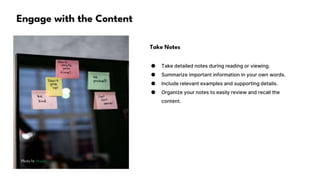
Engage with the Content
Photo by Pexels
Take Notes
● Take detailed notes during reading or viewing.
● Summarize important information in your own words.
● Include relevant examples and supporting details.
● Organize your notes to easily review and recall the
content.
Reflective Pause
Thoughts & Feelings
● Reflect on personal thoughts and feelings about the
material.
● Consider the impact of the material on your own beliefs
and values.
● Recognize any emotional reactions that arise while
engaging with the content.
● Explore how the material relates to your own life
experiences.
Photo by Pexels
Identify the Core
Determine the main themes and messages of the content
1
Analyze the core ideas and concepts presented in the slide
2
Identify the key takeaways and insights from the slide
3
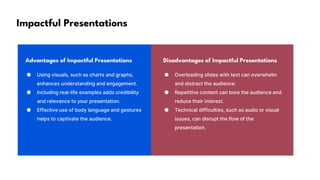
Impactful Presentations
Advantages of Impactful Presentations Disadvantages of Impactful Presentations
● Using visuals, such as charts and graphs,
enhances understanding and engagement.
● Including real-life examples adds credibility
and relevance to your presentation.
● Effective use of body language and gestures
helps to captivate the audience.
● Overloading slides with text can overwhelm
and distract the audience.
● Repetitive content can bore the audience and
reduce their interest.
● Technical difficulties, such as audio or visual
issues, can disrupt the flow of the
presentation.
Data Analysis
Photo by Pexels Photo by Pexels
Overview Benefits
Understanding and interpreting data to
make informed decisions.
Identifying trends, patterns, and
opportunities for improvement.
Data-driven Decisions
Photo by Pexels Photo by Pexels Photo by Pexels
Facts Analysis Action
Data reveals valuable insights
of customers' buying behavior.
Analyzing data helps identify
patterns and predict future
trends.
Using data to optimize
marketing strategies increases
conversion rates.
Analyzing Content Impact
Relevance to Broader Themes
● Content's impact is crucial for effective communication. It
can shape opinions and drive actions.
● Relevance to broader themes ensures alignment with
organizational goals and societal needs.
● Analyzing content helps identify strengths and
weaknesses, enabling improvement and optimization.
● Examples and specific information provide context and
enhance audience understanding.
Photo by Pexels
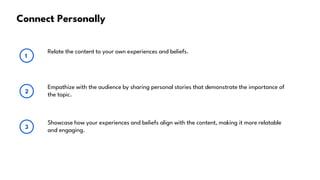
Connect Personally
Relate the content to your own experiences and beliefs.
1
Empathize with the audience by sharing personal stories that demonstrate the importance of
the topic.
2
Showcase how your experiences and beliefs align with the content, making it more relatable
and engaging.
3
Creator's Intentions
Photo by Pexels
Purpose & Accomplishment
● The creator aims to convey their intentions and how they
achieved them.
● They want to showcase the purpose behind their work and
the results they obtained.
● This slide emphasizes the importance of understanding
the creator's goals.
● It provides examples demonstrating the accomplishment
of those objectives.
Improving Customer Satisfaction
Advantages Disadvantages
● The presentation provides a clear and concise
overview of the key factors affecting customer
satisfaction.
● The pros section provides detailed
explanations of three positive aspects of the
content, helping the audience understand the
benefits.
● The language used in the pros section is
engaging and persuasive, making it easy for
the audience to grasp the significance of the
information.
● The cons section could benefit from providing
specific examples to support the negative
aspects mentioned.
● The cons section only lists three points, which
may not cover all potential weaknesses of the
content.
● The language used in the cons section could
be more neutral and objective, helping the
audience evaluate the potential drawbacks
objectively.
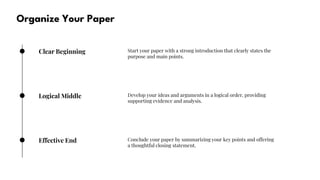
Organize Your Paper
Clear Beginning Start your paper with a strong introduction that clearly states the
purpose and main points.
Logical Middle Develop your ideas and arguments in a logical order, providing
supporting evidence and analysis.
Effective End Conclude your paper by summarizing your key points and offering
a thoughtful closing statement.
Formatting Fundamentals
Keep it Simple
● Consistency is key when it comes to formatting. Use the
same font, size, and style throughout the presentation.
● Bullet points can help organize information and make it
easier to follow. Avoid excessive use of text, as it can
overwhelm the audience.
● Use appropriate spacing and alignment to create a clean
and professional look. Leave enough white space to make
the content easy to read.
● Consider using visuals, such as charts, graphs, or images,
to convey information more effectively.
Photo by Pexels
Final Touches
Proofread & Edit
● Proofreading and editing is essential to refine your paper.
● Check for grammar, spelling, and punctuation errors.
● Make sure the content flows smoothly and logically.
● Seek feedback from peers or mentors to improve your
work.

Sample reaction paper. An effective guide

  • 1.
    Sample reaction paper. Aneffective guide Mastering the Art of Reaction Papers
  • 2.
    This Presentation isgenerated in seconds with MagicSlides Create presentation from text, YouTube, PDF to stunning Presentations Visit www.magicslides.app for more
  • 3.
    Getting Started Clarify AssignmentRequirements ● Ensure understanding of assignment ● Identify format expectations ● Review specific requirements ● Consider examples relevant to topic Photo by Pexels
  • 4.
    Engage with theContent Photo by Pexels Take Notes ● Take detailed notes during reading or viewing. ● Summarize important information in your own words. ● Include relevant examples and supporting details. ● Organize your notes to easily review and recall the content.
  • 5.
    Reflective Pause Thoughts &Feelings ● Reflect on personal thoughts and feelings about the material. ● Consider the impact of the material on your own beliefs and values. ● Recognize any emotional reactions that arise while engaging with the content. ● Explore how the material relates to your own life experiences. Photo by Pexels
  • 6.
    Identify the Core Determinethe main themes and messages of the content 1 Analyze the core ideas and concepts presented in the slide 2 Identify the key takeaways and insights from the slide 3
  • 7.
    Impactful Presentations Advantages ofImpactful Presentations Disadvantages of Impactful Presentations ● Using visuals, such as charts and graphs, enhances understanding and engagement. ● Including real-life examples adds credibility and relevance to your presentation. ● Effective use of body language and gestures helps to captivate the audience. ● Overloading slides with text can overwhelm and distract the audience. ● Repetitive content can bore the audience and reduce their interest. ● Technical difficulties, such as audio or visual issues, can disrupt the flow of the presentation.
  • 8.
    Data Analysis Photo byPexels Photo by Pexels Overview Benefits Understanding and interpreting data to make informed decisions. Identifying trends, patterns, and opportunities for improvement.
  • 9.
    Data-driven Decisions Photo byPexels Photo by Pexels Photo by Pexels Facts Analysis Action Data reveals valuable insights of customers' buying behavior. Analyzing data helps identify patterns and predict future trends. Using data to optimize marketing strategies increases conversion rates.
  • 10.
    Analyzing Content Impact Relevanceto Broader Themes ● Content's impact is crucial for effective communication. It can shape opinions and drive actions. ● Relevance to broader themes ensures alignment with organizational goals and societal needs. ● Analyzing content helps identify strengths and weaknesses, enabling improvement and optimization. ● Examples and specific information provide context and enhance audience understanding. Photo by Pexels
  • 11.
    Connect Personally Relate thecontent to your own experiences and beliefs. 1 Empathize with the audience by sharing personal stories that demonstrate the importance of the topic. 2 Showcase how your experiences and beliefs align with the content, making it more relatable and engaging. 3
  • 12.
    Creator's Intentions Photo byPexels Purpose & Accomplishment ● The creator aims to convey their intentions and how they achieved them. ● They want to showcase the purpose behind their work and the results they obtained. ● This slide emphasizes the importance of understanding the creator's goals. ● It provides examples demonstrating the accomplishment of those objectives.
  • 13.
    Improving Customer Satisfaction AdvantagesDisadvantages ● The presentation provides a clear and concise overview of the key factors affecting customer satisfaction. ● The pros section provides detailed explanations of three positive aspects of the content, helping the audience understand the benefits. ● The language used in the pros section is engaging and persuasive, making it easy for the audience to grasp the significance of the information. ● The cons section could benefit from providing specific examples to support the negative aspects mentioned. ● The cons section only lists three points, which may not cover all potential weaknesses of the content. ● The language used in the cons section could be more neutral and objective, helping the audience evaluate the potential drawbacks objectively.
  • 14.
    Organize Your Paper ClearBeginning Start your paper with a strong introduction that clearly states the purpose and main points. Logical Middle Develop your ideas and arguments in a logical order, providing supporting evidence and analysis. Effective End Conclude your paper by summarizing your key points and offering a thoughtful closing statement.
  • 15.
    Formatting Fundamentals Keep itSimple ● Consistency is key when it comes to formatting. Use the same font, size, and style throughout the presentation. ● Bullet points can help organize information and make it easier to follow. Avoid excessive use of text, as it can overwhelm the audience. ● Use appropriate spacing and alignment to create a clean and professional look. Leave enough white space to make the content easy to read. ● Consider using visuals, such as charts, graphs, or images, to convey information more effectively. Photo by Pexels
  • 16.
    Final Touches Proofread &Edit ● Proofreading and editing is essential to refine your paper. ● Check for grammar, spelling, and punctuation errors. ● Make sure the content flows smoothly and logically. ● Seek feedback from peers or mentors to improve your work.