SAGE 300 (ACCPAC)
USERS GROUP
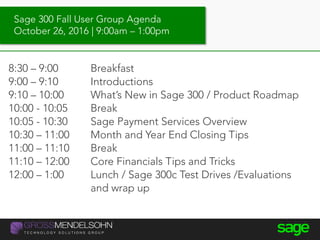
Sage 300 Fall User Group Agenda
October 26, 2016 | 9:00am – 1:00pm
8:30 – 9:00 Breakfast
9:00 – 9:10 Introductions
9:10 – 10:00 What’s New in Sage 300 / Product Roadmap
10:00 - 10:05 Break
10:05 - 10:30 Sage Payment Services Overview
10:30 – 11:00 Month and Year End Closing Tips
11:00 – 11:10 Break
11:10 – 12:00 Core Financials Tips and Tricks
12:00 – 1:00 Lunch / Sage 300c Test Drives /Evaluations
and wrap up
Introductions
• Name
• Company / Position
• Industry
• Experience with Sage 300
• Any specific goals for today?
Introductions
Sage Product Roadmap
Renee Castellano
Sage
What’s New in
Sage 300 and Sage 300c?
6
You can watch
this presentation
for free
on-demand
Start Watching
 Sage 300 Product Roadmap
 What’s New in Sage 300 2017.0
 Feature Highlights Demo
Agenda
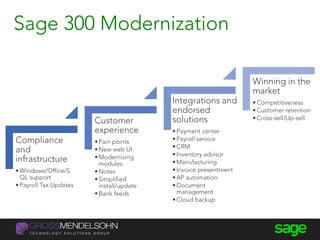
Compliance
and
infrastructure
•Windows/Office/S
QL support
•Payroll Tax Updates
Customer
experience
•Pain points
•New web UI
•Modernizing
modules
•Notes
•Simplified
install/update
•Bank feeds
Integrations and
endorsed
solutions
•Payment center
•Payroll service
•CRM
•Inventory advisor
•Manufacturing
•Invoice presentment
•AP automation
•Document
management
•Cloud backup
Winning in the
market
•Competitiveness
•Customer retention
•Cross-sell/Up-sell
Sage 300 Modernization
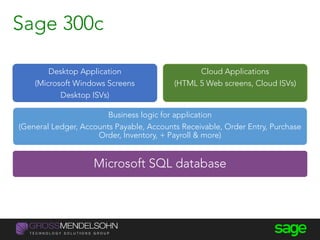
Microsoft SQL database
Business logic for application
(General Ledger, Accounts Payable, Accounts Receivable, Order Entry, Purchase
Order, Inventory, + Payroll & more)
Desktop Application
(Microsoft Windows Screens
Desktop ISVs)
Cloud Applications
(HTML 5 Web screens, Cloud ISVs)
Sage 300c
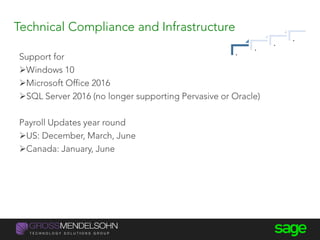
Technical Compliance and Infrastructure
Support for
Windows 10
Microsoft Office 2016
SQL Server 2016 (no longer supporting Pervasive or Oracle)
Payroll Updates year round
US: December, March, June
Canada: January, June
.
.
.
.
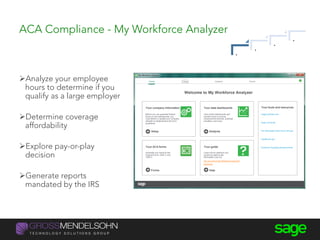
ACA Compliance - My Workforce Analyzer
Analyze your employee
hours to determine if you
qualify as a large employer
Determine coverage
affordability
Explore pay-or-play
decision
Generate reports
mandated by the IRS
.
.
.
.
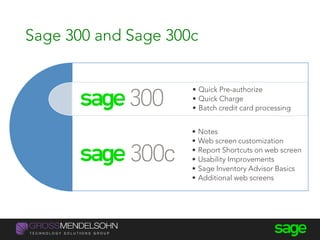
Sage 300 and Sage 300c
• Notes
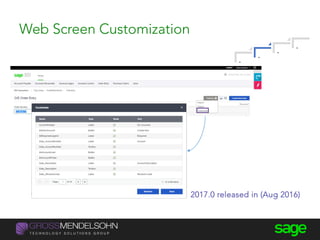
• Web screen customization
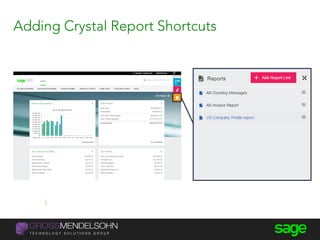
• Report Shortcuts on web screen
• Usability Improvements
• Sage Inventory Advisor Basics
• Additional web screens
• Quick Pre-authorize
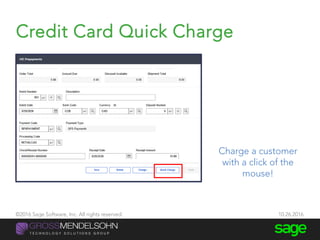
• Quick Charge
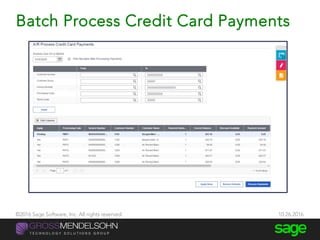
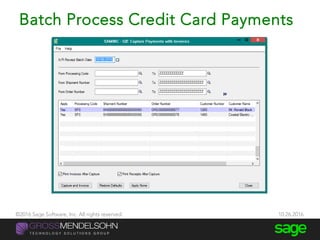
• Batch credit card processing
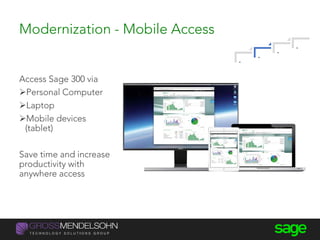
Modernization - Mobile Access
Access Sage 300 via
Personal Computer
Laptop
Mobile devices
(tablet)
Save time and increase
productivity with
anywhere access
.
.
.
.
Customer Experience – New Home Page
New Homepage tracking key
performance measures in your
business:
15 KPI widgets to choose
from
Show widgets that are
relevant for your business
Adjust time interval of the
data you want to see
.
.
.
.
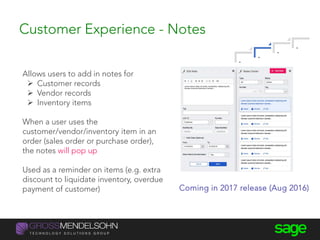
Customer Experience - Notes
Allows users to add in notes for
 Customer records
 Vendor records
 Inventory items
When a user uses the
customer/vendor/inventory item in an
order (sales order or purchase order),
the notes will pop up
Used as a reminder on items (e.g. extra
discount to liquidate inventory, overdue
payment of customer) Coming in 2017 release (Aug 2016)
.
.
.
.
Adding Crystal Report Shortcuts
#SageSummit | @JacquelineLi
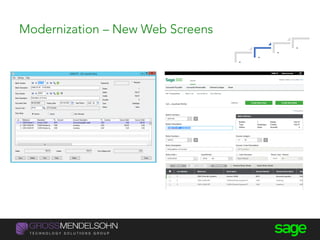
Modernization – New Web Screens
.
.
.
.
Web Screen Customization
2017.0 released in (Aug 2016)
.
.
.
.
What is Sage Inventory Advisor?
Sage Inventory Advisor is an
affordable Cloud-based solution that
integrates with Sage ERP systems to
help you optimize your inventory:
 decreases working capital
improves customer service
saves time
Industries – Manufacturing, Distribution, Retail & Mining
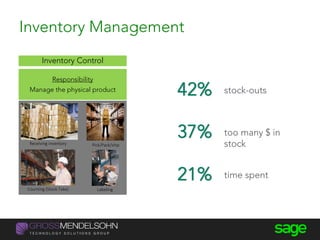
Inventory Management
Receiving inventory
LabelingCounting (Stock Take)
Inventory Control
Responsibility
Manage the physical product stock-outs
too many $ in
stock
time spent
Pick/Pack/ship
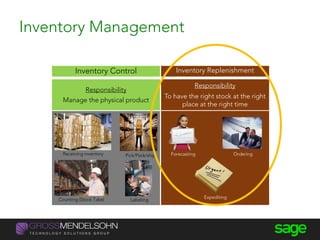
Inventory Replenishment
Responsibility
To have the right stock at the right
place at the right time
Forecasting Ordering
Expediting
Receiving inventory Pick/Pack/ship
LabelingCounting (Stock Take)
Inventory Control
Responsibility
Manage the physical product
Inventory Management
Sage Inventory Advisor
Customer Benefits
2% to 10% improvement in fill rate Stock-Outs 
10% to 15% reduction in excess inventory Surplus Stock 
Up to 50% reduction in time spent
on manual calculations
Time Spent 
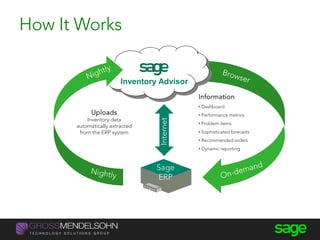
Information
• Dashboard
• Performance metrics
• Problem items
• Sophisticated forecasts
• Recommended orders
• Dynamic reporting
Sage
ERP
Internet
Uploads
Inventory data
automatically extracted
from the ERP system
Inventory Advisor
How It Works
Partnerships – Sage Inventory Advisor
Improve fill rates and reduce stock
outs
Minimize excess inventory
Optimize orders based on a variety
of constraints
Calculates orders automatically
Takes account of
seasonality/variability in business
.
.
.
.
Sage 300
Product Vision
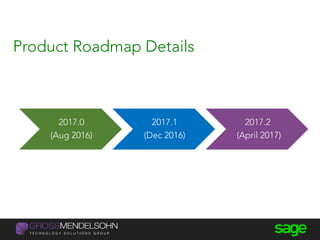
2017.0
(Aug 2016)
2017.1
(Dec 2016)
2017.2
(April 2017)
Product Roadmap Details
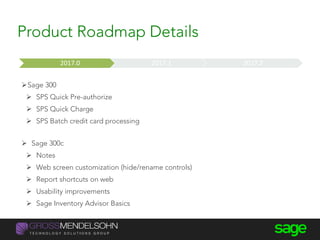
Sage 300
 SPS Quick Pre-authorize
 SPS Quick Charge
 SPS Batch credit card processing
 Sage 300c
 Notes
 Web screen customization (hide/rename controls)
 Report shortcuts on web
 Usability improvements
 Sage Inventory Advisor Basics
Now Near Term Medium Term Long Term2017.0 2017.1 2017.2
Product Roadmap Details
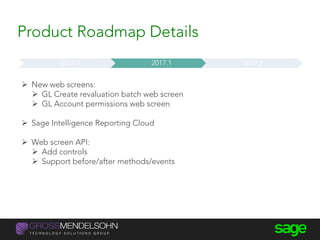
 New web screens:
 GL Create revaluation batch web screen
 GL Account permissions web screen
 Sage Intelligence Reporting Cloud
 Web screen API:
 Add controls
 Support before/after methods/events
Now Near Term Medium Term Long Term2017.0 2017.1 2017.2
Product Roadmap Details
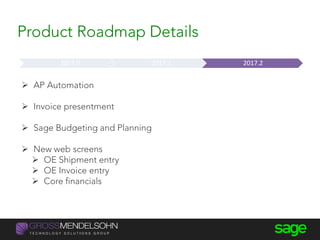
 AP Automation
 Invoice presentment
 Sage Budgeting and Planning
 New web screens
 OE Shipment entry
 OE Invoice entry
 Core financials
Now Near Term Medium Term Long Term2017.0 2017.1 2017.2
Product Roadmap Details
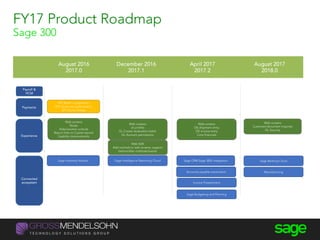
August 2016
2017.0
December 2016
2017.1
April 2017
2017.2
August 2017
2018.0
FY17 Product Roadmap
Sage 300
Payroll &
HCM
SPS Batch cc payments
SPS Quick pre-authorization
SPS Quick charge
Payments
Sage Inventory Advisor Sage Intelligence Reporting Cloud
Invoice Presentment
Accounts payable automation
Sage Banking CloudSage CRM-Sage 300c integration
Connected
ecosystem
Web screens
Notes
Hide/rename controls
Report links to Crystal reports
Usability improvements
Web screens
UI profiles
GL Create revaluation batch
GL Account permissions
Web screens
OE shipment entry
OE invoice entry
Core financials
Web SDK
Add controls to web screens, support
before/after methods/events
Web screens
Customer/document inquiries
GL Security
Experience
Manufacturing
Sage Budgeting and Planning
Sage Payment
Services Overview
Renee Castellano
Sage
Sage Payment
Solutions
Payment Processing for Sage 300
1. Overview of Payment
Processing
2. Features and Benefits of SPS
3. Entering various credit card
transactions and capturing
payments in Sage 300
4. Sage payment management
system and day end procedures
Agenda
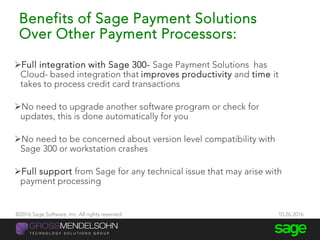
Benefits of Sage Payment Solutions
Over Other Payment Processors:
Full integration with Sage 300- Sage Payment Solutions has
Cloud- based integration that improves productivity and time it
takes to process credit card transactions
No need to upgrade another software program or check for
updates, this is done automatically for you
No need to be concerned about version level compatibility with
Sage 300 or workstation crashes
Full support from Sage for any technical issue that may arise with
payment processing
©2016 Sage Software, Inc. All rights reserved. 10.26.2016
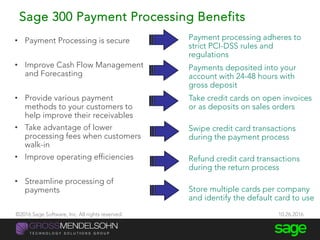
Sage 300 Payment Processing Benefits
• Payment Processing is secure
• Improve Cash Flow Management
and Forecasting
• Provide various payment
methods to your customers to
help improve their receivables
• Take advantage of lower
processing fees when customers
walk-in
• Improve operating efficiencies
• Streamline processing of
payments
Payment processing adheres to
strict PCI-DSS rules and
regulations
Payments deposited into your
account with 24-48 hours with
gross deposit
Take credit cards on open invoices
or as deposits on sales orders
Swipe credit card transactions
during the payment process
Refund credit card transactions
during the return process
Store multiple cards per company
and identify the default card to use
©2016 Sage Software, Inc. All rights reserved. 10.26.2016
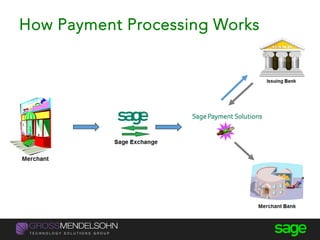
What is Sage Exchange?
A payment
platform that
facilitates
Integration
of data between
Sage 300 and
Sage Payment
Solutions
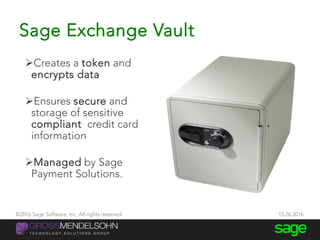
Sage Exchange Vault
Creates a token and
encrypts data
Ensures secure and
storage of sensitive
compliant credit card
information
Managed by Sage
Payment Solutions.
©2016 Sage Software, Inc. All rights reserved. 10.26.2016
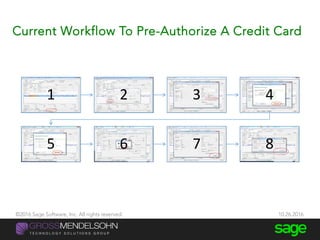
Current Workflow To Pre-Authorize A Credit Card
@JacquelineLi
1 2 3 4
5 6 7 8
©2016 Sage Software, Inc. All rights reserved. 10.26.2016
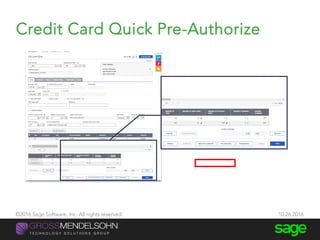
Credit Card Quick Pre-Authorize
@JacquelineLi 39
©2016 Sage Software, Inc. All rights reserved. 10.26.2016
Credit Card Quick Charge quick-charge
@JacquelineLi 40
Charge a customer
with a click of the
mouse!
©2016 Sage Software, Inc. All rights reserved. 10.26.2016
$
Merchant
$
Cardholder
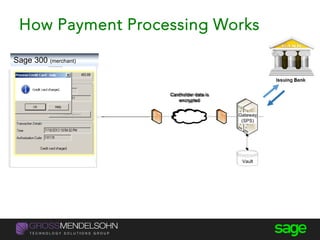
Cardholder data is
encrypted
Vault
ERP
Transaction
Entry
Shipping
Billing
Sales Deposits
Returns
Gateway
(SPS)
Payment Processing Enablement
$
Merchant
$
Cardholder
Cardholder data is
encrypted
Vault
ERP
Shipping
Billing
Sales Deposits
Returns
Gateway
(SPS)
Payment Processing Enablement
Sage
Exchange
API
Transaction Entry
How Payment Processing Works
Sage 300 (merchant)
How Payment Processing Works
Batch Process Credit Card Payments
43
©2016 Sage Software, Inc. All rights reserved. 10.26.2016
Batch Process Credit Card Payments
©2016 Sage Software, Inc. All rights reserved. 10.26.2016
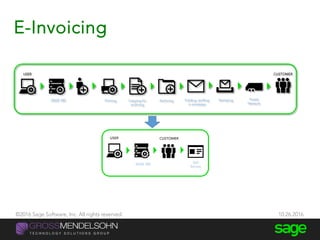
E-Invoicing
@JacquelineLi 45
SAGE 300 Printing Copying for
archiving
Archiving Folding, stuffing
in envelope
Stamping Postal
Network
CUSTOMERUSER
SAGE 300 Self
Service
CUSTOMERUSER
©2016 Sage Software, Inc. All rights reserved. 10.26.2016
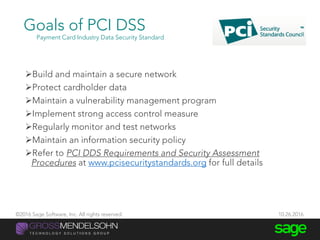
Build and maintain a secure network
Protect cardholder data
Maintain a vulnerability management program
Implement strong access control measure
Regularly monitor and test networks
Maintain an information security policy
Refer to PCI DDS Requirements and Security Assessment
Procedures at www.pcisecuritystandards.org for full details
Goals of PCI DSS
Payment Card Industry Data Security Standard
©2016 Sage Software, Inc. All rights reserved. 10.26.2016
The Sage Payments PCI Program
Differentiator
 Is one of the lowest cost programs offering both the Self
Assessment Questionnaire AND external vulnerability scan in the
industry through SPS’ partnership with Trustwave.
 The Trustwave Portal provides an easy-to-use wizard that guides a
merchant through the questionnaire and provides 24/7 help for
merchants with questions.
 In addition to simplifying the questionnaire (as much as is
possible), Trustwave also offers a wide range of free pre-recorded
educational sessions on a broad range of PCI topics.
 $50,000 breach coverage for each merchant account
©2016 Sage Software, Inc. All rights reserved. 10.26.2016
Sage Payment Management System
24/7 online management
and reporting of your credit
card transactions, including
historical data in a web based
format
Performs real time
processing electronically
online
Batches are typically settled
automatically at the end of
each business day (or you can
manually settle each batch
within the Virtual Terminal)
©2016 Sage Software, Inc. All rights reserved. 10.26.2016
Thank You
Month And Year End
Closing Tips
Beth McNally
Gross Mendelsohn
Year-End
Processing
Tip #9 – Year-end processing
Back up your data before you begin any year-end process. Keep backup
indefinitely
Test your back ups to ensure they are readable
Check your version number - closing procedures can vary depending on the
version you're currently running
Perform typical daily procedures in all ledgers, then period end in all
modules, then year-end.
Housekeeping
Tip #9 – Year-end processing
Create a new fiscal year in Common Services
Sage 300 allows you to begin entering transactions for the new year
without closing out the current year. To do this, create a new fiscal
calendar in Common Services before entering transactions for 2014.
Common Services
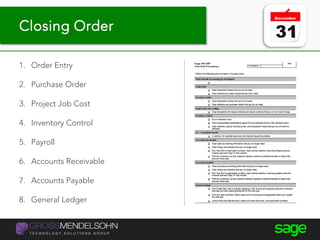
1. Order Entry
2. Purchase Order
3. Project Job Cost
4. Inventory Control
5. Payroll
6. Accounts Receivable
7. Accounts Payable
8. General Ledger
Year-end processing tipsClosing Order
Year-end processing tips
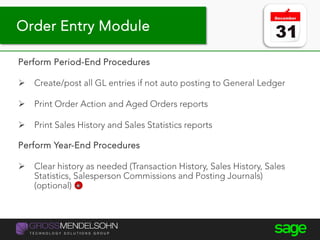
Perform Period-End Procedures
 Create/post all GL entries if not auto posting to General Ledger
 Print Order Action and Aged Orders reports
 Print Sales History and Sales Statistics reports
Perform Year-End Procedures
 Clear history as needed (Transaction History, Sales History, Sales
Statistics, Salesperson Commissions and Posting Journals)
(optional)
Order Entry Module
Year-end processing tips
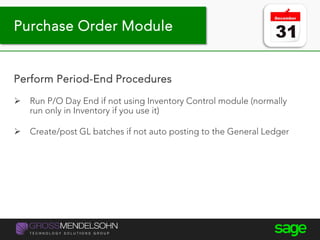
Perform Period-End Procedures
 Run P/O Day End if not using Inventory Control module (normally
run only in Inventory if you use it)
 Create/post GL batches if not auto posting to the General Ledger
Purchase Order Module
Year-end processing tips
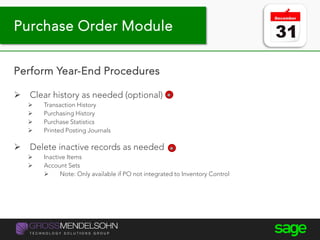
Perform Year-End Procedures
 Clear history as needed (optional)
 Transaction History
 Purchasing History
 Purchase Statistics
 Printed Posting Journals
 Delete inactive records as needed
 Inactive Items
 Account Sets
 Note: Only available if PO not integrated to Inventory Control
Purchase Order Module
Year-end processing tips
Perform Period-End Procedures
 Create and post final billings
 Run/review and post Revenue Recognition Worksheet
 Update Payroll
 Create and post GL batches if not auto posting to General Ledger
Project and Job Costing Module
Year-end processing tips
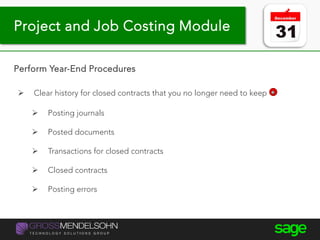
Perform Year-End Procedures
 Clear history for closed contracts that you no longer need to keep
 Posting journals
 Posted documents
 Transactions for closed contracts
 Closed contracts
 Posting errors
Project and Job Costing Module
Year-end processing tips
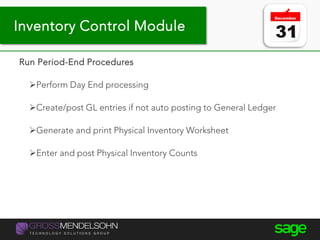
Run Period-End Procedures
Perform Day End processing
Create/post GL entries if not auto posting to General Ledger
Generate and print Physical Inventory Worksheet
Enter and post Physical Inventory Counts
Inventory Control Module
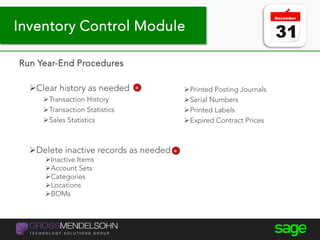
Year-end processing tips
Run Year-End Procedures
Clear history as needed
Transaction History
Transaction Statistics
Sales Statistics
Printed Posting Journals
Serial Numbers
Printed Labels
Expired Contract Prices
Delete inactive records as needed
Inactive Items
Account Sets
Categories
Locations
BOMs
Inventory Control Module
Year-end processing tips
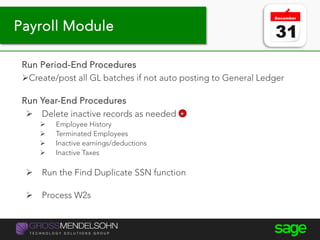
Run Period-End Procedures
Create/post all GL batches if not auto posting to General Ledger
Run Year-End Procedures
 Delete inactive records as needed
 Employee History
 Terminated Employees
 Inactive earnings/deductions
 Inactive Taxes
 Run the Find Duplicate SSN function
 Process W2s
Payroll Module
Year-end processing tips
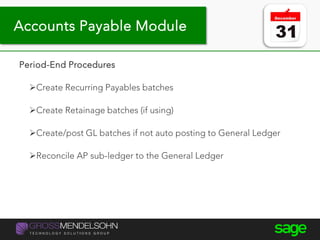
Period-End Procedures
Create Recurring Payables batches
Create Retainage batches (if using)
Create/post GL batches if not auto posting to General Ledger
Reconcile AP sub-ledger to the General Ledger
Accounts Payable Module
Year-end processing tips
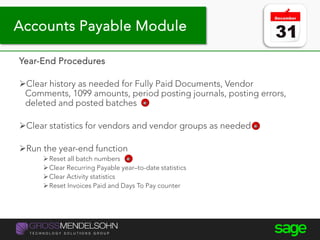
Year-End Procedures
Clear history as needed for Fully Paid Documents, Vendor
Comments, 1099 amounts, period posting journals, posting errors,
deleted and posted batches
Clear statistics for vendors and vendor groups as needed
Run the year-end function
Reset all batch numbers
Clear Recurring Payable year–to-date statistics
Clear Activity statistics
Reset Invoices Paid and Days To Pay counter
Accounts Payable Module
Year-end processing tips
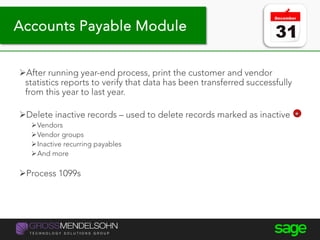
After running year-end process, print the customer and vendor
statistics reports to verify that data has been transferred successfully
from this year to last year.
Delete inactive records – used to delete records marked as inactive
Vendors
Vendor groups
Inactive recurring payables
And more
Process 1099s
Accounts Payable Module
Year-end processing tips
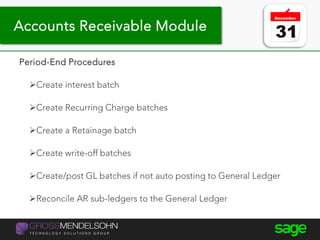
Period-End Procedures
Create interest batch
Create Recurring Charge batches
Create a Retainage batch
Create write-off batches
Create/post GL batches if not auto posting to General Ledger
Reconcile AR sub-ledgers to the General Ledger
Accounts Receivable Module
Year-end processing tips
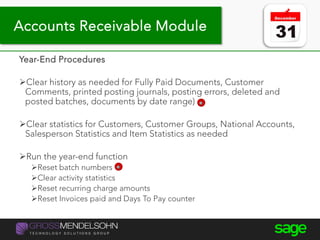
Year-End Procedures
Clear history as needed for Fully Paid Documents, Customer
Comments, printed posting journals, posting errors, deleted and
posted batches, documents by date range)
Clear statistics for Customers, Customer Groups, National Accounts,
Salesperson Statistics and Item Statistics as needed
Run the year-end function
Reset batch numbers
Clear activity statistics
Reset recurring charge amounts
Reset Invoices paid and Days To Pay counter
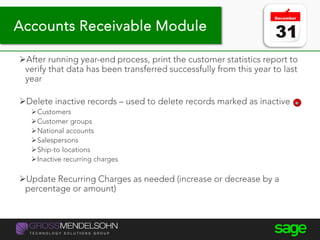
Accounts Receivable Module
Year-end processing tips
After running year-end process, print the customer statistics report to
verify that data has been transferred successfully from this year to last
year
Delete inactive records – used to delete records marked as inactive
Customers
Customer groups
National accounts
Salespersons
Ship-to locations
Inactive recurring charges
Update Recurring Charges as needed (increase or decrease by a
percentage or amount)
Accounts Receivable Module
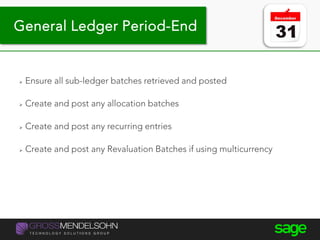
 Ensure all sub-ledger batches retrieved and posted
 Create and post any allocation batches
 Create and post any recurring entries
 Create and post any Revaluation Batches if using multicurrency
General Ledger Period-End
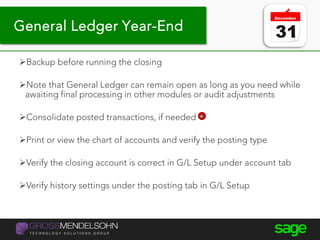
Backup before running the closing
Note that General Ledger can remain open as long as you need while
awaiting final processing in other modules or audit adjustments
Consolidate posted transactions, if needed
Print or view the chart of accounts and verify the posting type
Verify the closing account is correct in G/L Setup under account tab
Verify history settings under the posting tab in G/L Setup
General Ledger Year-End
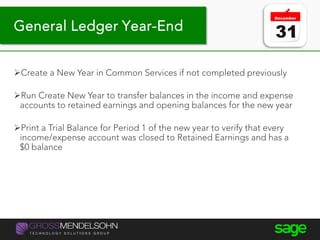
Create a New Year in Common Services if not completed previously
Run Create New Year to transfer balances in the income and expense
accounts to retained earnings and opening balances for the new year
Print a Trial Balance for Period 1 of the new year to verify that every
income/expense account was closed to Retained Earnings and has a
$0 balance
General Ledger Year-End
Optionally, perform Period End Maintenance to delete inactive
accounts, transaction details, fiscal set history or reset batch numbers
Optionally, clear history for printed posting journals and deleted and
posted batches
Lock periods as needed
Core Financials
Tips & Tricks
Beth McNally
Gross Mendelsohn
C O N TA C T U S
Sharon Paul
410.952.9493
spaul@gma-cpa.com
Beth McNally
410.916.9734
emcnally@gma-cpa.com
Ken Glenn
410.900.1062
kglenn@gma-cpa.com
Renee Castellano
585.364.4958
renee.castellano@sage.com
Christopher Sharp
571.226.6680
christopher.sharp@sage.com
Subscribe to our blog
to get the latest
technology trends,
industry news and
upcoming events.
Subscribe Here
D O N ’ T M I S S O U R N E X T E V E N T
Sage 300 (Accpac) Users Group Meeting

  • 1.
  • 2.
    Sage 300 FallUser Group Agenda October 26, 2016 | 9:00am – 1:00pm 8:30 – 9:00 Breakfast 9:00 – 9:10 Introductions 9:10 – 10:00 What’s New in Sage 300 / Product Roadmap 10:00 - 10:05 Break 10:05 - 10:30 Sage Payment Services Overview 10:30 – 11:00 Month and Year End Closing Tips 11:00 – 11:10 Break 11:10 – 12:00 Core Financials Tips and Tricks 12:00 – 1:00 Lunch / Sage 300c Test Drives /Evaluations and wrap up
  • 3.
    Introductions • Name • Company/ Position • Industry • Experience with Sage 300 • Any specific goals for today? Introductions
  • 4.
  • 5.
    What’s New in Sage300 and Sage 300c?
  • 6.
    6 You can watch thispresentation for free on-demand Start Watching
  • 7.
     Sage 300Product Roadmap  What’s New in Sage 300 2017.0  Feature Highlights Demo Agenda
  • 8.
    Compliance and infrastructure •Windows/Office/S QL support •Payroll TaxUpdates Customer experience •Pain points •New web UI •Modernizing modules •Notes •Simplified install/update •Bank feeds Integrations and endorsed solutions •Payment center •Payroll service •CRM •Inventory advisor •Manufacturing •Invoice presentment •AP automation •Document management •Cloud backup Winning in the market •Competitiveness •Customer retention •Cross-sell/Up-sell Sage 300 Modernization
  • 9.
    Microsoft SQL database Businesslogic for application (General Ledger, Accounts Payable, Accounts Receivable, Order Entry, Purchase Order, Inventory, + Payroll & more) Desktop Application (Microsoft Windows Screens Desktop ISVs) Cloud Applications (HTML 5 Web screens, Cloud ISVs) Sage 300c
  • 10.
    Technical Compliance andInfrastructure Support for Windows 10 Microsoft Office 2016 SQL Server 2016 (no longer supporting Pervasive or Oracle) Payroll Updates year round US: December, March, June Canada: January, June . . . .
  • 11.
    ACA Compliance -My Workforce Analyzer Analyze your employee hours to determine if you qualify as a large employer Determine coverage affordability Explore pay-or-play decision Generate reports mandated by the IRS . . . .
  • 12.
    Sage 300 andSage 300c • Notes • Web screen customization • Report Shortcuts on web screen • Usability Improvements • Sage Inventory Advisor Basics • Additional web screens • Quick Pre-authorize • Quick Charge • Batch credit card processing
  • 13.
    Modernization - MobileAccess Access Sage 300 via Personal Computer Laptop Mobile devices (tablet) Save time and increase productivity with anywhere access . . . .
  • 14.
    Customer Experience –New Home Page New Homepage tracking key performance measures in your business: 15 KPI widgets to choose from Show widgets that are relevant for your business Adjust time interval of the data you want to see . . . .
  • 15.
    Customer Experience -Notes Allows users to add in notes for  Customer records  Vendor records  Inventory items When a user uses the customer/vendor/inventory item in an order (sales order or purchase order), the notes will pop up Used as a reminder on items (e.g. extra discount to liquidate inventory, overdue payment of customer) Coming in 2017 release (Aug 2016) . . . .
  • 16.
    Adding Crystal ReportShortcuts #SageSummit | @JacquelineLi
  • 17.
    Modernization – NewWeb Screens . . . .
  • 18.
    Web Screen Customization 2017.0released in (Aug 2016) . . . .
  • 19.
    What is SageInventory Advisor? Sage Inventory Advisor is an affordable Cloud-based solution that integrates with Sage ERP systems to help you optimize your inventory:  decreases working capital improves customer service saves time Industries – Manufacturing, Distribution, Retail & Mining
  • 20.
    Inventory Management Receiving inventory LabelingCounting(Stock Take) Inventory Control Responsibility Manage the physical product stock-outs too many $ in stock time spent Pick/Pack/ship
  • 21.
    Inventory Replenishment Responsibility To havethe right stock at the right place at the right time Forecasting Ordering Expediting Receiving inventory Pick/Pack/ship LabelingCounting (Stock Take) Inventory Control Responsibility Manage the physical product Inventory Management
  • 22.
    Sage Inventory Advisor CustomerBenefits 2% to 10% improvement in fill rate Stock-Outs  10% to 15% reduction in excess inventory Surplus Stock  Up to 50% reduction in time spent on manual calculations Time Spent 
  • 23.
    Information • Dashboard • Performancemetrics • Problem items • Sophisticated forecasts • Recommended orders • Dynamic reporting Sage ERP Internet Uploads Inventory data automatically extracted from the ERP system Inventory Advisor How It Works
  • 24.
    Partnerships – SageInventory Advisor Improve fill rates and reduce stock outs Minimize excess inventory Optimize orders based on a variety of constraints Calculates orders automatically Takes account of seasonality/variability in business . . . .
  • 25.
  • 26.
  • 27.
    Sage 300  SPSQuick Pre-authorize  SPS Quick Charge  SPS Batch credit card processing  Sage 300c  Notes  Web screen customization (hide/rename controls)  Report shortcuts on web  Usability improvements  Sage Inventory Advisor Basics Now Near Term Medium Term Long Term2017.0 2017.1 2017.2 Product Roadmap Details
  • 28.
     New webscreens:  GL Create revaluation batch web screen  GL Account permissions web screen  Sage Intelligence Reporting Cloud  Web screen API:  Add controls  Support before/after methods/events Now Near Term Medium Term Long Term2017.0 2017.1 2017.2 Product Roadmap Details
  • 29.
     AP Automation Invoice presentment  Sage Budgeting and Planning  New web screens  OE Shipment entry  OE Invoice entry  Core financials Now Near Term Medium Term Long Term2017.0 2017.1 2017.2 Product Roadmap Details
  • 30.
    August 2016 2017.0 December 2016 2017.1 April2017 2017.2 August 2017 2018.0 FY17 Product Roadmap Sage 300 Payroll & HCM SPS Batch cc payments SPS Quick pre-authorization SPS Quick charge Payments Sage Inventory Advisor Sage Intelligence Reporting Cloud Invoice Presentment Accounts payable automation Sage Banking CloudSage CRM-Sage 300c integration Connected ecosystem Web screens Notes Hide/rename controls Report links to Crystal reports Usability improvements Web screens UI profiles GL Create revaluation batch GL Account permissions Web screens OE shipment entry OE invoice entry Core financials Web SDK Add controls to web screens, support before/after methods/events Web screens Customer/document inquiries GL Security Experience Manufacturing Sage Budgeting and Planning
  • 31.
  • 32.
  • 33.
    1. Overview ofPayment Processing 2. Features and Benefits of SPS 3. Entering various credit card transactions and capturing payments in Sage 300 4. Sage payment management system and day end procedures Agenda
  • 34.
    Benefits of SagePayment Solutions Over Other Payment Processors: Full integration with Sage 300- Sage Payment Solutions has Cloud- based integration that improves productivity and time it takes to process credit card transactions No need to upgrade another software program or check for updates, this is done automatically for you No need to be concerned about version level compatibility with Sage 300 or workstation crashes Full support from Sage for any technical issue that may arise with payment processing ©2016 Sage Software, Inc. All rights reserved. 10.26.2016
  • 35.
    Sage 300 PaymentProcessing Benefits • Payment Processing is secure • Improve Cash Flow Management and Forecasting • Provide various payment methods to your customers to help improve their receivables • Take advantage of lower processing fees when customers walk-in • Improve operating efficiencies • Streamline processing of payments Payment processing adheres to strict PCI-DSS rules and regulations Payments deposited into your account with 24-48 hours with gross deposit Take credit cards on open invoices or as deposits on sales orders Swipe credit card transactions during the payment process Refund credit card transactions during the return process Store multiple cards per company and identify the default card to use ©2016 Sage Software, Inc. All rights reserved. 10.26.2016
  • 36.
    What is SageExchange? A payment platform that facilitates Integration of data between Sage 300 and Sage Payment Solutions
  • 37.
    Sage Exchange Vault Createsa token and encrypts data Ensures secure and storage of sensitive compliant credit card information Managed by Sage Payment Solutions. ©2016 Sage Software, Inc. All rights reserved. 10.26.2016
  • 38.
    Current Workflow ToPre-Authorize A Credit Card @JacquelineLi 1 2 3 4 5 6 7 8 ©2016 Sage Software, Inc. All rights reserved. 10.26.2016
  • 39.
    Credit Card QuickPre-Authorize @JacquelineLi 39 ©2016 Sage Software, Inc. All rights reserved. 10.26.2016
  • 40.
    Credit Card QuickCharge quick-charge @JacquelineLi 40 Charge a customer with a click of the mouse! ©2016 Sage Software, Inc. All rights reserved. 10.26.2016
  • 41.
    $ Merchant $ Cardholder Cardholder data is encrypted Vault ERP Transaction Entry Shipping Billing SalesDeposits Returns Gateway (SPS) Payment Processing Enablement $ Merchant $ Cardholder Cardholder data is encrypted Vault ERP Shipping Billing Sales Deposits Returns Gateway (SPS) Payment Processing Enablement Sage Exchange API Transaction Entry How Payment Processing Works Sage 300 (merchant)
  • 42.
  • 43.
    Batch Process CreditCard Payments 43 ©2016 Sage Software, Inc. All rights reserved. 10.26.2016
  • 44.
    Batch Process CreditCard Payments ©2016 Sage Software, Inc. All rights reserved. 10.26.2016
  • 45.
    E-Invoicing @JacquelineLi 45 SAGE 300Printing Copying for archiving Archiving Folding, stuffing in envelope Stamping Postal Network CUSTOMERUSER SAGE 300 Self Service CUSTOMERUSER ©2016 Sage Software, Inc. All rights reserved. 10.26.2016
  • 46.
    Build and maintaina secure network Protect cardholder data Maintain a vulnerability management program Implement strong access control measure Regularly monitor and test networks Maintain an information security policy Refer to PCI DDS Requirements and Security Assessment Procedures at www.pcisecuritystandards.org for full details Goals of PCI DSS Payment Card Industry Data Security Standard ©2016 Sage Software, Inc. All rights reserved. 10.26.2016
  • 47.
    The Sage PaymentsPCI Program Differentiator  Is one of the lowest cost programs offering both the Self Assessment Questionnaire AND external vulnerability scan in the industry through SPS’ partnership with Trustwave.  The Trustwave Portal provides an easy-to-use wizard that guides a merchant through the questionnaire and provides 24/7 help for merchants with questions.  In addition to simplifying the questionnaire (as much as is possible), Trustwave also offers a wide range of free pre-recorded educational sessions on a broad range of PCI topics.  $50,000 breach coverage for each merchant account ©2016 Sage Software, Inc. All rights reserved. 10.26.2016
  • 48.
    Sage Payment ManagementSystem 24/7 online management and reporting of your credit card transactions, including historical data in a web based format Performs real time processing electronically online Batches are typically settled automatically at the end of each business day (or you can manually settle each batch within the Virtual Terminal) ©2016 Sage Software, Inc. All rights reserved. 10.26.2016
  • 49.
  • 50.
    Month And YearEnd Closing Tips Beth McNally Gross Mendelsohn
  • 51.
  • 52.
    Tip #9 –Year-end processing Back up your data before you begin any year-end process. Keep backup indefinitely Test your back ups to ensure they are readable Check your version number - closing procedures can vary depending on the version you're currently running Perform typical daily procedures in all ledgers, then period end in all modules, then year-end. Housekeeping
  • 53.
    Tip #9 –Year-end processing Create a new fiscal year in Common Services Sage 300 allows you to begin entering transactions for the new year without closing out the current year. To do this, create a new fiscal calendar in Common Services before entering transactions for 2014. Common Services
  • 54.
    1. Order Entry 2.Purchase Order 3. Project Job Cost 4. Inventory Control 5. Payroll 6. Accounts Receivable 7. Accounts Payable 8. General Ledger Year-end processing tipsClosing Order
  • 55.
    Year-end processing tips PerformPeriod-End Procedures  Create/post all GL entries if not auto posting to General Ledger  Print Order Action and Aged Orders reports  Print Sales History and Sales Statistics reports Perform Year-End Procedures  Clear history as needed (Transaction History, Sales History, Sales Statistics, Salesperson Commissions and Posting Journals) (optional) Order Entry Module
  • 56.
    Year-end processing tips PerformPeriod-End Procedures  Run P/O Day End if not using Inventory Control module (normally run only in Inventory if you use it)  Create/post GL batches if not auto posting to the General Ledger Purchase Order Module
  • 57.
    Year-end processing tips PerformYear-End Procedures  Clear history as needed (optional)  Transaction History  Purchasing History  Purchase Statistics  Printed Posting Journals  Delete inactive records as needed  Inactive Items  Account Sets  Note: Only available if PO not integrated to Inventory Control Purchase Order Module
  • 58.
    Year-end processing tips PerformPeriod-End Procedures  Create and post final billings  Run/review and post Revenue Recognition Worksheet  Update Payroll  Create and post GL batches if not auto posting to General Ledger Project and Job Costing Module
  • 59.
    Year-end processing tips PerformYear-End Procedures  Clear history for closed contracts that you no longer need to keep  Posting journals  Posted documents  Transactions for closed contracts  Closed contracts  Posting errors Project and Job Costing Module
  • 60.
    Year-end processing tips RunPeriod-End Procedures Perform Day End processing Create/post GL entries if not auto posting to General Ledger Generate and print Physical Inventory Worksheet Enter and post Physical Inventory Counts Inventory Control Module
  • 61.
    Year-end processing tips RunYear-End Procedures Clear history as needed Transaction History Transaction Statistics Sales Statistics Printed Posting Journals Serial Numbers Printed Labels Expired Contract Prices Delete inactive records as needed Inactive Items Account Sets Categories Locations BOMs Inventory Control Module
  • 62.
    Year-end processing tips RunPeriod-End Procedures Create/post all GL batches if not auto posting to General Ledger Run Year-End Procedures  Delete inactive records as needed  Employee History  Terminated Employees  Inactive earnings/deductions  Inactive Taxes  Run the Find Duplicate SSN function  Process W2s Payroll Module
  • 63.
    Year-end processing tips Period-EndProcedures Create Recurring Payables batches Create Retainage batches (if using) Create/post GL batches if not auto posting to General Ledger Reconcile AP sub-ledger to the General Ledger Accounts Payable Module
  • 64.
    Year-end processing tips Year-EndProcedures Clear history as needed for Fully Paid Documents, Vendor Comments, 1099 amounts, period posting journals, posting errors, deleted and posted batches Clear statistics for vendors and vendor groups as needed Run the year-end function Reset all batch numbers Clear Recurring Payable year–to-date statistics Clear Activity statistics Reset Invoices Paid and Days To Pay counter Accounts Payable Module
  • 65.
    Year-end processing tips Afterrunning year-end process, print the customer and vendor statistics reports to verify that data has been transferred successfully from this year to last year. Delete inactive records – used to delete records marked as inactive Vendors Vendor groups Inactive recurring payables And more Process 1099s Accounts Payable Module
  • 66.
    Year-end processing tips Period-EndProcedures Create interest batch Create Recurring Charge batches Create a Retainage batch Create write-off batches Create/post GL batches if not auto posting to General Ledger Reconcile AR sub-ledgers to the General Ledger Accounts Receivable Module
  • 67.
    Year-end processing tips Year-EndProcedures Clear history as needed for Fully Paid Documents, Customer Comments, printed posting journals, posting errors, deleted and posted batches, documents by date range) Clear statistics for Customers, Customer Groups, National Accounts, Salesperson Statistics and Item Statistics as needed Run the year-end function Reset batch numbers Clear activity statistics Reset recurring charge amounts Reset Invoices paid and Days To Pay counter Accounts Receivable Module
  • 68.
    Year-end processing tips Afterrunning year-end process, print the customer statistics report to verify that data has been transferred successfully from this year to last year Delete inactive records – used to delete records marked as inactive Customers Customer groups National accounts Salespersons Ship-to locations Inactive recurring charges Update Recurring Charges as needed (increase or decrease by a percentage or amount) Accounts Receivable Module
  • 69.
     Ensure allsub-ledger batches retrieved and posted  Create and post any allocation batches  Create and post any recurring entries  Create and post any Revaluation Batches if using multicurrency General Ledger Period-End
  • 70.
    Backup before runningthe closing Note that General Ledger can remain open as long as you need while awaiting final processing in other modules or audit adjustments Consolidate posted transactions, if needed Print or view the chart of accounts and verify the posting type Verify the closing account is correct in G/L Setup under account tab Verify history settings under the posting tab in G/L Setup General Ledger Year-End
  • 71.
    General Ledger Year-End Createa New Year in Common Services if not completed previously Run Create New Year to transfer balances in the income and expense accounts to retained earnings and opening balances for the new year Print a Trial Balance for Period 1 of the new year to verify that every income/expense account was closed to Retained Earnings and has a $0 balance
  • 72.
    General Ledger Year-End Optionally,perform Period End Maintenance to delete inactive accounts, transaction details, fiscal set history or reset batch numbers Optionally, clear history for printed posting journals and deleted and posted batches Lock periods as needed
  • 73.
    Core Financials Tips &Tricks Beth McNally Gross Mendelsohn
  • 74.
    C O NTA C T U S Sharon Paul 410.952.9493 spaul@gma-cpa.com Beth McNally 410.916.9734 emcnally@gma-cpa.com Ken Glenn 410.900.1062 kglenn@gma-cpa.com Renee Castellano 585.364.4958 renee.castellano@sage.com Christopher Sharp 571.226.6680 christopher.sharp@sage.com
  • 75.
    Subscribe to ourblog to get the latest technology trends, industry news and upcoming events. Subscribe Here D O N ’ T M I S S O U R N E X T E V E N T