Context Facts: Software as a Service (SaaS) is getting a lot of attention Lots of buzz but little architectural guidance on the topic Architecture Strategy Team is investing in SaaS Guidance Currently, more an ISV topic than a SI or Enterprise Even though I talked to several enterprises developing SaaS Today’s Objectives: Share with you  our  current thinking Get  you  thinking / get  your  thinking (maybe) find ways to collaborate / engage in projects
Agenda Software as a Service (SaaS) Overview Architectural Shift Overview Some Design Patterns Q&A
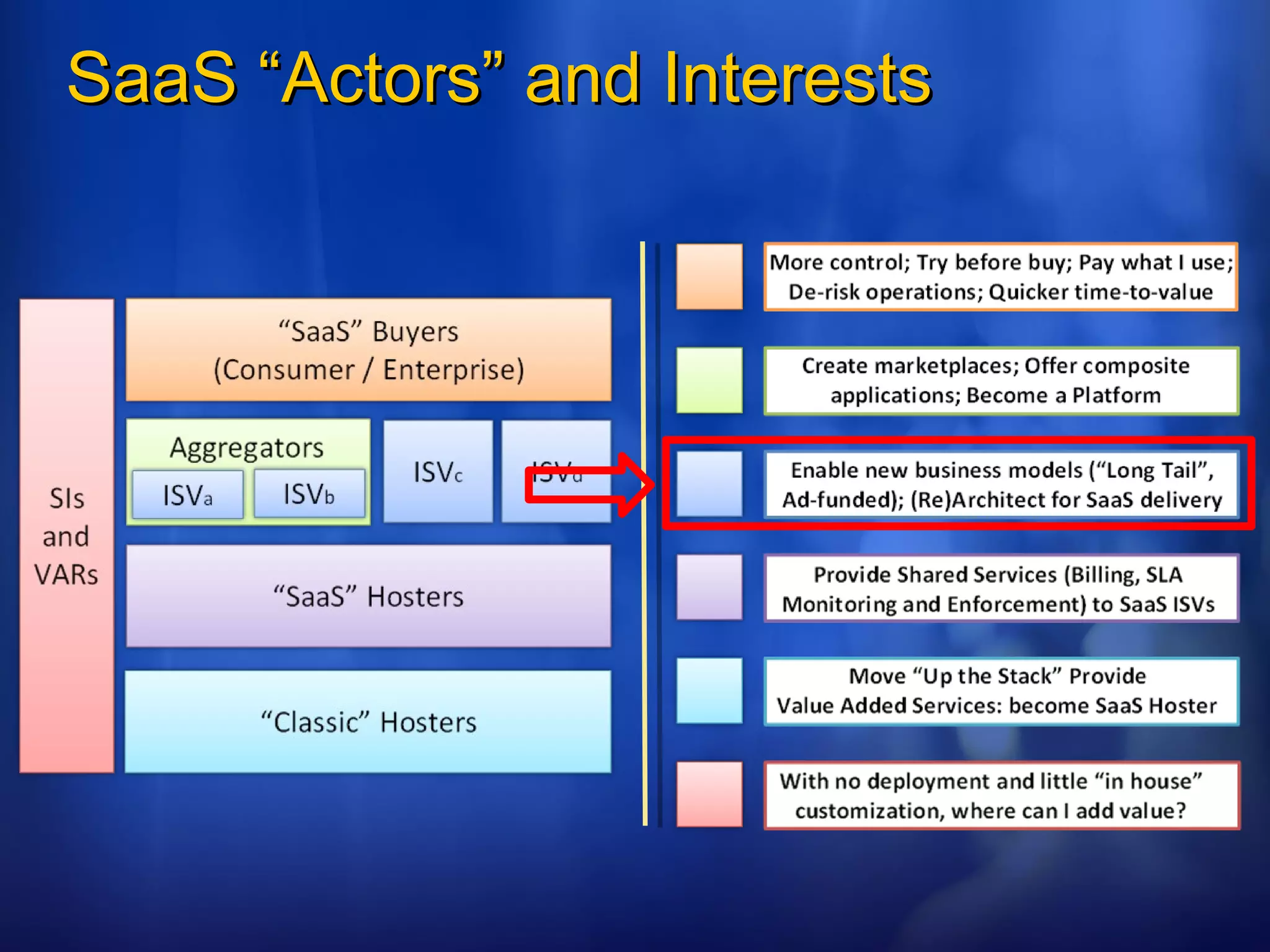
SaaS “Actors” and Interests
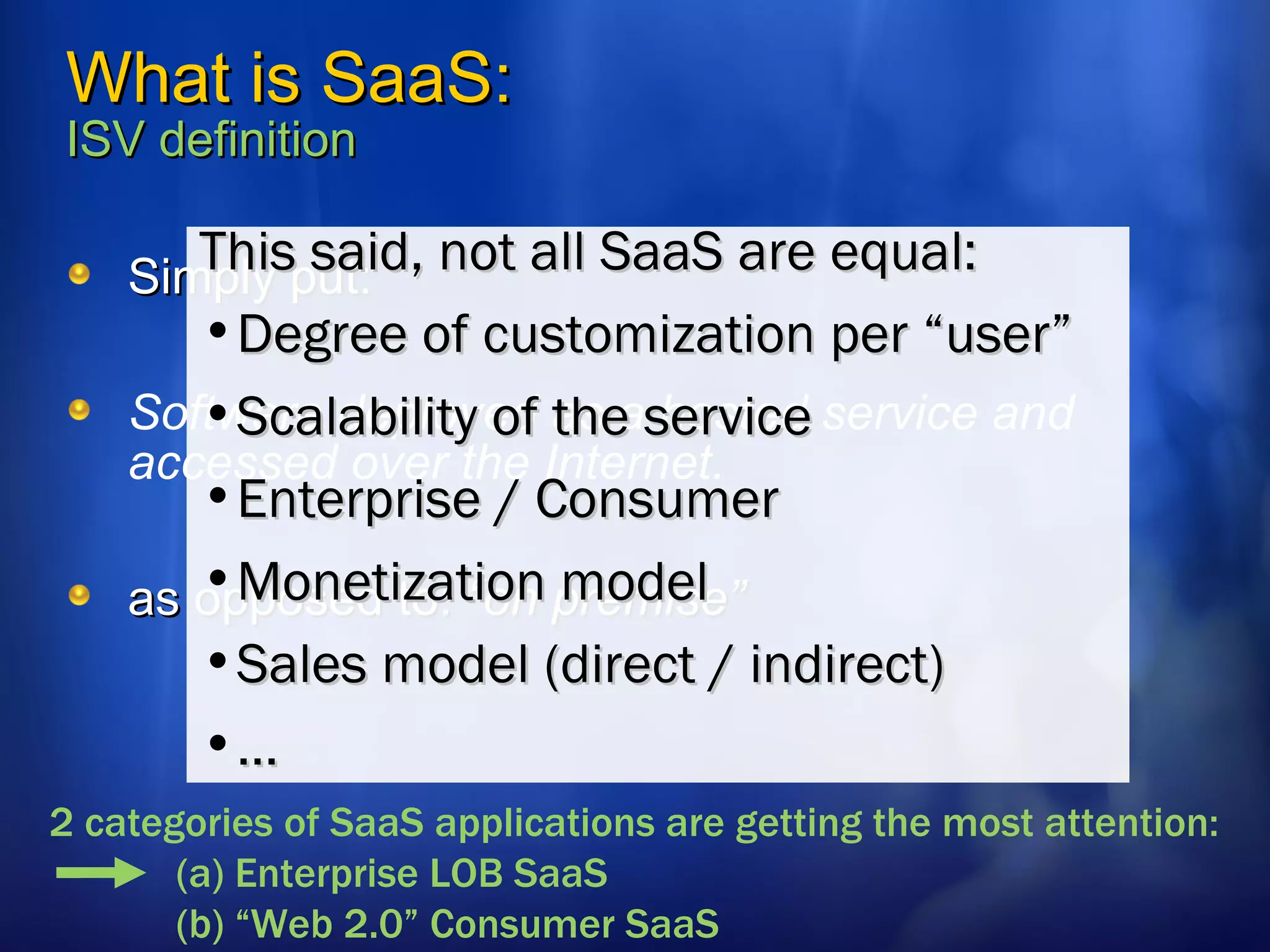
What is SaaS:  ISV definition Simply put: Software deployed as a hosted service and accessed over the Internet. as opposed to:  “on premise” This said, not all SaaS are equal: Degree of customization per “user” Scalability of the service Enterprise / Consumer Monetization model  Sales model (direct / indirect) … 2 categories of SaaS applications are getting the most attention:  (a) Enterprise LOB SaaS (b) “Web 2.0” Consumer SaaS
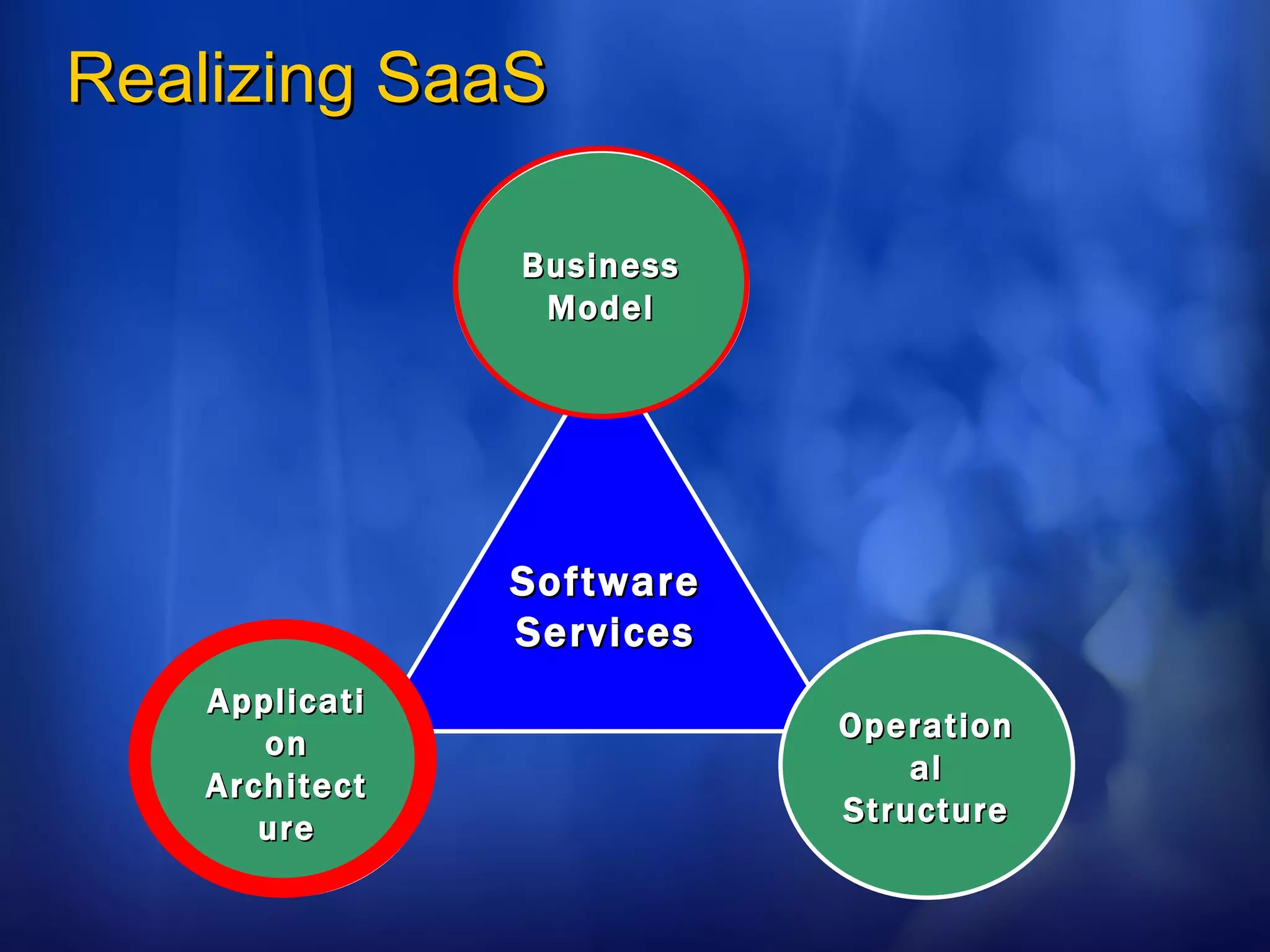
Realizing SaaS Software Services Business Model Application Architecture Operational Structure
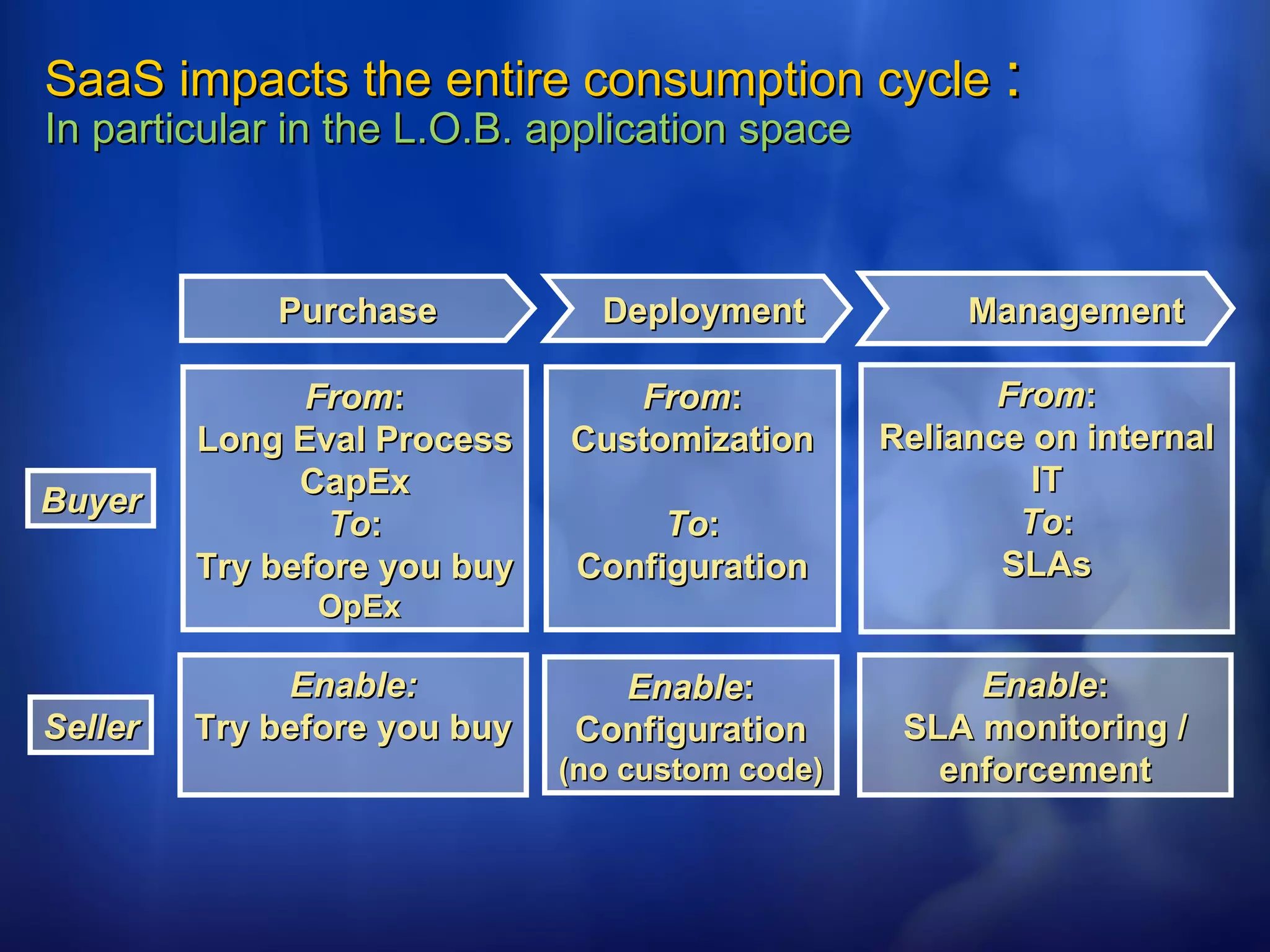
SaaS impacts the entire consumption cycle  :  In particular in the L.O.B. application space Purchase Deployment Management From : Long Eval Process CapEx To : Try before you buy  OpEx From : Customization To : Configuration From : Reliance on internal IT To : SLAs Enable: Try before you buy Enable : Configuration  (no custom code) Enable : SLA monitoring / enforcement Buyer Seller
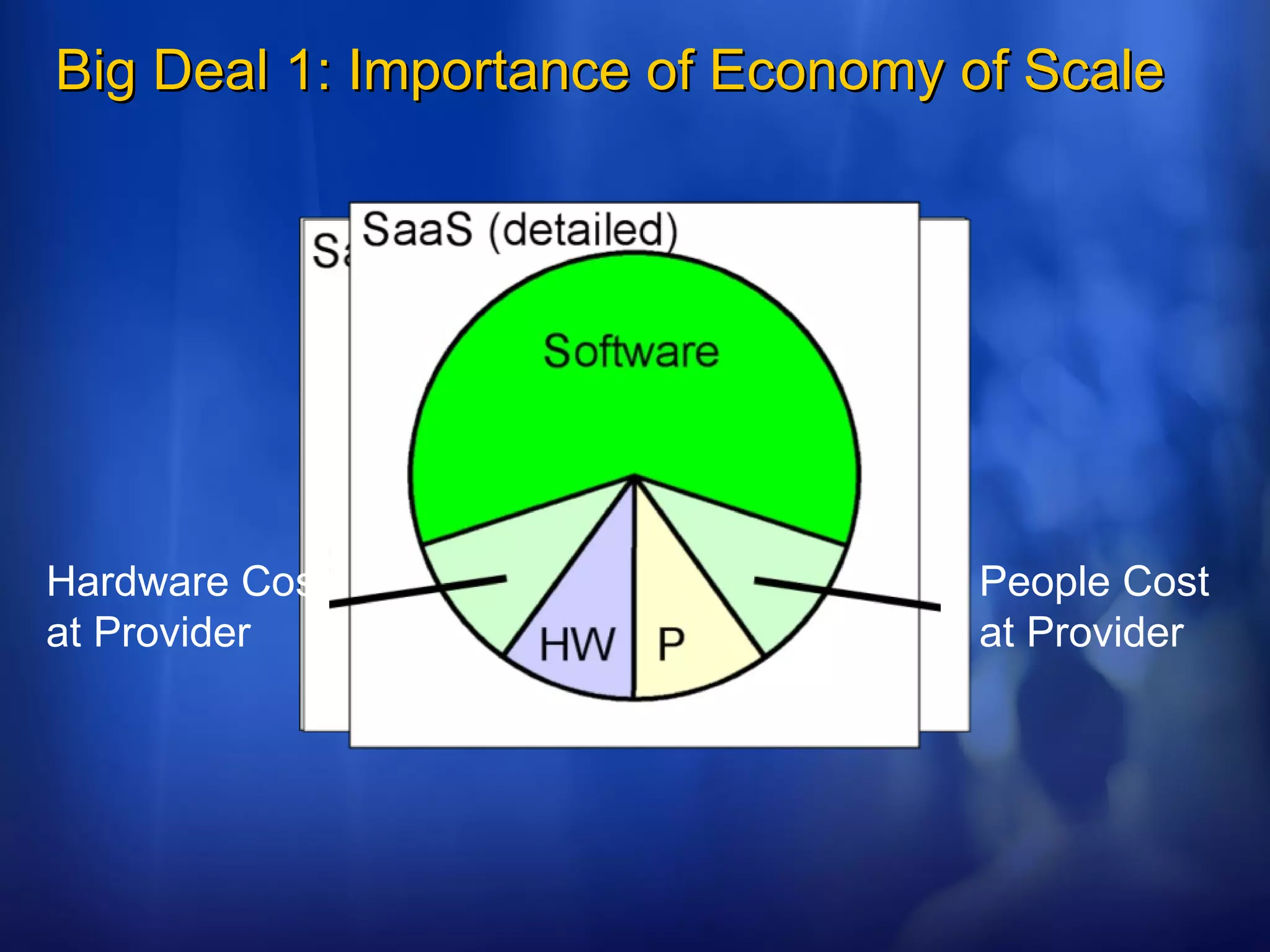
Big Deal 1: Importance of Economy of Scale Hardware Cost at Provider People Cost at Provider
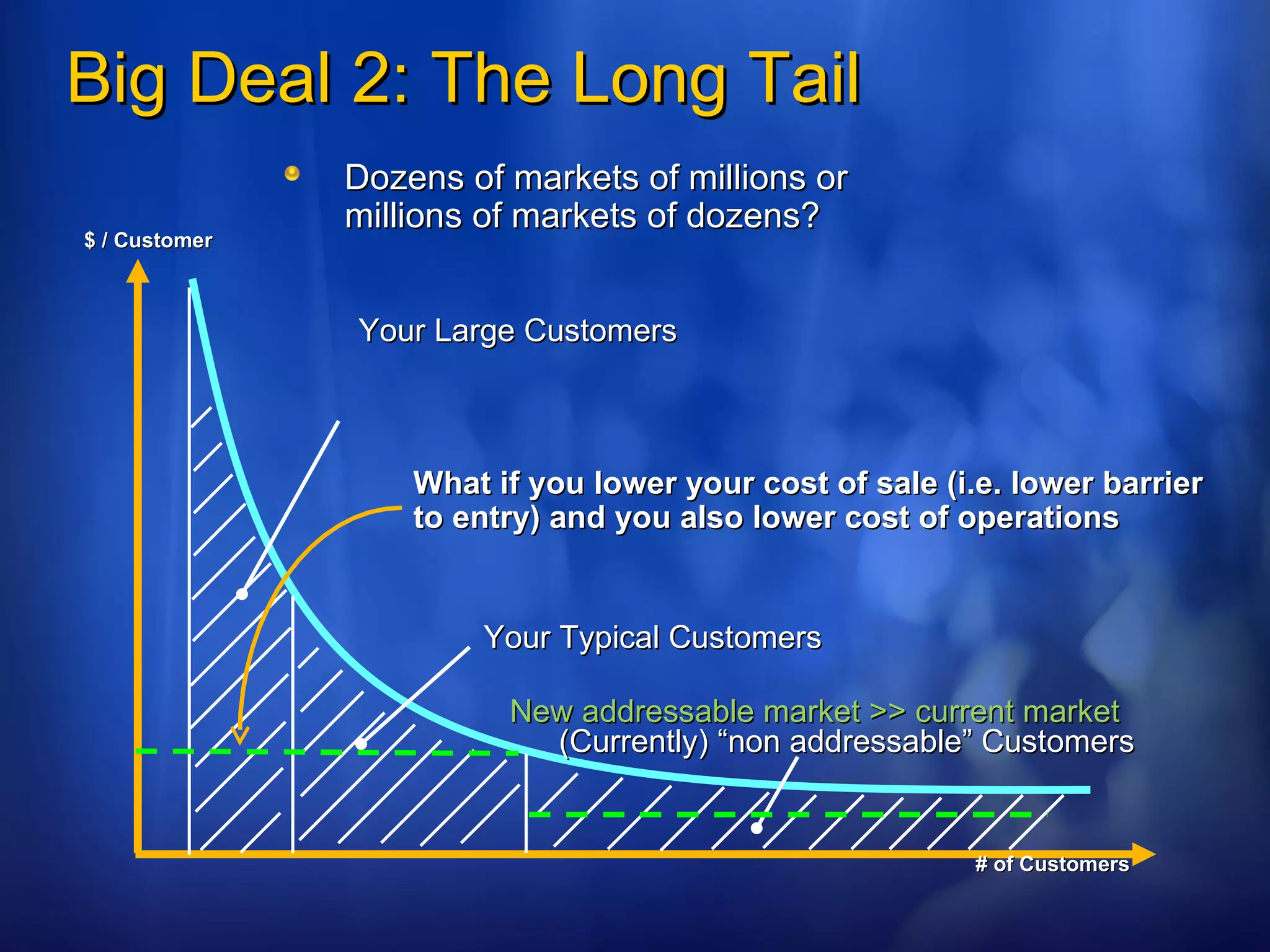
Big Deal 2: The Long Tail Your Large Customers Dozens of markets of millions or  millions of markets of dozens? $ / Customer # of Customers Your Typical Customers (Currently) “non addressable” Customers What if you lower your cost of sale (i.e. lower barrier to entry) and you also lower cost of operations New addressable market >> current market
Big Deal 3: Monetization Options Subscription  (monthly fee per seat) Transaction based pricing  (profit sharing) Ad-based revenue  (e.g. pay per click)
Big Deal 4: Humans are costly Reduce human intervention No Direct Sales (but referrals and breadth marketing) Self Provisioning Self Customization Delegate Administration Automatic billing
Impact on your architecture
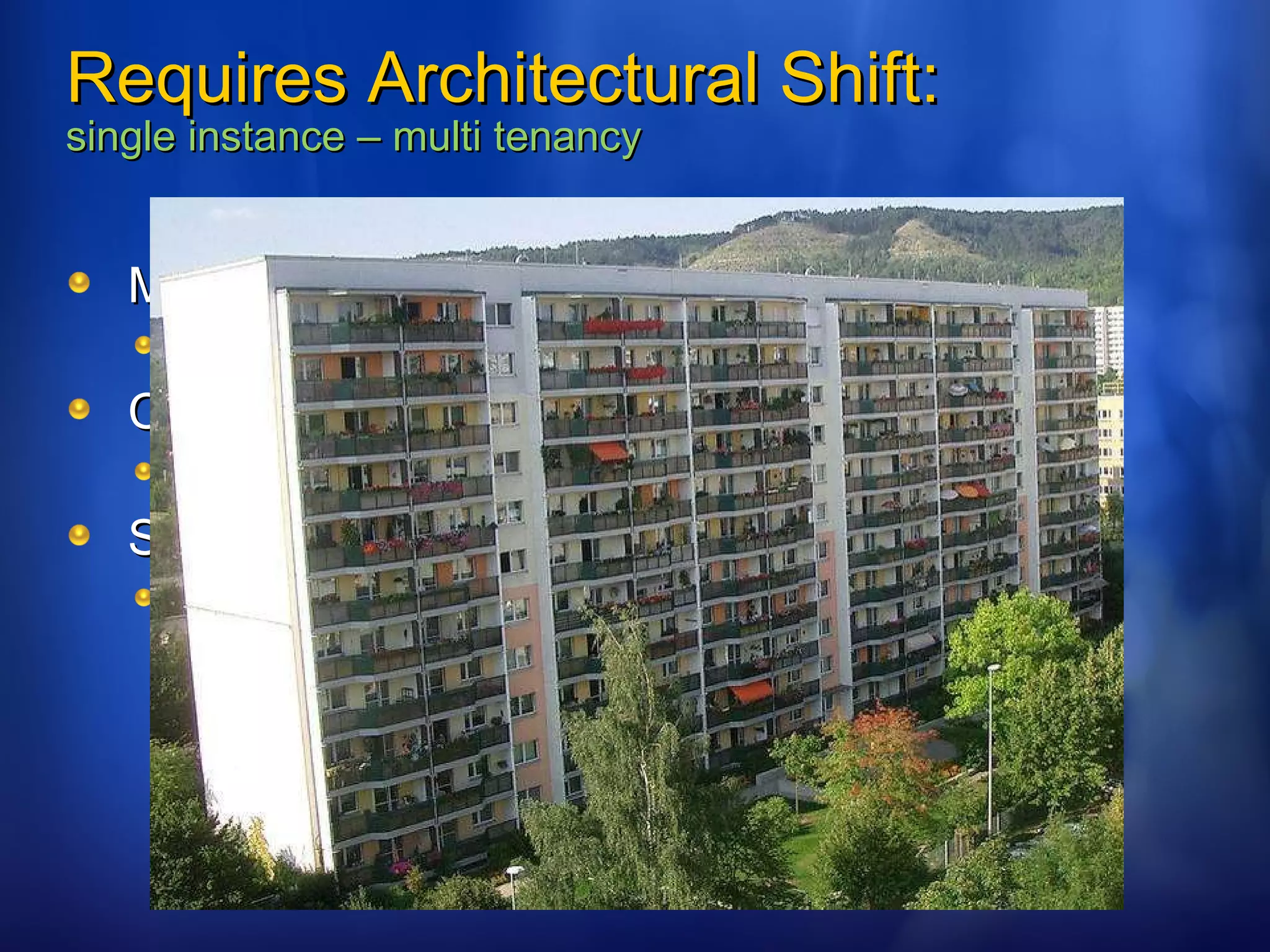
Requires Architectural Shift: single instance – multi tenancy Multi-tenant efficient Sharing resources ( One instance to run them all) Customizable Customization through configuration Scaleable Many applications will require Internet scale
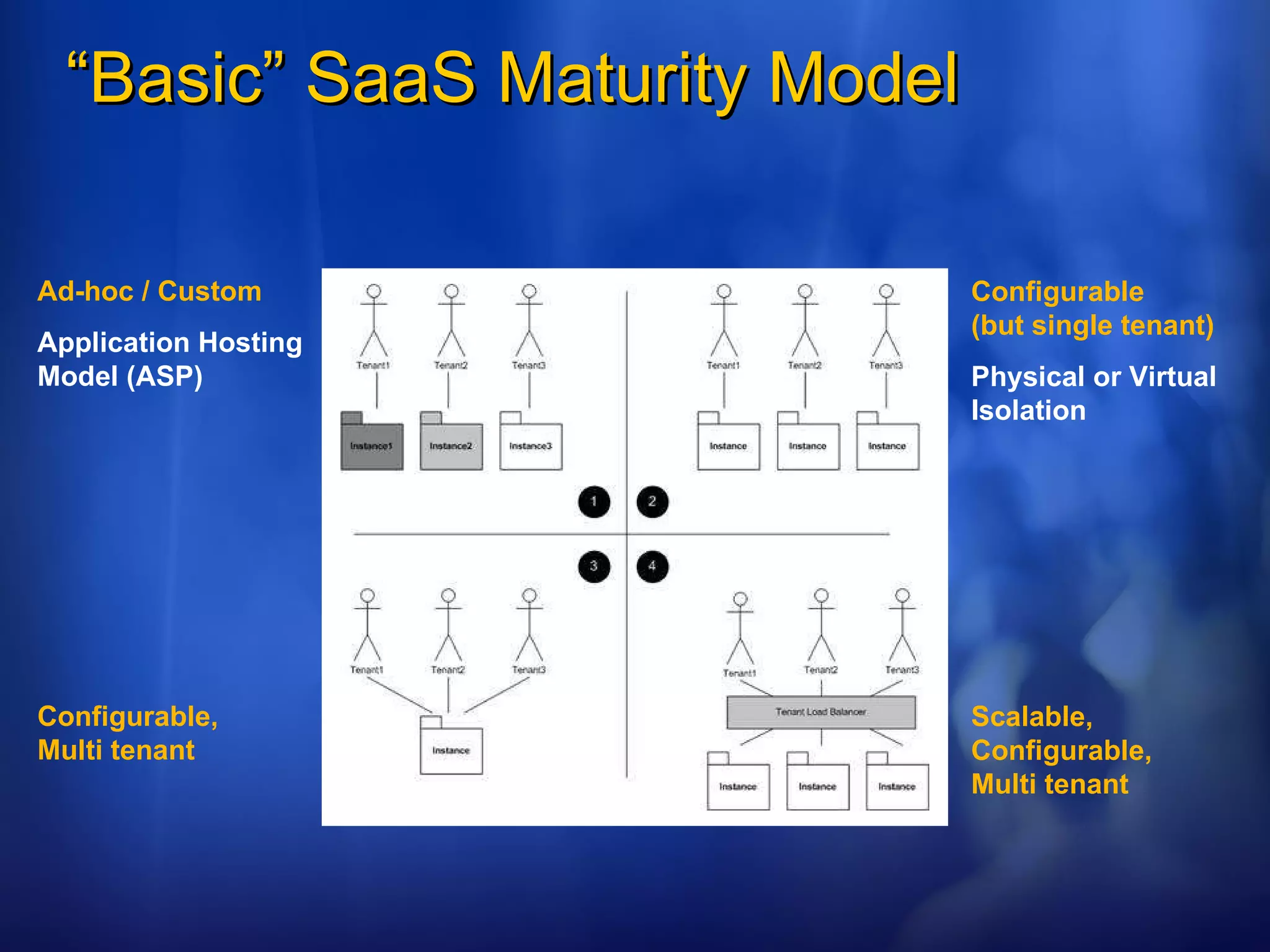
“ Basic” SaaS Maturity Model Ad-hoc / Custom Application Hosting Model (ASP) Configurable  (but single tenant) Physical or Virtual Isolation Configurable,  Multi tenant Scalable, Configurable,  Multi tenant
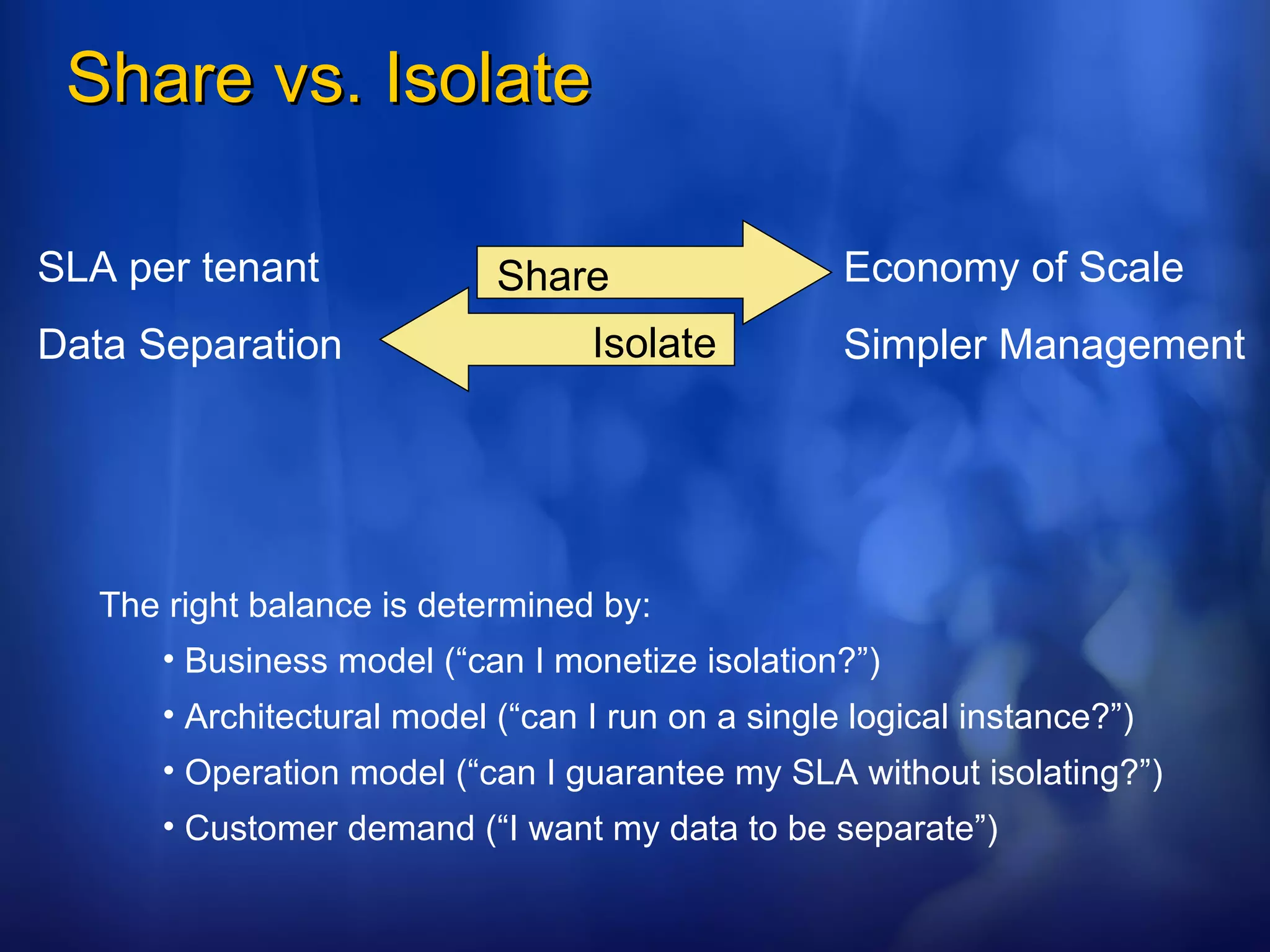
Share vs. Isolate Economy of Scale Simpler Management SLA per tenant Data Separation The right balance is determined by: Business model (“can I monetize isolation?”) Architectural model (“can I run on a single logical instance?”) Operation model (“can I guarantee my SLA without isolating?”) Customer demand (“I want my data to be separate”) Share Isolate
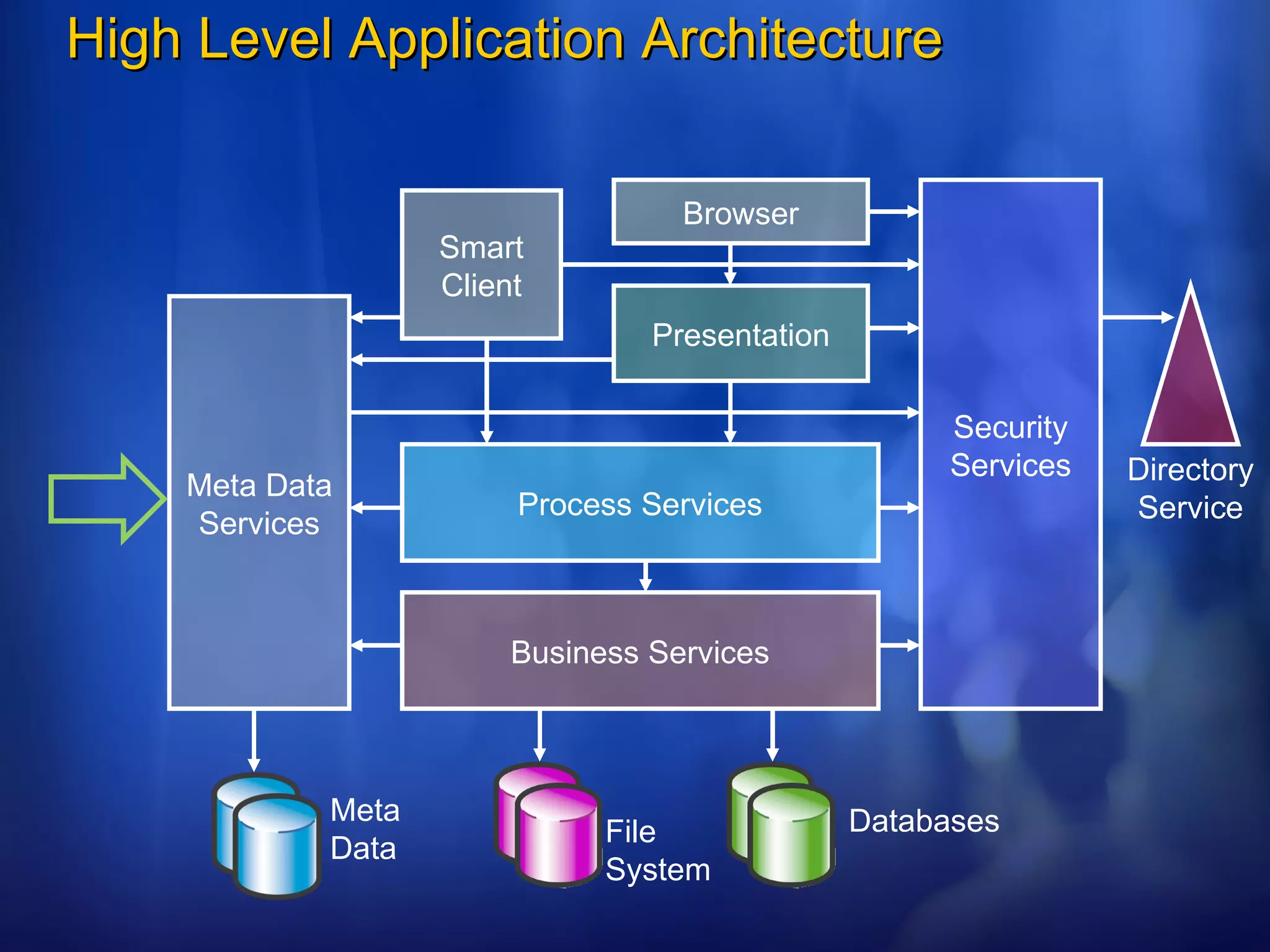
High Level Application Architecture Browser Smart Client Presentation Process Services Business Services Meta Data Services Security Services Directory Service Databases File System Meta Data
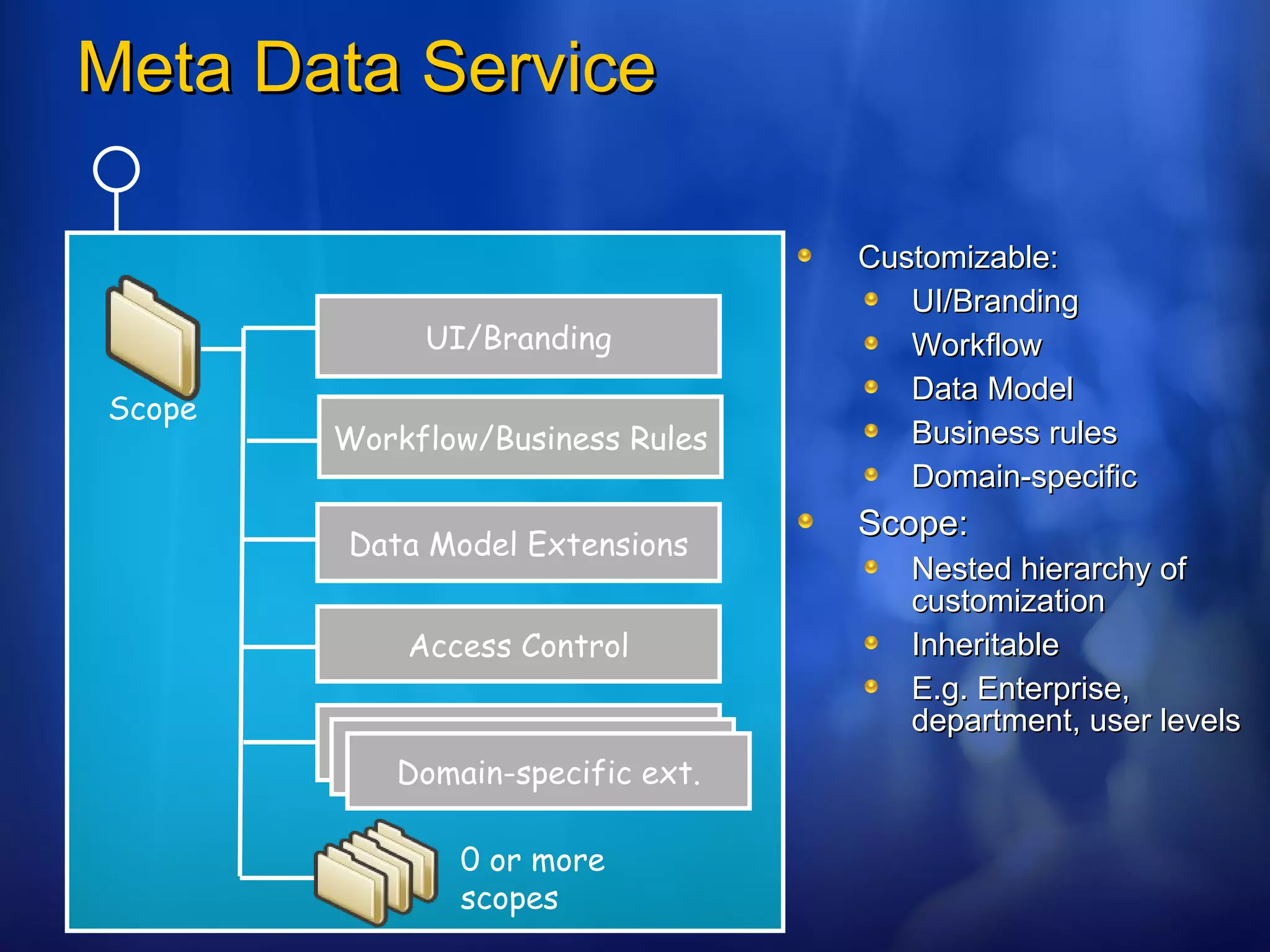
Meta Data Service Customizable: UI/Branding Workflow Data Model Business rules Domain-specific Scope: Nested hierarchy of customization Inheritable E.g. Enterprise, department, user levels UI/Branding Workflow/Business Rules Data Model Extensions 0 or more scopes Scope Access Control Domain-specific ext.
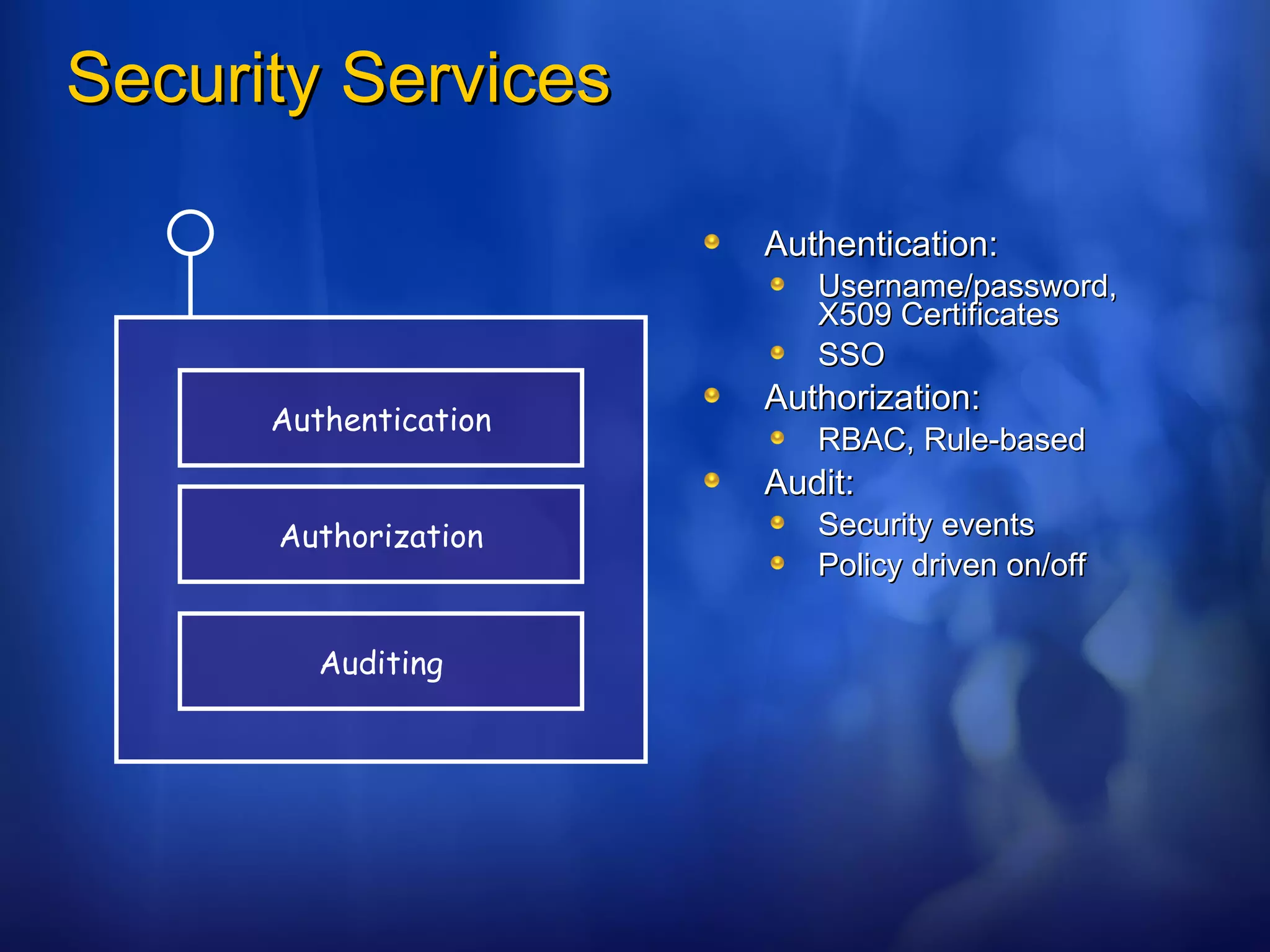
Security Services Authentication: Username/password, X509 Certificates SSO Authorization: RBAC, Rule-based Audit: Security events Policy driven on/off Authentication Authorization Auditing
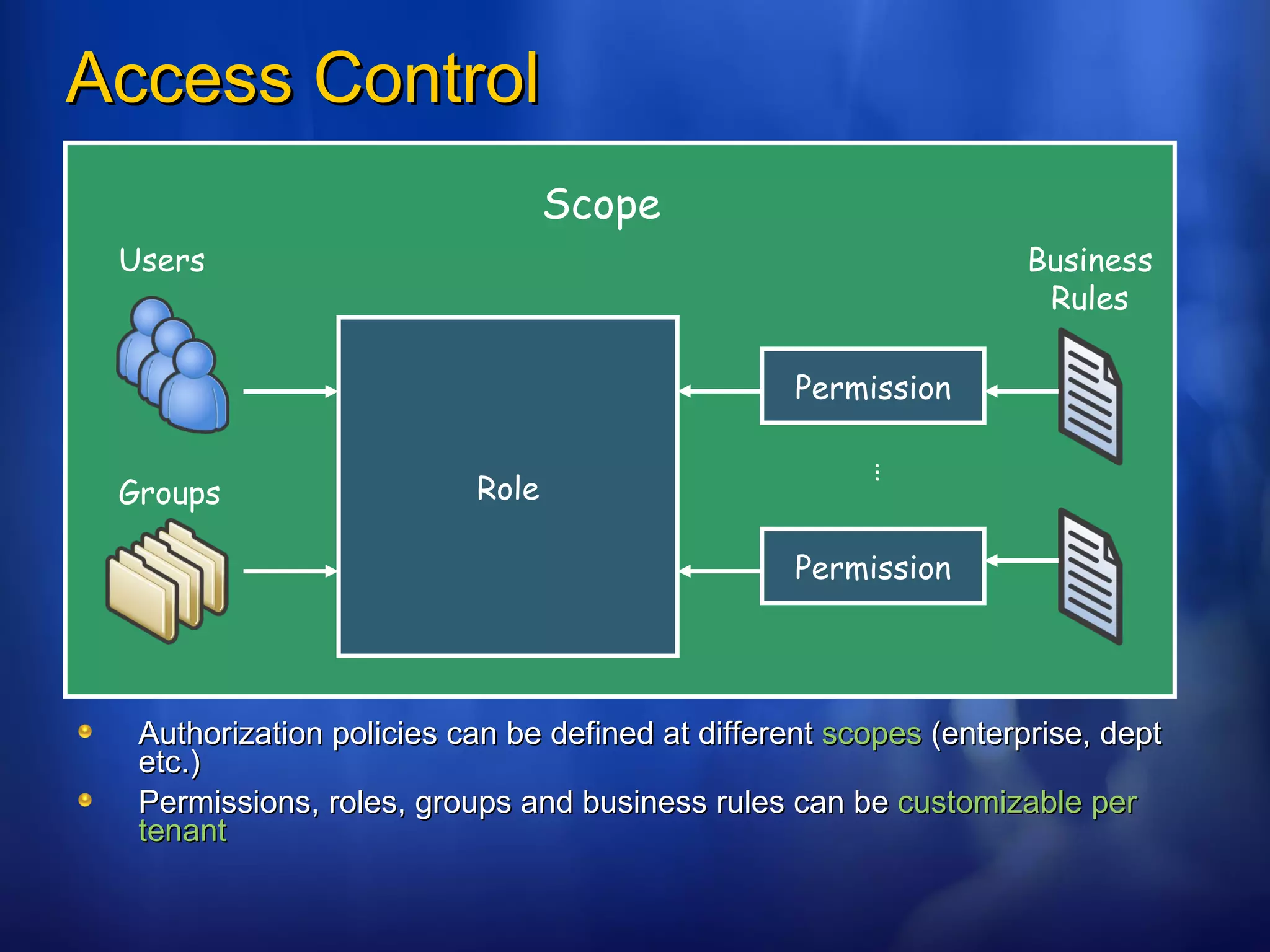
Access Control Authorization policies can be defined at different  scopes  (enterprise, dept etc.) Permissions, roles, groups and business rules can be  customizable per tenant Role Users Groups Permission Permission … Business Rules Scope
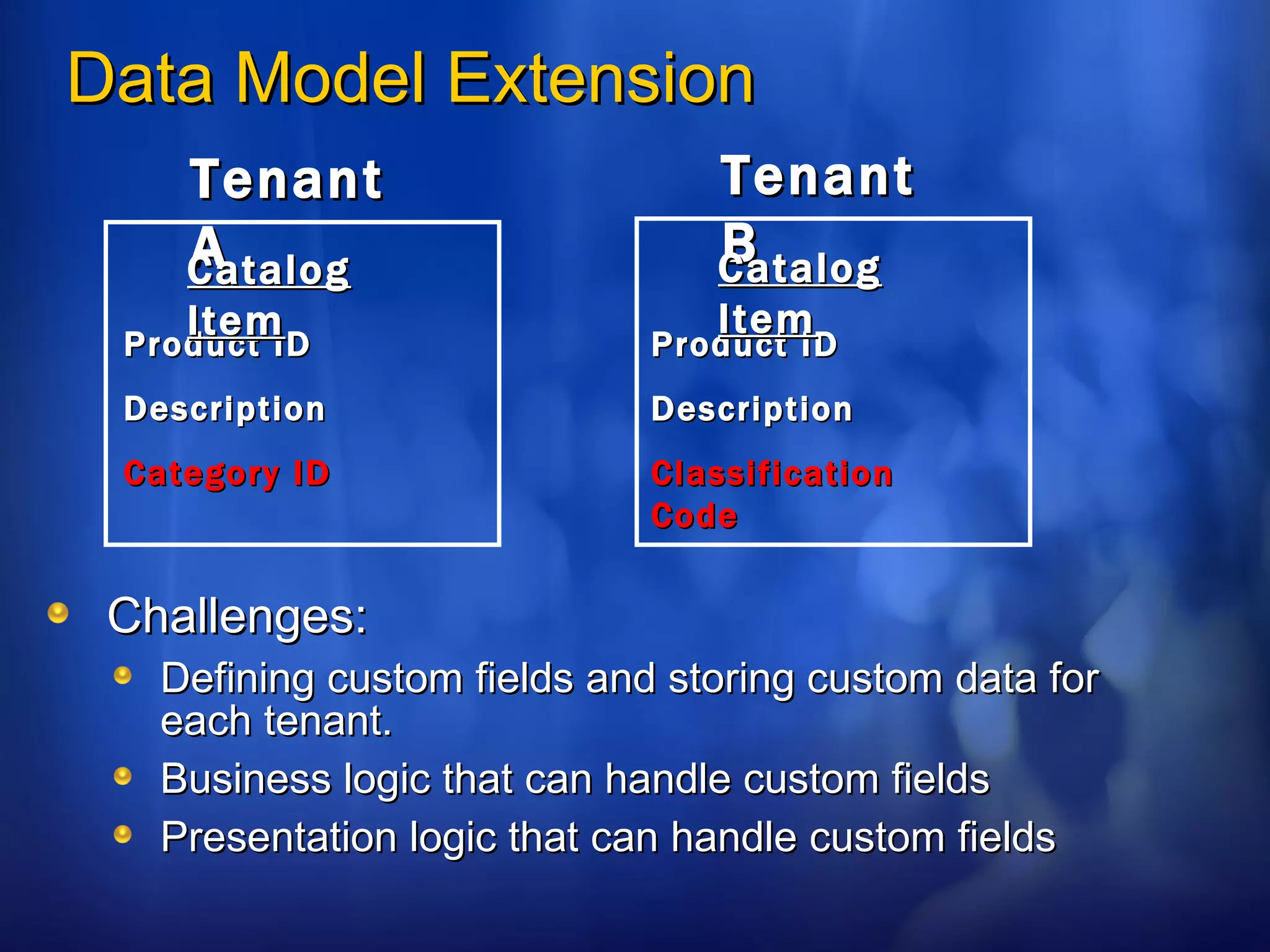
Data Model Extension Challenges: Defining custom fields and storing custom data for each tenant. Business logic that can handle custom fields Presentation logic that can handle custom fields Tenant A Product ID Description Category ID Catalog Item Tenant B Product ID Description Classification Code Catalog Item
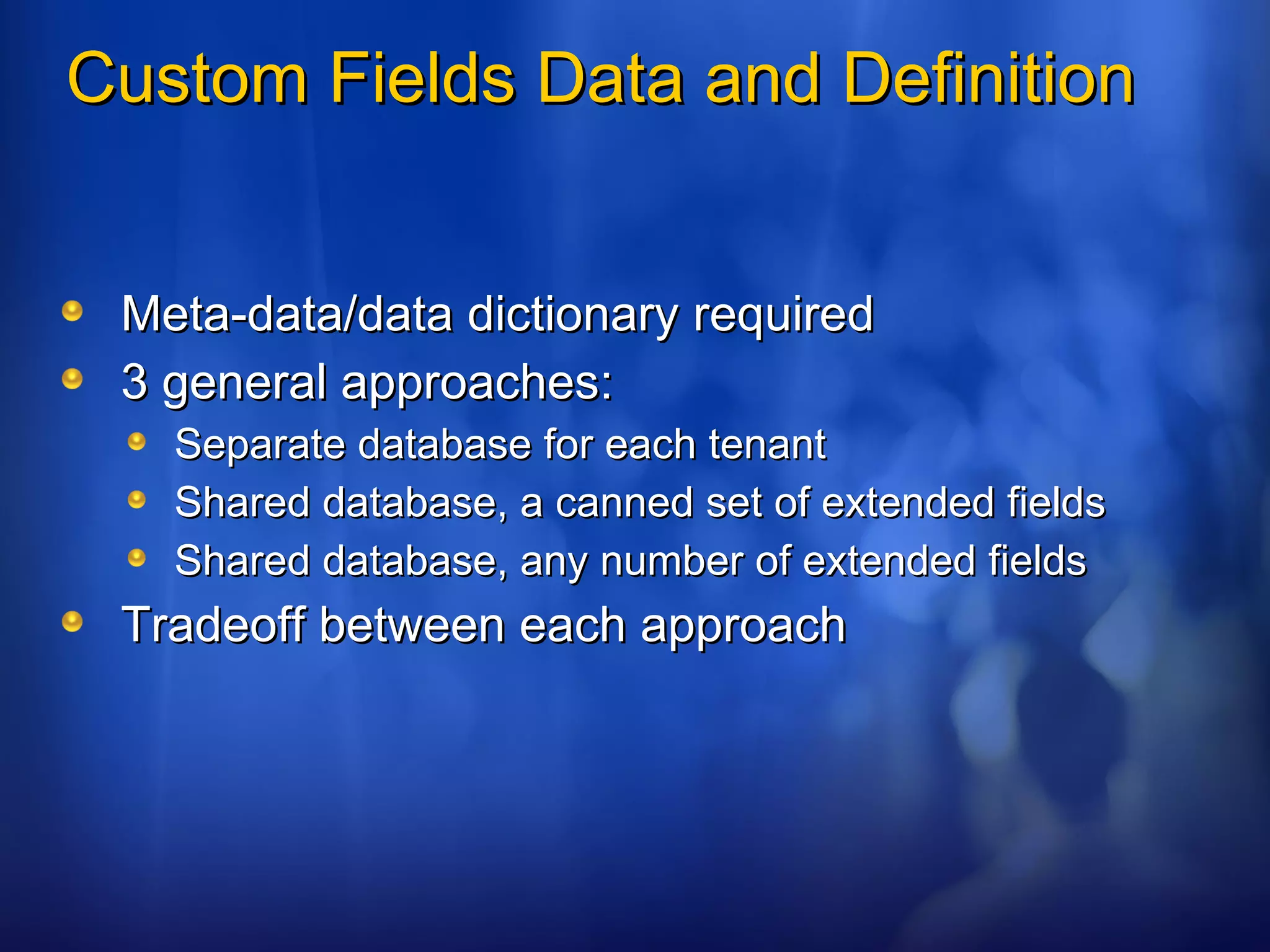
Custom Fields Data and Definition Meta-data/data dictionary required 3 general approaches: Separate database for each tenant Shared database, a canned set of extended fields Shared database, any number of extended fields Tradeoff between each approach
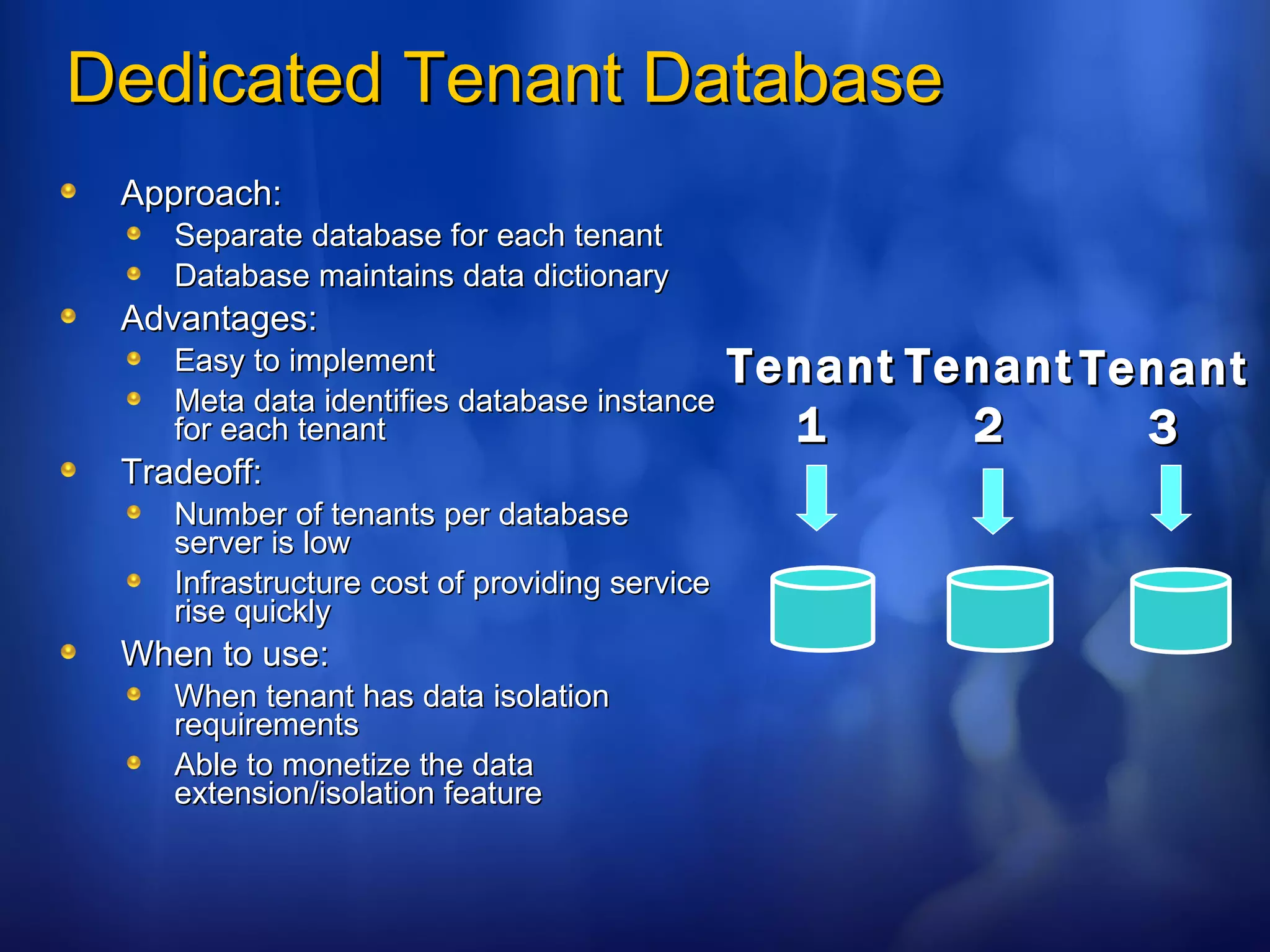
Dedicated Tenant Database Approach: Separate database for each tenant Database maintains data dictionary Advantages: Easy to implement Meta data identifies database instance for each tenant Tradeoff: Number of tenants per database server is low Infrastructure cost of providing service rise quickly When to use: When tenant has data isolation requirements Able to monetize the data extension/isolation feature Tenant 1 Tenant 3 Tenant 2
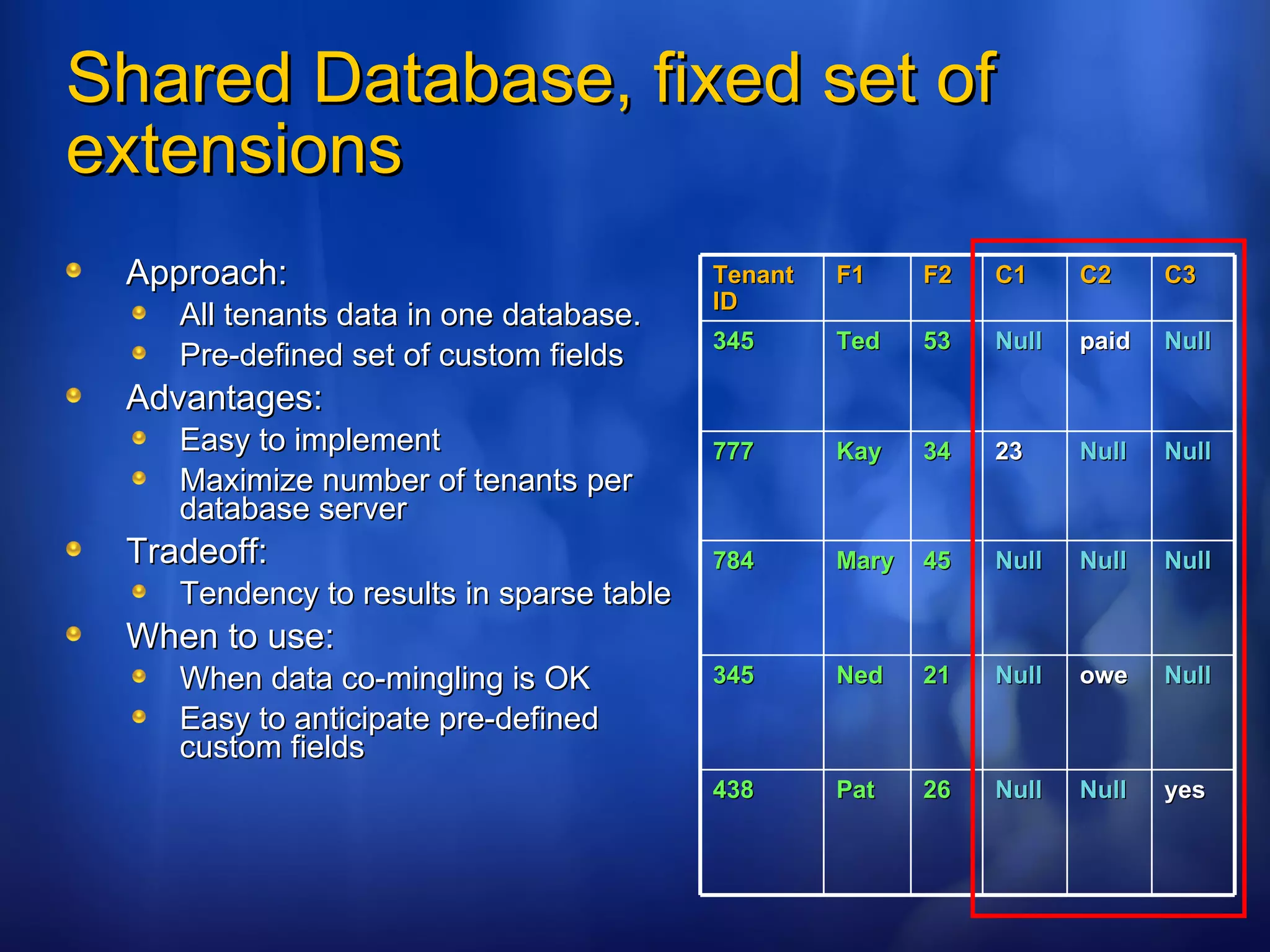
Shared Database, fixed set of extensions Approach: All tenants data in one database. Pre-defined set of custom fields Advantages: Easy to implement Maximize number of tenants per database server Tradeoff: Tendency to results in sparse table When to use: When data co-mingling is OK Easy to anticipate pre-defined custom fields Tenant ID F1 F2 C1 C2 C3 345 Ted 53 Null paid Null 777 Kay 34 23 Null Null 784 Mary 45 Null Null Null 345 Ned 21 Null owe Null 438 Pat 26 Null Null yes
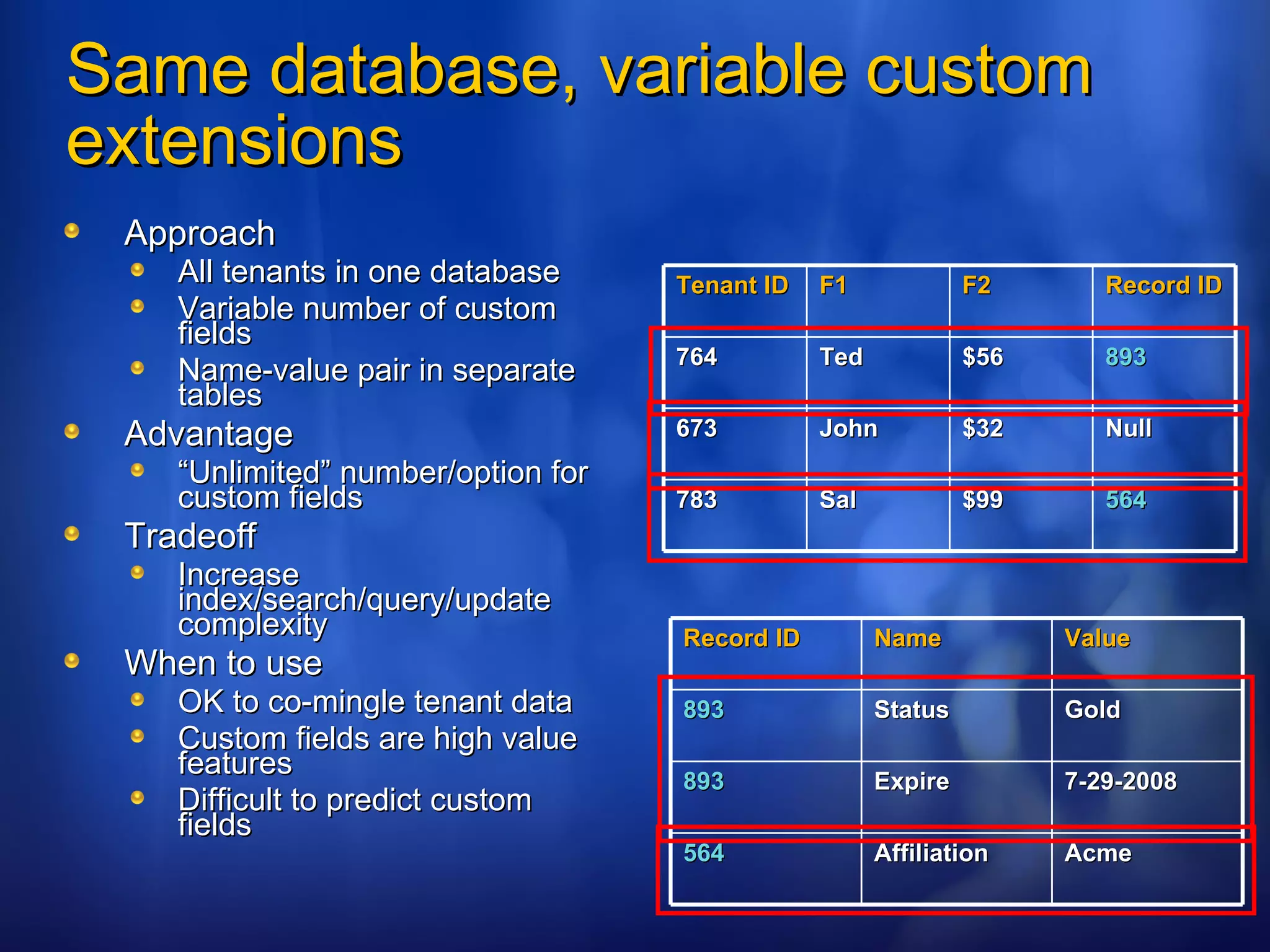
Same database, variable custom extensions Approach All tenants in one database Variable number of custom fields Name-value pair in separate tables Advantage “ Unlimited” number/option for custom fields Tradeoff Increase index/search/query/update complexity When to use OK to co-mingle tenant data Custom fields are high value features Difficult to predict custom fields Tenant ID F1 F2 Record ID 764 Ted $56 893 673 John $32 Null 783 Sal $99 564 Record ID Name Value 893 Status Gold 893 Expire 7-29-2008 564 Affiliation Acme
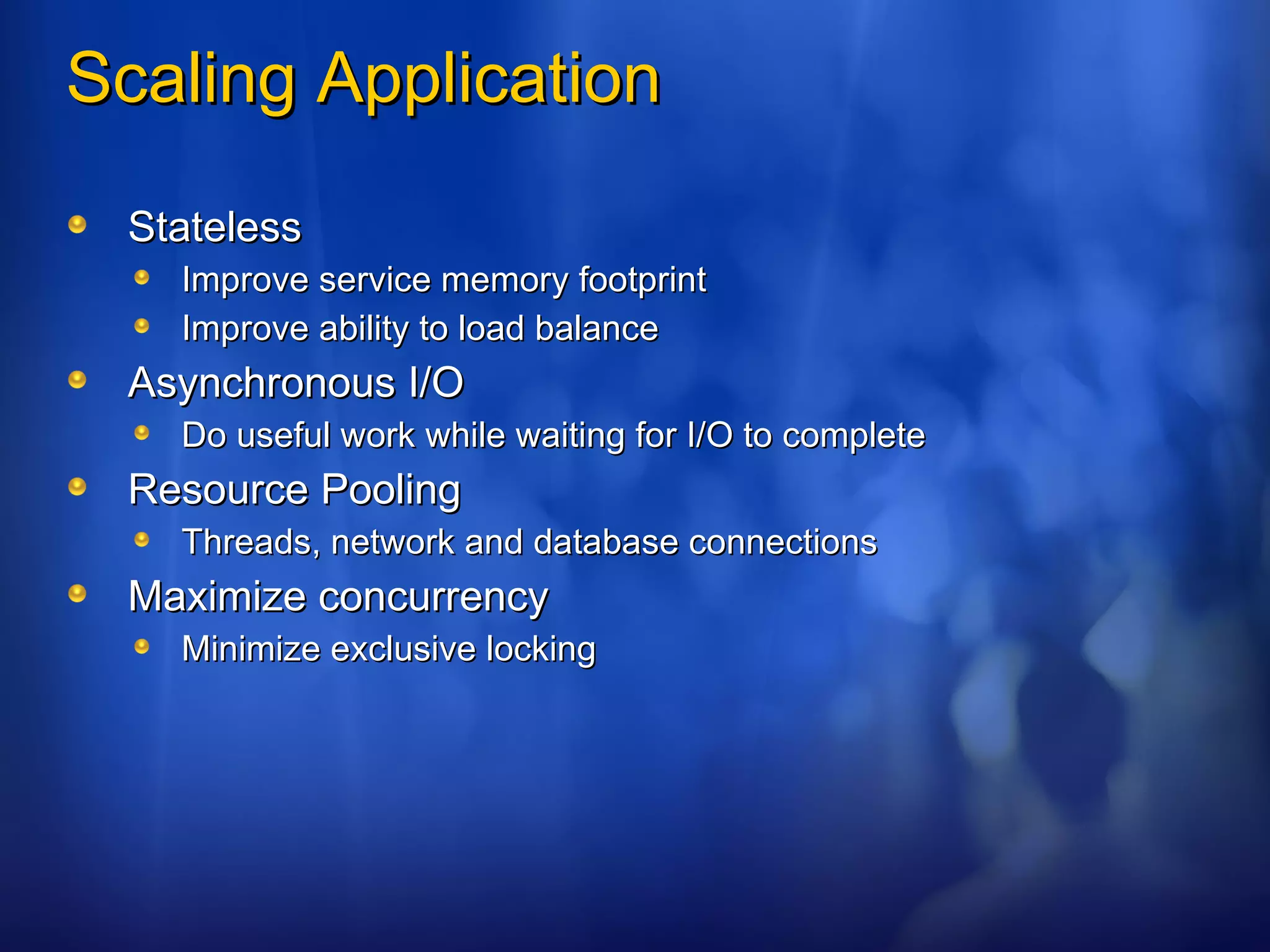
Scaling Application Stateless Improve service memory footprint Improve ability to load balance Asynchronous I/O Do useful work while waiting for I/O to complete Resource Pooling Threads, network and database connections Maximize concurrency Minimize exclusive locking
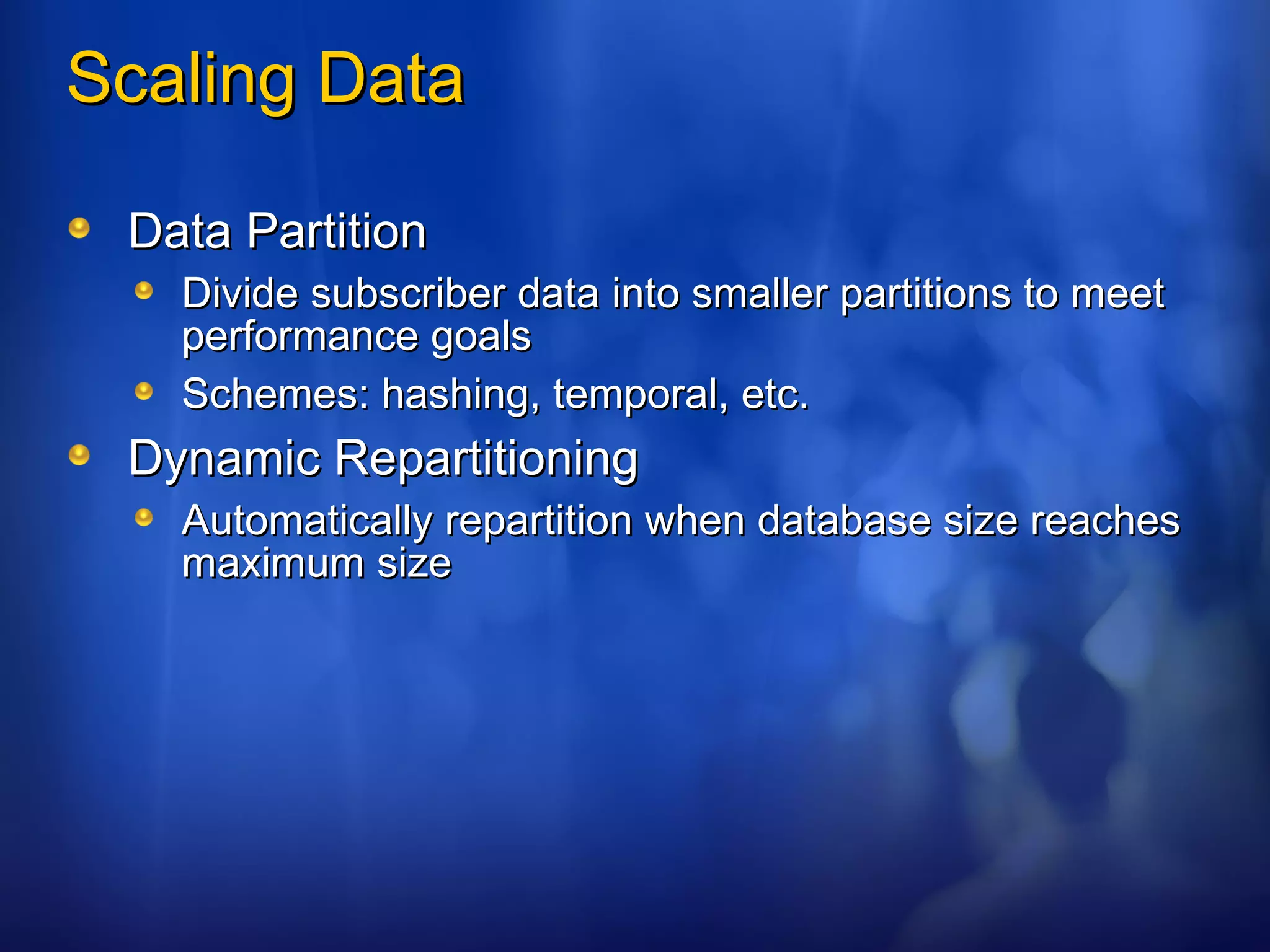
Scaling Data Data Partition Divide subscriber data into smaller partitions to meet performance goals Schemes: hashing, temporal, etc. Dynamic Repartitioning Automatically repartition when database size reaches maximum size
SLAs SLA Monitoring SLA Enforcing Throttling Early evidence shows SaaS customer are expects more when hosted than in-house
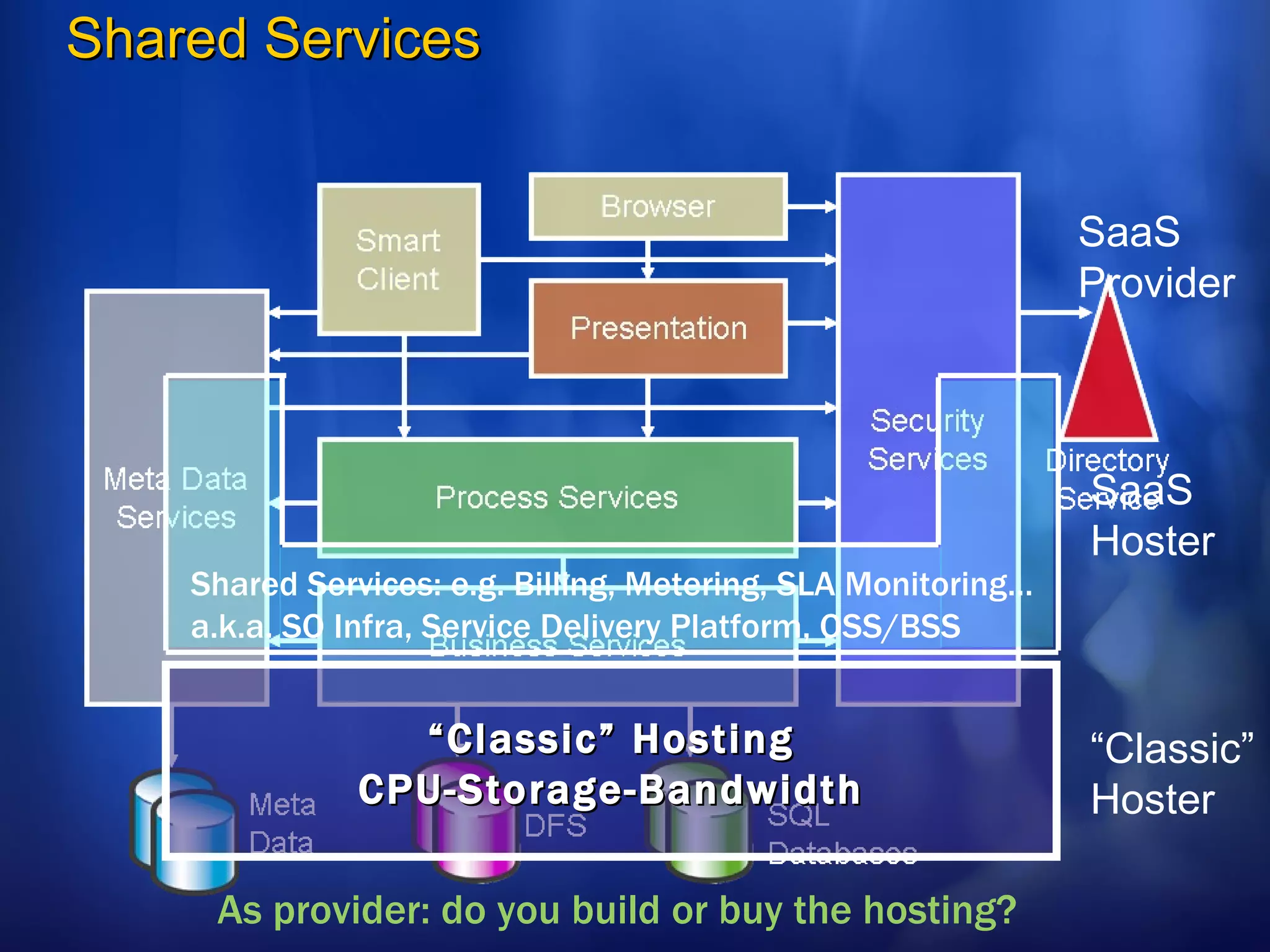
Shared Services “ Classic” Hosting CPU-Storage-Bandwidth As provider: do you build or buy the hosting? Shared Services: e.g. Billing, Metering, SLA Monitoring… a.k.a. SO Infra, Service Delivery Platform, OSS/BSS  “ Classic” Hoster SaaS Hoster SaaS Provider
SOA vs. SaaS
Questions?
[email_address] http://blogs.msdn.com/gianpaolo

SAAS - Software as a Service

  • 1.
  • 2.
    Context Facts: Softwareas a Service (SaaS) is getting a lot of attention Lots of buzz but little architectural guidance on the topic Architecture Strategy Team is investing in SaaS Guidance Currently, more an ISV topic than a SI or Enterprise Even though I talked to several enterprises developing SaaS Today’s Objectives: Share with you our current thinking Get you thinking / get your thinking (maybe) find ways to collaborate / engage in projects
  • 3.
    Agenda Software asa Service (SaaS) Overview Architectural Shift Overview Some Design Patterns Q&A
  • 4.
  • 5.
    What is SaaS: ISV definition Simply put: Software deployed as a hosted service and accessed over the Internet. as opposed to: “on premise” This said, not all SaaS are equal: Degree of customization per “user” Scalability of the service Enterprise / Consumer Monetization model Sales model (direct / indirect) … 2 categories of SaaS applications are getting the most attention: (a) Enterprise LOB SaaS (b) “Web 2.0” Consumer SaaS
  • 6.
    Realizing SaaS SoftwareServices Business Model Application Architecture Operational Structure
  • 7.
    SaaS impacts theentire consumption cycle : In particular in the L.O.B. application space Purchase Deployment Management From : Long Eval Process CapEx To : Try before you buy OpEx From : Customization To : Configuration From : Reliance on internal IT To : SLAs Enable: Try before you buy Enable : Configuration (no custom code) Enable : SLA monitoring / enforcement Buyer Seller
  • 8.
    Big Deal 1:Importance of Economy of Scale Hardware Cost at Provider People Cost at Provider
  • 9.
    Big Deal 2:The Long Tail Your Large Customers Dozens of markets of millions or millions of markets of dozens? $ / Customer # of Customers Your Typical Customers (Currently) “non addressable” Customers What if you lower your cost of sale (i.e. lower barrier to entry) and you also lower cost of operations New addressable market >> current market
  • 10.
    Big Deal 3:Monetization Options Subscription (monthly fee per seat) Transaction based pricing (profit sharing) Ad-based revenue (e.g. pay per click)
  • 11.
    Big Deal 4:Humans are costly Reduce human intervention No Direct Sales (but referrals and breadth marketing) Self Provisioning Self Customization Delegate Administration Automatic billing
  • 12.
    Impact on yourarchitecture
  • 13.
    Requires Architectural Shift:single instance – multi tenancy Multi-tenant efficient Sharing resources ( One instance to run them all) Customizable Customization through configuration Scaleable Many applications will require Internet scale
  • 14.
    “ Basic” SaaSMaturity Model Ad-hoc / Custom Application Hosting Model (ASP) Configurable (but single tenant) Physical or Virtual Isolation Configurable, Multi tenant Scalable, Configurable, Multi tenant
  • 15.
    Share vs. IsolateEconomy of Scale Simpler Management SLA per tenant Data Separation The right balance is determined by: Business model (“can I monetize isolation?”) Architectural model (“can I run on a single logical instance?”) Operation model (“can I guarantee my SLA without isolating?”) Customer demand (“I want my data to be separate”) Share Isolate
  • 16.
    High Level ApplicationArchitecture Browser Smart Client Presentation Process Services Business Services Meta Data Services Security Services Directory Service Databases File System Meta Data
  • 17.
    Meta Data ServiceCustomizable: UI/Branding Workflow Data Model Business rules Domain-specific Scope: Nested hierarchy of customization Inheritable E.g. Enterprise, department, user levels UI/Branding Workflow/Business Rules Data Model Extensions 0 or more scopes Scope Access Control Domain-specific ext.
  • 18.
    Security Services Authentication:Username/password, X509 Certificates SSO Authorization: RBAC, Rule-based Audit: Security events Policy driven on/off Authentication Authorization Auditing
  • 19.
    Access Control Authorizationpolicies can be defined at different scopes (enterprise, dept etc.) Permissions, roles, groups and business rules can be customizable per tenant Role Users Groups Permission Permission … Business Rules Scope
  • 20.
    Data Model ExtensionChallenges: Defining custom fields and storing custom data for each tenant. Business logic that can handle custom fields Presentation logic that can handle custom fields Tenant A Product ID Description Category ID Catalog Item Tenant B Product ID Description Classification Code Catalog Item
  • 21.
    Custom Fields Dataand Definition Meta-data/data dictionary required 3 general approaches: Separate database for each tenant Shared database, a canned set of extended fields Shared database, any number of extended fields Tradeoff between each approach
  • 22.
    Dedicated Tenant DatabaseApproach: Separate database for each tenant Database maintains data dictionary Advantages: Easy to implement Meta data identifies database instance for each tenant Tradeoff: Number of tenants per database server is low Infrastructure cost of providing service rise quickly When to use: When tenant has data isolation requirements Able to monetize the data extension/isolation feature Tenant 1 Tenant 3 Tenant 2
  • 23.
    Shared Database, fixedset of extensions Approach: All tenants data in one database. Pre-defined set of custom fields Advantages: Easy to implement Maximize number of tenants per database server Tradeoff: Tendency to results in sparse table When to use: When data co-mingling is OK Easy to anticipate pre-defined custom fields Tenant ID F1 F2 C1 C2 C3 345 Ted 53 Null paid Null 777 Kay 34 23 Null Null 784 Mary 45 Null Null Null 345 Ned 21 Null owe Null 438 Pat 26 Null Null yes
  • 24.
    Same database, variablecustom extensions Approach All tenants in one database Variable number of custom fields Name-value pair in separate tables Advantage “ Unlimited” number/option for custom fields Tradeoff Increase index/search/query/update complexity When to use OK to co-mingle tenant data Custom fields are high value features Difficult to predict custom fields Tenant ID F1 F2 Record ID 764 Ted $56 893 673 John $32 Null 783 Sal $99 564 Record ID Name Value 893 Status Gold 893 Expire 7-29-2008 564 Affiliation Acme
  • 25.
    Scaling Application StatelessImprove service memory footprint Improve ability to load balance Asynchronous I/O Do useful work while waiting for I/O to complete Resource Pooling Threads, network and database connections Maximize concurrency Minimize exclusive locking
  • 26.
    Scaling Data DataPartition Divide subscriber data into smaller partitions to meet performance goals Schemes: hashing, temporal, etc. Dynamic Repartitioning Automatically repartition when database size reaches maximum size
  • 27.
    SLAs SLA MonitoringSLA Enforcing Throttling Early evidence shows SaaS customer are expects more when hosted than in-house
  • 28.
    Shared Services “Classic” Hosting CPU-Storage-Bandwidth As provider: do you build or buy the hosting? Shared Services: e.g. Billing, Metering, SLA Monitoring… a.k.a. SO Infra, Service Delivery Platform, OSS/BSS “ Classic” Hoster SaaS Hoster SaaS Provider
  • 29.
  • 30.
  • 31.

Editor's Notes

  • #6 11/11/09 07:14 © 2006 Microsoft Corporation. All rights reserved. Microsoft, Windows, Windows Vista and other product names are or may be registered trademarks and/or trademarks in the U.S. and/or other countries. The information herein is for informational purposes only and represents the current view of Microsoft Corporation as of the date of this presentation. Because Microsoft must respond to changing market conditions, it should not be interpreted to be a commitment on the part of Microsoft, and Microsoft cannot guarantee the accuracy of any information provided after the date of this presentation. MICROSOFT MAKES NO WARRANTIES, EXPRESS, IMPLIED OR STATUTORY, AS TO THE INFORMATION IN THIS PRESENTATION.
  • #7 11/11/09 07:14 © 2006 Microsoft Corporation. All rights reserved. Microsoft, Windows, Windows Vista and other product names are or may be registered trademarks and/or trademarks in the U.S. and/or other countries. The information herein is for informational purposes only and represents the current view of Microsoft Corporation as of the date of this presentation. Because Microsoft must respond to changing market conditions, it should not be interpreted to be a commitment on the part of Microsoft, and Microsoft cannot guarantee the accuracy of any information provided after the date of this presentation. MICROSOFT MAKES NO WARRANTIES, EXPRESS, IMPLIED OR STATUTORY, AS TO THE INFORMATION IN THIS PRESENTATION.
  • #10 11/11/09 07:14 © 2006 Microsoft Corporation. All rights reserved. Microsoft, Windows, Windows Vista and other product names are or may be registered trademarks and/or trademarks in the U.S. and/or other countries. The information herein is for informational purposes only and represents the current view of Microsoft Corporation as of the date of this presentation. Because Microsoft must respond to changing market conditions, it should not be interpreted to be a commitment on the part of Microsoft, and Microsoft cannot guarantee the accuracy of any information provided after the date of this presentation. MICROSOFT MAKES NO WARRANTIES, EXPRESS, IMPLIED OR STATUTORY, AS TO THE INFORMATION IN THIS PRESENTATION. SaaS offers segmentation Head: Customization Tail: Configuration Long Tail: “as is” Democratize the tools of production Lower the costs of consumption Connect “niche” buyers to sellers
  • #29 11/11/09 07:14 © 2006 Microsoft Corporation. All rights reserved. Microsoft, Windows, Windows Vista and other product names are or may be registered trademarks and/or trademarks in the U.S. and/or other countries. The information herein is for informational purposes only and represents the current view of Microsoft Corporation as of the date of this presentation. Because Microsoft must respond to changing market conditions, it should not be interpreted to be a commitment on the part of Microsoft, and Microsoft cannot guarantee the accuracy of any information provided after the date of this presentation. MICROSOFT MAKES NO WARRANTIES, EXPRESS, IMPLIED OR STATUTORY, AS TO THE INFORMATION IN THIS PRESENTATION. An OSS system is required to support operational issues such as account activation, provisioning, service assurance, and usage/metering. A BSS system is needed for billing—including invoicing, rating, taxation, and collections—and customer management—including order entry, customer self services, customer care, trouble ticketing, and customer relationship management.
  • #32 11/11/09 07:14 © 2006 Microsoft Corporation. All rights reserved. Microsoft, Windows, Windows Vista and other product names are or may be registered trademarks and/or trademarks in the U.S. and/or other countries. The information herein is for informational purposes only and represents the current view of Microsoft Corporation as of the date of this presentation. Because Microsoft must respond to changing market conditions, it should not be interpreted to be a commitment on the part of Microsoft, and Microsoft cannot guarantee the accuracy of any information provided after the date of this presentation. MICROSOFT MAKES NO WARRANTIES, EXPRESS, IMPLIED OR STATUTORY, AS TO THE INFORMATION IN THIS PRESENTATION.