MC University
SA03|Overview of Access Groups
MC University
Access Groups and Rights Defined
Access Group Tabs
Rights and Permissions
Cloning Access Groups
Agenda
MC University
Access Groups and Rights Overview
Access Groups and Rights Defined
MC University
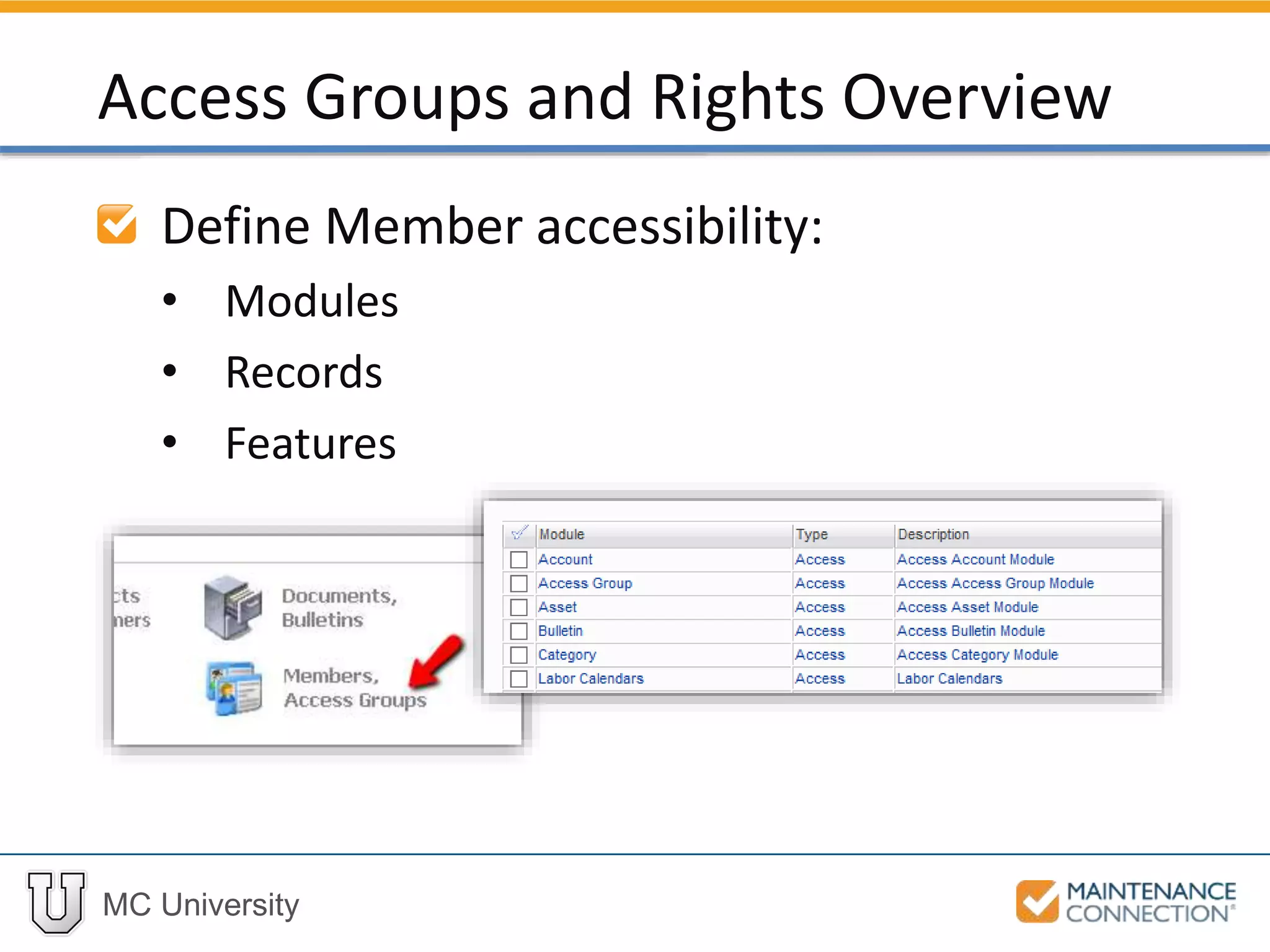
Define Member accessibility:
• Modules
• Records
• Features
Access Groups and Rights Overview
MC University
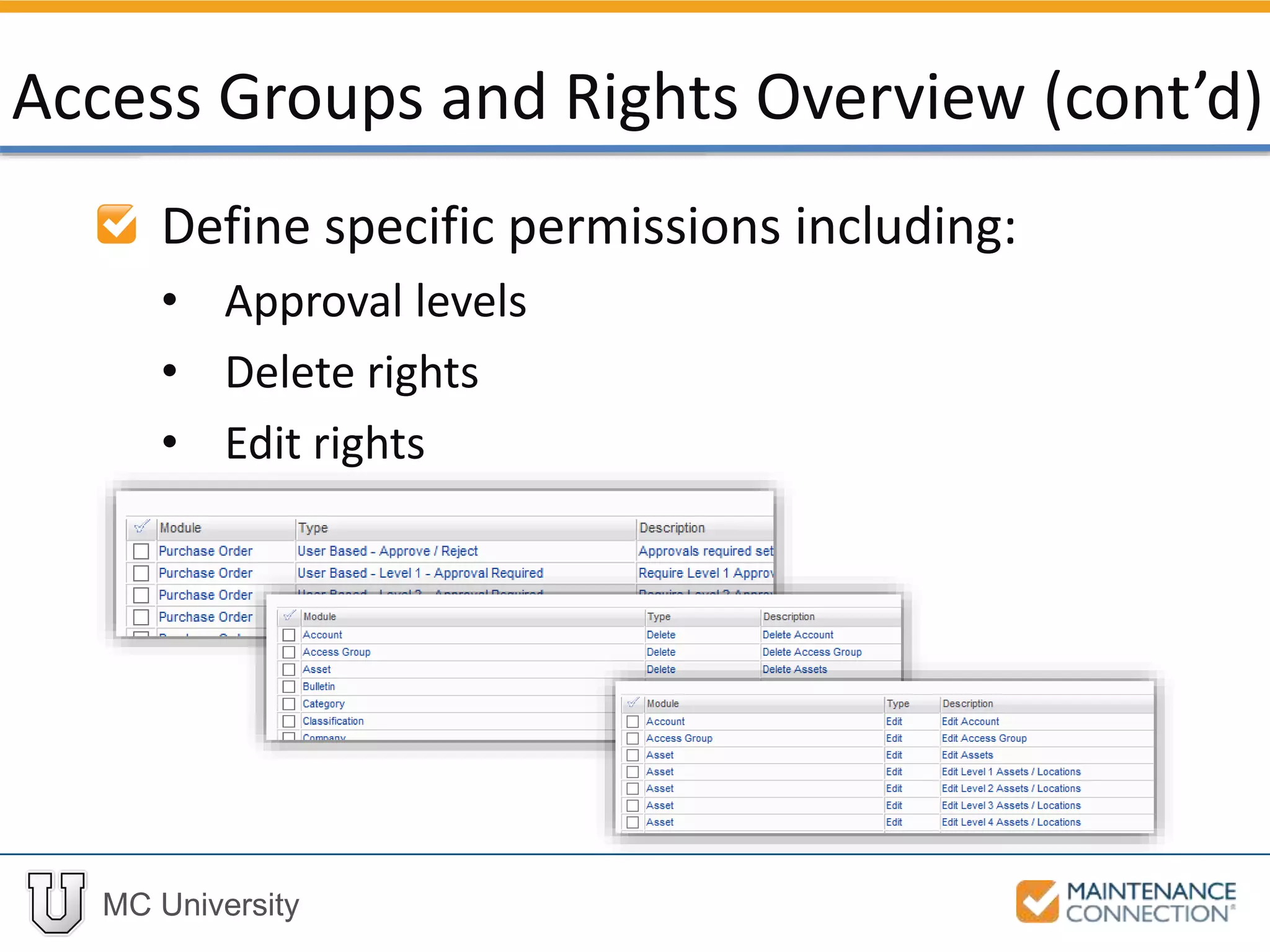
Define specific permissions including:
• Approval levels
• Delete rights
• Edit rights
Access Groups and Rights Overview (cont’d)
MC University
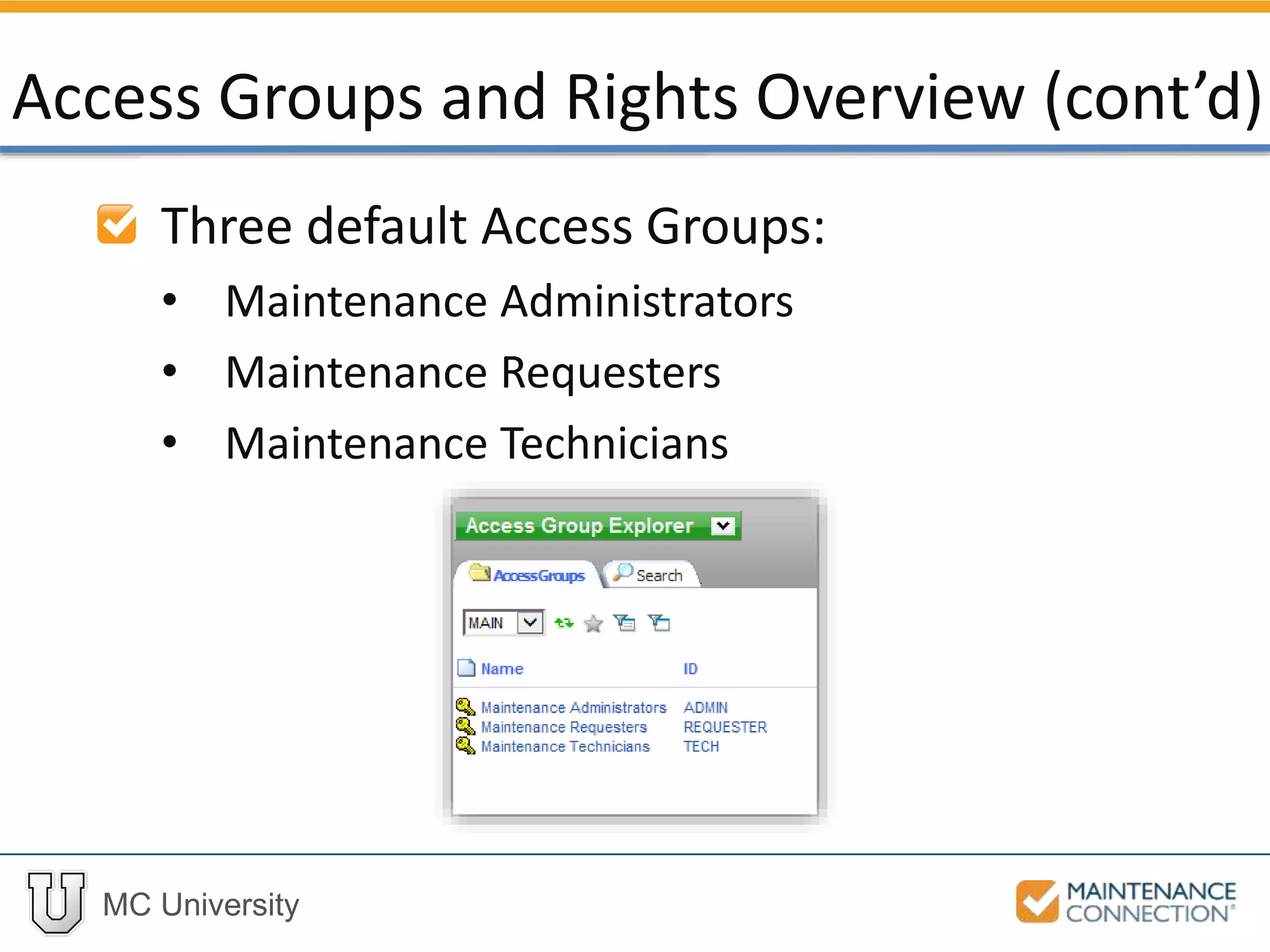
Three default Access Groups:
• Maintenance Administrators
• Maintenance Requesters
• Maintenance Technicians
Access Groups and Rights Overview (cont’d)
MC University
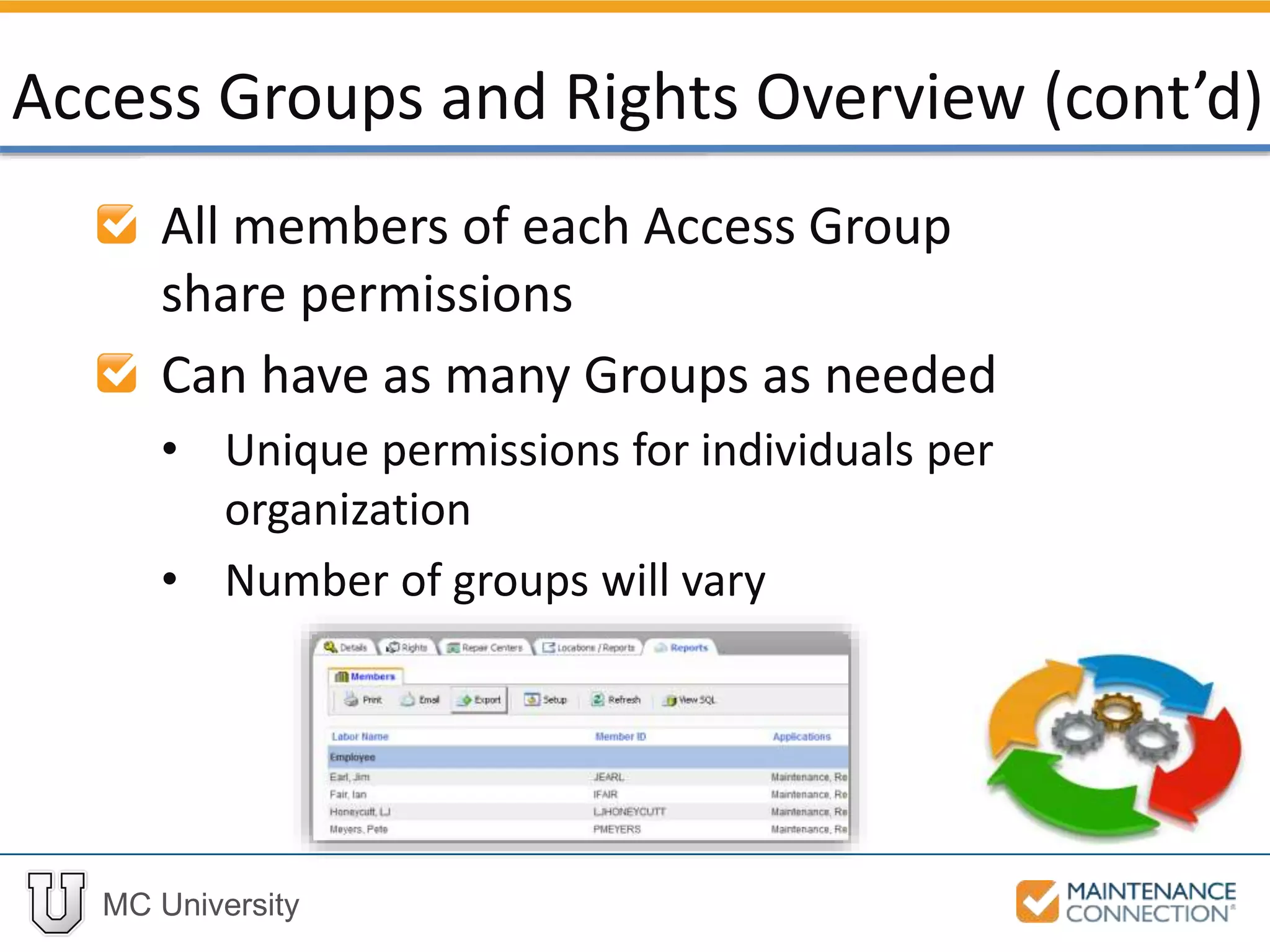
All members of each Access Group
share permissions
Can have as many Groups as needed
• Unique permissions for individuals per
organization
• Number of groups will vary
Access Groups and Rights Overview (cont’d)
MC University
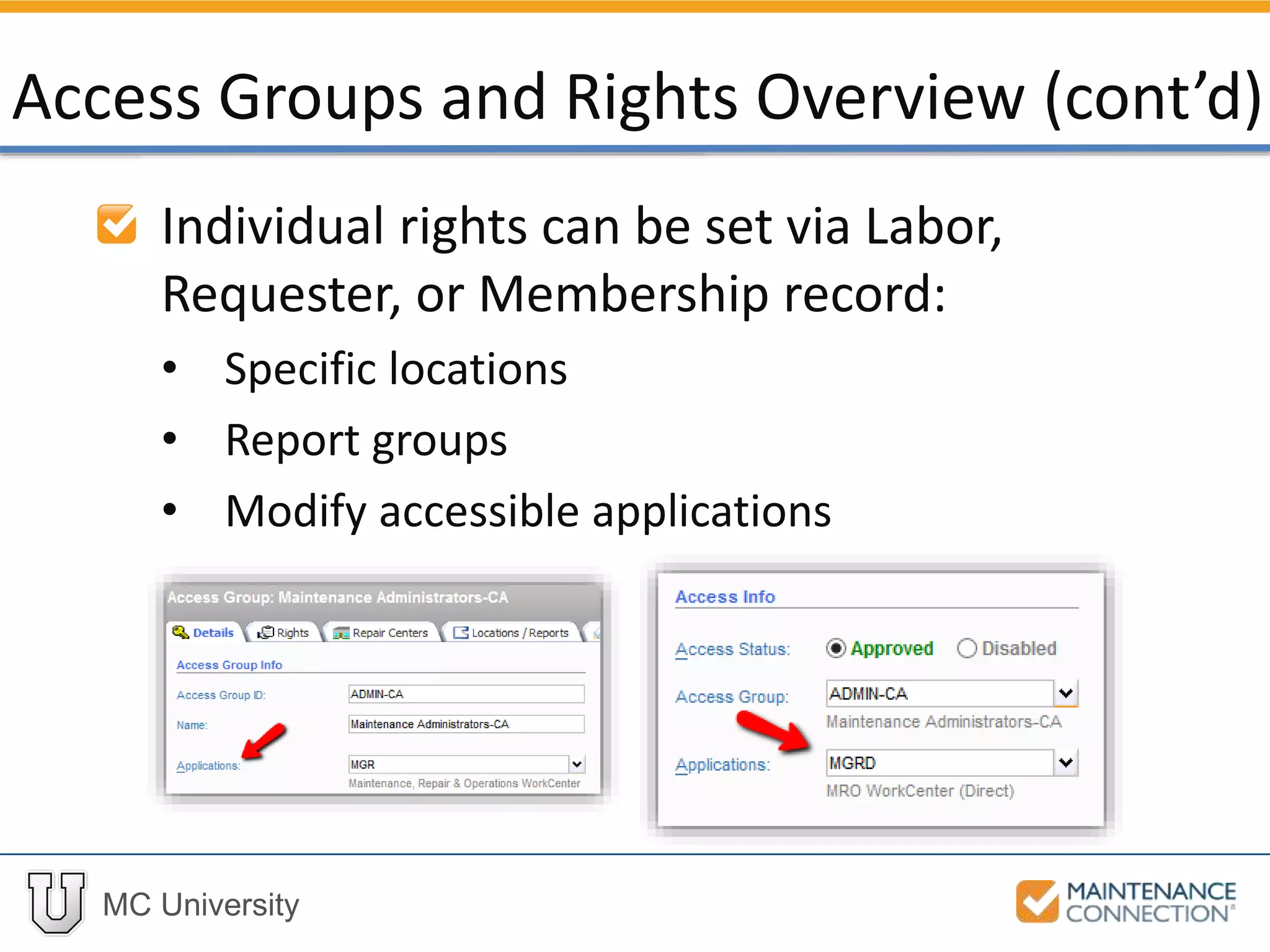
Individual rights can be set via Labor,
Requester, or Membership record:
• Specific locations
• Report groups
• Modify accessible applications
Access Groups and Rights Overview (cont’d)
MC University
Details
Repair Centers
Locations / Reports
Reports
Access Group Tabs
MC University
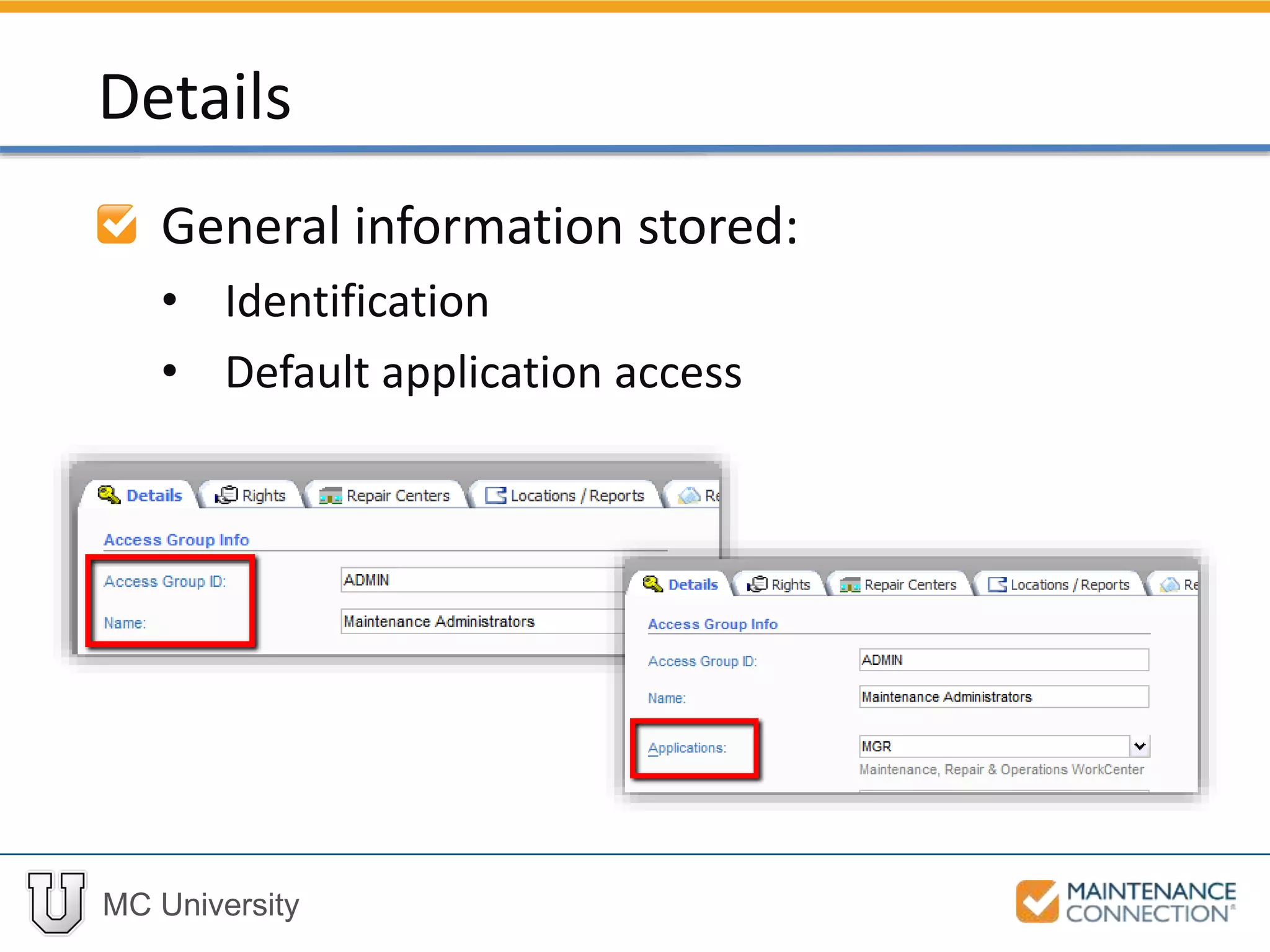
General information stored:
• Identification
• Default application access
Details
MC University
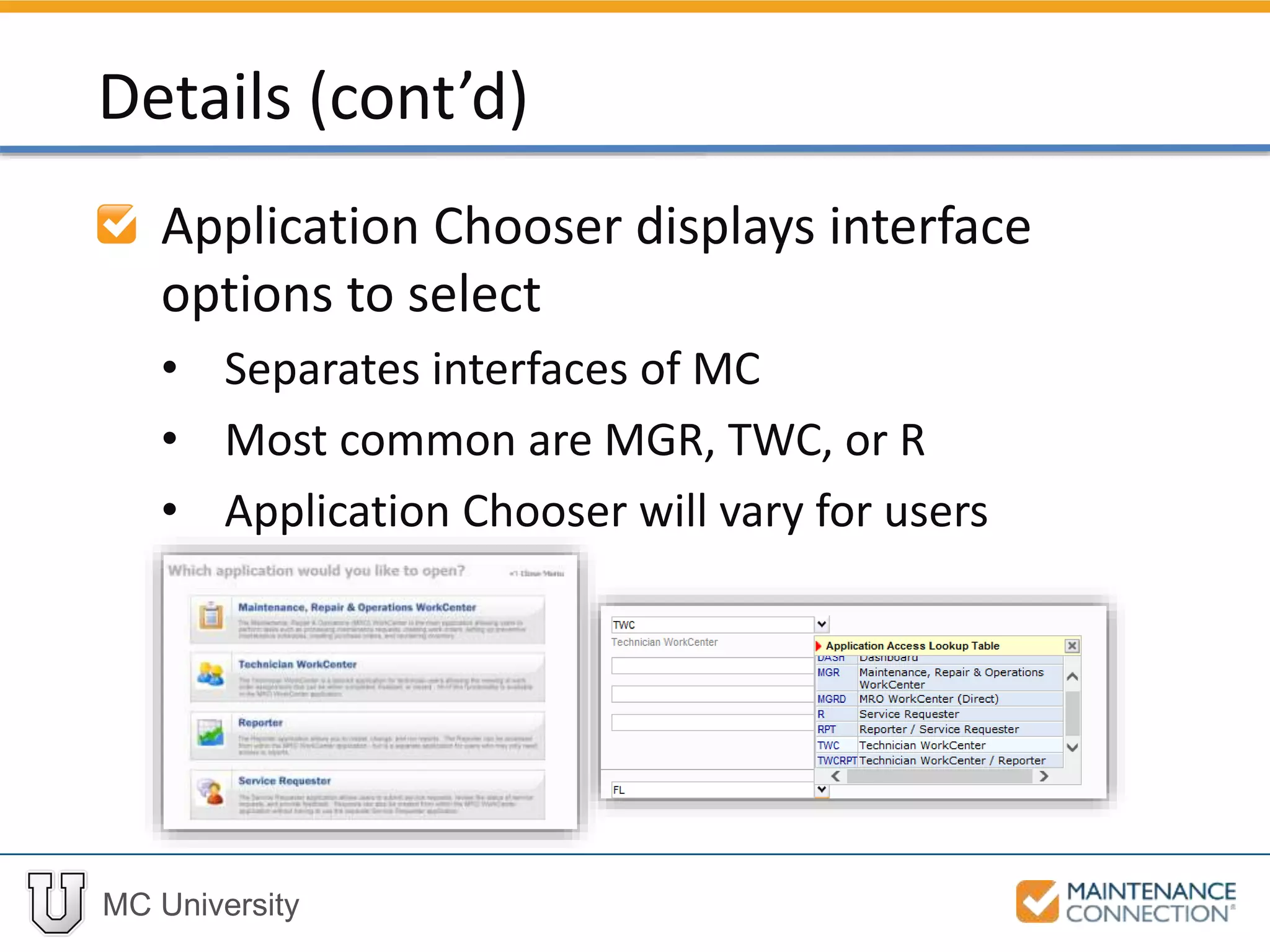
Application Chooser displays interface
options to select
• Separates interfaces of MC
• Most common are MGR, TWC, or R
• Application Chooser will vary for users
Details (cont’d)
MC University
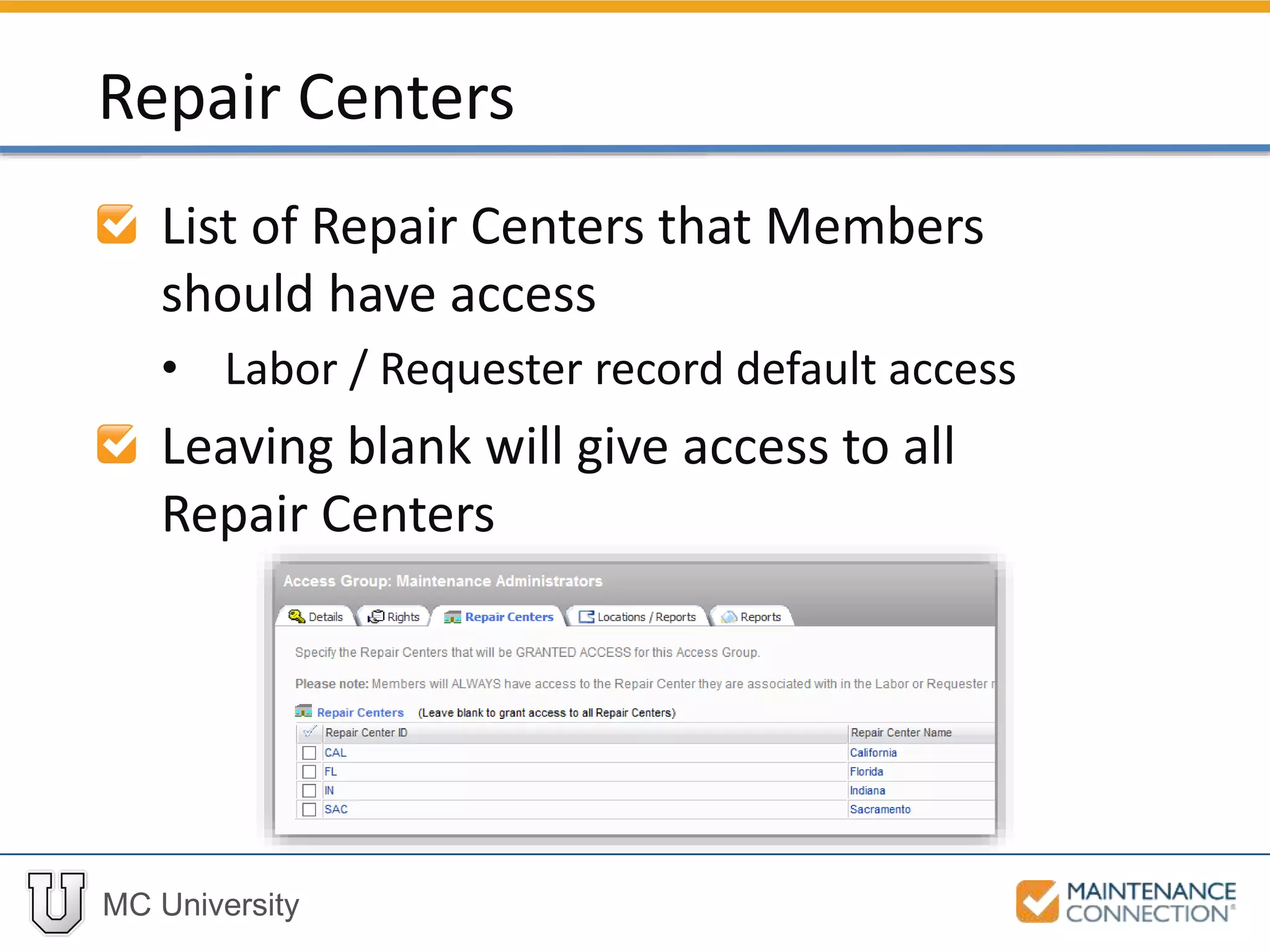
List of Repair Centers that Members
should have access
• Labor / Requester record default access
Leaving blank will give access to all
Repair Centers
Repair Centers
MC University
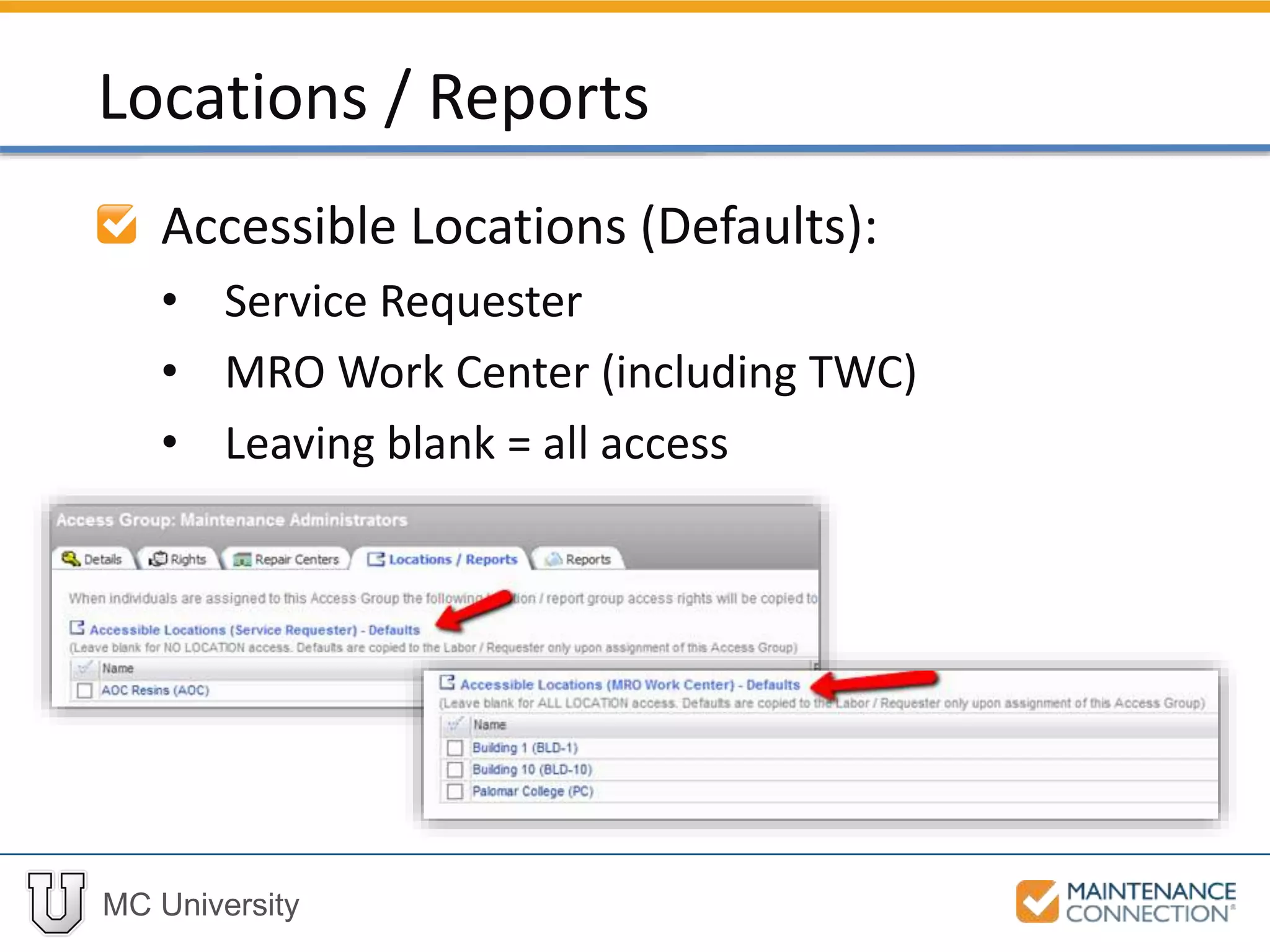
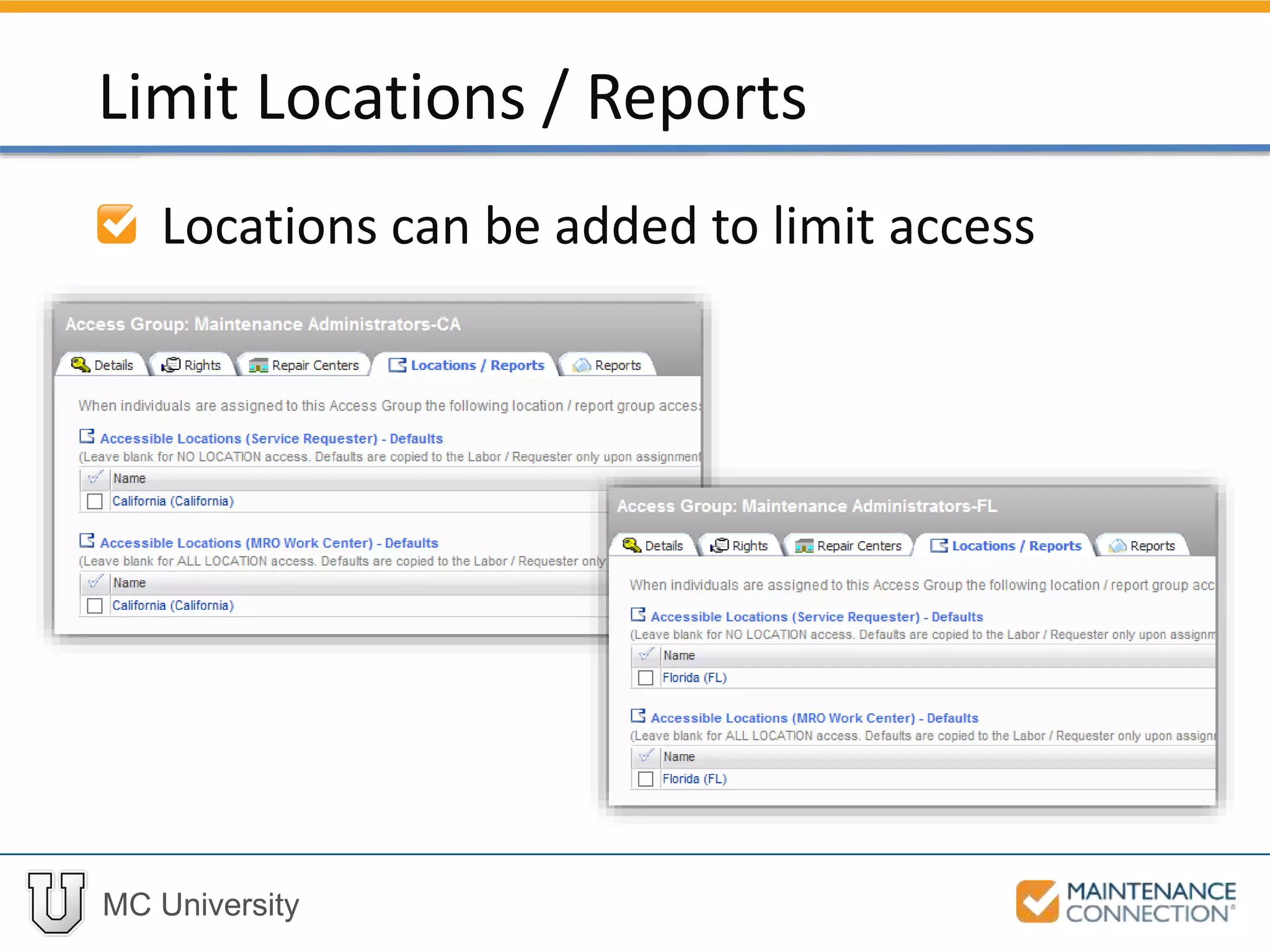
Accessible Locations (Defaults):
• Service Requester
• MRO Work Center (including TWC)
• Leaving blank = all access
Locations / Reports
MC University
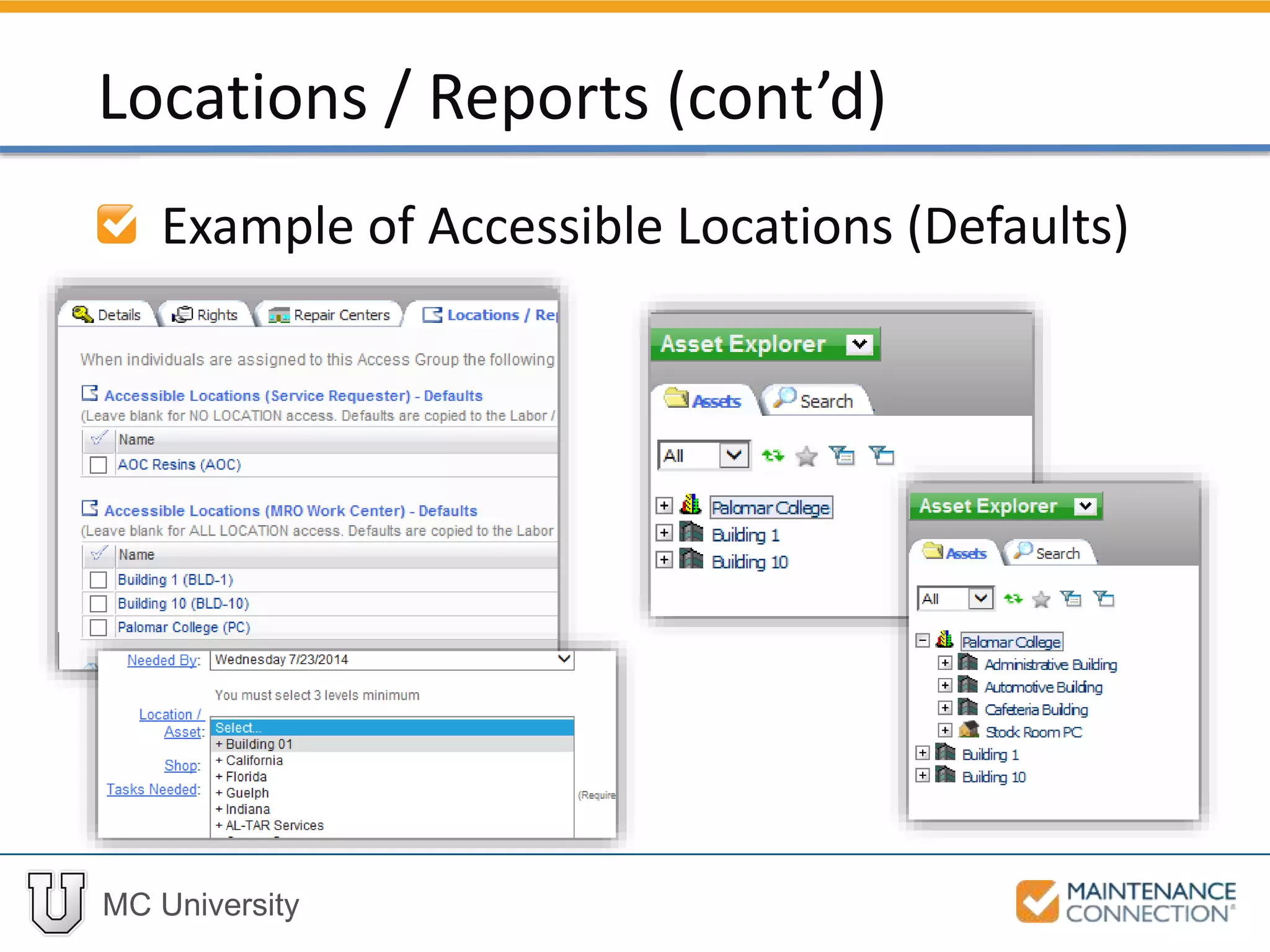
Example of Accessible Locations (Defaults)
Locations / Reports (cont’d)
MC University
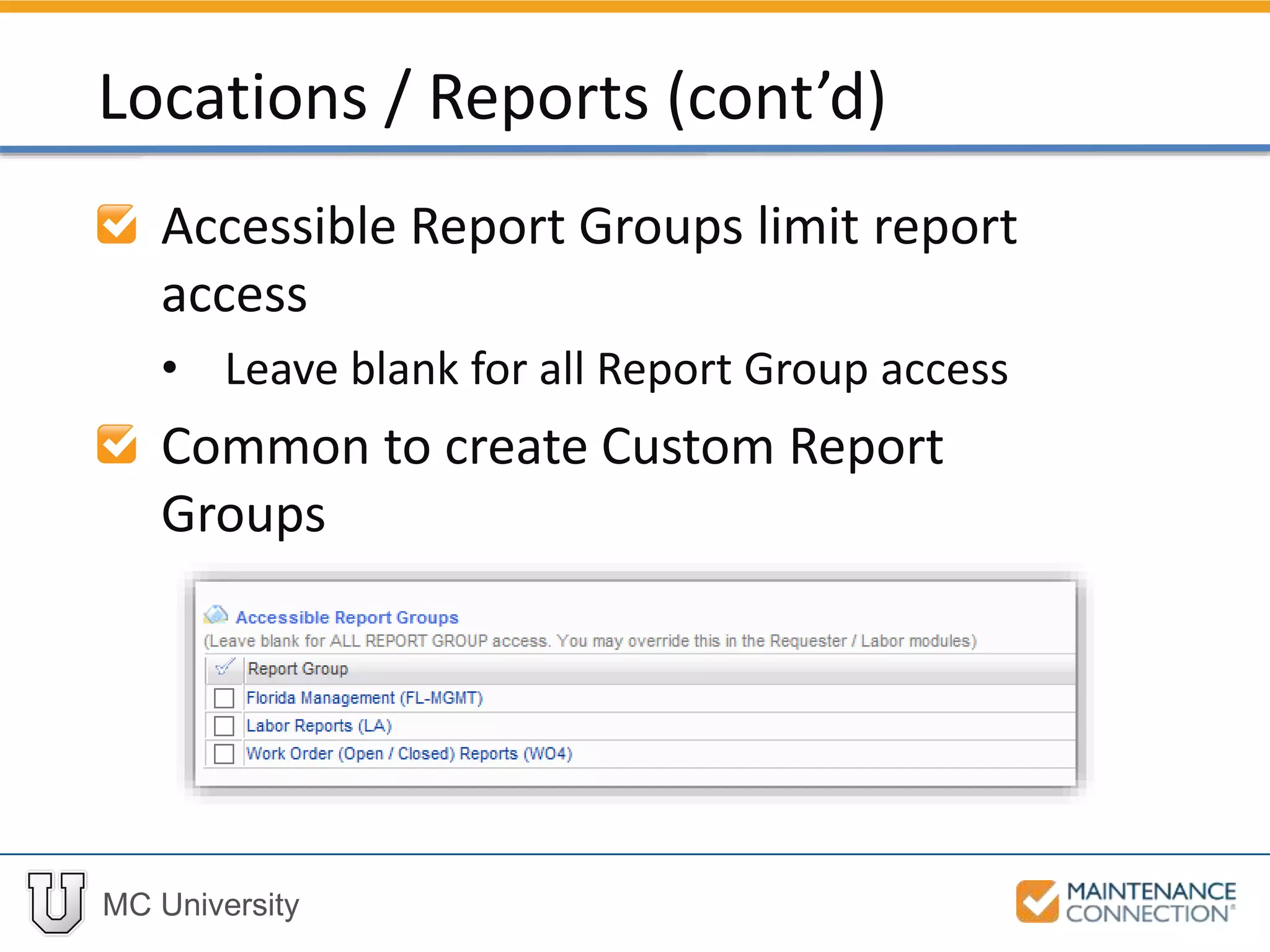
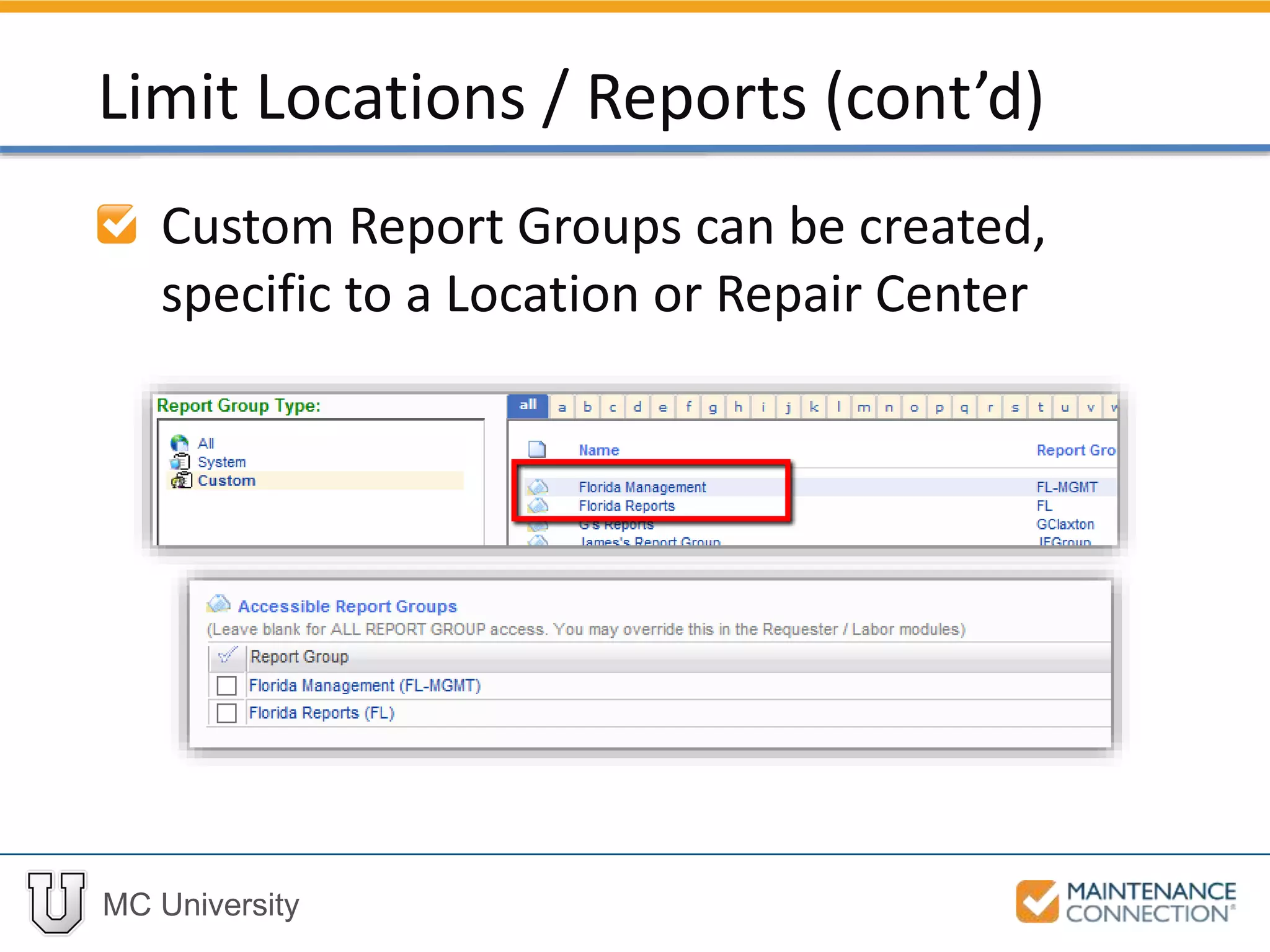
Accessible Report Groups limit report
access
• Leave blank for all Report Group access
Common to create Custom Report
Groups
Locations / Reports (cont’d)
MC University
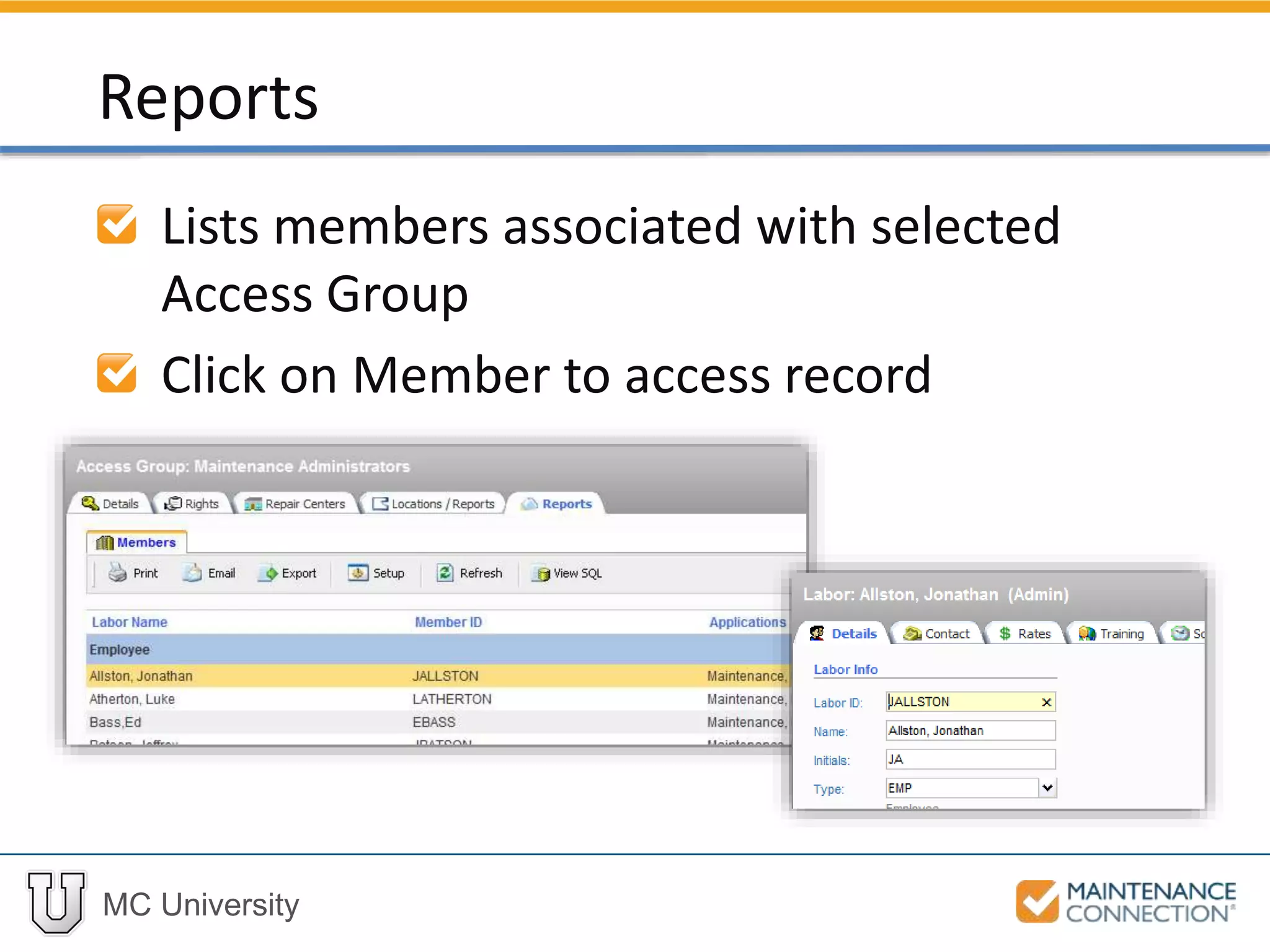
Lists members associated with selected
Access Group
Click on Member to access record
Reports
MC University
Now let’s take a look at navigating the
different tabs of an Access Group
record!
Navigating Access Group Tabs: Example
MC University
Module and Type Filters
Description of Rights
Enabling and Disabling Rights
Rights and Permissions
MC University
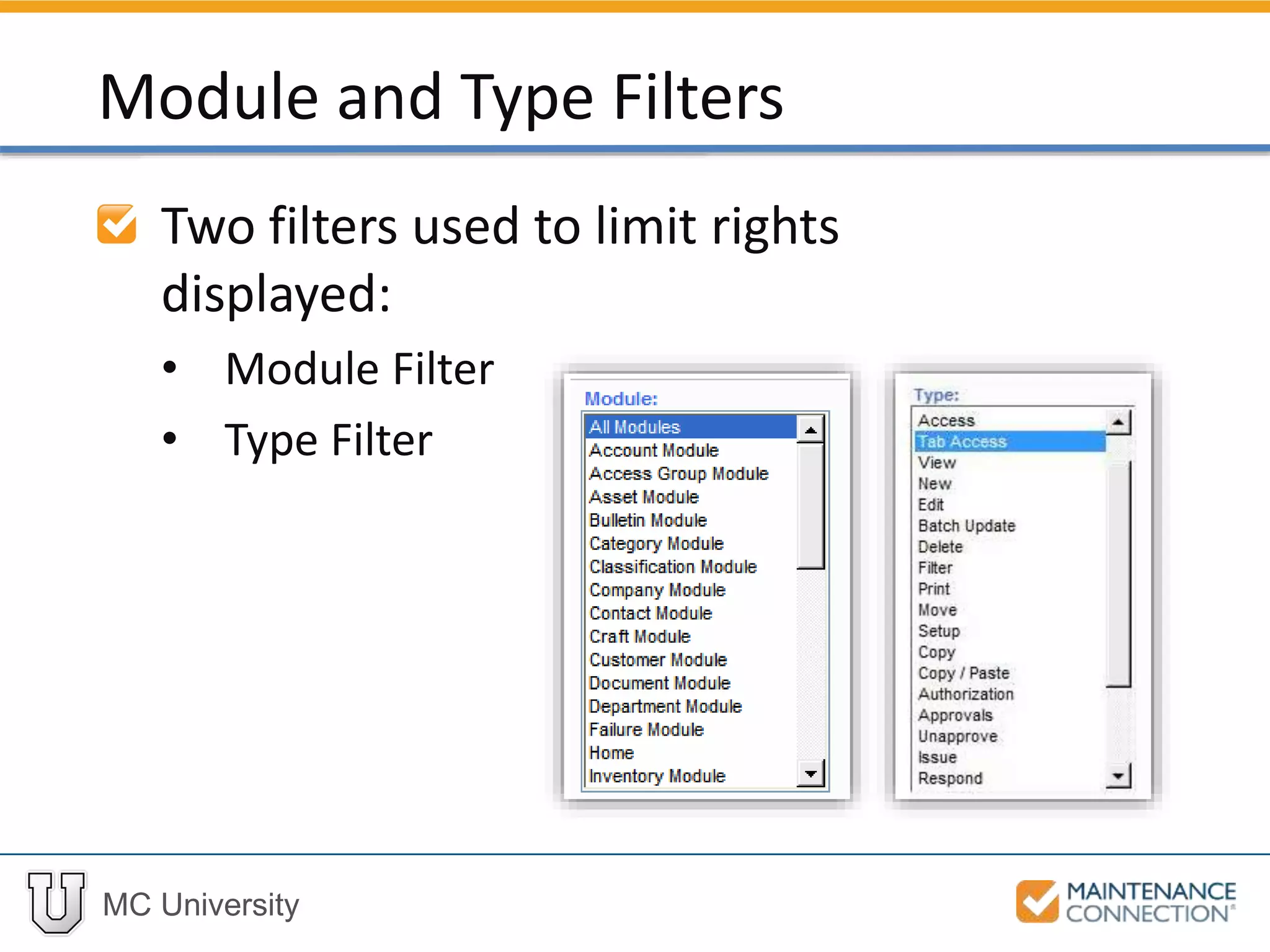
Two filters used to limit rights
displayed:
• Module Filter
• Type Filter
Module and Type Filters
MC University
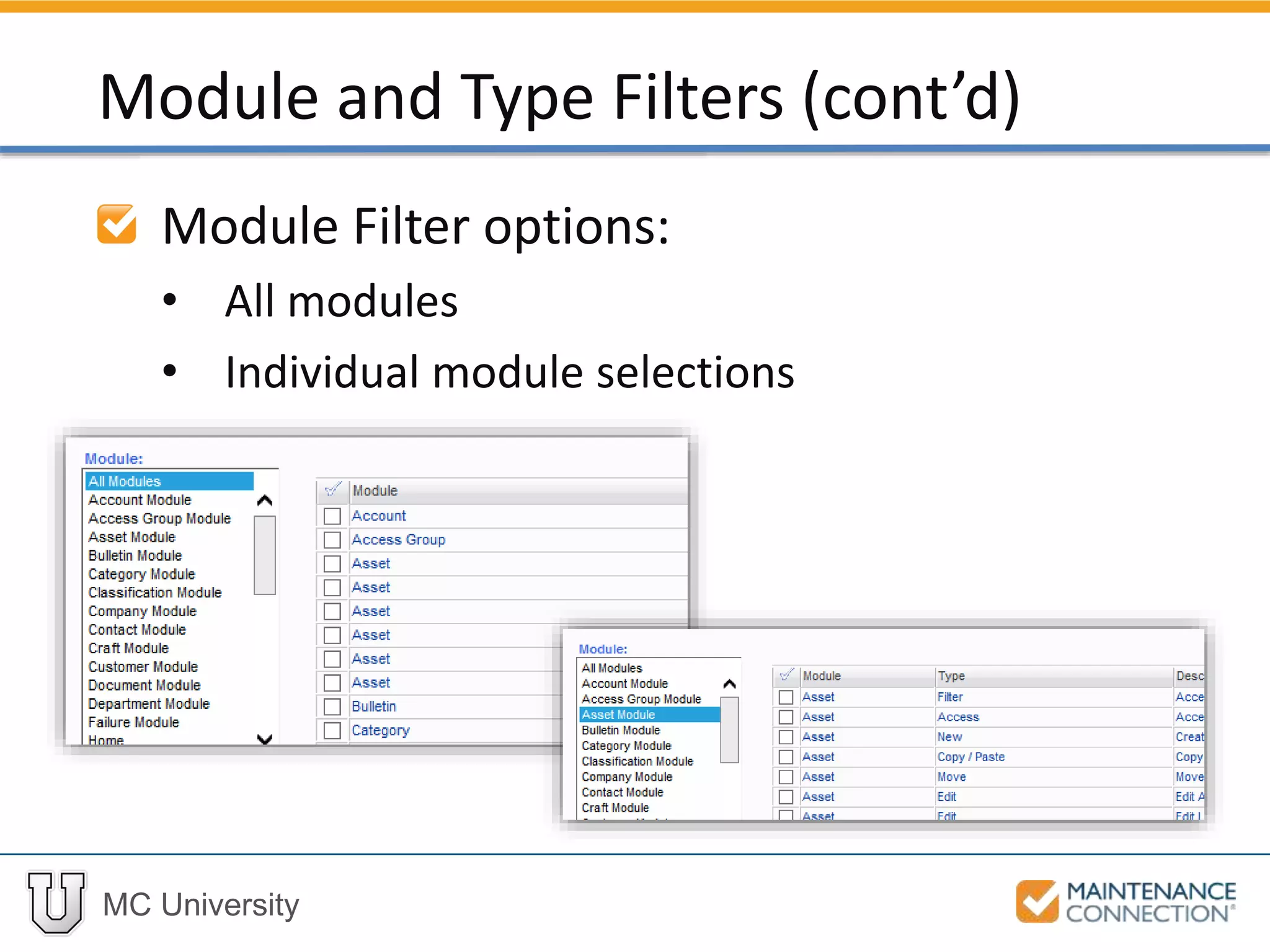
Module Filter options:
• All modules
• Individual module selections
Module and Type Filters (cont’d)
MC University
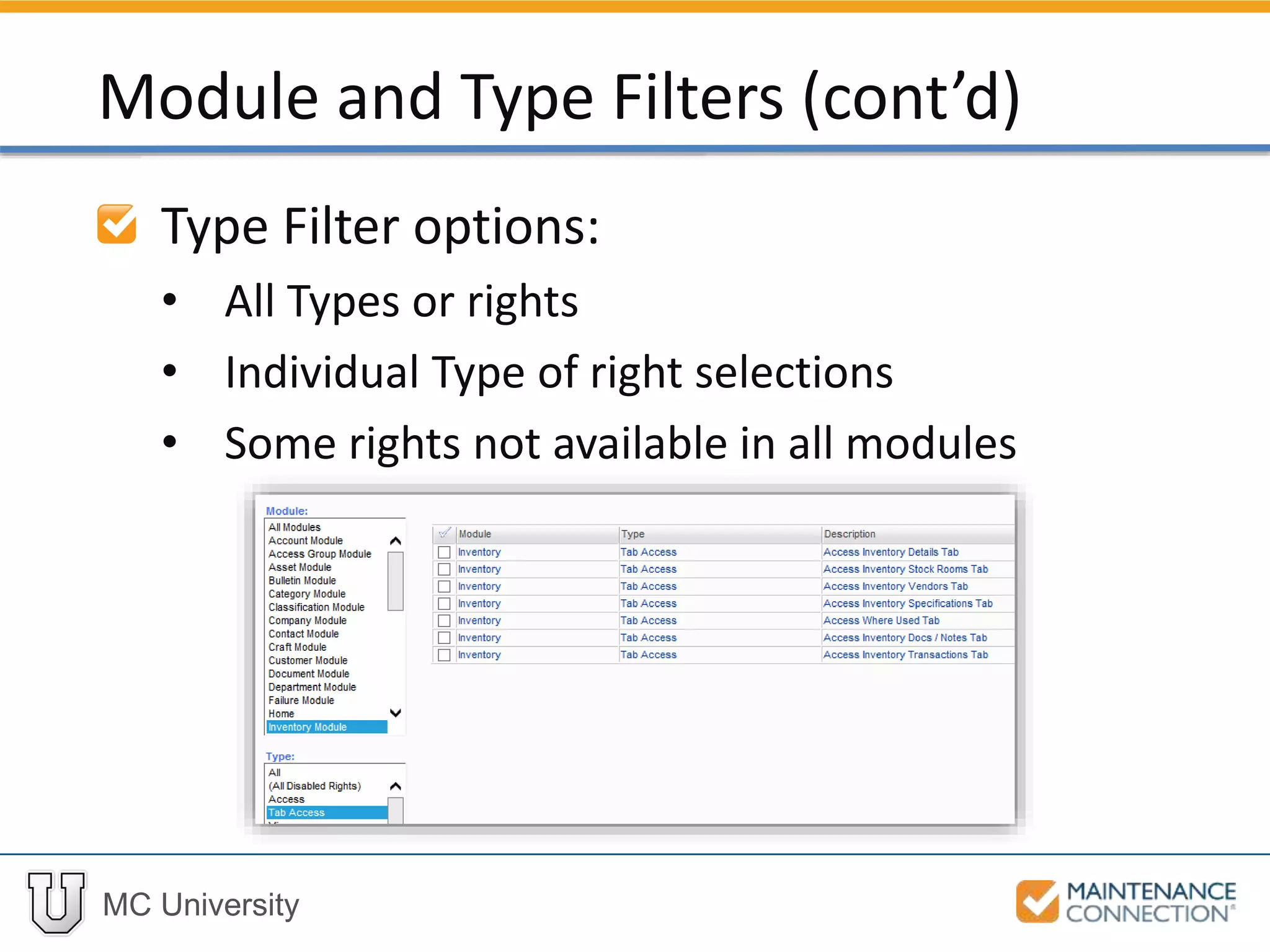
Type Filter options:
• All Types or rights
• Individual Type of right selections
• Some rights not available in all modules
Module and Type Filters (cont’d)
MC University
Many different types of Rights available
Most important rights include:
• Delete
• Access (General and Tab)
• Edit
• Authorization / Approvals
Description of Rights
MC University
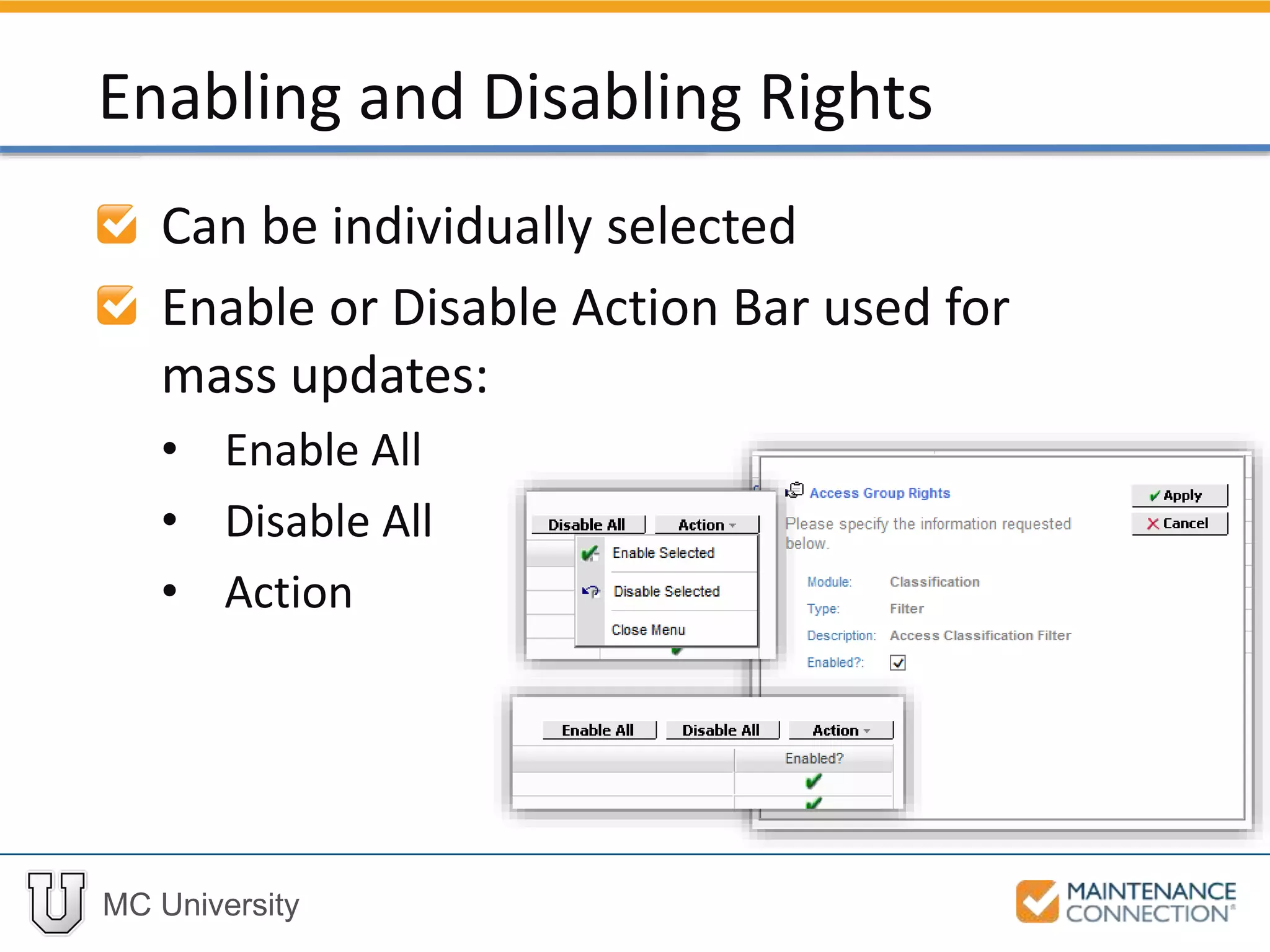
Can be individually selected
Enable or Disable Action Bar used for
mass updates:
• Enable All
• Disable All
• Action
Enabling and Disabling Rights
MC University
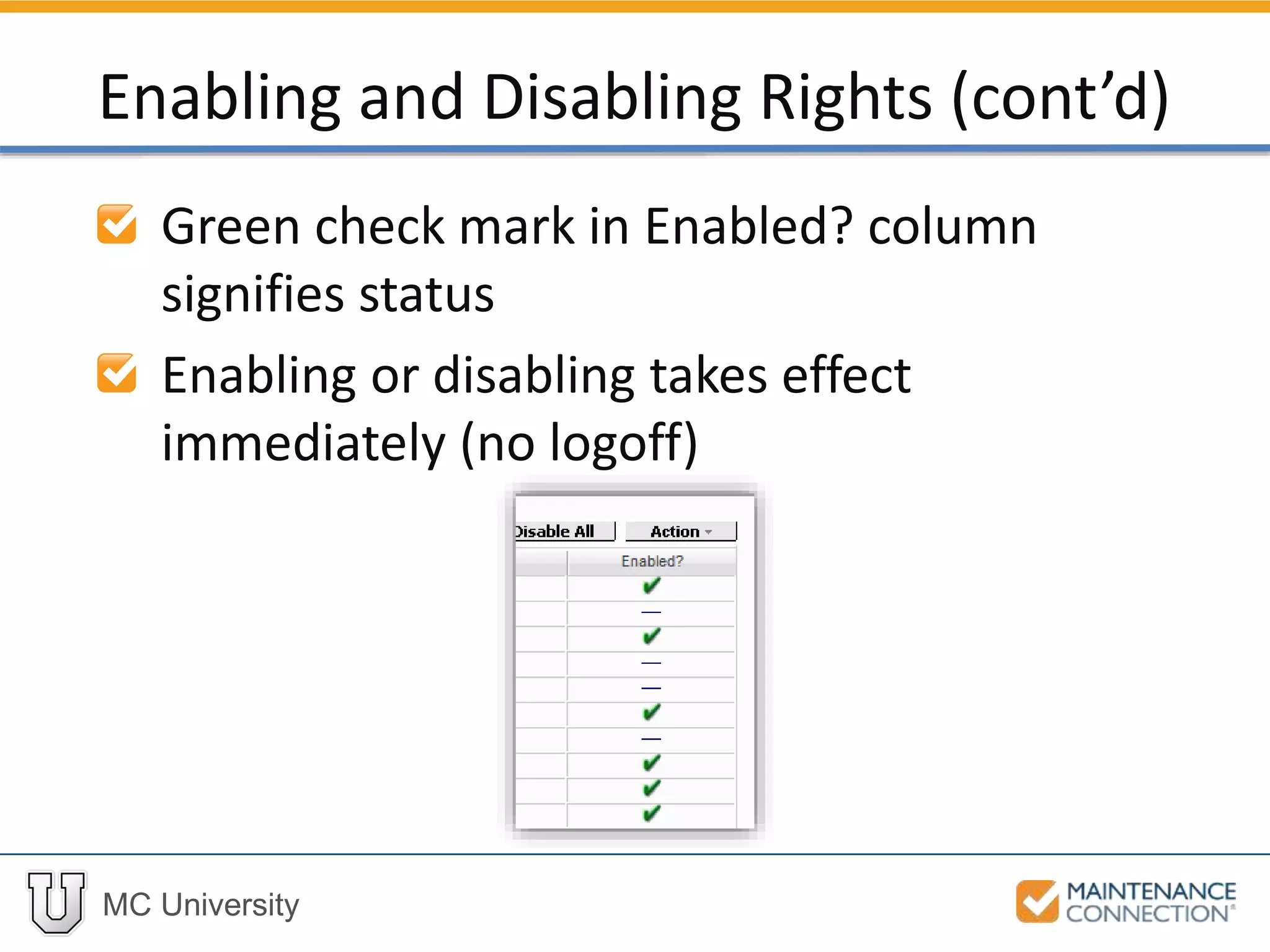
Green check mark in Enabled? column
signifies status
Enabling or disabling takes effect
immediately (no logoff)
Enabling and Disabling Rights (cont’d)
MC University
Now let’s take a look at enabling and
disabling Access Group Rights!
Enable and Disable Rights: Example
MC University
Cloning Access Groups Overview
Adjust Rights
Edit Repair Centers
Limit Locations / Reports
Cloning Access Groups
MC University
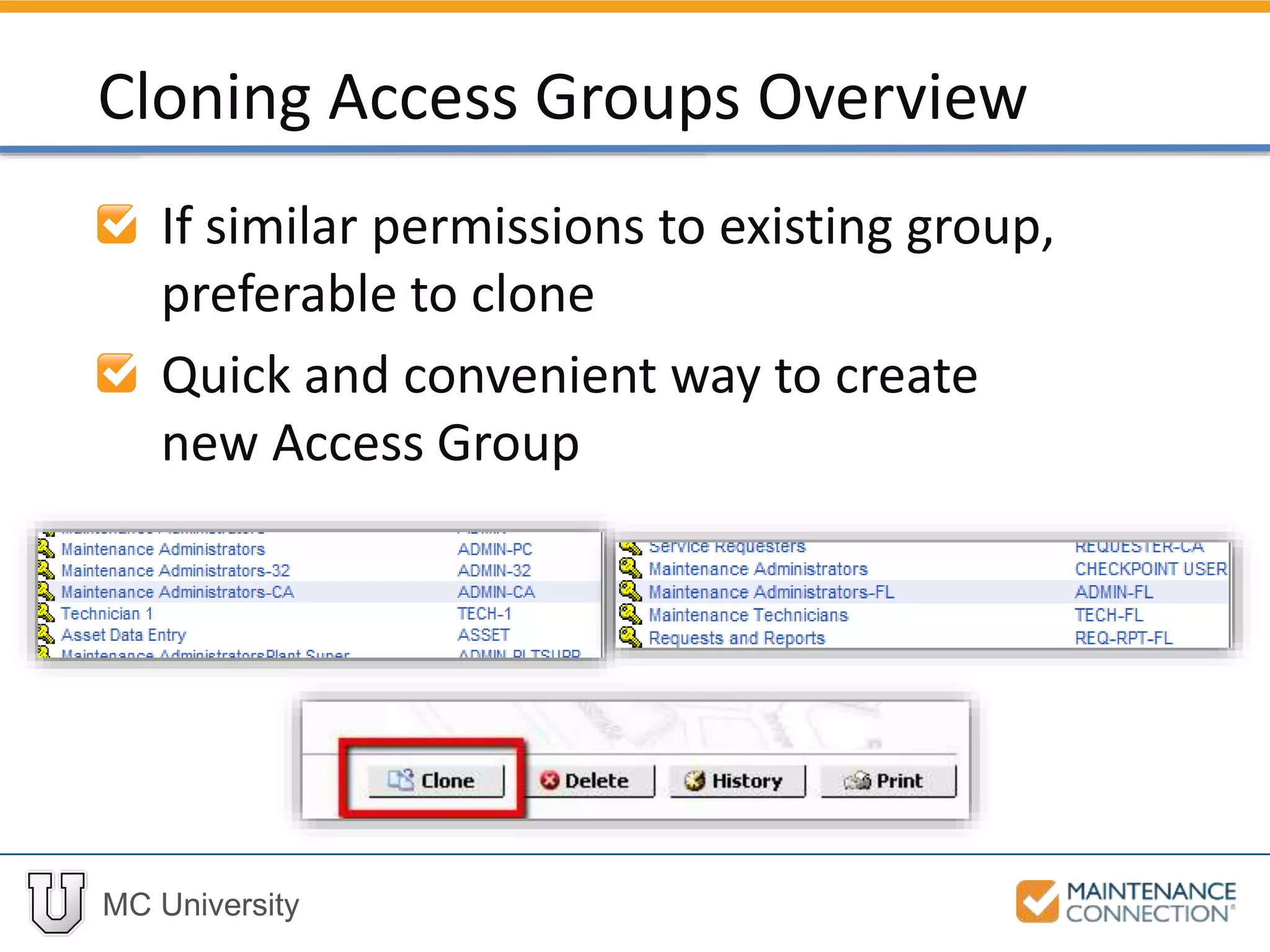
If similar permissions to existing group,
preferable to clone
Quick and convenient way to create
new Access Group
Cloning Access Groups Overview
MC University
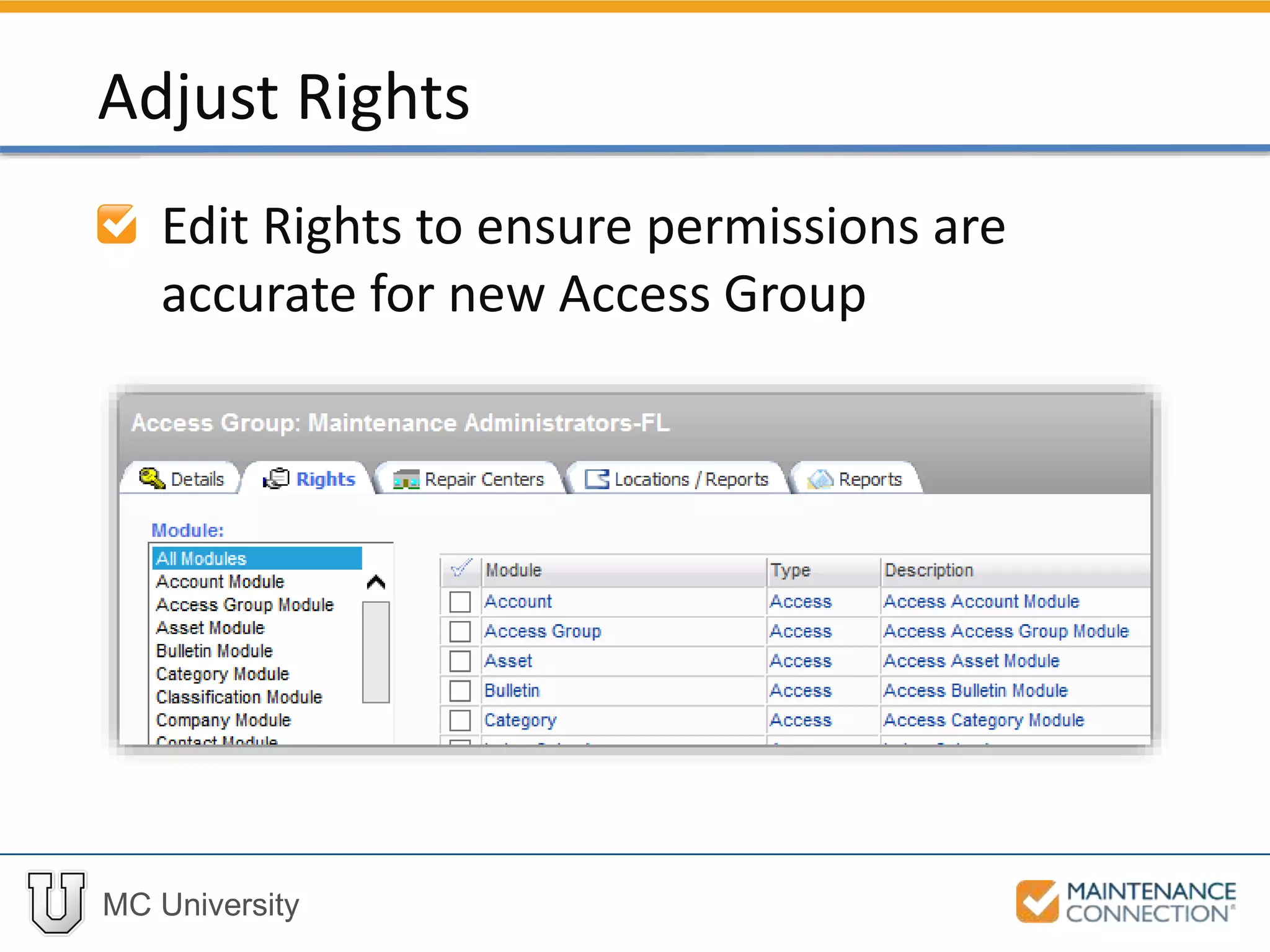
Edit Rights to ensure permissions are
accurate for new Access Group
Adjust Rights
MC University
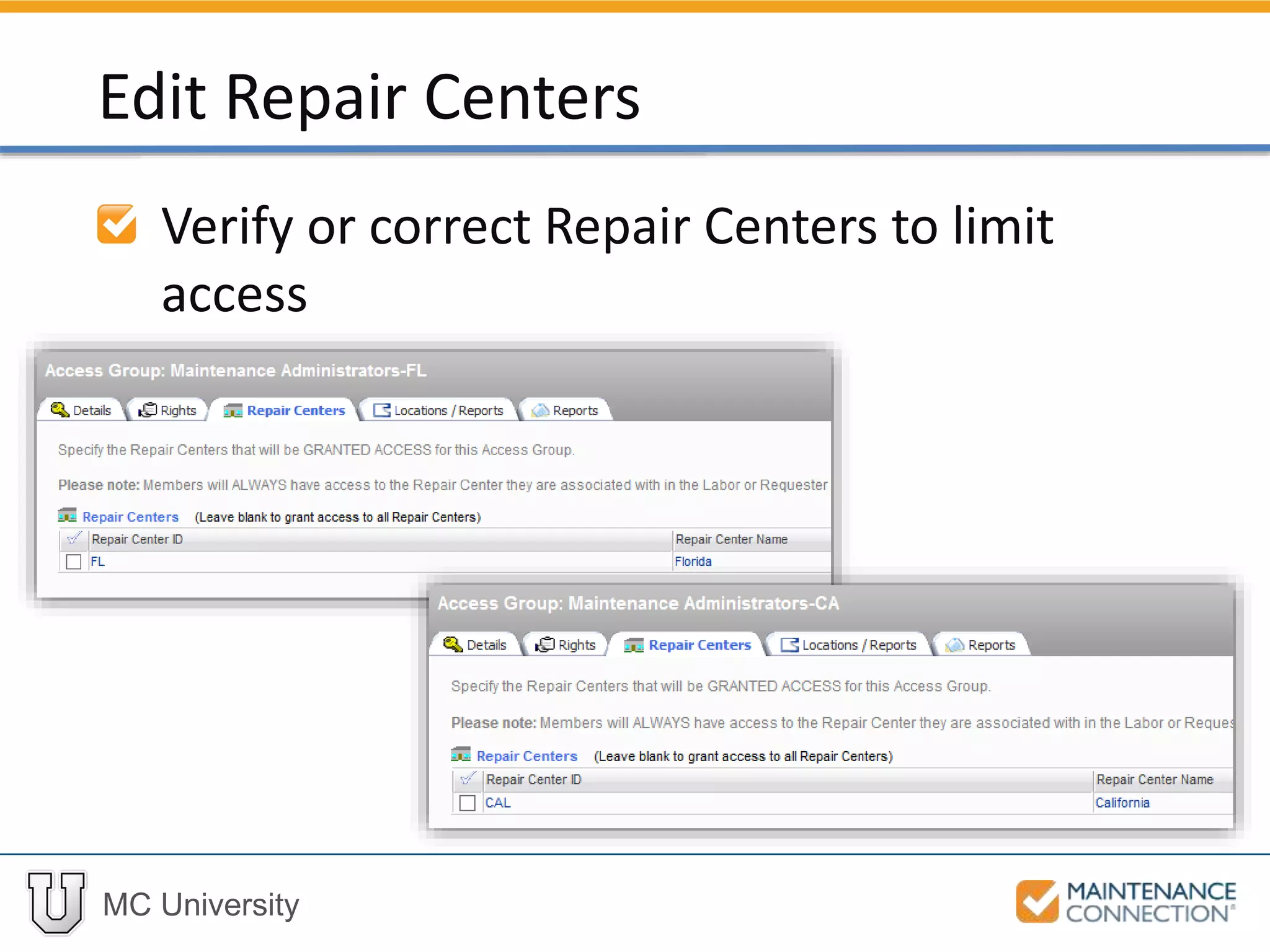
Verify or correct Repair Centers to limit
access
Edit Repair Centers
MC University
Locations can be added to limit access
Limit Locations / Reports
MC University
Custom Report Groups can be created,
specific to a Location or Repair Center
Limit Locations / Reports (cont’d)
Thank You for
Watching!

SA03 - Overview of Access Groups (MCU)