Texas STaR ChartSchool Technology and ReadinessPresenter:Darren Calvert
AgendaWhat is it?Benefits to Excel AcademyKey AreasStrengths and WeaknessesWhat Now?
What Is It?Designed to help teachers, campuses and districts determine progress towards the technology.
What Is It?Used to assist in technology planning, budgeting and evaluation.
What Is It?Establishes a framework for measuring how well teachers are prepared to equip the 21st Century learner.
Critical QuestionsWhat is Excel’s current educational profile?What evidence can be provided to demonstrate our progress in the goals of the Long Range Plan for Technology?3.	What areas should we focus on to improve the level of technology integration to ensure the best possible teaching and learning for all student?
Benefits to ExcelSetting benchmarks and goals.Measure student and teacher proficiencies with regard to the integration of technology in all content areas.Help conceptualize our technology vision.Assist in updating Excel’s technology plan.
Key AreasTeaching and Learning2.	Educator Preparation and Development3.	Leadership, Administration and Instructional Support4.	Infrastructure for Technology
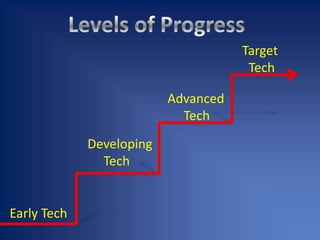
Levels of Progress   Target  TechAdvanced TechDeveloping TechEarly Tech
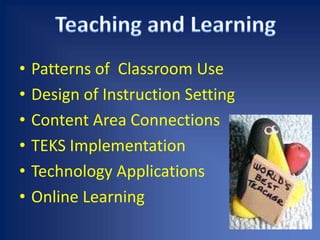
Teaching and LearningPatterns of  Classroom UseDesign of Instruction SettingContent Area ConnectionsTEKS ImplementationTechnology ApplicationsOnline Learning
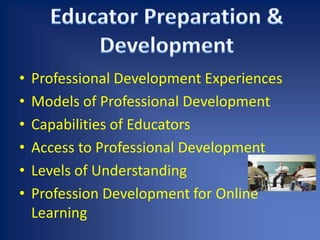
Educator Preparation & DevelopmentProfessional Development ExperiencesModels of Professional DevelopmentCapabilities of EducatorsAccess to Professional DevelopmentLevels of UnderstandingProfession Development for Online Learning
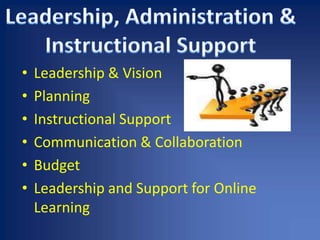
Leadership, Administration & Instructional SupportLeadership & VisionPlanningInstructional SupportCommunication & CollaborationBudgetLeadership and Support for Online Learning
Student per ComputersInternet Access Connectivity SpeedOther Classroom TechnologyTechnical SupportLocal Area Network Wide Area NetworkDistant Learning CapabilityInfrastructure for Technology
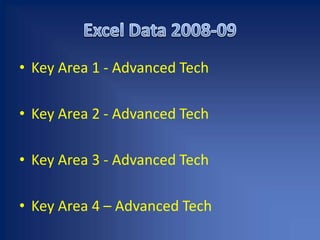
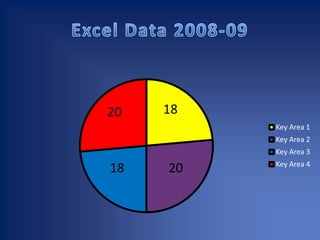
Excel Data 2008-09Key Area 1 - Advanced TechKey Area 2 - Advanced Tech Key Area 3 - Advanced TechKey Area 4 – Advanced Tech
Excel Data 2008-09
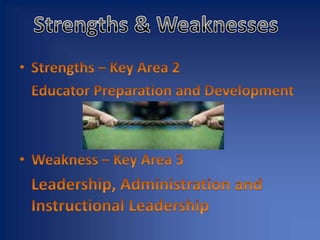
Strengths & WeaknessesStrengths – Key Area 2 Educator Preparation and DevelopmentWeakness – Key Area 3 Leadership, Administration and InstructionalLeadership
Incorporate ongoing technology planning in the classroom.Promote comprehensive planning process to ensure realistic strategies, and compliance with state and federal regulations.Include community input into the planning and support for the integration of technology. Use electronic data to support research-based decision- making.What Now?
Statewide Summary DataCampus Data SearchSTaR ChartWant More Detailed Info?

S Ta R Ppt

  • 1.
    Texas STaR ChartSchoolTechnology and ReadinessPresenter:Darren Calvert
  • 2.
    AgendaWhat is it?Benefitsto Excel AcademyKey AreasStrengths and WeaknessesWhat Now?
  • 3.
    What Is It?Designedto help teachers, campuses and districts determine progress towards the technology.
  • 4.
    What Is It?Usedto assist in technology planning, budgeting and evaluation.
  • 5.
    What Is It?Establishesa framework for measuring how well teachers are prepared to equip the 21st Century learner.
  • 6.
    Critical QuestionsWhat isExcel’s current educational profile?What evidence can be provided to demonstrate our progress in the goals of the Long Range Plan for Technology?3. What areas should we focus on to improve the level of technology integration to ensure the best possible teaching and learning for all student?
  • 7.
    Benefits to ExcelSettingbenchmarks and goals.Measure student and teacher proficiencies with regard to the integration of technology in all content areas.Help conceptualize our technology vision.Assist in updating Excel’s technology plan.
  • 8.
    Key AreasTeaching andLearning2. Educator Preparation and Development3. Leadership, Administration and Instructional Support4. Infrastructure for Technology
  • 9.
    Levels of Progress Target TechAdvanced TechDeveloping TechEarly Tech
  • 10.
    Teaching and LearningPatternsof Classroom UseDesign of Instruction SettingContent Area ConnectionsTEKS ImplementationTechnology ApplicationsOnline Learning
  • 11.
    Educator Preparation &DevelopmentProfessional Development ExperiencesModels of Professional DevelopmentCapabilities of EducatorsAccess to Professional DevelopmentLevels of UnderstandingProfession Development for Online Learning
  • 12.
    Leadership, Administration &Instructional SupportLeadership & VisionPlanningInstructional SupportCommunication & CollaborationBudgetLeadership and Support for Online Learning
  • 13.
    Student per ComputersInternetAccess Connectivity SpeedOther Classroom TechnologyTechnical SupportLocal Area Network Wide Area NetworkDistant Learning CapabilityInfrastructure for Technology
  • 14.
    Excel Data 2008-09KeyArea 1 - Advanced TechKey Area 2 - Advanced Tech Key Area 3 - Advanced TechKey Area 4 – Advanced Tech
  • 15.
  • 16.
    Strengths & WeaknessesStrengths– Key Area 2 Educator Preparation and DevelopmentWeakness – Key Area 3 Leadership, Administration and InstructionalLeadership
  • 17.
    Incorporate ongoing technologyplanning in the classroom.Promote comprehensive planning process to ensure realistic strategies, and compliance with state and federal regulations.Include community input into the planning and support for the integration of technology. Use electronic data to support research-based decision- making.What Now?
  • 18.
    Statewide Summary DataCampusData SearchSTaR ChartWant More Detailed Info?