Ruby Mini Guide v1.0
©2007 livrona.com                                                                   Page 1 of 6

objects
Every thing is an object. You talk by to an object by sending a message
true, false, nil is also an object.
use Object.new to create object
parenthesis () in method is optional
puts/print - write to stdout
return at the end of method is not required - The value of last statement(expr) is the
return value
method name begin with keyword def methodName (input args,....) end
method variable args method(*args), method(arg1=value, args2,*args)

modules/mix-ins
module name .... end , have methods and constants
to use a module in a class use, include modulename
comments begin with #

syntax
underscore _ is used in method names
class name begins with uppercase
constants begin with uppercase
Basic object methods
object_id - returns the id of the object
respond_to - check whether a message/method is implemented
send - send message to object

local variable - start with lowercase or underscore, destroyed once out of scope
variable store references to other objects

class
class classname end
possible to reopen class and add/override methods
instance variable begin with @ and are in lowercase
method name can with = (equal to sign) for convenience (used for setters)
method name can with ? (questions) for convenience (used for method that return
boolean)
initialized method is called when object is created
properties are values that can be set or get are attributes

attr_reader - created reader method : attr_reader: quantity
attr_writer - created writer method : attr_writer: quantity
attr_accessor - created reader/writer method : attr_accessor: quantity
attr - creates reader and writer method(optionally) : attr: quantity,[true/false]

Class method begin with the classname.methodname. Classes are objects too!
singleton method - a method defined for a specific instance of a ,object

Notation
# is used to refer to instance method
. or :: is used to refer to class method

Constants can be accessed as ClassName:CONSTANT_NAME
Constants can be reinitialized, ruby gives a warning

Adding to array use the << operator e.g.
Ruby Mini Guide v1.0
©2007 livrona.com                                                             Page 2 of 6

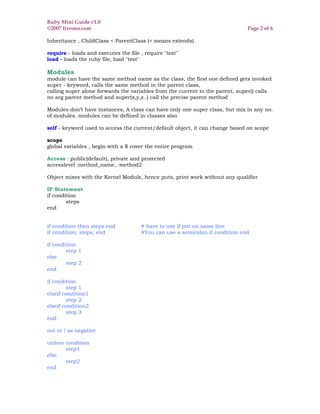
Inheritance , ChildClass < ParentClass (< means extends)

require - loads and executes the file , require "test"
load - loads the ruby file, load "test"

Modules
module can have the same method name as the class, the first one defined gets invoked
super - keyword, calls the same method in the parent class,
calling super alone forwards the variables from the current to the parent, super() calls
no arg parent method and super(x,y,z..) call the precise parent method

Modules don’t have instances, A class can have only one super class, but mix in any no.
of modules. modules can be defined in classes also

self - keyword used to access the current/default object, it can change based on scope

scope
global variables , begin with a $ cover the entire program

Access : public(default), private and protected
accesslevel :method_name, :method2

Object mixes with the Kernel Module, hence puts, print work without any qualifier

IF Statement
if condition
        steps
end


if condition then steps end           # have to use if put on same line
if condition; steps; end              #You can use a semicolon if condition end

if condition
        step 1
else
        step 2
end

if condition
        step 1
elseif condition1
        step 2
elseif condition2
        step 3
end

not or ! as negative

unless condition
       step1
else
       step2
end
Ruby Mini Guide v1.0
©2007 livrona.com                                                  Page 3 of 6

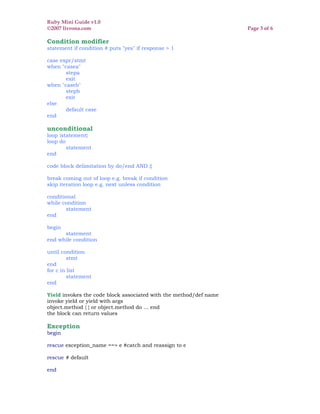
Condition modifier
statement if condition # puts "yes" if response > 1

case expr/stmt
when "casea"
       stepa
       exit
when "caseb"
       stepb
       exit
else
       default case
end

unconditional
loop {statement}
loop do
        statement
end

code block delimitation by do/end AND {}

break coming out of loop e.g. break if condition
skip iteration loop e.g. next unless condition

conditional
while condition
       statement
end

begin
      statement
end while condition

until condition
         stmt
end
for c in list
         statement
end

Yield invokes the code block associated with the method/def name
invoke yield or yield with args
object.method { } or object.method do ... end
the block can return values

Exception
begin

rescue exception_name ==> e #catch and reassign to e

rescue # default

end
Ruby Mini Guide v1.0
©2007 livrona.com                                                                 Page 4 of 6


Raise and exception using the raise keyword
raise Exception "message"
raise Exception
custom exceptions extends Exception class

misc
String Quotation Marks "" or ''
Symbol Leading Colon :symbol or :"symbol with spaces"
Array Square brackets [1,2,3]
Hash Curly brackets {"ca" => "California", "ny" => "new York"}
Rang two or three dots 0..10 or 0..9
Regex forward slashes /{expression/

uniary increments
x +=1 # means x=x+1

array operators
[] get
[]= set
<< append

Comparison ==

case equality operator ===

bang methods , methods that end with !
generally indicates that it would modify the receiver

Conversion
to_s, to_i

iterators
lov = [1,2,3]
lov.each {|var| puts "array value #{n}" }

comparison method with the name <==> can implemented by mixin the Comparable
module

String interpolation does not work with single quotes string
puts "sum is #{1+1}" # result : sum is 2

You have to escape single quotes or double quotes
%Q{'sssss' no escape needed}
%Q{"sssss" no escape needed}
Sting contact(+) and append (<<) operator
puts 'sum is #{1+1}' # result : sum is #{1+1}

They have a bang equivalent
capitalize upcase downcase swapcase strip lstrip rstrip chop chmp reverse

access chars from string use str[index] for left side and str[-index] from right side

compare objects using : equal?
compare string contents using : ==
Ruby Mini Guide v1.0
©2007 livrona.com                                                                Page 5 of 6


Symbol are instances of build in ruby class symbol, are prefixed with :
to convert object to symbol use to_sym or intern method
Any two that look the same are the same object essentially singleton of sorts and are
immutable

Number hierarchy
Numeric
      Float
      Integer
              Fixnum
              Bignum
Hex no. begin wtih Ox and O as octal

Date.today, Date.parse, Time.new (t.year, t.day, t.min, t.dec, t.usec)
t.strftime("format");
dt << months (move back months) or dt >> months (move ahead)

Array Index begin at 0
abc =Array.new or abc = [] or abc = [1,2,"x",[], 5 ] (nested arrays)
Array.new(units) { code block init array}
Un-initialized values or default value is nil
assign array more than 1 array elements in one time a[2,3] = "two", "three"
abc[0] = "one"

add element to begin use unshift, to add at the end use push or <<
remove element to begin use shift, to add at the end use pop or >>
to combine array use contact e.g. a.contact(a2)
a.flaten - flats the nested array into single dimension array
a.reverse -reverse elements, a.join -contacts elements into one, a.uniq - return uniq
elements in array
iteration a.each {|ele| put ele}
iteration a.each_with_index {|ele,in| put "element #{in} is #{ele}" }
filtering using the find - a.find{ |ele| condition} - returns the first element matching the
condition
find_all - a.find_all{ |ele| condition} - returns the all element matching the condition
reject - find all the elements minus the one that satisfy the condition

a.size, a.empty?, a.include?(item), a.any?{|item| test} (True if any item in the array
passes the test), a.all?{|item| test} (True if all items in the array passes the test)

Hash is an un-ordered collection having key-value pairs
zip_hash = {"94539" => "Fremont", "94529" => "Sanjose"}
to get an element value zip_hash["94539"]
h={}, Hash.new, Hash["94539" => "Fremont", "94529" => "Sanjose"]
hash.store("key","value"), hash.fetch("key"), hash.values_at(key1,key2,...)
non existing key value returned by map is nil
hash.update(hash1) - updates hash 1 contents to hash
hash3=hash2.merge(hash1) - merge hash 1 and hash2 as hash3
hash.invert - flip key and values
hash.replace - replace key values
hash.clear- clear it
hash.each do |key,value|
        statments
end
Ruby Mini Guide v1.0
©2007 livrona.com                                                                Page 6 of 6

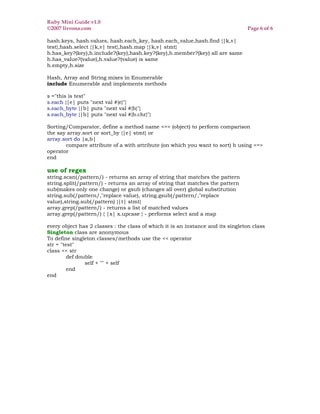
hash.keys, hash.values, hash.each_key, hash.each_value,hash.find {|k,v|
test},hash.select {|k,v| test},hash.map {|k,v| stmt}
h.has_key?(key),h.include?(key),hash.key?(key),h.member?(key) all are same
h.has_value?(value),h.value?(value) is same
h.empty,h.size

Hash, Array and String mixes in Enumerable
include Enumerable and implements methods

s ="this is test"
s.each {|e| puts "next val #{e}"}
s.each_byte {|b| puts "next val #{b}"}
s.each_byte {|b| puts "next val #{b.chr}"}

Sorting/Comparator, define a method name <=> (object) to perform comparison
the say array.sort or sort_by {|e| stmt} or
array.sort do |a,b|
       compare attribute of a with attribute (on which you want to sort) b using <=>
operator
end

use of regex
string.scan(/pattern/) - returns an array of string that matches the pattern
string.split(/pattern/) - returns an array of string that matches the pattern
sub(makes only one change) or gsub (changes all over) global substitution
string.sub(/pattern/,"replace value), string.gsub(/pattern/,"replace
value),string.sub(/pattern) {|t| stmt}
array.grep(/pattern/) - returns a list of matched values
array.grep(/pattern/) { |x| x.upcase } - performs select and a map

every object has 2 classes : the class of which it is an instance and its singleton class
Singleton class are anonymous
To define singleton classes/methods use the << operator
str = "test"
class << str
         def double
                self + "" + self
         end
end

RubyMiniGuide-v1.0_0

  • 1.
    Ruby Mini Guidev1.0 ©2007 livrona.com Page 1 of 6 objects Every thing is an object. You talk by to an object by sending a message true, false, nil is also an object. use Object.new to create object parenthesis () in method is optional puts/print - write to stdout return at the end of method is not required - The value of last statement(expr) is the return value method name begin with keyword def methodName (input args,....) end method variable args method(*args), method(arg1=value, args2,*args) modules/mix-ins module name .... end , have methods and constants to use a module in a class use, include modulename comments begin with # syntax underscore _ is used in method names class name begins with uppercase constants begin with uppercase Basic object methods object_id - returns the id of the object respond_to - check whether a message/method is implemented send - send message to object local variable - start with lowercase or underscore, destroyed once out of scope variable store references to other objects class class classname end possible to reopen class and add/override methods instance variable begin with @ and are in lowercase method name can with = (equal to sign) for convenience (used for setters) method name can with ? (questions) for convenience (used for method that return boolean) initialized method is called when object is created properties are values that can be set or get are attributes attr_reader - created reader method : attr_reader: quantity attr_writer - created writer method : attr_writer: quantity attr_accessor - created reader/writer method : attr_accessor: quantity attr - creates reader and writer method(optionally) : attr: quantity,[true/false] Class method begin with the classname.methodname. Classes are objects too! singleton method - a method defined for a specific instance of a ,object Notation # is used to refer to instance method . or :: is used to refer to class method Constants can be accessed as ClassName:CONSTANT_NAME Constants can be reinitialized, ruby gives a warning Adding to array use the << operator e.g.
  • 2.
    Ruby Mini Guidev1.0 ©2007 livrona.com Page 2 of 6 Inheritance , ChildClass < ParentClass (< means extends) require - loads and executes the file , require "test" load - loads the ruby file, load "test" Modules module can have the same method name as the class, the first one defined gets invoked super - keyword, calls the same method in the parent class, calling super alone forwards the variables from the current to the parent, super() calls no arg parent method and super(x,y,z..) call the precise parent method Modules don’t have instances, A class can have only one super class, but mix in any no. of modules. modules can be defined in classes also self - keyword used to access the current/default object, it can change based on scope scope global variables , begin with a $ cover the entire program Access : public(default), private and protected accesslevel :method_name, :method2 Object mixes with the Kernel Module, hence puts, print work without any qualifier IF Statement if condition steps end if condition then steps end # have to use if put on same line if condition; steps; end #You can use a semicolon if condition end if condition step 1 else step 2 end if condition step 1 elseif condition1 step 2 elseif condition2 step 3 end not or ! as negative unless condition step1 else step2 end
  • 3.
    Ruby Mini Guidev1.0 ©2007 livrona.com Page 3 of 6 Condition modifier statement if condition # puts "yes" if response > 1 case expr/stmt when "casea" stepa exit when "caseb" stepb exit else default case end unconditional loop {statement} loop do statement end code block delimitation by do/end AND {} break coming out of loop e.g. break if condition skip iteration loop e.g. next unless condition conditional while condition statement end begin statement end while condition until condition stmt end for c in list statement end Yield invokes the code block associated with the method/def name invoke yield or yield with args object.method { } or object.method do ... end the block can return values Exception begin rescue exception_name ==> e #catch and reassign to e rescue # default end
  • 4.
    Ruby Mini Guidev1.0 ©2007 livrona.com Page 4 of 6 Raise and exception using the raise keyword raise Exception "message" raise Exception custom exceptions extends Exception class misc String Quotation Marks "" or '' Symbol Leading Colon :symbol or :"symbol with spaces" Array Square brackets [1,2,3] Hash Curly brackets {"ca" => "California", "ny" => "new York"} Rang two or three dots 0..10 or 0..9 Regex forward slashes /{expression/ uniary increments x +=1 # means x=x+1 array operators [] get []= set << append Comparison == case equality operator === bang methods , methods that end with ! generally indicates that it would modify the receiver Conversion to_s, to_i iterators lov = [1,2,3] lov.each {|var| puts "array value #{n}" } comparison method with the name <==> can implemented by mixin the Comparable module String interpolation does not work with single quotes string puts "sum is #{1+1}" # result : sum is 2 You have to escape single quotes or double quotes %Q{'sssss' no escape needed} %Q{"sssss" no escape needed} Sting contact(+) and append (<<) operator puts 'sum is #{1+1}' # result : sum is #{1+1} They have a bang equivalent capitalize upcase downcase swapcase strip lstrip rstrip chop chmp reverse access chars from string use str[index] for left side and str[-index] from right side compare objects using : equal? compare string contents using : ==
  • 5.
    Ruby Mini Guidev1.0 ©2007 livrona.com Page 5 of 6 Symbol are instances of build in ruby class symbol, are prefixed with : to convert object to symbol use to_sym or intern method Any two that look the same are the same object essentially singleton of sorts and are immutable Number hierarchy Numeric Float Integer Fixnum Bignum Hex no. begin wtih Ox and O as octal Date.today, Date.parse, Time.new (t.year, t.day, t.min, t.dec, t.usec) t.strftime("format"); dt << months (move back months) or dt >> months (move ahead) Array Index begin at 0 abc =Array.new or abc = [] or abc = [1,2,"x",[], 5 ] (nested arrays) Array.new(units) { code block init array} Un-initialized values or default value is nil assign array more than 1 array elements in one time a[2,3] = "two", "three" abc[0] = "one" add element to begin use unshift, to add at the end use push or << remove element to begin use shift, to add at the end use pop or >> to combine array use contact e.g. a.contact(a2) a.flaten - flats the nested array into single dimension array a.reverse -reverse elements, a.join -contacts elements into one, a.uniq - return uniq elements in array iteration a.each {|ele| put ele} iteration a.each_with_index {|ele,in| put "element #{in} is #{ele}" } filtering using the find - a.find{ |ele| condition} - returns the first element matching the condition find_all - a.find_all{ |ele| condition} - returns the all element matching the condition reject - find all the elements minus the one that satisfy the condition a.size, a.empty?, a.include?(item), a.any?{|item| test} (True if any item in the array passes the test), a.all?{|item| test} (True if all items in the array passes the test) Hash is an un-ordered collection having key-value pairs zip_hash = {"94539" => "Fremont", "94529" => "Sanjose"} to get an element value zip_hash["94539"] h={}, Hash.new, Hash["94539" => "Fremont", "94529" => "Sanjose"] hash.store("key","value"), hash.fetch("key"), hash.values_at(key1,key2,...) non existing key value returned by map is nil hash.update(hash1) - updates hash 1 contents to hash hash3=hash2.merge(hash1) - merge hash 1 and hash2 as hash3 hash.invert - flip key and values hash.replace - replace key values hash.clear- clear it hash.each do |key,value| statments end
  • 6.
    Ruby Mini Guidev1.0 ©2007 livrona.com Page 6 of 6 hash.keys, hash.values, hash.each_key, hash.each_value,hash.find {|k,v| test},hash.select {|k,v| test},hash.map {|k,v| stmt} h.has_key?(key),h.include?(key),hash.key?(key),h.member?(key) all are same h.has_value?(value),h.value?(value) is same h.empty,h.size Hash, Array and String mixes in Enumerable include Enumerable and implements methods s ="this is test" s.each {|e| puts "next val #{e}"} s.each_byte {|b| puts "next val #{b}"} s.each_byte {|b| puts "next val #{b.chr}"} Sorting/Comparator, define a method name <=> (object) to perform comparison the say array.sort or sort_by {|e| stmt} or array.sort do |a,b| compare attribute of a with attribute (on which you want to sort) b using <=> operator end use of regex string.scan(/pattern/) - returns an array of string that matches the pattern string.split(/pattern/) - returns an array of string that matches the pattern sub(makes only one change) or gsub (changes all over) global substitution string.sub(/pattern/,"replace value), string.gsub(/pattern/,"replace value),string.sub(/pattern) {|t| stmt} array.grep(/pattern/) - returns a list of matched values array.grep(/pattern/) { |x| x.upcase } - performs select and a map every object has 2 classes : the class of which it is an instance and its singleton class Singleton class are anonymous To define singleton classes/methods use the << operator str = "test" class << str def double self + "" + self end end