Ruby: from ZERO to HERO
Diego LEMOS
@dlresende
Beginning
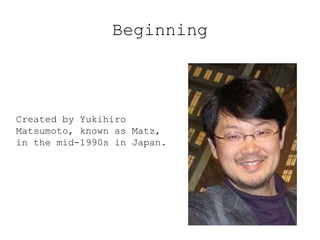
Created by Yukihiro
Matsumoto, known as Matz,
in the mid-1990s in Japan.
The Ruby Language
Ruby is a dynamic programming language with a
complex but expressive grammar and
a core class library with a rich and powerful
API. Ruby draws inspiration from Lisp,
Smalltalk, and Perl, but uses a grammar that is
easy for C and Java programmers to
learn. Ruby is a pure object-oriented language,
but it is also suitable for procedural and
functional programming styles. It includes
powerful metaprogramming capabilities
and can be used to create domain-specific
languages or DSLs.
The Ruby Philosophy
“Ruby is designed to make programmers
happy.”
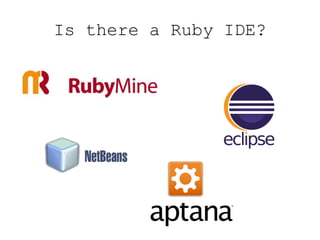
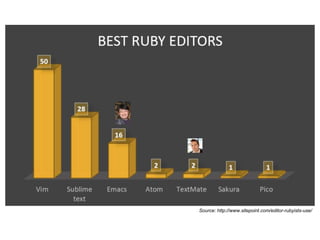
Is there a Ruby IDE?
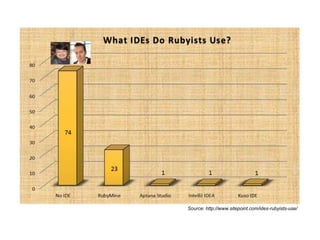
Source: http://www.sitepoint.com/ides-rubyists-use/
Source: http://www.sitepoint.com/editor-rubyists-use/
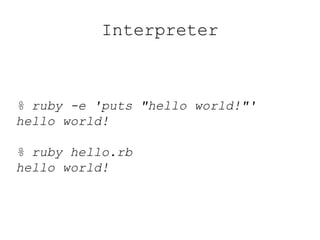
Interpreter
% ruby -e 'puts "hello world!"'
hello world!
% ruby hello.rb
hello world!
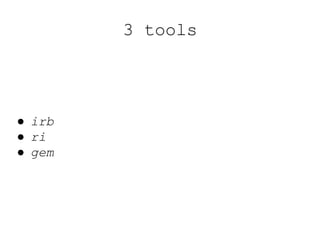
3 tools
● irb
● ri
● gem
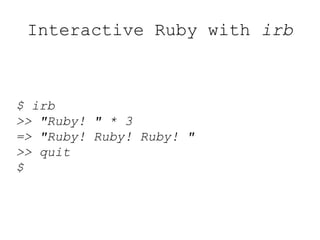
Interactive Ruby with irb
$ irb
>> "Ruby! " * 3
=> "Ruby! Ruby! Ruby! "
>> quit
$
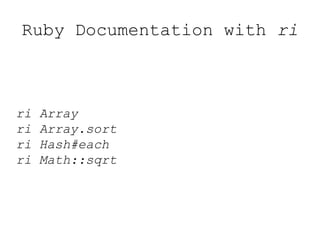
Ruby Documentation with ri
ri Array
ri Array.sort
ri Hash#each
ri Math::sqrt
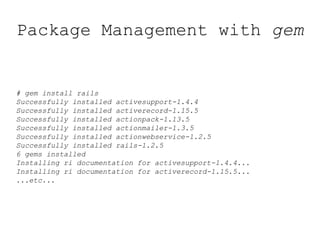
Package Management with gem
# gem install rails
Successfully installed activesupport-1.4.4
Successfully installed activerecord-1.15.5
Successfully installed actionpack-1.13.5
Successfully installed actionmailer-1.3.5
Successfully installed actionwebservice-1.2.5
Successfully installed rails-1.2.5
6 gems installed
Installing ri documentation for activesupport-1.4.4...
Installing ri documentation for activerecord-1.15.5...
...etc...
Rake
# Rake is a software task management and build automation
# tool
task :default => [:test]
task :test do
ruby "test/tc_simple_number.rb"
end
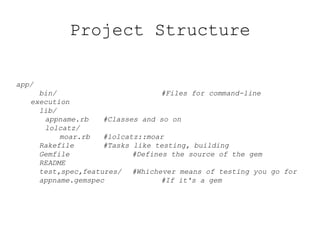
app/
bin/ #Files for command-line
execution
lib/
appname.rb #Classes and so on
lolcatz/
moar.rb #lolcatz::moar
Rakefile #Tasks like testing, building
Gemfile #Defines the source of the gem
README
test,spec,features/ #Whichever means of testing you go for
appname.gemspec #If it's a gem
Project Structure
require
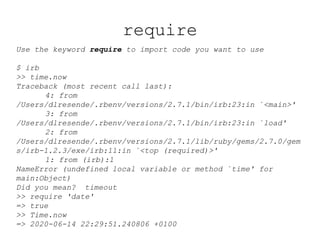
Use the keyword require to import code you want to use
$ irb
>> time.now
Traceback (most recent call last):
4: from
/Users/dlresende/.rbenv/versions/2.7.1/bin/irb:23:in `<main>'
3: from
/Users/dlresende/.rbenv/versions/2.7.1/bin/irb:23:in `load'
2: from
/Users/dlresende/.rbenv/versions/2.7.1/lib/ruby/gems/2.7.0/gem
s/irb-1.2.3/exe/irb:11:in `<top (required)>'
1: from (irb):1
NameError (undefined local variable or method `time' for
main:Object)
Did you mean? timeout
>> require 'date'
=> true
>> Time.now
=> 2020-06-14 22:29:51.240806 +0100
$LOAD_PATH
require will load code that's available in $LOAD_PATH
$ irb
>> $LOAD_PATH
=> ["/usr/local/Cellar/rbenv/1.1.2/rbenv.d/exec/gem-rehash",
"/Users/dlresende/.rbenv/versions/2.7.1/lib/ruby/site_ruby/2.7
.0",
"/Users/dlresende/.rbenv/versions/2.7.1/lib/ruby/site_ruby/2.7
.0/x86_64-darwin19",
"/Users/dlresende/.rbenv/versions/2.7.1/lib/ruby/site_ruby",
"/Users/dlresende/.rbenv/versions/2.7.1/lib/ruby/vendor_ruby/2
.7.0",
"/Users/dlresende/.rbenv/versions/2.7.1/lib/ruby/vendor_ruby/2
.7.0/x86_64-darwin19",
"/Users/dlresende/.rbenv/versions/2.7.1/lib/ruby/vendor_ruby",
"/Users/dlresende/.rbenv/versions/2.7.1/lib/ruby/2.7.0",
"/Users/dlresende/.rbenv/versions/2.7.1/lib/ruby/2.7.0/x86_64-
darwin19"]
Comments
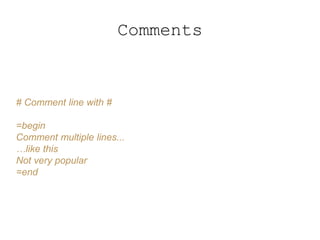
# Comment line with #
=begin
Comment multiple lines...
…like this
Not very popular
=end
Arithmetic operators
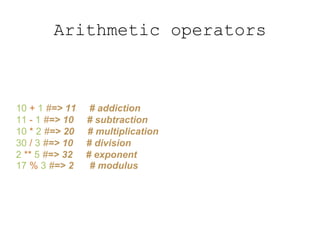
10 + 1 #=> 11 # addiction
11 - 1 #=> 10 # subtraction
10 * 2 #=> 20 # multiplication
30 / 3 #=> 10 # division
2 ** 5 #=> 32 # exponent
17 % 3 #=> 2 # modulus
Comparison operators
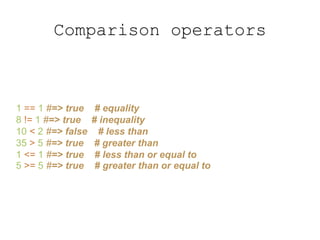
1 == 1 #=> true # equality
8 != 1 #=> true # inequality
10 < 2 #=> false # less than
35 > 5 #=> true # greater than
1 <= 1 #=> true # less than or equal to
5 >= 5 #=> true # greater than or equal to
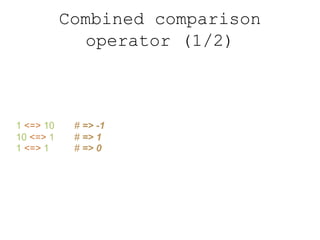
Combined comparison
operator (1/2)
1 <=> 10 # => -1
10 <=> 1 # => 1
1 <=> 1 # => 0
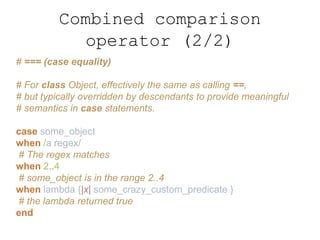
Combined comparison
operator (2/2)
# === (case equality)
# For class Object, effectively the same as calling ==,
# but typically overridden by descendants to provide meaningful
# semantics in case statements.
case some_object
when /a regex/
# The regex matches
when 2..4
# some_object is in the range 2..4
when lambda {|x| some_crazy_custom_predicate }
# the lambda returned true
end
Regexp and Range
# Regular Expressions and Ranges have a literal syntax in Ruby:
/[Rr]uby/ # Matches "Ruby" or "ruby"
/d{5}/ # Matches 5 consecutive digits
1..3 # All x where 1 <= x <= 3
1...3 # All x where 1 <= x < 3
# Regexp and Range objects define the normal == operator for
# testing equality. In addition, they also define the === operator for
# testing matching and membership.
# Ruby’s case statement (like the switch statement of C or Java)
# matches its expression against each of the possible cases using
# ===, so this operator is often called the case equality operator.
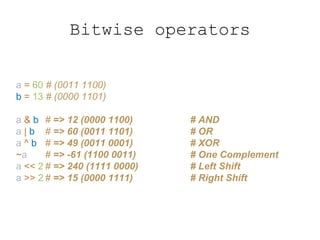
Bitwise operators
a = 60 # (0011 1100)
b = 13 # (0000 1101)
a & b # => 12 (0000 1100) # AND
a | b # => 60 (0011 1101) # OR
a ^ b # => 49 (0011 0001) # XOR
~a # => -61 (1100 0011) # One Complement
a << 2 # => 240 (1111 0000) # Left Shift
a >> 2 # => 15 (0000 1111) # Right Shift
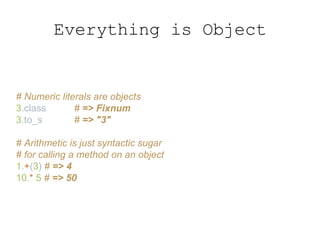
Everything is Object
# Numeric literals are objects
3.class # => Fixnum
3.to_s # => "3"
# Arithmetic is just syntactic sugar
# for calling a method on an object
1.+(3) # => 4
10.* 5 # => 50
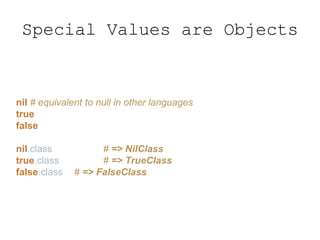
Special Values are Objects
nil # equivalent to null in other languages
true
false
nil.class # => NilClass
true.class # => TrueClass
false.class # => FalseClass
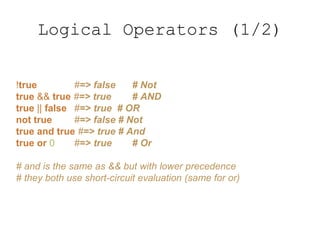
Logical Operators (1/2)
!true #=> false # Not
true && true #=> true # AND
true || false #=> true # OR
not true #=> false # Not
true and true #=> true # And
true or 0 #=> true # Or
# and is the same as && but with lower precedence
# they both use short-circuit evaluation (same for or)
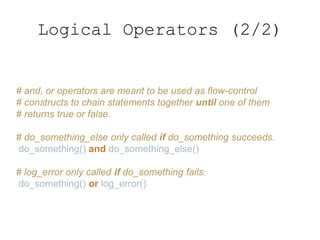
Logical Operators (2/2)
# and, or operators are meant to be used as flow-control
# constructs to chain statements together until one of them
# returns true or false.
# do_something_else only called if do_something succeeds.
do_something() and do_something_else()
# log_error only called if do_something fails.
do_something() or log_error()
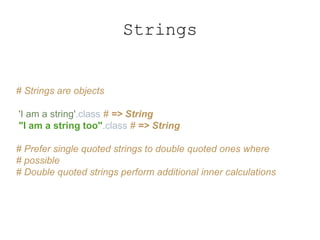
Strings
# Strings are objects
'I am a string'.class # => String
"I am a string too".class # => String
# Prefer single quoted strings to double quoted ones where
# possible
# Double quoted strings perform additional inner calculations
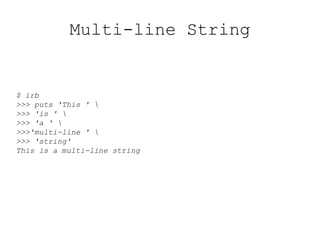
Multi-line String
$ irb
>>> puts 'This ' 
>>> 'is ' 
>>> 'a ' 
>>>'multi-line ' 
>>> 'string'
This is a multi-line string
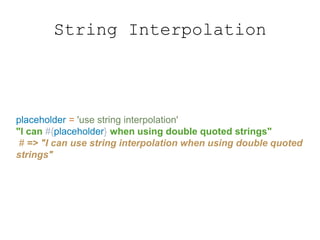
String Interpolation
placeholder = 'use string interpolation'
"I can #{placeholder} when using double quoted strings"
# => "I can use string interpolation when using double quoted
strings"
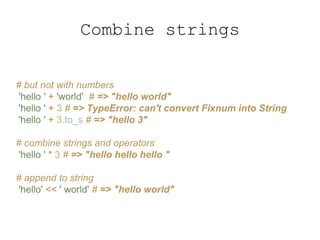
Combine strings
# but not with numbers
'hello ' + 'world' # => "hello world"
'hello ' + 3 # => TypeError: can't convert Fixnum into String
'hello ' + 3.to_s # => "hello 3"
# combine strings and operators
'hello ' * 3 # => "hello hello hello "
# append to string
'hello' << ' world' # => "hello world"
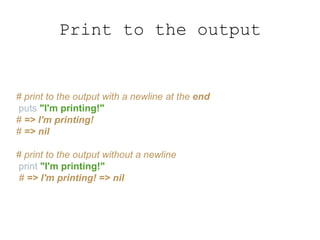
Print to the output
# print to the output with a newline at the end
puts "I'm printing!"
# => I'm printing!
# => nil
# print to the output without a newline
print "I'm printing!"
# => I'm printing! => nil
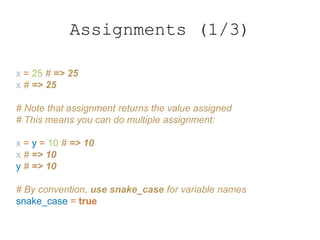
Assignments (1/3)
x = 25 # => 25
x # => 25
# Note that assignment returns the value assigned
# This means you can do multiple assignment:
x = y = 10 # => 10
x # => 10
y # => 10
# By convention, use snake_case for variable names
snake_case = true
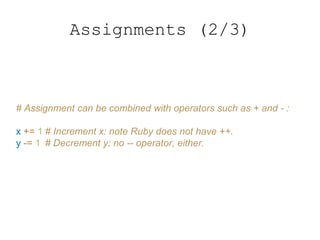
Assignments (2/3)
# Assignment can be combined with operators such as + and - :
x += 1 # Increment x: note Ruby does not have ++.
y -= 1 # Decrement y: no -- operator, either.
Assignments (3/3)
# Ruby supports parallel assignment, allowing more than one
value # and more than one variable in assignment expressions:
x, y = 1, 2 # Same as x = 1; y = 2
a, b = b, a # Swap the value of two variables
x,y,z = [1,2,3] # Array elements automatically assigned to variables
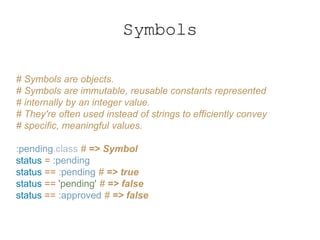
Symbols
# Symbols are objects.
# Symbols are immutable, reusable constants represented
# internally by an integer value.
# They're often used instead of strings to efficiently convey
# specific, meaningful values.
:pending.class # => Symbol
status = :pending
status == :pending # => true
status == 'pending' # => false
status == :approved # => false
Arrays (1/4)
# This is an array
array = [1, 2, 3, 4, 5] # => [1, 2, 3, 4, 5]
array.class # => Array
# Arrays can contain items of different types
[1, 'hello', false] # => [1, "hello", false]
Arrays (2/4)
# Arrays can be indexed…
# ...from the front
array[0] # => 1
array.first # => 1
array[12] # => nil
# ...from the end
array[-1] # => 5
array.last # => 5
# ...with a start index and length
array[2, 3] # => [3, 4, 5]
# ...or with a range
array[1..3] # => [2, 3, 4]
array[*'a'..'z'] # => ['a','b', 'c', …, 'z']
Arrays (3/4)
# Like arithmetic, [var] access
# is just syntactic sugar
# for calling a method [] on an object
array.[](0) # => 1
array.[] 0 # => 1
array.[] 12 # => nil
# In Ruby, parentheses are usually optional and they are
# commonly omitted, especially when the method being invoked
# takes no arguments.
Arrays (4/4)
# Reverse an Array
a = [1, 2, 3]
a.reverse! # => [3, 2, 1]
# Add to an array like this
array << 6 # => [1, 2, 3, 4, 5, 6]
# Or like this
array.push(6) # => [1, 2, 3, 4, 5, 6]
# Check if an item exists in the array
array.include?(1) # => true
Exclamation and question
marksarray = [1, 2, 3]
# The question mark is a code style convention;
# it indicates that a method returns a boolean value.
# The question mark is a valid character at the end of a method.
# These methods are called predicated methods.
array.include?(1) # => true
# In general, methods that end in ! indicate that the method will
# modify the object it's called on. Ruby calls these "dangerous
# methods" because they change state that someone else might
# have a reference to.
# These methods are called mutator methods.
array.reverse! # => [3, 2, 1]
array # => [3, 2, 1]
Hashes (1/2)
# Hashes are Ruby's primary dictionary with keys/value pairs.
# Hashes are denoted with curly braces:
hash = { 'color' => 'green', 'number' => 5 }
hash.keys # => ['color', 'number']
# Hashes can be quickly looked up by key:
hash['color'] # => 'green'
hash['number'] # => 5
# Asking a hash for a key that doesn't exist returns nil:
hash['nothing here'] # => nil
# Since Ruby 1.9, there's a special syntax when using symbols as
# keys.
# Hashes can use any object as a key, but Symbol objects are the
# most commonly used. Symbols are immutable, interned strings.
new_hash = { defcon: 3, action: true }
new_hash.keys # => [:defcon, :action]
new_hash.values # => [3, true]
# Check the existence of keys and values in hash
new_hash.key?(:defcon) # => true
new_hash.value?(3) # => true
# Tip: Both Arrays and Hashes are Enumerable
# They share a lot of useful methods such as each, map, count,
# and more
Hashes (2/2)
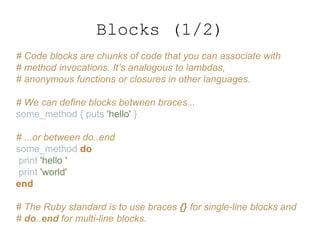
# Code blocks are chunks of code that you can associate with
# method invocations. It’s analogous to lambdas,
# anonymous functions or closures in other languages.
# We can define blocks between braces...
some_method { puts 'hello' }
# ...or between do..end
some_method do
print 'hello '
print 'world'
end
# The Ruby standard is to use braces {} for single-line blocks and
# do..end for multi-line blocks.
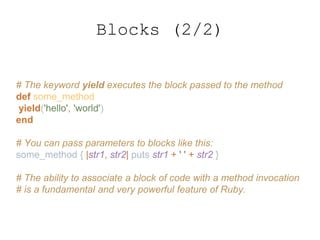
Blocks (1/2)
# The keyword yield executes the block passed to the method
def some_method
yield('hello', 'world')
end
# You can pass parameters to blocks like this:
some_method { |str1, str2| puts str1 + ' ' + str2 }
# The ability to associate a block of code with a method invocation
# is a fundamental and very powerful feature of Ruby.
Blocks (2/2)
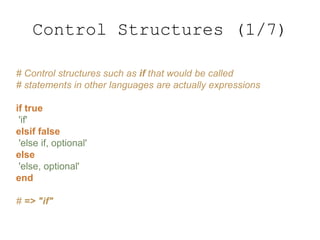
# Control structures such as if that would be called
# statements in other languages are actually expressions
if true
'if'
elsif false
'else if, optional'
else
'else, optional'
end
# => "if"
Control Structures (1/7)
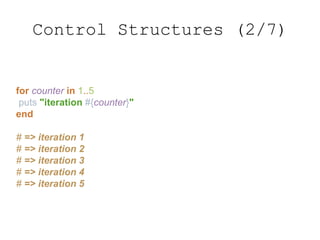
for counter in 1..5
puts "iteration #{counter}"
end
# => iteration 1
# => iteration 2
# => iteration 3
# => iteration 4
# => iteration 5
Control Structures (2/7)
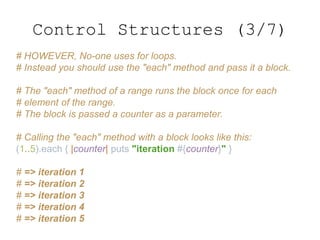
# HOWEVER, No-one uses for loops.
# Instead you should use the "each" method and pass it a block.
# The "each" method of a range runs the block once for each
# element of the range.
# The block is passed a counter as a parameter.
# Calling the "each" method with a block looks like this:
(1..5).each { |counter| puts "iteration #{counter}" }
# => iteration 1
# => iteration 2
# => iteration 3
# => iteration 4
# => iteration 5
Control Structures (3/7)
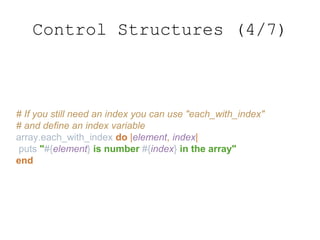
# If you still need an index you can use "each_with_index"
# and define an index variable
array.each_with_index do |element, index|
puts "#{element} is number #{index} in the array"
end
Control Structures (4/7)
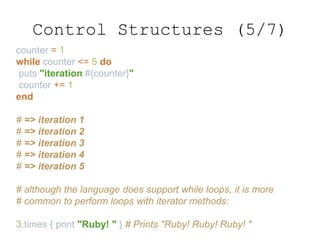
counter = 1
while counter <= 5 do
puts "iteration #{counter}"
counter += 1
end
# => iteration 1
# => iteration 2
# => iteration 3
# => iteration 4
# => iteration 5
# although the language does support while loops, it is more
# common to perform loops with iterator methods:
3.times { print "Ruby! " } # Prints "Ruby! Ruby! Ruby! "
Control Structures (5/7)
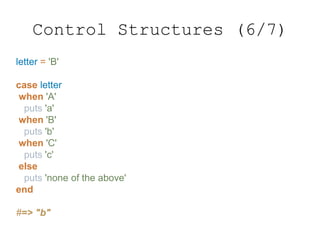
letter = 'B'
case letter
when 'A'
puts 'a'
when 'B'
puts 'b'
when 'C'
puts 'c'
else
puts 'none of the above'
end
#=> "b"
Control Structures (6/7)
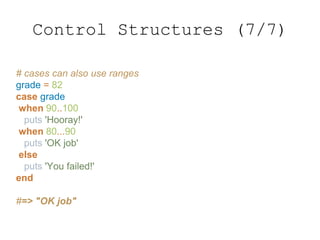
# cases can also use ranges
grade = 82
case grade
when 90..100
puts 'Hooray!'
when 80...90
puts 'OK job'
else
puts 'You failed!'
end
#=> "OK job"
Control Structures (7/7)
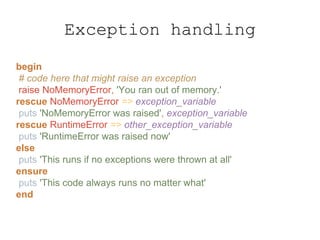
begin
# code here that might raise an exception
raise NoMemoryError, 'You ran out of memory.'
rescue NoMemoryError => exception_variable
puts 'NoMemoryError was raised', exception_variable
rescue RuntimeError => other_exception_variable
puts 'RuntimeError was raised now'
else
puts 'This runs if no exceptions were thrown at all'
ensure
puts 'This code always runs no matter what'
end
Exception handling
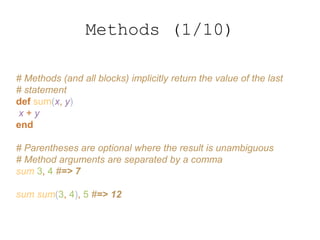
# Methods (and all blocks) implicitly return the value of the last
# statement
def sum(x, y)
x + y
end
# Parentheses are optional where the result is unambiguous
# Method arguments are separated by a comma
sum 3, 4 #=> 7
sum sum(3, 4), 5 #=> 12
Methods (1/10)
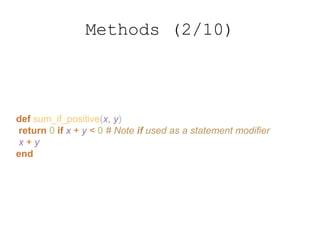
def sum_if_positive(x, y)
return 0 if x + y < 0 # Note if used as a statement modifier
x + y
end
Methods (2/10)
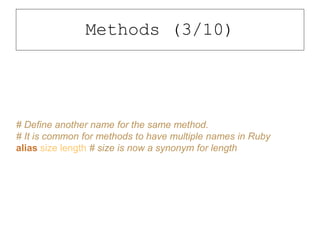
# Define another name for the same method.
# It is common for methods to have multiple names in Ruby
alias size length # size is now a synonym for length
Methods (3/10)
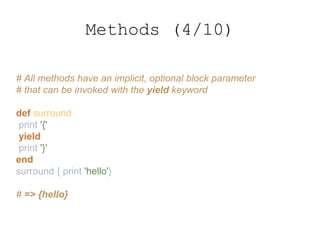
# All methods have an implicit, optional block parameter
# that can be invoked with the yield keyword
def surround
print '{'
yield
print '}'
end
surround { print 'hello'}
# => {hello}
Methods (4/10)
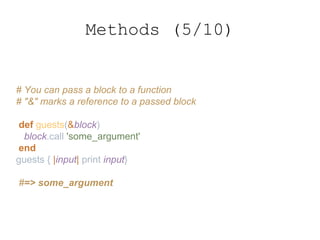
# You can pass a block to a function
# "&" marks a reference to a passed block
def guests(&block)
block.call 'some_argument'
end
guests { |input| print input}
#=> some_argument
Methods (5/10)
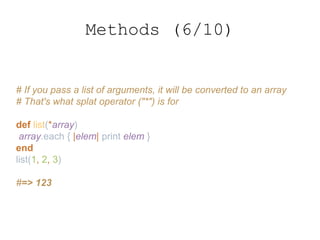
# If you pass a list of arguments, it will be converted to an array
# That's what splat operator ("*") is for
def list(*array)
array.each { |elem| print elem }
end
list(1, 2, 3)
#=> 123
Methods (6/10)
# If a method returns an array, you can use destructuring
# assignment
def foods
['pancake', 'sandwich', 'quesadilla']
end
breakfast, lunch, dinner = foods
breakfast #=> 'pancake'
dinner #=> 'quesadilla'
lunch #=> 'sandwich'
Methods (7/10)
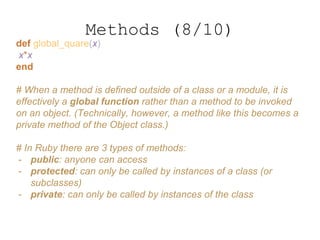
def global_quare(x)
x*x
end
# When a method is defined outside of a class or a module, it is
effectively a global function rather than a method to be invoked
on an object. (Technically, however, a method like this becomes a
private method of the Object class.)
# In Ruby there are 3 types of methods:
- public: anyone can access
- protected: can only be called by instances of a class (or
subclasses)
- private: can only be called by instances of the class
Methods (8/10)
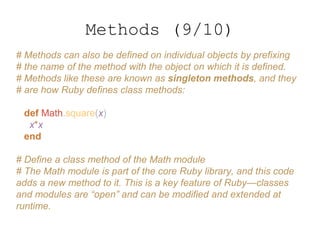
# Methods can also be defined on individual objects by prefixing
# the name of the method with the object on which it is defined.
# Methods like these are known as singleton methods, and they
# are how Ruby defines class methods:
def Math.square(x)
x*x
end
# Define a class method of the Math module
# The Math module is part of the core Ruby library, and this code
adds a new method to it. This is a key feature of Ruby—classes
and modules are “open” and can be modified and extended at
runtime.
Methods (9/10)
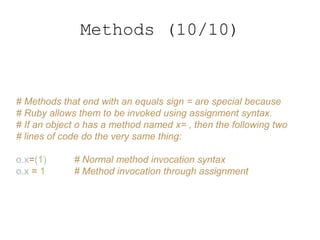
# Methods that end with an equals sign = are special because
# Ruby allows them to be invoked using assignment syntax.
# If an object o has a method named x= , then the following two
# lines of code do the very same thing:
o.x=(1) # Normal method invocation syntax
o.x = 1 # Method invocation through assignment
Methods (10/10)
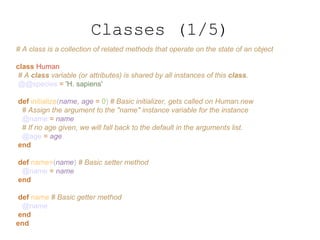
# A class is a collection of related methods that operate on the state of an object
class Human
# A class variable (or attributes) is shared by all instances of this class.
@@species = 'H. sapiens'
def initialize(name, age = 0) # Basic initializer, gets called on Human.new
# Assign the argument to the "name" instance variable for the instance
@name = name
# If no age given, we will fall back to the default in the arguments list.
@age = age
end
def name=(name) # Basic setter method
@name = name
end
def name # Basic getter method
@name
end
end
Classes (1/5)
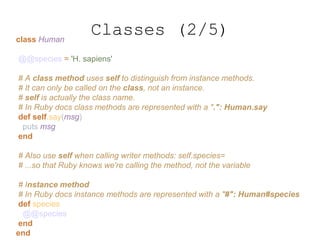
class Human
@@species = 'H. sapiens'
# A class method uses self to distinguish from instance methods.
# It can only be called on the class, not an instance.
# self is actually the class name.
# In Ruby docs class methods are represented with a ".": Human.say
def self.say(msg)
puts msg
end
# Also use self when calling writer methods: self.species=
# ...so that Ruby knows we're calling the method, not the variable
# Instance method
# In Ruby docs instance methods are represented with a "#": Human#species
def species
@@species
end
end
Classes (2/5)
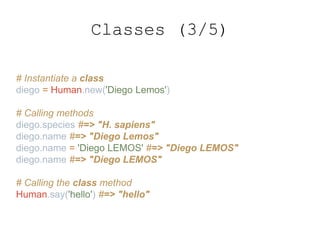
# Instantiate a class
diego = Human.new('Diego Lemos')
# Calling methods
diego.species #=> "H. sapiens"
diego.name #=> "Diego Lemos"
diego.name = 'Diego LEMOS' #=> "Diego LEMOS"
diego.name #=> "Diego LEMOS"
# Calling the class method
Human.say('hello') #=> "hello"
Classes (3/5)
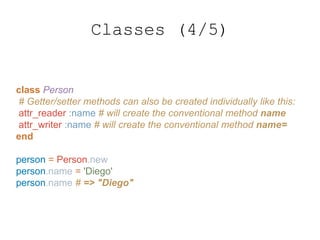
class Person
# Getter/setter methods can also be created individually like this:
attr_reader :name # will create the conventional method name
attr_writer :name # will create the conventional method name=
end
person = Person.new
person.name = 'Diego'
person.name # => "Diego"
Classes (4/5)
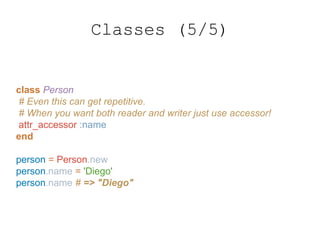
class Person
# Even this can get repetitive.
# When you want both reader and writer just use accessor!
attr_accessor :name
end
person = Person.new
person.name = 'Diego'
person.name # => "Diego"
Classes (5/5)
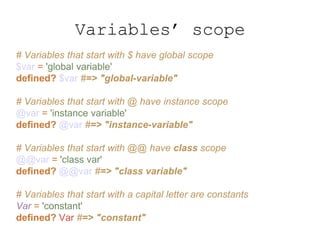
# Variables that start with $ have global scope
$var = 'global variable'
defined? $var #=> "global-variable"
# Variables that start with @ have instance scope
@var = 'instance variable'
defined? @var #=> "instance-variable"
# Variables that start with @@ have class scope
@@var = 'class var'
defined? @@var #=> "class variable"
# Variables that start with a capital letter are constants
Var = 'constant'
defined? Var #=> "constant"
Variables’ scope
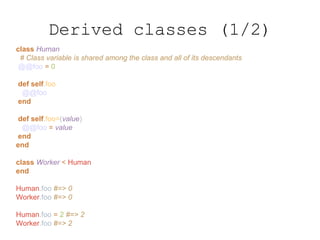
class Human
# Class variable is shared among the class and all of its descendants
@@foo = 0
def self.foo
@@foo
end
def self.foo=(value)
@@foo = value
end
end
class Worker < Human
end
Human.foo #=> 0
Worker.foo #=> 0
Human.foo = 2 #=> 2
Worker.foo #=> 2
Derived classes (1/2)
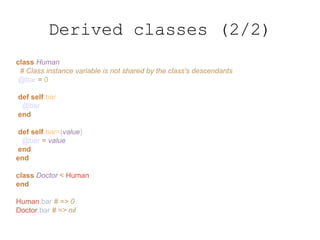
class Human
# Class instance variable is not shared by the class's descendants
@bar = 0
def self.bar
@bar
end
def self.bar=(value)
@bar = value
end
end
class Doctor < Human
end
Human.bar # => 0
Doctor.bar # => nil
Derived classes (2/2)
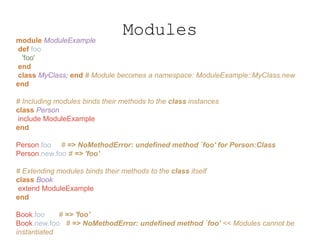
module ModuleExample
def foo
'foo'
end
class MyClass; end # Module becomes a namespace: ModuleExample::MyClass.new
end
# Including modules binds their methods to the class instances
class Person
include ModuleExample
end
Person.foo # => NoMethodError: undefined method `foo' for Person:Class
Person.new.foo # => 'foo'
# Extending modules binds their methods to the class itself
class Book
extend ModuleExample
end
Book.foo # => 'foo'
Book.new.foo # => NoMethodError: undefined method `foo' << Modules cannot be
instantiated
Modules
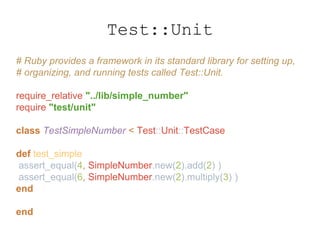
# Ruby provides a framework in its standard library for setting up,
# organizing, and running tests called Test::Unit.
require_relative "../lib/simple_number"
require "test/unit"
class TestSimpleNumber < Test::Unit::TestCase
def test_simple
assert_equal(4, SimpleNumber.new(2).add(2) )
assert_equal(6, SimpleNumber.new(2).multiply(3) )
end
end
Test::Unit
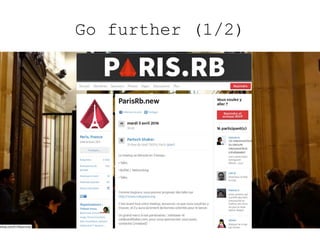
Go further (1/2)
Go further (2/2)
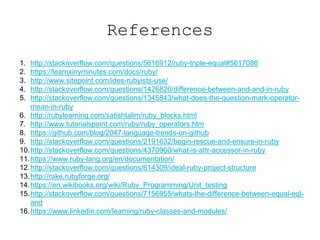
References
1. http://stackoverflow.com/questions/5616912/ruby-triple-equal#5617086
2. https://learnxinyminutes.com/docs/ruby/
3. http://www.sitepoint.com/ides-rubyists-use/
4. http://stackoverflow.com/questions/1426826/difference-between-and-and-in-ruby
5. http://stackoverflow.com/questions/1345843/what-does-the-question-mark-operator-
mean-in-ruby
6. http://rubylearning.com/satishtalim/ruby_blocks.html
7. http://www.tutorialspoint.com/ruby/ruby_operators.htm
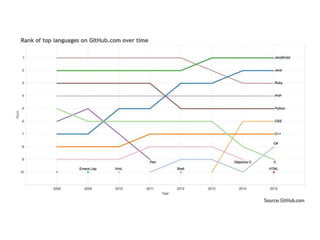
8. https://github.com/blog/2047-language-trends-on-github
9. http://stackoverflow.com/questions/2191632/begin-rescue-and-ensure-in-ruby
10.http://stackoverflow.com/questions/4370960/what-is-attr-accessor-in-ruby
11.https://www.ruby-lang.org/en/documentation/
12.http://stackoverflow.com/questions/614309/ideal-ruby-project-structure
13.http://rake.rubyforge.org/
14.https://en.wikibooks.org/wiki/Ruby_Programming/Unit_testing
15.http://stackoverflow.com/questions/7156955/whats-the-difference-between-equal-eql-
and
16.https://www.linkedin.com/learning/ruby-classes-and-modules/

Ruby from zero to hero

  • 1.
    Ruby: from ZEROto HERO Diego LEMOS @dlresende
  • 3.
    Beginning Created by Yukihiro Matsumoto,known as Matz, in the mid-1990s in Japan.
  • 4.
    The Ruby Language Rubyis a dynamic programming language with a complex but expressive grammar and a core class library with a rich and powerful API. Ruby draws inspiration from Lisp, Smalltalk, and Perl, but uses a grammar that is easy for C and Java programmers to learn. Ruby is a pure object-oriented language, but it is also suitable for procedural and functional programming styles. It includes powerful metaprogramming capabilities and can be used to create domain-specific languages or DSLs.
  • 5.
    The Ruby Philosophy “Rubyis designed to make programmers happy.”
  • 6.
    Is there aRuby IDE?
  • 7.
  • 8.
  • 9.
    Interpreter % ruby -e'puts "hello world!"' hello world! % ruby hello.rb hello world!
  • 10.
  • 11.
    Interactive Ruby withirb $ irb >> "Ruby! " * 3 => "Ruby! Ruby! Ruby! " >> quit $
  • 12.
    Ruby Documentation withri ri Array ri Array.sort ri Hash#each ri Math::sqrt
  • 13.
    Package Management withgem # gem install rails Successfully installed activesupport-1.4.4 Successfully installed activerecord-1.15.5 Successfully installed actionpack-1.13.5 Successfully installed actionmailer-1.3.5 Successfully installed actionwebservice-1.2.5 Successfully installed rails-1.2.5 6 gems installed Installing ri documentation for activesupport-1.4.4... Installing ri documentation for activerecord-1.15.5... ...etc...
  • 14.
    Rake # Rake isa software task management and build automation # tool task :default => [:test] task :test do ruby "test/tc_simple_number.rb" end
  • 15.
    app/ bin/ #Files forcommand-line execution lib/ appname.rb #Classes and so on lolcatz/ moar.rb #lolcatz::moar Rakefile #Tasks like testing, building Gemfile #Defines the source of the gem README test,spec,features/ #Whichever means of testing you go for appname.gemspec #If it's a gem Project Structure
  • 17.
    require Use the keywordrequire to import code you want to use $ irb >> time.now Traceback (most recent call last): 4: from /Users/dlresende/.rbenv/versions/2.7.1/bin/irb:23:in `<main>' 3: from /Users/dlresende/.rbenv/versions/2.7.1/bin/irb:23:in `load' 2: from /Users/dlresende/.rbenv/versions/2.7.1/lib/ruby/gems/2.7.0/gem s/irb-1.2.3/exe/irb:11:in `<top (required)>' 1: from (irb):1 NameError (undefined local variable or method `time' for main:Object) Did you mean? timeout >> require 'date' => true >> Time.now => 2020-06-14 22:29:51.240806 +0100
  • 18.
    $LOAD_PATH require will loadcode that's available in $LOAD_PATH $ irb >> $LOAD_PATH => ["/usr/local/Cellar/rbenv/1.1.2/rbenv.d/exec/gem-rehash", "/Users/dlresende/.rbenv/versions/2.7.1/lib/ruby/site_ruby/2.7 .0", "/Users/dlresende/.rbenv/versions/2.7.1/lib/ruby/site_ruby/2.7 .0/x86_64-darwin19", "/Users/dlresende/.rbenv/versions/2.7.1/lib/ruby/site_ruby", "/Users/dlresende/.rbenv/versions/2.7.1/lib/ruby/vendor_ruby/2 .7.0", "/Users/dlresende/.rbenv/versions/2.7.1/lib/ruby/vendor_ruby/2 .7.0/x86_64-darwin19", "/Users/dlresende/.rbenv/versions/2.7.1/lib/ruby/vendor_ruby", "/Users/dlresende/.rbenv/versions/2.7.1/lib/ruby/2.7.0", "/Users/dlresende/.rbenv/versions/2.7.1/lib/ruby/2.7.0/x86_64- darwin19"]
  • 19.
    Comments # Comment linewith # =begin Comment multiple lines... …like this Not very popular =end
  • 20.
    Arithmetic operators 10 +1 #=> 11 # addiction 11 - 1 #=> 10 # subtraction 10 * 2 #=> 20 # multiplication 30 / 3 #=> 10 # division 2 ** 5 #=> 32 # exponent 17 % 3 #=> 2 # modulus
  • 21.
    Comparison operators 1 ==1 #=> true # equality 8 != 1 #=> true # inequality 10 < 2 #=> false # less than 35 > 5 #=> true # greater than 1 <= 1 #=> true # less than or equal to 5 >= 5 #=> true # greater than or equal to
  • 22.
    Combined comparison operator (1/2) 1<=> 10 # => -1 10 <=> 1 # => 1 1 <=> 1 # => 0
  • 23.
    Combined comparison operator (2/2) #=== (case equality) # For class Object, effectively the same as calling ==, # but typically overridden by descendants to provide meaningful # semantics in case statements. case some_object when /a regex/ # The regex matches when 2..4 # some_object is in the range 2..4 when lambda {|x| some_crazy_custom_predicate } # the lambda returned true end
  • 24.
    Regexp and Range #Regular Expressions and Ranges have a literal syntax in Ruby: /[Rr]uby/ # Matches "Ruby" or "ruby" /d{5}/ # Matches 5 consecutive digits 1..3 # All x where 1 <= x <= 3 1...3 # All x where 1 <= x < 3 # Regexp and Range objects define the normal == operator for # testing equality. In addition, they also define the === operator for # testing matching and membership. # Ruby’s case statement (like the switch statement of C or Java) # matches its expression against each of the possible cases using # ===, so this operator is often called the case equality operator.
  • 25.
    Bitwise operators a =60 # (0011 1100) b = 13 # (0000 1101) a & b # => 12 (0000 1100) # AND a | b # => 60 (0011 1101) # OR a ^ b # => 49 (0011 0001) # XOR ~a # => -61 (1100 0011) # One Complement a << 2 # => 240 (1111 0000) # Left Shift a >> 2 # => 15 (0000 1111) # Right Shift
  • 26.
    Everything is Object #Numeric literals are objects 3.class # => Fixnum 3.to_s # => "3" # Arithmetic is just syntactic sugar # for calling a method on an object 1.+(3) # => 4 10.* 5 # => 50
  • 27.
    Special Values areObjects nil # equivalent to null in other languages true false nil.class # => NilClass true.class # => TrueClass false.class # => FalseClass
  • 28.
    Logical Operators (1/2) !true#=> false # Not true && true #=> true # AND true || false #=> true # OR not true #=> false # Not true and true #=> true # And true or 0 #=> true # Or # and is the same as && but with lower precedence # they both use short-circuit evaluation (same for or)
  • 29.
    Logical Operators (2/2) #and, or operators are meant to be used as flow-control # constructs to chain statements together until one of them # returns true or false. # do_something_else only called if do_something succeeds. do_something() and do_something_else() # log_error only called if do_something fails. do_something() or log_error()
  • 30.
    Strings # Strings areobjects 'I am a string'.class # => String "I am a string too".class # => String # Prefer single quoted strings to double quoted ones where # possible # Double quoted strings perform additional inner calculations
  • 31.
    Multi-line String $ irb >>>puts 'This ' >>> 'is ' >>> 'a ' >>>'multi-line ' >>> 'string' This is a multi-line string
  • 32.
    String Interpolation placeholder ='use string interpolation' "I can #{placeholder} when using double quoted strings" # => "I can use string interpolation when using double quoted strings"
  • 33.
    Combine strings # butnot with numbers 'hello ' + 'world' # => "hello world" 'hello ' + 3 # => TypeError: can't convert Fixnum into String 'hello ' + 3.to_s # => "hello 3" # combine strings and operators 'hello ' * 3 # => "hello hello hello " # append to string 'hello' << ' world' # => "hello world"
  • 34.
    Print to theoutput # print to the output with a newline at the end puts "I'm printing!" # => I'm printing! # => nil # print to the output without a newline print "I'm printing!" # => I'm printing! => nil
  • 35.
    Assignments (1/3) x =25 # => 25 x # => 25 # Note that assignment returns the value assigned # This means you can do multiple assignment: x = y = 10 # => 10 x # => 10 y # => 10 # By convention, use snake_case for variable names snake_case = true
  • 36.
    Assignments (2/3) # Assignmentcan be combined with operators such as + and - : x += 1 # Increment x: note Ruby does not have ++. y -= 1 # Decrement y: no -- operator, either.
  • 37.
    Assignments (3/3) # Rubysupports parallel assignment, allowing more than one value # and more than one variable in assignment expressions: x, y = 1, 2 # Same as x = 1; y = 2 a, b = b, a # Swap the value of two variables x,y,z = [1,2,3] # Array elements automatically assigned to variables
  • 38.
    Symbols # Symbols areobjects. # Symbols are immutable, reusable constants represented # internally by an integer value. # They're often used instead of strings to efficiently convey # specific, meaningful values. :pending.class # => Symbol status = :pending status == :pending # => true status == 'pending' # => false status == :approved # => false
  • 39.
    Arrays (1/4) # Thisis an array array = [1, 2, 3, 4, 5] # => [1, 2, 3, 4, 5] array.class # => Array # Arrays can contain items of different types [1, 'hello', false] # => [1, "hello", false]
  • 40.
    Arrays (2/4) # Arrayscan be indexed… # ...from the front array[0] # => 1 array.first # => 1 array[12] # => nil # ...from the end array[-1] # => 5 array.last # => 5 # ...with a start index and length array[2, 3] # => [3, 4, 5] # ...or with a range array[1..3] # => [2, 3, 4] array[*'a'..'z'] # => ['a','b', 'c', …, 'z']
  • 41.
    Arrays (3/4) # Likearithmetic, [var] access # is just syntactic sugar # for calling a method [] on an object array.[](0) # => 1 array.[] 0 # => 1 array.[] 12 # => nil # In Ruby, parentheses are usually optional and they are # commonly omitted, especially when the method being invoked # takes no arguments.
  • 42.
    Arrays (4/4) # Reversean Array a = [1, 2, 3] a.reverse! # => [3, 2, 1] # Add to an array like this array << 6 # => [1, 2, 3, 4, 5, 6] # Or like this array.push(6) # => [1, 2, 3, 4, 5, 6] # Check if an item exists in the array array.include?(1) # => true
  • 43.
    Exclamation and question marksarray= [1, 2, 3] # The question mark is a code style convention; # it indicates that a method returns a boolean value. # The question mark is a valid character at the end of a method. # These methods are called predicated methods. array.include?(1) # => true # In general, methods that end in ! indicate that the method will # modify the object it's called on. Ruby calls these "dangerous # methods" because they change state that someone else might # have a reference to. # These methods are called mutator methods. array.reverse! # => [3, 2, 1] array # => [3, 2, 1]
  • 44.
    Hashes (1/2) # Hashesare Ruby's primary dictionary with keys/value pairs. # Hashes are denoted with curly braces: hash = { 'color' => 'green', 'number' => 5 } hash.keys # => ['color', 'number'] # Hashes can be quickly looked up by key: hash['color'] # => 'green' hash['number'] # => 5 # Asking a hash for a key that doesn't exist returns nil: hash['nothing here'] # => nil
  • 45.
    # Since Ruby1.9, there's a special syntax when using symbols as # keys. # Hashes can use any object as a key, but Symbol objects are the # most commonly used. Symbols are immutable, interned strings. new_hash = { defcon: 3, action: true } new_hash.keys # => [:defcon, :action] new_hash.values # => [3, true] # Check the existence of keys and values in hash new_hash.key?(:defcon) # => true new_hash.value?(3) # => true # Tip: Both Arrays and Hashes are Enumerable # They share a lot of useful methods such as each, map, count, # and more Hashes (2/2)
  • 46.
    # Code blocksare chunks of code that you can associate with # method invocations. It’s analogous to lambdas, # anonymous functions or closures in other languages. # We can define blocks between braces... some_method { puts 'hello' } # ...or between do..end some_method do print 'hello ' print 'world' end # The Ruby standard is to use braces {} for single-line blocks and # do..end for multi-line blocks. Blocks (1/2)
  • 47.
    # The keywordyield executes the block passed to the method def some_method yield('hello', 'world') end # You can pass parameters to blocks like this: some_method { |str1, str2| puts str1 + ' ' + str2 } # The ability to associate a block of code with a method invocation # is a fundamental and very powerful feature of Ruby. Blocks (2/2)
  • 48.
    # Control structuressuch as if that would be called # statements in other languages are actually expressions if true 'if' elsif false 'else if, optional' else 'else, optional' end # => "if" Control Structures (1/7)
  • 49.
    for counter in1..5 puts "iteration #{counter}" end # => iteration 1 # => iteration 2 # => iteration 3 # => iteration 4 # => iteration 5 Control Structures (2/7)
  • 50.
    # HOWEVER, No-oneuses for loops. # Instead you should use the "each" method and pass it a block. # The "each" method of a range runs the block once for each # element of the range. # The block is passed a counter as a parameter. # Calling the "each" method with a block looks like this: (1..5).each { |counter| puts "iteration #{counter}" } # => iteration 1 # => iteration 2 # => iteration 3 # => iteration 4 # => iteration 5 Control Structures (3/7)
  • 51.
    # If youstill need an index you can use "each_with_index" # and define an index variable array.each_with_index do |element, index| puts "#{element} is number #{index} in the array" end Control Structures (4/7)
  • 52.
    counter = 1 whilecounter <= 5 do puts "iteration #{counter}" counter += 1 end # => iteration 1 # => iteration 2 # => iteration 3 # => iteration 4 # => iteration 5 # although the language does support while loops, it is more # common to perform loops with iterator methods: 3.times { print "Ruby! " } # Prints "Ruby! Ruby! Ruby! " Control Structures (5/7)
  • 53.
    letter = 'B' caseletter when 'A' puts 'a' when 'B' puts 'b' when 'C' puts 'c' else puts 'none of the above' end #=> "b" Control Structures (6/7)
  • 54.
    # cases canalso use ranges grade = 82 case grade when 90..100 puts 'Hooray!' when 80...90 puts 'OK job' else puts 'You failed!' end #=> "OK job" Control Structures (7/7)
  • 55.
    begin # code herethat might raise an exception raise NoMemoryError, 'You ran out of memory.' rescue NoMemoryError => exception_variable puts 'NoMemoryError was raised', exception_variable rescue RuntimeError => other_exception_variable puts 'RuntimeError was raised now' else puts 'This runs if no exceptions were thrown at all' ensure puts 'This code always runs no matter what' end Exception handling
  • 56.
    # Methods (andall blocks) implicitly return the value of the last # statement def sum(x, y) x + y end # Parentheses are optional where the result is unambiguous # Method arguments are separated by a comma sum 3, 4 #=> 7 sum sum(3, 4), 5 #=> 12 Methods (1/10)
  • 57.
    def sum_if_positive(x, y) return0 if x + y < 0 # Note if used as a statement modifier x + y end Methods (2/10)
  • 58.
    # Define anothername for the same method. # It is common for methods to have multiple names in Ruby alias size length # size is now a synonym for length Methods (3/10)
  • 59.
    # All methodshave an implicit, optional block parameter # that can be invoked with the yield keyword def surround print '{' yield print '}' end surround { print 'hello'} # => {hello} Methods (4/10)
  • 60.
    # You canpass a block to a function # "&" marks a reference to a passed block def guests(&block) block.call 'some_argument' end guests { |input| print input} #=> some_argument Methods (5/10)
  • 61.
    # If youpass a list of arguments, it will be converted to an array # That's what splat operator ("*") is for def list(*array) array.each { |elem| print elem } end list(1, 2, 3) #=> 123 Methods (6/10)
  • 62.
    # If amethod returns an array, you can use destructuring # assignment def foods ['pancake', 'sandwich', 'quesadilla'] end breakfast, lunch, dinner = foods breakfast #=> 'pancake' dinner #=> 'quesadilla' lunch #=> 'sandwich' Methods (7/10)
  • 63.
    def global_quare(x) x*x end # Whena method is defined outside of a class or a module, it is effectively a global function rather than a method to be invoked on an object. (Technically, however, a method like this becomes a private method of the Object class.) # In Ruby there are 3 types of methods: - public: anyone can access - protected: can only be called by instances of a class (or subclasses) - private: can only be called by instances of the class Methods (8/10)
  • 64.
    # Methods canalso be defined on individual objects by prefixing # the name of the method with the object on which it is defined. # Methods like these are known as singleton methods, and they # are how Ruby defines class methods: def Math.square(x) x*x end # Define a class method of the Math module # The Math module is part of the core Ruby library, and this code adds a new method to it. This is a key feature of Ruby—classes and modules are “open” and can be modified and extended at runtime. Methods (9/10)
  • 65.
    # Methods thatend with an equals sign = are special because # Ruby allows them to be invoked using assignment syntax. # If an object o has a method named x= , then the following two # lines of code do the very same thing: o.x=(1) # Normal method invocation syntax o.x = 1 # Method invocation through assignment Methods (10/10)
  • 66.
    # A classis a collection of related methods that operate on the state of an object class Human # A class variable (or attributes) is shared by all instances of this class. @@species = 'H. sapiens' def initialize(name, age = 0) # Basic initializer, gets called on Human.new # Assign the argument to the "name" instance variable for the instance @name = name # If no age given, we will fall back to the default in the arguments list. @age = age end def name=(name) # Basic setter method @name = name end def name # Basic getter method @name end end Classes (1/5)
  • 67.
    class Human @@species ='H. sapiens' # A class method uses self to distinguish from instance methods. # It can only be called on the class, not an instance. # self is actually the class name. # In Ruby docs class methods are represented with a ".": Human.say def self.say(msg) puts msg end # Also use self when calling writer methods: self.species= # ...so that Ruby knows we're calling the method, not the variable # Instance method # In Ruby docs instance methods are represented with a "#": Human#species def species @@species end end Classes (2/5)
  • 68.
    # Instantiate aclass diego = Human.new('Diego Lemos') # Calling methods diego.species #=> "H. sapiens" diego.name #=> "Diego Lemos" diego.name = 'Diego LEMOS' #=> "Diego LEMOS" diego.name #=> "Diego LEMOS" # Calling the class method Human.say('hello') #=> "hello" Classes (3/5)
  • 69.
    class Person # Getter/settermethods can also be created individually like this: attr_reader :name # will create the conventional method name attr_writer :name # will create the conventional method name= end person = Person.new person.name = 'Diego' person.name # => "Diego" Classes (4/5)
  • 70.
    class Person # Eventhis can get repetitive. # When you want both reader and writer just use accessor! attr_accessor :name end person = Person.new person.name = 'Diego' person.name # => "Diego" Classes (5/5)
  • 71.
    # Variables thatstart with $ have global scope $var = 'global variable' defined? $var #=> "global-variable" # Variables that start with @ have instance scope @var = 'instance variable' defined? @var #=> "instance-variable" # Variables that start with @@ have class scope @@var = 'class var' defined? @@var #=> "class variable" # Variables that start with a capital letter are constants Var = 'constant' defined? Var #=> "constant" Variables’ scope
  • 72.
    class Human # Classvariable is shared among the class and all of its descendants @@foo = 0 def self.foo @@foo end def self.foo=(value) @@foo = value end end class Worker < Human end Human.foo #=> 0 Worker.foo #=> 0 Human.foo = 2 #=> 2 Worker.foo #=> 2 Derived classes (1/2)
  • 73.
    class Human # Classinstance variable is not shared by the class's descendants @bar = 0 def self.bar @bar end def self.bar=(value) @bar = value end end class Doctor < Human end Human.bar # => 0 Doctor.bar # => nil Derived classes (2/2)
  • 74.
    module ModuleExample def foo 'foo' end classMyClass; end # Module becomes a namespace: ModuleExample::MyClass.new end # Including modules binds their methods to the class instances class Person include ModuleExample end Person.foo # => NoMethodError: undefined method `foo' for Person:Class Person.new.foo # => 'foo' # Extending modules binds their methods to the class itself class Book extend ModuleExample end Book.foo # => 'foo' Book.new.foo # => NoMethodError: undefined method `foo' << Modules cannot be instantiated Modules
  • 76.
    # Ruby providesa framework in its standard library for setting up, # organizing, and running tests called Test::Unit. require_relative "../lib/simple_number" require "test/unit" class TestSimpleNumber < Test::Unit::TestCase def test_simple assert_equal(4, SimpleNumber.new(2).add(2) ) assert_equal(6, SimpleNumber.new(2).multiply(3) ) end end Test::Unit
  • 77.
  • 78.
  • 79.
    References 1. http://stackoverflow.com/questions/5616912/ruby-triple-equal#5617086 2. https://learnxinyminutes.com/docs/ruby/ 3.http://www.sitepoint.com/ides-rubyists-use/ 4. http://stackoverflow.com/questions/1426826/difference-between-and-and-in-ruby 5. http://stackoverflow.com/questions/1345843/what-does-the-question-mark-operator- mean-in-ruby 6. http://rubylearning.com/satishtalim/ruby_blocks.html 7. http://www.tutorialspoint.com/ruby/ruby_operators.htm 8. https://github.com/blog/2047-language-trends-on-github 9. http://stackoverflow.com/questions/2191632/begin-rescue-and-ensure-in-ruby 10.http://stackoverflow.com/questions/4370960/what-is-attr-accessor-in-ruby 11.https://www.ruby-lang.org/en/documentation/ 12.http://stackoverflow.com/questions/614309/ideal-ruby-project-structure 13.http://rake.rubyforge.org/ 14.https://en.wikibooks.org/wiki/Ruby_Programming/Unit_testing 15.http://stackoverflow.com/questions/7156955/whats-the-difference-between-equal-eql- and 16.https://www.linkedin.com/learning/ruby-classes-and-modules/