Ruby on Rails
With Active Record
Burak İnce - 15.04.2017
Ruby & RoR
What is Ruby?
What is Ruby on Rails?
What is Rake?
https://martinfowler.com/articles/rake.html
Installation?
https://gorails.com/setup/
How Rails Interacting With Database?
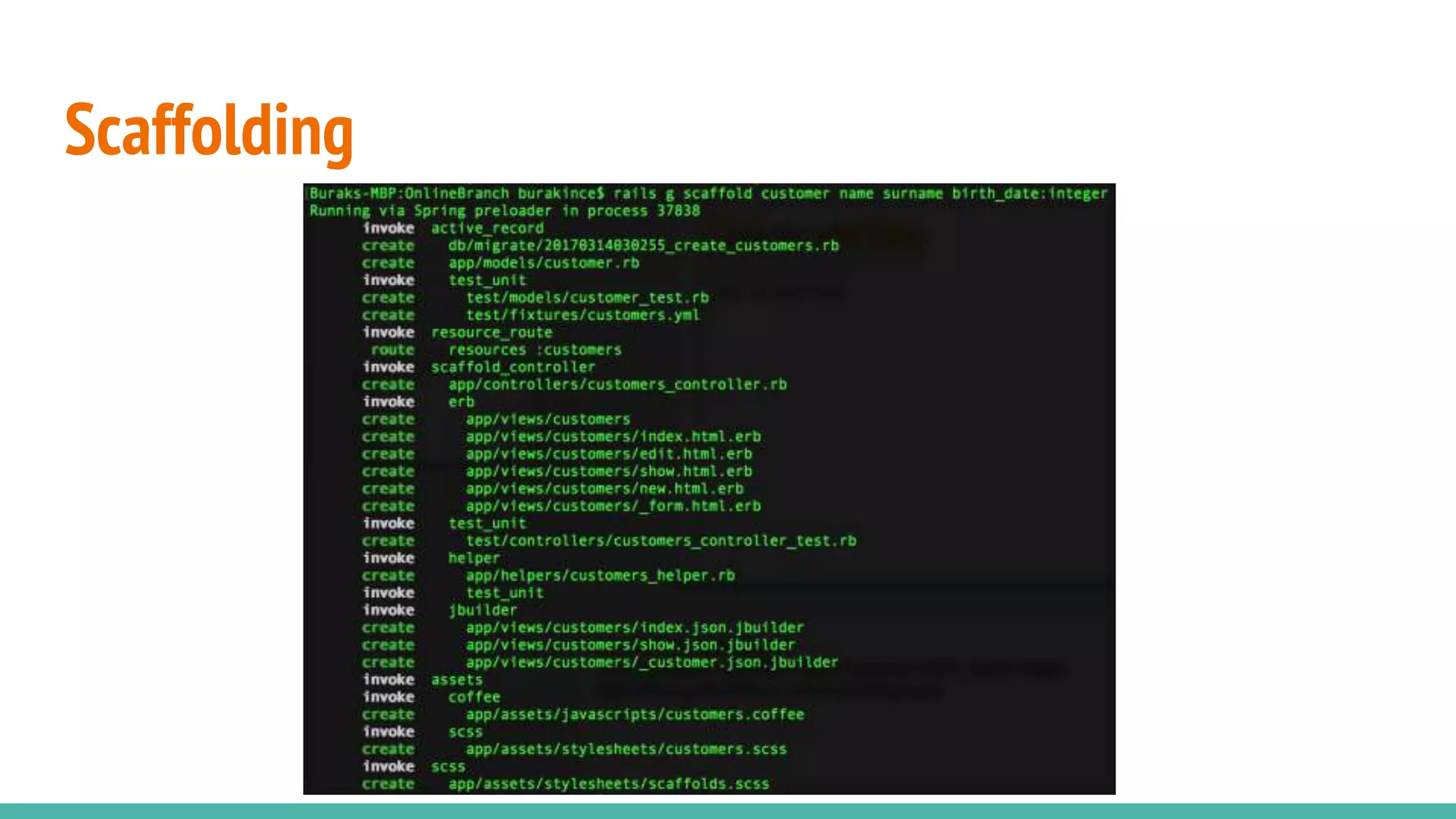
Scaffolding
Being able to quickly generate code to view, delete and update resources. Essentially a code-
generator for entities.
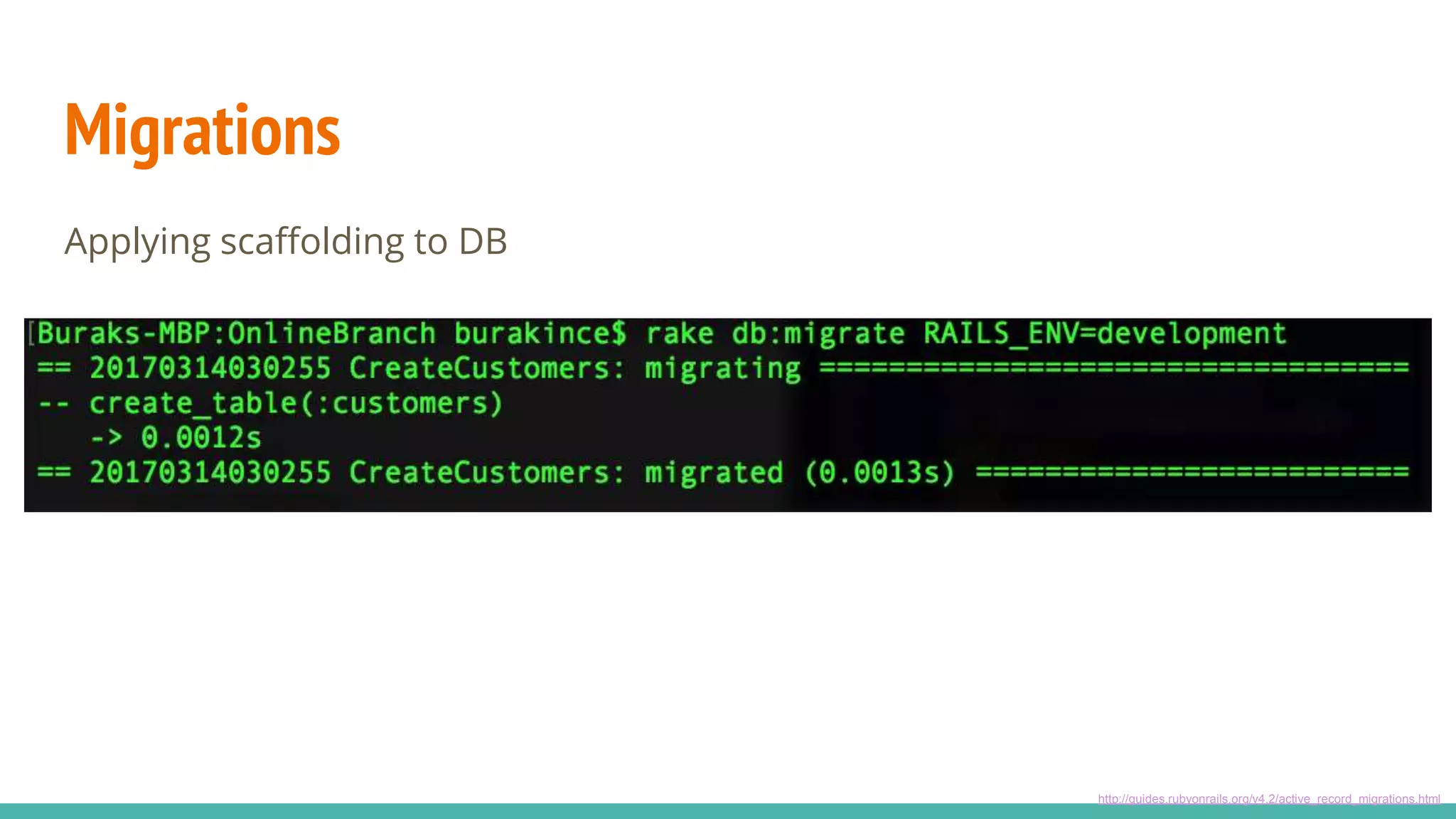
Migrations
Ruby code that lets you modify the database. You can create migrations and apply them to
the database, which takes the database to a different state. You can then roll back
migrations, allowing them to return to a previous state.
Active Record
Interaction with the database data. CRUD
Scaffolding
Migrations
Applying scaffolding to DB
http://guides.rubyonrails.org/v4.2/active_record_migrations.html
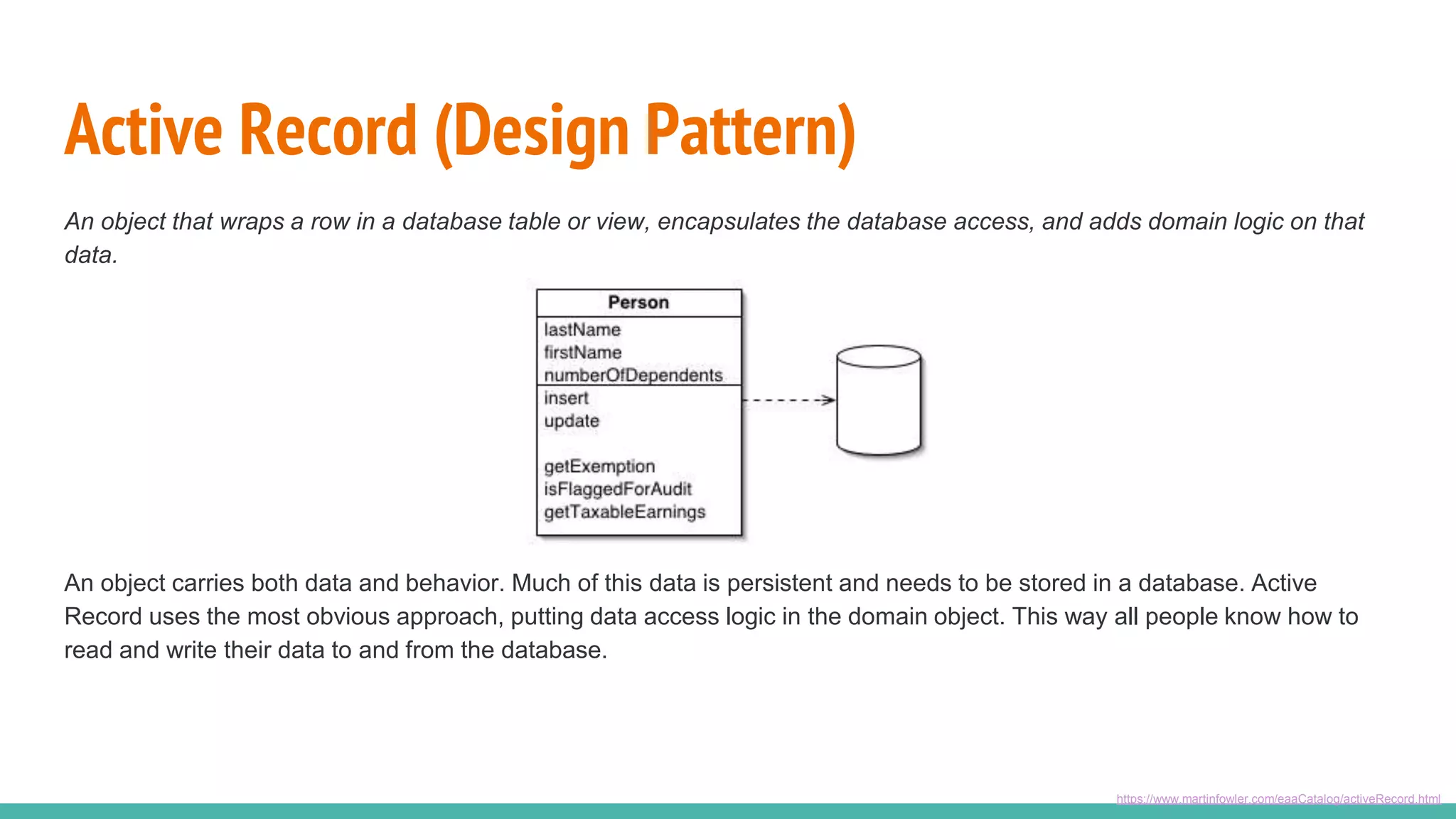
Active Record (Design Pattern)
An object that wraps a row in a database table or view, encapsulates the database access, and adds domain logic on that
data.
https://www.martinfowler.com/eaaCatalog/activeRecord.html
An object carries both data and behavior. Much of this data is persistent and needs to be stored in a database. Active
Record uses the most obvious approach, putting data access logic in the domain object. This way all people know how to
read and write their data to and from the database.
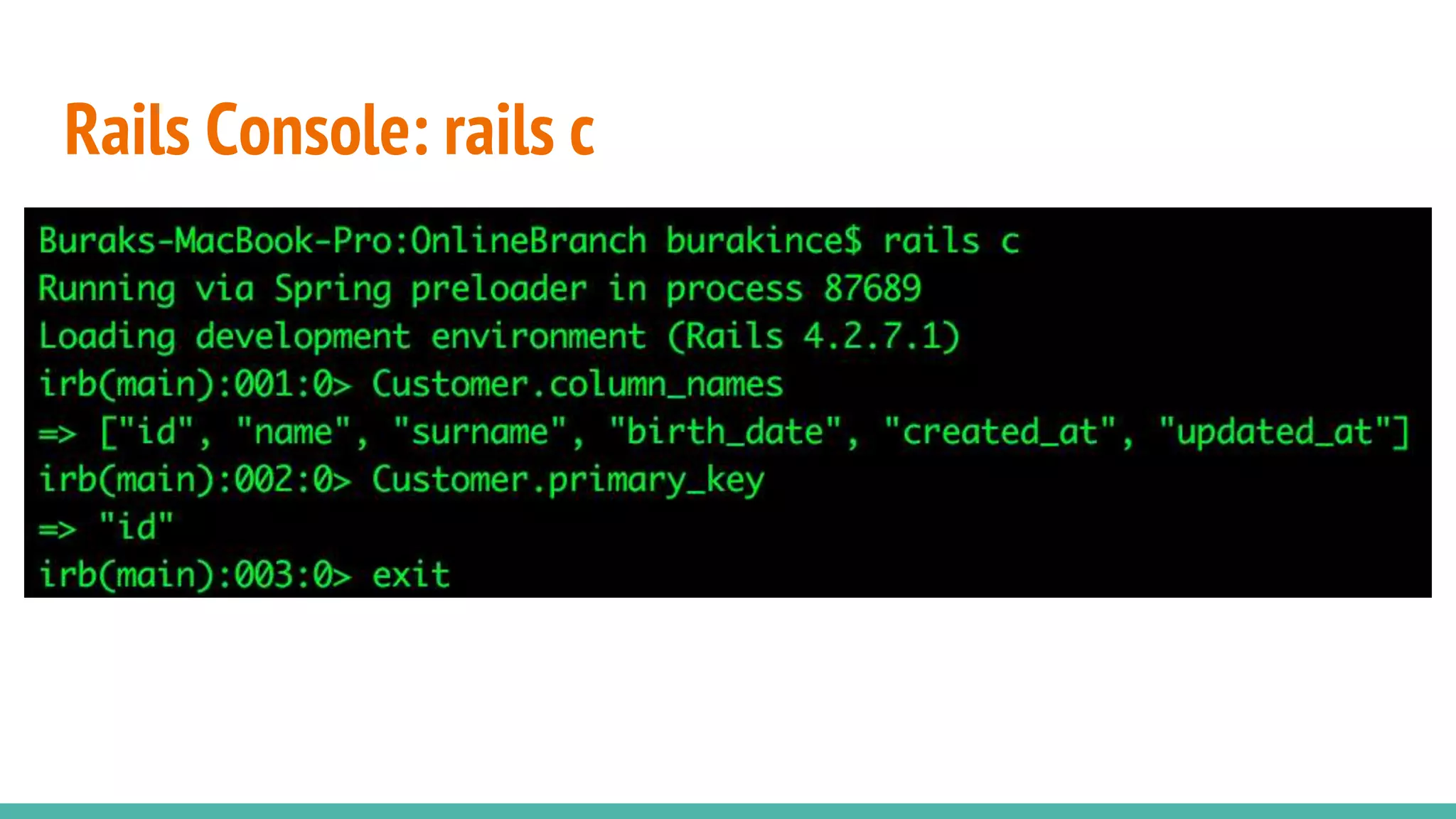
Rails Console: rails c
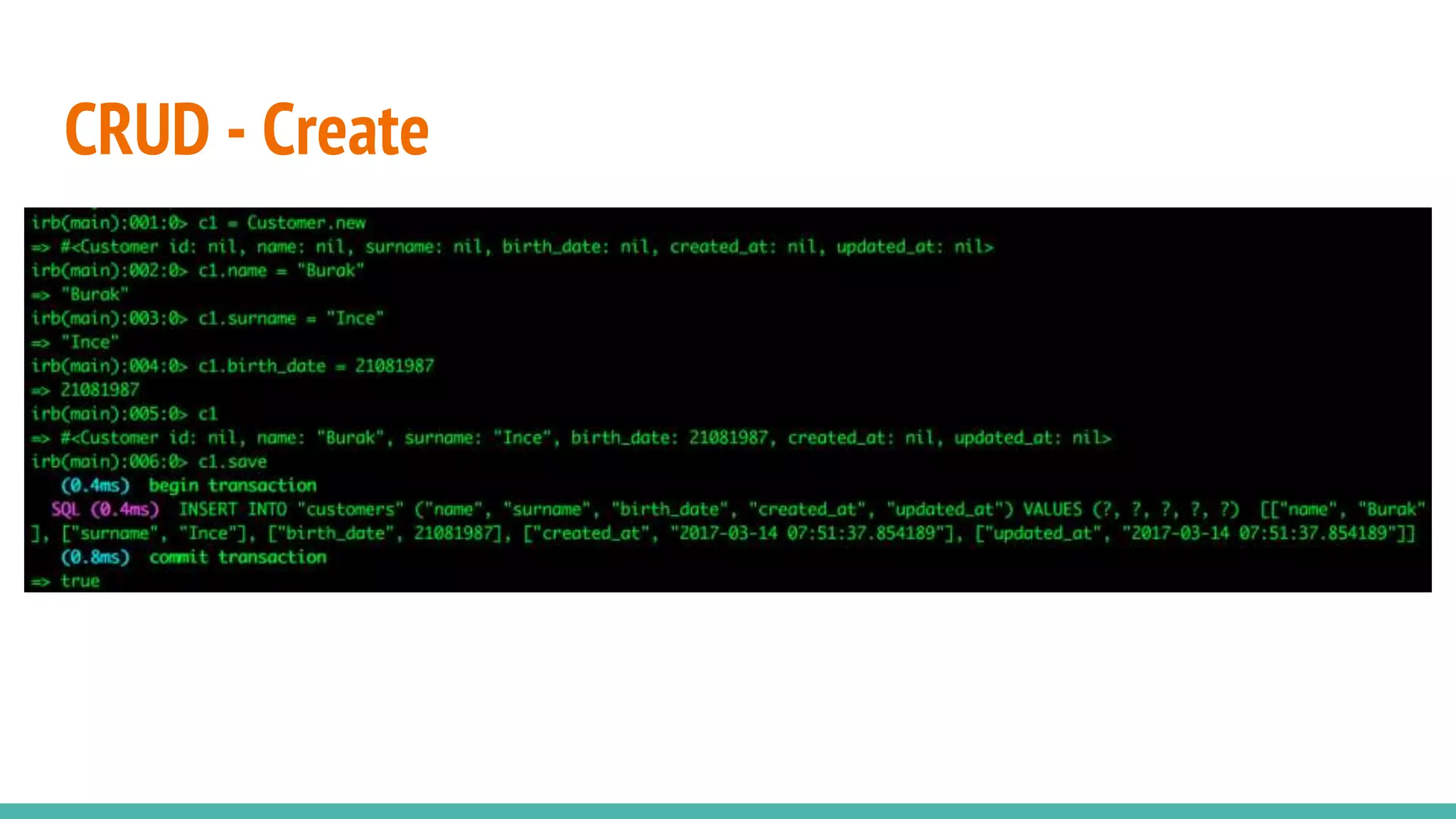
CRUD - Create
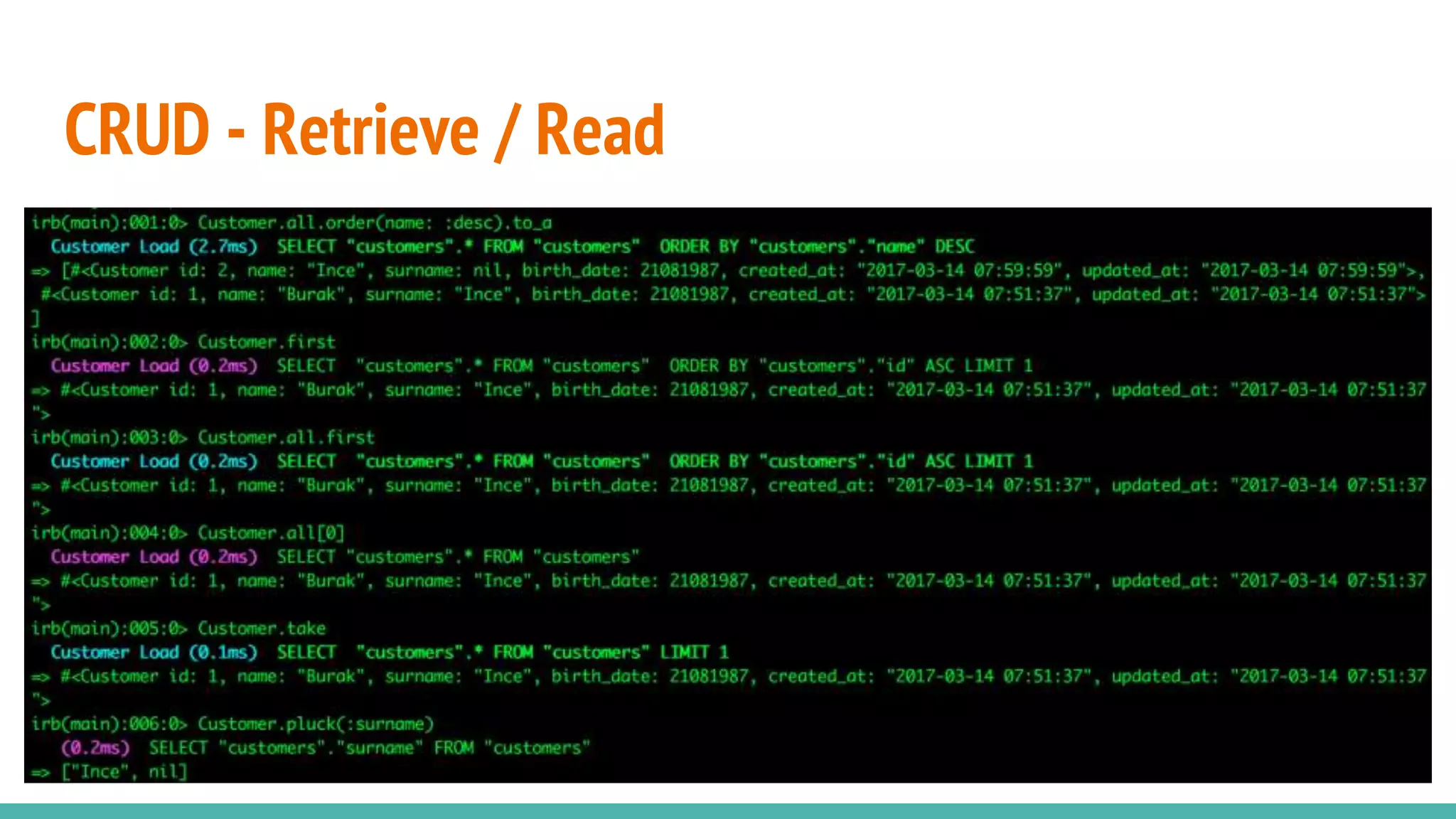
CRUD - Retrieve / Read
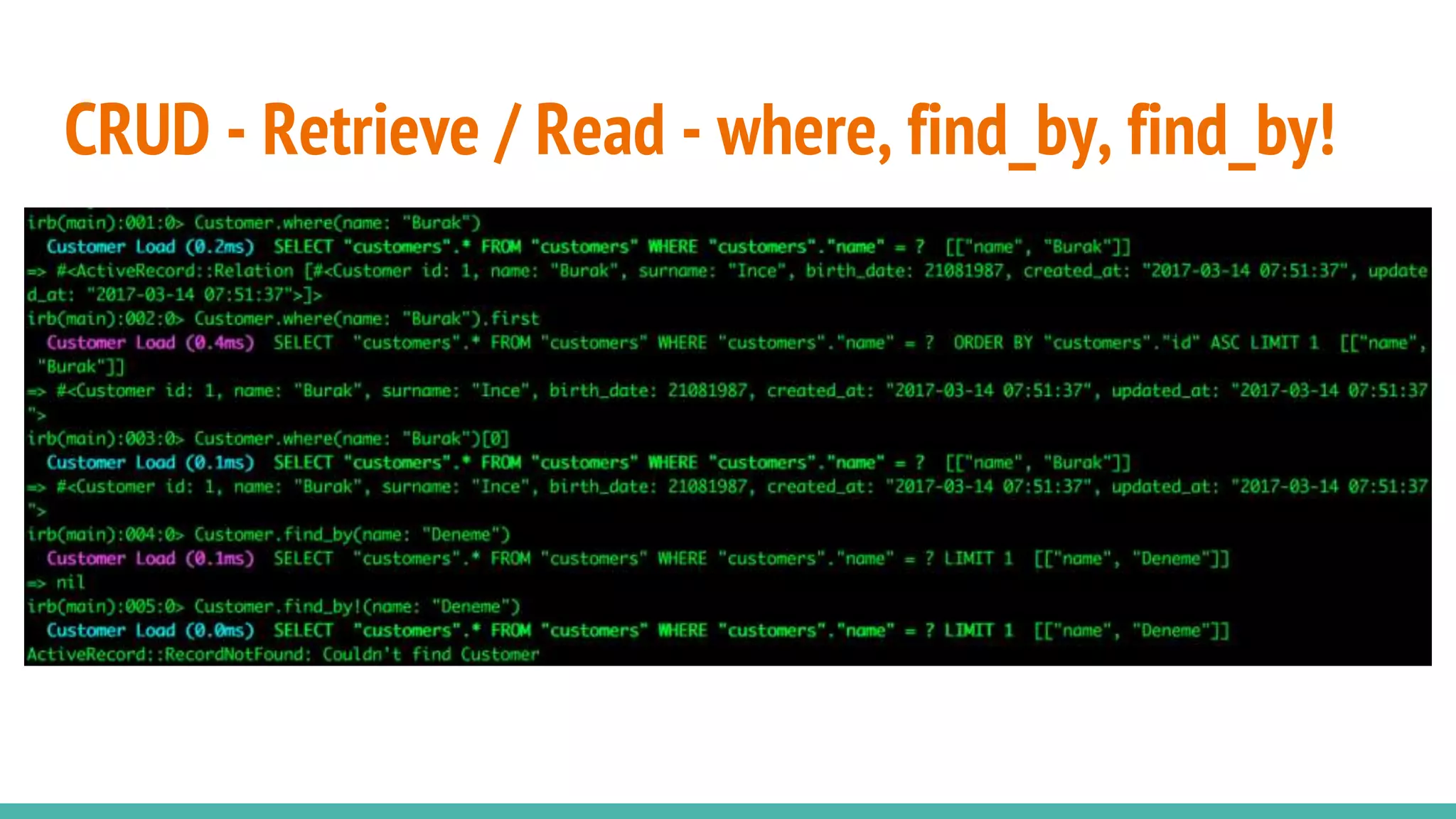
CRUD - Retrieve / Read - where, find_by, find_by!
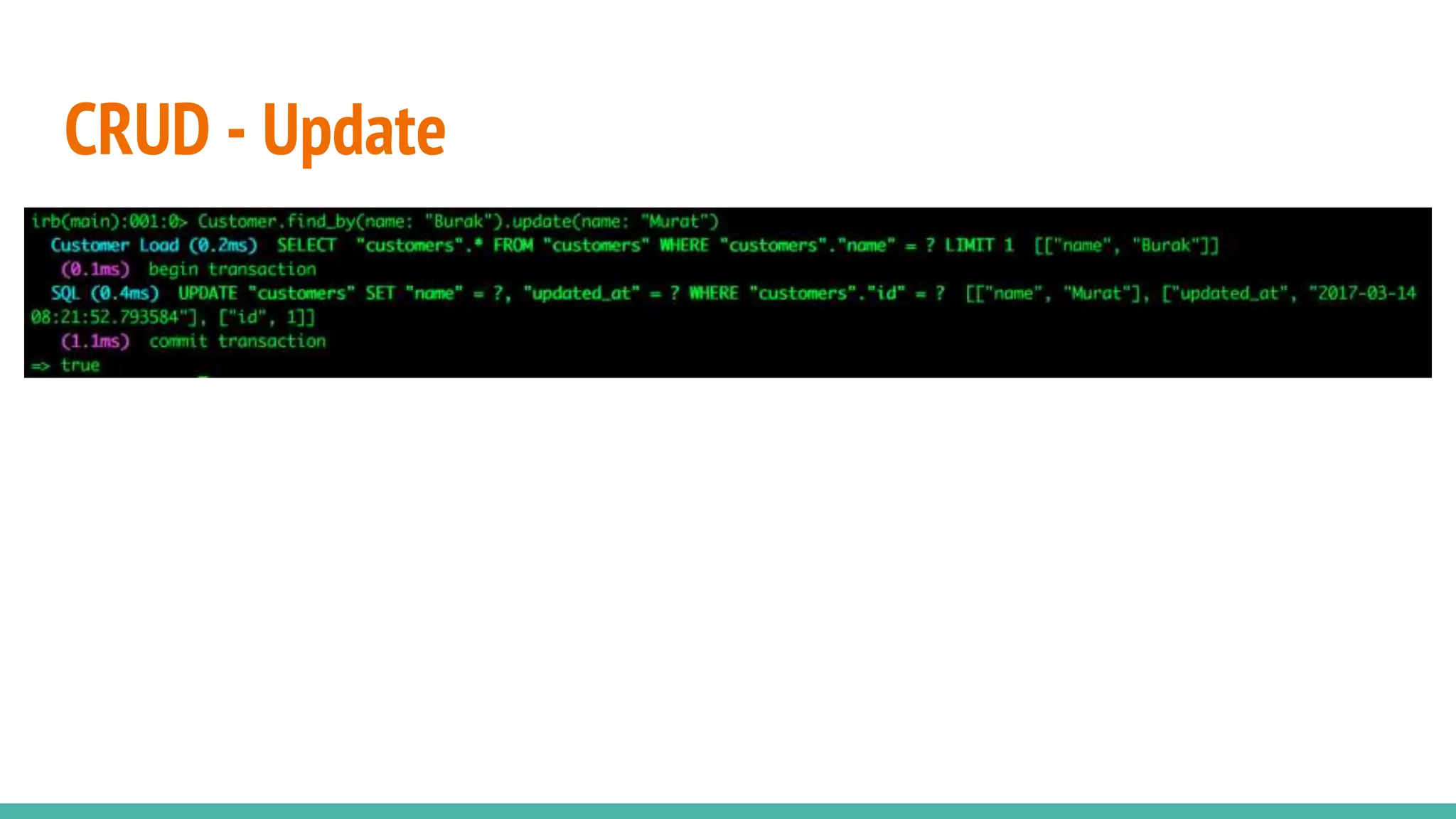
CRUD - Update
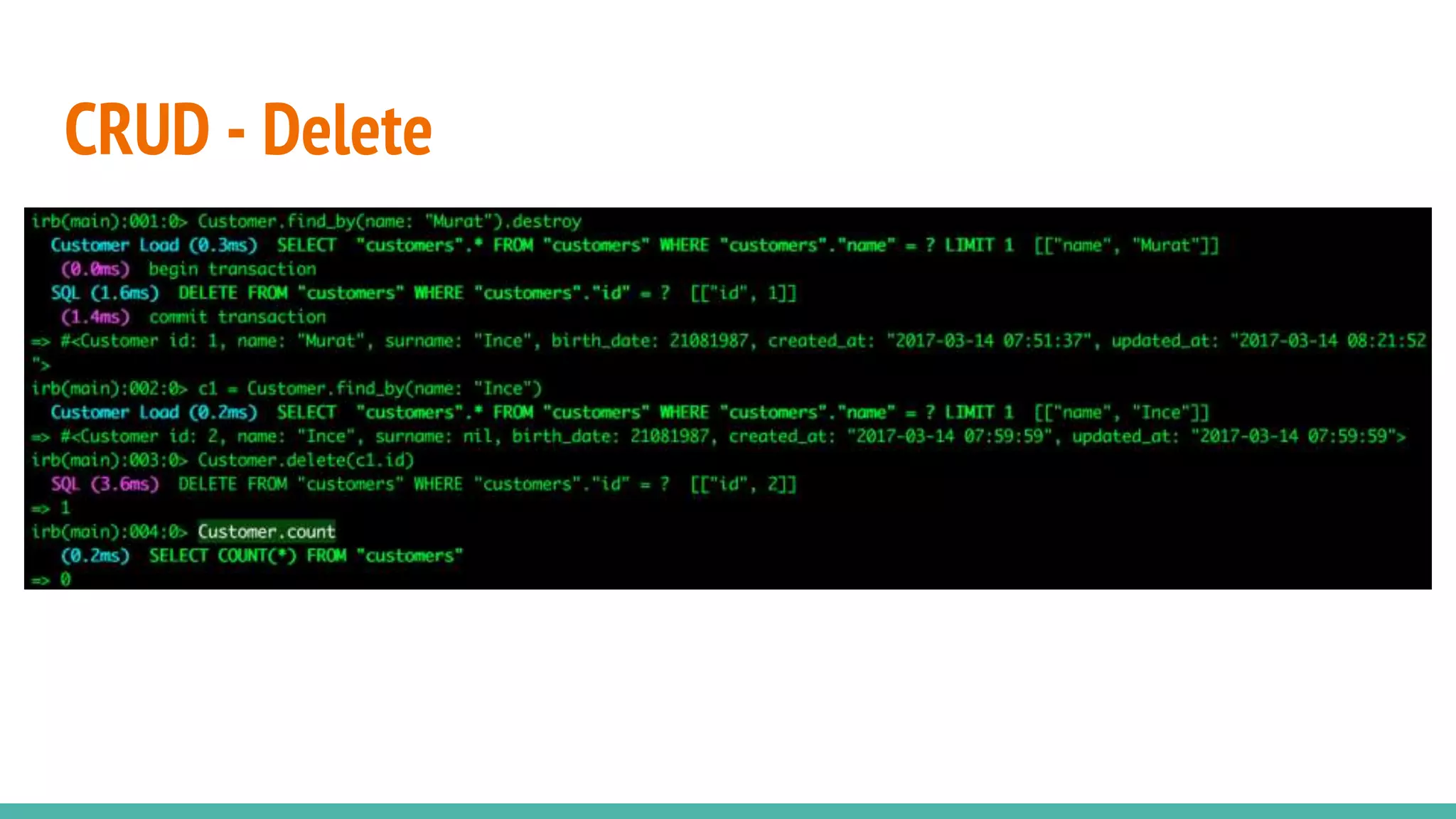
CRUD - Delete
DB Seed
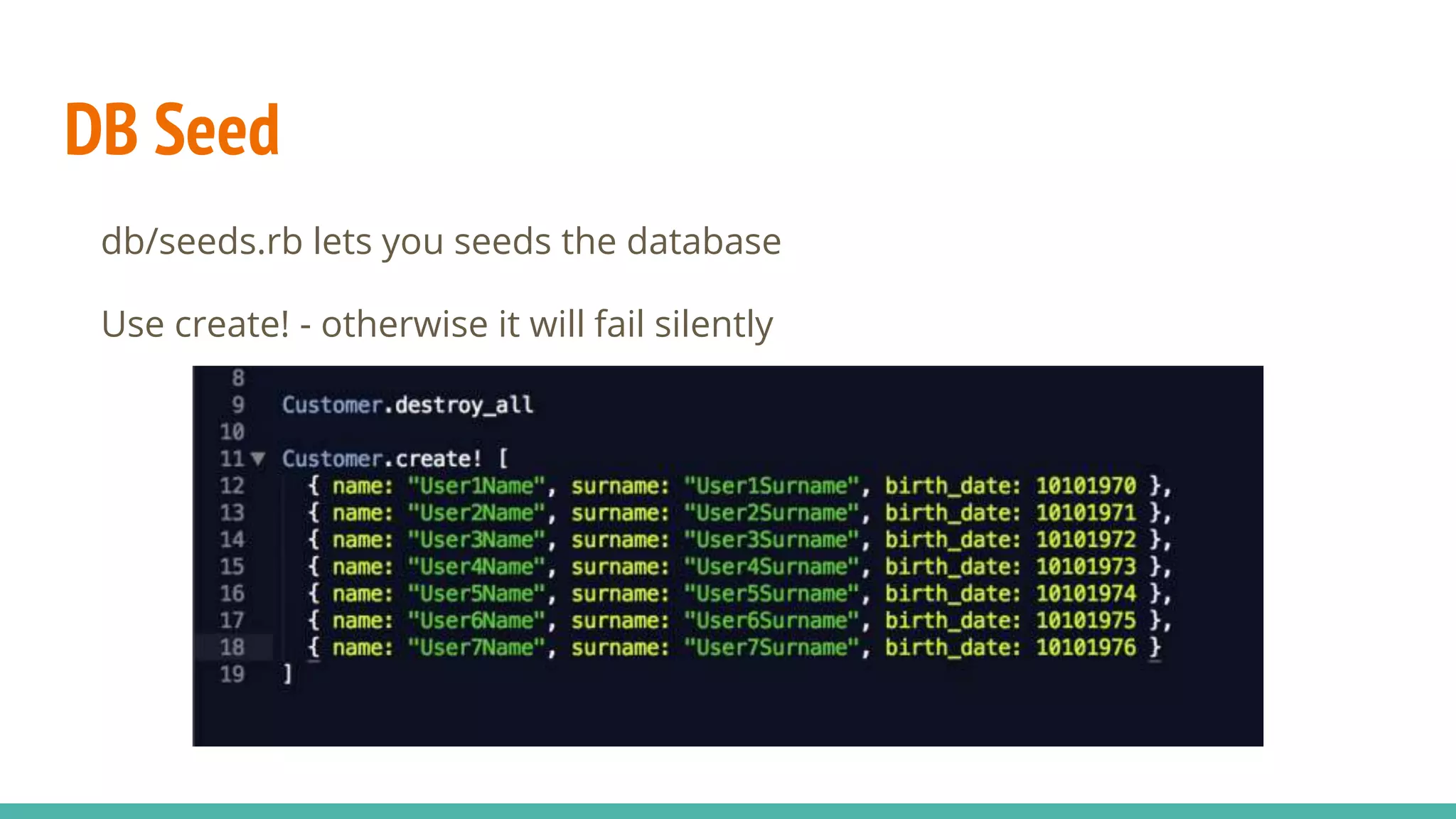
db/seeds.rb lets you seeds the database
Use create! - otherwise it will fail silently
Rails Associations / Relations
Rails supports six types of associations:
belongs_to
has_one
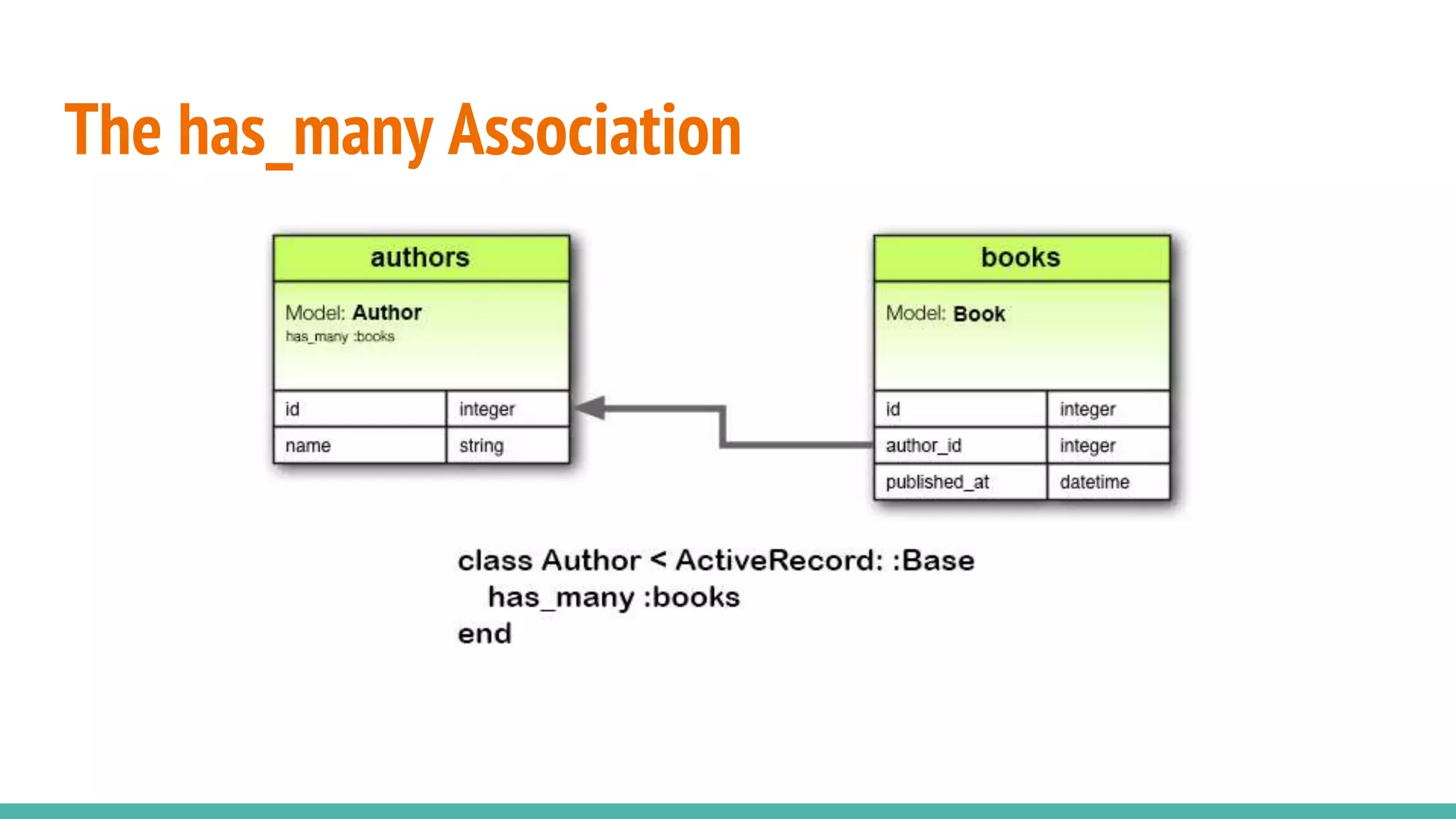
has_many
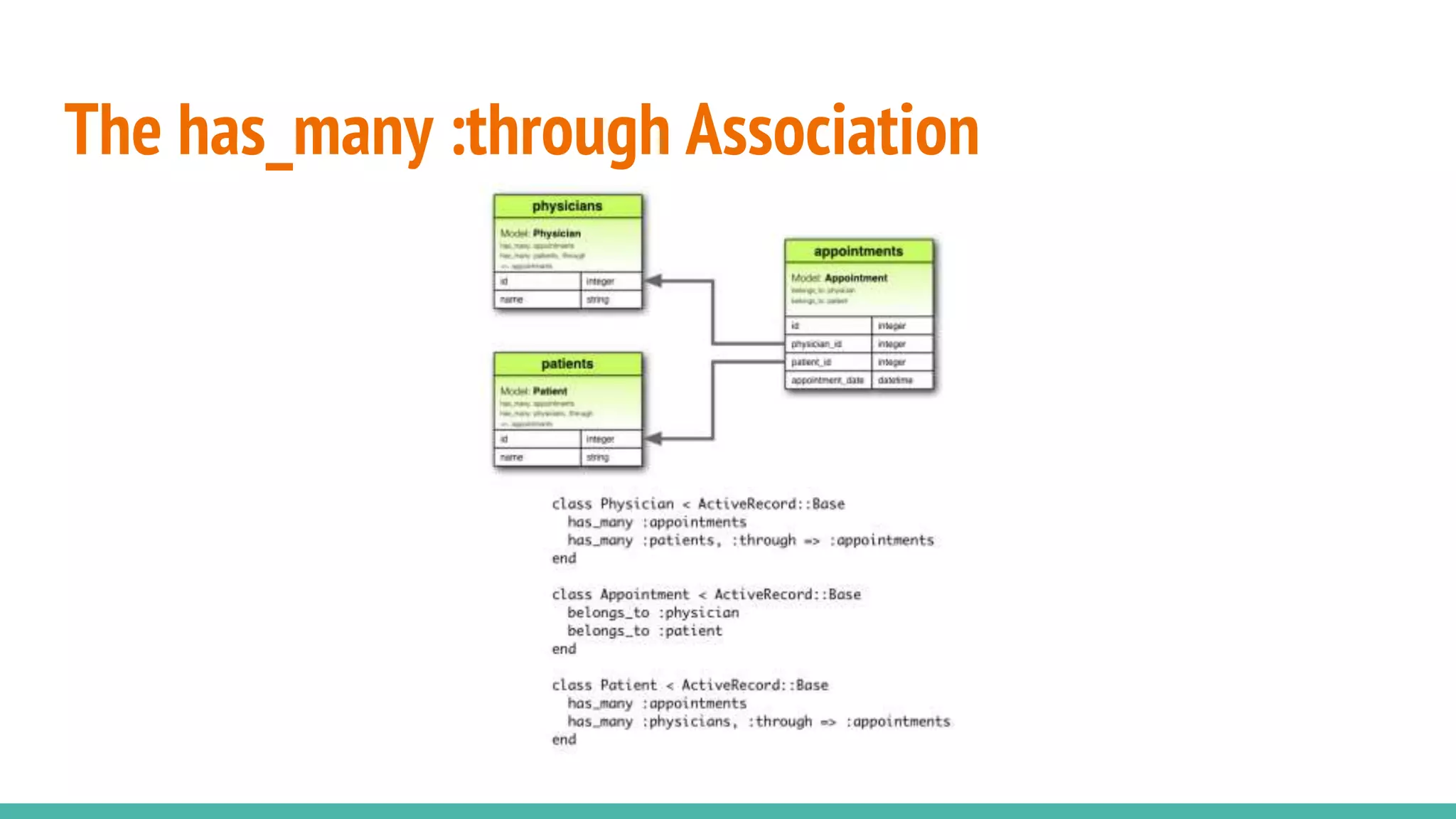
has_many :through
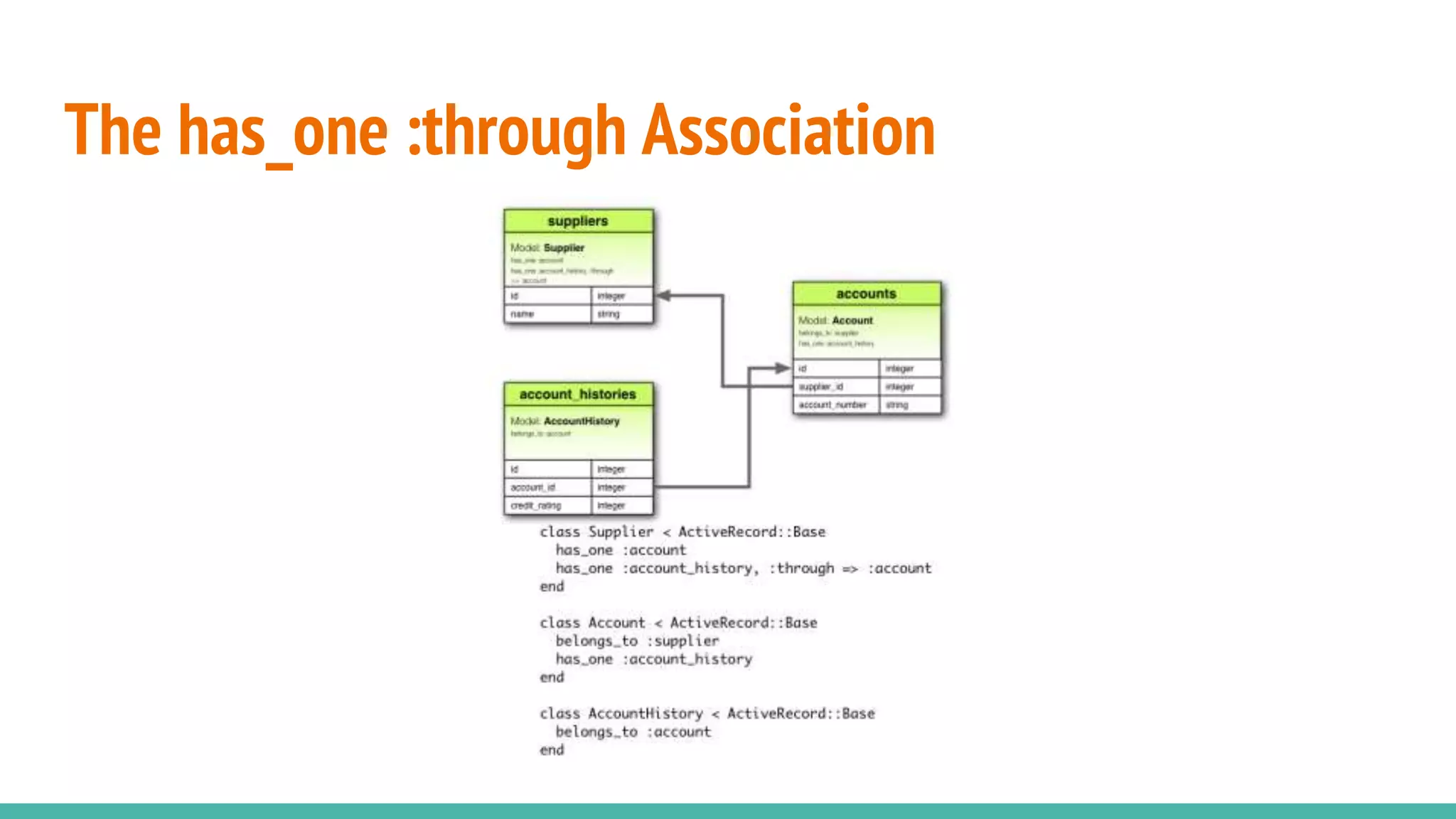
has_one :through
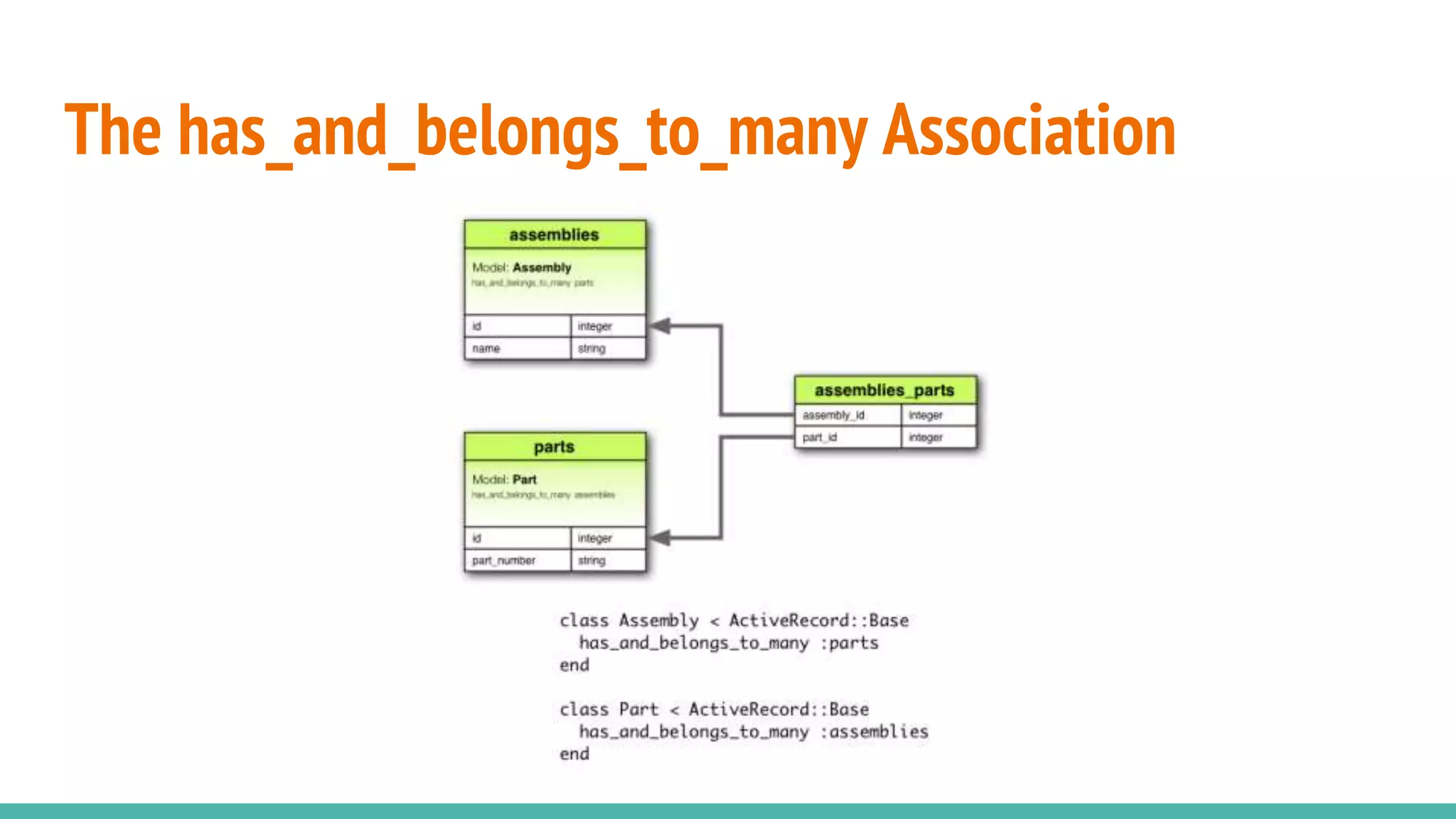
has_and_belongs_to_many
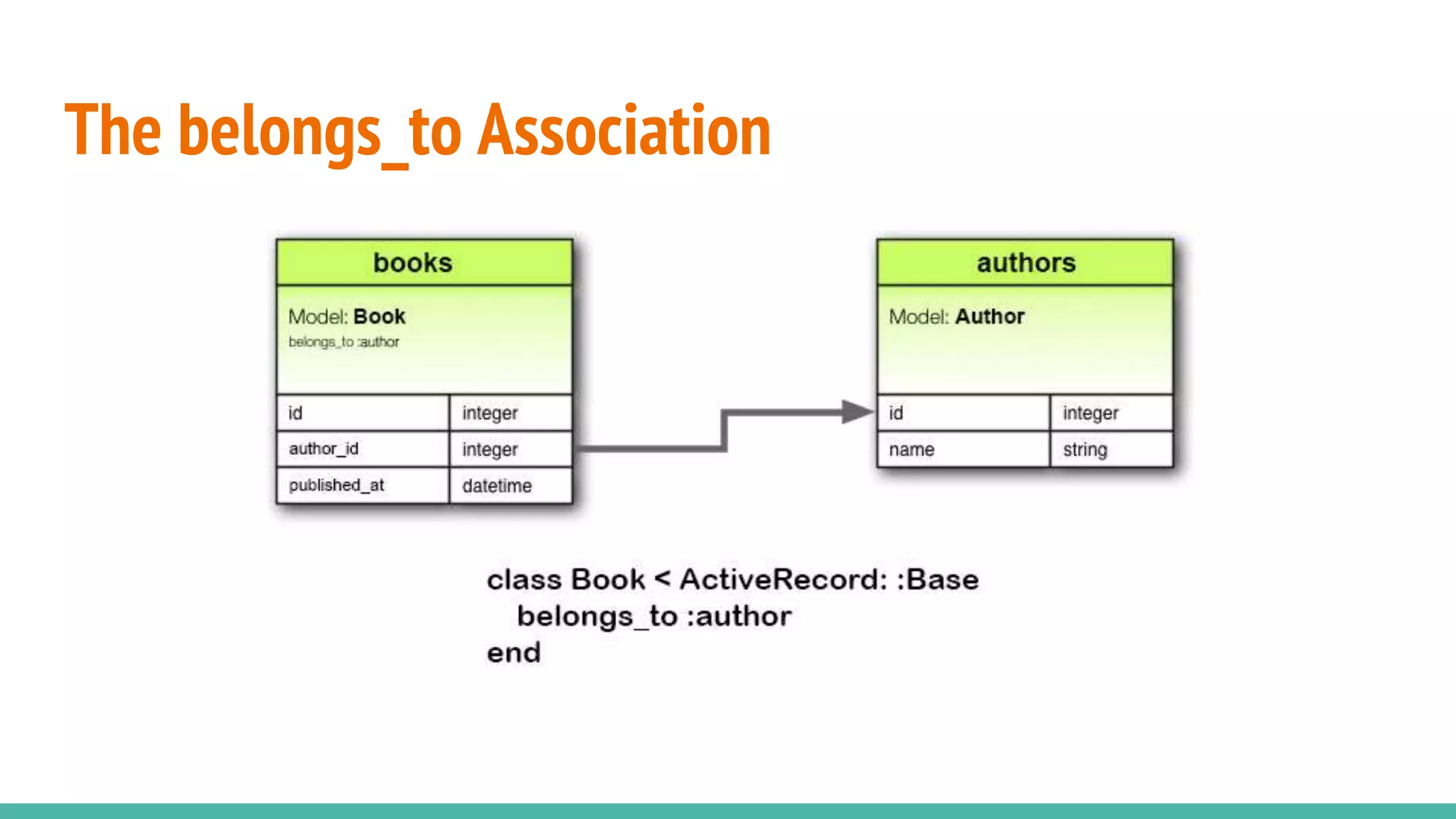
The belongs_to Association
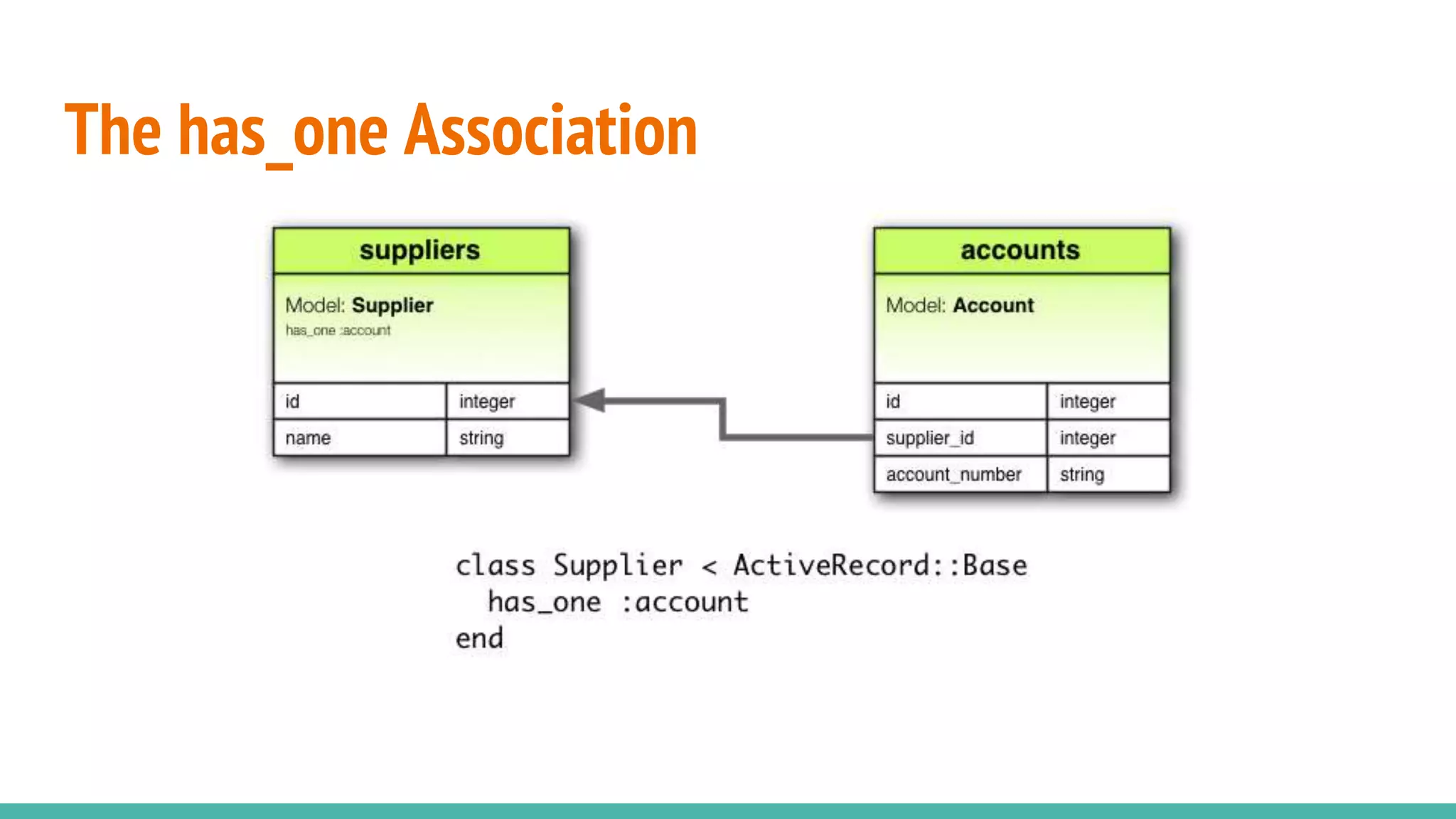
The has_one Association
The has_many Association
The has_many :through Association
The has_one :through Association
The has_and_belongs_to_many Association
Questions?

Ruby on Rails with Active Record

Editor's Notes

  • #3 ruby -v rails -v rake -T
  • #5 rails new OnlineBranch rails g scaffold customer name surname birth_date:integer rake db:migrate rails g modal address city district neightborhood
  • #6 rails generate migration add_email_to_customers email:string rake db:rollback
  • #8 rails c Customer.column_names Customer.primary_key
  • #9 c1 = Customer.new c1.name = "Burak" c1.surname = "Ince" c1.birth_date = 21081987 C1.save c2 = Customer.create(name: "Burak", surname: "Ince", birth_date: 21081987)
  • #10 Customer.all.order(name: :desc).to_a Customer.first Customer.all.first Customer.all[0] Customer.take Customer.pluck(:surname)
  • #11 Customer.where(name: "Burak") Customer.where(name: "Burak").first Customer.where(name: "Burak")[0] Customer.find_by(name: "Deneme") Customer.find_by!(name: "Deneme")
  • #12 Customer.find_by(name: "Burak").update(name: "Murat")
  • #13 Customer.find_by(name: "Murat").destroy c1 = Customer.find_by(name: "Ince") Customer.delete(c1.id) Customer.count
  • #14 Customer.destroy_all Customer.create! [ { name: "User1Name", surname: "User1Surname", birth_date: 10101970 }, { name: "User2Name", surname: "User2Surname", birth_date: 10101971 }, { name: "User3Name", surname: "User3Surname", birth_date: 10101972 }, { name: "User4Name", surname: "User4Surname", birth_date: 10101973 }, { name: "User5Name", surname: "User5Surname", birth_date: 10101974 }, { name: "User6Name", surname: "User6Surname", birth_date: 10101975 }, { name: "User7Name", surname: "User7Surname", birth_date: 10101976 } ] rake db:seed