Introduction to Ruby on Rails  Welcome to the puzzle….it’s a fun ride! By Steve Keener
Terms you will hear Full stack Active Record Object Relational Model (ORM) MVC Gems RHTML Migration SVN
What is RoR? It’s the next best thing to sliced bread? It’s the silver bullet to fix our project? It’s magic? None of these things.  It’s a tool.  But it was conceived as a highly productive tool where DRY is paramount.  Don’t Repeat Yourself.
Things you will need Ruby (Language) Rails (Framework in Ruby) Database  Start here:  www.rubyonrails.org/down You can download Instant Rails (Windows only).  It contains Ruby, Rails, and MySQL for trying out the RoR world. You would use the command line and text editors to create applications.
Available Development IDEs RadRails – Eclipse-based, integrated generators & servers. http://www.radrails.org/ TextMate – Mac oriented http://www.macromates.com/ I use RadRails.  Downside is that code generators are still command line.  But  that’s a minor drawback.
Source Code Repositories CVS – Doesn’t seem to be the preferred repository.  Haven’t found an integrated delivery system.  I used simple Ant scripts to build my delivery processes. SVN – Preferred repository and is integrated with Capistrano. (Rails version of application delivery systems.)
After that… The first place to start the journey is by reading the article “Rolling with Ruby on Rails” by Curt Hibbs. http://www.onlamp.com/pub/a/onlamp/2005/01/20/rails.html
Then what? You should pick up two books: Agile Web Development with Rails  (Excellent) Rails Recipes  (Great for finding specific functional modules you might need and having them running in an hour.)
Other resources Rails online API  http://api.rubyonrails.org/ Ruby Forums http://www.ruby-forum.com/user/login RubyForge http://rubyforge.org/
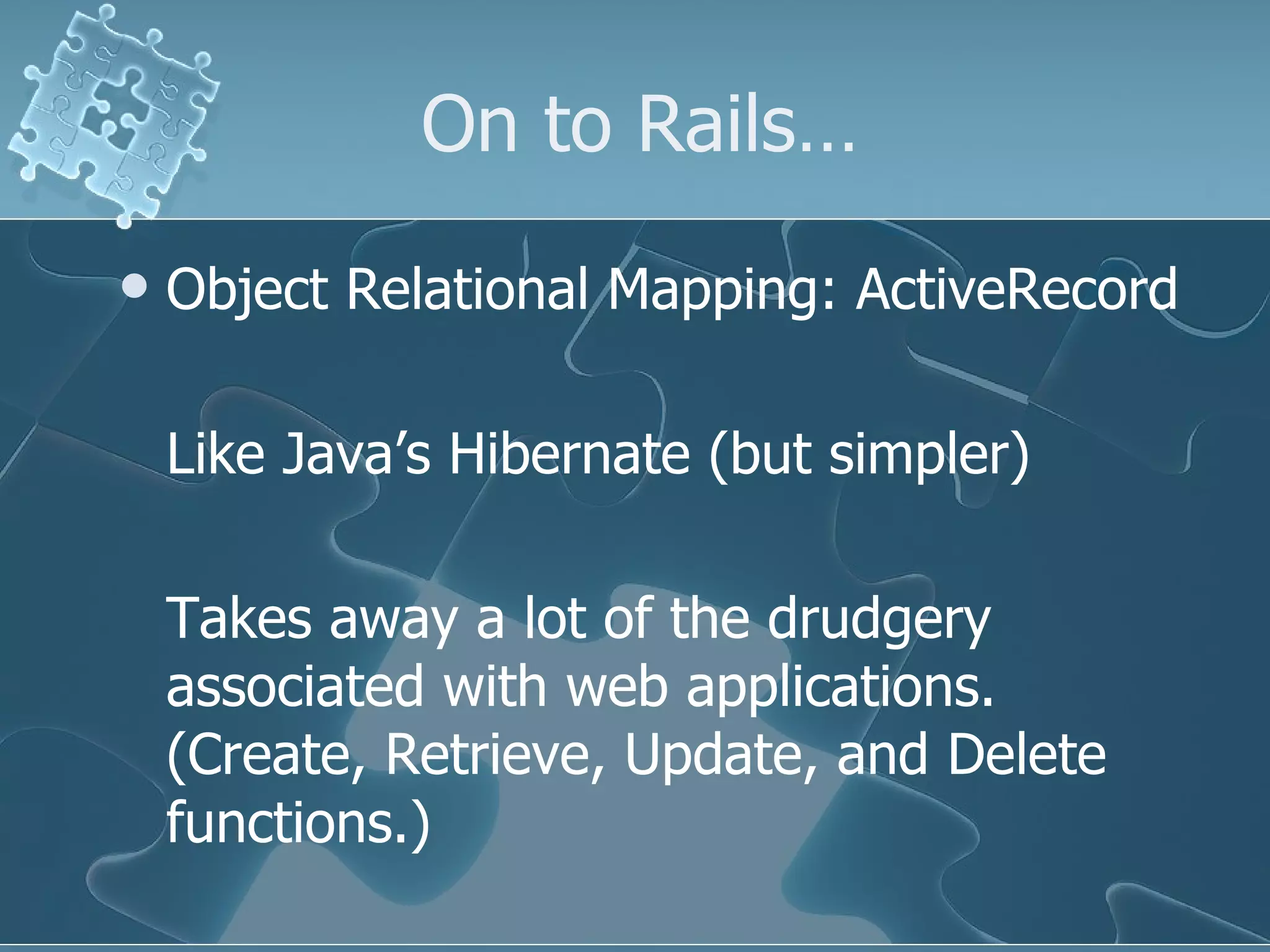
On to Rails… Object Relational Mapping: ActiveRecord Like Java’s Hibernate (but simpler) Takes away a lot of the drudgery associated with web applications. (Create, Retrieve, Update, and Delete functions.)
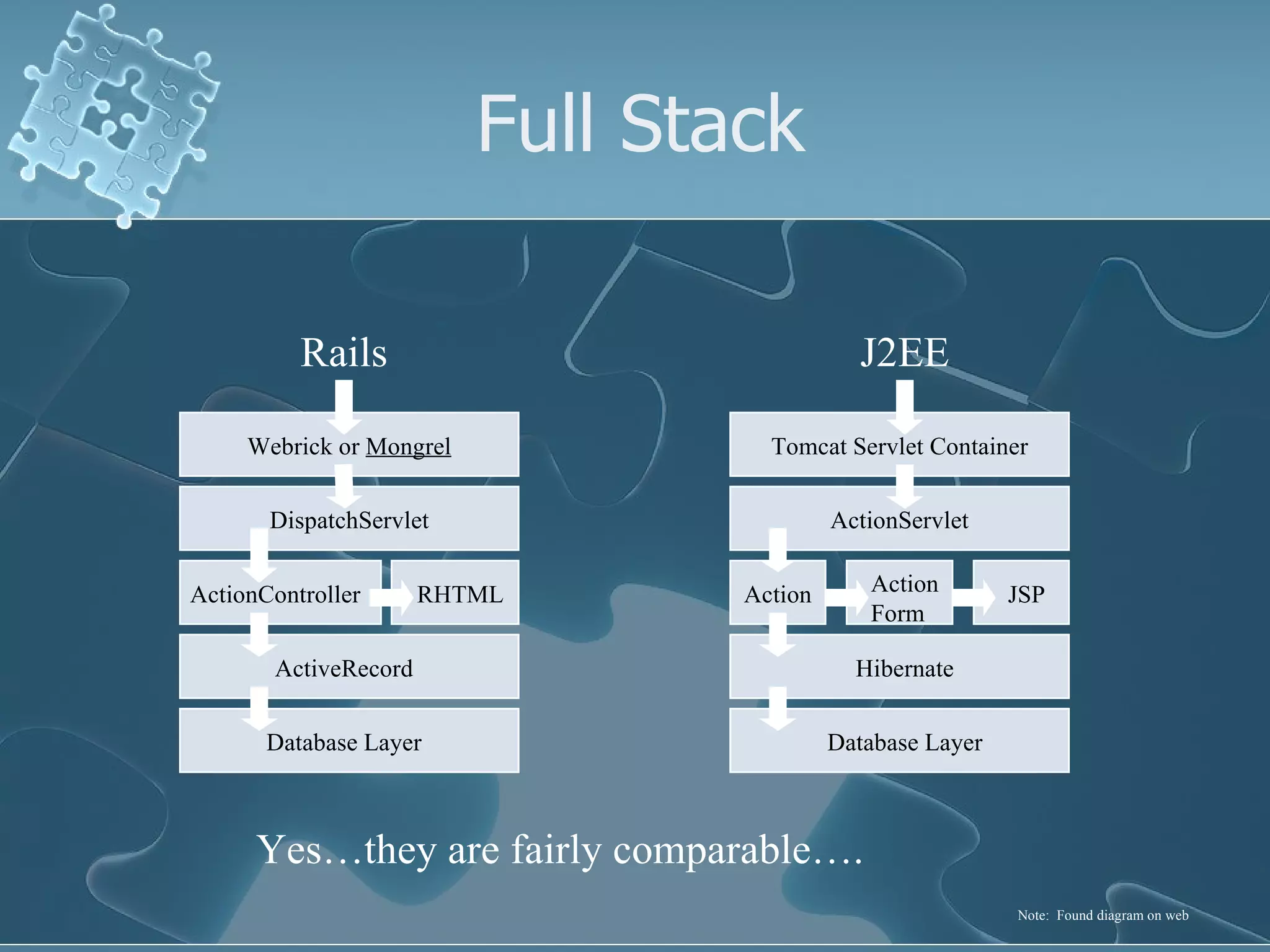
Full Stack J2EE Rails Webrick or  Mongrel DispatchServlet RHTML ActionController ActiveRecord Database Layer Database Layer Hibernate Action Action Form JSP ActionServlet Tomcat Servlet Container Yes…they are fairly comparable…. Note:  Found diagram on web
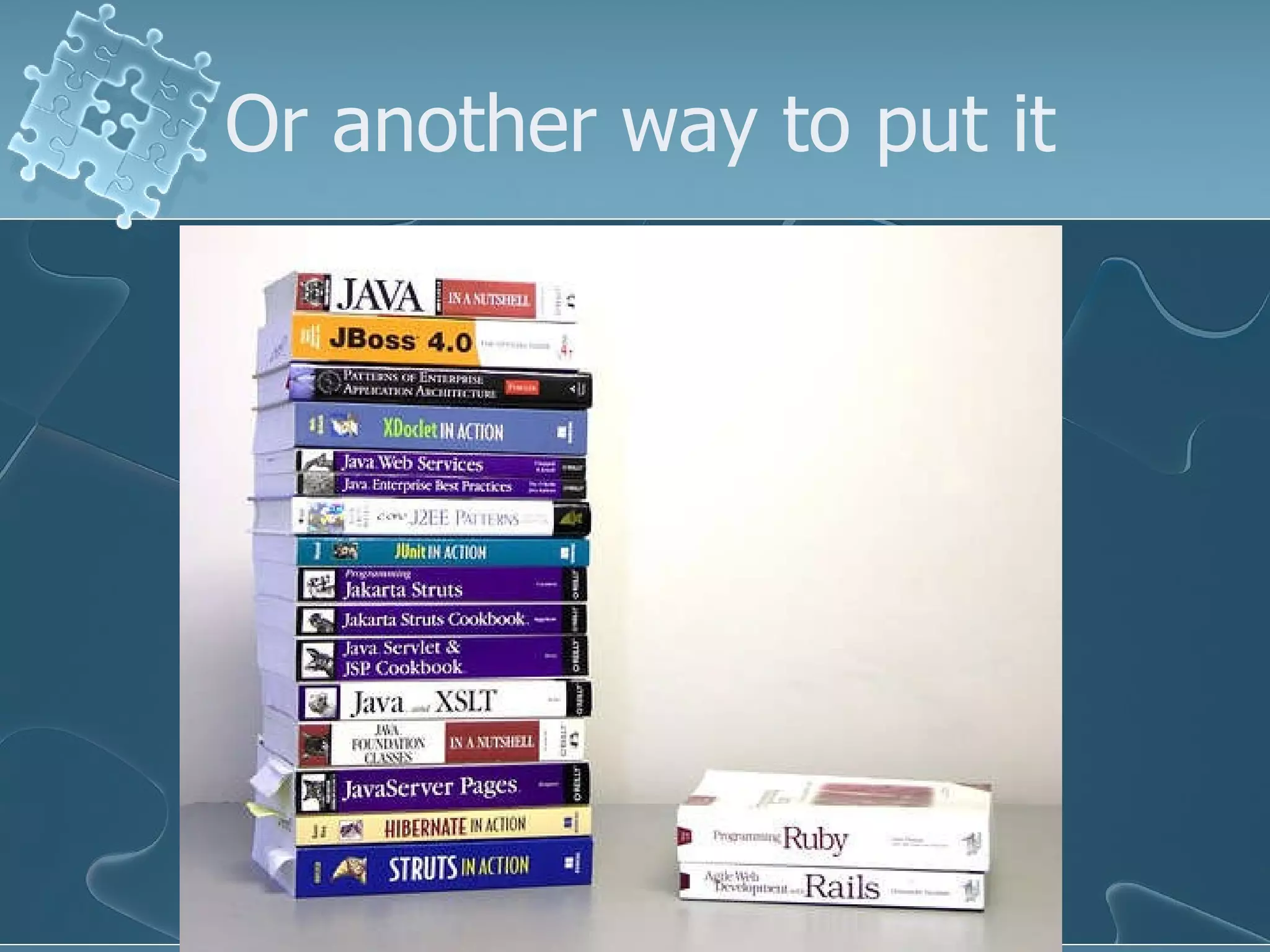
Or another way to put it
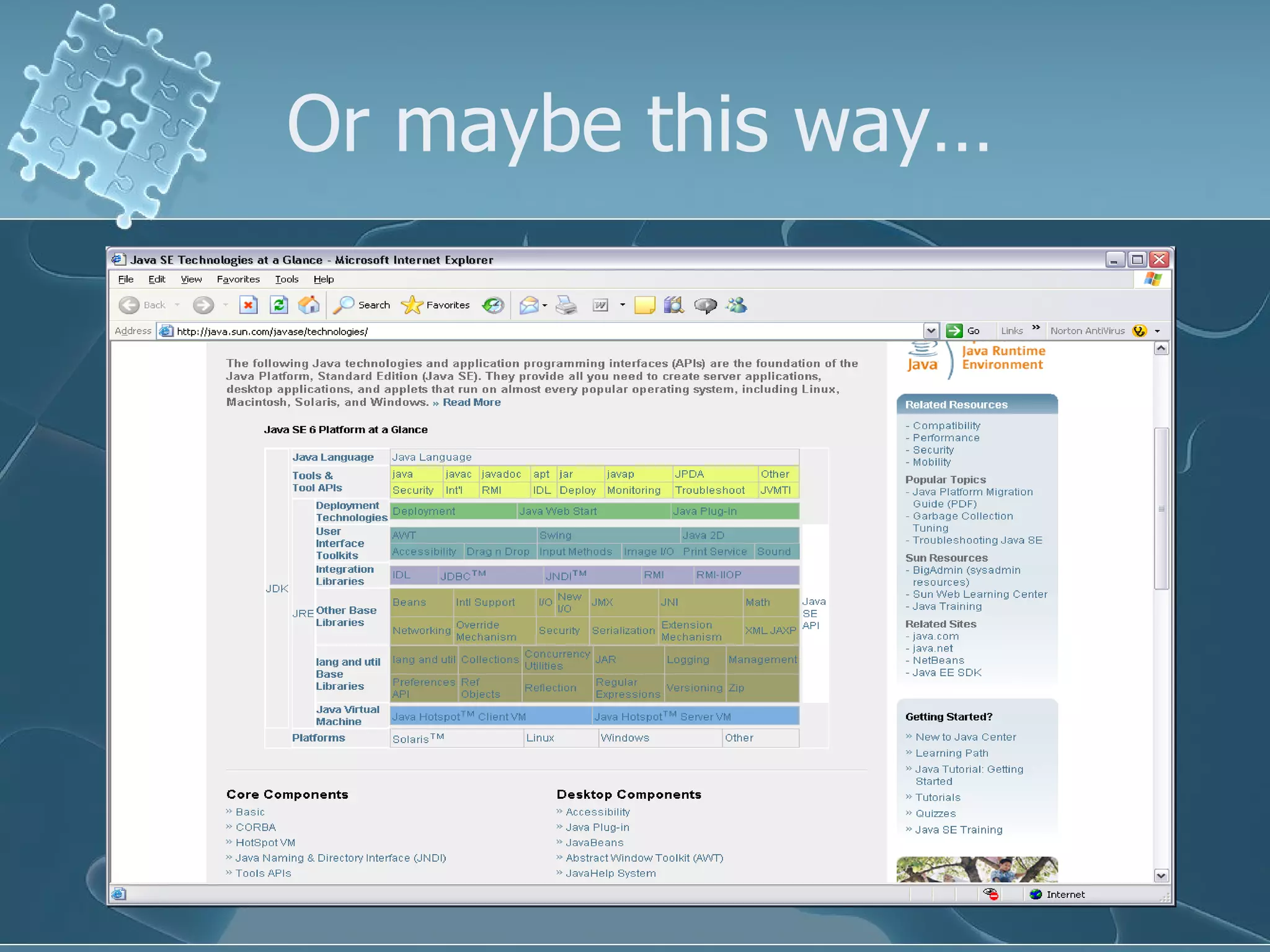
Or maybe this way…
Rails vs J2EE Both have a learning curve RAILS has the edge in productivity by a significant margin. J2EE currently has an edge in scalability.  If it’s a client facing system for millions of concurrent users – use J2EE.  If it’s an internal web application, definitely take a look at this technology as a possible way of shortcutting the long development time for a J2EE web app.
Can’t afford the time to learn a new framework!!!  I needed a few screens to manage some dev data.  Was investigating several different technologies to see what would best serve the need and timeframe.  (J2EE, Hibernate, JSF, Rails, etc) Day 1 - Picked up a Ruby On Rails book, read a few articles, started experimenting. Day 2 - Stated building a few screens, relying on dynamic scaffolding for basic CRUD functionality Day 3 - Began replacing scaffold screens with better looking ones by hand. Day 4 – Started adding layouts, CCS, and some AJAX functionality to make application a bit nicer. Day 5 – Began investigating Models, Migrations, and RJS templates to enhance productivity.  5 days from start, over 50 screens produced, far more functionality than I had been planning, demos to multiple managers, and more than a few headaches.  It’s not perfect, but is certainly a useful tool.  (NOT A SILVER BULLET!!!!!!)
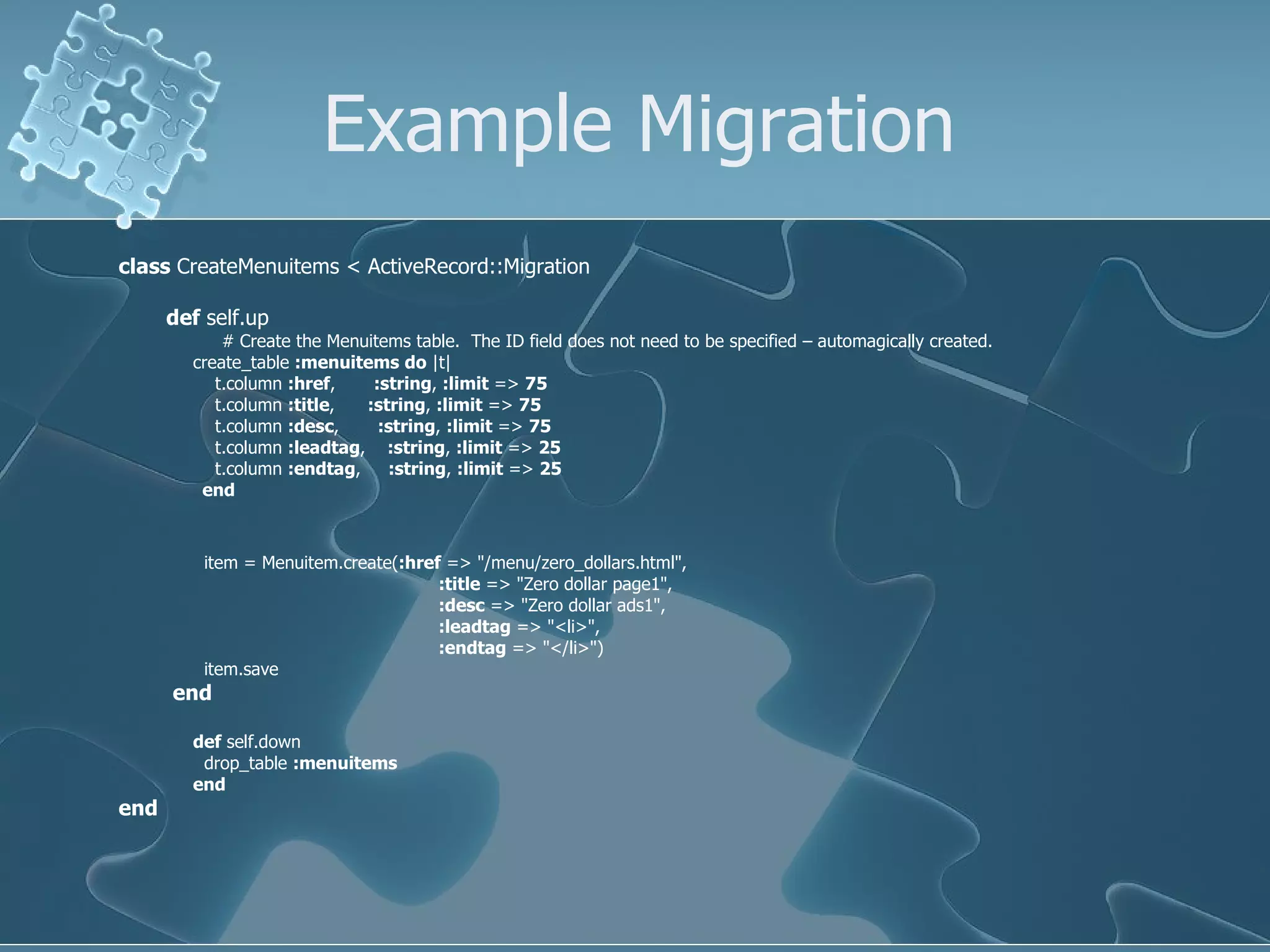
Database  New term – Migration: A powerful and flexible tool for managing database changes Allows table, index, and data creation scripts to be run in multiple environments with a  very simple syntax. Need to revert back to a previous DB version to work on a bug?  1 command.  Then refresh it back to the current dev version?  1 command.
Example Migration class  CreateMenuitems < ActiveRecord::Migration def  self.up # Create the Menuitems table.  The ID field does not need to be specified – automagically created.  create_table  :menuitems   do  |t| t.column  :href ,  :string ,  :limit  =>  75 t.column  :title ,  :string ,  :limit  =>  75 t.column  :desc ,  :string ,  :limit  =>  75 t.column  :leadtag ,  :string ,  :limit  =>  25 t.column  :endtag ,  :string ,  :limit  =>  25 end item = Menuitem.create( :href  => &quot;/menu/zero_dollars.html&quot;,    :title  => &quot;Zero dollar page1&quot;,    :desc  => &quot;Zero dollar ads1&quot;,    :leadtag  => &quot;<li>&quot;,    :endtag  => &quot;</li>&quot;) item.save   end def  self.down drop_table  :menuitems end end
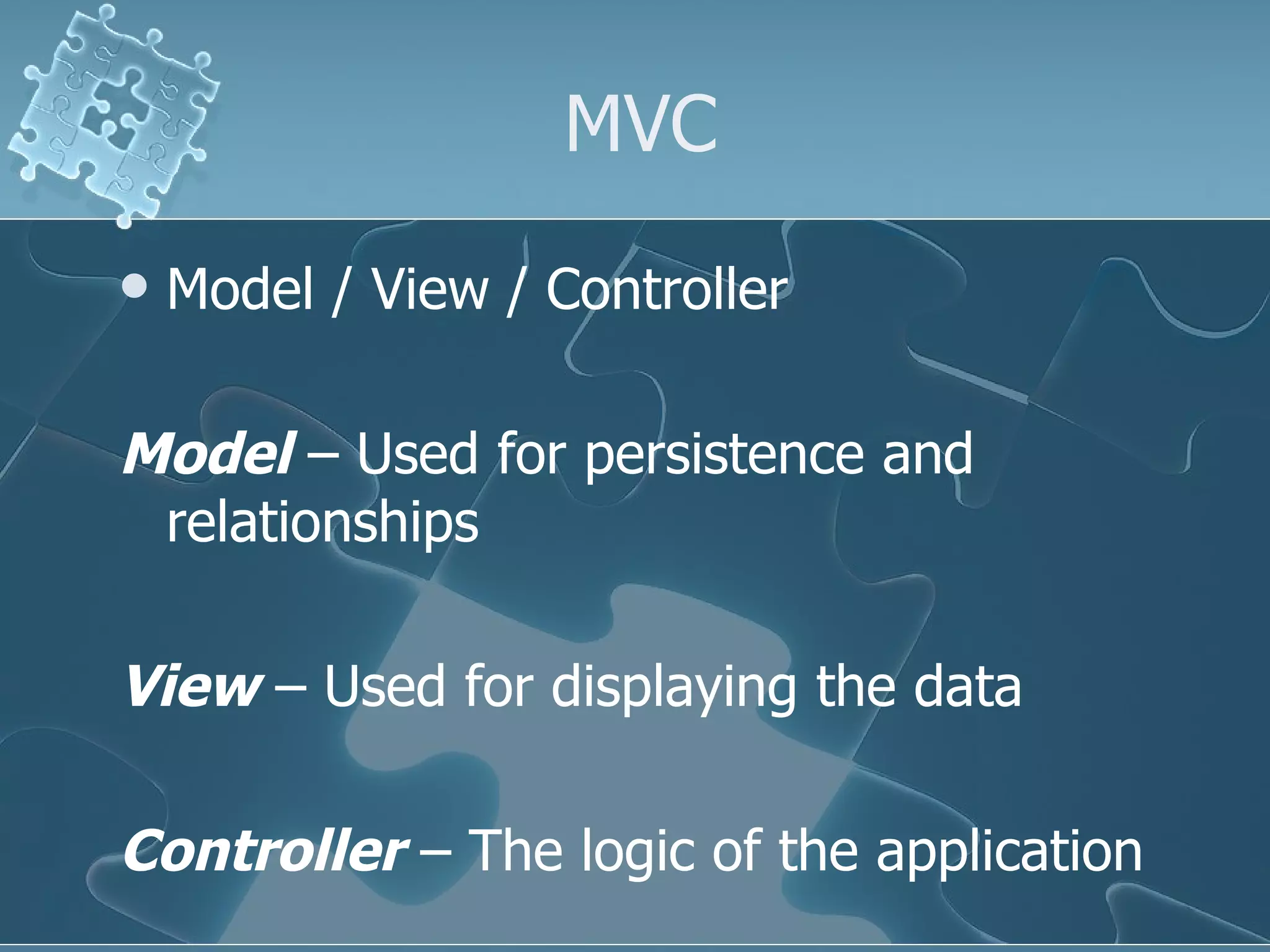
MVC Model / View / Controller  Model  – Used for persistence and relationships View  – Used for displaying the data Controller  – The logic of the application
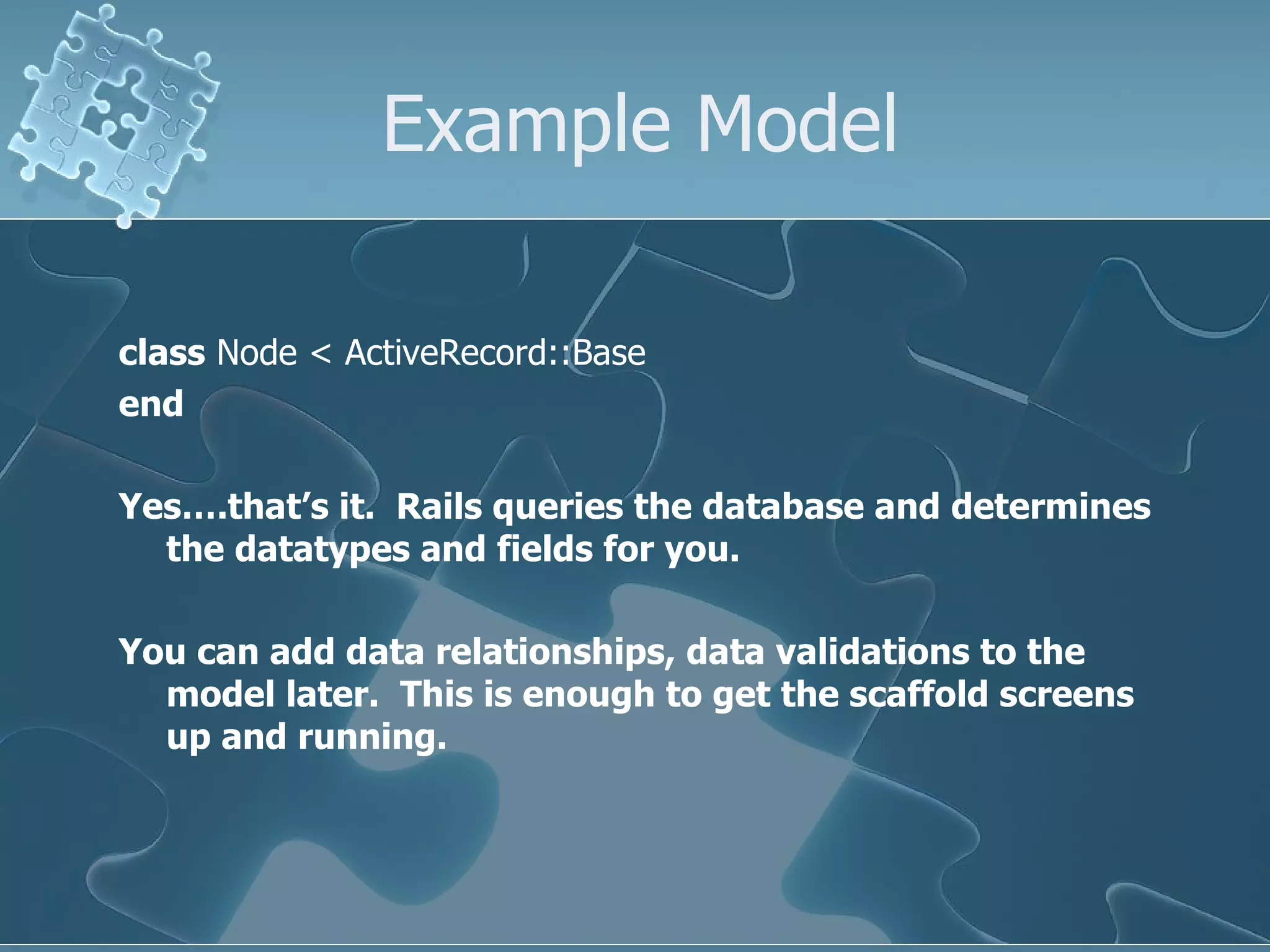
Example Model class  Node < ActiveRecord::Base end Yes….that’s it.  Rails queries the database and determines the datatypes and fields for you.  You can add data relationships, data validations to the model later.  This is enough to get the scaffold screens up and running.
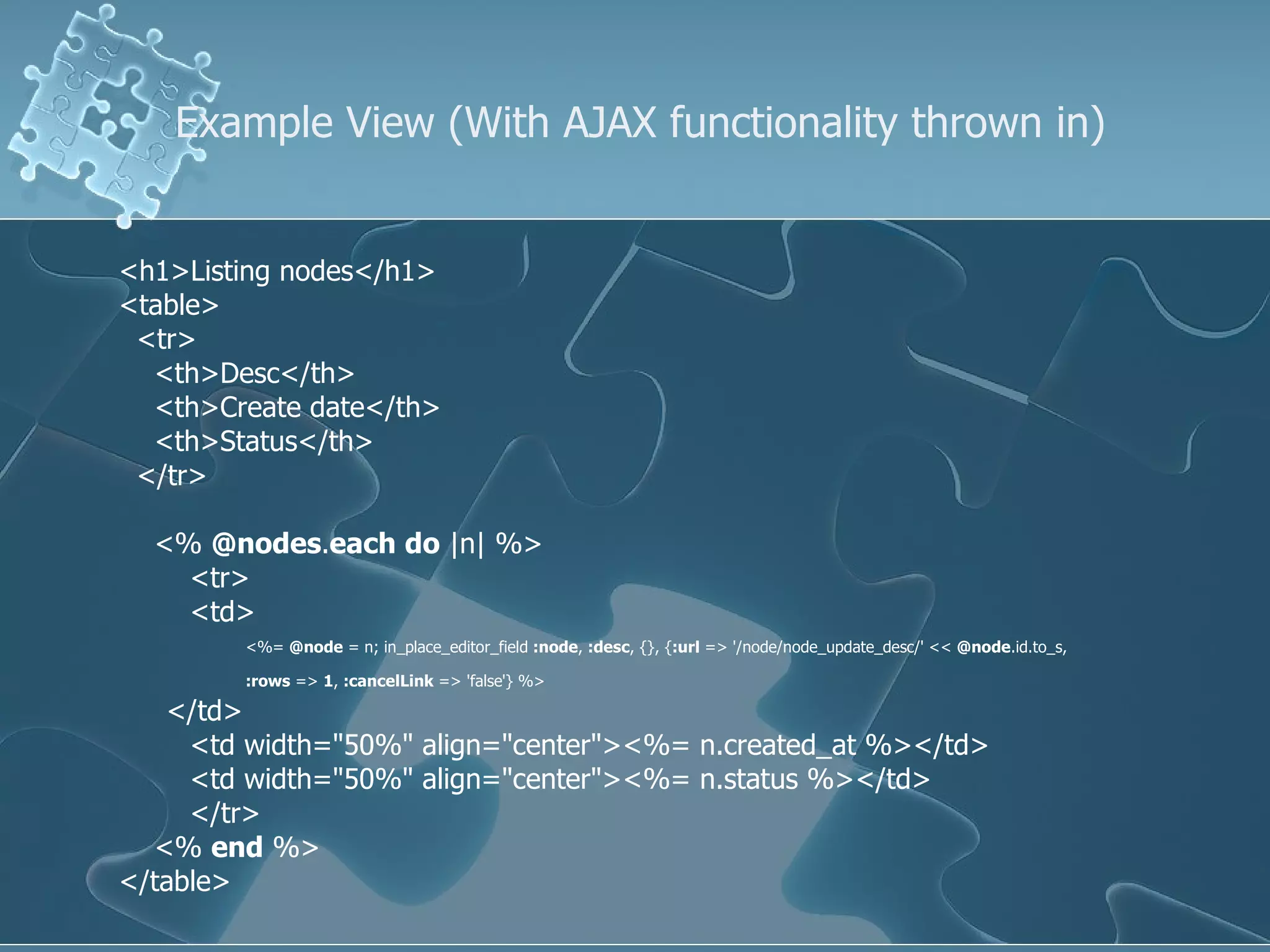
Example View (With AJAX functionality thrown in) <h1>Listing nodes</h1> <table> <tr> <th>Desc</th> <th>Create date</th> <th>Status</th> </tr> <%  @nodes . each   do  |n| %> <tr> <td> <%=  @node  = n; in_place_editor_field  :node ,  :desc , {}, { :url  => '/node/node_update_desc/' <<  @node .id.to_s,  :rows  =>  1 ,  :cancelLink  => 'false'} %>   </td> <td width=&quot;50%&quot; align=&quot;center&quot;><%= n.created_at %></td> <td width=&quot;50%&quot; align=&quot;center&quot;><%= n.status %></td> </tr> <%  end  %>  </table>
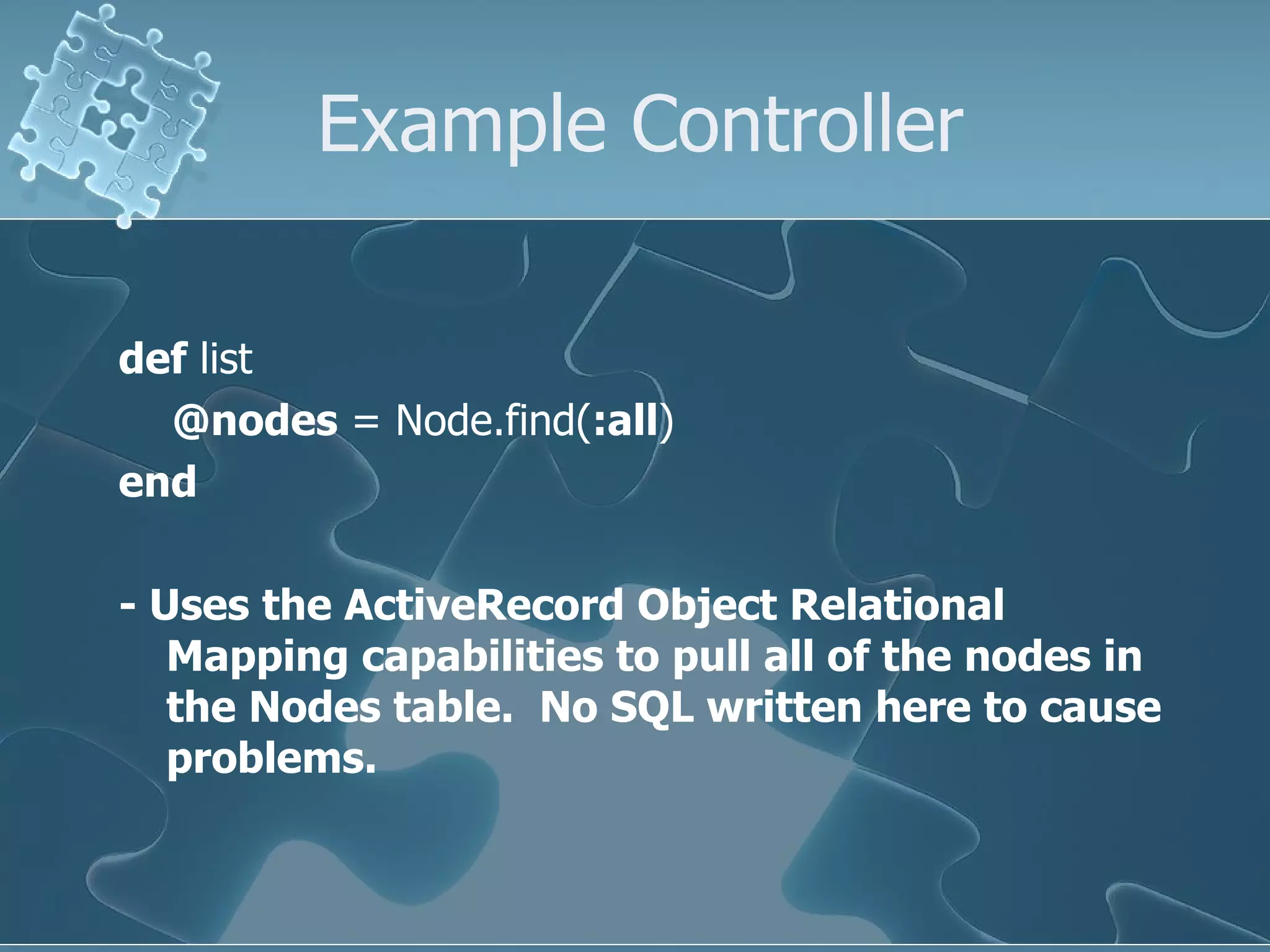
Example Controller def  list @nodes  = Node.find( :all ) end - Uses the ActiveRecord Object Relational Mapping capabilities to pull all of the nodes in the Nodes table.  No SQL written here to cause problems.
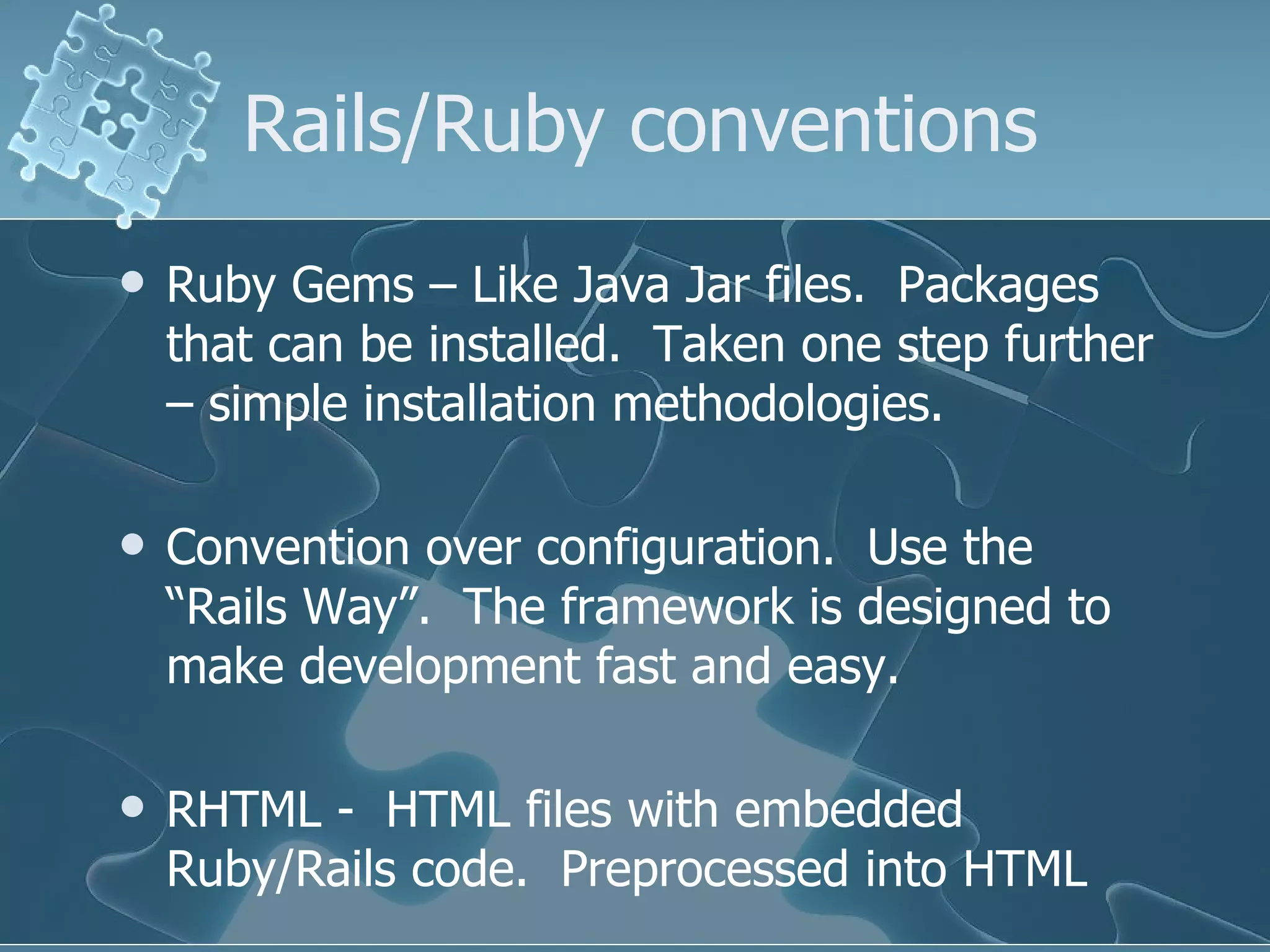
Rails/Ruby conventions Ruby Gems – Like Java Jar files.  Packages that can be installed.  Taken one step further – simple installation methodologies. Convention over configuration.  Use the “Rails Way”.  The framework is designed to make development fast and easy. RHTML -  HTML files with embedded Ruby/Rails code.  Preprocessed into HTML
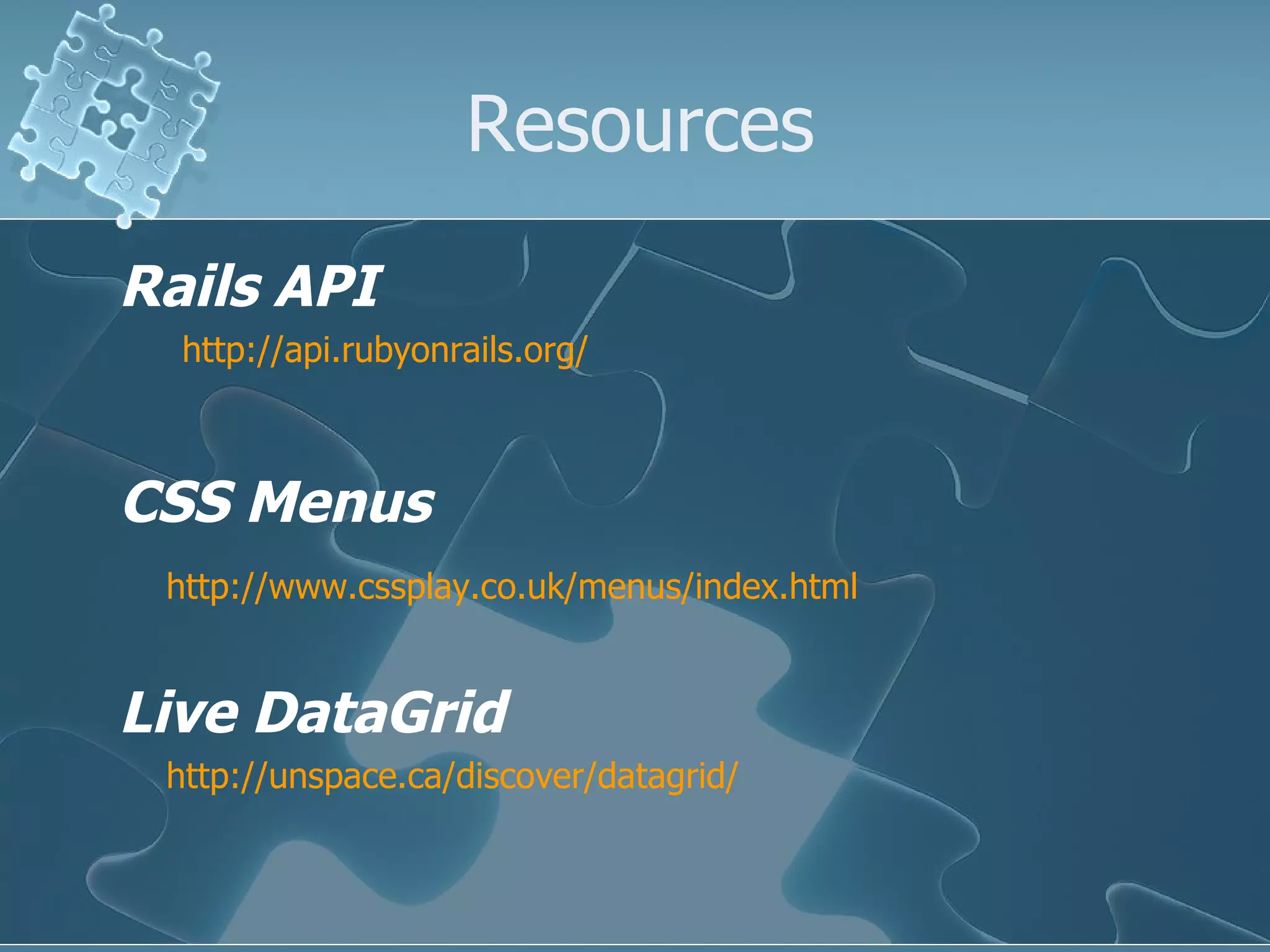
Resources Rails API http://api.rubyonrails.org/ CSS Menus http://www.cssplay.co.uk/menus/index.html Live DataGrid http://unspace.ca/discover/datagrid/
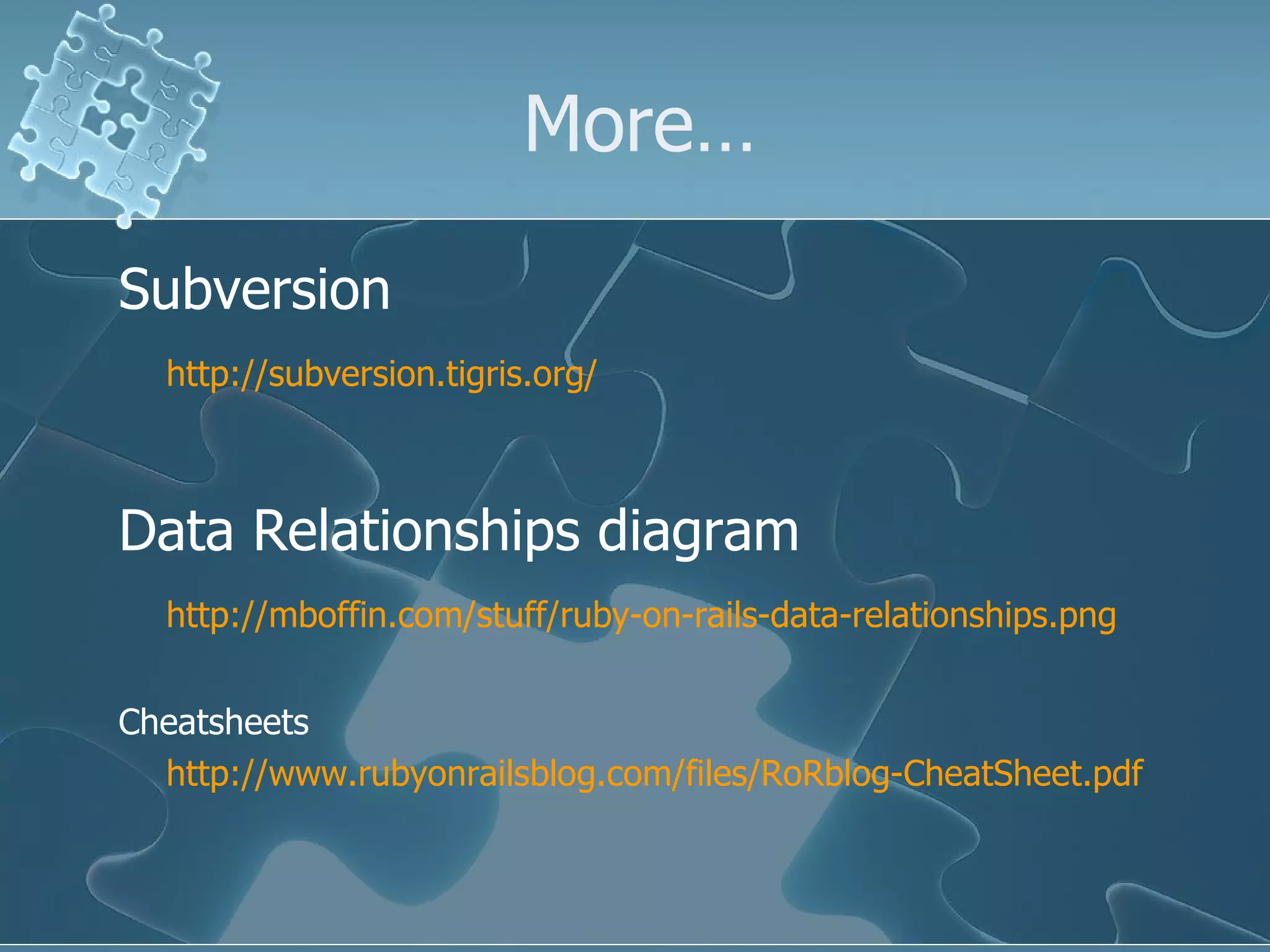
More… Subversion http://subversion.tigris.org/ Data Relationships diagram http://mboffin.com/stuff/ruby-on-rails-data-relationships.png Cheatsheets http://www.rubyonrailsblog.com/files/RoRblog-CheatSheet.pdf
Cheatsheets Migration http://garrettsnider.backpackit.com/pub/367902 Rails http://www.rubyonrailsblog.com/files/RoRblog-CheatSheet.pdf Webservices on Rails http://manuals.rubyonrails.com/read/book/10 WebCast How-To site http://peepcode.com/
Summary It’s an evolving toolset.  DRY leads to fewer lines of code.  Less code should mean less chances for bugs. Still requires normal analysis to be done on a project.  But you can react far quicker to changes in requirements. A great tool for your toolbox.

Introduction To Ruby On Rails

  • 1.
    Introduction to Rubyon Rails Welcome to the puzzle….it’s a fun ride! By Steve Keener
  • 2.
    Terms you willhear Full stack Active Record Object Relational Model (ORM) MVC Gems RHTML Migration SVN
  • 3.
    What is RoR?It’s the next best thing to sliced bread? It’s the silver bullet to fix our project? It’s magic? None of these things. It’s a tool. But it was conceived as a highly productive tool where DRY is paramount. Don’t Repeat Yourself.
  • 4.
    Things you willneed Ruby (Language) Rails (Framework in Ruby) Database Start here: www.rubyonrails.org/down You can download Instant Rails (Windows only). It contains Ruby, Rails, and MySQL for trying out the RoR world. You would use the command line and text editors to create applications.
  • 5.
    Available Development IDEsRadRails – Eclipse-based, integrated generators & servers. http://www.radrails.org/ TextMate – Mac oriented http://www.macromates.com/ I use RadRails. Downside is that code generators are still command line. But that’s a minor drawback.
  • 6.
    Source Code RepositoriesCVS – Doesn’t seem to be the preferred repository. Haven’t found an integrated delivery system. I used simple Ant scripts to build my delivery processes. SVN – Preferred repository and is integrated with Capistrano. (Rails version of application delivery systems.)
  • 7.
    After that… Thefirst place to start the journey is by reading the article “Rolling with Ruby on Rails” by Curt Hibbs. http://www.onlamp.com/pub/a/onlamp/2005/01/20/rails.html
  • 8.
    Then what? Youshould pick up two books: Agile Web Development with Rails (Excellent) Rails Recipes (Great for finding specific functional modules you might need and having them running in an hour.)
  • 9.
    Other resources Railsonline API http://api.rubyonrails.org/ Ruby Forums http://www.ruby-forum.com/user/login RubyForge http://rubyforge.org/
  • 10.
    On to Rails…Object Relational Mapping: ActiveRecord Like Java’s Hibernate (but simpler) Takes away a lot of the drudgery associated with web applications. (Create, Retrieve, Update, and Delete functions.)
  • 11.
    Full Stack J2EERails Webrick or Mongrel DispatchServlet RHTML ActionController ActiveRecord Database Layer Database Layer Hibernate Action Action Form JSP ActionServlet Tomcat Servlet Container Yes…they are fairly comparable…. Note: Found diagram on web
  • 12.
    Or another wayto put it
  • 13.
  • 14.
    Rails vs J2EEBoth have a learning curve RAILS has the edge in productivity by a significant margin. J2EE currently has an edge in scalability. If it’s a client facing system for millions of concurrent users – use J2EE. If it’s an internal web application, definitely take a look at this technology as a possible way of shortcutting the long development time for a J2EE web app.
  • 15.
    Can’t afford thetime to learn a new framework!!! I needed a few screens to manage some dev data. Was investigating several different technologies to see what would best serve the need and timeframe. (J2EE, Hibernate, JSF, Rails, etc) Day 1 - Picked up a Ruby On Rails book, read a few articles, started experimenting. Day 2 - Stated building a few screens, relying on dynamic scaffolding for basic CRUD functionality Day 3 - Began replacing scaffold screens with better looking ones by hand. Day 4 – Started adding layouts, CCS, and some AJAX functionality to make application a bit nicer. Day 5 – Began investigating Models, Migrations, and RJS templates to enhance productivity. 5 days from start, over 50 screens produced, far more functionality than I had been planning, demos to multiple managers, and more than a few headaches. It’s not perfect, but is certainly a useful tool. (NOT A SILVER BULLET!!!!!!)
  • 16.
    Database Newterm – Migration: A powerful and flexible tool for managing database changes Allows table, index, and data creation scripts to be run in multiple environments with a very simple syntax. Need to revert back to a previous DB version to work on a bug? 1 command. Then refresh it back to the current dev version? 1 command.
  • 17.
    Example Migration class CreateMenuitems < ActiveRecord::Migration def self.up # Create the Menuitems table. The ID field does not need to be specified – automagically created. create_table :menuitems do |t| t.column :href , :string , :limit => 75 t.column :title , :string , :limit => 75 t.column :desc , :string , :limit => 75 t.column :leadtag , :string , :limit => 25 t.column :endtag , :string , :limit => 25 end item = Menuitem.create( :href => &quot;/menu/zero_dollars.html&quot;, :title => &quot;Zero dollar page1&quot;, :desc => &quot;Zero dollar ads1&quot;, :leadtag => &quot;<li>&quot;, :endtag => &quot;</li>&quot;) item.save end def self.down drop_table :menuitems end end
  • 18.
    MVC Model /View / Controller Model – Used for persistence and relationships View – Used for displaying the data Controller – The logic of the application
  • 19.
    Example Model class Node < ActiveRecord::Base end Yes….that’s it. Rails queries the database and determines the datatypes and fields for you. You can add data relationships, data validations to the model later. This is enough to get the scaffold screens up and running.
  • 20.
    Example View (WithAJAX functionality thrown in) <h1>Listing nodes</h1> <table> <tr> <th>Desc</th> <th>Create date</th> <th>Status</th> </tr> <% @nodes . each do |n| %> <tr> <td> <%= @node = n; in_place_editor_field :node , :desc , {}, { :url => '/node/node_update_desc/' << @node .id.to_s, :rows => 1 , :cancelLink => 'false'} %> </td> <td width=&quot;50%&quot; align=&quot;center&quot;><%= n.created_at %></td> <td width=&quot;50%&quot; align=&quot;center&quot;><%= n.status %></td> </tr> <% end %> </table>
  • 21.
    Example Controller def list @nodes = Node.find( :all ) end - Uses the ActiveRecord Object Relational Mapping capabilities to pull all of the nodes in the Nodes table. No SQL written here to cause problems.
  • 22.
    Rails/Ruby conventions RubyGems – Like Java Jar files. Packages that can be installed. Taken one step further – simple installation methodologies. Convention over configuration. Use the “Rails Way”. The framework is designed to make development fast and easy. RHTML - HTML files with embedded Ruby/Rails code. Preprocessed into HTML
  • 23.
    Resources Rails APIhttp://api.rubyonrails.org/ CSS Menus http://www.cssplay.co.uk/menus/index.html Live DataGrid http://unspace.ca/discover/datagrid/
  • 24.
    More… Subversion http://subversion.tigris.org/Data Relationships diagram http://mboffin.com/stuff/ruby-on-rails-data-relationships.png Cheatsheets http://www.rubyonrailsblog.com/files/RoRblog-CheatSheet.pdf
  • 25.
    Cheatsheets Migration http://garrettsnider.backpackit.com/pub/367902Rails http://www.rubyonrailsblog.com/files/RoRblog-CheatSheet.pdf Webservices on Rails http://manuals.rubyonrails.com/read/book/10 WebCast How-To site http://peepcode.com/
  • 26.
    Summary It’s anevolving toolset. DRY leads to fewer lines of code. Less code should mean less chances for bugs. Still requires normal analysis to be done on a project. But you can react far quicker to changes in requirements. A great tool for your toolbox.