Rapid Web
Application
Development using
Ruby on Rails
●
 Sang Shin
●Sun Microsystems, Inc.

●
 javapassion.com

                          1
You can try all the demos
yourself!

Join “Ruby, JRuby, Rails”
free online course!

www.javapassion.com/rubyonrails
Topics
•   What is and Why Ruby on Rails (Rails)?
•   Rails Basics
•   Step by step for building “Hello World” Rails application
•   ActiveRecord
•   ActionController
•   ActionView
•   Deployment


                                                                3
What is and Why
Ruby on Rails (RoR)?
What Is “Ruby on Rails”?
• A full-stack MVC web development framework
• Written in Ruby
• First released in 2004 by
  David Heinemeier Hansson
• Gaining popularity


                                               5
“Ruby on Rails” Principles
• Convention over configuration
  > Why punish the common cases?
  > Encourages standard practices
  > Everything simpler and smaller
• Don’t Repeat Yourself (DRY)
  > Repetitive code is harmful to adaptability
• Agile development environment
  > No recompile, deploy, restart cycles
  > Simple tools to generate code quickly
  > Testing built into the framework
                                                 6
Rails Basics
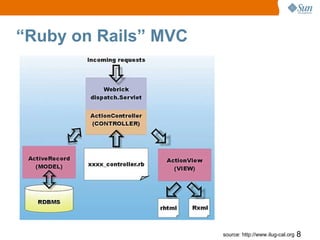
“Ruby on Rails” MVC


                      source: http://www.ilug-cal.org   8
Step By Step Process
of Building “Hello World”
Rails Application
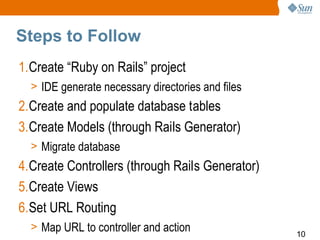
Steps to Follow
1.Create “Ruby on Rails” project
  > IDE generate necessary directories and files
2.Create and populate database tables
3.Create Models (through Rails Generator)
  > Migrate database
4.Create Controllers (through Rails Generator)
5.Create Views
6.Set URL Routing
  > Map URL to controller and action
                                                   10
Demo:
    Building “Hello World”
Rails Application Step by Step.

 http://www.javapassion.com/handsonlabs/rails_basics/#Exercise_1


                                                                   11
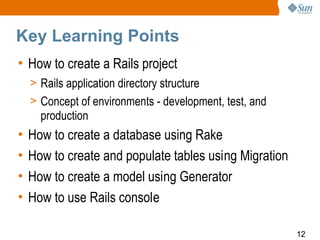
Key Learning Points
• How to create a Rails project
    > Rails application directory structure
    > Concept of environments - development, test, and
      production
•   How to create a database using Rake
•   How to create and populate tables using Migration
•   How to create a model using Generator
•   How to use Rails console

                                                         12
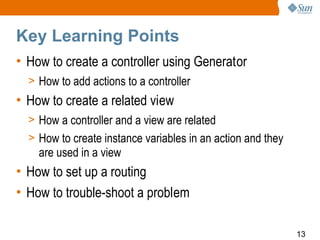
Key Learning Points
• How to create a controller using Generator
  > How to add actions to a controller
• How to create a related view
  > How a controller and a view are related
  > How to create instance variables in an action and they
    are used in a view
• How to set up a routing
• How to trouble-shoot a problem

                                                             13
Demo:
How to create an input form.

http://www.javapassion.com/handsonlabs/rails_basics/#Exercise_4


                                                                  14
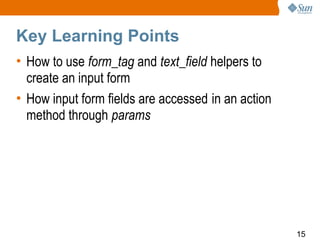
Key Learning Points
• How to use form_tag and text_field helpers to
  create an input form
• How input form fields are accessed in an action
  method through params


                                                    15
Scaffolding
What is Scaffolding?
• Scaffolding is a way to quickly create a CRUD
  application
  > Rails framework generates a set of actions for listing,
    showing, creating, updating, and destroying objects of
    the class
  > These standardized actions come with both controller
    logic and default templates that through introspection
    already know which fields to display and which input
    types to use
• Supports RESTful view of the a Model
                                                              17
Demo:
Creating a Rails Application
     using Scaffolding

http://www.javapassion.com/handsonlabs/rails_scaffold/#Exercise_1


                                                                    18
Key Learning Points
• How to perform scaffolding using Generator
• What action methods are created through
  scaffolding
• What templates are created through scaffolding


                                                   19
ActiveRecord
Basics
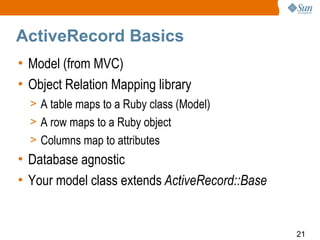
ActiveRecord Basics
• Model (from MVC)
• Object Relation Mapping library
  > A table maps to a Ruby class (Model)
  > A row maps to a Ruby object
  > Columns map to attributes
• Database agnostic
• Your model class extends ActiveRecord::Base


                                                21
ActiveRecord Class
• Your model class extends ActiveRecord::Base
  class User < ActiveRecord::Base
  end
• You model class contain domain logic
  class User < ActiveRecord::Base
     def self.authenticate_safely(user_name, password)
      find(:first, :conditions => [ "user_name = ? AND
     password = ?", user_name, password ])
     end
  end                                                    22
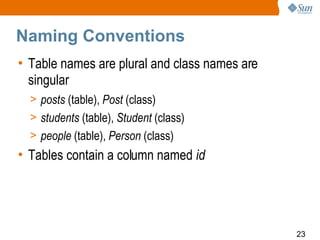
Naming Conventions
• Table names are plural and class names are
  singular
  > posts (table), Post (class)
  > students (table), Student (class)
  > people (table), Person (class)
• Tables contain a column named id


                                               23
Find: Examples
• find by id
  Person.find(1)     # returns the object for ID = 1
  Person.find(1, 2, 6) # returns an array for objects with IDs in (1, 2, 6)
• find first
  Person.find(:first) # returns the first object fetched by SELECT * FROM peop
  Person.find(:first, :conditions => [ "user_name = ?", user_name])
  Person.find(:first, :order => "created_on DESC", :offset => 5)


                                                                              24
Dynamic attribute-based finders
• Dynamic attribute-based finders are a cleaner way
  of getting (and/or creating) objects by simple
  queries without turning to SQL
• They work by appending the name of an attribute to
  find_by_ or find_all_by_, so you get finders like
  > Person.find_by_user_name(user_name)
     > Person.find(:first, :conditions => ["user_name = ?",
       user_name])
  > Person.find_all_by_last_name(last_name)
     > Person.find(:all, :conditions => ["last_name = ?", last_name])
  > Payment.find_by_transaction_id
                                                                        25
ActiveRecord
Migration
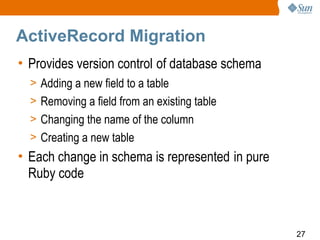
ActiveRecord Migration
• Provides version control of database schema
  > Adding a new field to a table
  > Removing a field from an existing table
  > Changing the name of the column
  > Creating a new table
• Each change in schema is represented in pure
  Ruby code


                                                 27
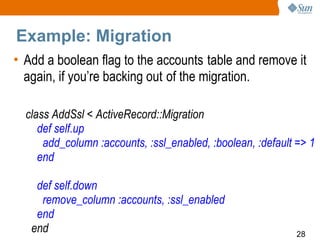
Example: Migration
• Add a boolean flag to the accounts table and remove it
  again, if you’re backing out of the migration.

  class AddSsl < ActiveRecord::Migration
     def self.up
      add_column :accounts, :ssl_enabled, :boolean, :default => 1
     end

    def self.down
     remove_column :accounts, :ssl_enabled
    end
   end                                                       28
Demo:
How to add a field to a table
     using Migration

http://www.javapassion.com/handsonlabs/rails_scaffold/#Exercise_2


                                                                    29
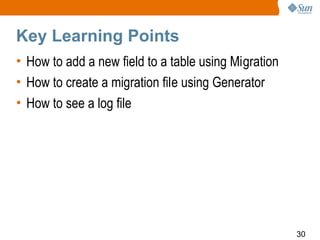
Key Learning Points
• How to add a new field to a table using Migration
• How to create a migration file using Generator
• How to see a log file


                                                      30
ActiveRecord
Validation
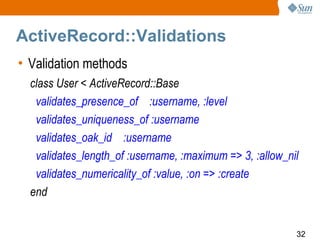
ActiveRecord::Validations
• Validation methods
  class User < ActiveRecord::Base
   validates_presence_of :username, :level
   validates_uniqueness_of :username
   validates_oak_id :username
   validates_length_of :username, :maximum => 3, :allow_nil
   validates_numericality_of :value, :on => :create
  end


                                                          32
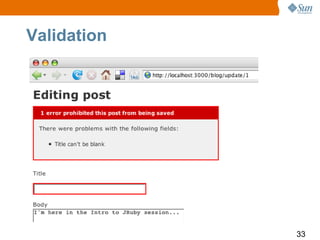
Validation


             33
Demo:
                 Validation
http://www.javapassion.com/handsonlabs/rails_scaffold/#2.4


                                                             34
ActiveRecord::
Associations
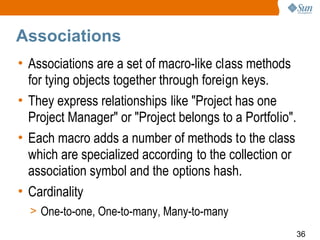
Associations
• Associations are a set of macro-like class methods
  for tying objects together through foreign keys.
• They express relationships like "Project has one
  Project Manager" or "Project belongs to a Portfolio".
• Each macro adds a number of methods to the class
  which are specialized according to the collection or
  association symbol and the options hash.
• Cardinality
  > One-to-one, One-to-many, Many-to-many
                                                          36
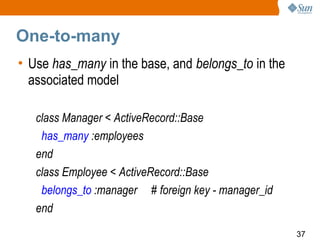
One-to-many
• Use has_many in the base, and belongs_to in the
  associated model

   class Manager < ActiveRecord::Base
    has_many :employees
   end
   class Employee < ActiveRecord::Base
    belongs_to :manager # foreign key - manager_id
   end
                                                     37
Demo:
               Association
http://www.javapassion.com/handsonlabs/rails_activerecord/


                                                             38
ActionController
Basics
ActionController
• Controller is made up of one or more actions that are
  executed on request and then either render a template or
  redirect to another action
• An action is defined as a public method on the controller,
  which will automatically be made accessible to the web-
  server through Rails Routes
• Actions, by default, render a template in the app/views
  directory corresponding to the name of the controller and
  action after executing code in the action.


                                                               40
ActionController
• For example, the index action of the GuestBookController would
  render the template app/views/guestbook/index.erb by default
  after populating the @entries instance variable.

  class GuestBookController < ActionController::Base
     def index
      @entries = Entry.find(:all)
     end

    def sign
     Entry.create(params[:entry])
     redirect_to :action => "index"
    end
   end
                                                               41
Deployment
Web Servers
• By default, Rails will try to use Mongrel and lighttpd
  if they are installed, otherwise Rails will use
  WEBrick, the webserver that ships with Ruby.
• Java Server integration
  > Goldspike
  > GlassFish V3


                                                           43
Goldspike
• Rails Plugin
• Packages Rails application as WAR
• WAR contains a servlet that translates data from the
  servlet request to the Rails dispatcher
• Works for any servlet container
• rake war:standalone:create


                                                     44
Demo:
        Deployment through
            Goldspike

http://www.javapassion.com/handsonlabs/rails_deploy/#Exercise_1


                                                                  45
JRuby on Rails
Why “JRuby on Rails”
over “Ruby on Rails”?
• Java technology production environments pervasive
  > Easier to switch framework vs. whole architecture
  > Lower barrier to entry
• Integration with Java technology libraries,
  legacy services
• No need to leave Java technology servers, libraries,
  reliability
• Deployment to Java application servers
                                                         47
“JRuby on Rails”: Java EE Platform
• Pool database connections
• Access any Java Naming and Directory Interface™
  (J.N.D.I.) API resource
• Access any Java EE platform TLA:
  > Java Persistence API (JPA)
  > Java Management Extensions (JMX™)
  > Enterprise JavaBeans™ (EJB™)
  > Java Message Service (JMS) API
  > SOAP/WSDL/SOA
                                                    48
Rapid Web
Application
Development using
Ruby on Rails
●
 Sang Shin
●Sun Microsystems, Inc.

●
 javapassion.com

                          49

td_mxc_rubyrails_shin

  • 1.
    Rapid Web Application Development using Rubyon Rails ● Sang Shin ●Sun Microsystems, Inc. ● javapassion.com 1
  • 2.
    You can tryall the demos yourself! Join “Ruby, JRuby, Rails” free online course! www.javapassion.com/rubyonrails
  • 3.
    Topics • What is and Why Ruby on Rails (Rails)? • Rails Basics • Step by step for building “Hello World” Rails application • ActiveRecord • ActionController • ActionView • Deployment 3
  • 4.
    What is andWhy Ruby on Rails (RoR)?
  • 5.
    What Is “Rubyon Rails”? • A full-stack MVC web development framework • Written in Ruby • First released in 2004 by David Heinemeier Hansson • Gaining popularity 5
  • 6.
    “Ruby on Rails”Principles • Convention over configuration > Why punish the common cases? > Encourages standard practices > Everything simpler and smaller • Don’t Repeat Yourself (DRY) > Repetitive code is harmful to adaptability • Agile development environment > No recompile, deploy, restart cycles > Simple tools to generate code quickly > Testing built into the framework 6
  • 7.
  • 8.
    “Ruby on Rails”MVC source: http://www.ilug-cal.org 8
  • 9.
    Step By StepProcess of Building “Hello World” Rails Application
  • 10.
    Steps to Follow 1.Create“Ruby on Rails” project > IDE generate necessary directories and files 2.Create and populate database tables 3.Create Models (through Rails Generator) > Migrate database 4.Create Controllers (through Rails Generator) 5.Create Views 6.Set URL Routing > Map URL to controller and action 10
  • 11.
    Demo: Building “Hello World” Rails Application Step by Step. http://www.javapassion.com/handsonlabs/rails_basics/#Exercise_1 11
  • 12.
    Key Learning Points •How to create a Rails project > Rails application directory structure > Concept of environments - development, test, and production • How to create a database using Rake • How to create and populate tables using Migration • How to create a model using Generator • How to use Rails console 12
  • 13.
    Key Learning Points •How to create a controller using Generator > How to add actions to a controller • How to create a related view > How a controller and a view are related > How to create instance variables in an action and they are used in a view • How to set up a routing • How to trouble-shoot a problem 13
  • 14.
    Demo: How to createan input form. http://www.javapassion.com/handsonlabs/rails_basics/#Exercise_4 14
  • 15.
    Key Learning Points •How to use form_tag and text_field helpers to create an input form • How input form fields are accessed in an action method through params 15
  • 16.
  • 17.
    What is Scaffolding? •Scaffolding is a way to quickly create a CRUD application > Rails framework generates a set of actions for listing, showing, creating, updating, and destroying objects of the class > These standardized actions come with both controller logic and default templates that through introspection already know which fields to display and which input types to use • Supports RESTful view of the a Model 17
  • 18.
    Demo: Creating a RailsApplication using Scaffolding http://www.javapassion.com/handsonlabs/rails_scaffold/#Exercise_1 18
  • 19.
    Key Learning Points •How to perform scaffolding using Generator • What action methods are created through scaffolding • What templates are created through scaffolding 19
  • 20.
  • 21.
    ActiveRecord Basics • Model(from MVC) • Object Relation Mapping library > A table maps to a Ruby class (Model) > A row maps to a Ruby object > Columns map to attributes • Database agnostic • Your model class extends ActiveRecord::Base 21
  • 22.
    ActiveRecord Class • Yourmodel class extends ActiveRecord::Base class User < ActiveRecord::Base end • You model class contain domain logic class User < ActiveRecord::Base def self.authenticate_safely(user_name, password) find(:first, :conditions => [ "user_name = ? AND password = ?", user_name, password ]) end end 22
  • 23.
    Naming Conventions • Tablenames are plural and class names are singular > posts (table), Post (class) > students (table), Student (class) > people (table), Person (class) • Tables contain a column named id 23
  • 24.
    Find: Examples • findby id Person.find(1) # returns the object for ID = 1 Person.find(1, 2, 6) # returns an array for objects with IDs in (1, 2, 6) • find first Person.find(:first) # returns the first object fetched by SELECT * FROM peop Person.find(:first, :conditions => [ "user_name = ?", user_name]) Person.find(:first, :order => "created_on DESC", :offset => 5) 24
  • 25.
    Dynamic attribute-based finders •Dynamic attribute-based finders are a cleaner way of getting (and/or creating) objects by simple queries without turning to SQL • They work by appending the name of an attribute to find_by_ or find_all_by_, so you get finders like > Person.find_by_user_name(user_name) > Person.find(:first, :conditions => ["user_name = ?", user_name]) > Person.find_all_by_last_name(last_name) > Person.find(:all, :conditions => ["last_name = ?", last_name]) > Payment.find_by_transaction_id 25
  • 26.
  • 27.
    ActiveRecord Migration • Providesversion control of database schema > Adding a new field to a table > Removing a field from an existing table > Changing the name of the column > Creating a new table • Each change in schema is represented in pure Ruby code 27
  • 28.
    Example: Migration • Adda boolean flag to the accounts table and remove it again, if you’re backing out of the migration. class AddSsl < ActiveRecord::Migration def self.up add_column :accounts, :ssl_enabled, :boolean, :default => 1 end def self.down remove_column :accounts, :ssl_enabled end end 28
  • 29.
    Demo: How to adda field to a table using Migration http://www.javapassion.com/handsonlabs/rails_scaffold/#Exercise_2 29
  • 30.
    Key Learning Points •How to add a new field to a table using Migration • How to create a migration file using Generator • How to see a log file 30
  • 31.
  • 32.
    ActiveRecord::Validations • Validation methods class User < ActiveRecord::Base validates_presence_of :username, :level validates_uniqueness_of :username validates_oak_id :username validates_length_of :username, :maximum => 3, :allow_nil validates_numericality_of :value, :on => :create end 32
  • 33.
  • 34.
    Demo: Validation http://www.javapassion.com/handsonlabs/rails_scaffold/#2.4 34
  • 35.
  • 36.
    Associations • Associations area set of macro-like class methods for tying objects together through foreign keys. • They express relationships like "Project has one Project Manager" or "Project belongs to a Portfolio". • Each macro adds a number of methods to the class which are specialized according to the collection or association symbol and the options hash. • Cardinality > One-to-one, One-to-many, Many-to-many 36
  • 37.
    One-to-many • Use has_manyin the base, and belongs_to in the associated model class Manager < ActiveRecord::Base has_many :employees end class Employee < ActiveRecord::Base belongs_to :manager # foreign key - manager_id end 37
  • 38.
    Demo: Association http://www.javapassion.com/handsonlabs/rails_activerecord/ 38
  • 39.
  • 40.
    ActionController • Controller ismade up of one or more actions that are executed on request and then either render a template or redirect to another action • An action is defined as a public method on the controller, which will automatically be made accessible to the web- server through Rails Routes • Actions, by default, render a template in the app/views directory corresponding to the name of the controller and action after executing code in the action. 40
  • 41.
    ActionController • For example,the index action of the GuestBookController would render the template app/views/guestbook/index.erb by default after populating the @entries instance variable. class GuestBookController < ActionController::Base def index @entries = Entry.find(:all) end def sign Entry.create(params[:entry]) redirect_to :action => "index" end end 41
  • 42.
  • 43.
    Web Servers • Bydefault, Rails will try to use Mongrel and lighttpd if they are installed, otherwise Rails will use WEBrick, the webserver that ships with Ruby. • Java Server integration > Goldspike > GlassFish V3 43
  • 44.
    Goldspike • Rails Plugin •Packages Rails application as WAR • WAR contains a servlet that translates data from the servlet request to the Rails dispatcher • Works for any servlet container • rake war:standalone:create 44
  • 45.
    Demo: Deployment through Goldspike http://www.javapassion.com/handsonlabs/rails_deploy/#Exercise_1 45
  • 46.
  • 47.
    Why “JRuby onRails” over “Ruby on Rails”? • Java technology production environments pervasive > Easier to switch framework vs. whole architecture > Lower barrier to entry • Integration with Java technology libraries, legacy services • No need to leave Java technology servers, libraries, reliability • Deployment to Java application servers 47
  • 48.
    “JRuby on Rails”:Java EE Platform • Pool database connections • Access any Java Naming and Directory Interface™ (J.N.D.I.) API resource • Access any Java EE platform TLA: > Java Persistence API (JPA) > Java Management Extensions (JMX™) > Enterprise JavaBeans™ (EJB™) > Java Message Service (JMS) API > SOAP/WSDL/SOA 48
  • 49.
    Rapid Web Application Development using Rubyon Rails ● Sang Shin ●Sun Microsystems, Inc. ● javapassion.com 49