Ruby on Rails
#101 Preparing enviroment
What do you need
1. POSIX operating system (e.g. Mac OS X or Linux)
2. Knowledge about HTML, CSS/SASS, and JavaScript/
CoffeeScript
Fu*k off, Windows
Cloud9
Online IDE to the rescue
Getting started
1. A GitHub account
2. Log in Cloud9 with GitHub account
• Use Google Chrome
• Though I hate Google Chrome, it seems to be only full-
functional web browser after Cloud9 latest upgrade
3. Create a private workspace, based on custom
Going to learn
• Create a Ruby on Rails project
suspenders
Proudly released by thoughtbot
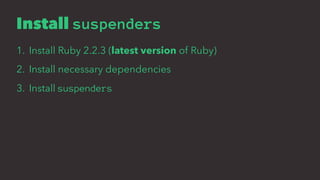
Install suspenders
1. Install Ruby 2.2.3 (latest version of Ruby)
2. Install necessary dependencies
3. Install suspenders
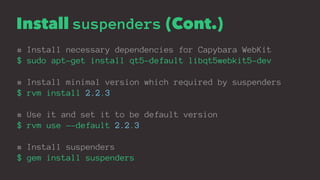
Install suspenders (Cont.)
# Install necessary dependencies for Capybara WebKit
$ sudo apt-get install qt5-default libqt5webkit5-dev
# Install minimal version which required by suspenders
$ rvm install 2.2.3
# Use it and set it to be default version
$ rvm use --default 2.2.3
# Install suspenders
$ gem install suspenders
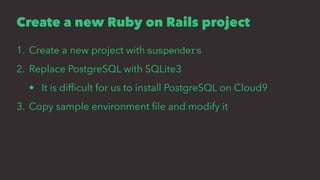
Create a new Ruby on Rails project
1. Create a new project with suspenders
2. Replace PostgreSQL with SQLite3
• It is difficult for us to install PostgreSQL on Cloud9
3. Copy sample environment file and modify it
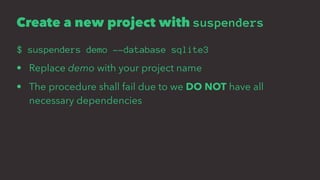
Create a new project with suspenders
$ suspenders demo --database sqlite3
• Replace demo with your project name
• The procedure shall fail due to we DO NOT have all
necessary dependencies
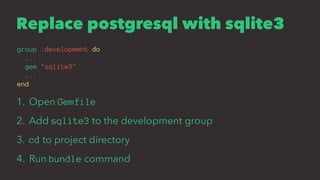
Replace postgresql with sqlite3
group :development do
...
gem "sqlite3"
...
end
1. Open Gemfile
2. Add sqlite3 to the development group
3. cd to project directory
4. Run bundle command
Environment variables?
• Sometimes we use third-party services, such as Amazon
Web Service, and we connect these services via application
ID and secret keys
• BUT we CANNOT place our secret keys in source code, it is
extremely DANGEROUS
• Environment variables to the rescue, which make sensitive
data isolated from source code
GitHub 10 AWS
6500
http://www.ithome.com.tw/news/98497
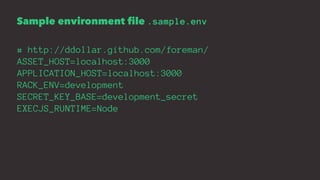
Sample environment file .sample.env
# http://ddollar.github.com/foreman/
ASSET_HOST=localhost:3000
APPLICATION_HOST=localhost:3000
RACK_ENV=development
SECRET_KEY_BASE=development_secret
EXECJS_RUNTIME=Node
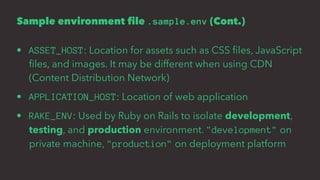
Sample environment file .sample.env (Cont.)
• ASSET_HOST: Location for assets such as CSS files, JavaScript
files, and images. It may be different when using CDN
(Content Distribution Network)
• APPLICATION_HOST: Location of web application
• RAKE_ENV: Used by Ruby on Rails to isolate development,
testing, and production environment. "development" on
private machine, "production" on deployment platform
Sample environment file .sample.env (Cont.)
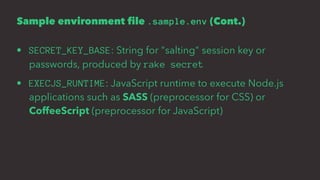
• SECRET_KEY_BASE: String for "salting" session key or
passwords, produced by rake secret
• EXECJS_RUNTIME: JavaScript runtime to execute Node.js
applications such as SASS (preprocessor for CSS) or
CoffeeScript (preprocessor for JavaScript)
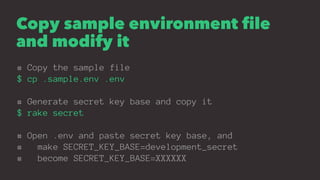
Copy sample environment file
and modify it
# Copy the sample file
$ cp .sample.env .env
# Generate secret key base and copy it
$ rake secret
# Open .env and paste secret key base, and
# make SECRET_KEY_BASE=development_secret
# become SECRET_KEY_BASE=XXXXXX
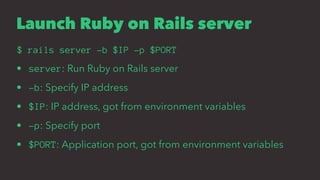
Launch Ruby on Rails server
$ rails server -b $IP -p $PORT
• server: Run Ruby on Rails server
• -b: Specify IP address
• $IP: IP address, got from environment variables
• -p: Specify port
• $PORT: Application port, got from environment variables
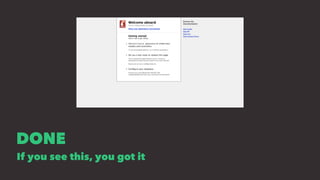
DONE
If you see this, you got it
One more thing
Install simple_form
Forms made easy for Rails! It's tied to a simple DSL, with no
opinion on markup
rails generate simple_form:install --bootstrap
• generate generates configuration files related to
simple_form gem
• --bootstrap enables the integration with Twitter Bootstrap
End of Ruby on Rails #101
Ruby on Rails
#102 Create static pages
High voltage
Linkin park
high_voltage gem
1. Developed by thoughtbot
2. Easily include static pages in your Rails app.
Why bothered?
• Ruby on Rails is a web framework for dynamic content
• Though we can put HTML documents in public/ directory,
sometimes you need to embed some Ruby codes in HTML
documents
• high_voltage gem to the rescue
Getting started
1. Install high_voltage
2. Create a static page
3. Configure application dispatch
Install high_voltage
1. We don't need to install high_voltage gem. It has been
included in projects produced by suspenders
2. That's why we don't create the project from scratch
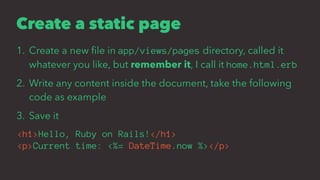
Create a static page
1. Create a new file in app/views/pages directory, called it
whatever you like, but remember it, I call it home.html.erb
2. Write any content inside the document, take the following
code as example
3. Save it
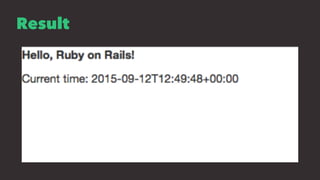
<h1>Hello, Ruby on Rails!</h1>
<p>Current time: <%= DateTime.now %></p>
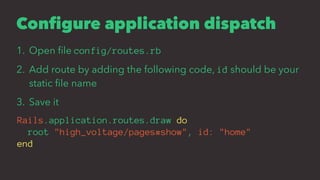
Configure application dispatch
1. Open file config/routes.rb
2. Add route by adding the following code, id should be your
static file name
3. Save it
Rails.application.routes.draw do
root "high_voltage/pages#show", id: "home"
end
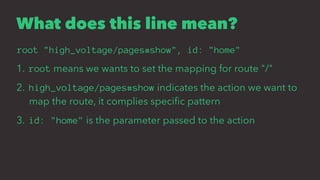
What does this line mean?
root "high_voltage/pages#show", id: "home"
1. root means we wants to set the mapping for route "/"
2. high_voltage/pages#show indicates the action we want to
map the route, it complies specific pattern
3. id: "home" is the parameter passed to the action
"specific pattern"
high_voltage/pages#show
[package_name]/[controller_name]#[action_name]
show is the action we want to map the route, and it belongs to
pages controller from package high_voltage
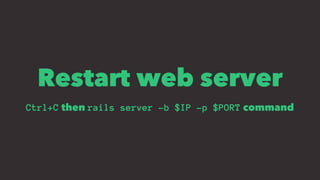
Restart web server
Ctrl+C then rails server -b $IP -p $PORT command
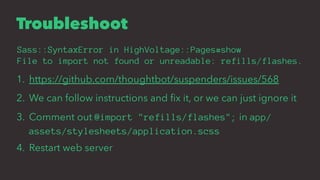
Troubleshoot
Sass::SyntaxError in HighVoltage::Pages#show
File to import not found or unreadable: refills/flashes.
1. https://github.com/thoughtbot/suspenders/issues/568
2. We can follow instructions and fix it, or we can just ignore it
3. Comment out @import "refills/flashes"; in app/
assets/stylesheets/application.scss
4. Restart web server
Result
Try to create another static pages
• Browse them via route pages/:page_name
• Replace :page_name with static page file name excluding
".html.erb"
End of Ruby on Rails #102
Homework
1. Create a new Ruby on Rails project from scratch
2. Create three web pages using high_voltage
3. Bouns: Create links to the second and third page on the first
page

Ruby on Rails Kickstart 101 & 102

  • 1.
    Ruby on Rails #101Preparing enviroment
  • 2.
    What do youneed 1. POSIX operating system (e.g. Mac OS X or Linux) 2. Knowledge about HTML, CSS/SASS, and JavaScript/ CoffeeScript
  • 3.
  • 4.
  • 5.
    Getting started 1. AGitHub account 2. Log in Cloud9 with GitHub account • Use Google Chrome • Though I hate Google Chrome, it seems to be only full- functional web browser after Cloud9 latest upgrade 3. Create a private workspace, based on custom
  • 6.
    Going to learn •Create a Ruby on Rails project
  • 7.
  • 8.
    Install suspenders 1. InstallRuby 2.2.3 (latest version of Ruby) 2. Install necessary dependencies 3. Install suspenders
  • 9.
    Install suspenders (Cont.) #Install necessary dependencies for Capybara WebKit $ sudo apt-get install qt5-default libqt5webkit5-dev # Install minimal version which required by suspenders $ rvm install 2.2.3 # Use it and set it to be default version $ rvm use --default 2.2.3 # Install suspenders $ gem install suspenders
  • 10.
    Create a newRuby on Rails project 1. Create a new project with suspenders 2. Replace PostgreSQL with SQLite3 • It is difficult for us to install PostgreSQL on Cloud9 3. Copy sample environment file and modify it
  • 11.
    Create a newproject with suspenders $ suspenders demo --database sqlite3 • Replace demo with your project name • The procedure shall fail due to we DO NOT have all necessary dependencies
  • 12.
    Replace postgresql withsqlite3 group :development do ... gem "sqlite3" ... end 1. Open Gemfile 2. Add sqlite3 to the development group 3. cd to project directory 4. Run bundle command
  • 13.
    Environment variables? • Sometimeswe use third-party services, such as Amazon Web Service, and we connect these services via application ID and secret keys • BUT we CANNOT place our secret keys in source code, it is extremely DANGEROUS • Environment variables to the rescue, which make sensitive data isolated from source code
  • 14.
  • 15.
    Sample environment file.sample.env # http://ddollar.github.com/foreman/ ASSET_HOST=localhost:3000 APPLICATION_HOST=localhost:3000 RACK_ENV=development SECRET_KEY_BASE=development_secret EXECJS_RUNTIME=Node
  • 16.
    Sample environment file.sample.env (Cont.) • ASSET_HOST: Location for assets such as CSS files, JavaScript files, and images. It may be different when using CDN (Content Distribution Network) • APPLICATION_HOST: Location of web application • RAKE_ENV: Used by Ruby on Rails to isolate development, testing, and production environment. "development" on private machine, "production" on deployment platform
  • 17.
    Sample environment file.sample.env (Cont.) • SECRET_KEY_BASE: String for "salting" session key or passwords, produced by rake secret • EXECJS_RUNTIME: JavaScript runtime to execute Node.js applications such as SASS (preprocessor for CSS) or CoffeeScript (preprocessor for JavaScript)
  • 18.
    Copy sample environmentfile and modify it # Copy the sample file $ cp .sample.env .env # Generate secret key base and copy it $ rake secret # Open .env and paste secret key base, and # make SECRET_KEY_BASE=development_secret # become SECRET_KEY_BASE=XXXXXX
  • 19.
    Launch Ruby onRails server $ rails server -b $IP -p $PORT • server: Run Ruby on Rails server • -b: Specify IP address • $IP: IP address, got from environment variables • -p: Specify port • $PORT: Application port, got from environment variables
  • 20.
    DONE If you seethis, you got it
  • 21.
  • 22.
    Install simple_form Forms madeeasy for Rails! It's tied to a simple DSL, with no opinion on markup rails generate simple_form:install --bootstrap • generate generates configuration files related to simple_form gem • --bootstrap enables the integration with Twitter Bootstrap
  • 23.
    End of Rubyon Rails #101
  • 24.
    Ruby on Rails #102Create static pages
  • 25.
  • 26.
    high_voltage gem 1. Developedby thoughtbot 2. Easily include static pages in your Rails app.
  • 27.
    Why bothered? • Rubyon Rails is a web framework for dynamic content • Though we can put HTML documents in public/ directory, sometimes you need to embed some Ruby codes in HTML documents • high_voltage gem to the rescue
  • 28.
    Getting started 1. Installhigh_voltage 2. Create a static page 3. Configure application dispatch
  • 29.
    Install high_voltage 1. Wedon't need to install high_voltage gem. It has been included in projects produced by suspenders 2. That's why we don't create the project from scratch
  • 30.
    Create a staticpage 1. Create a new file in app/views/pages directory, called it whatever you like, but remember it, I call it home.html.erb 2. Write any content inside the document, take the following code as example 3. Save it <h1>Hello, Ruby on Rails!</h1> <p>Current time: <%= DateTime.now %></p>
  • 31.
    Configure application dispatch 1.Open file config/routes.rb 2. Add route by adding the following code, id should be your static file name 3. Save it Rails.application.routes.draw do root "high_voltage/pages#show", id: "home" end
  • 32.
    What does thisline mean? root "high_voltage/pages#show", id: "home" 1. root means we wants to set the mapping for route "/" 2. high_voltage/pages#show indicates the action we want to map the route, it complies specific pattern 3. id: "home" is the parameter passed to the action
  • 33.
    "specific pattern" high_voltage/pages#show [package_name]/[controller_name]#[action_name] show isthe action we want to map the route, and it belongs to pages controller from package high_voltage
  • 34.
    Restart web server Ctrl+Cthen rails server -b $IP -p $PORT command
  • 35.
    Troubleshoot Sass::SyntaxError in HighVoltage::Pages#show Fileto import not found or unreadable: refills/flashes. 1. https://github.com/thoughtbot/suspenders/issues/568 2. We can follow instructions and fix it, or we can just ignore it 3. Comment out @import "refills/flashes"; in app/ assets/stylesheets/application.scss 4. Restart web server
  • 36.
  • 37.
    Try to createanother static pages • Browse them via route pages/:page_name • Replace :page_name with static page file name excluding ".html.erb"
  • 38.
    End of Rubyon Rails #102
  • 39.
    Homework 1. Create anew Ruby on Rails project from scratch 2. Create three web pages using high_voltage 3. Bouns: Create links to the second and third page on the first page