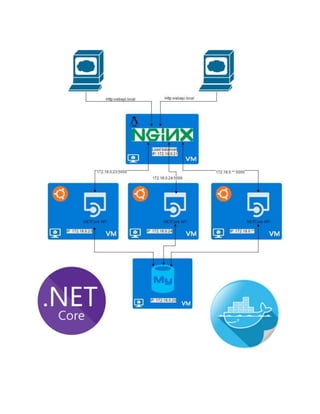
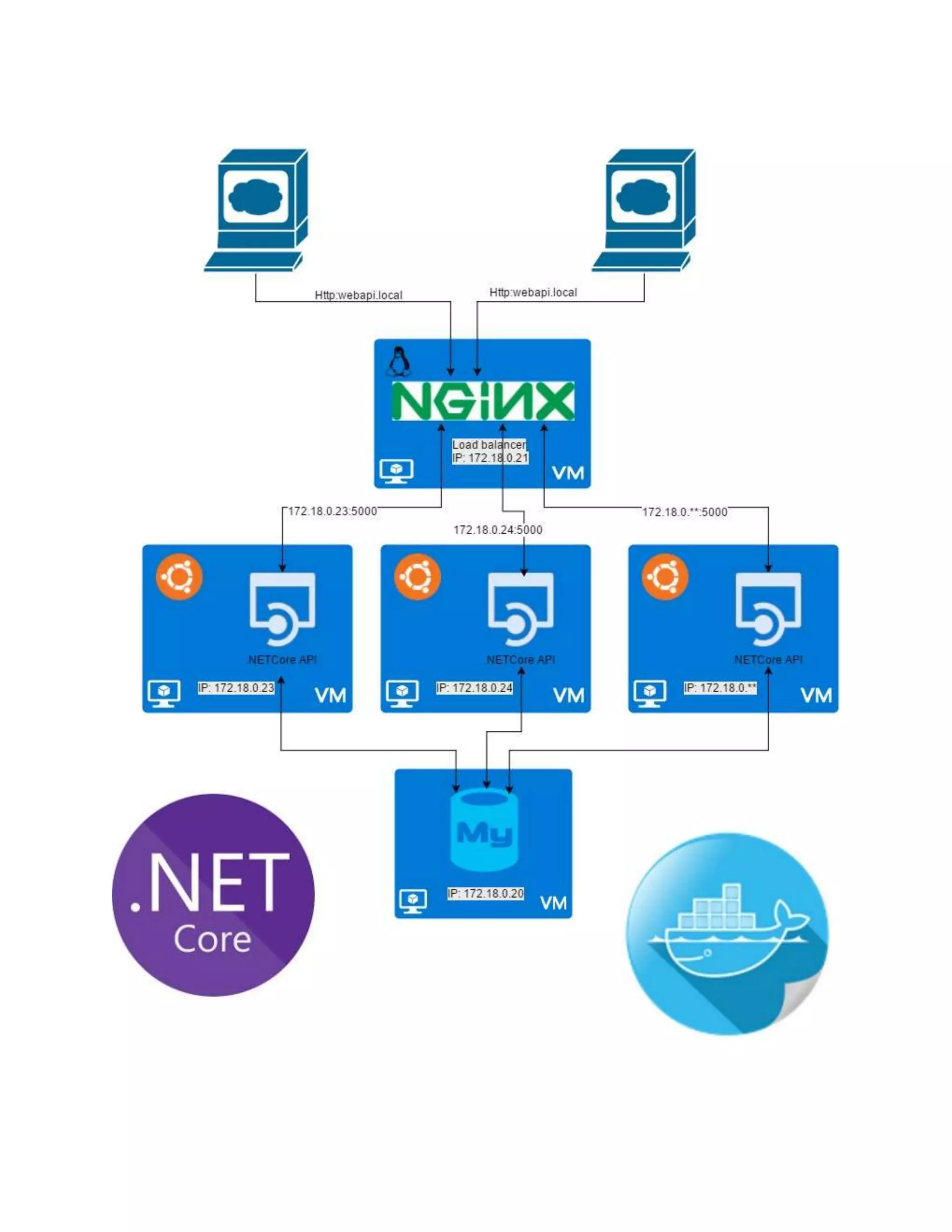
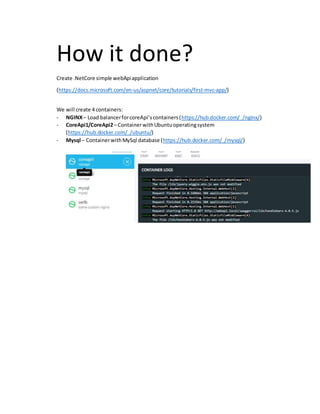
1) The document describes how to create a .NET Core web API application using 4 Docker containers: NGINX load balancer, 2 Core API containers, and a MySQL database container.
2) The Core API containers are built from a Dockerfile and published to Ubuntu containers on the Docker network with static IPs.
3) The MySQL container is run on the network.
4) An NGINX container is built from a Dockerfile using an NGINX configuration file for load balancing, and run on the network.
![Let’s GO!!!
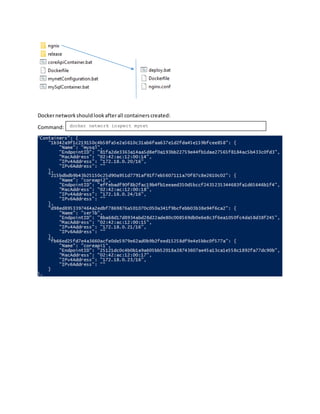
2.1) Creatingdockernetwork
2.2) CreatingCoreApi1/CoreApi2conteiners:
CreatingDockerfile:
Thenwe needto create dockercontainersusingyourDockerfile:
FROM ubuntu:16.04 #Add Ubuntu image
COPY release/ /root/ #Copy files from your directory to Ubuntu directory
# Install required packages
RUN apt-get update && apt-get --yes install apt-utils && apt-get --yes install apt-
transport-https
RUN sh -c 'echo "deb [arch=amd64] https://apt-mo.trafficmanager.net/repos/dotnet-
release/ xenial main" > /etc/apt/sources.list.d/dotnetdev.list'
RUN apt-key adv --keyserver hkp://keyserver.ubuntu.com:80 --recv-keys 417A0893
RUN apt-get update && apt-get --yes install dotnet-dev-1.0.0-preview2.1-003177
ENTRYPOINT dotnet /root/netCore.dll #Set as starting point is .NEtCore project file
docker network create --subnet=172.18.0.0/16 mynet
dotnet publish "./../../../netCore/src/netCore" --output "./release" --configuration
release -r "ubuntu.16.04-x64" #locally compile project
docker build -t coreapi . #creating image ‘coreapi’ using your DockerFile
docker rm -f coreapi1 #remove container if exists
docker run --name coreapi1 #set container name
--restart unless-stopped
-p 5001:5000 #open port to reach from localhost:5001 your service in container
#port from your service configuration
--net mynet --ip 172.18.0.23 #static ip for container from ‘mynet’ network
-d coreapi #created container image
docker rm -f coreapi2
docker run --name coreapi2 --restart unless-stopped -p 5002:5000 --net mynet --ip
172.18.0.24 -d coreapi](https://image.slidesharecdn.com/b9df97eb-1f7e-453c-8b6d-1b8b15d18766-170219132536/85/DockerCoreNet-3-320.jpg)
![2.3) CreatingMySql container
Filesstructure:
2.4) CreatingNGINXcontainer:
CreatingDockerfile:
Thenwe needto create dockercontainersusingyourDockerfile:
Creating‘nginx.conf’file toenable loadbalancing:
Filesstructure:
docker rm -f mysql
docker run --name=mysql -e MYSQL_ROOT_PASSWORD=admin -p 3306:3306 --net mynet --ip
172.18.0.20 -d mysql
FROM nginx #Add nginx image
COPY nginx.conf /etc/nginx/nginx.conf #copy nginx configuration file
docker rm -f serlb
docker build -t some-custom-nginx . #creating image ‘some-custom-nginx’ using your
DockerFile
docker run --name serlb --net mynet --ip 172.18.0.21 -p 80:80 -d some-custom-nginx
#port must be 80
events { }
http {
upstream webapi.local {
least_conn;
server 172.18.0.23:5000; #created image ip address
server 172.18.0.24:5000; #port from your service configuration
}
server {
listen 80 default_server;
listen [::]:80 default_server ipv6only=on;
location / {
proxy_pass http://webapi.local; #name reaching from browser
}
}
}](https://image.slidesharecdn.com/b9df97eb-1f7e-453c-8b6d-1b8b15d18766-170219132536/85/DockerCoreNet-4-320.jpg)