Routing
• Routing isthe process of moving packets across a
network from one host to a another.
• It is usually performed by dedicated devices called
routers.
• Packets are the fundamental unit of information
transport in all modern computer networks, and
increasingly in other communications networks as well.
3.
Routing Table
• Arouting table is a set of rules, often viewed in
table format, that is used to determine where
data packets traveling over an Internet Protocol
(IP) network will be directed.
• All IP-enabled devices, including routers and
switches, use routing tables.
4.
Entries of anIP Routing Table
• A routing table contains the information necessary to
forward a packet along the best path toward its destination.
• Each packet contains information about its origin and
destination.
• Routing Table provides the device with instructions for
sending the packet to the next hop on its route across the
network.
5.
Entries of anIP Routing Table
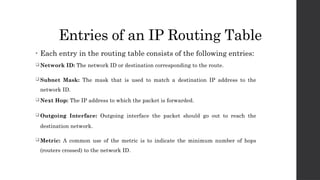
• Each entry in the routing table consists of the following entries:
Network ID: The network ID or destination corresponding to the route.
Subnet Mask: The mask that is used to match a destination IP address to the
network ID.
Next Hop: The IP address to which the packet is forwarded.
Outgoing Interface: Outgoing interface the packet should go out to reach the
destination network.
Metric: A common use of the metric is to indicate the minimum number of hops
(routers crossed) to the network ID.
Routing Protocols
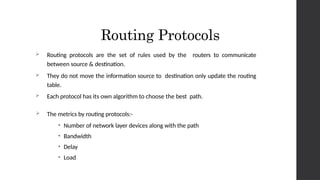
Routingprotocols are the set of rules used by the routers to communicate
between source & destination.
They do not move the information source to destination only update the routing
table.
Each protocol has its own algorithm to choose the best path.
The metrics by routing protocols:-
• Number of network layer devices along with the path
• Bandwidth
• Delay
• Load
8.
Static Routing Protocols
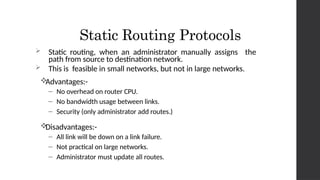
Static routing, when an administrator manually assigns the
path from source to destination network.
This is feasible in small networks, but not in large networks.
Advantages:-
– No overhead on router CPU.
– No bandwidth usage between links.
– Security (only administrator add routes.)
Disadvantages:-
– All link will be down on a link failure.
– Not practical on large networks.
– Administrator must update all routes.
9.
Default Routing Protocols
Default route is use when no specific route can be
determined for a given Internet Protocol (IP) destination
address.
All packets for destinations not established in the routing
table are sent via the default route.
10.
Dynamic Routing Protocols
Dynamic routing is a networking technique that provides optimal data
routing. Unlike static routing, dynamic routing enables routers to select
paths according to real-time logical network layout changes.
Advantages
– Less work in maintaining the configuration when adding & deleting
networks.
– Protocols automatically react to the topology changes.
Disadvantages
– Routers resource are used.
– More administrator knowledge is required for configuration.