What have you learnt about
technologies from the process
of constructing this product?
Rosie Ram
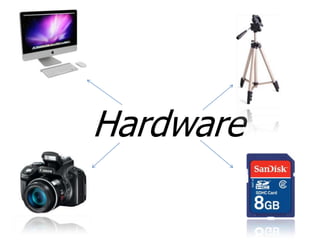
Hardware
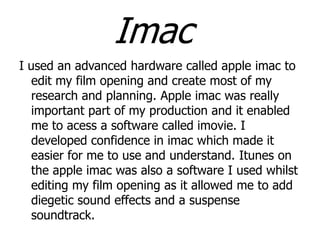
Imac
I used an advanced hardware called apple imac to
edit my film opening and create most of my
research and planning. Apple imac was really
important part of my production and it enabled
me to acess a software called imovie. I
developed confidence in imac which made it
easier for me to use and understand. Itunes on
the apple imac was also a software I used whilst
editing my film opening as it allowed me to add
diegetic sound effects and a suspense
soundtrack.
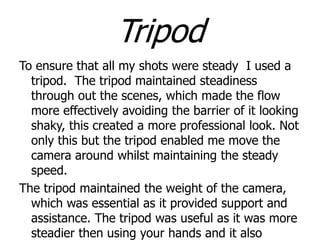
Tripod
To ensure that all my shots were steady I used a
tripod. The tripod maintained steadiness
through out the scenes, which made the flow
more effectively avoiding the barrier of it looking
shaky, this created a more professional look. Not
only this but the tripod enabled me move the
camera around whilst maintaining the steady
speed.
The tripod maintained the weight of the camera,
which was essential as it provided support and
assistance. The tripod was useful as it was more
steadier then using your hands and it also
Video Camera
The video camera was essential in my project as I
used it to record many tasks in the process of
my project such as the preliminary tasks and the
film opening. The video camera was better to
use for my film opening then a phone as it gave
my film a more professional look as it produced
higher quality footage. The video camera was
also easy to use. During this process I gained
more confidence with using a video camera as
was able to use it to the best of its ability. I also
acknowledged that it had better qualities and
functions the phones as video cameras are
SD Card
I used an SD card to store all of my film on, the
SD card provided me with storage so that I
could save all my film onto it without loosing it
and having to re-do scenes again. Using a SD
card was useful and reliable as it provided me
with a sufficient amount of memory, which
enabled me to film the amount of footage I
wanted without worrying about it getting lost or
running out of storage memory.
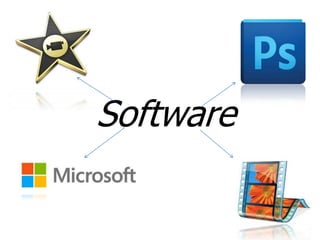
Software
Imovie
Imovie was the software I used to edit my entire
film opening. I used this software as it provided
me with the correct tools to edit, cut, and add
effects to my movie to create a professional
finish. I learnt hugely from imovie as it the
software made me more confident with editing
which allowed me to use it to the best of its
ability. In my film opening I used imovie for a
variety of things such as adding diegetic sounds
and suspense soundtracks, adding fading
transitions and slow mode. Imovie also held a
wide variety of fonts which enabled me to
Movie Maker
For some of my tasks I used the software movie
maker to edit some of my tasks such as the
preliminary task, and audience expectations. I
used movie maker as it aided me with a
programme I could edit my tasks on whilst at
home. Movie maker was useful and simple to
use, as the programme was pretty straight
forward as I learnt how to edit and cut selection
of scenes easily. I also used some fade
transitions whilst editing my tasks. Movie maker
enabled me to edit easily with no difficulties.
Photoshop
I used the software Photoshop to create my
production company logo “Preternatural
Pictures”. Photoshop was easy to use and
understand which meant I was able to create
my company logo without any difficulties arising.
Photoshop was more effective than any other
software to create my company logo as it
provided me with tools such as the “smudge
tool” which enabled me to add a bloody effect
on my text, to show that my production was on
horrors and the “slice tool” which allowed me to
change the size and shape of the logo.
Microsoft
For a vast majority of my tasks I used Microsoft
software for most of them such as word and
PowerPoint. Using Microsoft was beneficial as it
made my written word tasks look professional
and it saved me time as it was faster then
writing it by hand, and uploading it onto my
blogger. Using Microsoft was beneficial ask I
could personalise my documents making them
look more engaging by changing fonts, colours
and adding images. I was also able to use spell
checker to ensure that I had made no spelling
mistakes.
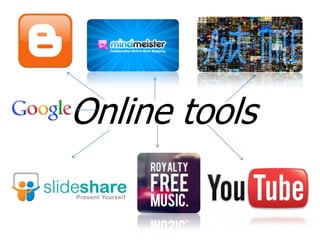
Online tools
Blogger
I used blogger to upload and keep the tasks of my
complete project. For me blogger has been the
most essential and helpful as it enabled me to
organise all my blogs. Whilst using blogger it
taught me a lot of things such as how to
personalise a blog, upload tasks, and labels and
tags and lastly how to add widgets onto my blog
tasks.
Slide share
Slide share enabled me to upload power points on
my blogger. Not only this but slide share made
the power points look more appealing and
interactive. Slide share taught me various things
such as uploading my power points easily onto
my blogger by embedding the PowerPoint. I
think that slide share was more effective then
making a video as it enabled individuals to go
through the slides at their own suitable pace.
Art Of The Titles
Art of the titles is the website I used to view and
complete some of my tasks such as the “Nine
frame analysis”. The website helped me to gain
a insight of what shot I should include in my
own film opening. This website was useful as it
have me a depth understanding of what
locations, Mise en scene, characters, diegetic
sounds and lighting to use in a horror movie and
what shots are included to create a
suspense, mysterious and scary sense.
YouTube
I created a YouTube account to upload all of my
videos onto my blog. I used this for many of my
tasks such as my preliminary task and the target
audience film task. This was useful as all of my
tasks would be on my account, so when I chose to
upload them it would be easier. By creating a
YouTube account I learnt quickly how to
upload, add features and annotations .
I also used YouTube to tell me understand things
such as how to use imovie, and Photoshop as I
had never used these programmes before.
YouTube provided me better understanding which
enabled me to go on and use the programme
effectively. I also used YouTube to watch horror
Free Royalty
Music

Royalty free music is the website I got most of
my music and sound from. This website was
helpful as it provided me with sound I could
use in my horror movie, it also helped me
find different types of non-diegetic and
diegetic sounds such as a heartbeat, wind
rustling and screams. I also used “the falling
leaves” for most of my film as this soundtrack
built onto suspense. These sounds all made
my film opening look realistic whilst adding
suspense to the movie. I also learnt how to
use the website easily as it was straight
forward as it provided you with different
genres of music which you could choose and
Mindmeister
I used mindmeister to create an online mind map
including some of the ideas that would be
featured in my film opening. These were the
props, characters, plot, location, conventions
and editing etc. I used mindmeister to represent
this as it allowed me to personalise it in the
colour, font and layout that I preferred. It also
allowed me to add images to the mind map. I
chose to use mindmeister as it was engaging
and eye-catching and easy to use. I learnt how
to use mindmiester easily as it was
simple, effective and straightforward.
Google
Google search engine was extremely useful when I
was planning, researching and creating my
project. Google provided me with support when
I was facing difficulties with some of the
tools, as I searched them up on Google and I
was provided with information that could help
me. Google gave me a more in depth knowledge
on some of the online tools which widened my
understandings on them. I also used Google
maps on my task on “locations” to show the
locations where my film would be set.

Rosir

  • 1.
    What have youlearnt about technologies from the process of constructing this product? Rosie Ram
  • 2.
  • 3.
    Imac I used anadvanced hardware called apple imac to edit my film opening and create most of my research and planning. Apple imac was really important part of my production and it enabled me to acess a software called imovie. I developed confidence in imac which made it easier for me to use and understand. Itunes on the apple imac was also a software I used whilst editing my film opening as it allowed me to add diegetic sound effects and a suspense soundtrack.
  • 4.
    Tripod To ensure thatall my shots were steady I used a tripod. The tripod maintained steadiness through out the scenes, which made the flow more effectively avoiding the barrier of it looking shaky, this created a more professional look. Not only this but the tripod enabled me move the camera around whilst maintaining the steady speed. The tripod maintained the weight of the camera, which was essential as it provided support and assistance. The tripod was useful as it was more steadier then using your hands and it also
  • 5.
    Video Camera The videocamera was essential in my project as I used it to record many tasks in the process of my project such as the preliminary tasks and the film opening. The video camera was better to use for my film opening then a phone as it gave my film a more professional look as it produced higher quality footage. The video camera was also easy to use. During this process I gained more confidence with using a video camera as was able to use it to the best of its ability. I also acknowledged that it had better qualities and functions the phones as video cameras are
  • 6.
    SD Card I usedan SD card to store all of my film on, the SD card provided me with storage so that I could save all my film onto it without loosing it and having to re-do scenes again. Using a SD card was useful and reliable as it provided me with a sufficient amount of memory, which enabled me to film the amount of footage I wanted without worrying about it getting lost or running out of storage memory.
  • 7.
  • 8.
    Imovie Imovie was thesoftware I used to edit my entire film opening. I used this software as it provided me with the correct tools to edit, cut, and add effects to my movie to create a professional finish. I learnt hugely from imovie as it the software made me more confident with editing which allowed me to use it to the best of its ability. In my film opening I used imovie for a variety of things such as adding diegetic sounds and suspense soundtracks, adding fading transitions and slow mode. Imovie also held a wide variety of fonts which enabled me to
  • 9.
    Movie Maker For someof my tasks I used the software movie maker to edit some of my tasks such as the preliminary task, and audience expectations. I used movie maker as it aided me with a programme I could edit my tasks on whilst at home. Movie maker was useful and simple to use, as the programme was pretty straight forward as I learnt how to edit and cut selection of scenes easily. I also used some fade transitions whilst editing my tasks. Movie maker enabled me to edit easily with no difficulties.
  • 10.
    Photoshop I used thesoftware Photoshop to create my production company logo “Preternatural Pictures”. Photoshop was easy to use and understand which meant I was able to create my company logo without any difficulties arising. Photoshop was more effective than any other software to create my company logo as it provided me with tools such as the “smudge tool” which enabled me to add a bloody effect on my text, to show that my production was on horrors and the “slice tool” which allowed me to change the size and shape of the logo.
  • 11.
    Microsoft For a vastmajority of my tasks I used Microsoft software for most of them such as word and PowerPoint. Using Microsoft was beneficial as it made my written word tasks look professional and it saved me time as it was faster then writing it by hand, and uploading it onto my blogger. Using Microsoft was beneficial ask I could personalise my documents making them look more engaging by changing fonts, colours and adding images. I was also able to use spell checker to ensure that I had made no spelling mistakes.
  • 12.
  • 13.
    Blogger I used bloggerto upload and keep the tasks of my complete project. For me blogger has been the most essential and helpful as it enabled me to organise all my blogs. Whilst using blogger it taught me a lot of things such as how to personalise a blog, upload tasks, and labels and tags and lastly how to add widgets onto my blog tasks.
  • 14.
    Slide share Slide shareenabled me to upload power points on my blogger. Not only this but slide share made the power points look more appealing and interactive. Slide share taught me various things such as uploading my power points easily onto my blogger by embedding the PowerPoint. I think that slide share was more effective then making a video as it enabled individuals to go through the slides at their own suitable pace.
  • 15.
    Art Of TheTitles Art of the titles is the website I used to view and complete some of my tasks such as the “Nine frame analysis”. The website helped me to gain a insight of what shot I should include in my own film opening. This website was useful as it have me a depth understanding of what locations, Mise en scene, characters, diegetic sounds and lighting to use in a horror movie and what shots are included to create a suspense, mysterious and scary sense.
  • 16.
    YouTube I created aYouTube account to upload all of my videos onto my blog. I used this for many of my tasks such as my preliminary task and the target audience film task. This was useful as all of my tasks would be on my account, so when I chose to upload them it would be easier. By creating a YouTube account I learnt quickly how to upload, add features and annotations . I also used YouTube to tell me understand things such as how to use imovie, and Photoshop as I had never used these programmes before. YouTube provided me better understanding which enabled me to go on and use the programme effectively. I also used YouTube to watch horror
  • 17.
    Free Royalty Music Royalty freemusic is the website I got most of my music and sound from. This website was helpful as it provided me with sound I could use in my horror movie, it also helped me find different types of non-diegetic and diegetic sounds such as a heartbeat, wind rustling and screams. I also used “the falling leaves” for most of my film as this soundtrack built onto suspense. These sounds all made my film opening look realistic whilst adding suspense to the movie. I also learnt how to use the website easily as it was straight forward as it provided you with different genres of music which you could choose and
  • 18.
    Mindmeister I used mindmeisterto create an online mind map including some of the ideas that would be featured in my film opening. These were the props, characters, plot, location, conventions and editing etc. I used mindmeister to represent this as it allowed me to personalise it in the colour, font and layout that I preferred. It also allowed me to add images to the mind map. I chose to use mindmeister as it was engaging and eye-catching and easy to use. I learnt how to use mindmiester easily as it was simple, effective and straightforward.
  • 19.
    Google Google search enginewas extremely useful when I was planning, researching and creating my project. Google provided me with support when I was facing difficulties with some of the tools, as I searched them up on Google and I was provided with information that could help me. Google gave me a more in depth knowledge on some of the online tools which widened my understandings on them. I also used Google maps on my task on “locations” to show the locations where my film would be set.