
Product Feed WorkshopAn Interactive Session
IntroductionWho are we?Lee Brignell-Cash (COO FusePump)Robert Durkin (CTO FusePump)Liane Dietrich (MD Linkshare UK)Why listen to us?We are a trusted provider of 3rd party product feeds in UKWe provide daily help & support to users of our feedsWe run regular affiliate training webinarsWhat will we be doing in this session?Creating a feed driven affiliate site from scratch in less than 30 minutesAnswering questions on the example…or on your own product feed challenges & issues
How is this session interactive?Visit the session homepagehttp://fusepump.com/events/a4u/What’s there?File archiveContains all the sample files used in the workshopVideo TutorialSo you can follow this workshop later in the comfort of your hotel room!PDF TutorialIn case you’re having trouble sleeping..Q&A session at the end
How to build a feed driven siteWhat will I need to know?HTMLBasic understanding of MySQLBasic understanding of PHPWhat will I need to have?Web server with the following packages installed:PHPMySQLApacheWhat if I have none of the above?!Fear not, you’re in the right session..
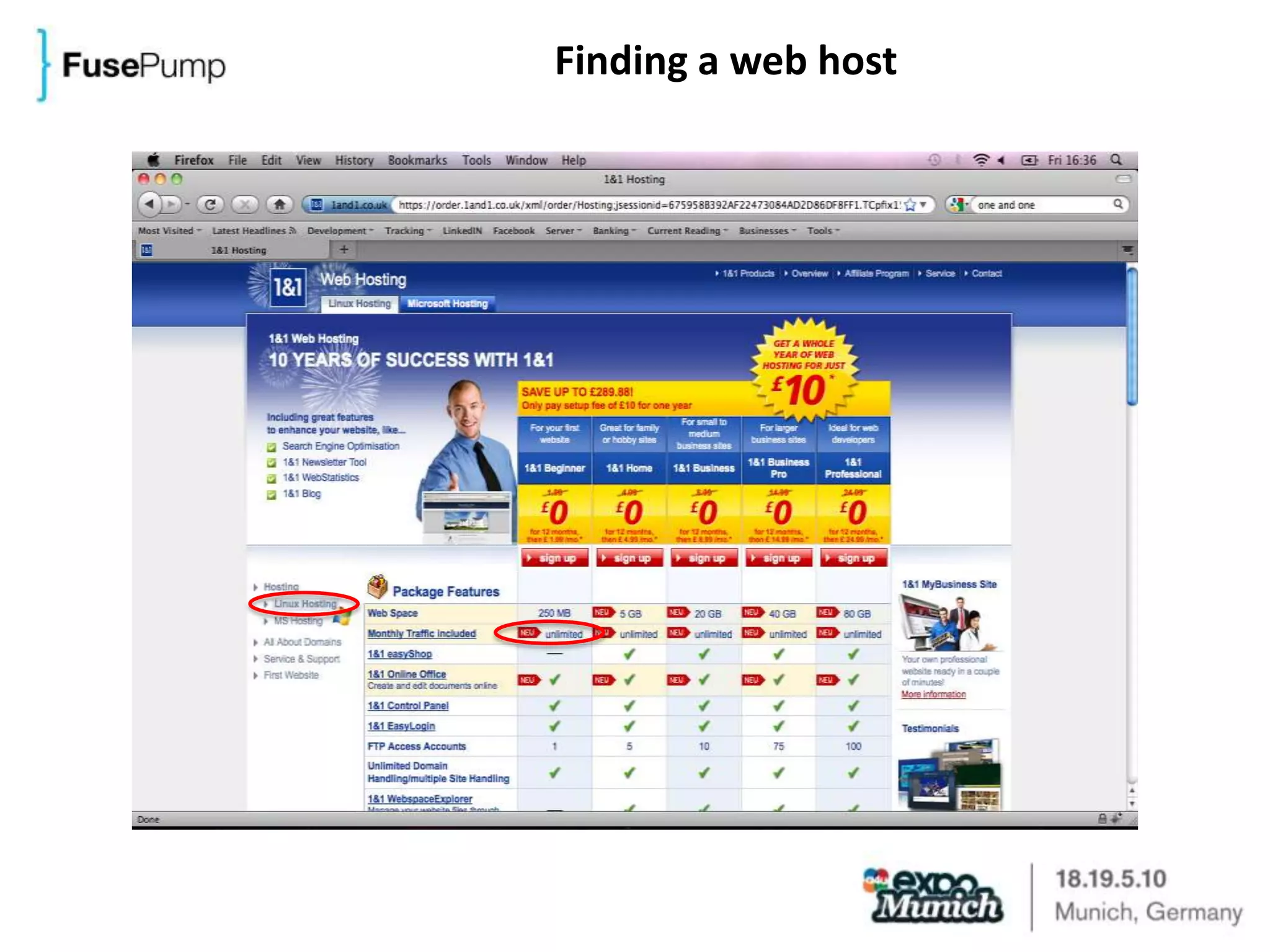
Finding a web host
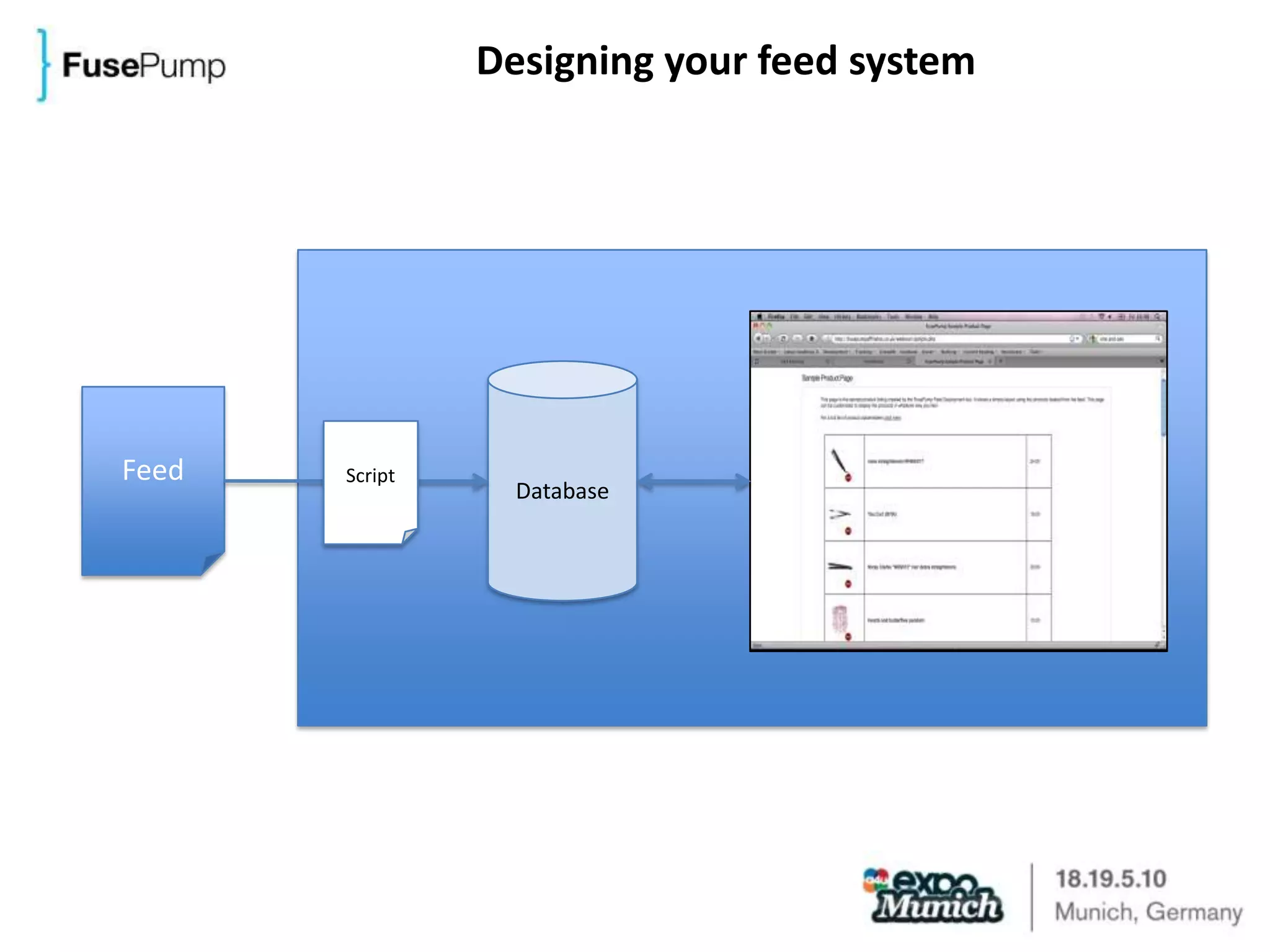
Designing your feed systemDatabaseFeedScript
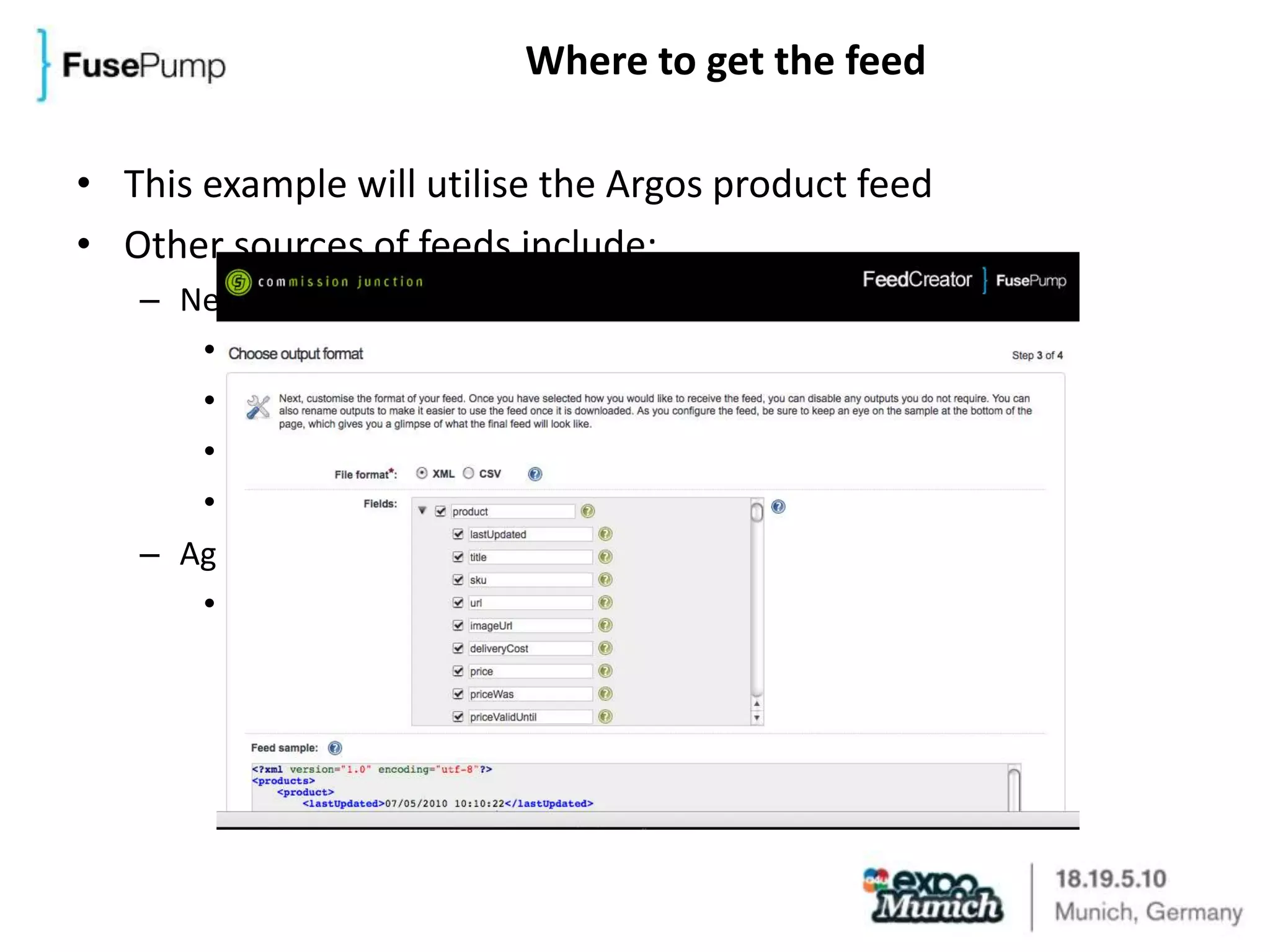
Where to get the feedThis example will utilise the Argos product feedOther sources of feeds include:NetworksLinkShareCommission JunctionTradeDoublerEtc..Aggregators(e.g. price comparison sites)
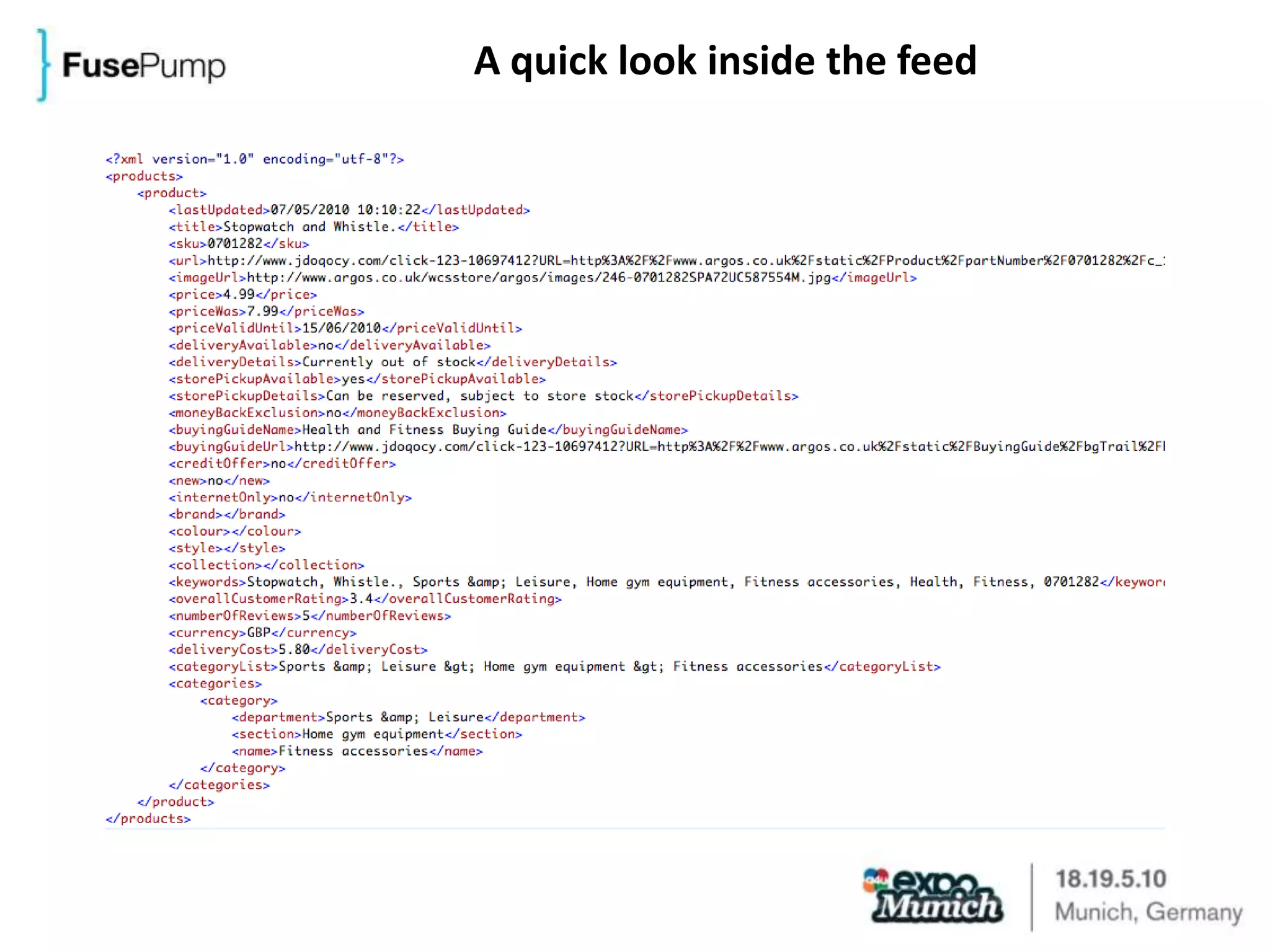
A quick look inside the feed
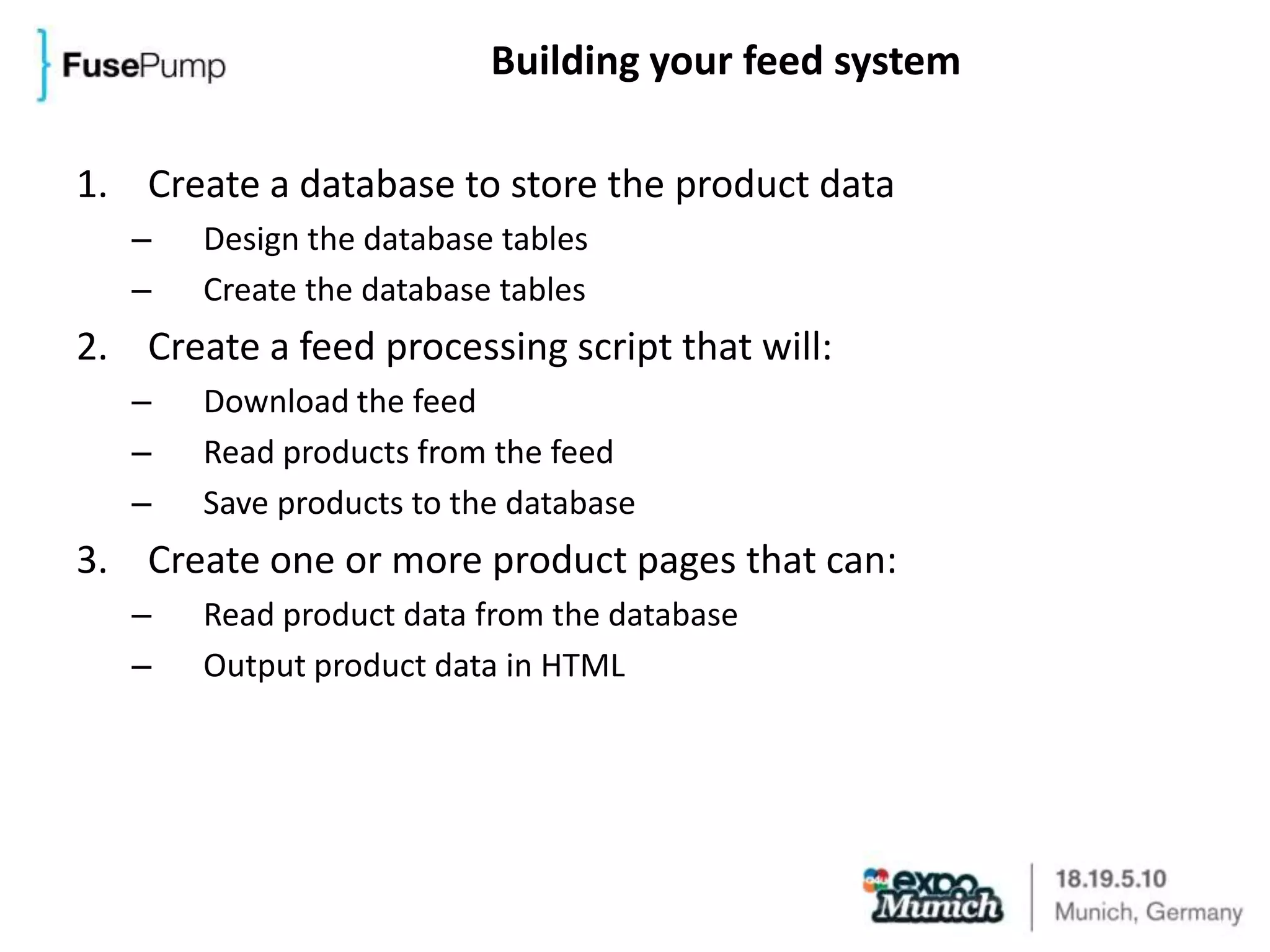
Building your feed systemCreate a database to store the product dataDesign the database tablesCreate the database tablesCreate a feed processing script that will:Download the feedRead products from the feedSave products to the databaseCreate one or more product pages that can:Read product data from the databaseOutput product data in HTML
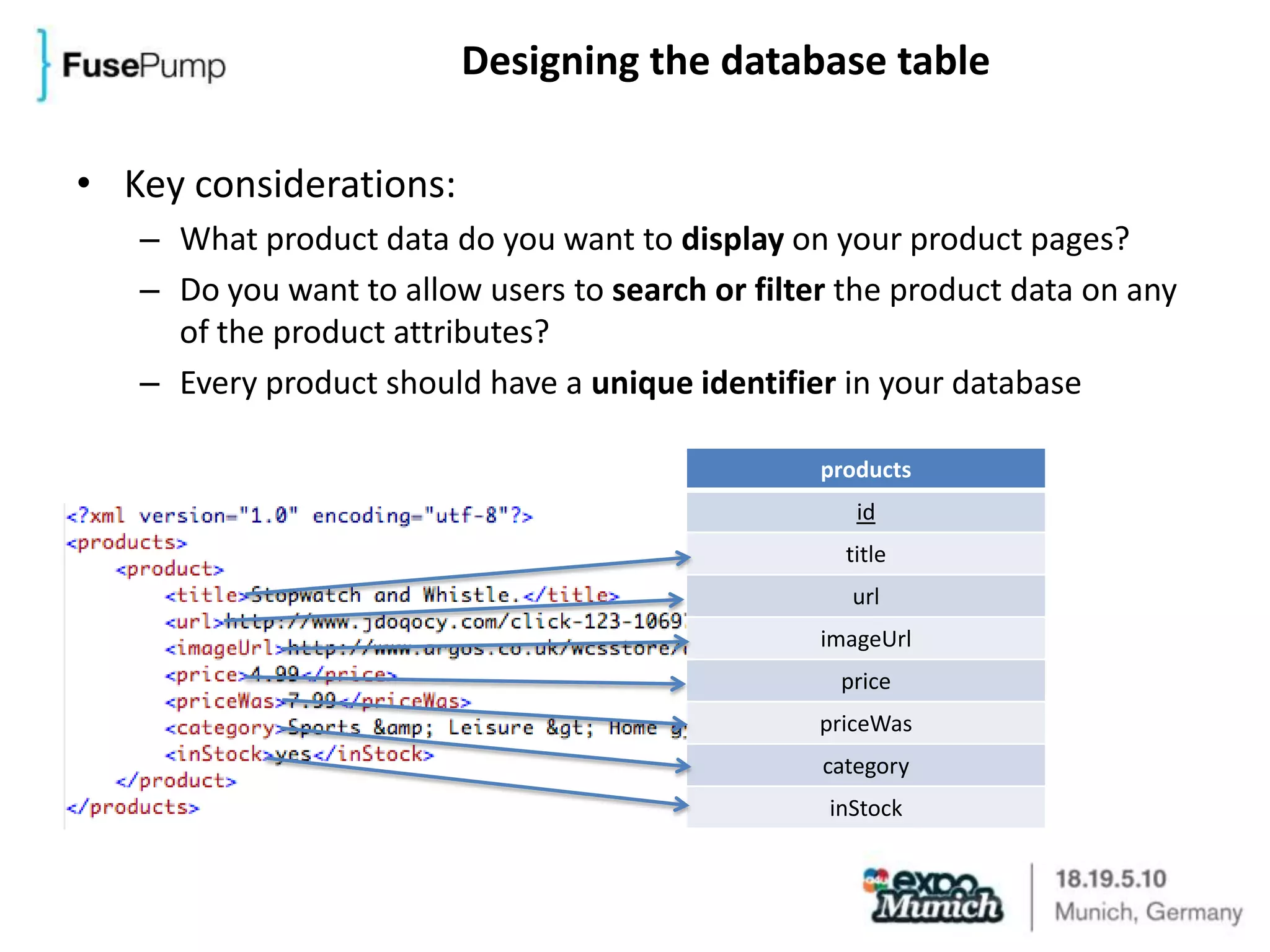
Designing the database tableKey considerations:What product data do you want to display on your product pages?Do you want to allow users to search or filter the product data on any of the product attributes?Every product should have a unique identifier in your database
Creating the database tableLive demo
The feed processing scriptLive demo
Creating a product pageLive demo
What next?Customise the product page to match your siteor create your own from scratch..Implement search functionality on your siteinstead of static product pages, let the user query your product databaseList products from multiple merchants on your site Expand your product database by adding additional feedsTrack outward clicksso that you can see what products users are most frequently interacting with on your site
Q&A Sessionmoderated by Liane Dietrich

Robert Durkin - Product Feed Workshop: An Interactive Session

  • 1.
    Product Feed WorkshopAnInteractive Session
  • 2.
    IntroductionWho are we?LeeBrignell-Cash (COO FusePump)Robert Durkin (CTO FusePump)Liane Dietrich (MD Linkshare UK)Why listen to us?We are a trusted provider of 3rd party product feeds in UKWe provide daily help & support to users of our feedsWe run regular affiliate training webinarsWhat will we be doing in this session?Creating a feed driven affiliate site from scratch in less than 30 minutesAnswering questions on the example…or on your own product feed challenges & issues
  • 3.
    How is thissession interactive?Visit the session homepagehttp://fusepump.com/events/a4u/What’s there?File archiveContains all the sample files used in the workshopVideo TutorialSo you can follow this workshop later in the comfort of your hotel room!PDF TutorialIn case you’re having trouble sleeping..Q&A session at the end
  • 4.
    How to builda feed driven siteWhat will I need to know?HTMLBasic understanding of MySQLBasic understanding of PHPWhat will I need to have?Web server with the following packages installed:PHPMySQLApacheWhat if I have none of the above?!Fear not, you’re in the right session..
  • 5.
  • 6.
    Designing your feedsystemDatabaseFeedScript
  • 7.
    Where to getthe feedThis example will utilise the Argos product feedOther sources of feeds include:NetworksLinkShareCommission JunctionTradeDoublerEtc..Aggregators(e.g. price comparison sites)
  • 8.
    A quick lookinside the feed
  • 9.
    Building your feedsystemCreate a database to store the product dataDesign the database tablesCreate the database tablesCreate a feed processing script that will:Download the feedRead products from the feedSave products to the databaseCreate one or more product pages that can:Read product data from the databaseOutput product data in HTML
  • 10.
    Designing the databasetableKey considerations:What product data do you want to display on your product pages?Do you want to allow users to search or filter the product data on any of the product attributes?Every product should have a unique identifier in your database
  • 11.
    Creating the databasetableLive demo
  • 12.
    The feed processingscriptLive demo
  • 13.
    Creating a productpageLive demo
  • 14.
    What next?Customise theproduct page to match your siteor create your own from scratch..Implement search functionality on your siteinstead of static product pages, let the user query your product databaseList products from multiple merchants on your site Expand your product database by adding additional feedsTrack outward clicksso that you can see what products users are most frequently interacting with on your site
  • 15.

Editor's Notes

  • #4 Explain that it’s going to be difficult for attendees to join in with the workshop during the session, but they will have access to all the resources they will need to replicate it later themselves.
  • #6 Web hosting is reasonably priced.You need to look for a Linux hosting package.Traffic included is an important consideration for this application, as we will be downloading fairly large files (the feeds themselves) every day.They’ll need to check the necessary packages mentioned on the previous slide (PHP, MySQL and Apache) are installed, or ask the web host for help configuring them.
  • #7 PHP script needs to be run daily (or however frequently feed is updated) to keep product database (and site) up to date.
  • #8 Explain that some networks offer tools for downloading and configuring feeds, others offer feeds in a standard format.Normally you need to request access to a feed for a publisher (after you’ve been accepted their programme).Aggregators offer feeds containing products from many merchants, which are standardised in some way (e.g. Shopping.com and other price comparison sites offer syndicated feeds). These can be a great way of getting started quickly, but also come with limitations (e.g. not comprehensive data, limited number of attributes per product, data often messy).
  • #9 Why XML?This example is for Argos, via Commission Junction.
  • #11 Recommend it can be prudent to load all of the data available in the feed to prevent needing to revisit the database table design in the future.Every product needs a unique identifier so that you can reference products uniquely in your database (e.g. should you need to remove or edit one in the future).
  • #15 There are examples of each of these contained in the archive on the session web site, we will be able to live demo any of these during the session during the Q&A session.
  • #16 Hand over to Liane to canvas questions from delegates (or enter with pre-prepared questions in the case of complete disaster).