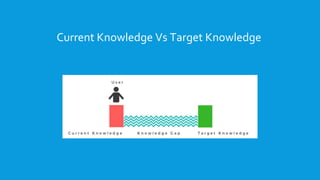
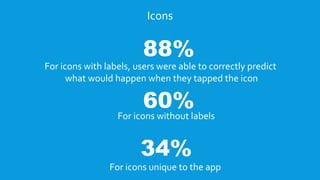
The document discusses making design intuitive for users. It notes that intuitive design allows users to use something without consciously thinking about previous knowledge. To make design intuitive, a designer needs to understand the gap between a user's current knowledge and the target knowledge required to use a new system. Methods like contextual interviews and usability testing can help identify such gaps. The document recommends using interactive walkthroughs with short actions rather than complex instruction screens. It provides examples from apps like Vector and Morningstar that use this approach effectively. Icons with labels are also easier for users to understand than those without context. The conclusion emphasizes that the best designs are intuitive without needing explanations.