REST with Spring Boot
槙 俊明(@making)
JavaQne 2015 #jqfk
2015-01-24
自己紹介
• @making
• http://blog.ik.am
• 公私ともにSpringヘビーユーザー
• 日本Javaユーザーグループ幹事
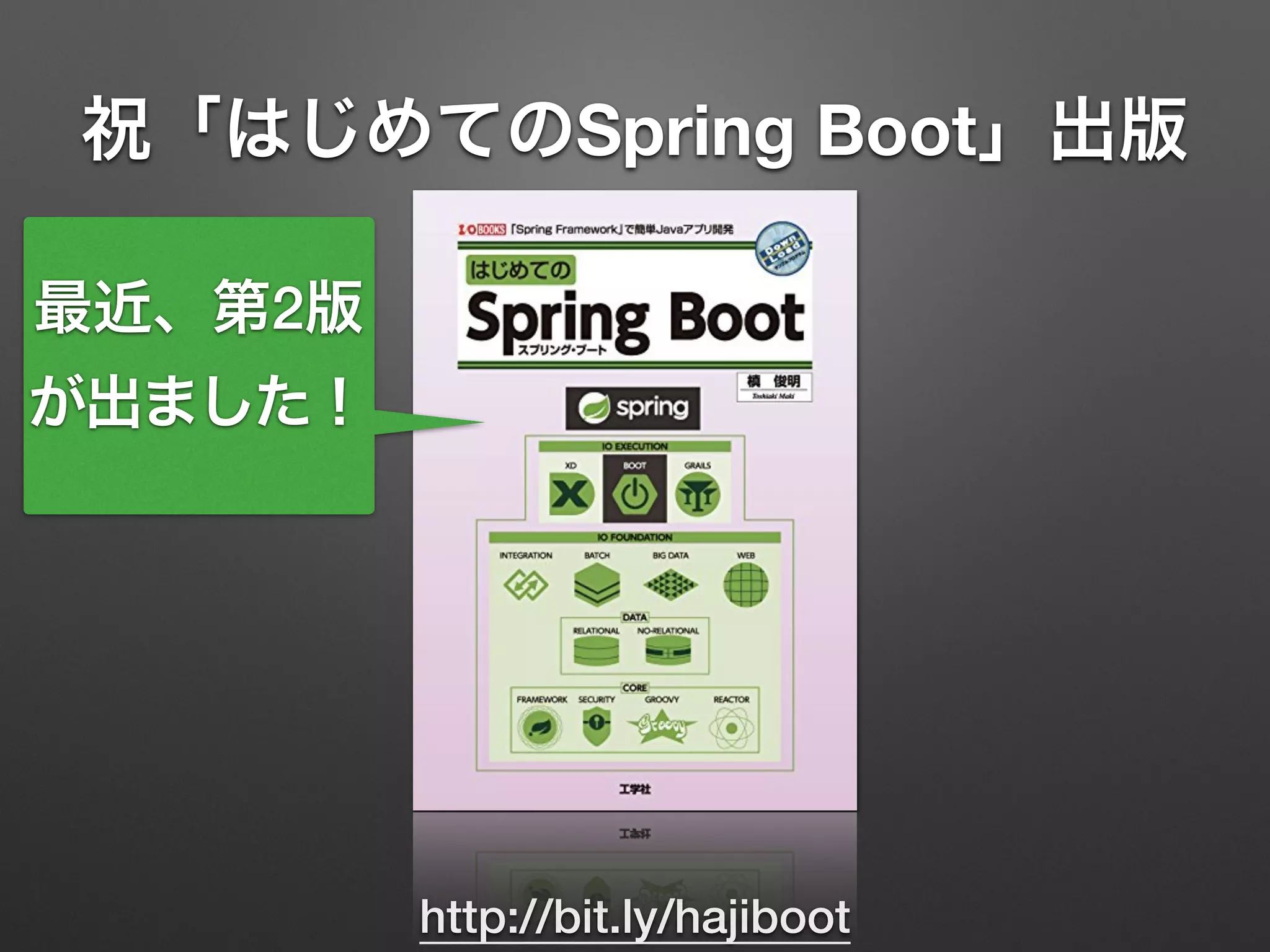
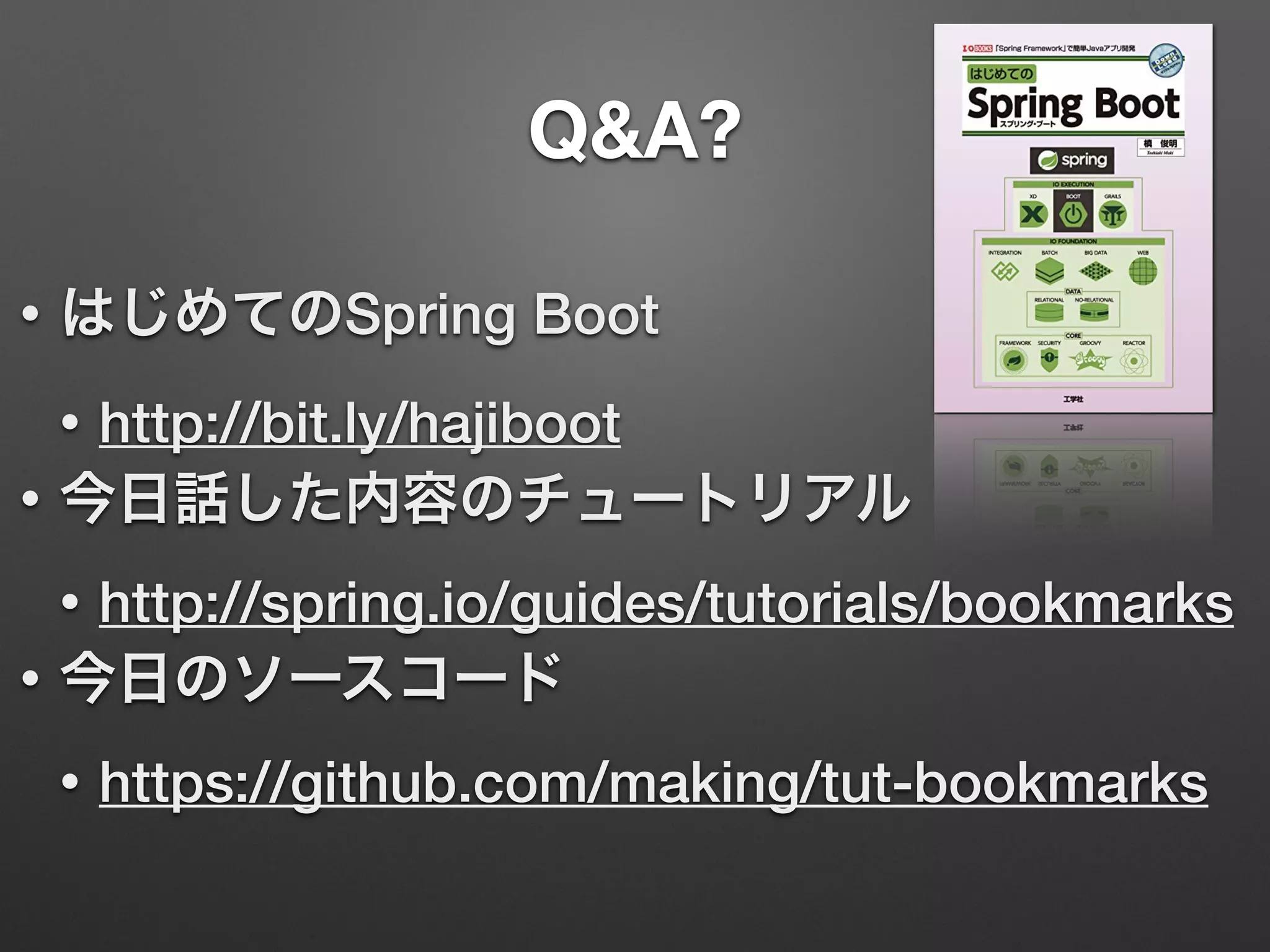
祝「はじめてのSpring Boot」出版
http://bit.ly/hajiboot
最近、第2版
が出ました!
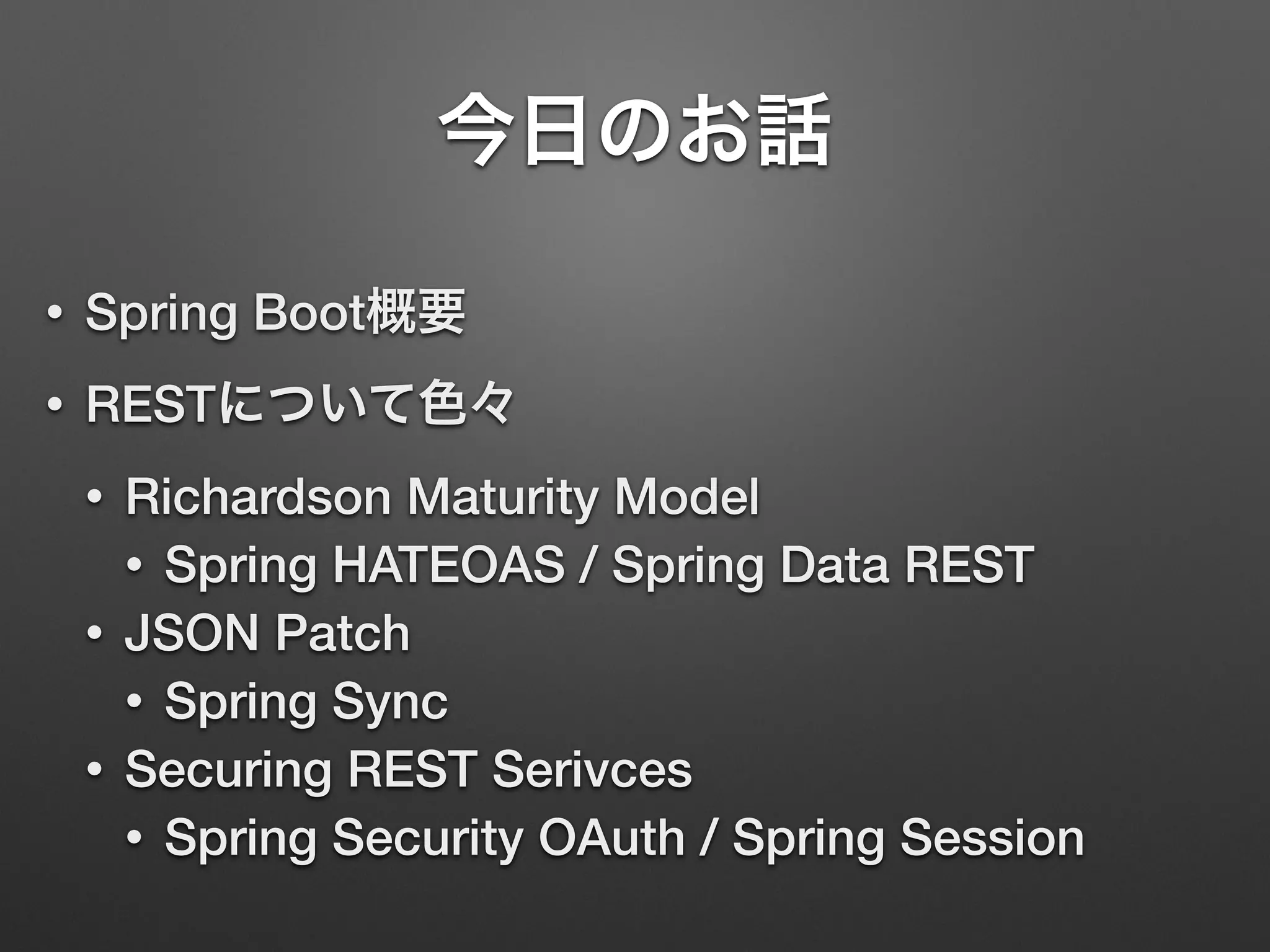
今日のお話
• Spring Boot概要
• RESTについて色々
• Richardson Maturity Model
• Spring HATEOAS / Spring Data REST
• JSON Patch
• Spring Sync
• Securing REST Serivces
• Spring Security OAuth / Spring Session
Spring Bootの概要
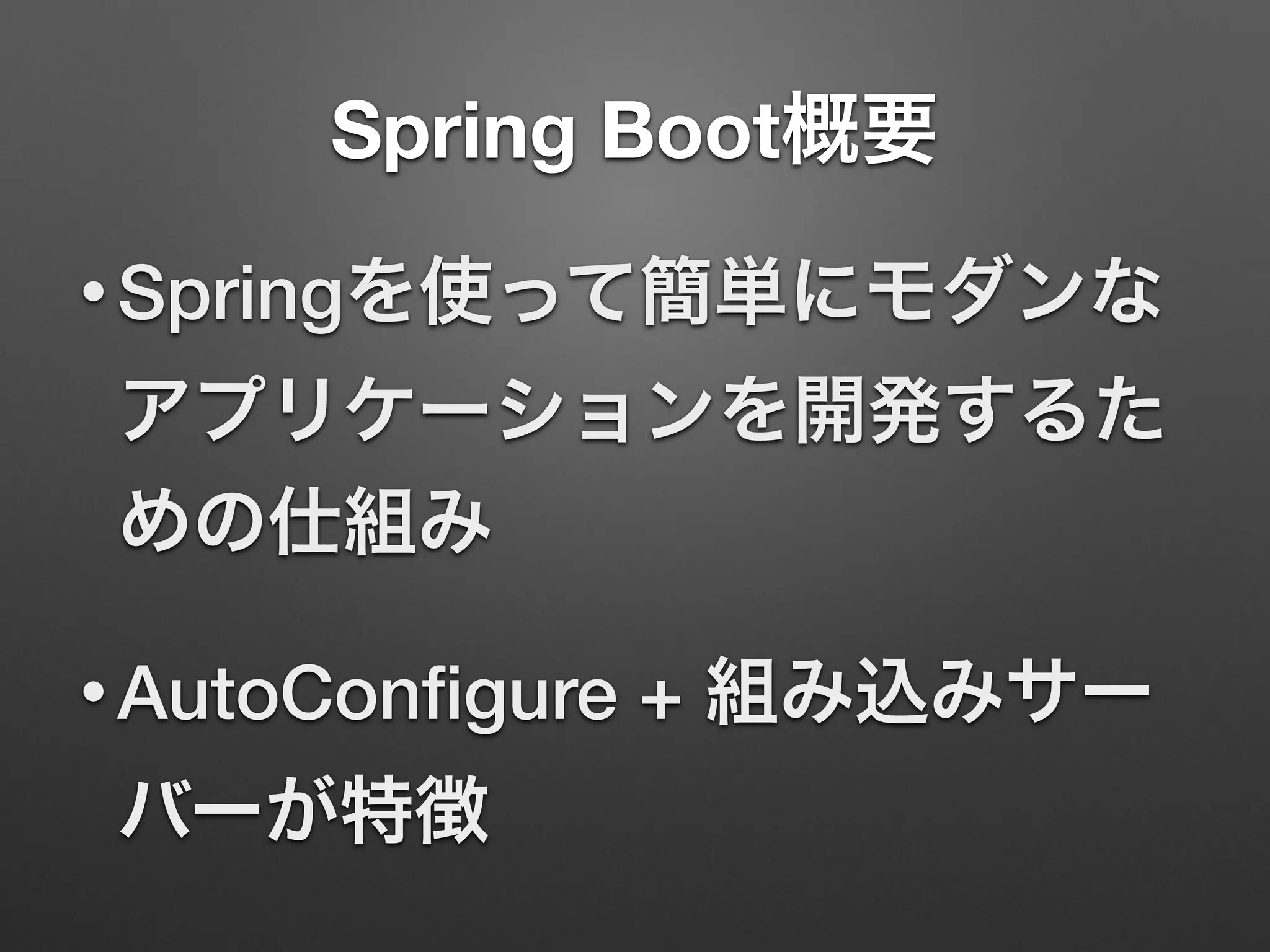
Spring Boot概要
• Springを使って簡単にモダンな
アプリケーションを開発するた
めの仕組み
• AutoConfigure + 組み込みサー
バーが特徴
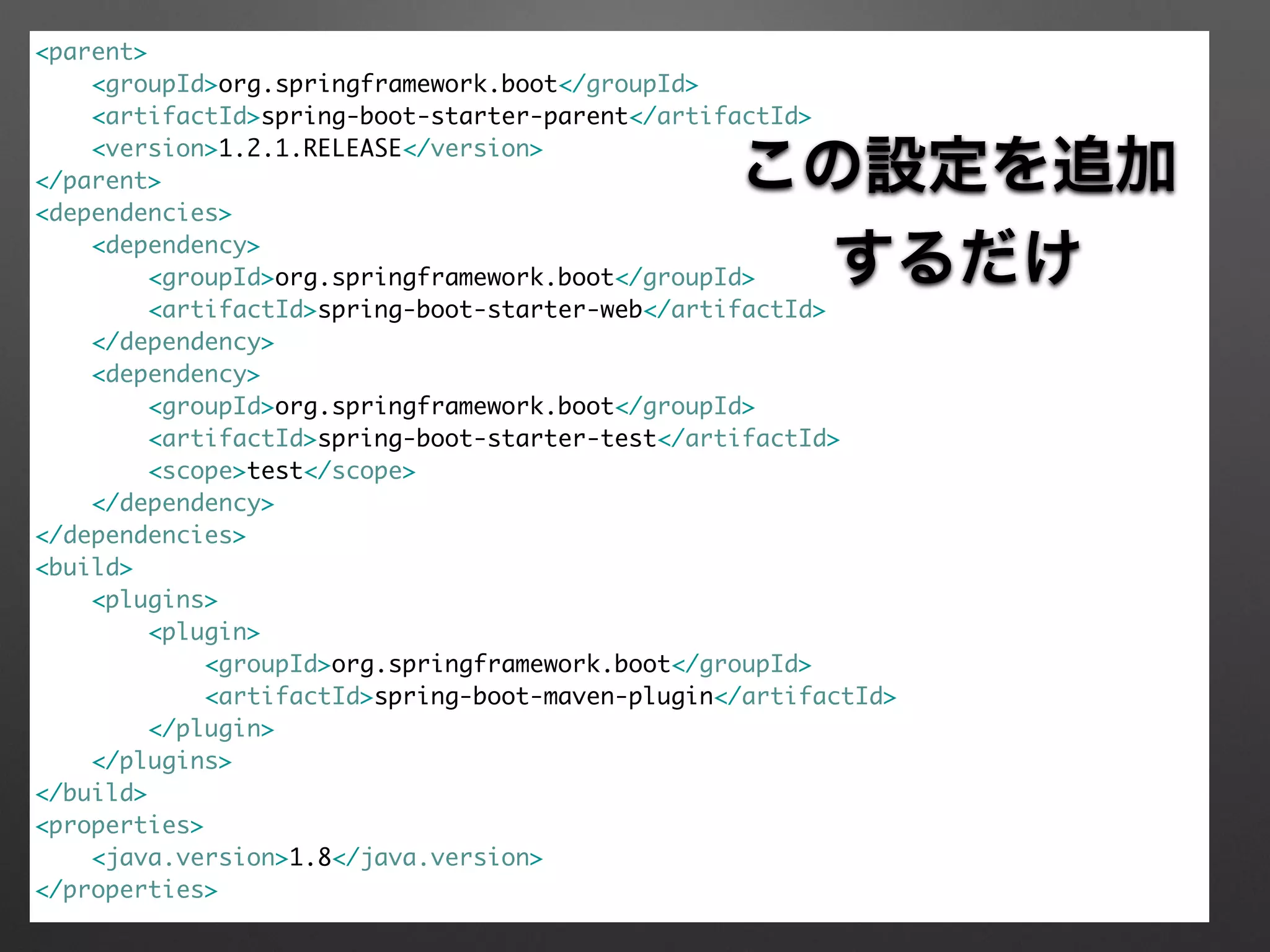
<parent>	
<groupId>org.springframework.boot</groupId>	
<artifactId>spring-boot-starter-parent</artifactId>	
<version>1.2.1.RELEASE</version>	
</parent>	
<dependencies>	
<dependency>	
<groupId>org.springframework.boot</groupId>	
<artifactId>spring-boot-starter-web</artifactId>	
</dependency>	
<dependency>	
<groupId>org.springframework.boot</groupId>	
<artifactId>spring-boot-starter-test</artifactId>	
<scope>test</scope>	
</dependency>	
</dependencies>	
<build>	
<plugins>	
<plugin>	
<groupId>org.springframework.boot</groupId>	
<artifactId>spring-boot-maven-plugin</artifactId>	
</plugin>	
</plugins>	
</build>	
<properties>	
<java.version>1.8</java.version>	
</properties>	
 
この設定を追加
するだけ
package com.example;	
!
import org.springframework.boot.SpringApplication;	
import org.springframework.boot.autoconfigure.EnableAutoConfiguration;	
import org.springframework.web.bind.annotation.RequestMapping;	
import org.springframework.web.bind.annotation.RestController;	
!
@RestController	
@EnableAutoConfiguration	
public class App {	
!
@RequestMapping("/")	
String home() {	
return "Hello World!";	
}	
!
public static void main(String[] args) {	
SpringApplication.run(App.class, args);	
}	
}
魔法のアノテーション
mainメソッドでアプリ実行
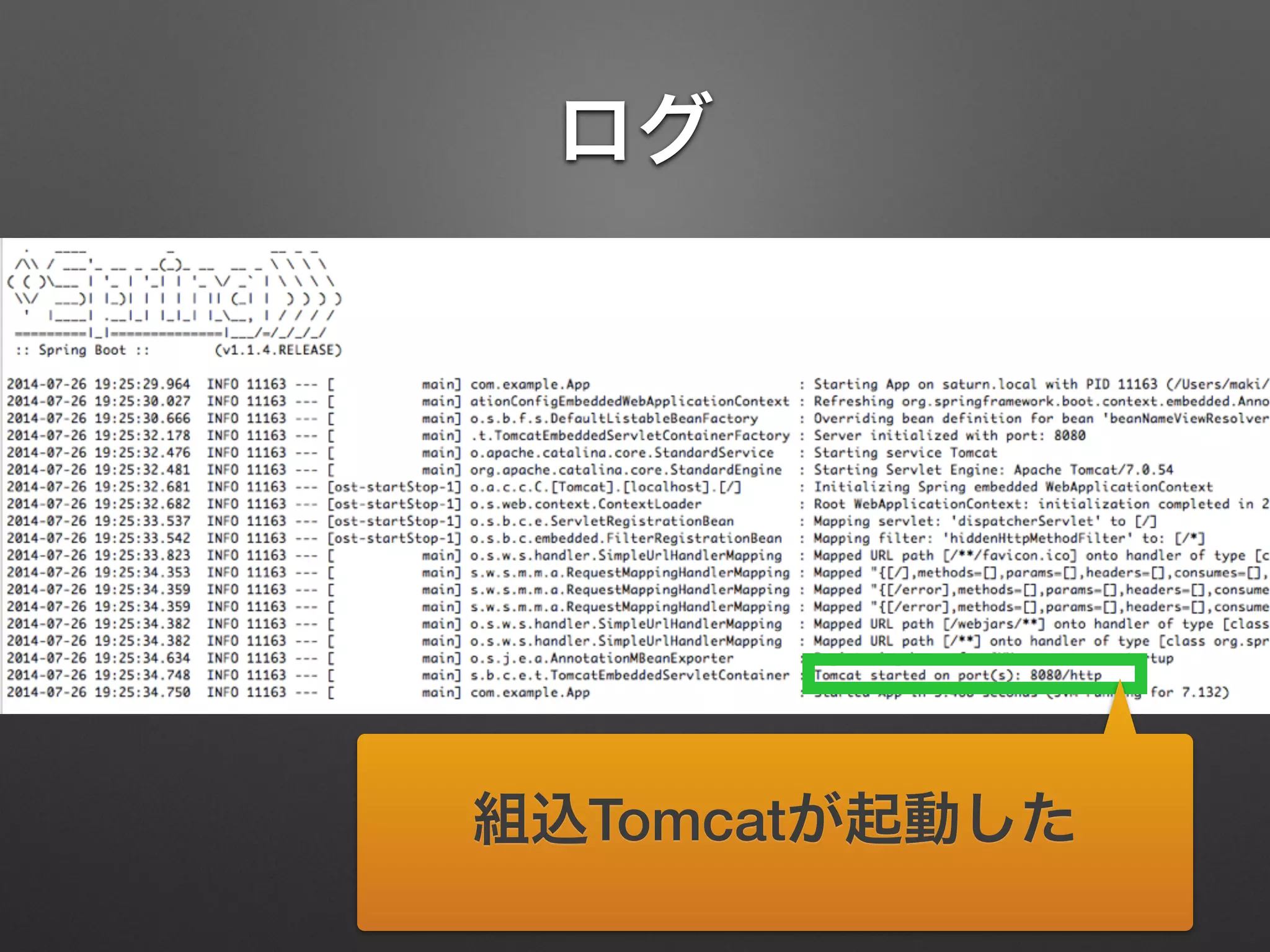
ログ
組込Tomcatが起動した
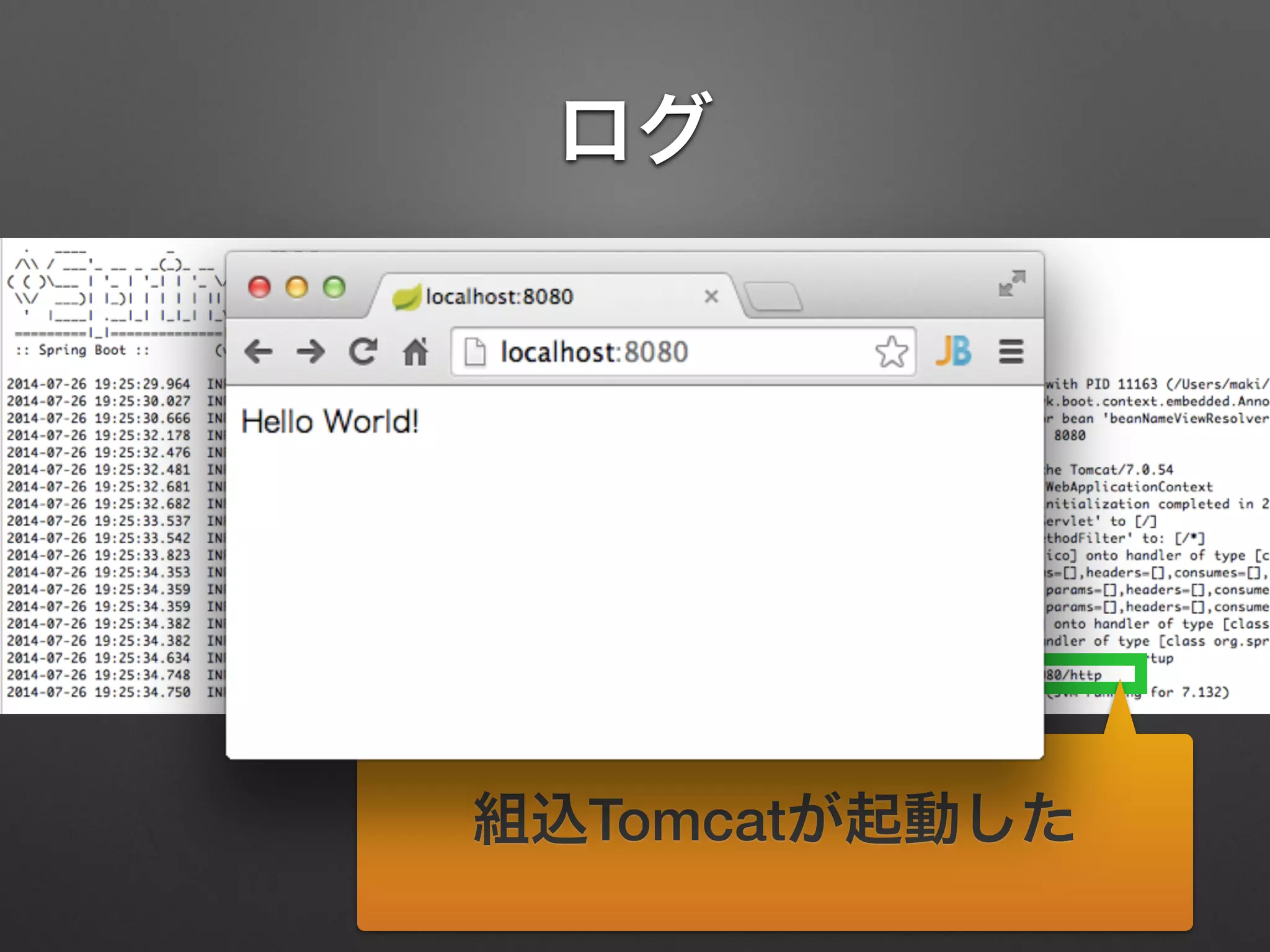
ログ
組込Tomcatが起動した
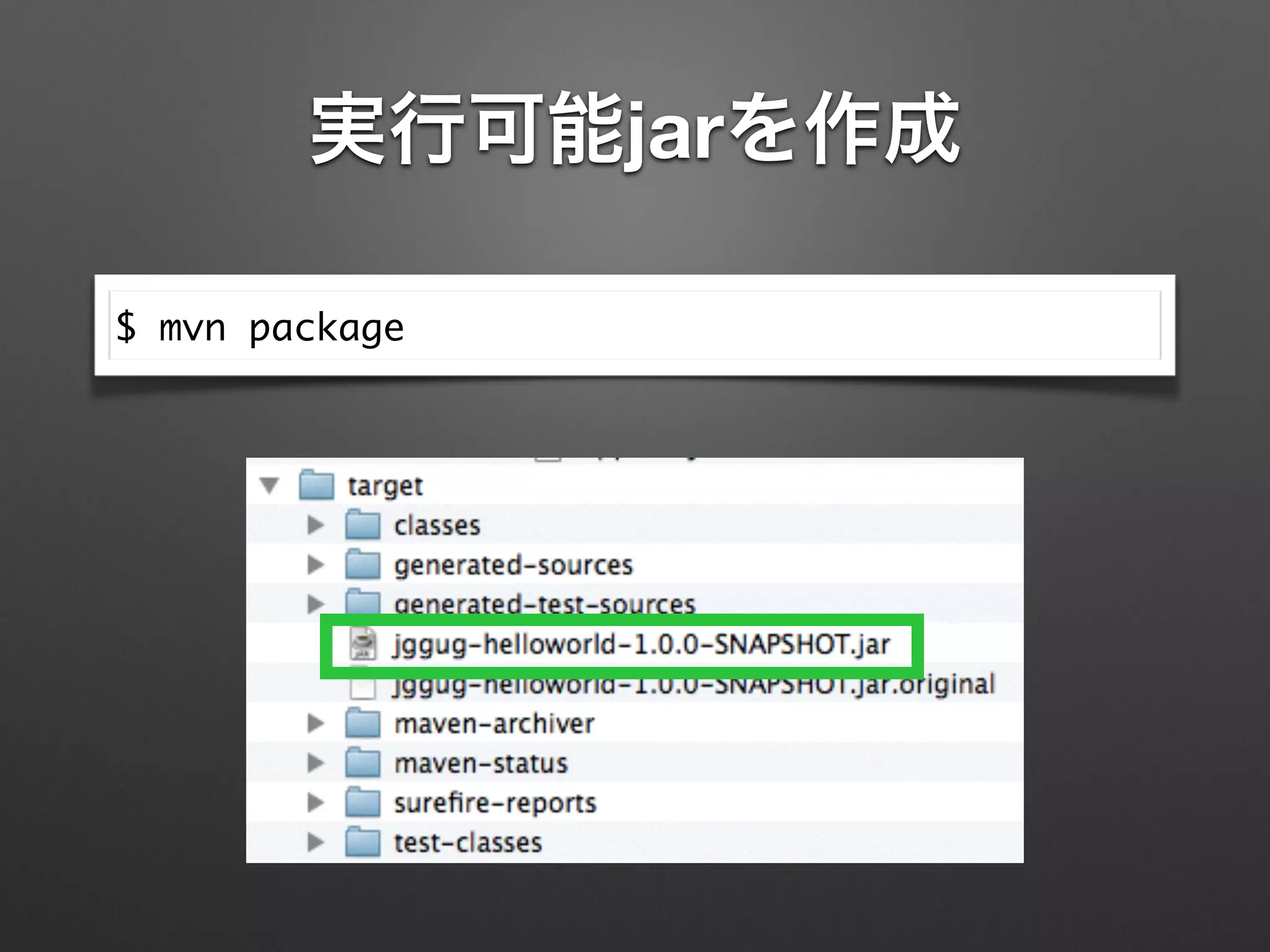
実行可能jarを作成
$ mvn package
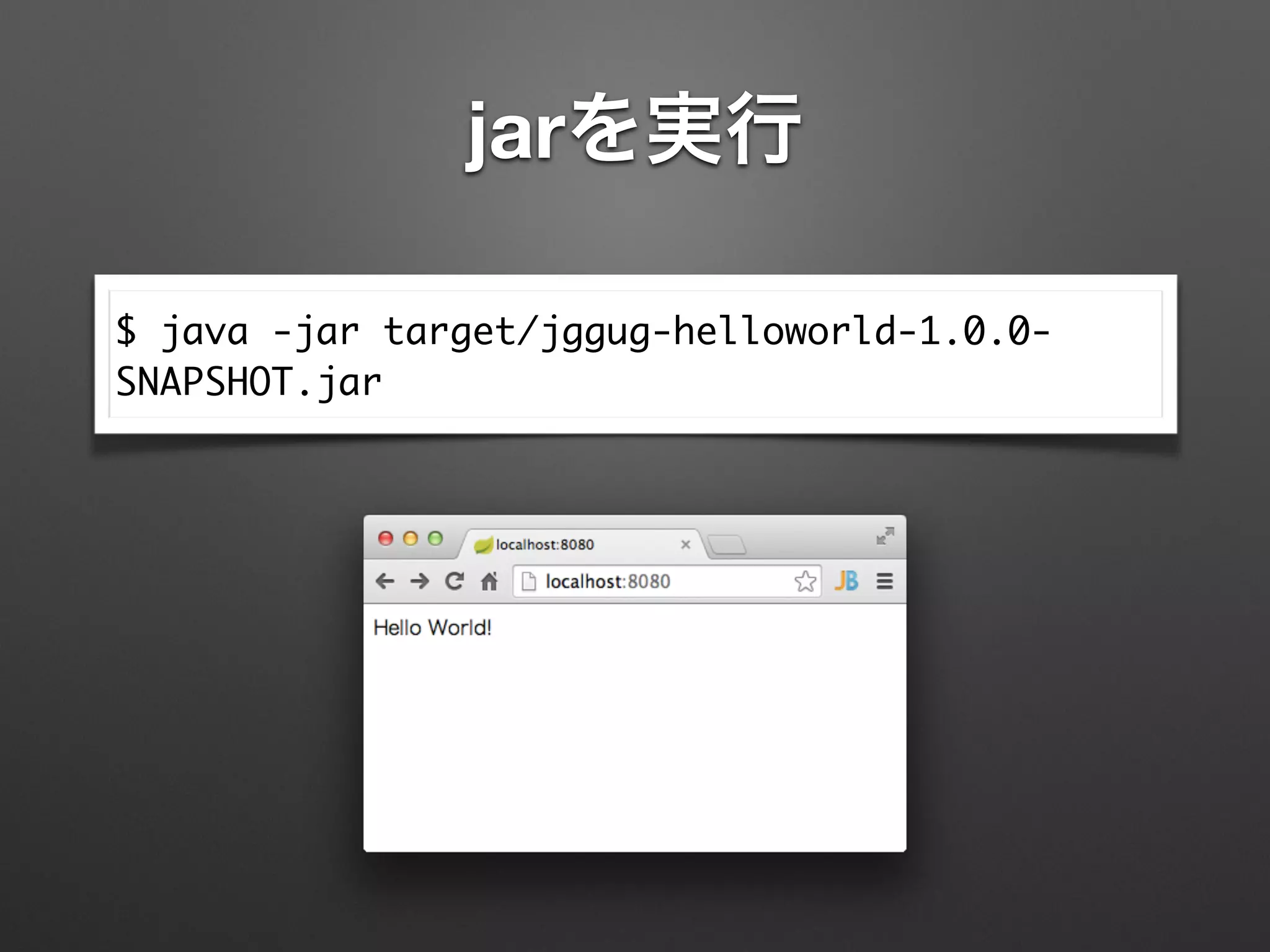
jarを実行
$ java -jar target/jggug-helloworld-1.0.0-
SNAPSHOT.jar
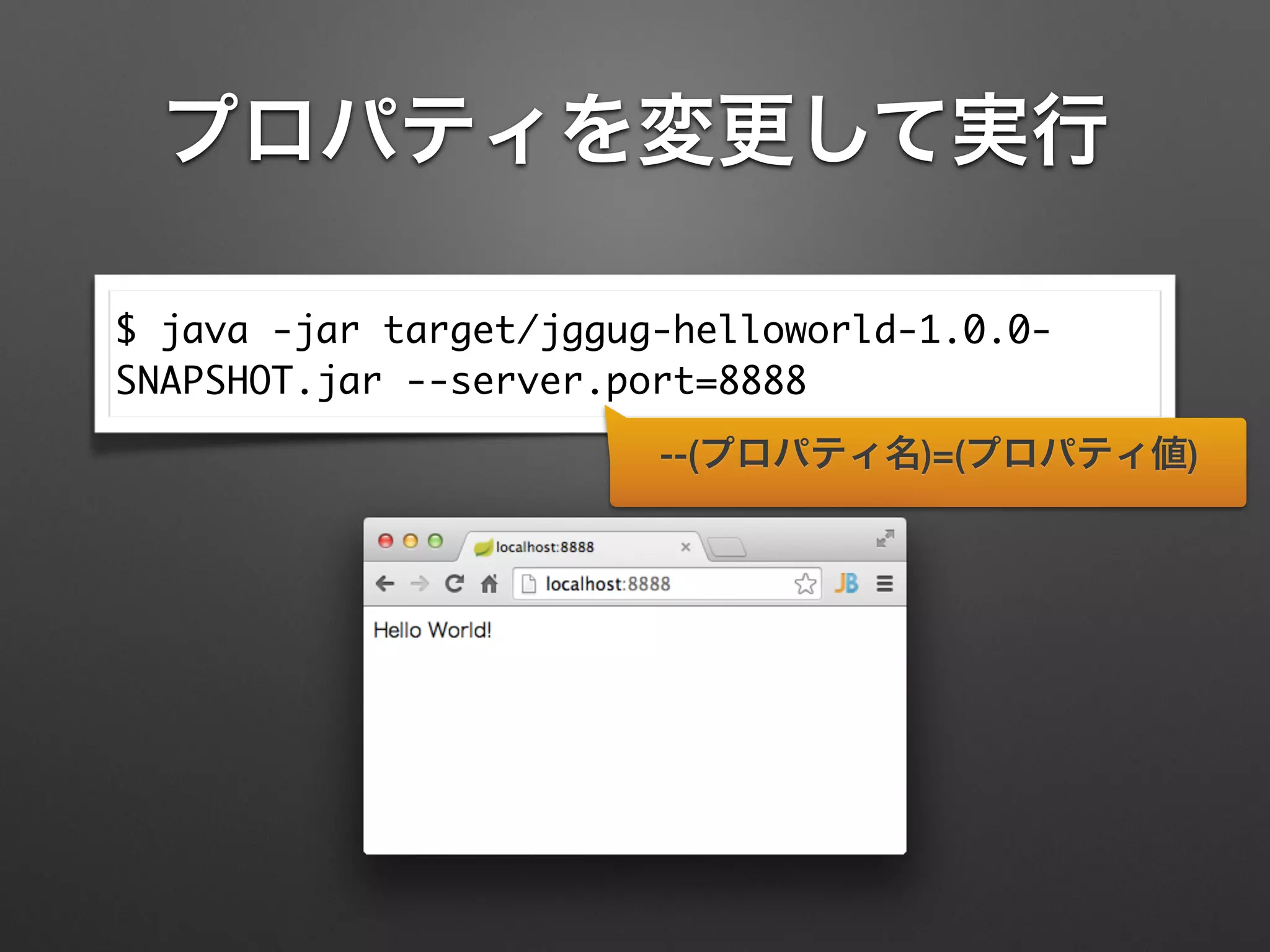
プロパティを変更して実行
$ java -jar target/jggug-helloworld-1.0.0-
SNAPSHOT.jar --server.port=8888
--(プロパティ名)=(プロパティ値)
@SpringBootApplication	
@RestController	
public class App {	
!
@RequestMapping("/")	
String home() {	
return "Hello World!";	
}	
!
public static void main(String[] args) {	
SpringApplication.run(App.class, args);	
}	
}
Spring Boot 1.2より
@SpringBootApplication	
@RestController	
public class App {	
!
@RequestMapping("/")	
String home() {	
return "Hello World!";	
}	
!
public static void main(String[] args) {	
SpringApplication.run(App.class, args);	
}	
}
Spring Boot 1.2より
@EnableAutoConfiguration	
+ @Configuration	
+ @ComponentScan
RESTについて
REST?
• クライアントとサーバ間でデータをやりと
りするためのソフトウェアアーキテクチャ
スタイルの一つ
• サーバーサイドで管理している情報の中か
らクライアントに提供すべき情報を「リソー
ス」として抽出し、リソースをHTTPで操作
RESTに関するいろいろな話題
• Richardson Maturity Model
• JSON Patch
• Security
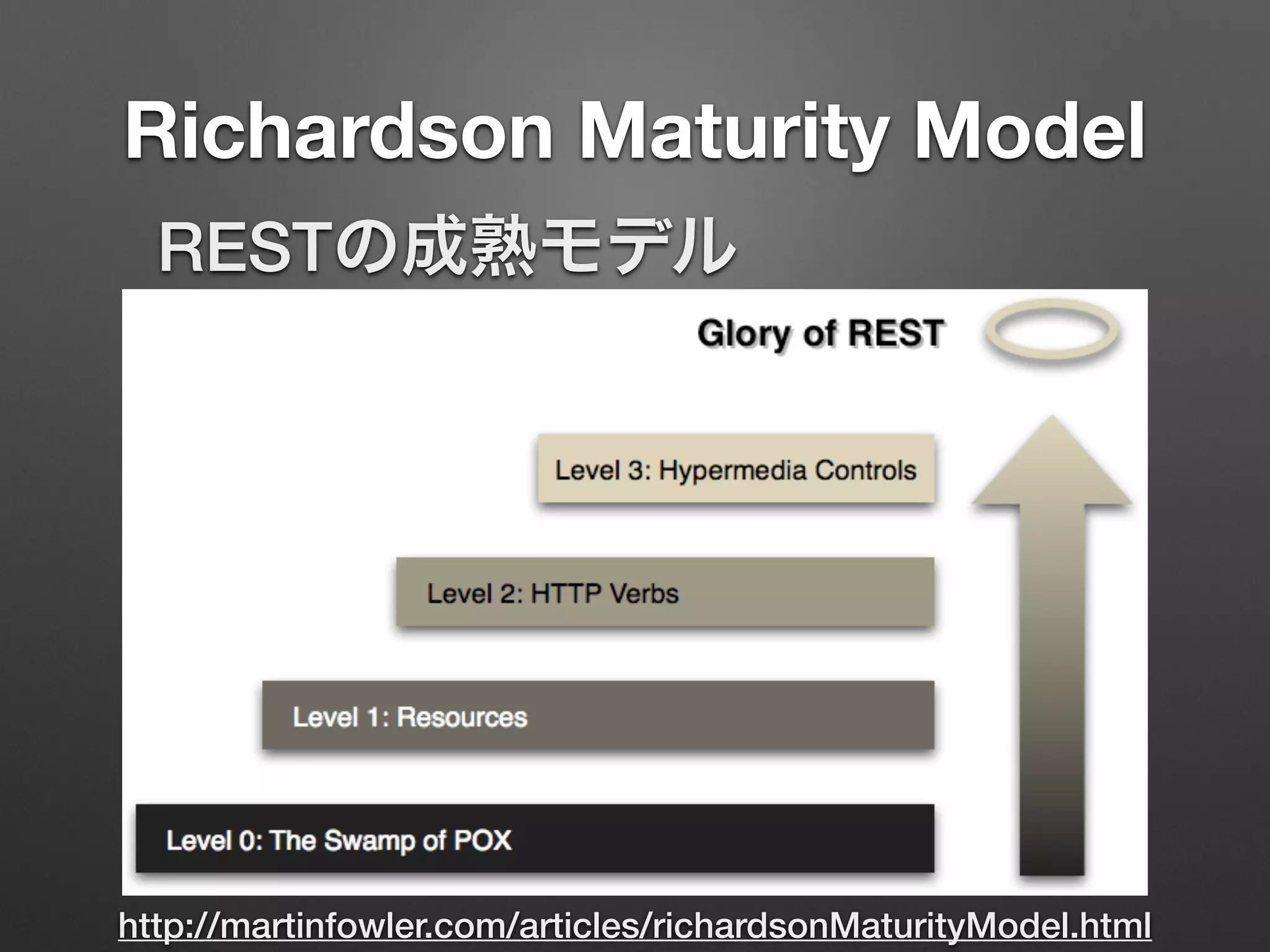
Richardson Maturity Model
http://martinfowler.com/articles/richardsonMaturityModel.html
RESTの成熟モデル
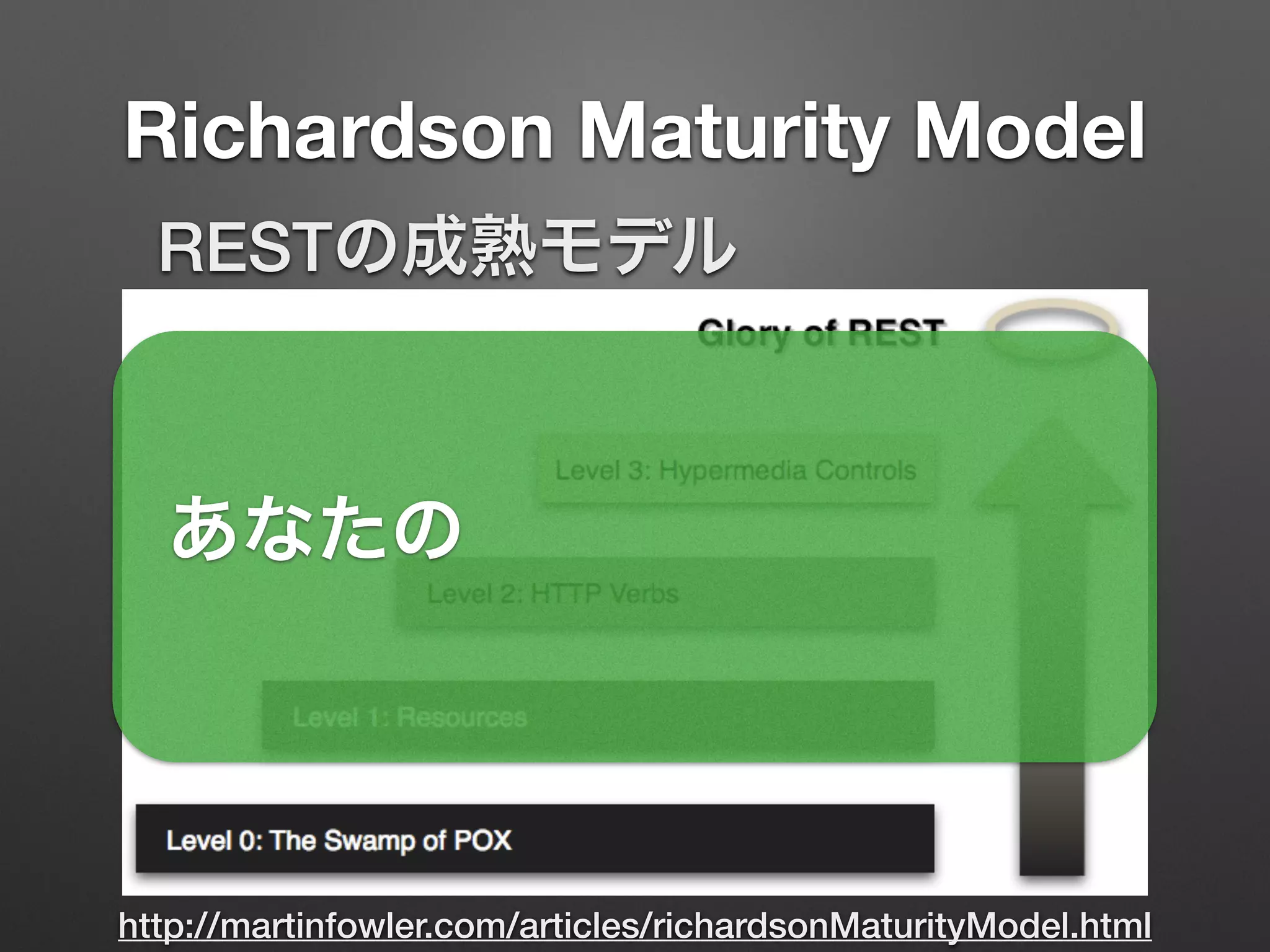
Richardson Maturity Model
http://martinfowler.com/articles/richardsonMaturityModel.html
RESTの成熟モデル
あなたの
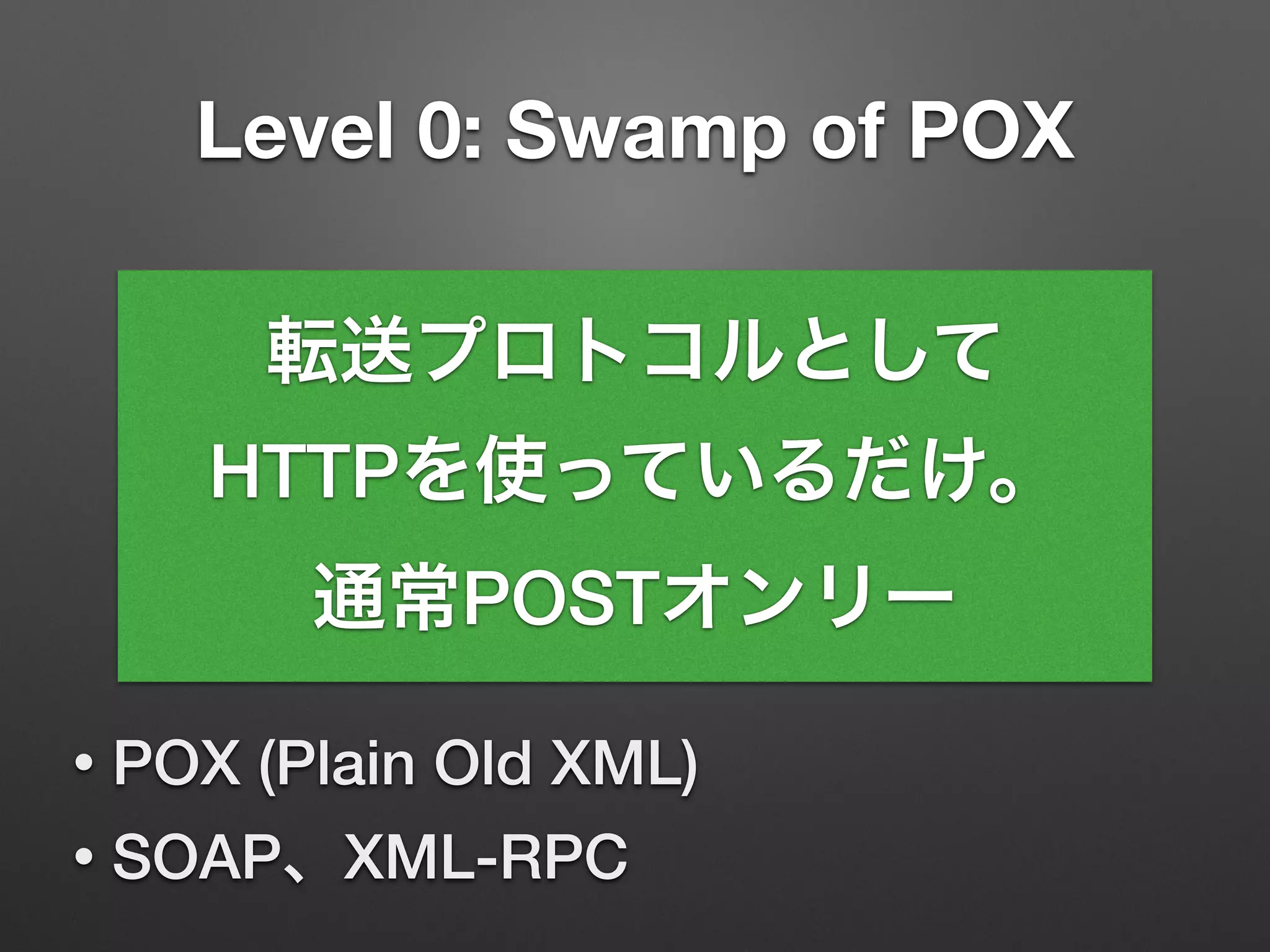
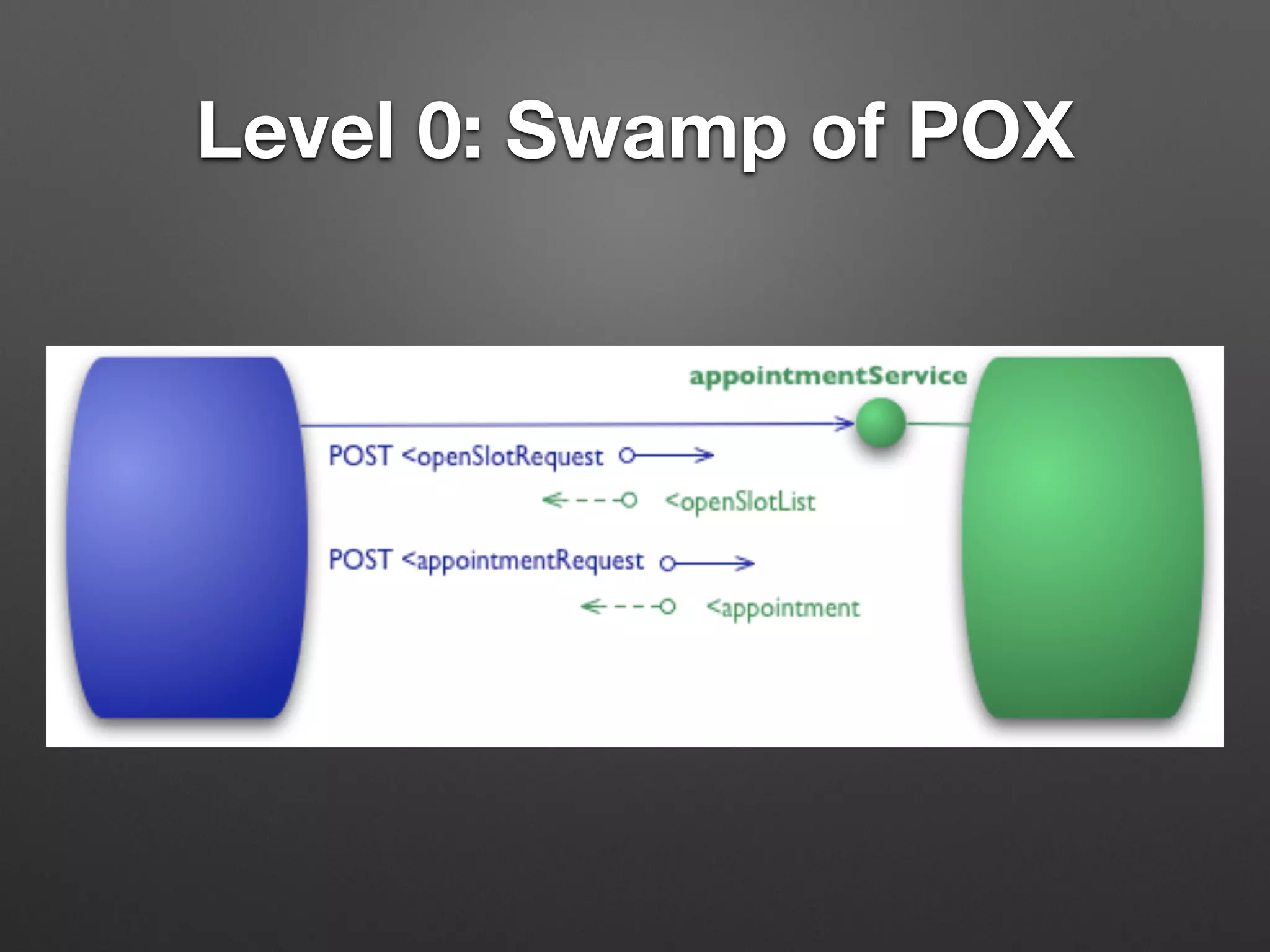
Level 0: Swamp of POX
• POX (Plain Old XML)
• SOAP、XML-RPC
転送プロトコルとして
HTTPを使っているだけ。
通常POSTオンリー
Level 0: Swamp of POX
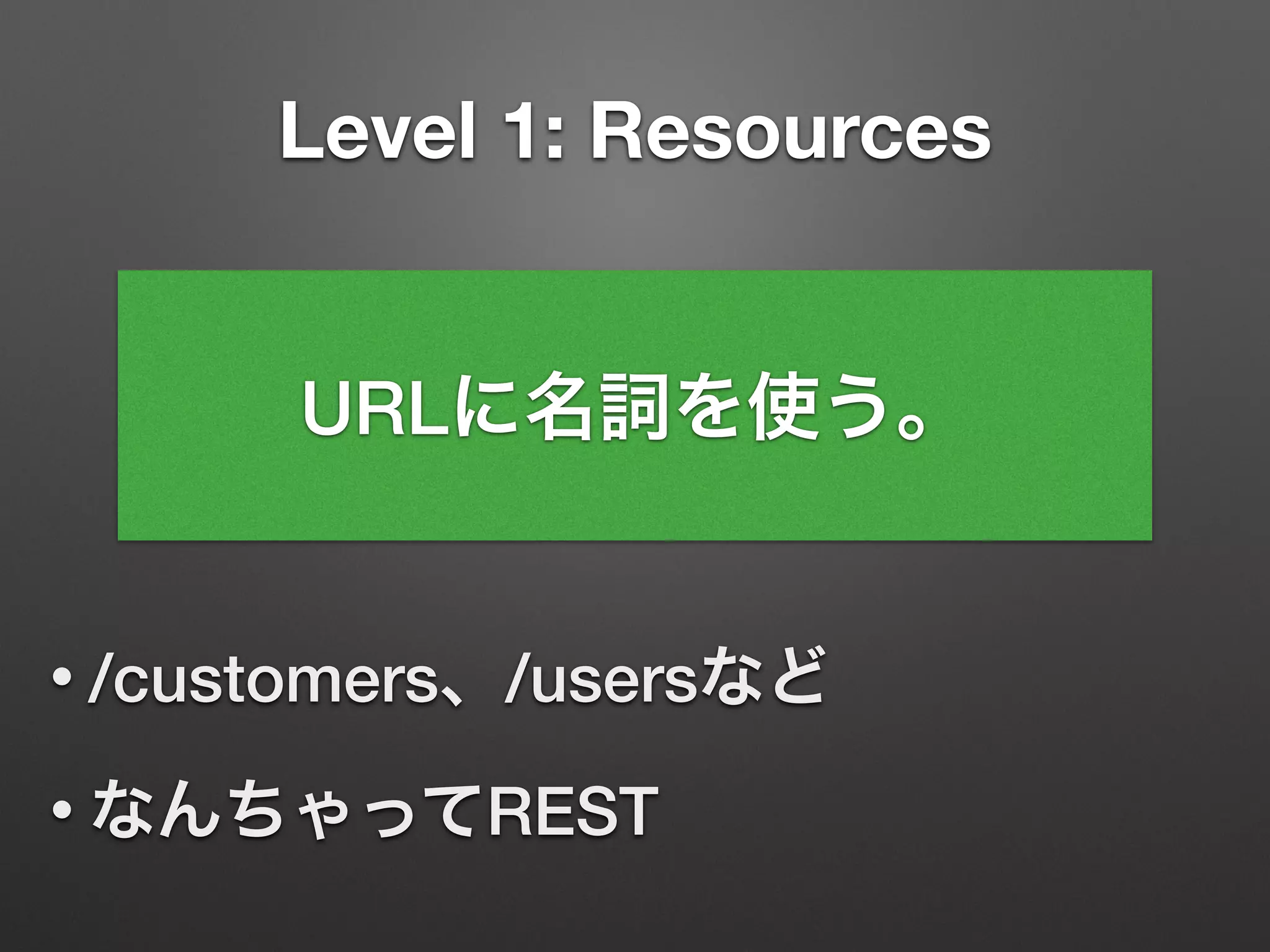
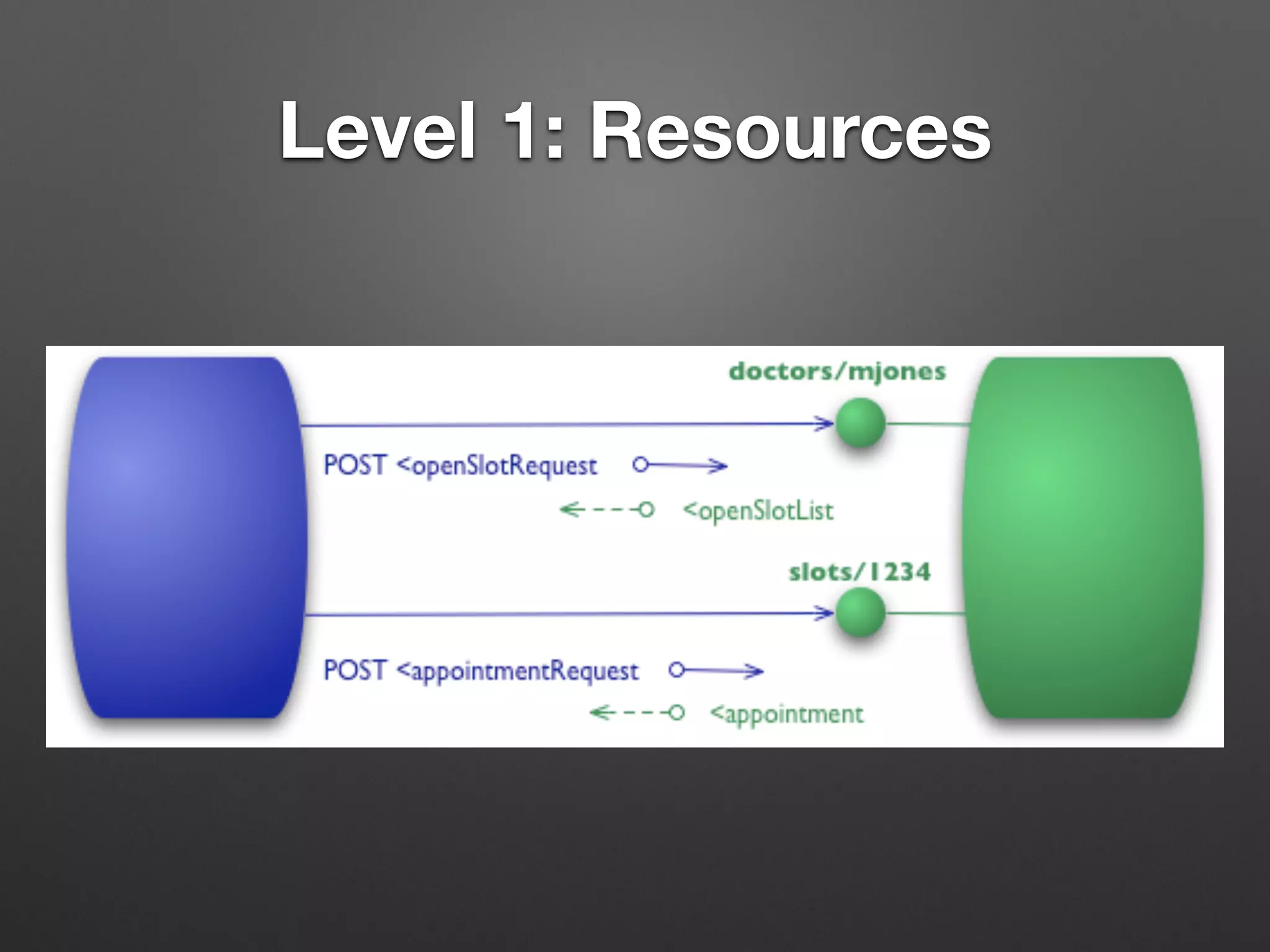
Level 1: Resources
• /customers、/usersなど
• なんちゃってREST
URLに名詞を使う。
Level 1: Resources
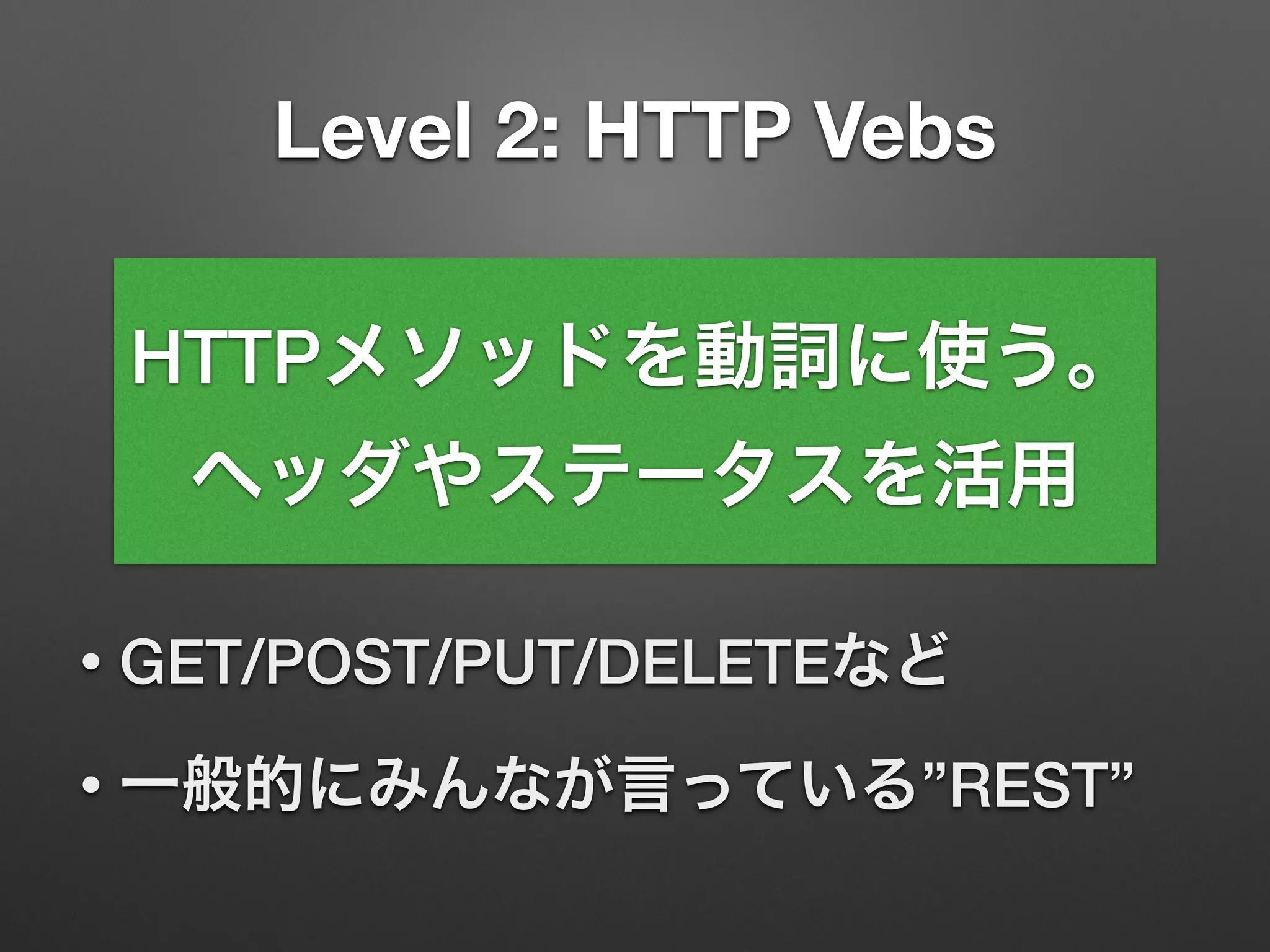
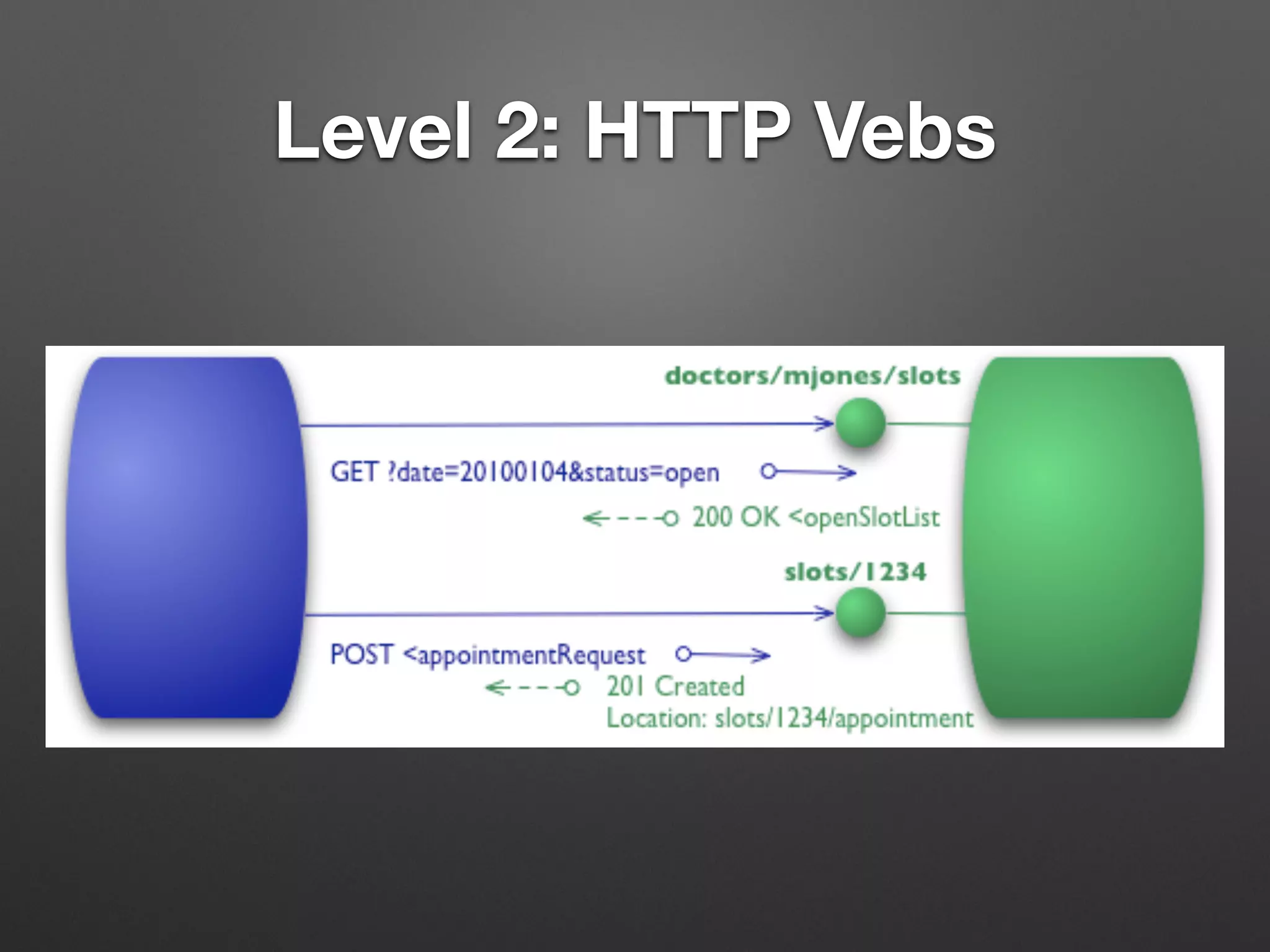
Level 2: HTTP Vebs
• GET/POST/PUT/DELETEなど
• 一般的にみんなが言っている”REST”
HTTPメソッドを動詞に使う。
ヘッダやステータスを活用
Level 2: HTTP Vebs
ここまでは対応している
Webフレームワークは多い
Spring Boot + Spring MVC
@SpringBootApplication	
@RestController @RequestMapping("user")	
public class App {	
public static void main(String[] args) {	
SpringApplication.run(App.class, args);	
}	
@RequestMapping(method = RequestMethod.GET)	
User get() {	
return new User("demo", "password");	
}	
@RequestMapping(method = RequestMethod.POST)

ResponseEntity<User> post(@RequestBody User user) {

// create

return ResponseEntity	
.created(location).body(created);

}	
}
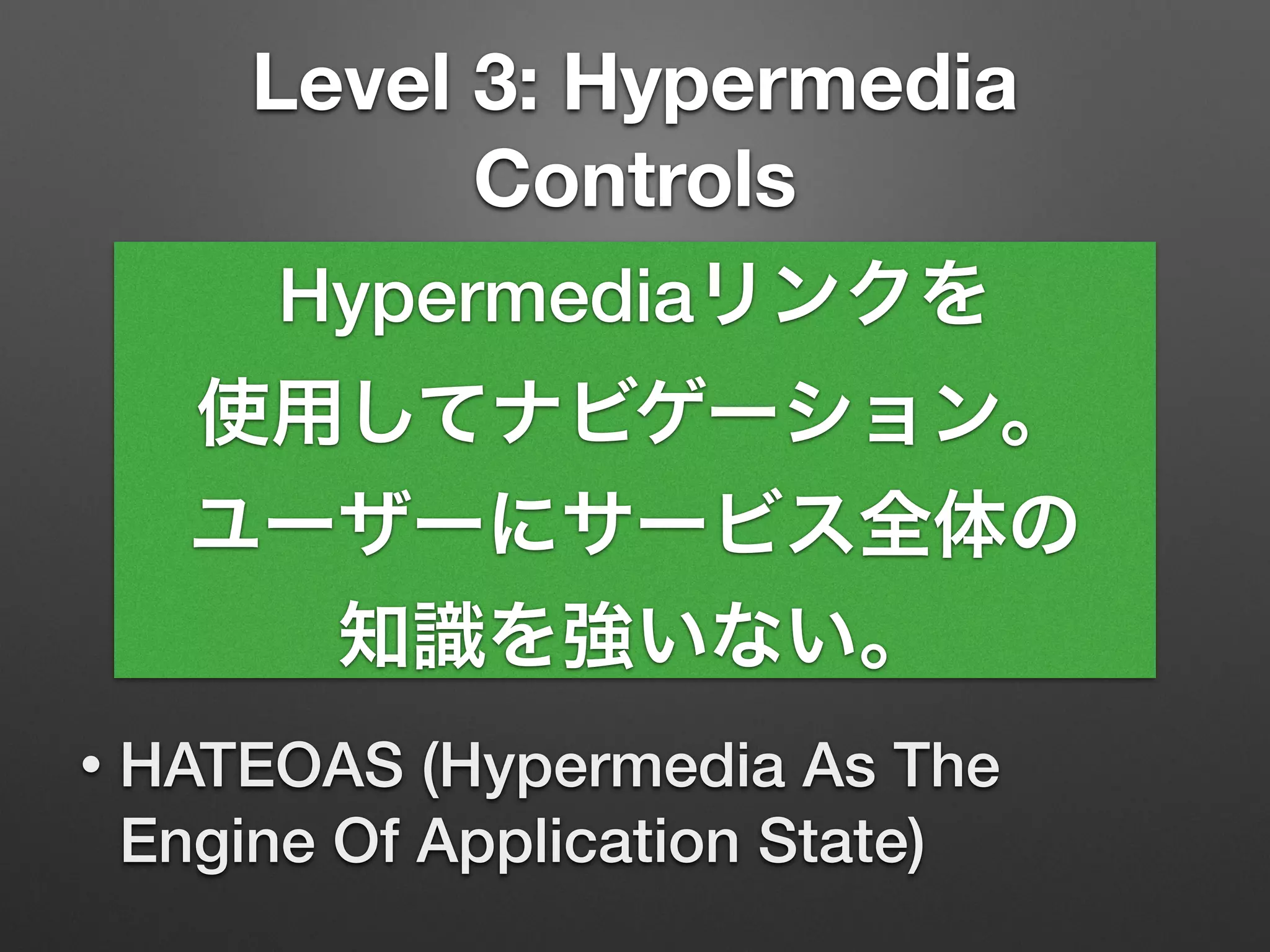
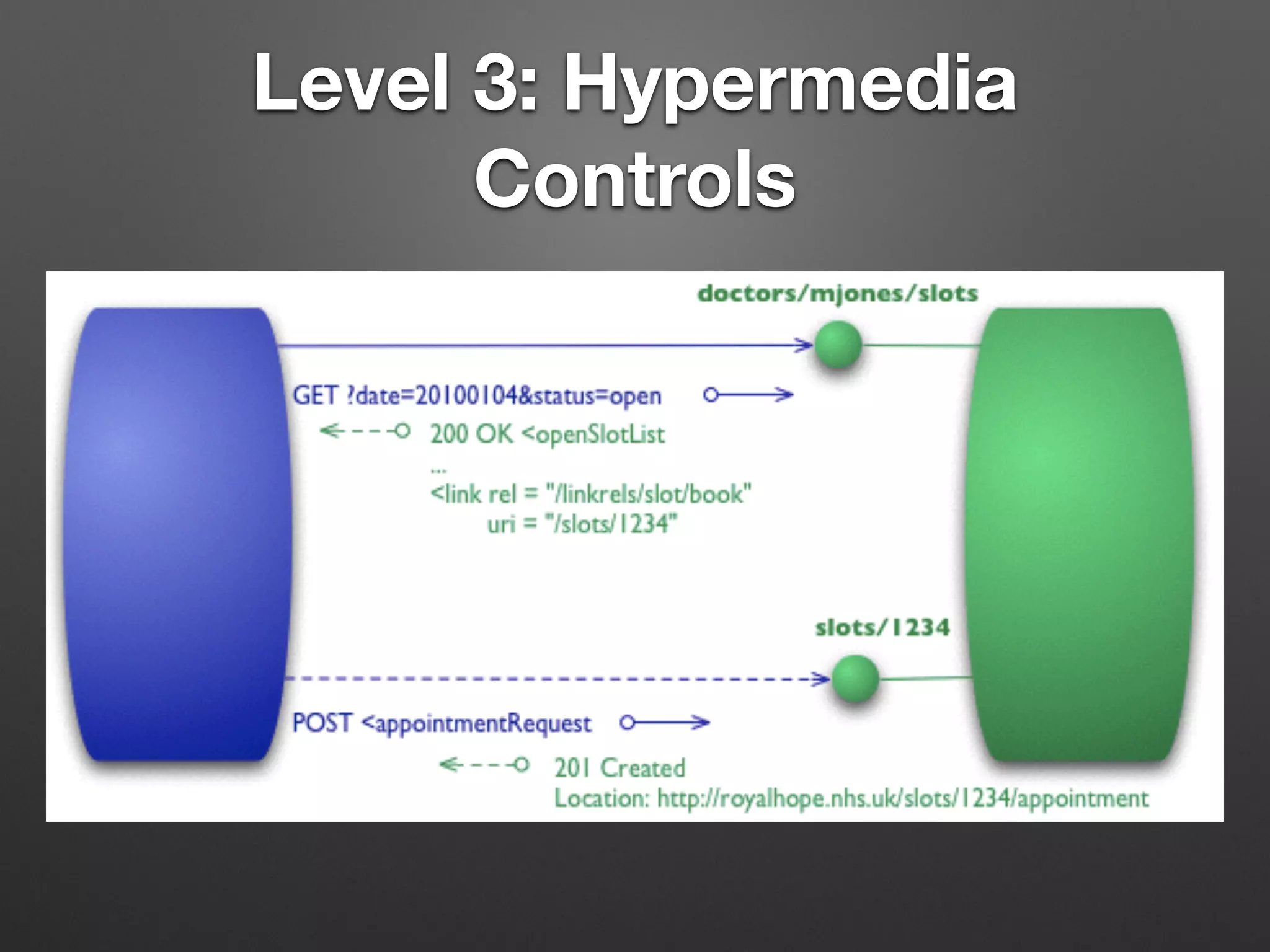
Level 3: Hypermedia
Controls
• HATEOAS (Hypermedia As The
Engine Of Application State)
Hypermediaリンクを
使用してナビゲーション。
ユーザーにサービス全体の
知識を強いない。
Level 3: Hypermedia
Controls
Level 3: Hypermedia
Controls
{	
"name": "Alice",	
"links": [ {	
"rel": "self",	
"href": "http://.../customer/1"	
} ]	
}
Level 3: Hypermedia
Controls
{	
"name": "Alice",	
"links": [ {	
"rel": "self",	
"href": "http://.../customer/1"	
}, {	
"rel": "user",	
"href": "http://.../customer/1/user"	
} ]	
}
Level 3: Hypermedia
Controls
{	
"name": "Alice",	
"links": [ {	
"rel": "self",	
"href": "http://.../customer/1"	
}, {	
"rel": "user",	
"href": "http://.../customer/1/user"	
} ]	
}
関連するリソースの
リンクが含まれる
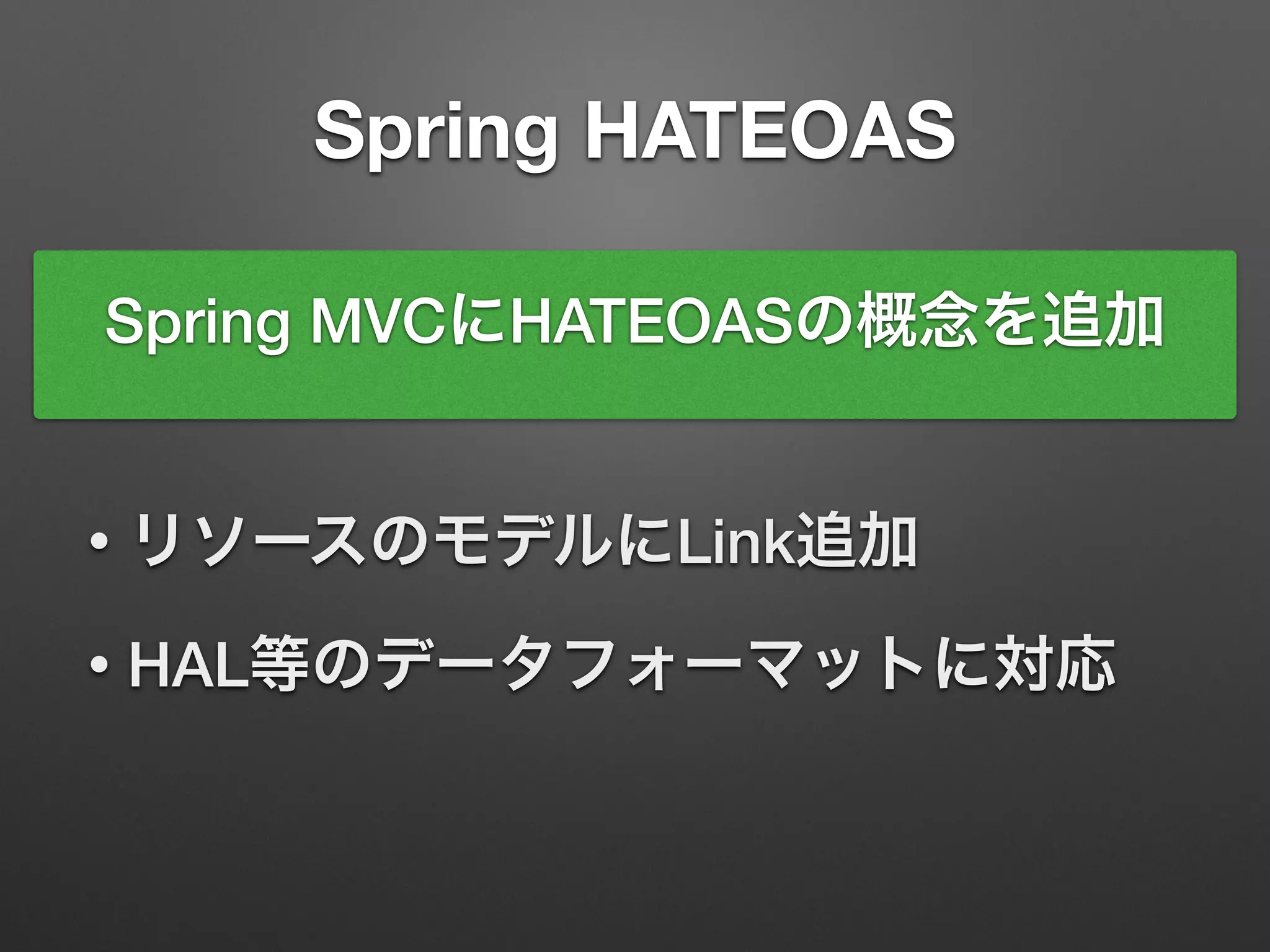
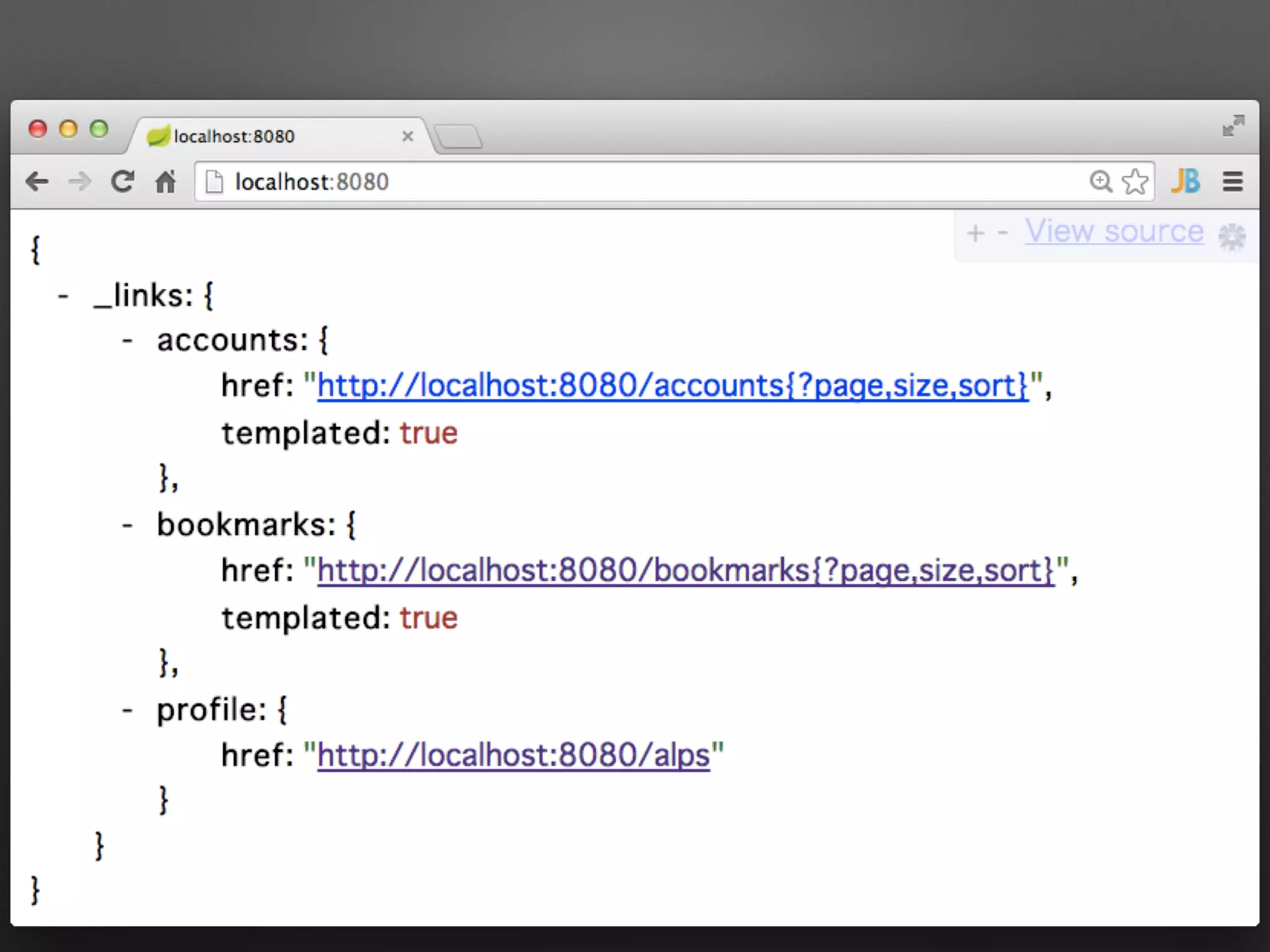
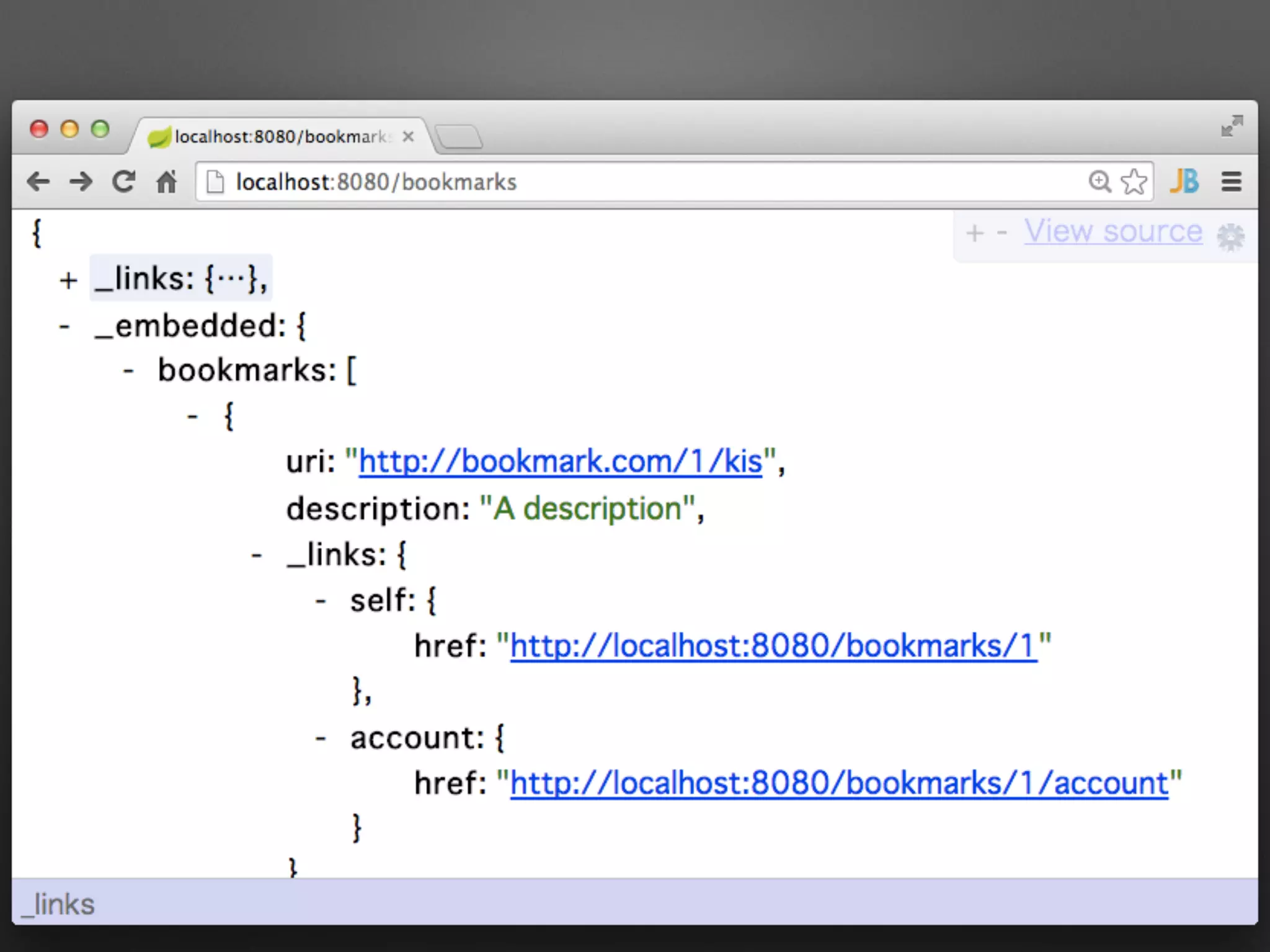
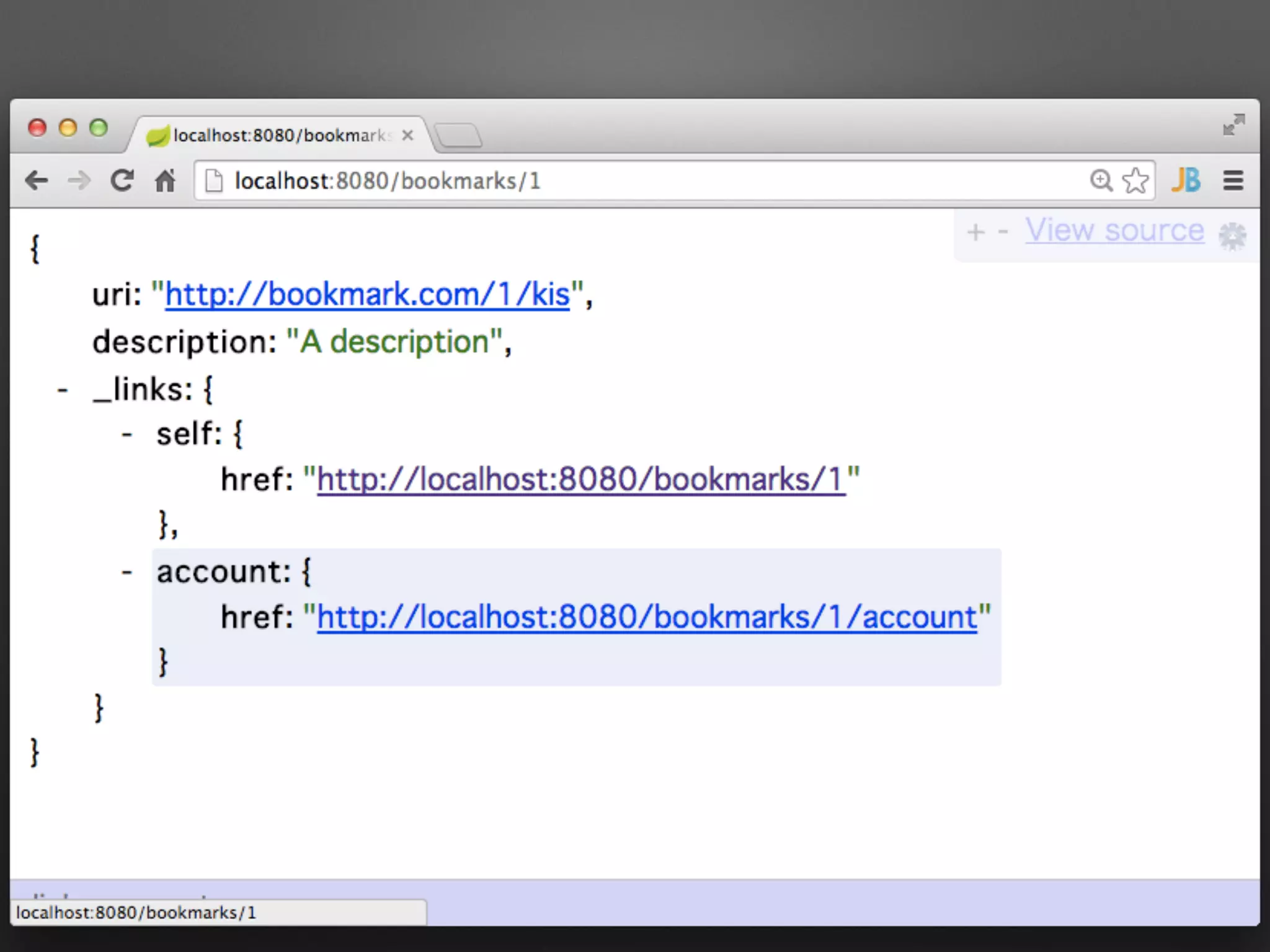
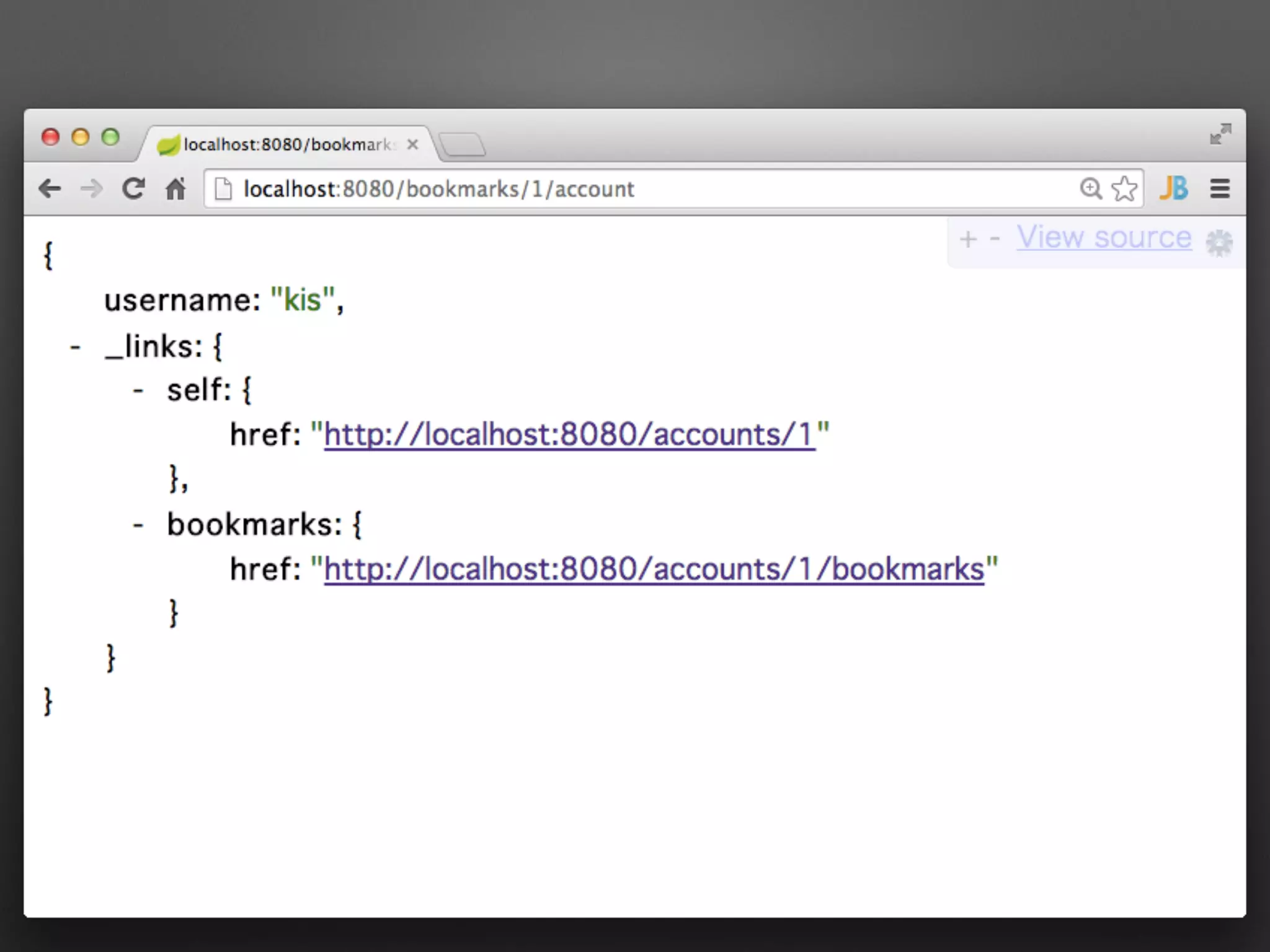
Spring HATEOAS
Spring MVCにHATEOASの概念を追加
• リソースのモデルにLink追加
• HAL等のデータフォーマットに対応
具体例で説明
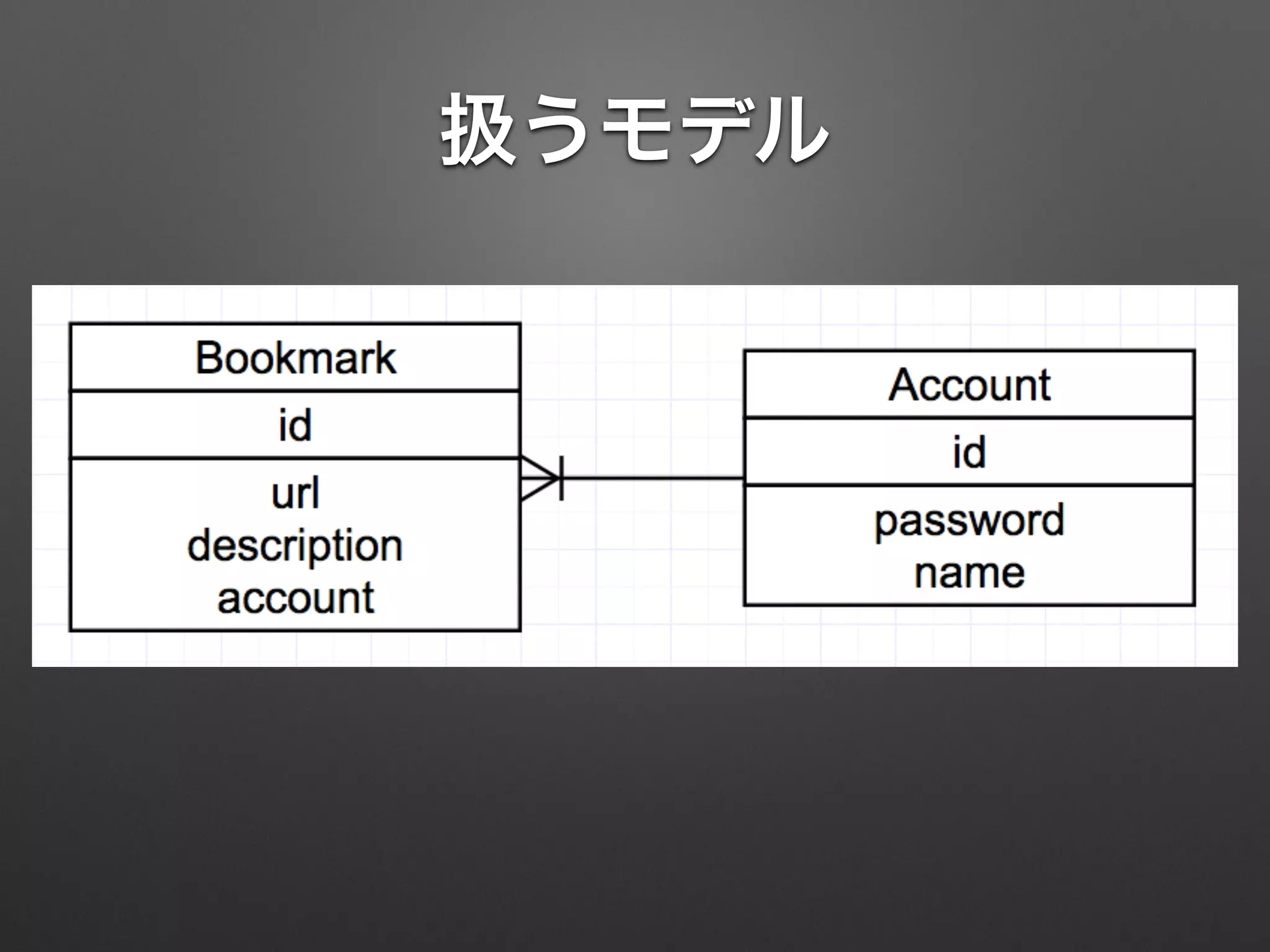
扱うモデル
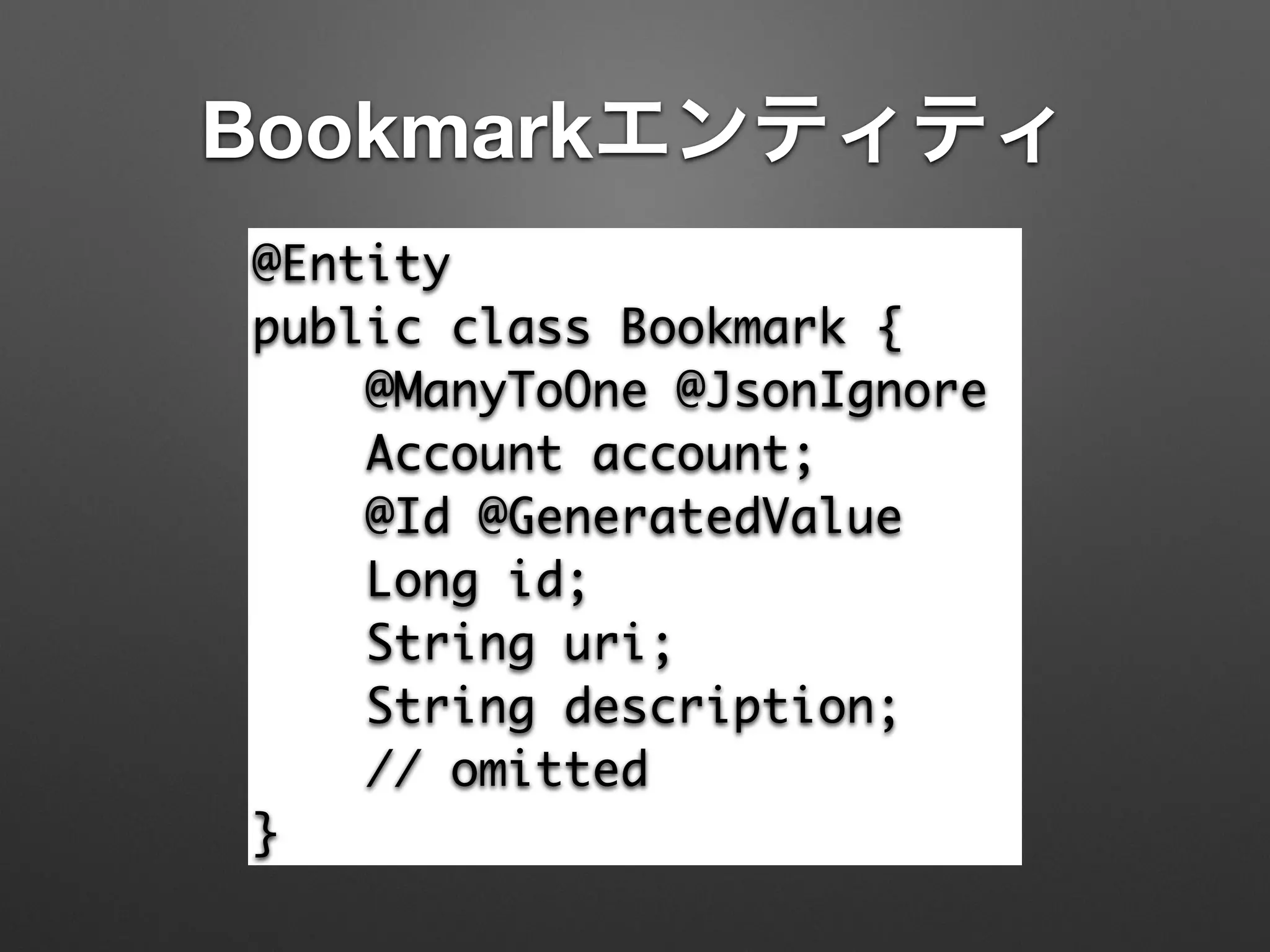
Bookmarkエンティティ
@Entity	
public class Bookmark {	
@ManyToOne @JsonIgnore	
Account account;	
@Id @GeneratedValue	
Long id;	
String uri;	
String description;	
// omitted	
}
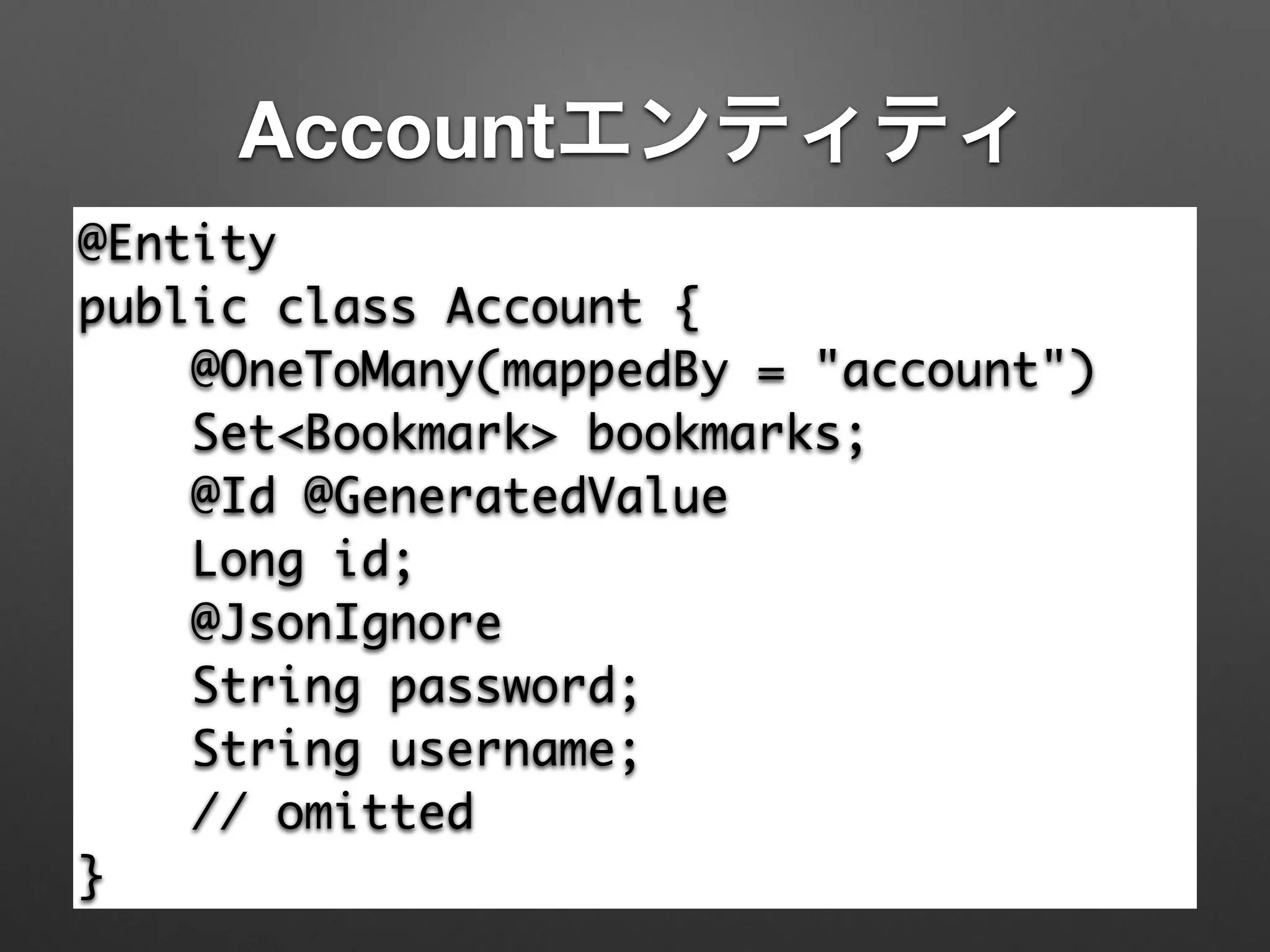
Accountエンティティ
@Entity	
public class Account {	
@OneToMany(mappedBy = "account")	
Set<Bookmark> bookmarks;	
@Id @GeneratedValue	
Long id;	
@JsonIgnore	
String password;	
String username;	
// omitted	
}
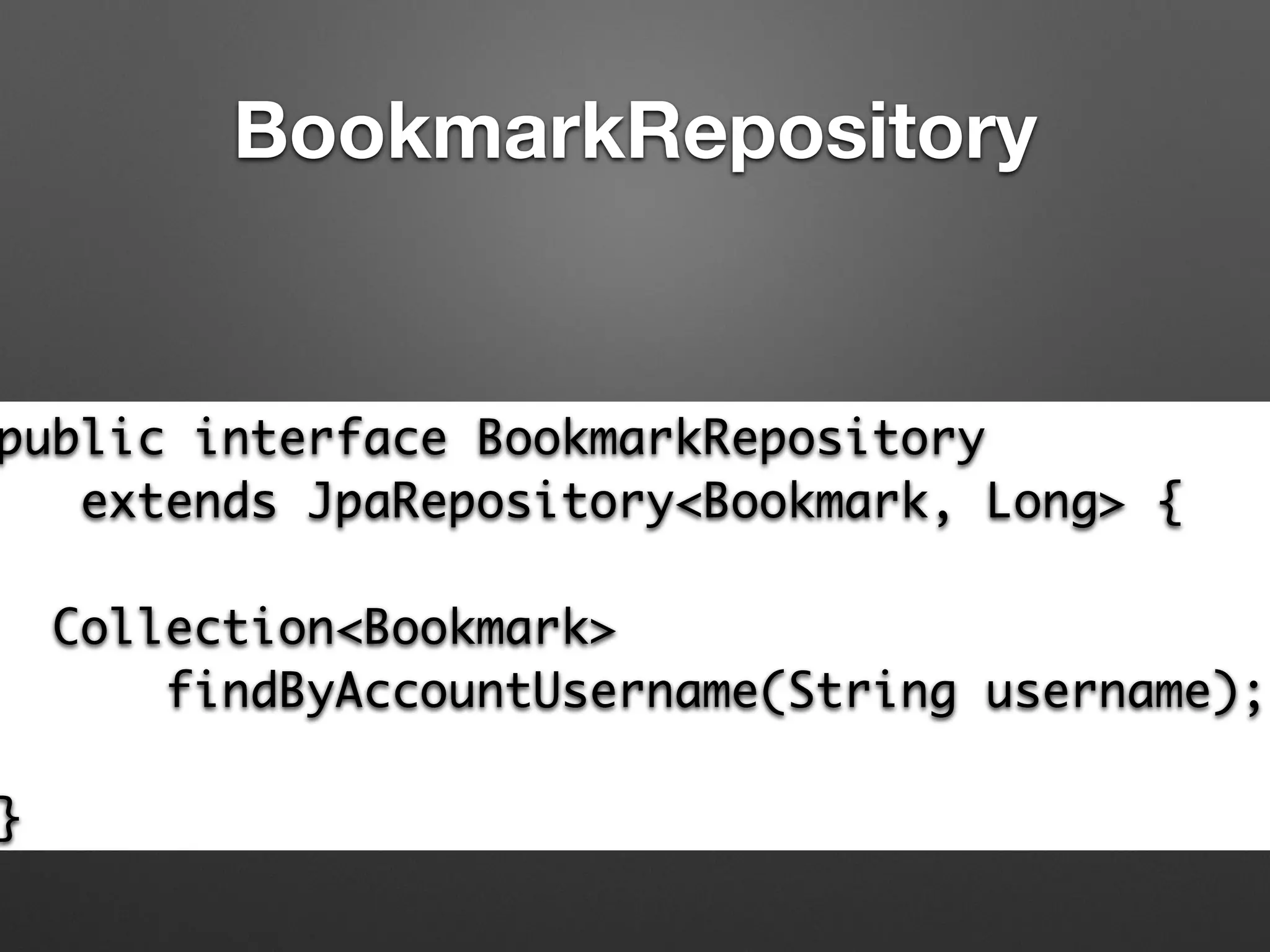
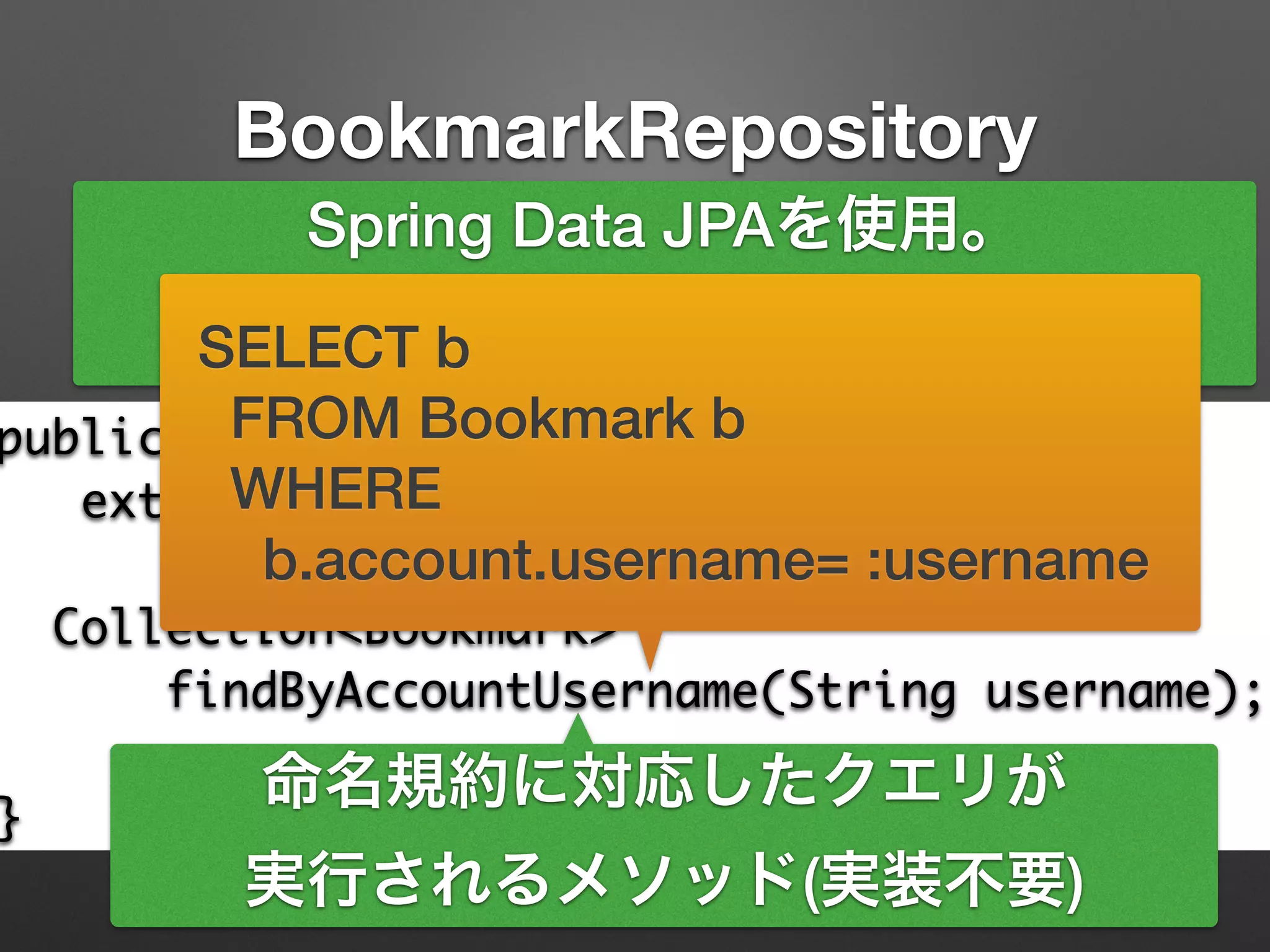
BookmarkRepository
public interface BookmarkRepository	
extends JpaRepository<Bookmark, Long> {	
!
Collection<Bookmark> 	
findByAccountUsername(String username);	
!
}
BookmarkRepository
public interface BookmarkRepository	
extends JpaRepository<Bookmark, Long> {	
!
Collection<Bookmark> 	
findByAccountUsername(String username);	
!
}
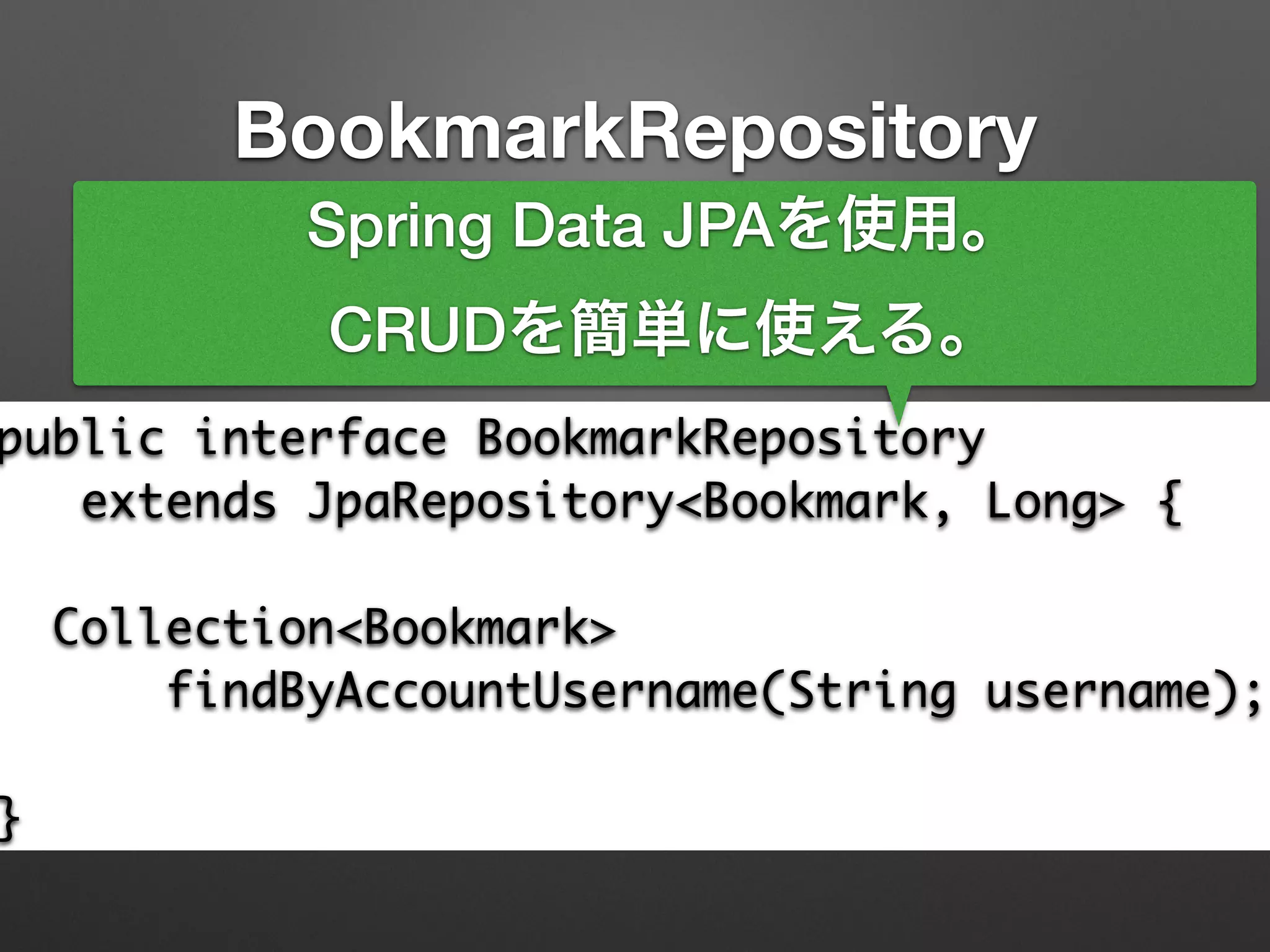
Spring Data JPAを使用。
CRUDを簡単に使える。
BookmarkRepository
public interface BookmarkRepository	
extends JpaRepository<Bookmark, Long> {	
!
Collection<Bookmark> 	
findByAccountUsername(String username);	
!
}
Spring Data JPAを使用。
CRUDを簡単に使える。
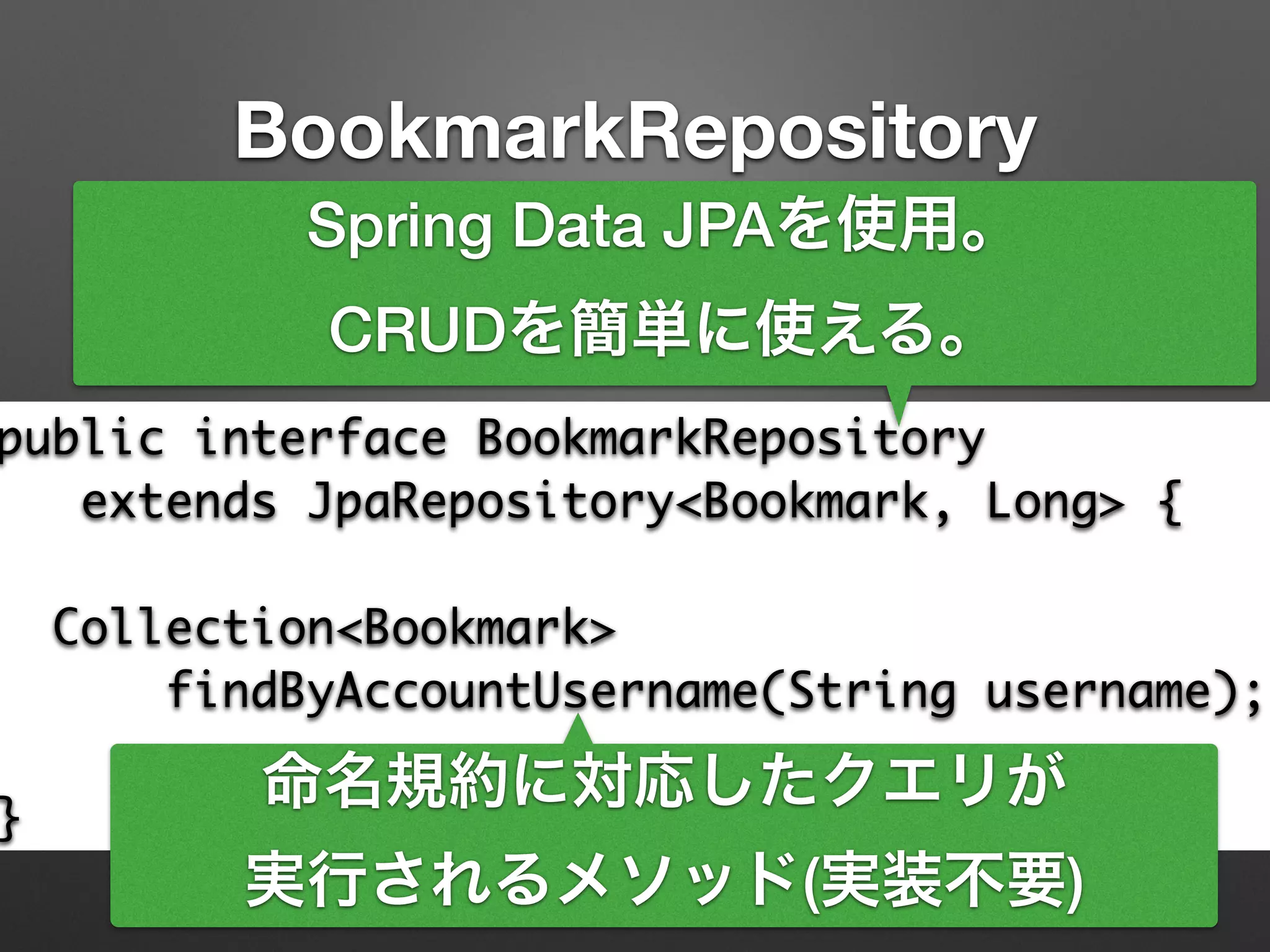
命名規約に対応したクエリが
実行されるメソッド(実装不要)
BookmarkRepository
public interface BookmarkRepository	
extends JpaRepository<Bookmark, Long> {	
!
Collection<Bookmark> 	
findByAccountUsername(String username);	
!
}
Spring Data JPAを使用。
CRUDを簡単に使える。
命名規約に対応したクエリが
実行されるメソッド(実装不要)
SELECT b
FROM Bookmark b
WHERE
b.account.username= :username
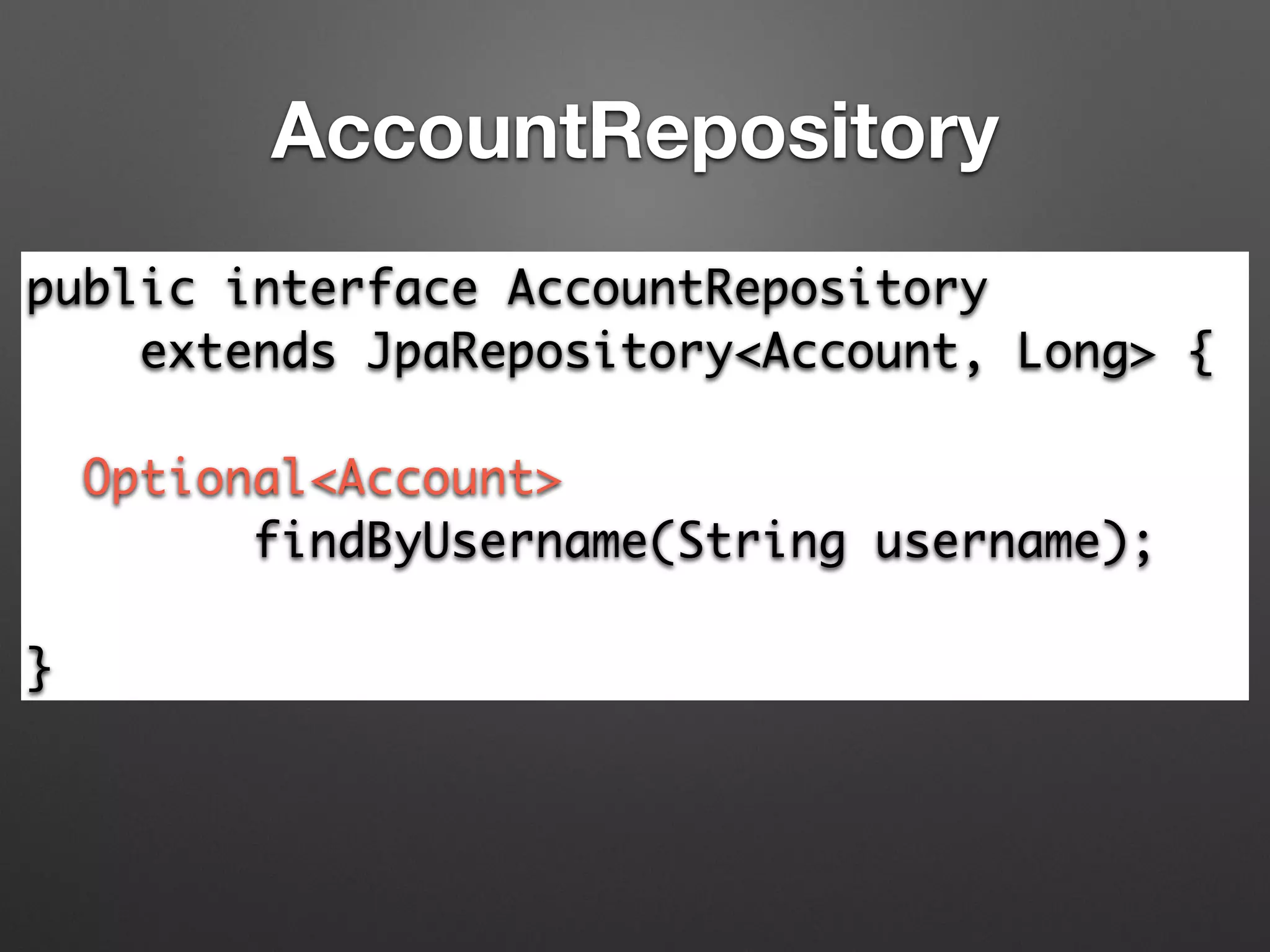
AccountRepository
public interface AccountRepository 	
extends JpaRepository<Account, Long> {	
!
Optional<Account> 	
findByUsername(String username);	
!
}
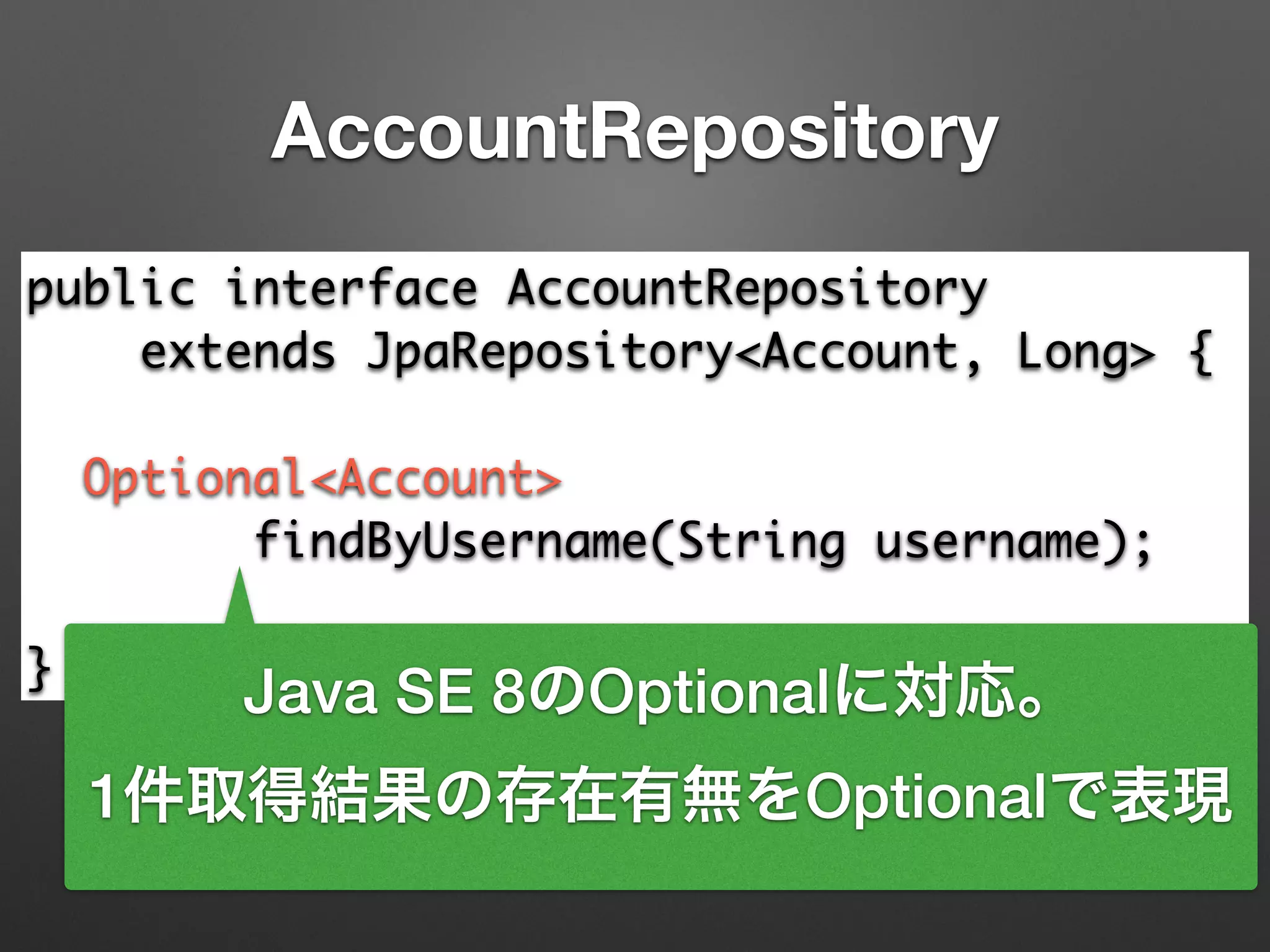
AccountRepository
public interface AccountRepository 	
extends JpaRepository<Account, Long> {	
!
Optional<Account> 	
findByUsername(String username);	
!
}
Java SE 8のOptionalに対応。
1件取得結果の存在有無をOptionalで表現
Level 2
普通のSpring MVCプログラミング
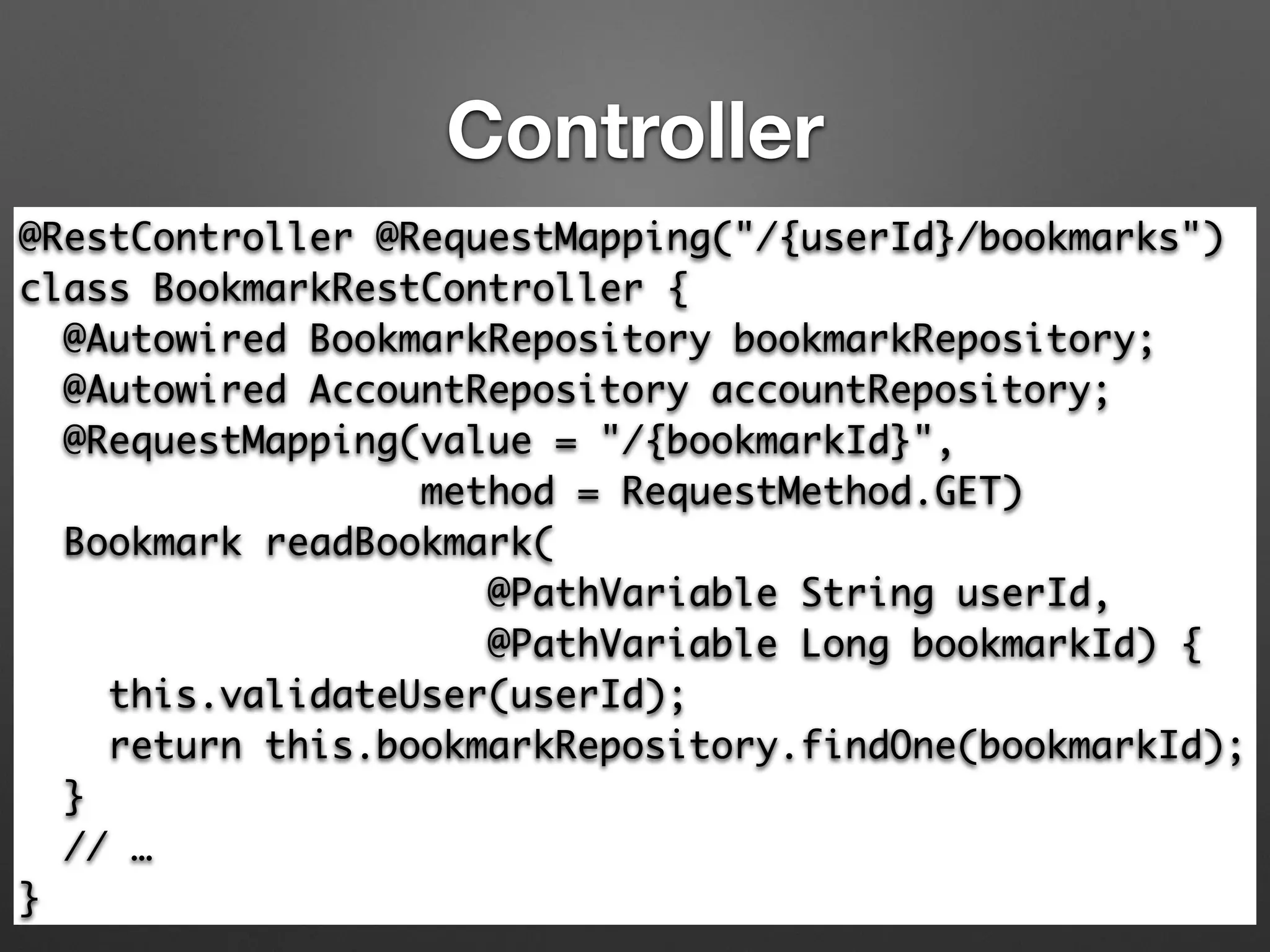
Controller
@RestController @RequestMapping("/{userId}/bookmarks")	
class BookmarkRestController {	
@Autowired BookmarkRepository bookmarkRepository;	
@Autowired AccountRepository accountRepository;	
@RequestMapping(value = "/{bookmarkId}", 	
method = RequestMethod.GET)

Bookmark readBookmark(	
@PathVariable String userId,	
@PathVariable Long bookmarkId) {

this.validateUser(userId);

return this.bookmarkRepository.findOne(bookmarkId);

}	
// …	
}
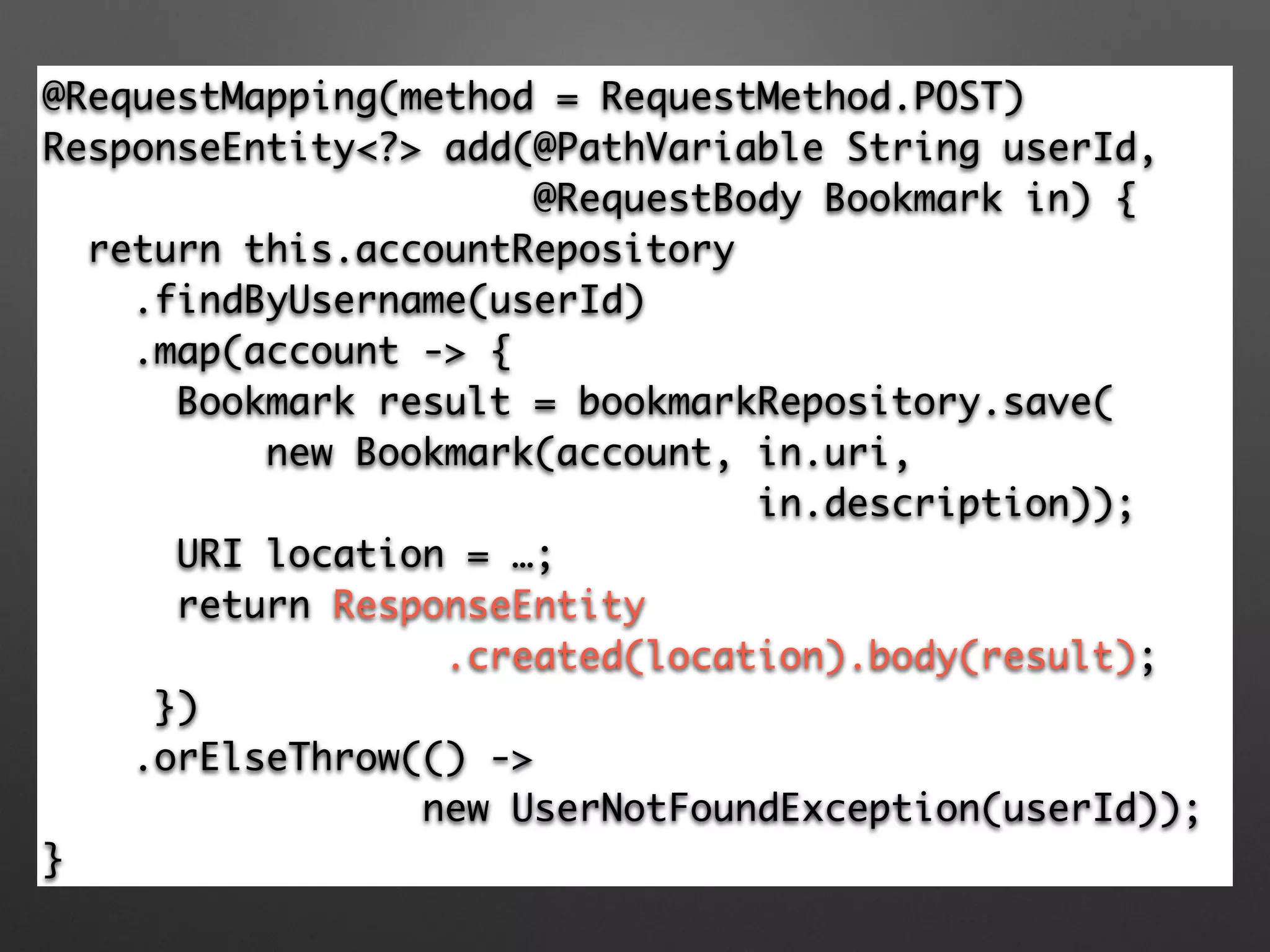
Controller
@RequestMapping(method = RequestMethod.POST)	
ResponseEntity<?> add(@PathVariable String userId, 	
@RequestBody Bookmark in) {	
return this.accountRepository	
.findByUsername(userId)	
.map(account -> {	
Bookmark result = bookmarkRepository.save(	
new Bookmark(account, in.uri, 	
in.description));	
URI location = …;	
return ResponseEntity	
.created(location).body(result);	
})	
.orElseThrow(() -> 	
new UserNotFoundException(userId));	
}
起動
@SpringBootApplication

public class Application {

@Bean

CommandLineRunner init(AccountRepository accountRepository,

BookmarkRepository bookmarkRepository) {

return (evt) -> Stream.of("kis", "skrb", "making")

.forEach(a -> {

Account account = accountRepository.save(new Account(a,

"password"));

bookmarkRepository.save(new Bookmark(account,

"http://bookmark.com/1/" + a, 	
"A description"));

bookmarkRepository.save(new Bookmark(account,

"http://bookmark.com/2/" + a, 	
"A description"));});

}

public static void main(String[] args) {

SpringApplication.run(Application.class, args);

}

}
起動
@SpringBootApplication

public class Application {

@Bean

CommandLineRunner init(AccountRepository accountRepository,

BookmarkRepository bookmarkRepository) {

return (evt) -> Stream.of("kis", "skrb", "making")

.forEach(a -> {

Account account = accountRepository.save(new Account(a,

"password"));

bookmarkRepository.save(new Bookmark(account,

"http://bookmark.com/1/" + a, 	
"A description"));

bookmarkRepository.save(new Bookmark(account,

"http://bookmark.com/2/" + a, 	
"A description"));});

}

public static void main(String[] args) {

SpringApplication.run(Application.class, args);

}

}
起動時に実行されるクラス
Example: GET
$ curl -X GET localhost:8080/making/bookmarks	
[{	
"description": "A description",	
"uri": "http://bookmark.com/1/making",	
"id": 5	
},	
{	
"description": "A description",	
"uri": "http://bookmark.com/2/making",	
"id": 6	
}]
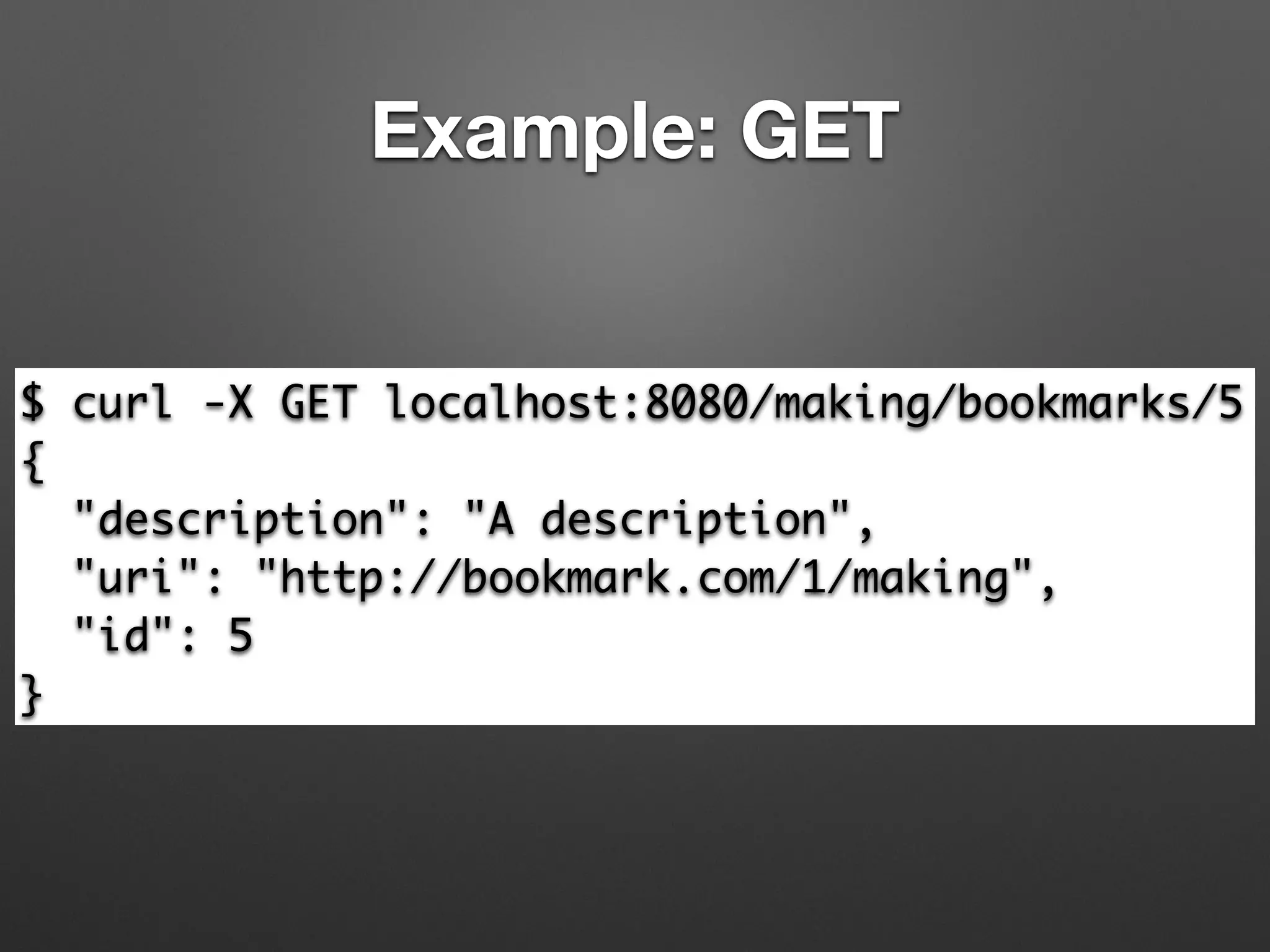
Example: GET
$ curl -X GET localhost:8080/making/bookmarks/5	
{	
"description": "A description",	
"uri": "http://bookmark.com/1/making",	
"id": 5	
}
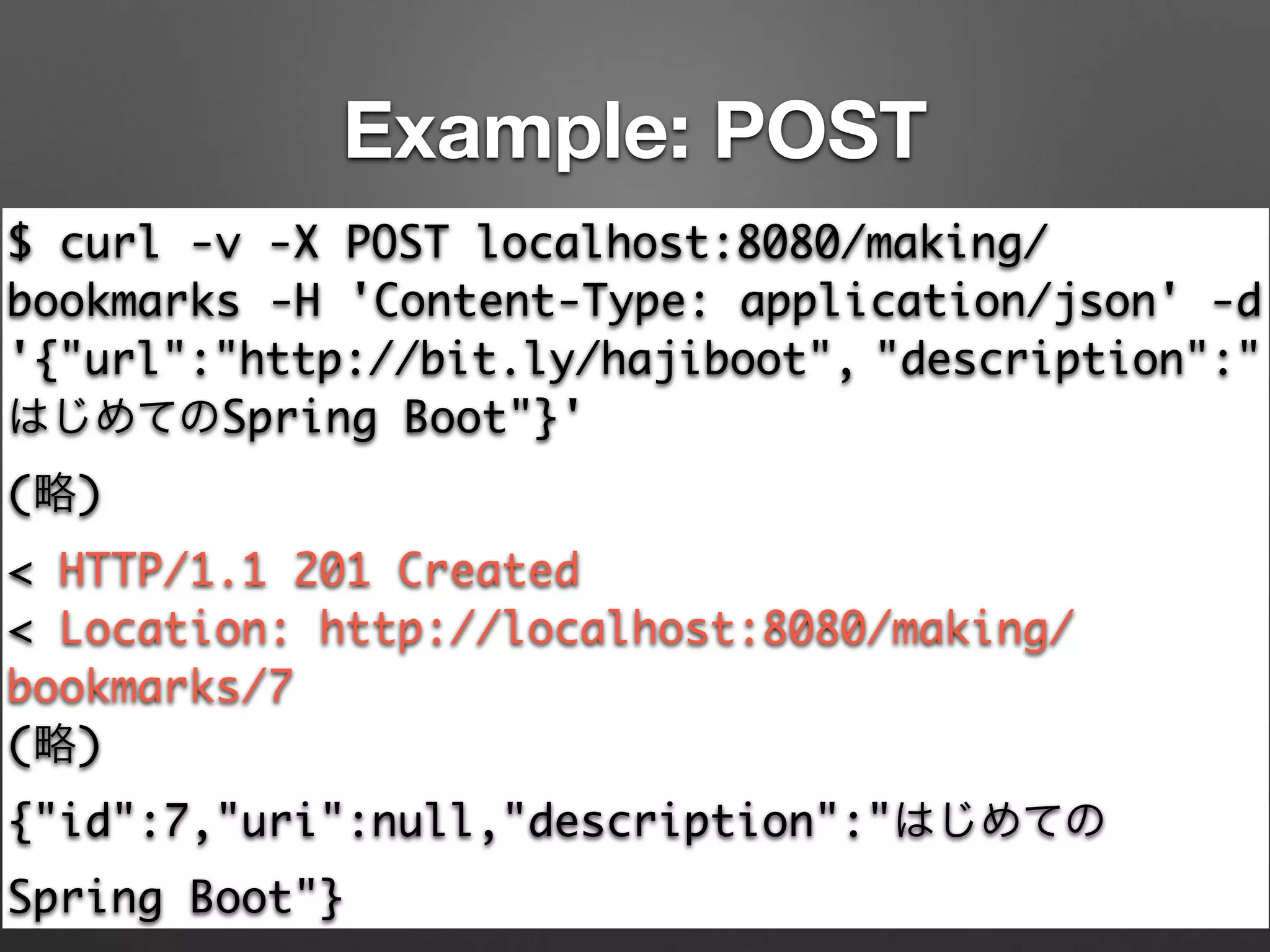
Example: POST
$ curl -v -X POST localhost:8080/making/
bookmarks -H 'Content-Type: application/json' -d
'{"url":"http://bit.ly/hajiboot", "description":"
はじめてのSpring Boot"}'	
(略)	
< HTTP/1.1 201 Created	
< Location: http://localhost:8080/making/
bookmarks/7	
(略)	
{"id":7,"uri":null,"description":"はじめての
Spring Boot"}
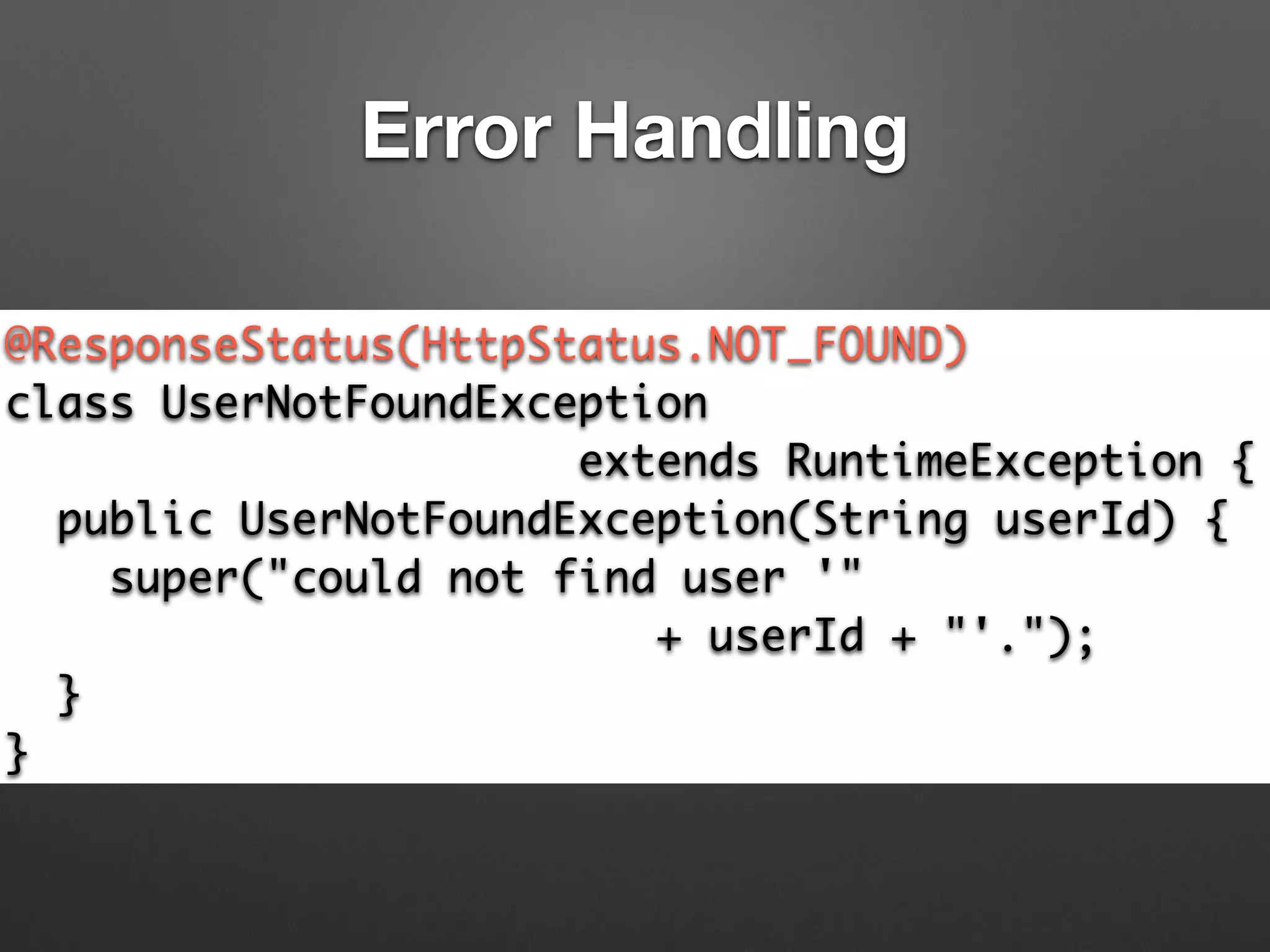
Error Handling
@ResponseStatus(HttpStatus.NOT_FOUND)	
class UserNotFoundException	
extends RuntimeException {	
public UserNotFoundException(String userId) {	
super("could not find user '" 	
+ userId + "'.");	
}	
}
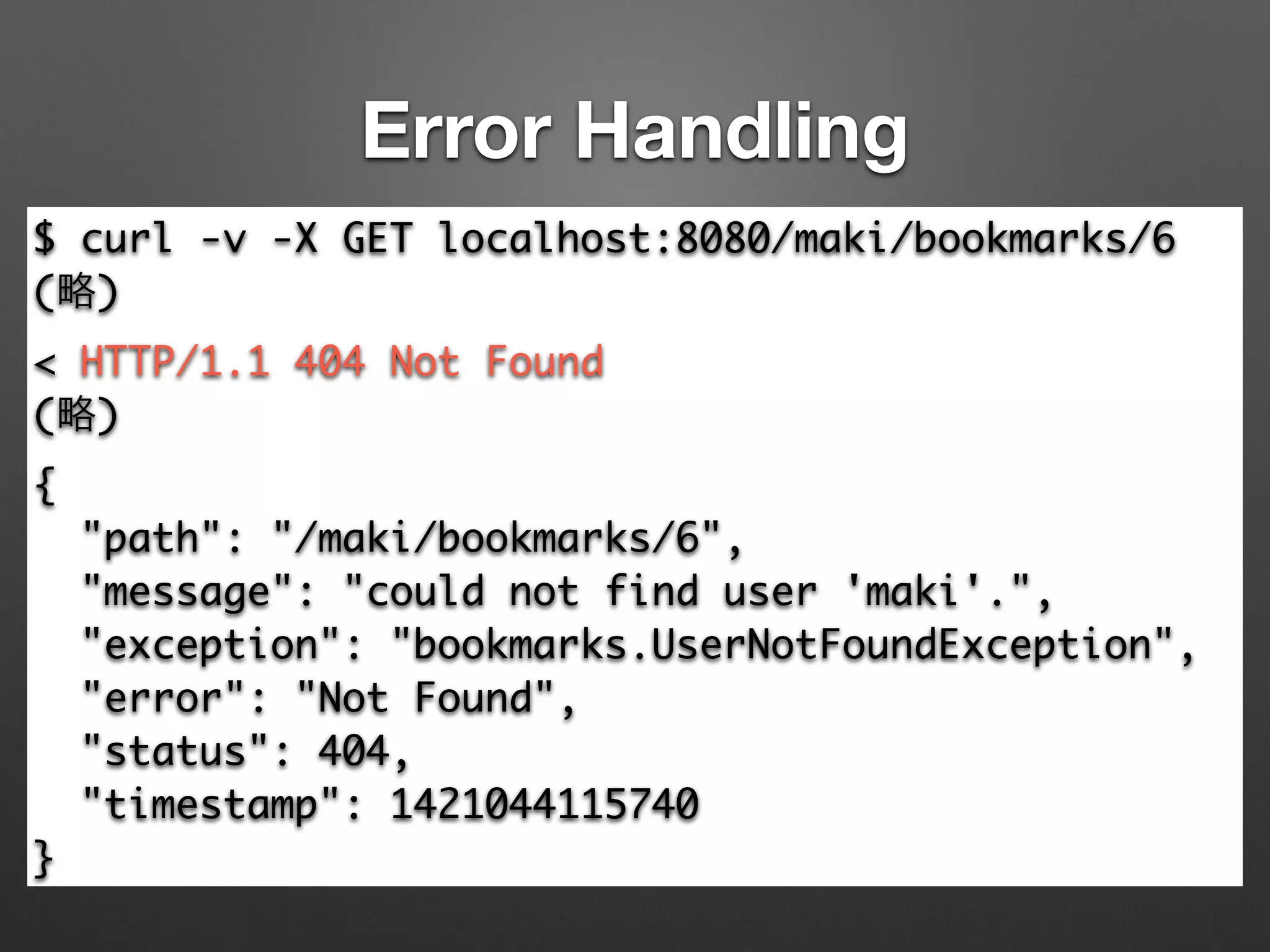
Error Handling
$ curl -v -X GET localhost:8080/maki/bookmarks/6	
(略)	
< HTTP/1.1 404 Not Found	
(略)	
{	
"path": "/maki/bookmarks/6",	
"message": "could not find user 'maki'.",	
"exception": "bookmarks.UserNotFoundException",	
"error": "Not Found",	
"status": 404,	
"timestamp": 1421044115740	
}
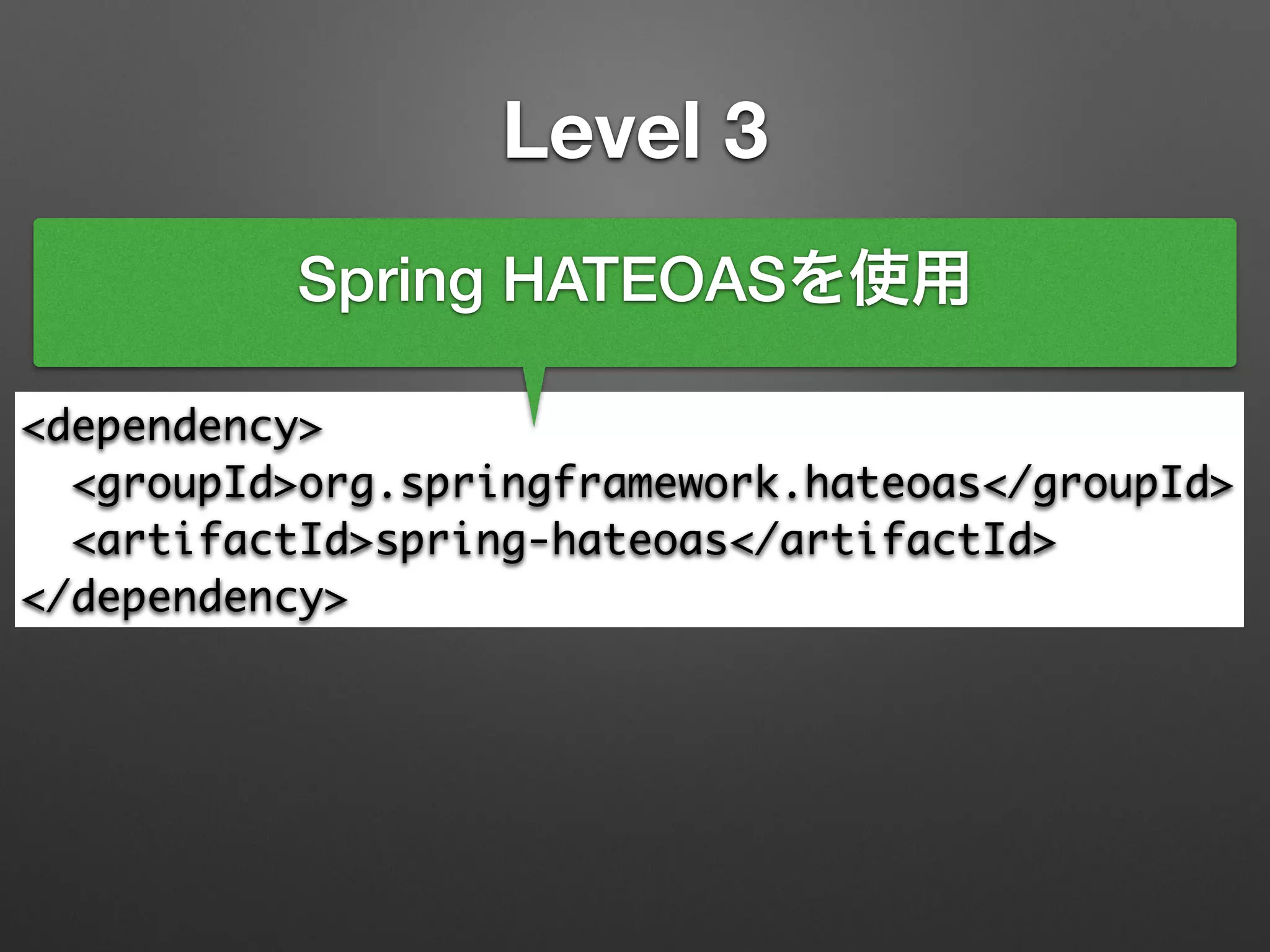
Level 3
<dependency>	
<groupId>org.springframework.hateoas</groupId>	
<artifactId>spring-hateoas</artifactId>	
</dependency>
Spring HATEOASを使用
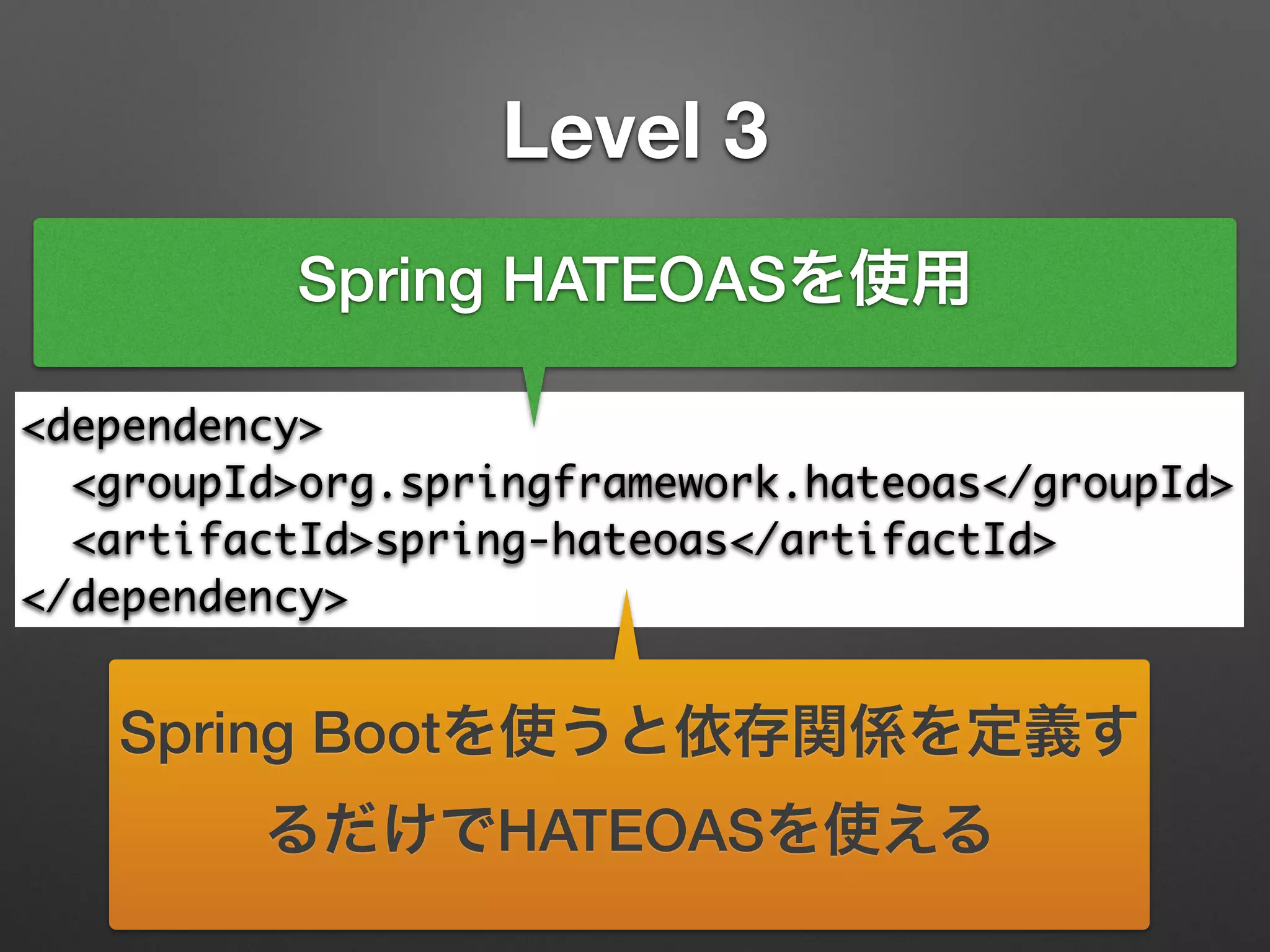
Level 3
<dependency>	
<groupId>org.springframework.hateoas</groupId>	
<artifactId>spring-hateoas</artifactId>	
</dependency>
Spring HATEOASを使用
Spring Bootを使うと依存関係を定義す
るだけでHATEOASを使える
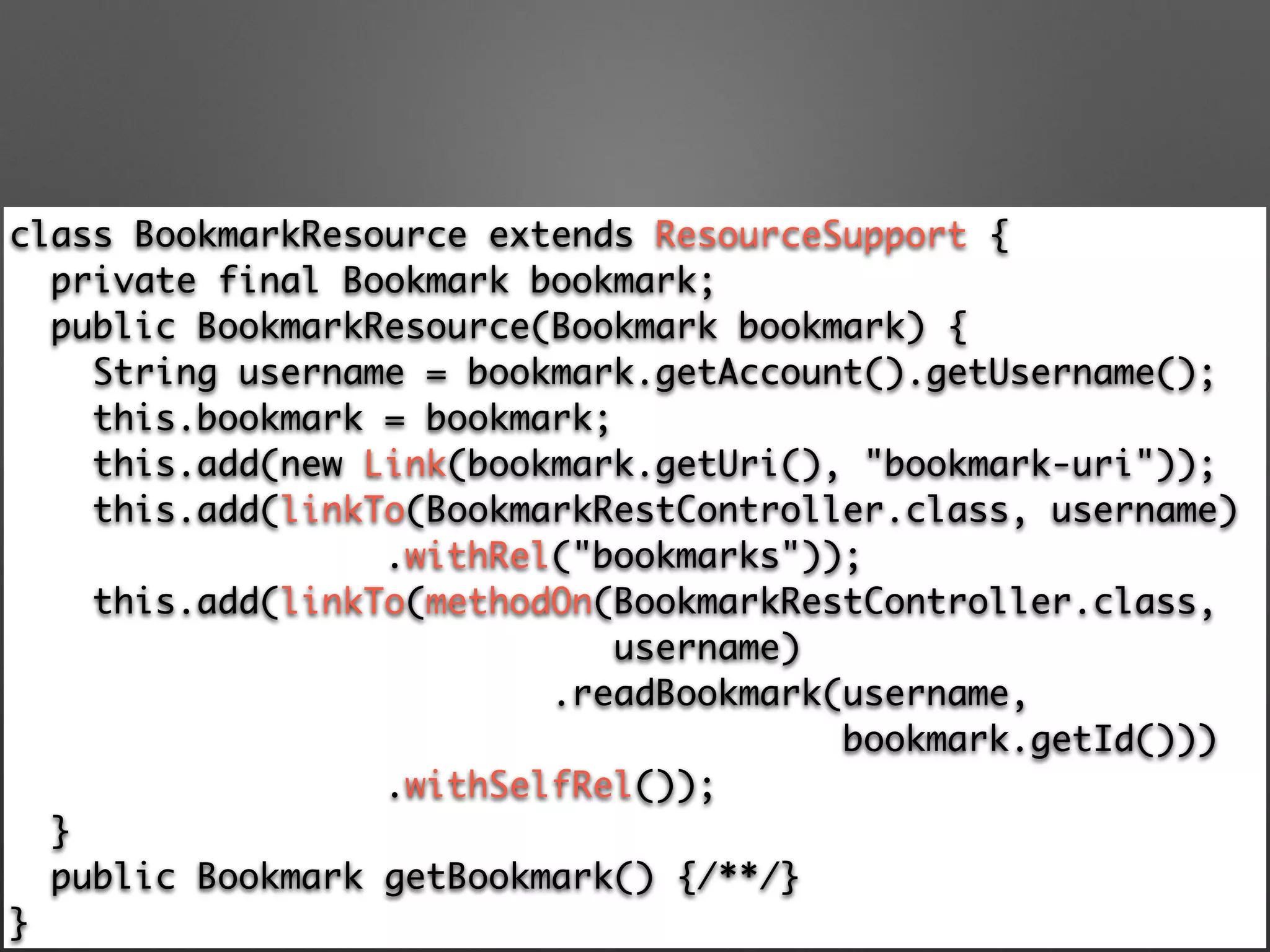
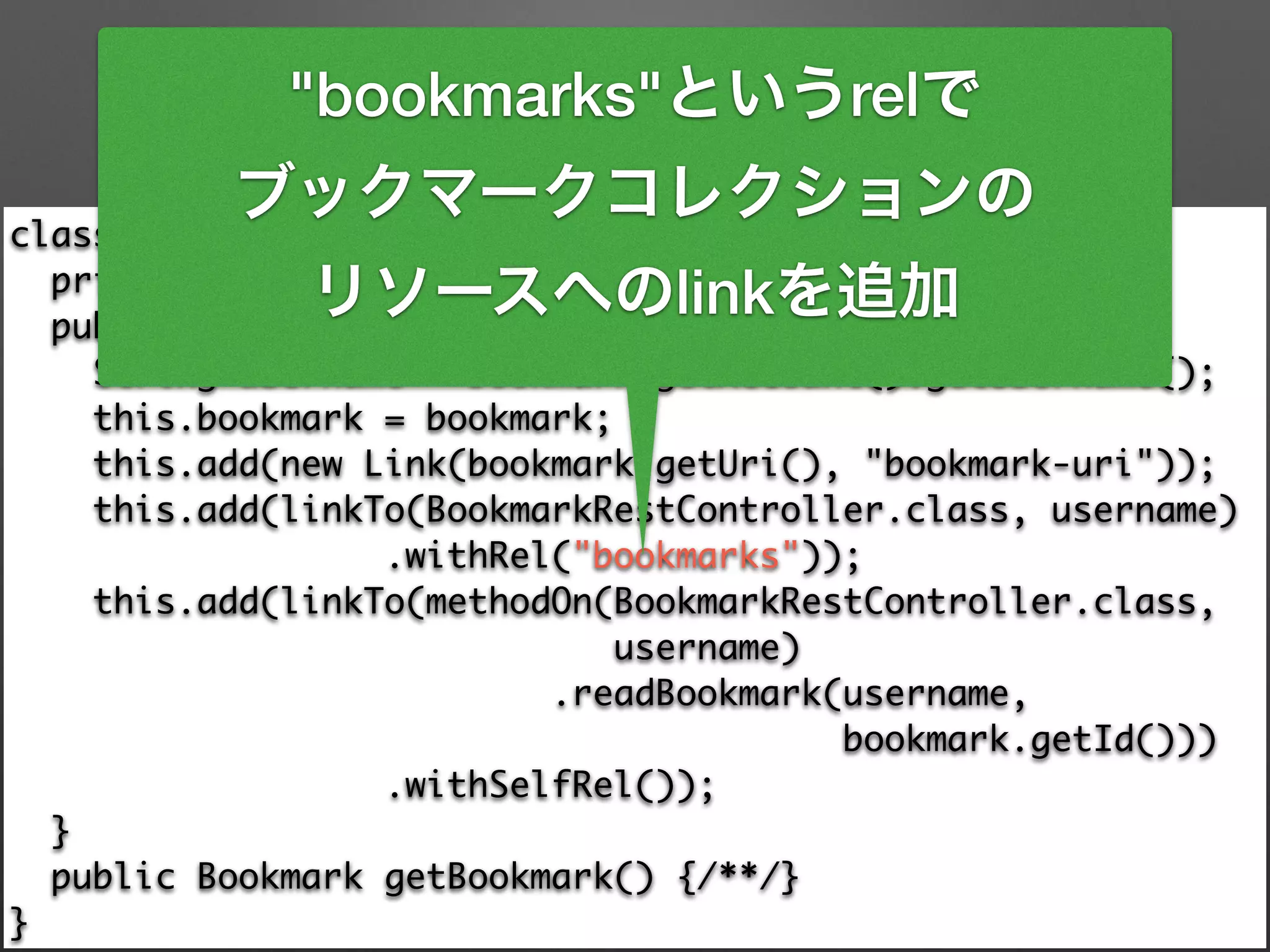
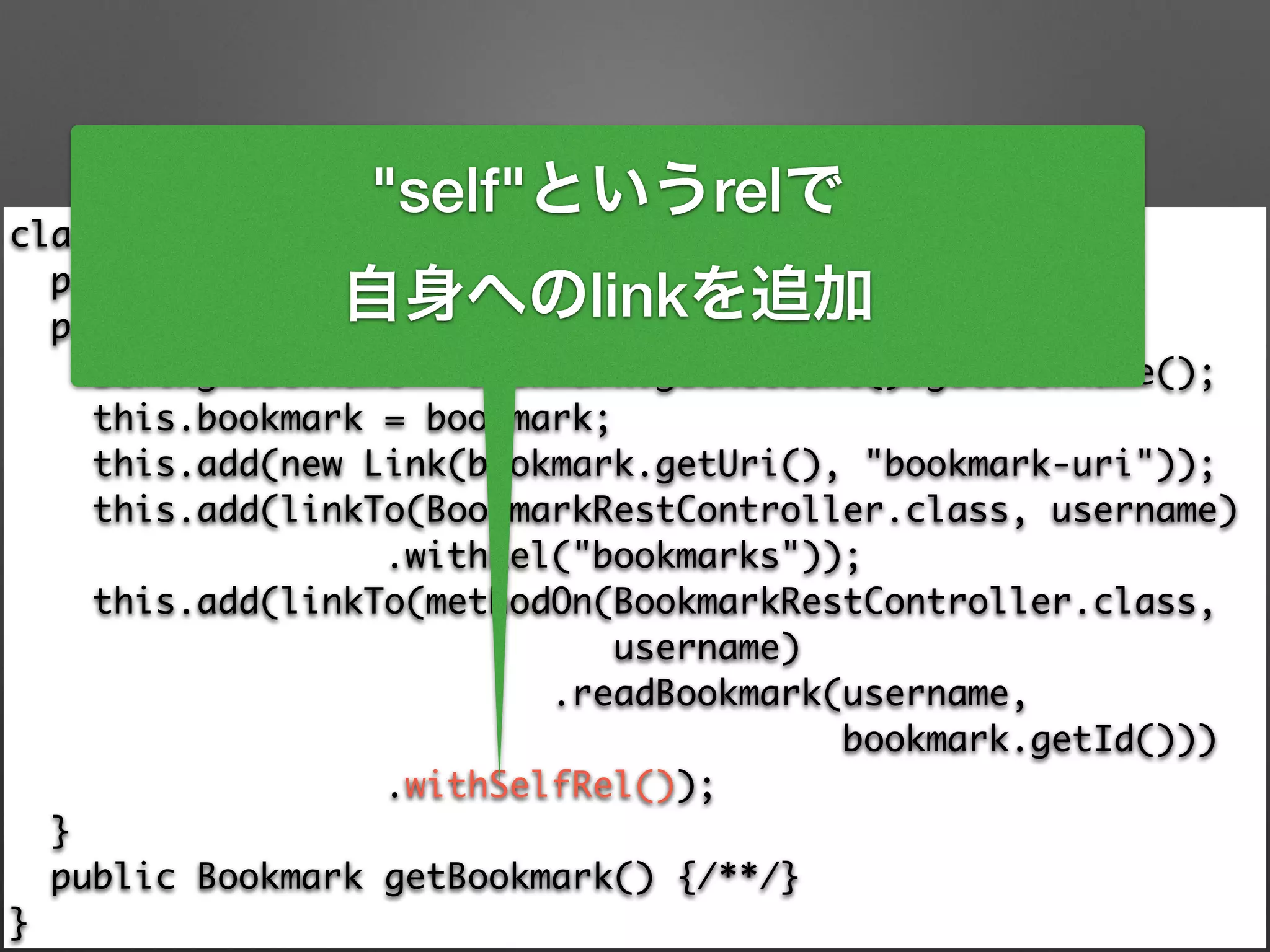
class BookmarkResource extends ResourceSupport {

private final Bookmark bookmark;

public BookmarkResource(Bookmark bookmark) {

String username = bookmark.getAccount().getUsername();

this.bookmark = bookmark;

this.add(new Link(bookmark.getUri(), "bookmark-uri"));

this.add(linkTo(BookmarkRestController.class, username)

.withRel("bookmarks"));

this.add(linkTo(methodOn(BookmarkRestController.class, 	
username)

.readBookmark(username, 	
bookmark.getId()))

.withSelfRel());

}

public Bookmark getBookmark() {/**/}

}
class BookmarkResource extends ResourceSupport {

private final Bookmark bookmark;

public BookmarkResource(Bookmark bookmark) {

String username = bookmark.getAccount().getUsername();

this.bookmark = bookmark;

this.add(new Link(bookmark.getUri(), "bookmark-uri"));

this.add(linkTo(BookmarkRestController.class, username)

.withRel("bookmarks"));

this.add(linkTo(methodOn(BookmarkRestController.class, 	
username)

.readBookmark(username, 	
bookmark.getId()))

.withSelfRel());

}

public Bookmark getBookmark() {/**/}

}
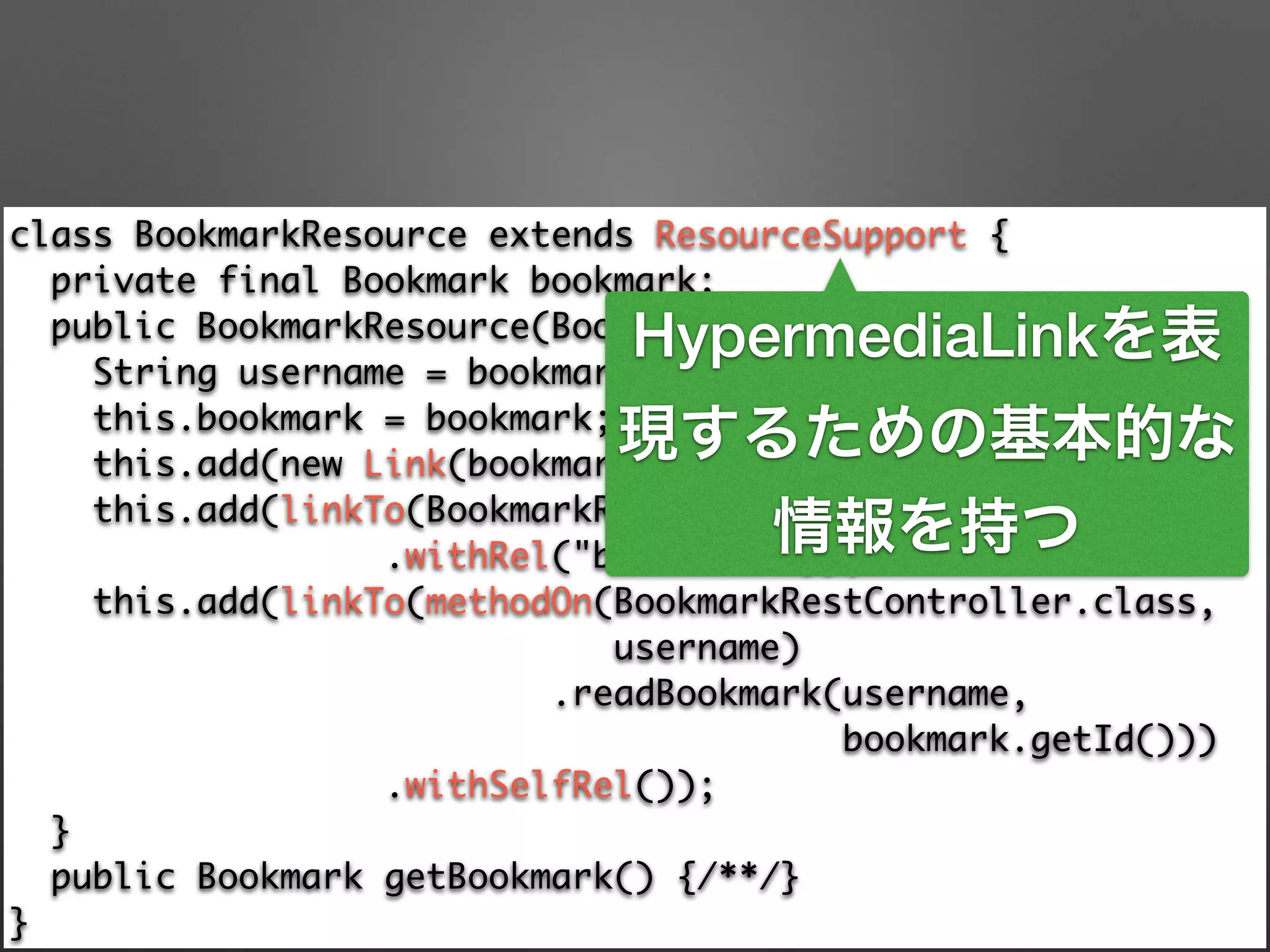
HypermediaLinkを表
現するための基本的な
情報を持つ
class BookmarkResource extends ResourceSupport {

private final Bookmark bookmark;

public BookmarkResource(Bookmark bookmark) {

String username = bookmark.getAccount().getUsername();

this.bookmark = bookmark;

this.add(new Link(bookmark.getUri(), "bookmark-uri"));

this.add(linkTo(BookmarkRestController.class, username)

.withRel("bookmarks"));

this.add(linkTo(methodOn(BookmarkRestController.class, 	
username)

.readBookmark(username, 	
bookmark.getId()))

.withSelfRel());

}

public Bookmark getBookmark() {/**/}

}
HypermediaLinkを表
現するための基本的な
情報を持つ
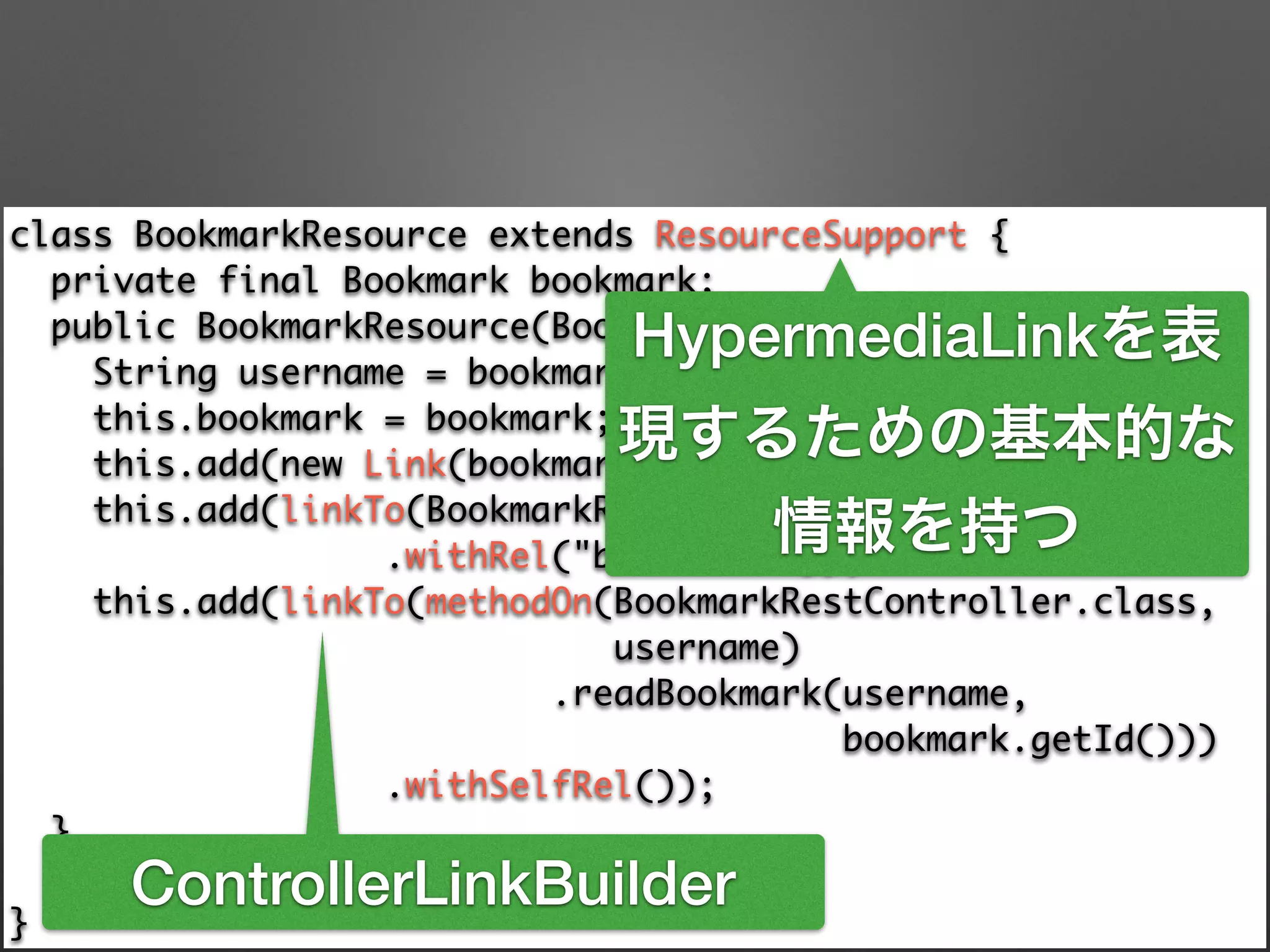
ControllerLinkBuilder
class BookmarkResource extends ResourceSupport {

private final Bookmark bookmark;

public BookmarkResource(Bookmark bookmark) {

String username = bookmark.getAccount().getUsername();

this.bookmark = bookmark;

this.add(new Link(bookmark.getUri(), "bookmark-uri"));

this.add(linkTo(BookmarkRestController.class, username)

.withRel("bookmarks"));

this.add(linkTo(methodOn(BookmarkRestController.class, 	
username)

.readBookmark(username, 	
bookmark.getId()))

.withSelfRel());

}

public Bookmark getBookmark() {/**/}

}
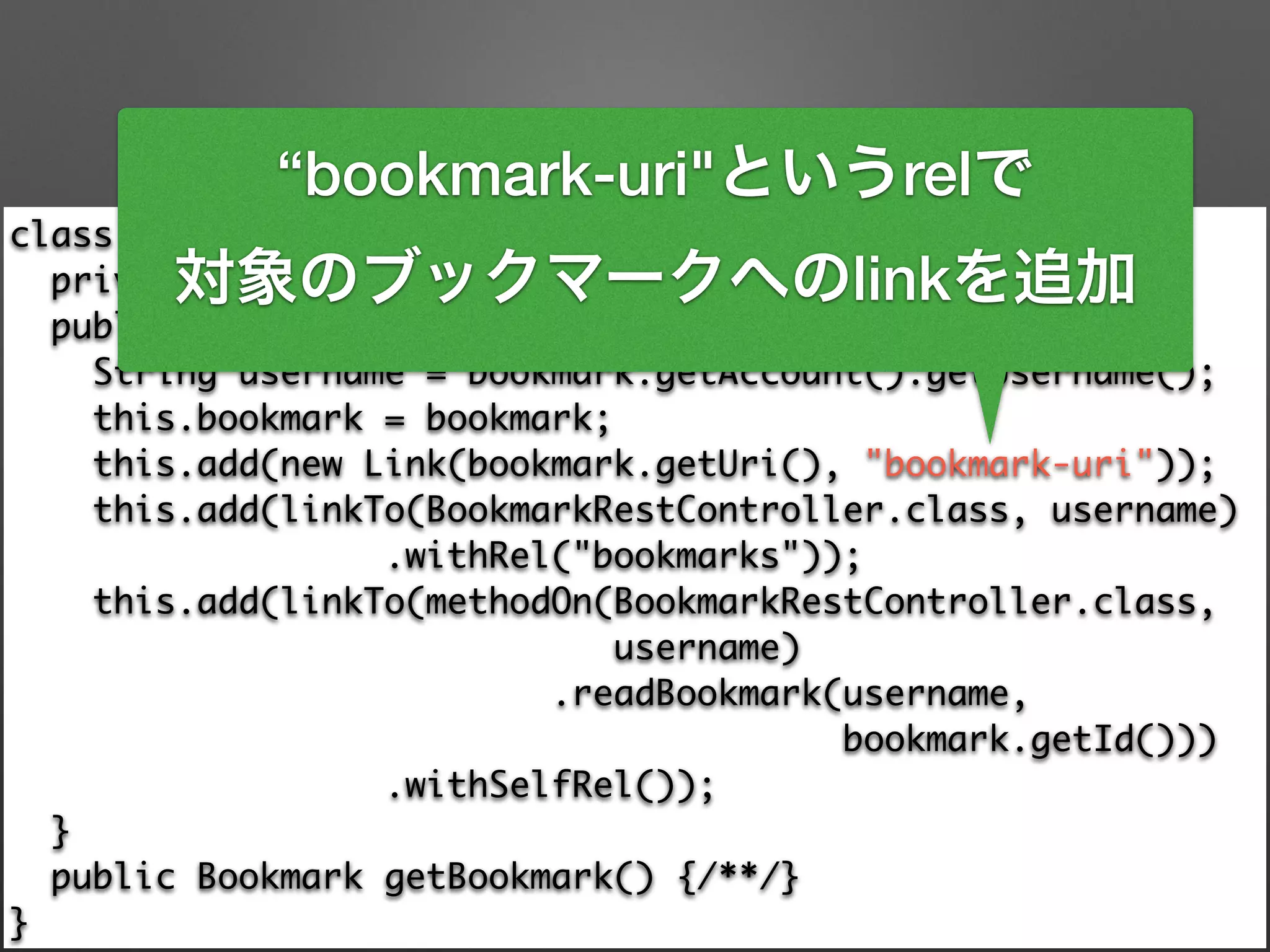
“bookmark-uri"というrelで
対象のブックマークへのlinkを追加
class BookmarkResource extends ResourceSupport {

private final Bookmark bookmark;

public BookmarkResource(Bookmark bookmark) {

String username = bookmark.getAccount().getUsername();

this.bookmark = bookmark;

this.add(new Link(bookmark.getUri(), "bookmark-uri"));

this.add(linkTo(BookmarkRestController.class, username)

.withRel("bookmarks"));

this.add(linkTo(methodOn(BookmarkRestController.class, 	
username)

.readBookmark(username, 	
bookmark.getId()))

.withSelfRel());

}

public Bookmark getBookmark() {/**/}

}
"bookmarks"というrelで
ブックマークコレクションの
リソースへのlinkを追加
class BookmarkResource extends ResourceSupport {

private final Bookmark bookmark;

public BookmarkResource(Bookmark bookmark) {

String username = bookmark.getAccount().getUsername();

this.bookmark = bookmark;

this.add(new Link(bookmark.getUri(), "bookmark-uri"));

this.add(linkTo(BookmarkRestController.class, username)

.withRel("bookmarks"));

this.add(linkTo(methodOn(BookmarkRestController.class, 	
username)

.readBookmark(username, 	
bookmark.getId()))

.withSelfRel());

}

public Bookmark getBookmark() {/**/}

}
"self"というrelで
自身へのlinkを追加
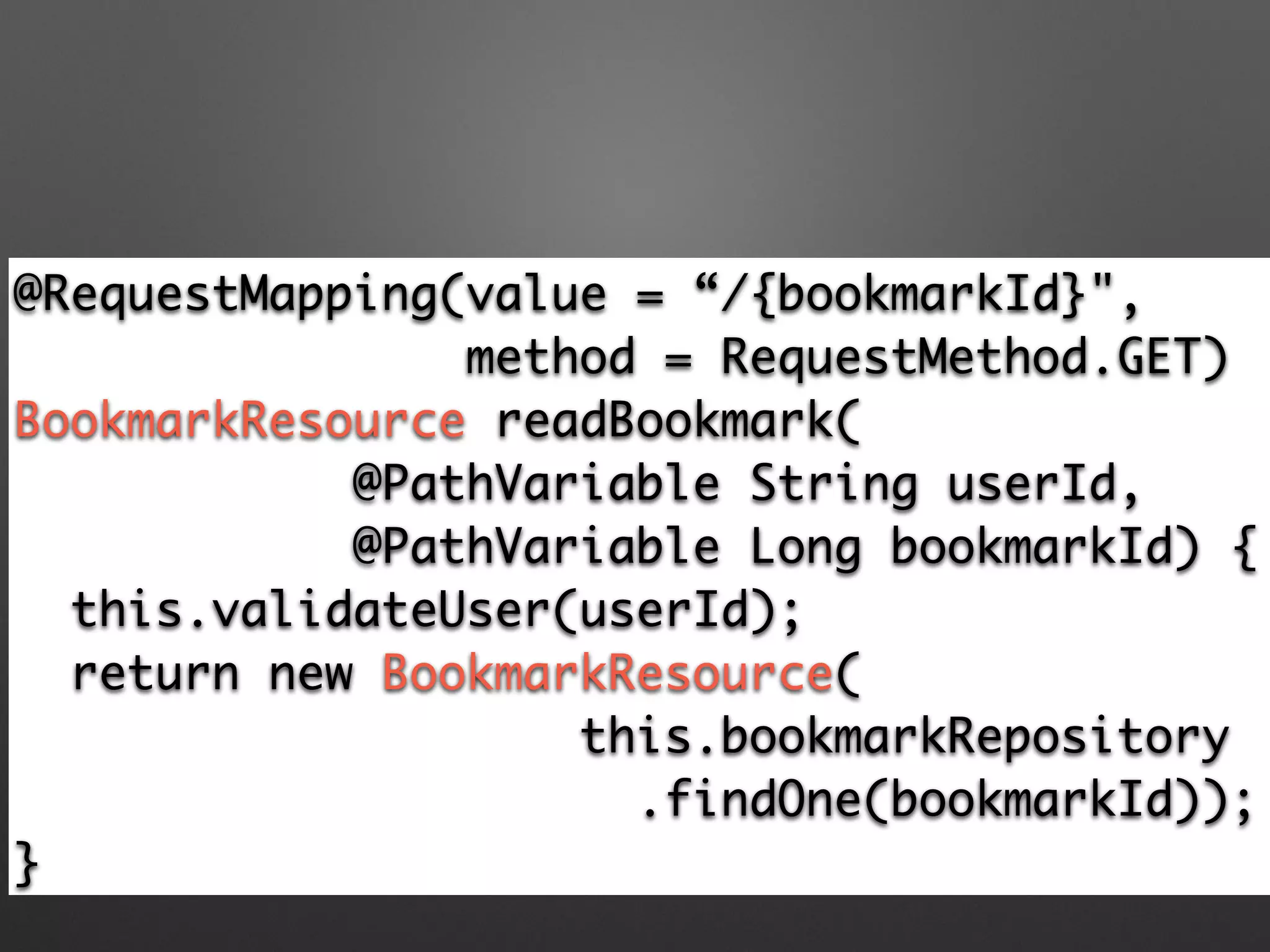
@RequestMapping(value = “/{bookmarkId}",	
method = RequestMethod.GET)	
BookmarkResource readBookmark(	
@PathVariable String userId, 	
@PathVariable Long bookmarkId) {	
this.validateUser(userId);	
return new BookmarkResource(	
this.bookmarkRepository	
.findOne(bookmarkId));	
}
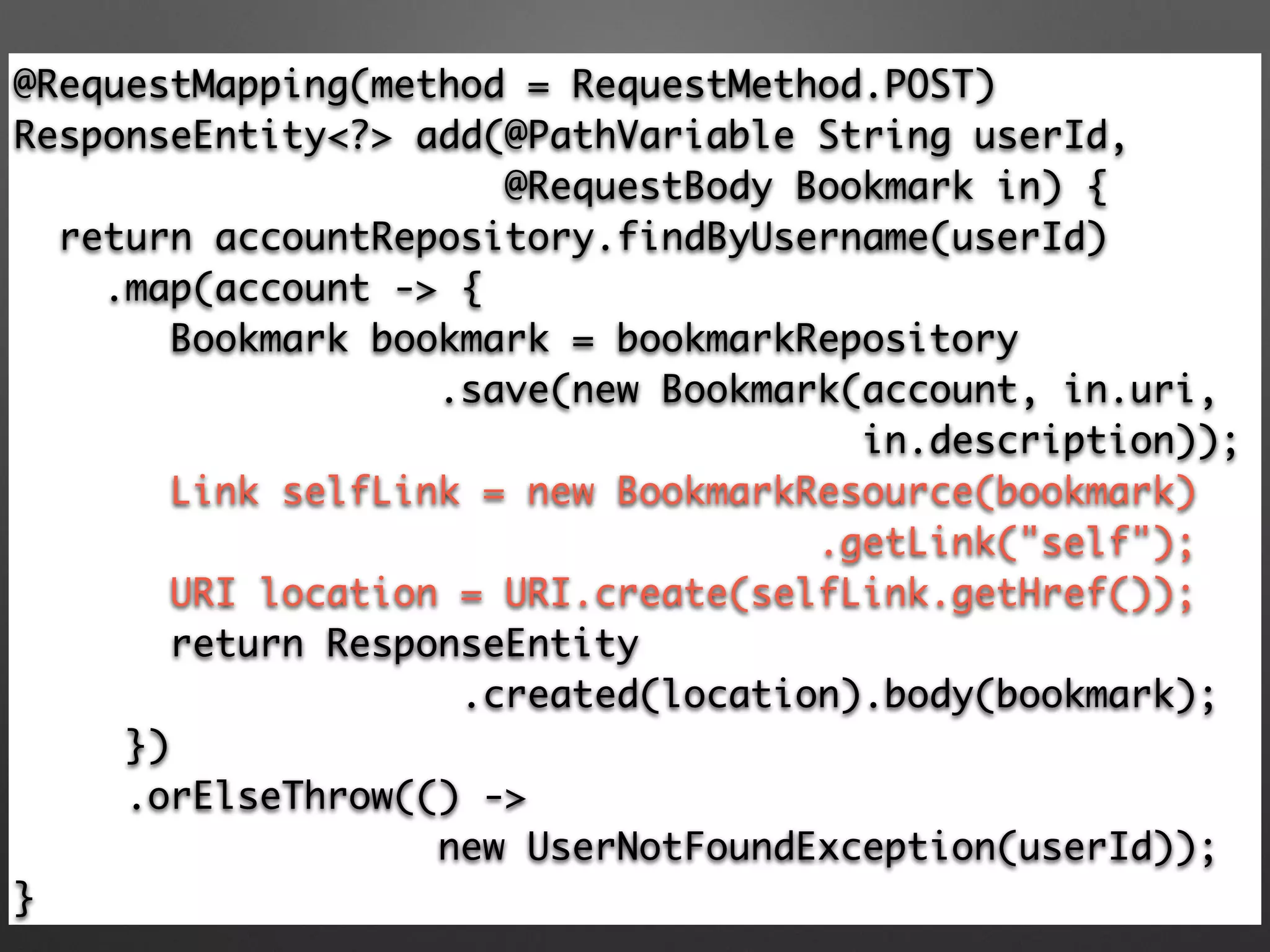
@RequestMapping(method = RequestMethod.POST)

ResponseEntity<?> add(@PathVariable String userId,
@RequestBody Bookmark in) {

return accountRepository.findByUsername(userId)

.map(account -> {

Bookmark bookmark = bookmarkRepository

.save(new Bookmark(account, in.uri, 	
in.description));

Link selfLink = new BookmarkResource(bookmark)	
.getLink("self");

URI location = URI.create(selfLink.getHref());

return ResponseEntity	
.created(location).body(bookmark);
})

.orElseThrow(() -> 	
new UserNotFoundException(userId));

}
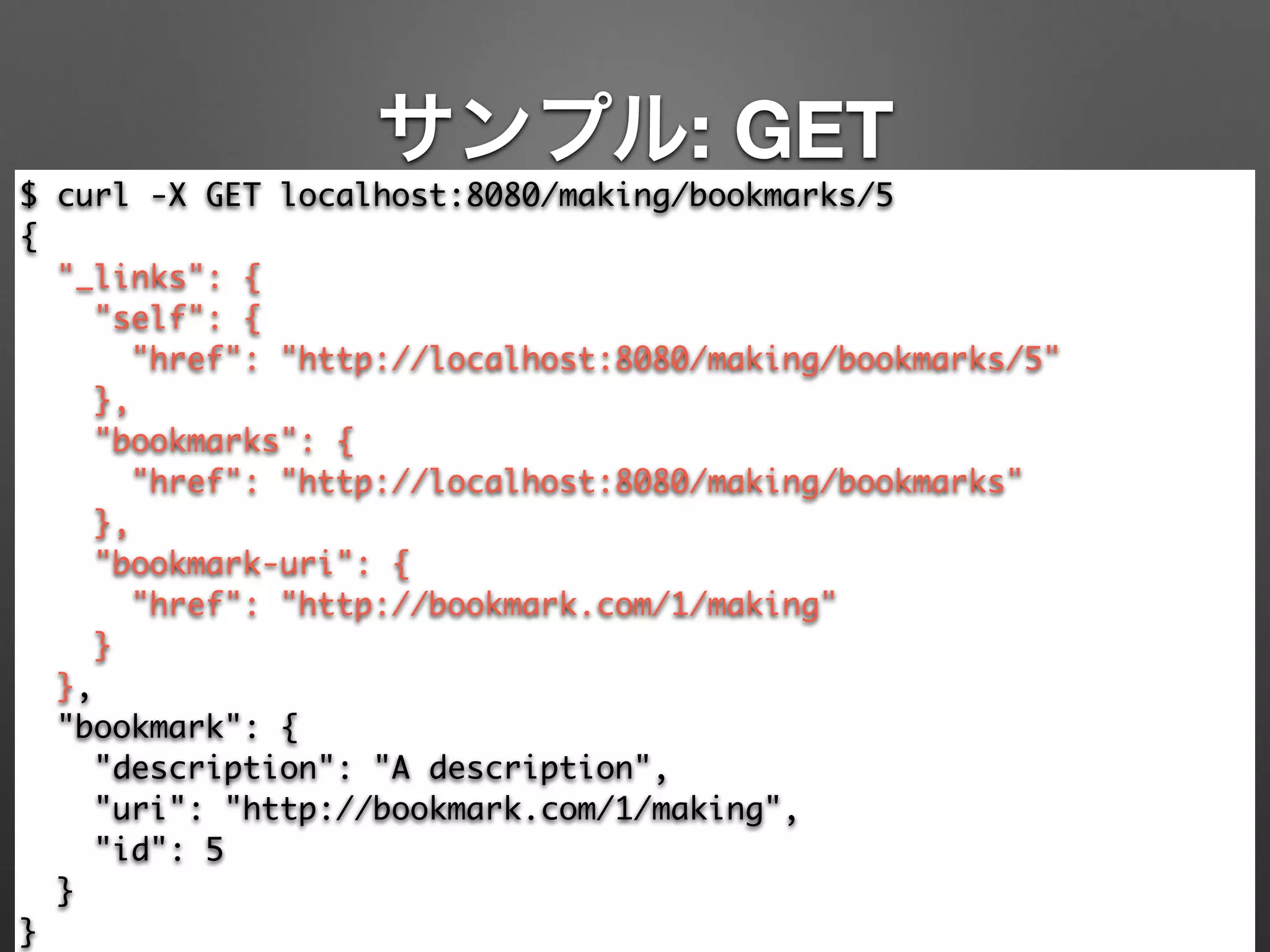
サンプル: GET
$ curl -X GET localhost:8080/making/bookmarks/5	
{	
"_links": {	
"self": {	
"href": "http://localhost:8080/making/bookmarks/5"	
},	
"bookmarks": {	
"href": "http://localhost:8080/making/bookmarks"	
},	
"bookmark-uri": {	
"href": "http://bookmark.com/1/making"	
}	
},	
"bookmark": {	
"description": "A description",	
"uri": "http://bookmark.com/1/making",	
"id": 5	
}	
}
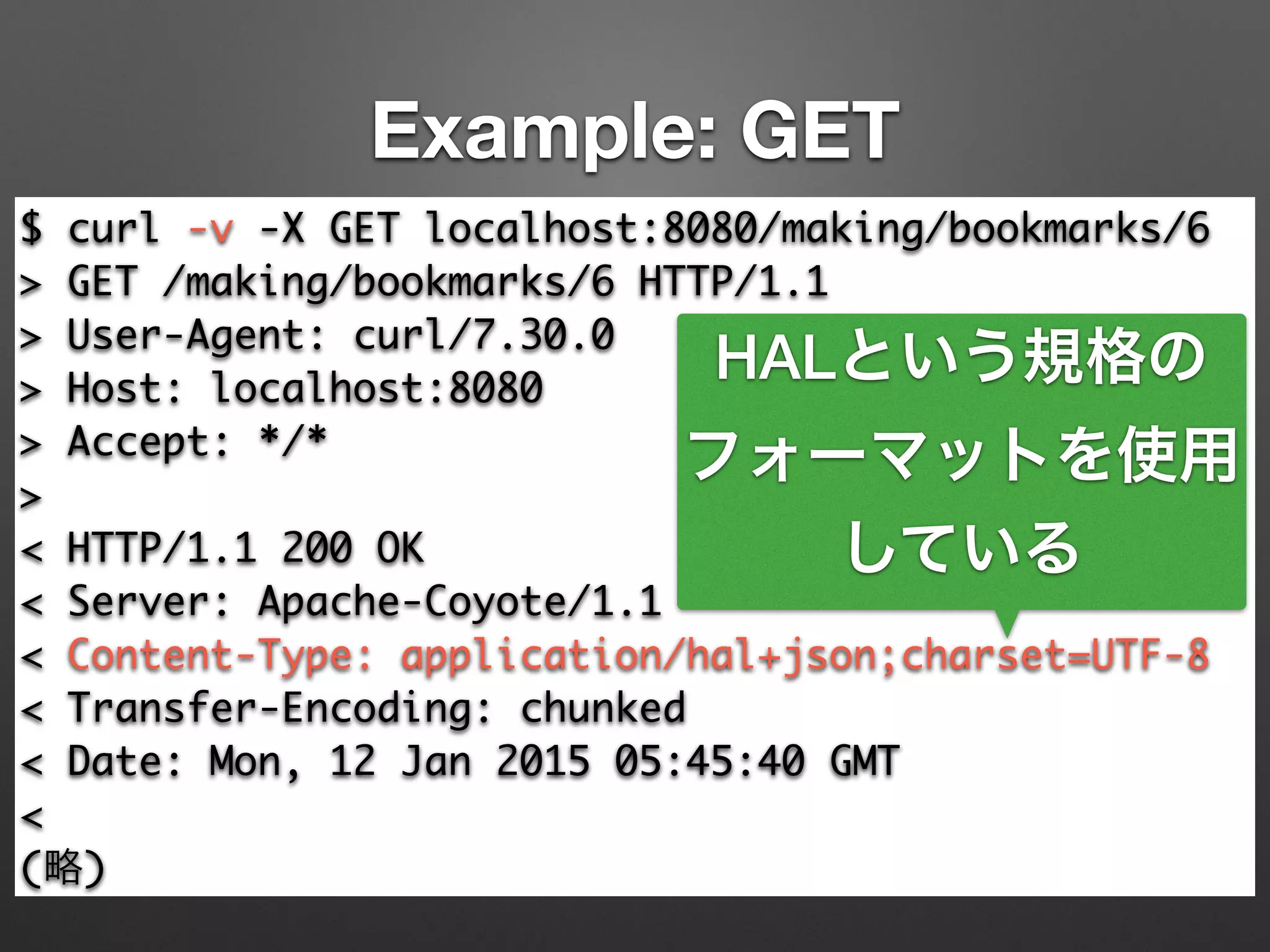
Example: GET
$ curl -v -X GET localhost:8080/making/bookmarks/6	
> GET /making/bookmarks/6 HTTP/1.1	
> User-Agent: curl/7.30.0	
> Host: localhost:8080	
> Accept: */*	
>	
< HTTP/1.1 200 OK	
< Server: Apache-Coyote/1.1	
< Content-Type: application/hal+json;charset=UTF-8	
< Transfer-Encoding: chunked	
< Date: Mon, 12 Jan 2015 05:45:40 GMT	
<	
(略)
HALという規格の
フォーマットを使用
している
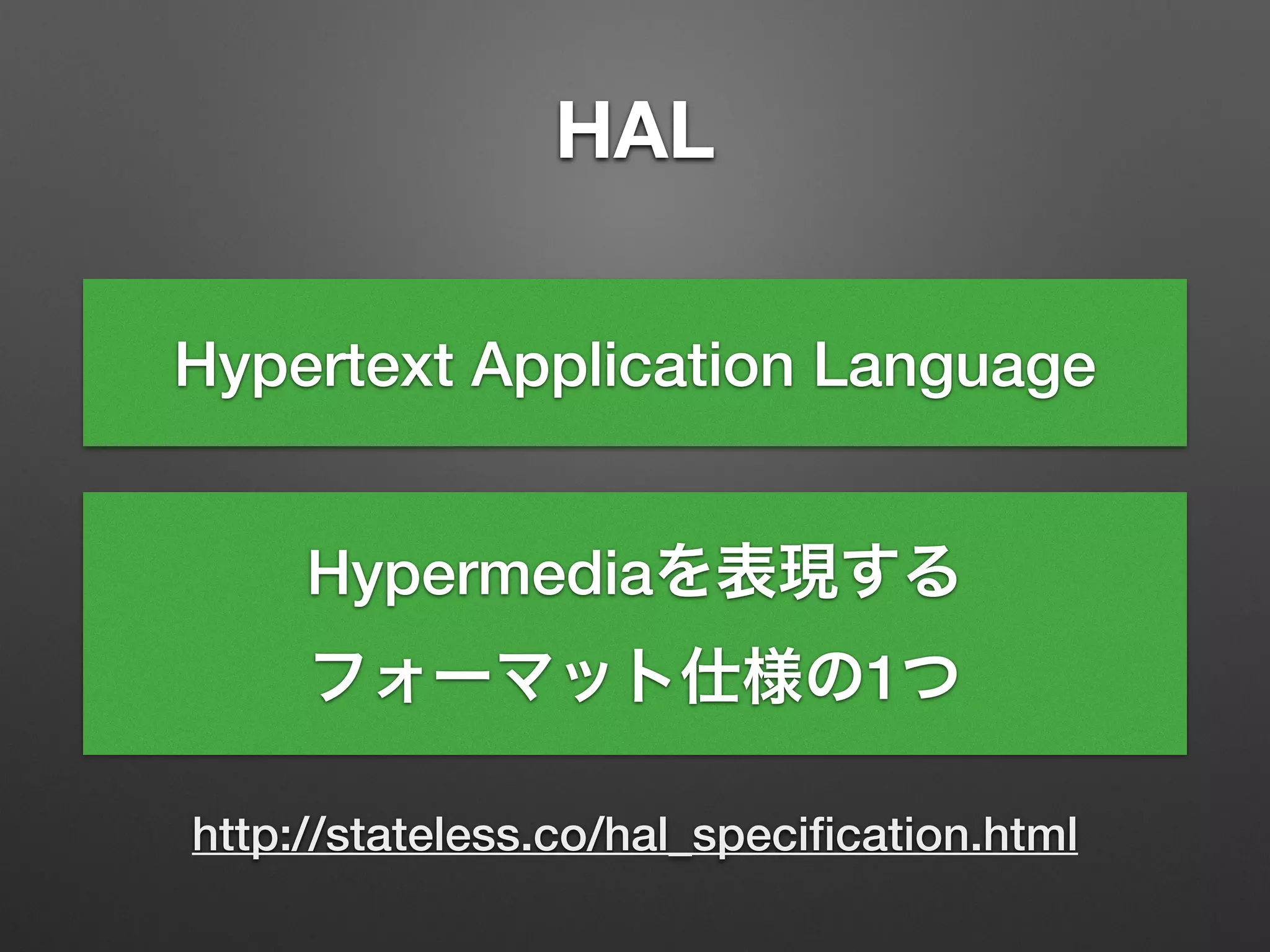
HAL
http://stateless.co/hal_specification.html
Hypertext Application Language
Hypermediaを表現する
フォーマット仕様の1つ
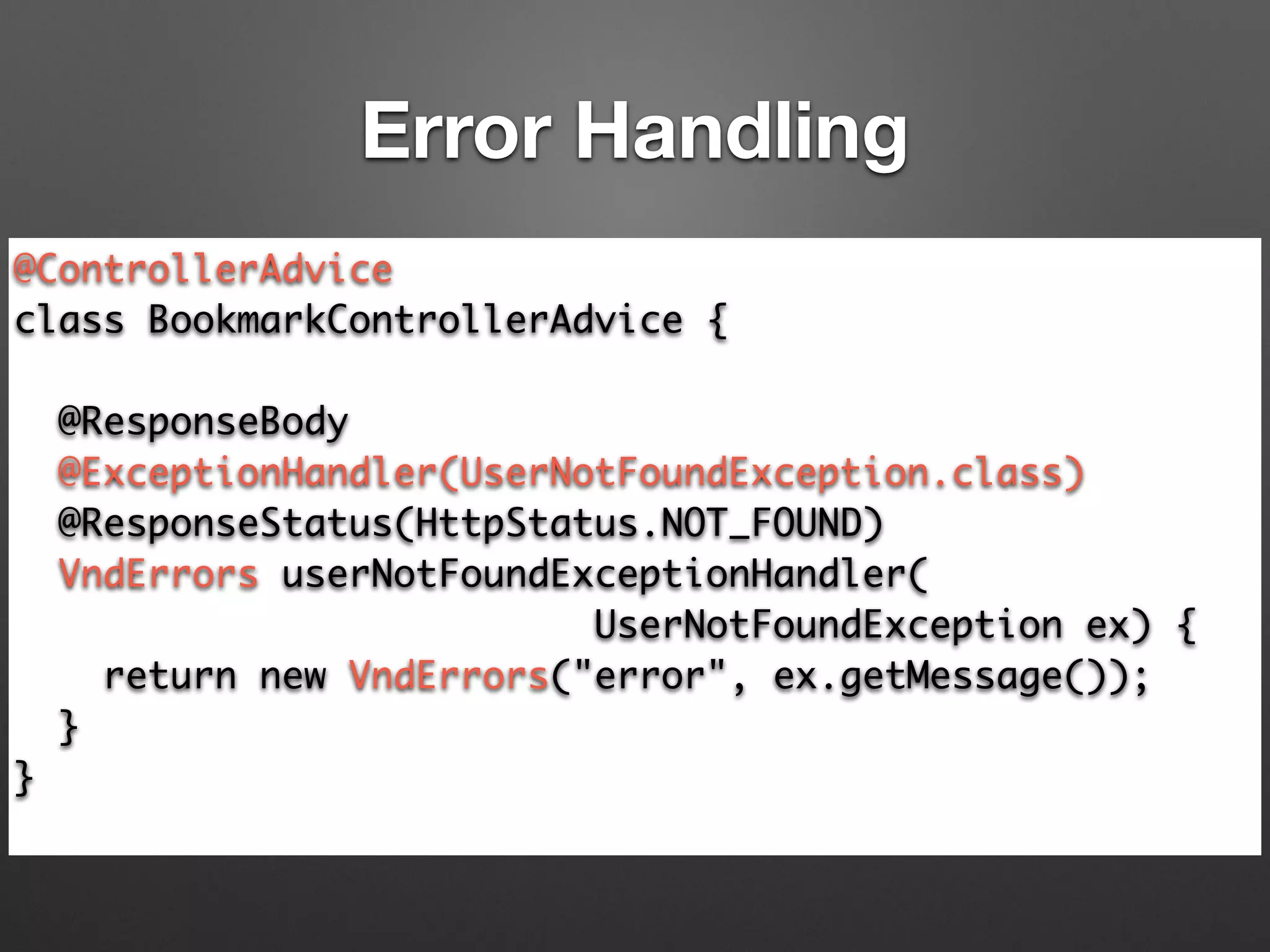
@ControllerAdvice	
class BookmarkControllerAdvice {	
!
@ResponseBody	
@ExceptionHandler(UserNotFoundException.class)	
@ResponseStatus(HttpStatus.NOT_FOUND)	
VndErrors userNotFoundExceptionHandler(	
UserNotFoundException ex) {	
return new VndErrors("error", ex.getMessage());	
}	
}	
Error Handling
$ curl -X GET localhost:8080/maki/bookmarks/5	
[	
{	
"message": "could not find user 'maki'.",	
"logref": "error"	
}	
] Vnd.Errror規格の
エラーフォーマット
Error Handling
https://github.com/blongden/vnd.error
普通の人はLevel 2で十分。
こだわりたい人はLevel 3へ。
Spring Data REST
Spring Dataのリポジトリを
そのままREST APIとしてExport
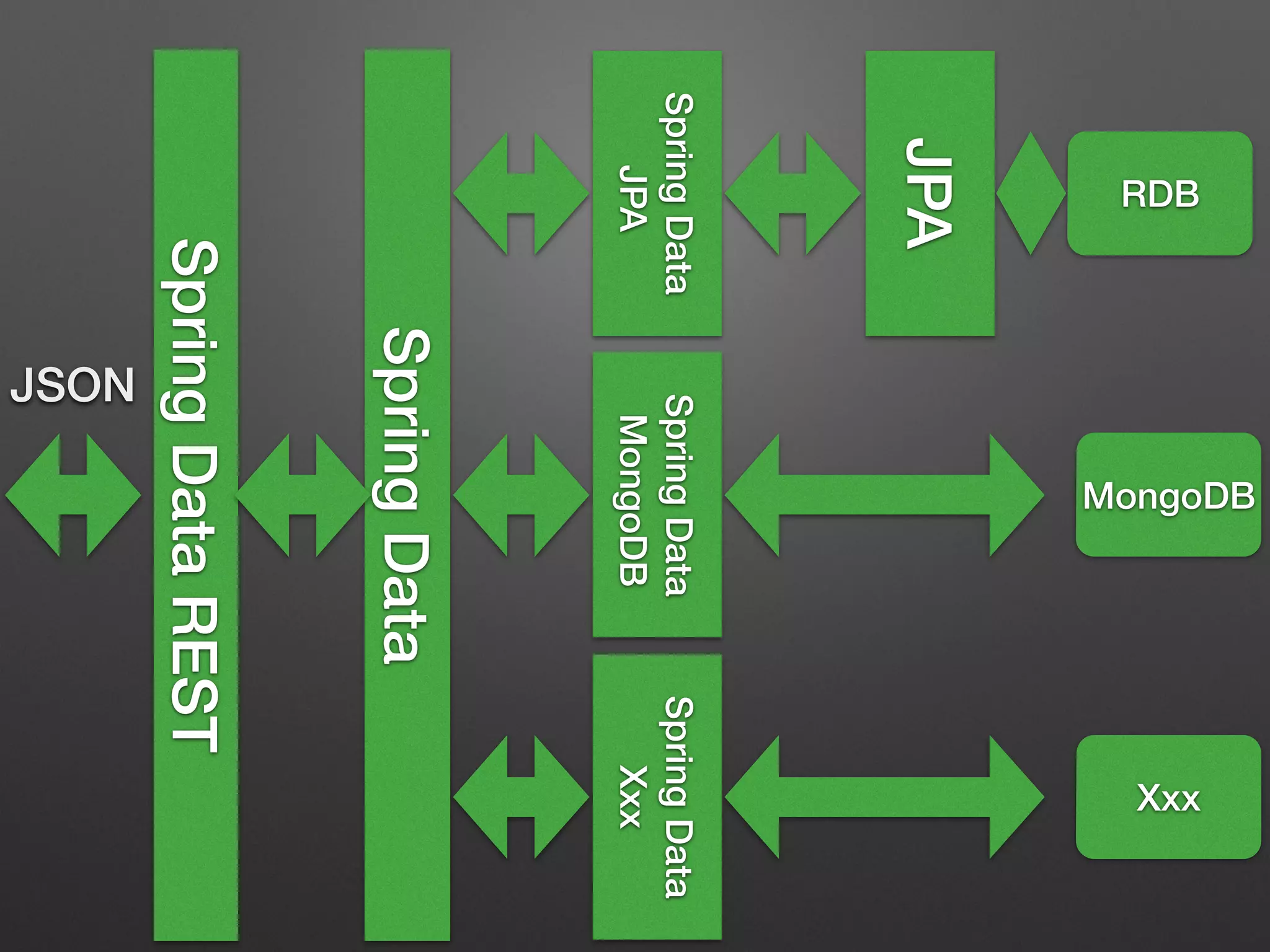
SpringData
SpringData
JPA
SpringData
MongoDB
SpringData
Xxx
JPA
SpringDataREST
RDB
JSON
MongoDB
Xxx
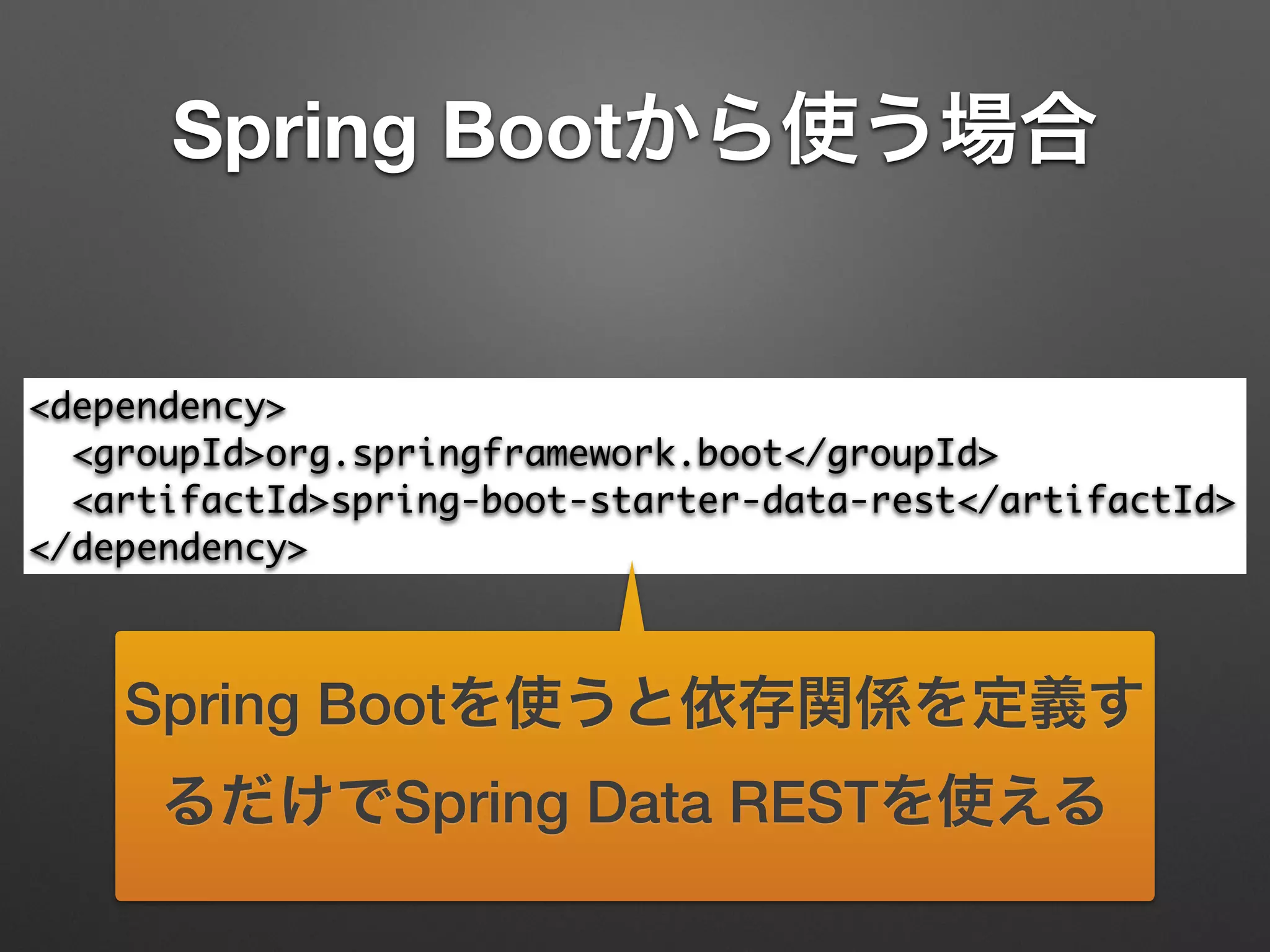
Spring Bootから使う場合
<dependency>	
<groupId>org.springframework.boot</groupId>	
<artifactId>spring-boot-starter-data-rest</artifactId>	
</dependency>
Spring Bootを使うと依存関係を定義す
るだけでSpring Data RESTを使える
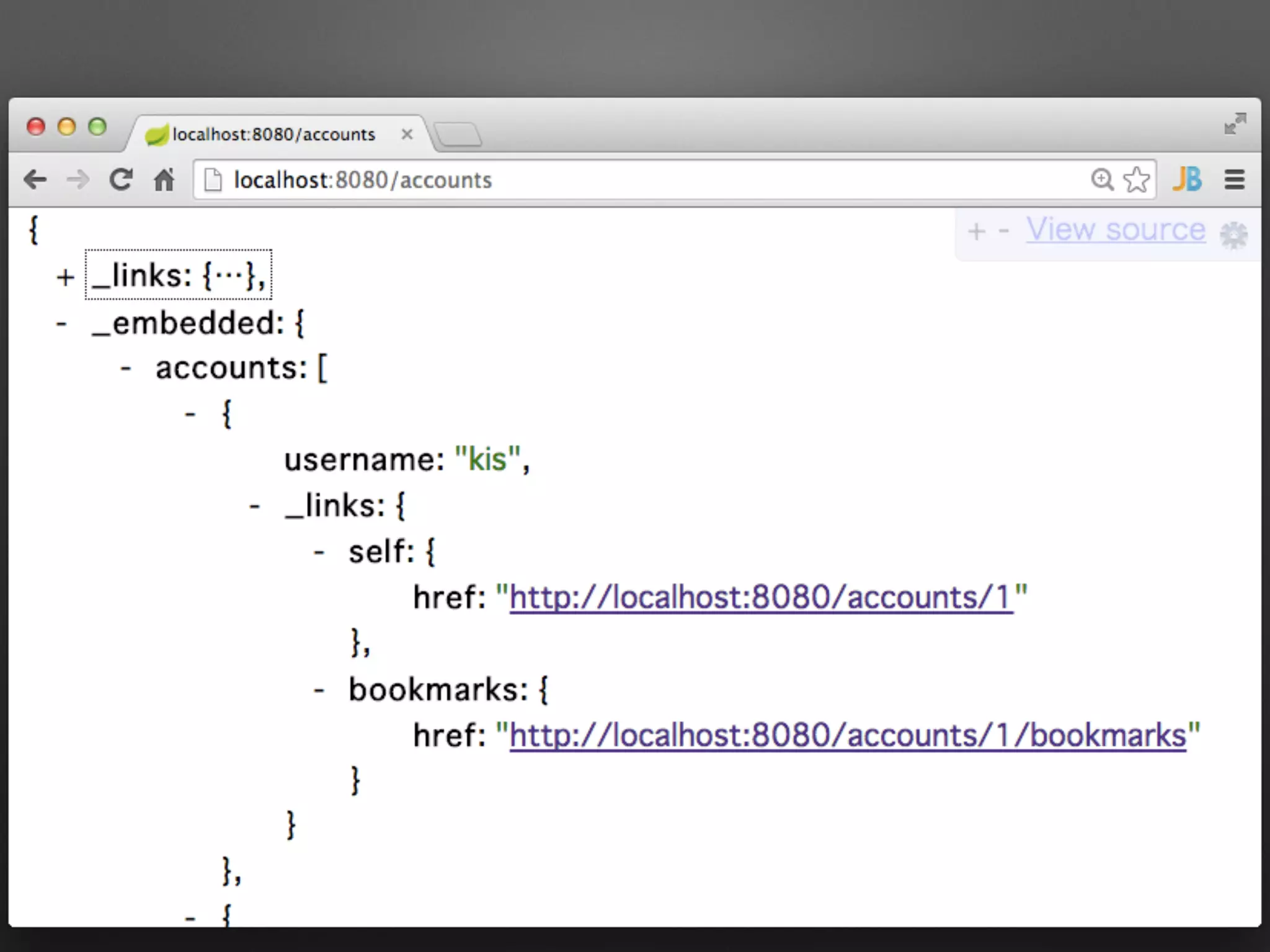
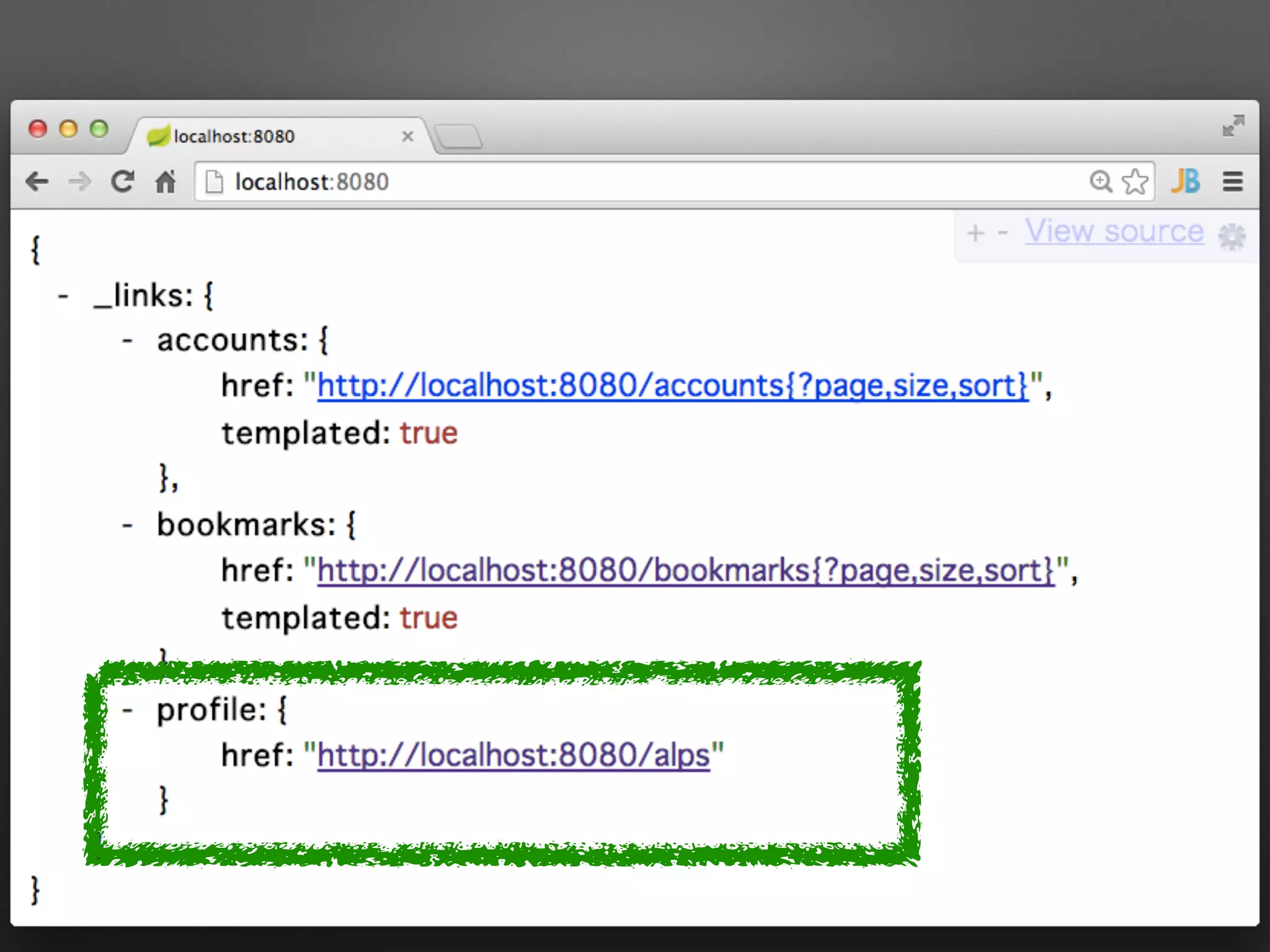
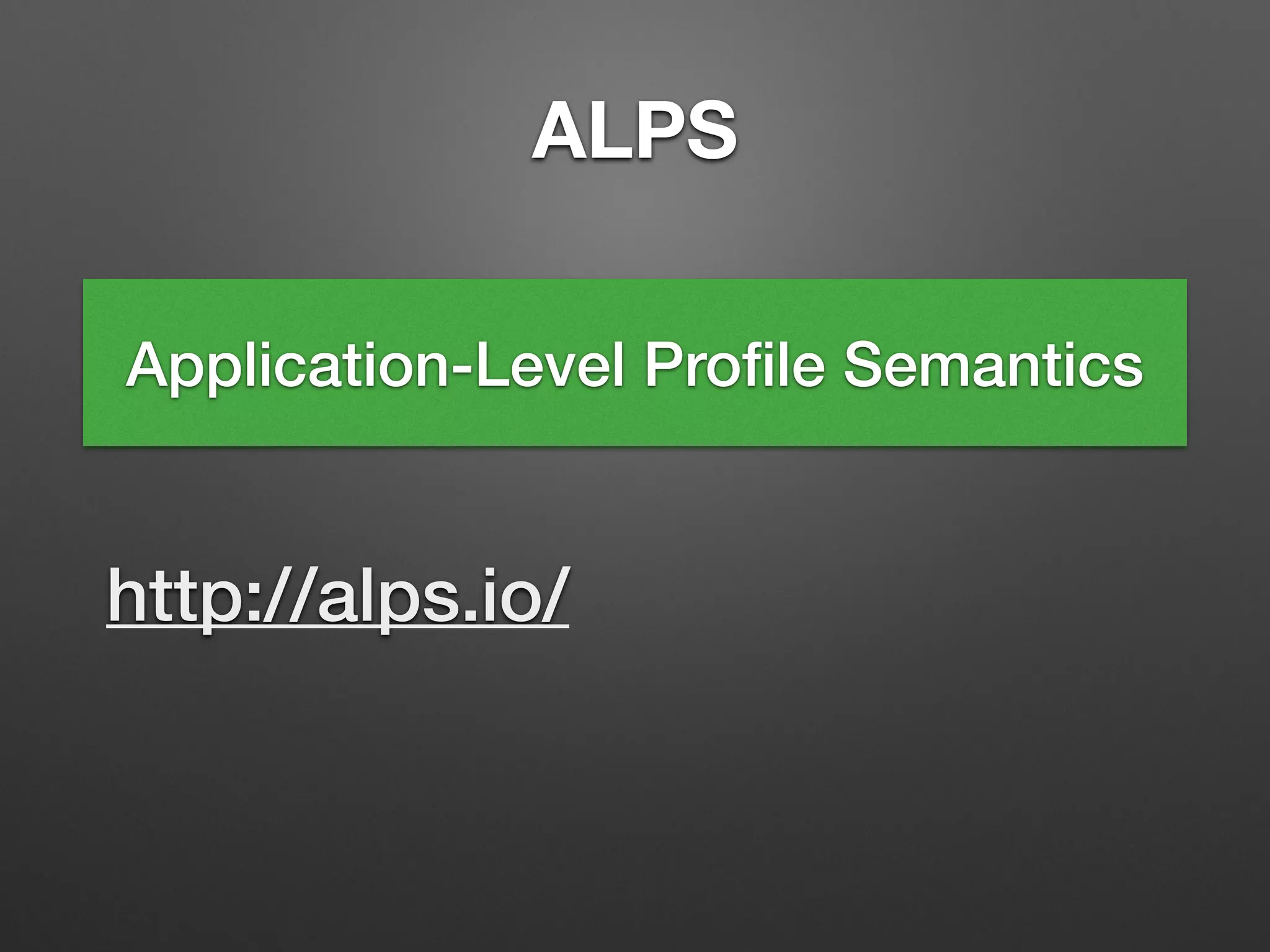
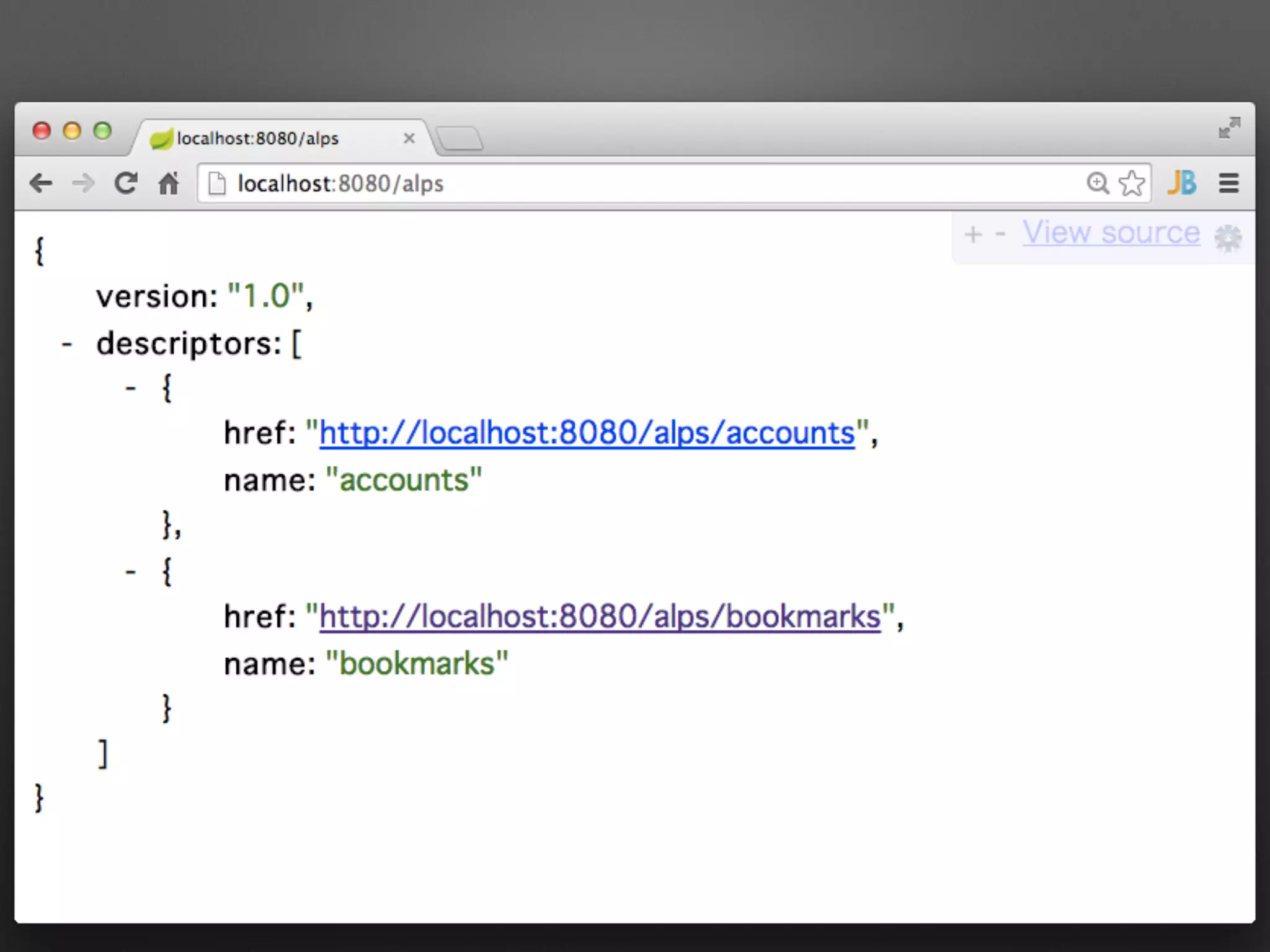
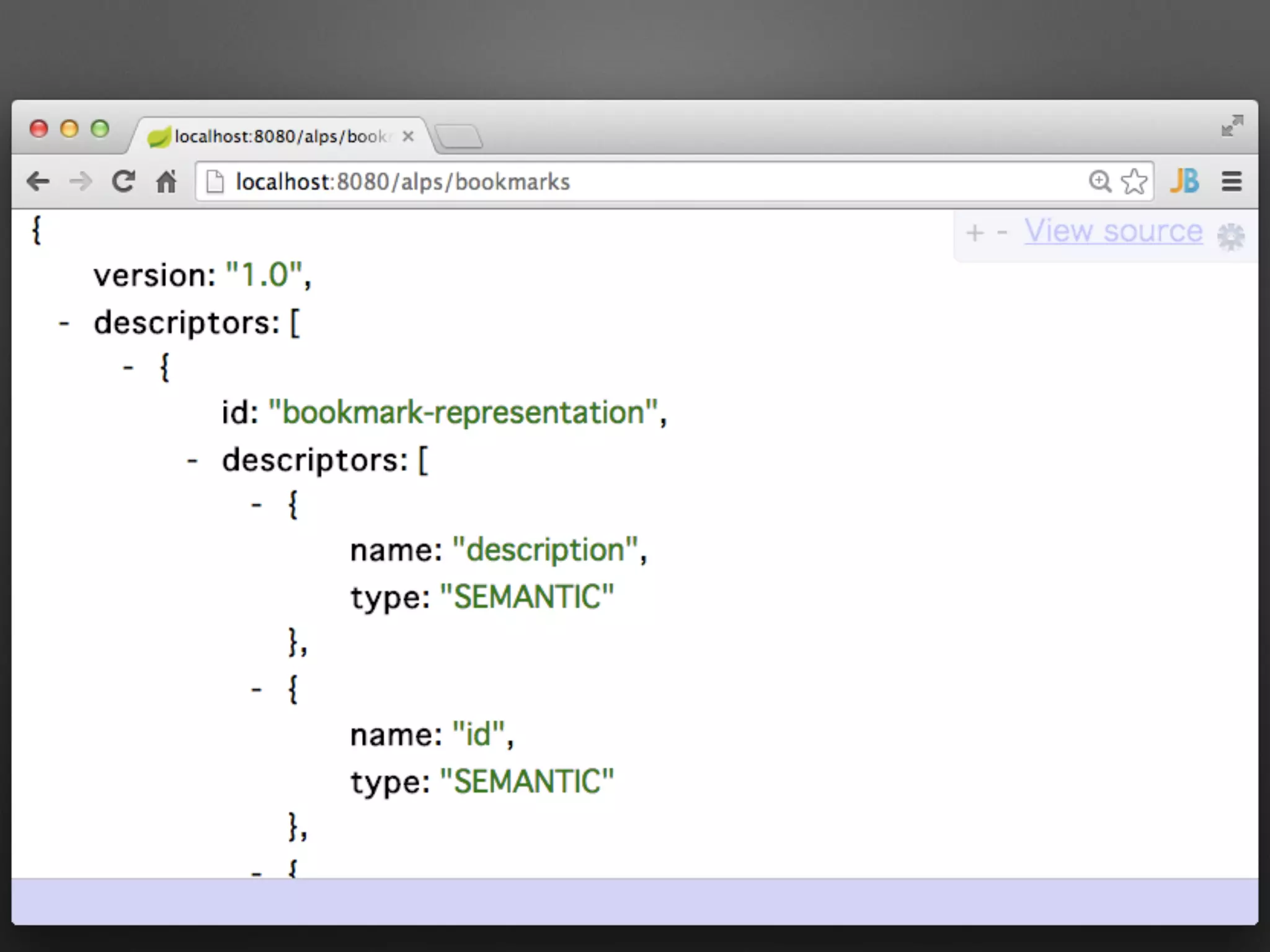
ALPS
Application-Level Profile Semantics
http://alps.io/
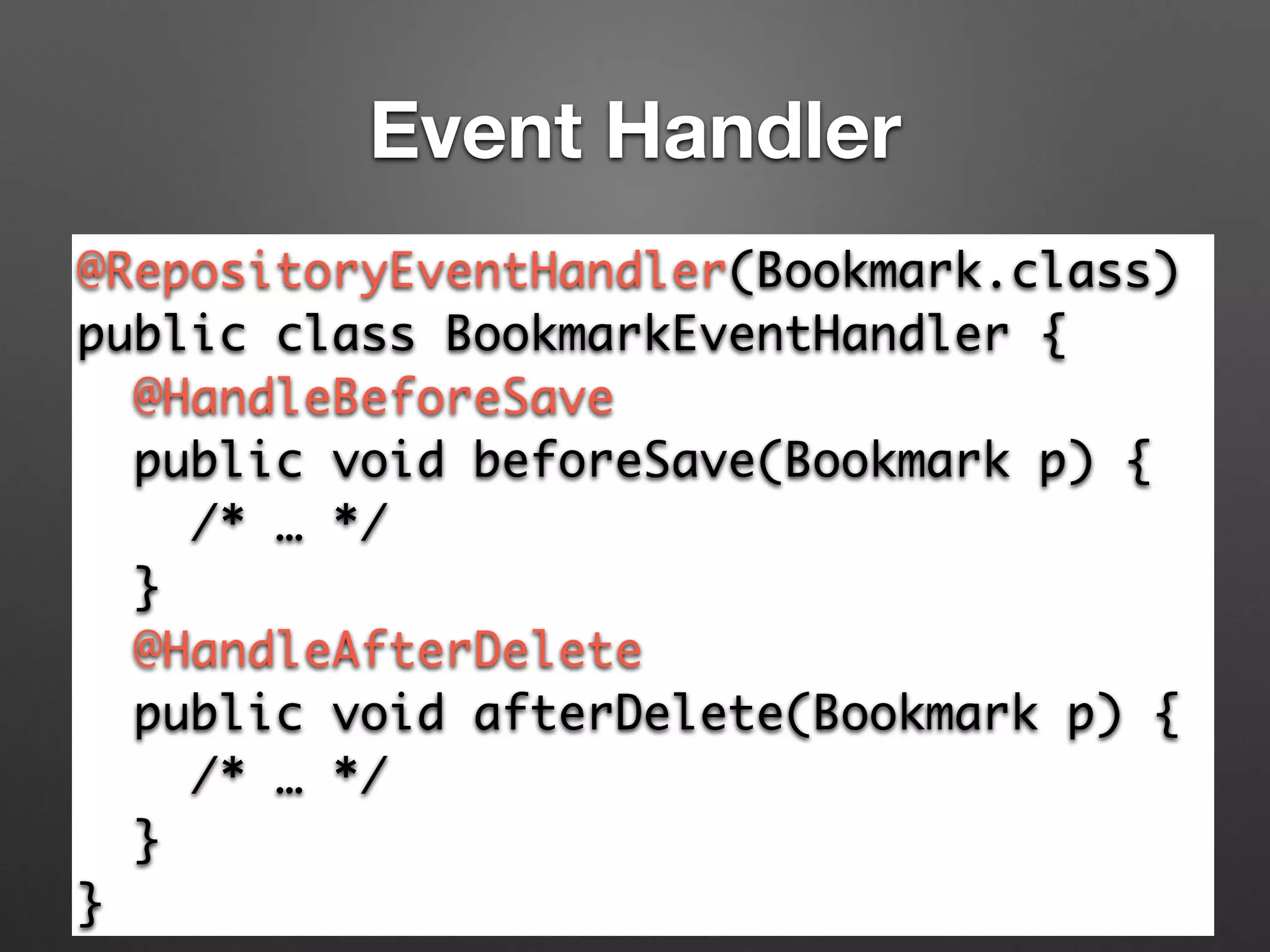
Event Handler
@RepositoryEventHandler(Bookmark.class)	
public class BookmarkEventHandler {	
@HandleBeforeSave 	
public void beforeSave(Bookmark p) {	
/* … */	
}	
@HandleAfterDelete 	
public void afterDelete(Bookmark p) {	
/* … */	
}	
}
超短期間でRESTサービスをつくる
必要がある場合に強力
JSON Patch
コレクションの変更
[{"value":"a"},{"value":"b"},{"value":"c"}]
[{"value":"a"},{"value":"c"},{"value":"d"}]
Original
Modified
[+] {"value":"d"} を4番目に追加
[-] 2番目の要素を削除
…
コレクションの変更
[{"value":"a"},{"value":"b"},{"value":"c"}]
[{"value":"a"},{"value":"c"},{"value":"d"}]
Original
Modified
[+] {"value":"d"} を4番目に追加
[-] 2番目の要素を削除
…
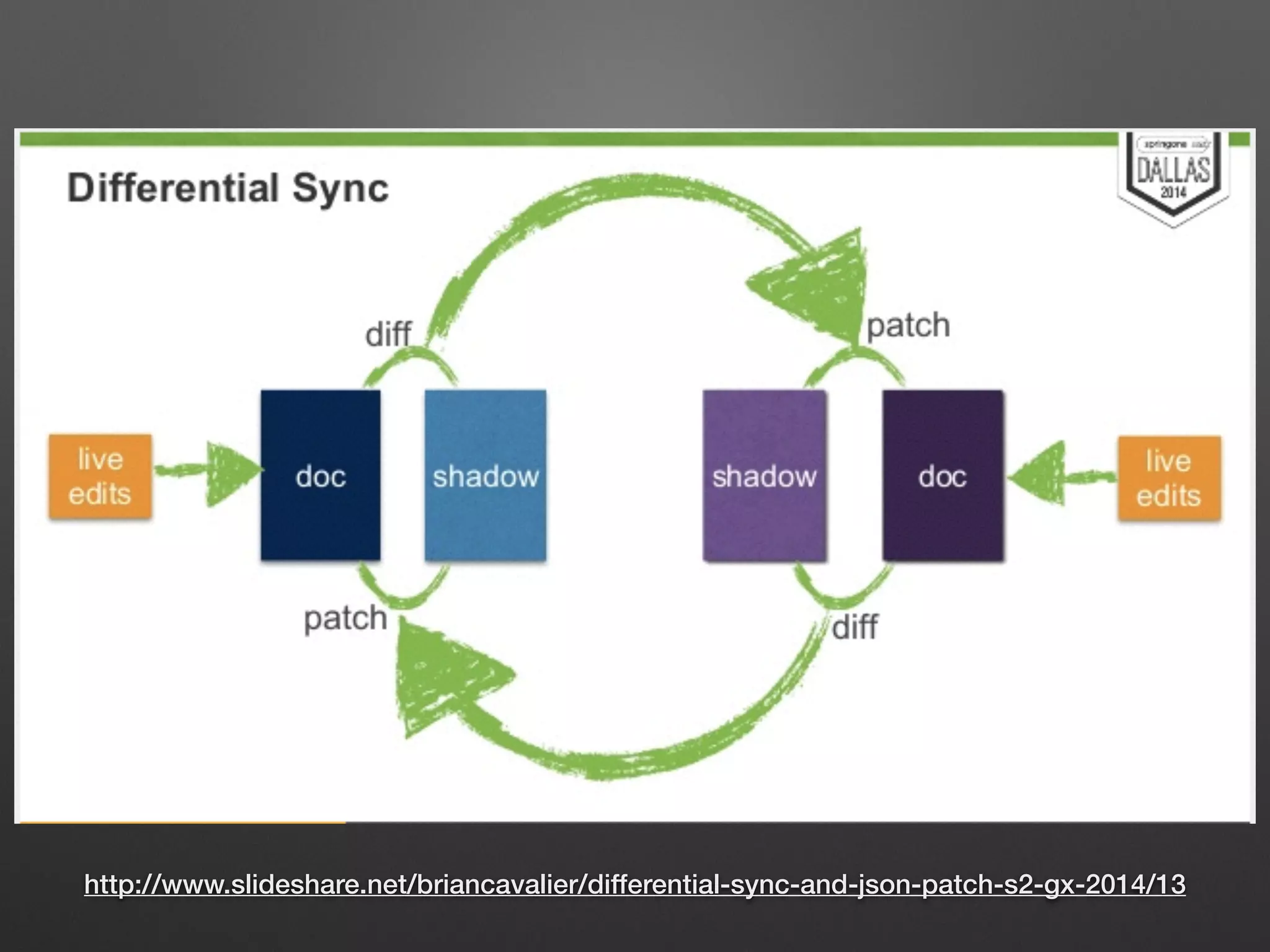
もっと効率的なデータ転送を!
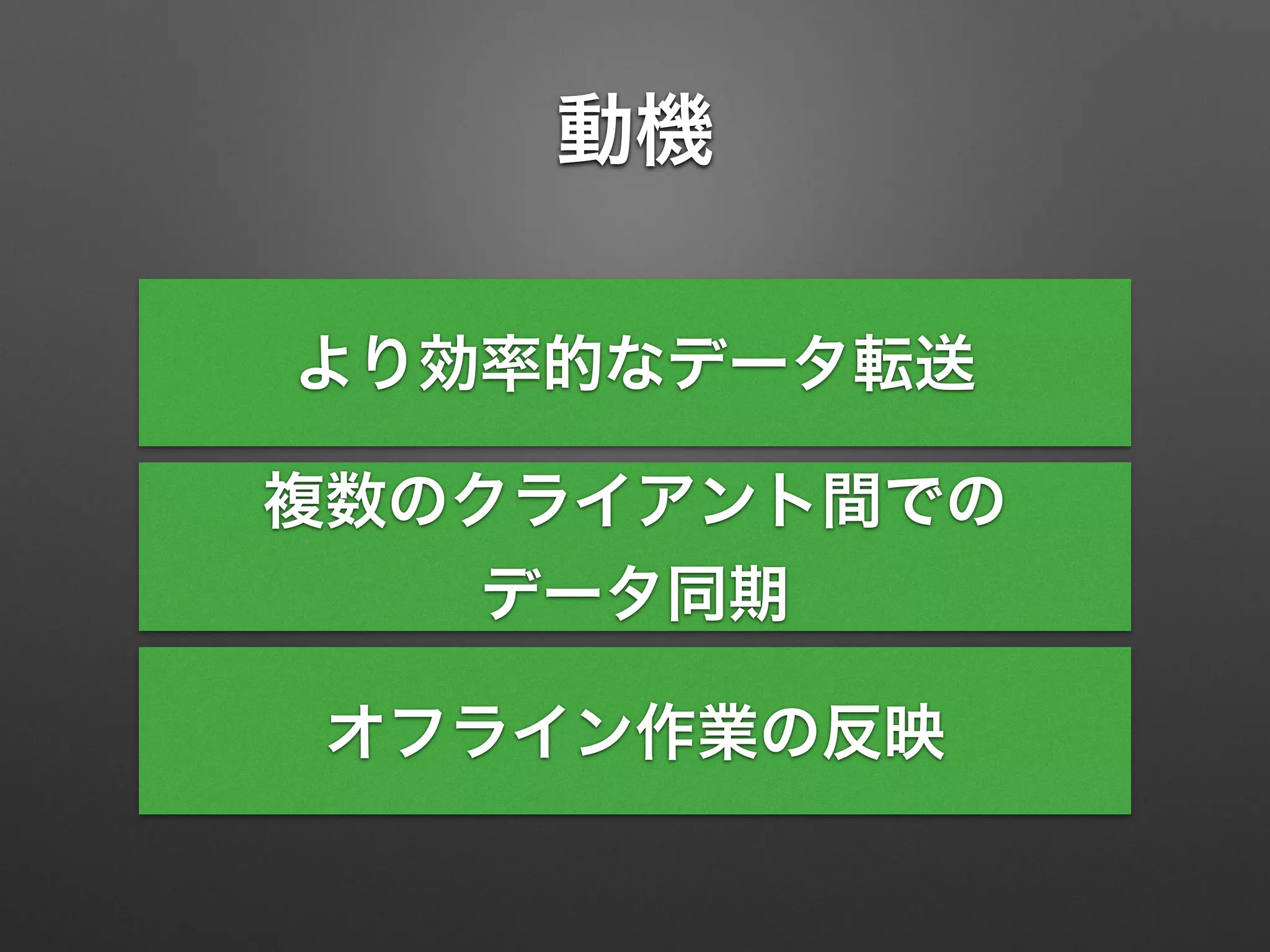
動機
より効率的なデータ転送
複数のクライアント間での
データ同期
オフライン作業の反映
http://www.slideshare.net/briancavalier/differential-sync-and-json-patch-s2-gx-2014/13
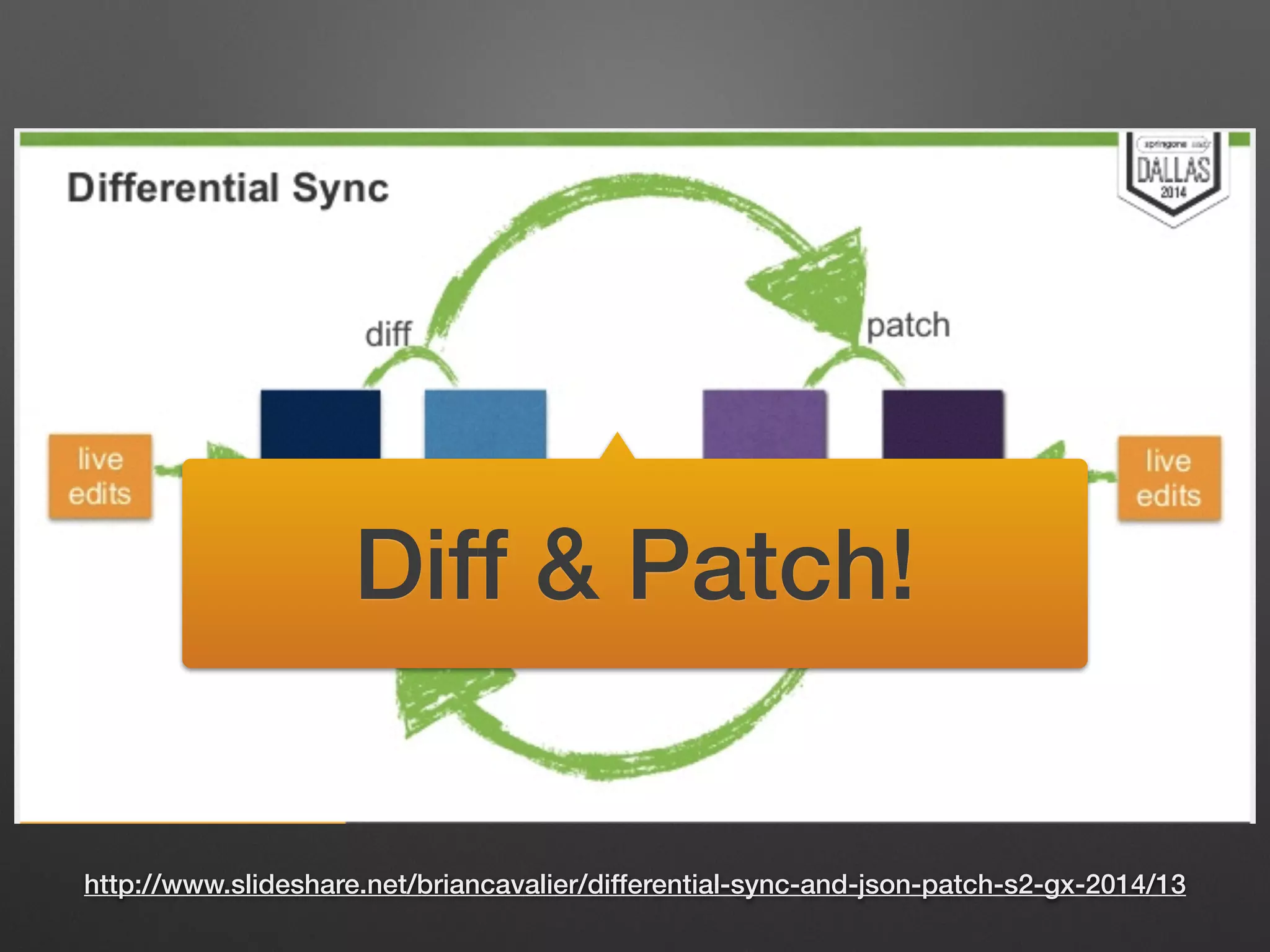
Diff & Patch!
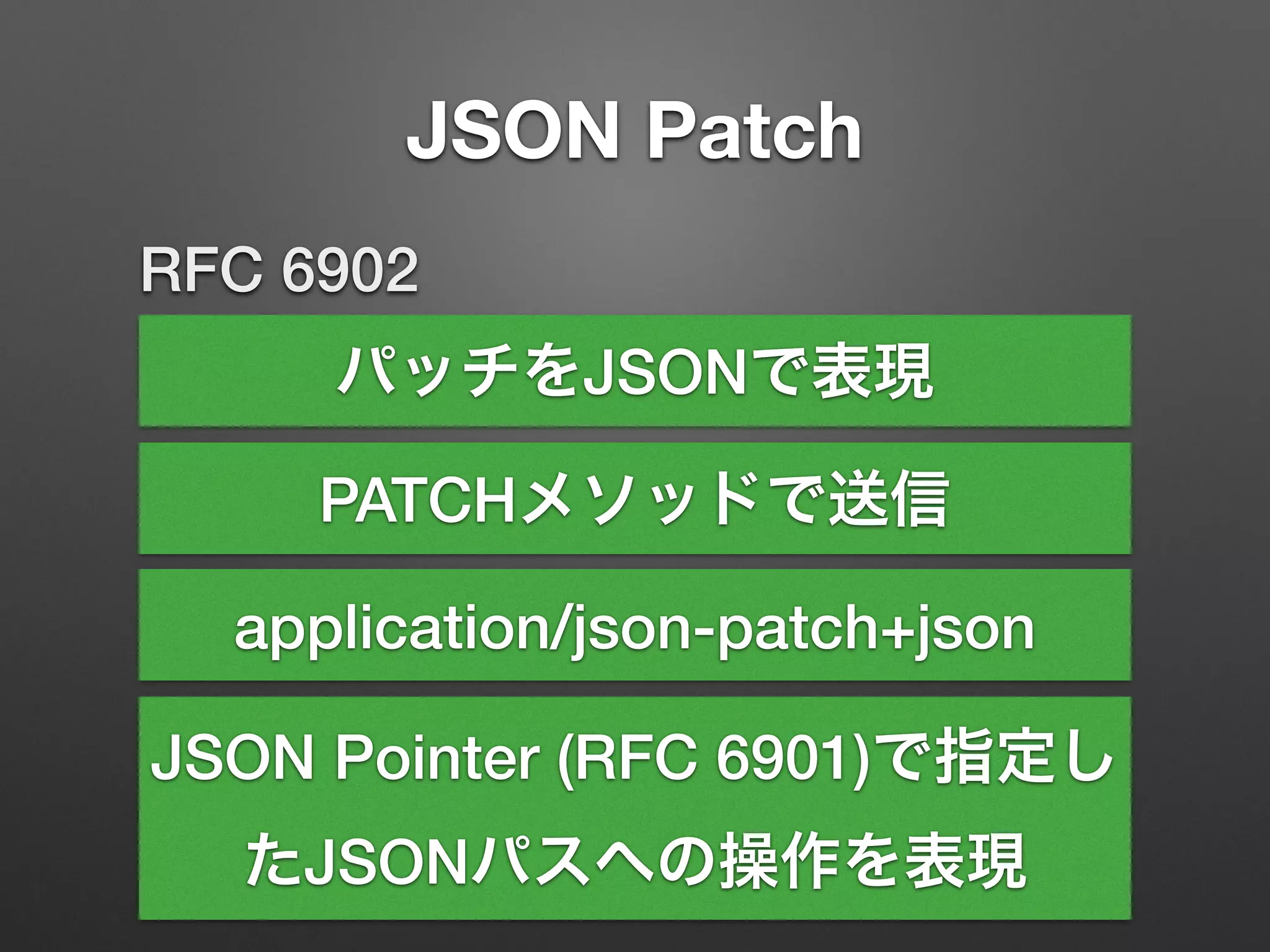
JSON Patch
RFC 6902
パッチをJSONで表現
PATCHメソッドで送信
JSON Pointer (RFC 6901)で指定し
たJSONパスへの操作を表現
application/json-patch+json
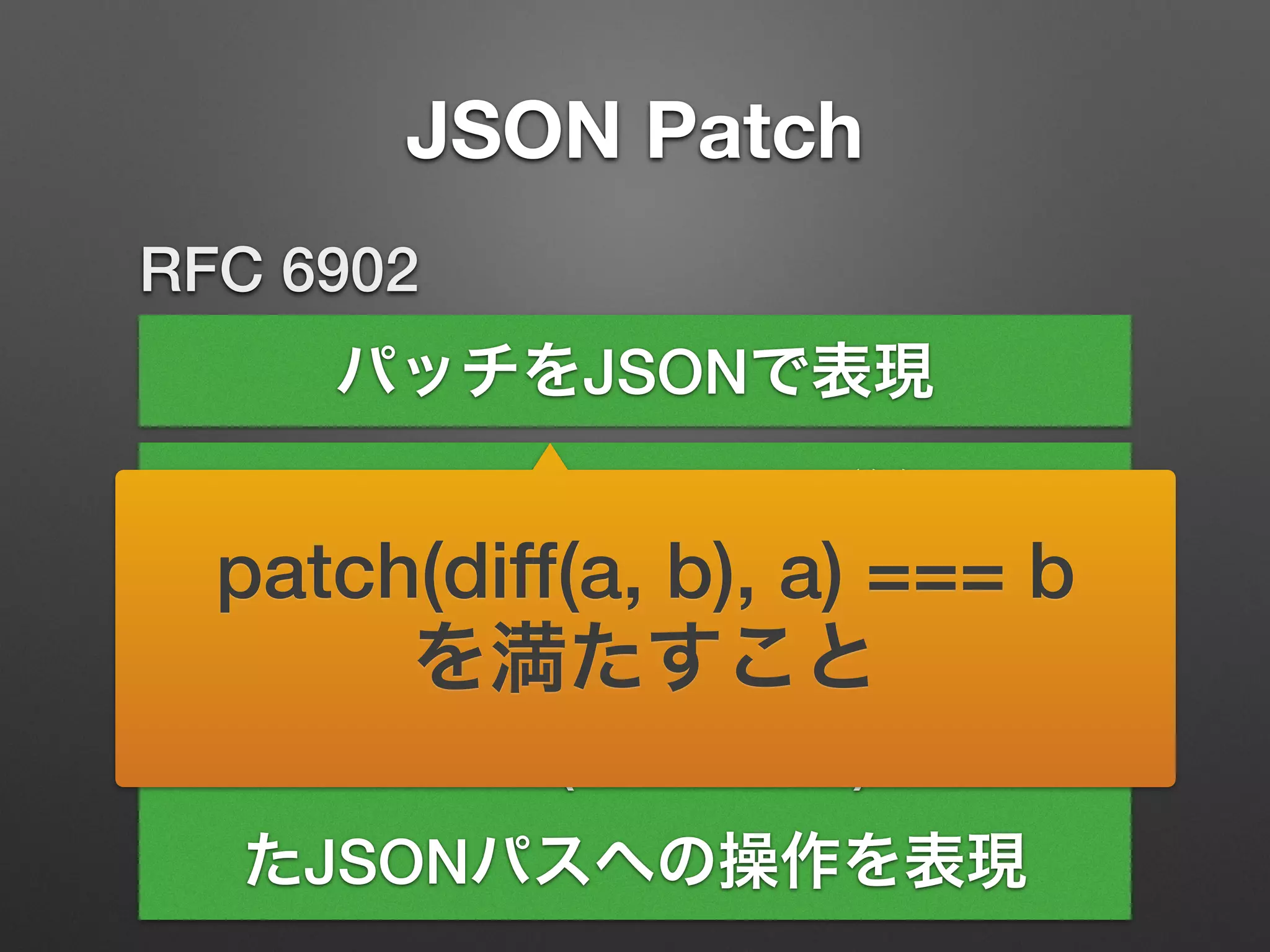
JSON Patch
RFC 6902
パッチをJSONで表現
PATCHメソッドで送信
JSON Pointer (RFC 6901)で指定し
たJSONパスへの操作を表現
application/json-patch+json
patch(diff(a, b), a) === b
を満たすこと
JSON Patch
[{"value":"a"},{"value":"b"},{"value":"c"}]
[	
{"op":"add","path":"/3","value":{"value":"d"}},	
{"op":"remove","path":"/1"}	
]
[{"value":"a"},{"value":"c"},{"value":"d"}]
Original
Modified
Patch
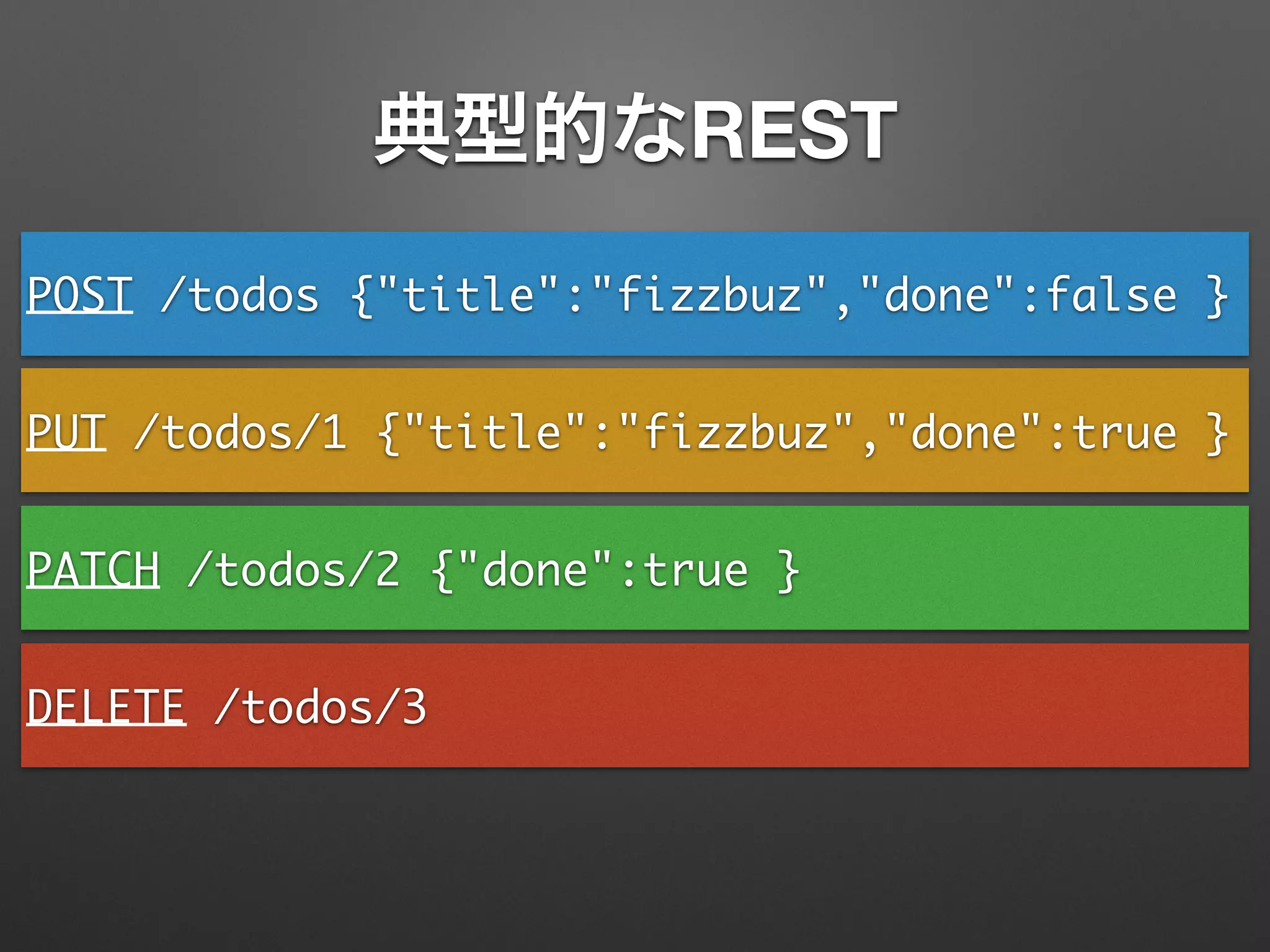
典型的なREST
POST /todos {"title":"fizzbuz","done":false }
PUT /todos/1 {"title":"fizzbuz","done":true }
PATCH /todos/2 {"done":true }
DELETE /todos/3
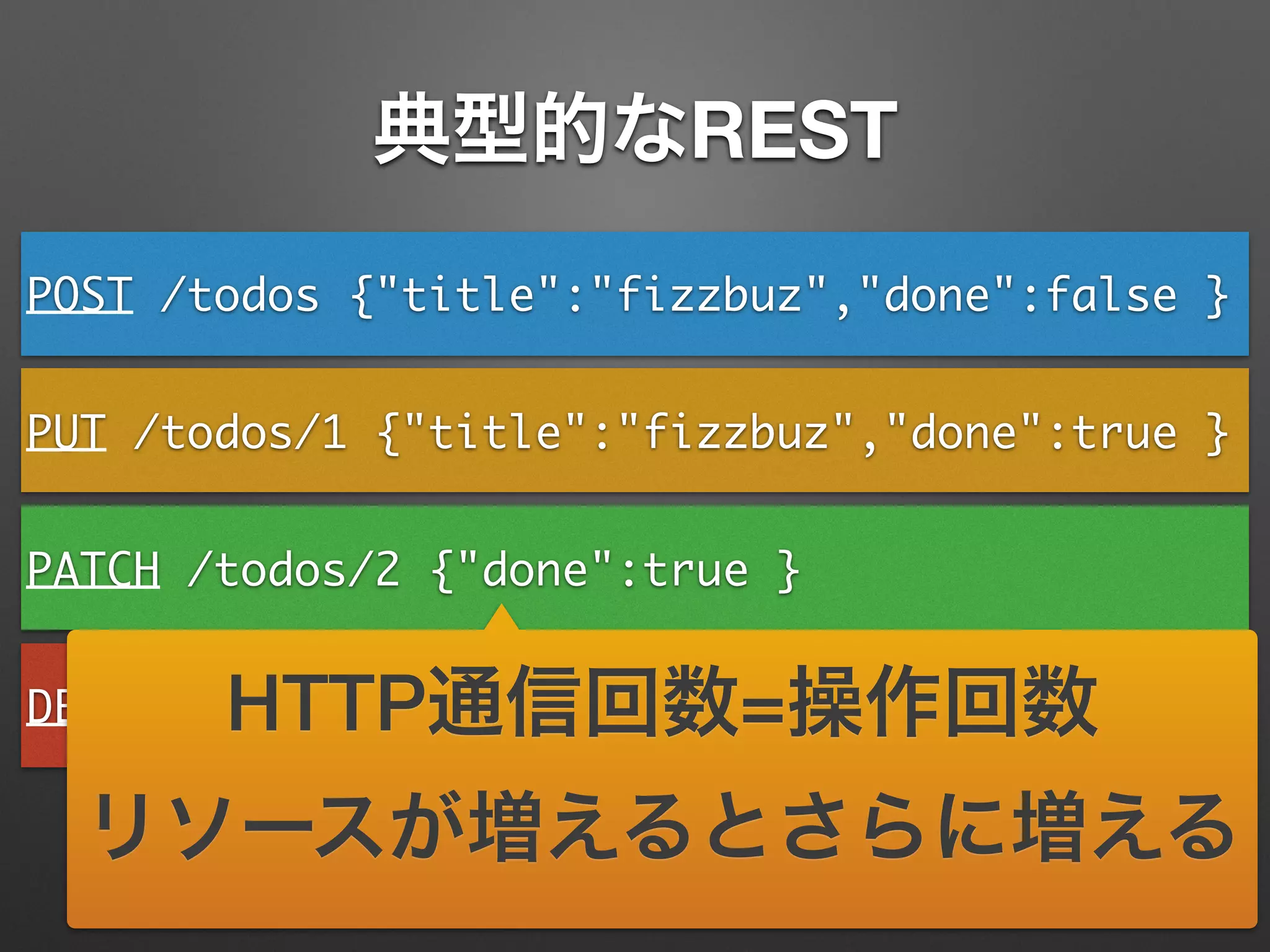
典型的なREST
POST /todos {"title":"fizzbuz","done":false }
PUT /todos/1 {"title":"fizzbuz","done":true }
PATCH /todos/2 {"done":true }
DELETE /todos/3HTTP通信回数=操作回数
リソースが増えるとさらに増える
PATCH /todos [	
{"op":"add","path":"-","value":	
{"title":"fizzbuzz","done":false}},	
{"op":"replace","path":"/1","value":	
{"title":"fizzbuzz","done":true}},	
{"op":"replace","path":"/2/done",	
"value":true},	
{"op":"remove","path":"/3"}	
]
JSON PatchがあるREST
PATCH /todos [	
{"op":"add","path":"-","value":	
{"title":"fizzbuzz","done":false}},	
{"op":"replace","path":"/1","value":	
{"title":"fizzbuzz","done":true}},	
{"op":"replace","path":"/2/done",	
"value":true},	
{"op":"remove","path":"/3"}	
]
JSON PatchがあるREST
HTTP通信回数が1回
リソースが増えても1回
操作もアトミック
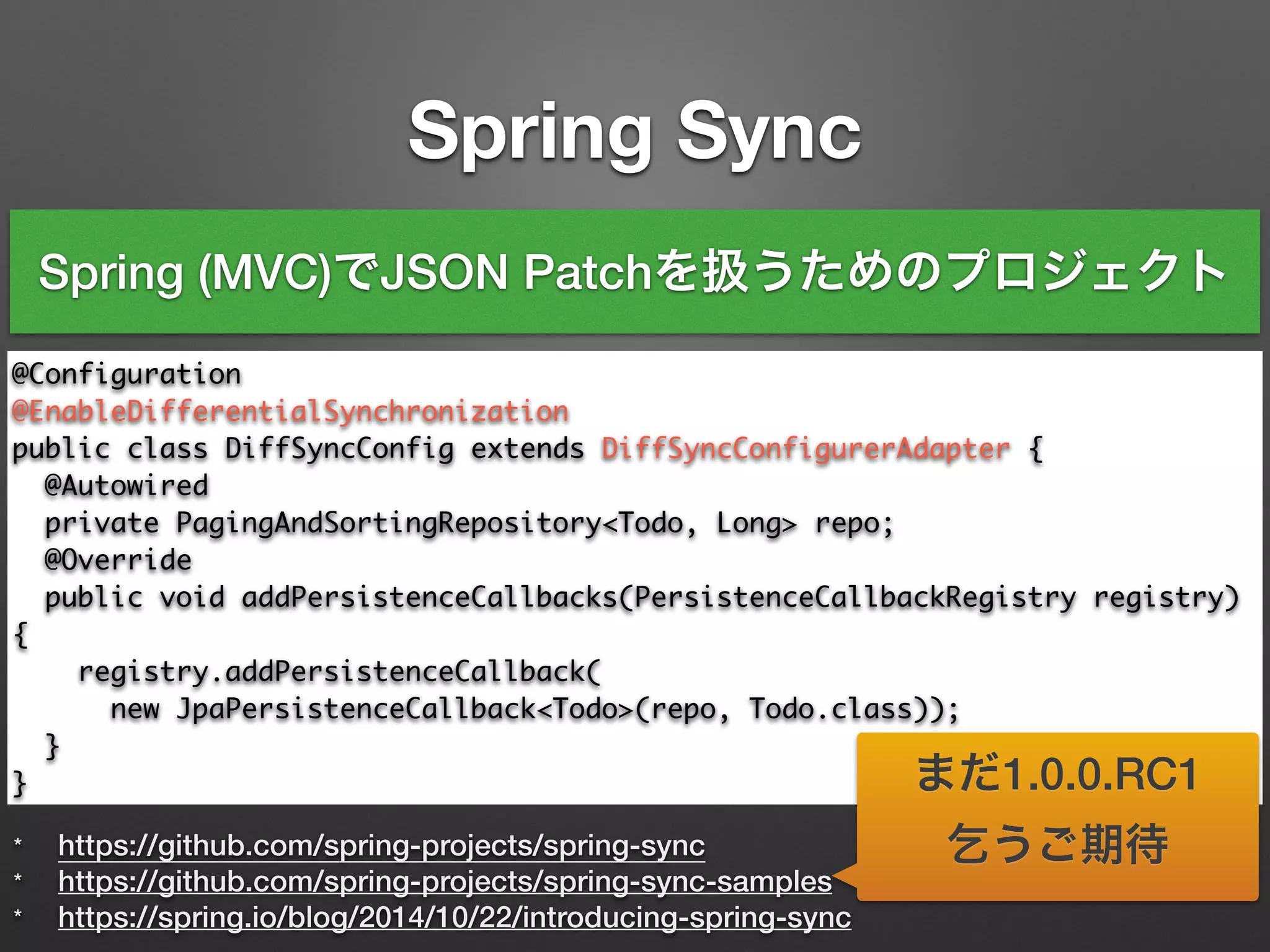
Spring Sync
* https://github.com/spring-projects/spring-sync
* https://github.com/spring-projects/spring-sync-samples
* https://spring.io/blog/2014/10/22/introducing-spring-sync
@Configuration	
@EnableDifferentialSynchronization	
public class DiffSyncConfig extends DiffSyncConfigurerAdapter {	
@Autowired	
private PagingAndSortingRepository<Todo, Long> repo;	 	
@Override	
public void addPersistenceCallbacks(PersistenceCallbackRegistry registry)
{	
registry.addPersistenceCallback(	
new JpaPersistenceCallback<Todo>(repo, Todo.class));	
}	
}
Spring (MVC)でJSON Patchを扱うためのプロジェクト
まだ1.0.0.RC1
乞うご期待
Securing REST Services
どっちが好き?
• HttpSessionを使わない
• HttpSessionを使う
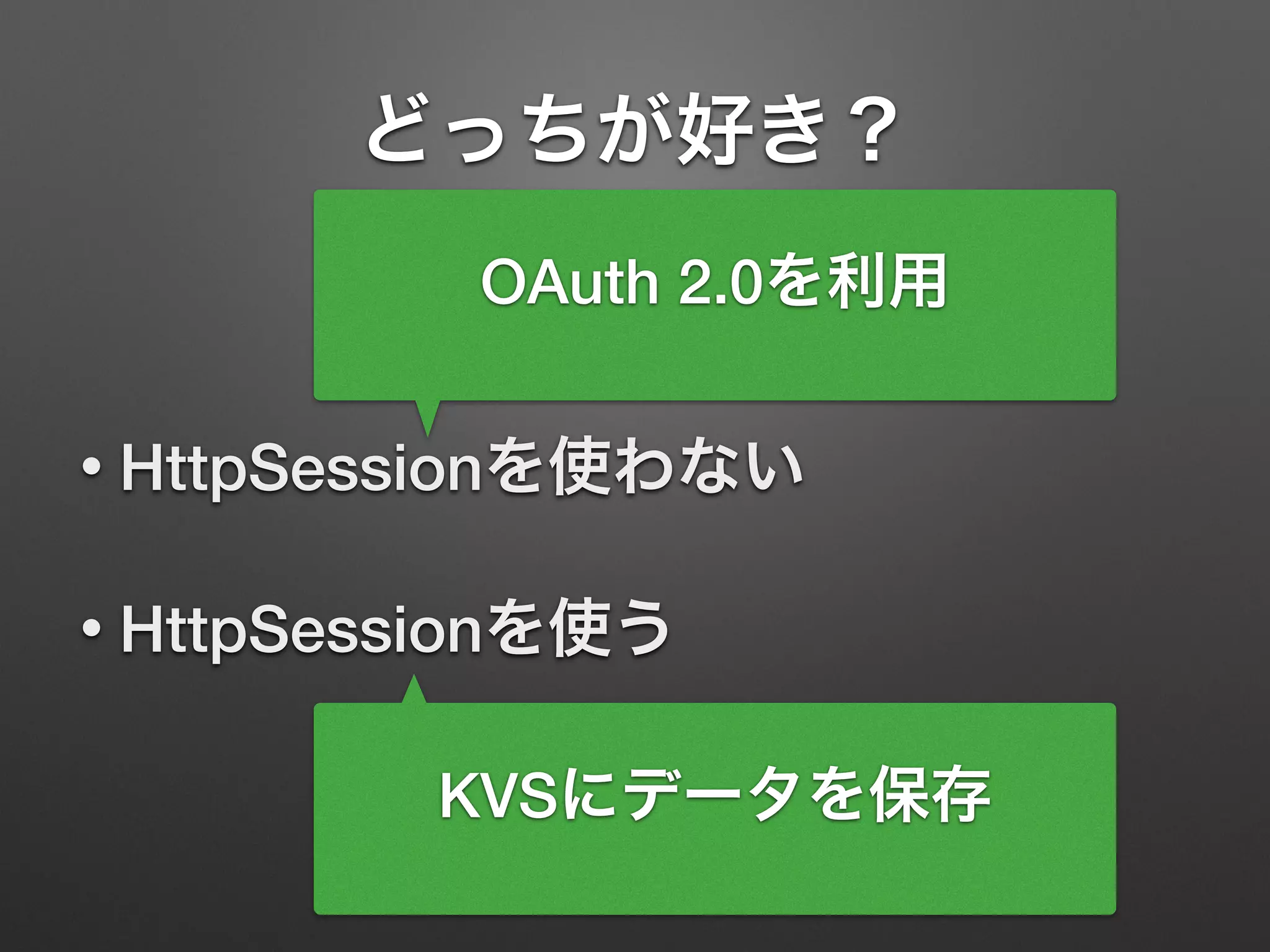
どっちが好き?
• HttpSessionを使わない
• HttpSessionを使う
KVSにデータを保存
OAuth 2.0を利用
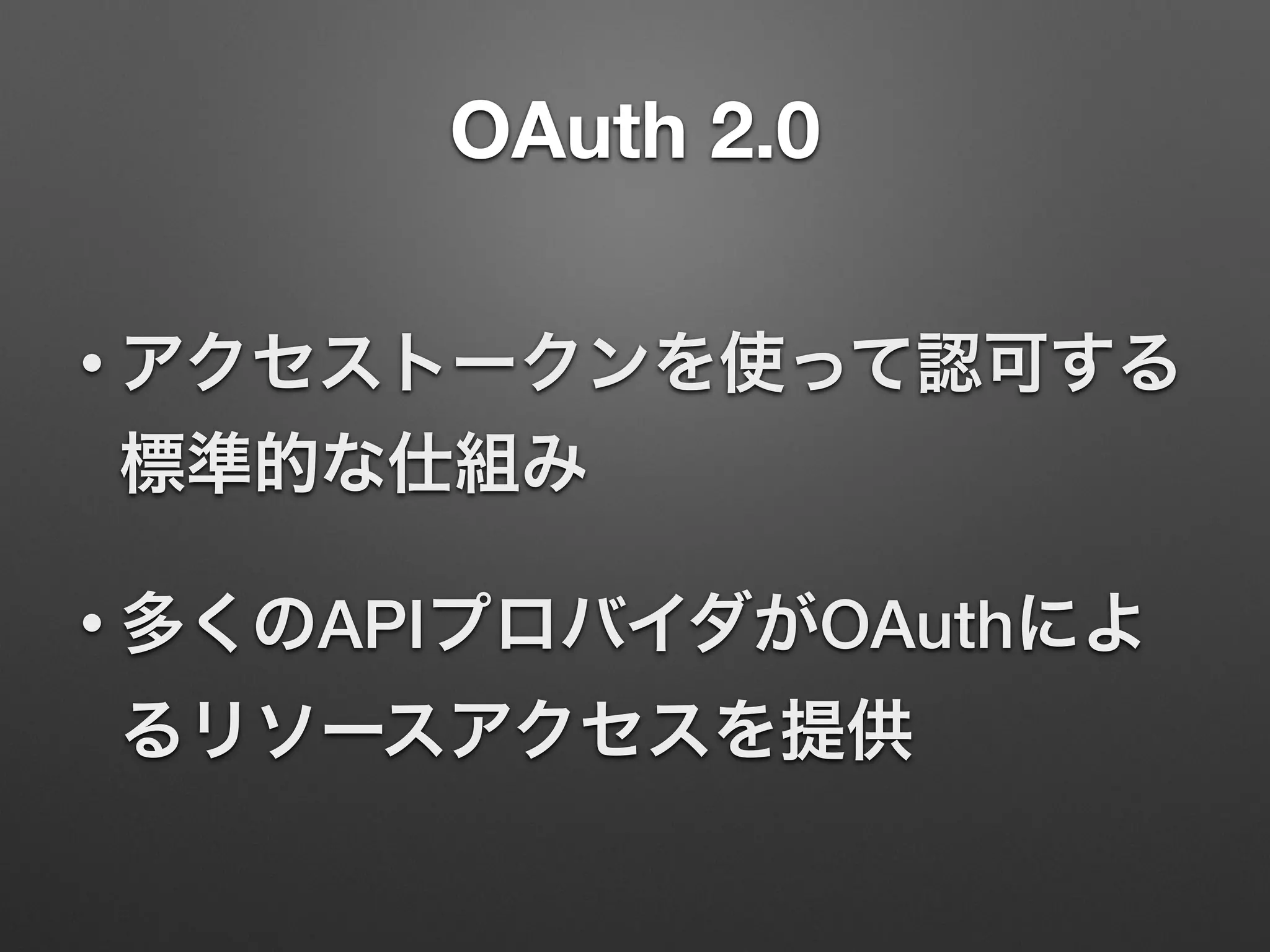
OAuth 2.0
• アクセストークンを使って認可する
標準的な仕組み
• 多くのAPIプロバイダがOAuthによ
るリソースアクセスを提供
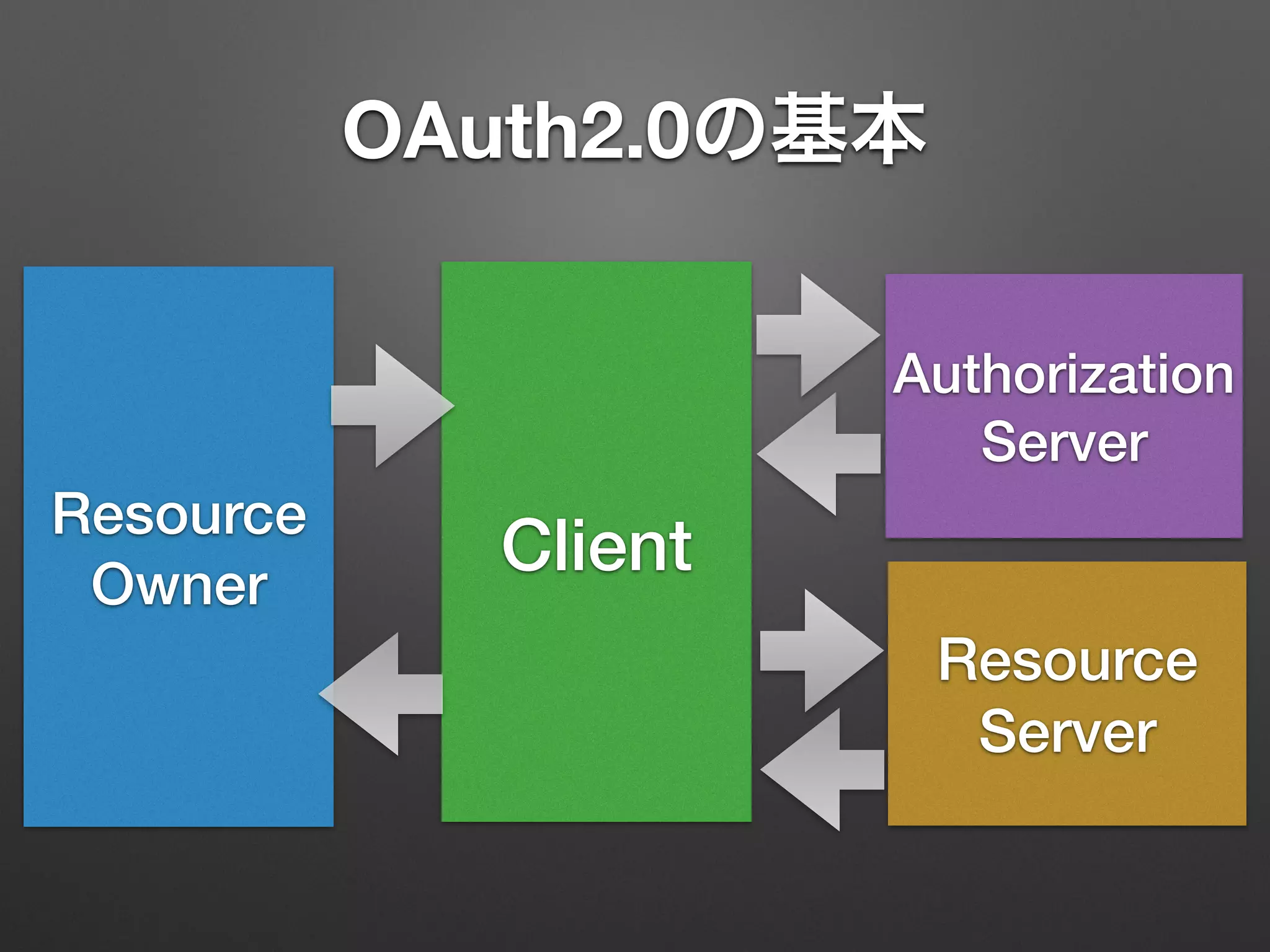
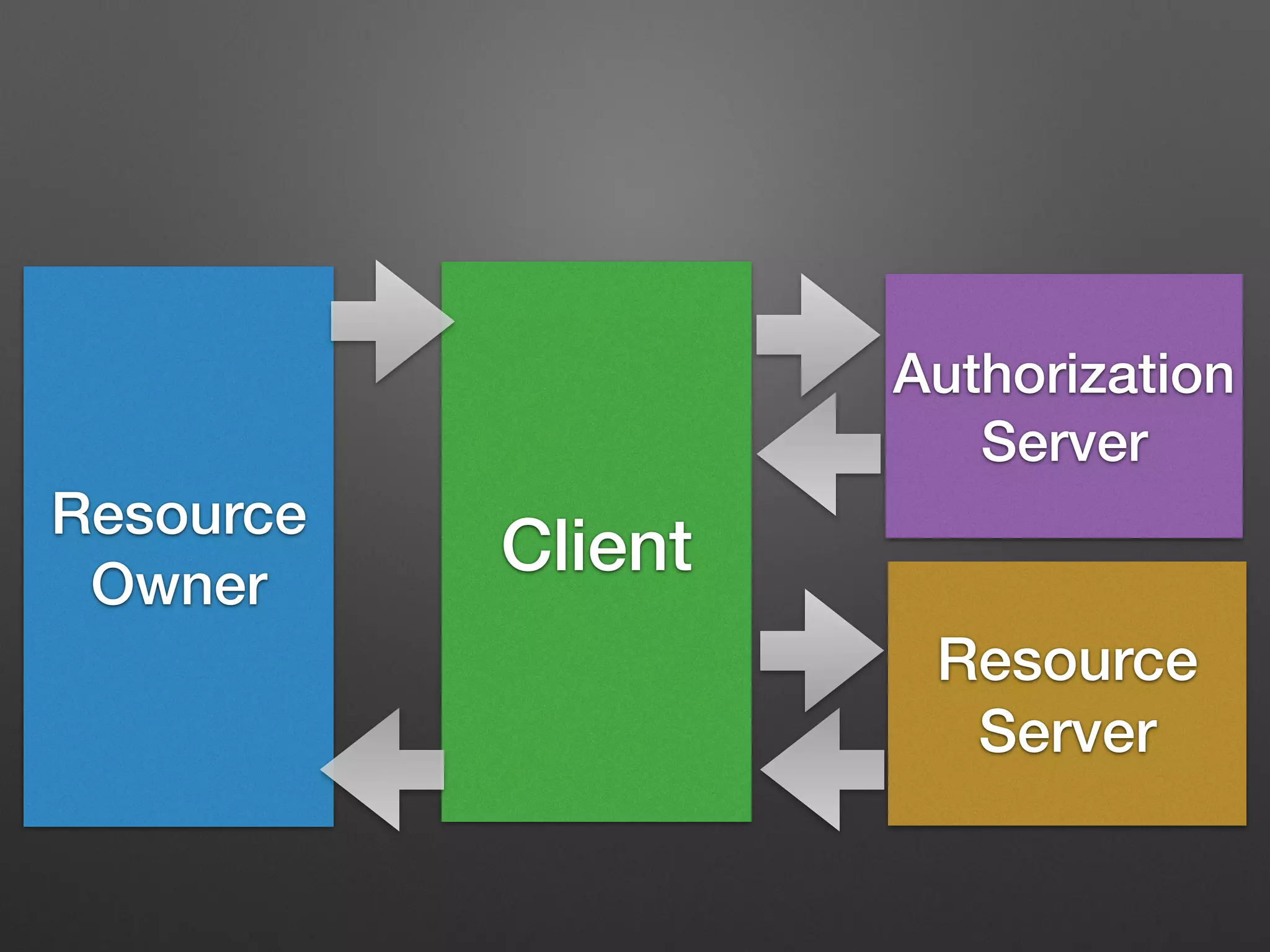
OAuth2.0の基本
Resource
Owner
Client
Resource
Server
Authorization
Server
OAuth2.0の基本
Resource
Owner
Client
Resource
Server
Authorization
Server
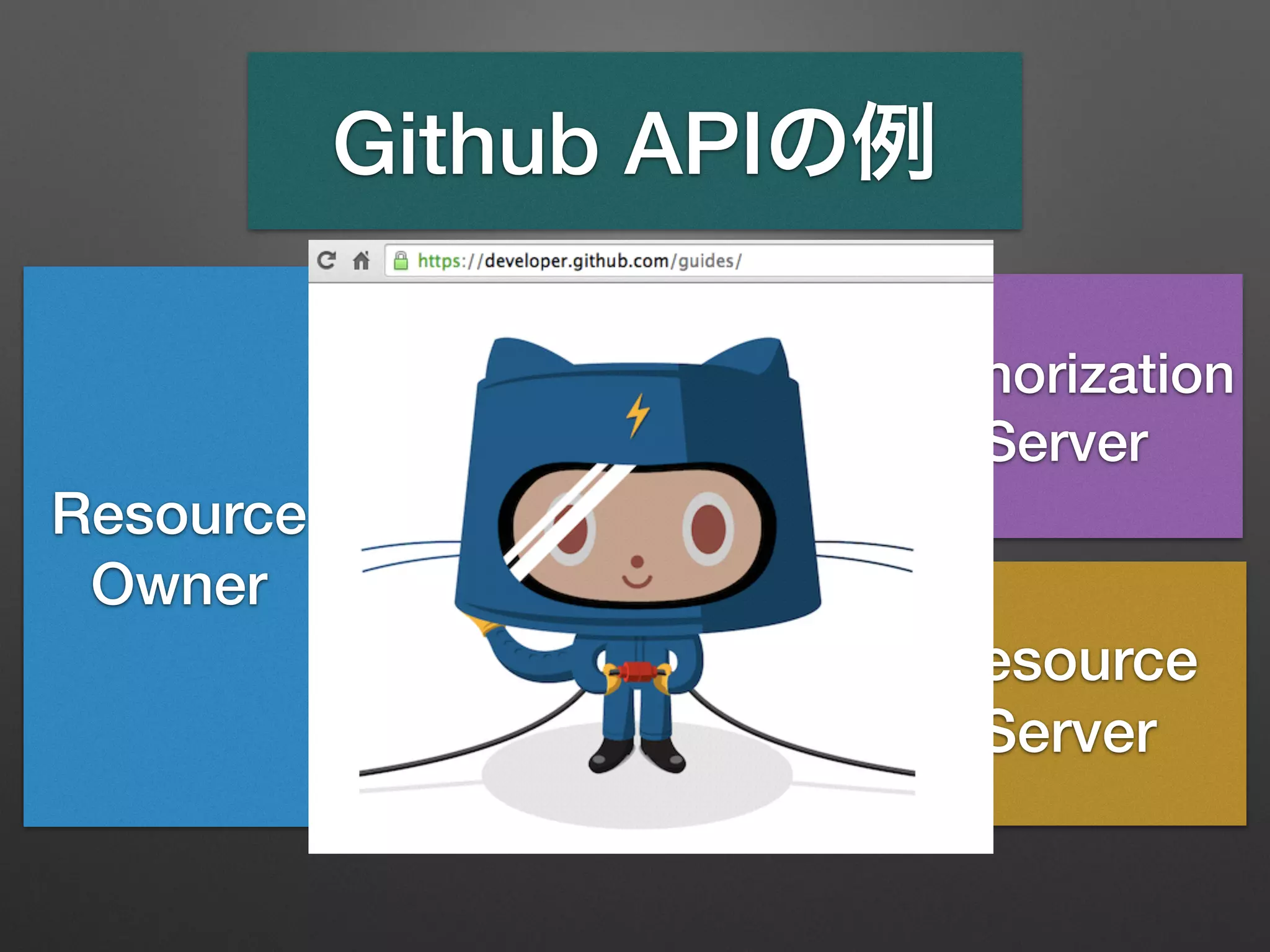
Github APIの例
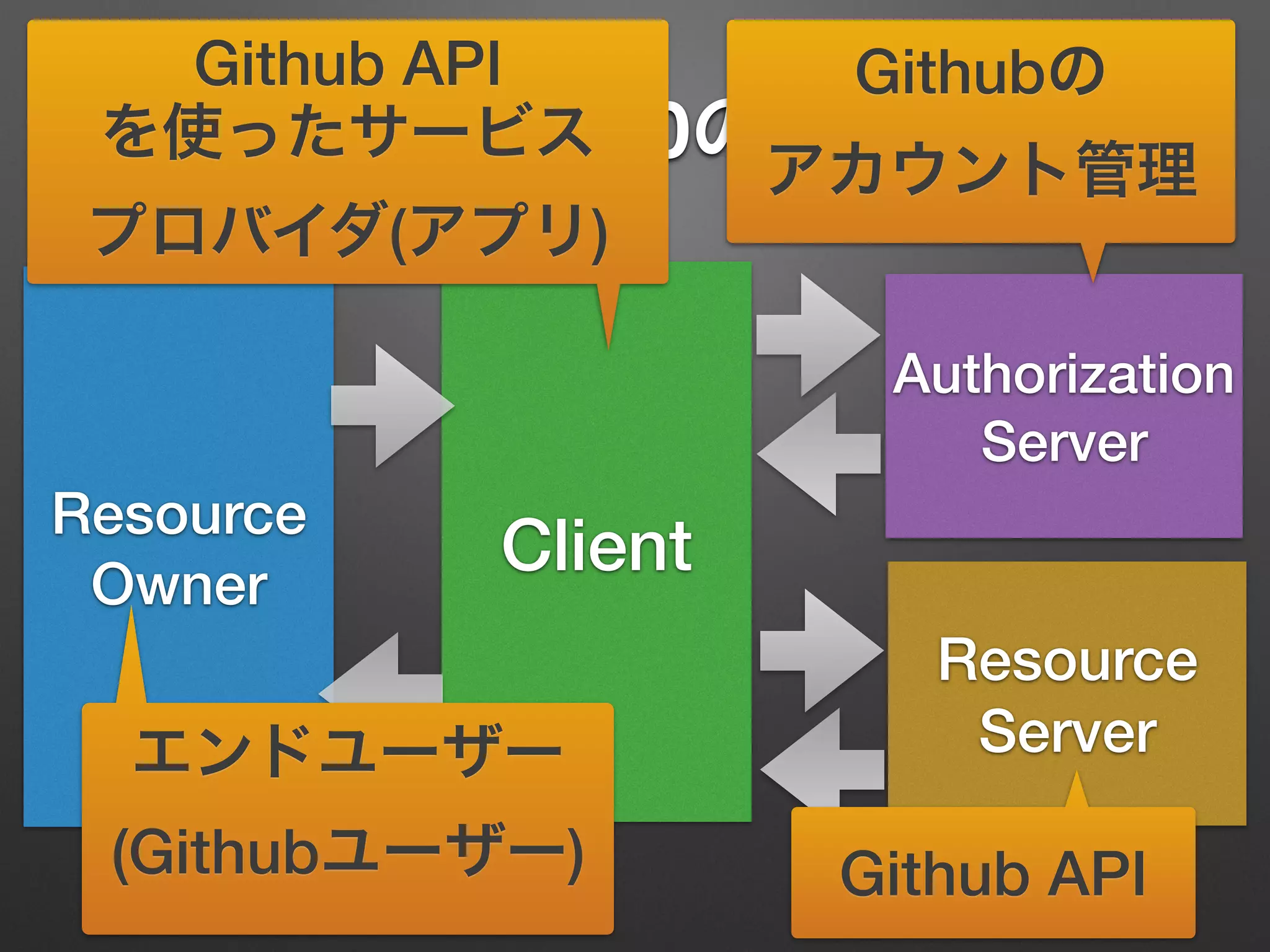
OAuth2.0の基本
Resource
Owner
Client
Resource
Server
Authorization
Server
Githubの
アカウント管理
Github API
Github API
を使ったサービス
プロバイダ(アプリ)
エンドユーザー
(Githubユーザー)
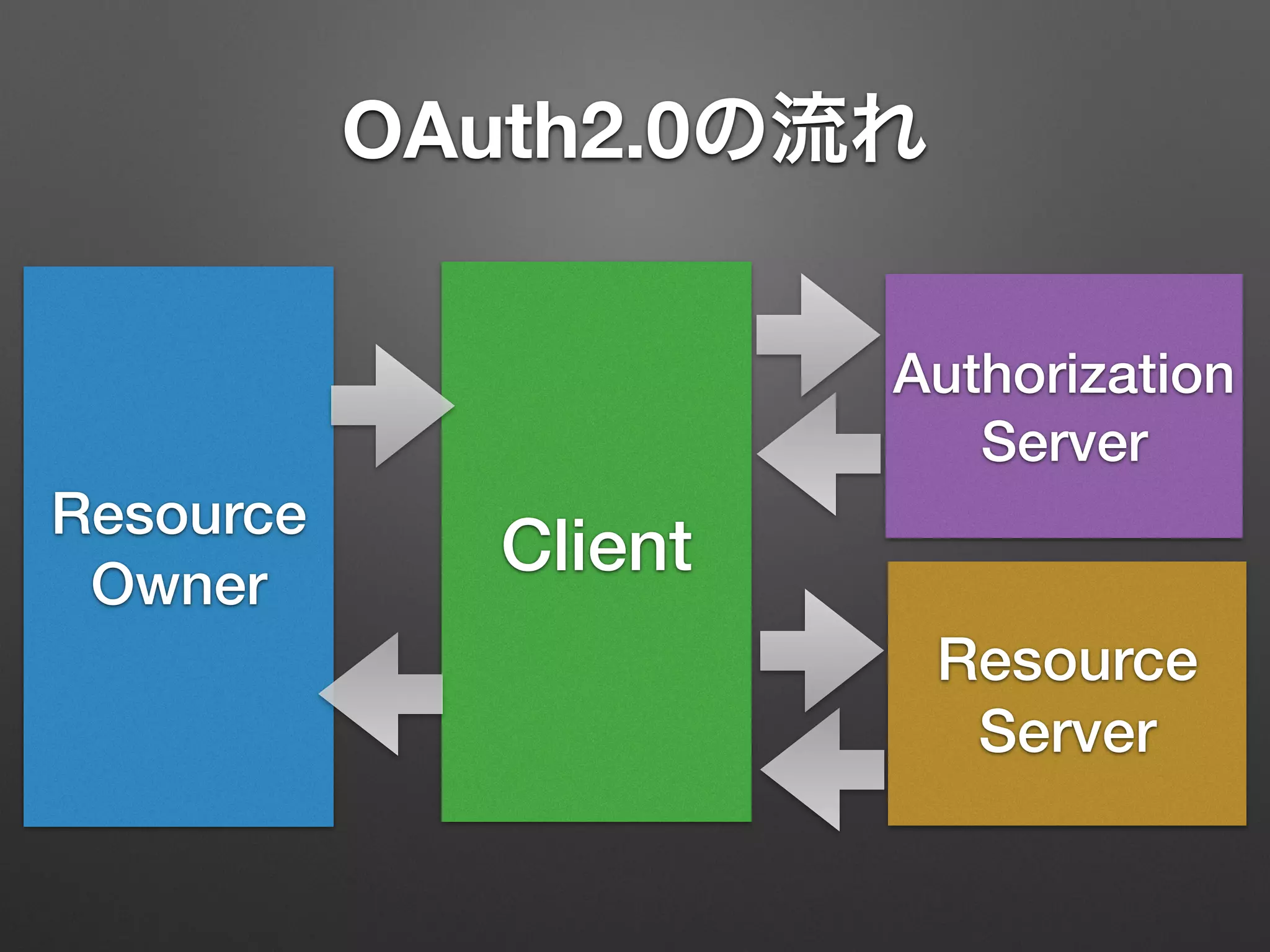
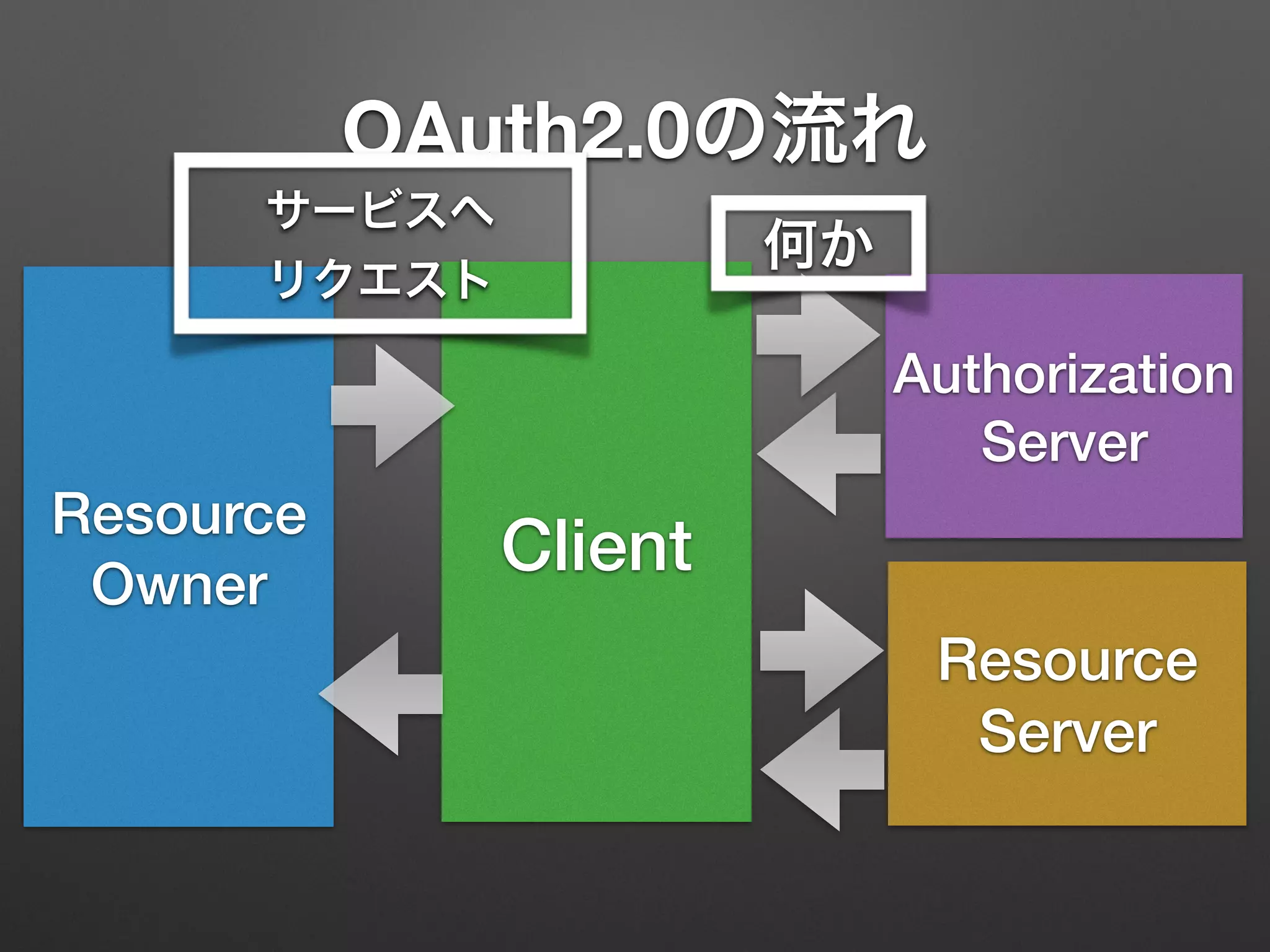
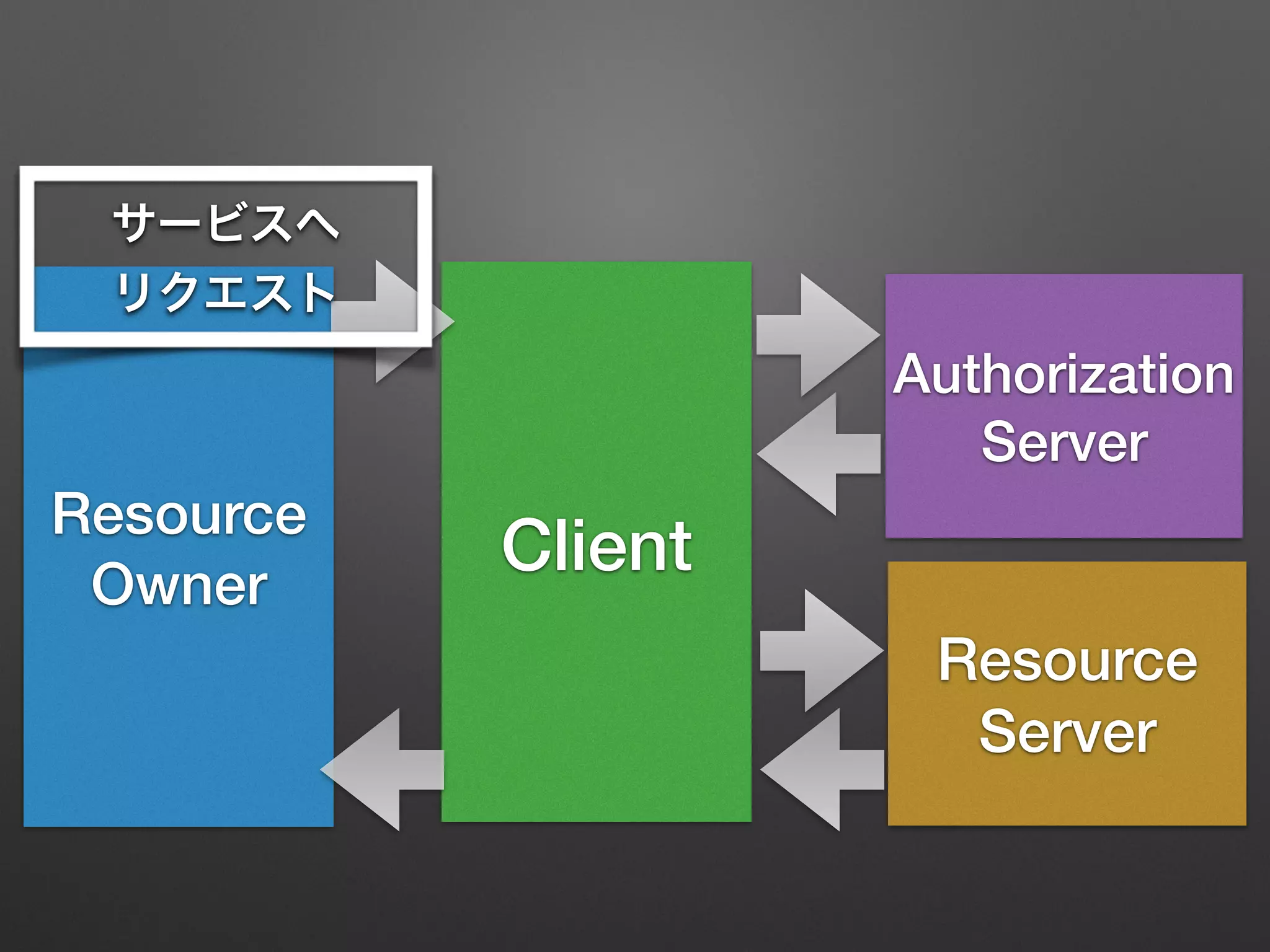
OAuth2.0の流れ
Resource
Owner
Client
Resource
Server
Authorization
Server
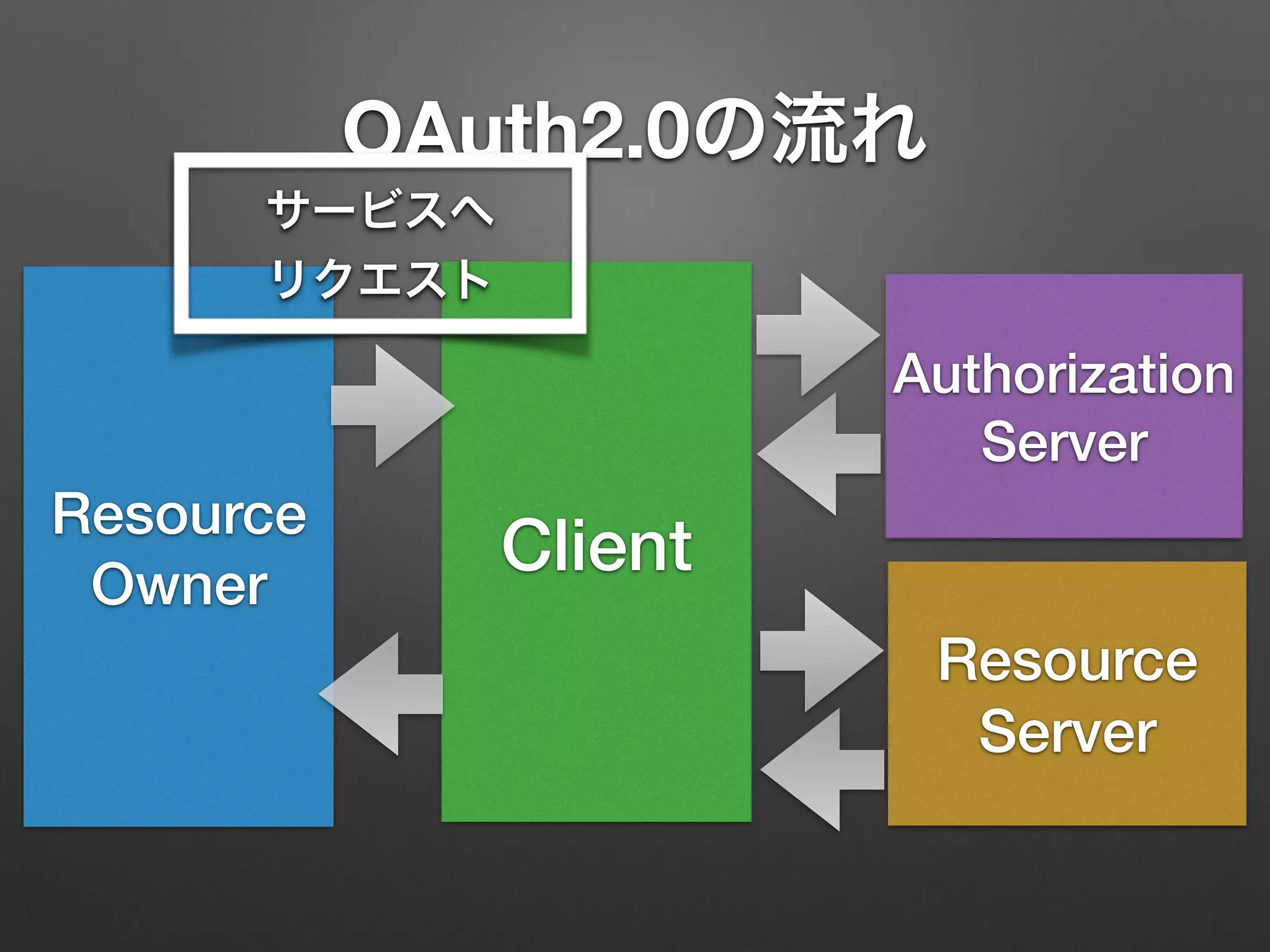
OAuth2.0の流れ
Resource
Owner
Client
Resource
Server
Authorization
Server
サービスへ
リクエスト
OAuth2.0の流れ
Resource
Owner
Client
Resource
Server
Authorization
Server
何か
サービスへ
リクエスト
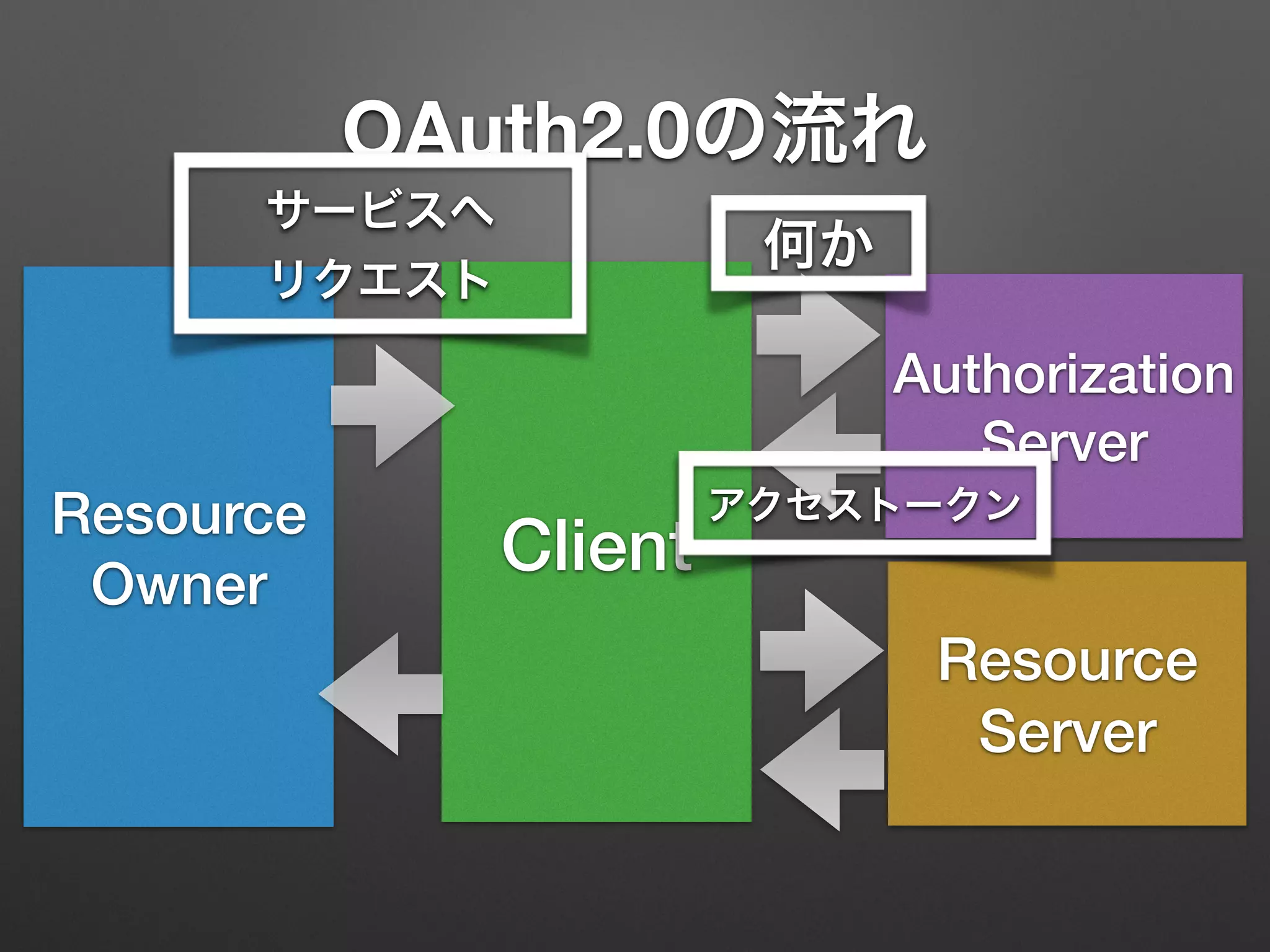
OAuth2.0の流れ
Resource
Owner
Client
Resource
Server
Authorization
Server
何か
アクセストークン
サービスへ
リクエスト
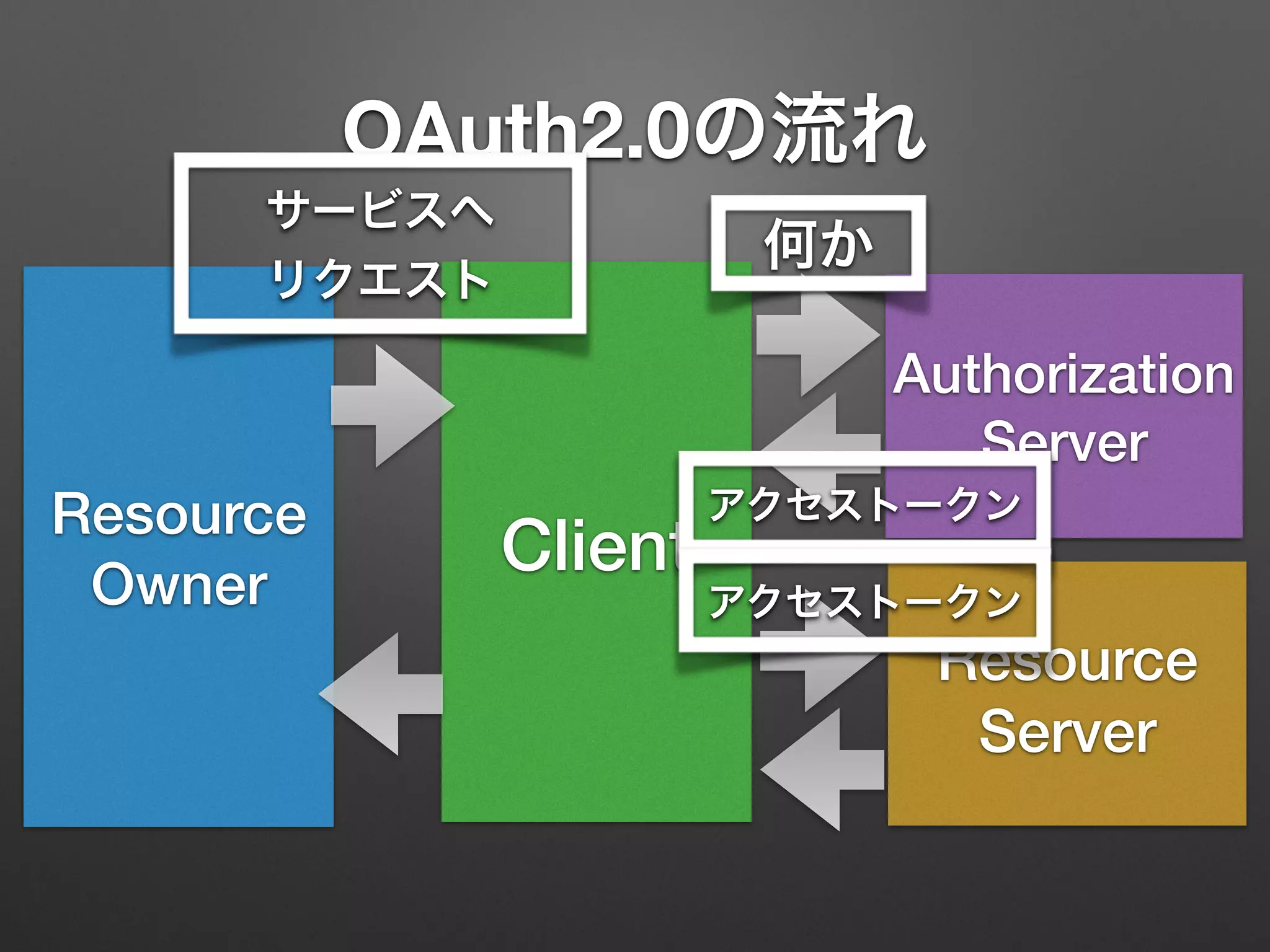
OAuth2.0の流れ
Resource
Owner
Client
Resource
Server
Authorization
Server
何か
アクセストークン
アクセストークン
サービスへ
リクエスト
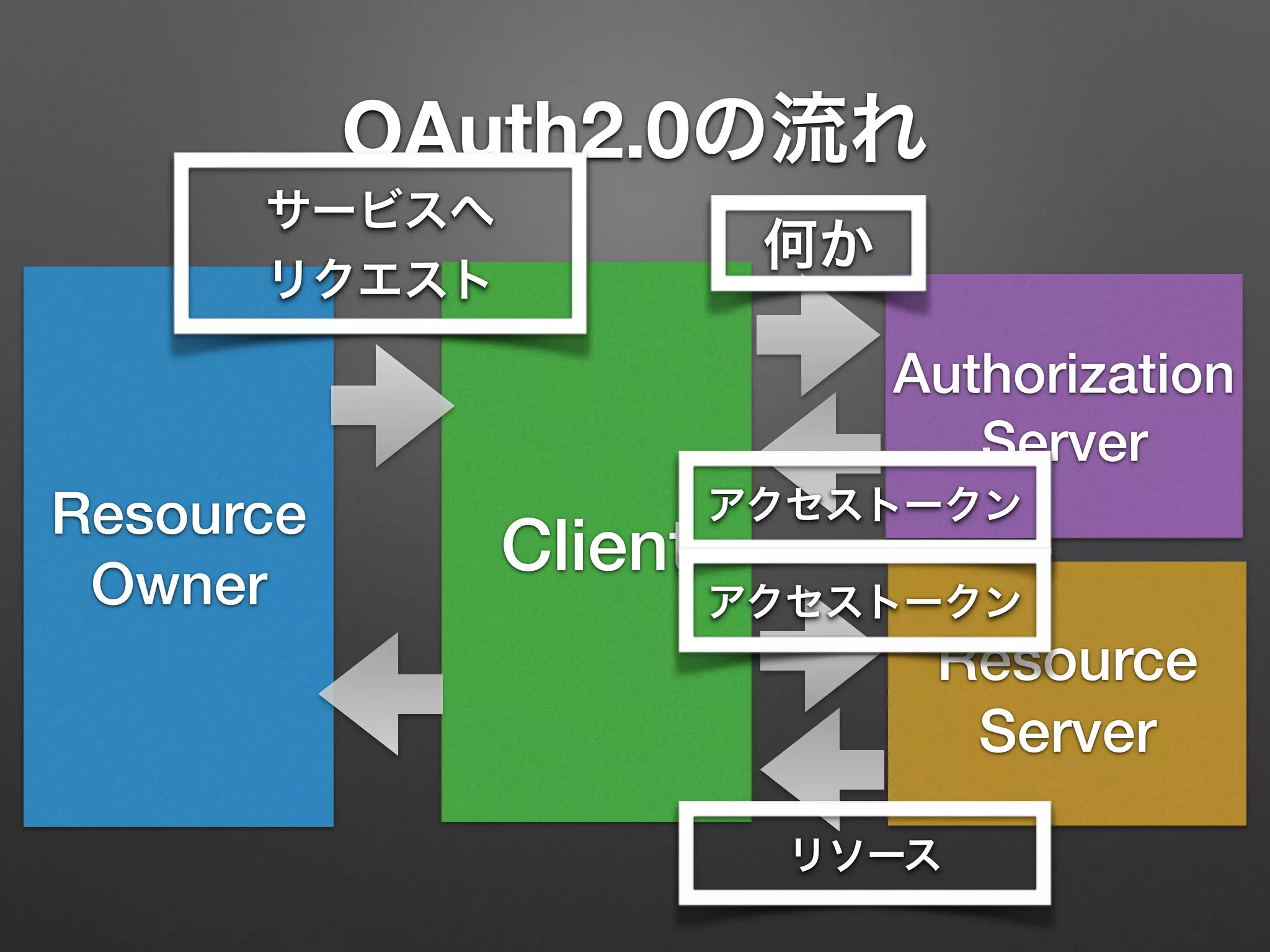
OAuth2.0の流れ
Resource
Owner
Client
Resource
Server
Authorization
Server
何か
アクセストークン
アクセストークン
リソース
サービスへ
リクエスト
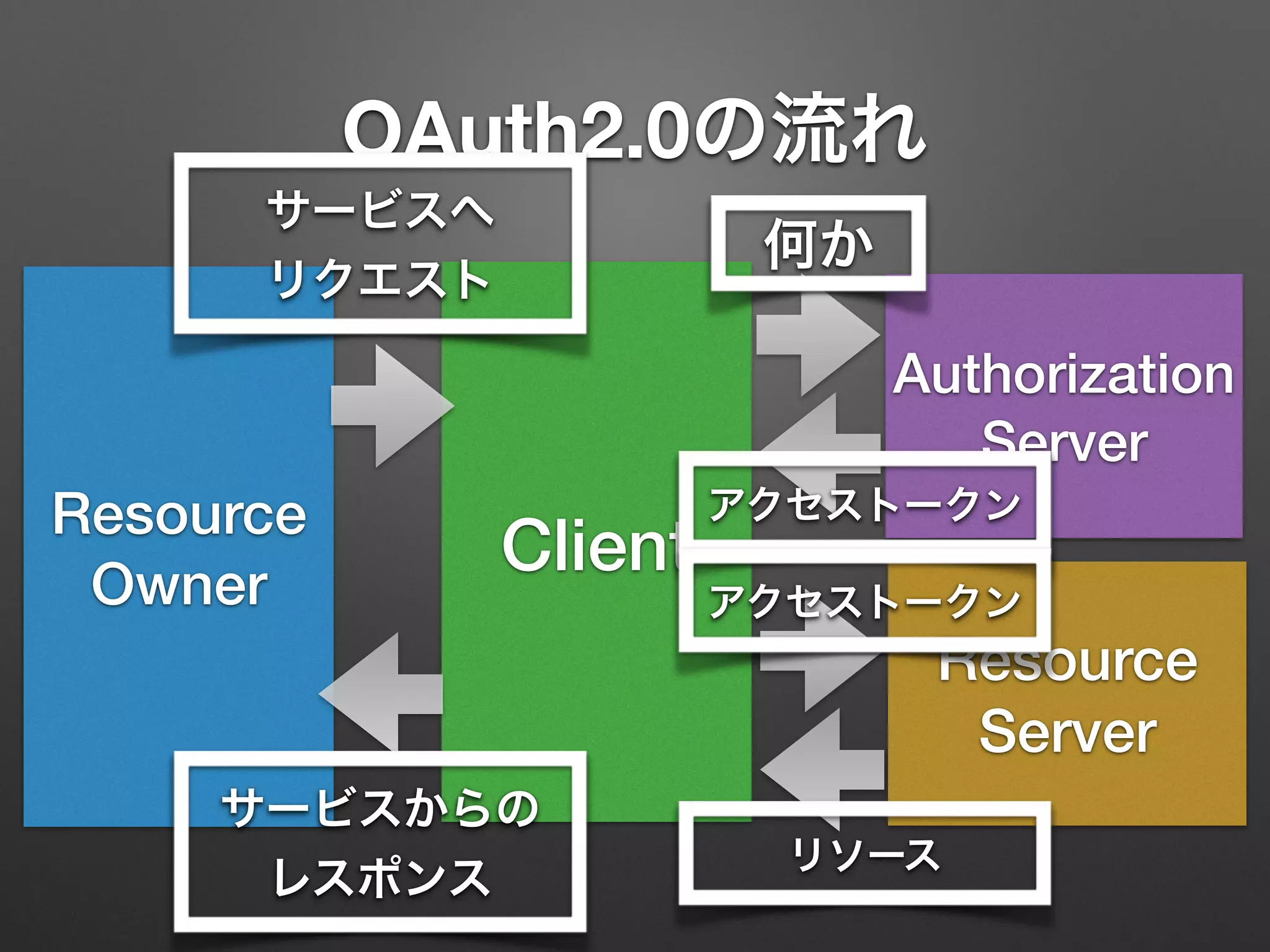
OAuth2.0の流れ
Resource
Owner
Client
Resource
Server
Authorization
Server
何か
アクセストークン
アクセストークン
リソース
サービスへ
リクエスト
サービスからの
レスポンス
OAuth2.0の流れ
Resource
Owner
Client
Resource
Server
Authorization
Server
何か
アクセストークン
アクセストークン
リソース
サービスへ
リクエスト
サービスからの
レスポンス
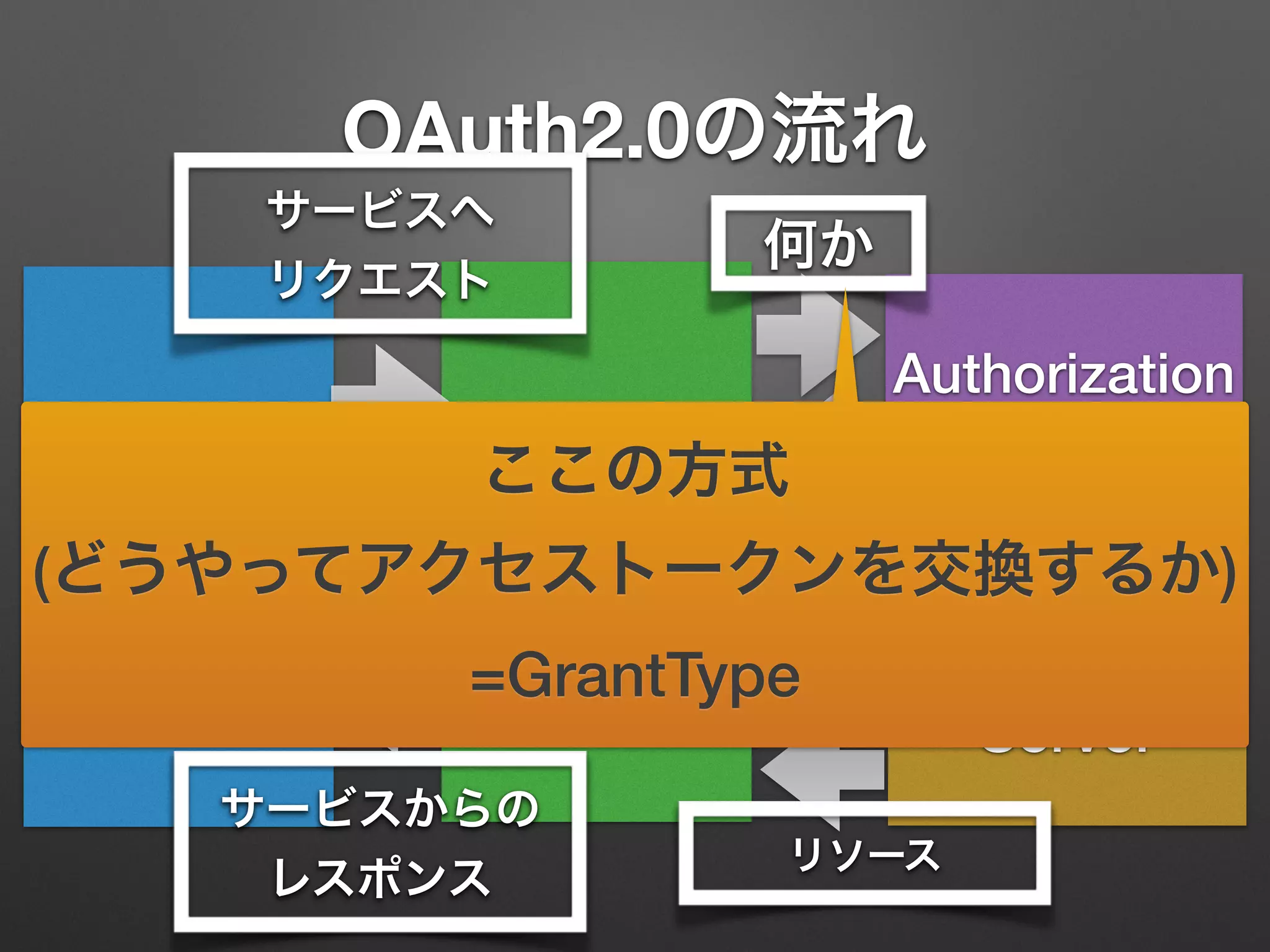
ここの方式
(どうやってアクセストークンを交換するか)
=GrantType
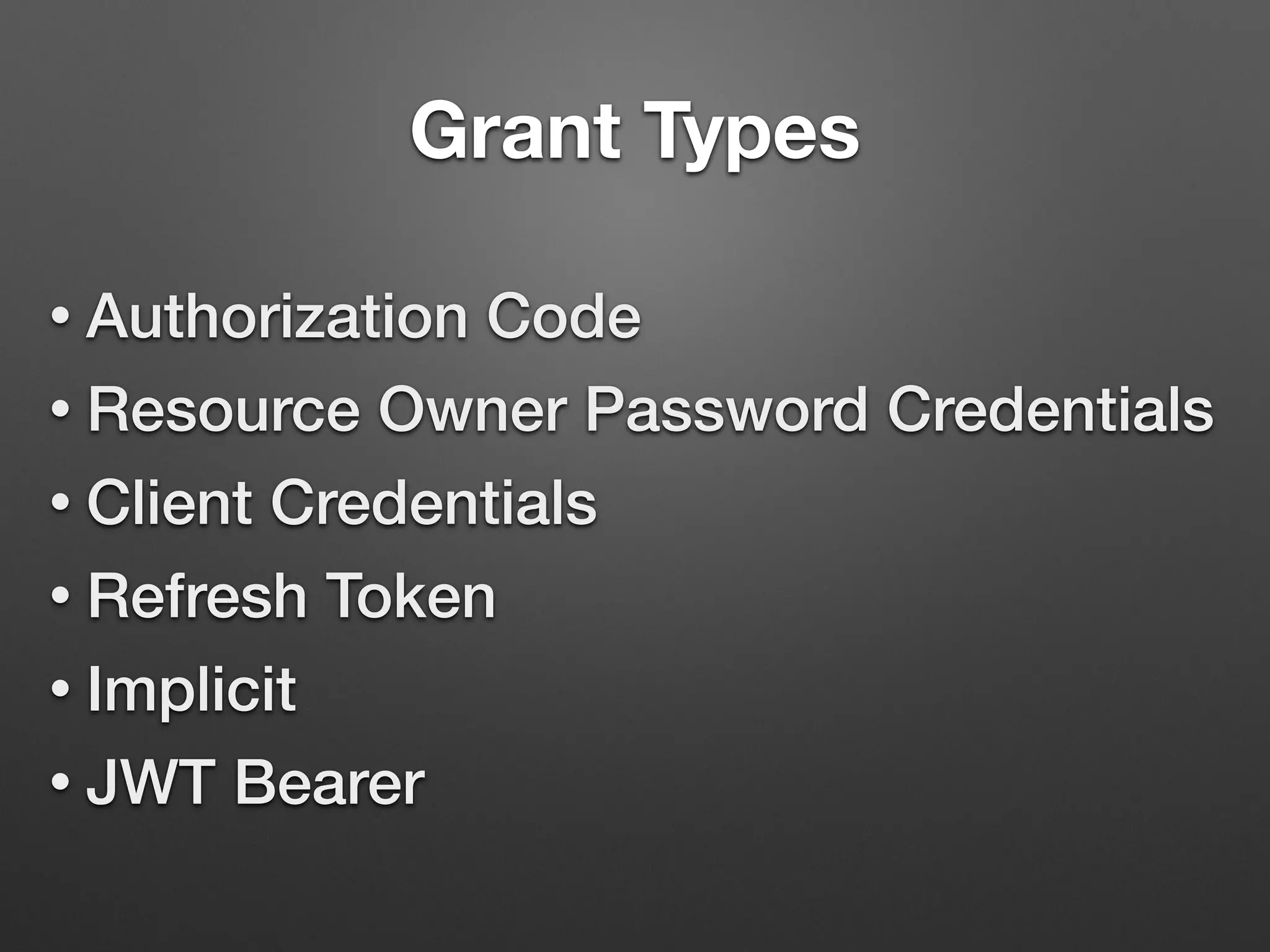
Grant Types
• Authorization Code
• Resource Owner Password Credentials
• Client Credentials
• Refresh Token
• Implicit
• JWT Bearer
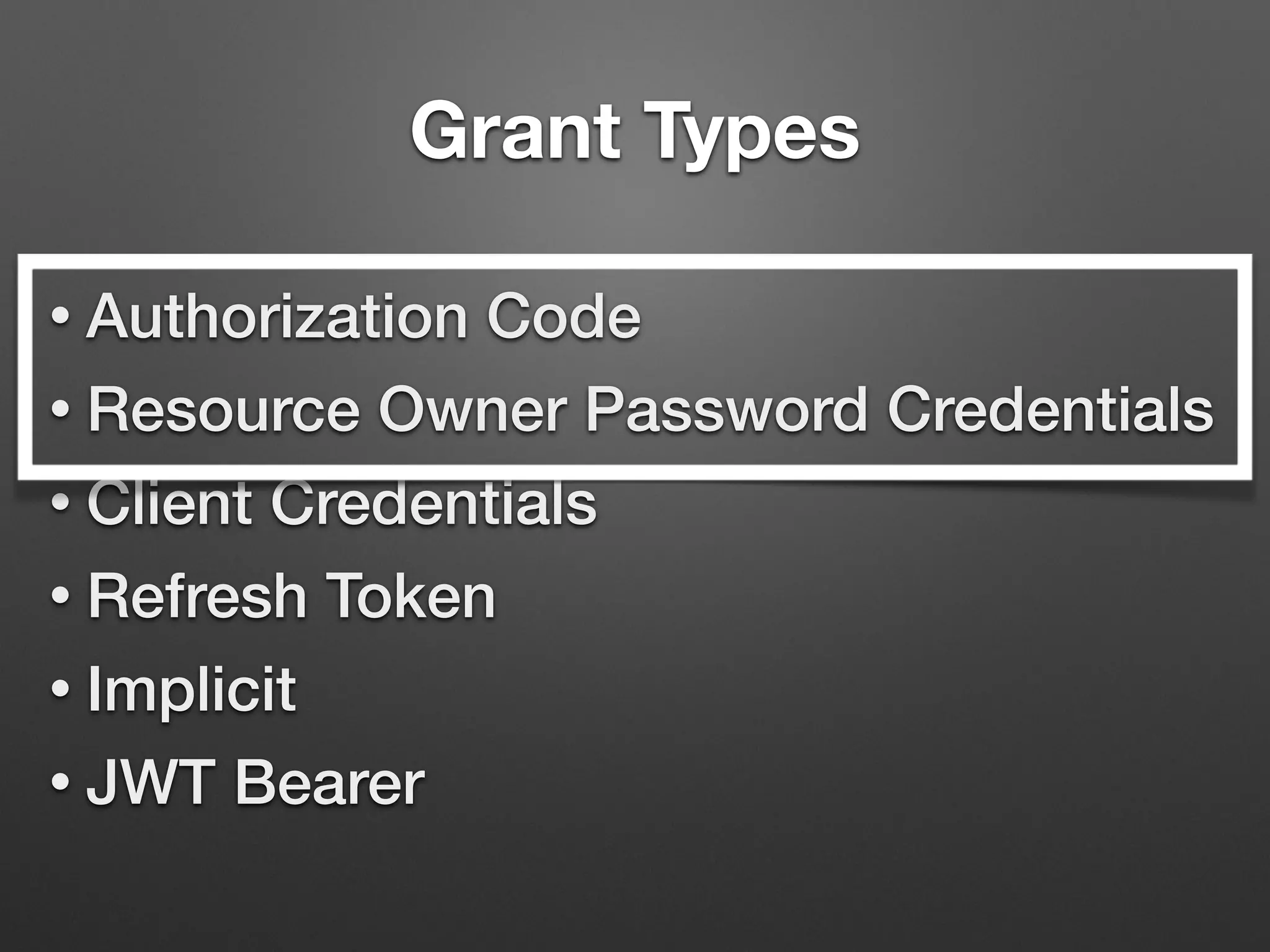
Grant Types
• Authorization Code
• Resource Owner Password Credentials
• Client Credentials
• Refresh Token
• Implicit
• JWT Bearer
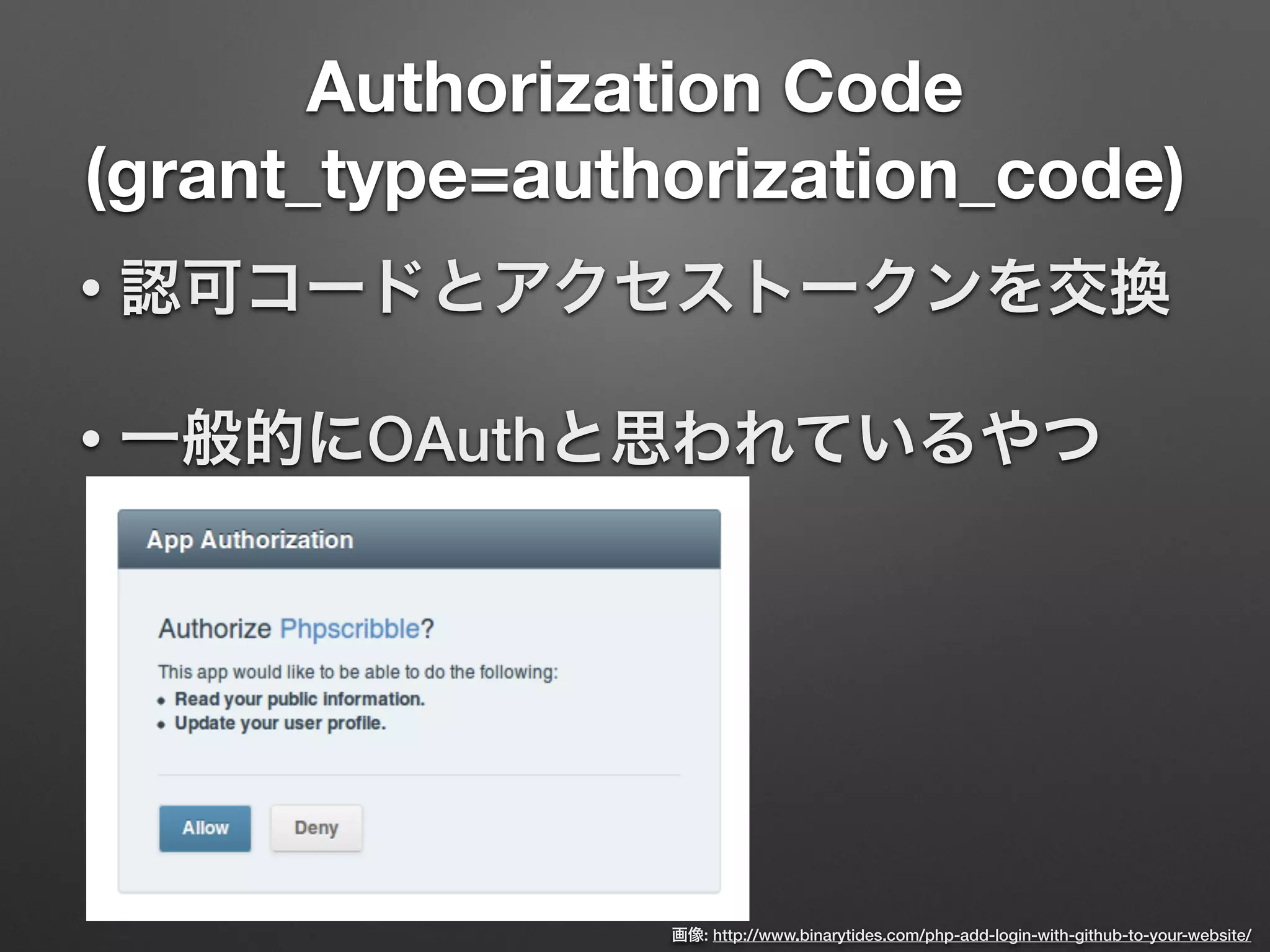
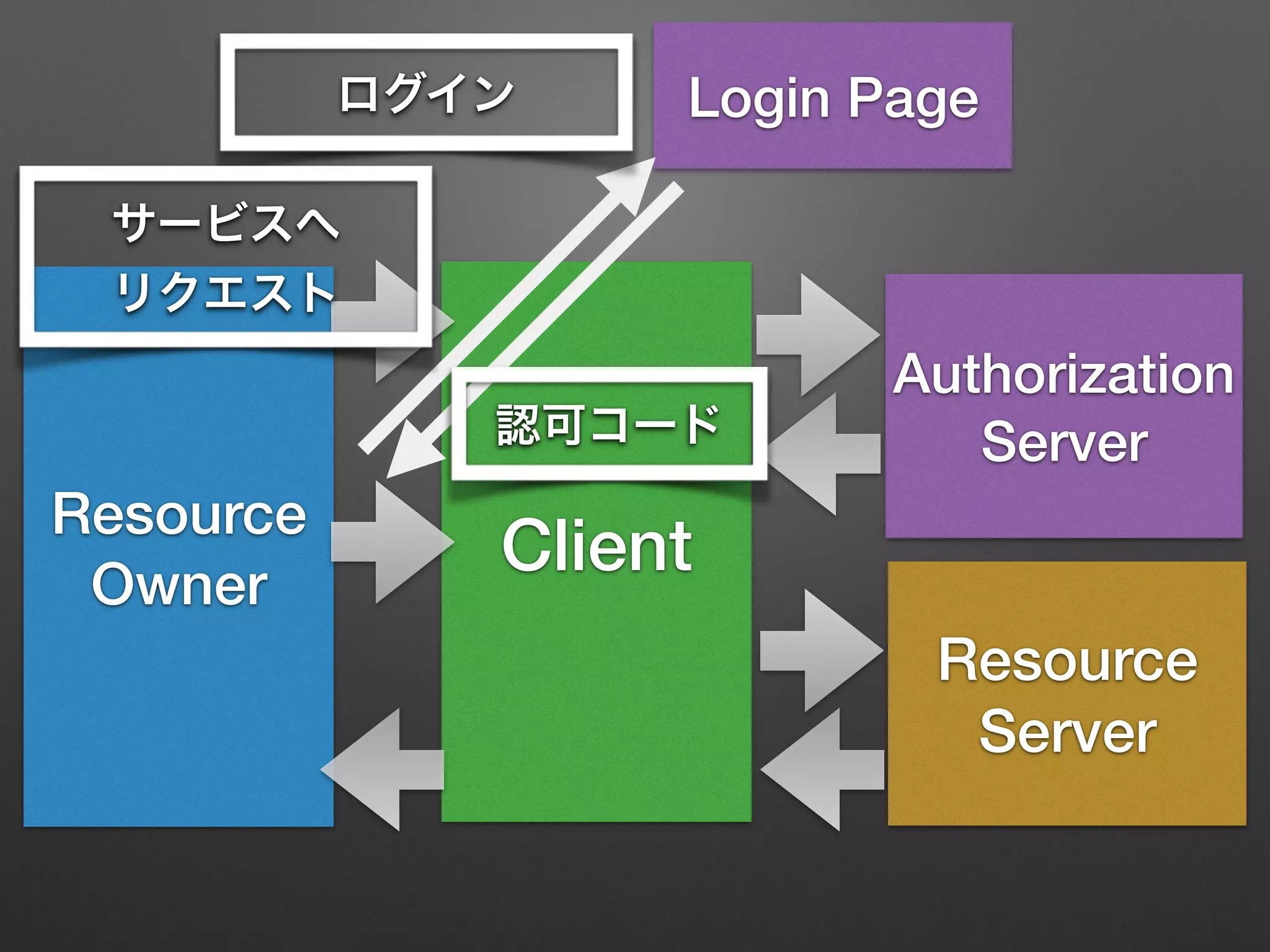
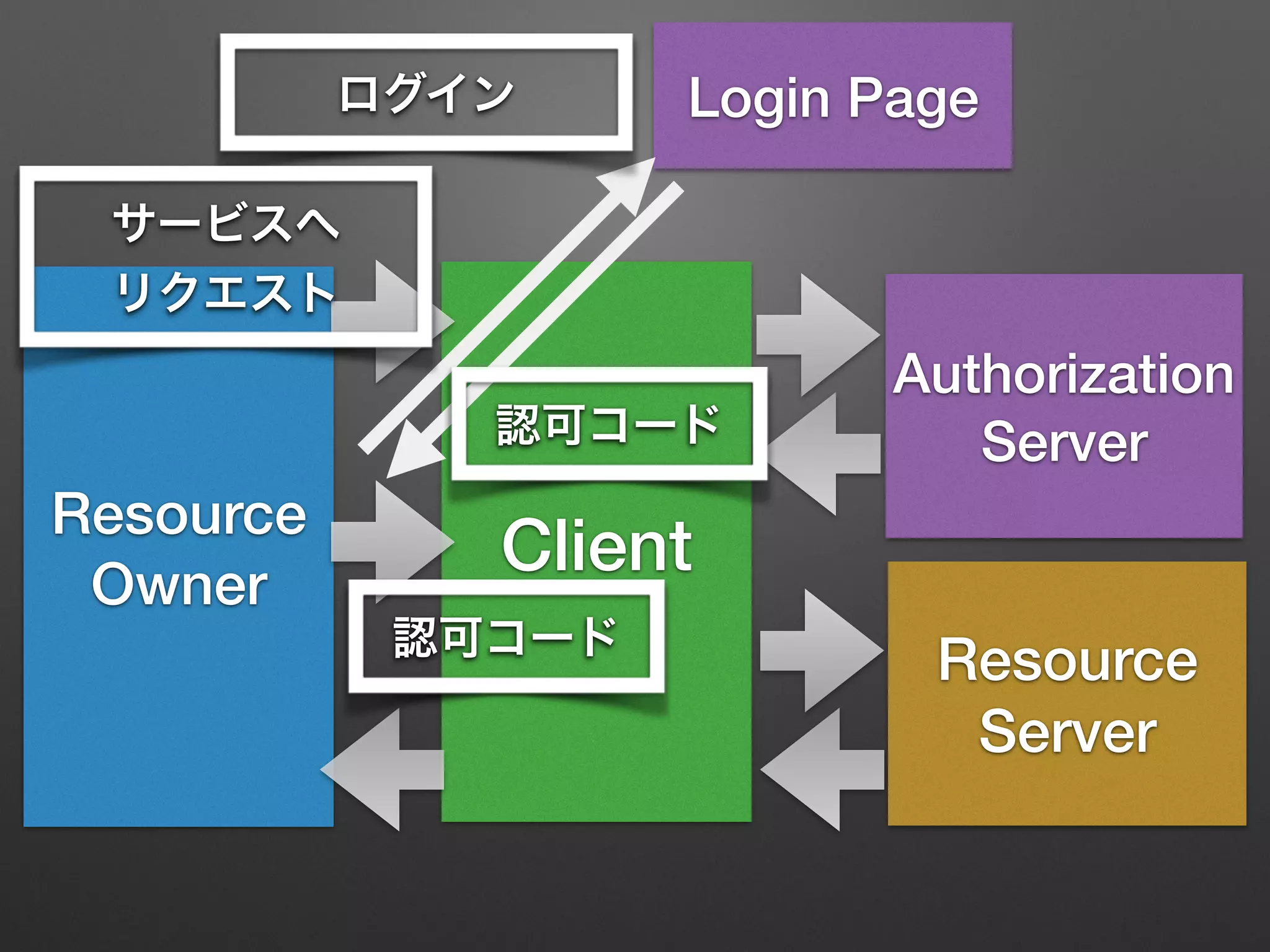
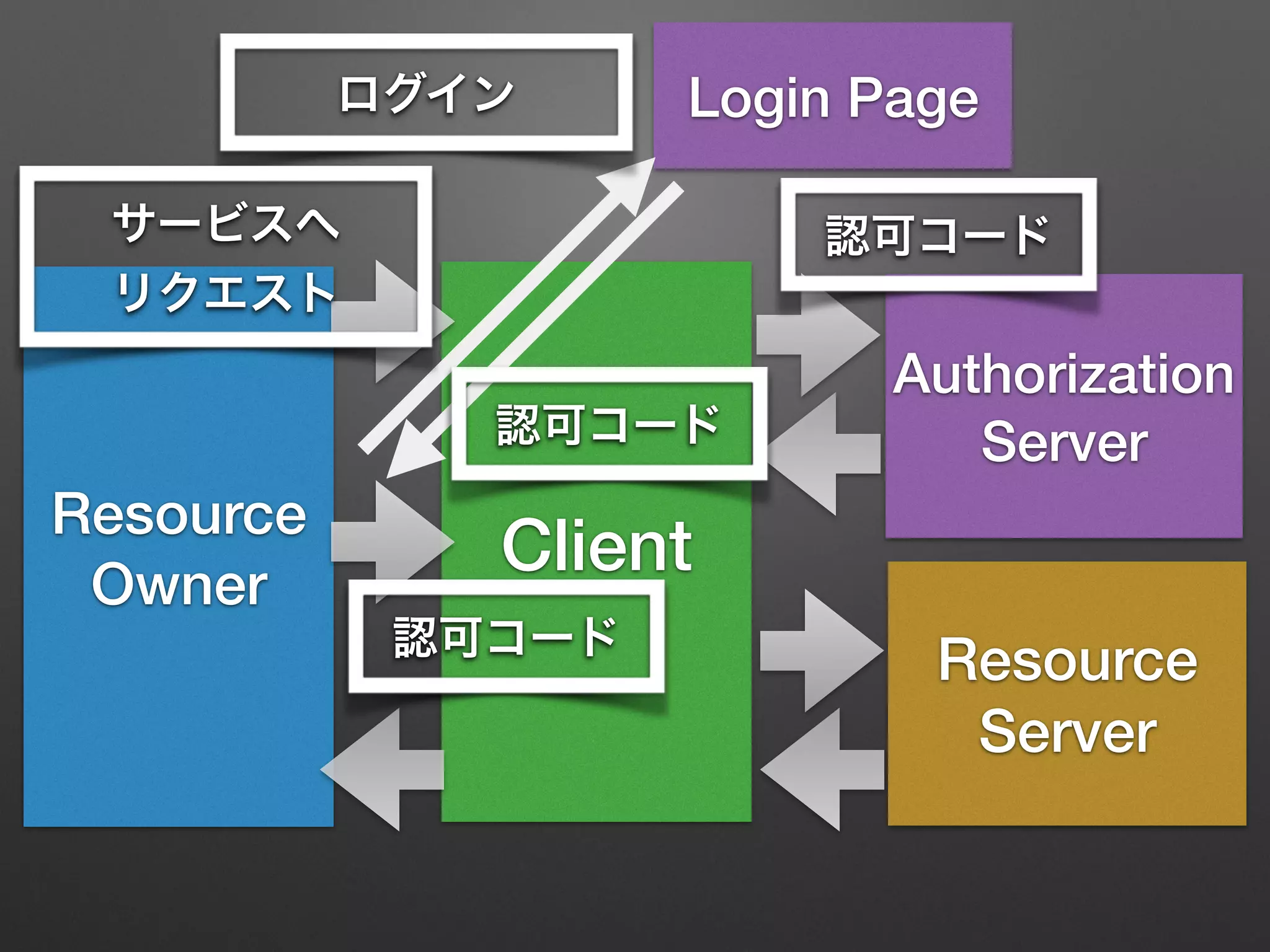
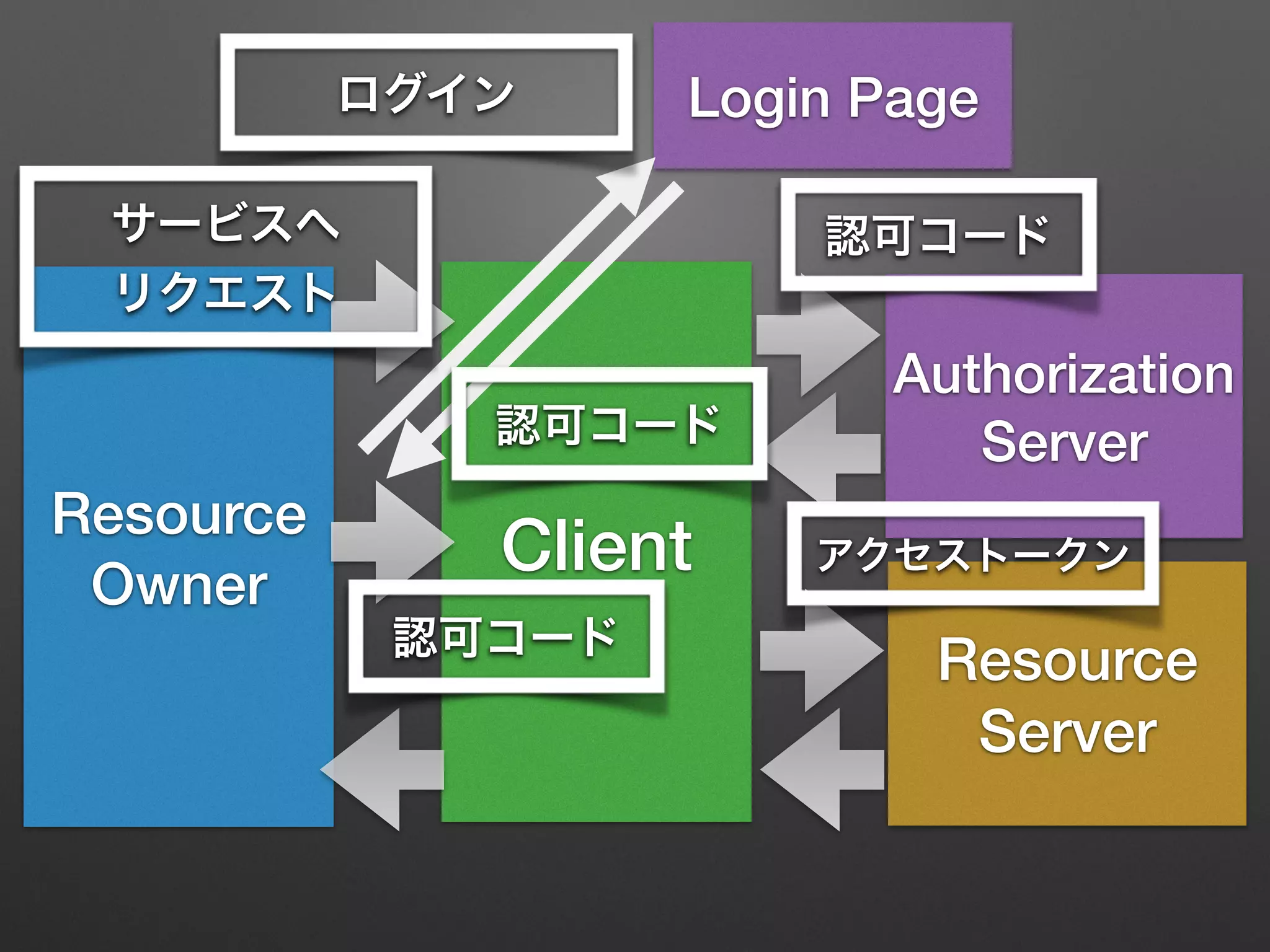
Authorization Code
(grant_type=authorization_code)
• 認可コードとアクセストークンを交換
• 一般的にOAuthと思われているやつ
画像: http://www.binarytides.com/php-add-login-with-github-to-your-website/
Resource
Owner
Client
Resource
Server
Authorization
Server
Resource
Owner
Client
Resource
Server
Authorization
Server
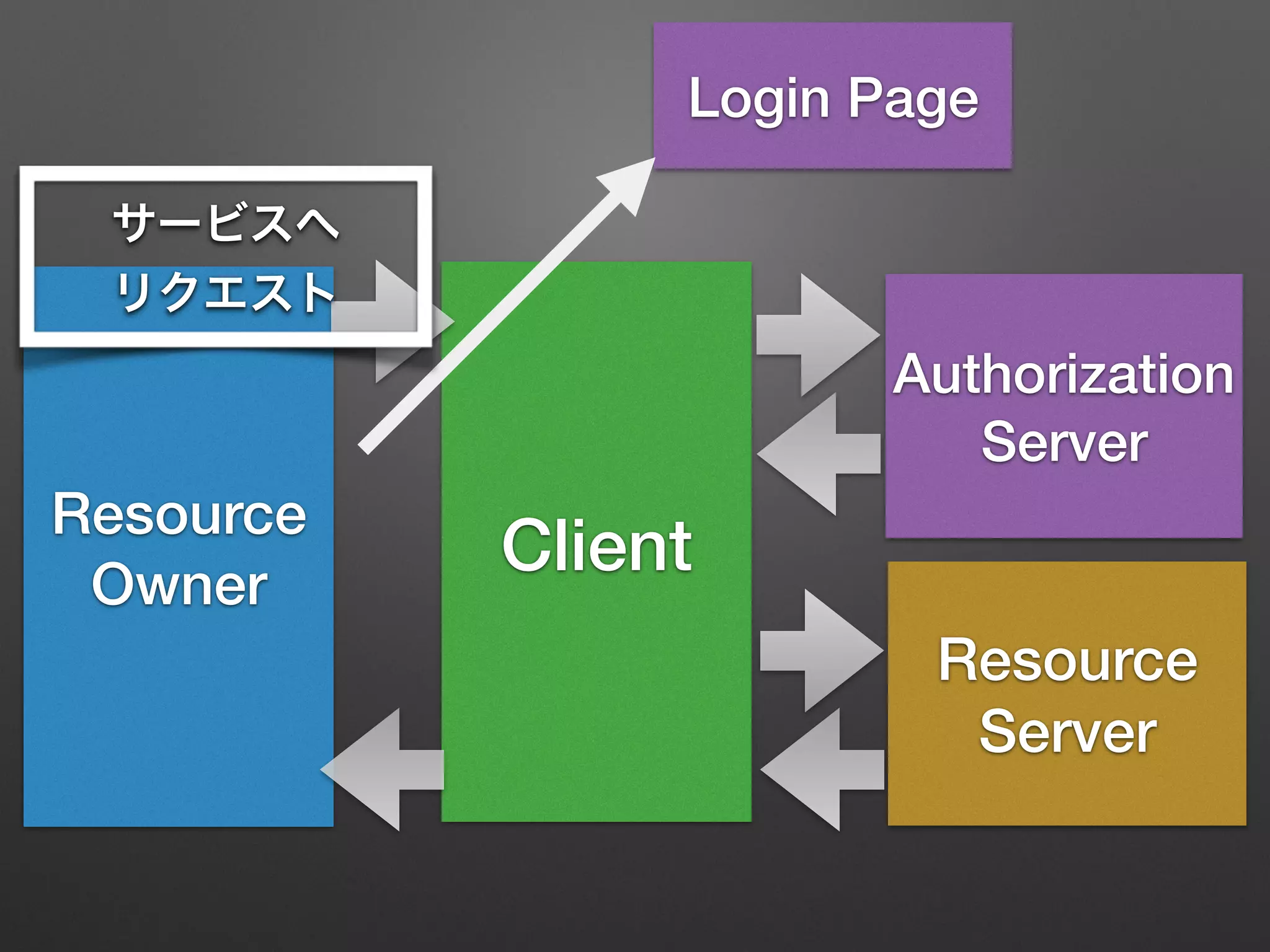
サービスへ
リクエスト
Resource
Owner
Client
Resource
Server
Authorization
Server
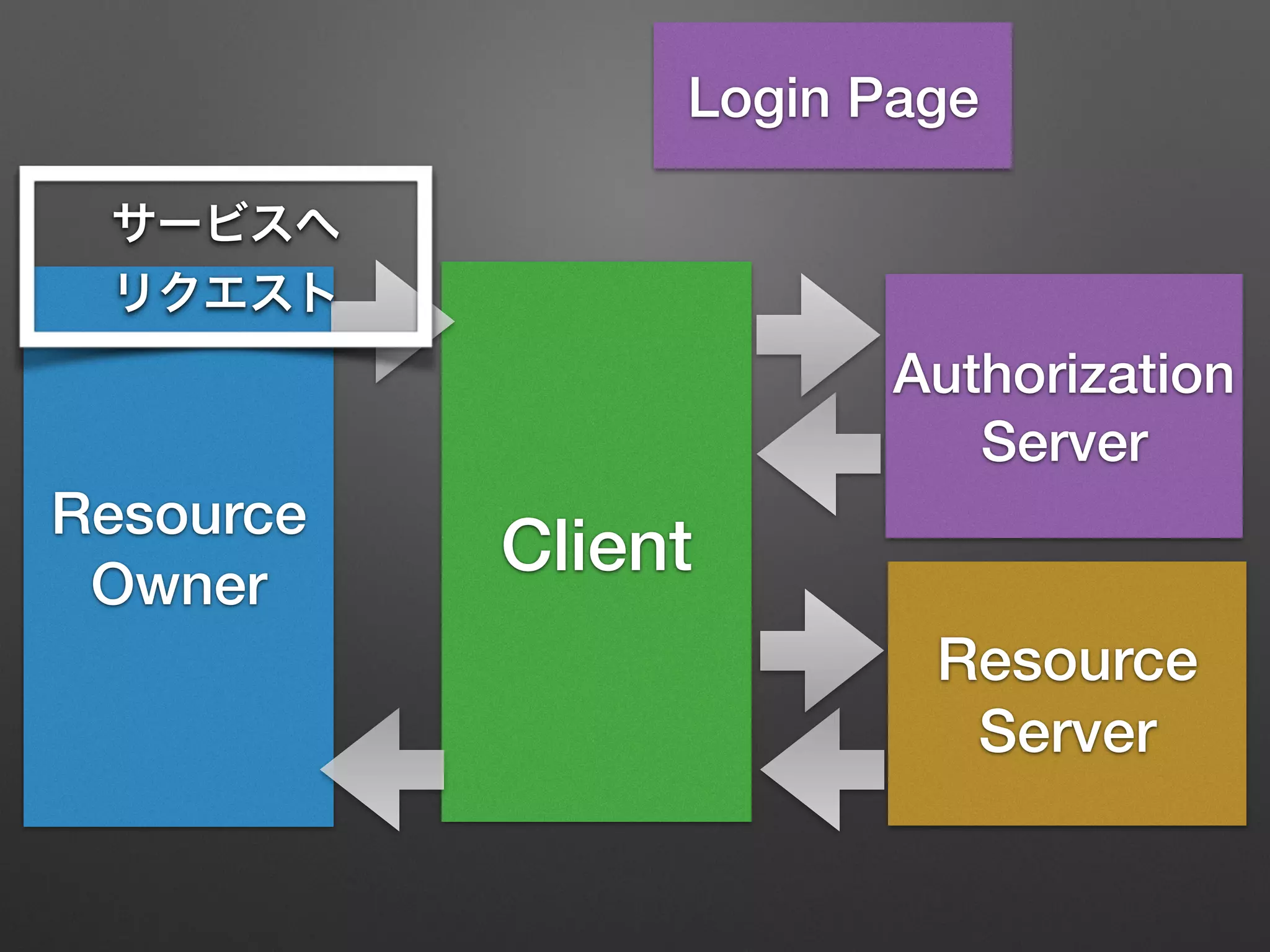
Login Page
サービスへ
リクエスト
Resource
Owner
Client
Resource
Server
Authorization
Server
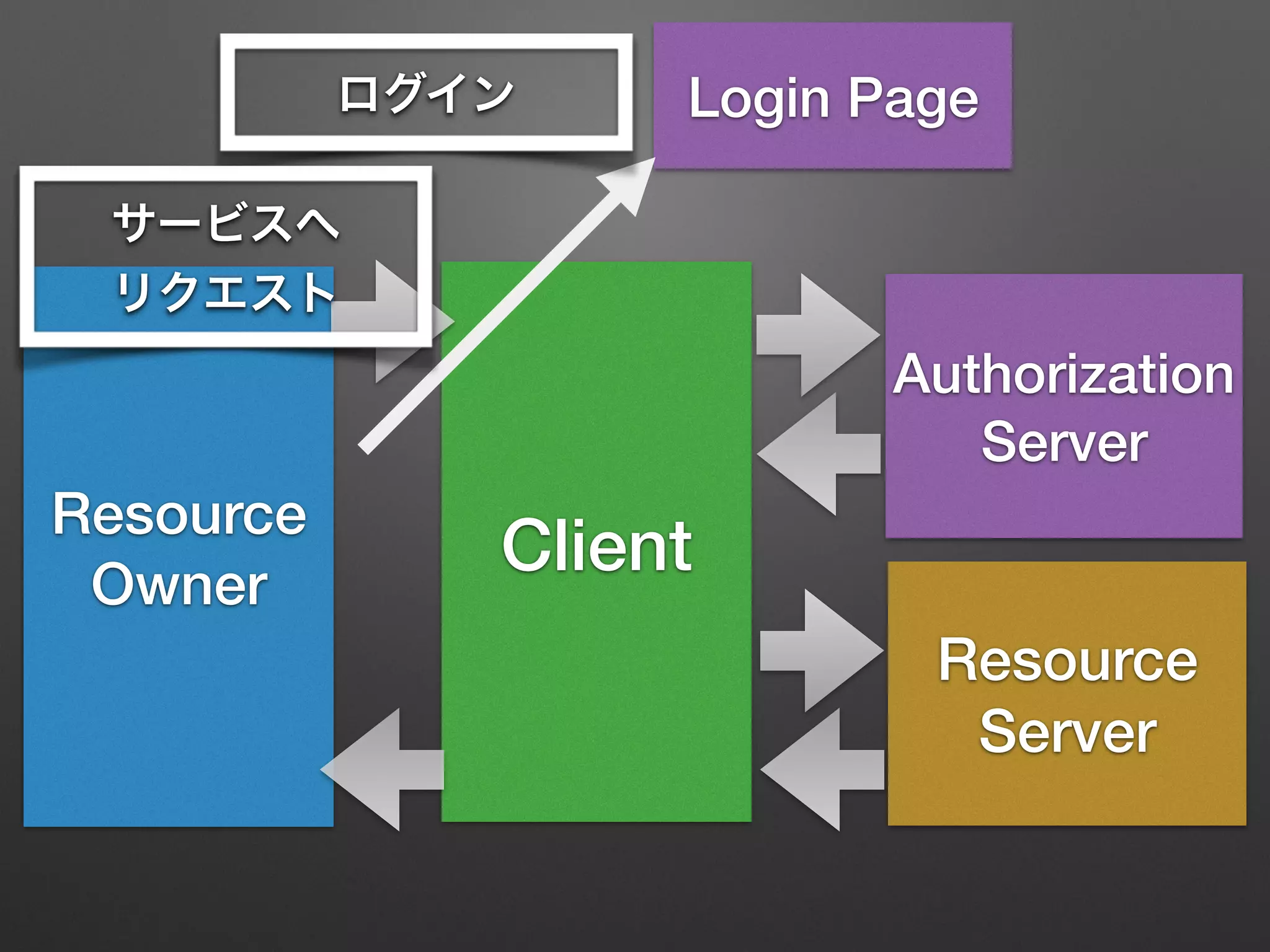
Login Page
サービスへ
リクエスト
Resource
Owner
Client
Resource
Server
Authorization
Server
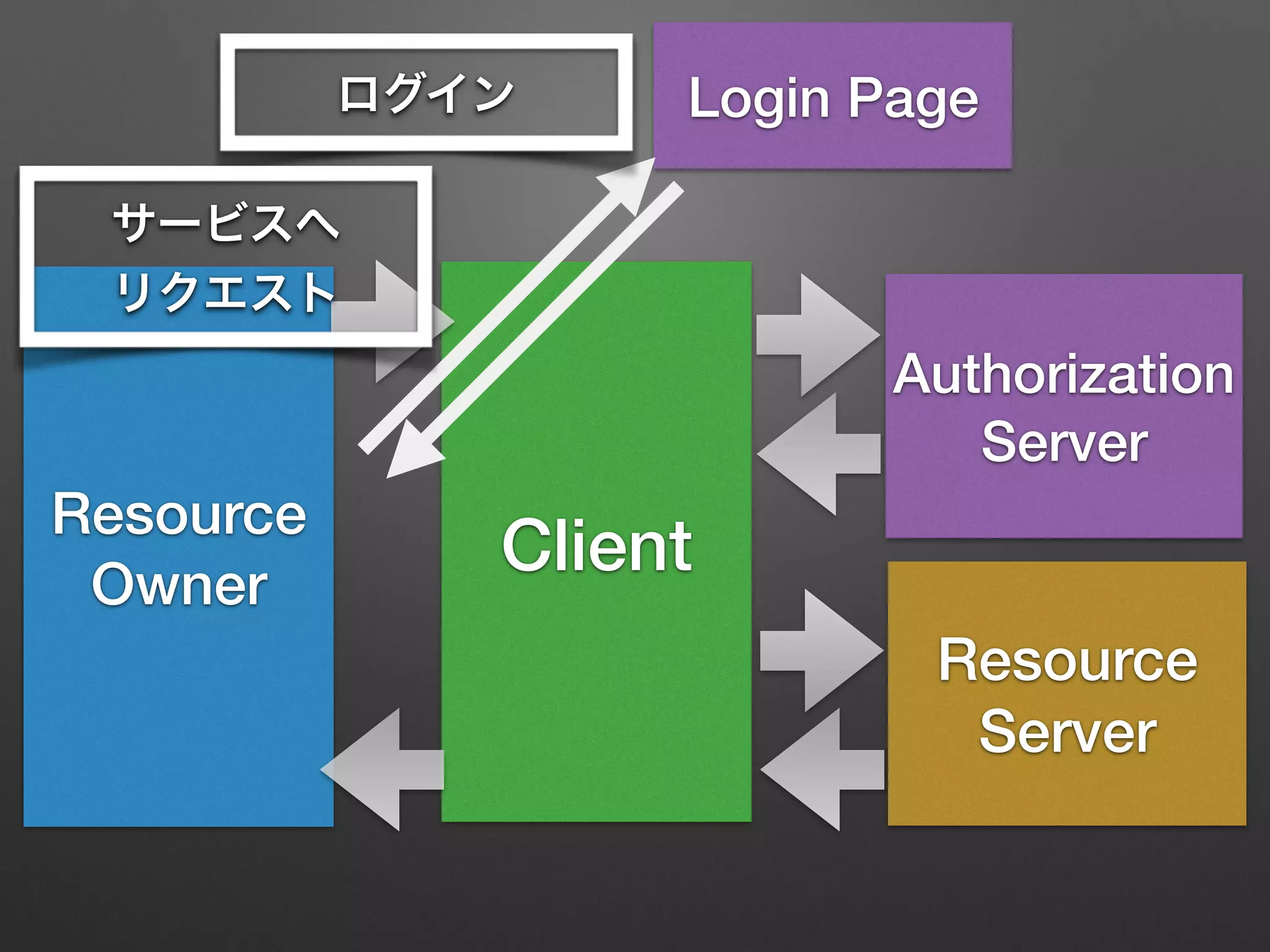
Login Pageログイン
サービスへ
リクエスト
Resource
Owner
Client
Resource
Server
Authorization
Server
Login Pageログイン
サービスへ
リクエスト
Resource
Owner
Client
Resource
Server
Authorization
Server
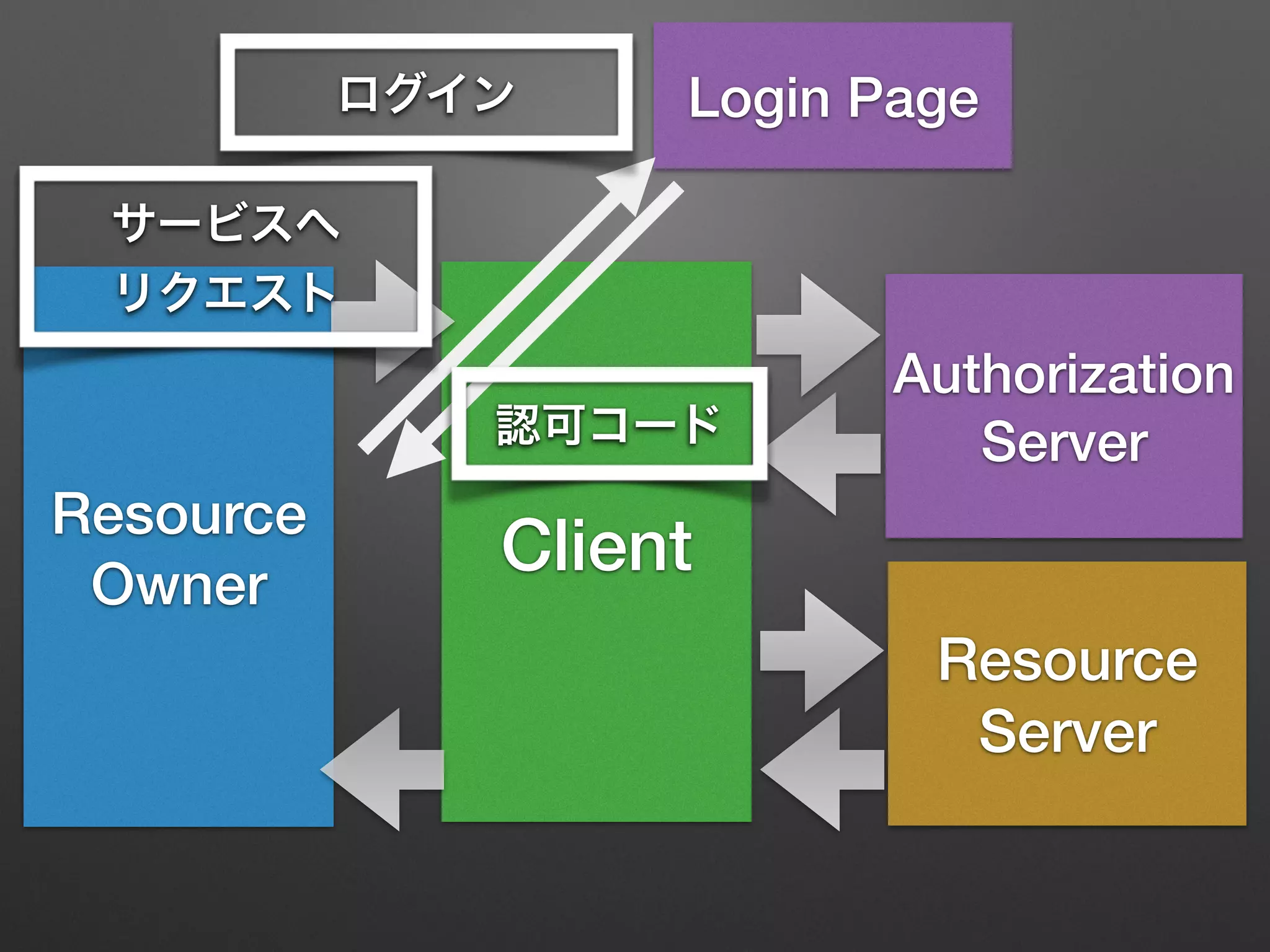
Login Page
認可コード
ログイン
サービスへ
リクエスト
Resource
Owner
Client
Resource
Server
Authorization
Server
Login Page
認可コード
ログイン
サービスへ
リクエスト
Resource
Owner
Client
Resource
Server
Authorization
Server
Login Page
認可コード
認可コード
ログイン
サービスへ
リクエスト
Resource
Owner
Client
Resource
Server
Authorization
Server
Login Page
認可コード
認可コード
認可コード
ログイン
サービスへ
リクエスト
Resource
Owner
Client
Resource
Server
Authorization
Server
Login Page
認可コード
認可コード
アクセストークン
認可コード
ログイン
サービスへ
リクエスト
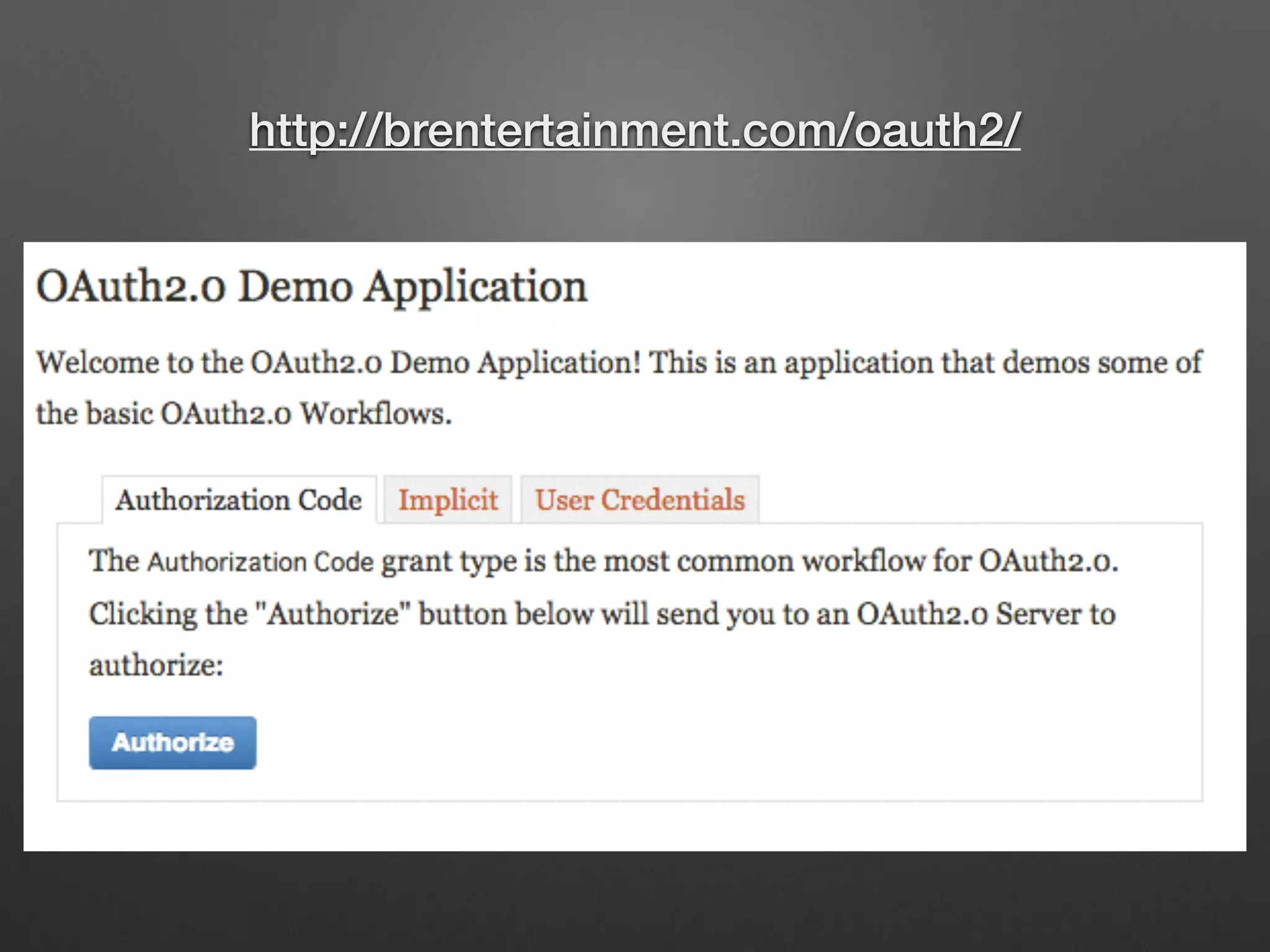
http://brentertainment.com/oauth2/
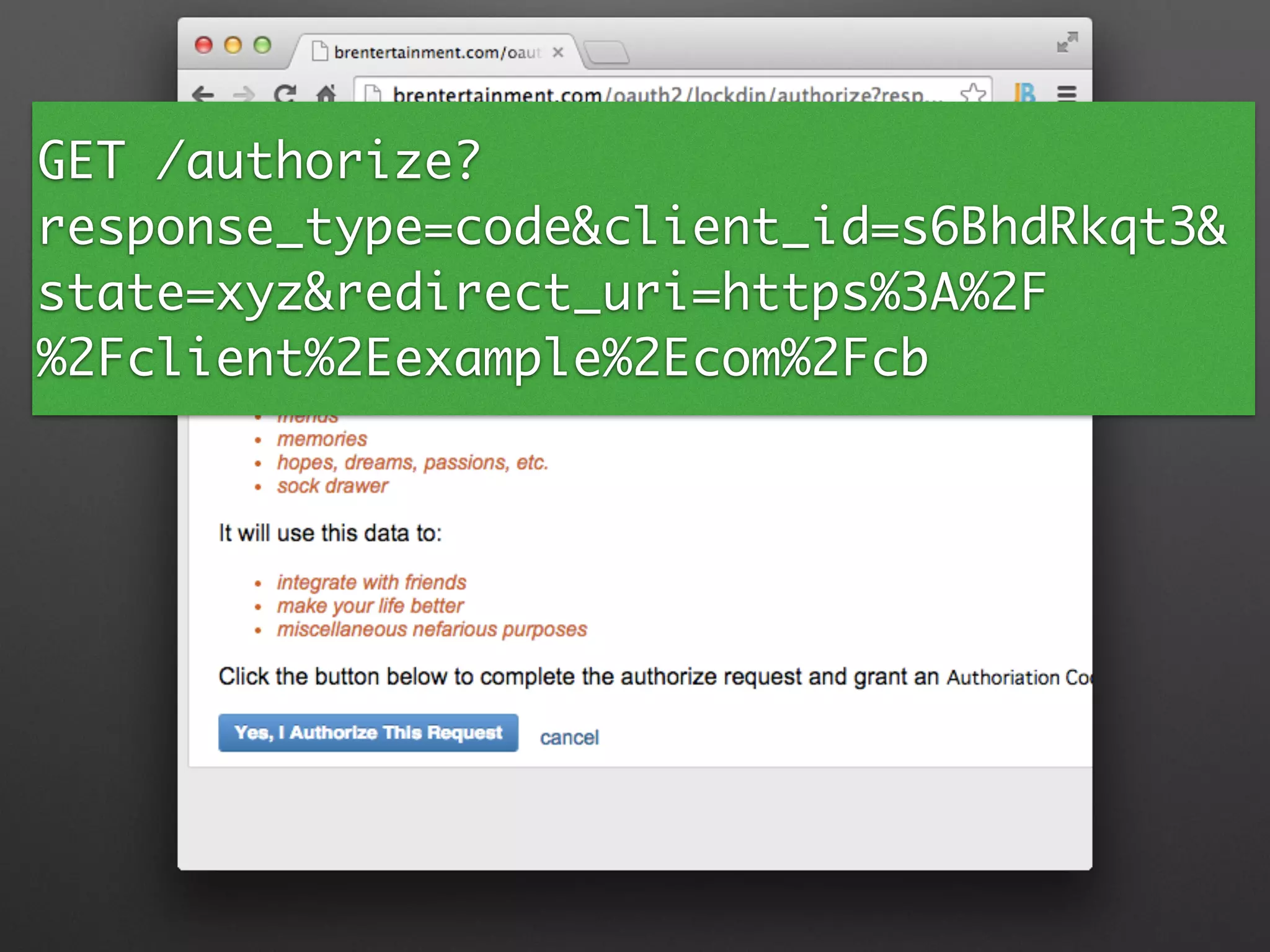
GET /authorize?
response_type=code&client_id=s6BhdRkqt3&
state=xyz&redirect_uri=https%3A%2F
%2Fclient%2Eexample%2Ecom%2Fcb
GET /authorize?
response_type=code&client_id=s6BhdRkqt3&
state=xyz&redirect_uri=https%3A%2F
%2Fclient%2Eexample%2Ecom%2Fcb
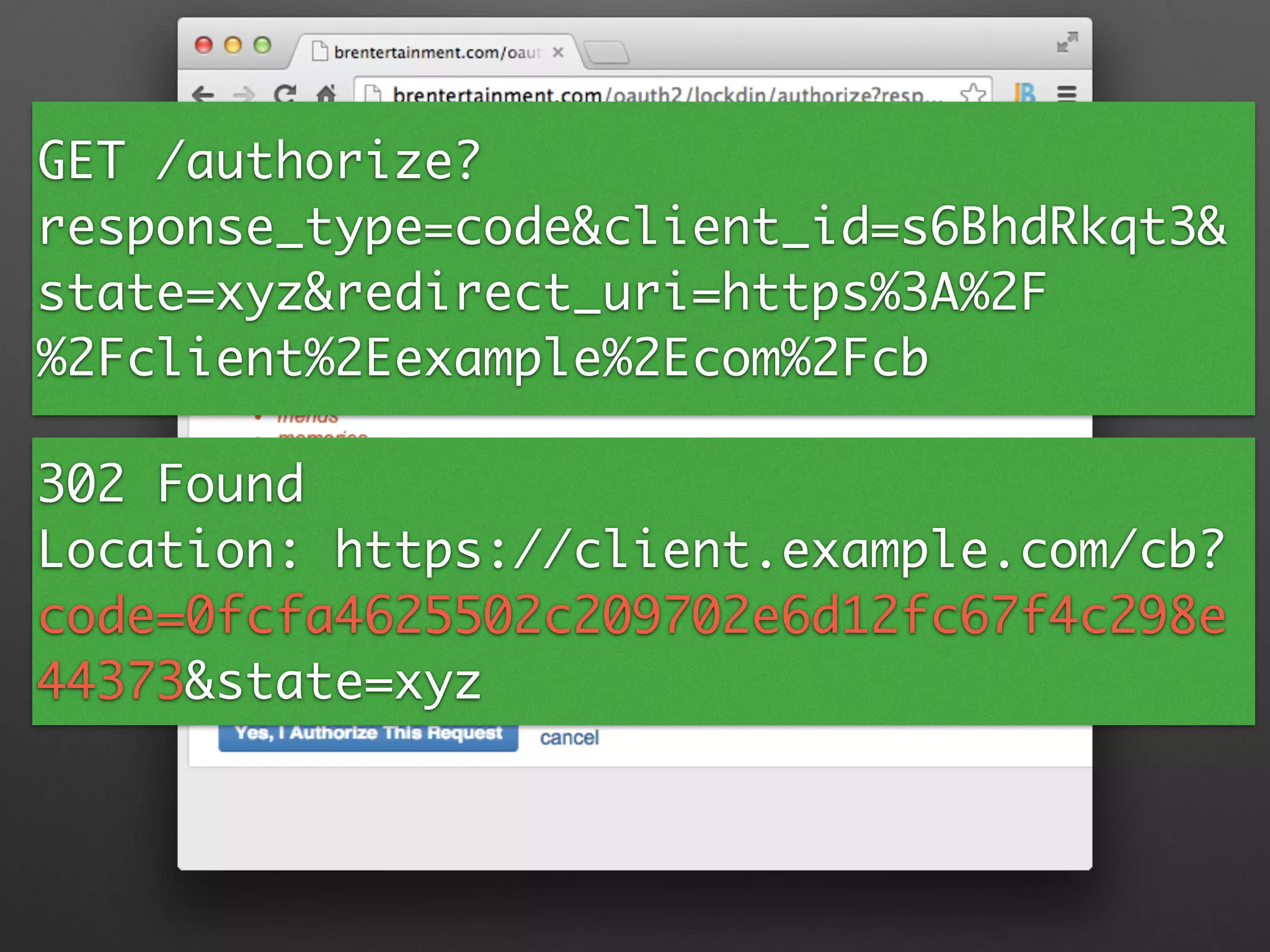
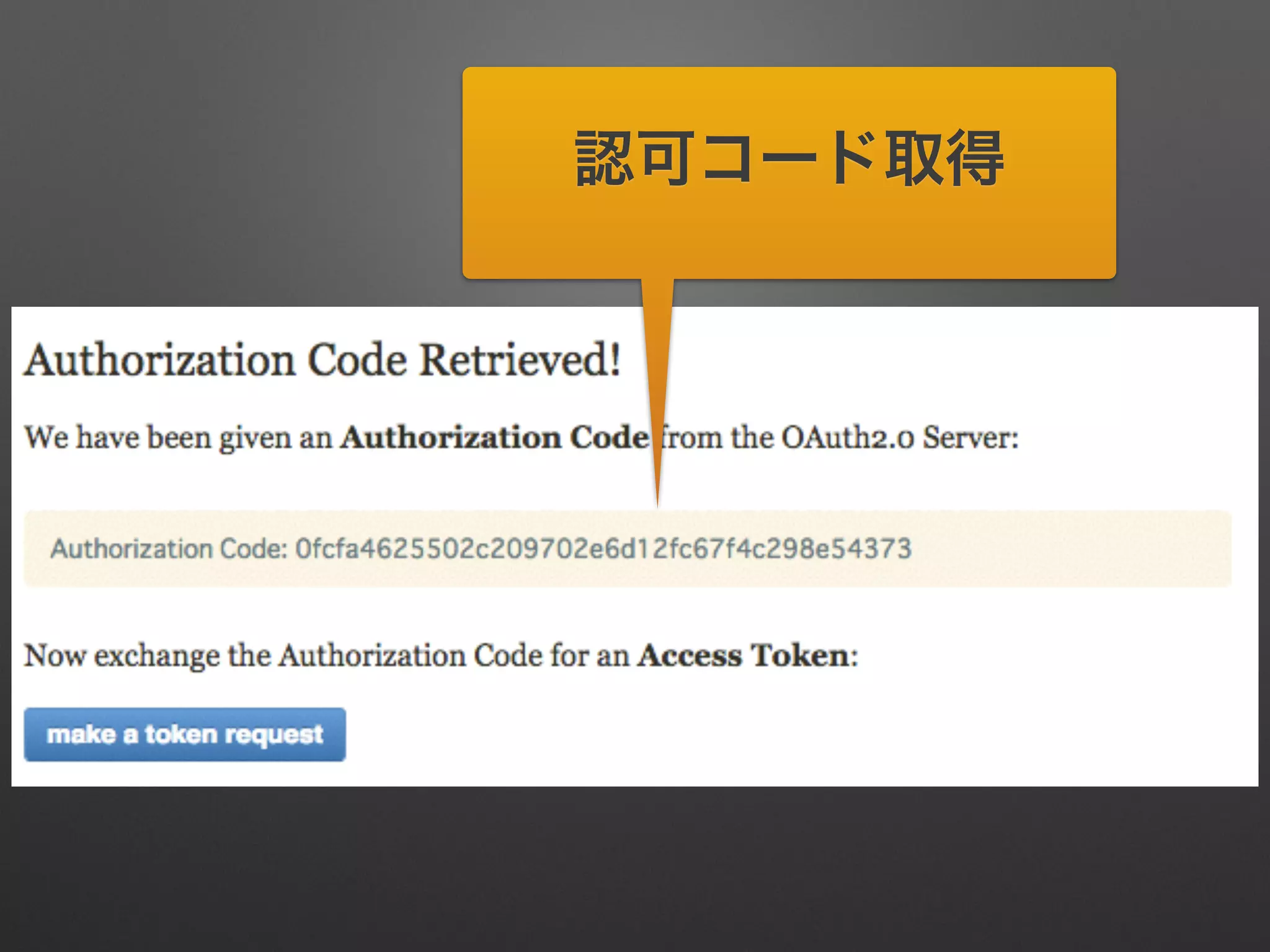
302 Found	
Location: https://client.example.com/cb?
code=0fcfa4625502c209702e6d12fc67f4c298e
44373&state=xyz
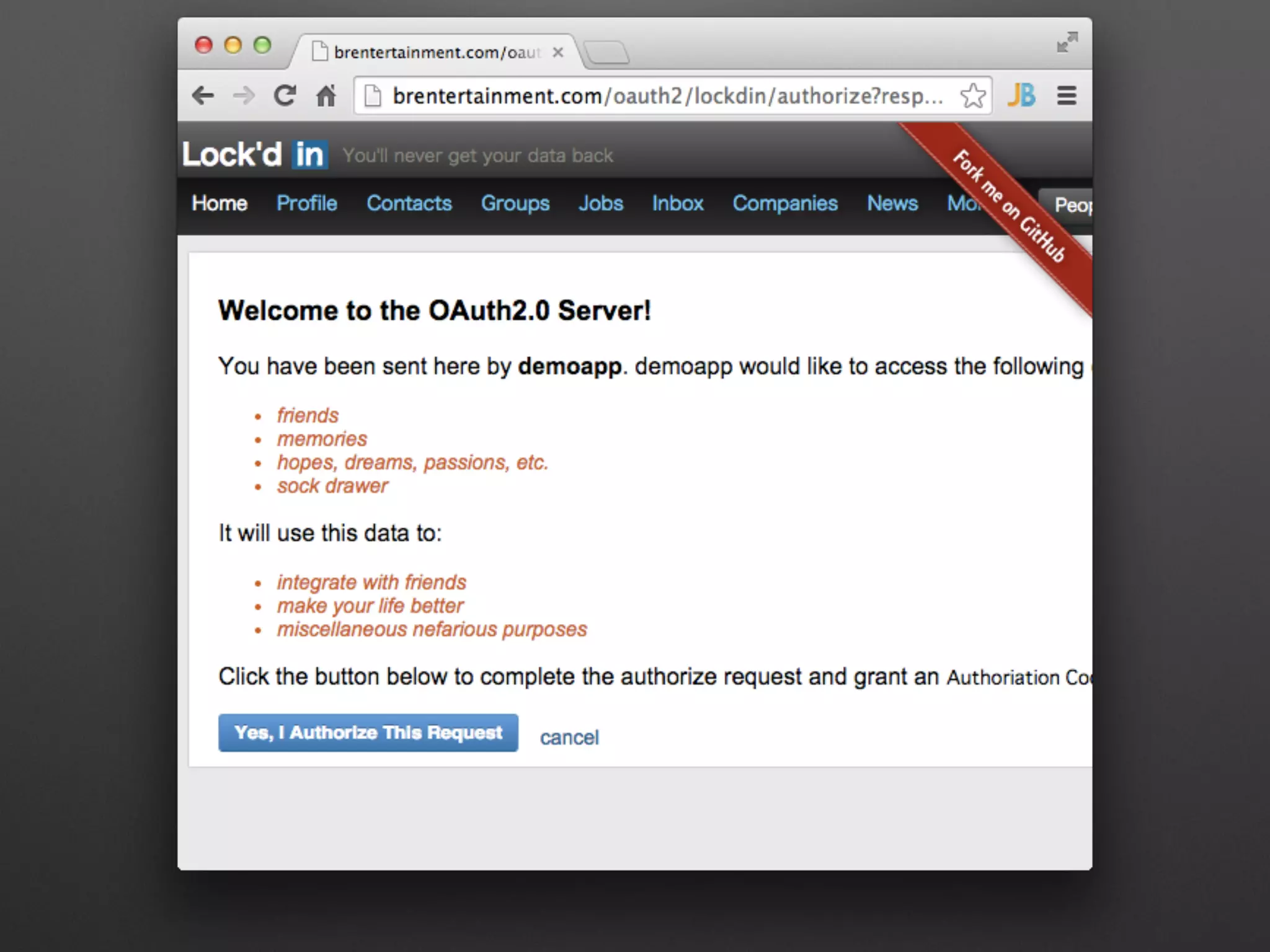
認可コード取得
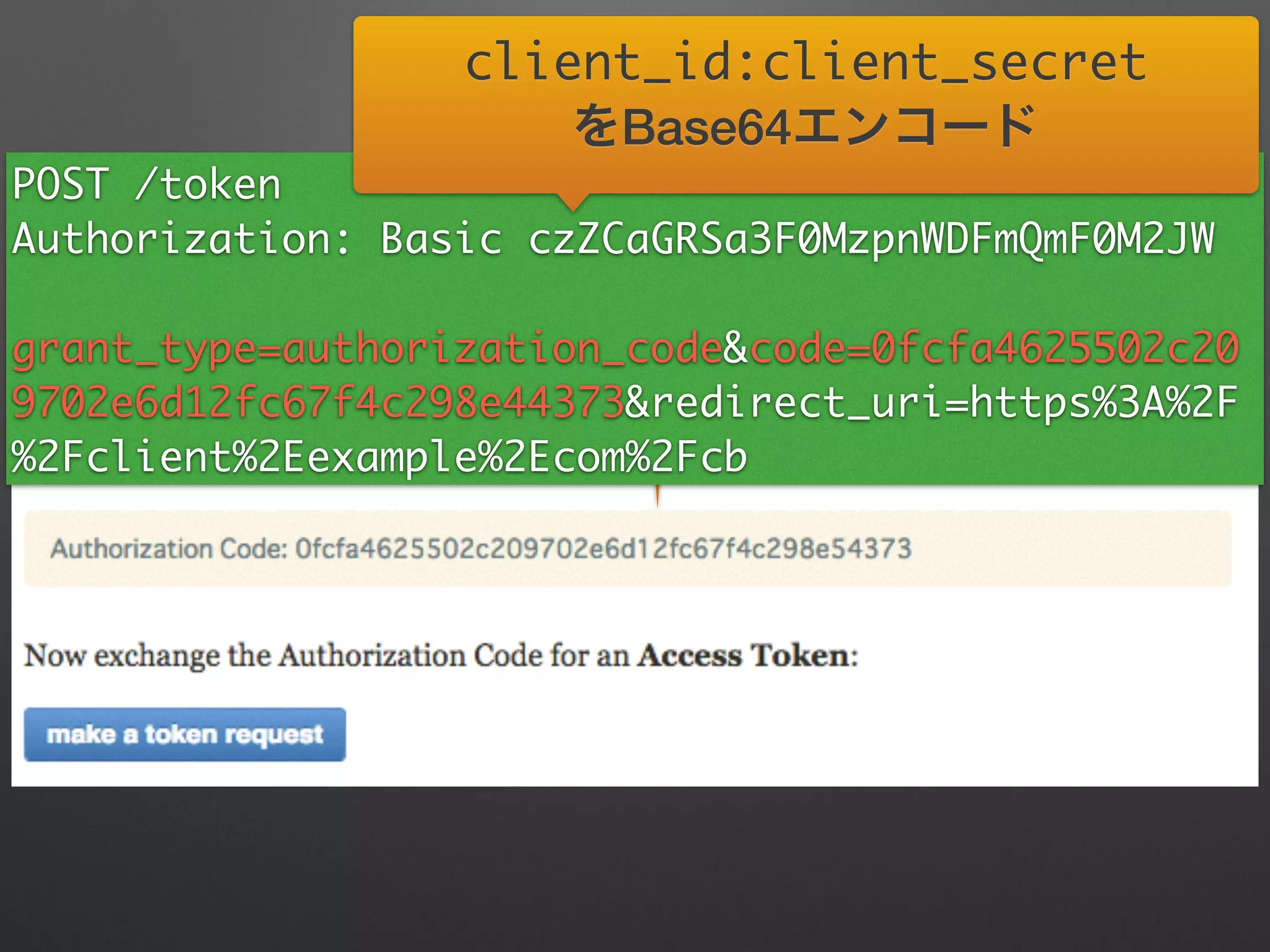
認可コード取得POST /token	
Authorization: Basic czZCaGRSa3F0MzpnWDFmQmF0M2JW	
grant_type=authorization_code&code=0fcfa4625502c20
9702e6d12fc67f4c298e44373&redirect_uri=https%3A%2F
%2Fclient%2Eexample%2Ecom%2Fcb
client_id:client_secret	
をBase64エンコード
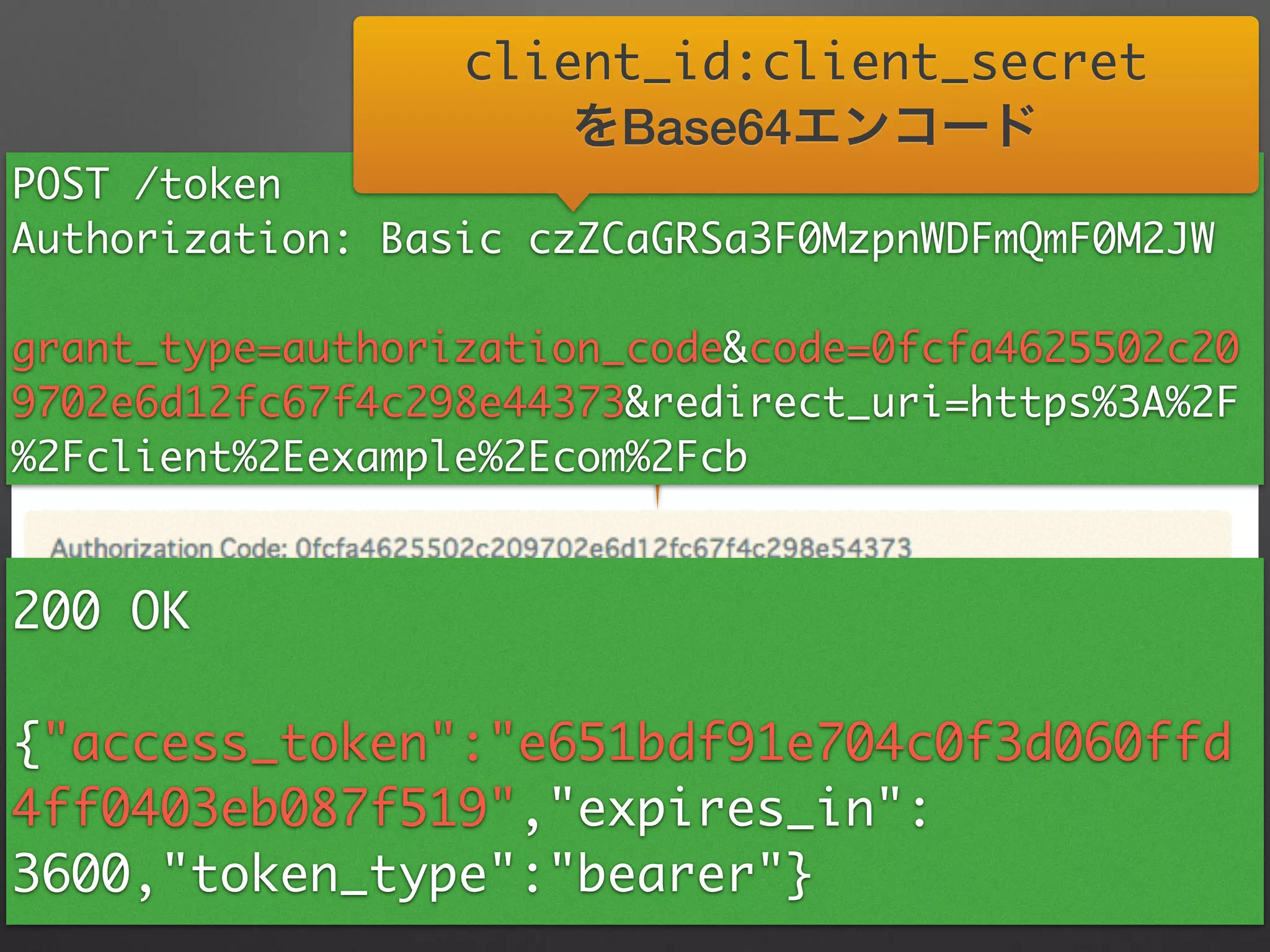
認可コード取得POST /token	
Authorization: Basic czZCaGRSa3F0MzpnWDFmQmF0M2JW	
grant_type=authorization_code&code=0fcfa4625502c20
9702e6d12fc67f4c298e44373&redirect_uri=https%3A%2F
%2Fclient%2Eexample%2Ecom%2Fcb
client_id:client_secret	
をBase64エンコード
200 OK	
!
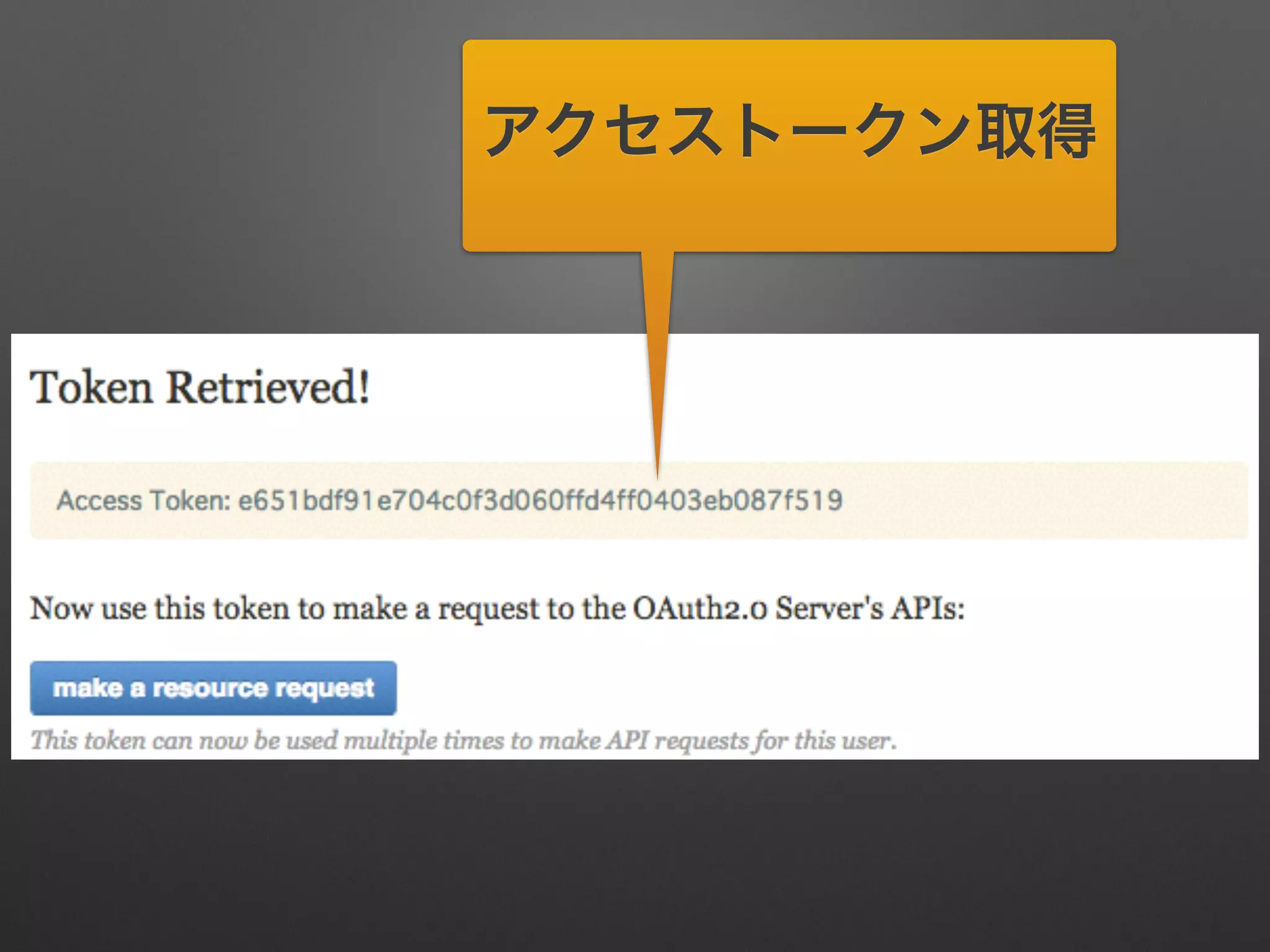
{"access_token":"e651bdf91e704c0f3d060ffd
4ff0403eb087f519","expires_in":
3600,"token_type":"bearer"}
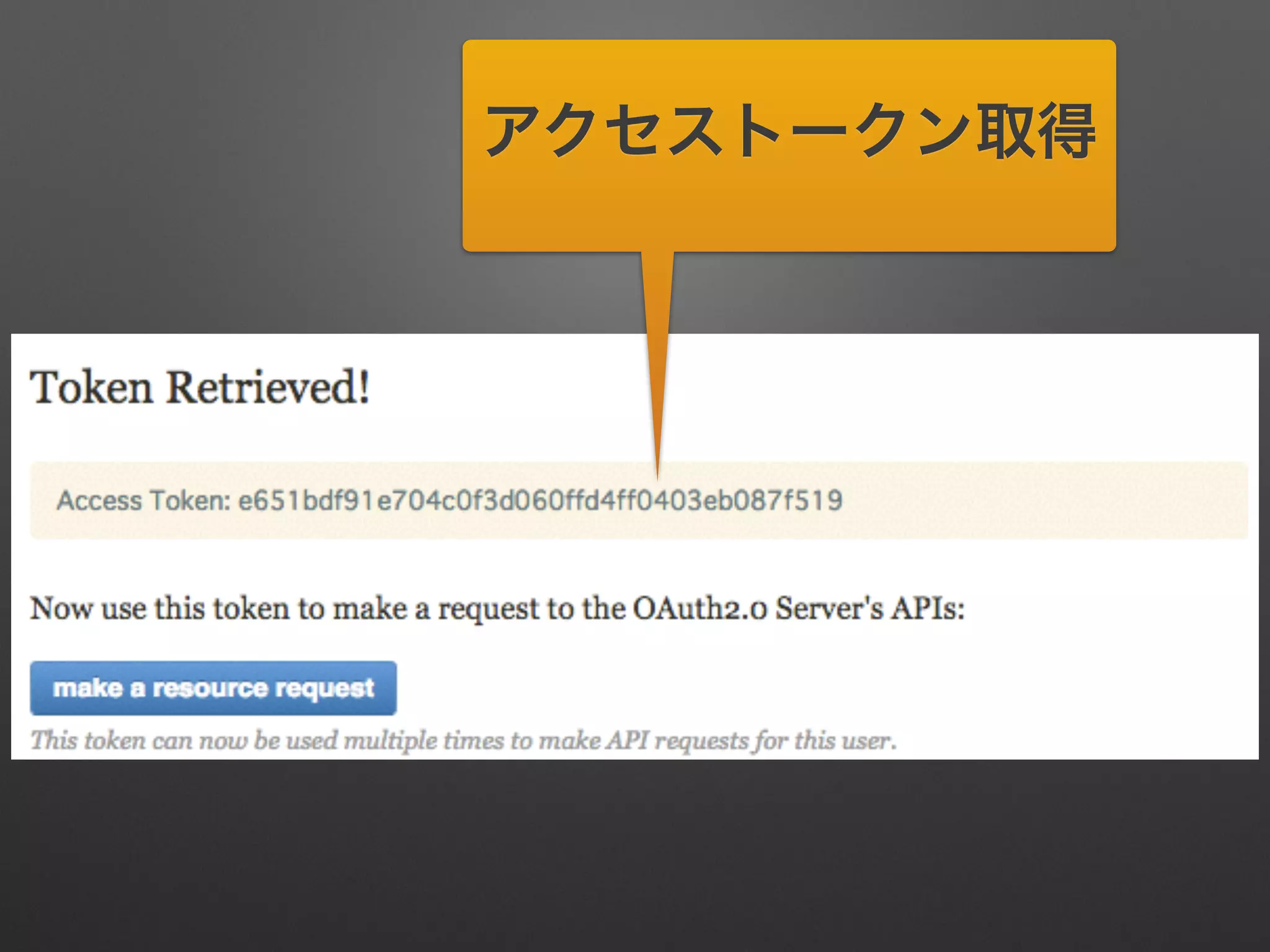
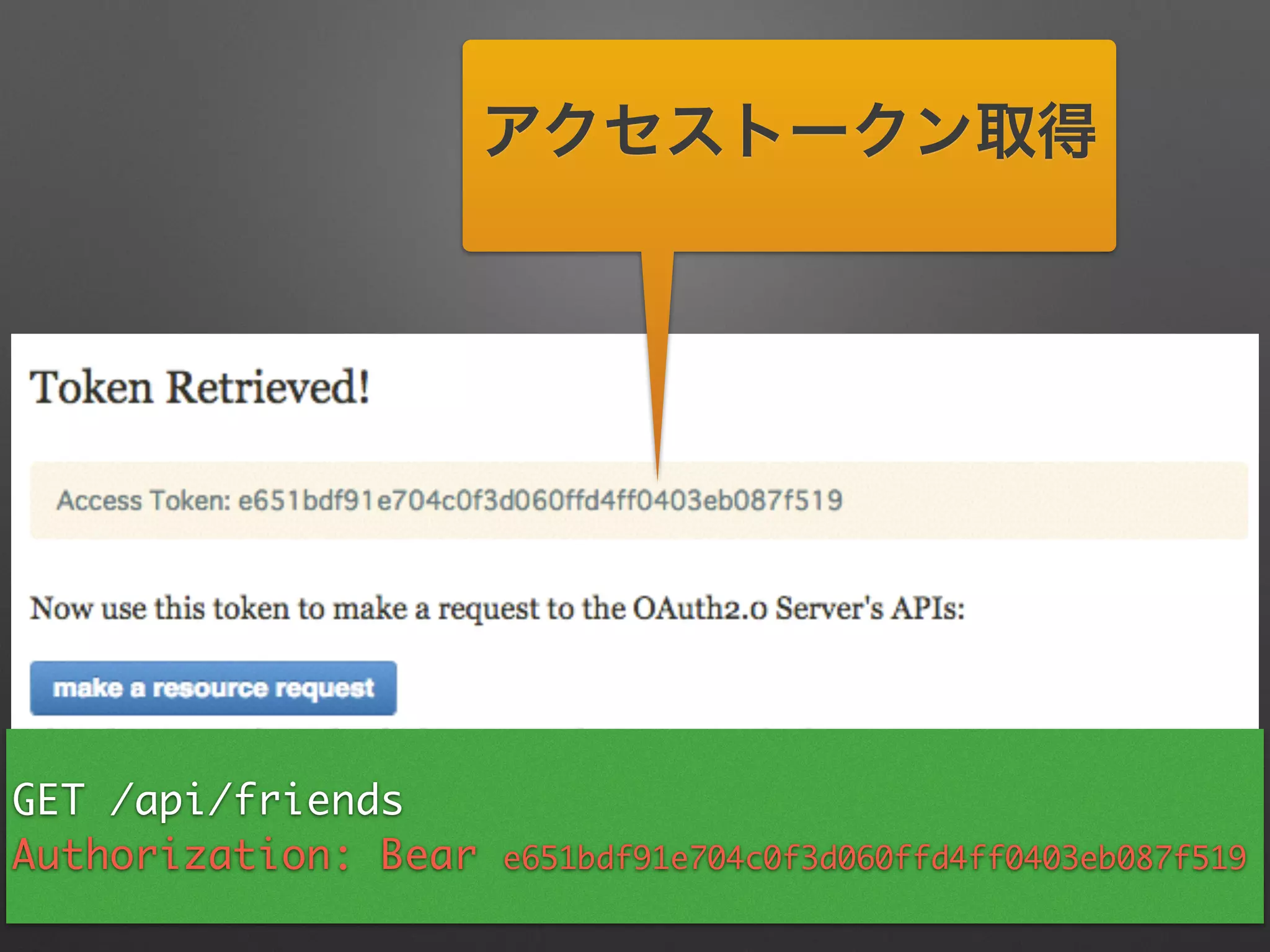
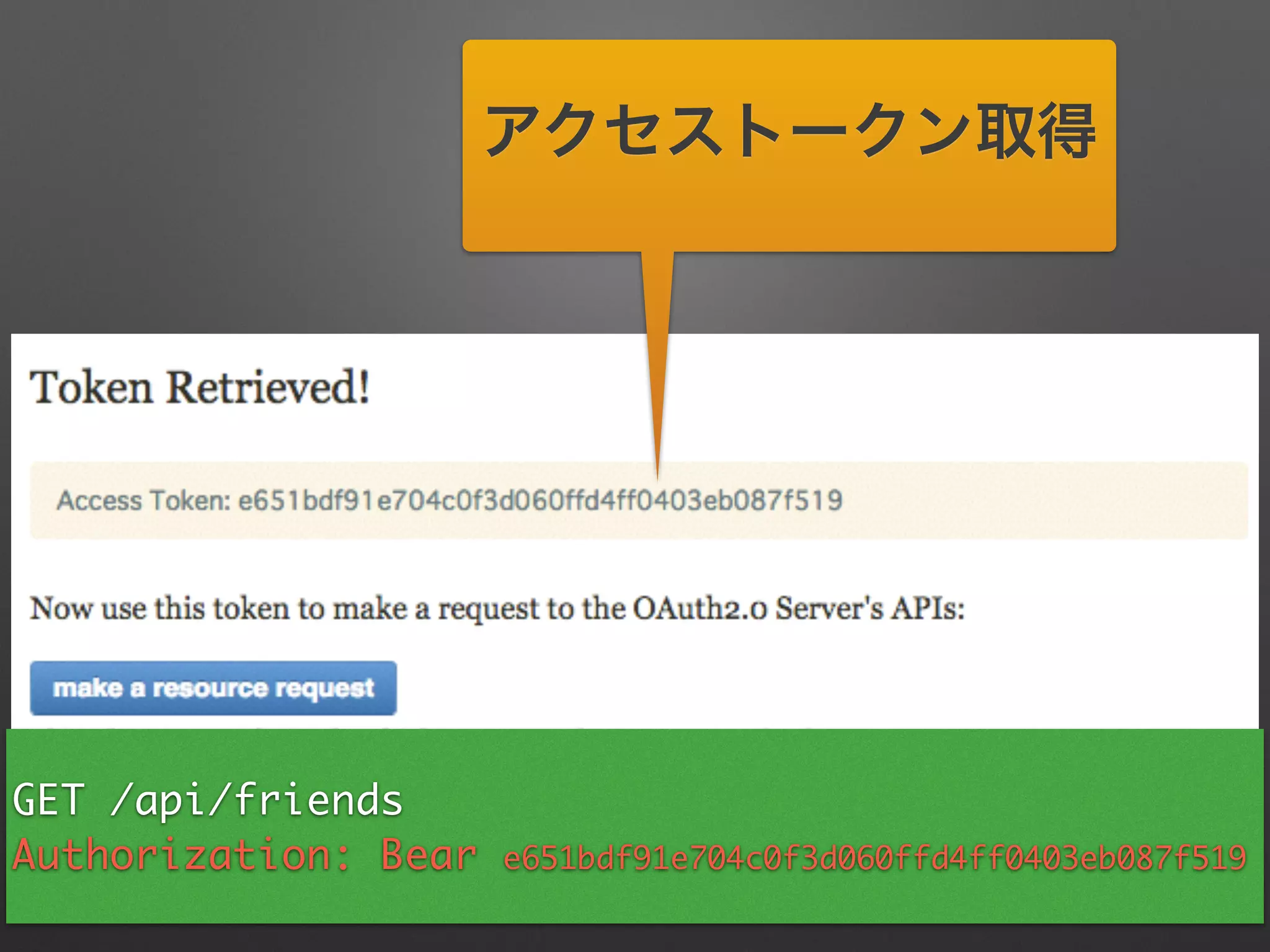
アクセストークン取得
アクセストークン取得
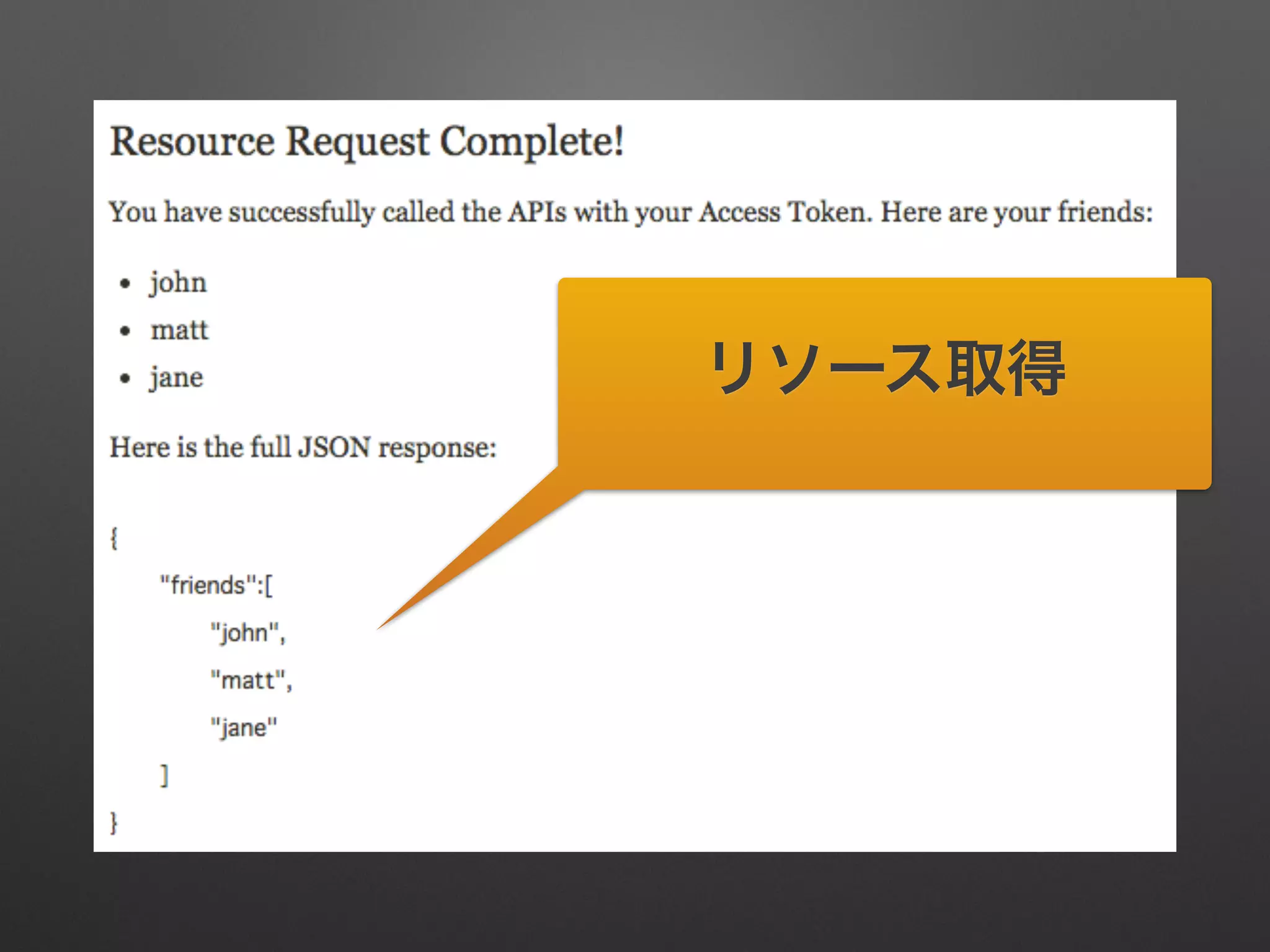
GET /api/friends	
Authorization: Bear e651bdf91e704c0f3d060ffd4ff0403eb087f519
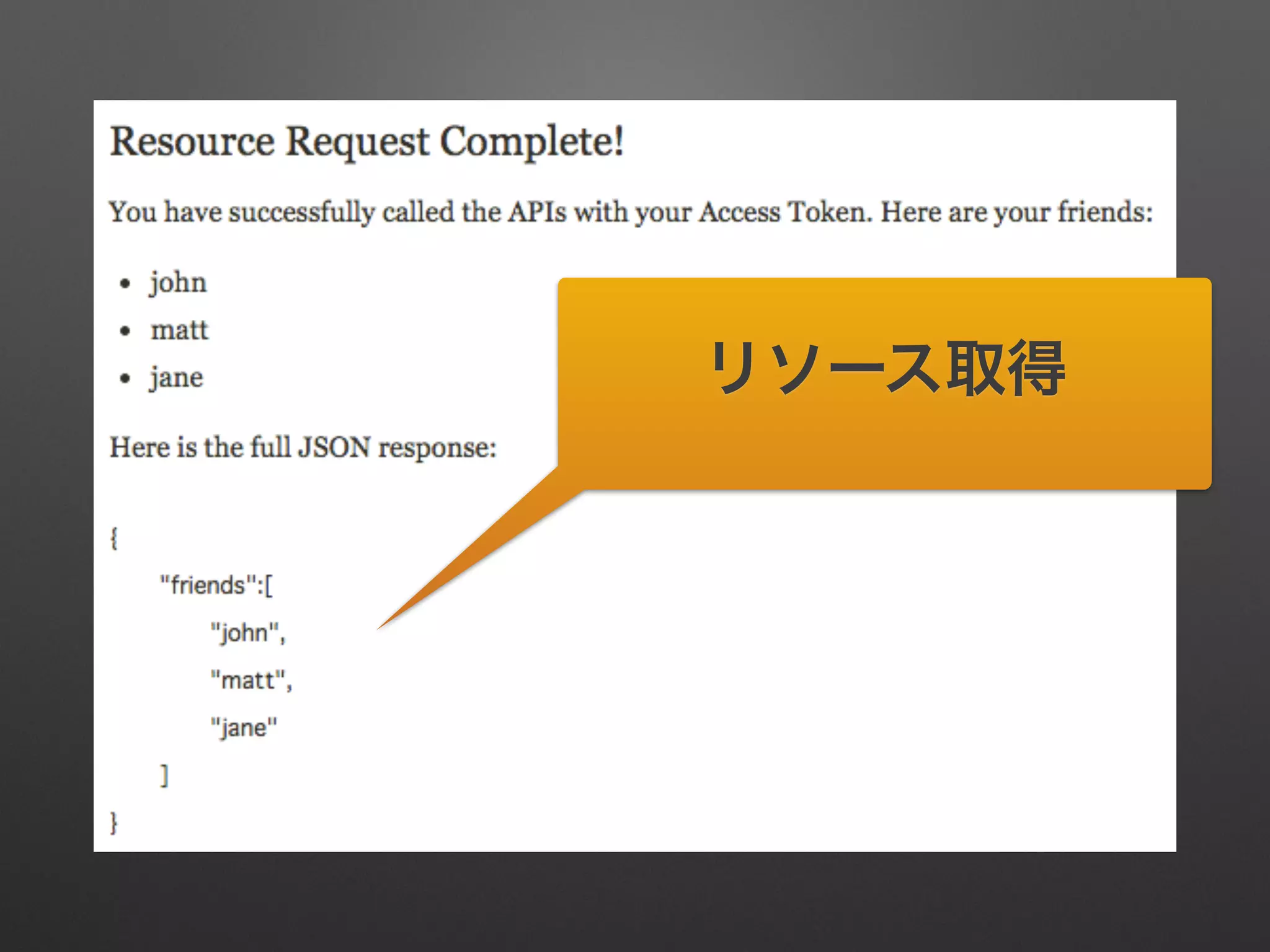
リソース取得
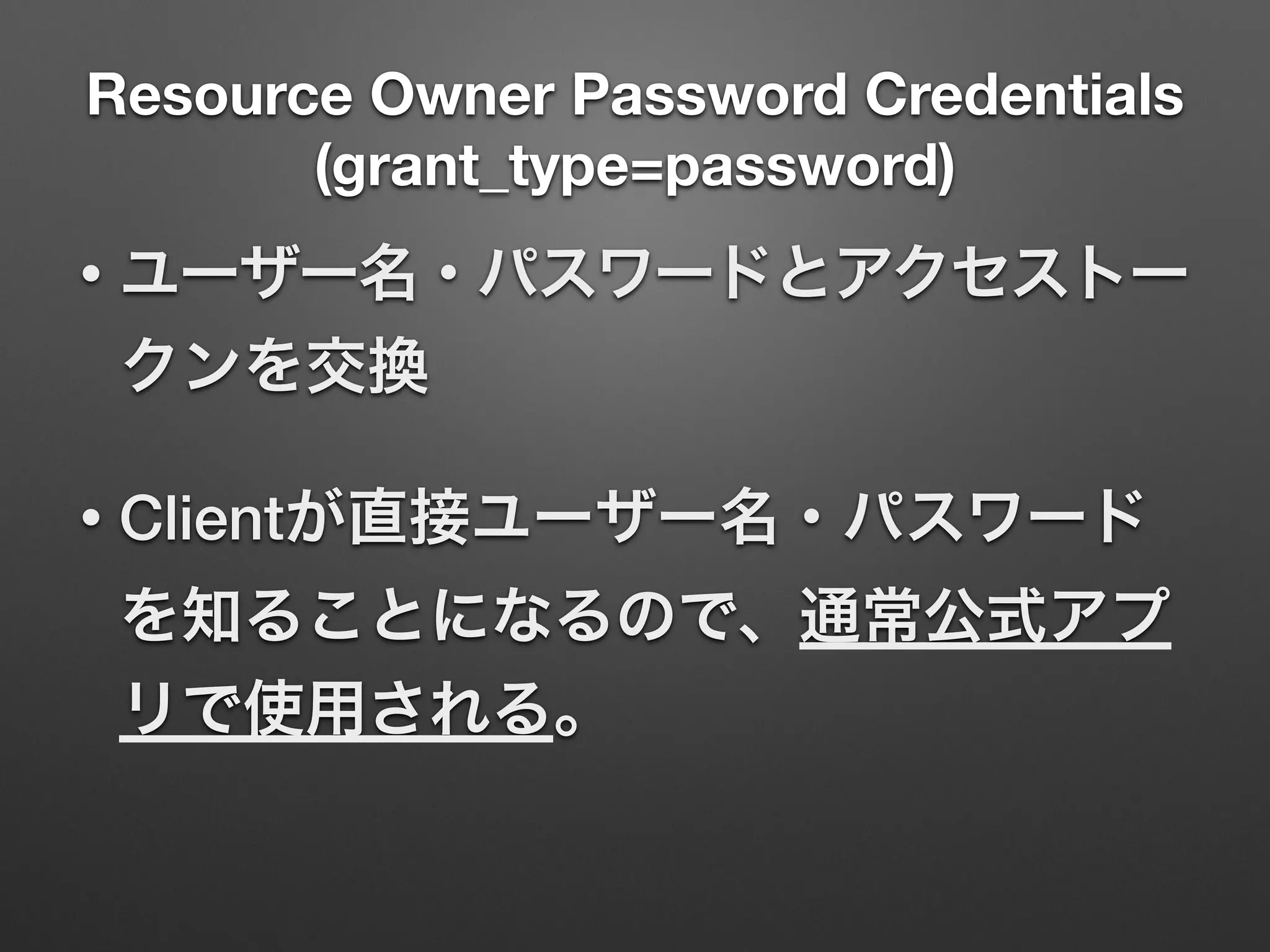
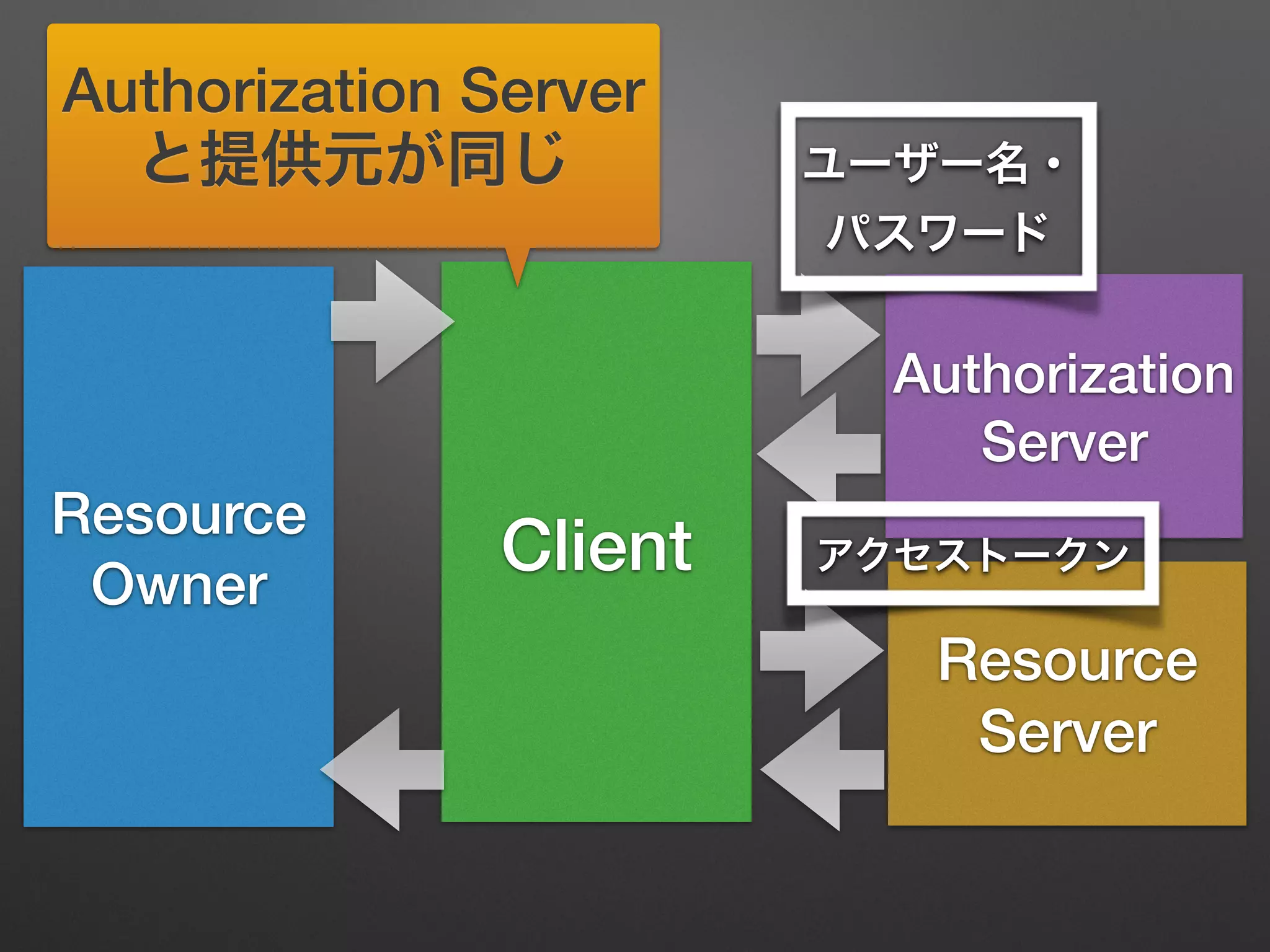
Resource Owner Password Credentials
(grant_type=password)
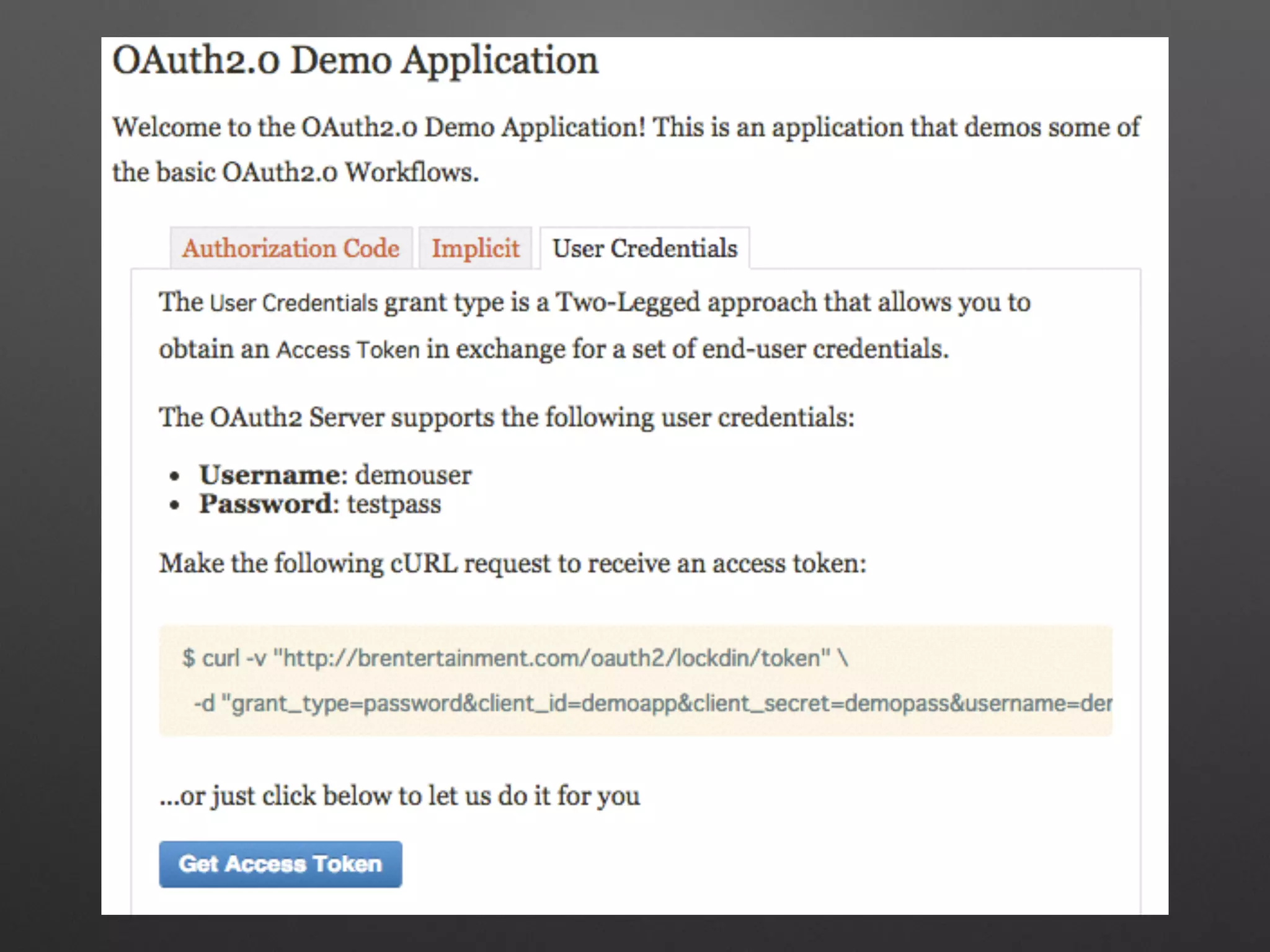
• ユーザー名・パスワードとアクセストー
クンを交換
• Clientが直接ユーザー名・パスワード
を知ることになるので、通常公式アプ
リで使用される。
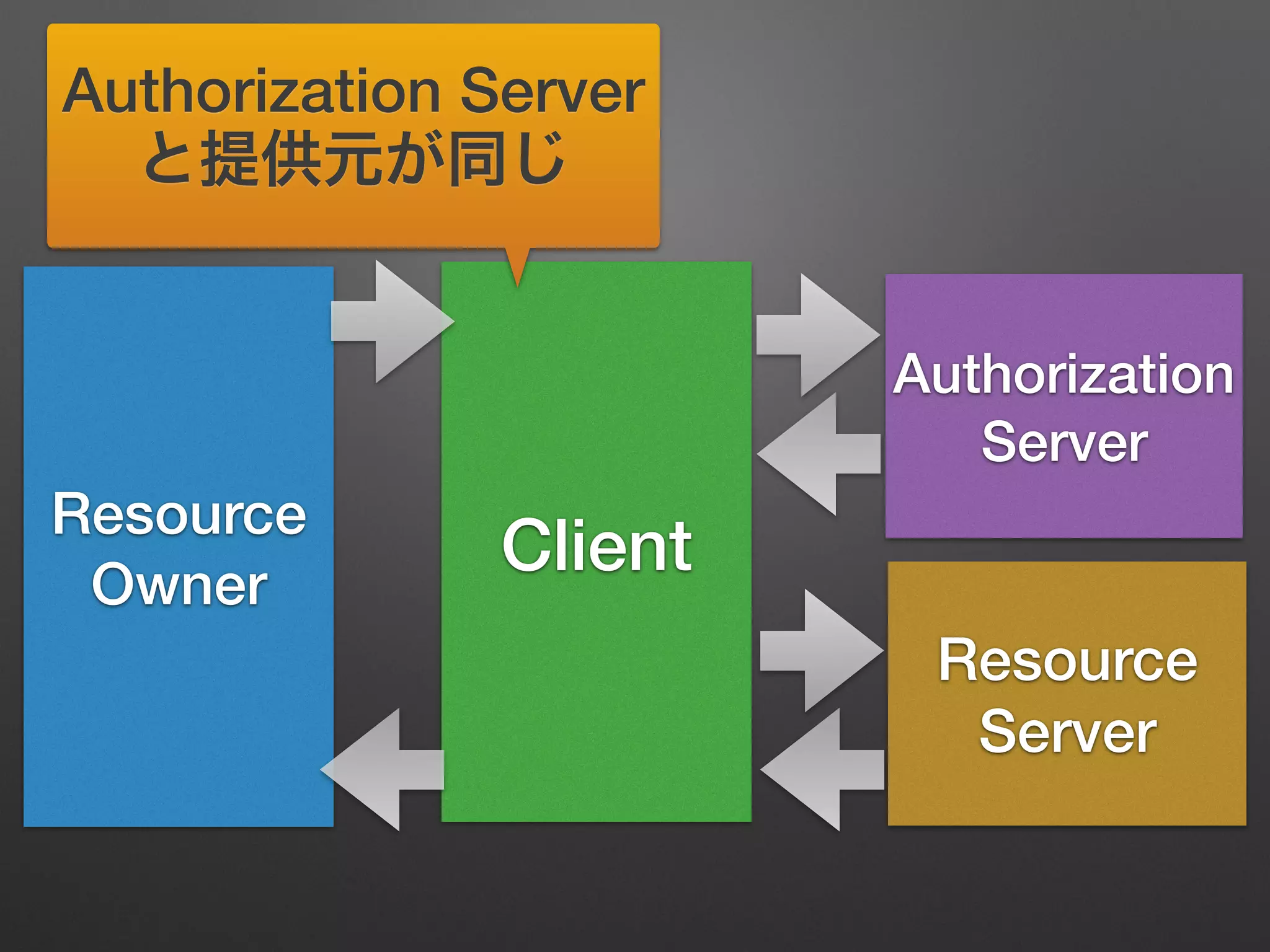
Resource
Owner
Client
Resource
Server
Authorization
Server
Authorization Server
と提供元が同じ
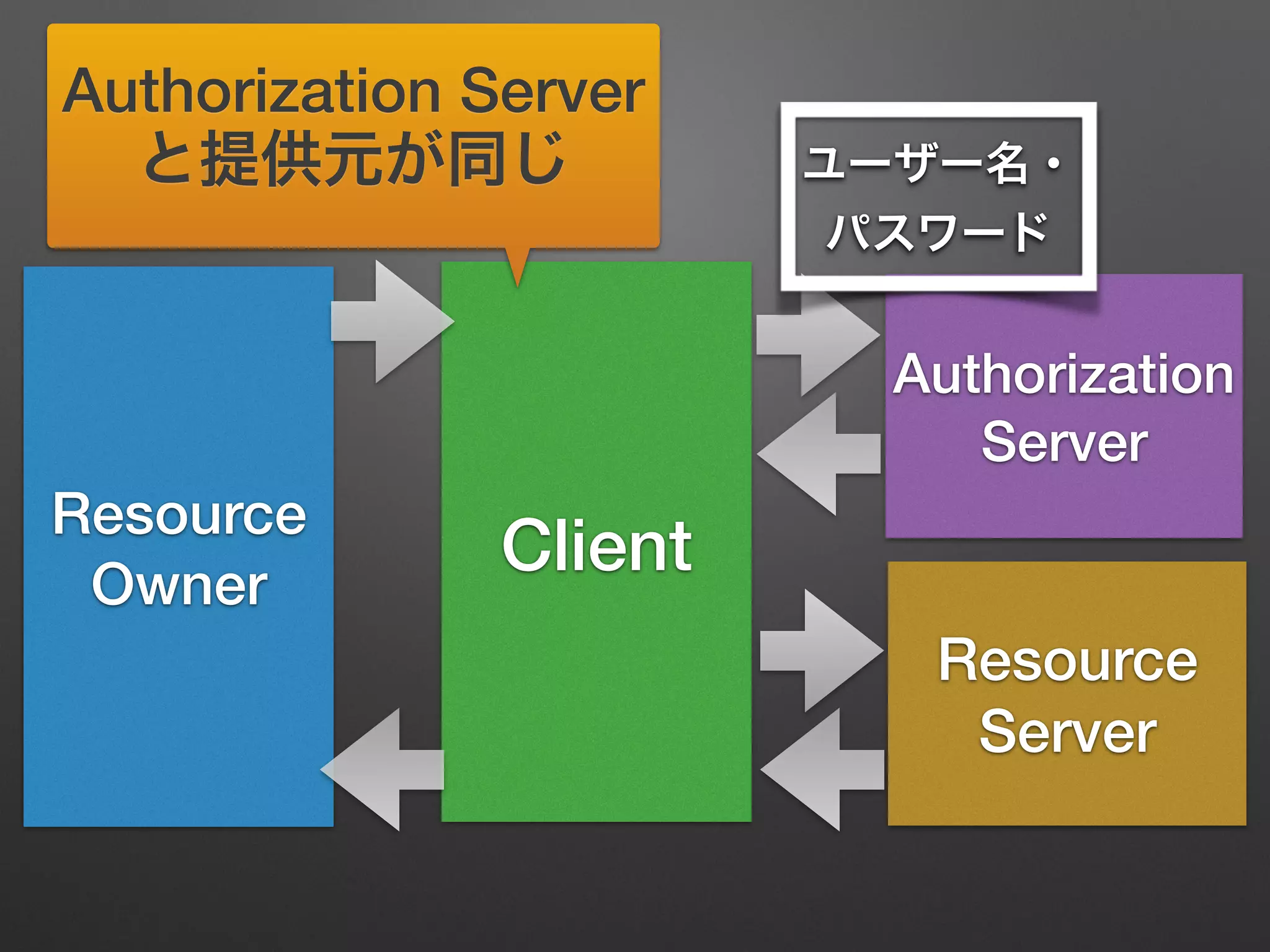
Resource
Owner
Client
Resource
Server
Authorization
Server
ユーザー名・
パスワード
Authorization Server
と提供元が同じ
Resource
Owner
Client
Resource
Server
Authorization
Server
ユーザー名・
パスワード
アクセストークン
Authorization Server
と提供元が同じ
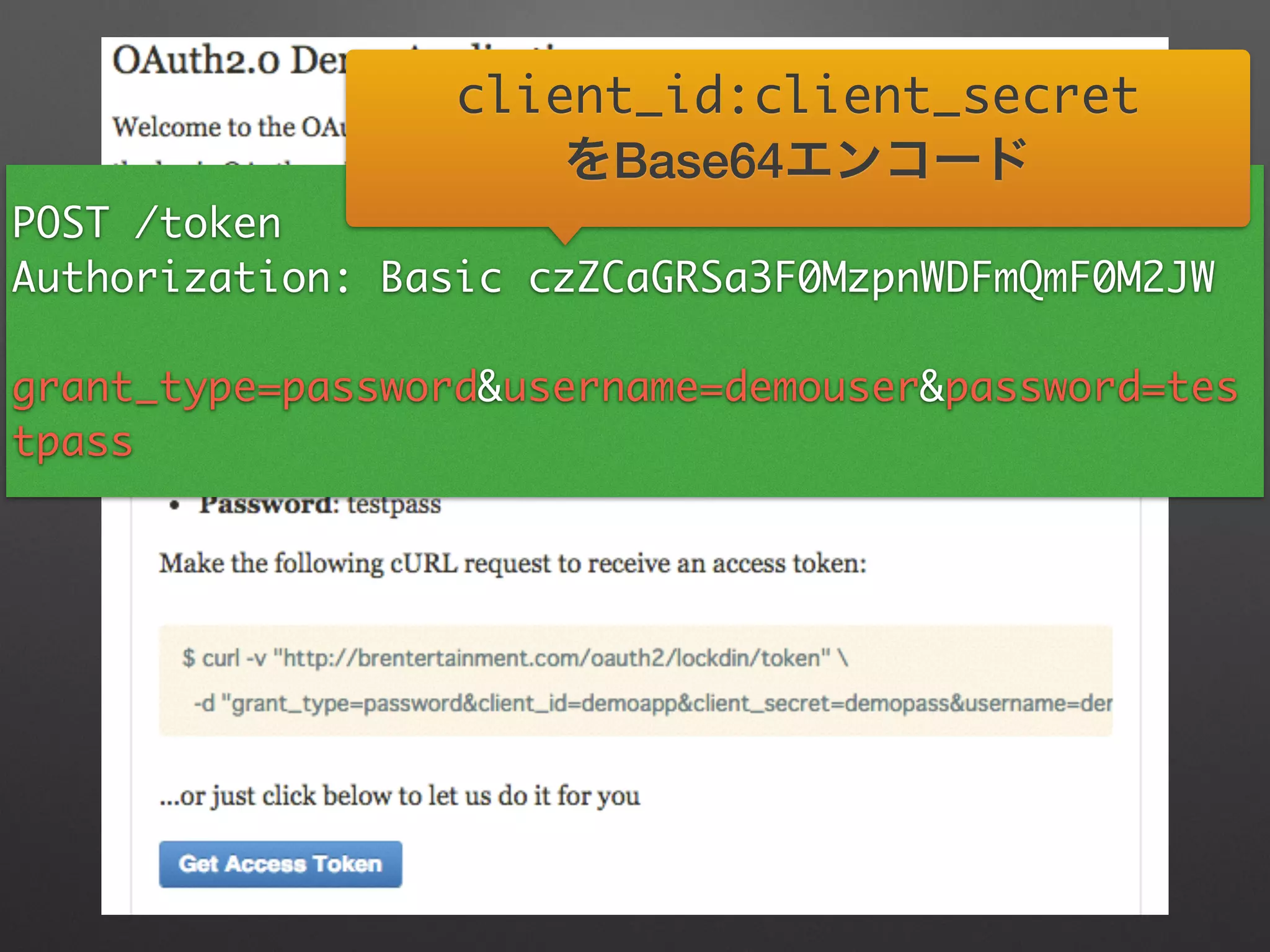
POST /token	
Authorization: Basic czZCaGRSa3F0MzpnWDFmQmF0M2JW	
!
grant_type=password&username=demouser&password=tes
tpass
client_id:client_secret	
をBase64エンコード
POST /token	
Authorization: Basic czZCaGRSa3F0MzpnWDFmQmF0M2JW	
!
grant_type=password&username=demouser&password=tes
tpass
client_id:client_secret	
をBase64エンコード
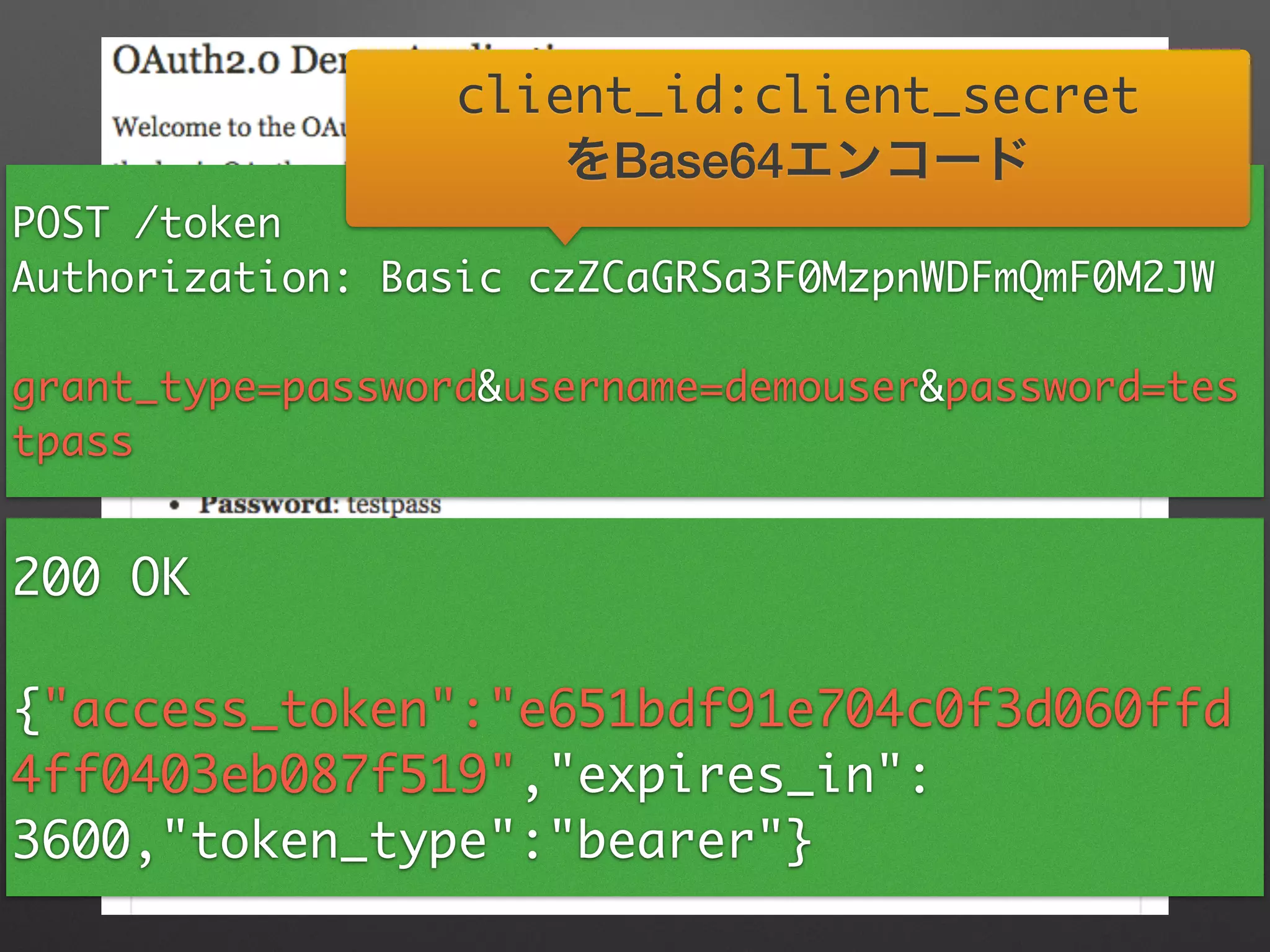
200 OK	
!
{"access_token":"e651bdf91e704c0f3d060ffd
4ff0403eb087f519","expires_in":
3600,"token_type":"bearer"}
アクセストークン取得
アクセストークン取得
GET /api/friends	
Authorization: Bear e651bdf91e704c0f3d060ffd4ff0403eb087f519
リソース取得
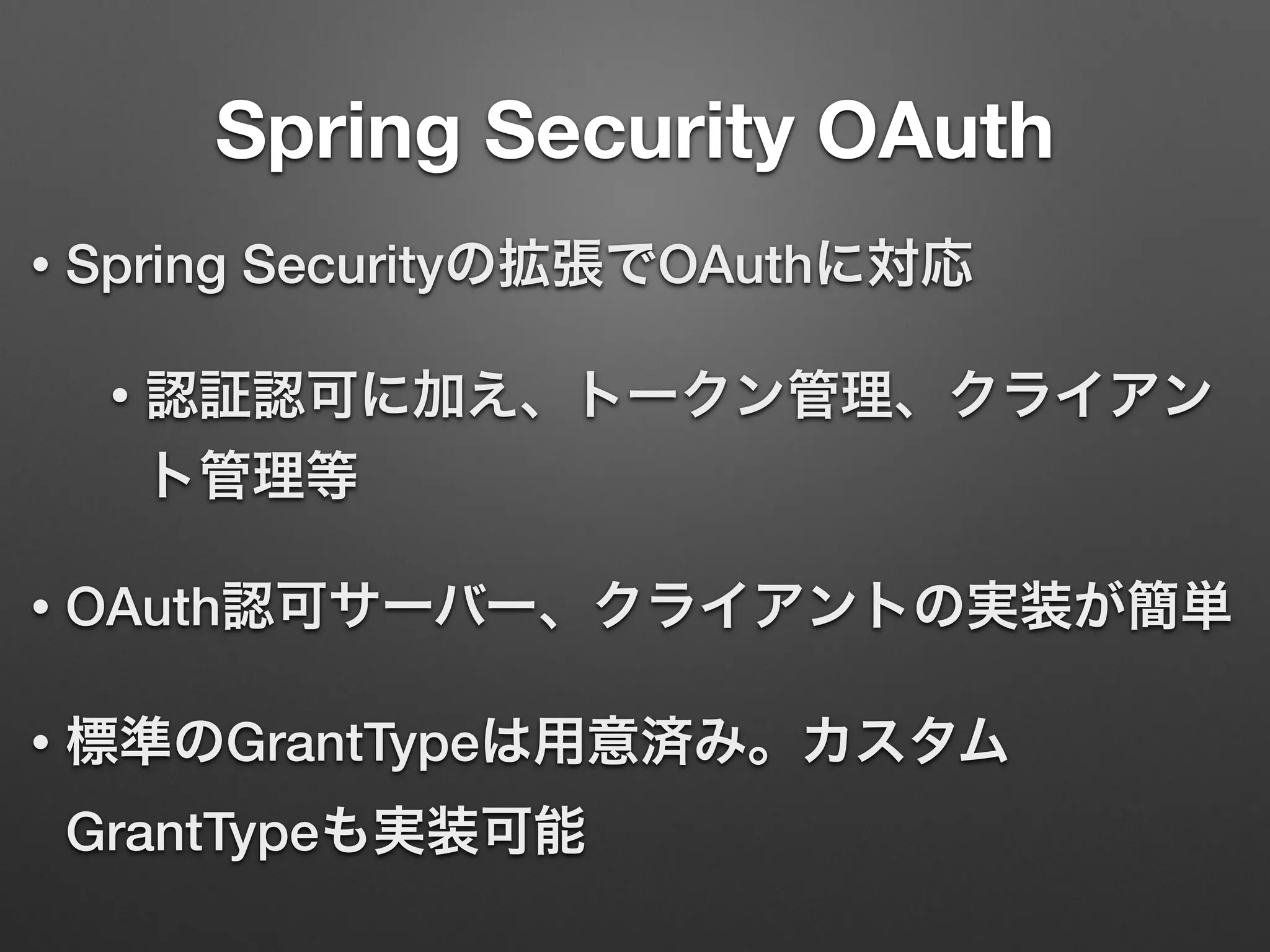
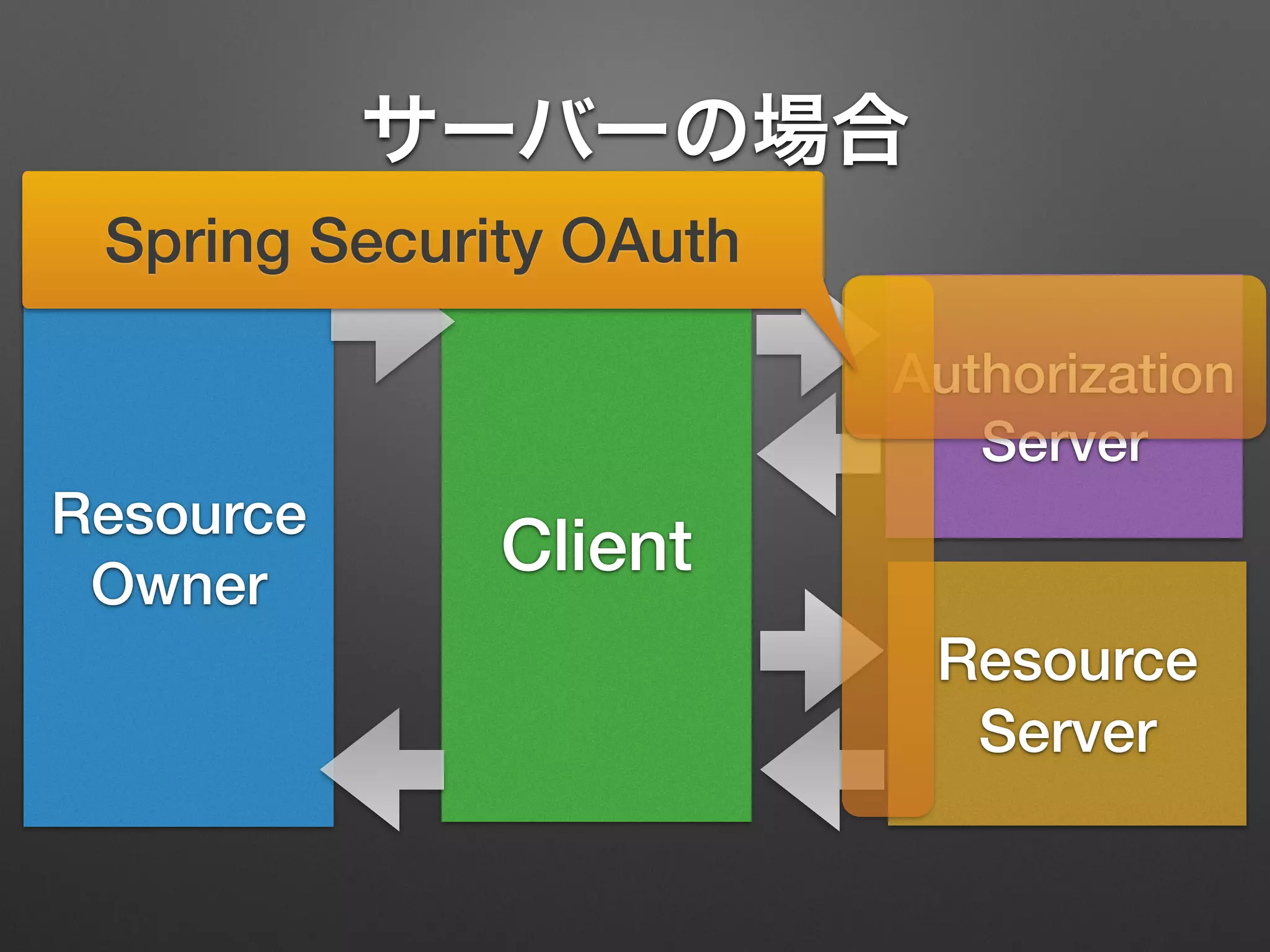
Spring Security OAuth
• Spring Securityの拡張でOAuthに対応
• 認証認可に加え、トークン管理、クライアン
ト管理等
• OAuth認可サーバー、クライアントの実装が簡単
• 標準のGrantTypeは用意済み。カスタム
GrantTypeも実装可能
Resource
Owner
Client
Resource
Server
Authorization
Server
Spring Security OAuth
サーバーの場合
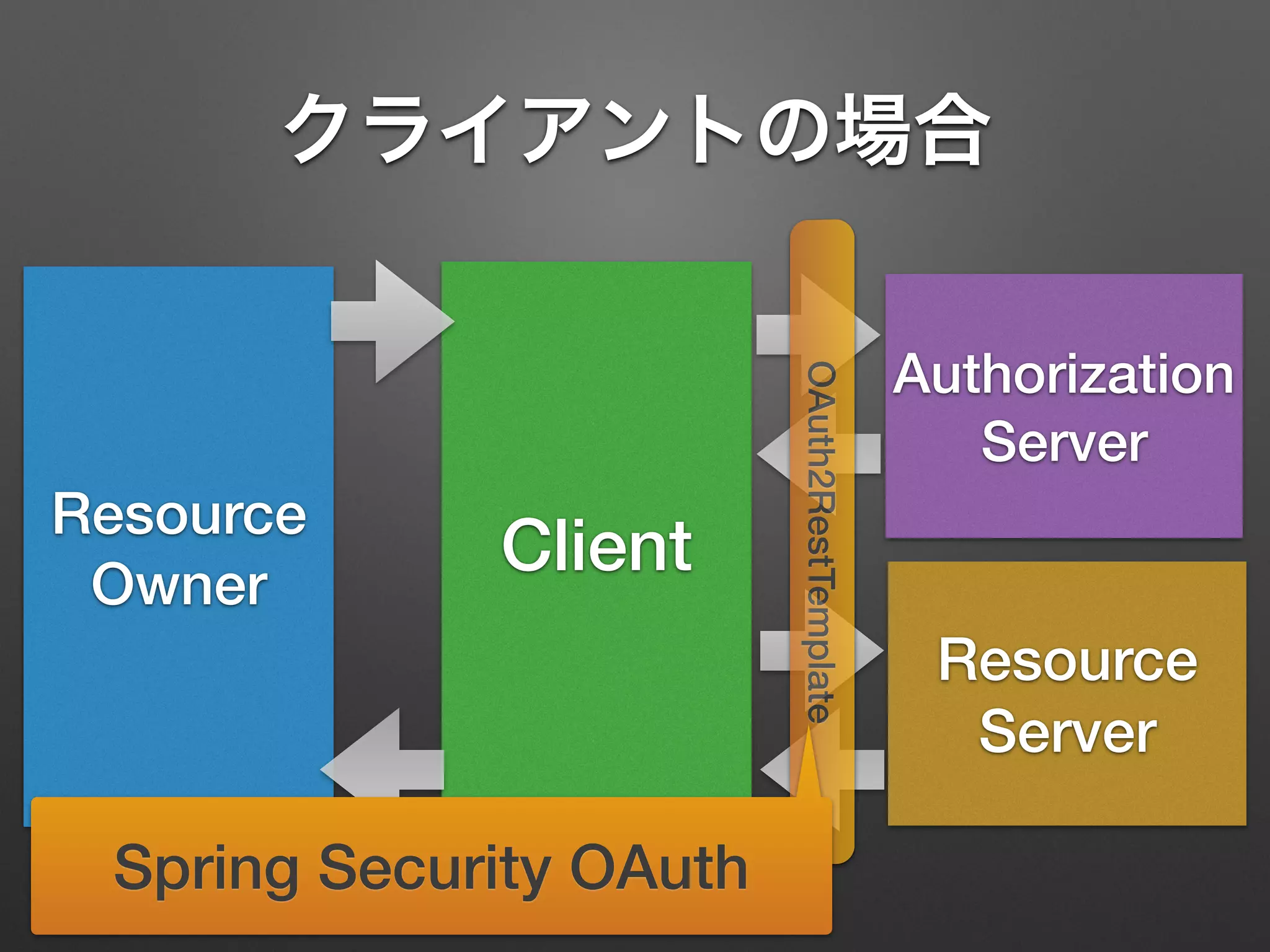
Resource
Owner
Client
Resource
Server
Authorization
Server
OAuth2RestTemplate
Spring Security OAuth
クライアントの場合
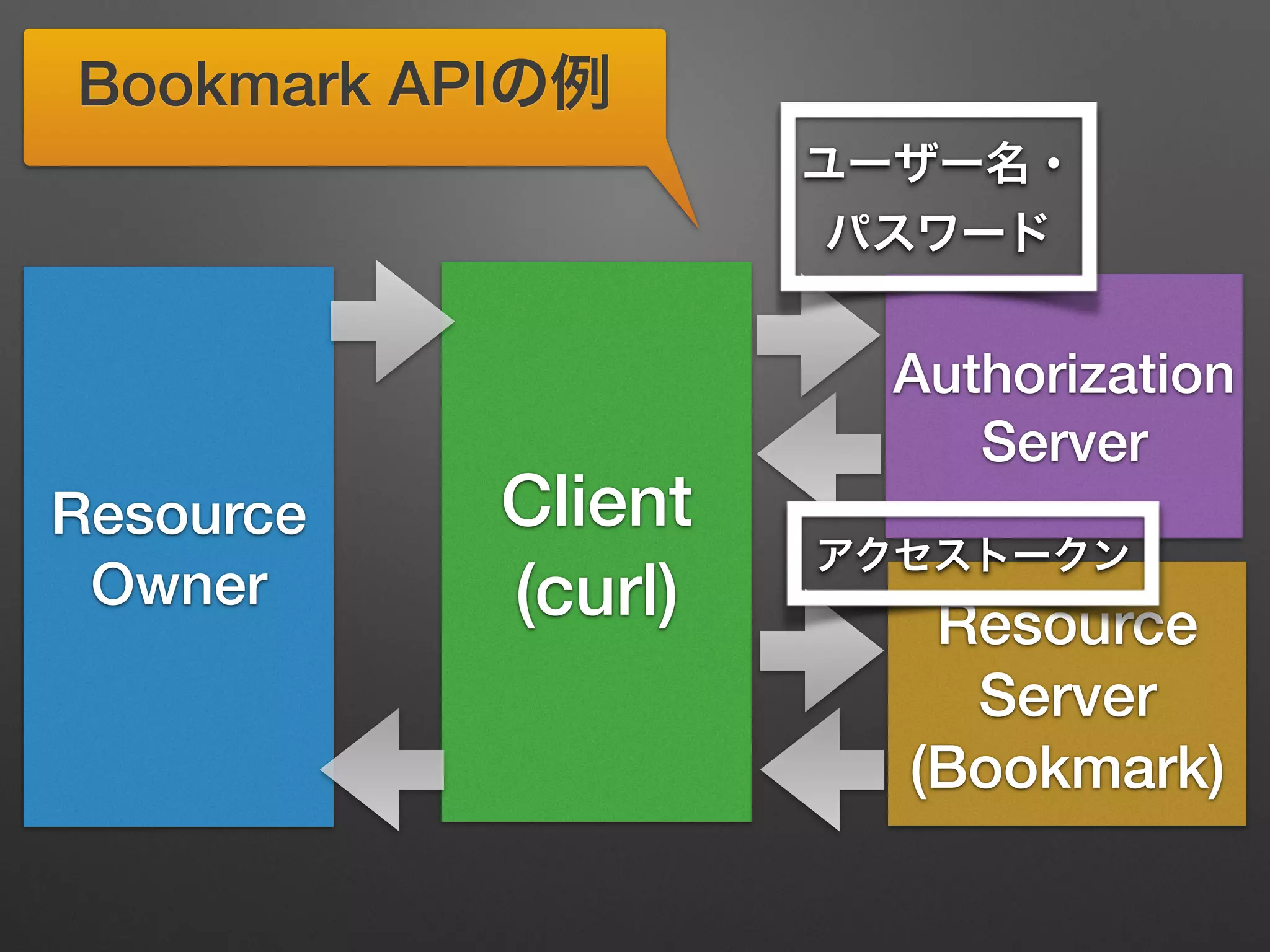
Resource
Owner
Client
(curl) Resource
Server
(Bookmark)
Authorization
Server
ユーザー名・
パスワード
アクセストークン
Bookmark APIの例
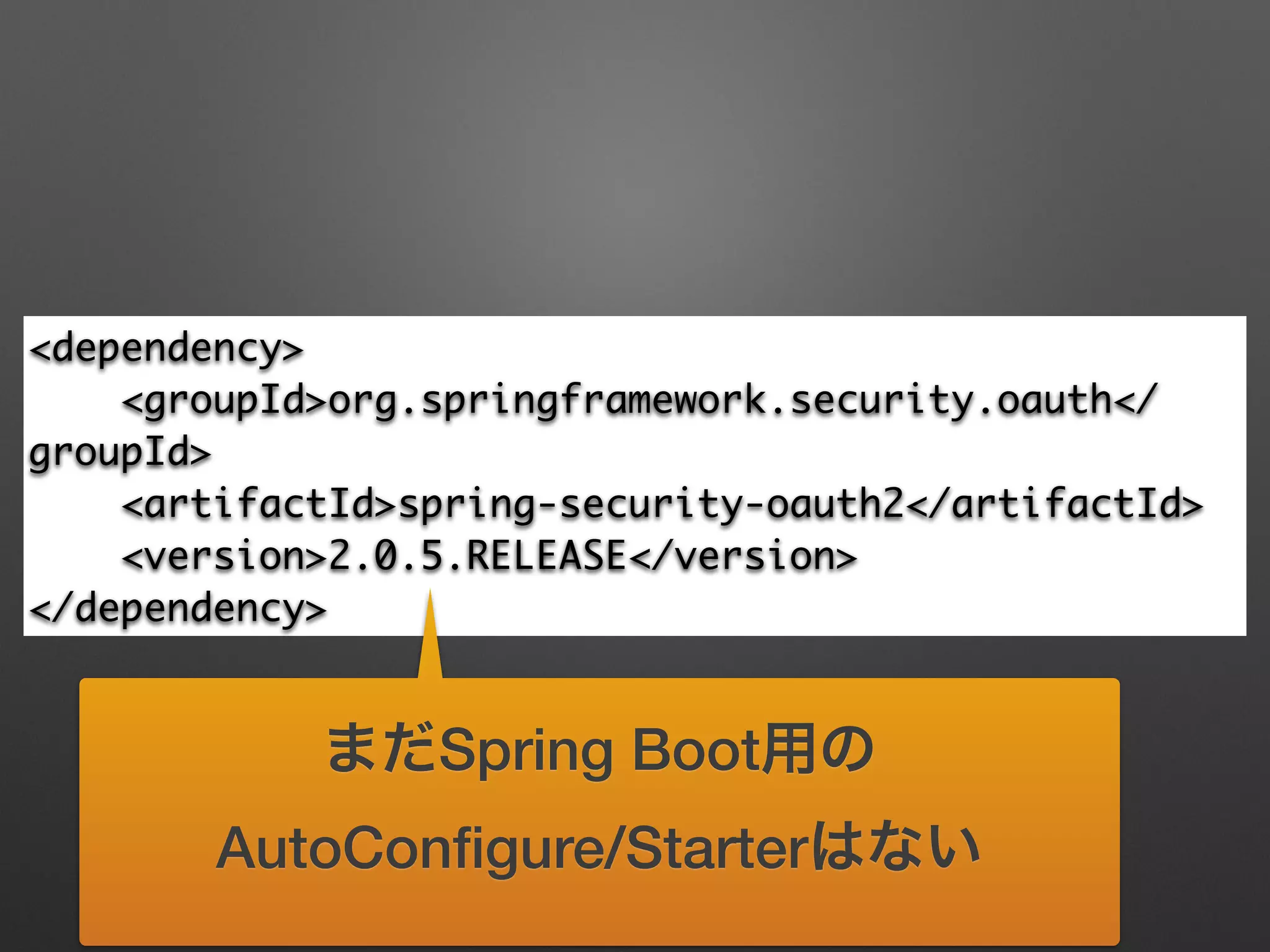
<dependency>	
<groupId>org.springframework.security.oauth</
groupId>	
<artifactId>spring-security-oauth2</artifactId>	
<version>2.0.5.RELEASE</version>	
</dependency>
まだSpring Boot用の
AutoConfigure/Starterはない
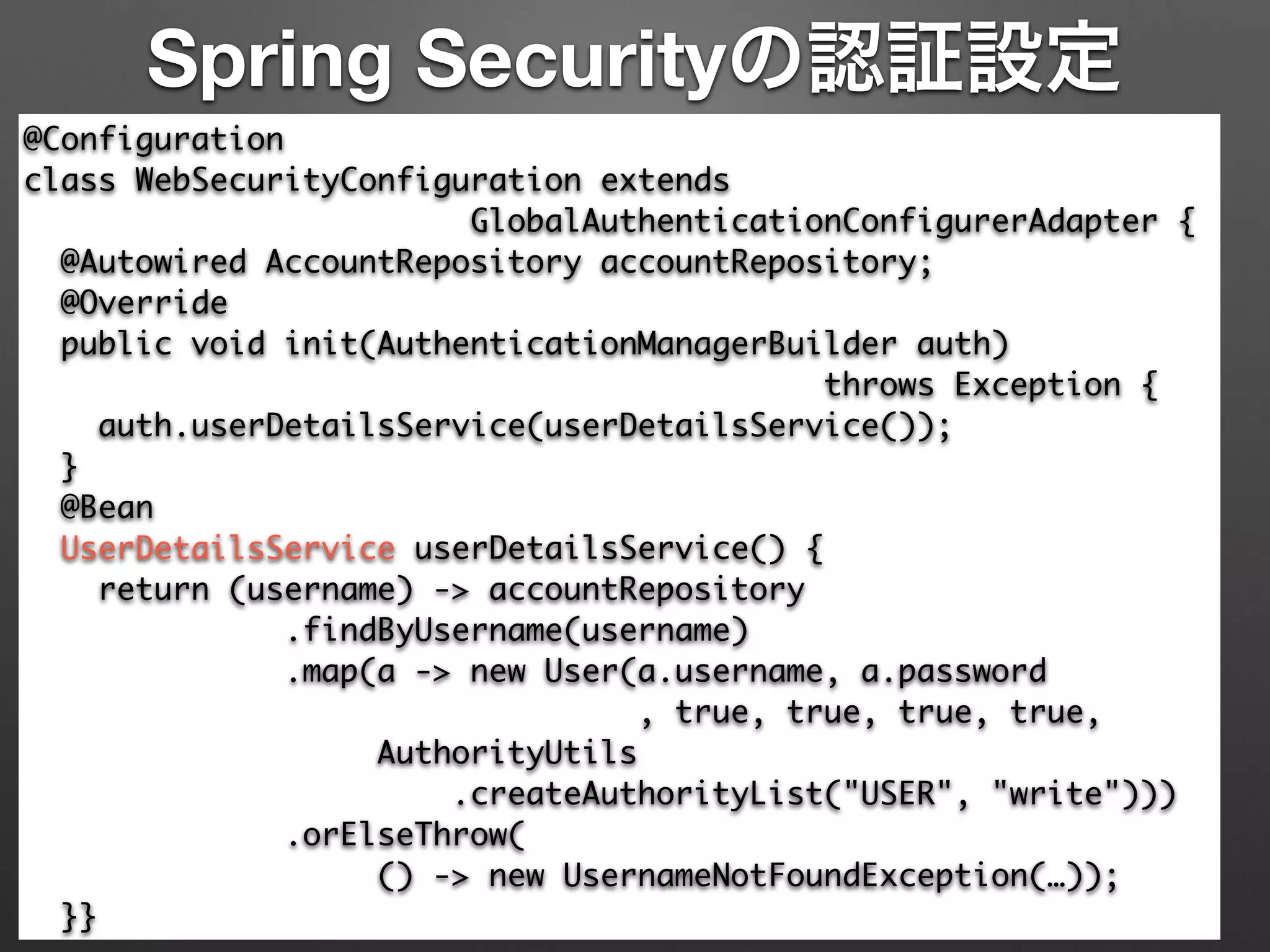
Spring Securityの認証設定
@Configuration	
class WebSecurityConfiguration extends 	
GlobalAuthenticationConfigurerAdapter {	
@Autowired AccountRepository accountRepository;	
@Override	
public void init(AuthenticationManagerBuilder auth) 	
throws Exception {	
auth.userDetailsService(userDetailsService());	
}	
@Bean	
UserDetailsService userDetailsService() {	
return (username) -> accountRepository	
.findByUsername(username)	
.map(a -> new User(a.username, a.password	
, true, true, true, true,	
AuthorityUtils	
.createAuthorityList("USER", "write")))	
.orElseThrow(	
() -> new UsernameNotFoundException(…));	
}}
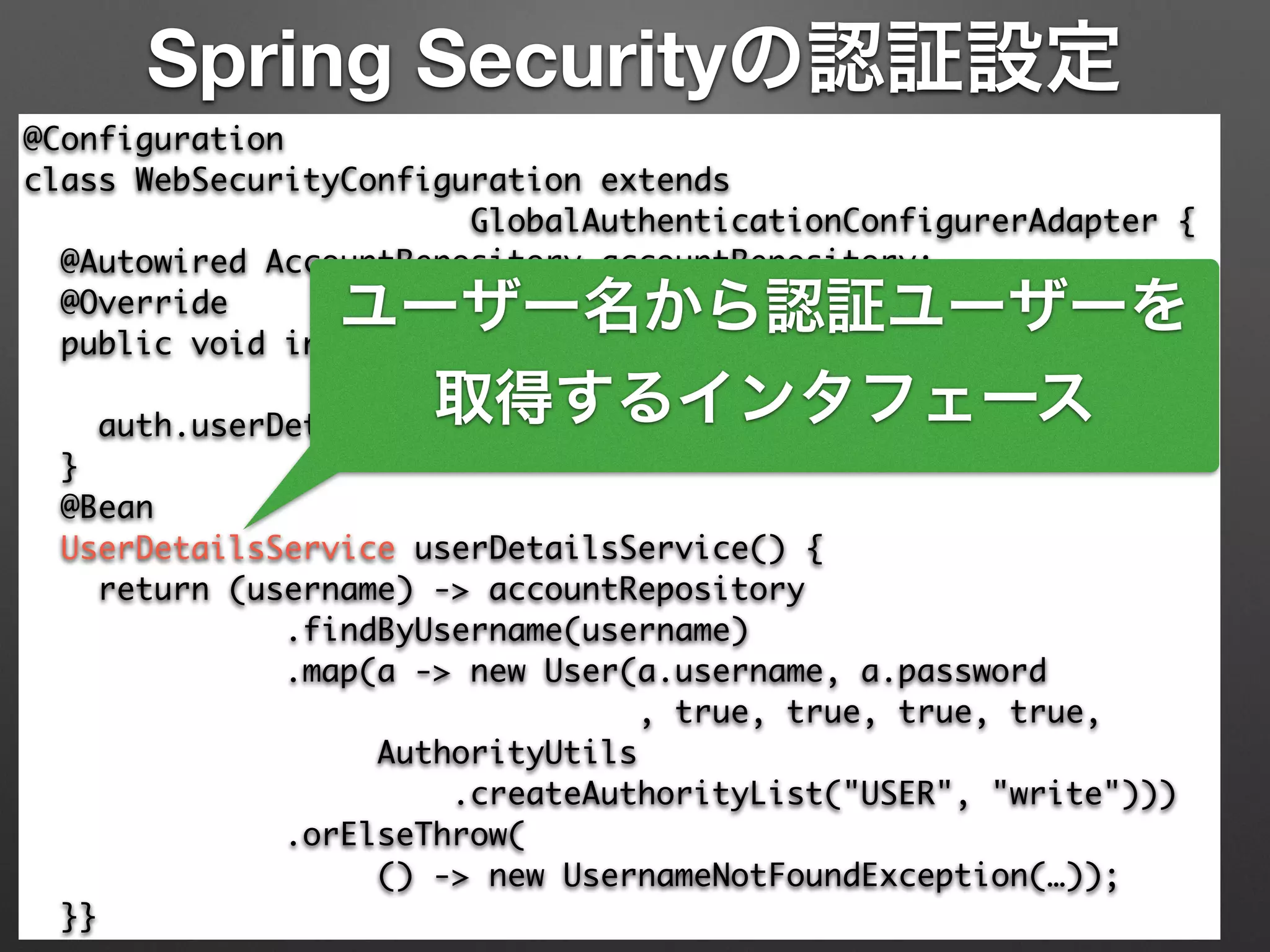
Spring Securityの認証設定
@Configuration	
class WebSecurityConfiguration extends 	
GlobalAuthenticationConfigurerAdapter {	
@Autowired AccountRepository accountRepository;	
@Override	
public void init(AuthenticationManagerBuilder auth) 	
throws Exception {	
auth.userDetailsService(userDetailsService());	
}	
@Bean	
UserDetailsService userDetailsService() {	
return (username) -> accountRepository	
.findByUsername(username)	
.map(a -> new User(a.username, a.password	
, true, true, true, true,	
AuthorityUtils	
.createAuthorityList("USER", "write")))	
.orElseThrow(	
() -> new UsernameNotFoundException(…));	
}}
ユーザー名から認証ユーザーを
取得するインタフェース
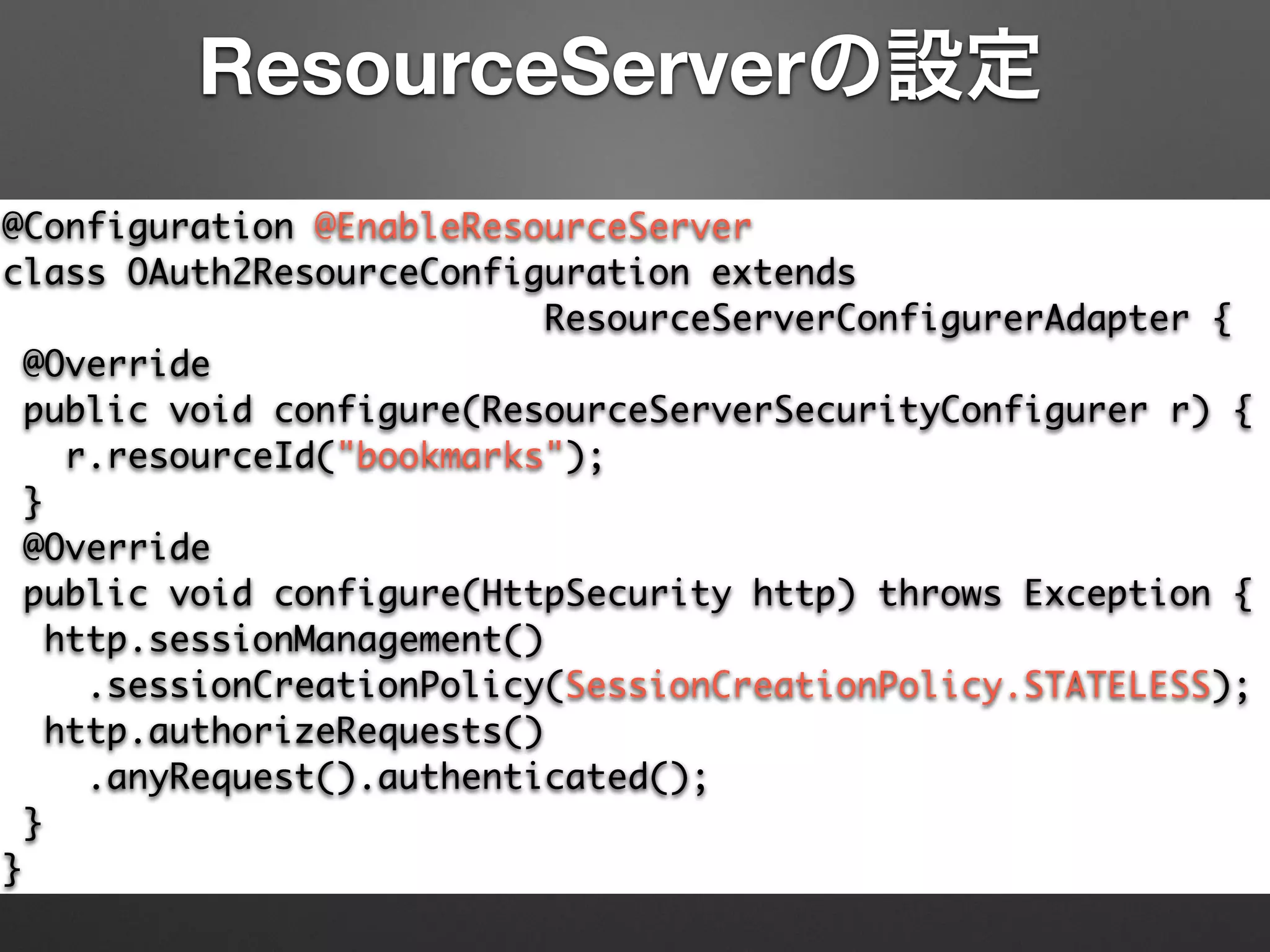
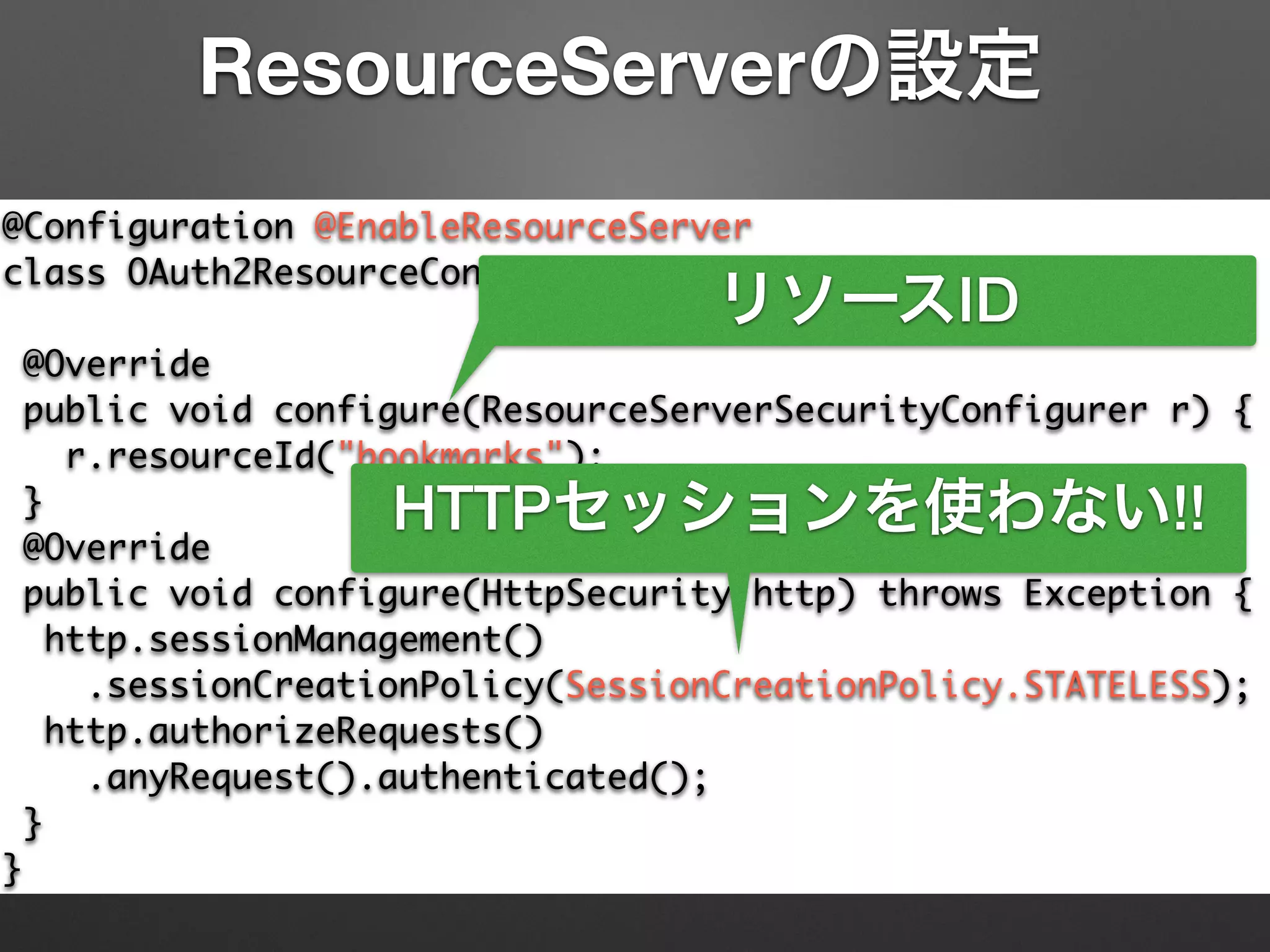
@Configuration @EnableResourceServer	
class OAuth2ResourceConfiguration extends	
ResourceServerConfigurerAdapter {	
@Override	
public void configure(ResourceServerSecurityConfigurer r) {	
r.resourceId("bookmarks");	
}	
@Override	
public void configure(HttpSecurity http) throws Exception {	
http.sessionManagement()	
.sessionCreationPolicy(SessionCreationPolicy.STATELESS);	
http.authorizeRequests()	
.anyRequest().authenticated();	
}	
}
ResourceServerの設定
@Configuration @EnableResourceServer	
class OAuth2ResourceConfiguration extends	
ResourceServerConfigurerAdapter {	
@Override	
public void configure(ResourceServerSecurityConfigurer r) {	
r.resourceId("bookmarks");	
}	
@Override	
public void configure(HttpSecurity http) throws Exception {	
http.sessionManagement()	
.sessionCreationPolicy(SessionCreationPolicy.STATELESS);	
http.authorizeRequests()	
.anyRequest().authenticated();	
}	
}
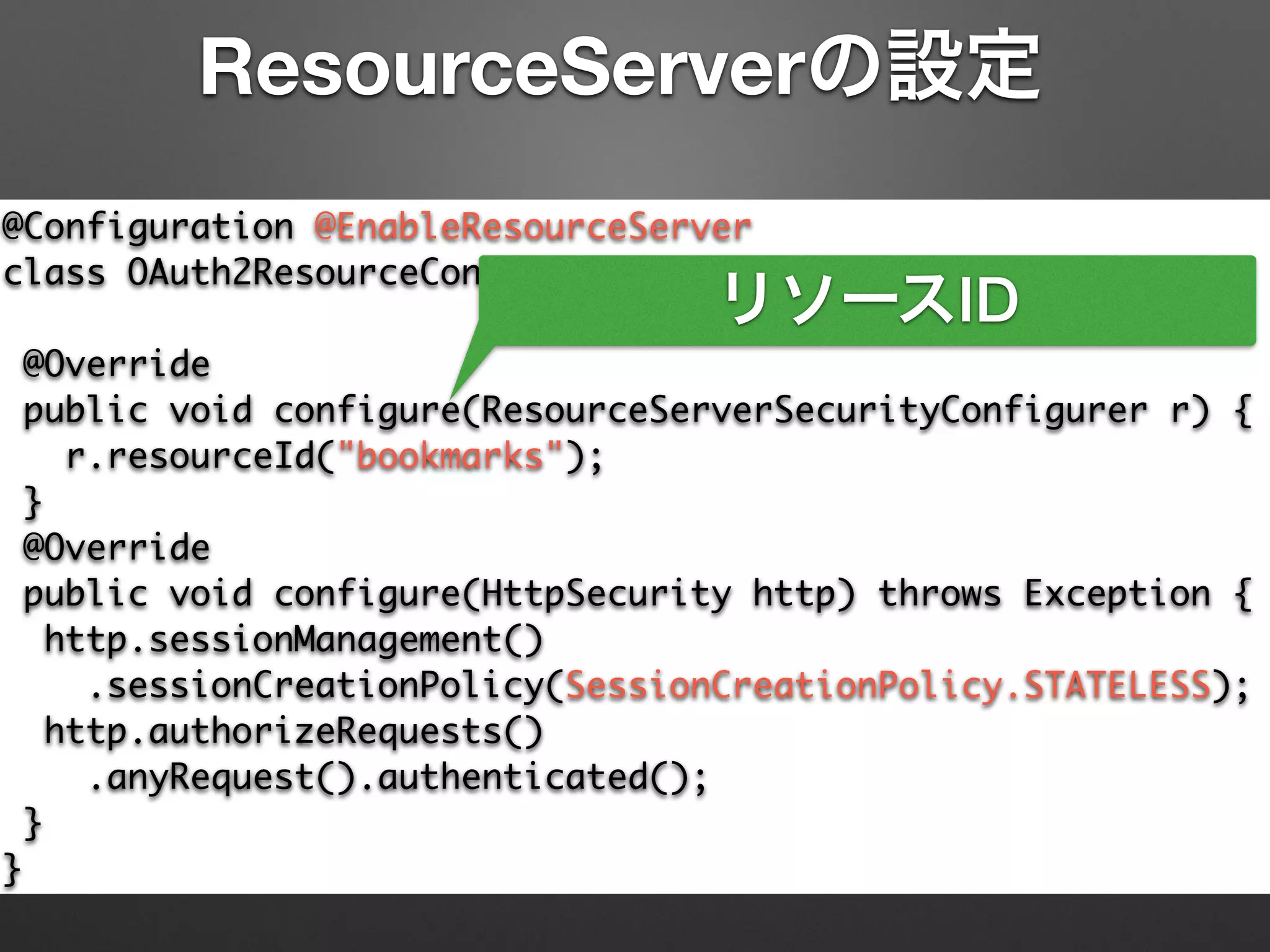
ResourceServerの設定
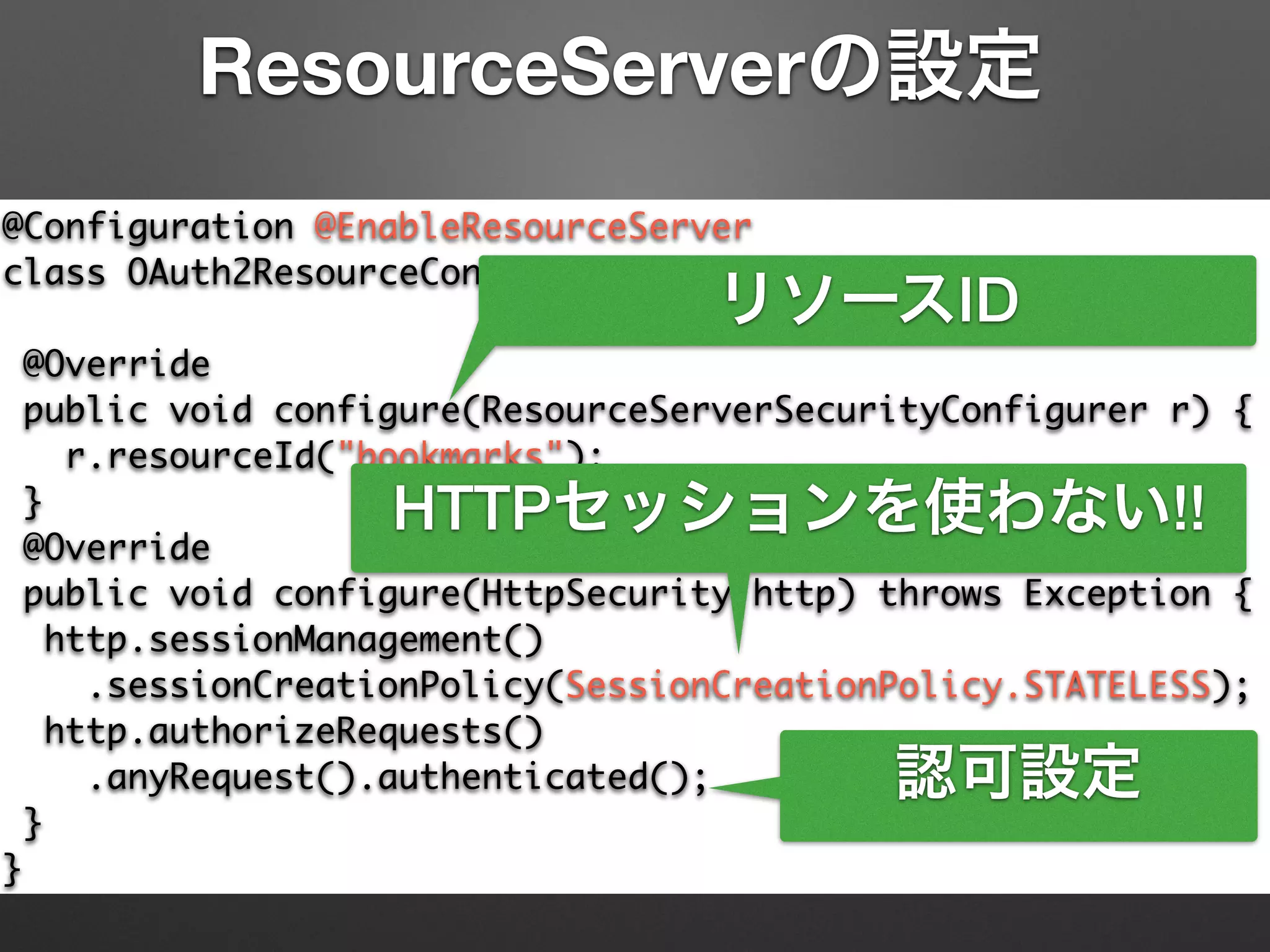
リソースID
@Configuration @EnableResourceServer	
class OAuth2ResourceConfiguration extends	
ResourceServerConfigurerAdapter {	
@Override	
public void configure(ResourceServerSecurityConfigurer r) {	
r.resourceId("bookmarks");	
}	
@Override	
public void configure(HttpSecurity http) throws Exception {	
http.sessionManagement()	
.sessionCreationPolicy(SessionCreationPolicy.STATELESS);	
http.authorizeRequests()	
.anyRequest().authenticated();	
}	
}
ResourceServerの設定
リソースID
HTTPセッションを使わない!!
@Configuration @EnableResourceServer	
class OAuth2ResourceConfiguration extends	
ResourceServerConfigurerAdapter {	
@Override	
public void configure(ResourceServerSecurityConfigurer r) {	
r.resourceId("bookmarks");	
}	
@Override	
public void configure(HttpSecurity http) throws Exception {	
http.sessionManagement()	
.sessionCreationPolicy(SessionCreationPolicy.STATELESS);	
http.authorizeRequests()	
.anyRequest().authenticated();	
}	
}
ResourceServerの設定
リソースID
HTTPセッションを使わない!!
認可設定
AuthorizationServerの設定
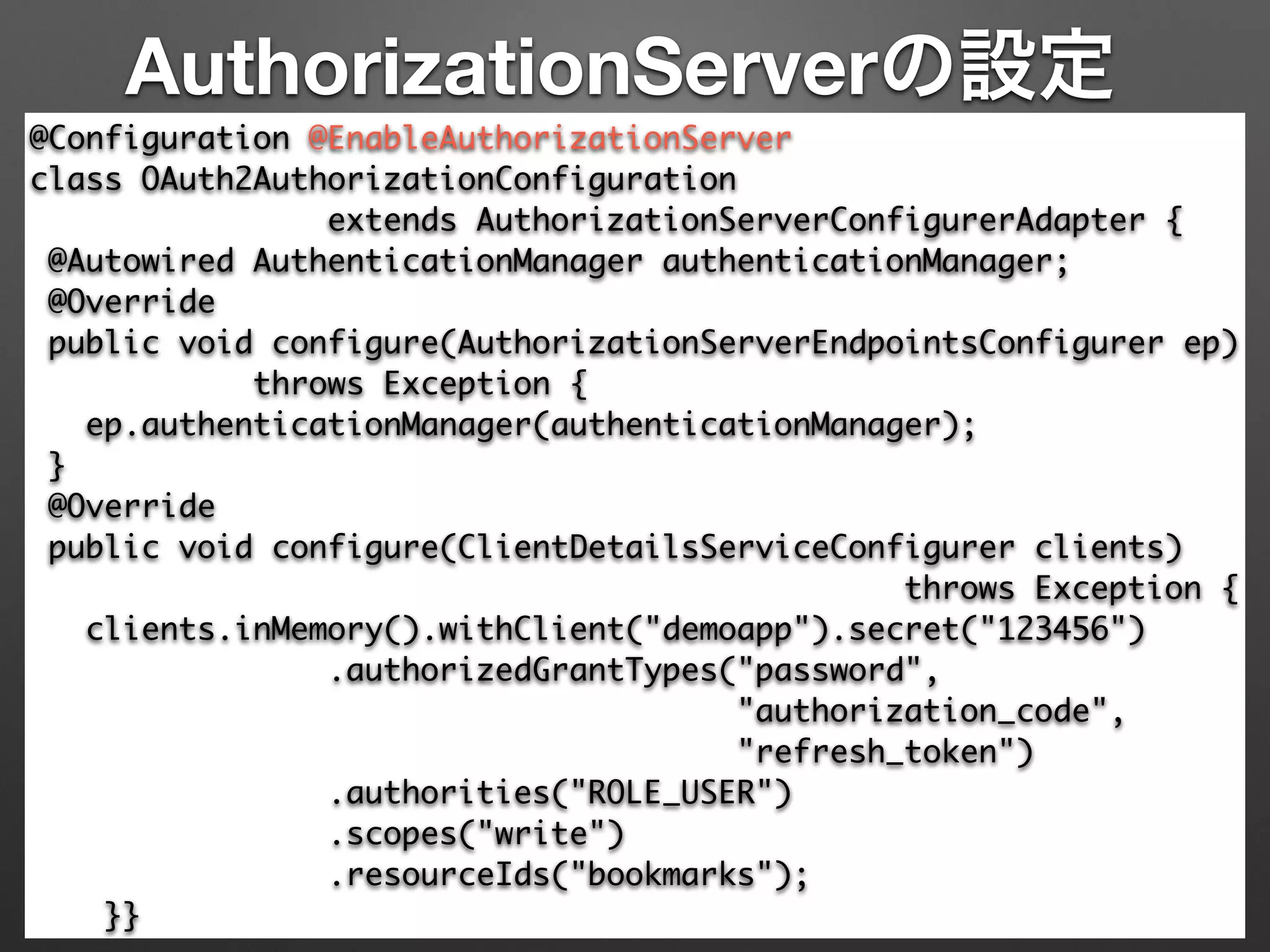
@Configuration @EnableAuthorizationServer

class OAuth2AuthorizationConfiguration 	
extends AuthorizationServerConfigurerAdapter {

@Autowired AuthenticationManager authenticationManager;

@Override

public void configure(AuthorizationServerEndpointsConfigurer ep)

throws Exception {

ep.authenticationManager(authenticationManager);

}

@Override

public void configure(ClientDetailsServiceConfigurer clients)	
throws Exception {

clients.inMemory().withClient("demoapp").secret("123456")

.authorizedGrantTypes("password", 	
"authorization_code",	
"refresh_token")

.authorities("ROLE_USER")

.scopes("write")	
.resourceIds("bookmarks");

}}
AuthorizationServerの設定
@Configuration @EnableAuthorizationServer

class OAuth2AuthorizationConfiguration 	
extends AuthorizationServerConfigurerAdapter {

@Autowired AuthenticationManager authenticationManager;

@Override

public void configure(AuthorizationServerEndpointsConfigurer ep)

throws Exception {

ep.authenticationManager(authenticationManager);

}

@Override

public void configure(ClientDetailsServiceConfigurer clients)	
throws Exception {

clients.inMemory().withClient("demoapp").secret("123456")

.authorizedGrantTypes("password", 	
"authorization_code",	
"refresh_token")

.authorities("ROLE_USER")

.scopes("write")	
.resourceIds("bookmarks");

}}
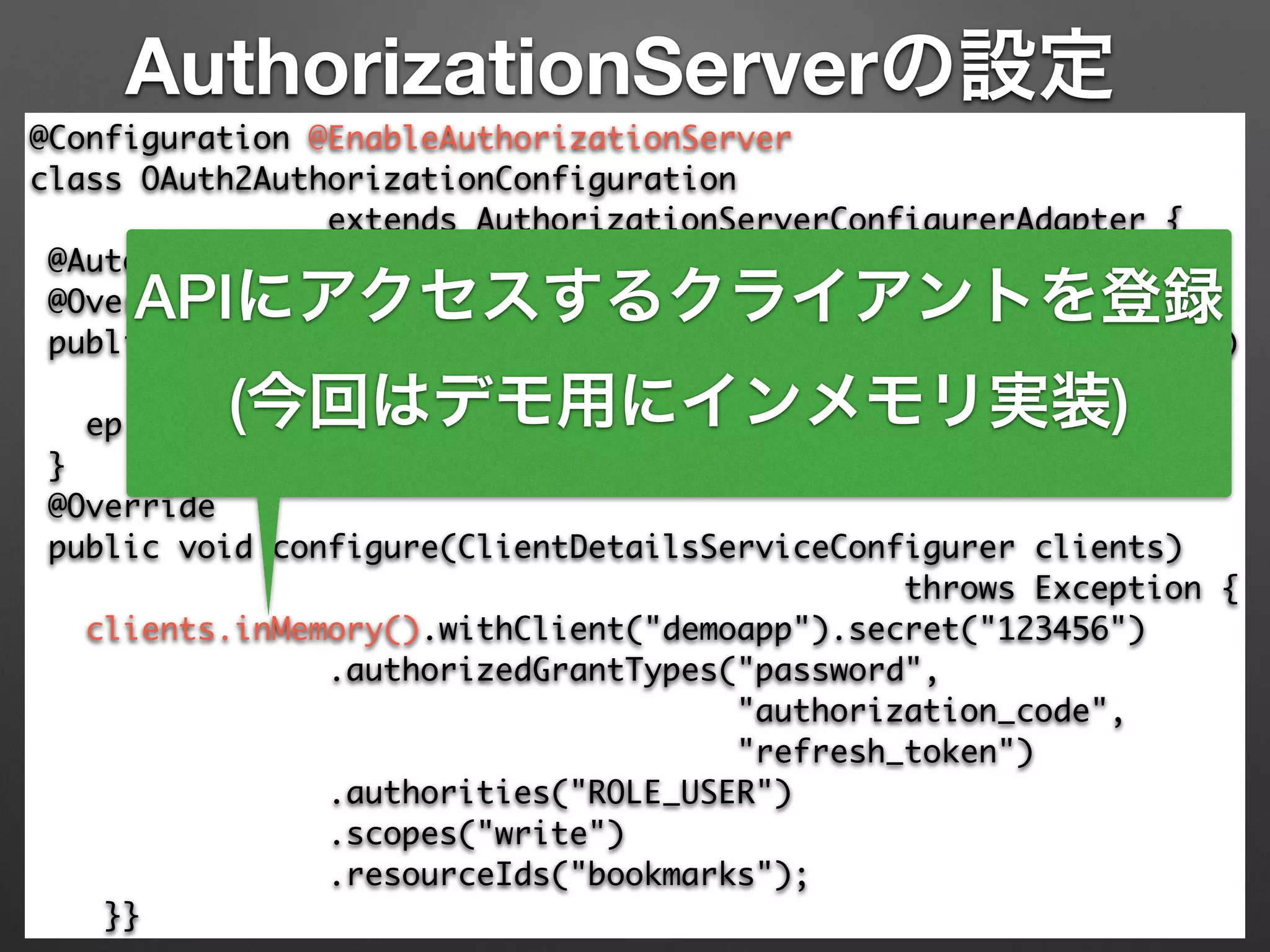
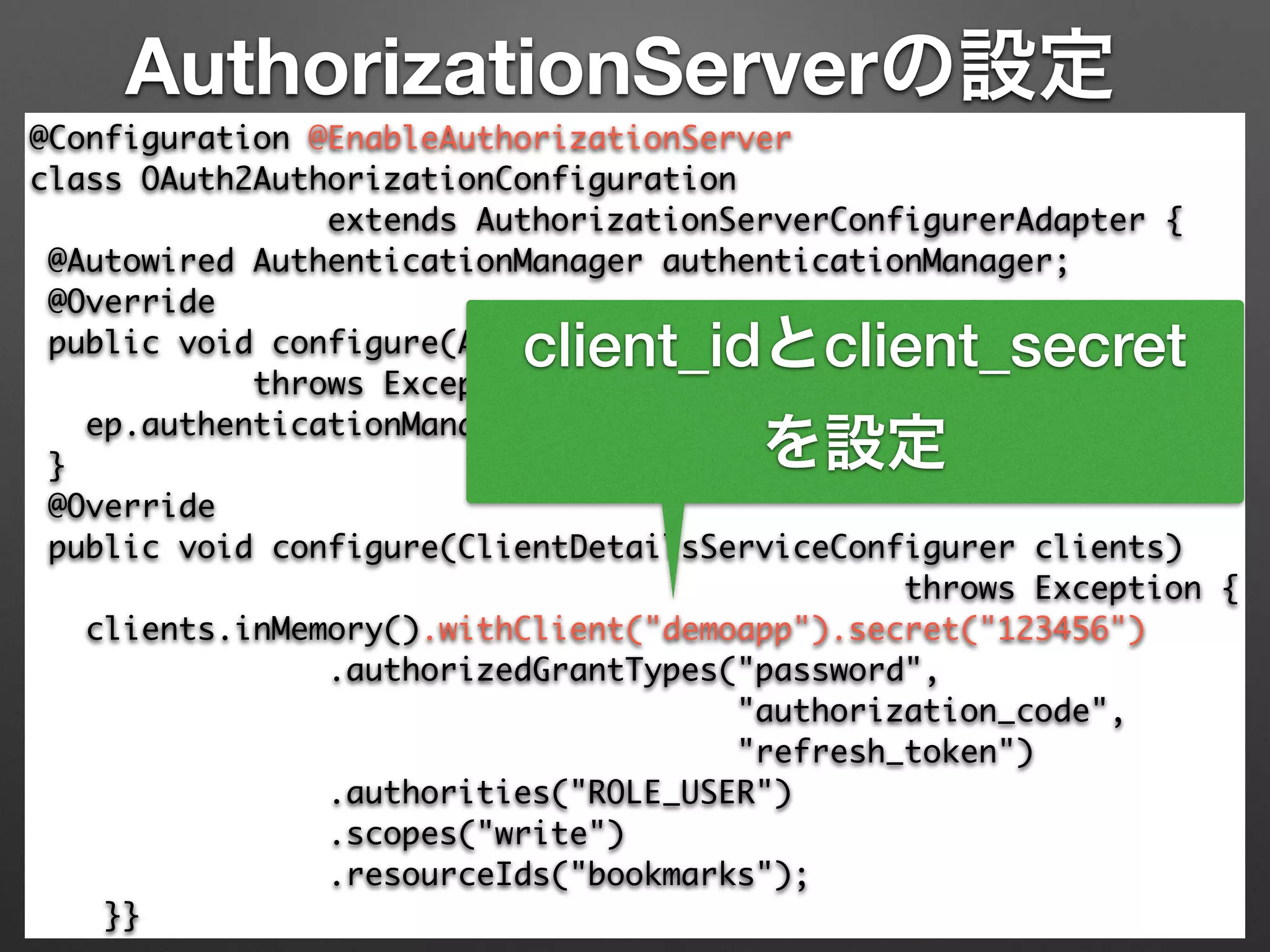
APIにアクセスするクライアントを登録
(今回はデモ用にインメモリ実装)
AuthorizationServerの設定
@Configuration @EnableAuthorizationServer

class OAuth2AuthorizationConfiguration 	
extends AuthorizationServerConfigurerAdapter {

@Autowired AuthenticationManager authenticationManager;

@Override

public void configure(AuthorizationServerEndpointsConfigurer ep)

throws Exception {

ep.authenticationManager(authenticationManager);

}

@Override

public void configure(ClientDetailsServiceConfigurer clients)	
throws Exception {

clients.inMemory().withClient("demoapp").secret("123456")

.authorizedGrantTypes("password", 	
"authorization_code",	
"refresh_token")

.authorities("ROLE_USER")

.scopes("write")	
.resourceIds("bookmarks");

}}
client_idとclient_secret
を設定
AuthorizationServerの設定
@Configuration @EnableAuthorizationServer

class OAuth2AuthorizationConfiguration 	
extends AuthorizationServerConfigurerAdapter {

@Autowired AuthenticationManager authenticationManager;

@Override

public void configure(AuthorizationServerEndpointsConfigurer ep)

throws Exception {

ep.authenticationManager(authenticationManager);

}

@Override

public void configure(ClientDetailsServiceConfigurer clients)	
throws Exception {

clients.inMemory().withClient("demoapp").secret("123456")

.authorizedGrantTypes("password", 	
"authorization_code",	
"refresh_token")

.authorities("ROLE_USER")

.scopes("write")	
.resourceIds("bookmarks");

}}
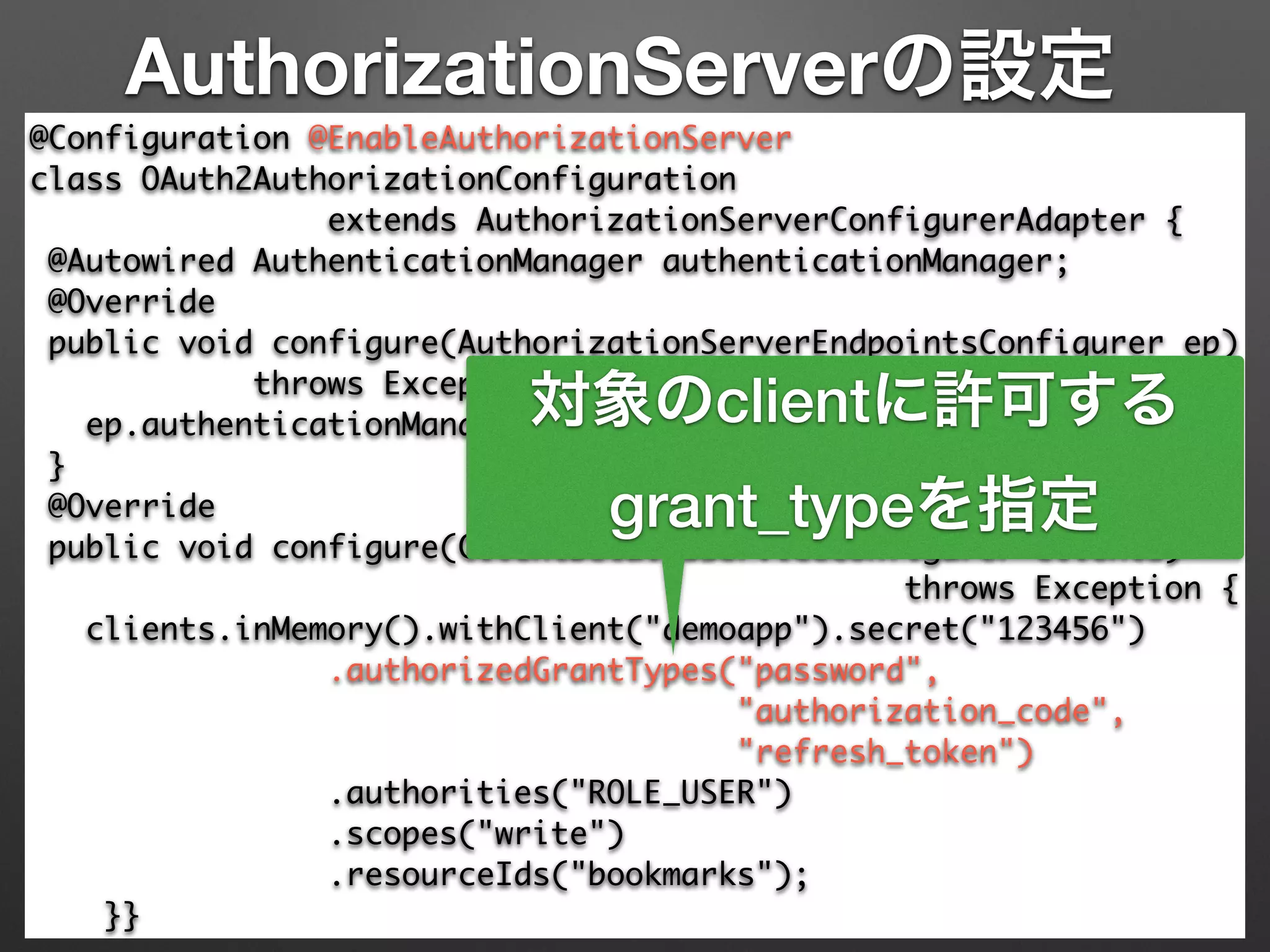
対象のclientに許可する
grant_typeを指定
AuthorizationServerの設定
@Configuration @EnableAuthorizationServer

class OAuth2AuthorizationConfiguration 	
extends AuthorizationServerConfigurerAdapter {

@Autowired AuthenticationManager authenticationManager;

@Override

public void configure(AuthorizationServerEndpointsConfigurer ep)

throws Exception {

ep.authenticationManager(authenticationManager);

}

@Override

public void configure(ClientDetailsServiceConfigurer clients)	
throws Exception {

clients.inMemory().withClient("demoapp").secret("123456")

.authorizedGrantTypes("password", 	
"authorization_code",	
"refresh_token")

.authorities("ROLE_USER")

.scopes("write")	
.resourceIds("bookmarks");

}}
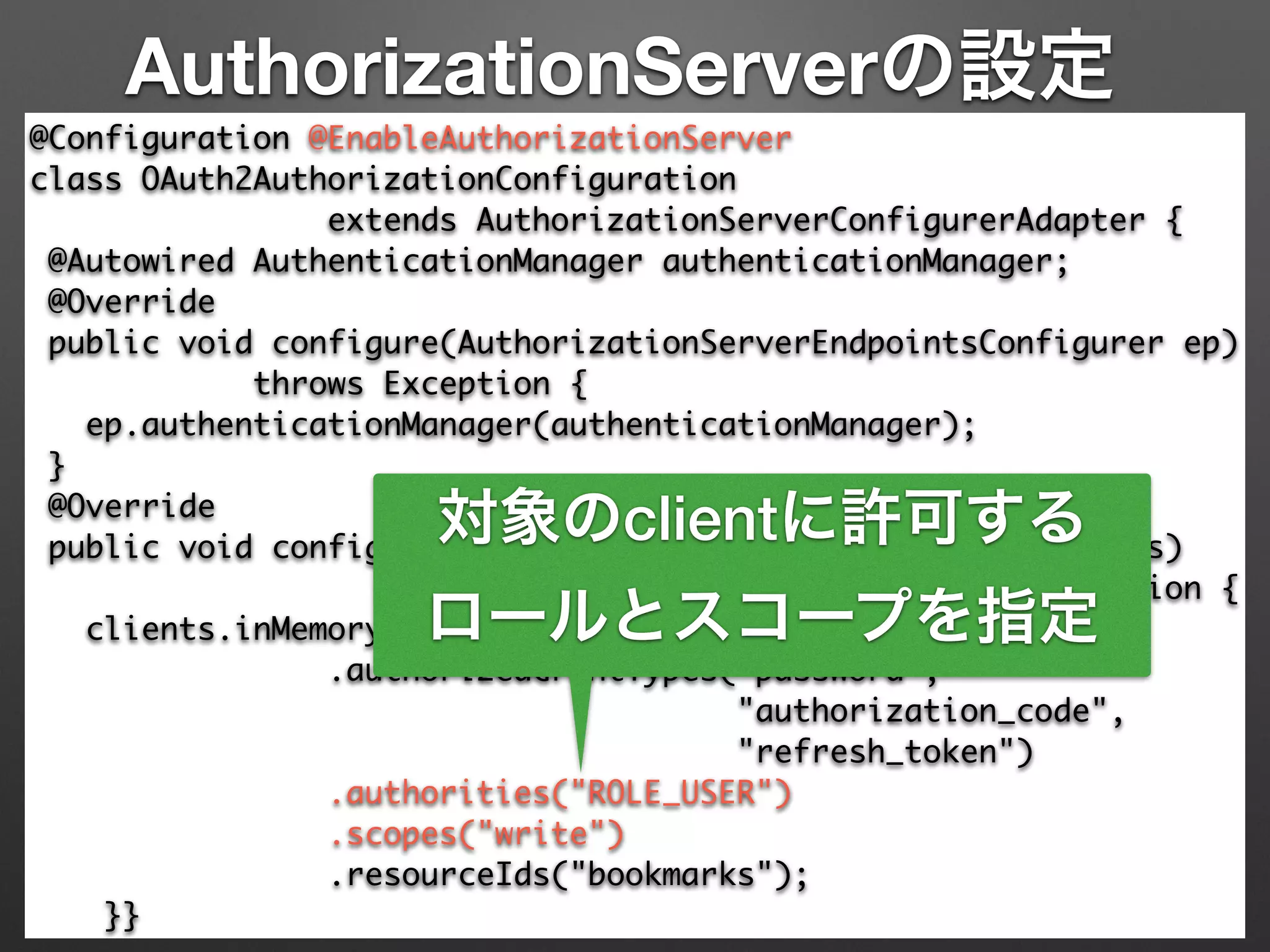
対象のclientに許可する
ロールとスコープを指定
AuthorizationServerの設定
@Configuration @EnableAuthorizationServer

class OAuth2AuthorizationConfiguration 	
extends AuthorizationServerConfigurerAdapter {

@Autowired AuthenticationManager authenticationManager;

@Override

public void configure(AuthorizationServerEndpointsConfigurer ep)

throws Exception {

ep.authenticationManager(authenticationManager);

}

@Override

public void configure(ClientDetailsServiceConfigurer clients)	
throws Exception {

clients.inMemory().withClient("demoapp").secret("123456")

.authorizedGrantTypes("password", 	
"authorization_code",	
"refresh_token")

.authorities("ROLE_USER")

.scopes("write")	
.resourceIds("bookmarks");

}}
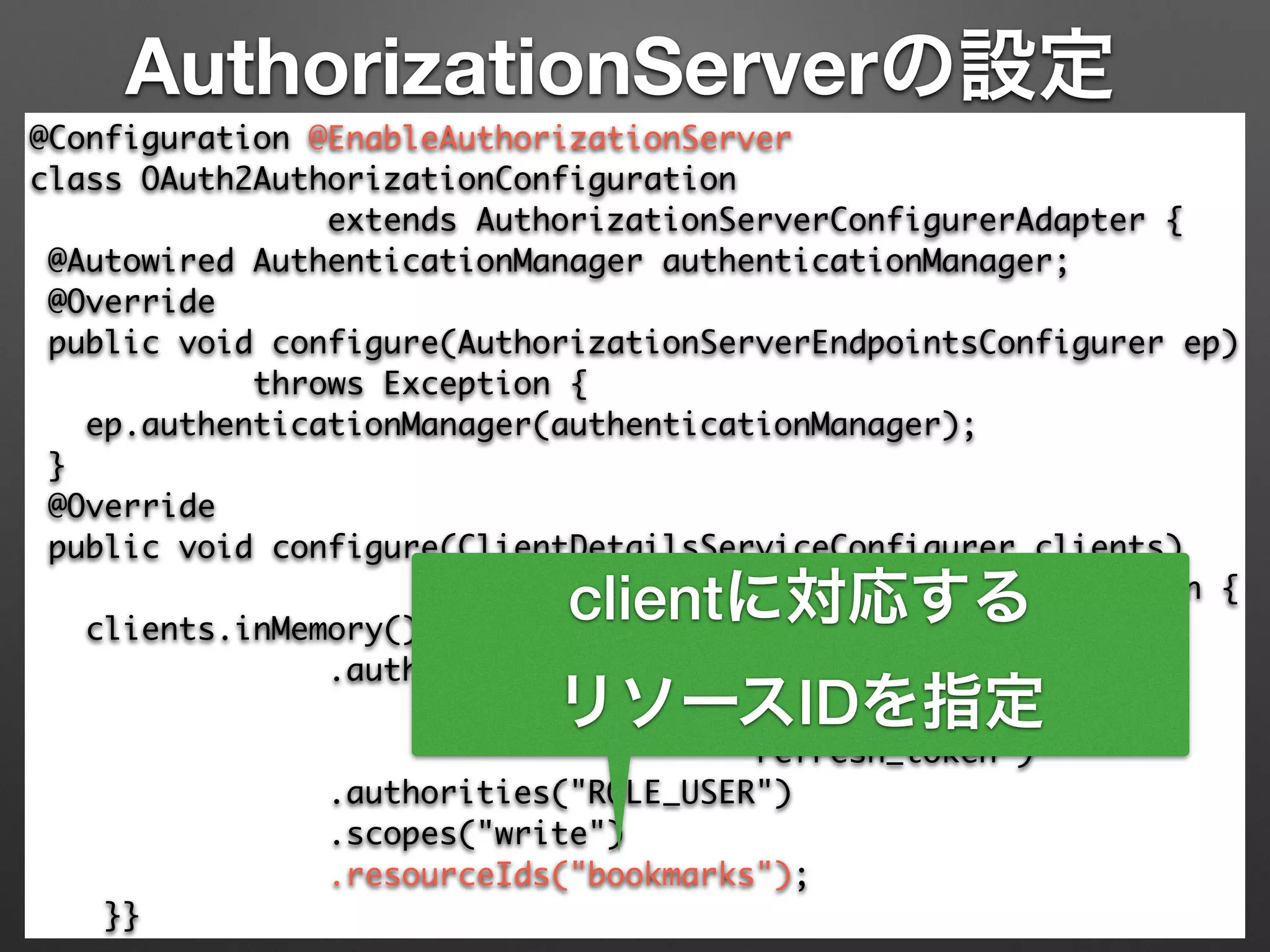
clientに対応する
リソースIDを指定
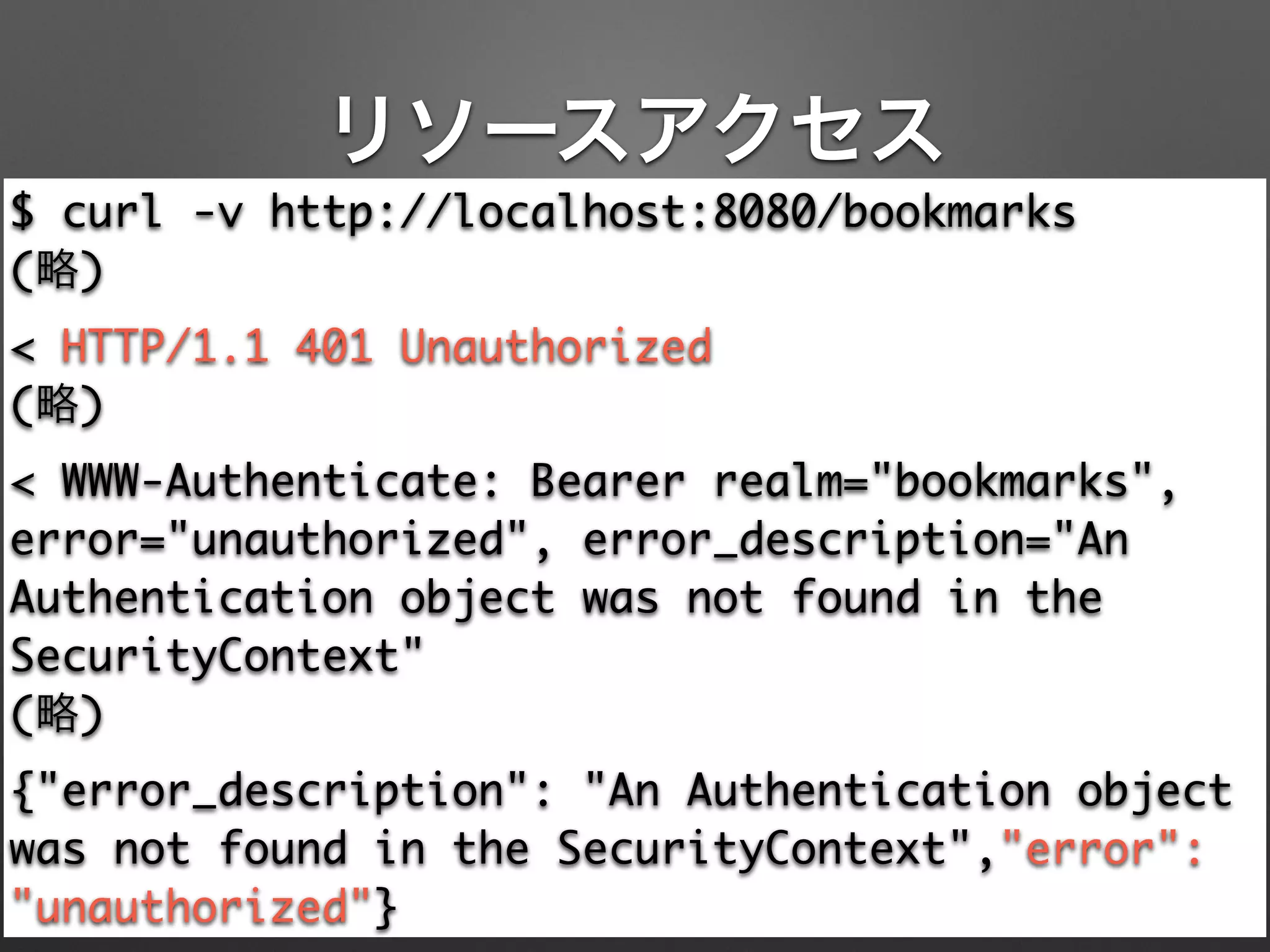
リソースアクセス
$ curl -v http://localhost:8080/bookmarks	
(略)	
< HTTP/1.1 401 Unauthorized	
(略)	
< WWW-Authenticate: Bearer realm="bookmarks",
error="unauthorized", error_description="An
Authentication object was not found in the
SecurityContext"	
(略)	
{"error_description": "An Authentication object
was not found in the SecurityContext","error":
"unauthorized"}
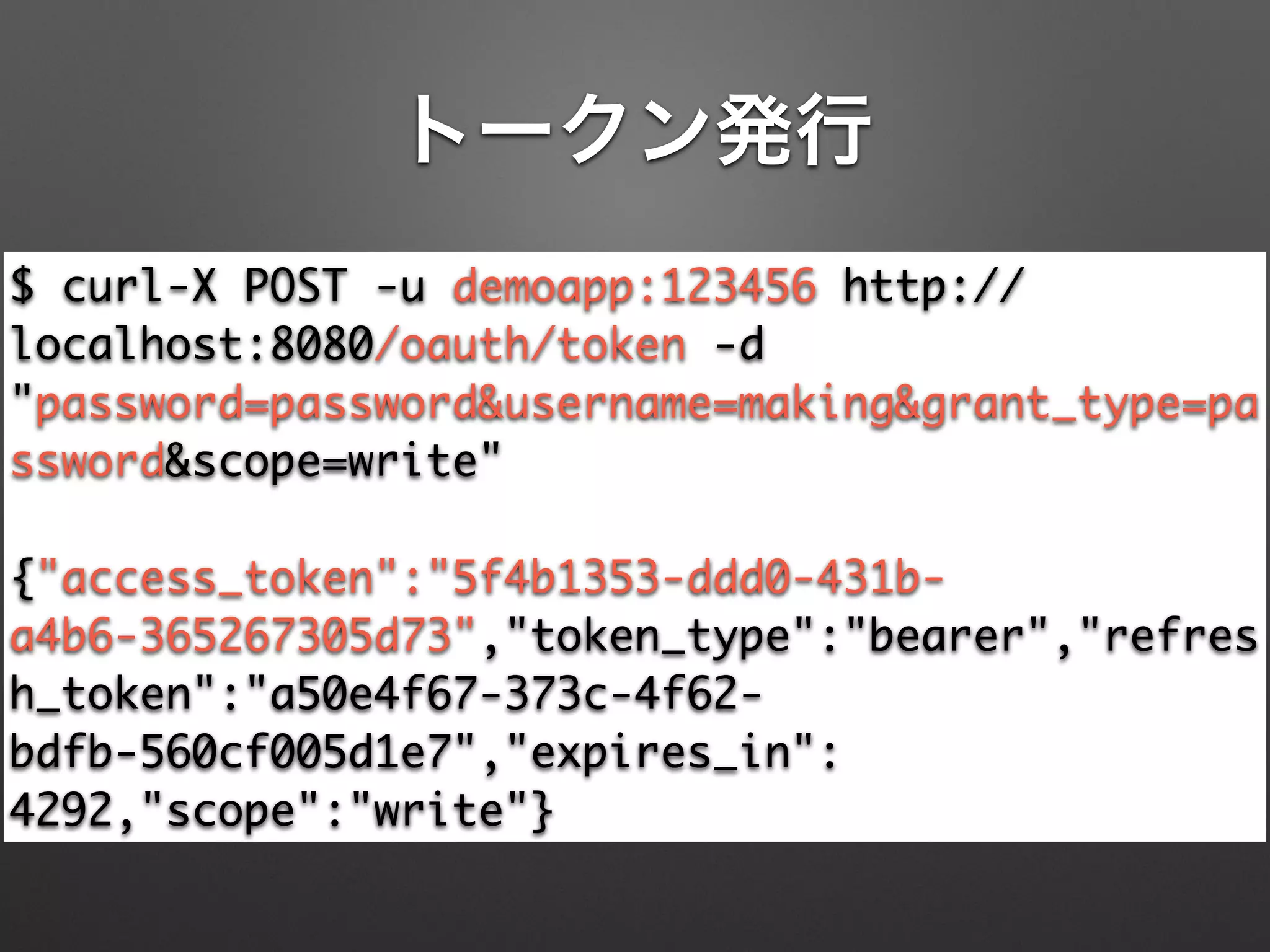
トークン発行
$ curl-X POST -u demoapp:123456 http://
localhost:8080/oauth/token -d
"password=password&username=making&grant_type=pa
ssword&scope=write"	
!
{"access_token":"5f4b1353-ddd0-431b-
a4b6-365267305d73","token_type":"bearer","refres
h_token":"a50e4f67-373c-4f62-
bdfb-560cf005d1e7","expires_in":
4292,"scope":"write"}
リソースアクセス
$ curl -H 'Authorization: Bearer 5f4b1353-
ddd0-431b-a4b6-365267305d73' http://localhost:
8080/bookmarks	
!
{	
"content": [	
{	
"links": […],	
"book": {…}	
}	
], …	
}
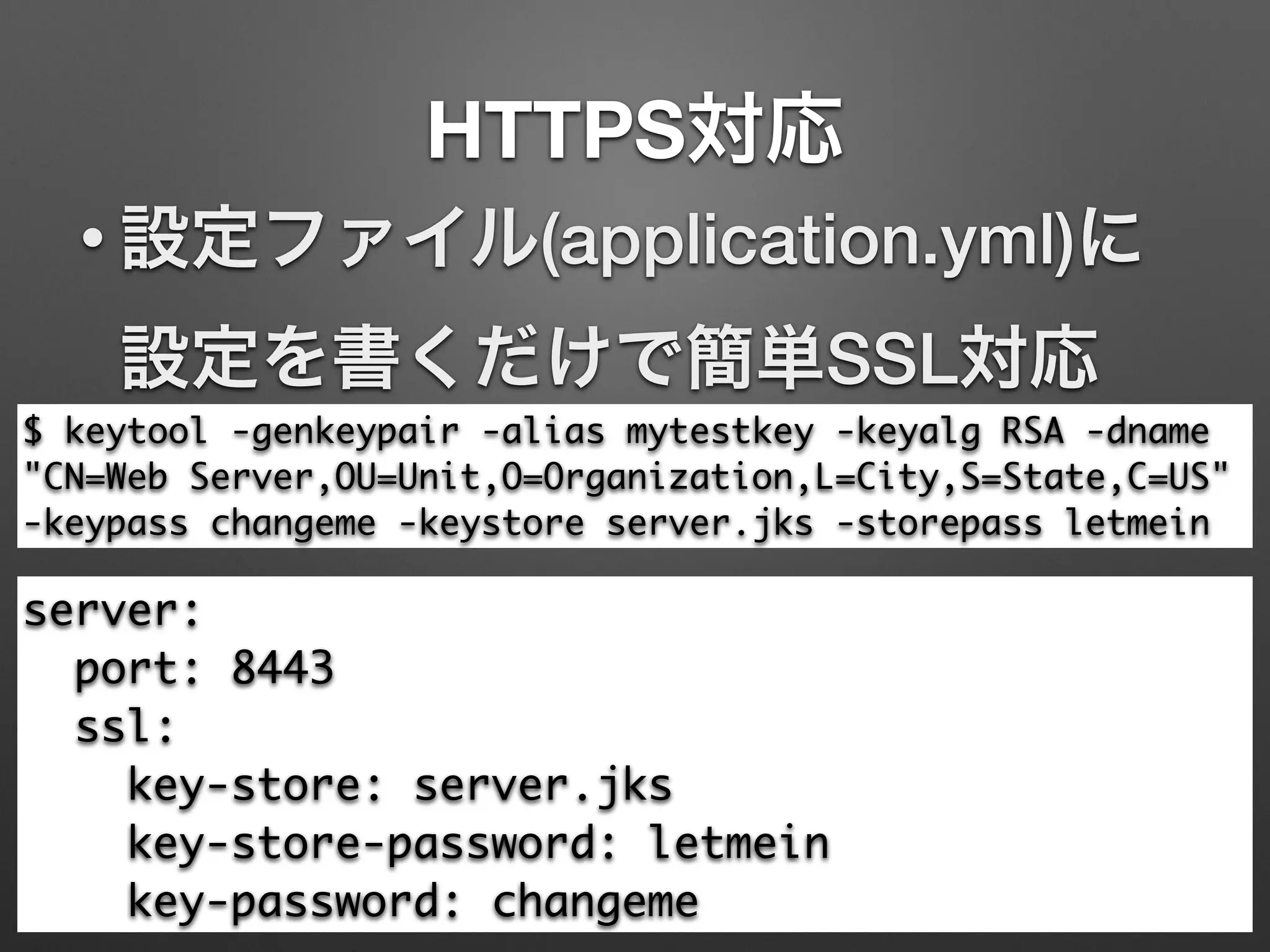
HTTPS対応
$ keytool -genkeypair -alias mytestkey -keyalg RSA -dname
"CN=Web Server,OU=Unit,O=Organization,L=City,S=State,C=US"
-keypass changeme -keystore server.jks -storepass letmein
• 設定ファイル(application.yml)に
設定を書くだけで簡単SSL対応
server:	
port: 8443	
ssl:	
key-store: server.jks	
key-store-password: letmein	
key-password: changeme
いつも通り起動
$ mvn spring-boot:run	
… (略)	
2014-12-13 12:07:47.833 INFO --- [mple.App.main()]
s.b.c.e.t.TomcatEmbeddedServletContainer : Tomcat started
on port(s): 8443/https	
2014-12-13 12:07:47.836 INFO --- [mple.App.main()]
com.example.App : Started App in
5.322 seconds (JVM running for 10.02)
いつも通り起動
$ mvn spring-boot:run	
… (略)	
2014-12-13 12:07:47.833 INFO --- [mple.App.main()]
s.b.c.e.t.TomcatEmbeddedServletContainer : Tomcat started
on port(s): 8443/https	
2014-12-13 12:07:47.836 INFO --- [mple.App.main()]
com.example.App : Started App in
5.322 seconds (JVM running for 10.02)
Spring Security OAuthで
ステートレスにRESTを
セキュア化!!
Spring Security OAuthで
ステートレスにRESTを
セキュア化!!
スケールブル!!
Spring Security OAuthで
ステートレスにRESTを
セキュア化!!
スケールブル!!
って思うやん?
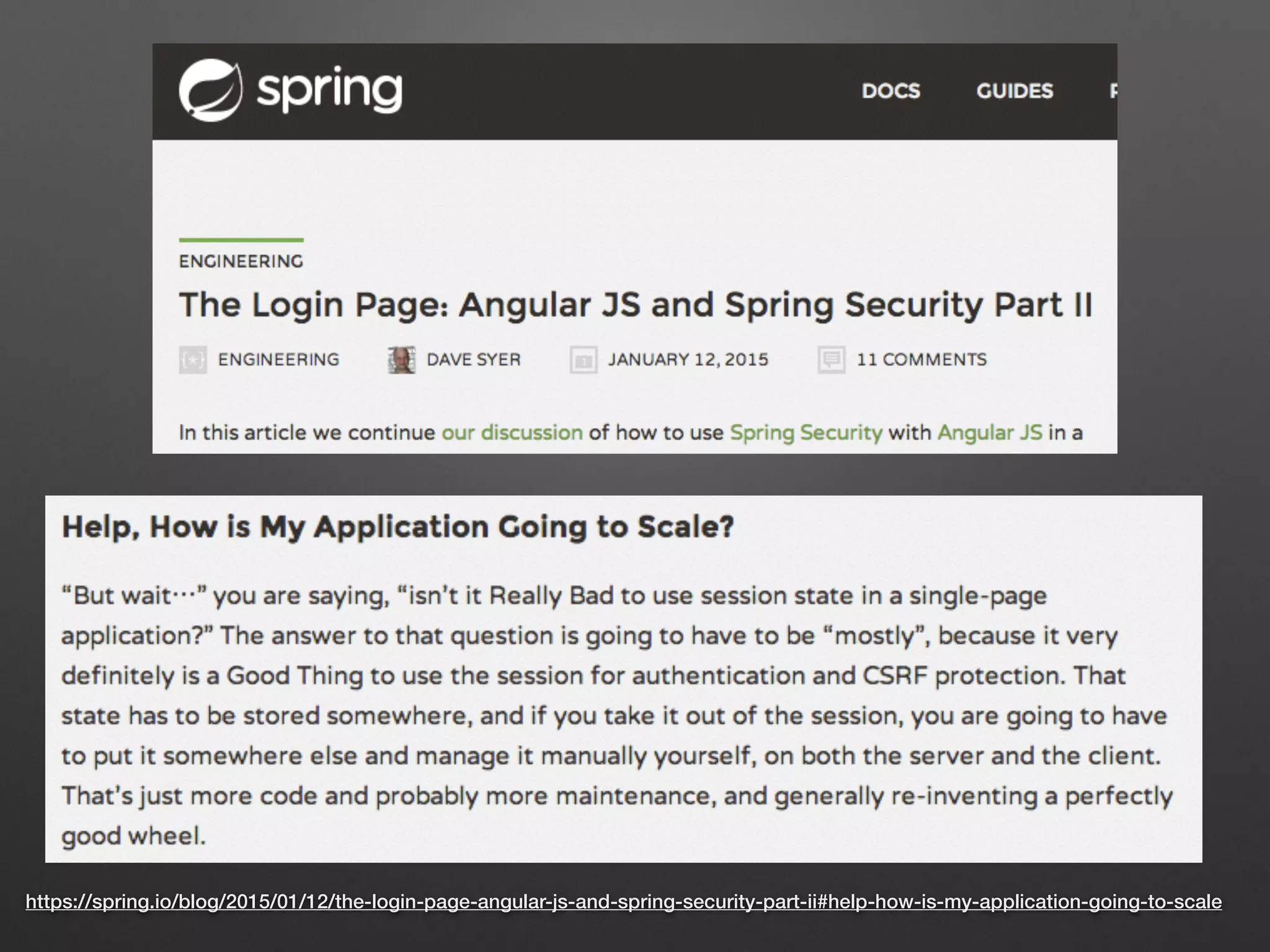
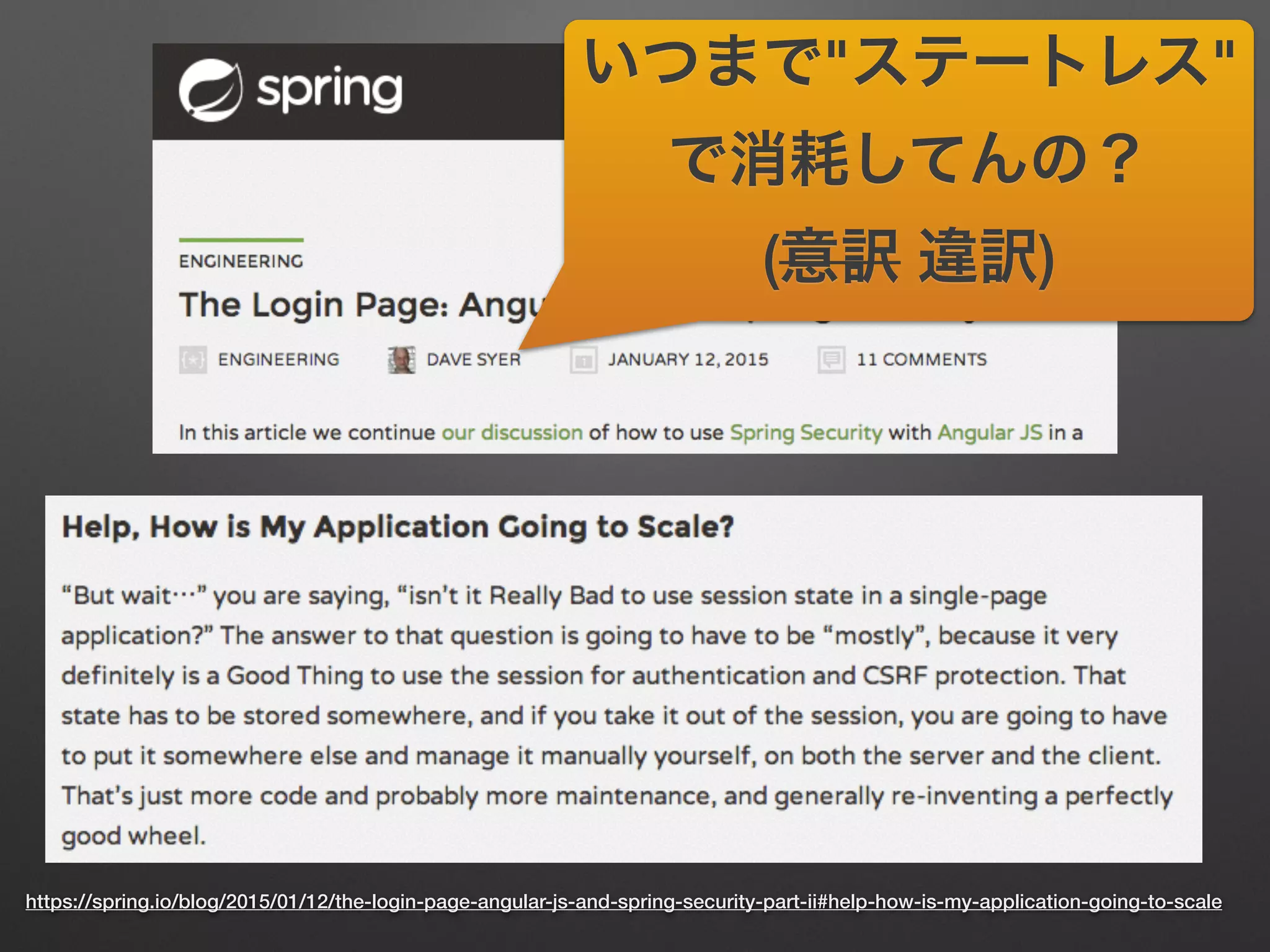
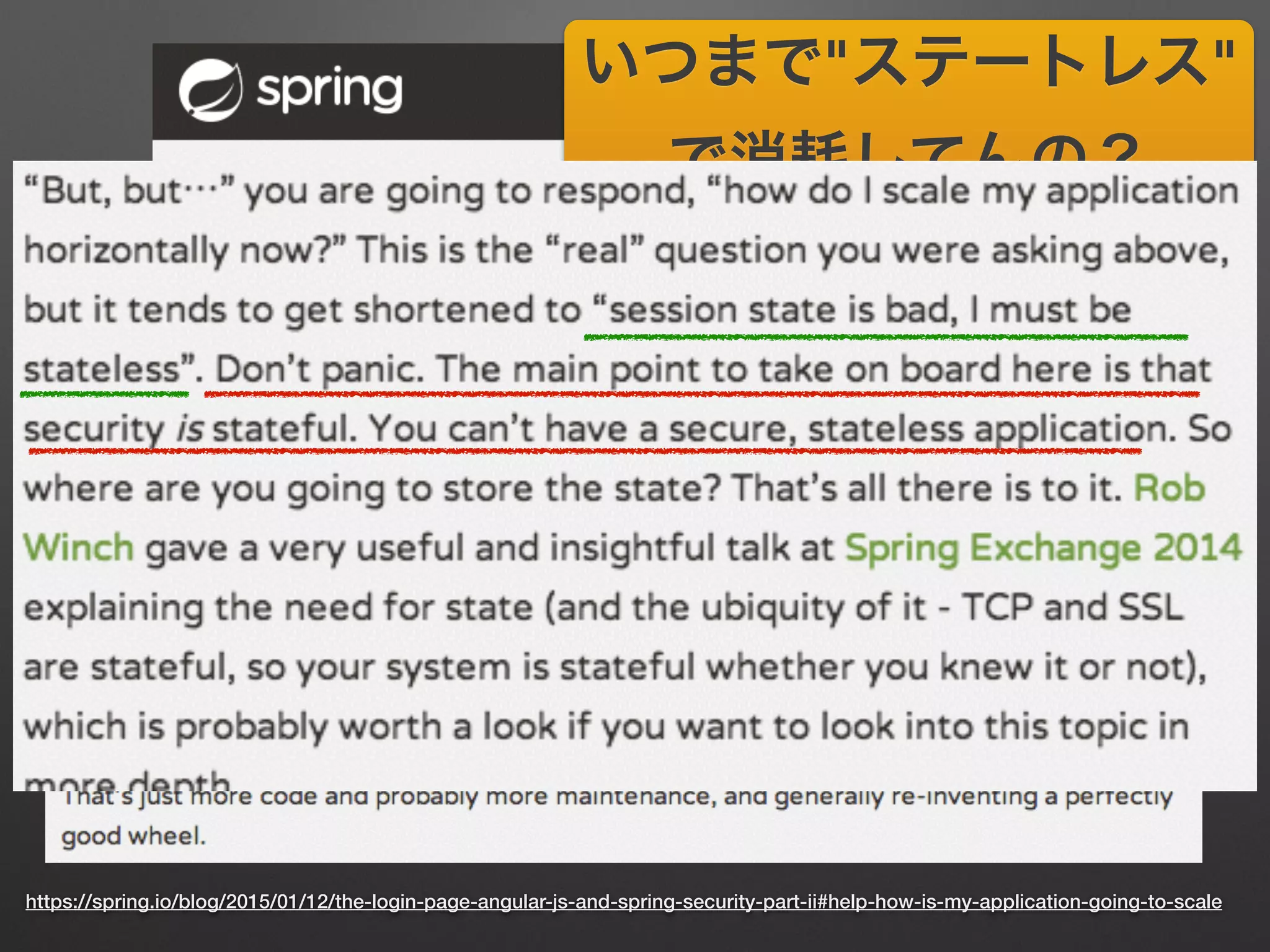
https://spring.io/blog/2015/01/12/the-login-page-angular-js-and-spring-security-part-ii#help-how-is-my-application-going-to-scale
いつまで"ステートレス"
で消耗してんの?
(意訳 違訳)
https://spring.io/blog/2015/01/12/the-login-page-angular-js-and-spring-security-part-ii#help-how-is-my-application-going-to-scale
いつまで"ステートレス"
で消耗してんの?
(意訳 違訳)
https://spring.io/blog/2015/01/12/the-login-page-angular-js-and-spring-security-part-ii#help-how-is-my-application-going-to-scale
いつまで"ステートレス"
で消耗してんの?
(意訳 違訳)
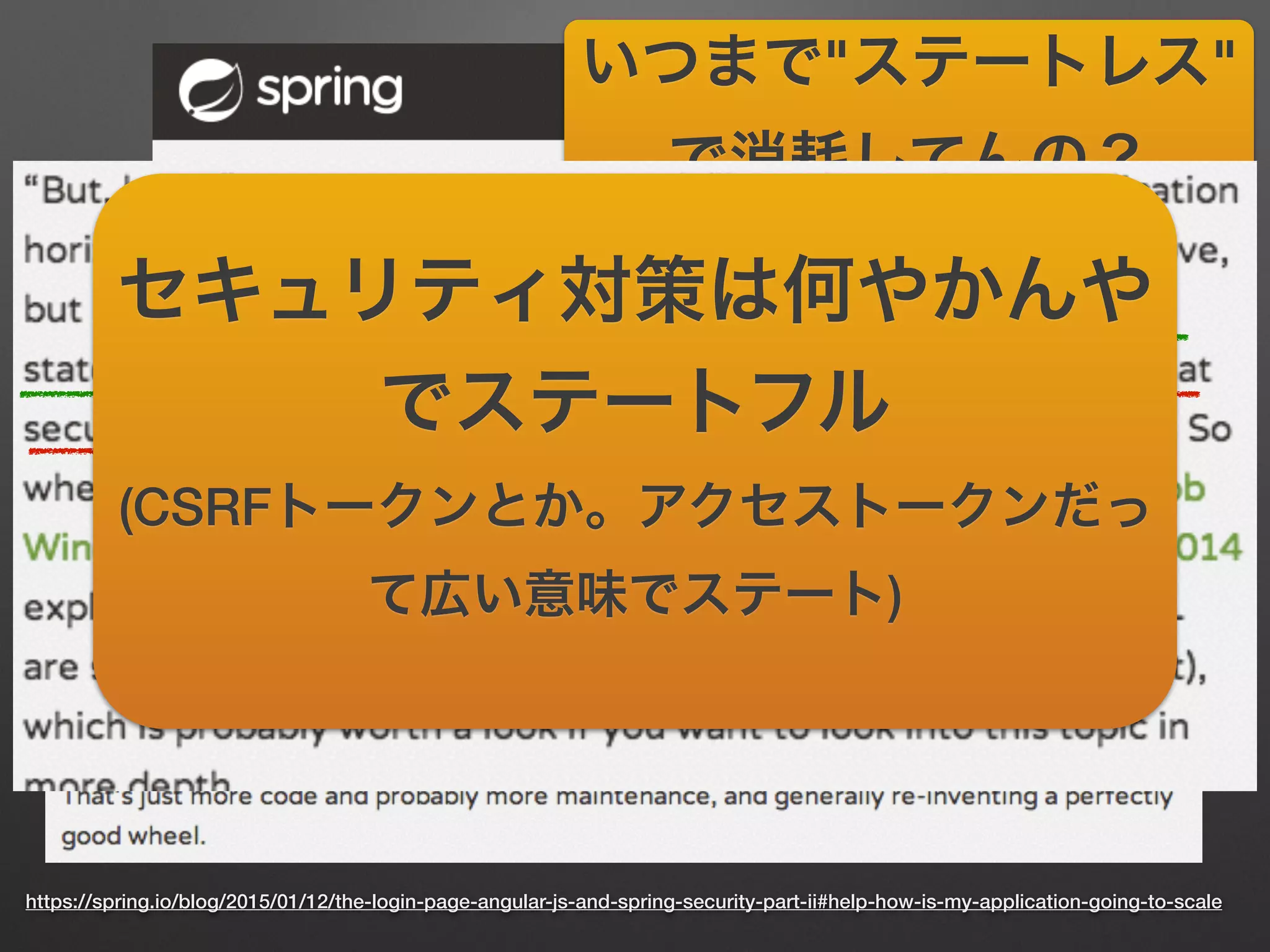
セキュリティ対策は何やかんや
でステートフル
(CSRFトークンとか。アクセストークンだっ
て広い意味でステート)
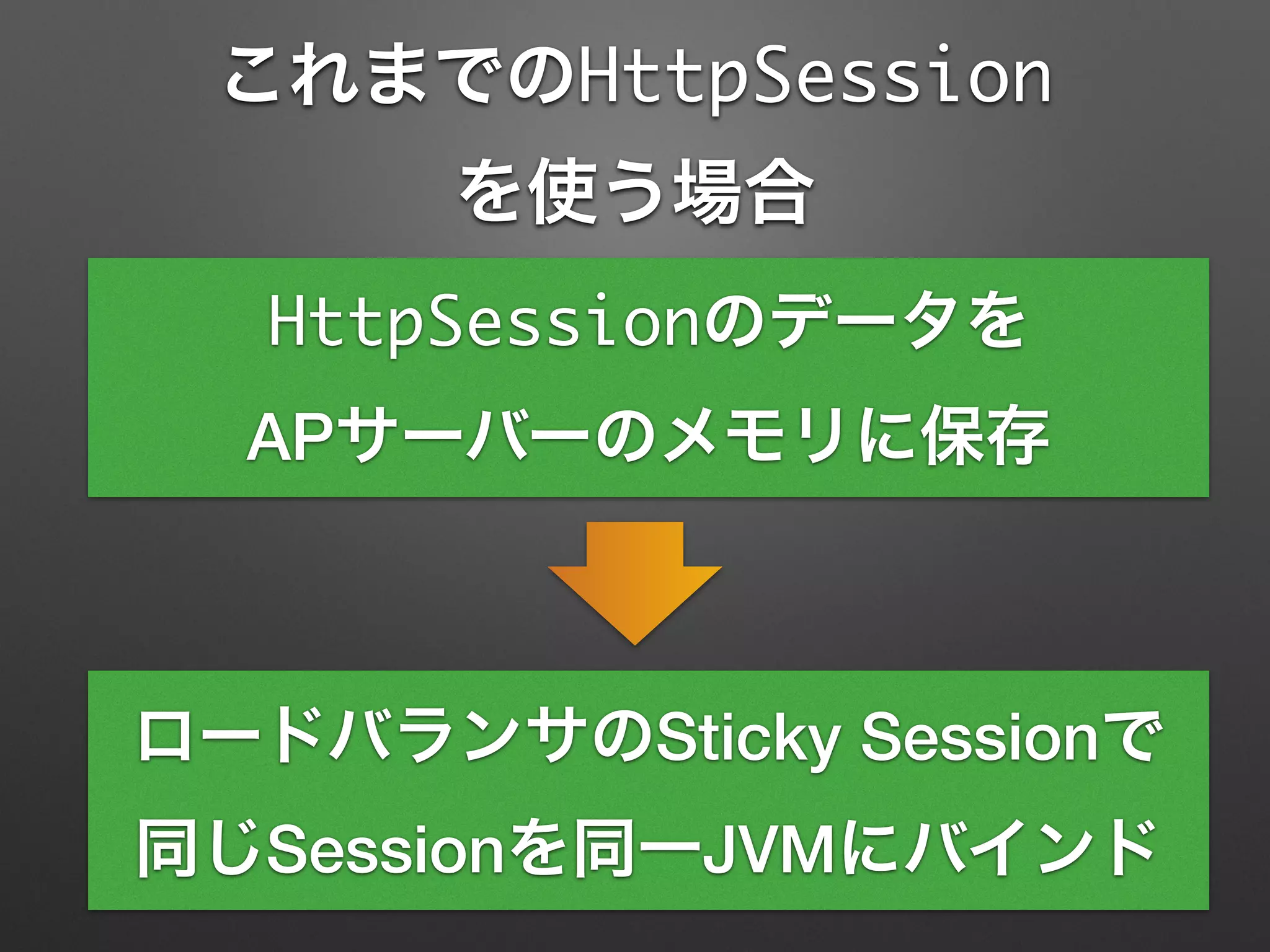
これまでのHttpSession
を使う場合
HttpSessionのデータを
APサーバーのメモリに保存
ロードバランサのSticky Sessionで
同じSessionを同一JVMにバインド
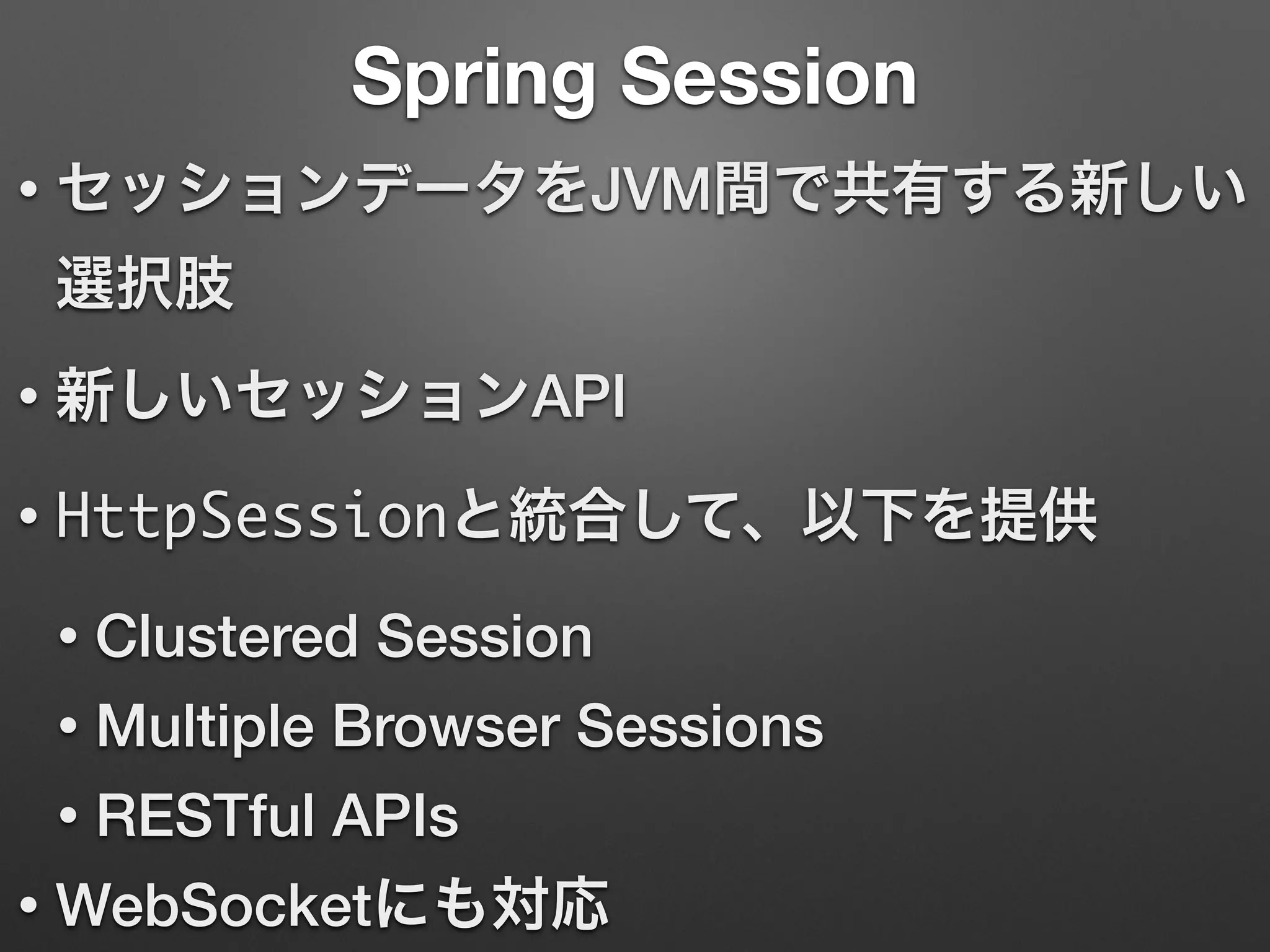
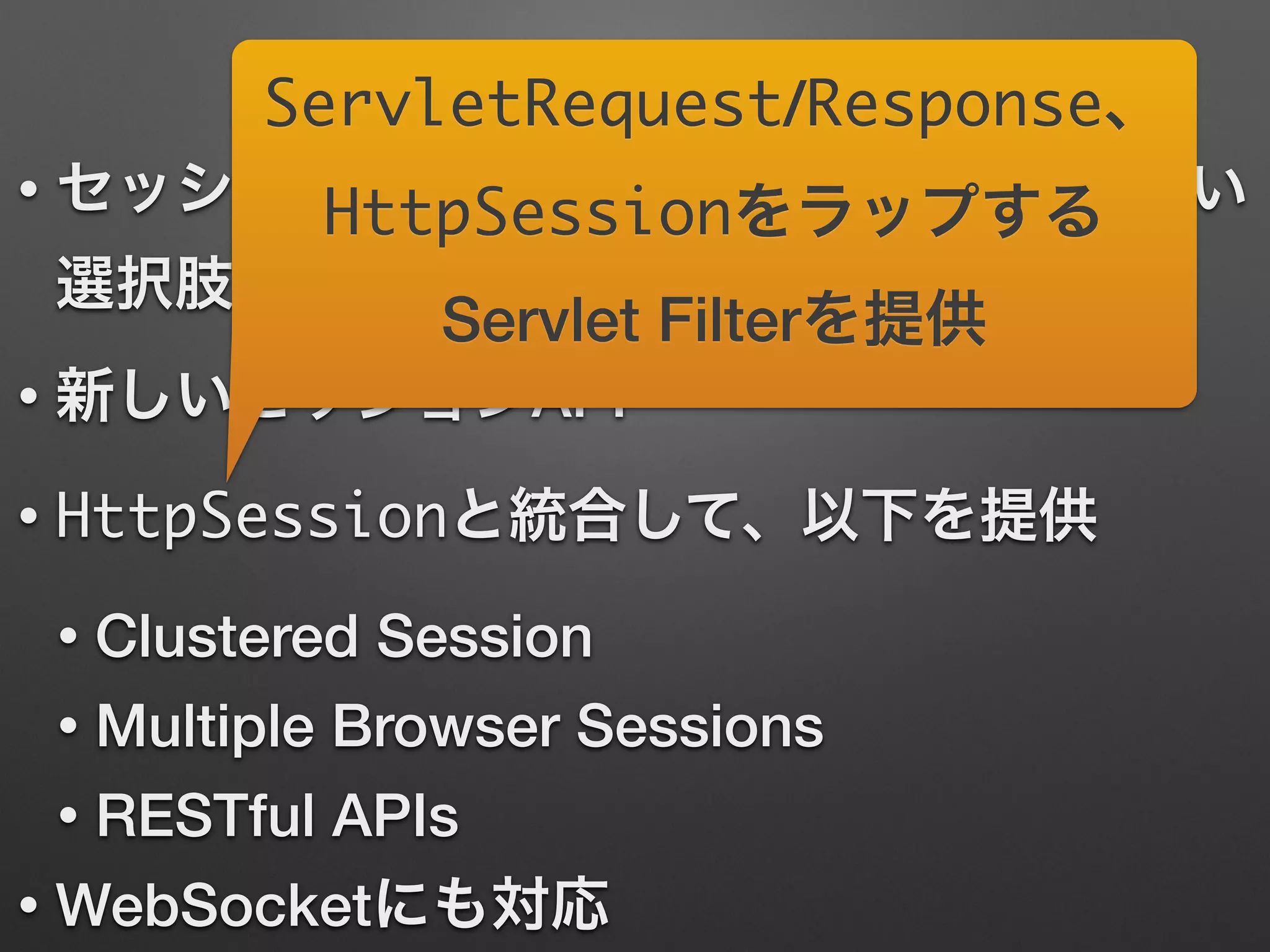
Spring Session
• セッションデータをJVM間で共有する新しい
選択肢
• 新しいセッションAPI
• HttpSessionと統合して、以下を提供
• Clustered Session
• Multiple Browser Sessions
• RESTful APIs
• WebSocketにも対応
Spring Session
• セッションデータをJVM間で共有する新しい
選択肢
• 新しいセッションAPI
• HttpSessionと統合して、以下を提供
• Clustered Session
• Multiple Browser Sessions
• RESTful APIs
• WebSocketにも対応
ServletRequest/Response、
HttpSessionをラップする
Servlet Filterを提供
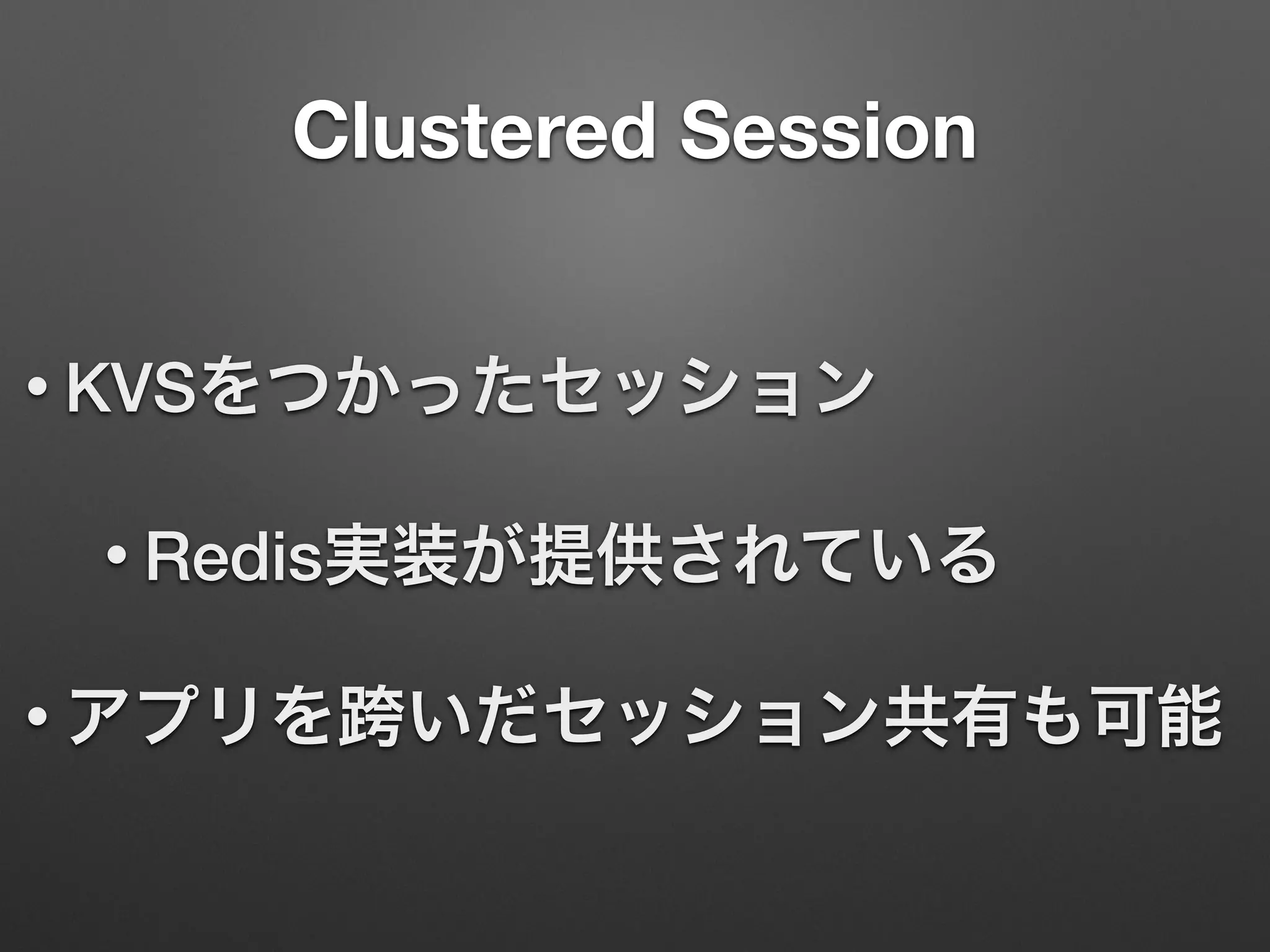
Clustered Session
• KVSをつかったセッション
• Redis実装が提供されている
• アプリを跨いだセッション共有も可能
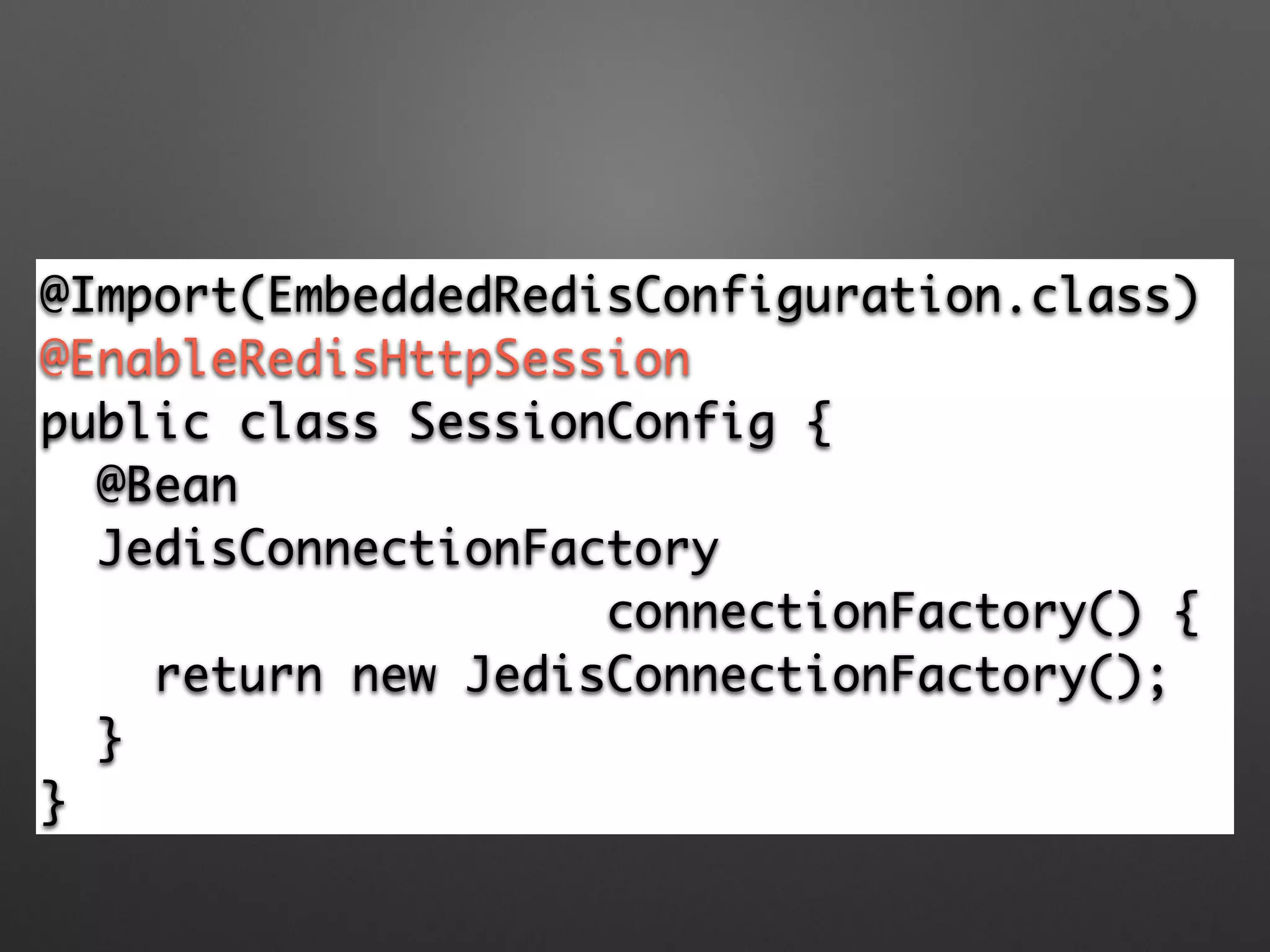
@Import(EmbeddedRedisConfiguration.class)	
@EnableRedisHttpSession 	
public class SessionConfig {	
@Bean	
JedisConnectionFactory 	
connectionFactory() {	
return new JedisConnectionFactory(); 	
}	
}
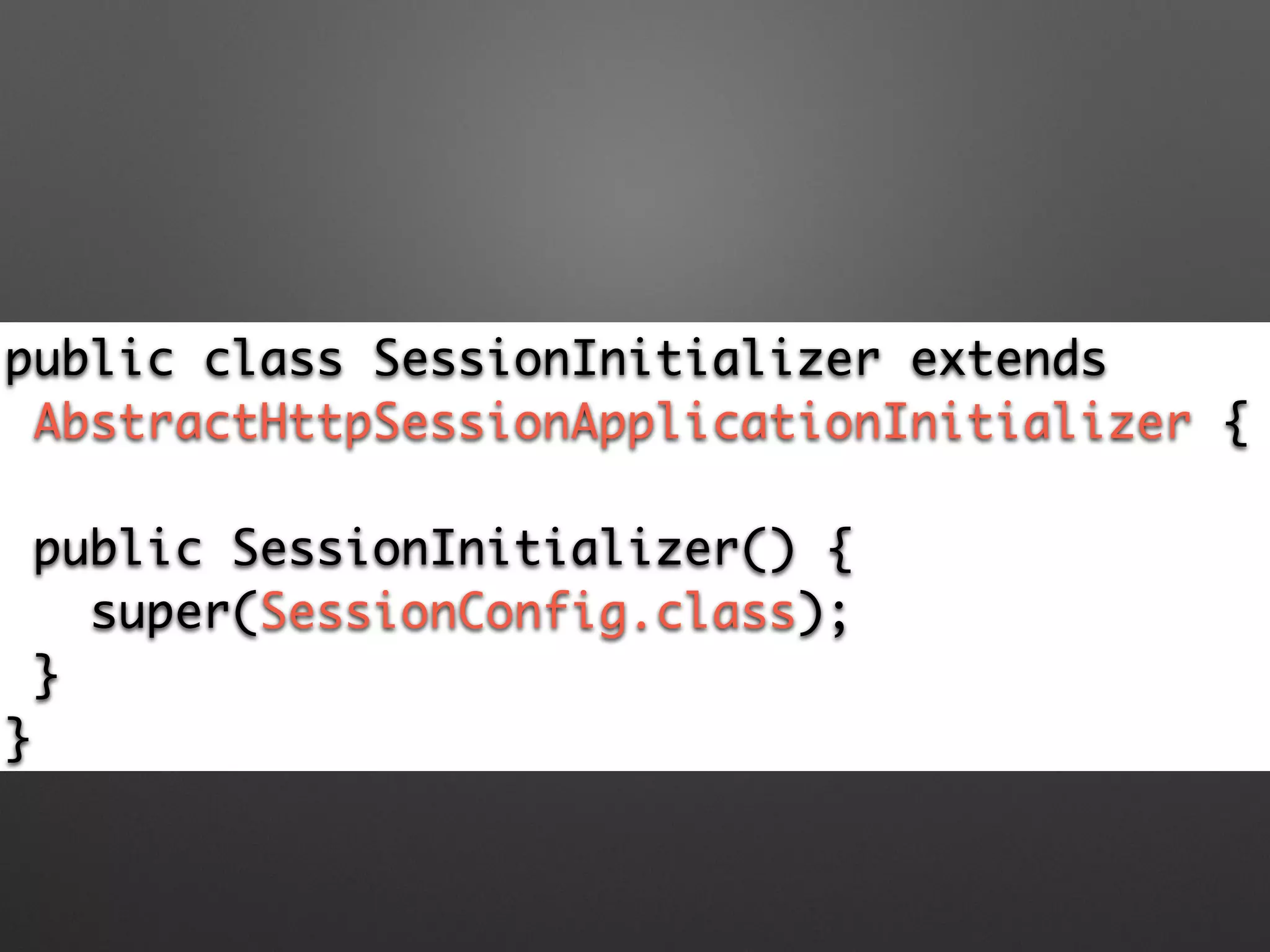
public class SessionInitializer extends	
AbstractHttpSessionApplicationInitializer {
!
public SessionInitializer() {	
super(SessionConfig.class); 	
}	
}
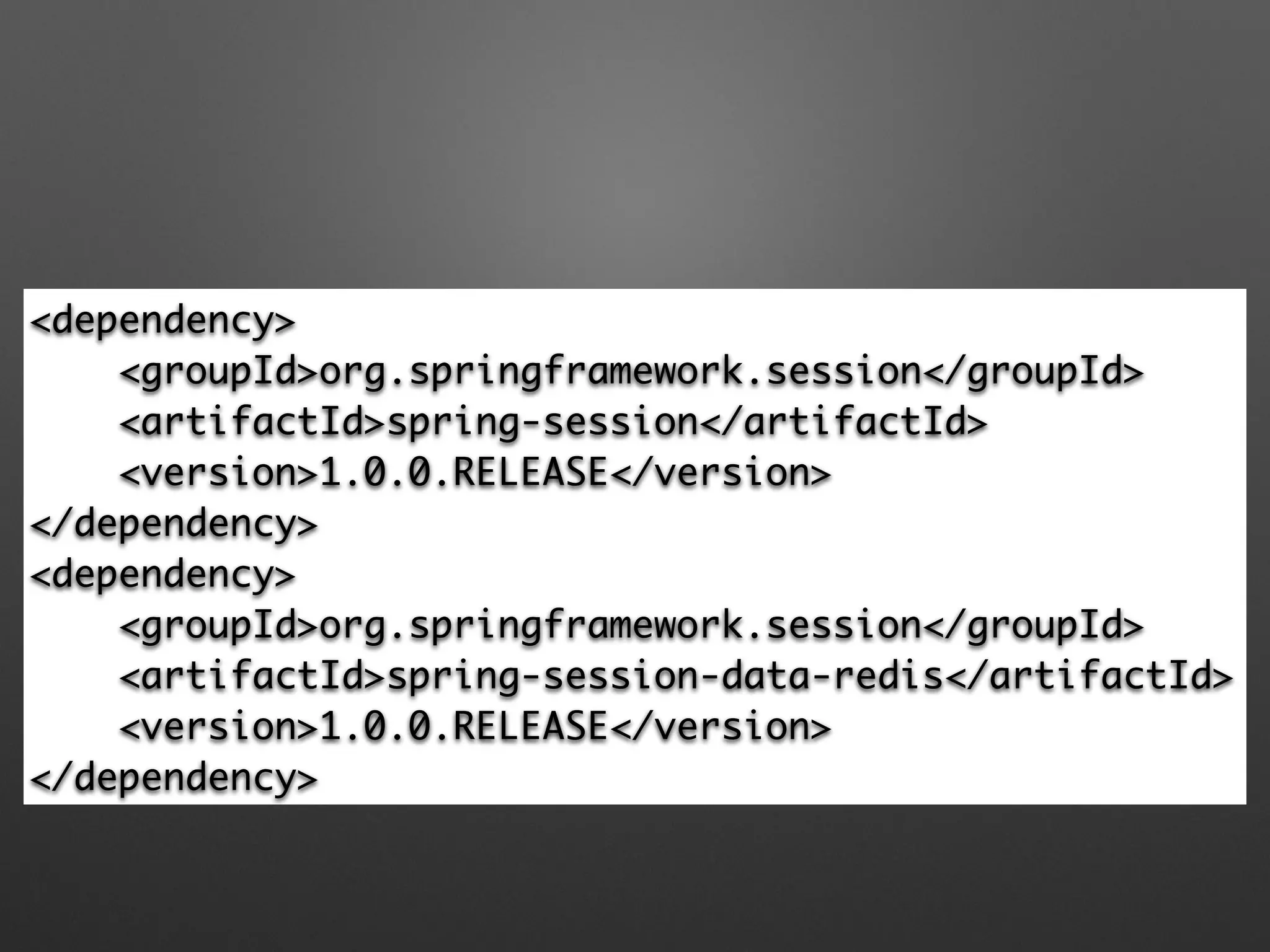
<dependency>

<groupId>org.springframework.session</groupId>

<artifactId>spring-session</artifactId>

<version>1.0.0.RELEASE</version>

</dependency>

<dependency>

<groupId>org.springframework.session</groupId>

<artifactId>spring-session-data-redis</artifactId>

<version>1.0.0.RELEASE</version>

</dependency>
Multiple Browser Sessions
割愛
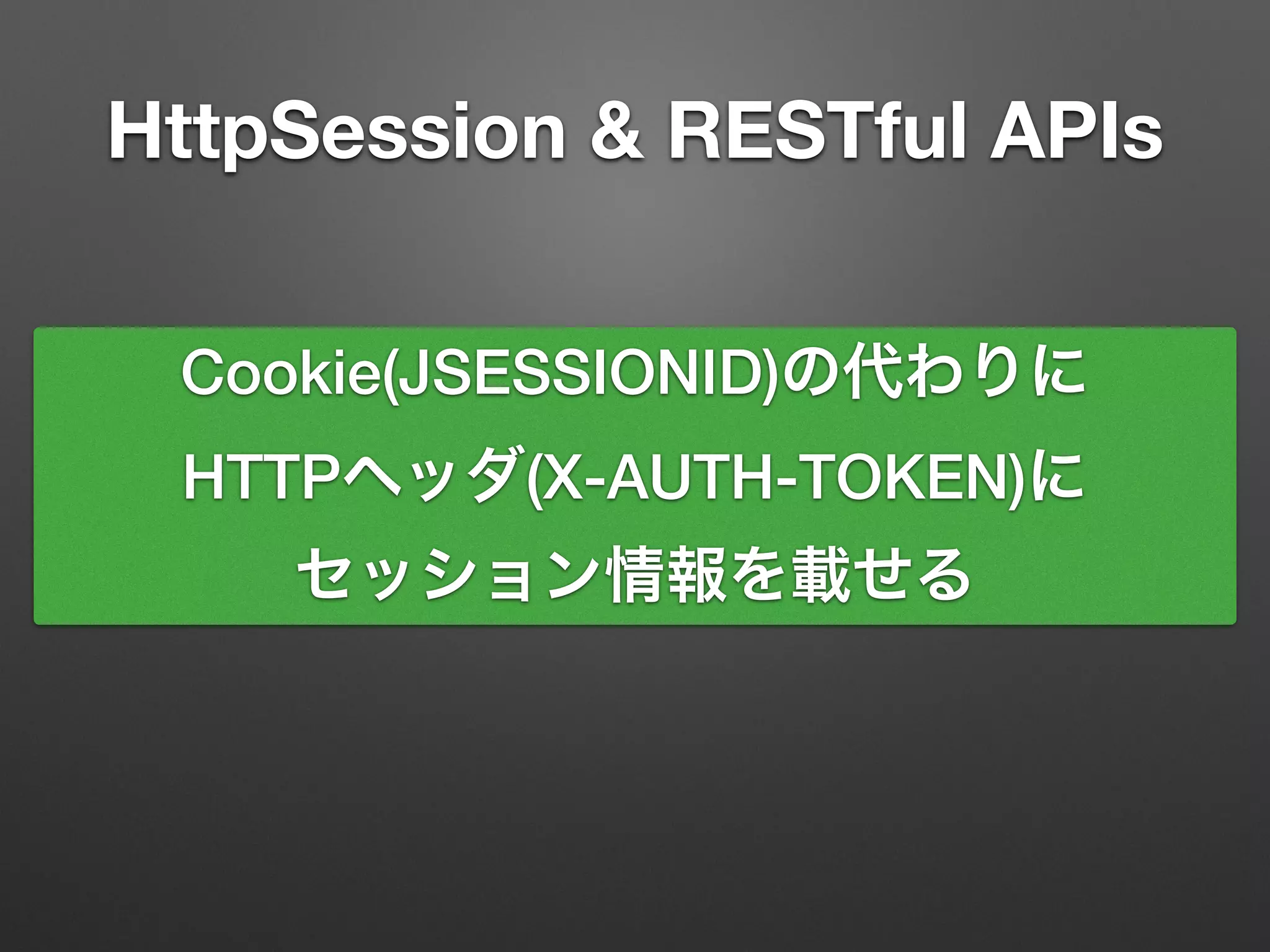
HttpSession & RESTful APIs
Cookie(JSESSIONID)の代わりに
HTTPヘッダ(X-AUTH-TOKEN)に
セッション情報を載せる
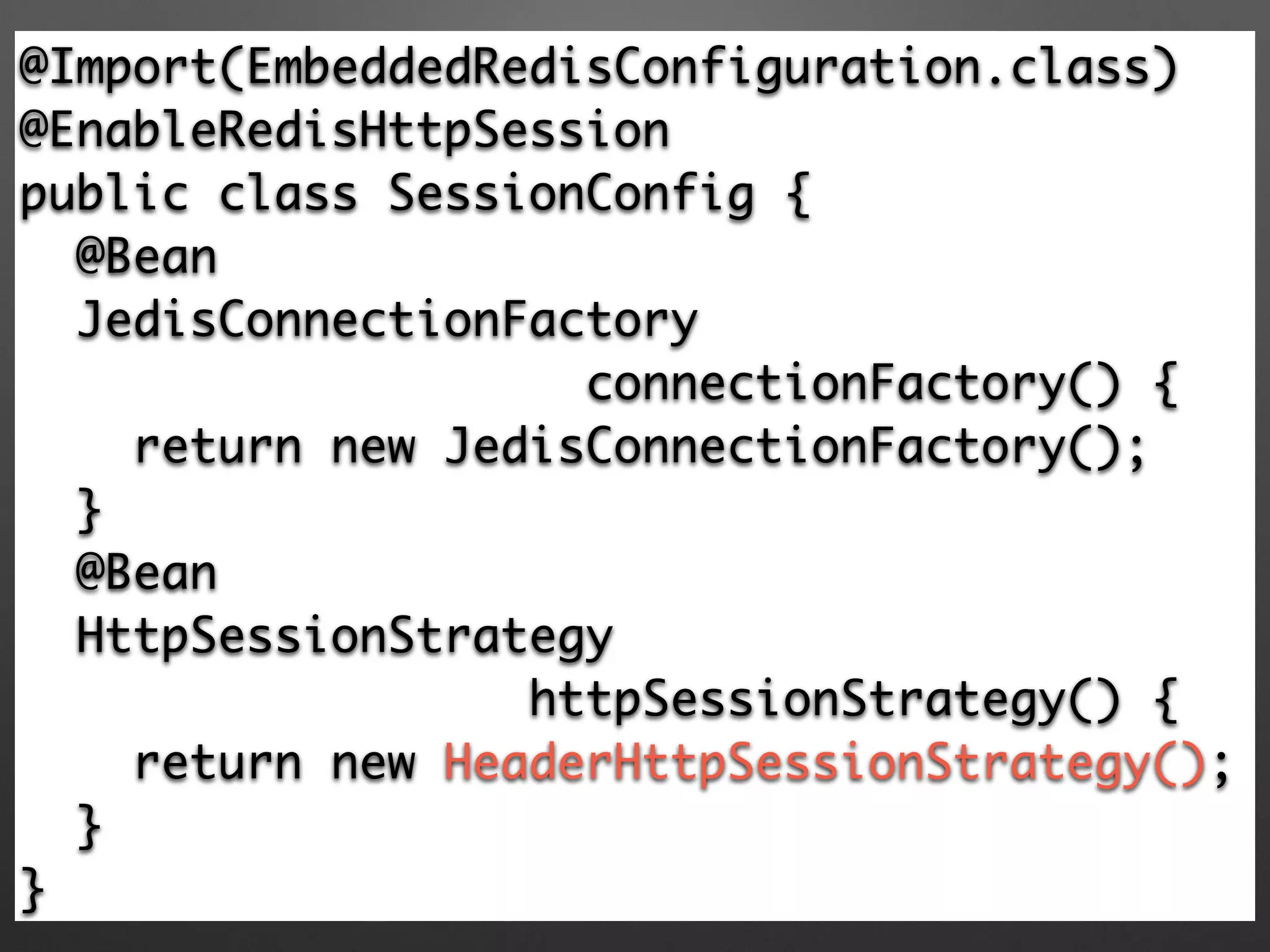
@Import(EmbeddedRedisConfiguration.class)	
@EnableRedisHttpSession 	
public class SessionConfig {	
@Bean	
JedisConnectionFactory 	
connectionFactory() {	
return new JedisConnectionFactory(); 	
} 	
@Bean	
HttpSessionStrategy	
httpSessionStrategy() {	
return new HeaderHttpSessionStrategy(); 	
}	
}
class MvcInitializer extends 	
AbstractAnnotationConfigDispatcherServletInitializer {	
@Override	
protected Class<?>[] 	
getRootConfigClasses() {	
return new Class[] {	
SessionConfig.class, …};	
// …	
}
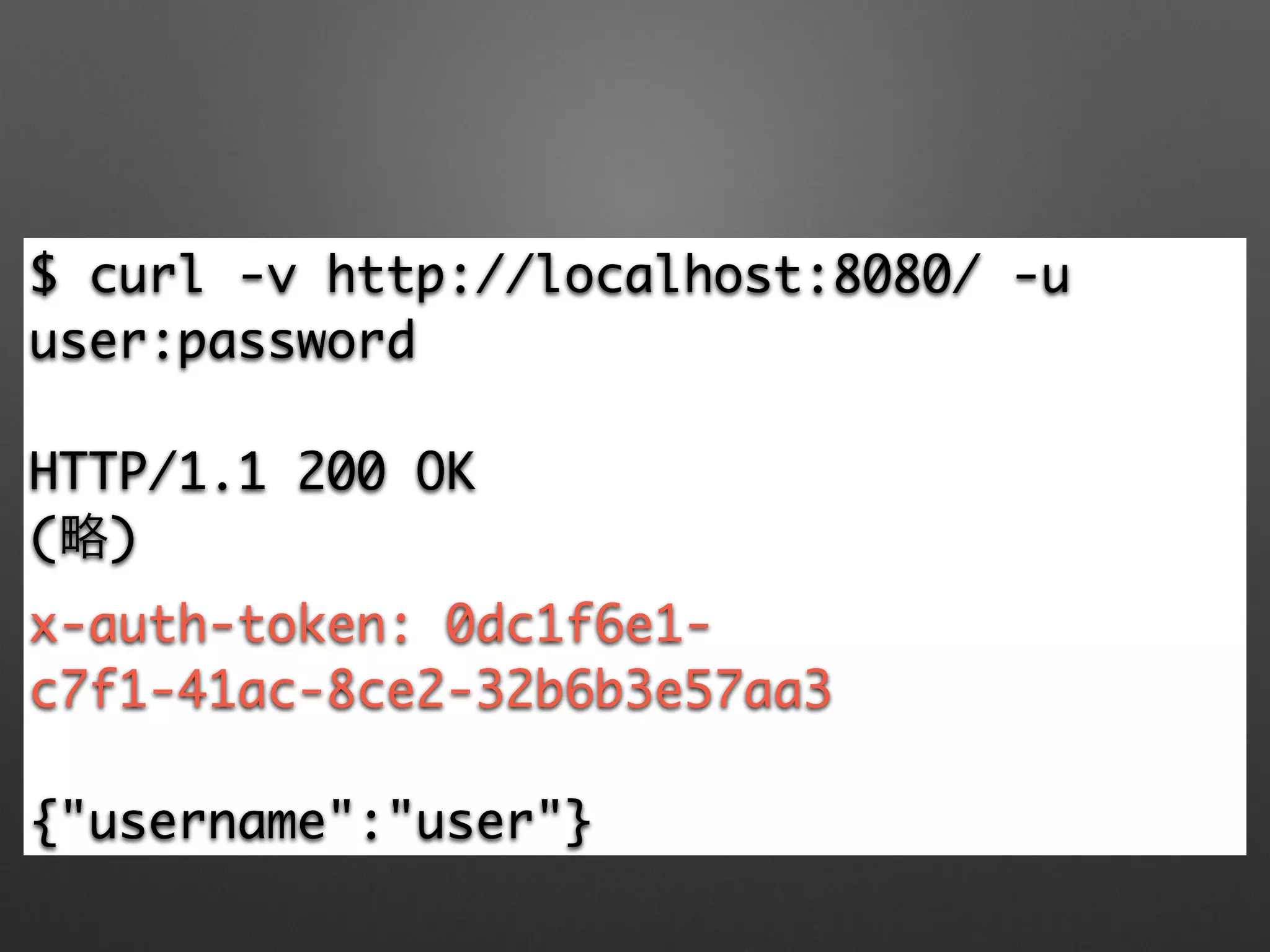
$ curl -v http://localhost:8080/ -u
user:password	
!
HTTP/1.1 200 OK	
(略)	
x-auth-token: 0dc1f6e1-
c7f1-41ac-8ce2-32b6b3e57aa3	
!
{"username":"user"}
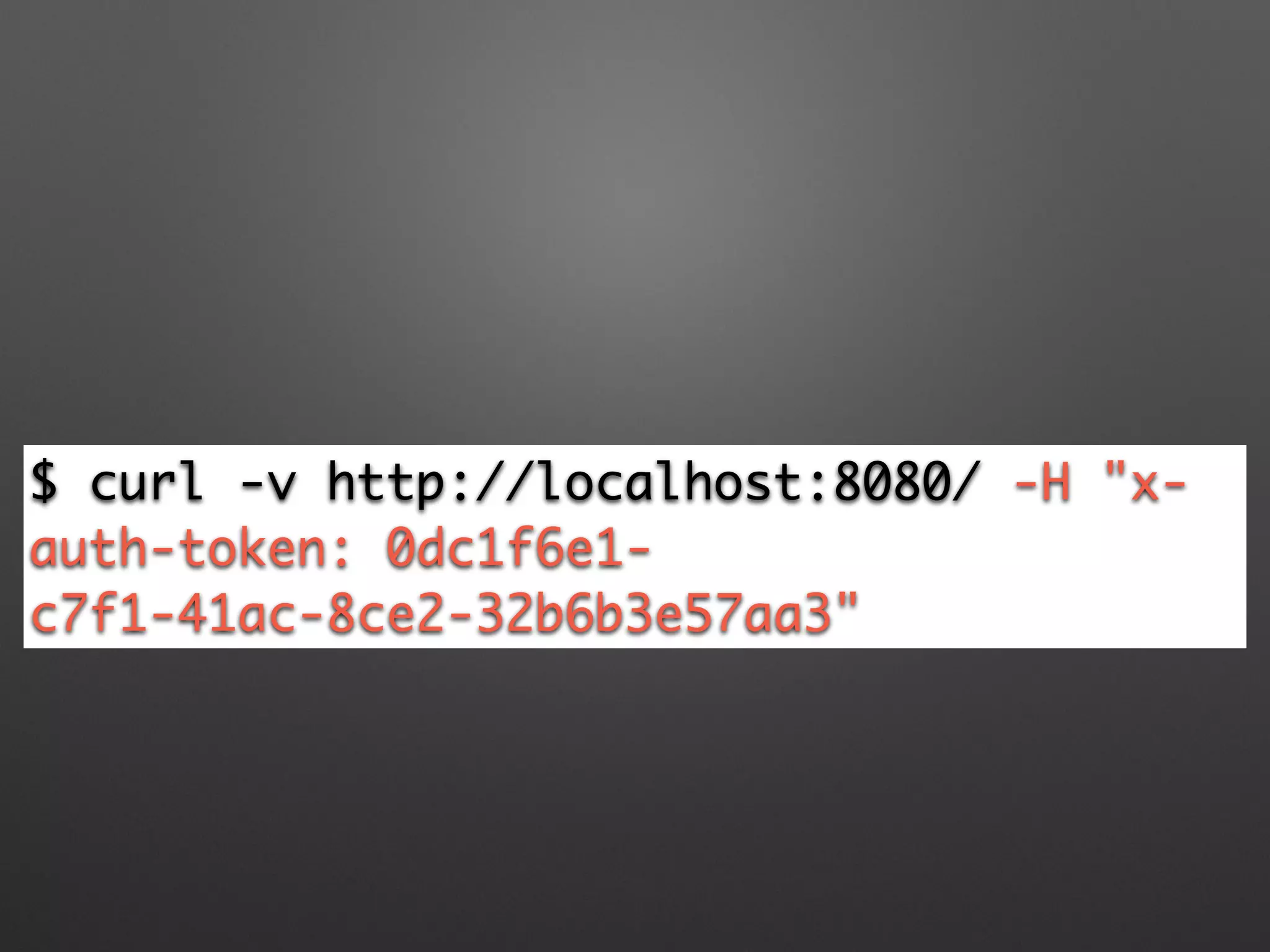
$ curl -v http://localhost:8080/ -H "x-
auth-token: 0dc1f6e1-
c7f1-41ac-8ce2-32b6b3e57aa3"
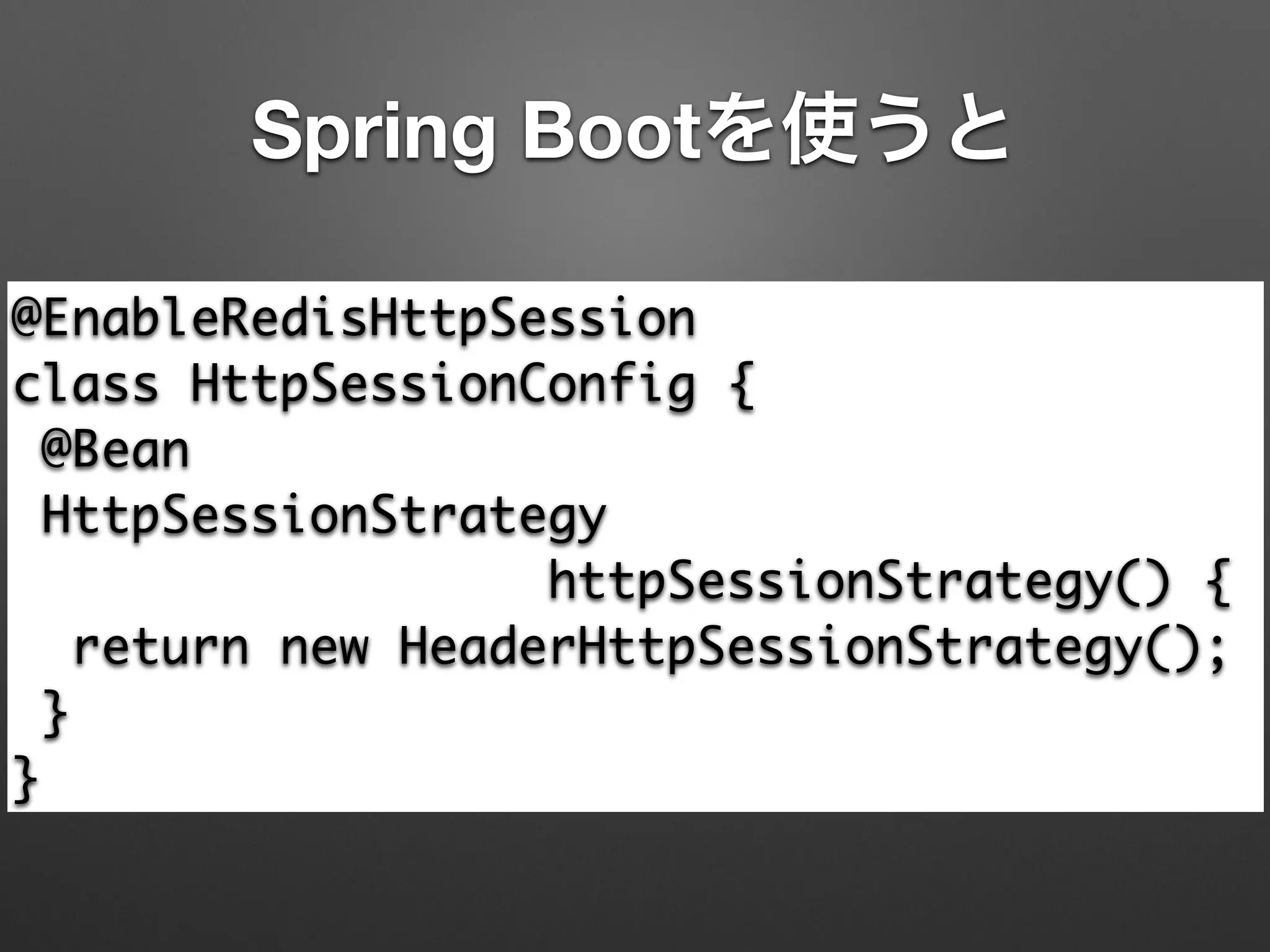
Spring Bootを使うと
@EnableRedisHttpSession

class HttpSessionConfig {

@Bean

HttpSessionStrategy 	
httpSessionStrategy() {

return new HeaderHttpSessionStrategy();

}

}
Spring Bootを使うと
@EnableRedisHttpSession

class HttpSessionConfig {

@Bean

HttpSessionStrategy 	
httpSessionStrategy() {

return new HeaderHttpSessionStrategy();

}

}
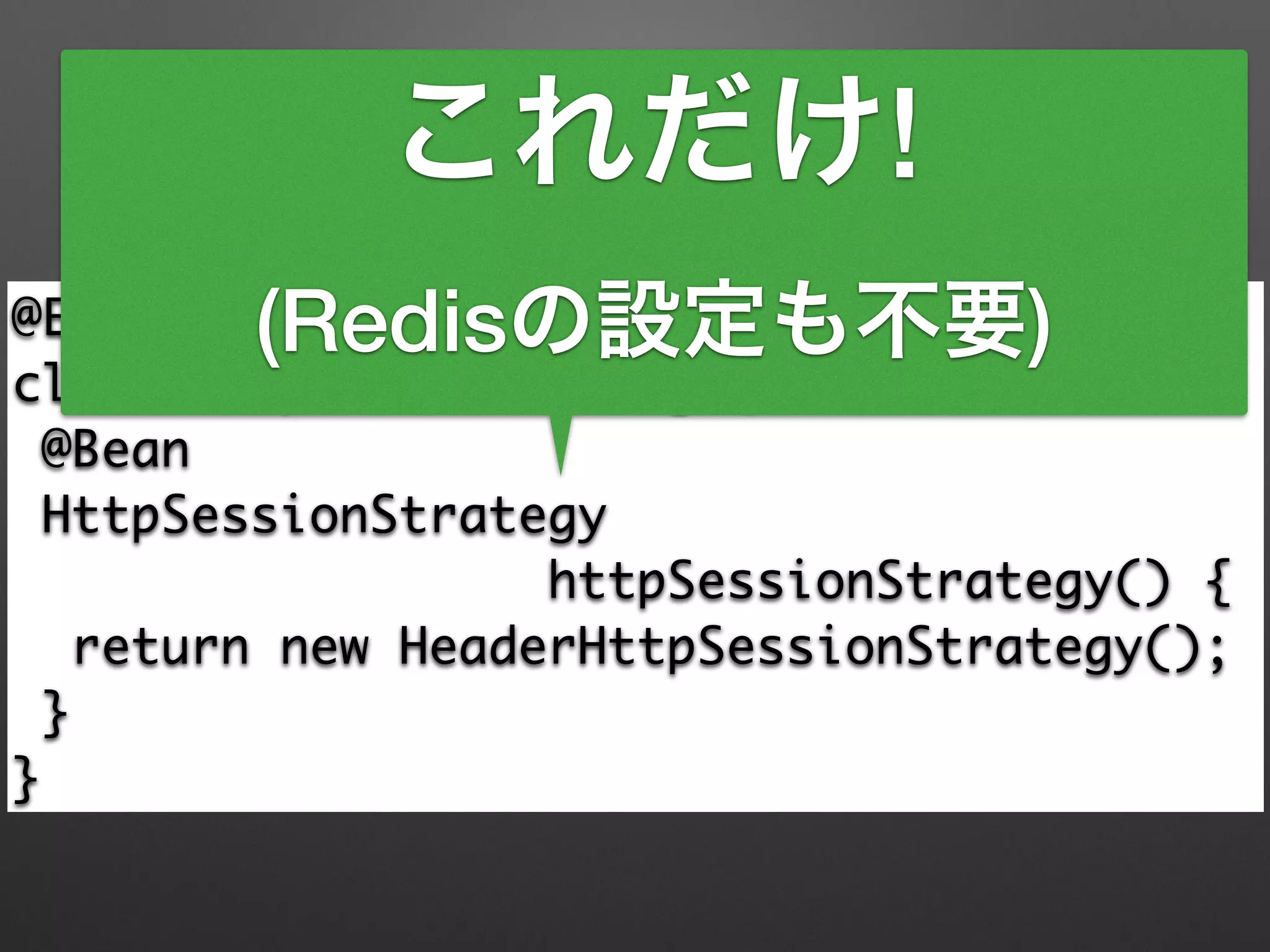
これだけ!
(Redisの設定も不要)
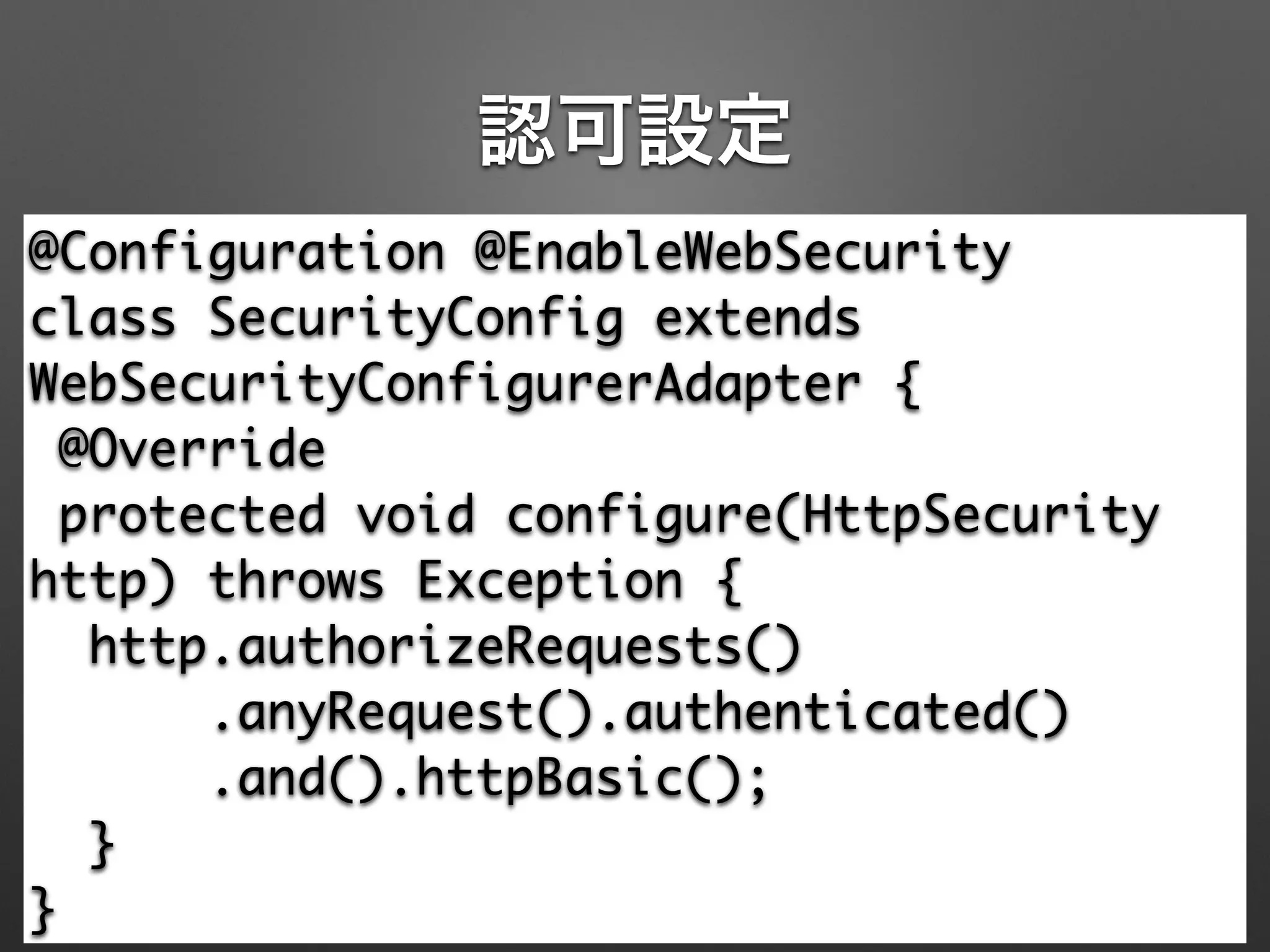
認可設定
@Configuration @EnableWebSecurity

class SecurityConfig extends
WebSecurityConfigurerAdapter {

@Override

protected void configure(HttpSecurity
http) throws Exception {

http.authorizeRequests()

.anyRequest().authenticated()

.and().httpBasic();

}

}
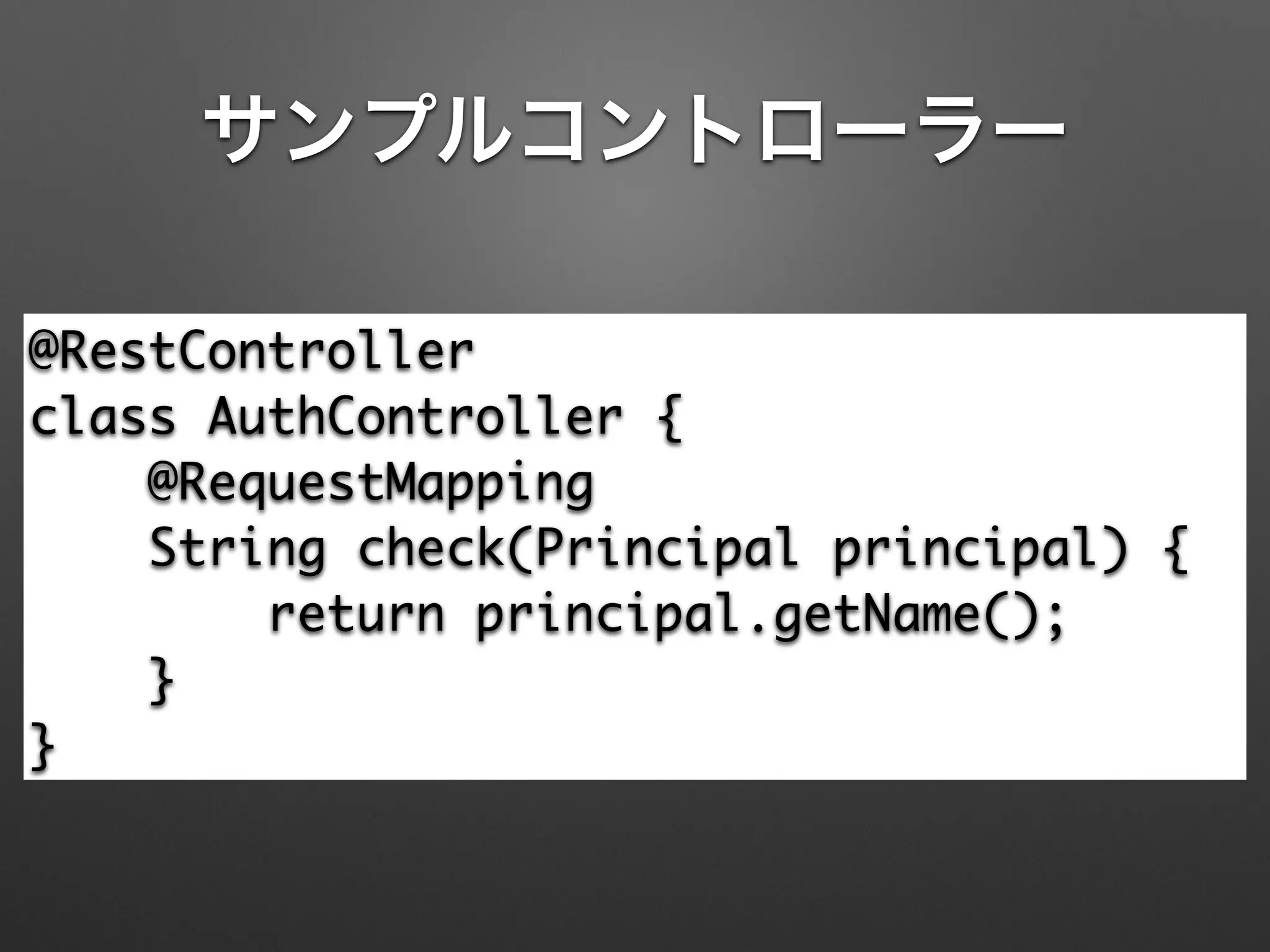
サンプルコントローラー
@RestController

class AuthController {

@RequestMapping

String check(Principal principal) {

return principal.getName();

}

}
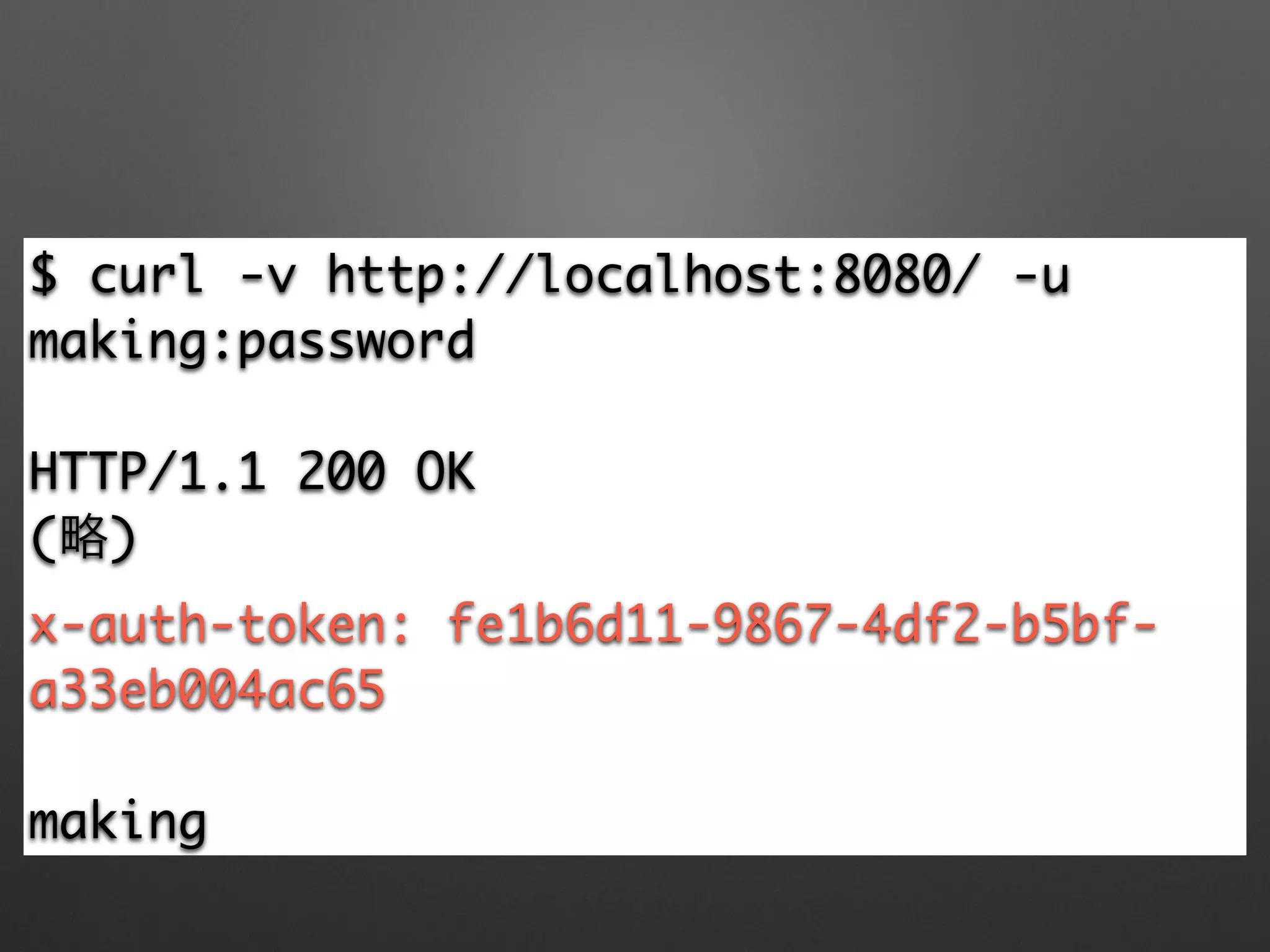
$ curl -v http://localhost:8080/ -u
making:password	
!
HTTP/1.1 200 OK	
(略)	
x-auth-token: fe1b6d11-9867-4df2-b5bf-
a33eb004ac65	
!
making
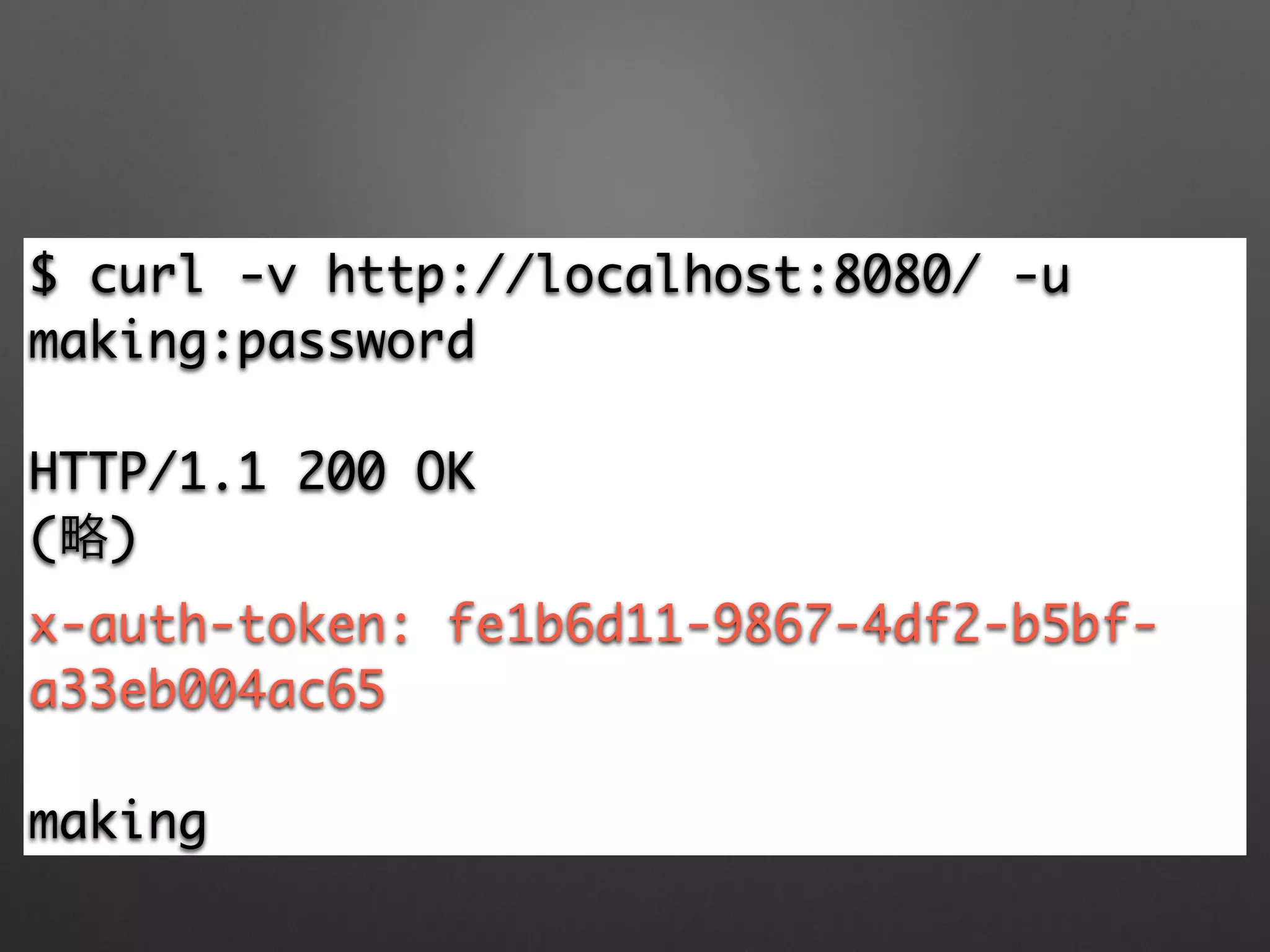
$ curl -v http://localhost:8080/ -u
making:password	
!
HTTP/1.1 200 OK	
(略)	
x-auth-token: fe1b6d11-9867-4df2-b5bf-
a33eb004ac65	
!
making
$ curl -v -H 'x-auth-token:
fe1b6d11-9867-4df2-b5bf-a33eb004ac65'
http://localhost:8080/bookmarks	
!
{"_embedded": {"bookmarkResourceList":
[{"_links": {…,"bookmark-uri": {	
"href": "http://bookmark.com/1/
making"}},…}]
APIを3rdパーティに提供したい場合以外、
Spring Session使えばいいんじゃないか?
まとめ
• Spring Boot概要
• RESTについていろいろ
• Richardson Maturity Model / HATEOAS
• JSON-Patch
• Security (OAuth/Spring Session)
Q&A?
• はじめてのSpring Boot
• http://bit.ly/hajiboot
• 今日話した内容のチュートリアル
• http://spring.io/guides/tutorials/bookmarks
• 今日のソースコード
• https://github.com/making/tut-bookmarks

REST with Spring Boot #jqfk