Responsive Web Design
And other buzz words you need to know

Twitter: @rmonteroo #SANDcamp #RWD
Rob Montero - Achieve Internet
Rob is a senior        Achieve Internet is a leader in
engineer at Achieve    the Enterprise Drupal market.
                       We've built some of the most
Internet.              dynamic and expansive
                       Drupal websites on the
                       market today for
Over 10 years of       organizations such as
experience doing web   Advanstar, Penton Media,
development and 4+     Disney, NBC Universal,
                       Viacom, FastCompany, Bella
doing Drupal           Pictures, and LifetimeTV.
exclusively.
What is
RWD?
Responsive Web Design
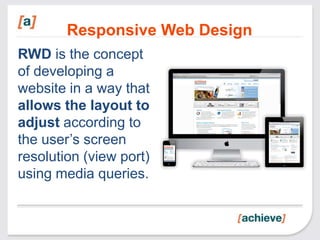
RWD is the concept
of developing a
website in a way that
allows the layout to
adjust according to
the user’s screen
resolution (view port)
using media queries.
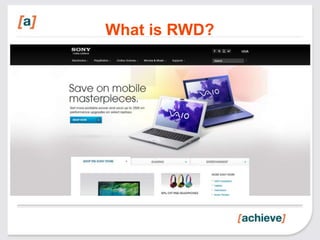
What is RWD?
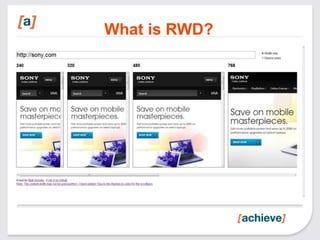
What is RWD?
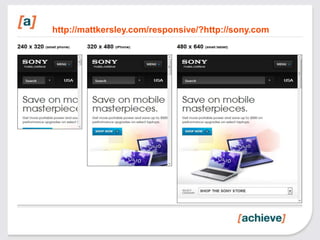
http://mattkersley.com/responsive/?http://sony.com
What is RWD?
If you have a laptop, and a smart
phone and a tablet you can see what
I’m talking about, by going here:

•http://achv.in/rwdrob
•http://mattkersley.com/responsive/?{website_url}
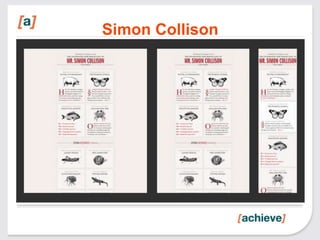
Simon Collison
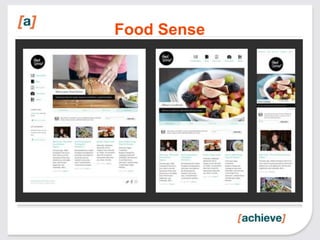
Food Sense
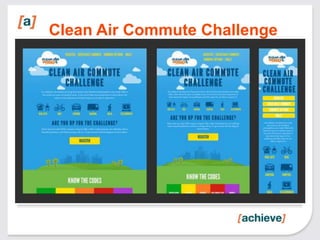
Clean Air Commute Challenge
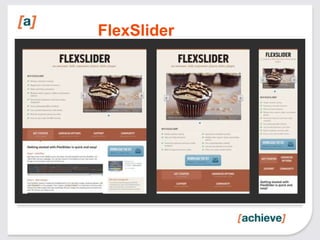
FlexSlider
What is RWD?
            More Examples

•http://foodsense.is
•http://earthhour.fr
•http://w3conf.org
•http://mediaqueri.es
•http://fourkitchens.com
OK!
You get the point!
     For more examples:
    http://designmodo.com/
 responsive-design-examples
Who needs RWD?


You need RWD if:

•You’re starting from scratch.
•You want to keep costs low
•You want it to work even when new devices
are released
Why is it relevant?


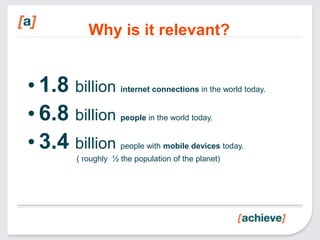
• 1.8 billion      internet connections in the world today.


• 6.8 billion      people in the world today.


• 3.4 billion      people with mobile devices today.
       ( roughly ½ the population of the planet)
Why is it relevant?
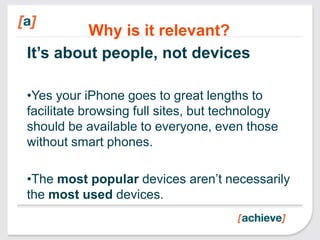
It’s about people, not devices

•Yes your iPhone goes to great lengths to
facilitate browsing full sites, but technology
should be available to everyone, even those
without smart phones.

•The most popular devices aren’t necessarily
the most used devices.
Why is it relevant?

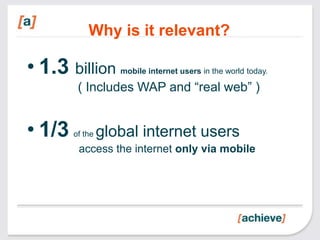
• 1.3 billion       mobile internet users in the world today.

         ( Includes WAP and “real web” )


• 1/3   of the   global internet users
         access the internet only via mobile
Why is it relevant?

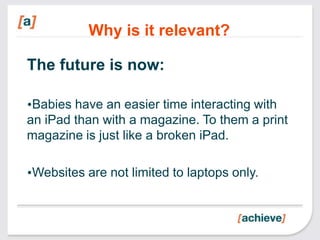
The future is now:

•Babies have an easier time interacting with
an iPad than with a magazine. To them a print
magazine is just like a broken iPad.

•Websites are not limited to laptops only.
Why is it relevant?
It’s convenient:

•You’re not at your desk, you are hungry. In
your email you have a coupon to this cool new
restaurant. You pull up your phone, click on
the link and…

•What would you expect to see?
Why is it relevant?

RWD allows us to tweak the layout and
present the relevant information first:
hours, phone number, directions and perhaps
a link to the menu.

Meanwhile back at your desk, the restaurant’s
page has all the bells and whistles you didn’t
care for while browsing on your phone.
Why is it relevant?


• Avoids keyhole browsing.

• You shouldn’t need a magnifying
  glass to access web content on
  your phone.
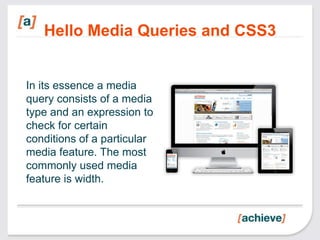
Hello Media Queries and CSS3


In its essence a media
query consists of a media
type and an expression to
check for certain
conditions of a particular
media feature. The most
commonly used media
feature is width.
CSS3 & Media Queries


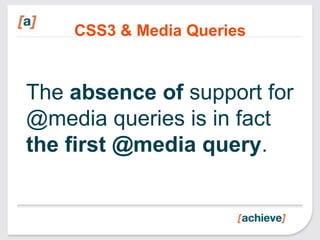
The absence of support for
@media queries is in fact
the first @media query.
CSS3 & Media Queries

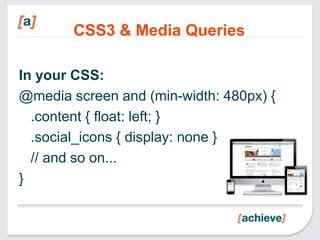
In your CSS:
@media screen and (min-width: 480px) {
  .content { float: left; }
  .social_icons { display: none }
  // and so on...
}
CSS3 & Media Queries

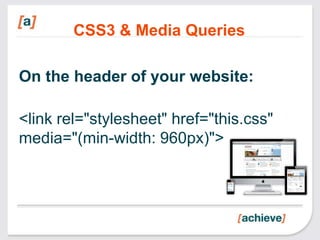
On the header of your website:

<link rel="stylesheet" href="this.css"
media="(min-width: 960px)">
CSS3 & Media Queries


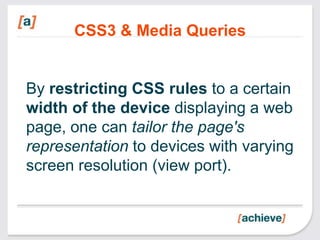
By restricting CSS rules to a certain
width of the device displaying a web
page, one can tailor the page's
representation to devices with varying
screen resolution (view port).
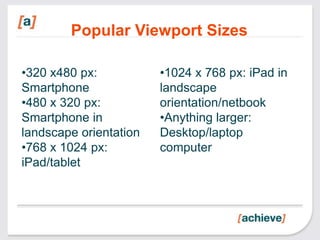
Popular Viewport Sizes

•320 x480 px:           •1024 x 768 px: iPad in
Smartphone              landscape
•480 x 320 px:          orientation/netbook
Smartphone in           •Anything larger:
landscape orientation   Desktop/laptop
•768 x 1024 px:         computer
iPad/tablet
How do we design for RWD


Simple:
Use the Mobile First Approach
and favor Progressive
Enhancement instead of the
traditional Graceful Degradation
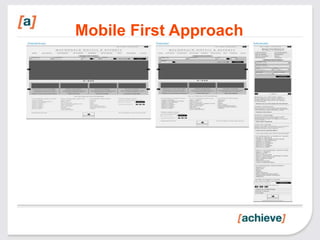
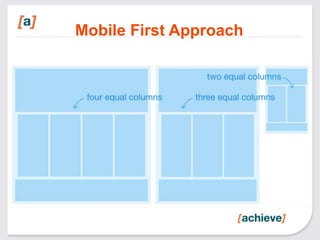
Mobile First Approach
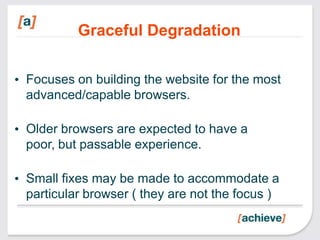
Graceful Degradation

• Focuses on building the website for the most
  advanced/capable browsers.

• Older browsers are expected to have a
  poor, but passable experience.

• Small fixes may be made to accommodate a
  particular browser ( they are not the focus )
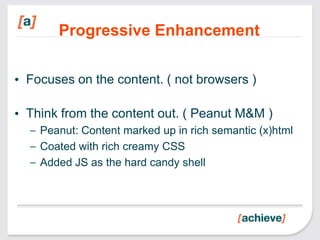
Progressive Enhancement

• Focuses on the content. ( not browsers )

• Think from the content out. ( Peanut M&M )
  – Peanut: Content marked up in rich semantic (x)html
  – Coated with rich creamy CSS
  – Added JS as the hard candy shell
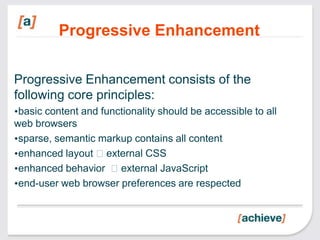
Progressive Enhancement

Progressive Enhancement consists of the
following core principles:
•basic content and functionality should be accessible to all
web browsers
•sparse, semantic markup contains all content
•enhanced layout external CSS
•enhanced behavior external JavaScript
•end-user web browser preferences are respected
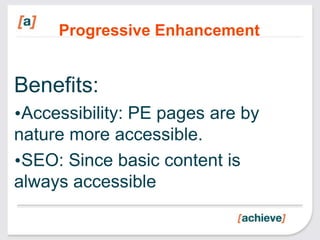
Progressive Enhancement


Benefits:
•Accessibility: PE pages are by
nature more accessible.
•SEO: Since basic content is
always accessible
New toys for your sandbox


1.   HTML5 Boilerplate (http://h5bp.com)
2.   Responsive Web Design Sketch Sheets >>
3.   GoldenGridSystem.com >>
4.   Foldy960 >>
5.   FitText (http://fittextjs.com/) >>
New toys for your sandbox

1.   320 and up >>
2.   Gridless >>
3.   Skeleton (http://www.getskeleton.com/)
4.   ResizeMyBrowser.com >>
5.   Responsive Design Testing >>
                         6.
           Bonus: Media Query Indicator >>
Homework


• http://www.w3.org/TR/css3-mediaqueries.

• https://developer.mozilla.org/en/CSS/Media_qu
  eries

• https://github.com/fourkitchens/train-rwd
Credits

•My first approach to RWD
was at a training given by the
folks at Four Kitchens

•Make sure you check out
their training programs

•http://fourkitchens.com
Questions? Comments?

              Rob Montero
              • dgo.to/@rmontero
              • @rmonteroo
              • /in/rmontero


Email: rob@achieveinternet.com
Hands On
Demo time:

We will be demoing a couple of
examples, one will be plain HTML5 + CSS
using h5bp and the other will be similar but
using Drupal.

If you want to play with this at home, feel
free to download the resources at:
https://github.com/fourkitchens/train-rwd

Responsive Web Design_2013

  • 1.
    Responsive Web Design Andother buzz words you need to know Twitter: @rmonteroo #SANDcamp #RWD
  • 2.
    Rob Montero -Achieve Internet Rob is a senior Achieve Internet is a leader in engineer at Achieve the Enterprise Drupal market. We've built some of the most Internet. dynamic and expansive Drupal websites on the market today for Over 10 years of organizations such as experience doing web Advanstar, Penton Media, development and 4+ Disney, NBC Universal, Viacom, FastCompany, Bella doing Drupal Pictures, and LifetimeTV. exclusively.
  • 3.
  • 4.
    Responsive Web Design RWDis the concept of developing a website in a way that allows the layout to adjust according to the user’s screen resolution (view port) using media queries.
  • 5.
  • 6.
  • 7.
  • 8.
    What is RWD? Ifyou have a laptop, and a smart phone and a tablet you can see what I’m talking about, by going here: •http://achv.in/rwdrob •http://mattkersley.com/responsive/?{website_url}
  • 9.
  • 10.
  • 11.
  • 12.
  • 13.
    What is RWD? More Examples •http://foodsense.is •http://earthhour.fr •http://w3conf.org •http://mediaqueri.es •http://fourkitchens.com
  • 14.
    OK! You get thepoint! For more examples: http://designmodo.com/ responsive-design-examples
  • 15.
    Who needs RWD? Youneed RWD if: •You’re starting from scratch. •You want to keep costs low •You want it to work even when new devices are released
  • 16.
    Why is itrelevant? • 1.8 billion internet connections in the world today. • 6.8 billion people in the world today. • 3.4 billion people with mobile devices today. ( roughly ½ the population of the planet)
  • 17.
    Why is itrelevant? It’s about people, not devices •Yes your iPhone goes to great lengths to facilitate browsing full sites, but technology should be available to everyone, even those without smart phones. •The most popular devices aren’t necessarily the most used devices.
  • 18.
    Why is itrelevant? • 1.3 billion mobile internet users in the world today. ( Includes WAP and “real web” ) • 1/3 of the global internet users access the internet only via mobile
  • 19.
    Why is itrelevant? The future is now: •Babies have an easier time interacting with an iPad than with a magazine. To them a print magazine is just like a broken iPad. •Websites are not limited to laptops only.
  • 20.
    Why is itrelevant? It’s convenient: •You’re not at your desk, you are hungry. In your email you have a coupon to this cool new restaurant. You pull up your phone, click on the link and… •What would you expect to see?
  • 21.
    Why is itrelevant? RWD allows us to tweak the layout and present the relevant information first: hours, phone number, directions and perhaps a link to the menu. Meanwhile back at your desk, the restaurant’s page has all the bells and whistles you didn’t care for while browsing on your phone.
  • 22.
    Why is itrelevant? • Avoids keyhole browsing. • You shouldn’t need a magnifying glass to access web content on your phone.
  • 23.
    Hello Media Queriesand CSS3 In its essence a media query consists of a media type and an expression to check for certain conditions of a particular media feature. The most commonly used media feature is width.
  • 24.
    CSS3 & MediaQueries The absence of support for @media queries is in fact the first @media query.
  • 25.
    CSS3 & MediaQueries In your CSS: @media screen and (min-width: 480px) { .content { float: left; } .social_icons { display: none } // and so on... }
  • 26.
    CSS3 & MediaQueries On the header of your website: <link rel="stylesheet" href="this.css" media="(min-width: 960px)">
  • 27.
    CSS3 & MediaQueries By restricting CSS rules to a certain width of the device displaying a web page, one can tailor the page's representation to devices with varying screen resolution (view port).
  • 28.
    Popular Viewport Sizes •320x480 px: •1024 x 768 px: iPad in Smartphone landscape •480 x 320 px: orientation/netbook Smartphone in •Anything larger: landscape orientation Desktop/laptop •768 x 1024 px: computer iPad/tablet
  • 29.
    How do wedesign for RWD Simple: Use the Mobile First Approach and favor Progressive Enhancement instead of the traditional Graceful Degradation
  • 30.
  • 31.
  • 32.
    Graceful Degradation • Focuseson building the website for the most advanced/capable browsers. • Older browsers are expected to have a poor, but passable experience. • Small fixes may be made to accommodate a particular browser ( they are not the focus )
  • 33.
    Progressive Enhancement • Focuseson the content. ( not browsers ) • Think from the content out. ( Peanut M&M ) – Peanut: Content marked up in rich semantic (x)html – Coated with rich creamy CSS – Added JS as the hard candy shell
  • 34.
    Progressive Enhancement Progressive Enhancementconsists of the following core principles: •basic content and functionality should be accessible to all web browsers •sparse, semantic markup contains all content •enhanced layout external CSS •enhanced behavior external JavaScript •end-user web browser preferences are respected
  • 35.
    Progressive Enhancement Benefits: •Accessibility: PEpages are by nature more accessible. •SEO: Since basic content is always accessible
  • 36.
    New toys foryour sandbox 1. HTML5 Boilerplate (http://h5bp.com) 2. Responsive Web Design Sketch Sheets >> 3. GoldenGridSystem.com >> 4. Foldy960 >> 5. FitText (http://fittextjs.com/) >>
  • 37.
    New toys foryour sandbox 1. 320 and up >> 2. Gridless >> 3. Skeleton (http://www.getskeleton.com/) 4. ResizeMyBrowser.com >> 5. Responsive Design Testing >> 6. Bonus: Media Query Indicator >>
  • 38.
  • 39.
    Credits •My first approachto RWD was at a training given by the folks at Four Kitchens •Make sure you check out their training programs •http://fourkitchens.com
  • 40.
    Questions? Comments? Rob Montero • dgo.to/@rmontero • @rmonteroo • /in/rmontero Email: rob@achieveinternet.com
  • 42.
    Hands On Demo time: Wewill be demoing a couple of examples, one will be plain HTML5 + CSS using h5bp and the other will be similar but using Drupal. If you want to play with this at home, feel free to download the resources at: https://github.com/fourkitchens/train-rwd