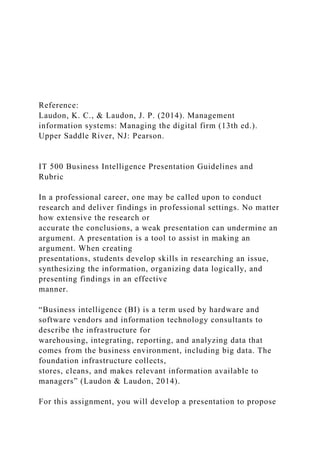
Reference:
Laudon, K. C., & Laudon, J. P. (2014). Management
information systems: Managing the digital firm (13th ed.).
Upper Saddle River, NJ: Pearson.
IT 500 Business Intelligence Presentation Guidelines and
Rubric
In a professional career, one may be called upon to conduct
research and deliver findings in professional settings. No matter
how extensive the research or
accurate the conclusions, a weak presentation can undermine an
argument. A presentation is a tool to assist in making an
argument. When creating
presentations, students develop skills in researching an issue,
synthesizing the information, organizing data logically, and
presenting findings in an effective
manner.
“Business intelligence (BI) is a term used by hardware and
software vendors and information technology consultants to
describe the infrastructure for
warehousing, integrating, reporting, and analyzing data that
comes from the business environment, including big data. The
foundation infrastructure collects,
stores, cleans, and makes relevant information available to
managers” (Laudon & Laudon, 2014).
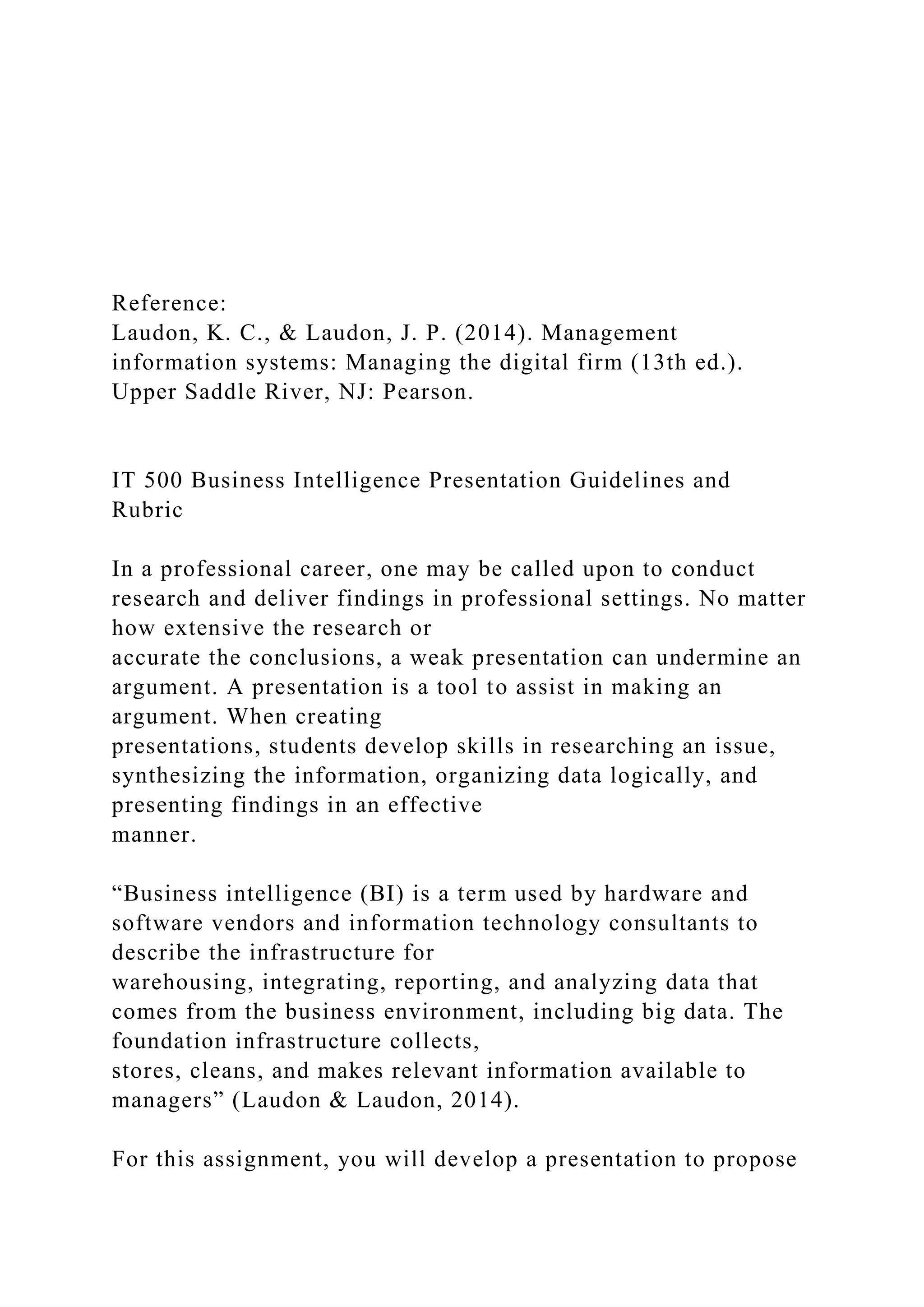
For this assignment, you will develop a presentation to propose
a new business intelligence (BI) application for either your
organization or an organization of
your choosing, or to address a real-world problem. Your
presentation should be 5–7 slides in length and needs to include
the following elements:
t
Solution
functionality
Use charts, graphs, and images as necessary.
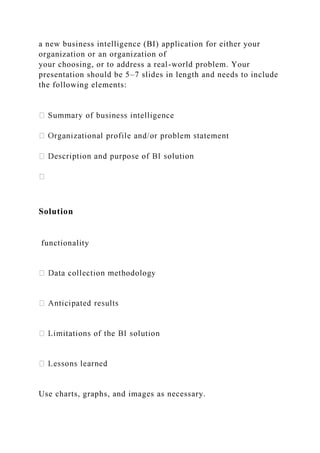
Principles of an Effective Presentation:
Adobe Captivate, Prezi, or Google Slides to create your
presentations.
web for your presentation. However, first consider your
presentation from the perspective
of your audience prior to selecting a specific style. Distracting
backgrounds, large blocks of text, all uppercase fonts, elaborate
font styles, grammatical
errors, and misspellings are distracting. Be consistent with the
style of text, bullets, and sub-points in order to support a
powerful presentation that
allows your content to be the focus.
large blocks of text on the visual. Your presentation is not a
means of presenting a short paper.
In an actual presentation, you would not “read” from your slides
but rather use them as prompts.
http://www.adobe.com/products/captivate.html
http://prezi.com/
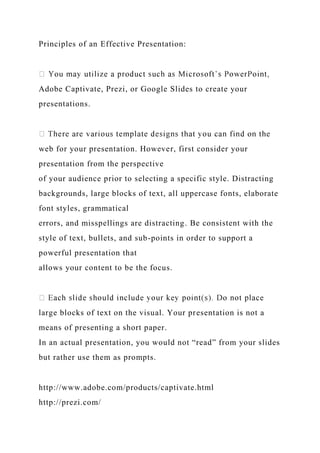
http://www.google.com/slides/about/
presentation to a group should be listed in the “notes” section of
the slide.
slightly smaller text.
pictures, charts, tables, and
diagrams to enhance but not overwhelm your content.
presentation’s effectiveness by gauging audience
comprehension (when possible).
Below are some links that offer helpful tips and examples for
developing your presentations:
Making PowerPoint Slides
Beyond Bullet Points: The Better Way to Use PowerPoint
Really Bad PowerPoint and How to Avoid It
http://www.iasted.org/conferences/formatting/Presentations-
Tips.ppt
http://beyondbulletpoints.com/resources/
http://www.sethgodin.com/freeprize/reallybad-1.pdf
Rubric
Guidelines for Submission: When applicable, discipline-
appropriate citations must be used.
Instructor Feedback: This activity uses an integrated rubric in
Blackboard. Students can view instructor feedback in the Grade
Center. For more information,
review these instructions.
Critical Elements Exemplary (100%) Proficient (90%) Needs
Improvement (70%) Not Evident (0%) Value
Content:
Inquiry and Analysis
Includes almost all of the
main elements and
requirements; provides in-
depth analysis that
demonstrates complete
understanding of multiple
concepts
Includes most of the main
elements and requirements;
provides in-depth analysis that
demonstrates complete
understanding of some
concepts
Includes some of the main
elements and requirements;
provides in-depth analysis that
demonstrates complete
understanding of minimal
concepts
Does not include any of the
main elements and
requirements; does not provide
in-depth analysis
25
Organization
Slides are organized in a
logical way that
complements the central
theme; transitions are well-
paced to create a natural and
engaging flow
Slides are organized in a logical
way and transitions are paced
so that the material is easily
accessible
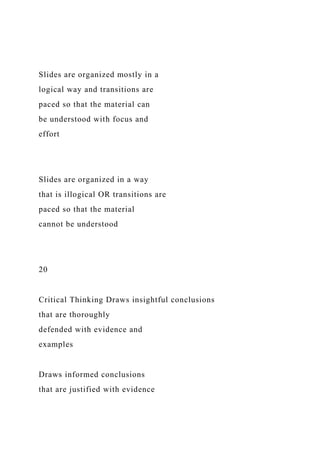
Slides are organized mostly in a
logical way and transitions are
paced so that the material can
be understood with focus and
effort
Slides are organized in a way
that is illogical OR transitions are
paced so that the material
cannot be understood
20
Critical Thinking Draws insightful conclusions
that are thoroughly
defended with evidence and
examples
Draws informed conclusions
that are justified with evidence
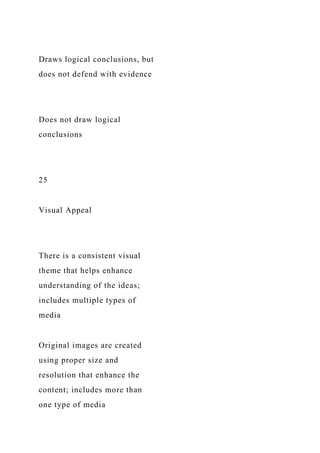
Draws logical conclusions, but
does not defend with evidence
Does not draw logical
conclusions
25
Visual Appeal
There is a consistent visual
theme that helps enhance
understanding of the ideas;
includes multiple types of
media
Original images are created
using proper size and
resolution that enhance the
content; includes more than
one type of media
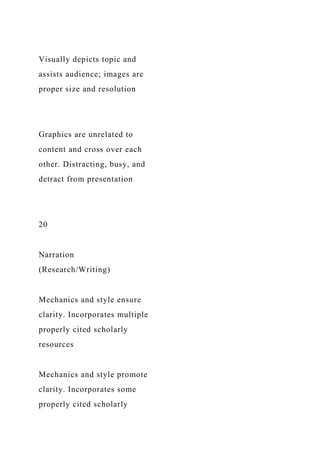
Visually depicts topic and
assists audience; images are
proper size and resolution
Graphics are unrelated to
content and cross over each
other. Distracting, busy, and
detract from presentation
20
Narration
(Research/Writing)
Mechanics and style ensure
clarity. Incorporates multiple
properly cited scholarly
resources
Mechanics and style promote
clarity. Incorporates some
properly cited scholarly
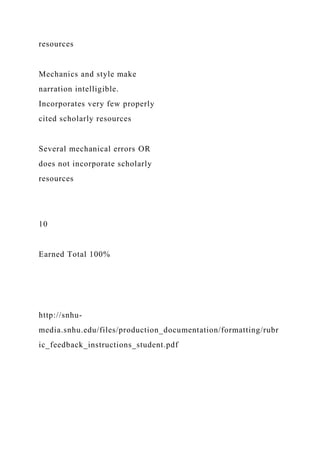
resources
Mechanics and style make
narration intelligible.
Incorporates very few properly
cited scholarly resources
Several mechanical errors OR
does not incorporate scholarly
resources
10
Earned Total 100%
http://snhu-
media.snhu.edu/files/production_documentation/formatting/rubr
ic_feedback_instructions_student.pdf
 Reference Laudon, K. C., & Laudon, J. P. (2014). Manag.docx

Reference Laudon, K. C., & Laudon, J. P. (2014). Manag.docx

  • 1.
    Reference: Laudon, K. C.,& Laudon, J. P. (2014). Management information systems: Managing the digital firm (13th ed.). Upper Saddle River, NJ: Pearson. IT 500 Business Intelligence Presentation Guidelines and Rubric In a professional career, one may be called upon to conduct research and deliver findings in professional settings. No matter how extensive the research or accurate the conclusions, a weak presentation can undermine an argument. A presentation is a tool to assist in making an argument. When creating presentations, students develop skills in researching an issue, synthesizing the information, organizing data logically, and presenting findings in an effective manner. “Business intelligence (BI) is a term used by hardware and software vendors and information technology consultants to describe the infrastructure for warehousing, integrating, reporting, and analyzing data that comes from the business environment, including big data. The foundation infrastructure collects, stores, cleans, and makes relevant information available to managers” (Laudon & Laudon, 2014). For this assignment, you will develop a presentation to propose
  • 2.
    a new businessintelligence (BI) application for either your organization or an organization of your choosing, or to address a real-world problem. Your presentation should be 5–7 slides in length and needs to include the following elements: t Solution functionality Use charts, graphs, and images as necessary.
  • 3.
    Principles of anEffective Presentation: Adobe Captivate, Prezi, or Google Slides to create your presentations. web for your presentation. However, first consider your presentation from the perspective of your audience prior to selecting a specific style. Distracting backgrounds, large blocks of text, all uppercase fonts, elaborate font styles, grammatical errors, and misspellings are distracting. Be consistent with the style of text, bullets, and sub-points in order to support a powerful presentation that allows your content to be the focus. large blocks of text on the visual. Your presentation is not a means of presenting a short paper. In an actual presentation, you would not “read” from your slides but rather use them as prompts. http://www.adobe.com/products/captivate.html http://prezi.com/
  • 4.
    http://www.google.com/slides/about/ presentation to agroup should be listed in the “notes” section of the slide. slightly smaller text. pictures, charts, tables, and diagrams to enhance but not overwhelm your content. presentation’s effectiveness by gauging audience comprehension (when possible). Below are some links that offer helpful tips and examples for developing your presentations: Making PowerPoint Slides
  • 5.
    Beyond Bullet Points:The Better Way to Use PowerPoint Really Bad PowerPoint and How to Avoid It
  • 6.
    http://www.iasted.org/conferences/formatting/Presentations- Tips.ppt http://beyondbulletpoints.com/resources/ http://www.sethgodin.com/freeprize/reallybad-1.pdf Rubric Guidelines for Submission:When applicable, discipline- appropriate citations must be used. Instructor Feedback: This activity uses an integrated rubric in Blackboard. Students can view instructor feedback in the Grade Center. For more information, review these instructions. Critical Elements Exemplary (100%) Proficient (90%) Needs Improvement (70%) Not Evident (0%) Value Content:
  • 7.
    Inquiry and Analysis Includesalmost all of the main elements and requirements; provides in- depth analysis that demonstrates complete understanding of multiple concepts Includes most of the main elements and requirements; provides in-depth analysis that demonstrates complete understanding of some concepts Includes some of the main elements and requirements; provides in-depth analysis that demonstrates complete understanding of minimal
  • 8.
    concepts Does not includeany of the main elements and requirements; does not provide in-depth analysis 25 Organization Slides are organized in a logical way that complements the central theme; transitions are well- paced to create a natural and engaging flow Slides are organized in a logical way and transitions are paced so that the material is easily accessible
  • 9.
    Slides are organizedmostly in a logical way and transitions are paced so that the material can be understood with focus and effort Slides are organized in a way that is illogical OR transitions are paced so that the material cannot be understood 20 Critical Thinking Draws insightful conclusions that are thoroughly defended with evidence and examples Draws informed conclusions that are justified with evidence
  • 10.
    Draws logical conclusions,but does not defend with evidence Does not draw logical conclusions 25 Visual Appeal There is a consistent visual theme that helps enhance understanding of the ideas; includes multiple types of media Original images are created using proper size and resolution that enhance the content; includes more than one type of media
  • 11.
    Visually depicts topicand assists audience; images are proper size and resolution Graphics are unrelated to content and cross over each other. Distracting, busy, and detract from presentation 20 Narration (Research/Writing) Mechanics and style ensure clarity. Incorporates multiple properly cited scholarly resources Mechanics and style promote clarity. Incorporates some properly cited scholarly
  • 12.
    resources Mechanics and stylemake narration intelligible. Incorporates very few properly cited scholarly resources Several mechanical errors OR does not incorporate scholarly resources 10 Earned Total 100% http://snhu- media.snhu.edu/files/production_documentation/formatting/rubr ic_feedback_instructions_student.pdf