REACT IN PRODUCTION
MICHAEL HABERMAN
INDEPENDENT CONSULTANT
Your code is Awesome
Your code has deployed
What happen when users consume it?
Production issues
A lot of browsers and operation systems
User don’t follow the QA’a scenarios
Extensions in browsers
Today’s Task
Bundling your code (webpack)
Runtime errors
Deploying your code
Review pitfalls and manage them
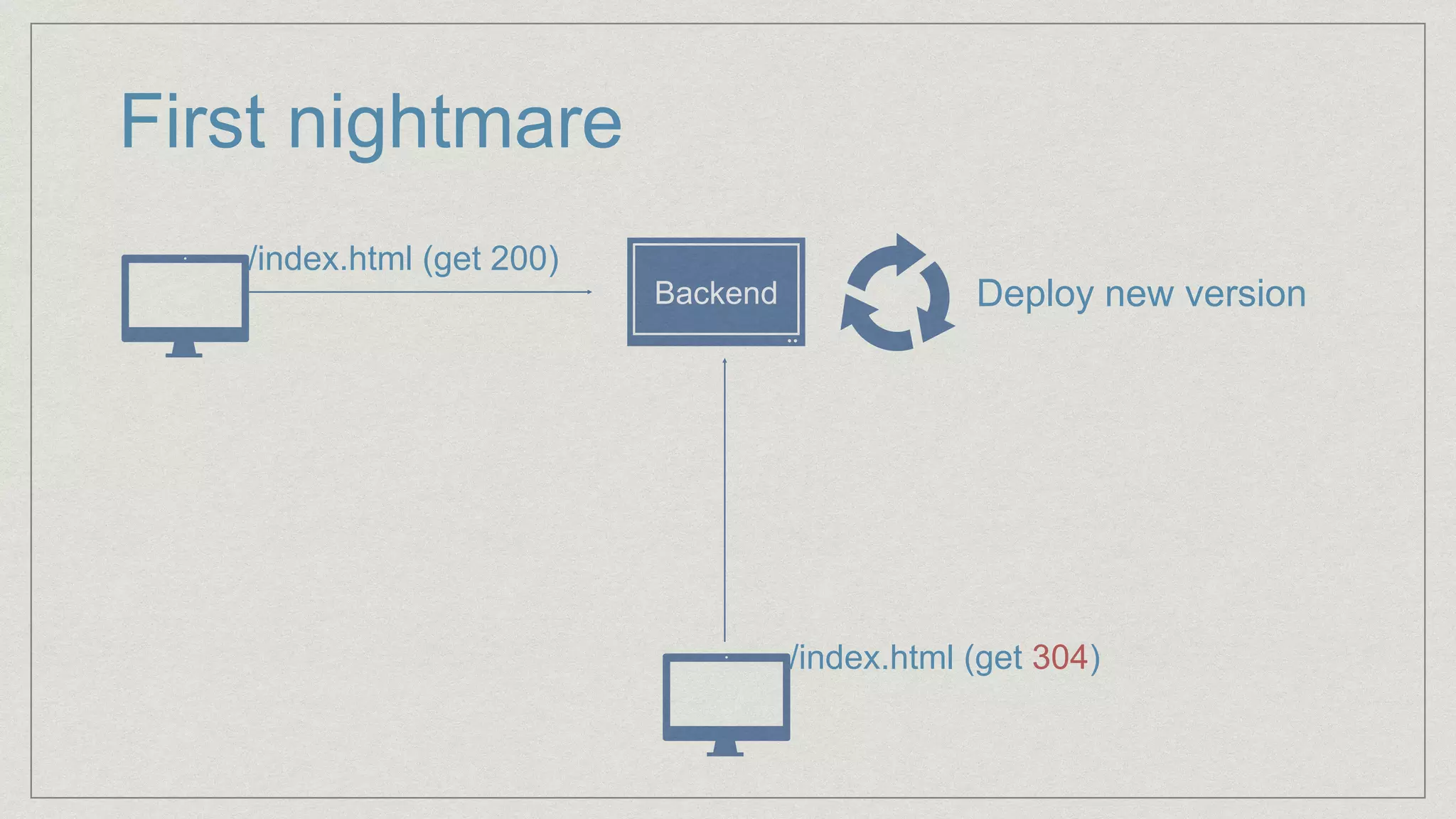
First nightmare
/index.html (get 200)
Backend Deploy new version
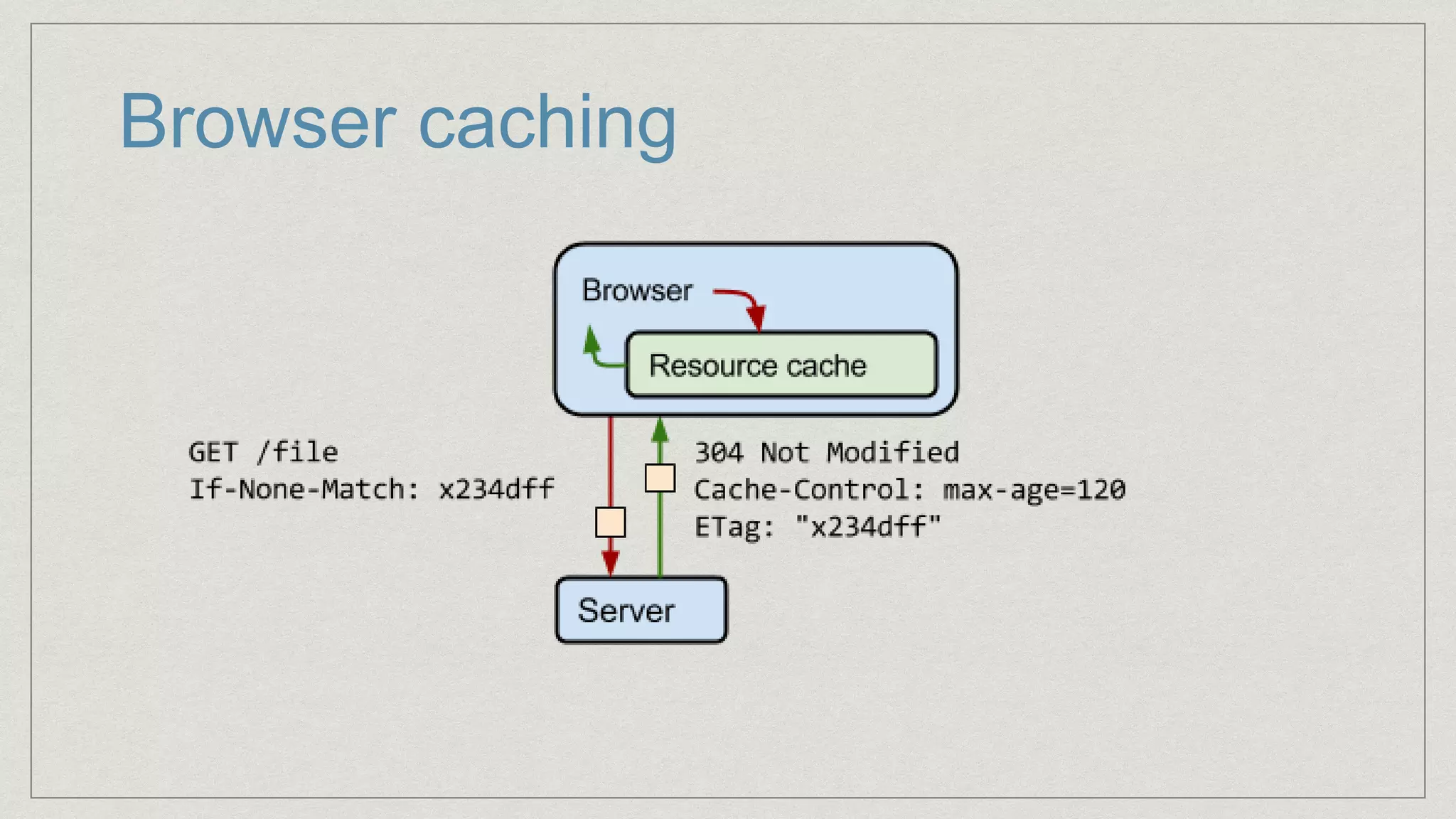
/index.html (get 304)
Requesting web app
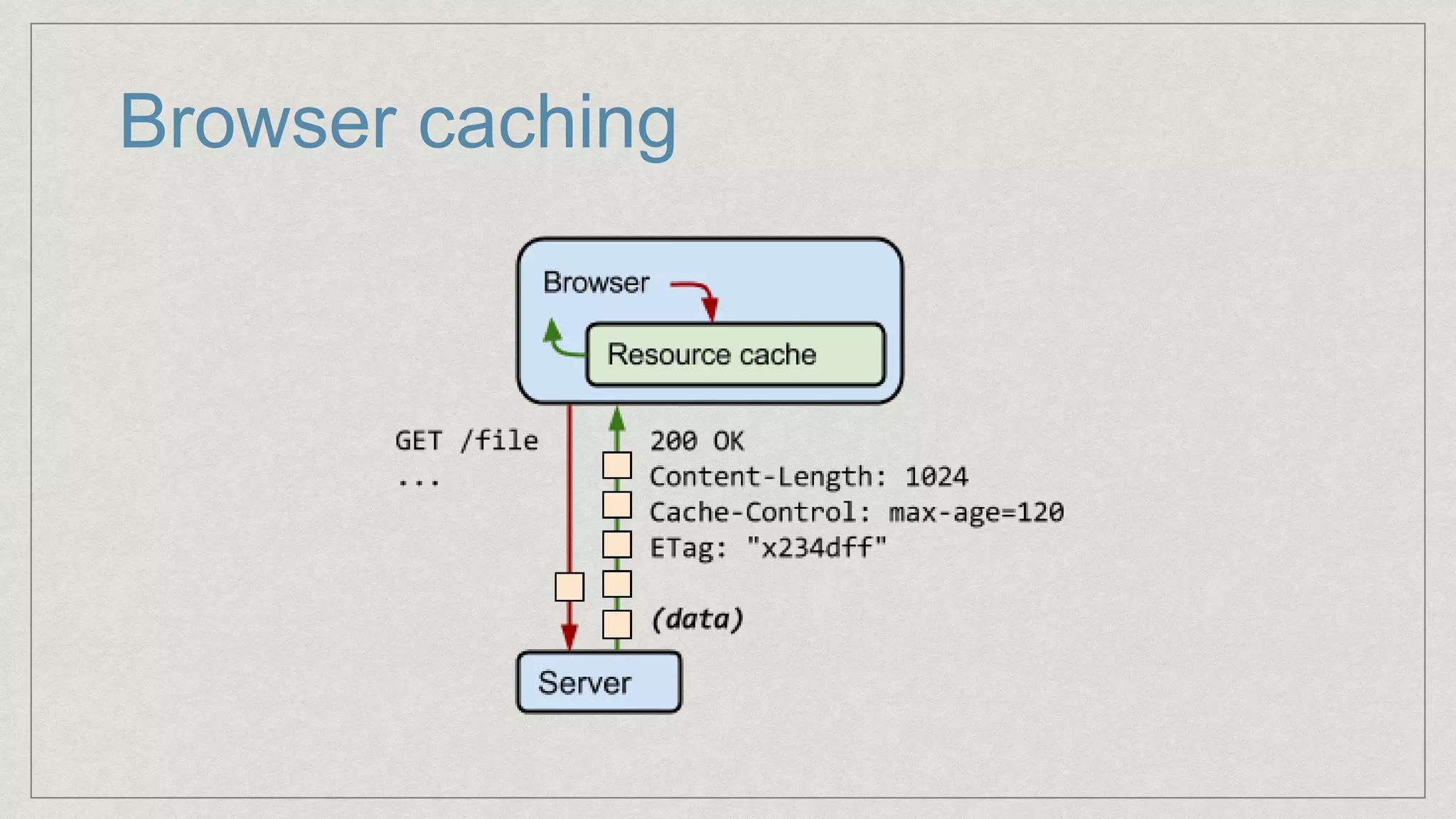
HTTP GET requests are cached by the browser
Caching is the worst nightmare
could have no solution but time
Browser caching
Browser caching
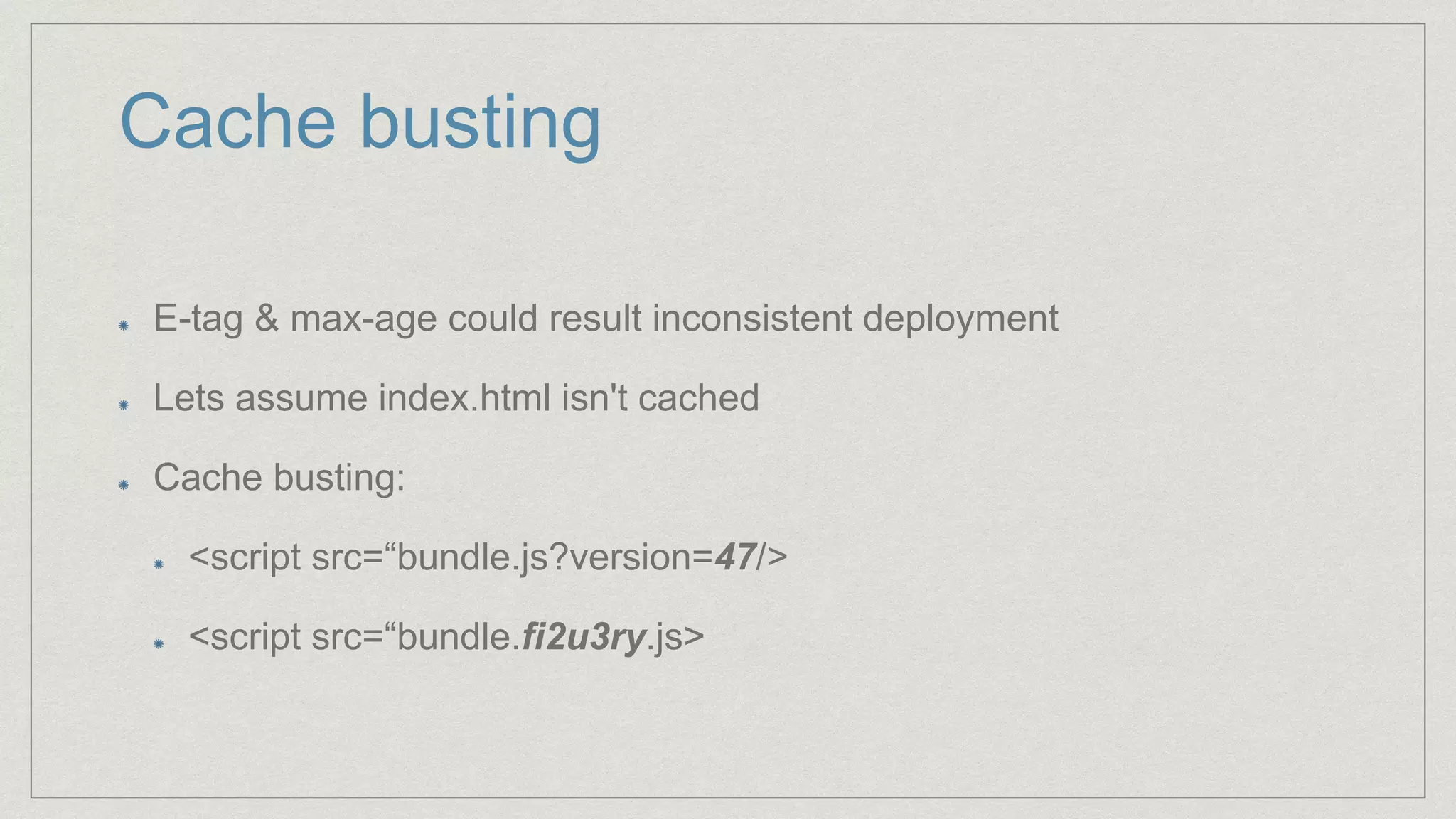
Cache busting
E-tag & max-age could result inconsistent deployment
Lets assume index.html isn't cached
Cache busting:
<script src=“bundle.js?version=47/>
<script src=“bundle.fi2u3ry.js>
WebPack
Adding cache busting
output: {
path: __dirname + '/dist',
filename: 'bundle-[hash].js'
}
Cache busting
Our bundle file has hashed name
How index.html will get the right name?
assets-webpack-plugin
Inject to HTML
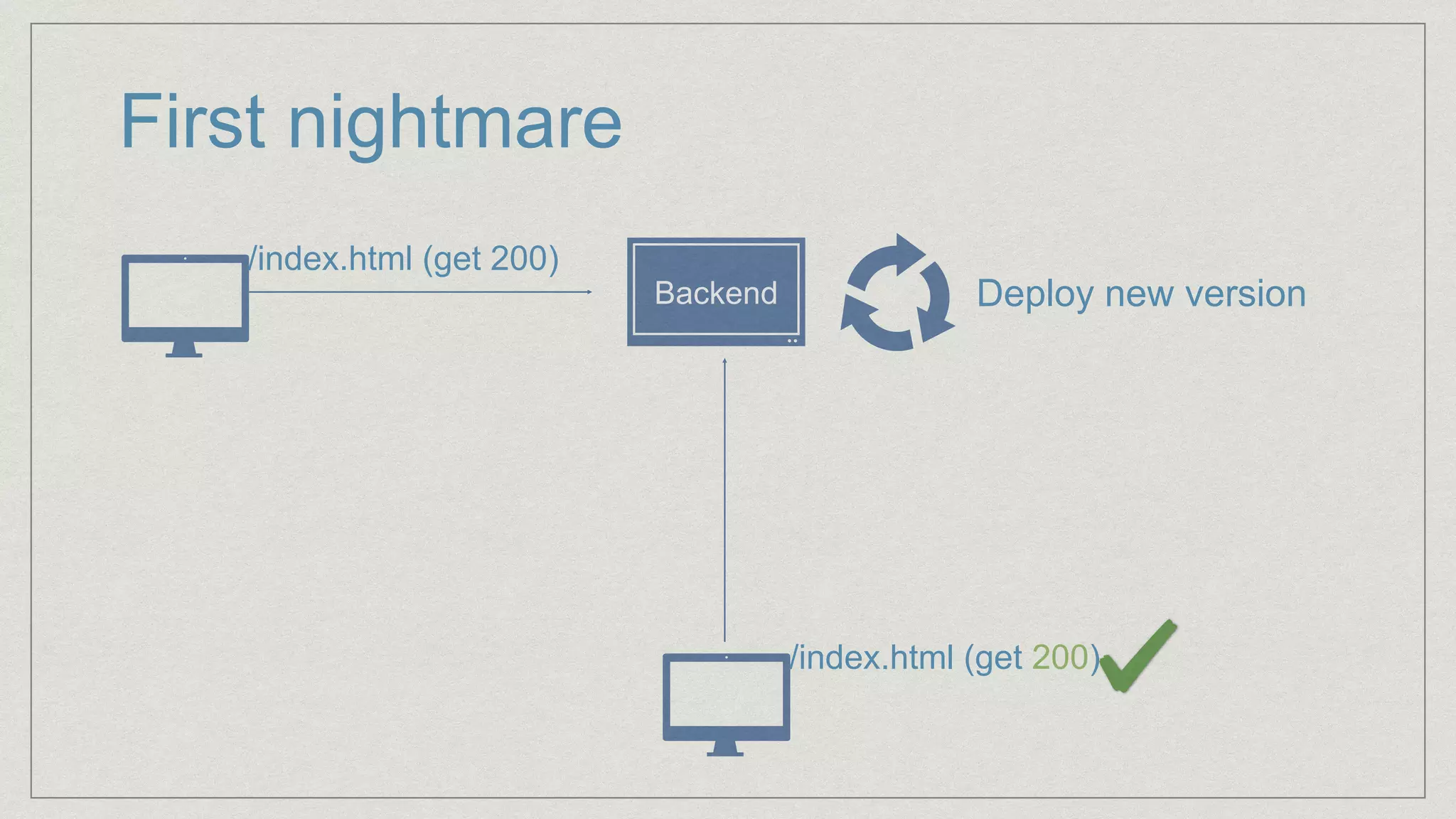
First nightmare
/index.html (get 200)
Backend Deploy new version
/index.html (get 200)
Webpack in production
Tip with webpack
Disable dev-tools - improve performance
Reduce size
Webpack in production
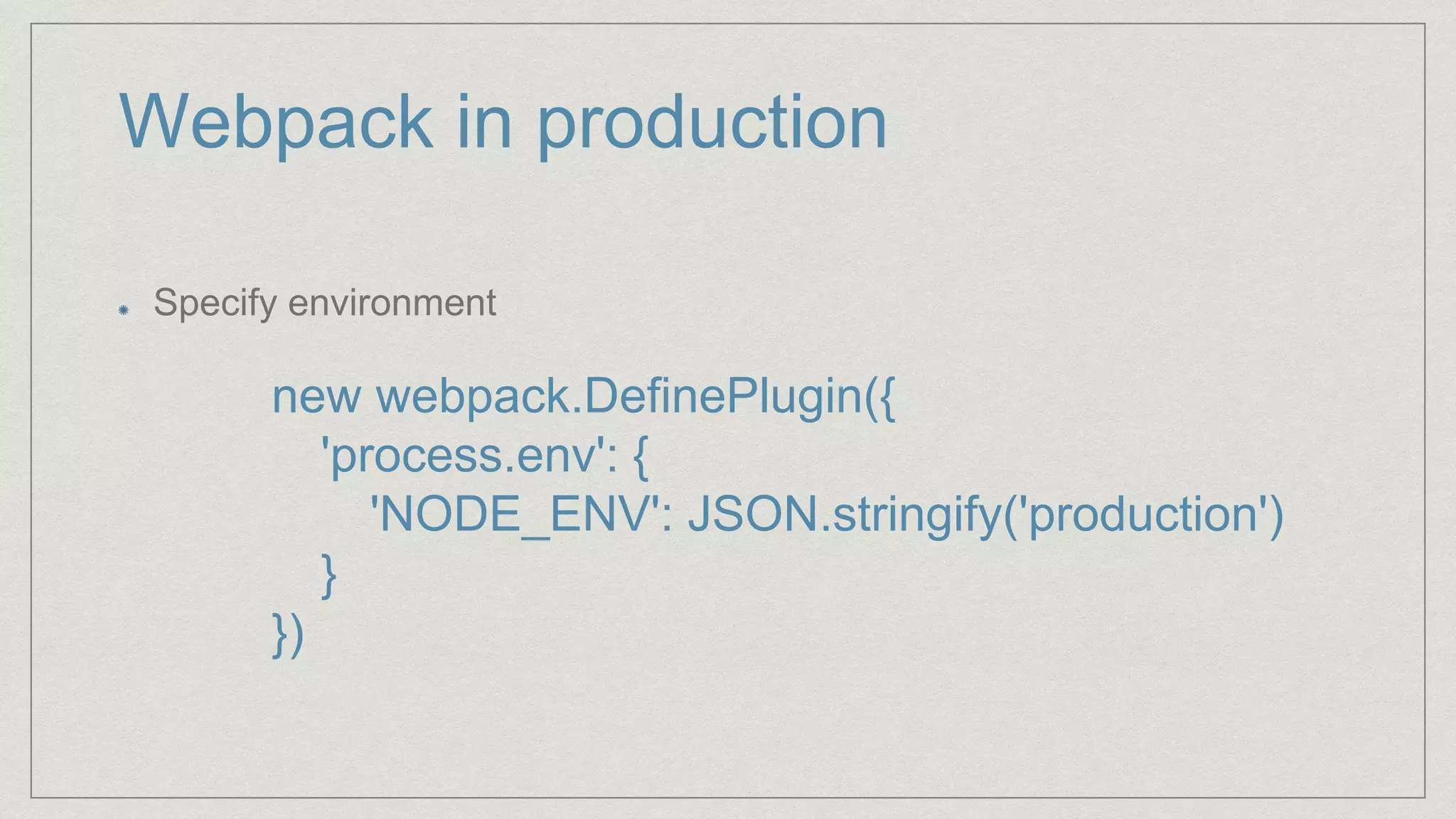
Specify environment
new webpack.DefinePlugin({
'process.env': {
'NODE_ENV': JSON.stringify('production')
}
})
Webpack in production
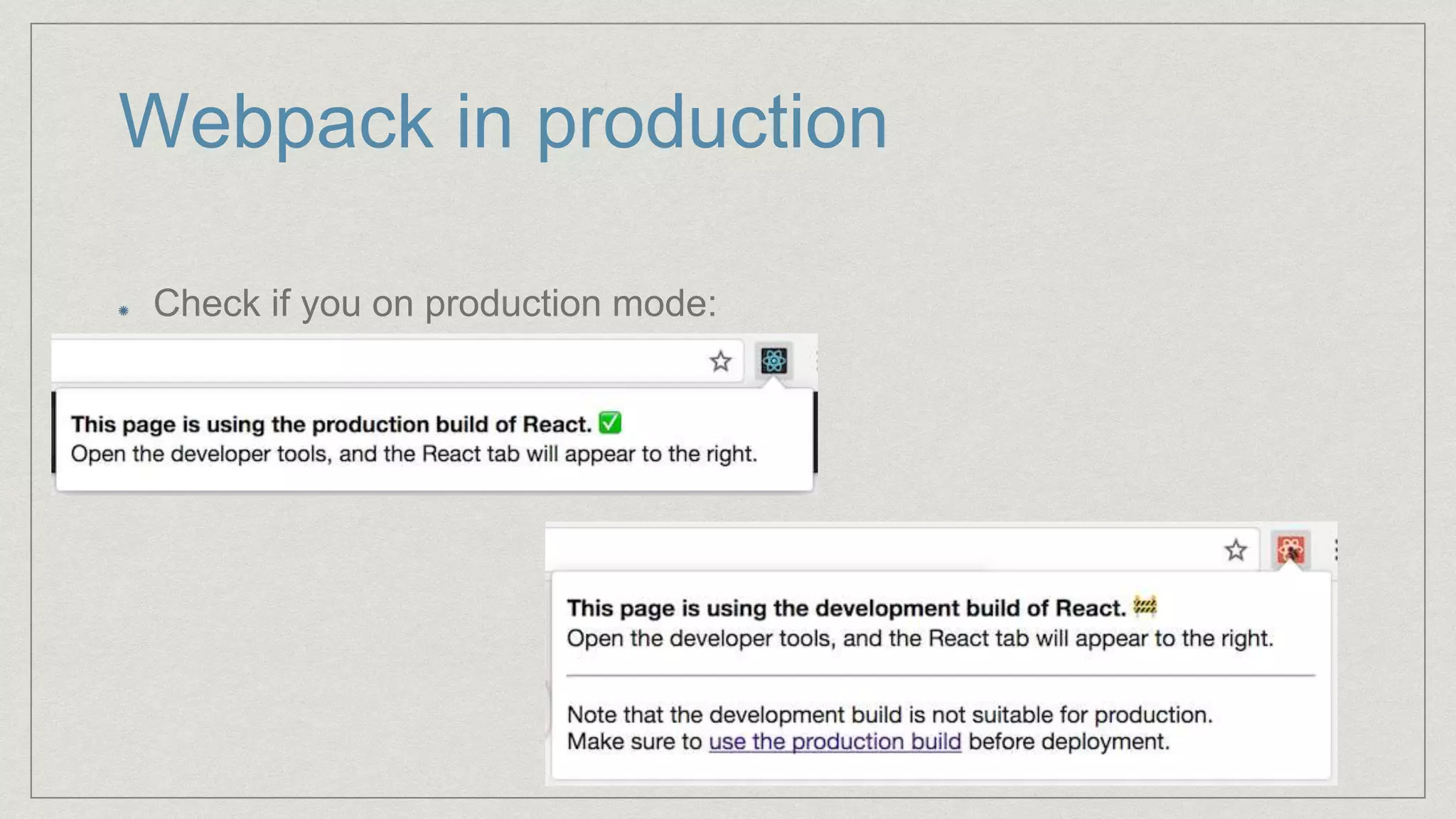
Check if you on production mode:
Webpack in production
Reduce even more
Dynamic reduce (runtime)
You serving server could do that
Zip in build time (with webpack)
use compression-webpack-plugin
Today’s Task
Bundling the app (webpack)
Runtime errors
Deploying your app
Our second nightmare
You got the app with the correct version
Now it is running
But wait….
Handling error
Console is local
Getting reports on error
Use some tool (sentry, rollbar)
Our second nightmare
Sentry will provide your callstack.
What will happen to the callstack once minified?
Our second nightmare
Source Maps
debug: false,
devtool: 'source-map',
Our second nightmare
You have major bug, source map are useless
How do you reproduce?
Log user action
Store logging
Our second nightmare
Most React apps work with some store
You could log its changes
LogRocket
Today’s Task
Bundling the app (webpack)
Runtime errors
Deploying your app
Our third nightmare
You deployed a version to QA
QA said you are a “bug-less” developer
The code shipped to prod
And boom…. so close :-(
Our third nightmare
Package.json specify dependencies
It also specify versions
“package_name”:”*”
“package_name”:”^1.6.3”
“package_name”:”~1.6.3”
“package_name”:”1.6.x”
X.Y.Z
Breaking change New feature Bug fix
Our third nightmare
Don’t reinstall - use the same artifact / image
Harden your package.json versions
Today’s Task
Bundling the app (webpack)
Runtime errors
Deploying your app
Thank you!
michael@haberman.io
@hab_mic

React in production

Editor's Notes

  • #2 Rich experience with react in production
  • #4 Let’s see what we are going to do with all of this headache
  • #5 Any guess what would be the first pitfall to production? (caching)
  • #6 200 -> deployment ->304
  • #7 Why caching is the worst?
  • #8 Client save local version
  • #9 Client uses the local version
  • #10 Browser is caching by url, if you change it.
  • #11 hash is long, you could use [hash:8]
  • #12 We talked too much, lets see some code
  • #14 Now: 200 -> deploy -> 200
  • #15 React provide a lot of warnings -> checks that cost in performance Size is larger in dev mode
  • #16 Next: how to know if you are on prod?
  • #17 Can we reduce the app even more?
  • #18 Dynamic cost in runtime
  • #19 Any guess what would be the first pitfall to production? (caching)
  • #20 Finished with caching and building, now actual coding!
  • #22 Lets integrate a tool