
Liya Mary Shibu
Introduction
Types of variants
Focus on Model B+
Specifications
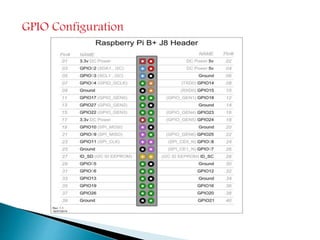
40 pin GPIO Configuration
Installation Procedure
Programming Tools
Scratch Programming
Python Programming
Advantages and Applications
References
Introduction
It is a credit card sized PC in a 45g SOC
Developed by pi foundation from university of
Cambridge, UK
Cheap with low driving power of 5W
Basic aim was to promote computer teaching aid
for school going students
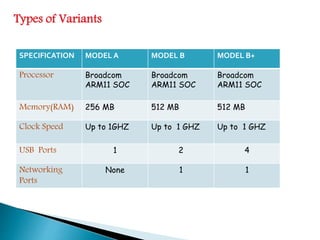
Types of Variants
SPECIFICATION MODEL A MODEL B MODEL B+
Processor Broadcom
ARM11 SOC
Broadcom
ARM11 SOC
Broadcom
ARM11 SOC
Memory(RAM) 256 MB 512 MB 512 MB
Clock Speed Up to 1GHZ Up to 1 GHZ Up to 1 GHZ
USB Ports 1 2 4
Networking
Ports
None 1 1
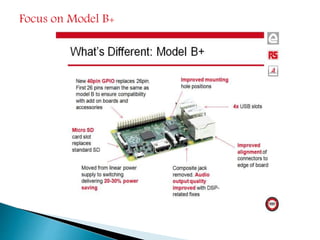
Focus on Model B+
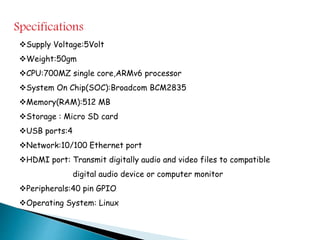
Specifications
Supply Voltage:5Volt
Weight:50gm
CPU:700MZ single core,ARMv6 processor
System On Chip(SOC):Broadcom BCM2835
Memory(RAM):512 MB
Storage : Micro SD card
USB ports:4
Network:10/100 Ethernet port
HDMI port: Transmit digitally audio and video files to compatible
digital audio device or computer monitor
Peripherals:40 pin GPIO
Operating System: Linux
GPIO Configuration
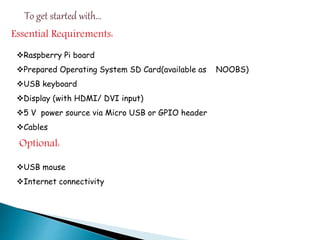
To get started with…
Essential Requirements:
Raspberry Pi board
Prepared Operating System SD Card(available as NOOBS)
USB keyboard
Display (with HDMI/ DVI input)
5 V power source via Micro USB or GPIO header
Cables
Optional:
USB mouse
Internet connectivity
Installation Procedure
Initially insert the preloaded SD card into the slot
Connect the display device(TV/PC) with suitable
cables(HTMI/HVI)
Plug in the USB micro power port
Now the raspberry pi will get booted
For the first time the OS need to be configured by the
user
Optional: plug in Ethernet port and USB mouse if
required
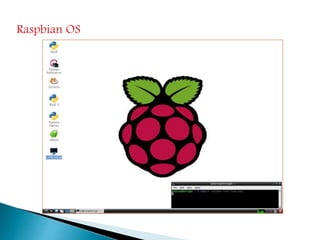
Raspbian OS
Programming Tools
Scratch
Python
Scratch Programming:
It is a visual tool to assist kids in learning computer
It is a kind of drag and drop interface
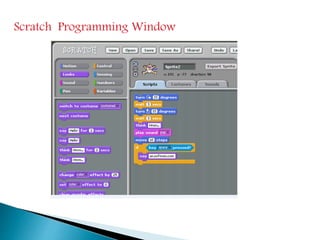
Scratch Programming Window
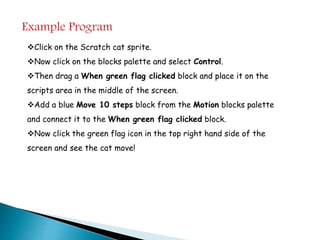
Example Program
Click on the Scratch cat sprite.
Now click on the blocks palette and select Control.
Then drag a When green flag clicked block and place it on the
scripts area in the middle of the screen.
Add a blue Move 10 steps block from the Motion blocks palette
and connect it to the When green flag clicked block.
Now click the green flag icon in the top right hand side of the
screen and see the cat move!
Python Programming:
Simple scripting tool with clean syntax
It is a powerful programming language
The easiest introduction to Python is through IDLE.
Double click the IDLE icon on the Desktop (or IDLE3 for
Python 3)
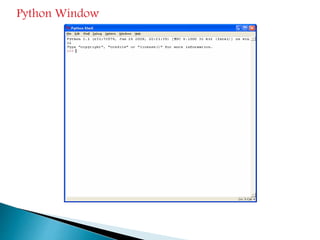
Python Window
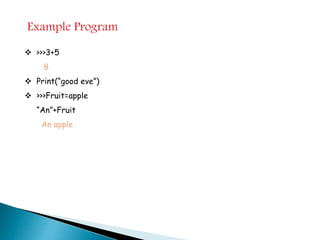
Example Program
 >>>3+5
8
 Print(“good eve”)
 >>>Fruit=apple
“An”+Fruit
An apple
Advantages
Low powered processor-5v
Improved audio sound quality
Replace large SD socket with new micro SD card
Minicomputer at a cheap cost of $35
Applications
Robotics
Arcade machines
 Media centers
A high-performance computing cluster
 Musical instruments
References
http://www.raspberrypi.org/
http://www.learnpython.org
http://www.raspberrypi.org/help/quick-start-guide/
Raspberry pi overview

Raspberry pi overview