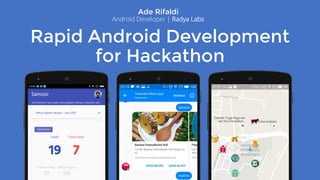
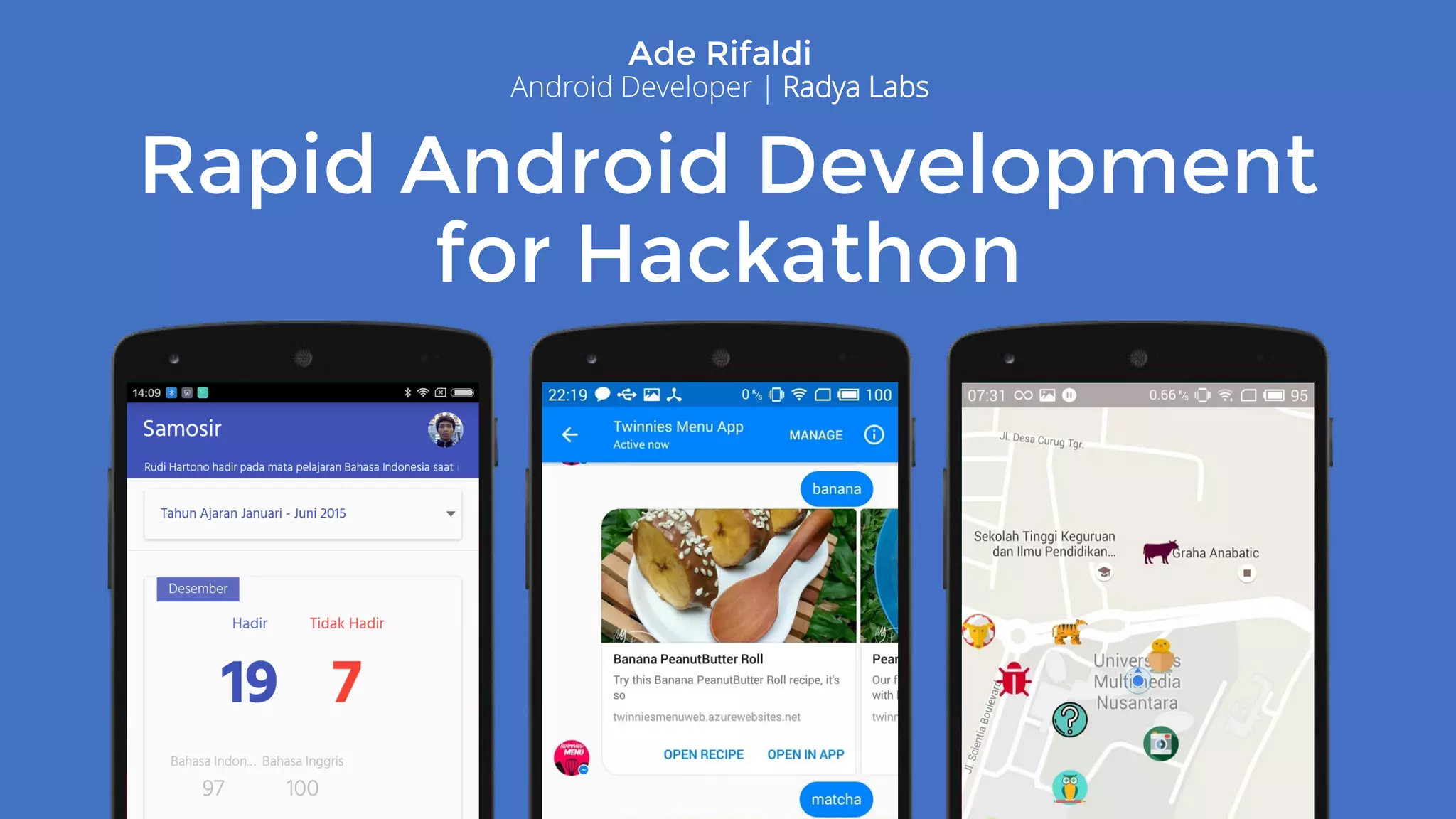
Rapid Android Development
for Hackathon
Ade Rifaldi
Android Developer | Radya Labs
Table of Content
• About Me
• Tips & Tricks Hackathon
• ButterKnife
• Integration Azure Mobile Service
• Sample Project
• Q & A
Ade Rifaldi
• 2008 : IT UIN Jakarta (Graduated 2013)
• 2014 : Android Developer Radya Labs
• 2016 : Facilitator Android Kejar Batch 1
Intermediate Class
Contacts:
• Email : ade@radyalabs.com
• WA : 085719004268
• Linkedin : ade.rifaldi@gmail.com
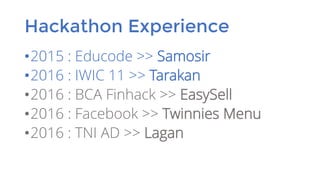
Hackathon Experience
•2015 : Educode >> Samosir
•2016 : IWIC 11 >> Tarakan
•2016 : BCA Finhack >> EasySell
•2016 : Facebook >> Twinnies Menu
•2016 : TNI AD >> Lagan
Tips Hackathon: Idea
•OOT is Bad Idea
Every hackathon has a topic. Don’t develop app that out of the topic.
•Problem Solution
Your app must solve the problem. Less technology but solve the problem better than less
solution but lot of technology.
•Wow Factor
Prepare cool stuff that can make jury excited.
•Focus to Demo: Hard code? Why not?
Don’t develop full version of the app. You not have much time for present it to the judgment
session. Even, you only have 1 minute to demo. Focus to the core.
Get Things Prepared
•The Team: Coder & Presenter
Hackathon wasn’t just about coding.
•Learn Hackathon Environment, First: API
•Create To Do List
•Never Forget Judgment Points
Problem Solution, Originality, User Friendly, API Implementation, Readiness, etc.
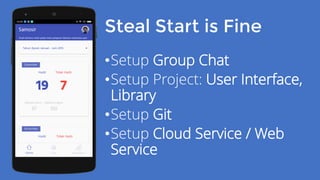
Steal Start is Fine
•Setup Group Chat
•Setup Project: User Interface,
Library
•Setup Git
•Setup Cloud Service / Web
Service
During Hackathon
•Take Frequent Breaks
Don't let you sick after hackathon
•Have Fun!
•Presentation:
Less Text, Lot Screen Shoot, Make a Story, Use Usual Words.
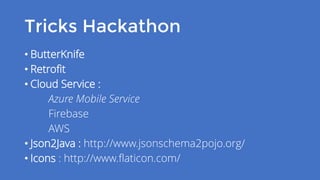
Tricks Hackathon
• ButterKnife
• Retrofit
• Cloud Service :
Azure Mobile Service
Firebase
AWS
• Json2Java : http://www.jsonschema2pojo.org/
• Icons : http://www.flaticon.com/
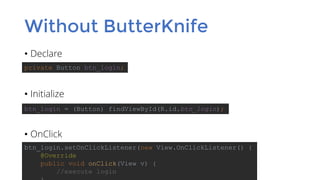
Without ButterKnife
• Declare
• Initialize
• OnClick
private Button btn_login;
btn_login = (Button) findViewById(R.id.btn_login);
btn_login.setOnClickListener(new View.OnClickListener() {
@Override
public void onClick(View v) {
//execute login
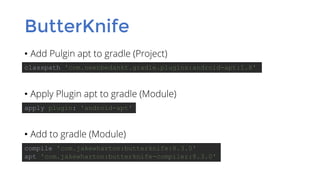
ButterKnife
• Add Pulgin apt to gradle (Project)
• Apply Plugin apt to gradle (Module)
• Add to gradle (Module)
classpath 'com.neenbedankt.gradle.plugins:android-apt:1.8'
compile 'com.jakewharton:butterknife:8.3.0'
apt 'com.jakewharton:butterknife-compiler:8.3.0'
apply plugin: 'android-apt'
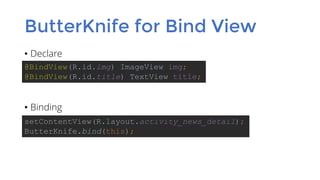
ButterKnife for Bind View
• Declare
• Binding
@BindView(R.id.img) ImageView img;
@BindView(R.id.title) TextView title;
setContentView(R.layout.activity_news_detail);
ButterKnife.bind(this);
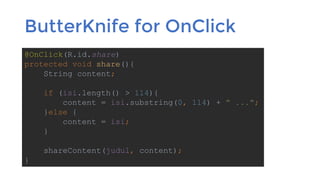
ButterKnife for OnClick
@OnClick(R.id.share)
protected void share(){
String content;
if (isi.length() > 114){
content = isi.substring(0, 114) + " ...";
}else {
content = isi;
}
shareContent(judul, content);
}
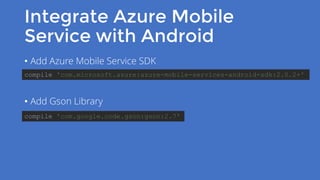
Integrate Azure Mobile
Service with Android
• Add Azure Mobile Service SDK
• Add Gson Library
compile 'com.microsoft.azure:azure-mobile-services-android-sdk:2.0.2+'
compile 'com.google.code.gson:gson:2.7'
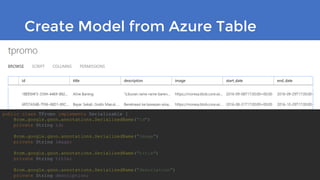
Create Model from Azure Table
public class TPromo implements Serializable {
@com.google.gson.annotations.SerializedName("id")
private String id;
@com.google.gson.annotations.SerializedName("image")
private String image;
@com.google.gson.annotations.SerializedName("title")
private String title;
@com.google.gson.annotations.SerializedName("description")
private String description;
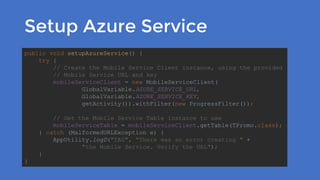
Setup Azure Service
public void setupAzureService() {
try {
// Create the Mobile Service Client instance, using the provided
// Mobile Service URL and key
mobileServiceClient = new MobileServiceClient(
GlobalVariable.AZURE_SERVICE_URL,
GlobalVariable.AZURE_SERVICE_KEY,
getActivity()).withFilter(new ProgressFilter());
// Get the Mobile Service Table instance to use
mobileServiceTable = mobileServiceClient.getTable(TPromo.class);
} catch (MalformedURLException e) {
AppUtility.logD("TAG", "There was an error creating " +
"the Mobile Service. Verify the URL");
}
}
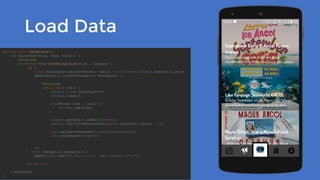
Load Data
private void loadPromos(){
new AsyncTask<Void, Void, Void>() {
@Override
protected Void doInBackground(Void... params) {
try {
final MobileServiceList<TPromo> result = mobileServiceTable.execute().get();
getActivity().runOnUiThread(new Runnable() {
@Override
public void run() {
tPromos = new ArrayList<>();
tPromos.clear();
for(TPromo item : result){
tPromos.add(item);
}
adapter.getData().addAll(tPromos);
adapter.notifyItemInserted(adapter.getData().size() - 1);
list.setLayoutManager(linearLayoutManager);
list.setAdapter(adapter);
}
});
} catch (Exception exception) {
AppUtility.logD("MainActivity", "get comment Error");
}
return null;
}
}.execute();
}
Azure Mobile Service
Client Library Documentation
https://github.com/aderifaldi/SampleAzureMobileService
Sample Project
https://docs.microsoft.com/en-us/azure/app-service-mobile/app-
service-mobile-android-how-to-use-client-library

Rapid Android Development for Hackathon

  • 1.
    Rapid Android Development forHackathon Ade Rifaldi Android Developer | Radya Labs
  • 2.
    Table of Content •About Me • Tips & Tricks Hackathon • ButterKnife • Integration Azure Mobile Service • Sample Project • Q & A
  • 3.
    Ade Rifaldi • 2008: IT UIN Jakarta (Graduated 2013) • 2014 : Android Developer Radya Labs • 2016 : Facilitator Android Kejar Batch 1 Intermediate Class Contacts: • Email : ade@radyalabs.com • WA : 085719004268 • Linkedin : ade.rifaldi@gmail.com
  • 4.
    Hackathon Experience •2015 :Educode >> Samosir •2016 : IWIC 11 >> Tarakan •2016 : BCA Finhack >> EasySell •2016 : Facebook >> Twinnies Menu •2016 : TNI AD >> Lagan
  • 6.
    Tips Hackathon: Idea •OOTis Bad Idea Every hackathon has a topic. Don’t develop app that out of the topic. •Problem Solution Your app must solve the problem. Less technology but solve the problem better than less solution but lot of technology. •Wow Factor Prepare cool stuff that can make jury excited. •Focus to Demo: Hard code? Why not? Don’t develop full version of the app. You not have much time for present it to the judgment session. Even, you only have 1 minute to demo. Focus to the core.
  • 7.
    Get Things Prepared •TheTeam: Coder & Presenter Hackathon wasn’t just about coding. •Learn Hackathon Environment, First: API •Create To Do List •Never Forget Judgment Points Problem Solution, Originality, User Friendly, API Implementation, Readiness, etc.
  • 8.
    Steal Start isFine •Setup Group Chat •Setup Project: User Interface, Library •Setup Git •Setup Cloud Service / Web Service
  • 9.
    During Hackathon •Take FrequentBreaks Don't let you sick after hackathon •Have Fun! •Presentation: Less Text, Lot Screen Shoot, Make a Story, Use Usual Words.
  • 10.
    Tricks Hackathon • ButterKnife •Retrofit • Cloud Service : Azure Mobile Service Firebase AWS • Json2Java : http://www.jsonschema2pojo.org/ • Icons : http://www.flaticon.com/
  • 11.
    Without ButterKnife • Declare •Initialize • OnClick private Button btn_login; btn_login = (Button) findViewById(R.id.btn_login); btn_login.setOnClickListener(new View.OnClickListener() { @Override public void onClick(View v) { //execute login
  • 12.
    ButterKnife • Add Pulginapt to gradle (Project) • Apply Plugin apt to gradle (Module) • Add to gradle (Module) classpath 'com.neenbedankt.gradle.plugins:android-apt:1.8' compile 'com.jakewharton:butterknife:8.3.0' apt 'com.jakewharton:butterknife-compiler:8.3.0' apply plugin: 'android-apt'
  • 13.
    ButterKnife for BindView • Declare • Binding @BindView(R.id.img) ImageView img; @BindView(R.id.title) TextView title; setContentView(R.layout.activity_news_detail); ButterKnife.bind(this);
  • 14.
    ButterKnife for OnClick @OnClick(R.id.share) protectedvoid share(){ String content; if (isi.length() > 114){ content = isi.substring(0, 114) + " ..."; }else { content = isi; } shareContent(judul, content); }
  • 15.
    Integrate Azure Mobile Servicewith Android • Add Azure Mobile Service SDK • Add Gson Library compile 'com.microsoft.azure:azure-mobile-services-android-sdk:2.0.2+' compile 'com.google.code.gson:gson:2.7'
  • 16.
    Create Model fromAzure Table public class TPromo implements Serializable { @com.google.gson.annotations.SerializedName("id") private String id; @com.google.gson.annotations.SerializedName("image") private String image; @com.google.gson.annotations.SerializedName("title") private String title; @com.google.gson.annotations.SerializedName("description") private String description;
  • 17.
    Setup Azure Service publicvoid setupAzureService() { try { // Create the Mobile Service Client instance, using the provided // Mobile Service URL and key mobileServiceClient = new MobileServiceClient( GlobalVariable.AZURE_SERVICE_URL, GlobalVariable.AZURE_SERVICE_KEY, getActivity()).withFilter(new ProgressFilter()); // Get the Mobile Service Table instance to use mobileServiceTable = mobileServiceClient.getTable(TPromo.class); } catch (MalformedURLException e) { AppUtility.logD("TAG", "There was an error creating " + "the Mobile Service. Verify the URL"); } }
  • 18.
    Load Data private voidloadPromos(){ new AsyncTask<Void, Void, Void>() { @Override protected Void doInBackground(Void... params) { try { final MobileServiceList<TPromo> result = mobileServiceTable.execute().get(); getActivity().runOnUiThread(new Runnable() { @Override public void run() { tPromos = new ArrayList<>(); tPromos.clear(); for(TPromo item : result){ tPromos.add(item); } adapter.getData().addAll(tPromos); adapter.notifyItemInserted(adapter.getData().size() - 1); list.setLayoutManager(linearLayoutManager); list.setAdapter(adapter); } }); } catch (Exception exception) { AppUtility.logD("MainActivity", "get comment Error"); } return null; } }.execute(); }
  • 19.
    Azure Mobile Service ClientLibrary Documentation https://github.com/aderifaldi/SampleAzureMobileService Sample Project https://docs.microsoft.com/en-us/azure/app-service-mobile/app- service-mobile-android-how-to-use-client-library