QR Codes in
              Work
                  shop
                         Education
          ech
    ging T
Emer                        Jennifer Cir
                                         in o
                1
           c 201
                          Coordinator
        De                             o f I TL
PPT Presentation
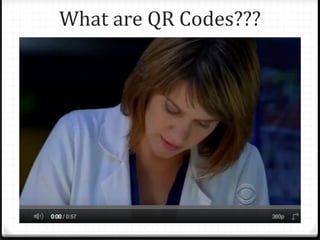
What are QR Codes???
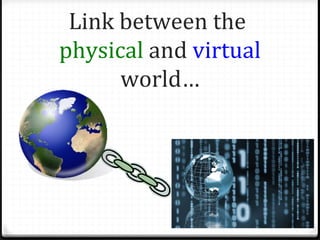
Link between the
physical and virtual
      world…
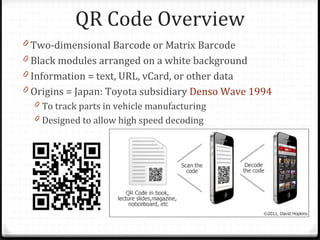
QR Code Overview
0 Two-dimensional Barcode or Matrix Barcode
0 Black modules arranged on a white background
0 Information = text, URL, vCard, or other data
0 Origins = Japan: Toyota subsidiary Denso Wave 1994
  0 To track parts in vehicle manufacturing
  0 Designed to allow high speed decoding
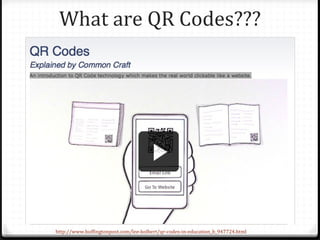
What are QR Codes???


http://www.huffingtonpost.com/lee-kolbert/qr-codes-in-education_b_947724.html
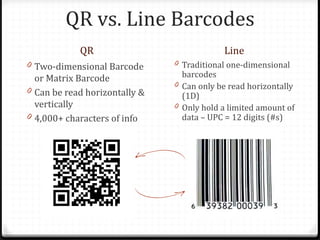
QR vs. Line Barcodes
            QR                             Line
0 Two-dimensional Barcode      0 Traditional one-dimensional
  or Matrix Barcode              barcodes
                               0 Can only be read horizontally
0 Can be read horizontally &
                                 (1D)
  vertically                   0 Only hold a limited amount of
0 4,000+ characters of info      data – UPC = 12 digits (#s)
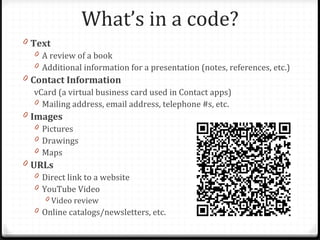
What’s in a code?
0 Text
   0 A review of a book
   0 Additional information for a presentation (notes, references, etc.)
0 Contact Information
   vCard (a virtual business card used in Contact apps)
   0 Mailing address, email address, telephone #s, etc.
0 Images
   0 Pictures
   0 Drawings
   0 Maps
0 URLs
   0 Direct link to a website
   0 YouTube Video
      0 Video review
   0 Online catalogs/newsletters, etc.
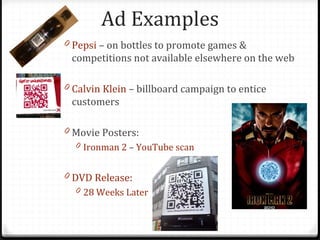
Ad Examples
0 Pepsi – on bottles to promote games &
 competitions not available elsewhere on the web

0 Calvin Klein – billboard campaign to entice
 customers

0 Movie Posters:
  0 Ironman 2 – YouTube scan


0 DVD Release:
  0 28 Weeks Later
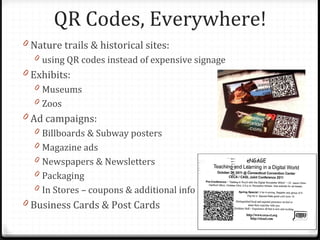
QR Codes, Everywhere!
0 Nature trails & historical sites:
  0 using QR codes instead of expensive signage
0 Exhibits:
  0 Museums
  0 Zoos
0 Ad campaigns:
  0 Billboards & Subway posters
  0 Magazine ads
  0 Newspapers & Newsletters
  0 Packaging
  0 In Stores – coupons & additional info
0 Business Cards & Post Cards
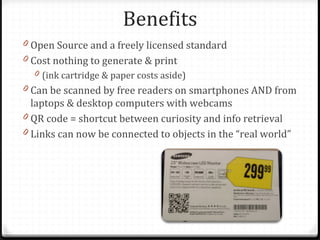
Benefits
0 Open Source and a freely licensed standard
0 Cost nothing to generate & print
  0 (ink cartridge & paper costs aside)
0 Can be scanned by free readers on smartphones AND from
  laptops & desktop computers with webcams
0 QR code = shortcut between curiosity and info retrieval
0 Links can now be connected to objects in the “real world”
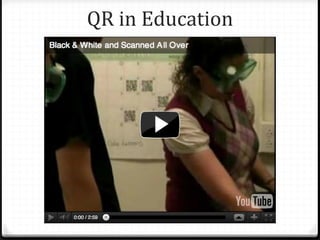
QR in Education
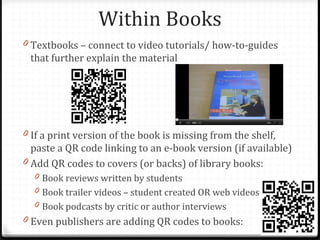
Within Books
0 Textbooks – connect to video tutorials/ how-to-guides
 that further explain the material


0 If a print version of the book is missing from the shelf,
  paste a QR code linking to an e-book version (if available)
0 Add QR codes to covers (or backs) of library books:
  0 Book reviews written by students
  0 Book trailer videos – student created OR web videos
  0 Book podcasts by critic or author interviews
0 Even publishers are adding QR codes to books:
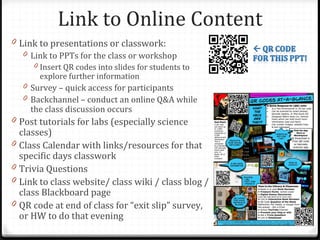
Link to Online Content
0 Link to presentations or classwork:
   0 Link to PPTs for the class or workshop
       0 Insert QR codes into slides for students to
         explore further information
    0 Survey – quick access for participants
    0 Backchannel – conduct an online Q&A while
      the class discussion occurs
0 Post tutorials for labs (especially science
    classes)
0   Class Calendar with links/resources for that
    specific days classwork
0   Trivia Questions
0   Link to class website/ class wiki / class blog /
    class Blackboard page
0   QR code at end of class for “exit slip” survey,
    or HW to do that evening
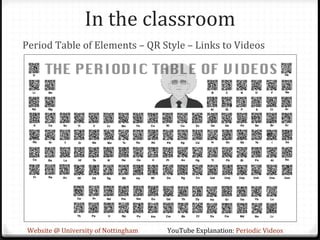
In the classroom
Period Table of Elements – QR Style – Links to Videos


 Website @ University of Nottingham   YouTube Explanation: Periodic Videos
In the classroom:
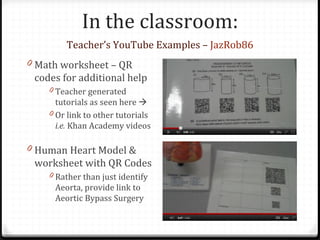
        Teacher’s YouTube Examples – JazRob86
0 Math worksheet – QR
 codes for additional help
    0 Teacher generated
      tutorials as seen here 
    0 Or link to other tutorials
      i.e. Khan Academy videos

0 Human Heart Model &
 worksheet with QR Codes
    0 Rather than just identify
     Aeorta, provide link to
     Aeortic Bypass Surgery
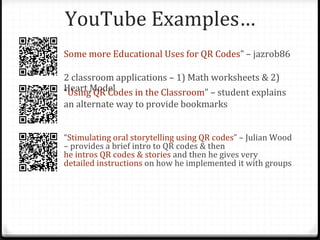
YouTube Examples…
Some more Educational Uses for QR Codes” – jazrob86

2 classroom applications – 1) Math worksheets & 2)
Heart Model
“Using QR Codes in the Classroom” – student explains
an alternate way to provide bookmarks


“Stimulating oral storytelling using QR codes” – Julian Wood
– provides a brief intro to QR codes & then
he intros QR codes & stories and then he gives very
detailed instructions on how he implemented it with groups
Other Classroom Examples
0 Classroom or Homework Worksheets:
  0 Link to remedial work/tutorials for self-directed learning
  0 Finish early? link to reward site or educational games
0 Research Assignments:
  0 Add QR codes on research assignments to subscription
    databases and other reputable starting points
0 Connect student work
  0 Use QR codes within student journals/portfolios/posters,
    etc. to link physical & digital content – great for showing
    evidence of student mastery of standards
0 QR Literature Quest – a high tech scavenger hunt to
 interest HS students in literature
Other School Examples
0 Art, Music, Tech Ed, TV Studio, Weight Room (P.E.), etc.:
  0 Paste QR codes on equipment linking to video / PPT / comic
    guide explaining how to use specific items
0 School Library, Book Rooms, or Classroom Libraries:
  0 QR codes next to book displays
    0 Link to extended content about the book
    0 OR to wiki pages/Google Docs to write (& read) book reviews
0 Post QR codes in hallways, on lockers, bulletin boards,
  even in bathrooms to promote latest arrivals to the library
0 Provide additional info for food in the school library
  0 Students can create info charts with calories, ingredients, etc.
    for common menu items in the school cafeteria
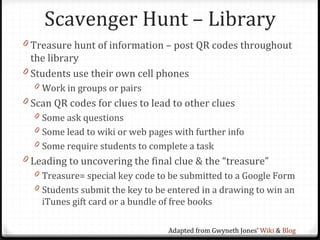
Scavenger Hunt – Library
0 Treasure hunt of information – post QR codes throughout
  the library
0 Students use their own cell phones
  0 Work in groups or pairs
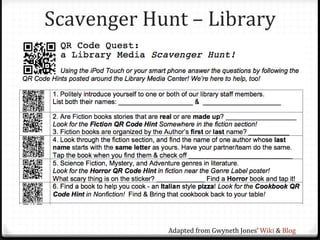
0 Scan QR codes for clues to lead to other clues
  0 Some ask questions
  0 Some lead to wiki or web pages with further info
  0 Some require students to complete a task
0 Leading to uncovering the final clue & the “treasure”
  0 Treasure= special key code to be submitted to a Google Form
  0 Students submit the key to be entered in a drawing to win an
    iTunes gift card or a bundle of free books

                                   Adapted from Gwyneth Jones’ Wiki & Blog
Scavenger Hunt – Library


            Adapted from Gwyneth Jones’ Wiki & Blog
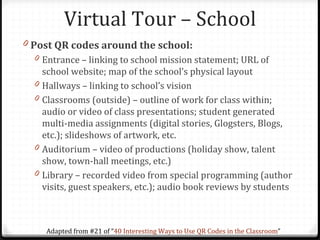
Virtual Tour – School
0 Post QR codes around the school:
  0 Entrance – linking to school mission statement; URL of
      school website; map of the school’s physical layout
  0   Hallways – linking to school’s vision
  0   Classrooms (outside) – outline of work for class within;
      audio or video of class presentations; student generated
      multi-media assignments (digital stories, Glogsters, Blogs,
      etc.); slideshows of artwork, etc.
  0   Auditorium – video of productions (holiday show, talent
      show, town-hall meetings, etc.)
  0   Library – recorded video from special programming (author
      visits, guest speakers, etc.); audio book reviews by students


       Adapted from #21 of “40 Interesting Ways to Use QR Codes in the Classroom”
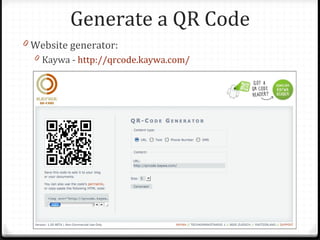
Generate a QR Code
0 Website generator:
  0 Kaywa - http://qrcode.kaywa.com/
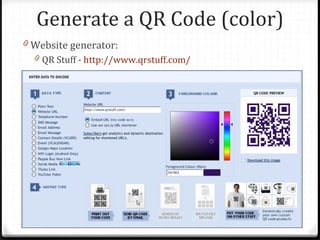
Generate a QR Code (color)
0 Website generator:
  0 QR Stuff - http://www.qrstuff.com/
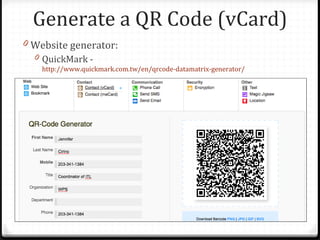
Generate a QR Code (vCard)
0 Website generator:
  0 QuickMark -
    http://www.quickmark.com.tw/en/qrcode-datamatrix-generator/
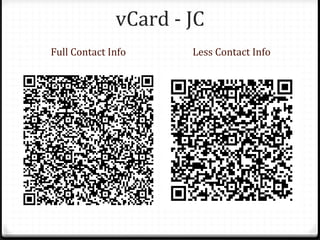
vCard - JC
Full Contact Info     Less Contact Info
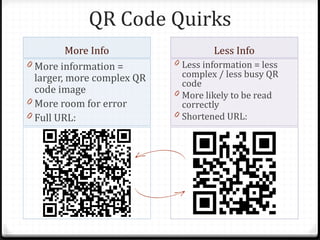
QR Code Quirks
          More Info                  Less Info
0 More information =        0 Less information = less
  larger, more complex QR     complex / less busy QR
                              code
  code image                0 More likely to be read
0 More room for error         correctly
0 Full URL:                 0 Shortened URL:
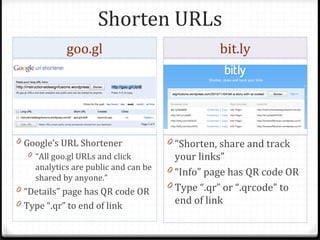
Shorten URLs
             goo.gl                               bit.ly


0 Google’s URL Shortener               0 “Shorten, share and track
   0 “All goo.gl URLs and click          your links”
     analytics are public and can be   0 “Info” page has QR code OR
     shared by anyone.”
0 “Details” page has QR code OR        0 Type “.qr” or “.qrcode” to
0 Type “.qr” to end of link              end of link
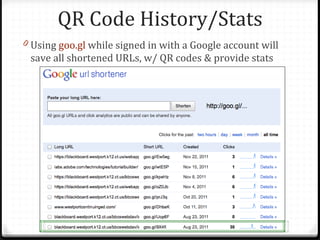
QR Code History/Stats
0 Using goo.gl while signed in with a Google account will
 save all shortened URLs, w/ QR codes & provide stats
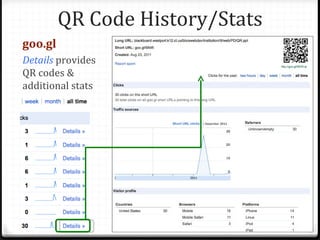
QR Code History/Stats
goo.gl
Details provides
QR codes &
additional stats
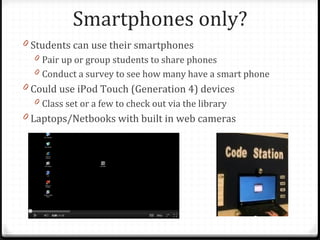
Smartphones only?
0 Students can use their smartphones
  0 Pair up or group students to share phones
  0 Conduct a survey to see how many have a smart phone
0 Could use iPod Touch (Generation 4) devices
  0 Class set or a few to check out via the library
0 Laptops/Netbooks with built in web cameras
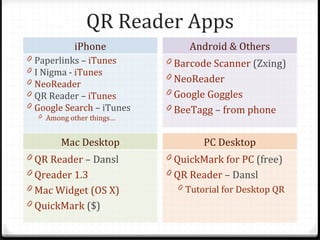
QR Reader Apps
             iPhone               Android & Others
0   Paperlinks – iTunes      0 Barcode Scanner (Zxing)
0   I Nigma - iTunes         0 NeoReader
0   NeoReader
0   QR Reader – iTunes       0 Google Goggles
0   Google Search – iTunes   0 BeeTagg – from phone
    0 Among other things…


          Mac Desktop                PC Desktop
0 QR Reader – Dansl          0 QuickMark for PC (free)
0 Qreader 1.3                0 QR Reader – Dansl
0 Mac Widget (OS X)            0 Tutorial for Desktop QR
0 QuickMark ($)
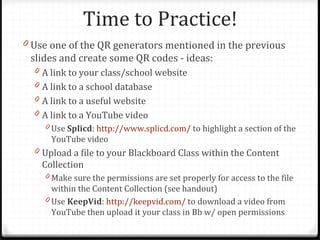
Time to Practice!
0 Use one of the QR generators mentioned in the previous
 slides and create some QR codes - ideas:
  0 A link to your class/school website
  0 A link to a school database
  0 A link to a useful website
  0 A link to a YouTube video
    0 Use Splicd: http://www.splicd.com/ to highlight a section of the
      YouTube video
  0 Upload a file to your Blackboard Class within the Content
    Collection
    0 Make sure the permissions are set properly for access to the file
      within the Content Collection (see handout)
    0 Use KeepVid: http://keepvid.com/ to download a video from
      YouTube then upload it your class in Bb w/ open permissions
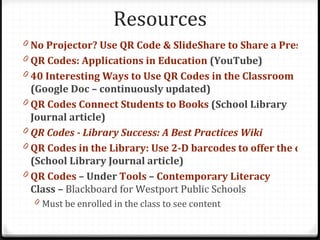
Resources
0 No Projector? Use QR Code & SlideShare to Share a Presenta
0 QR Codes: Applications in Education (YouTube)
0 40 Interesting Ways to Use QR Codes in the Classroom
  (Google Doc – continuously updated)
0 QR Codes Connect Students to Books (School Library
  Journal article)
0 QR Codes - Library Success: A Best Practices Wiki
0 QR Codes in the Library: Use 2-D barcodes to offer the coole
  (School Library Journal article)
0 QR Codes – Under Tools – Contemporary Literacy
  Class – Blackboard for Westport Public Schools
  0 Must be enrolled in the class to see content
Works Consulted
0 “15 Creative QR Codes [PICS].” Web. 22 Aug 2011.
0 “Blended Learning with QR Codes by Ilona Lantos on Prezi.” Web. 22
    Aug 2011.
0   “HOT QR Codes in the Classroom & Library | The Daring Librarian.”
    Web. 23 Aug 2011.
0   “QR Code - Wikipedia, the Free Encyclopedia.” Web. 22 Aug 2011.
0   “QR Code’s CSI Moment - YouTube.” Web. 22 Aug 2011.
0   “QR Codes Connect Students to Books.” Web. 23 Aug 2011.
0   “QR Codes In Education.” Web. 22 Aug 2011.
0   “QR Codes in Education by David Muir on Prezi.” Web. 22 Aug 2011.
0   “QR Codes: Applications in Education - YouTube.” Web. 22 Aug 2011.
0   “QR Codes: The Nuts and Bolts #QRCode #edtech #ukedchat –
    eLearning Blog Dont Waste Your Time.” Web. 22 Aug 2011.
0   “Use QR Codes to Share Your Presentation Without a Projector |
    SlideShare Blog.” Web. 22 Aug 2011.
0   “Why Are Some QR Codes More Scanworthy Than Others?
    [INFOGRAPHIC].” Web. 22 Aug 2011.
0   “Why QR Codes Will Go Mainstream [OPINION].” Web. 22 Aug 2011.
PPT Presentation

QR Codes in Education

  • 1.
    QR Codes in Work shop Education ech ging T Emer Jennifer Cir in o 1 c 201 Coordinator De o f I TL
  • 2.
  • 3.
    What are QRCodes???
  • 4.
    Link between the physicaland virtual world…
  • 5.
    QR Code Overview 0Two-dimensional Barcode or Matrix Barcode 0 Black modules arranged on a white background 0 Information = text, URL, vCard, or other data 0 Origins = Japan: Toyota subsidiary Denso Wave 1994 0 To track parts in vehicle manufacturing 0 Designed to allow high speed decoding
  • 6.
    What are QRCodes??? http://www.huffingtonpost.com/lee-kolbert/qr-codes-in-education_b_947724.html
  • 7.
    QR vs. LineBarcodes QR Line 0 Two-dimensional Barcode 0 Traditional one-dimensional or Matrix Barcode barcodes 0 Can only be read horizontally 0 Can be read horizontally & (1D) vertically 0 Only hold a limited amount of 0 4,000+ characters of info data – UPC = 12 digits (#s)
  • 8.
    What’s in acode? 0 Text 0 A review of a book 0 Additional information for a presentation (notes, references, etc.) 0 Contact Information vCard (a virtual business card used in Contact apps) 0 Mailing address, email address, telephone #s, etc. 0 Images 0 Pictures 0 Drawings 0 Maps 0 URLs 0 Direct link to a website 0 YouTube Video 0 Video review 0 Online catalogs/newsletters, etc.
  • 9.
    Ad Examples 0 Pepsi– on bottles to promote games & competitions not available elsewhere on the web 0 Calvin Klein – billboard campaign to entice customers 0 Movie Posters: 0 Ironman 2 – YouTube scan 0 DVD Release: 0 28 Weeks Later
  • 10.
    QR Codes, Everywhere! 0Nature trails & historical sites: 0 using QR codes instead of expensive signage 0 Exhibits: 0 Museums 0 Zoos 0 Ad campaigns: 0 Billboards & Subway posters 0 Magazine ads 0 Newspapers & Newsletters 0 Packaging 0 In Stores – coupons & additional info 0 Business Cards & Post Cards
  • 11.
    Benefits 0 Open Sourceand a freely licensed standard 0 Cost nothing to generate & print 0 (ink cartridge & paper costs aside) 0 Can be scanned by free readers on smartphones AND from laptops & desktop computers with webcams 0 QR code = shortcut between curiosity and info retrieval 0 Links can now be connected to objects in the “real world”
  • 12.
  • 13.
    Within Books 0 Textbooks– connect to video tutorials/ how-to-guides that further explain the material 0 If a print version of the book is missing from the shelf, paste a QR code linking to an e-book version (if available) 0 Add QR codes to covers (or backs) of library books: 0 Book reviews written by students 0 Book trailer videos – student created OR web videos 0 Book podcasts by critic or author interviews 0 Even publishers are adding QR codes to books:
  • 14.
    Link to OnlineContent 0 Link to presentations or classwork: 0 Link to PPTs for the class or workshop 0 Insert QR codes into slides for students to explore further information 0 Survey – quick access for participants 0 Backchannel – conduct an online Q&A while the class discussion occurs 0 Post tutorials for labs (especially science classes) 0 Class Calendar with links/resources for that specific days classwork 0 Trivia Questions 0 Link to class website/ class wiki / class blog / class Blackboard page 0 QR code at end of class for “exit slip” survey, or HW to do that evening
  • 15.
    In the classroom PeriodTable of Elements – QR Style – Links to Videos Website @ University of Nottingham YouTube Explanation: Periodic Videos
  • 16.
    In the classroom: Teacher’s YouTube Examples – JazRob86 0 Math worksheet – QR codes for additional help 0 Teacher generated tutorials as seen here  0 Or link to other tutorials i.e. Khan Academy videos 0 Human Heart Model & worksheet with QR Codes 0 Rather than just identify Aeorta, provide link to Aeortic Bypass Surgery
  • 17.
    YouTube Examples… Some moreEducational Uses for QR Codes” – jazrob86 2 classroom applications – 1) Math worksheets & 2) Heart Model “Using QR Codes in the Classroom” – student explains an alternate way to provide bookmarks “Stimulating oral storytelling using QR codes” – Julian Wood – provides a brief intro to QR codes & then he intros QR codes & stories and then he gives very detailed instructions on how he implemented it with groups
  • 18.
    Other Classroom Examples 0Classroom or Homework Worksheets: 0 Link to remedial work/tutorials for self-directed learning 0 Finish early? link to reward site or educational games 0 Research Assignments: 0 Add QR codes on research assignments to subscription databases and other reputable starting points 0 Connect student work 0 Use QR codes within student journals/portfolios/posters, etc. to link physical & digital content – great for showing evidence of student mastery of standards 0 QR Literature Quest – a high tech scavenger hunt to interest HS students in literature
  • 19.
    Other School Examples 0Art, Music, Tech Ed, TV Studio, Weight Room (P.E.), etc.: 0 Paste QR codes on equipment linking to video / PPT / comic guide explaining how to use specific items 0 School Library, Book Rooms, or Classroom Libraries: 0 QR codes next to book displays 0 Link to extended content about the book 0 OR to wiki pages/Google Docs to write (& read) book reviews 0 Post QR codes in hallways, on lockers, bulletin boards, even in bathrooms to promote latest arrivals to the library 0 Provide additional info for food in the school library 0 Students can create info charts with calories, ingredients, etc. for common menu items in the school cafeteria
  • 20.
    Scavenger Hunt –Library 0 Treasure hunt of information – post QR codes throughout the library 0 Students use their own cell phones 0 Work in groups or pairs 0 Scan QR codes for clues to lead to other clues 0 Some ask questions 0 Some lead to wiki or web pages with further info 0 Some require students to complete a task 0 Leading to uncovering the final clue & the “treasure” 0 Treasure= special key code to be submitted to a Google Form 0 Students submit the key to be entered in a drawing to win an iTunes gift card or a bundle of free books Adapted from Gwyneth Jones’ Wiki & Blog
  • 21.
    Scavenger Hunt –Library Adapted from Gwyneth Jones’ Wiki & Blog
  • 22.
    Virtual Tour –School 0 Post QR codes around the school: 0 Entrance – linking to school mission statement; URL of school website; map of the school’s physical layout 0 Hallways – linking to school’s vision 0 Classrooms (outside) – outline of work for class within; audio or video of class presentations; student generated multi-media assignments (digital stories, Glogsters, Blogs, etc.); slideshows of artwork, etc. 0 Auditorium – video of productions (holiday show, talent show, town-hall meetings, etc.) 0 Library – recorded video from special programming (author visits, guest speakers, etc.); audio book reviews by students Adapted from #21 of “40 Interesting Ways to Use QR Codes in the Classroom”
  • 23.
    Generate a QRCode 0 Website generator: 0 Kaywa - http://qrcode.kaywa.com/
  • 24.
    Generate a QRCode (color) 0 Website generator: 0 QR Stuff - http://www.qrstuff.com/
  • 25.
    Generate a QRCode (vCard) 0 Website generator: 0 QuickMark - http://www.quickmark.com.tw/en/qrcode-datamatrix-generator/
  • 26.
    vCard - JC FullContact Info Less Contact Info
  • 27.
    QR Code Quirks More Info Less Info 0 More information = 0 Less information = less larger, more complex QR complex / less busy QR code code image 0 More likely to be read 0 More room for error correctly 0 Full URL: 0 Shortened URL:
  • 28.
    Shorten URLs goo.gl bit.ly 0 Google’s URL Shortener 0 “Shorten, share and track 0 “All goo.gl URLs and click your links” analytics are public and can be 0 “Info” page has QR code OR shared by anyone.” 0 “Details” page has QR code OR 0 Type “.qr” or “.qrcode” to 0 Type “.qr” to end of link end of link
  • 29.
    QR Code History/Stats 0Using goo.gl while signed in with a Google account will save all shortened URLs, w/ QR codes & provide stats
  • 30.
    QR Code History/Stats goo.gl Detailsprovides QR codes & additional stats
  • 31.
    Smartphones only? 0 Studentscan use their smartphones 0 Pair up or group students to share phones 0 Conduct a survey to see how many have a smart phone 0 Could use iPod Touch (Generation 4) devices 0 Class set or a few to check out via the library 0 Laptops/Netbooks with built in web cameras
  • 32.
    QR Reader Apps iPhone Android & Others 0 Paperlinks – iTunes 0 Barcode Scanner (Zxing) 0 I Nigma - iTunes 0 NeoReader 0 NeoReader 0 QR Reader – iTunes 0 Google Goggles 0 Google Search – iTunes 0 BeeTagg – from phone 0 Among other things… Mac Desktop PC Desktop 0 QR Reader – Dansl 0 QuickMark for PC (free) 0 Qreader 1.3 0 QR Reader – Dansl 0 Mac Widget (OS X) 0 Tutorial for Desktop QR 0 QuickMark ($)
  • 33.
    Time to Practice! 0Use one of the QR generators mentioned in the previous slides and create some QR codes - ideas: 0 A link to your class/school website 0 A link to a school database 0 A link to a useful website 0 A link to a YouTube video 0 Use Splicd: http://www.splicd.com/ to highlight a section of the YouTube video 0 Upload a file to your Blackboard Class within the Content Collection 0 Make sure the permissions are set properly for access to the file within the Content Collection (see handout) 0 Use KeepVid: http://keepvid.com/ to download a video from YouTube then upload it your class in Bb w/ open permissions
  • 34.
    Resources 0 No Projector?Use QR Code & SlideShare to Share a Presenta 0 QR Codes: Applications in Education (YouTube) 0 40 Interesting Ways to Use QR Codes in the Classroom (Google Doc – continuously updated) 0 QR Codes Connect Students to Books (School Library Journal article) 0 QR Codes - Library Success: A Best Practices Wiki 0 QR Codes in the Library: Use 2-D barcodes to offer the coole (School Library Journal article) 0 QR Codes – Under Tools – Contemporary Literacy Class – Blackboard for Westport Public Schools 0 Must be enrolled in the class to see content
  • 35.
    Works Consulted 0 “15Creative QR Codes [PICS].” Web. 22 Aug 2011. 0 “Blended Learning with QR Codes by Ilona Lantos on Prezi.” Web. 22 Aug 2011. 0 “HOT QR Codes in the Classroom & Library | The Daring Librarian.” Web. 23 Aug 2011. 0 “QR Code - Wikipedia, the Free Encyclopedia.” Web. 22 Aug 2011. 0 “QR Code’s CSI Moment - YouTube.” Web. 22 Aug 2011. 0 “QR Codes Connect Students to Books.” Web. 23 Aug 2011. 0 “QR Codes In Education.” Web. 22 Aug 2011. 0 “QR Codes in Education by David Muir on Prezi.” Web. 22 Aug 2011. 0 “QR Codes: Applications in Education - YouTube.” Web. 22 Aug 2011. 0 “QR Codes: The Nuts and Bolts #QRCode #edtech #ukedchat – eLearning Blog Dont Waste Your Time.” Web. 22 Aug 2011. 0 “Use QR Codes to Share Your Presentation Without a Projector | SlideShare Blog.” Web. 22 Aug 2011. 0 “Why Are Some QR Codes More Scanworthy Than Others? [INFOGRAPHIC].” Web. 22 Aug 2011. 0 “Why QR Codes Will Go Mainstream [OPINION].” Web. 22 Aug 2011.
  • 36.

Editor's Notes

  • #7 http://www.huffingtonpost.com/lee-kolbert/qr-codes-in-education_b_947724.html
  • #10 CK Video HTML embed code: <object width="640" height="390"><param name="movie" value="http://www.youtube.com/v/r32RNUiamiI&hl=en_US&feature=player_embedded&version=3"></param><param name="allowFullScreen" value="true"></param><param name="allowScriptAccess" value="always"></param><embed src="http://www.youtube.com/v/r32RNUiamiI&hl=en_US&feature=player_embedded&version=3" type="application/x-shockwave-flash" allowfullscreen="true" allowScriptAccess="always" width="640" height="390"></embed></object>