Information Literacy Survival Skills and You QPAT 2007
QPAT 2007 Presentation Part 1 – Anne Wade:  Centre for the Study of Learning and Performance What is Information Literacy Part 2 – Maureen Baron English Montreal School Board Information Literacy in your classroom Part 3 – Sharon Peters LEARN Quebec Information Literacy and Web 2.0
Information Literacy Anne Wade Manager and Information Specialist Centre for the Study of Learning and Performance, Concordia University [email_address]
The Problem Information in the early 21st century is characterized by: overabundance,  unequal distribution,  a strong tendency to triviality, and increasing concerns about credibility. From: Sayers, R. (2006). Principles of awareness raising for information literacy. Bangkok: UNESCO. Retrieved on Nov. 17, 2006 from http://portal.unesco.org/ci/en/ev.php-URL_ID=23312&URL_DO=DO_TOPIC&URL_SECTION=201.html
Information Literacy Defined The set of abilities requiring individuals to "recognize when information is needed and have the ability to  locate, evaluate, and use effectively  the needed information.” (American Library Association) From: Philip Randolph Memorial Library. (2002, Sept. 30).  Glossary.  Retrieved on November 2, 2004 from http://lib1.bmcc.cuny.edu/lib/help/glossary.html
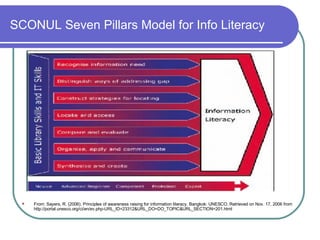
SCONUL Seven Pillars Model for Info Literacy From: Sayers, R. (2006). Principles of awareness raising for information literacy. Bangkok: UNESCO. Retrieved on Nov. 17, 2006 from http://portal.unesco.org/ci/en/ev.php-URL_ID=23312&URL_DO=DO_TOPIC&URL_SECTION=201.html
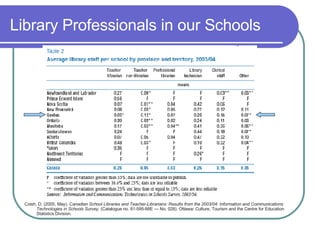
Library Professionals in our Schools Coish, D. (2005, May).  Canadian School Libraries and Teacher-Librarians: Results from the 2003/04: Information and Communications Technologies in Schools Survey . (Catalogue no. 81-595-MIE — No. 028). Ottawa :  Culture, Tourism and the Centre for Education Statistics Division.
ISIS-21 Information Literacy Skills for the Information Society in the 21st Century Partnership between the CSLP, EMSB and LEARN.  Research and development project  Web-based, software for cycle 3-> Designed to teach and support IL skills: Students, teachers, parents and librarians Will address a number of CCC within the QEP Linked to ePEARL Inukshuk funding --> Prototypes for cycle 3
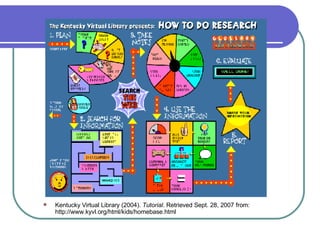
Kentucky Virtual Library (2004).  Tutorial.  Retrieved Sept. 28, 2007 from: http://www.kyvl.org/html/kids/homebase.html
Search Tools on the Web Three types of search tools: Directories Search Engines Meta-search Engines
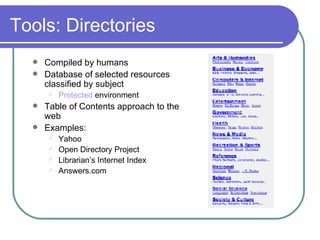
Tools: Directories Compiled by humans Database of selected resources classified by subject Protected  environment Table of Contents approach to the web Examples:  Yahoo Open Directory Project  Librarian’s Internet Index Answers.com
Tools: Directories  cont’d Searching the Yahoo Directory Browsing through the categories Red sun glasses signifies good site See -  http://dir.yahoo.com/ French directory -  http://cf.search.yahoo.com/dir?ei=UTF-8&p= Answers.com  -  http://www.answers.com/main/what_content.jsp Google directory -  http://www. google . ca/dirhp ?hl=en French - http://www.google.ca/dirhp?hl=fr Canada Seek  - http://www. canadaseek .com/
Tools: Directories for Kids  AskJeeves for Kids -  http://www.askforkids.com/ Awesome Library -  http://www.awesomelibrary.org/ Enchanted Learning  (includes English-French dictionary)  - http://www. enchantedlearning .com/Home.html FirstGov (US Info) -  http://www.kids. gov/ Librarians’ Internet Index:  http://lii.org/ KidsClick: http: //sunsite . berkeley . edu/KidsClick !/ Kids Space - http://www.ipl.org/div/kidspace/ World Almanac (Canada) - http://www.worldalmanacforkids.com/explore/nations/canada.html Yahoo for Kids  -  http://yahooligans.yahoo.com/
Tools: Directories for Kids  See also: ALA-RUSA Best Free Reference Web Sites http://www. google . com/coop/cse ? cx=012681041057676717069 %3Alxoys7hon_y For a list of directories see: http: //dmoz . org/Kids_and_Teens/Directories/
Tools: Search Engines  Fully-automated Keyword approach to the web Three components:  Spider, Index/Database, Search software Ranking of results Examples:  Google  Yahoo  Live search  Altavista etc.
Tools: Google See -  http://www.google.com/ Types of searches : Websites, Images, News, Blogs, Scholar, Books, Videos ( 4.8 million videos)  etc. Features : Spell checker, Dictionary, Calculator, Converter Advanced search : Boolean logic and limiting commands: Languages, file format, date French ver .  - http://www.google.ca/webhp?hl=fr&ned=ca&tab=nw&q= Translation tools :  http://www.google.ca/language_tools
Effective Search Strategies Search strategy Precision (e.g. Be specific!) Use multiple terms to describe concepts Use Advanced search screens Boolean logic Limiting options Use of Help screens Understand how the tool is processing your query
Custom Search Engines Mrs  Gray's Research Site for Kids A Chicago-based computer science teacher’s Custom Search Engine limited to sites for her middle school students  Expanding Your Horizons Helps nurture girls' interest in science, technology, engineering, and math (STEM) See:  http://google.com/coop/cse/examples/Educators
Tools: Meta-Search Engines Search multiple databases in one query Results displayed in one listing Save time because only one search is performed Examples:  Clusty -  http: //clusty .com/ Dogpile -  http://www.dogpile.com/ PureVideo -  http://www.purevideo.com/
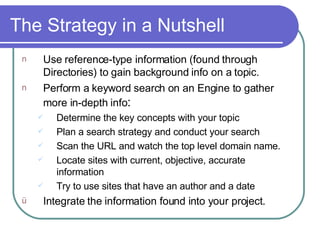
The Strategy in a Nutshell Use reference-type information (found through Directories) to gain background info on a topic. Perform a keyword search on an Engine to gather more in-depth info : Determine the key concepts with your topic Plan a search strategy and conduct your search Scan the URL and watch the top level domain name.  Locate sites with current, objective, accurate information Try to use sites that have an author and a date Integrate the information found into your project.
If Still in Doubt….. … ..Check out Noodle Tools See:  http://www. noodletools .com/debbie/literacies/information/5locate/adviceengine.html
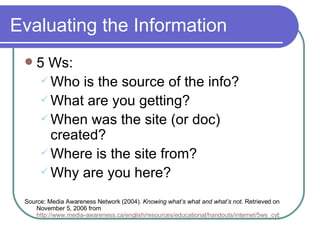
Evaluating the Information 5 Ws: Who is the source of the info? What are you getting? When was the site (or doc) created? Where is the site from?  Why are you here?  Source: Media Awareness Network (2004).  Knowing what’s what and what’s not . Retrieved on November 5, 2006 from  http://www.media-awareness.ca/english/resources/educational/handouts/internet/5ws_cyberspace.cfm
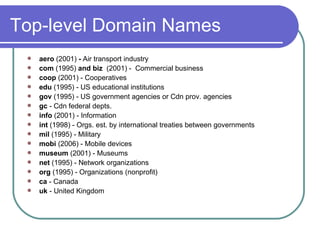
Top-level Domain Names aero  (2001)  -  Air transport industry com  (1995)  and biz   (2001) -  Commercial business coop  (2001) - Cooperatives edu  (1995) - US educational institutions gov  (1995) - US government agencies or Cdn prov. agencies gc  - Cdn federal depts. info  (2001) - Information int  (1998) - Orgs. est. by international treaties between governments mil  (1995) - Military  mobi  (2006) - Mobile devices museum  (2001) - Museums net  (1995) - Network organizations  org  (1995) - Organizations (nonprofit) ca  - Canada  uk  - United Kingdom
Compare….. … .these websites on the U.S. White House: http://www. whitehouse .org/ http://www.whitehouse.net/ http://www. whitehouse . gov/
Fact vs Fiction Some hoax sites for kids…. Burmese mountain dogs:  http://burmesemountaindog.info Dog Island:  http://www.thedogisland.com/ Federal Vampire & Zombie Agency: http://www. fvza .org/index.html For a complete list of hoax sites - see:  http: //dmoz .org/Reference/Education/Instructional_Technology/Evaluation/Web_Site_Evaluation/Hoax_Sites/
Using the Information Quoting: Exact copy or original, must use quotation marks. Must reference page/paragraph number The better method is to: Paraphrase: Reinstate in  your own words  the  original ideas; no quotes necessary Facts or ideas are properly integrated and flow with the writing style of the researcher In either case you must acknowledge the source.
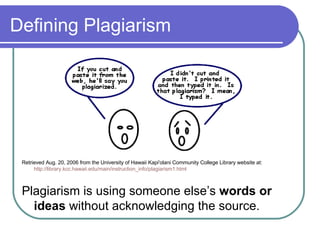
Defining Plagiarism Retrieved Aug. 20, 2006 from the University of Hawaii Kapi'olani Community College Library website at:  http://library.kcc.hawaii.edu/main/instruction_info/plagiarism1.html Plagiarism is using someone else’s  words or ideas  without acknowledging the source.
Preventing plagiarism When using information (this includes text, images, photographs, music, video clips and computer software) from the web one must acknowledge the source! See:  Copyright Matters!  Prepared by  Council of Ministers of Education. Available:  http://www.cmec.ca/copyright/matters/indexe.stm “ Students are required to cite materials used regardless of source, as a matter of appropriate use of works created by others. The education amendment [to Bill C-60] is nonetheless necessary to permit students to legally reproduce Internet materials in assignments, projects, and presentations and to forward these to their teachers, other students, and parents. Such educational activities are currently a violation of the  Copyright Act.”
Acknowledging the Source Use of a punctuation style Chicago Manual, Turabian, APA, MLA Author. Date. Title. Date accessed. URL. Sometimes the author is an organization Include date of site, date the site was revised AND the date you visited the site e.g.   National Aeronautics Space Administration (NASA). (2006, Mar. 22).   Mars: Extreme planet . Retrieved on October 16, 2006 from:   http://marsprogram.jpl.nasa.gov/facts/
Some Useful Sites: Students Answers.com:  http://www.answers. com/main/what_content . jsp Internet Tools:  http://www. itools .com/ Media Awareness Network:   http://www.media-awareness.ca/english/resources/special_initiatives/wa_resources/wa_shared/tipsheets/5Ws_of_cyberspace.cfm RefDesk.com:  http://refdesk.com/ How to do Research - The Kentucky Virtual Library:  http://www.kyvl.org/html/kids/homebase.html Soople:  http: //soople .com/   Wikipedia:  http://en. wikipedia . org/wiki/Main_Page
Some Useful Sites: Teachers Ann Fagan’s Library - Education:  http://pages. videotron . com/anke/education . htm Answers.com: Lesson Plans and Movie:  http://www.teachers.answers.com/ Best Reference Sites:  http://www.ala.org/ala/rusa/rusaourassoc/rusasections/mars/marspubs/MARSBestRef2004.htm Citation and Style Guides:  http://library. concordia . ca/help/howto/citations .html - other CMEC - Copyright -  http://www.cmec.ca/copyright/indexe.stm Cyberschoolbus:  http://www.un.org/Pubs/CyberSchoolBus/ Education Library:  http://www. csu . edu .au/education/library.html LEARN -  http://www. learnquebec . ca/en/content/pedagogy/cil/teach/teachinlit .html Media Awareness Network - Lesson Plans:  http://www.media-awareness. ca/english/teachers/index . cfm National Geographic: Educators -  http://www. nationalgeographic .com/education/ SchoolNet Learning Resources -  http://www. schoolnet . ca/home/e/
Google Tools for Educators Google Earth:   http://earth. google .com/   Google Moon :  http://www. google .com/moon/ Google Sketchup 3D Software :  http: //sketchup . google .com/ Google Literacy Project  -  http://www. google .com/literacy/ Google Librarian Central  -  http: //librariancentral . blogspot .com/ Google for Educators  -  http://www. google .com/educators/index.html Google Teaching Tools  -  http://www.google.com/librariancenter/librarian_tools.html Google for Educators Discussion Group  -  http://groups.google.com/group/google-for-educators Google Co-Op  -  (Create your own search engine) -  http://www.google.com/coop/ Librarian’s e-library :  http://www.google.com/coop/cse?cx=015271347771663724636%3Acmwvisovdsg
Information Literacy in your classroom Maureen Baron Portal Consultant English Montreal School Board [email_address] .qc.ca
Digital Generation Evolution 50 year olds learned that TV was part of their life 40 year olds learned that colour TV was part of their life 30 year olds learned that a VCR was part of their life 20 year olds learned that the computer was part of their life Teens learned that a cell phone was part of their life Preteens learned that an IPod was part of their life What will preschoolers learn is part of their life?
What to teach them…. How, when and why to use something that has not been invented yet Skills Competencies Understandings Respect Responsibility Ethics Transferable attitudes, knowledge and skills Information Literacy
When on-line, face to face or in print: need to know how to evaluate information that is  used  exchanged  created  shared
The school should have answers to: What and when are the students being taught Information Literacy? What and when are the students being taught about responsible Internet use?
Information Literacy and the QEP Cross Curricular Competencies Uses information  Broad Areas of Learning Personal identity and world view Health and well-being Personal and occupational planning Social relationships Environmental awareness Citizenship and community life Media literacy Consumer rights and responsibilities Becomes an informed, responsible citizen 
What are the kids doing on line? Communicating : with friends, family or strangers Playing : by themselves, with friends, family or with strangers Learning : by themselves, with friends, family or with strangers Competing : with themselves, with friends, family or with strangers Gambling , Banking, Downloading, Cyber bullying, Blogging,  Creating , Observing,  Buying , Selling, Entertaining, Hanging out, Shopping,  Swapping Good digital citizen, Victim, Perpetrator, Participant, Voyeur, Lurker, Mastermind, Thief, Activist, Volunteer ,  Student, Teacher, Entrepreneur, Producer, Writer, Shopper, Consumer, Decision maker, Voter
They do it outside the classroom but bring it into the classroom Text message Buddy list MySpace, Facebook Habbo  Hotel POS, LOL, BTW Games (Runescape) Blog Webcams Del.icio.us Cyber bully Store wish lists Chat rooms Homework Paper mills Email Download
HPV Vaccination Human Papillomavirus (HPV) Prevention and HPV Vaccine  www. google .ca  search http://scholar.google.ca/  search Can you decode the URLs for the search results ? Does your daughter (sister, girlfriend, niece, cousin) get vaccinated?
DNS Tools http://member. dnsstuff .com/pages/tools. php   How the tools work  http://member. dnsstuff .com/help/   WHOIS IP Information – city, country Abuse Lookup
Classroom Lesson Ideas Big 6 Evaluating web sites How to do www. dhmo .org   Google – search for –  www. google .com   Link:www.emsb.qc.ca  Alan November
On-line Resources for You Media Awareness Network www.media-awareness.ca   Information on Games www. the games forum .com/home.html   Jargon and Abbreviations Net Lingo  http://www. netlingo .com/ Tech Dictionary  http://www. techdictionary .com/chat.html   Cyberbullying  http: //linetpro . bjeckesher . org/nodeweb .asp? t=24173 http://www. cyberbullying .ca/   Stop web bullying now  http://www. stopbullyingnow . hrsa . gov/index .asp? Area=webisodes & webisode=1
URLs in the Presentation Free Poker Room  http://www.thefreepokerroom.com/ You Tube  http://www.youtube.com/ Craig’s List  http://montreal.craigslist.ca/   Freecycle  http://www.freecycle.org/groups/canada/ Runescape  http://www.runescape.com/aff/miniclip/   Alan November  http://novemberlearning.com/index.php?option=com_content&task=category&sectionid=5&id=27&Itemid=93
Information Literacy meets  WEB 2.0 Sharon Peters Pedagogical Consultant (ELA) LEARN [email_address]
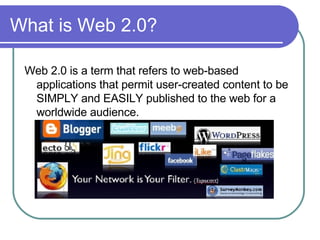
What is Web 2.0? Web 2.0 is a term that refers to web-based applications that permit user-created content to be SIMPLY and EASILY published to the web for a worldwide audience.
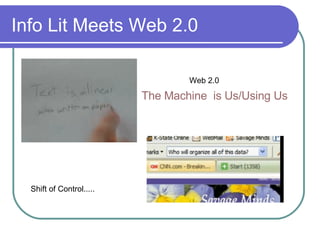
Info Lit Meets Web 2.0 The Machine  is Us/Using Us Shift of Control..... Web 2.0
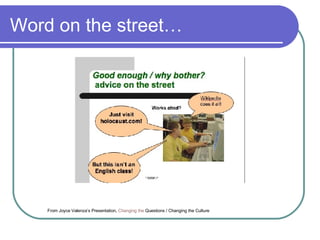
Word on the street… From Joyce Valenza’s Presentation,  Changing the   Questions / Changing the Culture
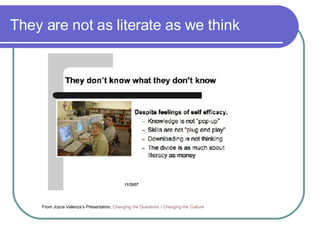
They are not as literate as we think From Joyce Valenza’s Presentation,  Changing the   Questions / Changing the Culture
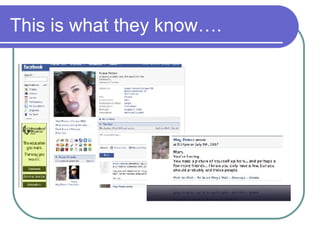
This is what they know….
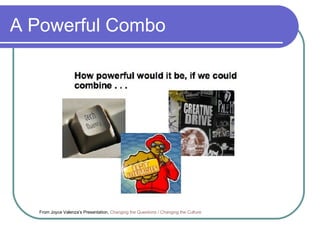
A Powerful Combo From Joyce Valenza’s Presentation,  Changing the   Questions / Changing the Culture
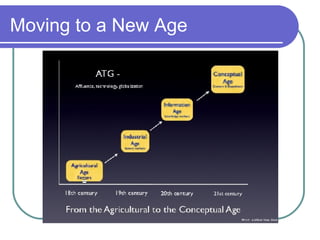
Moving to a New Age
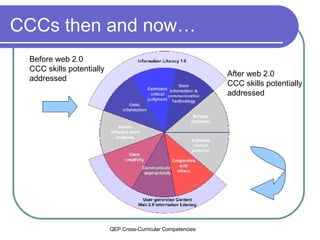
CCCs then and now… Before web 2.0 CCC skills potentially addressed After web 2.0  CCC skills potentially addressed  + QEP Cross-Curricular Competencies
Literacy  is now about creating “ Literacy now includes the capacity to produce an information product that can successfully compete for attention”. David Warlick K12 Online Conference Author of  Redefining Literacy for the 21st Century
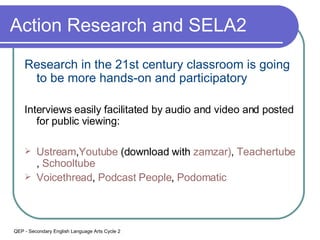
Action Research and SELA2 Research in the 21st century classroom is going to be more hands-on and participatory Interviews easily facilitated by audio and video and posted for public viewing: Ustream , Youtube  (download with   zamzar ) ,  Teachertube ,  Schooltube Voicethread ,  Podcast  People ,  Podomatic QEP - Secondary English Language Arts Cycle 2
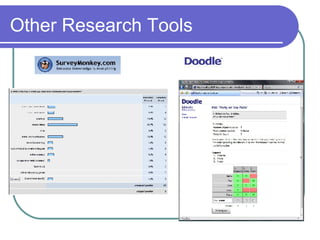
Other Research Tools
Creative Commons Wanna  Work Together?
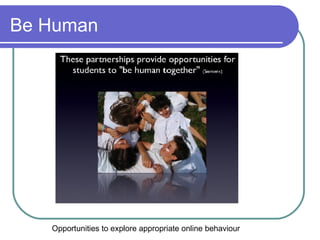
Be Human Opportunities to explore appropriate online behaviour
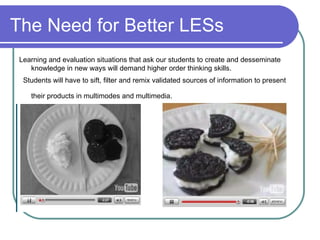
The Need for Better LESs Learning and evaluation situations that ask our students to create and desseminate knowledge in new ways will demand higher order thinking skills. Students will have to sift, filter and remix validated sources of information to present their products in multimodes and multimedia.
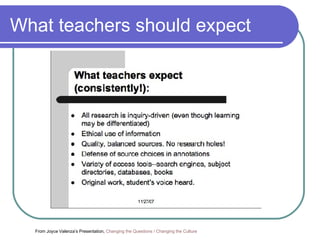
What teachers should expect From Joyce Valenza’s Presentation,  Changing the   Questions / Changing the Culture
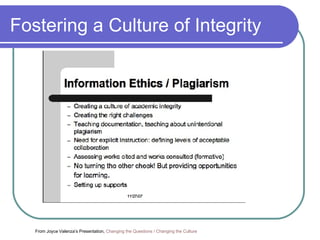
Fostering a Culture of Integrity From Joyce Valenza’s Presentation,  Changing the   Questions / Changing the Culture
Pathfinders Joyce Valenza’s Resources: Changing the   Questions / Changing the Culture Web 2.0 Meets Information Fluency Copyright-Friendly and  Copyleft  Images and Sound (Mostly!) for Use in Media Projects and Web Pages,  Blogs ,  Wikis , etc.
New tools for Now Simple  Wikipedia  - good for ELL, young learners Definr  - superfast definitions Merriam-Webster Visual Dictionary Google  docs   /  Presentation  /  Buzzword  -facilitates collaboration Free  wikispaces  for educators  - facilitates collaboration, incredibly flexible tools that permit a number of other file types to easily embed
Wiki to Presentation You can find this presentation at  http://qpat07. wikispaces .com/

Qpat 2007

  • 1.
    Information Literacy SurvivalSkills and You QPAT 2007
  • 2.
    QPAT 2007 PresentationPart 1 – Anne Wade: Centre for the Study of Learning and Performance What is Information Literacy Part 2 – Maureen Baron English Montreal School Board Information Literacy in your classroom Part 3 – Sharon Peters LEARN Quebec Information Literacy and Web 2.0
  • 3.
    Information Literacy AnneWade Manager and Information Specialist Centre for the Study of Learning and Performance, Concordia University [email_address]
  • 4.
    The Problem Informationin the early 21st century is characterized by: overabundance, unequal distribution, a strong tendency to triviality, and increasing concerns about credibility. From: Sayers, R. (2006). Principles of awareness raising for information literacy. Bangkok: UNESCO. Retrieved on Nov. 17, 2006 from http://portal.unesco.org/ci/en/ev.php-URL_ID=23312&URL_DO=DO_TOPIC&URL_SECTION=201.html
  • 5.
    Information Literacy DefinedThe set of abilities requiring individuals to "recognize when information is needed and have the ability to locate, evaluate, and use effectively the needed information.” (American Library Association) From: Philip Randolph Memorial Library. (2002, Sept. 30). Glossary. Retrieved on November 2, 2004 from http://lib1.bmcc.cuny.edu/lib/help/glossary.html
  • 6.
    SCONUL Seven PillarsModel for Info Literacy From: Sayers, R. (2006). Principles of awareness raising for information literacy. Bangkok: UNESCO. Retrieved on Nov. 17, 2006 from http://portal.unesco.org/ci/en/ev.php-URL_ID=23312&URL_DO=DO_TOPIC&URL_SECTION=201.html
  • 7.
    Library Professionals inour Schools Coish, D. (2005, May). Canadian School Libraries and Teacher-Librarians: Results from the 2003/04: Information and Communications Technologies in Schools Survey . (Catalogue no. 81-595-MIE — No. 028). Ottawa : Culture, Tourism and the Centre for Education Statistics Division.
  • 8.
    ISIS-21 Information LiteracySkills for the Information Society in the 21st Century Partnership between the CSLP, EMSB and LEARN. Research and development project Web-based, software for cycle 3-> Designed to teach and support IL skills: Students, teachers, parents and librarians Will address a number of CCC within the QEP Linked to ePEARL Inukshuk funding --> Prototypes for cycle 3
  • 9.
    Kentucky Virtual Library(2004). Tutorial. Retrieved Sept. 28, 2007 from: http://www.kyvl.org/html/kids/homebase.html
  • 10.
    Search Tools onthe Web Three types of search tools: Directories Search Engines Meta-search Engines
  • 11.
    Tools: Directories Compiledby humans Database of selected resources classified by subject Protected environment Table of Contents approach to the web Examples: Yahoo Open Directory Project Librarian’s Internet Index Answers.com
  • 12.
    Tools: Directories cont’d Searching the Yahoo Directory Browsing through the categories Red sun glasses signifies good site See - http://dir.yahoo.com/ French directory - http://cf.search.yahoo.com/dir?ei=UTF-8&p= Answers.com - http://www.answers.com/main/what_content.jsp Google directory - http://www. google . ca/dirhp ?hl=en French - http://www.google.ca/dirhp?hl=fr Canada Seek - http://www. canadaseek .com/
  • 13.
    Tools: Directories forKids AskJeeves for Kids - http://www.askforkids.com/ Awesome Library - http://www.awesomelibrary.org/ Enchanted Learning (includes English-French dictionary) - http://www. enchantedlearning .com/Home.html FirstGov (US Info) - http://www.kids. gov/ Librarians’ Internet Index: http://lii.org/ KidsClick: http: //sunsite . berkeley . edu/KidsClick !/ Kids Space - http://www.ipl.org/div/kidspace/ World Almanac (Canada) - http://www.worldalmanacforkids.com/explore/nations/canada.html Yahoo for Kids - http://yahooligans.yahoo.com/
  • 14.
    Tools: Directories forKids See also: ALA-RUSA Best Free Reference Web Sites http://www. google . com/coop/cse ? cx=012681041057676717069 %3Alxoys7hon_y For a list of directories see: http: //dmoz . org/Kids_and_Teens/Directories/
  • 15.
    Tools: Search Engines Fully-automated Keyword approach to the web Three components: Spider, Index/Database, Search software Ranking of results Examples: Google Yahoo Live search Altavista etc.
  • 16.
    Tools: Google See- http://www.google.com/ Types of searches : Websites, Images, News, Blogs, Scholar, Books, Videos ( 4.8 million videos) etc. Features : Spell checker, Dictionary, Calculator, Converter Advanced search : Boolean logic and limiting commands: Languages, file format, date French ver . - http://www.google.ca/webhp?hl=fr&ned=ca&tab=nw&q= Translation tools : http://www.google.ca/language_tools
  • 17.
    Effective Search StrategiesSearch strategy Precision (e.g. Be specific!) Use multiple terms to describe concepts Use Advanced search screens Boolean logic Limiting options Use of Help screens Understand how the tool is processing your query
  • 18.
    Custom Search EnginesMrs Gray's Research Site for Kids A Chicago-based computer science teacher’s Custom Search Engine limited to sites for her middle school students Expanding Your Horizons Helps nurture girls' interest in science, technology, engineering, and math (STEM) See: http://google.com/coop/cse/examples/Educators
  • 19.
    Tools: Meta-Search EnginesSearch multiple databases in one query Results displayed in one listing Save time because only one search is performed Examples: Clusty - http: //clusty .com/ Dogpile - http://www.dogpile.com/ PureVideo - http://www.purevideo.com/
  • 20.
    The Strategy ina Nutshell Use reference-type information (found through Directories) to gain background info on a topic. Perform a keyword search on an Engine to gather more in-depth info : Determine the key concepts with your topic Plan a search strategy and conduct your search Scan the URL and watch the top level domain name. Locate sites with current, objective, accurate information Try to use sites that have an author and a date Integrate the information found into your project.
  • 21.
    If Still inDoubt….. … ..Check out Noodle Tools See: http://www. noodletools .com/debbie/literacies/information/5locate/adviceengine.html
  • 22.
    Evaluating the Information5 Ws: Who is the source of the info? What are you getting? When was the site (or doc) created? Where is the site from? Why are you here? Source: Media Awareness Network (2004). Knowing what’s what and what’s not . Retrieved on November 5, 2006 from http://www.media-awareness.ca/english/resources/educational/handouts/internet/5ws_cyberspace.cfm
  • 23.
    Top-level Domain Namesaero (2001) - Air transport industry com (1995) and biz (2001) - Commercial business coop (2001) - Cooperatives edu (1995) - US educational institutions gov (1995) - US government agencies or Cdn prov. agencies gc - Cdn federal depts. info (2001) - Information int (1998) - Orgs. est. by international treaties between governments mil (1995) - Military mobi (2006) - Mobile devices museum (2001) - Museums net (1995) - Network organizations org (1995) - Organizations (nonprofit) ca - Canada uk - United Kingdom
  • 24.
    Compare….. … .thesewebsites on the U.S. White House: http://www. whitehouse .org/ http://www.whitehouse.net/ http://www. whitehouse . gov/
  • 25.
    Fact vs FictionSome hoax sites for kids…. Burmese mountain dogs: http://burmesemountaindog.info Dog Island: http://www.thedogisland.com/ Federal Vampire & Zombie Agency: http://www. fvza .org/index.html For a complete list of hoax sites - see: http: //dmoz .org/Reference/Education/Instructional_Technology/Evaluation/Web_Site_Evaluation/Hoax_Sites/
  • 26.
    Using the InformationQuoting: Exact copy or original, must use quotation marks. Must reference page/paragraph number The better method is to: Paraphrase: Reinstate in your own words the original ideas; no quotes necessary Facts or ideas are properly integrated and flow with the writing style of the researcher In either case you must acknowledge the source.
  • 27.
    Defining Plagiarism RetrievedAug. 20, 2006 from the University of Hawaii Kapi'olani Community College Library website at: http://library.kcc.hawaii.edu/main/instruction_info/plagiarism1.html Plagiarism is using someone else’s words or ideas without acknowledging the source.
  • 28.
    Preventing plagiarism Whenusing information (this includes text, images, photographs, music, video clips and computer software) from the web one must acknowledge the source! See: Copyright Matters! Prepared by Council of Ministers of Education. Available: http://www.cmec.ca/copyright/matters/indexe.stm “ Students are required to cite materials used regardless of source, as a matter of appropriate use of works created by others. The education amendment [to Bill C-60] is nonetheless necessary to permit students to legally reproduce Internet materials in assignments, projects, and presentations and to forward these to their teachers, other students, and parents. Such educational activities are currently a violation of the Copyright Act.”
  • 29.
    Acknowledging the SourceUse of a punctuation style Chicago Manual, Turabian, APA, MLA Author. Date. Title. Date accessed. URL. Sometimes the author is an organization Include date of site, date the site was revised AND the date you visited the site e.g. National Aeronautics Space Administration (NASA). (2006, Mar. 22). Mars: Extreme planet . Retrieved on October 16, 2006 from: http://marsprogram.jpl.nasa.gov/facts/
  • 30.
    Some Useful Sites:Students Answers.com: http://www.answers. com/main/what_content . jsp Internet Tools: http://www. itools .com/ Media Awareness Network: http://www.media-awareness.ca/english/resources/special_initiatives/wa_resources/wa_shared/tipsheets/5Ws_of_cyberspace.cfm RefDesk.com: http://refdesk.com/ How to do Research - The Kentucky Virtual Library: http://www.kyvl.org/html/kids/homebase.html Soople: http: //soople .com/ Wikipedia: http://en. wikipedia . org/wiki/Main_Page
  • 31.
    Some Useful Sites:Teachers Ann Fagan’s Library - Education: http://pages. videotron . com/anke/education . htm Answers.com: Lesson Plans and Movie: http://www.teachers.answers.com/ Best Reference Sites: http://www.ala.org/ala/rusa/rusaourassoc/rusasections/mars/marspubs/MARSBestRef2004.htm Citation and Style Guides: http://library. concordia . ca/help/howto/citations .html - other CMEC - Copyright - http://www.cmec.ca/copyright/indexe.stm Cyberschoolbus: http://www.un.org/Pubs/CyberSchoolBus/ Education Library: http://www. csu . edu .au/education/library.html LEARN - http://www. learnquebec . ca/en/content/pedagogy/cil/teach/teachinlit .html Media Awareness Network - Lesson Plans: http://www.media-awareness. ca/english/teachers/index . cfm National Geographic: Educators - http://www. nationalgeographic .com/education/ SchoolNet Learning Resources - http://www. schoolnet . ca/home/e/
  • 32.
    Google Tools forEducators Google Earth: http://earth. google .com/ Google Moon : http://www. google .com/moon/ Google Sketchup 3D Software : http: //sketchup . google .com/ Google Literacy Project - http://www. google .com/literacy/ Google Librarian Central - http: //librariancentral . blogspot .com/ Google for Educators - http://www. google .com/educators/index.html Google Teaching Tools - http://www.google.com/librariancenter/librarian_tools.html Google for Educators Discussion Group - http://groups.google.com/group/google-for-educators Google Co-Op - (Create your own search engine) - http://www.google.com/coop/ Librarian’s e-library : http://www.google.com/coop/cse?cx=015271347771663724636%3Acmwvisovdsg
  • 33.
    Information Literacy inyour classroom Maureen Baron Portal Consultant English Montreal School Board [email_address] .qc.ca
  • 34.
    Digital Generation Evolution50 year olds learned that TV was part of their life 40 year olds learned that colour TV was part of their life 30 year olds learned that a VCR was part of their life 20 year olds learned that the computer was part of their life Teens learned that a cell phone was part of their life Preteens learned that an IPod was part of their life What will preschoolers learn is part of their life?
  • 35.
    What to teachthem…. How, when and why to use something that has not been invented yet Skills Competencies Understandings Respect Responsibility Ethics Transferable attitudes, knowledge and skills Information Literacy
  • 36.
    When on-line, faceto face or in print: need to know how to evaluate information that is used exchanged created shared
  • 37.
    The school shouldhave answers to: What and when are the students being taught Information Literacy? What and when are the students being taught about responsible Internet use?
  • 38.
    Information Literacy andthe QEP Cross Curricular Competencies Uses information Broad Areas of Learning Personal identity and world view Health and well-being Personal and occupational planning Social relationships Environmental awareness Citizenship and community life Media literacy Consumer rights and responsibilities Becomes an informed, responsible citizen 
  • 39.
    What are thekids doing on line? Communicating : with friends, family or strangers Playing : by themselves, with friends, family or with strangers Learning : by themselves, with friends, family or with strangers Competing : with themselves, with friends, family or with strangers Gambling , Banking, Downloading, Cyber bullying, Blogging, Creating , Observing, Buying , Selling, Entertaining, Hanging out, Shopping, Swapping Good digital citizen, Victim, Perpetrator, Participant, Voyeur, Lurker, Mastermind, Thief, Activist, Volunteer , Student, Teacher, Entrepreneur, Producer, Writer, Shopper, Consumer, Decision maker, Voter
  • 40.
    They do itoutside the classroom but bring it into the classroom Text message Buddy list MySpace, Facebook Habbo Hotel POS, LOL, BTW Games (Runescape) Blog Webcams Del.icio.us Cyber bully Store wish lists Chat rooms Homework Paper mills Email Download
  • 41.
    HPV Vaccination HumanPapillomavirus (HPV) Prevention and HPV Vaccine www. google .ca search http://scholar.google.ca/ search Can you decode the URLs for the search results ? Does your daughter (sister, girlfriend, niece, cousin) get vaccinated?
  • 42.
    DNS Tools http://member.dnsstuff .com/pages/tools. php How the tools work http://member. dnsstuff .com/help/ WHOIS IP Information – city, country Abuse Lookup
  • 43.
    Classroom Lesson IdeasBig 6 Evaluating web sites How to do www. dhmo .org Google – search for – www. google .com Link:www.emsb.qc.ca Alan November
  • 44.
    On-line Resources forYou Media Awareness Network www.media-awareness.ca Information on Games www. the games forum .com/home.html Jargon and Abbreviations Net Lingo http://www. netlingo .com/ Tech Dictionary http://www. techdictionary .com/chat.html Cyberbullying http: //linetpro . bjeckesher . org/nodeweb .asp? t=24173 http://www. cyberbullying .ca/ Stop web bullying now http://www. stopbullyingnow . hrsa . gov/index .asp? Area=webisodes & webisode=1
  • 45.
    URLs in thePresentation Free Poker Room http://www.thefreepokerroom.com/ You Tube http://www.youtube.com/ Craig’s List http://montreal.craigslist.ca/ Freecycle http://www.freecycle.org/groups/canada/ Runescape http://www.runescape.com/aff/miniclip/ Alan November http://novemberlearning.com/index.php?option=com_content&task=category&sectionid=5&id=27&Itemid=93
  • 46.
    Information Literacy meets WEB 2.0 Sharon Peters Pedagogical Consultant (ELA) LEARN [email_address]
  • 47.
    What is Web2.0? Web 2.0 is a term that refers to web-based applications that permit user-created content to be SIMPLY and EASILY published to the web for a worldwide audience.
  • 48.
    Info Lit MeetsWeb 2.0 The Machine is Us/Using Us Shift of Control..... Web 2.0
  • 49.
    Word on thestreet… From Joyce Valenza’s Presentation, Changing the Questions / Changing the Culture
  • 50.
    They are notas literate as we think From Joyce Valenza’s Presentation, Changing the Questions / Changing the Culture
  • 51.
    This is whatthey know….
  • 52.
    A Powerful ComboFrom Joyce Valenza’s Presentation, Changing the Questions / Changing the Culture
  • 53.
    Moving to aNew Age
  • 54.
    CCCs then andnow… Before web 2.0 CCC skills potentially addressed After web 2.0 CCC skills potentially addressed + QEP Cross-Curricular Competencies
  • 55.
    Literacy isnow about creating “ Literacy now includes the capacity to produce an information product that can successfully compete for attention”. David Warlick K12 Online Conference Author of Redefining Literacy for the 21st Century
  • 56.
    Action Research andSELA2 Research in the 21st century classroom is going to be more hands-on and participatory Interviews easily facilitated by audio and video and posted for public viewing: Ustream , Youtube (download with zamzar ) , Teachertube , Schooltube Voicethread , Podcast People , Podomatic QEP - Secondary English Language Arts Cycle 2
  • 57.
  • 58.
    Creative Commons Wanna Work Together?
  • 59.
    Be Human Opportunitiesto explore appropriate online behaviour
  • 60.
    The Need forBetter LESs Learning and evaluation situations that ask our students to create and desseminate knowledge in new ways will demand higher order thinking skills. Students will have to sift, filter and remix validated sources of information to present their products in multimodes and multimedia.
  • 61.
    What teachers shouldexpect From Joyce Valenza’s Presentation, Changing the Questions / Changing the Culture
  • 62.
    Fostering a Cultureof Integrity From Joyce Valenza’s Presentation, Changing the Questions / Changing the Culture
  • 63.
    Pathfinders Joyce Valenza’sResources: Changing the Questions / Changing the Culture Web 2.0 Meets Information Fluency Copyright-Friendly and Copyleft Images and Sound (Mostly!) for Use in Media Projects and Web Pages, Blogs , Wikis , etc.
  • 64.
    New tools forNow Simple Wikipedia - good for ELL, young learners Definr - superfast definitions Merriam-Webster Visual Dictionary Google docs / Presentation / Buzzword -facilitates collaboration Free wikispaces for educators - facilitates collaboration, incredibly flexible tools that permit a number of other file types to easily embed
  • 65.
    Wiki to PresentationYou can find this presentation at http://qpat07. wikispaces .com/