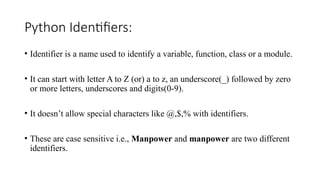
Python Identifiers:
• Identifieris a name used to identify a variable, function, class or a module.
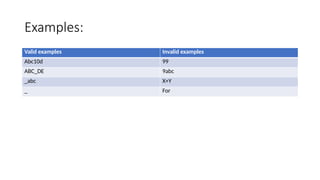
• It can start with letter A to Z (or) a to z, an underscore(_) followed by zero
or more letters, underscores and digits(0-9).
• It doesn’t allow special characters like @,$,% with identifiers.
• These are case sensitive i.e., Manpower and manpower are two different
identifiers.
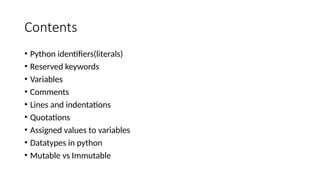
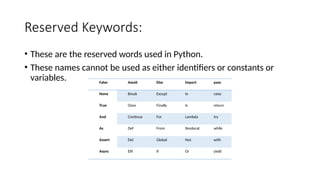
Reserved Keywords:
• Theseare the reserved words used in Python.
• These names cannot be used as either identifiers or constants or
variables. False Await Else Import pass
None Break Except In raise
True Class Finally Is return
And Continue For Lambda try
As Def From Nonlocal while
Assert Del Global Not with
Async Elif If Or yield
7.
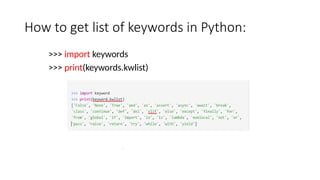
How to getlist of keywords in Python:
>>> import keywords
>>> print(keywords.kwlist)
8.
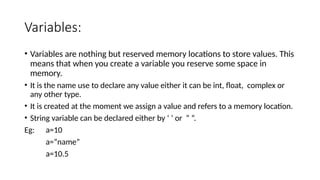
Variables:
• Variables arenothing but reserved memory locations to store values. This
means that when you create a variable you reserve some space in
memory.
• It is the name use to declare any value either it can be int, float, complex or
any other type.
• It is created at the moment we assign a value and refers to a memory location.
• String variable can be declared either by ‘ ’ or “ ”.
Eg: a=10
a=“name”
a=10.5
9.
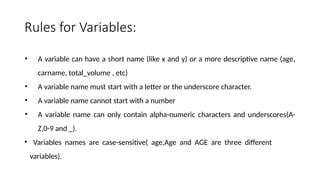
Rules for Variables:
•A variable can have a short name (like x and y) or a more descriptive name (age,
carname, total_volume , etc)
• A variable name must start with a letter or the underscore character.
• A variable name cannot start with a number
• A variable name can only contain alpha-numeric characters and underscores(A-
Z,0-9 and _).
• Variables names are case-sensitive( age,Age and AGE are three different
variables).
10.
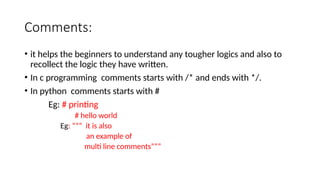
Comments:
• it helpsthe beginners to understand any tougher logics and also to
recollect the logic they have written.
• In c programming comments starts with /* and ends with */.
• In python comments starts with #
Eg: # printing
# hello world
Eg: ””” it is also
an example of
multi line comments”””
11.
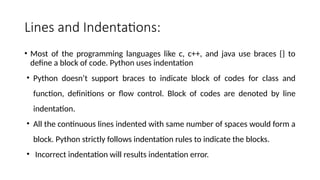
Lines and Indentations:
•Most of the programming languages like c, c++, and java use braces {} to
define a block of code. Python uses indentation
• Python doesn’t support braces to indicate block of codes for class and
function, definitions or flow control. Block of codes are denoted by line
indentation.
• All the continuous lines indented with same number of spaces would form a
block. Python strictly follows indentation rules to indicate the blocks.
• Incorrect indentation will results indentation error.
12.
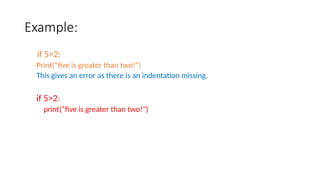
Example:
if 5>2:
Print(“five isgreater than two!”)
This gives an error as there is an indentation missing.
if 5>2:
print(“five is greater than two!”)
13.
Quotations:
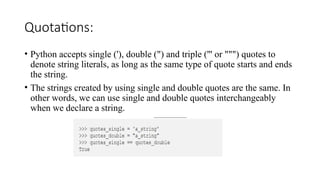
• Python acceptssingle ('), double (") and triple (''' or """) quotes to
denote string literals, as long as the same type of quote starts and ends
the string.
• The strings created by using single and double quotes are the same. In
other words, we can use single and double quotes interchangeably
when we declare a string.
14.
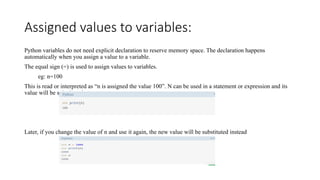
Assigned values tovariables:
Python variables do not need explicit declaration to reserve memory space. The declaration happens
automatically when you assign a value to a variable.
The equal sign (=) is used to assign values to variables.
eg: n=100
This is read or interpreted as “n is assigned the value 100”. N can be used in a statement or expression and its
value will be substituted.
Later, if you change the value of n and use it again, the new value will be substituted instead
15.
Data types inPython:
• Variables can hold values, and every value has a data-type.
• Python is a dynamically typed language
• Python provides us the type() function, which returns the type of the
variable passed.
• Type represents the kind of value and determines how the value can
be used.
16.
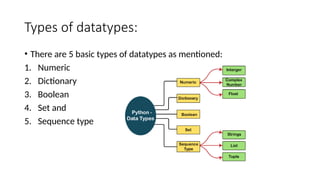
Types of datatypes:
•There are 5 basic types of datatypes as mentioned:
1. Numeric
2. Dictionary
3. Boolean
4. Set and
5. Sequence type
17.
MUTABLE vs IMMUTABLE:
•Mutable: These are of type list , dict , set . Custom classes are generally mutable.
list=[‘orange’, ‘pink’, ‘yellow’]
list[0]= ‘red’
list[-2]= ‘blue’
• Immutable: These are of in-built
types like int, float, bool, string,
unicode, tuple. In simple words
an immutable object can’t be changed
after it is created.
Eg: tuple1=(0,1,2,3)
tuple1[0]=4
Print(tuple1)
18.
Fundamental Datatypes:
• Thesedatatypes are created by numerical values.
1. Integer
2. Floating number
3. Complex numbers
4. Boolean and
5. Strings
19.
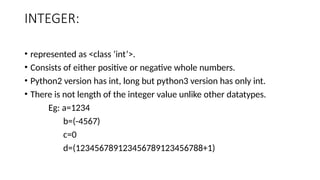
INTEGER:
• represented as<class ‘int’>.
• Consists of either positive or negative whole numbers.
• Python2 version has int, long but python3 version has only int.
• There is not length of the integer value unlike other datatypes.
Eg: a=1234
b=(-4567)
c=0
d=(123456789123456789123456788+1)
20.
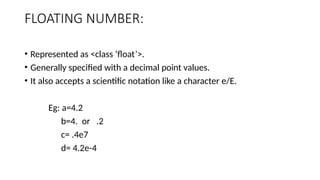
FLOATING NUMBER:
• Representedas <class ‘float’>.
• Generally specified with a decimal point values.
• It also accepts a scientific notation like a character e/E.
Eg: a=4.2
b=4. or .2
c= .4e7
d= 4.2e-4
21.
COMPLEX NUMBERS:
• Representedas <class ‘complex’>.
• these are ordered pair i.e., a+bJ or a+bj.
• Where j is the imaginary number i.e., square root of -1.
• Here the values are considered as a floating numbers.
Eg: a=2-14j
b= 2.0+3j
22.
BOOLEAN:
• Represented as<class ‘bool’>.
• It is the datatype with two built-in values, “True” or “False”.
• Non-Boolean objects can also be evaluated in Boolean context.
Eg: a=6;b=7
a>b
print(type(True))
print(type(False))
print(type(false))
23.
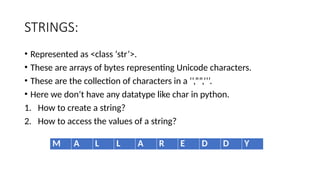
STRINGS:
• Represented as<class ‘str’>.
• These are arrays of bytes representing Unicode characters.
• These are the collection of characters in a ‘’,””,’’’.
• Here we don’t have any datatype like char in python.
1. How to create a string?
2. How to access the values of a string?
M A L L A R E D D Y
24.
Example:
1. How tocreate a string
string1=(“malla reddy”)
print(“string with the use of double quotes:”)
print(string1)
2. How to access elements :
string1=(“malla reddy”)
print(string1[4])
print(string1[-7])
25.
Number data types:
•We have 4 types in number datatypes:
1. Binary
2. Decimal
3. Octal and
4. Hexadecimal.
26.
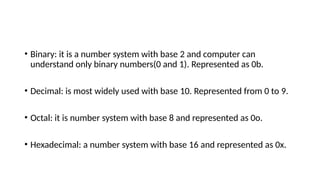
• Binary: itis a number system with base 2 and computer can
understand only binary numbers(0 and 1). Represented as 0b.
• Decimal: is most widely used with base 10. Represented from 0 to 9.
• Octal: it is number system with base 8 and represented as 0o.
• Hexadecimal: a number system with base 16 and represented as 0x.
27.
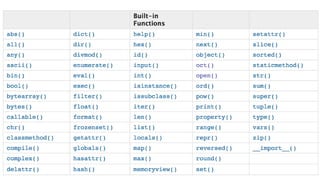
Inbuilt Functions:
• ThePython built-in functions are defined as the functions whose
functionality is pre-defined in Python.
• The python interpreter has several functions that are always present
for use.
29.
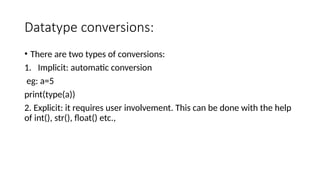
Datatype conversions:
• Thereare two types of conversions:
1. Implicit: automatic conversion
eg: a=5
print(type(a))
2. Explicit: it requires user involvement. This can be done with the help
of int(), str(), float() etc.,
30.
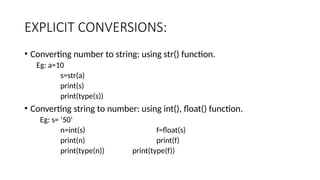
EXPLICIT CONVERSIONS:
• Convertingnumber to string: using str() function.
Eg: a=10
s=str(a)
print(s)
print(type(s))
• Converting string to number: using int(), float() function.
Eg: s= ‘50’
n=int(s) f=float(s)
print(n) print(f)
print(type(n)) print(type(f))
31.
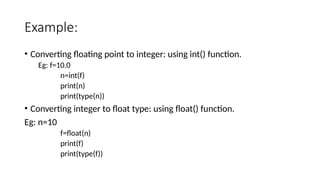
Example:
• Converting floatingpoint to integer: using int() function.
Eg: f=10.0
n=int(f)
print(n)
print(type(n))
• Converting integer to float type: using float() function.
Eg: n=10
f=float(n)
print(f)
print(type(f))
32.
• Converting listto a tuple and tuple to a list: using list(), tuple() function.
Eg: t=(1,3,2,4)
l=[5,6,7,8]
T=tuple(l) L=list(t)
print(T) print(L)
print(type(T)) print(type(L))
33.
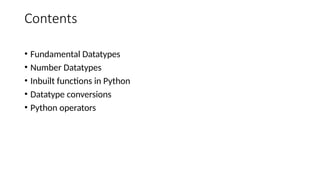
Python Operators:
• Theoperator can be defined as a symbol which is responsible for a particular operation
between two operands
• Python provides a variety of operators.
1. Arithmetic Operators
2. Comparison Operators
3. Assignment Operators
4. Logical Operators
5. Bitwise Operators
6. Membership Operators and
7. Identity Operators.
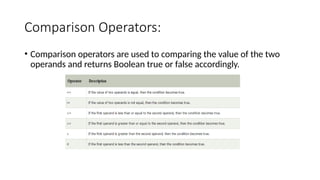
Comparison Operators:
• Comparisonoperators are used to comparing the value of the two
operands and returns Boolean true or false accordingly.
36.
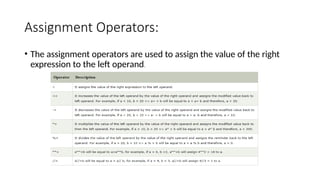
Assignment Operators:
• Theassignment operators are used to assign the value of the right
expression to the left operand.
37.
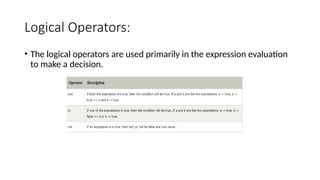
Logical Operators:
• Thelogical operators are used primarily in the expression evaluation
to make a decision.
38.
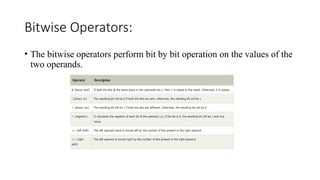
Bitwise Operators:
• Thebitwise operators perform bit by bit operation on the values of the
two operands.
39.
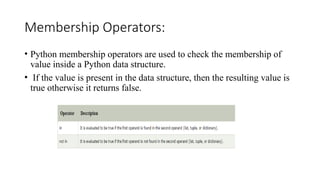
Membership Operators:
• Pythonmembership operators are used to check the membership of
value inside a Python data structure.
• If the value is present in the data structure, then the resulting value is
true otherwise it returns false.
40.
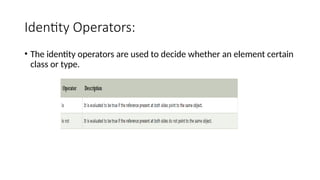
Identity Operators:
• Theidentity operators are used to decide whether an element certain
class or type.
![MUTABLE vs IMMUTABLE:
• Mutable: These are of type list , dict , set . Custom classes are generally mutable.
list=[‘orange’, ‘pink’, ‘yellow’]
list[0]= ‘red’
list[-2]= ‘blue’
• Immutable: These are of in-built
types like int, float, bool, string,
unicode, tuple. In simple words
an immutable object can’t be changed
after it is created.
Eg: tuple1=(0,1,2,3)
tuple1[0]=4
Print(tuple1)](https://image.slidesharecdn.com/unit-2-251018133503-e24bcb35/85/Python-programming-unit-2-identifiers-and-keywords-pptx-17-320.jpg)
![Example:
1. How to create a string
string1=(“malla reddy”)
print(“string with the use of double quotes:”)
print(string1)
2. How to access elements :
string1=(“malla reddy”)
print(string1[4])
print(string1[-7])](https://image.slidesharecdn.com/unit-2-251018133503-e24bcb35/85/Python-programming-unit-2-identifiers-and-keywords-pptx-24-320.jpg)
![• Converting list to a tuple and tuple to a list: using list(), tuple() function.
Eg: t=(1,3,2,4)
l=[5,6,7,8]
T=tuple(l) L=list(t)
print(T) print(L)
print(type(T)) print(type(L))](https://image.slidesharecdn.com/unit-2-251018133503-e24bcb35/85/Python-programming-unit-2-identifiers-and-keywords-pptx-32-320.jpg)