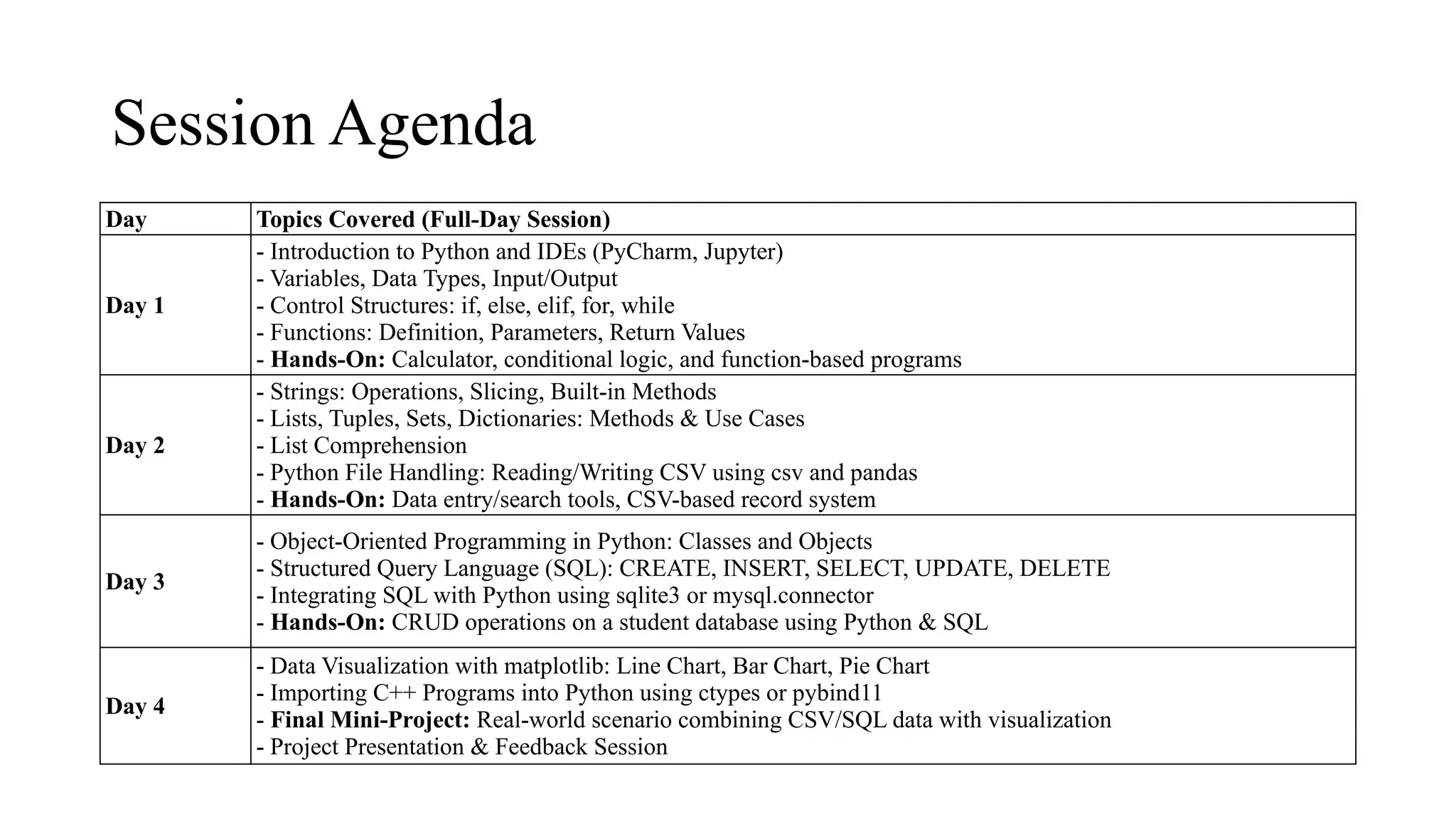
Session Agenda
Day TopicsCovered (Full-Day Session)
Day 1
- Introduction to Python and IDEs (PyCharm, Jupyter)
- Variables, Data Types, Input/Output
- Control Structures: if, else, elif, for, while
- Functions: Definition, Parameters, Return Values
- Hands-On: Calculator, conditional logic, and function-based programs
Day 2
- Strings: Operations, Slicing, Built-in Methods
- Lists, Tuples, Sets, Dictionaries: Methods & Use Cases
- List Comprehension
- Python File Handling: Reading/Writing CSV using csv and pandas
- Hands-On: Data entry/search tools, CSV-based record system
Day 3
- Object-Oriented Programming in Python: Classes and Objects
- Structured Query Language (SQL): CREATE, INSERT, SELECT, UPDATE, DELETE
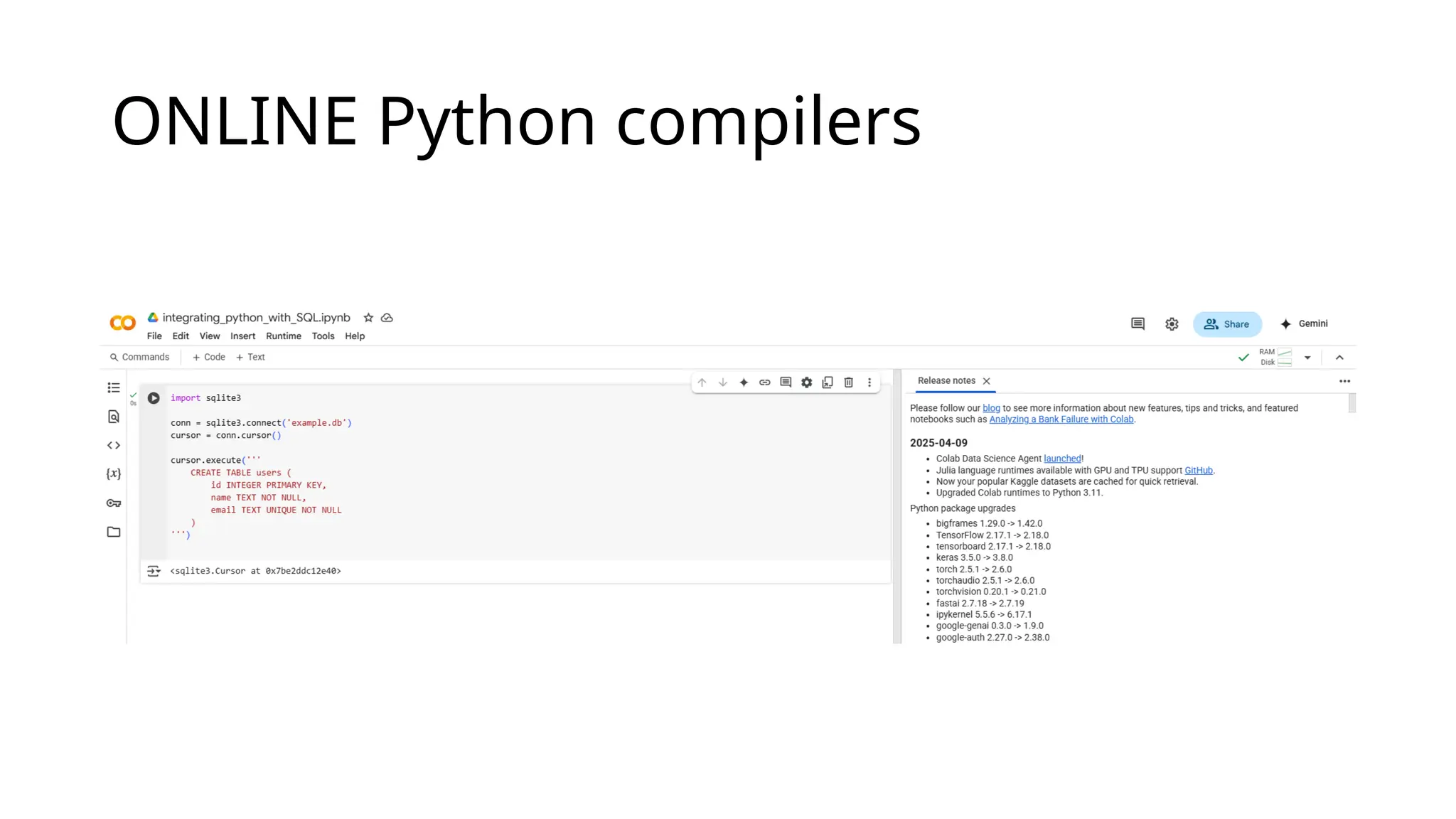
- Integrating SQL with Python using sqlite3 or mysql.connector
- Hands-On: CRUD operations on a student database using Python & SQL
Day 4
- Data Visualization with matplotlib: Line Chart, Bar Chart, Pie Chart
- Importing C++ Programs into Python using ctypes or pybind11
- Final Mini-Project: Real-world scenario combining CSV/SQL data with visualization
- Project Presentation & Feedback Session
3.
Python File Handling:Reading/Writing CSV
using csv and pandas
• CSV (Comma Separated Values) files are one of the most common
formats for storing tabular data.
• Python provides two powerful tools to handle CSV files:
The built-in csv module (lightweight and fast for basic tasks)
The external pandas library (rich features for data analysis)
4.
Brief History ofPython
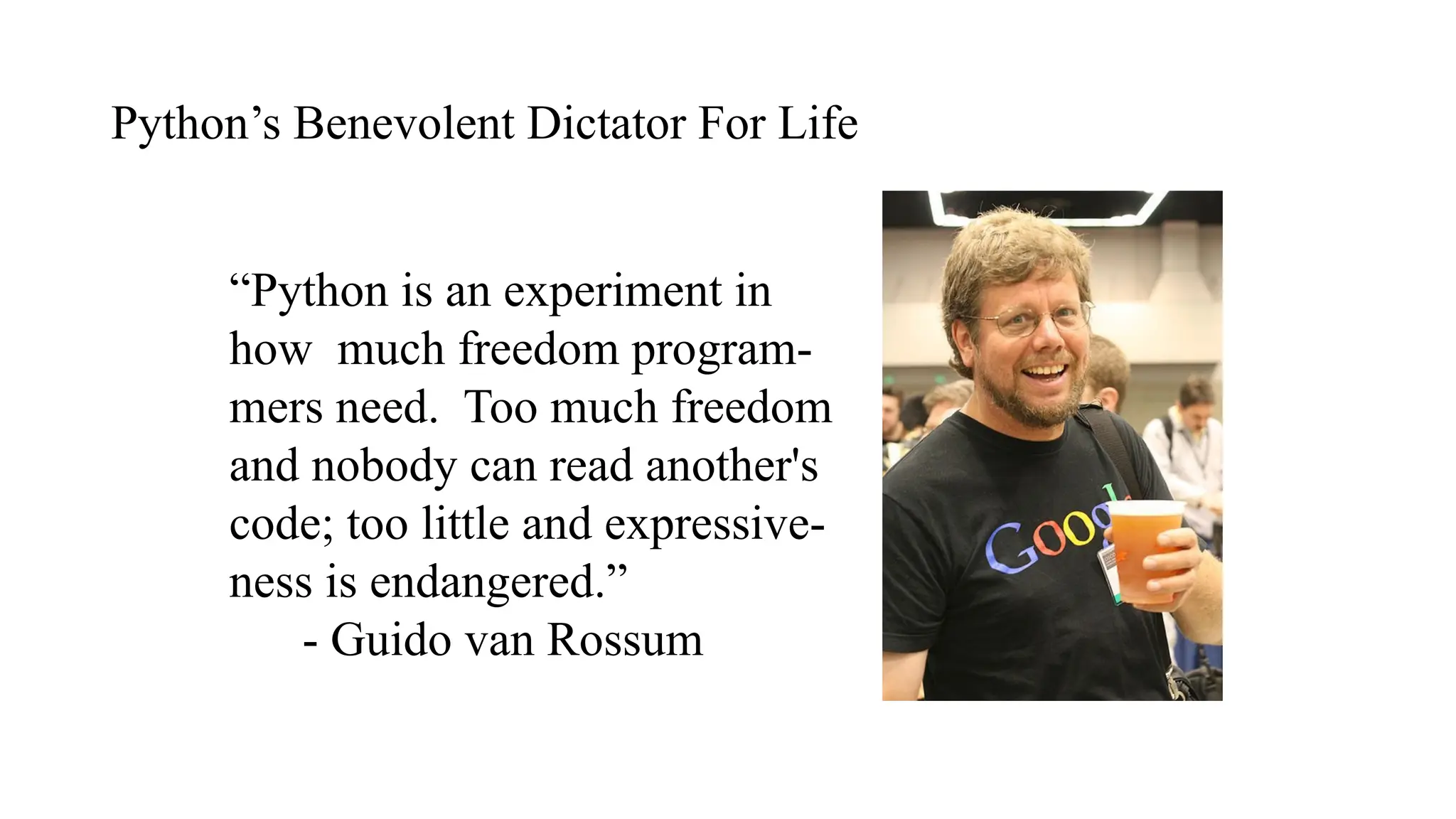
• Invented in the Netherlands, early 90s by Guido van Rossum
• Named after Monty Python
• Open sourced from the beginning
• Considered a scripting language, but is much more
• Scalable, object oriented and functional from the beginning
• Used by Google from the beginning
• Increasingly popular
5.
Python’s Benevolent DictatorFor Life
“Python is an experiment in
how much freedom program-
mers need. Too much freedom
and nobody can read another's
code; too little and expressive-
ness is endangered.”
- Guido van Rossum
6.
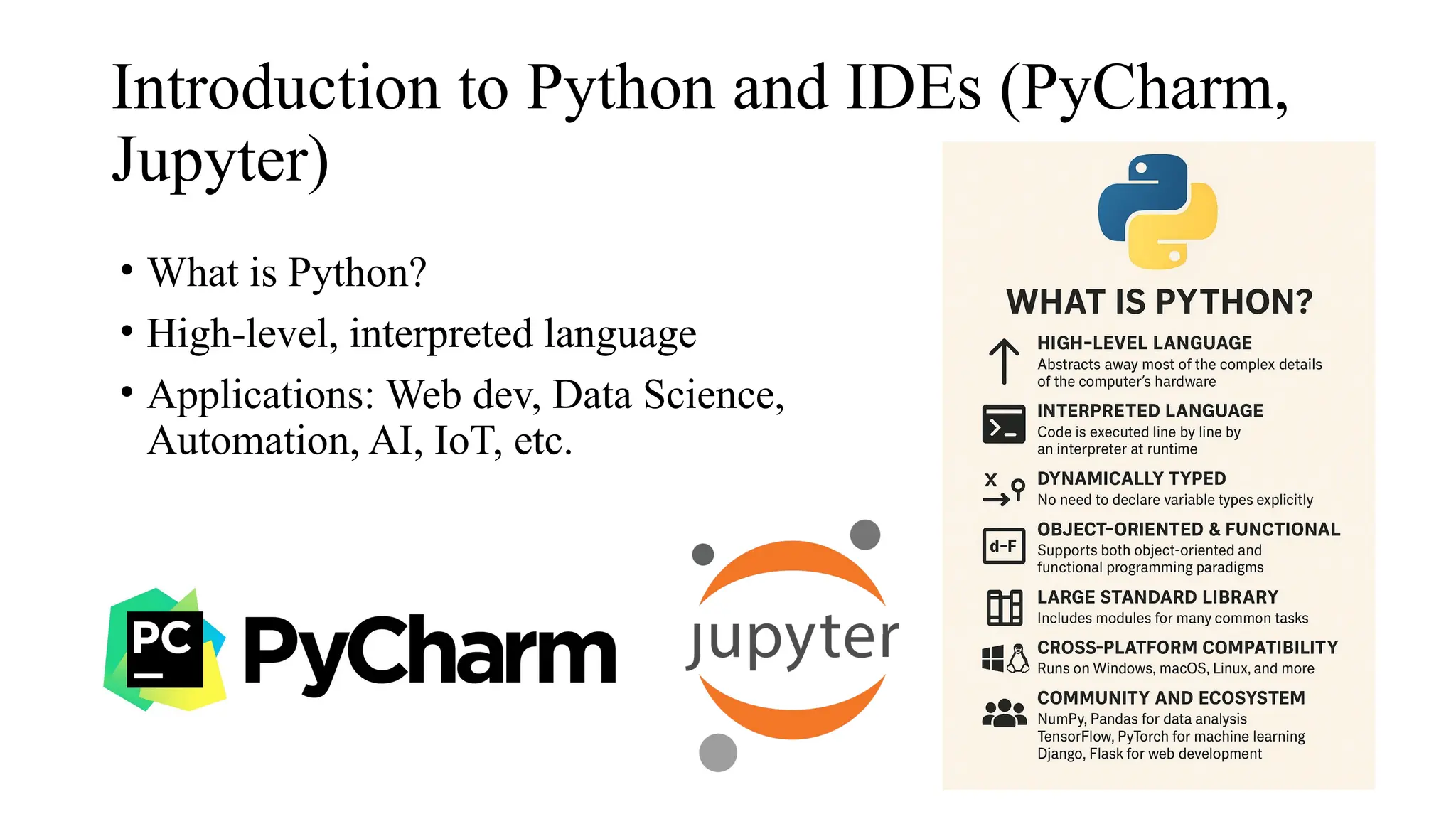
Introduction to Pythonand IDEs (PyCharm,
Jupyter)
• What is Python?
• High-level, interpreted language
• Applications: Web dev, Data Science,
Automation, AI, IoT, etc.
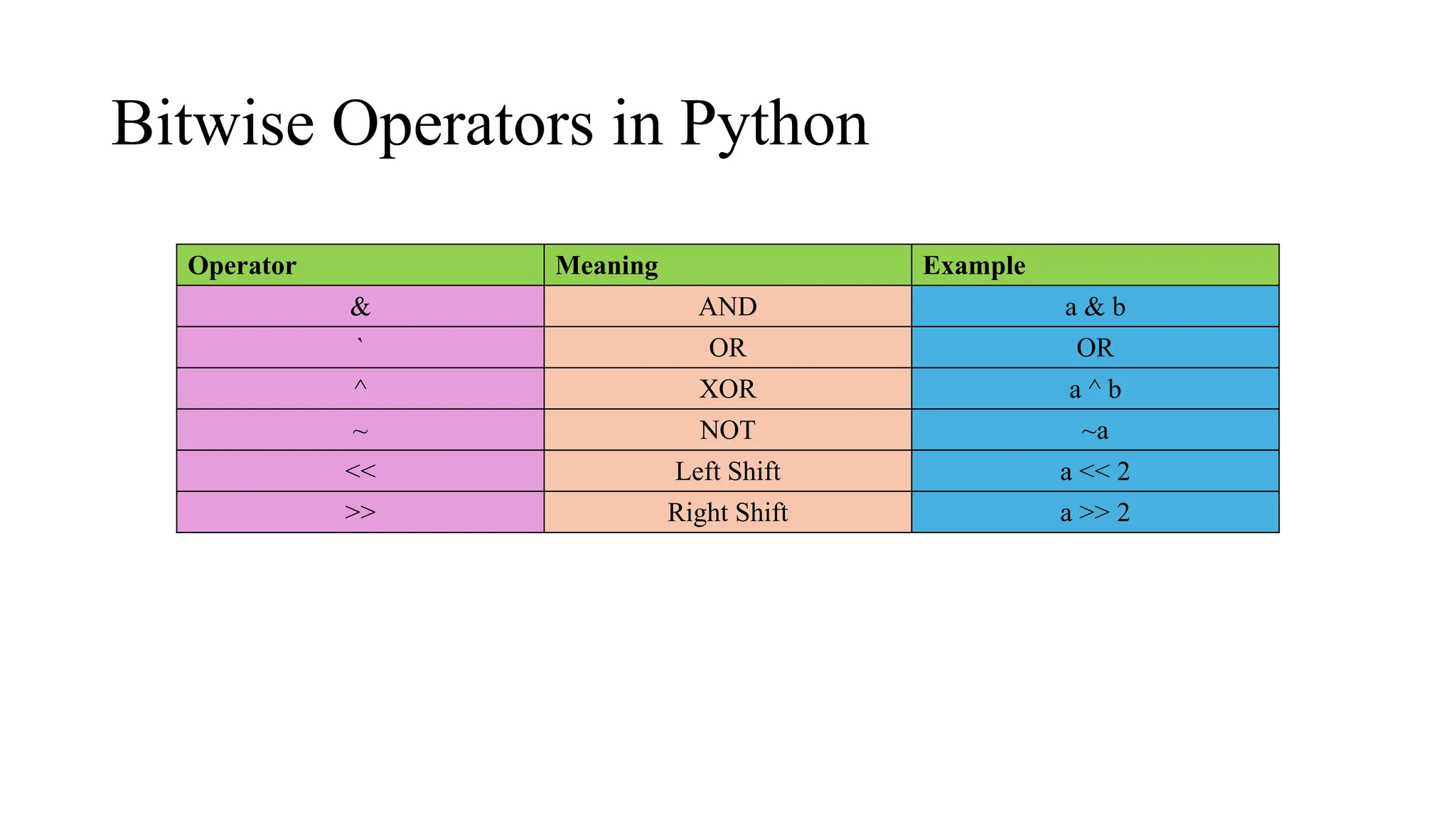
Bitwise Operators inPython
Operator Meaning Example
& AND a & b
` OR OR
^ XOR a ^ b
~ NOT ~a
<< Left Shift a << 2
>> Right Shift a >> 2
13.
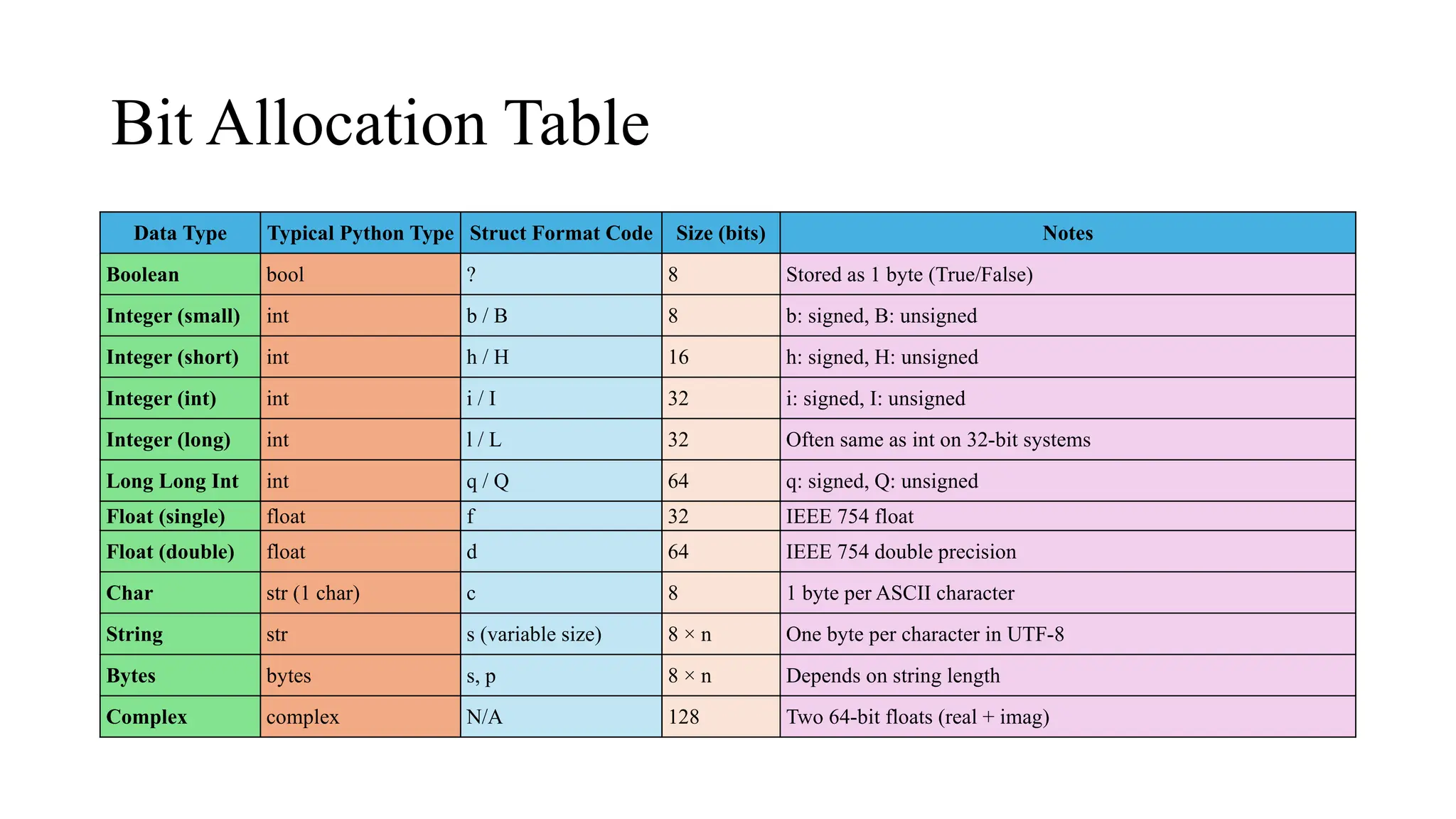
Bit Allocation Table
DataType Typical Python Type Struct Format Code Size (bits) Notes
Boolean bool ? 8 Stored as 1 byte (True/False)
Integer (small) int b / B 8 b: signed, B: unsigned
Integer (short) int h / H 16 h: signed, H: unsigned
Integer (int) int i / I 32 i: signed, I: unsigned
Integer (long) int l / L 32 Often same as int on 32-bit systems
Long Long Int int q / Q 64 q: signed, Q: unsigned
Float (single) float f 32 IEEE 754 float
Float (double) float d 64 IEEE 754 double precision
Char str (1 char) c 8 1 byte per ASCII character
String str s (variable size) 8 × n One byte per character in UTF-8
Bytes bytes s, p 8 × n Depends on string length
Complex complex N/A 128 Two 64-bit floats (real + imag)
14.
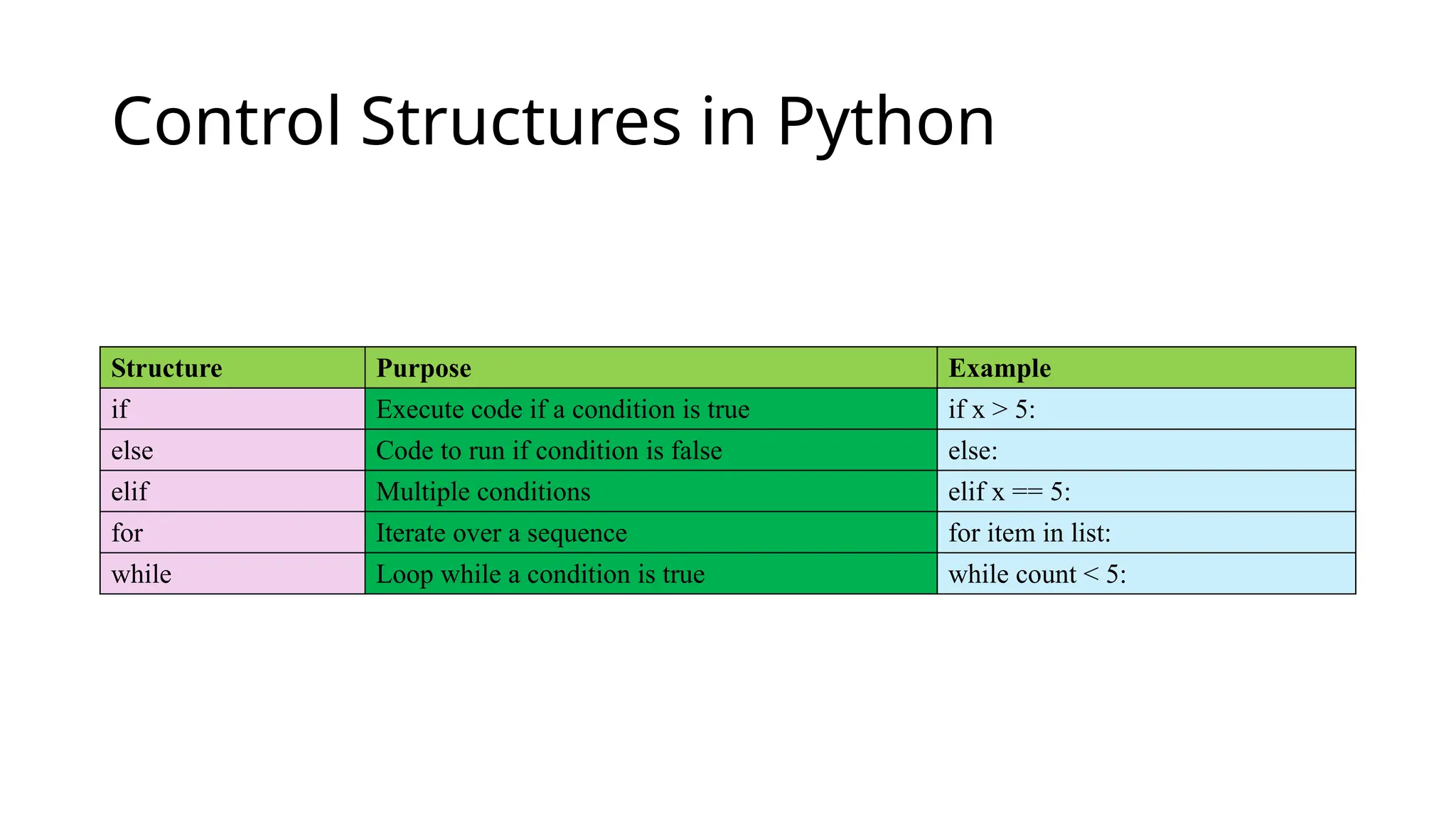
Control Structures inPython
Structure Purpose Example
if Execute code if a condition is true if x > 5:
else Code to run if condition is false else:
elif Multiple conditions elif x == 5:
for Iterate over a sequence for item in list:
while Loop while a condition is true while count < 5:
15.
What is Python?
●Python is a popular high-level programming language used in
various applications
○ Python is an easy language to learn because of its simple syntax
○ Python can be used for simple tasks such as plotting or for more
complex tasks like machine learning
16.
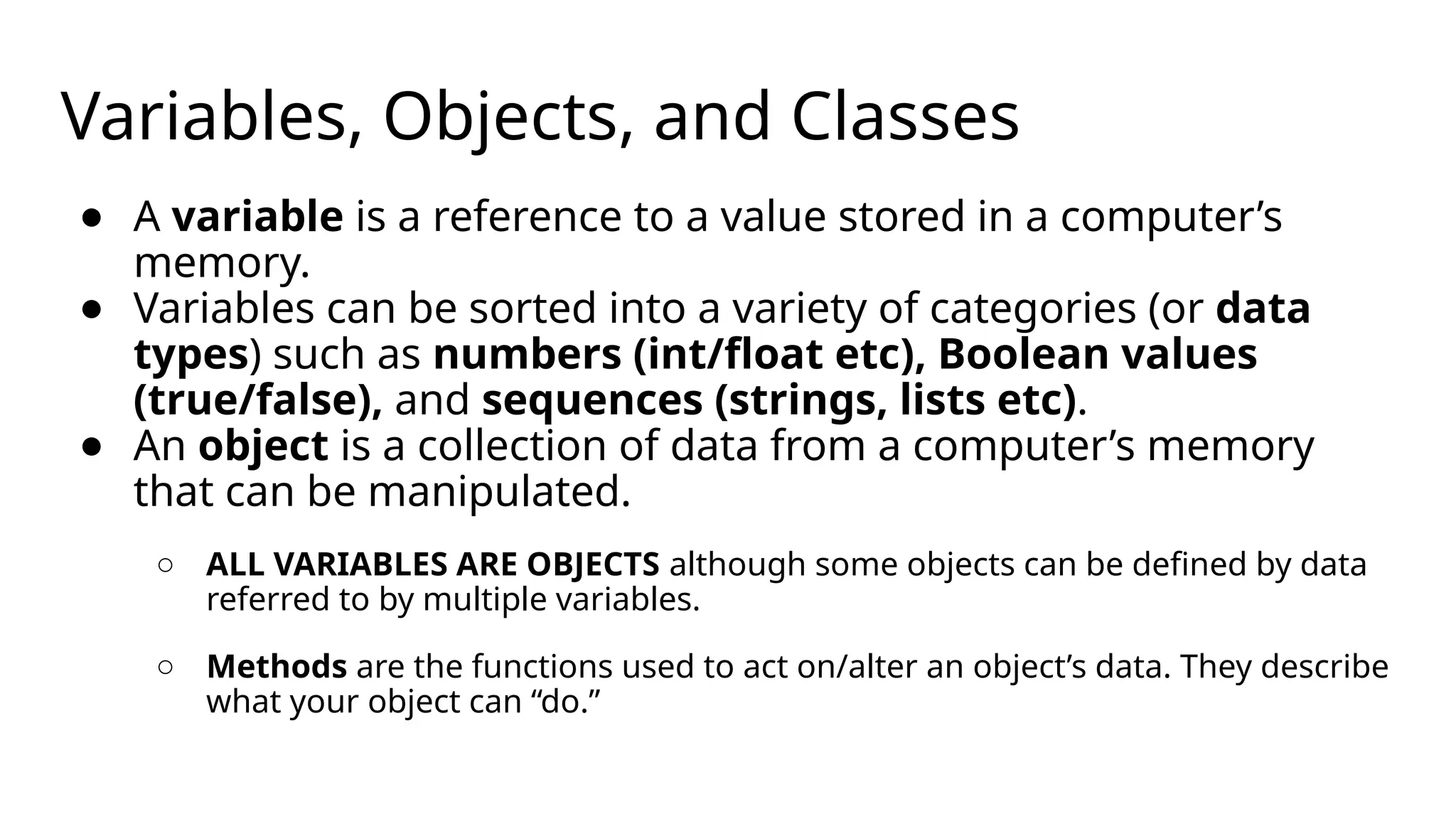
Variables, Objects, andClasses
● A variable is a reference to a value stored in a computer’s
memory.
● Variables can be sorted into a variety of categories (or data
types) such as numbers (int/float etc), Boolean values
(true/false), and sequences (strings, lists etc).
● An object is a collection of data from a computer’s memory
that can be manipulated.
○ ALL VARIABLES ARE OBJECTS although some objects can be defined by data
referred to by multiple variables.
○ Methods are the functions used to act on/alter an object’s data. They describe
what your object can “do.”
17.
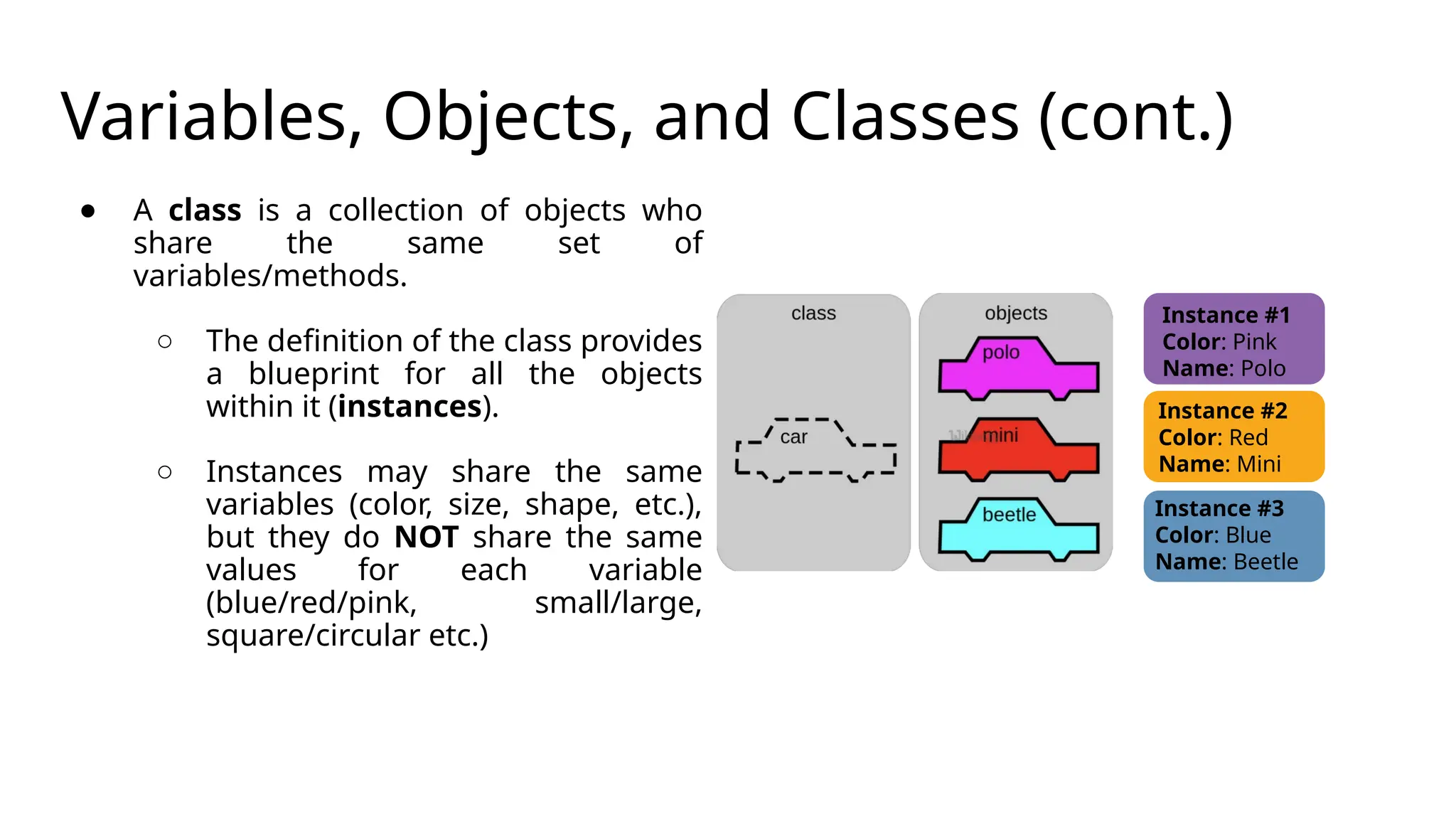
Variables, Objects, andClasses (cont.)
● A class is a collection of objects who
share the same set of
variables/methods.
○ The definition of the class provides
a blueprint for all the objects
within it (instances).
○ Instances may share the same
variables (color, size, shape, etc.),
but they do NOT share the same
values for each variable
(blue/red/pink, small/large,
square/circular etc.)
Instance #1
Color: Pink
Name: Polo
Instance #2
Color: Red
Name: Mini
Instance #3
Color: Blue
Name: Beetle
18.
Basic Syntax Rules
●The name of your variable (myInt etc.) is placed on the left of the “=“ operator.
○ Most variable names are in camel case where the first word begins with a lowercase letter and any subsequent words
are capitalized
○ Variable names may also appear in snake case where all words are lowercase, with underscores between words
● The assignment operator (“=“) sets the variable name equal to the memory location where your value is found.
● The value of your variable (“Hello, World”) is placed on the right of the “=“ operator.
○ The type of this value does NOT need to be stated but its format must abide by a given object type (as shown).
myString = “Hello, World”
myInt = 7
myFloat = 7.0
myList = [7, 8, 9] myBoolean
= true
19.
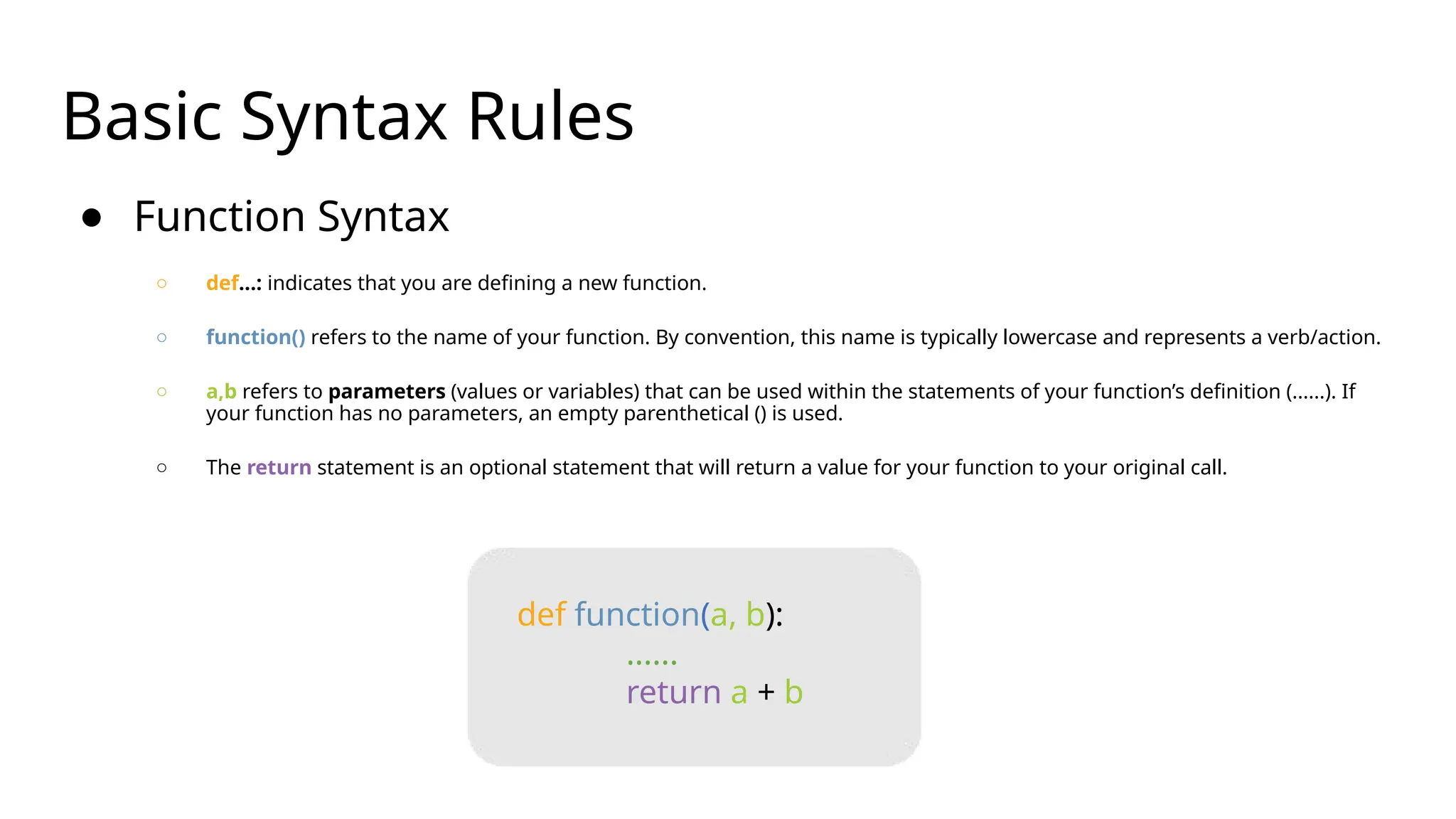
Basic Syntax Rules
●Function Syntax
○ def...: indicates that you are defining a new function.
○ function() refers to the name of your function. By convention, this name is typically lowercase and represents a verb/action.
○ a,b refers to parameters (values or variables) that can be used within the statements of your function’s definition (......). If
your function has no parameters, an empty parenthetical () is used.
○ The return statement is an optional statement that will return a value for your function to your original call.
def function(a, b):
......
return a + b
20.
Basic Syntax Rules(cont.)
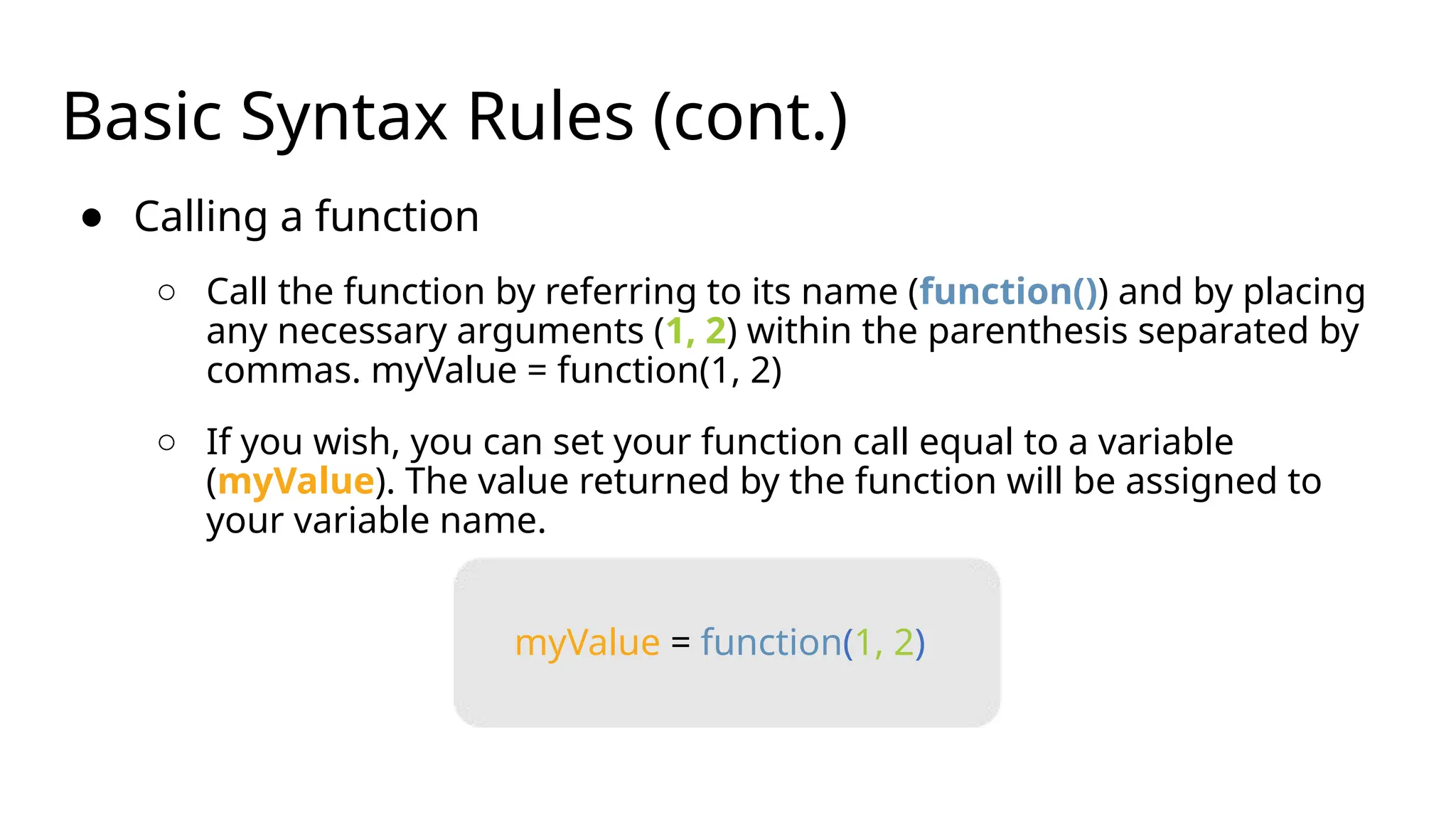
● Calling a function
○ Call the function by referring to its name (function()) and by placing
any necessary arguments (1, 2) within the parenthesis separated by
commas. myValue = function(1, 2)
○ If you wish, you can set your function call equal to a variable
(myValue). The value returned by the function will be assigned to
your variable name.
myValue = function(1, 2)
21.
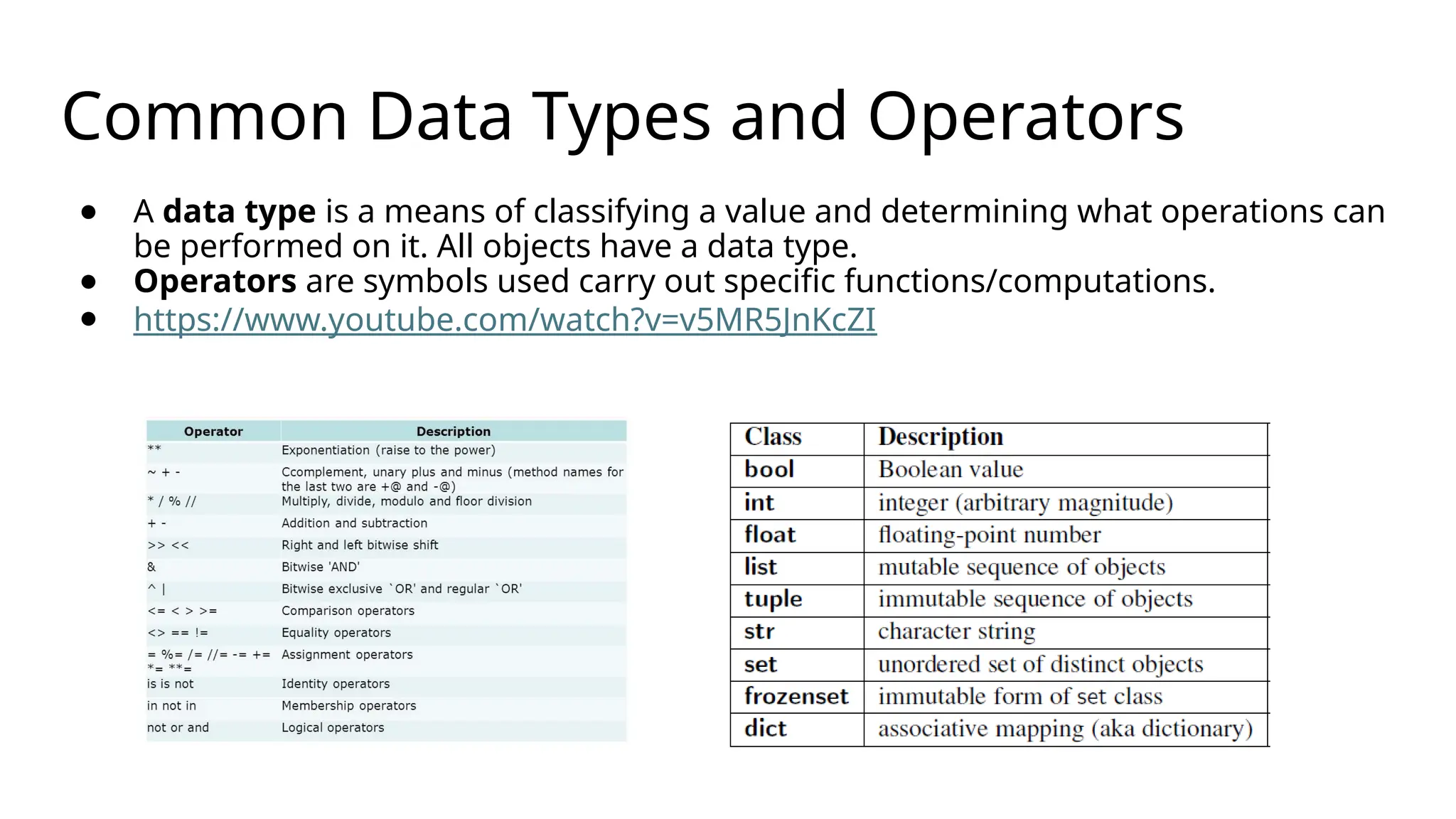
Common Data Typesand Operators
● A data type is a means of classifying a value and determining what operations can
be performed on it. All objects have a data type.
● Operators are symbols used carry out specific functions/computations.
● https://www.youtube.com/watch?v=v5MR5JnKcZI
22.
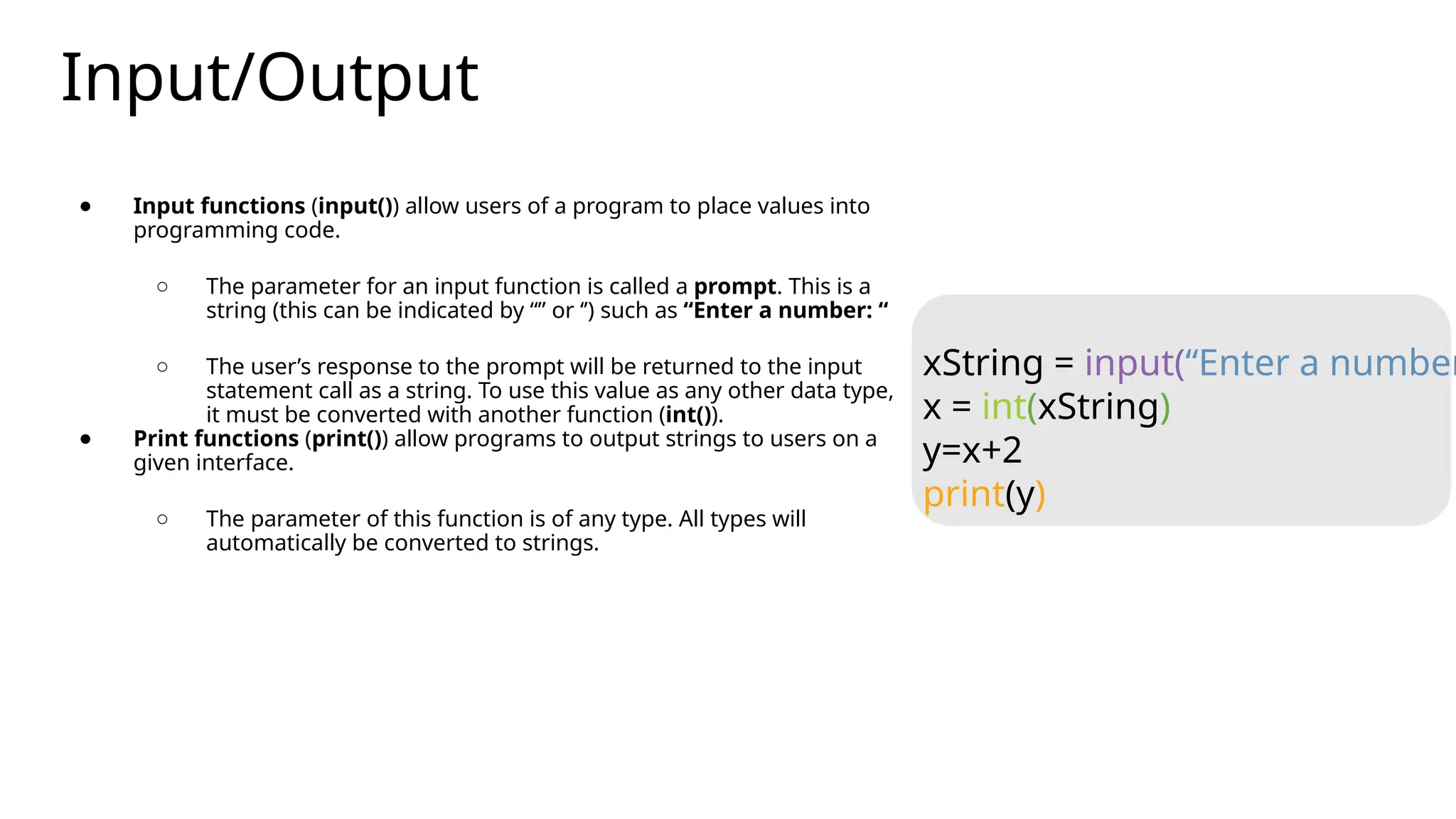
Input/Output
● Input functions(input()) allow users of a program to place values into
programming code.
○ The parameter for an input function is called a prompt. This is a
string (this can be indicated by “” or ‘’) such as “Enter a number: “
○ The user’s response to the prompt will be returned to the input
statement call as a string. To use this value as any other data type,
it must be converted with another function (int()).
● Print functions (print()) allow programs to output strings to users on a
given interface.
○ The parameter of this function is of any type. All types will
automatically be converted to strings.
xString = input(“Enter a number
x = int(xString)
y=x+2
print(y)
23.
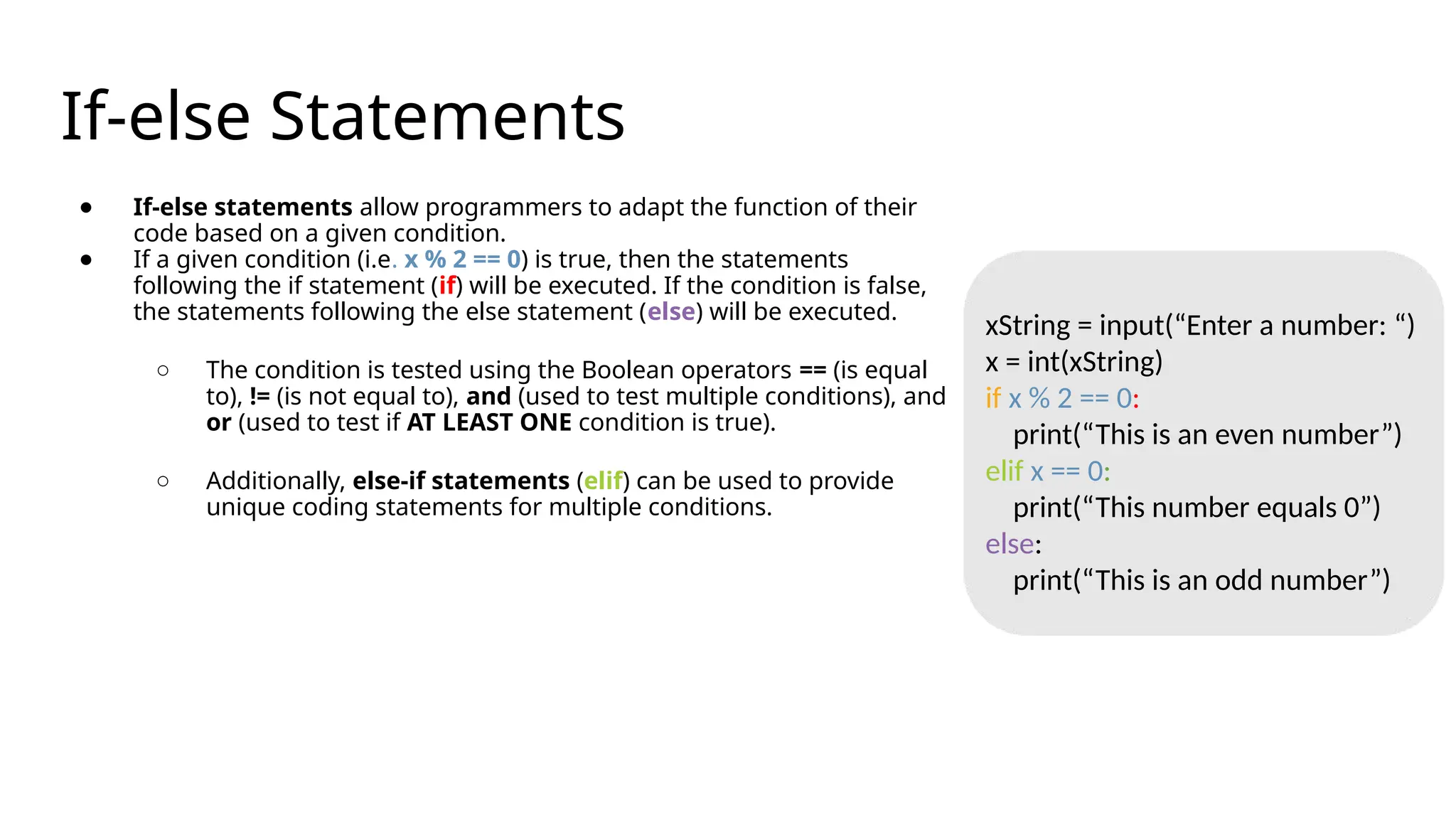
If-else Statements
● If-elsestatements allow programmers to adapt the function of their
code based on a given condition.
● If a given condition (i.e. x % 2 == 0) is true, then the statements
following the if statement (if) will be executed. If the condition is false,
the statements following the else statement (else) will be executed.
○ The condition is tested using the Boolean operators == (is equal
to), != (is not equal to), and (used to test multiple conditions), and
or (used to test if AT LEAST ONE condition is true).
○ Additionally, else-if statements (elif) can be used to provide
unique coding statements for multiple conditions.
xString = input(“Enter a number: “)
x = int(xString)
if x % 2 == 0:
print(“This is an even number”)
elif x == 0:
print(“This number equals 0”)
else:
print(“This is an odd number”)
24.
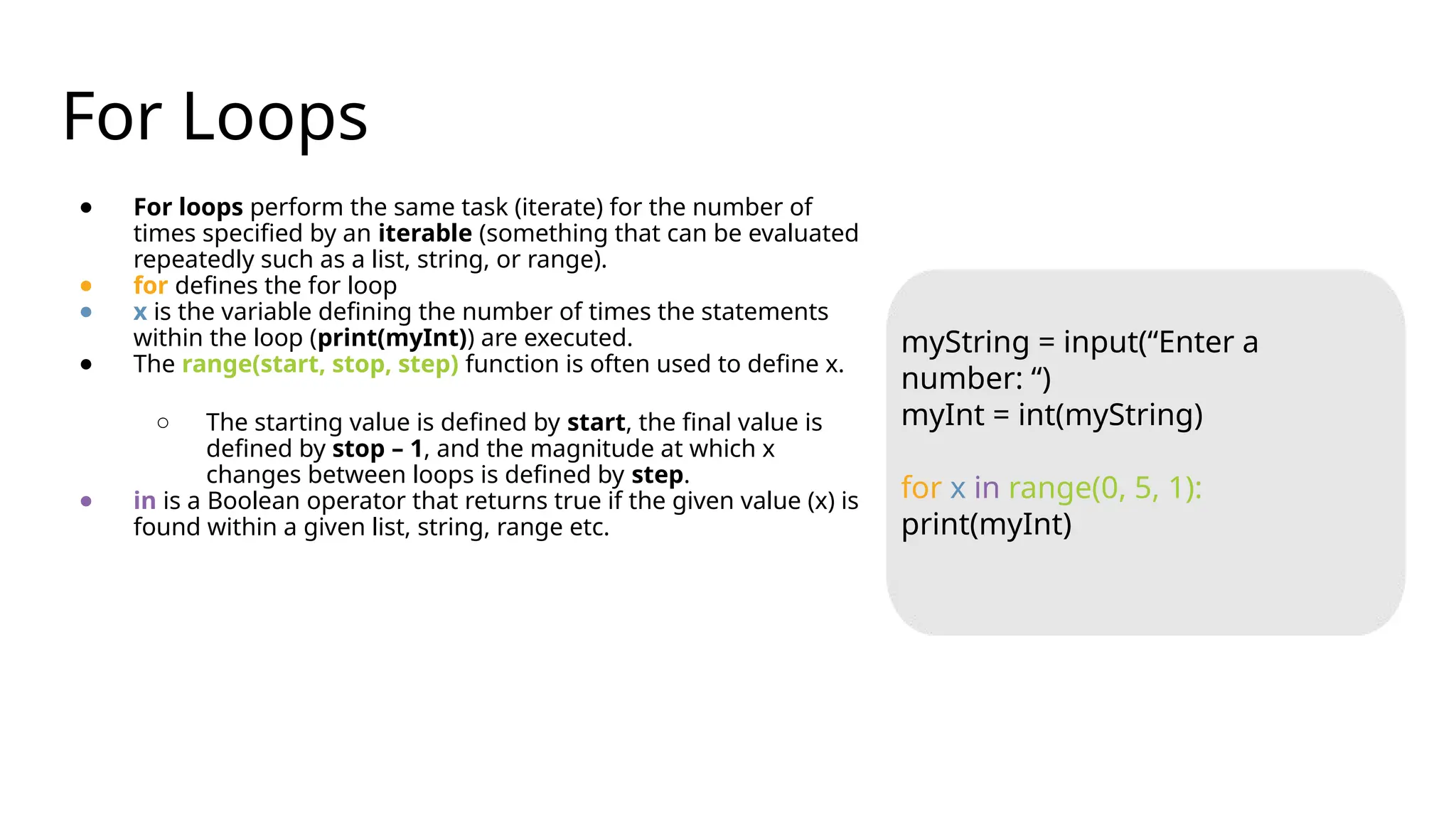
For Loops
● Forloops perform the same task (iterate) for the number of
times specified by an iterable (something that can be evaluated
repeatedly such as a list, string, or range).
● for defines the for loop
● x is the variable defining the number of times the statements
within the loop (print(myInt)) are executed.
● The range(start, stop, step) function is often used to define x.
○ The starting value is defined by start, the final value is
defined by stop – 1, and the magnitude at which x
changes between loops is defined by step.
● in is a Boolean operator that returns true if the given value (x) is
found within a given list, string, range etc.
myString = input(“Enter a
number: “)
myInt = int(myString)
for x in range(0, 5, 1):
print(myInt)
25.
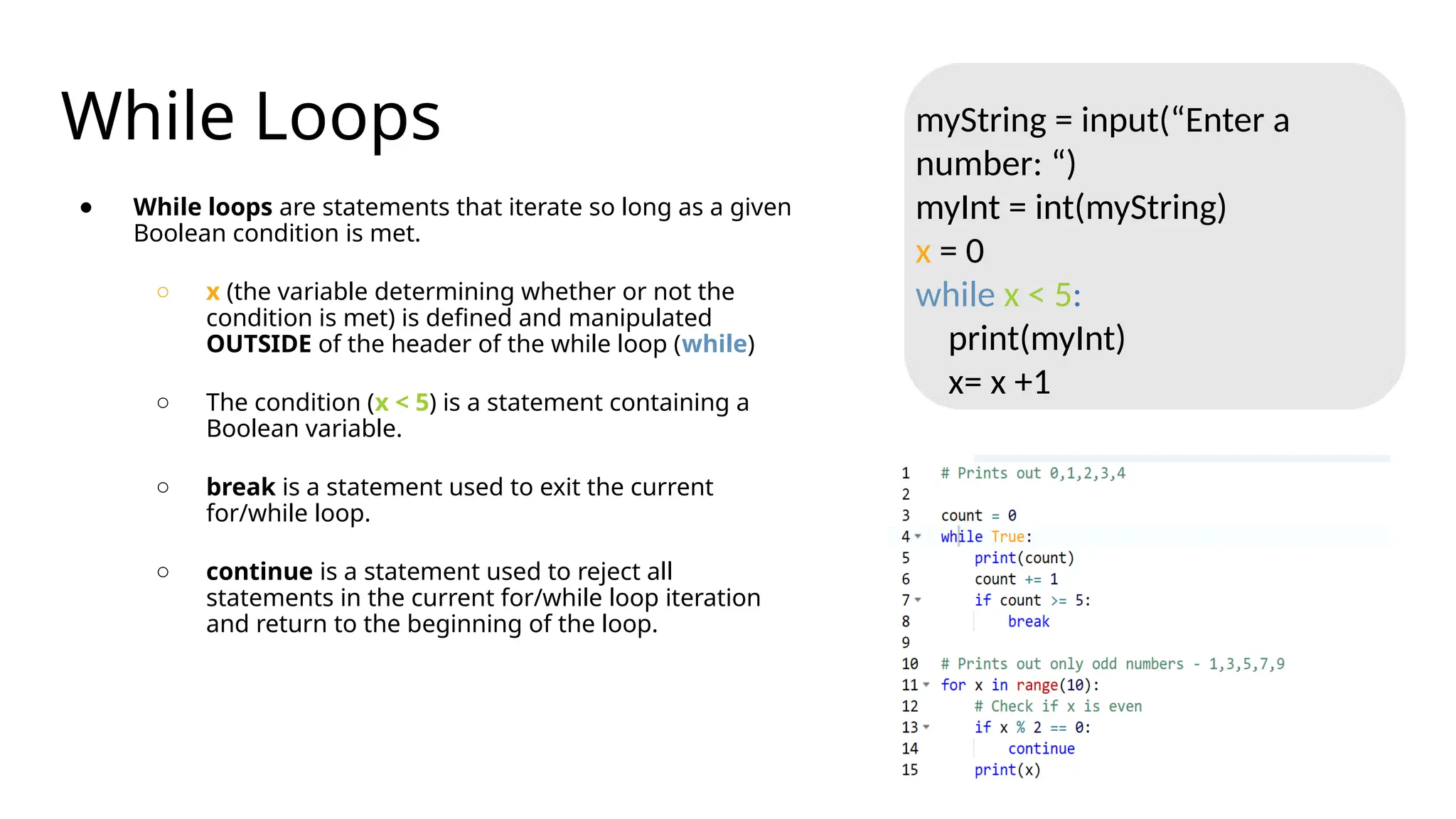
While Loops
● Whileloops are statements that iterate so long as a given
Boolean condition is met.
○ x (the variable determining whether or not the
condition is met) is defined and manipulated
OUTSIDE of the header of the while loop (while)
○ The condition (x < 5) is a statement containing a
Boolean variable.
○ break is a statement used to exit the current
for/while loop.
○ continue is a statement used to reject all
statements in the current for/while loop iteration
and return to the beginning of the loop.
myString = input(“Enter a
number: “)
myInt = int(myString)
x = 0
while x < 5:
print(myInt)
x= x +1
26.
The Python Interpreter
•Typical Python implementations offer both an interpreter
and compiler.
• Interactive interface to Python with a read-eval-print loop
>>> def square(x):
... return x * x
...
>>> map(square, [1, 2, 3, 4])
[1, 4, 9, 16]
>>>
27.
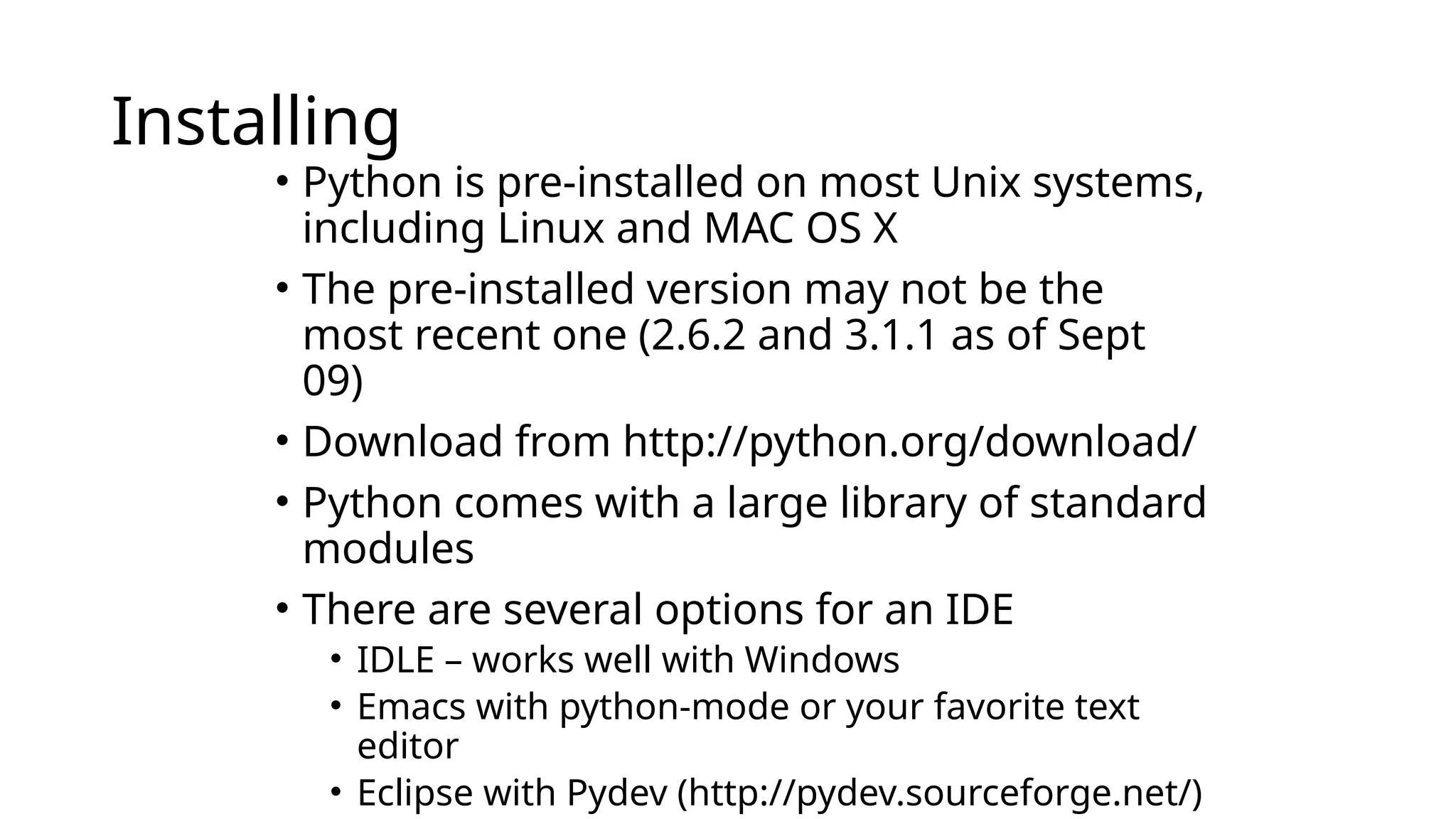
Installing
• Python ispre-installed on most Unix systems,
including Linux and MAC OS X
• The pre-installed version may not be the
most recent one (2.6.2 and 3.1.1 as of Sept
09)
• Download from http://python.org/download/
• Python comes with a large library of standard
modules
• There are several options for an IDE
• IDLE – works well with Windows
• Emacs with python-mode or your favorite text
editor
• Eclipse with Pydev (http://pydev.sourceforge.net/)
28.
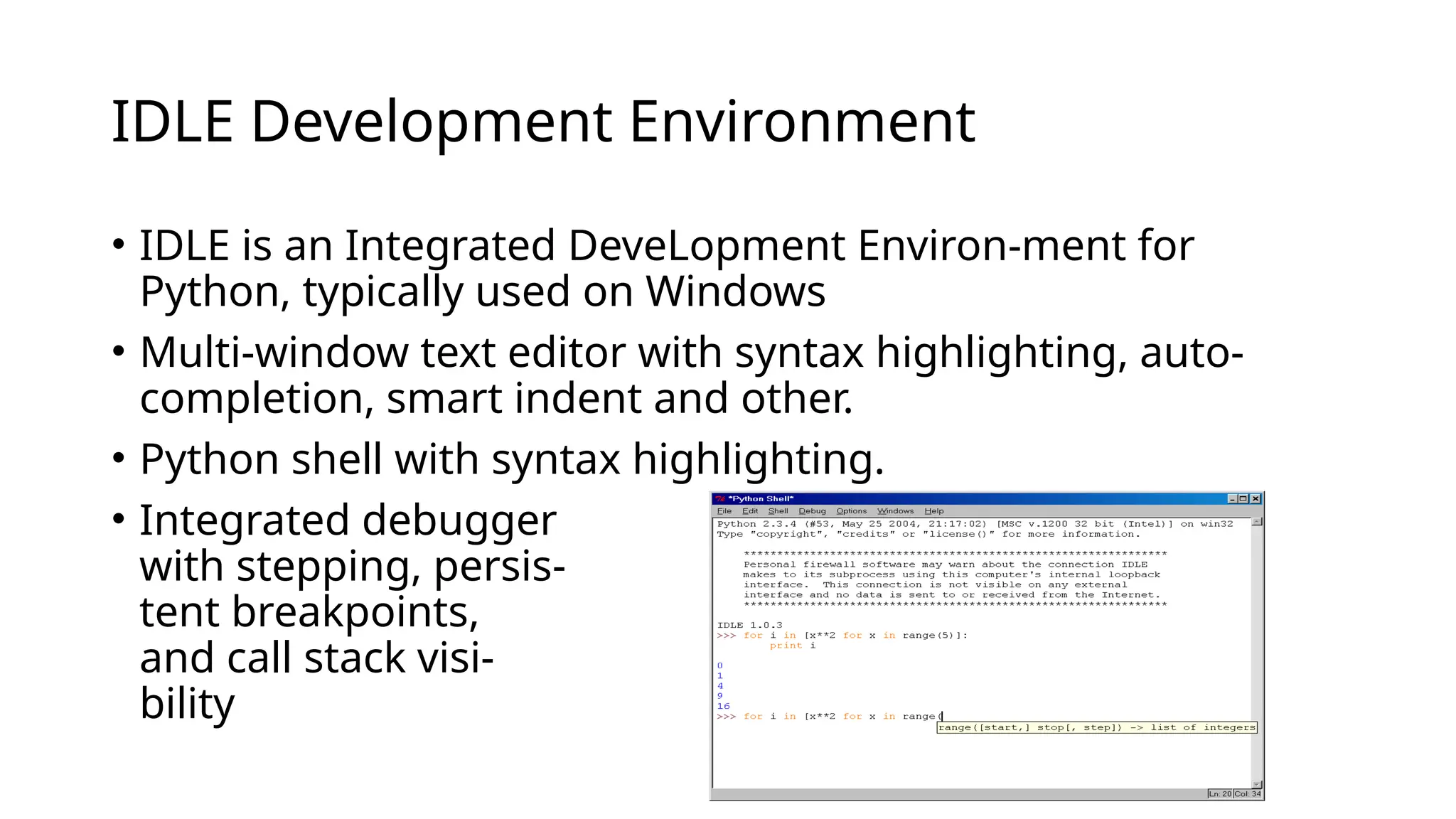
IDLE Development Environment
•IDLE is an Integrated DeveLopment Environ-ment for
Python, typically used on Windows
• Multi-window text editor with syntax highlighting, auto-
completion, smart indent and other.
• Python shell with syntax highlighting.
• Integrated debugger
with stepping, persis-
tent breakpoints,
and call stack visi-
bility
29.
Python Scripts
• Whenyou call a python program from the command line the
interpreter evaluates each expression in the file
• Familiar mechanisms are used to provide command line
arguments and/or redirect input and output
• Python also has mechanisms to allow a python program to
act both as a script and as a module to be imported and
used by another python program
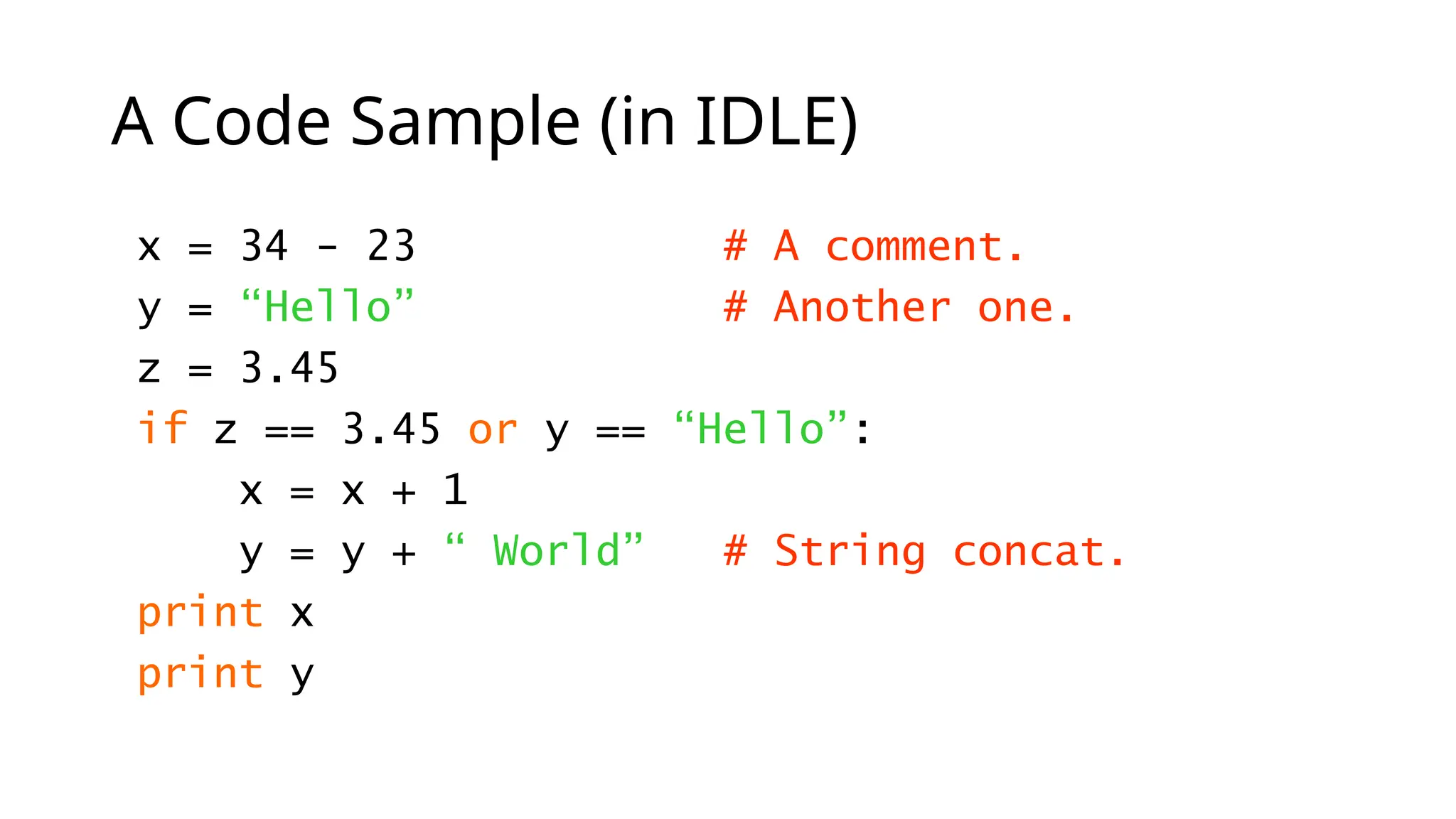
A Code Sample(in IDLE)
x = 34 - 23 # A comment.
y = “Hello” # Another one.
z = 3.45
if z == 3.45 or y == “Hello”:
x = x + 1
y = y + “ World” # String concat.
print x
print y
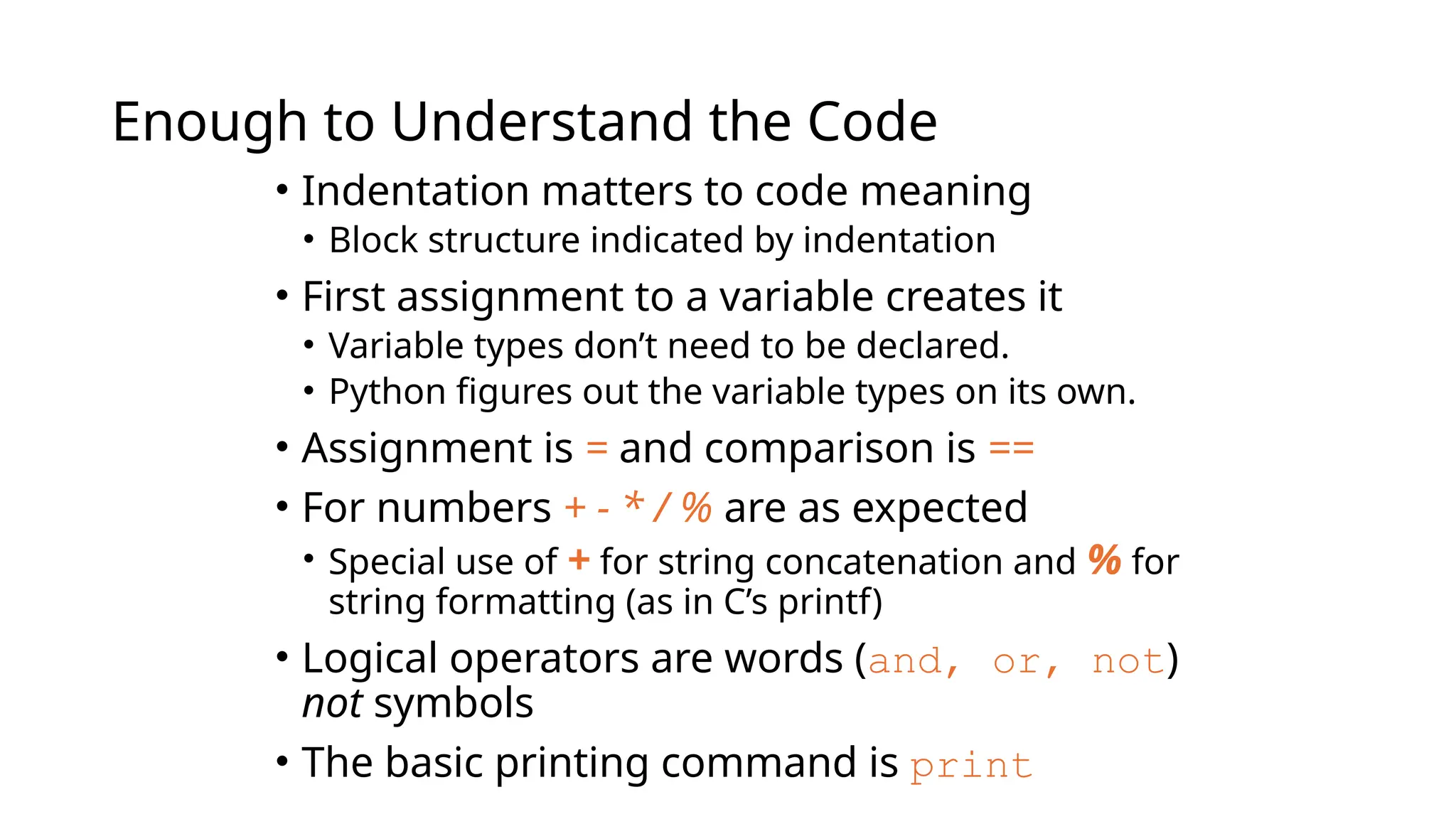
32.
Enough to Understandthe Code
• Indentation matters to code meaning
• Block structure indicated by indentation
• First assignment to a variable creates it
• Variable types don’t need to be declared.
• Python figures out the variable types on its own.
• Assignment is = and comparison is ==
• For numbers + - * / % are as expected
• Special use of + for string concatenation and % for
string formatting (as in C’s printf)
• Logical operators are words (and, or, not)
not symbols
• The basic printing command is print
33.
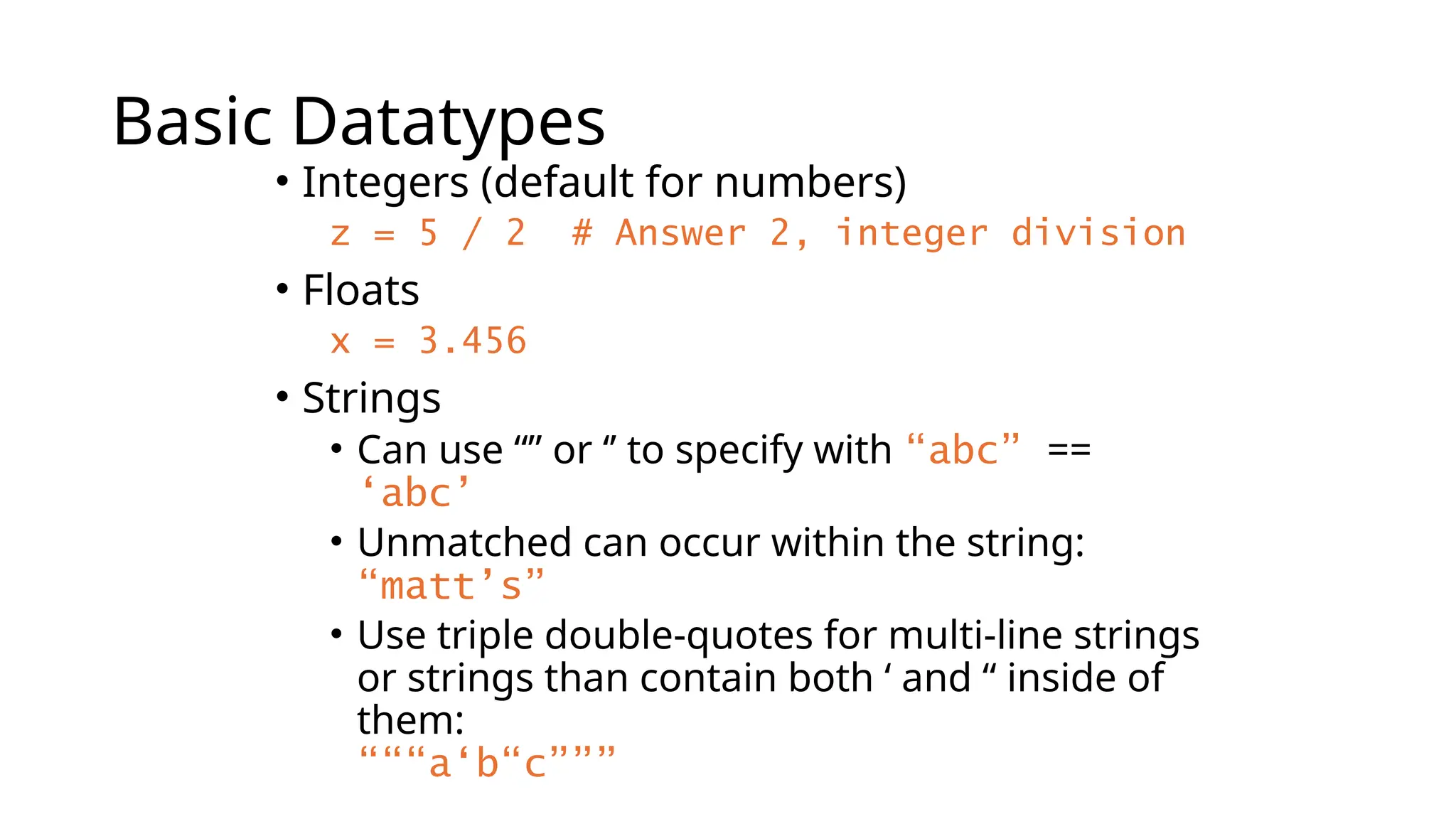
Basic Datatypes
• Integers(default for numbers)
z = 5 / 2 # Answer 2, integer division
• Floats
x = 3.456
• Strings
• Can use “” or ‘’ to specify with “abc” ==
‘abc’
• Unmatched can occur within the string:
“matt’s”
• Use triple double-quotes for multi-line strings
or strings than contain both ‘ and “ inside of
them:
“““a‘b“c”””
34.
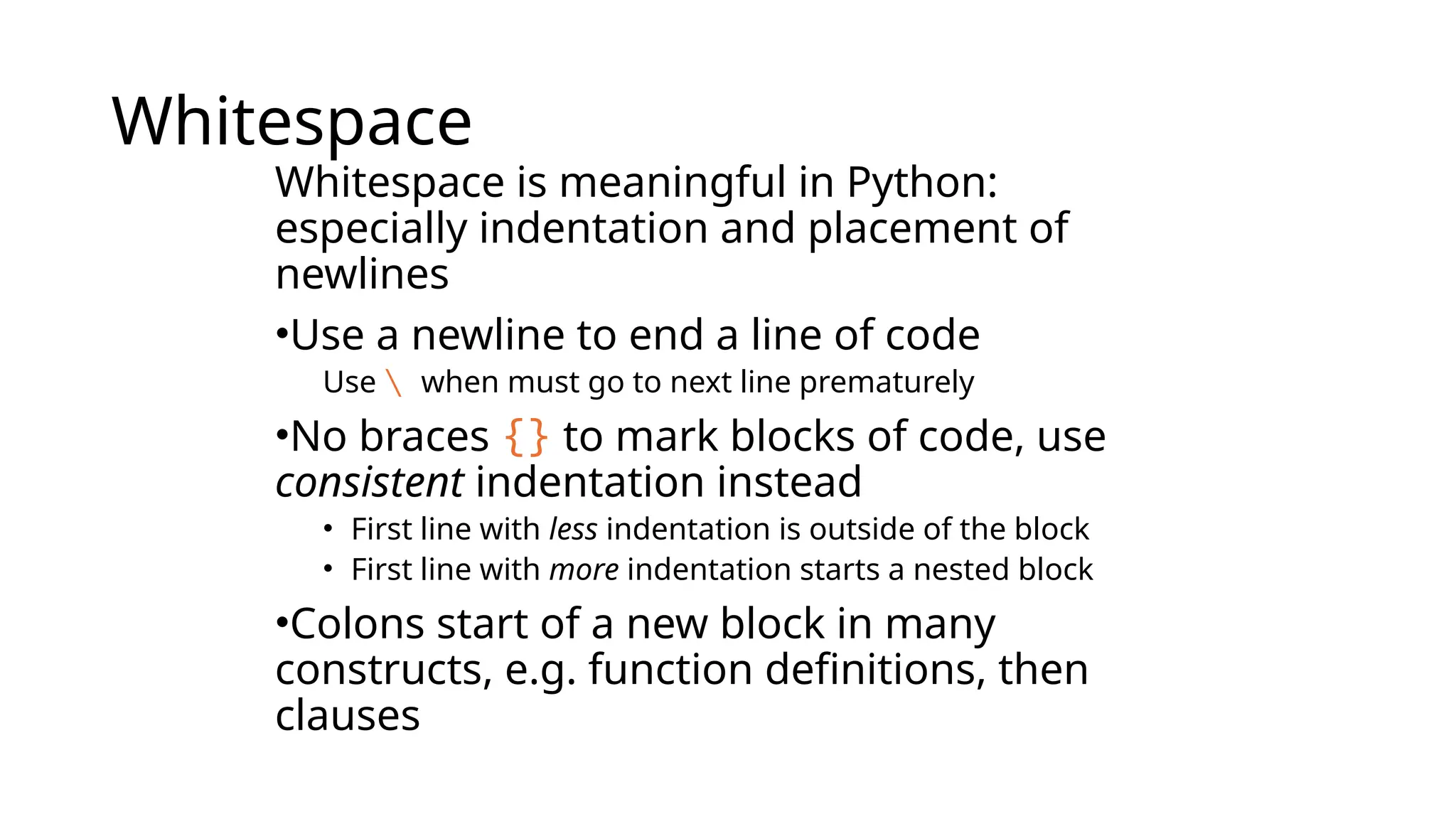
Whitespace
Whitespace is meaningfulin Python:
especially indentation and placement of
newlines
•Use a newline to end a line of code
Use when must go to next line prematurely
•No braces {} to mark blocks of code, use
consistent indentation instead
• First line with less indentation is outside of the block
• First line with more indentation starts a nested block
•Colons start of a new block in many
constructs, e.g. function definitions, then
clauses
35.
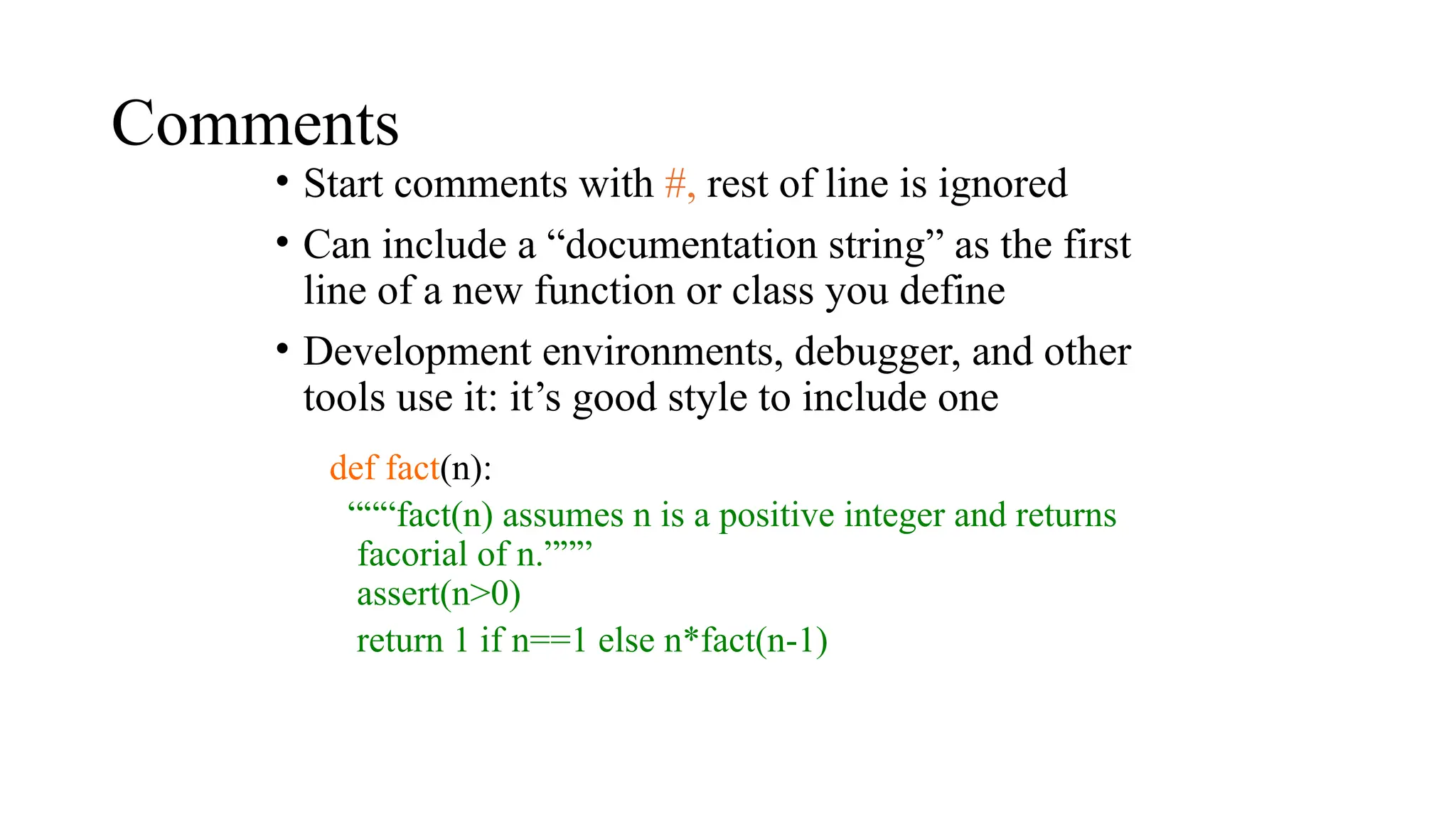
Comments
• Start commentswith #, rest of line is ignored
• Can include a “documentation string” as the first
line of a new function or class you define
• Development environments, debugger, and other
tools use it: it’s good style to include one
def fact(n):
“““fact(n) assumes n is a positive integer and returns
facorial of n.”””
assert(n>0)
return 1 if n==1 else n*fact(n-1)
36.
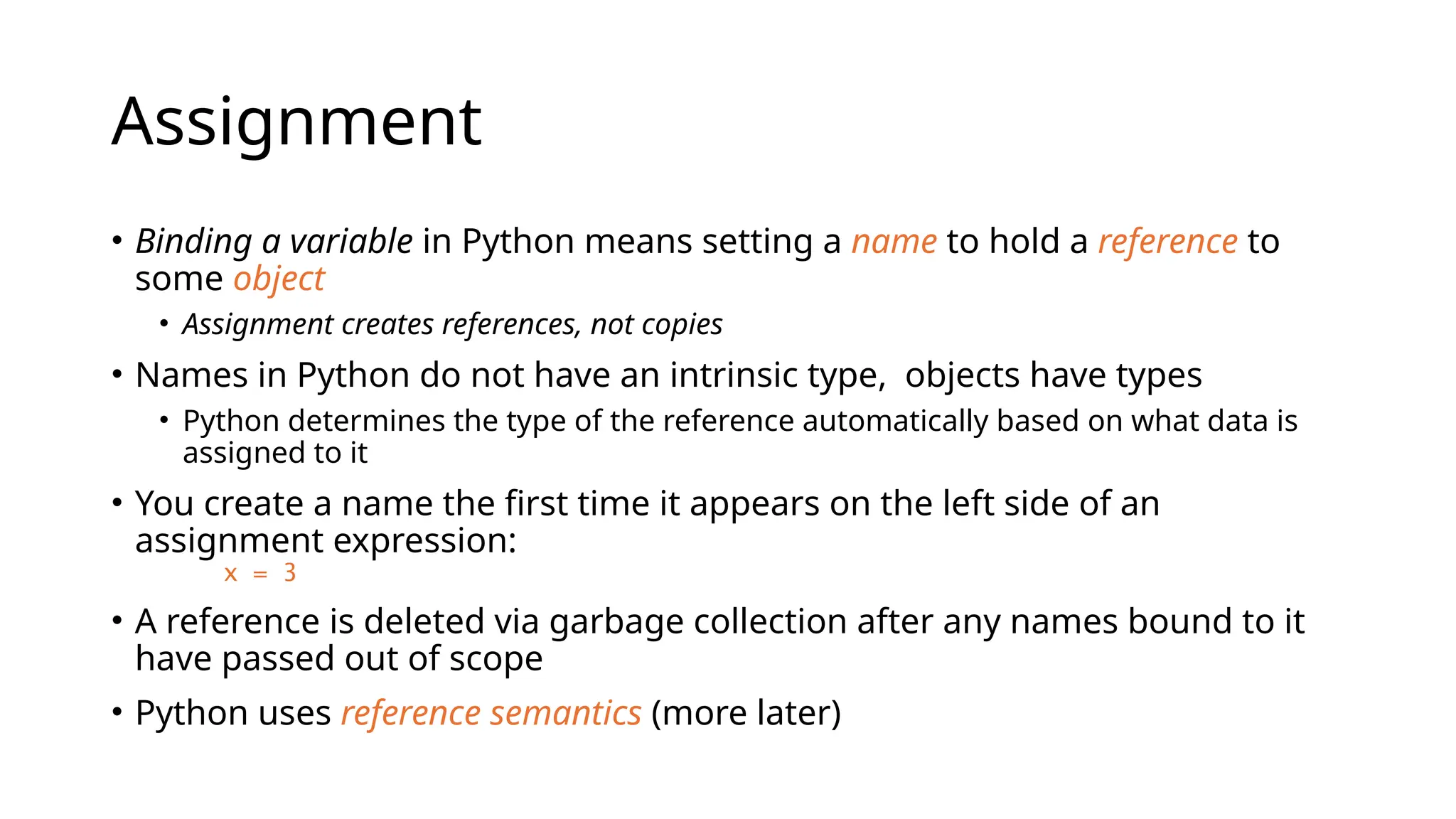
Assignment
• Binding avariable in Python means setting a name to hold a reference to
some object
• Assignment creates references, not copies
• Names in Python do not have an intrinsic type, objects have types
• Python determines the type of the reference automatically based on what data is
assigned to it
• You create a name the first time it appears on the left side of an
assignment expression:
x = 3
• A reference is deleted via garbage collection after any names bound to it
have passed out of scope
• Python uses reference semantics (more later)
37.
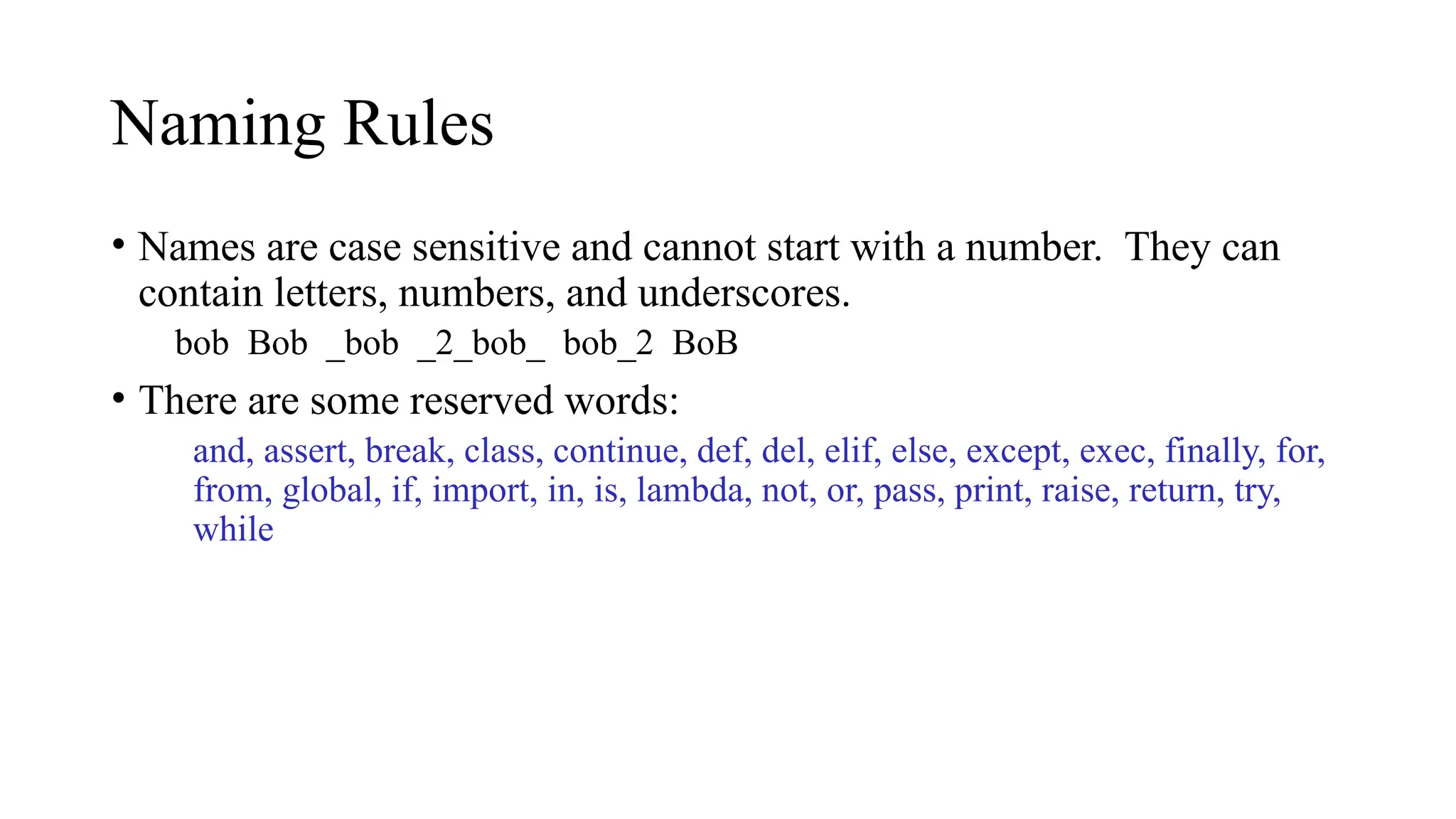
Naming Rules
• Namesare case sensitive and cannot start with a number. They can
contain letters, numbers, and underscores.
bob Bob _bob _2_bob_ bob_2 BoB
• There are some reserved words:
and, assert, break, class, continue, def, del, elif, else, except, exec, finally, for,
from, global, if, import, in, is, lambda, not, or, pass, print, raise, return, try,
while
38.
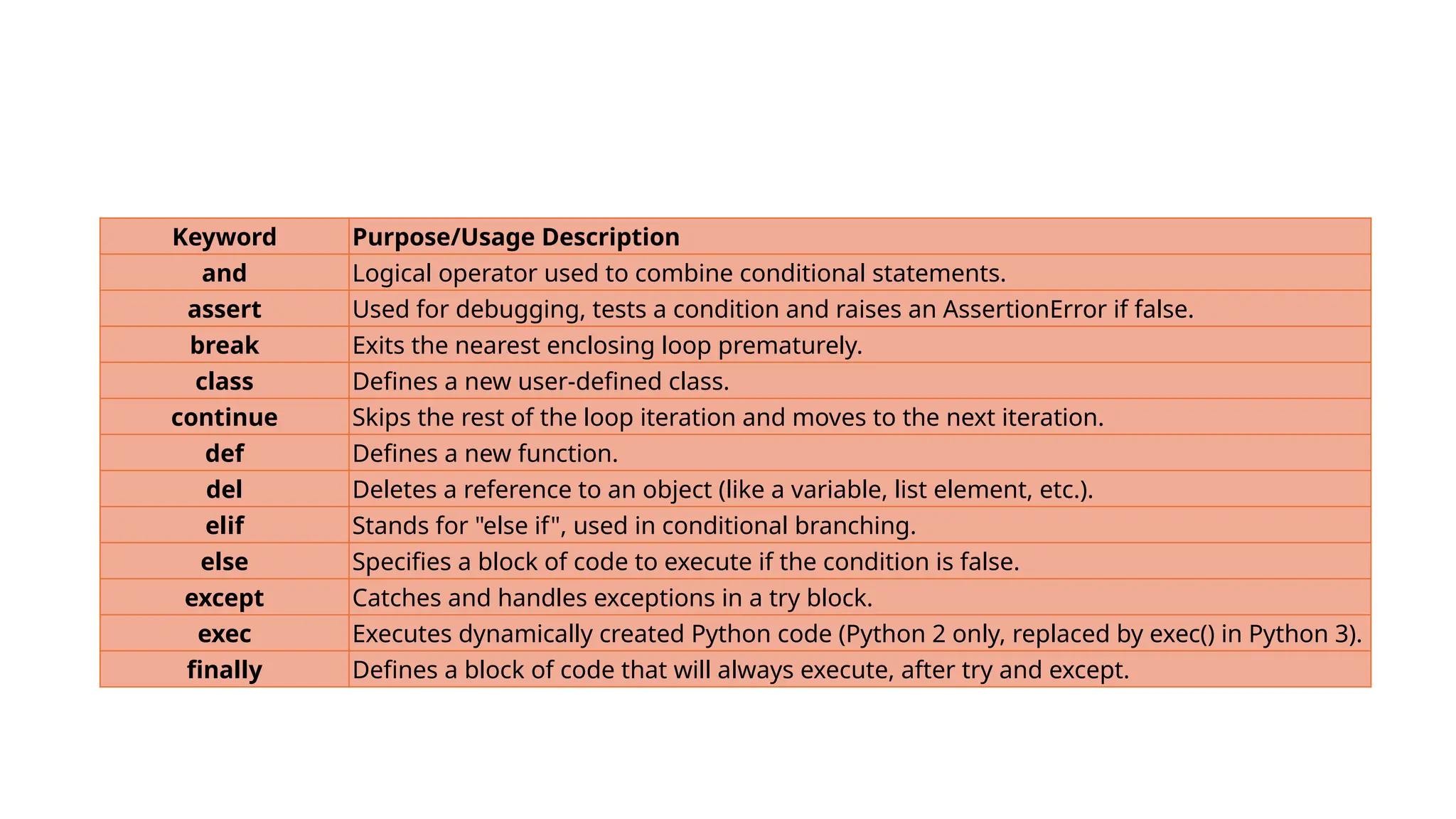
Keyword Purpose/Usage Description
andLogical operator used to combine conditional statements.
assert Used for debugging, tests a condition and raises an AssertionError if false.
break Exits the nearest enclosing loop prematurely.
class Defines a new user-defined class.
continue Skips the rest of the loop iteration and moves to the next iteration.
def Defines a new function.
del Deletes a reference to an object (like a variable, list element, etc.).
elif Stands for "else if", used in conditional branching.
else Specifies a block of code to execute if the condition is false.
except Catches and handles exceptions in a try block.
exec Executes dynamically created Python code (Python 2 only, replaced by exec() in Python 3).
finally Defines a block of code that will always execute, after try and except.
39.
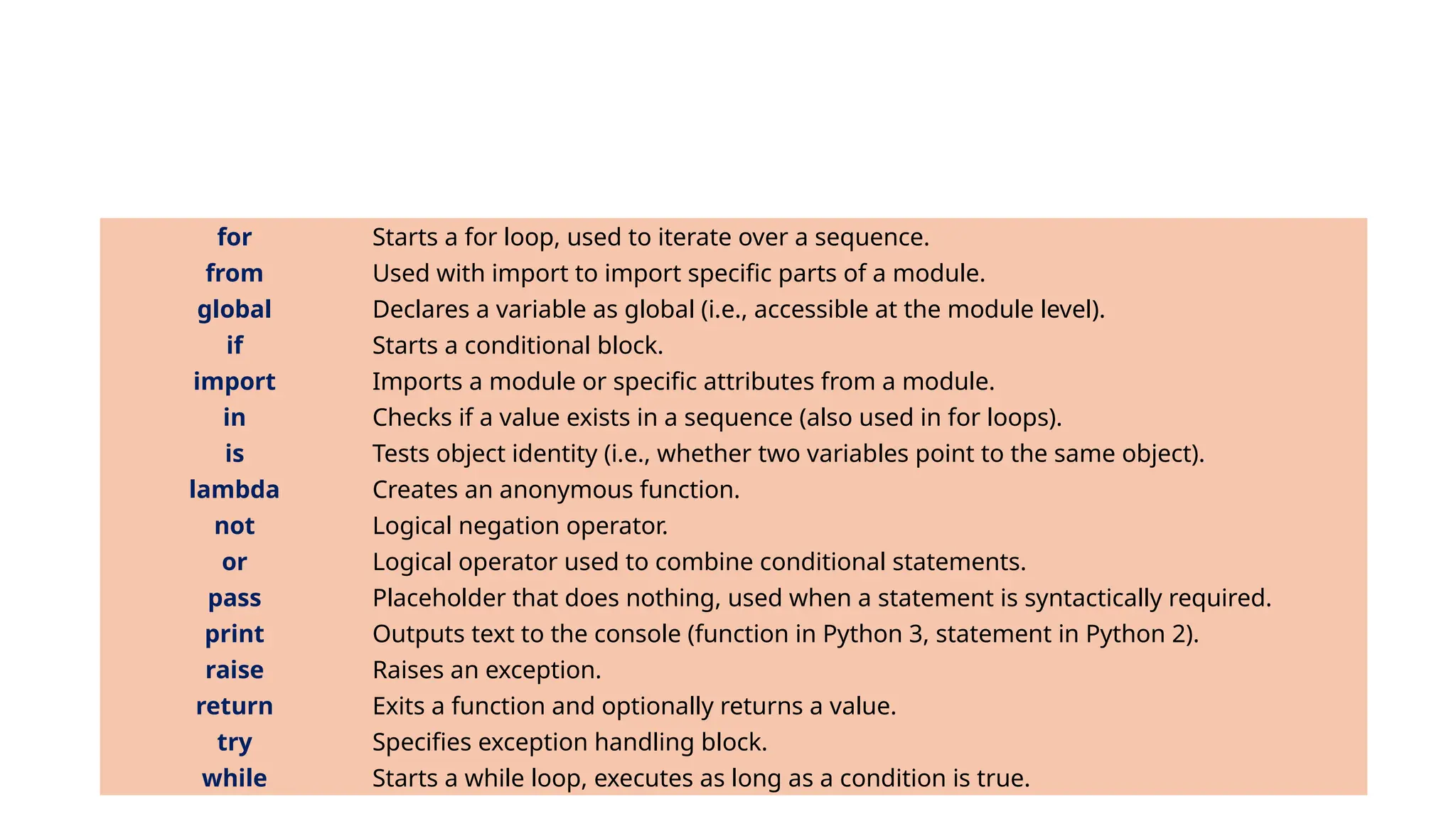
for Starts afor loop, used to iterate over a sequence.
from Used with import to import specific parts of a module.
global Declares a variable as global (i.e., accessible at the module level).
if Starts a conditional block.
import Imports a module or specific attributes from a module.
in Checks if a value exists in a sequence (also used in for loops).
is Tests object identity (i.e., whether two variables point to the same object).
lambda Creates an anonymous function.
not Logical negation operator.
or Logical operator used to combine conditional statements.
pass Placeholder that does nothing, used when a statement is syntactically required.
print Outputs text to the console (function in Python 3, statement in Python 2).
raise Raises an exception.
return Exits a function and optionally returns a value.
try Specifies exception handling block.
while Starts a while loop, executes as long as a condition is true.
40.
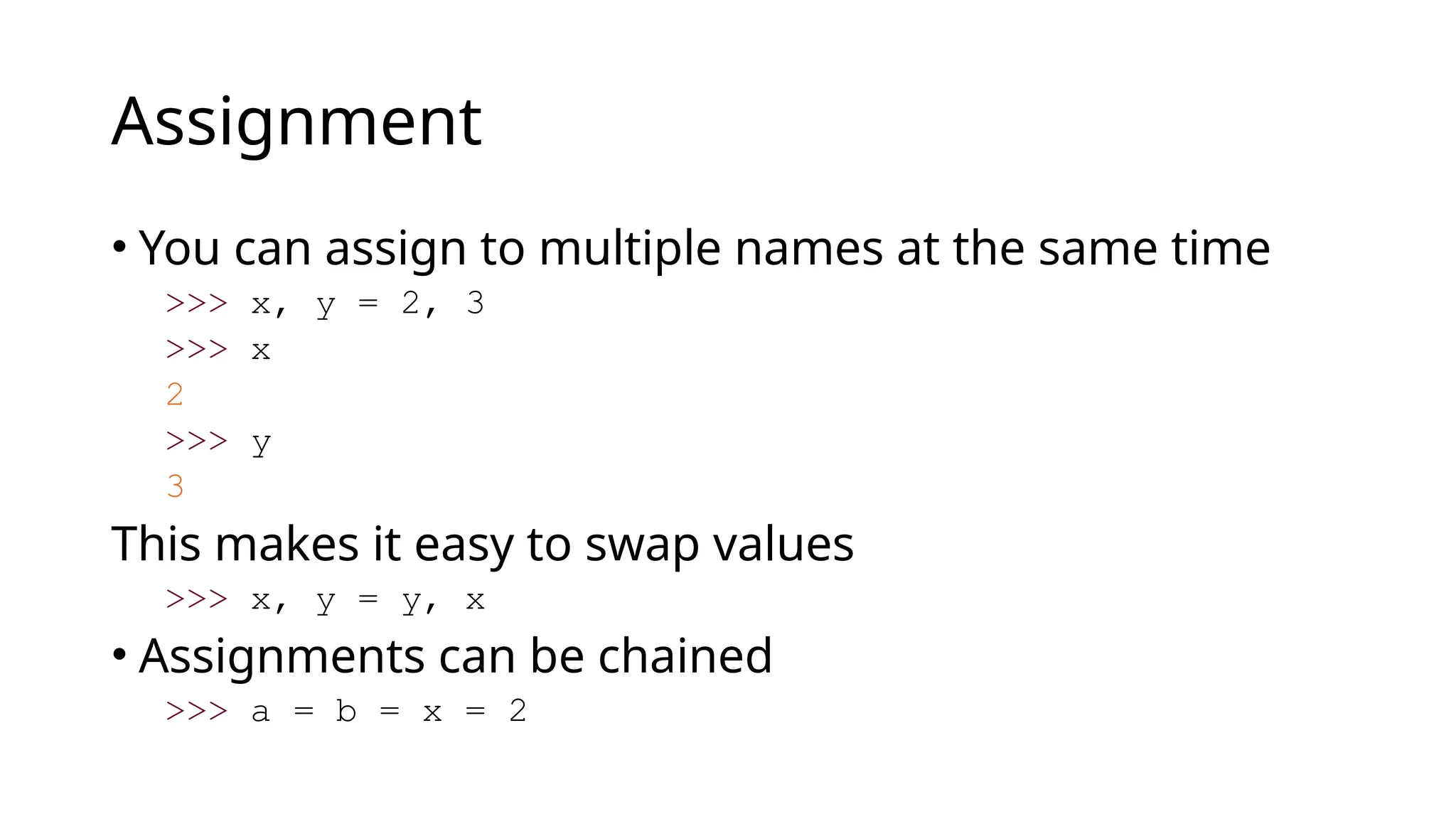
Assignment
• You canassign to multiple names at the same time
>>> x, y = 2, 3
>>> x
2
>>> y
3
This makes it easy to swap values
>>> x, y = y, x
• Assignments can be chained
>>> a = b = x = 2
Sequence Types
1. Tuple:(‘john’, 32, [CMSC])
· A simple immutable ordered sequence of items
· Items can be of mixed types, including
collection types
2. Strings: “John Smith”
• Immutable
• Conceptually very much like a tuple
3. List: [1, 2, ‘john’, (‘up’, ‘down’)]
· Mutable ordered sequence of items of mixed
types
43.
Similar Syntax
• Allthree sequence types (tuples, strings, and lists) share much
of the same syntax and functionality.
• Key difference:
• Tuples and strings are immutable
• Lists are mutable
• The operations shown in this section can be applied to all
sequence types
• most examples will just show the operation performed on one
44.
Sequence Types 1
•Define tuples using parentheses and commas
>>> tu = (23, ‘abc’, 4.56, (2,3), ‘def’)
• Define lists are using square brackets and commas
>>> li = [“abc”, 34, 4.34, 23]
• Define strings using quotes (“, ‘, or “““).
>>> st = “Hello World”
>>> st = ‘Hello World’
>>> st = “““This is a multi-line
string that uses triple quotes.”””
45.
Sequence Types 2
•Access individual members of a tuple, list, or string
using square bracket “array” notation
• Note that all are 0 based…
>>> tu = (23, ‘abc’, 4.56, (2,3), ‘def’)
>>> tu[1] # Second item in the tuple.
‘abc’
>>> li = [“abc”, 34, 4.34, 23]
>>> li[1] # Second item in the list.
34
>>> st = “Hello World”
>>> st[1] # Second character in string.
‘e’
46.
Positive and negativeindices
>>> t = (23, ‘abc’, 4.56, (2,3), ‘def’)
Positive index: count from the left, starting with 0
>>> t[1]
‘abc’
Negative index: count from right, starting with –1
>>> t[-3]
4.56
47.
Slicing: return copyof a subset
>>> t = (23, ‘abc’, 4.56, (2,3), ‘def’)
Return a copy of the container with a subset of the
original members. Start copying at the first index,
and stop copying before second.
>>> t[1:4]
(‘abc’, 4.56, (2,3))
Negative indices count from end
>>> t[1:-1]
(‘abc’, 4.56, (2,3))
48.
Slicing: return copyof a =subset
>>> t = (23, ‘abc’, 4.56, (2,3), ‘def’)
Omit first index to make copy starting from
beginning of the container
>>> t[:2]
(23, ‘abc’)
Omit second index to make copy starting at first
index and going to end
>>> t[2:]
(4.56, (2,3), ‘def’)
49.
Copying the WholeSequence
• [ : ] makes a copy of an entire sequence
>>> t[:]
(23, ‘abc’, 4.56, (2,3), ‘def’)
• Note the difference between these two lines for
mutable sequences
>>> l2 = l1 # Both refer to 1 ref,
# changing one affects both
>>> l2 = l1[:] # Independent copies, two refs
50.
The ‘in’ Operator
•Boolean test whether a value is inside a container:
>>> t = [1, 2, 4, 5]
>>> 3 in t
False
>>> 4 in t
True
>>> 4 not in t
False
• For strings, tests for substrings
>>> a = 'abcde'
>>> 'c' in a
True
>>> 'cd' in a
True
>>> 'ac' in a
False
• Be careful: the in keyword is also used in the syntax of for loops and list
comprehensions
51.
The + Operator
The+ operator produces a new tuple, list, or string whose value is the concatenation of its
arguments.
>>> (1, 2, 3) + (4, 5, 6)
(1, 2, 3, 4, 5, 6)
>>> [1, 2, 3] + [4, 5, 6]
[1, 2, 3, 4, 5, 6]
>>> “Hello” + “ ” + “World”
‘Hello World’
52.
The * Operator
•The * operator produces a new tuple, list, or string that “repeats” the
original content.
>>> (1, 2, 3) * 3
(1, 2, 3, 1, 2, 3, 1, 2, 3)
>>> [1, 2, 3] * 3
[1, 2, 3, 1, 2, 3, 1, 2, 3]
>>> “Hello” * 3
‘HelloHelloHello’
Lists are mutable
>>>li = [‘abc’, 23, 4.34, 23]
>>> li[1] = 45
>>> li
[‘abc’, 45, 4.34, 23]
• We can change lists in place.
• Name li still points to the same memory
reference when we’re done.
55.
Tuples are immutable
>>>t = (23, ‘abc’, 4.56, (2,3), ‘def’)
>>> t[2] = 3.14
Traceback (most recent call last):
File "<pyshell#75>", line 1, in -toplevel-
tu[2] = 3.14
TypeError: object doesn't support item assignment
• You can’t change a tuple.
• You can make a fresh tuple and assign its reference to a
previously used name.
>>> t = (23, ‘abc’, 3.14, (2,3), ‘def’)
• The immutability of tuples means they’re faster than lists.
56.
Operations on ListsOnly
>>> li = [1, 11, 3, 4, 5]
>>> li.append(‘a’) # Note the method syntax
>>> li
[1, 11, 3, 4, 5, ‘a’]
>>> li.insert(2, ‘i’)
>>>li
[1, 11, ‘i’, 3, 4, 5, ‘a’]
57.
The extend methodvs +
• + creates a fresh list with a new memory ref
• extend operates on list li in place.
>>> li.extend([9, 8, 7])
>>> li
[1, 2, ‘i’, 3, 4, 5, ‘a’, 9, 8, 7]
• Potentially confusing:
• extend takes a list as an argument.
• append takes a singleton as an argument.
>>> li.append([10, 11, 12])
>>> li
[1, 2, ‘i’, 3, 4, 5, ‘a’, 9, 8, 7, [10, 11, 12]]
58.
Operations on ListsOnly
Lists have many methods, including index, count,
remove, reverse, sort
>>> li = [‘a’, ‘b’, ‘c’, ‘b’]
>>> li.index(‘b’) # index of 1st
occurrence
1
>>> li.count(‘b’) # number of occurrences
2
>>> li.remove(‘b’) # remove 1st
occurrence
>>> li
[‘a’, ‘c’, ‘b’]
59.
Operations on ListsOnly
>>> li = [5, 2, 6, 8]
>>> li.reverse() # reverse the list *in place*
>>> li
[8, 6, 2, 5]
>>> li.sort() # sort the list *in place*
>>> li
[2, 5, 6, 8]
>>> li.sort(some_function)
# sort in place using user-defined comparison
60.
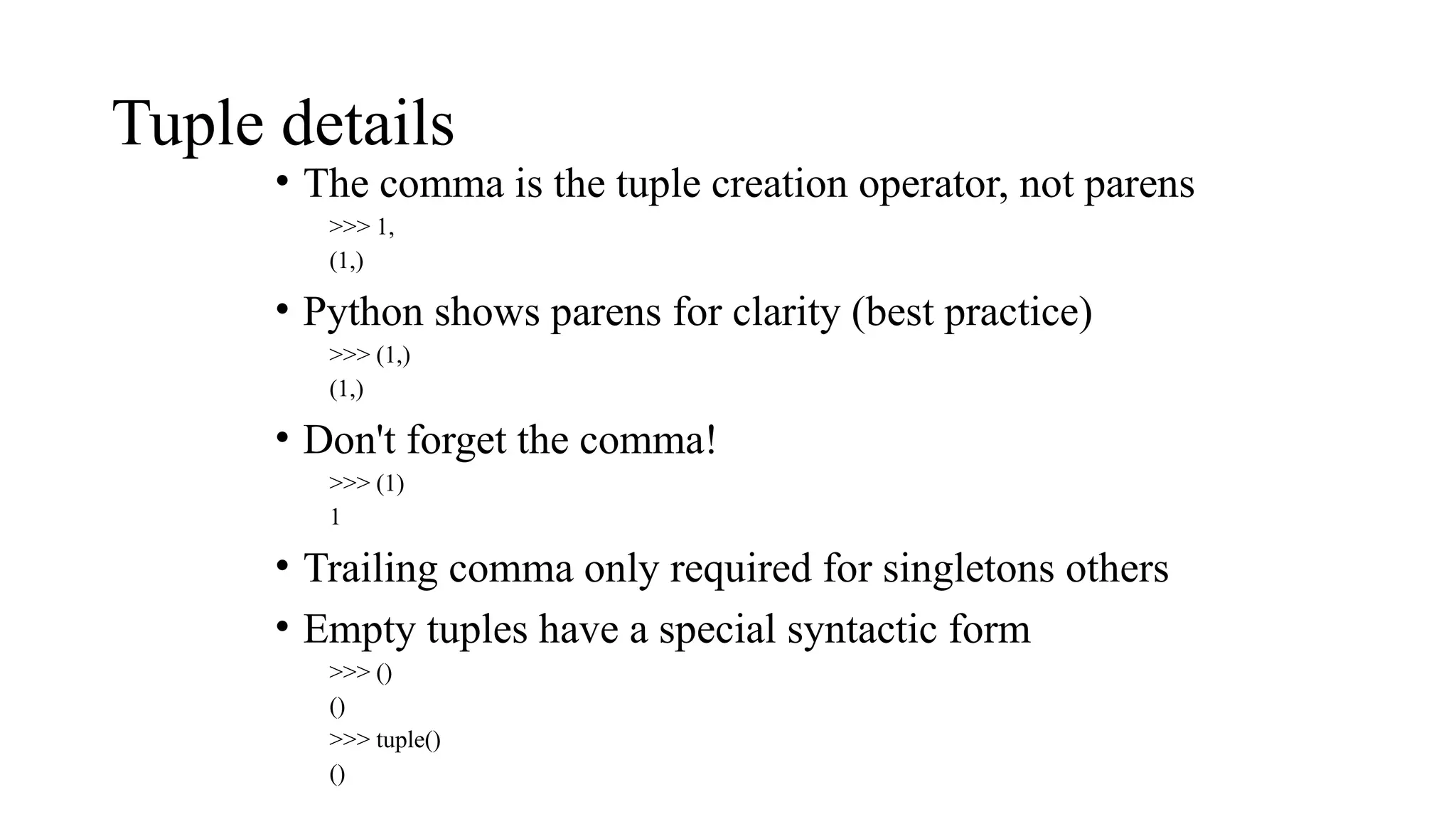
Tuple details
• Thecomma is the tuple creation operator, not parens
>>> 1,
(1,)
• Python shows parens for clarity (best practice)
>>> (1,)
(1,)
• Don't forget the comma!
>>> (1)
1
• Trailing comma only required for singletons others
• Empty tuples have a special syntactic form
>>> ()
()
>>> tuple()
()
61.
Python + SQLIntegration
SQL (Structured Query Language) is a standardized programming
language specifically designed for managing and manipulating
relational databases.
It allows users to interact with databases to perform various operations,
such as querying data, updating records, creating and modifying
database structures, and controlling access to data.
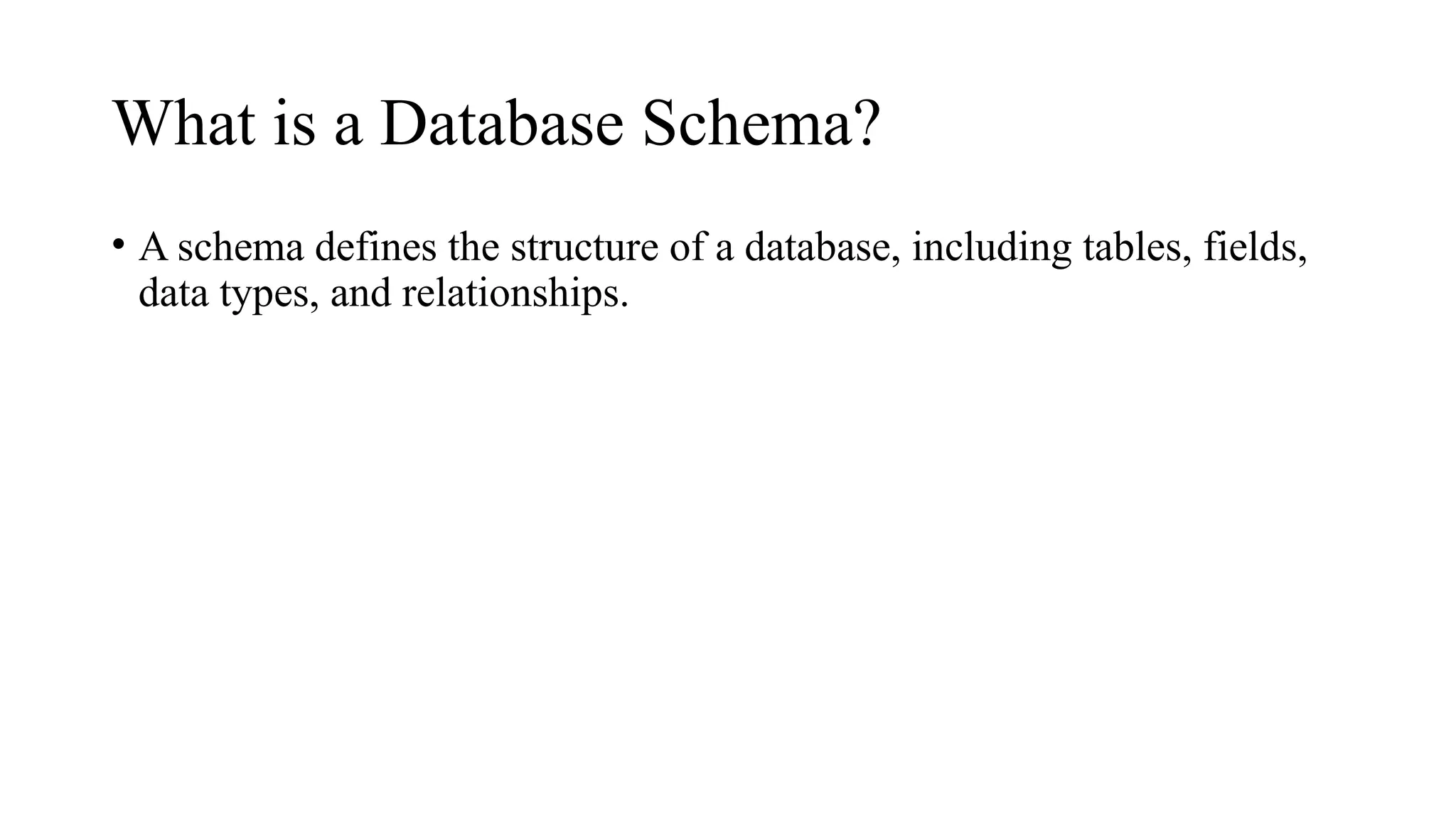
62.
What is aDatabase Schema?
• A schema defines the structure of a database, including tables, fields,
data types, and relationships.
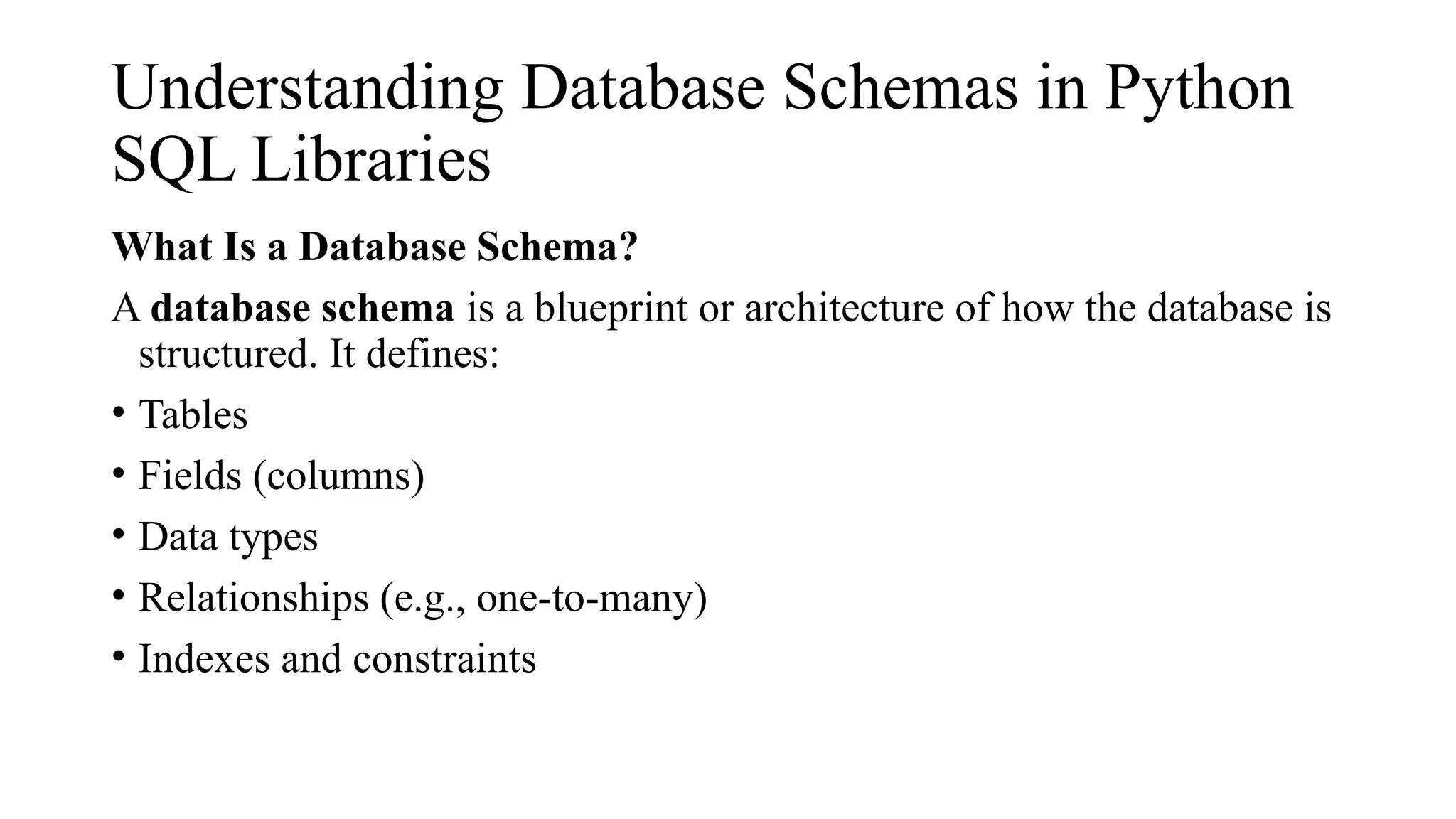
63.
Understanding Database Schemasin Python
SQL Libraries
What Is a Database Schema?
A database schema is a blueprint or architecture of how the database is
structured. It defines:
• Tables
• Fields (columns)
• Data types
• Relationships (e.g., one-to-many)
• Indexes and constraints
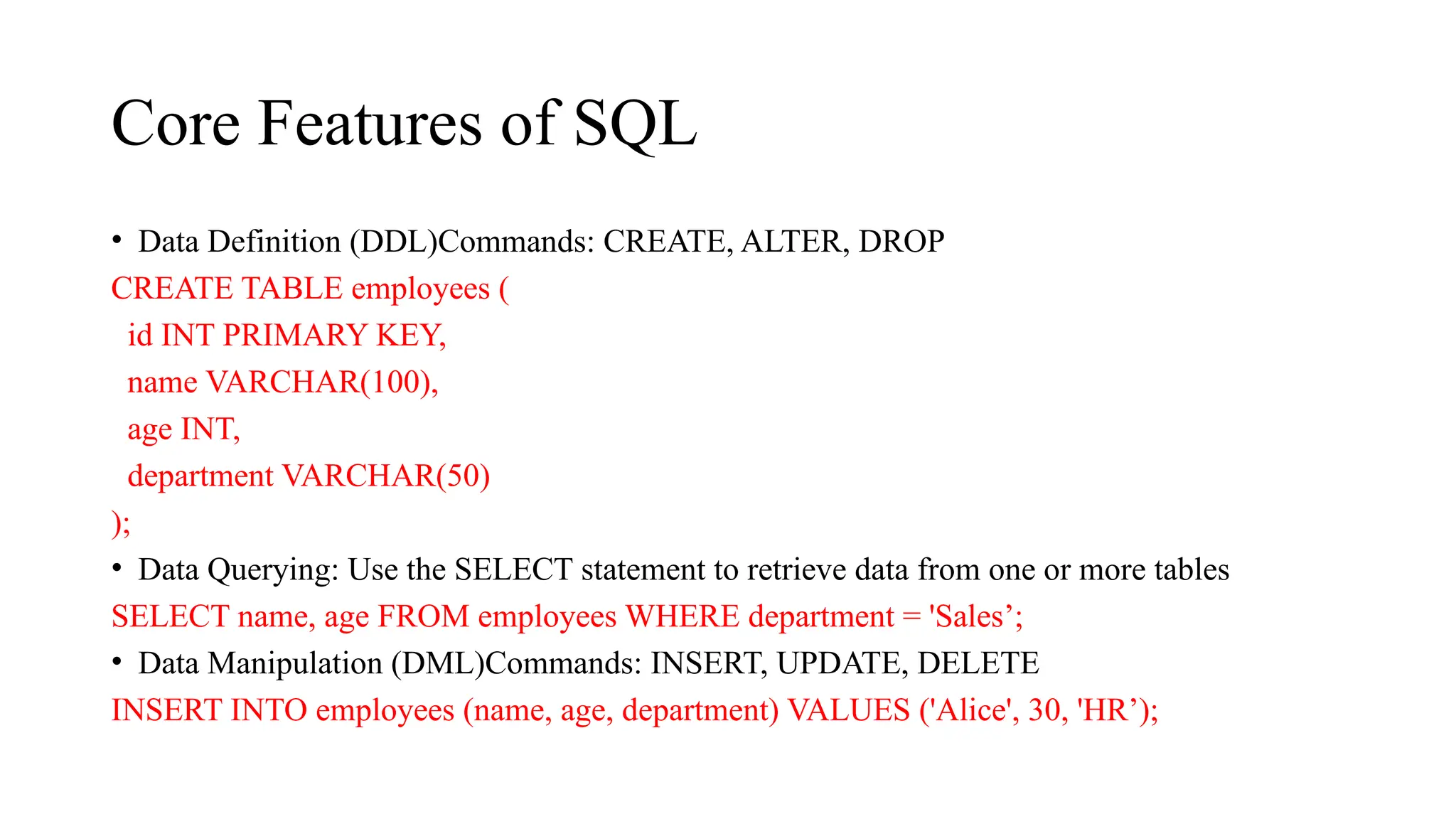
64.
Core Features ofSQL
• Data Definition (DDL)Commands: CREATE, ALTER, DROP
CREATE TABLE employees (
id INT PRIMARY KEY,
name VARCHAR(100),
age INT,
department VARCHAR(50)
);
• Data Querying: Use the SELECT statement to retrieve data from one or more tables
SELECT name, age FROM employees WHERE department = 'Sales’;
• Data Manipulation (DML)Commands: INSERT, UPDATE, DELETE
INSERT INTO employees (name, age, department) VALUES ('Alice', 30, 'HR’);
65.
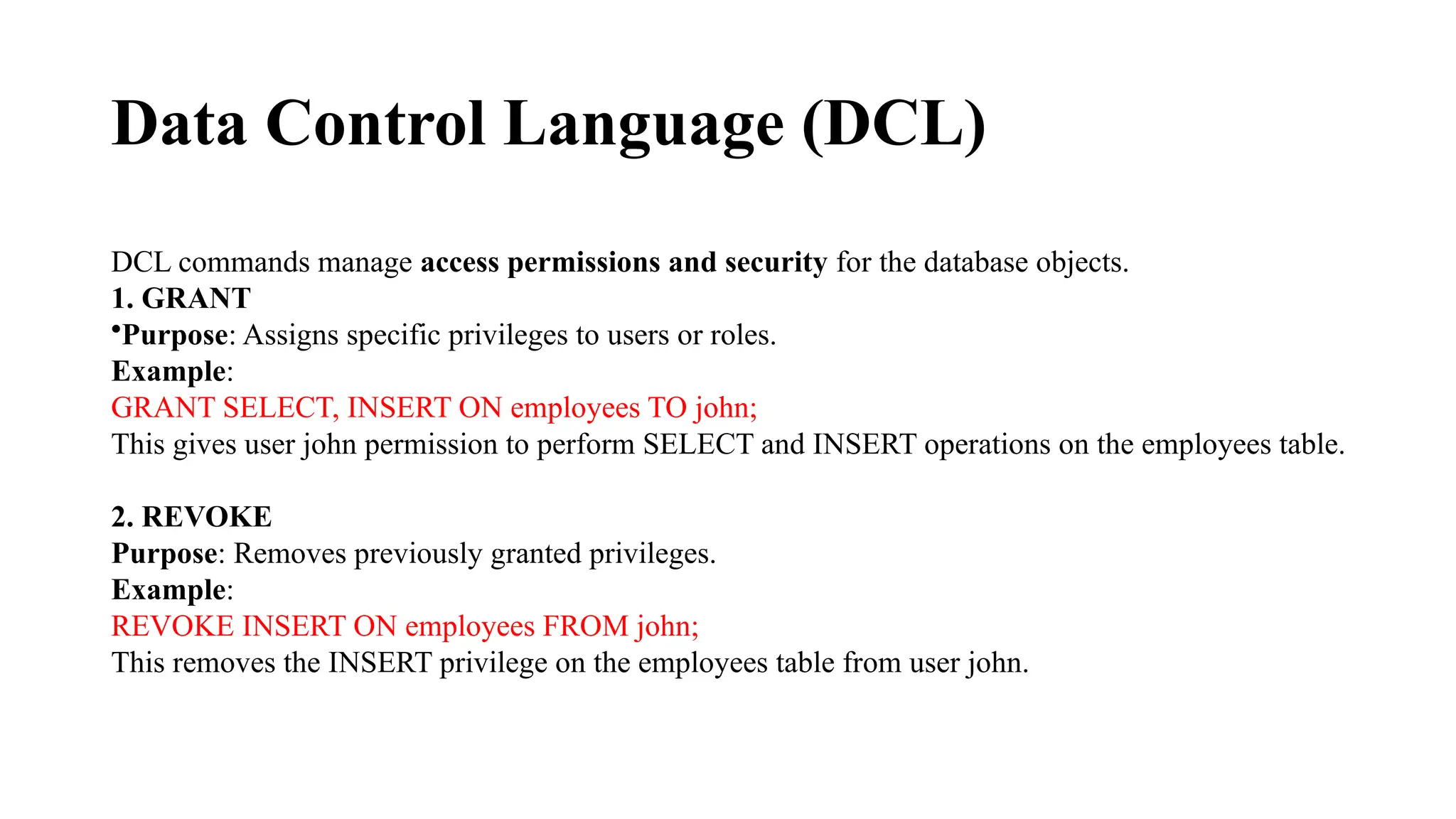
Data Control Language(DCL)
DCL commands manage access permissions and security for the database objects.
1. GRANT
•Purpose: Assigns specific privileges to users or roles.
Example:
GRANT SELECT, INSERT ON employees TO john;
This gives user john permission to perform SELECT and INSERT operations on the employees table.
2. REVOKE
Purpose: Removes previously granted privileges.
Example:
REVOKE INSERT ON employees FROM john;
This removes the INSERT privilege on the employees table from user john.
![Data Type Variable Example Description Example Program Output
str name = "Alice" String (text)
name = "Alice“
print(name)
Alice
int age = 25
Integer (whole
number)
age = 25
print(age)
25
float height = 5.6
Floating point
number
height = 5.6
print(height)
5.6
bool is_student = True
Boolean (True or
False)
is_student = True
print(is_student)
True
NoneType nothing = None
Represents no
value
nothing = None
print(nothing)
None
list
fruits = ["apple",
"banana", "cherry"]
Ordered, mutable
collection
fruits = ["apple", "banana",
"cherry"]
print(fruits)
['apple', 'banana',
'cherry']](https://image.slidesharecdn.com/integratingpythonwithsql1-250720162210-9e7ed87b/75/Integrating-Python-with-SQL-12345-pptx-10-2048.jpg)
![Data Type Variable Example Description Example Program Output
tuple
coordinates = (10.0,
20.0)
Ordered, immutable
collection
coordinates = (10.0, 20.0)
print(coordinates)
(10.0, 20.0)
set
unique_numbers =
{1, 2, 3, 4}
Unordered unique
elements
unique_numbers = {1, 2, 3, 4}
print(unique_numbers)
{1, 2, 3, 4} (order may
vary)
dict
student = {"name":
"Alice", "age": 25}
Key-value pairs
student = {"name": "Alice",
"age": 25}
print(student)
{'name': 'Alice', 'age':
25}
complex z = 3 + 5j Complex number
z = 3 + 5j
print(z)
(3+5j)
bytes byte_data = b"hello" Immutable byte sequence
byte_data = b"hello“
print(byte_data)
b'hello'
bytearray
mutable_bytes =
bytearray([65, 66,
67])
Mutable byte sequence
mutable_bytes = bytearray([65,
66, 67])
print(mutable_bytes)
bytearray(b'ABC')
range
numbers = range(1,
5)
Sequence of numbers
numbers = range(1, 5)
print(list(numbers))
[1, 2, 3, 4]](https://image.slidesharecdn.com/integratingpythonwithsql1-250720162210-9e7ed87b/75/Integrating-Python-with-SQL-12345-pptx-11-2048.jpg)
![Basic Syntax Rules
● The name of your variable (myInt etc.) is placed on the left of the “=“ operator.
○ Most variable names are in camel case where the first word begins with a lowercase letter and any subsequent words
are capitalized
○ Variable names may also appear in snake case where all words are lowercase, with underscores between words
● The assignment operator (“=“) sets the variable name equal to the memory location where your value is found.
● The value of your variable (“Hello, World”) is placed on the right of the “=“ operator.
○ The type of this value does NOT need to be stated but its format must abide by a given object type (as shown).
myString = “Hello, World”
myInt = 7
myFloat = 7.0
myList = [7, 8, 9] myBoolean
= true](https://image.slidesharecdn.com/integratingpythonwithsql1-250720162210-9e7ed87b/75/Integrating-Python-with-SQL-12345-pptx-18-2048.jpg)
![The Python Interpreter
• Typical Python implementations offer both an interpreter
and compiler.
• Interactive interface to Python with a read-eval-print loop
>>> def square(x):
... return x * x
...
>>> map(square, [1, 2, 3, 4])
[1, 4, 9, 16]
>>>](https://image.slidesharecdn.com/integratingpythonwithsql1-250720162210-9e7ed87b/75/Integrating-Python-with-SQL-12345-pptx-26-2048.jpg)
![Sequence Types
1. Tuple: (‘john’, 32, [CMSC])
· A simple immutable ordered sequence of items
· Items can be of mixed types, including
collection types
2. Strings: “John Smith”
• Immutable
• Conceptually very much like a tuple
3. List: [1, 2, ‘john’, (‘up’, ‘down’)]
· Mutable ordered sequence of items of mixed
types](https://image.slidesharecdn.com/integratingpythonwithsql1-250720162210-9e7ed87b/75/Integrating-Python-with-SQL-12345-pptx-42-2048.jpg)
![Sequence Types 1
• Define tuples using parentheses and commas
>>> tu = (23, ‘abc’, 4.56, (2,3), ‘def’)
• Define lists are using square brackets and commas
>>> li = [“abc”, 34, 4.34, 23]
• Define strings using quotes (“, ‘, or “““).
>>> st = “Hello World”
>>> st = ‘Hello World’
>>> st = “““This is a multi-line
string that uses triple quotes.”””](https://image.slidesharecdn.com/integratingpythonwithsql1-250720162210-9e7ed87b/75/Integrating-Python-with-SQL-12345-pptx-44-2048.jpg)
![Sequence Types 2
• Access individual members of a tuple, list, or string
using square bracket “array” notation
• Note that all are 0 based…
>>> tu = (23, ‘abc’, 4.56, (2,3), ‘def’)
>>> tu[1] # Second item in the tuple.
‘abc’
>>> li = [“abc”, 34, 4.34, 23]
>>> li[1] # Second item in the list.
34
>>> st = “Hello World”
>>> st[1] # Second character in string.
‘e’](https://image.slidesharecdn.com/integratingpythonwithsql1-250720162210-9e7ed87b/75/Integrating-Python-with-SQL-12345-pptx-45-2048.jpg)
![Positive and negative indices
>>> t = (23, ‘abc’, 4.56, (2,3), ‘def’)
Positive index: count from the left, starting with 0
>>> t[1]
‘abc’
Negative index: count from right, starting with –1
>>> t[-3]
4.56](https://image.slidesharecdn.com/integratingpythonwithsql1-250720162210-9e7ed87b/75/Integrating-Python-with-SQL-12345-pptx-46-2048.jpg)
![Slicing: return copy of a subset
>>> t = (23, ‘abc’, 4.56, (2,3), ‘def’)
Return a copy of the container with a subset of the
original members. Start copying at the first index,
and stop copying before second.
>>> t[1:4]
(‘abc’, 4.56, (2,3))
Negative indices count from end
>>> t[1:-1]
(‘abc’, 4.56, (2,3))](https://image.slidesharecdn.com/integratingpythonwithsql1-250720162210-9e7ed87b/75/Integrating-Python-with-SQL-12345-pptx-47-2048.jpg)
![Slicing: return copy of a =subset
>>> t = (23, ‘abc’, 4.56, (2,3), ‘def’)
Omit first index to make copy starting from
beginning of the container
>>> t[:2]
(23, ‘abc’)
Omit second index to make copy starting at first
index and going to end
>>> t[2:]
(4.56, (2,3), ‘def’)](https://image.slidesharecdn.com/integratingpythonwithsql1-250720162210-9e7ed87b/75/Integrating-Python-with-SQL-12345-pptx-48-2048.jpg)
![Copying the Whole Sequence
• [ : ] makes a copy of an entire sequence
>>> t[:]
(23, ‘abc’, 4.56, (2,3), ‘def’)
• Note the difference between these two lines for
mutable sequences
>>> l2 = l1 # Both refer to 1 ref,
# changing one affects both
>>> l2 = l1[:] # Independent copies, two refs](https://image.slidesharecdn.com/integratingpythonwithsql1-250720162210-9e7ed87b/75/Integrating-Python-with-SQL-12345-pptx-49-2048.jpg)
![The ‘in’ Operator
• Boolean test whether a value is inside a container:
>>> t = [1, 2, 4, 5]
>>> 3 in t
False
>>> 4 in t
True
>>> 4 not in t
False
• For strings, tests for substrings
>>> a = 'abcde'
>>> 'c' in a
True
>>> 'cd' in a
True
>>> 'ac' in a
False
• Be careful: the in keyword is also used in the syntax of for loops and list
comprehensions](https://image.slidesharecdn.com/integratingpythonwithsql1-250720162210-9e7ed87b/75/Integrating-Python-with-SQL-12345-pptx-50-2048.jpg)
![The + Operator
The + operator produces a new tuple, list, or string whose value is the concatenation of its
arguments.
>>> (1, 2, 3) + (4, 5, 6)
(1, 2, 3, 4, 5, 6)
>>> [1, 2, 3] + [4, 5, 6]
[1, 2, 3, 4, 5, 6]
>>> “Hello” + “ ” + “World”
‘Hello World’](https://image.slidesharecdn.com/integratingpythonwithsql1-250720162210-9e7ed87b/75/Integrating-Python-with-SQL-12345-pptx-51-2048.jpg)
![The * Operator
• The * operator produces a new tuple, list, or string that “repeats” the
original content.
>>> (1, 2, 3) * 3
(1, 2, 3, 1, 2, 3, 1, 2, 3)
>>> [1, 2, 3] * 3
[1, 2, 3, 1, 2, 3, 1, 2, 3]
>>> “Hello” * 3
‘HelloHelloHello’](https://image.slidesharecdn.com/integratingpythonwithsql1-250720162210-9e7ed87b/75/Integrating-Python-with-SQL-12345-pptx-52-2048.jpg)
![Lists are mutable
>>> li = [‘abc’, 23, 4.34, 23]
>>> li[1] = 45
>>> li
[‘abc’, 45, 4.34, 23]
• We can change lists in place.
• Name li still points to the same memory
reference when we’re done.](https://image.slidesharecdn.com/integratingpythonwithsql1-250720162210-9e7ed87b/75/Integrating-Python-with-SQL-12345-pptx-54-2048.jpg)
![Tuples are immutable
>>> t = (23, ‘abc’, 4.56, (2,3), ‘def’)
>>> t[2] = 3.14
Traceback (most recent call last):
File "<pyshell#75>", line 1, in -toplevel-
tu[2] = 3.14
TypeError: object doesn't support item assignment
• You can’t change a tuple.
• You can make a fresh tuple and assign its reference to a
previously used name.
>>> t = (23, ‘abc’, 3.14, (2,3), ‘def’)
• The immutability of tuples means they’re faster than lists.](https://image.slidesharecdn.com/integratingpythonwithsql1-250720162210-9e7ed87b/75/Integrating-Python-with-SQL-12345-pptx-55-2048.jpg)
![Operations on Lists Only
>>> li = [1, 11, 3, 4, 5]
>>> li.append(‘a’) # Note the method syntax
>>> li
[1, 11, 3, 4, 5, ‘a’]
>>> li.insert(2, ‘i’)
>>>li
[1, 11, ‘i’, 3, 4, 5, ‘a’]](https://image.slidesharecdn.com/integratingpythonwithsql1-250720162210-9e7ed87b/75/Integrating-Python-with-SQL-12345-pptx-56-2048.jpg)
![The extend method vs +
• + creates a fresh list with a new memory ref
• extend operates on list li in place.
>>> li.extend([9, 8, 7])
>>> li
[1, 2, ‘i’, 3, 4, 5, ‘a’, 9, 8, 7]
• Potentially confusing:
• extend takes a list as an argument.
• append takes a singleton as an argument.
>>> li.append([10, 11, 12])
>>> li
[1, 2, ‘i’, 3, 4, 5, ‘a’, 9, 8, 7, [10, 11, 12]]](https://image.slidesharecdn.com/integratingpythonwithsql1-250720162210-9e7ed87b/75/Integrating-Python-with-SQL-12345-pptx-57-2048.jpg)
![Operations on Lists Only
Lists have many methods, including index, count,
remove, reverse, sort
>>> li = [‘a’, ‘b’, ‘c’, ‘b’]
>>> li.index(‘b’) # index of 1st
occurrence
1
>>> li.count(‘b’) # number of occurrences
2
>>> li.remove(‘b’) # remove 1st
occurrence
>>> li
[‘a’, ‘c’, ‘b’]](https://image.slidesharecdn.com/integratingpythonwithsql1-250720162210-9e7ed87b/75/Integrating-Python-with-SQL-12345-pptx-58-2048.jpg)
![Operations on Lists Only
>>> li = [5, 2, 6, 8]
>>> li.reverse() # reverse the list *in place*
>>> li
[8, 6, 2, 5]
>>> li.sort() # sort the list *in place*
>>> li
[2, 5, 6, 8]
>>> li.sort(some_function)
# sort in place using user-defined comparison](https://image.slidesharecdn.com/integratingpythonwithsql1-250720162210-9e7ed87b/75/Integrating-Python-with-SQL-12345-pptx-59-2048.jpg)




![Orthogonal Multiple-Access Systems [Autosaved].pptx](https://cdn.slidesharecdn.com/ss_thumbnails/orthogonalmultiple-accesssystemsautosaved-250720162840-6d838b28-thumbnail.jpg?width=640&height=640&fit=bounds)


