20BCT23 – PYTHON PROGRAMMING
Literal Constants and Numbers
• Literal Constants:
– The value of a literal constant can be used directly in programs.
– Eg : 7,3,9,’A’ and “Hello” are literal constants.
– It is a constant because its value cannot be changed.
• Numbers:
– Four types of nunmbers in Python.
– Integers – 5 or other whole numbers.
– Long Integers- 535633629843L or other bigger whole numbers.
– Complex Numbers – Number of the form a+bi
• Issues in floating point numbers:
– The arithmetic overflow problem.
– The arithmetic underflow problem.
– Loss of precision problem.
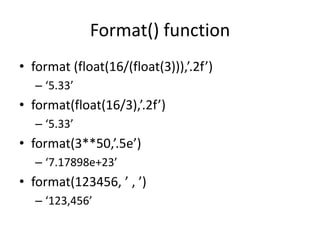
Format() function
• format (float(16/(float(3))),’.2f’)
– ‘5.33’
• format(float(16/3),’.2f’)
– ‘5.33’
• format(3**50,’.5e’)
– ‘7.17898e+23’
• format(123456, ’ , ’)
– ‘123,456’
Simple operations on Numbers
• 10+7 #17
• 50+40-35 #55
• 12*10 #120
• 96/12 #8.0
• 96//12 #8
• (-30*4)+500 #380
• -15/0 #Zero Division Error
• 5*3.0 #15.0
• 78%5 #3
• 152.78//3.0 #50.0
• 152.78/3.0 #2.780000000000001
• 36**0.5 #6.0
• 78//5 #15
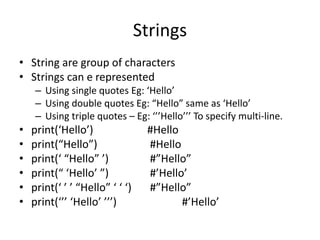
Strings
• String are group of characters
• Strings can e represented
– Using single quotes Eg: ‘Hello’
– Using double quotes Eg: “Hello” same as ‘Hello’
– Using triple quotes – Eg: ‘’’Hello’’’ To specify multi-line.
• print(‘Hello’) #Hello
• print(“Hello”) #Hello
• print(‘ “Hello” ’) #”Hello”
• print(“ ‘Hello’ ”) #’Hello’
• print(‘ ’ ’ “Hello” ‘ ‘ ‘) #”Hello”
• print(‘’’ ‘Hello’ ’’’) #’Hello’
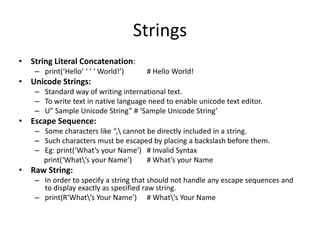
Strings
• String Literal Concatenation:
– print(‘Hello’ ‘ ‘ ‘ World!’) # Hello World!
• Unicode Strings:
– Standard way of writing international text.
– To write text in native language need to enable unicode text editor.
– U” Sample Unicode String” # ‘Sample Unicode String’
• Escape Sequence:
– Some characters like “, cannot be directly included in a string.
– Such characters must be escaped by placing a backslash before them.
– Eg: print(‘What’s your Name’) # Invalid Syntax
print(‘What’s your Name’) # What’s your Name
• Raw String:
– In order to specify a string that should not handle any escape sequences and
to display exactly as specified raw string.
– print(R’What’s Your Name’) # What’s Your Name
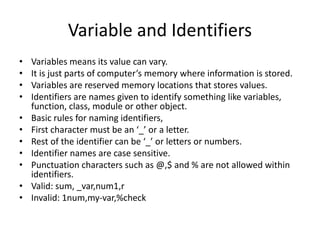
Variable and Identifiers
• Variables means its value can vary.
• It is just parts of computer’s memory where information is stored.
• Variables are reserved memory locations that stores values.
• Identifiers are names given to identify something like variables,
function, class, module or other object.
• Basic rules for naming identifiers,
• First character must be an ‘_’ or a letter.
• Rest of the identifier can be ‘_’ or letters or numbers.
• Identifier names are case sensitive.
• Punctuation characters such as @,$ and % are not allowed within
identifiers.
• Valid: sum, _var,num1,r
• Invalid: 1num,my-var,%check
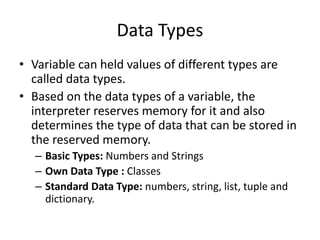
Data Types
• Variable can held values of different types are
called data types.
• Based on the data types of a variable, the
interpreter reserves memory for it and also
determines the type of data that can be stored in
the reserved memory.
– Basic Types: Numbers and Strings
– Own Data Type : Classes
– Standard Data Type: numbers, string, list, tuple and
dictionary.
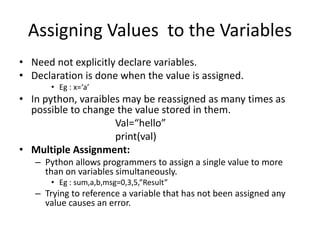
Assigning Values to the Variables
• Need not explicitly declare variables.
• Declaration is done when the value is assigned.
• Eg : x=‘a’
• In python, varaibles may be reassigned as many times as
possible to change the value stored in them.
Val=“hello”
print(val)
• Multiple Assignment:
– Python allows programmers to assign a single value to more
than on variables simultaneously.
• Eg : sum,a,b,msg=0,3,5,”Result”
– Trying to reference a variable that has not been assigned any
value causes an error.
Data Types
• Boolean:
– Boolean variables have one of the two values. True or False
– Eg : Flag=True 20!=20
• Input Operation:
– The input function takes user’s input as a string.
– Python uses input() functionto take input from user.
– Eg: age=input(“Enter Your Age”)
• Comments:
– Comments are non executable statements in a program.
– Makes the program easily readable and understandable by the
programmer as well as others who are seeing the code.
– # a hash sign represents comment line.
– print(“Hello”) #prints the string Hello
• Reserved Words:
– These words have a pre-defined meaning .
– Cannot be used for naming identifiers.
– Eg : and assert break class exec finally for from not
• Indentation:
– White space at the beginning of the line is called indentation.
– Single tab for each indentation level.
– It is used to associate and group statements.
– The level of indentation groups statements to form a block of
statements.
– The statements in a block should have same indentation level.
– Error is thrown if indentation is not correct.
– Eg : age=21
print(age) # Indentation Error
– All the statement inside the block should be at the same
indentation level.
Operators and Expressions
• Operators are the constructs that are used to manipulate the value of
operands.
• Eg: sum=a+b
• Arithmetic Operator:
• +,-,*,/,//,%,**,|,&
• Comparison Operator:
– These are also called as relational operator.
– Used to compare the values on its either sides and determine the relationship between
them.
– Eg: a==b a!=b a>b
– ==,!=,>,<,>=,<=
• Shortcut operators :
– +=,-=,*=,/=,%=
• Unary operator:
– Acts on single operands.
– When an operand is preceded by a minus sign, the unary operator negates its value.
– Eg : b=-10 a=-b #a=10

20BCT23 – PYTHON PROGRAMMING.pptx

  • 1.
    20BCT23 – PYTHONPROGRAMMING
  • 2.
    Literal Constants andNumbers • Literal Constants: – The value of a literal constant can be used directly in programs. – Eg : 7,3,9,’A’ and “Hello” are literal constants. – It is a constant because its value cannot be changed. • Numbers: – Four types of nunmbers in Python. – Integers – 5 or other whole numbers. – Long Integers- 535633629843L or other bigger whole numbers. – Complex Numbers – Number of the form a+bi • Issues in floating point numbers: – The arithmetic overflow problem. – The arithmetic underflow problem. – Loss of precision problem.
  • 3.
    Format() function • format(float(16/(float(3))),’.2f’) – ‘5.33’ • format(float(16/3),’.2f’) – ‘5.33’ • format(3**50,’.5e’) – ‘7.17898e+23’ • format(123456, ’ , ’) – ‘123,456’
  • 4.
    Simple operations onNumbers • 10+7 #17 • 50+40-35 #55 • 12*10 #120 • 96/12 #8.0 • 96//12 #8 • (-30*4)+500 #380 • -15/0 #Zero Division Error • 5*3.0 #15.0 • 78%5 #3 • 152.78//3.0 #50.0 • 152.78/3.0 #2.780000000000001 • 36**0.5 #6.0 • 78//5 #15
  • 5.
    Strings • String aregroup of characters • Strings can e represented – Using single quotes Eg: ‘Hello’ – Using double quotes Eg: “Hello” same as ‘Hello’ – Using triple quotes – Eg: ‘’’Hello’’’ To specify multi-line. • print(‘Hello’) #Hello • print(“Hello”) #Hello • print(‘ “Hello” ’) #”Hello” • print(“ ‘Hello’ ”) #’Hello’ • print(‘ ’ ’ “Hello” ‘ ‘ ‘) #”Hello” • print(‘’’ ‘Hello’ ’’’) #’Hello’
  • 6.
    Strings • String LiteralConcatenation: – print(‘Hello’ ‘ ‘ ‘ World!’) # Hello World! • Unicode Strings: – Standard way of writing international text. – To write text in native language need to enable unicode text editor. – U” Sample Unicode String” # ‘Sample Unicode String’ • Escape Sequence: – Some characters like “, cannot be directly included in a string. – Such characters must be escaped by placing a backslash before them. – Eg: print(‘What’s your Name’) # Invalid Syntax print(‘What’s your Name’) # What’s your Name • Raw String: – In order to specify a string that should not handle any escape sequences and to display exactly as specified raw string. – print(R’What’s Your Name’) # What’s Your Name
  • 7.
    Variable and Identifiers •Variables means its value can vary. • It is just parts of computer’s memory where information is stored. • Variables are reserved memory locations that stores values. • Identifiers are names given to identify something like variables, function, class, module or other object. • Basic rules for naming identifiers, • First character must be an ‘_’ or a letter. • Rest of the identifier can be ‘_’ or letters or numbers. • Identifier names are case sensitive. • Punctuation characters such as @,$ and % are not allowed within identifiers. • Valid: sum, _var,num1,r • Invalid: 1num,my-var,%check
  • 8.
    Data Types • Variablecan held values of different types are called data types. • Based on the data types of a variable, the interpreter reserves memory for it and also determines the type of data that can be stored in the reserved memory. – Basic Types: Numbers and Strings – Own Data Type : Classes – Standard Data Type: numbers, string, list, tuple and dictionary.
  • 9.
    Assigning Values tothe Variables • Need not explicitly declare variables. • Declaration is done when the value is assigned. • Eg : x=‘a’ • In python, varaibles may be reassigned as many times as possible to change the value stored in them. Val=“hello” print(val) • Multiple Assignment: – Python allows programmers to assign a single value to more than on variables simultaneously. • Eg : sum,a,b,msg=0,3,5,”Result” – Trying to reference a variable that has not been assigned any value causes an error.
  • 10.
    Data Types • Boolean: –Boolean variables have one of the two values. True or False – Eg : Flag=True 20!=20 • Input Operation: – The input function takes user’s input as a string. – Python uses input() functionto take input from user. – Eg: age=input(“Enter Your Age”) • Comments: – Comments are non executable statements in a program. – Makes the program easily readable and understandable by the programmer as well as others who are seeing the code. – # a hash sign represents comment line. – print(“Hello”) #prints the string Hello
  • 11.
    • Reserved Words: –These words have a pre-defined meaning . – Cannot be used for naming identifiers. – Eg : and assert break class exec finally for from not • Indentation: – White space at the beginning of the line is called indentation. – Single tab for each indentation level. – It is used to associate and group statements. – The level of indentation groups statements to form a block of statements. – The statements in a block should have same indentation level. – Error is thrown if indentation is not correct. – Eg : age=21 print(age) # Indentation Error – All the statement inside the block should be at the same indentation level.
  • 12.
    Operators and Expressions •Operators are the constructs that are used to manipulate the value of operands. • Eg: sum=a+b • Arithmetic Operator: • +,-,*,/,//,%,**,|,& • Comparison Operator: – These are also called as relational operator. – Used to compare the values on its either sides and determine the relationship between them. – Eg: a==b a!=b a>b – ==,!=,>,<,>=,<= • Shortcut operators : – +=,-=,*=,/=,%= • Unary operator: – Acts on single operands. – When an operand is preceded by a minus sign, the unary operator negates its value. – Eg : b=-10 a=-b #a=10