Python in easy way It includes different data type
1.
Dictionary
• Dictionaries areused to store data values in
key:value pairs.
• A dictionary is a collection which is ordered*,
changeable and do not allow duplicates.
• Dictionaries are written with curly brackets,
and have keys and values:
2.
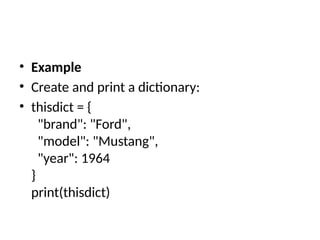
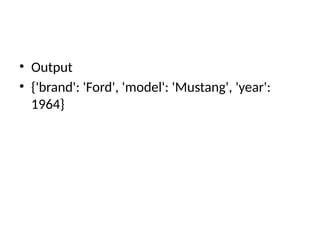
• Example
• Createand print a dictionary:
• thisdict = {
"brand": "Ford",
"model": "Mustang",
"year": 1964
}
print(thisdict)
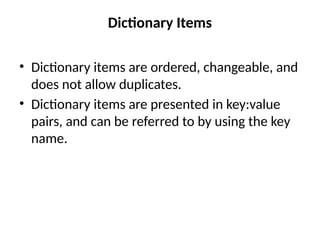
Dictionary Items
• Dictionaryitems are ordered, changeable, and
does not allow duplicates.
• Dictionary items are presented in key:value
pairs, and can be referred to by using the key
name.
5.
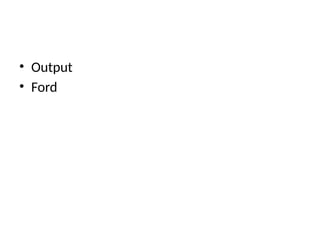
• Example
• Printthe "brand" value of the dictionary:
• thisdict = {
"brand": "Ford",
"model": "Mustang",
"year": 1964
}
print(thisdict["brand"])
Ordered or Unordered?
•When we say that dictionaries are ordered, it
means that the items have a defined order,
and that order will not change.
• Unordered means that the items does not
have a defined order, you cannot refer to an
item by using an index.
8.
Changeable
• Dictionaries arechangeable, meaning that we
can change, add or remove items after the
dictionary has been created.
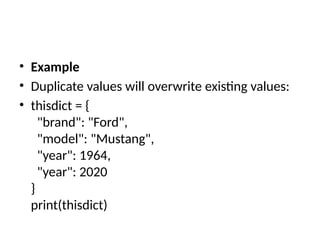
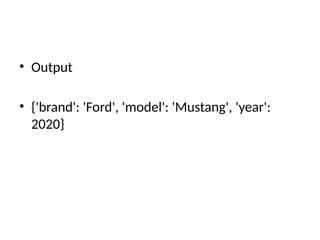
• Duplicates Not Allowed
• Dictionaries cannot have two items with the
same key:
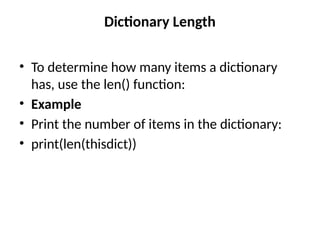
Dictionary Length
• Todetermine how many items a dictionary
has, use the len() function:
• Example
• Print the number of items in the dictionary:
• print(len(thisdict))
12.
Dictionary Items -Data Types
• The values in dictionary items can be of any data type:
• Example
• String, int, boolean, and list data types:
• thisdict = {
"brand": "Ford",
"electric": False,
"year": 1964,
"colors": ["red", "white", "blue"]
}
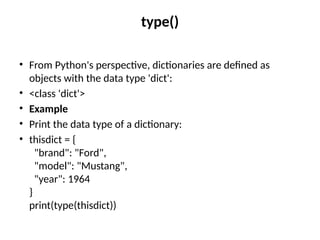
type()
• From Python'sperspective, dictionaries are defined as
objects with the data type 'dict':
• <class 'dict'>
• Example
• Print the data type of a dictionary:
• thisdict = {
"brand": "Ford",
"model": "Mustang",
"year": 1964
}
print(type(thisdict))
15.
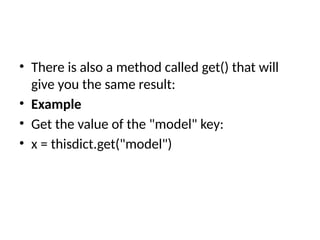
Accessing Items
• Youcan access the items of a dictionary by referring to
its key name, inside square brackets:
• Example
• Get the value of the "model" key:
• thisdict = {
"brand": "Ford",
"model": "Mustang",
"year": 1964
}
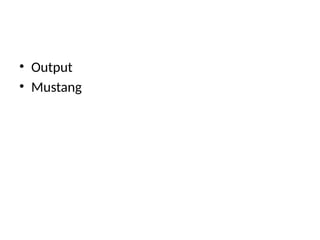
x = thisdict["model"]
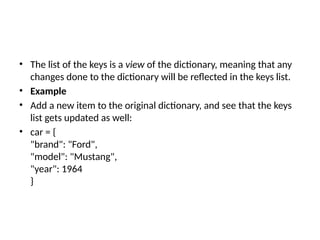
• The listof the keys is a view of the dictionary, meaning that any
changes done to the dictionary will be reflected in the keys list.
• Example
• Add a new item to the original dictionary, and see that the keys
list gets updated as well:
• car = {
"brand": "Ford",
"model": "Mustang",
"year": 1964
}
22.
• x =car.keys()
print(x) #before the change
car["color"] = "white"
print(x) #after the change
• Example
• Makea change in the original dictionary, and see that the values list gets updated as
well:
• car = {
"brand": "Ford",
"model": "Mustang",
"year": 1964
}
x = car.values()
print(x) #before the change
car["year"] = 2020
print(x) #after the change
27.
• Example
• Adda new item to the original dictionary, and see that the values list gets updated as
well:
• car = {
"brand": "Ford",
"model": "Mustang",
"year": 1964
}
x = car.values()
print(x) #before the change
car["color"] = "red"
print(x) #after the change
28.
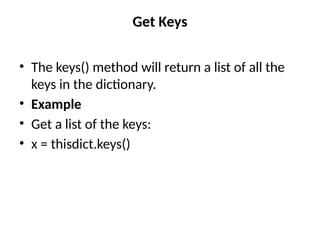
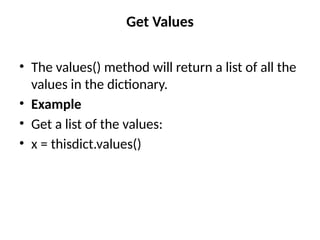
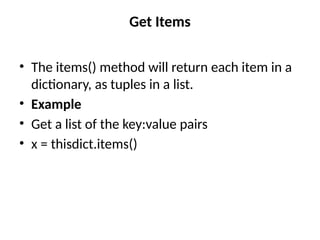
Get Items
• Theitems() method will return each item in a
dictionary, as tuples in a list.
• Example
• Get a list of the key:value pairs
• x = thisdict.items()
• Example
• Makea change in the original dictionary, and see that the items list gets updated as
well:
• car = {
"brand": "Ford",
"model": "Mustang",
"year": 1964
}
x = car.items()
print(x) #before the change
car["year"] = 2020
print(x) #after the change
31.
• Example
• Adda new item to the original dictionary, and see that the items list gets updated as
well:
• car = {
"brand": "Ford",
"model": "Mustang",
"year": 1964
}
x = car.items()
print(x) #before the change
car["color"] = "red"
print(x) #after the change
32.
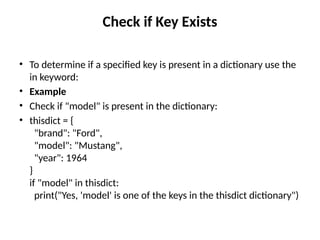
Check if KeyExists
• To determine if a specified key is present in a dictionary use the
in keyword:
• Example
• Check if "model" is present in the dictionary:
• thisdict = {
"brand": "Ford",
"model": "Mustang",
"year": 1964
}
if "model" in thisdict:
print("Yes, 'model' is one of the keys in the thisdict dictionary")
33.
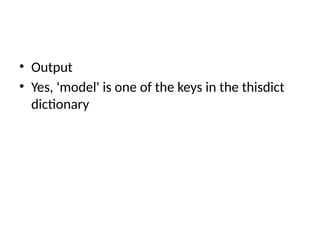
• Output
• Yes,'model' is one of the keys in the thisdict
dictionary
34.
Change Values
• Youcan change the value of a specific item by
referring to its key name:
• Example
• Change the "year" to 2018:
• thisdict = {
"brand": "Ford",
"model": "Mustang",
"year": 1964
}
thisdict["year"] = 2018
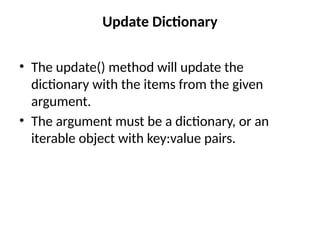
Update Dictionary
• Theupdate() method will update the
dictionary with the items from the given
argument.
• The argument must be a dictionary, or an
iterable object with key:value pairs.
37.
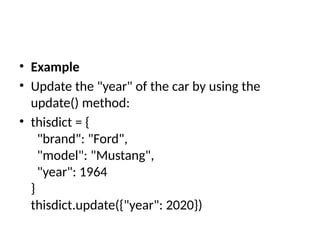
• Example
• Updatethe "year" of the car by using the
update() method:
• thisdict = {
"brand": "Ford",
"model": "Mustang",
"year": 1964
}
thisdict.update({"year": 2020})

![• Example
• Print the "brand" value of the dictionary:
• thisdict = {
"brand": "Ford",
"model": "Mustang",
"year": 1964
}
print(thisdict["brand"])](https://image.slidesharecdn.com/python13-250730091550-0678a546/85/Python-in-easy-way-It-includes-different-data-type-5-320.jpg)
![Dictionary Items - Data Types
• The values in dictionary items can be of any data type:
• Example
• String, int, boolean, and list data types:
• thisdict = {
"brand": "Ford",
"electric": False,
"year": 1964,
"colors": ["red", "white", "blue"]
}](https://image.slidesharecdn.com/python13-250730091550-0678a546/85/Python-in-easy-way-It-includes-different-data-type-12-320.jpg)
![• Output
• {'brand': 'Ford', 'electric': False, 'year': 1964,
'colors': ['red', 'white', 'blue']}](https://image.slidesharecdn.com/python13-250730091550-0678a546/85/Python-in-easy-way-It-includes-different-data-type-13-320.jpg)
![Accessing Items
• You can access the items of a dictionary by referring to
its key name, inside square brackets:
• Example
• Get the value of the "model" key:
• thisdict = {
"brand": "Ford",
"model": "Mustang",
"year": 1964
}
x = thisdict["model"]](https://image.slidesharecdn.com/python13-250730091550-0678a546/85/Python-in-easy-way-It-includes-different-data-type-15-320.jpg)
![• Output
• dict_keys(['brand', 'model', 'year'])](https://image.slidesharecdn.com/python13-250730091550-0678a546/85/Python-in-easy-way-It-includes-different-data-type-20-320.jpg)
![• x = car.keys()
print(x) #before the change
car["color"] = "white"
print(x) #after the change](https://image.slidesharecdn.com/python13-250730091550-0678a546/85/Python-in-easy-way-It-includes-different-data-type-22-320.jpg)
![• Output
• dict_keys(['brand', 'model', 'year'])
dict_keys(['brand', 'model', 'year', 'color'])](https://image.slidesharecdn.com/python13-250730091550-0678a546/85/Python-in-easy-way-It-includes-different-data-type-23-320.jpg)
![Output
dict_values(['Ford', 'Mustang', 1964])](https://image.slidesharecdn.com/python13-250730091550-0678a546/85/Python-in-easy-way-It-includes-different-data-type-25-320.jpg)
![• Example
• Make a change in the original dictionary, and see that the values list gets updated as
well:
• car = {
"brand": "Ford",
"model": "Mustang",
"year": 1964
}
x = car.values()
print(x) #before the change
car["year"] = 2020
print(x) #after the change](https://image.slidesharecdn.com/python13-250730091550-0678a546/85/Python-in-easy-way-It-includes-different-data-type-26-320.jpg)
![• Example
• Add a new item to the original dictionary, and see that the values list gets updated as
well:
• car = {
"brand": "Ford",
"model": "Mustang",
"year": 1964
}
x = car.values()
print(x) #before the change
car["color"] = "red"
print(x) #after the change](https://image.slidesharecdn.com/python13-250730091550-0678a546/85/Python-in-easy-way-It-includes-different-data-type-27-320.jpg)
![• Output
• dict_items([('brand', 'Ford'), ('model',
'Mustang'), ('year', 1964)])](https://image.slidesharecdn.com/python13-250730091550-0678a546/85/Python-in-easy-way-It-includes-different-data-type-29-320.jpg)
![• Example
• Make a change in the original dictionary, and see that the items list gets updated as
well:
• car = {
"brand": "Ford",
"model": "Mustang",
"year": 1964
}
x = car.items()
print(x) #before the change
car["year"] = 2020
print(x) #after the change](https://image.slidesharecdn.com/python13-250730091550-0678a546/85/Python-in-easy-way-It-includes-different-data-type-30-320.jpg)
![• Example
• Add a new item to the original dictionary, and see that the items list gets updated as
well:
• car = {
"brand": "Ford",
"model": "Mustang",
"year": 1964
}
x = car.items()
print(x) #before the change
car["color"] = "red"
print(x) #after the change](https://image.slidesharecdn.com/python13-250730091550-0678a546/85/Python-in-easy-way-It-includes-different-data-type-31-320.jpg)
![Change Values
• You can change the value of a specific item by
referring to its key name:
• Example
• Change the "year" to 2018:
• thisdict = {
"brand": "Ford",
"model": "Mustang",
"year": 1964
}
thisdict["year"] = 2018](https://image.slidesharecdn.com/python13-250730091550-0678a546/85/Python-in-easy-way-It-includes-different-data-type-34-320.jpg)