Introduction to Dictionariesin Python
This document provides a comprehensive guide to dictionaries in Python, covering their fundamental concepts,
creation, manipulation, methods, and practical applications. We will explore how dictionaries are used to store and
organize data effectively, making them an integral part of Python programming.
2.
Creating Dictionaries
Dictionaries inPython are mutable, unordered collections of key-value pairs. Each key must be unique, and values
can be of any data type. Dictionaries are incredibly versatile and used extensively in Python programming.
Using Curly Braces: The most common way to create a dictionary is using curly braces `{}`. For example: `my_dict =
{'name': 'Alice', 'age': 30}`.
The `dict()` Constructor: The `dict()` constructor provides another option to create dictionaries. You can pass a list
of key-value pairs as arguments: `my_dict = dict(name='Alice', age=30)`.
Creating Dictionaries from Lists of Tuples: You can construct a dictionary from a list of tuples where each tuple
represents a key-value pair: `my_dict = dict([('name', 'Alice'), ('age', 30)])`.
Dictionary Comprehension: Dictionary comprehension offers a concise syntax for creating dictionaries. It involves
iterating over an iterable and constructing key-value pairs based on a given expression: `my_dict = {key: value for
key, value in some_iterable}`. For instance, to create a dictionary with squares of numbers from 1 to 5: `squares =
{x: x*x for x in range(1, 6)}`.
3.
Accessing Dictionary Elements
Accessingvalues in a dictionary is done through their corresponding keys. Python's built-in `get()` method provides a
safe way to access dictionary values. It allows you to provide a default value if the key is not found. You can also access
the value by directly using the key inside the dictionary, which is a more concise way to get the values but has the risk
of throwing a `KeyError`.
Using Keys: Use square brackets `[]` with the key to access the value: `value = my_dict['name']`.
Handling `KeyError`: If you attempt to access a key that doesn't exist, a `KeyError` exception will be raised. You can
handle this using `try-except` blocks. For example: ```python try: value = my_dict['city'] except KeyError: print("The
key 'city' is not found in the dictionary.") ```
The `get()` Method: The `get()` method retrieves the value associated with a key, but if the key doesn't exist, it
returns a default value. It's safer than direct key access because it avoids `KeyError` exceptions: `value =
my_dict.get('city', 'Unknown')`.
4.
Modifying Dictionaries
Dictionaries aremutable, which means you can modify their content after creation. There are various ways to add,
update, and remove key-value pairs from a dictionary.
Adding New Key-Value Pairs: Add a new key-value pair by assigning a value to a new key using square brackets:
`my_dict['address'] = '123 Main Street'`.
Updating Existing Values: Modify the value associated with a key by assigning a new value: `my_dict['age'] = 31`.
Removing Key-Value Pairs: - `del`: Delete a key-value pair using the `del` keyword: `del my_dict['age']`. - `pop()`: The
`pop()` method removes a key-value pair and returns the removed value: `value = my_dict.pop('name')`. -
`popitem()`: The `popitem()` method removes and returns a randomly selected key-value pair as a tuple: `(key,
value) = my_dict.popitem()`.
Clearing a Dictionary: The `clear()` method removes all key-value pairs from a dictionary, effectively emptying it:
`my_dict.clear()`.
5.
Dictionary Methods
Dictionaries offera variety of methods to manipulate and access their content, providing convenient functionalities
for various tasks. These methods allow you to iterate over dictionary elements, retrieve specific data, and perform
other operations.
`keys()`: Returns a view object containing all the keys in the dictionary: `keys = my_dict.keys()`.
`values()`: Returns a view object containing all the values in the dictionary: `values = my_dict.values()`.
`items()`: Returns a view object containing all the key-value pairs as tuples: `items = my_dict.items()`.
`update()`: Merges the key-value pairs from another dictionary or an iterable of key-value pairs into the current
dictionary: `my_dict.update({'city': 'New York'})`.
`copy()`: Creates a shallow copy of the dictionary: `new_dict = my_dict.copy()`.
Iterating through Dictionaries: You can iterate over keys, values, or key-value pairs using loops: ```python for key in
my_dict.keys(): print(key) for value in my_dict.values(): print(value) for key, value in my_dict.items(): print(key,
value) ```
`dict.fromkeys()` : The `dict.fromkeys()` method allows you to create a new dictionary with the specified keys and a
default value. For example, you can create a dictionary with keys `'a'`, `'b'`, and `'c'` and a default value of `0`:
`new_dict = dict.fromkeys(['a', 'b', 'c'], 0)`.
6.
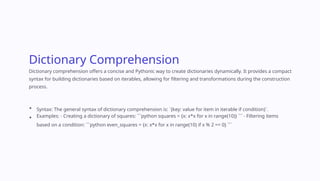
Dictionary Comprehension
Dictionary comprehensionoffers a concise and Pythonic way to create dictionaries dynamically. It provides a compact
syntax for building dictionaries based on iterables, allowing for filtering and transformations during the construction
process.
Syntax: The general syntax of dictionary comprehension is: `{key: value for item in iterable if condition}`.
Examples: - Creating a dictionary of squares: ```python squares = {x: x*x for x in range(10)} ``` - Filtering items
based on a condition: ```python even_squares = {x: x*x for x in range(10) if x % 2 == 0} ```
7.
Dictionary Views
Dictionary views,returned by methods like `keys()`, `values()`, and `items()`,
provide dynamic and memory-efficient access to dictionary data. They
represent a live view of the dictionary, meaning any changes made to the
dictionary are reflected in the view.
Dynamic Nature: Views are dynamically linked to the dictionary. If you
modify the dictionary, the changes will be reflected in the view.
Converting Views to Lists: You can convert views into lists using the
`list()` function: `keys_list = list(my_dict.keys())`.
Memory Efficiency: Views are memory-efficient because they don't
create copies of the underlying data. They simply provide a reference
to the dictionary's data.
8.
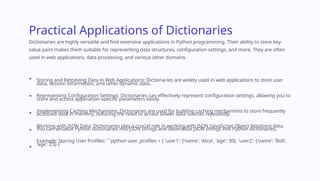
Practical Applications ofDictionaries
Dictionaries are highly versatile and find extensive applications in Python programming. Their ability to store key-
value pairs makes them suitable for representing data structures, configuration settings, and more. They are often
used in web applications, data processing, and various other domains.
Storing and Retrieving Data in Web Applications: Dictionaries are widely used in web applications to store user
data, session information, and other dynamic data.
Representing Configuration Settings: Dictionaries can effectively represent configuration settings, allowing you to
store and access application-specific parameters easily.
Implementing Caching Mechanisms: Dictionaries are used for building caching mechanisms to store frequently
accessed data in memory, reducing the need to access slower data sources repeatedly.
Working with JSON Data: Dictionaries play a crucial role in working with JSON (JavaScript Object Notation) data.
You can serialize Python dictionaries into JSON strings and deserialize JSON strings into Python dictionaries.
Example: Storing User Profiles: ```python user_profiles = { 'user1': {'name': 'Alice', 'age': 30}, 'user2': {'name': 'Bob',
'age': 25} } ```
9.
Advanced Dictionary Techniques
Beyondbasic usage, dictionaries offer several advanced techniques that can enhance your Python programming
skills. These techniques provide solutions for specific scenarios, such as counting frequencies, implementing
memoization, and merging dictionaries.
Counting Frequencies: Dictionaries are excellent for counting occurrences of items in a list or other iterable.
```python word_counts = {} for word in text.split(): if word in word_counts: word_counts[word] += 1 else:
word_counts[word] = 1 ```
Memoization: Dictionaries are used to implement memoization, a technique for storing the results of expensive
function calls to avoid redundant calculations. ```python def factorial(n, memo={}): if n == 0: return 1 if n in memo:
return memo[n] result = n * factorial(n - 1, memo) memo[n] = result return result ```
Merging Dictionaries: - `**` Operator (Python 3.5+): Use the `**` operator to unpack dictionaries and merge them:
```python dict1 = { 'a': 1, 'b': 2} dict2 = { 'c': 3, 'd': 4} dict3 = {**dict1, **dict2} ``` - `update()` Method: Use the
`update()` method to merge the contents of one dictionary into another. ```python dict1.update(dict2) ```
`collections.defaultdict`: The `collections.defaultdict` class provides a convenient way to initialize values in a
dictionary without explicitly checking if a key already exists. ```python from collections import defaultdict
word_counts = defaultdict(int) for word in text.split(): word_counts[word] += 1 ```
10.
Conclusion
Dictionaries are fundamentaldata structures in Python, offering a powerful and versatile way to store and access data.
Their key-value pairs, mutability, and numerous methods make them essential for various programming tasks.
By understanding the concepts and techniques presented in this document, you can effectively utilize dictionaries in
your Python projects, enhancing your programming skills and building robust and efficient solutions.
For further exploration and in-depth learning, consult the official Python documentation, online tutorials, and Python
communities. The more you practice and experiment with dictionaries, the better you will become at using them to
solve complex programming challenges. Happy coding!
![Creating Dictionaries
Dictionaries in Python are mutable, unordered collections of key-value pairs. Each key must be unique, and values
can be of any data type. Dictionaries are incredibly versatile and used extensively in Python programming.
Using Curly Braces: The most common way to create a dictionary is using curly braces `{}`. For example: `my_dict =
{'name': 'Alice', 'age': 30}`.
The `dict()` Constructor: The `dict()` constructor provides another option to create dictionaries. You can pass a list
of key-value pairs as arguments: `my_dict = dict(name='Alice', age=30)`.
Creating Dictionaries from Lists of Tuples: You can construct a dictionary from a list of tuples where each tuple
represents a key-value pair: `my_dict = dict([('name', 'Alice'), ('age', 30)])`.
Dictionary Comprehension: Dictionary comprehension offers a concise syntax for creating dictionaries. It involves
iterating over an iterable and constructing key-value pairs based on a given expression: `my_dict = {key: value for
key, value in some_iterable}`. For instance, to create a dictionary with squares of numbers from 1 to 5: `squares =
{x: x*x for x in range(1, 6)}`.](https://image.slidesharecdn.com/untitled-250323034309-0e31c26e/85/Untitled-dictionary-in-python-program-pdf-pptx-2-320.jpg)
![Accessing Dictionary Elements
Accessing values in a dictionary is done through their corresponding keys. Python's built-in `get()` method provides a
safe way to access dictionary values. It allows you to provide a default value if the key is not found. You can also access
the value by directly using the key inside the dictionary, which is a more concise way to get the values but has the risk
of throwing a `KeyError`.
Using Keys: Use square brackets `[]` with the key to access the value: `value = my_dict['name']`.
Handling `KeyError`: If you attempt to access a key that doesn't exist, a `KeyError` exception will be raised. You can
handle this using `try-except` blocks. For example: ```python try: value = my_dict['city'] except KeyError: print("The
key 'city' is not found in the dictionary.") ```
The `get()` Method: The `get()` method retrieves the value associated with a key, but if the key doesn't exist, it
returns a default value. It's safer than direct key access because it avoids `KeyError` exceptions: `value =
my_dict.get('city', 'Unknown')`.](https://image.slidesharecdn.com/untitled-250323034309-0e31c26e/85/Untitled-dictionary-in-python-program-pdf-pptx-3-320.jpg)
![Modifying Dictionaries
Dictionaries are mutable, which means you can modify their content after creation. There are various ways to add,
update, and remove key-value pairs from a dictionary.
Adding New Key-Value Pairs: Add a new key-value pair by assigning a value to a new key using square brackets:
`my_dict['address'] = '123 Main Street'`.
Updating Existing Values: Modify the value associated with a key by assigning a new value: `my_dict['age'] = 31`.
Removing Key-Value Pairs: - `del`: Delete a key-value pair using the `del` keyword: `del my_dict['age']`. - `pop()`: The
`pop()` method removes a key-value pair and returns the removed value: `value = my_dict.pop('name')`. -
`popitem()`: The `popitem()` method removes and returns a randomly selected key-value pair as a tuple: `(key,
value) = my_dict.popitem()`.
Clearing a Dictionary: The `clear()` method removes all key-value pairs from a dictionary, effectively emptying it:
`my_dict.clear()`.](https://image.slidesharecdn.com/untitled-250323034309-0e31c26e/85/Untitled-dictionary-in-python-program-pdf-pptx-4-320.jpg)
![Dictionary Methods
Dictionaries offer a variety of methods to manipulate and access their content, providing convenient functionalities
for various tasks. These methods allow you to iterate over dictionary elements, retrieve specific data, and perform
other operations.
`keys()`: Returns a view object containing all the keys in the dictionary: `keys = my_dict.keys()`.
`values()`: Returns a view object containing all the values in the dictionary: `values = my_dict.values()`.
`items()`: Returns a view object containing all the key-value pairs as tuples: `items = my_dict.items()`.
`update()`: Merges the key-value pairs from another dictionary or an iterable of key-value pairs into the current
dictionary: `my_dict.update({'city': 'New York'})`.
`copy()`: Creates a shallow copy of the dictionary: `new_dict = my_dict.copy()`.
Iterating through Dictionaries: You can iterate over keys, values, or key-value pairs using loops: ```python for key in
my_dict.keys(): print(key) for value in my_dict.values(): print(value) for key, value in my_dict.items(): print(key,
value) ```
`dict.fromkeys()` : The `dict.fromkeys()` method allows you to create a new dictionary with the specified keys and a
default value. For example, you can create a dictionary with keys `'a'`, `'b'`, and `'c'` and a default value of `0`:
`new_dict = dict.fromkeys(['a', 'b', 'c'], 0)`.](https://image.slidesharecdn.com/untitled-250323034309-0e31c26e/85/Untitled-dictionary-in-python-program-pdf-pptx-5-320.jpg)

![Advanced Dictionary Techniques
Beyond basic usage, dictionaries offer several advanced techniques that can enhance your Python programming
skills. These techniques provide solutions for specific scenarios, such as counting frequencies, implementing
memoization, and merging dictionaries.
Counting Frequencies: Dictionaries are excellent for counting occurrences of items in a list or other iterable.
```python word_counts = {} for word in text.split(): if word in word_counts: word_counts[word] += 1 else:
word_counts[word] = 1 ```
Memoization: Dictionaries are used to implement memoization, a technique for storing the results of expensive
function calls to avoid redundant calculations. ```python def factorial(n, memo={}): if n == 0: return 1 if n in memo:
return memo[n] result = n * factorial(n - 1, memo) memo[n] = result return result ```
Merging Dictionaries: - `**` Operator (Python 3.5+): Use the `**` operator to unpack dictionaries and merge them:
```python dict1 = { 'a': 1, 'b': 2} dict2 = { 'c': 3, 'd': 4} dict3 = {**dict1, **dict2} ``` - `update()` Method: Use the
`update()` method to merge the contents of one dictionary into another. ```python dict1.update(dict2) ```
`collections.defaultdict`: The `collections.defaultdict` class provides a convenient way to initialize values in a
dictionary without explicitly checking if a key already exists. ```python from collections import defaultdict
word_counts = defaultdict(int) for word in text.split(): word_counts[word] += 1 ```](https://image.slidesharecdn.com/untitled-250323034309-0e31c26e/85/Untitled-dictionary-in-python-program-pdf-pptx-9-320.jpg)


