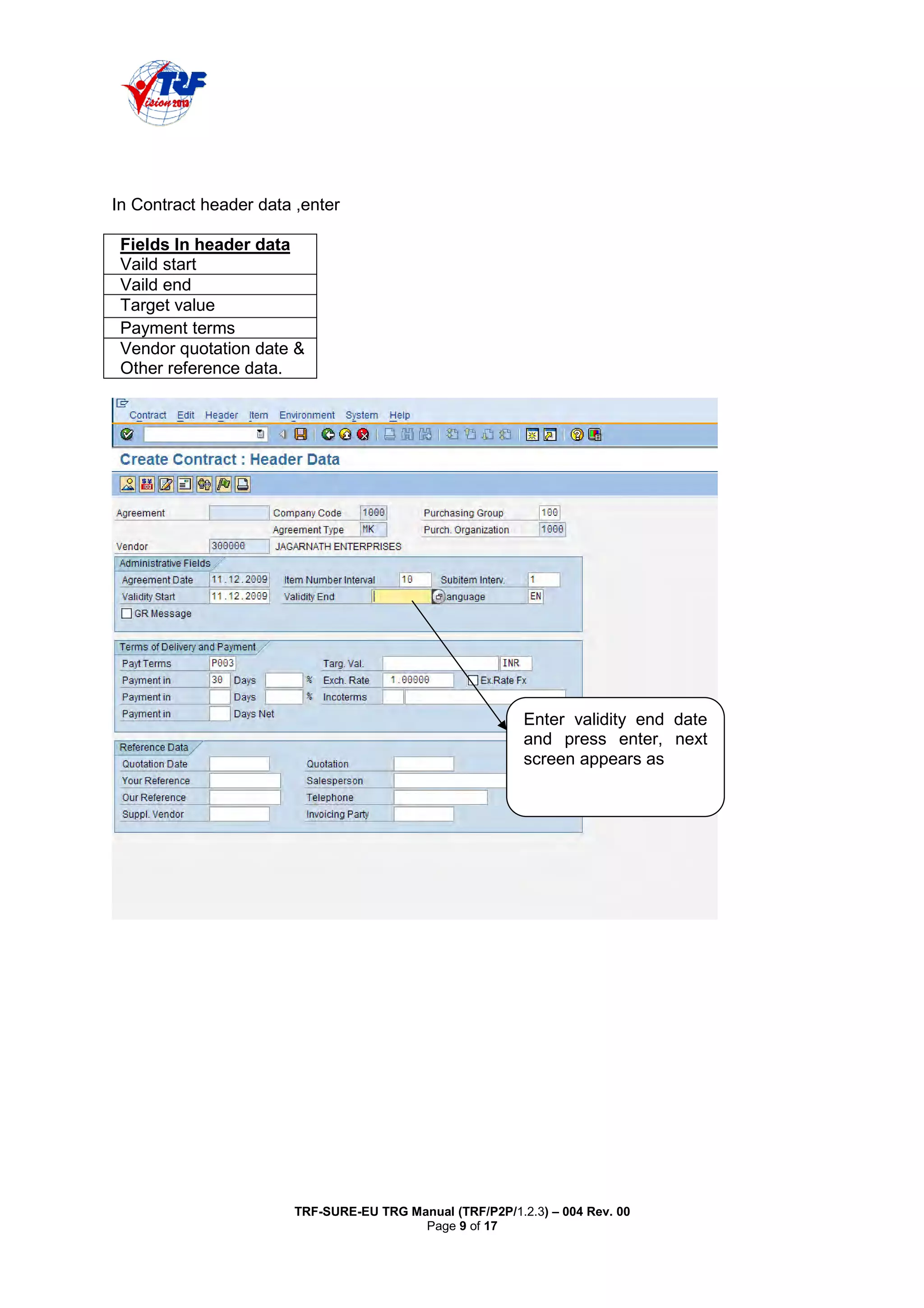
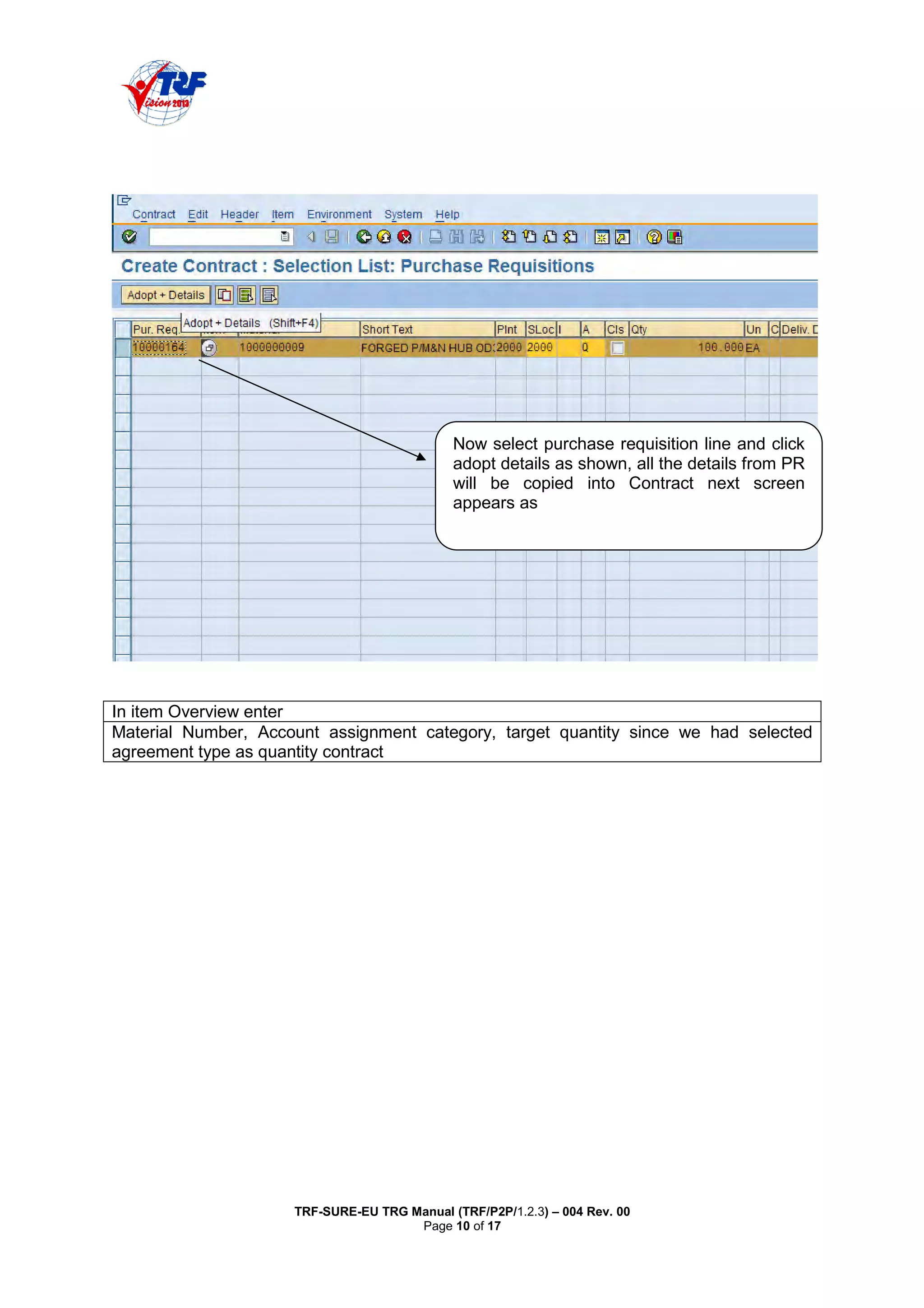
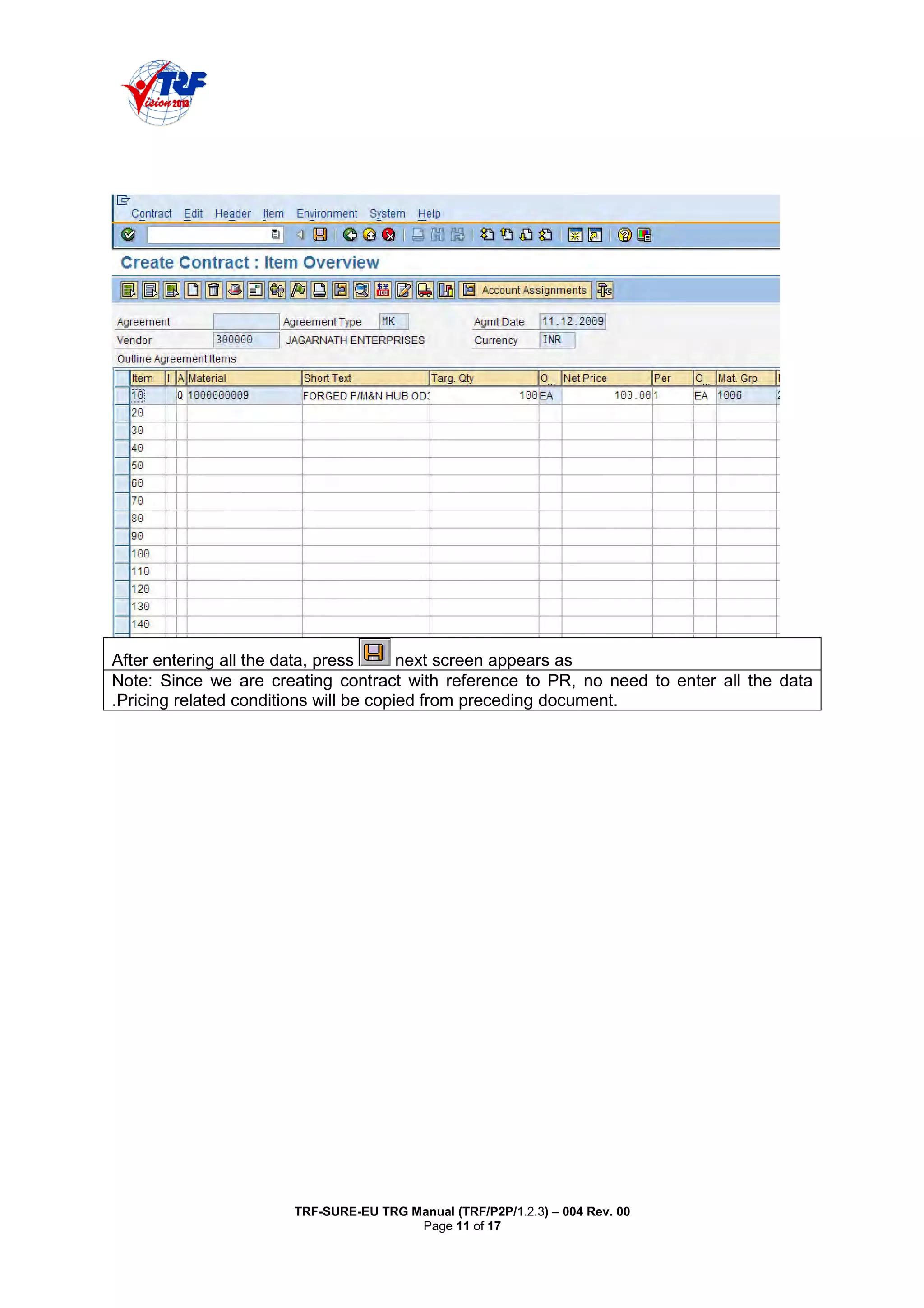
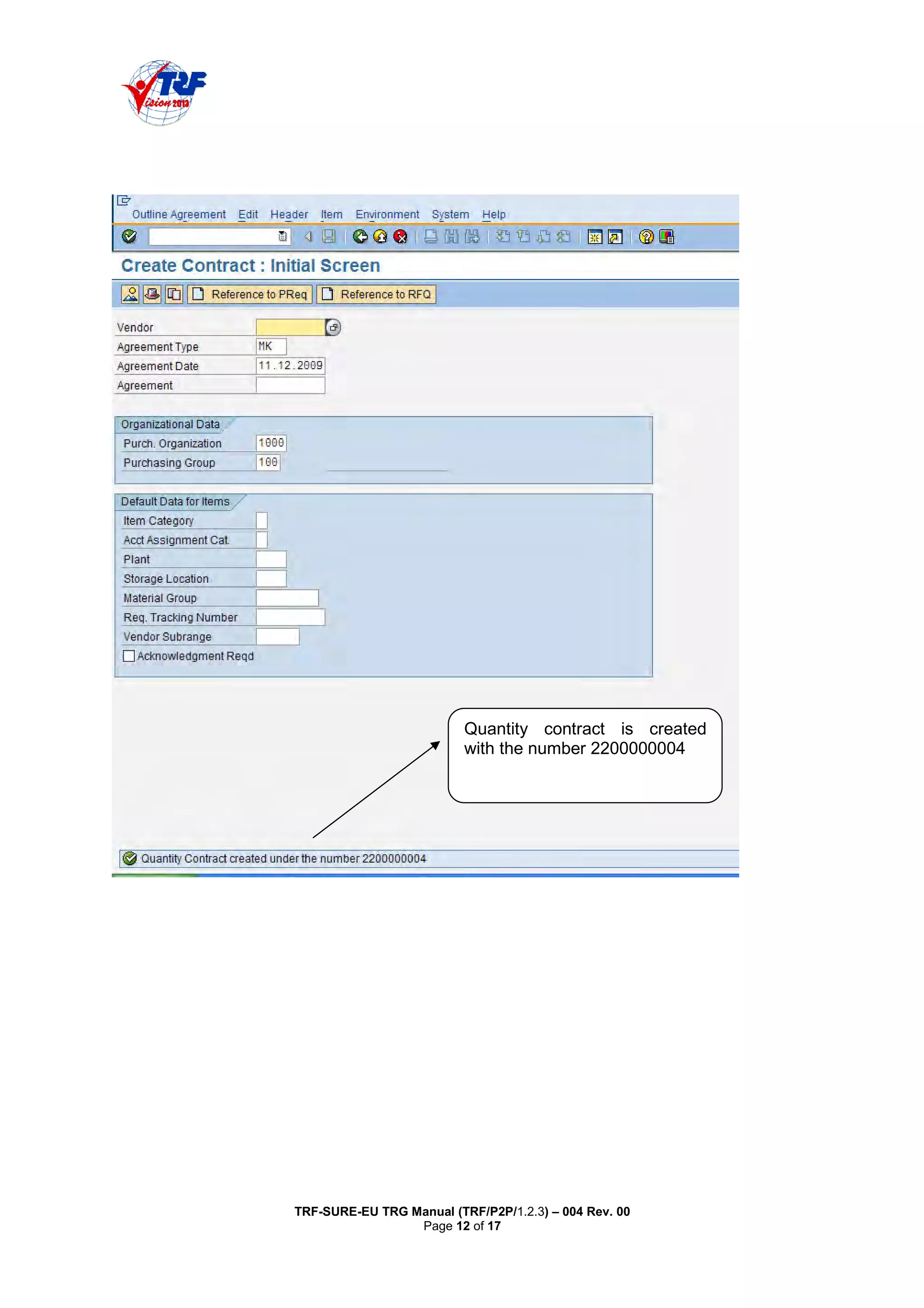
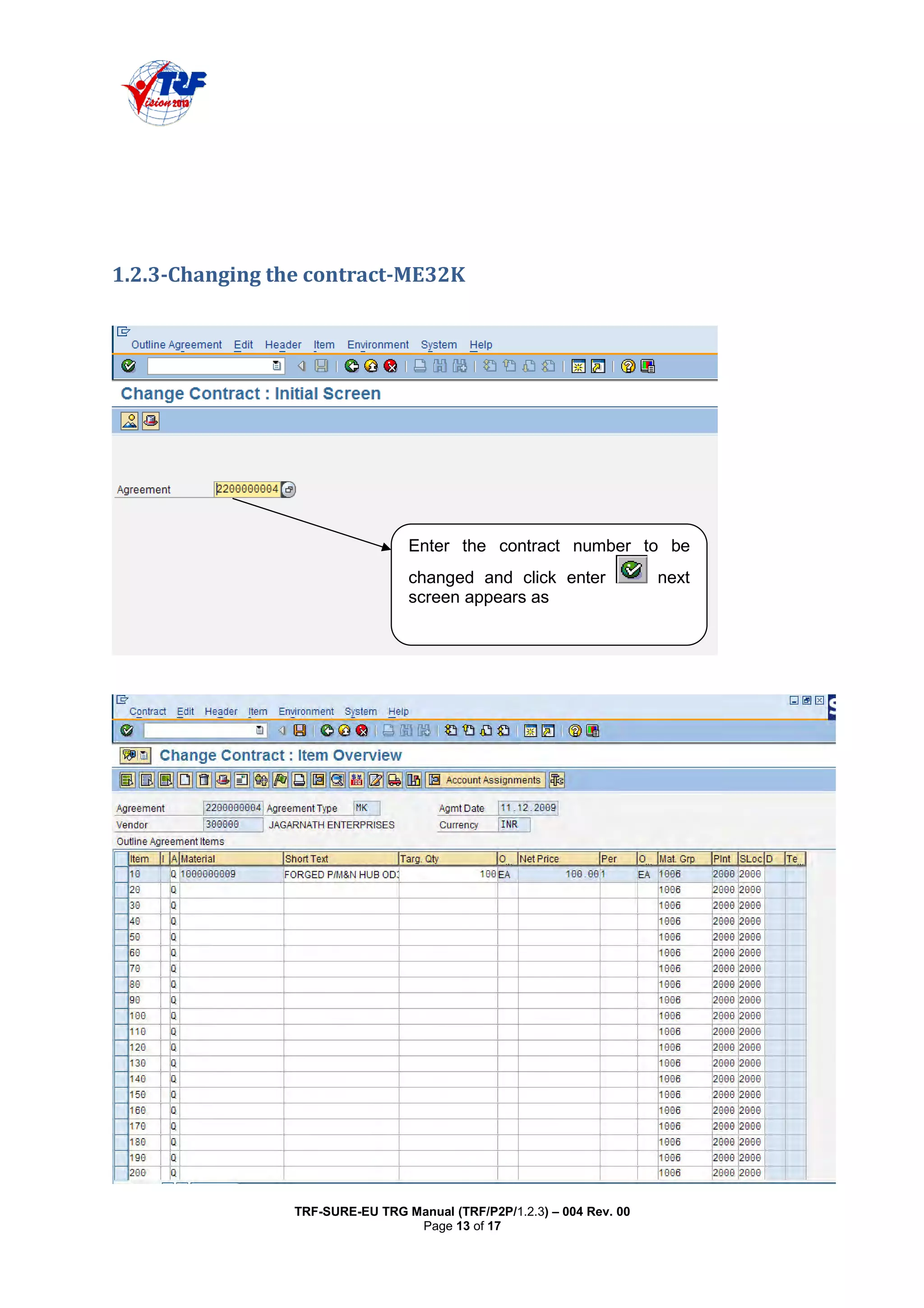
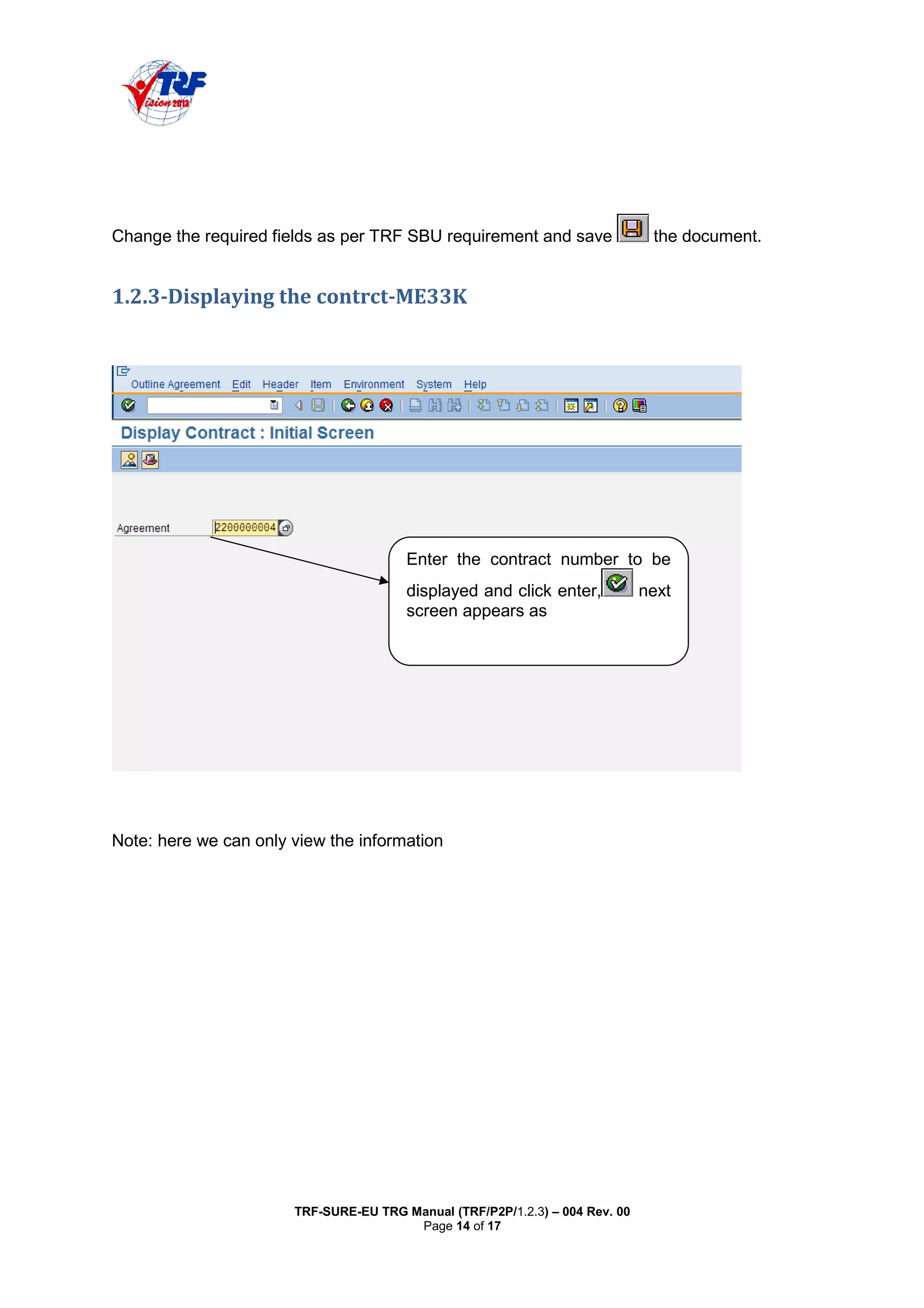
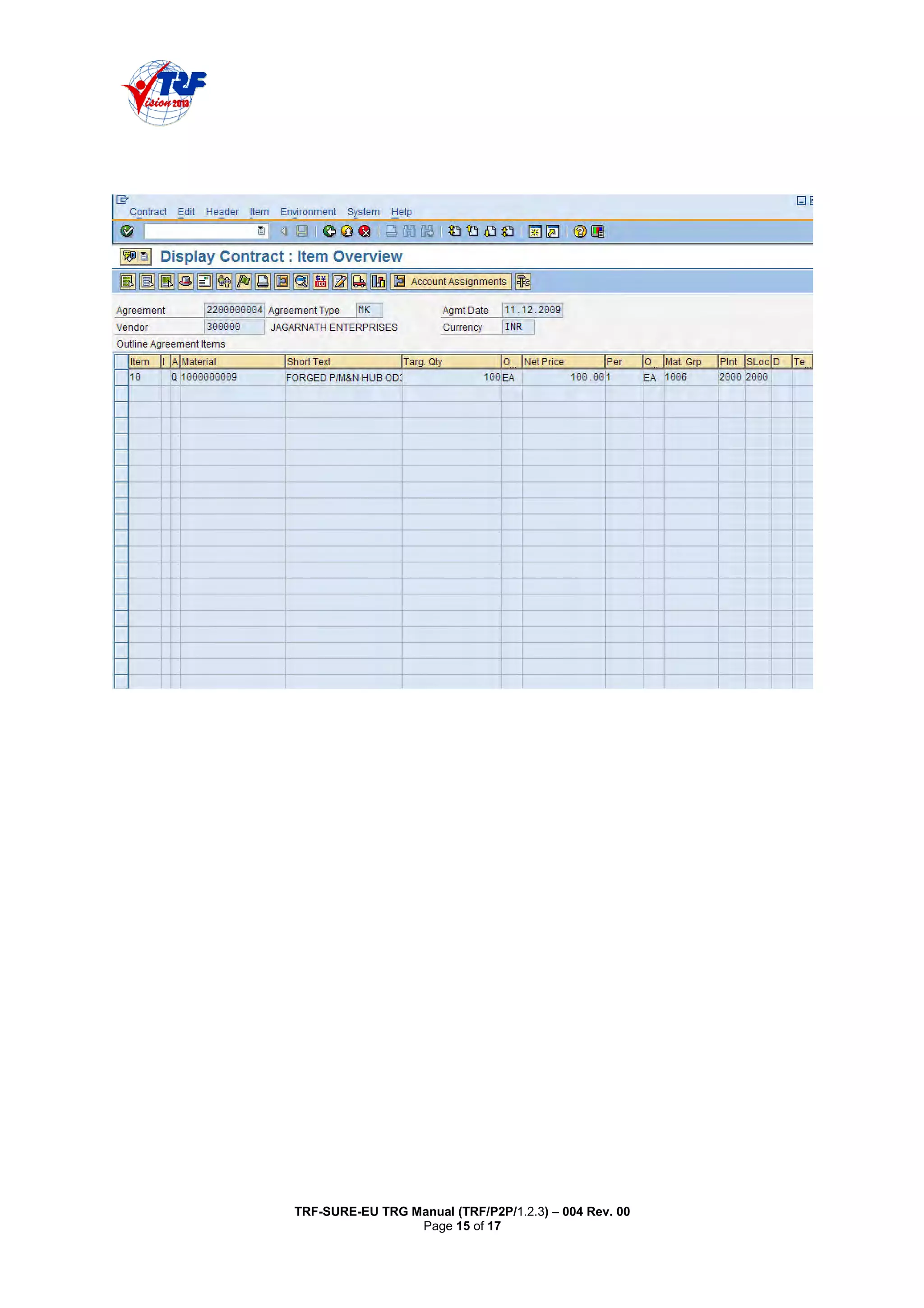
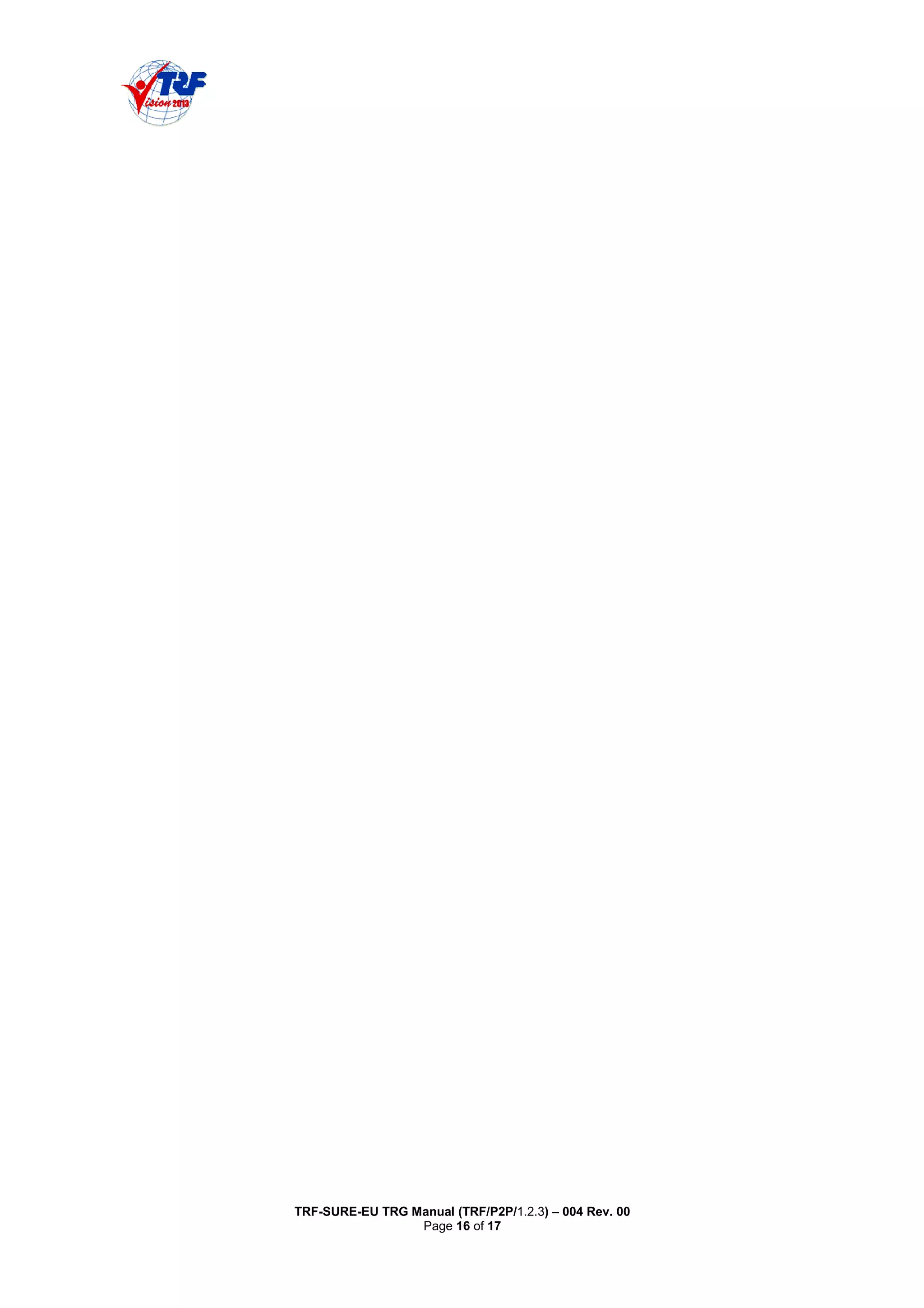
This document provides a training manual on creating, changing, and viewing purchase contracts in SAP MM. It outlines the key steps to create a contract by entering header data such as the vendor, validity period, and items including the material, quantity, and price. Contracts can be created manually or from a purchase requisition. The manual also describes how to change contract data using transaction code ME32K and view contract details with ME33K. The goal is to guide users through setting up binding purchase agreements with vendors for materials or services over a specified time period.