Photo editing is the act of altering an image.
Altering - change or cause to change in
character or composition, typically in
a comparatively small but significant way.
Photo editing techniques
1. Straighten: adjust the horizon of the photo
2. Crop: trimming out a
portion (usually
peripheral) of the image
to help draw attention
to the subject or
otherwise improve the
composition.
3. Resize: adjust the dimensions of the image.
4. Sharpen: enhance the definition
of the edges in an image (will not
make a blurry image in-focus).
5. Noise reduction: smoothing
the picture out, typically
accomplished by reducing the
pixel size.
6. White balance: the
color of the light in the
image.
7. Contrast: higher contrast makes
an image punchier, while lower
contrast makes it flatter in color.
8. Exposure: the
brightness of the photo.
9. Color adjustments: change
the color of an item or element in
the photo.
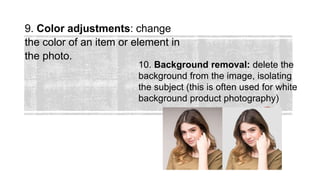
10. Background removal: delete the
background from the image, isolating
the subject (this is often used for white
background product photography)
PS lesson for TLE Grade 8 Computer Science

PS lesson for TLE Grade 8 Computer Science

  • 2.
    Photo editing isthe act of altering an image. Altering - change or cause to change in character or composition, typically in a comparatively small but significant way.
  • 3.
    Photo editing techniques 1.Straighten: adjust the horizon of the photo
  • 4.
    2. Crop: trimmingout a portion (usually peripheral) of the image to help draw attention to the subject or otherwise improve the composition.
  • 5.
    3. Resize: adjustthe dimensions of the image.
  • 6.
    4. Sharpen: enhancethe definition of the edges in an image (will not make a blurry image in-focus). 5. Noise reduction: smoothing the picture out, typically accomplished by reducing the pixel size.
  • 7.
    6. White balance:the color of the light in the image.
  • 8.
    7. Contrast: highercontrast makes an image punchier, while lower contrast makes it flatter in color.
  • 9.
  • 10.
    9. Color adjustments:change the color of an item or element in the photo. 10. Background removal: delete the background from the image, isolating the subject (this is often used for white background product photography)