Identity Theft
Protecting Your Personal Data
Eastham Public Library
March 2018
“Identity Theft Is Becoming the Third Certainty in Life.
It’s Prevalent, It’s Getting Worse.”
Adam K. Levin
Former Director, New Jersey Office of Consumer Affairs
At Some Point In Our Lives
Most Of Us Will Experience It To Some Degree.
WHAT MAKES UP YOUR IDENTITY?
IT’S YOUR PERSONALLY IDENTIFYING INFORMATION
• Name, Address
• Date of Birth
• Email Address
• Passport Number
• Biometrics
• Facial Recognition, Fingerprints, Retina Scanning, Voice
Recognition
• SOCIAL SECURITY NUMBER
Think For A Moment About All The Places This PDI May Be Stored!
There Are Many Things We Can Do To Protect Ourselves.
Some Are Easy, Others Are More Complicated.
We Should Do The Easy Things Diligently.
We Should Consider Which of the Complicated Things
Are Necessary For Our Lifestyle.
We Should Each Have In Place
A System of Data Protection
That Fits Our Lifestyle.
BOTH OFFLINE AND ONLINE ACTIONS CAN RESULT IN IDENTITY
THEFT OR DIRECT THEFT OF YOUR MONEY
DETECTIVE SERGEANT ADAM BOHANNON WILL FOCUS ON SCAMS THAT
ATTEMPT TO STEAL FROM YOU DIRECTLY ON APRIL 10
THIS PRESENTATION WILL FOCUS ON ONLINE
CAPTURE AND USE AND OF YOUR PERSONAL DATA
WHICH CAN LEAD TO ANNOYANCE AND
THEFT OF YOUR IDENTITY
WHAT WE’RE GOING TO DISCUSS TODAY
• Protecting Your Data From Tracking, Abuse and Theft
• Techniques And Tools For Protection In A Connected World
• A Few ‘Roberts Rules’ For Protecting Yourself, Your Devices
The Word ‘Online’ Chosen To Include
Internet, Mobile And Other Connected Devices
All Of This Applies to Both Internet And Mobile
• Most Of Your Account Settings Carry Over To Mobile
• Mobile Less Likely To Have Viruses and Malware
• Sadly, That Is Beginning To Change
WARNING SIGNS OF A VIRUS ON A MOBILE DEVICE
• Unwarranted Increase In Data Use
• Apps Crashing
• Pop-Up Ads Appearing Frequently
• App You Are Not Aware of Downloading (Don’t Open!)
• Significant Drop in Battery Life
You May Have To Format Your Phone
Ask Your Mobile Provider For Help!
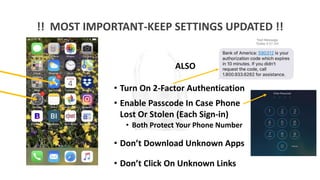
!! MOST IMPORTANT-KEEP SETTINGS UPDATED !!
ALSO
• Turn On 2-Factor Authentication
• Enable Passcode In Case Phone
Lost Or Stolen (Each Sign-in)
• Both Protect Your Phone Number
• Don’t Download Unknown Apps
• Don’t Click On Unknown Links
PROTECTING THE DATA THAT’S ALREADY OUT THERE
Businesses
Health Care Providers, Financial Services Firms
Government
Educational Institutions
Charitable Organizations
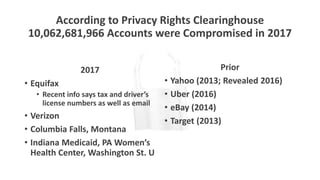
According to Privacy Rights Clearinghouse
10,062,681,966 Accounts were Compromised in 2017
2017
• Equifax
• Recent info says tax and driver’s
license numbers as well as email
• Verizon
• Columbia Falls, Montana
• Indiana Medicaid, PA Women’s
Health Center, Washington St. U
Prior
• Yahoo (2013; Revealed 2016)
• Uber (2016)
• eBay (2014)
• Target (2013)
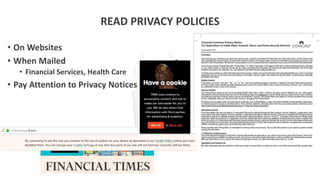
READ PRIVACY POLICIES
• On Websites
• When Mailed
• Financial Services, Health Care
• Pay Attention to Privacy Notices
If You Set Up Accounts--
With Retailers for Example—
Don’t Save Your Credit Card Number.
PREVENTING ADVERTISERS AND OTHERS
FROM TRACKING YOU
HOW IMPORTANT TO PREVENT EMAIL TRACKING?
• DO Protect Your Email Account
• 2 Step Verification (Every Sign In)
• 2 Factor Authentication
(When Account Changes Made)
• Should You Protect Your Email Content?
• Never Send Sensitive Information By Email
• Account Numbers, Passwords, etc.
• Then Don’t Worry About Encryption
PROTECTING YOURSELF WHILE BROWSING THE WEB
• There Are A Number Of Browser Extensions That Block Ads
• Some Are Open Source And Free
• All Work Differently/Work On Various Browsers
• Google Chrome Has A New Blocker
• Adblock Plus, Disconnect, Ublock Origin, Ghostery
• Protecting Against ISP Selling Web Use Data—Explained On
Privacy Policy
• HTTPS Everywhere
• Use a VPN
• Adjust DNS—Fairly Technical
• Will ISP Block Your Service If You Use Any Of These?
PROTECTING YOURSELF FROM UNWANTED PHONE CALLS
NOT ONLY ANNOYING, THEY ARE OFTEN SCAMMING
• Stopping Robo Calls on Your Land Line
• Sign Up For The Do Not Call Registry (FCC)
• Nomorobo
• Stopping Robo Calls on Your Smart Phone
• Most Carriers Offer An App To Block Robo Calls
PROTECTING YOUR DATA ON THE WEB
A Virtual Public Network Is A Secure Private Network Built
On Public Infrastructure (The Web).
It Encrypts The Data Traveling Over The Network
And Adds Other Security Measures.
Use A Highly Rated One.
Most Have Free Trials, Even Free Plans, For Low Volume
Users.
ROBERTS’ RULES FOR FINDING A GOOD VPN—
OR ANY OTHER INTERNET TOOL
• Search “The Best”
• Consider Adding The Current Year To Your Search Term
• Read The Reviews
• In 2018 Don’t Consider Reviews Written Before 2017
• Choose The Tool That Best Meets Your Needs And Lifestyle
• Download The Tool
• Follow Instructions
• Carefully Examine The Settings
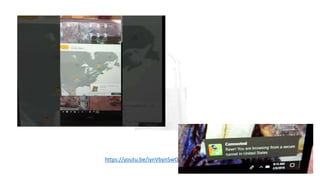
https://youtu.be/iynVbynSwOg
There Is Also The Tor Browser
It Uses Technology
That Significantly Slows Your Browsing
PREVENTING THEFT OF YOUR DATA
THE IMPORTANCE OF STRONG PASSWORDS
CANNOT BE OVERSTATED
• Never Reuse Passwords
• Passwords Should Be Long, Strong and Complex
• Don’t Use Obvious Terms—Address, Birthday, Children, Pets, etc.
• Be Careful Where You Store Them
• Use Multi-Factor Authentication Whenever Possible
TOO MUCH TROUBLE, RIGHT???
THERE IS AN ANSWER—
AN EFFECTIVE PASSWORD MANAGER!
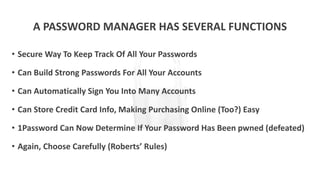
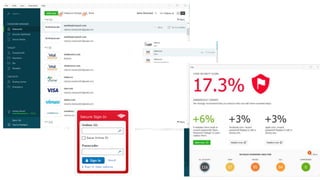
A PASSWORD MANAGER HAS SEVERAL FUNCTIONS
• Secure Way To Keep Track Of All Your Passwords
• Can Build Strong Passwords For All Your Accounts
• Can Automatically Sign You Into Many Accounts
• Can Store Credit Card Info, Making Purchasing Online (Too?) Easy
• 1Password Can Now Determine If Your Password Has Been pwned (defeated)
• Again, Choose Carefully (Roberts’ Rules)
SECURITY PROGRAM ESSENTIAL
• Virus Protection
• Firewall
• Other Features
• Parental Controls; Gaming Protection; Protect Email Against
Spam, Spyware, Phishing
• Most ISPs Offer Free Security Program
• If You Choose Your Own, Use A Paid Program
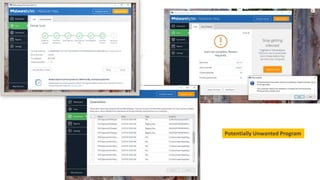
MOST DATA THEFT IS RESULT OF SOME TYPE OF MALWARE
• “All The Bad Stuff”
• Viruses And More
• Good Security Program Will Get Most
• A Good Anti-Malware Package Will Catch A Few More
• There Are Free Versions
FOR SERIOUS PROBLEMS, HAVE YOUR COMPUTER PROFESSIONALLY CLEANED.
Potentially Unwanted Program
WHAT ABOUT THIRD-PARTY
IDENTITY PROTECTION SERVICES?
PROTECTING YOURSELF IN A CONNECTED WORLD
Anything Connected To The Internet Is Capable of
Collecting And Transmitting Data.
The Questions Are ‘What Data,’ ‘What Uses?’
If It’s Free, There’s A High Probability the App/Tool is Collecting Data.
This Also Applies To Advertising Supported Sites.
Anything Data Stored, By Any Service, Is Susceptible To Hacking.
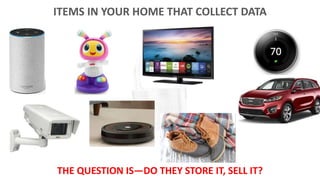
ITEMS IN YOUR HOME THAT COLLECT DATA
THE QUESTION IS—DO THEY STORE IT, SELL IT?
HOW TO PROTECT YOUR ‘SMART HOME’ SYSTEM
• ALWAYS Change The Default Password Of Any New Device
• Update All Security Settings on Devices, Even New Ones
• Be Thoughtful About The Maker Of The Product
• Be Wary Of Public Wi-Fi
• Study The Settings Of Your Device--Can Do, Can’t Do
• Put Connected Devices on Separate Network From
Computer, Phone
Dojo By BullGuard Monitors A Home System

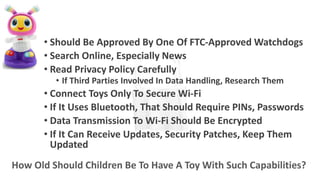
• Should Be Approved By One Of FTC-Approved Watchdogs
• Search Online, Especially News
• Read Privacy Policy Carefully
• If Third Parties Involved In Data Handling, Research Them
• Connect Toys Only To Secure Wi-Fi
• If It Uses Bluetooth, That Should Require PINs, Passwords
• Data Transmission To Wi-Fi Should Be Encrypted
• If It Can Receive Updates, Security Patches, Keep Them
Updated
How Old Should Children Be To Have A Toy With Such Capabilities?
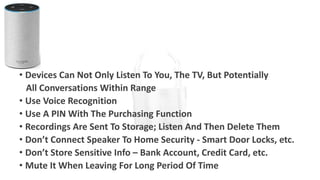
• Devices Can Not Only Listen To You, The TV, But Potentially
All Conversations Within Range
• Use Voice Recognition
• Use A PIN With The Purchasing Function
• Recordings Are Sent To Storage; Listen And Then Delete Them
• Don’t Connect Speaker To Home Security - Smart Door Locks, etc.
• Don’t Store Sensitive Info – Bank Account, Credit Card, etc.
• Mute It When Leaving For Long Period Of Time
SOME MORE OF ROBERTS’ RULES
FOR LIVING SAFELY IN A CONNECTED WORLD
THE ESSENTIALS
• First, Think Carefully About How Connected You Want To Be
• Then Think About Who You Want To Share With
• Think About How Devices Can Make Your Life Safer, More
Convenient, More Enjoyable
• Add The Security Features That Fit Your Life
NEVER MAKE TWO CHANGES TO YOUR SYSTEM AT ONCE!
MAKE A CHANGE, WAIT A COUPLE OF WEEKS TO BE SURE IT’S
WORKING, THEN MAKE ANOTHER CHANGE.
THEN THINK ABOUT ADD-ONS
• Be Careful About Devices That Say They’ll Solve All Problems
• Don’t Believe Promises Unless They Are Backed In Writing
• Do You Know And Trust The Company?
• Don’t Throw Money At Unnecessary Solutions
• Do Your Own Homework – Especially Before Hiring Someone
Don’t Be Afraid To Call In Professional Help When Needed!
THANK YOU!
AND NOW FOR QUESTIONS!

Protecting Yourself From Data and Identity Theft

  • 1.
    Identity Theft Protecting YourPersonal Data Eastham Public Library March 2018
  • 2.
    “Identity Theft IsBecoming the Third Certainty in Life. It’s Prevalent, It’s Getting Worse.” Adam K. Levin Former Director, New Jersey Office of Consumer Affairs At Some Point In Our Lives Most Of Us Will Experience It To Some Degree.
  • 3.
    WHAT MAKES UPYOUR IDENTITY? IT’S YOUR PERSONALLY IDENTIFYING INFORMATION • Name, Address • Date of Birth • Email Address • Passport Number • Biometrics • Facial Recognition, Fingerprints, Retina Scanning, Voice Recognition • SOCIAL SECURITY NUMBER Think For A Moment About All The Places This PDI May Be Stored!
  • 4.
    There Are ManyThings We Can Do To Protect Ourselves. Some Are Easy, Others Are More Complicated. We Should Do The Easy Things Diligently. We Should Consider Which of the Complicated Things Are Necessary For Our Lifestyle.
  • 5.
    We Should EachHave In Place A System of Data Protection That Fits Our Lifestyle.
  • 6.
    BOTH OFFLINE ANDONLINE ACTIONS CAN RESULT IN IDENTITY THEFT OR DIRECT THEFT OF YOUR MONEY DETECTIVE SERGEANT ADAM BOHANNON WILL FOCUS ON SCAMS THAT ATTEMPT TO STEAL FROM YOU DIRECTLY ON APRIL 10 THIS PRESENTATION WILL FOCUS ON ONLINE CAPTURE AND USE AND OF YOUR PERSONAL DATA WHICH CAN LEAD TO ANNOYANCE AND THEFT OF YOUR IDENTITY
  • 7.
    WHAT WE’RE GOINGTO DISCUSS TODAY • Protecting Your Data From Tracking, Abuse and Theft • Techniques And Tools For Protection In A Connected World • A Few ‘Roberts Rules’ For Protecting Yourself, Your Devices
  • 8.
    The Word ‘Online’Chosen To Include Internet, Mobile And Other Connected Devices All Of This Applies to Both Internet And Mobile • Most Of Your Account Settings Carry Over To Mobile • Mobile Less Likely To Have Viruses and Malware • Sadly, That Is Beginning To Change
  • 9.
    WARNING SIGNS OFA VIRUS ON A MOBILE DEVICE • Unwarranted Increase In Data Use • Apps Crashing • Pop-Up Ads Appearing Frequently • App You Are Not Aware of Downloading (Don’t Open!) • Significant Drop in Battery Life You May Have To Format Your Phone Ask Your Mobile Provider For Help!
  • 10.
    !! MOST IMPORTANT-KEEPSETTINGS UPDATED !! ALSO • Turn On 2-Factor Authentication • Enable Passcode In Case Phone Lost Or Stolen (Each Sign-in) • Both Protect Your Phone Number • Don’t Download Unknown Apps • Don’t Click On Unknown Links
  • 11.
    PROTECTING THE DATATHAT’S ALREADY OUT THERE Businesses Health Care Providers, Financial Services Firms Government Educational Institutions Charitable Organizations
  • 12.
    According to PrivacyRights Clearinghouse 10,062,681,966 Accounts were Compromised in 2017 2017 • Equifax • Recent info says tax and driver’s license numbers as well as email • Verizon • Columbia Falls, Montana • Indiana Medicaid, PA Women’s Health Center, Washington St. U Prior • Yahoo (2013; Revealed 2016) • Uber (2016) • eBay (2014) • Target (2013)
  • 15.
    READ PRIVACY POLICIES •On Websites • When Mailed • Financial Services, Health Care • Pay Attention to Privacy Notices
  • 16.
    If You SetUp Accounts-- With Retailers for Example— Don’t Save Your Credit Card Number.
  • 17.
    PREVENTING ADVERTISERS ANDOTHERS FROM TRACKING YOU
  • 18.
    HOW IMPORTANT TOPREVENT EMAIL TRACKING? • DO Protect Your Email Account • 2 Step Verification (Every Sign In) • 2 Factor Authentication (When Account Changes Made) • Should You Protect Your Email Content? • Never Send Sensitive Information By Email • Account Numbers, Passwords, etc. • Then Don’t Worry About Encryption
  • 19.
    PROTECTING YOURSELF WHILEBROWSING THE WEB • There Are A Number Of Browser Extensions That Block Ads • Some Are Open Source And Free • All Work Differently/Work On Various Browsers • Google Chrome Has A New Blocker • Adblock Plus, Disconnect, Ublock Origin, Ghostery • Protecting Against ISP Selling Web Use Data—Explained On Privacy Policy • HTTPS Everywhere • Use a VPN • Adjust DNS—Fairly Technical • Will ISP Block Your Service If You Use Any Of These?
  • 20.
    PROTECTING YOURSELF FROMUNWANTED PHONE CALLS NOT ONLY ANNOYING, THEY ARE OFTEN SCAMMING • Stopping Robo Calls on Your Land Line • Sign Up For The Do Not Call Registry (FCC) • Nomorobo • Stopping Robo Calls on Your Smart Phone • Most Carriers Offer An App To Block Robo Calls
  • 21.
    PROTECTING YOUR DATAON THE WEB A Virtual Public Network Is A Secure Private Network Built On Public Infrastructure (The Web). It Encrypts The Data Traveling Over The Network And Adds Other Security Measures. Use A Highly Rated One. Most Have Free Trials, Even Free Plans, For Low Volume Users.
  • 22.
    ROBERTS’ RULES FORFINDING A GOOD VPN— OR ANY OTHER INTERNET TOOL • Search “The Best” • Consider Adding The Current Year To Your Search Term • Read The Reviews • In 2018 Don’t Consider Reviews Written Before 2017 • Choose The Tool That Best Meets Your Needs And Lifestyle • Download The Tool • Follow Instructions • Carefully Examine The Settings
  • 23.
  • 24.
    There Is AlsoThe Tor Browser It Uses Technology That Significantly Slows Your Browsing
  • 25.
  • 26.
    THE IMPORTANCE OFSTRONG PASSWORDS CANNOT BE OVERSTATED • Never Reuse Passwords • Passwords Should Be Long, Strong and Complex • Don’t Use Obvious Terms—Address, Birthday, Children, Pets, etc. • Be Careful Where You Store Them • Use Multi-Factor Authentication Whenever Possible TOO MUCH TROUBLE, RIGHT???
  • 27.
    THERE IS ANANSWER— AN EFFECTIVE PASSWORD MANAGER!
  • 28.
    A PASSWORD MANAGERHAS SEVERAL FUNCTIONS • Secure Way To Keep Track Of All Your Passwords • Can Build Strong Passwords For All Your Accounts • Can Automatically Sign You Into Many Accounts • Can Store Credit Card Info, Making Purchasing Online (Too?) Easy • 1Password Can Now Determine If Your Password Has Been pwned (defeated) • Again, Choose Carefully (Roberts’ Rules)
  • 30.
    SECURITY PROGRAM ESSENTIAL •Virus Protection • Firewall • Other Features • Parental Controls; Gaming Protection; Protect Email Against Spam, Spyware, Phishing • Most ISPs Offer Free Security Program • If You Choose Your Own, Use A Paid Program
  • 31.
    MOST DATA THEFTIS RESULT OF SOME TYPE OF MALWARE • “All The Bad Stuff” • Viruses And More • Good Security Program Will Get Most • A Good Anti-Malware Package Will Catch A Few More • There Are Free Versions FOR SERIOUS PROBLEMS, HAVE YOUR COMPUTER PROFESSIONALLY CLEANED.
  • 32.
  • 33.
    WHAT ABOUT THIRD-PARTY IDENTITYPROTECTION SERVICES?
  • 34.
    PROTECTING YOURSELF INA CONNECTED WORLD
  • 35.
    Anything Connected ToThe Internet Is Capable of Collecting And Transmitting Data. The Questions Are ‘What Data,’ ‘What Uses?’ If It’s Free, There’s A High Probability the App/Tool is Collecting Data. This Also Applies To Advertising Supported Sites. Anything Data Stored, By Any Service, Is Susceptible To Hacking.
  • 36.
    ITEMS IN YOURHOME THAT COLLECT DATA THE QUESTION IS—DO THEY STORE IT, SELL IT?
  • 37.
    HOW TO PROTECTYOUR ‘SMART HOME’ SYSTEM • ALWAYS Change The Default Password Of Any New Device • Update All Security Settings on Devices, Even New Ones • Be Thoughtful About The Maker Of The Product • Be Wary Of Public Wi-Fi • Study The Settings Of Your Device--Can Do, Can’t Do • Put Connected Devices on Separate Network From Computer, Phone
  • 38.
    Dojo By BullGuardMonitors A Home System
  • 39.
    • Should BeApproved By One Of FTC-Approved Watchdogs • Search Online, Especially News • Read Privacy Policy Carefully • If Third Parties Involved In Data Handling, Research Them • Connect Toys Only To Secure Wi-Fi • If It Uses Bluetooth, That Should Require PINs, Passwords • Data Transmission To Wi-Fi Should Be Encrypted • If It Can Receive Updates, Security Patches, Keep Them Updated How Old Should Children Be To Have A Toy With Such Capabilities?
  • 40.
    • Devices CanNot Only Listen To You, The TV, But Potentially All Conversations Within Range • Use Voice Recognition • Use A PIN With The Purchasing Function • Recordings Are Sent To Storage; Listen And Then Delete Them • Don’t Connect Speaker To Home Security - Smart Door Locks, etc. • Don’t Store Sensitive Info – Bank Account, Credit Card, etc. • Mute It When Leaving For Long Period Of Time
  • 41.
    SOME MORE OFROBERTS’ RULES FOR LIVING SAFELY IN A CONNECTED WORLD
  • 42.
    THE ESSENTIALS • First,Think Carefully About How Connected You Want To Be • Then Think About Who You Want To Share With • Think About How Devices Can Make Your Life Safer, More Convenient, More Enjoyable • Add The Security Features That Fit Your Life NEVER MAKE TWO CHANGES TO YOUR SYSTEM AT ONCE! MAKE A CHANGE, WAIT A COUPLE OF WEEKS TO BE SURE IT’S WORKING, THEN MAKE ANOTHER CHANGE.
  • 43.
    THEN THINK ABOUTADD-ONS • Be Careful About Devices That Say They’ll Solve All Problems • Don’t Believe Promises Unless They Are Backed In Writing • Do You Know And Trust The Company? • Don’t Throw Money At Unnecessary Solutions • Do Your Own Homework – Especially Before Hiring Someone Don’t Be Afraid To Call In Professional Help When Needed!
  • 44.
    THANK YOU! AND NOWFOR QUESTIONS!

Editor's Notes

  • #11 The SIM card/port scam
  • #13 http://www.information-age.com/10-biggest-hacks-rocked-business-world-2017-123469857/ http://www.healthcareitnews.com/slideshow/biggest-healthcare-breaches-2017-so-far?page=22
  • #29 https://arstechnica.com/information-technology/2018/02/new-tool-safely-checks-your-passwords-against-a-half-billion-pwned-passwords/
  • #32 Kaspersky
  • #38 Roomba w wifi 9 mo and up
  • #39 Smart TV can listen to conversations, but can turn that off