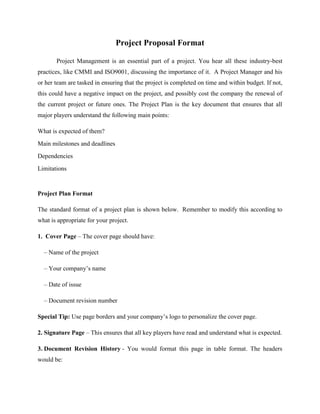
Project Proposal Format

       Project Management is an essential part of a project. You hear all these industry-best
practices, like CMMI and ISO9001, discussing the importance of it. A Project Manager and his
or her team are tasked in ensuring that the project is completed on time and within budget. If not,
this could have a negative impact on the project, and possibly cost the company the renewal of
the current project or future ones. The Project Plan is the key document that ensures that all
major players understand the following main points:

What is expected of them?
Main milestones and deadlines
Dependencies
Limitations


Project Plan Format

The standard format of a project plan is shown below. Remember to modify this according to
what is appropriate for your project.

1. Cover Page – The cover page should have:

  – Name of the project

  – Your company’s name

  – Date of issue

  – Document revision number

Special Tip: Use page borders and your company’s logo to personalize the cover page.

2. Signature Page – This ensures that all key players have read and understand what is expected.

3. Document Revision History - You would format this page in table format. The headers
would be:
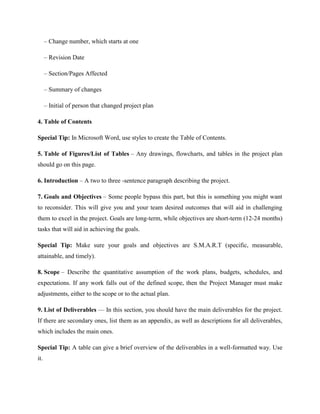
– Change number, which starts at one

      – Revision Date

      – Section/Pages Affected

      – Summary of changes

      – Initial of person that changed project plan

4. Table of Contents

Special Tip: In Microsoft Word, use styles to create the Table of Contents.

5. Table of Figures/List of Tables – Any drawings, flowcharts, and tables in the project plan
should go on this page.

6. Introduction – A two to three -sentence paragraph describing the project.

7. Goals and Objectives – Some people bypass this part, but this is something you might want
to reconsider. This will give you and your team desired outcomes that will aid in challenging
them to excel in the project. Goals are long-term, while objectives are short-term (12-24 months)
tasks that will aid in achieving the goals.

Special Tip: Make sure your goals and objectives are S.M.A.R.T (specific, measurable,
attainable, and timely).

8. Scope – Describe the quantitative assumption of the work plans, budgets, schedules, and
expectations. If any work falls out of the defined scope, then the Project Manager must make
adjustments, either to the scope or to the actual plan.

9. List of Deliverables — In this section, you should have the main deliverables for the project.
If there are secondary ones, list them as an appendix, as well as descriptions for all deliverables,
which includes the main ones.

Special Tip: A table can give a brief overview of the deliverables in a well-formatted way. Use
it.
10. Milestones – These are the major tasks in the project that have to be accomplished. Have a
start and end date for each one.

11. Assumptions – This section is where you would write what you assume will happen in the
project.

Special Tip: They should be specific and measurable.

12. Constraints – Describe limitations and deadlines that the project must adhere to.

13. Critical Dependencies — These are related tasks and sub tasks that are dependent on one
another. For instance, Task B cannot start unless Task A is completed, or Task B doesn’t finish
unless Task A finishes.

14. Quality Management Approach – This section ensures that the customer’s expectations are
being met. You should write about

   – How you plan to review the plan to ensure that it is going according to plan

   – The tools/techniques you will use to measure the progress

   – The acceptance criteria for the final work

   – Describe the roles and responsibilities of the individuals that will be in charge of monitoring
the quality of the project

Special Tip: This is an essential part of a project. Create a separate document that will go into
detail called the Quality Management Plan, and reference it in the Project Plan.

15. Project Standards - Identify standards, such as status reporting, meetings, acceptance
criteria.

16. Roles & Responsibilities – Define individuals’ roles and responsibilities.

Special Tip: Use a table with headers: roles, description, and responsibilities.

17. Communications — Describe the ways and time individuals will communicate with one
another.
18. Appendices – You would put the acronym list, detailed list of deliverables, forms that will
be used, contact directory, etc.

Special Tip: Use a program like Microsoft Project to create a Work-Breakdown Structure
(WBS) that will aid in creating a pictorial view of the project (i.e., Gantt charts, milestones,
dependencies, resources, etc.). It will make it easier on everyone involved.

This will start you off in the right direction to create a functional project plan that will keep your
project on-time, within budget that will ensure customer satisfaction.

                                           All the Best!!

Project proposal format

  • 1.
    Project Proposal Format Project Management is an essential part of a project. You hear all these industry-best practices, like CMMI and ISO9001, discussing the importance of it. A Project Manager and his or her team are tasked in ensuring that the project is completed on time and within budget. If not, this could have a negative impact on the project, and possibly cost the company the renewal of the current project or future ones. The Project Plan is the key document that ensures that all major players understand the following main points: What is expected of them? Main milestones and deadlines Dependencies Limitations Project Plan Format The standard format of a project plan is shown below. Remember to modify this according to what is appropriate for your project. 1. Cover Page – The cover page should have: – Name of the project – Your company’s name – Date of issue – Document revision number Special Tip: Use page borders and your company’s logo to personalize the cover page. 2. Signature Page – This ensures that all key players have read and understand what is expected. 3. Document Revision History - You would format this page in table format. The headers would be:
  • 2.
    – Change number,which starts at one – Revision Date – Section/Pages Affected – Summary of changes – Initial of person that changed project plan 4. Table of Contents Special Tip: In Microsoft Word, use styles to create the Table of Contents. 5. Table of Figures/List of Tables – Any drawings, flowcharts, and tables in the project plan should go on this page. 6. Introduction – A two to three -sentence paragraph describing the project. 7. Goals and Objectives – Some people bypass this part, but this is something you might want to reconsider. This will give you and your team desired outcomes that will aid in challenging them to excel in the project. Goals are long-term, while objectives are short-term (12-24 months) tasks that will aid in achieving the goals. Special Tip: Make sure your goals and objectives are S.M.A.R.T (specific, measurable, attainable, and timely). 8. Scope – Describe the quantitative assumption of the work plans, budgets, schedules, and expectations. If any work falls out of the defined scope, then the Project Manager must make adjustments, either to the scope or to the actual plan. 9. List of Deliverables — In this section, you should have the main deliverables for the project. If there are secondary ones, list them as an appendix, as well as descriptions for all deliverables, which includes the main ones. Special Tip: A table can give a brief overview of the deliverables in a well-formatted way. Use it.
  • 3.
    10. Milestones –These are the major tasks in the project that have to be accomplished. Have a start and end date for each one. 11. Assumptions – This section is where you would write what you assume will happen in the project. Special Tip: They should be specific and measurable. 12. Constraints – Describe limitations and deadlines that the project must adhere to. 13. Critical Dependencies — These are related tasks and sub tasks that are dependent on one another. For instance, Task B cannot start unless Task A is completed, or Task B doesn’t finish unless Task A finishes. 14. Quality Management Approach – This section ensures that the customer’s expectations are being met. You should write about – How you plan to review the plan to ensure that it is going according to plan – The tools/techniques you will use to measure the progress – The acceptance criteria for the final work – Describe the roles and responsibilities of the individuals that will be in charge of monitoring the quality of the project Special Tip: This is an essential part of a project. Create a separate document that will go into detail called the Quality Management Plan, and reference it in the Project Plan. 15. Project Standards - Identify standards, such as status reporting, meetings, acceptance criteria. 16. Roles & Responsibilities – Define individuals’ roles and responsibilities. Special Tip: Use a table with headers: roles, description, and responsibilities. 17. Communications — Describe the ways and time individuals will communicate with one another.
  • 4.
    18. Appendices –You would put the acronym list, detailed list of deliverables, forms that will be used, contact directory, etc. Special Tip: Use a program like Microsoft Project to create a Work-Breakdown Structure (WBS) that will aid in creating a pictorial view of the project (i.e., Gantt charts, milestones, dependencies, resources, etc.). It will make it easier on everyone involved. This will start you off in the right direction to create a functional project plan that will keep your project on-time, within budget that will ensure customer satisfaction. All the Best!!