PROJECT ON
MP4 MEDIA PLAYER
USING JAVAFX
Introduction to Project Language Used
Introduction to JAVAFX
 A media/graphics framework for creating GUI’s in java application.
 JavaFx is intended to replace swing as the standard GUI library for JavaSE
 It is more powerful
 It is used to create both desktop and web applications
 Like swing draws its own components, less communication with the
operating system.
 Light weight and hardware accelerated
 Makes use of FXML – new XML based markup language for defining GUI’s
History
 First announced in May 2007 by sun Microsystems then owned by
Oracle.
 Initial released in December 2008
 Originally brought as a response to flash and shockwave
 But also to improve ease of creating GUI’s for java applications
 Latest release is JAVAFX 9
Why use it?
 Oracle provides you with JAVAFX Scene Builder
 Visual GUI design tool
 No need to spend n- hours anymore on trying to move button a little bit to
the left
 Ability to apply css on the components of the GUI opens a door for
better looking applications that are more attractive to the end user.
 3 D support
JAVAFX or Swing / AWT
 GUI’s are created a lot faster than in swing and AWT.
 More sophisticated and aesthetically pleasing GUI’s.
 Easy integration of sounds, images and video and web content.
 Code is simplified in JAVAFX by separating the GUI’s from the logic of the
application.
 JAVAFX can be integrated in swing applications, allowing for a smoother
transmission.
Key Features
 A drag-and-drop WYSIWYG interface
 Tight integration with the Net Beans IDE
 Automatic FXML code generation occurs as you build and modify your
GUI layout
 Live editing and preview features let you quickly visualize the GUI layout
changes that you make without the need to compile.
 3D support is provided
 JavaFX Scene Builder Kit is provided with Scene Builder 2.0
 Cross-platform support is provided
Introduction to Project
 MP4 Media Player is a windows application software is used to play video
i.e. MP4 format files mainly.
 People who like watching videos With the help of this player they can
enjoy videos.
 This media player provide various facilities like:
Play , pause , forward , backward , fast , slow , start , last , reload ,
Volume control .
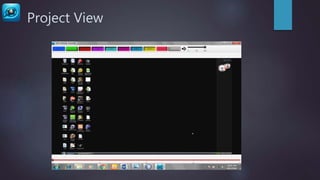
Project View
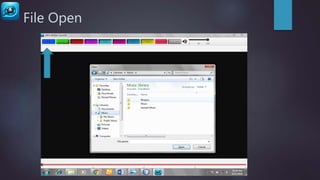
File Open
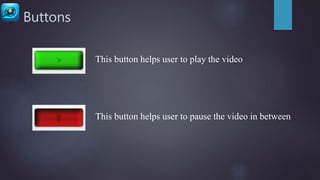
Buttons
This button helps user to play the video
This button helps user to pause the video in between
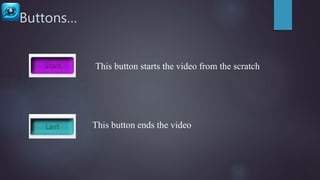
Buttons…
This button starts the video from the scratch
This button ends the video
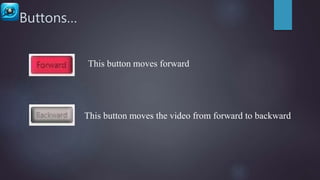
Buttons…
This button moves forward
This button moves the video from forward to backward
Buttons…
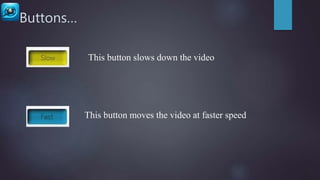
This button moves the video at faster speed
This button slows down the video
Buttons…
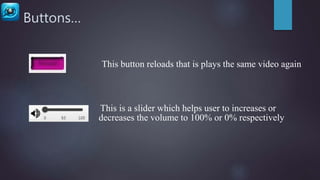
This button reloads that is plays the same video again
This is a slider which helps user to increases or
decreases the volume to 100% or 0% respectively
THANK YOU

Project on mp4 Media Player using JavaFx

  • 1.
    PROJECT ON MP4 MEDIAPLAYER USING JAVAFX
  • 2.
    Introduction to ProjectLanguage Used Introduction to JAVAFX  A media/graphics framework for creating GUI’s in java application.  JavaFx is intended to replace swing as the standard GUI library for JavaSE  It is more powerful  It is used to create both desktop and web applications  Like swing draws its own components, less communication with the operating system.  Light weight and hardware accelerated  Makes use of FXML – new XML based markup language for defining GUI’s
  • 3.
    History  First announcedin May 2007 by sun Microsystems then owned by Oracle.  Initial released in December 2008  Originally brought as a response to flash and shockwave  But also to improve ease of creating GUI’s for java applications  Latest release is JAVAFX 9
  • 4.
    Why use it? Oracle provides you with JAVAFX Scene Builder  Visual GUI design tool  No need to spend n- hours anymore on trying to move button a little bit to the left  Ability to apply css on the components of the GUI opens a door for better looking applications that are more attractive to the end user.  3 D support
  • 5.
    JAVAFX or Swing/ AWT  GUI’s are created a lot faster than in swing and AWT.  More sophisticated and aesthetically pleasing GUI’s.  Easy integration of sounds, images and video and web content.  Code is simplified in JAVAFX by separating the GUI’s from the logic of the application.  JAVAFX can be integrated in swing applications, allowing for a smoother transmission.
  • 6.
    Key Features  Adrag-and-drop WYSIWYG interface  Tight integration with the Net Beans IDE  Automatic FXML code generation occurs as you build and modify your GUI layout  Live editing and preview features let you quickly visualize the GUI layout changes that you make without the need to compile.  3D support is provided  JavaFX Scene Builder Kit is provided with Scene Builder 2.0  Cross-platform support is provided
  • 7.
    Introduction to Project MP4 Media Player is a windows application software is used to play video i.e. MP4 format files mainly.  People who like watching videos With the help of this player they can enjoy videos.  This media player provide various facilities like: Play , pause , forward , backward , fast , slow , start , last , reload , Volume control .
  • 8.
  • 9.
  • 10.
    Buttons This button helpsuser to play the video This button helps user to pause the video in between
  • 11.
    Buttons… This button startsthe video from the scratch This button ends the video
  • 12.
    Buttons… This button movesforward This button moves the video from forward to backward
  • 13.
    Buttons… This button movesthe video at faster speed This button slows down the video
  • 14.
    Buttons… This button reloadsthat is plays the same video again This is a slider which helps user to increases or decreases the volume to 100% or 0% respectively
  • 15.