Programming
Fundamentals
Lecture 8
Ms. Sidra
Agenda of Lecture
 Switch Statements
The Switch Statement
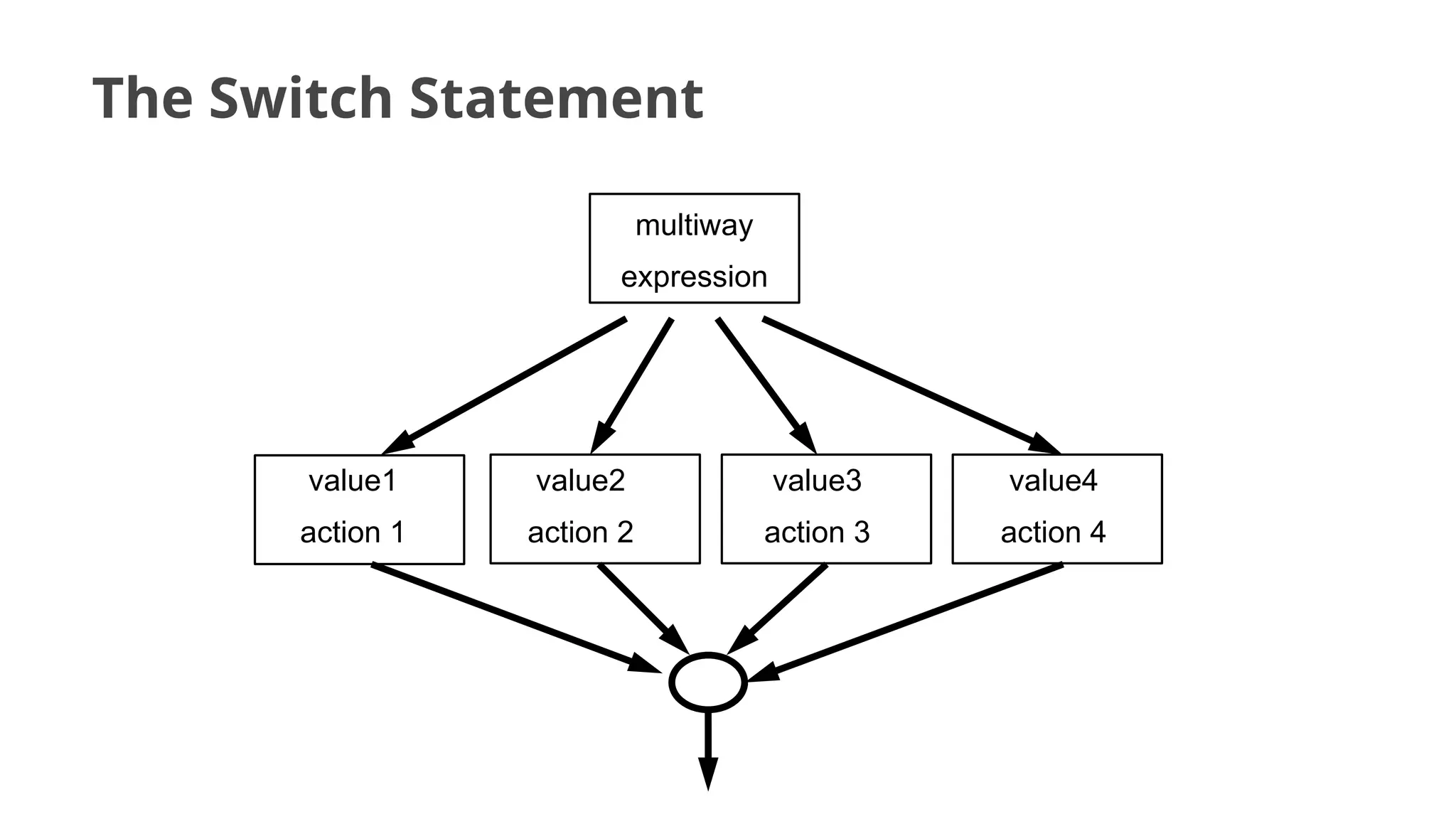
A switch statement allows a variable to be tested for
equality against a list of values. Each value is called a
case, and the variable being switched on is checked for
each case
The Switch Statement
value1
action 1
value2
action 2
value3
action 3
value4
action 4
multiway
expression
5
The Switch Statement
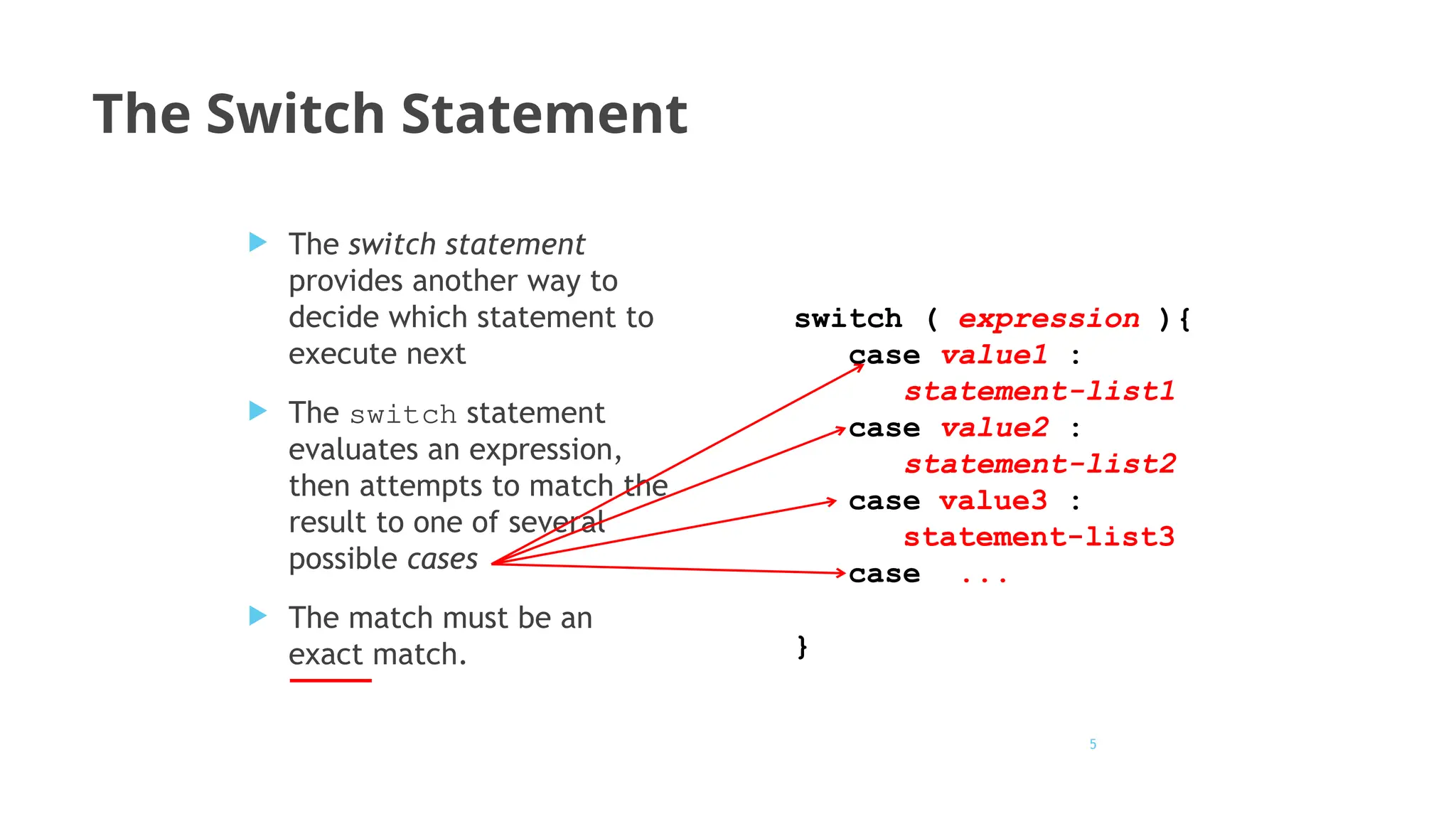
 The switch statement
provides another way to
decide which statement to
execute next
 The switch statement
evaluates an expression,
then attempts to match the
result to one of several
possible cases
 The match must be an
exact match.
switch ( expression ){
case value1 :
statement-list1
case value2 :
statement-list2
case value3 :
statement-list3
case ...
}
6
The Switch Statement
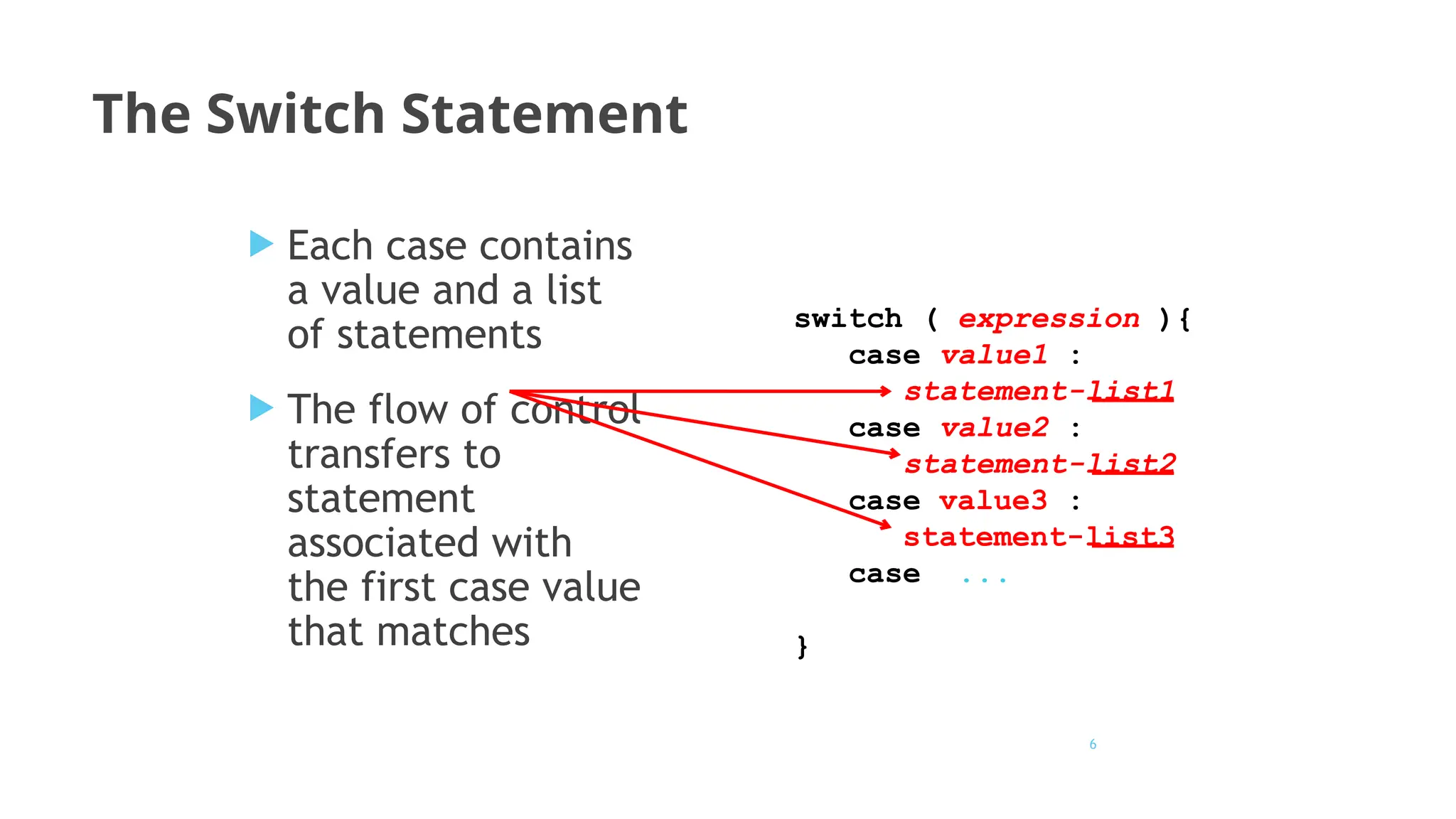
 Each case contains
a value and a list
of statements
 The flow of control
transfers to
statement
associated with
the first case value
that matches
switch ( expression ){
case value1 :
statement-list1
case value2 :
statement-list2
case value3 :
statement-list3
case ...
}
Switch - syntax
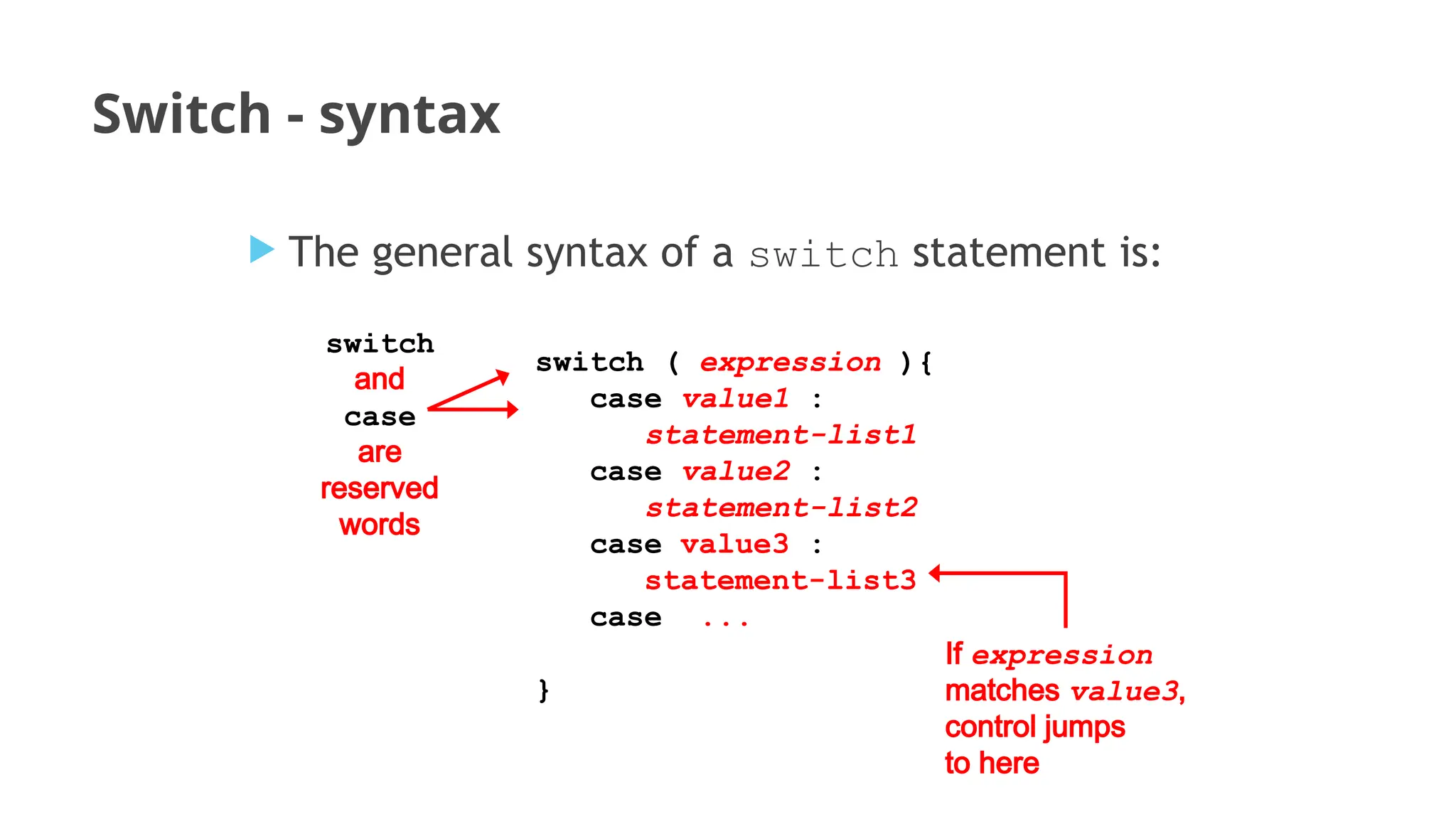
 The general syntax of a switch statement is:
switch ( expression ){
case value1 :
statement-list1
case value2 :
statement-list2
case value3 :
statement-list3
case ...
}
switch
and
case
are
reserved
words
If expression
matches value3,
control jumps
to here
The Switch Statement
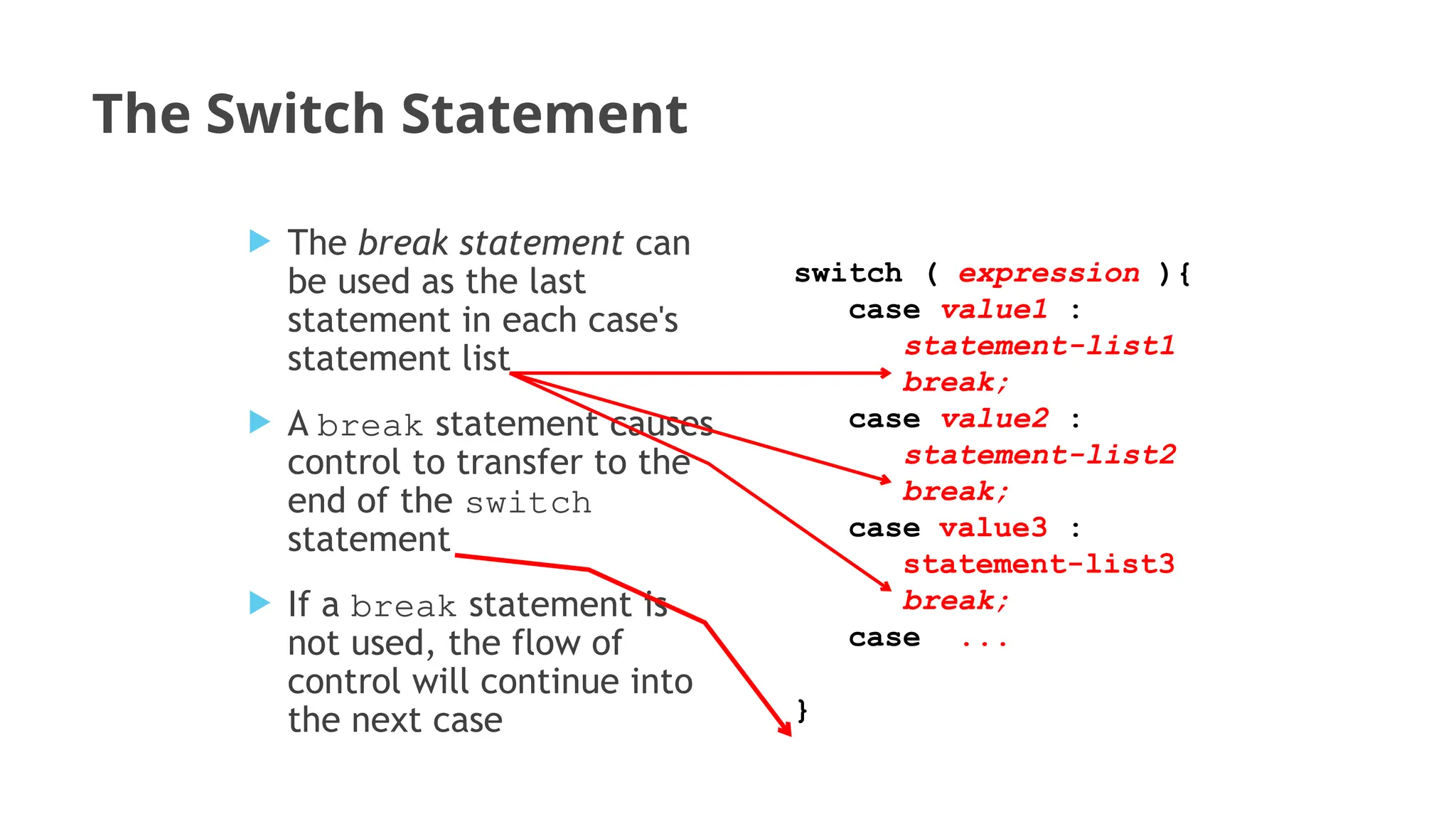
 The break statement can
be used as the last
statement in each case's
statement list
 A break statement causes
control to transfer to the
end of the switch
statement
 If a break statement is
not used, the flow of
control will continue into
the next case
switch ( expression ){
case value1 :
statement-list1
break;
case value2 :
statement-list2
break;
case value3 :
statement-list3
break;
case ...
}
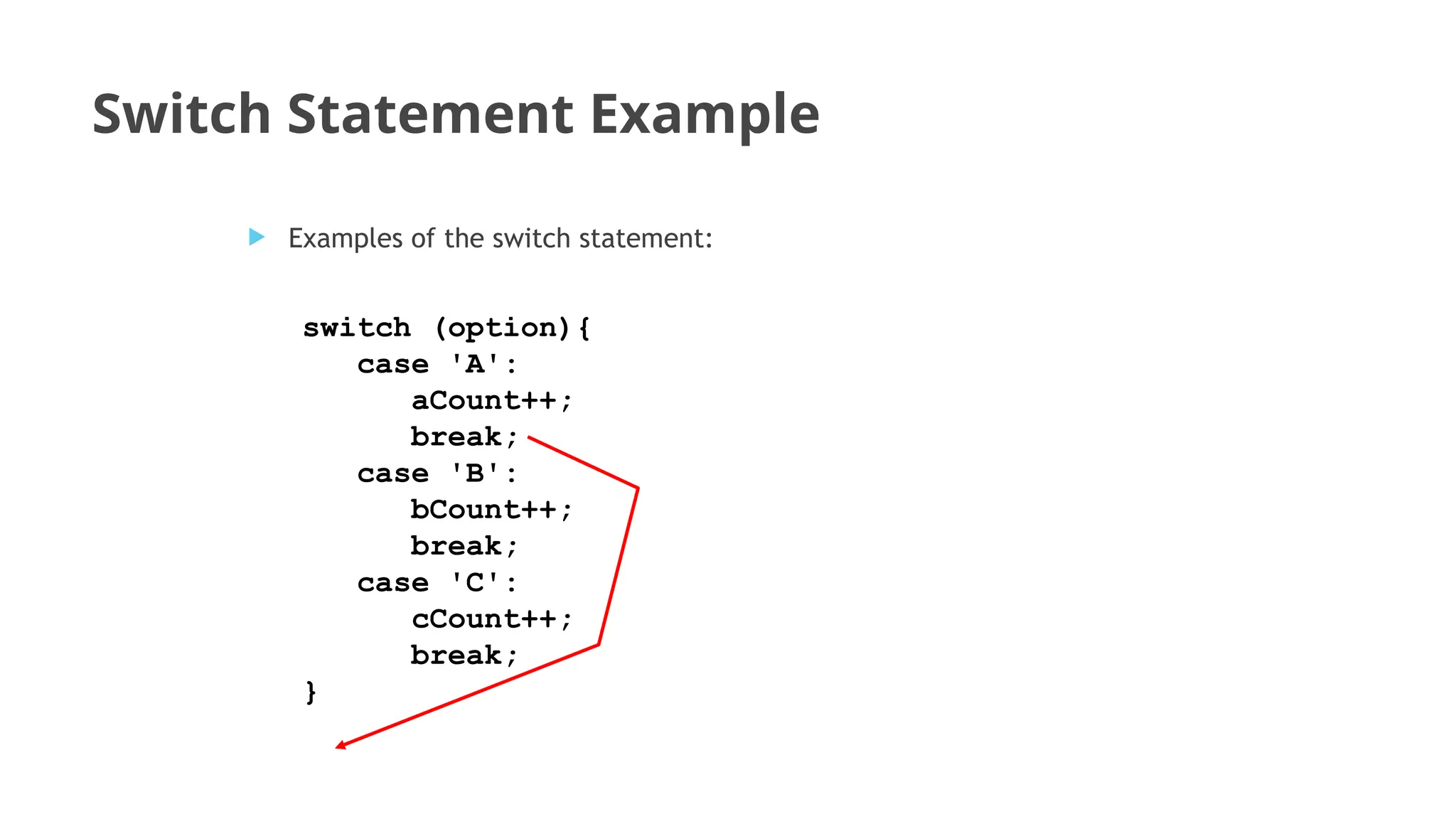
Switch Statement Example
switch (option){
case 'A':
aCount++;
break;
case 'B':
bCount++;
break;
case 'C':
cCount++;
break;
}
 Examples of the switch statement:
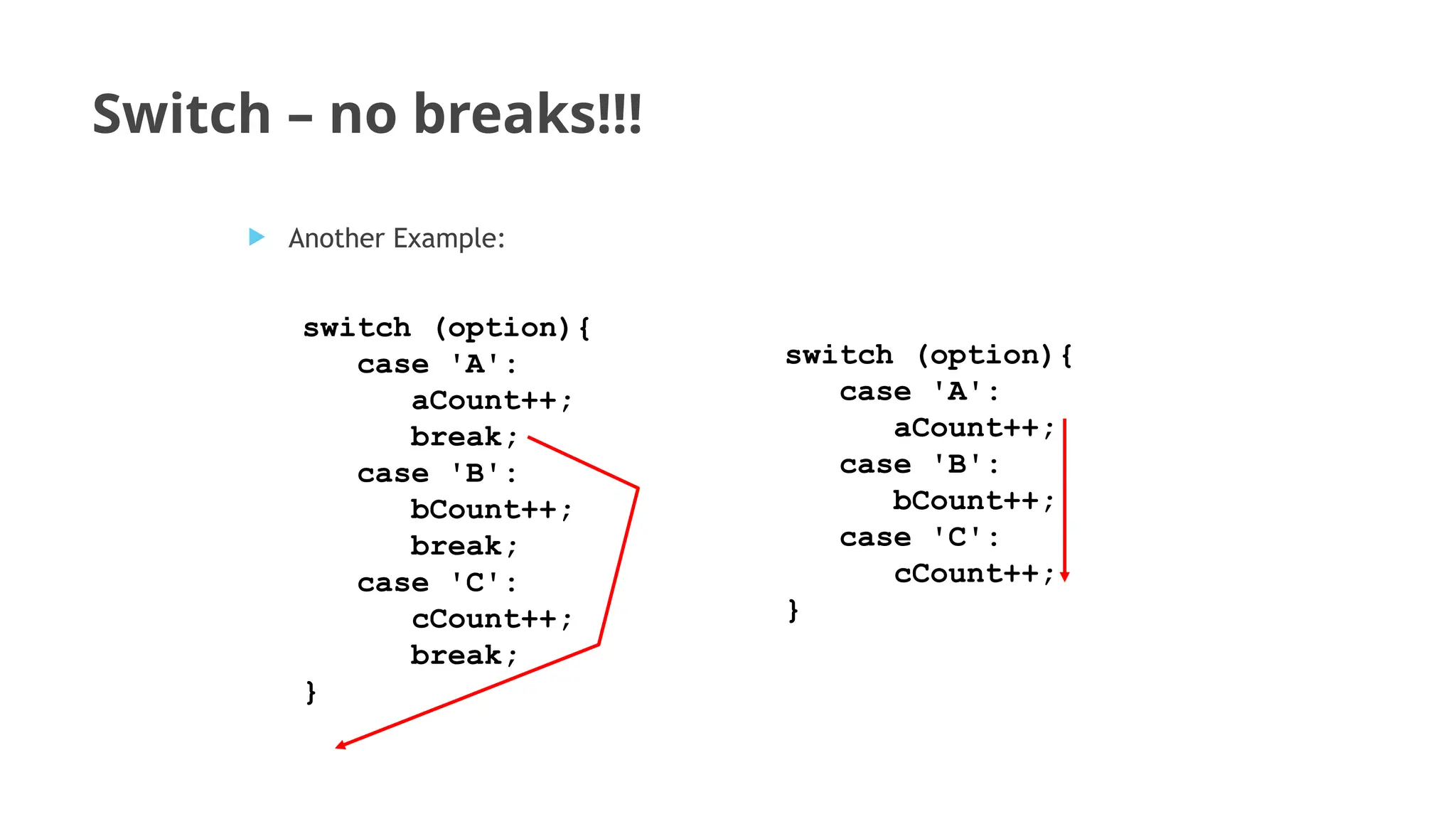
Switch – no breaks!!!
switch (option){
case 'A':
aCount++;
case 'B':
bCount++;
case 'C':
cCount++;
}
 Another Example:
switch (option){
case 'A':
aCount++;
break;
case 'B':
bCount++;
break;
case 'C':
cCount++;
break;
}
Switch- default
 A switch statement can have an optional default case
 The default case has no associated value and simply
uses the reserved word default
 If the default case is present, control will transfer to it
if no other case value matches
 If there is no default case, and no other value
matches, control falls through to the statement after
the switch
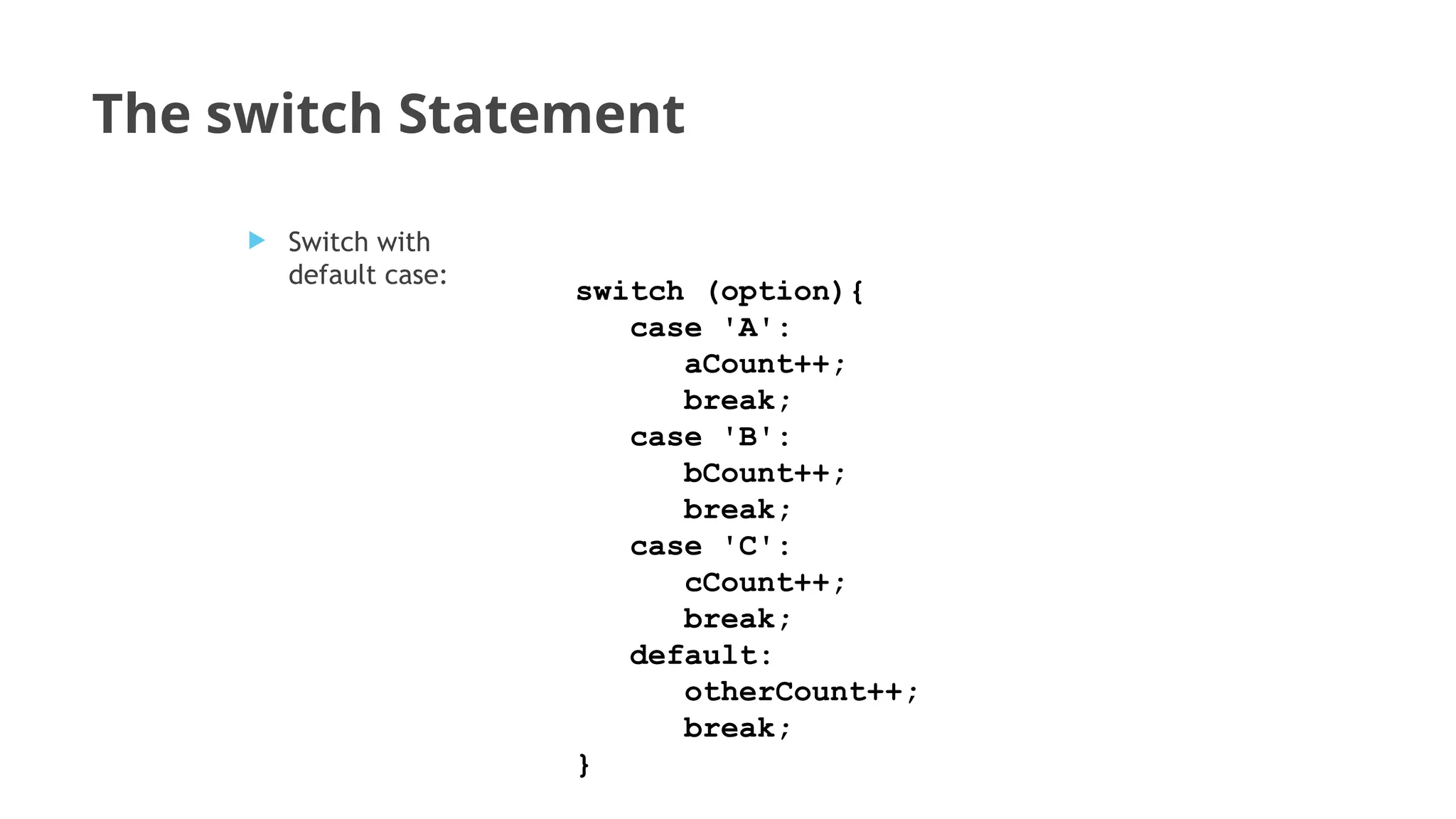
The switch Statement
switch (option){
case 'A':
aCount++;
break;
case 'B':
bCount++;
break;
case 'C':
cCount++;
break;
default:
otherCount++;
break;
}
 Switch with
default case:
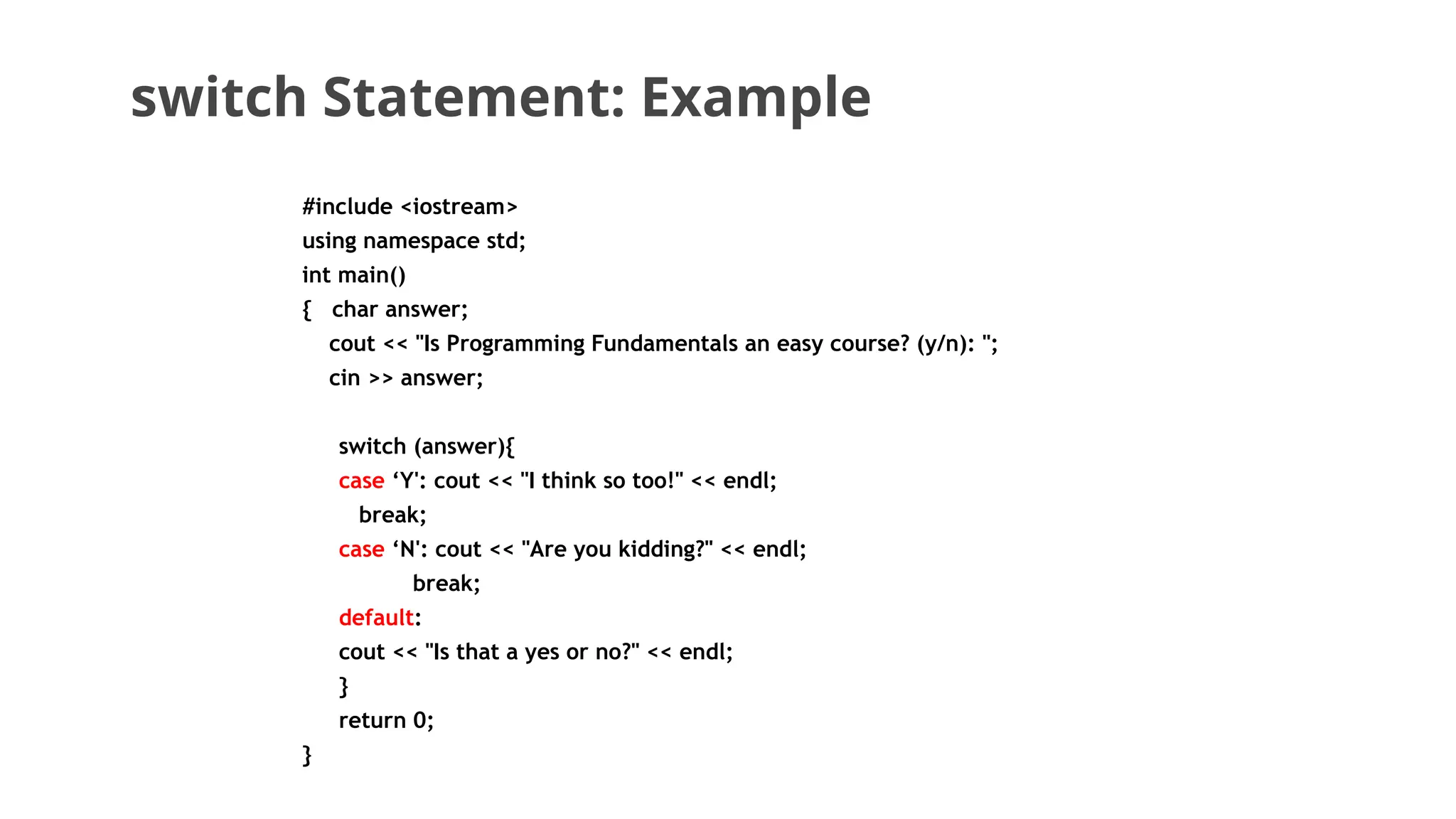
switch Statement: Example
#include <iostream>
using namespace std;
int main()
{ char answer;
cout << "Is Programming Fundamentals an easy course? (y/n): ";
cin >> answer;
switch (answer){
case ‘Y': cout << "I think so too!" << endl;
break;
case ‘N': cout << "Are you kidding?" << endl;
break;
default:
cout << "Is that a yes or no?" << endl;
}
return 0;
}
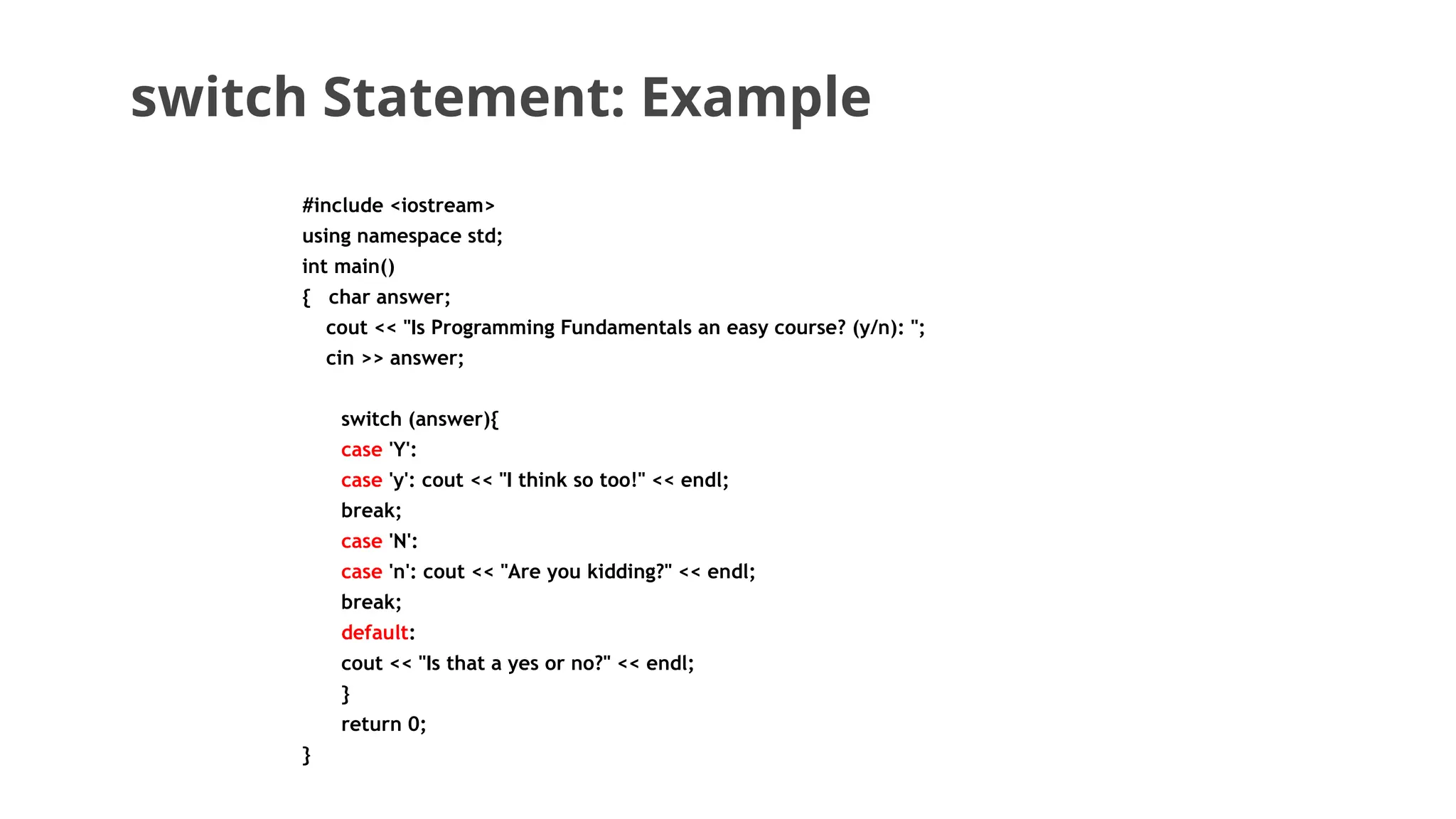
switch Statement: Example
#include <iostream>
using namespace std;
int main()
{ char answer;
cout << "Is Programming Fundamentals an easy course? (y/n): ";
cin >> answer;
switch (answer){
case 'Y':
case 'y': cout << "I think so too!" << endl;
break;
case 'N':
case 'n': cout << "Are you kidding?" << endl;
break;
default:
cout << "Is that a yes or no?" << endl;
}
return 0;
}
switch Statement :Example
To Switch or not to Switch
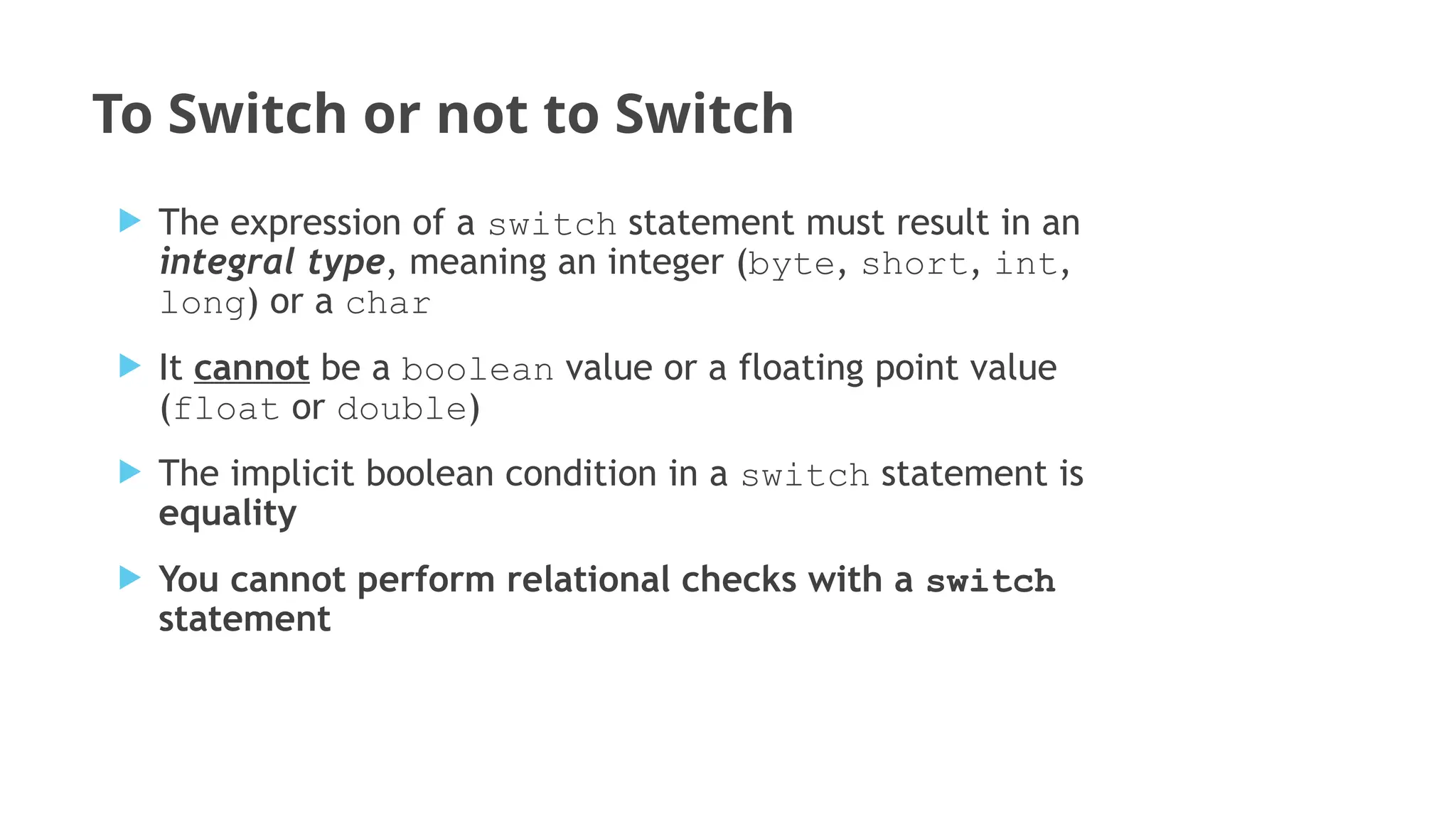
 The expression of a switch statement must result in an
integral type, meaning an integer (byte, short, int,
long) or a char
 It cannot be a boolean value or a floating point value
(float or double)
 The implicit boolean condition in a switch statement is
equality
 You cannot perform relational checks with a switch
statement
Questions??

Programming Fundamentals lec 08 .pptx

  • 1.
  • 2.
    Agenda of Lecture Switch Statements
  • 3.
    The Switch Statement Aswitch statement allows a variable to be tested for equality against a list of values. Each value is called a case, and the variable being switched on is checked for each case
  • 4.
    The Switch Statement value1 action1 value2 action 2 value3 action 3 value4 action 4 multiway expression
  • 5.
    5 The Switch Statement The switch statement provides another way to decide which statement to execute next  The switch statement evaluates an expression, then attempts to match the result to one of several possible cases  The match must be an exact match. switch ( expression ){ case value1 : statement-list1 case value2 : statement-list2 case value3 : statement-list3 case ... }
  • 6.
    6 The Switch Statement Each case contains a value and a list of statements  The flow of control transfers to statement associated with the first case value that matches switch ( expression ){ case value1 : statement-list1 case value2 : statement-list2 case value3 : statement-list3 case ... }
  • 7.
    Switch - syntax The general syntax of a switch statement is: switch ( expression ){ case value1 : statement-list1 case value2 : statement-list2 case value3 : statement-list3 case ... } switch and case are reserved words If expression matches value3, control jumps to here
  • 8.
    The Switch Statement The break statement can be used as the last statement in each case's statement list  A break statement causes control to transfer to the end of the switch statement  If a break statement is not used, the flow of control will continue into the next case switch ( expression ){ case value1 : statement-list1 break; case value2 : statement-list2 break; case value3 : statement-list3 break; case ... }
  • 9.
    Switch Statement Example switch(option){ case 'A': aCount++; break; case 'B': bCount++; break; case 'C': cCount++; break; }  Examples of the switch statement:
  • 10.
    Switch – nobreaks!!! switch (option){ case 'A': aCount++; case 'B': bCount++; case 'C': cCount++; }  Another Example: switch (option){ case 'A': aCount++; break; case 'B': bCount++; break; case 'C': cCount++; break; }
  • 11.
    Switch- default  Aswitch statement can have an optional default case  The default case has no associated value and simply uses the reserved word default  If the default case is present, control will transfer to it if no other case value matches  If there is no default case, and no other value matches, control falls through to the statement after the switch
  • 12.
    The switch Statement switch(option){ case 'A': aCount++; break; case 'B': bCount++; break; case 'C': cCount++; break; default: otherCount++; break; }  Switch with default case:
  • 13.
    switch Statement: Example #include<iostream> using namespace std; int main() { char answer; cout << "Is Programming Fundamentals an easy course? (y/n): "; cin >> answer; switch (answer){ case ‘Y': cout << "I think so too!" << endl; break; case ‘N': cout << "Are you kidding?" << endl; break; default: cout << "Is that a yes or no?" << endl; } return 0; }
  • 14.
    switch Statement: Example #include<iostream> using namespace std; int main() { char answer; cout << "Is Programming Fundamentals an easy course? (y/n): "; cin >> answer; switch (answer){ case 'Y': case 'y': cout << "I think so too!" << endl; break; case 'N': case 'n': cout << "Are you kidding?" << endl; break; default: cout << "Is that a yes or no?" << endl; } return 0; }
  • 15.
  • 16.
    To Switch ornot to Switch  The expression of a switch statement must result in an integral type, meaning an integer (byte, short, int, long) or a char  It cannot be a boolean value or a floating point value (float or double)  The implicit boolean condition in a switch statement is equality  You cannot perform relational checks with a switch statement
  • 17.