



Professional Recycling
SSIS Custom Control Flow Components
With Visual Studio Community
@wstrasser
Wolfgang Strasser
wolfgang.strasserATgmx.at
workingondata.wordpress.com
Our Sponsors
About me – Wolfgang Strasser
 consultant
 Software, Business Intelligence and DWH at cubido
 Like to load, transform, modify and query data
 SSIS & T-SQL
 SSIS Users since SQL 2005
 SSIS Custom Component developer > 6 years
Who knows or used/uses…
.. SSIS
.. SSIS Script Task
.. SSIS Custom Components
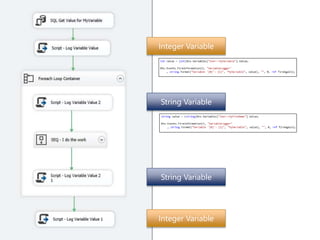
Integer Variable
String Variable
String Variable
Integer Variable
Integer Variable
String Variable
String Variable
Integer Variable
http://www.keepcalm-o-matic.co.uk
Re-Invent the Wheel !?
https://www.flickr.com/photos/pagedooley/8435953365
SSIS Extensibility
 Script Task
 Connection Manager
 Foreach Loop Containers
 DataFlow Components
 Control Flow Tasks
SSIS Extensibility
 Script Task
 Connection Manager
 Foreach Loop Containers
 DataFlow Components
 Control Flow Tasks
http://commons.wikimedia.org/wiki/File:Vandalized_stop_sign_-_start_and_stop.jpg
Dev Environment
 Visual Studio
 SSDT–BI (to develop SSIS Packages)
 (SQL Server)
 If you like to test the package deployed (SSIS Catalog)
 C# knowledge (preferred) 
 Or any other .NET language
 Admin Rights on Development machine
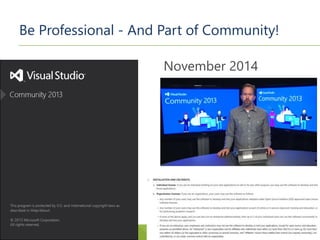
Be Professional - And Part of Community!
November 2014
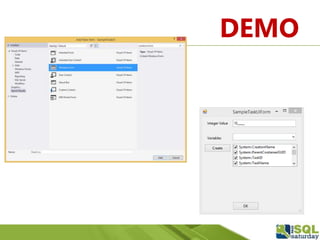
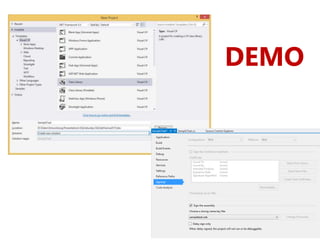
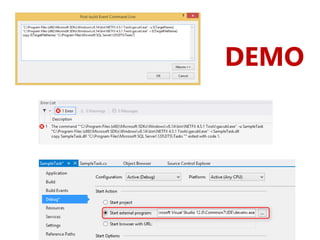
DEMO
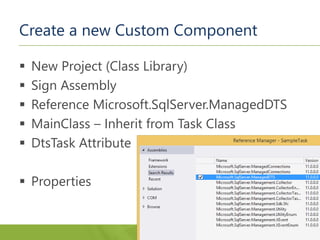
Create a new Custom Component
 New Project (Class Library)
 Sign Assembly
 Reference Microsoft.SqlServer.ManagedDTS
 MainClass – Inherit from Task Class
 DtsTask Attribute
 Properties
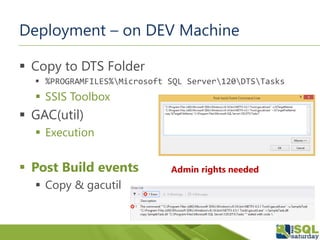
Deployment – on DEV Machine
 Copy to DTS Folder
 %PROGRAMFILES%Microsoft SQL Server120DTSTasks
 SSIS Toolbox
 GAC(util)
 Execution
 Post Build events
 Copy & gacutil
Admin rights needed
Deployment – on PROD machine
 GAC – needed
 DTS folder
 Only needed, if you develop on Server machine
DEMO
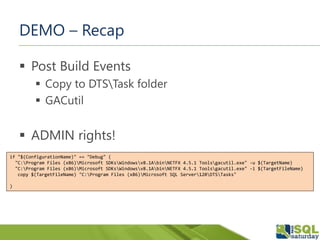
DEMO – Recap
 Post Build Events
 Copy to DTSTask folder
 GACutil
 ADMIN rights!
if "$(ConfigurationName)" == "Debug" (
"C:Program Files (x86)Microsoft SDKsWindowsv8.1AbinNETFX 4.5.1 Toolsgacutil.exe" -u $(TargetName)
"C:Program Files (x86)Microsoft SDKsWindowsv8.1AbinNETFX 4.5.1 Toolsgacutil.exe" -i $(TargetFileName)
copy $(TargetFileName) "C:Program Files (x86)Microsoft SQL Server120DTSTasks"
)
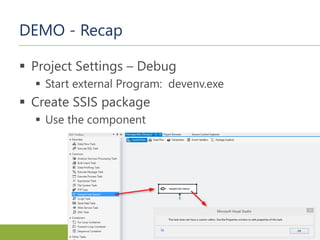
DEMO - Recap
 Project Settings – Debug
 Start external Program: devenv.exe
 Create SSIS package
 Use the component
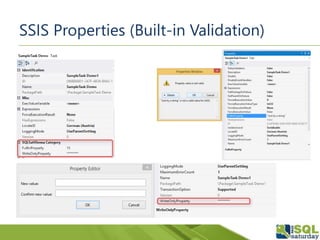
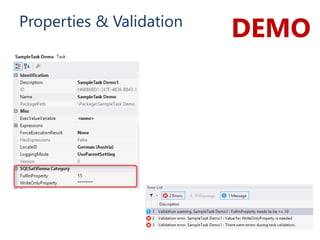
SSIS Properties (Built-in Validation)
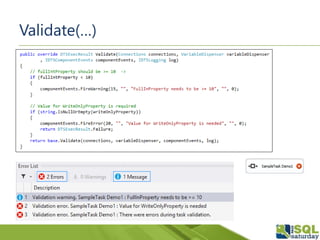
Validate(…)
DEMOProperties & Validation
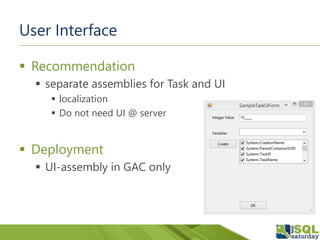
User Interface
 Recommendation
 separate assemblies for Task and UI
 localization
 Do not need UI @ server
 Deployment
 UI-assembly in GAC only
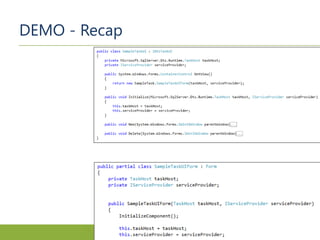
SampleTask.cs
SampleTaskUI.cs
SampleTaskUIForm
[DtsTask(DisplayName="SampleTask Demo1"
, Description="My First SSIS Task"
, TaskContact="wstrasser, 2015"
)]
[DtsTask(DisplayName="SampleTask Demo1"
, Description="My First SSIS Task"
, TaskContact="wstrasser, 2015"
, UITypeName="SampleTask.SampleTaskUI, SampleTaskUI
, Version=1.0.0.0, Culture=Neutral
, PublicKeyToken=82d3a052b01d4702"
)]
DEMO
DEMO - Recap
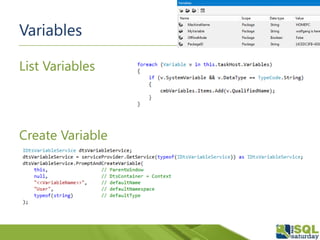
Variables
List Variables
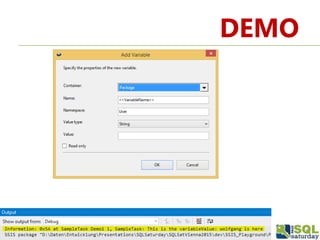
Create Variable
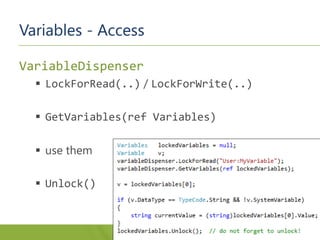
Variables - Access
VariableDispenser
 LockForRead(..) / LockForWrite(..)
 GetVariables(ref Variables)
 use them
 Unlock()
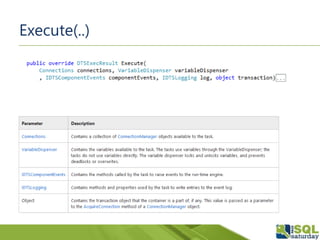
Execute(…)
ww.flickr.com/photos/jonathankosread/6398311699
Execute(..)
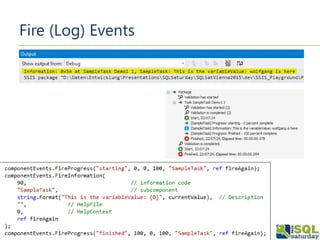
Fire (Log) Events
DEMO
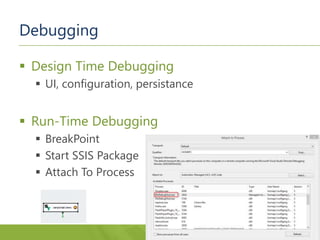
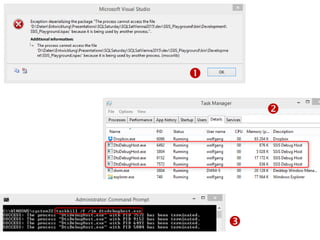
Debugging
 Design Time Debugging
 UI, configuration, persistance
 Run-Time Debugging
 BreakPoint
 Start SSIS Package
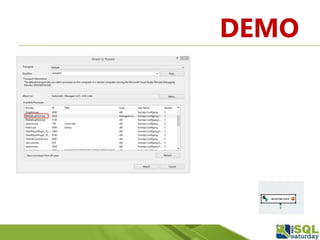
 Attach To Process



DEMO
SSIS Custom Control Flow Komponenten
and Visual Studio Community
Professional Recycling
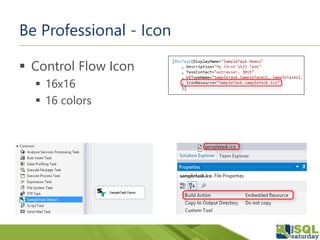
Be Professional - Icon
 Control Flow Icon
 16x16
 16 colors
Be Professional - Assembly Version
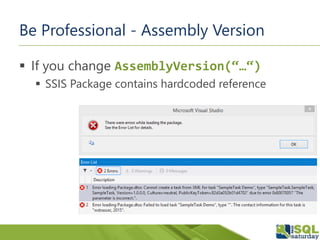
 If you change AssemblyVersion(“…“)
 SSIS Package contains hardcoded reference
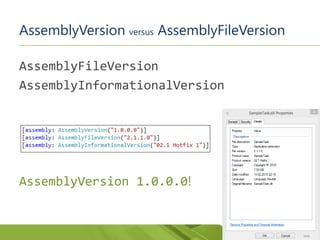
AssemblyVersion versus AssemblyFileVersion
AssemblyFileVersion
AssemblyInformationalVersion
AssemblyVersion 1.0.0.0!
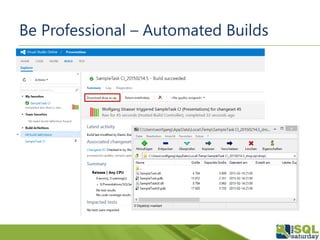
Be Professional – Automated Builds
 Increment AssemblyFileVersion
 Build for multiple SQL Server Versions
 Build Configurations
 Project File
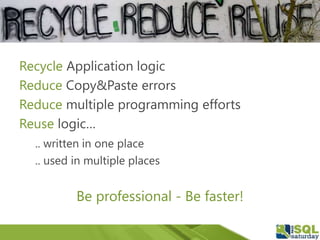
Recycle Application logic
Reduce Copy&Paste errors
Reduce multiple programming efforts
Reuse logic…
.. written in one place
.. used in multiple places
Be professional - Be faster!
Thank You!

Professional Recycling - SSIS Custom Control Flow Components With Visual Studio Community

Editor's Notes

  • #2 If you have questions, please contact me via twitter or e-mail!
  • #44 The next topic I would like to talk about is the persistance of component settings. What I really think is desirable – is to have persistant component settings. You change the value of a settings, Hit Save in the SSIS Package and when you open up this package the next time, I want to see these values again. Custom components already persist their settings into the underlying SSIS XML code – but if you want to implement your own persistence strategy OR if you have complex types of properties that need to be saved – the SSIS API provides these options.