Developing Professional
Learning Networks
Lucy Gray
University of Chicago
Center for Elementary Mathematics and Science Education
Monday, July 6, 2009
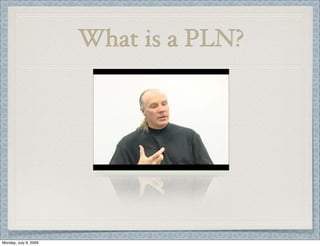
What is a PLN?
Monday, July 6, 2009
What are social media?
“Online technologies and practices that people use to share
opinions, insights, experiences, and perspectives with each
other.”
“Social media are works of user-created video, audio, text
or multimedia that are published and shared in a social
environment, such as a blog, wiki or video hosting site.
Monday, July 6, 2009
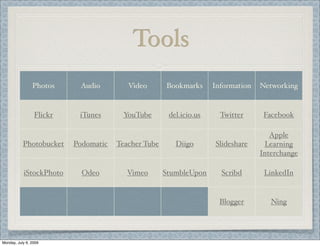
Tools
Photos Audio Video Bookmarks Information Networking
Flickr iTunes YouTube del.icio.us Twitter Facebook
Photobucket Podomatic Teacher Tube Diigo Slideshare
Apple
Learning
Interchange
iStockPhoto Odeo Vimeo StumbleUpon Scribd LinkedIn
Blogger Ning
Monday, July 6, 2009
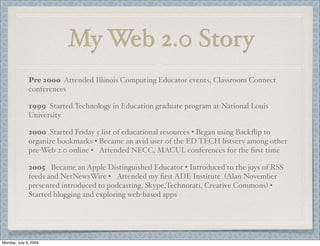
My Web 2.0 Story
2005 Became an Apple Distinguished Educator • Introduced to the joys of RSS
feeds and NetNewsWire • Attended my first ADE Institute (Alan November
presented introduced to podcasting, Skype,Technorati, Creative Commons) •
Started blogging and exploring web-based apps
2000 Started Friday 5 list of educational resources • Began using Backflip to
organize bookmarks • Became an avid user of the ED TECH listserv among other
pre-Web 2.0 online • Attended NECC, MACUL conferences for the first time
Pre 2000 Attended Illinois Computing Educator events, Classroom Connect
conferences
1999 Started Technology in Education graduate program at National Louis
University
Monday, July 6, 2009
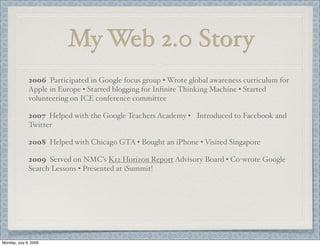
My Web 2.0 Story
2006 Participated in Google focus group • Wrote global awareness curriculum for
Apple in Europe • Started blogging for Infinite Thinking Machine • Started
volunteering on ICE conference committee
2007 Helped with the Google Teachers Academy • Introduced to Facebook and
Twitter
2008 Helped with Chicago GTA • Bought an iPhone • Visited Singapore
2009 Served on NMC’s K12 Horizon Report Advisory Board • Co-wrote Google
Search Lessons • Presented at iSummit!
Monday, July 6, 2009
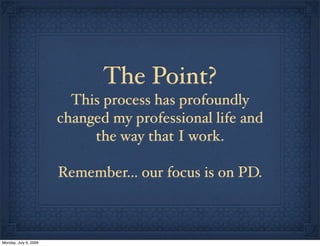
The Point?
This process has profoundly
changed my professional life and
the way that I work.
Remember... our focus is on PD.
Monday, July 6, 2009
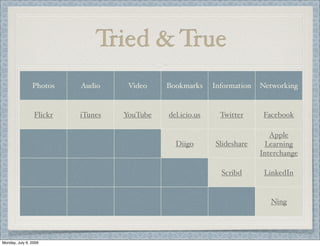
Tried & True
Photos Audio Video Bookmarks Information Networking
Flickr iTunes YouTube del.icio.us Twitter Facebook
Diigo Slideshare
Apple
Learning
Interchange
Scribd LinkedIn
Ning
Monday, July 6, 2009
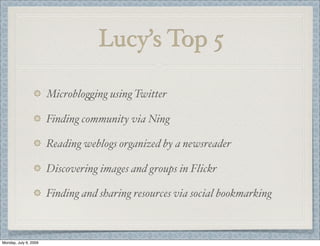
Lucy’s Top 5
Microblo%ing using Twitter
Finding community via Ning
Reading weblogs organized by a newsreader
Discovering images and groups in Flickr
Finding and sharing resources via social bookmarking
Monday, July 6, 2009
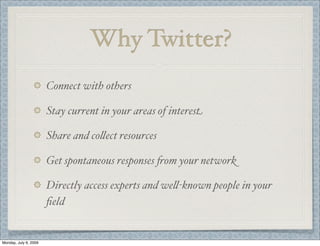
Why Twitter?
Connect with others
Stay current in your areas of interest
Share and co&ect resources
Get spontaneous responses 'om your network
Directly access experts and we&-known people in your
field
Monday, July 6, 2009
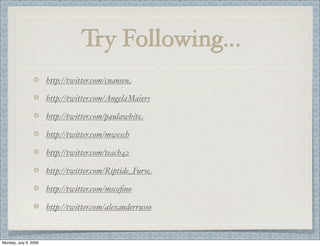
Try Following...
http://twitter.com/cnansen
http://twitter.com/AngelaMaiers
http://twitter.com/paulawhite
http://twitter.com/mwesch
http://twitter.com/teach42
http://twitter.com/Riptide_Furse
http://twitter.com/mscofino
http://twitter.com/alexanderrusso
Monday, July 6, 2009
Why Ning?
Build customized social networking sites
Serves as a repository for videos, audio, and text
Structure adds to community building
Find a ning for every educational topic
Keep your Ning public or private
Monday, July 6, 2009
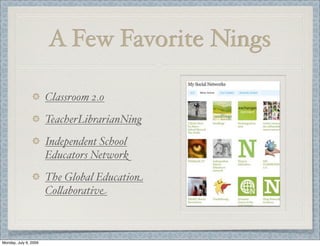
A Few Favorite Nings
Classroom 2.0
TeacherLibrarianNing
Independent School
Educators Network
The Global Education
Co&aborative
Monday, July 6, 2009
Why Blogs?
Reflect on professional practice
Record ideas
Share resources
Showcase best practices and examples
Inspire others
Monday, July 6, 2009
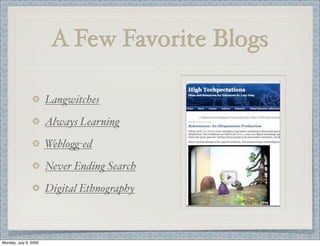
A Few Favorite Blogs
Langwitches
Always Learning
Weblo%-ed
Never Ending Search
Digital Ethnography
Monday, July 6, 2009
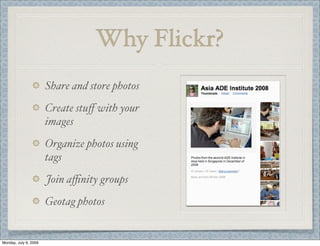
Why Flickr?
Share and store photos
Create stuff with your
images
Organize photos using
tags
Join affinity groups
Geotag photos
Monday, July 6, 2009
A Few Flickr Favorites
Field Guide: Birds of the
World
Te& a Story in Five
Frames
Classroom Displays
AtrociousApostrophe’s
Popular Tags in Flickr
Interesting Things
Calendar
Flickr Clock
The Commons
World Map
Monday, July 6, 2009
Why Social Bookmarking
Method of sharing and organizing online resources
Accessible 'om any internet connected computer
Subscribe to tags of interest
Fo&ow like-minded people through a network
Monday, July 6, 2009
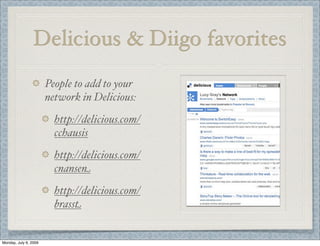
Delicious & Diigo favorites
People to add to your
network in Delicious:
http://delicious.com/
cchausis
http://delicious.com/
cnansen
http://delicious.com/
brasst
Monday, July 6, 2009
Delicious & Diigo favorites
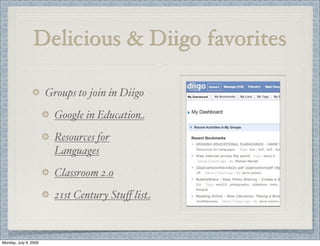
Groups to join in Diigo
Google in Education
Resources for
Languages
Classroom 2.0
21st Century Stuff list
Monday, July 6, 2009
Worthy of a Mention
Scribd
Slideshare
Chat
Skype
iChat
Monday, July 6, 2009
Organizing It All
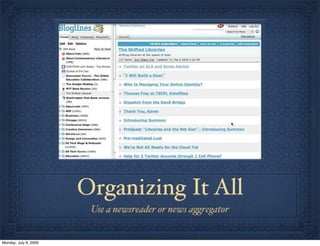
Use a newsreader or news a%regator
Monday, July 6, 2009
Suggested Readers
Netvibes
Google Reader
Bloglines
NetNewsWire (Mac)
FeedDemon (Windows)
Monday, July 6, 2009
Taking Charge Guidelines
Pick ONE tool to meet a particular professional
development need or interest.
Rea&y learn that tool and develop confidence around it.
Utilize third party tools that enhance the functionality of
your tool of choice, i.e. browser bookmarklets.
Find an informal online mentor to help you on your PD
journey.
Monday, July 6, 2009
Follow You, Follow Me
Lucy Gray
elemenous@gmail.com
iChat, Skype, Flickr, delicious, Youtube etc: elemenous
Blog: http:lucygray.org
Monday, July 6, 2009

Professional Learning Networks - iSummit

  • 1.
    Developing Professional Learning Networks LucyGray University of Chicago Center for Elementary Mathematics and Science Education Monday, July 6, 2009
  • 2.
    What is aPLN? Monday, July 6, 2009
  • 3.
    What are socialmedia? “Online technologies and practices that people use to share opinions, insights, experiences, and perspectives with each other.” “Social media are works of user-created video, audio, text or multimedia that are published and shared in a social environment, such as a blog, wiki or video hosting site. Monday, July 6, 2009
  • 4.
    Tools Photos Audio VideoBookmarks Information Networking Flickr iTunes YouTube del.icio.us Twitter Facebook Photobucket Podomatic Teacher Tube Diigo Slideshare Apple Learning Interchange iStockPhoto Odeo Vimeo StumbleUpon Scribd LinkedIn Blogger Ning Monday, July 6, 2009
  • 5.
    My Web 2.0Story 2005 Became an Apple Distinguished Educator • Introduced to the joys of RSS feeds and NetNewsWire • Attended my first ADE Institute (Alan November presented introduced to podcasting, Skype,Technorati, Creative Commons) • Started blogging and exploring web-based apps 2000 Started Friday 5 list of educational resources • Began using Backflip to organize bookmarks • Became an avid user of the ED TECH listserv among other pre-Web 2.0 online • Attended NECC, MACUL conferences for the first time Pre 2000 Attended Illinois Computing Educator events, Classroom Connect conferences 1999 Started Technology in Education graduate program at National Louis University Monday, July 6, 2009
  • 6.
    My Web 2.0Story 2006 Participated in Google focus group • Wrote global awareness curriculum for Apple in Europe • Started blogging for Infinite Thinking Machine • Started volunteering on ICE conference committee 2007 Helped with the Google Teachers Academy • Introduced to Facebook and Twitter 2008 Helped with Chicago GTA • Bought an iPhone • Visited Singapore 2009 Served on NMC’s K12 Horizon Report Advisory Board • Co-wrote Google Search Lessons • Presented at iSummit! Monday, July 6, 2009
  • 7.
    The Point? This processhas profoundly changed my professional life and the way that I work. Remember... our focus is on PD. Monday, July 6, 2009
  • 8.
    Tried & True PhotosAudio Video Bookmarks Information Networking Flickr iTunes YouTube del.icio.us Twitter Facebook Diigo Slideshare Apple Learning Interchange Scribd LinkedIn Ning Monday, July 6, 2009
  • 9.
    Lucy’s Top 5 Microblo%ingusing Twitter Finding community via Ning Reading weblogs organized by a newsreader Discovering images and groups in Flickr Finding and sharing resources via social bookmarking Monday, July 6, 2009
  • 10.
    Why Twitter? Connect withothers Stay current in your areas of interest Share and co&ect resources Get spontaneous responses 'om your network Directly access experts and we&-known people in your field Monday, July 6, 2009
  • 11.
  • 12.
    Why Ning? Build customizedsocial networking sites Serves as a repository for videos, audio, and text Structure adds to community building Find a ning for every educational topic Keep your Ning public or private Monday, July 6, 2009
  • 13.
    A Few FavoriteNings Classroom 2.0 TeacherLibrarianNing Independent School Educators Network The Global Education Co&aborative Monday, July 6, 2009
  • 14.
    Why Blogs? Reflect onprofessional practice Record ideas Share resources Showcase best practices and examples Inspire others Monday, July 6, 2009
  • 15.
    A Few FavoriteBlogs Langwitches Always Learning Weblo%-ed Never Ending Search Digital Ethnography Monday, July 6, 2009
  • 16.
    Why Flickr? Share andstore photos Create stuff with your images Organize photos using tags Join affinity groups Geotag photos Monday, July 6, 2009
  • 17.
    A Few FlickrFavorites Field Guide: Birds of the World Te& a Story in Five Frames Classroom Displays AtrociousApostrophe’s Popular Tags in Flickr Interesting Things Calendar Flickr Clock The Commons World Map Monday, July 6, 2009
  • 18.
    Why Social Bookmarking Methodof sharing and organizing online resources Accessible 'om any internet connected computer Subscribe to tags of interest Fo&ow like-minded people through a network Monday, July 6, 2009
  • 19.
    Delicious & Diigofavorites People to add to your network in Delicious: http://delicious.com/ cchausis http://delicious.com/ cnansen http://delicious.com/ brasst Monday, July 6, 2009
  • 20.
    Delicious & Diigofavorites Groups to join in Diigo Google in Education Resources for Languages Classroom 2.0 21st Century Stuff list Monday, July 6, 2009
  • 21.
    Worthy of aMention Scribd Slideshare Chat Skype iChat Monday, July 6, 2009
  • 22.
    Organizing It All Usea newsreader or news a%regator Monday, July 6, 2009
  • 23.
    Suggested Readers Netvibes Google Reader Bloglines NetNewsWire(Mac) FeedDemon (Windows) Monday, July 6, 2009
  • 24.
    Taking Charge Guidelines PickONE tool to meet a particular professional development need or interest. Rea&y learn that tool and develop confidence around it. Utilize third party tools that enhance the functionality of your tool of choice, i.e. browser bookmarklets. Find an informal online mentor to help you on your PD journey. Monday, July 6, 2009
  • 25.
    Follow You, FollowMe Lucy Gray elemenous@gmail.com iChat, Skype, Flickr, delicious, Youtube etc: elemenous Blog: http:lucygray.org Monday, July 6, 2009