Benjamin Harris 
PDLM Presentation 
July 11, 2011
INTRODUCTIONS: 
Name, Occupation, and 
Yearbook Superlative
Outline 
 Students as Content Creators 
 Define Fair Use 
 Explore Creative Commons, Public Domain, and other 
free to download resources 
 Introduce Cyber bullying 
 Discuss file sharing sites and potential dangers 
 Review 
 Quiz
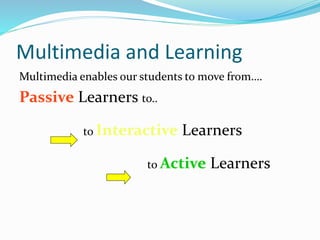
Multimedia and Learning 
Multimedia enables our students to move from…. 
Passive Learners to.. 
to Interactive Learners 
to Active Learners
Learning is not passive! 
 We must move our students from passive learning to 
active learning! 
 Students can create: 
 Podcasts 
 Wikis 
 Web quests 
 Computer Animations 
 Apps 
 And the subject of our topic today…Video.
How can students use video? 
 To introduce a unit or concept 
 To reinforce a concept 
 As review at the end of a unit 
 To expand a concept 
 To illustrate difficult concepts. 
 To foster cooperative learning.
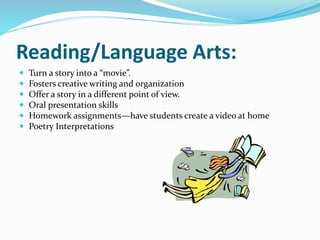
Reading/Language Arts: 
 Turn a story into a “movie”. 
 Fosters creative writing and organization 
 Offer a story in a different point of view. 
 Oral presentation skills 
 Homework assignments—have students create a video at home 
 Poetry Interpretations
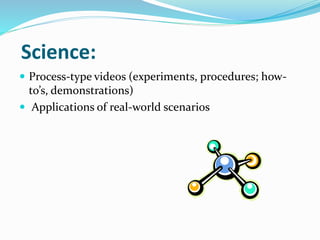
Science: 
 Process-type videos (experiments, procedures; how-to’s, 
demonstrations) 
 Applications of real-world scenarios
Social Studies: 
 Reenactments/dramatizations 
 Tying in current events (how history repeats itself )
Math: 
 Visual representation of solving problems 
(equation is solved on screen). 
 Discussing innovative ways to arrive at a solution. 
 Application: apply what they just learned to show 
real-world examples (enrichment)
Teachers Can Also Be Content 
Creators: 
1. Teachers can record lessons and/or lectures for student 
view at home. 
2. Teachers can create visual representations of difficult 
material. 
3. Share creations with colleagues.
Before We Begin 
 Legal Information 
 Videotaping People 
 Brief Summary of Fair Use 
 Copyright vs. Creative Commons 
 Piracy 
 Cyber Bullying 
 Assessment 
 Steps for Success 
 Video Editing Activity
Digital Law 
 Digital law deals with the ethics of technology within a society. 
Unethical use manifests itself in form of theft and/or crime. Ethical use 
manifests itself in the form of abiding by the laws of society. Users 
need to understand that stealing or causing damage to other people’s 
work, identity, or property online is a crime. There are certain rules of 
society that users need to be aware in a ethical society. These laws apply 
to anyone who works or plays online. Hacking into others information, 
downloading illegal music, plagiarizing, creating destructive worms, 
viruses or creating Trojan Horses, sending spam, or stealing anyone’s 
identify or property is unethical. 
Nine Elements. (2011). Retrieved from Digital Citizenship: Using 
Technology Appropriately: 
http://www.digitalcitizenship.net/Nine_Elements.html
Do I Need Permission to Video 
Tape Individuals? 
Yes 
Students 
Use District, Building, or Individual 
Classroom Media Release Form 
 Signed by Parent or Guardian 
Others 
 Signed Model Release form if video moves outside of 
classroom environment.
DISCUSSION 
“Fair use allows educators the right to use copyrighted 
material in their classroom” 
AGREE DISAGREE
Can I Use Justin Bieber’s latest song in my video? 
 It depends on how the video is used 
 Always seek written permission from a copyright 
owner if you plan on using their work. 
 Make a practice of using of royalty free music or 
videos. 
 It’s best to create your own music or video 
 It’s safe to use recordings from Public Domain (most 
reliably recordings before 1921)
Can I read a copy of copyrighted work on Video? 
 Example 
 Reading passages from a book, article, or other 
copyrighted publication (not public domain) 
 You can if it’s for face-to-face, educational use. A 
recording is usually allowed by Fair Use 
 If the video will be distributed (YouTube), always 
seek written permission from copyright owners.
Can’t teachers always claim Fair 
Use? 
 It’s true that teachers may use certain materials under Fair Use guidelines 
without written permission. 
 Fair Use can depend on the following areas: 
 The purpose and character of the use, including whether such 
use is of commercial nature or is for nonprofit educational 
purposes 
 The nature of the copyrighted work 
 The amount and substantiality of the portion used in relation 
to the copyrighted work as a whole 
 The effect of the use upon the potential market for, or value 
of, the copyrighted work 
Copyright.gov
Safe Fair Use Rule of Thumbs for 
Teachers 
 Only teachers in a CLASSROOM ( or password 
protected online classroom) can claim fair use of 
copyrighted materials. 
 Fair use is a ONE TIME exemption from asking for 
permission to use. 
 Copyrighted materials must be part of an instructional 
lesson.
Fair Use 
 All ideas and creations are copyrighted at time of creation. 
 Fair use usually addresses a spontaneous, one-time use of 
copyrighted materials. Repeated uses need further 
permission from the owner of copyright. 
 Student work is copyrighted. You may need a student’s 
permission to post or use their content. (Some teachers 
send home “Intent to Post” letters at beginning of school.)
Fair Use 
 Posting items on a teacher webpage constitutes 
“distribution” unless the page is password protected. 
 Once you lose “control” of your audience/classroom, 
fair use ends. 
 Making DVD copies for an entire grade 
level/department/school/school system (without 
permission of copyright holder) violates Fair Use 
distribution guidelines.
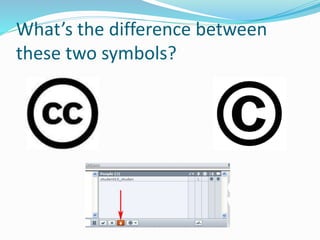
What’s the difference between 
these two symbols?
Creative Commons 
 Creative Commons allows content creators to 
distribute their work for free with certain 
limitations. For example, you are free to create 
new work based on the content, but not for profit. 
 Popular websites that allow the download of free 
content are 
 Ccmixter.org 
 Magnatune.com
Copyright Weblinks 
 Digital Millennium Copyright Act 
 http://www.copyright.gov/legislation/dmca.pdf 
 The US Copyright Office Home Page 
 http://www.copyright.gov/ 
 Interactive Copyright Questions and Answers 
 http://www.cyberbee.com/copyrt.html
Cyber Bullying 
 "Cyberbullying" is when a child, preteen or teen is 
tormented, threatened, harassed, humiliated, embarrassed 
or otherwise targeted by another child, preteen or teen 
using the Internet, interactive and digital technologies or 
mobile phones. 
Stopbullying.org 
DISCUSSION 
HOW CAN STUDENTS USE 
VIDEO TO CYBER BULLY?
HOW DO YOU KNOW IF 
THE DOWNLOAD IS 
ILLEGAL? 
DISCUSSION
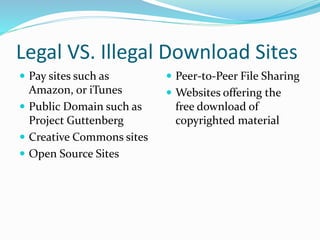
Legal VS. Illegal Download Sites 
 Pay sites such as 
Amazon, or iTunes 
 Public Domain such as 
Project Guttenberg 
 Creative Commons sites 
 Open Source Sites 
 Peer-to-Peer File Sharing 
 Websites offering the 
free download of 
copyrighted material
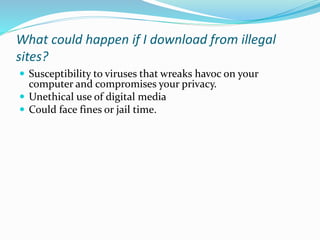
What could happen if I download from illegal 
sites? 
 Susceptibility to viruses that wreaks havoc on your 
computer and compromises your privacy. 
 Unethical use of digital media 
 Could face fines or jail time.
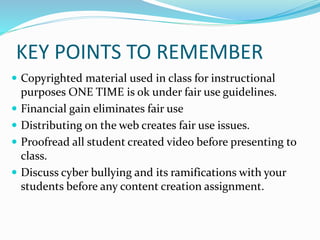
KEY POINTS TO REMEMBER 
 Copyrighted material used in class for instructional 
purposes ONE TIME is ok under fair use guidelines. 
 Financial gain eliminates fair use 
 Distributing on the web creates fair use issues. 
 Proofread all student created video before presenting to 
class. 
 Discuss cyber bullying and its ramifications with your 
students before any content creation assignment.
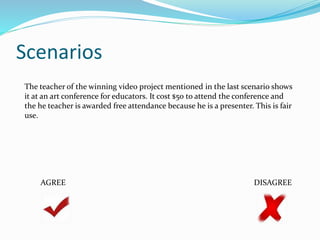
Scenario Quiz
Scenarios 
A high school video class produces a student video yearbook that 
they sell at community events to raise money for equipment for 
the school. They use well-known popular music clips. The money 
all goes to the school and the songs are fully listed in the credits. 
This is covered under fair use. 
AGREE DISAGREE
Scenarios 
A student doing a multimedia report discovers how to 
copy the QuickTime movie of Kennedy's "We shall go to 
the moon" speech from a CD-ROM encyclopedia. He 
presents the report to his classmates, then posts it on the 
school LAN. This is fair use. 
AGREE DISAGREE
Scenarios 
A teacher rents Gone With the Wind to show the burning of 
Atlanta scene to her class while studying the Civil War. This 
is fair use. 
AGREE DISAGREE
Scenarios 
A student creating a video about architecture uses copyrighted images 
of Frank Lloyd Wright buildings downloaded from the Web. He 
submits this video to a district-wide video competition and wins a prize 
for the school. This is covered under fair use. 
AGREE DISAGREE
Scenarios 
The teacher of the winning video project mentioned in the last scenario shows 
it at an art conference for educators. It cost $50 to attend the conference and 
the he teacher is awarded free attendance because he is a presenter. This is fair 
use. 
AGREE DISAGREE
Please complete the evaluation

Professional Development Learning Module Presentation Final

  • 1.
    Benjamin Harris PDLMPresentation July 11, 2011
  • 2.
    INTRODUCTIONS: Name, Occupation,and Yearbook Superlative
  • 3.
    Outline  Studentsas Content Creators  Define Fair Use  Explore Creative Commons, Public Domain, and other free to download resources  Introduce Cyber bullying  Discuss file sharing sites and potential dangers  Review  Quiz
  • 4.
    Multimedia and Learning Multimedia enables our students to move from…. Passive Learners to.. to Interactive Learners to Active Learners
  • 5.
    Learning is notpassive!  We must move our students from passive learning to active learning!  Students can create:  Podcasts  Wikis  Web quests  Computer Animations  Apps  And the subject of our topic today…Video.
  • 6.
    How can studentsuse video?  To introduce a unit or concept  To reinforce a concept  As review at the end of a unit  To expand a concept  To illustrate difficult concepts.  To foster cooperative learning.
  • 7.
    Reading/Language Arts: Turn a story into a “movie”.  Fosters creative writing and organization  Offer a story in a different point of view.  Oral presentation skills  Homework assignments—have students create a video at home  Poetry Interpretations
  • 8.
    Science:  Process-typevideos (experiments, procedures; how-to’s, demonstrations)  Applications of real-world scenarios
  • 9.
    Social Studies: Reenactments/dramatizations  Tying in current events (how history repeats itself )
  • 10.
    Math:  Visualrepresentation of solving problems (equation is solved on screen).  Discussing innovative ways to arrive at a solution.  Application: apply what they just learned to show real-world examples (enrichment)
  • 11.
    Teachers Can AlsoBe Content Creators: 1. Teachers can record lessons and/or lectures for student view at home. 2. Teachers can create visual representations of difficult material. 3. Share creations with colleagues.
  • 12.
    Before We Begin  Legal Information  Videotaping People  Brief Summary of Fair Use  Copyright vs. Creative Commons  Piracy  Cyber Bullying  Assessment  Steps for Success  Video Editing Activity
  • 13.
    Digital Law Digital law deals with the ethics of technology within a society. Unethical use manifests itself in form of theft and/or crime. Ethical use manifests itself in the form of abiding by the laws of society. Users need to understand that stealing or causing damage to other people’s work, identity, or property online is a crime. There are certain rules of society that users need to be aware in a ethical society. These laws apply to anyone who works or plays online. Hacking into others information, downloading illegal music, plagiarizing, creating destructive worms, viruses or creating Trojan Horses, sending spam, or stealing anyone’s identify or property is unethical. Nine Elements. (2011). Retrieved from Digital Citizenship: Using Technology Appropriately: http://www.digitalcitizenship.net/Nine_Elements.html
  • 14.
    Do I NeedPermission to Video Tape Individuals? Yes Students Use District, Building, or Individual Classroom Media Release Form  Signed by Parent or Guardian Others  Signed Model Release form if video moves outside of classroom environment.
  • 15.
    DISCUSSION “Fair useallows educators the right to use copyrighted material in their classroom” AGREE DISAGREE
  • 16.
    Can I UseJustin Bieber’s latest song in my video?  It depends on how the video is used  Always seek written permission from a copyright owner if you plan on using their work.  Make a practice of using of royalty free music or videos.  It’s best to create your own music or video  It’s safe to use recordings from Public Domain (most reliably recordings before 1921)
  • 17.
    Can I reada copy of copyrighted work on Video?  Example  Reading passages from a book, article, or other copyrighted publication (not public domain)  You can if it’s for face-to-face, educational use. A recording is usually allowed by Fair Use  If the video will be distributed (YouTube), always seek written permission from copyright owners.
  • 18.
    Can’t teachers alwaysclaim Fair Use?  It’s true that teachers may use certain materials under Fair Use guidelines without written permission.  Fair Use can depend on the following areas:  The purpose and character of the use, including whether such use is of commercial nature or is for nonprofit educational purposes  The nature of the copyrighted work  The amount and substantiality of the portion used in relation to the copyrighted work as a whole  The effect of the use upon the potential market for, or value of, the copyrighted work Copyright.gov
  • 19.
    Safe Fair UseRule of Thumbs for Teachers  Only teachers in a CLASSROOM ( or password protected online classroom) can claim fair use of copyrighted materials.  Fair use is a ONE TIME exemption from asking for permission to use.  Copyrighted materials must be part of an instructional lesson.
  • 20.
    Fair Use All ideas and creations are copyrighted at time of creation.  Fair use usually addresses a spontaneous, one-time use of copyrighted materials. Repeated uses need further permission from the owner of copyright.  Student work is copyrighted. You may need a student’s permission to post or use their content. (Some teachers send home “Intent to Post” letters at beginning of school.)
  • 21.
    Fair Use Posting items on a teacher webpage constitutes “distribution” unless the page is password protected.  Once you lose “control” of your audience/classroom, fair use ends.  Making DVD copies for an entire grade level/department/school/school system (without permission of copyright holder) violates Fair Use distribution guidelines.
  • 22.
    What’s the differencebetween these two symbols?
  • 23.
    Creative Commons Creative Commons allows content creators to distribute their work for free with certain limitations. For example, you are free to create new work based on the content, but not for profit.  Popular websites that allow the download of free content are  Ccmixter.org  Magnatune.com
  • 24.
    Copyright Weblinks Digital Millennium Copyright Act  http://www.copyright.gov/legislation/dmca.pdf  The US Copyright Office Home Page  http://www.copyright.gov/  Interactive Copyright Questions and Answers  http://www.cyberbee.com/copyrt.html
  • 25.
    Cyber Bullying "Cyberbullying" is when a child, preteen or teen is tormented, threatened, harassed, humiliated, embarrassed or otherwise targeted by another child, preteen or teen using the Internet, interactive and digital technologies or mobile phones. Stopbullying.org DISCUSSION HOW CAN STUDENTS USE VIDEO TO CYBER BULLY?
  • 26.
    HOW DO YOUKNOW IF THE DOWNLOAD IS ILLEGAL? DISCUSSION
  • 27.
    Legal VS. IllegalDownload Sites  Pay sites such as Amazon, or iTunes  Public Domain such as Project Guttenberg  Creative Commons sites  Open Source Sites  Peer-to-Peer File Sharing  Websites offering the free download of copyrighted material
  • 28.
    What could happenif I download from illegal sites?  Susceptibility to viruses that wreaks havoc on your computer and compromises your privacy.  Unethical use of digital media  Could face fines or jail time.
  • 29.
    KEY POINTS TOREMEMBER  Copyrighted material used in class for instructional purposes ONE TIME is ok under fair use guidelines.  Financial gain eliminates fair use  Distributing on the web creates fair use issues.  Proofread all student created video before presenting to class.  Discuss cyber bullying and its ramifications with your students before any content creation assignment.
  • 30.
  • 31.
    Scenarios A highschool video class produces a student video yearbook that they sell at community events to raise money for equipment for the school. They use well-known popular music clips. The money all goes to the school and the songs are fully listed in the credits. This is covered under fair use. AGREE DISAGREE
  • 32.
    Scenarios A studentdoing a multimedia report discovers how to copy the QuickTime movie of Kennedy's "We shall go to the moon" speech from a CD-ROM encyclopedia. He presents the report to his classmates, then posts it on the school LAN. This is fair use. AGREE DISAGREE
  • 33.
    Scenarios A teacherrents Gone With the Wind to show the burning of Atlanta scene to her class while studying the Civil War. This is fair use. AGREE DISAGREE
  • 34.
    Scenarios A studentcreating a video about architecture uses copyrighted images of Frank Lloyd Wright buildings downloaded from the Web. He submits this video to a district-wide video competition and wins a prize for the school. This is covered under fair use. AGREE DISAGREE
  • 35.
    Scenarios The teacherof the winning video project mentioned in the last scenario shows it at an art conference for educators. It cost $50 to attend the conference and the he teacher is awarded free attendance because he is a presenter. This is fair use. AGREE DISAGREE
  • 36.