Type conversion and Escape
characters
GROUP MEMBERS
ABDUL WAHEED E-18
MUNEEB SHAHID E-44
ALI RAZA E-07
SALAHULDIN E-26
UMAR FAROOQ E-28
Escape Characters
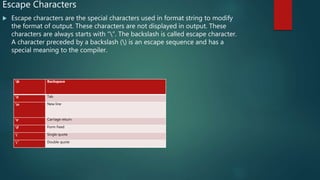
 Escape characters are the special characters used in format string to modify
the format of output. These characters are not displayed in output. These
characters are always starts with “”. The backslash is called escape character.
A character preceded by a backslash () is an escape sequence and has a
special meaning to the compiler.
b Backspace
t Tab
n New line
r Carriage return
f Form Feed
’ Single quote
” Double quote
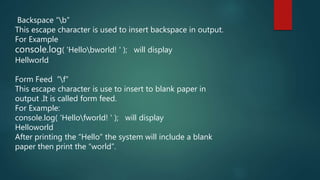
Backspace “b”
This escape character is used to insert backspace in output.
For Example
console.log( 'Hellobworld! ' ); will display
Hellworld
Form Feed “f”
This escape character is use to insert to blank paper in
output .It is called form feed.
For Example:
console.log( 'Hellofworld! ' ); will display
Helloworld
After printing the “Hello” the system will include a blank
paper then print the “world”.
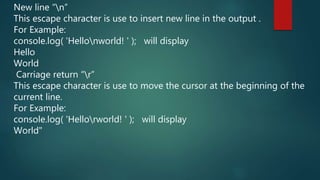
New line “n”
This escape character is use to insert new line in the output .
For Example:
console.log( 'Hellonworld! ' ); will display
Hello
World
Carriage return “r”
This escape character is use to move the cursor at the beginning of the
current line.
For Example:
console.log( 'Hellorworld! ' ); will display
World"
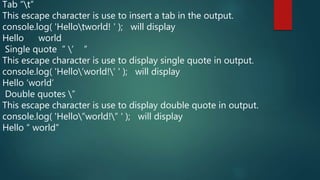
Tab “t”
This escape character is use to insert a tab in the output.
console.log( 'Hellotworld! ' ); will display
Hello world
Single quote ” ’ ”
This escape character is use to display single quote in output.
console.log( 'Hello’world!’ ' ); will display
Hello ‘world’
Double quotes ”
This escape character is use to display double quote in output.
console.log( 'Hello”world!” ' ); will display
Hello “ world”
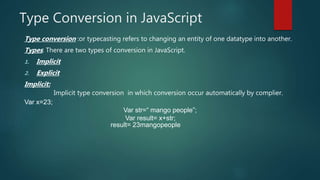
Type Conversion in JavaScript
Type conversion :or typecasting refers to changing an entity of one datatype into another.
Types: There are two types of conversion in JavaScript.
1. Implicit
2. Explicit
Implicit:
Implicit type conversion in which conversion occur automatically by complier.
Var x=23;
Var str=“ mango people”;
Var result= x+str;
result= 23mangopeople
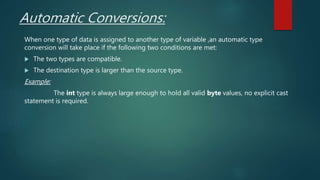
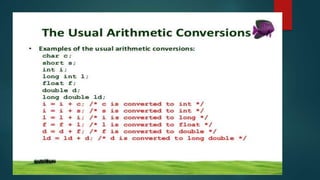
Automatic Conversions:
When one type of data is assigned to another type of variable ,an automatic type
conversion will take place if the following two conditions are met:
 The two types are compatible.
 The destination type is larger than the source type.
Example:
The int type is always large enough to hold all valid byte values, no explicit cast
statement is required.
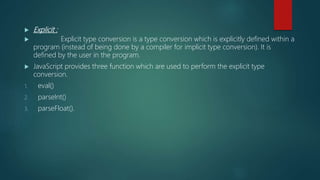
 Explicit :
 Explicit type conversion is a type conversion which is explicitly defined within a
program (instead of being done by a compiler for implicit type conversion). It is
defined by the user in the program.
 JavaScript provides three function which are used to perform the explicit type
conversion.
1. eval()
2. parseInt()
3. parseFloat().
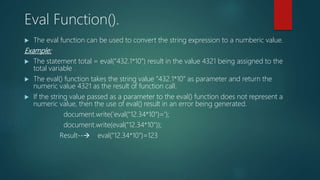
Eval Function().
 The eval function can be used to convert the string expression to a numberic value.
Example:
 The statement total = eval(“432.1*10”) result in the value 4321 being assigned to the
total variable .
 The eval() function takes the string value “432.1*10” as parameter and return the
numeric value 4321 as the result of function call.
 If the string value passed as a parameter to the eval() function does not represent a
numeric value, then the use of eval() result in an error being generated.
document.write('eval("12.34*10")=');
document.write(eval("12.34*10"));
Result-- eval("12.34*10")=123
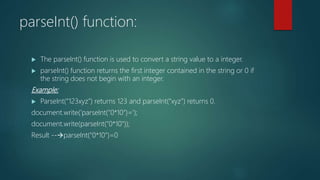
parseInt() function:
 The parseInt() function is used to convert a string value to a integer.
 parseInt() function returns the first integer contained in the string or 0 if
the string does not begin with an integer.
Example:
 ParseInt(“123xyz”) returns 123 and parseInt(“xyz”) returns 0.
document.write('parseInt("0*10")=');
document.write(parseInt("0*10"));
Result --parseInt("0*10")=0
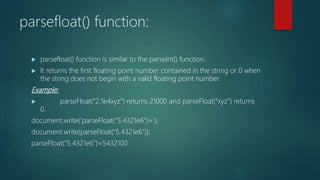
parsefloat() function:
 parsefloat() function is similar to the parseInt() function.
 It returns the first floating point number contained in the string or 0 when
the string does not begin with a valid floating point number.
Example:
 parseFloat(“2.1e4xyz”) returns 21000 and parseFloat(“xyz”) returns
0.
document.write('parseFloat("5.4321e6")=');
document.write(parseFloat("5.4321e6"));
parseFloat("5.4321e6")=5432100
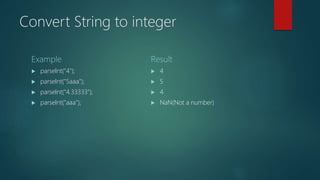
Convert String to integer
Example
 parseInt("4");
 parseInt("5aaa");
 parseInt("4.33333");
 parseInt("aaa");
Result
 4
 5
 4
 NaN(Not a number)
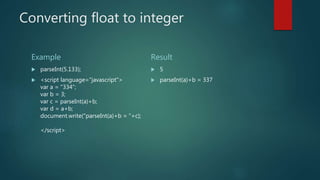
Converting float to integer
Example
 parseInt(5.133);
 <script language="javascript">
var a = "334";
var b = 3;
var c = parseInt(a)+b;
var d = a+b;
document.write("parseInt(a)+b = "+c);
</script>
Result
 5
 parseInt(a)+b = 337
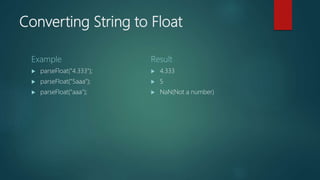
Converting String to Float
Example
 parseFloat("4.333");
 parseFloat("5aaa");
 parseFloat("aaa");
Result
 4.333
 5
 NaN(Not a number)
Converting Integer to String
Example
 var a = 3.22;
a.toString();
 var a = 5;
a.toString();
 <script language="javascript">
var a = 32;
var b = 333;
var c = a.toString()+b;
document.write(" to String function
"+c);
</script>
Result
 3.22
 5
 32333

Presentatioon on type conversion and escape characters

  • 1.
    Type conversion andEscape characters GROUP MEMBERS ABDUL WAHEED E-18 MUNEEB SHAHID E-44 ALI RAZA E-07 SALAHULDIN E-26 UMAR FAROOQ E-28
  • 2.
    Escape Characters  Escapecharacters are the special characters used in format string to modify the format of output. These characters are not displayed in output. These characters are always starts with “”. The backslash is called escape character. A character preceded by a backslash () is an escape sequence and has a special meaning to the compiler. b Backspace t Tab n New line r Carriage return f Form Feed ’ Single quote ” Double quote
  • 3.
    Backspace “b” This escapecharacter is used to insert backspace in output. For Example console.log( 'Hellobworld! ' ); will display Hellworld Form Feed “f” This escape character is use to insert to blank paper in output .It is called form feed. For Example: console.log( 'Hellofworld! ' ); will display Helloworld After printing the “Hello” the system will include a blank paper then print the “world”.
  • 4.
    New line “n” Thisescape character is use to insert new line in the output . For Example: console.log( 'Hellonworld! ' ); will display Hello World Carriage return “r” This escape character is use to move the cursor at the beginning of the current line. For Example: console.log( 'Hellorworld! ' ); will display World"
  • 5.
    Tab “t” This escapecharacter is use to insert a tab in the output. console.log( 'Hellotworld! ' ); will display Hello world Single quote ” ’ ” This escape character is use to display single quote in output. console.log( 'Hello’world!’ ' ); will display Hello ‘world’ Double quotes ” This escape character is use to display double quote in output. console.log( 'Hello”world!” ' ); will display Hello “ world”
  • 7.
    Type Conversion inJavaScript Type conversion :or typecasting refers to changing an entity of one datatype into another. Types: There are two types of conversion in JavaScript. 1. Implicit 2. Explicit Implicit: Implicit type conversion in which conversion occur automatically by complier. Var x=23; Var str=“ mango people”; Var result= x+str; result= 23mangopeople
  • 8.
    Automatic Conversions: When onetype of data is assigned to another type of variable ,an automatic type conversion will take place if the following two conditions are met:  The two types are compatible.  The destination type is larger than the source type. Example: The int type is always large enough to hold all valid byte values, no explicit cast statement is required.
  • 10.
     Explicit : Explicit type conversion is a type conversion which is explicitly defined within a program (instead of being done by a compiler for implicit type conversion). It is defined by the user in the program.  JavaScript provides three function which are used to perform the explicit type conversion. 1. eval() 2. parseInt() 3. parseFloat().
  • 11.
    Eval Function().  Theeval function can be used to convert the string expression to a numberic value. Example:  The statement total = eval(“432.1*10”) result in the value 4321 being assigned to the total variable .  The eval() function takes the string value “432.1*10” as parameter and return the numeric value 4321 as the result of function call.  If the string value passed as a parameter to the eval() function does not represent a numeric value, then the use of eval() result in an error being generated. document.write('eval("12.34*10")='); document.write(eval("12.34*10")); Result-- eval("12.34*10")=123
  • 12.
    parseInt() function:  TheparseInt() function is used to convert a string value to a integer.  parseInt() function returns the first integer contained in the string or 0 if the string does not begin with an integer. Example:  ParseInt(“123xyz”) returns 123 and parseInt(“xyz”) returns 0. document.write('parseInt("0*10")='); document.write(parseInt("0*10")); Result --parseInt("0*10")=0
  • 13.
    parsefloat() function:  parsefloat()function is similar to the parseInt() function.  It returns the first floating point number contained in the string or 0 when the string does not begin with a valid floating point number. Example:  parseFloat(“2.1e4xyz”) returns 21000 and parseFloat(“xyz”) returns 0. document.write('parseFloat("5.4321e6")='); document.write(parseFloat("5.4321e6")); parseFloat("5.4321e6")=5432100
  • 14.
    Convert String tointeger Example  parseInt("4");  parseInt("5aaa");  parseInt("4.33333");  parseInt("aaa"); Result  4  5  4  NaN(Not a number)
  • 15.
    Converting float tointeger Example  parseInt(5.133);  <script language="javascript"> var a = "334"; var b = 3; var c = parseInt(a)+b; var d = a+b; document.write("parseInt(a)+b = "+c); </script> Result  5  parseInt(a)+b = 337
  • 16.
    Converting String toFloat Example  parseFloat("4.333");  parseFloat("5aaa");  parseFloat("aaa"); Result  4.333  5  NaN(Not a number)
  • 17.
    Converting Integer toString Example  var a = 3.22; a.toString();  var a = 5; a.toString();  <script language="javascript"> var a = 32; var b = 333; var c = a.toString()+b; document.write(" to String function "+c); </script> Result  3.22  5  32333