Download free for 30 days
Sign in
Upload
Language (EN)
Support
Business
Mobile
Social Media
Marketing
Technology
Art & Photos
Career
Design
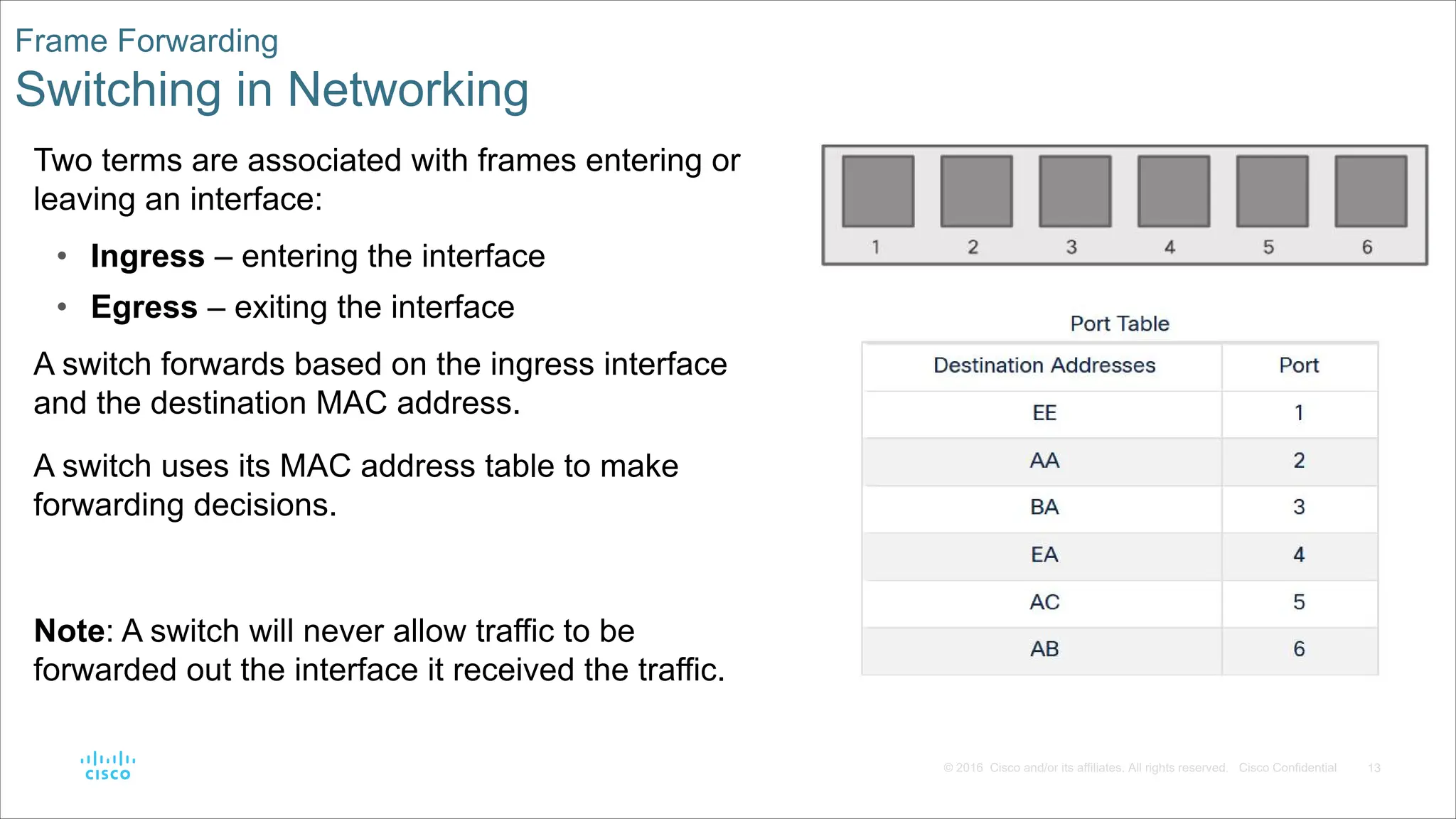
Education
Presentations & Public Speaking
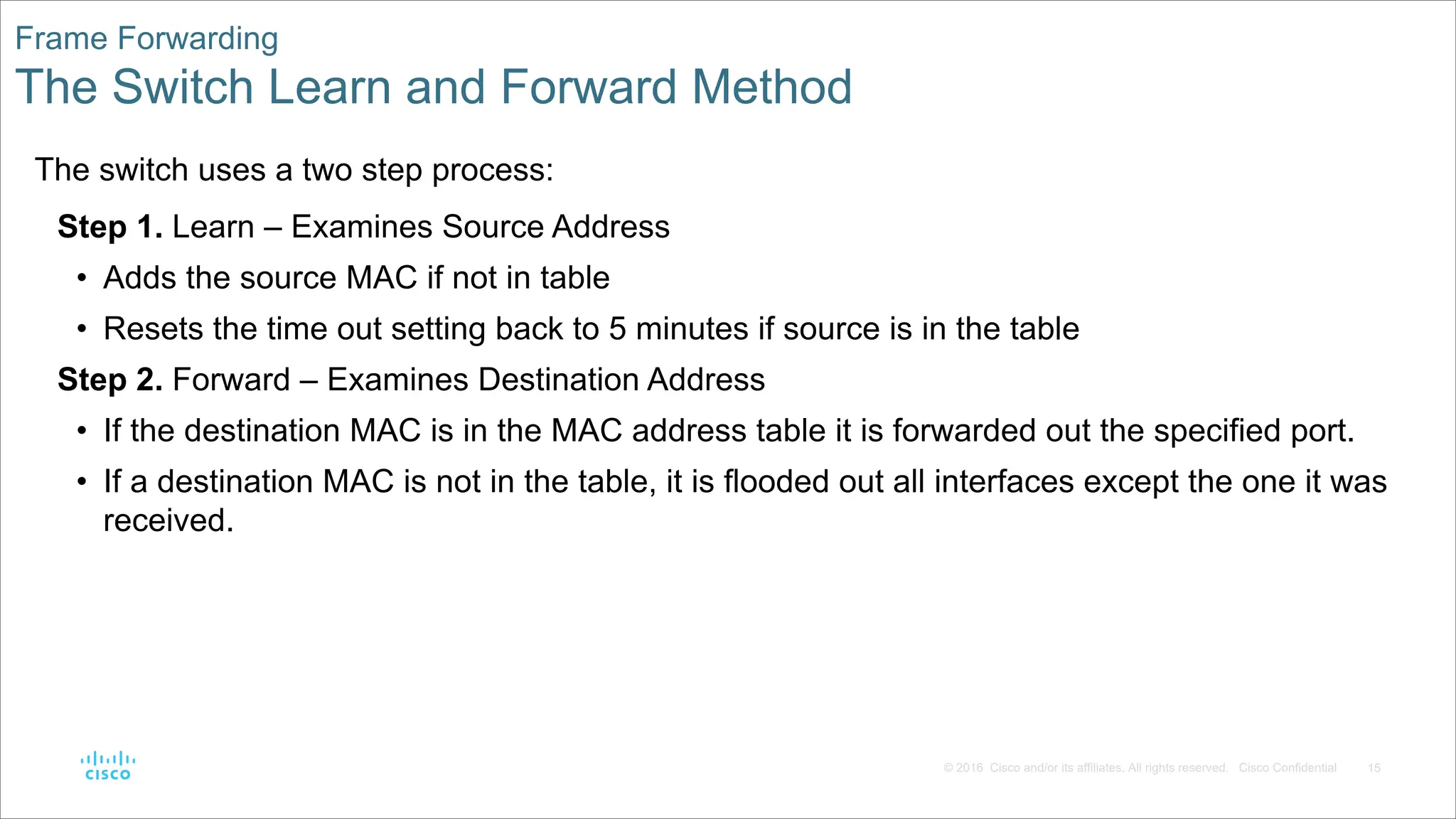
Government & Nonprofit
Healthcare
Internet
Law
Leadership & Management
Automotive
Engineering
Software
Recruiting & HR
Retail
Sales
Services
Science
Small Business & Entrepreneurship
Food
Environment
Economy & Finance
Data & Analytics
Investor Relations
Sports
Spiritual
News & Politics
Travel
Self Improvement
Real Estate
Entertainment & Humor
Health & Medicine
Devices & Hardware
Lifestyle
Change Language
Language
English
Español
Português
Français
Deutsche
Cancel
Save
Submit search
EN
Uploaded by
chifunirokachembere
31 views
Presentation-1-Switching Concepts-BIS1O.pdf
Networking -switching
Technology
◦
Read more
0
Save
Share
Embed
Embed presentation
Download
Download to read offline
1
/ 27
2
/ 27
3
/ 27
4
/ 27
5
/ 27
6
/ 27
7
/ 27
8
/ 27
9
/ 27
10
/ 27
11
/ 27
12
/ 27
13
/ 27
14
/ 27
15
/ 27
16
/ 27
17
/ 27
18
/ 27
19
/ 27
20
/ 27
21
/ 27
22
/ 27
23
/ 27
24
/ 27
25
/ 27
26
/ 27
27
/ 27
More Related Content
PPTX
SRWE_Module_2.pptx Networking Courses IT
by
leojtolod
PPTX
CCNA2 Verson6 Chapter4
by
Chaing Ravuth
PPTX
CCNA 2 Routing and Switching v5.0 Chapter 1
by
Nil Menon
PPTX
Chapter 12 : Introduction to switched networks
by
teknetir
PDF
introduction to switched networks - JARINGAN KOMPUTER
by
hasby if
PPTX
rsinstructorpptchapter1final-141024021337-conversion-gate01
by
Lema John Michael
PDF
CCNAv5 - S2: Chapter1 Introsuction to switched networks
by
Vuz Dở Hơi
PPTX
KPUCC-Rs instructor ppt_chapter1_final
by
Fisal Anwari
SRWE_Module_2.pptx Networking Courses IT
by
leojtolod
CCNA2 Verson6 Chapter4
by
Chaing Ravuth
CCNA 2 Routing and Switching v5.0 Chapter 1
by
Nil Menon
Chapter 12 : Introduction to switched networks
by
teknetir
introduction to switched networks - JARINGAN KOMPUTER
by
hasby if
rsinstructorpptchapter1final-141024021337-conversion-gate01
by
Lema John Michael
CCNAv5 - S2: Chapter1 Introsuction to switched networks
by
Vuz Dở Hơi
KPUCC-Rs instructor ppt_chapter1_final
by
Fisal Anwari
Similar to Presentation-1-Switching Concepts-BIS1O.pdf
PPTX
CCNA_RSE_Chp4 and their working principles.pptx
by
ParthaDas754073
PPTX
CCNA (R & S) Module 03 - Routing & Switching Essentials - Chapter 4
by
Waqas Ahmed Nawaz
PPTX
CCNP Switching Chapter 1
by
Chaing Ravuth
PPTX
CCNA_RSE_Chp4 - Switched Networks for CCNA
by
MonchaiPhaichitchan1
PPTX
CCNA_RSE_Chp4.pptx
by
RichardChecca1
PPTX
Module 7 - Routing Between Networks - UK.pptx
by
lapicevmaksim
PPTX
CCNA (R & S) Module 01 - Introduction to Networks - Chapter 5
by
Waqas Ahmed Nawaz
PPT
Layer 2 switching fundamentals(networking)
by
welcometofacebook
PPTX
CCNA 2 Routing and Switching v5.0 Chapter 2
by
Nil Menon
PPTX
Layer 2 Forwarding, LAN Switching Concept
by
IKadekSusilaSatwika
PPT
Net essentials6e ch7
by
APSU
PDF
CCNAv5 - S2: Chapter2 Basic Switching Concepts and Configuration
by
Vuz Dở Hơi
PPTX
KPUCC-Rs instructor ppt_chapter2_final
by
Fisal Anwari
PPTX
CCNA CISCO Chapter 01 Routing Concepts and Network
by
MonchaiPhaichitchan1
PPTX
Chapter 13 : Introduction to switched networks
by
teknetir
PPT
Lecture 07
by
Anwal Mirza
PDF
1.NggggggggggghhhhhhhhhhS UNIT - 1.pptx.pdf
by
sadoyah492
PPTX
ScaNv6_instructorPPT_Chapter1 LAN Design
by
hazwan30
PDF
2. Lecturer 2 - Switching Devices - Layer 2 and Layer 3 Switches.pdf
by
KumbukaniLisilira
PPTX
CCNA_RSE_Chp1-1 Routing Concepts for Network
by
pmonchai1
CCNA_RSE_Chp4 and their working principles.pptx
by
ParthaDas754073
CCNA (R & S) Module 03 - Routing & Switching Essentials - Chapter 4
by
Waqas Ahmed Nawaz
CCNP Switching Chapter 1
by
Chaing Ravuth
CCNA_RSE_Chp4 - Switched Networks for CCNA
by
MonchaiPhaichitchan1
CCNA_RSE_Chp4.pptx
by
RichardChecca1
Module 7 - Routing Between Networks - UK.pptx
by
lapicevmaksim
CCNA (R & S) Module 01 - Introduction to Networks - Chapter 5
by
Waqas Ahmed Nawaz
Layer 2 switching fundamentals(networking)
by
welcometofacebook
CCNA 2 Routing and Switching v5.0 Chapter 2
by
Nil Menon
Layer 2 Forwarding, LAN Switching Concept
by
IKadekSusilaSatwika
Net essentials6e ch7
by
APSU
CCNAv5 - S2: Chapter2 Basic Switching Concepts and Configuration
by
Vuz Dở Hơi
KPUCC-Rs instructor ppt_chapter2_final
by
Fisal Anwari
CCNA CISCO Chapter 01 Routing Concepts and Network
by
MonchaiPhaichitchan1
Chapter 13 : Introduction to switched networks
by
teknetir
Lecture 07
by
Anwal Mirza
1.NggggggggggghhhhhhhhhhS UNIT - 1.pptx.pdf
by
sadoyah492
ScaNv6_instructorPPT_Chapter1 LAN Design
by
hazwan30
2. Lecturer 2 - Switching Devices - Layer 2 and Layer 3 Switches.pdf
by
KumbukaniLisilira
CCNA_RSE_Chp1-1 Routing Concepts for Network
by
pmonchai1
Recently uploaded
PDF
Making Sense of Raster: From Bit Depth to Better Workflows
by
Safe Software
PPTX
Ritesh_kumar_Aatmanirbhar Bharat: Make in India, Make for the World.pptx
by
riteshrkgs2008
PDF
Ransomware_Resilience_Strategic_Playbook.pdf
by
Afonso Henrique Rodrigues Alves
PDF
Zero Trust & Defense-in-Depth: The Future of Critical Infrastructure Security
by
Yasir Naveed Riaz
PPTX
The Landscape of Computer Software Development Companies
by
Yash Singh
PDF
Guided Substation Engineering with CoMPAS: Simplifying IEC 61850
by
DanBrown980551
PDF
Greetings All Students Update 3 by Mia Corp
by
©LDMMIA, ©Reiki Yoga
PPTX
Combining Induction and Transduction for Abstract Reasoning.pptx
by
allen578468
PDF
Agentic Automation for Testers – A Hands-On Deep Dive
by
UiPathCommunity
PDF
DIGITAL FORENSICS - Notes for Everything.pdf
by
pankajkumavatbeit
PDF
Top Cybersecurity Threats 2025 Guide by Sureshdas
by
Printersassist
PDF
TPPmark2025 Kenta Inoue's answer 12/04/2025
by
Kenta Inoue
PDF
Innovative AI Solutions for Business Growth.pdf
by
Vox Works
PDF
TrustArc Webinar - Assessing AI Risk with Confidence
by
TrustArc
PDF
Igniting the Future: Copilot trends, agentic transformation and product roadm...
by
Uni Systems S.M.S.A.
PDF
Generative AI in 2026: Hype, Bubble, Winter or The Real Deal?
by
Dr. Tathagat Varma
PPTX
The Future of IT Service Management AI Automation & Beyond.pptx
by
Chetu
PDF
December Patch Tuesday
by
Ivanti
PDF
Top 7 Manufacturing Software for Small Businesses Boosting Growth in 2025
by
Envertis Software Solutions
PDF
Digit Expo 2025 - EICC Edinburgh 27th November
by
Ray Bugg
Making Sense of Raster: From Bit Depth to Better Workflows
by
Safe Software
Ritesh_kumar_Aatmanirbhar Bharat: Make in India, Make for the World.pptx
by
riteshrkgs2008
Ransomware_Resilience_Strategic_Playbook.pdf
by
Afonso Henrique Rodrigues Alves
Zero Trust & Defense-in-Depth: The Future of Critical Infrastructure Security
by
Yasir Naveed Riaz
The Landscape of Computer Software Development Companies
by
Yash Singh
Guided Substation Engineering with CoMPAS: Simplifying IEC 61850
by
DanBrown980551
Greetings All Students Update 3 by Mia Corp
by
©LDMMIA, ©Reiki Yoga
Combining Induction and Transduction for Abstract Reasoning.pptx
by
allen578468
Agentic Automation for Testers – A Hands-On Deep Dive
by
UiPathCommunity
DIGITAL FORENSICS - Notes for Everything.pdf
by
pankajkumavatbeit
Top Cybersecurity Threats 2025 Guide by Sureshdas
by
Printersassist
TPPmark2025 Kenta Inoue's answer 12/04/2025
by
Kenta Inoue
Innovative AI Solutions for Business Growth.pdf
by
Vox Works
TrustArc Webinar - Assessing AI Risk with Confidence
by
TrustArc
Igniting the Future: Copilot trends, agentic transformation and product roadm...
by
Uni Systems S.M.S.A.
Generative AI in 2026: Hype, Bubble, Winter or The Real Deal?
by
Dr. Tathagat Varma
The Future of IT Service Management AI Automation & Beyond.pptx
by
Chetu
December Patch Tuesday
by
Ivanti
Top 7 Manufacturing Software for Small Businesses Boosting Growth in 2025
by
Envertis Software Solutions
Digit Expo 2025 - EICC Edinburgh 27th November
by
Ray Bugg
Presentation-1-Switching Concepts-BIS1O.pdf
1.
Module 2: Switching
Concepts Instructor Materials Switching, Routing, and Wireless Essentials v7.0 (SRWE)
2.
2 © 2016 Cisco
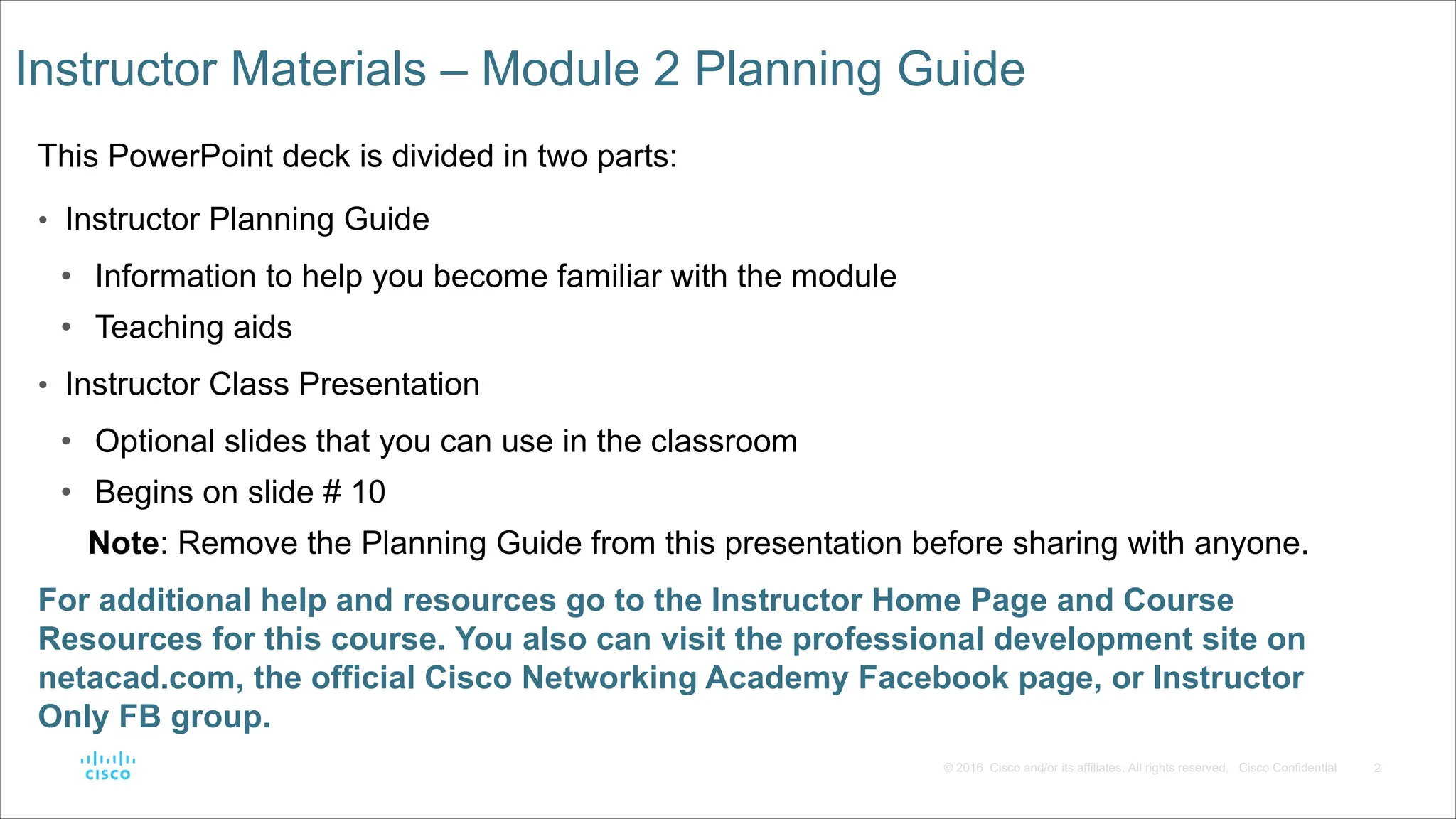
and/or its affiliates. All rights reserved. Cisco Confidential Instructor Materials – Module 2 Planning Guide This PowerPoint deck is divided in two parts: • Instructor Planning Guide • Information to help you become familiar with the module • Teaching aids • Instructor Class Presentation • Optional slides that you can use in the classroom • Begins on slide # 10 Note: Remove the Planning Guide from this presentation before sharing with anyone. For additional help and resources go to the Instructor Home Page and Course Resources for this course. You also can visit the professional development site on netacad.com, the official Cisco Networking Academy Facebook page, or Instructor Only FB group.
3.
3 © 2016 Cisco
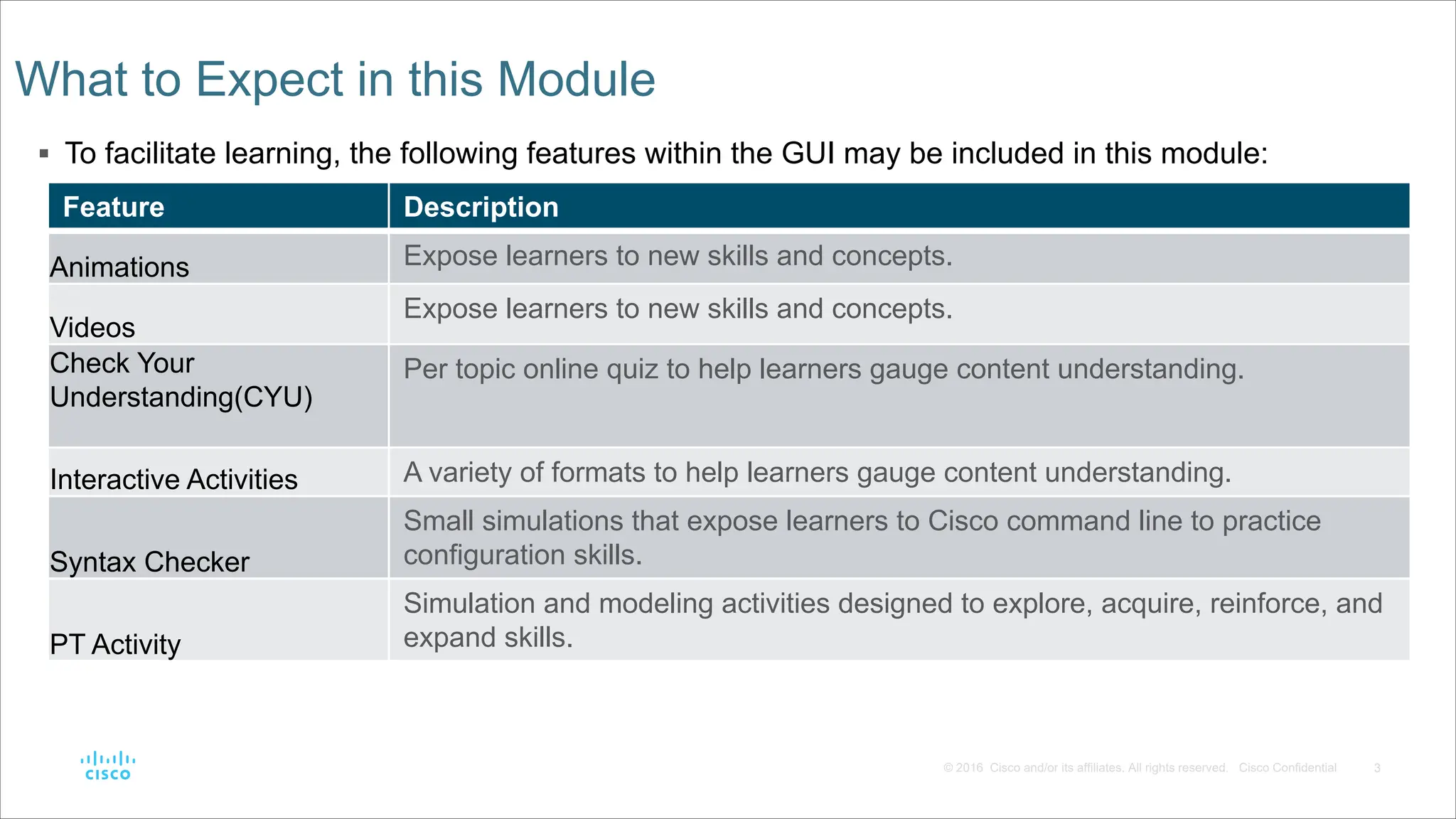
and/or its affiliates. All rights reserved. Cisco Confidential § To facilitate learning, the following features within the GUI may be included in this module: What to Expect in this Module Feature Description Animations Expose learners to new skills and concepts. Videos Expose learners to new skills and concepts. Check Your Understanding(CYU) Per topic online quiz to help learners gauge content understanding. Interactive Activities A variety of formats to help learners gauge content understanding. Syntax Checker Small simulations that expose learners to Cisco command line to practice configuration skills. PT Activity Simulation and modeling activities designed to explore, acquire, reinforce, and expand skills.
4.
4 © 2016 Cisco
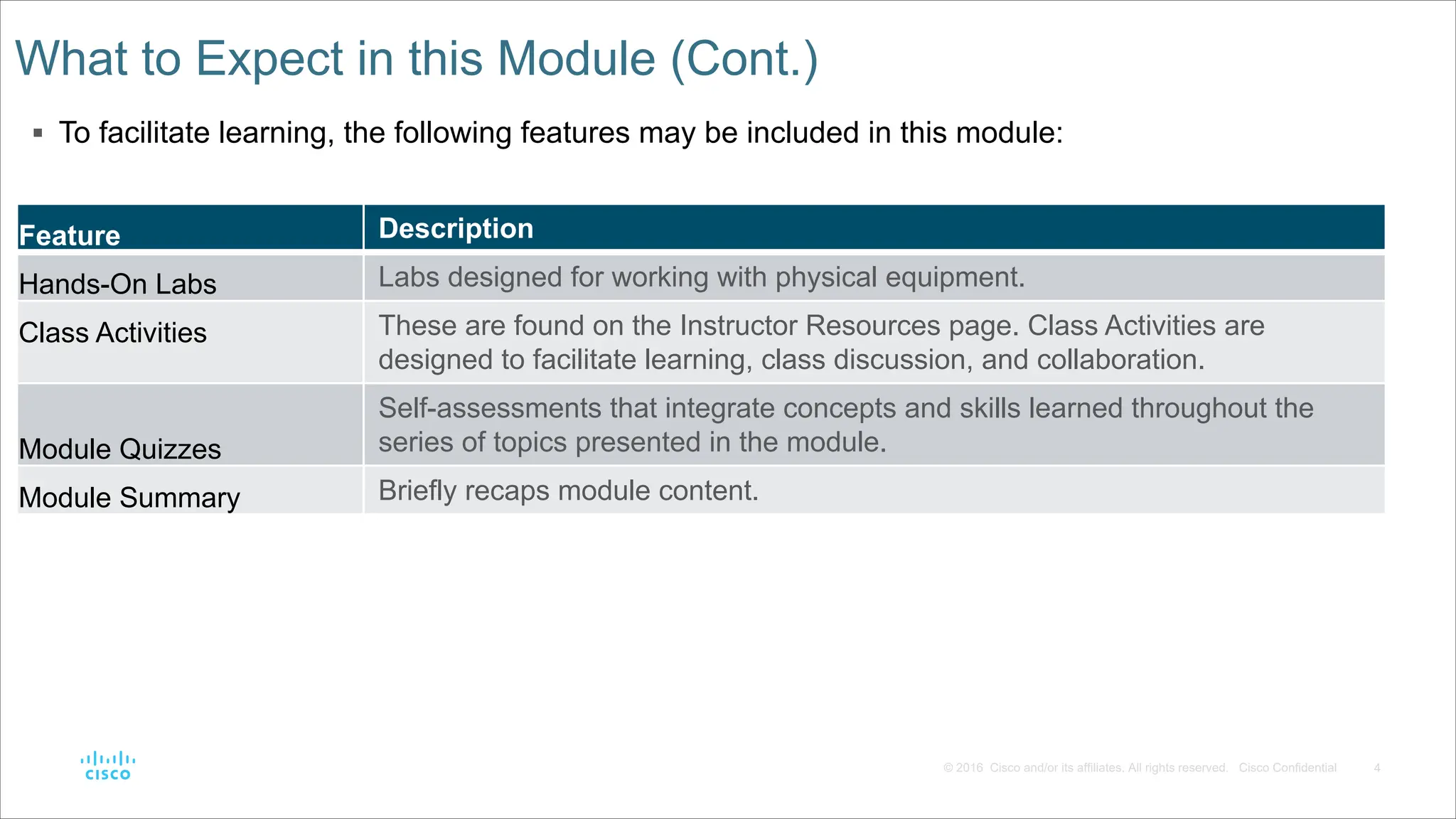
and/or its affiliates. All rights reserved. Cisco Confidential Feature Description Hands-On Labs Labs designed for working with physical equipment. Class Activities These are found on the Instructor Resources page. Class Activities are designed to facilitate learning, class discussion, and collaboration. Module Quizzes Self-assessments that integrate concepts and skills learned throughout the series of topics presented in the module. Module Summary Briefly recaps module content. What to Expect in this Module (Cont.) § To facilitate learning, the following features may be included in this module:
5.
5 © 2016 Cisco
and/or its affiliates. All rights reserved. Cisco Confidential Check Your Understanding • Check Your Understanding activities are designed to let students quickly determine if they understand the content and can proceed, or if they need to review. • Check Your Understanding activities do not affect student grades. • There are no separate slides for these activities in the PPT. They are listed in the notes area of the slide that appears before these activities.
6.
6 © 2016 Cisco
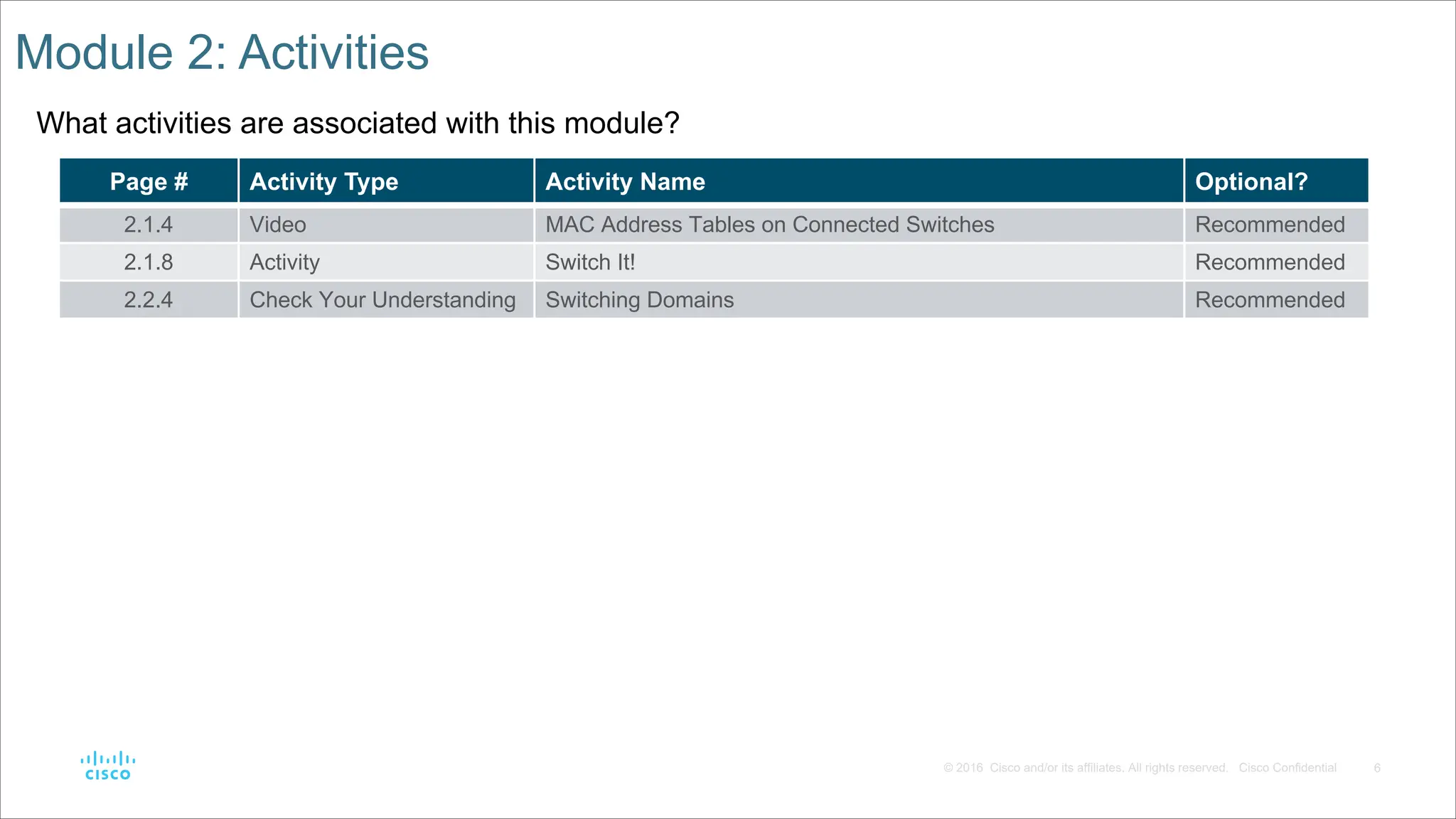
and/or its affiliates. All rights reserved. Cisco Confidential Module 2: Activities What activities are associated with this module? Page # Activity Type Activity Name Optional? 2.1.4 Video MAC Address Tables on Connected Switches Recommended 2.1.8 Activity Switch It! Recommended 2.2.4 Check Your Understanding Switching Domains Recommended
7.
7 © 2016 Cisco
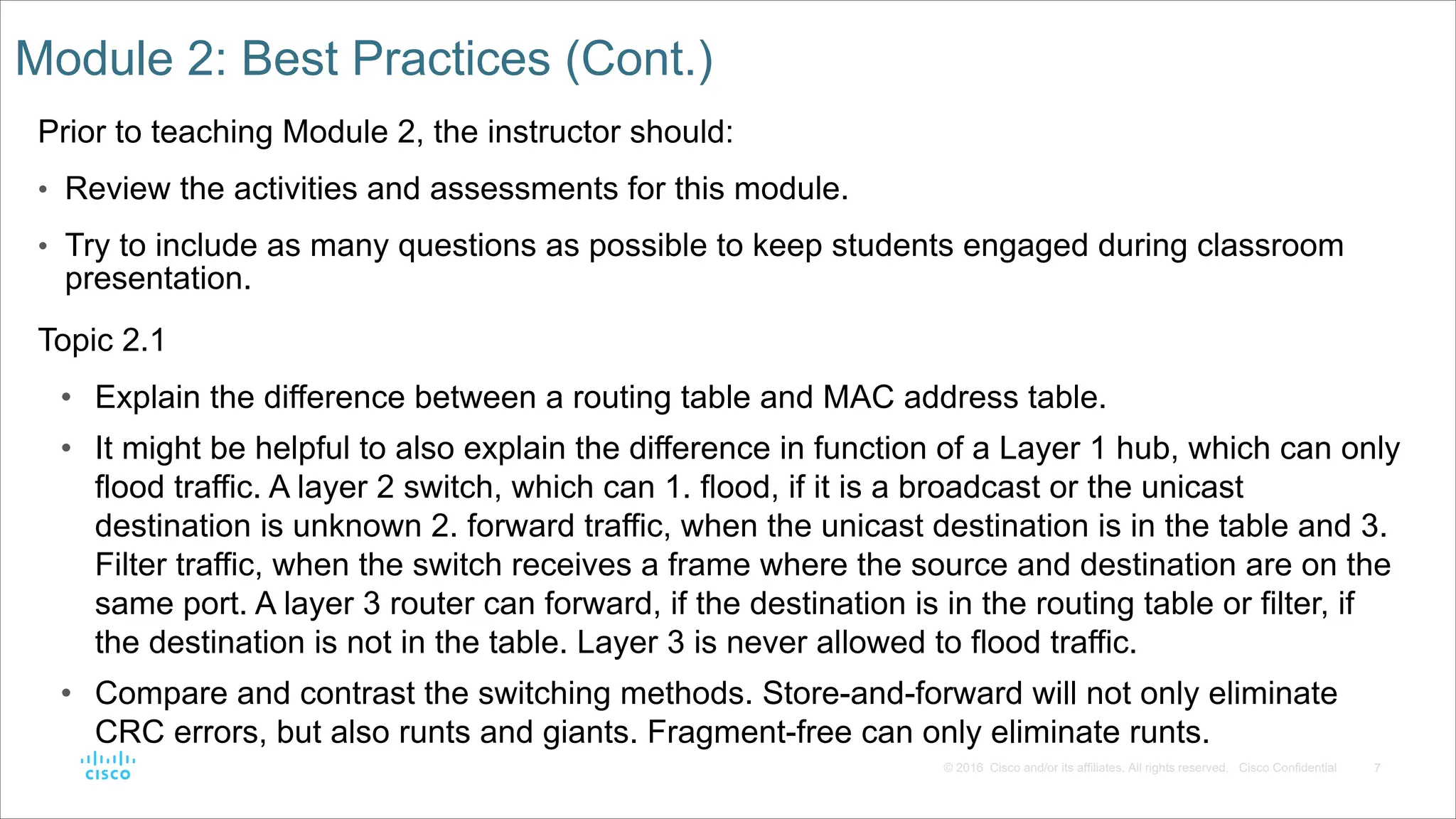
and/or its affiliates. All rights reserved. Cisco Confidential Module 2: Best Practices (Cont.) Prior to teaching Module 2, the instructor should: • Review the activities and assessments for this module. • Try to include as many questions as possible to keep students engaged during classroom presentation. Topic 2.1 • Explain the difference between a routing table and MAC address table. • It might be helpful to also explain the difference in function of a Layer 1 hub, which can only flood traffic. A layer 2 switch, which can 1. flood, if it is a broadcast or the unicast destination is unknown 2. forward traffic, when the unicast destination is in the table and 3. Filter traffic, when the switch receives a frame where the source and destination are on the same port. A layer 3 router can forward, if the destination is in the routing table or filter, if the destination is not in the table. Layer 3 is never allowed to flood traffic. • Compare and contrast the switching methods. Store-and-forward will not only eliminate CRC errors, but also runts and giants. Fragment-free can only eliminate runts.
8.
8 © 2016 Cisco
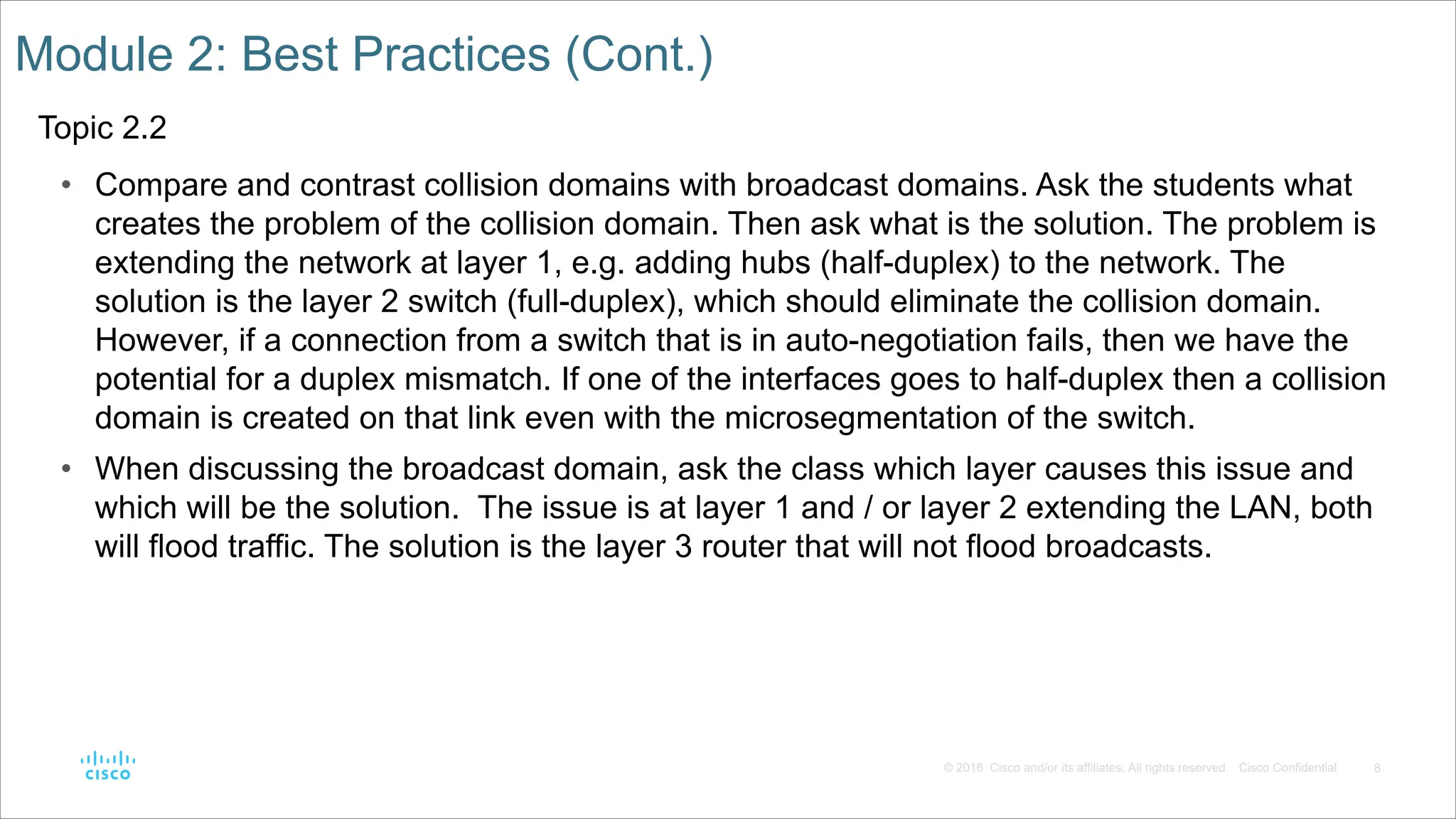
and/or its affiliates. All rights reserved. Cisco Confidential Module 2: Best Practices (Cont.) Topic 2.2 • Compare and contrast collision domains with broadcast domains. Ask the students what creates the problem of the collision domain. Then ask what is the solution. The problem is extending the network at layer 1, e.g. adding hubs (half-duplex) to the network. The solution is the layer 2 switch (full-duplex), which should eliminate the collision domain. However, if a connection from a switch that is in auto-negotiation fails, then we have the potential for a duplex mismatch. If one of the interfaces goes to half-duplex then a collision domain is created on that link even with the microsegmentation of the switch. • When discussing the broadcast domain, ask the class which layer causes this issue and which will be the solution. The issue is at layer 1 and / or layer 2 extending the LAN, both will flood traffic. The solution is the layer 3 router that will not flood broadcasts.
9.
9 © 2016 Cisco
and/or its affiliates. All rights reserved. Cisco Confidential Module 2: Best Practices (Cont.) Topic 2.2 • A good analogy to describe the router with broadcasts is in the movie Lord of the Rings where Gandalf the grey in the Mines of Morea yells “You shall not pass!”. While the router interface that is part of LAN will listen to the broadcast, it will not pass nor flood the broadcast. • Consider what would happen if layer 3 passed broadcasts. Broadcasts are like an intercom at nationwide department or grocery store. They should be at the local store, but imagine the chaos if every time someone got onto the intercom it was flooded through to all of the stores in that chain! Imagine if someone sent a broadcast to their printer for a MAC address and it went to everyone on the internet because layer 3 flooded it! This is why layer 3 never has flooding as an option. • Also remember that a broadcast is like an intercom announcement and may be used to locate one device, just as an intercom might reach one person in the store. The broadcast can also be used to send messages to all devices.
10.
Module 2: Switching Concepts Switching,
Routing, and Wireless Essentials v7.0 (SRWE)
11.
11 © 2016 Cisco
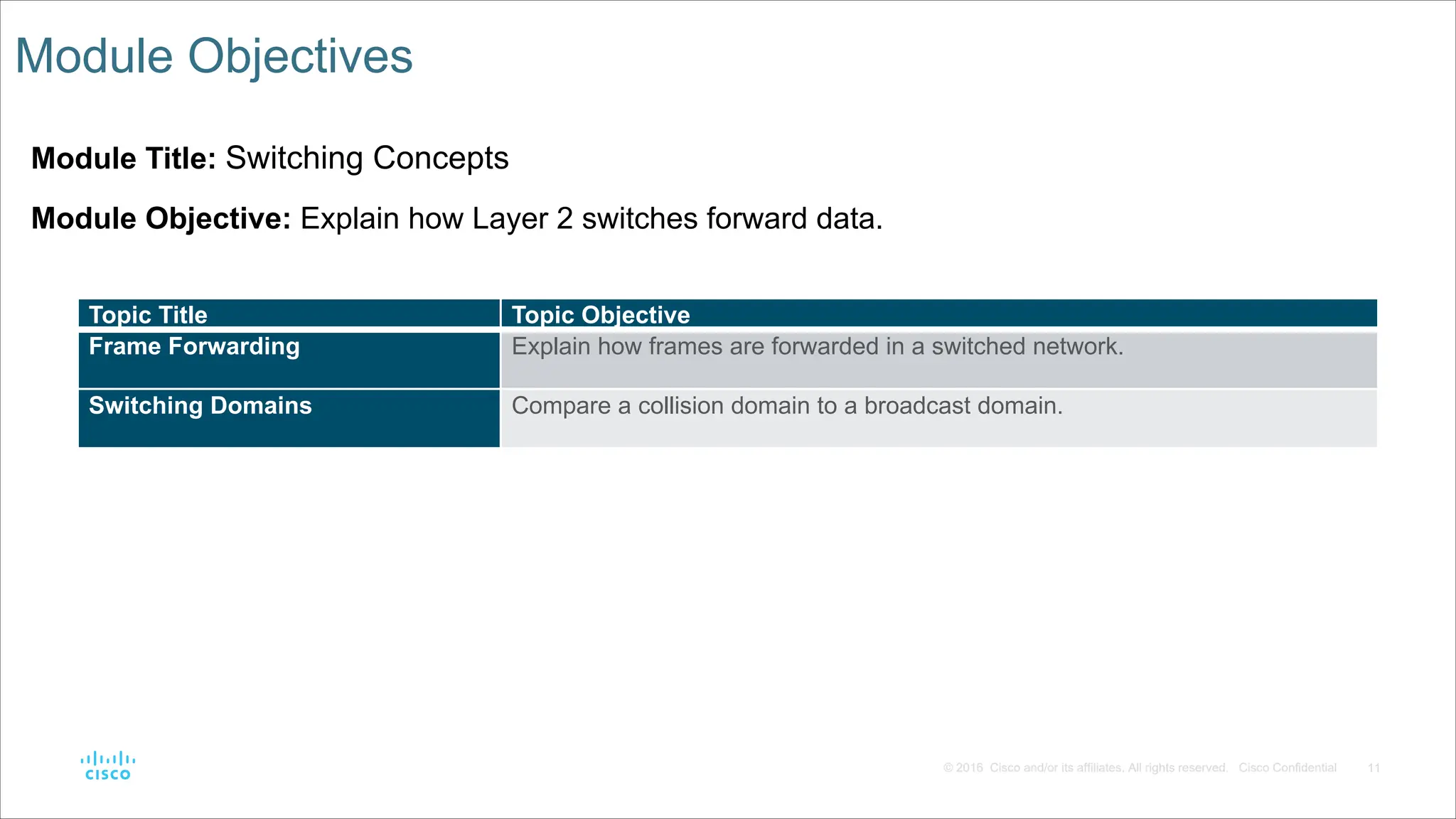
and/or its affiliates. All rights reserved. Cisco Confidential Module Objectives Module Title: Switching Concepts Module Objective: Explain how Layer 2 switches forward data. Topic Title Topic Objective Frame Forwarding Explain how frames are forwarded in a switched network. Switching Domains Compare a collision domain to a broadcast domain.
12.
12 © 2016 Cisco
and/or its affiliates. All rights reserved. Cisco Confidential 2.1 Frame Forwarding
13.
13 © 2016 Cisco
and/or its affiliates. All rights reserved. Cisco Confidential Frame Forwarding Switching in Networking Two terms are associated with frames entering or leaving an interface: • Ingress – entering the interface • Egress – exiting the interface A switch forwards based on the ingress interface and the destination MAC address. A switch uses its MAC address table to make forwarding decisions. Note: A switch will never allow traffic to be forwarded out the interface it received the traffic.
14.
14 © 2016 Cisco
and/or its affiliates. All rights reserved. Cisco Confidential Frame Forwarding The Switch MAC Address Table A switch will use the destination MAC address to determine the egress interface. Before a switch can make this decision it must learn what interface the destination is located. A switch builds a MAC address table, also known as a Content Addressable Memory (CAM) table, by recording the source MAC address into the table along with the port it was received.
15.
15 © 2016 Cisco
and/or its affiliates. All rights reserved. Cisco Confidential Frame Forwarding The Switch Learn and Forward Method The switch uses a two step process: Step 1. Learn – Examines Source Address • Adds the source MAC if not in table • Resets the time out setting back to 5 minutes if source is in the table Step 2. Forward – Examines Destination Address • If the destination MAC is in the MAC address table it is forwarded out the specified port. • If a destination MAC is not in the table, it is flooded out all interfaces except the one it was received.
16.
16 © 2016 Cisco
and/or its affiliates. All rights reserved. Cisco Confidential Frame Forwarding Video – MAC Address Tables on Connected Switches This video will cover the following: • How switches build MAC address tables • How switches forward frames based on the content of their MAC address tables
17.
17 © 2016 Cisco
and/or its affiliates. All rights reserved. Cisco Confidential Frame Forwarding Switch Forwarding Methods Switches use software on application-specific-integrated circuits (ASICs) to make very quick decisions. A switch will use one of two methods to make forwarding decisions after it receives a frame: • Store-and-forward switching - Receives the entire frame and ensures the frame is valid. Store-and-forward switching is Cisco’s preferred switching method. • Cut-through switching – Forwards the frame immediately after determining the destination MAC address of an incoming frame and the egress port.
18.
18 © 2016 Cisco
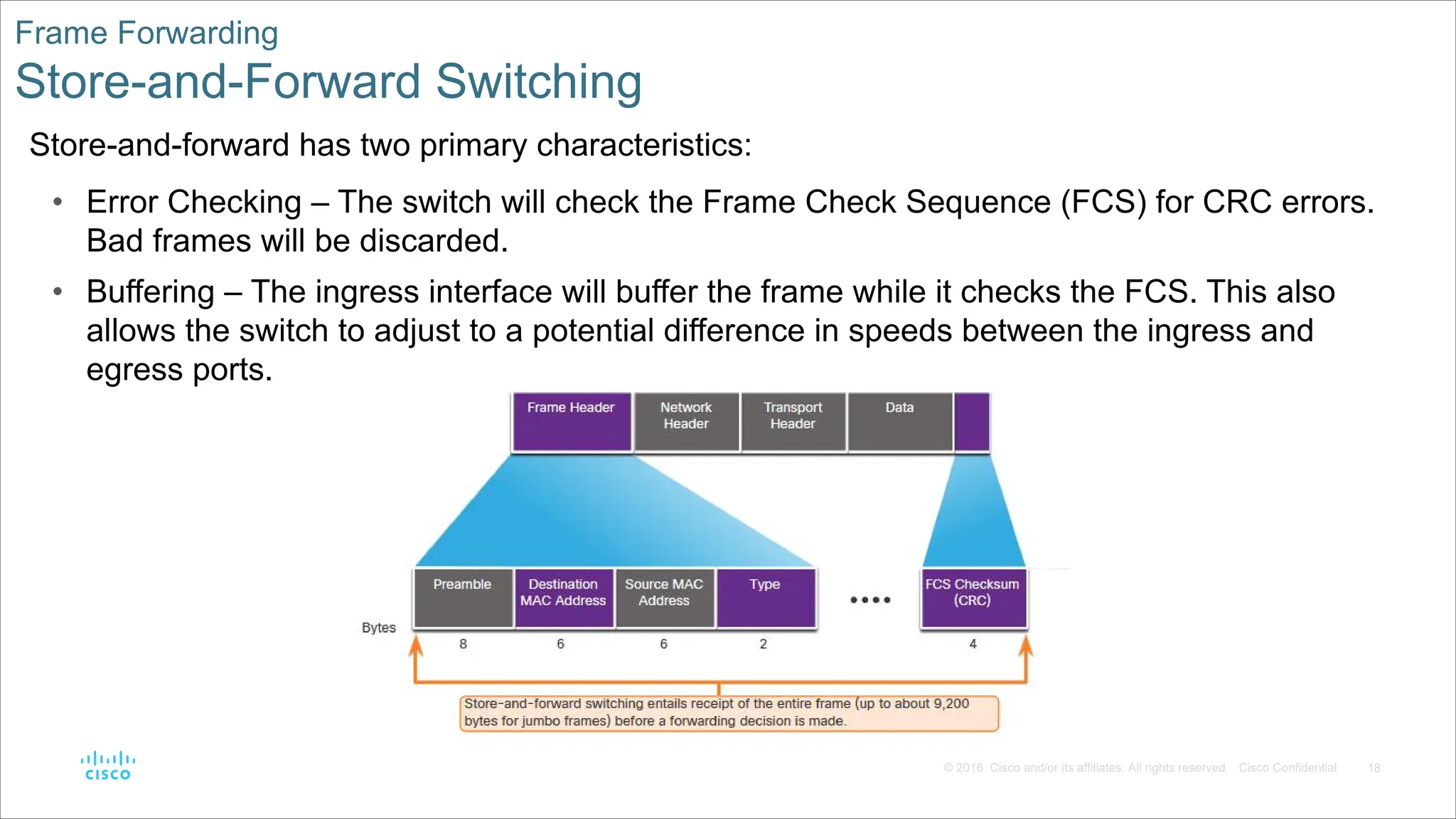
and/or its affiliates. All rights reserved. Cisco Confidential Frame Forwarding Store-and-Forward Switching Store-and-forward has two primary characteristics: • Error Checking – The switch will check the Frame Check Sequence (FCS) for CRC errors. Bad frames will be discarded. • Buffering – The ingress interface will buffer the frame while it checks the FCS. This also allows the switch to adjust to a potential difference in speeds between the ingress and egress ports.
19.
19 © 2016 Cisco
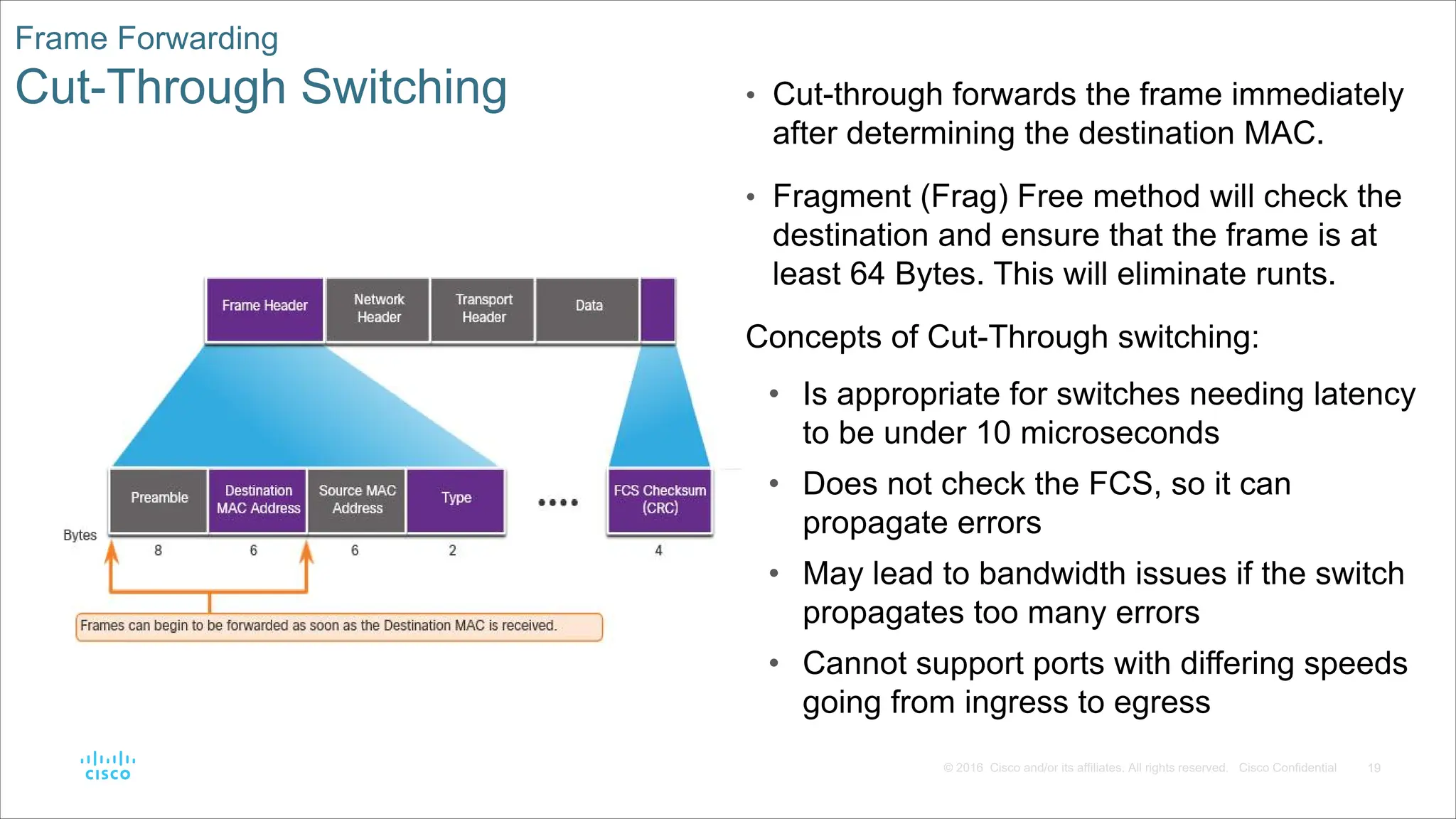
and/or its affiliates. All rights reserved. Cisco Confidential Frame Forwarding Cut-Through Switching • Cut-through forwards the frame immediately after determining the destination MAC. • Fragment (Frag) Free method will check the destination and ensure that the frame is at least 64 Bytes. This will eliminate runts. Concepts of Cut-Through switching: • Is appropriate for switches needing latency to be under 10 microseconds • Does not check the FCS, so it can propagate errors • May lead to bandwidth issues if the switch propagates too many errors • Cannot support ports with differing speeds going from ingress to egress
20.
20 © 2016 Cisco
and/or its affiliates. All rights reserved. Cisco Confidential 2.2 Switching Domains
21.
21 © 2016 Cisco
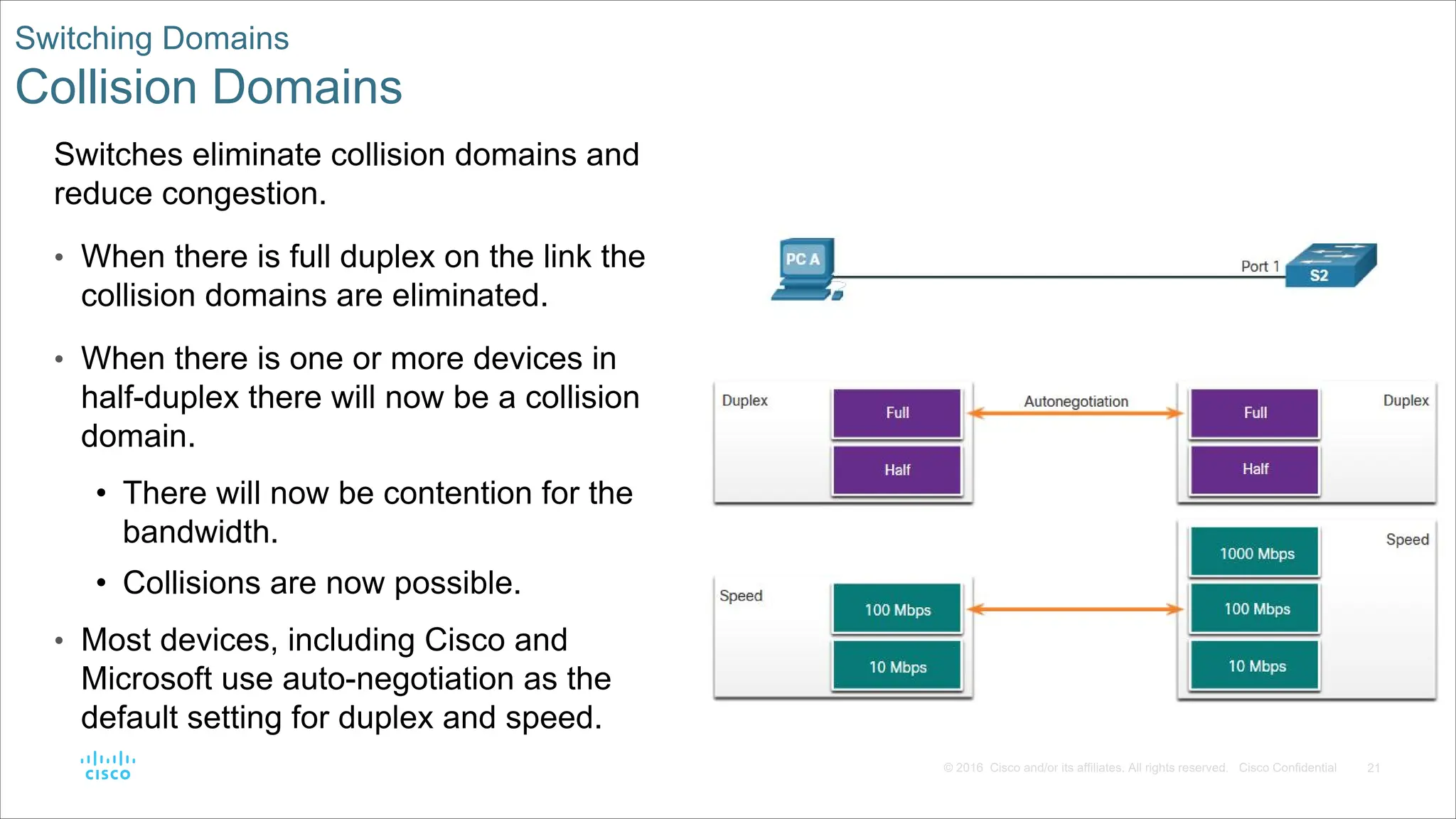
and/or its affiliates. All rights reserved. Cisco Confidential Switching Domains Collision Domains Switches eliminate collision domains and reduce congestion. • When there is full duplex on the link the collision domains are eliminated. • When there is one or more devices in half-duplex there will now be a collision domain. • There will now be contention for the bandwidth. • Collisions are now possible. • Most devices, including Cisco and Microsoft use auto-negotiation as the default setting for duplex and speed.
22.
22 © 2016 Cisco
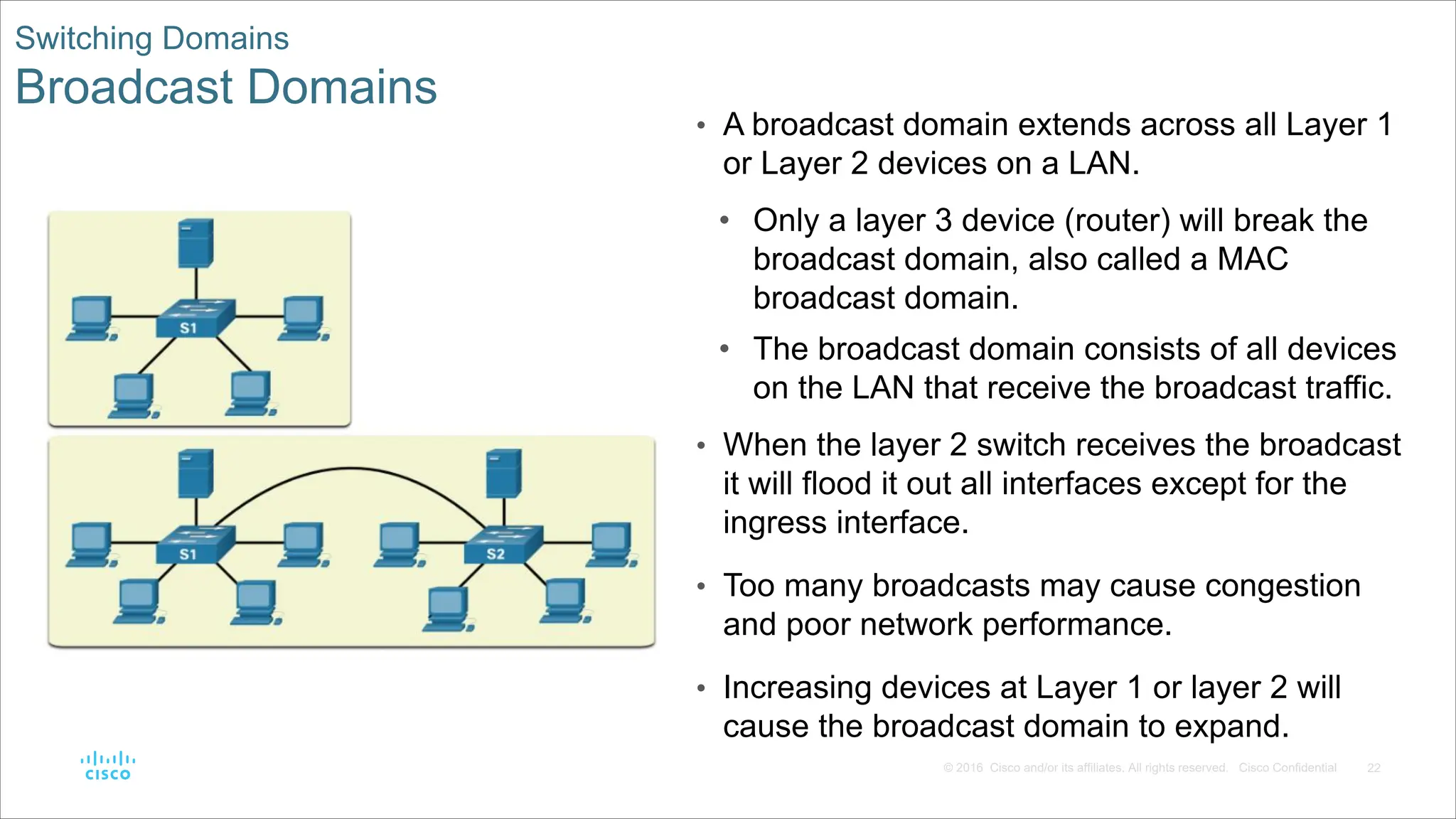
and/or its affiliates. All rights reserved. Cisco Confidential Switching Domains Broadcast Domains • A broadcast domain extends across all Layer 1 or Layer 2 devices on a LAN. • Only a layer 3 device (router) will break the broadcast domain, also called a MAC broadcast domain. • The broadcast domain consists of all devices on the LAN that receive the broadcast traffic. • When the layer 2 switch receives the broadcast it will flood it out all interfaces except for the ingress interface. • Too many broadcasts may cause congestion and poor network performance. • Increasing devices at Layer 1 or layer 2 will cause the broadcast domain to expand.
23.
23 © 2016 Cisco
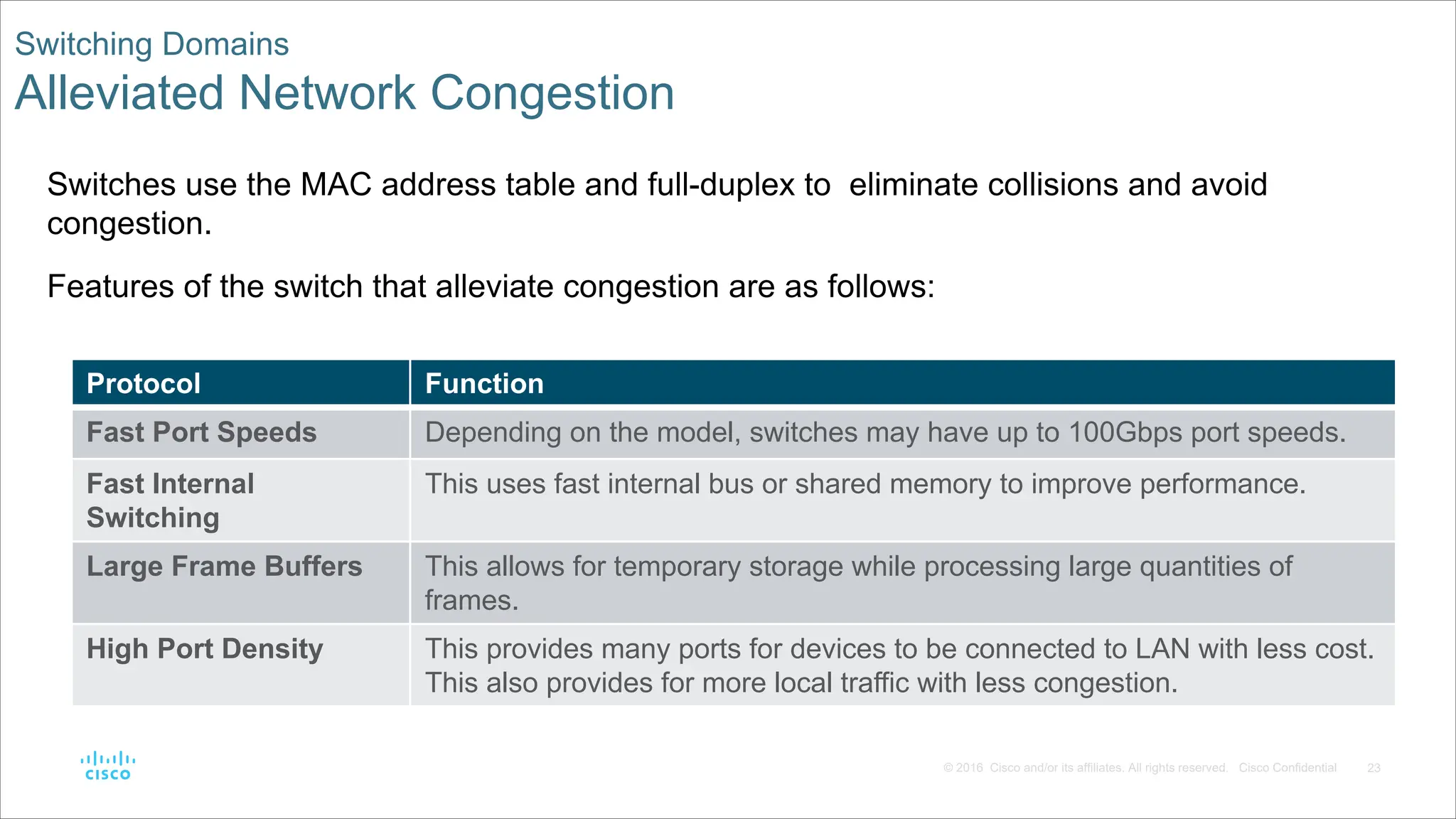
and/or its affiliates. All rights reserved. Cisco Confidential Switching Domains Alleviated Network Congestion Switches use the MAC address table and full-duplex to eliminate collisions and avoid congestion. Features of the switch that alleviate congestion are as follows: Protocol Function Fast Port Speeds Depending on the model, switches may have up to 100Gbps port speeds. Fast Internal Switching This uses fast internal bus or shared memory to improve performance. Large Frame Buffers This allows for temporary storage while processing large quantities of frames. High Port Density This provides many ports for devices to be connected to LAN with less cost. This also provides for more local traffic with less congestion.
24.
24 © 2016 Cisco
and/or its affiliates. All rights reserved. Cisco Confidential 2.3 Module Practice and Quiz
25.
25 © 2016 Cisco
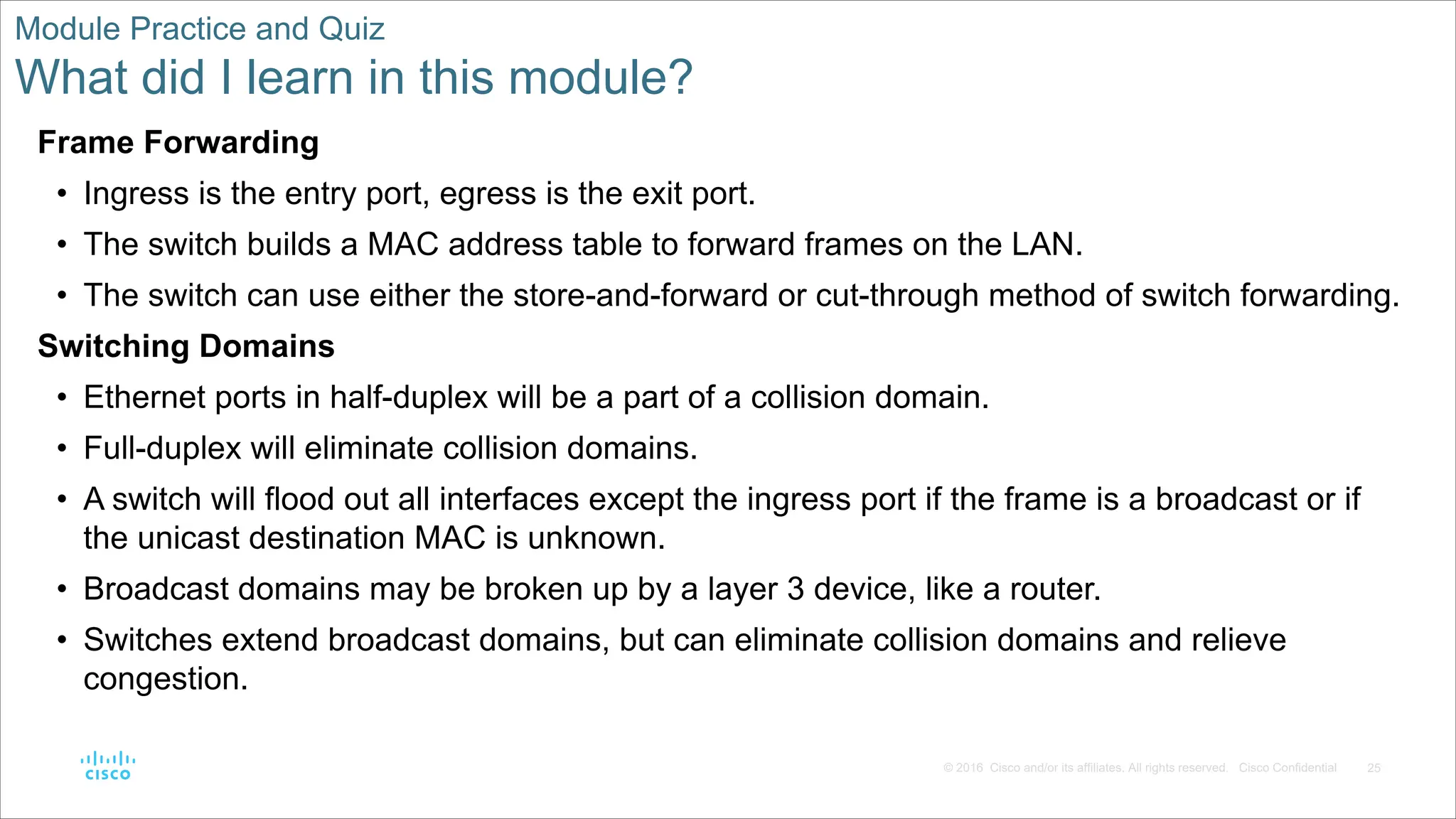
and/or its affiliates. All rights reserved. Cisco Confidential Module Practice and Quiz What did I learn in this module? Frame Forwarding • Ingress is the entry port, egress is the exit port. • The switch builds a MAC address table to forward frames on the LAN. • The switch can use either the store-and-forward or cut-through method of switch forwarding. Switching Domains • Ethernet ports in half-duplex will be a part of a collision domain. • Full-duplex will eliminate collision domains. • A switch will flood out all interfaces except the ingress port if the frame is a broadcast or if the unicast destination MAC is unknown. • Broadcast domains may be broken up by a layer 3 device, like a router. • Switches extend broadcast domains, but can eliminate collision domains and relieve congestion.
26.
26 © 2016 Cisco
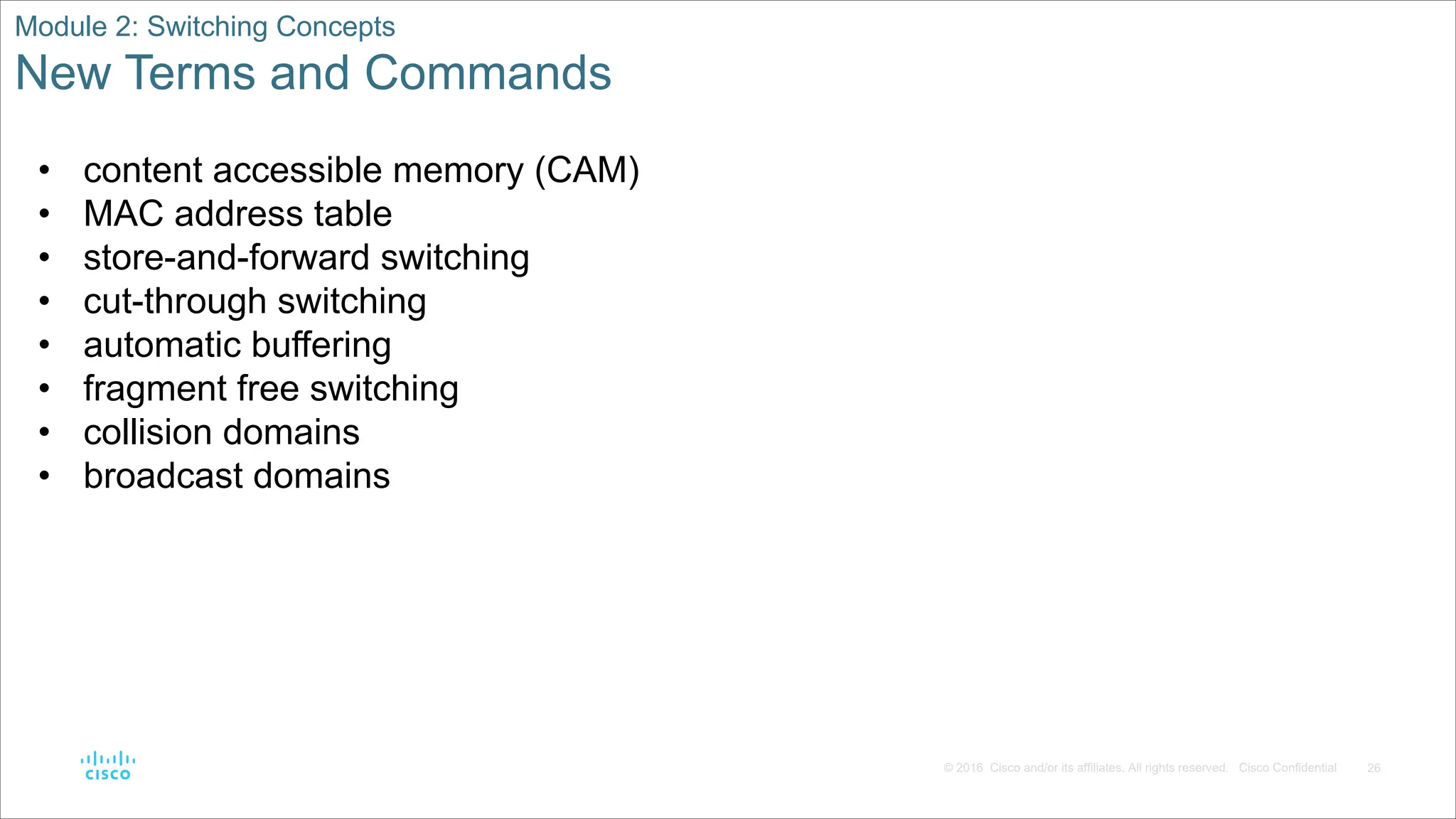
and/or its affiliates. All rights reserved. Cisco Confidential Module 2: Switching Concepts New Terms and Commands • content accessible memory (CAM) • MAC address table • store-and-forward switching • cut-through switching • automatic buffering • fragment free switching • collision domains • broadcast domains
Download