PREDICTIVE TEXT STORIES
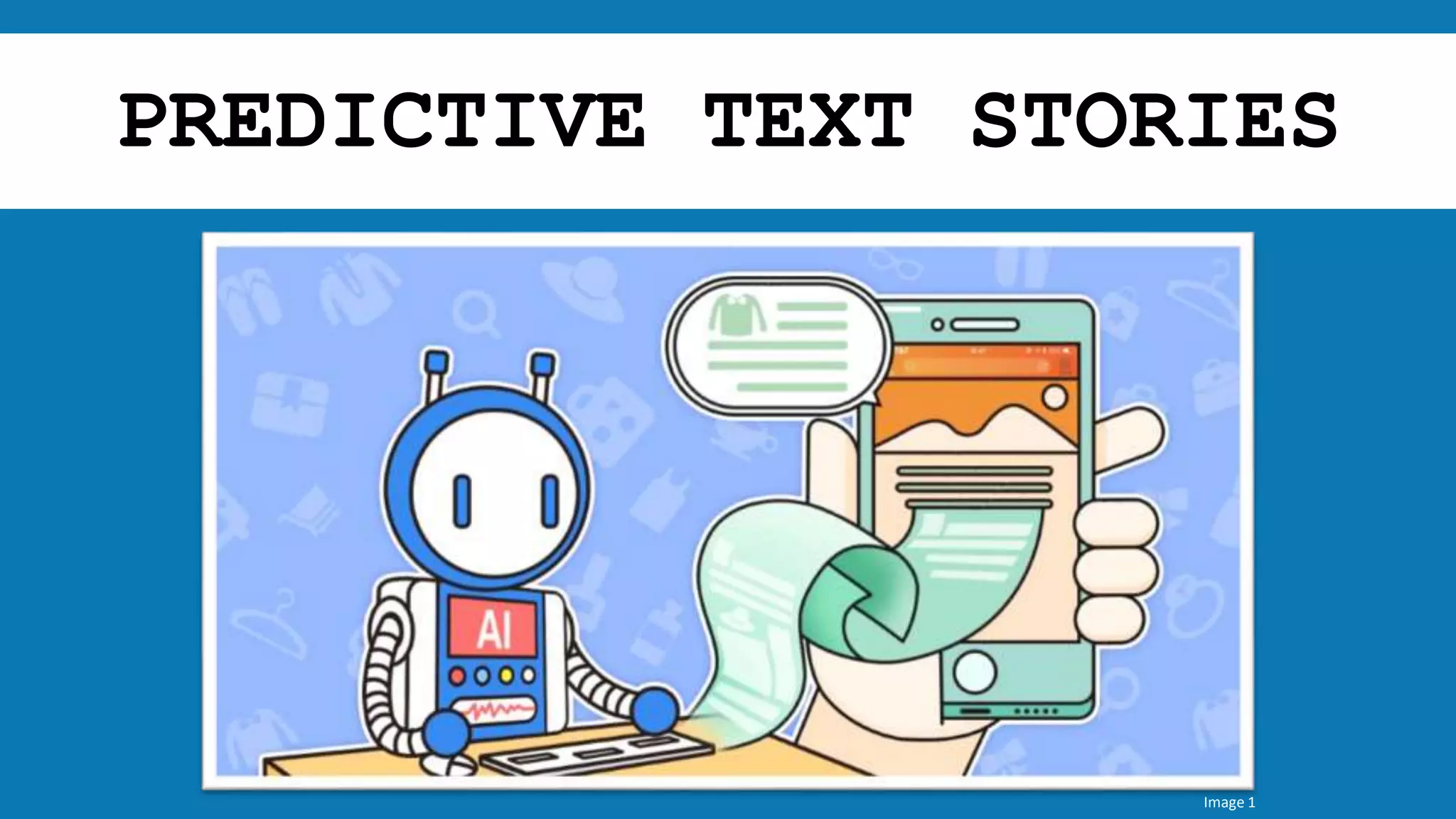
Image 1
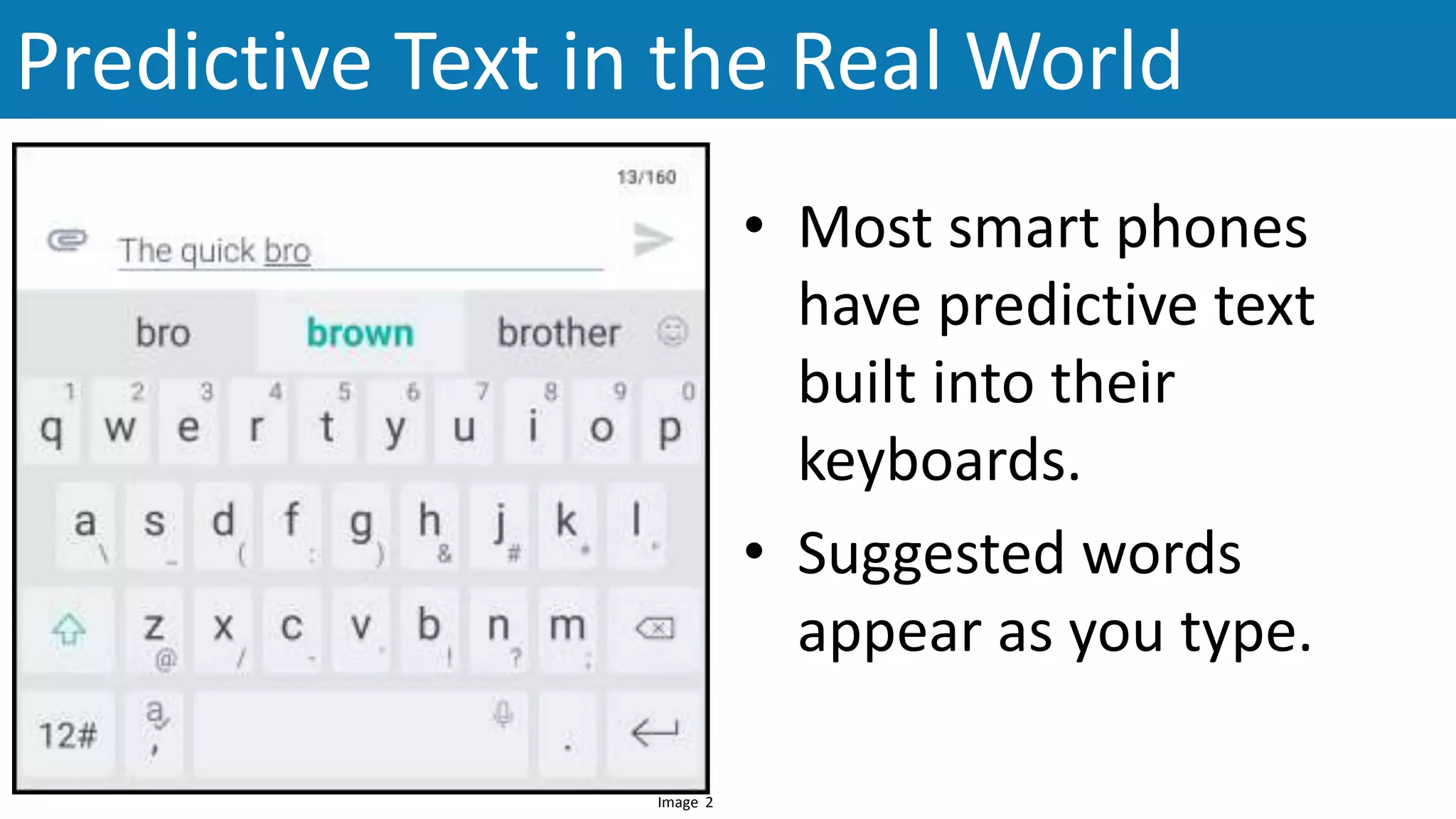
• Most smart phones
have predictive text
built into their
keyboards.
• Suggested words
appear as you type.
Predictive Text in the Real World
Image 2
Creating Your Own Story
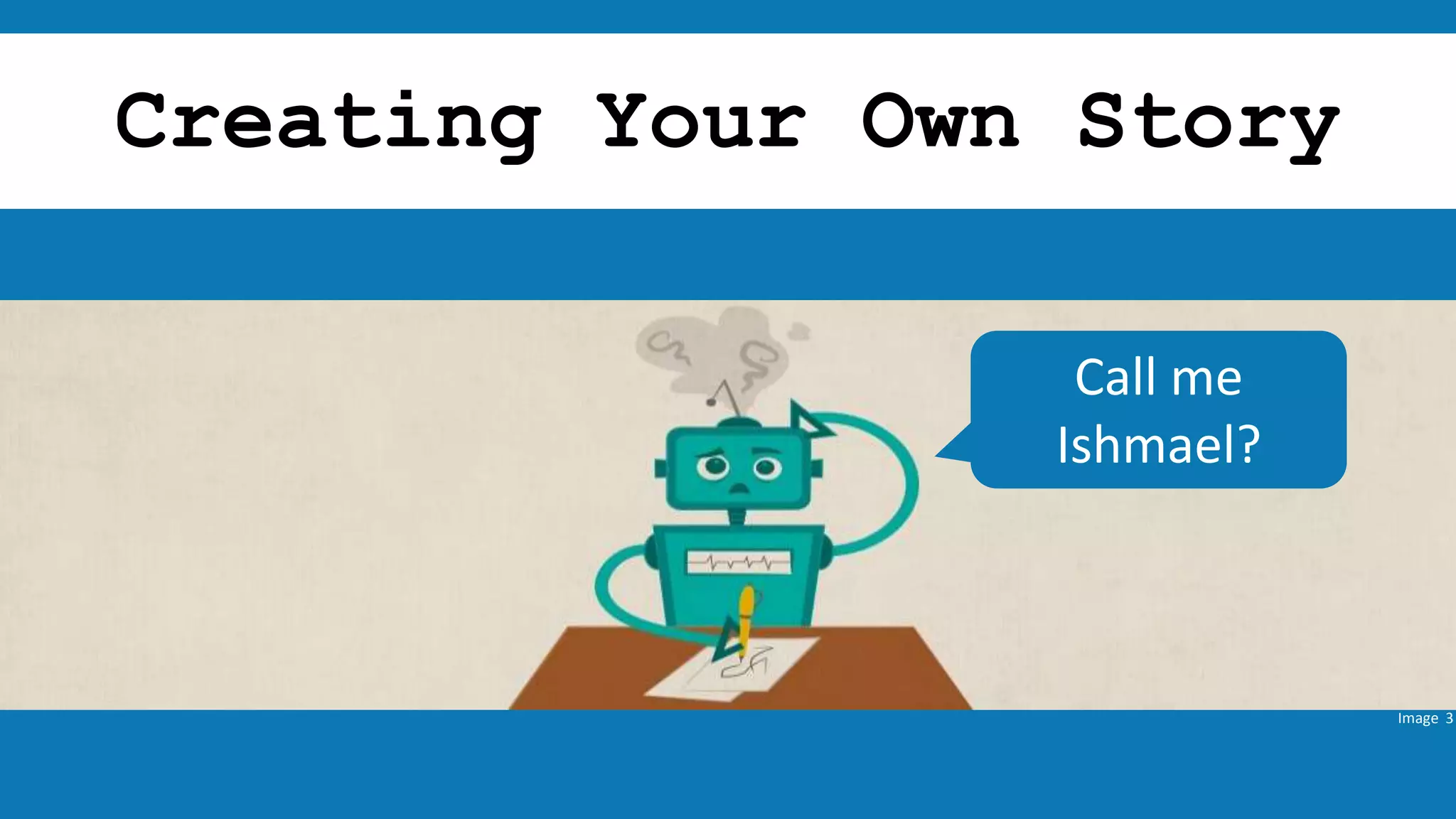
Image 3
Call me
Ishmael?
https://botnik.org
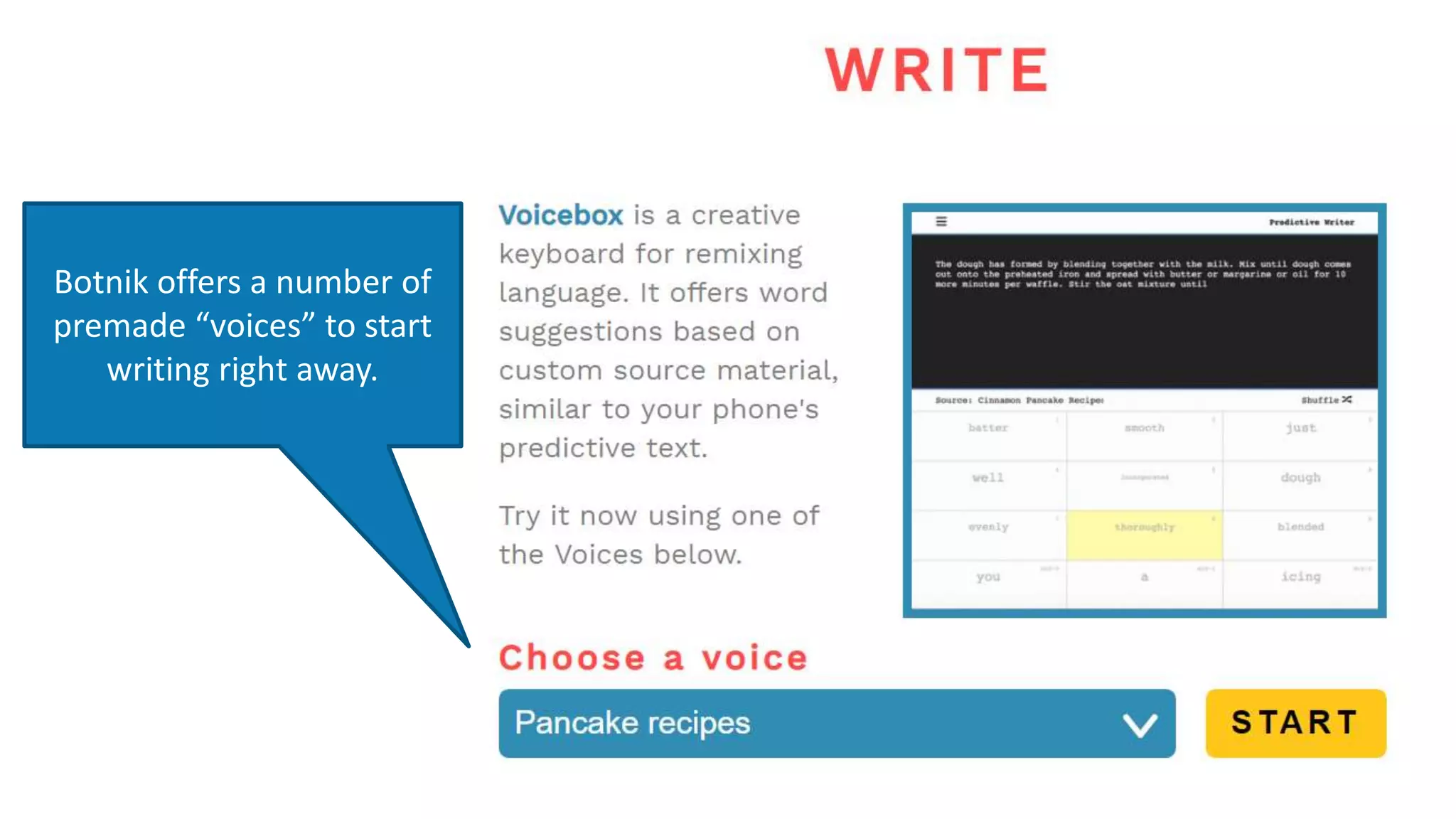
Botnik offers a number of
premade “voices” to start
writing right away.
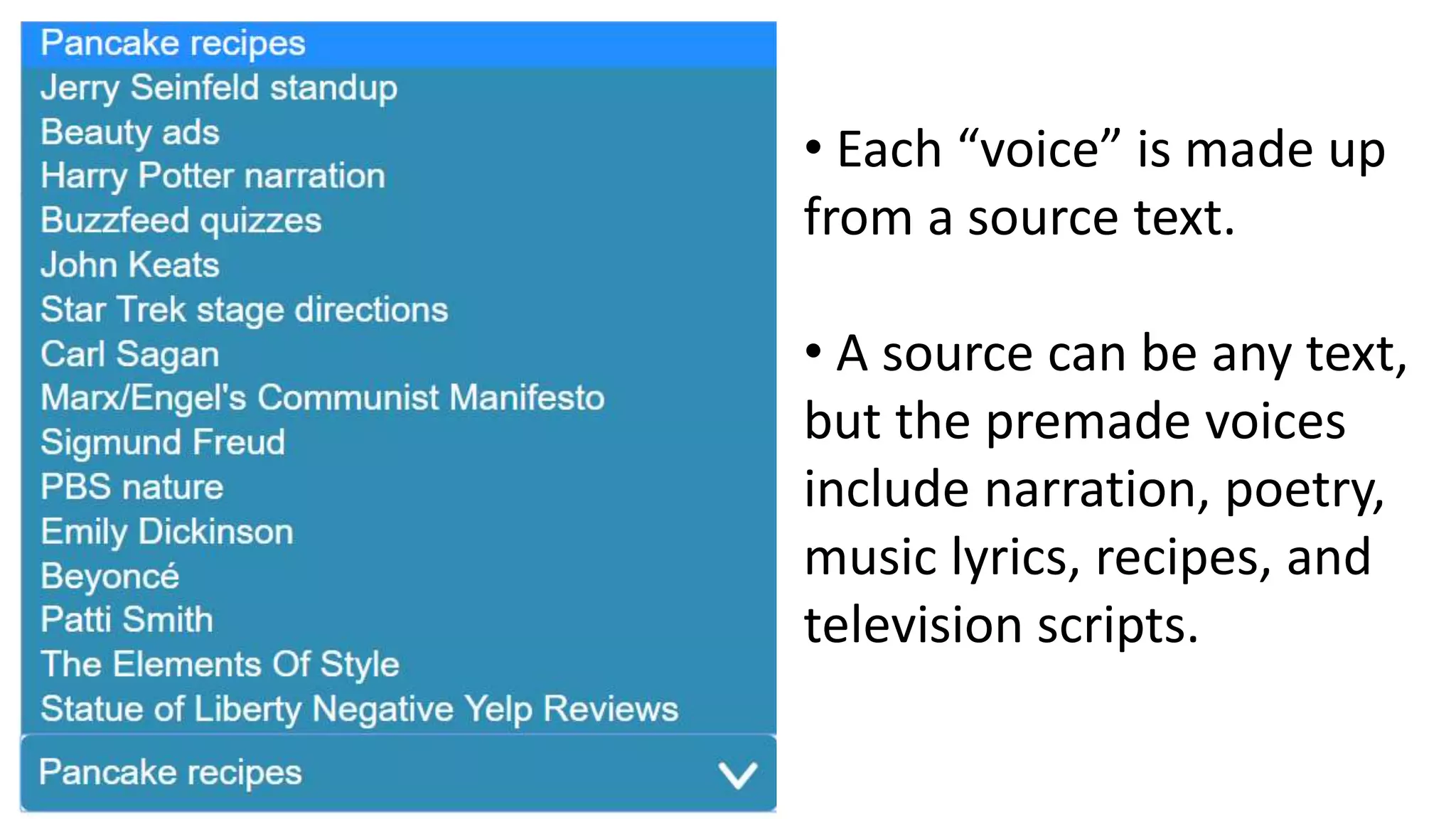
• Each “voice” is made up
from a source text.
• A source can be any text,
but the premade voices
include narration, poetry,
music lyrics, recipes, and
television scripts.
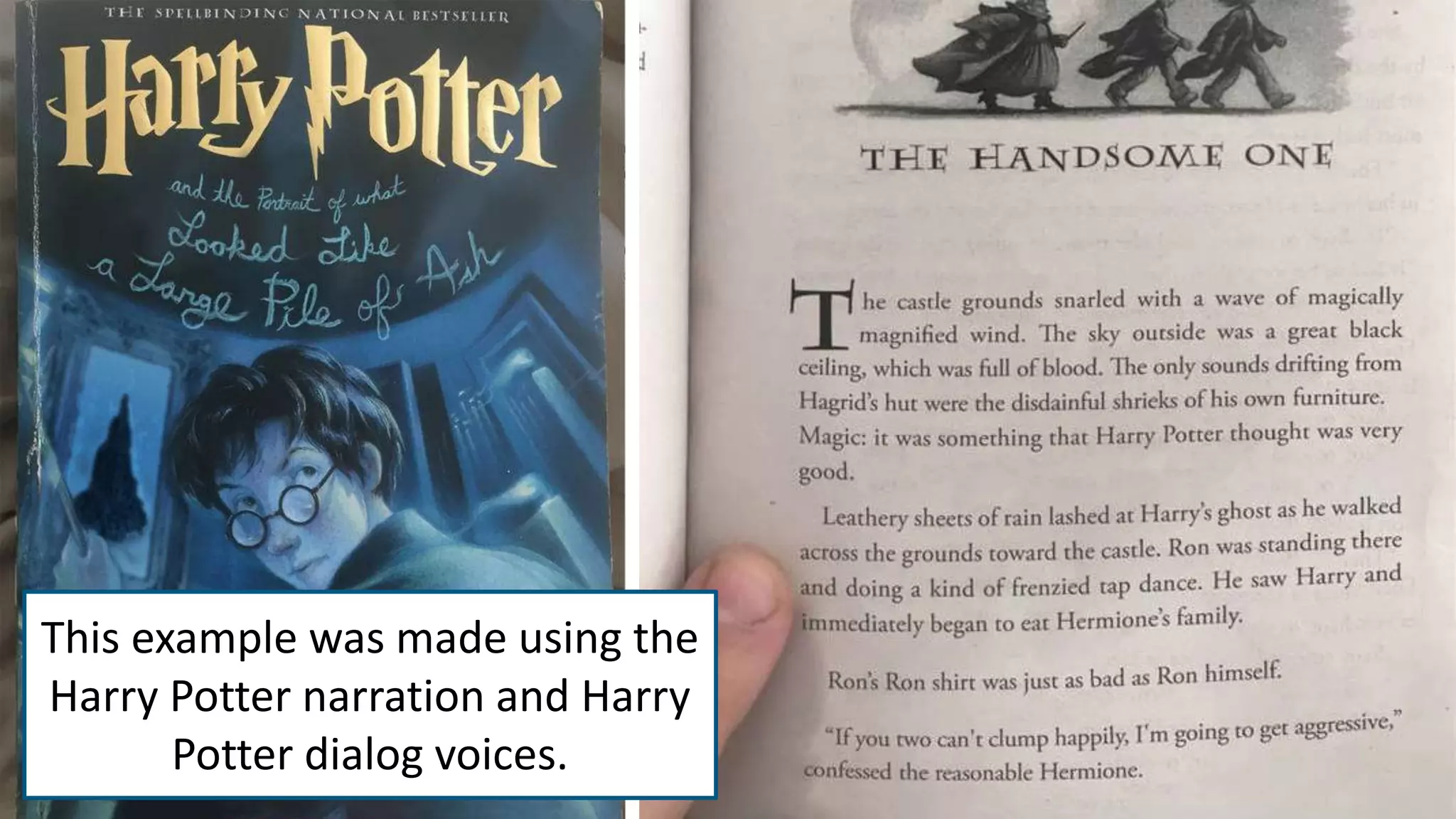
This example was made using the
Harry Potter narration and Harry
Potter dialog voices.
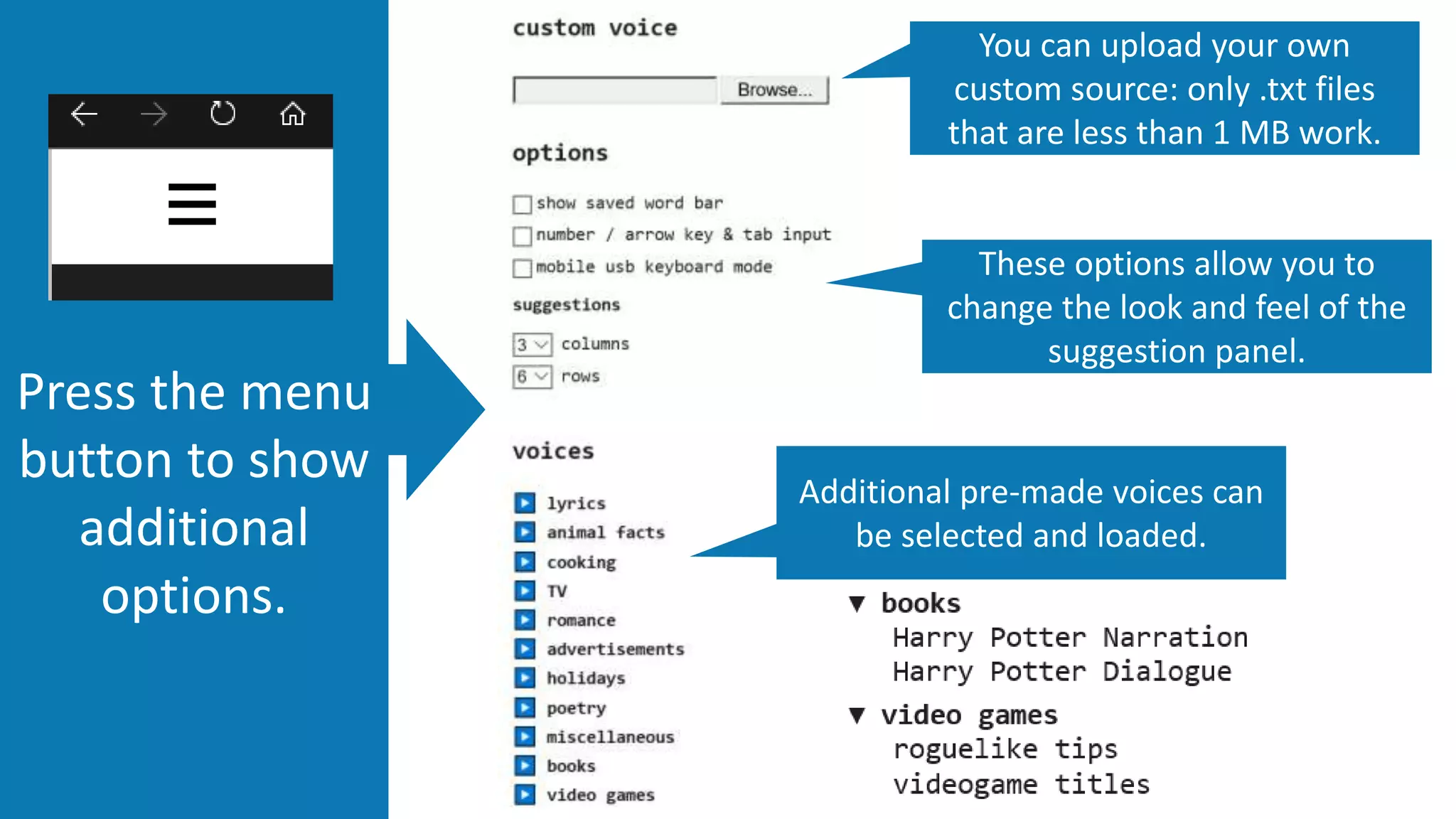
Press the menu
button to show
additional
options.
You can upload your own
custom source: only .txt files
that are less than 1 MB work.
These options allow you to
change the look and feel of the
suggestion panel.
Additional pre-made voices can
be selected and loaded.
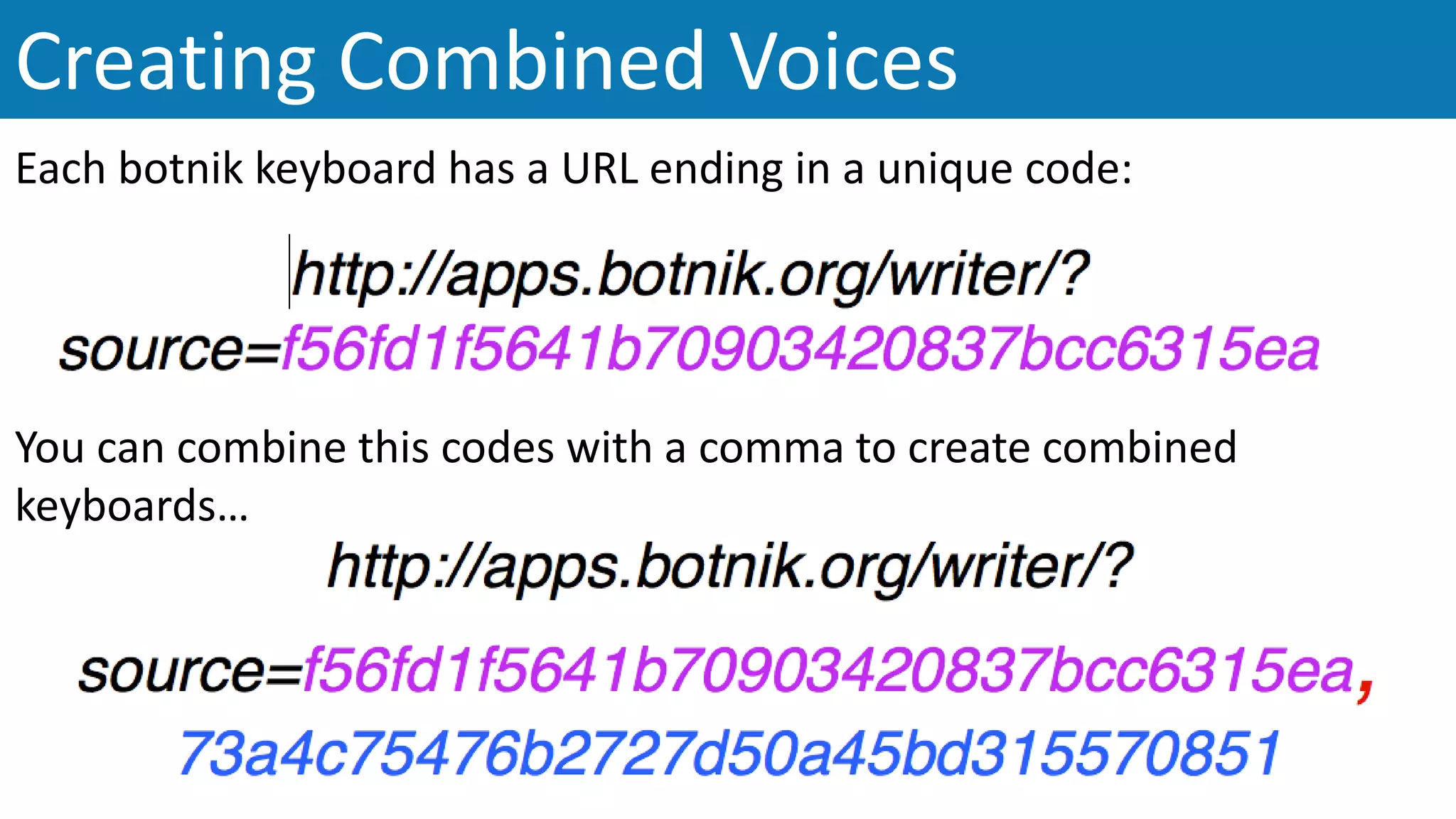
Creating Combined Voices
Each botnik keyboard has a URL ending in a unique code:
You can combine this codes with a comma to create combined
keyboards…
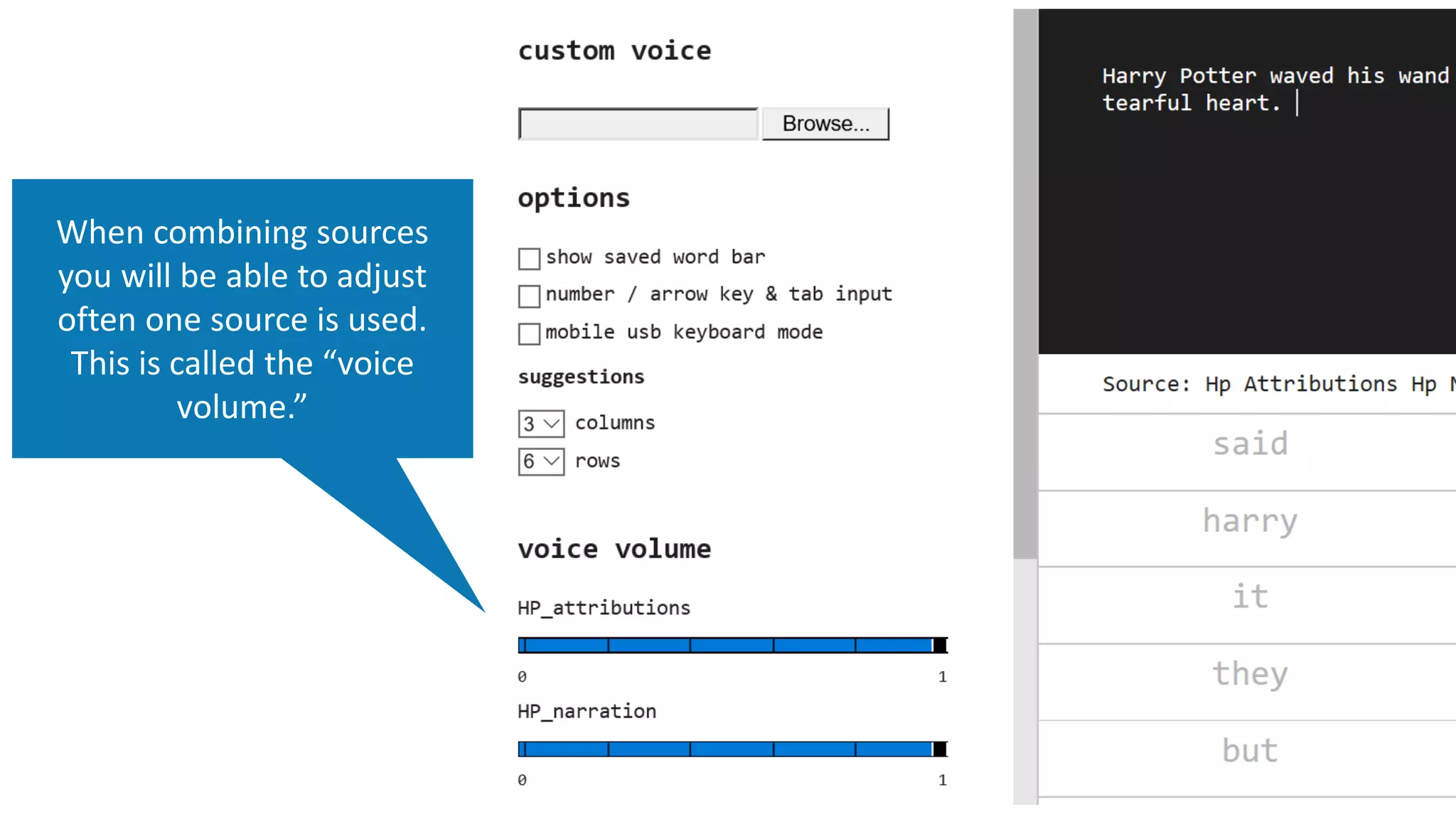
When combining sources
you will be able to adjust
often one source is used.
This is called the “voice
volume.”
Creating a Custom Voice / Source
Click on
[Browse] to look
for the text you
want to use as
your source.
Only simple text files - .txt – will work
with botnik.
Keep files under 1MB (1000 KB)
After clicking [Upload] you will see botnik start the upload process.
This can take about a minute.
Once the uploading is
complete the page will
refresh and your new
source will be updated.
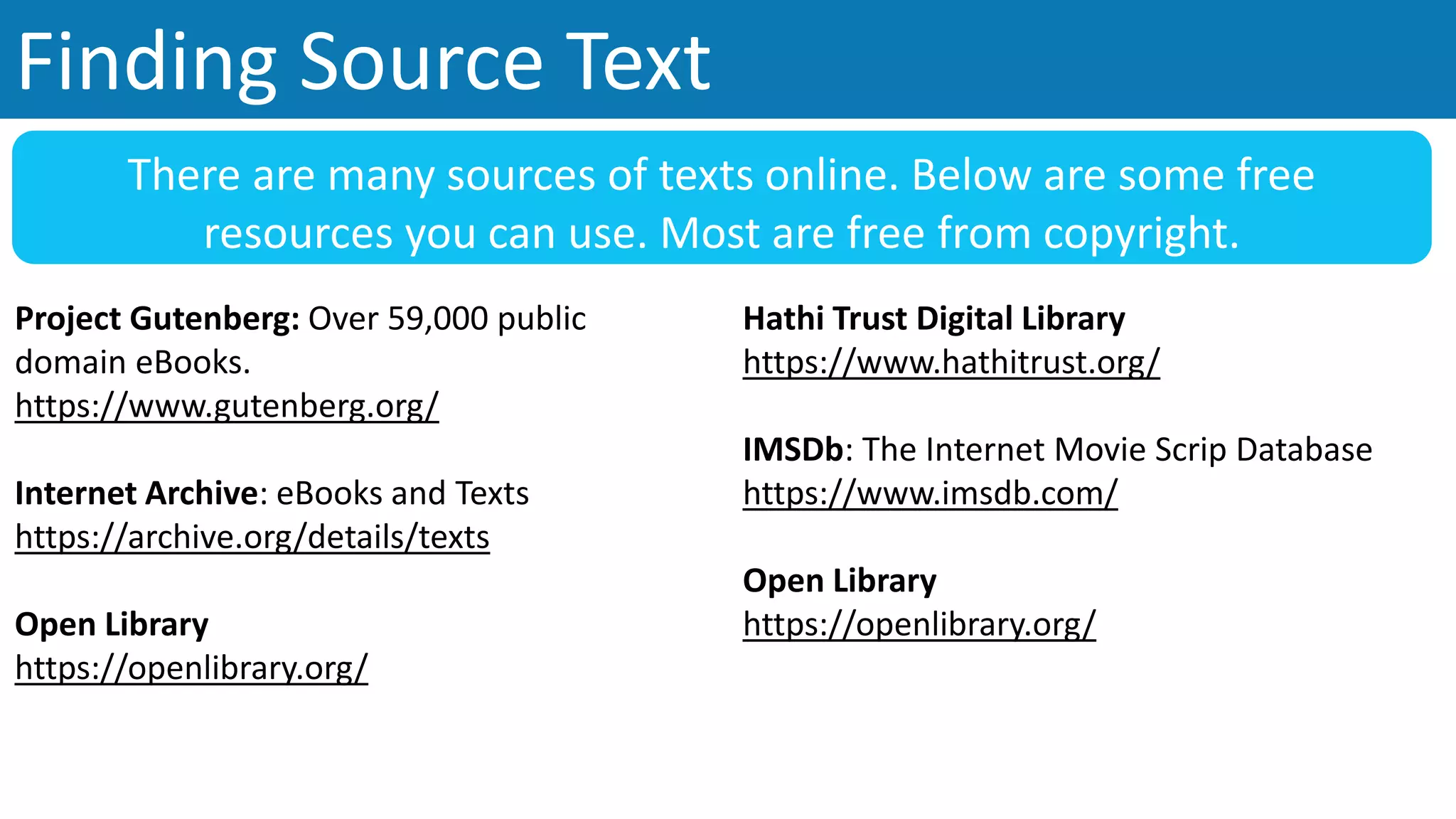
Finding Source Text
Project Gutenberg: Over 59,000 public
domain eBooks.
https://www.gutenberg.org/
Internet Archive: eBooks and Texts
https://archive.org/details/texts
Open Library
https://openlibrary.org/
There are many sources of texts online. Below are some free
resources you can use. Most are free from copyright.
Hathi Trust Digital Library
https://www.hathitrust.org/
IMSDb: The Internet Movie Scrip Database
https://www.imsdb.com/
Open Library
https://openlibrary.org/
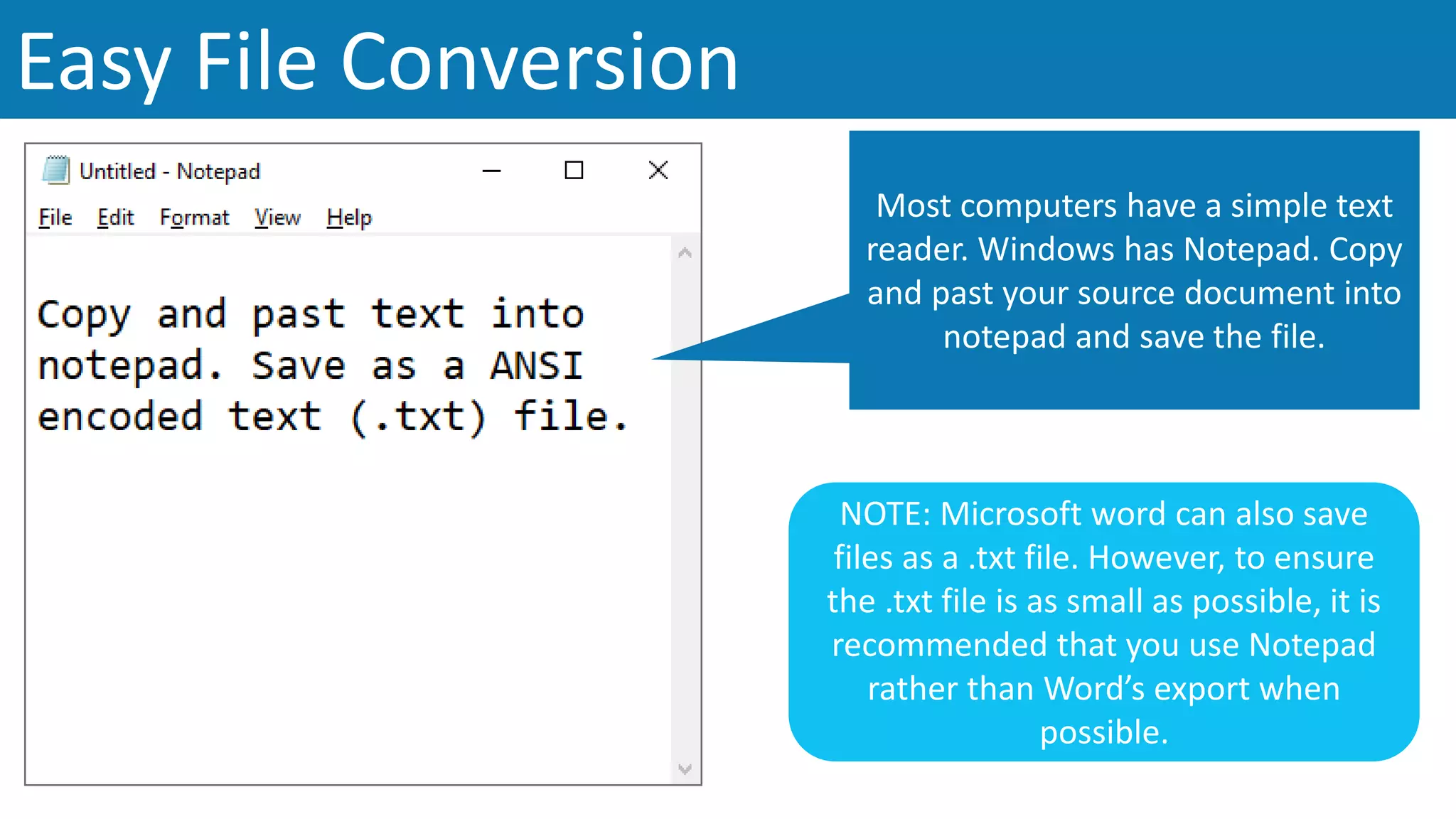
Easy File Conversion
Most computers have a simple text
reader. Windows has Notepad. Copy
and past your source document into
notepad and save the file.
NOTE: Microsoft word can also save
files as a .txt file. However, to ensure
the .txt file is as small as possible, it is
recommended that you use Notepad
rather than Word’s export when
possible.
Sources are Saved
The Hobbit by J. R. R. Tolkien
https://botnik.org/apps/writer/?source=f9668f73a914b336a6ac4585ecf28e18
Twilight by Stephenie Meyer
https://botnik.org/apps/writer/?source=ea13a46a3a0635196ca2953d1f8d4b6f
Assorted works by Dr. Seuss (Grinch, Green Eggs and Ham, etc.)
https://botnik.org/apps/writer/?source=d58947f7e973efe88b1deecc6272b321
Preload sources to Botnik and share with others.
Remember to note copyright information when you publish and
share your creative works.
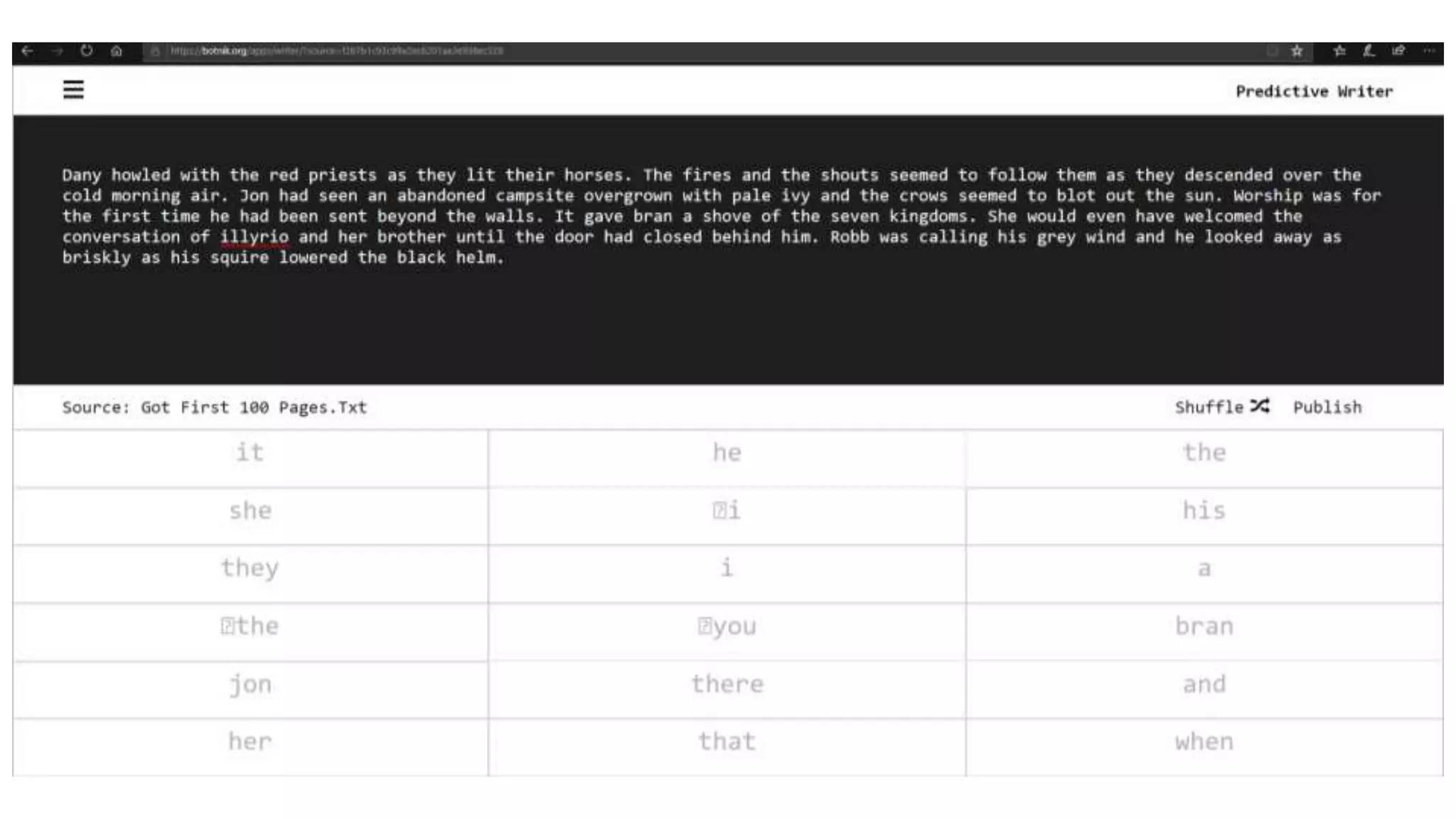
Use the [Shuffle] button to refresh
the suggested word list. If you don’t
like what you see, hit [Shuffle] to
give yourself more opitons.
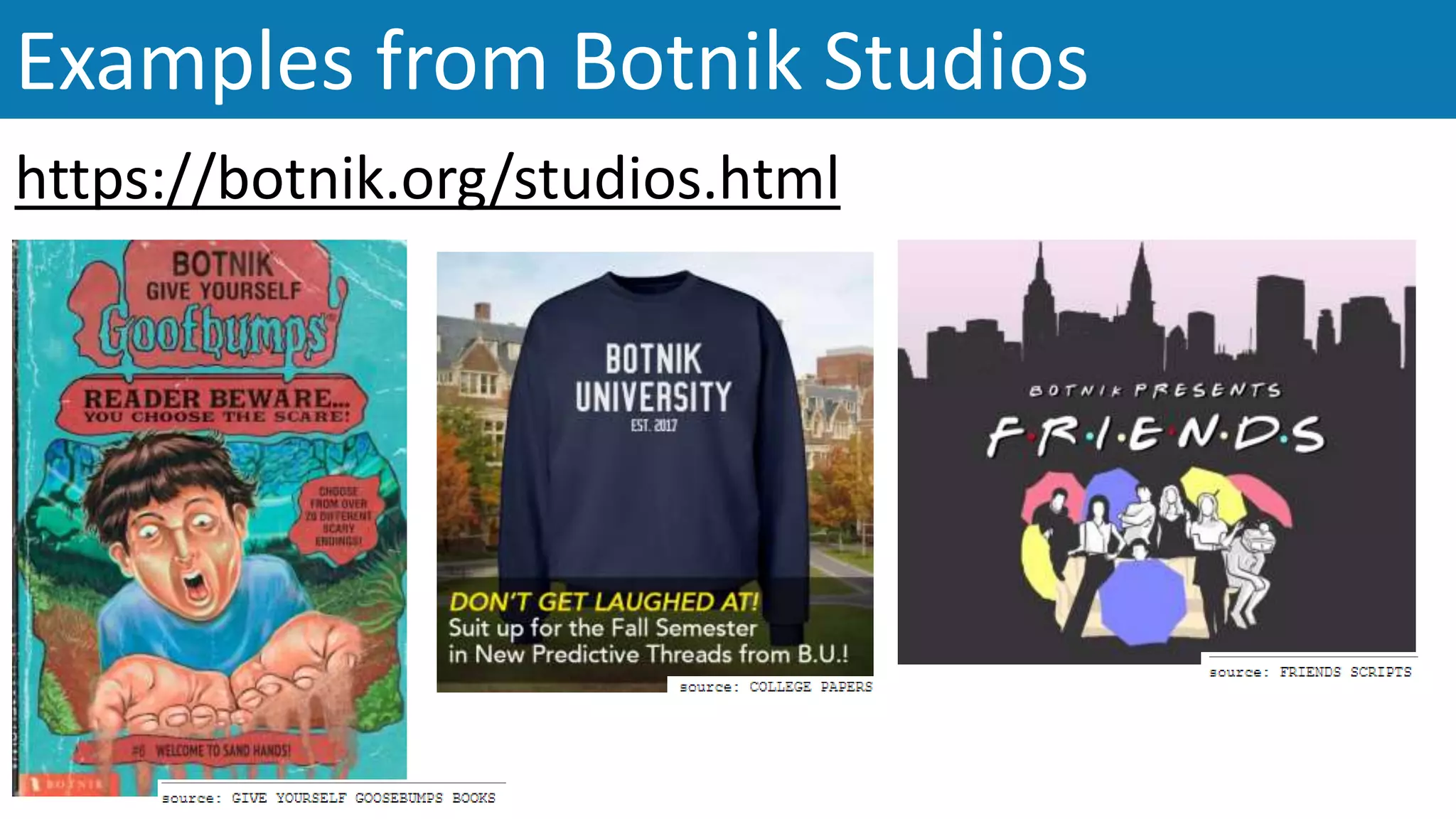
Examples from Botnik Studios
https://botnik.org/studios.html
Program Examples
Image 4
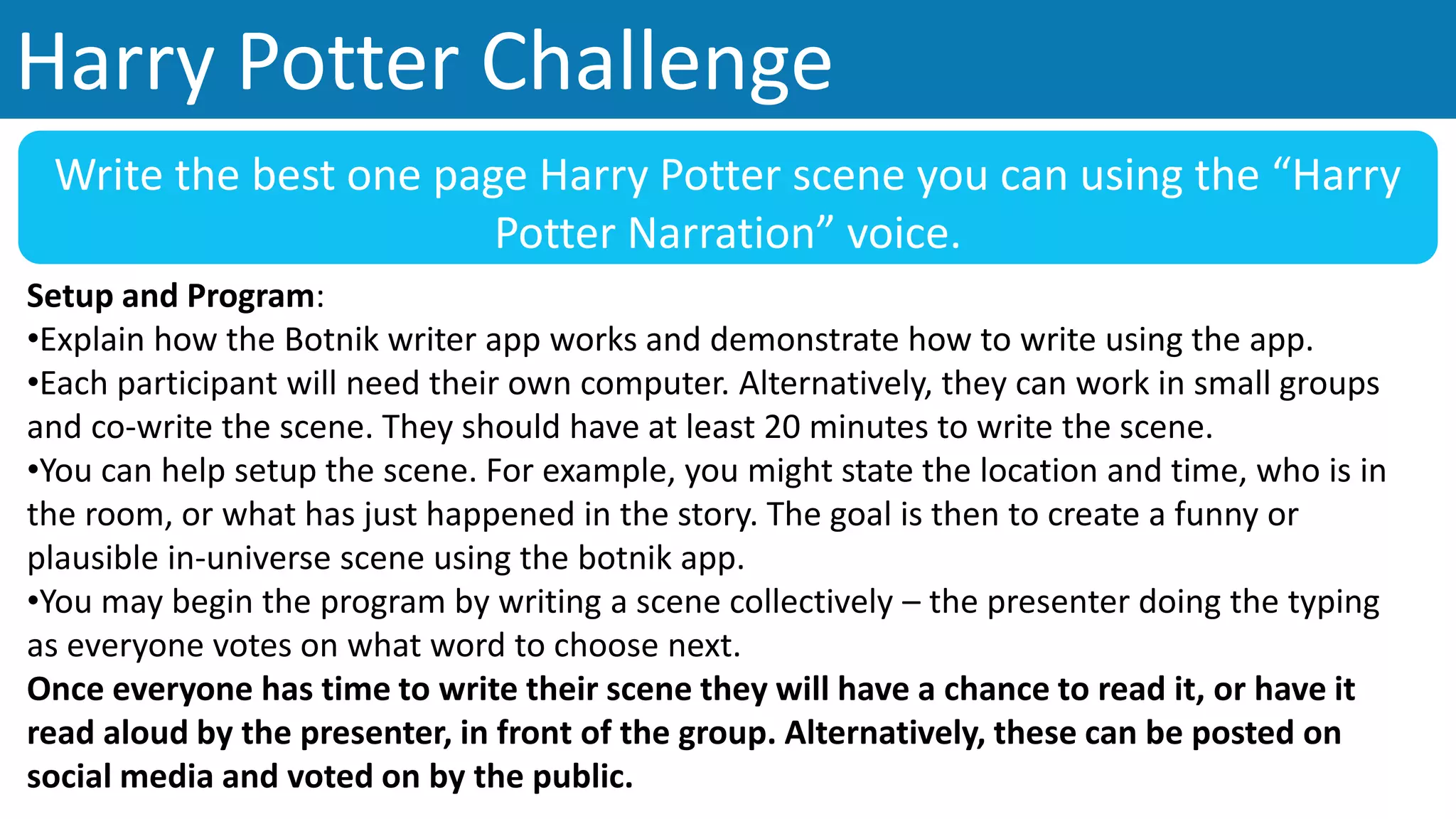
Harry Potter Challenge
Write the best one page Harry Potter scene you can using the “Harry
Potter Narration” voice.
Setup and Program:
•Explain how the Botnik writer app works and demonstrate how to write using the app.
•Each participant will need their own computer. Alternatively, they can work in small groups
and co-write the scene. They should have at least 20 minutes to write the scene.
•You can help setup the scene. For example, you might state the location and time, who is in
the room, or what has just happened in the story. The goal is then to create a funny or
plausible in-universe scene using the botnik app.
•You may begin the program by writing a scene collectively – the presenter doing the typing
as everyone votes on what word to choose next.
Once everyone has time to write their scene they will have a chance to read it, or have it
read aloud by the presenter, in front of the group. Alternatively, these can be posted on
social media and voted on by the public.
Poetry Month Challenge
Write the best poem (max one page) using the Botnik app
and [poetry source]
Setup and Program:
•Explain how the Botnik writer app works and demonstrate how to write using the app.
•Each participant will need their own computer.
•You may choose to select a theme for the poem: summer, winter, life, death, etc. This will
help to create a cohesive theme for the challenge and a target for participants to pursue.
• You may want to pre-select the writer(s) for the challenge and create a custom botnik
source link that everyone uses: Walt Whitman poems, Robert Frost, Edgar Allen Poe, etc.
•It would help if you go over the different types of poems. Give examples and how they can
be written. You may also choose to challenge participants to write a specific style of poem.
Once everyone has time to write their poem they will have the opportunity to read it
aloud, or have it read aloud by the presenter. Poems can also be posted online for public
voting.
Images
1. Alibaba Tech. (2018). https://medium.com/@alitech_2017/how-alibabas-ai-writer-is-starting-the-content-revolution-
27804d845e11
2. Sprint. (2019).
http://eguides.sprint.com/support/eguides/htc10/content/htc_10_ug/enter_text_with_word_prediction.html
3. Express Writers Corp. (2017). https://expresswriters.com/why-robots-wont-replace-the-writer-anytime-soon/
4. Coursera. (2019). https://d3njjcbhbojbot.cloudfront.net/api/utilities/v1/imageproxy/https://coursera-course-
photos.s3.amazonaws.com/92/61ab00265811e59638cb20cb5a23c8/basic-
writing.jpg?auto=format%2Ccompress&dpr=2.625
All other images are sourced from Botnik.org
Sources
Additional Resources:
• The tutorial for Botnik.org offers tips on how to use the predictive text writer: https://botnik.org/tutorial.html
• For an excellent overview of how predictive text works: https://lifehacker.com/how-predictive-keyboards-work-and-how-
you-can-train-yo-1643795640
• For an example of a Harry Potter chapter written using predictive text: https://botnik.org/content/harry-potter.html
FAIR USE NOTICE: This presentation contains copyrighted material the use of which has not always been
specifically authorized by the copyright owner, including but not limited to logos and product images. Such
material is made available in an effort to educate the public through illustrative examples and to properly
identify content.
The use of this presentation for educational purposes is held to constitute a 'fair use' of any such
copyrighted material as provided for in section 107 of the US Copyright Law. In accordance with Title 17
U.S.C. Section 107, the material on this presentation is distributed without profit to those who have
expressed a prior interest in receiving the included information for research and educational purposes.
If you wish to use copyrighted material from this presentation for purposes of your own that go beyond 'fair
use', you must obtain permission from the copyright owner.
CC BY-NC-SA 4.0
Licensed under a
Creative Commons Attribution-NonCommercial-
ShareAlike 4.0 International License
Originally created by Rino A. Landa, June 2019.

Predictive Text Stories - Library Program

  • 1.
  • 2.
    • Most smartphones have predictive text built into their keyboards. • Suggested words appear as you type. Predictive Text in the Real World Image 2
  • 3.
    Creating Your OwnStory Image 3 Call me Ishmael?
  • 4.
  • 5.
    Botnik offers anumber of premade “voices” to start writing right away.
  • 6.
    • Each “voice”is made up from a source text. • A source can be any text, but the premade voices include narration, poetry, music lyrics, recipes, and television scripts.
  • 7.
    This example wasmade using the Harry Potter narration and Harry Potter dialog voices.
  • 9.
    Press the menu buttonto show additional options. You can upload your own custom source: only .txt files that are less than 1 MB work. These options allow you to change the look and feel of the suggestion panel. Additional pre-made voices can be selected and loaded.
  • 10.
    Creating Combined Voices Eachbotnik keyboard has a URL ending in a unique code: You can combine this codes with a comma to create combined keyboards…
  • 11.
    When combining sources youwill be able to adjust often one source is used. This is called the “voice volume.”
  • 12.
    Creating a CustomVoice / Source Click on [Browse] to look for the text you want to use as your source. Only simple text files - .txt – will work with botnik. Keep files under 1MB (1000 KB)
  • 13.
    After clicking [Upload]you will see botnik start the upload process. This can take about a minute. Once the uploading is complete the page will refresh and your new source will be updated.
  • 14.
    Finding Source Text ProjectGutenberg: Over 59,000 public domain eBooks. https://www.gutenberg.org/ Internet Archive: eBooks and Texts https://archive.org/details/texts Open Library https://openlibrary.org/ There are many sources of texts online. Below are some free resources you can use. Most are free from copyright. Hathi Trust Digital Library https://www.hathitrust.org/ IMSDb: The Internet Movie Scrip Database https://www.imsdb.com/ Open Library https://openlibrary.org/
  • 15.
    Easy File Conversion Mostcomputers have a simple text reader. Windows has Notepad. Copy and past your source document into notepad and save the file. NOTE: Microsoft word can also save files as a .txt file. However, to ensure the .txt file is as small as possible, it is recommended that you use Notepad rather than Word’s export when possible.
  • 16.
    Sources are Saved TheHobbit by J. R. R. Tolkien https://botnik.org/apps/writer/?source=f9668f73a914b336a6ac4585ecf28e18 Twilight by Stephenie Meyer https://botnik.org/apps/writer/?source=ea13a46a3a0635196ca2953d1f8d4b6f Assorted works by Dr. Seuss (Grinch, Green Eggs and Ham, etc.) https://botnik.org/apps/writer/?source=d58947f7e973efe88b1deecc6272b321 Preload sources to Botnik and share with others. Remember to note copyright information when you publish and share your creative works.
  • 17.
    Use the [Shuffle]button to refresh the suggested word list. If you don’t like what you see, hit [Shuffle] to give yourself more opitons.
  • 18.
    Examples from BotnikStudios https://botnik.org/studios.html
  • 19.
  • 20.
    Harry Potter Challenge Writethe best one page Harry Potter scene you can using the “Harry Potter Narration” voice. Setup and Program: •Explain how the Botnik writer app works and demonstrate how to write using the app. •Each participant will need their own computer. Alternatively, they can work in small groups and co-write the scene. They should have at least 20 minutes to write the scene. •You can help setup the scene. For example, you might state the location and time, who is in the room, or what has just happened in the story. The goal is then to create a funny or plausible in-universe scene using the botnik app. •You may begin the program by writing a scene collectively – the presenter doing the typing as everyone votes on what word to choose next. Once everyone has time to write their scene they will have a chance to read it, or have it read aloud by the presenter, in front of the group. Alternatively, these can be posted on social media and voted on by the public.
  • 21.
    Poetry Month Challenge Writethe best poem (max one page) using the Botnik app and [poetry source] Setup and Program: •Explain how the Botnik writer app works and demonstrate how to write using the app. •Each participant will need their own computer. •You may choose to select a theme for the poem: summer, winter, life, death, etc. This will help to create a cohesive theme for the challenge and a target for participants to pursue. • You may want to pre-select the writer(s) for the challenge and create a custom botnik source link that everyone uses: Walt Whitman poems, Robert Frost, Edgar Allen Poe, etc. •It would help if you go over the different types of poems. Give examples and how they can be written. You may also choose to challenge participants to write a specific style of poem. Once everyone has time to write their poem they will have the opportunity to read it aloud, or have it read aloud by the presenter. Poems can also be posted online for public voting.
  • 22.
    Images 1. Alibaba Tech.(2018). https://medium.com/@alitech_2017/how-alibabas-ai-writer-is-starting-the-content-revolution- 27804d845e11 2. Sprint. (2019). http://eguides.sprint.com/support/eguides/htc10/content/htc_10_ug/enter_text_with_word_prediction.html 3. Express Writers Corp. (2017). https://expresswriters.com/why-robots-wont-replace-the-writer-anytime-soon/ 4. Coursera. (2019). https://d3njjcbhbojbot.cloudfront.net/api/utilities/v1/imageproxy/https://coursera-course- photos.s3.amazonaws.com/92/61ab00265811e59638cb20cb5a23c8/basic- writing.jpg?auto=format%2Ccompress&dpr=2.625 All other images are sourced from Botnik.org Sources Additional Resources: • The tutorial for Botnik.org offers tips on how to use the predictive text writer: https://botnik.org/tutorial.html • For an excellent overview of how predictive text works: https://lifehacker.com/how-predictive-keyboards-work-and-how- you-can-train-yo-1643795640 • For an example of a Harry Potter chapter written using predictive text: https://botnik.org/content/harry-potter.html
  • 23.
    FAIR USE NOTICE:This presentation contains copyrighted material the use of which has not always been specifically authorized by the copyright owner, including but not limited to logos and product images. Such material is made available in an effort to educate the public through illustrative examples and to properly identify content. The use of this presentation for educational purposes is held to constitute a 'fair use' of any such copyrighted material as provided for in section 107 of the US Copyright Law. In accordance with Title 17 U.S.C. Section 107, the material on this presentation is distributed without profit to those who have expressed a prior interest in receiving the included information for research and educational purposes. If you wish to use copyrighted material from this presentation for purposes of your own that go beyond 'fair use', you must obtain permission from the copyright owner. CC BY-NC-SA 4.0 Licensed under a Creative Commons Attribution-NonCommercial- ShareAlike 4.0 International License Originally created by Rino A. Landa, June 2019.