Power BI Deployment:
Scaling from 5 to 5000
Eugene Meidinger
@sqlgene / sqlgene.com
About me
 Business Intelligence Consultant
 Worked for All Lines Technology for 6 years
 Speak at various SQL Saturdays and online
 Pluralsight author
 Help lead the Pittsburgh Power BI user group
 Went from SQL newb to SQL pro
Why Talk About Deployment Methods?
 It keeps changing!
 Group workspaces were rebranded as Apps
 Power BI Embedded V1 is dead
 Organizational Content Packs are dying
 Premium and On-Prem were added last year
 Report Sharing was announced yesterday
 SharePoint Embedding went GA yesterday
 It’s confusing!
 There are a large, varied set of ways to deploy
The Many Ways to Deploy Power BI
1. Dashboard Sharing
2. Shared Workspaces
3. Organization Content Packs
4. Apps
5. SharePoint Embedding
6. Power BI Premium
7. Publish To Web
8. Power BI Report Server
9. Power BI Embedded
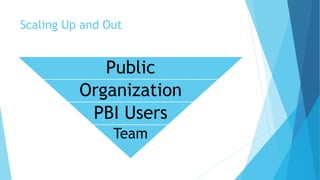
Scaling Up and Out
Public
Organization
PBI Users
Team
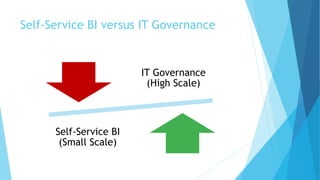
Self-Service BI versus IT Governance
IT Governance
(High Scale)
Self-Service BI
(Small Scale)
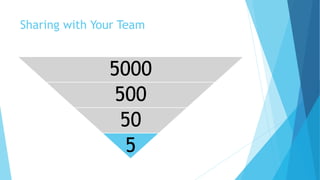
Sharing with Your Team
5000
500
50
5
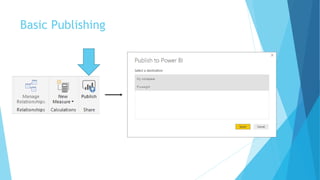
Basic Publishing
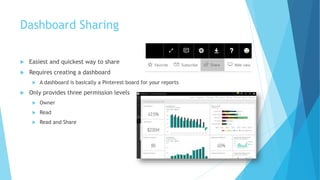
Dashboard Sharing
 Easiest and quickest way to share
 Requires creating a dashboard
 A dashboard is basically a Pinterest board for your reports
 Only provides three permission levels
 Owner
 Read
 Read and Share
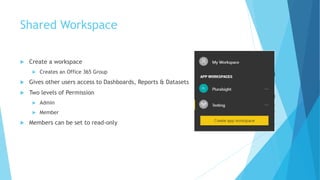
Shared Workspace
 Create a workspace
 Creates an Office 365 Group
 Gives other users access to Dashboards, Reports & Datasets
 Two levels of Permission
 Admin
 Member
 Members can be set to read-only
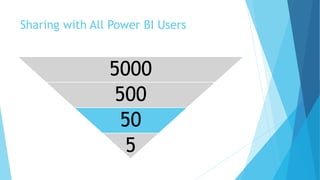
Sharing with All Power BI Users
5000
500
50
5
Organizational Content Packs
 Organizational content packs are DEPRECATED
 Replaced by Apps
 Only ideal for report templating
 Allows users to make a copy
 User then safely customize reports
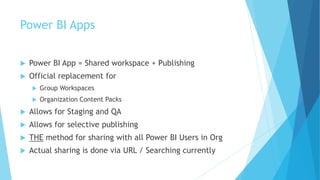
Power BI Apps
 Power BI App = Shared workspace + Publishing
 Official replacement for
 Group Workspaces
 Organization Content Packs
 Allows for Staging and QA
 Allows for selective publishing
 THE method for sharing with all Power BI Users in Org
 Actual sharing is done via URL / Searching currently
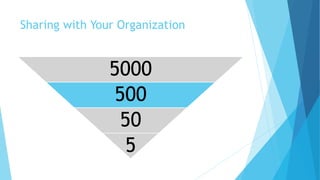
Sharing with Your Organization
5000
500
50
5
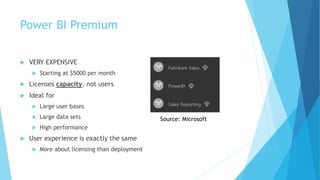
Power BI Premium
 VERY EXPENSIVE
 Starting at $5000 per month
 Licenses capacity, not users
 Ideal for
 Large user bases
 Large data sets
 High performance
 User experience is exactly the same
 More about licensing than deployment
Source: Microsoft
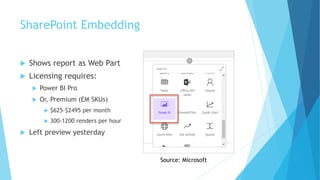
SharePoint Embedding
 Shows report as Web Part
 Licensing requires:
 Power BI Pro
 Or, Premium (EM SKUs)
 $625-$2495 per month
 300-1200 renders per hour
 Left preview yesterday
Source: Microsoft
Power BI Report Server
 Basically SSRS with Power BI support
 Expensive to license
 Power BI Premium
 OR, Enterprise Edition with SA
 Limited support
 No scheduled refresh
 No Dashboards
 No QA / Cortana
 Custom Power BI Desktop (Updated Quarterly)
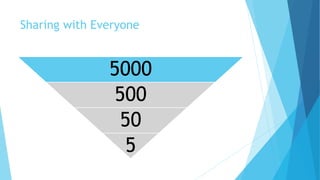
Sharing with Everyone
5000
500
50
5
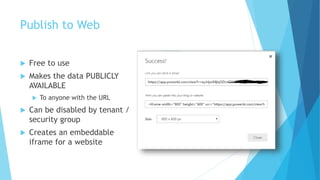
Publish to Web
 Free to use
 Makes the data PUBLICLY
AVAILABLE
 To anyone with the URL
 Can be disabled by tenant /
security group
 Creates an embeddable
iframe for a website
Power BI Embedded
 Requires a Web Developer to implement
 Depends on Premium Capacity
 Cheaper SKUS Are available
 $725-$23,000 per month
 300-9600 renders per hour
 Custom security model
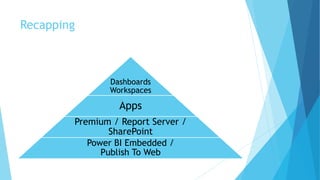
Recapping
Dashboards
Workspaces
Apps
Premium / Report Server /
SharePoint
Power BI Embedded /
Publish To Web
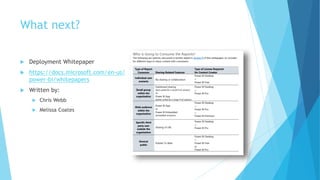
What next?
 Deployment Whitepaper
 https://docs.microsoft.com/en-us/
power-bi/whitepapers
 Written by:
 Chris Webb
 Melissa Coates
PASS Content Survey
 Win free admission
 Closes Feb 14th, 2018
 https://www.surveymonkey.com/r/SQPVFNV

Power-BI-Deployment.pptx

  • 1.
    Power BI Deployment: Scalingfrom 5 to 5000 Eugene Meidinger @sqlgene / sqlgene.com
  • 2.
    About me  BusinessIntelligence Consultant  Worked for All Lines Technology for 6 years  Speak at various SQL Saturdays and online  Pluralsight author  Help lead the Pittsburgh Power BI user group  Went from SQL newb to SQL pro
  • 3.
    Why Talk AboutDeployment Methods?  It keeps changing!  Group workspaces were rebranded as Apps  Power BI Embedded V1 is dead  Organizational Content Packs are dying  Premium and On-Prem were added last year  Report Sharing was announced yesterday  SharePoint Embedding went GA yesterday  It’s confusing!  There are a large, varied set of ways to deploy
  • 4.
    The Many Waysto Deploy Power BI 1. Dashboard Sharing 2. Shared Workspaces 3. Organization Content Packs 4. Apps 5. SharePoint Embedding 6. Power BI Premium 7. Publish To Web 8. Power BI Report Server 9. Power BI Embedded
  • 5.
    Scaling Up andOut Public Organization PBI Users Team
  • 6.
    Self-Service BI versusIT Governance IT Governance (High Scale) Self-Service BI (Small Scale)
  • 7.
    Sharing with YourTeam 5000 500 50 5
  • 8.
  • 9.
    Dashboard Sharing  Easiestand quickest way to share  Requires creating a dashboard  A dashboard is basically a Pinterest board for your reports  Only provides three permission levels  Owner  Read  Read and Share
  • 10.
    Shared Workspace  Createa workspace  Creates an Office 365 Group  Gives other users access to Dashboards, Reports & Datasets  Two levels of Permission  Admin  Member  Members can be set to read-only
  • 11.
    Sharing with AllPower BI Users 5000 500 50 5
  • 12.
    Organizational Content Packs Organizational content packs are DEPRECATED  Replaced by Apps  Only ideal for report templating  Allows users to make a copy  User then safely customize reports
  • 13.
    Power BI Apps Power BI App = Shared workspace + Publishing  Official replacement for  Group Workspaces  Organization Content Packs  Allows for Staging and QA  Allows for selective publishing  THE method for sharing with all Power BI Users in Org  Actual sharing is done via URL / Searching currently
  • 14.
    Sharing with YourOrganization 5000 500 50 5
  • 15.
    Power BI Premium VERY EXPENSIVE  Starting at $5000 per month  Licenses capacity, not users  Ideal for  Large user bases  Large data sets  High performance  User experience is exactly the same  More about licensing than deployment Source: Microsoft
  • 16.
    SharePoint Embedding  Showsreport as Web Part  Licensing requires:  Power BI Pro  Or, Premium (EM SKUs)  $625-$2495 per month  300-1200 renders per hour  Left preview yesterday Source: Microsoft
  • 17.
    Power BI ReportServer  Basically SSRS with Power BI support  Expensive to license  Power BI Premium  OR, Enterprise Edition with SA  Limited support  No scheduled refresh  No Dashboards  No QA / Cortana  Custom Power BI Desktop (Updated Quarterly)
  • 18.
  • 19.
    Publish to Web Free to use  Makes the data PUBLICLY AVAILABLE  To anyone with the URL  Can be disabled by tenant / security group  Creates an embeddable iframe for a website
  • 20.
    Power BI Embedded Requires a Web Developer to implement  Depends on Premium Capacity  Cheaper SKUS Are available  $725-$23,000 per month  300-9600 renders per hour  Custom security model
  • 21.
    Recapping Dashboards Workspaces Apps Premium / ReportServer / SharePoint Power BI Embedded / Publish To Web
  • 22.
    What next?  DeploymentWhitepaper  https://docs.microsoft.com/en-us/ power-bi/whitepapers  Written by:  Chris Webb  Melissa Coates
  • 23.
    PASS Content Survey Win free admission  Closes Feb 14th, 2018  https://www.surveymonkey.com/r/SQPVFNV