


Power BI Report Server
Enterprise Architecture,
Tools to publish reports
and
Best Practice
Vishal Pawar
Microsoft MVP, MCT
Chief Architect, Aptude Inc.
First ……Thank you !
•Organizing community – SQL Saturday !
•Of course you Too, To join us today !
•SQL PASS community !
Slides Available to download now !!
http://mnts.info/ssjackson19
➢Power BI Ecosystem
➢Architecture of Power BI Report Server
➢Best Practices for PBI Report Server
➢General Best Practices Power BI Ecosystem
➢Q&A
Agenda
Vishal Pawar
• Chief Architect in Aptude Inc
• Microsoft MVP
• Microsoft Certified Trainer
• PASS BA VC Group Admin
• Global Power BI Group 20K+
• Udemy Free Power BI Course 25K+
• VPawar@Aptude.com
@Vishal_BI BIMentalist.com Linkedin.com/in/pawarvishal
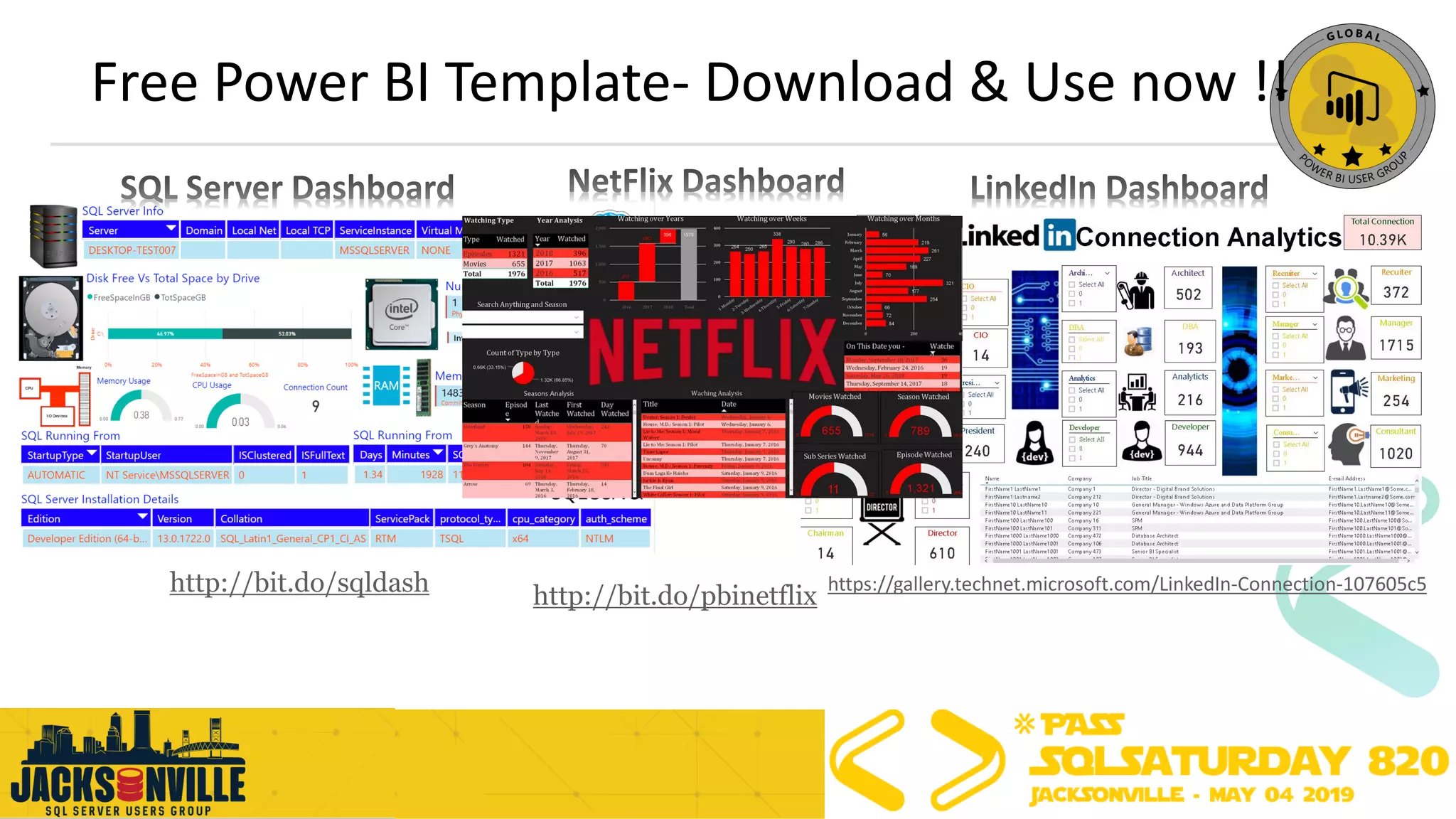
Free Power BI Template- Download & Use now !!
http://bit.do/sqldash https://gallery.technet.microsoft.com/LinkedIn-Connection-107605c5
http://bit.do/pbinetflix
Join Global Power BI User Group today !
•Facebook Group (10K+ member)- http://bit.do/pbifb
•LinkedIn (2K+ member) – http://bit.do/pbiln
•Twitter (@GlobePUG) – http://bit.do/pbitw
•YouTube (2K+ Subscriber)- http://bit.do/ytgpbi
•Official Microsoft Community – http://bit.do/pbiug
•Official website (2K+ Member) – http://bit.do/gpbiweb
•Power BI news (2K+ Readers) – http://bit.do/pbinews
•Session pins on Pinterest- http://bit.do/gpbisession
•Udemy Free Course (30K+ Student) – http://bit.do/pbiu
•Google Plus – http://bit.do/pbigp
•About user group – http://bit.do/aboutgpbi
Agenda
➢Power BI Ecosystem
➢Architecture of Power BI Report Server
➢Best Practices for PBI Report Server
➢General Best Practices Power BI Ecosystem
➢Q&A
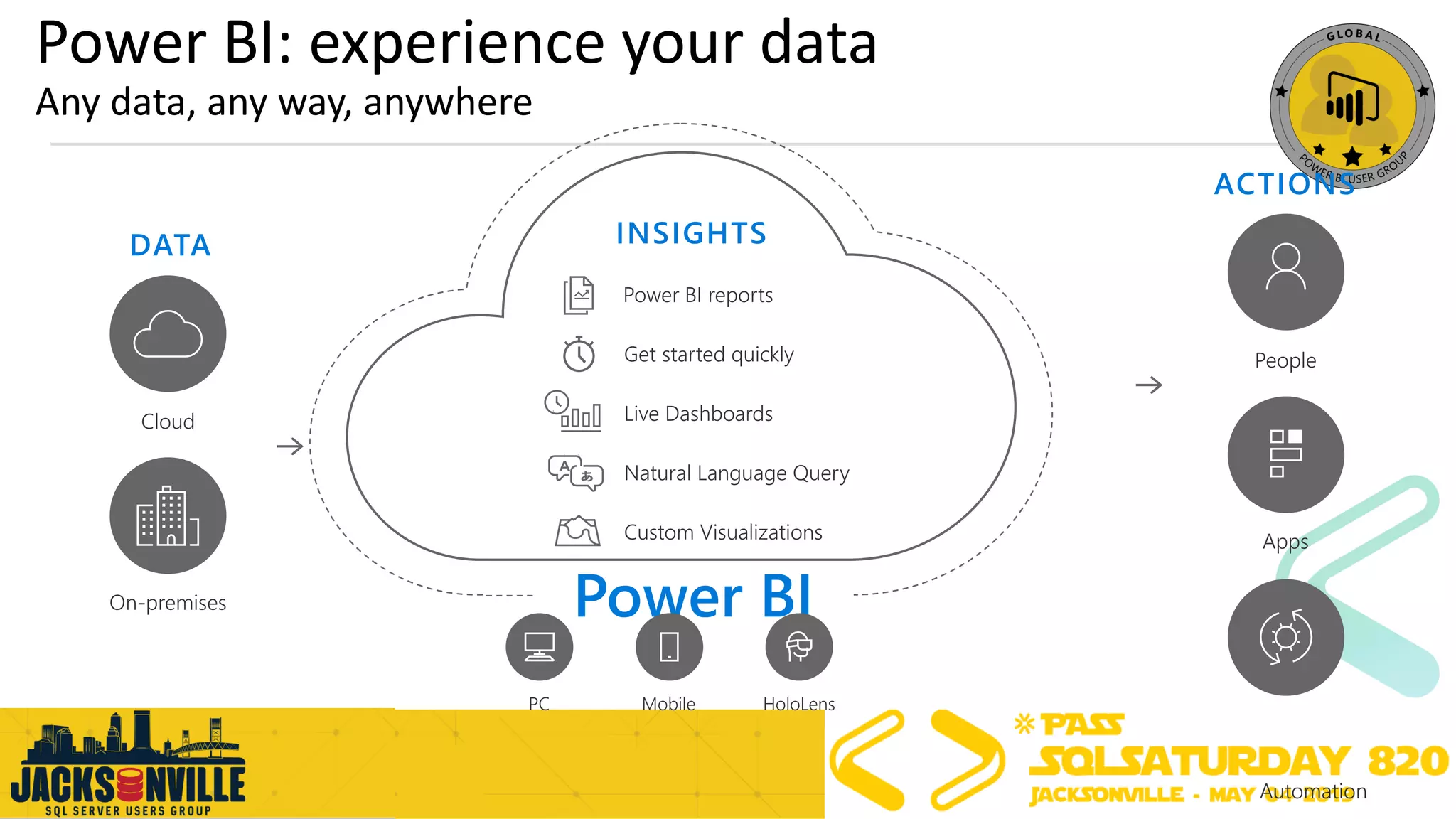
Power BI: experience your data
Any data, any way, anywhere
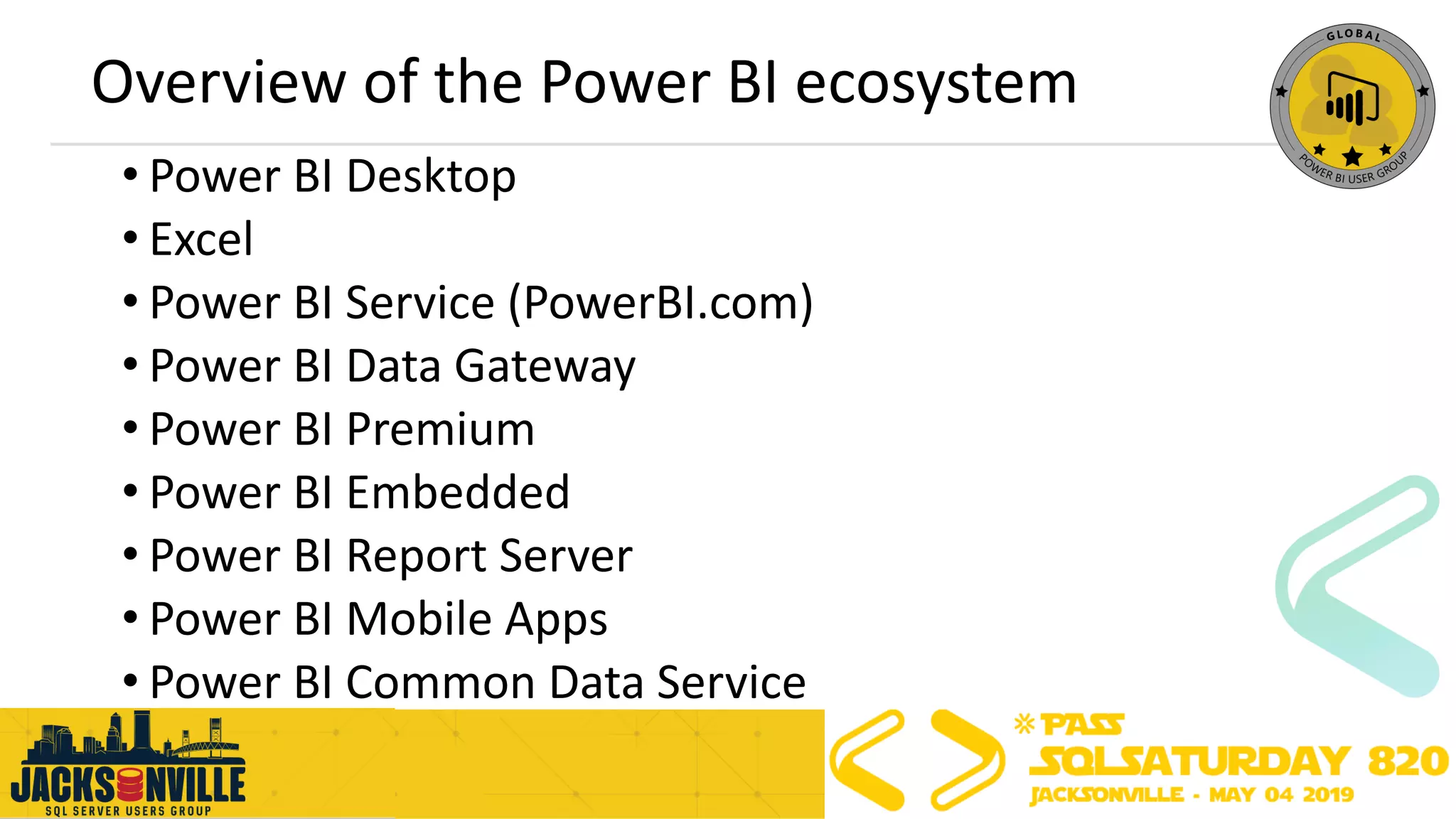
Overview of the Power BI ecosystem
• Power BI Desktop
• Excel
• Power BI Service (PowerBI.com)
• Power BI Data Gateway
• Power BI Premium
• Power BI Embedded
• Power BI Report Server
• Power BI Mobile Apps
• Power BI Common Data Service
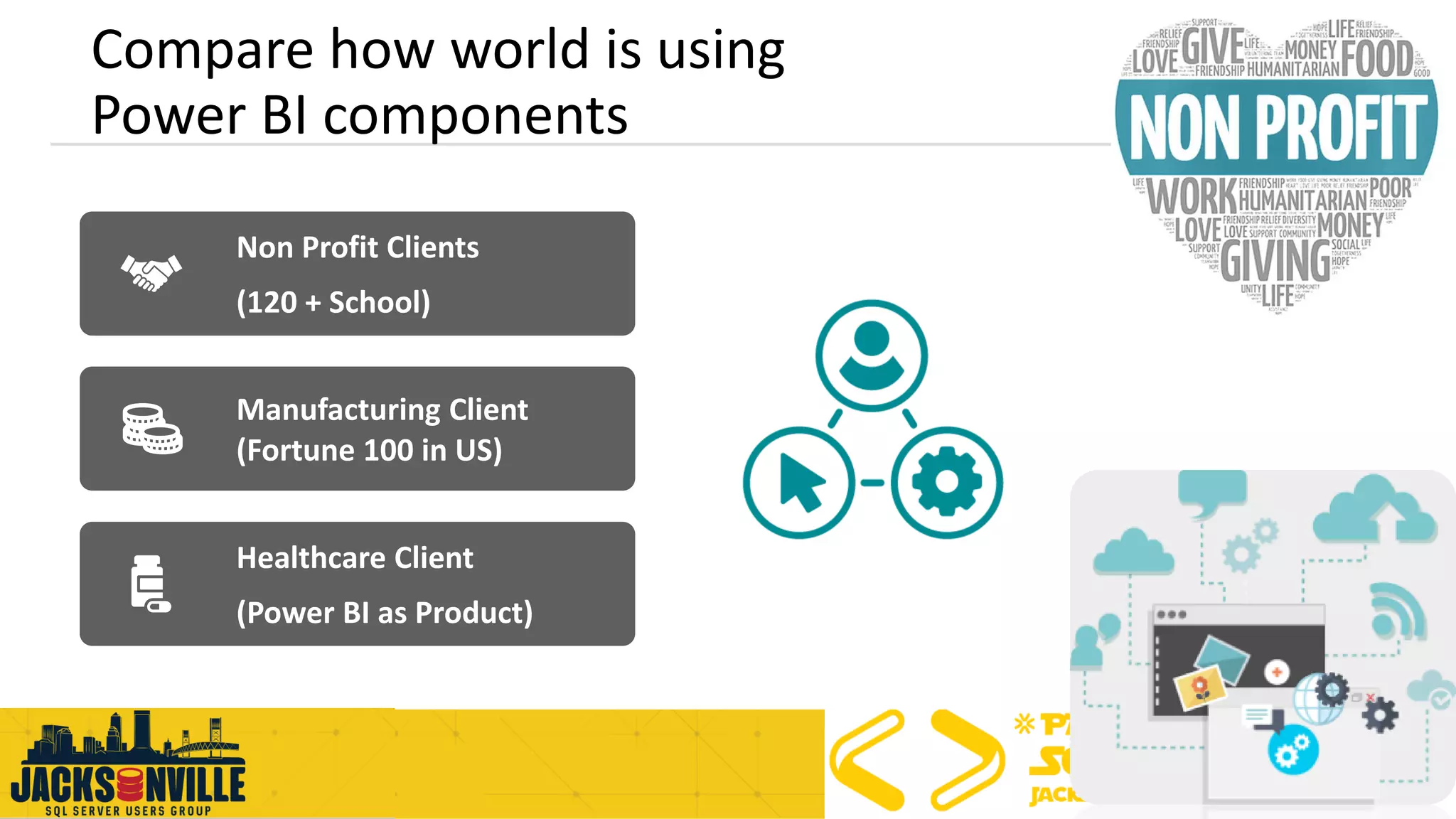
Non Profit Clients
(120 + School)
Manufacturing Client
(Fortune 100 in US)
Healthcare Client
(Power BI as Product)
Compare how world is using
Power BI components
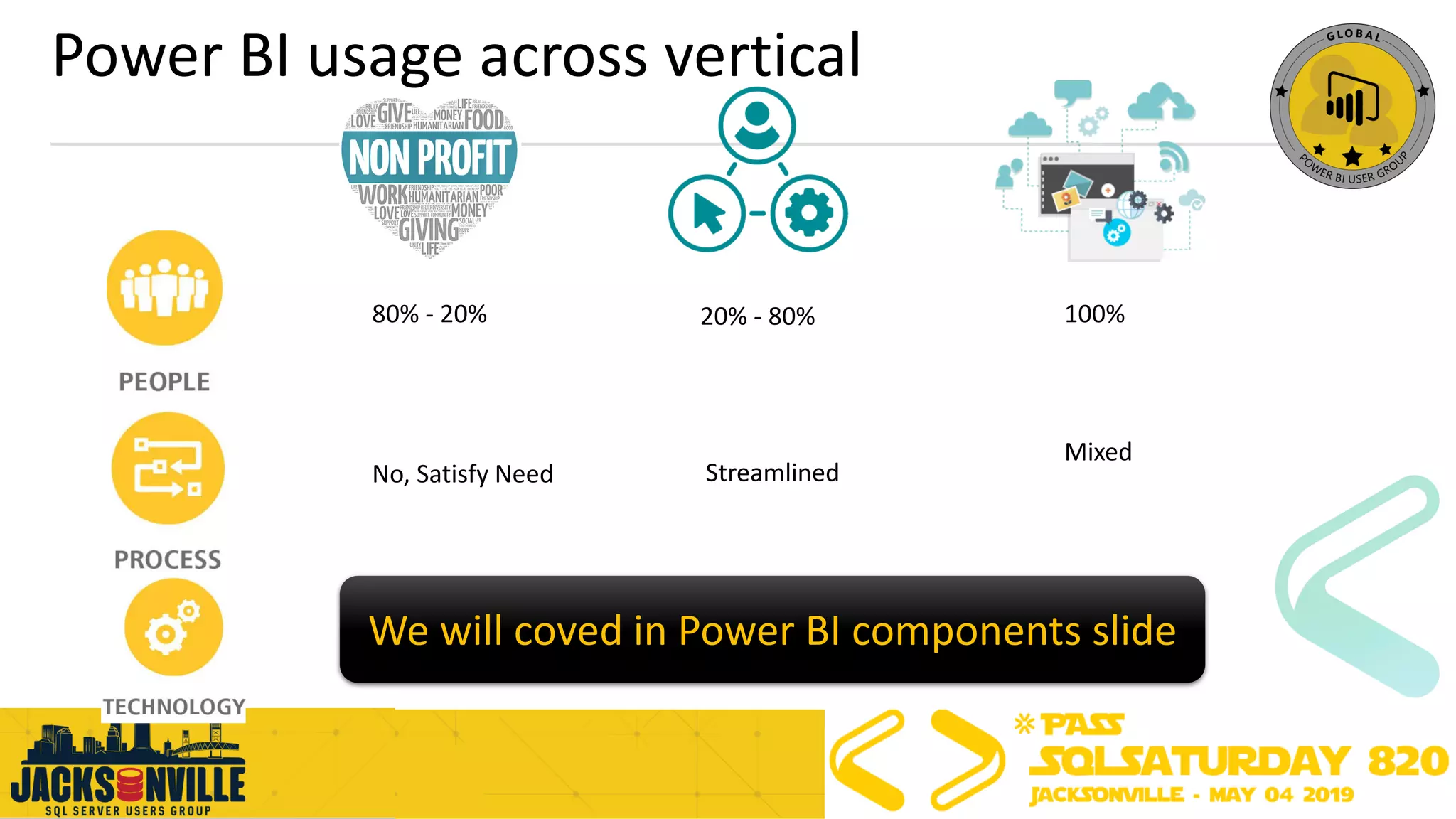
Power BI usage across vertical
80% - 20% 20% - 80% 100%
No, Satisfy Need Streamlined
Mixed
We will coved in Power BI components slide
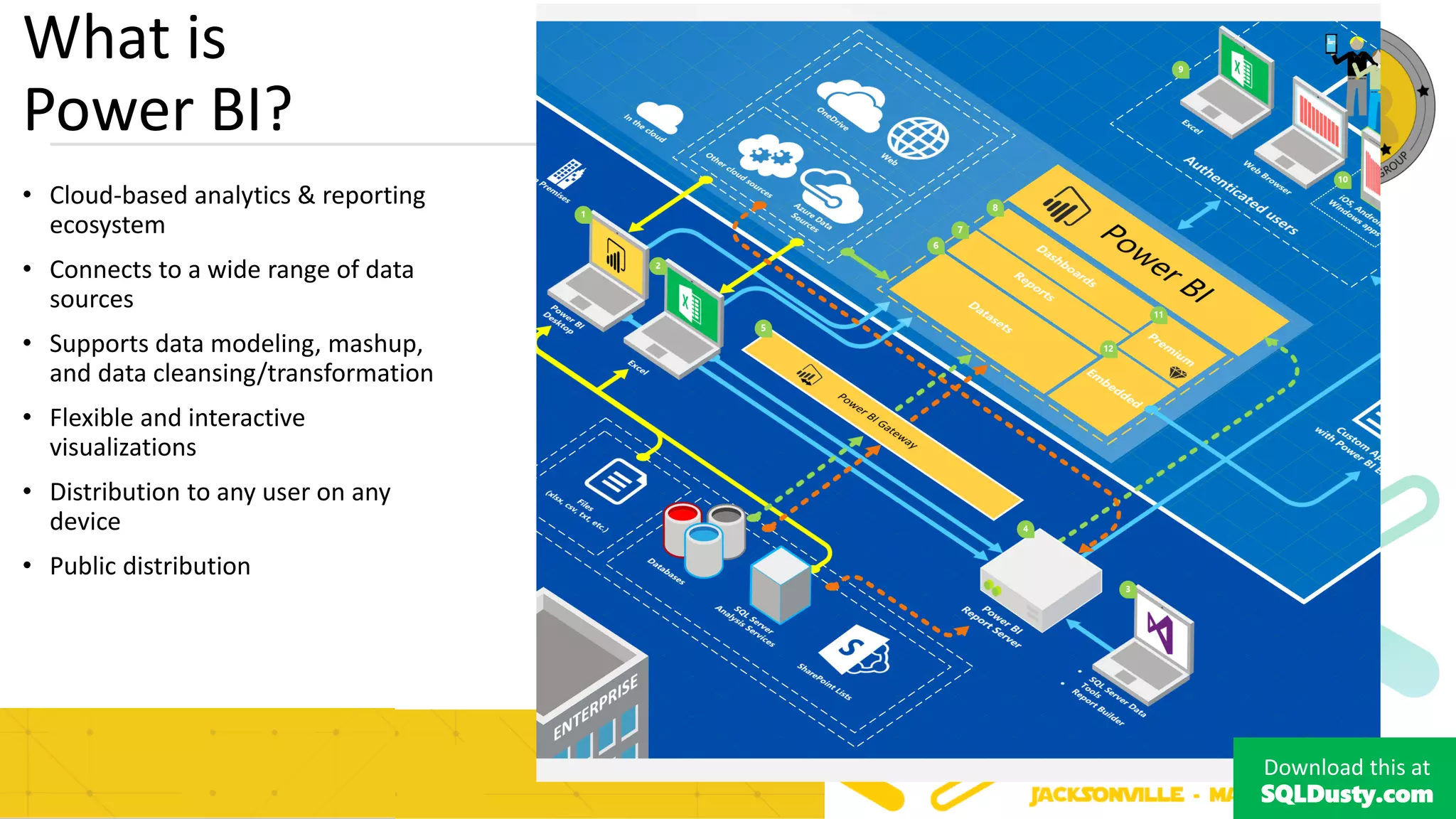
What is
Power BI?
• Cloud-based analytics & reporting
ecosystem
• Connects to a wide range of data
sources
• Supports data modeling, mashup,
and data cleansing/transformation
• Flexible and interactive
visualizations
• Distribution to any user on any
device
• Public distribution
Download this at
SQLDusty.com
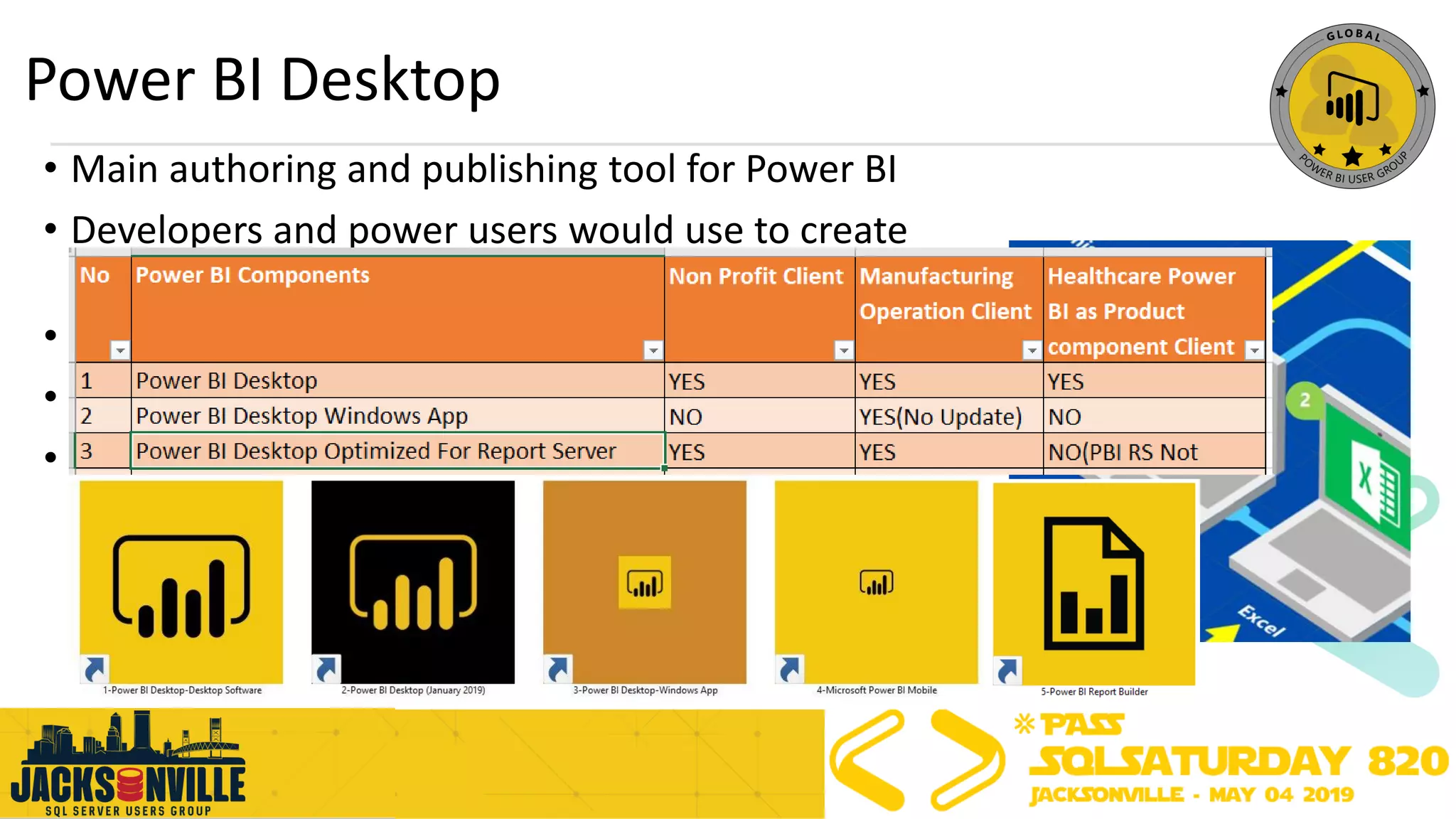
Power BI Desktop
• Main authoring and publishing tool for Power BI
• Developers and power users would use to create
brand new models and reports from scratch
• Installed on a developer work station
• Costs $0 aka Free
• Development ?
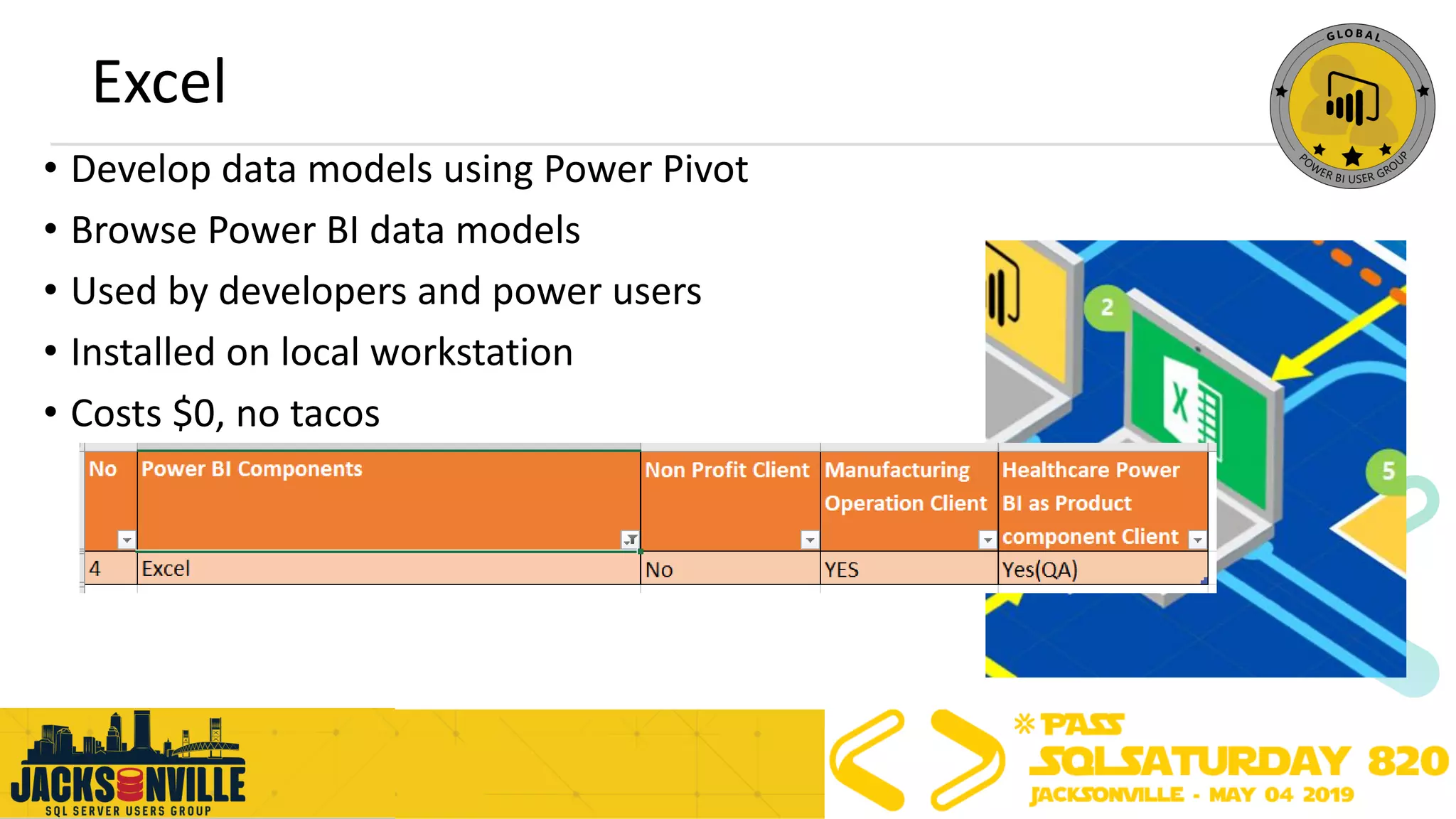
Excel
• Develop data models using Power Pivot
• Browse Power BI data models
• Used by developers and power users
• Installed on local workstation
• Costs $0, no tacos
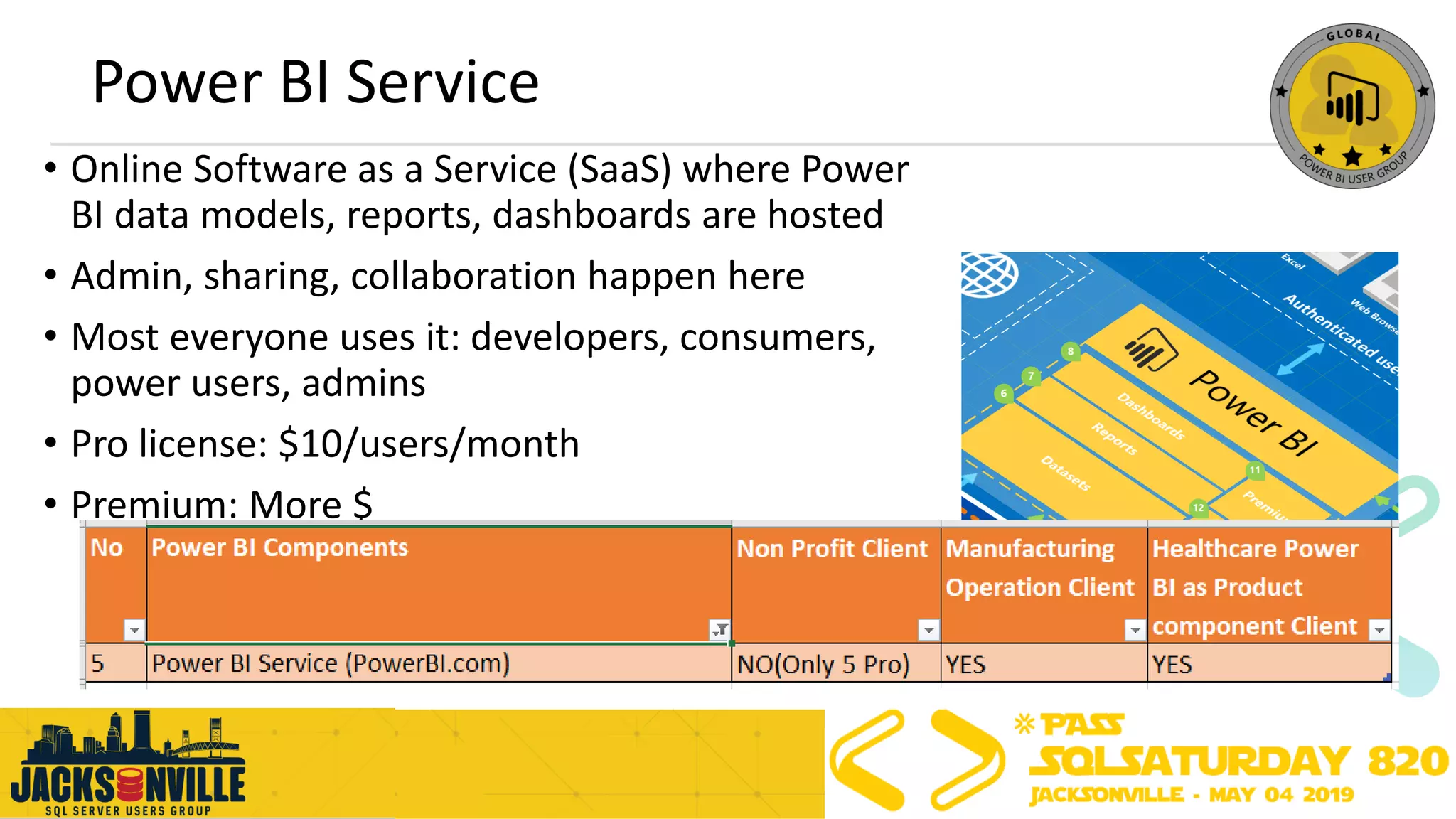
Power BI Service
• Online Software as a Service (SaaS) where Power
BI data models, reports, dashboards are hosted
• Admin, sharing, collaboration happen here
• Most everyone uses it: developers, consumers,
power users, admins
• Pro license: $10/users/month
• Premium: More $
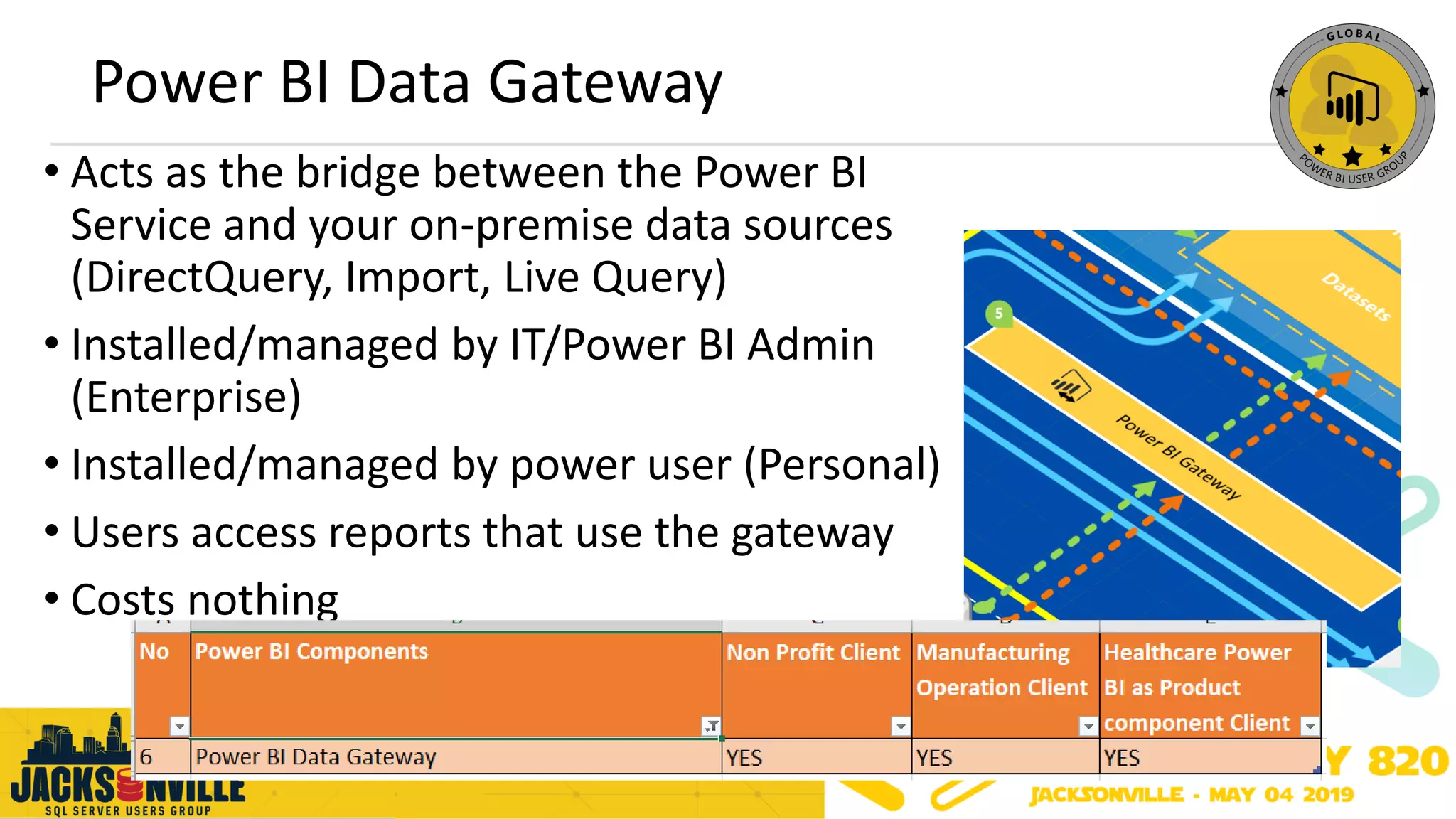
Power BI Data Gateway
• Acts as the bridge between the Power BI
Service and your on-premise data sources
(DirectQuery, Import, Live Query)
• Installed/managed by IT/Power BI Admin
(Enterprise)
• Installed/managed by power user (Personal)
• Users access reports that use the gateway
• Costs nothing
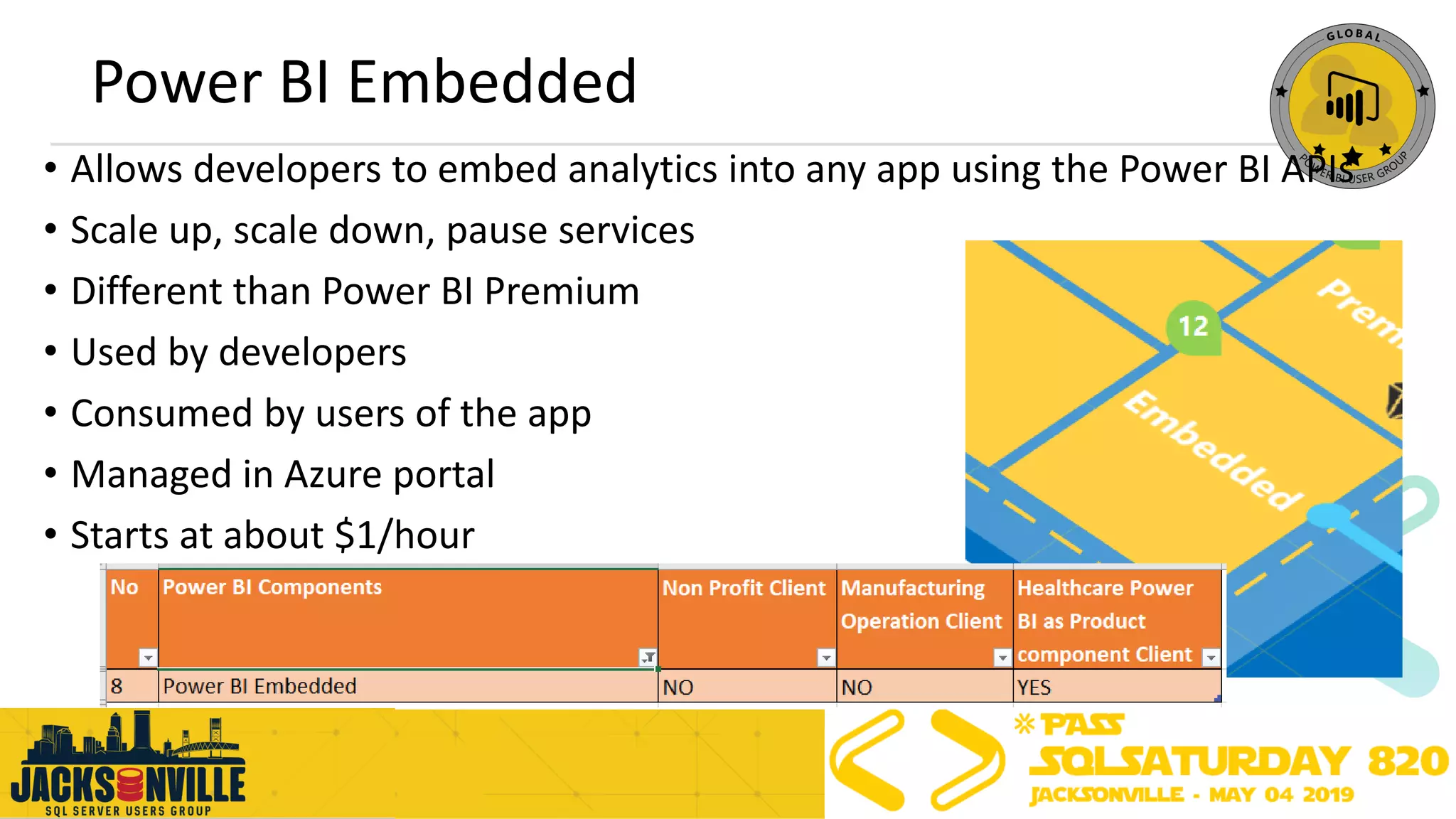
Power BI Embedded
• Allows developers to embed analytics into any app using the Power BI APIs
• Scale up, scale down, pause services
• Different than Power BI Premium
• Used by developers
• Consumed by users of the app
• Managed in Azure portal
• Starts at about $1/hour
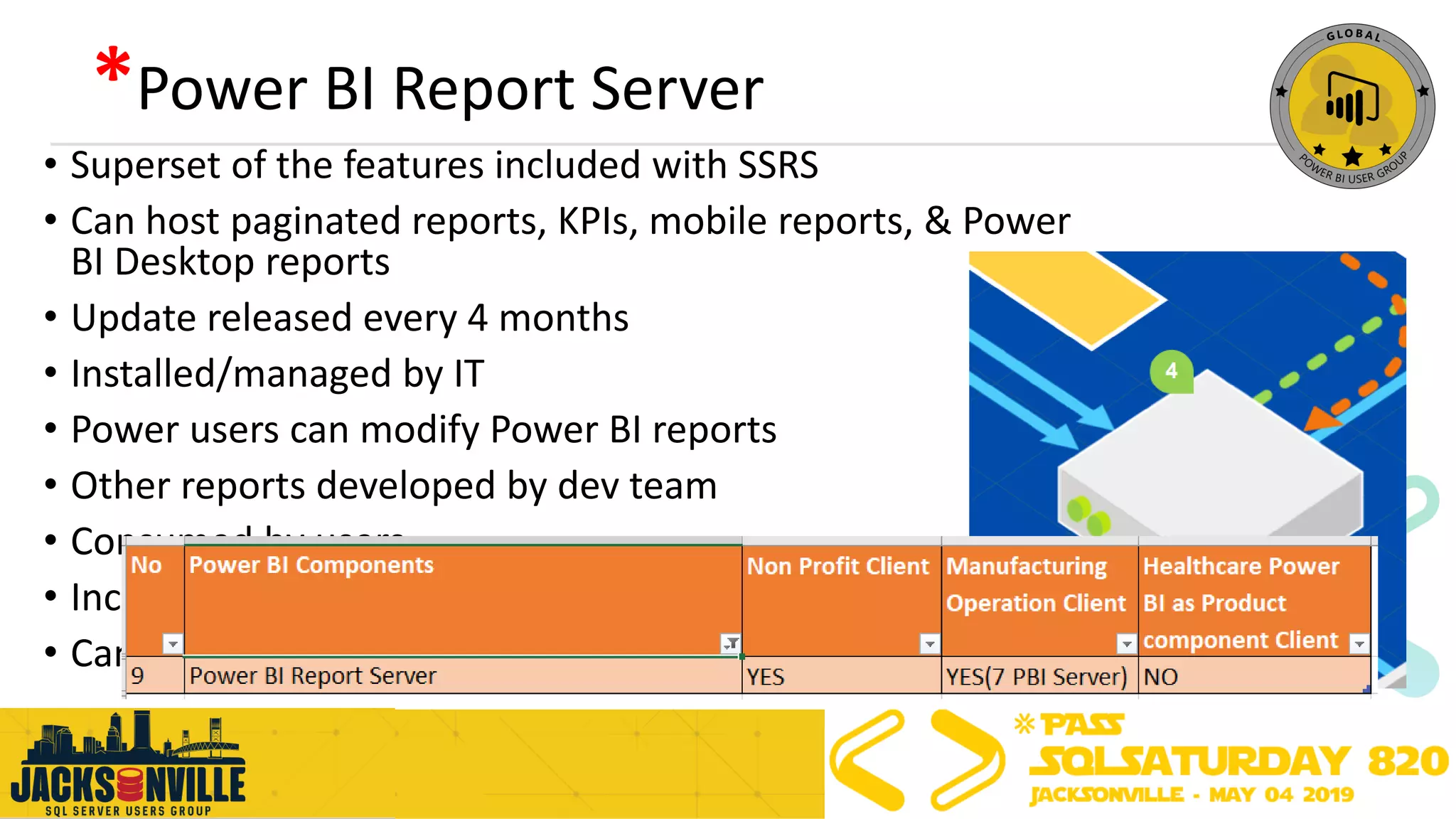
*Power BI Report Server
• Superset of the features included with SSRS
• Can host paginated reports, KPIs, mobile reports, & Power
BI Desktop reports
• Update released every 4 months
• Installed/managed by IT
• Power users can modify Power BI reports
• Other reports developed by dev team
• Consumed by users
• Included with Premium
• Can also purchase w/ SQL EE + SA
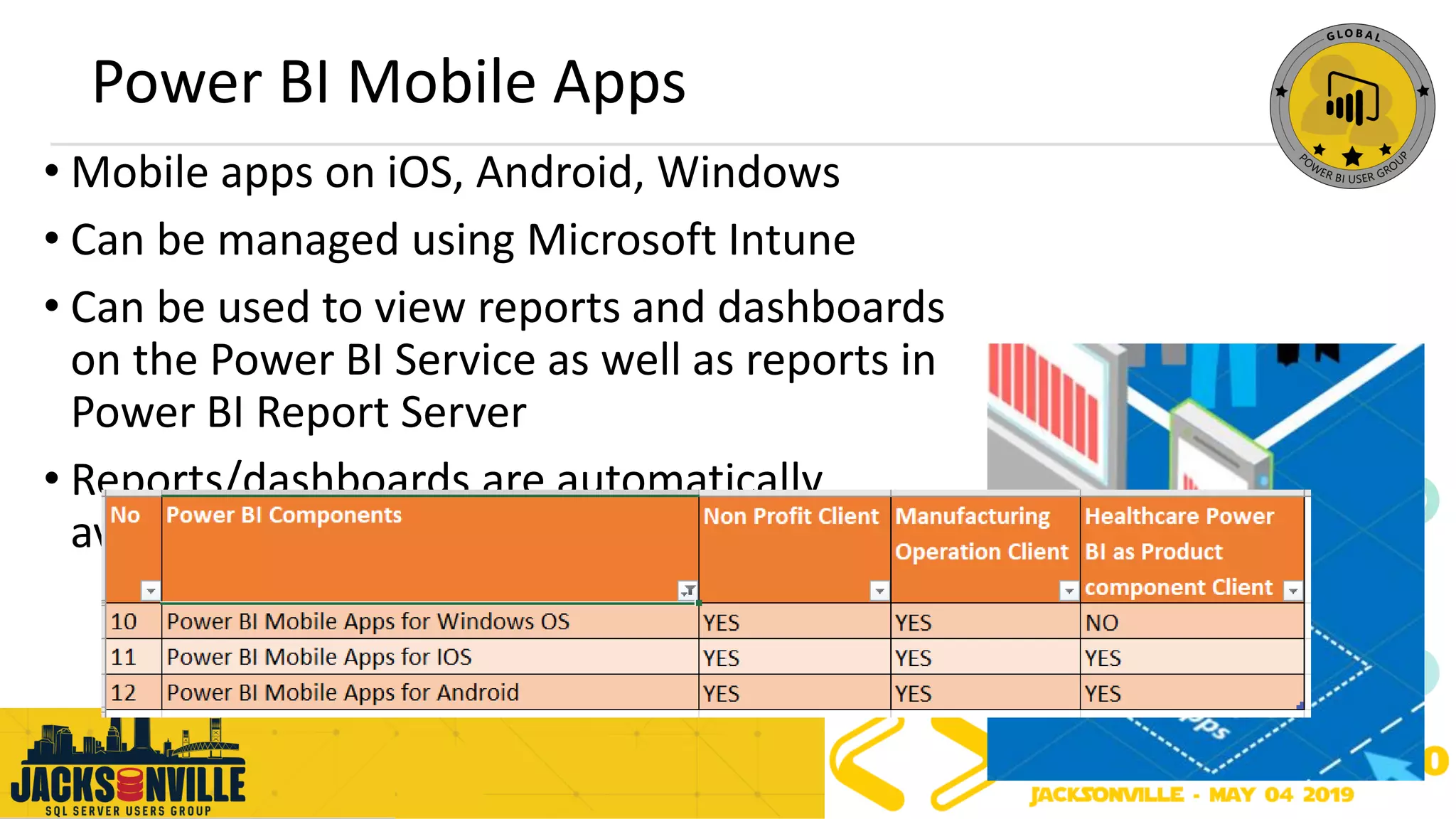
Power BI Mobile Apps
• Mobile apps on iOS, Android, Windows
• Can be managed using Microsoft Intune
• Can be used to view reports and dashboards
on the Power BI Service as well as reports in
Power BI Report Server
• Reports/dashboards are automatically
available on mobile devices
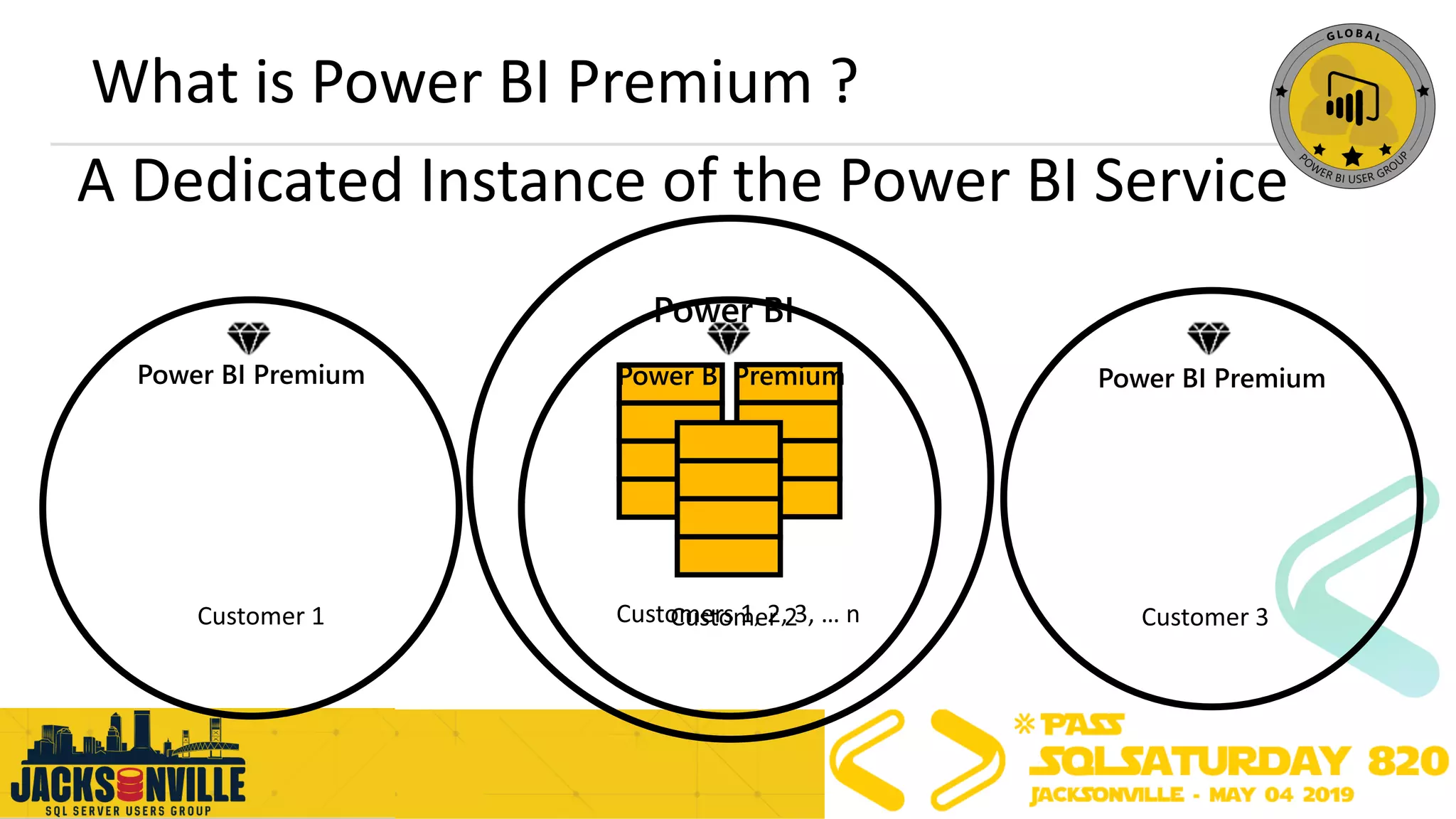
A Dedicated Instance of the Power BI Service
What is Power BI Premium ?
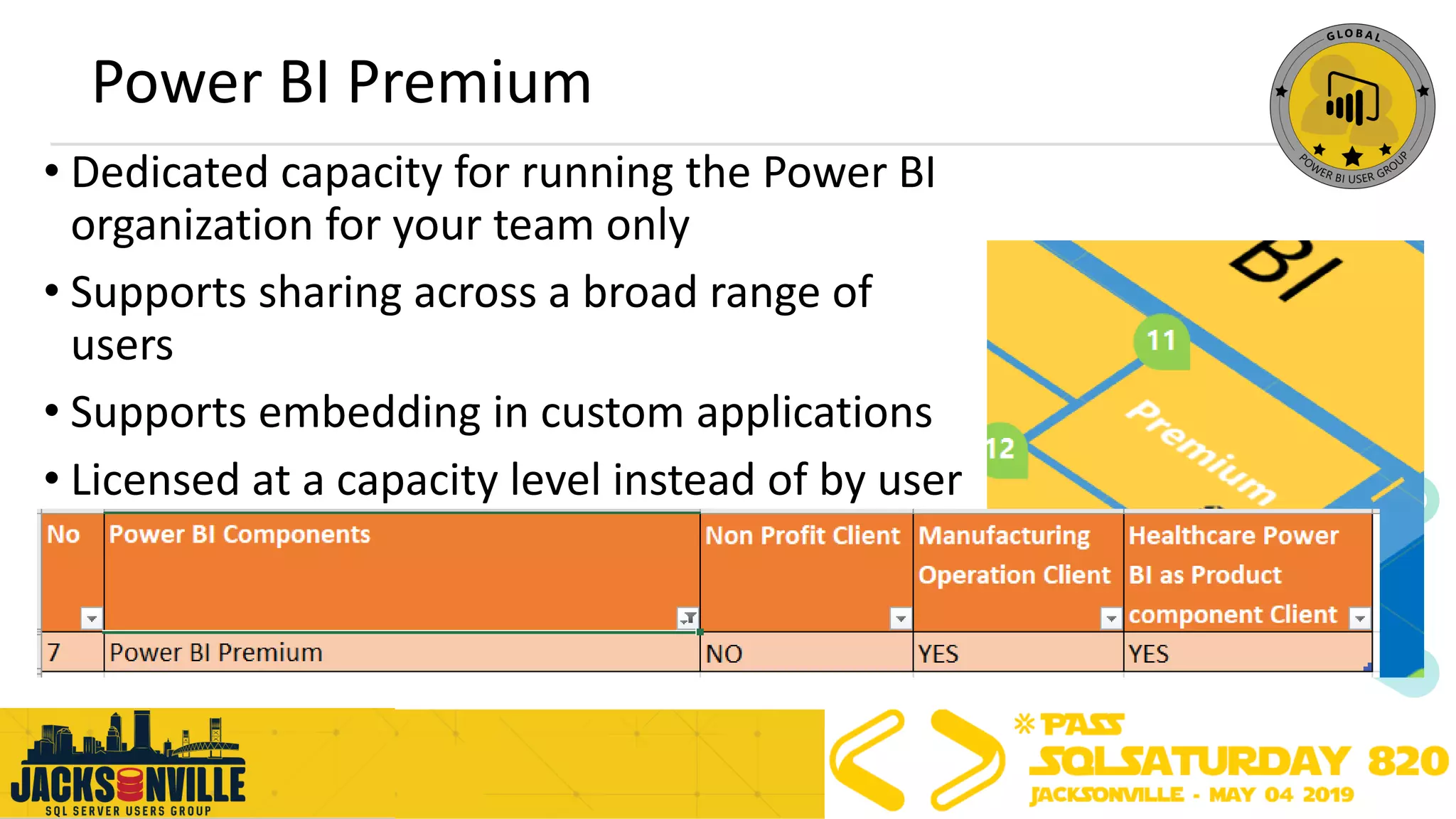
Power BI Premium
• Dedicated capacity for running the Power BI
organization for your team only
• Supports sharing across a broad range of
users
• Supports embedding in custom applications
• Licensed at a capacity level instead of by user
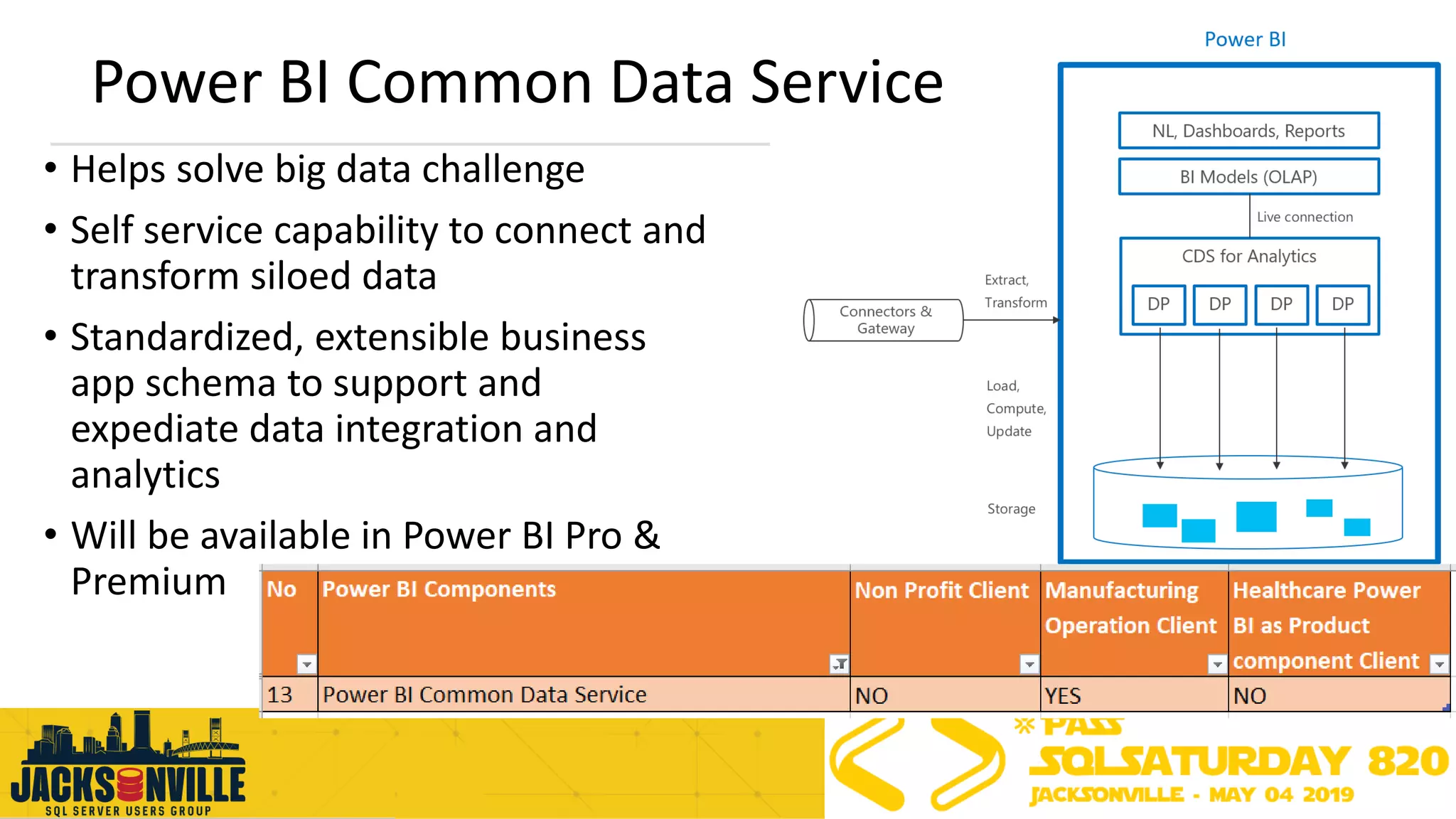
Power BI Common Data Service
• Helps solve big data challenge
• Self service capability to connect and
transform siloed data
• Standardized, extensible business
app schema to support and
expediate data integration and
analytics
• Will be available in Power BI Pro &
Premium
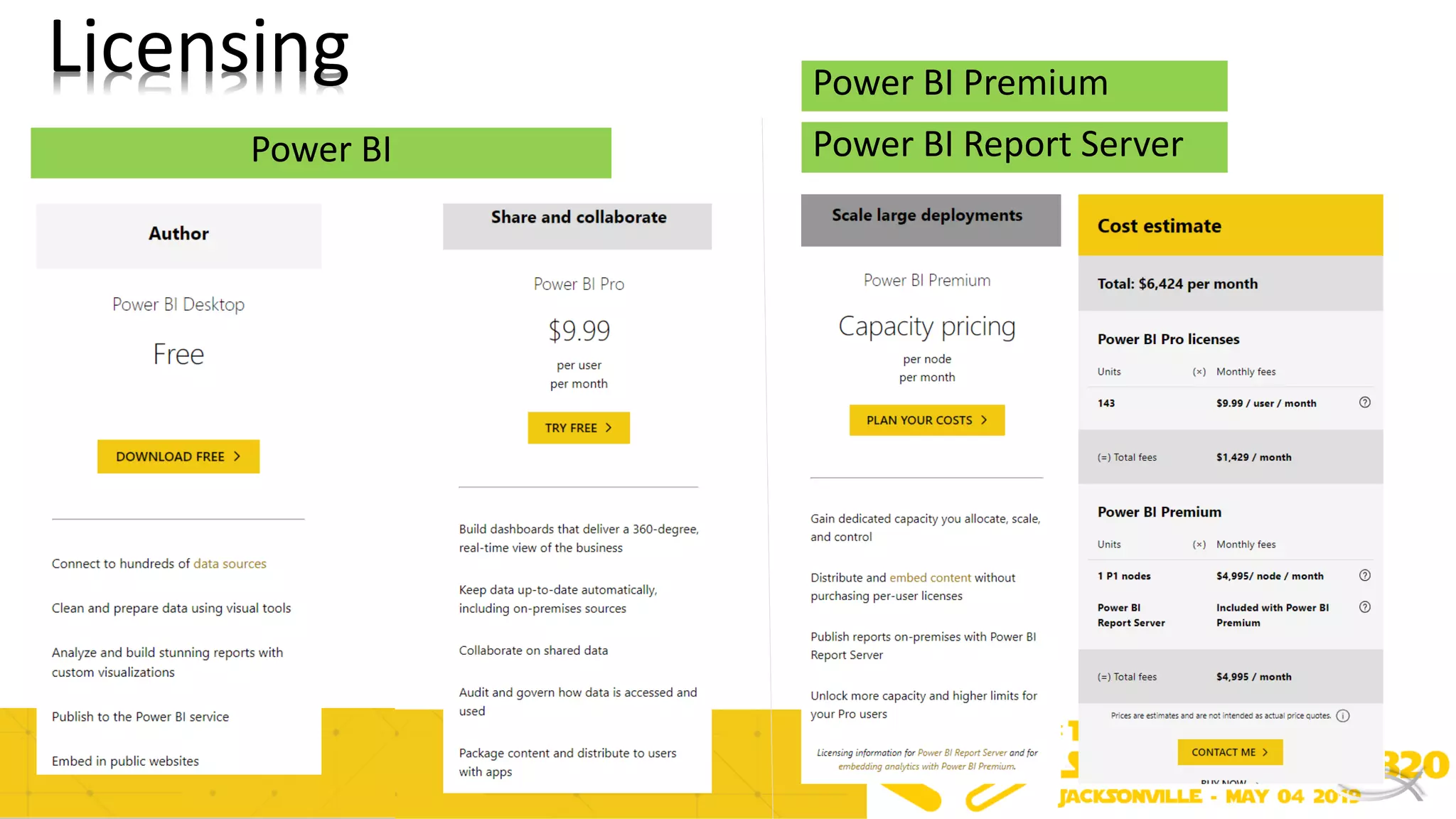
Power BI Power BI Report Server
Licensing Power BI Premium
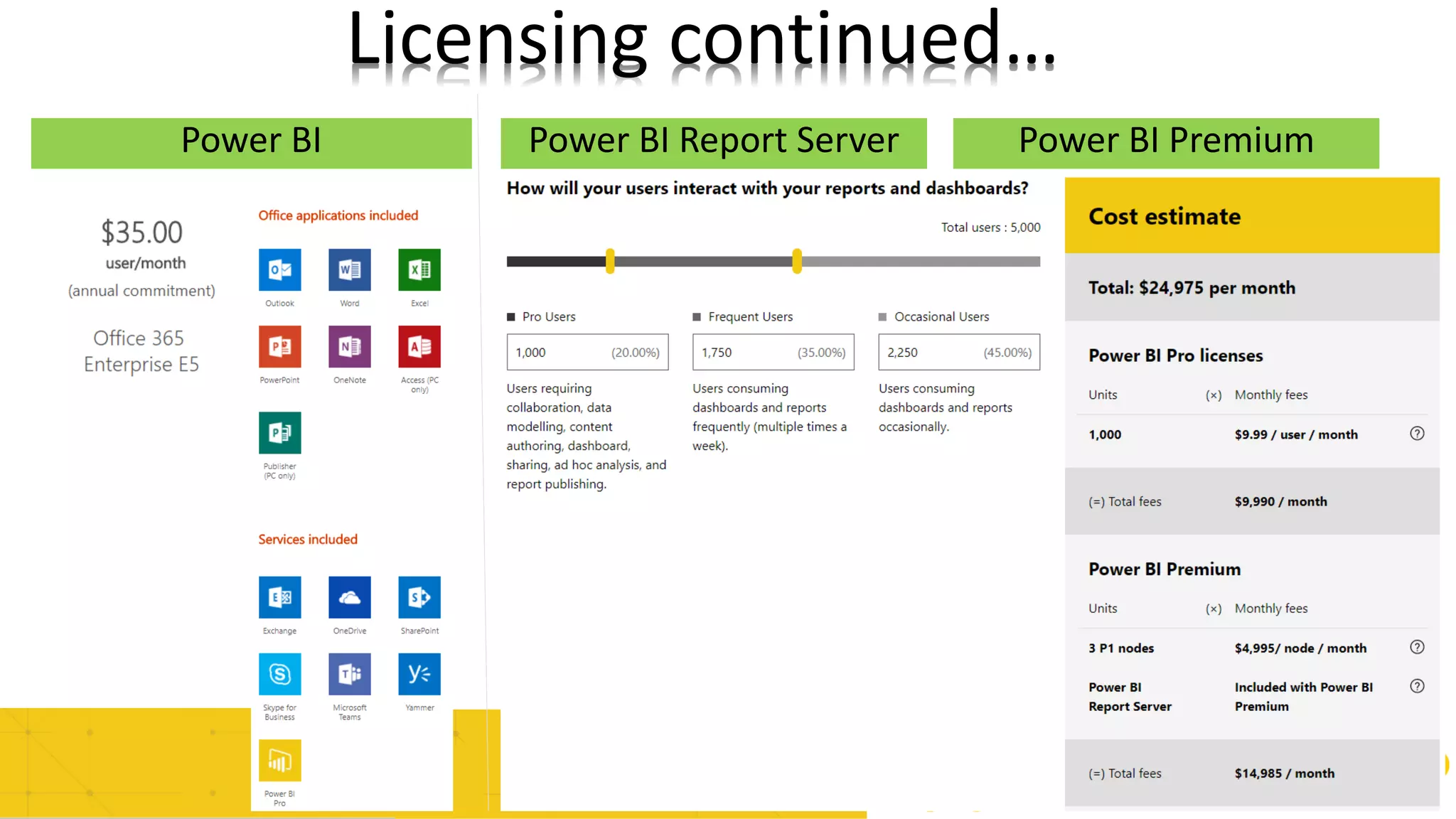
Power BI Power BI Report Server
Licensing continued…
Power BI Premium
Agenda
➢Power BI Ecosystem
➢Architecture of Power BI Report Server
➢Best Practices for PBI Report Server
➢General Best Practices Power BI Ecosystem
➢Q&A
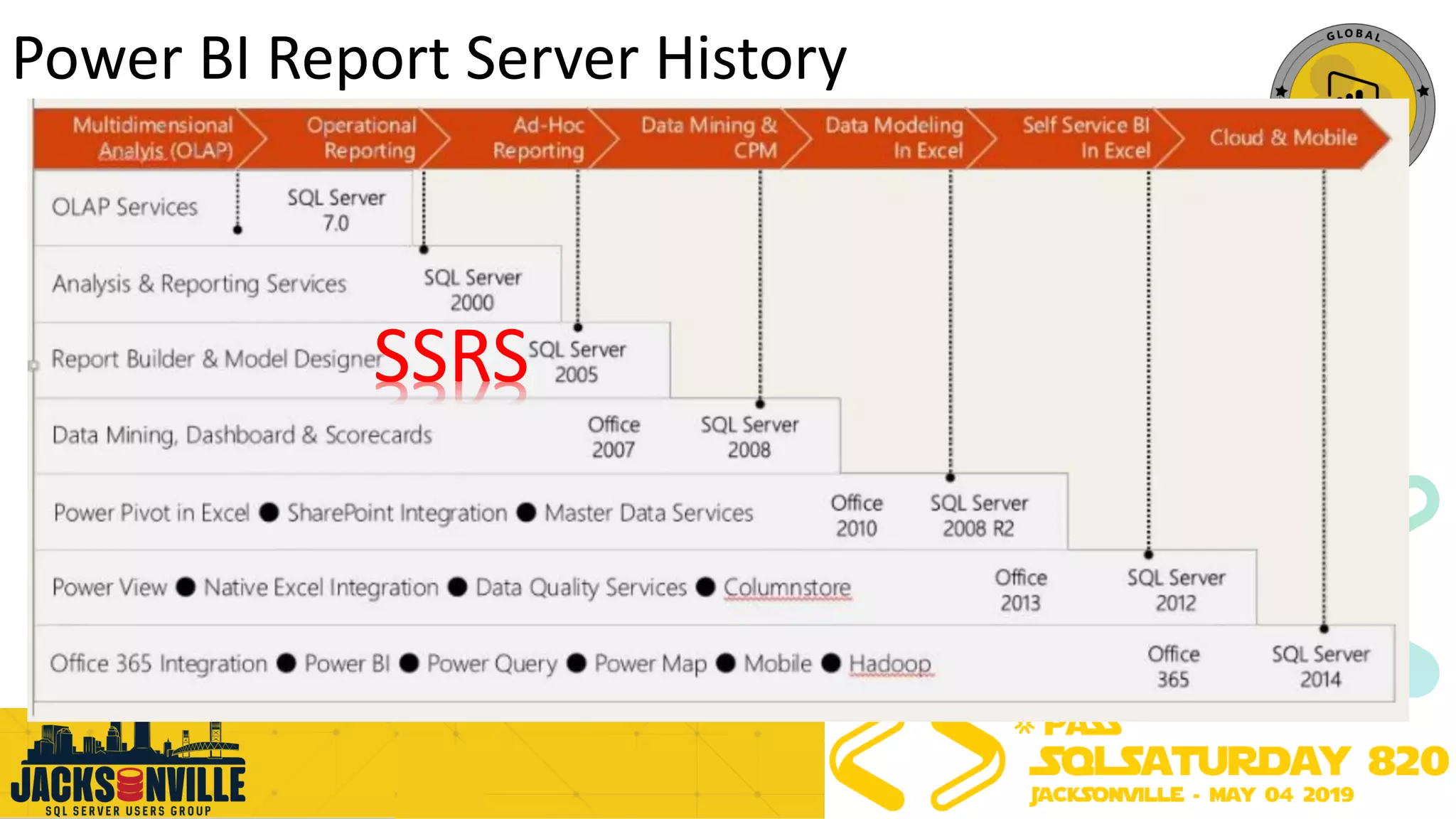
Power BI Report Server History
SSRS
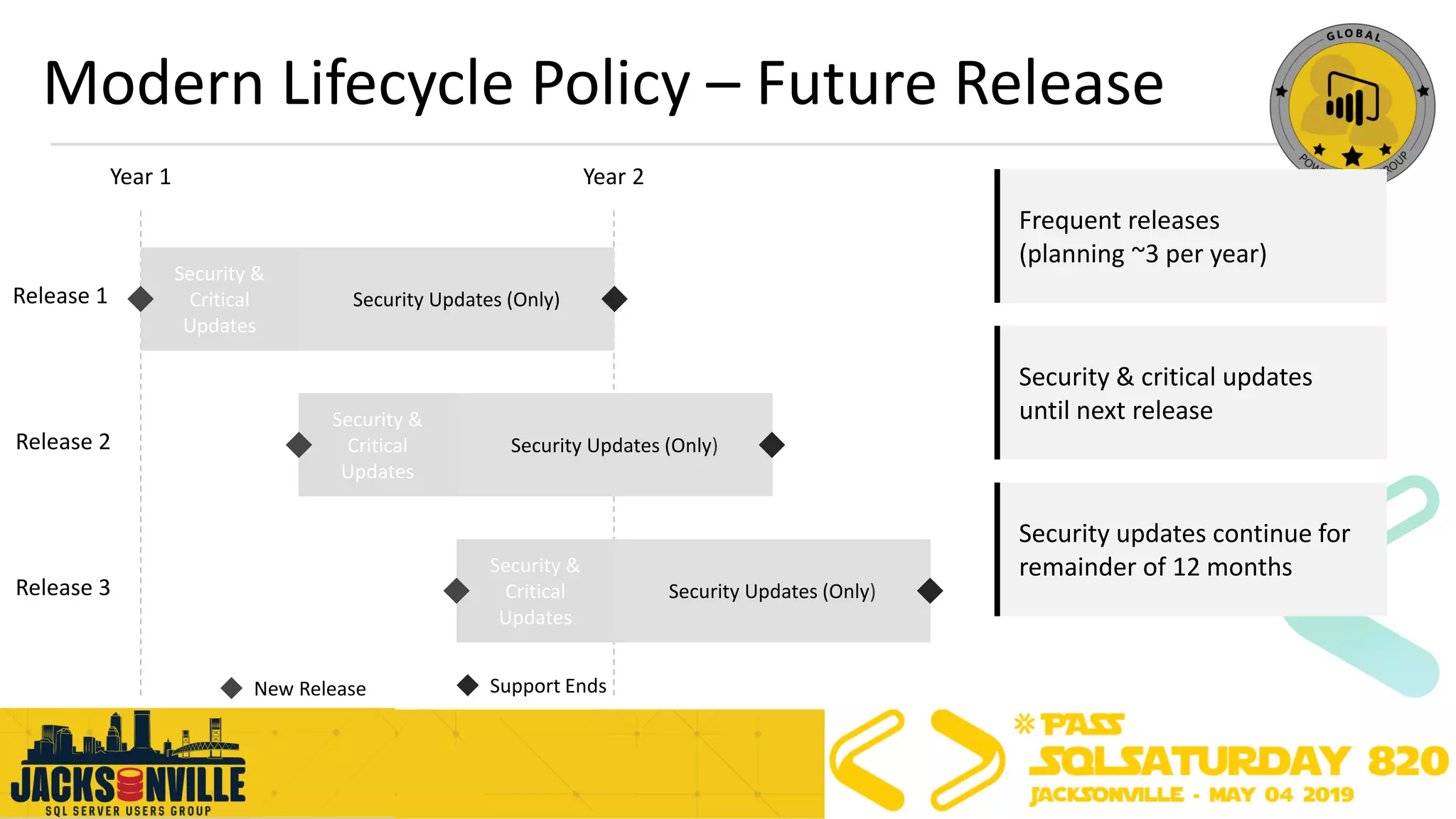
Modern Lifecycle Policy – Future Release
Year 1 Year 2
Security &
Critical
Updates
Security Updates (Only)
Security &
Critical
Updates
Security Updates (Only)
Security &
Critical
Updates
Security Updates (Only)
Release 1
Release 2
Release 3
Support EndsNew Release
Frequent releases
(planning ~3 per year)
Security & critical updates
until next release
Security updates continue for
remainder of 12 months
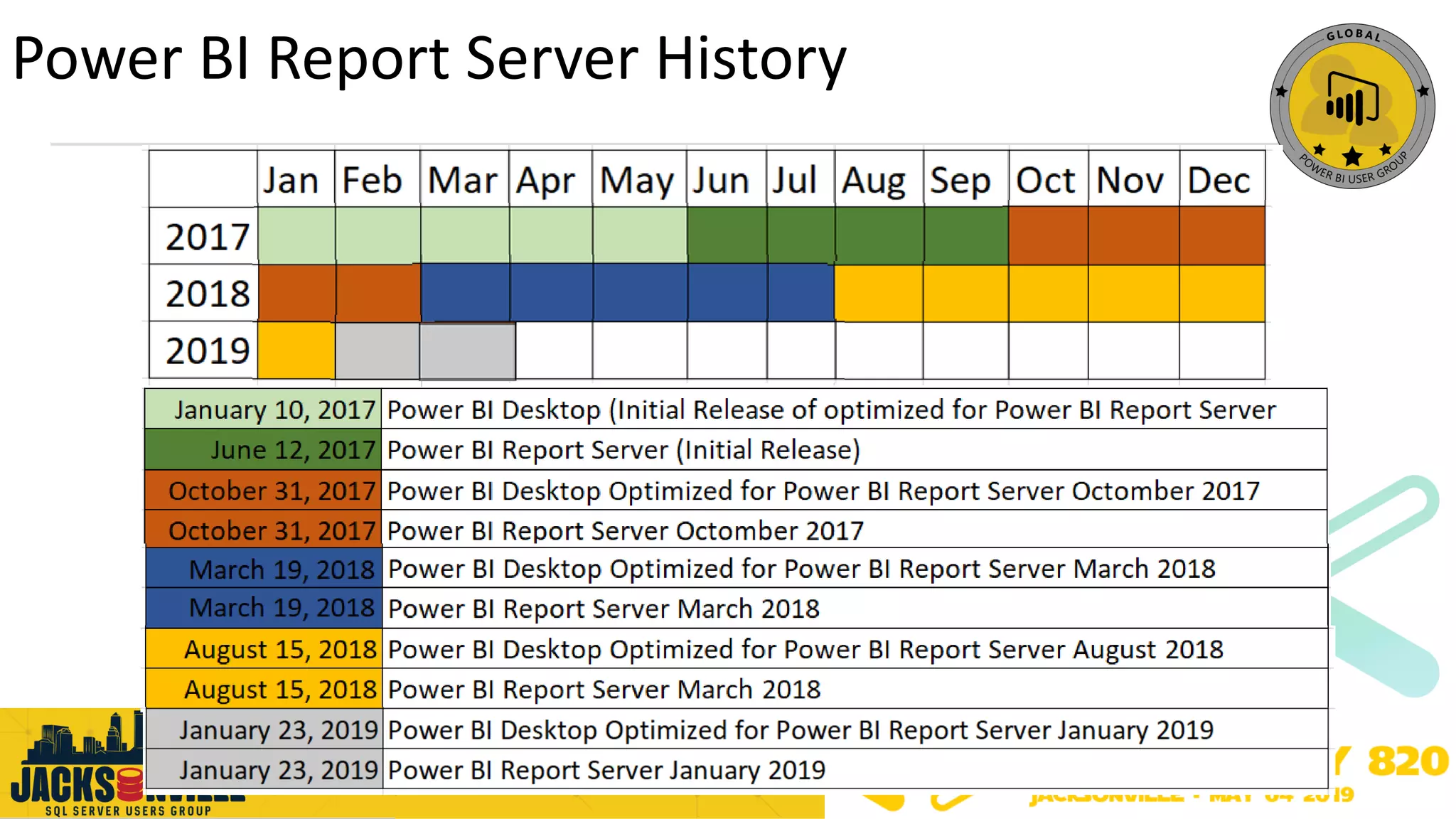
Power BI Report Server History
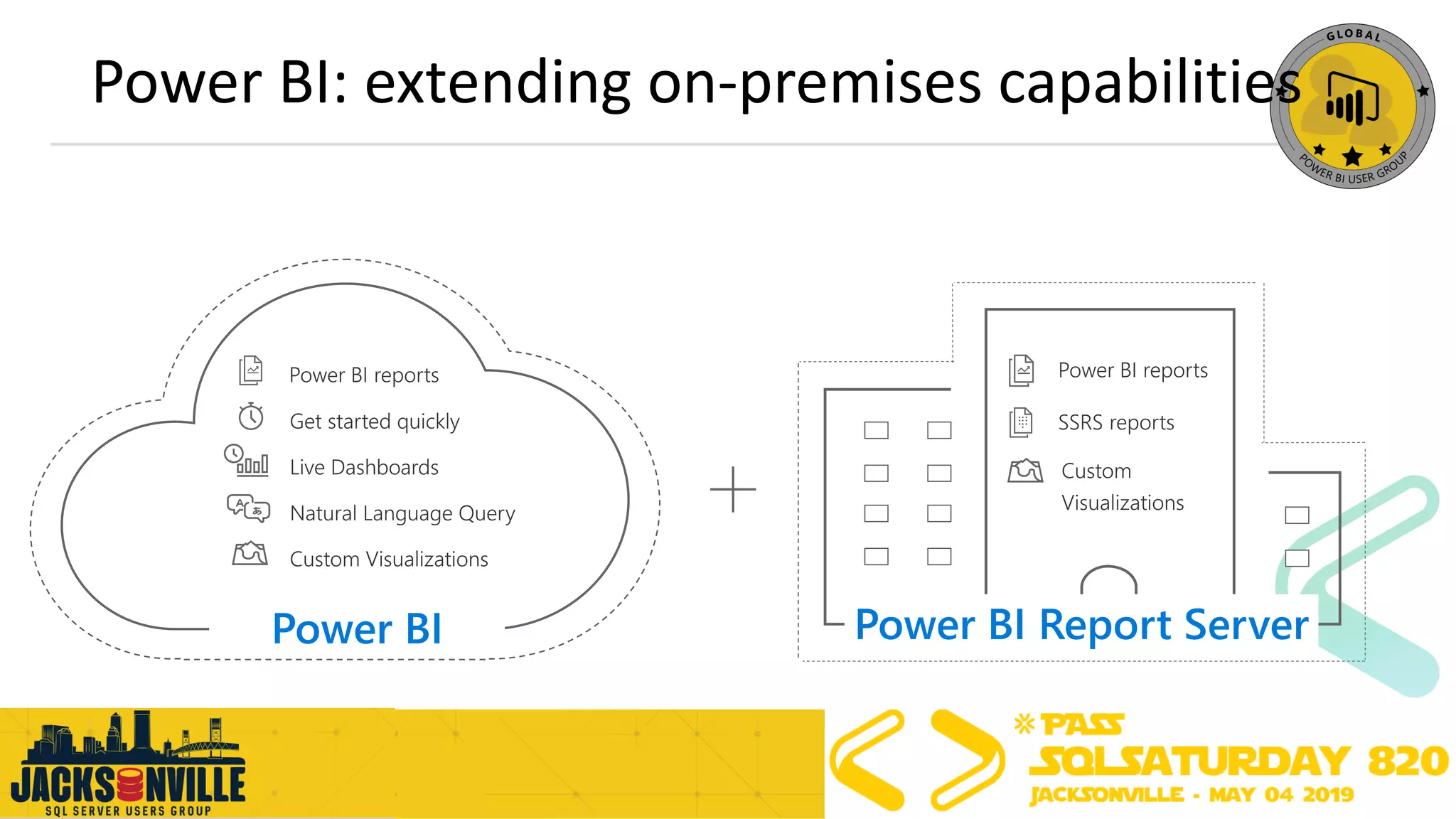
Power BI: extending on-premises capabilities
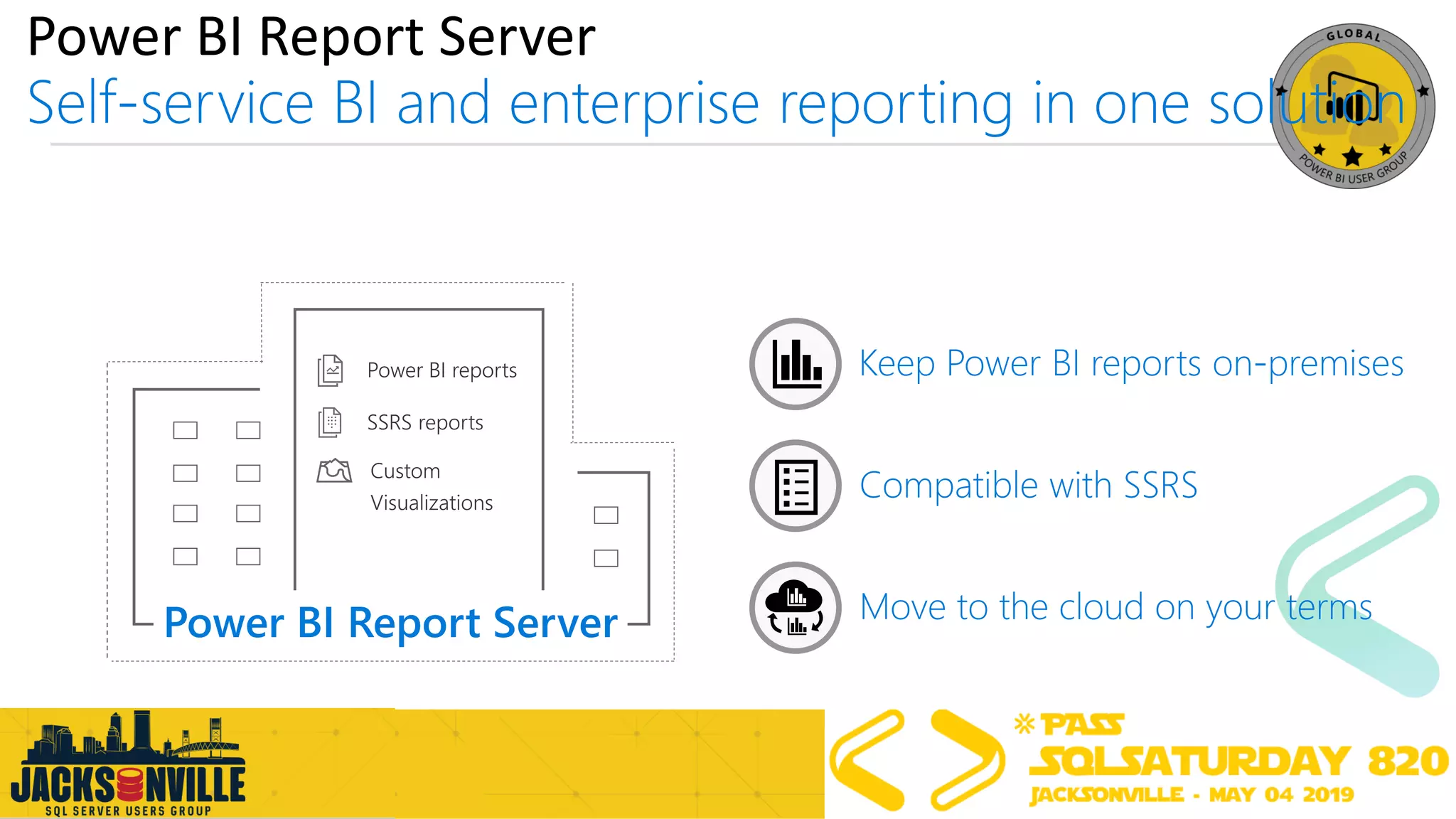
Power BI Report Server
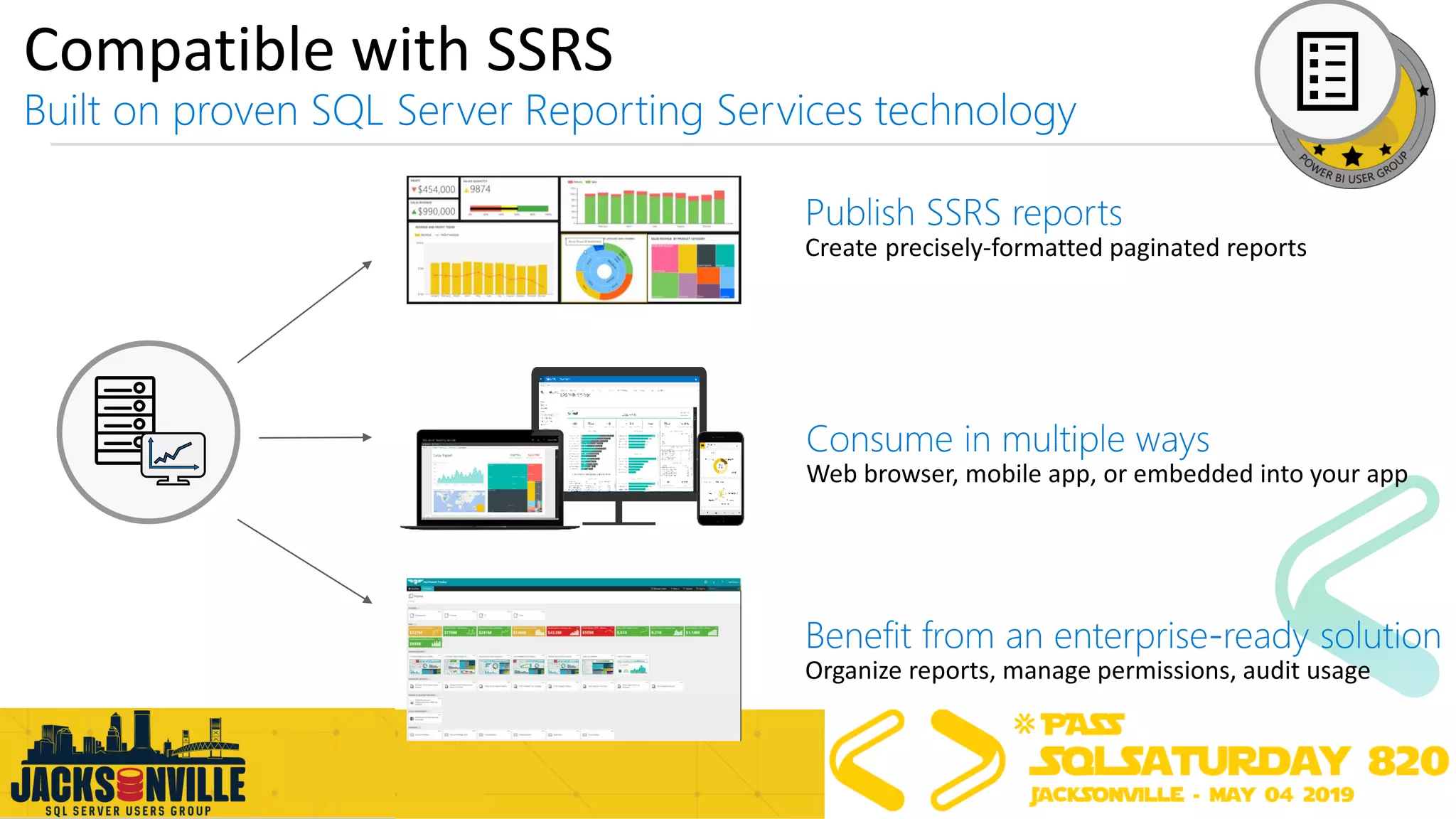
Compatible with SSRS
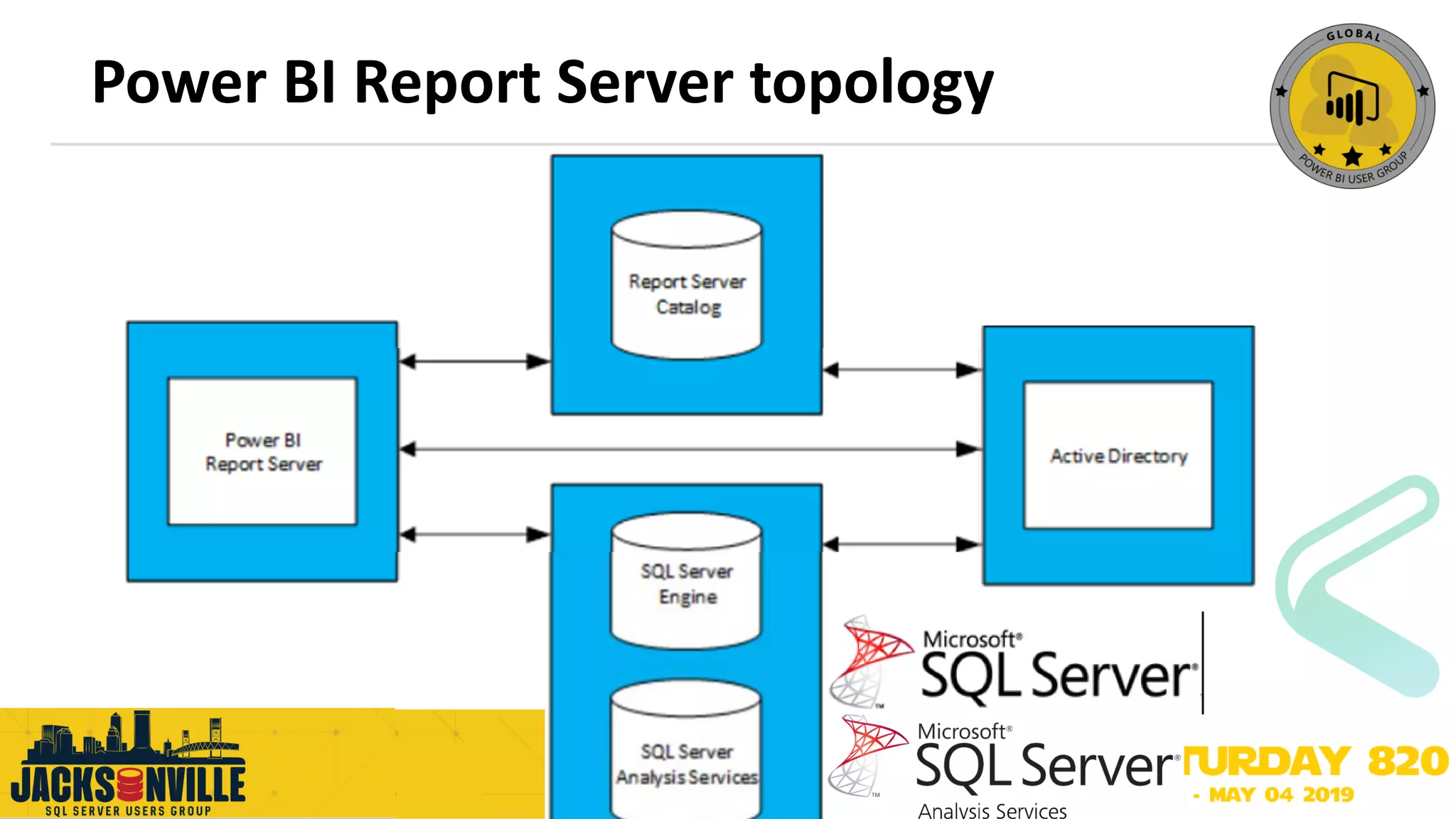
Power BI Report Server topology
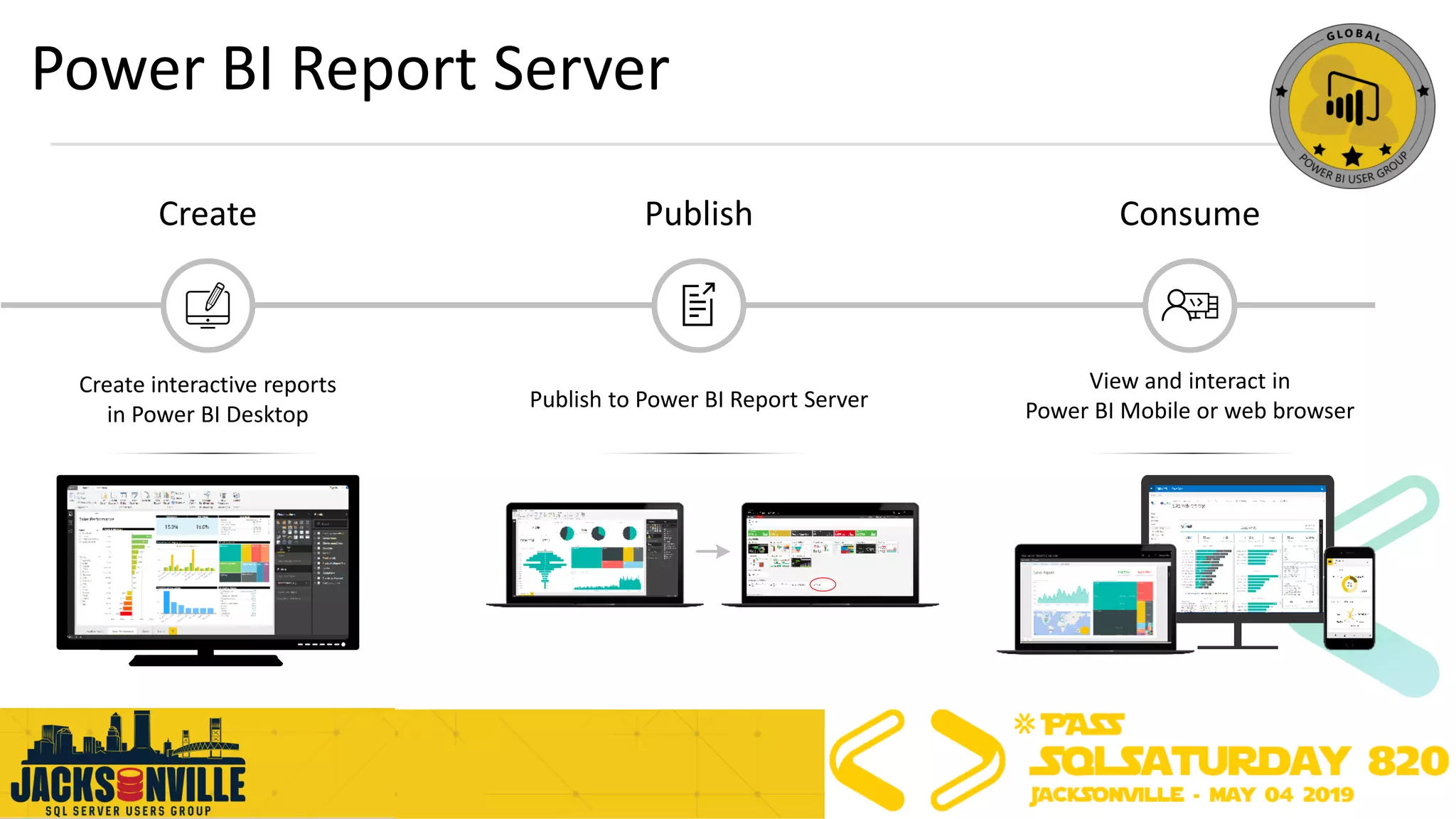
Power BI Report Server
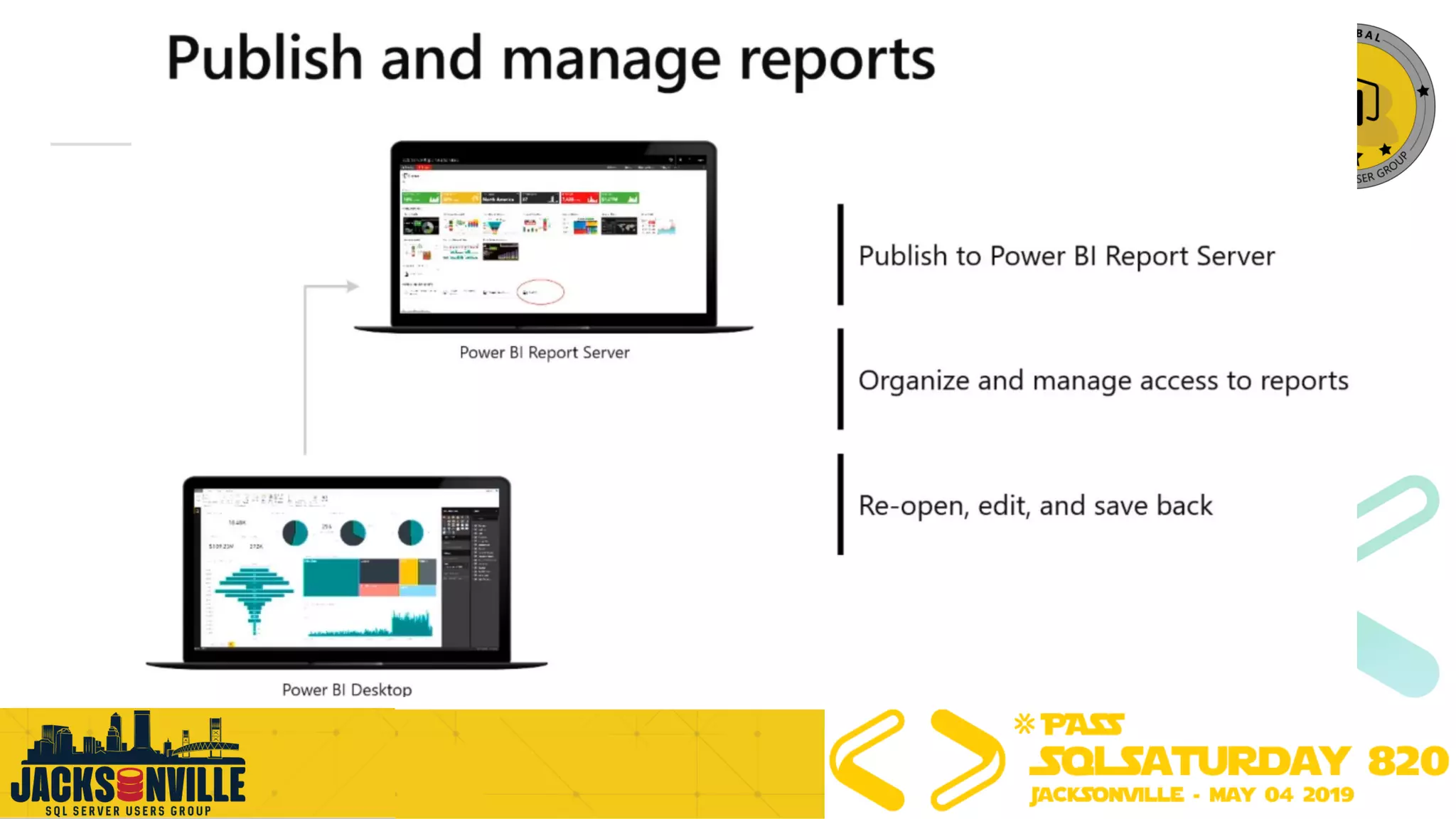
Create interactive reports
in Power BI Desktop
Create Publish
Publish to Power BI Report Server
Consume
View and interact in
Power BI Mobile or web browser
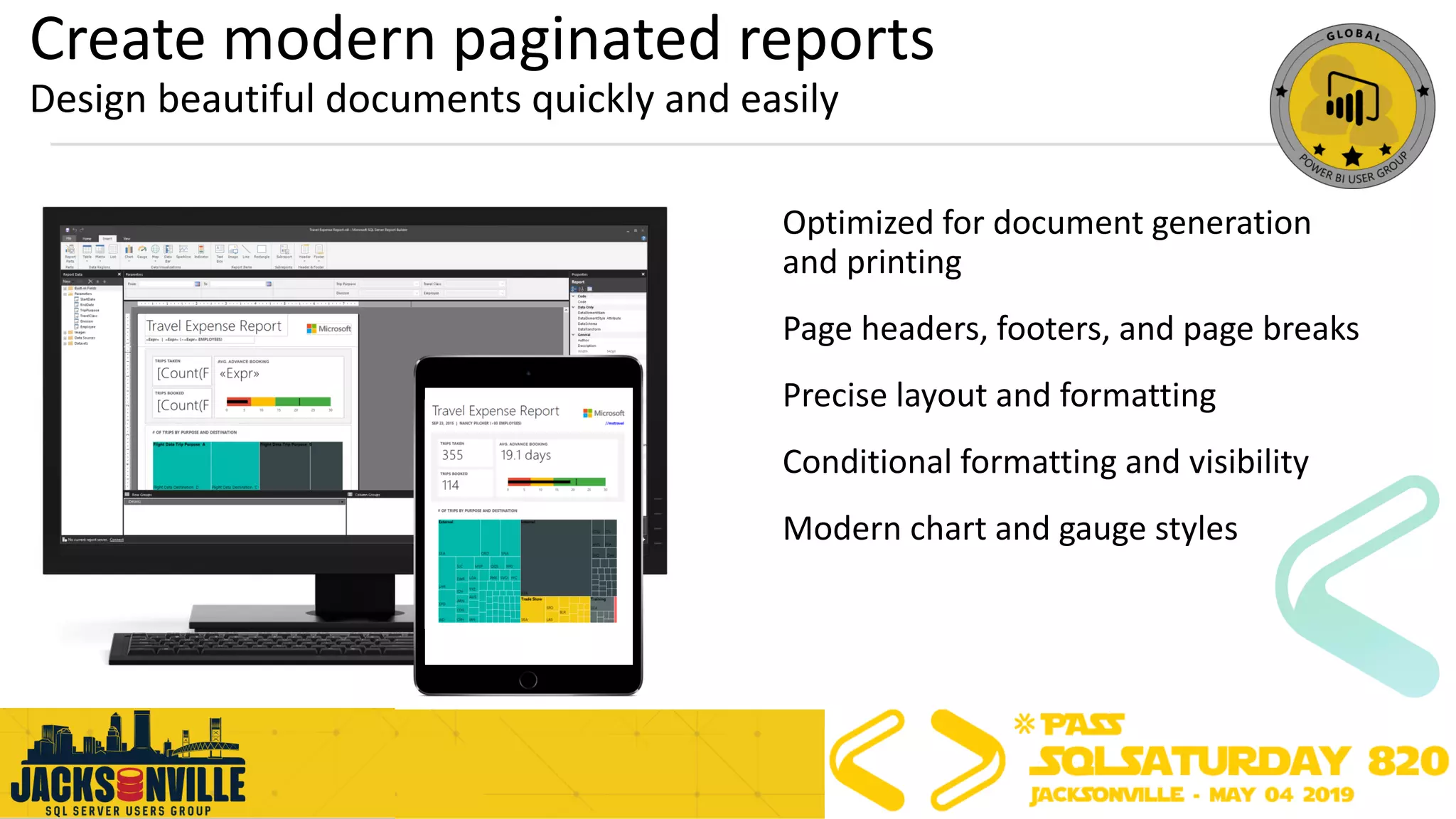
Create modern paginated reports
Design beautiful documents quickly and easily
Optimized for document generation
and printing
Page headers, footers, and page breaks
Precise layout and formatting
Conditional formatting and visibility
Modern chart and gauge styles
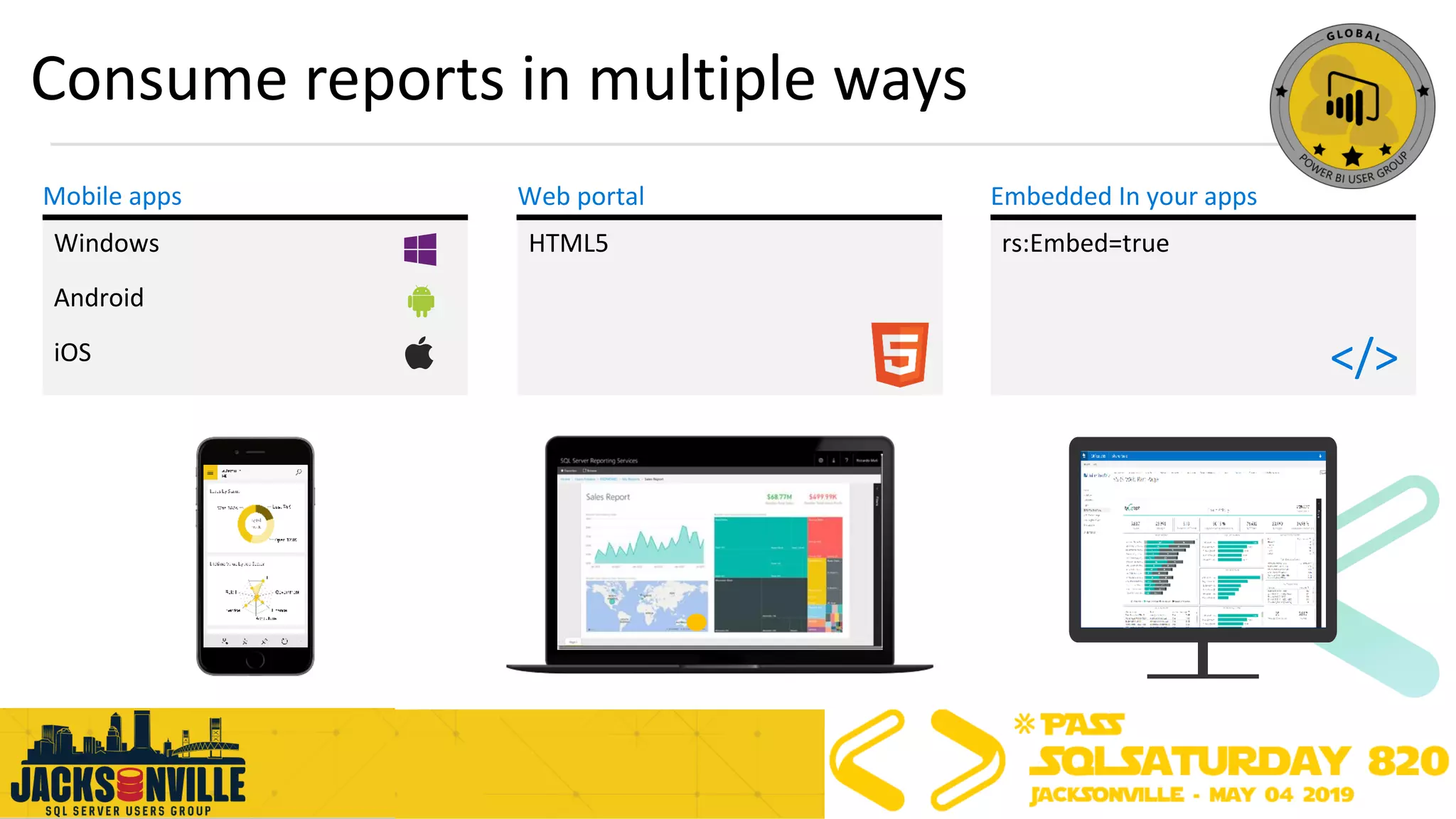
HTML5 rs:Embed=true
Consume reports in multiple ways
Mobile apps
</>
Windows
Android
iOS
Web portal Embedded In your apps
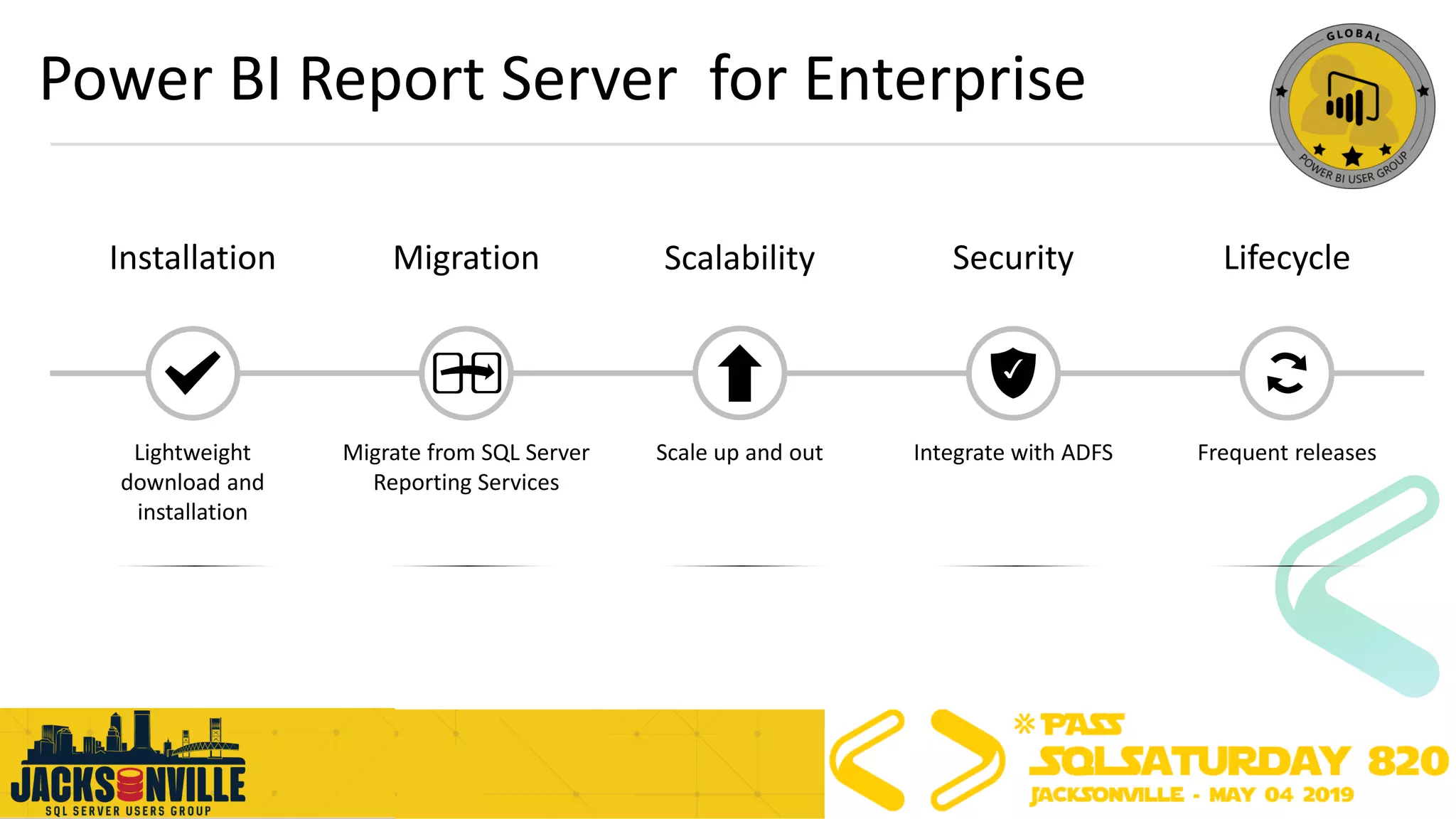
Power BI Report Server for Enterprise
Lifecycle
Frequent releases
Security
Integrate with ADFSScale up and out
Scalability
Migrate from SQL Server
Reporting Services
MigrationInstallation
Lightweight
download and
installation
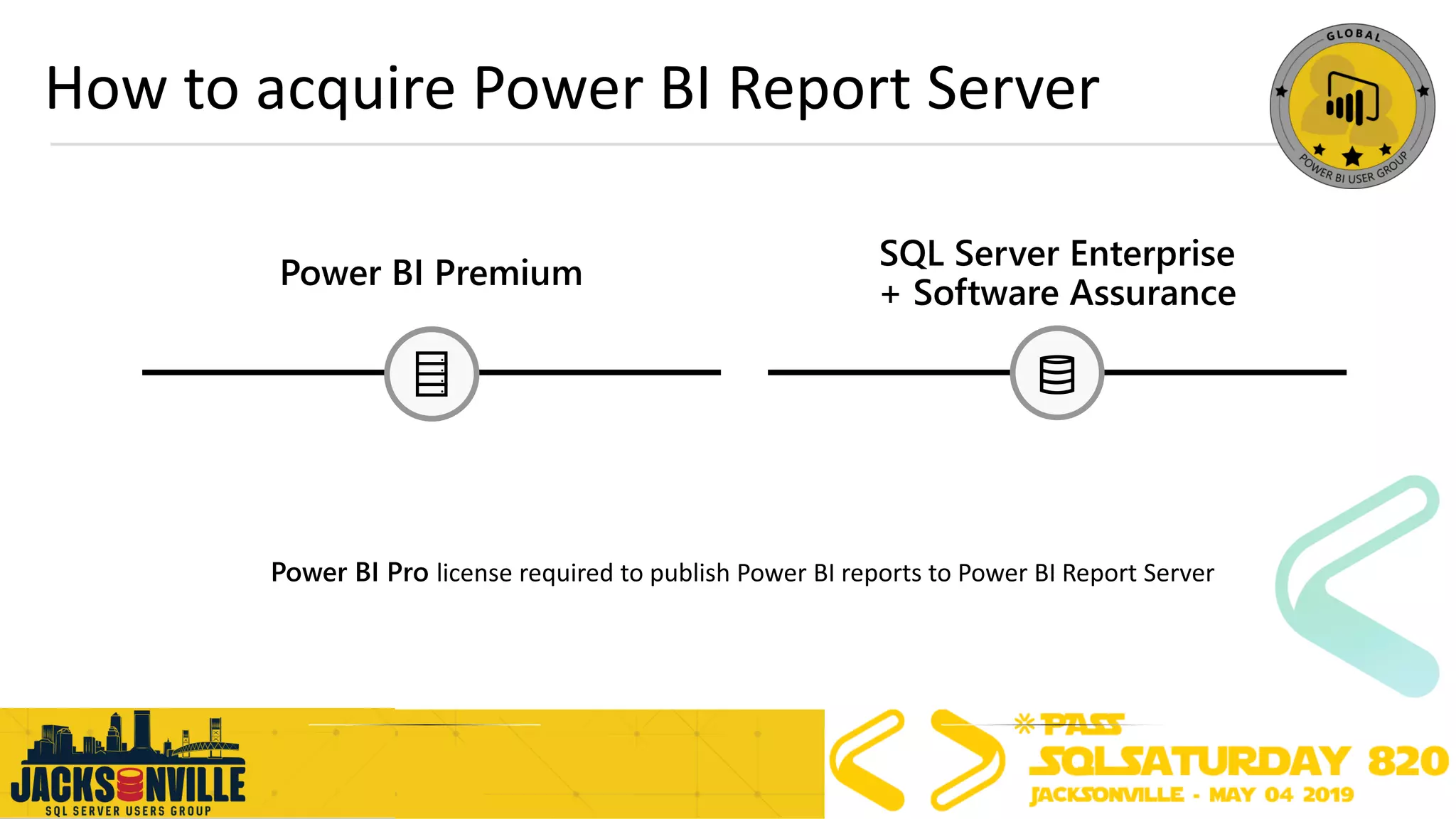
How to acquire Power BI Report Server
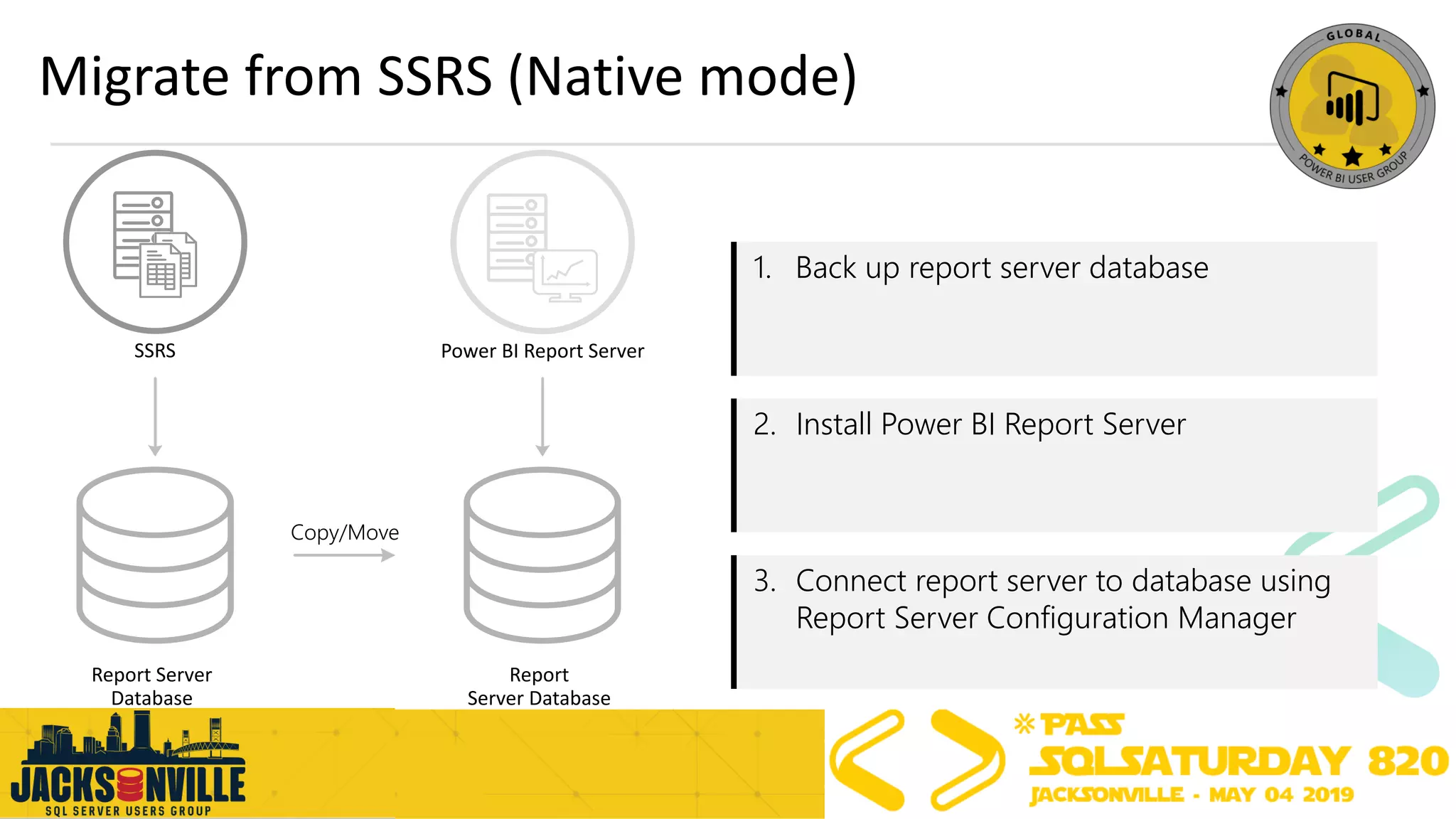
Migrate from SSRS (Native mode)
SSRS Power BI Report Server
1. Back up report server database
2. Install Power BI Report Server
3. Connect report server to database using
Report Server Configuration Manager
Copy/Move
Report Server
Database
Report
Server Database
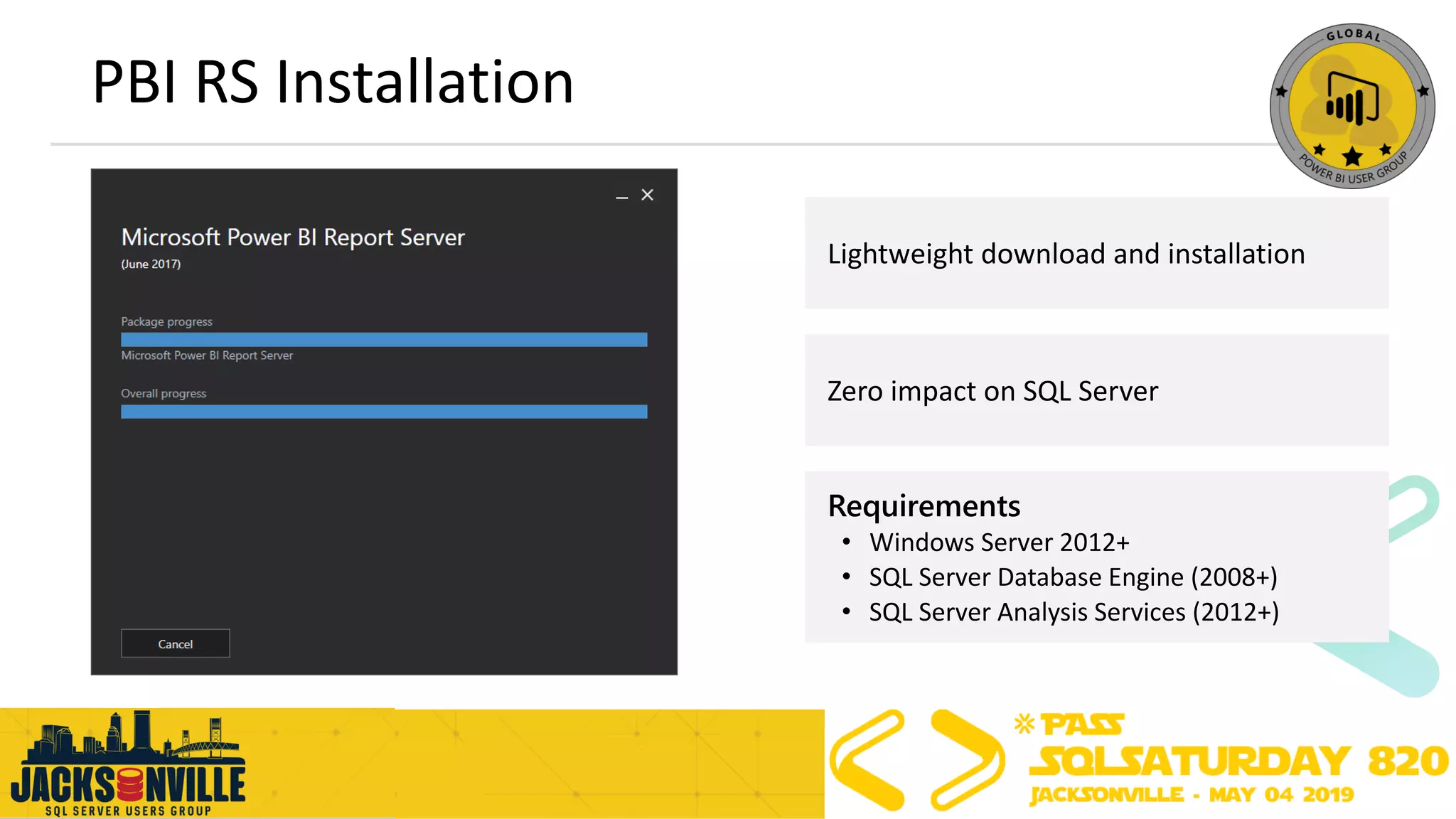
PBI RS Installation
Lightweight download and installation
Requirements
• Windows Server 2012+
• SQL Server Database Engine (2008+)
• SQL Server Analysis Services (2012+)
Zero impact on SQL Server
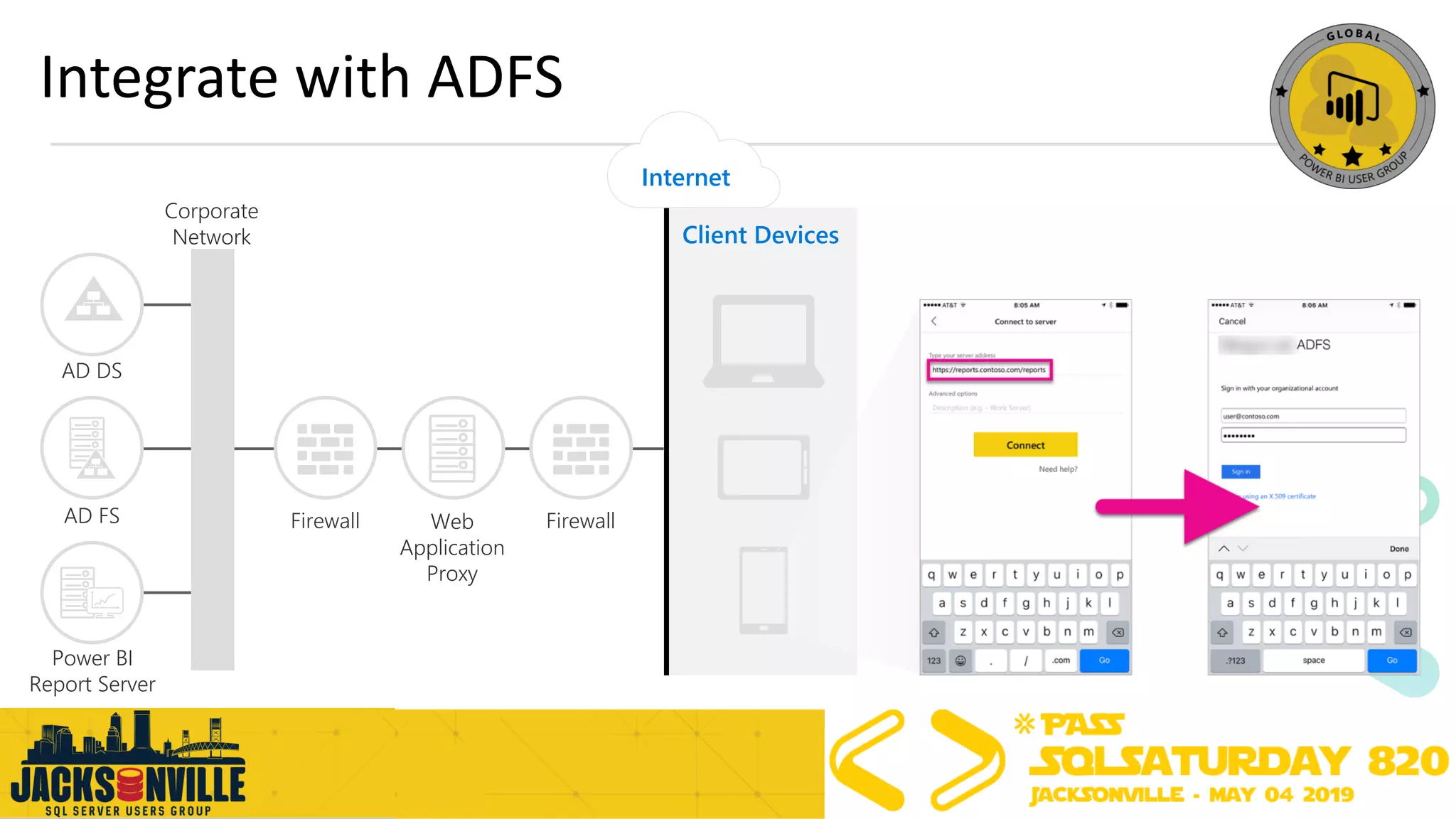
Integrate with ADFS
Client Devices
Internet
FirewallFirewallAD FS
AD DS
Corporate
Network
Web
Application
Proxy
Power BI
Report Server
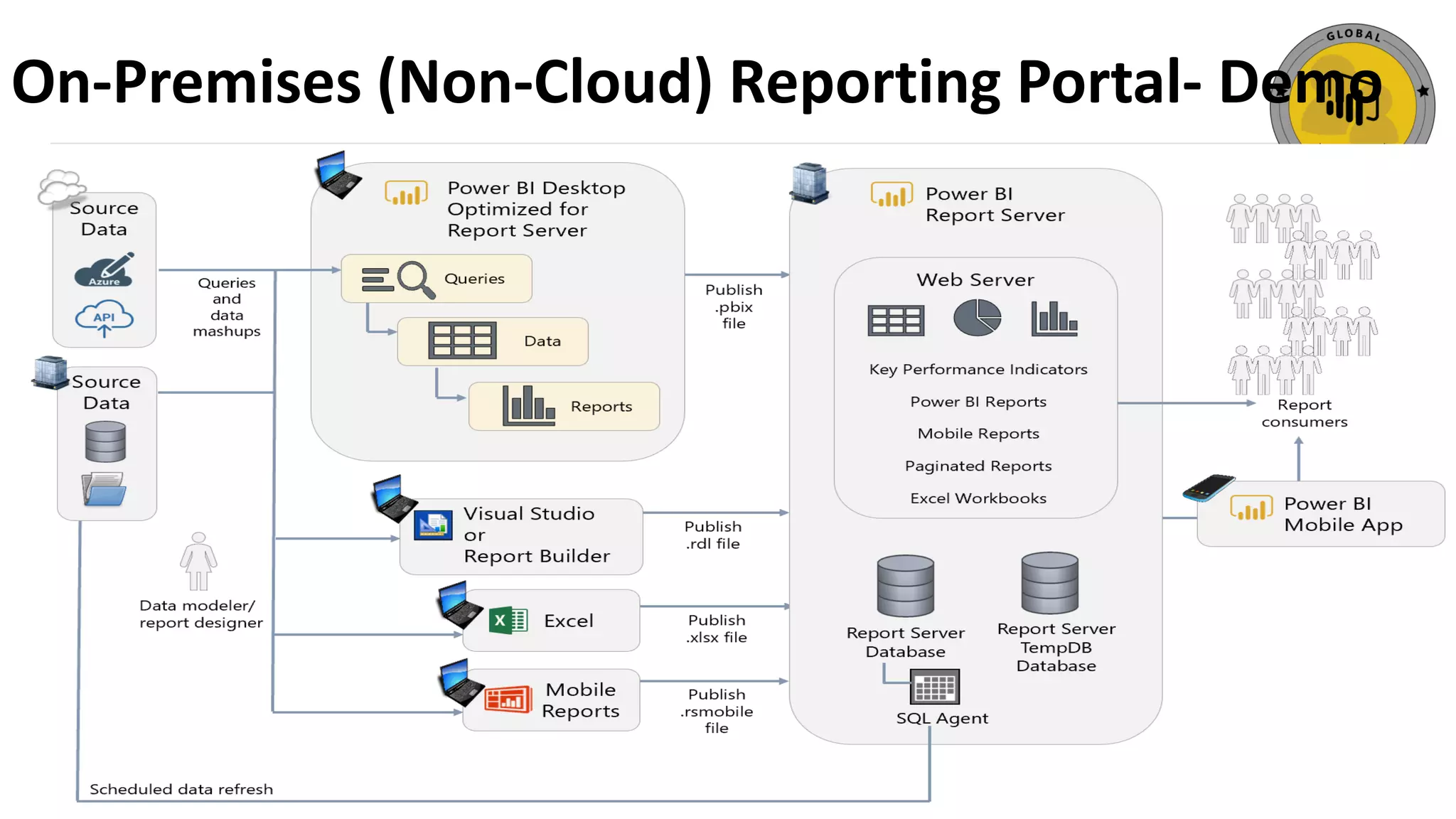
On-Premises (Non-Cloud) Reporting Portal- Demo
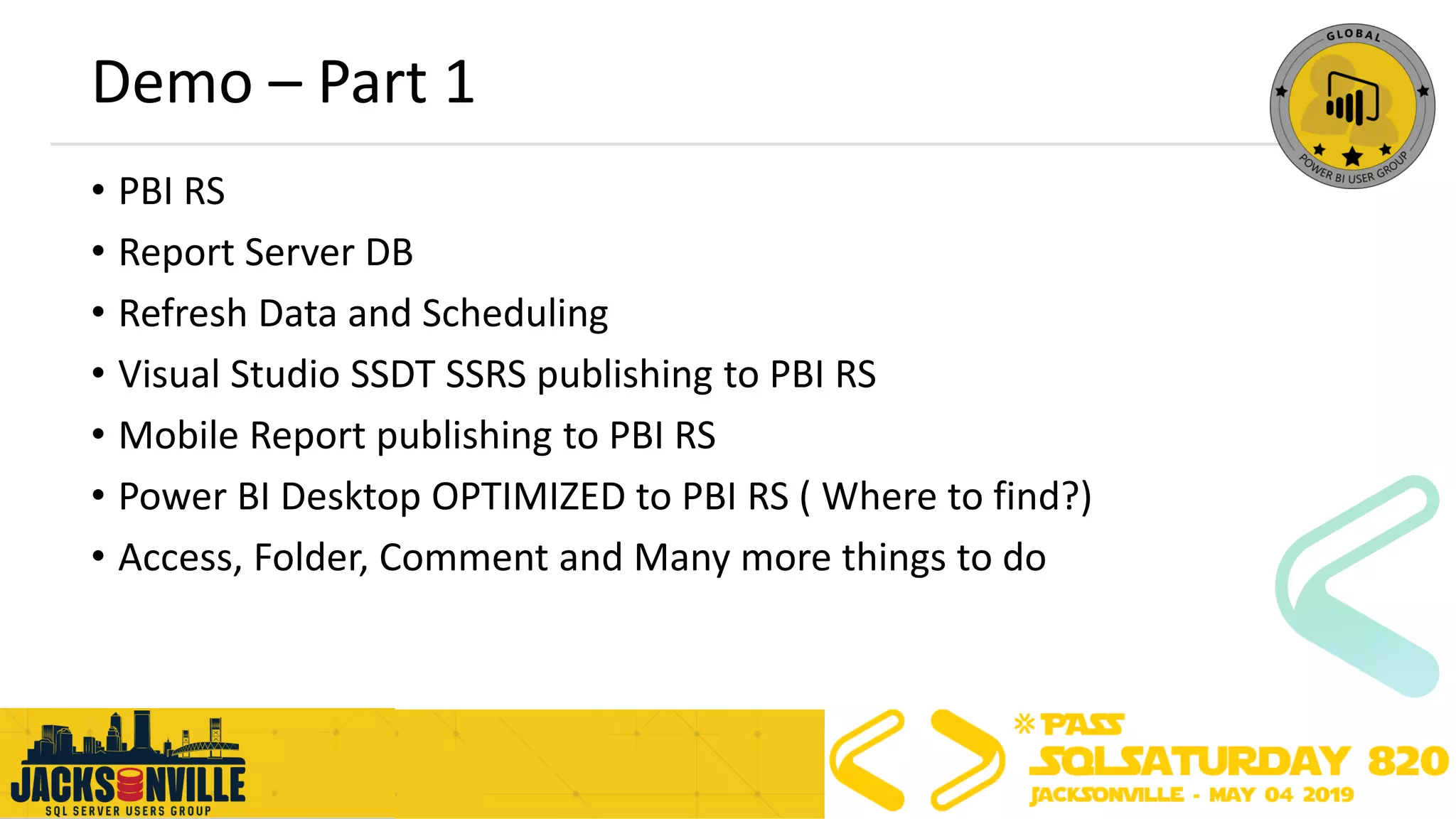
Demo – Part 1
• PBI RS
• Report Server DB
• Refresh Data and Scheduling
• Visual Studio SSDT SSRS publishing to PBI RS
• Mobile Report publishing to PBI RS
• Power BI Desktop OPTIMIZED to PBI RS ( Where to find?)
• Access, Folder, Comment and Many more things to do
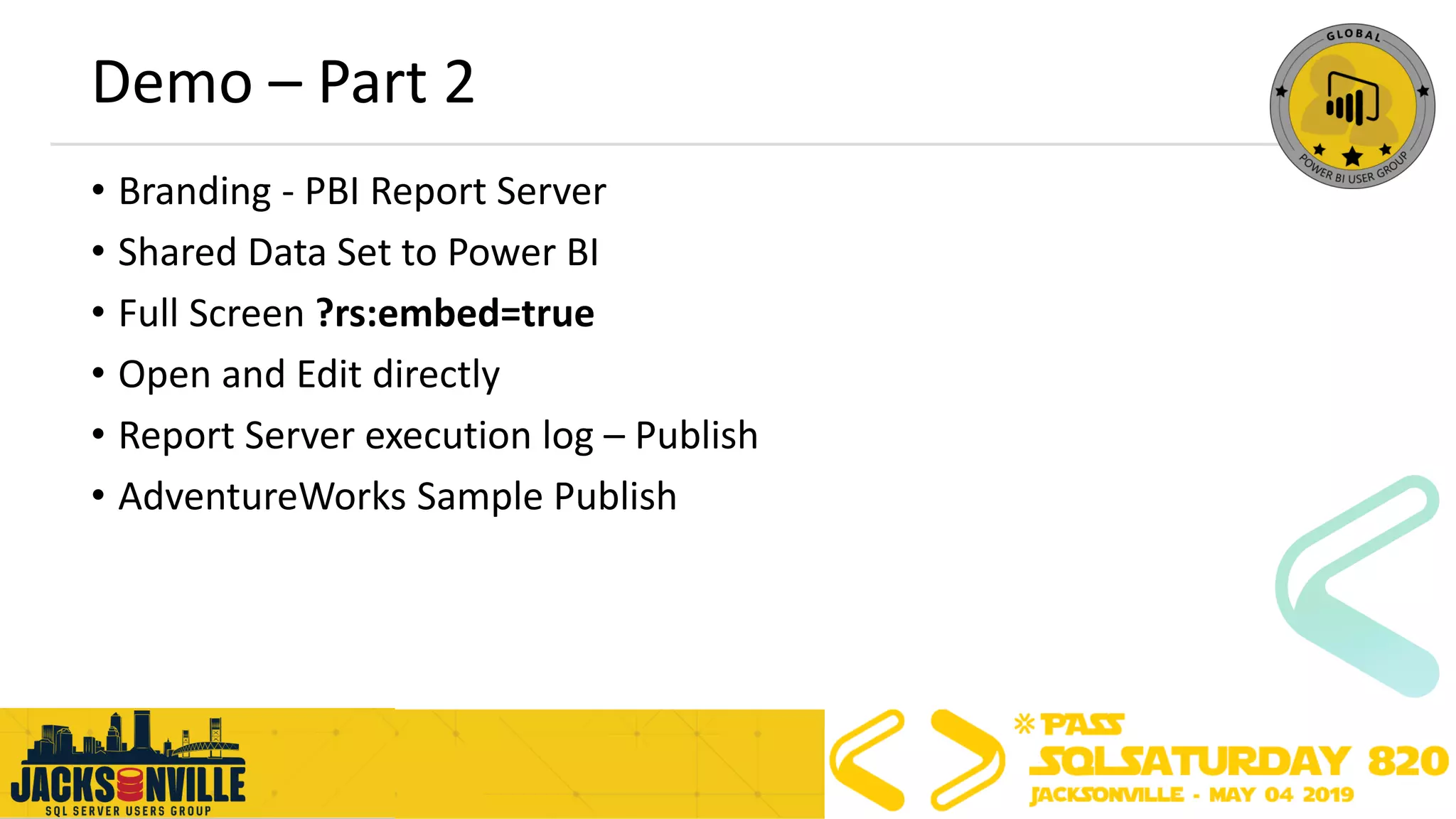
Demo – Part 2
• Branding - PBI Report Server
• Shared Data Set to Power BI
• Full Screen ?rs:embed=true
• Open and Edit directly
• Report Server execution log – Publish
• AdventureWorks Sample Publish
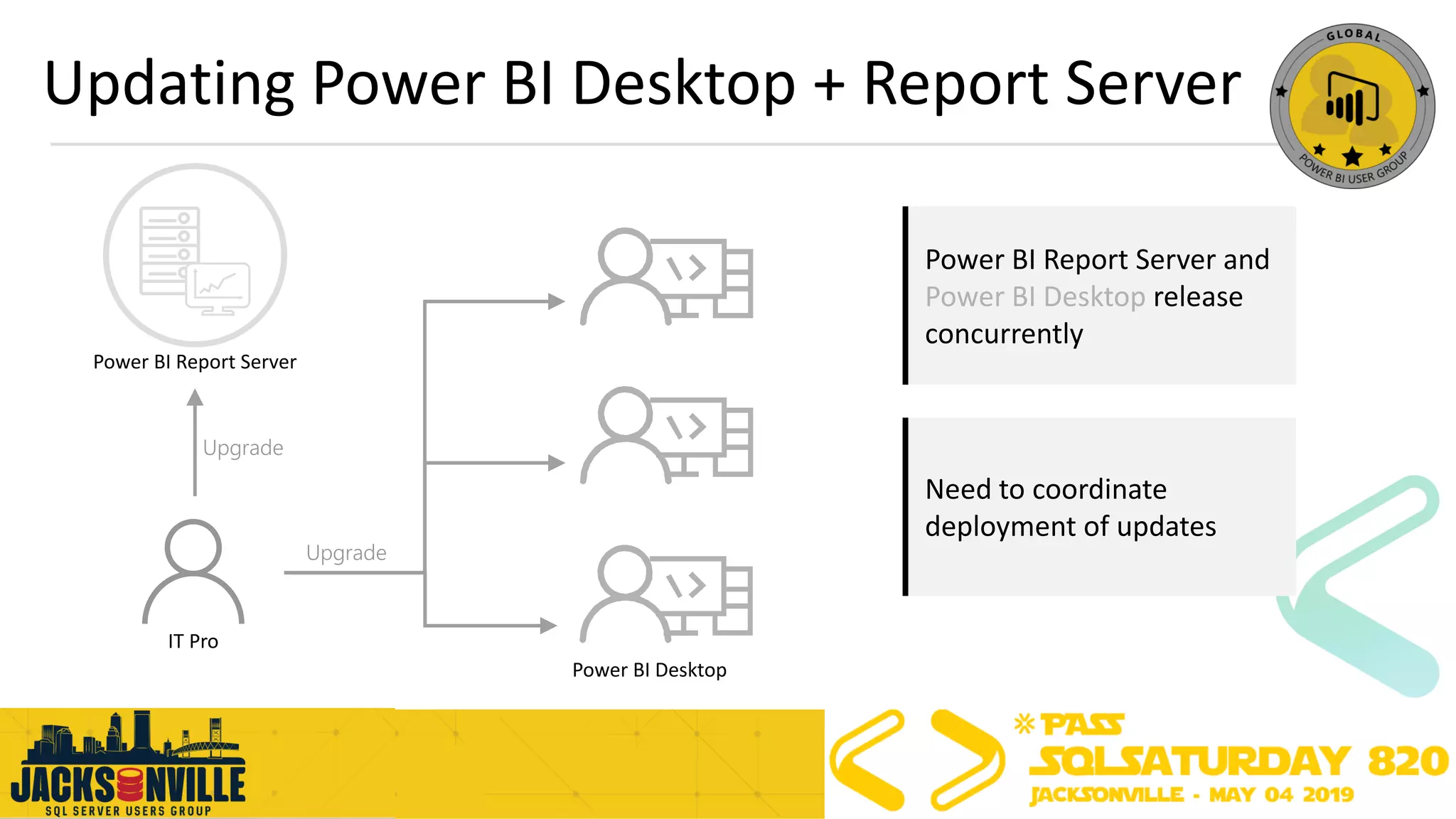
Updating Power BI Desktop + Report Server
IT Pro
Power BI Report Server
Power BI Desktop
Upgrade
Need to coordinate
deployment of updates
Power BI Report Server and
Power BI Desktop release
concurrently
Upgrade
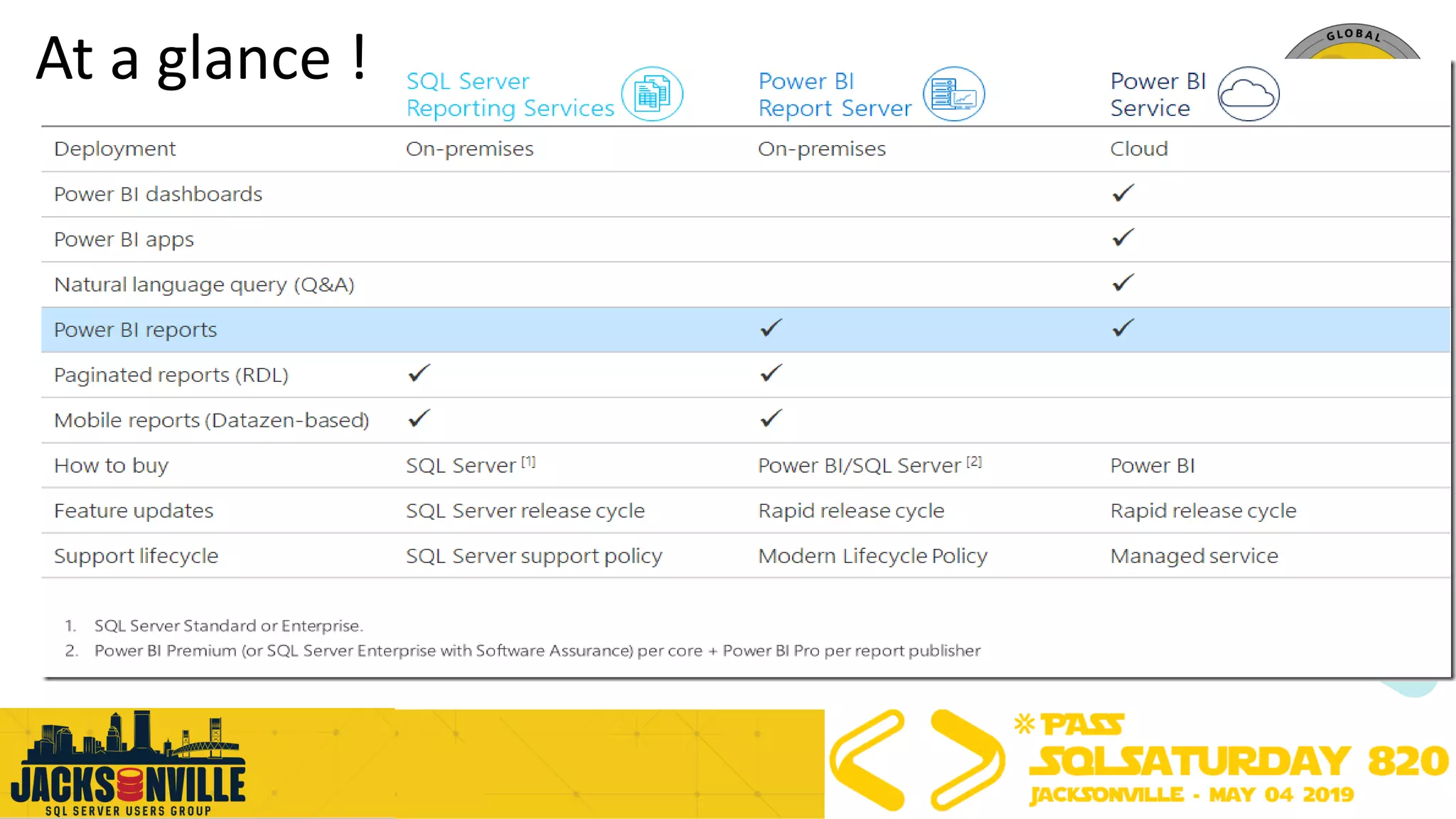
At a glance !
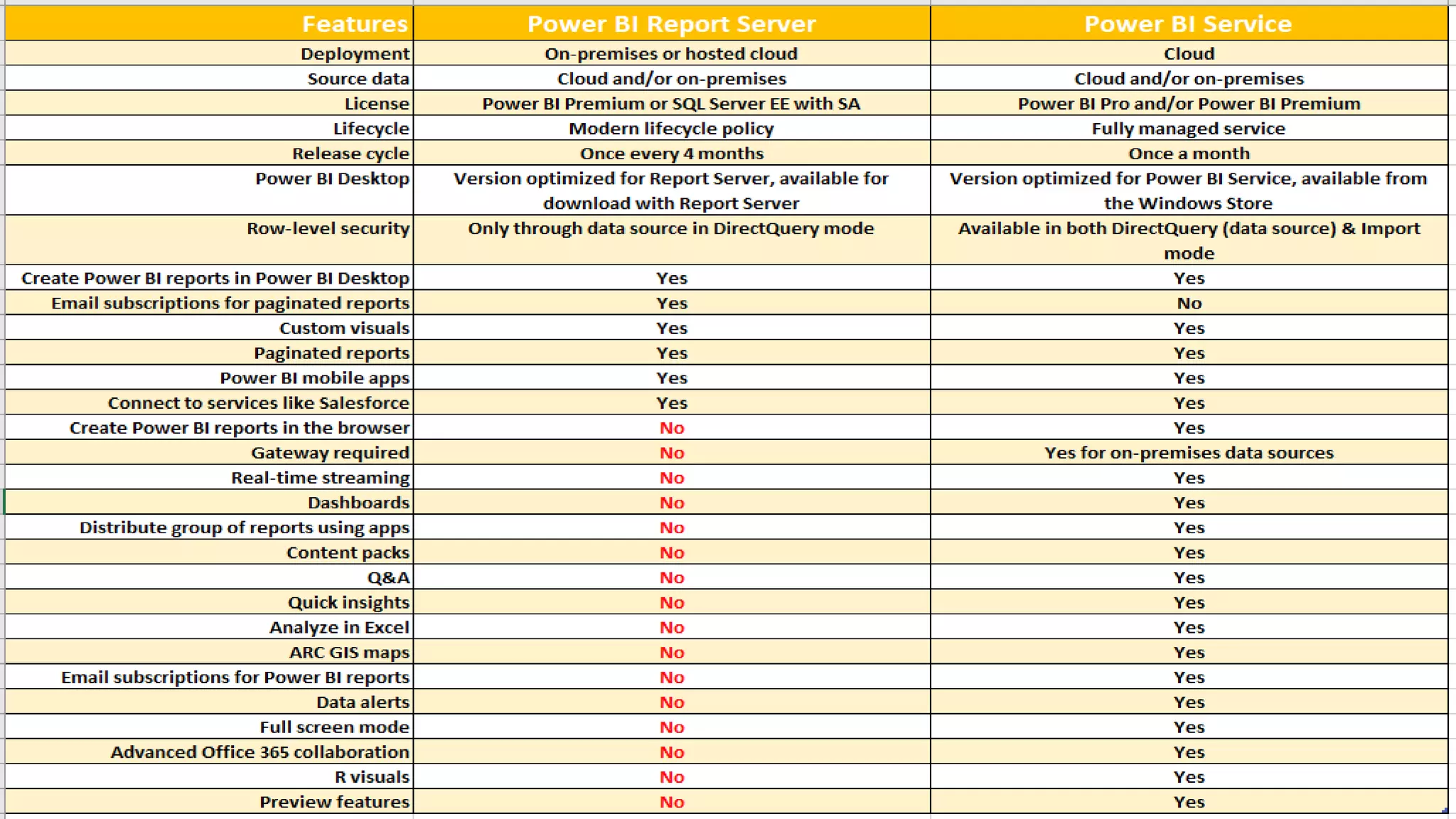
PBRS and PBIS
Agenda
➢Power BI Ecosystem
➢Architecture of Power BI Report Server
➢Best Practices for PBI Report Server
➢General Best Practices Power BI Ecosystem
➢Q&A
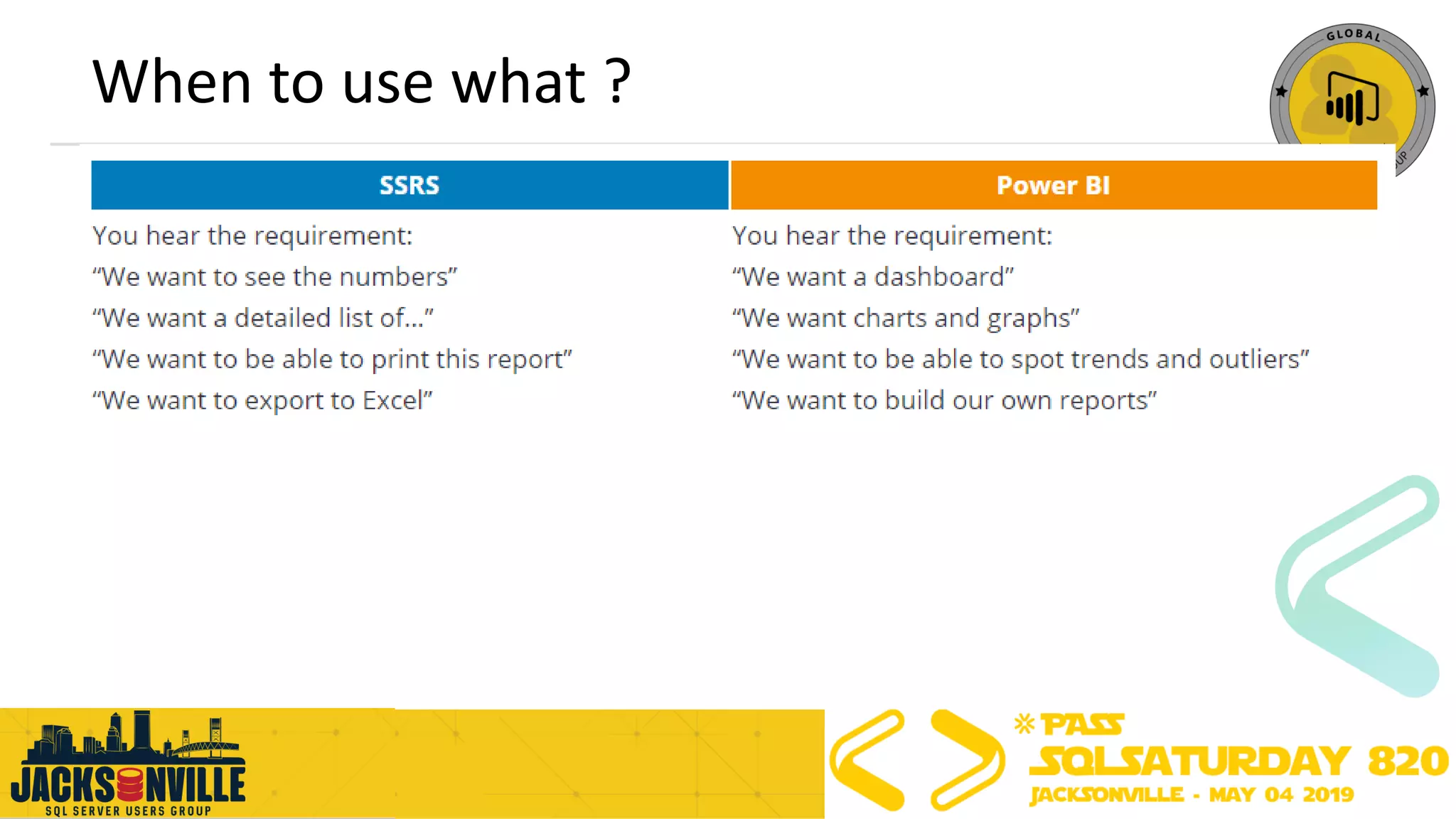
When to use what ?
Best Practices for Power BI Report Server
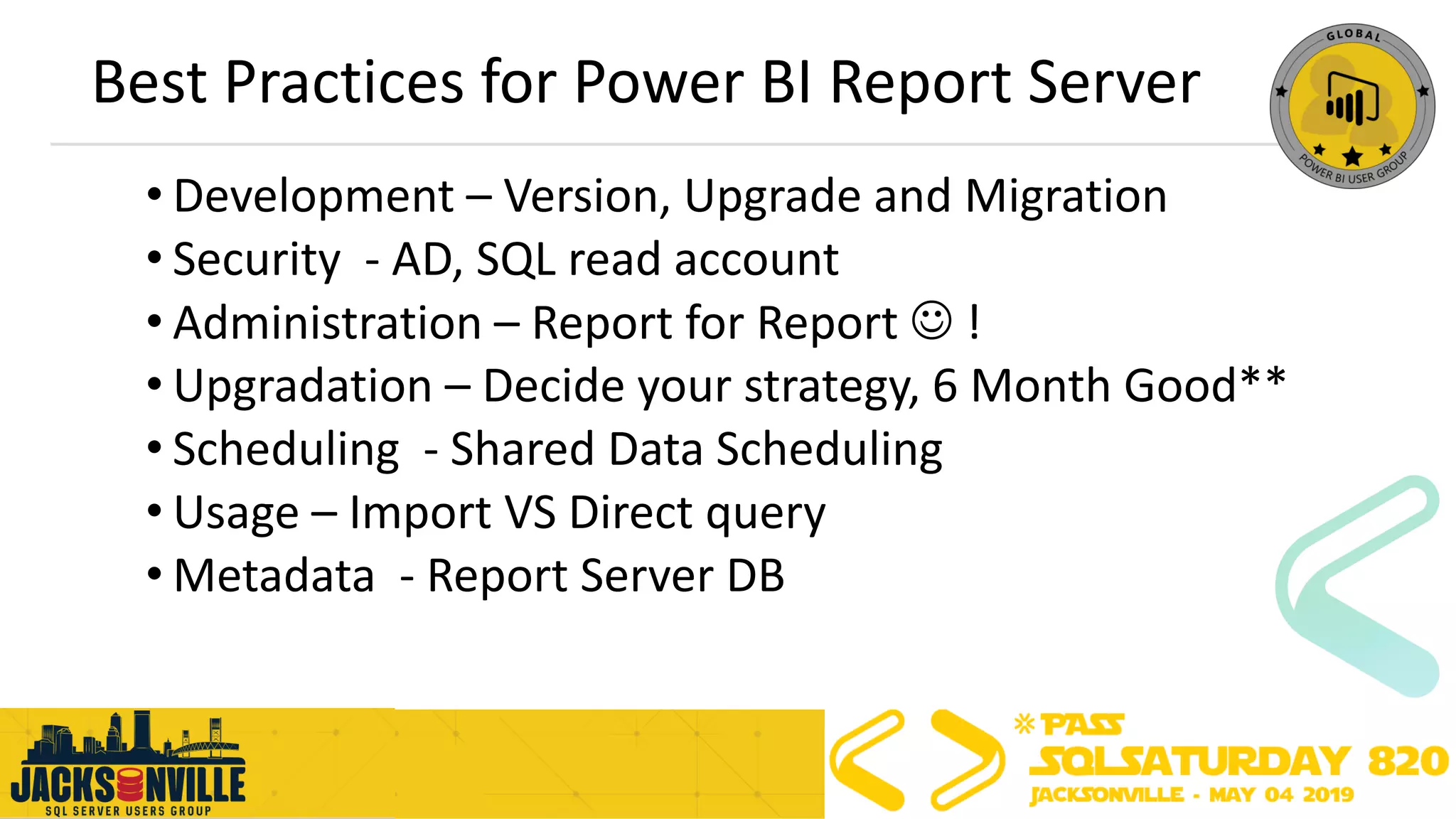
• Development – Version, Upgrade and Migration
• Security - AD, SQL read account
• Administration – Report for Report ☺ !
• Upgradation – Decide your strategy, 6 Month Good**
• Scheduling - Shared Data Scheduling
• Usage – Import VS Direct query
• Metadata - Report Server DB
Agenda
➢Power BI Ecosystem
➢Architecture of Power BI Report Server
➢Best Practices for PBI Report Server
➢General Best Practices Power BI Ecosystem
➢Q&A
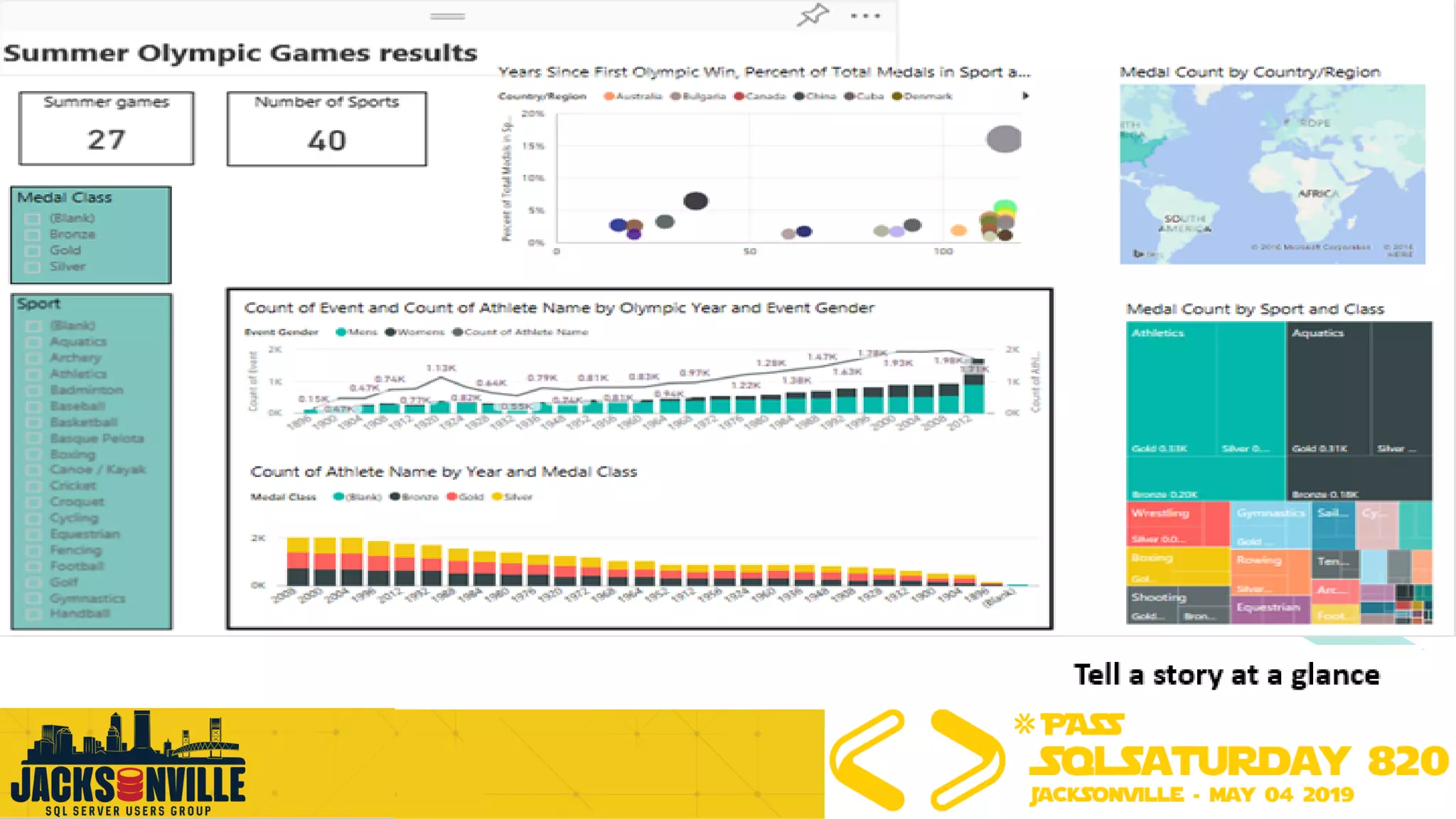
This ugly report page needs a lot of work
Power BI Best Practices – General
• Limit the number of visuals in dashboards and reports
• To improve Power BI report performance, remove unnecessary interactions between visuals
• Enable Row-Level Security (RLS) where applicable
• Use Microsoft AppSource certified custom visuals where applicable
• If you observe poor performance in Power BI, do not use hierarchical filters
• Provide data categorization for Power BI reports (HBI, MBI, LBI)
• Use the On-premises data gateway instead of Personal Gateway
• Use different Power BI gateways for “Direct Query” and “Scheduled Refresh”
• Test each custom visual on a report for performance to ensure fast report load time
• Limit complicated measures and aggregations in data models
• Use slicers sparingly
• Ensure that the Power BI report and the data source are in the same region
• Import only necessary fields and tables instead of entire datasets
• Ensure the cache update frequency aligns with the data source refresh frequency
Reference & Call to action
• Download Power BI Report Server
• Read the documentation
• Subscribe to the Power BI Blog
• Follow @MSPowerBI on Twitter
• Join the Power BI Community
• https://docs.microsoft.com
• https://www.blue-granite.com/blog/
• https://maqsoftware.com/expertise/powerbi/power-bi-best-practices
• Best design practices for reports and visuals – Microsoft Corporation, published June 22, 2018
• Tips for designing a great Power BI dashboard – Microsoft Corporation, published June 22, 2018
• Power BI Performance Best Practices – Microsoft Corporation, published May 18, 2018
Power BI
Report Server Architecture & Best Practices
Thank You !
Question ?

Sql Saturday Jacksonville- Power BI Report Server Enterprise Architecture, tools to publish reports and best practice

  • 1.
    Power BI ReportServer Enterprise Architecture, Tools to publish reports and Best Practice Vishal Pawar Microsoft MVP, MCT Chief Architect, Aptude Inc.
  • 2.
    First ……Thank you! •Organizing community – SQL Saturday ! •Of course you Too, To join us today ! •SQL PASS community !
  • 3.
    Slides Available todownload now !! http://mnts.info/ssjackson19
  • 4.
    ➢Power BI Ecosystem ➢Architectureof Power BI Report Server ➢Best Practices for PBI Report Server ➢General Best Practices Power BI Ecosystem ➢Q&A Agenda
  • 5.
    Vishal Pawar • ChiefArchitect in Aptude Inc • Microsoft MVP • Microsoft Certified Trainer • PASS BA VC Group Admin • Global Power BI Group 20K+ • Udemy Free Power BI Course 25K+ • VPawar@Aptude.com @Vishal_BI BIMentalist.com Linkedin.com/in/pawarvishal
  • 6.
    Free Power BITemplate- Download & Use now !! http://bit.do/sqldash https://gallery.technet.microsoft.com/LinkedIn-Connection-107605c5 http://bit.do/pbinetflix
  • 7.
    Join Global PowerBI User Group today ! •Facebook Group (10K+ member)- http://bit.do/pbifb •LinkedIn (2K+ member) – http://bit.do/pbiln •Twitter (@GlobePUG) – http://bit.do/pbitw •YouTube (2K+ Subscriber)- http://bit.do/ytgpbi •Official Microsoft Community – http://bit.do/pbiug •Official website (2K+ Member) – http://bit.do/gpbiweb •Power BI news (2K+ Readers) – http://bit.do/pbinews •Session pins on Pinterest- http://bit.do/gpbisession •Udemy Free Course (30K+ Student) – http://bit.do/pbiu •Google Plus – http://bit.do/pbigp •About user group – http://bit.do/aboutgpbi
  • 8.
    Agenda ➢Power BI Ecosystem ➢Architectureof Power BI Report Server ➢Best Practices for PBI Report Server ➢General Best Practices Power BI Ecosystem ➢Q&A
  • 9.
    Power BI: experienceyour data Any data, any way, anywhere
  • 10.
    Overview of thePower BI ecosystem • Power BI Desktop • Excel • Power BI Service (PowerBI.com) • Power BI Data Gateway • Power BI Premium • Power BI Embedded • Power BI Report Server • Power BI Mobile Apps • Power BI Common Data Service
  • 11.
    Non Profit Clients (120+ School) Manufacturing Client (Fortune 100 in US) Healthcare Client (Power BI as Product) Compare how world is using Power BI components
  • 12.
    Power BI usageacross vertical 80% - 20% 20% - 80% 100% No, Satisfy Need Streamlined Mixed We will coved in Power BI components slide
  • 13.
    What is Power BI? •Cloud-based analytics & reporting ecosystem • Connects to a wide range of data sources • Supports data modeling, mashup, and data cleansing/transformation • Flexible and interactive visualizations • Distribution to any user on any device • Public distribution Download this at SQLDusty.com
  • 14.
    Power BI Desktop •Main authoring and publishing tool for Power BI • Developers and power users would use to create brand new models and reports from scratch • Installed on a developer work station • Costs $0 aka Free • Development ?
  • 15.
    Excel • Develop datamodels using Power Pivot • Browse Power BI data models • Used by developers and power users • Installed on local workstation • Costs $0, no tacos
  • 16.
    Power BI Service •Online Software as a Service (SaaS) where Power BI data models, reports, dashboards are hosted • Admin, sharing, collaboration happen here • Most everyone uses it: developers, consumers, power users, admins • Pro license: $10/users/month • Premium: More $
  • 17.
    Power BI DataGateway • Acts as the bridge between the Power BI Service and your on-premise data sources (DirectQuery, Import, Live Query) • Installed/managed by IT/Power BI Admin (Enterprise) • Installed/managed by power user (Personal) • Users access reports that use the gateway • Costs nothing
  • 18.
    Power BI Embedded •Allows developers to embed analytics into any app using the Power BI APIs • Scale up, scale down, pause services • Different than Power BI Premium • Used by developers • Consumed by users of the app • Managed in Azure portal • Starts at about $1/hour
  • 19.
    *Power BI ReportServer • Superset of the features included with SSRS • Can host paginated reports, KPIs, mobile reports, & Power BI Desktop reports • Update released every 4 months • Installed/managed by IT • Power users can modify Power BI reports • Other reports developed by dev team • Consumed by users • Included with Premium • Can also purchase w/ SQL EE + SA
  • 20.
    Power BI MobileApps • Mobile apps on iOS, Android, Windows • Can be managed using Microsoft Intune • Can be used to view reports and dashboards on the Power BI Service as well as reports in Power BI Report Server • Reports/dashboards are automatically available on mobile devices
  • 21.
    A Dedicated Instanceof the Power BI Service What is Power BI Premium ?
  • 22.
    Power BI Premium •Dedicated capacity for running the Power BI organization for your team only • Supports sharing across a broad range of users • Supports embedding in custom applications • Licensed at a capacity level instead of by user
  • 23.
    Power BI CommonData Service • Helps solve big data challenge • Self service capability to connect and transform siloed data • Standardized, extensible business app schema to support and expediate data integration and analytics • Will be available in Power BI Pro & Premium
  • 24.
    Power BI PowerBI Report Server Licensing Power BI Premium
  • 25.
    Power BI PowerBI Report Server Licensing continued… Power BI Premium
  • 26.
    Agenda ➢Power BI Ecosystem ➢Architectureof Power BI Report Server ➢Best Practices for PBI Report Server ➢General Best Practices Power BI Ecosystem ➢Q&A
  • 27.
    Power BI ReportServer History SSRS
  • 28.
    Modern Lifecycle Policy– Future Release Year 1 Year 2 Security & Critical Updates Security Updates (Only) Security & Critical Updates Security Updates (Only) Security & Critical Updates Security Updates (Only) Release 1 Release 2 Release 3 Support EndsNew Release Frequent releases (planning ~3 per year) Security & critical updates until next release Security updates continue for remainder of 12 months
  • 29.
    Power BI ReportServer History
  • 30.
    Power BI: extendingon-premises capabilities
  • 31.
  • 32.
  • 33.
    Power BI ReportServer topology
  • 34.
    Power BI ReportServer Create interactive reports in Power BI Desktop Create Publish Publish to Power BI Report Server Consume View and interact in Power BI Mobile or web browser
  • 35.
    Create modern paginatedreports Design beautiful documents quickly and easily Optimized for document generation and printing Page headers, footers, and page breaks Precise layout and formatting Conditional formatting and visibility Modern chart and gauge styles
  • 36.
    HTML5 rs:Embed=true Consume reportsin multiple ways Mobile apps </> Windows Android iOS Web portal Embedded In your apps
  • 38.
    Power BI ReportServer for Enterprise Lifecycle Frequent releases Security Integrate with ADFSScale up and out Scalability Migrate from SQL Server Reporting Services MigrationInstallation Lightweight download and installation
  • 39.
    How to acquirePower BI Report Server
  • 40.
    Migrate from SSRS(Native mode) SSRS Power BI Report Server 1. Back up report server database 2. Install Power BI Report Server 3. Connect report server to database using Report Server Configuration Manager Copy/Move Report Server Database Report Server Database
  • 41.
    PBI RS Installation Lightweightdownload and installation Requirements • Windows Server 2012+ • SQL Server Database Engine (2008+) • SQL Server Analysis Services (2012+) Zero impact on SQL Server
  • 42.
    Integrate with ADFS ClientDevices Internet FirewallFirewallAD FS AD DS Corporate Network Web Application Proxy Power BI Report Server
  • 43.
  • 44.
    Demo – Part1 • PBI RS • Report Server DB • Refresh Data and Scheduling • Visual Studio SSDT SSRS publishing to PBI RS • Mobile Report publishing to PBI RS • Power BI Desktop OPTIMIZED to PBI RS ( Where to find?) • Access, Folder, Comment and Many more things to do
  • 45.
    Demo – Part2 • Branding - PBI Report Server • Shared Data Set to Power BI • Full Screen ?rs:embed=true • Open and Edit directly • Report Server execution log – Publish • AdventureWorks Sample Publish
  • 46.
    Updating Power BIDesktop + Report Server IT Pro Power BI Report Server Power BI Desktop Upgrade Need to coordinate deployment of updates Power BI Report Server and Power BI Desktop release concurrently Upgrade
  • 47.
  • 48.
  • 49.
    Agenda ➢Power BI Ecosystem ➢Architectureof Power BI Report Server ➢Best Practices for PBI Report Server ➢General Best Practices Power BI Ecosystem ➢Q&A
  • 50.
  • 51.
    Best Practices forPower BI Report Server • Development – Version, Upgrade and Migration • Security - AD, SQL read account • Administration – Report for Report ☺ ! • Upgradation – Decide your strategy, 6 Month Good** • Scheduling - Shared Data Scheduling • Usage – Import VS Direct query • Metadata - Report Server DB
  • 52.
    Agenda ➢Power BI Ecosystem ➢Architectureof Power BI Report Server ➢Best Practices for PBI Report Server ➢General Best Practices Power BI Ecosystem ➢Q&A
  • 53.
    This ugly reportpage needs a lot of work
  • 54.
    Power BI BestPractices – General • Limit the number of visuals in dashboards and reports • To improve Power BI report performance, remove unnecessary interactions between visuals • Enable Row-Level Security (RLS) where applicable • Use Microsoft AppSource certified custom visuals where applicable • If you observe poor performance in Power BI, do not use hierarchical filters • Provide data categorization for Power BI reports (HBI, MBI, LBI) • Use the On-premises data gateway instead of Personal Gateway • Use different Power BI gateways for “Direct Query” and “Scheduled Refresh” • Test each custom visual on a report for performance to ensure fast report load time • Limit complicated measures and aggregations in data models • Use slicers sparingly • Ensure that the Power BI report and the data source are in the same region • Import only necessary fields and tables instead of entire datasets • Ensure the cache update frequency aligns with the data source refresh frequency
  • 55.
    Reference & Callto action • Download Power BI Report Server • Read the documentation • Subscribe to the Power BI Blog • Follow @MSPowerBI on Twitter • Join the Power BI Community • https://docs.microsoft.com • https://www.blue-granite.com/blog/ • https://maqsoftware.com/expertise/powerbi/power-bi-best-practices • Best design practices for reports and visuals – Microsoft Corporation, published June 22, 2018 • Tips for designing a great Power BI dashboard – Microsoft Corporation, published June 22, 2018 • Power BI Performance Best Practices – Microsoft Corporation, published May 18, 2018
  • 56.
    Power BI Report ServerArchitecture & Best Practices Thank You ! Question ?