Play Framework Logging
Logback: Logs can tell everything
Why we need logging?
Monitoring
Debugging
Error Tracking
Business Intelligence
Play provides an API for logging which is accessed through the Logger object and uses
Logback as the default logging engine.
Logback Logging Architecture
Different components:
Logger
Default logger named “application”
Can create our own logger
Log Level :
OFF : use to turn off logging
ERROR: Runtime error, or unexpected exception
WARN: Deprecated Api, unexpected situation
Logback Logging Architecture
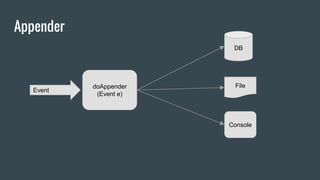
Appender
Handle responsibility to write event to component
Kinds of appender:
OutputStreamAppender: Append events to OutputStream
ConsoleAppender: Append events to console, or System.out or System.err
FileAppender: Append events to file
RollingFileAppender: Append events to file with the capability to rollover log files
Time based rolling policy
Size and time based rolling policy
Appender
Event
doAppender
(Event e)
DB
File
Console
Logback Logging Architecture
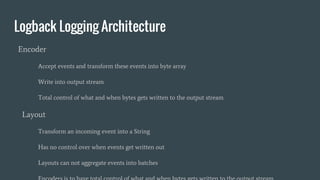
Encoder
Accept events and transform these events into byte array
Write into output stream
Total control of what and when bytes gets written to the output stream
Layout
Transform an incoming event into a String
Has no control over when events get written out
Layouts can not aggregate events into batches
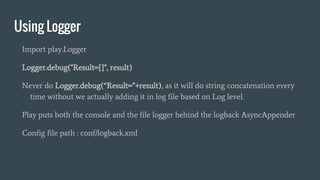
Using Logger
Import play.Logger
Logger.debug("Result={}", result)
Never do Logger.debug(“Result=”+result), as it will do string concatenation every
time without we actually adding it in log file based on Log level.
Play puts both the console and the file logger behind the logback AsyncAppender
Config file path : conf/logback.xml
Sample appender logback.xml
<appender name="FILE" class="ch.qos.logback.core.FileAppender">
<file>${application.home:-.}/logs/application.log</file>
<encoder>
<pattern>%date [%level] from %logger in %thread - %message%n%xException</pattern>
</encoder>
</appender>
<appender name="STDOUT" class="ch.qos.logback.core.ConsoleAppender">
<encoder>
<pattern>%coloredLevel %logger{15} - %message%n%xException{10}</pattern>
</encoder>
</appender>
<appender name="ASYNCFILE" class="ch.qos.logback.classic.AsyncAppender">
<appender-ref ref="FILE" />
</appender>
<appender name="ASYNCSTDOUT" class="ch.qos.logback.classic.AsyncAppender">
<appender-ref ref="STDOUT" />
</appender>
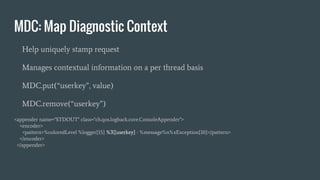
MDC: Map Diagnostic Context
Help uniquely stamp request
Manages contextual information on a per thread basis
MDC.put(“userkey”, value)
MDC.remove(“userkey”)
<appender name="STDOUT" class="ch.qos.logback.core.ConsoleAppender">
<encoder>
<pattern>%coloredLevel %logger{15} %X{userkey} - %message%n%xException{10}</pattern>
</encoder>
</appender>
Best Practices
Always keep date on log file name
Always add some name to your log file name, which help in distinguish it from
other log files.
Always log time and date of events
Store date in YYYYMMDDHHMMSS format (ideally) as it helps in sorting.
Use 24 hour time format.
In multi threaded system, use thread id.
Use different name of logger, depending on kind of logs as that help in separation.
Best Practices
Log single event in single line, stack trace kind of thing can be multiline.
Log with a delimiter between fields so logs can be easily parsed. Don’t skip empty
fields add something like - or delimiter to identify it.
Log identification information as that helps in debugging.
Don’t log sensitive information like passwords etc.
Thanks
References
http://logback.qos.ch/

Play Framework Logging

  • 1.
    Play Framework Logging Logback:Logs can tell everything
  • 2.
    Why we needlogging? Monitoring Debugging Error Tracking Business Intelligence Play provides an API for logging which is accessed through the Logger object and uses Logback as the default logging engine.
  • 3.
    Logback Logging Architecture Differentcomponents: Logger Default logger named “application” Can create our own logger Log Level : OFF : use to turn off logging ERROR: Runtime error, or unexpected exception WARN: Deprecated Api, unexpected situation
  • 4.
    Logback Logging Architecture Appender Handleresponsibility to write event to component Kinds of appender: OutputStreamAppender: Append events to OutputStream ConsoleAppender: Append events to console, or System.out or System.err FileAppender: Append events to file RollingFileAppender: Append events to file with the capability to rollover log files Time based rolling policy Size and time based rolling policy
  • 5.
  • 6.
    Logback Logging Architecture Encoder Acceptevents and transform these events into byte array Write into output stream Total control of what and when bytes gets written to the output stream Layout Transform an incoming event into a String Has no control over when events get written out Layouts can not aggregate events into batches
  • 7.
    Using Logger Import play.Logger Logger.debug("Result={}",result) Never do Logger.debug(“Result=”+result), as it will do string concatenation every time without we actually adding it in log file based on Log level. Play puts both the console and the file logger behind the logback AsyncAppender Config file path : conf/logback.xml
  • 8.
    Sample appender logback.xml <appendername="FILE" class="ch.qos.logback.core.FileAppender"> <file>${application.home:-.}/logs/application.log</file> <encoder> <pattern>%date [%level] from %logger in %thread - %message%n%xException</pattern> </encoder> </appender> <appender name="STDOUT" class="ch.qos.logback.core.ConsoleAppender"> <encoder> <pattern>%coloredLevel %logger{15} - %message%n%xException{10}</pattern> </encoder> </appender> <appender name="ASYNCFILE" class="ch.qos.logback.classic.AsyncAppender"> <appender-ref ref="FILE" /> </appender> <appender name="ASYNCSTDOUT" class="ch.qos.logback.classic.AsyncAppender"> <appender-ref ref="STDOUT" /> </appender>
  • 9.
    MDC: Map DiagnosticContext Help uniquely stamp request Manages contextual information on a per thread basis MDC.put(“userkey”, value) MDC.remove(“userkey”) <appender name="STDOUT" class="ch.qos.logback.core.ConsoleAppender"> <encoder> <pattern>%coloredLevel %logger{15} %X{userkey} - %message%n%xException{10}</pattern> </encoder> </appender>
  • 10.
    Best Practices Always keepdate on log file name Always add some name to your log file name, which help in distinguish it from other log files. Always log time and date of events Store date in YYYYMMDDHHMMSS format (ideally) as it helps in sorting. Use 24 hour time format. In multi threaded system, use thread id. Use different name of logger, depending on kind of logs as that help in separation.
  • 11.
    Best Practices Log singleevent in single line, stack trace kind of thing can be multiline. Log with a delimiter between fields so logs can be easily parsed. Don’t skip empty fields add something like - or delimiter to identify it. Log identification information as that helps in debugging. Don’t log sensitive information like passwords etc.
  • 12.
  • 13.