PHP
Contents
● Introduction to PHP
● How PHP works
● The PHP.ini File
● Basic PHP Syntax
● Variables and Expressions
● PHP Operators
● Database Using Php
● Array, Session, Cookie
What is PHP?
● PHP Hypertext Preprocessor
● Project started in 1995 by Rasmus Lerdorf as "Personal Home Page
Tools"
● Taken on by Zeev Suraski & Andi Gutmans
● Current version PHP 5 using Zend 2 engine
● (from authors names)
● Very popular web server scripting application
● Cross platform & open source
● Built for web server interaction
How does it work?
● PHP scripts are called via an incoming HTTP request from a web client
● Server passes the information from the request to PHP
● The PHP script runs and passes web output back via the web server as the
HTTP response
● Extra functionality can include file writing, db queries, emails etc.
PHP Platforms
PHP can be installed on any web server: Apache, IIS, Netscape, etc…
PHP can be installed on any OS: Unix, Linux, Windows, MacOS, etc…
LAMP Stack
Linux, Apache, MySQL, PHP
30% of web servers on Internet have PHP installed
More about PHP
PHP is the widely-used, free, and efficient alternative to competitors such as
Microsoft's ASP. PHP is perfectly suited for Web development and can be
embedded directly into the HTML code.
The PHP syntax is very similar to Perl and C. PHP is often used together with
Apache (web server) on various operating systems. It also supports ISAPI and
can be used with Microsoft's IIS on Windows.
PHP is FREE to download from the official PHP resource: www.php.net
phpinfo()
● Exact makeup of PHP environment depends on local setup & configuration
● Built-in function phpinfo() will return the current set up
● Not for use in scripts
● Useful for diagnostic work & administration
● May tell you why something isn't available on your server
What does a PHP script look like?
● A text file (extension .php)
● Contains a mixture of content and programming instructions
● Server runs the script and processes delimited blocks of PHP code
● Text (including HTML) outside of the script delimiters is passed
directly to the output e.g.
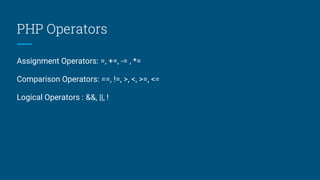
PHP Operators
Assignment Operators: =, +=, -= , *=
Comparison Operators: ==, !=, >, <, >=, <=
Logical Operators : &&, ||, !
Flow Control in php
● Conditional Processing
● Working with Conditions
● Loops
● Working with Loops
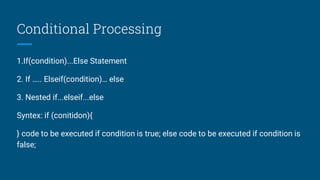
Conditional Processing
1.If(condition)...Else Statement
2. If ….. Elseif(condition)… else
3. Nested if...elseif...else
Syntex: if (conitidon){
} code to be executed if condition is true; else code to be executed if condition is
false;
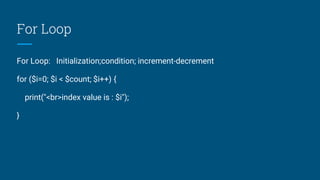
For Loop
For Loop: Initialization;condition; increment-decrement
for ($i=0; $i < $count; $i++) {
print("<br>index value is : $i");
}
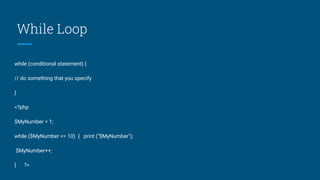
While Loop
while (conditional statement) {
// do something that you specify
}
<?php
$MyNumber = 1;
while ($MyNumber <= 10) { print ("$MyNumber");
$MyNumber++;
} ?>
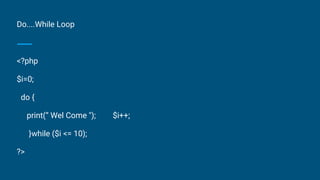
Do....While Loop
<?php
$i=0;
do {
print(“ Wel Come "); $i++;
}while ($i <= 10);
?>
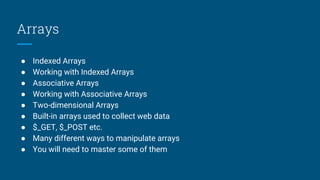
Arrays
● Indexed Arrays
● Working with Indexed Arrays
● Associative Arrays
● Working with Associative Arrays
● Two-dimensional Arrays
● Built-in arrays used to collect web data
● $_GET, $_POST etc.
● Many different ways to manipulate arrays
● You will need to master some of them
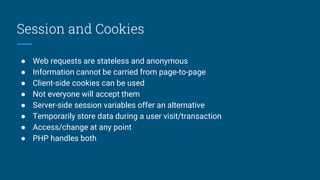
Session and Cookies
● Web requests are stateless and anonymous
● Information cannot be carried from page-to-page
● Client-side cookies can be used
● Not everyone will accept them
● Server-side session variables offer an alternative
● Temporarily store data during a user visit/transaction
● Access/change at any point
● PHP handles both
Session Variables
● Not automatically created
● Script needs to start session using session_start()
● Data stored/accessed via superglobal array $_SESSION
● Data can be accessed from any PHP script during the session
● session_start(); $_SESSION['yourName'] = "Paul";
● print("Hello $_SESSION['yourName']");
● Destroying a Session: unset($_SESSION['views']) And session_destroy()
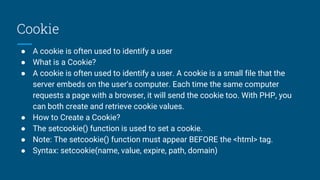
Cookie
● A cookie is often used to identify a user
● What is a Cookie?
● A cookie is often used to identify a user. A cookie is a small file that the
server embeds on the user's computer. Each time the same computer
requests a page with a browser, it will send the cookie too. With PHP, you
can both create and retrieve cookie values.
● How to Create a Cookie?
● The setcookie() function is used to set a cookie.
● Note: The setcookie() function must appear BEFORE the <html> tag.
● Syntax: setcookie(name, value, expire, path, domain)
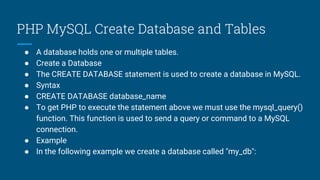
PHP MySQL Create Database and Tables
● A database holds one or multiple tables.
● Create a Database
● The CREATE DATABASE statement is used to create a database in MySQL.
● Syntax
● CREATE DATABASE database_name
● To get PHP to execute the statement above we must use the mysql_query()
function. This function is used to send a query or command to a MySQL
connection.
● Example
● In the following example we create a database called "my_db":
How Create a Connection
● mysql_connect
● mysql_connect -- Open a connection to a MySQL Server
● resource mysql_connect ( [string server [, string username [, string password
[, bool new_link [, int client_flags]]]]])
● mysql_connect() establishes a connection to a MySQL server. The following
defaults are assumed for missing optional parameters: server =
'localhost:3306', username = name of the user that owns the server process
and password = empty password.
● The server parameter can also include a port number. e.g. "hostname:port"
or a path to a local socket e.g. ":/path/to/socket" for the localhost.
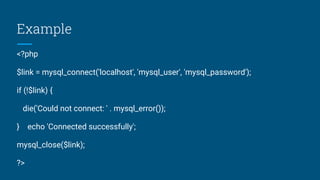
Example
<?php
$link = mysql_connect('localhost', 'mysql_user', 'mysql_password');
if (!$link) {
die('Could not connect: ' . mysql_error());
} echo 'Connected successfully';
mysql_close($link);
?>
How to close connection
● Mysql_close: mysql_close -- Close MySQL connection
● Description:
● bool mysql_close ( [resource link_identifier])
● Returns TRUE on success or FALSE on failure.
● mysql_close() closes the connection to the MySQL server that's associated
with the specified link identifier. If link_identifier isn't specified, the last
opened link is used.
● Using mysql_close() isn't usually necessary, as non-persistent open links are
automatically closed at the end of the script's execution.
How to execute query in php
● Mysql_query (PHP 3, PHP 4 )
● mysql_query -- Send a MySQL query
● Description: resource mysql_query ( string query [, resource link_identifier])
● Query Types: Select, Insert, Update, Delete
● mysql_query() sends a query to the currently active database on the server
that's associated with the specified link identifier. If link_identifier isn't
specified, the last opened link is assumed. If no link is open, the function tries
to establish a link as if mysql_connect() was called with no arguments, and
use it. The result of the query is buffered.
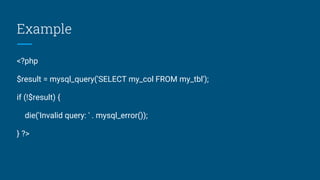
Example
<?php
$result = mysql_query('SELECT my_col FROM my_tbl');
if (!$result) {
die('Invalid query: ' . mysql_error());
} ?>
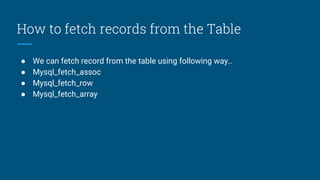
How to fetch records from the Table
● We can fetch record from the table using following way..
● Mysql_fetch_assoc
● Mysql_fetch_row
● Mysql_fetch_array
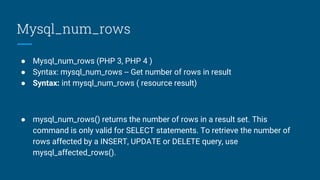
Mysql_num_rows
● Mysql_num_rows (PHP 3, PHP 4 )
● Syntax: mysql_num_rows -- Get number of rows in result
● Syntax: int mysql_num_rows ( resource result)
● mysql_num_rows() returns the number of rows in a result set. This
command is only valid for SELECT statements. To retrieve the number of
rows affected by a INSERT, UPDATE or DELETE query, use
mysql_affected_rows().
Mysql_fetch_array
● Mysql_fetch_array (PHP 3, PHP 4 )
● mysql_fetch_array -- Fetch a result row as an associative array, a numeric
array, or both.
● Syntax: array mysql_fetch_array ( resource result [, int result_type])
Returns an array that corresponds to the fetched row, or FALSE if there are
no more rows.
● mysql_fetch_array() is an extended version of mysql_fetch_row(). In addition
to storing the data in the numeric indices of the result array, it also stores
the data in associative indices, using the field names as keys.
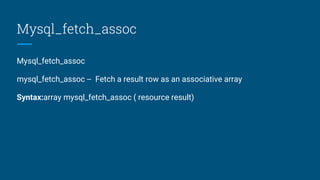
Mysql_fetch_assoc
Mysql_fetch_assoc
mysql_fetch_assoc -- Fetch a result row as an associative array
Syntax:array mysql_fetch_assoc ( resource result)
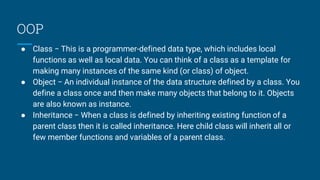
OOP
● Class − This is a programmer-defined data type, which includes local
functions as well as local data. You can think of a class as a template for
making many instances of the same kind (or class) of object.
● Object − An individual instance of the data structure defined by a class. You
define a class once and then make many objects that belong to it. Objects
are also known as instance.
● Inheritance − When a class is defined by inheriting existing function of a
parent class then it is called inheritance. Here child class will inherit all or
few member functions and variables of a parent class.
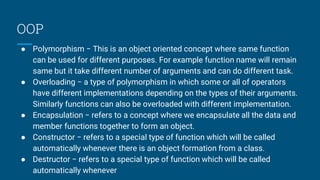
OOP
● Polymorphism − This is an object oriented concept where same function
can be used for different purposes. For example function name will remain
same but it take different number of arguments and can do different task.
● Overloading − a type of polymorphism in which some or all of operators
have different implementations depending on the types of their arguments.
Similarly functions can also be overloaded with different implementation.
● Encapsulation − refers to a concept where we encapsulate all the data and
member functions together to form an object.
● Constructor − refers to a special type of function which will be called
automatically whenever there is an object formation from a class.
● Destructor − refers to a special type of function which will be called
automatically whenever
Defining PHP Classes
<?php
class phpClass {
var $var1;
var $var2 = "constant string";
function myfunc ($arg1, $arg2) { [..]
} [..] }
?>
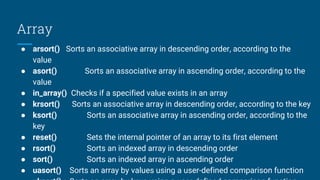
Array
● arsort() Sorts an associative array in descending order, according to the
value
● asort() Sorts an associative array in ascending order, according to the
value
● in_array() Checks if a specified value exists in an array
● krsort() Sorts an associative array in descending order, according to the key
● ksort() Sorts an associative array in ascending order, according to the
key
● reset() Sets the internal pointer of an array to its first element
● rsort() Sorts an indexed array in descending order
● sort() Sorts an indexed array in ascending order
● uasort() Sorts an array by values using a user-defined comparison function
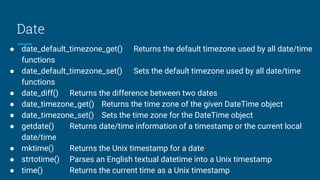
Date
● date_default_timezone_get() Returns the default timezone used by all date/time
functions
● date_default_timezone_set() Sets the default timezone used by all date/time
functions
● date_diff() Returns the difference between two dates
● date_timezone_get() Returns the time zone of the given DateTime object
● date_timezone_set() Sets the time zone for the DateTime object
● getdate() Returns date/time information of a timestamp or the current local
date/time
● mktime() Returns the Unix timestamp for a date
● strtotime() Parses an English textual datetime into a Unix timestamp
● time() Returns the current time as a Unix timestamp
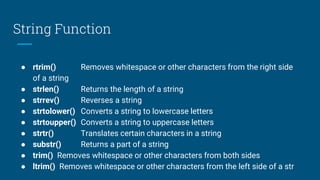
String Function
● rtrim() Removes whitespace or other characters from the right side
of a string
● strlen() Returns the length of a string
● strrev() Reverses a string
● strtolower() Converts a string to lowercase letters
● strtoupper() Converts a string to uppercase letters
● strtr() Translates certain characters in a string
● substr() Returns a part of a string
● trim() Removes whitespace or other characters from both sides
● ltrim() Removes whitespace or other characters from the left side of a str
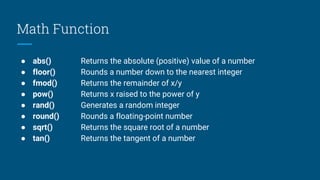
Math Function
● abs() Returns the absolute (positive) value of a number
● floor() Rounds a number down to the nearest integer
● fmod() Returns the remainder of x/y
● pow() Returns x raised to the power of y
● rand() Generates a random integer
● round() Rounds a floating-point number
● sqrt() Returns the square root of a number
● tan() Returns the tangent of a number

Php

  • 1.
  • 2.
    Contents ● Introduction toPHP ● How PHP works ● The PHP.ini File ● Basic PHP Syntax ● Variables and Expressions ● PHP Operators ● Database Using Php ● Array, Session, Cookie
  • 3.
    What is PHP? ●PHP Hypertext Preprocessor ● Project started in 1995 by Rasmus Lerdorf as "Personal Home Page Tools" ● Taken on by Zeev Suraski & Andi Gutmans ● Current version PHP 5 using Zend 2 engine ● (from authors names) ● Very popular web server scripting application ● Cross platform & open source ● Built for web server interaction
  • 4.
    How does itwork? ● PHP scripts are called via an incoming HTTP request from a web client ● Server passes the information from the request to PHP ● The PHP script runs and passes web output back via the web server as the HTTP response ● Extra functionality can include file writing, db queries, emails etc.
  • 5.
    PHP Platforms PHP canbe installed on any web server: Apache, IIS, Netscape, etc… PHP can be installed on any OS: Unix, Linux, Windows, MacOS, etc… LAMP Stack Linux, Apache, MySQL, PHP 30% of web servers on Internet have PHP installed
  • 6.
    More about PHP PHPis the widely-used, free, and efficient alternative to competitors such as Microsoft's ASP. PHP is perfectly suited for Web development and can be embedded directly into the HTML code. The PHP syntax is very similar to Perl and C. PHP is often used together with Apache (web server) on various operating systems. It also supports ISAPI and can be used with Microsoft's IIS on Windows. PHP is FREE to download from the official PHP resource: www.php.net
  • 7.
    phpinfo() ● Exact makeupof PHP environment depends on local setup & configuration ● Built-in function phpinfo() will return the current set up ● Not for use in scripts ● Useful for diagnostic work & administration ● May tell you why something isn't available on your server
  • 8.
    What does aPHP script look like? ● A text file (extension .php) ● Contains a mixture of content and programming instructions ● Server runs the script and processes delimited blocks of PHP code ● Text (including HTML) outside of the script delimiters is passed directly to the output e.g.
  • 9.
    PHP Operators Assignment Operators:=, +=, -= , *= Comparison Operators: ==, !=, >, <, >=, <= Logical Operators : &&, ||, !
  • 10.
    Flow Control inphp ● Conditional Processing ● Working with Conditions ● Loops ● Working with Loops
  • 11.
    Conditional Processing 1.If(condition)...Else Statement 2.If ….. Elseif(condition)… else 3. Nested if...elseif...else Syntex: if (conitidon){ } code to be executed if condition is true; else code to be executed if condition is false;
  • 12.
    For Loop For Loop:Initialization;condition; increment-decrement for ($i=0; $i < $count; $i++) { print("<br>index value is : $i"); }
  • 13.
    While Loop while (conditionalstatement) { // do something that you specify } <?php $MyNumber = 1; while ($MyNumber <= 10) { print ("$MyNumber"); $MyNumber++; } ?>
  • 14.
    Do....While Loop <?php $i=0; do { print(“Wel Come "); $i++; }while ($i <= 10); ?>
  • 15.
    Arrays ● Indexed Arrays ●Working with Indexed Arrays ● Associative Arrays ● Working with Associative Arrays ● Two-dimensional Arrays ● Built-in arrays used to collect web data ● $_GET, $_POST etc. ● Many different ways to manipulate arrays ● You will need to master some of them
  • 16.
    Session and Cookies ●Web requests are stateless and anonymous ● Information cannot be carried from page-to-page ● Client-side cookies can be used ● Not everyone will accept them ● Server-side session variables offer an alternative ● Temporarily store data during a user visit/transaction ● Access/change at any point ● PHP handles both
  • 17.
    Session Variables ● Notautomatically created ● Script needs to start session using session_start() ● Data stored/accessed via superglobal array $_SESSION ● Data can be accessed from any PHP script during the session ● session_start(); $_SESSION['yourName'] = "Paul"; ● print("Hello $_SESSION['yourName']"); ● Destroying a Session: unset($_SESSION['views']) And session_destroy()
  • 18.
    Cookie ● A cookieis often used to identify a user ● What is a Cookie? ● A cookie is often used to identify a user. A cookie is a small file that the server embeds on the user's computer. Each time the same computer requests a page with a browser, it will send the cookie too. With PHP, you can both create and retrieve cookie values. ● How to Create a Cookie? ● The setcookie() function is used to set a cookie. ● Note: The setcookie() function must appear BEFORE the <html> tag. ● Syntax: setcookie(name, value, expire, path, domain)
  • 19.
    PHP MySQL CreateDatabase and Tables ● A database holds one or multiple tables. ● Create a Database ● The CREATE DATABASE statement is used to create a database in MySQL. ● Syntax ● CREATE DATABASE database_name ● To get PHP to execute the statement above we must use the mysql_query() function. This function is used to send a query or command to a MySQL connection. ● Example ● In the following example we create a database called "my_db":
  • 20.
    How Create aConnection ● mysql_connect ● mysql_connect -- Open a connection to a MySQL Server ● resource mysql_connect ( [string server [, string username [, string password [, bool new_link [, int client_flags]]]]]) ● mysql_connect() establishes a connection to a MySQL server. The following defaults are assumed for missing optional parameters: server = 'localhost:3306', username = name of the user that owns the server process and password = empty password. ● The server parameter can also include a port number. e.g. "hostname:port" or a path to a local socket e.g. ":/path/to/socket" for the localhost.
  • 21.
    Example <?php $link = mysql_connect('localhost','mysql_user', 'mysql_password'); if (!$link) { die('Could not connect: ' . mysql_error()); } echo 'Connected successfully'; mysql_close($link); ?>
  • 22.
    How to closeconnection ● Mysql_close: mysql_close -- Close MySQL connection ● Description: ● bool mysql_close ( [resource link_identifier]) ● Returns TRUE on success or FALSE on failure. ● mysql_close() closes the connection to the MySQL server that's associated with the specified link identifier. If link_identifier isn't specified, the last opened link is used. ● Using mysql_close() isn't usually necessary, as non-persistent open links are automatically closed at the end of the script's execution.
  • 23.
    How to executequery in php ● Mysql_query (PHP 3, PHP 4 ) ● mysql_query -- Send a MySQL query ● Description: resource mysql_query ( string query [, resource link_identifier]) ● Query Types: Select, Insert, Update, Delete ● mysql_query() sends a query to the currently active database on the server that's associated with the specified link identifier. If link_identifier isn't specified, the last opened link is assumed. If no link is open, the function tries to establish a link as if mysql_connect() was called with no arguments, and use it. The result of the query is buffered.
  • 24.
    Example <?php $result = mysql_query('SELECTmy_col FROM my_tbl'); if (!$result) { die('Invalid query: ' . mysql_error()); } ?>
  • 25.
    How to fetchrecords from the Table ● We can fetch record from the table using following way.. ● Mysql_fetch_assoc ● Mysql_fetch_row ● Mysql_fetch_array
  • 26.
    Mysql_num_rows ● Mysql_num_rows (PHP3, PHP 4 ) ● Syntax: mysql_num_rows -- Get number of rows in result ● Syntax: int mysql_num_rows ( resource result) ● mysql_num_rows() returns the number of rows in a result set. This command is only valid for SELECT statements. To retrieve the number of rows affected by a INSERT, UPDATE or DELETE query, use mysql_affected_rows().
  • 27.
    Mysql_fetch_array ● Mysql_fetch_array (PHP3, PHP 4 ) ● mysql_fetch_array -- Fetch a result row as an associative array, a numeric array, or both. ● Syntax: array mysql_fetch_array ( resource result [, int result_type]) Returns an array that corresponds to the fetched row, or FALSE if there are no more rows. ● mysql_fetch_array() is an extended version of mysql_fetch_row(). In addition to storing the data in the numeric indices of the result array, it also stores the data in associative indices, using the field names as keys.
  • 28.
    Mysql_fetch_assoc Mysql_fetch_assoc mysql_fetch_assoc -- Fetcha result row as an associative array Syntax:array mysql_fetch_assoc ( resource result)
  • 29.
    OOP ● Class −This is a programmer-defined data type, which includes local functions as well as local data. You can think of a class as a template for making many instances of the same kind (or class) of object. ● Object − An individual instance of the data structure defined by a class. You define a class once and then make many objects that belong to it. Objects are also known as instance. ● Inheritance − When a class is defined by inheriting existing function of a parent class then it is called inheritance. Here child class will inherit all or few member functions and variables of a parent class.
  • 30.
    OOP ● Polymorphism −This is an object oriented concept where same function can be used for different purposes. For example function name will remain same but it take different number of arguments and can do different task. ● Overloading − a type of polymorphism in which some or all of operators have different implementations depending on the types of their arguments. Similarly functions can also be overloaded with different implementation. ● Encapsulation − refers to a concept where we encapsulate all the data and member functions together to form an object. ● Constructor − refers to a special type of function which will be called automatically whenever there is an object formation from a class. ● Destructor − refers to a special type of function which will be called automatically whenever
  • 31.
    Defining PHP Classes <?php classphpClass { var $var1; var $var2 = "constant string"; function myfunc ($arg1, $arg2) { [..] } [..] } ?>
  • 32.
    Array ● arsort() Sortsan associative array in descending order, according to the value ● asort() Sorts an associative array in ascending order, according to the value ● in_array() Checks if a specified value exists in an array ● krsort() Sorts an associative array in descending order, according to the key ● ksort() Sorts an associative array in ascending order, according to the key ● reset() Sets the internal pointer of an array to its first element ● rsort() Sorts an indexed array in descending order ● sort() Sorts an indexed array in ascending order ● uasort() Sorts an array by values using a user-defined comparison function
  • 33.
    Date ● date_default_timezone_get() Returnsthe default timezone used by all date/time functions ● date_default_timezone_set() Sets the default timezone used by all date/time functions ● date_diff() Returns the difference between two dates ● date_timezone_get() Returns the time zone of the given DateTime object ● date_timezone_set() Sets the time zone for the DateTime object ● getdate() Returns date/time information of a timestamp or the current local date/time ● mktime() Returns the Unix timestamp for a date ● strtotime() Parses an English textual datetime into a Unix timestamp ● time() Returns the current time as a Unix timestamp
  • 34.
    String Function ● rtrim()Removes whitespace or other characters from the right side of a string ● strlen() Returns the length of a string ● strrev() Reverses a string ● strtolower() Converts a string to lowercase letters ● strtoupper() Converts a string to uppercase letters ● strtr() Translates certain characters in a string ● substr() Returns a part of a string ● trim() Removes whitespace or other characters from both sides ● ltrim() Removes whitespace or other characters from the left side of a str
  • 35.
    Math Function ● abs()Returns the absolute (positive) value of a number ● floor() Rounds a number down to the nearest integer ● fmod() Returns the remainder of x/y ● pow() Returns x raised to the power of y ● rand() Generates a random integer ● round() Rounds a floating-point number ● sqrt() Returns the square root of a number ● tan() Returns the tangent of a number